#world-optimization

1 messages ยท Page 17 of 1

stuck citrus
#

Requesting help:

Hey peeps,

I am sorta new to this. I, like most people made a world in Unity. Surprise Surprise it runs... poorly because the draw calls are in the... 6000 area.

I combined all the meshes in Blender and am trying to do the same with Textures, issue is the FBX I exported from Unity and into Blender doesn't have any textures. Can someone help me out real quick? ๐Ÿ™‚

versed lichen
#

@stuck citrus Do you have realtime lights in that area ?

stuck citrus
#

No I do not. I managed to get the draw calls to like 800 and enable culling, but right now I am just trying to combine every mesh in Blender and Atlas it to get optimal performance. ๐Ÿ™‚ @versed lichen

versed lichen
#

if you merge everything then you can't cull anything FYI

stuck citrus
#

That shouldn't matter with one material and one mesh, right?

#

Sorry, a bit new to this

versed lichen
#

Well, as long as everything is low poly sure

vapid smelt
#

I got my world from 21k draw cells down to 600 by merging meshes

versed lichen
#

How did you even have that many in the first place ?

vapid smelt
#

300k poly stage

#

with a shit load of meshes

versed lichen
#

20.000 meshes ?

steep parrot
#

is jetdog's pinned optimization guide still the most recent optimization guide out there?

versed lichen
#

recent enough yeah, but not everything is up to date

steep parrot
#

๐Ÿ‘ thanks ruuubick!

stuck citrus
#

@vapid smelt What unity version are you working? That combiner doesn;'t seem to work.

vapid smelt
#

2018.4.20f1

smoky kindle
#

So i would want to create a seperate room away from the main building where musing would be playing. is it okay to leave the music constantly on there? Does it affect performance?

warped hornet
#

Its something else that needs to be loaded, but what I would say to do is have a toggle, not everyone likes having music on in a world so I would say have a button to turn it on and off, but from what I've seen it can effect performance in some cases, your case I believe I've seen some pics you should be fine

karmic wraith
#

Can I ask udon world optimization questions here? or do I keep that in udon questions?

versed lichen
#

If it's about optimizing the graphs it's better in the udon channels, if not here is fine

karmic wraith
#

Well its more about avatars and some random lag spikes even when users have control over the main realtime light

#

so ok, whenever someone changes avatars the entire world lags for a few seconds and I noticed this when I did my first raw port from sdk 2 to 3 and when someone changes avatar it does this buffer lag that was only on the udon portion

#

now it has gotten better over time but I am not sure if it is me or just the udon sdk that is to blame

#

I assume it is udon but if I can do something about it I would like to

#

So is this a known bug of udon or am I the only one experiancing it?

#

and what should I do about it if anything?

smoky kindle
#

@warped hornet Ofc there will be a toggle. But it defaults on. Later maybe I will do like when a player teleports to that room the music starts playing. With a toggle to turn it off.

green helm
#

how do i optimise my world? do I need anything besides unity? I've baked my lights and stuff do I need to do anything to the imported props?

hidden flame
#

@green helm There are multiple ways to help optimize worlds. To name a few, baking lights (which you did), using occlussion culling, limiting on pickupable objects, using less intensive shaders, ect.

green helm
#

@hidden flame I heard about something called mesh baker what does it do exactly do you know?

hidden flame
#

Im unsure on that. Have not used it before. If i had to take a blind guess, it would have to do with baking lights on meshes. If thats the case, then it should automatically be generated when you bake your lights. If i am wrong, someone here will correct me, hopefully

versed lichen
#

Mesh Baker joins meshes and atlases materials automatically

hidden flame
#

So yeah dont listen to me lol.

green helm
#

would mesh baker reduce the amount of batches?

versed lichen
#

Try occlusion culling first

#

But yeah probuilder is poop for optimization

green helm
#

what does occlusion do exactly? i'll have to watch a video on it

versed lichen
#

Frustum culling is your camera's "vision" anything inside of it is enabled, anything outside is disabled

#

Occlusion culling is the above step of hiding things in your "vision" that you can't see because they're behind something else

green helm
#

i will give it a try thank you

hidden flame
#

Yeah occlusion culling is a huge help if you have a laggy world. But really only works if you have things to occlude. If its just a huge open map, it usually doesnt help unless someone is staring at a wall

green helm
#

im doing a nightclub and it has many props

#

is there any particular way I should place the camera or just use the default settings for occlusion?

hidden flame
#

So you need to make sure that objects you want to be occluded needs to be set as occludee static. These objects as well are static which means non moveable objects.

green helm
#

yeah everything has been set to that

#

i've moved the camera and I went from 4k tris to 2m

hidden flame
#

All i see in your hierarchy is just the same item. Did you have more than just Spawn Item? And also its a good thing to make sure nothing in your hierarchy has the same name

versed lichen
#

@green helm just delete what's in the search box

green helm
#

lol thanks

nova hemlock
#

so i add vrc chair
but in vr mode. camera just random weird

tight flicker
#

Anyone know why my world works fine in the editor and 60fps just fine in desktop mode but in VR it can't get more than 11 fps? I'm using baked lighting and occlusion

versed lichen
#

Can you show the world stats in unity in play mode ?

tight flicker
#

how do i toggle on world stats? is it in the windows menu?

cold prairie
#

That's a lot of batches and tris ๐Ÿ‘€

tight flicker
#

oh?

#

so it may be a large model somewhere?

cold prairie
#

Nothing looks super detailed at least in that screen

#

Do you have the world id of the uploaded version?

tight flicker
#

i think this is it : wrld_df3c1c8f-f0d3-472a-8374-03b014a93012

#

let me re-bake the light and stuff and upload again quick just to be sure

versed lichen
#

i doubt the lights are baked in that screenshot

#

or if they are, the realtime lights are still on

cold prairie
#

We talked a bit in DM's the biggest reason was a minimap causing a lot of drawcalls

tight flicker
#

Nah, we tried turning off the minimap, removing all my trees from the terain, and turning off several shaders and all my debug log messages

#

in the end it was 30 items with udon sync position set to true, that's it

#

saddly i need to re-tree my whole world now

muted atlas
#

the world that i have made in its testing i get around 80-90 fps in desktop and then in vr i get around 50-60fps but when it is published and i go to the world i get 40fps on both vr and desktop, why is that? does anyone have an idea why?

lilac saddle
hidden flame
#

@lilac saddle You usually have to optimize it further to be able to upload the world as a quest world. Making sure the world is under 50MB is required and changing the shaders to a lite version is also required.

#

Thats to just name a few

lilac saddle
#

I don't think I am working with any shaders. Only materiel.

#

The total map size should be just under 50MB so yay.

hidden flame
#

Read up on the documentation. And all materials use a shader of some sort

lilac saddle
hidden flame
#

No if you click on one of your objects and go to the inspector, it should be all the way to the bottom where it shows your material

#

Itll let you select your shader. By default its usually the standard shader

lilac saddle
#

OH right

#

Sooo which one should I choose here for the quest not to run like crap?

hidden flame
#

Right. Also before you change anything, copy your project and paste it and change the name. That way you have two different versions you can edit for two different platforms

#

Any of the lit or lites will work

lilac saddle
#

Right. Btw, using a standard shader for a world is fine for VR users, correct? (PC)

hidden flame
#

Yes its fine. Just depends on the look and how it performs in vr but the standard shader will work fine

lilac saddle
#

Thanks for the information. I appreciate it ๐Ÿ™‚

hidden flame
#

Np

steep parrot
#

What are some good numbers for set pass calls and batches vs bad numbers?

cold prairie
#

Around 150 is good and from there as much down as it goes

#

You can go higher though as well since some things are cheaper than others even if they would cause more SetPass calls

#

You can have a world with 1k batches that doesn't feel laggy as all in some case but in some cases it will drag your fps to tens

versed lichen
#

CPU time is also a good indicator

#

try to aim for below 5ms

cold prairie
#

Yep basically profile what you are doing and see how it performs

steep parrot
#

thanks so much!

lilac saddle
#

Hey, does anyone have a good resource on occlusion culling? I have two skyboxes and for the life of me I can't get one to occlude when the player is in the other.

versed lichen
#

They're set as occluder static ?

lilac saddle
#

They're both set as static

versed lichen
#

Can you show what the occlusion visualization shows then ?

lilac saddle
#

If I pop it into vrchat to test I get a big framerate drop if I look in that direction.

versed lichen
#

Did you bake it ?

#

Doesn't look correct

lilac saddle
#

Yep, baked it. Left the settings at default.

versed lichen
#

your walls are also occluders ?

lilac saddle
#

They have the flag "occulder static" set.

versed lichen
#

i'm not seeing any occlusion there, only frustum so yeah something isn't correct

lilac saddle
#

when I hit bake, it's only a 15kb data size. I'll keep poking around. I'm just going off the unity manual for this.

#

So if I put a big ol wall in between the two skyboxes and set it to static it'll occlude everything so I think I need to scrub my walls and see if I missed one. But now the floor disappears if I look down.

steep parrot
#

9-10 cpu ms, but 90-110 fps-- good?

versed lichen
#

make sure you have vsync off in editor

#

otherwise the cpu time spikes

steep parrot
#

omg. lifesaver

#

i saw vsync causing spikes but didn't know i could disable it without causing issue (not sure what it is)

#

2 ms.... 470 fps..... glorious

versed lichen
#

sounds good

steep parrot
#

ive spent all day nitpicking at merging materials when i didn't have to. damn if it wasnt a lesson i learned the hard way though LOL

fickle ledge
#

is there a best option for vrchat shader when I'm wanting to maintain the highest quality of texture resolution on a single gameobject for the quest? I have a texture with some text, and want it to maintain the best LOD even at furthar distances so the text can continue to be read. how would I accomplish that?

hidden flame
#

I usually just use a canvas with text on it. Easy to read and easy to edit. It also doesnt take up much space either

fickle ledge
#

I'm importing high res images of actual vision tests, doing some research on vision in VR and wanted to make sure the image that i've imported stays as high res as it can be, it looks great when I'm right up on it, but I can acutally see it click through the LODs (Is that what they're called when talking about textures?) as I walk away from it. I'd like it to not switch to the lower qualities as I walk furthar away

hidden flame
#

You can disable the LOD system and hide the 3 textures and show the highest resolution. It will say culled in Unity but it worked fine for me for some LOD objects I had

torn crypt
#

@fickle ledge They're called Mip Maps, you should be able to disable it by unchecking "Generate Mip Maps" on the texture settings (under Advanced).

fickle ledge
#

That is great! I will check that out. Thank you both

glad ledge
#

Shot in the dark here but i downloaded an asset pack of Unity Store and wanted to test out one of the default scenes as a World in VRChat. Every time I try building it through the SDK, the file size is way too big, which got me realizing that its puking in all the extra crap from the asset pack that isnt in that scene at all! Any clue how I can trim all that fat?

sharp robin
#

Is tha posible to create layers that acte like pickup layers?

smoky kindle
#

My directional light is bringing 400k tris in to the scene..? And most objects brings like 5-20 batches each. How do i fix this?

versed lichen
#

Fix the objects and bake your lights @smoky kindle

smoky kindle
#

@versed lichen First i have to figure out whats wrong with them, they are all static etc.. I've baked the lighting but i realized that my realtime light for silents water shader is creating all of those tris and a couple hundred batches. I have setup the light correctly for the shader. Any other water shaders you can suggest what does not depend on realtime lights?

versed lichen
#

you should be using a depth buffer no ?

#

the depth buffer is expensive because yes it'll double the geometry visible, but it shouldn't be too costly if your scene is optimized in the first place

lilac saddle
#

I've been at this for about five hours and I can't seem to figure out the issue. I try to build and test my world but it doesn't load into the world at all. Here's a dump from my console. If anyone has any insight please help.
Fixed.
How to fix it: Delete any unnecessary scripts from the project

severe trout
#

@glad ledge when you build your project, it will only use assets that are in the scene, not everything in the project folder. First thing you should do is select every texture in your scene and crunch compress it and limit it's max size if needed. This will bring down the build file size a lot.

#

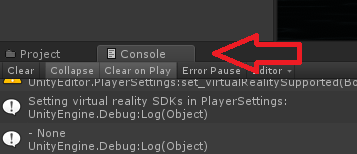
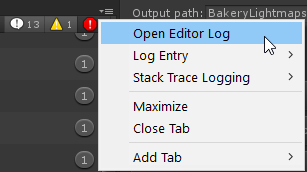
Copying this from @fair agate "After you upload your world, got to console log
click the top right menu on that window
and select editor log
and then search for "custom scene"
it should eventually show you something like this in the notepad/editors log:
Bundle Name: customscene.vrcw
Compressed Size:165.0 mb
Uncompressed usage by category:
Textures 224.8 mb 65.8%
Meshes 37.9 mb 11.1%
Animations 1.0 mb 0.3%
Sounds 38.5 mb 11.3%
Shaders 4.4 mb 1.3%
Other Assets 318.6 kb 0.1%
Levels 34.7 mb 10.2%
Scripts 1.5 kb 0.0%
Included DLLs 0.0 kb 0.0%
File headers 116.7 kb 0.0%
Complete size 341.7 mb 100.0%
Compressed size is the download size
complete size is the space it takes on hard drive"

#

As you can see textures are likely the largest files in your scene. Reducing the sizes of them should help.

glad ledge
#

@severe trout wow thanks that absolutely is the case! So my follow up question (ill try google first) what is a good way to lower the quality of textures in the project?

glad ledge
#

@severe trout i think i managed actually, lowered the quality by a quarter! lets hope she works. Thanks again!

uneven prism
#

Anyone have the time to help me out with something? It's a simple question that I couldn't find a direct answer to online, but... here it goes.

... are you able to trim a terrain in Unity without messing everything up? I accidentally made the Terrain too large and I am only truly using about.. 1/4 of the map.

versed lichen
uneven prism
#

No, because I dont have $45 to spend on it right now until next paycheck.

lilac saddle
#

Anyone know if it's possible to cull user avatars from rendering if they're in a different room from the player? Or if there's a best way to optimize the world if I have several rooms you teleport between?

versed lichen
#

Occlusion culling ?

violet mortar
#

is 110 fps okay?

#

for some reason lately i've been having severe fps drop in my world, even though i changed nothing in it, and didnt upload any new versions of it... also lag spikes randomly in other worlds that have lots of stuff (particles, postprocessing), for example room of summer solitude world, which was always performing really well for me. as soon as i open a mirror im getting 23 fps

versed lichen
#

401 batches for a tiny room is very very high

#

The tessellation shader you have for the carpet may be terrible for performance, but it's not 100% sure

#

Is your lighting baked ? @violet mortar

violet mortar
#

yes, all the lights are bakery lights and they're baked

versed lichen
#

What's so high poly ?

violet mortar
#

the bird model is a sculpture that i decimated, but its still high poly

versed lichen
#

you should try the blender addon optiloops

violet mortar
#

okay, i'll also check the bed, i think it might be straight out of marvelous designer xD

versed lichen
#

and make use of the frame debugger, and bake occlusion culling if you haven't done it already

violet mortar
#

what's frame debugger?

versed lichen
#

an analysis tool in unity

violet mortar
#

360k tris for the bird and the cage ๐Ÿ˜ณ

#

132k for the bed

#

i thought it didn't matter as long as it's static ๐Ÿ˜„

#

oh and its not just a tiny room there's also a bit of terrain outside, not a lot, but it has grass, trees and a wind zone, also fireflies and cloud patricles

versed lichen
#

yeah all of that contributes heavily to performance in general

violet mortar
#

what's the poly limit that i should be working towards?

#

per object i guess

versed lichen
#

There isn't any, just go as low as possible as long as it looks ok

#

plain decimation isn't the only way

violet mortar
#

well i reduced the bed to 26k

#

i mean now that i think about it, i was treating poor unity vr game like it's running on Unreal 5 engine xDD where they load tons of photogrammetry models with realtime lighting and it's all gucci

#

and what will be a healthy amount of batches then?

#

oh and my carpet doesnt have a tesselation shader, its standard transparent on a carpet made of hair cards ^^

versed lichen
#

For a tiny room, you really should be below the 100

#

that's a lot of transparency stacking up on top of each other

#

which is also bad for perf

violet mortar
#

okay, will cutout be better then?

versed lichen
#

it'd help, but i'm not sure why the hair cards can't just be two triangles in the first place

#

you'd just delete the two exterior triangles and bam, lower poly and no use for transparency/cutout

violet mortar
#

cutout doesnt look that good, but if it improves performance a lot i'll switch to cutout ๐Ÿ˜„

violet mortar
#

updated my meshes to the decimated ones (each one is at least half its original poly count), changed the rug shader from transparent to cutout, the batch number is exactly the same ๐Ÿฅด

agile hawk
#

@violet mortar Ok... so, I see you got visible skinned meshes. Is there anything in your scene that is animated, or use any bone related physics?

Is anything in your scene using an identical copy of another thing in terms of material? If so, just use the same on both. What shader are you using on all the objects (is it just standard?). Is there a possibility of you doing a texture atlas to reduce same shader materials?

As for the Grass/Trees/Windzone/Fireflies/Clouds turn them on and off while in playmode to see if any of them are causing it.

And transparent vs cutout standard shader do nothing for batches. It increases performance because you don't need to calculate as much on the GPU.

violet mortar
#

the 5 skinned meshes are my curtains that are using cloth component and the AI cat running around (the cat is very low poly)

#

i use only poiyomi shaders on meshes where i need special effects like glitter, and for the rest of my objects its standard

agile hawk
#

And do you have any materials that use the same settings? For example: If it's no texture, purely white. If it's white with glitter (in poiyomi). etc?

violet mortar
#

yeah but on different meshes

#

i tried to minimize the material count on each mesh

agile hawk
#

Same material on different meshes is done as one. Multiple materials are done for themselves.

An example:
3 meshes, all with 3 different materials with the same settings have to:
Get the texture 3 times.
3 draw calls
3 set passes
3 meshes, all with 1 material with the same settings (assuming static batching):
Get the texture 1 time
1 draw call
1 set pass

It's ultimately not the amount of materials on an object, but, what that material slot does that hits things really hard. Of course, you should always try to fuse the materials since it has some effect. But, if it causes you to stop batching it might even make your performance worse.

violet mortar
#

so one material should be spread among as many meshes as possible?

agile hawk
#

Yes

#

That way Unity treats them in one drawcall rather than in many. The even better way is to actually fuse the meshes and material slots so that unity doesn't have to do it for you. (Though, it shouldn't be needed)

fluid edge
#

are unused assets still included in the build?

#

and if so is there a way to find which assets are unused

#

my project has grown really big

#

The current world size is 500MB

flat dune
#

go check your 'Editor log' (unity , console, open editor log , button way at right side in console) , search 'bundle name', you can see sizes of everything there and what its importing

versed lichen
#

@violet mortar all these hair card could just be two faces instead honestly

fluid edge
#

oh i see

#

1268.2 mb worth of textures

#

lol

agile hawk
#

what the

#

How many textures do you have?! .-.

#

And better yet... how big are they?

hidden flame
#

16k textures or bust

fluid edge
#

not sure how to tell how many textures i have

versed lichen
#

i have something for you

fluid edge
#

but there are about 800 images in my project

#

this is gonna be hell to clean up manually

versed lichen
#

do it automatically

fluid edge
#

just making a backup of my project incase i fuck something up

lilac saddle
#

Does anyone have any documentation or videos on occlusion culling? I'm on day like, 5 of trying to understand this and what I'm breaking and I'm so confused.

versed lichen
#

Unity has documentation

azure bronze
versed lichen
#

No

#

Your world size is either textures, audio or meshes, maybe shaders but that's unlikely

#

Unless you baked lights, in which case you may have overdone it

onyx kernel
#

And you can lower your lightmap size for big objects that doesnโ€™t have much shadow detail on it, I reduced my world from 175mb to 137mb just by doing that

hasty merlin
#

Compressing lightmaps helps with file size too if you haven't done so yet.

lilac saddle
#

Does anyone know how to add a jump feature into my world?

#

I don't see the option for VRC_Playr Mods

winter skiff
#

hi

cold prairie
#

@lilac saddle if you are using SDK3 then the question is better directed to #udon-general since that would need to be done with udon

red carbon
#

Does unused collider affect performance

reef crow
#

Can you be more specific.

cold prairie
#

Colliders do go to "sleep" when not moving

red carbon
#

I have a large map, so a lot of mesh collider for the map will go unused if they are too far away from player

reef crow
#

generally mesh colliders are the least performant but its its spread out well it should be alright

red carbon
#

Alright thx

stuck citrus
#

How much would it cost for someone to help optimize my world? I don't want them to do it, I would love to learn. People lag in world and I have been trying to figure out how to make it playable and enjoyable for a while now,.

versed lichen
#

@stuck citrus you can ask for free here

stuck citrus
#

oh I know! ๐Ÿ™‚ I just feel like peoples time is worth money haha.

#

But yeah, with Draw calls down to 300ish, some users still only get 45FPS sadly

versed lichen
#

some users will get 45 everywhere

agile hawk
#

Tbh, the best sanity check is to force people to use optimized avatars to see if its the world or the avatars. And using the profiler to see vaguely how your world performs

versed lichen
#

If you have max framerate by yourself it's already a good sign

agile hawk
#

^Yup

lilac saddle
#

i'm getting some contradictory results with a light source in my world

#

If I turn the light source off, my batches and tris are halved (I don't know why a light causes any difference in tris, let alone doubling it)

#

however, the render time remains practically identical at 4ms

#

light on :

#

===

#

if the light is adding all this extra performance cost, then why is the render time/ fps practically identical?

#

i've looked in the profiler and the frame debugger but it doesn't mean much to me

agile hawk
#

Because that little box there tells you very little about if it actually runs well (to a degree. It's great for seeing general performance, poor for seeing where issues are.). One light won't do much either way (depending on the situation.). And the reason it doubles the amount of batches/tris is because it doubles the drawcalls. First you make the scene, then you add the light onto it. And because the scene has that much you add that much. It's optimized in the way that only affected geometry is calculated. But, it still has to see which geometry should be affected, so, it "doubles" it... since it doesn't know (which is a relatively inexpensive thing). Baking does these calculations for static lights before-hand. At leas that's my understanding of it.

And, if you want to actually delve into optimization I recommend learning the profiler window. There're unity tutorials and documentation stating how to read and use it.

#

Basically: Unity has no way to tell if you want to light ALL geometry or no geometry. Lighting no geometry will show double the amount of calls, but, no calls actually done since no geometry needs to update.

lilac saddle
#

ook

#

ty Elphea

livid falcon
#

Is there any way to reattach a pipeline ID, I uploaded my world to Community Labs and it stopped updating whatever I did so I attempted to fix this by removing it and reuploading it but the new world won't load it and sends me back to home. up I cannot get back to editing the first one in that is Community Labs public.

cold prairie
#

Paste the old id to the pipeline and press attach

livid falcon
#

how do I find the old ID? does it come up in the local low files?

#

like the VRC log

cold prairie
#

There is a tab to see all your uploaded content in the vrcsdk control panel

normal mortar
#

Howdy there! I have an odd question. I've noticed if I upload an avatar into a world as a static, it'll add roughly 50MBs to the world (world is only 8MBs right now, when adding a single avatar it jumps to 60). It has two materials, one mesh, no visesmes, bones, or animations. I compressed the textures, made them as low of a resolution as they can be, decimated as low as possible, and she has a single collider on her. I cannot for the life of me figure out what else I could do to make her not so tanky. This isn't an avatar podium, just an avatar of a girl standing there. Anyone have ideas? Thank you for the help ^^

livid falcon
#

thank you @cold prairie

worldly pulsar
#

To me the game is marked a lot when I enter a world and I do not see graphic options ... Could someone help me?

cerulean sluice
#

Is there any kind of tool that allows you to see what assets take up the most space inside a built world file? That way you know what needs optimizing/fixing

versed lichen
#

Pinned in channel

cerulean sluice
#

I don't think I saw the answer there :/ I looked at all of them

#

I know how to find the total size of the world, but I want to know what makes it up, to see problem areas to reduce

#

Or maybe I missed it when looking over those, but I didn't see it

#

๐Ÿ˜ฎ

versed lichen
#

Third pinned message

cerulean sluice
#

Ahh, ok, I did miss it :/ Thank you very much ๐Ÿ™‚

tranquil zephyr
#

oh you can do that, cool

cerulean sluice
#

Ok, how exactly does a fbx file take up 90mb

#

Because this is only 2mb in reality

tranquil zephyr
#

does it have blendshapes? you might need to enable legacy blend shapes.

cerulean sluice
#

Ah, shapekeys, yes, it has those

#

These?

#

That did it, wow. From 90mb all the way to 3. Not bad

#

Thanks!

lilac saddle
#

if i wanna make a forest landscape, how many polys or how high res should i be around to stay relatively optimized?

versed lichen
#

that doesn't really mean anything

#

try to have the lowest batches/drawcalls and the lowest file size

tulip hare
#

General issue with the game itself and it only ever seems to happen to certain people

#

Like I have a friend who has that happening all the time to him but everyone else around him is usually fine. It's also not super common

#

I mean, maybe, I'm not sure
From what I could see, it's not very common

#

Havent considered that it only ever happens to the room owner though but I sometimes get random lag spikes from people loading in so not sure

versed lichen
#

We haven't found the cause of that yet

tulip hare
#

I wouldn't be surprised if it is more of a VRChat than a world issue, at least basic world performance doesn't seem to be the reason here

#

I mean, if the world performance isn't bad and it's not lag spikes then I dunno

versed lichen
#

it's not performance

limpid void
#

@lilac saddle Use gpu instancing in shader options that trees use, use assets with LOD's and don't make rendering distance to far, this should make your forest perform much better

versed lichen
#

it's not udon related

#

happens in any world

#

We found a very good repro case earlier during internal testing, so we'll start investigating early next week

#

happens a lot more often on quest

#

If your world is public, please add it to any voice loop canny

#

if not that's alright

silent pumice
#

to make your world smalling in MB ( lower the quality of textures ) is there anything else you can do?

versed lichen
#

@silent pumice Crunch compress the textures

#

the static meshes

#

audio too

near lodge
#

Use smaller repeating textures like 256x256, even on things like furniture, etc. It can really help if you have enough skills.

cerulean flicker
#

is there a better way of hiding stuff with triggers without creating animations and stuff

vagrant axle
#

@cerulean flicker use SetComponentActive actions?

cerulean flicker
#

I didn't know that was a thing

#

thank you โ™ฅ

versed lichen
lilac saddle
#

ok how do i do this

#

does it do it all by itself or do i have to do it manually

versed lichen
#

you have to click the buttons manually so that it does it automatically

lilac saddle
#

thanks so much

lilac saddle
#

do you guys know any fixes with the ngon issues on sketchup?

#

and to also compress and reduce the size and the lag with the entire 3d model?

vagrant axle
#

have you tried cleaning up the geometry in blender?

urban mauve
#

I've uploaded my world using community labs and made it public as of today, anyone know why I can load into my world?

lilac saddle
#

sketchup has a feature in which i can clean the geometry, i did so but it kinda makes an improvment, however, the ngon problem becomes more serious

#

its a large structure that contains about 3.5M polygons

#

i dont know if i should split sections into multiple fbx files because the map is huge

versed lichen
#

That by itself as an FBX will still be 50+Mb

lilac saddle
#

true

#

will splitting fix the lag issues?

versed lichen
#

Yes for sure

cerulean sluice
#

After optimizing my world, I just came to the conclusion most people don't optimize their worlds

versed lichen
#

Correct

rustic copper
#

I'd like to update a map that was updated like almost 2 years ago and not since
Idk if anyone else did this but I just wanted to know where to start tbh I know there's a new sdk and stuff but I was just curious if there's anything else I need to do to do it properly :D

versed lichen
rustic copper
#

Nice! Thank you very much

slate sundial
#

Has someone here experience with Amplify Impostors? How good is it for large scale terrain with tons of vegetation?

waxen dagger
#

is there any way to decrease the initialization time when joining my world? Also i cant joint my world when i build and test it (im in without moving for 2 sec and then im redirected to the standard world...) but as soon as i publish it it works...

past coyote
#

Optimizing your world pretty much @waxen dagger

waxen dagger
#

lol wow thx.

toxic plaza
#

whats the build stats for the world?

#

try decreasing the size and it should help speed up that initialization time

#

build stats will show you which assets/files are taking up the most space

waxen dagger
#

in vrchat is says 85mb tho thats weird

#

oh i see compressed its 85

#

but i still cant test my world locally. It redirects me to the standard home.

#

the mehses size is quite big right?

#

im compressing them to medium now.

#

daaaaamn that didnt work

#

fukkkk it messed with everything

#

oh my gooooood it messed up all the gizmos as well wtf i hate this

#

i hate unity so much ^o^

agile hawk
#

Things that affect initialization times:
Geometry
Decompression (one large decompression goes faster than many small ones btw)
Loading stuff into RAM/VRAM

To optimize load times I'd recommend.
A) Texture Atlas
B) Decimation of meshes

versed lichen
waxen dagger
#

yeah i know. I gotta start over anyways.

azure bronze
#

Does anyone know how to fix this? I've unchecked the boxes already and everytime I try to build and test it just checks the API for max and linux again.

#

This stops me from build and testing my world

versed lichen
#

This does not prevent anything

azure bronze
#

Thank you, I just restarted my unity and it works haha

lilac saddle
#

yo does anyone have a converter i can use

tranquil zephyr
#

well first question is what are you trying to even convert?

burnt pawn
#

How i fix

silver obsidian
#

so i've been having this issue with making my world. its this weird issue with pressing the upload button. when i press it it just doesnt do anything. my friend says my ui for it looks off and i do not understand what's wrong with it-

soft lark
#

in vrchat is says 85mb tho thats weird
@waxen dagger where can you see these stats? on performing SDK's builder "Build&Test"? or is there another way?

#

BTW, is there a way to see the size of compiled world for Quest without publishing it? o_O

agile hawk
#

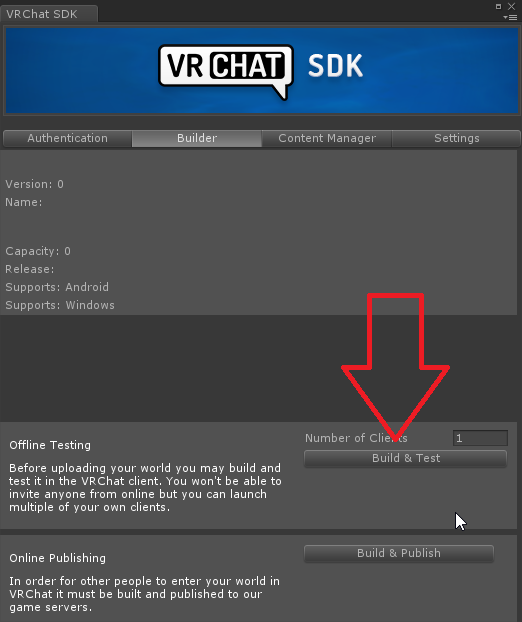
Yes. You can. You do it simply by going to the builder in the vrcsdk, click "build & publish" go to the editor log (without publishing, you're free to cancel publishing)
https://docs.unity3d.com/Manual/LogFiles.html
And search for "Uncompressed usage by category"
Uncompressed is the one you want to optimize, compressed is the download size.

soft lark
#

Tnx, @agile hawk!

umbral cloak
#

i cant build the test because it has 180mb and it can be bigger than 50mb
but
i delete the assets from the scene
and it does not changes the size of the scene
anyone can help?

#

can't be*

#

(sorry about my bad english etc, but i need help)

cerulean sluice
#

Just a note to everyone. TheDungeonMasters issue was already resolved in another channel. #world-development to be precise

patent belfry
#

Is it possible to remove the 'player particles' layer from a mirror, without having to painstakingly set every. single. object in the world to something other than 'Default'?

#

I was told to remove player particles from a mirror. I tried looking this up, and all I see is.. what I said (how I have to set every object in the world to something other than Default. Since Default renders everything, including player particles).

#

I don't feel like going through that hell, just for optimization. That's why I ask for another way (if possible).

harsh geode
#

If you just want an optimized mirror just make sure itโ€™s toggable and is set to player, player local, and mirror reflection layers

#

@umbral cloak build the world again, go into editor window, and then look at the editor log to see what objects are taking up the most space in your scene

#

If youโ€™re having issues with your memory or cpu usage while building, make sure nothing except Unity is open

#

Especially google chrome

patent belfry
#

Sly, thanks. But I wanna know if it's possible for an HQ mirror (just to block player particles).
Like, it can reflect everything else, just not that. Is that possible, or am I better off going with an HQ/LQ mirror toggle?

rich falcon
#

woop woop "No occlusion data has been baked." woop woop and nothing unrenders im not making a world im just testing it with cubes

harsh geode
#

Better with the toggle imo @patent belfry

#

Real-time mirrors will always be laggy

#

Just make sure the mirror object is a game toggle object

#

And then yeah with hq lq you canโ€™t go wrong

patent belfry
#

Alright, thanks.

harsh geode
#

Np

heady peak
#

Does anyone know what i should set the culling mask of a light to be if i only want it to hit avatars in the world?

#

oh wtf hey @harsh geode , how did you do your avatar light on secret sky stadium?

harsh geode
#

Lmao

#

Avatar light is done by directional light

#

And then thereโ€™s the culling options for the layer for player, player local, and mirror reflection layers

#

@heady peak

heady peak
#

yea i figured that much out, currently having separate pare of issues ๐Ÿ™ƒ

harsh geode
#

@heady peak what would that be

pulsar merlin
#

Hello Iโ€™m trying to join this one community labs world that has people in it, but every time I get to the loading screen for that world I get sent back to the hub world, can anyone help me with this??? Iโ€™m on oculus quest

heady peak
#

@harsh geode i put a baked area light only on layers you mentioned, but once i bake it lights up a lot of objects in the world

#

even though they're on the default layer

#

even if i set the culling mask to nothing it still lights them up

harsh geode
#

@heady peak oh these are real-time lights

#

Avatar lights are real-time and arenโ€™t set on a specific layer

#

In the lighting inspector portion you can see a culling mask that allows you to select the layers youโ€™d only like to be affected

#

No baking is used in having avatars being lit up

heady peak
#

Ohhhhh I see

#

Thanks Iโ€™ll try that out!

obsidian rose
#

anyone know why throwing pickups off a world would cause lag spikes if there's more than 1 person in the world? would it be from occlusion culling, or is it just from it respawning?

narrow shell
#

hey guys sorry to disturb you all but im looking on recommendations in mirror optimizations as im new to world building and hq mirrors lag me out =p

versed lichen
#

@narrow shell Disable layers on the mirror for stuff you don't want to show

#

@obsidian rose What settings do you have for your pickups

#

And what does occlusion culling bake look like

obsidian rose
#

that's the pick up

#

that's the bake. i just did the default for both

narrow shell
#

thank you ruuubick.

narrow shell
#

got another question for you all whenever someone joins my world or changes avatar inside my world it will make everyone lag. Like a memory hang for a few secs whats the simple fix for this ?

stuck citrus
#

https://i.imgur.com/nwfg2U9.png
I am assuming this isn't good? If so, I guess the next question is how would I improve on this? I am in the middle of figuring out how to atlas textures (Though if there is a program that can do it for me I would looooove to have that)
And about to throw this into blender and decimate the models

versed lichen
#

Do you have realtime lights ?

stuck citrus
#

Only one but I will be removing that shortly in favor of baked lights

#

Woah, turning off the realtime light made total batches from 319 to 152

#

Same with Draw calls. 459 to 143

versed lichen
#

yep

stuck citrus
#

Well that was easy, I guess. Now back to figuring out how to light stuff. Thanks buddy

pallid gale
narrow shell
#

so im guessing theirs no fix for my small issue?

balmy harness
#

Unfortunately I dont know how to fix your issue >~<
But, I do have a question for everyone~

I have a VrChat map and I have a version of it currently uploaded, but it's really laggy ๐Ÿ˜… I've deduced the reason for the lag is poor occlusion and baking- (I had crappy baking, and to separate rooms I just had things really far from each other so they wouldnt render.. but ofc that made some stuttery and glitch issues)

I moved all the rooms to be near eachother, but now I need to worry about occlusion (only seeing rooms you need to)
Would anyone be willing to help me with setting it up? I have tried looking at every tutorial on youtube, and not a single one works for what I need. Rooms are always seen even if they are behind boxes / colliders.

All i need is someone to sit in a call with me for a few hours one day, and walk me through the steps over screenshare. I wont be able to 'pay' anything, but I am totally willing to throw your name in the map credits.
(If you'd like to see what Map it is, on VRC it's Hope's Peak Academy on my account, which is the same user as my discord)

Please dm me if you can help! Thank you~! โœจ

versed lichen
#

You just need to setup occlusion boxes around your rooms and press bake

#

that doesn't take hours

balmy harness
#

I've tried it that way, but it didnt work out ๐Ÿ˜…
I could still see areas that were in other boxes

I am experimenting a bit with it now to see if I'll get it to work

versed lichen
#

you can change settings for what's occluded and what isn't

#

also you need to make sure all the objects you want to be occluded are marked as such

#

same for occluders

balmy harness
#

That's probably what I'd need help with- ๐Ÿ˜…

From my understanding, I mark what I need occluded and the occlusion boxes as static, hit bake, then it works-
But that hasnt seemed to work for me in the past

rich linden
#

I'm actually having the same exact issue as DinoFrmPluto.
Occlusion culling doesn't seem to be working the way it should, despite me setting up occlusion boxes, ticking things as static, and then baking. I've tried a lot of combinations of marking things as "Occluder/Occludee Static", but no combination of these seems to effectively and consistently cull the appropriate things without leading to other issues.
After a lot of tinkering and adjusting, I think it has something to do with certain cells? But even after reaching that conclusion, I don't know of any way to manually adjust those to be a specific way. From my observation, the occlusion culling works fine for the cells that were generated at the center of the room, but any of the ones on the outer edge render everything in the camera's line of sight, even past occlusion planes and even a box I surrounded the entire room with. I've read up on the documentation and followed a couple tutorials step-by-step, but still no luck... I know I'm missing something, but I have no idea what.

lilac saddle
#

What's the best way to find out what's making your world size big?

lilac saddle
#

It was my damn skybox

thorny wren
#

Hey guys. Do chairs have an impact on world performance?

#

If I have a lot of them. Should I make them toggle-able?

slate lion
#

Chairs should always be toggle-able due to people accidently sitting in them all the time

past summit
#

Anyone here know anything about audio source optimisation? I know it's not something considered that often, but my Safari world has dozens/hundreds of animals, and I'm trying to figure out how best to do sound design.

versed lichen
#

Disable/enable groups at distance

past summit
#

I know that on Quest at least, spatialized audio is something that's actually heavily restricted (one audio source per world and zero on avatars is it?), so am trying to keep it in mind for PC use too, just since I could potentially end up with a lot.

#

Do you know of any built in method to do that Ruubick. or would that be a case of using triggers/scripting?

versed lichen
#

Yeah basic triggers

#

you make trigger zones that enable groups of audio sources when you get near and disable them when going away

past summit
#

Last time I tried something like that, I was running into issues where the trigger collider was preventing interaction with other objects it overlapped.
How should I be setting them up to avoid that?
I used some flat ones at ankle height so far, but that's still not ideal since it prevented certain small objects being picked up if dropped, and the rolling natural terrain prevents me getting it snug to the floor.

versed lichen
#

yeah, that kind of large trigger zone needs to be on the MirrorReflection layer

#

to avoid the raycast issue

#

You can download @cold prairie 's tool to fix all that at once

cold prairie
#

The world debugger included should show them feel free to ping me with any trouble

past summit
#

Thanks a lot. Will check/try this out.

deep pebble
#

can someone tell me how to make a simple on and off switch for a mirror? i know thats basic now but i just never learned it

empty cypress
#

i need help with the same thing for udon sdk cause the event handler and trigger don't work in that sdk^

balmy harness
#

Still running into problems with occlusion ๐Ÿ˜…

I have occlusion areas and everything, but this still happens ๐Ÿ˜“

versed lichen
#

@balmy harness Are you sure your walls and floor are set as static occluder ?

balmy harness
#

@versed lichen Very sorry for late reply!
Yes they are

upbeat canopy
#

Hi, I made a world that is PC and Quest compatible, but on quest, one lens shows black. What is this error and how do I fix it?

versed lichen
#

@balmy harness Do you have a single occlusion zone or multiple ?

balmy harness
#

Multiple for clumps of rooms (One for really big rooms, while I have 3-4 small rooms clumped together)

versed lichen
#

Try having a single one

bitter mural
#

would a single quad mesh collider be better for performance than a box collider? or is the way box collision is handled fundamentally different to mesh collision?

versed lichen
#

quad is better

bitter mural
#

gotcha

ebon sand
#

hey just a quick question, do poly count matter when trying to create an optimized world?

finite flame
#

yes

cloud light
#

realy need to compress some stuff XD

thorn night
#

Hey all. so could anyone point me to a tutorial for converting my world to quest using 2018.4.20f1

versed lichen
lilac saddle
#

Last Built VRChat Scene Could Not Be Found

harsh geode
#

you probably have compiler errors

#

which you should go back and check whatever they are

#

red

#

errors

narrow shell
spring kite
#

Very hard to tell what is happening, but looks like the skybox is farther than the camera can render. You can move the skybox closer to you or increase the render distance for the camera. Assuming that is the problem.

narrow shell
#

yeah i fixed by simply removing the skybox and applying it to lighting. ๐Ÿ™‚

fallow ember
#

i could be totally wrong but my understanding is that if it an object is not drawn to the screen, it doesn't have any draw calls

#

primitive shapes (cube, sphere) are the most performant collider types

versed lichen
#

@limpid whale If the cubes are their own object, yes, but like voxie pointed out, if they're occluded, they won't count

#

it needs to be set up, it's not automatic

cold prairie
#

And if you are just setting up colliders you don't really need the Mesh on it assuming you are making them by adding default Cubes

#

You just need the Collider component

cold prairie
#

If you just need them for collisions just add Box Colliders you don't need the mesh rendering to have collisions

versed lichen
#

@limpid whale You should export your scene to blender as an fbx at the end and join everything if it's always in view

cold prairie
#

No ๐Ÿค”

#

If you are just talking about the collision mesh a lot of primitives is better than having a bigger mesh collider

fallow ember
#

draw calls are a function of how many objects there are times the number of draw calls needed to render the object
for a cube with 2 materials: 1 draw call for the cube + 1 draw call per material * 2 materials = 3 draw calls
this is an oversimplification but i think it's correct

agile hawk
#

This is from Unity's documentation (though, I write it differently). A draw call is made for a submesh (material), and each submesh increases draw calls by 1. So 40 cubes with 40 unique materials is 1600 drawcalls. Since 40x40 is 1600. THOUGH, 40 cubes with 40 identical (and I mean the exact same) material is only 40 draw calls.

This is an extreme oversimplification of it though. Since it also comes down to lighting. A scene with realtime lighting and 40 cubes with 40 unique materials is per light source 1600 more draw calls. So having 20 lights with 40 unique materials on 40 cubes is 20x40x40 draw calls which is 32000 draw calls.

All of this can be reduced by either:
Reducing material amount by atlas.
Reducing unique materials (if two materials are pure black, use the same for both)
Reducing lights (or baking them)

#

As for the argument of multiple cubes that are the same vs a complex shape that looks the same. A complex shape doesn't need to be more complex than multiple cubes masquerading it. A table for example. Is 5 cubes. HOWEVER, one of the faces is inside another. So we don't need it. Via this approach the table mesh with 1 material, would perform better than the 5 cubes with 1 shared material. Even though logically to us the 5 cubes are simpler to us.

With colliders it gets a bit more complex as a mesh collider of that same table would most likely perform worse than 5 cubes. Though, the question
that comes after that comes down to "are we moving under the table?" and if not, you can just have 1 cube collider for the entire table. In which, you'd get the better performance in the end from having them be 1 "complex" shape.

agile hawk
#

And how did you make them all into one single fbx? Just asking

limpid whale
#

gameobject export to fbx(custom package), into fbx ascii to fbx binary (to make it compatible with blender), into blender (to join all), back into unity

agile hawk
#

And what does blender say about the poly count?

#

Open in blender (I assume 2.8+) and look in bottom right. "Tris" is the amount of polys in unity.

#

Seems like one of the conversions added complexity to the mesh.

#

I assume you used FBX exporter?

#

And what settings did you use?

#

I would really recommend making them into quads before doing that though

#

Quads degenerate better than tris.

#

mm

#

Default should be fine.

#

FBX exporter should be able to convert straight to binary

versed lichen
#

@limpid whale 80

#

But again, that could be 2 with an atlas and a single blender click

lilac saddle
#

So where can I see what makes my scene X MB's?

pallid gale
#

looking over the messages I suppose if you wanted to go under the table only having a box collider for the top of the table and disregarding the legs would probably work okay

fallow blade
#

Anyone knows how to make pickup able object global? I made a object, but it seems it's only for local

sleek pagoda
#

add component VRC_ObjectSync to a pickup

robust olive
#

I think I'm having some issues with culling in my world, but they don't show up in Unity for some reason.

#

I started fleshing out a map I've been working on and pretty much everything is static, but there's a frame drop to under 30fps just looking around.

lilac saddle
#

@cold prairie

cold prairie
#

Player and MirrorReflection

lilac saddle
#

one more thing
in the test the world is taking some fps do ineed to do anything to fix that ?

cold prairie
#

If you get low fps in testing you will get low gps once it's uploaded.

#

I hope those aren't real time lights

lilac saddle
#

is that bad ?

#

its my first time making world so idk

cold prairie
#

If they are actually baked then it's not

#

(needs the latest sdk that released couple days ago though)

lilac saddle
#

igot my sdk 20h ago VRCSDK2-2020.07.15.12.38_Public

cold prairie
#

Yeah that should be fine then feel free to try the World Debugger included

lilac saddle
#

damn this is so helpfull

cold prairie
#

๐Ÿ‘Œ

#

And from that we see that even though your lights are set to baked they are still real time since they haven't been baked yet

#

Also you are missing light probes

lilac saddle
#

eeee its its my first time making world haha

#

so how can i fix that

cold prairie
#

Once the lights are baked you should be getting a lot better fps

lilac saddle
#

like iwant to add bord so ican put url in game and play any video from youtube

cold prairie
#

Just need to drag the prefab into your scene and drag the two things from inside it to your scene descriptor as showin in the picture included

lilac saddle
#

i just made new project to test

#

yeet

cold prairie
#

If you aren't having luck with that one there's more in the prefabs database pinned to #world-development

lilac saddle
#

no its like ihave white screen in game

cold prairie
#

That I'm not sure about I can test quickly to see how it's working currently

#

Video players and vrc is always a bit...

lilac saddle
cold prairie
#

Works as it should for me

#

You aren't on windows 7 or something right?

lilac saddle
#

no

cold prairie
#

You can try pressing delete and entering the url again

lilac saddle
#

ok

#

@cold prairie

#

ithink its working only in win10

cold prairie
#

Stream player yeah the left option works for older versions

lilac saddle
#

ihave 8.1

#

will i'm done no video player igusse

#

wait how to setup V2.1?

cold prairie
#

That will still have the same problem

#

With Windows 8 all you can do is use the Video option if it works

#

But with windows 8 half of video players in any worlds won't work

lilac saddle
#

imean iwas watching stuff in room of the rain

cold prairie
#

That would be the Video player then

#

Should work in iwasync too then

lilac saddle
#

i'm not sure but igive up i will just set it up and let people who have win 10 enjoy XD

#

alt+f4

#

hey can someone help me

cold prairie
#

If you just say that no one will know with what you actually need help with and whether or not they know how to help you with it

lilac saddle
#

i cant see avatars

#

most of them are invisible or like in the photo

cold prairie
#

Well this is not really the right channel but you have a older unsupported gpu in your computer

#

Laptop most likely or just older desktop gpu

lilac saddle
#

but i was able to see wen i played 5 months ago

cold prairie
#

Around that time was when VRChat updated their Unity version and at the same time lost support for quite old GPU's

lilac saddle
#

it will work ? if someone joined will play the audio ?

#

@cold prairie

#

not local for all people in the world

cold prairie
#

Don't do always buffer one do MasterUnbuffered

lilac saddle
#

ok

cold prairie
#

And you should just target a audio source and run play on it

lilac saddle
#

one more thing iwant to set up the pickups but in the test ican't see the pickups Chair too

cloud light
#

what are the best ways to make a world lighter its 150mb at the moment

cloud light
jade jay
#

Have you tried lowering texture resolution where high res isnt required and using compression?

lilac saddle
#

hello so I have been having a problem trying to find the TV. I know i sound stupid but i dont know were it is, I have started world development recently so I don't have spread knowledge about world making and I would like to ask for help were can I get this tv that projects videos from URLs?

lilac saddle
#

hello so I have been having a problem trying to find the TV. I know i sound stupid but i dont know were it is, I have started world development recently so I don't have spread knowledge about world making and I would like to ask for help were can I get this tv that projects videos from URLs?
@lilac saddle

#

Just need to drag the prefab into your scene and drag the two things from inside it to your scene descriptor as showin in the picture included

versed lichen
#

@cloud light download Dooly's battlephaze texture cruncher

#

It's pinned in the channel

balmy harness
#

I've got a real quick question-

Im working on a map that contains many rooms, and each room containing a lot of meshes. (It's strangely split so each room has roughly 200+ meshes). My main question, which may sound dumb, is if its worth combining all these meshes for performance?
I am definitely willing to do it, but I dont want to waste the time if it doesnt help with optimization ๐Ÿ˜… Im really struggling with finding a way to optimize the map, but whatever I do it always seems to lag

versed lichen
#

Yes, please do

#

Each single object and each single material is an additional cost

balmy harness
#

Thank you!
Honestly- I have no clue why I havnt done this before ๐Ÿ˜… I feel like an idiot, haha

Would it be a problem with occlusion culling if every part of the room is the same mesh? Or should I try and divide it a bit

versed lichen
#

You should try to merge the meshes in each room, not everything

#

Otherwise yeah, occlusion culling would be irrelevant

#

And if you can atlas your materials per room that's also really helpful for performance

pallid gale
#

would you be pretty easy to do with all of your objects that are that are not tiling textures as tiling textures pretty commonly can have all of their uvs bigger than the textures which would look kind of funny if you combined it without accommodating for that

robust olive
#

Would it be possible to make an invisible box with no collision and use it for occlusion culling?

#

I've got some walls on my map and they're too thin to occlude what's behind them unless I reduce the smallest occluder value really far.

#

23MB for occlusion culling isn't exactly ideal, hah

hasty merlin
#

I would put in a plane, bake the occlusion culling, then disable it after it's done. In the world im working on now I baked the oc and then realized I left a boarded up window model in a spot that was supposed to be open so I deleted it. The occlusion culling stayed for that prop until I rebaked it

robust olive
#

It's a bit weird though, since the wall itself is also behind another wall

#

There's the wall of the map itself, and the thin wall is a divider leading into a bathroom

hasty merlin
#

Hmm, mind posting a screenshot of the spot you're talking about?

robust olive
#

Let me just cancel the bake

#

I was being dumb and I set the minimum size to 0.1 so it's taking forever

#

(assuming it hasn't crashed trying to cancel...)

hasty merlin
robust olive
#

Neither walls occlude anything

#

The divider wall is too thin to occlude the rest of the bathroom, that's the bigger issue

#

the framerate drops below 30 if you stand in the middle of the map

#

The problem is that just throwing a plane in front of the divider would hide the divider itself

hasty merlin
#

Oh okay I think I get it now. Yikes, how big is the map? Try adding a cube, and making it just slightly thinner than the divider and put it inside of it, but reaching above and below it to the ceiling and floor. The thickness of the divider itself wouldnt be the issue. It might be that gap under and above it.

robust olive
#

The light blue rooms on the ends are bathrooms

#

So far I've had no frame issues, it's exclusively these bathrooms causing problems

hasty merlin
#

Yeah thats weird, you shouldnt be getting under 30 fps on a map that size. Ok yeah try disabling the divider itself as an occluder, and add the cube and scale it to the height of the room but just slightly thinner than the divider itself.

#

I'm thinking the gaps above and below the divider are part of the problem. Also is the divider segmented with small gaps between the segments too?

robust olive
#

Yeah, there are tiny gaps between each thing

#

way less than 0.1 units though

hasty merlin
#

Ah ok then, wanted to make sure I was seeing that right and wasnt confusing it with the stalls

robust olive
#

I thought it'd look unnatural if they were just massive slabs of wood

hasty merlin
#

They look good how they are, you just need an extra thing there when baking, then you can disable it afterwards and the bake data should remain the same

robust olive
#

Yeah, I'm used to that by now

#

Bakery is weird with this map so I have to use glowing cubes in the centre of each room for baked lighting

#

I just noticed, there's no frame issues if I just don't cull them

#

that's weird

hasty merlin
#

Oh okay, you might be having an issue that one of my other maps had, it might be culling too much/the object occluder may be too complex

robust olive
#

Let me try your solution first

robust olive
hasty merlin
#

Weird

robust olive
#

Does the smallest occluder thing count for all dimensions?

#

It's wide and tall enough, but does thickness affect it?

#

I had to put the smallest occluder to 1 instead of 5, but it's still under 1mb of data.

#

Thanks for the help!

hasty merlin
#

Nice glad you figured it out

#

And nope thickness doesnt matter btw.

robust olive
#

Damn, turns out it's not culling

#

it's collision stuff

#

Once I redid the collision it just tanked again

#

While I'm fixing performance and stuff, how would I go about only enabling mirrors at a certain distance?

hasty merlin
#

Is the divider still the problem? Are you using a Mesh Collider? If thats the case try a box collider

subtle heath
#

Hello everyone,
I've been tasked to create a Stage for a club.
The world is supposed to be super optimized so I was wondering - Does the materials slot count have an impact on the performance for worlds?

My current thoughts go 2 ways - create some small parts of the stages so the world creator can place them freely (will cause a lot of mat.slots.
-do the first part but have the layout being sent to me afterwards so I can create 1 big stage with less material slots.

#

Oh - please @ me if yo know, since I'll not notice a response otherwise.

finite flame
#

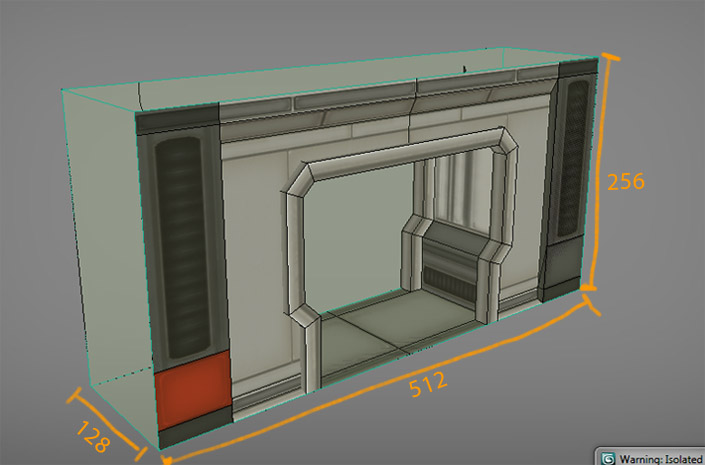
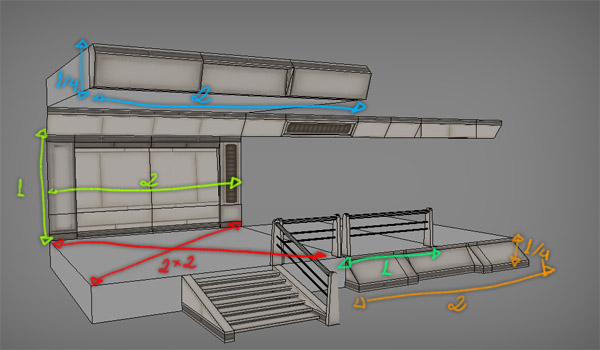
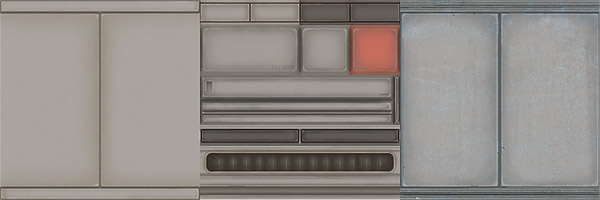
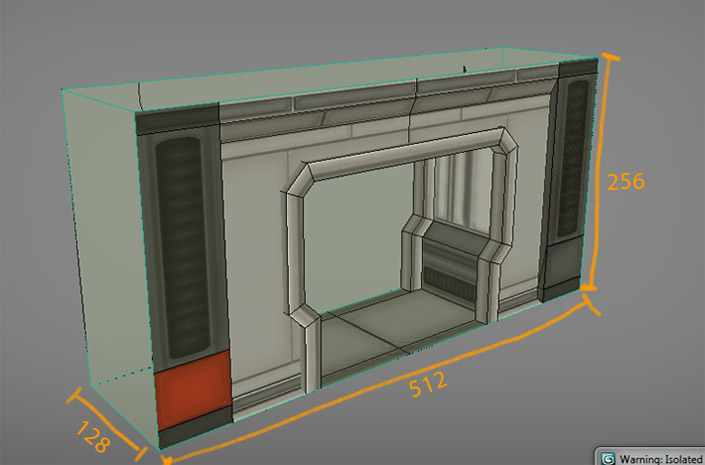
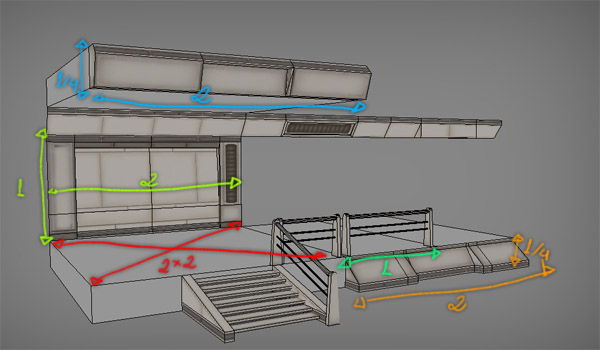
@subtle heath I recommend using trim sheets and tiling textures that can be shared between assets to cover as much as possible with less materials, That way you can create a lot of individual pieces with 1-3 materials that will all share those materials.
I don't know what the ideal amount of materials are for your goals, but I reckon you can get almost the entire stage itself done this way except for truly unique elements. Then consider the rest of the scene as well needing materials, they can also use these trim sheets and shared materials as an optimization.

#

It would help to make some concept sketches for yourself with material callouts so you can plan your trim sheets etc.

subtle heath
#

Thanks for the quick response, I'll try to work with that ^^.

pallid gale
versed lichen
#

@subtle heath Trim sheets aren't necessary, you can just atlas your stuff and it's often good enough

subtle heath
#

Mhhh - I may have made it confusing then.

https://cdn.discordapp.com/attachments/685655718539428003/735522738051088424/unknown.png - This will be the base I'm currently creating.

In total currently 3 mats per parts.
The stripes , The Walls, The Floor.

I want the creator to freely place the amount he need in Unity.
He will be using 3 materials in total, but way more material slots - thats the point I meant - Is the amount of slots a performance issue. (see picture of unity)

lilac saddle
#

Apparently you have assigned those shades to the object. In blender remove the ones you are not using.

#

You have copy and pasted the model into a new blend file which resulted in more shades being created. Also clean up the material names.

#

@subtle heath

subtle heath
#

That I know, but I literally mean the general amount of total materials slots in the whole project of the world - not only the stages. But later one like a bar, the dancefloor will also have Material slots.

Would one want to keep the total amount of slots for a world project low?

Right now its going to be 3 slots per stage part.
If we go by the screenshot. thats a total of 12 already.

Just a test scene, not going to be like this.

They use the same 3 materials though.
Like, all of them use the same 3 seen in the next screenshot

lilac saddle
#

Bake the materials. Simple

#

Bake it into 1 texture

#

A diffuse bake should be fine. 1k resolution.

#

If you add details make a 2k texture as unity downscales it anyway.

#

@subtle heath

lilac saddle
#

This is your scene

#

Now in every shader you have place an image texture. They should all have the same image. In my case I'll make 1k texture

#

And just like that you can bake the texture into one materiel @subtle heath. Hope this helps you.

lilac saddle
#

And also, if you are just working with colors make a color pallet instead

#

This technique is for texturing, if you want details in the texture

pallid gale
#

and even if it had a texture it doesn't necessarily need a unique uv unwrapped

lilac saddle
#

If he only wants 1 materiel, then yes, he need it to be UV-unwraped @pallid gale

pallid gale
#

I guess I should have clarified it it's perfectly acceptable to unwrap it in a way where it has overlapping parts

lilac saddle
#

It is a bad idea to have overlapping UV's

pallid gale
#

actually no that's done all the time with tiling textures

lilac saddle
#

It is not? Tiling a texture does not overlap the UV's. It repeats the texture

pallid gale
#

it doesn't make too much difference to the model if the repeats are outside the texture square or inside

lilac saddle
#

You talked about overlapping UV's

finite flame
#

Overlapping UVs are entirely fine until you need to bake something onto them

#

and even then you can just have an alternative UV layout for that purpose

pallid gale
#

the stage to make a tiling texture is probably going to be separate from unwrapping the the environment models that use the texture

lilac saddle
#

This has nothing to do with what I explained. I explained how to get all the materiels into one texture by baking them.

#

And when baking the texture you should not have any overlapping UV maps. Tiling has nothing to do with this either.

pallid gale
#

yes and I was noting that might not be the best route for accomplishing how to texture a big stage like that as current unwrapped has a lot of waste space

lilac saddle
#

It is not a big space though? And yes, for having one texture, this is the best method

#

Having multiple materials is way worse.

#

Unwrapping btw, is not a waste of space wtf lol

finite flame
#

some odd takes in here

pallid gale
#

then again I suppose that a bit to higher level skill set to go talk about how big art assets are actually constructed in video games

lilac saddle
#

What? his asset has solid colors

#

There is no high skill level here

pallid gale
#

then in that case it should go into a color palette texture not a unique unwrapped

finite flame
#

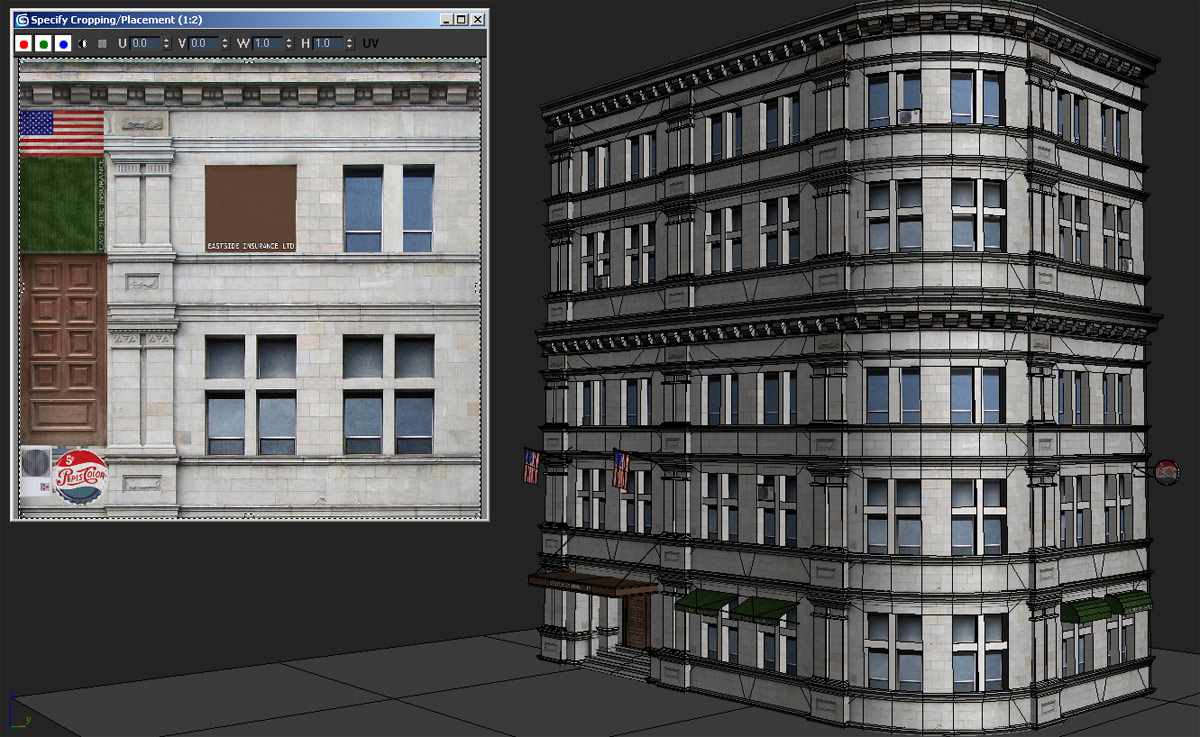
with solid colors, atlasing is plenty fine. With detailed assets and many small parts, trim sheets and tileable materials might be better, for baking, non-overlapping UV map is the way to go.

lilac saddle
#

Like I said above yes. That is what you should do. The mehod I posted is in case he needs details in the texture. His mesh should only have one materiel. So you unwrap and make a texture with 3 colors.

#

Then you only have 1 materiel and not 3, which is more optimized like he wanted, and asked for.

finite flame
#

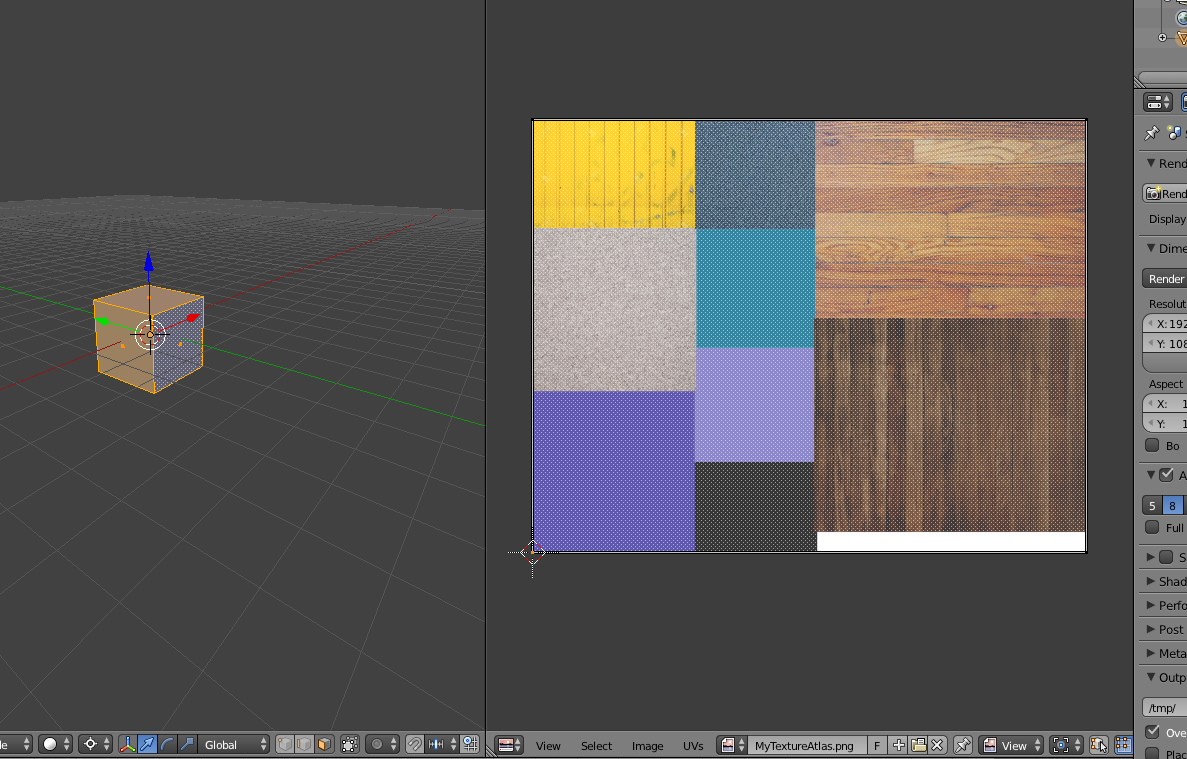
Well. an atlas would let you texture as many pieces as you want with 1 material given they all use the colors present in that material

#

can be 2 or 200 assets, still 1 material

lilac saddle
#

Right, but the assets still need to be UV-unwraped and no overlapping UV's.

finite flame
#

not really

#

unwrapped, yes

#

but overlaps doesn't matter

pallid gale
#

the second example I posted has a crap ton of overlapping UVs

finite flame
#

you just place the UVs to manage what part of the texture shows up on the asset

#

and that approach works with flat-colored assets too, makes it even easier, just place and scale the UVs to fit within the color you need for that piece

#

Trim-sheets are even crazier, the UVs extend way out of the UV-map all the time and texture tiling does the rest

pallid gale
#

and you save even more draw calls if all of your environment pieces are all using the same texture

finite flame
#

^ the main benefit

#

if you need to bake lighting just check the "create lightmap UVs" in Unity import

finite flame
#

Knowing how to use trim-sheets/atlasing is almost critical for environment artists

pallid gale
#

like that uniquely unwrapped stage would be blurry or take up way too much texture memory

finite flame
#
  • a seperate material for every piece, could be as much as 20-30 different pieces for a full environment kit
#

anyway, I think the point is clear

pallid gale
#

also by having all of the UV overlap into the the texture Square you can stack more squares together later down the line to have even less draw calls

finite flame
#

I think the reason people are always taught "overlap bad" is because of teachers/instructors being tired of "why is my normals bake odd?"

pallid gale
#

and that can even be fixed by just putting the repeats outside the 0-1 when baking

finite flame
#

another way to optimize, though it is a bit advanced I guess. Is packing 3-4 grayscale property maps into 1 texture file by using the individual channels.

pallid gale
#

like the Unreal Engine defaults to all of the PBR Maps being squished together

finite flame
#

could prob fit another one into the Alpha on the Normal map there

pallid gale
#

also you can take out the blue channel of normal Maps as that can be Auto calculated

finite flame
#

might be best to keep this Unity centric

pallid gale
#

can easily be done in unity you just need a different Shader but that's a bit advanced

#

and mostly the important bit is to learn how to text your stuff like an environment artist not a prop designer

lilac saddle
#

whan i add the VRC_pickup+vrc_object Sync to the Pillow in game the Pillow will Disappear

#

do ineed to do nything ?

humble bluff
#

Does it disappear or just get moved somewhere ?

heady peak
#

working on some lasers for a club world (green in picture). tried googling this but have not found a good answer... what is better in this scenario: really thin cylinder or lines? these will be moving around, but not globally

agile hawk
#

Lines are more performant than cylinders. Cylinders look better if they're over a certain size due to curvature.

#

Or should be

#

Not sure how you set them up

#

If they're from a particle emitter, it's more about the amount of particles of each.

heady peak
#

gotcha

#

so i'm running into this weird issue with the lines that when i rotate the parent it get's cut off

#

essentially making the line look smaller

#

thought it was a line thing so i tried with cylinders, but it had the same effect... i am so confused i've never seen this lol

agile hawk
#

Can you demonstrate it?

#

Like, a picture.

heady peak
#

i ended up remaking the prefab and it worked fine

#

not sure what it was but don't want to spend more time on it lol thanks though!

finite flame
#

what many do to make long beams is to use 2 planes arranged in a + pattern. should be only 2 quads.

heady peak
#

welp @agile hawk looks like the clipping issue happened again... sending picture shortly

#

looks like when it's inside "Laser Position" is when it doesn't work

#

and there's nothing in there

agile hawk
#

uh

#

does it work when you rotate it outwards?

#

Rather than inwards?

heady peak
#

nope

#

and there's nothing on the "Laser Position"

agile hawk
#

And it gets short if you rotate it more inwards?

heady peak
#

yea

#

and once it starts pointing up it starts getting bigger again

agile hawk
#

And... what's "laser position"?

golden coral
#

so my map is laggy. ive baked all the lights, mesh compression is set to medium on the house, and ive got occlusion culling. but it's still laggy. 90 frames looking away from the house, inconsistently between 45 and 60 looking at the house or at anything in it
the house is a high poly mesh. is there anything else I can do here?

mint yew
#

How do I make the players view distance higher? I made a space station but can't see the planets, only can see them with the corner of the "eye"!!

versed lichen
#

@golden coral Turn off your lights components after you've baked

mint yew
#

I may have gotten it, will see.

golden coral
#

Im thinking honestly the cabin asset may just be way too high poly

#

so that nothing really helps

#

time to decimate a bit

#

because it definitely is too high

versed lichen
#

If it's millions yeah

sinful pebble
#

What's better? A 2 sided shader on 4 polygon grass tufts? or 8 polygons and a 1 sided shader?

agile hawk
#

They're pretty much the same. 2 sided shader would probably be the most performant in that case.

#

2 sided vs single sided mostly come in when you're trying to create complex objects where maybe 1 thing is supposed to be double sided. The most performant thing if everything is in one texture atlas, you just duplicate or give that part of the object a solidify modifier in blender.

#

As long as everything is 1 material 2-sided shader shouldn't matter vs single sided and more polygons.

loud gale
#

What are the biggest things to optimize? I'm pretty new to this fine tuning stuff. I'm super happy with my world but I feel it could be more performant for some users

agile hawk
#

Lights, Draw calls, CPU time.

loud gale
#

So, I have a metric f***ton of lights, none of which are dynamic...

#

...and I prebake all the lighting, so that's not a huge deal right?

#

Better question is what and how?

pallid gale
#

okay you're off to a good start if you're baking your lights

loud gale
pallid gale
#

don't have much experience of the pens so can't help you with that one

#

also do you have all of your static objects set to static in unity

#

as that's quite important for lights baking and Static batching in unity

agile hawk
#

Do you turn off the lights after baking?

loud gale
#

I'll double check

pallid gale
fair shard
#

They can someone do me a commission with the best type of quality that I wish to edit the world in game?

fast portal
#

whats a healthy # of poly/drawcalls to aim for? currently sitting @ 175 passes after instancing/bake/etc

#

looking to have 40 people in this world this weekend. avatar lighting will just come from 1 realtime w/o shadow

fast portal
#

also, would it be more efficient for 1 realtime on player layer or light probes every few meters

thorny crag
#

Quick question, what's like, the average amount of materials a single world should normally have? I assume it'd be best to avoid going over like 50 at MOST.

#

I'm mostly using solid colors for my world so I'm not sure how much that'd be an issue or something, it's just something that I'm just being overly concerned about, I like optimizing stuff to hell and back.

agile hawk
#

If you're using mostly solid colors. Try making an atlas of all colors and make 1 material for it all. And use blender to make sure they're all in their respective zones.

thorny crag
#

Sounds good

winged sinew
#

There's essentially no reason to have multiple materials if they aren't using different (sets of) textures

#

If you're making a world entirely out of solid colours, you could even paint vertex colours and use a shader to display them

pallid gale
#

and even if you were using actual textures not just colors you can make texture atlases so that you're using less materials slots as typically all the textures are separated in video games because the textures are going to be out used all over the place in the game so no sense gluing stuff together that might not be used in the same context all the time whereas on the vrchat map there is only the one context

finite flame
#

in short, stuff in the same area that use similar materials should share the actual materials.

thorny crag
#

For more context, the world is pretty much all gonna be solid colors, however it's going to be largely separated into sort of different areas. As pictured for example. What I'll probably do is make each section have it's own texture atlas for simplicity.

finite flame
#

that would be a reasonable approach

hoary scarab
#

Can I somehow turn scene into skymap? I'm thinking of disableing everything in the scene that is accessible, and everything away turn into a skymap since it shouldn't be accessible at all.

dull oxide
#

if a game object is disabled in hierarchy, it shouldent affect fps should it?

versed lichen
#

It shouldn't, why ?

cold prairie
#

@hoary scarab you could bake it with a reflection probe and then use that as the skybox

hoary scarab
#

thx

dull oxide
#

Ruuubick, was only asking because suddenly my world went from steady 60fps to 40 and cant seem to find why. I have only added a couple things, and have tried disabling all of them to see if that was the cause

cold prairie
#

Can you go into play mode with the camera somewhere that shows the world and show a screenshot of the stats panel

dull oxide
#

any idea of why my world couldve taken a 20fps dive all of a sudden? Occlusion culling, objects set to static, tried to lower poly count (which is admittedly very high), double checked all lights are baked and disabled (have 3 realtimes), and checked a bunch of other stuff. I tried reversing any of the changes I made in the last day and for some reason it is still stuck at 40 now wehen before testing it would be at 60 or more

cold prairie
#

Can you go into play mode with the camera somewhere that shows the world and show a screenshot of the stats panel

versed lichen
#

you have three realtime lights ?

dull oxide
#

one is a firepit, one is a toggleable on/off in an enclosed room

#

and the other im making baked lol

#

just point lights

#

also, I might have fixed it. Dont know what it was but its back to 60.

cold prairie
#

60 isn't that good either ๐Ÿ˜… so you would have plenty optimization left to do

dull oxide
#

def

jade jay
#

Depends if its on desktop

#

or vr

dull oxide
#

vr

jade jay
#

oh yeah

dull oxide
#

index

jade jay
#

thats an oof

dull oxide
#

half the world is 120 and other is 60, depends on where youre looking. Its weird because its like, it doesnt even have to be the most detailed area. Just an area with a cluster of trees or something can kick it down

jade jay
#

Yeah because if each tree is a seperate mesh its also a seperate material

#

I hope you have gpu instancing on and that all trees use the same mesh

dull oxide
#

3 different types of trees, so 3 meshes.

jade jay
#

Enable gpu instancibg on the shader

#

i mean material

dull oxide
#

its not a typical unity tree either- uses the nature/tree soft occlusion shader for bark and leaves

jade jay
#

Still make sure its enabled

dull oxide
#

no option

jade jay
#

Thats worrying

dull oxide
#

๐Ÿ˜‰

jade jay
#

i hope that shader defaults to gpu instancing

dull oxide
#

prob

#

should I enable instancing for most things in my scene that use a repetitive mesh?

cold prairie
#

Terrain trees are pretty unoptimized by default

versed lichen
#

it should be an option

cold prairie
#

Instancing only works on non static objects

jade jay
#

Really?

cold prairie
#

Yeah you can either instance or static something can't do both

jade jay
#

Huh

cold prairie
#

I usually say Static Batching > Instancing though

dull oxide
#

the trees are static lol

sleek pagoda
#

not if you have animations on them that let's them fly vrcAevSip

dull oxide
#

and just to clarify- most people get pretty good performance in the world. Not issues or complaints about that, but I do want to improve an domptimize for sure

cold prairie
#

Assuming we are talking about static objects

jade jay
#

60 doesnt sound good tho

dull oxide
#

well vrc locks framrate in increments of 20

versed lichen
#

if it's reprojected 60 then it's fine

dull oxide
#

its just the number it tells me when im in my VR local test ๐Ÿ™…โ€โ™‚๏ธ

sleek pagoda
#

i mean usually if it doesn't hit 90 stable cpu and gpu load stats be ๐Ÿ“ˆ 95+% most of the timevrcAevSip

dull oxide
#

it isnt tho, I have fpsvr and it looks fine

jade jay
#

The ultimate test of "does it perform good?" is me

#

Because my pc is traaaash

dull oxide
#

I mean, let me take a second look. Might try a build with trees disabled to see how that affects perf. May have to find alternate solution to current trees

#

id tell you to join my world to see but the current build needs updating

cold prairie
#

How the stats panel look like I asked two times already ๐Ÿ˜…

dull oxide
#

oh sorry

#

uh its agregious, do you weant like the whole panel with cam showing whole scene?

cold prairie
#

Just the stats panel should be fine as long as the camera is somewhere proper

#

Like for example where you get those frame drops

dull oxide
#

sec

#

(yes I knw polys are super high)

versed lichen
#

ooof

dull oxide
#

hahahaha

cold prairie
#

4k batches is pretty bad

dull oxide
#

meshes arent combined tho

versed lichen
#

Do that first then

dull oxide
#

built the whole building in unity ๐Ÿ™‚ not blender

versed lichen
#

yeah that's the problem

dull oxide
#

yup

sleek pagoda
#

wasn't there a tool that allows merging meshes too in unity?

cold prairie
#

I would just most likely export from unity and fix it up in blender at that point

versed lichen
#

Mesh baker is a bit expensive, and there's better ways to do it

dull oxide
#

export from unity? hmmm?

versed lichen
#

package manager > enable preview packages > fbx exporters

#

Then you select all your objects except the trees and export as binary

dull oxide
#

cool thank you!

dull oxide
#

already got down to 3400 batches

#

only combined a couple of different aspects of the building

versed lichen
#

3.2k to go !

dull oxide
#

honestly at this pace shouldent be tooooo hard haha

dull oxide
#

down to 2k

nova hemlock
jade jay
#

afaik shape

grizzled vortex
#

question on quest worlds. any reason why my quest friends are experiencing a double vision? only on the right eye. I am looking at my map right now and only mistake i made was not using VR android shaders, before i re do all the textures, wanted to see if there was another reason too?

flat dune
#

its just the shader

grizzled vortex
#

thanks, I want to make my first level but a lot of my friends are quest users, so i'llfix that

#

and can I have metallic and normals in Quest?

tiny star
#

Assign a new camera to the descriptor if you still have issue after changing to mobile shader

grizzled vortex
#

its still happening, a bunch of kids as kermits helped me stress test it, but they noped oiutta there. in the builder it no longer states a yellow warning for anyting. I'm not sure what you mean by assign a new camera to discriptor, perhaps im missing a major step in my process

#

I think iremember seeing HDR messes up on quest i disabled that

#

my discriptor is currently on VRCWorld Empty

misty olive
#

i have a question about world animations if anyone has time

#

Does the length of any one animation playing in a world effect the player?

#

If you were to have two different animations that did the same exact thing, but one had more frames to it would the one with more frames be less optimized?

#

If frames are important, is there a way to reduce the amount of animation frames played per second in unity?

versed lichen
#

Animation complexity (amount of keyframe and what they affect) is what matters afaik

#

Reducing the amount of fps for your animation will just result in lower quality

misty olive
#

That makes the most sense to me. Thanks Ruuubick!

obsidian compass
#

Hey everyone! So I'm currently building my first world and trying to optimize it of course, but I noticed the size was WAY off what it should have been, I saw you could find the info for sizes in the scene and learned that it's building things that are no longer in my scene anywhere...

I use to have a terrain with the trees, but ended up removing the trees, then later deleted the terrain for a new one, but for some reason it is still loading the trees textures into the world, I've checked my hierarchy to make sure the textures aren't used in it and was about to try deleting and reimporting the assets, but wanted to see if there were any ideas on what's causing it/how to fix it before hand incase I could save time if it happens again?

versed lichen
#

also if you're not using them, you can delete the assets

loud gale
#

I need some serious help

#

My scene is getting worse and worse in terms of time it takes to fully generate/bake the lighting

#

I haven't changed any of the light sources, it used to take around 4-5 hours.
I left it overnight, came back 12 hours later and it still says there's another 7 hours left

#

Please, I beg of someone to help me work out how to significantly optimise this mess I've caused myself

lilac saddle
#

there is alot of stuff in my world @versed lichen its a party world

#

i have crunched all textures

versed lichen
#

texture crunching is only for file size

lilac saddle
#

and i just added occlusion

versed lichen
#

are all your non pickup objects static ?

lilac saddle
#

yes

versed lichen
#

i assume your lighting isn't baked

#

how many objects do you have

lilac saddle
#

my lighting is baked, there are a few real time because of my spotlights

versed lichen
#

baked baked or baked you set the mode to baked

lilac saddle
#

but what do i do if i have disco lights?

#

can those be baked?

versed lichen
#

Not really

#

anything that is dynamic can't be baked

lilac saddle
#

should i have those on toggle?

versed lichen
#

Yes, that would help a lot

lilac saddle
#

idk why my frames are so low

#

like i got to other worlds that look like mine and there nothing like that

versed lichen
#

well, a few realtime lights is definitely a good reason

lilac saddle
#

ahh ok

versed lichen
#

Show your whole unity screen if you can

lilac saddle
#

ok

#

could the reflection probs also be fucking it up?

#

and does occlusion help with lag?

versed lichen
#

well, you have a fuckton of objects

#

Go in play mode and hit the "stats" button in top right corner of the scene view

lilac saddle
#

wait where is stats ๐Ÿ˜…

#

oh i foudn it

versed lichen
#

Yeah that's wayyyy too much

#

Is your occlusion baked ?

lilac saddle
#

yes

versed lichen
#

Also those items are very high poly for no good reasons

lilac saddle
#

i havent uploaded the map with occluion yet

#

should i decimate them

versed lichen
#

Try turning off all your lights in your scene

cold prairie
#

That screen with a camera can easily cause like half of those batches

versed lichen
#

oh it's a camera lol

cold prairie
#

I assume

versed lichen
#

yeah, definitely remove that

lilac saddle
#

ye its supposed to be live view of dj

versed lichen
#

that doubles the cost of your world

lilac saddle
#

ill turn my lights off

cold prairie
#

Try disabling it and check the difference

lilac saddle
#

ok

versed lichen
#

much better

cold prairie
#

Oh yeah

versed lichen
#

halfway there already

cold prairie
#

If you want it at least have it be disabled by default and have a button to enable it

lilac saddle
#

are yall looking at the tris?

#

ok

cold prairie
#

Batches

versed lichen
#

batches, drawcalls and CPU time

lilac saddle
#

whats a good number for batches?

cold prairie
#

150 in my opinion ๐Ÿ˜‚

versed lichen
#

yeah, max 300

#

for closed environment at least

lilac saddle
#

XD

#

ok well

versed lichen
#

is the screenshot above with all lights turned off too ?

lilac saddle
#

does occlusion fuck up a world?

#

no its not eith the lights off

versed lichen
#

if it's setup badly yes it can

cold prairie
#

Occlusion won't fuck up a world

#

I mean yeah depending on how you mean

#

It won't break it

lilac saddle
#

can i remove it?

#

by pressing clear?

cold prairie
#

Yes