#world-optimization
1 messages · Page 16 of 1
 past imp
and ideally you’d want to split them up into different colliders
 versed lichen
Yeah mine is cut in multiple pieces, but doesn't show in edit mode
 cold prairie
Alright 🤔 <@&397642795457970181> ^^
 stark linden
Can anyone help with a problem I'm having? it goes like this, when I'm baking the lights and have set the thing a want light to be baked on then when i bake it, it says this to one of the objects: Object's size in lightmap has reached the max atlas size.
Ill be so happy if anyone could tell me how to fix it.
stark linden
it's set at 1024 and when i bake it it wants to make it 512
Wait are we talking about lightmap size or? cause the one that sais lightmap resolution is set 40 texels per unit
 lilac saddle
Look it up it explaines it much better @stark linden
 torn crypt
That warning can usually be fixed by changing/reducing the 'scale in lightmap' on the mesh renderer component
versed lichen
@stark linden You should use 4K lightmaps
 faint oracle
should I arrange all the buildings and immobile world objects in blender before I put them in unity
versed lichen
Depending on your occlusion yes
Don't group your entire map, that would be terrible
 icy sage
If I want to do a open world type map with buildings and stuff inside them what’s the best approach in making it not load so much that lags them
 hollow elk
@icy sage Occlusion culling could kind of do that but you could also add a LOD group component that makes everything inside the buildings stop rendering unless you are close to or inside the building
icy sage
I knew a guy who had a large city with 4 sections and he made it like there is a sensor at spots that deactivate the group and reactivate the other but that’s mainly for like door ways and gates were you make sure the player goes past it, and I was wondering if I could do something different because some buildings don’t have a hallway but just walk right in, I could just add doors and teleport
versed lichen
You could easily do any of those !
It's more of a matter of how your world is set up to do them
icy sage
The buildings are open and goes straight to like main interior so yea my best bet is to have doors put in, might look odd but isn’t hard with some tinkering
Would be nice if we had something like horizon zero dawn
versed lichen
As long as you don't use a single mesh collider for the entire terrain, it'll be fine
icy sage
What might happen if I do?
 west zinc
its bad
icy sage
Like we talking a single mesh collider for the grass road terrain or like a single collider mesh for grass road homes signs like it’s one single mesh?
Because I thought if it’s as close to being flat that mesh collider is fine and having box colliders for buildings and structures
icy sage
Yea this one is Warcraft so it’s low poly
 coarse jay
@icy sage split your map into merged objects-chunks(200-350k polys for chunk is fine), use occlusion culling, atlas textures to have only one (myb 2) 8k atlases per chunk, if textures pixelated try to resize atlas to 4k(in PS with neighbour pixels method for better quality) to make it compatible for some old video cards which not support 8k(and reduce file size twice), use crunch compression(for pixelated 50% quality would be the same as 100% but less size) use custom player camera and decrease render distance to 350-600max(myb), use fog to hide low render distance(linear is nice for this), if you have high quality 2-4k textures there's might be need another technique (🤷), btw that might be fine way for warcraft ; if you would have near 20k lowpoly splitted objects even with instancing and such, that will increase load time in black screen to 1-3 minutes and would use a lot of memory 🤔 also if you can - use box/sphere colliders instead of mesh, lol, might be also fine to not bake your map lights but use unlit type of shader and Vertex Colors to simulate shadows and lights(can be baked in blender), if you have a lot of objects with uv outside of bounds but textures are small and you want to atlas them, then (myb) i suggest to fix that via shader rather then copy pasting texture on atlas, also fbx has much less file size then obj, try to have as few draw calls as possible :P
icy sage
Thank you for the information @coarse jay
 soft sky
So I have a question that might be related to world optimization. I'm making a world with kind of alot of stuff in it. And whenever I go into it, it gives me the vrchat has disconnected error after 5 minutes, then when I rejoin it's fine
I'm wondering if it has anything to do with me having alot of dynamic bones things in the world? Since that's the only thing unique thing about it 
versed lichen
@soft sky Yes, it definitely could, you need to check the vrchat debug console by pressing right shift + ` + 3
 faint oracle
how can I lower the size of the lightmap for the world, it is like super big
 limpid void
You should have lightmap in your assets @faint oracle . Override its setup and lower lightmap resolution, compression or both
west zinc
couple ways, reduce texel size, reduce scale of light map on individual objects. The later you should do on massive objects regardless.
 crystal trout
is it possible to create your own skybox for worlds?
like the background becomes 3d
torn crypt
You can make your own skybox shader, yeah.
if you mean making vast landscapes, you could just use geo if it's lower poly + atlased. You don't need vry high texel density or mesh complexity for objects that are far enough away - so making imposters or possibly trying google seurat might work too if you don't have / can't author those assets.
 vagrant axle
When the warning says using turning on static batching on an object with an instanced material turns off the material instancing, is that for just that object or all instanced objects, even though they're not static?
versed lichen
it won't work for the similar non static objects that share the instanced material i think
 sonic hatch
I assume box colliders are always better than mesh colliders?
limpid void
yes, they perform much better


 strong parrot
Quick question! More tris on an object are better than having transparent cutout cards, right?
versed lichen
Probably depends if realtime lighting or not ?
but i'd say yes
with the caveat that i'm not 100% confident in my answer
 analog kraken
Transparency isn't really an issue for PC, if you're making it for Quest though then yeah the extra tris are probably worth it to avoid having to use transparents
 pallid gale
the knife tool in blender is quite helpful for that
 wind bronze
So i have been building my first vrchat world recently, and everything until a certain point seems fine. Story short, after updating it for like the 5th time, i can't seem to join the world again. it just leaves me with "Initializing world" on both quest and pc. I was wondering if i missed something, or if this is a common issue or not. Any help much appreciated, thanks.
Additional information is that since the last update on my world, i've started messing around with buttons which toggle on two sets of mirrors in the room
versed lichen
!outputlog
 vital baneBOT
You can find your output log at C:\Users\%Username%\AppData\LocalLow\VRChat\vrchat named output_log.txt
versed lichen
Look into that @wind bronze
wind bronze
Is there something specific i'm ment to be seeing?
Its a big folder, and i don't know how it should normally look
versed lichen
the file you're looking for is mentioned above
then look inside it to see if there is any errors/warnings when you attempt joining your world
wind bronze
I've done a bit of looking, and this seems to be the error centered around where the crash routine started
(for clearance, i do not have a game object "Recent" in my hierarchy)
if it helps anything.. this is what i've got disabled/enabled
(please don't hesitate to @ me)
Thanks in advance
wind bronze
added information: I think i've fixed it, i'm not quite sure what the problem was, but it has something to do with the standard VRC chairs, since it works again after removing them. I might have changed something i wasn't supposed to after importing them
 inland fractal
hey I not sure is this right place to ask this if not then I am sorry but like add pen to my room were can I get them or it?
limpid void
https://tinyurl.com/vrcprefabs @inland fractal
 onyx kernel
Hello guys, I am making a huge scaled world (6km * 5km) where you can control flying cars to fly among sky islands. The problem comes: since those islands are all very detailed, the world is very laggy in VR. I already baked all the lights and did occlusion culling, but I still only get 70 fps in VR while looking at the direction of these islands while flying. Is there a way to optimize the world even more? I tried to lower down the far distance in the "clipping planes" of the main camera, but it really makes the flying experience very poor (island far away gets clipped weirdly). Or is it possible to make a slider for players to change the clipping planes value?
this is the layout of the world
onyx kernel
No, I do not have them...
torn crypt
Whats the profiler showing when you're looking at those hot spots? Good place to start might be seeing how many batches are being drawn
versed lichen
We visited your world before, it didn't seem too bad
onyx kernel
all lights are baked (no real time lightings at all), and I did the occlusion culling
ahh this is the new version, I haven't upload it yet
versed lichen
occlusion cullind doesn't matter much for open space'
Press pay and move your camera to see a few islands
enable the stats in the top right corner
and post a screenshot
onyx kernel
can I hit play while it is baking lights?😂
onyx kernel
I am not sure what it is, but all my lights are baked
versed lichen
If you have an NVIDIA gpu https://assetstore.unity.com/packages/tools/level-design/bakery-gpu-lightmapper-122218

Get the Bakery - GPU Lightmapper package from Mr F and speed up your game development process. Find this & other Level Design options on the Unity Asset Store.
versed lichen
If you're able to spend a bit of money, this will save you hours of baking time, plus making it look better
onyx kernel
Thanks for the recommendation! it already takes me 6 hours to bake and still not doen😂
torn crypt
Bakery is luv + will def cut those times down. It's getting a feature in the coming weeks that lets you preview your baked lighting in real-time too (altho I heard it may be a paid add-on)
onyx kernel
It sounds wonderful
versed lichen
6 hours in unity would barely take you 30 minutes with bakery
for better looking results
and you can bake lightprobes separately
onyx kernel
omg I need it😭
inland fractal
@limpid void thx actually this more then I ask for
 hasty merlin
Bakery is awesome. Took a huge map that Unity's built in options couldn't even finish baking in 3 days and finished it in about 4-6 hours while I was at work one day.
 harsh geode

so i've been exploring creative solutions to creating totally dark areas for caves


this one involves stacked pngs
it is not lightmapped
uses particles/standard unlit
fade rendering mode and a transparent albedo
this was like a stack of 30 or so of these planes
is this kind of solution laggy?
i know there might be a better way to do it, probably with shaders but is what I have okay?
versed lichen
You could use red-sim's water shader, the fog is great ! But your solution is alright as long as you merge those objects i guess
We've seen someone use the same method in another world and it looks neat
harsh geode
ahh yea i tried another shader but it wasn't working haha, i do have red sims so i guess i might try that out, and yea it's all merged with mesh baker
 hollow dagger
whenever i enter my world it kicks me tomy home world directly..
what is that issue how can i solve it?
everything is set to default and i dont have more than one pipeline
versed lichen
most likely missing floor collider or errors on join
!outputlog
You can find your output log at C:\Users%Username%\AppData\LocalLow\VRChat\vrchat named output_log.txt
@hollow dagger
 fair zinc
Hello I try to make vrchat map both for quest and pc and Vr but when I press test it didn’t load the map and is there are any good tutorials witch show you how make the map optimized for quest too and all the platforms can play?
versed lichen
onyx kernel
Hello its me again with the optimization problem😭 this is the stats of the laggiest camera position:
I've been to an instance with 18 people, and the frame rate was terrible....
onyx kernel
ohhhh
If this stat is normal for an open world then I think I'll just leave it thenn
Because I saw this and really made me nervous😂
versed lichen
Make sur you do occlude stuff in play mode with your camera
and run the frame debugger at least once
and worth making actual occlusion zone where stuff is disabled until people get close to the island
as in onentertrigger > setgameobjectactive
versed lichen
np !
cold prairie
Small caveat with onenter triggers though something something being in a station makes them not see playerlocal just fyi
versed lichen
yeah i guess you'd need to use the layer of the vehicles
cold prairie
I would do it with lod groups but those also have their own fun little things
versed lichen
it's much better with bakery's last update, so could be doable
cold prairie
Yep the new bakery update made log groups so much more useful
You could get them on the same lightmap before as well but that requires really careful setup to have all the lod groups close to each other in settings
 balmy harness
Hey world makers! I have a question..
Im currently working on a vrchat world, and I've noticed an interesting bug. I have it so many of the rooms are spaced out pretty far, so players wouldnt load every room at any given moment to help with lag. But, in some rooms, the player model seems to jitter around and vibrate (Everyone has this issue with my world)
Would anyone know what's causing it, and then how to fix it?
 mossy coral
unity engine has an issue where the further away you go from the origin of the scene (0,0,0) the more jitter and stuff start to occur because of floating point precision errors
balmy harness
Ahh, I see
Is there any way to fix this? or would I just have to make the rooms closer
mossy coral
It's an engine specific issue so no way you can actually fully fix it, so yea will just have to make the rooms less spaced apart
you can just have the rooms disabled until they enter them if you want to help with lag
balmy harness
Gotcha..
And with the disable rooms, I currently have it set up for the occlusion stuff. Is there a better way of making the rooms disable and such?
mossy coral
You can use VRC_Triggers to just set objects to disable / enable when going through what I assume would be teleports you have
Sort of like manual culling
balmy harness
Thank you! ^^
Im afraid that I wont be able to do the disable/enable system because of the way the world is being used (it's for a particular minigame)
But I'll see what I can do! Thank you for your help! ✨
wind bronze
If i were to ask what the main causes of lag are on a world, what would it be? Mainly for quest, but for a world in general. I know about mirrors being high on the list, but are there other things like say huge complex meshes, multiple audio sources, lights..? My world is starting to get quite laggy, i want to optimize it but i should know the causes, thanks for any help in advance
versed lichen
Can't know the causes until we see your world and what's in it
wind bronze
I guess that makes sense. Therefore i was kinda asking for general guidelines, some obvious thing i must check out? If not, i guess i'll look further
Lets say its not a too complex world. no animations just some walls and a roof. and some furniture assets
cold prairie
Look at the unity profiler/frame debugger/stats panel and see what's happening

CG Cookie
Essential tips to make sure your game runs smoothly and its performance is optimized.
All of these don't apply to vrchat but most of them do
 toxic stag
@balmy harness You may try to lower the far clip plane (Camera component > Clipping planes > Far) and make your rooms closer. For example, set farclip=100 if each of your room is smaller than 100m and separated by 200m from each other.
versed lichen
@wind bronze the above + pinned items
lilac saddle
how do i optimize my mirror more? it instantly kills 10-20 frames whenever toggled
cold prairie
You didn't include a picture of the mirror 🤔
Main thing with mirrors is optimizing the layers
MirrorReflection and Player are the only one's you need for showing yourself and other players
But then you can add other layers depending on what you want to show
cold prairie
What layers do you have set on it?
lilac saddle
everything default
didnt wanna touch it since i'am not really sure what the diff ones does, but it surely lags alot
@cold prairie i guess this is fine then?
cold prairie
Don't have water layer on
Otherwise that should be fine if it's showing what you want it to show
lilac saddle
so for like the background behind me i need environment, right?
cold prairie
If the background is set to enviroment
lilac saddle
idk how to check that, very new to all this 😅
cold prairie
Select a gameobject and see what layer it is on
But if you are completely new the main reason the mirror is laggy is most likely that rest of your world is unoptimized
lilac saddle
^ that might be the case yea
 proud cove
Yo, dudes. Pretty new to lighting and some avatars are appearing dark. Someone told me it has to do with shaders but I'd like every avatar to be lit the same. Anyone know what I need to change? I can provide an screenshots you need in unity
versed lichen
@proud cove not possible since all shaders differ
proud cove
Ah, so it's not a me thing?
cold prairie
You can try adding a default primitive sphere and seeing whether that looks accurate to the lighting
If it does then it's the people if it doesn't it's the world
proud cove
Mkay, thanks
 winged sinew
@proud cove It looks like your world is using unlit shading... Do you have light probes there?
proud cove
Light probes? I dont think so, I have a reflection prob though
winged sinew
Okay, that's your problem. Reflection probes provide reflections. They don't provide ambient lighting. What you should do is add light probes... But in this case, you might run into trouble with that because your world is unlit.
So try this; make a new material, and give it the Skybox shader. Then put your reflection probe into that material, and put that material into the sky. Then set the ambient light mode to Skybox. That way, characters will receive ambient lighting from the sky, which is now the reflection of the room. That should work fine... If you can't go outside.
Alternatively, you can set the Ambient mode to Gradient and use a soft gradient from white to an ambient colour
That's easier but it might not look as good. However, it might also look better if you set it up right, but you'll need to drop in an object that actually takes lighting to see how it looks.
@versed lichen That's not really correct to say. All shaders receive the same lighting data, and there are plenty of techniques that can be used to apply that to whatever custom lighting functionality a shader uses.
So even if they won't literally look the same, if someone has a world where avatars look weird, the problem is generally the world, not the shader
versed lichen
well you can't have the same for unlit vs/lit can you ?
what do you do to unlit avatars in a low intensity light world
winged sinew
That's different though
Unlit avatars won't fit any environment at all.
But they won't look out of place in a well lit one. Because by being unlit, they light themselves.
versed lichen
yeah, so they would only fit one environment
in the screenshot the left one is unlit
and yet doesn't fit
winged sinew
Yeah, but the left one fits more than the ones receiving lighting data
Because without light probes their ambient lighting is totally broke
It is accurate to say "you can't make all avatars match", but in this case, it's probably not the correct answer unless you're suggesting they should tell everyone to use unlit shading
versed lichen
Yeah everyone should bake good lighting and light probes and use non unlit shaders ! But that's also not attainable
winged sinew
Oh, I dunno
From my perspective, you can really just ignore a lot of proper lighting techniques and still get very good results, so while having everything perfect everywhere is impossible, going "don't bother with trying to fix lighting it's broken from the start" is wacky
This is probably something I should write up a guide on
proud cove
@winged sinew Thanks for the help yesterday, I finally got around to working on it and it's looking good. Not ready to publish the update just yet so I can't test it with a group of people but it looks promising.
winged sinew
Great!
proud cove
I knew it had to be something I wasn't doing right because I haven't seen that issue in a world in months. The person I asked for help didn't mention anything about light probes, makes me wonder how they're making worlds 🤔
winged sinew
People should really know more about this, but I guess it's hard to learn 👀
 daring dove
Anyone know good guidelines for reducing the size of a world in MB?
versed lichen
crunch compress your textures
compress the mesh if they're not too important
scale your textures down to minimum 2k
don't use a cubemap for skybox
winged sinew
@daring dove Look at the Unity editor log and see what the largest files in the bundle are. Then see how they could be reduced.
daring dove
Many thanks
 smoky kindle
My world has 500 batches without all the trees and grass. 5700 with them. Can i fix that somehow?
 full mulch
How do I make a "low" Mirror that only shows avatar. I have tried to make reflect just player but that doesn't seem to work?
full mulch
okey I'll try that
lilac saddle
what does PlayerLocal actually reflect after all? is it a reference to their collider then?
 willow spoke
playerlocal is your collider, yes. But the reason you don't want to use playerlocal in mirrors is because playerlocal is the version of your avatar without a head, which is done so that your camera has an unobstructed view. MirrorReflection is a duplicate copy of your avatar but it always has the head
 scarlet badger
Hey, I don't know whether this is the right place to ask this. I went to that Project Japori Park last night and it's an absolutely huge map but only has a 20MB download size. But then I've been into other way smaller worlds and they're over 100mb. Why is that? Is it texture size poly count? How big can a map be?
versed lichen
it's just optimization
there was a lot of effort put into the project japari park
but most worlds don't put in that effort
japari park is also cross compatible
so it was necessary
worlds can be very large
 kindred breach
I'm getting an error when I updated to the latest Unity. "Mesh used by render doesn't have normals". I really need to know how to fix this, or my worlds will be gone. Can some one get back to me on how to fix this please. Never had this issue before, after many years.
versed lichen
You can calculate normals automatically on the mesh settings
click on the object in your assets
kindred breach
@versed lichen I'll try
@versed lichen What exactly am I looking for in object inspector?
versed lichen
 sturdy stratus
Any idea why my optimised mirrors arent showing player local anymore?
even tried redoing layers through the sdk
did they change the layer or some stupid bs?
normal mirror works but the one with player local and player layers showing only shows other players and not yourself
 strange prism
Never use player local. Use Mirror reflection instead. Player local is your avatar without a head.
sturdy stratus
always used it in 2017 unity vrchat
but ill give that a try ty @strange prism ❤️ ill say if that fixes it
sturdy stratus
it fixed it, tysm. guessing the new vrchat fucked over the old playerlocal layer
💟
cold prairie
I don't know how it used to work for you 🤔 You should have never been using player local to begin with for seeing yourself mirrorreflection is what you should be using. Player local is just problems for mirrors and should never be enabled in them.
versed lichen
yeah, that's way too fucking much
cold prairie
Put a mesh collider on it 
 wispy kestrel
its now downt o about 2 million polys
a lot better
its gigantic tho, like prob take you 25 - 30 minutes to get to the other side of the map by just walking
or like 2 minutes in sonic the hedgehog
It has caves in it, which is why theres a lot of polysw
 glass granite
Is there somewhere I can view either the built size of an object or just the world in general? I'm currently just testing an empty world with my object and staring at the loading screen to see what it reports as the world size which sorta works I guess.
hollow elk
Can do this to find world size information https://twitter.com/Ruuubick_/status/1166014308918185984

Turns out a lot of world creators didn't know this, but you can easily find out what your world is made of, how much it weighs, to then be able to reduce its overall size :
Retweets
140
Likes
311
 Twitter
 glass granite
Neat! Though there's no way to see what an objects compressed size is, is there? My world is 7.3 compressed and the major contributing object is 18mb uncompressed. I'm really just trying to see how much memory I can save by rebuilding an animated object out of instanced parts instead of importing it all as a single big mesh
glass granite
it's a...fancy drapery. It was animated via baking physics so it's got a keyshape for every frame of animation. There's 16 drapes that, at this moment, are all animated slightly different because it was simulated together. I don't know what the breakdown is when it comes to what determines model size but I thought I might alleviate the bloat by duplicating a single piece across all 16 and just offsetting their animation as a compromise
versed lichen
Did you clean keyframes before baking the animation ?
glass granite
clean them? I've tried various ways to decimate the number of keyshapes the animation has when in blender but nothing aside from manually re-keying 300 frames looks good. Couldn't find a setting to control the "fps" of the physics sim's .mdd
versed lichen
Blender has a simple option to clean keyframes
glass granite
👀
versed lichen
It removes keyframes if the transfom value doesn't change
Which may not help much since you use a constant force
But it might
It's right above the animation timeline, keyframes menu I think ?
glass granite
Yeah there's no transform/scale/rotation, the object is static. The mesh itself deforms and there's no two keyshapes alike
glass granite
running the same number of shape keys on a much simpler mesh creates a tiny little model, so I'm inclined to believe it's just the mesh density and not the keyshape/animation
glass granite
It's not doing anything to the shape key keyframes, just the, uh, "standard" keyframes I set so that the animation would export correctly, which is just a beginning/end frame
versed lichen
What's in between then ?
glass granite
They're shapekeys keyframes so nothing. Each shapekey consists of 3 frames. 0 > 1 > 0
repeat for each shapekey in order. It's like...a flip book where every frame of animation is separate from each other
I haven't found a way to adjust the "fps" of the physics cache which creates the whole animation. scene and export have fps options but don't affect the granularity of the cache, just the speed
glass granite
936 tris and the weird process is just a result of how to get a physics sim baked to animation and into unity; other processes I've tried didn't work
because it's a sheet, I had to dupe the model and flip the normals, which doubled the size. If I join the two together and export, the size is way reduced. 9.7mb to 3.4mb
versed lichen
nice
glass granite
which on build crushes down to a little less than 900kb, so yeah I think the other model is just unoptimized on the mesh level
dunno why the log says the model is twice as large as it is on my drive though. ~7mb instead of 3.4
Now before I go filling my world with animated stuff, is that going to cause a big hit in performance? Is that why 99% of worlds have almost no animations in them or just for lack of know-how?
versed lichen
lack of know how
 uneven slate
I need some help getting my world back up and running...
 simple gulch
@cold prairie I was using Player + Player Local on my mirrors prior to 2018 too (worked fine then, but now the player is invisible).
cold prairie
That's weird player local should always have the head squished
simple gulch
Yeah, I remember people saying that but I had no issues. Very strange. So I want default, player and mirror reflection now?
cold prairie
Yeah
simple gulch
Ta
 tiny star
I have to much occlusion lazer leaking in my map so I end up using my collider as shadow only and bake it.collider and occlusion. best of both world
cold prairie
You can also mark it as EditorOnly so it doesn't get uploaded
Good practice for stuff that's only for utility in the editor
simple gulch
Has anyone had success using Unity's occlusion culling with mixed outdoor/indoor areas? I've found it's very over zealous with the indoor areas.
It seems to do almost the opposite it should do. Objects behind a big wall? Still renders them. Put the camera in the middle of the room pointing at the furnature? Culls all the objects. What?
tiny star
play with the static option. make only wall celling floor occluder for example. Big object basically
cold prairie
I just cull rooms with triggers when dealing with needing to also occlusion cull a huge outside area
tiny star
I was doing that before when I use teleport to change room. But now that I try connect everything physically I have to find new ways
If I still have issue and the room is not slightly in in view trigger will always be a good option
torn crypt
Occlusion portals might work well for that scenario too https://docs.unity3d.com/Manual/class-OcclusionPortal.html
 cold prairie
I keep forgetting about the portals since I haven't gotten to use them yet
torn crypt
The documentation has such a weirdly vague explanation of what an occlusion portal actually does so I had no clue what it was for the longest time
simple gulch
@cold prairie That makes it impossible to work with in the editor though as most of the world would be missing by default, also I've tried that in theory and it just didn't work well, we we're not talking large separate areas for the most part.
cold prairie
You want my script that disabled marked stuff when uploading?
simple gulch
Those Occlusion portals are interesting, but not of any use in this specific instance unfortunately.
@cold prairie That's not a bad idea but these areas aren't really grouped areas so it's still not much use.
cold prairie
Yeah it does need some organization to be more useful
 keen tartan
any good tips on how to import audio clips? so the MB dosen't dubble? 🙂
or video links if possible
simple gulch
I'm seeing my framerate pulse in my world, between 120 and 60fps like something's firing once a second or so and causing it. Any ideas how to narrow down what?
 sacred burrow
I am doing something horribly wrong, anyone know how to fix this? I'm trying to do baked lighting for the first time, I've got all the light probes and reflection probes placed, but it comes out like this
hollow elk
@sacred burrow On most of the meshes you probably need to have the generate lightmap uvs option enabled under the mesh import settings
sacred burrow
works now thx
sacred burrow
what lightmap parameters and lightmap size should I have for best looking bake while keeping file size down
versed lichen
20 texels, max 2k lightmap size ?
sacred burrow
idk much, this is my first time using baked lighting😎
keen tartan
i have a 1 minut audio clip of rain, and when i put that in and uploaded the world it went from 30MB to 80MB any idea why? or how to fix it?
sacred burrow
i would recommend turning the quality of the sound down
keen tartan
gotcu, not sure how tho xd or what settings would be the best
west zinc
click on the sound file itself in the unity (not in your scene). There you can change the quality, what file type it will be uploaded as, and how it will be decompressed in game.
For example long sounds like back ground music you will want to have at mid to low quality, then have them stream from disk. Short sound effects you will want decompressed into memory or just as PCM (no compression). The more sounds you have the less I recommend having decompress into memory. Adding a couple megabytes in world size isn't that big of a issue if it avoids having people wait a extra 5-10 seconds to load into the world.
hollow elk
@sacred burrow One thing you could do to decrease the size while not changing things much is reducing the lightmap scale on certain objects, for example the walls in the back don't need to have much detail as there aren't really any shadows being cast on them so you could go to the mesh renderer settings and scale down the lightmap scale option per object
keen tartan
is there a way to see what exakly is making the world take so much MB?
hollow elk
Turns out a lot of world creators didn't know this, but you can easily find out what your world is made of, how much it weighs, to then be able to reduce its overall size :
Retweets
140
Likes
312
Twitter
versed lichen
customscene
sacred burrow
so I just generated my baked lighting and now vrchat world wont upload/update, i was wondering if this is due to the amount of shadows and lights
It also kicks me out every time I join it in vrchat
versed lichen
you'd have to look at your outputlog for that
 warped hornet
How would I go about doing an optimized mirror? Or is there no reason to do one now?
simple gulch
You just disable some of the layers in the mirror to only render people
warped hornet
Damn am stupid then. Been awhile since Ive made one and I remember it being a lot harder lol
sacred burrow
I was wondering how I make it so items respawn after being picked up thrown somewhere else after a certain amount of time
so my map doesn't become a mess
 upbeat canopy
this is just a general question for mappers, what type of 3d object do you use for walls?
(in Unity)
keen tartan
mabye just make a trigger to respawn them all?
versed lichen
@upbeat canopy Cubes
keen tartan
really? i always use planes
any reason for it to be cube or is just just preffrance?
oh dame, how do i compress textures?
cold prairie
Keep in mind that's uncompressed usage
Compression won't help with how much they take on runtime
Compressed size being 79 mb isn't bad depending on how much stuff you have in your world
To crunch compress stuff you need to go into the import settings of a texture on enable it there
keen tartan
soooo its a looooott becuse this is all i have in my sence so far
cold prairie
Yeah in that case you really should crunch compress your stuff
versed lichen
i mean
cold prairie
And possibly limit the size of the textures because 353 mb is pretty big for just that
versed lichen
take everything down to minimum 2k
maybe 1k depending on the object
you don't need 4 or 8k
ever
keen tartan
yeah, also i think it would be good if i got the "SHOPS" all togheter, becuse now its like 10 walls there xd
gotchu 😄 will do
versed lichen
Yeah it's not great, but compared to texture it's not as big of a deal
cold prairie
The texture itself
You can click those small boxes to see where they are located but that's the material
versed lichen
you're making a lot of effort to not look in the correct place lol
keen tartan
XDDDDD sorry, im super new to all of this
versed lichen
If you found the compression button, it's literally right above it
keen tartan
i have not found that
versed lichen
Did you click on the image in your folder ?
keen tartan
still super of?
versed lichen
Yes, that's the correct menu, here you can change the scale and use crunch compression
keen tartan
eyy look att that, im not to stupid XDD
what is a good setting for the compressor? 🙂
versed lichen
try 100 first, then reduce it to 50, see if you can spot the difference
if you can't, keep it at 50
 hidden hollow
ay friends, what's the overhead like for materials in maps? Give me a ballpark on how many is too many
hidden hollow
interesting, I have a ~150m2 map with about 42
suppose that needs to be toned down
versed lichen
Depends how the rest of optimized, but atlasing what can be grouped is always good
hidden hollow
yeah occlusion and instancing and everything is all done meshes are all decently compressed, it's moreso different emissives
versed lichen
Shouldn't be a big deal in that case ! Worth checking the batch count and CPU time as always
hidden hollow
👍 thanks
 finite flame
would be neat if there is a compilation of average frame timings across the different worlds out there based on a mid-range system.
versed lichen
If every single user was meeting the minimum requirement specs, we might, but that's absolutely not the case xD
finite flame
yeah no I'm not really interested in anything but the range of performance between different worlds on the same system
Could prob just turn on frame timing display and go for an adventure in popular worlds to get a decent set of stats for where the "bar" is
versed lichen
It's not attainable in any world that has interaction or mirrors or things on loop
In a completely empty world by yourself, sure, but then idk what's the point
finite flame
Not quite sure if we have the same goals in mind here
versed lichen
Frame timing is highly unstable depending on what's going on in a world, what you do in that world and how long you stay, not sure if that kind of info would ever be relevant for the average user
finite flame
even if the world is void of other players?
stuff like particles and spawned objects accumulating would be relevant ye, or the culling and divisions of different areas.
 azure mountain
So whats the easiest way to make my laggy world less big and laggy
harsh geode
does unity2018 now enable occlusion through the scene view?

@azure mountain
good doc that is great for optimization general tips
azure mountain
Thxs @harsh geode
 shadow sphinx
i got an object that has 3 versions of LOD. would it be good idea to remove them since they take up much more space?
versed lichen
Well, if you use the LODs no, but if you don't then yes !
shadow sphinx
i didnt make it, it came like this. i believe it does work ingame but it seems way too heavy to keep it (like 40mb)
versed lichen
In that case yeah
shadow sphinx
ok thanks!
 gray minnow
I want to change the clipping pane of my mirrors, so they dont render the exact distance that the normal camera does for the sake of performance. Is there a way to achieve this?
 left flame
not sure but you can try and set stuff in different layers that won't appear in your mirror
gray minnow
@left flame I've done that but I cant do it with everything unfortunately, having a clipping plane would be the only way to go
left flame
you could try if its not in a open world have the mirror in a room and only cull the main things+ the rooms layer but exclude everything outside it
gray minnow
its kinda open world
left flame
i have yet to try this but you could try to make it so you dont render things like a box in your cam and than have the mirror render the box while excluding everything outside it
those mirrors that show things that you normally dont see*
basicly a fake clipping plane
gray minnow
yeah I thought about that but it isnt really what I'm looking for x]
left flame
ic
gray minnow
thanks though
 buoyant smelt
hey there, so i m working on a world right now and its been almost 2y that i last made a VRC world, sins we have SDK 3.0 now its all a bit different and i m having issues testing my world is there someone willing to help me out ?
buoyant smelt
nvm i fixed my issue thenks anyways
 sullen zenith
what is the best occlusion culling bake settings in the opinions of other world creators?
cold prairie
There isn't really a best occlusion culling bake settings since it fully depends on your world
Adjust until you get best results
sullen zenith
how do i figure out best results?
as in, what should i look for to figure out a correct bake setting
cold prairie
If stuff get's hidden correctly when behind stuff and doesn't just disappear in your view
Also good to keep in mind that bigger the occlusion culling data more cpu it takes
sullen zenith
okay, and if stuff does disappear, what should i do
cold prairie
Then adjust the values
sullen zenith
higher or lower?
cold prairie
I honestly can't say much without seeing your values and world
sullen zenith
do you know of the murder mystery death's edge worlds?
tiny star
when its consider too much light probe
cold prairie
If you are under 20k don't worry about
50k isn't that bad either but starts lagging the editor 😄
tiny star
where I can see howm uch I have?
What is better. More tris but less batches or less tris but more batches
cold prairie
From looking at that picture you shouldn't worry about your light probes at all
And with tris vs batches my opinion is to balance it out depending a lot on the situation
tiny star
Of what I saw I have between 10k - 60k tris and 10 - 50 batches.
cold prairie
If you have your occlusion culling setup that's extremely good already
Optimizing more would be going into the profiler and trying to see what's better
 trail flame
got this world I really like how it looks with a realtime directional light since it has some trees with wind and shadows look nice
but I get like 30 fps in game
is there any way to optimize it without baking lights?
limpid void
@trail flame If you have lots of foliage you can enable gpu instancing on shaders and in unity terrain and in Project Settings in Quality options you can disable soft shadows, lower shadow resolution and draw distance
trail flame
how do you enable gpu instancing in unity terrain?
limpid void
Tick "Draw Instanced" @trail flame
trail flame
this one?
limpid void
It should be in "Basic Terrain" tab, is it not there?
limpid void
You mentioned you wanted realtime lights so just disable mixed lighting I guess, leave realtime on
I think Subtractive was best performing option for mixed but I'm not sure
 civic owl
aways have 2x lighting system. one with realtime and shadows ECT and a toggle to switch it to non real time no shadows for ppl who can't handle it. That's up to you tho coz you would need to do 2x the work for both modes. Toggle realtime lights is more work but nessary if you have potatoes going to the world's XD
Is there an easyer less archaic way to pull that off instead of duplicate the lights and lowering the stuff for said toggled set of lights
Game object 0ne frst set of lights with maximum settings. Shadows rsucast flares ect. Then dupe it and name it LQ light group then lower them and set that game object with the lq lights to be toggled. There has to be a better way or is that the only method
hidden hollow
is there realistically any sort of optimization you can do for a world that typically has 40+ users in it?
I feel like I'm up against a wall with optimization at this point 🤣
assuming i've done compressing culling dynamic spawning etc and all the basics
versed lichen

Bakery is 50% off right now, because Unity is doing Spring Sale 🌿👀🌿
#gamedev
Twitter
tiny star
I have an amd card so I suppose its not for me
lilac saddle
Can anyone tell me how to fix this issue with baking?
versed lichen
generate lightmap uvs enabled on your asset settings
lilac saddle
Can we use deferred rendering
cold prairie
No
lilac saddle
why not
cold prairie
Because vrchat is forward
cold prairie
It won't work because vrchat runs on forward rendering 😄
 woeful pawn
Anyone know why I am getting terrible framerate when using a Reference Camera but good performance when it's set to None?
Is there a guide for optimal settings?
SDK2
torn crypt
@woeful pawn It's likely inheriting a setting on your reference camera that's hurting performance - like a change in the clipping planes for example. Are you using a post-processing layer on your ref camera?
woeful pawn
Not that I know of, I just created a new camera from the menu and hooked it up.
I will have to solve it tomorrow. Almost 4am here 😅
torn crypt
Ah! That sounds strange because afaik VRC deletes your ref camera and just moves over some of the settings to their main camera in the client
g'night / good morning!
 slate sundial
I toggle some lights with on enter trigger. there are chairs inside the trigger and when I use them the lights turn off as if I'm leaving the trigger. Whats wrong here?
torn crypt
@slate sundial Entering a station disables your player collider which would fire any OnExitTrigger events if you're using that to turn off your light
slate sundial
Why? Thats stupid. Now I have to change the trigger system so that the chairs are not inside the trigger. Way too complicated but it should work. For now I disabled the chairs in night mode. Thanks....
 remote minnow
Any tips for a world with 40 - 80 users?
versed lichen
Bake lights, merge meshes, bake occlusion culling
woeful pawn
I think my framerate issue might be something else than the camera
When I look at the center of the room my framerate drops. Is it maybe too many lights? The room is made from a bunch of 4x4m assets mostly, could that be it?
cold prairie
Are those real time lights 👀
woeful pawn
No they are mixed, and I set all my meshes to be static but there's no change
But I'll try just baked
cold prairie
You can enter play mode and see what the stats panel says
 lavish mason
remember vrc is forward rendered and the recommended max amount of lights active in view at a time is 4
winged sinew
@woeful pawn Mixed lights are realtime lights
tiny star
is there a difference baking light between mix vs bake
 vocal bison
Hi there... What problem be in the mirror? FPS drops in VR mode, if non-vr it's works fine..
Also, if I do not look in this direction FPS has smooth 90+
https://media.discordapp.net/attachments/581466498493841438/701650785255161996/unknown.png?width=677&height=677
 versed lichen
Mirrors tend to do that when they reflect everything
winged sinew
Mirrors need to render the entire world an extra time. This comes with an additional cost in VR. Unity uses a trick to render two eyes for the price of one in VR. But mirrors can't use that. So mirrors need to render things twice, for the left and right eye. Then the main scene is rendered.
How complicated is your scene? How powerful is your hardware?
vocal bison
GTX 1050TI+i7 7700+16gb RAM This is enough for VRChat in VR, but looks like I need make mirrors more simplify.
versed lichen
Cull layers you don't need, improve the performance of your original scene/avatar
tiny star
In general I put the mesh that you see in the mirror on another layer and only render the player and that layer
pallid gale
clever
 red carbon
Does everything under assets get included in the build? rn my map is 1.3gb for some reason while the previous version is 300mb...
versed lichen
@red carbon No, only your scene
red carbon
That's weird...
 fair mantle
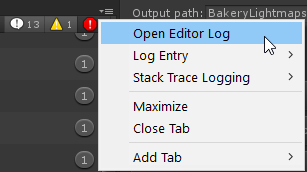
Go to Console tab, click the lil' dropdown boi on the right of that window, Open Editor Log. I think the format changed, but if you go to the bottom and scroll up till you find something that looks like a chart, that'll show you your build size with details about what's using up the space.
 runic bane
Anyone knows why the shaders on my build is so large?
@nimble hornet Know any ideas about this as the shader person of the VRchat team? Apologies for the ping. Just been racking my brain why it's like this ever since the update
The build compiles a lot of "shader variants"
At the start which is something that might be related to it
tiny star
in 2018 its compiling shader each time(almost)
hasty merlin
Yeah mine does that too. Takes a fairly long time even when I don't have too many materials.
versed lichen
37mb of shaders ???
runic bane
Yep and I have no idea why
I tried removing the stochastic shader and made it standard as well
Still the same size
Does bakery add things to it?
I'm using bakery as a light mapper
Gonna try removing the stochastic shader again. But it still does the very long build of "Compiling shader variants" even without the stochastic shader
versed lichen
how many shaders are you using in your whole scene ?
runic bane
Four I think. Standard Shader, Stocasthic Shader, Terrain/Nature shader (trees) and this weird one that automatically happened when I upgraded to 2018 which is Autodesk Interactive shader
cold prairie
Autodesk Interactive is the old roughness standard renamed
You can change the shader stripping settings in your Project Settings > Graphics if you aren't using Unity fog to make the shader variant amount smaller
winged sinew
37mb of shaders isn't really a lot
Standard has about 6000/10000 variants
However, shaders aren't guaranteed to be making your world big, because they're compressed into the world file. When they're compressed, the similar shaders are packed together and take much less space.
One thing you might want to do is change the Max Resolution of the reflection probe textures so they're clamped to a smaller size. Unless the floor in a room is super reflective they can go pretty low
runic bane
Much thanks Ruuubick, 1 and Silent
Yep compressing the reflection probe helped a lot. Sadly I am using fog so I guess I can't remove that one
Map is still 100mb compressed
but that's much better than the original 146mb compressed of before
versed lichen
Do you have any 4k texture ?
shadow sphinx
since png files are much heavier than jpeg, would it be actually better to switch to jpeg (which reduce the size of the world and might actually allow me to increase the texture size in return, ending up with lighter world and larger textures?)
torn crypt
@shadow sphinx I don't think it'll matter bcs Unity is going to re-encode it anyway - usually to DXT.
You may notice that PNGs are bigger than JPEG in Unity after an import, but it's probably caused by the alpha channel being included in most PNGs even if you're not using it. If you override the compression format to be RGB over RGBA, they'd likely match in size.
shadow sphinx
oh thats unfortunate. so the only way to reduce the size of a texture is reducing it's resolution?
torn crypt
Crunch compression! Hit the crunch toggle on the import settings of the texture, and it'll make the tex much smaller (not at runtime, but for downloading at least)
shadow sphinx
oh thats awesome! is there a way to apply it to all the textures at once?
torn crypt
Someone here might have made an editor script to do that, but some textures can't be crunch compressed and others "shouldn't" (like lightmaps, etc.) so it might not always be ideal.
shadow sphinx
i see. i will try to use it. thanks for the advice!
 opaque magnet
Hey!
I having issues with occlusion culling in my world. In certain specific places everything starts to disappear.
I can't reproduce the behavior in the Unity editor.
All the objects are non-occluder, just the walls are.
Does anyone have any idea why this happens?
https://cdn.discordapp.com/attachments/533193713799921675/703062871650730044/culling.gif
 versed lichen
Did you go with default settings ?
tiny star
The anoying thing for me. In 2018 the occlusion is affective on my camera in the editor. Any way to change that
versed lichen
Eve outside of visualization ?
opaque magnet
I reset it to default and now the random spots no longer have culling issues. But there's still some problems.
Now some doorways cause the culling issue to happen.
versed lichen
You can set your door to not be an occluder
opaque magnet
I don't have them set as occluder, just occludees. I set only the walls to be occluder.
 opaque magnet
So raising the Occluder Threshold did stop the issue, but now there's almost no culling happening.
opaque magnet
Thank you for the help! I tried it but there doesn't seem to be anything that would cause obstruction.
I can't seem to recreate the issue in unity. I can only see it when I test.
I just tested in desktop mode and I can't find any issues at all. It seems to be exclusive to VR.
 tardy kayak
Quick question, how many triangles is too many triangles for a world ?
cause I have a world that weighs 36MB but there's a hell of a lot of polygons in there.
I wonder if I have too much.
tardy kayak
Nope. it's a Unity terrain.
I put a mountain on it and stuff to make it more lively but...
How do I see the amount of polys ?
Basically it's just a vaguely flat plain with some hills around, and in the middle, 4 castle walls, 5 houses with mostly the same textures/part models (they're modular houses)
a few chairs and tables
and that's about it.
Huh. Weird.
I deleted the terrain, Ctrl-Z'd it back to live
and my triangle count went from 7 million to 400k
versed lichen
Seems good
tardy kayak
Was 7 million somewhat common though ? Seems kinda high.
Also, I'd like to know if there's a way to remove the stupid wavey animation thing for pedestals.
I put about 20 in the same room and it tanks fps like hell
only place on the map where it gets below 115
and it goes to 60 straight away
AHH, I get it.
Number of triangles I was seeing depended on the camera's position.
I'm new to Unity, sorry.
Well at least I found out which 3D model ruins the triangle count.
Going to have to edit it and simplify it.
versed lichen
7 million for terrain would be extremly high yes
tardy kayak
Nah, it was a 3D model for something else.
hidden hollow
How would I go about hiding a specific layer from the player camera? I have it hidden in the main camera in unity however it doesn't hide from the player viewpoint
Do I have to change the culling on vrccam at build time?
trail flame
any ideas on how I could optimize this world?
it has one realtime directional light
tried to bake it but it won't look as good so I don't really want to get rid of it but I get like 20fps with a mirror on
I noticed some open worlds where I can get up to 90 fps with a mirror on even though they use realtime lights like home of highlands
was wondering if there was any other way I could optimize this to get to those levels somehow
trail flame
says 375 I guess that's not very good 💦
trail flame
I'm guessing these ones aren't?
yeah
I mean it is batching stuff
maybe I should just make world smaller idk
versed lichen
Baking light would break a lot of the batching too potentially
tiny star
with real time light draw get *
 wind zinc
Jumping in late here, but how many materials do you have? The less materials, the more static meshes that can be batched together.
glass granite
now that I know frame debug exists, I see I have a lot of draw calls. Most of them don't provide much to go on, but I'm assuming the majority is from the all the duplicated rocks/plants I have. Is there a way I can join those so that the get called all at once, or at least in groups? My attempts at optmization so far have only been to keep tris to a minimum on my models.
glass granite
probably half the calls are "draw mesh %random_object%" and the other half are just "draw mesh" with no info so I don't know what those are linked to.
glass granite
is there a way to join them within unity? a lot of the "decorations" were instanced and placed via unity, so I'd have to redo that in blender if I can't join the meshes in unity itself.
everything's already static and rocks/vegetation are just instances, so from the documentation does seem like I can do much more for them on that front
for different objects, sure, but I can get away with mesh combiner if I'm just combining duplicates, yes? I started atlasing my props a couple weeks back and it works ok with the addon I'm using, but I think I'll have to find something better for atlasing as combing UVs that happen to overlap eachother (as a consequence of not using procedural textures) is a pain.
I was always super reticent to paying for tools/assets for the longest time but once I started, I find I'm much more willing to just throw some money at someone that worked out the black magic for me, lol.
versed lichen
Mesh Baker works well
 peak flower
Is it possible to have two VRCWorld objects in the scene, where enabling one at a time points to either update the public/live version of a world and the other one to update a separate private version on the servers for testing?
cold prairie
Usually you would just swap the world id's to which you need at the time
peak flower
Ty ty
And how to do that?
Is that the blueprint ID in the pipeline mgr component?
I've never messed with that out of fear of losing connection to my world
versed lichen
yep
cold prairie
Just deattach the public worlds id and then upload again to make your test version
And then when you wanna swap back deattach get your public world id and attach that one
peak flower
Ooh so nice
I have been missing out on that for a while
Using my public world as a testbed 🤦♀️
 open forge
Hello, just a little question, I've 4 identical objects on my map, only Material change. I made an atlas of this 4 objects and use offset to change texture.
It's better to have 4 meshes 1 Material, or 4 Material 1 mesh (4x same)?
versed lichen
it's pretty much the same, but if you can do both, then i don't know why you can't do 1 mesh 1 material
open forge
it's props, not static objects 🙂
Thank you for your answer, I think I'll keep 4 mat/1 mesh with LOD/1 tex
versed lichen
If it's props i guess you can't join meshes at all
torn crypt
It can't be joined like static batching, but if the meshes fall within the stringent requirements for dynamic batching then they ~could~ be batched into the same draw call
Dynamic batching has a CPU cost tho so it might be one of those things where in our use case having another draw call is better overall than time added on the CPU
lilac saddle
What's the most lightweight shader i could use to improve the overall performance of the world?
pallid gale
I guess that would depend on what features you are willing to strip off
 strong parrot
(This channel is more for helping optimzie your own work!)But i can say i believe its cuz ur in the overview part of parareal tokyo. Much of the map isn’t culled if ur looking out from there! So frames go down cuz lotta stuff.
hidden hollow
How massive an impact do draw calls have on performance? If I have ~90 draw calls on a map should I be stressing about getting that down? I'm trying to find every avenue to up performance on that map when there's 80+ people
there are invisible occlusion zones to segment out avatars in sections of the map, so all 90 of the calls are almost always rendered and not dynamically occluded
versed lichen
90 is absolutely fine
 silver ravine
glass granite
silver ravine
glass granite
makes me wonder how many calls I'm getting when in those new VRket worlds
because it really chugs
 tough heart
it's alright to use non quest shaders on the quest version of a map right?
versed lichen
Not great but yes
tough heart
aware it's not perfect, wanting to know if it was alright, the shaders themselves are optimised
 vast finch
Does VRC cull avatars if they are far enough away from the player?
 slate lion
Pretty sure it's all based on occlusion culling, frustrum culling, and the max range on your reference camera
fair mantle
Not sure if they're culled entirely, but I do know the dynamic bones and IK solving gets culled. Like, if you stand by a full-body player who's sitting/laying down and look above them, if you hit juuust the right spot, you get them snapping back and forth between their actual pose and T-pose.
It's culling them because they're off-screen, then they T-Pose and are in-frame again, so it solves their IK, they snap back off screen, rinse and repeat.
Same with dynamic bones. It's really obvious if they have force on them since you'll turn to look at them and the stuff with dynamic bones will suddenly bounce into action after being stiff.
slate lion
They should be culled entirely, but technically you should never see that as that's how culling works. Could test it by getting a world with one closed occlusion portal and seeing if you can see others on the other side.
 lyric sapphire
i want to make a mirror as optimized as possible and instead of background it would show something different (better perofrmance)
how do i do that? theres so many options i dont know which to remove in the mirror settings
slate lion
If you only want players you change the layers to mirror reflection and player
pallid gale
and if you do want the background you can put the room that the mirror is in on a separate layer from everything else so it's only rendering that & not the rest of the map
slate lion
Honestly if you have multiple rooms then occlusion culling should do that for you. Putting it on a separate later will just break raycasting
vast finch
My world performs fine for the most part, but there seems to be a brief but major frame drop whenever someone joins the world. The only "on player joined" trigger I have sets the movement speed and jump impulse of the local player. Is anyone aware of any common pitfalls that could cause this?
The initial spawn point is fairly far away from where most people congregate, well outside of the 55m far clipping plane I have set on the reference camera
versed lichen
Well, vrchat itself will have quite an important frame drop when people join, it's something we're working on, but it's hard to avoid as it's an important step of initializing people
Make sure that this trigger is local though @vast finch
vast finch
The trigger for OnPlayerJoined? It's the trigger that is included in the Udon examples. I don't think it can be local since it triggers whenever someone joins
Maybe it would work if I changed it to the OnStart trigger?
hm, I wonder if that's actually it
Like, every time a player joins it sets the jump/movement for every player
oh wait, it was already set to OnStart
shoot
lyric sapphire
@versed lichen speaking of player joining world. can you not just make an option to load avatar one by one ? for example joining a world avatars starts loading only after the revious one is loaded in . this option would help ^^.
loading everything at once is not the best idea implimented
i know theres safety options, but im not talking about hiding anything you want to load all avatars it just will be better doing it one by one
lilac saddle
my world got to 100 mb tho it doesn't have anything crazy in it, is there a way to know what could get it so high?
i used to have realtime lights but i made them baked, well 90% of them
 orchid thistle
most likely texture size, if you have a lot of high res textures it's what takes up most of your space
lilac saddle
is there a way to know which ones are the most problematic @orchid thistle
orchid thistle
Well i’d say look for your bigger textures. Try not having above 4k textures, this would reaaally be overkill
I’m all for 1k textures max honesty but im a quest user so im biased
lilac saddle
@orchid thistle i put like 10 pics of me and friends in my world and they're all 1900x1400 or smth is that bad
versed lichen
@lilac saddle https://twitter.com/Ruuubick_/status/1166014308918185984

Turns out a lot of world creators didn't know this, but you can easily find out what your world is made of, how much it weighs, to then be able to reduce its overall size :
Retweets
145
Likes
324
Twitter
lilac saddle
@versed lichen i did already and when i went to the log i searched meshes and it found nothing
i tried other stuff that were in the pic i couldn't find that part
versed lichen
Try saving unity, quit, relaunch and try the steps above again
If that doesn't work then just crunch compress all your textures in the world
 near lodge
When you test your build, and it pop ups with the size, is that accurate?
versed lichen
It's the uncompressed, so not 100%, but it's a good representation of what it most likely is compressed
near lodge
Okay! Thank you very much!
trail flame
what kind of batches should you aim for to get 90fps in front of a hq mirror?
versed lichen
50 ?
lilac saddle
my world's a little laggy and i'm not sure what causes it
not that bad but i'm having like 35 fps with mirror open
versed lichen
that's pretty bad, what's in your world ?
lilac saddle
just some furniture, video player, tablet, campfire, pictures and mostly baked lights
@versed lichen
versed lichen
mostly baked lights ?
lilac saddle
yeh i set em to baked tho they still reflect light on avatars
versed lichen
Yeah that's not how baked lighting works
Check out the pinned tutorial from Xiexe above, make sure the objects you want to bake are static and have generated lightmap UVs
lilac saddle
thats what causing lag u think?
lilac saddle
@versed lichen nothing from xiexie in pinned messages
versed lichen

VRCat: Community-Run VRChat Forums
Greetings! Over my course of playing VRChat I've noticed that most worlds, mainly the ones that have baked lighting, are done poorly, or in an...
lilac saddle
tyty
shadow sphinx
does Ocllusion Culling actually works in vrchat?
cold prairie
Yes, if you set it up
shadow sphinx
simply baking and seeing the result on main camera that is connected to the VRCWorld is what i need to do?
cold prairie
Occlusion isn't set up per camera 🤔
shadow sphinx
yeah i just noticed 😅 fixed my question
shadow sphinx
awesome thanks a lot! 💪
 mental path
780 mb is very hefty for a world upload right?
What’s some key pointers to decreasing the file size of the world? I’m a noob...the environment I created is for a school project but I’m worried my classmates computers won’t be able to handle it
torn crypt
vry hefty! are you crunch compressing your textures?
torn crypt
in your import settings of each texture, there should be a toggle for crunch compression. you can select multiple at once and crunch em - it should help dramatically
mental path
Thank you so much I will try that
 fickle valve
Just out of curiosity, what does the world look like?
mental path
My world is virtual art installation so there’s about 5-6 videos and at least 9 interactive. Audio sources
fickle valve
Oh ok I guess that expains it then
mental path
So I feel like that definitely contributes along with the post processing, textures and high quality models. Yeah again I’m a noob
It looks great, runs fine when I’m testing it butttt yeah I’m definitely worried for my classmates and professors computers. Will start with the texture compression and see if that helps...
versed lichen
Worth looking into the different types of compression for audio and video
mental path
Yes I’m wondering about that too...I will see what I can find. Haven’t explored any kind of optimization until today
mental path
Trying to find the import settings for the textures but I’m not sure where I’d be looking. Do I have to do the crunch compression upon import or I can do it if the texture is already in my assets?
Again, sorry for all these noob questions
versed lichen
crunch compression is on the texture option at the bottom, there isn't import settings in unity
torn crypt
it's weird that Unity calls that panel import settings when it deals with mostly runtime shit
 tame briar
It can compress mipmapped 2D textures, normal maps, and cubemaps to approx. 1-1.25 bits/texel, and normal maps to 1.75-2 bits/texel. The actual bitrate depends on the complexity of the texture itself, the specified quality factor/target bitrate, and ultimately on the desired quality needed for a particular texture. Great I understood nothing 😄
They're crunch compressing teckels ? 🐕
 boreal marsh


 tiny star
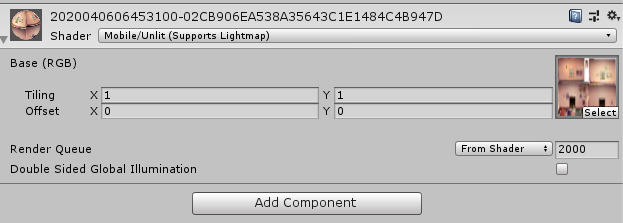
normal. dont do that
pallid gale
Point lights are very expensive
 latent beacon
glances at my wip world with a good deal of point lights
oops
is there any other way to replicate the effect :S
slate lion
Just bake your lighting
near lodge
I'm about to go to bed, but has anyone ever had part of their scene just turn black? On one of my recent culling bakes, when facing a particular direction in a particular spot, my walls turn black. This only appears to happen in VR, not desktop. Is this just some culling issue?
Its brief, and then just comes back after a second.
hidden hollow
Question, I have a few dynamic objects (mainly these playing cards), I want dynamically occluded. They're set to be so (dynamic occluded is checked), and they're within an occlusion volume... but they still seem to render when they're out of camera sight. Is this likely an issue with how my occlusion is set or is this typical behaviour? Ideally I'd like to save those draw calls when they're not in sight
Culling works as expected on all my static objects
figured it out, my dividing wall wasn't thick enough it seems to count as an occluder on default settings
 proper pecan
is there a way I can apply a global script to only 1 object? Im using the standard unity asset water package. I want two different water types but editing the water script to change the reflection type applies globally rather than to a specific puddle
lilac saddle
how to create a low quality mirror?
 scarlet compass
@versed lichen Thanks for the lighting tutorial!!!
 karmic wraith
@lilac saddle You need to remove what renders from the mirror in the mirror options, disable layers that you dont want being shown such as pickup objects, or non static objects
lilac saddle
oH
karmic wraith
usually its things that are not on the defualt layer or whatever you want to produce a visual with unity layers
lilac saddle
Question
I am currently building a word, for the best optimization, I would like to make avatars invisible after a certain point.
For example, in spawn point, you cannot see people when looking into the main room.
In the main room, you cannot see people in spawn point.
versed lichen
You'd need to make a big wall in-between, remove the mesh renderer and bake occlusion culling
@lilac saddle
 random hemlock
Is there a video of how to setup postprocessing? Cant find anything anywhere and i got it working but its not being uploaded to my world
versed lichen
Silent's tutorial or 1's world toolkit both do it automatically
random hemlock
gotcha but i figured it out, had to set layers to everything expect the UI
cold prairie
VRWorld Toolkit Unity Editor extension
- Automatic post-processing setup
- World debugger for finding common problems in your scene and viewing your recent builds information
- Disable on build for disabling game objects automatically when you upload your world
- Build report inspector for seeing what is taking up space in your builds
https://github.com/oneVR/VRWorldToolkit/releases
versed lichen
cold prairie
**VRWorld Toolkit Unity Editor extension**
- Automatic post-processing setup
- W...
lilac saddle
how do i use this?
the readme says what it can do but not how to use it
oh i have an error
i'm outdated wew
i'll use it on my next project i guess
cold prairie
Yeah if you are on older versions of unity or sdk it most likely won't work at all
lilac saddle
ye
 misty olive
I have a question about unity and how it processes materials and objects. Does it make sense to create modular assets, like lego building? How is a reused object in a scene processed? Reusing an object still counts as another draw call.
versed lichen
learn about static/dynamic batching
misty olive
thanks!
 river minnow
Trying to reduce the file size of a world ya'll, been using mesh compression to lower file size at least a bit, and while it looks TOTALLY FINE in unity, it absolutely explodes into a mess of polygons in VRC.
Any ideas why?
If you do have ideas, please @ me, I'm doing other things
toxic stag
i'm not sure what causes it, but you won't see the effect of mesh compression right after setting it in editor. you'll see the effect after you reload the project, and then you can tell it's compression's fault or vrchat's fault. @river minnow
lilac saddle
Its Unity's fault @river minnow @toxic stag
This is due to mesh compression requiring a reimport of the mesh after compressing it. You can do this via right clicking the .fbx file and clicking reimport after performing mesh compression. Its pretty stupid, but thats how it works essentially
river minnow
I passed out after sending this but thank you!
 tranquil zephyr
So I've been wanting to improve my role play world somewhat. I had decided to not do anything to start with just to see how it would do. It was better than expected but I know it could be better. I wanted to ask what has the biggest impact on performance? Materials, lights, tri count. Also is it better to keep objects separated or joined together?
versed lichen
Realtime lights by far usually
But everything else also does to some extent
Merge stuff, atlas some, lower poly count, use simpler colliders, bake occlusion culling, etc
 ancient trench
I was thinking about getting mesh baker. Does anyone have it and is it any good?
versed lichen
Yes it's great, a bit challenging to get started with it though, the documentation is alright
 bold dove
so I'm recreating a real-life building - is there a general recommended limit for shaders/tris?
For something of this scale does require lots of 4K texture maps and tons of shaders to keep things looking good
afaik, all I can find is "keep it under 200MB and make sure your frames are good"
trying to combine as much static geometry into as few shaders as I can and making the most use of each UV map
current stats: 90MB, 20 shaders, ~300k tris (majority being ported geometry from google maps, reducing it slowly), 144fps with a few people, ~50-60fps with full lobby / 40 people
basically, I'd like to use more shaders and not have to combine as much, but I'm not sure how detrimental that would be on frames for a world
(shader per unique mesh object, eg; chairs, railings, trees, huts, etc)
pallid gale
okay stupid question why are you meeting so many different shaders/ separate from how many materials you have
like what it most of the objects be covered by the standard Shader as IRL hotels are not going to require piles of special effects the required custom shooters
bold dove
mostly various reflective objects, or things that should be shaded differently
(reflective windows, pool water shader, pool structure, main building, attached valet structure, associated detail meshes around those structures)
versed lichen
Yeah that shouldn't require so many shaders
bold dove
better to have 1 8K atlas with 1 shader rather than 4 4k textures with 4 shaders?
pallid gale
that's Overkill if it's not a atlas
sounds like you're not properly utilizing material Maps
bold dove
massive structures with a unique texture across all surfaces
versed lichen
4K is for stuff you're looking at intensely and matter a lot, environment doesn't usually matter that much
pallid gale
that doesn't answer the question of why you have so many shaders you might need that many materials but you don't need a unique Shader for each material outside of like water shaders
bold dove
let's take this area for example
there's 4 shaders here
pool water, pool concrete, chairs (all sharing same UV space), surrounding google maps geometry)
pallid gale
sounds like your kind of using materials and shaders interchangeably when they're different things
bold dove
maybe, I'm using 2 different shaders on the 4 materials, but there are still 4 material slots I guess
pallid gale
yes there is a bit of a difference between 4 materials with 4 shaders & 4 materials with 2 shaders because the GPU has to pull in more work to go grab a completely different Shader compare two OK same Shader different material properties
bold dove
ahh ok, so of the 20 materials in the map, there's 4 different shaders then
(water, glass, main geometry, skybox)
pallid gale
thanks for that clarification
versed lichen
that makes more sense
pallid gale
because what you originally describing was a optimization disaster with 20 unique shaders
bold dove
gotchya lol, my bad
so it is acceptable to have a bunch of materials for all the objects, so as long as you reduce the number of different shaders used?
(obviously trying to combine UV maps and optimize that where possible too)
pallid gale
you would also want to cut down on materials if they're not necessary like say you have an object that's all solid colors it's better for that to be a texture then like 6 separate materials because that would be six draw calls instead of one
bold dove
gotchya
pallid gale
so for example if you have lots of small objects that appear frequently together making them all share a texture Atlas could help
as approximately if they share the same material the engine can draw them all at the same time instead of having to do separate steps to draw them for each material
bold dove
yeah, or combining all the small objects in an area (eg. pool) into one detailed object that has a couple materials
PoolObjects (materials: PoolMat, PoolGlass)
pallid gale
that would still be 2 draw calls
bold dove
down from 10 or so if they each had their own materials, no?
pallid gale
out of curiosity how many materials are taken up by the Google map
bold dove
1, it was quite a huge amount of textures that I atlas'd into an 8K map that uses 1 material
pallid gale
and also how much walking around folks are supposed to be doing on the outside of the hotel
bold dove
there'll be teleport buttons to move to various areas, it's a map catered to a certain group of people that would no doubt love to walk everywhere
pallid gale
just checking so I can figure out which bits are complete Overkill texture size-wise
bold dove
my workflow is all substance painter, so when I unwrap things it is completely unwrapped and uniquely textured
there's some baked lighting, so repeating UV's would mess that up
below 4K on a high-rise sized structure, or large surface area floors, everything looks super blurry
pallid gale
you should honestly be probably baking your lighting Unity on UV map 2 not in substance painter
bold dove
I have the diffuse maps for everything still, so I could probably do that eventually, I just like the way it looks currently :p
but I getchya, basically two different light sources
(more or less an even lighting bake to get a nice AO)
pallid gale
the reason I mention that is so that you can utilize tiling textures for stuff like walls floor ceiling
bold dove
definitely gonna have to focus on that for the upcoming interior areas, as those areas do have a lot of repeating textures
pallid gale
also some of the reason I was curious about the playable area outside is some of those Google Earth textures might not ever load in their full resolution so that's just wasted resources like for all the random houses in the back
bold dove
a lot of that is actually the skybox, kinda hard to differentiate because I made a panorama from google maps as well lol
pallid gale
okay that's a relief
bold dove
can definitely clean up some areas and simplify the textures
just been using it more or less as a guide to remodel
pallid gale
cool

In this video we’ll learn a bunch about lighting and use it to light a simple scene using the Progressive Lightmapper.
● Get a discount on The Complete Unity 3D Game Development Course: https://www.udemy.com/unity-developer-course/?couponCode=YTBRACKEYS999
● Download Room + M...
for when you do get around to the interior
bold dove
oh nice, will give it a watch
was thinking of photogrammetry and using the real lighting inside, but that might be a little too time intensive
pallid gale
yeah that's very labor-intensive and way too expensive on the vram
you should be fine as long as the sun is pointing the general direction the Google Earth stuff is
the tops of those buildings you can probably reduce the texture size of how is your only going to ever see them out of a interior window
and I take it the textures are still there under the remodeled parking lots as you still have the car is poking out
bold dove
yeah, though all google stuff will be removed once some proper meshes have been made to replace
pallid gale
okay that's good to know as all of that texture memory going to the Google Map should go to somewhere else more useful
bold dove
yep lol, 8k maps are definitely not ideal
pallid gale
a good chunk of that empty space
all of those black and white spots are just totally wasted vram
 kind kite
Hi guys, I am looking to learn more about particles and world optimisation. Anyone know any good articles?
versed lichen
There's good stuff pinned in this channel
 dense briar
Hello! Is there a way to change the LOD Bias of a project? Because I've tried a lot of times to change it in the Project Setting by changing values or changing the default quality, it works correctly in Unity but when I play it in VRChat it doesn't change, I think the value VRChat is using is always 2. So it's not possible to change it or I'm doing something wrong?
cold prairie
You can't change the project settings for it since those are defined by VRChat you can look in the pins in #development-advanced to see what different settings it is inside VRChat on different quality settings
dense briar
Oh, ok, thank you! 😄
lilac saddle
Quick question. If you want an optimized world for all users (including quest), what would an optimal tris count be?
versed lichen
Probably aim for 100-200k poly total
fickle valve
I have a VRchat world that I was thinking about porting to the Quest, but the current version uses custom shaders... Does uploading for quest make a dedicated version of it? Or do I need to have the Quest and Vanilla world be the same 'build'?
warped hornet
If the ID is different you can have a quest ready version but anything that is quest ready is PCVR ready
fickle valve
Ok, so I should rather finish the PCVR world and then make a Quest version with basic shaders with another ID, or is there a workflow that would allow easy editing of both at the same time?
warped hornet
IMO just do it all in the same scene and then when finished with the PCVR one dupe the scene CTRL+D and then edit the already finished one in that new scene and then upload it for quest
fickle valve
Ok, thanks!
Oh, I was also wondering, are there any quest-friendly shaders that would support some kind of texture blending?
warped hornet
That I don't know but from I what I remember reading about the Quest Optimization it should be done in standard, but I would say look on the VRC docs to look more on the shader requirements. one thing I know for sure is the world cannont exceed 50mbs and is recommended to be 30-40mb
fickle valve
oh no more than 50Mb? well that's... small
warped hornet
mhmm
Crunch your textures, atlas when you can, and so on
try to keep some unessaray items' textures crunched more then items that would be seen more then anything
versed lichen
You'll have to change a lot of things for Quest, especially the shaders
if you want performance, it needs to be tuned down everywhere
smoky kindle
Does silent's water shader take much resources? I have 1x1km quad and that shader applied to it, I cant think anything else why my world runs 40-50fps with every mirror and camera turned off
versed lichen
Can you show your unity screen with your world in it ?
 tight flicker
Is using unity's built in terrain more, or less optomized
also anyone know of any tools to see what stuff in world may be causing issues?
cold prairie
Unity has the built in frame debugger and profiler
You can also try my editor extensions world debugger it has some suggestions if it finds any problems
https://github.com/SudoOne/VRWorldToolkit/releases
Unity's terrain is alright, but there's better techniques to make terrain depending on what you want
tight flicker
I'm building a set of islands, a bit of a big world with lots of small things in it and open space. I've got a terrain going for now
smoky kindle
@versed lichen Don't mind the hierarchy mess.
versed lichen
Are all those lights baked ?
Also that's a lot of reflection probes for such a small area
Also depending on the Prefabs you use, some of them could be awful in terms of performance
smoky kindle
I have modeled all objects myself, keeping polycount low as possible. All light are baked and i don't know how else i would put reflection probes since the deck you around the house.
Is light probes performance heavy? bc i have them quite a few..
versed lichen
I they're actually baked no
can you press play and show the stats menu ? @smoky kindle
smoky kindle
@versed lichen Here ya go. I dont know where is all the Tris coming from. Is big font size a problem(200-300)?
versed lichen
Have you tried disabling stuff ?
If the lights are still counted as active then it's probably the reason
but yeah definitely way too many batches for such a scene
smoky kindle
All my objects has less than 2000tris, most has less than 1000
I haven't yet. I'm fixing my lightmap uv problem first.
versed lichen
oh so that's most likely it then
if you turn off all lights the batch count would go down drastically
smoky kindle
144 objects with overlapping uvs.. But why it would affect performance? Since its getting baked
cold prairie
https://github.com/SudoOne/VRWorldToolkit/releases
My tool can find and auto fix those all for you 🙂

GitHub
Unity Editor extension for making VRChat worlds. Contribute to SudoOne/VRWorldToolkit development by creating an account on GitHub.
Just open up VRWorld Toolkit > World Debugger from the top bar
smoky kindle
@cold prairie Umm
cold prairie
🤔
smoky kindle
 olive nova
New to world building so forgive me, My world is at 47mb on pc/quest I want to add a few more things but I don’t know what I should do to optimize what I currently have
warped hornet
Crunch Textures
Change the whatever to something lower, it'll reduce size
just the Max size
warped hornet
just change max size for now
olive nova
Alright thank you!
warped hornet
np
versed lichen
Max size and crunch compression @olive nova
 vapid smelt
Making a stage world and have it pretty omptimized (around 500 batches)
I have a bunch of cameras sending their view to render textures and you can see the difference in batches when they are enabled
anyway to optimize this? currently have their render textures being sent to the main screen with a trigger using the "set material" trigger
only thing i can think of is disabling and enabling the idividual cameras when they are needed
Here's a comparison of how big the world is, seems crazy that the cams add that many draw cells
versed lichen
Cameras need to render everything an additional time, of course they're super expensive
But if they're all disabled by default then something else in your scene is causing the high batch count
vapid smelt
the first image disabled (500 batches) 2nd image enabled (5K batches)
ended up making all the camera triggers disable every other cam except the ones triggered
toxic stag
Yeah try to reduce batch count. Each camera needs to render 500 batches so they multiply a lot
vapid smelt
I've limited the view distance on most of them and made it so only one enables at a time
ill let you know how it goes
baking atm 🕐
vapid smelt
keep them all on and off seperately worked really well
 lunar lark
so have made a worlds optimized debugged it everything no Realtime lights no environment like weather but yet my personal camera on me seems to be very fuzzy and and seems like there's some sorta environmental effect even though my map doesn't have that any way to check what's causing this?
im just worried its going to cause frame drop or drawcalls
versed lichen
Any picture of that ?
lunar lark
i can take screen shot of it after work here just distorts any camera in the world when you join
just was asking if there's an area for the project i can look at the stats better?
versed lichen
There's a stats panel in the scene view and there's the frame debugger
lunar lark
ty just what i was looking for
now ill see what maybe is causing it will keep updated ^-^
tight flicker
something i learned recently to decrease your world size by a lot
this dynamic prefab array fills up with a ton of unnesisary prefabs sometimes. Unless you're calling VRCInstantiate or have an object as a terrain item it doesn't need to be in there.
My array increases to about 30 items, almost all duplicates of eachother, after each build, so i made the object a prefab and just re-set the values to those 3 before uploading.
My world size goes from 78mb to 49mb
versed lichen
Dyqnmic materials also needs to be cleared
Ah wait NVM we automated that a while ago
tight flicker
what dynamic materials are actually needed? @versed lichen Currently there's one for every material in my scene in general, do I need any at all?
versed lichen
Yes that's how the materials used in the scene are saved
tight flicker
okay cool, so that just needs all of them 👌
The prefabs one definitely loves to suck up everything it can though lol
 lofty drum
does anybody have problems when baking occlusion, like lights starting to flicker? i get this, and i cannot figure out how to get lights out of occlusion
versed lichen
if they flicker then you may have too many
 wet trellis
is it normal for a world to be perfectly fine with people running around but it slows to a crawl if i open the vrchat menu?
 clear basin
Hi, I have an issue with a world i created.
I have several 3D audio sources around the world and 2 audio sources set to 2D for wind and music.
All audio sources can be heard in game but any audio source attached to an avatar cannot be heard.
The referenced camera attached to the VRCWorld prefab has an audio listener and Post Processing effects. I've tried deleteing both the Camera and VRCWorld prefab but the same issue persists. I'm at a loss, any help is appreciated.
toxic stag
@wet trellis yes. when you open the menu vrchat starts garbage collection and it's slow