#world-optimization
1 messages · Page 9 of 1
 lilac saddle
Need some help with a video screen, added it into my world but when I hit the trigger the screen is enabled but nothing plays. I used the VRCVideoSync prefab, these are my settings https://imgur.com/a/RYSgrne

 analog kraken
video players are super finnicky, a couple things that could be the issue: The play video RPC needs to be targeting the Owner. You could also try putting a URL in the video player component as well
 wraith tree
Anyone know how to male a wolrd public?
 jolly kindle
lilac saddle
jolly kindle
lilac saddle
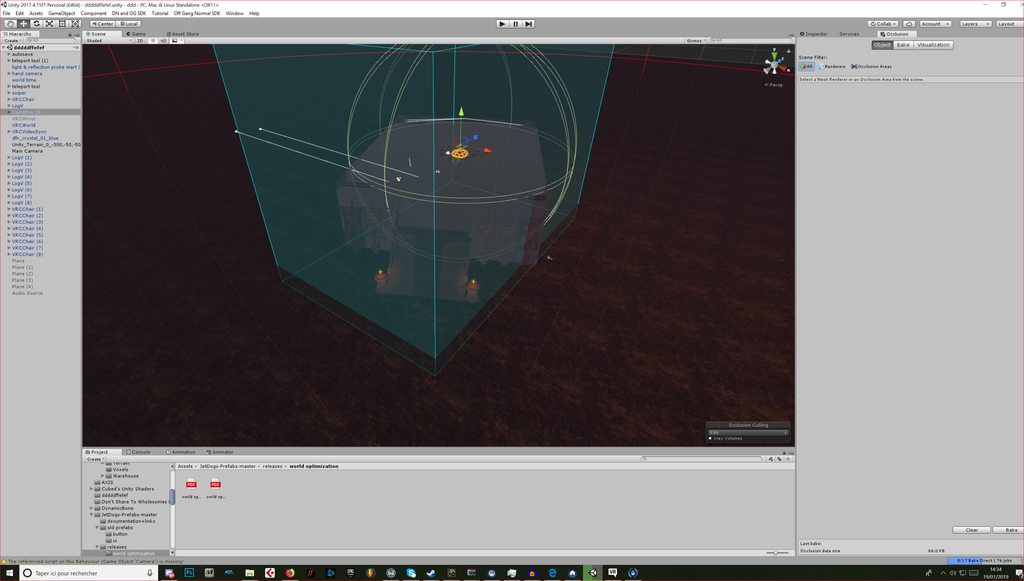
What's the difference between Occlusion Culling and Occlusion Area?
 strange prism
Occlusion culling used occlusion areas.
Occlusion culling will calculate view areas such that objects that cannot be seen from one location will be culled (not rendered). By default, unity will put an occlusion area around the bounds of your map. If you have a lot of empty space that does not need to be calculated (because players will never be there) it is better to manually place occlusion areas so that only those areas will be calculated (saves time and memory).
lilac saddle
Ahh okay great! Thank you!
 lean lodge
The Unity docs are very misleading about this
The docs imply that you need to define an Occlusion Area in order to cull dynamic objects
 hollow cape
anyone know why my world is showing four screens at once in vr? Is this just an outdated sdk problem or do I need to fix something with my main camera?
analog kraken
that sounds like an outdated SDK and unity version
hollow cape
okay I'll try reuploading
hollow cape
that did not fix it
analog kraken
are you using unity 2017.4.15f1?
analog kraken
Do you have any errors in console? Or are you using post processing?
hollow cape
another person saw it as black. I'm using v1 lemme check the console
 viral elbow
use v2
lean lodge
@hollow cape are you using post processing stack? If so, which features do you have enabled?
v1 should still work
hollow cape
I only have fog, antialiasing, color grading, bloom, and eye adaptation on
lean lodge
Turn off eye adaptation and anti aliasing
hollow cape
okay
lean lodge
If that doesn't work also turn off fog
None of those work properly in VR and/or VRC anyway
Color grading and bloom is fine
hollow cape
I'm also not seeing anything out of the ordinary in the console
hollow cape
okay well it's fixed now
except for my friend that can't see anything
I wonder if I need to update post processing stack?
hollow cape
it's up to date so I have no idea
I've noticed a few other worlds have had the same issues though but I have no idea what they're using on their worlds
 shy jacinth
Hello!, i have a question, if i make my world in one only mesh in blender, will it be more optimized if i made it with more meshes?
lean lodge
Having only one mesh makes lightmapping very hard (unless it's a very small world)
And will also prevent occlusion culling from happening
 lethal cave
Can I get a few tips on how to make sure my visitors get the best fps?
strange prism
See pinned messages for Jetdog's optimization guide. Might as well look at the other two as well, but after Jetdog's guide.
Basically, static batching and light baking are the main ones
hollow cape
Is there any reason why door teleports are not working anymore? Ever since the unity update the doors in my world won't teleport people to where they're supposed to go. They only teleport the person's camera and the avatar gets left behind and ends up behind walls.
these are the type of doors where you walk into them and they teleport you.
strange prism
Did you update your world or do you have colliders on your avatar?
hollow cape
my world is updated and I don't have any colliders on my avatar
strange prism
Are you using onAvatarHit or OnEnterTrigger checking for PlayerLocal?
hollow cape
on avatarhit
strange prism
Use OnEnterTrigger instead
hollow cape
alright I'll give it a shot
lean lodge
Could also be because of playspace relative teleportation
In some maps I have to physically move forward in my room to teleport correctly
strange prism
Usually OnAvatarHit does weird things like moving your view away from your avatar. But that usually only happens when moving the collider the player is running into
hollow cape
hmm. Well I have align room to destination set to false
but I'm gonna see this other trigger first
hollow cape
The on enter trigger does not work. It doesn't allow the doors to work at all
strange prism
Did you make the colliders trigger colliders?
hollow cape
Not working. Now I just go through the door and hit the wall behind it.
analog kraken
you might want to keep the door solid but make the collider an invisible box in front of it, set it to IsTrigger, and make sure you're using OnEnterTrigger looking for PlayerLocal
hollow cape
looking for playerlocal would be the layer, right?
analog kraken
yeah PlayerLocal is the layer it's looking for in order to trigger
hollow cape
okay
hollow cape
I hadn't done the layer thing before and now it's working. thank
 coarse tree
so i picked up a copy of automatic LOD and had no issues with the SDK and loading. however i am still learning about LODs . does anyone use this tool already and can you give me a few tips, i haven't yet fully figured out how to combine the generated LOD mesh and materials into to prefab hierarchy after its generation, is this going to need a second tool kit? suggestions please PM me i will share the tool kit for testing and development to any one that could improve the script
lean lodge
I know what GI is, but what's the difference between Mixed and Realtime GI in the lighting settings?
I noticed that turning on Realtime GI just makes my lightingdata.asset very large when baking lights
 plush crest
More data is baked including indirect paths, check https://docs.unity3d.com/Manual/LightMode-Realtime.html
 empty oar
Realtime GI makes a bunch of data assets that allow lighting in the scene to be changed. This is useful for when you're implementing a day/night system for example. With regular baked GI you wouldn't be able to change the lighting, but with realtime GI you can.
coarse tree
hummm have a few items with overlapping UVs... does anyone have a procedure process to deal with this subject
 hasty merlin
So I'm back again with another stupid question. I've been working on a decently big world for a while now, and just out of the blue, the western half lags horribly. The eastern half runs almost flawlessly at about 90fps, sometimes dipping down to 40 if you look at the very center of the map. But as soon as you cross over an invisible line directly in the middle of the map the frame rate drops off dramatically to about 10 fps no matter which direction you look. Whats even weirder to me is that the east half has waaay more going on than the west. More lights, vehicles, materials, sound zones, etc. So I was wondering if anyone has ever encountered anything like this, and what might be causing something like it to happen?
 rocky ingot
Did you check in unity profiler while testing? I think with that much change you could record while you walk across 'line' and compare before/after to help figure out cause at least what game system is causing
 trail condor
Does VRChat have a counter of any sort that can be triggered?
ie. increment a count on trigger, for example, used for scorekeeping?
Or do you have to implement one (afaik, not impossible with triggers)
 fierce kernel
@trail condor I'd bet there is one in the prefabs database. Have you looked? The ways I'd expect are by using animators to keep track of each digit or something, or maybe using an object's y coordinate as a score counter and moving the object up by 1.0 every time to add a point - you can modify Snail's DigitalDisplay shader very easily to display a value from the transformation matrix
If scale gets synced that's another place you could store data
trail condor
Well, I tried OnEnable and OnDisable events chaining, but that doesn't really work because of how events work...
Thinking of chaining stuff like Redstone in Minecraft, but of course, the way Unity does it update loops, you can't do that.
@fierce kernel
Oh. Oops, wrong channel.. This is supposed to be for #development-advanced
 high drum
is the atlas optimizer only meant for models because i cant get my world to atlas im getting traceback errors?
coarse tree
any one have the math about performance loss in relationship to scaling off from 1x1x1
made a few tests
baking a rock with rock shader (Used scale 1x1x1) = Rendering finished in 31.93 seconds
baking a rock with rock shader (Used scale 100x100x100) = Rendering finished in 244.99 seconds
baking a rock with Beast Shader (Used scale 1x1x1) = Rendering finished in 30.89 seconds
baking a rock with Beast Shader (Used scale 100x100x100) =Rendering finished in 246.58 seconds
I ran the test a few times and had similar results to the render times per the above each test results
the change in shader did help performance a little but not much, the change in scale however showed massive performance loss regardless of shader used
 fair agate
@trail condor It's a surprising hard problem!
I have a slow version in the Inventory Chest prefab, but if you wait a few days, Hardlight has an awesome one underway
Check the database pinned in #world-development for the Toybox update to v2.2 soon
hasty merlin
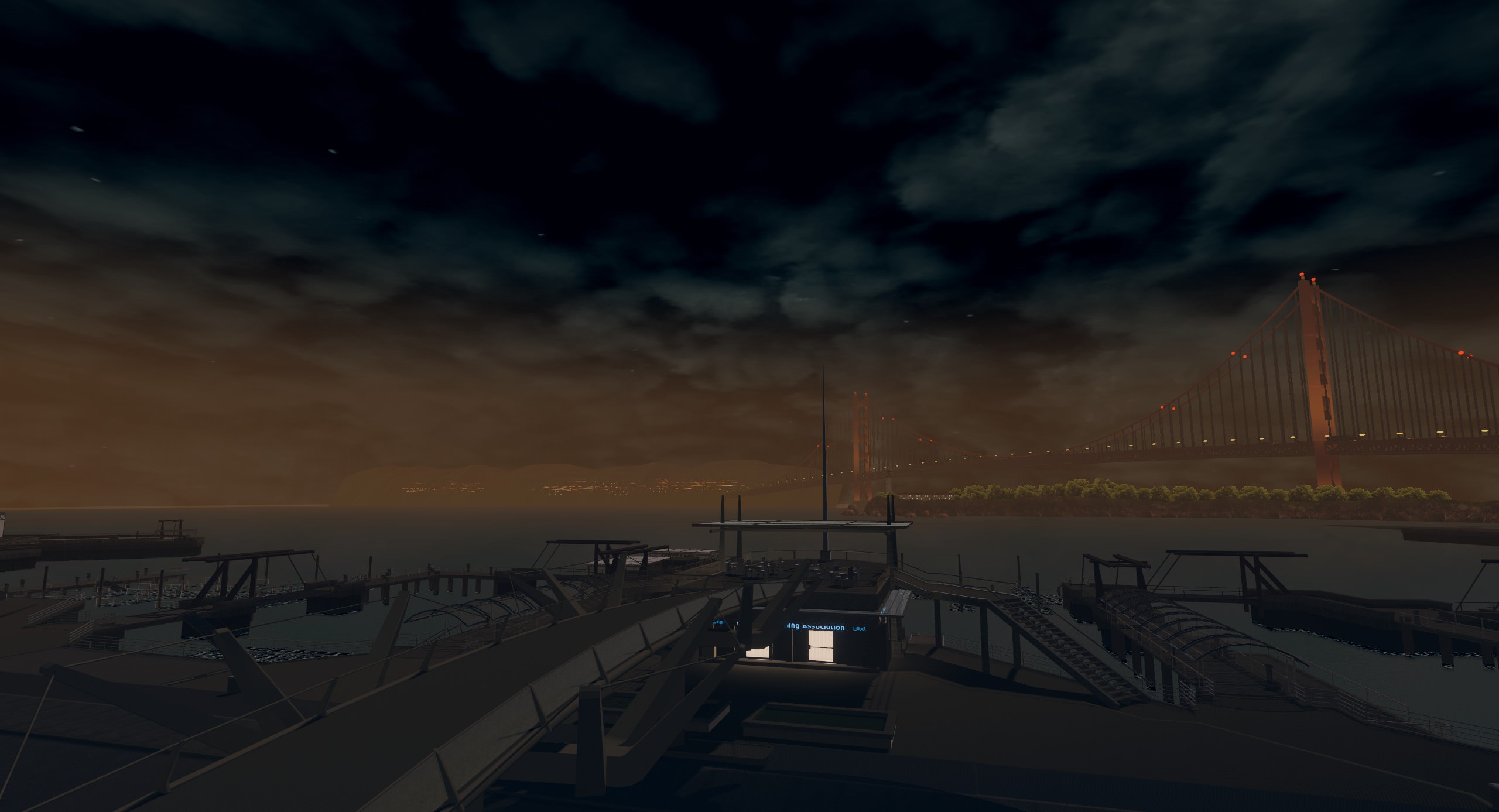
Alrighty so I sorta figured out what was causing half of the map to lag, but im still a little confused since this object isnt affected by occlusion culling. It was a car that I had apparently removed some components from while I was in my zombie-like state of working on it at 4 am. I deleted the car and the whole map is now playable again. I also finally figured out some half decent suspension values for the other cars in the map.
Here's a screenshot from an earlier version if anyone is interested https://imgur.com/hLthJ4M
 tiny star
Should i combine all my material and mesh into one since i only use unlit flat color shader?
fierce kernel
How many materials and meshes do you have? If you have multiple meshes for a single material I would expect that they could be batched anyway
tiny star
To much but i dont want to rebuild the scene in blender or lost animation.
fierce kernel
You can atlas your textures only in blender and reexport over the same fbx file/files but otherwise keep the same meshes Then you can assign them all the same material in unity and they will be batched
So it shouldn't require recreating anything other than possibly assigning to the material slots
 stark bay
i try to make mixed/bake light points for a building and set the building to generate lightmap uv, after that my textures was broken and it showed me a window to fix, after this the texture was more broken... so how can i fix this??
lean lodge
Did you tick Generate Lightmap UV's on the mesh in assets?
stark bay
yes a other option to do this i dont know
tiny star
Shoul i include audio files in the map or stream it from youtube for example to be less heavy?
stark bay
since the last updates i can not remember that a youtube player worked correctly, but it depends also on how many songs you wanna put in
tiny star
They are wav so 20 mo each. But i dont think am going to put 20 of them. More 3-5
 teal mirage
why does desktop user can oninteract any buttons or chair on my world. but Vr users can't for some reason.
stark bay
how many people with vr tested it?
teal mirage
many of them. It's also a public world.
stark bay
weird
teal mirage
yes. I don't know if its a vrchat bug or I did something. I used their latest vrsdk.
stark bay
do you have a small test world you can upload with buttons/chairs with the same setup you did and letting vr user try this?
lean lodge
@teal mirage make sure you're not inside a collider
Like a large box collider, even if marked as Is Trigger
teal mirage
ohh. I do have a big oneneter box collider where it will activate all my avatars. Thank you soo much. I'll try to update my world.
lean lodge
Yeah, you can try to make this box collider smaller so it only covers the entrance
coarse tree
if you use bakery for lighting you may like to avoid using generate lightmap UVs on import as it can bloat the file
 warm wedge
I wasn't aware bakery would work with VRChat?
lilac saddle
if i broadcast a audiotrigger locally can everyone still hear it
analog kraken
if it's only a Local trigger then no, only the person who activates it hears it. If you're talking about broadcasting an Always ActivateCustomTrigger into a Local AudioTrigger then yes, everyone would hear that
lean lodge
@warm wedge it works because the end result is the same as any other lightmapper
hasty merlin
Is bakery faster than the built in lightmapper? Working on a pretty big world and currently have all of the lighting set to realtime to avoid having to bake anything because of how long it takes. Considering getting Bakery if its faster.
 limber lark
lean lodge
limber lark
lean lodge
Bakery is faster, but before you drop money on it you should see why your light bakes are taking long
Keep in mind the first bake is the longest, it'll get faster after that
If you have tons of tiny meshes or several very large meshes, consider fixing that
You can also drop down the quality
I have a very large mesh for the ground that I can't split up, what I did for that one is decrease its lightmap scale with custom lightmap parameters
Bakery is hella fast though
hasty merlin
Awesome thanks guys! The map was from another game so its made up of a TON of medium sized meshes and was previously lightmapped, but I cant seem to find any of the lightmap data within the game files itself. I'm assuming the reason why baking takes so long is because the map itself is an entire district with a lot of buildings to cast shadows.
 main heath
I switched over to Bakery simply because it accelerates me baking lights of some pretty detailed worlds.
from 8 hour baking time down to 1-2h.
hasty merlin
Damn, nice.
main heath
Unity 2018 is getting its own GPU Lightmapper soon
but it's gonna be a while until that is of any use for us 😂
hasty merlin
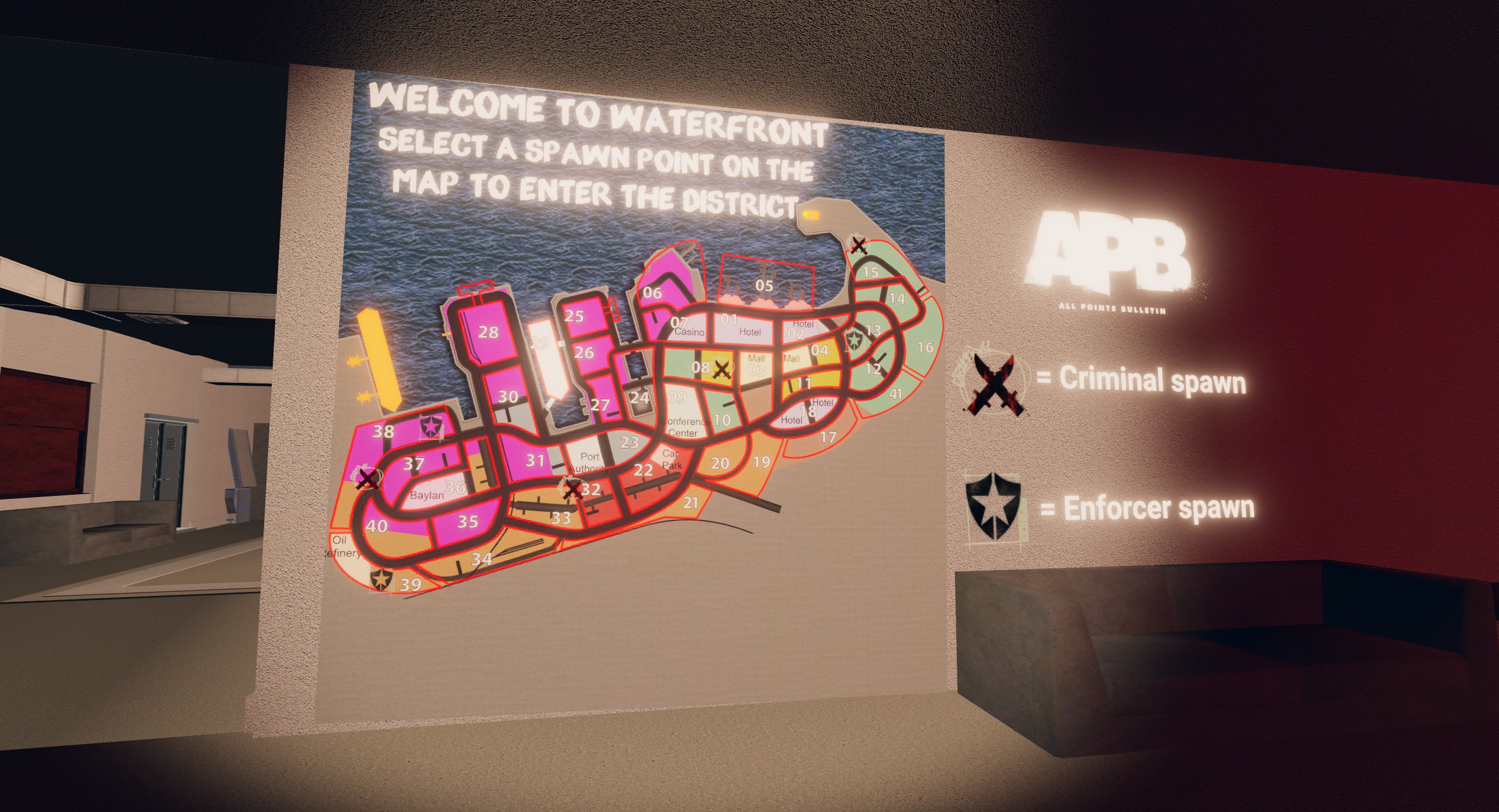
Heres the layout of the map to give an idea of its size.
https://i.imgur.com/vzjq4hf.jpg
 hazy pier
cool map. that's a lotta bloom!
hasty merlin
I know the bloom is awful lol. I tried recreating the bloom that was in the game the map came from, not taking into consideration that the game also used to have DoF which exaggerated it a bit, but it turned out way too intense. Thats an old screenshot anyway, it just happened to be one of the ones I had on my phone at the moment.
hazy pier
good that you noticed!
the lighting on the left looks a bit strange. do you bake your lights?
hasty merlin
Thats actually just a mirror, ive since gotten rid if it
hazy pier
sneaky.
hasty merlin
:3
main heath
Ah - APB.
 half cave
Apparently my world was rejected due to "double vision", would this be a shader problem?
main heath
Could also be an issue with the reference camera usdd
fierce kernel
@half cave if you are using post processing, most filters are broken in vr. I would try v2 and see https://gitlab.com/s-ilent/SCSS/wikis/Other/Post-Processing

GitLab
A surface shader for Unity based off Cubed's Flat Lit Toon shader
half cave
I mean I was using the unity Post Processing stack
lean lodge
You really do not want to use chromatic aberration @main heath
Especially in VR
V2 allows you to turn post processing on/off, so you could add a toggle at spawn and/or automatically turn it on for desktop only
For v1 you only wanna use eye adaptation, color grading, bloom and film grain
For v2 it's the same minus the film grain (it's a matter of taste but IMO it looks bad and is no longer necessary because there's always dithering)
 west zinc
@lean lodge how does one toggle post processing?
lean lodge
Silent's guide up there details how to do it
Basically you just toggle the volumes on/off
In v2
west zinc
Perfect
lean lodge
Post processing is now game object based, which allows different profiles per area and the ability to toggle it on/off
west zinc
Awesome, some my friends have old gpus and they cannot handle worlds with post processing
main heath
It looks perfectly fine in VR ;-)
Not a single person ever complained and I barely notice it when I'm in VR.
lean lodge
My headset already doesn't fit on my face correctly so I get chromatic aberration to begin with lol
Haven't seen anyone try and put extra on top of that
coarse tree
so i found that Unity has issues with crunched textures for terrains , any way to deal with the optimization for this texture
lean lodge
Unity terrain grass is completely black ingame after baking lights. Is there a way to fix that?
coarse tree
Hummm going to be getting into that also this week
is it just grass
is that speed tree ?
west zinc
Just grass for me
analog kraken
 barren gyro
lean lodge
barren gyro
lean lodge
So far the only workaround seems to be duplicating the terrain but with just the grass
Then putting that on a new layer and have a realtime light which only affects that layer
lilac saddle
so you know that werewolf game right?
everytime someone goes there, it always lags and you have to wait like 1-5 minutes
my vrchat isn't even responding now
 sweet sinew
Which one? Are plenty of those worlds
lilac saddle
it happens for everyone
it happened for my friend, so I'm guessing it happens for evreyone
hold on
@median stag
 median stag
Let me hop in. If it's a new world then it's just becoming worse-- if it's an existing game then it might be the buffering.
Looks to me like it's probably buffering, or something else going wrong.
Got into a fresh instance without issue, and an existing world/ongoing game in about 15 seconds. (That extended tunnel vision is buffering)
I really need to revise my world entirely, but I can't optimize it too much more in the way it's designed.
I want Udon.
median stag
Yeah, looked at log and didn't see anything that stood out immediately, other than triggers trying to catch you up to the state of the world
lean lodge
I am convinced that the "light transport" stage in Unity while baking lights is bugged, and will not actually start or continue unless you actively use the window.
Anyone else?
I can leave it on for three hours in the background and it will magically advance right when I open the window again
 viral marsh
I have not seen that on the Mac, but I do know for instance the lightmaps won't update in Game View until you are back in the App. So I wouldn't be surprised if there are focus issues
 wooden lantern
Is there a way to occlude dynamic objects with an transparent wall? I've used a wall with a stencil shader to mimic transparency but only works if looked straight on. And the object shows near the edge of vision.
analog kraken
you can put a wall where you want, set to occluder static, bake occlusion, and then delete the wall after. It will still occlude stuff behind where it was but the wall won't actually be there. You can also just tag the wall with EditorOnly so that it doesn't upload with your world
wooden lantern
Oh, i didn't know about the Editor only thing thanks
lean lodge
Yeah, I use EditorOnly tagged giant walls
 tepid onyx
anyone ever have issues where their map moves on its own it slowly moves in one direction, ive replaced objects, checked for animations, everthing i can think of in unity looks fine, but once uploaded to test on vrchat , the map moves
 spring kite
@tepid onyx How far away from 0,0,0 is the map? This same issue usually happens when a world is build very far away from the 0 position.
tepid onyx
@spring kite ill repoistion evrething and see if that still sets it,answer would be kinda far it seems, i made a terrain and then exported it as an fbx and made a few edits then used the fbx instead of the terrain. and positioned everything how the original terrain was. would i want vrcworld object more at 0,0,0 or should the map just be more centered on 0,0,0
spring kite
Hmm Im not sure if the issue starts when the player spawns very far away from 0, or just by being far away from 0. I would recommend keeping both as close as possible to 0.
 glossy kraken
So big Q While i wait for some lighting to bake. If im having a world with a toggleable directional light that changes the skybox to a night skybox will the lighting baked with the directional light on show when the light is off? And will i need to bake again when the light is off? Its really had to explain so if that isnt clear please feel free to @ me!
analog kraken
the new #world-lighting might know more on that
tepid onyx
@spring kite that seemed to of done it, but to keep the changes i now have to redo all the work ;_;
median stag
@tepid onyx If you're even a little bit out, 100+ or so units, away from the center into the Negative, that'll cause a slowly sliding effect of players.
That said, the further you get away from 0,0,0 the more inaccurate everything becomes. For example, you'll notice duplications have less precise closeness to their copy (size 0.99987) and that jazz.
Try setting a basic world spawn point to about 500k away from the center, for a fun time
tepid onyx
oh i dont doubt it after experiencing what i did, i think what started it is cause i put things in side a gameobject and should of left it out.
lilac saddle
Should I use GPU instancing for a lot of the same object? Or Batch static?
analog kraken
in my experience I found static batching to be a lot more useful. Instancing would likely be better for dynamic stuff that there's going to be a lot of
lilac saddle
hmm
 winged sinew
Yeah, batch static is better for most dynamic stuff in my experience, there is too much that can break dynamic catching
lilac saddle
Okay
For occlusion culling should I mark both Occludee static and Occluder static?
For the objects?
analog kraken
Occludee means it's occluded when you don't look at it, Occluder means it can occlude stuff behind it. In the occluder window you can choose how big something has to be for it to occlude. Use that knowledge how you will
lilac saddle
Hm, alright thanks!
 oak sage
how do i make it so my video player reflects light on the map/avatars?
lean lodge
You need realtime emission for that
Preferably use standard shader or some other shader with realtime GI emission
Then set the emission mode stuff to realtime
This will basically act like a realtime light (I think?) so be careful
Jetdog's dynamic theater has a setup example
Anyway, just put the video's render texture as regular texture and emission map
oak sage
thankii
 gilded moat
What can u further do to optimize my word other than lowering texture resolution and compress textures and make objected static
And make lights baked
 icy ferry
@gilded moat combine meshes, split into the "~cells" to make good occlusion, atlas textures to make one image, if map like a rooms you can do a self occlusion like disabling other room meshes when you stay in a closed room, etc, to prevent draw calls (🤔)
you can also use unlit shaders to not bake light
lean lodge
@gilded moat occlusion culling
The built in OC is fairly decent but trigger-based culling can work better
Or setup editor-only occluder cube walls
Question: if you had two rooms fairly close to each other but you setup occlusion culling, would you hear people in other rooms?
And what about when you perform manual trigger-based culling?
I wanna make an interior but I'm guessing I should not make the interior too close to the floor
gilded moat
Poly count in objects
lean lodge
@gilded moat polycount might help in some cases, but it isn't necessary especially on static meshes.
An object should have an "appropriate" amount of polys
sweet sinew
Hard to say without seeing some data on it when it happens. Could be you have triggers in your world? @shrewd crystal
analog kraken
do you have mirrors or cameras that are on by default? Particles? One realtime/mixed light? To be entirely honest even 12 people is a huge performance impact with the crazy models going around these days. If you test it again try asking everyone to use optimized models (1 material 1 mesh, no dynamic bones) and see how it performs then
have you already used the profiler and frame debugger to see where the lag hotspots are?
lilac saddle
So with occlusion culling when I stand close to a wall another wall goes invisible
How do I fix that?
lean lodge
@lilac saddle make sure only your world's main geometry is marked as "occluder static", smaller objects should not be occluders
lilac saddle
Thanks!
 jaunty heron
what's a reasonable amount of draws I should be targeting for my world, I'm considering manually setting up separate lightmaps for the baked lighting to help the static batching work better
right now i'm just letting unity do it automatically but it's separating some of the objects that would otherwise be batched
jaunty heron
I ended up just separating the lightmap for the batched objects anyway, since it was easier to do than I thought. Would still like to know what a reasonable draw count range would be for a world though. I'm going pretty ham on optimization (probably more than I need to), but it's addicting lol
winged sinew
About 500
On the one hand, Oculus documentation recommends 500-1000 for an entire scene, and each avatar adds a lot depending on whether you have shadows and the depth buffer enabled.
On the other, 1500 draw calls with a good number of people can still perform pretty stably depending on the PC
jaunty heron
oh wow okay so i'm going super overboard i guess
there's no way i'm gonna get anywhere near that
I'm at like 30 for most areas right now, it's an indoor world with a big tavern, and I batched all the furniture, although there is some weirdness in the frame debugger with the batching order that is causing extra draws
is there a way to change the order of the batching?
or does VRchat do that internally
There seems to be a way to set it up in unity but I don't know if that carries over to VRchat
Ah I figured it out, reflection probes also break batching. Reduced the main area to 1 probe and now I'm at a happy 16 draws :)
 obsidian geode
Let's say I have a beautiful mural that I want to put in my world:

This is something I want it to look good, but it's also carved from a stone surface, so I can do some tricks to save space. My question is, would the map perform better if I [Option #1] use one fully rendered, really big image (4096x4096, or larger); or [Option #2] a smaller (512x512) image with a few composited stone textures that I can tile to get that higher resolution look (and use a mask to prevent the tiled images from looking like they repeat). Something like this:
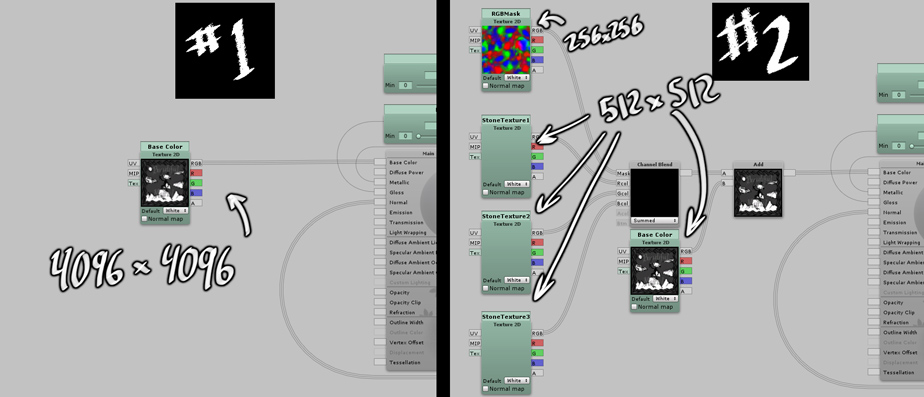
Each choice is one shader, but Option #1 is a much larger file size, and Option #2 is 5 times as many images (15 images instead of 3, counting diffuse, normal, and specular maps). My gut says the CPU would only need to send all the textures to the GPU once, so Option 2 would be better, but I'd really like to know for sure, which one would result in better performance?
And on a related note: Does adding a panner or time-responsive aspects to the shader change the answer? (again my gut says "no", but I have had no luck in finding clear answers to these questions)
 willow spoke
Just one texture should have no trouble on anything, no matter how you cut it. I would worry more about looking good, not optimizing it. This isn't the 90's :p
obsidian geode
If I only cared about making it look good I would probably just use massive files, but a few 4096 textures quickly add up. https://i.imgur.com/PmY8ujN.jpg Still, I'd rather have a massive file size and give everyone who visits 90 fps than have a really small file size and everyone lag.
 willow spoke
It's possible that being grayscale would allow you to compress it a bit more than you might usually. Try crunch compression and see if it doesn't kill the quality too much.
jaunty heron
how come your 4k image is 30 megabytes?
lilac saddle
30 mb for 4k, woah
lean lodge
@obsidian geode is that JPEG the size of the jpg or the imported size?
Unity should import 4k textures at exactly 21.3 megabytes with an alpha channel
It doesn't matter how large the image file itself is
A 3 megabyte 4096x4096 PNG will still import as 21.3 mb (or 20? I can never remember.)
lilac saddle
not sure if this is the right place but i have a world thats a night world and all my lights i have placed dont affect my avatar in game. not sure what to do
spring kite
@lilac saddle Are the lights baked? or real time?
lilac saddle
real time
shadows are working fine too just avatars come in black
how do i adjust that?
 errant plover
working on optimization is a pain in the ass, specially when a simple detail makes u bake shadows of the whole map again ç_ç
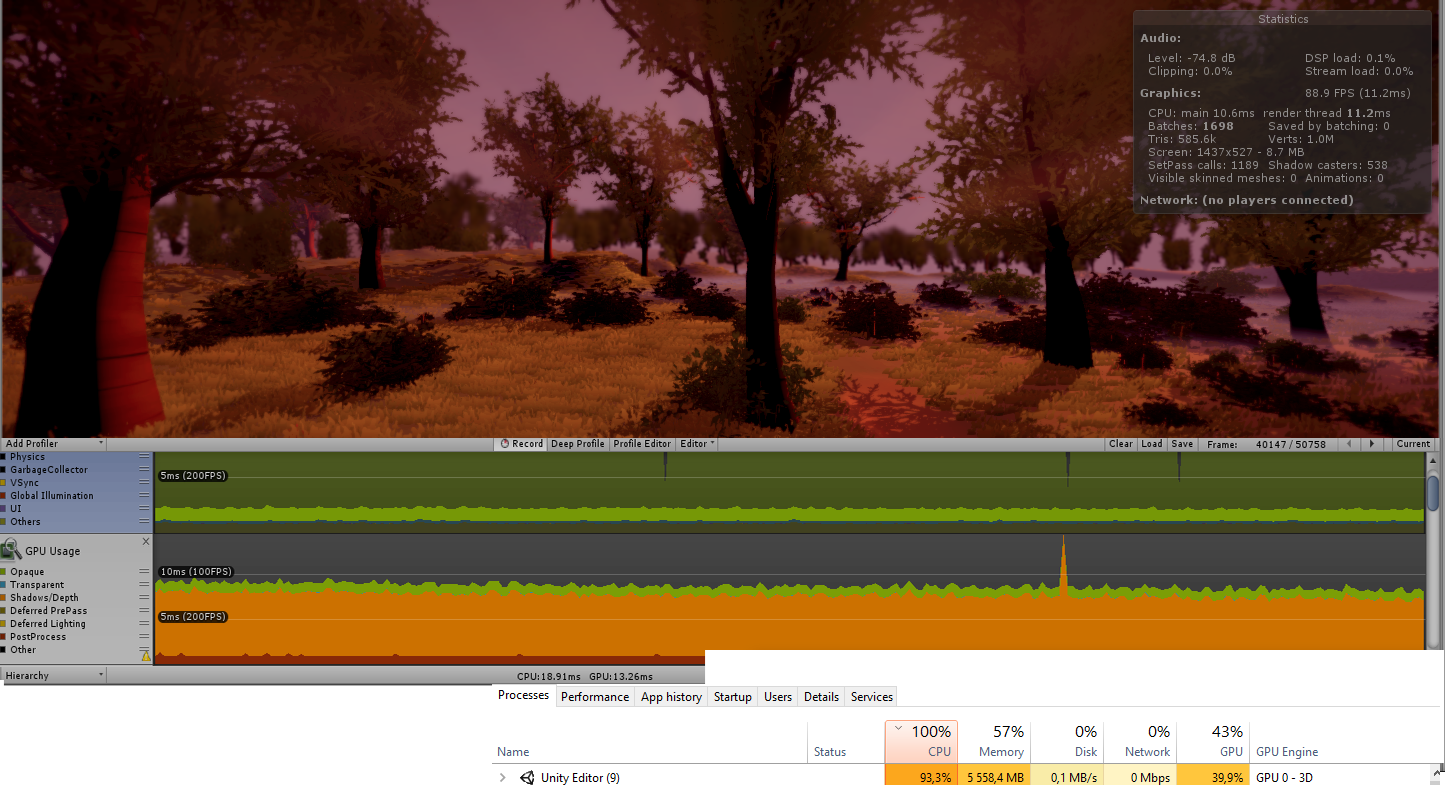
Any suggestions on how i should optimize it more, without loosing too much quality? https://i.imgur.com/hoPj05K.png
 analog kraken
the things that make the biggest difference on performance are:
-Lights, bake as many as you can. Avoid using realtime as much as possible.
-Materials, the less you're using the better.
-Occlusion Culling, make sure stuff is properly not-rendering when it's not being looked at.
-Static Batching, though be careful as if you're batching too much it can cause memory issues
errant plover
hmmm, done all of it already, thats why looking for stuff less known now... heard about combining meshes on unity, reducing the draw calls alot
analog kraken
so you could do that using probuilder or mesh baker (I think it was called that), but static batching will usually take care of that area. But if you think it might help you could try it
errant plover
hmm, true, but idk, trying to find ways to get that number down, or better ways if u want to call it that
lilac saddle
i will bake the lights but still it doesnt explain why avatars arent showm by the real time lights
analog kraken
your culling mask might have been excluding the layers for players. It shouldn't be a problem after you bake them and use lightprobes though
lilac saddle
okay i also dont have a sun in my world but i dont want one because im trying to go for a dark world affect but i want the fire i made to affect my avatar
ill bake when closer to finish
next question doe I have 2 sets of lights that turn on and off with a switch if i bake the lights will that affect that
analog kraken
baked lighting can't be changed at runtime, you might be able to do something like that with mixed though
errant plover
so, updating people, and helping people with problems with optimization, combining meshes improve performance alot, special if u have alot of Tris, managed to reduce the draw calls by 1k, sending my fps from 50-90 to 90-150
 glossy wraith
hello I have a little question my world weighs 93 mb and I'm sure he shouldn't have had any ideas to fix it
 dense oracle
Well if you use realtime lights, try to only use them without shadows as it is then only projecting the light instead of calculating shadows, you can save lots of performance with this, and the game only allow 8 point-lights max anyway, have not found a way to force it higher, as it would be cool to have fireflies that emit several cheep point lights with very short range and no shadows enabled...
glossy wraith
look at my world to understand https://imgur.com/a/HhAyBTb @dense oracle
 dense oracle
If thats 93mb try to check the textures and baked light textures
As they add alot if they are big sizes, as said before compressing them is a way of saving the initial space, and the textures will anyway use a defined space on the graphic card or RAM when unpacked
glossy wraith
I explain to you I at the beginning I explain to you I weigh 12 mb then I wanted to make it weigh 1go for test then I withdrew all for which it becomes again at 12 mb and so it weighs 93 mb
dense oracle
You should be able to see the specs of your world by checking the pack size, dont remember where but there is a log file somewhere you could check it, do anyone have a addon or script for that so its easier to check it?
glossy wraith
how to check
dense oracle
As said, i dont remember, it should be a menu in the console window where you can check the log or editor log
When you upload the world it should pop up there as a filesize and how big the pack was packed as. No idea if it does this before uploading
glossy wraith
ok thanks you
dense oracle
It has all the sizes of packed and unpacked filesize where the it is used as as in Meshes/Textures/Sound/Scripts
From there you can see where you can reduce the filesize the most
glossy wraith
@dense oracle I just removed from the blocks under my tower because I had half of the blocks on top of each other so there was no need
fair agate
@obsidian geode for memory size I was doing some tests yesterday, and crunch compression helps a lot, even at 100% quality. Crunch your big texture, and crunch and reduce size in your normals if you have them.
coarse tree
hey just noticed what happen to scripting room ??
strange prism
#shaders and #event-system-sdk2 were created to replace it.
with #event-system-sdk2 being triggers and logic stuff
 light ingot
are fixed joint extra limbs resource intensive? A model i want to do has 10 arms
fierce kernel
If you just do arms it's not bad: 3 joints per arm... If you want fingers to animate too it's another 15 joints per hand
you should use gesture overrides to control pose of your extra hands instead of using rigid bodies to copy all 15 finger bones
light ingot
the figners wont be animated
fierce kernel
Then should be no problem performance wise. Might put you in poor for 30 rigid bodies but as long as you keep the rest of your avatar efficient it's doable. No strict limit on rigid bodies
coarse tree
hello an tips for use compression on skybox textures , i was thinking follow the basic rules same as terrain textures ?
Crunch compression + Read/wright enabled + Generate Mip Maps Off
coarse tree
Unity Texture Compression Tips: (Please Add)
-
Standard Asset Textures (Diffuse, Specular, Height, Occlusion, Roughness, Metallic) -
Texture Type Default / Max Size 2048 / Crunch Compression On with 100% Quality -
Standard Asset Textures (Normal Map) -
Texture Type Normal Map / Max Size 2048 / Crunch Compression On with 100% Quality
Standard Asset Textures (Displace Map) -
Texture Type Normal Map with Grey Scale / Max Size 2048 / Crunch Compression On with 100% Quality
-
Terrain Textures (Diffuse, Specular, Height, Occlusion, Roughness, Metallic) -
Texture Type Default / Max Size 2048 / Read&Wright Enabled / Generate Mip Map Off / Crunch Compression On with 100% Quality -
Terrain Textures (Normal Map) -
Texture Type Normal Map / Max Size 2048 / Read&Wright Enabled / Generate Mip Map Off / Crunch Compression On with 100% Quality -
SkyBox Textures (Diffuse) -
Texture Type Default / Max Size 32 / Crunch Compression On with 100% Quality -
Light Maps
TBD
lean lodge
@coarse tree skybox compression is very hard
Cubemaps do not crunch compress well unless you set the quality very low
The best way to compress them is to decrease the max size.
If you crunch skyboxes at quality 100, you will actually see them increase in filesize!
Oddly enough, keeping it as a 2D texture makes it crunch very well. Very annoying limitation.
coarse tree
ya i have a crunch script that if crunch is off it defaults so trying to figure out how to turn on without loss in quality or performance
so you think compression quality set @ 0 would work
Low crunch 100% takes .5kb to 490b
Low crunch 0% takes .5kb to 490b
Normal crunch 100% takes .5kb to 490b
Normal crunch 0% takes .5kb to 490b
High crunch 100% takes .5kb to 1kb
High crunch 0% takes .5kb to 1kb
so in this case with normal 100% we only gain 10b with the smallest max settings 32 allowed
not much saved
but hey its not adding
note i am using 6 sided maps
do you have any advise for light maps ?
more concerned for quality loss
also perhaps different settings for LOD level light maps could be considered
jaunty heron
if you use progressive lightmapper and compression it comes out nice still in my experience
also, making a few custom lightmap settings just to set your batchable objects into the same lightmap is nice too, if 2 objects that would usually batch are split across lightmaps, they won't batch
also, crunch compression can sometimes cause a tiny bit of CPU overhead, i saw people talking about that earlier
depends a lot on the situation though
sometimes it saves CPU overhead, sometimes it causes more
coarse tree
ah interesting sounds difficult to test before and after ?
at the moment i have 75 light maps +1500 meters, i forgot this round to check the light map size total but each one was about 25mb each
ya i see some chats on the subject now, looks like after crunching light maps if the CPU overhead is an issue the only way to address could be to reduce the resolution , question is how to test this and at what point on performance scale do we need to look into this path
i think the easiest way would be to set the max size down lower on non critical light maps as needed or is this a effect that is not cumulative and more about player position ?
jaunty heron
if you're gonna compress anything, I would highly recommend doing it to the lightmaps, they will take up the most space for larger maps
The cpu overhead only really happens on certain types of hardware, but I think a little CPU overhead is a small price to pay for reducing the world size down by a shitload
uncompressed lightmaps are a big OOF when you see that download bar
coarse tree
yup
obsidian geode
Thanks for the tips comrades
 dry mica
Hey guys I have a similar situation to the earlier discussion. My map is sitting at 140MB. I have only one texture at 1MB, no sounds, no animations just complex mesh and baked lights. My map went from 89MB to 110MB so I dropped lightmap size from 512x to 256x and added more probes but inflated to 140MB anyway. When I check console build logs it says uncompressed size is 450MB and 350MB is file header. Any ideas on how to reduce?
lean lodge
@dry mica turn off realtime GI in the lighting settings
It adds a large amount of data to "file headers" and is probably not necessary for most worlds
More specifically, it will bloat lightingdata.asset by a lot
dry mica
Alright I'll turn off realtime GI. I saw that in the past but didn't pay mind
In my case my world is both major indoors and outdoors with a space skybox for GI. Does disabling Realtime GI reduce visual quality? It'll take a while to see the results - my bake times are 40 minutes
coarse tree
you should get very nice results without realtime GI
dry mica
Turning off Realtime GI worked great my map went from 140MB to 22MB. I cranked the bake settings up to less muddy values and my current bake is taking a lot longer but I'd rather take the time hit than the users
coarse tree
what do you set the max resolution on
lean lodge
The first bake always takes longer, subsequent bakes should be pretty fast again
Realtime GI is used for when you want to change the lighting of the map on runtime (day/night cycles etc) without going with an all-realtime setup.
I think.
dry mica
So does that mean with Realtime GI disabled you lose the possibility of togglable GI lights?
 formal ember
Realtime GI shouldn't be used for a day-night cycle. Unitys docs even say it shouldn't. It doesn't update fast enough and the quality is too low.
All it's really good for is small things like a TV screen, or whatever else similar that you'd like to light up the lightmap and light probes at realtime, dynamically.
Basically if you don't have a TV in your map you probably don't need it. It can be used for more than that but in the case of vrchat it usually what it's used for most.
Also, an easy way to compress map file size is to crunch and compress the directional lightmaps down to a lower size. If they get generated at 2048, compress them down to 1024 or 512, for instance.
I have about 5 lightmaps and 5 directional, they're all baked at 4k/2k. The raw file size for my lightmaps is like 80MB, if I compress the directional only, I end up at about 50MB, with little to no loss in quality.
 nimble breach
I didn't get any answer about my question so i am gonna paste my question here as well: I set a point light with range to 8, with light probes, after baking, no shadow cast on its range, but when i change to 7, it is ok then; i have several point lights in the same area. plz give some hint about placing light probes, or the setting of lights related to it.
lean lodge
I found that crunching lightmaps helps for RAM usage but doesn't help a lot for download size
I went from a 50MB lightmap to 12 by crunching them, but the map download only went from 40 to 36 megabytes
coarse tree
thats not bad
winged sinew
That's because the lightmap is compressed in the bundle file anyway. But less memory usage is good anyway
 marble plank
 median solstice
do normal maps affect performance?
 cyan vine
yep
lilac saddle
Possible to lower the sizes of Fbx files?
 dreamy drum
@median solstice technically anything that's added will affect performance. but normal maps are more performant friendly compared to filling in the details with polygons. i would suggest using them as much as possible.
median stag
For shaders, what is least demanding, standard or unlit?
Also: how would it compare to a canvas Raw Image
fierce kernel
I saw some metrics about this, but unlit is faster if not only because it can avoid realtime light ForwardAdd passes and should also be able to avoid texture lookups on the lightmap and a bit of math
lilac saddle
Unlit.. but when you use unlit you wont get shadows anymore
viral elbow
pretty sure unlit is just a single pass, so it should be at least several times faster than standard just because unlit basically does nothing
fierce kernel
I know very little about canvas rawimage, but ultimately it's going to basically render a quad probably with an unlit shader, so my guess is the same performance.
lilac saddle
I was telling people for ages to use unlit and people were always saying noooo i wanna bake but i dont want black bits baked into my map blah blah.. well unlit fixes that.. its literaly light baked in . its an awesome shader.. but not much good like i said if you want shadows 😛
fierce kernel
I wouldn't say several times faster. If there are no point and spot lights, standard is also one pass. Though if you have a directional light you will want a shadowcaster pass to have good shadows like Omega said, and that is another pass which unlit might not implement
median stag
Most of the things i work on are game-related, function over form
so while i've been making assumptions, i like affirmations
viral elbow
well i mean unlit also does basically no computation
just texture lookup -> output texture color
lilac saddle
I lit most of my maps without baking.. just pure unlit on all surfaces lols
viral elbow
lol i mean that works if you don't care about lighting
lilac saddle
nah i didnt care about shadows with the old funland.. not like what ive designed this year..
completely different 😛
it made my buy bakery because i wanted a fast gpu bake over the cpu.. cant stand unitys default
viral elbow
bakery is pretty dope
lilac saddle
yeah wasn't cheap either lol
viral elbow
bakery's slogan should be "time is money"
lilac saddle
Hell yeah.. depending on what gpu actually have though 😄
viral elbow
lol yeah
lilac saddle
x2 1080ti's both 11gig gddr5 onboard should be fine haha
fierce kernel
Poiyomi ran the following benchmarks when working on their latest optimized toon shader:
all times in ms

poiyomi toon
.88-1.28

poiyomi master
1.14-1.75

cibbi
.84-1.18

standard
.88-1.26

noenoe toon opaque
.85-1.23

unlit
.61-.89

legacy diffuse
.87-1.21
need a fast bake when you build overly complex things.. all i need to do now is sort out my account problem.. or possibly just make a new account regardless ive got issues right now with logging in through the api, where as through the website is fine.. its a massive sigh for me.. i havent tested my map once just been building for 2 months 😛
viral elbow
unlit is pretty lit
fierce kernel
@median stag
median stag
o,o
lilac saddle
sometimes you dont need to test though i changed shaders so that i can test with oculus through engine..
median stag
looks (un)lit
fierce kernel
You want unlit after baking lighting not like straight up textures
lilac saddle
also with an fps controller that works exactly the same as vrchats
fierce kernel
🔥
lilac saddle
Lyuma i built my half life 1 map with pure unlit textures no baking and nobody ever had fps issues or whatnot. just saying 😉
fierce kernel
optimization is relative, so you should use benchmarks not just what people notice. In the past people weren't as insistent on getting 90fps so people may not have complained at 45 or 60 but now they should.
You can make beautiful stuff with proper lighting run at 90fps. There are multiple avenues to take and doing everything unlit helps in one way but may require trade offs that affect quality another way
lilac saddle
I've been at this two years, so i know what im doing and i've experimented from everything profiler wise to look dev and wireframe and been through every setting possible.
the impact of unlit is just beautiful.. that map was the entire black mesa research facility with a tram system i did from start to finish and all running perfectly.. with all animations as the original half life ran
fierce kernel
I just saw the Hallwyl Museum world and boy that place is beautiful. Runs at 90fps and all unlit because...they used the real world to compute lighting and just took photos of everything. Even better than bakery 😉 so unlit can definitely work I agree
The entire world is photogrammetry
lilac saddle
Well unlit has massive advantages.. and that world sounds preety epic
yeah thats.. unique
fierce kernel
You should definitely check it out if you haven't seen it yet
lilac saddle
Heh.. i will.. its just.. ive spent the last two months designing this new funland and.. i want to simply login but got an authentification error.. fine from website not from api.. its driving me insane honestly
because im set to release.. and yet i cant even login lol
fierce kernel
Can you try steps in #vrchat-support for reinstalling and logging out of the api. Could be from an expired cookie
Or check the console window for red errors
lilac saddle
i've done everything lyuma.. i even exported my project and it took an hour to import it.. and library was rebuilt obviously.. so all's good.. deleted vrcsdk and re-imported.. same happening
went through windows firewall went through everything still the same..
its endless
fierce kernel
Sry wrong group but the important bit may be the registry. That carries over between project
And scripts can also still cause trouble if you import the same assets
lilac saddle
hmm.. that might be a possibility but same credentials.. i dont see why it would have an issue .. i mean i was on beta unlike the people who stayed with 5.6 till the end
i have scripts but i animate off of scripts.. so they are all disabled
It seems to be an issue server side.. i know not the place for it but still.. i need to upload this map and it is related somewhat..
median stag
My world gets a lot of performance issues when there starts to be 22+ or so people in it
lilac saddle
thats normal man.. for the most part each users avatar is -cpu peformance
median stag
even blocking avatars, though
just more calculations i suppose
lilac saddle
preety much.. its an endless cycle with vrchat there..
its why its best for people to use private instances and not public
median stag
Well, my Werewolf game supports up to 20, and most of the time people like having full lobbies-- so it would end up large amounts. Actually, most people want them to be friends only anyway
nimble breach
maybe too many synced objects causing a network problem?
median stag
I have tons of synced objects, but i can't avoid this as far as i know, as of now
if i had Udon i could make the world entirely different, and better
lilac saddle
yeah.. but we are all waiting for that.. heh
back in the day we can say we all wanted that with playmaker but nope.. no cigar lol
median stag
XD I was sad
lilac saddle
same :\
median stag
Bought it and started playing around with it
lilac saddle
oh shit.. man i feel bad for you.. yeah i knew that would happen :\
The good side to it is.. you can use in standalone builds when releasing on other platforms like steam 😄
so the logic will pay off
 latent canopy
I wonder if udon would let us connect to an outside database using www forms so worlds can create inventorys for players/keep track of progression and stuff.
Atm I have a learning demo setup where people can create and login with accounts + create characters that get saved to a database that saves the customizations. If you could save inventory/progression/currency/etc in worlds made in vrchat somehow, you could maybe look at making small online games in vrchat. You get into oasis or world seed territory then
sweet sinew
@latent canopy VRChat will never allow you to connect to third party databases. But that doesn't mean they can't add something that will allow us to do this in their own system.
latent canopy
Yeah that's understandable. I think i remember them choosing to make/use udon to limit stuff like this so people can't mess with vrchat's db/server/stuff.
I guess they could try setting up a db for a world that spread across all the extra rooms that were created for that world and that would allow stuff like currency/unlocks to work
Implement a persistant data system you can add to your unity editor world scene that keeps track of different values that are changed through scripts in the world. Be like a small mmo with 1 allowed character that you can swap appearances around and stuff. That wouldn't be bad
 past summit
Question about mesh colliders. I understand they're best avoided when possible for performance reasons. Does this apply at all times, or only when stood upon?
fierce kernel
I think mesh colliders are ok performance if they are static and/or simplified meshes.
I mean nothing is ever going to beat primitives (like sphere = compare distances) but there's a lot between that and multiple moving 10k poly mesh colliders which will probably kill you
past summit
The object that raised the question for me right now, is a single large complex tree.
I guess the best option is to make a heavily decimated down version without leaves, and use that for collision?
fierce kernel
Also if you would need 10 capsules (like one per tree) to do something a single 100 polygon mesh would do it might better to do just that one mesh collider...especially if it's all in one game object right now and you would have to otherwise create one per tree... I'd have to see benchmarks to know for sure. You can play with the unity profiler: duplicate 100 copies of each version and see
 past imp
as long as nothing is colliding with them they are fine
fierce kernel
Ya i would try to avoid collisions with the leaves. That sounds nasty
past imp
but it's better to use primitives
fierce kernel
What if the whole world is one big mesh collider? Except maybe the terrain itself
Unity should know with a bsp tree what parts are near your character so it should be able to mostly ignore trees not nearby
past imp
it would depend on how many verts the mesh has
fierce kernel
Probably a good place to use a profiler if you are concerned about performance
past summit
Making multiple capsules for this would be awkward, inaccurate and unsatisfying to climb on. Will see if I can make a good collider dummy in blender. https://gyazo.com/3ed142d618caa4e8341a1d73f419cc68
 past imp
I would take the trunk and decimate that a bit and just use that as a mesh collider
past summit
Mhmm.
Oh... Lol. This thing has over 1 million polygons. I had intended to check it before uploading, but that does explain why it tanked FPS in the tester. xD
west zinc
mesh colliders have the problem of being really easy to get stuck in
lilac saddle
@past summit Rather than decimating that, I would HIGHLY recommend performing a completely different workflow to that, called Retopology.
https://www.youtube.com/watch?v=2hEHtKH55Us Hopefully this helps

⇨ Free Blender hotkey PDF: https://zachariasreinhardt.com/free-resources/ In this tutorial you will learn how to set up everything properly, to start retopol...
past summit
@lilac saddle Thanks for the suggestion, I'll be sure to look into it. Attempting to decimate the tree did indeed have limited success, only getting it down to 34% of it's original count, despite being fairly ruthless on the ratios.
past summit
Having watched the video now, it's cool to know about, but I'm unsure of how it would help over decimation in this particular case. The trunk and branches themselves were easy to decimate without any real loss. The real issue is the leaves, which are all individually rendered with around 10 to 15 polygons each. They make up about 75% of the poly count.
tiny star
oh thats how people topo sculpting
past summit
I got the tree down to 350k polys with decimation. Although awkwardly I then got a big string of blender errors when trying to export it back as a new FBX. Not sure why that is. Will have to figure it out when I get time.
 icy sage
I wish I knew an easier way to bake a world
 terse mango
any reason to have my mirror cause a fps drop down below 5?
settings WERE
disable pixel lights TICK
max antialiasing 8
mirror occlusion TICK
is it the antialiasing?
 crude ivy
It's likely the anti-aliasing.. that option's the most GPU-intensive
If possible, you could set it down to 2x
terse mango
ok well i made that 1
crude ivy
Alright.. that should make it less likely to crap someone's computer
terse mango
good
winged sinew
Set it to 1, yeah
tiny star
it would be better to have a sphere that rotate or a shader rotate a texture on it for the sky for example?
sweet sinew
Shader would probably be best as you can also make the sphere static then
lilac saddle
For those of you with Bakery, and actually bought it, may want to update as a large update was released recently.
coarse tree
ya just updated today
winged sinew
Yeah, really exciting
 snow karma
I have some cameras around my world should i turn off the cameras and the display or just the display
past imp
camera
You can keep the displays on if you want, they’ll show the last thing the camera sees before it got disabled
snow karma
oh so thats how people freeze the frame, thanks!
also whats a recommended render texture size
plush crest
Smallest you can bear with. (the usual quality vs performace ratio)
Not sure if there's any benefit from power-of-two dimensions (and if it matters enough on PC hardware) though, would be nice if someone can chime in on that one
lean lodge
For this game, it doesn't really matter. I believe they might still be scaled up to the next power of two internally, or at least as far as the GPU is concerned
But for render textures it matters very little due to the lack of mipmapping
snow karma
thanks again
lean lodge
Does anyone have a link to a good automatic light probe placer script? I recall there being several but only one worked properly
winged sinew
https://github.com/AlexanderVorobyov/simple-light-probe-placer
https://github.com/laurenth-unity/LightingTools.LightProbesVolumes

GitHub
Simple Light Probe Placer. Contribute to AlexanderVorobyov/simple-light-probe-placer development by creating an account on GitHub.

GitHub
Light probes volumes. Contribute to laurenth-unity/LightingTools.LightProbesVolumes development by creating an account on GitHub.
Simple places a box that fills with probes, while volumes will place probes along the surfaces of static colliders
 cedar spoke
What is the best way to make a light source that doesn't impact performance? I plan to have a lot of lights in my world
lilac saddle
does anyone know whether using cubemaps as skyboxes has any advantages/disadvantages over 6 sided?
plush crest
6 sided is 6 draw calls, but allows greater quality with lower size after crunching (atleast for me, ymmv)
winged sinew
Hehe, great!
terse mango
so i added a lod group to a bunch of trees, and when they reach the distance on where they cull. they dont turn into images but they completely disapear? how do i make them go to images (i thought thats how it works)
jaunty heron
you probably want to use LOD's (levels of detail)
try looking up some stuff around that term
winged sinew
@terse mango The way LOD groups work is that you set that up yourself. So for instance, if you have
100% - 30% - 3%
then you can set it so the mesh is visible at 100%, another mesh is visible past 30%, and the mesh is totally gone past 3%. It doesn't automatically make the images for you - you make the low-quality mesh and put it into the LOD group into the 30% section.
terse mango
i figure all of it out jsut wanted to know if it makes an image when culled
instead of removing it entirely
winged sinew
Only if you add one.
terse mango
how do i add one to the culled part?
winged sinew
You don't add anything to the Culled part
If you right-click on the LOD bar, you can delete or add a new one at that point
terse mango
i know but i want it so that it makes an image when culled, i thought i saw it happen on my first project using standard unity tree but idk
winged sinew
I think the default tree would have that set up already as a demo
median stag
Are canvas problematic in any way, performance wise ?
winged sinew
As far as I know, they're surprisingly fast
median stag
I'm worried about frames, mostly
I don't want the CPU bogged down by a ton of canvas if they're eating away at cpu
analog kraken
I don't think canvases have much of an impact on performance at all, you can probably static batch it as well without much issue
median stag
Most of the ones i'll be using will need to rotate or be movable
I static where i can, though
 timid pewter
Hi everyone, I am new in VRChat world creation and would like to ask a question about the SyncVideoStream. Will the SyncVideoStream create workload to server, or slow down other user? If it is in karaoke mode, since it is not sync with other player will it be acceptable in a world with a lot of peoples? Greatly appreciate if anyone can answer this question.
analog kraken
the video stream component is actually pretty terrible on performance. Karaoke mode might not be as bad but video players in general are not that great, and the stream even more so
timid pewter
I see! IgbarVonSquid Thank you for your prompt reply from your experience 😃
I will probably only put in karaoke mode and with a play button then.
 light totem
the world name: "MURDER" need to be optimized.
because:
1 sometimes when the timer come's out or everyone spawn's back at the same time the user get crashed.
2 in the detective room left bottom side of table the clue can't be picked up.
3 sometimes when user lock the door the door becomes non-unlockable
4 and when killer want's to stab someone it literally goes trough victim body and that victim survive.
5 timer is crap remove it ... cause a lot of people are already giving up playing that game because of limitation's
p.s.
killers and detectives is having the right to do camping in order to success just like in movies or in real life as well.
so it's better not to complain of it
past imp
probably better to contact the world owner regarding world specific things
lilac saddle
Bakery is giving me out of range errors and i cant be asked to fix so going to go with cpu lightmapper.. its unfortunate but im in a rush to release my park its took way to much of my time.. its finished now so was just gonna bake and be like yep done, but life isnt so simple constant out of range errors.. annoying.
 ripe locust
im trying to optimize the lights i placed around my map, and all of them are using realtime.. (which causes lag) and im wondering how do i make it optimized as much as i can

this is the map that im working on so far.
sweet sinew
Change them to mixed/baked, then bake the world
lean lodge
You might have to tick "Generate Lightmap UV's" on the meshes in assets too
ripe locust
how do i bake the world and generate light map uv ?
viral marsh
Those are standard Unity things so you can google and find lots of tutorials on the basics to get started
Here is a light baking overview:
https://vrcat.club/threads/xiexes-lighting-tutorial-how-to-get-good-at-baked-lighting-101.2081/

VRCat: Community-Run VRChat Forums
Greetings! Over my course of playing VRChat I've noticed that most worlds, mainly the ones that have baked lighting, are done poorly, or in an...
 livid dagger
I'm looking for tips, tricks, tutorials, and resources to optimize my Unity Project for VR. The particular project I'm referring to is a large scale, high detailed environment. It's a virtualized office, including a cubicle farm, several offices, and an elevator lobby. When in VR, the experience has been lagging and the frame rate drops dramatically. I've added Occlusion and made lots of the non-mobile items static and event baked the lighting, but the frame rate drop is still there. Any help on this problem would be greatly appreciated!
past imp
try using primitive colliders instead of mesh colliders
if you have a lot of duplicate items set the material to have GPU instancing (if the option is there)
analog kraken
wouldn't static batching help more than instancing? (You can't have both sadly)
livid dagger
What’s the difference?
analog kraken
Static batching is a way for unity to render similar objects together as long as they share certain properties like material, lightmap, etc. Instancing is for materials specifically but I personally haven't gotten it to work that well
icy ferry
looks like 20 big static meshes with own textures better then 39k objects with instancing 🤔
but better to keep it not so big to be able to do good occlusion (/shrug)
livid dagger
Oh ok I see
winged sinew
Occlusion shouldn't be relied on for granular details
lean lodge
Static batching is easily broken
past imp
I'm pretty sure you can use GPU instancing along side static batching
static batching is works for unique meshes that have the same material, instancing is better for objects that share the same mesh and they can be objects that move around
things might not batch if it's affected by different reflection probes though
lilac saddle
Trying to reduce insane draw calls.. my map isnt overly complex but i guess i added to much. https://imgur.com/1fL2ccY
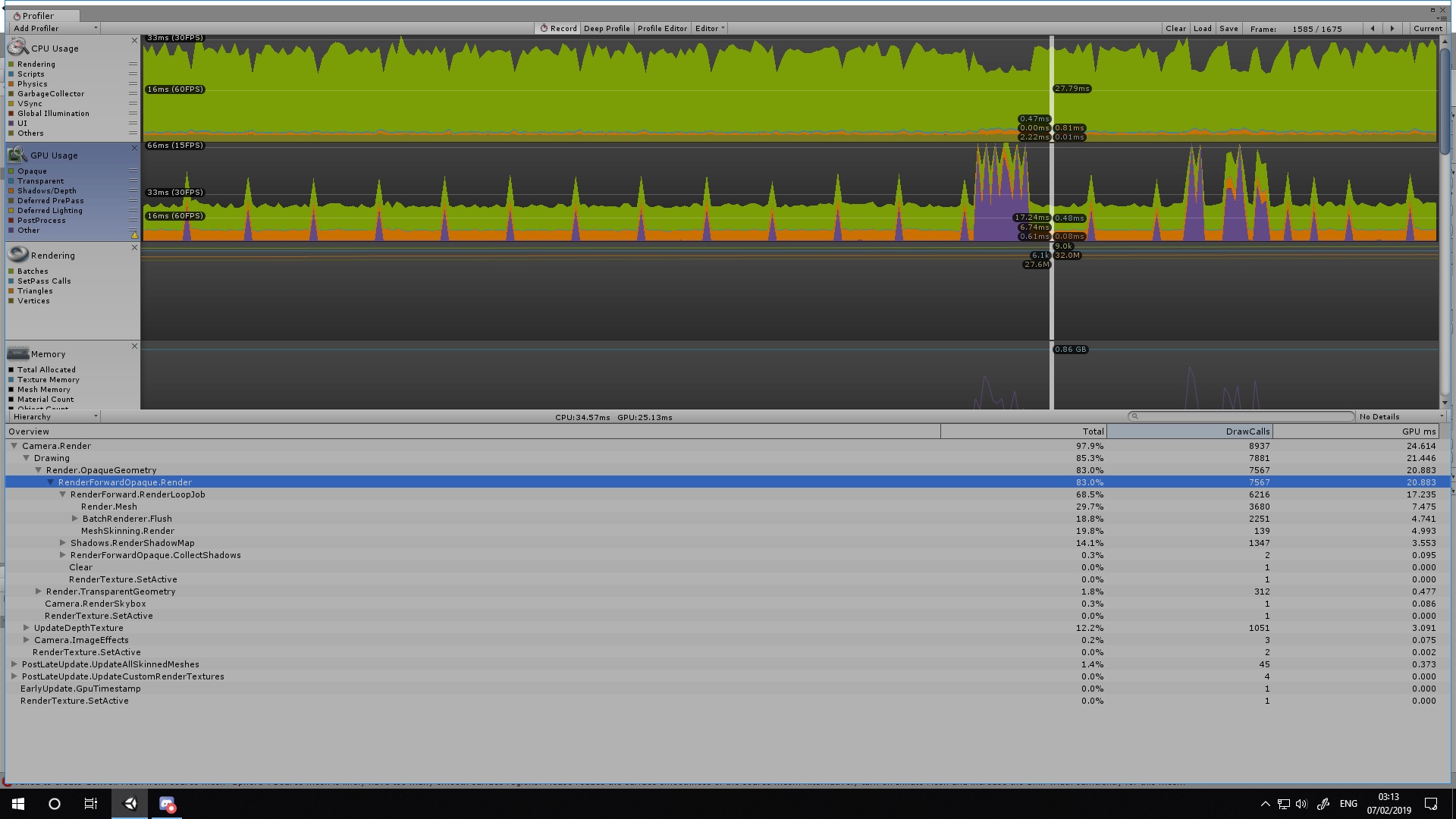
Map is fully baked but seems to be my meshes or some atleast are overly complex and requiring large draw calls.. its frustrating.
fierce kernel
Your meshes should be static so you should be able to batch just about everything. How many different materials do you have
That's way too many drawcalls
lilac saddle
bake occlusion, share materials, use instancing https://docs.unity3d.com/Manual/GPUInstancing.html
 winged sinew
Combining multiple smaller meshes in an area into a bigger mesh is also a good idea
lilac saddle
It wasn't actually related to static objects and was already baked, it was about 90 shaders or so all running with double sided.. also made the map look much better.. by changing a few things.. well .. more like every pickup and disabling all shadows except the rides people use.. and specular on just about everything to give it a radiant shine.. overall i must of gone through thousands of objects tonight.. paid off dropped down to 5.6k draw calls now.
coarse tree
so i am looking at my use of LODs and trying to figure out if its worth the effort ....
lilac saddle
Well.. all my plants have LOD's and all have dynamic occlude on and are static .. so hard to say.. if just for decoration they are just space fillers if you think about it
no point in going over the top
coarse tree
well over the top a bit already thinking pulling back some , i made the LODs with 3 levels so perhaps i may pull that back to two levels max ..
something in this LOD area is giving major issues with map size and baking size
lilac saddle
Well i've got issues with massive frame drops on my map only in specific areas.. think i've narrowed it down now.. its the tree's from nature pack 2.. they seems to be overly complex and it massively alters frame rate.. should of stuck with low poly but wanted the best heh.. still not much i can do about it.. dont think using anything speedtree is ever a good turn out this one's loaded with lod's and no matter what i do i cant seem to make the frame rate climb.. easiest way i test is to just local build.. then through the UI over the area.. see where falloffs happen.. god dam hard to pinpoint in this map with all thats going on.. but then i twigged.. has to be the tree's.. because they are everywhere but mainly in the middle part of the park.. and thats where the insane frame drop comes from heh
all my tree's are baked all my grass all my bushes doesn't make an ounce of difference to these things
im guessing they are super high poly.. it's really the only explanation will have to run a proper test on them
Also what you said there about baking size and time im guessing.. i will go with the bushes tree's in a heartbeat because i had the same issue when i used bakery first time around was fine at the start.. then i added more trees and holy shit did it slow down lol
coarse tree
ya its a killer having LODs on anything for bake time
the bounces need to be set low if you ahve
lilac saddle
Well my bake time was roughly about 3 hours give or take lol
oh i know i used a minimim of 2 bounces
Thing is.. when i reduce the lod's of these tree's it completely fucks them.. so in the end they look like hairless twigs
if all one mesh this wouldn't be a problem lol
coarse tree
just started a ground up check on my map. happy with terrain light map now without crunch is 4mb 😃
coarse tree
what sort of trees are you looking for
lilac saddle
I'm using a speed tree.. this is how i arrived at this situation lols
coarse tree
i been working on rocks so i haven't got into trees yet
lilac saddle
Well.. i think its better to use my old method
which is simply low poly made for vr models..
these things im guessing are more than likely 100k poly each
coarse tree
holy hell
i can see 1000poly for something really nice but not too much higher
how many do you have ??
lilac saddle
Yeah well.. when i reduce the level of detail on these it literally wipes away a layer 😛
coarse tree
how many types ?
lilac saddle
i dont honestly think speedtree is good for what i intended
Well here's the thing.. there's only 2 LOD's but they are defined by a slider.. so i reduced slider to its very minimal and the tree faded and it was like alpha on most of the mesh and the tree had no leafs in the end.. lols. so i upped it back to its original and it couldn't restore the original look of the tree .. thats exactly how it plays out
coarse tree
send me one of the FBX files i will check it
just the FBX
if its speed tree im certain i have it already someplace
lilac saddle
k gimme a minute its not as easy as bunlding the fbx itself.. the detail of the tree is generated by the pack itself.. and i never bought this honestly havent a clue where it came from
in one of the hundreds of assets is all i know
coarse tree
click on it in project view show asset file location
lilac saddle
Does anyone know what the avatars main camera for far distance render is by default set to? or if i adjust it manually would that even apply over when the map is uploaded onto the server? The reason i ask is that i'm trying to cull per distance to avoid opaque renderer calling to many calls due to render seeing into distance to early.. occlusion culling doesn't quite cut it so i figure i could just heighten the clipping plain and thus it will actually take someone to walk into that distance in order for the render to kick in thus saving resources. I already tested this and seems to work perfectly.. but i need clarification to how its handled upon upload.. as in do we have complete control over it or is in handled server side, like a prime default that we all see at?
lean lodge
@lilac saddle you can set a "reference camera" in the Scene Descriptor component
Assign the main camera to it, and you can adjust the near and far clip planes in the main camera
The near clip plane is always clamped between 0.01 and 0.05, but the far clip plane can be freely adjusted. You can definitely decrease the far clip plane to make sure far away objects are culled.
I think it might be 1000 by default
lilac saddle
Thats awesome Rokk cheers.. i will have my way with that xD Yeah.. i fail to understand why i haven't done this before.. i guess i assumed it was just part of the main camera within unity or for fps controller or standalone builds.. so got me to thinking.. increased the far clip plain and tested with fps controller and couldn't believe the difference it made.. from spawn looking forward from 6.5k draws to 2k draws.. its quite interesting how this can be manipulated it gives me some great ideas.. none of which i think are possible in vrchat.. but i was thinking on Triggers that the player could walk into to set off certain other instances of culling too.. overall this helps alot will mess around with it thanks 😃
lean lodge
Yeah, trigger-based culling is a good method if regular occlusion culling fails you
lilac saddle
Ah so it is possible :d thats excellent haha will have to look more into this because i can seriously see the benefit of this.. i suppose the other way would be messing around with all the render que's but.. would take to long best do it all in one go 😛
Interesting.. if you keep the far plane at 80.. and set the walk/run speeds to 4/5 etc.. and you had a minecraft world.. you could truly have the old minecraft with this reference camera, all you would need is procedural generation of terrain.. the days when we can use a runtrime procedural generator in vrchat.. that will be worth using 😛 lol
lilac saddle
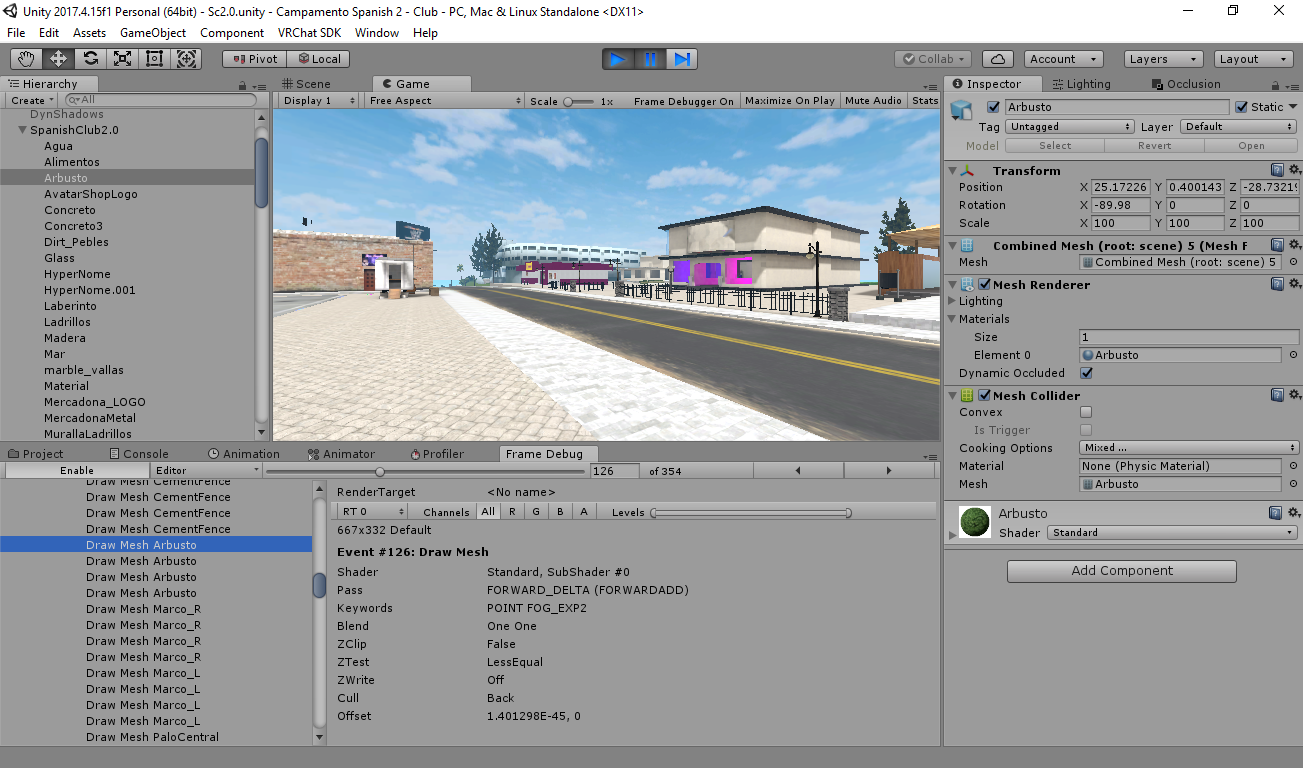
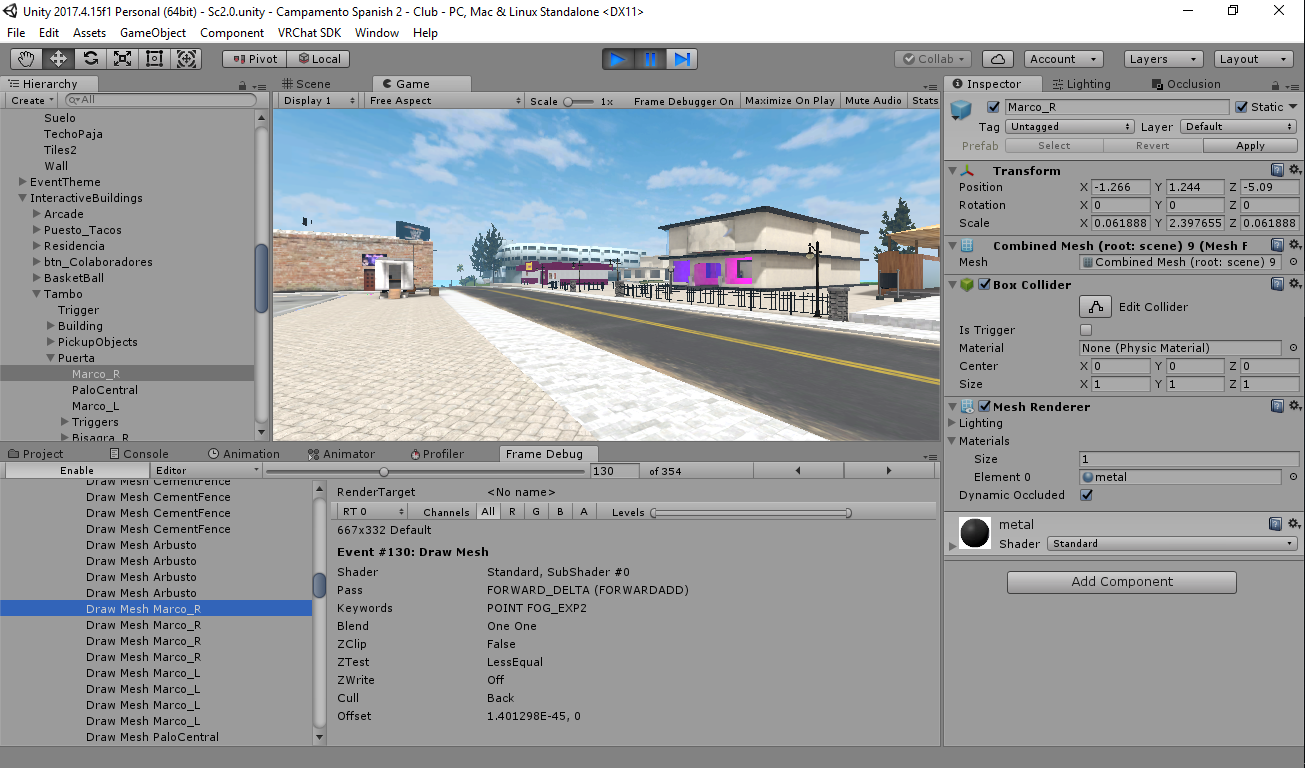
i have troublewith the draw calls, the floor have only 1 material, in theory 1 draw call, but in the frame debug read that it is generating 4 drawcalls and each static object is rendering 4 times!!! help me please i'm verry scarred for that help me i'm fainting
fierce kernel
How many realtime lights do you have? Do you have shadows on your directional lights? There is a ForwardBase draw call. Each realtime light adds one ForwardAdd pass. Having directional lights will add one draw call per frame for the _CameraDepthTexture and once for each light with realtime shadows. So that could explain your 4 drawcalls from one object.
@lilac saddle
lilac saddle
all lights are in baked mode, and my map is with baked shadows
fierce kernel
Hmm, was worth a shot, sorry.
lilac saddle
😪
plush crest
Well, the frame debug should already show you what gets rendered on that each call - be it some light, shadows or z prepass for generating depthmap
winged sinew
Yes, it's important to remember that realtime shadows on a map means rendering
- depth pass
- shadow cascade 1, 2, 3, and 4
- normal lighting
- additional lights
fierce kernel
@winged sinew sorry I caused confusion with my comments about realtime. @lilac saddle actually says everything is baked including shadows, so the extra drawcalls sound unusual. Any ideas?
winged sinew
I think they should post a screenshot of what the frame debugger shows
lilac saddle
here are the screenshots
https://ibb.co/L84nZTJ
https://ibb.co/tZBm7sK
https://ibb.co/WW4mZdh
 plush crest
Keyword here is Pass FORWARD_DELTA which means you have realtime or mixed lights and those affect objects not marked as 'Lightmap static'
 misty olive
I've just noticed that world size for worlds I upload is much smaller for myself than it is for other players, is this because the worlds are private?
lilac saddle
It's because your data is bundled and compressed before its uploaded. where as for clients its an uncompressed package once it unoads onto ram.
 lofty drum
how do you guys exclude the Resources/unity_builtin_extra from the build? 😢
lilac saddle
Got my world down to 1k draws and its now finished 😛 runs smooth as silk compared to the 16k it was dishing out before.
lean lodge
@lofty drum is that something in your assets?
"Resources" are always built, put it outside of the resources folder. If you truly never want it to build with your world, also put it in a folder called "Editor".
lofty drum
@lean lodge I have no 'Resources' folders in my assets, but this file is ~50Mb for my project and ~1Mb for the blank project, so I'm trying to figure out right now what's packed in this unity_builtin_extra file by deleting assets one by one and rebuilding my world, because it looks like Unity packed some stuff in it even if it's not in the scene 😡
lean lodge
Try clearing your list of "dynamic materials" in the scene descriptor
As well as clearing out dynamic prefabs that you're not specifically using
lofty drum
@ripe hill OMG Thank you! 🍾 Now this file's size is only ~4Mb. Going to check now WTF is this dynamic materials...
 past raft
Should world meshes be merged into one like avatars?
lean lodge
No. "Parts" should be merged together into chunks that make sense. Merging static meshes won't help much unless they share a material
If you make your entire world a single mesh, it will be very hard to lightmap and you won't be able to make much use of occlusion culling
If you have a desk with some static objects on it, you could consider making the desk and its contents one mesh and one material, for example. But don't merge the desk into the floor or anything.
past raft
Thanks. Makes sense.
 tribal tundra
Idk if this is the right channel to ask, but when I add for an example a model of a rock in my scene, and duplicate it, will the duplicate one take up more size for the download file on the world? Like if I add 1 rock , or have 10 duplicated rocks , will the size of the world still be the same?
spring kite
Usually external things like uncompressed images (textures), uncompressed music, baked data (like baking light) etc are responsible for rising the size of the world. So if the rock you are duplicating is using the same texture or material, it will have very very little impact on the size of the world. (like a few KB)
 tardy adder
When it comes to light sources in worlds, is there a way to have some without punishing performance?
lean lodge
Yes, bake your lights. @tardy adder
VRCat: Community-Run VRChat Forums
Greetings! Over my course of playing VRChat I've noticed that most worlds, mainly the ones that have baked lighting, are done poorly, or in an...
You can basically have as many baked lights as you want without affecting performance at all
tardy adder
Oh nice, thanks for taking the time to get back to me! ❤
 crystal cradle
So don't know if it's the right place, but I'm having a bit of an issue with my world https://imgur.com/a/hmColmK it's just the giant bit of what would be the skybox or sky color in this case? is peaking through the skydome I have set up around the rest of the playable area.
 lean lodge
@crystal cradle the skydome is probably further away than the far clip plane of the camera
You should use a "real" skybox if possible
icy ferry
@crystal cradle add a camera to the scene, increase far distance and put this camera as camera reference to the Scene descriptor component
 cloud parcel
Hello everyone. I'm new to Unity and I've created a world on VRChat, and now I'm trying to improve the performance as much as I can for people who don't have a high-end PC. Does anyone know if Occlusion Culling technique would work on VRChat? I really wish I could help the players to render only what they're seeing.
lean lodge
@cloud parcel yes, occlusion culling works in VRChat
If you haven't already, make sure to bake all your lights too, that's good for performance.
So I recently learned that up to a single directional light can be handled in the ForwardBase pass. Does this mean I can turn my Directional Light into a shadow-less Mixed one with virtually no impact on performance?
cloud parcel
@lean lodge Thank you for answering Rokk, I tried the baked light technique (I'm learning while making the map), but some shadows started to look very weird after doing that. I still need to learn how to make a good lightmap. Right now I'm setting up all my unmovable meshes to static.
lean lodge
Oh yeah, you need to tick "Generate Lightmap UV's" on your meshes in assets if they don't come with Lightmap UV's.
And most models imported externally won't have lightmap UV's
If the mesh is probuilder you can use "Generate UV2" instead
Marking stuff as static is mandatory for light baking too
cloud parcel
I will keep that in mind and give some research, even the meshes I created on Blender don't have Lightmaps.
Another question that I have on my mind
Just setting a mesh to static does make the performance a little better?
Or is just a good practice to do it?
lean lodge
Well, it can make the performance better, which is good enough of a reason to do it
Unity can perform a lot of optimizations on objects marked static
lean lodge
Oh well never mind the earlier light question, that wouldn't be viable since I can't disable just the realtime shadows :/
I'd have to disable the shadows while baking too
So I guess the question still stands, can I turn my baked directional light into a mixed one without a noticeable performance hit?
lean lodge
Damn I need to shell out for bakery soon. 3 hour light bakes are not fun
And apparently 3 hours is on the low side for enlighten
 fleet hill
https://forum.unity.com/threads/wip-dynamic-gpu-occlusion-culling-free-demo-is-available.618586/ This looks very interesting if white listed when it comes out
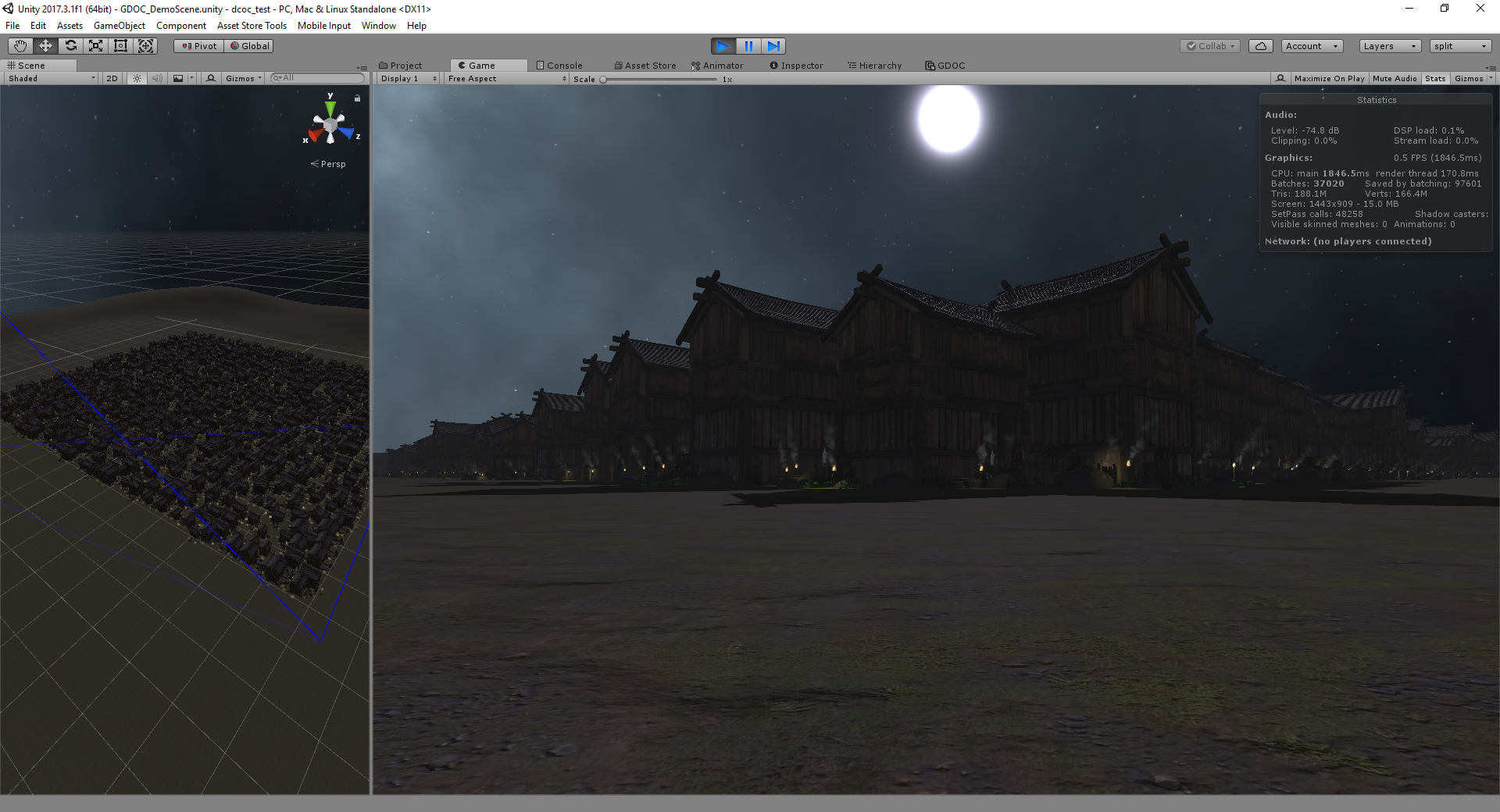
Unity Forum
→ It's not released yet, but if you want to check out a demo, PM me! ←
I’m working on a GPU occlusion culling system for dynamic/streamed scenes,...
willow spoke
dang, that's pretty cool
no vr support for the first release though, but they mention maybe in future releases
something to keep an eye on
 agile steppe
pretty useful!
lilac saddle
If and when that supports VR i will own it.
agile steppe
oh wait, by using this, would it improve the performance in the Editor?
fleet hill
I'm sure he's going to add VR support
lilac saddle
Hi guys I’m looking for someone to teach me how to build a vr world
Also if not any recommendations for videos
hazy pier
that seems like a broad question. would you like to learn how to build a world for VRChat in general? or specifically a world for VR users?
lilac saddle
@hazy pier world for my vr users and myself
hazy pier
Would a tutorial like this help you? https://docs.vrchat.com/docs/creating-your-first-world
Before getting started ensure you have a Unity project with the SDK setup. If you want a great intro to creating your first world with pre-created assets, a tutorial video, and detailed steps, check out the VRChat Home Kit! #...
also, i think you can use the #world-development channel for such questions. #world-optimization is about making your world run smoothly.
lilac saddle
Okay thanks
 modern orbit
hello, i have a question about ligth, because i baked the ligth of my world following the steps of the tutorial in the official page, the ligth seems ok and no performance issues, but the mirror reflect all dark, even my avatar, what can i do??
analog kraken
if your lights are baked then you need to add light probes for them to affect dynamic objects
modern orbit
Curious, when i baked the ligths the avatars have no shadow and the static object do
if i put the option in mixed on the ligths affect negative the performance?
also hard shadows
analog kraken
yeah you can't have dynamic shadows with fully baked lights, you'd have to use mixed which will have a performance impact. Still better than realtime lights though. I don't think players really need shadows to be honest unless you're going for a particular look
tardy adder
If you have any static objects those can have their shadows baked, but for realtime shadows I would suggest players only
lean lodge
You should add light probes regardless
Light probes will add lighting to dynamic objects
But it won't do shadows on players for you, the only way to do that is to use realtime or mixed lights.
Shadows are pretty heavy on performance so I would avoid using them unless you have a world that could really benefit from it.
A beach during sunset could probably use shadows, a simple interior doesn't need them
 terse briar
Hewo
lean lodge
Turn the quality and resolutions down
Or just have it bake once
Subsequent bakes are faster depending on how much has changed
fair agate
Bakery is a paid asset but it speeds up baking a lot.
 proper nacelle
I have a really large world and some meshes that are large which the enlighten baker doesnt really like. I finally got everything set up right and it baked properly (over the course of 2 days...) but each of the lightmaps is around 2MB and shot my file size up to almost 400MB, when i compress it, colors I don't intend to be there start showing up and massive amounts of detail is lost. Is there any sort of way to compress these better, preferably without random colors appearing on baked surfaces?
lean lodge
How did you compress them exactly? What's your max lightmap size set to in settings?
You could try crunch instead
proper nacelle
so my settings are here, one sec
i turned up my resolution after the bake with 2tpu, 5tpu, 2t looked pretty bad
oh i cant post a picture directly
its set to 512
the resolution is 40 texels per unit
analog kraken
might not help much or be related, but you actually want your lightmap resolution at max, I think 4096. Again, not sure if it'll make a difference but the less lightmaps you're using the better
proper nacelle
that makes sense
but i realize right now the file size is actually not from textures (only 100MB uncompressed from all the lightmaps) its a 900MB file headers section in the build (making up like 84% of the build uncompressed)
analog kraken
that's probably more of an #event-system-sdk2 thing
lean lodge
@analog kraken not always the case
Also that's the lightmap size you mean, not resolution
I think
Lemme check
Anyway, you don't always want the lightmap texture size at 4096x4096.
My world grew by 50 MB when I set it from 2k to 4k
Yeah, it's called "lightmap size" which governs how large the lightmap textures are. Apparently it might be slightly better for drawcalls to keep them bigger but it wreaks havoc on people's RAM and the download size
analog kraken
see you'd think the larger size would allow the lightmapper to use the space better because it has more room to fit stuff in, but I guess that's just how Unity is
lilac saddle
i like how my world is more optimized than my avatars
winged sinew
@proper nacelle Check the size of your LightingData file. That's counted as File Headers but it includes the realtime GI data.
It's much better for drawcalls to have one lightmap instead of several... but lightmap size is also the maximum lightmap size. Objects aren't split across lightmaps. So if you have a single object with a large size in the lightmap, and you don't take measures to tweak the sizing, with lower res it'll be forced into one small lightmap either way, but with the larger size it might expand to fill a whole texture. (Which is technically working as intended.)
If objects are spread across multiple lightmaps, they also can't be considered for static batching together.
proper nacelle
Alright ill check that and see, i think my issue is that i used google blocks to make a sculpture in my world that has baked lighting on it, but it split things up into lots of individual meshes that all got baked on their own (and of course, are all marked static). I think its the amount of instances i have of these meshes x them all being marked static that inflated the file header... Idk how to confirm that or not though
@winged sinew okay good guess, its 898 MB lol.... i left realtime GI checked after following the Xiexes lighting tutorial, if i turned that off wouldnt non static objects that dont have light sources (which all my lights are baked) turn unlit including people's avatars? Should I back it up, and delete the file and rebuild to see?
lean lodge
@proper nacelle realtime GI can massively inflate filesize
You can turn it off without losing the ability to light up avatars and stuff
Just make sure you have light probes
proper nacelle
all i have is one directional light source though, and a few objects arent marked static
do those also become unlit? since all my other lights are set to baked
lean lodge
Do you have light probes set up in your scene?
proper nacelle
I have one but i think its for the reflection on the pool, sorry still super new to the whole thing its my first world lol
lean lodge
You should set those up and then disable the Realtime GI setting. https://vrcat.club/threads/xiexes-lighting-tutorial-how-to-get-good-at-baked-lighting-101.2081/
VRCat: Community-Run VRChat Forums
Greetings! Over my course of playing VRChat I've noticed that most worlds, mainly the ones that have baked lighting, are done poorly, or in an...
proper nacelle
would i have to re-bake?
proper nacelle
oh no :c ...it took me 3 days haha
lean lodge
The next few light bakes should be faster
proper nacelle
okay, ill look into that and see if i can fix it up this weekend
but if i disable realtime GI, i have shadows on the sculpture from my directional light, would those go away?
lean lodge
Light bakes can take long if you have huge meshes or tons of tiny meshes scattered around that are all lightmap static
No
proper nacelle
^thats why yes
lean lodge
Realtime GI is used for changing light colors on runtime
If you add light probes you can turn off lightmap static on some smaller objects
proper nacelle
ok, makes sense i think.
lean lodge
I think you need that for TV's that actually emit varying light for example
proper nacelle
hmm
alright, ive got the world public as is, but uncompressing 900MB into someones RAM is something i'd like to avoid next update so ill try light probes and see what happens
proper nacelle
btw @lean lodge & @winged sinew thanks for taking the time to help out, I appreciate it!
 austere edge
Hey can I get some assistance?
 versed lichen
It's better to ask your question right away
austere edge
apologies. I've been trying to run a test world under new build, however, it keeps bringing up the old one. It does this also when I tried to upload it but when I did, I was able to use vrchat preview camera with all the new stuff in it. Any idea as to why it won't let me run a new build of my world?
analog kraken
you probably have some sort of error that's forcing it to build the last cached version. Anything coming up in console?
 sullen zenith
Sooooo, I was curious if anyone had any tips for less lag when map making
analog kraken
check the channel pins for jetdogg's optimization guide
sullen zenith
specifically for when someone is on the far edge of the map and looks down center
analog kraken
It's still the same techniques: bake your lights, use occlusion culling, use the least amount of materials possible, maybe merge some objects together (within reason)
lilac saddle

sullen zenith
just if they're the reason why for the past week I've been constantly getting stuck at 11/17 bake runtime 1 jobs
because, I can never seem to get passed 11/17 no matter how long i wait
coarse tree
@sullen zenith try tuning off say 90% of your map in the inspector window and bake that . keep adding small amounts till you figure out what is jamming you up
 loud knoll
this the place to talk about baking?
versed lichen
Here or #world-lighting
lilac saddle
Depends what kind of bacon it is.
 compact vapor
hey^^ I got a problem, I just made a World. The problem is that when I try to test it in Vrchat, it loads and I can press the "GO" button, but then it just shows black and after some seconds it throws me in the loading screen again but half way trough the loading It glitches out and I can see a pink version of my world. Anyone an Idea whats going on?
lilac saddle
Hi i need help , I got stuck at this step when trying to convert a mmd city from blender to unity ------ cool, just hit Fix Model after you import it into blender. That will fix the textures on it. Then, under the Model Options tab in Cats, click Separate by Materials, followed by Join Meshes (That part I got stuck in). Then just export it into the same folder as the mmd
then drag that whole folder into unity. You'll then be able to drag and drop the fbx you exported from Unity directly into your scene
Add a mesh collider to it. To do that, you click on the little triangle that opens up the things inside the fbx. Then in the inspector, add a mesh collider to the city. There will be a black and white mesh of the model in the fbx. drag and drop that into the mesh slot in the Mesh collider tab. That's it.
---- i did what the person said and the model turned gray and idk if that's normal
 errant vapor
you don't convert non-humanoids using cats
analog kraken
@lilac saddle The model's gray because it's missing textures, you need to import those into the project before you import the model or else it'll default to gray
lilac saddle
sorry update to this post , he got back to me so it's all good now
tardy adder
Hi all, I have a very strange problem this afternoon with unity
Actually let me push this issue to the other channel, just noticed I can't post images here
 nimble fractal
It's possible to make an occlusion culling only from one side only? I need it for the mirror. When you look into mirror occlusion culling are working, but from behind it will be disabled.
lean lodge
I currently have a world that's a relatively small room. I have a Unity UI slider to adjust the light intensity, which means that the main light is realtime (no shadows).
It's a point light
As far as I understand, this means that an extra drawcall will be added to every material in the room. I tried to minimize material counts as much as I could
Is there a way to optimize this further?
A lot of these objects don't necessarily need complex lighting at all (like specular), they only need to become brighter/darker
fierce kernel
@lean lodge Well there's always the free directional light that you can also adjust the intensity of. However, I wonder if you can play with an emissive material with VRC_CustomRendererBehaviour to abuse realtime GI as a sort of ambient lighting. For the world objects in the room, you also have the option of making a modified standard shader that applies a multiplier parameter to SH or lighting and animate that, but if you do this, avatars will look too bright and out of place
lean lodge
I think realtime GI also works on realtime lights, I messed around with it a bit
I'll probably just stick to the realtime point for now
Maybe a directional one would help
fierce kernel
A single Directional has no performance overhead. Better than a point or spot in that regard. Also some things like glowing emission look nicer if you only have a base pass than doing things in the delta.
But realtime point is arguably the most straightforward thing to do, and you can avoid some performance overhead by disabling shadows on it
winged sinew
Realtime GI works with realtime lights, I have a world that depends on that
 split shell
question about post processing, I tried using it and it looks fine in desktop, but whenever my vr friend looking at it, they see multiple view in their vr
analog kraken
turn off the anti-aliasing. VRChat already has it built in and post processing's version sucks
strange prism
Is that the only thing? Also does Silent's guide have the ones listed that are bad?
analog kraken
there's a lot of settings you shouldn't use but I think anti-aliasing is the only "touch this setting and you are unleashing an ancient evil upon this accursed land"
split shell
i don't have anti- aliasing in my setup
analog kraken
what stack are you using, v1 or v2?
actually here just take the guide, any answer I give you is probably gonna be from this anyway https://gitlab.com/s-ilent/SCSS/wikis/Other/Post-Processing
GitLab
A surface shader for Unity based off Cubed's Flat Lit Toon shader
split shell
the only thing i activated is
fog, motion blur, bloom ,color grading, vignette
let me check
analog kraken
do not use motion blur
analog kraken
you can keep using v1, v2 can be changed at runtime and has automatic banding fix so it's better but not by much. Absolutely take off motion blur though
split shell
i see
thanks
i'll remove it
so all my setup is okay right? without the motion blur will fix the problem?
or do i need to fix something else?
analog kraken
let's see, I don't think fog does anything because it takes it all from the lighting window anyway. Bloom and color grading should be good, vignette should only be a tiny amount to combat banding, unless your goal is to make your whole world look like it's a TV from the 60s
lean lodge
Also avoid vignette @split shell
They started denying worlds over it
You should basically only be using bloom, color grading and eye adaptation (or auto exposure I think it's called in v2)
split shell
i see
lean lodge
If you really want certain effects, I believe there is a prefab in the prefab list that's pinned in #world-development that allows you to detect whether someone is in desktop or VR
lean lodge
And you can add additional postFX effects for desktop only
VRChat already uses anti-aliasing so I wouldn't recommend that, and motion blur can be perceived as annoying by some people so consider having toggles
split shell
I mean so far all of the effect in the world that i made looks great while running at 70-90 fps
lean lodge
Actually I think fog is fine too
split shell
i guess removing the vignette will also increase the fps?
lean lodge
I think vignette doesn't affect performance that much
lean lodge
Well I'm no expert on how to set up stylistic effects. You can use vignette on desktop if you like, just avoid intrusive postFX in VR
Some horror maps are dark and give you flashlights instead. This limits your field of view a little without vignette
formal ember
Vignette doesn't have any overhead. It's essentially a texture overlayed on the screen.
That being said, if you keep it tasteful there's no reason you can't use it in VR. Most people with notice.
Still not recommended though, since tasteful for you may be intrusive for others.
lilac saddle
Hey guys, quick question; i'm optimising my map right now and a quarter of my map size is because of my audio files, i know i can stream them, i just don't know how, can someone walk me through that really quick ?
viral marsh
What are your audio files used for?
Background music? Sound effects on interactive objects?
The way to "steam" audio is to play it as video from a server/youtube with a video player.
But that is really only practical for music
maybe background ambience
lilac saddle
Oh yes my bad, It's music and Ambiance Background
viral marsh
So yeah, you can see an example of a video player in the SDK example scenes
This is the documentation page for it:
https://docs.vrchat.com/docs/vrc_syncvideoplayer
Sync Video Player has various features, including: - Allows a Video Player to be synced with others in the instance - Allows playlists - Accepts YouTube, Vimeo, and DailyMotion URLs ## Requires: - [Video Player](https://doc...
lilac saddle
I'm going to look into that, thank you
viral marsh
These prefabs by JetDog also have an example theater in them:
https://github.com/jetdog8808/JetDogs-Prefabs

GitHub
Contribute to jetdog8808/JetDogs-Prefabs development by creating an account on GitHub.
lean lodge
I use just a video player for rain ambience in my world. It loads a mp4 file from a server. No video sync or any VRC components since it doesn't need sync or special controls
Seems to work well enough
I just input a URL, not sure if there are any downsides to not using video sync
viral marsh
That would work great if you don't need sync, and you can bear the load of hosting the raw MP4
It's probably a tiny bit more performant that way too.
 vivid dirge
anyone know how to get tree shadows to bake into shadowmask?
 astral trout
Having some pretty interesting lag issues with mirrors in certain configurations since the update that did some things to them
specifically toggling of certain mirrors causes hitching and a huge spike in memory usage
I have a set of like 7 mirrors, that are toggled sequentially to have them adjustable in different angles
yes, i could have used an animation to angle them instead but i was lazy, but before the update they've never had any issues
interestingly enough the issue doesnt happen if i toggle them while standing behind them
lean lodge
Seems like a bug in VRC then, consider opening a canny for it. The last update should have made things better overall
astral trout
i just heard that having mirrors that overlap each other causes issues, even while they are disabled
and in this case, these set of mirrors do overlap each other, but only one is active at any given time
map in question is "Bedroom Theatre", the front bed mirror toggles
hit mirror button a few times and bam
lol
gonna swap to a single mirror with animation states for angles first to see if that fixes the problem
thats what i get for being lazy the first time
astral trout
update: switching to animator states with a single mirror for different angles instead of toggling multiple overlapping mirrors fixes it
lean lodge
More like works around it
That's probably the way you should be doing it to begin with, but even then this seems like a bug
astral trout
i made a quick map to try and reproduce it with just 2 overlapping mirrors but the issue didnt happen
shrug
lilac saddle
Mirrors have always been like that.
They don't like to face each other.
Which is why i now put them on two toggles and use shiny metallic material to fake the mirror until you get close up.
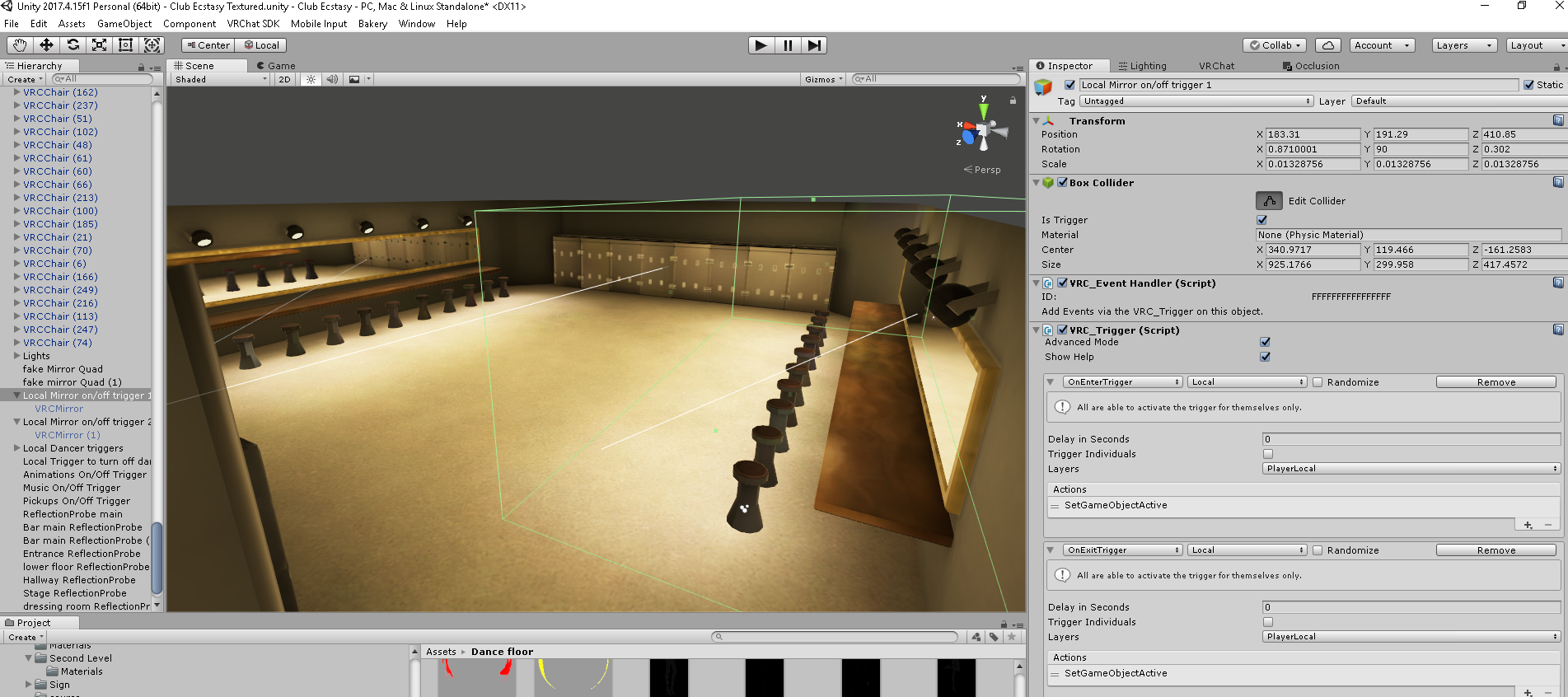



 autumn fjord
hey, could someone help me out?
I'm trying to make a pickup sword that kills someone if you touch them with the sword, but i can't figure out how to do it...
wait, should i put this in #world-development ?
 abstract jewel
I have a question. Its obligatory to have baked lighting in worlds? or i can just have realtime lights? (i am new to VRChat dev)
lean lodge
You should use baked lights. Realtime/mixed can be used if used responsibly.
If your world does not meet performance standards, it will be rejected. The standards are fairly lenient, a single user on minimum VR specs should get 90 FPS at spawn.
But if your world starts lagging with just a few people (realtime lights can massively increase the impact of avatars), people will be less likely to stay in that world
Baked lights perform better and look better
past imp
If you wanna have a single directional light w/o shadows you don't need to bake them, but if you want multiple lights + shadows yeah bake em'
abstract jewel
and if i have a single directional light with shadows (low res)?
winged sinew
A single directional light with shadows is fine - one directional light is always calculated in Forward rendering.
But additional lights after that should be baked or marked Not Important.
lean lodge
Don't shadows still add drawcalls even if it's the first directional light?
plush crest
Yes, having shadows increases complexity and adds depth prepass
vivid dirge
does occlusion culling work on point lights or should i have them enable/disable with a proximity trigger? baked lighting isn't an option because i'm implementing a day/night cycle
nvm, seems the answer is no
vivid dirge
Actually, as long as everything in range of the light is culled it probably doesnt even matter
lean lodge
Yeah, it shouldn't matter but trigger culling can be more reliable
 kindred breach
@winged sinew How do I get to "forward rendering" options. I need to enable it for tree shadows. Thanks.
 shrewd spire
How do you optimize the mirror?
past imp
@kindred breach you don't need to VRchat is already uses forward rendering
kindred breach
@past imp OK, so why doesn't my trees bake on terrain, with shadows enabled?
past imp
¯_(ツ)_/¯
I've seen other people have issues with it as well
something to do with the terrain shader iirc
fierce kernel
At least for grass it's supposedly possible to fix by downloading your own shader and putting it in a material as written in the canny here https://vrchat.canny.io/bug-reports/p/unity-terrain-grass-shaders-broken-in-vrchat. Might be the same thing here but i don't see a workaround mentioned on the trees canny https://vrchat.canny.io/bug-reports/p/baked-lightmaps-on-speedtrees-do-not-load-into-vrchat
lean lodge
I don't think it works for the actual grass that's on top of the terrain
A friend of mine used shadowless realtime directional lights to light up the grass in his map
Slight amounts of overhead but not too bad yet.
winged sinew
Yeah, that's not talking about the ground "grass", but about the billboard grass meshes that pop up around you.
However, neither of those is really relevant to the question of baking trees into shadowmaps. I actually thought was impossible using Unity's default lightmap baking system, but I'm probably wrong...
Bakery does it, but it's fairly buggy.
coarse tree
well i hope they solve this before i get around to dealing with grass
terse mango
Can you use occlusion culling on animated moing objects? and also objects that are disabled but by the same animation become active shortly after?
lean lodge
Yes, they just can't be occluders
They can still be occluded, which is good because then avatars are culled too
coarse tree
question about painting trees and grass using terrain tools , what advantages in optimization does this have over using a tool that paints prefabs on to the terrain, i would like to know how the mesh behaves in terrain tool compared to just adding the same object by hand ? any difference
lean lodge
For optimization, doing it by hand is probably better to be honest
coarse tree
thank you check you DM
lilac saddle
terrain grass can be millions of meshes because unity has a special way of drawing all the grass meshes in one go
you don't draw actual grass, only density on the terrain, which unity shows as meshes distributed at those areas but they take up way less resources and engine time than actual gameobjects/prefabs
lilac saddle
grass has a set of meshes to pick from it can copy around pretty efficiently
yes but there's problems lighting and fogging the grass shader in vrchat at the moment
other benefits is that the grass can bend in the wind and have subtle height and color changes
coarse tree
kk for now i am focused on trees and rocks so i am using prefab painter as it can paint on any surface not just terrains
lilac saddle
if the map is not huge and the meshes are low poly-ish and you bake occlusion you should be fine just dropping meshes everywhere
only doing fields of grass fan meshes is probably better using the terrain grass
lilac saddle
oh thats just a fan of a couple of billboards, so you don't have to rotate it towards the camera which gives problems in vr
this kind of stuff https://img1.cgtrader.com/items/205145/bbdef8f6cf/realistic-grass-1-3d-model-low-poly-fbx.jpg

 coarse tree
thanks
vivid dirge
personally i've found mesh grass to be too expensive for large worlds
unity texture grass with billboarding disabled works fine
past imp
they shouldn't be expensive if they're batched or instanced
 old pasture
HI
winged sinew
@lilac saddle What would make that better than the Unity terrain grass in fan mode?
lilac saddle
I meant if the world is a small scene dropping meshes is probably fine, bigger field of grass? definatelyt unity terrain @winged sinew
coarse tree
AH
astral trout
did... something change? my map is performing better today all of a sudden for no reasons.
I'm usually at high 70s with a video playing with screen emissions turned on
now i'm a solid 90
lean lodge
Are you on the open beta? @astral trout
astral trout
nope
lean lodge
Then nothing has changed yet.
The open beta fixed static batching which should bring some very good performance improvements.
astral trout
should be negligible on my map since its just a small room
huh weird, i'm very familiar with my maps performance since i check it all the time
maybe its something on my end
as for the fixed static batching on open beta, how long has it been broken?
lilac saddle
afaik it never worked like in unity editor 😄
lean lodge
That explains a lot.
What was broken exactly?
I know static batching was broken but how and why?
lilac saddle
the simple explanation is that static batching was broken because every mesh renderer was using a different instance of the material
lean lodge
Alright
Wait...
Does that also apply to several material slots on the same mesh having the same material?
In either case this should help a ton
Looking forward to the framerate increase next update then, this will probably give a lot of worlds an immense boost
past imp
no, if a mesh has the same material on different slots they are still considered different
lilac saddle
@lean lodge this is a sobering list of all the things that break batching https://blogs.unity3d.com/2017/04/03/how-to-see-why-your-draw-calls-are-not-batched-in-5-6/

Unity Technologies Blog
I am sure that you know about Unity’s built-in Dynamic and Static Batching, which help reduce the number of draw calls in your game.
You can see Batching ...
past imp
I think that's because of how materials work since material slots say which vertices get affected by what material
not 100% sure though
lilac saddle
read the list
batching is really for when you split up a mesh so that it can be occluded but it's all the exact same material and material properties, grouped close together and affected by the same light and shadow distance
that's when it will render as one huge mesh (static batching)
it will break for all other scenarios
oh that was the most recent pin in this channel
lean lodge
Oh, multipass shaders break static batching
Fortunately that wouldn't apply to Standard at least
That's a pretty long list, but thankfully that covers a lot of cases where batching still works.
In particular with lightmap static objects that are within the same lightmap texture
viral marsh
The whole pug uses one lightmap texture, as a fun fact 😅
lean lodge
That's impressive! Considering the surface area of the Pug
light ingot
Finally getting around to moving my world to 2017. When dealing with foliage, is the batch count like that considered good or bad? I know my shadow casters is a bit high and im working on getting that down again
viral marsh
That's a lot of batches.
 jagged merlin
if i put a chair with a vrcchair on static will it be unable to be sat on?
analog kraken
it should still work
jagged merlin
thank you i am trying to optimise my world to be a small bar but desktop and VR-User Friendly so that if their are rp'ers then they won't have a hard time doing their rp
lilac saddle
What is the recomended number of baches?
analog kraken
the lowest number you can get, preferably. I don't know if we have metrics on it but lower is better
lean lodge
There is not a single "recommended" number because it all depends
As long as the world performs well as a whole
light ingot
apparently 2017 is doing something different though since i have full 90 now in world were in 5.6 i had 45. It was all due to the folliage cutout before so im happy about that
lilac saddle
number of batches depends on what's in them in terms of how many vertices it has to transform to display the polygons in them
 cursive moat
Hey guys, i'm using a unity Ui component with scroll rect on my world, but i dont want to be able to scroll using the "W A S D" hotkeys, do u guys know if there is a way to block them?
analog kraken
set Navigation to None
cursive moat
Already tried that but didnt work
I thought it could be something with my scrollbar component, but even without it "wasd" still move the panel
lilac saddle
Got some chairs in a world that seem to have very long proximity, proximity is set to 1 but it's clearly way beyond 10. Some kind of bug?
fierce kernel
are the chairs scaled up? Those values might be in local coordinates not world
lilac saddle
They all have a scale of 1.
plush crest
Bug if you have trigger colliders inbetween
strange prism
jagged merlin
would my vrc world be optimize if almost everything is in one mesh