#3d-modeling
1 messages · Page 131 of 1
 agile bronze
ive already gone through all the pain of learning unity
i just gotta learn blender
 spiral sigil
I believe there is a world within VRchat which allows you to see the wireframe of your model. If you have a few Furry models favorited you could take a look at them on there & take screenshots/vids to use as reference
Perhaps the best bet would be to learn how to create a humanoid model, understanding what topology is, how the tools work and all of that
then on the side seek out tutorials on how to model low poly animals for the particular animal you'll base your character on to learn how people go about creating those features
Then taking what you learned from both to create a furry chara
agile bronze
question... which way is forward in blender?
x, y, z, -x, -y, or -z?
google doesnt explain it simply... which doesnt help
i got it
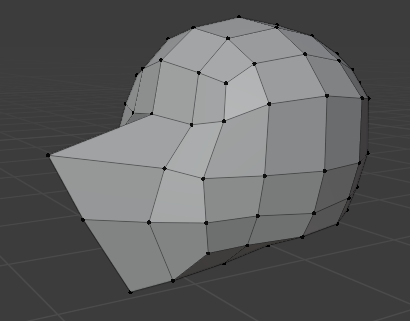 spiral sigil
Is progress

 wraith osprey
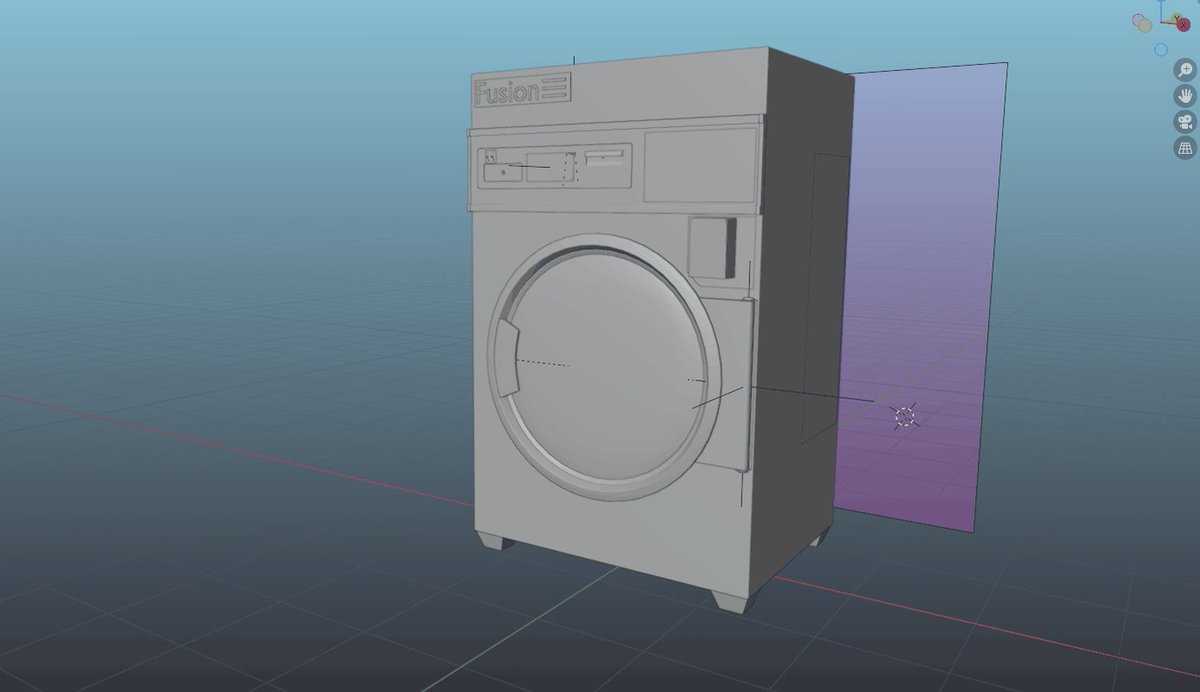


 mellow prairie
Are there other ways to make the face symmetrical? Using Symmertrize messes with the shape keys and Snapping to Symmetry fks up the mesh ;0;


 umbral silo
mellow prairie
Are there other ways to make the face symmetrical? Using Symmertrize messes with...
umbral silo
mellow prairie
Are there other ways to make the face symmetrical? Using Symmertrize messes with...
I would use a mirror modify, then use this addon, then fix my Left/Right shapekeys
You may need to redo your UVs and fix your textures when you cut the face mesh in half
https://github.com/przemir/ApplyModifierForObjectWithShapeKeys/blob/master/ApplyModifierForObjectWithShapeKeys.py
GitHub
Blender script. Contribute to przemir/ApplyModifierForObjectWithShapeKeys development by creating an account on GitHub.
 unique sigil
Looking for free assets of flowers, pebbles/stones, wall waterfall, glass with water dropplets, and plants.
Ping if any.
 devout scroll
unique sigil
Looking for free assets of flowers, pebbles/stones, wall waterfall, glass with w...
devout scroll
unique sigil
Looking for free assets of flowers, pebbles/stones, wall waterfall, glass with w...
Check sketchfab
 trail mason
Can anybody help me with importing my sdk file to unity please? It would help me so much.
oh boy
the package didnt finish loading my bad
 harsh saddle
agile bronze
well, i... made a head i guess for it
harsh saddle
agile bronze
well, i... made a head i guess for it
Personally, I wouldn't recommend going right into trying to model a character in the traditional sense of cutting up a cube or a sphere and manipulating the verts directly. What I do is I take the default cube, put a subdivision surface modifier on it, put that up as high as it will go, apply the modifier, then I go into sculpt mode, turn on X symmetry and dynotopo (both options are in the upper right in sculpt mode) and then make a sculpture without having to worry about topology. Then you'll need to retopologize it and you'll probably want to watch a video or two about that but it's mostly just extruding planes and moving vertices to fit to the surface of the sculpt you've made. You still need to have sculpting skill to do it well but you can even watch clay sculpting tutorials for that. You can create a character directly without a base sculpt but I find it much more challenging to get a good result that way.
I think this is a good tutorial for that. You could also skip the sculpt stage and just practice retopology on an asset you found. https://www.youtube.com/watch?v=CuQzPDs99yM
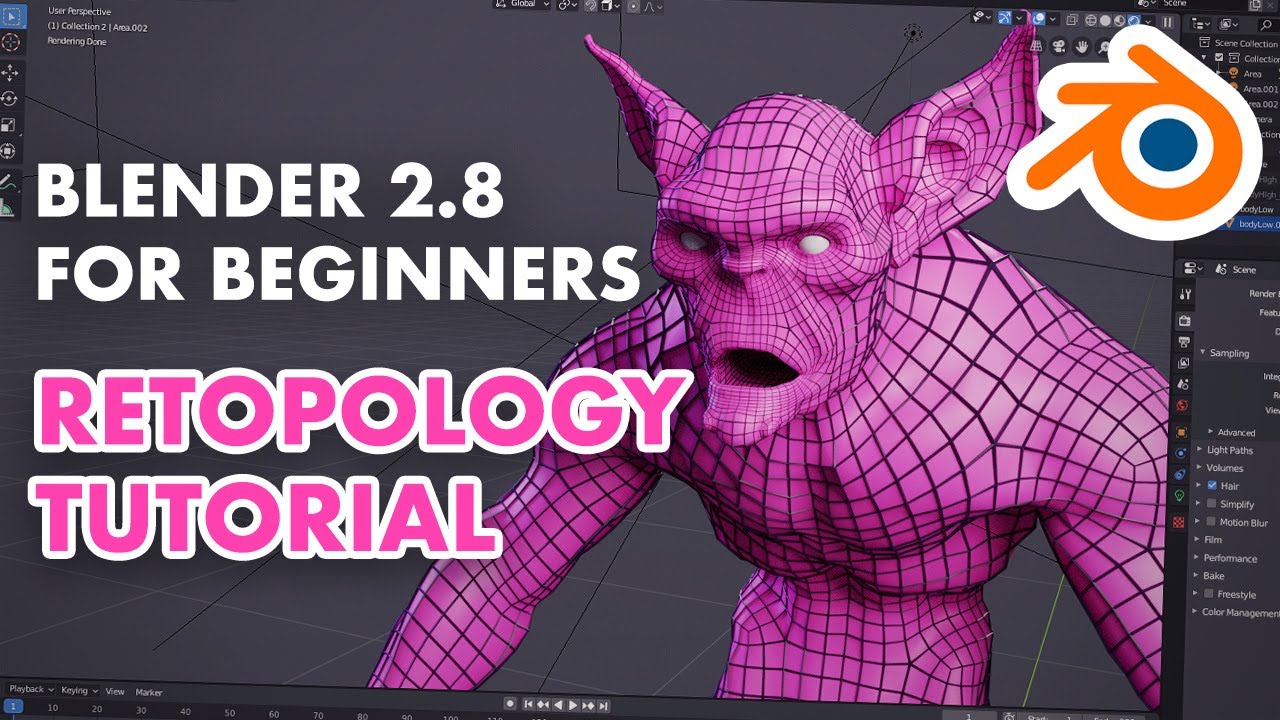
Retopology in Blender 2.8 - full 4 hour series on retopo in Blender
https://flippednormals.com/downloads/retopology-in-blender-2-8/
In this Blender 2.8 tutorial, we'll teach you how to retopo using vanilla Blender 2.80 without addons. The techniques taught can be used to make topology for any character or 3d model. #b3d #blender
05:31 - Retop...
unique sigil
devout scroll
Check sketchfab
Alrighty.
harsh saddle
Sculpting is also just way more fun than trying to do everything in edit mode in my opinion so it makes for a more enjoyable process
unique sigil
Facts.
harsh saddle
Polyhaven has some rocks, might need to be decimated first. https://polyhaven.com/models
trail mason
Does anyone know for how long you need to be playing VRChat to create a Avatar?
harsh saddle
The formula for increasing your rank in VRChat is a bit secretive and it's going to depend on what you're doing and how much time you're in. If you're in public instances for 2-3 hours a day friending people, you might get there in 2-3 days. If you're spending an hour or less in a lot of private instances, maybe more like a week but it's pretty fast.
 thin lily
hi! i'm gonna try to make my first avatar- it's gonna be teddy ruxpin :] i honestly have no idea what i'm doing besides making the basic model so this is gonna be fun. side note: i'm on a 10.13 mac and dont have access to pc vrchat on it so this will be even MORE interesting!
 golden crest
Anyone know a fix or reason for the whole Hips and Feet being switched while in fullbody for an avatar?
Recently finished and uploaded another one for VRC and its only giving me this issue when in FBT.
Checked to make sure the bones were correctly named and everything. I modeled and rigged it myself so there might be something that I slipped up on other than that-
 safe marsh
golden crest
Anyone know a fix or reason for the whole Hips and Feet being switched while in ...
safe marsh
golden crest
Anyone know a fix or reason for the whole Hips and Feet being switched while in ...
that could be your fullbody setup not the model
golden crest
I actually found out my hip bone for some reason enlarges itself in unity and goes to the floor-
so now I gotta figure out why it does that in unity and not in blender
safe marsh
weird but your issue could just be the trackers set to the wrong stuff/or your weights on your hip bone are screwd
golden crest
I think its solely the model honestly, I've uploaded it to a friends account who also uses fbt and its done the same thing. Could be something to do with weights tho possibly. I'll figure it out some how lol
ok... so for some reason I had 2 hip bones and I'm not really sure how that happened but I'm pretty sure I figured it out from that.
agile bronze
How do you make an image seethrough in blender? the transparency box isnt working
and as always, google is 0 help
agile bronze
So... ive been learning by just messing around with stuff then doing Ctrl + Z, and this is what i got so far:
lemme get a better angle of it
 agile bronze
it bugged out, i need help
How do i close this hole? ive tried doing ctrl z and its not coming back
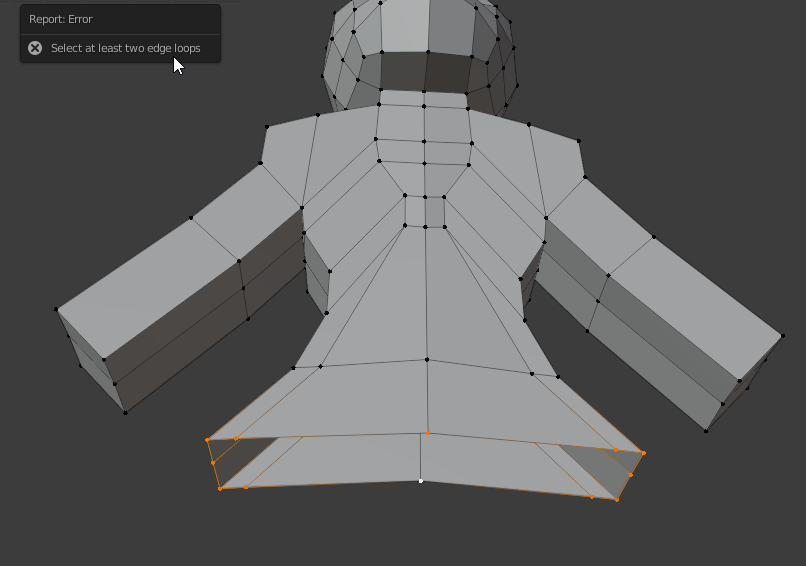
nvm, figured it out
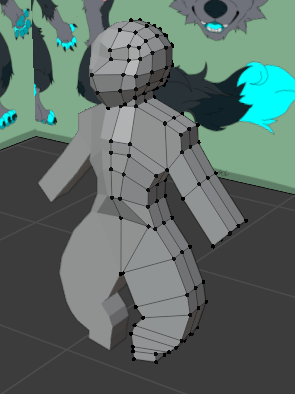 agile bronze
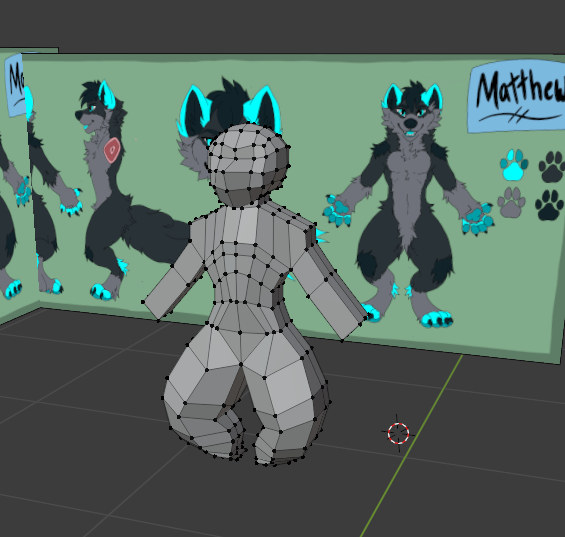
any tips at all? this is my first time making a model in blender from scratch... https://i.imgur.com/7uaRJed.png
 harsh saddle
I think you're going to get better results from having a base built using the sculpt tools but if this is how you want to go about it, it looks like an alright start. You're probably going to want some more edge loops to round out the arms and Unity's Humanoid rig works best with rigs that are in a T Pose whereas this is in an A Pose but you can resolve that by using automated rigging like Mixamo. The general shape looks about right, maybe a bit flat in terms of depth. In addition to rounding out the arms, you're probably going to want more edge loops for the arms to allow you to build out thee hands without adding s bunch of cuts to the wrists.
 atomic hamlet
You can also put it into a T-pose from the humanoid configuration screen, don't need to have it be in a T-pose before importing.
harsh saddle
I feel like I get better results importing with the armature already in a t-pose than with correcting things with the configuration tool but perhaps I'm not using it properly and you can certainly make small adjustments there. It's mainly the fingers were they've been nice and parallel in the configuration window and then ended up skewed in VRChat.
 tough plover
agile bronze
any tips at all? this is my first time making a model in blender from scratch......
tough plover
agile bronze
any tips at all? this is my first time making a model in blender from scratch......
the thighs should be facing forward, not at an angle like in the art
agile bronze
harsh saddle
I think you're going to get better results from having a base built using the sc...
Idk where to find built bases at all, ive tried looking stuff up for hours with no luck so i just started making it myself
also, idk what edge loops are
cause, not only is this the first time im using blender to make a model from scratch, its my first time using blender much at all... ever
theres nothing beginner friendly for furry avatars out there
atomic hamlet
That's probably because most furry avatars are very complex compared to human avatars.
So in general they aren't considered "beginner friendly".
 azure rain
and those folks tend to just go retexturing one of already existing furry bases
harsh saddle
I would recommend doing something like this first. It will allow you to get the form down before moving on to the model you want to animate without needing to know the technical stuff. You still do need to know some technical stuff for building the model on top of it but all of that should be covered in the retopology video I posted https://www.youtube.com/watch?v=VYuUlQO-kYE

Welcome to my Blender Beginner Sculpting Tutorial! In this tutorial, you will learn all the basic tools and features you will need to know, to get started with sculpting in Blender.
● Amazon Links:
As an Amazon Associate I earn from qualifying purchases.
• Wacom CTL4100 Intuos Graphics Drawing Tablet:
https://amzn.to/2H2HG9b
• Huion KAMVAS 20 ...
You might be able to get some sort of result the way you're going about it but it's going to be a lot harder to get something high quality.
But if you just want to know about edge loops https://www.youtube.com/watch?v=-pCf3DjsEBg

Blender is Free and Open Source Software
Download: https://blender.org/download
Support core Blender development - https://fund.blender.org
--
This tutorial is part of the Blender Fundamentals series, produced by Dillon Gu.
Find more free tutorials on: https://blender.org/tutorials
Follow Blender on social media:
- Twitter: https://twitter.c...
agile bronze
azure rain
and those folks tend to just go retexturing one of already existing furry base...
i dont even know where im supposed to get furry bases or whatever
harsh saddle
Furry avatars are mostly complex because of all of the features they have with the various shape keys but you don't need that stuff
agile bronze
or any sort of avatar base for that matter
atomic hamlet
azure rain
and those folks tend to just go retexturing one of already existing furry base...
I will admit to being guilty of that lol. I want to learn 3D modeling, but I just don't have the time.
azure rain
agile bronze
i dont even know where im supposed to get furry bases or whatever
A website that has info about avatars, accessories, tutorials and tools for VR games like VRChat.
agile bronze
nobodys wanted to tell me, ive asked around in places and tried looking stuff up
harsh saddle
You can buy them on gumroad if you don't mind dropping 30-$40
azure rain
the website I posted above let you filter by free
atomic hamlet
There are a few free bases out there. I'm actually using one for my main avatar.
agile bronze
azure rain
the website I posted above let you filter by free
i cant find the filter by price option
azure rain
weird it was there last time but it does show if it's free to download without the filter
azure rain

Gumroad
Wolf. As per with my usual permissions'n'stuff, Feel free to do WHATEVER ya wanna do with the files*! Just remember to credit me in anything ya make with it ^^ALSO! feel free to tweet at @zaxelle (that's me!) on Twitter if you encounter any issues! I will do my best to resolve any you may have encountered, as long as it involves my avatars ^^*Up...
atomic hamlet
IIRC, that site lets you search by tags. There are tags for the free stuff.
agile bronze
what does IIRC mean?
atomic hamlet
The one Rainwolf linked you to.
azure rain
if I remember correctly
atomic hamlet
Oh.
harsh saddle
There ya go. So long as you like the body, you can also just swap out the head so you could use that as a start for a ton of different stuff.
atomic hamlet
LOL my brain misread that question.
agile bronze
that body is great, but... i dont want something thats overloaded on polygons... i want an avatar that wont be in the red zone of vrchats avatar quality...
harsh saddle
But you're still going to get a much better result by sculpting it first. whether it's the full body or just the head.
agile bronze
idk how to sculpt though, as ive said im BRAND NEW to blender
harsh saddle
That's the great thing about retopology, you can build your own model over that shape.
azure rain
agile bronze
that body is great, but... i dont want something thats overloaded on polygons......
that Avatar runs well even on the quest
atomic hamlet
Yeah, I've seen that avatar before, it's Quest compatible. So it's not polygon-overload.
harsh saddle
The sculpting video I know goes over all the stuff you would need to know, it's not very complicated to get started. The challenging part is sculpting well but there's no video you can watch that will get you there without practice.
agile bronze
harsh saddle
The sculpting video I know goes over all the stuff you would need to know, it's ...
I dont wanna do sculpting...
azure rain
yeah it's medium on quest
so my suggestion would be retexture the Terris, Wolf VRChat Avatar as it's free to download and performance on Quest
harsh saddle
Well, do you want to be able to make your own things or do you just want to edit other peoples stuff? If you just want to do the latter, then that's fine but you aren't going to be able to make your own models without putting in the work.
azure rain
like is the end goal just to get your fursona in vrchat
or learning how to model with your fursona being the activity to do it
agile bronze
i really dont wanna argue Krampus
harsh saddle
I'm not trying to argue, I'm trying to figure out what you're trying to do so I can direct you as to how best to do it. You can just download and edit someone elses model but you're only going to be able to change that so much without spending a lot of time in one way or another.
agile bronze
im not just... trashing what ive already done completely on my own though
azure rain
we're not suggesting you trash what you already working on just trying to figure out what your end goal is
agile bronze
you guys are all telling me work around to not making it from scratch and stuff... ive been wanting to make my own Completely unique avatar, model and everything
yea, i dont understand most of the terminology, and most (if not all) online tutorials are not beginner friendly at all for it
heck, i dont even know what all the black points and stuff are called
nothings told me
harsh saddle
I can just tell you that going about it the wat you are now, trying to build everything out of a box and figure out the features as you go, is going to be harder for someone new to modeling than learning the sculpting tools. It's just very hard to get from point A to point B without having a sculpt to build on top of.
It's doable but for me it's easier to just do it twice with a sculpt.
agile bronze
i want to build by polygons, not by sculplting, as ive already said
harsh saddle
Alright, well, you can start by watching that video on loop cuts but you're going to have to learn a bunch of tools to get there that way.
atomic hamlet
Poly modeling is hard, sculpting will be easier for someone who already has experience drawing stuff. But ultimately it's up to you which workflow you want to use.
agile bronze
atomic hamlet
Poly modeling is hard, sculpting will be easier for someone who already has expe...
but i DONT have experience drawing stuff, my friend drew the ref sheet for me
atomic hamlet
Oh.
Well then yeah, poly modeling might be easier for you then.
But the reason why you are struggling to find tutorials for it is because most of the industry has adopted sculpting for characters.
azure rain
yeah you would want to go sculpting if you're going to be baking a normal map
atomic hamlet
That doesn't make poly modeling any less valid of a workflow, but that does mean there are going to be less people making tutorials for it.
I wish I could be of more help to you, but I'm just about as inexperienced as you when it comes to making stuff from scratch lol.
Like, I know how Blender works. Cause I've made a lot of edits to the base I went with. But if you asked me to create something from scratch I just wouldn't be able to.
azure rain
similar boat like I could probably make a nice chair from scratch but character model not so much
harsh saddle
I can make a character from scratch with sculpting and make it look reasonably decent but if I had to do it with traditional poly modeling, I doubt it would look much better than when I first started 3D modeling over a decade ago. There are people that can do it very well and it used to be the way things were done but for organic shapes it's really challenging to get nice, smooth curvature. It's great if you're making a robot or another hard surface design. You can do that with sculpting tools as well but then you'd want to look into masking and some of the other sculpting tools designed for hard surface stuff.
atomic hamlet
I feel like I'd be able to do it if I was able to make a decent looking humanoid base. But again, I really just don't have the time to sit down and learn it.
It would cut into my Gaming Hours™️ big time, and that is unacceptable lol.
harsh saddle
For a lot of characters you can just take any random base mesh and chop off the hands and feet, then just do the head and clothing yourself but then you have to know how to model clothing which is a weak point for me. But you can also find that and swap it in. I'm describing kitbashing, basically.
atomic hamlet
In terms of my character, the only things that would be majorly different from a human would be the head and legs, proportions are pretty close to the average human.
I don't feel much of a need to make something from scratch though, the Chakdal base is pretty close to what I wanted. It's just gonna need some elbow-grease in terms of cutting down on the poly count. I already optimized it down to just 2 materials.
I'm not too concerned about that for now though, I only use it around friends. And all of them are on PC.
harsh saddle
Depending on how close it is, you can just delete edge loops without impacting the texture too much but having to cut it by more than half can be a bit trickier to do well.
atomic hamlet
It's not too bad, but it ain't getting on Quest without some serious work.

The avatar package did include a Quest version though, but it would require a LOT of editing to make it match the modifications I made to the high-poly PC version.
And since none of my friends are on Quest, and I don't use this avatar in public, I can't be bothered to put in the effort lol.
 upper canyon
atomic hamlet
It's not too bad, but it ain't getting on Quest without some serious work.
upper canyon
atomic hamlet
It's not too bad, but it ain't getting on Quest without some serious work.
That ain't getting on quest unless it looks like unpacked doritos
atomic hamlet
The included Quest model actually doesn't look that bad, it's down to 10k tris while still retaining most of the detail. But it removes a few physical features from the avatar, but I feel like I could at least make it medium on Quest if I tried hard enough.
upper canyon
atomic hamlet
The included Quest model actually doesn't look that bad, it's down to 10k tris w...
Good luck, while your at it: record the process
your descend into madness will be as hilarous as mine
atomic hamlet
I say "features" but the only things it's really missing is the ear fluff and the nails on the feet. I feel like I could add those back while keeping it at the very least medium rank.
But it would take some effort cause I'd have to copy the modifications I made on the PC version of the mesh. But in the end it's not worth it, because like I said, I don't use this avatar around anyone that plays on Quest.


 tired dune
agile bronze
any tips at all? this is my first time making a model in blender from scratch......
tired dune
agile bronze
any tips at all? this is my first time making a model in blender from scratch......

After watching this tutorial, you will learn 5 tips for better understanding topology in any 3D software. Maya will be used for this demo but the concepts and workflows discussed here can be applied to any 3D Software.
I came up with these tips after many years of modeling professionally and teaching students over the years to improve their unde...
 candid siren
ight so get this, im trying to make a crab game jeff model in blender for vr chat right? and i was wondering if theres some kind of tutorial or something that i can do to make such models
this is the layout im going for
 thin lily
hmm,,dunno if this is where to ask this, but is it possible to make avatars with multiple legs that move with the original pair?
 cinder cradle
thin lily
hmm,,dunno if this is where to ask this, but is it possible to make avatars with...
cinder cradle
thin lily
hmm,,dunno if this is where to ask this, but is it possible to make avatars with...
yes it is possible
you can do that in 2 ways either constrain bones to main pair or make second pair weight painted like main pair
so they have same bones
candid siren
devout scroll
lookup some low poly character tutorials on youtube
couldnt find any good ones, any recommendations?
 elfin jackal
Hi I was gonna try to start 3D modeling for avatars so I was wondering any good videos for that, that use the unity engine?
tough plover
elfin jackal
Hi I was gonna try to start 3D modeling for avatars so I was wondering any good ...
Unity is not a 3D modeling program, it's a game engine. you make models in programs like Blender
as for tutorials, Blender guru has good general blender tutorials
elfin jackal
tough plover
Unity is not a 3D modeling program, it's a game engine. you make models in progr...
Yup just realized my mistake in the sentence my bad
elfin jackal
tough plover
as for tutorials, Blender guru has good general blender tutorials
Thank you I’ll go check them out right now
tough plover
the Donut tutorial is a classic one
 haughty rock
tough plover
the Donut tutorial is a classic one
haughty rock
tough plover
the Donut tutorial is a classic one
Also one of the worst ones, at least the first one
haughty rock
Ye, the old one was horrible because it almost didn't teach you any of the fundamentals you need to model or at least blockout whatever you want
Haven't seen the 3.0 one but heard it was better
 fallow osprey
Making my first avatar

 wooden walrus
cool
thin lily
hey, how do i get the uv to show up on the texture paint window in blender? i havent done this in quite a while lol
devout scroll
candid siren
couldnt find any good ones, any recommendations?
Don't have any personally
thin lily
right, ive got the textures done, but how do i make him Not Do This

 thin shadow
thin lily
right, ive got the textures done, but how do i make him Not Do This
thin shadow
thin lily
right, ive got the textures done, but how do i make him Not Do This
does the uv map name is the same before merging meshes?
 alpine venture
Anyone got any tips on setting up clothing to toggle off with blendshapes? Just curious if someone has a tried and true method for it. I don't want to transfer 30 skinned mesh renderers in and use toggles, that's just out of control.
 untold schooner
might i suggest not making one avatar with 30 different sets of clothes?
alpine venture
That is a number pulled out of my butt really.
Closer to maybe 7
But I've found a method! Thanks for the advice!
 limber dagger
Currently working on a Backrooms map for a VR Party.

 indigo hound
Okay so I have no clue what I’m doing with blender and tutorials don’t help since I’m more ‘hands on’ and better to be taught in real time. I’m mostly just looking at say adding accessories like horns to models and need help- if anyone would be up to DMing me to get the basics down for me?
 high crag
quick question, do I need a certain version of Blender in order to use Cats Blender?
 meager ridge
CATS refuses to bake things, this is getting really annoying
 tough plover
seems to be a UV map issue
check that all of your meshes have UV maps called "UVMap" exactly
can you also screenshot your Bake settings?
meager ridge

It's a single mesh with multiple UVs, but they're all BASICALLY names "UVMap" to the best of Blender's ability.

I can try yeeting the old ones
That was it!
meager ridge
Oh yeah, I just never thought CATS would even worry about the old UVs
they completely slipped my mind.
I just assumed it would use the actively rendered map and call it a day
tough plover
I forwarded the convo to the lead dev of the Bake feature
so maybe it'll be fixed in the future
meager ridge
I already posted an update on the only reference to the same error on the GitHub for cats
We're on the same page!
tough plover
👍
thin lily
im having entirely too much fun with this
 meager ridge
tough plover
👍
meager ridge
tough plover
👍
Quick question- do you know of a way to exclude a specific material from the baking process?
tough plover
separate whatever is using that material to another mesh, and take it out of your armature
you can hold shift and drag stuff in the hierarchy to take out
meager ridge
Then just smack it back in and call it, gotcha.
Yeah, I was just wondering if CATS had a way to do it in settings
I was hoping to avoid separating meshes by mat for now lmao
tough plover
you can also for example run multiple bakes
if you have clothing with multiple materials, you can bake each one down to one material
meager ridge
I mainly want to separate materials that are metallic or transparent, since the bake seems to not deal with those too well
tough plover
it does do metallics
did you have that checked in the Bake settings?
oh you did I see
meager ridge
Mhm! But my metallics use a color and it seems to not like using color instead of texture
tough plover
ah. yea that may be problematic
meager ridge
So it just mapped the first texture it could
meager ridge
I might give that a try
tough plover
basically it'll create 8x8 pixel squares of that color and put all of the corresponding UV's in it
tough plover
yep
meager ridge
Does it factor in alpha?
tough plover
hmmm
it was intended for the base color, but it may work with other passes
I'm not sure though
meager ridge
My base color for my glass material uses #7171714D
I use the base color itself to apply the alpha, so thats what I was wondering
tough plover
what does your node setup look like
meager ridge
SUPER simple.
 meager ridge
Yep, just a raw color with alpha
I did have a cubemap on it before but I was thinking about just removing that.
tough plover
because you shouldn't set parts of your model that are opaque to transparent
if you baked that with another part that was opaque, the whole thing would need to be transparent
so for that material specifically, maybe leave it separate
and don't even do any bakes
just set it up with similar values in Unity
meager ridge
Gotcha. So basically, I'm going to need to separate the materials for my blush & the glasses?
meager ridge
Question, can I skip decimation during Bake then do it later once I have each different baked mat, or will things misbehave if I try that?
thin lily
damnit, i accidentally saved over my texture files...is there any way to revert them??
meager ridge
tough plover
basically it'll create 8x8 pixel squares of that color and put all of the corres...
It didn't seem to work correctly for my glasses frames, sadly.
 fierce coral

 nova bison
Anyone know why I get this error on the CATS plugin on blender whenever I click on the fix model settings? (I'm new to blender)
 devout scroll
blender 3.1 not yet supported, downgrade to 2.97
nova bison
devout scroll
blender 3.1 not yet supported, downgrade to 2.97
Ah, right. Should've known I had to download a specific version on blender. Thanks.
tough plover
nova bison
Ah, right. Should've known I had to download a specific version on blender. Than...
it works with quite a few versions, but 3.1 is just too new
 alpine lion
i want to make my first avatar and i dont know if i should connect the bones or are they fine ?
 cinder cradle
alpine lion
i want to make my first avatar and i dont know if i should connect the bones or ...
cinder cradle
alpine lion
i want to make my first avatar and i dont know if i should connect the bones or ...
that not gonna work you need full humanoid rig without fingers
some bone don't have to move anything but they need to exist
alpine lion
oh ok
 quaint jasper
If that's going to be a full moving character and not a static plush, there's a lot of work ahead
alpine lion
i just downloaded that plush as .obj and want to import it as a full moving avatar
quaint jasper

cinder cradle
alpine lion
i just downloaded that plush as .obj and want to import it as a full moving avat...
first thing you need to make it A-pose or T-pose than you need edit rig
quaint jasper
You're gonna have to watch some tutorials
alpine lion
can you recommend me some ?
 cinder cradle
alpine lion
is this better ?
cinder cradle
alpine lion
is this better ?
yeah but still it needs t-pose or a-pose
it moves weird maybe bcs it isn't weight painted properly
 smoky plover
Does anyone have a good tutorial on manual Atlasing? The cats plug in for blender nor the materials combiner are working properly.
devout scroll
Create a new uvmap for all the objects you want to atlas, normalize the uv island scales using TexTools addon or use a checker texture to manually scale your uv islands (you want to keep the checker pattern roughly similar) then pack them into a neat little uv either manually or using some packing addon, then bake to a new texture
There's a bunch of steps involved that you can probably look up separately
But the general steps are:
- Create a second uv map
- Pack the uvs of all objects you want to atlas together
- Bake to a texture using the new uvs
spiral sigil
put multiple texture images onto one image
adjust uvs
about it
the complicated part is moving the UVs perfectly where they should be on new big one textute
 queen rose
hy everyone, i just wanted to start getting into modeling (mainly for VRChat avatars ofc, but other uses too) and i was just wondering where to start. obviously the holy grail of 3D is blender but i cant really find any good tutorials that go from building a good foundation to putting skills in practice and increasing the ground as it goes on. i just wanted to ask if you have any recommendation for getting into modeling (again, mainly for VRC avatars, not anime tho just straight character modeling). also i was thinking if its even a good idea to straight jump into making my own, or should i maybe at first just assemble a character by combining different already-made models? (like taking the shoes from a random model, taking the shirt from another etc) or even just starting by modifying already made avatars like making a personalified knuckles or customized nikei or something? or just straight learning modeling and make my own thing (tho i dont expect to make a highly detailed accurate avatar at first but like starting from scratch and improving the avatar overtime). sorry for the long message. any advice/opinions would be much appreciated
smoky plover
devout scroll
Create a new uvmap for all the objects you want to atlas, normalize the uv islan...
Ill give it the old collage try
devout scroll
That works but is more effort
 tame sinew
I’m having a modeling problem. I downloaded some shipping crates that have good textures to them. The only problem is that the crates don’t have an interior. How would I go about making one?
quaint jasper
You could simply duplicates the interior faces, scale them down and flip their normals. they'll share the same UV space so they'll be textured correctly
tame sinew
I’m gonna try one solution. If this doesn’t work then I don’t know what will…
Also, how would I make the textures rusted? Programs, tools, etc.?
quaint jasper
That would have to be drawn on if it's an existing texture
 tame sinew
https://gyazo.com/b9340b122eadf045ae07e860890b84fa
How does this look? Had to download an entirely new model since the old texture was screwed up. This model thankfully had a good texture and had an interior. Double win.
 tough plover
 cursive jay
normals wont appear?
cursive jay
normals wont appear?
keep the intensity at 1. realize that a normal map only affects the way in which light interacts with the surface
if you have no light, you have no detail
you can't always rely on world lighting to light your model properly, so making use of Rim lighting and matcaps are a good way to make your normal detail more apparent
tough plover
what does the normal map look like? can you send it here?
devout scroll
doesn't look like a regular normal map from the thumbnail
 pastel condor
smoky plover
Does anyone have a good tutorial on manual Atlasing? The cats plug in for blende...
pastel condor
smoky plover
Does anyone have a good tutorial on manual Atlasing? The cats plug in for blende...
I know this is a super late response, but this is the guide I used and it worked pretty well and was easy to follow
https://docs.google.com/document/d/13-LzjODZ0RbBooAOK5uszoIuvb8yfy4vYxwXsaDdZZg/mobilebasic
 trail python
spiral sigil
i have vrca file
trail python
spiral sigil
i have vrca file
vrca means it was illegally ripped
 silk sage
Does anyone know whats going on here, Im trying to do UVs but for some reason the texture is stuck
 spiral sigil
you would move the UVs not the texture
 safe sapphire
Hello vr chat: This is mostly for the development team>
But let's start with a few facts:
-
Blenders user interface is not intuitive and or disabled user friendly:
2012- 2022, it's out of date by 10 years. -
Blender and unity both say it's not plausible to make a user-friendly interface,
Yet games like W.o.W. More recently Elden ring and
sandbox games( although primitive in nature) have been doing it since 2012.
it's basically the same coding.
2A: the real illusion - Character creation 3( soon to be 4) and 3D animation studio.
Is the exact same coding as blender and unity, just a different Disability-friendly more intuitive interface(including modern touch screen/art tablet functions)
But who on SSA funding has 2K USD? (That's a rhetorical question and fact)
2B: So their coders refuse to update to a modern More Disability-friendly interface.
making it impossible for users with autism to create amazing avatars( like mine)
(still trying to learn blender, unity, unreal engine since 2007-2022) -
Almost all of the adds for blender for avatar creation are currently broken.
-
Pythons fix it messages are not at all disability-friendly wording.
(the fixes often don't work when you try to recode) -
Most People don't like using versions of programs that don't match their tech.
so if they have 2020 tech they expect 2020 versions of software. -
According to Unity's website
the 2019 version has the ability to code a controller into each individual avatar,
so you could have a mouse and keyboard, PlayStation, Microsoft, Nintendo, and VR Controllers, regardless of the play device. So even if it's a pc game, you could use the say windows controller and gyros to control a character as if you were in VR; even if the headset is not connected. Although its a nightmare to figure out how to do it... -
it seems to me That your coding team has the skills to do what blender and unity refuse to do. AND you would most likely get heavy support from the community.
see next post
cinder cradle
safe sapphire
Hello vr chat: This is mostly for the development team>
But let's start with a f...
The place for that post https://vrchat.canny.io/feature-requests
 safe sapphire
So I have a few modeling and room creation suggestions.
Because I and pretty much every other average user hates blender and unity.
option 1. you create plug-ins for unity and blender that change the user interface and make it more user-friendly. So users like me can create avatars and rooms...
Main suggestion:
2. You make your own version of avatar and world creation:
Then allow exportation into different file formats.
( I'D recommend inside VR Chat, You would get a lot more support, but I don't even know if that's plausible to create a creators room with exports and imports, and pen type inputs)
2A. with your team's coding skills
You could make it an independent program modifying open sources codes
and make a 3D ART Creation and modeling software That is way easier to use.
(chances are if you sold premade content for say 1 USD-5 USD You'd make a bank, plus you'd have free prefabs for VR chat users, creators, etc.
3: can anyone actually give me a code, to change the blender and unity interface, so its actually usable for creating vr chat content?
safe sapphire
cinder cradle
The place for that post https://vrchat.canny.io/feature-requests
Whiren i wasn't done with the post. written wise i'm very long winded
safe sapphire
I'll gladly post it in suggestions.
But I have been advocating since 2007 :
for coders of open-source 3D art programs;
to have disability/autism-friendly interfaces in 3d modeling.
The only 2 programs in the art world that haven't said no,
were gimp and Inkscape.
And they aren't really for 3D world/avatar creation.
So if 3D Modelers/Creators have a code to alter an open-source
program Into something usable, i would like to most definitely like to have it.
I also believe that it is important to inform VR chat and its community.
That is the core programs they are using for 3d modelings have staff and coders.
Are not Disabled User friendly and these programs refuse to make them so.
But again i'll post My 2 part post
and clearly not understood what i was conveying via text message into
in the suggestion box...
thin shadow
That sounds like circling around. Blender and unity works fine as it is. Avatar and world creation also works as it is supposed to be. I have no idea what is the point of all these.
tough plover
I think I understand what you're saying, but I'm also not quite sure what you mean by "disability/autism-friendly interfaces in 3d modeling". is there like a fundamental issue with them I'm not seeing? I've been doing blender and unity work for a bit over a year now and I think it's fine as it is
thin shadow
if accessibility is the issue, then it's up to the OS and hardware designer and manufacturer. VRChat has nothing to do with it.
safe sapphire
tough plover
I think I understand what you're saying, but I'm also not quite sure what you me...
try daz studio.
You'll see what i mean by easier to use. 3d Creation software.
(Import/export to unity/ blender is currently broken, software is also outdated)
Grand total 12 hours to make with how simple their interface is.
GIMP & Inkscape:
3D art/pumpkin face mask
Basic body- Material
Basic Face mesh for 3D rendering( it was left over from a blender course i took)
(I failed that course every time FYI)
All three images were created for the use of 3d avatar modeling.
I also made a gif for inside a gif ball, 3d photo for a wall, and material PnG, but they were tests and not appropriate for posting in discord..
I figured out how to do all that is less then 6 hours.
15 years in playing with blender (and not ashamed to admit it 30 classes)
i maybe learned how to do 4 things in blender.
only 1 out of 5 students all with autism actually passed the blender courses...


 thin shadow
safe sapphire
try daz studio.
You'll see what i mean by easier to use. 3d Creation software.
...
thin shadow
safe sapphire
try daz studio.
You'll see what i mean by easier to use. 3d Creation software.
...
Good. use Daz studio then.
safe sapphire
Now to clarify Vr Chat has its own version of avatar creation.
they are cleary far superior in friendly user interface...
in about 6 hours i created a great looking human, on day 1 of playing with the software>
But i don't want a normal human...
So instead of using blender and unity.
which almost all of the coders admitted they have no intentions of every making the interface intuitive and user friendly for people with autism or disablitys
(or people who prefer gimps interface simplicity)( or say the simplicity of Character creator 3 with out the 2k usd Cost){ trial version tested)
They should be investing in advancing this software>
and if anyone has that vr chat code for character creation to overlay over as a user interface i will gladely take it.. (that or elden rings character creation interface)>
also i did tell you i have a HF-ASD Brain right????
tough plover
it doesn't really matter which program you use for making avatars. Blender is just the go-to choice since it's free, has a lot of tutorials for it, and has a very active userbase. it also has a large library of addons which can help specifically with avatar creation.
however, you'll always have to use Unity to upload avatars. the SDK has tools to help you fix some things you might miss when importing models. as for doing avatar creation in-game, that's what NeosVR does already, but imo it's more of a curse than a blessing, since you have no choice but to do it in game. doing it in VR might seem cool at first, but then you quickly realize that it's not nearly as comfortable or as fast as doing it with a keyboard and mouse
if you're interested in more easy to use avatar creation software, consider Readyplayer.me, or the Oviron project.
I helped with design feedback in the very early days of Oviron, and seems like exactly what you're looking for.
I can send you a discord invite if you'd like.
safe sapphire
tough plover
it doesn't really matter which program you use for making avatars. Blender is ju...
I will most definitely check out oviron
because i actually have a really great prefabmeshes, i just have to mod the meshs.
but blender and hexgon, b for artists are still nightmarish to use...
Blender for artists has a great interface.
but it still blender at its core.
so its still migraine central
cinder cradle
safe sapphire
I will most definitely check out oviron
because i actually have a really great ...
imo if you find your workflow in blender it's really good software
tough plover
^
tough plover
it's definitely hard to get into and has a steep learning curve, but it's basically smooth sailing after that. just need to have the will and the motivation
haughty rock
cinder cradle
you will cry if you see maya
maybe when opening it up for the first time, once you customize the UI it's pretty clean
but I might be biased
cinder cradle
haughty rock
maybe when opening it up for the first time, once you customize the UI it's pret...
i know maya so yeah but it's hard when you don't know blender
haughty rock
Ye, the process and fundamentals is pretty much the same in both.
safe sapphire
I may have HF-ASD brain..
But i figure out most computer programs out in about 2 hours, in 6 hours i'm a pro,
(still find new ways to use software though)
So if after 15 years of using a program.
I can't figure out how to make as a simple facemask.
yeah its way to complex of a user interface....
If i have tablet pen and its takes me more the 32 hours to sculpt something basic.
I might as well be sculpting IRL
Digital art programs are supposed to make the work faster not slower...
Ive tested almost all of the free open source programs and did many free trials.
Lets just leave it at i'm tired of seeing 3d art and world programs not be disablity user interface friendly and budget-friendly....
I mean look at this mask, it need sum modding but it would make a great avatar face.

 nimble citrus
Is blender hard to learn?
tough plover
nimble citrus
Is blender hard to learn?
definitely has a learning curve, but it's fun once you do get the hang of it
which can take some time
nimble citrus
I have patience
tame sinew
I'm trying to make moss on top of a shipping container but I have no idea what texture to use. What would you call the grass or moss or whatever on top? I ahve no idea...
safe marsh
God I need to learn how to make models from scratch with blender I keep meaning to then forgetting
safe sapphire
nimble citrus
Is blender hard to learn?
I don't know if this is allowed to be posted here,
https://www.twitch.tv/videos/1307838093 but its way easier than typing out.
but compared to most 3D creation paid modern 2016-2021 software, yes,
most other non-monoply free 3D art, also yes so is unity.
Fun fact: most art schools call blender and unity, the Mount Everest of learning curves.
Haha.
nimble citrus
Thanks
safe marsh
God there is so many characters I want to make that have no models of them but I'm trash at blender so I doubt i will ever be able to make them
thin shadow
safe marsh
God there is so many characters I want to make that have no models of them but I...
start with vroid
safe sapphire
safe marsh
God there is so many characters I want to make that have no models of them but I...
https://www.bforartists.de/ this is a much more friendly user interface>
the only problem is half the plugins for blender don't work so you have to go in and fix the python coding yourself... and of course its still blender at its core
safe marsh
thin shadow
start with vroid
Vroid would not work for the characters I would want to make
safe marsh
safe sapphire
https://www.bforartists.de/ this is a much more friendly user interface>
the onl...
I'll prob check it out and I got a friend who's decent with python that could help me fix it
thin shadow
k
safe sapphire
safe marsh
I'll prob check it out and I got a friend who's decent with python that could he...
well if your friend can fix the cat's program and material combiner programs for it
you may have an easier time making avatars...
But i would def like to see that fixed coding for those addons.
including th VRM Addon.
THis was also tested software..
There is also 2 programs but the learning curve on the second is still quite steep.
https://www.daz3d.com
 solar fossil
Man, procrastinating too hard

 cerulean shoal


 slim perch
safe sapphire
well if your friend can fix the cat's program and material combiner programs fo...
slim perch
safe sapphire
well if your friend can fix the cat's program and material combiner programs fo...
To be clear: are you recommending Daz Studio for making avatars?
Because their EULA does not allow this unless you pay a license on top of the cost of the asset.
This license is for every one of their assets you use for a VR avatar - and not all of them have the option.
 clever marlin
Yakko!
 oak hatch
Aw ye.

 weak ermine
Is there a way to easily add a vertex at the center of all selected vertices

 hushed gyro
weak ermine
Is there a way to easily add a vertex at the center of all selected vertices
hushed gyro
weak ermine
Is there a way to easily add a vertex at the center of all selected vertices
There's an option under the faces tab called 'poke faces'
weak ermine
Uhh not seeing that
hushed gyro
one sec
weak ermine
I'm using 3.0
hushed gyro
select the face you want to put a vert in and:
 weak ermine
Sweet, thank you
hushed gyro

 uncut imp
safe sapphire
well if your friend can fix the cat's program and material combiner programs fo...
uncut imp
safe sapphire
well if your friend can fix the cat's program and material combiner programs fo...
Can you explain what would make the user interface more disablity user interface friendly?
As someone that the blender interface makes perfect sense too and only 400hrs in the software all the UI layouts make sense to me.
There might be a lot, but thats becuase they give you control over everything. It's not trying to be a simple character creator. It aims to give you control over everything possible.
safe sapphire
slim perch
To be clear: are you recommending Daz Studio for making avatars?
Because their E...
That only applies, if you're staying in Daz Studio and not altering the base models,
I assume people are gonna be altering it and sending it to blender and unity most likely...
or remodeling avatars in hexagon. It also applies to copyrighted characters... but thats pretty much every software.
Now 2 facts:
- Many web hosts and search engines,
Google changed how their metadata and tags are read,
so unless you know the exact thing you're looking for:
Your search engine has been rendered basically useless for certain pieces of information. - There is a nation that became the largest sovereign nation in the world
and is not being covered by search engines, world leaders or news station.
Unfortunately for most goods products and services, it made many items in their EULA's, TOS/ TACS illegal or obsolete.
(The USA Actually fell to them in about 4 ways.
The main one was by a people's vote by modern means.)
safe sapphire
uncut imp
Can you explain what would make the user interface more disablity user interface...
I'm gonna save time typing the answer out, A developer who is working on a new 3d creative software that is more inclusive said this video was a great help.
So that way if my text isn't clear this video will be.
https://www.twitch.tv/videos/1307838093
slim perch
safe sapphire
That only applies, if you're staying in Daz Studio and not altering the base mod...
It clearly states its for making video game content and and VR, to which this applies.
uncut imp
safe sapphire
I'm gonna save time typing the answer out, A developer who is working on a new 3...
First main blender complain i hear while watching through:
Too many hotkeys.
You dont really need to know any of those, ever single thing (base) blender can do there is a menu you can click in the UI to do it. They hotkeys are just to make things faster if you can remember them.
Idk if there's anything that b4artists does differently in that regard. I've never used it.
slim perch
uncut imp
First main blender complain i hear while watching through:
Too many hotkeys.
You...
no such thing as too many hotkeys 😁
haughty rock
Context Menus/Marking Menus ftw
uncut imp
slim perch
no such thing as too many hotkeys 😁
For sure. But if remembering hotkeys is an issue for people with disabilities its always good to have menus for things.
haughty rock
Best of both worlds
hushed gyro
setting favorite actions and getting to them fast with Q is nice
slim perch
uncut imp
For sure. But if remembering hotkeys is an issue for people with disabilities it...
the commonly used functions are in the GUI and you can quicksave more functions to the Q key
safe sapphire
uncut imp
First main blender complain i hear while watching through:
Too many hotkeys.
You...
Watch the whole thing thru i go thru everything quite in depth. that why the video is about 2 hours long XD
hushed gyro
nah
uncut imp
safe sapphire
I'm gonna save time typing the answer out, A developer who is working on a new 3...
Also said you'd like to have separate little windows with different views in each corner of the window. You can definitly set blender up with multiple different windows like that.
One for material, one for mesh, one for full render. Definitely can do all that.
trail python
im watching the video and your first point about tutorial videos is just untrue
maybe im misunderstanding you, but you talk as if all disabled and autistic people have the same troubles
uncut imp
I have a few autistic friends that I help learn blender and they all can do great stuff in it
I watched the first 15min or so and everything you've said blender doesnt do, wellll, it can do it all.
I think you just need some help getting a workflow that works for you.
trail python
im losing part of my vision, my hands are essentially crumbling in their use and i am autistic. ive been using blender since i was 14 years old and when blender 3.0 came out it was basically life changing as a 3d artist because of the HUGE ui changes. a lot of the points you made earlier are also just not true. world of warcraft code vs elden ring, things about coders "refusing" to make things more accessible. as much as i can understand from my own perspective, some people just don't have the authority to do that unless they want to lose their jobs.
uncut imp
Blender 3.0 is great
and if you expect to know everything in blender in 12 hours you have just bad expectations. I've been using it for hundreds of hours and still earning new stuff every time i use it.
azure rain
one can also save startup files that so you can save your configuration of Windows
uncut imp
I'd suggest you take a look at blender 3.1 instead of blender for artists. (if you havent yet)
trail python
there is a pandoras box of knowledge now. vrchat isn't responsible for making addons to help people make avatars. its no ones responsibility. a majority of tools that come out to help people are FREE with optional donations. they don't owe us their time or work.
- cats blender plugin also does work, its hard for me to see in the video but you might have just used the wrong version. the blender in your video also doesn't look right. ive never gotten the material combiner to work for me so you got me there but using the original standalone addon works fine for me. theres definitely alternatives to the "all addons for blender are broken" that work similarly
slim perch
trail python
there is a pandoras box of knowledge now. vrchat isn't responsible for making ad...
sorry if I sound pedantic, but did you mean cornucopia? pandoras box was full of bad things with one good thing on the bottom. (Yea, I am a nerd for mythology 😅)
trail python
slim perch
sorry if I sound pedantic, but did you mean cornucopia? pandoras box was full of...
mostly referring to the fact that pandoras box was never ending i thought? i didn't remember if it was a bad myth or not xd
slim perch
trail python
mostly referring to the fact that pandoras box was never ending i thought? i did...
yup, Pandora opened the box and all the evils of the world that were locked in escaped. The last thing to leave the box was hope
the Cornucopia was a horn that never runs out of food
but, yea... back to the 3D modeling thread 😅
safe sapphire
1 : 15 years, 30 classes, and all the tutorials ever made. And I used every version of blender ever made, which is why I went in search of other programs....
when i got my new drawing tablet which is designed for 3 art and making.
- Sadly, not how the world works it's basically the law in almost every nation:
But all products and services have to be inclusive of all users pros, amateurs, Disabled, and individuals with autism, neurodiverse conditions, learning disabilities, that includes UI's For digital content.
Bosses can't legally fire any coder who takes the time to recode something
so it's more inclusive and intuitive. even if the boss believes it to be counterproductive or not cost-effective. All the coder has to say is i did what i did for the disabled to be more inclusive and instant protection for them.
trail python
oh man, thats just not how it works lol. someone can't possibly watch all tutorials ever made but yeahh, im not going to entertain any further. good luck figuring out your work flow
uncut imp
As a coder that's not how the world works at all XD
If after all that time ald all those tutorials you still dont know about basic functions of blender like splitting out extra windows, or how to 'upload a texture' to a model then i think you need to find a course thats more tailored to your learning style, because those are things that for a neurotypical person you learn or figure out in the first 5hrs or so
devout scroll
weak ermine
Uhh not seeing that
Also, as a rule of thumb, if you can't find something just press F3 and pull out the search. It will show you what menu something is in the list
Also allow you to favorite it in case you think you'll use it more often (open favorite menu with Q)
 still wadi
@safe sapphire can i see any of your works ? you seem like someone who is very good at what they do
there's this documentary about a person having half a brain
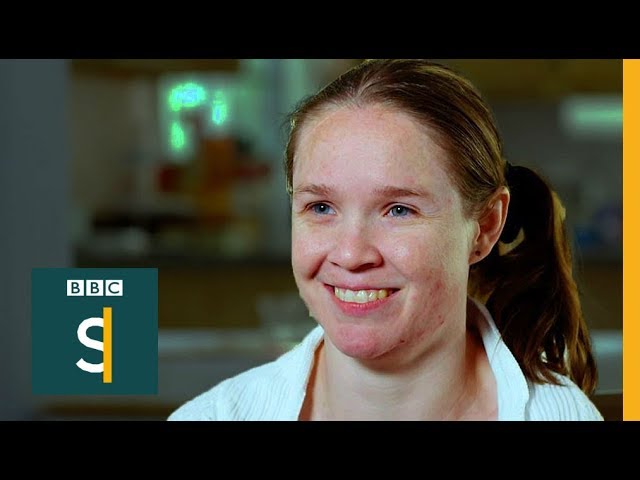
When Jodie was 3 she had half of her brain removed but says for her, life is no different than it is for anybody else.
but my man @safe sapphire you're able to functing with none, tell us your secret
 steady zealot
Did they remove .blend direct importing into unity?
For some reason I can't drag my .blend into my scene
atomic hamlet
steady zealot
Did they remove .blend direct importing into unity?
The version of Unity the SDK runs on doesn't support .blend files from newer versions of Blender.
Either export as FBX or use an older version of Blender.
Blender 2.8 in particular I think.
tough plover
steady zealot
Did they remove .blend direct importing into unity?
you should be exporting your model as FBX
set "Apply scalings" to "FBX All" and turn off Add leaf bones in the export settings
be sure to do that every time you export, or export with CATS to ensure it's always the same
steady zealot
Right.
I'm not doing this for a character model, it's for a world, but yeah
I hadn't used .blends in unity before, but I remembered it was a thing and thought it might help speed up iteration time a little bit, not having to re-export every time
But I guess not
 unkempt torrent
"Normalize all" is ostensibly clearing the weights from my vertex groups; I'm looking for a method for setting the weight of each vertex in group A to 1 - the weight of that vertex in group B, any ideas? Even better if I can select exactly which vertices are affected...
uncut imp
atomic hamlet
The version of Unity the SDK runs on doesn't support .blend files from newer ver...
it will, you just have to make sure the default opener for the files is the newer version of blender you have installed.
I installed blender 3 and it was trying to open the files with blender 2.8 so wasnt working. Once i removed version 2.8 and fixed the default opener it started working again.
 jade sky
Question for the vr chat modelers if I may, how long did it take you to create your first vr chat avatar? Cause I just spent 3 and a half hours learning blender and I was only able to make a rudimentary shape
devout scroll
depends on how complex you're looking to make
there's lots of skills that come into modelling something
 tough fulcrum
I really need help with upgrading an addon to 2.8 cause of the upgrade to 2.8 error
anyone know how to do it?
tough fulcrum
Its an addon for Ninjaripper, importing .nr assets to blender, it was made for 2.77 however
not sure how it would fare for the current version
devout scroll
depends on what errors you're getting
some are as simple as "method enter_edit_mode takes one argument but two were passed" in which case you just edit one line
but there were probably more python api changes so some things you'll need to wait for the creator to fix
tough fulcrum
Thats the thing, the team behind Ninja moved on to Ninja 2.0, and there are things unfortunately that it does good and does bad, I just need this importer to get all the assets imported without issues, but no one wants to update this importer addon to the current version, let alone to 2.8
If I can get it for 2.8 I'm more then happy, I just need a working version of this importer thats not for the older version of blender
unkempt torrent
You can solve my problem with two layered weight mix modifiers:
The first modifier uses subtract with DummyGroup and A, where DummyGroup's default weight is set to 1, to create a complementary group.
The second modifier sets B to DummyGroup with a mask to keep it from affecting the rest of the mesh
 proper grove
Hi, I'm looking for a volunteer for the 3D realization of an avatar
just a volunteer because we don't have money to pay
I don't think I'll find anyone but that's okay
tough plover
proper grove
Hi, I'm looking for a volunteer for the 3D realization of an avatar
just a volu...
3D work is not easy, and takes a lot of time. if you're looking for something well made, expect to be paying for it
at that point, I would recommend learning to do it yourself
proper grove
tough plover
3D work is not easy, and takes a lot of time. if you're looking for something we...
I know
 dapper tinsel
How come my avatar in Material Preview is all of a sudden just black?
I dragged in my new .png as well, no change, it like it defaults over to just black
 thin shadow
dapper tinsel
How come my avatar in Material Preview is all of a sudden just black?
I dragged ...
thin shadow
dapper tinsel
How come my avatar in Material Preview is all of a sudden just black?
I dragged ...
Check the shader graph node if the texture is connected
hushed gyro
dapper tinsel
How come my avatar in Material Preview is all of a sudden just black?
I dragged ...
 dapper tinsel
It is connected
It resolved it by making a new material slot apparently
I had a head connection made by a friend on 2.79 -> 3.1 (which I am on)
safe sapphire
tough plover
3D work is not easy, and takes a lot of time. if you're looking for something we...
IT's all about the user interface and core program.
With its interface and core program (Missing import/export to blender formats though)
Gimp and Inkscapes Time for avatar creation from scratch.
(2D Mesh, 3D mesh, & 3D Flattened mesh)
3-12 hours
( blender makes it extremely difficult to reconstruct a flattened mesh back into 3d)
You can even create a bone structure In both(never figure out how to do it)
Dead Character creation (Imvu and 2nd life)
4-16 hours for a full custom avatar and model
Most game character creators and sandbox creators from actual games
( hacked and coding completely unlocked by professional modders)
6 hours tops.
(start of reply to all)
for those struggling with blenders UI.
There is a 50% improvement in Blender for Artists
(Note: its Blender at its core, so still a steep learning curve, and lots of unnecessary menus and layouts even for scene creation.)
honestly, i'm just waiting for that software coder program you sent me to drop its software then i'm dropping unity and blender... and only exporting to unity for VR Chat.
still wadi
@safe sapphire so can we see some of your works ?
safe sapphire
still wadi
<@!946763450279919676> so can we see some of your works ?
Flattened 3D mesh Gimp. Flatten 3D simply body base.

 spiral sigil
safe sapphire
Flattened 3D mesh Gimp. Flatten 3D simply body base.
spiral sigil
safe sapphire
Flattened 3D mesh Gimp. Flatten 3D simply body base.
I was waiting 5minutes for the top one to load. Turns out it's just dark -_-
safe sapphire
spiral sigil
I was waiting 5minutes for the top one to load. Turns out it's just dark -_-
LOL Meshes don't load well in discord so heres a face from 10 years ago,
and sumthing i recently recreated with new avatar software
This is a flatted 3D mask for simply base model
 spiral sigil
That is horrifying for some reason
safe sapphire
lol Its for a hero called Faceless Detective, year 4020.. he use modern mask techniques to hid his face XD
trail python
theyre vroid textures
spiral sigil
Y'all in this server being all smart.
I'm just fucking here-
safe sapphire
Actually, those are from within gimp, hand-drawn to within imvu's hand-drawn avatar program for 3D deflattening: (Virtual chat world) generation originally. But I did recreate several of those same meshs using modern-day gimp...
 elder stump
Anyone know of a good asset creator I can commission
trail python
elder stump
Anyone know of a good asset creator I can commission
vrc traders in #community-servers-old
also don't use blender for artists otherwise you're going to have a bad time
safe sapphire
what took me almost 15 years in blender to learn how to do,
it took me about 10 minutes to figure out how to do in BforArtists on day 1 of using it.
Quite frankly,
I belive people should stop supporting 3D art programs that refuse to be Inclusive to all Art Type people, art people funding sources.
At least B for artists is trying to be inclusive to all types of art people and funding sources even if its using blenders source code...
trail python
there's way more documentation about the regular version of blender and there is no magical protection that is applied to developers that say "i did this for disability inclusiveness."
stop acting like blender is purposefully doing that. (vrchat developers are also not purposefully making the way you add content difficult as well and its honestly disrespectful to their work to think that)
because they're not
you say 15 years and i genuinely find that hard to believe that you haven't learned a single thing from those 15 years
 thorny ivy
Since I've seen a number of ya'll doin' 2D mock-ups or sketches to help model stuff, figured I'd give it a go for one of my own. Colors aren't final, used just to differentiate the various parts since they're intended to separate an' move.

Lit vs lit uncomparison so the glow effect for the visor is more apparent.
quaint jasper
safe sapphire
LOL Meshes don't load well in discord so heres a face from 10 years ago,
and sum...
If you've got a portfolio on artstation or something, you can share your 3d work
spiral sigil
am i the only person who cant understand what the frick this guy is trying to say
spiral sigil
trail python
you say 15 years and i genuinely find that hard to believe that you haven't lear...
yeah I agree
thin shadow
safe sapphire
Flattened 3D mesh Gimp. Flatten 3D simply body base.
your work is vroid template? you made vroid?

it's literally just called texture, not "flattened 3D mesh Gimp"
 spiral sigil
yeah idk why they explain things so needlessly complicated and convoluted
hushed gyro
at this point I'm convinced they're trolling
 steady jackal
whats the most optimal way to remove the transparent parts of vroid models? using the knife would take a while.
 steady jackal
damn
the things i gotta do so quest users can see this avat ar
cutout textures for quest when?
 maiden quail


 thin shadow
steady jackal
the things i gotta do so quest users can see this avat ar
thin shadow
steady jackal
the things i gotta do so quest users can see this avat ar
The key is persistence and perseverance
steady jackal
thin shadow
The key is persistence and perseverance
or just giving up and using a jpeg for the quest side of the avatar because i dont have the patience
because vroids are just a general pain to import to quest
thin shadow
steady jackal
or just giving up and using a jpeg for the quest side of the avatar because i do...
what if you bait yourself with reward in the end, would you still give up?
steady jackal
thin shadow
what if you bait yourself with reward in the end, would you still give up?
there is no reward
ill just stick to PC only
spiral sigil
Can someone make me an avatar?
azure rain
steady jackal
cutout textures for quest when?
never because of the mobile chipset basically
 misty valley
ayo can some blender expert help me
i cant rename custom materials anymore
doubleclick be broken
nvm i created a mat but didnt add one of those material properties to it
misty valley
@cloud void you should try the "clay" tool in sculpt aswell
i just smoothened two face holes i had
 cloud void
misty valley
<@!162952067038707712> you should try the "clay" tool in sculpt aswell
cloud void
misty valley
<@!162952067038707712> you should try the "clay" tool in sculpt aswell
Ty good sir
safe sapphire
And i hate to break it to you but Imvu was around before VRoid and their 2D to 3d Texture mapping was exactly the same as VRoid. Except they called it by its proper name,
flatted 3D MESH And 3d Texture Map- Flattened.
so i can see how you're confused,
I figured out how to render it in B for artists.
So here's what a hand-drawn Flatenned mesh to 3d Render looks like.

 obsidian nova
Okay
 wary osprey
Uhm hi! Does anyone know any good modeling software for avatars-? I'm really new at all this stuff so I was hoping someone could help me!
azure rain
basically blenders to go to software for modeling
if you wanted to make anime style avatars https://store.steampowered.com/app/1486350/VRoid_Studio_v142/ this tool would be a bit easier to work with as it lets you make characters like you're using ammo character creator

VRoid Studio is a 3D character maker that lets you use your imagination to easily create your own original characters. By making your 2D characters able to move in a 3D space and usable in anime and game production, your creative range will greatly expand. The VRoid Project has started with the hope that many creators will have fun exploring the...
wary osprey
Ok thank you!!
trail python
safe sapphire
And i hate to break it to you but Imvu was around before VRoid and their 2D to 3...
its called that in imvu for whatever reason but i haven't been able to find a single imvu texture thats the same as vroid
industry standard is usually texture and UV map/overlay
it doesn't even matter that vroid is a newer program so im not sure what your point is there
that looks like the vroid head you just imported into blender
thin shadow
safe sapphire
And i hate to break it to you but Imvu was around before VRoid and their 2D to 3...
Still waiting for portfolio of your work, a result of 15 years of blender experience
devout scroll
Ask in #user-support-old this is for 3d modelling
still wadi
@thin shadow tag me when he does please
trail python
he probably wont. he made a comment in #shameless-self-promotion about it instead of responding to us here
 rustic pier
hushed gyro
rustic pier
hushed gyro
how'd u drag the like green thing out like that and created another tab
 feral jacinth
Hi, I've been configuring my Vroid character in blender (I'm an absolute newbie when it comes to anything blender related, so bear with me). I added some cat ears in Vroid. Adding physbones seems to work perfectly fine when importing the VRM using a VRM-converter plugin for unity, but when exporting from blender, it seems like it messes up the bone structure or something. This is the result with my blender model, vs a model from the VRM converter.
This is what my bone structure looks like in blender, and how it looks imported into unity

 thin shadow
feral jacinth
thin shadow
feral jacinth
what if you turn off collision
feral jacinth
thin shadow
what if you turn off collision
Do you mean in the physbone? I'm still getting the same issue with it toggled on/off :(
It might be better if I try adding ears separate from Vroid, but I'm pretty awful when it comes to blender
thin shadow
ok, now i understand about the two comparison. So, perhaps the blender version, you didn't do the bone cleanup routine. There's a big bone protruding above the head, maybe that's the collision
also, i think this should be moved to #open-beta-discussion
feral jacinth
Yeah, sorry, I thought maybe it was something to do with how the model was imported in blender, but it may be more tied to the beta. The big bones protruding above my head are apparently the eyes, so I'm not entirely sure why it's like that. I'll move over to the open-beta-discussion channel now. Thanks for your help!
hushed gyro
rustic pier
how'd u drag the like green thing out like that and created another tab
You kinda answered your own question, I hit shift+A to create a new node and then clicked on the connection and dragged it to the other connection. Look up any basic material nodes tutorial and they should show you better than I can explain it.
rustic pier
hushed gyro
You kinda answered your own question, I hit shift+A to create a new node and the...
Thank you! <3
rustic pier
hushed gyro
You kinda answered your own question, I hit shift+A to create a new node and the...
I can't read it but what is the orange tab one?
hushed gyro
The node title says the name of my image file so don't pay attention to it. It's an image texture node.
 tough ingot


 main bough
That’s cool
safe sapphire
thin shadow
Still waiting for portfolio of your work, a result of 15 years of blender experi...
1: The poor usually don't get backups. My comp from 15 years ago is dead,
I only had a thumb drive with a few maps and Materials.
2: Anything I Had from that Computer I had to Boot Menu hack & recover.
3: I'll REPEAT IN CAPS,
I SPENT 15 YEARS IN BLENDER AND I WAS ONLY ABLE TO LEARN 4 THINGS.
What kind of portfolio do you think there is?
( and the program according to records has been around for 28 years, you think they would have evolved To a 2020 style interface by now.)
4: And You Saw MY Lastest redo's Using B for Artists.
(That's 4 days Work in 3.1... )
it's would have taken 5 years to do, if I hadn't Ported in and rendered a flattened mesh into 3D. But it looks too Vroid-ish, I want comic bookish.
So I am going to port over a human Base 3D sculpted model From another free
Unity-like program But way friendlier and intuitive UI.
Then work from there, But since B for artists is still blender,
its going to take. At least a year to actually reshape and sculpt it...
(like i said the blender's core program is not intuitive and inclusive for all)
Fun fact:
GIMP Is 28 years old, But has a 100% Inclusive, Disability-friendly,
and about 70% functionality When it comes to pen and touch screen abilities/ U.I.
I still haven't learned the 3d interface completely.
Now personal opinion:
if Gimp were to create its own 3D avatar & Creation software:
IT would take me about 6 hours to learn it,
and 12 hours to actually create an avatar from scratch.
using just a pen and mouse( for certain actions)
safe sapphire
feral jacinth
Hi, I've been configuring my Vroid character in blender (I'm an absolute newbie ...
WE All wish VR chat had a bone armature that you could add in to Blender, Be For artists, or some other character creation software( if you have the money for CCS even if its free).
It would make Putting a skin mesh on so much easier for so many people. HAHA
thin shadow
@still wadi you seeing this?
devout scroll
Why is this argument still going on even
If gimp was to create it's own 3d avatar creation software it would take 10 years for it to be where we are today
thin shadow
Shonzo asked me to ping, so I did
trail python
it was never an argument in the first place, he just generalizes all disabled people as having the same issues with 3d art. when people ask his perspective he links you a video that starts off with "i have watched every single tutorial on youtube and they are all bad and not inclusive and developers are purposefully making it hard for disabled people."
if its only 4 things after 15 years at what point do you start to wonder 3d art isn't the best fit as a hobby/career (because its not good enough for all of us disabled people i guess) and the activism is better off used somewhere else instead of saying that its not inclusive in almost every single message sent here?
safe sapphire
devout scroll
Why is this argument still going on even
Actually, it would only take 1 year 6 months and 14 hours,
Open source coding can be taken, modified, and changed however the coder wants to change it,
so it can be done.
6 Months if they did want b for artists did.
trail python
different teams = different speeds and different capabilities
again, generalizing
and no, somebody can't just say "i did this for disabled peoples" and they have magical legal protection against their employers or possible contracts
safe sapphire
Is sum one really going to argue with government-based Census's results?
which actually state 300 million users worldwide( that is just the disabled community)
The full results are 622,432,632 people
who labeled Blender, Unity, Unreal engine(that last time it was done)
As the most noninclusive, non-friendly, Non-intuitive, User interface 20/26 years running.( they are not counting the first year or current year).....
You know governments collect data on almost every industry right.
And again That formula is for the average coding time done by government reports
of 8-12 hours a day, a team of 5, 6 days a week. all year long.( and that including if the deal with government bureaucratic & legal teams stuff, and holidays)
That's just using open-source coding> To build a new platform.
Also, are you really going to argue with someone whos in national law enforcement?
It is called The disability protection act & equality act In most nations,
There is a very specific set of laws in almost every nation: Using 3D modeling as an example
That literally states, (paraphrased in English)
any employee with or without a disability
who takes action to make (3d Modeling software) More intuitive, user friendly, and more inclusive for all users Including the disabled when bosses or superiors refuse to do so,
can't legally be fired, reprimanded, or demoted for ensuring the laws of a nation are followed.
(10 million cases in the Former USA alone)>
since this is online. Blocked. @#$!
uncut imp
Hahahaha
safe sapphire
anyway back to 3D modeling. any one know where to stick hair bones in stache> so that clipping doesn't occur, i'm tired of playing around with stache bones, this is the stache i am going to be working with XD
 thin shadow
weight painting fix should do the trick
safe sapphire
thin shadow
weight painting fix should do the trick
when I figure out the WPF in Bfor Artist i will try that. with all the hairs XD
untold schooner
was bro really complaining about blenders UI while maya and 3ds max exist
still wadi
not only that he's refering to this bfor artist software which is blender ripoff but with a lot more buttons on main ui and looks like even less intuitive and shit
safe sapphire
untold schooner
was bro really complaining about blenders UI while maya and 3ds max exist
Blender UI versus B for artists' UI, and
the picture on the right is still 4 days worth of work.
Vs
say 2 hours in an unlocked GTA character pc creator or a modded Sim unlocked developer account
( autism teacher friend of mine set it up on his mod it to be an autism-friendly pc)
and
Autodesk program is not free nor is it disability budget-friendly.
Character Creator 3 and the associated Game development software.
is not free nor is it disability budget-friendly.
However It does have the best interface on the planet,
for Visual Artists and coders. and its also been around for 20 Plus years.

 untold schooner
you understand that it’s subjective right?
and also the picture looks like blender but with more colorful icons and some menus expanded
safe sapphire
still wadi
not only that he's refering to this bfor artist software which is blender ripoff...
wrong.
-
Blender is open source, which means Pro back application coders can take the software code and change it however they want as long as the new program remains free to use and download.
-
B for artists did what blenders coders refused to do for 26 years,
they improved on the interface ( Still do),
made it more intuitive and way easier to learn But its blenders source code.
with this programs UI I was able to way more in 4 days then ever before.
on my avatar i imported i was able to complete optimize the mesh in about 6 hours<
but i was doing hand version.
uncut imp
The B4Artist UI you have pictures of is literally just all the same buttons but with colourful little icons on it. If you can use one you could do it with the other
untold schooner
no point writing a paragraph about your own frustration with a programs UI. it is by no means the best but as a person that learnt blender, maya, 3ds, ,zbrush and more i can say that it’s better than most of them
there is a shortcut for almost everything in the program and a search tool to find them out, making it easier to adapt yourself and not have to go through the UI for everything
haughty rock
untold schooner
no point writing a paragraph about your own frustration with a programs UI. it i...
Everything is better than Zbrush tbh
lol
untold schooner
UI? definitely yeah
haughty rock
untold schooner
UI? definitely yeah
Ye
untold schooner
also the blender UI and UX since 2.8 is a lot better
uncut imp
IE: same layout inblender as V4A
 untold schooner
a program with a lot of features is going to be messy but blender keeps it a lot more organized and simple compared to lets say maya
uncut imp
just a little less colourful buttons
untold schooner
yeah it just looks like they make everything vibrant
thin shadow
safe sapphire
anyway back to 3D modeling. any one know where to stick hair bones in stache> ...
good thing that bforartist has rigging feature. Now you can easily fix the moustache clipping. right?
 haughty rock
Every UI, even Zbrush and Maya can be extremely simple/minimal. The "trick" is to customize the UI to your workflow.
untold schooner
the trick is to learn the default layouts and optimize to only what you need and use
someone seems to have missed that
haughty rock
In Mayas UI for example you have 4 different spots to access a single function at the same time. If I only use 2 of those frequently the other two can be disabled if I want it to look cleaner or simply ignore those if I have to stick with the default layout when not @ home
Bforartist just seems to be a very lazy version of that
safe sapphire
uncut imp
The B4Artist UI you have pictures of is literally just all the same buttons but ...
nope completely different UI, I have clean the stache mesh yet.
Imported that from gimp and 3d rendered it, it didn't do a good job XD,
nether of these would render in blender.
 untold schooner
i completely switched to blender in 2018 but i can say that i prefer shortcuts and search to almost every button layout
untold schooner
safe sapphire
nope completely different UI, I have clean the stache mesh yet.
Imported that fr...
i don’t think you understand the terms you’re saying here
safe sapphire
thin shadow
good thing that bforartist has rigging feature. Now you can easily fix the moust...
omg I didnt even see that feature.. that would gave saved by a few hours time XD
uncut imp
ofc it has rigging, its blender with a colourful button template over the top
it does all the same things
untold schooner
“The primary goal of the Bforartists fork is to deliver a better graphical UI and a better usability. This means a complete switch in the usage philosophy. Away from the hotkey and speed centered usage”
oh alright yeah i get it
blender but actually autodesk
safe sapphire
untold schooner
“The primary goal of the Bforartists fork is to deliver a better graphical UI an...
B for artis reminds me alot of CAD visual art Version
untold schooner
trail python
what does speed centered usage mean
that you can access everything via shortcut instead of button menu i assume
safe sapphire
Except i can use a tablet pen
trail python
oh
uncut imp
trail python
what does speed centered usage mean
Im assuming it means being centered around the speed of using hotkeys vs using the options via UI?
devout scroll
How about you guys take this discussion to a thread
I guess this channel doesn't support it lol
trail python
isn't key casting also built in or was that an addon as well?
uncut imp
untold schooner
what’s the point
if you're really bad at remebering hotkeys id guess.
untold schooner
that’s why you got the search though
haughty rock
untold schooner
blender but actually autodesk
Even Maya works entirely via hotkeys and marking menu
it's more like 3dsmax where the UI is still the same as more than a decade ago lol
untold schooner
yeah
safe sapphire
So this is my 3D art drawing program,
Now most of you should know this program by now but its new UI is extremely simple
and intuitive
It also supports device inputs, so if i had mo-cap drawing drivers, and a certain style of screen projector i could actually draw like tony stark in iron man XD
as long as I'm using a picture, i can hand draw a 3d image for mesh rendering of a human being in about 8 hours,
Ive created everything from gifs, 3D art to a 3d picture from a 2D picture>
( no i don't have the pictures for that person i 3d popped..)
That interface. 2 hours to learn.( Btw that is a snippet not a screenshot so i can't show function ality, but as you can seen its extremely streamlined.
 still wadi
here's a personal 3d model i'm working
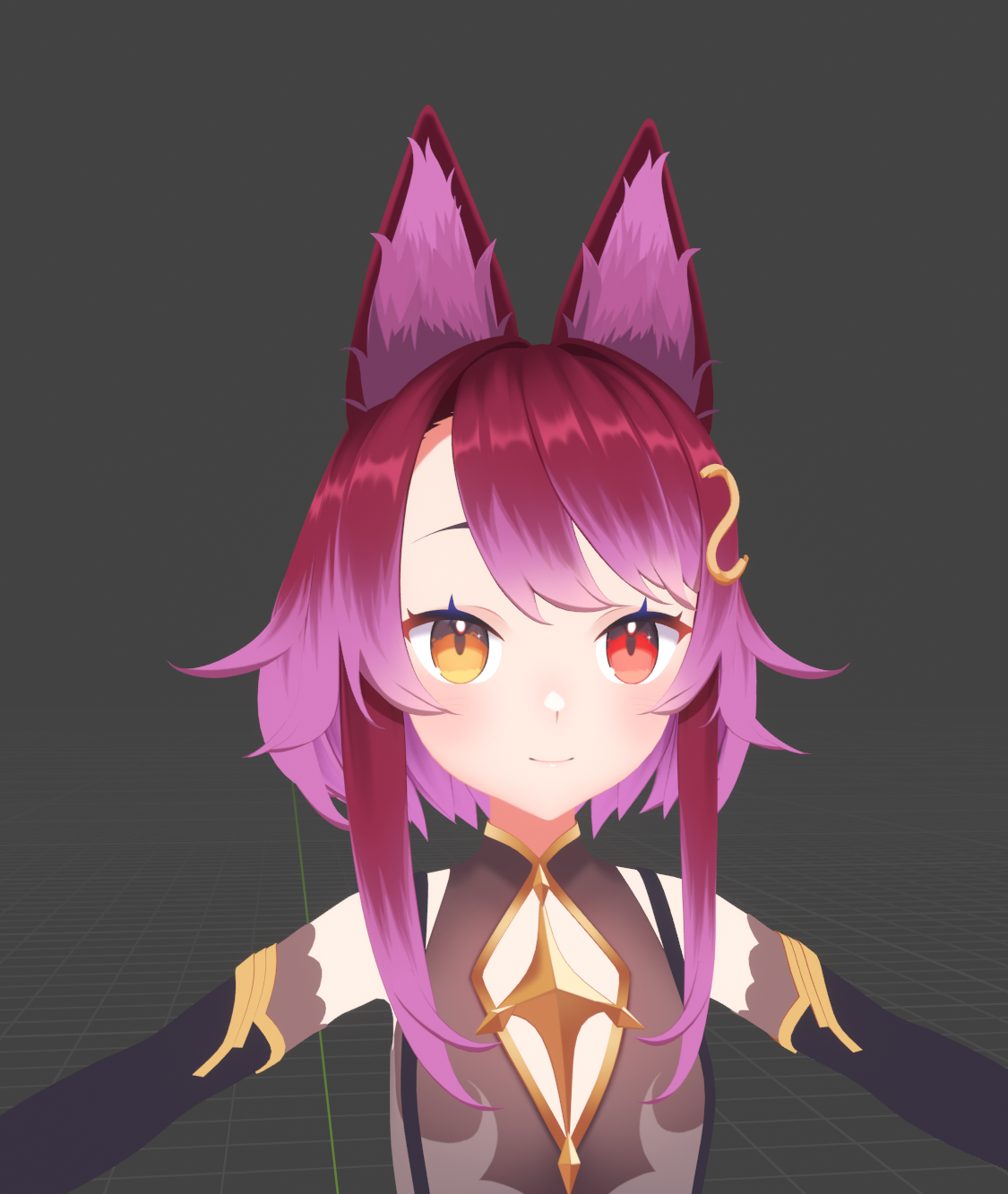
a small change from all the dumb shit i'm sure most of you been reading here recently
tough plover
looks great! just noticed that you're the same dude making those speed modeling videos, good stuff
still wadi
thanks
thin shadow
My goal is to be as proficient as you one day
 pseudo knoll
I've moved from a rough draft to a much more clean version, low poly on the armor, medium poly on the fur, what do you guys think I should do next?
 upper canyon
Make a cherub is my suggestion
Cherub > Protogens
(this is satire, just making it clear for the easily offended)
 rain fjord
see how the lighting on those bumps are off? how do i fix?
 devout scroll
the normals are backwards
because your thing is mirrored
there was a video on how to avoid this, lemme find it
Can't find it but if you're mirroring and baking you should offset your mirrored uv by 1 and then bake your normal map

if you set U or V to 1 in the mirror modifier it will do it for you
and also if you're baking you should apply the mirror before baking
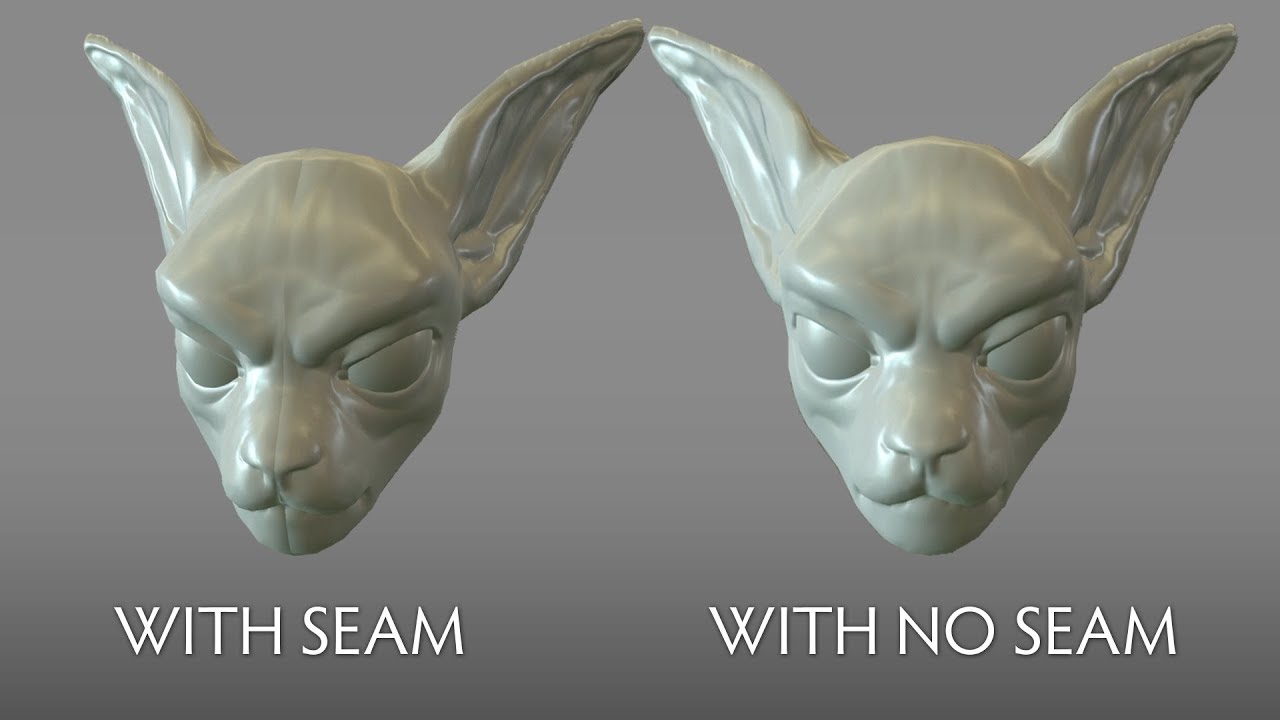
Watch on 1.25 or 1.5 speed if my slow grating voice is too much to bare.
a simple and easy solution to a very common problem.
IMPORTANT NOTE: I forgot to turn on my cursor in Bandicam so and gesturing I do with it is not visible but the actual methods themselves are relatively straightforward.
Found the video that helped me fix this ages ago
But if you're not baking a normal map yourself and have this issue, I dunno what you can do
pseudo knoll
upper canyon
Make a cherub is my suggestion
Cherub > Protogens
how about an illegal protogen?

claw hands >:3
upper canyon
pseudo knoll
how about an illegal protogen?
The less fur, the better. robots are better than cyborgs because we have NO ORGANS to SLOW US DOWN
pseudo knoll
technically you're looking at my fursona, and at the looks of it, he's paraplegic because he has no hands
and may not have legs
quaint jasper

VRChat Ask
Post about commissions for avatars in this category. Requests are not permitted, we only permit posts from those providing services.
 minor gulch
Hi yall, does anyone know how to remove parts of a mesh in blender without ruining the texture? To be specific I want to remove the ears and tail from Rusk but the hair becomes all blotchy.
quaint jasper
Can you show how you're doing it ?
minor gulch
quaint jasper
Can you show how you're doing it ?
of course, one moment
This is how it looks when I separate by material..

This is when I seperate by loose parts

as you can see there is blackish blotches when I seperate by loose parts
 foggy granite
seem like the uvs get messed up while trying to do that
i reccomend using l on the ear to select all linked faces
minor gulch
Ohhhh I feel dumb, I realized the solution when I explained the problem
minor gulch
foggy granite
i reccomend using l on the ear to select all linked faces
Yup that worked, idk why I didn't think of this XD
thanks you two for helping me jog my memory
foggy granite
np sometimes you have to typing it out to realize the issue
 stray tulip
So, started using CATS with Blender 3.1.0 (recently updated) and suddenly getting this error message while trying to export, is CATS not working properly on the newest Blender??
 trail python
if you're using blender 3.1 youll need the development version of CATS
trail python
stray tulip
So, started using CATS with Blender 3.1.0 (recently updated) and suddenly gettin...
"3.0-3.0.1 blender -> Use cats Development from the github
3.1 blender -> Use cats Development from the github, not guaranteed to work.
2.93 blender -> You can use regular or development cats" from their discord
stray tulip
ohh... so I should use blender 2.93/3.0 better? I don't mind using an older one as long as CATS works well
stray tulip
trail python
"3.0-3.0.1 blender -> Use cats Development from the github
3.1 blender -> Use ca...
Thanks for the info!
pseudo knoll
progress :D
 thin shadow
can't find low poly binoculars anywhere. I'll just make from scratch myself.

 wild comet
ok so dont judge me but i am still learning but i may do something with this cause it a work in progress and i am just messing around with blender atm and i couldnt stop laughing cause it look like someone have a bad butt implant but it a work in progress i swear!

also im new to blender too lol
 stark torrent
Sculpting is hard af
wild comet
stark torrent
Sculpting is hard af
yea it is but what do you use when you make the avatar lol?
stark torrent
I dont use anything, my computer literally cant handle that many polygons
stark torrent
There are some pretty cheap ones
obsidian nova
My method for making avatars/models: I poly-model with a subdivision surface modifier applied to my mesh instead of sculpting. I stick references behind your work & trace out their contours. Then, if I need additional detail, I create a high-poly version of that mesh & sculpt any fine details into it. Finally, I bake the normal data from the high-poly mesh to the low-poly version.
The nice part about the process is that there’s no re-topology required.
The shitty part is that there’s often a lot of tweaking that I have to do with my meshes after the fact to get them to rig right.
stark torrent
I just dont mess with topology when i can help it, and the auto mapping thing doesnt work
 hexed sandal
What's everyone using to create their avatars? I have some experience with blender but I've never modelled anything.
Trying to come up with an Avatar design similar to this, but I'm struggling. Wonder if there's a place to get it made for me on commission?


 obsidian nova
Yeah, with references like those, you should be able to find someone in VRCTraders.
reddit
1 vote and 3 comments so far on Reddit
hexed sandal
Thank you very much!
wild comet
obsidian nova
My method for making avatars/models: I poly-model with a subdivision surface mod...
Which setting do you go and do that?
pseudo knoll
hexed sandal
What's everyone using to create their avatars? I have some experience with blend...
hehe I'm essentially making this one here but red ^^
i literally referenced that image for the chest and arm plates
issue is I'm compromising some detail for low-poly-ness
hexed sandal
pseudo knoll
issue is I'm compromising some detail for low-poly-ness
I'd be interested to seeing what it looks like
hexed sandal
To be fair I would want it to be quite optimised
pseudo knoll
its going to be in the excellent performance rank
hexed sandal
I've put all the full details in VRC Traders, want me to DM you?
pseudo knoll
sure
pseudo knoll
hexed sandal
I've put all the full details in VRC Traders, want me to DM you?
I'm working on it right as we speak
 cinder cradle
k
pseudo knoll
exact same proportions as a rex just to see how people would react with a familiar appearance, even though people wouldn't think it to be a rex
cinder cradle
it doesn't remind me of rex too
rex is more thicc in chest
you could add some hair fluff
pseudo knoll
I did but its low poly
you'd have to look at it from a different angle to really see it
 cinder cradle
looks good
cinder cradle
honestly it looks good so you shouldn't be too harsh you are still learning
the details always come with more learning
spiral sigil
Does anyone know of any good programs for modeling within vr using a quest 2 connected to a PC? I have some programs for basic but if anyone knows then please DM or ping/tag me here so i can keep a list of which ones to look out, im going to be making different objects, rooms, etc
uncut imp
spiral sigil
Does anyone know of any good programs for modeling within vr using a quest 2 con...
Do you mean you want to actually use your VR controllers to do the modeling?
Or that is where you're going to use the final product.
pseudo knoll
it is now rigged so I can now do a
proot jumpscare

 meager bolt
This is my first time trying to 3D model and I think it’s goin pretty well! Does anyone know any good resources for modeling anime stylized hair because with the stuff I’m watching right now that’s the only roadblock I’ll have to face

I’m still really new to 3D modeling in general and if anyone has any tips to help me on my journey to make an avatar I’d appreciate it a ton!
devout scroll
rainhet has a bunch of tutorials
shonzo streams a lot of avatar creation
daniel kreuter is making a series on modelling characters which is aimed at beginners i think
then there's tons of low poly character tutorials
scattered around youtube
i recommend looking up vrchat creators tho
meager bolt
Thank you! I’ll make sure to keep these all in mind!
devout scroll
there's a lot of stuff to learn in character creation so you can lookup a bunch of different creators but youtube's a great resource overall
thin shadow
meager bolt
This is my first time trying to 3D model and I think it’s goin pretty well! Does...
Creating stylized anime hair can be quite challenging it you do it manually. Luckily, there’s a workflow that makes it fast and easy, using Curves drawn on surfaces.
Get the FREE Blender Secrets sample PDF: https://mailchimp.blendersecrets.org/freesample
Get the 1000+ page Blender e-book with free updates: https://store.blendersecrets.org/l/Ix...
 modest shell
im trying to add a piece of clothing to my model in blender and for the first time ... the bones of the clothing will no move in pose mode ... they turn orange and only rotate . does someone know how to change that ... im not so versed in blender
 meager bolt
anyone know why when in sculpt mode two specific quads turn cyan
 spiral sigil
uncut imp
Do you mean you want to actually use your VR controllers to do the modeling?
Or ...
spiral sigil
uncut imp
Do you mean you want to actually use your VR controllers to do the modeling?
Or ...
late response but i mean to do 3d modeling/sculpting in vr like masterpiece studio pro where i can model, rig and animate within vr
spiral sigil
dude i wish i could 3d model xX
uncut imp
spiral sigil
late response but i mean to do 3d modeling/sculpting in vr like masterpiece stud...
Im no help then. I've seen a few you can 3d model in, but none that you can rig in.
And honestly, for anything other than really organic sculpted shapes, id rather use a keyboard and mouse as its more precise anyway.
 deep token
 lime wren
anyone here use substance painter?
spiral sigil
i got this far with modelling this heart and now im stuck because i dont have a delete key and cant delete the vertices i need too anyone know how to change keybinds-
 cinder cradle
spiral sigil
i got this far with modelling this heart and now im stuck because i dont have a ...
cinder cradle
spiral sigil
i got this far with modelling this heart and now im stuck because i dont have a ...
what about X key
same thing
spiral sigil
any tips on improvements i can make to the texture or material as a hole

 vernal lion
anybody recognizes this type of texture
 tough plover
vernal lion
anybody recognizes this type of texture
tough plover
vernal lion
anybody recognizes this type of texture
where is the model from
tough plover
what's the file name
vernal lion
dds
tough plover
no, the whole name, not the file extension
 buoyant prism
I think that's like a combination map, idk the actual name of it but there's 3 maps in one based on the red green or blue channels
vernal lion
where would i put that on blender????
buoyant prism
I'm not sure
tough plover
seems like a metallic gloss map to me
every channel is a different PBR map
could me Metallic in the R channel, reflectance in the G channel, roughness in A. completely depends on the game though
 tough plover
does it not already have a rig?
the fact that it's not in a T pose is going to make it super annoying to work with
vernal lion
yes i know and it lacks a rig
spiral sigil
modest shell
im trying to add a piece of clothing to my model in blender and for the first ti...
Have you checked to see if the rotations are locked? After selecting it take a look at the right side panel within the 3D window area & scroll up. Are any of those locked or a certain color?

Am using a newer version of Blender but the same should apply, check to see if any of these are locked after selecting the bone
modest shell
i did and no it was the auto IK
spiral sigil
Ah
 distant sand
Trying to export something into an FBX with gradient texture I made in Shading. However I have no idea how to export the gradient texture with the model
spiral sigil
distant sand
Trying to export something into an FBX with gradient texture I made in Shading. ...
You may need to bake out the textures if they're procedurally generated
https://www.youtube.com/watch?v=1HyexrUEIv0

In this Blender Tutorial, I will show you how to bake textures from one UV map to another UV Map.
Video Timestamps:
0:00 Introduction
1:15 Create A New UV Map
2:14 UV Unwrap
2:32 Add An Image to Bake to
2:57 UV Map Node Setup
3:51 Baking Settings
4:42 Bake Color Map
6:17 Bake Roughness Map
6:50 Bake Normal Map
7:08 Setup The New Texture Maps
8:...
If they're normal textures and you already saved them into a folder just go to that folder and drag them over to your unity project once you're at that step of the process
distant sand
I'll give it a try and see if it works
spiral sigil
uncut imp
Im no help then. I've seen a few you can 3d model in, but none that you can rig ...
Understandable, i was thinking to do a mix anyways, model in vr then port to blender for refining afterwards if i want to do super precise, even then though i can use tools in Masterpiece Studio to make extremely precise movements so idk if ill even stick to doing both xD
spiral sigil
For the record, i just tried Masterpiece studio, idk what format it does exactly for vrchat stuff but it does support the Gravity Sketch format and Blender format, the animator for it can be done within vr, idk how to port it over but it seems like after porting to blender you can put it into unity for further usage within vrchat
figured i would type this here also, Masterpiece studio pro allows you do make weight textures (idk what it's called atm) fully rig any model and animate them for use in unity and seems to do the job pretty well, took me an hour to get used to but on a computer with no graphics card it is running surprisingly well for vr (28-30 fps, no visible lag, tear or latency somehow)
spiral sigil
can someone help me reduce the poly's on this model? I uh.. went overboard making it in sculptr so i can put it into vrchat and its now 67 megabytes.. i done messed up
 uncut imp
Jesus thats big
slap it in blender and decimate it.
or voxel retopo depending on what your shapes are like
 robust harness
I downloaded this Vroid mask extention and i have 0 clue how to add it
 spiral sigil
@uncut imp uhh pls explain how since ive never used blender since 2012.. aaaa i should have thought this through xD
uncut imp
spiral sigil
<@277663731390087169> uhh pls explain how since ive never used blender since 201...

Today, we learn how to reduce the number of vertices and faces in our mesh, by using the Decimate modifier feature in Blender!
IMPORTANT LINKS:
Blender 2.79 https://www.blender.org/
SOCIAL MEDIA:
YouTube (skits) https://www.youtube.com/c/kaikayskitsongs
YouTube (gaming) https://www.youtube.com/c/kaiplaysgames
Instagram https://www.instagram.c...
Although I'd use planar or collapse instead of un-subdivide probably. Whatever gives you the nicest results for your model.
spiral sigil
@uncut imp happen to know how to make vr run better while im talkin sorta to ya? I need to run masterpiece studio to do a re-texture to save it for unity but i uh.. kinda don't know how to port it yet but need to make it run for more than 10 minutes xD
uncut imp
Not much i can say for that other than get better computer parts unfortunately XD
Make sure all programs you arent using are closed so you've got as much free ram and cpu as possible?
spiral sigil
.. looks at my browser that has 30 tabs open due to research uhhh.. got it!
know if it's possible to prioritize a certain set of programs for CPU and GPU usage? i know my computer sets itself so when it opens stuff it limits everything else but idk how to make it so i can prioritize one program or another
 unborn acorn
spiral sigil
.. *looks at my browser that has 30 tabs open due to research* uhhh.. got it!
unborn acorn
spiral sigil
.. *looks at my browser that has 30 tabs open due to research* uhhh.. got it!
Task manager in the performance tab can make other programs higher priority
robust harness
I downloaded this Vroid mask extention and i have 0 clue how to add it
Anyone know how ?
devout scroll
look for vroid tutorials on youtube
robust harness
devout scroll
look for vroid tutorials on youtube
I did that for an hour straight and I couldn’t figure anything out
 warped pond
Hi !! just asking but how do you make assets for vrchat?
Like do you need the whole armature? or just the bone where its weighted on :O
warped pond
warped pond
Hi !! just asking but how do you make assets for vrchat?
Like do you need the wh...
what I mean from armature is like the whole body bones
 naive bolt
I just made my first ears from scratch in like 30 min! I wanna make more stuff now :D
 charred sphinx
Hey does anyone have the sdk to import models into vrchat
 open scarab
https://vrchat.com/home/download *VRChat Avatars
 gray geyser
 tough plover
you can either start from a base model you can find on websites such as Booth.pm or Gumroad, or you can make your own from scratch in a 3D modeling program like Blender. note that making an avatar from scratch takes a lot of work, and will easily take you days or weeks. you can also use https://readyplayer.me/vrchat to create a humanoid avatar based on your likeness or customized. there is also VRoid to make anime avatars.
for base models, you can also browse this list https://gitlab.com/s-ilent/SCSS/-/wikis/Other/Avatar-Models for mainly anime avatars and a few random ones, or this one https://www.vrcarena.com/category/avatar for furry avatars

Make custom full-body VRChat avatars from a photo with Ready Player Me avatar maker. Easy upload to VRChat – no Unity or Blender needed.

GitLab
A surface shader for Unity providing cel-shading. (Forward rendering only)
Discover new avatars for you to use in your favorite VR game.
for commissioned avatars, you can check out VRC Traders in #community-servers-old. you will need to make sure your discord account is verified with a phone number to get in.
also just a heads up, avatars aren't cheap. they take a lot of time to make, and people deserved to be paid for their work. depending on what you want, the price range can vary. avatars using a base model that require minor edits will always be cheaper than completely custom avatars made from scratch
 silver yacht
not sure where else to ask about unity things in this dc- but is anyone experienced with cloth phys and can help answer a question of mine? im fairly new at it, so nothing complex
safe marsh
Go to #avatar-help
 jaunty granite
Does anyone know how to create an avatar without making it look like ass-
Because I wanna create an avatar that’s in the style of those old animatronics you’d see at chuck e cheese/showbiz pizza
spiral sigil
Hi I make my stuff from scratch lol
One of the few people who do it in the UT community!!!
 quaint jasper
Looks great !
untold schooner
that's sick. really well done
obsidian nova
Think you’re missing some textures on those swords there. 🤔😏
 late yacht
when sculpting in blender it gets so laggy that i can not do anything when using the tools. is there anything you guys could recommend to me that might work to let me sculpt i thought it might be because there are to many tris so here is that info

i run a 2060 and a 3rd gen ryzen 5 with 16gigs of memory
spiral sigil
obsidian nova
Think you’re missing some textures on those swords there. 🤔😏
Oh no they are purple!!
spiral sigil
quaint jasper
Looks great !
Thank you so much!
I think I've met you once!
It's really cool that you like it!
Here is a full on render I did with it!

OOPS
Sorry for the ping!
I left it on by accident my bad!!
 hazy steeple
lol
quaint jasper
No worries  Cool render !
spiral sigil
Thanks!
I hope one day I can get one of my models onto the Vrc public avatar thing that would be cool
Rahhh I need to get my id and stuff!!!
I really wanna work as character modeller somewhere but I just turned 18 a bit ago and I need to get stuff set up first!
Here is some of my more toon stuff!
Some of its old sorry if it's kinda bad!


And I found an in-between style too!

Sorry for so many messages!!
I'm usually not too active here I just got excited someone noticed my model!
hazy steeple
Dang, and here I am having a struggle creating a texture for a model lol.
late yacht
hazy steeple
Dang, and here I am having a struggle creating a texture for a model lol.
lol right i am just trying to sculpt a skirt lol he is soo good
spiral sigil
Thank you!
I'm a girl actually!
late yacht
sorry!
spiral sigil
I know not many girls play this game lol
Happens all the time
Same with my sister lol
late yacht
spiral sigil
I know not many girls play this game lol
you are so skilled do you think you could help me with my issue? lol i am trying to learn more blender but it is hard with the lag
spiral sigil
late yacht
you are so skilled do you think you could help me with my issue? lol i am trying...
Are you trying to render?
late yacht
spiral sigil
Are you trying to render?
i am trying to just sculpt a skirt for an avatar so it will fit but every time i use the grab tool nothing moves until i switch modes out of sculpting mode if that makes sense
spiral sigil
late yacht
i am trying to just sculpt a skirt for an avatar so it will fit but every time i...
You may be trying to sculpt on a shape key without realizing it!
Lete get food an hop on PC and I'll send screenshots!!
late yacht
yus please i appreciate it sooo much!
spiral sigil
unborn acorn
Task manager in the performance tab can make other programs higher priority
Thanks mate! i'll be doing that later so i can model properly in vr, using a kids vr program to make high detail stuff is both weird and kinda fun at the same time xD
unborn acorn
no problem
 mental basin
I'm making a custom model in blender right now, is there any way to apply geometry to a nurbs path from a curve? that's how I planned on doing the hair but I'm not sure if it will work when thrown into unity
devout scroll
f3 > convert to > mesh
will convert whatever curve or path you have into a mesh
oh but you need to have some geometry to convert first
Which you can set here

extrude will give it thickness while bevel will give it shape
mental basin
That's perfect!!! thank you so much!! you just saved me HOURS
obsidian nova
late yacht
when sculpting in blender it gets so laggy that i can not do anything when using...
There’s no good reason for it to be lagging with those specs & that kind of model.
late yacht
obsidian nova
There’s no good reason for it to be lagging with those specs & that kind of mode...
i thought that but it is idk what to do
 spiral roost
can anyone help me fix this? it has been annoying me for a while

I have been stuck on this for hours and because I am dumb i have not figured it out
late yacht
spiral roost
can anyone help me fix this? it has been annoying me for a while
you need to do the wieght painting yes? for the hoodie?
hushed gyro
no idea if I'll be able to get this effect to transfer to unity but I thought it was cool
 late yacht
hushed gyro
no idea if I'll be able to get this effect to transfer to unity but I thought it...
late yacht
hushed gyro
no idea if I'll be able to get this effect to transfer to unity but I thought it...
it looks awesome!
spiral roost
late yacht
you need to do the wieght painting yes? for the hoodie?
how does that work?
late yacht
do you wanna voice call i can explain it to you better there
spiral roost
sure
spiral roost
Does anyone know how to fix "spine hierarchy missing elements please map chest"
cinder cradle
spiral roost
Does anyone know how to fix "spine hierarchy missing elements please map chest"
you need configure your rig, button is in same tab where you was setting rig as humanoid.
spiral roost
cinder cradle
you need configure your rig, button is in same tab where you was setting rig as ...
?
cinder cradle
spiral roost
?
click on your avatar in assets go to rig tab in inspector and you will see configure button.
spiral roost
this is what I see
 cinder cradle
waiting for you to notice the button under "Create from this model"
cinder cradle
put your chest bone in it's place
right panel shows what is mapped and what is not.
spiral roost
I see ye
 rain fable
Blender updated one little thing and for some godforsaken reason I no longer can select bones in weight paint mode.
how the hell do i select the bone I want to weight paint to?
late yacht
@cinder cradle hey i am having trouble with lag while sculpting and others have said it shouldnt be happening since my computer is good enough do you think you could help me out please?
cinder cradle
late yacht
<@!497827696676569088> hey i am having trouble with lag while sculpting and othe...
depends do you sculpt with subdivision modifier?
late yacht
cinder cradle
depends do you sculpt with subdivision modifier?
i dont even know what that is lol i am still learning
spiral sigil
late yacht
yus please i appreciate it sooo much!
HI!
SORRY
IM HERE
@late yacht When you are in sculpt mode you really want to be on the basis shapekey
 late yacht
spiral sigil
<@!837867253402697757> When you are in sculpt mode you really want to be on the ...
late yacht
spiral sigil
<@!837867253402697757> When you are in sculpt mode you really want to be on the ...
i think i am already doing that right? lol i have no idea
 spiral sigil
late yacht
i think i am already doing that right? lol i have no idea
spiral sigil
late yacht
i think i am already doing that right? lol i have no idea
Yeah!
Still doing it?
late yacht
spiral sigil
Yeah!
Still doing it?
yes it is
 onyx shale

 lilac stirrup
hi guyyyss i made a custom model in maya and im trying to get it into blender, but for some reason when i load up the base colors for the model on blender every mesh does gain the color its supposed to except the main body, which remains white
anyone know whats up with that??
 kindred perch
lilac stirrup
hi guyyyss i made a custom model in maya and im trying to get it into blender, b...
kindred perch
lilac stirrup
hi guyyyss i made a custom model in maya and im trying to get it into blender, b...
Wanna send us a pic of the material in Maya then load it in blender and look at the material there? So we can see whats changing or not changing?
Because it sounds like a conversion error of some sort.
lilac stirrup
sure i can do that, though i realized maybe i dont really need the textures to load in blender to do what i want to do, which is make the face fig
it would be nice to have them there tho
give me a bit
its super simple, just an arnold material with the image and with roughness to the max

looks like this in maya

in blender, for some reason, the scarf and tie do gain the colors from the material without getting messed up, but the body doesnt

idk what you really need to see from the material
discord thinks my screenshot of the material info is an explicit pic....

NOW it lets me
trail python
maybe theres an empty vertex color? just a guess

 trail python
i have no idea, it happens with mine too lmao
lilac stirrup
now it looks decent

dunno what to do about the glasses
but this is better
thank u
trail python
you could make a fake glass texture if you need something to represent the look
lilac stirrup
i am seeing the glass material did transfer over but it doesnt look like glass at all
now that i remember, this happened in unity as well when i tried setting stuff up
kindred perch
in blender and in unity its going to do different so just master the glasses in unity. Pretty sure your going to need a mask layer for the alpha in unity.
But yeah for your model just lower the specular to where you want it for your clothing.
uncut imp
The default material type in blender wont be transparent. I wouldnt worry bout it, thats stuff you're going to set up in unity anyway.
late yacht
spiral sigil
Yeah!
Still doing it?
somehow i fixed it lol idk how i just watched a video and copied the things they did though i had to watch like 50 vids to get to that
lilac stirrup
uncut imp
The default material type in blender wont be transparent. I wouldnt worry bout i...
thanks guys <3
late yacht
so i figured out my sculpting problem some how but now when i try to go into edit mode now it deforms the model. the model is nude which why i pu a spoiler on it for those who do not want to see

 uncut imp
late yacht
so i figured out my sculpting problem some how but now when i try to go into edi...
uncut imp
late yacht
so i figured out my sculpting problem some how but now when i try to go into edi...
Did you edit it while you had a shapekey other that the base one selected?
late yacht
uncut imp
Did you edit it while you had a shapekey other that the base one selected?
i have not edited the model at all i just joined some meshes to add them to the armature could that have messed something up?
late yacht
uncut imp
Did you edit it while you had a shapekey other that the base one selected?
also is there a way to deselect the shapekeys other than clicking them one by one?
well since i wasnt that far into it i just restarted and everything is working right though i am still curious as to what happened
uncut imp
Merging things togeather can sometimes screw up your shape keys, depnding on what gets merged to what
I'd save before you merge things and check after and be ready to undo if something has broken
late yacht
uncut imp
Merging things togeather can sometimes screw up your shape keys, depnding on wha...
tysm for the info! i will keep that in mind. i have another question if you dont mind i was trying to do the easy wieght painting method where you just tranfer it over to the clothes but for some reason it is not working
like i do it and it shows the weight painting when i go into that mode but is still not moving\
 young vault
Is it a separate object? Make sure it has the armature modifier on it in blender then.
late yacht
is it okay to delete the shape keys on clothes? cuz it says it can not add the armature to something that has shape keys
late yacht
young vault
Is it a separate object? Make sure it has the armature modifier on it in blender...
 young vault
And if it doesn't work you have to check if the relations to the armature is set to armature instead of parent.
young vault
The armature modifier just tells blender "This should move with this." Applying just gives it the relation to the armature
Which you can do manually too so 🤷♂️
late yacht
i see well thank very much i was starting to get a headache again...blender tends to do that a lot lol
 late yacht
ty so much everyone for ur help thanks to u guys i put this on the avi. i really apreciate it
 warped pond

 mighty sluice
spoopy model

 dry monolith

 mighty sluice
more geometry around the bend Point helps with deformation
mental basin
is there an easy way to get rid of overlapping geometry? the hair on my model is goin crazy
oh I should specify in blender
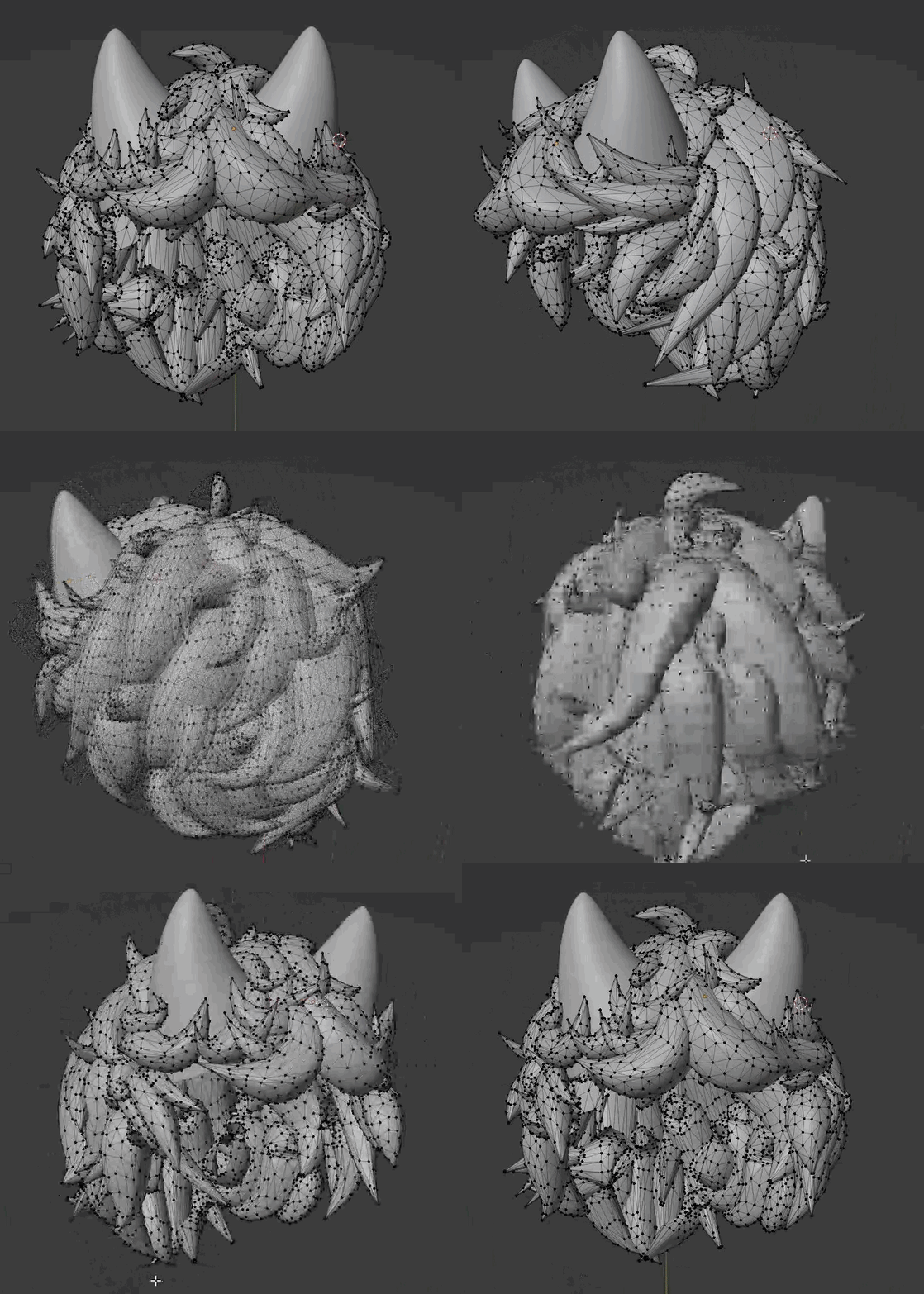
I want all this junk mesh that will just sit inside the head to be nuked
I tried boolean but it just balds him instantly :/

the normals were flipped lmao nvm
 exotic quarry
I'll ask the same question :)
Is there an easy way to remove overlapping vertices in blender to prevent shader issues?

 hushed gyro
merge by distance is usually what I use to get rid of overlapping verts, select vertices you want to merge => hit M => by distance, then adjust the merge distance in the bottom left
exotic quarry
Thanks! That did the trick! :)
 mystic bridge
Howdy yall so this is the farthest I have ever gotten on a model such as this (first time doing it!) and I wanted to know if I could perhaps have some pointers or advice for going forward. I have an idea for what I want to make this but no clue how to get there. Thank you all and have a great afternoon!
 tough plover
mystic bridge
Howdy yall so this is the farthest I have ever gotten on a model such as this (f...
tough plover
mystic bridge
Howdy yall so this is the farthest I have ever gotten on a model such as this (f...
always model your model in a T pose or A pose (T pose is easier to work with)
 swift cypress
im trying to make a basic avatar just to try and get the basics down but when i import the clothes they are really tiny, how do i fix that
solar fossil
mystic bridge
Howdy yall so this is the farthest I have ever gotten on a model such as this (f...
You should get references imported into the scene, should make it easier to get the form correctly

 dawn edge
does anyone have any advice for modelling the hands, head, and feet?
I feel like those will be the hardest parts
dawn edge
can anyone help me with mirroring textures
 bitter sierra
dawn edge
can anyone help me with mirroring textures
bitter sierra
dawn edge
can anyone help me with mirroring textures
if you still need help, then sure thing we can take a look at it ^^
dawn edge
bitter sierra
if you still need help, then sure thing we can take a look at it ^^
i mean all i have is some free humanoid rig i downloaded
:frownge:
bitter sierra
well, if it's UV mapped already, you can just select all the UV's from one side, and scale them across one axis by -1 to mirror them, and then just overlay them with the other half 
dawn edge
bitter sierra
well, if it's UV mapped already, you can just select all the UV's from one side,...
i havent actually tried modelling for a few years
can you
dumb it down
i dont even know what a UV is
bitter sierra
a UV map is how the 3D mesh is laid out onto a 2D texture

a cube is a simple example
the 3D faces in a way unfold into a 2D shape, which for this cube looks like a cross
dawn edge
i see
bitter sierra
so that cross is the UV map, here it is in Blender with a cube
 dawn edge
im more or less stumped on how to
- fix the feet
- properly model the head
- mirror meshes (learning now
basically gotta remodel a few components of the model, and then stitch some more stuff onto it
bitter sierra
as someone who's modelled an entire humanoid character.. are you sure you're up for the challenge? not to be rude or anything but if you don't know what UV maps odds are you don't know how to model a head..
I'll find a video that might help
dawn edge
bitter sierra
as someone who's modelled an entire humanoid character.. are you sure you're up ...
i mean do you wanna lend me a hand?
i was only adept in making low-poly models (pretty important for vrchat games ig
bitter sierra
welp, the video I was looking for has been deleted I think, can't find it at all.. and to be honest I don't really want to, there's a few things that go into making a good looking head and I've learned through experience that trying to teach something a bit more advanced to someone who's lacking a good basis of skills is just gonna end up in me making the entire thing and giving it to them
if you have questions throughout your own learning processes feel free to ask, but I don't want to get too involved in the sense of holding your hand through every little step
dawn edge
alr


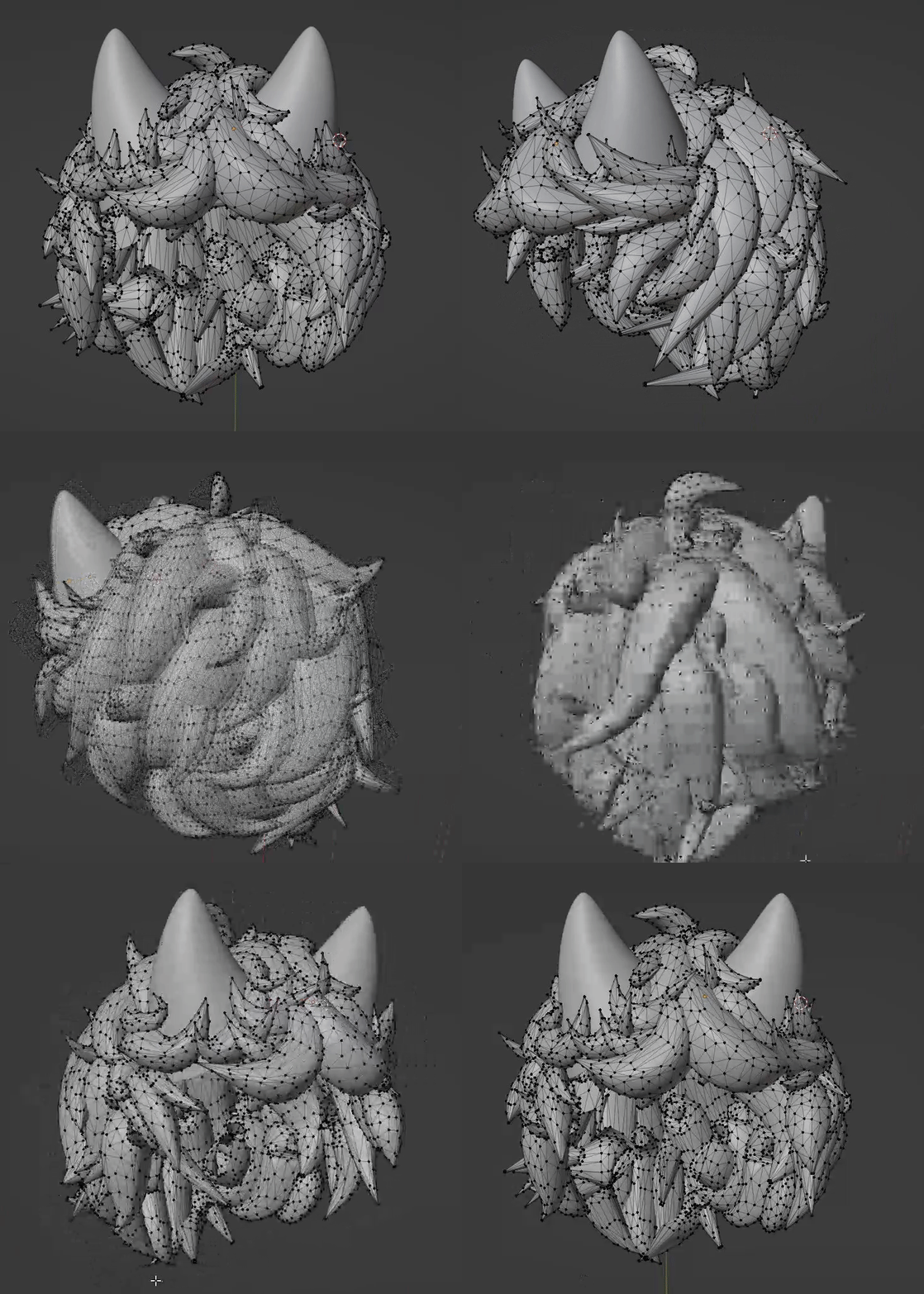
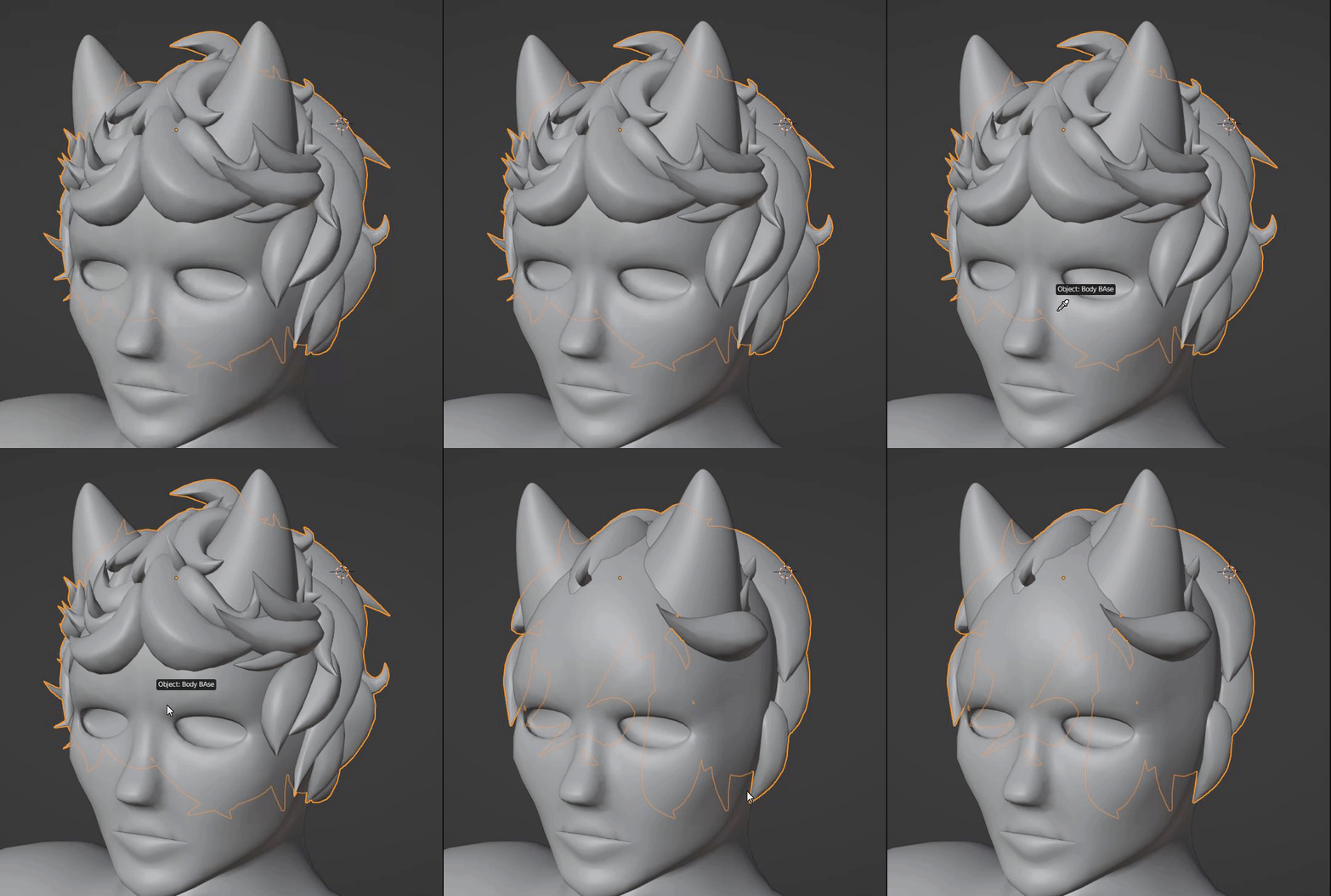 dawn edge
okay but i was talking about mirroring textures, not sure how to grab exactly half of the model
I'm considering doing commissions for models in order to save up for an avatar
bitter sierra
ah, you said "mirror meshes" so that's why I suggested using a mirror. And using a mirror modifier will also actually mirror the textures, if you want to mirror textures on a mesh you have that doesn't use a mirror modifier then you have to open up the UV editor in blender, select one half across the axis you want to mirror, flip it (scaling it over the axis you want to mirror by -1) and then lay it over the other side. Which is what I already said before, so, if it doesn't make sense then just look into how UV mapping works, there's plenty of videos out there
hushed gyro
anyone have any suggestions for getting rid of normal map seams on a sphere?
 bitter sierra
hushed gyro
anyone have any suggestions for getting rid of normal map seams on a sphere?
bitter sierra
hushed gyro
anyone have any suggestions for getting rid of normal map seams on a sphere?
I don't have an answer.. because I don't think it's possible, simply because you can't avoid seams with a shape like that, I can see you used a cube to make a sphere, so I'll show you why you can't avoid these seams using a cube
so your normal map is seamless, but every side hexagon isn't the same, which makes sense with the normal map.. now that makes it so at the seam you get a hexagon that partially uses a hexagon with different orientation, so the colours are off
this is probably what your UV map looks like, I just unfolded a cube so it matches its UV

however if I now fold this back into a cube the lines are gonna intersect with eachother..
hushed gyro
bitter sierra
this is probably what your UV map looks like, I just unfolded a cube so it match...
this is my normal map, I was reading some posts online that suggest there might be a way to correct the seams in unity
 bitter sierra
a-ha.. did you bake the textures?