#avatar-rigging
1 messages · Page 196 of 1
 karmic plank
 low coral
https://www.youtube.com/watch?v=2sfTEBAl8sA im following this one

[Update 11/10/2021]
In Unity 2019 it's easier for the project to break during file overwrite. It's better not to delete the .meta file when overwriting anymore.
[Update 8/6/2020] (Avatars 3.0 info / current state of "RIG HACK" fixes):
*With the new FBT head-locked binding method the "Shoulder Flop Fix" of lowering the viewball is no longer r...
also i dont have the fbt, this is for someone else
i shortened the legs like in this tutorial, but the foot trackers are still showing up in the same place in the knees
karmic plank
did you use reference pictures like on the video? ( shorten the legs where the balls are on their avatars, and adjust the length of arms to match their controllers grip) Is important to also adjust the length or arms too
low coral
i wasnt able to get a picture because im trying to fix this for someone, but i shortened the legs and arms
karmic plank
So you are just guessing where their legs and arms would be?
you could import a x-bot into blender and use that as reference
low coral
where can i find that?
karmic plank
hmm Im not sure where to find the original one, but you can try searching for "xbot" or "ybot" on sketchfab
 void turret
anyone know of any good ways to keep parts of clothing from clipping into other clothing? i have suspenders over a shirt but whenever i turn, it clips through the shirt!
 jovial delta
my bones are not working with the avatar

 still oriole
jovial delta
my bones are not working with the avatar
still oriole
jovial delta
my bones are not working with the avatar
Have you done the entire humanoid rig setup?
 still oriole
I mean in Unity.
jovial delta
yeah

 robust crescent
Weightpainted ?
still oriole
Does the SDK actually ignore bones with no weight groups?
robust crescent
You can make fake fingers with no weights , had to on old 2.0 if they didnt have any
jovial delta
still oriole
Does the SDK actually ignore bones with no weight groups?
is that why it isnt applying the rig?
still oriole
jovial delta
is that why it isnt applying the rig?
I don't know. Do the bones actually move body parts in Blender?
jovial delta
yes
still oriole
No idea then.
 pine sapphire
Hey, does anyone have a minute to help me troubleshoot a tail wag idle animation for AV 3.0? Trying everything, I'm probably making a simple mistake, but I'm not sure where I've gone wrong.
The fastest way to trouble shoot would probably be to screenshare & walk through the process; but I'll post screenshots here anyways.
 pine sapphire

The animation works independently, but for some reason, it doesn't work when I run the Avi.

This is the animator (Gesture Animation Controller).
Nothing suspicious in my console either...
 robust crescent
Have one that move ear/tails around on another layer in gesture, other have masks, way i do it doesnt need em ( will vary if you use wd off or on) left motion is the one i have it on v

 fair plank
low coral
i shortened the legs like in this tutorial, but the foot trackers are still show...
fair plank
low coral
i shortened the legs like in this tutorial, but the foot trackers are still show...
Could also try this
https://github.com/triazo/immersive_scaler/releases/
GitHub
VRChat correct proportions, made easy in blender. Contribute to triazo/immersive_scaler development by creating an account on GitHub.
 hoary thicket
how do i chamge colors of an avatar model in unity
pine sapphire
Thanks @robust crescent I tried separating my animation; but it still won't run. Any tips?

 finite swallow
low coral
i wasnt able to get a picture because im trying to fix this for someone, but i s...
finite swallow
low coral
i wasnt able to get a picture because im trying to fix this for someone, but i s...
Kinda a late ping, but don't scale the arms. Because of how the game fits an avatar to you (to ensure your real arms match the avatars arms) if you shrink the arms you effectively are lengthening the legs
 dark glacier
Can anyone rig an avatar for me in blender
I made it in unity
Or help me make it in general
Its just 2 parts on top of an anime base avatar
I could really use the help rn
Please
pine sapphire
Could you be more specific? I'm sure that there are people who could help you, but they'll need more info than that.
dark glacier
I'm basically trying to make my oc as simply as possible
But I dont have access to blender due to being on an older computer
My hope would to have someone make it for me but I cant pay or really exchange stuff in any way other than gift
My avatar wouldnt even be that complicated
 crisp tendon
dark glacier
My hope would to have someone make it for me but I cant pay or really exchange s...
crisp tendon
dark glacier
My hope would to have someone make it for me but I cant pay or really exchange s...
Give mixamo a try
dark glacier
What
crisp tendon
Google it and you'll understand 
dark glacier
Does it require opengl
crisp tendon
i have no idea
dark glacier
I'm about to find out
Well
Looks like it runs in browser but I dont understand any of this
dark glacier
@crisp tendon
I figured out how to upload avatars to the site
But it doesnt seem to be working
crisp tendon
how so ?
dark glacier
Always says there was a problem receiving the upload
Like I'm trying to upload Black knight from fire emblem but keeps giving me that error
crisp tendon
and that model doesn't have an armature ?
dark glacier
Oh wait a minute
I needed to upload the zip
Not the obj by itself like it said
And it looks like the model is completely busted
crisp tendon
busted how ?
dark glacier
Like the character is all wrong in animation
Walking on hands
I thought for it being t pose it would work fine
Well
I got dark nut to work
How should my key frame reduction be
And how should the download settings be @crisp tendon
Fbx for unity
With skin
30 ?
All I'm puzzled about is what keyframe is
crisp tendon
you just want the rig, don't bother with the animations
dark glacier
So leave it as none
crisp tendon
yep
dark glacier
But change FBX to FBX for unity right
Btw @crisp tendon
In unity I cant see the preview and I fear its gone
What do I do
crisp tendon
the preview for ?
crisp tendon
can you show your screen ?
 crisp tendon
Would suggest to learn how to take a screenshot for next time as well

Do the above to reset your layout and it should show your tabs
 sterile lava
does anybody knows how to arm fix in blender ? godzilla stuff
 edgy plaza
Im trying to rig this but dont know what bones to put

 raw jackal
Has anyone ever had an issue with a tail going through the head and/or vibrating when they crouch? It seems to be related to Dynamic Bones and I can't figure out how to fix it without just straight up removing the dynamic bones EDIT: I fixed it! The vibrating was due to a gravity setting. If anyone else experiences an issue where a bone vibrates during an animation like crouch or prone, that is what fixed it for me

 winter axle
Why do my arms explode in game but my avatars fine when T posing in Unity.

 normal knoll
edgy plaza
Im trying to rig this but dont know what bones to put
normal knoll
edgy plaza
Im trying to rig this but dont know what bones to put
You'll need all the bones required by VR required by Unity, and therefore VRC's sdk in order for it to properly work. (See Ruubick's pinned post in this channel.)
However, when you weight map your bones you don't have include weights for the non-existent arms on the mesh.
normal knoll
winter axle
Why do my arms explode in game but my avatars fine when T posing in Unity.
Might have something to do with how you import the model into Unity, make sure that you enforce T-pose in the rig configuration menu.

And now that I've done my part..
winter axle
normal knoll
Might have something to do with how you import the model into Unity, make sure t...
i actually solved it. it was a stupid fix. but i got it
normal knoll
winter axle
i actually solved it. it was a stupid fix. but i got it
Glad you did, figuring out dumb stuff is like one of the rings of hell especially if you don't get any help and can't seem to figure it out yourself.
Absolutely painful.
winter axle
normal knoll
Glad you did, figuring out dumb stuff is like one of the rings of hell especiall...
i forgot to use the CATS fix button before exporting. stupidly simple i know. but i am glad i got it finally
normal knoll
Is there some clear guide to how to rig the finger bones on a model before you import it to Unity? They always seem to bend awkwardly. Open hands for example have the fingers bend "backwards". The weight mapping is all fine and the bones also seem fine but this is the second time I've experienced this strange behavior when trying to create an avatar from the ground up.
Examples of what I'm talking about;
- With the tracing line being either way off (which I'd assume is just at the end of the index finger's bone).

Sideview

Ends up with weird results like this when trying to make gestures.

My current hand/finger bones are all on the same height plane and are seemingly in the right position;
 still oriole
Do you have three bones per finger? Have you checked bone mapping in Unity?
 olive bobcat
cats made my headbone my hair instead, how do i get it to be the head?
 still oriole
Check your hierarchy and naming.
 wheat fox
Does anyone think they can help me rigg my avatar? For some reason Blender won't work
normal knoll
still oriole
Do you have three bones per finger? Have you checked bone mapping in Unity?
They do have three bones per finger, I did see some strange behavior with the sliders in the mapping menu when in the inport settings.
still oriole
normal knoll
They do have three bones per finger, I did see some strange behavior with the sl...
It looks to me like the bones and the weights are mismatched, as in a bone is very short but is actually affecting an area further along the finger. Does it behave as expected in your 3D editor?
normal knoll
still oriole
It looks to me like the bones and the weights are mismatched, as in a bone is ve...
I hadn't checked pose mode yet, seems the bones weren't connected to begin with.
I'll play around with it a little more and update later.
Got some stuff to take care of.
 spark wedge
Does anyone know if, with cat's blender plugin, when using merge armatures it uses the positions of the base armature's bones or if it averages the positions of both armature's bones?
 quiet gazelle
(Sorry if this is the wrong channel, this seems like the best fit for a general-ish question since #avatar-general seems to be moreso for the Unity side of things)
Are there any good ways to keep really long (waist-length or longer) hair from clipping through the body when looking up or leaning forward with FBT? I changed the hair from this to this as a starting point to solve the 'leaning forward' problem but I dunno how much it's gonna fix the 'clipping when looking up' problem


I figured a decent solution would be to use colliders on the spine but colliders have a heavy perf hit... Maybe that could be a decent solution once avatar dynamics comes out?
 lament field
The best way that I did it was using colliders with dynamic bones
quiet gazelle
hm, that's not ideal, but fair enough, I suppose. Maybe I can upload a fallback that doesn't use that
lament field
Yeahhh, it’s not fun
quiet gazelle
I really hope avatar dynamics has colliders that don't perform like ass, I don't like having to fuck up my rating and performance hit in order to do stuff like this
@lament field sorry for the ping, if I go the colliders route should I still go with the second image, or go back to the first?
lament field
I imagine it would be easier to apply colliders with the second image
And the second hair has good volume, very cooool
quiet gazelle
Thanks! Sounds like a plan then
I made it with vroid, i haven't changed the defaults that much
the default presets are a lot better now than they were during the beta
lament field
Ugh vroid -.-
And ikr, I love the presets
I’m struggling with a broken-legged vroid avatar right now Lmaooo
quiet gazelle
Beta vroid looked kinda bleh if you didn't change out most of the textures, they had a look that you could recognize from a mile away
quiet gazelle
lament field
I’m struggling with a broken-legged vroid avatar right now Lmaooo
what's broken about 'em?
lament field
Well, this is their leg when they're in a normal stance

This is the leg when you bend it :3

The top half of the leg just disappears into the void, and I don't know what to dooo ;-;
quiet gazelle
seems like it miiiight be a weightpainting issue? not totally sure though
lament field
I'll try it, thanks for the input
lament field
Okay! So turns out I kept looking in legs for the issue, but instead I was like hmm lets check the hips
Man, the entire area was bright red where the issues were lmao
Thanks !
quiet gazelle
lol yep, no problem
 fading verge
Anyone here have experience with rigging inanimate objects? Trying to rig a tank right now and have no idea what I'm doing lol
Or is this the wrong channel to ask
quiet gazelle
I might be able to help a little bit @fading verge
I dunno if I could help you out with like, actually doing but but I can give some pointers as to how you should set up your bones I think
since something like a tank is usually split into separate parts I think (in theory at least) you should have a pretty easy time rigging and weightpainting it. I'd set up the bone for the turny shooty thing in the middle of it, and intersecting the main body and the turny thing. Have the bone for the turret come from the turny thing, and go to the tip of the barrel.
I'm gonna have a hard time explaining in words how I'd rig the wheels to the base, so I made a shitty diagram. Green are the bones, cyan are the joints, and red are the wheels

How I'd do it is have a base of line bones coming from the body, and make a new joint at every wheel, then make a new bone coming from that joint to attach to a wheel
I dunno if this is the correct way to do it or anything, but I hope that helps
fading verge
Well I'm attempting it with different models (found online) and im not sure if it matters or not if the turret isn't separate from the hull (highlighting brings up both) but like I've never done anything like this before so I'm attempting to figure it out and get started into it@quiet gazelle
quiet gazelle
Are the hull and the turret separate materials?
fading verge
Think they are the same material on the 1st one I tried
quiet gazelle
Ah, hm
quiet gazelle
I'd recommend watching a tutorial or two just so you can get the hang of its UI and know what stuff does and why. I remember when I first started using blender I had no idea about anything lol, but that was back in the 2.79 days
This might help with that https://www.youtube.com/watch?v=4P8l_Ny50Fk

Become a member of this channel to get access to more than 550 Blender videos: https://www.youtube.com/channel/UCyu4kn_ROhA34jug2g_AwJA/join
If you're new to Blender and would like to start creating in under 20 minutes, then check out this Blender 2.8 Quick Start Guide.
This is from a larger course called "Blender 2.8 Character Creation" that ...
If it turns out to be a shit video I'd search "blender 2.8 basics"
quiet gazelle
The fundamentals are pretty much the same between 2.8 and 2.93 I believe
It's moreso tutorials that focus on 2.79 or earlier that you won't wanna use
fading verge
Ok ill take a look
quiet gazelle
Anyway what I would suggest after you get the hang of blender's basics is, on a model that doesn't have separate materials, go into edit mode, go into the Faces selection mode, hold down alt and shift, and select different parts of the hull, ideally it should select in rings on the hull so that you don't have to select every face individually
If that doesn't work you can try using the selection box or something
What you wanna end up with is to have all the faces on the hull selected
Once that's done, press P, and then press "Selection," that should separate the faces you've got selected to a new mesh
 vocal sentinel
I have a question for the general audience here. if I want to port a character to VRChat, like Freddy Fazbear for example, do I keep the IK rig on and port him there or will he have broken bones everywhere when I port him?
well?
all I'm saying is are IK ports allowed into VRChat or does the FBX just damage the model of it all together with IK rigs?

 fervent hornet
The lines represent the parent/child relationship between two bones, if you parent those two bones to the correct one (probably the chest bone) the lines will change to represent that
fading verge
ok .. so ive got it working the dynamic bones work for the extra set of ears on the package
but the premade animations are also effecting the new bones which arent even attatched to the animation
what the hell is going on
what on earth is causing this lip it looks fine in unty


its only on that bottom left one
fading verge
so its me again, looking at different models to use for my project and i came upon this

to me it looks like those black lines indicate movement is available without bones, but im not 100% sure
 sharp mango
i think there controllers for an array modifier or some other modifier
just mess with em and find out
fading verge
idk how to lol, im trying to figure that out as we speak
the black lines are roots though, while everything else isnt
sharp mango
Is there any way to get bones that drives shape keys working inside unity?
crisp tendon
I don't believe so
sharp mango
am i able to control the eye animations that are used when setting this thing up
 fading verge
I'm sort of a beginner when it comes to rigging, but does anyone know if there are ways to rig for example two legs to move along with each other, but only using one bone to move both? as well as keep the separation between them when they get weight painted?
 rigid marsh
Not sure if it's a good place for that kind of help/question but does anyone know a good way of making a string-like object/erring in this situation with dynamic bones? My problem is that I want it to behave like it is held on both sides, but I can't do it, is there a way to for example hold the last bone in place so it will make the rest kinda hang from both sides?


 north crypt
fading verge
what on earth is causing this lip it looks fine in unty
north crypt
fading verge
what on earth is causing this lip it looks fine in unty
Make sure in your rig configuration, the “JAW” bone is empty
north crypt
 hmm
hmm
fading verge
Also even though these are completely new bones they get animated alongside the other ears that are just there with the base
north crypt
Doesn’t hurt to check
fading verge
Like wtf is causing thst
north crypt
Perhaps is a weight painting issue? If you didn’t assign the mesh to the head bone
fading verge
I have assigned them to vertex groups
Which are assigned to the bones accordingly
I cna pose them just fine
The dynamics work perfectly in unity
It's just... Ingame
north crypt
Is that your jaw that’s flying all over the place? Hard to tell with the image
fading verge
It's the bottom left ear it has a lip at the very end that just won't go away its folded
Bottom right is perfectly fine though
Even though they are working on the exact same kind of bones
See I don't know if this is a problem with the rig or not now because it works fine in unity
north crypt
Looks like a vertice is stuck or isn’t weight to anything tbh
Might want to check it in blender
fading verge
I though that too... But every vertices is assigned I'll try turning up the weight
This is for a friend I should be working on school stuff tbh so if I can't get this done today I'm gonna ditch it
north crypt
Use pose mode to drag ur character around and see if any spots are stuck in place. Then just paint it, should be fixed then
north crypt
fading verge
This is for a friend I should be working on school stuff tbh so if I can't get t...
Lmao I feel that, I use to procrastinate school work till the last second
north crypt
rigid marsh
Not sure if it's a good place for that kind of help/question but does anyone kno...
U could try weight painting the end of the earrings to the spot u want it to stay at. The entire earring should be assigned to the head(or wherever it is) so it follows along when looking up and down
fading verge
I managed to use blender as an excuse to make a VrChat world for a school project since I wanna get better at 3d modelling xD
north crypt
That’s rad tbh
fading verge
Ok I'm gonna check it all when I get home then because I feel like it might not be weighted properly even though it should be if not ima try scrapping all fx layers and animators and see if it fixes anything if I make um from scratch
Thanks for all the help man!
rigid marsh
north crypt
U could try weight painting the end of the earrings to the spot u want it to sta...
thx, i will try it
 rare yew
does anyone have any documentation/guides on how to implement basic dynamic bones for ears/tail etc? I've found some, but they refer to the methods as "hacky" and a lot of them are avatar 2.0
also whats the trick to having sub 5 finger characters? Do I just leave one finger joint un-skinned and "invisible" or is it ok to delete a couple of digits
 iron hill
Hello ! Do you know some ressources on how to properly setup twist bones ? I find only something in vrcat forum, which seems to be broken my side
@midnight sand , do you know if there is another place that mirrors this tutorial ?
 cunning imp
I Only have put dynamic bones on the tail, but after converting (and only after converting) It gains some on its hair and chest. How do I remove these ones? I cant figure it out or click on them. Avatar made on VRoid and imported to Unity 2019

the things i think i want gone are the white balls on the front
tried removing the dynamic bones plugin and readding it. the bones just return
north crypt
U should be able to go into the hierarchy and find the hair strands that are being affected in the inspector tab on the right. Just remove the dynamic bone component
north crypt
cunning imp
 also u probably don’t need all those dynamic bone colliders. They heavily impact performance
north crypt
rare yew
does anyone have any documentation/guides on how to implement basic dynamic bone...
easy!! I can help u with that in like 4 seconds lol. I’ll toss a video together and DM or @ you when I get the chance
cunning imp
north crypt
<:vrcTupCry:826890325313454100> also u probably don’t need all those dynamic bon...
it doesnt let me
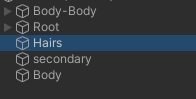
wait
nvm
it did
but only for the hairs
not the body
wait nvm no it didnt
hair is still there
rare yew
north crypt
<a:vrcAevSlap:608452275656196176> easy!! I can help u with that in like 4 second...
that would be fantastic!
north crypt
cunning imp
https://i.imgur.com/Onbp9vq.png
That’s the mesh, you have to find the bones that are being affected. Should be somewhere in the drop down hierarchy of your armature
cunning imp
north crypt
That’s the mesh, you have to find the bones that are being affected. Should be s...
could it be a vrm spring thing?
also i cant find the armature thing
north crypt
It might be named something else, but it’s your character’s armature so it should have smth like >hips>spine and so on
Arms, head the whole shabang
north crypt
cunning imp
also i cant find the armature thing
^
cunning imp
ill take a look
north crypt
Don’t click on this 
It’s account grabber or smth
<@&397642795457970181> sorry to @ you but we got a skinker in chat
Thxx
 midnight sand
iron hill
<@!124853640065187840> , do you know if there is another place that mirrors this...
midnight sand
iron hill
<@!124853640065187840> , do you know if there is another place that mirrors this...
If they're broken it's more than likely that you've got something wrong with your rig or missed a step from the tutorial.
I still use the same setup from when I made that tutorial on all of my avatars.
iron hill
midnight sand
If they're broken it's more than likely that you've got something wrong with you...
oh, no, I mean the forum is broken
https://vrcat.club/threads/tutorial-guide-twist-bones-what-are-they-and-how-do-you-use-them.3622/
returns error 404
Even https://vrcat.club/ gives 404
So I was asking if you know anoyher place with the same tutorial
north crypt
Try shortening your head bone or adjusting your view point, you want the view ball to be right on line with your shoulders(in the center of your head)
 sleek cobalt
north crypt
Try shortening your head bone or adjusting your view point, you want the view ba...
sleek cobalt
north crypt
Try shortening your head bone or adjusting your view point, you want the view ba...
but everyone place it slightly infront eyes ;o i ll try the shoulders line, ty


 heavy tinsel
<@&397642795457970181> Got a model with visible nudity here.
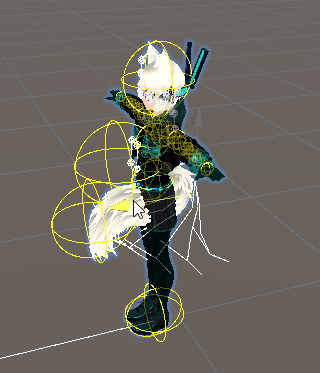
 hardy pollen
cunning imp
https://i.imgur.com/Phu6ybc.png
hardy pollen
cunning imp
https://i.imgur.com/Phu6ybc.png
just move the collision boxes around, i know theres settings like inside and outside
cunning imp
hardy pollen
just move the collision boxes around, i know theres settings like inside and out...
theyre both set to outside
hardy pollen
so just mess around with the settings a bit, I havent done much
try changing the radius and amount of collisions
cunning imp
ive tried loads buit all to the same effect
hardy pollen
hmm
rare yew
just so im 100% sure. buying this is still the way to get dynamic bones going?

i have no problem paying for it, just wanna make sure im not using anything out-dated 🙂
north crypt
rare yew
just so im 100% sure. buying this is still the way to get dynamic bones going?
Yup! That’s what u need to get the jiggle
sleek cobalt
heavy tinsel
<@&397642795457970181> Got a model with visible nudity here.
was just a side-transparent-wireframe but okay
still oriole
hardy pollen
why arent they both connected? when I export one arm breaks
Have you tried parenting the other bone to the chest bone as "keep offset"? The other one seems parented already.
hardy pollen
still oriole
Have you tried parenting the other bone to the chest bone as "keep offset"? The ...
yup
im gonna mess around with it more and see where I can go
fading verge
so i think i got my rigging correct, is there a way to test to see if it works at all in unity? or do i have to bring it to vrchat to make sure it works
crisp tendon
Depends on what you're testing
fading verge
movement mainly, of turret, tracks and wheels @crisp tendon
crisp tendon
Then you'd probably be better off testing in vrc directly
fading verge
ok i will, thanks
 autumn socket
Anyone know a tutorial/can help with how to get 3 fingered hands to bend correctly?
I've been at this for a few hours and I just can't get the stretching to work correctly...
I know there's a handful of 3fingered avatars out there too...
Only idea I've run across is making fake bones for the hand, then have the real weighted ones for animating, but if I do that then wanna use premade animations like maximo ones later, the hand wouldn't move with those since the animation would read the fake weighted bones instead of the weighted ones...

 devout lantern
So I've seen a few avatars with usable seats or anchor points for other players to use in vrchat (one of the Titan avatars can seemingly grab on to people)
Is there a way to similarly have grabbable props on an avatar? Like a gun or bat that another player could pick up from then?
 broken flame
autumn socket
Anyone know a tutorial/can help with how to get 3 fingered hands to bend correct...
broken flame
autumn socket
Anyone know a tutorial/can help with how to get 3 fingered hands to bend correct...
you could have very small bones for all but the tips of those two fingers
so that when the fingers bend it only bends in one place
 supple hamlet
Anyone wanna show a plebian how to get a skeleton to move the model in a normal looking way?
Most of the tutorials I have scene use Parent with Automatic Weight. But the scaling on what gets paired to what is too great. This happens.

 prisma verge
supple hamlet
Anyone wanna show a plebian how to get a skeleton to move the model in a normal ...
prisma verge
supple hamlet
Anyone wanna show a plebian how to get a skeleton to move the model in a normal ...
That's strange
I'm trying to think of what might cause that
Is the topology of the model good?
 valid relic
having trouble paring a hat to the rest of my character
the hat is rotating faster than the bone it's assigned to
looked at so many tutorials and i just don't get what i'm doing wrong
 glass whale
hi, I have a question, does dynamic bone cant use in Vrchat desktop mode?
iron hill
valid relic
looked at so many tutorials and i just don't get what i'm doing wrong
It makes me think that your hat is weighted somehow to another of several other bones
still oriole
supple hamlet
Anyone wanna show a plebian how to get a skeleton to move the model in a normal ...
You'll have to go in and weight paint the model properly. Automatic (or envelope) weights sometimes work but usually you have to fix things.
void turret
asked yesterday but i havent gotten a response x__x

 fierce grail
I think Unity Cloth might be a better solution for this if you don't mind instant very poor rating (cloth stats really need an update...)
void turret
fierce grail
I think Unity Cloth might be a better solution for this if you don't mind instan...
oh i wasnt aware unity cloth was still supported. i thought it was obsolete once people started using dynamic bones. i'll test it out.
but due to the rating (my avatar is in the excellent rating currently) would dynamic bone still be a good alternative? and is there a way to get it to work well with that capelet?
fierce grail
having a single dynamic bone transform on your avatar instantly puts you at good rating
void turret
i am aware but a good rating is much better than poor
 jade whale
Dynamic bones will work for it but be aware that to get a good looking effect might require enough bones and collides that it puts you in poor anyways. I'm not sure exactly what the math is in how many you can get away with before it puts you into poor
fierce grail
VRChat
The Avatar Performance Ranking System allows you to see how much a user's avatar is affecting performance via analysis of the components on that user's avatar. You can also use it on yourself to see how performant your avatar is. This system is provided to inform users what is likely the most perfor...
jade whale
Okay so probably can do it and stay in medium
 quasi igloo
Found a nice way of rigging the anime style eyes
I know it's not as special to other experienced peeps here, but it's just nice to find this instead of the hollow eye socket technique
 rare yew
quasi igloo
Found a nice way of rigging the anime style eyes
rare yew
quasi igloo
Found a nice way of rigging the anime style eyes
hey this looks like exactly what I was about to ask about! Not anime for me but more flat cartoony eyes so its a similar problem. what exactly is your solution here? it looks good but im quite a basic rigger so the details escape me 🙂
quasi igloo
Basically I did a flat eye mesh like this

Weights that connect to the head bone

Weights connecting to the eye bones


 rare yew
so its just squashing the whites but you cant see it cause texture?
quasi igloo
Yea, sorta, doesn't ruin the look for me
 rare yew
oh yeah no complaints! seems to work well!
quasi igloo
Yeah, no matter how far it goes, it doesn't seem to act weird

Which is great, I can copy these over to my other characters, kinda simple
rare yew
i had an idea in my head, can you move the eye joints really far back so the "arc" of the pupils becomes flatter as well?
that was kinda gonna be my attempt at it
quasi igloo
I added Limit Location to the eye tracker bone so the eyes only look as far as I want it
rare yew
il look into that 🙂
crisp tendon
That's what the SDK does for you though 
Also that won't really transfer over to Unity afaik
quasi igloo
As you can see, I never imported in VRC before, so I will be talking here more once I get to that point
crisp tendon
In that case i'd definitely suggest looking into it asap, otherwise you'll be doing a lot of work that will end up being useless at the end
useless because it's either done automatically or because Unity doesn't have similar functions
quasi igloo
I see, I'll be in this server more prominently once I hit into some dead ends
 white oak
hey there! I hope this is the right place to ask! Im interested in flattening an avi's chest that I have, is the only way to do that in blender? or is there a mesh editor in unity i could use?
 vivid carbon
white oak
hey there! I hope this is the right place to ask! Im interested in flattening an...
vivid carbon
white oak
hey there! I hope this is the right place to ask! Im interested in flattening an...
Blender is the only real choice, Unity is not a modeling program, the best you could do with Unity is make the entire model thinner on one axis, but not one specific area
white oak
word! not gonna lie i did try that for a split second lol. I thought i was just onto something with this mapping submenu i found but im not deff not able to do what i want there
well thanks for quick response!
rare yew
is there any difference in terms of performance between having props as separate fbx files and just attaching them in unity vs having them be part of the rigged fbx?
crisp tendon
Yes, additional meshes have a cost
If you want to use props, weight paint them to a bone and scale that bone up and down
it's infinitely better than shapekeys or enabling/disabling the object
rare yew
neat tip for props. would that be an extra join on say the hands then? so I dont scale the hand for example
and I suppose that would be less useful for clothing that uses several joints like a shirt
crisp tendon
Yeah for entire outfits that's not as easy to do sadly
And yes it'd just be a bone in the hand or wherever the prop needs to be
 hearty thunder
quasi igloo
Found a nice way of rigging the anime style eyes
hearty thunder
quasi igloo
Found a nice way of rigging the anime style eyes
Did something similar myself, except it was built around a "imaginary" giant sphere (where it was a real sphere, but most of it gets deleted leaving a small area at the pole of the sphere for the eye) with the centre of the eye bone at the centre of that imaginary sphere and then weight pained much like how you did there.
Doing it that way, there's zero chance for any weird warping of the eye white area as it moves around as it's geometrically still going across a sphere. It does limit you to either painted on irises/pupils or or strictly circular ones though.
rare yew
I see pretty much every facial gesture tutorial associate a facial expression with a hand gesture. I understand this is a nice way to smoothly dip in-and-out of them, and I imagine this "pupeteer" method becomes natural with some practice, but is there anything stopping me from assigning the facial expressions to hard toggles in a menu system?
vivid carbon
Shouldn't really be, you just drive them with buttons instead of hands, both are driven by parameters
 red cedar
If I scale a small avatar up in unity, to be larger would that help with full body tracking alignment? What about avatar descriptor view point (ensuring it's between characters eyes).
vivid carbon
red cedar
If I scale a small avatar up in unity, to be larger would that help with full bo...
From what I understand the issue for FBT being off is from the avatar proportions are what is the issue, so if the legs or arms are too long compared to your body, things get off. Scaling up the entire model wouldn't change that. Viewpoint could make a slight difference?
red cedar
Thank you
vivid carbon
#full-body-tracking might have people who can answer better
 sleek isle
For that eye tracking, you can have an empty object assign in the descriptor. then use rotation constraint to copy the rotation of it to the weighted one.
But if it's just rotation it should work as normal eye tracking.. No constraint needed
valid relic
can i get some help with a rest pose issue?

i think this is pretty self explanitory, part of the body has shape keys, and i can't seem to apply the armature because of them
crisp tendon
You're not supposed to apply those modifiers, what is your goal ?
rare yew
any difference rigging A or T pose? other than the usual pros/cons of either one
hearty thunder
"What are the differences between A/T pose, except for the differences between A/T pose."
That's not very answerable.
rare yew
Fair enough. I suppose is there anything limiting me from doing A pose? the clothing I want to make would be better "neutral" in an A pose. I guess im just asking if VR chat is for some reason not ok with A pose neutral or not
also uhm I have two "FX" rows now. how did this happen and can I just delete once since theyre both referencing the same file
 hearty thunder
The dual FX's are a known bug. Disable/enable the playable layers or delete the avatar descriptor / put a new one in and it should be fine.
The difference between A/T pose really comes down to how the character's gonna be moving their arms. T pose makes more sense if they're going to be reaching over the head a lot, plus it's easier to edit, but A pose makes more sense if we're more grounded for most of the time and the arms don't usually reach over 90 degrees from straight up/down, as the less you distort a thing, the better it looks.
 amber dune
Hi, I am currently having issues with unity recognizing whether or not my character is in t-pose

I have attempted to solve this by enforcing t-pose, but that curls my fingers up strangely

any help would be appreciated!
heavy tinsel
It doesn't HAVE to be a perfect T-pose to work.
That model is so simple you probably wouldn't be able to notice the difference.
 near grove
amber dune
I have attempted to solve this by enforcing t-pose, but that curls my fingers up...
near grove
amber dune
I have attempted to solve this by enforcing t-pose, but that curls my fingers up...
Just enforce tpose then roll the fingers flat
I do that on Nintendo models
 amber spruce
iron hill
oh, no, I mean the forum is broken
https://vrcat.club/threads/tutorial-guide-twi...
amber spruce
iron hill
oh, no, I mean the forum is broken
https://vrcat.club/threads/tutorial-guide-twi...

VRCat: Community-Run VRChat Forums
Greetings all, been awhile since I've posted a guide, but now I have good reason to, as lots of people have been asking me about this in the past day...
How does one use aim constraints to prevent the elbows from flipping in the wrong direction? https://twitter.com/xiexevr/status/1245847098097975296


Now that VRChat has Aim Constraints, we can set up properly functioning twist bones to help with pinching in the wrists or elbow areas. This video demonstrates the effects of that. https://t.co/FiKWQkTnMA
Likes
336
 Twitter
·
robust crescent
Twitter
·
robust crescent
Constraints, Rotations i think, used it for abit but you have to really tell people you are using them to notice difference
amber spruce
I already use rotation constraints
sometimes the IK can make the elbows flip the wrong way and I want to prevent that
 devout lantern
So a quick problem I've been having
My avatars arms are too short compared to my real arms, which leads to my avatars torso getting yanked around when i extend my arms
Whats the best way to resolve this? Do i just need to make my arms longer?
 supple hamlet
Anyone know why an avatar will end up clipping into the floor for crouch and crawl animations and not do the standard animations?
 small flint
My avatar's hands look fine in Unity, but in VRChat they get shrunken (specifically the finger region looks shrunken so the hand is lopsided). There's no scaling of bones in Blender or Unity.
crisp tendon
mind showing the difference ?
 kindred solstice
Hello I have a question regarding to my VRoid avatar. In unity it seems to have good rigging and in VRChat looks nice too. But after I calibrate, it becomes curvy immediately ( even though I stand still) . Does anyone know what could cause this curvature of the pose after calibration?
 small flint
crisp tendon
mind showing the difference ?
small flint
crisp tendon
mind showing the difference ?
turns out I had to redo the import, instead of just replacing the FBX file, because bone lengths had changed. Sucks because transferring over all the VRCAvatarDescriptor components and bone colliders was a huge pain. Is there a better way to do this? Like force reset the humanoid rig in the import settings?
crisp tendon
Pumkin's avatar tool might allow you to do that more easily
still oriole
small flint
turns out I had to redo the import, instead of just replacing the FBX file, beca...
For changes in bones only I've had success with replacing the FBX then setting Rig Animation Type to None and back to Humanoid again to force Unity to reload the armature. You have to set/unset things as before but you don't have to worry about VRC Descriptor and the like.
 glass ore
Is there a way to test FBT in a game without actually having to use FBT like for say if you were making an avatar? I do commission work for avatars and my avatars always end up broken when it comes to FBT. I own the gear to do full body tracking but having to wear it while I'm just in unity is a total pain. Are there any alternative methods to just "faking" fbt on an avatar to know if the hips will cave in or twist, or have any other problems come up?
still oriole
glass ore
Is there a way to test FBT in a game without actually having to use FBT like for...
You may have more luck getting an answer in #full-body-tracking
glass ore
Oh, good idea!
 red stump
Hey - does someone know if its possible to make an anatomy like this Full Body Ready? Best would be a tutorial (i dont have that much experience) i heard about final KI and maybe parent constraints - can i make it possible with one of these or something else? Or is it impossible for Fullbody?

 maiden sail
I want to rig this model so that I can make animations, the problem is that I don't know how to make the walking animations, it will only be used on pc without a vr, can anyone help? (also, I don't know how to import this to VRChat)
 still oriole
maiden sail
I want to rig this model so that I can make animations, the problem is that I do...
still oriole
maiden sail
I want to rig this model so that I can make animations, the problem is that I do...
VRC will take care of animations if you're going to use it there. That is, if your rig fits the standard humanoid type rig.
maiden sail
still oriole
VRC will take care of animations if you're going to use it there. That is, if yo...
but I'll have to make the bones right?
still oriole
maiden sail
but I'll have to make the bones right?
Of course.
maiden sail
got it, I'll make them and find a tutorial to how to port into unity (since apparently that'll be needed), wish me luck
 wary mesa
robust crescent
Constraints, Rotations i think, used it for abit but you have to really tell peo...
wary mesa
robust crescent
Constraints, Rotations i think, used it for abit but you have to really tell peo...
coming way to late but i just wanted to say that having those rotations help a lot when using specific avat for example SETO KAIBA with duelist disk. It looks way much cooler when your arm is also rotating and not only your wrist ! 😄
crisp tendon
red stump
Hey - does someone know if its possible to make an anatomy like this Full Body R...
This could work if you picture the human rig inside of the model's body, but it will look extremely weird for the person wearing it since the rat's head will be in front of them
still oriole
crisp tendon
This could work if you picture the human rig inside of the model's body, but it ...
Could they possibly create a second humanoid armature that would be lined up with the head and bone constrain it to the original one that would deform the mesh?
crisp tendon
I've never heard of anyone constraining an entire armature, but it's always worth a try yes !
still oriole
I have a character model that looks similar to the rat so I may be trying that out myself at some point.
 steady patio
devout lantern
My avatars arms are too short compared to my real arms, which leads to my avatar...
steady patio
devout lantern
My avatars arms are too short compared to my real arms, which leads to my avatar...
late reply but it depends on the style of your avatar
steady patio
if your avatar is mostly humanoid and somewhat realistic in terms of proportions (as most anime/stylized/actual realistically stylized humanoid/furry avatars with somewhat humanoid proportions do) then you can use pose mode in blender to scale the requisite bones to your desired length
it will mess with your proportions somewhat but you can mess with every part of your avatar to get the look that you want while also keeping things ideal for full body. in my experience, sacrifice leg proportions for arm proportions unless you really need accuracy in full body, in which case you should be custom designing your avatars to be like that
but
devout lantern
 devout lantern
it may be best to squish the legs in some more
steady patio
there wouldnt be much you could do
im talking stuff like mario, sonic, really fucking toon avatars
but of course that isnt relevant right now
devout lantern
no problem, thanks for the info!
steady patio
so yeah
make your arms longer
i would say
your arm length iirc depends on the distance between the perpendicular of your arms+head and your head bone itself @devout lantern
in this case since your avatar has a long neck proportionally the arms are going to feel "shorter"
compare that to most avatars on this game with really really short necks and just as short arms to compensate
 devout lantern
would it be better to have a "phantom" rig and then have this body IK to it?
steady patio
devout lantern
would it be better to have a "phantom" rig and then have this body IK to it?
no
this can easily be resolved with your existing rig through pose mode, scaling the appropriate bones, and applying your changes as a new pose
i would start by obviously lengthening your arms a bit
then afterwards, if your model looks off because your feel like you got some sort of ARMS for the switch thing going on:

the next thing i would reccommend is lengthening your legs a little to compensate
and if that crosses too far into jack skellington territory, you can also try changing the size of your torso as well to be a bit bigger, but only if lengthening the legs causes problems first
sleek isle
kindred solstice
Hello I have a question regarding to my VRoid avatar. In unity it seems to have ...
lift the hip bone higher in edit mode in blender. Too low you get the side hip tilt in FBT. Too high you with bend to much when using a chair in none FBT

Depending of the avatar this image is a generic example
 burnt obsidian
Not sure if right spot, but i have been trying to import an FBX file (Avatar) from unity to blender. It will act like it is loading for a sec, and then nothing appears in blender. other meshes work so i know my blender is good. Anyone know what i could do to troubleshoot or fix it?
still oriole
burnt obsidian
Not sure if right spot, but i have been trying to import an FBX file (Avatar) fr...
Do you get any errors in the console?
burnt obsidian
 still oriole
burnt obsidian
still oriole
burnt obsidian
I think you may be importing the wrong version of FBX. Try using Autodesk FBX Converter to convert it to binary FBX.
jovial delta
im trying to rig this character using the auto rigger but it keeps giving me these errors even tho every marker is on the character


does it have to be in a tpose?
 cold cliff
what should I do if my avatar's arm is still bent when my arm is fully extended in real life? (and other avatars don't have this same problem?)
the arm of an avatar that I'm developing, I mean
also, is there any fix for "looking down makes you stand on your toes", beside pushing the View Position all the way back to the character's spine
(which fixes it, but then it feels weird to be aware of where your face supposedly is in the mirror...)
 leaden sierra
Why is it that my tongue moves when I try to evoke [Applying Selected as Rest Pose] on the Tongue Bones?
crisp tendon
leaden sierra
Why is it that my tongue moves when I try to evoke [Applying Selected as Rest Po...
the blender manual function has a lot of quirks, i've always used Cats addon apply pose as rest pose for that reason
leaden sierra
crisp tendon
the blender manual function has a lot of quirks, i've always used Cats addon app...
Thanks! Oh yeah i forgot about that! You are a life saver
leaden sierra
crisp tendon
the blender manual function has a lot of quirks, i've always used Cats addon app...
It works Thank you so much
hearty thunder
devout lantern
If you really want to dial things in to match your proportions,
Go grab a camera, either with a friend or with a remote shutter on a tripod, stand as far away from the camera as possible and zoom in. T-pose and take a picture. That should get you something that is pretty flat to be able to compare your IRL proportions to.
Take that image and align it to the model centred to your body, with the tops of the shoulders at the same height on both. Move the head up/down to match your IRL head, lengthen/shorten the arms to match yours (Error on the side of slightly longer so you don't hit the end-stop with your arms), and lengthen/shorten the legs and torso so they match up. That should get you something close enough to your IRL proportions that you should have fewer problems.
Looking at the screenshot again, VRChat really can't handle long necks. It's frustrating, but that's the limitation we get trying to translate the human frame to something explicitly non-human.
burnt obsidian
still oriole
I think you may be importing the wrong version of FBX. Try using Autodesk FBX Co...
i have tried to use the autodesk converted fbx and the unity fbx exporter. both have the same issue
vocal sentinel
guys, I have an issue with IK rigs, can somebody please help me?

I'm planning on making his rig like a generic rig instead of an IK controlled rig
if anybody has any ideas, let me know please
vocal sentinel
vocal sentinel
model by UFMP on Deviantart
here's the thing alright?
I port these FNAF characters with SFM stuff included
because I know if I were to port these models with the rigs it has
https://cdn.discordapp.com/attachments/740962011109785661/912096904056287243/unknown.png it would look just like this

this is by my friend Fanis
so I need help please
crisp tendon
just remove the bone shapes and constraints ?
vocal sentinel
crisp tendon
just remove the bone shapes and constraints ?
Taken care of beforehand
 vestal dirge
cold cliff
also, is there any fix for "looking down makes you stand on your toes", beside p...
vestal dirge
cold cliff
also, is there any fix for "looking down makes you stand on your toes", beside p...
What you need to do is get your real-life neck rotation to coincide with your avatars neck rotation. With an avatar that has a long neck (or large head) it might mean that you actually have to move the view position -down- maybe near the avatars mouth. You'll be looking out of the avatars mouth, but you'll find that your head motions work better. You might be able to do this with a ghost-rig and constraints, but either way your viewpoint won't match your avatar. It basically can't move the same way unless you scale your real neck and head to fit (not recommended, heh).
fervent hornet
Time to get the gold rings out and suffer for a couple years
cold cliff
vestal dirge
What you need to do is get your real-life neck rotation to coincide with your av...
oof, that's disappointing. so I've got my choice of workarounds, but no way to fix it without some sort of other compromise...
is there an issue to vote for this on the bug tracker anywhere?
vocal sentinel
vocal sentinel
Taken care of beforehand
I also found out a way to make the rig work properly
vestal dirge
cold cliff
is there an issue to vote for this on the bug tracker anywhere?
What sort of fix are you expecting? If you track your eyes exactly and your avatar’s head and neck are not the same dimensions, the neck tracking will be weird. If you get the neck tracking right, your eyes will be off.
cold cliff
Honestly, I would settle for "my avatar's head moves slightly weird" rather than "the entire rest of my avatar's body moves slightly weird".... but admittedly, I haven't completely visualised the problem for myself, so I can accept that I might just be missing what's actually going on. Thanks anyway!
vestal dirge
Ah okay, the way I like to visualise it, is to pretend I’m wearing the avatar like a mascot costume. To fit my dimensions into, (if it’s got non human dimensions) you kind of have to wear the costume in a certain way. Like looking through the mouth.
cold cliff
right, but I don't see why that has to lead to my avatar's feet lifting off the ground?
I guess something to do with working backwards to move the rest of the skeleton so that the head can stay where my viewpoint is moving to, even though the avatar's neck can't necessarily bend in the right way to accommodate it
but I would've expected that the compromise would be "the head drifts out of sync with your eyes temporarily the further you turn your head from neutral", which doesn't sound great but would be better than offsetting it permanently instead
 stiff cave
anybody have an idea of how to rig this

 unborn moth
cold cliff
I guess something to do with working backwards to move the rest of the skeleton ...
unborn moth
cold cliff
I guess something to do with working backwards to move the rest of the skeleton ...
In half body, the head position controls the entire armature position, due to the way the simulated IK works. So the head can pull the entire avatar around. In full-body, the hip tracker controls the armature position, so this issue you have isn't one in full body
devout lantern
Thanks everyone for all the great advice from here so far by the way
I was wondering if anyone had any experience with "driven keys"?
Using the rotation of a joint to power a blendshape
crisp tendon
Only works in blender
devout lantern
There's no equivalent?
Surely there must be some way of getting the rotation of a joint
fierce grail
cold cliff
but I would've expected that the compromise would be "the head drifts out of syn...
That would mean you wouldn't be able to lift your feet off the ground (even with play space mover), which is something we don't want.
 wintry kelp
so how can i rig this model as eficient as posible?

 subtle wharf
wintry kelp
subtle wharf
wintry kelp
whats nick ava codo?
crisp tendon
wintry kelp
so how can i rig this model as eficient as posible?
I don't think that is meant to be a humanoid model
wintry kelp
but i need to aply it as a humanoid with 15 bones in unity right?
crisp tendon
What for ?
wintry kelp
an avatar
crisp tendon
correct
 tender drum
Anybody know what the camera is called you can rig to an avatar for streaming?
north crypt
tender drum
Anybody know what the camera is called you can rig to an avatar for streaming?
VRC streamers legit use the camera provided in the ingame menu lmao.
north crypt
devout lantern
Surely there must be some way of getting the rotation of a joint
You could add twist bones? I’m not sure if it’s the same thing though 
north crypt
cold cliff
right, but I don't see why that has to lead to my avatar's feet lifting off the ...
Avatar proportions are too different to your IRL body so it’s forcing your avatar to be pulled around basically. U can try messing with your ingame height till the pulling goes away, but commonly at the cost of your arms being stuck bent at an angle.
Best thing to do is set your rigging to be somewhat proportional/ humanoid
tender drum
@north crypt sure some, but most good ones use a better one. I found it. It’s called VRCLens
north crypt
tender drum
<@!393223298185560065> sure some, but most good ones use a better one. I found i...
Ohhhh, ye that’s a good one
 rose wadi
Say, is it hard to rig a skeleton for full body tracking for a really small character? i've got a normal working skeleton right now so a 'kind of like' human model, but i plan on getting slimevr and i wonder what i need to change in blender to make the jump
this is the current skeleton

(No finger bones cause the model don't have any fingers)
 manic marsh
I think you need at least 3 finger bones for the model to be humanoid
Thumb index and middle if I recall correctly
And yeah, I don't think that will work as expected in fbt, you want to match your irl proportions as close as possible when using fbt
robust crescent
3.0 dont need any fingers
they will still be humanoid
2.0 is the only one wich must have min 3
 serene surge
Hey so I followed Kung's VRChat tutorial for fixing various full body issues, and I did the shoulder sag fix he mentioned by going into pose mode and editing the shoulder pose. But its not fixing my shoulder sag in full body? Is there something else I should do? Or maybe should I put the model into a Y pose instead of a T pose? https://www.youtube.com/watch?v=2sfTEBAl8sA
[Update 11/10/2021]
In Unity 2019 it's easier for the project to break during file overwrite. It's better not to delete the .meta file when overwriting anymore.
[Update 8/6/2020] (Avatars 3.0 info / current state of "RIG HACK" fixes):
*With the new FBT head-locked binding method the "Shoulder Flop Fix" of lowering the viewball is no longer r...
unborn moth
serene surge
Hey so I followed Kung's VRChat tutorial for fixing various full body issues, an...
Shoulder sag can also occur if your arms are too short. When you put them down, it'll pull on your shoulders and make them sag. Two ways to fix this:
The hacky way: Unassign your shoulder weight painting and assign it to your chest so that your shoulder bones can't move anything. Although this is a destructive thing to do so I only recommend this if you don't care to have shoulder movement.
The right way: You need to scale your rig to proper VRC proportions so that your arms are proper length. There's a tool for blender that does this automatically here: https://github.com/triazo/immersive_scaler
GitHub
VRChat correct proportions, made easy in blender. Contribute to triazo/immersive_scaler development by creating an account on GitHub.
serene surge
unborn moth
Shoulder sag can also occur if your arms are too short. When you put them down, ...
Thank you so much, I had no idea this tool existed. Going to try this when I get home. You are saving me tons of pain ❤️
 pulsar trellis
can sombody help me make an avatar
 potent ermine
https://booth.pm/ja/items/1025226 this tool can convert vrchat avatars into a vrm file which is usable in vseeface

English → https://www.store.vket.com/ec/items/122/detail/ Unityのエディタ拡張です。次の3つのツールが含まれています。 • VRMプレハブをVRChat用アバターへ変換 • VRChat用アバターをVRMへ変換 • メッシュ・サブメッシュの結合

Qiita
概要
VRChat Advent Calendar 2020 25日目の記事です。
VRChat Advent Calendar 2019 では2日目に 継続的なクロスプラットフォーム対応、VRChat Advent Cale...
it's not terribly complicated
An updated tutorial on how to convert your avatar into the VRM format with Unity! My previous tutorial on this was overwhelmingly popular, however it's kinda outdated now. This video is an update to that one, and hopefully not going to keep dragging things out ;)
👉 Download Unity (version I used was 2019.4.13f1):
https://unity3d.com/get-unity/d...
and it's a paid model so folks can't exactly just be handing the files around for doing those edits
 hushed oar
I'm not entirely sure this is the chat for this but since it's related to bones.... Here goes 😋 I'm trying to make it so the new clothes I put on my avatar moves around with the bones but it doesn't seem to be working.
Whenever I go in Pose Mode and move bones around they just clip through (as opposed to the original clothes which will move/bend the clothes).
My new clothes do have an armature modifier with the same armature as the old piece of clothing. In fact, they both share the same exact configuration and yet... it doesn't work and I'm super confused.
I'm doing this for the first time so... Perhaps I missed something or misunderstood something. It seems simple and yet... 😅
potent ermine
yes
 turbid spear
hushed oar
I'm not entirely sure this is the chat for this but since it's related to bones....
turbid spear
hushed oar
I'm not entirely sure this is the chat for this but since it's related to bones....
Try using cats to merge your armatures
armature modifier alone is not enough, you also need the same bone names and to parent the mesh to the armature (i think)
cats does all those things
i think it's under custom model creation
serene surge
Check #community-servers-old, this is a commission. You can find servers that will do that for you in there. This channel is more of a DIY channel for people doing stuff themselves.
Hopefully it helps you find someone to help. Also happy thanksgiving. :3
hushed oar
turbid spear
Try using cats to merge your armatures
I don't know if I'm doing it wrong but it doesnt seem to be working 😦
turbid spear
hushed oar
I don't know if I'm doing it wrong but it doesnt seem to be working 😦
The bone names have to match
hushed oar
Am I supposed to add bones to the clothes where it should move, name them like the bones that originally move and then press a merge thing on Cats and 🙏 ?
Like I said, I'm doing this for the first time so I may ask very stupid questions and I'm sorry 😅
 limpid bridge
hey guys, does adding a dynamic bone collider to a bone who has a child bone, affect the child? if i didn't say that well enough, what i mean is; if you have two bones (one bone is parented to another) and you add a dynamic bone collider to the parent bone, will that make the child bone react to dynamic bone colliders too? or is it just the parent bone?
vivid carbon
limpid bridge
hey guys, does adding a dynamic bone collider to a bone who has a child bone, af...
The collider is basically just a ball. You can see it when gizmos are working, if you set a length then it kind of covers more if you mess with it's offsets or whatever. Just try messing with it, the ball is the collider
limpid bridge
vivid carbon
The collider is basically just a ball. You can see it when gizmos are working, i...
thats not what i wanted to know, i just wanted to know if the child bone will be affected too
vivid carbon
The ball is the way, if the ball covers the child, yes
limpid bridge
that means yes, okay thanks!
fading verge
how do you import a rig as humanoid i keep importing it and changing the rig to humanoid but it still says non humanoid what do i do?
fading verge
I need help with avatar rigging we are trying all the videos and people suggestions
someone dm me
@crisp tendon Could you help
crisp tendon
Am i supposed to guess your issue ?
 copper rover
When we rig should we give separate consideration to PC, half-body, and full-body? Also, anyone know any any toe, ankle rigging guides that animates exceptionally well in-game? I've noticed that I struggle with toe a lot for PC and half-body unless I remove them as per the recommendations.
 flat field
Anyone here available to help?
low coral
how do i fix this? clearing the bone roll did nothing


 velvet kite
I'm very new to blender, how do i fix this?
 low coral
velvet kite
I'm very new to blender, how do i fix this?
low coral
velvet kite
I'm very new to blender, how do i fix this?
looks like the left arm is weight painted to the right one
velvet kite
Ah, i just did the parent to mesh with automated weights i guess i'll have to do that arm manually i suppose
low coral
velvet kite
Ah, i just did the parent to mesh with automated weights i guess i'll have to do...
automated weights messes up for me so often that its just faster to do it manually.
velvet kite
btw should i be fully rigging and weight painting before i add clothings or do all at once?
low coral
before. so you can transfer weights later
velvet kite
ah okie
fierce grail
low coral
how do i fix this? clearing the bone roll did nothing
Try that: #avatar-rigging message
fading verge
Just a general question: Is rigging easy? i just wanna know before i dive head first into trying to rig a Saber Santa avatar for quest.
velvet kite
low coral
automated weights messes up for me so often that its just faster to do it manual...
I appears when i manually weight paint it still mirrors on the other side despite symmetry being off
Nvm i got it
I still had the mirror property on the model
velvet kite
can a bone that has a weird roll angle be a problem?
still oriole
fading verge
Just a general question: Is rigging easy? i just wanna know before i dive head f...
Rigging is relatively easy to do but can be tricky to do well.
fading verge
still oriole
Rigging is relatively easy to do but can be tricky to do *well*.
ah ok. Is it easier for smaller avatars or larger avatars?
still oriole
fading verge
ah ok. Is it easier for smaller avatars or larger avatars?
Scale (size) is just a value in 3D.
low coral
fading verge
ah ok. Is it easier for smaller avatars or larger avatars?
Its more about detail than size
low coral
fierce grail
Try that: https://discord.com/channels/189511567539306508/390924372782612480/776...
didnt work 😦
fading verge
ok because i already have the unitypackage but i dont know if it has been rigged yet
 agile dawn
hey, i'm having a few concerns about an avatar i'm making for vrchat
never uploaded stuff on the platform yet and most tutorials i could find are just confusing me more
my character is hand made and has no rig yet, planning on making one soon by hand
-i'm guessing for vrchat to process it this rig needs a specific bone hierarchy right? if yes then where can i find it? so i can rename my bones right when i make it
- is there a base humanoid rig somewhere that i can use and just ajust proportions then skin/weight paint on top to save time? i heard about mixamo and auto riggers but that brings back to the first problem with hierarchy.
-do i need to make walk/run/crouch animations myself or does vrchat provide generic ones that will go on the rig? the model has generic human proportions so i guess some automation should be possible for that
sorry if these questions sound really dumb, if you have good tutorials for this too feel free to send me the link, so far i'm struggling finding anything good between outdated stuff or tutorials skipping the steps i need.
crisp tendon
VRChat
Export Settings When exporting your rig from your 3D editor of choice, ensure your coordinate settings are correct. Most of the time, the defaults are correct. For Blender, ensure that your rest X rotation is 90 degrees. Unity will flag your humanoid rig configuration if it does not meet the Mecanim...
agile dawn
thx, i read that but it doesnt answer all my questions :/ mainly listing potential error messages and how to fix them
crisp tendon
does it answer any of your questions ?
agile dawn
it does helps with the examples for bone hierarchy + shows stuff to avoid but i wish there were examples of full rigs i could look at to understand it better, even if i'm not gona use them on the model. for instace, should i add a root bone in a specific location? what should it be named? do these two question even matter and unity doesnt mind? x)
big one still is; do i need to make and import animations or are there default walking/crouch ones applied in game no matter the model? (not really a rig question but still giving me headaches for the import process)
agile dawn
thanks! one less thing to worry about x) sorry for bothering, i'll start doing tests in unity and see how it goes
velvet kite
Do you have to name every Individual bone if you're rigging a model?
 novel aurora
velvet kite
Do you have to name every Individual bone if you're rigging a model?
novel aurora
velvet kite
Do you have to name every Individual bone if you're rigging a model?
No (as you can assign them in Unity), but it’s good practice.
edgy plaza
How do i assign my head thing to a bone on the metarig
velvet kite
novel aurora
No (as you can assign them in Unity), but it’s good practice.
Ah thank you appreciated
low coral
low coral
how do i fix this? clearing the bone roll did nothing
Does anyone know whats going on here??
crisp tendon
Make sure your bone names are correct in blender
 shrewd depot
Is there a fix for when your avatar's arms t-rex? afaik the arms are disproportionate (tho i did make sure to model them proportionally so im not sure why theyre t-rexing so badly in VR) i looked at the documentation and only found this about something I can compare my avatar to but it looks like this file doesnt even exist anymore since I can't find it in the SDK:

the "arm pull" is what Im experiencing i believe

i just get this issue consistently so I'm looking for something to compare my avatars to I suppose. it would be helpful to have a "perfect" rig I could inspect
 jovial quartz
is there a particularly good guide or anything I could start out with for manual weighting in blender?
copper rover
One of the vids I watched for weight painting: https://youtu.be/GnMmp5yl-8E

Weight Painting can be an absolute pain, trust me i've been there but hopefully this tutorial will help you out a bit on your vrchat avatar creation journey.
#VRChat #Blender #Tutorial #WeightPaint
If you found this helpful and entertaining, please consider coming a Patron.
https://www.patreon.com/Aggrotard
Find more of me:
Twitter: https://t...
There might be better weight painting guides with smoother techniques. Manually painting feels pretty scuffed. I tried mixamo on a well structured mesh and that worked way better than my own work. It might screw up hair and clothes however.
velvet kite
Everytime I fix model a piece of clothing it ruins the clothings weight paint
 uncut moat
jovial quartz
is there a particularly good guide or anything I could start out with for manual...
uncut moat
jovial quartz
is there a particularly good guide or anything I could start out with for manual...
trial and errors
Just gotta get a feel for it
or look guides like the one uptop
Looks at other people models weight paint or how people does them on stream on the areas you have a hard time.
 sweet rain
You wanna do auto normalize when weighting!
It's a checkbox
Without auto normalizing it causes shit not to shrink and deform if weights are doubled up
 modern wraith
Don't leave auto-normalize on too much though, if you're being precise about weights it'll catch you and ruin stuff.
 long garden
anyone willing to make an avatar for me? i needs help
vivid carbon
long garden
anyone willing to make an avatar for me? i needs help
Not here, you can get help if you need it for some things, but if you want someone to make something for you, head to #community-servers-old and find the VRC Traders discord, big maybe someone will do it, but will cost money.
cold cliff
what does it mean when a rig doesn't extend its arm fully when my arm is extended in real life (but most rigs do)
the arm is also moving slightly weird in general, but that's the only specific part I can put into words
vivid carbon
cold cliff
the arm is also moving slightly weird in general, but that's the only specific p...
Proportions of avatar compared to your body being different, you can fix this up on ones you upload, but stuck with how others have done them on their uploads. Having incorrect height set with SteamVR and in game can also affect it
cold cliff
I thought VRChat always resized the world so that your arms were the correct length in any avatar
vivid carbon
That is why I said make sure your height in game and height with SteamVR are correct, at least that's for PC. Quest has its own system I assume.
cold cliff
right, but then why would other avatars work normally
vivid carbon
Their proportions are probably correct and not off with longer body, longer arms, or longer legs.
cold cliff
but longer arms shouldn't matter because that's what everything is scaling to, and I'm not looking at my legs or body
vivid carbon
Look in the pins for this channel, there is an image for what you rig should be like
cold cliff
ahh, thank you!
low coral
why does unity hate me so?

 low coral
the thigh moves with the bone in blender but not in unity. Anyone know why?
 somber linden
can someone help me get a avatar to work on quest?
i want a liliya hobkai avatar but all of them are for pc none are for quest
 upbeat salmon
Hello! I am having a hard time with the scaling being consistent when it comes to FBX -> Blender -> FBX -> Unity.
I have a purchased avatar where the prefab has the Avatar's parent object with a scale of 1, and all of the children one level in is "100".
I am simply adding a new mesh to the avatar and a bone without affecting existing mesh/weight paint data, and I have tried various settings for scaling when exporting back into Unity, only to have the Dynamic Bones and other measurements thrown off drastically because all of the objects are a scale of 1. Any ideas?
I already tried to lock the scaling at 100 while I modified the dimensions of the armature itself and it would still modify scaling. Not sure if I am applying it correctly?
still oriole
upbeat salmon
Hello! I am having a hard time with the scaling being consistent when it comes t...
Make sure you have all transforms applied before you export.
upbeat salmon
Of course, we're setting the scale value to 1, which Unity will accept the scale to be 1, but then all the dynamic bones and any other scripts configured for the original scale value of 100 will be thrown off.
 alpine spruce
Is it possible for anyone that is good with fbt can join a call with me and tell me whata wrong with my avatar and what I gotta do to make it more fb compatible, cause I'm not really good with it
when i stretch my arms out iunfront of me theyre bent instead of straight, and i float off the ground without touching it, and when i have my arms close to my chest they seem to bug out and do something like this

 crisp tendon
GitHub
VRChat correct proportions, made easy in blender. Contribute to triazo/immersive_scaler development by creating an account on GitHub.
@alpine spruce
jovial quartz
how do I assign a bone to a vertex group?
or is that not what vertex groups are for?
crisp tendon
by name
jovial quartz
the vertex group should be named the same as the bone in the armature?
crisp tendon
or vice versa
jovial quartz
ah, thank you!
 severe vapor
bot
fading verge
<@&397642795457970181>
jovial quartz
if this mesh I'm working with only has segments of the body for what is visible when it has the clothing will it cause problems if I don't like, add some connecting mesh between them?
 still oriole
jovial quartz
if this mesh I'm working with only has segments of the body for what is visible ...
still oriole
jovial quartz
if this mesh I'm working with only has segments of the body for what is visible ...
Should be fine as long as you weight paint it correctly.
jovial quartz
I shouldn't have to set any vertex groups for the bones that aren't near them right?
I've been kinda wondering if there's an easy way to just like select all the bones for the arms/hands/shoulders and then just increase the distance between them without having to scale them
like moving these points equal distances outwards and the rest goes with it
 still oriole
Just select all the bones you want to move and just move them? Preferably with the X-mirror enabled.
jovial quartz
wait there's x mirror for bones?
still oriole
Yes. Bone edit mode -> N-menu -> Tool -> X-Axis Mirror.
jovial quartz
oh! okay thanks, idk why I assumed there wasn't lol
jovial quartz
pog

so is there a way to basically apply all the weightings in this hand to the other hand without a lot of effort? or should I have combined the hand meshes and done the weight painting in some mirrored mode?
still oriole
jovial quartz
so is there a way to basically apply all the weightings in this hand to the othe...
You could've done it using the X mirror but you can just delete the other mesh and use the mirror modifier. It will mirror the vertex groups too, assuming they are named correctly.
jovial quartz
ooh, okay that works I think
yay

hmm, so if I want to make the bones of all the fingertips slightly shorter at once, is there a way I can do that with mirrored? because scaling seems to also move them while scaling

oh, well apparently mirror is smarter than I am and doesn't need both sides selected even
but it still moves them from their joint
oh, maybe I just move the end dots of those bones
yeah that worked
is there a simple way to temporarily move the transformation gimbal to be centered here?

oh, if I select it last I can switch to this it seems
 jovial quartz
how can I add another cylinder of triangles to the wrist here? sort of like using the Edge Slide tool but it duplicates it instead of moving it

 drifting dawn
ok so need help.. (been asking around on other sever cus i have yet to find help...) so I've been trying to add bones to my avatar ears so they flop but I am complete lost... the bone isnt connected to mesh and i have cats plugin installed if that helps.. T-T but ive been staring at this project for 2 days now and I am lost as heck..
 crisp tendon
You haven't looked at a weight paint tutorial in 2 days ?
drifting dawn
i have
the left ear was weight painted then when i tested it the bone wouldnt move with the ear T-T
im not very skilled in blender and I do not know where i screwed up
crisp tendon
Can you show your weight painting ?
drifting dawn
oh sure sorry
jovial quartz
so if I have a duplicate face with reversed normal for one of my meshes how much of a pain is weight painting going to be? should I just get rid of the normal flipped mesh I have now and duplicate it again at the end when all the rigging is done?
drifting dawn
hold on.. for some reaosn I can open weight paint
jovial quartz
drifting dawn
hold on.. for some reaosn I can open weight paint
you have the mesh selected in object mode right?
drifting dawn
crisp tendon
Can you show your weight painting ?
ok here the weight paints for the left ear


if only i could get into vc and screen share to show u guys..
jovial quartz
are the vertex groups named the same as the bone you want it connected to?
jovial quartz
lol if you are then I am too, I couldn't figure that out either until I asked yesterday
crisp tendon
And that doesn't move in pose mode ?
jovial quartz
doesn't make any sense to me that it would just be linked by name aside from maybe file size optimization
crisp tendon
I'm still confused as to how people end up with vertex groups that don't match bone names 
jovial quartz
I create them
jovial quartz
I tried to use auto weights and then importing to Unity it just bound everything to the root bone
drifting dawn
ok so bone works but other 2 dont
drifting dawn
crisp tendon
Why create them manually ?
I used a vroid model and there were no bone for ears so i thought i add them myself... was there an easier way...
drifting dawn
jovial quartz
*anyway this is a good learning experience*
honestly yeah... it a learning experience that give me anxiety
crisp tendon
Creating the bones is normal, but the vertex groups are automatically created when you start weight painting 
jovial quartz
hmmm
drifting dawn
ah
jovial quartz
yes, I would like my ear to be connected to my Left wrist

ah okay, so it bases it on the last bone selected in the armature on the right panel
drifting dawn
oh the joys of 3d modeling
jovial quartz
uhh, how do I add another one though, it just wants to paint to the same one more
jovial quartz
I add it and it's named Group
jovial quartz
how the frick else do you add them?
I selected a different bone on the right and it still weight paints to the same layer
before:

after
 crisp tendon
You don't add them, they're created when you paint
also you select another vertex group to change
or shift select another bone in the viewport
i'd recommend watching any quick tutorial on it, the steps are simple
jovial quartz
crisp tendon
also you select another vertex group to change
there isn't another vertex group because I haven't manually created one
crisp tendon
yeah, you shouldn't
you select a bone in viewport and paint, that's all that is required
not in hierarchy
jovial quartz
how do you select it in viewport while on weight painting?
crisp tendon
shift select
jovial quartz
I hold shift, I left click on the bone and nothing happens
crisp tendon
Did you select your armature and then shift select your mesh before going in weight paint mode ?
jovial quartz
no
how was I supposed to know that I needed to select the thing that I couldn't go into weight paint mode while selected, then shift select the mesh I actually want to weight paint, THEN go in to weight paint, and THEN shift lmb the bone I want to make a vertex group for?
crisp tendon
By watching a tutorial 
jovial quartz
I asked and only got one video and it had nothing about manual weight painting to assign vertex groups
crisp tendon
I don't think you need to ask, there's plenty to find on youtube
jovial quartz
cause their auto-assign just worked and they did touchup
there's too much to find on youtube
crisp tendon
yeah, pick any of them
jovial quartz
I need to take a bit to calm down, blender is just absurd
crisp tendon
Yeah, even more reasons to not try and figure it out by yourself, it's not that intuitive, always look up video tutorials for things you want to learn about, you'll save time and a headache
jovial quartz
I need to look up videos for things I don't even know I need to search for, I could psend hours watching tutorials on the same thing I already understand looking for the one thing I don't
that's why I asked if there's any good guides for it here, I was hoping that someone knew a channel that had good in depth tutorials or something
 viscid plaza
did i do this right its my first time rigging
 olive bobcat
there's no dislike button so I can't tell if the rigging tutorial I'm watching is completely wrong or not. this is insanity
 mild stratus
olive bobcat
there's no dislike button so I can't tell if the rigging tutorial I'm watching i...
mild stratus
olive bobcat
there's no dislike button so I can't tell if the rigging tutorial I'm watching i...
I'd check the comments to see if they're generally positive, or use an extension to get dislikes back.
olive bobcat
i just gave up and went to old videos i had saved
olive bobcat
I'm trying to make a flip phone, mesh is parented, but the mesh gets deformed upon rotation, how do I make it rotate without changing it's shape? the weights are at 1.

nevermind i just removed the extra vertex groups from the meshes and it seems to work
crisp tendon
olive bobcat
there's no dislike button so I can't tell if the rigging tutorial I'm watching i...

An extension that returns dislike statistics to YouTube. For now, it only works if a video had public display of dislikes enabled before YouTube removed dislike stats.
 sleek olive
how exactly do i rig an avatar?
i've got an .dea avatar and i don't know how to rig this mario avatar
 fallen whale
Hello all. I have mesh whose vertices I assigned to a bone. Now that mesh is scaling when I move the bone instead of just moving. Why would it do that? This is how it looks normally:

And when the knee bends:
 still oriole
fallen whale
Hello all. I have mesh whose vertices I assigned to a bone. Now that mesh is sca...
still oriole
fallen whale
Hello all. I have mesh whose vertices I assigned to a bone. Now that mesh is sca...
Probably some of the mesh is partially weighted to a different bone.
fallen whale
still oriole
Probably some of the mesh is partially weighted to a different bone.
That was it, thank you!
jovial quartz
so is there a full list somewhere of what names the sdk expects for all humanoid bones?
does it prefer <side><descriptor><bodypart> like this?

and would <descriptor> be broken down into <subpart><subnumber>?
like, would this be LeftProximalThumb?

or LeftThumbProximalFinger?
still oriole
I use Blender-like names like Arm.L or Index1.R
Unity normally recognizes which bone goes where from their hierarchy.
jovial quartz
for some reason it gets the left side just fine but can't figure out the right side with these names
 jovial quartz
still oriole
I use Blender-like names like Arm.L or Index1.R
jovial quartz
still oriole
I use Blender-like names like Arm.L or Index1.R
those usually import to unity just fine for you?
still oriole
Yes.
jovial quartz
alright I'll just try that then
still oriole
I have one model where it doesn't recognize Chest bone for some obscure reason but I can always set it manually.
jovial quartz
that's less annoying than setting a whole arm and leg manually at least
still oriole
Check your hierarchy too, it's possible you have wrong parenting somehere.
jovial quartz
this should be fine right?
 still oriole
Seems fine here.
jovial quartz
I actually yoinked this humanoid armature from one of those character generator site models figuring it would import properly and then it didn't import properly
lol
still oriole
Any errors in the rig setup in Unity?
jovial quartz
jovial quartz
does it prefer `<side><descriptor><bodypart>` like this?
only this warning
still oriole
Try renaming just the legs and see if it helps.
jovial quartz
I've only rigged a few things so far so I'm just gonna rename everything and correct the vertex groups now before I go farther
still oriole
I wouldn't go that far before confirming it is a naming issue.
jovial quartz
huh, renaming the bone updates the vertex groups automatically lol
but that's a good point, so just rename the upper leg to Leg.R?
or do you use LegUpper.R?
jovial quartz
now it found them and has this, I didn't change what the rest of the leg was, just the first bone

so is that a naming issue or something else?
oh wait
nvm I'm dumb
it's the same error again
so not a naming issue I guess?

 fast needle
Hey so my friend been having problems with their viewpoint going into their chest laying down is there a fix for it? Thx allot in advance
still oriole
Do those bones have any weights associated with them?
jovial quartz
still oriole
Do those bones have any weights associated with them?
no
still oriole
You could try to weight paint some for each bone and see if that helps.
jovial quartz
alright, I duplicated my boot mesh over and the leg doesn't have an error, instead it has one for the arm
so if I duplicate my hand it should fix that I guess
although I do wonder if there's a way to have it autoflip the armatures by name when I mirror the duplicated mesh
cause I need to go in to vertex groups and rename them all the way I figured out how to do it
still oriole
There's the Armature -> Symmetrize function.
jovial quartz
Select Mesh
Shift + D -> LCtrl + LMB
Object -> Mirror -> X Global
oh, would this do what I want?
 still oriole
Possibly, never used it. Only one way to find out.
jovial quartz
where is the Armature -> Symmetrize located? is that in ArmatureEdit mode?
still oriole
Yes.
jovial quartz
huh, well that didn't do what I wanted, but this Auto-Name Left/Right one saves some effort renaming, I can just name these without the side and add it now lol

 still oriole
Looks good to me.
jovial quartz
so at some point it mentioned something like the hip bone not being at 90 or 180 or something to the legs, how should that look ideally?
is that saying it should be something like this?
 still oriole
It means it wants the angle between hip bone and each leg bone to be very close to 180 (parallel). It's mostly for full body tracking, if you don't use that you'll be fine as long as the angle isn't too small.
jovial quartz
I don't understand where the angle is being measured
oh, is it like this from the side?
 still oriole
It's from the front.
jovial quartz
also that looks mildly problematic?
 still oriole
It shouldn't make a difference as long as they are parented to each other, but I'd still connect them.
jovial quartz
should I just tell it to connect the one above it?
still oriole
Sure.
jovial quartz
okay so apparently a lot of these aren't actually connected
still oriole
If you see a slashed line between the bones they're parented and it's fine.
jovial quartz
oh, kinda unrelated question, should I care about the extra bones at the end blender asks if I want to import/export for like the length of the final bone or whatever?
still oriole
I have no clue what you mean by that.
jovial quartz
jovial quartz
okay so apparently a lot of these aren't actually connected
these are all parented but not connected and idk why
 still oriole
Some Armatures are just like that. CATS likes to disconnect bones.
jovial quartz
ah, might have been that then
still oriole
Not a problem if the hierarchy is correct it just makes editing the armature a hassle.
jovial quartz
so is it a problem that the toe bone looks rotated funny?
 still oriole
You could set the bone roll to zero.
jovial quartz
I couldn't find a way to actually rotate them on their axis
huh
well it changed something for the foot
maybe it's just the inherit rotation thing
still oriole
Bone roll is edited in armature edit mode.
Transform inheritance works in pose mode AFAIK.
jovial quartz
I set it to 0 and it's still looking rotated
still oriole
If it's zero then don't worry about it.
Keep in mind that zeroing roll is useful for troubleshooting. And roll is very important for fingers because it influences how they are going to bend.
jovial quartz
yeah I'm not going to zero the hand rolls until I know something is bending wrong lol
still oriole
To be fair it's better to just make your own armatures because importing one could bring in hidden issues.
jovial quartz
I am relatively happy with how my hand is working currently
 still oriole
Seems fine in Blender but wait until you see it in VRC. It will be different.
jovial quartz
🤷♂️
I got it in vrc yesterday but I only had the index finger rigged so it was doing neat things
yeah looks like I need to just manually change all the L to R on the mirrored hand's vertex groups
aaaand now it's not finding the foot
why does it not find the upper leg and then think the toes are the lower leg?
 jovial quartz
okay I'm blind it's actually doing a lot more wrong

 hallow parcel
Is it a good idea to clear the bone roll on the entire armature?
jovial quartz
okay so I took an old mesh of the right hand and weight painted onto it for all the bones that had no weights and now it's kinda better import?
missing the one shoulder bone and the neck bone but otherwise it seems okay
 velvet kite
When I fix model with CATS plugin my bones for my hand just disapears?
jovial quartz
okay why the frick are my mirrored meshes having inverted normal when I import to unity
velvet kite
Please help
 still oriole
I would not recommend using the Fix Model feature of CATS unless you know what you're doing (and what it's doing) because it kind of does its own thing.
Ensure correct armature hierarchy, export, try in Unity. Learn texture atlasing and merge meshes later if needed.
velvet kite
Ok so i found out that the hand had no weights on them so i manual did it
and now fix model dont messany thing up now
appreciate the help
jovial quartz
quality content creation right here lol

 wheat drum
how do i take the ears off of the red fox girl and add it to the avatar on the right? (blender)

 rancid zodiac
Edit the mesh, you can use "L" while hovering over geometry to select a lone mesh, and "P" to seperate it, then you can manipulate it there

I've been met with a problem where the floor in vrchat is Knee level. The origin is the same as rex avatars, the viewpoint is between the eyes, and the guardian in my vr is perfectly setup
jovial quartz
so I found a video from 2019 that said you should remove the Toe bones from the humanoid rig in Unity for it to work correctly in VRC, is that an old bug that has since been fixed?
rancid zodiac
Doesn't seem like it
robust crescent
Toe bones are fine, but you can end up tippy toing abit
jovial quartz
I'm trying to weight paint both sides of these sleeves using mirrored vertex groups but it doesn't seem to be working how I expect
it only changes the side I have currently selected
jovial quartz
well, this side is finally looking decent
 jovial quartz
hmm, what would cause it to bend like this, too much vertex group overlap maybe?

yeah I'm gonna guess it's something to do with the shoulder overlap lol

that's waaaay too much weights for the shoulder
hmm, is there like some fast way to just make a simple animation in blender that moves between static poses I can use to test different poses for weirdness?
oh hey google was good for pose creation at least
https://www.youtube.com/watch?v=MTbbWQRbBps
I present to you THE easiest and most effective way to store all your most important poses in Blender 2.82!!! Hope it helps :)
Female Body Model Link:
https://www.youtube.com/watch?v=_XfvLpLyulI
If you enjoyed this video, please don't forget to like and subscribe!
You can find my entire Blender 2.8 Rigging Series here:
https://www.youtube.co...
LOL

I guess having saved poses to switch between is enough for now maybe, gonna need to learn animations eventually though

is Preserve Volume okay to use in blender for VRC?
 shrewd depot
jovial quartz
is `Preserve Volume` okay to use in blender for VRC?
shrewd depot
jovial quartz
is `Preserve Volume` okay to use in blender for VRC?
this is only for blender, its recommended to rig / weight paint with this unchecked because it does not transfer over to Unity / VRC
jovial quartz
shrewd depot
this is only for blender, its recommended to rig / weight paint with this unchec...
alright that's what I was worried about, thanks!
left arm is looking a bit better now

the armpit region is giving me some trouble lol
jovial quartz
so I have these plane mesh arm band things I'd like to fit to the surface of the sleeves but I'm not sure the best way to do that, should I make them 3d somehow and rest part of it below the surface of the sleeve then merge the meshes?

and would that break the rigging or is there a way to handle that
(I forgot about them when I started working on the sleeves, I know I probably should have done this before rigging the sleeves)
so I think this will do for the wrapping part, but when I merge the meshes these have no weights, how can I merge the weights of that area of the sleeve so they move together?
 crisp tendon
data transfer for weight paint
jovial quartz
something like this?

it doesn't seem to be transferring the forearm bone weights
it's doing the upper arm ones fine
yeah it's only getting like 1 or 2 vertices

lower arm should be like this in that area
 robust crescent
🔨 🐇 lazy add to bone, it does work with multiple's too
(weightpaint mode, click bone you want to use, auto)
jovial quartz
that's closer but there's still some clipping, though I think it might be enough that I can adjust for maybe

maybe just have to mess with the weights on the sleeve a bit more
robust crescent
could try the other bone, its very likely to clip if is lowish poly
jovial quartz
so actually, turns out the best solution is probably removing that entire area from the lower arm and just autoweight to the upper arm

I still don't know how to help that frickin shoulder joint
huh, actually just messing with the bone positions helped a lot
 jovial quartz
actually working surprisingly well
 jovial quartz
okay, I have tried looking things up on how to do this and none of them are working, I assume because my mesh isn't perfectly symmetrical
how can I mirror the weight painting on one arm to the other arm of the sleeve?

 jovial quartz
hmm, what about the thing it complains about with 180 degrees between the leg and hips?
robust crescent
Depends how close to 180 it is , can be ignored unless its way off
jovial quartz
I still don't understand where it is measuring the angle and would really appreciate a diagram of said angle if possible
robust crescent
hips vs legs 🤷
 robust crescent
Think so, most of my av's are 180 or close so i never really tested it
jovial quartz
it was telling me mine was at 90 degrees iirc
aside from that mess, how's this look though?

and should tpose be what you have set on Pose Position when exporting?
 robust crescent
Your origin is bit off, right now you will sink into ground
Done A and T pose dont really matter that much


 robust crescent
sure🤷 go test it
jovial quartz
jovial quartz
okay, I have tried looking things up on how to do this and none of them are work...
well, I still need help with this
hmm, so if I Symmetrize the mesh I end up with only weights on the one side of bones for both arms
 rancid zodiac
jovial quartz
hmm, so if I Symmetrize the mesh I end up with only weights on the one side of b...
rancid zodiac
jovial quartz
hmm, so if I Symmetrize the mesh I end up with only weights on the one side of b...
Symmetrizing the mesh copies vertex weight data, there isn't a proper way to copy the data from one side to the other
jovial quartz
that's unfortunate
I guess I could just delete the side I don't want and make a mirrored mesh of it like I did for the hand and foot
 ancient trellis
Why do I have to map the chest every time I import my fbx?
crisp tendon
Is the bone weight painted ?
usually unity ignores the mapping if the bone has no weight paint on the vertex group
ancient trellis
 ancient trellis
crisp tendon
Is the bone weight painted ?
ancient trellis
crisp tendon
Is the bone weight painted ?
yeah it is
crisp tendon
In that case i'm unsure
ancient trellis
crisp tendon
In that case i'm unsure
I deleted my unneeded avatars from the content manager, restarted the game and they're still in My Creations
I even hit log out, closed the game then reopened and logged back in
anddd..they reappeared in my content manager 🤔
crisp tendon
Ah, in that case it could be a bigger issue, i'd suggest reaching it to the #vrchat-support to make sure there isn't something else going on
jovial quartz
if a mesh is a child of another mesh is it still a separate mesh renderer in unity?
crisp tendon
yes
ancient trellis

I have a shirt under my jacket and it keeps clipping through ingame

what should I do?
 night compass
ancient trellis
https://i.gyazo.com/b31643826a22ffb38f2167401f480c72.mp4 🤔
night compass
ancient trellis
https://i.gyazo.com/b31643826a22ffb38f2167401f480c72.mp4 🤔
im gonna cry 😭
ancient trellis
?
night compass
ancient trellis
why
because it's hilarious
night compass
🧍♀️ man you have a bad sense of humor mate
 worn tartan
hay is anyone fimilar with ik rigging and parent child order that could help me?
crisp tendon
ancient trellis
Better weight painting or delete the mesh below
 urban musk
Fiddling with quadruped rig.
Currently a humanoid dummy skeleton drives limbs.
Limbs intentionally have no joints and are driven by upper legs/arms.
I'd like to drive the front legs with my upper arms to gesture and point at stuff, but that's come out pretty janky.
I tried increasing the range of motion in muscles settings to be better at pointing both down and around me, but that hasn't really worked out so far.
Plus, when I look down in game, my test boi lifts off the ground.
That's not the full extent of my jank, especially if I try to use full body, or if I get low to the ground.
Anyone have some PRO TIPS for this unconventional setup?
fading verge
urban musk
Fiddling with quadruped rig.
Currently a humanoid dummy skeleton drives limbs.
L...
The looking down and your avatar being lifted up either has to do with your height set in VRChat being to high or low, and/or the proportions of the avatar's rig is too distinct from yours heightwise
Did you make your rig and model with your true proportions?
 median fiber
can't find a fix for this problem. already checked weight paint mode and there was no problems there
still oriole
median fiber
can't find a fix for this problem. already checked weight paint mode and there w...
There are vertices that don't have any weights. Just move the bones in Weight Paint mode until you can see them and repaint them.
You can also check their vertex groups in edit mode.
median fiber
still oriole
There are vertices that don't have any weights. Just move the bones in Weight Pa...
aye that fixed it thx man 👍
 odd tapir
How do I weight clothes properly so I eliminate clipping of the skin when moving ?
I have spent few hours watching videos and trying out stuff and I am still clueless. I cannot identify what the problem is and how to fix it at all
Also, if mulitple bones is affecting one area, how do I know which one is causing the clipping issue ?
The body mesh and the clothes mesh are seperate
still oriole
odd tapir
How do I weight clothes properly so I eliminate clipping of the skin when moving...
Unless you want clothes to be toggleable you can just remove the mesh underneath.
odd tapir
still oriole
Unless you want clothes to be toggleable you can just remove the mesh underneath...
I want them toggleable
still oriole
odd tapir
I want them toggleable
Then you'll just have to try harder. Take a look at how the mesh underneath is painted and reproduce that on your clothes.
odd tapir
So it needs to be as exactly the same as possible ?
still oriole
OR you could probably have the underlying mesh toggleable as well and hide it while the clothes are showing. The model would have more meshes and impact your performance rating.
still oriole
odd tapir
So it needs to be as exactly the same as possible ?
Yes, or painted in a way that prevents clipping. You'll just have to experiment.
odd tapir
still oriole
Yes, or painted in a way that prevents clipping. You'll just have to experiment.

odd tapir
still oriole
Yes, or painted in a way that prevents clipping. You'll just have to experiment.
Ngl I'm just randomly drawing stuff when after I pose the avatar in pose mode and I see clipping
still oriole
odd tapir
Ngl I'm just randomly drawing stuff when after I pose the avatar in pose mode an...
Nobody said it was going to be easy.
odd tapir
still oriole
Nobody said it was going to be easy.
What frustrates me is the lack of understanding, I don't see any logic behind what's happening so I cannot understand the core of the problem to solve it repeatedly
still oriole
What problem though?
odd tapir
I don't know what exactly do to fix a hole. I just randomly grab a tool and try to randomly paint or smear
I don't see any logic behind the process currently
Also the mesh looks fine when posing in blender, but when I look at it in Unity the weight painting is scuffed
Basically this
 still oriole
You seem to have some unpainted or incorrectly painted vertices there.
odd tapir
Why am I not seeing the same thing in both unity and blender ?
still oriole
They are different systems so they may react differently to things.
crisp tendon
different pose
odd tapir
No matter how I pose the legs in Blender, it never scuffs the mesh on the right (from our POV) leg as in Unity
How am I supposed to know if it's weighted well ? Do I just constantly export to Unity ? That does not make sense
crisp tendon
Are you sure you exported correctly to unity in the first place ?
odd tapir
I use the Export Model function in CATS
crisp tendon
Overwriting on the existing model or making a new one ?
odd tapir
Overwriting
crisp tendon
Try making a new one just in case


 crisp tendon
Since the other side isn't fucked up, you might just get away with it by using a mirror modifier on the left boot
odd tapir
I'd like to understand what is happening though. It literally does not show anything in Blender
Nevermind, I moved the legs apart from each other in Blender and now I see it
The whole process seems so weird to me. It's like you mess up a thing and you can start over
crisp tendon
Use gradients and it'll be easier
I'd suggest weight paint tool, paid addon for blender but the projet weight feature is a godsent

Gumroad
Addon for Blender 2.83 and 2.9 containing tools for simplifying workflow in blender weight paint mode. Useful for riggers, animators and character artist but not only.easy menu for applying weights to vertices - with properly working symmetry and auto normalizationcustom weights mirroring for all tools, works even if topology is not symmetrical....