#avatar-rigging
1 messages · Page 177 of 1
 untold charm
untold charm
untold charm
do i even need unity then?
 astral warren
You need unity to upload your model
astral warren
In blender, In object mode, select the armature. Then enter edit mode. Then either do Add > Single Bone to add a disconnected bone, or select a bone tip and do ctrl E to add bone connected to that bone tip
That’s how you make your armature, of course then you’ll need to rig it and that’s... wow that’s a lot to learn if you don’t already know 
untold charm
shit.
 upbeat eagle
so i'm getting an error, this one specifically
and i went and tested the model and it indeed looks like i'm permanently hunched
so i tried going into blender and rotating a bone, but obviously nothing is ever that simple so it messed up things that i assume are connected to the hip bone
i'm not sure what to do without messing up the entire model
 fading verge
you could probably mark it as a non-human skeleton or something (forgot the proper term, it's in the settings in unity) and create your own animations for it for all the movements.... it seems to be very sensitive to anything different from the very normie human armature (even if it's just wider hips, had the same issue)
 crisp tendon
@upbeat eagle Can you post pictures of your rig front and side view
crisp tendon
ah, hip bone needs to be straight
upbeat eagle
ah okay
i assume thats the one thats kinda bent backwards
i'm also not sure how to fix it in blender without messing up the connected mesh stuff
crisp tendon
move it in edit mode
 stoic sluice
Keep getting that error in the bottom right no matter what I do. Any ideas?
 west drum
@stoic sluice can you upload a zoomed in photo of the error
stoic sluice
"Bone heat weighting: failed to find a solution for one or more bones"
 stuck vapor
Hey so I can guess this is probably something allot of people have asked about before, but I'm just kind of out of options at the moment, what do I have to do to make my avatar properly crouch instead of simply clipping into the floor, I assume it has something to do with this error in particular(?) though i'm not sure what I should do.
This model doesn't have any sort of actual detailed hands for me to really rig, so what I was planning on doing here was to just create the bones and intentionally avoid mapping them to anything, Though i'm not sure if that would only cause further problems.
crisp tendon
yes, you need those bones, or use avatar 3.0
stuck vapor
Aight, I'll just continue what I was doing then.
fading verge
Anyone know how to keep your avatar’s feet from clipping through the ground? I made an avatar and the feet and the calves seem to clip through the ground
crisp tendon
what does the rig look like in blender
fading verge
clearly the armature is parented to the mesh meaning it is INSIDE the mesh see how i can move it in the next shot
CLEARLY it follows it, meaning CLEALRY it is inside the mesh
so what the hell is this and how do i fix it?
you literally can't get MORE inside a mesh with armature than this, no one can. i'm honestly stumped so if anyone knows how to FORCE this crap to work with any and all possible models let me know.
crisp tendon
uh
fading verge
see that error makes no sense at all what so ever to me, it's not just this model, it's ALL models in existence
fading verge
aw man for serious? XD
crisp tendon
it's just a parenting issue
fading verge
i don't know how to put that mesh in ANY rig and it's actually upsetting me...i guess you can't use already made blender rigs or something....
crisp tendon
Well, unparent it with alt + P i think
and then parent it back in the correct order
fading verge
no matter what i do blender flat out refuses to see any mesh in any armature even if said armature is rigged by a pro...i don't get it, maybe it really is a problem with the model.
 turbid spear
Just hold shift and drag the armature out of the mesh
Then hold shift and drag the mesh into the armature
fading verge
oh ho! that did it but now a weird issue poped up talking about "heat" or something, i never saw that before on any model i work on o-o
crisp tendon
auto weight paint can fail due to a lot of reasons
most often it's because of overlapping vertices
use merge by distance
turbid spear
You shouldn't need to auto weight anything
Hence why it should be just a parenting issue
Don't parent with automatic weights or anything, just armature deform or do what I linked
fading verge
ah ha so it was auto weightpaint fucking me as it where thank you so much pumkin and ruuubick!
hehe, for next halloween! XD
eh even though that one is missing an arm, unity wouldn't let me upload it without an actual arm in the armature lol
 autumn geode
new to the whole rigging thing, once i put the model into unity and lock it into a tpose it forces its feet backwards and faces it toward the sky, not sure what the problem could be, id assume bone rotation or something but im not sure how i could determine what to turn where etc etc
crisp tendon
in blender armature edit mode, select all bones and do alt + R
then in object mode select all and ctrl + A > all transforms
crisp tendon
In cats go into pose mode and apply pose as rest pose
make sure there's no keyframe
autumn geode
so now everything is like flying around at the slightest change
crisp tendon
2.9 🤢
autumn geode
barely move arm up
and it goes flyin
and its still busted in unity
just mega twisted n stuff
and facing the ground
astral warren
It looks like it might be weighted improperly
Like I think the shoulder might be weighted to not only the shoulder but all it’s children as well?
autumn geode
so that problem fixed itself essentially but
when i do the tpose
it still does this
autumn geode
cant seem to get anything to fix it, it doesnt seem to be export settings, cleared all transforms and applied rest pose, its gotta be the rig right? but what about it?
autumn geode
bump
 pine sapphire
Hey, is anything wrong with the way that I've rigged my OC? It's seems perfect in game, except that the knees bow out a little too much when I crouch and the feet rise off the ground when I look down. The arms also occasionally flip out (rise above my head) when I go prone...
 sleek isle
Have the feet behind the upperleg maybe
 winter wasp
welp youtube is down so i cant find a good tutorial for bone rigging lol
turbid spear
Yeah, pull the knee balls forward a bit
 fringe citrus
@autumn geode Those are labeled with an "L" but those are the avatar's right arm bones, not left. It's likely that unity is auto assigning your armature in reverse.
Check the legs and if those are also swapped L/R, then you can fix them all at once using this command in armature edit mode:
And then when doing humanoid rig config in unity double check that left/right is actually on the correct side when you select the bone transforms
autumn geode
i love you
 carmine quest
Hello! With the new SDK my model no longer line's up correctly in fullbody tracking. The body seems to tilt back. It's kinda trippy when you look down and see your body so far away.
I tried editing the model's spin/chest/waist to see if I could get a correct fit, but not much changed. Here's how it looks like in Blender:
Forgive me if this is something super simple, any help is appreciated!
crisp tendon
side view maybe ?
carmine quest
crisp tendon
@carmine quest have you tried the legacy calibration ?
astral warren
Hey, is anything wrong with the way that I've rigged my OC? It's seems perfect in game, except that the knees bow out a little too much when I crouch and the feet rise off the ground when I look down. The arms also occasionally flip out (rise above my head) when I go prone...
@pine sapphire i’d straighten the legs so that the bones are going perfectly up and down. Other than that, it looks ok.
I think your chest bone is about twice as long as it should be. I’d probably subdivide the chest bone into a chest and upper chest. that way you’ll have four bones of about equal length which the IK will like.
carmine quest
@carmine quest have you tried the legacy calibration ?
@crisp tendon Legacy tracking worked! I was step back a little into the avatar and that seemed to fix it.
Though now it's much more apparent rent that my legs are too long :p
astral warren
Your hip bone is upside down. This is considered one of those rig hacks that aren’t supported anymore. If you want to use the new calibration system, or want it to work for other people that don’t use the legacy system, you’ll have to get rid of it
Never mind that was your tail
astral warren
Oh that was actually a message to someone else my bad I don’t think creating an upper chest will help you much
carmine quest
ah, alright
astral warren
For what it’s worth I think I have that same base and don’t have fullbody issues
Zoichi base?
carmine quest
It's been Frankensteined a bit, started with a regular ol Lexchi V4 base
astral warren
Ah, ok
So if you have the Zoichi armature try mimicking it
Because that one works fine for me
carmine quest
I'll see if I can get my hands on it, might've deleted it a while back :/
astral warren
It’s a free base
sleek isle
Last time i map the upperchest the character crouch a little and the spine was shaping as a S in fbt
fading verge
there's no Animation channel so I'll ask here
Mixamo used to work fine
but now it removed 'Armature' from the top level of the bone hierarchy and animations are unusable without adding it to every single bone in the animation
is there a solution to make Mixamo usable again?
pine sapphire
@sleek isle @astral warren I thought it was bad practice to map upper chest; that it broke IK or something. For reference, I’ll still be using 2.0 until they fix all of the bugs in 3.0.
@sleek isle @astral warren I thought it was bad practice to map upper chest; that it broke IK or something. For reference, I’ll still be using 2.0 until they fix all of the bugs in 3.0.
@sleek isle @astral warren I thought it was bad practice to map upper chest; that it broke IK or something. For reference, I’m still using 2.0.
astral warren
As of avatar 3.0, upper chest is fully supported and will give you smoother IK with no downsides
@pine sapphire
pine sapphire
Great. I’m planning on updating to 3.0 once I’m confident that they’ve released a stable version. For now, I guess this rig will work (with some of the adjustments you suggested).
 half grail
What's the procedure for using poses as visemes? I have all of the animation clips but I don't know how to use them with Viseme Parameters
Nevermind, MOON has a tutorial
astral warren
What's the procedure for using poses as visemes? I have all of the animation clips but I don't know how to use them with Viseme Parameters
@half grail you need to make your own animator controller using the int Viseme parameter to trigger the animations
half grail
Cool, that should be easier than shape keys
 gritty latch
do i need a twist bone to fix this flat butt issue?
astral warren
I’m not sure if a twist bone would help you here. But yeah the weighting needs a rework
I think the leg joint may have been moved from its location it was originally weighted for?
gritty latch
could be...
 heady bane
what are the twist bones used for, actually? i've got a model that has a bunch of them, but i'm not sure if i'll need them or not
they're mostly located on the arms and stuff
i'm trying to get rid of any unnecessary bones since CATS won't actually help here without completely destroying the armature, and there's a ton of extra bones that need weight painting so if the twist bones aren't necessary i'll get rid of them
astral warren
Twist bones spread out a bone’s twist (rotation along its long axis) along an extra bone, so that you don’t get the candy wrapping effect from a bone being twisted too much since each bone twists only half as much
@heady bane
astral warren
They require some special setup in unity to work properly there are tutorials
heady bane
since this'll be my first time using them, do the weight paints need to be the same as the parent bone?
i'll figure out how to get them into unity once i get to that bridge
half grail
As long as the parent bone moves the child bone, the parent bone does not need the same weight painting as the child
heady bane
what about in the case of twist bones?
turbid spear
Bones should only have weights for parts they should affect
Shoulder should mostly only have weights for the shoulder but you don't want the weights to start and stop abruptly so you blur the edges of the weights
But in case of twist bones you want to split the weights a little, some should be on the twist bone
For lower arm to move when upper arm moves, lower arm should just be parented to upper arm
 alpine eagle
can you use constraints on humanoid bones? (for example a one axis hinge on a robot)
 safe birch
https://gyazo.com/5da606b2f7f96d6e08285826727112ca heyo can somebody help me. i have no idea how to rig the hood so it actually moves with the head. any tips for this one. (im new to rigging modeling etc.)
 alpine eagle
one way is to use a mesh data transfer (basicaly tracing the weight from the head) or just try auto weighting it and then refining manually
 fringe beacon
 robust crescent
straighten them legs from front view, and slight bend on side, or you get that
 haughty palm
You guys happen to know any good character customization tutorials?
Basically having one rig setup with multiple characters/outfits
I keep finding modeling tutorials but not a lot for rigging or setup in Unity
heady bane
where's a good tutorial for setting up unity for using twist bones? now that i've experimented with them i've determined that i absolutely need them in my life because it just makes things look so good
nvm
crisp tendon

That's a very confusing sentence
I assume you mean that the eye mesh is joined with the rest but has the same material as the body
if so in Blender, create a new material
select the mesh in edit mode
Only select the eyeballs (press L with your cursor on top of the vertices to select all attached vertices)
then in the material tab click apply
@frank token
turbid spear
Head bone should be straight up
Or you'll get issues when you walk
Just move the tip to the top of the head, base of the horn
and keep it straight
winter wasp
thanks for the tip
safe birch
hello there how can i prevent Clothes from getting cut when doing automatic weight painting ?
 tulip oar
vauge question that's going to get me yelled at for the next 3 hours but how do I set up a rig?
tulip oar
and is it possible to do in unity or should I use blender or some other program
 still fossil
Blender (or mixamo but those results can be meh sometimes). Unity is a game engine so it's only really used for shaders, animations, and uploading to VRChat
 icy jungle
Is there an easier way to give a character humanoid structure, like a website or something
crisp tendon
Mixamo
crisp tendon
@frank token You delete the mesh vertices themselves or assign them a new material then delete that material
@winter wasp yeah, the only have a very tiny effect on arm movement
winter wasp
sweet ill get started with the rest of the arm now lol
crisp tendon
One easy way to rig would be to select the edge loop where a part of the arm ends, do shift + S, Cursor to selection
Then you can snap the end of the new bone to the 3D cursor with Shift + S > Selection to Cursor
 gentle horizon
so does anybody know where mecanim/vrchat considers the end of the "Arm"
I'm rigging an avatar with extremely long arms and I want to shorten them in the rig, does moving the head of the hand bone matter at all? where does it attach the controller space to? 🤔
astral warren
The tail of a bone has no meaning in unity. It doesn’t exist. They are just locations with a rotation
Moving the tail in blender just effects that rotation
The Ik point for your controller is a pre-determined offset from the wrist bone, based on your controller. This is also scaled up and down with the worldscale so it should be consistent even if you scale the avatar up or down
TLDR it’s the location of your wrist joint that determines worldscale. Size of hands are cosmetic
half grail
Is there a way to make dynamic bones roll the bone too? It feels like the normal rotation doesn't properly do it, or at least I can't tell on my avatar
robust crescent
check it directly from side, need to be straightish, hard to tell from that
robust crescent
Blender , cant really do it in unity
robust crescent
you could try moving the knee bone abit its bit to straight, might go bowlegged when sitting down , spine/chest looks abit far from eachother, cats should put it close to chest
need to move spine abit back its not right where hips are and will cause you go hunchback , i dont really use fbt but fixed some for my friends, to be 'close enough'
 sharp hound
I am having trouble with an avatar that is sinking to the ground for some reason.
He isn't standing on the ends of his feet.
it also has a view point problem.
Here is the rig in blender.
 gritty girder
has anyone got tips of making anime eyelashes with eyelids?
I'm just not sure how to make it so it rigs well
for like blink blendshapes
this is my two methods, the back one is just extruded and the front one is a spherical eyelid bit
I cant extrude easily from the base mesh as the eyeball is completely attached to the face and there are no good circle edge loops
also if you have any tips on how to decimate such a high poly model well that'd be much appreciated!
tulip oar
so I tried using mixamo to rig my model but and it's working in mixamo but not actually animating in untiy or VRChat did I miss a step?
ofc I downloaded it and put the right one in and all
astral warren
Did you set it to humanoid in unity?
tulip oar
ah I just saw that now
um it's kind of missing some animations
like jumping and crouching
 rapid mauve
@gritty girder thats not really possible with shape keys if your eyes bulge out like that - you can make new mesh / weight it to eye bones then animate that in unity - but to use shapekeys you will need sink the eyes some
gritty girder
but its not the best haha
I mean I've got this now
oh those sent in the wrong order
but ye I'm sure theres a significantly better way of doing this
like I'm fine just rigging separate irises I just need to make the blink look nice without it attaching to the mesh or find a better way to get it joined than knifing through geometry
stoic sluice
Anyone know how I can get these wings attached right? Already tried merge by distance
 glass panther
Anyone have experience creating a functioning googly eyes in unity with dynamic bones? Not sure if there is another way to do it. I just need the black pupils to rotate inside the whites like actually googly eyes.
 meager zealot
How does one go about making an avatar full body compatible
 cold coral
is it better to rig in blender or unity?
still fossil
You can't rig in Unity
 pure dome
hey i'm currently making a model for both vrchat and vtuber programs, does anyone know if drivers like the ones in this video will work with those? https://www.youtube.com/watch?v=LnsYKGDpBtQ
i don't know what the limitations are as far as what'll work outside of blender
for some reason i can't find any information on this by googling, i dunno if i'm just being paranoid but i dont wanna setup a whole method only for it to not work so i wanna be sure
fading verge
I have a model that needs rigging, I've tried getting it to work with no success.
Can I get a hand with that?
I'll be glad to share info.
pure dome
what's your problem specifically
fading verge
Bones and animation.
I'm trying to get a version I can use for cinematics instead of using SFM.
pure dome
well i dont personally know much about animating specifically so maybe someone else can help
fading verge
Thanks for offering though.
stoic sluice
If you just need to figure out what to do in general, YouTube should have a ton of tutorials if you can find them
crisp tendon
@pure dome They can't to that extent, constraints in unity are simpler versions
@fading verge Use Mixamo
stoic sluice
I know the basics of setting up and modifying a rig in blender as well, so if you need help my DMs are open
crisp tendon
What do you need to animate exactly ?
fading verge
A Stridsmaskin 90 Class B. I need to get its walk animation or run animation.
And I need to find someone who can do commissions. It's for me and a special someone.
pure dome
oh really? the guy said in a comment reply that those bone drivers do work in unity, im just wondering if theyll also work in say vrchat
 crisp tendon
i'd like to know how as well in this case, since we only have position and rotation constraints
fading verge
The bones do work now
pure dome
i might just have to experiment myself and see
pure dome
my current weight painting around the pelvis is like...as close to passable as i can get it, but it feels like trying to jury rig something together in the worst way possible if i could just be using drivers to correct the geometry as the legs move instead
fading verge
The model in question is the Tank from Generation Zero. That's what I'm trying to recreate.
winter wasp
hows this for the legs?
fading verge
Will seem to work
winter wasp
do i extrude or make a seprate bone and offset it to make the toe?
pure dome
i experimented by adding those hip drivers from that video i linked, but when importing them to unity they dont work
is there anything people do to make their avatars' hip regions look less awful for things like vrchat, or does everyone just try their best with weight painting alone?
sleek isle
you need a dummy bone for the main bone that the IK will use. Have other bone as child. use a combination of multiple constraints to dictate their movement. No I won't help to set that.
use this method instead https://pbs.twimg.com/media/EmhFO53W8AMMZuF?format=jpg&name=large

 grand thicket
making my avatar
 solid crypt
@crisp tendon Little problem, I just made sweater in blender, when I exported it to unity and put it in, it stays in T pose.. I tried to put it in different places but didn't work. Googled it, it says that It's weight painting issue. painted the clothes but still the same.. maybe I missed something>< I'm not sure
crisp tendon
How did you set it up in blender ?
 manic marsh
uhh
solid crypt
I didn't connect it with the avatar because I want to upload it so everyone can use it..
manic marsh
"so everyone can use it" ?
wdym?
solid crypt
I will upload it in booth..
manic marsh
you have to upload it with the bones included and weight painted if you want to post it on booth, or at least thats how most come so they can be easily combined by merging armatures
solid crypt
@manic marsh I see 😮 So now I only have to make bones in T pose and when someone want to use the clothes he should use blender to merge(join) them together?
manic marsh
well, you have to weightpaint the model to them correctly, dunno how it is painted now
turbid spear
I would recommend working on the shape a bit more, maybe look at how other sweaters are done
You can make stuff look a lot more organic but using the sculpt tools a bit to change the shape
manic marsh
i see the post where you show the weightpaint but that, does not look right, unless you are viewing multiple bone weight at once somehow
solid crypt
Never thought that making clothes was this hard till I began to do it><
solid crypt
It's just whenever I solve/skip a problem, another thing appears out of the blue
Now I'll find how to paint and how to use the sculpt tools..
thank you for always helping us, I hope this is my last problem
sleek isle
Its never over
 winter gyro
Do you still need a slight bend in the legs & arms for Avatars 3.0?
sleek isle
Yes. Its for the ik. So it know what way to bend
winter gyro
Aight cheers 👌
turbid spear
Just keep at it, it's worth it in the end @solid crypt
Sculpting usually shows you how to sculpt high poly stuff
But you can use sculpting tools to edit existing meshes as well
Mostly using the smooth brush
Without turning on dyntopo or subdiving too much
solid crypt
Thank you
It looks much better now
I was using edit mode to move the dots to make in looks normal
I will finish it asap so I don't lose hopes 😇 thanks a lot! really!
turbid spear
Feel free to ask questions if you don't know something
solid crypt
@turbid spear Done~ I believe it's ready now
solid crypt
Will upload a pic once it's in vrc
 ocean flax
anybody know what I might be doing wrong here? If I pull up my avatar above the axis where the colliders start to lay horizontally, the hair fails naturally as it should be.
turbid spear
@solid crypt nice!
I suggest going in and smoothing those weights at the elbows tho
just going into weight paint mode, selecting the elbow bone and smoothing it in the menu or the smooth brush
Should make the bends look nicer
solid crypt
@turbid spear Will do so! thank you so much!😇
 acoustic pike
Any fix for VRoid avatars having their legs look like a pretzel?
fading verge
Hello VRChat Community. This is probably less of an import issue but here we go:
The smoothing groups of my mesh were fine on blender, until I added the Shape Keys movement to my model (For Viseme)
Are there any good solutions for resolving this or any steps i am missing?
(the hard edges under the chin /mouth where a lot of movement happens is my issue)
crisp tendon
fading verge
Thank you Ruuubick!
 latent solar
Does anybody knows how to import roblox avatars to vrchat? if so, please dm me the steps how to do it.
I've been trying to do this for weeks Would be kind if somebody can help me.
 neon turret
PAULA FORA
 quiet hill
Does anyone know a possible fix for leaning down in FBT and not having your head properly follow your headset (Your viewpoint sinks?)
like if you sort of try to duck whilst keeping your hips stationary
turbid spear
Anyone know why when running in vr my butt goes way back
Here's the armature https://puu.sh/GPtdI/6bdbb140b9.png

running looks kinda like this
 blazing comet
turbid spear
blazing comet
turbid spear
no
it's much worse than that
Seems to be happening when looking down
And it's not about playspace moving down because other avatars look fine
 signal thistle
It looks like the bone can't catch up to the animation
But I can't model anyways so I'm no help
turbid spear
what do you mean
crisp tendon
your hip bone should be above the legs
crisp tendon
hip and spine sure
 crisp tendon
ok so undo all that
you just need to move the hip and spine back on the Y axis
height was fine
and yes, connect your bones
fading verge
i need someone to rig a robot avatar if its possible
 summer lake
yo is anyone able to quickly rig fingers to this model
sleek isle
Nothing is quick
 craggy cradle
i got an issue with my model where the left leg gets slightly bent at the knee after ive calibrated in FBT
the other leg is normal. my legs IRL are straight.
sleek isle
That the hip that rotate
rapid mauve
@fading verge did you make that model - have you created vertex groups the body groups - if so i'll rig it for you
winter wasp
all done with the bones
i think
should i add in bones for the wings?
added wing bones
 sullen citrus


anything you see wrong with this rig?

i get this kind of problem
only in fullbody though
pine sapphire
Well your thigh bones look really short; but I’m not sure if that would break it...
sullen citrus
i have a model on where it works flawlessly
so i dont think so
spine bone length maybe?
hip location?
rapid mauve
@sullen citrus your chest bone is too long ? - also move the hips (head) a bit higher it should not be the same level as the legs - that causes that hip split
sullen citrus
i moved the hip head up, i will test later yea... about the chest idk.. you cant even see the chest bone in the picture
rapid mauve
experience tells me
sullen citrus
you mean then make spine longer upwards
rapid mauve
test it with the hip fix 1st
 weak current
Hi, this is my first time making a rig so im a bit new, I'm having a problem where the shoulder bones get stretched out ingame and it makes my avatar look like she has really broad shoulders, any tips on how to fix this?
 wind matrix
What exactly should bone names be? I've finished rigging and just wanna be sure everything's named properly for a humanoid figure
 jolly yarrow
my armature is stuck in the middle of an animation, how do i return it to a T/A pose?
in unity
turbid spear
wind matrix
What exactly should bone names be? I've finished rigging and just wanna be sure ...
you can look at the pins in this channel for an image, but i generally don't name my legs thigh. shouldn't matter tho
turbid spear
jolly yarrow
my armature is stuck in the middle of an animation, how do i return it to a T/A ...
you can do that with pumkin's avatar tools
rapid mauve
@weak current your chest bone should end just below your breast - any longer and as a result your shoulder pops out of position in game - the same happens to the hips bone will pop out your leg if it's too long. your shoulder bones also look too far out making the upper arms smaller than they need to be.
weak current
ahh thank you!
solid crypt
It's embarrassing to ask again>< but I'm having weight painting chaos here
I did only paint this and the shoes full painted
 maiden gust
I've imported my model but for some reason the textures doesn't appear on it. :c
solid crypt
@maiden gust If they were external pics use this option in Unity
turbid spear
maiden gust
I've imported my model but for some reason the textures doesn't appear on it. :c
File > External data > Find missing files
turbid spear
solid crypt
I did only paint this and the shoes full painted
Select the bone to see it's weights. Showing everything isn't very helpful as you likely have multiple bones affecting the same area
solid crypt
turbid spear
Select the bone to see it's weights. Showing everything isn't very helpful as yo...
Where do I see it's weight after I selected it? Also how to connect them properly ><
turbid spear
It will show up like in your screenshot but only for one bone at a time
You can select bones by ctrl+clicking them
But only if you selected your armature, went into pose mode then shift+selected your mesh and went into weight paint mode
solid crypt
I can't select mesh while I'm in the pose mode, I can select a single bone when I'm in editing mode but can't select mesh with it. When I click at the bone in the object mode, it get's all selected.
turbid spear
Is Edit > Lock object modes ticked for you? untick it
maiden gust
When I use the Find Missing Files it does nothing for some reason.
solid crypt
You're right, it was locked. 😖 I removed all the weights but it's still moving weirdly. 😓 But don't worry, since now I think I know that I just have to see the reweight settings and edit them.
That's it for me today >< Will continue tomorrow. Thank you very much!🫒 I owe you a lot
turbid spear
👍
 slim bear
anybody know how i can fix some weirdness with finger tracking? when i set my muscle limits to a certain amount in unity it doesn't result in the same limits in vrchat
in this pic i edited the muscle limit for the right thumb but not the left
and this is what that muscle limit looks like in unity
icy jungle
I'm having problems with my Avatar and don't know how to fix it!
The Avatar used was not using any of the Inteleon Avatars you can access in worlds
But when I use it, the tail glitches, the Avatar itself clips through the floor every few seconds of running or walking, the mouth doesn't move when I talk, please help, what do I do?!
 rotund ore
where are you creating avatars?
rapid mauve
i make my at home 🙂
astral warren
slim bear
anybody know how i can fix some weirdness with finger tracking? when i set my mu...
I think many of the VRChat animations overdrive the muscles, so they will extend past the limits you set
slim bear
this is specifically for finger tracking
and it seems like they're capping out below the limits i set
astral warren
Yes they are muscles all the same... I’ve had similar bad luck messing with their limits
 dusky obsidian
Wondering if I can make custom eye tracking using shape keys instead of using bone movements. Is that possible?
I'm working with textures and swaps kind of like 2D visemes except for the eyes when looking left and right, if anyone's curious.
astral warren
Not in any sane setup. It is feature requested though
You could do some very complex particle death triggered stuff based on eyeball rotation might be a big mess, but otherwise no I don’t think you can right now
dusky obsidian
Thanks for the info, hope it gets put in
jolly yarrow
turbid spear
you can do that with pumkin's avatar tools
worked great, thanks
were those your tools?
 turbid spear
maybe 
fading verge
can anyone create a rigged cape?
 silk jewel
Hello!
I'm currently working on a model but have found out it doesn't have a rig/skeleton,
I'm willing to trying and rig it myself but I'm a newbie at creating avatars in unity and have just download blender,
so I'm fresh to the program I've used it once at school like 6 years back but I'm a bit clueless,
I guess what I'm trying to say is if I'm gonna rig this thing how do i go about it and how do i create a skeleton or if willing is there someone who could help me rig this thing?
thank you in advance to anyone who trys to help,
Mystic.
 sand minnow
silk jewel
Hello!
I'm currently working on a model but have found out it doesn't have a rig...
sand minnow
silk jewel
Hello!
I'm currently working on a model but have found out it doesn't have a rig...
Sorry to say it like that, but did you try to google it? Blender rigging, add Armature in blender, weight painting in Blender... there are some really good tutorials outthere. Maybe you should start with them, also to get familiar with blender.
sand minnow
dusky obsidian
Wondering if I can make custom eye tracking using shape keys instead of using bo...
you could use like fake eyebones, and some additional bones for the 2D eyes, than use constraints to move them around in only two axis, instead of three. But dunno if that works
silk jewel
sand minnow
Sorry to say it like that, but did you try to google it? Blender rigging, add Ar...
i haven't googled it just yet was planning to but i thought id ask the community first, y'know tips and tricks from people who have had more experience than myself.
 meager ether
we all get tips and tricks from google and youtube, main trick is just start making at least something ;D
this is the joke, of course, but so many people threw the blender just at the question stage...
sand minnow
well, your right, at first you need to start, and nothing helps better with that than a tutorial
meager ether
by the way, does anybody knows, how can i make a dynamic bones between two object? got my pocket watch with chain, and want to make a proper dynamic between pocket and watch in my arm
turbid spear
If the chain has bones you can put dbones on it and use a constraint, maybe constraint, to attach it to your pocket
 violet patrol
What causes an avatar to lean forward a lot and having it's root armature(hip) bone lifted up in the air when crouching?
The avatar has very short legs, short torso, and a looong neck, and slightly leaning forward as default pose. Otherwise it's humanoid(ish) in shape.
silk jewel
so real newbie question for blender ive googled it and ive tried cntl alt s & alt s but both havent worked how do i resize the bone for rigging?
 half shadow
go into edit mode first, by pressing tab, select the bone and then press "s"
silk jewel
thaank you!
why can i see the other bones fine and while editing this bone the avatar isnt acting transparently?
astral warren
It’s probably part of a different armature 
Rather than being just another bone on the same armature
silk jewel
oh um how do i attach it to the other armiture?
astral warren
Select both armatures and ctrl J
But you’ll then also want to parent it to one of the other bones
silk jewel
ah will that be automatically?
astral warren
No, you need to tell it which one
astral warren
You could do it that way, I usually just set the parent on the dropdown on the bone menu
It’s under relations
silk jewel
astral warren
You could do it that way, I usually just set the parent on the dropdown on the b...
dropdown where now?
silk jewel
silk jewel
astral warren
On the bone menu under the relations category
this menu?
astral warren
No that’s the outliner
Properties panel
Has a bone tab
Might only appear when actually editing a bone
silk jewel
astral warren
Properties panel
where bouts does it appear?
astral warren
astral warren
Blender is a multifaceted program that can do a lot more than any one person ever uses
silk jewel
yeah i bet, okay so ive got to the bone menu properties now what
astral warren
Relations, parent
astral warren
Window key + shift + S
astral warren
I know the logic and mechanics behind it. I’m not good at it.
Like I know how to use Photoshop but I’m not artistic :)
silk jewel
i get where youre coming from
the forearm is being a pain to position >:C
good or no?
 high skiff
ive put the bones into the model but what do i do now??
astral warren
Now you need to tell it which verts should follow which bones. This is called weight painting.
fading verge
How does CATS remove the upperchest bone? Do they just merge it with the spine?
astral warren
It merges it with regular chest. And I don’t recommend doing it, VRChat now fully supports upper chest
You get slightly smoother spine twist
fading verge
I tried it and I didnt like it
fading verge
okay
astral warren
Same result without destructive operation
fading verge
ty
high skiff
does anyone know a good video or something to help with bone rigging??
silk jewel
okay so i've only been working on this for a short while but how is this its my first time rigging and ive gotten up to the palm/wrist from the shoulder
any input is welcome
crisp tendon
Whatever you're doing with the hip bone, don't do that
The rest is a bit irrelevant, as long as it looks good to you
silk jewel
@crisp tendon whats wrong with the hip?
crisp tendon
it's upside down
silk jewel
also i want it to work properly so am i rigging the arm/hand correctly?
silk jewel
crisp tendon
it's upside down
is it suppose to be the other way around then?
what would it do to the model if it was that way round if i uploaded it?
crisp tendon
yep, hence my upside down remark
it could cause a large variety of issues
so save yourself the trouble
silk jewel
fair enough
but the arms not gonna fuck up when uploading this is my first so i want to get it right
i dont really understand the fully fine details yet so its kinda foggy for me
crisp tendon
if it works fine in blender, likely will be fine in vrc
don't bother with the fine details
silk jewel
can i test it in blender?
crisp tendon
Move the bone as a test and revert it, you only need to see if the mesh moves with the bone
silk jewel
oh i think i understand what youre staying,
am i right when i say go into pose mode to test the movement and test the pull and twist of the model?
crisp tendon
Yeah
 teal jay
Hey can someone help me with making animations for an avatar I'm working on? It's my first time ever making a model and I kinda need help with this.
silk jewel
Hello me again is there a way i can duplicate and flip the bones to the other side a bit like mirroring so it will save me time in the long run?
crisp tendon
symmetrize tool in edit mode
silk jewel
oh whats the short key?
crisp tendon
it's in the armature menu at the top
 shy loom
is it possible to import a .fbx file into blender without the bones messing up? I want to add lip sync to my avatar but also dont want to save it back with blender messing up everything
crisp tendon
Definite "messing up"
shy loom
one sec lemme get it up
silk jewel
crisp tendon
symmetrize tool in edit mode
okay managed to duplicate the arm and place it correctly thank you, theres also tackling this you said yesterday that this needs changing or to be flipped im guessing theres a shortcut for that too?
shy loom
crisp tendon
r + 180 @silk jewel
silk jewel
plus 180?
 wind osprey
@silk jewel In edit mode, r key, then 180
crisp tendon
imagine using fancy formatting 
wind osprey
It removes ambiguity
shy loom
aight bones seems to be better but the head and tail is like "see ya"
silk jewel
correct?
wind osprey
Yup
silk jewel
so just for clarification why would the bone have been placed the other way around?
wind osprey
Various reasons, personal preference, whatever. If this was never leaving blender it wouldn't have been much of an issue, but Unity and VRC can behave oddly with zero length bones.
silk jewel
this is my frist time riggining/re-rigging a model thats why i ask
im kinda rigging it from scratch
the only thing that stayed was the 3 bones spine hips and the middle bit
wind osprey
which the hip bone would have been, as unity and blender handle bones differently. Blender has a start and end to bones, as you can see. In Unity bones are simply a point that geometry can be weighted to. So if you have two points on top of each other (a zero length bone) things like IK can behave in unpredictable and inconsistent ways.
silk jewel
i think i understand what you mean like if two point intersect that are like ++ rather than +- they might act out of character or make glitches
am i right in that understanding?
wind osprey
Something like that.
Unexpected (or unwanted) zeros in math is often a cause of shit getting weird
silk jewel
yeah coding for me is well hard but i find talking about code interesting
its weird im all for talking about code but when it comes to making the math im shit at it
wind osprey
I found getting into shader programming forced me to go down the math rabbit hole and I honestly love it. I don't have to do the number operations, just understand what operations to do to get what kind of results.
silk jewel
hmm i want to make shaders not sure how well thatll turn out though
crisp tendon
@shy loom You can most likely snap the head mesh
silk jewel
should probally move to #general-media ?
shy loom
is there a way to link the bones to the mesh?
this one? 🤔
ohhh all the mesh seems to be unlinked after importing...
for example on unity the bones are linked but blender completely removed that
turbid spear
Armature modifier on the mesh with your armature selected in the object field
Mesh also has to be parented to the armature
wind osprey
The mesh does not have to be parented to the armature, but it often is.
shy loom
._.
ugh I dunno, maybe its just not compatible or something
sooo weird, I never used blender before so I cant figure out why this happens
silk jewel
shy loom
._.
what monstrosity is this
silk jewel
idk about anyone else im new to rigging but that looks like you might need to do it from scratch
shy loom
Yeah... But the face rigging looks complex for me
shy loom
well yeah on Tera the character had facial movements
seems like it was linked with the bones
 inner turtle
not sure if this is the place to ask but im having trouble attaching a hat to my model. in blender it seems to be attached when i go into posing mode it moves with the head but when i run it in vrchat it doesnt follow the head right
im not sure how to explain what it does but if anyone can help dm me and i can stream it to u so u can see
silk jewel
Have you tried editing mode?
 tulip root
Im having an issue. Trying to weightpaint a hoodie on my character but its not getting weightpainted properly no matter what im trying to do. Normalize doesnt work and when these two are selected it still doesnt let me weightpaint the hoodie from both sides. Also I can barely see the bones which is weird since I need to use those bones to weightpaint. What am I doing wrong?
gritty girder
You should be able to see the bones with the unshaded view on idk if that's what it's called but the one after wireframe
For the hoodie you can go into edit mode and select the verts/faces and click assign in the bone panel to the right bones
tulip root
But its not working 😦 It used to work but there was an update on the steam version on Blender and all my keys etc were switched to normal etc so it basically reset everything and even took the cats off my blender
When it comes to the bone panel thing that wont work. I had to unassign all of them because the hoodie was dragging behind in a super weird way so im manually trying to weightpaint this.
Im slowly regretting the fact that I wanted to sleep last night... I literally said "ill weightpaint this tomorrow" and went to bed.... Now I cant even do it...
PUMKIN
tulip root
You have no idea how happy I am to see you!
tulip root
turbid spear
There's a button that says "load blender 2.xx settings"
Where is this button? :3 I might have missed it if it just popped up.
turbid spear
yeah it's a popup
 hidden comet
so I need some help.
I had purchased a model online thorough Gumroad
the model had some shapekeys to edit some stuff. I did some sculpting to put the avatar to my liking and made some clothes for him.
I then imported the model to Unity and the model looks different. can anyone help me?
tulip root
Btw im sorry but your name keeps reminding me of this one cat I met in Norway and named Pumpkin so I get super excited when ever I hear something similiar to that since the way your name is written is the way I say Pumpkin. Just saying hes a super cute and sweet cat that keeps breaking in to get food even though his own family feeds him just enough. XD
turbid spear

its fine
alright so if you go to %appdata%/blender foundation/blender you can delete the 2.91 folder
next time you start blender you can do
 crisp tendon
@hidden comet Did you overwrite the file or save as a new one ?
tulip root
turbid spear
https://puu.sh/GRjj7/b249535711.png
Thank you Pumkin ^_^ ❤️
hidden comet
I saved as a new one, the file was a Blender file
crisp tendon
What did you export as ?
hidden comet
FBX
crisp tendon
Can you check your shapekeys and apply pose with cats
hidden comet
so all my shapekeys are ok one of the blend shapes is the one that if i slide the model changes to default. im not sure what is the the apply pose at on cats
crisp tendon
What's your shapekey list order
Top of cats should have apply pose as rest pose if you're in pose mode
hidden comet
this is my shapekeys list
armature is the one that if i put to 0 it goes back to the default. The ears reset as well
if i do the apply pose it also goes back to the default
crisp tendon
ok so whatever the armature shapekey is, it's causing all of this
tulip root
If ive learnt anything perhaps try doing the sculpting again on a different save but check that these are all 0? 😅 Sorry... I think you might have done the sculpting when one of these werent on 0...
I do it like all the time and then I cry about it
hidden comet
Got it to work
tulip root
hidden comet
Got it to work
Good job ❤️
hidden comet
i created a new shapekey from mix and then i renamed that new one as a basis applyed the pose mode and now it is DONE
Thanks for helping me out guys, Ive been having this issue for almost a week
tulip root
hidden comet
Thanks for helping me out guys, Ive been having this issue for almost a week
I did nothing XD Ruu was here helping you and I rudely interrupted him like a badass 😏
But yea if it starts acting up seriously try the thingy I said out. I cry like all the time because of the avatar doing stupid stuff. XD
And Pumkin!! Its not doing the thingy! T_T Its not going through with the weightpaint like it used to
How am I to ever know now if its going to leave something that then when I move the arm is going to look horrible
Im sad now 😦
This is what I mean!!! T_T
Its not listening to meeeeee T_T
fading verge
So how the heck do I make this happen.
I mapped the torso to the spine but then the arms aren't compatible???
 coarse delta
those are mesh renderers, not bones
 mild stratus
You need a rig.
mild stratus
Blender
coarse delta
look up a blender tutorial
mild stratus
Rigging isn't that hard.
fading verge
I'm a newbie so
mild stratus
It's still easy.
fading verge
welp time to go through an hour of... roblox rigging
mild stratus
My first rig took about 20 mins to do.
Or, you could use Mixamo, but that requires a t-posing character model
and doesn't work well with roblox characters
fading verge
roblox rigs are very different i think, we're talking about an imported model and the fact i freshly downloaded blender not too long ago
this makes it so much harder for me to wrap my head around
mild stratus
No, they're humanoid, and typically don't have rigs, as their bodies are segmented.
So you can easily make a unity compatible rig.
fading verge
Can someone please explain to me why rotating your hips forward and backwards causes the ENTIRE avatar to move up and down? Also does anyone know how to minimize this effect because from my numerous experimentations I have noticed some avatars are less sensitive to height shifts.
crisp tendon
The hip bone is the base for the entire armature
fading verge
But that doesnt explain why merely rotating it would literally make the entire character move up or down. I'm talking about rotations not upward/downward movement of the hips.
crisp tendon
Yes, the body's rotation is based around the hip bone, so if the hip bone rotates, then the rest of the armature tries to make up for that rotation and staying upright
bones can't just get away from each other
so if top of the hip bone goes down (rotate), then the spine goes down with it
and the chest
and neck
and head
and of course opposite reaction for the bones below
fading verge
I have also made the Hip bone extremely small though.
because I did thought about that having an effect but it didn't help.
I have also removed all weight paint from the hips as well
which didnt help either
fading verge
I transferred all the weight paint from the hips onto a "HipReverse" bone attached to the spine. Which still works fine in game.
and here is the hip bone I shrunk
and the HipReverse bone is right next to it
I was under the assumption that the IK would rotate my hips and the weight painting on the hips is causing the problem so this was the easiest way I know of "transferring" all the weights from the hips onto the spine (dummy bone attached to the spine)
which solved nothing
crisp tendon
Yeah that's a bunch of added mistakes
Revert all that, scale up your hip bone, raise it up
fading verge
so move the position upwards?
crisp tendon
Yes
fading verge
Is there a reason why that would help? I assume it has something to do with how the IK works.
 alpine moss
do anyone know avatars with cool animation
fading verge
Moving the hip bone up did not help either. After that I tried raising up the thigh bone and that didn't help either. How does vrchat calculate the body scale? I've noticed some avatars where my feet trackers are up to the character's knees while some other avatars my feet trackers are below the ground. Is it all based on arms to head distance?
 jaunty crescent
how to change the Parent of bones in Unity?
fading verge
I dont think you can do that in unity. Its very easy in blender though.
jaunty crescent
dam so i have to import it aggain....
jaunty crescent
this god dam s***
The moment when youre spending 20 hours per day to fix problems
It says it cant find my Transform in the Human Description
 jovial dune
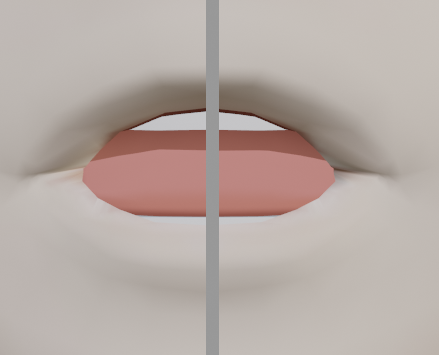
I can confidently say I still absolutely suck at making visemes without bones https://i.imgur.com/NcUyKsL.png
 stone meteor
Quick question guys
So the SDK is giving me the alert for "Spine hierarchy missing elements, please map: Chest"
but im 100% sure its in the right place in the hierarchy
nvm got it
 mystic lichen
does anyone know if its possible to have constraints and dynamic bones work side by side on the same bone?
sleek isle
I would say. create a root bone and put the constraints on that one and the child with the weight have the dyna
 fierce grail
mystic lichen
does anyone know if its possible to have constraints and dynamic bones work side...
fierce grail
mystic lichen
does anyone know if its possible to have constraints and dynamic bones work side...
 manic solar
Anyone know if theres a way to make the chest turn when laying on your side in full body? I noticed it doesnt turn, even when both your arms are on one side. Always points up
astral warren
We really need additional body tracker points for that... I heard there was a private beta for them a long time ago...
 gloomy ether
I don’t know if this is the right place to post this, but does anyone have any experience with silent cel shader? I absolutely love this shader but for some reason my avatar is appearing slightly transparent in some worlds. I can’t figure out why for the life of me
crisp tendon
@teal badge
silk jewel
so kinda forgotten but within cats in blender where about is the hip tracking support button thing
@wind osprey would you happen to know?
cant for the life of me navagate this menu
turbid spear
what do you mean by hip tracking support
silk jewel
um it puts 2 hip bones in place
silk jewel
how come?
wind osprey
silk jewel
how come?
The fullbody 'fixes' have rarely ever been fixes, just rig hacks that happened to work with the IK configuration at the time, and would often break.
 teal badge
@gloomy ether Can you show me your material settings?
jovial dune
Anywhere I can go to see a before and after of a character's eyes with blink blend shapes? My brain can't compute how to make a blink look realistic
I pull the thick eyelash down and that man looks like a bee stung his eyes
gloomy ether
@teal badge sure. so all of my materials are the same as this one except for different textures. I think it maybe had something to do with the post processing in certain worlds, but i'm not certain
teal badge
@gloomy ether Can you try the testing version? It's available here
https://gitlab.com/s-ilent/SCSS/-/archive/crosstone-testing/SCSS-crosstone-testing.zip
I changed how the transparency worked in the new version in testing, so it should avoid that issue now.
If you have feedback or issues with the shader, please post them in my Discord server so I can see them easily!
silk jewel
anyone ?
 serene surge
Any idea why my dynamic bone keeps moving the resting position of my bone?
I keep rotating the transform but every time i undo or hit play it just moves back into a position that i dont want
Do i need to enter the unity rigging window and then rotate the bone there instead?
serene surge
^ solved
silk jewel
i need help :C
wind osprey
silk jewel
What are your fbx export settings? Something might not be quite right
turbid spear
silk jewel
how come?
They were rig hacks that compensated for some bugs, but once those bugs got fixed they started causing issues
jovial dune
Even more confused how gallium is on my friends list if he’s a mod 🤔
silk jewel
wind osprey
What are your fbx export settings? Something might not be quite right
im not sure it is an export issue but it might be?
turbid spear
looks fine but you want to set your scaling to fbx all
save it as a preset as well and you can shift click remove the lamp and camera out of the list
turbid spear
click the + top right of your screenshot
silk jewel
turbid spear
click the + top right of your screenshot
what will it do?
turbid spear
create a preset of the settings so you can just select it instead of changing them every time
it will be in the dropdown next to the +
silk jewel
turbid spear
create a preset of the settings so you can just select it instead of changing th...
what shouod i name the pre-set?
turbid spear
it doesn't really matter
silk jewel
silk jewel
turbid spear
it doesn't really matter
well i tried fbx all
turbid spear
what happens if you enforce t pose at the bottom right
fbx all just has to do with scale, if your arms don't move it's for a different reason
silk jewel
turbid spear
what happens if you enforce t pose at the bottom right
what does it look like?
like in blender or unity?
turbid spear
in unity in the screen you posted
gloomy ether
@teal badge thank you, you’re the best!
silk jewel
nearly there
 distant oyster


 low coral
does anyone know why the cats plugin wouldn't work, even though the eye bone has verts assigned to it?
silk jewel
does anyone have the time to help out with fixing those three bones in the picture above?
tulip root
Pumkin I need help T_T This weightpaint stuff is being unfair af. Im trying to paint this shoe but this one point is not getting painted and its not painted on anything else.
turbid spear
you're in vertex mask mode so you can only paint what's selected
press v to get out of it or tab to go to edit mode and select the one vertex that isn't being painted
tulip root
Its that simple?
tulip root
How to fix this?
silk jewel
this is not the meme channel
 rocky minnow
Why the "tpose-new.fbx" is only in SDK2?
I took a long time to find it...
silk jewel
rocky minnow
Why the "tpose-new.fbx" is only in SDK2?
I took a long time to find it...
what does it do put your avatar in a t pose?
or is it just a avatar called that
rocky minnow
silk jewel
what does it do put your avatar in a t pose?
I wanted to know the length ratio of each bone...
https://docs.vrchat.com/docs/full-body-tracking
The avatar's rig does not deviate greatly from the example rig given in the SDK named tpose-new.fbx.
VRChat
VRChat supports additional tracking points using the HTC Vive Trackers. These work with the Lighthouse ecosystem to permit these two additional modes of motion capture: Four-Point (4PT): Tracking headset, two controllers, and one hip trackerSix-Point (6PT): Tracking headset, two controllers, hip tr...
 mossy totem
tulip root
How to fix this?
mossy totem
tulip root
How to fix this?
I'd recommend watching this. There's a lot of helpful tips in this video: https://youtu.be/4fICQmBEt4Y

I've been meaning to update this video for a very VERY long time. But, we're finally here. Everything you need to know in order to start painting weight layers onto your character!!! Hope it helps :)
Female Body Model Link:
https://www.youtube.com/watch?v=_XfvLpLyulI
If you enjoyed this video, please don't forget to like and subscribe!
You ca...
 compact vessel
Anyone solve this problem before?
When I'm standing straight, without bending my knees IRL, and I look up and down, my VR avatar is lifted off the ground when looking down and bends his knees while looking up. This happens in proportion to how much I look up/down.
I've made sure the rig matching is correct with no upper chest bone, no jaw, and opted for no toes. I've also tried moving around the view location.
I've attached a video that shows the issue (though it is a bit hard to see because the character goes off screen). Any ideas/help would be greatly appreciated.
silk jewel
yo currently doing some weight painting for this chest piece got the flat base on it fine and it seems to work faily well however when i move the model the armour pokes right through if the body leans down to far
 trail anvil
Hi, I'm having issues with the 3.0 knocked-knees problem (knees bending inwards like I have to pee). Any way to fix this without having to use blender (through unity for example?)? Ive seen multiple posts about it but I cant seem to find the answer. Thanks!
 vocal gust
anyone know how to fix it whenever i crouch, the legs get spread apart in vrchat? It says in the SDK that the angle between the pelvis and the legs should be 180.
icy jungle
So I am having issues with my avatar and decided to fix it in Blender, but how do I fix it?
These are the issues if asking
Hello, anyone willing to help me
silk jewel
trail anvil
Hi, I'm having issues with the 3.0 knocked-knees problem (knees bending inwards ...
Yeah im having a simillar issue would anyone mind answering this?
well i say similar its kinda the same
robust crescent
straighten the legs when viewed from front, and slight bend on knee's from side view (blender) or it will bend awkwardly
icy jungle
robust crescent
straighten the legs when viewed from front, and slight bend on knee's from side ...
No, the legs are fine, it's this that's the problem, I can't figure out how to fix it
tulip root
Pumkin ^_^ ❤️
robust crescent
sure it is , thats why you get the bendy legs right, i would still check em in blender not unity
you can unpack the prefab and move the bones to fix your order
icy jungle
robust crescent
The character does have bendy legs, but when i use it in VRChat, Every few seconds im running or walking it goes through the floor and when I stand still for a period of time, the feet rotate into the floor
tulip root
icy jungle
No, the legs are fine, it's this that's the problem, I can't figure out how to f...
Can I see your armature a bit better? Your picture is veeeery tiny
Do you have these circles like this?
Or are they just separate or with lines?
Also do these things I marked have some sort of a purpose or are they just there? If theyre just there and they have no purpose why not just delete them?
Not sure if you have cats but you should try that aswell while youre at it if it fixes things for you. Make sure to save on a separate file though since im not promising that whatever im saying is actually going to help XD.
Like I have never in my life seen someone use that type of an armature since im not seeing any of the usual bones anywhere. I dont see legs, feet, arms or anything in there.
icy jungle
tulip root
Like I have never in my life seen someone use that type of an armature since im ...
I downloaded the addon, but it won't let me add it to Blender
tulip root
Well... First of all unzip it to an open folder.
icy jungle
I did that
tulip root
Then go to preferences
icy jungle
Ok
tulip root
add-ons
Then press install
find cats
Install it and then check that it has the checkmark on the square.
Then leave the preferences tab and you should find it here:
After that I need you to press the fix model thing and let it do its thing. Let me know what it says if it gives you an error.
icy jungle
I still can't see it in Blender, i installed it, but it's not showing at all
icy jungle
Yes
tulip root
Sorry bot... Dont unzip it
Theres the problem XD
I forgot that cats is the one that you DONT unzip
silk jewel
i have something to ask how do i fix the hight of my avatar its become a smol spartan
icy jungle
Oof
tulip root
silk jewel
i have something to ask how do i fix the hight of my avatar its become a smol sp...
Lol XD Just go to blender and increase the size with s and also the armature
Mystic sometimes youre so flippin cute I just cant
silk jewel
XD
silk jewel
tulip root
Mystic sometimes youre so flippin cute I just cant
i cant help it it made me smol
tulip root
icy jungle
Oof
Basically do what I told you to do but without unzipping it
tulip root
silk jewel
i cant help it it made me smol
You little bean you :3
 oblique void
This is my first time using 3d software but I've spent a few days trying to rig this model ripped from a mobile game and nothing works right. I figure it has to do with my outliner and naming conventions but IDK any advice would be greatly appreciated.
silk jewel
does anyone have a sizing chart for vrchat that i can use?
tulip root
oblique void
This is my first time using 3d software but I've spent a few days trying to rig ...
Ok so first of all get rid of these XD
icy jungle
Ok, I used CATS and It's not fixing the model, it says Left and Right wrist is missing
silk jewel
tulip root
You little bean you :3
saves me time in creating a small version i suppose XD
silk jewel
icy jungle
Ok, I used CATS and It's not fixing the model, it says Left and Right wrist is m...
sometimes cats doesnt fix an armiture i can asstest to that
you might have to add the bones and parent them
tulip root
silk jewel
does anyone have a sizing chart for vrchat that i can use?
Ask Ruu for the vr chat model 😉
silk jewel
tulip root
Ask Ruu for the vr chat model 😉
which model?
tulip root
Im sure hed love to help a cute bean like you. Theres this 2meter blue avatar thing he has hidden somewhere.
oblique void
tulip root
Ok so first of all get rid of these XD
You're talking about the tits and pelvis? Yeah those are there because that's part of the rigify megaframe from blender.
tulip root
oblique void
You're talking about the tits and pelvis? Yeah those are there because that's p...
Well you can remove them from the model.
tulip root
oblique void
You're talking about the tits and pelvis? Yeah those are there because that's p...
Also please go closer to the model. That picture is incredibly small for me
tulip root
icy jungle
Ok, I used CATS and It's not fixing the model, it says Left and Right wrist is m...
Oh go closer to your avatar and take a better picture of your model (not in pose mode but object mode)
tulip root
oblique void
the two bones comming off the hip right? Here it is
Okay so what im guessing is your problem is the fact that the body isnt following its armature right? Thats something that you need to fix with weightpaint :3
icy jungle
tulip root
Oh go closer to your avatar and take a better picture of your model (not in pose...
silk jewel
icy jungle
oh no thats a mess of bones
oblique void
tulip root
Okay so what im guessing is your problem is the fact that the body isnt followin...
I already did automatic weight paint no worky
tulip root
icy jungle
Any possiblity you could make an armature like this instead? 😅 I mean its most likely easier to do stuff with
silk jewel
tulip root
Okay so what im guessing is your problem is the fact that the body isnt followin...
hey would you mind checking #avatar-help when you have the chance i think i got the right Ruu but im not sure
silk jewel
oblique void
I already did automatic weight paint no worky
sometimes you gotta get your hands a bit dirty
tulip root
silk jewel
hey would you mind checking <#730948173379535022> when you have the chance i th...
You got the right Ruu huh? XD
silk jewel
tulip root
You got the right Ruu huh? XD
well theres lots of people in the server just wanted to make sure plus there are two Ruu accounts
oblique void
silk jewel
sometimes you gotta get your hands a bit dirty
God it seems like it's going to take a very long period of time - maybe 5 years before I'm going to get this model to do everything I want it to but for now I just want a quick an dirty model that works so I can become familiar with the software. Do you know of any good tutorials on how to rig a model from scratch for VR chat? Thanks, -Kbum P.S. Or any other discords you could refer me to would be great
tulip root
oblique void
God it seems like it's going to take a very long period of time - maybe 5 years ...
Well... Im not much of a fan for tutorials since I learn better from other people but im sure someone is able to hook you up with a tutorial if you really want one :3 Basically this is what you need to do if the automatic bone thing doesnt work: Do it manually like I do.
Basically you first click the armature then press shift and the body, go to weightpaint mode and shift click the bone you want to work on. Then from there you add the full on weight to each bone, click smooth and boom youre done 😄
You can normalize the weightpaint too if you want BUT I find that feature completely useless at the moment.
oblique void
tulip root
Well... Im not much of a fan for tutorials since I learn better from other peopl...
Everyone learns better from other people that's the only way we learn the best way is to find someone who's had plenty experience and somehow get under their wing for a minute
silk jewel
oblique void
God it seems like it's going to take a very long period of time - maybe 5 years ...
unfortuanatly i dont know of any tutorials as ive worked on my model in VRC Traders and there are some really helpful people who if they catch you, you'll be able to ask a few questions at least ive been going into the avatar voice channel for 2-3 days and ive learned a ton from not know how to rig to making a rig and basic wieght painting
sorry i couldnt help
actually now i think about it im very lucky the moderators an i think an owner of the server was in at certain points
oblique void
silk jewel
unfortuanatly i dont know of any tutorials as ive worked on my model in VRC Trad...
Thanks I'll get on their discord
tulip root
Get under someones wing indeed... 😏 Someone took me under their wing from here and teached me literally everything even though they never had to. I will look upto them and their kindness for the rest of my life thanks to the amount of effort this person saw. I didnt know the terminology or anything at the time. Either way I need to repay my debt by helping other people now that I actually learnt something from them.
silk jewel
either way learning from bouncing ideas/information off eachother is and was a great way to learn
silk jewel
oblique void
Thanks I'll get on their discord
i cant guarantee that they'll be there or be able to give you help for free, just a warning the people are very busy ive spent the majority of my day in there just pissing about in blender figuring it out even with the information and help given
tulip root
oblique void
Thanks I'll get on their discord
Good luck sweetie! If you need help you can always ask for my help too and ill try see if im able to help. :3
silk jewel
tulip root
Get under someones wing indeed... 😏 Someone took me under their wing from here...
i agree i managed to find a few people who are amazingly kind that i think are really kind for the help theyve given me
oblique void
Yeah I don't know where all my drive is coming from I guess I just really want a puss in boots. I have a day job so I can afford to pay for training if i can find any. The stuff I've been watching is outdated trying to find more so I can become more familiar with the software so I can ask more questions and I take as many handwritten notes as I can. Very slow process but someday I'll get a kitty cat.
tulip root
silk jewel
i agree i managed to find a few people who are amazingly kind that i think are r...
Mmm the kindness and sincerity that comes from certain people in this server really brings me joy. As a person who has been hurt so many times in life it means so much more to actually find genuine people who dont have ulterior motives etc.
tulip root
oblique void
Yeah I don't know where all my drive is coming from I guess I just really want a...
We all love dem kitties :3
oblique void
Gotta love it so many fun characters in VRChat some people get real into them too with their voice and stuff - practically professional voice impressionists!
silk jewel
tulip root
Mmm the kindness and sincerity that comes from certain people in this server rea...
yeah i get where youre coming from
oh and i fucked up
icy jungle
tulip root
Any possiblity you could make an armature like this instead? 😅 I mean its most...
How do I do that?
tulip root
silk jewel
yeah i get where youre coming from
Eit... Oh... Whats up? I was about to go sleepies but I guess ill stay for a few minutes longer :3
silk jewel
tulip root
Eit... Oh... Whats up? I was about to go sleepies but I guess ill stay for a few...
nah go sleep ❤️
tulip root
icy jungle
How do I do that?
First of all delete that armature you have currently
(Do this in a separate save so if I fuck up with something then you have a back up)
icy jungle
tulip root
(Do this in a separate save so if I fuck up with something then you have a back ...
Ok, did that, now what
silk jewel
Now i gotta fix the fingers on the hands because they're scuffed, i need to change the palm size because damn they're to big then i gotta fix the legs coz they be bending inwards a tad oh and i also have to asign the shoulder guards to the shoulder bones because i asigned them to the upper arm instead and finally then i can get round to scaling the size up
oh well at least the armature works
tulip root
Click this, then armature, add single bone, then from there you place that on the head of your avatar (make it bigger if needed), then after that you just right click that one bone and subdivide it in edit mode. When it comes to arms, collarbones and legs then those you dublicate from (collarbones and arm) neck and (legs) from the second last spine bone.
oblique void
Thanks for all your guys' help for now I'm going to turn in good night everyone!
tulip root
tulip root
oblique void
Thanks for all your guys' help for now I'm going to turn in good night everyone!
Nighties :3 Im soon to follow or else my exam is going to fail big time.
tulip root
silk jewel
Now i gotta fix the fingers on the hands because they're scuffed, i need to chan...
Youre a smart person. I believe in youuuu! ^_^
tulip root
icy jungle
Ok, did that, now what
After that you most likely need to weightpaint the body to the armature.
icy jungle
tulip root
Ok, now what
tulip root
Youre done already????
silk jewel
tulip root
Youre a smart person. I believe in youuuu! ^_^
daww thanks, hope you have a good rest im off to sleep now night
tulip root
Damn apparently im super slow since when I make an armature it takes like 40 minutes since I want to make sure the bones go where they need to go.
icy jungle
tulip root
Youre done already????
No, you haven't told me what to click after I hit Add
tulip root
Read above. 😅
Either way now im gonna dip. I need sleep or else my exam is seriously going to fail and my whole course has been for nothing.
icy jungle
Maybe I'll use the MMD model, that should have the right rig
tulip root
icy jungle
Maybe I'll use the MMD model, that should have the right rig
Thats just a single bone aswell. On my end atleast.
 upper pecan
uhm im new to all this rigging a character, i bought a model already rigged (for vrchat) but i want to use it for facerig/animaze and i was wondering if anyone here could help me?. i have no clue how to rig 😭
 obsidian trail
my avatar instantly got these errors after using emote switch, please help, i have checked the FBX file and confirmed there are no errors and these warning are gone as soon as i exit (configure avatar)
silk jewel
have you tried pushing it through unity and seeing what its like first?
silk jewel
obsidian trail
my avatar instantly got these errors after using emote switch, please help, i ha...
sorry didnt use the reply feature
obsidian trail
silk jewel
sorry didnt use the reply feature
in unity i tried emote switch tester and it did not work, i had to go to the FBX file and click configure avatar then click done to fix this, but it breaks again after i use emote switch
tulip root
obsidian trail
my avatar instantly got these errors after using emote switch, please help, i ha...
1 hour and 30 minutes of sleep! Here we go! 😌 Either way have you done the hands etc in Unity itself?
tulip root
silk jewel
have you tried pushing it through unity and seeing what its like first?
If theyre getting those warnings they must have put the avatar to Unity.. I feel like they might have missed something when Unitying around
Can you check if it changes the things in here? Maybe you just need to reset them? Who the flip knows. Thats all that comes to my mind at this sleep deprivation moment. : D
obsidian trail
tulip root
Can you check if it changes the things in here? Maybe you just need to reset the...
nothing in there was changed since all i needed to do is to go in there and click done, everything goes back to normal
tulip root
Checked these?
obsidian trail
yes, everything was green and i just need to click done to fix those warnings
but same problem shows up as soon as i use emote switch
this is only happening to this specific avatar
tulip root
Maybe theyre green but perhaps you need to read what theyre actually on though? Dunno... Im just guessing.
obsidian trail
emote switch has no problem working on any other avatars
obsidian trail
tulip root
Maybe theyre green but perhaps you need to read what theyre actually on though? ...
i did check every single of them i found no error within them
tulip root
Hmmmmm well im sorry to say this but I cant help :C
Im too much of a noob for such a big problem
obsidian trail
it used to get fix as soon as i configure the avatar, but this time the problem remains
anyway thanks for your help
tulip root
Np and sorry again for wasting your time ❤️
silk jewel
tulip root
1 hour and 30 minutes of sleep! Here we go! 😌 Either way have you done the hand...
Mornin gothic : D
tulip root
silk jewel
Mornin gothic : D
Hjellow Bjeip! 🥴
tulip root
Are we both dying inside today? Not sure what time it is there. Im always nervous. 🥴
silk jewel
tulip root
Are we both dying inside today? Not sure what time it is there. Im always nervou...
8:40 am so ive had like 5 hours of sleep not to bad
tulip root
I was in VR Chat with friends who kept motivating me to read my ebook while with them so I read like 75% of my text until things took another turn and I needed to focus on other things. 5 hours is still a bit too little. Make sure to take care of yourself! Dont be an idiot like meeeeeeee.
silk jewel
tulip root
I was in VR Chat with friends who kept motivating me to read my ebook while with...
ah 5 is enough to get me through the day, and im glad you managed to read/study as well thats a great thing to hear coz i waited till the last moment D: turns out im not good at retaining information in the way schools teach anyway
oh well it kinda doesnt matter now
tulip root
silk jewel
ah 5 is enough to get me through the day, and im glad you managed to read/study ...
Oof... You learn by doing or what?
Can we talk through another channel perhaps? 😅😅
silk jewel
yeah
silk jewel
aaahhh
i need to wieght paint but the textures either wont go away or arent being x-ray friendly
D: do i really have to take all the nodes off again?
silk jewel
coarse delta
THANK YOU!
tulip root
@silk jewel maybe someday I learn what youre doing right now.💖
tulip root
silk jewel
i mean im live in the vrc traders server
Wanna add me in there or something? :3 I thought the server was only for world building and I sucked at it way too much.
silk jewel
yeah sure and dont worry i suck at what im doing but as i said failing over and over only gets better because you learn from it
sent the invite your way
tulip root
silk jewel
sent the invite your way
I noticed. Thank you Bjeip! 😋 🍞
silk jewel
how do i fix the bending knees again?
is it an armature problem or a eight painting one or both?
oh theres also this, does anyone know how i can scale this without effecting the model?
tulip root
Either move the entire thing with s or circle around each line at a time and then use s. Its the easier way. Not sure if theres something else to do but thats how I do it
But then again
Im the one who apparently makes frankensteins monsters all the time 😛
tulip root
silk jewel
how do i fix the bending knees again?
Move the kneecap area of the knee to its rightful place.
tulip root
Show the whole thing and ill tell you ;P
If its a male avatar or something with masculine traits then the fingers should be a bit longer since dem fingers are THICC
I mean nothing wrong with THICC fingers but then again... XD Sorry I had to XD
silk jewel
it'll mostly be covered in armour but the hands/palm was just so huge it was unconfutable
tulip root
Yep id recommend a bit longer fingers but then again its totally upto you XD
silk jewel
do i need to individually select the finger polygons or what?
if im making them longer how with scale or is there another tool
tulip root
Do de circle trick ;P
silk jewel
tulip root
Do de circle trick ;P
circle trick?
tulip root
Gimme your finger and ill line it up for ya! XD
(Show me a picture of your characters finger basically
nvm heres a pic.
Basically take one line at a time on each finger and then move it. Thats how id do it.
tulip root
Basically make a ring around ya fingie and then just pull it like a bad boi ;P
silk jewel
makes sense right
tulip root
Suuure ;P
silk jewel
hehe