#animation
1 messages · Page 3 of 1
 tawdry flame
 nova rover
hey i need some help trying to set up some transitions for my avatars sound animations, basically i have a couple of dance animations that has a start (aka intro) animation and a (looped) animation, i got the starting animations to transition to the looped animations but im having issues with the song animations, i got the intro of the song to work but it doesn't transition to the looped animation of the song, it just reloops the starting animation
nova rover
if anyone does know what is going on and how to fix it, I would appreciate it alot, I've been stuck on this part of my avatar for a few days now trying to figure out how to get it to work properly
 steep panther
(animation was finally recorded)
this was recorded by a friend bc im way too laggy
steep panther
working on a new animation ( u can tell what is is by the screen)

 shell oxide
 muted prairie


 flint bison
Does the new audio state behavior allow "play oneshot"?
 clear yew
Hey this is more of a “looking for” but I saw this animation on an avatar that basically broke away the vertices/face of your mesh but it traveled through the entire avatar clothes, if anyone knows where I can get something like that please let me know!!

It kinda looks like this but instead of highlighting it, it would separate the faces and then move them back after a while
 dusky jewel
Thats vilar
Its his shader on github. Vilar24 and the one in the video is his personal one not the one on github. Also use the fork for spi.
 spiral sand
i got quite the hefty question and I KNOW its gonna be difficult for a beginner but heres me question....
so i wanna add a spring joint to one my avis, thing is i want to know if theres a video on how to animate the spring joints to where i can throw them for a far distance and have them recall back to me. ive seen some avis with that as a thing but this avi i have dont and just has a normal one that im not to sure where its attached to on her body as ive tried messing with it in game and it kinda just floats there and move around?, but i want one like i said that i can throw around and mess around with for more fun that i learn to animate myself through a guide or 2.
 white ridge
Hey,
I've seen few avatars having animated tears/crying animation that is 3d (or at least looks like that)
And I've been thinking of implementing something similar for my avi, but I don't seem to be able to find anything about how that works by searching on yt&google
So my question is, that does anyone here have any idea what kind of black magic is used to do that
Just some 3d model with shape keys and toggle on animator or some plugin that does liquids or some weird technicality I haven't thought off
Oh, and by this I DON'T mean particle emitter
flint bison
Anybody have this issue where sometimes when I press play to test my avatar, it creates a new floating animator window, but when I try to delete it, it breaks my existing one? I've had to start collecting them...

it's super weird
 nimble ridge
What the, I don't think you are even supposed to be able to open multiple animator tabs
 fading nimbus
What are some methods of creating complex avatar animations such as the example here (https://www.youtube.com/watch?v=Y9NRcc8ICf8) ? Did they animate it by hand in unity using some sort of tool, in blender, with mocap? I haven't tried anything outside of of animating some non-humanoid bones and blendshapes by hand in unity and the tooling makes it seem like a daunting task.
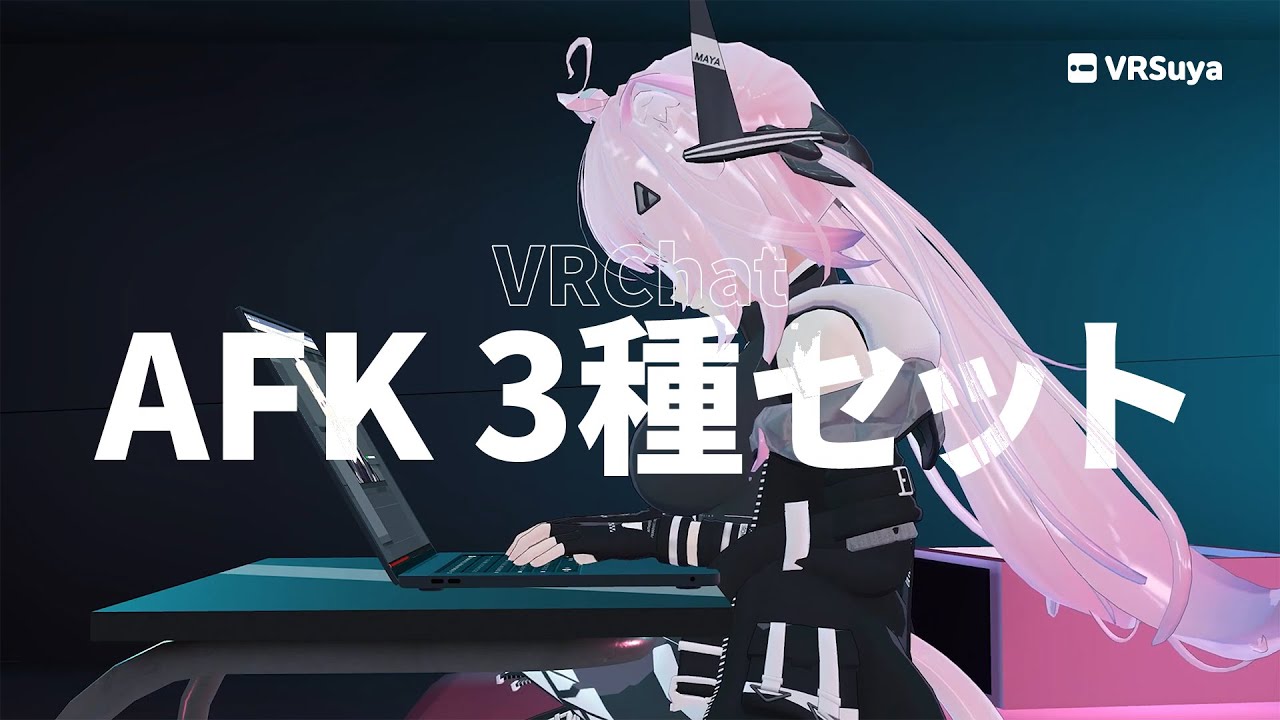
▶︎▶︎期間限定セールOFF中(2022年10月21日まで)◀︎◀︎
https://vrsuya.booth.pm/items/4197129
■ 特徴 ■
- 様々なAFKモードに対応、お好みのモードのご選択が可能。
- AFKの途中でも他のAFKモードに切り替えることが可能。
- 小道具で演出されたかわいいAFKアニメーション
■ クレジット ■
- アニメーター : Levin ( https://twitter.com/bunny_64479 )
- モデラー : マキアート ( https://twitter.com/MacchiatoKR )
- アバター : キュビ様の舞夜( https://kyubihome.booth.pm/items/3390957 )
...
fading nimbus
Or if there is a guide on how to setup blender ik based animation using vrchat rigs
 unreal swan
maybe ai camera mocap, mixamo has sitting at camera typing you can use that @fading nimbus
computer*
@fading nimbus
 unreal swan
flint bison
Anybody have this issue where sometimes when I press play to test my avatar, it ...
unreal swan
flint bison
Anybody have this issue where sometimes when I press play to test my avatar, it ...
I had the same issue just set windows default to reset it fixed it
flint bison
unreal swan
I had the same issue just set windows default to reset it fixed it
I did and it still happens
in fact setting it to default didn't fix it at all, it just seems to delete my scene window
it's very odd
okay it seems to have worked this time, though I expect the animator windows to come back eventually xD
unreal swan
yeah either two avatars in same scene is the issue or switching between different layers like action and fx
Yeah forgot to mention deleting all the windows til they all have errors and everything looks wrong lol @flint bison
 narrow oyster
For sprite sheets, how big or small does each frame have to be to be centered?
The sprite sheet itself has to be 1024 x 1024 but what about each frame?
steep panther
finally making a new animation
 stone drift

I would love to replicate something like this with a particle system
i made from scratch a skull model which i've set as 3d mesh for a particle system
but i have no idea how to do the trail
i tried with particle trails and ribbons but not ideal for what i want
sub particle system emitted with 3d mesh?
 karmic dome
steep panther
finally making a new animation
karmic dome
steep panther
finally making a new animation
I like the use of the ray march shader in the background 🙂
 steep panther
Fr it's done
 analog girder

Wrath more like Terror but not more awesom-er!
(My own OC's btw)
#garn47 #3Danimation #3dcharacter #Vrchat #VrchatAvatar #VrchatFurry #fnf
 topaz summit
Can I make Unity's Animation Controller stop scrolling the window to top when updating the layer settings?
I didn't find solution online, maybe my keyword is wrong...
 lament jolt
Hey, I want to add a gesture to my avatar that will let me stick out my tongue, but the blendshape I want to use for the animation is being controlled by another animation on a lower layer of my animator. It's an animation that makes my tongue stick out when someone touches my nose. Is there any way to get them to both work? To have both the gesture to stick out my tongue and the animation to make my tongue stick out when someone touches my nose?
 quiet basin
Hey all; I'm having a bit of a weird issue with an animation. Basically I want to do a simple glowing pulse in sync with the wings moving (and I've done it before on an older avatar) but for some reason the animation is working fine in Unity but goes out of sync in VRChat. The wing movement and glow are all in the same animation so I'm not really sure what's causing it. Any help would be appreciated
 quiet basin
Hey all; I'm having a bit of a weird issue with an animation. Basically I want t...
quiet basin
quiet basin
Hey all; I'm having a bit of a weird issue with an animation. Basically I want t...
I've made some progress by changing it so that it changes the emission colour not the intensity, but it is still waiting a second before turning the emission off instantly instead of smoothly going back -_-
quiet basin
quiet basin
I've made some progress by changing it so that it changes the emission colour no...
Finally fixed it. For the sake of anyone else who may be stuck in the same problem in the future, the solution took 2 fixes:
-
Changing the colour saturation of the emission not the emission intensity
-
I had to move the animation pause to the END of the animation not the start of the animation
WHY these fix it is beyond me... apparently the first is a glitch Unity has had for years, the second.... maybe has to do with how animations loop? Honestly I'm a bit lost as to WHY it works but it works and that's all that matters!


 heavy creek
topaz summit
## Can I make Unity's `Animation Controller` stop scrolling the window to top wh...
heavy creek
topaz summit
## Can I make Unity's `Animation Controller` stop scrolling the window to top wh...

GitHub
Harmony-based Unity Editor QOL. Contribute to rrazgriz/RATS development by creating an account on GitHub.
That scrolling is a unity bug
This fixes it and adds some other features
There's also another paid tool called MACS that also fixes this bug and adds even more features
nova rover
hello guys, im having another animation issue where im trying to make a ear pulling animation play whenever someone pulls my ears, i set everything up correctly but the aniamtion for the blendshapes does'nt work, any ideas on how to fix it?
 ornate ember
so question if anyone knows, does the unity VFX graph work in vrc
 hearty gust

In this Unity tutorial we are going to create a Stylized Beam effect with a touch electricity! We will mix Visual Effect Graph and Shader Graph with a bit of Blender and Krita in between.
Hope you guys like it!
Btw, I created and Indie Game Studio: https://twitter.com/GoldenBugStudio
00:00 Intro
00:55 VFX Graph - Initial Setup
02:16 Blende...
Would this work for vrc
Like the setup of it
 dense mesa
How do you enable something in an animation, such as a buffer?
 fallen oracle
How do additive animations work? and do they work with game objects
 wary basin
On each layer, you can specify the mask and the Blending type. The mask specifies the body parts on which to apply the animation. The Blending type specifies how the animation is applied.
Select Override to use the animation on this layer, replacing the animation on previous layers.
Select Additive to add the animation on this layer on top of the animation from previous layers.
For additive blending to be successful, the animation on the additive layer must contain the same properties as the previous layers.
https://docs.unity3d.com/Manual/AnimationLayers.html
basically for animations that add something extra to whatever's being animated, like blinking. And yes they work with gameobjects since everything in a unity scene is a gameobject

 lucid ocean
What is happening?! I press play and it switches the material and I dont know why.


 nova rover
hey i have a question and if anyone knows how to actually do this please help me out with this, so basically im trying to have "NPC's" on my avatar (not world) and i want them to spawn in whenever i toggle a emote it'll do the other animation of the emote, i got the avatars to spawn in when i toggle on the emote but it doesn't actually do the animation when i emote
steep panther
chat i think im cooking 😭 (just kidding i suck at cooking)
 bold mural
hi i am trying to add this middle finger to an avatar but idk how to add it, does anyone know how?

 errant bridge
bold mural
hi i am trying to add this middle finger to an avatar but idk how to add it, doe...
errant bridge
bold mural
hi i am trying to add this middle finger to an avatar but idk how to add it, doe...
is it a hand gesture to replace the usual 🤘 one
 full fox
can someone help me set up animators for my avatr
 glad crescent
full fox
can someone help me set up animators for my avatr
glad crescent
full fox
can someone help me set up animators for my avatr
probably #avatar-help ?
steep panther
steep panther
chat i think im cooking 😭 (just kidding i suck at cooking)
animating a character for a animation part
steep panther
 torpid kestrel
can someone inv me to the lating gang dc? dm me if you can. ty
 muted lance
Hello frens, just got an issue. I have an avatar I got, already has everything and I'm experienced with editing/uploading/creating etc but for some reason, in this specific case, I can't seem to get my expression changes to work in game. I've changed the animation, in this case it's fist expression being changed from just pouty lips and the brows going down to a full blink. I've tried remaking the anim, backtracing through all the layers/params and making sure the save is changed, using the emulator it literally works in engine but in game, the expression will go back to the original expression already despite otherwise. Edit: have also tested using 3.0 emulator in-engine and it literally shows her eyes closing on the fist, just will not happen in game. It's like it's engraved into the fist gesture despite those blendshapes not existing in the anim.
TDLR: Toggle works in engine, does not work in game
 tiny marlin
lucid ocean
What is happening?! I press play and it switches the material and I dont know wh...
tiny marlin
lucid ocean
What is happening?! I press play and it switches the material and I dont know wh...
You have the bikini material in there twice
 lucid ocean
tiny marlin
You have the bikini material in there twice
lucid ocean
tiny marlin
You have the bikini material in there twice
How do I fix it so it doesn’t happen when I press play. It’s clearly not like that beforehand.
tiny marlin
Check your animations, you might’ve accidentally added it there
lucid ocean
tiny marlin
Check your animations, you might’ve accidentally added it there
Mmmm oki, I’ll get back to you, right now my computer is in the shop so I’m gonna have to duplicate this project all over again because my pc was also wiped 
 oh dang! Sorry to hear that :<
steep panther
oh dang! Sorry to hear that :<
steep panther
flashy flashy. coming to an avatar near you in uhhh few days i think 😭
steep panther
fixed synced voice flash/unsynced kick flash and much more smoother+ got charges in
 grim glen
Hey yall, I’ve decided to take on the challenge for myself to create a completely custom avatar, and Im currently in the process of trying to add custom animations. My problem arises here: Whenever I try to add any new animation clips to record something going on, the avatar goes into a “bike pose”. but when I try to exit out of the preview or stop recording, it stays in this position indefinitely until I force it to preview the TPose animation from another animator to essentially reset it. I dont get what I’m doing wrong because Im finding that other avatars dont do this, and instead return to their T-Pose state when you turn off preview. Could I get some help solving this? Ive tried ripping out all of the animators and starting anew and its come with nothing in my favor.
Bit of a wall but please i really need help solving this…
steep panther
this is going straight on an avatar soon but its finally done! 😄 | Cosmic Conquest 3D Laser Animation
 cerulean apex
Howdy folks! 👋🏻
I've been working on a companion mod of my own for FNV with western themes and a pretty extensive questline. I've made quiet a lot of progress but I'm starting to realize a lot of what I wanna do might be beyond my current skillset and/or might be too large of a workload for myself alone. I am looking to focus more on the story elements of the mod and hopefully collaborate with a few people on the more technical aspects of the mod. If you or anyone you know might be interested in collaborating on this project with me please reach out to me!
Follow up with me via DM if you're interested. It's quiet a large project considering it's my first real attempt at a big mod.
I'm looking for some people who might be able to help me with the following mod elements:
- Voice acting
-
Custom armors/outfit meshes
-
Custom armor/outfit textures
-
Custom armor/outfit world models with collision
-
Custom weapons (potentially with custom animations)
-
Custom weapon meshes
-
Custom weapon textures
-
Custom weapon world models with collision
If you're interested in learning more feel free to reach out via DM! 👍🏻
 slim plume
any tips on how to animate a chainsaw anyone?
steep panther
The story isnt over yet... Part 2 (17-18 minute long animation)
steep panther
and yes this is going on an avatar lmao
 austere monolith
making a world with these in it as animations would make more sense
steep panther
I like to test the limits on what can and can't go on an avatar
steep panther
^ about this. I got a animation that brings even the best computers to its knees (it was to mimic what I get when I played the original animation)
 shut fern
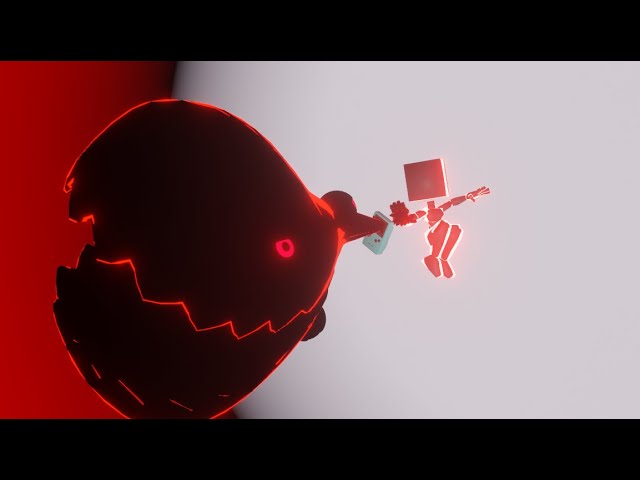
you can learn more about this animation on my Gumroad page, link in the description.
This is a custom combat/ability animation project i worked on and can be purchased online, if you want to put this animation on any custom character of your choosing feel free to check out my Gumroad page your support means literally everything to me. also plea...
steep panther
finally learned blender :p only using it for lyrics rn lmao
 sacred jacinth
Hello!
I'm a tf2 animator
But I like vrc so I figured I could use my blender knowledge for this game
Any suggestions on what I should do first?
 bleak merlin
Ive added added Full Body Biped so i can animate the hips but when i upload it doesent work. I thought it was the ik execution order but that didnt work either, im not entirerly sure how to troubleshoot this
sacred jacinth
welp this is my first test for doing vrc animation
trying to work out the unity stuff now! ^^
bleak merlin
why does Full Body Biped work in desktop but not in vr?
 urban sandal
 sturdy kindle
Does anyone know how to animate the parameters in a phys bone? I'd like to be able to change the gravity of one on the fly.
glad crescent
sturdy kindle
Does anyone know how to animate the parameters in a phys bone? I'd like to be ab...
either make two and swap which one is enabled, or disable it, tweak the parameter, and re-enable (which probably resets position)
 warped oasis
Can anybody help me with my avatar toggles? Whenever I'm on quest, pc users cant see my toggles, but when im on pc, quest users cant see my toggles. This just makes things so much more hard to do
 civic sparrow
warped oasis
Can anybody help me with my avatar toggles? Whenever I'm on quest, pc users cant...
civic sparrow
warped oasis
Can anybody help me with my avatar toggles? Whenever I'm on quest, pc users cant...
the parameter list needs to be identical between the avatars
warped oasis
civic sparrow
the parameter list needs to be identical between the avatars
they are the same
 warped oasis
civic sparrow
the parameter list needs to be identical between the avatars
warped oasis
civic sparrow
the parameter list needs to be identical between the avatars
could we call so lyou could help me
civic sparrow
no
but if they are the exact same synced parameter lists then they should just work
warped oasis
but it doesnt
 eager sand
hello people! i tried looking around but couldnt seem to find any info on the issue that im having. in unity i created an animation and wanted it to stop on the last frame. i did the animation in unity and looked up how to stop it, i found two ways, both of which dont work. i turned off "loop time" and make the wrap mode "clamp forever" neither of which seemed to work
steep panther
 steep panther
gonna put it on a new avatar like soon so i can test it
fading nimbus
Is there a way to edit hand muscle animations without having to tediously type in the values one by one and then carefully copy and paste the values so that both hands are mirrored? There has to be a better way moment.
glad crescent
I do it in Blender with mirroring on, it's kinda annoying in Unity
fading nimbus
Any tooling or is it just native blender animation?
glad crescent
just plain blender
fading nimbus
Do you need to do anything special to use a looping animation for custom hand gestures? None of my animation clips play fully when replacing existing hand gestures.
 violet moss
what the best way to make the transition between walking and standing take more time? i want to have a "started running" and "stopped running" transition animation but it's difficult because moving is a blendtree
everything i've tried does not make it a smooth transition
(i use a running animation that entirely takes over tracking control)
i'd like a way to smoothly bring back the tracking control instead of having the hands snap back to being controlled by controllers
 bleak shuttle
violet moss
what the best way to make the transition between walking and standing take more ...
bleak shuttle
violet moss
what the best way to make the transition between walking and standing take more ...
i can do for you
violet moss
bleak shuttle
i can do for you
I'm more interested in learning how it's done rather than requesting work. No need to explain if you don't feel like it, just hoping for someone who is.
 bleak geyser
when i add a dance animation with vrcfury it breaks my walking animation in vr chat
 weak sapphire

[EPILEPSY⁄VOLUME WARNING] Fan Particle Live of Dabin's "Worlds Away" -By Gyle

[Bright Lights Warning!]
Unity Particle Animation of Dabin & Trella's "Worlds Away". All visuals were created through Unity's particle systems, Text meshes, and Noriben's beamlight and Mochie's particle shaders. Animation can be in greater quality through in VR through its respective VRChat world.
Very proud of this animation since this song h...
 lime raptor
Does anyone have experience converting vmd animation files to something I can use in vrchat
 cosmic ember
steep panther
flashy flashy. coming to an avatar near you in uhhh few days i think 😭
cosmic ember
steep panther
flashy flashy. coming to an avatar near you in uhhh few days i think 😭
better as a world instead.
 civic torrent
does anyone know why this happens, it not staying in place and keyframes not saving?
steep panther
transition to next song almost done
civic sparrow
civic torrent
does anyone know why this happens, it not staying in place and keyframes not sav...
You cant animate humanoid bones using transforms
civic torrent
how can i animate then?
cuz i needa use those bones for a transform animation
that and new gesture animations
civic sparrow
Animator keys rather than transform keys
civic torrent
civic sparrow
Animator keys rather than transform keys
will i be able to animate the bones with that? like not the fingers or arm, the bones in control of the panels and stuff for the transforming arm
civic sparrow
civic torrent
will i be able to animate the bones with that? like not the fingers or arm, the ...
So the rigged bones require animating using animator keys like the gestures or other locomotion/pose animations
But for nonrigged bones you animate by transforming
civic torrent
how do i find the animator keys for these panels? and if they dont have any, can i make some?
civic sparrow
Click the add property button
civic torrent
k then?
civic sparrow
Just scroll through till you find the bone you need to animate
Usually they come with multiple properties for different rotations

 civic sparrow
You pick whatever its rigged as in the humanoid rig
civic torrent
 civic sparrow
The animator properties are entirely used to have any animation using them work with any model without much need to edit them
civic sparrow
civic torrent
Whatever you rigged it as in the rigging menu slots
That image tells me nothing
civic torrent
What image would help?
because these bones im trying to animate will open the arm up and let out a minigun
where am i supposed to put that in the rigging menu
civic sparrow
You dont put anything in the rigging menu
The bone you tried moving was probably the bone you rigged as one of the arm bones
civic torrent
the bones that control the arms hands legs spine and everything is fine, the problem is that im trying to animate the extra bones on the model, that turns the arm into a minigun and those extra bones are considered as part of the humanoid skeleton, which wont let me animate those extra bones without animator keys
 modern imp
austere monolith
modern imp
austere monolith
toggles go brr
 flint bison

Just made this cyberpunk inspired effect for when my oculus or steamvr overlays are open
(it's my afk animation so triggered automatically)
flint bison
austere monolith
toggles go brr
Is this using an int?
austere monolith
flint bison
Is this using an int?
bool
civic sparrow
my question is why you didnt just use the any state
flint bison
or this
 austere monolith
its just the way i prefer to do it
hearty gust
If I wanted to learn how to make a beam for an avatar, would I just use a video on how to make a beam in unity?

For reference
In this Unity tutorial we are going to create a Stylized Beam effect with a touch electricity! We will mix Visual Effect Graph and Shader Graph with a bit of Blender and Krita in between.
Hope you guys like it!
Btw, I created and Indie Game Studio: https://twitter.com/GoldenBugStudio
00:00 Intro
00:55 VFX Graph - Initial Setup
02:16 Blende...
Is this still good if it’s from 2 years ago.
 torpid marsh
hearty gust
https://youtu.be/_SaBXY-Ejqo?si=8lNntJCYGSR2LsnE
torpid marsh
hearty gust
https://youtu.be/_SaBXY-Ejqo?si=8lNntJCYGSR2LsnE
should be fine :3
unity doesnt ever really get rid of stuff in updates, just moves stuff and adds new things
so it should still work just fine
flint bison
hearty gust
https://tenor.com/view/hyper-beam-pok%C3%A9mon-hyper-beam-rayquaza-pok%C3%A9mon-...
Just remember, unless the video is for VRChat specifically, sometimes they will use scripts and things that are not allowed in VRChat.
hearty gust
flint bison
Just remember, unless the video is for VRChat specifically, sometimes they will ...
This is the best I could find. Can’t find a single video on how to make beams or particles in vrc
flint bison
Does the state behavior "animator play audio" not work if placed on the same state that has an animation enabling the audio source gameobject? (Audio source is a child of the Heart Sword Gamobject)
 glad crescent
you can just leave the audio source object enabled
flint bison
There is a hard cap of three active audio sources. I would not like to keep it active.
And as I said it is a child of the sword which is disabled.
glad crescent
ahh
steep panther
i just need charges and im done with the 1st half of the animation finally 💀

 livid echo
I click the button, and it toggles the Intro On, but for some reason, everything else works, But the actual Animation,
so in short
Button Pushed -> Intro Bool gets Checked -> Transistion Turns on - > - Animation Doesnt Play
Fixed.
 idle orbit
I have a Direct blendtree with a number of subtrees that drive humanoid finger movement, which works fine.
I'm trying to animate transforms instead of the humanoid rig. This works, but result in smoothed movement lagging far behind what the animation controller is doing.
All the animations are a single keyframe, and nothing is different from the previous setup that used the humanoid muscle params, other than the layer masks. Single state that leads to the Direct blendtree.
Behaves the same in-game.
Anyone familiar with this issue?
idle orbit
idle orbit
I have a `Direct blendtree` with a number of subtrees that drive `humanoid` fing...
Cause was write defaults not being on for all states in the controller. I don't see why it should cause any problems, and having it off also results in animated values being multiplied depending on the number BlendTrees in the controller, which is really bizarre. Presumably nobody ever switches it off and a lot of really wonky behavior with it off has gone unnoticed.
 dim ice
did they change how viseme parameters work or something? trying to do 2D visemes the same exact way i used to and it just. doesnt work now
but 2D expressions work the exact same
(animating texture coords, not blend shapes)
dim ice
ok ive found more info on my issue! the visemes and the emotes on my avatar work (viseme parameter only using an int) and the visemes only work when either using a toggle using my emotes int, or when the layer using the emotes int has 0 weight
any idea how to fix that? two animation layers like battling for weight??
basically tldr
my viseme layer and emote layer are using the same animation controller so they can both be plugged into the FX layer of my avatar descriptor. however the visemes only work when the layer using the emote int has 0 weight, or the viseme are set to a toggle using the emote int ( when the emote int has weight)
 wind forge
Lower layers will override higher ones.
If you actually have both the layers in your controller, you can put the visime layer below the expressions layer, and move the sil viseme to the expressions layer when your emote int is 0. In the Visemes controller, you will want to be in an empty state when Viseme is 0
Otherwise, you'll probably have to reference the previously mentioned built-in Viseme parameter (int) in the FX controller, and have the expressions layer switch to an empty state whenever Viseme Not Equal to 0
dim ice
what is sil viseme?
if its a specific shape, this avatar has 2D visemes and only 1 mouth shape
i did move the viseme layer to the top, but now the expressions dont work (unless theyre blendshapes)
dim ice
ah i fixed it!
wind forge
Ebic
dim ice
the viseme layer had to be at the top, and the emotes transfer to an empty like you said
i had moved the viseme to the bottom and then tried and it didnt work :T
now at least i know, thank you so so much!
glad crescent
dim ice
what is sil viseme?
silent - should be just a default face
 light granite
having trouble exporting my NLA tracks - only one animation exports, but the rest don't export.
the difference between the two groups is that one has three keys with a long length, the rest have only one key but for multiple bones (mostly hands).
the track that does export is a track, not the active action for the rig
 i will keep tinkering!!
light granite
figured it out - strips needed to be on the same track
 an hour and a half gone, but a lesson learnt
 static wasp
wind forge
Lower layers will override higher ones.
If you actually have both the layers in ...
static wasp
wind forge
Lower layers will override higher ones.
If you actually have both the layers in ...
You could also use the voice parameter for something like a glowing mask that gets brighter if you talk.
steep panther
back to animating i go lol i need to finish this

 carmine lodge
steep panther
back to animating i go lol i need to finish this
carmine lodge
steep panther
back to animating i go lol i need to finish this
Woah :0 SO COOL
keep going you got this!! :3
steep panther
i think i got it done ;-;
glad crescent
wow that's a lot. In a good way.
steep panther
If it's small enough it will be public on an avatar
steep panther
These were animations I scrapped
Alot of them are really old 
The 2ne and 1st of these video chunks are my Cosmic Conquest animation which is fully made. It's just the character model that didn't make it in
Realized I accidentally put Imaginary 2 times 
 mild plinth
Does anyone know how to move an object while animation is playing in blender
 lavish otter
hello o/ I asked this question in vrlabs as well but i wanted to know if it was feasible to do exit animations in vrchat? one goal of mine is to make assets for it and I'm not sure where to research on the subject. I see a lot of documents for idle/afk animations and spawn animations though but thats not what im looking for
flint bison
lavish otter
hello o/ I asked this question in vrlabs as well but i wanted to know if it was ...
On an avatar? Not really, afaik. Not unless you have a manual toggle that you trigger before leaving. There isn't really any way to detect that you are leaving the game, and even if there were, your avatar disappearing from the scene as soon as you disconnect would cancel any animation that was supposed to play.
 vocal tendon
mild plinth
Does anyone know how to move an object while animation is playing in blender
vocal tendon
mild plinth
Does anyone know how to move an object while animation is playing in blender
Hmm
mild plinth
Nvm got it
steep panther
uhhh wonky driving?
 marble quest
How can change the rotation of parts in the armature in an animation ?
steep panther
I ain't cooking
 dense island
steep panther
I ain't cooking
dense island
steep panther
I ain't cooking
LMFAO what is happening
dense island
is this road rage 😭
steep panther
prob lmao 😭
 graceful thorn
ok i need a hand please
for some reason my animation where i enable and disable an audio source does not play and i cant figure out why
im not sure if its the contact reciver or what
graceful thorn
please someone respond
flint bison
graceful thorn
for some reason my animation where i enable and disable an audio source does not...
is the box on the audio source that says "play on awake" checked?
 wintry heath
 covert isle
How do I get an animation I've made in Blender to export correctly for use in Unity? I want to use an animation that's switching between two mapping uvs on my character's face texture to simulate speaking, but I can't seem to get the animation made in Blender to export on my fbx, or anywhere really. is there something I'm missing?
glad crescent
I'm pretty sure that's not going to be usable in Unity, the way the two programs do those things is vastly different.
Armature-based animations work great though
 visual matrix
how do i edit animations from an avatar?

its greyed out for me
this is from an avatar i got off Booth that already has animations that came with it
 sullen summit
visual matrix
how do i edit animations from an avatar?
sullen summit
visual matrix
how do i edit animations from an avatar?
Put your controller on your avatar animator component, then select your avatar
sullen summit
Np hehe 🫡
 fickle gate
~.~
 granite fjord
Questions about Unity and Shapekeys...are they only useable with mouth movements? Or could I use them for animations in general?
Or is that only doable with weight-painting and bones?
 deft meadow
you can use shapekeys for anything
common uses are visemes, face expressions, customizing body proportions, and shrinking body parts when clothes are on top of them
granite fjord
I've got another question about shapekeys, does the animation extend to being able to reposition UVs?
glad crescent
granite fjord
I've got another question about shapekeys, does the animation extend to being ab...
I'm pretty sure shape keys don't store that info, but you can certainly have up to 4 different UV maps and with the right shader, take advantage of that
steep panther
reference vs what i got 😭


 soft cedar
is there away to move the ears and tail of an avatar while using combo gesture expressions
glad crescent
of course
steep panther
casually has to make an animation about climate change for a stupid project

 deft otter
 white schooner
I'm trying to have an eye that isn't fully open during normal look, so I set eye.smiling to 50. However, the default vrc.blink on this avatar, when combined with that, makes the eyelids go waaaay down, outside the eye, which looks really cursed. Is there a way to override the blinking so as to only go to 50 instead of 100?
(I don't wanna move it to another blendshape, as I do want to use the default eyetracking methods without hooking that up as well)
glad crescent
You can disable the blink action while that expression is active using VRC Animator Tracking Control
But otherwise no, the auto blinking will set that blendshape to 100
white schooner
glad crescent
You can disable the blink action while that expression is active using VRC Anima...
you mean setting the eyelids -> blink from vrc.blink blendshape to none?
glad crescent
I'm not sure I understand that sentence?
This document is written with the assumption that you know a bit about /Documentation/Manual/class-AnimatorController.html">Unity Animators.
white schooner
glad crescent
I mean use this: https://creators.vrchat.com/avatars/state-behaviors/#animator-t...
right, but that will also disable the default facetracking, right?
glad crescent
what is "default facetracking"?
white schooner
glad crescent
what is "default facetracking"?
"default facetracking" is the thing, where even if I don't have facetracking added to the avatar, if the "eye look" is enabled, and OSC transmits eye tracking data, the eyelids will close when I blink, and the pupils move wherever I look
without any avatar changes
which I wanna keep
glad crescent
okay that. So yes, this will disable that feature as well, according to the page I linked.
 abstract glacier
Can someone explain to me how VR chat animates speech on avatars. I would like to know more and I can’t think of any logical explanation.
 torpid dove
Checks mic audio for certain phoneme patterns and tweens between different phoneme blendshapes, simplest answer
Not sure if they use a premade solution or if it's completely custom however
steep panther
uhhh flash and loud warning
 fringe hemlock
Wasn't sure were to put this, but since it's to change the size of the object I guessed animation... sorry if I am wroung, but I am trying to change the size of a object with audiolink using the auio reactive object script on the object but nothing happens....
am I mistaken on what it does, or how to use it?
 agile niche
steep panther
reference vs what i got 😭
agile niche
steep panther
reference vs what i got 😭
Ohh so sorry about that but can I help you to adjust the model of you don't mind
glad crescent
well that's not suspicious at all...
 bleak tapir
🚩 🚩
 manic bone
xbox should hire me ong
 thorn temple
manic bone
xbox should hire me ong
thorn temple
manic bone
xbox should hire me ong
not xbox but definitely beat saber
a soul punisher would be crazy
manic bone
thorn temple
a soul punisher would be crazy
Lol I think you'll find the rest of the animation interesting, it's a 3 person collab https://youtu.be/grrqdvQaROc?si=dnTjTpM5hTjR1qic

Pepper Gang collab with the boys
@Loooksee
@gc1sheenes521
W gang
 uncut sun
eyes killer 9000
manic bone
Lmao Vile lives up to his name
steep panther
https://www.youtube.com/watch?v=UJsQuqkTb3U i finally made a new animation FULLY THIS TIME

#vrchat #animations
a animation fully made this time? holy sh- is a miracle.
=============================================
Song By:
Sefa - 1527
https://www.youtube.com/watch?v=Y0BocI_eQaw
Sefa:
Facebook: https://www.facebook.com/djsefa
Instagram: https://www.instagram.com/sefavl/
==================...
steep panther
and now i kicking off with another new animation
steep panther
https://www.youtube.com/watch?v=YeF0tqvzpEo edit: reuploaded and refreshed link

#vrchat #animations
better quality then last version lol
recording by @NekoSuneVR
Song By:
Dr. Peacock - In the year 2222
https://www.youtube.com/watch?v=NUJQbBVTN7Q
Dr. Peacock:
Facebook: https://www.facebook.com/dr.peacock.official
Instagram: https://...
granite fjord
Question: any option for changing materials using animations? So like...change the material for a particle effect and reparent it for a different particle effect?
static wasp
granite fjord
Question: any option for changing materials using animations? So like...change t...
Material swapping should be doable for animations
granite fjord
static wasp
Material swapping should be doable for animations
Where might this property be?
static wasp
granite fjord
Where might this property be?
just record in the animation window and drag the material into the material slot when making the keyframe
granite fjord
Didn't seem to work with particle systems.
Oh my god it does
It must've been the specific way I was doing it.
Weird...
glad crescent
You have to animate properties on the avatar, so if you clicked the material in the project rather than on the avatar, that'd do it
granite fjord
Any way to change these using animations?
 glad crescent
I doubt it, you'd probably have to make two particle system and swap them
 glad crescent
hmm I wonder now what you can change on particle systems, I suspect not much at all.
granite fjord
 granite fjord
glad crescent
hmm I wonder now what you *can* change on particle systems, I suspect not much a...
granite fjord
glad crescent
hmm I wonder now what you *can* change on particle systems, I suspect not much a...
I love running up against engine limitations.
glad crescent
yeah that happens often
 glad crescent
I use Neitri's wireframe shader for that
granite fjord
Neitri's wa?
glad crescent
GitHub
Collection of shaders for Unity3D and VRChat. Contribute to netri/Neitri-Unity-Shaders development by creating an account on GitHub.
 glad crescent
some great stuff there, I use that one often for looking at how other people have done things
granite fjord
Low key, the "LiDAR" I'd set up did also tell me very interesting things about the worlds I used it on.
Came for the night-vision, stayed for the education.
The interactions were often very unexpected; interacting with physics geometry rather than visible geometry.
glad crescent
100% - I've learned a lot from looking at stuff like this
granite fjord
I don't know that I'll be able to reuse the LiDAR particle emitter. Maaaybe if I can make a particle effect that doubles as a bullet trail or the LiDAR emitter?
steep panther
this is prob gonna flop
granite fjord
glad crescent
https://github.com/netri/Neitri-Unity-Shaders
Got a link for installing the repository?
granite fjord
Feed it into the creator companion
glad crescent
the author of that would have to set that up
granite fjord
Alright, the old-fashioned way then
steep panther
steep panther
this is prob gonna flop
ok maybe it wont flop
 bleak tapir
You know they're trustworthy bc they're already banned
steep panther
lmao
 sharp shoal
Hello. Does anyone here have a rokoko license? I'm interested in paying u to process a MP4 video to an fbx file. There will be at least 1 vid per week and it takes like 2 minutes
glad crescent
it seems pretty affordable directly
sharp shoal
glad crescent
it seems pretty affordable directly
Yea bu I don't use it enough to make it work it. I think
 candid sierra
steep panther
this is prob gonna flop
candid sierra
steep panther
this is prob gonna flop
I want that as a avi
steep panther
its on an avi but prob wont be public
steep panther
steep panther
https://www.youtube.com/watch?v=uJRSIO8RlEg this is fully in 4k now. thanks to my friend nekosune ^^

#vrchat #animations
4k resolution/recording by @NekoSuneVR
Part 3: "The Fall of Infinite Kingdoms" coming soon... 👀
Credits:
Song By:
Vazooka - Anarchy: https://youtu.be/6e9KtYrLFi8?si=BxhM8BhKX5VnQas_
Remzcore - Look At Us Now: https://youtu.be/JMsbXMeP...
 glad crescent
you'll need to be specific about what you're struggling with
 lapis flax
im trying to make the exact movement so to be specific i need help with how to use curves i guess or asking to see how another creator would go about animating it i need a tiny circle in the middle of the animation
nvm ill just give it up fr, i wont learn if i don't do it myself.
glad crescent
that looks pretty good
 livid elk
Do you guys know how to make a view shader local only?
glad crescent
only enable it when IsLocal is true
livid elk
how about when avatar
 ionic wren
Can someone ping me if they know about animating particle system behaviors? I have a particle system that has another particle system as a child, I like it fine the way it is except I want to trigger an animation that makes it “foof out a whole bunch of particles very quickly, maxing them out, and continuing to make new ones and kill the oldest ones for a second, then it goes back to normal.” I have a transformation animation that I want to be accompanied by a glittering cloud, but none of the settings I try to change… do what I want.
My skill level is “I figured out how to animate emission on and off without disabling the system.” I’d really like to briefly animate emission rate somehow.
 severe loom
How does VRChat locomition work?
I see the blend tree with the animation slots for diferent movements expected from the velocity X and Z
but the animations inside those slots only have 1 singular frame


Where is the rest of the walk cycle?
I want to change to a more personalized walk but even if i make my own walk cycle, i dont know how to replace it
 finite light
I've created an animation with 3rd party software that uses "Animator" properties, like in the attached image. I'd like to attach these to a toy robot that I have as a prop, but the animation plays on my root avatar and not the robot. It's my understanding that all animators get squished down into one when you build the avatar, so is there no way to keep an animation on the nested robot/avatar?

This works fine in a world by the way. I'm just trying to set it up as an avatar prop.
 alpine meadow
Hi, I have an issue with my face animations. I've created some animations for my gestures that includes not only face blendshapes but also state changes of the ears and the tail. I can see the animations just fine in game for the face, but the ears and tail dont change like in my animation previews. I've tried turning write defauts off which only made my face animations blend into each other, still without the ears and tail moving. I've also tried applying an "is animated " state into the VRC Phys Bones controller I added for the ears and tail but it also didn't change anything. How can I fix this ? ( For example here the same animation in Unity and in game : see pics )


 vagrant hearth
I need to find and overwrite the default finger idle animation. I have no idea how to find it, or override it. It doesnt play in the editor.
finite light
I have recorded an animation in Mocap Fusion that I would like to apply to a toy robot prop. When I try to use it however the animation applies to my avatar, not the robot. I know that there are some limitations for VRC, like all the animators getting squashed into one when uploading, but is there a way to do this?
 void cloud
Any wants to do Donation let me know its about trillion of people's life
glad crescent
?
slim plume
i already sent on avatar-help, but im also sending it here just in case, so the arm isnt supposed to glitch like that, and in unity, it looks fine, what did i possibly do wrong??
this is how its supposed to look like
 sand prairie
Hi!
I have a technical question.
if for what ever reason I make an animator controller that has 10K animation states that are in the same layer, does the inactive animation states affect the performance of an avatar?
sullen summit
sand prairie
Hi!
I have a technical question.
if for what ever reason I make an animator con...
https://vrc.school/docs/Other/Benchmarks/ only thing I can point you towards
Everything you need to know to make VRChat Avatar Systems
 obsidian vector
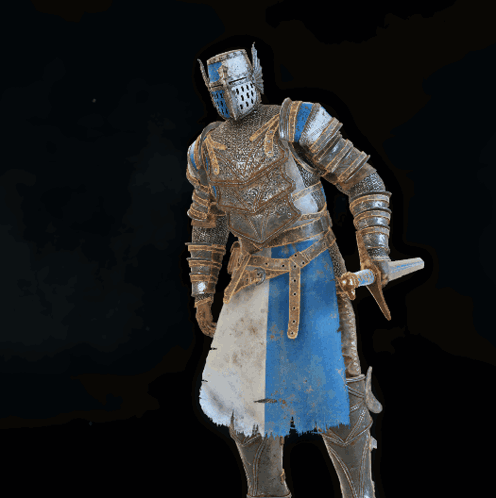
Anyone got a good kneeling animation they could toss my way? One knee sort of thing.
 glad crescent
obsidian vector
Anyone got a good kneeling animation they could toss my way? One knee sort of th...
glad crescent
obsidian vector
Anyone got a good kneeling animation they could toss my way? One knee sort of th...
mixamo.com has a TON of stuff like this
 hollow sun
Is there a way to immediately turn off an animation or does it have to play out to completion if it spans around 3 seconds?
civic sparrow
hollow sun
Is there a way to immediately turn off an animation or does it have to play out ...
Disable exit time on the transitiob
 brave zodiac
does anyone know how to make a model go invisible after it plays an emote toggle animation? I did make a invisible toggle that work by itself.
But I made an animation where the avatar digs down and he was supposed to go invisible after the animation ends, but nothing happens. The rest of the animation works, but only the invisible part doesn't.
glad crescent
how are you doing the invisible part though?
brave zodiac
glad crescent
how are you doing the invisible part though?

In This Tutorial, I Show You How To Correctly Hide Your Avatar From Other Players! This Can Be Useful For Trolling Or Other Fun Ideas
Get The Hobkin Redux Here: https://www.patreon.com/Hobbert/
Join My Discord!
https://discord.gg/FkXRUbReVA
==========================...
just like in this video
Im also having a problems where animations only play when people look at me even when I already played the full animation.
glad crescent
can you summarize in once sentence what method that uses for being invisible so I don't have to watch the whole thing?
brave zodiac
I did manage to make the model go invisible after he plays the dig down animation and go off invisible before he digs up, but this only work when people are looking the me.
brave zodiac
so for now the problem is the animation not playing at all when people dont look at me
and Idk why
brave zodiac
glad crescent
can you summarize in once sentence what method that uses for being invisible so ...
it makes a bool parameter with a toggle that makes the model parts no render and make you invisible, and when its off if renders you model again.
glad crescent
hmm yeah not sure I'd toggle the mesh renderer, that way tends to lose sync
glad crescent
I do it with Poiyomi's dissolve feature, which uses alpha and cutout rendering.
brave zodiac
got it, I might try it If my backup plans dont work, because I also tried to be "invisible" by making the avatar animation drag it very very down under the map, but again, It had the same problem of people seeing me go out of the ground only when they look at me.
the animation only plays for them when they look at the model
brave zodiac
does anyone know what this problem can be?
glad crescent
brave zodiac
does anyone know what this problem can be?
it usually helps to explain the problem in words - we don't know what you intend, so we don't know what is right or wrong here.
brave zodiac
Sorry, but I found out after trying everything, it looks like I need to add an exit time number after the blend out
glad crescent
ah nice, glad you solved it then
brave zodiac
But I found a new problem, every time I leave out from an emote, it locks me from using any other right after for a few seconds
So if I want to go to from emote 1 to emote 2, it makes the avatar just stand in idle for a few seconds before changing
brave zodiac
does any one know to remove that?
glad crescent
not without understanding the cause
brave zodiac
well, thats the problem, idk what causes it, that why I need help
I already tried changing a lot of things, but nothing works
my action layer is just like vrc default
so even the default has this problem
glad crescent
ahh
is it the Playable Layer Control possibly?
iirc they do that over some time, though it's small
brave zodiac
I have 2 animation that complement each other, and this delay just make the animation not work as intended
I will show in a vid
glad crescent
If those are in the same layer I'm not sure why there would be a delay other than exit time or transition time
brave zodiac
brave zodiac
I will show in a vid
you can see the delay that make me go into idle for a few seconds
glad crescent
I'm not sure which one you're referring to
brave zodiac
wdym
When I click the block emote, it plays just fine, but when I turn it off and on very fast, it waits before playing the block again
you can see very clearly when I go from block to block grab
it just forces it do Idle again before playing the next emote
glad crescent
ok, I wasn't sure from this if that was you doing it or an inherent delay
brave zodiac
so I just want to make the animation change instant
brave zodiac
ok, it looks like Int parameters have this delay, if I make an emote using a bool parameter it can change from ON to OFF instantly
brave zodiac
yep, I found a solution, I made the animations with a bool parameter and each one on a different layer in the action controller.
so now that each one has their own layer, they can play on top of each other.
with no delay
glad crescent
ahhh, yeah ok that'll work
 civic dragon
brave zodiac
I have 2 animation that complement each other, and this delay just make the anim...
civic dragon
brave zodiac
I have 2 animation that complement each other, and this delay just make the anim...
Go to the transition and set it to exit time zero or turn off exit time and go into transition settings and set the other number to 0 I don’t quite remember the name but this will remove all delay between animations
brave zodiac
civic dragon
Go to the transition and set it to exit time zero or turn off exit time and go i...
I found a solution, If I make the animation with a bool parameter and each one having their own layer, they can play on top of each other.
but still thx for trying to help
civic dragon
brave zodiac
I found a solution, If I make the animation with a bool parameter and each one h...
Valid but take up a lot of space, if it’s a pc avi completely understandable
brave zodiac
civic dragon
Valid but take up a lot of space, if it’s a pc avi completely understandable
its a full desktop avatar, but I upload to both pc and mobile so everyone can see
so most of it is just the animations
civic dragon
Ahhh alright you do you, I just give suggestions on ways to improve if I know them, Everyone has their own style! People who complain about others style or call it a rat because it isn’t in their format are painfully annoying
brave zodiac
civic dragon
Ahhh alright you do you, I just give suggestions on ways to improve if I know th...
I do need help with something else, do you know how to make screen shaders? I trying to make a night vision for this model but theres no tutorials for this
civic dragon
I do not exactly have an idea on screen shaders but I do know you could put a cube over your players head and have your material on that this causing the effect to be on your camera but I could recommend asking that in #shaders
brave zodiac
thx, that chat wasnt showing for me
brave zodiac
does anyone know about a animation synchrony problem? For some reason animation that I play when someone is not looking at me only starts playing for them and they look at me directly.
I have absolute no idea why this happens
animations only play for people that have visual of the model.
heres a vid on how this problem work, the videos were recorded at the same time, from my perspective, and my friend perspective.
brave zodiac
brave zodiac
here is even worse because for my friend the second animation didn't even play and I would be perma invisible unless I reset the avatar
I dont even know what to do anymore
sullen summit
brave zodiac
here is even worse because for my friend the second animation didn't even play a...
Avatar transforms are culled when not rendered. If you want to prevent this, you may need to have a mesh renderer with a big cube that covers a wide area around you and prevents culling. Or you could animate the bounding box of your avatar to be bigger during that animation to achieve the same effect.
brave zodiac
sullen summit
Avatar transforms are culled when not rendered. If you want to prevent this, you...
so when someone doesn't look at the model, its stops the render for them people? because this problem also happens with normal animations, like a backflip, no turning invisible or anything else, just the animation
sullen summit
brave zodiac
so when someone doesn't look at the model, its stops the render for them people?...
Transforms specifically don't update
brave zodiac
so even if I set the culling mode to always animate, Vrchat changes it ?
sullen summit
brave zodiac
so even if I set the culling mode to always animate, Vrchat changes it ?
Yes
brave zodiac
sullen summit
Yes
my model has multiple parts, do you recommend I extend the bounding box of just one of the parts or all of them to make the animation play even when people don't look at the model?
sullen summit
brave zodiac
my model has multiple parts, do you recommend I extend the bounding box of just ...
Try just the main one see if that successfully prevents culling, if not, do all
brave zodiac
got it, thx for the help, I was almost giving up
I'll come here again it it work or not
 plain magnet
Would anyone know why my animation wants to move the whole character instead of just the mask?

 civic sparrow
What did you animate
brave zodiac
sullen summit
Try just the main one see if that successfully prevents culling, if not, do all
Didnt work, I will try making all the parts have the same bounding box range
brave zodiac
since the armature controls multiple parts that are separated
 neon kayak
wip for rotten girl miku :]
clear yew
how do i fix this?
 glad crescent
put a mask on the first layer in the gesture animator.
usually you can use the included vrc_HandsOnly, but it depends on what you're doing.
(it's usually not findable by default when you pop open the dialog to select one, click the eyeball to show them all)
slim plume
is there a way to change the velocity of certain animations? Like how to change the "smoothness" of how a certain object changes its position in an animation. I know it has something to do with curves, but i cant figure out how to change them...
civic sparrow
theres an entire curves tab
 muted cloak
I´m currently in search of some animations that I see are used often on funny avatars like the "seizure" animation and such. Is there a collection of these? Cuz I keep finding the same ones with no similar point of origin.
glad crescent
Mixamo has a bunch
steep panther
steep panther
progress is back up and running. the animation is now 11 minutes and 30 seconds long.
the new name is Back to Infinite Power
 opaque parcel
Could someone please help me?
I'm trying to add poses and emotes to my avatar, but since I don't have much experience, I'm following video tutorials. I always get an error, but I'm trying to solve it.
However, now I'm facing a more serious problem:
After I tried to add Kali Locomotion, my avatar simply stopped working properly. I can't change clothes anymore, Gogo Loco is bugged (the avatar starts sinking into the ground), although the Kali Locomotion poses are working.
If anyone knows how to solve this or can give me any tips, I would be very grateful
 olive lintel
I made this animated pfp for my client ^^
civic dragon
doom chainsaw revving based on bone stretching WIP
steep panther
i finally got part 3 done.

 glass juniper
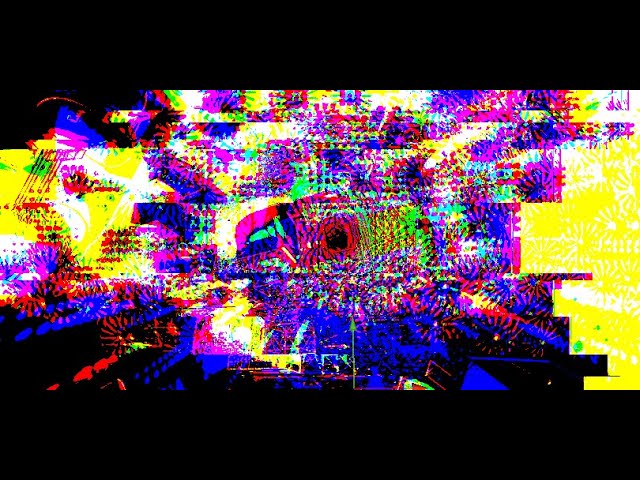
listen to it here:
Youtube: https://youtu.be/y5l4oSJCCSw?si=EVB7RRRu0HuJ0aNS
VRC Group: PEPPER.6150
civic sparrow
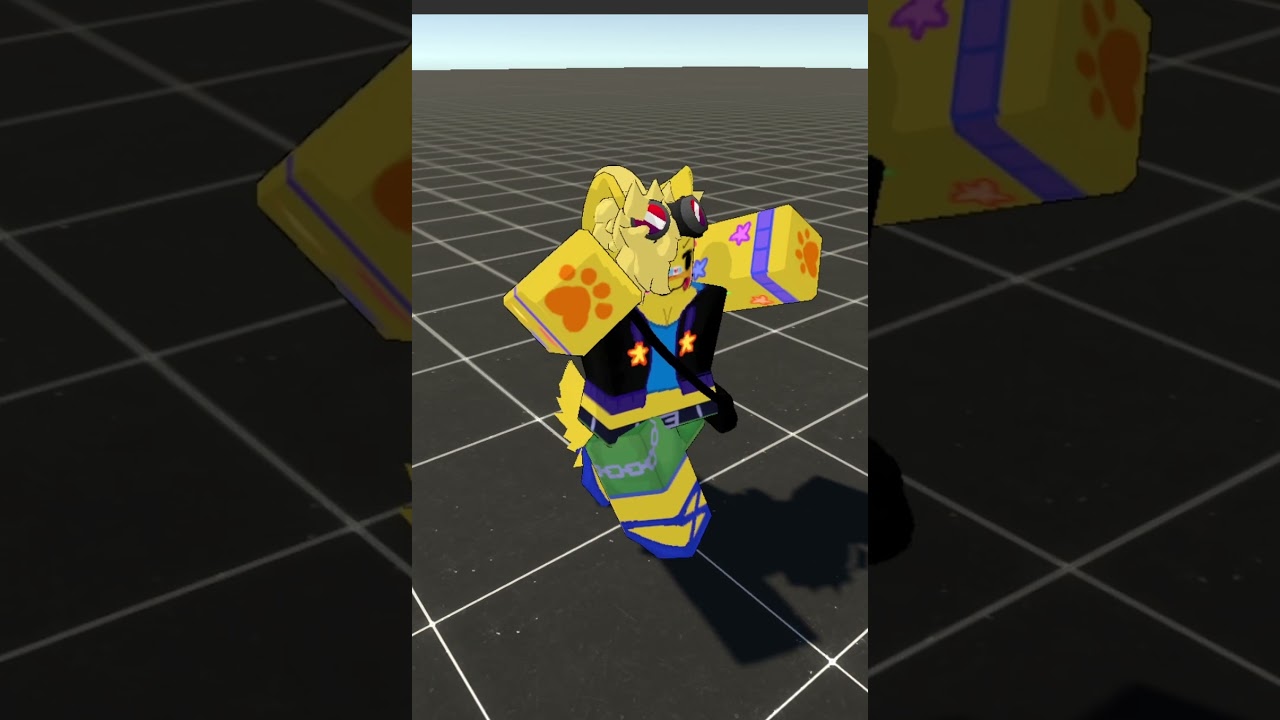
made this a bit ago but I made the funny pikuniku dance not really shown in the short but it has an intro and looping animation
https://www.youtube.com/shorts/mXU0Fl28Jko
#shorts #memes #vtuber #funny
(Funny line here)
⏩My socials⏪
https://twitter.com/QuillDoodle
https://www.twitch.tv/quilldoodle
⏩clever subscribe here⏪
@quilldoodle
 wheat lance

blah blah copyright, notice me Jannis!
(second attempt because mp4 files suck)
 glad dune
I successfully implemented MotionMatching in vrc!! Here's my demo。It's a little rough, but it looks good, right?
 indigo tendon
glad dune
I successfully implemented MotionMatching in vrc!! Here's my demo。It's a little ...
indigo tendon
glad dune
I successfully implemented MotionMatching in vrc!! Here's my demo。It's a little ...
Idk exactly how you're controlling the avatar or exactly what's going on but that type of walking and turning animations would be so nice to have with a desktop avi!
flint bison
glad dune
I successfully implemented MotionMatching in vrc!! Here's my demo。It's a little ...
this looks so natural
 patent cradle


 silk jacinth
how to create wind effect? using physbones, or shader, or etc.
clear yew
 gentle token
Lil thing (I have like zero progress done 💔)
 dusty nacelle
People please help me I want to record an animation of an avatar for vrchat but I can't figure out how to do it I'm looking for and trying everything but it doesn't work
glad crescent
do you mean, in unity?
 somber fable
dusty nacelle
People please help me I want to record an animation of an avatar for vrchat but ...
somber fable
dusty nacelle
People please help me I want to record an animation of an avatar for vrchat but ...
do you mean in blender, unity?
 unreal sigil
Is there any tutorial I can find or a prefab I can take apart and analyze for creating a functional gun in VRChat that is specifically for a world?
I have seen a lot of tutorials covering gun animations and stuff for avatars, but those are NOT what I am looking for. I'm creating a world that is intended to be a functional shooting range and this happens to be my first time learning how to code scripts.
Obviously this will involve making custom scripts for guns that fire particles and targets that take damage. Much like Avi Wars.
unreal sigil
Update:
Big thanks to @covert girder for finding me the references that I was looking for!
https://github.com/Toly65/UdonCombatSystem
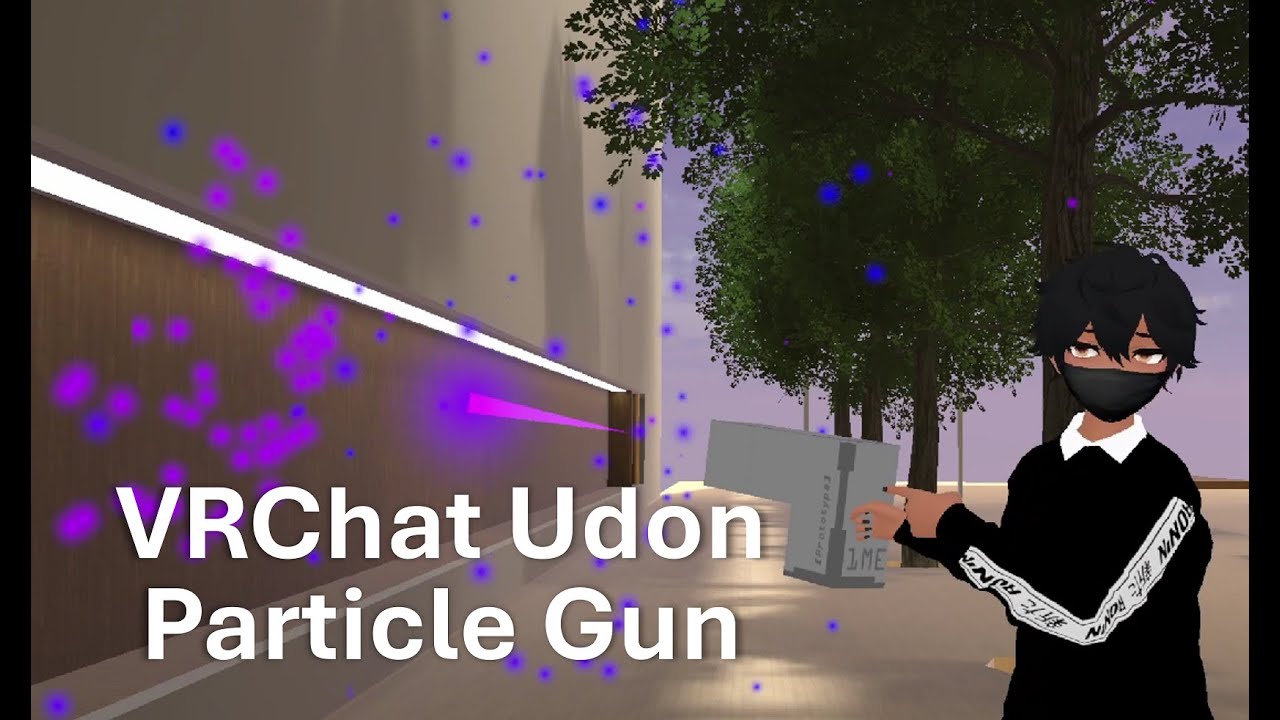
Prefab: https://ko-fi.com/s/bd71ae9102
0:00 Intro
0:38 Bullet Particles
5:04 Explosion Particles
8:33 Create Gun Model
12:00 Write The Udon Graph Script
14:49 Udon Analysis
16:26 Outro
Music Credits:
- Hoogway x Softy - Words On Water
- Provided By Lofi Girl
- Watch - https://www.youtube.com/watch?v=VeAqBuue2lg
- Spotify - https://open.spotify...
GitHub
A simple combat system designed for VRchat. Contribute to Toly65/UdonCombatSystem development by creating an account on GitHub.
GitHub
VRChat prefab for particle guns, complete with damage tracking and automated setup scripts - MMMaellon/P-Shooters
#VRChat P-Shooters Demo Video
Prefab includes high quality gun models, working scopes, grips, grenade launchers, rockets, shield and health system, and automatic setup so everything is pretty much drag and drop.
also guns aren't floaty, they like actually stick to your hands

 X
·
X
·
 tired wharf
is there any videos on how to add cool abilities to your avatar with a pixel/animation tutorial to???
 scenic siren
hey how i can made a toggle which active a costum animation of locomotion
 spice pike
tired wharf
is there any videos on how to add cool abilities to your avatar with a pixel/ani...
spice pike
tired wharf
is there any videos on how to add cool abilities to your avatar with a pixel/ani...
you can found one on youtube
flint bison
 civic sparrow
flint bison
civic sparrow
flint bison
one of the layers on my avatar has enough animations to unironically do this
sacred jacinth
making a face rig is gonna be a pain TvT


 tepid yoke
So I'm trying to get my locomotion animations to slowdown on a couple of factors.
Some worlds have faster movement, and there's the matter of scaling the avatar up (either through scripts, built in scaling, or a world that allows scaling upwards of 100m)
I'm trying to get my locomotion to slow down based on the inverseScalingFactor, this much I have figured out how to do. However, I have the issue that it only works with built-in scaling and Udon worlds. Most of the Udon worlds also increase movement speed, which would end up making my avatar look slower than the movement would suggest.
Though I'm also still working out some of the animations themselves. Walking animations appear spot on, so long as my movement speed isn't adjusted as well.
 mild spruce
Hello guys I have a quick question in regards to properly importing a rig from Blender as the humanoid rig seems to not be set to a T-Pose when being imported even after I enforced it (was redirected here).
abstract glacier
mild spruce
Hello guys I have a quick question in regards to properly importing a rig from B...
I’d ask about that in avatar help there’s some people who know the process thoroughly who could probably help you
mild spruce
abstract glacier
I’d ask about that in avatar help there’s some people who know the process thoro...
I appreciate that, ill give it a look
 hybrid sinew
so im trying to change the the constraint objects animation to the elevator object so my game object so the animator does not have the animation im having a hard time explaining this and dont have a recording softwere so i hope the picture and text help

 balmy walrus
glad dune
I successfully implemented MotionMatching in vrc!! Here's my demo。It's a little ...
balmy walrus
glad dune
I successfully implemented MotionMatching in vrc!! Here's my demo。It's a little ...
oh get outta here, that's really cool!
 primal dirge
tepid yoke
So I'm trying to get my locomotion animations to slowdown on a couple of factors...
primal dirge
tepid yoke
So I'm trying to get my locomotion animations to slowdown on a couple of factors...
A little complicated but what you would have to do is set a default you want to base everything on.
Let's say an avatar size of 2.0m which has animations matching the runspeed of 2 (walk) 4 (run) and 6 (sprint). This is your 100% scale (1.0).
You'd then factor in the scale. For simplicity's sake let's assume your avatar is scaled to 4.0m. Now your avatar would be twice as big but it's animations would have to run at half the speed (roughly) to match the movement speeds. This would be 200% scale, you'd take 1.0 / 2.0 = 0.5 (this is your motion speed scale factor).
To test:
5m = 250% = 1.0 / 2.5 = 40%
6m = 300% = 1.0 / 3.0 = 33%
10m = 500% = 1.0 / 5.0 = 20%
Regardless of how the world is scaled or what the world creator set the movement speeds to, these will always match up. However normally you only go as far as 5 (i think was the default), you could keep adding motions up to whatever arbitrary number you think a world could implement, let's say 20. As long as the motion for 20 speed matches the actual movement in VRChat (at which point you'd be flash) it should match back up if you keep slowing it down with bigger scaling.
At 10m scale and a run speed of 20 it would visually behave like runspeed 4 with the 20% speed scale assuming that your 20 velocity motion is set to use the run animation at a 5.0 times speed multiplier (20 / 4 = 5)... or if you use the sprint it would be behave like at 0.66 times speed now assuming the sprint animation was running at 3.33 times speed multiplier at 20 velocity (20 / 6 = 3.33).
The problem here is that you can't switch back down to the run animation if the sprint becomes too slow for when you scale up too much. A workaround would be simply not using a sprint animation (i'd recommend not using it anyway) but the same could apply to the run animation too.
primal dirge
Another alternative would be multiplying your velocity value with scale and using the result for your locomotion layer... but i'm not sure you can even do this kind of math in an animation layer... not that i've tried it yet
tepid yoke
primal dirge
A little complicated but what you would have to do is set a default you want to ...
Math I can figure out, the problem is getting it so the variable that determines my speed remains constant with both height and overall movement speed.
As it is right now, it can only scale based on my size.
I only can set one variable for the animation speed within the Animator.
primal dirge
Don't scale the animation speed via your scale, what you'd have to do is scale your velocity directly.
Well and there's the problem.
tepid yoke
primal dirge
Don't scale the animation speed via your scale, what you'd have to do is scale y...
you have to inversly scale with ...scale
primal dirge
right
but not the animation speed
you want to scale the velocity value (not the actual velocity but a parameter that would then be used to plug into the locomotion blend tree)
tepid yoke
As it is right now, in a world which does NOT adjust movement speed, my animator is set to scale off the ScaleFactorInverse parameter. And it works fine. It just gets weird when it does increase speed, because my avatar still animates the same speed, thus slower than my steps ought
primal dirge
sounds like something is wrong with the ScaleFactorInverse parameter then, it does not account for the other way around
you could probably fix this tho
tepid yoke
it also does not account if I have an avatar that's able to go beyond the normal limits.
primal dirge
you could have to locomotion blend trees and switch to the other when Inverse hits its max and the normal scale factor goes above 1.0
ohwait
no my brain just stopped working
tepid yoke
but in worlds that do allow scaling up to 100m still scale the animation
just not when my own animations scale the avatar
tepid yoke
that is what I said, yes
primal dirge
why does it not scale with movement speed?
tepid yoke
2x normal size = half animation speed.
tepid yoke
primal dirge
why does it not scale with movement speed?
I dunno, that's a question for VRchat devs. it never has.
primal dirge
so you just add another motion with double speed and double the required velocity
if 4 is the default run speed
and the world changes it to 8
simply have another motion set at 8 velocity with the same animation but twice the speed
when you inverse scale this down to 50% it ends up being normal run speed again but still moving at 8 velocity with an avatar twice as big
so it should match up again
tepid yoke
what I'm trying to do is actually have animations that Match walk/run movements, so that when I use joysticks to walk, my avatar's feet don't just float over, like the default animations do. (IE: Running faster than I actually am moving)
tepid yoke
primal dirge
simply have another motion set at 8 velocity with the same animation but twice t...
okay... How? How do I set an avatar to pull info from the world I'm in?
primal dirge
to automatically match it back up when your avatar scale changes
you dont need to
you already use velocity
Velocity is your movement speed
if the world changes your movement speed, so does your velocity
in VRChat if you open the debug display you can see that if you move your Velocity values change depending in how fast you move
and worlds in which you move faster have higher velocities
tepid yoke
so which parameter should I use?
primal dirge
 tepid yoke
VelocityX
VelocityY
VelocityZ
AngularY
VelocityMagnitude
primal dirge
VelocityX being left/right and VelocityZ being forward/backwards
the default locomotion layer already does this
what you want to do is simply add MORE motion entries
that scale higher
tepid yoke
that's all fine and dandy to get an animation to a specific point, but the speed the animations play are still not affected by those values.
 tepid yoke
they are set animation speed when Velocity reaches a certain point, and if I have an animation at a set speed, and velocity goes over that value, the animation caps out on how fast it plays
primal dirge
i play the backwards run animation at 80% speed if i move at -3 velocity
and i play it at 100% speed if i move at -4 velocity
i could keep adding more
120% for -5
or something like 200% for -10
tepid yoke
that's a LOT of animations you'd have to account for.
primal dirge
and simply let unity linearly scale that up
tepid yoke
especially at the larger sizes.
primal dirge
not really
tepid yoke
because in those worlds you DO end up going what would be super sonic speeds
primal dirge
you technically just need 1 extra motion entry
and that is the fastest you are willing to configure
tepid yoke
but at that size you APPEAR to not go as fast, but the animations DO NOT scale properly.
primal dirge
unity will linearly scale them depending on how far it is between the two motion points you have
tepid yoke
that's not what I've been seeing in VRC
primal dirge
so unless linear scaling is not enough here, you only need one extra motion (far away from the others)
well have you tried adding another run/spring motion at twice the velocity?
say your last run is at 4 velocity, you add another at 8 with 2.0 the speed multiplier
your inverse scale will scale this down to 1.0 speed at twice the size
tepid yoke
by default the animations do not scale. Sure they'll scale in a finite range if you have enough animations in the blend tree, but at that point you're just being unoptimal by having 30 or whatever animations to try and compensate for a given speed, and at best you can only compensate for what might be a given partiular world's speed settings for giant avatars at 100m
primal dirge
 tepid yoke
primal dirge
well have you tried adding another run/spring motion at twice the velocity?
tepid yoke
primal dirge
well have you tried adding another run/spring motion at twice the velocity?
I did, but Twice the velocity was not enough
tepid yoke
primal dirge
see? that's a problem.
primal dirge
not really
this is normal range for my current scale, i'm not scaling in size
all i'd have to do to accomodate for that is add the inverse scale as multiplier to the state and add another motion at all 8 directions you can go
and choose something insanely fast (like velocity 40)
which you will never reach
but wouldn't matter, unity would scale all the way from 4 to 40
with just a single extra motion per direction (and you have 8 basic directions)
the rest is done via blending
which unity once again does automatically if you set the motions up in the correct spot
primal dirge
primal dirge
So taking this as example, i'd take all the outer motions and extend them once
20 velocity at 5 times speed
boom
done
tepid yoke
with that logic, you'd only need an additional point for each of the 8 directions, at that speed, and it would transition to that speed on a sliding scale. but the problem is... is I also want to appear like I'm WALKING while big as well.
if I scale up, adn the world scales up movement based on size, that makes my velocity go up too. I'd still like to run when I actually am running, or walking when barely moving the stick forward.
the way you're addressing it, says that if the world scales up movement speed, that puts my velocity into running range, even if barely tilting the stick.
primal dirge
tepid yoke
with that logic, you'd only need an additional point for each of the 8 direction...
Ah. Now i get your problem.
Right if you were to move your stick only a tiny bit and that results in 10 velocity (because crazy world movement speed) you'd still play the run animation because 10 velocity is set to use a run animation. Correct
You could fix this with multiple locomotion blends
but
you'd need a parameter to detect how much you moved your stick
which.... doesn't exist.
tepid yoke
when it should, given that's how Unity is by default.
primal dirge
I don't think unity actually uses any parameters by default that express how much you pressed anything, it uses velocity too as far as i can tell, simply because on desktop (which is the most common use type) you can only press a button... there's no inbetween.
if you plug in a controller and read the controller inputs, yes those could be surfaced and used as parameters but thats custom code then
tepid yoke
I mean for normally using the unity for input, it reads the game controls, granted you'd have to make sure its coded with a normalized function as well, so diagonal directions aren't faster.
primal dirge
another way would be OSC
OSC can actually read and output your controller values
and whether you moved or even touched your stick
if i remember correct some people use it to counter strick drift (and lock themselves in place automatically if no touch is detected)
or a certain amount of stick movement
but i never used OSC outside of just a quick haptic vest setup... so... idk
i mean a friend of mine uses OSC for an auto-clicker
tepid yoke
not familiar
 sacred jacinth
welp
I've finally fully rigifed and rigged *(to the extend that I need) * the Chalo avatar!
finally


 flint bison
 gritty whale
Been working on this for the past couple days
 opaque elbow
Hey y'all, so I know you are supposed to dupe your model and animate on that, but I may have accidentally let an animation play on my main one? I don't remember if I used the right one. I wanted to check, what happens when you let an animation play on the main model? In tutorials I've watched, they just say it messes things up. What specifically happens? and is there a fix? Thank you!
glad crescent
opaque elbow
Hey y'all, so I know you are supposed to dupe your model and animate on that, bu...
The duplication thing is because new people tend to forget to reset the avatar after making an animation and getting the avatar stuck in "bike pose".
opaque elbow
glad crescent
The duplication thing is because new people tend to forget to reset the avatar a...
Ohh alright, thanks! So I just need to make sure I don’t leave it in the preview mode?
glad crescent
Yeah usually just picking a different animation from the dropdown after you're done will reset the avatar.
I haven't done the duplicate method in years.
though I did actually get stuck in bike pose the other day, first time in a while. Good thing there are reset tools.
I forget what I was doing but it was out of the ordinary.
graceful thorn
excuse me but does anyone know how to modify default hand gestures? when i try to make a copy of one and then change it, it wont work when recording the changes
glad crescent
hand gestures are done in the gesture animation controller, make sure that's the one in your avatar's Animator component or recording stuff won't work.
 storm moon
If I have a blendtree, how do I save it off into a file?
I want to make a similar blendtree, with a small change
However, if I duplicate the state, it just references the original, which isn't what I want.
I need to save it such that it appears in my project explorer (but how??)

 glad crescent
I haven't found a way to do that in the Unity editor. I made a blank animator and an empty blendtree, then edited the YAML file itself to turn it into an empty blendtree file, then I just duplicate that when I need a new blendtree file.
storm moon
YAML file? How do I access that?
maybe I can ctrl+c/ctrl+v certain parts
glad crescent
most things in unity are stored as yaml files, the animation controller, animation files, materials, etc. You can edit them in a text editor. I don't recommend this though unless you're already familiar with YAML and like tinkering with geeky advanced things.
storm moon
I have worked with yml files for git, so I'm hoping I can handle it
However, I can't find any yaml/yml files in my unityproject

When I do look at my controllers, I see extentions of .asset, .controller, and .anim

unless
maybe the controller is a .yml, the extention is just named '.controller'
glad crescent
Yes, it's a YAML format file with various extensions. .mat, .controller, .asset, etc.
the .meta files too actually.
 keen pecan
glad crescent
though I did actually get stuck in bike pose the other day, first time in a whil...
keen pecan
glad crescent
though I did actually get stuck in bike pose the other day, first time in a whil...
where are the reset tools
glad crescent
Pumkin's Tools has one
keen pecan
glad crescent
Pumkin's Tools has one
thanks
was working with animations for like the first time and fucked up ig
glad crescent
it happens
keen pecan
wait how do i do this
it will reset the pose but then i'll open the sdk and it'll go back to bike pose
glad crescent
"open the sdk"?
glad crescent
just opening it causes that?
keen pecan
yeah
glad crescent
huh
keen pecan
glad crescent
huh
keen pecan
keen pecan
idk how but i added and removed a pose from animation and it seems to have fixed itself
 charred spire
I hope this is the right place to post this
I've been having this strange issue in Unity and I'm stumped. Basically, the WhipGrab parameter I set up in the Contact Reciever's parameter box isn't syncing with the parameter with the same name in the FX controller and possibly in the expression parameters too? Either way, this video here you can see the Hand R contact sender touching the reciever, the WhipGrab parameter being set to 1 in its little box, but the bool not being set in the FX controller- as well as what it was supposed to do
flint bison
charred spire
I hope this is the right place to post this
I've been having this strange issue...
make sure the parameter in the fx controller is a float, not a bool
contacts receivers use only floats afaik
charred spire
I'm preeeetty sure I've already tried that but it's worth another shot
glad crescent
flint bison
contacts receivers use only floats afaik
depends on which way you use it, the simple enter/exit can use any but proximity ones do use floats
flint bison
glad crescent
depends on which way you use it, the simple enter/exit can use any but proximity...
I've had issues in the past using bools with contacts and changing to float fixed it every time, so idk
glad crescent
very strange, a number of mine are bools and work fine.
flint bison
i dont remember if this was before they added auto conversion
charred spire
flint bison
make sure the parameter in the fx controller is a float, not a bool
Yup, tried it, exact same issue
Won't sync
charred spire
I think I'm going to try making a script that forces parameter 1 from the contact to set parameter 2 in the FX controller
glad crescent
VRC Avatar Parameter Driver?
charred spire
glad crescent
VRC Avatar Parameter Driver?
Well the problem is is that's in the FX controller right?
glad crescent
that's what you said...
charred spire
The parameter is never sent to the FX controller so that won't work
glad crescent
sent to from what?
charred spire
charred spire
I hope this is the right place to post this
I've been having this strange issue...
^
glad crescent
for some reason that video is a bit blurry but it looks reasonably correct
charred spire
Had to send it to my phone to crop the vid length sorry lol
But yeah, there's nothing I did wrong to my knowledge, I've done this entire process before
never had it react like this
glad crescent
you crop videos on your phone? Interesting.
charred spire
I don't have a video editor on my PC?
flint bison
charred spire
I don't have a video editor on my PC?
https://github.com/MathewSachin/Captura I recommend this. It's like Gifcam if you've ever used it but it takes video of regions on your screen, so no cropping necessary

GitHub
Capture Screen, Audio, Cursor, Mouse Clicks and Keystrokes - MathewSachin/Captura
(completely off topic, sorry, but I like this software)
 fleet berry
Anyone have a good tutorial on how I can make a slider that moves an object on an avatar from one point to another?
Like. Just in a straight line.
sullen summit
fleet berry
Anyone have a good tutorial on how I can make a slider that moves an object on a...
Late reply but easiest imo would be to use a constraint with 2 sources. 1 being the starting point and 1 the end point. Then your animation just needs to swap the weights on the sources.
flint bison
Anybody else have an issue using custom animation controllers on avatar stations where when a person sits in the station, and then opens their large menu, their pose gets broken and doesn't return when the menu is closed?
I have an animator on a station for a custom sitting pose and it uses temp pose space, but sometimes the viewpoint snaps to standing even though it shouldn't, and this also happens consistently when the big menu is opened by the person sitting in the station
It's worth noting that I'm using the included sitting example animator in the vrc sdk but with different poses inserted
I assume it probably has something to do with locomotion locking (as opening the large menu locks locomotion similarly to the locomotion control state behavior)
civic sparrow
flint bison
I assume it probably has something to do with locomotion locking (as opening the...
It does a tiny bit more than just lock locomotion
 silk schooner
This section of particle systems does not work in current vrchat sdk. it ignores the texture input
 sullen summit
silk schooner
This section of particle systems does not work in current vrchat sdk. it ignores...
sullen summit
silk schooner
This section of particle systems does not work in current vrchat sdk. it ignores...
I believe there is a canny about it somewhere, upvote it. If not, create one
flint bison
silk schooner
This section of particle systems does not work in current vrchat sdk. it ignores...
Yeah I discovered this years ago. Figures it's not fixed. I ended up using custom mesh emitters with vertex colors made using blender
By baking colors from a texture to vertex colors
 dusk bay
Anyone wanna rate my animation skill?
clear yew
Does anyone have the otsukare summer dance animated into an emote?
 slim cape
dusk bay
Anyone wanna rate my animation skill?
slim cape
dusk bay
Anyone wanna rate my animation skill?
I'd tell you to learn adjusting the sound intensity
 misty onyx
keen pecan
misty onyx
keen pecan
holy book from BFDI
keen pecan
Ok
 dull sleet
got a question about audio sources. I got 2 spheres of audio triggering, one is for range 0 to 50, the other for 50 to 100.
in unity it works , in vrc, the second audio only does a "blip sound" like it's glitching. I looked and im at the audio limit of 3 so it's not that.
dull sleet

This is my 2 assets but i can never hear the longer range one in vrc, i can in unity but not vrc
dusk bay
slim cape
I'd tell you to learn adjusting the sound intensity
That animation changed alot
Warning theirs flashing in this animation
 frosty wedge
Anyone happen to know where I can find a collection of gesture animations
glad crescent
frosty wedge
Anyone happen to know where I can find a collection of gesture animations
depends on what you mean, but maybe mixamo.com?
frosty wedge
I did not think of mixamo however I asked because I managed to merge Gogo loco with camera guys halo movement and was gonna do with same with a custom hand system
 sage gust
hello, I need help creating an animation but I don't know where to start. If anyone can help me, thank you.
glad crescent
can you provide some more detail?
 viscid warren
sage gust
hello, I need help creating an animation but I don't know where to start. If any...
viscid warren
sage gust
hello, I need help creating an animation but I don't know where to start. If any...
What the animation about?
 fathom stone
Heyho, i am a bit lost right now.
I wanted to set a global parameter to 1 and then half a second later to 0 again when
MuteSync is on and MuteSelf gets toggeled. How would i detect a state change?
I have done some testing, but always managed to perma turn on my parameter and never turn it back off again / it is maybe being turned off but then spam turned on continuesly.
I have also seen people being able to see which point it is at right now. How would i see that?
https://blackwolfwoof.com/s/mEG3WjGgXQQk2bw/preview
-# Pls ping on reply, ty

 lean ravine
would anyone be willing to hop in a call and help me bug fix some animations and i really need some help because i am stuck on my contact recivers
 wooden lintel
got a general question - how do you chain animations?
I'm trying to configure a collar with three animation clips, in the order of off > on > on but big. I wanted to create this kind of behavior:
collarON disabled
- collar hidden
collarBIGdoes not enable collar regardless of state
collarONenabled- collar shown
- collar maintains normal size on neck
collarBIGenabled - collar shown
- collar adjusts in size/rotation on neck
--
I'm effectively trying to make an IF statement, I think, but I don't know how to work it out, and it feels like I'm making it too complex in exchange for saving parameter bits.
 viral ravine
wooden lintel
got a general question - how do you chain animations?
I'm trying to configure a...
viral ravine
wooden lintel
got a general question - how do you chain animations?
I'm trying to configure a...
"If, then." Is pretty much the entirety of unity animators, at least in my 1 percent of experience with them.
It's pretty easy to do exactly what you want here, just set the correct parameters in your transitions and correct animations in your whatever-theyre-called.
How I'd do it:
If you only want to use 4 bits make two bools,
if you want it just easy, make it an int, 0: off, 1: on, 2: big.
You could probably use a float instead but that just feels wrong to me so I've never done it outside of radial settings.
wooden lintel
viral ravine
"If, then." Is pretty much the entirety of unity animators, at least in my 1 per...
interestingly, I ended up with what I think was called a multi-toggle. got a bunch of states, off/on/big, attached to the any state node, off being default. with that set up, I'm now in a position where it seems the transforms aren't being upheld by the animator - the int works, I know it's working because I can see it changing in the gesture emulator, but it doesn't change in size or position.
makes me wonder if animation clips can move the prefab itself, or if I have to mess with its bones instead for the same effect.
viral ravine
I can't help you there I'm afraid, if you have the sources available I would recommend making blendshapes to animate instead
wooden lintel
heck. well I did end up managing to make it move by just tossing the vrcfury stuff on the asset and just merging it manually, but now I have a new issue with my animators c:
video jumpscare, best way to explain what the hell I'm looking at (because I asked someone I knew had like... proper unity knowledge? they didn't have any clue what unity's doing here)
 little chasm
Does anyone have a template FX controller for vrchat avatar locomotion.
Back in the day I swear there was a template that you could copy to override Base_FX but it doesnt seem to exist anymore (nor can I find much support in the docs).
I just want to override the stand/crouch and prone animations for a 2D avi that im making
glad crescent
there's no locomotion in FX?
little chasm

 spring crag
can someone help me fix my avatars pose/standing animation because during the animation for a second or 2 the knees bend outward
 nocturne turtle
lf someone that can create animation/emotes for roblox i can pay
glad crescent
nocturne turtle
lf someone that can create animation/emotes for roblox i can pay
VRC Traders discord, you'll get scammers messaging you around here.
Link is in #1204490664637890580
 shy slate
fathom stone
Heyho, i am a bit lost right now.
I wanted to set a global parameter to 1 and th...
shy slate
fathom stone
Heyho, i am a bit lost right now.
I wanted to set a global parameter to 1 and th...
if you click on the white arrows there may be warning labels
you have to fix these, e.g. set exit timers, even if it is just 0
idk if there's a better way
There's also "Any State"
fathom stone
shy slate
if you click on the white arrows there may be warning labels
you have to fix the...
hmm gonna have to try that
shy slate
I'd also check on the Write Defaults property
not that it has anything to do with this
but since at least for Avatars, I figured since Scripts are not allowed, that all is just an animation
If Write Default is on, when a block state is left, it will stop the animation completely resetting everything back to default (so the way it was before it started playing the animation)
So when doing toggles. Probably turn that off.
shy slate
shy slate
There's also "Any State"
and this thing
The entire thing gets worser if you make more transitions. Because now you're traveling and can't go back until you reached the destination.
Playtesting is one thing, but idk there's something about replication or networking or how other clients see things on their end. Maybe at a wrong time one player would see you being in the wrong state at the wrong time.
There's also Interruption Source, I don't know if that deals with the issue where you set a state's speed to 0.05, while expecting it to switch to another state immediately once any of the variables change.
shy slate
fathom stone
hmm gonna have to try that
the original example has Exit Time disabled, if it is enabled it will wait until the animation is finished before checking for states again
fathom stone
shy slate
I'd also check on the Write Defaults property
mine are forced on
 main nexus
I'm sorry if this is not the place to ask! But I more just wanted to see if anyone knew what this animation was called, because it's really funny to me
On the avvy it's called 'WormWalk' but I cannot find it for the life of me

 analog jasper
nocturne turtle
lf someone that can create animation/emotes for roblox i can pay
analog jasper
nocturne turtle
lf someone that can create animation/emotes for roblox i can pay
accept my freind request ill be happy to help
analog jasper
spring crag
can someone help me fix my avatars pose/standing animation because during the an...
send me freind request im open to help
bleak tapir
so obvious it could be ironic lmao
glad crescent
wow that's bold
 pseudo edge
analog jasper
send me freind request im open to help
pseudo edge
analog jasper
send me freind request im open to help
Bros a bot
 chrome onyx
 stuck zodiac
So trying to make a halo spin slower but no luck, made halo and such from scratch but wanna animate the spin so how I do? New to all this
Screen rn

 lament orbit
@fresh sail if you want i can share vrm file plz dm
 pulsar arch
sus
pseudo edge
stuck zodiac
So trying to make a halo spin slower but no luck, made halo and such from scratc...
Don't animate it use vertex offsets in poi they have a constant vertex rotation setting and I think now they have a hover too but don't quote me on that
chrome onyx
chrome onyx
Further into this Wip
flint bison
Does anybody know of/have an animator controller that perfectly/very closely replicates the transition behavior between visemes? I'm trying to make viseme shapekeys for a mask that covers my mouth (soft so it moves with my jaw) and I would prefer not to combine the mesh with my body mesh if at all possible.
glad crescent
you could just do all the visemes in that animation, rather than letting VRChat do it
flint bison
glad crescent
you could just do all the visemes in that animation, rather than letting VRChat ...
Yeah that's what I was thinking, but I still want that animator controller layer to be setup as closely to the default as possible
glad crescent
I'm not sure there's any useful information about what "the default" looks like
flint bison
Unfortunate, but I figured as much
 thorn stream

Just got AI-driven animation working inside my web-based 3D animation tool.
Big step toward faster character workflows.
still in dev, making progress
check out the waitlist
https://t.co/pudDR8CpMv
#web3d #threejs #animation #AI #webxr #indiedev #gamedev
X
·
 heavy jasper
yo yo anyone know if its possible to have the same animation that i trigger by pyhsbone_is grabbed be affected by a toggle?
flint bison
heavy jasper
yo yo anyone know if its possible to have the same animation that i trigger by p...
Do you mean like a toggle to toggle the physbone_isgrabbed behavior on and off? If so, just add the togglable bool you create to the transition condition. That way it will only transition to the animation when the toggle is turned on as well
If you want a toggle that does the same thing as the physbone grab, make another transition with that bool as the condition
The first method is an "And" logic system and the second is an "Or" logic system
heavy jasper

i got it like this the toggle function works my issue is more like the grab wont work correctly
flint bison
Instead of grabbed I'd recommend using stretch but that's not the question you asked
heavy jasper
sure idm im just tryna get it to work
flint bison
the physbone stretch value triggering the motor would be more immersive I think, as you'd have top actually pull the cord. Make sure you add stretch to the physbone settings too though
heavy jasper
i do i do
flint bison
Then set the transition condition to look for the stretch value to be over a specific threshold (whatever you'd like)
flint bison
Also, to avoid desync, I'd instead have a different layer where the physbone stretch causes a transition to an empty animation state with a parameter driver
(set to local) state behavior that drives a synced boolean parameter (such as "MotorOn"). Then use that parameter alone to turn the motor effects on
this way, it will never be desynced
flint bison
heavy jasper
its just Name_strech right?
I believe so
It should tell you in the physbone component
heavy jasper
ive never done that do you have a ss by any chance?
flint bison
one moment, let me open my project
heavy jasper
sure sure tysm
flint bison
heavy jasper
sure sure tysm


 heavy jasper
Lemme grab my food from the oven and then apply it and see if it works!
flint bison
Oh, but make sure not to dead-end the animation layer with the parameter driver on it like I did
 heavy jasper
flint bison
heavy jasper
flint bison
ill just apply the anim to turn on the engine in Power up right?
heavy jasper
so basically my toggle
flint bison
The one that uses the synced parameter
heavy jasper
uhhh Wait so i didnt use the sync para in there?
i thought that was the extra "Sync layer"
sorry im pretty new to physics shit
flint bison
No so there are two layers
One for the physbone stretch "trigger"
that sets a synced boolean parameter to true
heavy jasper
this one is the trigger i assume?
flint bison
Then on another layer (the synced layer) that boolean drives the transition to the animation
heavy jasper
for that synced layer would i just create a toggle using that boolean i gave the trigger in the driver?
flint bison
Yeah
Like basically you'd make a simple toggle layer like you would normally for an expression menu based toggle
but you drive the toggled parameter with the parameter driver instead of the expression menu
heavy jasper
yea i see its completly fine to use the toggle ive created to toggle it on and off with the menu when in desktop as example?
flint bison
Yep
That way you can use either to toggle it on
And it will never desync
Sorry, I could have explained it that way to begin with and it probably would have been easier to understand 😅
heavy jasper
nono youre good
ive had it a second ago lmaoo and now i messes with the strech values and it broke haha
so do i wanna have the greater than .6 let´s say
and then i would need the less at like 5.9 right?
please correct me if im wrong
flint bison
Other way around
Greater than than lower value and less than the greater value
otherwise its possible to get stuck in between and have the states freak out a bit
Like for example Transition to = Greater than 0.5 and transition from = less than 0.51
heavy jasper
despite me reaching 0.63 it wont turn on
flint bison
Can you SS the transition conditions and the parameter driver

 flint bison
Also the parameter driver state behavior

 flint bison
let me see the transition between those two as well
Also, enable "local only" on the parameter driver
heavy jasper

 flint bison
Tick the "value" box in the parameter driver
right now, pulling the cord is turning it off
The Value refers to the Bool State. Ticked equals true, unticked equals false
heavy jasper
because if i tick it it starts with it being toggled on
flint bison
It shouldn't since the "power on" state isn't the default state
heavy jasper
maybe its gesture manger and the strech causing it because the avatar moves cause whn i reset it its off
ya it works but i had to reset the avatar via menu once
flint bison
In the physbone settings make sure stretch motion is turned to 0
otherwise movement will cause the cord to stretch enabling it when you don't want it to be enabled
flint bison
Good!
heavy jasper
and by chance is there a way to make 1 animation have prioty over the other one?
flint bison
Any layer that is lower will override any layers that are higher (in the animator controller)
heavy jasper
ah okay wait lemme see
flint bison
If they are animating the same things. However, if for example the animation that is lower in the layers only fires once, but the animation higher fires multiple times, it will override it once and then switch back. Probably not intended
heavy jasper
im using a mesh in the engine on anim and the engine on anim
thats why
and now its missing in the other animation
wait i may have resolved that issue
 smoky nacelle
balmy walrus
smoky nacelle
smoky nacelle
balmy walrus
smoky nacelle
importantly, you can't record humanoid animations in unity
you have to import them from an FBX file (so, you make an animation in Blender)
Non-humanoid bones should animate just fine, unless another animation is also trying to control them
smoky nacelle
balmy walrus
you have to import them from an FBX file (so, you make an animation in Blender)
Oh, ok! Sorry to ask, but do you know of any good YouTube tutorials on that? at least a starting point ?
balmy walrus
I don't have any good suggestions – I learned Blender a long time ago (mostly through trial and error)
However, if you want a quick animation, you could use a site like Mixamo (and there have to be others, too)
figure it out with a pre-made animation to make sure you can even get it working in the first place
smoky nacelle
balmy walrus
I don't have any good suggestions – I learned Blender a long time ago (mostly th...
Haha, I see. yeah. I know the basics of making meshes from scratch, but never touched animations...Regardless, thank you for answering my questions! ☺️
smoky nacelle
balmy walrus
figure it out with a pre-made animation to make sure you can even get it working...
uhh, that is smart, thanks! Now I have a starting point at least ❤️
thorn stream
ive been working on a side project that tries to remove one of the most painful parts of the 3D pipeline: rigging + basic animation setup.
You upload a mesh → it auto-generates a rig and makes an animation pack → you can export it directly into Unity/Godot with animations.
I’m not trying to pitch anything here — I genuinely want to know if this is useful or if I’m solving the wrong problem.
What I want feedback on:
Would you trust something like this in a production pipeline?
Where would this break for your use case?
What’s missing for this to replace your current workflow?
i cant post the demo here, lets talk if you think this will be helpful for you
 devout igloo
thorn stream
ive been working on a side project that tries to remove one of the most painful ...
devout igloo
thorn stream
ive been working on a side project that tries to remove one of the most painful ...
Have you ever seen mixamo?? This has existed for years
If your tool is better than that, not only is it useful, it could become very widely used!
thorn stream
Willing to pass honest feedback ? ill DM the video
 mystic wharf
thorn stream
Willing to pass honest feedback ? ill DM the video
mystic wharf
thorn stream
Willing to pass honest feedback ? ill DM the video
Sure ill look at the video
 stuck spade
Does anyone know how to allow head and other bones being moved in a toggle? I tried already setting head to animation in the motion controller but it still doesnt move at all
glad crescent
Yes, that but you can't animate the bones directly, you have to animate the humanoid muscle movements in the animator instead
Also do it in base, additive, or gesture layer
 neat fiber
I don't know where to put this but I am making a VRC avatar and I can't get GoGo to work when I try to test it out. I have an animator but don't know what else I am missing. Someone please help me.
glad crescent
neat fiber
I don't know where to put this but I am making a VRC avatar and I can't get GoGo...
#avatar-help is a good place
neat fiber
okie
 unborn narwhal
I've recently worked on an animation that was intended to move my model along with a rideable asset up and down. The animation works fine in Unity; but I assume I am doing something illicit as it does not work correctly in VRChat. I've tried various configurations like adjusting the layer it's merged into; as well as setting various parts of the animator tracking controller to animation; but I cannot get it to run in-game.
It is a Y position transform of the avatar root and everything within it like so. Is there some alternative method that is preferred and correctly intended?

 solar basin
unborn narwhal
I've recently worked on an animation that was intended to move my model along wi...
solar basin
unborn narwhal
I've recently worked on an animation that was intended to move my model along wi...
The avatar root is having its position changed by VRChat, I am unsurprised it doesn't work.
-# (likely part of a safety feature as well so you can't animate things outside of your avatar's hierarchy which could be other avatars or the world).
Generally people don't try animating this at all because of how much of a mess it is, you can definitely animate the body moving up and down (try animating the hip bone up and down), but that won't move your view with it, for it to move with you you need to use cameras that override your view which seems kind of complicated to from what I have seen.
The best method from what I have seen is to fake it with playspace moving, of course that only works with some things, stuff like a magic broom, but it works the closest to how you'd want it to work.
 safe inlet
I'm doing an edit on someone else's avatar and I wanna know why the preview and record buttons on the animation panel are greyed out. Any ideas? 🤔
 glad crescent
safe inlet
I'm doing an edit on someone else's avatar and I wanna know why the preview and ...
glad crescent
safe inlet
I'm doing an edit on someone else's avatar and I wanna know why the preview and ...
This panel only works with animations that are in the animation controller which is in the Avatar's Animator component, on its root.
So you'll need to drag the animation into that controller to edit it. You can remove it after if you want
safe inlet
glad crescent
So you'll need to drag the animation into that controller to edit it. You can r...
Thank you broski I'll try that out
 median wren
glad crescent
Is that error message not clear?
median wren
median wren
glad crescent
Is that error message not clear?
ik y im getting the error im asking if theres another way to make it work, want to be able to change the position along the xyz axis
glad crescent
Do you understand what the error is telling you?
median wren
no
glad crescent
Okay. What do you think it means?
median wren
idk
glad crescent
"VRCFury was told to set a thing to two different values"
You see that line, right?
median wren
ik y the error is happening im asking if theres another way to accomplish what im trying to do
glad crescent
You haven't really explained what you're trying to do, but the method you have chosen can't work because you can't have VRCFury set a thing to two different values at the same time. So you'll have to rework your logic not to do that.
median wren
i want to be able to change the position of the bear , left to right, fowards and backward, up and down
 glad crescent
yep, that part I get
median wren
can it be accomplished, if so how
glad crescent
So based on the error message, I'm guessing that this follower package already has some sort of component that's setting those values you want to set.
So you should either disable or remove that before making your own, or alter that to do what you want.
median wren
wont that break the asset?
glad crescent
it shouldn't "break" it
median wren
i was able to add in a toggle to slide it from left to right and one to scale, but if i try to add one for fowards and backward or up and down i get d error
median wren
@glad crescent ?
glad crescent
what.
median wren
glad crescent
what.
set up togs manually, it only lets me have one axis at a time animated the other 2 togs simple just wont work
glad crescent
I don't know what you want from me here, I don't have your project or this asset
median wren
glad crescent
I don't know what you want from me here, I don't have your project or this asset
i dont think the issue is the asset i tried the same toggle set up with a cube and i had the same issues, is there another way to set this up
glad crescent
I have absolutely no idea how whatever this asset is works at all, I was just reading the error message you posted and going from there.
So yes, there is another way to set it up, since there always is. You can take this thing apart and rework it however you want
 fervent carbon
Unsure where this fits, but does anyone know how performant the new Raycasts are? Current plan for the thing I'm making is to toggle them on via menu (alongside the rest of my system), but then they'd be running for as long as the system is enabled.
If they're a potential performance issue, the other plan was maybe to toggle them in "bursts" (i.e. flick on the moment they're needed, then back off again), BUT if they have a sync delay like Physbones do (12+ frames) that might cause issues, so would only do that if it's really necessary. For reference: there'll be two in the scene, set to two-meter distance
 shy fossil
fervent carbon
Unsure where this fits, but does anyone know how performant the new Raycasts are...
shy fossil
fervent carbon
Unsure where this fits, but does anyone know how performant the new Raycasts are...
Raycasters update once per frame in parallel with all other avatar raycasters in the scene, so they should be fairly well optimized. The Very Poor threshold on PC is 15 - you should be fine with 2.
fervent carbon
Nice. Figured as much, but thought I'd check. Will still disable 'em when the rest of the system is turned off, but don't need to worry about any more than that
 small haven
https://global.discourse-cdn.com/vrchat/original/3X/4/a/4adc9c75fa14028e579021ecba298bd0bfa24439.mp4
This is going to be a sick breakdance emote
 robust cloak
Hey guys I'm looking to get into animating a sit animation for my model whenever I go afk however
Everywhere I go is either not what I'm looking for or completely opposite of what my intended goal is
Any help is appreciated
small haven
what are you looking for?
it is just an animation in one of the controllers i forgot which one
 glass panther
i know you can imply a animation to another rig and i needed to do that since his animation looked weird in unity due to the rigs being not the same
but in this video i did rename the bones to the animation's base bones but nothing happens besides the hip bouncing
is there a way to force this animation to play besides unity or nah ? if not its fine, its not a long animtion but it is annoying
 glass idol
new channels?
 low knoll
Yep
 raven tree
3rd 🤔
 tired hazel
wut
 indigo jolt
Sweet
Does anyone have any guides on how to create custom emotes for VrChat in Unity (From scratch, not imported)? I created one through Unity's Animation tool and my character falls half way into the ground when I trigger the emote in game.
 sage lily
whats next roles ?
@indigo jolt very common error
emotes need keys for whole body
not just hands
 undone glen
if I could figure out how to do some animation overrides, could I send someone that has VR my model to test them?
 quartz jewel
Hey anyone got a good tutorial for making animated eyes and mouth for VRChat?
Blender based tutorial. Please dont give me MMD tutorials. They are using messed up chars and are mostly based on 2D texture animation...
I need for 3D mouths and eyes
Nevermind
 obsidian vigil
Dunno if thats what you asked for but may this help? https://www.youtube.com/watch?v=p0txtOuZtx0&t=774s

Unity - Custom Animation Overrides, Blinking Animation, Dynamic Bones & Colliders, Viseme. VRChat #3
Importing model - 0:37 Toe Removal - 1:37 Applying Shader - 2:29 Blinking Animation - 3:09 Animation Override (Facial) - 7:24 Avatar Descriptor & Viseme - 18...
 languid lark
@quartz jewel if you look how to make your blendshape you here tutiroals i learn from the 2 other video just i made show how make blink animation and how use bone in mouth in model https://www.youtube.com/watch?v=H_VkwE0B854 , https://www.youtube.com/watch?v=qdqbJm0BhOc https://www.youtube.com/watch?v=cBIZrRWeBTM

Original character, Rich Hari by Ricardo28roi: http://www.blendswap.com/blends/view/66838 In this tutorial: Learn how to make and pose facial shapes in Blend...


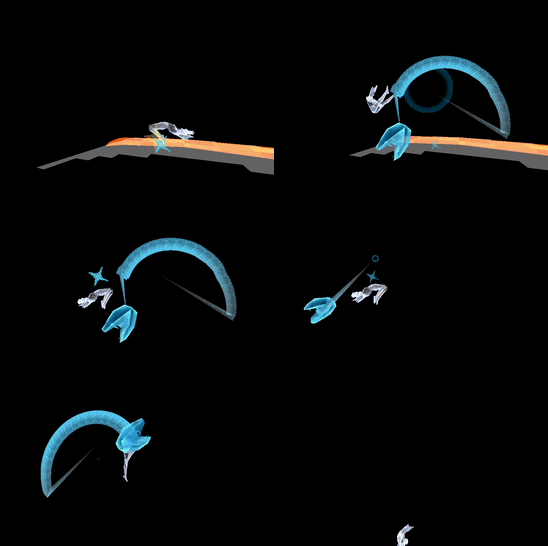


 quartz jewel
Do anyone have a list of the mouth lip sync visime names?
I know how to do keychapes but not sure how to name them
Ive done lipsync keychapes for facerig before
I just need to name for all of the keychapes used in VRChat
 proud grove
You can name them whatever
but if you look at the viseme blend shape option in the Avatar Descriptor you can see a list of shapes
thats also where you select which ones are which
languid lark
@quartz jewel if you do eye tracking need to make sure 4 first colum in blendshape menu in blender in order
then blink keyshape use in them 4 colum
if you leave them blank and mouth visime get in it the blink animation will use it
quartz jewel
I think I got it
I wrote down the list of names the mouth keychapes need
One other question
Will the eye blinking keyshapes work if I use normal jaw drop bone?
Becuase the lips on this char isnt that detailed and I really only need the jaw to move
do I just apply the jaw bone to the jaw drop bone animation?
And what do you mean @languid lark ? Yes I know the eye shapes are on the first 4 collumns
languid lark
@quartz jewel it alot work get jaw to work and plus dont work well in mirror
you can use same visime over
just make sil for close mouth
 lofty radish
does anyone know how to make a sound play at the beginning of an override animation. id like to have a weapon appear but also play a sound in the start
 ashen sedge
Parent a deactive soundsource to your avatar, then enable the sound source in the animation view
clear yew
somebody tell me if brochaco has an animation or does he actually dab
 undone pier
which animation number is the death one?
 storm warren
Anyone know a way of reliably making a sound in an animation override? Half the time either I or everyone else can't hear it
languid lark
@tender sierra audio source has limit now


think there bug with audio
need new sdk to see it
and update client will change it
because it program to do so
but they should give use idea the limit is lol
no one know that anwser really
i knew some day audio source will be reduce because people abuse it
languid lark
@tender sierra ONSP get a max distance of 25m and max low distance of 1.
got anwser from Q
 trim root
nvm I think I got it
 true holly
Seems my sitting animation override aren't working since i updated the sdk
NVM, one of my animations was messed up and set to 0 frames
storm warren
Anyone else have problems hearing their custom animation sounds in game?
I can;t figure out how to get it to work
languid lark
ONSP get a max distance of 25m and max low distance of 1.
if it higher the 25m
wont work
need lower that down

VRCat: Community-Run VRChat Forums
For realistic sound.
In this mode not possible to precisely control audio range.
Decrease Volume in Audio Source component settings to control audio...
storm warren
Thanks 😄
And I heard that sounds in game are quieter now, what's the ideal volume for a sound in game?
clear yew
super quick question, in unity "handopen" would be waving, right?
just wanna make sure so I don't overwrite the wrong animation lol
storm warren
Yeah
storm warren
grip buttons on vive
clear yew
right on 👍
storm warren
👍
 remote flicker
I have a question..if i decimated a model and i wanted to use visemes that was created from the plug in...would i lose the decimation? since i can't use modifier?
 tawny elbow
quick question about animation: with mmd models, is the only way to animate it through downloading like, mmd animations, or can i download animation packages from the unity store / animate it myself in unity and have it work on the model
basically i just wanna know if it's safe for me to translate the bones p much if i wanna use animation on my model in future
 versed tide
if the bones are mapped correctly, you can use that animation on your model
in this case, in unity, they both the model and the animation have to be humanoid or have the same bone structure
tawny elbow
so as long as i don't plan to animate it with mmd dances i should be fine renaming them
just making sure there was still another way thanks ahaha
versed tide
i used human ik in maya and worked pretty well. i made a simple hello emote and added blendshapes
tawny elbow
coolio : )
i realise that was kinda
a dumb question but i thought i just ask cause i dont wanna spend time on a model and then find out i messed it up in the beginning stages
versed tide
i think that for the face shapes the mesh has to have the same name and the shapes as well and/or have the same order
tawny elbow
ahh alright
 vocal plank
my avatar sounds are really quiet now and have a tiny range
 ember osprey
hello, is there a way to generate objects from an avatar in desktop mode such as a vending machine giving a soda? I heard that it involves custom animations
 wintry vapor
emotes
ember osprey
and you include the object in the animation ?