#animation
1 messages · Page 2 of 1
 sand sapphire
 clear yew
gesture manager
sand sapphire
clear yew
gesture manager
Again, that does not play the walking animation
 amber karma
Hopefully this is the right channel, but I got an avatar set up with audio link and if anyone knows, is it possible to set it up audio link to react to music played from the avatar or is it only going to react to audio link udon worlds?
 tame linden
Working on fixing the clipping of the arms. Anyway I can fix it?

 clear yew
tame linden
Working on fixing the clipping of the arms. Anyway I can fix it?
clear yew
tame linden
Working on fixing the clipping of the arms. Anyway I can fix it?
more weight paint needed. probably on shoulder to arm. or arm to shoulder. of the shoulder. the shoulder may be the chest/upper chest in this example.
#avatar-rigging is a better place for help
tame linden
Thank you!
 graceful thorn
sorry to bother but is there a way to like make a bone move with another like make the arm go up or down when you look up or down? for a pc avatar
 muted prairie
tame linden
Thank you!
muted prairie
tame linden
Thank you!

 minor glade
does anyone know how to make an animation for vr? the animation I found looks like it's meant only for desktop
like, the head and hands move to wherever they want and ignore the animation
so I'm stuck with my legs moving around without my upper body
 elfin rampart
minor glade
does anyone know how to make an animation for vr? the animation I found looks li...
elfin rampart
minor glade
does anyone know how to make an animation for vr? the animation I found looks li...
There's nothing really special about animating for VR but yeah, if you want the head to remain where it is for the person wearing the headset, you need to keep the head in the same place during the animation. There are animations that don't do this which might be a little weird in VR but I don't have any issues with them personally. You can't animate the position of the persons actual body in terms of modifying their perspective., that would be very uncomfortable.
minor glade
This is an example but I mean this. The head and hands move to whatever point they want and the body contorts to adapt to that rather than forcing them to be in the original animated position. Idk if this is referred to as a root position or what but yeah

or it could rotate the body to the side and the legs won't even face the right direction at all
minor glade
actually I just realized the head doesn't move but the rest of the body does. It's the opposite of what I drew lol.
 wicked coral
I'm trying to make a toggle prop with contact, when I toggle it inside VRChat it shows in the hips constraint. then when I try to pick it up it closes the animation
 frail pagoda
 lament dune
Having. Strange issue where a duplicate model under my avi will animate in game And in 3.0 emulator but not in vrchat
To be clear it's only humanoids that are having issues
As some other animator controllers work on mine just fine
Don't know what's happening
Everything should work but it's when I launch game it doesn't
 flint bison
If I have a state behavior on a state that has a transition time to it (lets say 0.5 seconds), will the state behavior trigger after 0.5 seconds? Or is it something shorter than the actual transition time? For example, half maybe (0.25)?
Turns out it is instant, regardless of transition time
lament dune
still having the issue listed above
flint bison
lament dune
still having the issue listed above
Is the animation controlling direct bone transforms?
(did you make the animation in unity?)
flint bison
Can you take a screenshot of the animation in the animation window?
lament dune
yeah

everything to reiterate works in unity AND the emulator
only doesnt work in game
flint bison
Can you expand the properties section a bit so I can see the entire property names?
lament dune
 flint bison
Ah okay so it is a proper humanoid animation
lament dune
yeah its just being odd
in game it just T poses
it works, in unity And the emulator tho
so idk
flint bison
So, AFAIK (and I ccould be wrong) Humanoid animations don't work on humanoid rigs inside of vrchat unless they are the player model itself
lament dune
it used to
flint bison
again, I could be wrong but I had this issue before
lament dune
because i know i had them working before
so unless they changed it
;;
which is , unfortonate
flint bison
So you have a model with it's own animator as a child of the main avatar?
lament dune
yeah, i have had stuff like this working in the past
lament dune
it doesnt seem like it eaither, so idk whats going on
amber karma
using world constraints and cant get my animation to stay put or keep from spawning at spawn, what do?
 obsidian imp
is there any reference to how the visemes are animated by vrchat?
 tawny flax
So does anyone know how to change avi completely where a toggle like bool or int? Y'know like your avi is one cookie then you toggle it to another cookie?
 gray flax
i have no clue where to go for this

in videos i watch people have base, additive, gesture, action and then FX
mine has 2 FX no action
whatt the flip do i do im so lost and the internet doesnt answer my question
im in the vrc avatar descriptor
clear yew
Reload the script
Although the action, additive and base layers aren’t really needed
Gesture and FX are the only layers an avatar really requires
tawny flax
So does anyone know how to change avi completely where a toggle like bool or int? Y'know like your avi is one cookie then you toggle it to another cookie?
flint bison
clear yew
Gesture and FX are the only layers an avatar really requires
this statement is wildly incorrect. Please don't spread misinformation like this
Gesture is responsible for hand/finger and other bone animations that need to override the Base Layer (locomotion/idle, etc) Animations that control humanoid bones in the Unity Humanoid Player Avatar. FX is used for most other things, but saying that it's the only layer needed is incorrect and can mislead people into setting up their avatar incorrectly.
 bleak mirage
Can we just make physbones properly animatable please
i don't want to have to do this dumb turn off turn back on thing
dynamic bones never had an issue with animating the settings of a bone mid game, i don't know why phys bones has to
p l e a s e
at the very least if someone knows how, how do i actually do it that way then because i cannot figure it out
flint bison
bleak mirage
dynamic bones never had an issue with animating the settings of a bone mid game,...
IIRC dynamic bones also were not able to have their properties animated without re-initializing the script
bleak mirage
I don't think so
My old tail scaling animation was a single simple animation to go between two points, one where tail was small and little gravity influence, with colliders set to be small, then I could scale it to the max where the tail was larger, colliders larger to make up for it, and the gravity increased to give the tail sense of weight
I never had to do any janky workarounds like now, of which I can't even figure out how to do either
 jade gust
anyone know whats going on?

 bleak mirage
oh boy that looks like a fun heirarchy
tawny flax
So does anyone know how to change avi completely where a toggle like bool or int? Y'know like your avi is one cookie then you toggle it to another cookie?
elfin rampart
tawny flax
So does anyone know how to change avi completely where a toggle like bool or int...
Pretty much like you would make any item or prop appear, just have an animation to turn the one mesh off and the other on https://youtu.be/XqtSg6_W07Y

Did this video help you? Consider sending me a tip on Ko-fi! https://ko-fi.com/sippbox
Welcome to my updated tutorial on creating toggles for your 3.0 avatar! This video goes over using bools to toggle a prop in your hand, and using ints to swap through accessories! Hopefully this helps you make your avatar more customizable!
0:00 - Intro
0:15...
tawny flax
Huh I tried that before but let me try again then tyty
elfin rampart
I don't generally do toggles so this might not work but I don't see why it wouldn't. The body is just a mesh rigged to the armature like any prop so it seems like you should be able to toggle it like one.
tawny flax
That's what I said lel but for some reason it didn't work so maybe I didn't do it properly so I'm trying again
 sudden pebble
tawny flax
So does anyone know how to change avi completely where a toggle like bool or int...
sudden pebble
tawny flax
So does anyone know how to change avi completely where a toggle like bool or int...
do you mean you want to change the avatar completely? or just something they are holding
 idle zephyr
so when I rotate a bone in animator it just snaps right back when I hit play after recording it in a certain position?


 noble shell
humanoid bones do that, could try setting it temporary generic rig
 brave radish
A Lil demo reel I made
tawny flax
sudden pebble
do you mean you want to change the avatar completely? or just something they are...
Yea completely
sudden pebble
tawny flax
Yea completely
thats pretty difficult
the seccond avatar can be a seccond mesh and it needs to be relatively the same size as the original
i wouldn't recommend doing it tho since its not very optimized
 glad crescent
you'd basically have double the polys, but doing it wouldn't be hard at all. I'd do it with a single mesh object and just UV tile discard the unused one.
huh this just gave me a bunch of crazy ideas with dissolves and UV tiles
 ebon osprey
Alright so heres, whats going on, Essentially what I want is my little among us man to walk to a certain spot, and stop there and stay in that spot, but right now when he moves the animation keeps looping, is there anyway I can make it so the animation stops but he stays in the same spot?
ebon osprey
Alright I figured out a way I increase the length of the animation so it takes about a minute before it loops but before it gets there I'll have it transition to something else I planned to do
tawny flax
@sudden pebble @glad crescent oooo tyty
 pulsar elm
ebon osprey
Alright so heres, whats going on, Essentially what I want is my little among us ...
pulsar elm
ebon osprey
Alright so heres, whats going on, Essentially what I want is my little among us ...
Go into the animation file itself and disable looping in the inspector.

 astral ether
Noyce
 forest cypress
im trying to build a working forklift, any help?
 tiny nest
Hey! I'm looking for assistance on bringing animation from one model to another. Recently I found a game that had really good dance's within it Lost: Judgment, same company that made Yakuza games.
I got the main model(.gmd) and the animation files(.gmt), the animations work on the main model.
Here's my main question.
How would I be able to drag those animations to any of the VRC humanoid models, as in what would be the best method. As it seems like whenever I use the CATS to "Fix Model" it inserts an error, but still seems to fix most of the bones. Afterwards the animation can't be added to the model(which I assume since the names and bones would be a bit different)
Has anyone dealt with similar issues or even dealt with RGG Studio's Dragon Engine and exporting models/animations from it?
 vale saffron
want to make a contact where i put a cookie to my mouth and it does a animation and it makes a sound
what is the best and easiest video that shows how to do that? will need one that shows how to add sound to it as well
clear yew
Hey there! I got a question. If I had a simple PS1 style model, and if I didn't model the eyes and mouth and only used textures instead, does anyone know if it's possible to still have the face animated when talking? A bit like the old megaman texture switch-ups during speaking animations. Or can this be somewhat achieved by switching up expressions through texture swaps (ie. F2, F3, F4, etc.)?
TLDR; Can I do speaking animations or change expressions through texture swaps instead of 3d animating a modelled mouth/eyes?
muted prairie
Yeah, Poiyomi flipbook might work for this I think ?
clear yew
I have no experience with this with 3D or avatar stuff, but I am a 2D artist who can make frames and edit textures - how could I make this work on an avatar for whenever I speak? Or even blinking? 
I can't find any tutorials on this even if it theoretically could work.
muted prairie
clear yew
I can't find any tutorials on this even if it theoretically could work.
https://youtu.be/NrA18CITEVs
You'd create an animation for each viseme, and that animation would just change the value of the offset so that a different eye/mouth appear on the model
 noble shell
if its for quest shader - think spritesheet
 royal dagger
I want to trigger a prop animation when I pull my controller trigger/make a fist. Is there a simple way to do that?
 minor pond
🗿
 lament jolt
Is it possible to copy an animation from one controller to another?
Or perhaps merge two controllers?
elfin rampart
lament jolt
Or perhaps merge two controllers?
I think you should just be able to copy the keyframes from the animation tab. Either that or drag the animation into the controller. It's been a while since I did that but one of those should work, I think.
lament jolt
elfin rampart
I think you should just be able to copy the keyframes from the animation tab. Ei...
Oh, a friend told you you can do it with the Avatar Manager and I was able to get that to work. Thanks though!
elfin rampart
Cool, never used that, I'll have to look into it.
 urban quartz
Hi experts, if my npc character animates in preview window but not when testing what perchance can be issue? Animation IS attached… does it NEED a character controller? Cuz I don’t have that
urban quartz
Yup, had to make a controller, finally found a tutorial that covered it, super simple!
 wheat dome
How do you add/record bone animation in Unity, or the only way is to do it in Blender then export to Unity?
clear yew
wheat dome
How do you add/record bone animation in Unity, or the only way is to do it in Bl...
https://youtu.be/xOGc8CetyXs?t=47 like this. if you want hands, it goes in gesture. if you want a dance, it goes in action layer.
wheat dome
Thx, I'll check it out as soon as I'm home
 pastel robin
Hello. I'm working on animations on a world to open and close a door. By testing my animations via unity :
- when I want to close the door, the animation works fine
- when I want to open the door, both the closing and the opening animations are running and in this order
 wise copper
how could i go about animating a humanoid character that is within the hierarchy of another character, aka, the actual avatar? take for instance, i have my normal avatar, and would like to have a little animation of a small different character doing a little dance in my avatars hand. how would i go about doing that?
i know its been done before, way back i saw an avatar where they had a little guy doing a fortnite default dance in his hand
pastel robin
@covert dome I don't manage to DM you, I guess your settings won't allow me that. I wanted to tell you that I got some help. I actually had 2 issues, I guess that the one I mentioned on here was actually a fake one, as the animations are working differently on vrc
 covert dome
pastel robin
<@149277045799649280> I don't manage to DM you, I guess your settings won't allo...
covert dome
pastel robin
<@149277045799649280> I don't manage to DM you, I guess your settings won't allo...
a yea sorry forgot that damn yea i closed the pms on me year ago for security reasons. if you ok now than its good 😃
 rich oar

 low nexus
So I've been trying to add a gesture to an avatar with pre-existing gestures (purchased), and despite my best efforts have not been able to get it functioning ingame. I created an animation and added it to an unused gesture and the only distinction I can find from the working gestures (1st pic) is the weird timeline (2nd pic). Anyone know of a solution?


 strange sun
see alot of people have this so i wonder how to make this mogumogu face

can't find any video talk about this
muted prairie
Isn't that face tracking ?
strange sun
im not sure but some avatar have it like Sophina , Meiyun or Ciel
they can pull cheek too
flint bison
https://www.youtube.com/watch?v=R3pJ2HHFaTo Incredibly useful tool, and free!
Cascadeur has just launched on Product Hunt! https://www.producthunt.com/posts/cascadeur
Come say hi and support us there!
ProductHunt.com is an international platform where entrepreneurs share their new software, gadgets and business ideas. As soon as a new product has been introduced to the community by a "hunter", all users have the chance t...
 glossy radish
I have facial expressions that animate blendshapes and transforms at the same time. What's the best way to do this? As far as I understand the docs https://docs.vrchat.com/docs/playable-layers#gesture I should duplicate the state machine so that it exists in both Gesture (to handle transforms) and FX (to handle blendshapes) simultaneously, which seems really annoying and needlessly complicated to maintain. Is that the correct method?
 lucid notch
How to edit physbone value using animation?
lucid notch
glossy radish
I have facial expressions that animate blendshapes and transforms at the same ti...
Use FX Layer
 fickle gyro
when making a walk cycle are there any tricks to employ to make it look more natural? im just animating a spider but when it actually moves from point a to point b it just glides lmfao i just wanna know if theres any methods to make it physically follow the ground before i go and animate this
 unborn dew
Anyone able give me some advice? Not an expert on unity animation system.
I have a model, but when using the default VRChat animations, the jaw is partly open all the time.
It is fixed if the Jaw_Open is set to 0.66 not 0. How do i fix this besides making custom animations
clear yew
I'm making a custom tail and require functional liquid to make it look like it's supposed to. I went ahead and found this shader/script [ https://www.youtube.com/watch?v=DKSpgFuKeb4 ] and set up the materials like required, only to find out I can't use scripts on avatars lol. Is it possible to execute an effect like this through animation?
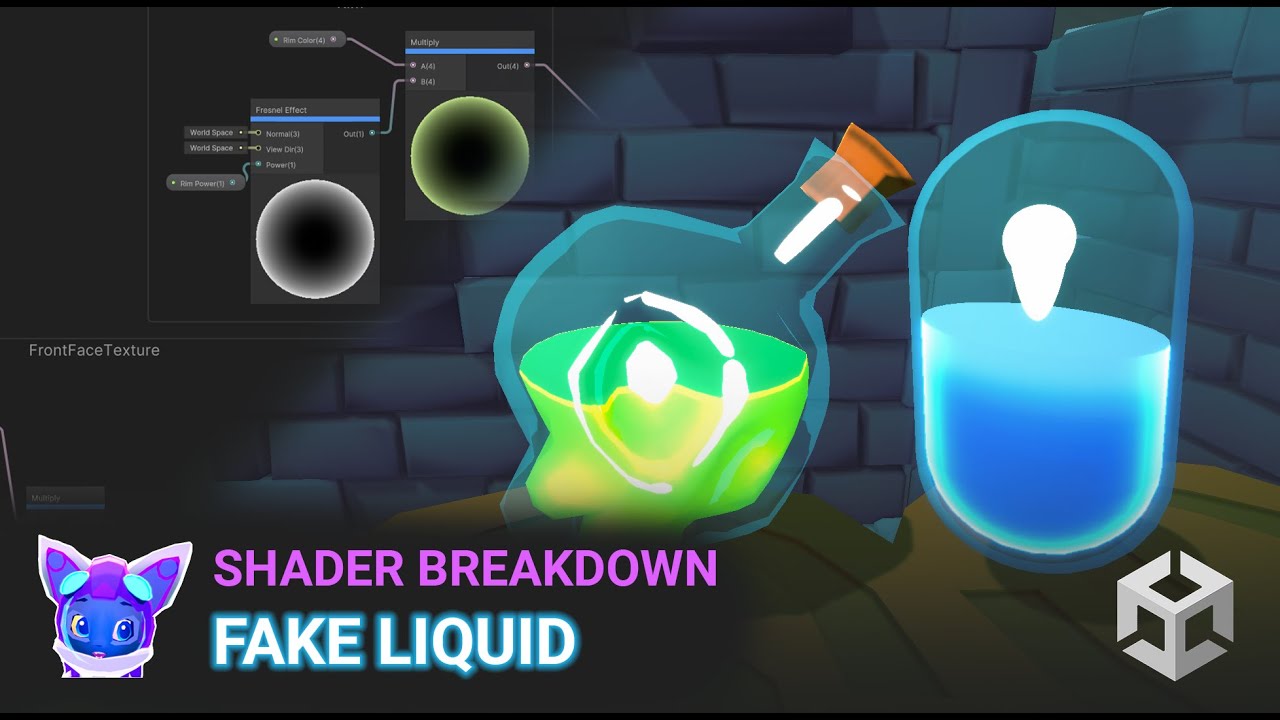
Built-In Post: https://www.patreon.com/posts/18245226
URP Shader Graph Post: https://www.patreon.com/posts/fake-liquid-urp-75665057
My Github site with all tutorials
https://minionsart.github.io/tutorials/
Discord: https://discord.com/invite/astrokat
Twitch: https://www.twitch.tv/minionsart (Gamedev streams)
Twitter: https://www.twitter.com/mi...
muted prairie
unborn dew
Anyone able give me some advice? Not an expert on unity animation system.
I hav...
Are you sure the Jaw bone isn't assigned in the humanoid configuration ?
muted prairie
clear yew
I'm making a custom tail and require functional liquid to make it look like it's...
You can use a shader for this yes
unborn dew
muted prairie
Are you sure the Jaw bone isn't assigned in the humanoid configuration ?
Well it moves when talking, and is fixed when i in unity edit the proxy tpose animator.jaw_close from 0 to 0.66
Its like offset is all wrong
muted prairie
Sure, but make sure it's not assigned
It doesn't need to and would just cause additional issues
unborn dew
Oh, how do i unassign it?
Thank you for your gospel and wisdom, if this fixes it i will cry teaes of joy, been trying to fix it for hours...
muted prairie
Go into the humanoid configuration of your model, select the head option and you should see the bones assigned there
muted prairie

fickle gyro

How the actual fluff do I delete these extra frames
I've deleted them normal ain't workin
Nvm there gone and I turnedmy walk cycle into a action into non linear
fickle gyro
any tips on how to improve animating walk cycles
muted prairie
The animation itself is great, just make sure that the locomotion speed of the AI agent actually matches the animation locomotion speed, otherwise it will look out of place. I think in this case it's locomoting a bit too fast
 uncut ibex
Hey was wondering if anyone knows where i could get the animation file for this cat dancing meme?

Stream on Spotify / Apple: https://spoti.fi/3yeN2EN / https://apple.co/3agoUcM
✔ Creative Source - Classic Drum & Bass → https://bit.ly/3AMIHLR
With a million views on YouTube in the past month thanks to a viral breakdancing cat in the video game Sims, Only You from Intense is being rediscovered by a whole new generation of fans. Originally rele...
its for this song and ive been looking everywhere cause i know people have a clip of it on their avatars to dance to it but im not sure where they got it from
 wanton dome
iirc theres a world that plays the anim
 hybrid adder
so trying to get a camera to take a pic of me or users but for the user in the pic they cant see there head but for anyone can see there head don't know if its a setting or VRC changed things with rendering the head with the ik updated
elfin rampart
hybrid adder
so trying to get a camera to take a pic of me or users but for the user in the ...
Are you using the PlayerLocal layer? I think that's the first-person layer which shrinks the head bone down so the head geometry doesn't get in the way.
hybrid adder
using player and playerlocal on the setting
elfin rampart
You may want to just use Player. I dunno, haven't used this prefab, I don't think.
clear yew
Ok ONLY since this last VRC update yesterday, all my animations are sticking. Anyone have any idea what could cause that? They all worked fine before. I’m using an older SDK but I’ve never had an issue before
 crystal surge
I animated a Picture that fades away after a view seconds. It works/animates in play mode, but not in build/test or after uploading it. I turned on "Legacy". Anyone else who had this issue and was able to fix it?
Animation plays on awake. You see it when spawning. It has an Animator controller and the animation applied
muted prairie
crystal surge
I animated a Picture that fades away after a view seconds. It works/animates in ...
Legacy is not supported
 hardy bolt
Is it possible to animate the fact of releasing the physbones from being posed?
 quick oasis
so i have a question.
but let me explain what it is i'm trying to do prior.
I've got a particle system that sends particles toward the player, with Triggers enabled and attached to collider on a specific hand held object of the player.
I can't figure out how to update a param on the avatar based on interactions from these collision events. Any ideas?
I do recall doing this before using an animator layer with abunch of layers and params somehow to achieve this, but i don't recall exactly what.
My question is how do i get an audio source to fire ONLY when the collision event is true?
I don't really remember the naming or anything for the things i was using before other than the animator with layers and params. How the collision events were interacting with the animators i have no clue..
would have probably figured it out if i did.
Google isn't helping much here haha.
Most of my results are related to using a custom script, which i know for a fact will stop vrcsdk from even launching into play mode to upload
I can't have a single audio source (unless playing layered samples, as i need more than x samples to play out at any given time), the sample i'm using is only about half a second, I can't just attach a "Play on awake" to an object as there's no way to make it follow a particle, it'll only follow the root particle system if doing this way.
There needs to be some way to get some type of output without the use of scripts from a particle systems Triggers field, which collides with say a cylinder collider.
There was a way as mentioned before, but i can't recall
Maybe i used VRC Avatar Parameter Driver somehow
quick oasis
actually no, i was using the contact receiver/senders i believe
i'm looking at them now and this seems to have been the method i used
only issue is last time i was using physical meshed gameobjects not particle systems to send the thing down.
And the send/receive things work on those perfectly as it actually travels with the mesh that's being moved, for particles however it remains on the origin point as expected.
so that rules out my old method then
 storm moon
Why is that when I import my animation from Blender to Unity , the hands and feet have the wrong rotations?
 storm moon
Also, what causes my legs to sometimes bow out like in the first picture??


 odd juniper
storm moon
Why is that when I import my animation from Blender to Unity , the hands and fee...
odd juniper
storm moon
Why is that when I import my animation from Blender to Unity , the hands and fee...
rotation smoothing is different in blender than unity, hence the verticies inside the animation clips tend to adjust differently without doing anything to it
but all you gotta do for that is just adjust it to your liking in unity and the problem should be solved
storm moon
So there is no way to fix it through import/export settings?
odd juniper
i dont know exactly whether there is or not, but if you have auto smoothing turned on in your animation clips then it could cause some inconsistencies
storm moon
Where can I find auto-smoothing for animation clips? Also, this animation is just 1 frame, so I am not sure how smoothing plays into it

 odd juniper
dont take my word completely for it but its my best idea since its happened to me a few times.
usually you find it in unity by right clicking the animation keys
storm moon
This?
 odd juniper
random clip of some vfx i made wooo
odd juniper
storm moon
This?
i believe thats it yes
odd juniper
odd juniper
random clip of some vfx i made wooo
(epilepsy warning by the way)
 hot copper
HELLOOOO!!! anyonw here know how to animate taillS?
elfin rampart
hot copper
HELLOOOO!!! anyonw here know how to animate taillS?
RIgging them to bones and posing those bones
hot copper
elfin rampart
RIgging them to bones and posing those bones
Im trying to make a toggle where nine tails become one tail and viceversa
But idk how to make the toggle 💀
elfin rampart
hot copper
But idk how to make the toggle 💀
Toggles are just single frame animations that change the active state of an object https://youtu.be/XqtSg6_W07Y
Did this video help you? Consider sending me a tip on Ko-fi! https://ko-fi.com/sippbox
Welcome to my updated tutorial on creating toggles for your 3.0 avatar! This video goes over using bools to toggle a prop in your hand, and using ints to swap through accessories! Hopefully this helps you make your avatar more customizable!
0:00 - Intro
0:15...
hot copper
elfin rampart
Toggles are just single frame animations that change the active state of an obje...
see the things it i want multiple frames when transitioning
but i cant find a person that knows how to do that
like i want the tails to go into the same position liek as in clip into one and another and look like one tail
elfin rampart
hot copper
see the things it i want multiple frames when transitioning
I haven't done that before but I would imagine you could animate the bones before animating the active state but you're going to need bones and weights on those bones to make the tail move in a natural way. Do you have that?
elfin rampart
Did you make this avatar or is it one you got from someone else? Did you add the additional tails yourself?
 elfin rampart
Okay, well it looks like it comes with bones for the tails so you just need to animate them. Do you know how to animate in Unity? It's basically just a matter of moving and rotating those tail bones into place and keyframing that.
hot copper
no but can u direct me to a video?
ahhh tyyy
u read what im doing right
wait r u gonna charge me?
oh if u r this isnt a commision
i just need help
elfin rampart
There are a fair amount if scammers here and this is a new person so yeah, buyer beware
hot copper
yeahh thats wat i was thinking lol
ahh for free?
nice
nothing at stake guys
pogg
 bleak tapir
An account created within the last 24 hours with an avi pfp asking to dm you about work... Massive red flags
hot copper
😍
bleak tapir
If they try tell you to download something or urge you into clicking on something be very aware
hot copper
bleak tapir
An account created within the last 24 hours with an avi pfp asking to dm you abo...
but hes doing it for free
ahhh
then nevermind
bleak tapir
There's gotta be a catch
hot copper
@elfin rampart krampus can u direct me to a vedeo
plis
plis dont scam people just get a job<3
make more money
$$
bleak tapir
<@&397642795457970181> this is looking sus asf, might wanna keep an eye out
elfin rampart
hot copper
:<
I'm getting to it, jeeze.
elfin rampart
So getting back to animating, most of the videos unfortunately involve animating in Blender and that is the better way to do it but basically if you want to animate in Unity, you can just select the bone in the hierarchy (you see those tail bones in the hierarchy?) and then move and rotate it and then keyframe those transforms. If you combine that information with this basic animation video, that should be enough to do some basic rig animations. https://www.youtube.com/watch?v=JVFg9g4f-ME
In this Unity tutorial we're going to look at how we can create simple animations
The project files are available to our patrons here:
► https://www.patreon.com/posts/62683553
Want to follow along? This project is a good starting point
► https://www.patreon.com/posts/61579877
Check out our Unity 3D platformer playlist
► https://www.youtube.co...
 sour star
hot copper
<@334006467805839372> :>
sour star
hot copper
<@334006467805839372> :>
Please don't just continuously ping people 😅
hot copper
shh
hot copper
elfin rampart
So getting back to animating, most of the videos unfortunately involve animating...
ahh ok and this video will teach me how to keyframe?
elfin rampart
I couldn't find a single video that covers actually transforming a rig in Unity because most people just user Blender because it's the much better way to do it for complex stuff. Yeah, that video will show you how to keyframe and then you just need to move the bones around and keyframe.
hot copper
elfin rampart
I couldn't find a single video that covers actually transforming a rig in Unity ...
so u think is should do it in blender?
cause idk if i can adjust the weight from the root of the tail to the tip
so when the animation happends it not stiff
or can u do that in both?
here right
 elfin rampart
hot copper
so u think is should do it in blender?
elfin rampart
hot copper
so u think is should do it in blender?
It looks like a good quality avatar so I imagine the weights are already properly set up. If you expand the drop down of the tail bone, you should find additional bones which allow you to adjust individual portions of the tail.
hot copper
oh yeah its already tested and the dynamic bones on the tails are fine
elfin rampart
Blender just makes selection of these bones a bit easier but if you're more comfortable with Unity, I don't think you need to switch over to Blender for this task.
elfin rampart
Well, changing that would require changing the bones and the weighting so that's going to be a more complex problem if you don't like how the tail is rigged and weighted.
 weak moss
How do I make the movement sequence to create a dance or an emote to integrate it into VRchat, and be able to pass it on to the community?
hot copper
elfin rampart
Well, changing that would require changing the bones and the weighting so that's...
do you think it will look natural enough on unity though?
elfin rampart
weak moss
How do I make the movement sequence to create a dance or an emote to integrate i...
Generally you animate it inside of Blender. If you don't know the first thing about animating, I wouldn't recommend starting with a dance.
 elfin rampart
hot copper
do you think it will look natural enough on unity though?
elfin rampart
hot copper
do you think it will look natural enough on unity though?
The toolset in terms of posing is pretty much the same in Blender and Unity in this case. There are exceptions to that but animating inside of Blender isn't going to magically improve the weighting, those are the same regardless of the program.
hot copper
ah ok
weak moss
So, could you tell me if from Blender, I can Export as an .ANIM file to integrate it into the avatars?
elfin rampart
Blender just allows you to select the bones directly without having the use the hierarchy which is much more streamlined for complex animation but Unity is fine for simple stuff.
hot copper
oh okay but before that how do i save the base stance so i dont lose it
elfin rampart
weak moss
So, could you tell me if from Blender, I can Export as an .ANIM file to integrat...
You don't export an animation file directly to Unity, you export an FBX file with an animation embedded in it. At least generally, you might be able to do something like that with a BVH file but Unity works best with FBX files.
weak moss
Yes, but I would like to know how to do it from blender for Unity since even when I search for videos nothing appears, they only teach you to make the animations but not implement them to Unity and then to VRchat :C
And how would I do later to get the animation file to be able to upload it to the community (I want to dedicate myself to creating dances instead of avatars)
elfin rampart
hot copper
oh okay but before that how do i save the base stance so i dont lose it
You can duplicate the model in the hierarchy but generally just make sure what any edits you make to the bones is done when you're recording the animation (that process is covered in the video). Movements made when recording animations will not be applied to the base model outside of the animation.
hot copper
oh okay and i have to move them all each frame huh
elfin rampart
weak moss
Yes, but I would like to know how to do it from blender for Unity since even whe...
This video covers exporting from Blender. If you want to share the animation, you can share the FBX file that can be used by any other humanoid avatar. You can even delete the mesh and just export the armature with the animation. https://www.youtube.com/watch?v=ysl0qYq5p9w

In the next 60 seconds, you'll learn everything you need to know about exporting FBX animations to Unity 3D with Blender 2.8!
If you enjoyed this video, please don't forget to like and subscribe for more content!
You can find my entire Blender 2.8 Speed Tutorial series playlist here:
https://www.youtube.com/watch?v=f6vgICNCVxQ&list=PLZpDYt0cyi...
elfin rampart
hot copper
oh okay and i have to move them all each frame huh
Someone hasn't watched the video. It's called tweening, it's magic.
weak moss
elfin rampart
This video covers exporting from Blender. If you want to share the animation, yo...
Thanks I'll see it now 
hot copper
elfin rampart
Someone hasn't watched the video. It's called tweening, it's magic.
whats tweening
elfin rampart
hot copper
whats tweening
It's a thing that covered in the video. Even if it isn't mentioned by name, if you watch the video you'll see you don't need to keyframe every frame.
hot copper
ah ok ima watch it now ty
oh but i dont have an animations folder can i just make one in the assets folder?
elfin rampart
hot copper
oh but i dont have an animations folder can i just make one in the assets folder...
Pretty sure that's also in the video but when you create an animation, you can choose where to save it. Being organized is your prerogative.
hot copper
elfin rampart
Pretty sure that's also in the video but when you create an animation, you can c...
also all i have to do is duplicate the avatar before i start moving it right?
also each tail is under hips as a child and not hips > tails > (and then each tails and so forth)
should i do that or i doest matter?
like can i do it like this

under hips
or will it glitch out
elfin rampart
hot copper
also each tail is under hips as a child and not hips > tails > (and then each ta...
If the avatar creator designed this for VRChat, I'm sure the hierarchy is fine. If not, then we'll see but parenting each of the tails individually should be fine. You don't need to duplicate the avatar but it helps to avoid messing it up.
You don't necessarily need some sort of root tail bone
elfin rampart
The important thing is everything is parented under the root bone so if you end up animating the root bone, everything doesn't snap back to its original position. If you don't know what you're doing with rigging, I wouldn't mess with the hierarchy and if it's messed up you're better off just using a different model. Using a model that is very far away from what VRChat is designed to work with will end up being a significant time investment.
hot copper
she wont teach my how to create the toggle will she?
elfin rampart
hot copper
she wont teach my how to create the toggle will she?
No but the original video I posted will.
hot copper
kk
hot copper
elfin rampart
No but the original video I posted will.
ok im having an issue trying to replicate what shes doing with what im doing,
hers is so simple
i tried pressing play but the dup just goes underground
 elfin rampart
hot copper
elfin rampart
hot copper
What you're trying to accomplish is a good bit more complicated than what's in the video but it's the same idea. Try taking that animator and adding it to your original model (add component -> animator then copy the component from the duplicate) and see if that animates better.
hot copper
:l @elfin rampart

dang it it affected my origional
when i press play or record it just breaks
its it something with the folder?
i just made a new animation folder thru the assets folder
elfin rampart
hot copper

How to fix the pose of the avatar in edit mode if you accidentally change a property and stick yourself into a default "bike pose."
This is a remake of an old video for newer versions of unity.
Feel free to contact me on discord if you need any help: Rero#9097
Add me in-game: RetroGEO
Support me! https://www.patreon.com/reroAssetsVRC
Discord Se...
hot copper
ty
oh wait i fixed that already
i used the pumkin tools
the thing is when she animates the the object she doesnt go in and move them she uses the rotation bar @elfin rampart
elfin rampart
hot copper
the thing is when she animates the the object she doesnt go in and move them she...
Entering the values in and using the gizmo is the same thing, just 2 different ways to do it.
hot copper
how do i prevent my avatar from doing the bike thing
elfin rampart
hot copper
how do i prevent my avatar from doing the bike thing
The animations you make for the duplicate should work for the original and not put them in the bike pose so just animate on the duplicate and use those animations for the original avatar.
hot copper
elfin rampart
The animations you make for the duplicate should work for the original and not p...
why does the duplicate go into bike mode thats my question
elfin rampart
hot copper
why does the duplicate go into bike mode thats my question
If really want the technical details then you can read up on them https://www.reddit.com/r/VRchat/comments/ml9bu3/dealing_with_the_infamous_bike_pose_in_unity/
reddit
3 votes and 10 comments so far on Reddit
hot copper
like why doesnt it look the same

 elfin rampart
What doesn't look the same?
elfin rampart
hot copper
look at the animation tab
Are you asking why the input boxes aren't there? You would have to expand that tab to be larger to display the entire name of the bone.
hot copper
ohhh
elfin rampart
But I wouldn't animate it that way, just use the gizmos
hot copper
no thats not it
elfin rampart
You can also use the standard input boxes for the transforms in the top right
elfin rampart
Yeah, if you wanted to do it that way, you would need to be editing the value for that specific parameter but I wouldn't recommend it.
hot copper
elfin rampart
Yeah, if you wanted to do it that way, you would need to be editing the value fo...
i dont know what im doing wrong

im only moving the rotation of the tail and once i hit play it messes up
ok i got the animation to move the tail up and down but i cant seem to figure out why it keeps going bike mode
and here i want to change multiple bones at a time but she only shows how to do the rotation of the root
elfin rampart
hot copper
ok i got the animation to move the tail up and down but i cant seem to figure ou...
If you just copy and paste that keyframe from the tpose animation like in the video, then that should resolve that issue, then you can move everything into place like you like.
You just hit the red record circle and then any animation you do with the gizmo will be applied as a keyframe
No need to mess with the input boxes
hot copper
elfin rampart
If you just copy and paste that keyframe from the tpose animation like in the vi...
idk what u mean here
how or what do i copy and past XD
elfin rampart
The last video I posted, it covers how to fix the issue, watch that.
hot copper
elfin rampart
The last video I posted, it covers how to fix the issue, watch that.
i cant find the tpose thing in the search bar and i cant find the path he used
this video is old
elfin rampart
hot copper
i cant find the tpose thing in the search bar and i cant find the path he used
I'm using the current version of Unity and the newest SDK and I can find a tpose animation in the sdk files, change your search filter to all to search the whole projec.t
hot copper
where?
elfin rampart
When you search, towards the top of the search results, you can change it from assets to all
 elfin rampart
hot copper
elfin rampart
hot copper
The animation is the triangle the controller is the square
hot copper
elfin rampart
The animation is the triangle the controller is the square
ok then do i do the steps on the dup or on the original, or is it the one im using to animte
elfin rampart
hot copper
ok then do i do the steps on the dup or on the original, or is it the one im usi...
Do all of your animation on the duplicate then just add the animations to the original's controller.
hot copper
yuhh
hot copper
elfin rampart
The animation is the triangle the controller is the square
ok somthing is just wrong with my avatar it goes bike mode even when im adding a prop to the animation window
like ill touch the window and it goes bike mode
this is starting to tilt me
@elfin rampart that video was no help all it did waas break my avatar lmao... now when im in play mode she does the bike pose
 elfin rampart
hot copper
<@334006467805839372> that video was no help all it did waas break my avatar lma...
elfin rampart
hot copper
<@334006467805839372> that video was no help all it did waas break my avatar lma...
That's why you copy that t pose animation keyframe so you can use that as a starting point. Even if the avatar is going into bike pose, that will reset them to the right position and you're only using this to create the animations so it doesn't matter what the default position of the duplicate is.
hot copper
elfin rampart
That's why you copy that t pose animation keyframe so you can use that as a star...
Bruh

 quick oasis
anyone know if there's a way to trigger a steamvr/etc haptic output based on a param or something?
specifically remote haptic
like the remote vibrating on interacting with something or w.e
for example, in a world i know when you point the remote toward a pickup it'll send back that haptic signal or whatever, i need to know if there's some way without using OSC on an avatar to make use of haptic for interacting with colliders. Cylinder/Box/etc or VRC Contact
something that exists within unity itself that can be uploaded on an avatar, or something in the sdk. Anything that triggers a haptic feedback for the remote(s) for the person using the avatar
 cyan knoll
hello, im wondering - is there a way that if posing on a phys bone is deactivated, pulling the trigger isn't stopping the grabbing? its quiet annoying because is try to add a minigun where the hand that grabs the grip also has to pull the trigger and.
 south ice
quick oasis
anyone know if there's a way to trigger a steamvr/etc haptic output based on a p...
south ice
quick oasis
anyone know if there's a way to trigger a steamvr/etc haptic output based on a p...
B haptic??
quick oasis
I mean like, the same 'haptic' feedback you get on the remotes when hitting blocks in beat saber, interacting with menus in vrc/etc, etc etc
remote vibration
pastel robin
Hello. I got a blender project with my avatar on it. I exported the result into an FBX file that I can import into a new unity project. as this is my first try on VR avatars, I noticed that my avatar is stuck in T pose. So, that's now the next step to make my avatar look more "alive" ? it's about animations? anything else?
 peak vault
pastel robin
Hello. I got a blender project with my avatar on it. I exported the result into ...
peak vault
pastel robin
Hello. I got a blender project with my avatar on it. I exported the result into ...
It is supposed to be like that. Once you upload it using the vrchat sdk it will be given animations within vrchat.
Of course if you want to add other animations that don't come with the sdk then you'll have to do them yourself but I assume you just mean you want the character to walk and stuff.
 sullen dagger
I want to use an Islocal transition to hide a visual shader and not annoy people, I would however also like to animate goggles on my head to show that I am seeing things differently, how might I be able to animate my goggles and use the islocal shader transition simultaneously with a single menu press?
pastel robin
peak vault
It is supposed to be like that. Once you upload it using the vrchat sdk it will ...
later, I will add some custom animations, for sure, but if I can go in first with basic animations, that can be a good start :/
elfin rampart
You need to have the rig type set to humanoid to use the built-in animation set which the SDK should warn you about when publishing.
 feral marsh
I'm making myself a giant dial. It does the scaling but ignores the changing view position. Any idea why?
 muted prairie
feral marsh
I'm making myself a giant dial. It does the scaling but ignores the changing vie...
muted prairie
feral marsh
I'm making myself a giant dial. It does the scaling but ignores the changing vie...
You can't change the view position
 crisp jackal
feral marsh
I'm making myself a giant dial. It does the scaling but ignores the changing vie...
crisp jackal
feral marsh
I'm making myself a giant dial. It does the scaling but ignores the changing vie...

Avatar package to allow users to change their avatar scales in game through a radial menu ◈ Installation ◈ https://youtu.be/9E9vLVHEgO8 ◈ Disclaimer ◈ Instruction video is in english Scaling your avatar can break your emotes Uses 9 bits of synced memory ◈ Prerequisite ◈ VRlabs AV 3.0 manager
 oblique cairn
so something the devs should know is that mat swap animations do not work in creator companion, the mat swaps work in mirrors on the users view but do not work outside the mirror and any other players beside the player using the mat swap are not able to see it whatsoever.
 feral iron
is there an up to date tutorial on making animations (like idle or walking) for vrchat avatars anywhere?
glad crescent
oblique cairn
so something the devs should know is that mat swap animations do not work in cre...
what do you mean "in creator companion" here?
oblique cairn
the vcc version of vrc sdk
glad crescent
there's no difference
oblique cairn
well my mat swaps work with the normal sdk but not the creator companion version
glad crescent
by normal do you mean the same exact version installed manually?
 inner wigeon
Hey all, I'm trying to put some different animations on an avatar for my friend but even though they work perfectly in Unity, after I upload the avatar they come out weird looking in vrchat. Does anyone know why that may be? (Weird looking like joint placements are different/ the avatar is floating instead of on the ground, even though it's on the ground in unity before upload)
They're just like crouching/lying idle animations. Not like dances or anything.
clear yew
trying to animate an npc for a world but when I move their hand their finger stays still. tried adding more bones but nothing works

 elfin rampart
clear yew
trying to animate an npc for a world but when I move their hand their finger sta...
elfin rampart
clear yew
trying to animate an npc for a world but when I move their hand their finger sta...
Bones just tell the mesh where the origin and end of the transform are occurring, you need weights to tell the mesh what parts of it should be being deformed. https://www.youtube.com/watch?v=4fICQmBEt4Y

I've been meaning to update this video for a very VERY long time. But, we're finally here. Everything you need to know in order to start painting weight layers onto your character!!! Hope it helps :)
Female Body Model Link:
https://www.youtube.com/watch?v=_XfvLpLyulI
If you enjoyed this video, please don't forget to like and subscribe!
You ca...
clear yew
elfin rampart
Bones just tell the mesh where the origin and end of the transform are occurring...
thank you so much!
 keen wraith
Does anyone know anything about adding custom animation that replaces the avatars normal walk or idle animations? im working on a monster like avatar and i have an animation for idle, walk, and sprint.
pastel robin
Hello. I would like to restart some animations, since I'm having issues on my world project, but for a reason I can't understand, I don't manage to record my animations, can someone help? I'm animating the opening of a door (then, the closing)
pastel robin
fixed, by setting the kind of rotation to pivot, it was easier
 nova rover
hello I haven't talked here before but I need some help with some stuff, does anyone know how to make one side of an animation work with one avatar that is in your main avatars hierarchy while your main avatar has the other animation that is synced up with the other animation and having the other avatar be toggled on when you start the animation?
sorry for the bad explanation btw I tried to explain it the best I could with what I'm trying to do
 alpine obsidian
Hello ooo
I will like to make avatar or someone who want me to make for she or he
You can dm me to discuss better
 austere monolith
alpine obsidian
Hello ooo
austere monolith
alpine obsidian
Hello ooo
 austere monolith
alpine obsidian
Hello ooo
austere monolith
alpine obsidian
Hello ooo
 wanton dome
austere monolith
https://tenor.com/view/cringe-meme-shrek-gif-26228171
wanton dome
austere monolith
https://tenor.com/view/cringe-meme-shrek-gif-26228171
this gif got me good lmfao. anotha example to add to my presentation
austere monolith
lol
alpine obsidian
@austere monolith how did you come me scam
Have you give me project that I'm not do it for you
feral iron
is there a good tutorial on like, start to finish custom idles?
or any other animation for vrc like walking?
austere monolith
alpine obsidian
<@576974808424906774> how did you come me scam
Most "legitimate" avatar creators dont go around saying things like "Hello ooo
I will like to make avatar or someone who want me to make for she or he
You can dm me to discuss better"
alpine obsidian
Ohh that is how I can type my my world
I'm not here to scam anyone because I age future that I I'm looking in my front
How can I scam people
 brave spear
I know very little about code, but this does relate to animation. This question is directed either at someone who helped write the code for the new (or new to me?) physbone reset when disabled option or someone who has dissected exactly what it does to function.
Previously, I used the method below in the animation layer to reset the position of a physbone when I disabled it.
Is either the new reset feature or the previous method more optimized than the other, or are they technically the same in terms of calls made?

If the new method is more optimized, I plan to update my avatars to use it. If it is less optimized, I’ll continue using the old method. If they are the same, I will leave my old avatars as is, but use the new method in the future because it’s easier to implement.
feral iron
is there like a start to finish tutorial on making custom animations (like idle) for avatars?
 alpine bobcat
hello, would anyone be able to help me with the contact receivers and senders for an avatar asset i'm working on?
glad crescent
feral iron
is there like a start to finish tutorial on making custom animations (like idle)...
I usually start people at videos by Sippbox on Youtube
feral iron
glad crescent
I usually start people at videos by Sippbox on Youtube
sippbox doesnt have custom animation tutorials
feral iron
anyone know how to make custom locomotion animations for avatars?
 cunning plover
How do I make an object spin smoothly without it flipping back or going the wrong direction?
 hasty spoke
Make animation with two frames, one at zero the second at 359, go to the curves view and adjust the splines so the wave is smooth, should be looped by default
 nimble sphinx
is there a way to animate while having it rotate on its local rotation?
when played its rotating on its axis but for what it would be with global enabled

vale saffron
how do you make a folllwer animation? ive seen ppl where things follow them but lag behind but when the person stops the follwer goes back to the original postion
 civic torrent
dunno if anyone else is having this problem but any animation i have, it wont perform object translations, no rotations, no moving, no scaling. Everything else like animating emmissions, desolves, and toggling works fine
any pointers? cuz im losing it
elfin rampart
civic torrent
dunno if anyone else is having this problem but any animation i have, it wont pe...
Is the object marked as static?
civic torrent

its not just one either, ANY object i try to animate or has been animated wont move
elfin rampart
I see. It's possible something got locked but I'm not sure how I'd go about resolving that. I presume you can still move things, what happens when you have recording on and move them, no keyframes are created?
civic torrent
key frames are made, everything that should work with animation and previewing, works, but when its time for the avatar to do it, it wont move.
like a retractable blade, preview works, it SHOWS it working, but once its time for the avatar to do it, it wont move but everything else on that animation works
like shaders and material changes
elfin rampart
Ah, this is avatar animation. Yeah, that complicates things, avatars are finicky. You might get some help here but you might also try #avatar-help
civic torrent
already sent a message there
no clue if ill ever get help with it, used to work like a charm before
civic torrent
It was the SDK, went and used an older one pre VCC and it works fine
Fuckin bs man
civic torrent
nvm
 late oriole
so i got some animations and model etc from an avatar, i got it from the original creator and they are a bit old like 2019 and it seems like the idle animation is like flipped? or broken? here's 2 pictures, the one in unity is mine and the other one is the original, can someone help me out?

 elfin rampart
Is this not the same thing from 2 different perspectives? I'm confused. Does it turn around in a weird way? Videos are helpful for animation issues.
cunning plover


I am very confused
The animator is on Idle
Can I add a bone to an animation avatar?
idle zephyr
is there a way to set animations on a timer like go off every minute?
 graceful canyon
Yes, it would be in the runtime for the animation. Just adjusting the duration should work
 jade fable
Is there anyone who has a good tutorial on how to make a particle effect be a world constraint(world drop) ?
elfin rampart
jade fable
Is there anyone who has a good tutorial on how to make a particle effect be a wo...
I would think you would just tie to it an object which is itself a world constraint
jade fable
elfin rampart
I would think you would just tie to it an object which is itself a world constra...
I did that
To an invisible cube but it didn't work 😭
elfin rampart
jade fable
I did that
To an invisible cube but it didn't work 😭
Was the particle system set to play on awake?
Was it looping?
jade fable
This is what I'm doing. I'm trying to make this specific effect that I have here
A toggle on and toggle on world drop (world constraint)
 elfin rampart
jade fable
https://prnt.sc/FnB09HH7W2k9
This is what I'm doing. I'm trying to make this sp...
elfin rampart
jade fable
https://prnt.sc/FnB09HH7W2k9
This is what I'm doing. I'm trying to make this sp...
If you just have it on the avatar normally, does this invisible cube with the particle system work or is it just when it has a world constraint?
jade fable
elfin rampart
If you just have it on the avatar normally, does this invisible cube with the pa...
It only works when I don't have it as a world constraint. When I have it attrached to the avatar only and it as a toggle animation it works but it follows the avatar around. When I try to make it as a drop it doesn't work period
elfin rampart
Ah, okay, I was just trying to narrow down if it was related to the world constraint for sure which it seems it may be. It may not work as I suggested, I haven't worked with world constraints, parenting it to an object just seemed like the logical first thing to try.
 sturdy egret
I wanna animate my own emote but I have no idea how, because Keyframing a humanoid rig isn't allowed, how do i make my own Emote that i can import to other avatars?
 cold aspen
sturdy egret
I wanna animate my own emote but I have no idea how, because Keyframing a humano...
cold aspen
sturdy egret
I wanna animate my own emote but I have no idea how, because Keyframing a humano...
you can't animate humanoids in unity, but you can animate them in external programs like blender and Maya. You can't scale the bones however; only transforms (rotations/moving from point A to B)
it takes a bit of fenagling to get it properly set up in vrc. I'm not an expert animator by any means, but I used it to create a complex AFK animation for a model. it taught me a lot
 rose folio
Need help with toggle animations
This has happened on 2 separate avatars now, where I have a toggle for something, and it repeats 2 or 3 times
The first time it was an umbrella opening animation using a blendshape and a transitionary animation between an opened and a closed animation of 1 frame as usual, just repeats the transition animation like 2 or 3 times before staying open
The second time it isn't even a transitionary animtion, just a toggle for some particles going outwards, a 1 frame animation of the parent object with all the particles, toggled on, another 1 frame with the parent object off. It starts the particles off then stops them and repeats like 2 more times before fully playing out
wise copper
im having an issue where im trying to, while using the anystate, be able to have a hand anim for my props grab animation, and to use a hand gesture to activated an alternate animation within the gesture controller. where the issue lies is that once the grab is activated, the next animation refuses to even start, let alone play when the correct handgesture is activated. what i think may be happening is that since the int param for the prop is still activated when trying to do the alternate grip, the anystate detects it as being active and brings it back to the main grip, in some infinite loop
 vale saffron
i want this particle effect to play when i use the rock and roll gesture, how would i do it?

 reef spindle
is there a way I can automatically change these action names to match the ones for VRC?

 half minnow
any idea after converting a mmd for my avatar it twist her hips like this?

all other stuff are working fine
 steel delta
does anyone know where i can find a file for the rollie emote?
 wary junco
steel delta
does anyone know where i can find a file for the rollie emote?
wary junco
steel delta
does anyone know where i can find a file for the rollie emote?
do you still need it?
 civic sparrow
half minnow
any idea after converting a mmd for my avatar it twist her hips like this?
civic sparrow
half minnow
any idea after converting a mmd for my avatar it twist her hips like this?
go into the rig and rotate the hip
but if its just the animation
go into the animation and rotate the hip
half minnow
civic sparrow
go into the rig and rotate the hip
already fixed, thank you anyway ^^
 primal dirge
All this time... i've been wondering how to properly do animation transitions for certain parts of an animation, say you come to a stop mid run compared to the start of the run. 2 years of unity and i just realized that the transition start and exit time option can be used for that by creating multiple transitions that start at certain times of the animation... and then lead to different animations depending on which timed exit it took... been tossing this transition time into the trash for 2 years not realising the solution has been right in my face all along. Completely random too i wasn't even thinking about this.
Now if only i could use it for something... i really wanna up the locomotion layer a notch or two with stopping animations and proper landing animations...
of course this would only be properly visible if you either turn off tracking completely or if you are on fullbody with locomotion enabled, anything else simply doesn't have the IK refresh rate...
 cursive wind
Hiya! I've just made a unitypackage & Blender plugin combo that lets you import Unity armature animations (.anim) into Blender. So if you have a character animation in Unity, you can import it onto the character in Blender. It also lets you take ShaderMotion mocap recordings from VRChat and import them into Blender, so you can use VRChat as a mocap studio for Blender. The Blender plugin is an .anim importer, and the Unity package contains a script to convert Unity Humanoid animations and ShaderMotion recordings into transform animations that the Blender plugin can understand.

 nova pagoda
So I'm learning avatar making and I want to know how to make an idle animation for an asset I put on my avatar in Unity. I put a halo on it and I want to know how to make it spin just as an idle animation, but I can't find a tutorial on it for some reason
 hearty gust
Anybody know a video on how to make bean effects in unity for vrc and one for making guns shoot
Cannot find any
elfin rampart
Bean effects? What do the beans do? For guns, you'll want to look into using a particle system with a trail renderer.
 shut moth
is there a way for animation state to be preserved between avatar switch or world join or when someone loads your avatar? I have an avi that uses one parameter to influence lots of color change animations to preserve parameter space. The only drawback is that anyone that loads my avatar after I apply colors doesn't see them, switching avis or worlds resets the colors, which is frustrating
hearty gust
elfin rampart
Bean effects? What do the beans do? For guns, you'll want to look into using a p...
Beam effects** my bad
 arctic rampart
Looking for some cute, sorta sassy walking animations, and some cute dances. Any place I should look in particular?
@ me, since I won't be online for a lot longer.
arctic rampart
The @ is gone. What happened?
wanton dome
probably a scam bot lol
arctic rampart
Sad. I was hoping to find a good animation set.
austere monolith
arctic rampart
Sad. I was hoping to find a good animation set.
Just Google it
arctic rampart
austere monolith
Just Google it
I did, but some of the stuff is a bit sketchy looking. Even the one that seems safe has some weird things about it.
arctic rampart
I don't know if the one site is ok to use, the name of it indicates a potential ban, and I want to avoid that at all costs. I don't care if I'm overthinking it, I'd rather be safe than sorry.
I know from experience, mentioning the site is a bad idea.
wanton dome
obviously dont mention it but nobody is gonna sue u for some goofy fortnite animations lmfao
amber karma
anyone know if there's a way to change the transform position, trying to get it centered with the sphere for an animation im doing, note my super detailed diagram if that helps lol

 dreamy skiff
amber karma
anyone know if there's a way to change the transform position, trying to get it ...
dreamy skiff
amber karma
anyone know if there's a way to change the transform position, trying to get it ...
If I understood correctly what you wrote at all, then create another empty object, an animator on it, move the sphere into it.
The sphere will rotate there for itself, and you can move it as you like through the newly created object.
amber karma
dreamy skiff
If I understood correctly what you wrote at all, then create another empty objec...
im aware of that, but if i do that i will have to re animate everything i just worked on
i can re write its position if i do that just it will take a really long time lol
dreamy skiff
amber karma
i can re write its position if i do that just it will take a really long time lo...
Local coordinates depend on the parent object. Nothing really needs to be modified.
Well, as a second option, you can try mixing animations.
amber karma
dreamy skiff
Local coordinates depend on the parent object. Nothing really needs to be modifi...
im trying to mix rotations but because of the transform position i can rotate on the X axis just fine but the Y and Z axis cause the sphere to roate out of the box but just gonna add a small cube into the center of the sphere and re write all the positions in the animation
was just hoping someone here knew how to change that before i had to take the long route
amber karma
okay, i dont think you understand what i mean but thanks for tryin though
hearty gust
Anybody have know how I could make a gun shoot
 shrewd moon
just a quick questions, how would I set a animation material swap as a spawn in animation?
etc dissolving into the world then swap to the base shader after
elfin rampart
shrewd moon
just a quick questions, how would I set a animation material swap as a spawn in ...
What part has you lost, the animation or having it trigger on spawn? If it's the former, you can change materials by activating recording and changing the material on the object having the animation recorded. If it's the latter, you would want to use a Start node to trigger it when the instance loads.
shrewd moon
Start nodes? I would like the animation to play when changing into the avatar, I have created a anim for it
just how would i apply this to a avatar when spawning in?
something to do with playable layers?
elfin rampart
Oh okay, so you don't want this happening on spawning into the world but when you change into this avatar. I've seen such things but it's a bit outside my wheelhouse.
hearty gust
I have no idea on how to make a gun shoot
A video I have shows me how but leaves out stuff like making the gestures fire the gun and he left out how to do animation overrides
hearty gust
I got to the end of the animation part but idk how to do the custom override controller atlas
 grizzled snow
So I'm trying to rotate the thumb for an animation, but there's no muscle group option to change the rotation, is there an animation trick I could use that can rotate the thumb, or would I need to make some kinda humanoid animator?
 grizzled snow
I'm trying to make the thumb rotate to this position but nothing sticks
 grizzled snow
what's making it worse is, as I stated before, there not muscle group to change the rotation of something, so there's gotta be a way to do this without jumping through needless hoops.
grizzled snow
Is anyone able to help with this or am do I just have to deal with it?
dreamy skiff
grizzled snow
I'm trying to make the thumb rotate to this position but nothing sticks
In the armature, in the hierarchy, select the desired bone, rotate and move as you like.
grizzled snow
it won't save it when i want to make different anims, because of not allowin keyframe animation on humanoids
dreamy skiff
grizzled snow
it won't save it when i want to make different anims, because of not allowin key...
Is there a humanoid on the model in rig?

Make an animation on another model that conforms to the unity standard, then apply it to your model.
Has no meaning.
grizzled snow
apologies for being pepega, but can ya step by step it for me?
dreamy skiff
grizzled snow
apologies for being pepega, but can ya step by step it for me?
Select the model, make it a humanoid in the rig.
What exactly is step by step?
grizzled snow
look, when the model is humanoid, it doesn't let me rotate bones, due to unity not allowing keyframing on the humanoid rig, and doesn't let me change it for different animations, the muscle groups don't have anything that let me rotate it in a way that i want in the second pic, bc of that, it always defaults back to the first pic
 fallen oracle
So, I made a avatar that uses contacts to animate game objects but I also want to animate them with other animations
 neon kayak
grizzled snow
look, when the model is humanoid, it doesn't let me rotate bones, due to unity n...
neon kayak
grizzled snow
look, when the model is humanoid, it doesn't let me rotate bones, due to unity n...
You can use preexisting animations and edit the numbers on them directly. Just use the slider things
 west tiger
Does attaching the VRC_Object_sync --- to my animated objects, sync the animations for everyone regardless of when they enter the world after I do? Not sure it works in Quest Worlds either, so if someone can explain how to do that, it would be great.
dreamy skiff
west tiger
Does attaching the VRC_Object_sync --- to my animated objects, sync the animatio...
VRC_Object_Sync in sdk3 does not synchronize animations.

GitHub
UTC animation sync for VRChat. Contribute to Pokeyi/VRC-Animation-Sync development by creating an account on GitHub.
 stray tapir
i know im using regular unity, but does anyone know why my action layer mysticaly turned into another fx layer? 🤣
 austere monolith
stray tapir
i know im using regular unity, but does anyone know why my action layer mystical...
austere monolith
stray tapir
i know im using regular unity, but does anyone know why my action layer mystical...
i assume your avatar doesnt have an animator
 sullen lance
Which means it is not imported as humanoid model.
 sacred nebula
does anyone know to to make a custom animation as in doing the posing and keyframes yourself?
muted prairie
sacred nebula
does anyone know to to make a custom animation as in doing the posing and keyfra...
In this Unity tutorial we're going to look at how we can create simple animations
The project files are available to our patrons here:
► https://www.patreon.com/posts/62683553
Want to follow along? This project is a good starting point
► https://www.patreon.com/posts/61579877
Check out our Unity 3D platformer playlist
► https://www.youtube.co...
sacred nebula
muted prairie
https://youtu.be/JVFg9g4f-ME
thanks!
 terse gull
Does anyone know how i can make an animation toggle for an avatar??? I have the animations but i dont know how to make them toggle or loop 
cunning plover
If I have a toggle with transition animations, is there a good way to keep the transitions from playing when the avatar loads?
muted prairie
@cunning plover @terse gull #avatar-help This current channel is more for animation making rather than avatar systems around animation 
cunning plover
Animator structuring is not part of animation?
sullen lance
nope, that would be more fitting in channel that Ruuubick linked
 novel osprey
in general, I'm a beginner when it comes to making avatars, can anyone tell me where to make custom avatar animations?
elfin rampart
novel osprey
in general, I'm a beginner when it comes to making avatars, can anyone tell me w...
You can download animations from Mixamo.com or the asset store but if you want to make them, most people use Blender and then there's a process for setting them up in Unity.
novel osprey
thx
 analog girder


I shouldn't be allowed to animate anything anymore..
#Robot #3Danimation #Memes
 Twitter
·
nova pagoda
Twitter
·
nova pagoda
Ok so really simple question, I want to make a button on my walkman that turns a song on and off. I have a contact reciever on it, with the recieving type to On Enter. Will the value of my bool parameter go back to False the next frame or will it remain true until I make contact with the reciever again?
 haughty mesa
Hey I was wondering if anyone in here knows how to use the Quest 2 to record finger tracking data and output a .anim file?
 twilit cave
haughty mesa
Hey I was wondering if anyone in here knows how to use the Quest 2 to record fin...
twilit cave
haughty mesa
Hey I was wondering if anyone in here knows how to use the Quest 2 to record fin...
im pretty sure mocap fusion can do that
fickle gyro
im trying to make an object spin and now unitys animation systems having a seizure and spinning it all over the place just by changing a single Y rotation
 spark epoch
Alright this is a long shot but does anyone know how I can create an animation to adjust the Hue, Saturation and Vibrance of a light
 elfin rampart
spark epoch
Alright this is a long shot but does anyone know how I can create an animation t...
elfin rampart
spark epoch
Alright this is a long shot but does anyone know how I can create an animation t...
Press the record button and change those values
spark epoch
elfin rampart
Press the record button and change those values
yeah thats one of the first things I tried

when I add a variable for changing colour manualy it does RGB, but from what I know I cant do a hue shift with RGB
 elfin rampart
spark epoch
yeah thats one of the first things I tried
elfin rampart
spark epoch
yeah thats one of the first things I tried
You appear to be animating on frame 60 but looking at frame 1. You can definitely key frame light color so if it isn't doing for you and sure you can hue shift RGB
 velvet verge
I was wondering how to get Facial Expression to the hand gestures?
spark epoch
elfin rampart
You appear to be animating on frame 60 but looking at frame 1. You can definitel...
Being on frame 60 doesn't change anything

it wont let me adjust Hue in HSV, it only lets me adjust the individual values in RGB
elfin rampart
spark epoch
it wont let me adjust Hue in HSV, it only lets me adjust the individual values i...
Does it matter? You can use whatever system you want and then just input the hex value.
 ivory warren
Does anyone know if i buy the VIVE Facial Tracker for the index, do i need to make every avi i get edit in unity for the facial tracker to work or it just plug and go ?
 compact marten
ivory warren
Does anyone know if i buy the VIVE Facial Tracker for the index, do i need to ma...
compact marten
ivory warren
Does anyone know if i buy the VIVE Facial Tracker for the index, do i need to ma...
only avatars that 1: have all of the blendshapes, and 2: have all of the animator logic set up for it will work with the face tracker. your own avatars will need to have both in order for face tracking to work
 dull sleet
I got an animation that places a particle in the world as a marker. It's important that it keeps its position until its turned off but when I used the scaling system, the particle gets reset to 0 0 0 on its position. Why and how can I fix that
elfin rampart
dull sleet
I got an animation that places a particle in the world as a marker. It's importa...
If you use the automatic recording function, sometimes transforms you don't intend to get keyframed end up getting keyframed but you should be able to remove any properties or keyframes you don't want.
dull sleet
but it's functionning fine when i just use it regularly , it just breaks it i use the scaling system after using it
elfin rampart
Ah, you mean the new scaling system. Yeah, not sure about that, I think it might still be a little bugged as avatars seem to load in at the height of the last used avatar which I'm not sure if intentional.
 tepid sleet
Anyone know how to fix this issue? This happens with GoGoLoco also, I tested it with this animator to check if it's just GoGoLoco, and it's not. Please respond if anyone know's what this issue is.
Watch the video in full screen
Also before anyone says anything about it's rigging, it's already set up.


GoGoLoco:
 blissful mist
Hey I have an issue with animations. I have a basic Rex base (the one mesh version) and I can’t seem to get the ears to match the expressions even though that animation set for gestures is applied to the avi, it has puts one’s and everything I just can’t seem to get the ears to match the hands when I do a gesture, can someone help me?
 tacit crescent
To people who have the lovecraft cat asset....how do you make it work?
because my little guy does the animation once at a light fast speed and...stops there
and i've tried slowing the animation down, making it in loop, connect it to "any state", make it transition to another animation....and nothing works

 tepid sleet
Anyone know how to stop this gesture animation from looping?
I followed this step by step.
https://youtu.be/xOGc8CetyXs


Did this video help you? Consider sending me a tip on Ko-fi! https://ko-fi.com/sippbox
Find it jarring when you toggle an item in your hand and the hand gestures don't match up with it? This quick guide will show you how to very easily fix that!
Toggles Tutorial: https://youtu.be/XqtSg6_W07Y
Join my discord for avatar help and free assets! ht...
tepid sleet
tepid sleet
Anyone know how to stop this gesture animation from looping?
I followed this ste...
Also I figured out why the animation kept looping, I forgot to delete the last key frames
 fading wave
does anyone know how blender works? because whenever i try to go into pose mode, the textures disappear. is there a fix for this? because i have been trying to find how to activate the textures for the past hour

 compact marten
fading wave
does anyone know how blender works? because whenever i try to go into pose mode,...
compact marten
fading wave
does anyone know how blender works? because whenever i try to go into pose mode,...
you can select a rendering mode by holding Z. in the top right of the viewport, there is 4 spheres with an arrow to the right. click on that arrow menu to change things about how each mode renders
fading wave
it didn't do anything
fading wave
fading wave
does anyone know how blender works? because whenever i try to go into pose mode,...
this has been resolved
 hazy crater
If I am understanding correctly is rigging your avatar just giving the avatar bones so in dummy language its just when liFt controller arm moves too type of thing?
which means Vroids are already rigged?
muted prairie
hazy crater
which means Vroids are already rigged?
Yep
hazy crater
muted prairie
Yep
tytyty much love no homo
hazy crater
Has anyone ever worked with Rokoko animations?
 jolly turret
so im having an issue where the animation preview works but the animation its self does not
 ionic wren
Just use Mixamo @hazy crater , or if you just want to make “poses,” you can record your own directly in Unity by learning what buttons to press and then essentially posing your avatar like a doll.
Alternatively I think vrchat asset sites will have animations, like dance and song packages. You can learn more about how stuff works by investigating VRChat-specific stuff like that.
 buoyant shore
so i got this problem with Idle animation for rotating Halo on model i'm not sure why but when i try to test it with gesture manager in play mode it just doesn't work. Animation itself works seperately, in gesture manager it says that it works too. but the animation just doesn't play. any ideas ?
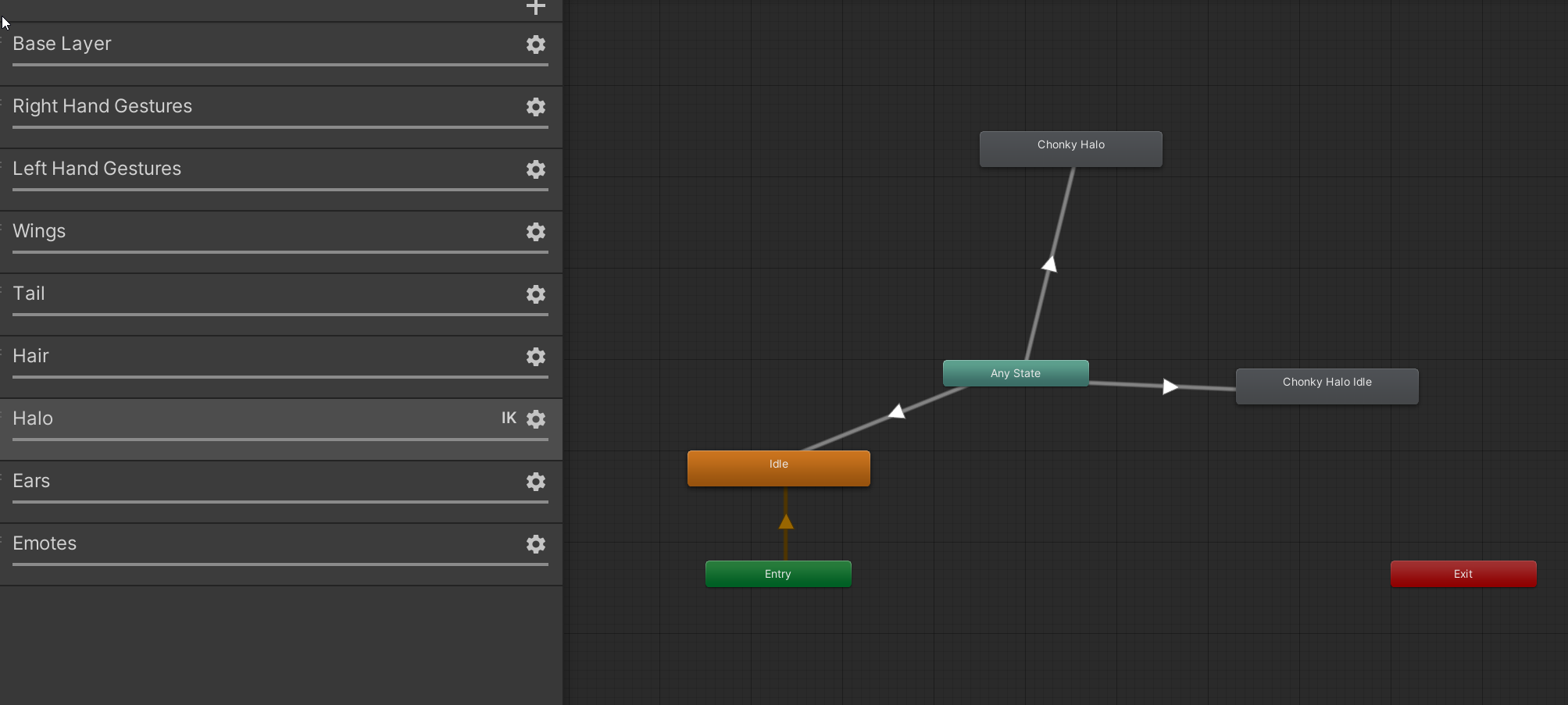 compact marten
buoyant shore
https://i.imgur.com/AAgCfaG.png
compact marten
buoyant shore
https://i.imgur.com/AAgCfaG.png
is there a reason you have IK Pass enabled on that layer?
I'm also assuming this is your FX controller?
or is this your Gesture controller?
buoyant shore
fx
idk last time i was trying to animate wings that's how i did it
i tryed it with and without
compact marten
buoyant shore
so i got this problem with Idle animation for rotating Halo on model i'm not sur...
since you're using Any state here, I'd check that "Can transition to self" is disabled on all transitions. I'd also double check the paths of the properties in the animation, in case the hierarchy changed at some point
buoyant shore
all done still not working
buoyant shore
it's basically https://i.imgur.com/deMJXPG.png
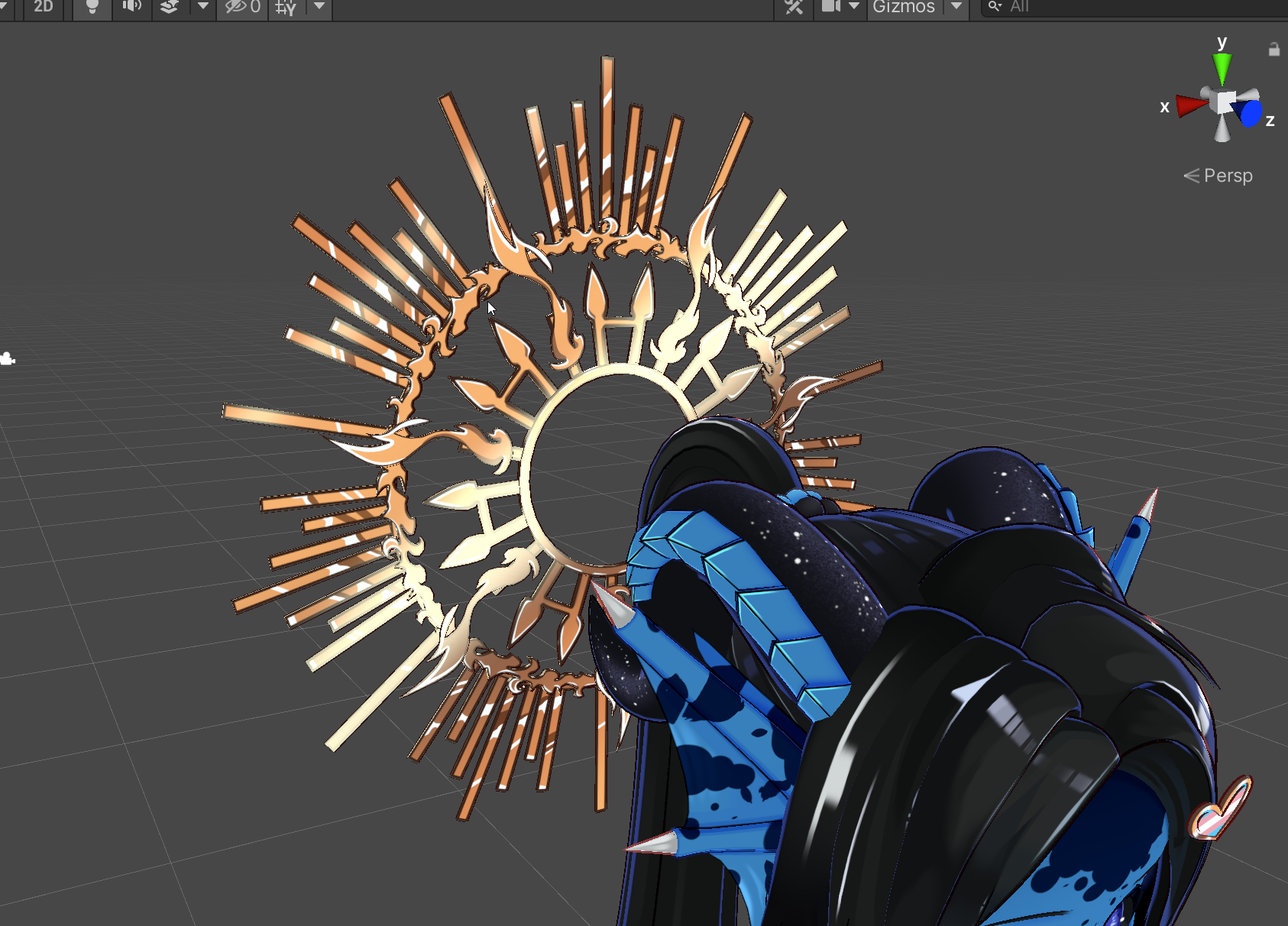
this
and it's supose to rotate using bones
bones are set up like a clock arrow
 ruby island
I've been doing this manually, but is there a way to quickly flip animations created from one side of the body to the other in Unity?
compact marten
buoyant shore
and it's supose to rotate using bones
I see. have you tried creating a new, empty controller, and adding one of the animations to a new layer?
to attempt to isolate the problem
buoyant shore
yea
that's why when you asked about ik
i had similar issue with wings idle animation
and adding ik thing fixed it at the time
animation on it's own if i add it on model
works
in animator
but doesn't work through fx
aight if u haven't actually dealt with that
not gonna take your time trouble shooting it
compact marten
I personally have bone transform animations working in my FX controller, which has quite a lot more going on than the one you showed, so I do have experience getting it to work. it's a bit strange that it's not working in your case
buoyant shore
yea not sure why either way
compact marten
and adding IK pass wasn't something I ever needed to do
buoyant shore
can do vc if u want and got time
compact marten
sure, give me a few mins
hazy crater
anyone with experience on MIXAMO and why this happens to my vroid when trying to convert to humanoid rig
 dreamy skiff
hazy crater
anyone with experience on MIXAMO and why this happens to my vroid when trying to...
dreamy skiff
hazy crater
anyone with experience on MIXAMO and why this happens to my vroid when trying to...
Open the rig and check if all the bones are in place.
hazy crater
dreamy skiff
Open the rig and check if all the bones are in place.
I hate to bother but uh where do I do that
like where and how would ik the bones are at the right places

correct me if I am wrong but does mixamo not auto rig ur model to the animation rig??
if so then why would I be missing a hip bone?
could this potentially mean that there was something wrong with my model itself??
dreamy skiff
hazy crater
could this potentially mean that there was something wrong with my model itself?...
the unity has its own skeleton format, and it is not always possible for it to correctly set the bones on its own.

Therefore, you need to go into the rig, and expose the main bones.
 molten mirage
can I make animations in unity by just rotating and moving bones without the muscle editor, making obscure positions like full body twist kinda things.
dreamy skiff
molten mirage
can I make animations in unity by just rotating and moving bones without the mus...
Yes, it's the same.
With the recording turned on, move the slider along the timeline and rotate and move the bones.
compact marten
molten mirage
can I make animations in unity by just rotating and moving bones without the mus...
depends. if you're wanting to make animations that animate the humanoid bones, they have to be muscle animations
alternatively, you can make an animation in blender, export the model as FBX with the animations baked in, and then set the rig type in unity to humanoid. that will convert the anim to a humanoid animation
 lament hare
TL;DR
I'm having a problem with the Timeline breaking my scene by leaving certain objects at animation states that are not the first frame.
This is one of those things where it's a little hard to describe concisely so bear with me. I have a question about using the Timeline. I was using just individually triggered animators all over the place for a couple years until I recently discovered the glorious magic that is the Timeline. So amazing how easy it is to layer and arrange. But I keep having this weird bug, and surely I can't be alone, so I'm looking for a fix if anyone knows. The problem is that, every once in a while...maybe twice a day...I never notice in the MOMENT that it happens, but I'll soon notice that some things in my scene are "broken." By broken, I mean specifically that they are now no longer in their default states...the way the world should look at first. Certain objects around the world have now changed to a state like halfway through one of the animations on the timeline. Even if you click off the timeline, or into another animator. It doesn't revert back. It's as if your scene's default states have been changed. And I don't know how to bring them back! Sometimes it's just a few small things and it's annoying but I can manually revert them. But it's getting out of hand. I keep trying to recreate it by cueing up the timeline, then clicking out of the program, etc, but with no luck yet.
Is this a known bug? Can I avoid it? Any recommendation on how to restore things to their default, frame 0 state? 🙏🏻
 sonic perch
I tried animating hand on unity, but then this happened when I try playing it, why is that?
this is the blend tree


there's no error or warning so i'm not sure
sullen lance
I guess you should remove transition going to exit.
sonic perch
sullen lance
I guess you should remove transition going to exit.
I tried, but its still there
I wonder if it's because of the script? But I cant find anything wrong in it
'
sonic perch
it seems that hand is being instantiated twice for each hand
 sonic perch
sonic perch
sonic perch
i fixed the code by doing this really fucking dirty cheap solution in the mean time, because i dont know what caused the hand being turned for isValid = True, then isValid = False, then isValid = True again, causing the hand to instantiate twice.
private void InitializeHand()
    {
        List<InputDevice> devices = new List<InputDevice>();
        //Call InputDevices to see if it can find any devices with the characteristics we're looking for
        InputDevices.GetDevicesWithCharacteristics(inputDeviceCharacteristics, devices);

        //Our hands might not be active and so they will not be generated from the search.
        //We check if any devices are found here to avoid errors.
        if (devices.Count > 0)
        {
            _targetDevice = devices[0];

            if(_targetDevice.isValid){
                count++;

            }
            if(count == 2){
                Debug.LogWarning("Instantiating Hand");
                GameObject spawnedHand = Instantiate(handPrefab, transform);
                _handAnimator = spawnedHand.GetComponent<Animator>();
                _handMesh = spawnedHand.GetComponentInChildren<SkinnedMeshRenderer>();

                _controller = new Controller(_targetDevice);
            }
        }
    }
ok fixed with destroying hand everytime it went isValid = false, I dont know why it's doing this weird true, false, true thing though
private void InitializeHand()
    {
        List<InputDevice> devices = new List<InputDevice>();
        //Call InputDevices to see if it can find any devices with the characteristics we're looking for
        InputDevices.GetDevicesWithCharacteristics(inputDeviceCharacteristics, devices);

        //Our hands might not be active and so they will not be generated from the search.
        //We check if any devices are found here to avoid errors.
        if (devices.Count > 0)
        {
            _targetDevice = devices[0];

            if(_targetDevice.isValid){
                Debug.LogWarning("Instantiating Hand");
                GameObject spawnedHand = Instantiate(handPrefab, transform);
                _handAnimator = spawnedHand.GetComponent<Animator>();
                _handMesh = spawnedHand.GetComponentInChildren<SkinnedMeshRenderer>();

                _controller = new Controller(_targetDevice);
            }
        }
    }
private void Update()
    {
        //Since our target device might not register at the start of the scene, we continously check until one is found.
        if(!_targetDevice.isValid)
        {
            if(_handAnimator != null){
                DestroyHand();
            }
            InitializeHand();
        }
        else
        {
            UpdateHand();
        }
    }
private void DestroyHand()
    {

        Destroy(_handAnimator.gameObject);

        // Reset references
        _handAnimator = null;
        _handMesh = null;
        _controller = null;
    }
 smoky socket
Possible to toggle an animation inside another animator?
I got an object with it's own animator carrying it's own set of animations inside it to be a standalone thing that can be thrown onto avatars to minimize the amount of required setup to get it to work. Has its own idle animations and toggles already set up.
Only issue is that the avatar itself doesn't seem to accept these toggles and act as if it was missing if you throw the parameters, animations and layer setup into the avatar.
 stark canyon
Need help and can't figure out why the animation works locally, but not for other players.
Made this in the Action Layer and placed it into the Action Slot for the Avatar.
The trigger is controlled by a Contact Receiver, which is placed on the avatars head. When a person puts a hand through the Contact Receiver, it should play the animation. No End State is attentional.
Is there something I'm doing wrong? Or is the way I'm doing with this animation not possible to play out for other players?


 versed coral
So I am having an issue where I am trying to put my own emote on my avatar, but the animation is getting affected by this weird biker pose, is there a way to get rid of this biker pose that is shown in the video?
dreamy skiff
versed coral
So I am having an issue where I am trying to put my own emote on my avatar, but ...
In Fx, add such animations, and they will be mixed with the usual skeletal one.
versed coral
dreamy skiff
In Fx, add such animations, and they will be mixed with the usual skeletal one.
This is the action layer that holds the custom emotes and the red circle is the animation that I showed in the previous message. Is this the FX layer you were talking about?

This is what it looks like in game. This is not what it is supposed to look like in game
This is what the animation is supposed to look like, but in unity it is completely affected by the biker pose
dreamy skiff
versed coral
This is what the animation is supposed to look like, but in unity it is complete...
In the unity after import FBX - rig - humanoid. Check if all the bones are correctly in place - then copy the animation.
versed coral
dreamy skiff
In the unity after import FBX - rig - humanoid. Check if all the bones are corre...
How do I check if the bones are in the correct places or not?
dreamy skiff
versed coral
How do I check if the bones are in the correct places or not?

Of course, visually.
versed coral
dreamy skiff
Oh, yeah that's all correct
The animation was working before I switched the avatars animation type to humanoid. After I switched it to humanoid it stopped working and now just keeps giving me this biker pose
dreamy skiff
versed coral
The animation was working before I switched the avatars animation type to humano...
So don't switch. but the animation will work only on this avatar, with the typing and bone names in the same place.
versed coral
dreamy skiff
So don't switch. but the animation will work only on this avatar, with the typin...
So I need to switch it back to generic?
dreamy skiff
versed coral
So I need to switch it back to generic?
where did you get this animation? Can I see?
versed coral
dreamy skiff
where did you get this animation? Can I see?
It's a fortnite emote that I got within the files of the game then ported to blender then ported into unity
sturdy egret
I wanted to sync animation with music, but its really hard to get the timing right, how could I make the process easier?
 hollow finch
Hello you know how the scale is built in now. I wanted to ask if there's a way to pass the 5 meters for the build in scale? I wanna be bigger than the big people
 mild plinth
Anyone know a good site for finding animation/poses for gogo loco?
molten mirage
is there a way to automatically smooth animation curves
muted prairie
molten mirage
is there a way to automatically smooth animation curves
In Blender or Unity ? Blender has a tool, but I don't think Unity does natively
molten mirage
unity which sucks if it doesn't have it. so thanks anyway
muted prairie
molten mirage
unity which sucks if it doesn't have it. so thanks anyway
I can always recommend this tool, I think it has smoothing, but it's a bit costly. Worth it if you're doing a lot of animating related stuff in Unity though
https://assetstore.unity.com/packages/tools/animation/very-animation-96826

Use the Very Animation tool from AloneSoft on your next project. Find this & more animation tools on the Unity Asset Store.
molten mirage
quite costly for what I'm making. not worth it for non humanoid animations I'm dealing with. thank you though
compact marten
how are you expecting this animation to work exactly? it would be very strange if the hips just kept swaying while you're sitting there not moving and doing anything
you can't drive animations with Audiolink
audiolink exists purely on the graphics card
 livid echo
trying to Make a Spining Magic Cricle, and during the process it keeps changing positions,
I tried deleting the Poistion and leaving the rotation but it doesnt work. Idk whats going on.

its suppose to stay here and just rotate. but its moving around when i dont want it to. i still new with animations there.

In short,. all its suppose to do is rotate 360, but its moving all around and idk why.
civic sparrow
What is the center of it
 ivory atlas
For having a Left/right hand layer swap would i put a layer under it that needs a toggle to turn on so it overwrites it or something in the same layer?
currently using write defualts on
 wild cloak
@steel badger are you sure⚠️
 analog sonnet
Animating is funn
 split flower
God I wish they would fix/remake the absolute classic that is Thriller by VrPill. Absolute best halloween map event ever in vrc history.
🥺 👉 👈 That would be like soo cool guys
2019 Was a W for sure
 hushed sundial
i made 10 separate pairs of particle systems and paths like this, but they only follow the circular motion

 hushed sundial
imported a unity particle package and got these comping errors, what do i do
 hushed sundial
ive set up an animation toggling the isActive property for a game component containing all the particle systems, the particles are all one time, so it seems i cant get them to play automatically when isActive toggled, what do i do


 proper hedge
hushed sundial
ive set up an animation toggling the isActive property for a game component cont...
proper hedge
hushed sundial
ive set up an animation toggling the isActive property for a game component cont...
you can't have the object disabled by default? you should post your particle systems, there are several ways to start emitting particles and knowing what you're working with will help
hushed sundial
yeah, it took me 2 days to figure out you could just toggle off a component lol. thx anyway
 halcyon ore
hushed sundial
i made 10 separate pairs of particle systems and paths like this, but they only ...
halcyon ore
hushed sundial
i made 10 separate pairs of particle systems and paths like this, but they only ...
Does this use custom scripts? If it does, how do you plan to make it work in vrchat? By baking the paths into transform animations?
 spark hemlock
Can someone tell me how to create an animation controller to put in the additive layer? I've made something similar to a "breathing" animation, but I can't figure out how to have it playing all the time
or at all lol
I tried making a controller, and dropping the animation in, but for some reason the animation WON'T go into the motion slot. it just stays at "none"

I tried doing it a different way with a tutorial, that made me convert the anim to a "legacy" so I could plug it into this slot
 compact marten
spark hemlock
Can someone tell me how to create an animation controller to put in the additive...
compact marten
spark hemlock
Can someone tell me how to create an animation controller to put in the additive...
Additive is for animations that affect humanoid bones
spark hemlock
additive won't work with blendshapes?
compact marten
if you're animating non humanoid bones or blendshapes, I'd recommend putting that in the FX controller
no, additive is only for humanoid bones
compact marten
you should just need to make a new layer in your FX, and drop your animation in
spark hemlock
ooh ok
ALSO I figured out why it wasn't pluging in, it's cause I converted it to a legacy anim 😅
spark hemlock
compact marten
no, additive is **only** for humanoid bones
VRC tutorials are wild, I watched 3 different ones that implied additive would work with blendshapes
thx tho, I'll give it a shot
so.. I added the anim to a new layer in my FX, and it still doesn't work

it's set to loop so I think that's not the problem..

@compact marten I feel like I'm missing something simple
compact marten
the weight of your new layer is 0
spark hemlock
faack no wonder
kk, lemme try again
It's working!!! Thx so much @compact marten
Been struggling with this for a few days, much appreciated :))
clear yew


 muted nova
So I had this flipbook working before flawlessly, but after adding a bit more to the avatar i've somehow broken it
the flipbook plays perfectly when the avatar is run in unity, but once used in game or in the gestureemulator it seems to run at a much lower framerate for the first few seconds then goes back to full speed? i haven't touched the animation whatsoever so i'm very confused
or would this be a shader issue?
 solar basin
Animation resets when the proximity reaches 1.0, uh, how do I make it not instantly reset, kinda want it to just stay at the end of the animation when it reaches a motion time of 1.0?
Edit: The animation was set to looping, making it non looping fixed my issue. For my future animation problem brethren coming from search.
 mild patio
So question
Is it possible to convert an existing animation from let’s say, Resident Evil Village, and add it to ones model
dreamy skiff
mild patio
Is it possible to convert an existing animation from let’s say, Resident Evil Vi...
What format is your animation in?
 tacit dock
solar basin
Animation resets when the proximity reaches 1.0, uh, how do I make it not instan...
tacit dock
solar basin
Animation resets when the proximity reaches 1.0, uh, how do I make it not instan...
kinda curious, what species is this?
solar basin
tacit dock
kinda curious, what species is this?
Maelstrorca
tacit dock
thank u!! they look cute af
solar basin
tacit dock
thank u!! they look cute af
They definitely are.
 foggy estuary
idk if this is the right place, im trying to export this model with this animation on this specific frames for vrchat, but all it does is export the default, anyone know how to export it so its in the frames I want?

 visual matrix
When animating with WD off how do you have it so there's two different pieces of logic that effects the same asset without there being conflicting logic
For example. If I have two different pairs of shoes that both have a heeled state how can it be setup so they both work.
If shoe #1 is saying to make heeled state "0" (because it's disabled) and shoe #2 is now saying to make heeled state 100 we now we have two pieces of logic. That are saying to both be on and off at the same time. This is breaking my logic.
I could really use some help understanding a better way to do this
compact marten
visual matrix
When animating with WD off how do you have it so there's two different pieces of...
you'd do all of the logic in one layer, and have a state for each permutation possible
visual matrix
Oh??..I've never heard of this.
compact marten
with two pairs of shoes with two options, you'd have 4 states
visual matrix
Do you think you could give me an example
compact marten
and an additional state for no shoes
visual matrix
compact marten
you'd do all of the logic in one layer, and have a state for each permutation po...
A visual example would be useful (: but if you're busy I understand.
elfin rampart
Has anyone used Shadermotion for capturing mocap in VRChat? I was trying to use it and I got it to output some animations but it seems to be looking for a very particular rig structure. Are there rigs I can use for this? I've never seen a rig with a hand up and down and a hand in and out bone.

I imagine I could update the references to match my existing rig but I think I'd still be missing bones and it wouldn't animate properly as a result.
Alternatively, are there other options for capturing mocap in world? It's convenient to be able to capture the actor walking around my actual terrain vs having to fit a traditional capture on flat ground to the uneven terrain in the world.
muted prairie
elfin rampart
I imagine I could update the references to match my existing rig but I think I'd...
You can do this in a text editor FYI, which allows you to do a search and replace like in Notepad++
I've done it in multiple projects over the years and it has worked well for me each time, but that might be project dependant 
dreamy skiff
elfin rampart
Has anyone used Shadermotion for capturing mocap in VRChat? I was trying to use ...
Use a regular humanoid rig in the models and everything should work right away, without any modifications.
elfin rampart
dreamy skiff
Use a regular humanoid rig in the models and everything should work right away, ...
That was it, thanks. I typically only do that for avatar projects so it hasn't occurred to me for this application.
 chilly reef
So I found a public avatar that is a strip pole and it lets people around you do the strip pole dance. So I thought it would be fun to make something similar but I don't want to be the pole lol. So I have the pole made and now I am trying to learn to use a vrc-station to force an animation and I have not been able to find a good guide. So this what my pole looks like:

And then I am trying to make a custom parameter

and here is the inspector for the states


Any advise or a good guide would be super helpful and thank you for anyone willing to take the time look at this.
noble shell
stations tracking control/pose space is set by avatar not station - their seated parameter - surprise many isnt set up right for it
not even vrchat public ones will work right with it
collider should be just a box collider and set 'is trigger'
sittinglayer annoyance, this will cause av to not behave right with vrchat default one
 dreamy skiff
chilly reef
So I found a public avatar that is a strip pole and it lets people around you do...
dreamy skiff
chilly reef
So I found a public avatar that is a strip pole and it lets people around you do...
And if this is a world project you need to copy VRCSDK3A.dll into it.


 chilly reef
No this is an avatar. I'm at work but I plan on taking a look at the above posts tonight. Thank you both for responding.
chilly reef

ok changes the station and the collider " New Pole Dance" is a duplicate of the sit parameter

I then changed the animation ins upper body tracked to the dance animation and changed he head tracking.
Does this look correct?
dreamy skiff
chilly reef
I then changed the animation ins upper body tracked to the dance animation and c...

 chilly reef
I'm sorry new to this.
I changed the enter and exit to the object

This like this?

Is that what you meant?
 nimble mantle
im trying to get audio to work on a follow up animation after another but it gets skipped in the fx layer
 dreamy skiff
chilly reef
dreamy skiff
chilly reef
Enter and Exit are empty objects.
Enter - The point at floor level where the avatar will be animated.
Exit is the exit point from the station.
chilly reef
Thank you I will play around with it more this weekend
 shell ocean
Hello, I have a question. I am working on an avatar that has a humanoid rig, and two extra bones (not humanoid) to move extra shoes. They are meant to animate when my character is running to create a fake cartoon smear effect that shows more shoes than there really is.
I got the animation working perfectly in Blender but the extra bones (animated in the running animation clip that I've put on the blend tree of the Base layer) do not move in game (they do in the editor), but the rest of the animation does. Any idea why?
I did make a work-around this by animating the extra bones in the FX layer, but it is no longer in sync at all with the run animation and I need them to be...
 dreamy skiff
Try Constraints instead of animation on FX
shell ocean
dreamy skiff
Try Constraints instead of animation on FX
Thank you for your answer. Constraints? How would this work? The shoes have their own movement, how can I replicate it on Quest?
 little lichen
How do i use a parent constraint to dress up clothes for the avatar
I kinda not know how and have tried but just messed up
(I dont know on which channel should i write this)
 charred veldt
hey so how do i make a sound effect keep playing after it's transition?
im making a gun sfx and it cuts itself off each time it goes to play again
i want the sound to overlap if that makes any sense
i just have a simple on/off for the audio source but idk how i would do it so that the audio source would keep playing after it's disabled or however other way-
muted prairie
little lichen
How do i use a parent constraint to dress up clothes for the avatar
I kinda not ...
#avatar-rigging Would be able to help you more!
little lichen
muted prairie
<#390924372782612480> Would be able to help you more!
Thank u!
neon kayak
shell ocean
Hello, I have a question. I am working on an avatar that has a humanoid rig, and...
Import your fbx as humanoid and use the animation from it for the humanoid bones. Import your fbx again with a generic rig, then use that animation for everything non-humanoid that was animated
I've done this before with an afk animation where I had the body move as well as an animated cape
shell ocean
neon kayak
Import your fbx as humanoid and use the animation from it for the humanoid bones...
That's what I ended up using, works perfectly. Thank you!
charred veldt
ok, i need some help making gun sound transitions in the unity animator
the "shewt" state happens almost instantly and so the sound only plays for a fraction of a second, i need it to play thru completely and then go into the next state
 dreamy skiff
charred veldt
ok, i need some help making gun sound transitions in the unity animator
dreamy skiff
charred veldt
ok, i need some help making gun sound transitions in the unity animator
 charred veldt
yeah idk, i have no idea how to do it
i need someone that makes those gun avatars to show me
cause no matter which way i make this, i can't make the sounds work correctly
im using gesture right parameter, when gesture right is 5 it transitions to my firing animation with the sound
and then to transition out i use gesture right not equals 5, but then if i let go of the controller trigger it causes the sound to stop completely, and i also want to be able to rapid fire this so i can't make it wait for the full shoot animation to finish either,
and yet this public avatar i have favorited does all this just fine 💀
charred veldt
is there a way to play a sound without using play on awake or disabling the component?
dreamy skiff
charred veldt
is there a way to play a sound without using play on awake or disabling the comp...
Audisource has a play function for this. Launch from animation.
 silent scroll
Hello
charred veldt
dreamy skiff
Audisource has a play function for this. Launch from animation.
play function? where

not any of these properties either?

there's another one called "enabled" that's the one that's keyed atm
all it does is disable the component
btw this is in avatar not world
charred veldt
warning loud
chat i did it, i figured it out

transition duration (s) is the same as the animation duration (samples is set to 100 but thats just what i saw on a youtube tutorial)
the "no shoot" is just a 2 frame animation with the main gameobject disabled
charred veldt
how do i make an animation only play x amount of times
im thinking using vrc parameter driver but i can't seem to test it with just conventional methods
(putting the fx layer in the animator component and going into play mode) do i have to use one of those community tools to test it?
charred veldt
k it works ingame not in playmode so i do need something else to do this i see
silent scroll
Hello
 steep panther
wip animation
steep panther
steep panther
steep panther
wip animation
steep panther
new particles


 hollow fulcrum
small beginner's question:
i'm trying to set up my animation controller (the FX one) so that i can control my eyelids by pulling on the analog trigger and trying any position between open and depressed, using a blend tree between my "Idle" animation and "Blink" animation.


however, if an expression that manipulates the blendshapes of my eyelids in any way is triggered while i'm controlling the eyelids (or even if the vrchat default blink animation is triggered), the eyelids overextend.

is there a way to limit blendshapes to not be able to go past a certain value even if other animations are triggered?
civic sparrow
hollow fulcrum
however, if an expression that manipulates the blendshapes of my eyelids in any ...
dont stack animations
hollow fulcrum
civic sparrow
dont stack animations
well yeah but how?
civic sparrow
forgot the component but you can override the tracking
you would put it on the animation
to disable the face tracking while animation is playing
 fading nimbus
Is it possible to animate humanoid bones?
For example, I am able to animate child bones but whenever I animate the parent the value just resets when I try to play the animation. I am able to pose the bone but the values aren't recorded no matter what I do.
 fading nimbus
 dreamy skiff
fading nimbus
dreamy skiff
fading nimbus
Connect animation to the humanoid model and make your own animation..
The entire main skeleton should be there.
If you need to animate only certain limbs, there is a mask in the animator.
bleak tapir
The elastic interpolation mode in blender is hilarious xd
 sturdy egret
So I wanted to make an animated Redead avatar but idk how to export a model with multiple animations from Blender to Unity
 fresh current
hello, I record an animation clip to change the minium light for my avatar, and I made a slider wheel for it. But when the slider goes to 100% the light becomes dark as if it was 0%. How can I fix it?
the animation clip starts with minium light 0.0 at frame 0 and end frame minium light 1.0
 lavish scaffold
fresh current
hello, I record an animation clip to change the minium light for my avatar, and ...
lavish scaffold
fresh current
hello, I record an animation clip to change the minium light for my avatar, and ...
I believe that is fixed by unchecking (turning off) Loop Time on the animation file itself
 uneven rain
would it be better to use animations instead of hinge_joint (with motor enabled) when it comes to frames?
my FPS drops to about 5 from 30 when I enable my objects that rotate around using hinges. I'm thinking animations would be less impactful on FPS but don't know
clear yew
how do i animate my avatar mouth to move with a audio im trying to make a funny avi
dreamy skiff
clear yew
how do i animate my avatar mouth to move with a audio im trying to make a funny ...
shape key
clear yew
dreamy skiff
shape key
where is that?
dreamy skiff
clear yew
where is that?
Add keys that are on your model to the animation and adjust their values.
 clear yew
dreamy skiff
Add keys that are on your model to the animation and adjust their values.
clear yew
dreamy skiff
Add keys that are on your model to the animation and adjust their values.
and each key will be a diff value correct?
dreamy skiff
clear yew
and each key will be a diff value correct?
Each key is an animation of a face or other parts of the mesh. Values are usually from 0 to 1
On scene in the model, try changing them to find out what each one does.
clear yew
dreamy skiff
Each key is an animation of a face or other parts of the mesh. Values are usuall...
ok
clear yew
dreamy skiff
Each key is an animation of a face or other parts of the mesh. Values are usuall...
my avi does not have blend shapes
clear yew
dreamy skiff
Each key is an animation of a face or other parts of the mesh. Values are usuall...

there is a jaw object though you can move around.... idk if that works
dreamy skiff
clear yew
there is a jaw object though you can move around.... idk if that works
Yes, you can use bones too.
clear yew
dreamy skiff
Yes, you can use bones too.
how would i animate with bones?
dreamy skiff
clear yew
how would i animate with bones?
Just like everything else.
Turn on the recording, move the time slider, and move bones.
clear yew
dreamy skiff
Just like everything else.
Turn on the recording, move the time slider, and move...
and i hit gameobject is active on the jaw correct?
dreamy skiff
clear yew
and i hit gameobject is active on the jaw correct?
yes
clear yew
dreamy skiff
yes
this comes up


 tawny torrent
Anyone have any tutorials on keyframing and animations for particles? I'd like to learn how to make animation performances for worlds
lament hare
Happy Holidays! : ]
TL;DR:
I'm having a problem with the Timeline breaking my scene by leaving Animators at animation states that are not their default/first frame.
(I posted this a few hours ago but then I deleted it because I realized I could update to unity 2022 now and I was sure that would fix the problem, but alas, it has not)
I'm using Timeline to control many different animators simultaneously. The problem is that, when I'm working in Unity, frequently... Literally every few hours or so... it completely breaks my scene. By broken, I mean specifically that my entire scene is no longer in its default state, but "frozen" at a particular spot on the timeline. Every single object in the scene controlled by an animator changes to the state it should be in at a certain spot in the timeline, but even when the timeline isn't playing or active.
A good way to describe it is as if, while I'm working in the scene, every once in a while Unity "takes a screenshot" of what my scene looks like in that moment, but then just keeps the whole scene there. It doesn't revert back once the timeline is unselected or deactivated. It's as if entire scene's default states have been changed.
Since this happens frequently, the default state of my world keeps changing every few hours, and so eventually I get lucky and it saves at the first frame. But it has become too problematic to rely on that hopefully happening. I have tried to fix it attempting to recreate the problem in many ways, but with no luck yet.
Is this a known bug? Can I avoid it? Any recommendation on how to restore things to their default, frame 0 state? 🙏🏻
This happens to me all the time, in multiple projects, on multiple computers and we're all using the same version of Unity, so surely I can't be alone in this. Please help ||save Christmas|| 🥹🥹🙏🙏
 tulip hamlet
 odd juniper
cap
steep panther
odd juniper
looking good mate
Fr
 weak basalt
bro what is thjis

 uneven hull
I'm having issues with my model's animations, It uploads fine, but it just hovers around
?
vrc?

I think this is the issue, but I'm unsure what to do to solve it

 minor linden
uneven hull
minor linden
uneven hull
Nope, thats only really usefull for working in Unity
Let me know if you're still facing any issues Unparalleled
hybrid adder
so having a "bug" that I have a Float set up in untiy but in vrchat it is a bool. Don't know how to fix it.


 minor linden
Hai! Having issues with my animation not playing for some reason? I explain and show better in the video
https://youtu.be/gnZet1bFQaw
 minor linden
hybrid adder
so having a "bug" that I have a Float set up in untiy but in vrchat it is a bool...
minor linden
hybrid adder
so having a "bug" that I have a Float set up in untiy but in vrchat it is a bool...
Make sure its a float in the VRCExpressionPeramiters
fading nimbus
I am running into an issue where my reset layer doesn't trigger when I change my gesture animation layer. I've setup multiple gesture animation layers in order to trigger different expressions based on different parameters.
The animation doesn't properly reset if I do the following. Everything is done in the FX layer.
1. Trigger a right hand gesture for Layer A
2. Observe correct expression
3. Update param to State B
4. Trigger a right hand gesture for Layer B
5. Observe correct expression
6. Update param to State C
7. Observe incorrect/lingering expression from Layer B

Gesture appears to be lingering unless Neutral/0 is triggered. Then the expression is properly reset.
feral marsh
Is it still possible to summon a prop that doesn't move with you?
I am following a tutorial verbaitum and its... ignoring me
weak basalt
i have barely made anything and the animation is already 122mb, before i actually finish it will i even be able to upload it or not?
final project will be i dont even know but whats the max limit
 bronze siren
Hi i have a state that goes from 0 to 1, is this the right way to gradually increase it's value till it reaches 1 or do i have to do it in the animation?

On state = 0 and New State = 1

 green roost
lament hare
Happy Holidays! : ]
TL;DR:
I'm having a problem with the Timeline breaking my s...
green roost
lament hare
Happy Holidays! : ]
TL;DR:
I'm having a problem with the Timeline breaking my s...
I might be having the same issue you're having in the new 2022 unity version.
Are you toggling an animation controller Component using another animation controller that's higher up in the hierarchy?
And when you do that, and toggle the component back on, does the controller start playing exactly where it was before it was disabled?
green roost
This is quite a huge bug / change that's in unity 2022 that breaks SO many systems that are in VRChat.
In the first part of the video, you see unity 2022. when toggling an animation controller component, the animation stays where it was previously before the toggle and continues playing.
In the second part of the video, you see unity 2019. when toggling an animation controller component, the animation resets.
if this feature /bug stays, it will break SO many world and assets.
 jaunty ingot
green roost
This is quite a huge bug / change that's in unity 2022 that breaks SO many syste...
jaunty ingot
green roost
This is quite a huge bug / change that's in unity 2022 that breaks SO many syste...
VRChat has already been running on 2022 for like two months, have you checked some of those worlds to see if they broke?
green roost
jaunty ingot
VRChat has already been running on 2022 for like two months, have you checked so...
I'm not really sure if something changed in the last month, but it's mainly effected worlds that rely on toggling animation controllers or culling and I've only noticed it being a problem this year.
And the video displays the same set up in 2 different unity versions. And when I upload from 2019 into vrchat, I get the same 2022 bug. I thought it might have been a write defaults issue or something on my end, but this proves it's the unity version it's self.
jaunty ingot
oh if it's a write defaults thing that's an easy fix
sullen lance
green roost
I'm not really sure if something changed in the last month, but it's mainly effe...
Might be related: https://youtu.be/W45-fsnPhJY?si=TkO3pHM7kgCS-jaO&t=2410

Slides with extra examples: https://www.slideshare.net/unity3d/unitys-evolving-best-practices
Best Practices aren't static -- as Unity's underlying architecture evolves to support Data-Oriented Design, the old tricks might no longer be the best ways to squeeze performance out of the engine. In this talk, we'll discuss how Unity has changed betwe...
lament hare
green roost
And when you do that, and toggle the component back on, does the controller star...
Oh wow. No, that's not exactly the problem I was having, but that's super interesting. But what's weird is I have upgraded to 2022, but I haven't noticed what your video shows happening. And I've got like 100 animators all parented all over the place 🤔🤔🤔
green roost
sullen lance
Might be related: https://youtu.be/W45-fsnPhJY?si=TkO3pHM7kgCS-jaO&t=2410
How tf do I disable Pooling within an animator without code? I swear Unity Devs are deaf to the community..
Is there a way to NOT use "Animator.keepAnimatorStateOnDisable" on default?
sullen lance
green roost
Is there a way to NOT use "Animator.keepAnimatorStateOnDisable" on default?
In debug mode inspector there is an option for that:

 glossy hemlock
Hello, I'm not sure if this question belongs here, but I can post it where needed if It isn't the right place.
I have an avatar ready to be uploaded, but there's one more animation I want to add to it.
However, when importing the animation file, I get errors and I believe it's saying the scripts for the animations are trying to run from dynamic bones, when the avatar uses physbones. Is there a way to update/change the script so it will use the physbones instead?
Thank you!
 white fossil
glossy hemlock
Hello, I'm not sure if this question belongs here, but I can post it where neede...
white fossil
glossy hemlock
Hello, I'm not sure if this question belongs here, but I can post it where neede...
I can help if you want
 silent pine
I was testing with Gesture Manager as usual. (Unity 2019) but this time I took the all animations out of the FBX and remaped the menu toggles to the animations and this issue started. Has anyone experienced the same issue? I use Gogo Loco animation slots to easily setup my animations.

😂
 silent pine
I found the issue: Somehow I accidentally moved the Armature below the MESH object and they were the other way around, so I just dragged the MESH object back where it was and problem solved.
 bold ocean
 short wing
how do I enable this option for my physbones?
short wing
how do I enable this option for my physbones?
(After you add the physbone component,) if you open up the component menu thing with all the configuration options, scroll down and you’ll see the “reset when disabled” checkbox
steep panther
animation come back 💪 (coming back after 2 months+ from saying i would retire bc of a small issue)
steep panther
fickle gyro
In Unity is their a way to copy and entire armatures state and then paste it onto another identical armature instead of having to copy the component of each individual armature piece.
glad crescent
by state do you mean position/rotation data? You can definitely do that programatically, not sure if there's a tool for it though.
fickle gyro
yeh i want a tool like that as i have 8 identical hands i want to animate with identical palm opening animations (id use actions on blender but idk unity haha)
is there a way to save to state of an entire armature in a single frame? like i dont want the animation to start playing until frame 30 so how do i animate it quickly to stay closed until said frame
( the hands spin around a game object i just dont wanna have to manually animate all of them to open on their own

also since i need to edit all their states at the same time later in the animation.
steep panther
1st time I ever animate a rig. for an animation
fickle gyro
is there a way i can copy the transform components of all the children of a armature and paste it onto another armatures children would seriously help :D

 sharp musk
Heyya! I'm trying to make it so that when another option in this menu is selected, all the other options get unselected, so in other words making it so that only 1 option can be picked at once. I've tried using a parameter driver to set all the other bools to false but this dosen't reflect to the menu, any idea how I can control the menu with these parameters?


 fierce citrus
sharp musk
Heyya! I'm trying to make it so that when another option in this menu is selecte...
fierce citrus
sharp musk
Heyya! I'm trying to make it so that when another option in this menu is selecte...
You could try using integers instead of boola like the gesture expression does? Maybe
sharp musk
i feel like it shouldn't matter which type of variable it is. i've seen some people do this with avatar menus i'm just not sure how haha
 limber shard
It's probably super simple, but is there a way I can keep the default actions alongside custom toggles I've added?
I've done it in the past, but I haven't made an avatar in a while
steep panther
Time Heist 3D Laser animation progress
steep panther
New animation
muted prairie

 vague topaz

sharp musk
heyya! i'm making a little spin the bottle asset and i have a system here to make the bottle point in a random direction, only problem that i'm having is that i need the "result" animation to play out until it reaches the motion time value, rather than what it's currently doing which is skipping to that point instantly.
anyone know how this can be done?
 steep panther
Mega flash warning (still a wip btw)
steep panther
animation completed
 dawn shale
steep panther
animation completed
dawn shale
steep panther
animation completed
You should really keep in mind screenspace effects are 2x as intense in VR.
if I ever have the misfortune of seeing this in person, blocked on the spot lmao
steep panther
onto new animation
 steep panther
animating is not hard trust me frfr (this is a wip btw)
 slim plume
steep panther
animating is not hard trust me frfr (this is a wip btw)
slim plume
steep panther
animating is not hard trust me frfr (this is a wip btw)
ur animating particles -_-
slim plume
steep panther
animating is not hard trust me frfr (this is a wip btw)
also jesus christ ur pc must be going overdrive lol
steep panther
it def is
slim plume
in vr, i would think i def took drugs
slim plume
is there a reason why i cant modify anymore an animation that ive made??
 rugged condor
slim plume
jesus christ animating is hard
rugged condor
slim plume
jesus christ animating is hard
Hi, Can you tell me how you made it. I want to learn these kinds of Animations.
slim plume
rugged condor
Hi, Can you tell me how you made it. I want to learn these kinds of Animations.
blood, tears, and sweat
slim plume
i mean you could always look up a tutorial on youtube to get to learn the basics of animating
rugged condor
Thanks for your advice. Hope you have fantastic and I'll see you around.


 manic bone
Pepper Gang animation Sovereign - Playboi Carti
neon kayak
Does anyone have tips for making walk cycles in blender? It never loops well because of the interpolation, but I'm very new to animating/using the graph editor, so I'm not sure how to get them to line up the same so you can't tell where the start/end of the loop is. I'm using blender to animate btw, not unity.
 heavy scaffold
I have a question about avatar parameter drivers, when I try to add a negative number it doesn't seem to work, is this a bug? there doesn't seem to be another way of subtracting a number
my use case is I want to have a loop that goes from 0 to 1 and then back to 0, adding works, but subtraction doesn't
fickle gyro
is there an easy way i can make another version of this animation but mirrored?

(in unity)
 indigo hare
heavy scaffold
I have a question about avatar parameter drivers, when I try to add a negative n...
indigo hare
heavy scaffold
I have a question about avatar parameter drivers, when I try to add a negative n...
it shouldnt be using any negative numbers, you can set your parameter driver to "subtract" and just put a non negative number as what you want it to subtract from
if you are "subtracting" from a negative number, thats just adding. + negative numbers are probably not supported.
heavy scaffold
indigo hare
it shouldnt be using any negative numbers, you can set your parameter driver to ...
Where does it say subtract?

(latest SDK, unity 2022)
indigo hare
heavy scaffold
Where does it say subtract?
Nvm i was wrong, my memory is completely fucked lol. You should be able to use negative numbers for this, is this for a float or int? You might want to look at the debug menu in vrc or the parameter changes in real time using the gesture manager while the animation is playing.
heavy scaffold
it's a float, using negative numbers here does not work. Using the debug menu I've verified that the number does not go down when that driver is triggered
indigo hare
heavy scaffold
it's a float, using negative numbers here does not work. Using the debug menu I'...
and im assuming you are using the "add" type for this and not set? Maybe check your transitions and make sure they are working properly. Things like exit time and write defaults can often mess with things like that from my experience
whats helped is using the gesture manager to see the transitions and animations play out in real time when calling upon that parameter. that can help you see if the parameter is actually playing or if its not
heavy scaffold
write defaults are all off, transitions appear to be working properly, exit time is consistent with the loop where it adds and the loop that adds works, the loop that adds for sure isn't running when the loop that subtracts is, I can try running the subtraction on something else in a different situation for testing
ah, subtraction does work in another situation, so that narrows it down to a point where I should be able to figure it out
indigo hare
heavy scaffold
ah, subtraction does work in another situation, so that narrows it down to a poi...
If you have multiple layers going on try changing around the layers position too. Sometimes moving a layer up or down on the list changes the behavior.
i believe the layers at the top have the most priority compared to the ones at the bottom.
heavy scaffold
it's at the top of the additive layer, since that's supposed to be empty so I can get away with having a bunch of drivers there
ah, it was getting stuck, it was a logic issue and I was misreading the debug menu
should be fixed now
indigo hare
Good to hear :)
fading nimbus
How do you import a separate FBX animation into your avatar in Unity 2022? I have a FBX prop that I would like to import for my avatar but I can't find any guidance on how to do it. Expanding the FBX, I am able to preview the animation. Dragging the FBX into my avatar hierarchy breaks or disables the animation. The only time I am able to run the animation is when the FBX is set as Legacy, but even then my avatar's animator cannot access the animation. Setting the FBX as generic allows the animation to be accessed in the animator, but the animation clip then does nothing.
Is there a guide on instruction on how do integrate separate FBX animation into my avatar project?
indigo hare
fading nimbus
How do you import a separate FBX animation into your avatar in Unity 2022? I hav...
Im guessing the “fbx prop” is a non-humanoid object that comes with its own animations? And youre trying to implement it onto your avatar?
depending on how many animations it has, you can do these two options: One, add an animator to the prop and drag the animation onto the animator as its default state.
Two, if theres multiple animations you are trying to toggle with parameters, etc, you need to change the paths of the animation. It will likely not work if you have a prop on something like the hand and then try to add the animation onto the fx layer without changing the animations paths.
fading nimbus
indigo hare
Im guessing the “fbx prop” is a non-humanoid object that comes with its own anim...
Yep, this is a separate FBX prop that I am trying to integrate with my avatar. The prop comes with its own animations. Do you have a resourcne on how animation paths work? Or how integrating or interacting with a separate FBX animation works?
indigo hare
fading nimbus
Yep, this is a separate FBX prop that I am trying to integrate with my avatar. T...
So lets say your prop is a gun with some bones on it. Lets just say, in the hierarchy the model looks like this: Gun/Armature/Bone1/Bone2. This is a path.
The animation is likely going to look like keyframes that animate based upon these paths. So when you attach an animation that starts at your AVATAR, and not the prop, and you place your prop on something like the hand, it cannot find the path, because you are now making the path start at YourAvatar/Armature/Hips/Spine/Chest/RightShoulder/RightArm/RightHand/Gun/Armature/Bone1/Bone2, instead of just ** Gun/Armature/Bone1/Bone2**.
I hope that makes sense the way I typed it out. Can I ask where on your model you placed the prop? Changing the paths is a simple notepad fix.
fading nimbus
These are animated emotes. So I am hoping to place them at the root of my avatar and use position constraint to lock them to the head.
Is that a reasonable approach?
indigo hare
fading nimbus
These are animated emotes. So I am hoping to place them at the root of my avatar...
Is there a reason you’re using position constraints rather than just putting the model on the head?
Or do you just want them at the root of your avatar just so you dont have to change the animations?
fading nimbus
indigo hare
Or do you just want them at the root of your avatar just so you dont have to cha...
I've been organizing a lot of game objects at the root of the avatar to avoid digging through the armature. Is it a bad practice to do so?
indigo hare
fading nimbus
I've been organizing a lot of game objects at the root of the avatar to avoid di...
I see, I mean that is an alternate approach, just know that if youre trying to make this avatar cross platform compatible, the constraints wont be supported.
So is your prop on a game object thats on the avatars root, rather than just the avatars root?
fading nimbus
That's good to know, thanks! It seems like position constraint in theory could be moved to the armature at build time?
It's structure looks like the following:
OPEN ME
  Avatar
    Armature
    Emotes
      Happy Emote
I'll be trying to bind the Emotes Game Object to the head
indigo hare
Okay got it. So is your descriptor placed at “Open me” or “avatar”?
fading nimbus
On the Avatar
indigo hare
Okay, and is the “Emotes” the fbx itself or is that a gameobject you created?
fading nimbus
It's the FBX itself which contains an animator.
indigo hare
Okay. Do you use/have gesturemanager on this project at all?
indigo hare
Oh and one more thing, is this just one animation or are there multiple on the prop?
fading nimbus
There is only one animation, but it'll animate multiple emotes: happy, Sad, etc.
I plan on hiding each emote to swap between them
indigo hare
Okay cool, so yeah, you shouldn’t need to change any file paths, on the fbx dropdown menu with the animation it comes with, hit ctrl + d on the animation if you havent already, and drag that animation as the default state on that prop, so its just constantly animating. Then just hide it in the hierachy and make a parameter on your main fx menu to toggle it on/off.
fading nimbus
Oh! I noticed that it'll only animate if I drag my FX controller into the Emote's animator. There is some knowledge gap there for me. But I assume this is why it didn't animate before?
indigo hare
Hmm interesting, it should honestly work on its own animator, it shouldn’t need the entire FX. Are your weights set to 1 on the original animator you tried to use?
(But I mean, if it works, it works)
fading nimbus
I understand it a little better now, thanks!
indigo hare
Glad to help ⭐