#world-development
39 messages · Page 145 of 1
 azure valley
 jovial juniper
Still having the problem after i made a new project

I am using the correct unity and sdk
 cobalt prawn
jovial juniper
Still having the problem after i made a new project
cobalt prawn
jovial juniper
Still having the problem after i made a new project
When say "not letting me upload" wym? Can you click build and test or build and publish? Does the form asking for the world title and tags etc pop up?
jovial juniper
so it goes into playmode, but i when i click upload, it doesnt do anything
ive done all the classic fixes, reimport packages, made a brand new project
azure valley
jovial juniper
so it goes into playmode, but i when i click upload, it doesnt do anything
you don't go into play mode lol
jovial juniper
yes, yes you do when you upload?
azure valley
no you don't
avatars put you into playmode, worlds just upload from the normal editor
jovial juniper
when you click build and publish, the SDK puts you into playmode :V
azure valley
When you press upload, it may start running
yeah
oh okay, I assumed you were like
pressing play, then trying to open the SDK
jovial juniper
le sigh
azure valley
can you upload a world that is just a plane with everything set up?
it may be one of the packages you imported
just a flat plane with a default skybox and light and a VRCWorld thing
jovial juniper
good point, lemme try that, uhm, new project? or just new scene?
azure valley
new project entirely
jovial juniper
ah, okie, one second then
azure valley
you may have overwritten something incorrectly with a package, I know I did that with udonsharp
jovial juniper
(thank god for unity hub)
cobalt prawn
jovial juniper
so it goes into playmode, but i when i click upload, it doesnt do anything
Are you able to input text etc? And can you take a screenshot of it in play mode?
 bold ibex
I'm trying to make a world for the kids at my library to view their 3D prints, but the VRChat tab on the left randomly disappeared. Does anyone know what happened?
 azure valley
bold ibex
I'm trying to make a world for the kids at my library to view their 3D prints, b...
azure valley
bold ibex
I'm trying to make a world for the kids at my library to view their 3D prints, b...
vrchat SDK tab at the top, view SDK
unless it just doesn't open the SDK window?
bold ibex
azure valley
unless it just doesn't open the SDK window?
Yeah it doesn't open it
 azure valley
that's. odd.
It didn't get mixed up with any of the other tabs? not that I know that's possible
just throwing stuff at the wall here until someone more qualified comes along
bold ibex
IKR! And I've been working on this for a while and the kids need to be able to use it by Wednesday 😅
 vagrant shale
Compiler errors will cause that to not show up. You need to clear those up to make it appear again.

 sacred warren
By fixing them, lol.
Are the contents of those folders listed actually part of something you're using?
vagrant shale
Looks like you have scripts that it doesn't like. Generally, C# scripts aren't allowed by VRChat unless they're among the handful that have been whitelisted.
I would delete that scripts folder and hopefully they will clear up.
bold ibex
All four?
 vagrant shale
Just the Scripts folder in Assets\SampleScenes\
bold ibex
That worked! Thank you so much! You're a lifesaver Krampus!!! 💜

 slow leaf
Anyone know a good water shader for pools?
bold ibex
How can I make a seat in unity 2019
All of the videos I find are outdated
 rain summit
slow leaf
Anyone know a good water shader for pools?
rain summit
slow leaf
Anyone know a good water shader for pools?
Good idea to take a look at the options yourself.
I liked this video when I made my decision, shows off a few. https://www.youtube.com/watch?v=gPKlUEZJQt8
And as said in the video https://vrcprefabs.com/ is invaluable for finding these things (click "Database")

Here's a quick tutorial on how to import a water shader into your world. There are a bunch of water shaders out there, so feel free to look around to find the best one for what you're after.
btw, RED_SIM's 'perfect water shaders' works best if it's a day scene. Looks pretty mid if it's a sunset or night scene, like this one.
So hopefully this ...
vagrant shale
bold ibex
How can I make a seat in unity 2019
All of the videos I find are outdated
You just drag in the prefab included with the SDK, should be called VRCChair3. It has the actual model parented beneath it with a mesh renderer on it you can disable so you can line it up with your own chairs and it won't be visible.
 bold ibex
I am super new to doing anything so where would I find the prefabs folder
rain summit
bold ibex
I am super new to doing anything so where would I find the prefabs folder
Assets is the folder you start in, so just find "VRChat Examples".
If it isn't there then you haven't imported the VRChat World SDK.
 bold ibex
Thank you both lol
vagrant shale
You can also just do a text search of the project tab, it's in the top right
 balmy token
where is a good place to find assets to make VRC worlds to buy or download
vagrant shale
Unity Asset Store, Sketchfab, I think you can get some stuff from Deviant Art
balmy token
any known world creators that take commissions for clubs?
 austere hull
how i prevent vrchat kicking me out of own world after loading in
 keen oriole
trying to test my stuff, whenever i press play on unity it throws this error
 austere hull
i mean it works
just it unoptimized
but vrchat shouldnt kick me out for too long loading time
vagrant shale
keen oriole
trying to test my stuff, whenever i press play on unity it throws this error
You don't test things for VRChat by pressing the play button, you want "Build and Test" in the builder. That's just a warning that shouldn't stop you from building/publishing.
 rain sapphire
Is there a quest shader with a cutout option? For a vrchat world
vagrant shale
rain sapphire
Is there a quest shader with a cutout option? For a vrchat world
No, but you also don't need to use Quest shaders for worlds, you can use pretty much any shaders you like.
rain sapphire
Oh ok thanks
bold ibex
um everything just froze when i clicked Set Collision Matrix
bold ibex
im just stuck zoomed in like this can someone help me

 near escarp
bold ibex
im just stuck zoomed in like this can someone help me
near escarp
bold ibex
im just stuck zoomed in like this can someone help me
Select anything in your hierarchy and press F in the scene view ?
bold ibex
near escarp
Select anything in your hierarchy and press F in the scene view ?
help its doing this
 near escarp
Click the cube that has the green/blue/red thing around
 fringe crane
how do you add photos into your world
austere hull
move your camera
bold ibex
fringe crane
how do you add photos into your world
You can literally just drag them directly onto the object you want to put them on
fringe crane
i figued it out i finished my world i just wasn't for sure at the time
bold ibex
As long as you figured it out! 👍
fringe crane
yea i'm glad i did it was for a memorial
bold ibex
A friend of mine is having an issue uploading a world where when hes on the screen of the name your world and stuff when he clicks upload nothing happens
vagrant shale
Is he able to give the world a name or does nothing happen? Did he check the TOS checkbox? Sometimes that can be hidden depending on the size of the window and zoom level.
 scarlet geyser
How do I make it so that I can turn into an avatar by interacting with this object? I tried putting a VRC Avatar Pedestal on it, but does not work. (I don't want a default avatar display window)
 vagrant shale
Did you take the pedestal script and add it along with a collider? You've got to have the collider as well. Never done it, myself, but that might work,
scarlet geyser
but it just made a huge display
 vagrant shale
Instead of adding the pedestal component, have you tried just adding a regular Udon Behavior and dragging in the script? Not sure if that would work differently.
scarlet geyser
where do I put the avatar ID on this?
 vagrant shale
I'm not sure. Well, it was a thought but maybe that's not the way to do it.
scarlet geyser
I am going to try to add both
It works now if I interact with the object, but the mega-display is still there

I also tried setting the scale option to 0

 coarse lichen
Whats the best way to do like... a HUD system these days? Is there a prefab for it or are people still using CanvasUI/Playertracking stuff
vagrant shale
scarlet geyser
It works now if I interact with the object, but the mega-display is still there
I wonder if you could adjust the placement using an empty object to hide it underneath the world. I have something like that in one of my worlds and I think that's how we do it but I didn't do that part myself.
scarlet geyser
I added a child gameobject with 0.00001 scale, and it works!
 bold ibex
So, I'm getting this weird SDK build error, I think it happened when I imported the sdk from git per the new cyanemu instructions over an existing sdk, is there a quick and easy way to fix these? I know I'm shooting in the dark, but I thought I'd pop the q in here.

 prime cliff
okay so im back at it and i managed to make a working door animation, but nothing is the trigger, help, how do iset it up?
 white moon
Is there a way to set it so players cant see a specific layer but it can be seen in a mirror?
 stone marsh
white moon
Is there a way to set it so players cant see a specific layer but it can be seen...
stone marsh
white moon
Is there a way to set it so players cant see a specific layer but it can be seen...
You can do this using Poiyomi. There's a mirror option for rendering only in mirrors or not in mirrors. Etc..
 thorny dawn
help me

 upper obsidian
thorny dawn
help me
upper obsidian
thorny dawn
help me
spawn added to descriptor?
thorny dawn
upper obsidian
spawn added to descriptor?
how
upper obsidian
thorny dawn
how
What how? Is there a spawn field in the descriptor, is there an object added to which players will spawn?
Or delete this object, in sdk there are also prefabs vrcworld

 gleaming trout
There's still no way to test quest compatible world without using quest, right?
rain summit
gleaming trout
There's still no way to test quest compatible world without using quest, right?
Yup
gleaming trout
ty
rain summit
Easiest thing you can do is drag a Quest user with you to test
 silver bison
I uploaded a world to VRChat that appeared to be working in Unity. But when I join my uploaded world I am immediately kicked back to my home world. Does anyone know how to troubleshoot this?
 brazen adder
hi i have a simple question but ive been searching and cannot find the answer, is there a way to make multiple prefabs from a scene in unity? insted of one by one
vagrant shale
thorny dawn
how
Just delete your scene descriptor object and drag in VRCWorld where you want people to spawn
thorny dawn
vagrant shale
Just delete your scene descriptor object and drag in VRCWorld where you want peo...
ill try that
bold ibex
hello, how do you make objects that players can hold and interact with? (like bottles in the "black cat" world for example)
 jovial olive
Someone knows what are this artifacts and how I can remove them?
I'm using mochies shaders and standards
 vagrant shale
bold ibex
hello, how do you make objects that players can hold and interact with? (like bo...
vagrant shale
bold ibex
hello, how do you make objects that players can hold and interact with? (like bo...
Add a VRC Pickup component and an ObjectSync script in an Udon Behavior component to make it synced.
vagrant shale
jovial olive
Someone knows what are this artifacts and how I can remove them?
I'm using moch...
Do you see these artifacts before or after baking your lights? You may need to increase the quality of your bake or use higher quality compression on your lightmaps.
jovial olive
I think after baking but will do thanks
jovial olive
vagrant shale
Add a VRC Pickup component and an ObjectSync script in an Udon Behavior componen...
And a collider too or is it not needed?
vagrant shale
Yeah, it'll add the rigidbody automatically but you need to add the collider yourself, I think.
jovial olive
I think so too
 surreal surge
does anyone have an interactive water prefab?
 sturdy viper
Hey! Im fairly new to VRchat(80 hours atm) and im trying to create my first world, cos im bored!
But when i try to "Build & Test" this pops up... Any idea why? It only started popping up after i tried to set up my mirror, allowing people to turn it on/off. Any kind of help would be great!
 silver bison
Does anyone know how to get the VRC Panel to show?
 stone marsh
silver bison
Does anyone know how to get the VRC Panel to show?
stone marsh
silver bison
Does anyone know how to get the VRC Panel to show?
Check your console for errors
vagrant shale
sturdy viper
Hey! Im fairly new to VRchat(80 hours atm) and im trying to create my first worl...
Do you have Udon Sharp installed? You seem to have things in your scene that require it.
silver bison
stone marsh
Check your console for errors
okay there are a lot of errors, but i never changed any code

the last time i opened this world it did not have these errors
i just have no way of figuring out what happened to cause this because i didn't do anything to the world, i just hadn't opened it for awhile
vagrant shale
Luckily, most of those aren't errors, they're warnings. The only ones that are really going to stop you are the red ones. The first one that pops out is that spawn button script, do you need that? Because it's not working at the moment.
silver bison
I do need it, i just don't know why all my scripts aren't working anymore because i didn't change any of the code since i last opened it
 vagrant shale
I assume you have Udon Sharp installed? It might be worthwhile to install the most recent version/
silver bison
I do have udon sharp installed
the world was allowing me to test it and run it with the vrc control panel a few months ago
the only difference now is that i just hadn't opened it since then, but now there are a bunch of errors
vagrant shale
Well, it seems like your errors are mostly related to scripts and Udon Sharp so I think your best bet would be to delete your current installation and import the newest version.
silver bison
i tried using the migration tool, but in the world it migrated it deleted all the game objects

also i'm not sure why this has missing scripts
vagrant shale
I've never messed with the migration tool so your guess there is as good as mine.
silver bison
i feel like everything ive done is lost
even though it worked before and nothing changed in the project
in the migrated world I can pull up the VRC Control Panel, but all the GameObjects and everything in the Hierarchy is gone
And it's not letting me copy-paste the hierarchy from my original project to the migrated project
vagrant shale
Are you sure you have the correct scene open? Search for scenes in your project tab and try opening them.
sturdy viper
vagrant shale
Do you have Udon Sharp installed? You seem to have things in your scene that req...
Ah okay, is there a way for me to see if i have it installed? I would assume i do, but im ofc not 100% sure
vagrant shale
Unless you're using the creator companion, you probably don't unless you manually installed it yourself. Pretty sure it should be a folder in your assets folder but I can double check.
sturdy viper
Much appreciated!
vagrant shale
Yup, it's a folder if you have it.
 jovial olive
vagrant shale
Do you see these artifacts before or after baking your lights? You may need to i...
jovial olive
vagrant shale
Do you see these artifacts before or after baking your lights? You may need to i...
I tried using higher quality lightmaps and also remove all of my lightmaps but they're still now I'm trying to activate ambient occlusion to see if it changes something
silver bison
vagrant shale
Are you sure you have the correct scene open? Search for scenes in your project ...
oh thank you! all of the gameobjects survived
now im back to this
 vagrant shale
jovial olive
I tried using higher quality lightmaps and also remove all of my lightmaps but t...
vagrant shale
jovial olive
I tried using higher quality lightmaps and also remove all of my lightmaps but t...
You can also adjust the lightmap settings on a per-object basis
silver bison
now i get this when trying to compile
 sturdy viper
Got 2 of em, if im at the right place

 vagrant shale
silver bison
now im back to this
vagrant shale
silver bison
now im back to this
Did you get the newest version of UdonSharp?
silver bison
all the scripts should compile, as they compiled before and none of the code was edited
silver bison
vagrant shale
Did you get the newest version of UdonSharp?
i didn't change any version, unless the vrc creator companion did
but i was getting the same error before i did the migration
jovial olive
vagrant shale
You can also adjust the lightmap settings on a per-object basis
yeah idk imma try to go back in blender to see if maybe the UV mapping is messed up
vagrant shale
sturdy viper
Got 2 of em, if im at the right place
Hmmm, I think you just need one so I don't know why you have two. I would delete them and re-import. Maybe open a new scene first to avoid issues with references.
vagrant shale
silver bison
i didn't change any version, unless the vrc creator companion did
I just wouldn't use the creator companion at this point, it causes all sorts of problems but I guess it's too late for that at this point.
silver bison
vagrant shale
I just wouldn't use the creator companion at this point, it causes all sorts of ...
ah, i didn't konw that...
i just dont want all my work to be unusable
vagrant shale
Seems like there is some issue with the migrating of UdonSharp to whatever the creator companion is using but I've avoided using it until they resolve the problems with it so I'm not much help there, I would try asking in #creator-companion
 late ruin
so i have a model of an rv but i'd like to make the door open what is the best way to do this sorry for the rookie question
vagrant shale
First thing you would need to do is make the door its own object in Blender unless you wanted it to be a bone animation and then you can pretty much just follow this tutorial for any type of door. https://www.youtube.com/watch?v=CJfhG8-KGvs
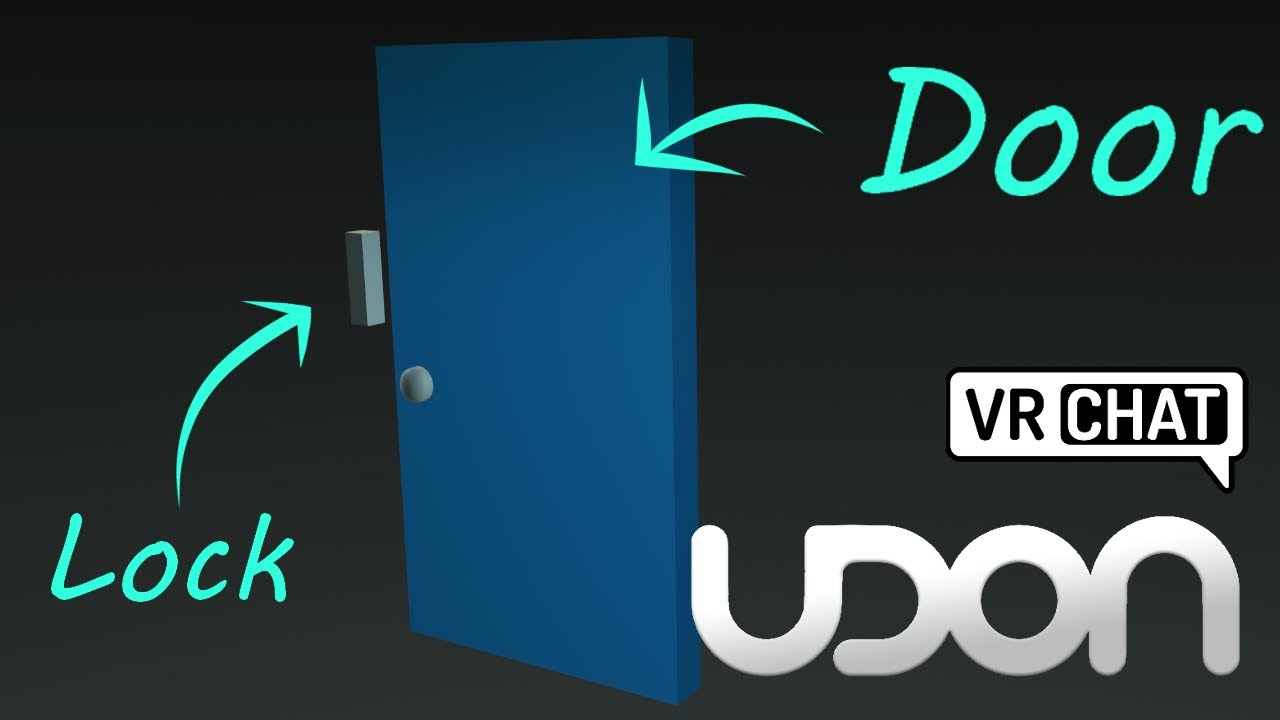
Here's a tutorial covering how to make a door and lock, that open and close when you click on them. You could also move the interact script to be on another object to the side, if you wanted it to be button-activated door.
So hopefully this tutorial helps replace some of those old sdk2 tutorials, though you could always adapt those to sdk3 wit...
sturdy viper
@vagrant shale Appreciate the help, ill probably start over or smth, seems like its completely F
Luckily enough i wasn't that long into it:)
vagrant shale
If I were you, I wouldn't use the creator companion until it's out of beta if you have been.
sturdy viper
Aight, what would u recommend? Blender or?
vagrant shale
The creator companion is just an optional add on to Unity so you can just use the SDK and get UdonSharp separately if you need it. Blender would just be if you wanted to make or edit models or bone animations.
sturdy viper
Aight! Thanks, ill keep it in mind!
silver bison
when i uploaded/published a world I clicked "Manage in browser" and it took me to this, but it doesn't load

it just flashes rectangles
I can Build & Test my world without an error, but when I try to upload the world I get this

 vapid stratus
[Question] How would I achieve a smoother transition between the surface of the water and the skybox? I've already added a cuboid fog volume, but it stills looks a little "off."
 silver bison
I can Build & Test my world without an error, but when I try to upload the world...
silver bison
silver bison
I can Build & Test my world without an error, but when I try to upload the world...
Nevermind, I reimported everything to try to get rid of the MongoError duplicate id error and now UdonSharp isn't working anymore
even though nothing changed
vagrant shale
Part of that looks like a creator companion issue so you know where those go, the duplicate ID problem has to do with it not recognizing you as the last person to publish to that world or you trying to publish a new world to an existing blueprint and the fix for that is just to detach the ID in the pipeline manager on VRCWorld but still don't know what to do with that Udon Sharp situation until you can get rid of the creator companion.
silver bison
vagrant shale
Part of that looks like a creator companion issue so you know where those go, th...
There was no attached ID to the VRCWorld, I will attach one, try, and then detach it if it doesn't work and then try again if it doesn't work after that and then I will see what I should do
vagrant shale
You can just leave it detached and it will publish to a new ID.
silver bison
I tried all of the above and a new ID was not published
So I am still getting the duplicate key error in MongoDB
late ruin
my avatar can't jump in my world anyway to fix this?
vagrant shale
silver bison
I tried all of the above and a new ID was not published
And you definitely don't have multiple scene descriptors?
vagrant shale
late ruin
my avatar can't jump in my world anyway to fix this?
Are you using VRCWorld for your Scene Descriptor?
silver bison
vagrant shale
And you definitely don't have multiple scene descriptors?
Let's see..
I have a VRCWorld in my Hierarchy
But it doesn't look like I have multiple
late ruin
vagrant shale
Are you using VRCWorld for your Scene Descriptor?
yes but it was not on the terrain i am using guessing thats why
vagrant shale
So you detached the blueprint in VRCWorld and then tried to publish the world and it still said duplicate ID? That is strange.
vagrant shale
late ruin
yes but it was not on the terrain i am using guessing thats why
It should just be wherever you want the player to spawn. Can you click on that in the hierarchy and post an image of the inspector?
silver bison
Oh I had to do it to the VRCWorld in the Hierarchy
vagrant shale
Yeah, you select it in the hierarchy and then detach in the inspector
silver bison
I selected it in the assets
late ruin
vagrant shale
It should just be wherever you want the player to spawn. Can you click on that i...
 silver bison
okay, now the world is uploaded, but it kicks me back to my home world when i try to join
late ruin
vagrant shale
It should just be wherever you want the player to spawn. Can you click on that i...
i put it on the terrain and still cant jump
now its back here where i want it
 vagrant shale
You don't put a Scene Descriptor on your terrain, you just drag in the VRCWorld prefab and make sure you delete the Scene Descriptor you added.
Stop putting Scene Descriptors on things, get rid of those and drag in VRCWorld
late ruin
thanks so much man!
vagrant shale
silver bison
okay, now the world is uploaded, but it kicks me back to my home world when i tr...
Sounds like progress but I don't know about that particular issue. It can be an issue with VRCWorld I think but there are different things that can cause that..
silver bison
vagrant shale
Sounds like progress but I don't know about that particular issue. It can be an ...
I can Build and Test it without any errors at this point, but when I join through VRChat it doesn't work and shows no error to me at all
silver bison
Unfortunately I can't find a solution to this problem online...
thorny dawn
pickup item wont stop flashing in and out of existence in test mode
vagrant shale
thorny dawn
pickup item wont stop flashing in and out of existence in test mode
I don't know what causes that but I have had the issue and fixed it by deleting and replacing the mesh renderer. You might have to drag the model back in, though.
 frigid estuary
Is there an alternative for audio occlusion in worlds to Better Player Audio?
near escarp
thorny dawn
pickup item wont stop flashing in and out of existence in test mode
Flashing how ?

 thorny dawn
near escarp
Flashing how ?
thorny dawn
near escarp
Flashing how ?
i fixed it it was because i tried to box in my scene with a cube as a skybox
 high stirrup
What's the best way to fling a player? A fast-moving collider doesn't seem to do the trick
stone marsh
high stirrup
What's the best way to fling a player? A fast-moving collider doesn't seem to do...
By moving them manually. Lower gravity, increase inertia. Yeeet. there's a few scripts for things like player pickup and yeet pads that could be looked at so you can get ideas. You can also parent the player to a invisible floor collider and yeet them. Lots of ways to do this.
high stirrup
Interesting; thanks!
frigid estuary
Is there a prefab that allows day and night cycle that is set to a certain place (e.g. everyone is seeing the current time of day of a certain real life place)?
white moon
Not that I'm aware of. Could be a fun idea tho
Especially if you matched it with an accurate star map for the person's location

 austere hull
i cant upload world the menu dont pop up after pressing build and publish
okay it loaded after removing custom scripts
stupid that i cant have editor sided scripts
 rigid tusk
Does anyone know the nature/trees assets used in "Happy Hill Dog Park" I am working on a new world and the trees I have are not suitable for the build?
thorny dawn
is it possible to make 3d model that chases the player?
upper obsidian
Yes
 green lagoon
whatever you can bother to code up in udon
thorny dawn
well i have 0 experience in c# and minimal experience in java
green lagoon
 wet prawn
I have made chairs! 

 deep briar
so whats VRC Spatial Audio Source? is there any reason to use it over just the normal audio source unity comes with?
upper obsidian
This is not instead, this is a script for normalizing 3d sound.
On worlds, it usually doesn't need to be used.
deep briar
i see, alright then
bold ibex
How do i make my world more realistic?
 coral magnet
Physically based rendering & baking your lighting are good ways to start.
Unity's standard shader lets you create materials that look quite realistic. https://docs.unity3d.com/Manual/shader-StandardShader.html
Though you'll need to find textures for it. I usually just search for 'cc0 textures' on Google.
Baking your lighting in Unity is probably more important though! You can make some nice looking worlds without any textures at all.
Have you done something like this before?
 uneven bane
how is to put a pic from the pc as thumbnail of a world in unity
stone marsh
uneven bane
how is to put a pic from the pc as thumbnail of a world in unity
Add the image to your asset folder.
Go to upload the world
When on upload screen
Click back to Scene view tab
Create a Quad
Create new material
Add the image to the material
Probably best to use the image on the emissions layer so that it's bright for the pic or just use Toon/Unlit shader.
Put the new material on the quad
Position the quad in front of the VRCCam camera (not ur normal camera)
Go back to game tab
Click the button to upload a new photo
 stone marsh
bold ibex
can someone explain to me what i did wrong😭
stone marsh
bold ibex
can someone explain to me what i did wrong😭
You put the mesh collider on the wrong part of the bottle. I'm guessing your bottle has a root, and then the mesh is under the root as a child since your screenshot doesn't show the mesh renderer component.
If you add a mesh collider to something without a Mesh Renderer, it won't add the mesh to the collider. You can see on your mesh collider there is nothing under "mesh". So the collider isn't doing anything
As a side note, you can probably make these convex colliders as well.
bold ibex
stone marsh
You put the mesh collider on the wrong part of the bottle. I'm guessing your bot...
makes sense
for optimisation isn't it better to use a box collider?
stone marsh
bold ibex
for optimisation isn't it better to use a box collider?
Yes. Generally speaking it is.
Mesh colliders are mainly an issue on high poly meshes tho. Because collision is checked against every face.
However, setting the mesh collider to "convex" will create a low poly wrap around the mesh for much better performance but this only wraps the mesh like a volume, for a bottle this would be fine, assume you want the bottle to lay on its side more naturally.
That said, a box collider would be sufficient overall.
bold ibex
ok thanks
vagrant shale
I would imagine a drum set could be done to some degree by just checking for collision between a drum stick and a collider on the drum. A guitar would have to track collision with each finger on both hands and the string. I don't think there's a way to make a guitar that would be reasonably playable in VRChat. Even if the collision calculations were perfect, having any sort of accuracy without a physical peripheral would be pretty much impossible.
 wheat bloom
been working on a club world and was wondering how i make things sound reactive like post processing and lights
green lagoon
wheat bloom
been working on a club world and was wondering how i make things sound reactive ...

GitHub
Audio reactive prefabs for VRChat. Contribute to llealloo/vrc-udon-audio-link development by creating an account on GitHub.

GitHub
A collection of HLSL shaders, UdonSharp scripts, 3D models, prefabs, and assets designed to emulate the real control, quality, and complexity of professional stage lighting into VRChat in as many w...

 green lagoon
I might suggest trying to add them one at a time not all at once
wheat bloom
i did add them 1 by 1 but it seems that usharp has its own sdk should i be using that one over the latest one
green lagoon
the release page for usharp says use the latest SDK
and I'll have to go run some errands irl so I won't be able to help out
wheat bloom
alright thanks alot i got some of the errors gone but still have 1
vagrant shale
Did you import Udon Sharp first? Are you using creator companion?
wheat bloom
i had the sdk in first since it was a project i started
then added the others
now no errors unless i have a audio link object in my scene

i even did a full reimport so the whole project
vagrant shale
You should always import Udon Sharp before any packages that depend on it. It seems like it's just that one script that is causing your problems so you could probably delete it and be fine but I'm not sure hoe to get it working.
vagrant shale
The SDK isn't dependent on Udon Sharp, it's the other way around.
wheat bloom
i need the audiolink script for the link to work
oh okai yeah ill give it a redo them thanks
vagrant shale
Did you follow the install instructions for the Audio Reactive Lights?
wheat bloom
ill go over the instructions again
i have to start a whole new project as no matter what i do i get different errors
 somber wraith
i have 2 problems with my world. a few items become sort of transparent when helt at an angle and some trees that are setup with unity terrain system become transparent leaves when far away. this does only happen ingame and not in unity or cyanemu. i do have global illumination activated in the lightin settings. could that be it?


 wheat bloom
new project i got the demo scene working
vagrant shale
somber wraith
i have 2 problems with my world. a few items become sort of transparent when hel...
I don't know about the object transparency unless there's some alpha on it and it just only shows at certain angle but for the terrain, I think there is some built-in LOD on terrain trees you you might need to adjust some of the settings to extend that.
somber wraith
vagrant shale
I don't know about the object transparency unless there's some alpha on it and i...
the thing is, it worked before and i didnt change a thing
ill just upload without gi enabled and see
 lethal grove
is there a material type that supports vertex color and alpha maps? and is quest compatible?
wheat bloom
i copied the example scene but having a problem with this 1 error
C:\buildslave\unity\build\Modules/Audio/Public/AudioSource.cpp(2200) : Error executing m_dryGroup->getWaveData(samples, numSamples, channelOffset) (An invalid parameter was passed to this function. )
UnityEngine.AudioSource:GetOutputData (single[],int)
VRC.Udon.Wrapper.Modules.ExternUnityEngineAudioSource:__GetOutputData__SystemSingleArray_SystemInt32__SystemVoid (VRC.Udon.Common.Interfaces.IUdonHeap,System.Span1<uint>) VRC.Udon.VM.UdonVM:Interpret () VRC.Udon.UdonBehaviour:RunProgram (uint) (at Assets/Udon/UdonBehaviour.cs:982) VRC.Udon.UdonBehaviour:RunEvent (string,System.ValueTuple2<string, object>[]) (at Assets/Udon/UdonBehaviour.cs:1190)
VRC.Udon.UdonBehaviour:ManagedUpdate () (at Assets/Udon/UdonBehaviour.cs:515)
VRC.Udon.UdonManager:Update () (at Assets/Udon/UdonManager.cs:254)
wheat bloom
like tis working but this casts the whole time
vagrant shale
Using VRCWorld or your own Pipeline Manager?
I don't recommend that. Do you have a reason for not using VRCWorld?
Then I would delete any object with a Scene Descriptor or a Pipeline Manager and then drag that in and see if it works better.
sacred warren
So I have two long running animations. One runs in one place, one runs in another. Those two "places" get enabled and disabled for various reasons at different times. Is there any way to keep those two animations in sync time-wise with each other? (they're both the same length and speed).
sacred warren
Also, are there any known tricks or tips on shortening the time it takes to do a local build test? (ClientSim doesn't work for a few things I need to test atm)
somber wraith
i am so confused why this is happening. they arent fully transparent, but you can see the shadowmap through them with is super weird, only the shadows tho
 wet prawn
One thing that people have told me is that having a toggle for seats is necessary for Full Body Players. I know nothing about that since I dont have FBT, but how would I go about toggling seats?
green lagoon
basically just a object toggle that would turn off the chairs Collider locally
wet prawn
Got it, so just gotta do it for each seat then, individually?
green lagoon
I suppose you would have the button coded where you can turn them all off at the same time
wet prawn
Well, yes, but I meant you gotta add each seat to the script individually? There's no way to bulk-disable stations or anything like that
green lagoon
yes you would probably have to add all of the chairs to the script
wet prawn
Cool. Mainly just trying to figure out if I needed to do that all manually or if there was a prefab people used. Thanks!
 cosmic field
is there a way to change the name and thumbnail of a world without having to use the unity project?
frigid estuary
Is there a mirror shader that is working better with the occlusion culling of worlds?
 raw siren
trying to figure out how to reduce world size but idk what i could do anymore and debugger isnt showing the asset that is causing it to be so big
 vagrant shale
raw siren
trying to figure out how to reduce world size but idk what i could do anymore an...
vagrant shale
raw siren
trying to figure out how to reduce world size but idk what i could do anymore an...
Last time I saw something like that, it was because there was a lot of batching static data so you may need to uncheck that in your statics, though that might also reduce performance. I'm not sure on the technical details, that's just what I've seen contribute to a lot of hidden world space.
raw siren
vagrant shale
Last time I saw something like that, it was because there was a lot of batching ...
like having object set as static?
uncheck all of them
vagrant shale
raw siren
like having object set as static?
Yes and no, if you actually go into an object that is marked static, there are several different types of static and batching static is just one of the options.
You probably want to leave the rest enabled.
raw siren
just batching static got it
 silk dirge
So I was looking though the assets for a Unity icon to upload a world like how avatars are done and there is nothing what do a drag into the hierarchy
vagrant shale
I don't know about this Unity icon thing but yeah, if you search your project and you have the SDK, you should have VRCWorld
You can search your project in the top right of the project tab
You do have the world SDK, correct?
silk dirge
Yes
Do I have to attach the world to that sdk?
If so how
I’m new to this just did avatars
vagrant shale
You import the SDK into your project by adding a custom package but I assume you did that already. Then you just locate and drag in VRCWorld where you want people to spawn in.
silk dirge
Ok but the world is not there
It’s blank
😭
I was given the a rar file then unzipped it
Then dragged the folder into Unity did I do it right
raw siren
lets test
vagrant shale
It would depend on how your rar is set up. Is it a project folder or a unity package?
silk dirge
I don’t know
vagrant shale
Well, one is a folder and one is a package so that should be a hint.
 silk dirge
Ok I think I made progress but the Unity scene is blank and no world
Just the Spawn
I though all I needed was like the Unity logo then bring it in and poof it works like avatars
vagrant shale
You don't typically just open a project folder by dragging it in, you open Unity Hub and use the Open option and then locate the folder. I still don't know what this Unity logo you're referring to is unless you just mean the shortcut to open the program.
green lagoon

EDIT: I now wholeheartedly recommend using World Creator Assistant to set up your VRChat world projects! It's now the way I set up all of mine!
https://youtu.be/F1Tr3Nc9Rxs
https://ask.vrchat.com/t/world-creator-assistant-automate-vrchat-world-project-management/7571
https://github.com/Varneon/WorldCreatorAssistant
Download Unity - https://docs...
 bold ibex
sorry if this isnt the place to ask, but on the quest side of my world, there is a bug that when you look at the right of the world, it goes black, does anyone know a fix to this or what may be causing it?
vagrant shale
silk dirge
Like this logo this is an example
That's a scene, that's where a particular scene in your project is located. If your folder/package doesn't have a scene, then you have to make your own scene. I don't know what you downloaded or what it was supposed to contain so it's hard to give you advice but you don't usually open a project by just creating a new project and then dragging in the files over it.
green lagoon
silk dirge
that package doesn't contain the world SDK
vagrant shale
That too but not having the SDK doesn't mean you can't open a scene.
silk dirge
green lagoon
that package doesn't contain the world SDK
It’s not the world sdk I downloaded The Lazy Leaf World
I imported it wrong I think I dragged it In and I did not import it though starting Unity
green lagoon
did you follow the install instructions
silk dirge
green lagoon
did you follow the install instructions
Nope I install everything different from what they tell you to do lol 😂
vagrant shale
You'll probably have more luck following the instructions, just a hunch.
silk dirge
Still having issues
vagrant shale
You'll have to be more specific.
silk dirge
I can’t import it even though I setup the VRCSecneDescripter and there are no issues with the console
vagrant shale
What are you trying to import? You just open it from Unity Hub like the instructions say. You mean you can't upload?
silk dirge
I did open it that way
I’m just confused with what’s going on right now errors left and right just stressed
vagrant shale
Did the scene open? You'll need to post an image of the console for us to figure out how to solve any errors you might have.
silk dirge
Hold on
Fixed is there a way I can change the name of the world and change the amount of players
vagrant shale
That's part of the process of building the world, you build in the SDK panel and you'll get the chance to do that before it publishes.
 green lagoon
basically you need to remove the build ID because it has the old id from the original map
silk dirge
i dont know where to even start
vagrant shale
silk dirge
Thanks
Yeah, I guess the creator of the world must've left the blueprint ID attached which is weird for an asset you intend on selling.
green lagoon
click on the vrchat world item in the hierarchy
vagrant shale
VRCWorld
silk dirge
ok
green lagoon
thanks for clarifying the name
green lagoon
vagrant shale
Yeah, I guess the creator of the world must've left the blueprint ID attached wh...
yeah that is very weird
vagrant shale
There should be a button that says detach in the inspector on the right
under he pipeline manager, click that
silk dirge
so i clicked remove componet
vagrant shale
Ctrl Z?
silk dirge
i detached it
green lagoon
cool
vagrant shale
Okay, you should be good, then
vagrant shale
You hit publish again and the error is still there?
silk dirge
i cant publish it again the vrcsdk wont load up
vagrant shale
Well that's not related to the Blueprint, do you have errors?
vagrant shale
You may have to hit the pause button in the top middle above the scene view. If that doesn't fix it, just re-open the project.
 tawdry mason
can i create a VRC world in a new version of unity
vagrant shale
tawdry mason
can i create a VRC world in a new version of unity
No, it has to be 2019.4.31f1
green lagoon
no you'll have to use the currently supported version of unity in vrchat
tawdry mason
cuz the linux version of unity hub cant open the version unity VRC uses
idk why but just fails to even run '
seems unity ben reworking the hub latly and they broke a lot of stuff for older vesions
tawdry mason
vagrant shale
No, it has to be 2019.4.31f1
can i backport
vagrant shale
silk dirge
thanks also what if i want to drop a door is that possible?
A door? Like a physical door or a portal? Do you want a permanent portal in the world? Not sure what you're looking for.
silk dirge
vagrant shale
A door? Like a physical door or a portal? Do you want a permanent portal in the ...
yes a portal
green lagoon
tawdry mason
can i backport
the world has to be uploaded with the exact version
tawdry mason
green lagoon
the world has to be uploaded with the exact version
can i make the world in a diffrent version then port the map into the same unity version
or can unity not open levels made in other versions
vagrant shale
silk dirge
yes a portal
You want a permanent portal to another world in this world? Do you know the ID of that world?
vagrant shale
tawdry mason
can i make the world in a diffrent version then port the map into the same unity...
Should generally work alright but you still ultimately have to get the right version of Unity working.
Some things might not be compatible but so long as you aren't using things that don't exists in the version VRChat uses
tawdry mason
i can get the version of unity that VRC uses working on mac fine but on my pc it just wont work so i cant use older versions
seems unity hub 3 dont work well with older unity versions
vagrant shale
Then yeah, you can develop in the new version and then open it on the old version and it'll do some migration and stuff but should generally work.
green lagoon
any particular reason you couldn't just open the unity version without the Hub
tawdry mason
it wont run
green lagoon
I suppose I could just do your development on your Mac?
vagrant shale
silk dirge
the descripter keeps attaching itself
Can you post what you detached? It will attach an ID after publishing but it should be a new ID/
tawdry mason
i guess tho i dont have a compatible mouse with it
so id have to use tochpad
which ist ideal
green lagoon
USB should work on any computer
tawdry mason
my mac only has usb c
silk dirge
it said to destroy on load
tawdry mason
and my mouse is standerd usb
i tried a converter cable but the mouse was very jittery
vagrant shale
silk dirge
it said to destroy on load
Yeah that's a normal part of the publishing process. Are you still getting the Blueprint error and you made sure you detached the right thing? There should only be one option.
silk dirge
i did
vagrant shale
Unless you ended up with multiple scene descriptors somehow.
silk dirge
if i delete it will it work?
vagrant shale
Did you drag in VRCWorld at any point?
tawdry mason
will VRC update to the 2021 lts anytime soon
vagrant shale
tawdry mason
will VRC update to the 2021 lts anytime soon
Probably not, it didn't update to 2019 that long ago and it'll probably update to 2020 next, though they may skip directly to 2021
green lagoon
tawdry mason
will VRC update to the 2021 lts anytime soon
nope vrchat only changes Unity versions every couple of years
vagrant shale
You should be able to undo but you also shouldn't have done it when no one said to do it. I guess it's just a downloaded world so you aren't losing much work
vagrant shale
It is just a rollercoaster of emotions with you, isn't it?
silk dirge
i'm just stressed
vagrant shale
Well, I guess it worked so that should help with your stress levels. I still don't know what you wanted to do with portals but you can if you want.
silk dirge
ok i will figure it out
wheat bloom
im still trying to figure out why this error is occuring
C:\buildslave\unity\build\Modules/Audio/Public/AudioSource.cpp(2200) : Error executing m_dryGroup->getWaveData(samples, numSamples, channelOffset) (An invalid parameter was passed to this function. )
UnityEngine.AudioSource:GetOutputData (single[],int)
VRC.Udon.Wrapper.Modules.ExternUnityEngineAudioSource:__GetOutputData__SystemSingleArray_SystemInt32__SystemVoid (VRC.Udon.Common.Interfaces.IUdonHeap,System.Span1<uint>) VRC.Udon.VM.UdonVM:Interpret () VRC.Udon.UdonBehaviour:RunProgram (uint) (at Assets/Udon/UdonBehaviour.cs:982) VRC.Udon.UdonBehaviour:RunEvent (string,System.ValueTuple2<string, object>[]) (at Assets/Udon/UdonBehaviour.cs:1190)
VRC.Udon.UdonBehaviour:ManagedUpdate () (at Assets/Udon/UdonBehaviour.cs:515)
VRC.Udon.UdonManager:Update () (at Assets/Udon/UdonManager.cs:254)
everything seems to work
uneven bane
stone marsh
Add the image to your asset folder.
Go to upload the world
When on upload scr...
i love you
 late summit
i did something to my mirrors but im not sure what. the lights no longer show in the mirror reflection

it was fine before but idk what change would affect this
my reflection probe and light probes seem fine. i didnt change anything with those
vagrant shale
Any changes to your mirror layers?
late summit
Nope, I thought it was that too so I tried switching the mirrors to a different layer and baking it but that didn’t change anything
Actually, do the mirrors have to be on the same layer as another component? I don’t remember. Like do the mirrors have to be on the same layer as the reflection probe?
I just realized that my mirrors are on the same layer I used for post processing. But it was working fine before when they were on the same layer so idk
 buoyant plume
Has anybody remade an entire game yet or just maps? very sad.
Also hello I'm currently going to work on my first project and am logged in. Just a question. When I actually finish making my world, do I need to do anything special for it to appear on my profile or is that automatic?
Ahh nice ❤️ thanks fam
 stuck ice
got this error while trying to build & test, had it on an earlier world but forgot how i fixed it, anyone know?

@ me if you know pls <333
vagrant shale
stuck ice
got this error while trying to build & test, had it on an earlier world but forg...
That error basically means nothing, it just means you have other errors. Post those and we might be able to help.
stuck ice
okay ty
bold ibex
Hi there, is VRChat using the benefits of Texture Streaming or not? the VRCSDK is confusing me. Its enabled in the editor settings but disabled in the quality settings (and the SDK is complaining when TS is not enabled on avatar's textures). I think it is used but they forgot to enable it in the sdk so is it necessary to report this?

The confusion is even more obvious on this screen
 cobalt prawn
bold ibex
The confusion is even more obvious on this screen
cobalt prawn
bold ibex
The confusion is even more obvious on this screen
VRChat uses Texture Streaming, but your own project settings are irrelevant since you're not actually building an app, you're just building assets that get uploaded to VRChat. VRChat has it's own project settings that only the devs have access to
 dusk sapphire
You can find vrchats quality settings listed here https://docs.vrchat.com/docs/vrchat-configuration-window
bold ibex
I see so its still worth it to enable texture streaming per textures right ?
cobalt prawn
dusk sapphire
You can find vrchats quality settings listed here <https://docs.vrchat.com/docs/...
Huh, well I guess according to that, VRChat does not use texture streaming
Well the point about project settings remains... but ya I dunno about this particular thing then heh
bold ibex
confusing lol
dusk sapphire
Might be an oversight in the docs
bold ibex
cobalt prawn
VRChat uses Texture Streaming, but your own project settings are irrelevant sinc...
Yea but if the final app (VRChat) is using TS, but the sdk disable it by default, how can you test and debug your work without modifying the sdk directly ?
thats the problem I wanted to explain ^^
cobalt prawn
Yeahhh. There are plenty of discrepancies between testing in Unity vs testing in VRChat, but I agree that is a valid issue that oughta be a quick fix
austere hull
is there way for allowing only one world instance
green lagoon
you cannot
austere hull
but i remember prison escape for example
when was private and i made public instance in website then it was only instance existing
could i restrict users from making public instances
so i would make just one
green lagoon
probably not
 subtle belfry
Is there a way to sync Animations?
Also what is a good skybox maker/editor Program
bold ibex
subtle belfry
Also what is a good skybox maker/editor Program
if you know Blender you can render a Equirectangular texture and make your own skybox
 mild hamlet
anyone know how to disable unity from reimporting shit when i launch it again? it does it everytime i open a unity project and completely breaks the SDK, Bakery, Etc
upper obsidian
Remove the shit from the project.
 unkempt turtle
subtle belfry
Also what is a good skybox maker/editor Program
unkempt turtle
subtle belfry
Also what is a good skybox maker/editor Program
i like polyhaven, they have good skyboxes
not to make, but they have realistic ones for free to download
subtle belfry
Well I'm trying to make the skybox from Halo 2 Cairo Station where they did projection on to the skybox for the Earth Moon and Sun
 polar pike
Make a BFDI:TPOT Worls with the fully usable _RC

 leaden cipher
getting some errors which I dont know what they mean, can anyone provide insight on how to solve them?
 sacred warren
leaden cipher
getting some errors which I dont know what they mean, can anyone provide insight...
sacred warren
leaden cipher
getting some errors which I dont know what they mean, can anyone provide insight...
New project or old project?
leaden cipher
sacred warren
New project or old project?
its a few weeks old
sacred warren
Did you import SDK2 into it?
leaden cipher
its also doing this with the SDK
 leaden cipher
sacred warren
Did you import SDK2 into it?
leaden cipher
sacred warren
Did you import SDK2 into it?
not to my knowledge no
its only had the SDK3 in it
sacred warren
It talks about triggers and SDK2 so that's a bit odd if it really is SDK3.
Failing that, delete all the folders the SDK created, quit unity and reinstall the SDK
leaden cipher
sacred warren
Failing that, delete all the folders the SDK created, quit unity and reinstall t...
ive tried this a few times - just to confirm i delete the VRCSDK, VRChat examples & Udon folders correct?
im not missing any others?
sacred warren
That should be it. What's the full filename of the one you're importing?
leaden cipher
sacred warren
That should be it. What's the full filename of the one you're importing?
VRCSDK3-WORLD-2022.06.03.00.03_Public
i believe its the latest SDK?
sacred warren
Looks right. Do you have anything else in the project? Could something else you've imported have included it?
leaden cipher
its a world ready for upload so theres a few assets
leaden cipher
sacred warren
Looks right. Do you have anything else in the project? Could something else you'...
 sacred warren
Do a search for vrc in the project window
Also was the world designed for SDK2 or 3
leaden cipher
sacred warren
Also was the world designed for SDK2 or 3
3
leaden cipher
sacred warren
Do a search for vrc in the project window
only results are for the vrcplayersonlymirror assets
sacred warren
Go into the package manager and try to upgrade the mathematics package, once that's finished, close and reopen unity, the reimport the SDK.
leaden cipher
sacred warren
Go into the package manager and try to upgrade the mathematics package, once tha...
ive got version 1.2.5 - doesnt seem to want to update to 1.2.6, its reverting back or something?
sacred warren
That's fine, it's weird but that will have worked despite how it looks.
Now close unity, reopen it and then reinstall the SDK. When you install the SDK, does it show things being installed to any folders outside of the vrcsdk and udon folders?
bold ibex
Does anyone know where I can find a good tutorial on how to make a game lobby
I just need to know scripts
wheat bloom
[USharpVideo] Video player error when trying to load https://www.youtube.com/watch?v=HUne-XBFqpk&ab_channel=LenniProd.
UnityEngine.Debug:LogError (object,UnityEngine.Object)
VRC.Udon.Wrapper.Modules.ExternUnityEngineDebug:__LogError__SystemObject_UnityEngineObject__SystemVoid (VRC.Udon.Common.Interfaces.IUdonHeap,System.Span1<uint>) VRC.Udon.VM.UdonVM:Interpret () VRC.Udon.UdonBehaviour:RunProgram (uint) (at Assets/Udon/UdonBehaviour.cs:982) VRC.Udon.UdonBehaviour:RunProgram (string) (at Assets/Udon/UdonBehaviour.cs:957) VRC.Udon.UdonBehaviour:SendCustomEvent (string) (at Assets/Udon/UdonBehaviour.cs:1435) VRC.Udon.Wrapper.Modules.ExternVRCUdonCommonInterfacesIUdonEventReceiver:__SendCustomEvent__SystemString__SystemVoid (VRC.Udon.Common.Interfaces.IUdonHeap,System.Span1<uint>)
VRC.Udon.VM.UdonVM:Interpret ()
VRC.Udon.UdonBehaviour:RunProgram (uint) (at Assets/Udon/UdonBehaviour.cs:982)
VRC.Udon.UdonBehaviour:RunEvent (string,System.ValueTuple`2<string, object>[]) (at Assets/Udon/UdonBehaviour.cs:1190)
VRC.SDK3.Video.Components.Base.BaseVRCVideoPlayer:OnVideoError (VRC.SDK3.Components.Video.VideoError)
VRC.SDK3.Video.Components.VRCUnityVideoPlayer:OnError (UnityEngine.Video.VideoPlayer,string)
UnityEngine.Video.VideoPlayer:InvokeErrorReceivedCallback_Internal (UnityEngine.Video.VideoPlayer,string)

Summer Mix 2022 | Avicii, Calvin Harris, Kygo, Alok, Robin Schulz, David Guetta, Gryffin
any reason the usharp video player gives me this error when loading links
leaden cipher
sacred warren
Now close unity, reopen it and then reinstall the SDK. When you install the SDK,...
this is all the things its installing, i just noticed the package for the sdk3 stuff isnt being imported - is that because i already have that package in another project?
 sacred warren
leaden cipher
this is all the things its installing, i just noticed the package for the sdk3 s...
sacred warren
leaden cipher
this is all the things its installing, i just noticed the package for the sdk3 s...
Ok, so you've got the SDK installed via the package manager instead apparently, does it show up under the In Project section of the package manager?
It's a bit of an experimental way of installing it
leaden cipher
sacred warren
It's a bit of an experimental way of installing it
oh hmm is that my problem then perhaps?
its down here in the project settings
 sacred warren
Yup, otherwise you're doubling up on SDK lol
You appear to have the world SDK but not the core SDK.
Try searching for vrc in the package manager and seeing if it gives you an option for core. If not you'll need to install it via GIT afaik
No idea how you ended up with half the SDK installed
leaden cipher
yes im a little confused myself
would be more favourable to kill this package manager version and try using the usual SDK?
leaden cipher
i am not
sacred warren
Basically nuke this and go the basic route or go the whole way this way
I need to go now unfortunately
wheat bloom
anyone else have this issue with the usharp video player i tried making a new project and still same problem
 wheat bloom
how would i go about having the audio source of a players microphone be set to the audio link with a button
 rare mortar
Someone please help. The control panel in the vrchatsdk tab is no longer appearing. how do i fix this?
 near escarp
rare mortar
Someone please help. The control panel in the vrchatsdk tab is no longer appeari...
near escarp
rare mortar
Someone please help. The control panel in the vrchatsdk tab is no longer appeari...
Check your console for errors
 left rain
ugh christ this dumb bot
look at the namespace involved in that error: VRCSDK2
looks like you have old SDK files in that project. remove them
look harder then? or back up your project, completely wipe out any VRCSDK files, then re-import that package
is that the only error, or are there others further up the stack trace?
 agile stirrup
Hey world dev folks - I remember reading something about windows 10 only being compatible with the unity version currently - is development on windows 11 a no-go?
left rain
yeah. i would backup fully, then completely remove the SDK, then reinstall the SDK3 package. it looks like there's SDK2 stuff crawling around in there for some odd reason
copy and paste
the smart way would be to use git, but that takes some configuration and technical know-how to do it properly
 visual loom
heya, is there an easy script for randomizing pitch for an audio source toggle?
basically like, interact with object and it randomizes the pitch of the sound it makes each time?
left rain
visual loom
heya, is there an easy script for randomizing pitch for an audio source toggle?
pitch is a multiplier on playback speed, so you'd want to generate a random number between (minSpeed, maxSpeed) and then set AudioSource.pitch to that value before playing the clip
Random.Range() can generate your random value
visual loom
mmm how would I generate a random number? I'm sorta dumb and new to udon type stuff
ohhh didn't know there was a random function
wheat bloom
i got everything working but im wondering how i can play youtube videos off usharp video player
nvm it doesnt play any videos from youtube over a certain amount of time long
 kindred vessel
I've been searching for an answer to this for a while (considering I'm new to world building), but is there a way to prevent/stop mods from working in a world I create? Any explanation or direction to somewhere that has documentation of how to do this would be helpful! And if this isn't the right channel to be asking this in, please let me know TwT
leaden cipher
can you attach a world spawnpoint to a moving object - for example inside a moving vehicle?
 rare obsidian
Ye but doubt itl work well, you can just teleport the player when they join and it synced up though
stone marsh
^ that's the correct way. You'll have sync issues otherwise.
Spawn the player in some nondescript location, black void or something. But have a script that runs on player join, perhaps with a 1-3 second delay to ensure everything is loaded and synced, then move the spawn point locally to where you want it and TP the player to that. That way when a player hits respawn, they will spawn where the spawn point is currently.
lethal grove
what's the best way to get an animated scrolling effect on a texture? my idea is to update and reset the material's Offset value constantly
stone marsh
lethal grove
what's the best way to get an animated scrolling effect on a texture? my idea is...
If it's for PC, you can just use a shader that supports texture panning. Poiyomi is a great option.
Otherwise yes. You can animate the offset but are more limited overall.
lethal grove
it's for PC and quest so i'll just go with the offset
last time I tried doing a basic script for a VRchat world it was to have an object rotate but it didn't work
it was a generic C script, does VRchat only run a special kind of script or something
stone marsh
Vrchat doesn't support C# directly. VRChat uses Udon. You can use UdonSharp, which is a C# to U# compiler.
GitHub
A compiler for compiling C# to Udon assembly. Contribute to vrchat-community/UdonSharp development by creating an account on GitHub.
lethal grove
i'll look into that, thanks man
bold ibex
Can someone help me? I'm trying to make it so you can pick up this cup, but it flies into the air and disappears the second the world loads in.

 mild spade
bold ibex
Can someone help me? I'm trying to make it so you can pick up this cup, but it f...
mild spade
bold ibex
Can someone help me? I'm trying to make it so you can pick up this cup, but it f...
It could be that the box collider boundaries of the cup are very big? Enable the "Gizmos" and see where the box collider is located (you might want to zoom out to see it)
 bold ibex
I made the box collider as small as possible while still existant and the exact same thing just happened...
vagrant shale
 sullen turret
Help. I can't move the scene view
sullen turret
Help. I can't move the scene view
Are you sure you're in the scene view and not game view?
 iron trench
?
 glacial panther
Gamers, is there any way to move or disable the avatar pedestal display image?
i have some small objects being used as pedestals, and they're scaled up to normal size and the pedestal pic is like... gigantic in the sky lmao
the gigantic green square is the preview image for that statue object
 iron trench
glacial panther
the gigantic green square is the preview image for that statue object
iron trench
glacial panther
the gigantic green square is the preview image for that statue object
try messing with the bounds if there are any
glacial panther
bounds are just normal

well, looks normal
i'll try making an empty object inside i guess
glacial panther
nope, didn't work
rather: I couldn't make it work
empty object + collider the size of my statue + pedestal stuff didnt seem to let me click it
 prisma scaffold
Is there a way to find the link a to the video that the video player is playing?
somber wraith
i am so confused. when you are more than about 30 to 40m away, the leaves of the billboard trees get transparent. however, this only happens in the VRChat vr version. if i start VRChat on desktop, its completely normal. i have no idea whats going on (note that the desktop screenshot was made much father away but it still didnt happen)


i am trying for 3 whole days now to fix it, but i dont even know whats wrong in the first place since it does work on the VRChat desktop version
 ionic gate
does anyone know why my udon behaviour settings keep changing back to default every time i build my world?? it's on an avatar pedestal if that makes a difference ?
 willow mulch
is there a way to play videos? Not like actual URL videos.
 stone marsh
willow mulch
is there a way to play videos? Not like actual URL videos.
stone marsh
willow mulch
is there a way to play videos? Not like actual URL videos.
Unfortunately not really at this time with the current sdk. If there is no audio, you can bake it into a shader or export the frames and create a flip book from the frames then use that.
willow mulch
stone marsh
Unfortunately not really at this time with the current sdk. If there is no audio...
okay thanks!
bold ibex
How do you make objects glow if tried and tried and I can’t get it can you help me
vagrant shale
bold ibex
How do you make objects glow if tried and tried and I can’t get it can you help ...
There needs to be emission on the shader and you need to increase the intensity but the only way to truly get a glow effect without using techniques to fake it is to be on PC and use post-processing. It's called bloom and Quest doesn't support it.
bold ibex
Ok I’ve tried post processing it didn’t work do you have steps for the shader emission
vagrant shale
You enable emission and then there will be a color box next to it with the ability to increase the intensity at the bottom. For post-processing, you should just be able to create a game object, add a post-processing volume component, adjust the bounds, and then add a post-processing layer on your camera. Probably best to watch a tutorial on that if you want something in-depth but the bloom will be generated automatically relative to the intensity of the emission depending on the bloom settings you set in your post-processing volume. Without post processing, it'll just look like a brighter color and then go towards white as the intensity increases but it won't glow.
bold ibex
Ok thanks I’ll give it a try
 frigid yacht
somber wraith
i am so confused. when you are more than about 30 to 40m away, the leaves of the...
frigid yacht
somber wraith
i am so confused. when you are more than about 30 to 40m away, the leaves of the...
Are the trees prefabs? If so click on the prefab and play with the LOD settings I had the same problem recently and doing that fixed it
Also in Edit > Project Settings > Quality > There's a lot of stuff you can edit there as well to help out with LODS and stuff popping in and out - keep in mind that the higher you go the worse it is for CPU
green lagoon
frigid yacht
Also in Edit > Project Settings > Quality > There's a lot of stuff you can edit ...
editing the project quality settings won't do anything because those don't get upload to vrchat
frigid yacht
green lagoon
editing the project quality settings won't do anything because those don't get u...
awh dang and here i was thinkin it did
thanks
green lagoon
you need to modify lod distance settings on the trees themselves
because that will upload to vrchat
leaden cipher
stone marsh
^ that's the correct way. You'll have sync issues otherwise.
Spawn the player i...
got it, thanks for the info!
somber wraith
i tried playing with the tree prefab lod settings, the terrain lod settings and changed the leaf material. nothing worked. the bizarre thing is that it does work on the desktop version. why doesnt it on the vr one
the only "fix" is to not have billboards at all
but idk how that will affect lower end pc players
vagrant shale
green lagoon
you need to modify lod distance settings on the trees themselves
Sounds pretty metal.
 drowsy ravine
hey can anyone tell me why this isnt working the way I think it should/want it to?
I'm trying to get this audio to fade in as you walk towards it but it just kinda starts as soon as you step into the volumetric radius I have set at full volume.
What am I missing?
 vagrant shale
You can enable "Use Audio Source Volume Curve" to define your own falloff in the 3D Sound Settings of the Audio Source. By default, the spatial audio source component uses inverse square falloff so it should be fairly accurate but that's how you adjust it if you want it to be different.
drowsy ravine
it just outright doesnt play anything when I use the curve option. :/
vagrant shale
What does your falloff curve look like?
 vagrant shale
It should still be audible but that is a pretty quick falloff, you might want to play with the min and max distance in the settings above that. You can start with extreme values like 100 and 500 and then dial it back from there.
drowsy ravine
so you think its just far too short>
its just supposed to be like audio coming out of a speaker in a building
ayyyy seesm to have been a mix of the gain being set to 0 and the short fall out!
you the best!
 candid flicker
I am new to developing in vr chat I was just wondering if I could import things like planes in my world instead of making them from scratch
vagrant shale
Yeah, you can import most common file types, OBJ, FBX, DAE, DXF, even Blend files to some extent
 robust lark
how to sync pool table for pc and quest ?
vagrant shale
Is it not showing up for both platforms or are the ball positions just not synced? I would imagine manually changing that behavior would be pretty involved.
thorny dawn
how do i make a model follow the player around In a world (not an avatar)
and also what defines the player location
somber wraith
robust lark
how to sync pool table for pc and quest ?
im assuming you are using a prefab? in a propper world setup, you wouldnt need to sync them at all. if they are in the same hierachy position, it should work on quest and pc and both sync with each other. it only becomes an issue if they are not at the same position in the hierachy
robust lark
somber wraith
im assuming you are using a prefab? in a propper world setup, you wouldnt need t...
oo
okay
thanks
 tacit hollow
how can i make unity update the file size when i'm optimizing a world for quest? build & test is greyed out and i can't click it and deleting things from the world has no effect on the world file size in the warning in the builder tab
somber wraith
tacit hollow
how can i make unity update the file size when i'm optimizing a world for quest?...
if you simply delete stuff from your quest world, it wont sync with the pc world anymore so thats a bad idea. you mainly will reduce size with texture resolution and texture crunch. also i think the warning wont update unless you try to publish the world again
tacit hollow
somber wraith
if you simply delete stuff from your quest world, it wont sync with the pc world...
okay, and yeah i know, i was just trying to see if it would update the file size. i'll try build and publish and see what it says. is there a page on the wiki on how to do texture crunching? all i can find is that it says to consider using it, not really how to use it.
somber wraith
tacit hollow
okay, and yeah i know, i was just trying to see if it would update the file size...
you can either download VRWorld Toolkit and auto crunch them, however that wont give you mcuh control, is crude and optimization is hard. the other method is to do it manually. if you click on a texture you will see something like this. try to keep the max size as low as possibe while it still looks passable. then activate crunch compression. i found a value of 70 to 80 % passable, then hit apply. do that with as much textures as possible
 tacit hollow
somber wraith
you can either download VRWorld Toolkit and auto crunch them, however that wont ...
tacit hollow
somber wraith
you can either download VRWorld Toolkit and auto crunch them, however that wont ...
ohh okay cool, thank you!
vagrant shale
You can also compress them differently for PC and Android/Quest by using the monitor icon or the robot icon next to the default tab.
somber wraith
vagrant shale
You can also compress them differently for PC and Android/Quest by using the mon...
yeah, but given that it seems that the project has already been copied and converted to android, that doesnt matter as much now
vagrant shale
Using 2 project files seems like an unnecessary pain but I guess if that's how it's set up.
somber wraith
vagrant shale
Using 2 project files seems like an unnecessary pain but I guess if that's how i...
i always use 2 project files since my quest world is a lot more plain than my pc world and its way easier to manage
vagrant shale
There's a prefab for that. Seems like if you have 2 projects, you either need to do everything twice whenever you add anything or copy everything over from one project to another and then change all the settings, effectively doing it twice. Also, the hierarchies need to be the same so it's not like they can be that different aside from things like mesh compression, I guess. https://github.com/JordoVR/EasyQuestSwitch/releases
GitHub
EasyQuestSwitch is a Unity editor tool developed for VRChat world creators, it can automate changes to components within a scene as soon as the build platform is changed from PC to Android (for Ocu...
somber wraith
vagrant shale
There's a prefab for that. Seems like if you have 2 projects, you either need to...
there can be a lot of difference, different scripts, different materials, different textures, some lighting features active on some objects, others at other objects etc. if i had to guess id easily have over 200 different variables between the quest and the pc version. so the easiest thing for me is to do the pc version, copy and make the quest version out of it. then i can tweak the corresponding project if issues arrise and for small updates thats also no problem. and if i want to do big things, i mostly scratch 50% of my stuff anyway and start over
sullen turret
vagrant shale
Are you sure you're in the scene view and not game view?
100%. I can look around but not move
It fixes itself when I reload the scene
But then it returns every time I play the scene
robust lark
somber wraith
im assuming you are using a prefab? in a propper world setup, you wouldnt need t...


its still not working
🥲
vagrant shale
They aren't in the same position in the hierarchy, though. In the Android version, it's 3rd and in the PC version, it's 2nd.
robust lark
oo
lethal grove
does the standard shader support vertex color in any way or no
vagrant shale
lethal grove
does the standard shader support vertex color in any way or no
It doesn't appear to. Particle shaders support vertex colors but I'm not sure if that will do what you need.
lethal grove
can they be mapped to meshes despite the name?
vagrant shale
Yeah, you can use a particle shader on whatever you want.
vagrant shale
I don't think particle shaders generally have any glossiness so that might be an issue. I found a shader that was more of a traditional standard type of shader that used vertex colors but that was a decade old and the link was broken. If you need something like that, you might ask around in #shaders
 turbid sparrow
My first floating island. 😄 BE PROUD, OR FACE MY WRATH! 😈

 naive canyon
How does one make a mirror show up in other mirrors? Using the prefab mirror, it cuts out other mirrors. I would like to create an infinity mirror or tunnel. not sure if udon.
candid flicker
vagrant shale
Yeah, you can import most common file types, OBJ, FBX, DAE, DXF, even Blend file...
I mean import the aircraft system and model
 frosty flicker
candid flicker
I mean import the aircraft system and model
frosty flicker
candid flicker
I mean import the aircraft system and model
Models are contained in the files stated above.
Not sure what "System" that you have
 wheat haven
i'm having a weird issue where the audio-link prefab causes my post processing to break if i have a main camera, and just makes the world fully disappear when i don't have a main camera
frosty flicker
wheat haven
i'm having a weird issue where the audio-link prefab causes my post processing t...
Have you set ReferenceCamera in world descriptor?
wheat bloom
hey guys quick question does any one know why the editor shows the bloom but not the world in game ?

 graceful solar
a... have you tried adding a reference camera with a post processing layer component to the vrcworld prefab?
wheat bloom
ill check thanks
i do have it but didnt link it so i linked it to the vrc descriptor and will test
its working now thanks alot
 gloomy magnet
hia 😛 i made a world some time ago and have been updating it, recently I deleted it and have completely redone it. when I re uploaded it, it says its completed but doesnt show on the website or in vrchat is there something ive done out of order? (yes after deleting it i realised i shouldve just continued to update lol)
wheat bloom
is there a way to have post processing not affect the avatars in the world ?
 spark vigil
how do i get my mirror to reflect ppl
 twilit cradle
Whenever i try to upload my world i get this, anyone know what to do?
I've made a new project, deleted and reimported the world SDK it is the latest version
 vagrant shale
twilit cradle
Whenever i try to upload my world i get this, anyone know what to do?
vagrant shale
twilit cradle
Whenever i try to upload my world i get this, anyone know what to do?
That error is meaningless without posting your other errors
bold ibex
what does this mean and how do i fix it?
 vagrant shale
I don't know but it's just a warning so it shouldn't stop you from publishing. Is it causing you any issues?
twilit cradle
I might of fixed my issue after a while though no worries but thank you
bold ibex
I'm having a trouble at both Build & Test and Build and Publish as they don't do anything when I click the button. The world gets compiled without error but nothing happens afterwards. Can anybody help me with this issue?

This is all I get after I click Build & Test
vagrant shale
Looks like you have VRCWorld in there and no errors so that's pretty strange. Can you open VRCWorld and show the inspector just to make sure all the scripts look good?
bold ibex
Sure!
.

Sorry for delayed response, I was testing the world thru ClientSim and it seemed to be working well
vagrant shale
Yeah, looks good, I don't know. If you haven't tried restarting Unity yet, do that, sometimes random bugs pop up that are fixed by that.
bold ibex
I've actually restarted Unity several times since yesterday and the problem didn't go away. Probably I gotta wait for this weird bug to be fixed one day 
Thank you for trying helping me though!
 flint burrow
Hey guys, a bit new to this - I've just created a world and I'm ready for it to be published. How do I go about doing this?
vagrant shale
If you have the SDK, there should be a button at the top in Unity where you can open the control panel. From there you can build and publish for PC or switch your build target to Publish to Android/Quest.
bold ibex
You can open the control panel by clicking VRChat SDK from the top btw
vagrant shale
It is. Did you import the SDK properly? Is the SDK button not showing at the top or is it just the control panel not showing?
 vagrant shale
You're sure that you're at the User level and that's the right account? Even new users can publish a private world.
The actual publishing is in the builder tab but I don't know why it says you aren't allowed.
bold ibex
Perhaps did you get any restrictions or kind?

 vagrant shale
Those are your shield settings, they don't mean you're a user
vagrant shale
One way is going into the social tab in VRChat and clicking yourself
bold ibex

flint burrow
Do you guys know what the typical wait is?
vagrant shale
New Users can create private worlds which should only take a day or two. Getting to User might take a week, maybe 2, depends if you're playing regularly and socializing.
bold ibex
This is the email you'll get that lets you know you can upload your creations fyi
 flint burrow
Ah I see, I've literally only been testing out my own world for use and a little Among Us gameplay
Appreciate it
Thanks!
bold ibex
Our pleasure!
bold ibex
bold ibex
.
Update to my issue: I changed the sphere pickupable Collision Detection as Continuous Speculative and it actually starts working 
I dont understand why that fixed the issue tho
thorny dawn
what object defines the player in unity for vrchat?
vagrant shale
You mean in Udon? You get use a GetIsLocalPlayer node coming out of something like a OnPlayerTriggerEnter node to check for the local player.
thorny dawn
well how do i assign something to follow it?
or how do i find it in general because its not coming up
vagrant shale
That's an Udon question so your best bet is #udon-general but getting something to follow the player is beyond my level of Udon expertise.
gloomy magnet
got my world to update and upload but now changing it to "Android" it says "Error updating content. Asset bundle upload failed, Failed to get file record" how do i troubleshoot this?
vagrant shale
Did you close and re-open Unity? That usually fixes that issue for me.
vagrant shale
😔 I'm not sure, it's just one of those errors that tends to just clear itself up for me and I'm never sure why, though restarting Unity doesn't always do it right away.
 grim fox
hii, so im trying to make a little world for something im making and I cant click upload and theres no errors as far as im aware 

 near ember
Is it possible to Whitelist worlds? Maybe with username?
near escarp
grim fox
hii, so im trying to make a little world for something im making and I cant clic...
You've restarted unity ?
near escarp
near ember
Is it possible to Whitelist worlds? Maybe with username?
whitelist where ?
near ember
near escarp
whitelist where ?
I mean like allow only certain people to join the world without having them as a friend
grim fox
near escarp
You've restarted unity ?
I just double checked and this might be why but im still not sure how to fix it
 near escarp
near ember
I mean like allow only certain people to join the world without having them as a...
near escarp
near ember
I mean like allow only certain people to join the world without having them as a...
Ah, not really no
near escarp
grim fox
I just double checked and this might be why but im still not sure how to fix it
You have error pause enabled
vagrant shale
You can make the world private and only give certain people the link to create an instance but if you want the world to be public, you can put people in a black box or something that only disappears if their name is in the whitelist but I don't believe you can stop someone from coming to a world at all if it's public.
near ember
near escarp
Ah, not really no
Darn, that should be a requested feature
vagrant shale
I imagine it isn't that appealing to VRChat to have a bunch of worlds listed on the public worlds page and then to have them not be accessible because you aren't the right user.
near ember
vagrant shale
You can make the world private and only give certain people the link to create a...
Really?
grim fox
near escarp
You have error pause enabled
Is that the problem?
 zinc pendant
I may be going crazy but for some reason I can figure out how to stop making everything around me disappear when I get close to my objects!!!!!!
 vagrant shale
near ember
Really?
vagrant shale
near ember
Really?
Yeah, you have an OnPlayerJoined node and then you use an equality node to check for whether that person has a certain name, you'll likely want to have an array if you have more than a few names you want on the whitelist. You can make your own with some digging into Udon or just buy one. https://booth.pm/en/items/2756379

[Requires UdonSharp and TextMesh Pro is in your project] Recently reworked completely from the ground up! This script allows you to setup text documents with player display names that then are checked when a player loads into your map and activates any of the whitelist function scripts, if the list
near ember
vagrant shale
Yeah, you have an OnPlayerJoined node and then you use an equality node to check...
Thanks!

 gloomy magnet
wont let me upload windows or android now lol welp
vagrant shale
gloomy magnet
wont let me upload windows or android now lol welp
Post your error console
gloomy magnet
isnt one for windows there is for android
vagrant shale
No, it's all the same console, should be at the bottom next to the project tab if it hasn't been moved.
gloomy magnet
can i hop in vc wth you?
nvm dont see any vc..
the console doesnt have anything on it

 azure anchor
Does anyone know where I can find a video about water textures? To make like ponds or fountains?
vagrant shale
gloomy magnet
the console doesnt have anything on it
Okay, so it seems that isn't the issue. When you say it won't let you upload, what do you mean? At what point does it no work?
Here's a quick tutorial on how to import a water shader into your world. There are a bunch of water shaders out there, so feel free to look around to find the best one for what you're after.
btw, RED_SIM's 'perfect water shaders' works best if it's a day scene. Looks pretty mid if it's a sunset or night scene, like this one.
So hopefully this ...
gloomy magnet
"Error updating content. Asset bundle upload failed, Failed to get file record"
tried restarting and even the pc not worked XD
azure anchor
vagrant shale
https://www.youtube.com/watch?v=gPKlUEZJQt8
Thank you!!
vagrant shale
Oh, right, that error. Good luck, it's a mystery to me. Maybe restart your whole computer and it will randomly resolve itself but I don't have a surefire fix.
gloomy magnet
alrighty
grim fox

Some reason I keep getting this when I go to upload the world
Tried searching but not sure what it means
azure anchor
vagrant shale
Oh, right, that error. Good luck, it's a mystery to me. Maybe restart your whole...
So it answered my water question. Would I do the same thing if I wanted moving water to look like a water fountain? I am trying to replicate something similar to the Black Cat's waterfall
vagrant shale
azure anchor
So it answered my water question. Would I do the same thing if I wanted moving w...
You might be able to get away with some of the same shaders but creating moving water is kind of complicated. You could have an animation with moving planes or something with shape keys, I guess or even turn a water simulation into a series of meshes and then use an OBJ sequencer but I think that would use a lot of world space and probably not perform well. There might be a shader out there designed for waterfalls but even if there is, it might not work well for Quest if that's a concern.
gloomy magnet
switching it to android i have abunch that pop up XD
azure anchor
vagrant shale
You might be able to get away with some of the same shaders but creating moving ...
I want it quest compatible. I don't know if Spooky would able to help me with that because youtube doens't have much on that. I have no clue how to do any of that.
gloomy magnet

 vagrant shale
Weird that it's complaining about a bunch of irrelevant platforms but warnings are generally not a problem, just errors, the red ones.
azure anchor
azure anchor
So it answered my water question. Would I do the same thing if I wanted moving w...
@chilly venture Hi! Could you help me on how you do your waterfall for black cat? I want to make a water fountain but have no clue where to start. If not I totally understand. Thought I would try to ask.
vagrant shale
azure anchor
I want it quest compatible. I don't know if Spooky would able to help me with th...
I jumped in to look at Black Cat's waterfalls and it looks like a plane with a shader on it so if you find a water shader with movement, you might just be able to drag it on a plane and be good.
 chilly venture
yeah its simple. Its a plane using silents water shader. I just changed some of the settings so it scrolls down.
azure anchor
chilly venture
yeah its simple. Its a plane using silents water shader. I just changed some of ...
Ohhhh. Thank you so much!!
vagrant shale
Good to know, I might try adding one of those myself.
vagrant shale
I think you'll need to use the "cheap" variant of the shader for Quest users. I checked out the waterfall in Black Cat on PC and in Quest and it looks nice on both but it kind of disappears from certain angles on Quest
chilly venture
if you flatten the uvs for the plane you could get it to look like this which I thought looked really cool. Using the same shader

i use the same shader for both quest and pc. It just renders a bit differently on quest
gloomy magnet
i tried to update it again and some red popped

i still dont think that changes anything? cant find the file records
vagrant shale
Yeah, not really, the one errors is basically what you've been seeing and the other just means it failed to upload because there were errors.
gloomy magnet
welp... time to start over lol
vagrant shale
gloomy magnet
welp... time to start over lol
One fix I was able to find what unchecking "Future Proof Publish" in the builder settings so maybe try that if you haven't already.
vagrant shale
Well, it was a thought. I don't really know, it just apparently fixed it for someone. Seems like there are a dozen fixes for that problem that all work for someone and no one else.
gloomy magnet
again thks for the help
prisma scaffold
What would cause a UI button to not work? I have plenty in the world and they all work fine, but when adding a new one, it doesn't work. Is there a limit to how many UI Shape scripts can be running or something?
lethal grove
i want an object to slowly rotate and figured this udon graph would do the trick but i'm getting no results

what might I be missing?
oh i forgot udon has its own section lol
surreal surge
anyone know the pens that cozy boat uses?
 vernal prism
Why would my pickup item keep falling through the floor and respawning?
n/m. got it.
sacred warren
Does anyone here use the Pokeyi animation sync tool?
 pearl plume
Anyone have any good videos explaining how to make basic vehicles with udon?
 deep roost
Hey Everyone, really need some help here. I am a relatively new world builder and I am making a world for my gf as a surprise. I recently bought an aquarium asset on the Unity Store and installed it and everything just fine, and in PLAY mode on unity the tank has its bubbles/etc and the fishies move all over the place and it looks great. HOWEVER once I upload it to VRC none of those animated parts work and the fish are just frozen in the tank. Any idea what the reason for this could be?
green lagoon
is the aquarium using c-sharp scripts to animate the fish
does vrchat doesn't have support for user-uploaded c-sharp Scripts
deep roost
Is there any way I could check that?
This is the asset for reference. https://assetstore.unity.com/packages/3d/props/furniture/aquarium-19979

Elevate your workflow with the Aquarium asset from Enozone. Find this & other Furniture options on the Unity Asset Store.
green lagoon
deep roost
Is there any way I could check that?
checking the package it seems to use animations and animation controllers so it could hypothetically work but I don't quite know what I need to suggest to make it work
 harsh wagon
Does anyone know where I could find an automatic door script that works like an actual automatic door?
I've been trying to make my own but it has issues when multiple people are in range
If someone enters the range of the door it needs to stay open regardless of how many people are in range, and it should only close when there are no people in range
 vivid wagon
anyone know what shaders I can use to do this in Unity?

blend textures I've been told they are called
looks like Silent's can do it but I'm having a wee bit of trouble setting it up
vagrant shale
vivid wagon
anyone know what shaders I can use to do this in Unity?
If you don't need to change how the textures are blended, could you perhaps bake this all to a single texture using cycles? That would probably be more performative even if you can find a shader to blend them all at runtime.
vivid wagon
I'm tiling this onto the world so i dont think so? Lemme show you what it looks like in blender and the two textures
vagrant shale
Oh, okay if it's tiling then probably not.


 vagrant shale
Yeah, probably won't work in that instance
vivid wagon
Yeah Silent's shaders look like they can blend it but idk how to set it up
vagrant shale
harsh wagon
Does anyone know where I could find an automatic door script that works like an ...
That is a bit tricky, since the usual method would be to open on trigger enter and close on exit but you don't want it to close if one person exits and another is still there and you wouldn't want it to function for just the local player. I'm not sure but #udon-general would be the best place for this question.
harsh wagon
vagrant shale
That is a bit tricky, since the usual method would be to open on trigger enter a...
Yeah, one person leaving closes the door no matter what and that's the main issue
harsh wagon
vivid wagon
Is that a HL2 canals map?
vivid wagon
neat, know anything about blend textures?
vivid wagon
I think I've figured out a sort of band-aid fix that is easy enough to do
Silent's Filamented Extras has a texture blending option that is working surprisingly well for me

not the prettiest thing relative to the source but it works and is relatively cheap
nope
you can get it straight from Silent's gitlab
lemme get you the link

GitLab
A transposal of the shaders from Google's Filament renderer over the framework of Unity's Standard shader to allow for higher quality rendering in Unity.
here's the drawback though
blender


Unity
I'm sure you could finesse something with offsets and normals though
green lagoon
mainly the blending looks better on terrain editor in unity because it's using a Splat map instead of vertex colors so it has more resolution for the blending
 lapis galleon
Nothing in the console's telling me why I don't have a Builder panel. Any ideas?

looking at this list, but it's a lot of trial & error apparently... https://help.vrchat.com/hc/en-us/articles/360062658873-I-m-missing-menu-options-in-the-VRCSDK-menu

VRChat
This is usually caused by one of two things:
You're using the wrong version of Unity. You can see which version is the current version by visiting our documentation.
You're getting some kind of...
lapis galleon
tried the dummy project method there and got this lovely error
TLS Allocator ALLOC_TEMP_THREAD, underlying allocator ALLOC_TEMP_THREAD has unfreed allocations, size 203
and this one, that won't go away ;; Assets\UdonSharp\Editor\UdonSharpASTVisitor.cs(2504,30): error CS0115: 'ASTVisitor.VisitGotoStatement(GotoStatementSyntax)': no suitable method found to override
 latent rover
What software should i use for making a world? Shall i use unities own systems or shall i go for blender?
coral magnet
Unity is a game engine. It's what VRChat and VRChat worlds are built in
Blender is a 3D modeling software. You could make 3D models and use them in Blender. Or you could download 3D models from the internet.
To make an original world that's entirely custom-made, you'll probably have to do some 3D modeling, though Blender isn't the only tool.
latent rover
You say i would need to some 3d modeling. What parts should be 3d modeled in blender? Just the parts that are more complex or the base structure too?
frosty flicker
latent rover
You say i would need to some 3d modeling. What parts should be 3d modeled in ble...
Everything that's 3D
Unity have Probuilder package which can create a simple model for world. But you'd need proper 3D modeling software for finer control
green lagoon
planes add unnecessary geometry that's not going to make it look any nicer
glacial panther
glacial panther
Gamers, is there any way to move or disable the avatar pedestal display image?
I'm still having issues with these, is it actually impossible to move/hide the preview image on a pedestal object?
i simply cannot get it not to look stupid lol
frosty flicker
Plane has 200 tris while quad has 2 tris.
And mirror camera will only render when player camera is behind the mirror transform Z-axis wise, and quad faces are facing Z negative which is suitable for the use.
 brave quail
hi i want to make a vrc world where do i start
bold ibex
brave quail
hi i want to make a vrc world where do i start

Currently Supported Unity Version By VRChat: https://docs.vrchat.com/docs/current-unity-version
Short videos, funny moments and crazy stories from VRChat and more.
You can find all my social media at: https://virgosky.dev/
How to install unity for VRChat?
How to create VRChat world?
How to upload world to VRChat?
This vid is quick and easy it helped me alot
brave quail
bold ibex
This vid is quick and easy it helped me alot
oke Thank you SO much really
 static berry
First question in here:
If i have a world currently in community labs but has no avatar tag nor avatar pedestals. If i add pedestals and the avatar tag, will it be classified as an avatar world on public release?
glacial panther
Is it possible to move/hide the preview image on a avatar pedestal object?
 open patrol
glacial panther
glacial panther
Is it possible to move/hide the preview image on a avatar pedestal object?
open patrol
glacial panther
glacial panther
Is it possible to move/hide the preview image on a avatar pedestal object?
update on this...
i just fuckin flipped it upside down so the preview is hidden underground lmao
gamer moment
bold ibex
How do I make a script that only works once or not reply a sound once it's reactivated
prisma scaffold
Is there a limit to how many UI elements a scene can have, or maybe UI Shape scripts? I'm hitting some kind of bug that keeps any new sliders and buttons from being clickable.
vagrant shale
bold ibex
How do I make a script that only works once or not reply a sound once it's react...
You could get it to do the thing (play the sound, whatever) and then use the flow (the arrowing pointing right) to connect it to a setactive node that turns it off.
austere hull
how i kick player from world
glacial panther
austere hull
how i kick player from world
Vote kick? Lol
austere hull
no
actual kick
if i detect him flying outside map or something i want world auto remove him
left rain
i don't believe there's a kick method in the VRCPlayerAPI
glacial panther
austere hull
if i detect him flying outside map or something i want world auto remove him
Ya dont
 gaunt egret
not worth your time, clients can bypass securities
glacial panther
Put them on the timeout corner i suppose
left rain
you could teleport the user back to spawn or something instead, but kicking is kind of silly (and not possible via udon)
vagrant shale
Kind of pricey but this tool seems pretty useful for naughty monkeys. Probably of limited use for modified clients, though. https://reimajo.booth.pm/items/2825946

This panel enables specified users in your VRChat SDK3 world to moderate the current instance they are in, as well as giving them the power to fly around. It was developed to make the banning process an epic and fun experience for everyone. All buttons are animated and even globally synced. When
austere hull
glacial panther
Put them on the timeout corner i suppose
with mods they can bypass it
i want host sided kick
vagrant shale
Also it's not automated which I guess is what you want. I think part of the appeal of mods is they bypass traditional methods used to control that sort of behavior so it's just a matter of reporting when you see it.
glacial panther
austere hull
with mods they can bypass it
¯_(ツ)_/¯
 glad tiger
Is there a way to make USharpVideo play at 60fps? I noticed it is only at 30 fps for everything. Is there a way to change that?
austere hull
so you say theres no function for executing kick
vagrant shale
You could teleport them to a room with a ton of particle effects to try and crash their client but you didn't hear it from me.
 trim nacelle
no, there's no way to kick a player, i suppose because it can affect your trust rank and it's likely some will abuse it, and as they said, sadly there are still clients that bypass it
austere hull
vagrant shale
Kind of pricey but this tool seems pretty useful for naughty monkeys. Probably o...
why theres "ban" button then
vagrant shale
It's more of like a special timeout room but I guess a big red BAN button just looked better
austere hull
okay then i guess its time for solution from roblox map
load asset that he cant load
so he will disconnect naturally
trim nacelle
knowing that they would likely be able to escape a constant teleport to spawn "kick" with clients, a way to make the player not be able to play on the map would be to constantly move it to unspecified random locations rapidly, maybe it's dumb but it's the only way i know to 99% assure the player cannot do anything on the instance
glacial panther
vagrant shale
You could teleport them to a room with a ton of particle effects to try and cras...
that can get your world reported removed :)
you are not allowed to crash users.
vagrant shale
You're also not allowed to use modified clients but I guess mutually-assured destruction isn't the most desirable outcome. Personally, I just make my own instances and only invite people I want to be there. I just assume there is going to be something toxic and unscrupulous going on if I ever enter a public instance.
glacial panther
Two wrongs dont make a right lol
gaunt egret
uh yeah thats awful advice
glacial panther
And besides, who's to guarantee your detection methods? The moment you crash someone you shouldn't then its on you
Some ass backwards ideas
gaunt egret
if you make worlds that are going to be public you need to just accept that some people are going to be uh.. trashy, we'll say, no matter what
private instances are a different story obviously but i definitely dont recommend a "crash room"
easy way to get your whole account banned
vagrant shale
There are plenty of worlds out there that will crash your client but I guess we can't ban people for poor optimization...yet.
glacial panther
Report them then
gaunt egret
wild difference between an intended crash and poorly optimized worlds lol
that too yeah
gaunt egret
kinda goes without saying imo
glacial panther
You'd be surprised...
austere hull
vagrant shale
You could teleport them to a room with a ton of particle effects to try and cras...
why such bad idea
for mathf.infinity
if we already going in that direction
vagrant shale
What I meant to say is accept defeat because there's nothing you can do about it 👍
austere hull
and what i meant users with mods can easily block teleport scripts
left rain
the real answer is "cope"
users are gonna do what they do, if you can't deal, don't make the world public
green lagoon
and a question of is it worth it to waste CPU Cycles running those anti-cheat scripts that are just going to get bypassed anyway
austere hull
austere hull
for mathf.infinity
this wouldnt be
 faint geyser
how can i fix this

i have completly removed the SDK and added it back in. (this is a sdk 3.0)
austere hull
reopen unity
 vagrant shale
It still seems to be looking for SDK2 and a lot of those references look like SDK2. Was this project updated from SDK2?
faint geyser
no
cobalt prawn
faint geyser
no
Are you sure you're using the World SDK and not the Avatar SDK?
faint geyser
cobalt prawn
Are you sure you're using the World SDK and not the Avatar SDK?
im using world SDK
cobalt prawn
faint geyser
im using world SDK
Dunno then... What other assets have you imported into your project? At what point did the errors start popping up?
And are there any errors that do not stem from VRCSDK?
faint geyser
cobalt prawn
And are there any errors that do not stem from VRCSDK?

now im geting this
cobalt prawn
Well I asked 3 questions and you answered none
vernal prism
i have a question about UVmaps and Unity... and standard shader.
Can you tell unity to use a specific UV map? For example, in blender I have 3 maps. Dirt, main texture, graffiti .
Unity only sees UV01, UV1
As a result, my textures end up skewed everywhere and im left wondering how to re-agline them because they look fine in blender but not unity. O_O
Context: Blender node setup.

I guess i'm wondering, is there a way to manipulate UV data in unity?
 plucky forge
i am just here for odd question.
In the world i am light up properly.
but in the mirror i am darkin and sometimes pitch black.
I am not sure why
vernal prism
@plucky forge do you have your lighting anchor points set correct on your avatar? (i recommend setting it to chest)
You can use pumpkin avatar tools to set this quickly.
vagrant shale
I've made a bunch of avatars and never heard the term lighting anchor point so I'm intrigued.
plucky forge
so, i am currently using mixed point lights one reflection probe which is bake, and a vrc mirror that has player, environment, and mirror reflection
vernal prism
does it happen with other avatars or just the one?
plucky forge
it affects player view it seems example
In mirror my friend sees me normal both in mirror and outside of mirror
but i look darker or black in mirror and normal outside of the mirror.
same logic goes for my friend
 latent geyser
can someone explain whats happening here?
 cobalt prawn
vernal prism
i have a question about UVmaps and Unity... and standard shader.
Can you tell u...
cobalt prawn
vernal prism
i have a question about UVmaps and Unity... and standard shader.
Can you tell u...
You'd need a custom shader that lets you assign which channels your textures are applied in, or a shader that has the UV channels you're using hardcoded in the right places. I'm not sure of any shaders off the top of my head that do this readily
I'm curious why you'd need those different channels though. Most people make literally everything work totally fine with 1 uv channel for textures (and 1 for lightmaps which Unity can generate for you)
left rain
multiple uv maps are often used for blending textures, like with speedtree's branch blending. it can be easier to implement than decals when you're trying to break up tiling
but yeah, with either approach you'd need to roll your own shader. it wouldn't be terribly hard to do in shaderlab/HLSL but if you don't want to go there, amplify shader editor is a good alternative
lapis galleon
Choosing VRChat SDK> Reload SDK made the Builder panel appear, but now I get this message and error.

OK, tried dettaching the Blueprint ID aaaand...
lapis galleon
Was going to tell you what happened but got told to stop spamming.
vagrant shale
Sometimes the bot can be overzealous but is it working?
lapis galleon

It works, but throws this error twice when building, and I have to reload the SDK every time I want to build.
vagrant shale
That's annoying but I can't say I recognize that particular error. Hopefully, someone else will.
lapis galleon
Trying a fresh project again. Opening the VRSDK3-WORLD package into a fresh Unity 2019.4.31f1 project throws these errors. Is this normal?
 vagrant shale
I feel like those are somewhat new errors or at least I never noticed them before but they seem to happen for everyone with the current SDK. Just get Cinemachine from the package manager and if you already have it, remove it and install it from the package manager. Then clear the console and they should disappear.
 hexed pond
'ey, random i know, but does anyone know of a world that has a echo-microphone? Basically making your own voice come back at you so you can hear how you sound? I knew one but i don't think it works anymore
lapis galleon
vagrant shale
I feel like those are somewhat new errors or at least I never noticed them befor...
Just clearing the console worked... so maybe OK for now. Ty!


 barren spindle
Any idea how to deal with this problem? I have UdonSharp and VRCSDK installed properly. this is the first time I encountered it

 vague pivot
Hi, does anyone know why if I have a camera outputting to a render texture, it displays fine on both a raw image and as a material when testing with cyanemu but blanks out whenever I use vrchat?


Nvm, despite trying for 2 hours before asking I fixed it just after
Had the camera used for the render texture as the reference camera and apparently it doesn't like that
upper obsidian
She didn't like that you were trying to render both the left and right eyes into a 2D texture.
 potent girder
I have a question. I am trying to make objects that players can pick up and move, but i want them to not fall when you let go, and be able to clip through each other. I'm not sure which settings to manipulate for that
i.e. mesh collider or box collider for objects, VRC pickup ownership transfer, etc.
glacial panther
potent girder
I have a question. I am trying to make objects that players can pick up and move...
i gess disable gravity on them

and remove their colliders to get them to go through crap
upper obsidian
potent girder
i.e. mesh collider or box collider for objects, VRC pickup ownership transfer, e...
Use a layer on an object that is neutral to physics, and adjust the rigibody Is Kinematic.
glacial panther
or do that, i was just guessing
potent girder
upper obsidian
Use a layer on an object that is neutral to physics, and adjust the rigibody Is ...
what would that afford me, different from disabling gravity and removing colliders?
i'm not familiar with using layers
upper obsidian
potent girder
what would that afford me, different from disabling gravity and removing collide...
The object will not collide with anything, fall and hang in the air.