#world-development
39 messages · Page 138 of 1
 stone marsh
 glossy cargo
I am able to enter play mode and it seems the name resets back to use again
 stone marsh
Interesting. Try opening the udon behavior, copy everything by drag selecting the entirety of its contents. Then remove that behavior from the pedestal, click add component, add a new udon behavior, create a new behavior and name it whatever, and then paste what you copied into it. Effectively making a new, but same, behavior
glossy cargo
That seemed to work....?

 simple bone
does anyone know where I can find a working pool table? Ive tried a couple but couldnt get the table to turn on
idk if it was an udon issue or what
stone marsh
glossy cargo
That seemed to work....?
Nice. I suspect I know what happened but it would be a word soup. Glad it worked. post again if it doesn't when you build and test.
stone marsh
simple bone
does anyone know where I can find a working pool table? Ive tried a couple but ...
The community billiards is the best available.
simple bone
could u send me a link possibly?
stone marsh

GitHub
VRCBilliards: Community Edition. Contribute to VRCBilliards/vrcbce development by creating an account on GitHub.
stone marsh
Are you using the U# 1.0 beta?
stone marsh

GitHub
Make sure you are using the latest VRCSDK
If you are upgrading from Unity 2018, follow the upgrade instructions https://docs.vrchat.com/v2021.3.2/docs/migrating-from-2018-lts-to-2019-lts pay specia...
simple bone
thats not the link i used but, it is the version im using
stone marsh
Did you use the correct prefab provided by the asset?
simple bone
i saw many prefabs in the billiards folder
stone marsh
You may want to take a screenshot of the pool tables main script in your scene.
simple bone
stone marsh
Did you use the correct prefab provided by the asset?
which prefab should i use?
there are 6
stone marsh
Any of em should work. They're just different styles of table depending on the look you want.
simple bone
im gonna try a different one this time.
currently rebuilding the world so ill see if it works this time
stone marsh
You may want to share a screenshot of the main script on the table in your scene so we can see if references aren't missing or broken somehow, such as importing UdonSharp after you imported the table
Dependencies should always be loaded first or you'll have missing references
simple bone
where can i find the main script?
stone marsh
Will be on the table somewhere. I'm not able to open unity so only going by memory.
If you open the tables container, one of the game objects will have a big script with lots of options on it
If you see empty udon behaviors you loaded it in wrong
simple bone
im seeing a bunch of Udon behavior scripts with no program source
simple bone
alrighty
stone marsh
1: delete the table from your scene
2: delete the vrcbilliards folder in your assets folder
3: save your project
4: right click in the asset folder and click create new>scene. To make a new scene file
5: open the new scene and save if prompted
6: delete the udonsharp folder
7:save and restart unity
8: add udonsharp from the link I provided up above, ensure you use the unity package
9: add the table unitypackage
10: reopen or original scene file.
The lesson is, you always need to load dependencies first because the asset depends on them being there. If they aren't there. It will break. This process is kinda redundant but it's listed as such to protect your project so its ideal to follow that order.
simple bone
stone marsh
The lesson is, you *always* need to load dependencies *first* because the asset ...
yea its still not working
I just did all that to the dot and its its still not linking the udon scripts
 karmic rivet
How do I fix this???? They’re made to be able to be picked up and have gravity on
 cobalt prawn
karmic rivet
How do I fix this???? They’re made to be able to be picked up and have gravity o...
cobalt prawn
karmic rivet
How do I fix this???? They’re made to be able to be picked up and have gravity o...
Looks like you just need a collider on the table
karmic rivet
cobalt prawn
Looks like you just need a collider on the table
Do I need to add an extra collider to the ground since they clip through?
cobalt prawn
Or colliders on the objects, the pickups need em too
cobalt prawn
karmic rivet
Do I need to add an extra collider to the ground since they clip through?
The ground already has one or else you would be falling too. Why would it need another?
karmic rivet
cobalt prawn
The ground already has one or else you would be falling too. Why would it need a...
I didn’t know if they would since they clip through the floor. I’m pretty sure they have colliders but I may need to check since Unity doesn’t like me
cobalt prawn
You might have the collider on the wrong object. It should be on the same object as the pickup script and the rigidbody I think
If you have it on a parent or child of the pickup it might not work right
And make sure the colliders are not triggers
stone marsh
Pickup doesn't work without a collider, so it has one. But if it's set to IsTrigger, it won't perform collision checks
simple bone
stone marsh
Pickup doesn't work without a collider, so it has one. But if it's set to IsTrig...
did u see what i said above?
 pearl plume
karmic rivet
How do I fix this???? They’re made to be able to be picked up and have gravity o...
pearl plume
karmic rivet
How do I fix this???? They’re made to be able to be picked up and have gravity o...
This just looks like you put the books kinda in the table instead of on the table. Maybe move them up a bit
karmic rivet
pearl plume
This just looks like you put the books kinda in the table instead of on the tabl...
The colliders had been deleted when Unity crashed at one point, so hopefully I fixed it
pearl plume
Aight
 spiral panther
downscales textures from 2k to 1k
also removed reflections on most materials
world size drops by 20 mb

 inland cave
Its an improvement? :D
spiral panther
inland cave
Its an improvement? :D
yeah
barely any difference in quality
this isometric goes hard
 stone marsh
Square x cubed
inland cave
spiral panther
this isometric goes hard
always fun to do
 bold ibex
hi! im fairly new to building 3d worlds and i was following a tutorial on youtube. i also just began using unity. this grid appeared suddenly when i was editing and i dont know how to fix it. im not sure if its suppose to be above or below the world....any tips on fixing this?
 spiral panther
bold ibex
hi! im fairly new to building 3d worlds and i was following a tutorial on youtub...
spiral panther
bold ibex
hi! im fairly new to building 3d worlds and i was following a tutorial on youtub...
it is supposed to be there
its helping with object placement and such
but if you want to disable it, click this up here. @bold ibex


also, it disappears when you get closer to it.
bold ibex
ok thaaaanks
inland cave
spiral panther
this isometric goes hard
Part of me almost wants an isometric camera that projects somewhere just because it's so cute
 spiral panther
one of my favorite things about unity is that if you right click to move the camera even when youre going out of the window it just loops around
inland cave
It doesn't actually work for me, Unity just goes crazy if i reach the edge of the screen
spiral panther
weird. for me it loops my mouse around by teleporting it to the other side of the screen and the camera keeps going with it.
inland cave
Would be nice if it did, I expect very little from Unity at this point <w<
inland cave
camera go BRRRR
spiral panther
ah yes totally functional camera
inland cave
yup
spiral panther
tfw vibing in my own world that isnt even done yet

 grave zealot

Mirror is a song about the costs of being hard on yourself․
simple bone
how do i get the UdonSharpVideo to autoplay a livestream?
nvm
@stone marsh No matter what I do, the scripts will not load for the billiards
 stone marsh
Nice mods
simple bone
bruh i need yo help


 red urchin
Any idea why on the website it says that one of my worlds that i havent touched or updated in 2 years, says that it was updated March 14th of this year?
serverside thing happening in the background or something?
stone marsh
red urchin
Any idea why on the website it says that one of my worlds that i havent touched ...
If you changed any information on the website it would call it an update. Changing tags, description, anything. Don't need to actually push an update through unity.
red urchin
Dont think so... no reason id have touched it
stone marsh
Welp.
red urchin
its no problem i dont care about that world anymore anyway, was just curious if something happened
 left raven
posting this twice but im having an issue with my world not updateding properly it says that it hasent been updated sence the 3rd but i uploded an update for it last night

 finite phoenix
hey i was about to upload but tis happened
i cant click or type anything
how do i fix this
 rain shadow
In your console you have error pause enabled
If you look at the center top you will see your unity is paused
finite phoenix
omfg tysm im so f-ing dumb
ok i fell like im making a dumb mistake here but i still cant upload
 verbal blade
alright i know someones going to yell at me or just be aggressive for no reason for asking but when i import a material file into unity it doesn't show up as a material, in a tutorial im watching they just drag and drop it into the folder and it shows as material but for me it just shows two files that are unreadable to unity. is there an option for unity to read these files or something? they're .usda and .usdc
 rain shadow
finite phoenix
ok i fell like im making a dumb mistake here but i still cant upload
rain shadow
finite phoenix
ok i fell like im making a dumb mistake here but i still cant upload
Did you exit out and rebuild and its still like that?
finite phoenix
leave and re upload?
 gaunt egret
verbal blade
alright i know someones going to yell at me or just be aggressive for no reason ...
gaunt egret
verbal blade
alright i know someones going to yell at me or just be aggressive for no reason ...
you don't need those files to use them in unity
you already have the textures in, just need to make the material
rain shadow
finite phoenix
leave and re upload?
yes without error pause enabled as it may prevent the upload window from loading properly and if that doesn't fix it you should check the errors in console
gaunt egret
also assuming that someone is going to "yell" at you probably isn't the best way to start off
usdc and usd are for mobile games tho so you're fine to just get rid of them
verbal blade
it always happens to me whenever i ask for help on a server so i just throw it out there to be ready for it, but ill try that then
finite phoenix
rain shadow
yes without error pause enabled as it may prevent the upload window from loading...
it still doesnt work
what do i do now
rain shadow
Well if you checked the errors and there isn't anything relating to the VRC SDK you could try restart unity. Otherwise not sure of anything else
verbal blade
gaunt egret
you already have the textures in, just need to make the material
they skipped over the step of making the material for some reason so it made it look like they just had it ready out of the file, thanks though
spiral panther
left raven
posting this twice but im having an issue with my world not updateding properly ...
probably a small error. it it appears updated its good
 bold wren
Is it possible to reassign player spawn transform via Udon?
 vague pivot
bold wren
Is it possible to reassign player spawn transform via Udon?
vague pivot
bold wren
Is it possible to reassign player spawn transform via Udon?
Do you mean the position and direction a player spawns when they join the world?
bold wren
Yes, and respawn as well
vague pivot
For that you should just rotate/move the VRCWorld object or whatever object is defined as the respawn point
Or do you want to do it whilst the world is running?
 covert badge
hi, do you know if it's possible to make dynamically generated structure?
for example when i walk somewhere it randomly generate a structure ?
 kind leaf
yes procedural generation is possible...
 honest scarab
I have my world shadings and lights keep glitching in mirror or flickering which is annoying any clue why or how to fix?
 vocal jetty
so i deleted one asset from my world and it must have accidentally deleted all of my assets and i reopened the app cuz i thought it was just a glitch but apparently not. is there any way to retrieve them or open a previous save??
vague pivot
Anything deleted from unity goes into your recycling bin
vocal jetty
how would i get to that?
vague pivot
It's just the windows one, so ig search "Recycling bin" in the search bar
vocal jetty
i cant seem to find it x.x
vague pivot
Isn't it on your desktop?
vague pivot
npnp
bold ibex
gaunt egret
usdc and usd are for mobile games tho so you're fine to just get rid of them
seems like a safe assumption to me
 feral sun
simple bone
I just did all that to the dot and its its still not linking the udon scripts
feral sun
simple bone
I just did all that to the dot and its its still not linking the udon scripts
Hey I also just had this exact problem yesterday, and the solution I found for the scripts to be properly linked was to actually install the VRCBE 1.5.0 instead of the 1.5.1 (I just deleted the table and the 1.5.1 folder, and installed the 1.5.0 package instead). Mine works perfectly right now.
gaunt egret
bold ibex
seems like a safe assumption to me
ok?
its not really
ivenoticed people who usually act like that want people trying to help them to spoon feed them
simple bone
feral sun
Hey I also just had this exact problem yesterday, and the solution I found for t...
I just installed the source code and it worked perfect
 kind portal
wy does it do this?
 crimson trench
How do you add jumping
vague pivot
Should be in the game by default
 remote bobcat
crimson trench
How do you add jumping
remote bobcat
crimson trench
How do you add jumping
u need udon behaviour and script VRCWorldSettings
 south orbit
kind portal
wy does it do this?
south orbit
kind portal
wy does it do this?
have u tried to copy paste the start dots to the end ? are there any dots at the end of the animation like example the default ones
south orbit
crimson trench
How do you add jumping
u can add jump with udon behavior script
bold ibex
gaunt egret
ivenoticed people who usually act like that want people trying to help them to s...
You are free to disagree but I have not been convinced.
gaunt egret
ok kiddo lol
south orbit
gaunt egret
ok kiddo lol
speaking of kiddo, if u arent here to help but just discuss ur own personal opinions then why are u even here, speaking of spoon feeding people is probably not giving any constructive way of helping anyone
kind portal
south orbit
have u tried to copy paste the start dots to the end ? are there any dots at the...
i dont undestand?
south orbit
kind portal
i dont undestand?
so by default when u make animations there is those end dots by default to end the animation, im not saying it is the issue but perhaps it could be, u could try and copy paste the first 2 animation dots into the last section and see if it still moves ? otherwise u could try create a new anim and end it at 0,05 so it doesnt move ? assuming that the issue is the fact that u want it to be stale and not moving
crimson trench
So how do you change the spawn point
crimson trench
Ok
kind portal
south orbit
so by default when u make animations there is those end dots by default to end t...
i truyd but i didnt workd
bold ibex
gaunt egret
ok kiddo lol
...and with that last comment I rest my case. 😉
 trim fjord
Hey all! I'm trying to build my 2nd world but I get this message in the Build tab of VRCSDK... Help! What's happening?
 vague pivot
You need to have a VRCWorld prefab in your scene
It will be in your vrchat examples folder
kind leaf
vague pivot
You need to have a VRCWorld prefab in your scene
Using the vrcworld prefabs for the spawn location solves at least 40% of all issues had here. Perfect spawn pre setup, and player movement variables including jump. wish it were more commonly known/obvious. the CC app should include it in every world template
feral sun
Hello, for future reference, here's the solution to a problem I've struggled with for a few hours, if you have a UI slider that is not interactable in VRC but works fine within Unity (via CyanEmu for example), you might have forgotten to add a "VRC UI Shape" to the canvas of your slider, this makes the whole canvas generate the blue interaction line thingy, and then, you can move your slider.
kind leaf
this goes for ANY canvas that is interactable, not just a slider. VRC requires the VRC UI Shape component.
kinda silly but its just how they coded the VR interaction of UI's.
feral sun
kind leaf
this goes for ANY canvas that is interactable, not just a slider. VRC requires t...
Yes, it's just that I came across a a lot of advice in this channel for this particular problem (slider for world music and stuff like that), and most people were talking about layers, unchecking "raycast target", or overlapping UI, none would work for me, and I just randomly searched for a VRC UI component, and it just happened to be what was lacking lol
kind leaf
that's unfortunate. glad you got it sorted. Unity UI's only know issue in VRC is layers and only applies to drop down lists as of known. The only thing we need to apply is the vrc ui component which only adds a collider for the UI.
 long kite
Does anybody know how to make a steerable car.
kind leaf
vrcprefabs.com there are a couple of cars. check em out and examine how they are coded if you want to write your own
long kite
Ok thank you.
Oh and one more question can you use vr interaction framework prefabs in your vrchat world.
south orbit
 clear citrus
i need help
clear citrus
i need help
Greetings, so to best possible help u, it will require that u post more than u need help and it wont let u upload, are u recieving errors in ur console, are u missing the SDK and so on. Screenshots can be a big help towards such .
kind portal
i dont understand wy it doesent work on the ineract
 frigid estuary
How do you sync an animator/animation clip to all users in a world? [SDK3]
I have a long animation loop (10 Minutes) that i would like to sync.
 sweet shore
Hello, I'm having a little issue with uploading worlds, I've uploaded and updated countless worlds but last night I would build and test and it would load vrc for a few seconds then vrc would crash. Tried uploading, it was a successful upload but not showing in the "mine" tab. I'm using the recommended unity and most recent sdk. Is anyone else having this issue? I've restarted my program and pc
 sacred warren
Does anyone have a simple "button menu" prefab anywhere or know of where I can find something similar? Just a list of buttons basically...
sweet shore
sweet shore
Hello, I'm having a little issue with uploading worlds, I've uploaded and update...
 sacred warren
(note a singular menu, not just a bunch of unconnected buttons)
crimson trench
How do you make a button out of a door that when you click it you teleport to another spot
 drowsy umbra
how to make your table walk throught but you can the card on top on the table
 wheat haven
is there a way to get udon logs from an instance of the game that has crashed?
bold ibex
cane someone tell me why I keep updated my world and im not getting put in the recently updated and its also saying i havented updated it for a month on the website wich is wrong
stone marsh
bold ibex
cane someone tell me why I keep updated my world and im not getting put in the r...
Please stick to one thread and not cross post.
First, the website doesn't always show an update when you update.
Have you checked your console for errors?
What version of unity are you using?
 finite badger
how do i upload a world for pc and quest
cause i tried switching target to android and it made it a quest but not a pc world
stone marsh
finite badger
cause i tried switching target to android and it made it a quest but not a pc wo...
You switch back to the PC build target and upload it again.
 final willow
anyone have any idea why why my world would upload super slow then crash
stone marsh
final willow
anyone have any idea why why my world would upload super slow then crash
Do you have "enable future proof" turned on in the sdk build panel settings?
final willow
yes
stone marsh
Dont
final willow
👍 let me try that
 reef dome
Hello~ uhm could anyone help me? I'm uploading a world but i wanna put songs in it, like music worlds and such, but how would i do that? 😅 I've been looking on youtube how to, but all i get are toggles and stuff but not to add the actual songs in unity does anyone know? Ngl I'm running out of hope that someone will help me 🥺
And to also make the music quest compatible
So fellow questies and vibe too
cobalt prawn
reef dome
Hello~ uhm could anyone help me? I'm uploading a world but i wanna put songs in ...
If you have a file of a song like an mp3, you can just drag it into your Unity assets folder. Then to put it in your scene, you attach an audio source component to a gameobject, and drag your song into the field at the top of the audio source. Then you can customize stuff like whether it loops or not, how loud it is, whether it's spatialized and fades with distance, etc
 glad tiger
Hi. I'm setting up my first world. Is the VRChat worlds Unity version the same as the Avatars version?
 glad bloom
glad tiger
Hi. I'm setting up my first world. Is the VRChat worlds Unity version the same a...
glad bloom
glad tiger
Hi. I'm setting up my first world. Is the VRChat worlds Unity version the same a...
yes lol
glad tiger
I'm new to this, thanks
glad tiger
How do I make a texture "thinner" or more narrow? The wooden texture is to large on the floor.
 vocal jetty
so with the usharp video prefab is there any way to have it so i can select from the list of songs i have?
kind leaf
glad tiger
How do I make a texture "thinner" or more narrow? The wooden texture is to large...
uv map the surfaces correctly, or cheat and change the scale of the texture by inspecting the materials shader properties.
vocal jetty
when i try to publish my world it wont let me click on the options to enter text
south orbit
glad tiger
How do I make a texture "thinner" or more narrow? The wooden texture is to large...
u can adjust the tiling + offset to do the trick for that
basicly these values

remember u can do example 0.5 or even -0.5 if liked / needed
south orbit
vocal jetty
when i try to publish my world it wont let me click on the options to enter text
make sure u not on error pause and play mode when doing so

i mean it will put u in play mode when uploading but thats normal ofcourse .
crimson trench
How do I make a button that teleports you to a different place with Udon
kind leaf

My old video for teleporting players in Udon is crap and outdated, so here we are with a brand new demo on teleporting players in VRChat.
I've had some technical problems with my avatar program, but I've swapped to VSeeFace for now and am using my new avatar.
Hope everyone enjoys!
----------------------------------------------------------------...
vocal jetty
unity is like refusing to let me download the android module so i can upload for quest, ive tried reinstalling the hub and everything and theres just no option to do it
remote bobcat
vocal jetty
unity is like refusing to let me download the android module so i can upload for...
then download it manually and install https://download.unity3d.com/download_unity/bd5abf232a62/TargetSupportInstaller/UnitySetup-Android-Support-for-Editor-2019.4.31f1.exe
vocal jetty
ive tried that too, it just refuses to install
remote bobcat
u need to select unity folder
vocal jetty
keeps saying failed to locate unity.exe
remote bobcat
ye bcs u didn't choosed folder with unity installed in it
kind portal
how do i see how big my vrcworld is?
 random spruce

my world has adjacent terrain blocks and these annoying seams appeared at some point
is there any way to fix this?
 slow leaf
anyone know how to get the grass sway effect?
stone marsh
slow leaf
anyone know how to get the grass sway effect?
Use a GPU grass shader.
long kite
Hey guys when I put In a vrchat prefabs model in my vrchat I leave the project and start it up again the model has errors so the vrchat control panel goes away do you know how to fix it.
bold ibex
just trying to make a simple mirror toggle here i cant remember how anything in worlds works but i am having issue since it wont let me create a new program source its being annoying
 stone marsh
bold ibex
just trying to make a simple mirror toggle here i cant remember how anything in ...
stone marsh
bold ibex
just trying to make a simple mirror toggle here i cant remember how anything in ...
You most likely have errors in your console
stone marsh
long kite
Hey guys when I put In a vrchat prefabs model in my vrchat I leave the project a...
Without seeing the errors can't really help. Post a screenshot of the entire console window.
 silk needle
Hey !
I can't find this content, does anyone have the name/link please ?
 stone marsh
silk needle
Hey !
I can't find this content, does anyone have the name/link please ?
stone marsh
silk needle
Hey !
I can't find this content, does anyone have the name/link please ?
They're available on Red_Sims Patreon.
finite phoenix
the upload button wont work
silk needle
stone marsh
They're available on Red_Sims Patreon.
Thanks !
finite phoenix
can someone help me
 loud lily
Whenever I go into the control panel to upload the world I'm currently working on, the entire builder tab is just blank.
loud lily
ah ok, thank you
finite phoenix
yw
gaunt egret
loud lily
Whenever I go into the control panel to upload the world I'm currently working o...
where you put the vrcworld is where people will spawn
bold ibex
ok
gaunt egret
just ask
gaunt egret
finite phoenix
gaunt egret
just ask
the upload button wont work can you help
gaunt egret
no because i dont know why it doesnt work
i say "just ask" because some one else might know
finite phoenix
oh ok
gaunt egret
dont hound the people helping someone else
stone marsh
finite phoenix
the upload button wont work can you help
Post a screenshot of your entire console. You most likely have errors. No need to spam your issue either. Someone will help when they can
stone marsh
I can't zoom in on a video....
Go to console.
Press clear
Top right corner, hide the warning triangles
Only show the red stop sign errors.
Press Windows key + shift + S to take a screenshot of just the console.
 finite phoenix
what is the issue
stone marsh
Exit play mode and take another screenshot so I can be sure.
Can't be in play mode for that
 long kite
stone marsh
Without seeing the errors can't really help. Post a screenshot of the entire con...
long kite
stone marsh
Without seeing the errors can't really help. Post a screenshot of the entire con...
Most them say things about an item not being found
long kite
stone marsh
https://discord.com/channels/189511567539306508/361741445352259584/9780318637571...


 rich trellis
does anyone know of a rainy window shader compatible for quest?
 remote mortar
i just had to fix a major problem while testing my world im making a peice of the world fell threw the ground. so i put box colliders on it as that the right thing to do?
stone marsh
long kite
Sorry couldn’t screenshot.
Do you have udon sharp installed?
 rugged spire
Anyone know where I can find wall textures?
long kite
stone marsh
Do you have udon sharp installed?
Yah but I just looked and found out I need udontoolkit got it installed and errors disappeared.
kind leaf
rugged spire
Anyone know where I can find wall textures?

Gist
List of websites for free PBR textures. GitHub Gist: instantly share code, notes, and snippets.
stone marsh
rugged spire
Anyone know where I can find wall textures?
Freepbr is a good site. Or just Google free pbr textures.
stone marsh
long kite
Yah but I just looked and found out I need udontoolkit got it installed and err...
Always important to read listed dependencies before installing assets
rugged spire
Gotcha!
long kite
stone marsh
Always important to read listed dependencies before installing assets
Yah lol
long kite
stone marsh
Always important to read listed dependencies before installing assets
But I have an error on a non vrchat project it says endlayoutgroup beginlayout group must be called first what doesn’t that mean.
long kite
long kite
But I have an error on a non vrchat project it says endlayoutgroup beginlayout g...
I meant does that mean.
stone marsh
Always show a screenshot of your console if you want help
If it's not related to vrc tho....
remote mortar
anyone know how to fix this

 solemn gulch
Does it look like this when you spawn in?
solemn gulch
You'll need to add colliders then~ I think the Mesh Collider does what you want it to do, just add it as a component onto the instance
remote mortar
ok thanks
solemn gulch
It takes the model into account
remote mortar
thank you so much
solemn gulch
I would recommend using box colliders and other simpler ones whenever you can, but for things like these it would get too complicated otherwise
If you have a couch or something I would just go with a few boxes ^^'
rugged spire
Is there a way to create trim around the walls, doors, windows, etc.?
Or is this something I'll have to create from scratch?
 fickle bison
so i need help importing a model from blender because some parts of my model are invisible on the inside and visible on the other

 gaunt egret
flip your normals
fickle bison
how?
 fickle bison
i just
lost all my stuff
fuck
nvm
@gaunt egret where do i click to invert normals
i think i found it
gaunt egret
youll need to turn on face orentiation first
fickle bison
i did that
thoe
now i see the stuff thats invis on the inside is red how do i invert it
stone marsh
Normals>flip
fickle bison
where
gaunt egret
blue is the side the texture will be showng on
 stone marsh
Need to select the appropriate faces of course with the face selection
gaunt egret
pc why - i cropped that
fickle bison
bruh
fickle bison
thanks
rich trellis
can anyone please tell me why i keep getting this while trying to update a world ive uploaded. I have a few worlds uploaded now never had this issue before.
 fickle bison
how do i make a material in unity emit light
long kite
stone marsh
Always show a screenshot of your console if you want help
I might of got it in trying to get gorilla tag locomotion so that’s why it might of broke because the code wont work with car like it used to.
long kite
long kite
I might of got it in trying to get gorilla tag locomotion so that’s why it might...
I meant Xr not car
long kite
fickle bison
how do i make a material in unity emit light
Some kind of shader might be toon lit but probably not.
 white moon
fickle bison
how do i make a material in unity emit light
white moon
fickle bison
how do i make a material in unity emit light
Check the emissive checkbox and turn up it's intensity
pearl plume
anyone know why the builder is empty?
 long kite
pearl plume
anyone know why the builder is empty?
long kite
pearl plume
anyone know why the builder is empty?
Glitch I think try restarting unity.
pearl plume
long kite
Glitch I think try restarting unity.
Apparently it happens when there isn't an Animator attached to the avatar.
gaunt egret
yeah
long kite
pearl plume
Apparently it happens when there isn't an Animator attached to the avatar.
Oh yah that makes sense I remember that I thought it was world ask.
long kite
gaunt egret
this is for worlds lol
Do you know how to make the car prefab steerable.
pearl plume
long kite
Oh yah that makes sense I remember that I thought it was world ask.
same thing happened with my world tho so didn't know if it would be the same fix or different
fickle bison
ok
i just switched my world build target to android and now its asking for a VRCAvatarDescriptor
i didnt touch the SDK
stone marsh
If you're making an avatar you should move to #avatar-general
fickle bison
and i switched from windows build target to andriod and its now asking for avitar descripter
also yes
im useing the world sdk
stone marsh
Show error
 gaunt egret
why did they release it in its current state🤦♀️
gaunt egret
because its beta
its not awful because of that, its just that its new so people don't know
if its asking for avatar things i can only guess that its actually the avatar sdk
but, again, try putting the vrcworld prefab into your scene where you want people to spawn in and see if the builder is any different
if not, you need to go to #creator-companion
fickle bison
how do i add colliders to my world
 steady quiver
does anybody know where i can find something along the lines of... eh its hard to explain. i need something that allows players to "send messages" (or values) from in game to a website or something or even a bot that you run on your pc
fickle bison
how do i add collison to my world because right now im just passing through everything
 neon umbra
Anyone mind helping me out here?
I can't launch my world with the "Build and Test" button anymore. Pretty sure I've gone wrong importing something.

 obtuse holly
hello, how do you implement a 3rd person camera for desktop?
i did read that its just putting a camera with higher priority than 1
but i have not been able to make it work
gaunt egret
fickle bison
how do i add collison to my world because right now im just passing through ever...
click on your mesh in the hierarchy tab and add a "mesh collider" component
or whatever your floor mesh is in the hierarchy
fickle bison
i got that working
so i added a collider to everything
also how do i make a toogleable mirror or is that a prefab i can use
gaunt egret
obtuse holly
hello, how do you implement a 3rd person camera for desktop?
this is probably a #udon-general thing or its something you do on avatar's themselves
obtuse holly
oh thanks ill jump to udon
fickle bison
may i have it?
gaunt egret
yeah im diggin for it lol
fickle bison
lol

 slow void
Question, I'm rather new to VRChat as a whole, what tools are recommended for newbie world developers?
sacred warren
I have hidden stock video players being used for background ambience audio pulled in from YouTube. It works perfectly for the host but doesn't seem to play for anyone else, any ideas what I'm likely missing here? Does synchronisation need to be enabled for this to work?
 near escarp
slow void
Question, I'm rather new to VRChat as a whole, what tools are recommended for ne...
near escarp
slow void
Question, I'm rather new to VRChat as a whole, what tools are recommended for ne...

GitHub
Unity Editor extension for automating VRChat world project package management - GitHub - Varneon/WorldCreatorAssistant: Unity Editor extension for automating VRChat world project package management
 livid kite
Does anyone know anything about porting goldsrc bsp's to unity? There's some maps from half-life mods I'd like to run around in for nostalgia
slow void
near escarp
https://github.com/Varneon/WorldCreatorAssistant
Legend, Thank you!
 craggy lichen
Is there a way I can get phybones imported to my world project?
cobalt prawn
livid kite
Does anyone know anything about porting goldsrc bsp's to unity? There's some map...
I know there are add-ons for blender, not sure which ones are best or if half life bsp is different from quake bsp but once you got it there you can export from blender to unity real easy
rugged spire
What I've managed so far. I keep having an issue where some of the walls or other objects are see through at certain angles, depending on the texture or material that I apply to them. Any ideas what may be causing this?
 livid kite
cobalt prawn
I know there are add-ons for blender, not sure which ones are best or if half li...
livid kite
cobalt prawn
I know there are add-ons for blender, not sure which ones are best or if half li...
Nice! That helps point me in the right direction. Hopefully it would work for both since goldsrc had a lot of q1 dna
 crimson sand
why do some of my textures come out as error
 unkempt turtle
got a picture of it?
neon umbra
I've built a world and it'll build and run just fine as the playtest thing, from the control panel. However, I've uploaded it as a private world online, and every single time I or my friend tries to access it, it loads, initializes, and immediately before launching into the world, it crashes and kicks us back to our home worlds.
Anyone have any idea what's going on here?
 dusk sapphire
go grab https://github.com/oneVR/VRWorldToolkit which can spot common issues that causes that
most common one being multiple pipeline managers in your scene iirc
neon umbra
Yeah, someone from another server just told me that, and it was the problem. Thanks for the help!
 remote mortar
anyone know how to make the mirror toggleable
solemn gulch
There's a lot of tutorials online for this! Just do a quick youtube search
remote mortar
ok thanks
 ivory plank
Been having a weird issue recently, my PC bluescreens when I try to upload any of my worlds, avatars are fine however. Both memory and CPU diagnostics came back fine, would it be an issue with the SDK or Unity version?
 minor nexus
dose anyone have a link to the person that made the walking sfx prefab really want to include it in my world trying to go really in depth with my sound design
gaunt egret
minor nexus
dose anyone have a link to the person that made the walking sfx prefab really wa...
could check vrcprefabs, im looking for something similar lol
minor nexus
i did couldn't find it or im just dumb and just didnt see it
sacred warren
So I was just cleaning up a legacy SDK2 project, got rid of the SDK, loaded in the newest SDK2 from the website (under the legacy section) and...

Why are there references to SDK3? Is the newest SDK2 on the website scuffed?
gaunt egret
it might be because sdk2 is deprecated
sacred warren
Deprecated != We broke it by including things that clearly won't work
gaunt egret
minor nexus
i did couldn't find it or im just dumb and just didnt see it
shrug, there might not have been one on there then. vrcprefabs is community based prefabs
eventually sdk2 will be removed and unable to upload using it
sacred warren
gaunt egret
eventually sdk2 will be removed and unable to upload using it
I am aware
Hence why I'm cleaning up the world now.
I don't fancy redoing the whole thing due to the lack of converter and the amount of time it would take.
stone marsh
It's pretty easy and there is a conversion tool. There's also Cyan Triggers which lets you setup all your actions using a similar visual editor to sdk2 so you don't need to learn udon.
There's also references to sdk2 in the sdk3 sdk. It's just how they're written. Sdk itself still works. But obviously sdk2 should be moved away from as fast as possible. There's absolutely no reason to use it anymore whatsoever outside of stubbornness or laziness
sacred warren
stone marsh
There's also references to sdk2 in the sdk3 sdk. It's just how they're written. ...
Or maybe I have a life outside of VRChat and don't have the several evenings spare it'll take to redo everything?
The audacity to just assume "laziness". Get out of here.
stone marsh
It doesn't take much time or effort.
sacred warren
You literally have no idea what the world is or how much it has set up in it. You're in no position to make that assumption.
stone marsh
Just came to provide feedback and offer some useful tools. My world was absolutely massive with an absurd amount of triggers and actions, animations, and scope. Took me a single evening. It's really not a lot of work. Always happy to help share knowledge or information on how to make it go smoothly and provide tools to make the transition easy and seamless. But no worries. Good luck!
 green lagoon
GitHub
CyanTrigger is a new compiler for Udon with focus on in-scene editing. The interface resembles the old SDK2 VRC Trigger interface, but has more functionality. CyanTrigger has full access to all of ...
stone marsh
Yee. There it is. Awesome tool.
sacred warren
"Currently the Migration system is only available on my Patreon, but as more features are added, it will be released for free" . It's said that for nearly a year now and still isn't free. In fact none of that seems to have been updated since shortly after it was originally first added.
sacred warren
And, unsurprisingly after spending so long making stuff for free, I'm reluctant to pay for something to port something which I'm being forced to do. Literally paying to work. I'll leave it.
I don't need CyanTriggers, I'd just end up redoing it myself in something Udon related, it's the time that is the issue or more the fact it needs to be done at all.
stone marsh
Cyantriggers IS udon related....
It allows for quickly building complex udon behaviors using a similar visual UI style to SDK2s triggers and actions.
bold ibex
Its definitely frustrating but to help reassure you if u made logic in sdk2 its probably simple so redoing it wont be too terrible
stone marsh
Not to mention the sheer amount of pre made scripts ready to go you can use with SDK3. Such as Jetdogs udon prefabs free on his GitHub. There's very little logic you'd need to actually create. By this point in time, there's probably a prefab for about anything.
Certainly all the basic important things, like area triggers, toggles, bone followers, etc
 plush bough
How do I disable flying/no clipping for client users in my world
stone marsh
You don't.
plush bough
Then how some worlds have it?
stone marsh
Gunna be blunt. Discussion of these things isn't allowed here. Some modifications may allow setting a tag to prevent it, but other modifications don't. Toxic mods don't give a shit and there's no way to stop everyone, only potentially some using specific mods. These questions aren't for this discord and shouldn't be elaborated on here.
plush bough
I see, thank you for telling me
stone marsh
No worries. Don't mean to be blunt. Just gotta follow the rules.
That said, there are methods using udon that can detect if a user isn't grounded and perform specific actions if they aren't grounded for too long. But people can bypass that too so it's kinda pointless for the overhead it requires.
green lagoon
and you probably have better things to be doing with your world than trying to engage in a arms race against cheaters
stone marsh
Yeah. Tends to just put a target on the world tbh
plush bough
I just don’t want people to just fly around my maze or other game modes thts all
But thank you all anyway, appreciated
stone marsh
Yeah fair. You can always use area triggers to unload areas and ensure you use protected methods.
If you have an area trigger and it calls a script when a player enters it, use a underscore at the start so it can't be called over the network by mod users. That way unless they go the correct route as intended, the areas won't load.
Example would be trigger sends _trigger to a script.
Using an underscore at the start prevents it from being called over the network by clients.
Sections of your maze or game could have invisible gates, triggers that the player has to pass through for the next part of the game or maze to function appropriately
If someone is flying or no clipping, these triggers wouldn't work, and if underscores are used, they can't be force called.
stone marsh
plush bough
But thank you all anyway, appreciated
Good level design is the most effective tool. Good luck
 south thunder
can anyone identify this flying prefab? found it in a world and it was very fun
 green lagoon
https://booth.pm/en/items/1564685 I'm not sure if it's the exact one but a free to download flying system

CyanLaser氏のCyanClimbingを改変して作成した VRChatワールド用の飛行ギミックです。 両手で球を掴み自由に空を飛ぶことができます。 [2020.5.7] Udon版を追加 [2020.1.19] バグ修正 VRで飛べなくなっていたのを修正しました [2020.1.14] ver1.1 デスクトップ対応しました。 ●サンプルワールド https://www.vrchat.net/home/world/wrld_2b7c1009-1831-4ab2-bfd6-d40a3cbe26f7 ●使い方 以下二つのアセットをインストールしてください。 ・StandardAdssets
south thunder
nah thats definitely not it, the one im looking for involves flapping your arms
 glad hawk
Hello, is it possible to use the SDK into a MAC OS?
kind leaf
Not officially. You'ed have to look into emulators/vm. Its only officially supported on PC
south thunder
kind leaf
try neo-flight @ vrcprefabs.com
peptron1's neo-flight is similar but doesnt have the gliding, and the flapping is a little different. I hope the one I found isnt just like a custom modification on that one or something
 small pond
does anyone know how to make a custom avatar pedestal like use a custom object i cant seem to figure it out
kind leaf
south thunder
peptron1's neo-flight is similar but doesnt have the gliding, and the flapping i...
I didnt see anything in a *quick Google search but there are a few YouTube videos that popped, maybe one covers that stuff. Dunno, but gl on your journey!
 harsh swan
I trying to get all the sizes of character sit in one chair, it will be different height and some will fly high above, have you solved it?
sacred warren
Can anyone confirm that the SDK2 is actually broken at this point in time? It does appear to be completely broken now, though Unity hasn't change since it last worked so it would seem they've broken the SDK...
I wonder if I can find an old version somewhere..
stone marsh
sacred warren
Can anyone confirm that the SDK2 is actually broken at this point in time? It do...
Would be helpful if you explained your issue and showed your console, showing all red stop sign errors.
kind leaf
updating to the latest sdk2 would have been all you needed. But how long ago did you make your world? Are you using Unity 2018? Because the conversion from old to new isnt as simple as importing the new sdk if the unity version is also outdated
 hollow condor
Hey fellas, is there any way I can assign players a tag at runtime for unity? I have a custom skybox that is meant for VR but I need a player prefab and a camera
kind leaf
yeah, its kinda in the sdk already but abandoned or forgotten. Its been unfinished and not touched since I started over a year ago
hollow condor
You talking about player tags?
kind leaf
yep, its covered in the docs somewhere... But like I said, they let it go, its still in udon but broken asf
you can do your own version by making objects auto attach to players as they join
stone marsh
I mean, what kind of tag do you want specifically because you're able to get a username and do things based on username or based on VR vs desktop.
hollow condor
Like making a invisible gameobject spawn with the player?
@stone marsh I just specifically need to reference the player in a paid asset I got a while back.
stone marsh
Elaborate on what you mean by that
hollow condor

 fresh charm
can anyone gimme a quick tutorial on making a feild or hill for a castle to sit on
hollow condor
I have a skybox which has a day and night cycle I want
But you need to reference the player
stone marsh
hollow condor
Is this even for vrc? Because what I'm seeing wouldn't work in vrc
kind leaf
fresh charm
can anyone gimme a quick tutorial on making a feild or hill for a castle to sit ...
https://www.youtube.com/results?search_query=Unity+Terrain+2019 or replace Unity in the search with Blender
stone marsh
You can't reference the camera like that because the camera is generated at runtime using your settings. But the same camera isn't used.
fresh charm
kind leaf
https://www.youtube.com/results?search_query=Unity+Terrain+2019 or replace Unity...
all that stuff looks so realistic tho i just want like a sorta cartoonish grassfeild with my ruined castle ;-;
kind leaf
hollow condor
Ah, dang
It's also important to note that paid assets wont work by default if they rely on c# scripts. You need to rewrite them in UdonSharp.
stone marsh
fresh charm
all that stuff looks so realistic tho i just want like a sorta cartoonish grassf...
Look up GPU grass shaders. There are a few free ones on various githubs that can look fairly toonish. Most of the good ones are paid however. Such as STIX GPU grass and grass flow. There's also XS grass which is free on Xiexe's github
hollow condor
@kind leaf really? dang
kind leaf
hollow condor
<@101043607124860928> really? dang
yeah but C# and U# are 1:1. so its an easy process. There are a few things removed, and a few things added, but visually its the same
backend, its foreign as fk but we dont need to worry about that
hollow condor
I have a strange hatred for visual scripting
kind leaf
likewise, UdonSharp isnt VS
hollow condor
oh? Sorry Im coming back after a hiatus
i was under the impression udon was a visual script
kind leaf
hollow condor
oh? Sorry Im coming back after a hiatus
https://github.com/vrchat-community/UdonSharp but its in the templats if you are using the Creator Companion

GitHub
A compiler for compiling C# to Udon assembly. Contribute to vrchat-community/UdonSharp development by creating an account on GitHub.
sacred warren
kind leaf
updating to the latest sdk2 would have been all you needed. But how long ago did...
It was already a Unity 2019 project (I updated it to that ages ago). I updated the SDK because I was rebaking the lighting, but the new SDK is just... unusable. I just copied over a slightly older version of the SDK from an old avatar project and that one isn't riddled with errors.
stone marsh
sacred warren
It was already a Unity 2019 project (I updated it to that ages ago). I updated t...
Elaborate on issue and show a screenshot of your entire console showing only red stop sign errors if you want someone to be able to help
stone marsh
*ish lol
sacred warren
stone marsh
Elaborate on issue and show a screenshot of your entire console showing only red...
I already did, scroll back up.
stone marsh
sacred warren
https://discord.com/channels/189511567539306508/361741445352259584/9783881101844...
It's cropped. Couldn't tell if it's all of the errors or even at the top of the list
sacred warren
That's all the red errors.
kind leaf
sacred warren
That's all the red errors.
pro tip; always start at the top of the list, and the error causing the error is usually in the top 5 but we want to see at least 20 error from the top down
sacred warren
That's literally. The. Entire. List. There is no more to show you.
I'm not sure what you're asking here, I can't show you errors that aren't there.
hollow condor
Anyone know a good night skybox? Was using an HDRI but its fairly ugly.
Might get AllSky on the asset store
stone marsh
sacred warren
I'm not sure what you're asking here, I can't show you errors that aren't there.
Cool. I'll take a look when I'm not in the glaring sun or someone else will. Just asked for uncropped purely because many times people say it's all errors but then the error notification shows lots more. Happens way more than you'd expect.
kind leaf
hollow condor
Might get AllSky on the asset store
AllSky is good, its not an hdri its an actual sky, but good
stone marsh
hollow condor
Might get AllSky on the asset store
Isn't that one a C# skybox? Oh wait. It's just the static one with different cubes irrc
Red_Sims beautiful sky is absolutely a breath taking skybox but it's paid on his Patreon. Supports day/night cycles and lots of customization
hollow condor
doesnt red sims also make that vrchat water shader?
He does good work
thats worth looking at
stone marsh
hollow condor
He does good work
Yes. Awesome water shader. I've bought all his stuff. Def worth the quality if you want to pay
The skybox is very customizable
sacred warren
stone marsh
Cool. I'll take a look when I'm not in the glaring sun or someone else will. Jus...
I cropped it so it would be readable otherwise it would be tiny. So to add to this, if I try using an older version of SDK2, I get harmless errors (the ones complaining about triggers firing too early, which is a log-only bug VRC brought in at some point) but it doesn't get to the upload part I assume because they've changed the API and the SDK this old can't communicate with it anymore. So I'll switch back to the "new" more broken one as that's at least the one I should be using.
stone marsh
hollow condor
thats worth looking at
You can set the sun's position to that of the direction of a directional light, and fix that directional light on a pickup to let users change the day/night settings too.
stone marsh
hollow condor
I'm going to get that
Hope it works out. If ya wanna see it before u buy, it's in my world 11foot8 bridge as well as Sky Pool, sky pool has a pickup like I mentioned but 11foot8 is pushing the visual styling that it can do
hollow condor
I'll check it out now
Also, does anyone know that water droplet shader I see everyone using. I found one for my windows but I'm looking for that one thats similar to room of the rain and stuff
Was about to make my own
stone marsh
Yeah. It's a shadertoy shader that's been converted.
Its available all over the net. Super commonly converted on a ton of githubs
hollow condor
Thanks man, appreciate the help
stone marsh
https://github.com/yumayanagisawa/Unity-Raindrops
I'm on my phone and it's hard to see the screen but this should be one. If it's not, I apologize. I'll try and link one later if I remember.
GitHub
raindrops shader. Contribute to yumayanagisawa/Unity-Raindrops development by creating an account on GitHub.
hollow condor
No worries, I went to google and found it on github. You're right it's everywhere.
lmao
 mental plume
hello um i would like help on how to make a room lock and open the door
hollow condor
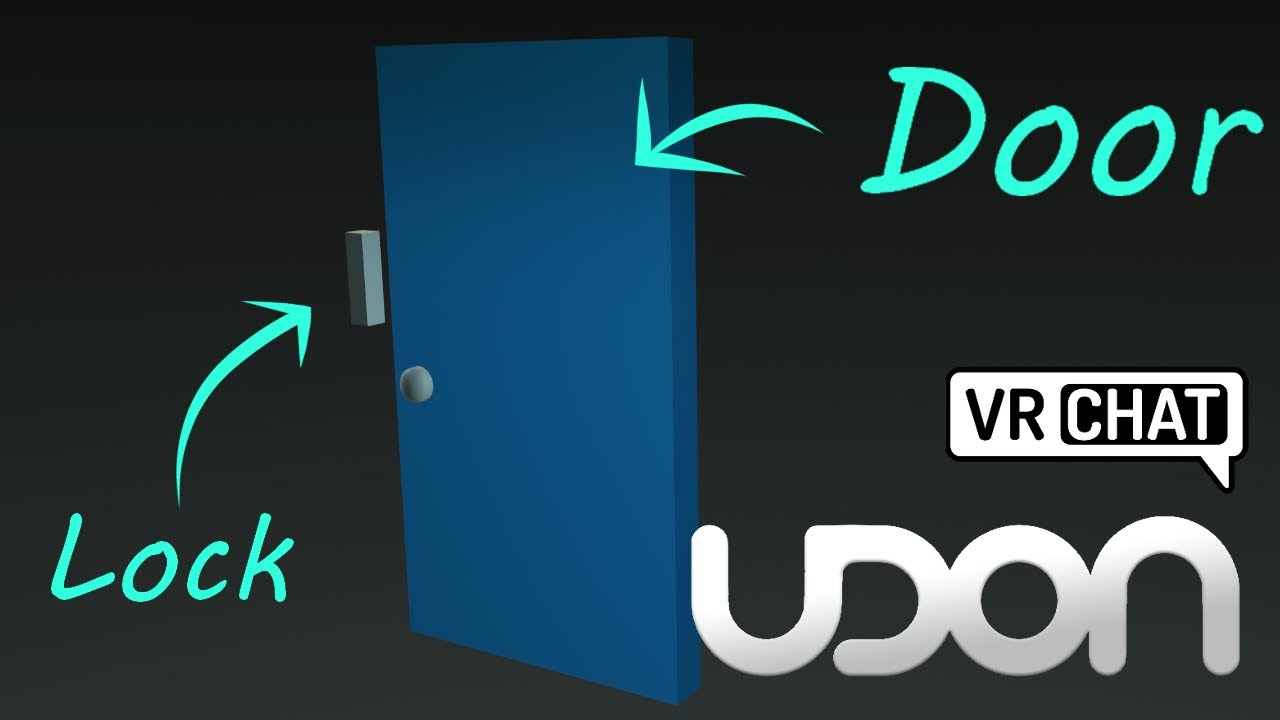
Here's a tutorial covering how to make a door and lock, that open and close when you click on them. You could also move the interact script to be on another object to the side, if you wanted it to be button-activated door.
So hopefully this tutorial helps replace some of those old sdk2 tutorials, though you could always adapt those to sdk3 wit...
mental plume
hollow condor
https://www.youtube.com/watch?v=CJfhG8-KGvs
oh wow um thank u
glad hawk
Just to make sure, download a public world to start something based on it is not possible, right?
stone marsh
glad hawk
Just to make sure, download a public world to start something based on it is not...
If you mean downloading a world from the game, absolutely not.. That's called theft. Ripping is bannable.
 left rain
there's some paid and possibly some free ones out there that people have released? if you wonder why there's like 100 identical "cabin on a lake" worlds it's because of a popular paid asset. you could start with something like that if you learn better by reverse engineering
a ripped world wouldn't help you much anyways because you wouldn't be able to actually open up the project file and see how everything is laid out
hollow condor
try sketchfab
or a similar site, there's always stuff you can convert that isnt a vrchat specific level
glad hawk
stone marsh
If you mean downloading a world from the game, absolutely not.. That's called th...
Ok, I would not see like thief if the author allow for public use or something ,As I am new maybe I am asking dumb questions, sorry for that.
thanks all for the updates
glad bloom
stone marsh
If you mean downloading a world from the game, absolutely not.. That's called th...
You really didn't need to put it like that. Also you could just say that talking about this kinda thing here (here as in this discord), no matter what, isn't allowed.
But lol imagine... I'll prolly have to play this game during work hours 👍
How long does support usually take to respond?
mental plume
i dont know
stone marsh
glad bloom
You really didn't need to put it like that. Also you could just say that talking...
Yes I did. Ripping is theft. There's no other way to word it. You need to be blunt so people firmly understand it's absolutely not allowed and will result in being banned. Had I just said it's possible but don't do it, like the other dude, the person may take away that they should go and do research on how it may or may not be possible, do something stupid, and wind up being perm banned because of misleading information.
stone marsh
glad hawk
Ok, I would not see like thief if the author allow for public use or something ,...
The author of any given content is the one that controls how the content is accessed. If they allow their content to be public, it means it's able to be used within the confines of how the game is setup. It's a violation of TOS to extract content from the game, and is indeed theft. Because you are no longer using the content in the manner in which it was allowed to be used. A lot of content is made using paid assets, these assets are bought by the author of said content and the author is granted a license by the creator of those assets to use them in a specific manner, sharing those paid assets with other people outside of the license agreement is a violation of that license and can be seen as further theft.
You are not allowed to reverse engineer, modify, or extract any portion of the game regardless of if it's public or not. Period. This is not only a violation of TOS. But it's also theft, as you do not hold the copyright, nor the license, to that content.
If you want free worlds, there are a ton of free worlds available for users to use and do whatever they please with available on Booth.pm. you're free to download any of the free worlds offered on there, and have fun with it. Learn, play, change. Do whatever. This is the ideal route to go.

BOOTH(ブース)とは、pixivと連携した、創作物の総合マーケットです。無料で簡単にショップを作成でき、商品の保管・発送代行サービスも提供しています!

ABOUT The Simple Room is a room.... that's simple. There's a bed, a couch, and a vase. I put a tv on the wall, that's pretty cool. Honestly these meshes were created to help me learn some new modeling techniques, so feel free to download them and use them. Its a pretty nice couch. Props and

ABOUT This free VRChat world was created for a tutorial I made on Youtube. The world is a single room with some simple furniture. When opening the project, find the scene titled "tutorial scene" to see the project. View the tutorial here: https://www.youtube.com/watch?v=hHdWZlil0gw Props and

※위 이미지는 연출된 이미지입니다. 간단한 집 모델입니다. M.E.P.는 없으며, 사용시 'read me.txt'파일을 참고해주시길 바랍니다. 수정 자유 재판매 금지, 상업적 이용 시 연락 바랍니다. *추후 수정 후 예시 월드를 업로드 할 예정입니다.
There's a ton of free worlds on there, and free assets for worlds. Check em out. Good luck!
bold ibex
I just switched to Linux yesterday, I copied my vrc world I'm working on and when I tried to open it theres an error saying the license is invalid how can I fix this
Maybe logging in would help.... I swear I need to stop thinking every error is complicated
small pond
does anyone know how people do icons/crowns that float above certain users heads in their world
 elder shell
um any help with this? it just tells me this and thats kinda it
 stone marsh
elder shell
um any help with this? it just tells me this and thats kinda it
stone marsh
elder shell
um any help with this? it just tells me this and thats kinda it
You have errors in your console.
stone marsh
I wouldn't know. You need to check your console and look at the red stop sign errors or share a screenshot showing the entire console. You can hide the yellow triangles and info blurbs in the top right corner of the console before you take a screenshot. Only the red stop sign errors matter.
elder shell
theres this
 stone marsh
Please share a screenshot of your entire console, hiding the info blurbs and yellow triangles like I mentioned
elder shell
like this?
 stone marsh
Your console tab is in the bottom left above your asset folder
elder shell
OH sorry English isnt really my first language
stone marsh
Well, I can already tell you're using the wrong version of unity
 normal arrow
 stone marsh
VRChat
This page lists the current Unity version you should use when creating content for VRChat, as well as links to the correct version for both Unity Hub and direct downloads. Current Unity Version The current Unity version in use by VRChat is Unity 2019.4.31f1. Ensure you are using this exact version! ...
normal arrow
I was just going to say.
elder shell
thats the one i downloaded but it gave me that one for some reason
stone marsh
You probably selected the wrong one when you created your project
You can change it in Hub if you did indeed download 2019.4.31f1
elder shell
mayhaps but now its downloading!!
normal arrow
Do you have the unity hub downloaded? When you create a project, make sure it's the currently supported 2019 unity and current SDK.
elder shell
i do
stone marsh
Gl. Don't see any other issues since your project is empty. Cheers
elder shell
thank you!!
bruh!

how do i fix this issue?? it keeps doing this even after attempts of fixing
 mental plume
my pens are not writing in my world and don't know y
glad hawk
stone marsh
The author of any given content is the one that controls how the content is acce...
tks man, I don't have the knowledge to do reverse engineer, or stuff like that. And I agree that this is criminal, but isn't that what I was referring to.
 worthy niche
hey does anyone know how to get the vrc section back here on the right

next to the lighting part
stone marsh
worthy niche
hey does anyone know how to get the vrc section back here on the right
Wat
worthy niche
you know the thing where you can make builds of your world
i can't find it anymore
this thing
 worthy niche
this one?
 stone marsh
You have errors in your console
Errors prevent build. So sdk pan
nel can't show up
Either look at the errors in your console, or screenshot the entire console. You can hide the warning triangles and info blurbs in the top right corner of the console. Only the red stop signs matter
worthy niche
could it be these what are causing it


do you know how to resolve these?
i got the other one fixed but what about this one?

 stone marsh
worthy niche
i got the other one fixed but what about this one?
stone marsh
worthy niche
i got the other one fixed but what about this one?
Please show the entire console.
worthy niche
stone marsh
Please show the *entire* console.
i got the thing working after i fixed that one red thing and now the other one is gone aswell

thanks for the help!
cobalt prawn
Man they oughta change the SDK so it just says "Check your console for errors to resolve!" if it can't load the builder panel or something 😅
At least start newbies off with that first step toward troubleshooting
worthy niche
cobalt prawn
At least start newbies off with that first step toward troubleshooting
i got into world making yesterday so i basically understand nothing of this lmao
cobalt prawn
Yeah, you're not alone! I just say this cause "why can't I access the build panel" is by far the most asked question in here and the answer is always "check for errors and resolve them". Usually people still need help resolving the errors which is fine of course, but a simple message in the SDK would go a long way I think
Not that this is the place to ask for that or anything, not sure where I'd actually request that change. Just commenting about it 😛
stone marsh
Pretty much all I dealt with today was exactly that.
cobalt prawn
I noticed 😆
cobalt prawn
Bless your soul merc
worthy niche
stone marsh
Scroll up. And up. And up
it's great that there are people like you helping out here
stone marsh
There's a lot of great, highly knowledgeable people in here
With basically no life and a lot of free time. Lmao
Either way. Cheers
neon umbra
There's a way to rotate, move, rescale, all that a group of objects dynamically, right? I feel like I'm going insane, but I remember being able to do so 20 minutes ago and now I can't.
I'm trying to rescale a group of objects that I've select with CTRL+Left Click, but what happens is that the scaling applies to each object individually, rather than as a whole. I.E., I'm trying to make a bartop, but realized that I made it far too long. I'm trying to rescale it to not be as long, but I'm finding that each object simply scales by itself, rather than the entire thing becoming smaller at once.
Well now I know that i can. I just did so in a different unity project. Did I accidentally change a setting?
Nevermind! Found it. I somehow changed the setting "Pivot" to "Center".
 burnt bison
hi how long does it take to upload my own world to vrchat?
stone marsh
burnt bison
hi how long does it take to upload my own world to vrchat?
Typically just a few min.
If you mean getting to the rank to be able to upload, there is no timeframe since it's not based on time and varies heavily from user to user depending on how you interact with the game.
 grim cedar
Anyone know anything about this question?
#world-development message
stone marsh
grim cedar
Anyone know anything about this question?
https://discord.com/channels/189511567...
Need to use a script to ensure placement of avatar in station properly regardless of size. Reimajo has a very well made chair prefab on his Booth page.
grim cedar
stone marsh
Need to use a script to ensure placement of avatar in station properly regardles...
Thanks for the answer. 🙂 Is the Booth site the same as mentioned above?
Found it, nevermind. 😄
 merry chasm
can we already trigger avatar dynamic things inside of sdk3 worlds?
or is avatar dynamics only avatars rn~
 brisk ocean
av3 only right now
merry chasm
oki ❤️
 lunar ridge
Hey, I'm trying to add a photobooth/camera to my world, is there a guide I can follow to do this? I can't seem to find anything, thanks!
bold ibex
new to udon*
i want to make toggle animations like what i do with an avatar so that i can switch between 2 differant lighting modes that will toggle off 1 particle system and light source and toggle 1 light source and particle system any tutorials that are simple and short or any help is appreciated
glad bloom
stone marsh
There's a ton of free worlds on there, and free assets for worlds. Check em out....
Tbh I guess I assumed they didn't mean ACTUAL ripping
He did say "download", but yeah lol
glad bloom
bold ibex
new to udon*
i want to make toggle animations like what i do with an avatar so t...
Btw if you prefer just doing stuff in C# rather than visual programming, you can always use Udonsharp
bold ibex
never done any form of programmming in c sharp
crimson sand
can someone help me with this
 drowsy umbra
omg im not the only one
like the the builder is always disappearing

and i always have to basically reload the sdk dont work and i have to put the sdk package back in my unity even if i already have the sdk in my project some reason the builder comes back and thats how i had to fix it
but still wont work just the builder not there
over time
 restive vortex
what is happing with the sdk i can get to the control panel
 drowsy umbra
idk
 upper obsidian
restive vortex
what is happing with the sdk i can get to the control panel
upper obsidian
restive vortex
what is happing with the sdk i can get to the control panel
What happens is that you don't even read the requirements before you import anything into the project.
Install UdonSharp
restive vortex
ok how do i do that
upper obsidian
 indigo fossil
I just finished my world tutorial series! If you've ever wanted to make your own world but didn't know where to start or if you just need help with a specific part then check it out!
https://youtube.com/playlist?list=PLPdWkxUSZ65Fp6ICrU7mIq1znAfPwMhNZ

YouTube
A comprehensive video tutorial series on how to create your first VRChat World using a Unity-only workflow, which includes best practices and optimization. T...
it has a text version as well: https://vrclibrary.com/wiki/books/create-your-first-vrchat-world
crimson sand
ok so i made a world but when i join it i get sent back to my home world why?
crimson sand
i need more help for some reason when i spawn in my world i keep falling and respawning
drowsy umbra
How can i make my table walkthrough at the same time i can place the cards on top
stone marsh
crimson sand
i need more help for some reason when i spawn in my world i keep falling and res...
You need to add colliders to your meshes.
stone marsh
drowsy umbra
How can i make my table walkthrough at the same time i can place the cards on to...
Set the table to a layer that doesn't collide with the player layer in the layer matrix. Then create a custom layer for the cards, and set it so they only collide with the table in the layer matrix.
glad tiger
I need some help. Upon importing USharpVideo, all my mirrors turn white.
I tried it with a different player and it continues to turn my mirrors white.
Anyone know how to fix it?
 fossil hull
Anyone knows how to update ambient light after switching the skybox?
DynamicGI.UpdateEnvironment() apparently doesn't work in udon.
stone marsh
glad tiger
I tried it with a different player and it continues to turn my mirrors white.
I assume this only happens in editor and if you build and test or upload the world they're fine?
glad tiger
I imported a new one, and it used to display white, but then it reloaded and it works fine in the editor, and in game.
No more white
small pond
anyone know how i can pass the --enable-debug-gui flag when using the sdk's build and test feature
stone marsh
glad tiger
I imported a new one, and it used to display white, but then it reloaded and it ...
In the future, if you see that. It won't be that way in game if you actually upload it. You can also fix it simply by entering play mode then exiting play mode.
glad tiger
stone marsh
In the future, if you see that. It won't be that way in game if you actually upl...
Thanks
 proven zinc
So I've created a world with the VRChat Contect Creator tool and it's missing the VRC Input Field script. WDID?
 wanton flame
proven zinc
So I've created a world with the VRChat Contect Creator tool and it's missing th...
wanton flame
proven zinc
So I've created a world with the VRChat Contect Creator tool and it's missing th...
update the SDK. mine wasn't updated even though I created it with that too too
even after doing that mine won't upload tho and i have no idea why
 wanton flame
update: was just an issue that the project made by that app was broken. made a new one, ported across the assets and now it works
minor nexus
anyone knows of a good media player with playlist functions besides pro tv cant get it to work for the life of me
 vivid wagon
indigo fossil
I just finished my world tutorial series! If you've ever wanted to make your own...
vivid wagon
indigo fossil
I just finished my world tutorial series! If you've ever wanted to make your own...
I watched this series! helped me a lot with my first map, but I never finished it (obviously)
speaking of maps
i have a teleport function here in udon, but it will only play once and will not reset
single use teleports, in other words
stone marsh
minor nexus
anyone knows of a good media player with playlist functions besides pro tv cant ...
ProTV is the best by far. If you can't get it to work, you're most likely not following the directions, such as not installing UdonSharp first. Posting a screenshot of your console so we can see the errors or Join the protv discord would be a good idea.
minor nexus
i had the developer try to help me out and he was super short with me and seemed like he did not really care so dont feel like supporting them tbh
stone marsh
Lmao
cobalt prawn
Just using a different player than protv isn't necessarily gonna be easier if you're not understanding how to import and set them up correctly
🤷♂️
stone marsh
It's def a user error. ProTV has the best playlist support and customization by far. But reading instructions and listed dependencies is important. Failing to do so, will result in everything breaking.
You're also not supporting anyone, it's free.
Regardless. If you don't want to share the issues you had, or share a screenshot of your console so we can help you fix it, then I'll just say good luck!
white moon
minor nexus
i had the developer try to help me out and he was super short with me and seemed...
Lol whatchu mean? He wasn't short, answered all the questions and told you the issue would be getting solved in a week or so
stone marsh
Ooooh. They're using the new CC and U1.0 beta aren't they?
white moon
Yup
stone marsh
That makes sense then. UdonSharp 1.0 beta broke a ton of scripts from everyone's assets.
Upgrading to, and using beta software always has risks of issues. Sticking with release versions until things are ironed out is best if you're not understanding of that.
white moon
Yup I ain't touching it till it's finished
stone marsh
Same. Lot of my paid scripts have issues with it. But everyone's working on it. Just takes a bit of time. I see the potential for CC and the future of U# so I'm excited regardless
white moon
Well not for anything I need to actually finish anyway. I've gave it a little try in a test project.
stone marsh
Indeed.
minor nexus
@white moon well he said like to keep on retrying to upload and just saying good and to succeed or fail and good luck was kinda harsh ngl hopefully he dont treat people that pay for his stuff like that
but its whatever got u# player to work fine
white moon
Is rather someone wish me luck than not. And to retry is literally the best way to try fix it since it's a I ity package issue that sometimes occurs in the beta version. 🤷♂️
The answer to anyone would be the same. Retry or don't use the beta version as the stable version works just fine.
 shell wren
Is there a reason why a concave mesh collider would behave fine in CyanEmu, but have problems in an actual build? I've got this race track, and when I drive on it in a build the circled section has collision problems where my car just gets thrown off the track. That's the only place it happens. Another difference is that all throughout the track it's harder to steer than in CyanEmu, as if I lose traction for no reason.

This is all one huge mesh so I still have to try dividing it up. It just seems strange to me that it would behave so differently in CyanEmu vs. real build.
white moon
Dividing it up would probably be advisable, as checking against an objects mesh clider means you have to check against every face of that mesh so your checking against the whole track.
Now I'm just assuming here and someone will tell me if Im wrong but I'm assuming unity does some background magic and if your far enough away from an objects bounds it won't check for all those colissions.
 foggy creek
First time in VR chat today, coming from mostly creating Altspace worlds; wondering if it’s possible to upload an animation in the world I create in unity. Also, does VRchat let you have scripts in your project?
Thanks all!
 tiny wolf
Would like to request for video players to work for Quest 2 plzzzzz 😭 🙏
gaunt egret
lol
green lagoon
foggy creek
First time in VR chat today, coming from mostly creating Altspace worlds; wonder...
here's the documentation on the programming language vrchat uses https://docs.vrchat.com/docs/what-is-udon and yeah animation stuff works just fine in vrchat
VRChat
What’s this Udon thing anyways? VRChat Udon is a programming language built completely in-house by the VRChat Development Team. It is designed to be secure, performant, and easy to use via the VRChat Udon Node Graph, a built-in visual programming interface that uses nodes and wires (we call them “no...
green lagoon
tiny wolf
Would like to request for video players to work for Quest 2 plzzzzz 😭 🙏
video players function on the quest just not YouTube
 brisk tendon
joining world redirects to home world, fix?

works fine with build and test, but not when uploaded
dusk sapphire
Most common cause is multiple pipeline managers in your scene
 short forum
So this is actually a funny thing that happened, but an unattended feature. I created a custom model for a mirror so it can match the wall behind it (Triangular instead of square) and added the mirror reflect shader along with the component, but doesn't want to render anything, UNTIL I add the mirror FBX, of which it can figure out how to render properly so long as the camera has line of sight of the mirror FBX from the SDK. As soon as it loses line of sight, it no longer can render the custom mirror and unity just says screw it and errors on render. Anyone know how I can go about not doing that or is custom modeling a mirror just a no-go?
dusk sapphire
for custom meshes for the mirror, you want to make sure the reflective surface is facing the negative z axis in its local transform space
and the mesh itself aligns with the x y plane
tiny wolf
green lagoon
video players function on the quest just not YouTube
Yea I meant Youtube or other video sites 🥺
 vast idol
Hi. Is it possible to use the "VRC Unity Video player" to play a .mp4?
stone marsh
vast idol
Hi. Is it possible to use the "VRC Unity Video player" to play a .mp4?
Not anymore. You can however, upload it to a free dropbox account and play it directly from there. Which is a better option anyways as file size isn't effected.
vast idol
stone marsh
Not anymore. You can however, upload it to a free dropbox account and play it di...
Alright, Thank you sir
small pond
tiny wolf
Yea I meant Youtube or other video sites 🥺
if you put https://t-ne.x0.to/?url= before the youtube link it will work on quest (only videos not streams)
glad bloom
btw, to make sure
for world creation in this game, there's a bunch of default assets we can use, right?
silk needle
Hey, do someone have upload speed issue right now ?
I have 60mo/s~ & actually it take +45m for a 30mo world that take 10s to upload yesterday
foggy creek
Is it possible to build and upload worlds using Mac? I notice you need a PC to run tests and download the app to a computer
 austere hull
how i add transparency
which shader has it
how to turn black color into transparency
austere hull
how i change object position when its being held by player
 cyan eagle
How would I make a "render distance"?
Like not fog based
But like let's say I have my world as an open area
That's split into chunks
Would there be a way to make it so the user only sees a certain amount of the chunks in any given direction relative to them by radius?
 dusty talon
Hello y'all. Currently rn, I'm working on a vrchat world and everytime I try to load into the world, my character seems to always do the falling animation constantly as I am unable to move. I have a feeling it has something to do with the collision (I'd assume it's the lone piece of collision below the map in the third image) so I'm going to post an image of the map's collision and see if y'all can help me.


 cobalt prawn
dusty talon
Hello y'all. Currently rn, I'm working on a vrchat world and everytime I try to ...
cobalt prawn
dusty talon
Hello y'all. Currently rn, I'm working on a vrchat world and everytime I try to ...
I'm guessing that your world, including the spawn location, is lower than your respawn height
Causing you to infinitely respawn
dusty talon
cobalt prawn
I'm guessing that your world, including the spawn location, is lower than your r...
Do you know how I can fix that?
green lagoon
move the world up
cobalt prawn
Either move everything in your scene up, or change the respawn height in the scene descriptor
dusty talon
Right, I'll get to it rn
simple bone
with the vrc billiards table, how do i make it so others can interact with the pool table? Like they cant join my game, or see the ball move when i hit it.
cobalt prawn
cyan eagle
How would I make a "render distance"?
Like not fog based
But like let's say I h...
This is basically what camera clipping planes already do. Doing it by chunks would be more complicated but def possible through a custom script
dusty talon
dusty talon
Right, I'll get to it rn
Also, by world do you mean like the VRCWorld or like the map's model?
cobalt prawn
dusty talon
Also, by world do you mean like the VRCWorld or like the map's model?
Everything in your scene. It might help to enable the grid in scene view, or create a plane and set its position to 0,0,0 so you know where your ground level is supposed to be
cyan eagle
dusty talon
Also, by world do you mean like the VRCWorld or like the map's model?
Move everything in the scene up a bit
 thick musk
Hey! Can someone help me with this https://github.com/acertainbluecat/VRCPlayersOnlyMirror
GitHub
A simple mirror prefab for mirrors that show players only without any background in VRChat - GitHub - acertainbluecat/VRCPlayersOnlyMirror: A simple mirror prefab for mirrors that show players only...
I put the prefab in my scene but it reflects the background, something like a low quality mirror in vrc
thick musk
I found out its a problem with the post processing, and idk if i put it on the correct layer
I put it on postprocess

But when i show the mirror or video player i get an effect like this
Nvm, it was the AO in some of the profiles
austere hull
how i clone object
austere hull
cyan eagle
How would I make a "render distance"?
Like not fog based
But like let's say I h...
magnitude to every chunk
cyan eagle
austere hull
magnitude to every chunk
What?
green lagoon
thick musk
But when i show the mirror or video player i get an effect like this
Nvm, it wa...
it's a bad idea to use screen space ambient occlusion on vrchat
thick musk
Yea
i just download a lot of profiles
i turned it off and now it works, now i just need some baking lol
austere hull
cyan eagle
What?
check distance from player to every chunk
 austere hull
probably
does function without sync that runs when item is being dropped will be also visible when others drop object?
cyan eagle
Test in Build & Test or ClientSim :P
I get these errors when I import LilToon latest shaders
 austere hull
whats this error
 valid crag
I select "Build & Test" and get this. Any ideas as to why?:
 minor nexus
i have the same problem myself with it i just build and publish but just keep it private for test build
build and test never been nice to me 😪
valid crag
I'm sure it's something simple like the file location.
Going based off Iconoclass's video.
cobalt prawn
austere hull
```[UdonSharp] Assets\ball.cs(12,18): System.Exception: Method is not exposed to...
You can't use Instantiate in udonsharp, gotta use VRCInstantiate instead
minor nexus
@valid crag have you used CyanEmu
cobalt prawn
valid crag
I select "Build & Test" and get this. Any ideas as to why?:
I think you need to give your PC permission to let VRchat open VRchat links. I remember being asked to do this at some point when I started worldbuilding but I don't remember what triggered it
 sterile prism
Hi i basically have a question on IP and commercial use. do we own the content created, how does the creater earn ?
cobalt prawn
valid crag
I'm sure it's something simple like the file location.
Also make sure this is correct
 austere hull
how do i change objects position and velocity after
valid crag
minor nexus
<@306586735855534083> have you used CyanEmu
No, I haven't.
austere hull
vrcinstantiate seems wanky
valid crag
cobalt prawn
I think you need to give your PC permission to let VRchat open VRchat links. I r...
I'll look more into my permissions. Not sure if I just have to run Unity as Administrator or not.
cobalt prawn
austere hull
vrcinstantiate seems wanky
Lol well that's what you gotta use
cobalt prawn
valid crag
I'll look more into my permissions. Not sure if I just have to run Unity as Admi...
I don't think that's it. I didn't have to do it manually, I wanna say I just clicked a vrchat link on discord or a website or something and it popped up like "In order to open this, you gotta give your PC permission to let VRchat open this link blah blah blah, would you like to do that now?"
valid crag
I'll try messing around with it a bit more I guess.
cobalt prawn
It was a while ago though sorry I don't remember exactly 😅
valid crag
The path wasn't correct btw, so good call on that.
It's fine.
Oh, the fix was the path, make a notation of that for the next person who runs into that issue. Lol @cobalt prawn
cobalt prawn
Right on 😄
 bold ibex
What’s the update?
austere hull
okay i managed to change position but no idea about velocity
cobalt prawn
austere hull
okay i managed to change position but no idea about velocity
Need a non kinematic rigidbody and a reference to that rigidbody component, then just velocity = whatever
austere hull
had to use getcomponent thing
 rocky wind
Can anyone rev one down a good Quest comparable media player?
If someone has one to suggest please @ me so I see the notification
cobalt prawn
rocky wind
Can anyone rev one down a good Quest comparable media player?
They pretty much all work on quest as far as I know, what does not work on quest is specifically youtube links and livestreams of any kind. I've read that if you simply put this before a youtube video URL it can work but I haven't tried it myself: https://t-ne.x0.to/?url=
minor nexus
added a silly speaker wall to my world but dont get too close XD https://gyazo.com/9d8cf9778e25ef21e1cfe02713ba1d95
 cobalt prawn
minor nexus
added a silly speaker wall to my world but dont get too close XD https://gyazo....
cobalt prawn
minor nexus
added a silly speaker wall to my world but dont get too close XD https://gyazo....
Oooh that's cool man nice touch
minor nexus
will be posting it up on community labs soon it just the entrance part to the main world i will be making but wanna show off what's to come 
gaunt egret
should put a flash warning right where people spawn in
minor nexus
there is buttons to turn it on and off and its off by default
gaunt egret
ah epic
minor nexus
yee did the same thing with reverb audio fx and stuff like that if people don't want it
austere hull
cobalt prawn
Need a non kinematic rigidbody and a reference to that rigidbody component, then...
cant make it working
    public override void OnDrop() {
        GameObject use = GameObject.Find("bolt");
        GameObject bolt = VRCInstantiate(use);
        bolt.transform.position = new Vector3(0, 3, 0);
        bolt.GetComponent<Rigidbody>().velocity = use.transform.position * 100;
        transform.position = new Vector3(0, 1, 0);
//        Destroy(bolt);
}```Setting the velocity to a position doesn't make sense, it should be a direction. I'm guessing you'd want to use use.transform.forward instead. And just to make sure is the rigidbody on the bolt object non-kinematic?
austere hull
yes
forward might be wanky too if player rotates object in hand
actually it dont work at all
always velocity in same direction
cobalt prawn
Do you have any errors? Are you sure if the "use" object is even being found?
austere hull
no i mean it does work
just forward is a bad use
because it always spawns object in same rotation
cobalt prawn
An object's velocity does not affect it's rotation
The velocity is the direction and speed it moves in. It can be facing any direction
austere hull
and object is directionless so forward still not helpful
it must use old object position in some way
cobalt prawn
In that case I don't understand what you're trying to do. Based on the words here I'm assuming it's like a bolt from a crossbow or something?
austere hull
similar but in all directions
i have pickupable at middle
and can be pulled in all directions
and should spawn new projectile with proper velocity after releasing
cobalt prawn
Ahhh I see. That makes sense then yeah. It's a weird way to do it but I see what you're getting at. For one thing, I think what you want is the opposite position that the pickup is being pulled in (because if it's like a bow/slingshot you pull backwards). Does the pickup have a parent, and is it positioned at 0,0,0 relative to its parent? If so you can try using -use.transform.localPosition instead
austere hull
i mean no difference if - or not it will just go towards me instead
i just want it to recognize directions im pulling
and localposition dont seem help either
object is at 0 coordinate so that might be helpful for script
how would i check for direction between 2 objects?
that would be proper way of assigning where it should go
cobalt prawn
austere hull
how would i check for direction between 2 objects?
(object2.position - object1.position).normalized will give you the direction from 1 to 2
austere hull
bolt.GetComponent<Rigidbody>().velocity = (bolt.transform.position - use.transform.position).normalized * 10;
dont seem to assign any velocity
a nevermind i assigned wrong object
yes it work
can i make it disappear after few seconds
udon dont seem supporting countdown
cobalt prawn
What did you try for countdown? Can you just do something like Destroy(bolt, 10); to destroy in 10 seconds?
cobalt prawn
Ah, yeah destroy has one built in, pretty nifty
Waitforseconds only works in coroutines
 twilit crescent
hello
is anyone here super familiar with bakery?
Im trying to understand how to fix Material RKV_baseLine doesn't have meta pass - maps are taken by name UnityEngine.Debug:LogWarning (object) ftUVGBufferGen:RenderUVGBuffer (UnityEngine.Mesh,UnityEngine.Renderer,UnityEngine.Vector4,UnityEngine.Transform,bool,UnityEngine.Vector2[],bool,bool) (at Assets/Editor/x64/Bakery/scripts/ftUVGBufferGen.cs:303) ftBuildGraphics/<ExportScene>d__233:MoveNext () (at Assets/Editor/x64/Bakery/scripts/ftBuildGraphics.cs:7641) ftRenderLightmap/<RenderLightmapFunc>d__282:MoveNext () (at Assets/Editor/x64/Bakery/scripts/ftRenderLightmap.cs:5268) ftRenderLightmap:RenderLightmapUpdate () (at Assets/Editor/x64/Bakery/scripts/ftRenderLightmap.cs:4601) UnityEditor.EditorApplication:Internal_CallUpdateFunctions ()

 hazy rivet
I've got a problem when I apply a material to an object, only the color of the object changes and the there is no texture
minor nexus
almost ready for a community labs  https://gyazo.com/9262e6ce62630f34b40223a208187c53
 gaunt egret
minor nexus
almost ready for a community labs <:vrcFire:585749770170269717> https://gyazo.c...
gaunt egret
minor nexus
almost ready for a community labs <:vrcFire:585749770170269717> https://gyazo.c...
ayy sick. whats the name of it gonna be? i wanna check it out when it drops
minor nexus
ill pop a link in here idk yet tbh for the name
gaunt egret
ah well i look forward to checkin it out
 round arrow
the audio dose not work for my teleporters
when i run cyanemu i get this error at the teleporter
[UdonSharp] Assets/_Assets Puppet/Scripts/Teleporter.cs(43,45): Udon runtime exception detected!
An exception occurred during EXTERN to 'VRCUdonCommonInterfacesIUdonEventReceiver.__SetProgramVariable__SystemString_SystemObject__SystemVoid'.
Parameter Addresses: 0x00000037, 0x00000013, 0x00000006
minor nexus

start of a club im working on its in vear eary wip stages at the moment so expent to see some bugs XD
austere hull
is there simple way for running function for others
austere hull
guessing not
wheat haven
is there a way to hide the displays that the avatar pedestal creates?
 rain shadow
wheat haven
is there a way to hide the displays that the avatar pedestal creates?
rain shadow
wheat haven
is there a way to hide the displays that the avatar pedestal creates?
Replace the pedestal Udon behavior with that one
wheat haven
will do
white moon
austere hull
is there simple way for running function for others
Yes, you can assign an object to a specific user as the owner and then call a networked event on that object at the owner of the object
austere hull
does pickupable position can be edited
or would i have to make second invisible pickupable that affects firsts position
pearl plume
Anyone know how I could make an NPC just roaming around in a world?
 mental pecan
how do VRC_Avatar_Descriptor???
vrc scene descriptor i mean im tryn to make a world
pearl plume
mental pecan
vrc scene descriptor i mean im tryn to make a world
Add it to an object in your world, and set a spawn point
gaunt egret
add vrcworld prefab
pearl plume
Doesn’t really matter what object as long as there’s only one of them and it’s static
mental pecan
same for worlds?
pearl plume
Yes, that is for your world
mental pecan
static?
pearl plume
Mhm
gaunt egret
find the vrcworld prefab, you don't have to do anything to that besides putting it where you want your spawn to be
pearl plume
gaunt egret
find the vrcworld prefab, you don't have to do anything to that besides putting ...
He still needs the scene descriptor
gaunt egret
the vrcworld is the scene descriptor
it has everything set up
literal drag and drop
assets --> vrchat examples --> prefabs
 pearl plume
I usually just put it on an object and add a new empty to use as spawn
pearl plume
gaunt egret
assets --> vrchat examples --> prefabs
^
mental pecan
what do i do with the file once ive foundf
i gt it
how long until i can upload and try my world
pearl plume
If u do Riley’s way, just drag and drop.
pearl plume
mental pecan
how long until i can upload and try my world
Whenever your scene descriptor and spawn are set
pearl plume
Indeed
pearl plume
mental pecan
im fallin through the floor
You didn’t put any colliders in or ur spawn is set in the floor
mental pecan
can you screeenshot how
pearl plume
No I’m on my phone
mental pecan
gt ya
pearl plume
Just click on what game objects you want the colliders on and add the mesh collider
Click —> Add component —> Mesh Collider
Or box collider depending on what object it is
 glad bloom
@stone marsh contacting support did absolutely nothing lol, so I p much waited for nothing. They said they can't manually change it, which I know is bullshit.
guess ill just play during work hours
 timber birch
austere hull
how to toggle this
timber birch
austere hull
how to toggle this
click on that check box
austere hull
but in script
timber birch
why would you want to disable a script
austere hull
i want enable it
austere hull
dont seem to work
glad bloom
.setEnabled = true, no?
austere hull
bolt.GetComponent<UdonBehaviour>().setEnabled = true;``` low osprey
it pops up this text "can't create texture" every time when I bake light because I accidentally export the model from Blender into unity model file while it baking anyone know how to fix it?

 limpid island
Does anyone know how to get a vrcStation to play an animation on the avatar in it? I've tried using regular animation controllers, I've tried override animation controllers overwriting Idle, Sitting, Standing Still and not been able to have any luck. Is there a write up for this anywhere that's detailed a prefab or am I just missing something simple?
bold ibex
Anybody here know of any good Water shaders
that don't break after lights are baked
i used Sean's Water shaders.. but upon baking lights and reflections it just breaks
and doesn't render until i switch to deferred
limpid island
bold ibex
Anybody here know of any good Water shaders
Try Mochi's?
bold ibex
i will
 gaunt egret
bold ibex
dipped on me
gaunt egret
bold ibex
dipped on me
you waited 5 minutes lol. nobody is obligated to help you so don't get upset but try red_sims water https://www.patreon.com/posts/32252234
bold ibex
gaunt egret
you waited 5 minutes lol. nobody is obligated to help you so don't get upset but...
life savior
austere hull
bolt.GetComponent<UdonBehaviour>().enabled = true;```that is almost correct now but it says getcomponent cant be used
limpid island
bold ibex
dipped on me
my bad I'm also working on my own stuff
bold ibex
limpid island
my bad I'm also working on my own stuff
yeah i was abit frustrated sorry
austere hull
austere hull
```
bolt.GetComponent<UdonBehaviour>().enabled = true;```
anyoneee
kind portal
what does this mean?
 green lagoon
you put too many description tags on your world
kind portal
what do i have to do
green lagoon
remove some of the tags you put on the world when you uploaded it
kind portal
green lagoon
remove some of the tags you put on the world when you uploaded it
i don't know how to add ore delete them
green lagoon
then how did you get those tags in the first place
kind portal
i don´t knew
 kind portal
oh i am stupid as fick
kind portal
green lagoon
thank you
 sour patrol
is there a way to add physics bones to world objects
austere hull
if theres no phys bones script by default then no
 fringe plinth
Hello! Im new to building worlds (this is my first one), and I am having trouble publishing it. Whenever I try to "Build & Publish for Windows", I get this error. I keep trying to google the issue but the results Im finding havent helped so far

if this is the wrong chat pls lmk
 glad tiger
Which VRC Mirror reflect layers only show your avatar? aka transparent mirror?
near escarp
fringe plinth
Hello! Im new to building worlds (this is my first one), and I am having trouble...
Detach the blueprint ID in the world descriptor component
fringe plinth
near escarp
Detach the blueprint ID in the world descriptor component
Ok, so the embarrassing part is, I dont know where to find the blueprint ID. Where would that be located? When I clock on the scene I dont get much info.