#world-development
39 messages · Page 97 of 1
 bold ibex
 desert python
actually - put a plane under the map and see if the objects go theu or not
bold ibex
ok
desert python
i feel like planes always are set up to collide with rigids
 desert python
what about your rigid bodies/pick ups?
bold ibex
good point lemme check
they worked ONCE
um
they dont have colliders
only rigidbodies and pickup scripts
fuck
do I just add a collider component?
desert python
ye....
bold ibex
interesting
desert python
lol thats probs it lmao
bold ibex
yes
im copypasting the mesh collider values and plugging it into my floor
the mesh is still the right mesh btw
fuck still doesnt work
desert python
try setting the pick ups to the default layer?
bold ibex
dis is the floor
 desert python
man i wish i could remember what i did to fix colliders and pick ups lol
desert python
inspector - top right
desert python
ye, pick ups are usually set to the “pick up” layer for mirror/culling optimizations
but i dought thisll work...
desert python
show photo of pick up inspector
desert python
bold ibex
wait it culls my pickups? fuck that its going all to default still
lol k
 desert python
what does the rest of the inspector look like?
bold ibex
wy
wym
also something to note maybe I bring the default plane to meet as close as I can get it to my actual floor before it clips, that causes the objects to glitch out and poof
actually it might be clipping from the fallspeed
I mess around with it when it falls on the default plane below again and dragging it up sometimes makes it clip when it falls back down
and they are falling at a pretty fast rate not sure why since all the mass and stuff is on default settings
these things are fuckin crazy they go to insane speeds instantly
ill record it one second
it wasnt instantly falling through first time always but yeah I guess its clipping through an update because its going so fast, not sure how to slow it down
I mean I honestly don't care much about gravity I just want to know now so badly
yes the objects (at least some of them) have their colliders above and NOT inside the floor collider

oml so some fourm said my floor might have the wrong mesh orientation and it is colliding only on the bottom side so let me test that
using a box collider instead STILL doesnt work
OML I fucking hate thisss the only person that I could find that had the same problem was about to fix it but went into someone dms to fix it
I dont understand this VRWorldToolKit says it doesnt have a collider on it but there is a fucking thing under it with a mesh collider with convex on
oh great I toggled legacy blend shape normals or whatever and now its seeming hanging on reimport after the change
forced closed it after like 2 minutes there is no reason it should be hanging on something with like a few hundred tris
I have to force close the project every time I change legacy blend shape normals wow thats sooo great I love unity
and it was just invisible when it was on, why did the toolkit want me to do that
ok I need to see if i fall through the floors as a player ingame I need that baseline
nope im just FINEE
I might of figured it out
collision detection is on default discrete not continuous
nope it just falls through like everything else
ok now it works I just had to readd a box collider onto the item for some reason
still is falling at an absurd rate but ill just see how it works in vrchat
im gonna make a video on this so anyone else having this problem doesnt have to go through all this horrible pain
 rain shadow
What type of collider do you have on the rigidbody object?
bold ibex
I have a box
so
the Floor has a mesh collider with convex on
the item I just made work has a box collider but a mesh collider should work fine too
rain shadow
And does the rigidbody object collide with other things in the scene?
 sullen turret
Does Unity Terrain work with VRchat worlds?

If so, do terrain details work on the Quest version of the game?
bold ibex
rain shadow
And does the rigidbody object collide with other things in the scene?
there shouldn't be any other colliders on anything else besides the items and floors I checked
rain shadow
Does it fall through if you change that mesh collider to a box collider?
bold ibex
no
seems like mesh colliders dont work anymore on items
only box now
do mesh colliders not interact with other mesh colliders or something dumb like that?
rain shadow
Collision between convex mesh colliders is supported
bold ibex
are you implying if they aren't convex they don't collide?
i know im nitpicking but i need to make sure of everything
rain shadow
Well rigidbodies don't support non convex mesh colliders
As their own collider
They can still collide with normal mesh colliders though.
bold ibex
I switched some of the items to box then back to mesh, probably forgot to tick convex for those
rain shadow
From one of your screenshots it looks like your object is inside the convex mesh collider
 sullen notch
I think the world i've made has peaked. There is nothing i can do that can improve it.
 bold ibex
sullen notch
I think the world i've made has peaked. There is nothing i can do that can impro...
bold ibex
sullen notch
I think the world i've made has peaked. There is nothing i can do that can impro...
that is amazing
HAlp its not accepting it as a audiosource and im not entirely certain why


clicking on them looks like this in the inspector
I just imported an mp3 and ogg and they do the same thing
also clicking the dot next to the audiosource bar doesn't show ANY audiosources to select in either assets or scene
It is under the catagory of audio clip apparently since I made a gameobject and added a audiosource component to it and that was fine
or wait
oh im dumb
its a component
 kind leaf
🙂 we all bluescreen from time to time
bold ibex
and fookin I have to do Music1.Play(); not Music1.play(); or else udon# gets mad even tho I thought lowercase p was corrcet
kind leaf
Mandela effect haha https://docs.unity3d.com/ScriptReference/AudioSource-clip.html
bold ibex
NU jimmy vegas always does it with .play but i watch his stuff from old versions of unity so thats probably whyy
kind leaf
huh, I am sure all functions were capitalized. If not, it's what I have always done.
sullen turret
My VRchat world is booting me back to my home world every time I try to join it
Help?
Ah nvm figured it out
bold ibex
sullen turret
Ah nvm figured it out
What was the problem?
sullen turret
I had the Scene Descriptor attached to a VRCWorld prefab that shouldn't have been there
Deleted it and put it on the spawnpoint instead
 red urchin
does anyone know if i can make a video player screen ignore all post processing in my world? my screen is just a little too dark with post on
specifically merlins udonsharp video, if that matters
sullen turret
Is there any way to unpublish a world for Quest? I just tested my world on the Quest version and holy hell it's laggy
 errant beacon
You can delete it in the content manager tab, in the build control panel? o:
 meager anvil
Gotta question! My world keeps booting me back to my home world when I try to spawn in it. There wasn't any warnings on the console, it's just booting me in VRchat. Not sure what's up
errant beacon
Import https://github.com/oneVR/VRWorldToolkit/releases and see what it's world debugger says? o:
meager anvil
Ah there was future builds enabled! I disabled it, hopefully it will launch this time. Thank you!! ^^
errant beacon
yw! c:
meager anvil
It booted up!! Thank you!!
Aaand I'm back xD any reason a mirror would tank my frames from 50 to 11?
errant beacon
Mirrors are vv expensive to render, since they're rendering the game again - turn off any layers you don't need in the mirror, and/or have different quality levels for the mirror?
VowganVR has a good tutorial on toggle buttons, and a good one on mirror loops too
Toggles: https://www.youtube.com/watch?v=ibDu0dCeUE8
Mirror Quality/for loops: https://www.youtube.com/watch?v=E0D9Z8-HVBI
meager anvil
Alrighty!! I'll try that!
My friend has an exact copy of this world and managed to get it running 80 fps for me, including the mirror. So I have no idea what's up on my end xD
 green lagoon
also don't put them in a big open space where it's going to render the entire map twice
like there is a good reason in most video games you only find proper mirrors in bathrooms
green lagoon
trees are pretty complicated things with lots of overdraw
unless you're talking one of those low-poly trees where it's a big solid blob
meager anvil
It's a normal tree, but my buddy got the same mirror running 80fps on their copy of the world. I gotta figure out how, I assume it's just settings as nothing was changed from the world itself
green lagoon
no clue on that one myself hopefully you can figure that out
meager anvil
I dunno if this helps any, but the darker one (friends) gets 55fps when the mirror is on.
The lighter one (mine) gets around 22-34. I did change the lighting in mine so that could be the issue

 green lagoon
did you change the amount of real-time light on the map
meager anvil
All of mine is baked!
green lagoon
are they currently baked just checking in case you accidentally hit a button to clear all of your lighting
meager anvil
I believe so, I'll go over my lights again to check
Ohh
Ambient mode is real time. Would that be causing it?
green lagoon
maybe see what happens if you turn it to baked
kind leaf
You said both worlds are the same? Looks like one of you is using light probes and the other is not. An avatar (unless it has a special shader) only lights up with probes or real time.
meager anvil
Ohhh- they could have deleted them then! Mine still has probes in it
Should I delete them?
green lagoon
you want the light probes so it's fully baked lighting
meager anvil
Ohh okay! I'll remake em
 rough abyss
how to create an object that only visible to its owner or certain group in vrc custom world?
kind leaf
Nope... I have a solution but it doesnt work for us without network visibility access which from a brief look it appears not. Using what we have, you could check to see if the object is owned and if so set its visibility but your client relays its stats to the host who then updates the rest of the clients communicating with the world. Which would then make the object visible to others. You could remove all syncing but then your friends or the group associated with the object would not see it moving.
or you could play around with layers, add the special object to its own layer and cull that layer in the reference camera. Allow only the owner to see the layer. here is an example https://gamedev.stackexchange.com/questions/156734/is-there-a-way-to-make-a-game-object-invisible-to-only-certain-players
 willow canyon
If you update a world, do you have to update the android and PC version at the same time every time, or is it different?
bold ibex
willow canyon
If you update a world, do you have to update the android and PC version at the s...
when you upload your world, it does it for either windows or android. If you are in a windows build rn then it uploads to the windows side of the blueprint id, if you are on android build then android
you cannot upload one build to both at the same time
android and windows architecture is different
willow canyon
Alright so, uploading to pc first, and then switching to android and uploading is how you do it right?
bold ibex
yes that is a way
willow canyon
Alright, that means I've been doing it right. I was confused by the sdk telling me It was "quest compatible" after updating the pc version
bold ibex
some people dont like waiting so they make 2 completely seperate projects anf what they do in one theydo in the other to avoid switching back and forth build types
 quick lintel
Does Stylized Grass Shader the one from Unity store work with Vrchat ?
bold ibex
quick lintel
Does Stylized Grass Shader the one from Unity store work with Vrchat ?
should, yeah.
as long as it is supported on 2019.4.29f1
some packages are only for newer versions
 kind leaf
 earnest hazel
How does one do this?
earnest hazel
How does one do this?
you have errors in your console. You need to fix those. If you need help show them.
errant beacon
earnest hazel
kind leaf
try right clicking VRCSDK and choosing re-import.
errant beacon
Make sure you followed the 2018>2019 migration guide? https://docs.vrchat.com/v2021.3.2/docs/migrating-from-2018-lts-to-2019-lts - otherwise def check the console for errors/warnings o:
Reimport All might help as well, though that might take a while depending on how big your project is
 neat glacier
anyone know why my skybox goes black when i enable post processing?
also having problem so i cant build/publish
 errant beacon
neat glacier
also having problem so i cant build/publish
errant beacon
neat glacier
also having problem so i cant build/publish
not sure on the postprocessing, make sure you're using the right version maybe?
For the building issues, check the console for error/warnings and make sure you're using Unity 2019.4.29f1 and no other version? o:
errant beacon
right-click the VRChat SDK in the asset browser and hit Reimport? Reimport All might help too, though that could take a while depending on how big your project is
otherwise try restarting Unity and/or your computer maybe?
neat glacier
have done that but it still doesn't work
willow canyon
Is there a way to record and play recorder audio from a user (E.g a microphone and speaker system) or is this impossible with the limitations of Udon?
kind leaf
when you record audio in Unity it is saved locally. So it really depends on the purpose of the request. You cannot record a person in game and play it back later in the world no (outside of maybe some shader magic which is a whole other level of OP badass shit).
 woven totem
I have yet to update to unity 2019 and have a main world that uses specifically sdk 2.0. Is updating the world to 3.0 mandatory to updating unity to 2019? Because I do not know a thing about 3.0/udon.
errant beacon
You don't need to update to SDK3, no
I vv much would recommend looking into it though, it's vv flexible o:
VowganVR has lots of good Udon tutorials, and there's also CyanTriggers on Booth if you want to use SDK2-like triggers in SDK3
woven totem
Considering I cannot sign in to update the world once again, I believe the 2019 update at least is mandatory.
 errant beacon
the 2019 update is required yes, though you could technically use 2018 with a vv old SDK
desert python
itll let you sign in. not sure why it wouldnt. but technically its recommended to update
woven totem
Okay, used my old in-game name as I thought that would change with it. Apparently not. But that fixes the sign in though.
desert python
was about to say. i have accidentally used 2017 before and it worked cus i was working on a different product lol
so 2018 sign in blocking wouldve been super weird
bold ibex
did you follow the official migration guide? make sure you do when you try again
import over the NEW sdk (dont delete the old one) in the OLD 2018 right before you switch it to 2019
only other things I could ask to make sure of is that its U 2019.4.29f1 exactly and the new sdk is one off the website
worst case I guess just make an entirely new unity project in 2019.4.29f1
?
show me the name of the sdk you are usng
copy paste the filename
yes but the sdk
for example "VRCSDK3-AVATAR-2021.08.11.15.16_Public (2)"
why did
ok
just for good measure
redownload the most recent one off the website
ooook thank you
Can you even upload a world to vrchat with just a plane and an empty serving as a spawn?
do things start breaking as soon as you import the 3d model of your world
or is it another asset
uhh I wouldn't delete scripts in there
were there any more errors than the ones here
Oh I think I may of just realised
its referencing an udon behavior on one of your objects in your world that is broken i think
yeah search "t:script" in the hierarchy and I guess go through every gameobject that has scripts and delete or fix the broken udon behaviors
 lean mortar
ive been trying to move my old world from 2018 unity to the newest 2019 ver. i sorted out all the errors however when i go to publish and upload my world instead of overriting the old world it asks me to create a new one. Anyone know how to fix this?
 simple arrow
@lean mortar Make sure your world id is the correct one and is inputted into the descriptor
lean mortar
it is correct
 raw siren
Anyone know why player mod jump wouldnt work
bold ibex
Oh its probably supposed to have Udon# with it
do you have Udon#?
you need to dl the updated version on the git
if you are using an old one you had in your files already
I think you need to make a whole new project again
and import the new one
 raven lynx
Yo hold up I had the same issue last night
bold ibex
with udon sharp specifically or migration in general
raven lynx
both actually- when I messed up migration I just made a new project. Though I was downloading a much of prefabs into a project and loaded them in the wrong order. Did you make sure that you loaded the SDK first before udonsharp?
 wicked forge
Heya, when you get the chance.. You think you have any more suggestions to get the Upload button to work again?
I tried the an example scene and it worked fine. So I guess I broke something in my world? heh
 maiden mesa
what do i do here....

its stopping me from building the world... and i dont know what to do here...
bold ibex
How did you install unity without the java dev kit wot tf
maiden mesa
tbh i dont even know
bold ibex
um have you ever successfully uploaded anything to 2019.4.29f1 yet
maiden mesa
no.
bold ibex
Its supposed to come with the Bindows unity install i thought
idk maybe its not? not sure
i can call in like 30 minutes maybe sooner if you didnt figure it out yet
maiden mesa
it would be appreciated
lean mortar
im guessing you already have java installed?
if so javas jdk's are on their website here :
maiden mesa
which would i download.... oh my... so many to choose from..
lean mortar
most recent should work (16.0.2)
maiden mesa
got it~
bold ibex
I can't find anything on what version specifically so far
Oh unity you big bitch you took out VRChat's LTS from the Official Releases section for installing via Unity Hub
Thats why people are coming in on version .30 sometimes
desert python
yep
https://unity3d.com/get-unity/download/archive blood curdling screams/bookmark

Unity
Unity is the ultimate game development platform. Use Unity to build high-quality 3D and 2D games, deploy them across mobile, desktop, VR/AR, consoles or the Web, and connect with loyal and enthusiastic players and customers.
 undone ravine
Can someone help? I'm trying to hit Re-compile but every time I do it gives me this error.
Component at index 3 could not be loaded when loading game object "VRCCam". Removing It!
 warm cargo
Can you check your player preferences and see what you have here? I've been finding more and more the project settings and Udon Asset bindings are increasingly fragile.

 torpid stratus
I finally got bakery since it was on sale in the bundle..
 worn elk
I've been having this issue where every time I try to bake my occlusion, it just.....doesnt work right. Basically, when I am in certain rooms or areas, objects occlude when I am looking at them, and others never appear at all. I have no idea why this is happening and I am not sure there is really a solution.
Has anyone ever come across this?
I have an inverted sphere that this area is set in. As you can see, the camera is pointed at the cliffside, but its not rendering in the camera preview

When I am in-world, the same thing happens
Same thing but with the visualization turned on

 turbid linden
Can someone help me im trying to make this world romantic and i have not made a world before. I already have a good chunk just dont know what to add.
I added yk pics we have taken and a little building and a button that takes a wall off asking if she wanna be in a relationship.
bold ibex
hmmm what would be a special romantic suprise....
Mayb a box that u can open and it has a note that says " do u want to date" or something
little present gift box world prop
undone ravine
Can someone help? I'm trying to hit Re-compile but every time I do it gives me this error.
Component at index 3 could not be loaded when loading game object "VRCCam". Removing It!
turbid linden
bold ibex
hmmm what would be a special romantic suprise....
I have a massive wall appreciating her for being there for me and hanging out with me and being nice and stuff. I was gonna say it myself
 sullen fiber
Anyone have a simple light post I could use for my world?
turbid linden
I have a little house with a pictures we took in vrc
bold ibex
turbid linden
I have a massive wall appreciating her for being there for me and hanging out wi...
You should still say it yourself just dont let ur voice get too nerveous lol
she will think its cute that you did all of this for her at the very least
turbid linden
bold ibex
You should still say it yourself just dont let ur voice get too nerveous lol
Lol yeah i dont wanna mess it all up at the end. We have matching pfp on discord and we have each other in 1 photo in our icon on vrc (VRC+ supporter).
bold ibex
omg thats so cute
turbid linden
I believe she likes me already and so do i so i wanted to do this
turbid linden
I had her added a while ago i believe and we came back together again not too long ago. Could be among us tbh she likes that world
bold ibex
ah i see
turbid linden
Oh imagine she was in this discord
bold ibex
watching
turbid linden
I would be devastated
turbid linden
No but i got a little house i used as my blueprint that i found on the web and added pictures, hearts, a wall that says a message when clicking a button, and music
Im going all outtttttt
bold ibex
eeeEEeee
turbid linden
This is my first world btw
bold ibex
really
turbid linden
So im not good
bold ibex
its da effort dat counts
bold ibex
awWww
bold ibex
i feel emotion thank you
turbid linden
XD
Dont beeee
I also saved her life she wanted to do something that I couldnt let it happen
I cared for her like she was my daughter.
bold ibex
i was following until the daughter analogy lol
turbid linden
Ight what else should i add? I dont like mirrors but ill add one since she uses them
bold ibex
nuu no mirrors
turbid linden
No?
bold ibex
whats weong with them
bold ibex
ohh
Use mesh colliders and convex ticked on
should work then
and baked set to everything
turbid linden
not mesh renderer?
bold ibex
or cooking
turbid linden
Okay 1 sec
bold ibex
mesh renderer is how unity renders the mesh
isnt the collider thats seperate
u can have render no collider and a collider no render
turbid linden
imma build and test rq
bold ibex
k
bold ibex
how many instances do u got open geez
turbid linden
Im used to it since i upload avatars so
youtube for music, unity, the file with pictures, music audio blah blah blah
oh i forgot to put it on everything
whoops
bold ibex
yeah da cookin
idk if that really makes it work but i had a collider dilema the other day and itbwas set to that when it worked so
bold ibex
fuck
bold ibex
idk u could make a bunch of empys with box colliders under each step
turbid linden
"Is trigger" and put a check mark
turbid linden
So also i used the wall next to it as a little ref it has box collider too
That might be the issue
bold ibex
mayb
turbid linden
Still
Might say fuck the stairs and remove the second floor
Add stuff outside since theres a lot of land to work on
bold ibex
just make a button that teleports u frim 1F to 2F
i forgot how entirely
youtube videos are ur friend
turbid linden
God i hope she isnt here
I tried to look her up here, i didnt see anything
but idk she could be on a alt im not aware of
undone ravine
Can someone help? I'm trying to hit Re-compile but every time I do it gives me this error.
Component at index 3 could not be loaded when loading game object "VRCCam". Removing It!
 candid ivy
Greetings! I'm trying to use the vrchat unity video player, but I got an error which wasn't in the tutorial video i was following. What is causing this error?
 neat glacier
anyone know why my skybox goes black when i enable post processing?
neat glacier
neat glacier
anyone know why my skybox goes black when i enable post processing?
so no one knows how to fix
 bold moss
neat glacier
so no one knows how to fix
bold moss
neat glacier
so no one knows how to fix
You need to provide more details and some screenshots to be understood correctly. As of now, I would suggest turning some of the features of post-processing off, until you will find the one, that is causing it. I would suggest checking the Colour Grading, Vignette and Ambient Occlusion first.
 torpid ibex
How can I contact the official staff of vrchat?
bold ibex
torpid ibex
How can I contact the official staff of vrchat?
for general iquiries
but read over #moderation-reports and #vrchat-support to see if you could just make a ticket before you email "hello@vrchat.com"
what do you want to contact them for?
torpid ibex
I need to buy something
bold ibex
Likeee?
bold moss
Let me guess, an avatar or a world?
torpid ibex
world
bold ibex
VRChat doesn't make all the worlds and avatars
So that means they dont sell them
You could go to the VRCTraders discord and request someone for money to make a world as you describe #community-servers-old
bold moss
Let me handle this.
bold ibex
oke
bold moss
Sandman, go to #general-media , I will explain everything there not to flood this channel.
torpid ibex
👌
bold moss
Alright, should be done.
worn elk
Still having some occlusion issues.
Rather than use the inverted sphere as the occlusion to make sure I don't see anything outside of it, I've instead put two giant planes in the void that block the view of all the other areas so that your camera absolutely cannot see beyond them
Re-baking to see if that fixes anything
bold moss
worn elk
Still having some occlusion issues.
https://discord.com/channels/18951156753930...
I work a lot with optimisation, which includes Occlusion Culling. I could take a look at your screen to see what I can do, if you are willing to show it.
worn elk
Sure. It's currently rebaking though
I havent touched any of the default occlusion settings
But I've noticed seemingly random areas will not occlude properly
for one, the entire basement area of my map has random holes in it for different walls and floors. Some only occlude when I jump
And now this new area I added is also screwy
I'm going to see how my "giant wall" approach works
The issue is mostly that I dont want the entire main hub area rendering when you're in the smaller satellite areas and look in it's direction. For one of the secondary areas, it worked fine, but this new area is not having any luck
bold moss
I see. Well, just message me directly if you will need help through the screenshare then.
worn elk
Welp
I've been at it all day
I can't even bake anymore
It keeps saying "Out of memory in TomeGenerator"
It worked earlier but now it won't
errant beacon
save and restart your computer? o:
 gleaming quarry

 burnt birch
Heyyo VRC discord, im trying to make a world for the fist time, i have plenty set up and even published the fist version with a mirror and all. Im now trying to add in a Video player system and i can not seem to get it to work. I have tried manually adding a vrc unity player with render texture, material override, and even use the prefab and im not sure what is causing the issue. I do get the error before running build and test that the video player does not have auto sync turned on but i have tried testing the world with and without using auto fix on the error. Any help would be appreciated
gleaming quarry
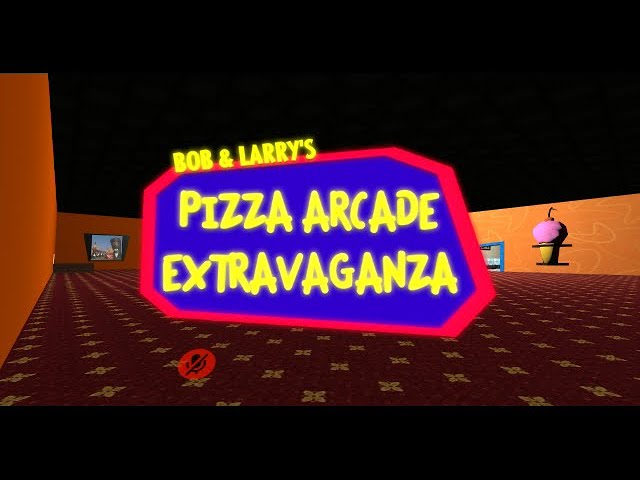
ENJOY, it's still in development, but I hope to release it very soon!
bold ibex
gleaming quarry
https://youtu.be/5j3SPFAinvk
bruh how did you get the 3d models and animations wot did you make them all yourself?
you hadddd to know some guy who animated the movies
either way still cool
gleaming quarry
bold ibex
bruh how did you get the 3d models and animations wot did you make them all your...
Someone else modeled the characters, but they weren't rigged, it was aggravating but I'm proud of what I accomplished so far. 😂
bold ibex
gleaming quarry
Someone else modeled the characters, but they weren't rigged, it was aggravating...
OMG i dont even wanna know how much time it took
gleaming quarry
I started on it about a week ago
 high hemlock
hi can anyone help? when i upload a world to vrchat, i can never enter it. it just takes me back home. it shows in my menu but I can't load into it.
 lyric acorn
I have a question about the halloween style maps and TOS, what level of blood/body parts is the limit, "know it when you see it" type thing? Blood stains on floor/wall may be ok, but what about a severed arm?
bold ibex
high hemlock
hi can anyone help? when i upload a world to vrchat, i can never enter it. it ju...
dont use the VRCWorld prefab for your spawnpoint. Just delete that from your scene and make an empty gameobject and position that to where u want ur spawn to be and then add a scene descriptor to it, and then drag the empty from the hierarchy into the spawn entry in the scene descriptor and upload
its probably just a correlative flaw on my end but whenever people have that problem they are using VRCWorld prefab and it magically fixes when they make their own
burnt birch
Any tips on getting a video player to work?
high hemlock
@bold ibex omg it worked! thanks!!!
bold ibex
high hemlock
<@456226577798135808> omg it worked! thanks!!!
no problemo
if its public and u want u should link ur world
kind leaf
lyric acorn
I have a question about the halloween style maps and TOS, what level of blood/bo...
Thats a good question. None of my gore worlds ever made it out of labs... If you get an answer can you please tell me/us?
errant beacon
imo I'd imagine that it depends on the severity and artstyle? could def send in a ticket to support to ask o:
i.e a cartoony splat of blood on a wall might be okay, but a realistic-ish severed arm would probably be too much? not sure
 ionic ledge
Hey guys, my vrchat sdk won't show me any splash screen or anything. It just gives me this option from the window

How can I get this to work?
This is the only option it gives me from utilities
 errant beacon
Check the console for errors/warnings? also, make sure you're using Unity 2019.4.29f1 and no other version, along with the most recent version of the VRChat SDK
ionic ledge
Had a bunch of errors I didn't notice. Gonna try on a fresh unity project.
So this is an empty unity project of 2019.4.29f1. All I've done is plugged in the sdk


Can anyone tell me what's going on?


 near escarp
Import cinemachine from the package manager
rough abyss
kind leaf
Nope... I have a solution but it doesnt work for us without network visibility a...
Thanks. So I guess I can deactivated the object at beginning, activate it but only sync with certain group of player?
 final vessel
I can't get the standard asset for water to work in VR. Looks great in unity player. But in VR it's black. Any other good water prefabs or tools to use that work?
green lagoon
https://noriben.booth.pm/items/1671087 @final vessel

VRChat用にリアルさよりも軽量さとOculus Quest対応を優先した水シェーダーです。 いわゆるgrabpass(屈折表現をするために使うシェーダーの機能)を使った水シェーダーよりも非常に軽量です。 Cubemapを指定して水面に映り込む風景を直接指定することができる機能があります。 Unity 2017.4.28f1で動作確認してます。unitypackage形式。 SkyboxやReflectionProbeが設定されたシーンで使ってください。 Directional
final vessel
Doesn't explain
green lagoon
pretty much you can just download that Shader and apply it to your world
ionic ledge
I imported Cinemamachine, but I'm still getting this error

And a bunch that I think are attached. Is there a ClipperLib I need to add too?

I can't find it under the package manager
 wispy turtle
Is there any way to make a cylindrical mirror?
like, a mirror on the inner side of a wall that surrounds someone
 odd summit
so i was trying to upload an sdk2 world with 2019 and it is trying to upload a different scene. i went to that scene deleted the scene desriptor and went back and tried uploading again; didnt work. when i tried uploading fully instead of test it made the world under my account but it would not load and send me back to my home. the upload photo is the world i am trying to upload. does anyone know a fix for this?
 upper gate
I'm trying to use fake occlusion boundaries and occlusion culling to create a small area in the sky where players inside will be invisible, but can see the environment and players below.
Is this possible, in practice? It seems like occlusion culling is pretty heavily weighted towards not culling stuff. Is there a way I can tighten up those settings with respect to a particular area like this?

The other issue I'm having is that players within the area can't see outward. I didn't expect that, since there are no back faces on the cube mesh I'm using
 dusk sapphire
you can use occlusion portals to seal off the area in the sky, so players outside of it cannot see the players inside. then disable the occlusion portals for those inside so they can see out side of it. occlusion portals basically lets you dynamically toggle occlusion boundaries at runtime.
errant beacon
for the cube it'd be pretty easy to make a cube with flipped normals in Blender (make cube > edit mode > select all > alt N > flip), or you could go the less optimized route of using a two-sided shader
not that rendering an extra cube's worth of faces is going to bring anyone's computer to a halt, but still lol
dusk sapphire
I think you're misunderstanding what they're saying, occlusion culling culls out anything outside of the cube for players inside, not that they cant see the back face of the cube
errant beacon
I mean this: <#world-development message> def could've clarified it better though lol
upper gate
The occlusion portals sound promising. Are those somehow a tighter fit when it comes to occlusion volumes?
dusk sapphire
not sure, but generally you do not want to have players to be inside geometry, even if there are no backfaces iirc
since unity will treat those places as "invalid" locations to be in
upper gate
OK, well then how about behind some Quads? I tried that too
I put a player behind a big Quad occluder, and they still rendered until they got like 10 meters further behind the quad
dusk sapphire
I could be wrong, but I don't think you can make a 1 sided occlusion culling boundary
oh, hm
upper gate
Well in any case, if not a Quad then just a thin box
dusk sapphire
could be a mix of the players avatar bounding box and the sizes of the "cells" unity generates based on your settings
upper gate
some way that the player isn't inside the geometry. Occlusion still weights heavily in favor of rendering them, even if they're clearly behind it
Right, yeah the cells is what I'm asking about
for testing purposes the avatar I'm using is the gray robot. shouldn't be any bounding box issues
wispy turtle
i'm looking to make custom mesh models into avatar pedistals. Can anyone help?
dusk sapphire
this is an old but still valid article in depth on how the occlusion culling system works https://blog.unity.com/technology/occlusion-culling-in-unity-4-3-the-basics

I'd try using occlusion portals, that are disabled for people inside of it
I tried doing what you did before a long time ago and it worked fairly ok
but I did have to give extra buffer space to prevent the issues you're experiencing
huh, the images on the page don't seem to show the full picture, that's not great, looked fine the last time i looked at this article.
wispy turtle
Is it possible to make a custom avatar pedistal mesh?
errant beacon
wispy turtle
Is it possible to make a custom avatar pedistal mesh?
Set the mesh filter to whatever mesh you want, and change the material in the mesh renderer to the model's respective material(s)? o:
alternatively you could make your own avatar pedestal from a mesh, by adding a VRC_AvatarPedestal component, and an UdonBehavior with the AvatarPedestal Program udon graph asset
lyric acorn
Note that mirrors can get really odd when it comes to occlusion portals, if possible aim them away from the area is you use it https://gyazo.com/b8db2e2eba3f038ae169d30278fde78b
 final vessel
Yesterday I could publish/update my vrc world, today when I hit publish or last build it runs the unity player and doesn't upload assets. What can I do?
errant beacon
Check the console for errors/warnings? o:
final vessel
No errors
errant beacon
Try restarting Unity? otherwise right-click the VRChat SDK in the asset browser and hit Reimport
Reimport All could help too, though that might take a while depending on how big your world is
final vessel
Restart unity, same thing. It builds player.....then nothing.....no handshake with uploading assets,etc
I'll try reimporting everything when I get home. Thks
errant beacon
yw, hope everything works out o:
final vessel
Weird, worked great yesterday
All I mainly added was water.....it does build and test locally fine with VR chat
Local build/test good, online publish no
errant beacon
could def try importing https://github.com/oneVR/VRWorldToolkit/releases and seeing if it's world debugger reports anything?
If reimport/reimport all doesn't work
final vessel
K
 unkempt mauve
So I uploaded a world recently and I checked out in VR Chat and for some reason I get suck at spawn and have random lag when the world is only 20MB. I’ve never had this happen to me before. Not sure how to fix it.
final vessel
Had something like that before. Had to redoe textures on terrain
 jagged mason
Uh, I started Unity back up today and all of the world space ui is showing through solid objects? Am I doing something wrong, and is there a fix?
unkempt mauve
@errant beacon #world-development message
errant beacon
not sure on that, sorry o:
check the VRWorld Toolkit, make sure you aren't using a really high poly count mesh collider, and make sure you don't have a/some mirrors reflecting more than they need to?
 mild spade
jagged mason
Uh, I started Unity back up today and all of the world space ui is showing throu...
mild spade
jagged mason
Uh, I started Unity back up today and all of the world space ui is showing throu...
If you mean in the Unity editor then pressing play, then exit play mode should fix it
unkempt mauve
errant beacon
check the VRWorld Toolkit, make sure you aren't using a really high poly count m...
I don't have any mirrors
How do I check the Poly count
@errant beacon Also, when I go into Play mode, the scene becomes really dark
errant beacon
not sure on the play mode issue, sorry
for the poly count, open the model in Blender and check it's statistics
unkempt mauve
errant beacon
not sure on the play mode issue, sorry
No worries
unkempt mauve
errant beacon
for the poly count, open the model in Blender and check it's statistics
Unity doesn't have a poly count?
errant beacon
probably an overall poly count, but not sure if it has a way to read the poly count of an individual model? could def be wrong on that, though
unkempt mauve
ok. Thanks!
errant beacon
yw, hope everything works out! o:
unkempt mauve
One more thing. When I double click on something in the hierckey, the camera view moves out all the way even though the object(s) isn't that far. Is there a fix?
errant beacon
not sure on that, sorry o:
could try restarting the editor/Unity maybe?
 proven cedar
 inner kernel
Does anyone remember the name of that prefab where it was an NPC that would only move when it was offscreen?
 mellow vigil
I am having a weird issue with my world where it looks flat in Unity but once I upload it into vrchat, everything is tilted on like a 60 degree angle. It looks fine in desktop but in vr everything is tilted. I am not sure what I did wrong here

 grim crest
Idk why but every video player I try in my world won't let me put in a link whenever I test the world. The link I put in unity works fine, I just can't add anything while in vrc.
 thorny garnet
why cant i press upload on my unity
 frank shadow
is there a limit of audio sources I can use in the world? I noticed that when I added more, menu sounds and avatar sounds stopped playing
kind leaf
depends on the setup, but yeah there is a soft cap if they are on auto/play on awake.
frank shadow
I see, I see
kind leaf
If you need different audio playing in different locations try using collider triggers to activate the audio so all audio sources excluding maybe world music are off by default.
frank shadow
good ideas all around, ill see what I can do
 short gulch
Just looking for opinions here, do you guys think it would be better for 1- Your team is set depending on a spawn point you pick on a map... or 2- You choose a team first, then it shows you only the spawn points that are available to your team on the spawn map.
near escarp
Choosing your own team seems better
But all that can be randomized too, team and spawnpoint
short gulch
Alrighty, yeah I was leaning towards option 2 also. It's not really meant to be some sort of balanced game mode or anything, basically a gta style mode where you can play as either cop or criminal. Your team would also decide which avatar room unlocks for you and most likely which vehicles you would be allowed to spawn.
 lament zephyr
Hey ! I was looking got ppl who could possibly help me make a rp map 🙂
near escarp
Help how ?
 barren tangle

I'm trying to build and test my first world and it's popping up with this sample scene error
I have no idea where to go from here lol
near escarp
Dunno what the renderhead folder is, but you should delete it
near escarp

bold ibex
barren tangle
Is that world public that looks super dope
barren tangle
bold ibex
Is that world public that looks super dope
Not yet this my first time building a world soon tho!
 scarlet marten
not sure if this is the right channel but the SDK control panel won't show up, i imported everything before and after the sdk so i tried both ways and still nothing.
how am i able to fix this?
 bold ibex
scarlet marten
not sure if this is the right channel but the SDK control panel won't show up, i...
bold ibex
scarlet marten
not sure if this is the right channel but the SDK control panel won't show up, i...
Is this the most recent VRC SDK off the official website?
scarlet marten
it is
bold ibex
nothing is in the console?
scarlet marten
there is an error but that error has never caused problems before to my other worlds
 bold ibex
It let you upload with that error in the console before?
scarlet marten
it has
bold ibex
also just delete the file its referencing
bold ibex
scarlet marten
its referring to something that doesn't exist
oh my bad navigate to that in windows file explorer
you wont be able to see the metadata in unity
scarlet marten
ooh oki
bold ibex
you can see it in file explorer tho
scarlet marten
would it be best to remove both of them?
bold ibex
try just the metadata since thats what the error called for
"delete the .meta file and it will be recreated successfully"
 visual narwhal
It's my first time working with Canvases in VRC, does anybody know why this is happening, it seems to have a mystery large collider that blocks use while in the world but not in editor.
 scarlet marten
alrighty
that fixed the error, but still not control panel
should i try reinstall the sdk again?
 mellow talon
i had this pop up couple times by now. For everyone interested. It is possible to use gaia pro to create maps for vrc. You just have to be smart about doing it. The sdk 2/3 will break when importing gaia pro but making a second project and generating the terrain in a duplicate project and then import the generated terrain with settings into the vrc project makes it able to be used for vrc.
 forest geyser
I dont know whats going on it doesnt want to launch
 bold ibex
forest geyser
I dont know whats going on it doesnt want to launch
bold ibex
forest geyser
I dont know whats going on it doesnt want to launch
Clear cache via the VRCSDK
VRCSDK > Utilities > Clear Cache
forest geyser
@bold ibex it is no there

 bold ibex
it doesnt matter if it is
i was just using it as an example of where to go
VRCSDK > Utilities > Clear Cache
forest geyser
clear cache and player perfs
bold ibex
yes
scarlet marten
so i have gone through most of the errors i have gotten now and fixed them but i'm basically still missing anyway to upload it because my control panel is still missing
 late valve
Idk why but when I tried to publish the menu never shows up so idk what it is I am doing wrong but could someone help me on why this is happening?

 bleak fiber
Hi Guys
I want to make a world with all teh halo aircrafts
i found a place with a aircraft kit
where do i find that kit in unity?
 amber schooner
Hi, i made world and i updated UdonSharp and Unity , but somehow my world URL for the videos button not working anymore i made sure to redownload SDK and reimport SDK/Udon and Video player, i event tried new Video Player but still same problem , i can move volume , click resync and buttons but only URL isn't working , can anyone help me? thanks.
kind leaf
bleak fiber
where do i find that kit in unity?
Assuming the aircraft kits you found are digital 3d models lol you just drag them into your project. There is no specified website for acquiring questionable or imitation content for unity.
bleak fiber
kind leaf
Assuming the aircraft kits you found are digital 3d models lol you just drag the...
Well what if I want that kit to be in another plane
Like a halo pelican
And a car kit too
FOr
The legendary WARTHOG

and uh im reinstalling unity
which version was it again?
 pure cloud
what is the best way to pose a pickup-able avatar in world? for example, I already know how to make an avatar a pickup-able but i just want it to pose sitting on a chair
kind leaf
pure cloud
what is the best way to pose a pickup-able avatar in world? for example, I alrea...
you can use an animator and just assign a sitting animation.
kind leaf
bleak fiber
<@!101043607124860928> What was the version of unity to use again?
2019.4.29f1
bleak fiber
ight
 kind leaf
only 2019.4.29f1
https://unity3d.com/get-unity/download/archive
unityhub://2019.4.29f1/0eeae20b1d82
amber schooner
amber schooner
Hi, i made world and i updated UdonSharp and Unity , but somehow my world URL fo...
still no one can help ?
 pure cloud
kind leaf
you can use an animator and just assign a sitting animation.
pure cloud
kind leaf
you can use an animator and just assign a sitting animation.
so using the vrc starter kit prefab example, i copied the components to the avatar, but there is this one conflicting component where the controller is the respawn controller script instead.

i copied the triggerrespawn controller, adjusted the animation state, put the pose proxy_sit2 animation and the avatar spawns at origin and fell down when i press play
dusk sapphire
amber schooner
still no one can help ?
are you using the latest version of that prefab as well? author released an update for unity 2019
also see https://docs.vrchat.com/docs/migrating-from-2018-lts-to-2019-lts the section on missing VRCUrlInputField
VRChat
Migrating your project from Unity 2018 to 2019 LTS isn't as difficult as you might think! Here's a guide providing each step in detail.
sounds like it might be that
amber schooner
I will give it look , thanks alot!
 worthy horizon

this bs! {breaks desk in half}
multiple worlds, across two different pcs, same bs >_<
amber schooner
dusk sapphire
are you using the latest version of that prefab as well? author released an upda...
yes made sure everything up todate even the video player , this what i get
 bleak fiber
kind leaf
Assuming the aircraft kits you found are digital 3d models lol you just drag the...
bleak fiber
kind leaf
Assuming the aircraft kits you found are digital 3d models lol you just drag the...
I dont understand this
Uh
Digital 3d models?
 frank plaza
░░░░ ▄▄▄░░▄██▄░░░
░░░░░▐▀█▀▌░░░░▀█▄░
░░░░░▐█▄█▌░░░░░░▀█
░░░░░░▀▄▀░░░▄▄▄▄▄▀
░░░░▄▄▄██▀▀▀▀░
░░░█▀▄▄▄█░▀▀░░
░░░▌░▄▄▄▐▌▀▀▀░░
▄░▐░░░▄▄░█░▀▀ ░░
▀█▌░░░▄░▀█▀░▀ ░░
░░░░░░░▄▄▐▌▄▄░░░
░░░░░░░▀███▀█░▄░░
░░░░░░▐▌▀▄▀▄▀▐▄░░
░░░░░░▐▀░░░░░░▐▌░░
░░░░░░█░░░░░░░░█░░
░░░░░░█░░░░░░░░█░░
░░░░░░█░░░░░░░░█░░
░░░░▄██▄░░░░░▄██▄░
bob
short gulch
Oh hey whaddya know, it's 2011 again
bleak fiber
short gulch
Did you just download a pack of halo models?
Ripped from the game
And kit as in the system
The system where the aircraft flies
worthy horizon
ok i've had enough of this bug ridden shit show, me and my world content are moving to neos.
putting over 1 year of hard work into a massive world project just to ultimately be unable to even update it is unacceptable.
 nimble hull
have fun
bold ibex
pure cloud
so using the vrc starter kit prefab example, i copied the components to the avat...
uhhh the animator component is disabled
Is that intentional?
errant beacon
worthy horizon
bit late lol, but you might have to contact #vrchat-support for that
could also try right-clicking the VRChat SDK in the asset browser and hitting Reimport
worthy horizon
first i need to just close all this and relax before i break a keyboard in half
which would not be easy because this is an authentic 1986 IBM model M keyboard
errant beacon
that'd be like breaking a brick over your knee lol
worthy horizon
i have tried various revisions of the SDK, and even on separate computers , and even the copy of unity and the SDK the world was originally compiled with, even a fresh new instance with a new scene descriptor and pipeline manager
errant beacon
If it's an API issue it's likely serverside, which you'd need to contact support for
otherwise note that there was some server issues a while ago which should be resolved now, but that might've been the cause potentially?
worthy horizon
to me as a developer it smells like 120% server side at this point.
i've been fighting this particular set of bugs for weeks now
it originally started appearing on another large world project i just started shortly before the 2019 push
i speculate one part is in the class that deals with resuming partially completed uploads
errant beacon
would def recommend contacting #vrchat-support about the issue, not much I can think of to help if it's a serverside problem o:
including the errors would be helpful, not sure how helpful including the world IDs would be, but couldn't hurt afaik: http://help.vrchat.com/hc/en-us/requests/new
worthy horizon
cant say for certain since naturally i cant see the code
kind leaf
bleak fiber
Ripped from the game
And kit as in the system
The system where the aircraft fli...
So, no scripts included in the rip will work in Unity/VRChat, setting them up is on you 100% and no support can be given for pirated content.
 wind kayak
ok guys i dont know a single thing bout world developing but why since 2020 vrchat worlds went to shit did something happend?
errant beacon
wind kayak
ok guys i dont know a single thing bout world developing but why since 2020 vrch...
not sure what you mean? o:
errant beacon
might have been DMCAs or TOS-breaking worlds? otherwise check the website and see if the worlds appear there, might just be an API issue
wind kayak
mhmm
just logged in after a year today n i noticed that all the categories had boring worlds so
errant beacon
ah kk, in that case popular worlds from back then might just not be popular enough anymore to appear on the front page?
If you remember their names, you could likely find them with the search bar at the top-right
kind leaf
also, boring is subjective. I played flappy birds for 8 hours when I started vrchat. Loved that shit. And its on the list
errant beacon
^ there's also a world jam going on atm for obstacle courses, and lots of Udon game worlds made since a year ago
bold ibex
worthy horizon
to me as a developer it smells like 120% server side at this point.
fook it try uploading it off your mobile phone hotspot data
and soley that
amber schooner
worthy horizon
putting over 1 year of hard work into a massive world project just to ultimately...
i think i got the same problem
it's this message ?
 errant beacon
amber schooner
it's this message ?
errant beacon
amber schooner
it's this message ?
That's a seperate issue afaik - try logging out of the VRChat SDK and logging back in, or detaching the blueprint ID from the pipeline manager
otherwise, contact VRChat support o: http://help.vrchat.com/hc/en-us/requests/new
bold ibex
Remove the pipeline component completely but NOT the descriptor
amber schooner
errant beacon
That's a seperate issue afaik - try logging out of the VRChat SDK and logging ba...
it keep sign me out after each build , so i have always to login back
worthy horizon
amber schooner
it's this message ?
i have seen that a few times, but resolved it by rebuilding the scene first
amber schooner
worthy horizon
i have seen that a few times, but resolved it by rebuilding the scene first
can u please explian it to me more clear , like click start icon before building ?
worthy horizon
it was usually sorted by using "build and publish" as opposed to "last build"
worthy horizon
i have retained unity 2018 and sdk2
near escarp
amber schooner
sadly not , not work , this new update giving me hard time
Contact the #vrchat-support and they'll fix that for you
amber schooner
near escarp
Contact the <#372142854430261258> and they'll fix that for you
i notice with SDK panal it only show 10% of stuff i upload
amber schooner
i did delete SDK and did reimport
bold ibex
amber schooner
i did delete SDK and did reimport
Oh wait what unity version are you on exactly and how recently have u got your vrcsdk
amber schooner
it used to work , i had problem i asked at mornign regards video player
bold ibex
oh ok
amber schooner
i went to Udon Sharp discord and they told me spam "reimport" and i did to fix the video player, so it worked at build test
but now my SDK is broken and wont let me update/upload my world
bold ibex
that sucks
amber schooner
yah. from problem to problem , but thanks for trying to help!
worthy horizon
no joke
bold ibex
Need some help. Whenever I try to build a world using a pipeline script, when I test it, the entire project turns to pink, can someone dm me please?
bold ibex
Got something to do with the universal pipeline renderer
green lagoon
you cannot use Universal rendering Pipeline on vrchat
bold ibex
I figured.
Edition Windows 10 Enterprise
Version 21H1
OS build 19043.1165
Unity 2019.4.29f1 (64-bit)
SteamVR v1.19.7
VRCSDK2-2021.08.04.11.23_Public
VRChat v2021.3.3p2 (File Version 2019.4.29.60130 / Product Version 2019.4.29.977634)
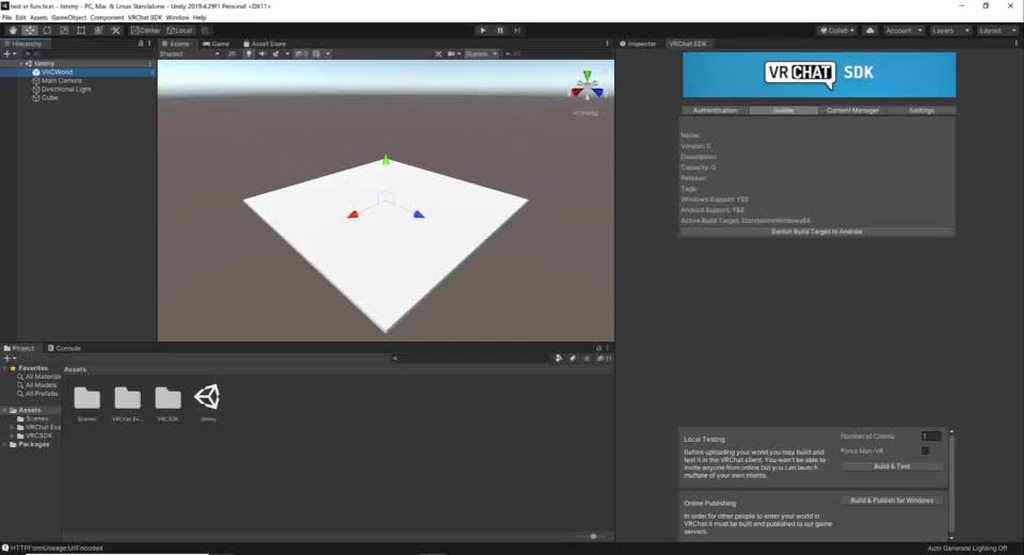
Ever since we moved to Unity 2019.4.29f1 for VRChat programming, I can no longer get my, “Build & Test” to work, when trying to test my worlds, with my HTC Vive Headset, using the VRCSDK SDK2.
Never had a problem before, and now, I’m dead in the water.
When I do click the, “Build & Test” button, I get the, "The open scene(s) have been modified externally" window, and no matter which of the two options I click, the window simply goes away, and nothing happens.
When it used to work correctly, I would click the, “Build & Test” button, and VRC proceeded to start, and I could walk through my world, using my Vive headset and controllers.
I checked the VRC folder location, listed in the VRCSDK2, it is the correct location.
I made a screen capture of this action happening:
 frosty goblet
Yeesh, first time finding a world that spams PC with errors and stutters tf out of it... https://i.imgur.com/MTYVcpp.jpeg
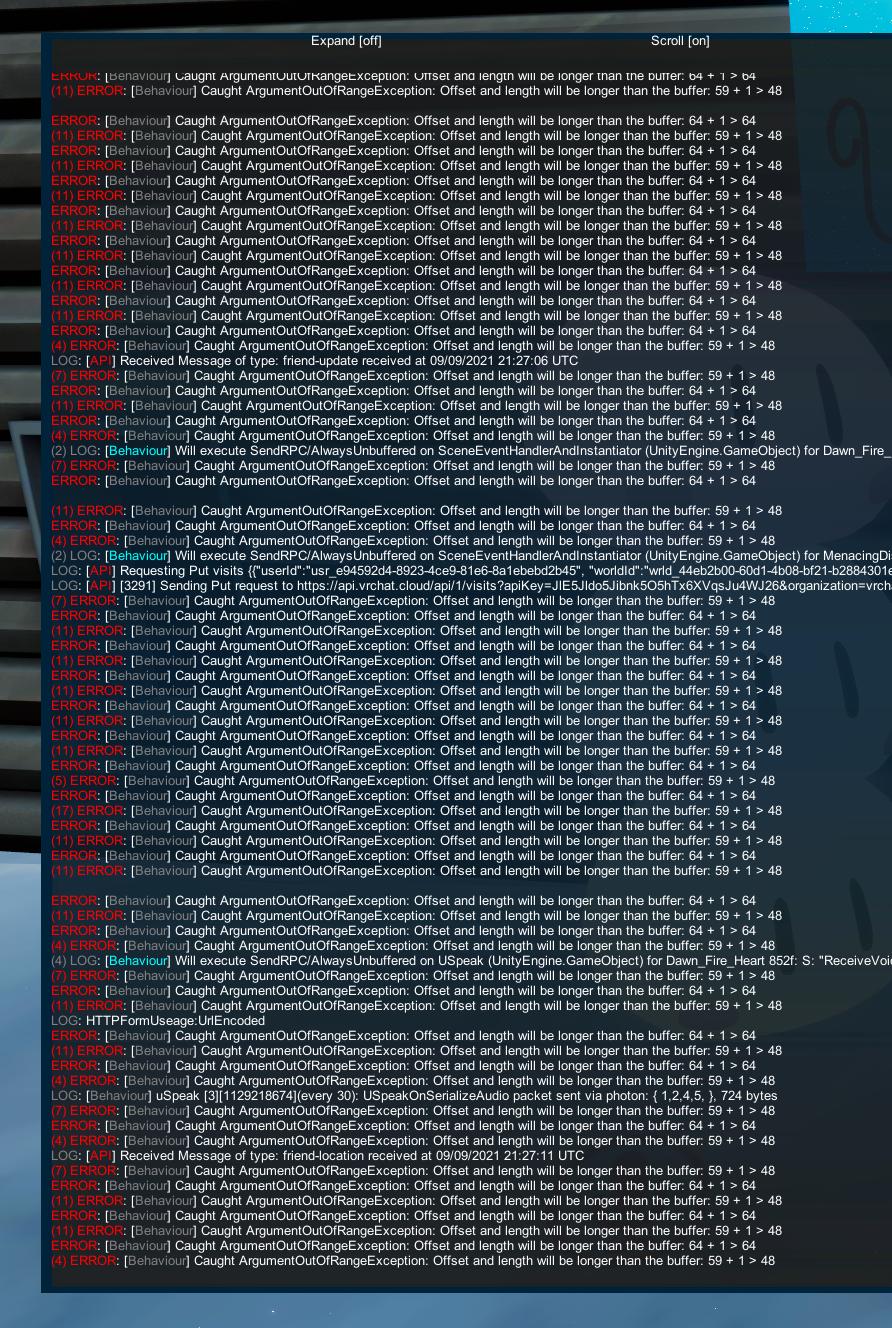
It's called "Comfy Cabin"
kind leaf
I have never seen a log that appears so useless
 outer terrace
I uploaded a world and all avatars are muted in it, I cannot find the option in Unity to re-enable them. help?
Urgent
near escarp
muted avatars ?
If you mean private, you can make them public in your SDK content manager tab
bold ibex
Where are you seeing disabling portals??? #vrchat-general-1 message
Give us all the context
So no one can hear avatar sounds?
errant beacon
outer terrace
I uploaded a world and all avatars are muted in it, I cannot find the option in ...
to clarify, can you not hear avatar sounds, or user voices?
bold ibex
Apparently only sounds made from anyone's avatars dont work at all for anyone there
Every other type of sound is fine
jagged mason
What's a way to make it so a pickupable stays in the same place while dropped, and ignores momentum from things like attached joints?
outer terrace
errant beacon
to clarify, can you not hear avatar sounds, or user voices?
avatar x]sounds dont work
Please, this event is dying
I need more help too: I cannot ge tthis audio to work, it is SILENT inside the volumentric radius

I need sound to be cosnistent inside the audio source area
errant beacon
not sure, sorry o:
for the avatar sound issue, try importing https://github.com/oneVR/VRWorldToolkit/releases and seeing if it says anything maybe, or try reuploading the world?
bold ibex
outer terrace
Your minimum distance in the normal audio component is set to 50
I think thats why
set it to like 0 or 1
and the max distance is 50.5? that also doesnt sound right
errant beacon
that'd leave a weird 50 centimeter thick bubble (from 50 meters) where you could hear the sound if I'm reading that right, yeah o:
outer terrace
try importing https://github.com/oneVR/VRWorldToolkit/releases
I have that, no errors
try reuploading the world?
I am on reupload #21 in the last 4 hours
GitHub
Unity Editor extension for making VRChat worlds. Contribute to oneVR/VRWorldToolkit development by creating an account on GitHub.
bold ibex
Did you try our suggestion yet?
Set min distance to 1 and max to like 250 for good measure
outer terrace
within the mindistance, volume is loud as possible
I need the sound to be full volume inside the minditance
errant beacon
Set the audio falloff graph to be constant instead of a logarithmic rolloff o:
bold ibex
Linear
outer terrace
I have tried linear, same issue
errant beacon
should be able to drag it to be your own falloff iirc? might be wrong on that o:
set it to max/a flatish value if you can
mellow vigil
there is probably a really simple solution to this but i am new to vrchat world building, but why isnt my mirror rendering the world and just the skybox?


 sturdy lynx
mellow vigil
there is probably a really simple solution to this but i am new to vrchat world ...
sturdy lynx
mellow vigil
there is probably a really simple solution to this but i am new to vrchat world ...
Reflect layers
mellow vigil
sturdy lynx
Reflect layers

I am not sure what should be on and off
everything is on the water layer
sturdy lynx
Have you put your environment on a layer?
Like is your dome looking thing on environment for example
Or is it just the default one
mellow vigil
Yes everything in my scene is on the water layer which is why I am confused
oops
maybe i shouldnt post the blueprint id LOL

And I tried to import a new mirror from the prefab but it still was showing the same thing
Whnever I change the layer back to default, it works again
sturdy lynx
Show me an image of the dome in the inspector
 runic epoch
does anyone know how I could make a scroll menu UI
with buttons that would display images and text when pressed
mellow vigil
sturdy lynx
Show me an image of the dome in the inspector
this? 

Ohh.. I think I fixed it for myself...
I put that layer on default
and now the reflection is showing
@sturdy lynx thank you for helping!
bleak fiber
kind leaf
So, no scripts included in the rip will work in Unity/VRChat, setting them up is...
Hrmph
im very new to world development

 feral bobcat
Hi Everyone,
I created my first world in VRChat last week. I'd love to submit it to Labs...
How long does it take to level-up from New User to User???
errant beacon
Ranks aren't strictly based on time - generally just play the game, add friends, visit worlds, and don't get blocked/kicked/muted, etc o:
the time it takes is different for everyone, since everyone plays the game differently
if I had to guess though, probably somewhere in the 80-150 hour range maybe? could def be less though!
feral bobcat
OK, thanks @errant beacon! Does building worlds help build trust?
errant beacon
yup! Uploading content adds to your trust score
feral bobcat
Ok great! thank you 🙂
errant beacon
yw! c:
 dapper axle
I feel like I see sth I shouldn't
 near escarp
It just does that sometimes
 near escarp
Did your world actually upload ?
dapper axle
Nope, I keep pressing "Upload" button, but nothing initiates
near escarp
Restart Unity and make sure to check your console then
dapper axle

I uploaded this world before, but now it doesn't let me for some reason. Neither with same id, neither with the new one
 random owl
https://github.com/oneVR/VRWorldToolkit/releases/latest
Import this and check VRWorld Toolkit > World Debugger from the top
GitHub
After successfully importing the release unity package the toolkit menu will appear in the Unity top bar as VRWorld Toolkit - If it does not, check Troubleshooting for common problems and solutions...
pure cloud
bold ibex
Is that intentional?
it is intentional. I just copied the components from the vrc starter to the avatar. It seems that it uses the animator function to respawn the object if it falls off world.
 winter trail
hello, uhm i maybe need help to import my world to vrchat cus when i click on vrchat sdk it says utitles to clear cache and playerprefs. anyone know how i can fix it
desert python
winter trail
hello, uhm i maybe need help to import my world to vrchat cus when i click on vr...
check console for errors
winter trail
desert python
check console for errors
ive fixed it, but now i have a another problem xD, so whenever i click on Build & test it brings me to vrchat and then when i click "ok" in the loading screen then it just brings me back to the vrchat home world
desert python
i would build and publish privately. build and test will randomly do that. i also suggest having https://github.com/oneVR/VRWorldToolkit/releases/latest to see if anything else weird is happening
GitHub
After successfully importing the release unity package the toolkit menu will appear in the Unity top bar as VRWorld Toolkit - If it does not, check Troubleshooting for common problems and solutions...
winter trail
oh okay
outer terrace
I cannot get a videoplayer component to play. I don't get any errors. It just doesn't play.

Yes, it is currently not active; it is disabled until the player starts it. It doesn't play when enabled.
kind leaf
https://docs.vrchat.com/docs/video-players
^Vimeo requires basic video urls so "https://vimeo.com/383935156"
VRChat
Using the Prefabs The easiest way to put a Video Player in your Udon world is by using one of the Prefabs, which you can find in Assets/VRChat Examples/Prefabs/VideoPlayers. Both of these prefabs will play a video of your choosing, synchronized for everyone in your world. They won't loop - the graph...
outer terrace
No, I am using the direct links so the videos work on Quest.
kind leaf
So it doesnt work when you enable the player, how about if the player starts enabled?
 viscid belfry
is there a way to remove the highlight box that displays over objects when you want to interact with something?
dusk sapphire
outer terrace
I cannot get a videoplayer component to play. I don't get any errors. It just do...
is this sdk3? you cannot use video player components directly on sdk3, you have to use the vrchat provided video player components
outer terrace
dusk sapphire
is this sdk3? you cannot use video player components directly on sdk3, you have ...
Ah. I didn't know that...does it say that anywhere in docs?
dusk sapphire
should be there somewhere I think
dusk sapphire
outer terrace
No, I am using the direct links so the videos work on Quest.
you can use the vrchat provided components on sdk3 to play videos on quest
as long as its a direct link of course
the limitation for them not working on quest was only on sdk2
actually not sure if its properly documented, if it is i can't find it, but they were disabled a couple of patches before udon was updated with video player components https://docs.vrchat.com/docs/vrchat-202011p5
its not listed in https://docs.vrchat.com/docs/whitelisted-world-components
VRChat
The following is the complete list of scripts usable within worlds. Components that are not in this list will not work. Unity Components WindZoneVideoPlayerTilemapTilemapRendererTerrainTreeSpriteMaskParticleEmitterEllipsoidParticleEmitterMeshParticleEmitterParticleAnimatorParticleRendererWorldPartic...
but neither is it listed as whitelisted for sdk2 and it still works there
dusk sapphire
iirc it works, but it needs to be a direct link and quest is a lot more picky with compatible streaming protocols
 random arch
hey how do you enable jumping in a world for udon 3.0? i found a tutorial but it looks to be semi outdated? can anyone link a newer one or explain it in a way an idiot can understand lmao
 silent furnace
There is a script you need to add to vrc world that allows you to control gravity jump speed etc... I can't remember off the top of my head what it's called but it's pretty easy to do...maybe someone else here who is in front of their computer can recall what it is?
errant beacon
iirc the vrcworld prefab should already have that added in it's udonbehavior?
random arch
it uhh kinda nuked itself so i dont really Have a world prefab anymore
errant beacon
Right-click the VRChat SDK in the asset browser and hit Reimport lol
 silent furnace
Its part of the sdk
errant beacon
silent furnace
There is a script you need to add to vrc world that allows you to control gravit...
there used to be VRC_PlayerMods for SDK2
random arch
i reopened unity today and all of this was just gone
errant beacon
ah kk
Check your console for errors/warnings? otherwise click something in the asset browser and hit Reimport All, though note it might take a while depending on how big your world is
random arch
theres 0 errors in the console ill try reimporting now and get back to you
im furiously saving
errant beacon
kk, if that doesn't work, remove the old VRCworld from your scene and add a new one
random arch
also i assume for making a world quest compatible its just changing the shaders to quest compatible ones?
but does that include mirrors? like is there an extra step i need to do with mirrors
errant beacon
you should probably look into lowering the resolution of the mirrors imo, but no there isn't anything special afaik
obv make sure they're disabled by default o:
random arch
yesyes ofcofc thankyou
i reimported and its looks like ima just have to make it again
not too much hassle
 potent girder
I added the SimplePenSystem to my world and it makes lines just fine. How do I erase them? I don't see an option
outer terrace
dusk sapphire
iirc it works, but it needs to be a direct link and quest is a lot more picky wi...
Temporal, you are my hero today.
It works. Finally.
potent girder
The lines show up as a rainbow mark, but I don't see how to get rid of them, is it a component I need to add?
errant beacon
potent girder
The lines show up as a rainbow mark, but I don't see how to get rid of them, is ...
those are more suited as an example to show you how pens are made afaik, would recommend looking into something like VertexColorPens or something from VRCPrefabs o: https://vrcprefabs.com/
potent girder
do you know how to erase the prefab ones?
errant beacon
not sure, sorry o:
likely something you'd have to add to the udonbehavior, or make some other eraser object with it's own udonbehavior
potent girder
the pens you suggested, those are erasable?
errant beacon
yup! has an eraser prefab
potent girder
awesome, i'll look into them. thank you!
errant beacon
yw! c:
worthy horizon
so i tried building some new scenes in the same solution as the world I have been having hell trying to upload as a test
two new worlds, no problems so far uploading or updating either
which leads me to wonder if there is some kind of meta data that could cause "file descriptor is null ('file') during package upload
grim crest
I've been trying to get a video player in my world to work, but for some reason I'm unable to add a URL to the URL input field when in game. I Figured out that the problem was with a script called VRCUrlField. For some reason when I try to add that to the video player, it says there's something wrong with the script. How can I fix this? I've tried using different video players, but all of them have had the same problem (also tried them in other unity projects and they worked there, it's only this project they won't work in)
 placid quail
Hey, so I'm making a world and when I pull objects into being children for other objects its distorting the object.
Is there any way I prevent this without manually re-entering the values?
mild spade
Do the parent objects have uniform scale? (ex. Scale x1 y28 z300) Try setting the parent object to 1,1,1.
placid quail
ok
placid quail
ty ❤️
Do I want to import the world SDK to assets?
Because I've done that and I lack the VRC tab....
Unity is on 2019, latest world SDK imported, VRC tab missing. What step did I skip here? XP
errant beacon
placid quail
Do I want to import the world SDK to assets?
Yes - check the console for errors/warnings? should be a button to open that at the top-left of the asset browser
Also, make sure you're using Unity 2019.4.29f1 and no other version o:
i.e 2019.4.30f1 or 2019.4.28f1 won't work
placid quail
yes, 19.4.29f1
Lets see, I have this
Assets\Udon\Editor\ProgramSources\SerializedUdonProgramAssetEditor.cs(6,16): error CS0234: The type or namespace name 'ProgramSources' does not exist in the namespace 'VRC.Udon' (are you missing an assembly reference?)
errant beacon
Right-click the Udon folder in the asset browser and hit Reimport? could also try Reimport All, though that might take a while depending on how big your project is
placid quail
No visible effect -.-
AHHHH I wish I knew what I was doing differant project to project that sometimes things work and sometimes they dont
errant beacon
Try Reimport All? otherwise sending an image of the console might help o:
placid quail
Nevermind, I spoke too soon, I just needed to give it a second to sort itself
worthy horizon
going to try creating a new scene, then copying over sections of my world in small portions, until i encounter what is causing the upload to fail
success so far
 vestal oriole
I'm making my first world, and I'm using a very complicated setup that I didn't make as my map. VRC wants me to "setup layers," but I don't know what that means or if there's a chance it will mess things up. Can someone tell me what it does, if it might break things, and if I need to make a backup?
 mild spade
vestal oriole
I'm making my first world, and I'm using a very complicated setup that I didn't ...
mild spade
vestal oriole
I'm making my first world, and I'm using a very complicated setup that I didn't ...
What that does is it changes the first 22 layer names and their collision properties (physics) so that certain things cant interact with some things. For example something you can pickup will not collide with the player. For that to work on vrchat you need to set up the layers, which that buttons does it for you. If you didnt change any physics properties on the first 22 layers, you dont have to worry about anything breaking.
 vestal oriole
Okay, thank you. I had something break earlier today, and now I'm hesitant to do anything lol. This is reassuring.
This happens when I try to build and test. It won't open the game, and even if I have the game open, it just won't go. What do I do?
 mild spade
vestal oriole
This happens when I try to build and test. It won't open the game, and even if I...
mild spade
vestal oriole
This happens when I try to build and test. It won't open the game, and even if I...
On the SDK settings tab, next to VRChat Client, do you see something like the image? (the location of the vrchat exe file)
 vestal oriole
mild spade
On the SDK settings tab, next to VRChat Client, do you see something like the i...
vestal oriole
mild spade
On the SDK settings tab, next to VRChat Client, do you see something like the i...
It just says \VRChat.exe
mild spade
Try clicking "revert to default" Are you using the Steam version of vrchat?
vestal oriole
I think I set it up now. Yes, through steam.
mild spade
ah ok, I hope that fixes it
 trim musk
how would i achieve this effect?
an animated UI on the screen, so i can make a black fade when teleporting someone?
 distant pier
Can I build and publish for android and windows at the same time instead of doing it separately?
worthy horizon
negative. not that i know of. they have to be separate projects
green lagoon
nope
worthy horizon
"cannot start an upload against anything but the latest version of this file" has been encountered again
now i wonder if its an asset bundle size related bug
dusk sapphire
they don't have to be separate projects, you can use unity cache server and https://github.com/JordoVR/EasyQuestSwitch to speed up your cross-platform work flows on a single project, and its much easier to avoid issues such as desyncing due to hierarchy differences.

GitHub
EasyQuestSwitch is a Unity editor tool developed for VRChat world creators, it can automate changes to components within a scene as soon as the build platform is changed from PC to Android (for Ocu...
kind leaf
worthy horizon
"cannot start an upload against anything but the latest version of this file" ha...
uncheck future proofing
worthy horizon
i havent had future proofing enabled since over a year ago
kind leaf
Thats interesting. Do you use the toolkit? If so it might have the same recommendation regardless because there is a known bug that makes unity think its enabled when it isnt.
worthy horizon
hmm tooklit?
kind leaf
worthy horizon
ah, negative
i'm currently trying to isolate the cause of this by incrementally copying small bits of the affected scene to a new scene, and uploading each time
kind leaf
yikes. Well, only with quest does the size matter, and even then it is a worldsize popup message you get. For pc your bundle can be as large as you want. If you dont have any luck you can try re importing the sdk fold by right clicking it and selecting re import. If that doesnt do it and you have no errors close unity, copy the folder to be safe, and delete the library. Then re launch. Never delete a library with unity open. And don't skip the copy backup.
worthy horizon
i have tried different SDK versions, the older copy on a different unity version, and even wholly different computers
the error is always the same more or less

so far the only success I have had is uploading essentially just the starting area of the project in a new scene
which is only a tiny fraction of the whole map
this seems to have started around the time of the 2019 update
before that i had no issues updating this project
worthy horizon
i may have isolated it to something within one section of the map
latest upload attempt went through again when i removed a certain stage from the world
added others to verify it wasnt a file size related event
 warm bear
does it work if you export a package from unity 2019 and import it into unity 2018? does it work both ways?
kind leaf
Unity is forward compatible not backwards compatible. You can get newer stuff into an older project but you do not use the import feature. You create the newer project and manually move the items to the older project at your own risk.
 ripe haven
I made an animation that just moves a mesh back and forth. I attached it to the mesh with the unity animation component, and when I press the unity play button, the animation plays like it should. however, when I build & test, it doesn't move at all. can someone help me with this?
dusk sapphire
the legacy animation component? its only white listed for sdk2 worlds, you'll need to use an Animator instead if on sdk3
ripe haven
ah, that seems to be the problem. I'll look for a way to change it to the animator component.
do you maybe know where I can find an easy explanation of the animator component? everything I find is either out of date or very confusing.
dusk sapphire

if you just want a single animation to play its pretty straight forward, you just need to create a new animator controller and place your animation into the base layer. In fact, how did you make your animation in the first place? It should have done that automatically.
ripe haven
I just created an animation, then selected my mesh. then I pressed the record button, moved the white line, then the mesh, and finally pressed the record button again to stop recording.
dusk sapphire
can you check if its actually an Animation component and not Animator? because doing that should have made an Animator
ripe haven
do you mean the component you add on the mesh in the inspector, or the filetype of the animation?
dusk sapphire
the component on the mesh in the inspector
ripe haven
it didn't make anything automatically, I had to add the animation/animator myself
i got this error when I put the animation into the animator
 dusk sapphire
huh, i'm not sure how you created a legacy animation in the first place
top right inspector, click the 3 dots and select Debug, and you should be able to see a legacy checkbox on your animation file, uncheck that and see if that solves it. don't forget to set inspector back to normal.

 dusk sapphire
looks alright
in future, when you make an animation, just open up the animation window and click create here
https://nyanpa.su/i/gHj01xBw.jpg
it'll make the animator for you and what not

i'm guessing you created the animation component on the object first, in which case it just makes the legacy animation clip instead.
ripe haven
dusk sapphire
i'm guessing you created the animation component on the object first, in which c...
yeah that's what I did
ripe haven
dusk sapphire
in future, when you make an animation, just open up the animation window and cli...
that seems to have done the trick! thank you so much for helping me!
dusk sapphire
no worries.
bold ibex
so i need help not sure where to ask this so sorry if im in the wrong chat i made a world and when you go to load in it it sends you back to your home world how do i fix this
worthy horizon
ok so i have confirmed that whatever is killing the upload is in a specific stage of my scene heirarchy
now its a needle in a hay stack to figure out which game object / component is responsible
 bold ibex
 deft geode
wut happened
deft geode
wut happened
Whenever that or other odd issues happen go check your unity error console
You can click that red erorr bar at them bottom to open up the console
worthy horizon
last time that happened i had to remove the SDK and its meta data and re-import it.
hmm which makes me wonder if some meta data is the cause of my upload issue
given i see no actual assets that are corrupt or missing, maybe its some bad meta data from unity 2017...
errant beacon
bold ibex
so i need help not sure where to ask this so sorry if im in the wrong chat i mad...
Import https://github.com/oneVR/VRWorldToolkit/releases and see what it's world debugger says? o:
bold ibex
bold ibex
so i need help not sure where to ask this so sorry if im in the wrong chat i mad...
try what zuvali said and if it doesnt give any info on fixes or doesnt fix it then you should delete the VRCWorld prefab and just make your own spawn with an empty gameobject
bold ibex
bold ibex
so i need help not sure where to ask this so sorry if im in the wrong chat i mad...
I made a video on how to fix
The point of copying the udon behavior is so that you can preserve the jump, speed, walk, and run settings. Can't jump without it
Can still run and stuff tho
errant beacon
trying to hide that you're running on Unity 2019.4.499 :pepelaugh:
but actually that's vv helpful lol, cool o:
bold ibex
errant beacon
trying to hide that you're running on Unity 2019.4.499 :pepelaugh:
PFfft it was only a typo how could you accuse me of such a thing!
You know how illegal it is to run that version right
errant beacon
aye, that version's been banned since the incident
bold ibex
bold ibex
I made a video on how to fix
this didnt work
errant beacon
try the VRWorldToolkit's world debugger? o:
bold ibex
bold ibex
this didnt work
Try deleting the Behavior component and reupload
maybe thats whats causing it then
Also try waht zuvali said: https://github.com/oneVR/VRWorldToolkit/releases
GitHub
Unity Editor extension for making VRChat worlds. Contribute to oneVR/VRWorldToolkit development by creating an account on GitHub.
errant beacon
Open the default scene, you might have been saving progress there
bold ibex
i just made a new world i fix the old one later but now im falling through the floor did i mess up the floor or spawn?
errant beacon
make sure the floor has a collider component?
bold ibex
how do i check that?
errant beacon
Click your floor mesh/gameobject, and look in the inspector for a collider component
likely either a box collider or a mesh collider
If it doesn't have one, add one and scale it to your floor if necessary - don't use mesh colliders on high poly count models though, things colliding with it would have to check against potentially every polygon on that model, which could get expensive
bold ibex
thanks fixed it
errant beacon
yw! c:
worthy horizon
and of course here we go again, a whole new error to deal with

its an endless cycle
lol i could have probably had another major world update done by now, but now weeks have been spent dealing with this bs
errant beacon
contact VRChat support if you haven't already? could be a serverside issue with the world
http://help.vrchat.com/hc/en-us/requests/new
worthy horizon
i have submitted reports on the last error, this specific error is actually also happening on another completely unrelated world that is in its own separate project, seems to happen even if i create a totally new world instance, which this is
now going to try pushing another upload with that specific part of the world removed
i would really like to know what these UUID files are, obviously its not any of my project contents, i'm guessing it's the bundled unity package files
bold ibex
hey does anyone know how to make a world pc and quest compatible
worthy horizon
inb4 isnt there a readme on the site faq covering this
bold ibex
Yes
worthy horizon
{this is the part where i start questioning if the datastore that houses the world file records has a failing drive in the RAID}
deletes world and tries to re-upload again
potent girder
Does anyone know how to make objects respawn after you throw them out of the world? I'm not sure what settings to do
 crisp sonnet
Is it possible to customize avatar pedestals to not be wavy or not cut off as much of the avatar image?
bold ibex
So im trying to make a avatar world and for some reason when i keep uploading it, This comes up can anyone help me with this??
 worthy horizon
potent girder
Does anyone know how to make objects respawn after you throw them out of the wor...
worthy horizon
potent girder
Does anyone know how to make objects respawn after you throw them out of the wor...
that should be an option in the scene descriptor, at least it is in SDK2


 worthy horizon
respawn height
bold ibex
Trying to figure out how do I add music to my VR chat world with udon
worthy horizon
should also affect objects iirc
worthy horizon
bold ibex
Trying to figure out how do I add music to my VR chat world with udon
just a song that plays on load should work as a game object with the sound clip attached
bold ibex
worthy horizon
just a song that plays on load should work as a game object with the sound clip ...
I’m trying to add like six songs
worthy horizon
ah so you'd want to have it as a disabled game object
bold ibex
Yes
worthy horizon
the last time i worked with audio controls was SDK2
bold ibex
Ah ok you know what I’m just gonna add One song how do you attach a song to a block
worthy horizon
i personally prefer udonsharp so far for scripting, but i have only touched sdk3 lightly
bold ibex
Ahh ok
bold ibex
worthy horizon
just a song that plays on load should work as a game object with the sound clip ...
How do I do that
worthy horizon
with that i'm betting you could reference many songs in the script, then pass a variable to it to select which is playing
bold ibex
Ya
How do you take this song in and attach it to a block for it to just play it whenever you load
worthy horizon
hm either add a child game object that is the audio clip or define an audio source component in the block directly
bold ibex
Like this
 worthy horizon
the audio clip option will be your mp3/ogg/whatever