
#world-development
39 messages · Page 94 of 1
 viscid belfry
 tight tulip
There’s a issue we’re when I try to upload my world it always stays in the scene tab and it gives me these errors how do I fix this


 earnest grotto
Is it possible to download/extract music from a world?
 worthy relic
is there a way to use c# scripts in game? im trying to make a randomly generated maze. also @earnest grotto not to my knowledge
viscid belfry
worthy relic
is there a way to use c# scripts in game? im trying to make a randomly generated...
https://github.com/MerlinVR/UdonSharp
Download and install package into project

GitHub
An experimental compiler for compiling C# to Udon assembly - GitHub - MerlinVR/UdonSharp: An experimental compiler for compiling C# to Udon assembly
worthy relic
oof im useing sdk2
 onyx leaf
I updated to unity 2019 and url input fields are no longer recognized as a valid script. I'm getting this error 'VRC.Udon.Editor.ProgramSources.UdonGraphProgram.UI.VRCUrlField' is missing the class attribute 'ExtensionOfNativeClass'!
and ive tried installing the newest sdk, i've deleted and regenerated the library folder, and the issue is still there. anybody have this problem or have any ideas?
 kind leaf
earnest grotto
Is it possible to download/extract music from a world?
kind leaf
earnest grotto
Is it possible to download/extract music from a world?
no, that would be in the same ballpark as ripping which is a no no. You can however contact the world owner and ask them what music they used.
worthy relic
should i just remake the project? as of the current stage its just 30 maze tile objects and some spawn stuff @viscid belfry
viscid belfry
worthy relic
should i just remake the project? as of the current stage its just 30 maze tile ...
There probably may be a way to integrate sdk2, I wouldnt know. However, in your shoes, if you're not getting/finding answers, I would take everything you need and make it into prefabs. Export the prefabs into a package and start a new project with sdk3 and bring in your new package.
worthy relic
ok thanks
worthy relic
i have no idea what i need to change to make this work... i already suck at c# but udon im worce at
 viscid belfry
worthy relic
i have no idea what i need to change to make this work... i already suck at c# b...
viscid belfry
worthy relic
i have no idea what i need to change to make this work... i already suck at c# b...
By any chance did you make a c# script or a udon sharp script?
viscid belfry
worthy relic
i have no idea what i need to change to make this work... i already suck at c# b...

 severe pier
Does anyone know why my VRChatSDK control panel is not showing up?
 viscid belfry
worthy relic
i did that
viscid belfry
worthy relic
i did that
Perhaps you are using some functionality not supported by u# yet
tight tulip
There’s a issue we’re when I try to upload my world it always stays in the scene tab and it gives me these errors how do I fix this


 viscid belfry
severe pier
Does anyone know why my VRChatSDK control panel is not showing up?
viscid belfry
severe pier
Does anyone know why my VRChatSDK control panel is not showing up?
try reimporting the vr chat folder? Worked for me the one time the sdk panel wasnt working for me
severe pier
viscid belfry
try reimporting the vr chat folder? Worked for me the one time the sdk panel was...
Thanks! That did it
 limpid jay
Hay all I am really new to unity I am trying to publish my first world and keep getting the folowing error
ArgumentException: The Assembly UnityEditor is referenced by VRCCore-Editor ('Assets/VRCSDK/Plugins/VRCCore-Editor.dll'). But the dll is not allowed to be included or could not be found.
UnityEditor.AssemblyHelper.AddReferencedAssembliesRecurse (System.String assemblyPath, System.Collections.Generic.List1[T] alreadyFoundAssemblies, System.String[] allAssemblyPaths, System.String[] foldersToSearch, System.Collections.Generic.Dictionary2[TKey,TValue] cache, UnityEditor.BuildTarget target) (at <3d9f46ac475f4fa9a3b71bacf80244a8>:0)
UnityEditor.AssemblyHelper.AddReferencedAssembliesRecurse (System.String assemblyPath, System.Collections.Generic.List1[T] alreadyFoundAssemblies, System.String[] allAssemblyPaths, System.String[] foldersToSearch, System.Collections.Generic.Dictionary2[TKey,TValue] cache, UnityEditor.BuildTarget target) (at <3d9f46ac475f4fa9a3b71bacf80244a8>:0)
UnityEditor.AssemblyHelper.FindAssembliesReferencedBy (System.String[] paths, System.String[] foldersToSearch, UnityEditor.BuildTarget target) (at <3d9f46ac475f4fa9a3b71bacf80244a8>:0)
UnityEditor.BuildPlayerWindow:BuildPlayerAndRun()
The world works in build and test no errors but when I try to publish it does this
 random owl
tight tulip
There’s a issue we’re when I try to upload my world it always stays in the scene...
random owl
tight tulip
There’s a issue we’re when I try to upload my world it always stays in the scene...
You have error pause on in the console pausing the upload process, disable it and try again
random owl
limpid jay
ArgumentException: The Assembly UnityEditor is referenced by VRCCore-Editor ('As...
Make sure error pause is disabled and restart Unity which should help if that's all the errors you are getting
worthy relic
@viscid belfry oof, well hopefuly it can be done in updates
viscid belfry
worthy relic
<@!352233490630311937> oof, well hopefuly it can be done in updates
check the udon sharp docs, it says what they dont support and compare it to your code
worthy relic
ok


 kind leaf
 obtuse jetty
im tryna import the sedk3 but this keeps popping up
obtuse jetty
im tryna import the sedk3 but this keeps popping up
is this a fresh project or are you upgrading?
obtuse jetty
kind leaf
is this a fresh project or are you upgrading?
i literally just downloaded unity to make a world in vr chat
and thats just me trying to download sdk 3 cause a tutorial told me to but its not working
kind leaf
Unity 2019.4.29.f1?
obtuse jetty
uh
kind leaf
VRChat
Requirements We're going to need a couple things before we can get started. Current Version of Unity. We strongly recommend using Unity Hub, available on that page.VRChat SDK - See the Choosing your SDK page to see how to choose the correct SDK for your use. Step 0 - Installing Unity Check the Cur...
kind leaf
that b ur prob ;P
obtuse jetty
thanks do i just like download the other one??
kind leaf
check the link I sent, follow it close you shouldnt have any issues
obtuse jetty
thank you so much
obtuse jetty
kind leaf
check the link I sent, follow it close you shouldnt have any issues
uh is this normal?

i keep getting these errors
but the sdk3 workds now
kind leaf
you can try pressing clear on the console, and reload unity (save and restart it). Anything in red that is serious will be present again. white and yellow you can ignore for the most part.
obtuse jetty
kind leaf
you can try pressing clear on the console, and reload unity (save and restart it...
okay thanks will do
 swift fable
was there any progress regarding cloud saved player progrees?

 kind leaf
bad ass lookin swords
 opal sigil
yeah its not the sword i check all the box collider
 near escarp
Enable the physics debugger window
opal sigil
got it ! now how can i delete it
 kind leaf
^ you can also type rigidbody in the hierarchy search. All pickup scripts come with it and they will be displayed.
opal sigil
am i doing wrong ?
 kind leaf
nope, must not be a pickup then lol
near escarp
Next time enable mouse select in the bottom right corner of scene window instead
Should be on by default but you know, Unity 
 spice egret
does anyone know how to fix this error?
 random owl
Check for other errors to see what is causing the build to fail
 oblique bear
having a problem with buttons. they only work through the menu? this video shows what i mean
kind leaf
oblique bear
having a problem with buttons. they only work through the menu? this video shows...
http://vrchat.wikidot.com/worlds:layers try default as the layer. Basically, anything but UI and UiMenu
oblique bear
kind leaf
http://vrchat.wikidot.com/worlds:layers try default as the layer. Basically, any...
the layer is already set to default
 rain shadow
oblique bear
the layer is already set to default
rain shadow
oblique bear
the layer is already set to default
How do you have those buttons setup
 hardy sleet
I am very new to Udon, how can i make a interaction like a pool table update for both quest and pc? Cause i uploaded my world, works fine in both platform separately however when we try to play pool, I click to start the game but the Quest user cant see the UI to join the game. Anyone know of a fix? Thx and much love
 mint steeple

 runic pike
I need help, I did Vowgans vr tutorial mirror quality loops, but I don't know where to put what scripts since he doesn't explain that much about where to put the scripts.
All the buttons have this

And this is the gameobject

 fast python
Anyone know of a quest compatible shader that makes your vision dark?
 green lagoon
you cannot utilize any post-processing on the quest they might as well just stick a literal box on avatars head using udon?
fast python
That would not be optimal
Wanted the player's vision to be altered upon entering water (so the vision gets darker and blurier)
green lagoon
you'll probably just have to cut the effect for Quest
fast python
Damn
green lagoon
it is basically an Android phone power level wise
 dusk sapphire
darkening the players vision is easy but having a blur effect isnt feasible because you'd probably need a grab pass for that which iirc isnt supported on quest
just a simple shader I put together for sleep mode on quest versions of my world, stick it on a cube/sphere surrounding the map.
fast python
Oh this is perfect, thanks!
dusk sapphire
uh, make sure cull mode is set to front, cant remember what it defaults to
 sharp heron
Does anyone know the solution to errors like these
 near escarp
Can you screenshot the rest ?
oblique bear
rain shadow
How do you have those buttons setup
oddly enough, it works completely fine in cyanemu. anyhow, this is how its all setup
 sharp heron
Nevermind I was able to fix it by restarting
tight tulip
My project keeps timing out
 runic pike
Can you rename you're world after you already publish it?
Can you also update you're world after you already publish it?
 proven glade
Why do objects swap places on my world for different platforms? Like pc sees normal but quest the props are swapped
tight tulip
Nope can’t publish
dusk sapphire
runic pike
Can you also update you're world after you already publish it?
yes to both
dusk sapphire
proven glade
Why do objects swap places on my world for different platforms? Like pc sees nor...
scene hierarchy on both pc and quest versions of your world needs to be 100% identical, otherwise what you're experiencing can happen.
runic pike
Can you change the world picture as well?
dusk sapphire
yes
dusk sapphire
You'll have to ask someone who has a quest, its the only way. You can use cyanemu to test things in editor at the very least.
dusk sapphire
you have to upload it yes
dusk sapphire
VRChat
Setting up a cross-platform world or avatar is actually quite straightforward! In short, all you have to do is use a duplicate project to build an Android version of the asset, and upload it to the same content ID as the VRChat PC asset. The client will manage which version it needs to download. If...
runic pike
Where do I find the same world id they're talking about?
runic pike
dusk sapphire
just a simple shader I put together for sleep mode on quest versions of my world...
Can I use this too?
dusk sapphire
go ahead
your world id is in your pipeline manager component, on your vrcworld object
you can also find it in content manager in vrcsdk panel
runic pike
Where do I paste the ID???
dusk sapphire
you don't have to do anything if its already in your pipeline manager
runic pike
Oh..
proven glade
dusk sapphire
scene hierarchy on both pc and quest versions of your world needs to be 100% ide...
Ah
fast python
I have a question about the noriben Quest water shader
After a while it starts getting very laggy and stuttery. Is there any fix for this?
I've actually seen this in several Quest worlds
 round sandal
does vrc allow custom c# scripts?
like what i have in mind exactly is to have a lil navmesh dude follow an object around or something
not unlike the ducks you can feed from that one world
ive heard that theres like udon and udonsharp and whatnot but id much rather just use a language im familiar with
rain shadow
round sandal
does vrc allow custom c# scripts?
It doesn't
round sandal
well damn
rain shadow
But UdonSharp is just c#
round sandal
thats just unfortunate
round sandal
rain shadow
But UdonSharp is just c#
eh i could try that
 wispy turtle
starting world creation. Is the vrc_trigger component missing? or is it something else? I'm trying to create a mirror button
 leaden hazel
@round sandal UdonSharp is basically C# with just a few advanced features not possible. These are all detailed in the docs and easy to work around for the most part.
leaden hazel
wispy turtle
starting world creation. Is the vrc_trigger component missing? or is it somethin...
VRC Trigger is part of SDK2. If you're starting a new SDK3 world. You use an Udon Behaviour component and create a simple script using the Interact event as the starting point.
 wild egret
leaden hazel
wild egret
leaden hazel
You can delete your own message.
 red urchin
ok so i used to have the VRWorldToolkit in my world a while ago while i had bakery, but after the 2019 update i got rid of bakery cus i couldnt get it to work anymore, but then once i got rid of it i was getting a bunch of errors from the toolkit. So i decided to delete the tool kit and reimport it
but i'm still getting the same errors

as far as i can tell, for some reason it looks like the toolkit is still looking for some bakery information? even though i already got rid of it?
kind leaf
you got rid of it but you didnt remove the scripts from the lights
red urchin
yeah i had thought that too but i cant find any more on any of the lights
i already used the light explorer to see if they had any, if there are any more of them then i lost them and need help finding them lmao
dusk sapphire
iirc you have to remove some bakery scripting defines
red urchin
what's that mean 0-0

 dusk sapphire
Other settings
wispy turtle
can anyone help? I'm trying to setup a teleport button to go to different platforms. This still seems to not work
 red urchin
should i leave the ; or delete?
oh it deleted itself
oki lemme see thank you
did you make sure your variable tp1 end is public?
@proven glade
@wispy turtle
wrong silvia shit
proven glade
Lmao
wispy turtle
lol no worries. Unsure on how to make it public
 wispy turtle
other than the local position
does yours work, like you press a button and it sends to the point with them empyt_Game_object?
red urchin
yeah
red urchin
yaesss, nice pfp btw a very happy furret boi
wispy turtle
thanks~ i made it myself
oh, @red urchin how do you rotate the orientation of where the people teleport to?
kind leaf
just rotate the empty game object you use as a receiver
 still lintel
Having an issue right now where my SDK Builder screen is just... empty? I have no red errors in my console at all, so I'm not sure exactly what's causing it. I've tried restarting Unity, I've tried reimporting the SDK, it's the most updated SDK version, I'm at a loss at this point
 fast python
Got a problem
I want the player to be slowed upon entering a trigger
But I need it to only apply to if the player is local
still lintel
Couldn't you just have entering the trigger set a parameter value on an animator that then triggers a local animation that lowers their movement speed?
still lintel
Awesome. I assume you're using Udon?
fast python
I just need to connect the get local somehow like I did for teleporters
 still lintel
I mean it looks like you have those two nodes that you need right there? OnPlayerEnterTrigger and Get isLocal seem like the nodes you need, you'd just take that Bool from isLocal and feed it into a branch or whatever it is, right?
still lintel
I'm not too well versed in Udon, but I'm still confused as to what your problem with this is
fast python
 still lintel
I know Bool doesn't just connect to a reference object
Gimme a second, i did an udonbehavior a while back that used this kind of system
fast python
The issue right now is if one player enters the trigger, every player gets slowed down
still lintel
Okay that makes sense that you're having that issue. I'm opening an old project now to see what I did to deal with it
Okay so I think I did it in a weird and overcomplicated way because it was one of my first attempts at Udon, HOWEVER, I have a couple of suggested solutions for you.
Actually no, I think I just have the one solution
Instead of feeding it directly into the SetRunSpeed node, have it feed into a SendCustomEvent node, and then have another CustomEvent node then feed into the SetRunSpeed node
Pretty sure SendCustomEvent is just local, and you'd need SendCustomNetworkEvent to have it be a global effect, so that MIGHT solve your issue
Like what I did here

Also take my suggestions with a grain of salt, I do mostly avatar work, not world work
Udon is not my forte
fast python
Same lol
random owl
still lintel
Can you search for VRCProjectSettings in your assets and check if it's empty post a screenshot of the whole inspector for it if it is empty
still lintel
random owl
Can you search for VRCProjectSettings in your assets and check if it's empty pos...
I have three items with that name, one Prefab asset and two dll files, one of which is apparently "standalone"
This is the prefab asset inspector

 dry violet
so before i spend 10 million hours on it do i need to do anything special for making a world? i have the world sdk and the recommended unity engine so can i just make a unity world and worry about everything else later?
still lintel
As long as you're not doing a bunch of Udon stuff, yeah that should be pretty much all you need
still lintel
Udon is the "coding" language stuff for worlds that does things like animate doors when you activate stuff, buttons, fancy interactions, etc
random owl
still lintel
This is the prefab asset inspector
Is there anything in layers and layer collision array if you expand it
still lintel
Nope, both are 0
dry violet
so i can make the world and do that stuff later?
still lintel
Pretty much, yeah
random owl
still lintel
Nope, both are 0
Try just deleting it and re importing the latest SDK over should be the easiest fix
still lintel
I did that, didn't work
And this is the latest SDK version
Or do you mean just deleting the prefab asset?
random owl
Delete the single asset
still lintel
random owl
Delete the single asset
No change, layers and layer collision array are still 0
random owl
Search for VRCProjectSettings again select the two DLLs and right click reimport
still lintel
Done, their icons changed to puzzle pieces but no other changes
Also still no console errors
random owl
https://github.com/oneVR/VRWorldToolkit/releases/latest
Then just import this and do VRWorld Toolkit > World Debugger from the top bar which should in the least get the contents back
GitHub
After successfully importing the release unity package the toolkit menu will appear in the Unity top bar as VRWorld Toolkit - If it does not, check Troubleshooting for common problems and solutions...
still lintel
That did it! Thank you so much for your help
 marsh hill
Hello, I was wondering if someone might be able to help me. I hope this is the right channel to ask in? I've been making my first world for a few months now and am finally at the stage of testing it! I recently upgraded to the proper version of Unity 2019 however and have gotten everything in working order I think. (I've been watching a lot of tutorials since I'm still newish to this)
However I'm running into an issue when trying to build & test, and getting these error messages that seems to be preventing it from launching.
Ignore the blacked out parts, that's just my computer's name. I'm not sure what this means, and I can't find anything on Google about it either.
 near escarp
What other errors are there ?
marsh hill
Just those really. There are a few complaining about a shader issue and post processing ones. I'll grab a snip of those too.
tight tulip
When I updated my world it says it updates but it’s not updating in game
marsh hill
 random owl
marsh hill
random owl
marsh hill
You have two imports of post processing delete the one in your assets
tight tulip
When I updated my world it says it updates but it’s not updating in game
marsh hill
random owl
You have two imports of post processing delete the one in your assets
I deleted the one in assets, however now it seems the scrolling distortion effect on the Poiyomi materials I had no longer works, and more errors cropped up.
 tight tulip
When I updated my world it says it updates but it’s not updating in game
random owl
Check the console for any errors after the upload
random owl
marsh hill
I deleted the one in assets, however now it seems the scrolling distortion effec...
Close unity delete the PackageCache inside the project folder and reopen
 wicked umbra
can i ask questions here? i do better when i have someone explain it to me rather than looking at articles
tight tulip
When I updated my world it says it updates but it’s not updating in game how do I fix that
round sandal
leaden hazel
<@421329832421621780> UdonSharp is basically C# with just a few advanced feature...
thanks, ill try that
near escarp
fast python
Hey <@!97980768323633152> got an issue
?
wicked umbra
is there a way to set some sort of spawn point in a world?
wicked umbra
alr thanks im going in dumb and blind to unity. Thanks!
fast python
near escarp
?
Sorry got it figured out. Had an udon issue
marsh hill
random owl
Close unity delete the PackageCache inside the project folder and reopen
So that did the trick in removing those errors, however 202 new compiler errors related to UdonSharp have popped up suddenly. As far as I'm aware, the only thing I'm using Sharp for is a Join Alert, Player Counter, and the QvPens I've placed in world, all of them prefabs. I'm fearful I may have done something wrong when upgrading to 2019 in this case, as these errors weren't there before? The migrating document said to create an empty scene to save the project in before upgrading, which I did correctly I thought?
wispy turtle
how do you prevent text from showing through a mesh?
kind leaf
wispy turtle
how do you prevent text from showing through a mesh?
You are seeing this issue in editor right? UI text doesnt show up behind mesh in game unless the material on the mesh is transparent.
wicked umbra
theoretically speaking would it be possible for me to port a minecraft world through a alternative program into vrchat?
kind leaf
wicked umbra
theoretically speaking would it be possible for me to port a minecraft world thr...
yes, vrc has a couple minecraft clones
wicked umbra
So now i just have to figure out what program to use
im too lazy to make a real house in unity so...
if it works it works
and with the minecraft music it could be calming for those types of peeps that like to use vr as an escape
wispy turtle
kind leaf
You are seeing this issue in editor right? UI text doesnt show up behind mesh in...
good to know ty
wispy turtle
Anyone know how to disable or enable multiple GameObjects with one "interact"
 olive shuttle
Anyone able to help xD trying to make a TP lock system
 near escarp
 bold ibex
Hey, what advices would you give me in order to make a good and successful vrchat world?
tight tulip
When I updated my world it says it updates but it’s not updating in game how do I fix that
wicked umbra
wicked umbra
im too lazy to make a real house in unity so...
welp the house is done now i just need to find a way to port a world from minecraft into unity
green lagoon
 green lagoon
yup
wicked umbra
and make lanterns actually light up shit and and a minecraft bed to the map
and shaders to make it look pretty
green lagoon
then just add Point lights in unity
wicked umbra
but i need it to look pretty. i want it to be as there was minecraft shaders
and shit i forgot to make it night
green lagoon
that's just a case of doing a nice set of baked lighting
wicked umbra
Im assumiing i should export for rendering...
green lagoon
don't have a answer on that one as I haven't played with the exporters
wicked umbra
well if i export it for rending im assuming that'll allow me to bring it into blender
than from blender to unity somehow
than from unity to hopefully not in the trash
green lagoon
if you get it into a fbx/obj you can go straight to Unity
wicked umbra
SWEET
tight tulip
When I updated my world it says it updates but it’s not updating in game how do I fix that /I’ve been asking for help for a couple hours can anyone help me
wicked umbra
btw does the project have to be vr or can it be 3D?
green lagoon
3D
wicked umbra
good
kind leaf
wispy turtle
good to know ty
You use an array and a for loop for toggling multiples. If you need graph I cant help you
a gameobject array looks like this:
public GameObject[] objects;
the for loop is like this:
for(var i = 0; i < objects.Length; i++)
{in here you put your toggle like "objects[i].SetActive(!objects[i].activeInHierarchy)"}
dont use that C#/U# as is, its sudo code.
wispy turtle
There's a "Block" function, which I was looking for. Basically, it extended the Interact noodle into additive list that can connect to separate gameobject nodes
tight tulip
When I updated my world it says it updates but it’s not updating in game how do I fix that /I’ve been asking for help for a couple hours can anyone help me
wicked umbra
update i think ima put it into blender for the textures than export it to unity
tight tulip
And there’s no errors indicating somethings wrong
wicked umbra
And the inside of the buildings not rendered
kind leaf
tight tulip
And there’s no errors indicating somethings wrong
Some things to check:
Correct unity version?
Latest SDK?
Uploading to the correct Blueprint ID?
Do you have the toolkit? Is it reporting anything?
https://github.com/oneVR/VRWorldToolkit
tight tulip
I’m using correct versions and doing the right blueprint but I I’m getting this
 kind leaf
thats eye nuking. alt + print screen on the active monitor will take a perfect screenshot that you can just ctrl V into discord 🙂
wicked umbra
Alr im kinda freaking out rn
So i used mineways and it worked but the textures sucked
tight tulip
Sorry
green lagoon
that's because you haven't setup your transparent materials in unity
out of curiosity have you ever made any worlds before this one
wicked umbra
nope
this is my first time doing anything to this degree
im going in completely blind
tight tulip
I don’t have a print key tho
green lagoon
https://steamcommunity.com/sharedfiles/filedetails/?id=2507157026 recently found this to be a handy text guide for worlds for noobs

Video version: https://youtube.com/playlist?list=PLPdWkxUSZ65Fp6ICrU7mIq1znAfPwMhNZ
This is the text version of a work in progress guide about how to create your first VRChat World using a Unity-on
 tight tulip
kind leaf
thats eye nuking. alt + print screen on the active monitor will take a perfect s...
tight tulip
kind leaf
thats eye nuking. alt + print screen on the active monitor will take a perfect s...
Is this better

?
 hollow fjord
@tight tulip press the windows key and type "snipp"
windows has a built in snipping tool to take screenshots
anyway "unsupported platform" reffers to this https://docs.unity3d.com/Manual/GraphicsAPIs.html
 wispy turtle
um....what did i do?
 hollow fjord
Uh, that's a new one...
wispy turtle
and this worked like 10 minutes ago, and the oinly thing i changed was the color of some textures
hollow fjord
tried restarting unity?
tight tulip


 hollow fjord
anyway "unsupported platform" reffers to this https://docs.unity3d.com/Manual/Gr...
hollow fjord
hollow fjord
anyway "unsupported platform" reffers to this https://docs.unity3d.com/Manual/Gr...
.
wispy turtle
it aaaalll broke
hollow fjord
I think it's failing to grab directx
hollow fjord
wispy turtle
it aaaalll broke
guess unity decided to restart for you 
wispy turtle
no i restarted., but the project ios borkend
hollow fjord
Migrating from 2018 to 2019?
wispy turtle
that was like 2 weeks ago, and it's already in a 2019 version
tight tulip
How do I fix my world not updating in game
wicked umbra
minecraft out of the question going back to unity
hollow fjord
wispy turtle
that was like 2 weeks ago, and it's already in a 2019 version
maybe try updating the sdk?
wispy turtle
did they just update the sdk like 2 hours ago?
hollow fjord
Dunno
wicked umbra
I think what im going to do is find a good cabin model make some snowy terrain and add a snow skybox with some snow particles than add the cabin model add some little details and call it a night
SNOW
wispy turtle
nope its the same
hollow fjord
Sometimes deleting the sdk folder and reimporting it has fixed weird issues for me
wispy turtle
im just going to a new project
hollow fjord
I'm at least happy that unlike unreal, unity crashing doesn't have a 50% chance of corrupting my files as well 
it's still like 5% but at least it's lower
still crashes a lot, but then again, so does unreal
leaden hazel
tight tulip
89 errors there is.. a lot of errors. hmm
tight tulip
leaden hazel
89 errors there is.. a lot of errors. hmm
Most repeat
leaden hazel
You could try reimporting the SDK and see if that helps?
tight tulip
Tried that
leaden hazel
wait, it says Mac Standalone
have you somehow got the project thinking its trying to build a Mac app?
tight tulip
I’m not sure
kind leaf
tight tulip
I’ve never touched those settings
kind leaf
thats how you start the fix
the irony in building pc/android apps in Unity which is/was an apple produce.
tight tulip
I can’t realy understand it
 sullen fiber
Is there any scripts to prevent ripping? There are a few people within the community stealing avatars and worlds, and its not going well. Ive creation a large map for the community but I dont want to upload it because Im scared of ripping
kind leaf
sullen fiber
Is there any scripts to prevent ripping? There are a few people within the commu...
no, ripping is possible with any game. Unity just makes it easier.
sullen fiber
unfortunate, guess I wont upload it
kind leaf
I say no, only because those options are not available to us or practical to implement for vrc.
tight tulip
So what do I. Have to fix to make my world update in game Im realy confused I do better being walked through it
kind leaf
sullen fiber
unfortunate, guess I wont upload it
you can report people for using stolen content. see the proper report channels for that.
sullen fiber
There is a person ripping avatars, worlds, calling our members hard r and hard F, and they havent been banned from like the 300 reports under their name, I doubt anything will happen at this point
kind leaf
vrc is full of pirate though, all you can do is report. If nintendo knew of all the mario rips vrc would be down for a few days. No one bothers actually reporting or filing dmca's/
sullen fiber
Well, I see you are here often and helping people. That is very nice of you. Thanks for your comments and have a good day
green lagoon
and don't forget all of those illegal Mmds running around
tight tulip
Don’t mean to sound nagging but I’ve been trying to solve this for the hole day I just whant to get my vrc world updated in game
kind leaf
file > build settings > pc,mac,& linux standalone.
To change the target platform (the platform you want to build for), select the platform you want to switch to, then select Switch Platforms. This might take some time, because Unity might need to re-import your Assets in formats that match your target platform.
leaden hazel
Can you screenshot what that window looks like @tight tulip when you open it?
tight tulip
 leaden hazel
Not that Window...
File Menu in Unity, Then Build Settings
Should look something like

 warm pine
I'm trying to make my first world and I'm encountering some issues in Unity.
I'm using Unity 2019.4.29f1 and first of all, when I import the world SDK in a brand new project, the VRChat SDK menu doesn't appear until I restart Unity (it usually appears immediately when I import the SDK for avatars) and after I restart Unity and it's there, it has only one thing "Clear Cache and PlayerPrefs", there's no control panel!
Another issue, is that for whatever reason, the scripts are there in the VRCSDK assets folder, but they show errors in the inspector...

 wicked umbra
well its been like 3 hours im tired af ima go play vrchat and maybe try doing this another day
tight tulip
 warm pine
I'm trying to make my first world and I'm encountering some issues in Unity.
I'm...
warm pine
warm pine
I'm trying to make my first world and I'm encountering some issues in Unity.
I'm...
As soon as I posted that, I also just noticed that there are 128+ errors in the console and they keep going, as I'm typing they now reached 140, is there a way to generate a log to paste here?
 wispy turtle
Did anyone else's worlds absolutely sh*t the bed the past hour? Mine absolutely broke itself because the game updated in between my workflow
wispy turtle
warm pine
As soon as I posted that, I also just noticed that there are 128+ errors in the ...
I guess im not the only one
kind leaf
@tight tulip can you show us what this screen looks like for you? Get to it from edit > project settings


 kind leaf
did you make the world or someone else?
cuz some of your settings are not default, not wrong but not default
tight tulip
I made it
kind leaf
Very strange issue you have, you can try checking auto graphics api for windows. it will freeze up on you for a bit while it works. let it do its thing and then UNCHECK the same box. Because you dont need auto for windows. when its done, you can try pressing clear on the console, and reload unity see if the error persists.
just out of curiosity, do you know what gpu you have?
tight tulip
No
kind leaf
well, if you can play vrchat from your pc/laptop I assume you have a card/onboard capable of dx11. but if you use a standalone unit like quest then the question becomes important.
kind leaf
select the console, uncheck white and yellow so all that shows is red, and show us the list from the top (dont need the whole list just as much as you can fit in one shot from the top of the list)
tight tulip
 kind leaf
ok, ty, but from the top of the list please.
opal sigil
did somoene knwo a video player whos is quest compatible ?
kind leaf
all of them bud.
quest compatibility means using a render shader thats not the emitting one so standard lite and using direct download links
tight tulip
 opal sigil
kind leaf
all of them bud.
opal sigil
kind leaf
all of them bud.
do you knwo where i can get them i always search on internet bus still not found a prefab one
tight tulip
?
opal sigil
yes
kind leaf
opal sigil
yes
https://vrchat.nishawolfe.com/prefabs/videoplayer
https://architechvr.booth.pm/items/2536209
https://reposhub.com/dotnet/media/MerlinVR-USharpVideo.html
pick your flavor 🙂
Like I said, all 3 require the same changes to be made. Switch video output shader to a quest compatible one and use a direct download link generator or a guide to convert downloaded videos.
opal sigil
oh okay thanks !
kind leaf
tight tulip
?
This is a solution attempt I found. If you attempt, I am not responsible for anything.
Before you begin, save and close unity then archive the project. right click the folder and choose to compress. The compressed file is your archive. then you can try this:
"Delete the library folder, or try making a new project and copying just your assets folder over, see if it still happens"
tight tulip
I’ve tried that
kind leaf
I'm out of ideas then. If you get the same issue on a new project thats where I wash my hands 🙂 sry those of use that tried today couldnt help.
warm pine
warm pine
I'm trying to make my first world and I'm encountering some issues in Unity.
I'm...
While waiting for a response, I've also tried using 2018.4.20f with the same results, perhaps the latest download of the world SDK is faulty? Can some dev look into it?
Tho I'd like to use 2019 if possible, I love its dark mode 😅
kind leaf
warm pine
While waiting for a response, I've also tried using 2018.4.20f with the same res...
new project right? nothing in it?
warm pine
Yeah brand new, freshly created
kind leaf
your issue is common, but hell if i know the solution it never happens to me. Do you know how to add an existing project to unity using the hub? Choose add instead of new? If so Ill upload a template.
warm pine
Ok thanks, that might be useful, to prevent this bug
tight tulip
My world is now broken😭
warm pine
I'm now in bed, but you can send it and I'll try importing it tomorrow
kind leaf
warm pine
I'm now in bed, but you can send it and I'll try importing it tomorrow
rgr, ill dm you.
warm pine
Ok thank you!
Btw it'd be nice to know what's causing this bug, for the future 🤔
I haven't tried on my MacBook, only on my windows PC so idk if it's related to windows 11
kind leaf
oh, yeah important information there. I dont think vrc officially supports 11 yet.
warm pine
warm pine
As soon as I posted that, I also just noticed that there are 128+ errors in the ...
I also wonder if those errors in the console are related or it's a completely different thing
kind leaf
or unity for that matter
didnt even check the console. looks like you created a 2d project. VRC sdk requires the 3d project
warm pine
kind leaf
oh, yeah important information there. I dont think vrc officially supports 11 ye...
Wtf? I ticked 3D, in fact the viewport is 3D
Anyways, send me the blank project, if that works it'll be all nice and fixed, tho I'll also try making it from my MacBook to exclude windows 11 as a problem tomorrow!
Hopefully the SDK is updated for OSX Big Sur
Thanks and goodnight guys

 kind leaf
what did you do that made it start crashing?
 kind leaf
Interesting that it crashed on that shader. Are you using it for anything?
 kind leaf
kind of out of options, worth installing this and see what it says https://github.com/oneVR/VRWorldToolkit
GitHub
Unity Editor extension for making VRChat worlds. Contribute to oneVR/VRWorldToolkit development by creating an account on GitHub.
tight tulip
 marsh hill
Does anyone know what needs to be done to make a pickup object to not have collision towards a player?
 mild spade
Set its layer (where the collider component is) to PickUp
 lone jackal
i just made a basic avatar world for the first time but when i try to load into the world it auto sends me back to my home, the same with my friend who tried. Did i do something wrong?
kind leaf
lone jackal
i just made a basic avatar world for the first time but when i try to load into ...
honest mistakes use the toolkit to find out whats wrong exactly. https://github.com/oneVR/VRWorldToolkit
GitHub
Unity Editor extension for making VRChat worlds. Contribute to oneVR/VRWorldToolkit development by creating an account on GitHub.
tight tulip
What if I clear cache
kind leaf
tight tulip
What if I clear cache
cant hurt
tight tulip
Will it break or get rid of anything
kind leaf
tight tulip
Will it break or get rid of anything
shouldn't but dont take my word for it. Be prepared and backup the project.
 uncut schooner
quick question, if i add a chair into my world and 2 people are inside of the world.... 1 Uses the chair and both got stuck into the chair. Some ideas how to fix that ?


 modern kayak
uncut schooner
quick question, if i add a chair into my world and 2 people are inside of the wo...
modern kayak
uncut schooner
quick question, if i add a chair into my world and 2 people are inside of the wo...
that is a known bug specific to local testing. It will not happen if you publish and have normal players
 kind leaf
cant build with errors
uncut schooner
modern kayak
that is a known bug specific to local testing. It will not happen if you publish...
Ahh okay, so is it the best way to use the vrc chair3 or should you create an vrc station ? not sure cause i heard somethings messed up with the height then
bold ibex
kind leaf
cant build with errors
no shii sherlock
kind leaf
bold ibex
no shii sherlock
if you want error help show the errors not the build popup buddy
modern kayak
the vrc chair3 is just a prefab that contains a vrc station already set up. Both will have the same bug
it's not something you need to worry about in a normal situation, it only affects local testing
kind leaf
bold ibex
no shii sherlock
are you going to show the errors or continue being rude?
bold ibex
 uncut schooner
yeah already understood this ^^ but i also heard if you use the vrc station as an seat it will mess around with the player height and it isnt working as it should be 😅
kind leaf
bold ibex
remove the first two scripts in the error report
SimpleActivatorMenu needs to go.
ForcedReset needs to go
 desert python
anyone kno what this is? it prevents me from opening the vrc sdk
 modern kayak
desert python
anyone kno what this is? it prevents me from opening the vrc sdk
modern kayak
desert python
anyone kno what this is? it prevents me from opening the vrc sdk
I've seen that before and I'm pretty sure you just need to restart unity. If that doesn't work, do a fresh install of the SDK and udon
desert python
modern kayak
I've seen that before and I'm pretty sure you just need to restart unity. If tha...
done and done
did them in different orders too
like i will have the vrcsdk panel option. but then it throws this out and im not sure whats really up and will never give me the sdk panel
 nocturne dagger
Does anyone know any good place to find free models like beds and such, I am trying to make a chill map and would like to have a bed in it.
kind leaf
nocturne dagger
Does anyone know any good place to find free models like beds and such, I am try...
also the unity store isnt bad for free shit
nocturne dagger
thanks Kev
 weary drum
Could someone help me? I was trying to upload a new world and it kept saying this. I figured it was the world model so I tried a new scene descriptor and model, but nothings working. Ive even tried changing unity projects.
 nocturne dagger
is there a square up here
 weary drum
Which square?
weary drum
I dont think so
nocturne dagger
Well I tried 😂
kind leaf
weary drum
Could someone help me? I was trying to upload a new world and it kept saying thi...
you have build errors, could you show those?
weary drum
One second, I accidentally closed it lol
weary drum
Oop, I fixed it somehow
 digital widget
The first problem is that on the pc version of my world the avatar pictures on the pedestal isn’t showing

Is this jus a bug or is it something I did wrong
 lethal grove
anybody have a skybox collection unitypackage?
or know where i can get some royalty free ones
tight tulip
How do I fix unsupported platform
warm pine
I just tried importing the assets in Unity from my laptop and it worked there!
I guess my problem was really WIndows 11, as @kind leaf said last night!
My problem is solved, thanks guys 

 sour scaffold
Anyone have any tips for making my world quest compatible?
 coral magnet
Use the quest shaders, avoid transparency, make objects static, bake your lighting, avoid real time lights, use occlusion culling, use the profiler
There should be some optimization guides out there somewhere @sour scaffold
 hidden osprey
Hello guys, not sure if there is a channel or so specific to the world jam, but do you think it would be ok If I would do a jam world based on an old gamejam game I made or would it be more fair to come up with a completely new idea of a jam world?
warm pine
Anyone knows why using a mesh collider on a mesh with holes makes it ignore the holes?
I'm trying to make a wall that has windows and a door, but the character can't go through the holes in game for some reason, it's treating it as a whole solid wall and I don't understand why
this is the first time I try to make a world in vrchat, so far I only made 2 avatars and that's it, beside that I literally know nothing about Unity so far
coral magnet
hidden osprey
Hello guys, not sure if there is a channel or so specific to the world jam, but ...
It's fine! The rules aren't very strict, you should be able to remake one of your previous works :)
hidden osprey
coral magnet
It's fine! The rules aren't very strict, you should be able to remake one of you...
Alright. Thanks for the answer!
rain shadow
warm pine
Anyone knows why using a mesh collider on a mesh with holes makes it ignore the ...
Either the vertical height of the windows/doors are less than 2m or you have the mesh collider set as convex
warm pine
Hmm I don't know how to measure their height in unity, the overall thing is big 0.8 on all three axis, because it was way too huge when I imported the fbx in
rain shadow
If you make a cube and set its Y scale to 2 that will be 2m
hidden osprey
What I like to do is importing the kyle robot into my scenes to see if it fits but a cube would probably also do yeah
 rain shadow
You could setup the colliders manually
Just make box colliders for the walls and such
warm pine
if I make a box collider for the wall, it'll become a huge solid box
rain shadow
You would want to create an empty game object with a box collider component on it and then move and scale it
warm pine
ohh I see... so that's how they make invisible walls
I'll get rid of the mesh collider and try that, thanks
@rain shadow You mean something like that?
 rain shadow
Yeah
warm pine
Still no luck, couldn't get through...
tho I did a thing, I set the size of the building back to 1 and I'm now using a default avatar (Y-Robot), with the mesh collider on now the holes actually work as holes, I guess it was just too small, I'll use this avatar while testing my world for a proper scale size then, maybe mine was too small
olive shuttle
anyone able to help?
 kind leaf
olive shuttle
anyone able to help?
kind leaf
olive shuttle
anyone able to help?
are those the only two error messages?
olive shuttle
kind leaf
are those the only two error messages?
yeah the only two
kind leaf
click the first error and expand it, so I can see what it says. The second usually goes away on restarting unity
olive shuttle
kind leaf
click the first error and expand it, so I can see what it says. The second usual...
imma try 😄
olive shuttle
kind leaf
click the first error and expand it, so I can see what it says. The second usual...
new error 😄

and it just keeps going xD
kind leaf
All those errors are being caused by an initial event, typically a bad script, faulty import, corrupt import, doesnt matter, what matters is that the first few errors tell the story. Going to need those. You can also try just restarting Unity.
bbs - need to run to the market.
olive shuttle
kind leaf
All those errors are being caused by an initial event, typically a bad script, f...
so this is the first error

after that all the other errors shows up - did try to restart unity - and it dosent wanna let me log in to the VRCSDK
kind leaf
I've not dealt with a broken assembly error before, a common fix does appear to be uninstalling Unity, reboot,and reinstalling it. If you go that route make sure to save and backup your project. When you remove unity it will not delete your project directories but having a backup is your number 1 priority at all times when developing.
 timber fable
Anybody knows a good youtube player for quest sdk 3
olive shuttle
kind leaf
I've not dealt with a broken assembly error before, a common fix does appear to ...
imma try to reinstall it all 😄
kind leaf
timber fable
Anybody knows a good youtube player for quest sdk 3
no player will play youtube links on quest. You need to download the videos, upload to a cloud like dropbox and use direct download links
desert python
ok so. kevbal is not wrong, however there are ways to resolve youtube properly in game without breaking certain rules. i actually made a varient prefab of the pro tv that allows pc users to choose if the video can play on quest or not without having to download anything
kind leaf
desert python
ok so. kevbal is not wrong, however there are ways to resolve youtube properly i...
when are you going to share that variant 😛
desert python
kind leaf
when are you going to share that variant 😛
its currently on my server, its free but it comes with a prevuilt world and im waiting for techn to finally push 2.0 so i can solidify it as a plugin
but the concept still works. problem with it so far is just livestreams. like yiu can run livestreams on quest. but resolving it via hosted scripts is another thing
kind leaf
sounds great for twitch dj's
kind leaf
timber fable
If i uploaded it on google drive or mega how is it done.
the steps for getting your direct download link vary from cloud to cloud. Best to settle on an option and then google it. Dropbox direct download link for example. There are also generators and chrome plugins for doing it for you but I havent tried those.
desert python
Zapier
Read or Download How do you Generate a Direct Download Link to Share a Dropbox File? from our How to Do Anything in Apps e-book for FREE and start learning today!
kind leaf
desert python
but the concept still works. problem with it so far is just livestreams. like yi...
you get them hosted scripts sorted and you are going to make life simple for soooo many people. I can't wait for that.
warm pine
hey guys, is it possible to have a custom skybox for a world?
kind leaf
yep
https://www.youtube.com/watch?v=g38f-xxvEQ8 this is the basics. watch this and u'll know how to make them

This video covers 3 methods of making custom skyboxes in Unity3D.
Link mentioned in the video for generating space skyboxes: https://wwwtyro.github.io/space-3d/
The first method is to create or generate 6 images for a cube, and apply those 6 square images to a skybox material.
The second method is to create a procedural skybox material, and ...
warm pine
awesome, thank you!
desert python
kind leaf
you get them hosted scripts sorted and you are going to make life simple for soo...
im pretty public on how it all works and it technically is public to be picked at. i just need to update it for protv 2.0
its a really simple vrcurl replacement thing
kind leaf
desert python
im pretty public on how it all works and it technically is public to be picked a...
I posted a suggestion the other day for vrc. Basic concept is using the same method video ripper sites use for harvesting youtube links. I doubt the entire thing can be ran within VRC, I suspect a whitelisted server would be needed. But instead of trying to get the video to play from youtube it just uses the url or search the user inputs to fetch the video, does the conversion to mp4, and then send the dl to the video player.
desert python
thats essentially youtubedl’s job in vrc currently
kind leaf
yep, but without that headache, and a few new ones
desert python
like if you open the debug logs after playing some youtube. itll resolve the youtube link into a really stupidly long raw video link
the concept to do this is being able to add a domain to a resolving script that then shoots back the raw video
so for example: the videoplayer will start with “https://resolvererer.er/?url= “
but when you add the youtube link to the end, youll get “ https://resolvererer.er/?url=youtubelink “, allowing you to ping the address so the hosted system can find the link it needs to resolve, then sends back raw data from the url
very simple. technically safer than using a photon server and illegal stuff
also plays higher quality videos if you host ytdl and tell it to gather the highest res
 swift trench
quick question:
can i rotate players and yould gravity work reltive to the player
kind leaf
Jam Question: Noticed the template uses a variation of the sdk. Can a new project be used using the current sdk, or is the jam sdk required? Anyone know?
desert python
kind leaf
Jam Question: Noticed the template uses a variation of the sdk. Can a new projec...
im pretty sure any sdk is allowed. like im pretty sure you couldve used sdk 2 for the drawing WJ
i havent fully checked out the demo scene yet
kind leaf
rgr, ty
wispy turtle
anyone know how to fix this? i just created a new project, imported the latest sdk, and this happened:

 white mauve
does anyone know the solution to unity getting stuck on importing the world sdk on a new unity project which i've just created?
 lethal silo
any tips for world audio settings
 dry violet
sooo if i wanted to make a floating island in unity for vrchat obv. can it be done while maintaining under 80 mb preferably i wanna make like nice peaceful floating hotell-house or whatever in like.. idk space or whatever with space for either 30 people or 2 just trying to figure out how to make sure it doesnt go over max 80 mb
also i should be using 3d to make a world right not vr?
 desert python
dry violet
also i should be using 3d to make a world right not vr?
desert python
dry violet
also i should be using 3d to make a world right not vr?
yes, 3d
 errant beacon
Make your textures as small as you're comfortable with mainly, then crunch compress them. If your world uses audio, look into audio compression and what'll be the most efficient at runtime (probably Vorbis, but depends on the length/type of audio) https://docs.unity3d.com/Manual/class-AudioClip.html
also yus, use 3D
desert python
dry violet
sooo if i wanted to make a floating island in unity for vrchat obv. can it be ...
errant beacon
^ also keep in mind that crunch compressing only affects the download size, not the size in memory - i.e if you crunch compress a 2k texture's filesize to be smaller, it'll still uncompress to the full 2k texture's pre-crunch size in VRAM
desert python
errant beacon
^ also keep in mind that crunch compressing only affects the download size, not ...
another compression technically: specifically for textures is overriding the pc settings and setting it to “crunched dxt1” or “crunched dxt5” which allows you to control the amount crunched
dry violet
well i dont want it to be like a full 4k world lol just good enough to not look like a cartoon but good enough so even quest users can run it
that isnt meant as a burn on quest i use a quest 2 but i use a link cable
desert python
unity android (quest) has its own set of compression and optimization tactics as well
errant beacon
^
also the required size for your textures will differ vv much depending on how you build the world
For big atlassed models (less draw calls), larger textures might be needed
a world that uses small tiling textures could v likely have much smaller textures, but with more materials (i.e more draw calls)
dry violet
also do store assets like doors/elevators already work for vr from asset store?
errant beacon
likely not, if they use C# scripts
Check out the VRCPrefabs database instead o:
would also recommend SDK3, as it's much more flexible
 errant beacon
older tutorials are going to be using 2018.4.20f1 and back, which used light mode
dry violet
oh
errant beacon
functionally everything should mostly be the same
dry violet
is there anything special step or setting i have to do before creating or can i just build it
sorry for so many questions
i look at videos but i cant find any that that are up to date that explain what im looking for
errant beacon
you're fine! You can just start building it though
you'd also want to import the VRChat SDK, which you can get from https://vrchat.com/home/download
dry violet
i have sdk3 imported already
errant beacon
I'd also vv much recommend VowganVR's Udon tutorials, they're v helpful: https://www.youtube.com/c/VowganVR
ah kk, in that case just start building c:
dry violet
thanks now i just gotta figure out how to make an island lol
errant beacon
I'd also recommend Xiexe's baked lighting tutorial, once you get to lighting later: https://vrcat.club/threads/xiexes-lighting-tutorial-how-to-get-good-at-baked-lighting-101.2081/ use the Progressive lightmapper though, not Enlighten like the tutorial shows
and yw! good luck on the world c:
dry violet
if i make a world and it becomes popular will my rank improve from verry poor lol
errant beacon
Very Poor is your avatar's performance rank, not your trust rank
near escarp
Make sure to generate lightmap uvs, since it's not mentioned in xiexe's tutorial
errant beacon
visible trust ranks go from Visitor > New User > User > Known User > Trusted User
also +1 to Ruuubick
dry violet
lol eventually ill get to making n avatar from scratch
dry violet
really?
desert python
i would say it depends on background. i find avatars a lot hard than world design and scripting since i do things in CE
dry violet
i use zbrush lol
well still learning it havnt used it in like a year so im starting over on learning it
near escarp
There isn't much that goes into avatar making, it just takes a while
But worlds is 30 different pieces, and everything is a lot more in depth
dry violet
its the programing part i have 0 knowledge of
near escarp
Good thing you don't need any programming knowledge to do any of it
desert python
i mean. avatars can get more complex now with 3.0, like theres some crazy stuff out there
near escarp
Definitely, but the work required to get a good world from scratch vs a good avatar from scratch is quite massive
dry violet
dont you have to like program a brain to move the skeleton parts into actions and map them to the controller
near escarp
At least from my experience, since I've done both
desert python
I don’t know. i have done visuals and CE more than blendshapes and animator functions
near escarp
dry violet
dont you have to like program a brain to move the skeleton parts into actions an...
Nope, just rigging and the rest is automatic
errant beacon
dry violet
dont you have to like program a brain to move the skeleton parts into actions an...
no lol
SDK2 was a lot more archaic than SDK3
dry violet
oh
it sucks i was getting good with zbrush but i got distracted with working and i completly forgot everythingg
is there a channel to stream from?
errant beacon
There isn't a VC channel no
there's always #3d-modeling if you need modelling help though, and this channel for world development? o:
dry violet
i know lol was just curious thanks 🙂
desert python
vrc traders i believe has vcs
warm pine
Hey guys! Is there no way to publish a world privately, so it doesn't appear in the list of public worlds and I can manually invite someone for testing?
I'm asking because I'd like to upload it "work in progress" for my friend while still in development so we can test stuff, but I don't want random people to see it and enter it in their own sessions, being VERY early in development right now
desert python
warm pine
Hey guys! Is there no way to publish a world privately, so it doesn't appear in ...
yep. if you dont publsh to labs. it will be private
warm pine
Awesome!
errant beacon
In your materials, set their shaders to one of the Quest-compatible VRChat shaders o:
you could also leave them, but you'd likely be faced with worse performance using shaders not meant for mobile
 jolly reef
Hey all, I'm running into an SDK3 issue and wondering if this is known? I'm using the VRCChair3 prefab from the latest version, and while the default Proximity is set to 2 units, I can still interact with it from very far away. Am I doing something wrong?
viscid belfry
jolly reef
Hey all, I'm running into an SDK3 issue and wondering if this is known? I'm usin...
I think distance is in meters
jolly reef
viscid belfry
I think distance is in meters
I believe it should be, yes. I've measured myself interacting with the chair from at least over 20 meters

 near escarp
Probably backface culling front enabled
You have quite the list of materials so good luck
opal sigil
near escarp
Probably backface culling front enabled
wait where did we disable that ?
near escarp
on the material


 mint hawk
does anyone know why the vrchat control panel window goes missing sometimes in Unity? and how to get it back?
opal sigil
this ?
 mint hawk
yes
all i see is the Utility part
i logged into vrchat game and restarted Unity and now i see "sdk 2" > "clear cache and player prefs" but ive already cleared my cache in-game, not sure if that's what its telling me to do though
near escarp
opal sigil
oh no is it here <@!97980768323633152> or is it with blender ?
Neither, it's on the materials of the avatar in your scene
opal sigil
can you show me ive been searching i dont find it
mint hawk
Does anyone know why when i got to upload my world i get signed out of VRCsdk?
 near escarp
mint hawk
Does anyone know why when i got to upload my world i get signed out of VRCsdk?
near escarp
mint hawk
Does anyone know why when i got to upload my world i get signed out of VRCsdk?
Can you take a look at your console ?
opal sigil
near escarp
https://media.discordapp.net/attachments/361741445352259584/878018093081829406/u...
what ?
i realy dont understand what i am supose to do sorry
near escarp
click on the materials in the list of your materials ?
opal sigil
 near escarp
Alright, should probably clean all that up in blender first, since i thought you actually applied a shader on your materials
you'll have to recalculate the normals
opal sigil
okay thx
 forest geyser
how do u add a chess board into ur world
 polar dawn
Get a small cube with a chess board texture, find some models for chess that are low poly, make them pickup-able and boom
opal sigil
With the vr sync box colider and pickup script and all
forest geyser
if u move the pieces around it goes cursed the chess board works
 fast python
Shadows aren't working on my Quest world but they work on my PC world
How do I fix this
opal sigil
forest geyser
if u move the pieces around it goes cursed the chess board works
are you still searching a chess board ?
opal sigil
fast python
Shadows aren't working on my Quest world but they work on my PC world
#world-lighting message this might help
forest geyser
no i found a chess board and all that
opal sigil
because i made my own i can send you but okay
forest geyser
with pieces or no
 fast python
opal sigil
https://discord.com/channels/189511567539306508/534472776841691137/8763559959646...
fast python
opal sigil
https://discord.com/channels/189511567539306508/534472776841691137/8763559959646...
Didnt work
opal sigil
if its light problem and other should ask in #world-lighting
opal sigil
forest geyser
can u send me
sure but you should make the collider and other but its realy easy
kind leaf
fast python
Shadows aren't working on my Quest world but they work on my PC world
realtime Shadows are disabled by default for quest builds because they are too taxing. you have to enable shadows in quality settings. Edit > Project Settings... > Quality quest games featuring shadows fake it with shaders/particles/or lightmap magic
desert python
does anyone know of this error and how to get rid of it? its been happening yesterday and reinstalling the sdk and reopening unity doesnt seem to get rid of it. it only happens when i attempt to opn the sdk panel and it never opens
 kind leaf
desert python
does anyone know of this error and how to get rid of it? its been happening yest...
kind leaf
desert python
does anyone know of this error and how to get rid of it? its been happening yest...
had the same error with the latest sdk. I had to remove it and reimport last weeks. Probably not the most efficent fix but it keeps me working
desert python
kind leaf
had the same error with the latest sdk. I had to remove it and reimport last wee...
k, will do 👍
can confirm this works
kind leaf
yeah somethings not kosher with the aug 12th release.
tight tulip
How do I make a seamless teleport for an elevator
kind leaf
tight tulip
How do I make a seamless teleport for an elevator
you lerp instead of just positioning. I'll see if I can find a vid. sdk3 right?
tight tulip
2
kind leaf
ew, i'll still look lol
kind leaf
tight tulip
2
try this, some of the sdk2 prefabs are a little dated so backup first. I've seen people break their shit using them (user error or not never asked). https://drive.google.com/file/d/1mPRINX-PzcfVkThgHfHg2ptNcUT6fjK4/view
also bookmark this for most of the available vrchat prefabs for both 2 and 3. https://docs.google.com/spreadsheets/d/e/2PACX-1vTP-eIkYLZh7pDhpO-untxy1zbuoiqdzVP2z5-vg_9ijBW7k8ZC9VP6cVL-ct5yKrySPBPJ6V2ymlWS/pubhtml#
bunch of other really cool stuff on the doc as well like shaders, tools, and tutorials.
Google Docs
tight tulip
How do I make a backup again
kind leaf
right click your project folder and choose send to compressed zip, that is the standard windows method without needing tools
or you can just right click copy and paste...
tight tulip
Just drag and drop the .prefab in
kind leaf
into the running project? sure
tight tulip
Yea into my project
kind leaf
should work. Ive never imported a prefab... Bit strange that it wasnt a .unityproject... whatever floats their boat.
tight tulip
How do I use it it just gave me a box with the stuff on it
kind leaf
lol yeah missed the description, need standard assets and the toybox installed as well
you can find both of those on the doc link in the sdk2 tab i sent
and then if you need help maybe DM Phasedragon they are here
tight tulip
Oh when put the toy box in it didn’t like that
kind leaf
Phasedragon made the prefab you want to use

 kind leaf
opal sigil
i cant do anything and idk how to fix it 😢 please help
kind leaf
opal sigil
i cant do anything and idk how to fix it 😢 please help
aw man what did you do, it was fine earlier! 😛 whats at the top of the error list?
opal sigil
i added a 8 pool :'(
 kind leaf
you sure you dont have any errors referencing standard assets?
the easy fix would be to remove whatever you added when it broke.
kind leaf
question, when you added the pool was is a .unityproject or a folder?
opal sigil
Unity package
kind leaf
yeah i'm not seeing a cause in the errors provided.
 random owl
You have a outdated version of poiyomi toon in the project delete it and import the latest version
kind leaf

GitHub
A feature rich toon shader for unity and VR Chat. Contribute to poiyomi/PoiyomiToonShader development by creating an account on GitHub.
uncut schooner
Does anyone knows how i set a 5 Secounds delay on my Video player so i can run 2 diffrent sources ?
runic pike
Why does my fur disappear when the center of the screen isn't looking directly at it?
 wispy turtle
does anyone know how to make chairs?
near escarp
 mossy vortex
i was reccomended to ping <@!97980768323633152>
mossy vortex
i was reccomended to ping <@!97980768323633152>
How up to date your udon sharp version is ?
mossy vortex
near escarp
How up to date your udon sharp version is ?
0.20
near escarp
mossy vortex
0.20
I don't know what the latest is, but if you have the latest of udon sharp and the vrcsdk then it would be something else
mossy vortex

odd
GitHub
An experimental compiler for compiling C# to Udon assembly - GitHub - MerlinVR/UdonSharp: An experimental compiler for compiling C# to Udon assembly
this udon sharp right?
mossy vortex
near escarp
I don't know what the latest is, but if you have the latest of udon sharp and th...
this is the video player i was using https://vrchat.nishawolfe.com/prefabs/videoplayer

A free Synced Video Player prefab for VRChat. Updated for Unity 2019
tight tulip
Is graphic jobs supposed to be on
near escarp
You should probably do a full wipe of unity and then reinstall
tight tulip
near escarp
You should probably do a full wipe of unity and then reinstall
Is it supposed to be on
near escarp
No clue, i don't mess with unity settings
tight tulip
Yea my unity is not working
It keeps crashing
And not updating
It keeps giving this https://media.discordapp.net/attachments/361741445352259584/877728435378741258/Capture.PNG

Please someone help
 near escarp
I'd suggest googling those, they're not meaningful to t he vrcsdk
 river grove
How do I add VRC_PlayerMods to my VRCWorld prefab?
tight tulip
near escarp
I'd suggest googling those, they're not meaningful to t he vrcsdk
I did nothing came up
river grove
river grove
How do I add VRC_PlayerMods to my VRCWorld prefab?
I have looked at several tutorials and I can not add it via add component
near escarp
tight tulip
I did nothing came up
Then a clean reinstall would be the best solution
near escarp
river grove
I have looked at several tutorials and I can not add it via add component
SDK2 or 3
 upbeat flax
not sure where to ask this but , i am trying to make a thing for vrchat and followesd this guid,https://youtu.be/oDOm5_T5jzk?t=80 but at this step my text goes invisable and idk what to do,sorry if this is the wrong channel btw

Unity UI - Scroll Rect/Scroll View EASY
In this tutorial, I show how to scroll through text or images by using Scroll Rect in Unity.
Check out my last few videos if you would like to find out how to add a slow motion effect or how to change post processing effects.
Slow Motion Effect - https://www.youtube.com/watch?v=p_laz...
Change Post Proces...
river grove
near escarp
SDK2 or 3
3
near escarp
That should be part of the vrc world prefab
river grove
In here ?
 near escarp
Yep, the bottom part is playermods
river grove
Ohhh
tight tulip
near escarp
Then a clean reinstall would be the best solution
I did something to make it work once but then had Same problems
tight tulip
My project is corrupted I’ll my hard work won’t publish anymore 😭😭I’m very sad I can’t work on my worlds any more
 bold ibex
So im an avi creator and have 2 worlds, I just updated my new one to the 2019 ver. It lets me change into the models in the old world thats 2018 but not on the new one thats 2019? Anyone know if this is some kinda bug or smth?

old world ^

new ^
timber fable
Anybody got a video player that will play my google drive videos on quest?
 rough abyss
How can I add an object to a player's avatar so the object just follow the player's movement?
Like how the hat works
 bleak sparrow


HELP:
in blender (up), al the surfaces are facing outside, but when imported to Unity (down), some faces are missing, how to fix it ?
 frank shadow
timber fable
Anybody got a video player that will play my google drive videos on quest?
frank shadow
timber fable
Anybody got a video player that will play my google drive videos on quest?
from what I saw, the player doesn't want to play google drive videos, or any website videos on quest, only direct video links will work
 cyan fern
whoops wrong channel
opal sigil
is there is a thing to show what is the thing in the world that give a lot of MB to download ?
kind leaf
opal sigil
is there is a thing to show what is the thing in the world that give a lot of MB...
the toolkit gives a detailed build report and allows finding the assets in question simple as opposed to reading a build log https://github.com/oneVR/VRWorldToolkit it also has a texture resizer and cruncher.
GitHub
Unity Editor extension for making VRChat worlds. Contribute to oneVR/VRWorldToolkit development by creating an account on GitHub.
runic pike
Do you need rights to add music to you're world?
fast python
Is there a way to make a one sided collider?
The mirror is close to the toggle button and people can get trapped in the mirror and I want them to be able to walk out one side
 unkempt turtle
runic pike
Do you need rights to add music to you're world?
unkempt turtle
runic pike
Do you need rights to add music to you're world?
usually you do, but no one really cares about it, since you dont make any money with that world anyway
runic pike
unkempt turtle
usually you do, but no one really cares about it, since you dont make any money ...
So, I won't get charged or anything for adding other peoples music to my world?
unkempt turtle
nah, not really. worst that can happen is the guy asking you to change the music
runic pike
Alright, thanks!
unkempt turtle
especially smaller artists are usually happy about their music being used
errant beacon
legally yes you do, check the license provided with the music o:
opal sigil
kind leaf
the toolkit gives a detailed build report and allows finding the assets in quest...
thank you ! (sorry for the late)
oh shit it @ you im sorry

 whole fern
does anyone have a way to auto remove missing scripts from a world? I've tried a couple of scripts I found floating as well as pumpkin tools, but they didn't seem to work
uncut schooner
Is there a way to sync a videoplayer in sdk3 ?
 sour coral
uncut schooner
Is there a way to sync a videoplayer in sdk3 ?
sour coral
uncut schooner
Is there a way to sync a videoplayer in sdk3 ?
Vrchat example have udon synced player
kind leaf
@whole fern https://github.com/oneVR/VRWorldToolkit

GitHub
Unity Editor extension for making VRChat worlds. Contribute to oneVR/VRWorldToolkit development by creating an account on GitHub.
 full spire
how do you make a vrc portal marker create a portal to a private world. Also does that send everyone to the same instance?
kind leaf
full spire
how do you make a vrc portal marker create a portal to a private world. Also doe...
Its private so each person will go to a private instance
sour coral
fast python
The mirror is close to the toggle button and people can get trapped in the mirro...
I think you can do it by using udon behaviour, if you are in some place, disable collider and enable it when you move to the other side
full spire
kind leaf
Its private so each person will go to a private instance
it sent me to a public tho is their a setting im missing
kind leaf
full spire
it sent me to a public tho is their a setting im missing
no, you cannot specifically add a private only portal to the world. I thought you meant an actual private world that hasnt been uploaded publicly. Hold your thought though, "groups" are months away I bet which will let you do just what you want.
full spire
ok thanks
fast python
sour coral
I think you can do it by using udon behaviour, if you are in some place, disable...
Not a bad idea
 clear sentinel
I started updating my world to 2019 and followed the direction to migrate, i then fixed up udon nodes that didn't attach to objects and was ready to upload. but the builder was blank
 random owl
clear sentinel
I started updating my world to 2019 and followed the direction to migrate, i the...
random owl
clear sentinel
I started updating my world to 2019 and followed the direction to migrate, i the...
Right click on the VRCSDK folder and press reimport?
clear sentinel
already tried that
kind leaf
can you verify that your console doesnt have errors? If it does, deselect white and yellow, and show us the list featuring the top 10+ please and thank you.
clear sentinel
yea no errors
kind leaf
did you try restarting?
clear sentinel
yea
kind leaf
2019.4.29f1 right?
clear sentinel
yep
kind leaf
^^^ that might work but please do at your own risk. you should never have to edit your registry
clear sentinel
ima try something else i just thought of before doing that
FIXED IT
i changed it to andriod
and switched back
kind leaf
lol brilliant
opal sigil
why when i create a textmesh they always like link and have all the same color and font etc ?

 forest fractal
Hey, so I'm making my worlds model in Blender. All I do is import it into unity as a .fbx. However, as I'm slowly updating the world, I'm finding it a little annoying to delete the entire prefab, and then place a new one, and then add a mesh collider to everything.
Can I just update the prefab, without having to delete or repeatedly set up anything?
uncut schooner
is there a reason why i can use my reset button in desktop but not in vr ?
errant beacon
forest fractal
Hey, so I'm making my worlds model in Blender. All I do is import it into unity ...
you generally shouldn't use a single mesh for your entire world, and depending on how complex the model is, you def shouldn't use a mesh collider for the whole thing o:
using one mesh can cause occlusion and lighting issues, afaik - also mesh colliders can be v expensive
kind leaf
forest fractal
Hey, so I'm making my worlds model in Blender. All I do is import it into unity ...
as long as the file structure remains similar you can overwrite the existing fbx in the project when you make an update in blender. and the added colliders will remain
forest fractal
errant beacon
using one mesh can cause occlusion and lighting issues, afaik - also mesh collid...
Why are mesh colliders expensive?
forest fractal
kind leaf
as long as the file structure remains similar you can overwrite the existing fbx...
Thankyou!
errant beacon
forest fractal
Why are mesh colliders expensive?
How expensive it is depends on the poly count of the collider, but an object interacting with a mesh collider needs to check for collisions against potentially every polygon on that mesh. For low-poly models (like dedicated collision models) this isn't too much of an issue, but it can be a v big issue in higher poly objects
plus, checking collisions against every poly while you're walking isn't nearly as optimized as just checking for collisions against a box collider for the floor o:
forest fractal
errant beacon
How expensive it is depends on the poly count of the collider, but an object int...
Oh, well I'm good then, my whole world is still less than a Megabyte.
kind leaf
total poly = total number of collider checks
box colliders are 6 checks per so 6*the number of walls/floors
weigh the difference and choose the one with less.
forest geyser
were is vrc trigger
 errant beacon
forest geyser
were is vrc trigger
errant beacon
forest geyser
were is vrc trigger
SDK3 doesn't have the trigger component, it instead uses Udon o:
I'd recommend checking out VowganVR's Udon tutorials to get started
kind leaf
^ if your heart is set on sdk3 you can try cyanTriggers which is similar to sdk2 but with udon. Not going to get much support here though, ull need to join cyans discord https://github.com/CyanLaser/CyanTrigger
GitHub
CyanTrigger is a new compiler for Udon with focus on in-scene editing. The interface resembles the old SDK2 VRC Trigger interface, but has more functionality. CyanTriggers is not intended to replac...
errant beacon
CyanTriggers is also now publicly available on Booth, for some reason there isn't a Github release: https://cyanlaser.booth.pm/items/3194594
kind leaf
oh shit i didnt even notice that lol thank you
errant beacon
lmao yw
mint hawk
Do all of the triggers and interactive things need to be replaced when migrating a project from 2018 to 2019 Unity?
I have errors for all my interactive triggers in the console though
yes =(
lol, I am in process of that (learning udon, but I have to update my sdk2 world
 rustic saffron
Hello
mint hawk
what is that?
green lagoon
basically it's SDK 2 triggers but using udon it even has a feature to Auto convert SDK 2 projects
mint hawk
Ok well, I need to update my sdk2 world atm =(
I keep getting signed out of the VRCsdk control window when trying to upload my world
"I have errors for all my interactive triggers in the console" - do i need to fix these before i can upload?
No one knows? sheesh then i give up xD
kind leaf
typically yeah, but i dont know shit about sdk2 lol so I'm not saying so
mint hawk
lol ok no worries
kind leaf
mint hawk
lol ok no worries
I mean, how extensive is your trigger involvement? Couple of mirrors, seating, maybe a menu, couple pickups? You didnt do anything crazy right? If I were in your position I wouldn't bother fixing the triggers. I would remove all the trigger components, export the scene with dependencies minus anything involving vrchat (so all objects + lighting) and use that to import into a fresh project 2 or 3 and then re-add functionality. Most of it you don't even need to setup yourself because we have a massive prefab list
https://docs.google.com/spreadsheets/d/e/2PACX-1vTP-eIkYLZh7pDhpO-untxy1zbuoiqdzVP2z5-vg_9ijBW7k8ZC9VP6cVL-ct5yKrySPBPJ6V2ymlWS/pubhtml#
but that's just me. You do you 🙂
 sullen adder
soooo imported sdk3 did all the world stuff, uploaded as a test, everything works, but asoon as i try to publish the upload button just doesnt seem to work at all
dunno if this has any significance

infact i cant even click the upload image checkbox?
random owl
sullen adder
soooo imported sdk3 did all the world stuff, uploaded as a test, everything work...
You have multiple pipeline managers in the world search for "t:pipelinemanager" in the hierarchy
Remove any that aren't with the scene descriptor
sullen adder
ooooooooo
 tight tulip
Nope
tight tulip
tight tulip
Nope
I tried putting it static it just makes it look nothings is happening when it’s actually happening
cyan fern
would anyone know why when I upload my world it "does it" but doesn't? You try loading the world and it kicks you back to default home. Not giving me any errors.
errant beacon
Import https://github.com/oneVR/VRWorldToolkit/releases and see what it's world debugger reports? o:
cyan fern
if I may give some context: this started happening after I tried importing something while unity was baking a lightmap
(it didn't like that)
if it sounds fixable... I'm all ears
errant beacon
If the world debugger doesn't report anything, check the Unity console for errors? could also try reimporting everything (right click the asset browser > Reimport All) incase something got messed up by importing while baking, but that might take a while depending on how big your project is
cyan fern
it might have.. stay tuned
it reckoned I had multiple scenes loaded, apon closer inspection I noticed a scene above mine with nothing in it, tucked away. Weird I didn't see it. I wonder if that's the issue...
definitely wasn't there before the incident
if this doesn't fix I'll try reimport all thanks
but the backup I had made yesterday of the world has U# errors in it which boggles my mind. I exported you in a working state, now why u no work?? Different problem for a different time XD
@errant beacon that's actually fixed it. I'm so blind. Thank you ❤️
errant beacon
you're fine lmao! and yw c:
cyan fern
I was literally about to start from scratch after spending HOURS exporting and reimporting and trying so many things
now to.. deal with this https://gyazo.com/aa8f2bd7935000ffabd21bed418300f4

 tough shoal
ay so im trying to figure out how to make a combat system with udon but i dont exactly know how to trying to do a gun pvp world anyhelp would be great
near escarp
fast python
Anyone know of a quest compatible shader that changes how a texture looks?
random owl
That's technically any shader that isn't unlit, might want to be a bit more specific
Also #shaders would be more fitting
clear sentinel
I fixed my issue with the builder not loading but now im getting a file to big error in the console and it wont let me upload, but in 2018 the file uploads perfectly
 sleek beacon
hi does using the AV Pro for video make it so its compatible for all VR including Quest?
sullen fiber
when Im working on my world all the meshes disappear when I get close to texture. Any way to fix this?
kind leaf
Select something in the scene and press f
 odd summit
Im having trouble uploading my world. ive barely done anything but now when i click build and publish it shows the "scene edited externaly reload scene?" then enters play mode without showing the upload screen in play mode. i also get these errors. can anyone help me?

 humble kettle
I’m trying to make a simple flight stick system controlling the velocity and just yaw (y-axis) for the rotation of a saucer-like vehicle. The versions are Unity 2019.04.29f1 with VRCSDK World 2021.08.04.
The flight stick system is designed after a tutorial at https://www.youtube.com/watch?v=fiS-iMY1m5A
In this tutorial, the Transforms of the player is controlled, but my this case, the (rigidbody component of) vehicle is controlled.
The script should calculate the difference in y-axis rotation of the flight stick and the vehicle, and rotates the vehicle toward the flight stick’s rotation.
I want things to go like on the second image, but something weird happens at the condition on the third image.
It seems like the script is not reading the difference between flight stick and vehicle orientation right. What is going on here and any bug fixes?
(The script and unitypackage below)


 severe pier
anyone know of a way to make frosted glass in unity for vrchat?
 worthy horizon
i had a case of that once
severe pier
I want to make a second floor bar area in my casino, and I'd like to have parts with frosted glass, so when people are inside you can see them as blurry sillhouettes
worthy horizon
doesnt it usually do that if something is wrong with the spawn reference
frosted glass hmm. a transparency shader with an alpha mask?
hmm i had a glass like that, i think it used a png as a specular mask
odd summit
worthy horizon
doesnt it usually do that if something is wrong with the spawn reference
Do you know how I can fix it.
worthy horizon
sure theres a valid spawn object specified in the scene descriptor?
the other time i had something like that happen was because of how complex my world was, it was literally timing out during initialization, characterized by a black screen for a long time getting booted back to home
odd summit
valid world spawn yes there is one and the world is very simple
odd summit
i can build and test fine the issue is with uploading the world works fine
mint hawk
kind leaf
I mean, how extensive is your trigger involvement? Couple of mirrors, seating, m...
hey, yea its a pretty extensive trigger system with a scene changer, teleports and pick ups. I guess sdk2 is gradually missing the update train. I plan to migrate to Udon but i need this sdk2 world to be updated by this weekend and i don't know Udon yet. I took a break from it today because i knew i will have to restart it all in a new project. That's tomorrow's (today's) goals 
worthy horizon
i have had major problems pushing an update to a world myself recently
maybe its a regression
odd summit
like vrchat bug?
worthy horizon
this one seems to be in the back end of the content management maybe
odd summit
damn ok thanks for the help
worthy horizon
i have been seeing lots of those "trigger was not initialized in time" messages as well
dusk sapphire
you can just ignore those errors
worthy horizon
sullen fiber
when Im working on my world all the meshes disappear when I get close to texture...
that sounds like either an LOD or occlusion culling thing, does object have an LOD component?
odd summit
dusk sapphire
you can just ignore those errors
me? those errors are stopping me from uploading unless there is something else happening that unity isnt telling me. is the error im having the top one then?
dusk sapphire
if you're getting the pop up about scene being reloaded when trying to build and upload, you should be able to just click ignore and it'll continue
worthy horizon
those "trigger not initialized in time" warnings havent sotpped me from uploading anything
dusk sapphire
those errors just happen because the triggers can't run in editor, and can be safely ignored
if you have cyanemu installed you won't see them
odd summit
dusk sapphire
if you're getting the pop up about scene being reloaded when trying to build and...
i freaking swear to god i hit ignore and got an error pop up earlier. thank you that was it
bold ibex
bold ibex
So im an avi creator and have 2 worlds, I just updated my new one to the 2019 ve...
@harsh geode @mellow lotus @near escarp would be nice if you could help me with this since a few other creators seem to be having the same issue.. Its causing a lot of trouble (:
near escarp
Contacting the support with your log and world ID would help
sleek beacon
If I build a world and upload it, is it automatically compatible with PC Rift, HTC and Quest?
worthy horizon
quest worlds have to be explicitly built for android
sleek beacon
worthy horizon
quest worlds have to be explicitly built for android
So I wouldnt be able to have quest people hanging out with Rift and HTC people?
near escarp
If the world isn't built on the android platform, no
sleek beacon
near escarp
If the world isn't built on the android platform, no
So if its built on andriod, rift, HTC annnd Quest can be in the same world together?
near escarp
It's PC and Android, but yes
sleek beacon
near escarp
It's PC and Android, but yes
sorry that confused me. Should I build for android to have all platforms use the world together? Or, do I build both PC and Android to enable all platforms to be in the world together?
near escarp
PC is all but Quest, android is Quest
sleek beacon
near escarp
PC is all but Quest, android is Quest
Ok, what I need to know is if I build to android, will PC people and Quest people be able to be in the same world together?
near escarp
You need to have it be built both on PC and android
Then PC and Quest can be in the same world together
sleek beacon
ok thank you.
near escarp
VRChat
Setting up a cross-platform world or avatar is actually quite straightforward! In short, all you have to do is use a duplicate project to build an Android version of the asset, and upload it to the same content ID as the VRChat PC asset. The client will manage which version it needs to download. If...
sleek beacon
Why have Zuck made quest? Its like a step backwards in VR performance just for the gimmick of cordless.
sleek beacon
low price? low performance. Isnt Rift only about 500$?
near escarp
without the pc
sleek beacon
near escarp
without the pc
true
worthy horizon
to say i was a bit cranked off when facebook bought oculus is a gross understatement
sleek beacon
worthy horizon
to say i was a bit cranked off when facebook bought oculus is a gross understate...
Same
When I walk around my world it seems like it takes a long time to go from one place to another. Is there a way to increase the speed that distance is covered when walking/running? I havent made a world in years but I vaguely remember there was a way in the sdk panel but, I could be wrong
worthy horizon
in sdk2 vrc_playermods component
sleek beacon
ah yes, Im using sdk3. So, also when building for quest, I cant have a video player or can I use the AV Pro? The doc says to avoid video players but doesnt specifically say av pro.
 vast nacelle
Does anyone have a prefab that kind of shows how to create a door you can pull open in VR?
 devout sundial
Are there any way to hide the world I made from my profile without unpublishing them?
 shut lichen
so i click chair. then start ride. but why hips drift out? any idea can stop?
kind leaf
devout sundial
Are there any way to hide the world I made from my profile without unpublishing ...
Unfortunately no. One solution that has been thrown about before is to duplicate your project and in the dupe remove everything of importance and/or whatever is broken and drop in some under construction art as a placeholder and upload that. Then when you get whatever needs sorted done you can upload again from the original and all is normal.
kind leaf
sleek beacon
ah yes, Im using sdk3. So, also when building for quest, I cant have a video pl...
any video prefab in the sdk3 section of this link will play quest videos if you set them up correctly. There is no player currently that plays youtube links just a lot of false rumors or misunderstandings. There is a project in the works but no ETA(by "literally" based off ProTV).
To play quest videos you need to:
download the video
store it on a cloud
create a direct link for the mp4
change the video render material shader to a mobile friendly shader
Then those direct links will play from the player.
https://docs.google.com/spreadsheets/d/e/2PACX-1vTP-eIkYLZh7pDhpO-untxy1zbuoiqdzVP2z5-vg_9ijBW7k8ZC9VP6cVL-ct5yKrySPBPJ6V2ymlWS/pubhtml#
clear sentinel
help i cant upload

 lyric acorn


 lone birch
how do i add jumping to my sdk3 world? all the tutorials out there are old and dont work for sdk3
errant beacon
Add the VRCWorld prefab into your world, it should have running and jumping set up, along with a spawnpoint o:
lone birch
errant beacon
Add the VRCWorld prefab into your world, it should have running and jumping set ...
https://i.imgur.com/bTP2nPh.png this is what happens when i add vrcworld
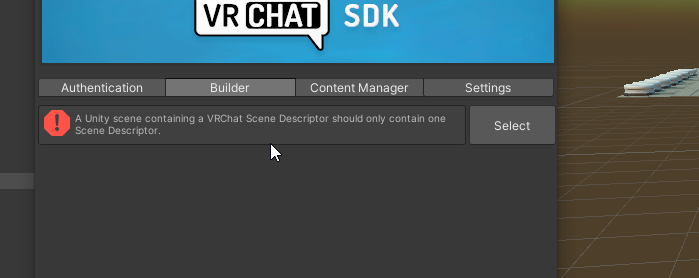



 silent night
How would one make some volumetric lighting through some trees?
errant beacon
lone birch
https://i.imgur.com/bTP2nPh.png this is what happens when i add vrcworld
You have multiple scene descriptors, look for the other gameobject and delete the scene descriptor
silent night
I know there's the particle shader for it, but making it for every single tree seems quite time consuming.
errant beacon
there's the XSVolumetrics shader, but I'm not sure if it'd fit what you need? https://github.com/s-ilent/XSVolumetrics o:
silent night
I'll take a check, thanks~
lone birch
errant beacon
You have multiple scene descriptors, look for the other gameobject and delete th...
hi, thank you that worked, but now i have the glitch where when i click upload nothing happens, do you know of this issue>?
errant beacon
yw! Check the Unity console for errors/warnings? should be a button to open that at the top-left of the asset browser
Past that, try importing https://github.com/oneVR/VRWorldToolkit/releases and see what it's world debugger reports o:
lone birch
errant beacon
yw! Check the Unity console for errors/warnings? should be a button to open that...
that toolkit fixed the whole thing for me thank yoooou and all that
\
 untold pewter
anyone used the VRCBCE billiards? for some reason in PC mode the top down camera is just solid black
red urchin
i'm not sure about that either bamber i've had a similar issue in the latest version of it
desktop players can only see the floor beneath the table not the table
 tepid tangle
anyone got some good rave-y lazer prefabs (that preferably sync to audio but isnt required too) also some video players that sync for everyone? i wanna host a urlfest in vrc lol
unkempt turtle
i think there is a lazer prefab on booth somewhere (or even vrcprefabs)
 silent furnace
wolfe's video player sync is working and was rewritten just after the 2019 upgrade, so should be compatible
 dusty frigate
What did I do? I press reload, and it does nothing when I try and build and test the world again
 kind leaf
ignore is what you want, if it doesnt just press the x
near escarp
nope
near escarp
You have to edit the bounds of these objects in the component directly
Can't scale those objects
You need to have light probes in places where the light intensity/color changes
That way any object that is in those places knows how they should be shaded

Edit Light Probes
You can move and duplicate them

VRCat: Community-Run VRChat Forums
Greetings! Over my course of playing VRChat I've noticed that most worlds, mainly the ones that have baked lighting, are done poorly, or in an...
opal sigil
Somoene have a billiard prefab because i cant found the deleter one ?
the one with this
 opal sigil
Yay i found this too but there is a other one with more thing but i cant find it
opal sigil
yes
uncut schooner
I have a Plane which i use as an card but my problem is that if im picking it up it strech itself and dont stay solid like a "card" any fixxes ?
kind leaf
uncut schooner
I have a Plane which i use as an card but my problem is that if im picking it up...
your scale is wonky. Your cards are probably parented to another objects whos scale is different than the card so when you pick them up reality breaks down. Keep the scale relative and this doesnt happen.
kind leaf
opal sigil
Yay i found this too but there is a other one with more thing but i cant find it
So afaik there is but one great pool table prefab and that is panda. Over the course of development they have changed the look drastically which is disappointing, but if you play around with older release you might find one that looks identical to what you found in another world.
opal sigil
yeah but it dont work with quest :'(
 lunar nimbus
Does anybody know why my avatar stops for a second when going through an opening in unity?
I have to make the door higher for it to not happen
kind leaf
opal sigil
yeah but it dont work with quest :'(
yeah the old model had a quest switch in unity. Panda works on quest but use the toolkit to track down the bad shaders and replace them with mobiles ones.
opal sigil
Oh okay good to know