#world-development
39 messages · Page 91 of 1
 frank shadow
now im removing huge chunks of the quest upload until it stops lagging
how much was the quest even tested for this update?
 kind leaf
Open Beta is for us to test. If you didnt contribute? ...I only tested pc lol but my quest upgrades are fine.
frank shadow
yeah, how would I even test on quest
- without having quest
- was it even possible to test it on quest?
kind leaf
The only issue I have with quest is converting 2018 to 2019. If I do a PC upgrade the process is smooth, then I can clone the PC and convert it to quest. But taking a Quest project and upgrading it to 2019 is taking 5+mins per asset:,(
frank shadow
thats exactly what I did
I upgraded to PC and did my standard process of porting to quest
kind leaf
you made sure your shaders were supported right? Standard lite, low to no particles, etc
frank shadow
it worked before the 2019 update
I can completely axe the quest update if I am to not use any emissions etc
had lots of quest visitors
so its not that
kind leaf
emissions are fine, but only if you use the correct shaders.
are you using the toolkit?
Install the toolkit, do a half upload. (build & publish but cancel out when you are at the info screen) and then open the debugger in the toolkit. It will tell you if you have the wrong build settings and/or unacceptable shaders.

GitHub
Unity Editor extension for making VRChat worlds. Contribute to oneVR/VRWorldToolkit development by creating an account on GitHub.
frank shadow
ofc im using it
its not reporting any issues
or rather, it is, but let me repeat myself
everything worked fine on 2018
kind leaf
so what does it say?
frank shadow
that I am using non-standard shaders? which is expected as it worked in 2018?
the source of issues is in the trees
specifically just the trees
nothing else
I know because I had a set of quest testers rejoin 1000000 times as I was removing objects one by one
 silent night
Alright, I’m free for the next 25 minutes for anyone who has questions regarding Migration (Ping me).
 bold ibex
so ive done everything i can i literally cannot make these buttons interactive
im losing my flippin mind
 spark hollow
I did that now everything in my world is gone (I have backup) what do I do now?
kind leaf
library is just an inventory list not the stuff itself. if you deleted just the library that wouldnt happen.
just use the backup and find another solution...
silent night
@bold ibex Added a collider to them?
bold ibex
yep
the main button is working
and the sub buttons are literally identical and they dont work
so im not even sure wtf is going on
yea i dont understand anymore, this is hurting my brain alot with how confusing this is being
i generally dont know anymore, it literally seems like the buttons just dont want to exist
silent night
Re-place the buttons would be the simplest thing, I’m a slash and burn creator~
bold ibex
they're in the scene and everything, but i just cant flipping click them
i would make dupes of the main button but i cant even move the texture for some reason
it doesn't make sense
i actually might have to scrap this now because its refusing to function
absolutely nothing i try works
 timber fable
80 percent of my worlds are now broken by the update.
bold ibex
yea my only world i was working on doesn't even function anymore because the buttons absolutely refuse to even exist at interactive objects, they're basically just decoration at this point because i cant get them to be interactive
and its driving me up the wall
the buttons are literally IDENTICAL and its only the master switch that works so i cant get the avatar spawners and such to even work
timber fable
The 2019update is a big inconvenience for all content creators
bold ibex
yea at this point it seems like it
frank shadow
I just wish it was tested better on quest
bold ibex
i thought it was gonna be good to have the performance and such but instead we're greeted with everything breaking in worlds
and i dont have my old world anymore
ugh
 green lagoon
could be worse we could have been going to unity2020
bold ibex
oh god no
green lagoon
where stuff would break even more
frank shadow
looks like unity's trees werent tested at all on quest, they are the source of completely breaking the world
but only after updating the world's SDK
bold ibex
yea i actually have to remove the buttons because they dont function anymore
ugh
wait do i need an event system?
nvm
frank shadow
I need a way to convert a unity tree to a solid mesh, and still somehow apply wind to the leaves
anyone knows a way to do it?
unity trees obviously no longer work in 2019 on quest
at all
bold ibex
ok yea im done with worlds, the moment i fix the issue INSTANT CRASH from unity and it reverted ALL my work
even tho i kept saving manually
so
screw that
im staying with avatars because thats just bs
silent night
@bold ibex Just bap it on the head.
bold ibex
i generally cant put up with this kind of bs
frank shadow
@silent night not helpful
people are very frustrated with the update
so am I
and it feels like noone can help us
bold ibex
it generally seems like this update was made to break the 2.0 world system to force users to udon or something
because thats all its doing for me
 near escarp
All my 2.0 worlds work correctly after migrating, i would expect you to have followed the guide. If you have unity logs you can send that to the support
bold ibex
the world functions perfect in 2018 and i followed the migration stuff exactly yet its just these buttons not being interactive for some reason
silent night
@frank shadow Sometimes humor is what I do to try and just cheer people up, relax a little~
bold ibex
so im generally just frustrated because i cant tell if its unity or my stupidity
heck the buttons are absolutely identical and yet they dont function correctly
that and the avatar ids were wiped out of the project so the entire reason for the world just got cancelled
being as i dont have those ids anymore
silent night
@bold ibex your 2018 stuff should still work though, correct?
Grab the ID’s from that project.
near escarp
Can you record your issue ?
bold ibex
its not really easy to record it but its easy to explain
i have the main button which can be clicked to enable 6 other buttons that SHOULD be clickable
but for some unknown reason the 6 buttons the main one spawns cannot be clicked
yet their properties and such are absolutely identical
frank shadow
I think I know why
bold ibex
?
frank shadow
they dont have their scripts saved when they are disabled by default, they all need to exist at the moment of the world loading
bold ibex
...
frank shadow
add a checkbox whether the button should be hidden on spawn as part of your script
and then on start, disable it if checked
I did something similar in my world
now, if you are not using udon, I have no idea how to do this
bold ibex
nope
im on the 2.0 system still
i cant get buttons to work in udon for the life of me xD
so i stuck to 2.0 for my avatar world
silent night
I
Do purely Udon
Do you need help?
I literally know jack all with 2.0 x’3
udon is stupid easy though.
bold ibex
at this rate i might just scrap the buttons and just have everything active at load because no matter what i do i cant get the buttons to be clickable
heck ive literally made dupes of the master button and the dupes dont even function
so its like "wtf"
silent night
Very interesting.
But yeah, if you ever want Udon help, it’s stupid easy once you start learning it.
I can set up a mirror toggle in about 1 minute.
bold ibex
lmao im used to simple toggle components
silent night
Heh x’3
frank shadow
https://feedback.vrchat.com/bug-reports/p/1121-unity-2019-trees-causing-extreme-fps-drops-on-quest-2

had to create a post about my issue
screw that

 marsh sigil
my buttons dont work in 2019. updated the objectw n buttins work in unity but not in game. are there new button scripts / 2018 ones dont work? new to worlds still
near escarp
2.0 ?
near escarp
Which sdk did you download ?
marsh sigil
most recent one for 2019
near escarp
There's a few
 grave halo
After migration from unity 2018 to 2019 i've got a lot of errors in console (VRCSDK window is on)
 near escarp
Those would be Unity errors
grave halo
So. How to fix this?
 hard burrow
After migration to 2019, the Builder page stays empty. I even tried an empty scene with just the VRCWorld prefab, but no dice. Removed the SDK multiple times and adding it back.
On Windows 11 by the way, shouldn't really matter but maybe it's a weird case.

No errors by the way, completely clean
green lagoon
do you have VRWorldToolkit installed
hard burrow
nope
green lagoon
just figured I'd check cuz that was giving the bunch of folks issues
 polar quail
where is vrctrigger component i cant find it
 halcyon snow
I am trying upload a world and the upload button does nothing

press it nothing
no errors
bold ibex
hard burrow
After migration to 2019, the Builder page stays empty. I even tried an empty sce...
reimporting the sdk fixes this for me
hard burrow
@bold ibex I've reimported 5 times already 😂
bold ibex
hmm
well i have another issue to handle, i cant join ANY public worlds currently, its like someone has literal bots going around crashing lobbies repeatedly
near escarp
hard burrow
After migration to 2019, the Builder page stays empty. I even tried an empty sce...
Are you using cyanemu ?
hard burrow
Nope I'm not
No Cyanemu, no VRCWorldTools, no shaders besides the standard unity shaders. The only added would be UdonSharp
 sudden crane
hi all
i guess this is the day1 after update bug galore?
for me chairs/stations don't work with sdk3
using just the prefab for now
hard burrow
Okey, it seems to be caused by UdonSharp. So for anyone else; Create a new scene -> Move all the files from UdonSharp including your scripts outside of your project -> Wait for Unity to process this. Check the builder, it should work now. -> Add UdonSharp first -> Add your UdonSharp scripts back. -> Open your real scene. Profit
marsh sigil
near escarp
There's a few
heck maybe i got the wring one. will check
 knotty portal
Hey so I'm trying to update my world with Unity 2019 but the SDK is just showing me Utilities > Clear Cache and Playerperfs, any idea as to how to fix this?
 umbral needle
Hey folks! I'm having trouble updating my worlds to Unity 2019 - I've followed the instructions, but whenever I try to build my world this pops up, pressing ignore seems to cock up the upload (it never manages to pull the existing world information from the VRChat server) and Reload makes it all crash and do nothing, as if I pressed play in Unity
 umbral needle
knotty portal
Hey so I'm trying to update my world with Unity 2019 but the SDK is just showing...
umbral needle
knotty portal
Hey so I'm trying to update my world with Unity 2019 but the SDK is just showing...
Check your Unity console to see if there's any red errors related to a script, this happened to me and it was because one of the scripts in the Unity 2018 Standard Assets didn't compile successfully on 2019, as I wasn't using it I deleted that script and VRCSDK worked again, at least until I faced the other problem I posted above
halcyon snow
ok
for some reason the upload UI is not loading in dont destoryonload
and loading in the normal scene
😰
umbral needle
halcyon snow
ok
for some reason the upload UI is not loading in dont destoryonload
Oooh I wonder if that's what's happening to me
halcyon snow
umbral needle
Oooh I wonder if that's what's happening to me
what is your issue?
halcyon snow
umbral needle
Hey folks! I'm having trouble updating my worlds to Unity 2019 - I've followed t...
i get the same message
i just hit ignore
another scene works fine for me
 unreal kiln
heyhey, is it possible to remove the preview pictures from avatar pedestals? (udon)
halcyon snow
so i might just have something in that scene that is causing my issue
umbral needle
ugggggh I really don't wanna have to get all my stuff set up againnnn lol on a new projecttttt
halcyon snow
i am the same project
just one scene
my issue is that upload button does not work
bold ibex
Can you make it so you can toggle the ground for it to teleport players to an other place in your world? with toggle i mean toggling the ground so i can either teleport on collisions or don't teleport went colliding\
halcyon snow
bold ibex
Can you make it so you can toggle the ground for it to teleport players to an ot...
what ya mean
unreal kiln
unreal kiln
heyhey, is it possible to remove the preview pictures from avatar pedestals? (ud...
it just looks weird if the preview picture is still there, can someone help me with that?
 halcyon snow
unreal kiln
it just looks weird if the preview picture is still there, can someone help me w...
halcyon snow
unreal kiln
it just looks weird if the preview picture is still there, can someone help me w...
did you disable the preview
unreal kiln
halcyon snow
did you disable the preview
where can you disable it?
halcyon snow
unreal kiln
where can you disable it?
let me check after i am done uploading this world
unreal kiln
okay
halcyon snow
can you show me the pedestal?
 distant gust
After updating my world to unity 2019 users can’t jump anymore? Any idea why?
I had it configured to allow jumping previous. It’s an SDK3 world
unreal kiln
halcyon snow
can you show me the pedestal?
the inspector?

 meager shell
Hey does anyone know how to work around this, I've tried detaching the blueprint and uploading that and it causes the same issue
 unreal kiln
halcyon snow
can you show me the pedestal?
unreal kiln
halcyon snow
can you show me the pedestal?
i just added the scripts to an cube without an mesh renderer (the pedestal script and the udon behaviour), the picture is just an plane
so it looks like you can click the plane
 random owl
meager shell
Hey does anyone know how to work around this, I've tried detaching the blueprint...
random owl
meager shell
Hey does anyone know how to work around this, I've tried detaching the blueprint...
Please contact support through #vrchat-support
 calm plinth
Is the Build settings convert from Windows to Android much faster on 2019?
My project switches almost instantly from Windows to Android, Android to Windows (Like 1-2 minutes) compared to 40 minutes in 2018?
Or have I done something wrong
 leaden hazel
calm plinth
Is the Build settings convert from Windows to Android much faster on 2019?
My p...
leaden hazel
calm plinth
Is the Build settings convert from Windows to Android much faster on 2019?
My p...
You know you're a real programmer when you treat things working suspiciously well as probably a bug. 
silent night
This conversion’s been great for some, headache’s for others~
distant gust
After updating my world to unity 2019 users can’t jump anymore? Any idea why?
I had it configured to allow jumping previous. It’s an SDK3 world
silent night
I know why most likely~
silent night
distant gust
I had it configured to allow jumping previous. It’s an SDK3 world
It probably removed the world settings on your VRCWorld prefab
 rigid harness
(if you watch it it did pick up genshin and my spotify so i would turn the vid down first) when i try to update the world for pc unity wants to crash. ive test built it and made sure everything is working and it all is. i uploaded the same scene for android (quest) and it uploaded just fine, but when i do windows it doesnt want to work.
 junior cloak
yop, still no way to change the preview image of worlds correctly without having to use a plane or something ?
 polar dawn
Made a statue for a world idea I’m hopefully going to work on
 distant gust
silent night
It probably removed the world settings on your VRCWorld prefab
distant gust
silent night
It probably removed the world settings on your VRCWorld prefab
It did not. 😕 it is all configured correctly
 thick flint
it seems that the video player doesn't change volume with world sound after the update, it stays at max all the time. Anyone know of a fix?
 lunar harness
New VRChat supporting HD Render Pipeline????
marsh sigil
how to i made a mirror to walk thru? its like default blocking the way. two-way i suppose im lookin for
thick flint
marsh sigil
how to i made a mirror to walk thru? its like default blocking the way. two-way ...
disable the collider?
green lagoon
lunar harness
New VRChat supporting HD Render Pipeline????
nope and it's unlikely to ever do that because that would require breaking all of the content
marsh sigil
thick flint
disable the collider?
omg that was literally it. completely didnt know they came with colliders but honestly just should of presumed a collider is always blockin me -_- thanks a ton
leaden hazel
@junior cloak Given it encourages people to actually show what the world looks like, I'm kind of glad it works that way? Plus its not that difficulty to setup a special billboard if you really want one
 true hill
In the new 2019 unity I cant drag prefabs into my scenes
anyone know if thats a common issue or is it just fucking broken lmao
near escarp
Show your screen ?
 near escarp
Floor is a prefab
true hill
the prefabs and objects etc have colliders and are static so they should allow me to drag a prefab onto them
yea
I cant drag them into the void either like I used to
it only works if I drag things into the hierarchy which puts them at zero zeo
which defeats the point of being able to drag into a scene lol
near escarp
I haven't heard of this issue before so unsure what could cause it
true hill
When I try to drag it shows the little dotted outline with the arrow icon as if it would work
then does nothing when I release.
near escarp
So it remains stuck on your cursor ? Have you tried creating a plan and dragging a prefab onto that ?
true hill
It doesnt show the prefab where im moving its just an icon thing, default windows style.
Plane, Terrain, etc doesn't work either.
I just straight up cant drag anything into the Scene window.
knotty portal
Aight I fixed the original issue but now I'm having trouble with particles
true hill
I cant drag raw meshes in either so its not prefab-specific
Unity2019 just be broken for me lmao
 red urchin
 slow cradle
Having a very strange issue right now where Build and Test is just failing every time I try. Amusingly, all I have done differently is restart my computer. Anyone else having issues?
By the looks of it, however, I can still publish just fine
bold ibex
does anyone know how to fix this
slow cradle
Solved my own issue. Had it set to 0 clients for build and retest, which doesn't actually spawn any clients if you don't have a previous instance of the game open. >_>
 stable path
What a coincidence... I need some help with the exact opposite issue. Ever time I try and upload it logs me out of the SDK. When uploading it builds, then says cant upload. Also every time I close and reopen unity it asks for credentials again.
yeah, build+test works great, but the SDK keeps logging me out. problem persists after reboot too
random owl
bold ibex
does anyone know how to fix this
Posting a random file from the SDK without any context or explanation what the problem is won't get you any help. The SDK works as long as your project is setup properly.
random owl
stable path
What a coincidence... I need some help with the exact opposite issue. Ever time ...
Are you seeing the The signed account does not have access to the blueprint message every time you try to upload?
stable path
yes
random owl
Contact support through #vrchat-support
stable path
alright then
stable path
random owl
Contact support through <#372142854430261258>
read through the advanced section. Put my VPN on and now it works. I hate comcast
thank you for your help
bold ibex
random owl
Posting a random file from the SDK without any context or explanation what the p...
its the whole eroor what else do you need
random owl
stable path
read through the advanced section. Put my VPN on and now it works. I hate comcas...
Glad to hear that worked for you, if similar happens again and VPN doesn't work feel free to contact support
random owl
bold ibex
its the whole eroor what else do you need
That is a script not an error
bold ibex
Hey there guys! can I get some reccomendations on Rain windows? I'd like to know what assets others like before I go ahead and decide on one, or if someone has made one that I can use and will make credits for 🙂
Also the Imaginary Corner Art Gallery will be up next week, if anyone would like a feature please let me know!
green lagoon

GitLab
A shader for Unity that (ab)uses some Unity features to produce glass-like glass.
this has support for rainy windows
polar dawn
 mint steeple
in like unity
mint steeple
in like unity
Yeah, just search up “Audio Link VRChat” and you can find a whole GitHub page I think on it :P
Statue History Statues for my world :D

 bold ibex
green lagoon
https://gitlab.com/s-ilent/fake-glass
bold ibex
green lagoon
https://gitlab.com/s-ilent/fake-glass
You rock socks my dude
green lagoon
glad to be of help
 verbal patrol
does anybody know how to fix this error, unity2019 destroyed everything all my scripts, etc
 verbal patrol
love it
 mellow plinth
2019 Unity, using SDK2 for making world for avatars, yet the Builder does not show as it is blank so I cannot build and test.
Any help from someone that can help me fix this?
 runic epoch
fancy seeing you here
near escarp
verbal patrol
does anybody know how to fix this error, unity2019 destroyed everything all my s...
use the latest sdk
verbal patrol
thank you
marsh sigil
mirror is visible in-game for me but button not workin for anyone ekse. what i messed up?
 zenith pebble
im working on my first ever world , & when i try to upload it they say to detach the blueprint which i did & its still giving me the same error , i know about 2019 but i when i tried to upgrade stuff got broken & idk how to get the VRChat SDK panel to pop in 2019 so i can upload there
silent night
Wait, what happened to the VRCWorld prefab having the jump settings and stuff like that?
 formal sequoia
Anyone else having issues with Triggers for buttons not working in vrchat after upload? the only error I get is "Trigger on Button was not initialized in time! UnityEngine.Debug.LogErrorFormat (string.object[]). I can upload the world, but buttons and chairs are not working. Everything stopped working one day after I only tweaked with post processing settings and uploaded my world again. Tried everything from removing the SDK, Rebuilding the buttons, Adding and removing colliders, and ticking the box where it says "is Trigger" on the collider.
silent night
There's literally not a way of doing Udon graphs anymore in this SDK, what the heck...
The old worlds I migrated worked fine but this new one that is pure 2019 doesn't have it.
 rain shadow
silent night
The old worlds I migrated worked fine but this new one that is pure 2019 doesn't...
rain shadow
silent night
The old worlds I migrated worked fine but this new one that is pure 2019 doesn't...
Are you able to open the SDK build panel?
silent night
Yep.
silent night
rain shadow
Are you able to open the SDK build panel?
This is what my Udon Behavior looks like, https://gyazo.com/3b8b2d21ee5427aee29ed5350f8ae8b6

And again, this is a fresh world.
Not migrating or anything.
rain shadow
Oh I think re-importing should fix it
rain shadow
You could just right click on the VRC folders and there is a reimport option
 glass flame
อ่านไม่ออกเลยอะ
rain shadow
formal sequoia
Anyone else having issues with Triggers for buttons not working in vrchat after ...
That error doesn't actually mean anything is broken
formal sequoia
glass flame
อ่านไม่ออกเลยอะ
ลองใช้ Google แปลภาษา
glass flame
formal sequoia
ลองใช้ Google แปลภาษา
เคๆ
formal sequoia
rain shadow
That error doesn't actually mean anything is broken
well all my buttons for toggling mirrors, music, video player, etc, all stopped working. They ARE set up, I went through all my trigger setups and everything is how it should be. They worked before, but as I said, after ONE update, they just stopped functioning
and that is the ONLY error I get
glass flame
formal sequoia
ลองใช้ Google แปลภาษา
คนประเทศอะไรอะ
rain shadow
Are you on 2019 with the latest SDK version?
formal sequoia
yes, I just migrated today, still the same problem.
can upload the world just fine, but buttons will not work
formal sequoia
only error. all my buttons all have the same error, but all the same regardless, unless I am not seeing ONE error in the midst of it all, that is the only error I get
lemme get a screenshot of the log
Just slowly checked, but this is repeated over and over for everything VRC related...

and these are the only errors.
well, a fragment of the same repeated errors for like 270 lines
and as I said, it just happened after messing with Post Processing settings...
formal sequoia
glass flame
คนประเทศอะไรอะ
ส่วนใหญ่เป็นภาษาอังกฤษ
rain shadow
formal sequoia
and these are the only errors.
https://github.com/CyanLaser/CyanEmu/releases/tag/v0.3.10 install this and it will prevent those errors
GitHub
Please make sure you have the latest VRChat SDK when using CyanEmu!
Features
2107d08 - Sitting in stations now lowers the player camera (Thanks @evolvedant).
4038932 - Added settings option to hid...
Also will let you test if your triggers work in play mode
formal sequoia
I am not familiar with other programs like this to "Help" with unity projects, it wont create a jumble of buttons I wont understand or overwhelm my head will it. cuz Ive experienced that before.
rain shadow
All it does it is partially emulate some useful VRChat functions in play mode
formal sequoia
alright, so I just import it directly into my project, and then hit play? Im just assuming from what you are saying, and what I am reading
rain shadow
Yeah that should be the case
formal sequoia
alright, and how do i test the buttons, just click on them in play mode I assume
that's IF it works
rain shadow
Yeah it gives you a proxy player controller
formal sequoia
ah, okay
okay, new error, or alert (Triangle with '!' inside) - "Visual Studio Editor Package version 2.0.11 is available, we strongly encourage you to update from the Unity Package Manage for a better Visual Studio integration"
mean anything?
important?
rain shadow
Shouldn't affect anything in your project
formal sequoia
Okay, pressed play, went up to my buttons, and nothings working. Might have to trash and start over I guess
rain shadow
That is pretty weird
rain shadow
How are your buttons setup?
formal sequoia
lemme get a capture
 toxic bone
just converted to 2019, i keep getting an error i have deleted the world id, and tried using other ones and the original but nothing?
 zenith pebble
im in the same boat as John
toxic bone
its been a very frustrating day 😛
zenith pebble
even when i tried upgrading i couldn't get the upload panel to pop
so its like i cant upload
rain shadow
Need to contact support #vrchat-support because its an issue on VRChats end
formal sequoia
 rain shadow
@formal sequoia You have the box collider set as Is Trigger
You don't actually want that
formal sequoia
that is what I said above, I turned it off and on, but same thing both sides, nothing works. I am gonna turn it off again, and see if it changes this time around
Does a button need a collider to work in the first place? Turned it off, and nothing
zenith pebble
@toxic bonei dont think its a vrchatend , its a problem happened when 2019 launch , its just like what i experienced , that error on 2018 & when migrating to 2019 i couldnt get the upload menu to open so its clearly a migrating issue we are experiencing not vrchat
rain shadow
zenith pebble
<@!536803514760953879>i dont think its a vrchatend , its a problem happened when...
If you don't have errors in your console and have restarted unity and tried detaching the blueprint ID it is an issue on VRChats side
It's a known issue that has been occurring
rain shadow
formal sequoia
collider is still there, but still no function
Yeah that is actually very strange
If you make a new cube interact trigger and try see if that works?
toxic bone
no worries i have contacted support, thank you
formal sequoia
these are all new cubes
rain shadow
Create a new scene as a test?
zenith pebble
@toxic boneso what i am suppose to do to make it work on 2019 or is it an account issue that i need to contact support for them to fix , im confused ?
formal sequoia
Okay, a new sphere worked, but NOT a cube...???? WTF
rain shadow
formal sequoia
Okay, a new sphere worked, but NOT a cube...???? WTF
Yeah sounds like Unity
formal sequoia
imma shoot unity in the face right about now, I do NOT need this lol
ah well, redoing every button with damn spheres, thanks for the help
toxic bone
@zenith pebble i suppose its an account issue, just put in a ticket... and i guess we wait 3 days 😛
zenith pebble
is it for avatars as well , or world only ?
toxic bone
2018 still works fine for me, and so far its only really quest worlds that have messed up for me
i haven't even looked at avatars yet sorry
 strange lava
whenever i press vrc sdk then udon graph udon graph wont appear. what to do?
rain shadow
strange lava
whenever i press vrc sdk then udon graph udon graph wont appear. what to do?
Any errors in console?
strange lava
nope
rain shadow
Does it also not work if you try open an udon graph from an udon behavior?
strange lava
it doesnt even show the button like it normally does
rain shadow
Likely need to re import the SDK
strange lava
rain shadow
Likely need to re import the SDK
all the scrips are still there. they are gone but i can reselect them and everything works again
well it was working anyway witout the scripts
somehow
since i updated to 2019 things are a bit wierd
rain shadow
If that's the case re importing the SDK would probably fix it
strange lava
alright since i started with unity last weekend could you please tell me how to do that or where i can find an explanation on it?
rain shadow
In your assets folder you will have the VRCSDK and Udon folders
If you right click them there will be a reimport option
 raw glacier
Does anyone know what this error means?
Export Exception - System.IO.FileNotFoundException: C:/Users/Sour/AppData/Local/Temp/DefaultCompany/Psyren's Birthday/scene-StandaloneWindows64-Psyren.vrcw does not exist
File name: 'C:/Users/Sour/AppData/Local/Temp/DefaultCompany/Psyren's Birthday/scene-StandaloneWindows64-Psyren.vrcw'
Cant test build or publish because of it
 rain shadow
raw glacier
Cant test build or publish because of it
rain shadow
raw glacier
Cant test build or publish because of it
Restart unity and try build and publish again?
raw glacier
Done that already
I've Tried:
Restarting
Re-importing
New Project
Re-import SDK
Nothing would work and I can't find out why
rain shadow
Try run unity as administrator?
raw glacier
Alright
did not work
It's trying to find the scene, but cant
Even though I have it open

Scene name is Psyren
rain shadow
You have other directory errors?
raw glacier
Related to a text file of CyanEmu. Removed CyanEmu as well as I though it was the issue. It was not
rain shadow
raw glacier
Related to a text file of CyanEmu. Removed CyanEmu as well as I though it was th...
And it's been occurring since you switched to 2019?
rain shadow
Yeah it's occurring with any 2019 project you make though?
And previous versions are still working fine?
raw glacier
This one is my only 2019 project. Other worlds have yet to be migrated from 2018
Not to mention it was made in 2019, not migrated
 surreal jacinth
so my world that was 39mb spiked to 98mb when migrated to 2019 anyone have a fix for this?
rain shadow
Do you have any other notable errors in the console?
surreal jacinth
is it the skybox?
rain shadow
Yeah I was going to say the AllSkyFree one has caused issues for people before
raw glacier
uuuuuuuf
strange lava
alrighty reimporting the udon files didnt fix anything. i in my console i now have a error of multiple udonsharp scripts missing. and about 200 warings of :StyleSheet import: type=Validation, code=InvalidProperty file=Assets/Udon/Editor/Resources/UdonGraphStyle2018.uss:33
Unknown property 'text-color' (did you mean 'color'?)
text
rain shadow
Can remove it's scripts and still use its other assets though afaik
rigid harness
what should i make this room (i can change everything) i just dont know. i was going to make a underwater area but imma scratch that
 rain shadow
strange lava
alrighty reimporting the udon files didnt fix anything. i in my console i now ha...
rain shadow
strange lava
alrighty reimporting the udon files didnt fix anything. i in my console i now ha...
Do you have the most recent udon sharp version?
strange lava
rain shadow
Do you have the most recent udon sharp version?
ahhmm i downloaded udonsharp 3 days ago... so i dont know
did it update in the last 3 days?
rain shadow


GitHub
If you are upgrading to Unity 2019.4, make sure you are using the latest VRCSDK and follow the upgrade instructions https://docs.vrchat.com/v2021.3.2/docs/migrating-from-2018-lts-to-2019-lts pay sp...
rain shadow
You don't have any errors?
rain shadow
So the yellow warnings then?
strange lava
yes
lots of repaired reffrences and empty udon behaviour
some missing udon sharp scripts
and still no opening udon graph
rain shadow
surreal jacinth
so my world that was 39mb spiked to 98mb when migrated to 2019 anyone have a fix...
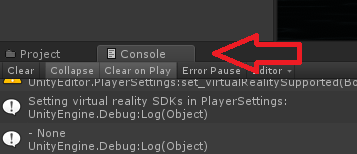
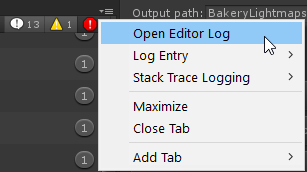
https://twitter.com/Ruuubick_/status/1166014308918185984 Try use this to check what is taking up most of the file size

Turns out a lot of world creators didn't know this, but you can easily find out what your world is made of, how much it weighs, to then be able to reduce its overall size :
Retweets
184
Likes
409
 Twitter
·
Twitter
·
 surreal jacinth
rain shadow
https://twitter.com/Ruuubick_/status/1166014308918185984 Try use this to check w...
surreal jacinth
rain shadow
https://twitter.com/Ruuubick_/status/1166014308918185984 Try use this to check w...
Hey I figured it out after trying everything... it was the stupid skybox
even though i crunched it
rigid harness
how do you get pool tables and ping pong tables with sdk2 or is only with sdk3
rain shadow
Not unusual, though using that method to find what is taking up the most space is pretty good for cutting down even more
strange lava
rain shadow
https://twitter.com/Ruuubick_/status/1166014308918185984 Try use this to check w...
i have about 2 quasilion words in here what am i looking for?
surreal jacinth
rain shadow
Not unusual, though using that method to find what is taking up the most space i...
it went from 97 to 17 i dont need to remove anything else lol
rain shadow
surreal jacinth
it went from 97 to 17 i dont need to remove anything else lol
Ah lol
@strange lava I would recommend making a new project because something is probably silently breaking the SDK functionality
Though you could try start by deleting unused or unimportant assets you have imported in your current project
strange lava
alright just 16 errors left this time
yes but i dont feel like losing all of this progress
ive been working on this darned world like a drugged up cat
rain shadow
What are those 16 warnings?
strange lava
4 of these
[UdonSharp] Program asset 'Assets/fixed it save_UdonProgramSources/Wand2 Udon C# Program Asset.asset' is missing a source C# script
UnityEngine.Debug:LogWarning (object)
the rest are these
Empty UdonBehaviour found on VRCChair3 (6) (UnityEngine.GameObject)
UnityEngine.Debug:LogWarning (object,UnityEngine.Object)
rain shadow
Ah
strange lava
chairs indeed stopped working for some reason and i still need to fix that so that fits
so its probably the first 4 that ruin it all
rain shadow
Yeah the udon behaviors have lost their reference to the udon program scripts
rain shadow
Those warnings shouldn't prevent any functionality though
strange lava
well aside from not being able to sit in the chair they dont
even though my old udon scripts still work, i cant open the graph to see or change them
is that becouse of the udon sharp warnings?
rain shadow
Unlikely
strange lava
then its more likely a problem with the udon library or something
ill try reimporting it one more time
rain shadow
If that doesn't work I would say duplicate the project and in the duplicated project delete stuff until you get the graph to open up again
strange lava
yea or ill just make a new project open explorer. take the udon library out of there and replace it with the one in here. that might work too
 swift trench
would it matter if i used 2019.4.20f1 rather than 2019.4.29?
 devout zephyr
swift trench
would it matter if i used 2019.4.20f1 rather than 2019.4.29?
devout zephyr
swift trench
would it matter if i used 2019.4.20f1 rather than 2019.4.29?
which versions?
swift trench
the latest VRC is "2019.4.29"
the closest one to that i have is "2019.4.20f1"
do i need to use a unity version that matches VRC?
devout zephyr
i see you updated it. so between the two 2019 versions, there are 9 hotfixes. you could look through the patch notes of each minor version change to see the differences, but i recommend you use the latest LTS, obviously
start here, and at the bottom of page there is a right-arrow to go to next ver
https://unity3d.com/unity/whats-new/2019.4.21
you could work in 4.20 while you install the 2019 lts version though, it should move easily between those two versions
swift trench
so basicaly give it a try and if it doesnt work ither revert back to 2018 or upgrade the 2019 install
devout zephyr
i dont see any non-forward compatible updates that would impact you going from 19.4.20 to 19.4.29
i mainly looked in changes/improvements sections
swift trench
basicaly ATM my world is 2018.4.20f1 (what vrc used for ages) was just wondering if upgradeing to 19.4.20 would be smart becase CBA to set up another unity install RN
 kind leaf
Lol you should only ever download an lts and the exact lts listed. Its not open to your judgment
strange lava
rain shadow
If that doesn't work I would say duplicate the project and in the duplicated pro...
update: rule 1 of fixing did it again. restarting unity fixed the problem
kind leaf
swift trench
basicaly ATM my world is 2018.4.20f1 (what vrc used for ages) was just wonderin...
You cannot upload or make changes with anything but the current supported unity version. If the project is dead then don't bother. If not than you have no choice.
swift trench
so basicaly you now have to use 1019.4.29
kind leaf
2019.4.29f1
swift trench
yeh i typoed there lul
and yeh i get your point that this unity build doesnt like the Vr chat api
swift trench
I can upload and edit the world still
just cant edit undon flows
kind leaf
 real garnet
Using extremely large textures, maybe objects that are scaled way too big, could also be related to a script you wrote or is attached that shouldn't be. If none of that fits I suggest you google Unity 2019 System out of memory
swift trench
so yeh ill upgrade my 2019 lts later
kind leaf
So extract your backup, load that, reupload and try again following the instructions exactly.
 wanton badger
where do I find the backups
swift trench
wanton badger
where do I find the backups
you made one before upgradeing
wanton badger
the 2019 version just ruined everything
kind leaf
wanton badger
where do I find the backups
if you dont know where your backup is it means you didnt follow the instructions.
wanton badger
Bro I just make maps
swift trench
the guide litraly says dont edit the 2018 one and to upgrade in a copy
kind leaf
you have 2019 what?
kind leaf
https://docs.vrchat.com/docs/migrating-from-2018-lts-to-2019-lts
give it a read, but if you didnt make a backup you might be up shit creek.
VRChat
Migrating your project from Unity 2018 to 2019 LTS isn't as difficult as you might think! Here's a guide providing each step in detail.
kind leaf
the only thing you need in a new world is a floor with a collider and a scene descriptor over the floor. So what are your errors? No errors in console? Install the toolkit. Reupload, check debugger. https://github.com/oneVR/VRWorldToolkit
GitHub
Unity Editor extension for making VRChat worlds. Contribute to oneVR/VRWorldToolkit development by creating an account on GitHub.
Every developer needs the toolkit + cyanemu to work efficiently. Ied suggest you install them both with every project.
swift trench
i've only been useing cyanemu and that was purely so i could test without haveing to wait for it to compile and VRC load
wanton badger
in 2018 version it uploaded immediately, 2019 is shit
kind leaf
lol sure. how about you address the errors
wanton badger
Trigger on Switch was not initialized in time!
UnityEngine.Debug:LogErrorFormat (string,object[])
VRC.SDKBase.VRC_Trigger:ExecuteTriggerType (VRC.SDKBase.VRC_Trigger/TriggerType)
VRC.SDKBase.VRC_Trigger:OnDisable ()
Assets\Sci-fi_Cafe\Script\MKGlassFreeEditor.cs(6,19): error CS0234: The type or namespace name 'Utils' does not exist in the namespace 'UnityEditor' (are you missing an assembly reference?)
Assets\Sci-fi_Cafe\Script\MKGlassFreeEditor.cs(7,7): error CS0246: The type or namespace name 'UnityEditorInternal' could not be found (are you missing a using directive or an assembly reference?)
Error building Player because scripts had compiler errors
This never happened in the 2018 version
kind leaf
start by deleting those two scripts or try reimporting them. Yeah, the formatting and code base changes between version. Does your sega saturn disk work in your xbox?
swift trench
Its posible to play a sega saturn disk on an xbox one but thats becide the point
kind leaf
lol
Unity does have cross compatibility to a point but it warns you that the process is handled on import and doesnt always work. The glass shader can go. There are plenty of alternatives
 dusk sapphire
its entirely possible that script is not compatible with unity 2019
regardless, its not like you can use them in vrchat, so you may as well delete them
MKGlassFreeEditor.cs
If you have standard assets in your project, also delete SimpleActivatorMenu.cs
wanton badger
I am using SDK 2
dusk sapphire
that much was evident from the trigger error
wanton badger
Because I can't find a vrc trigger in sdk 3
kind leaf
they dont exist in sdk3 because sdk3 is more flexible and closer to what developers want
unlock our pipelines next and ill be happy as a clam
wanton badger
Then how do I spawn a mirror or turn on lights in sdk 3
kind leaf

YouTube
Environment and Interaction Developer for Social VR | Udon Tutorial Series Creator
also here for all your sdk2 or sdk3 prefabs/shader needs https://docs.google.com/spreadsheets/d/e/2PACX-1vTP-eIkYLZh7pDhpO-untxy1zbuoiqdzVP2z5-vg_9ijBW7k8ZC9VP6cVL-ct5yKrySPBPJ6V2ymlWS/pubhtml#
swift trench
wanton badger
Then how do I spawn a mirror or turn on lights in sdk 3
On interact -> GameObject.SetActive
A flow i made that Activates an object then Disables another one
 abstract marlin
i am only slightly loosing my Shit here. Re attached it, deleted Pipline Blueprint...

It also always also logs me out after that
toxic bone
Same things happening to me, I was told to submit a ticket to support because it's a problem on there end
abstract marlin
just wow xD
toxic bone
Yep
abstract marlin
Well no update for the Quest People then
toxic bone
Yeah...
So it's only happening for one world?
It's doing it for all the ones I updated to 2019
abstract marlin
I have 2 Worlds. The PC version was quick. No big problems there
i am now sitting like 3 days on the quest version
even going so far to start from zero
dusk sapphire
its a server side issue, you'll need to send in a ticket to get it resolved.
abstract marlin
and now this shit xD
toxic bone
Dw I feel your pain, I just spend the last 6 months on my new world. Was due to upload it today, bam update hits same day and ruins the quest version
abstract marlin
I will simply delete my Second world. i am not going trough that again xD
This whole World as a Unity Folder is 11gb huge. So yeah.. it takes a while to get it up and running 😄
kind leaf
Trust in the ticket, vrc will resolve your issue. and soon we will have a hotfix server side.
abstract marlin
I mean.. it is not that.. "important" only thing that really breaked is the Terrain Tool created stuff. So it is basiclly Black
Since it is a nighttime focus Map.. well
And where i would make that ticket? (never needed that before)
toxic bone
kind leaf
abstract marlin
Thanks ticket sended. lets see :V
real garnet
kind leaf
Using extremely large textures, maybe objects that are scaled way too big, could...
IDK what was wrong, it was worked right on last edit and it works again after I recreated project and copied all files
 burnt pilot
hi does anyone know this issue? the water does not show from far but from close by it shows partically. I'm using unity 2019, Calm water shader

 weary flicker
i'm having this weird issue where the reflections in RED_SIM's perfect water shader are getting flipped upside down and are only visible when i'm super close. Works fine in desktop mode tho.
 weary flicker
mmk i think i fixed it. i didn't have a global reference camera set in the VRCWorld object. No idea why it worked on unity 2018 and not now but whatevs
kind leaf
weary flicker
mmk i think i fixed it. i didn't have a global reference camera set in the VRCWo...
luck. A lot of worlds dont have a reference camera because people are told they dont need it. the default near is 0.3 which is too far away from the avatar view port and causes camera clipping.
 bleak sparrow
HELP:
I imported SDK2 (for open beta U2019), but the control panel for SDK2 won't show up in the drop down menu
 marsh sigil
buttons work for me but no one else. did i enable/disable something? sdk 3 world 2019
 chilly pawn
abstract marlin
i am only slightly loosing my Shit here. Re attached it, deleted Pipline Bluepri...
chilly pawn
abstract marlin
i am only slightly loosing my Shit here. Re attached it, deleted Pipline Bluepri...
Yeah having same issue as this one, it's a server side issue?
I've sent a support ticket in, but if there is any fix, I'd appreciate it.
 peak canyon
abstract marlin
It also always also logs me out after that
peak canyon
abstract marlin
It also always also logs me out after that
I'm having the same issue. Seems to be login a persistence issue on the server side. It also logs me out if I just close Unity when logged in and then re-enter the project.
wanton badger
How do I change the display name on triggers in unity
so instead of showing use, it shows a name
leaden hazel
wanton badger
so instead of showing use, it shows a name
Are you in sdk2? In Udon land there is a field in the inspector. Is there similar for them?
 median egret
when upgrading from 2018 to 2019 when it says Don't Change SDK Type During Migration does that mean like change sdk version or?
like going from world to avatar version
leaden hazel
wanton badger
I am not leaving my triggers
I don't understand meanwhile why one would want to be limited by the few things sdk2 can do, but that's me. X)
strange lava
in pc mode my world runs smooth. in vr it doesnt. could this have anything to do with the amount of animations and particles?
wanton badger
leaden hazel
I don't understand meanwhile why one would want to be limited by the few things ...
well I don't use udon and sdk2 is just easier
 errant beacon
strange lava
in pc mode my world runs smooth. in vr it doesnt. could this have anything to do...
errant beacon
strange lava
in pc mode my world runs smooth. in vr it doesnt. could this have anything to do...
Particles, materials, etc - check the profiler in Window > Analytics to see what's dragging your world down o:
Generally, make your textures as small as you're comfortable with and use crunch compression, and try to avoid overly expensive shaders
also, import https://github.com/oneVR/VRWorldToolkit/releases, it'll tell you about some optimization that could be done on your world o:
errant beacon
wanton badger
well I don't use udon and sdk2 is just easier
SDK2 is also a bit outdated, and won't be getting any content updates - also there's CyanTriggers coming out for SDK3, which will emulate SDK2 triggers anyhow o:
leaden hazel
strange lava
in pc mode my world runs smooth. in vr it doesnt. could this have anything to do...
Almost certainly. PC you run at 60 FPS at your desktop res. VR you will be trying to run at 90 FPS and significantly higher resolution. So things like that can be performance heavy
errant beacon
PC FPS cap is 90 by default iirc?
VR FPS cap depends on the headset, so anywhere from ~70 to 144
generally though yus VR is much more intensive than desktop PC for a lot of reasons
leaden hazel
Not sure. I've only measured FPS of the desktop while in VR. When you're in VR, the desktop window locks at 40fps.
strange lava
errant beacon
Particles, materials, etc - check the profiler in Window > Analytics to see what...
well ive done cruch compresion etc already
leaden hazel
Which is useful to know if you're recording video
errant beacon
strange lava
well ive done cruch compresion etc already
check the VRWorld toolkit? o:
Also, try to avoid having tons of materials preferably, i.e atlas your meshes
instead of having 8 seperate particle materials, have 1 and use flipbook animation where possible, that kind of thing
leaden hazel
@strange lava if you can, create a little control panel to let you turn on and off each special effect you have, and the do some performance testing seeing if any in particular are especially heavy. Or if its just all of them collectively
strange lava
so like i started unity 5 days ago . so its gonne be hard but its gonne succeed
bold ibex
for some reason I dont have vrc_trigger any ideas why?
errant beacon
bold ibex
for some reason I dont have vrc_trigger any ideas why?
If you're using SDK3, that doesn't have triggers
strange lava
is there a way to instantly select all particle emmiters?
bold ibex
errant beacon
If you're using SDK3, that doesn't have triggers
oh okay, I should do the udon graph right?
leaden hazel
strange lava
so like i started unity 5 days ago . so its gonne be hard but its gonne succeed
Ah! Simple thing then, create a wall of cubes. Put a small duplicate script on all of them which takes a target game object.
And use the interact label to indicate what object that cube button turns on and off.
bold ibex
for example a button that plays music
errant beacon
bold ibex
oh okay, I should do the udon graph right?
yup! would recommend watchign VowganVR's tutorials: https://www.youtube.com/c/VowganVR/videos
bold ibex
thank Zuvali!
errant beacon
yw!
leaden hazel
strange lava
is there a way to instantly select all particle emmiters?
I'm sure I recall unity has a feature to select all objects featuring a specific component
strange lava
With the recent Udon updates, some of the basics have changed, so here's my most basic tutorial redone with the new editor, and not recorded at 2am! If I get enough requests, I'll redo my "Contextual Buttons" video as well, which will give me an excuse to just rename them "Event Buttons" which actually makes sense.
00:00 - Intro
00:20 - Udon Gr...
errant beacon
strange lava
is there a way to instantly select all particle emmiters?
would generally recommend adding some empty gameobjects, and dropping components into it's hierarchy - i.e have seperate 'folders' for static meshes, particles, audio, etc
strange lava
well rn my whole project is a bit of a mess
leaden hazel
Oh, and one more thing. Unity has tools that let you show performance while the game is running in the editor. Even if it looks smooth on desktop, you can still use this to see how close to the line it is and also toggle things off and on by switching back to scene view and disabling objects and watching the graph as you do.
errant beacon
^ Windows > Analytics
leaden hazel
That's it
errant beacon
both the Frame Debugger and Profiler can be vv helpful! o:
strange lava
but where is windows analythics?
errant beacon
Look for the Window tab at the top of Unity
leaden hazel
Press the play button in the editor and watch the graph
errant beacon
Breaks down what's taking what amount of time to render, afaik
If you scroll through it, you can see what's taking the most time to process per frame
strange lava
great
leaden hazel
Then switch back to the scene tab with the game still running and turn off items.
See how it affects the graph
strange lava
alright imma try that first then
errant beacon
The seperate frame debugger gives you a breakdown of how a frame is being drawn, so you can see how many passes need to be taken
If there's some unneccesary ones (like PostProcessing effects you're not using), remove them o:
leaden hazel
Draw calls remain strange and confusing to me and I'll eventually bother to learn them I'm sure. XD
errant beacon
leaden hazel
Draw calls remain strange and confusing to me and I'll eventually bother to lear...
"why have 20 material when can have 5" generally lmao
more materials > more draw calls > more processing time
GPU instancing and such can help, too
leaden hazel
Right. Is there ever a reason not to enable gpu instancing?
Since it always defaults off on most things
errant beacon
Not afaik? could def be wrong on that
I guess if you're only using a mesh/material once it wouldn't make sense, since you'd never be instancing it
leaden hazel
True
 errant beacon
scroll down in that graph at the top, it'll show what's taking the most time to render
good portion of that is garbage collection and 'other'
strange lava
 leaden hazel
Be aware you do need to have a camera pointed normally at what you want to check. I take it you've setup occlusion?
errant beacon
You also have 37 setpass calls, which means the GPU has to switch shaders 37 times to render
also ^^ set up occlusion culling o:
also if you're not already, set up baked lighting, as realtime lighting is vv expensive
leaden hazel
Oooh
strange lava
sorry im kinda stupid
errant beacon
strange lava
what is occlusion culling? what is 37 setpass calls?
you're fine! but here: https://learn.unity.com/tutorial/working-with-occlusion-culling
leaden hazel
Occlusion culling is 'I can't see this right now so don't worry about it'
errant beacon
^
leaden hazel
Think of it like teaching unity to think like a baby
If it can't see it, it doesn't exist. ;)
wanton badger
But how do i change the button from use to something else
leaden hazel
It's very easy to setup
strange lava
ahh so things the player isnt seeing wont be calculated. but isnt that only doable with rooms not open space?
leaden hazel
Very easy
errant beacon
strange lava
ahh so things the player isnt seeing wont be calculated. but isnt that only doab...
It's doable pretty much anywhere something can't be seen thanks to another object
leaden hazel
I'll step by step
- Create a new empty game object
- Add an 'occlusion volume' I believe its called to it from add component in the inspector
- Use the handles on that box that has appeared to size the volume until your entire level is inside it.
wanton badger
occlusion area or portal
leaden hazel
That's it, occlusion area sorry.
strange lava
alright so i just have to put it around my entire level? will that do anything?
leaden hazel
Then you go to the window menu and find the occlusion panel, I forget what submenu it's under
In there is a mostly empty panel, with a bake button in the bottom right
Press bake
errant beacon
It's just Window > Occlusion Culling iirc? if not it'll be under the Render submenu
leaden hazel
It will think for a while and then bits of your level may disappear, don't worry it's just showing a preview of the occlusion. If you select another object, everything will come back
wanton badger
wait so that wasn't for me
strange lava
so now i have a little box with edit
leaden hazel
Tips for this to work well:
Split up large objects such as level geo. That way walls behind won't be thought about
leaden hazel
strange lava
so now i have a little box with edit
Screenshot?
leaden hazel
wanton badger
wait so that wasn't for me
Sorry yes, we're just helping TMan here
errant beacon
strange lava
what is occlusion culling? what is 37 setpass calls?
also, SetPass calls are how many times the GPU needs to switch shaders to render your scene. Generally, lower is better
A draw call is a call to the GPU to render a group of polygons that share the same material. More draw calls is worse, as it takes more time for the GPU to render everything
wanton badger
leaden hazel
Sorry yes, we're just helping TMan here
It's okay
strange lava
 strange lava
errant beacon
also, SetPass calls are how many times the GPU needs to switch shaders to render...
strange lava
errant beacon
also, SetPass calls are how many times the GPU needs to switch shaders to render...
alright we will fix that next
leaden hazel
That looks okay, have you made sure to resize in all three dimensions? I forget to think in 3D sometimes :D
errant beacon
wanton badger
But how do i change the button from use to something else
assuming SDK2, change the Interaction Text field on the trigger component
If it's SDK3, follow this: https://www.youtube.com/watch?v=okt50lEBbtw
leaden hazel
Press the bake button in the bottom right?
leaden hazel
Oh o.O
errant beacon
Occlusion area doesn't need to be that large, unless you can go that high in your map, and unless there's something up there to occlude
leaden hazel
Still, should be pressable
wanton badger
errant beacon
assuming SDK2, change the Interaction Text field on the trigger component
If it'...
Thanks bro :3
leaden hazel
Occlusion should cover 'anywhere a camera can go' or in this case, anywhere a player can be
strange lava
 leaden hazel
So if you have an out of bounds area in future for example, that doesn't need to be in the box
errant beacon
^
also, click the Bake tab at the top, then click the Bake button at the bottom
 leaden hazel
Are you sure the button doesn't just look disabled? It definitely does nothing when you click it? o_o;
leaden hazel
Just checking, these various shades of grey UIs aren't always clear
errant beacon
just on a hunch, make sure you have a reference camera set in the VRC_WorldDescriptor?
strange lava
very true!
errant beacon
also, make sure that reference camera has occlusion enabled
leaden hazel
Ooh yeah.
strange lava
yes my main camera has occlusion culling on
leaden hazel
(also, side note this world does look nice for a first timer project. :)
Hmm... Trying to think what could be stopping it.
bold ibex
Wooo!!! time to make the button fancy now 🙂
 strange lava
 strange lava
bold ibex
Wooo!!! time to make the button fancy now 🙂
strange lava
bold ibex
Wooo!!! time to make the button fancy now 🙂
nice! gl!!!
bold ibex
ty guys!
found these super cute bunny chairs if anyone wants them they just pm or I can send the link
strange lava
leaden hazel
(also, side note this world does look nice for a first timer project. :)
Hmm... ...
thanks it took me 5 days to figure everything out and fix the countless problems but i enjoyed it a lot!
leaden hazel
strange lava
thanks it took me 5 days to figure everything out and fix the countless problems...
Welcome to world development 🥲
strange lava
leaden hazel
Welcome to world development 🥲
i love it!
an i learned so much about unity and its mechanics
errant beacon
strange lava
actually real quick, make sure you're not running in Play Mode? that'd stop you from baking
strange lava
errant beacon
actually real quick, make sure you're not running in Play Mode? that'd stop you ...
ah wel dam you found the problem
leaden hazel
Nice one zuvali
This should help make a big impact on performance as now again, anything not in the player's eyeline will not be rendered.
strange lava
so how do i find the occlusion window again?
leaden hazel
It should be still parked in your righthand tray if you scroll through the tabs there?
Otherwise window menu
strange lava
oh wait every change you make while the game is running gets reversed
so i have to make the object again
leaden hazel
Oh damn
Yes, of course if you did all this with play turned on, ahhh
Tip BTW. If you make changes in play mode and want to keep them after you stop... You can do so for at least one component.
If you click the menu (...) in the top right of the component and choose copy component.
Then press stop. Everything resets.
Click the same menu button and choose paste as values. (or paste as new if you added a whole new component)
Tada.
strange lava
ohh thats nice to know!
i remade the bounds of the occlusion again
whats the next step?
bold ibex
any reason for grey screen?
strange lava
bold ibex
any reason for grey screen?
pictue?
leaden hazel
I find that useful in say avatar editing more if I want to tweak dynamic bone settings, I edit them in play mode and then copy the settings and paste after stopping once I've got them correct
bold ibex

 strange lava
np XD
bold ibex
I was scared hahah
strange lava
leaden hazel
I find that useful in say avatar editing more if I want to tweak dynamic bone se...
i also rlly want to make a avatar once! next project perhaps
leaden hazel
Mostly just been customisations here but yeah, it's fun as well. And it taught me how to use animations which I've then gone back and put in my world for animated objects.
strange lava
leaden hazel
Mostly just been customisations here but yeah, it's fun as well. And it taught m...
dayum thats bloody sweet!
but now that i made the occlusion space again what do i do?
leaden hazel
If its created, and baked, give it a test
leaden hazel
Window menu! :D is a window.
strange lava
ahh sorry i forgot
errant beacon
It'll be in the inspector, or alternatively open it again by going to Window > Occlusion Culling
If it's not there, check Window > Render > Occlusion Culling?
strange lava
so it baked something and now everything looks wierd and broken
leaden hazel
Good
strange lava
what now?
leaden hazel
That means it's working
Click off the volume or switch away from that window and things should look normal again
strange lava
they do
leaden hazel
You'll want to rebake that (just press the button again) if you make any changes to static objects in your world.
strange lava
baking again
leaden hazel
So the layout, etc.
strange lava
so basically i see tons of little blue cubes
leaden hazel
If you move a non static prop or change shaders, it's not needed. But if you add remove or move anything, run a bake before you test.
strange lava
leaden hazel
If you move a non static prop or change shaders, it's not needed. But if you add...
so same as with lighting
strange lava
XD
leaden hazel
If you do a build and test now, this may have improved matters.
strange lava
alrighty im gonne do a quick vr dive brb
errant beacon
With occlusion culling set up, occluded stuff that doesn't need to be rendered won't be
Stuff that will be rendered still may be unoptimized though, which would be helped by reducing the draw/setpass calls where possible
also for your case, do your torches have particles on them?
might be able to fade those out/disable them with a trigger (either SDK2 or UdonBehavior) as you get far away
leaden hazel
But this does mean if your big cost was it trying to render everything with nothing being culled, that may now be solved. :)
strange lava
errant beacon
also for your case, do your torches have particles on them?
yes they do
strange lava
errant beacon
might be able to fade those out/disable them with a trigger (either SDK2 or Udon...
working in 2019 udon
strange lava
errant beacon
With occlusion culling set up, occluded stuff that doesn't need to be rendered w...
every second frame everything was frozen
it didnt help a lot
errant beacon
for the particles I'd recommend using Unity's particle shaders as they're p optimized, and atlas the particles if possible
that's vv odd though o:
leaden hazel
Hmm. Okay. More to do then.
errant beacon
to verify, make sure your lighting is baked and that the lights aren't realtime?
strange lava
errant beacon
to verify, make sure your lighting is baked and that the lights aren't realtime?
ill send a pic of the lighting settings once unity restarts... i accedentally closed it
leaden hazel
There is a lighting window that will let you see all lights in the scene as I recall
I should really step away from this for a bit mind as I've got some real work™️ to finish. Then I can switch to my PC that has unity on and be more helpful. XD
strange lava
 strange lava
leaden hazel
I should really step away from this for a bit mind as I've got some real work™️ ...
strange lava
leaden hazel
I should really step away from this for a bit mind as I've got some real work™️ ...
alright thanks so much for your help! when will you be done with your real work TM?
errant beacon
are the lights themselves baked? i.e click on a point/area/directional light and make sure it's set to Baked
strange lava
no their modes are on real time
errant beacon
that's v likely the issue, you might not have baked lighting at all o:
strange lava
but but but ... i have all these lighting maps
🥲
should i change all the lights to mixed or baked?
errant beacon
Make sure all the lights are set to Baked, yus o:
also I'd def recommend following this guide: https://vrcat.club/threads/xiexes-lighting-tutorial-how-to-get-good-at-baked-lighting-101.2081/ use the progressive lightmapper though, don't use Enlighten like the guide shows
I'd also recommend using the progressive GPU lightmapper if possible, it can be much faster - def save your project before using it though lol
burnt pilot
https://gyazo.com/80d482f16dfe9fb169bb96e1918ff5ba I have an issue, this shows up ingame and in play mode but without it being in play mode it shows up normally
 strange lava
errant beacon
I'd also recommend using the progressive GPU lightmapper if possible, it can be ...
strange lava
errant beacon
I'd also recommend using the progressive GPU lightmapper if possible, it can be ...
as in just save. save as. or duplicating
errant beacon
strange lava
as in just save. save as. or duplicating
just a normal save, it uses a lot of VRAM so if you don't have enough it might just crash instantly lol, at least for me
strange lava
2070 super is equiped
errant beacon
you're def fine then lol, would still recommend a save nonetheless
strange lava
errant beacon
you're def fine then lol, would still recommend a save nonetheless
always save. i learned that the hard way in skyrim
errant beacon
lmao
strange lava
so what should i do first?
errant beacon
Set your lights to Baked, then re-bake the lightmap
strange lava
how do i do this WITOUTH clicking on every single light
errant beacon
not entirely sure, organizing your project makes stuff like that much easier though o:
strange lava
errant beacon
not entirely sure, organizing your project makes stuff like that much easier tho...
i learned my lesson for future projects then
leaden hazel
strange lava
alright thanks so much for your help! when will you be done with your real work ...
Unknown, but I'll check back in later and see how things are going.
strange lava
leaden hazel
Unknown, but I'll check back in later and see how things are going.
thanks! gl!
i also have some movable lanterns what settings should these recieve?
errant beacon
If they're pickups, leave them on realtime but preferably have them disabled by default?
If they're swinging on a post or something, you might be able to get away with a baked light
strange lava
errant beacon
If they're swinging on a post or something, you might be able to get away with a...
nope they are pickupable lamps
lanterns
things
errant beacon
would say leave them on realtime, but have them disabled by default
Enable the light component when you pick it up, and disable it when you drop it (depending on how you want them to work - you could also just have the realtime lights be on a toggle button)
errant beacon
set all the static lights to baked, then bake your lights
strange lava
time for some good old baking
errant beacon
I'd also recommend following this guide for the future: https://vrcat.club/threads/xiexes-lighting-tutorial-how-to-get-good-at-baked-lighting-101.2081/ as it has a lot of vv helpful stuff for lighting, though again use the progressive lightmapper
strange lava
alright put that ont the list
and you also said something about progressive gpu stuff?
ahh it baked
errant beacon
Yup, use the progressive GPU lightmapper if you want, since it can be faster
errant beacon
build and test out the world o:
errant beacon
that's vv odd o:
In your materials and meshes, are you using GPU instancing?
errant beacon
you're fine!
Batches rendering calls together afaik, so instead of having to render 20 torches, you only need to render one and instance the rest of them
strange lava
if i had to active a setting for that then probably no
errant beacon
Click on the materials and meshes in the inspector, and enable that o:
I'd recommend organizing your materials/textures/meshes into their own folders as well, to make stuff like that easier
strange lava
yes but i used a ton of materials and prefabs from the unity store
changed them up a lot
but they are all still inside their own files
ah yes all gpu instancing is off
errant beacon
def enable that on your mats/meshes, could help a lot
strange lava
and how do i find all of the mats i used in the project and change ALL of them at once. couse there are a lot
errant beacon
not entirely sure if you can do that either? o:
again another thing that folders'd help, unfortunately
strange lava
i have learned my lesson twice now
strange lava
errant beacon
again another thing that folders'd help, unfortunately
ah i just read a bit. it says i only is usefull for repeating textures so ill simply select the textures and meshes of things that repeat and activate the setting
errant beacon
yus, instancing's only really helpful for stuff you use multiple times afaik
strange lava
how do i instance the textures of the trees and grass?
strange lava
errant beacon
yus, instancing's only really helpful for stuff you use multiple times afaik
apparantly grass cant be done but the rest is done
errant beacon
for Unity terrain grass/Unity trees I'm not too sure, sorry o:
could try doing a build and test? checking the Stats menu in Play Mode could be v helpful too
strange lava
ill start with a build
and test that
it might be my imagination but it felth a tad bit better
i do want to point out that all the flames use an animation
and that the grass waves in the wind
so either of those could also be the problem
errant beacon
depending on how that grass is done, that vv well could be an issue
don't think the flames would be too big of an issue? texture sheet animation isn't too costly afaik, and is much better than using multiple materials for different flames
strange lava
errant beacon
don't think the flames would be too big of an issue? texture sheet animation isn...
it uses UNITY's particle system
apparantly UNITY's particle system is a joke... i dont uderstand it
but alright
ill be back in 5 minutes
errant beacon
Unity's particles are fine afaik lol
would recommend checking what shader the fire material is using though, might be able to switch it for a more performant one
strange lava
so sorry! that took much longer then excpected!
errant beacon
you're fine!
errant beacon
not sure how that specific shader performs, so can't really comment o:
In the terrain's settings though, try disabling the "Draw" checkbox for trees and detail objects, and see if that improves your framerate?

Build and test after that, and see if that gets rid of/alleviates the stutter a bit
strange lava
alright imma buid brb
very very slight improvement
should i start disabling thing to find out the problem or should i first look at the profiler?
errant beacon
check out the profiler, then start disabling o:

 errant beacon
not entirely sure, sorry o:
a lot of the CPU usage is Other, which is apparently stuff like animation, AI, audio, particles, networking, loading, and PlayerLoop
the fire animation shouldn't be causing the issue, but try disabling your particles maybe? o:
strange lava
how can i disable particles?
errant beacon
a quick way would be to just disable the object the particle system component's attached to?
strange lava
alright
 inland cave
Opening the VRChat Control Panel causes Unity to grind to a halt under specific circumstances that are hard to describe as it's entirely dependant on the scene objects a different plugin is creating. I can explain it if need be but is there any reason the Control Panel should become almost entirely unresponsive due to the conditions of a scene?
kind leaf
inland cave
Opening the VRChat Control Panel causes Unity to grind to a halt under specific ...
had that issue for a while. It's not in all my projects though...
inland cave
kind leaf
had that issue for a while. It's not in all my projects though...
screams
rain shadow
It's likely this https://feedback.vrchat.com/sdk-bug-reports/p/sdk2202005061214-build-control-panel-laggy-when-large-number-of-objects-with-sam
kind leaf
I swear it's an api issue. as soon as the control panel logs back in its good to go.
inland cave
rain shadow
It's likely this https://feedback.vrchat.com/sdk-bug-reports/p/sdk2202005061214-...
Sounds like my kind of problem, though I have additional info to add at least in how it affects me - I can have thousands of one type of object in a scene and its fine.
As soon as more than one type of object hits those kinds of numbers the Control Panel cries.
kind leaf
It could be the massive list of objects sharing the same path lol
rain shadow
If those objects are all parented to the same object it is likely the same issue
inland cave
rain shadow
If those objects are all parented to the same object it is likely the same issue
It is, though even in this instance just having one type of object it can deal with
strange lava
errant beacon
a quick way would be to just disable the object the particle system component's ...
so with everything aside from the main room turned off it laggs the same. meaning that the problem probably lies within the main room
errant beacon
with only the main room disabled and nothing else, does the world run fine? o:
strange lava
im gonne test that now. couse with all some of the main rooms things shut down it was kinda playable with 20 fps
nope that only mad it worse. but that is then probably couse i put the beach chairs back in place.
the beach chairs used a lod script wich i removed. coud these lod scripts be the problem?
errant beacon
if anything LODs would help with framerate lol, but not sure?
also in play mode, would you mind sending a screenshot of the bottom of the profiler? i.e the part that has the SetPass and draw calls, etc
strange lava
while the main room is gone u mean?
kind leaf
sort of. Lods help in realtime lighting. In baked light scenarios it causes poor performance due to variant lightmap layering and an obvious filesize increase to a project.
errant beacon
strange lava
while the main room is gone u mean?
with or without, sure
strange lava
well everything is nice and baked
errant beacon
kind leaf
sort of. Lods help in realtime lighting. In baked light scenarios it causes poor...
ah, interesting
something like a beach chair might be able to get away with being dynamic in this case, so i.e not included in the bake and just being lit with lightprobes
 errant beacon
Click the Rendering tab in the profiler, then the SetPass/draw calls should appear at the bottom afaik
strange lava
 errant beacon
could try that o:
strange lava
all still 0
errant beacon
not super sure about that, sorry

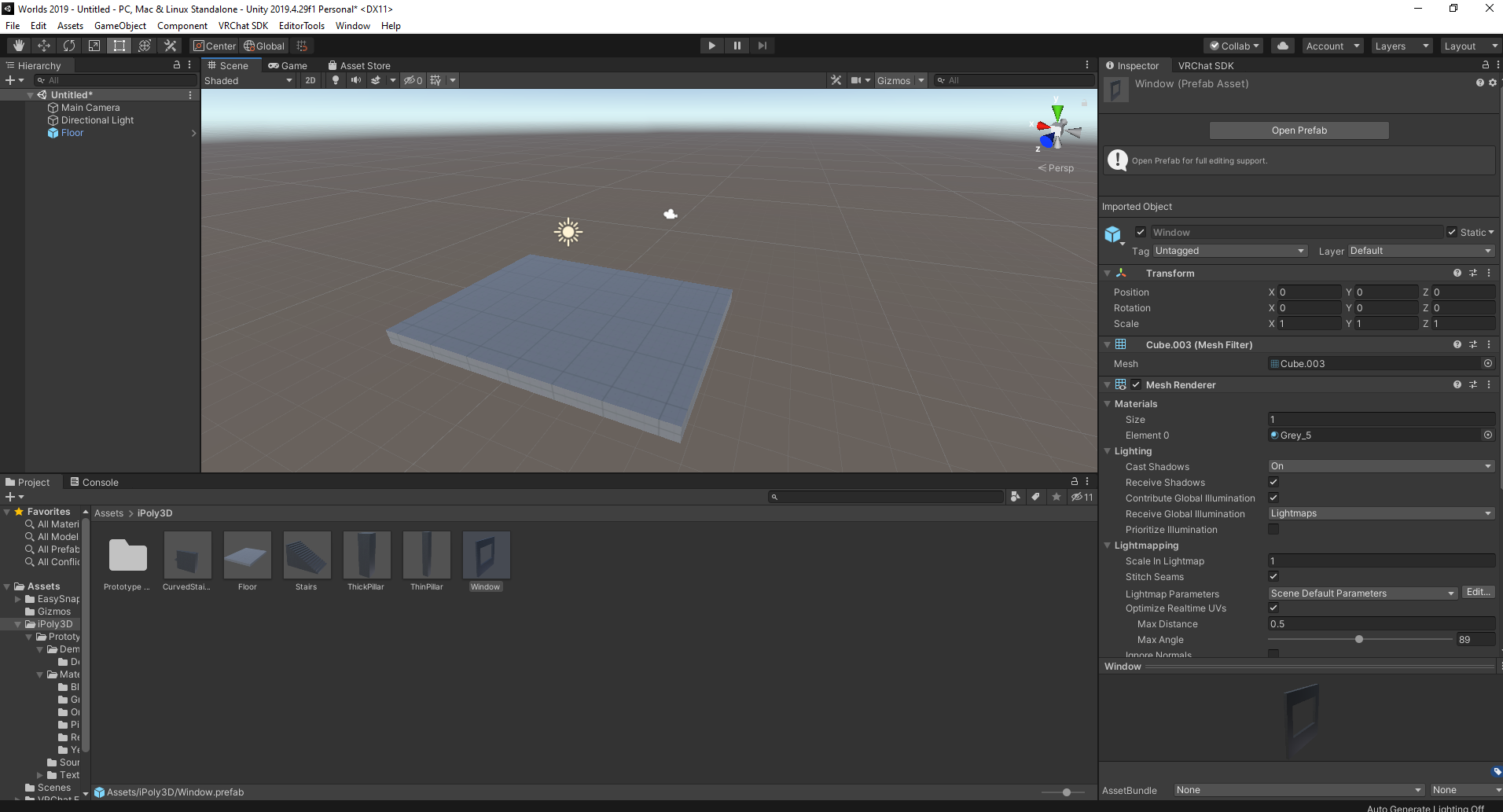 errant beacon
I'm not super sure what's causing the lag, sorry o:
the draw calls are fine, maybe a little high but not enough to justify getting <10FPS
strange lava
yea its hella wierd. but i do have a general sense of where i should find the problem now
its almost midnight so im going to sleep. so thanks so so much for all your help!
do you mind if i @ you if i find another problem tommorow?
near escarp
What are the game stats showing ?
 lunar nimbus

I recently stopped working with probuilder for my worlds and am now doing blender but I am having trouble with texturing because with probuilder, you could just slap on a texture and it would tile relatively correctly. However with blender the UVs are not lined up by default. Is there a way to unwrap them so they take the shape of the object?
See kind of how th euvs are all just squares of the same size
errant beacon
#3d-modeling - might want to look into UV unwrapping tutorials o:
lunar nimbus
I will ask them thank you
 echo rapids
Just started upgrade to 2019. Why is importing materials taking hours? Previous updates never took this long.
kind leaf
because its not just importing, its converting. PC was quick for me, Quest took hours. Was faster for me to just redo the Quest worlds I had.
echo rapids
@kind leafIt's a PC world
kind leaf
Same reason applies, plus the more you have the more there is to convert. Remember it's not just whats in the scene, its your entire project. And unsupported assets will take longer because it will try anyway.
all i can suggest is just be patient. It will finish eventually. Go eat 🙂
echo rapids
@kind leafLooks like it might take days at this rate lol
@kind leafThanks for letting me know.
silent night
Anybody have any information regarding making waving grass in Unity? Found a few videos but I wanna see if anyone else has a way of doing it or if they have a shader.
kind leaf
silent night
Anybody have any information regarding making waving grass in Unity? Found a few...
usually done by painting detail in terrain editor with wind speeds. Terrain by default has a wind speed of like .5 or something like that.
you can also try the first shader in the list here https://docs.google.com/spreadsheets/d/e/2PACX-1vTP-eIkYLZh7pDhpO-untxy1zbuoiqdzVP2z5-vg_9ijBW7k8ZC9VP6cVL-ct5yKrySPBPJ6V2ymlWS/pubhtml#
 cinder crypt
so i added avatar pedastols to a wold
and they cant be used
[ive never done this so if its obvious dont get mad]
kind leaf
cinder crypt
[ive never done this so if its obvious dont get mad]

Looking for a download link? Check out my Patreon.
Patreon: https://www.patreon.com/vrcakira
Part 8 of my video series for basic VRCHAT world building with the VRCSDK3 Udon kit. This series will be designed for beginners. I will try to cover every step from start to finish of each vrchat world creation tutorial. The goal of the videos is to all...
cinder crypt
thanks xd
kind leaf
np, don't be like that guy though, dock your sdk control or put it on a different monitor. It's so sad watching people fight with placement hahaha
cinder crypt
kind leaf
np, don't be like that guy though, dock your sdk control or put it on a differen...
i cant afford another monitor
also i dont think it worked uh
nope it did
thank u
kind leaf
🙂
 dusk summit
heyo, just got a weird issue in one of my world projects, everything is freshly imported after deleting em for the upgrade, and for some reason the VRC URL input field component... just doesnt exist. it exists in my other project that i've done the exact same shit for, but this one just doesnt have it, breaking my video player :/ anybody ever experienced that ?
 kind leaf
dusk summit
kind leaf
dusk summit
try importing the sdk again. I don't recall the migration doc telling anyone to delete anything.
dusk summit
kind leaf
try importing the sdk again. I don't recall the migration doc telling anyone to ...
done and redone multiple times for the SDK & all used Udon assets
the worst is that i found it there but i just absolutely can't add / use it
 kind leaf
The only thing I would recommend is to start fresh using your backup and follow the migration instructions carefully. https://docs.vrchat.com/docs/migrating-from-2018-lts-to-2019-lts
dusk summit
kind leaf
The only thing I would recommend is to start fresh using your backup and follow ...
This is my 5th project i've migrated, thanks, i've miograted 4 other projects during the betas. this project is the only one that borked this.
and i'm not spending another hour migrating this again for fun at 2am thanks
kind leaf
oh anytime. didnt know deleting during the upgrade was the pro way. ill have to try that out....
kind leaf
"freshly imported after deleting em for the upgrade, "
dusk summit
i have deleted other assets that i'm using to reimport them fresh after migrating to 2019
 cedar horizon
How do I fix this, I want both the walls to look the same (Left ProBuilder Wall / Right Normal Wall) (They have the same texture)

I have also cut a hole in the ProBuilder wall if that helps.
kind leaf
cedar horizon
How do I fix this, I want both the walls to look the same (Left ProBuilder Wall ...
they have different uv maps. So they need different materials. both materials can share the same texture. The one you want to match will need the tiling on the texture inside the material adjusted until it matches.
you can avoid that by making the normal wall in probuilder as well.
cedar horizon
I don't know how to mess around with the uv maps, also the probuilder wall doesn't look good so I wouldn't want to make the other walls probuilder walls either.
kind leaf
it doesnt look good because the tiling is not right. open the material and change the scale
 shrewd violet
After updating Unity and the SDK, I'm running into the error upon trying to upload a world: "Export Exception - System.DllNotFoundException: shell32.dll"
Does anyone have info on how to address this? (I'm on Mac)
cedar horizon
Whenever I change the tilling of a wall it changes for "All" walls, how do I fix this?
kind leaf
" they need different materials. both materials can share the same texture."
all the probuilder walls can share a material but the plane needs its own because it has a different scale.
 indigo fossil
I've spent the past couple months intermittently writing the script for a video tutorial series about how to create a VRChat world, aimed at the complete beginner. I'm almost done with it (except for the udon script for collider toggles) and would like feedback so I can polish it as much as I can before I record it!
https://steamcommunity.com/sharedfiles/filedetails/?id=2507157026

This is the text version of a work in progress guide about how to create your first VRChat World using a Unity-only workflow. I plan to record a video version using this script by the end of the summe
leaden hazel
Does the first time build take a very long time post update?
Seems to be taking very long for its first set of shader compiles
random owl
It's most likely rebuilding the shader cache because of the Unity version change
Should go faster again after the cache is built again
 frozen rain
indigo fossil
I've spent the past couple months intermittently writing the script for a video ...
frozen rain
indigo fossil
I've spent the past couple months intermittently writing the script for a video ...
Considering i'm working on my first world now I'll be able to give you some feedback!
 shrewd coral
Kinda a weird question. With the beta supporting Unity 2019, I'm curious if VRChat will support URP. If I create a world using URP will it upload and run properly in VRC?
green lagoon
nope it does not support that as It would require breaking all of the old content
frozen rain
@indigo fossil I read it over a couple of times and it pretty much touches, generally, on everything. I would break up some of the more advanced things like pick-upables, video players and such in another guide since it is pretty lengthy but other than that its pretty good.
indigo fossil
frozen rain
<@!316228931613097984> I read it over a couple of times and it pretty much touch...
Thanks for the feedback!
indigo fossil
shrewd coral
Kinda a weird question. With the beta supporting Unity 2019, I'm curious if VRCh...
Switching to an SRP would require rewriting all of the shaders
green lagoon
and probably most folks wouldn't benefit SRP to Warrant breaking all of the anime shaders
shrewd coral
So the only reason I was trying to learn SRP stuff was the cool node system to make shaders. Is there an supported system that's as user friendly that I could use to make water shaders and stuff?
timber fable
I can now confirm that all my sdk 2 and sdk 3 worlds are facing problems with the new 2019.
Some textures just became pure black. And that is not nice.
The bad thing is that i no longer possess such files. That worlx leave me make it again from scratch like all of my worlds that would take months or half a year again to finish.
 turbid ocean
Could somebody explain to me how to make it so when I jump, if I"m in midair I can jump again without having to wait till I hit the ground? Please anyone?
 exotic gazelle
SDK3 for Unity2019 does not have VRLUrlInputField ?
→SDK3 reimport ,then appear VRCUrlInputField.
turbid ocean
Well it may have it, I just didn't know where to enable it
I only set the jump height.
rain shadow
turbid ocean
Could somebody explain to me how to make it so when I jump, if I"m in midair I c...
SDK2 Or Udon?
rain shadow
Yeah
turbid ocean
I have no experience with Udon, so what do I do?
Is there a tutorial on what to set?
rain shadow
Not specifically for double jump as far as I know