
#world-development
39 messages · Page 89 of 1

 frosty flicker
Skybox has its own material. You can look in Lighting panel and see what material it is, and then look into material and see which shader it's using
Also you can remove the cube
 bold ibex
this
 frosty flicker
Look in here
 bold ibex
@frosty flicker i dont have that screen
frosty flicker
Open in top menu Window > Rendering > Lighting Settings
 frosty flicker
Click on Skybox Material to highlight the material file and see the detail of the material
bold ibex
 frosty flicker
Detail is shown in inspector
 frosty flicker
Not sure if it's skybox false. Try creating a new material with Skybox/Procedural shader and assign as scene skybox
frosty flicker
bold ibex
<@!805875523602481172> world is still black in the right eye
Do you have video player in quest?
bold ibex
no i dont only in pc
 desert python
bold ibex
<@!805875523602481172> world is still black in the right eye
desert python
bold ibex
<@!805875523602481172> world is still black in the right eye
did you change to quest via the sdk or unity?
bold ibex
i used the sdk within unity to change to android
desert python
you should use build settings instead
bold ibex
im creating a new project for quest and restarting
frosty flicker
On unrelated note, I found this on PCVR. The wall is obstructing video player UI
 desert python
go to file->build settings->android->switch build platform
if youre already on android, switch back to PC. then back to android
this will fully compile and fix the single eye (pirate eye) issue
when reuploaded ofc
frosty flicker
What a weird issue. I also used sdk to switch build to android and it was fine
bold ibex
its all fixed now thank you all for your help
 dusk sapphire
the issue with the sdk causing that was fixed a couple of months ago so unless your sdk is outdated its fine to switch via sdk
 crystal copper
Does anyone know if there's a limit to how many video players you can have in a SDK3 udon world? For some reason my 4th one doesn't play no matter what I try.
 near spade
It seems that my problem was because I hadn't enabled "Allow Untrusted URLs". However I don't know why I need to since I use video from a Vimeo Pro account which seems to be in the Video Player Whitelist. I use the specific URL as explained in this video (https://youtu.be/ekI4-z59ceU?t=97). It's really important for me that users don't need to allow untrusted urls. Does anyone have any idea where the problem comes from ?
bold ibex
is there a way to delete the quest version of a world?
cant find anything about it online
 near escarp
Nope, you'll have to contact the vrchat support
 warm axle
i wonder how it would be pulled off, but theoretically, an infinite world could be made and uploaded to vrc with some some smart uses of unity
even if not infinite, you could theoretically make a world that has buttons to spawn "items" these items could be platforms the player can place or stack
 warm cargo
I've had issues with unity syncing objects/variables of VRCInstanciated objects.
Other than that it feels like all tractable stuff.
 stone obsidian
If i bake the lighting in my world do quest users see it?
Just wondering if that sorta thing is compatible
near escarp
Is your world uploaded on the quest platform ?
 cold rune
hey i have a huge idea but i want someone to think about it and is willing to work with a team to make that idea come true
near escarp

VRChat Ask Forum
Post about commissions for worlds in this category. Requests are not permitted, we only permit posts from those providing services.
 sour onyx
HEllo everyone
im having massive problem with unity, ive been tryin to solve it for about 6 hours now.

ive uploaded this world earlier today, now im getting this error , and i cannot update/upload the world anymore. i have tried detaching the VRC_PipelineManager in VRCWorld, but i get thie everytime i try to update it, also it logs me out of VRchat in unity, and i have to login everytime.
ive even removed the VRCWorld, and put a new on in the scene, and i have also remove vrc from unity, via forums and reinstalled vrcsdk as per the instructions.
i dont really know where else to turn
 random owl
sour onyx
i dont really know where else to turn
random owl
sour onyx
i dont really know where else to turn
Contact #vrchat-support, it's a server side issue
sour onyx
ok, thank you, i have contacted them, guess ill have to wait for a reply from them via email. thanks again
 pine coral
okay so i am brand new to using oculus quest 2, just recently tried vrchat and had an absolute blast when i realized it was made using unity and i figured i could create my own worlds because i have a fair bit of experience with level design in unity and, low and behold, its not hard at all!! i do have one question however. in a tutorial i was watching when the person hit the build and test button it seemed they were exploring their world with their vr headset, however i cannot figure out how to do that. the clsoest ive been able to get is using oculus link to create my virtual desktop, which lets me see the screen.... but not control with my oculus. if someone could either give me a step by step or direct me to a tutorial on how to be able to build and test my world using oculus quest 2 that would be incredible
https://www.youtube.com/watch?v=DB-ugW7xGhk&t=0s the tutorial in question

In this video I show you how to create a world in Unity for VRChat.
*** [OLD] THIS VIDEO WAS MADE A WHILE AGO SO SOME PARTS MIGHT BE OUTDATED***
Timestamps:
Download Unity and the VRChat SDK 0:17
Build the world 2:33
Add textures and materials 5:18
Change skybox 7:29
Add a mirror and button 8:23
Add a VRC_SceneDescriptor and spawn point 10:15
...
 green lagoon
basically you would need to upload the world as a private world to test on the quest
as the test upload function only works on the PC version
pine coral
ahh rip there's no way to like link my quest 2 to the unity editor or something?
im not ahigh enough rank or whatever to be able to actually upload levels yet unfortuantely
wip for those curious
 green lagoon
cool Campground
pine coral
thanks!! and thanks for the feedback, using the virtual desktop is cool and all, just wish i could actually test this level from within VR
ah well
green lagoon
GitHub
CyanEmu is a VRChat client emulator in Unity. Includes a player controller with interact system. Works with SDK2 and SDK3. - GitHub - CyanLaser/CyanEmu: CyanEmu is a VRChat client emulator in Unity...

GitHub
Unity Editor extension for making VRChat worlds. Contribute to oneVR/VRWorldToolkit development by creating an account on GitHub.
green lagoon
wouldn't solve your quest problem but these are two very handy add-ons for World builders
pine coral
ill have to take a look at these thank you
green lagoon
VRWorldToolkit is quite important as it lets you know the file size of the upload which is important as you have a 50 megabyte file restriction for Quest Worlds
pine coral
one other question, not quite related to vrchat specifically, is there a way to use hand tracking while using oculus link or am i limited to the controllers?
green lagoon
you cannot use the hand tracking on vrchat
green lagoon
I don't think so
green lagoon
as you cannot use the controllers and the Hand tracking at the same time so you wouldn't be able to do any PC Hand tracking
pine coral
a cookie for your help
green lagoon
and if you have any other questions about making maps with the Quest 2 in mind feel free to ask
pine coral
definitely will! i primarily create maps and stuff for 3d art software, the unity specific one being a program called studioNEO but i know the basics of setting up actual playable levels as well like being sure to include mesh colliders and physics and the like
green lagoon
actually if you can get away with box colliders for stuff you should do that
pine coral
im sure ill have some questions here and there for some of the more advanced things like creating video players and the like
pine coral
green lagoon
actually if you can get away with box colliders for stuff you should do that
does that run better than using mesh colliders?
green lagoon
yes
pine coral
interesting, didnt figure colliders would affect performance
green lagoon
because it's just checking is it in the box or not instead of having to check each triangle
green lagoon
like if you need to make a chair it's better to use like 2 box colliders than a mesh Collider
and the video player is actually not that hard as you just download one from somewhere and dragged it into your scene
here's a database of vrchat prefabs
 pseudo oriole
sour onyx
im having massive problem with unity, ive been tryin to solve it for about 6 hou...
pseudo oriole
sour onyx
im having massive problem with unity, ive been tryin to solve it for about 6 hou...
Did you try click detach on VRCWORLD prefab under pipeliine Manager?
sour onyx
pseudo oriole
Did you try click detach on VRCWORLD prefab under pipeliine Manager?
Yep, vrchat support got back to me and did something on their end, and fixed everything.
 spice sonnet
how do i set a spawn on a world
 oblique axle
Any tips on how to make an animated water plane? I want to make an island getaway in the style of Genshin Impact, but I don't have the slightest clue how to work with water.
green lagoon
you would apply a water Shader to your plane

GitLab
Simple water shader for Unity/VRchat that (ab)uses some Unity features to get a pretty water surface.
oblique axle
Huh. That simple, eh?
green lagoon
yup
 kind leaf
If you want the water to swell up and down and not just ripple/wave use this U# script.
 dull estuary
Hey all! I use SDK2 and need help.
I am trying to make it so an object plays music. Whenever I try to do this, the sound plays throughout the whole world (which is not what I want to do)
How do I do this?
kind leaf
Switch audio source from 2d to 3d. Its a slider.
dull estuary
kind leaf
Switch audio source from 2d to 3d. Its a slider.
will try, thanks!
dull estuary
kind leaf
Switch audio source from 2d to 3d. Its a slider.
didnt work, I can still hear it throughout the whole world
volume is wicked low as well
 left turret
how do you enable creating portals in your world?
desert python
there should be a tick mark for "forbid portals" in the scene descripter
left turret
ok. thank you.
 kind tide
So I have a sorta random question, but does anyone know how people make the scenery in train worlds move. Like is it just a bunch of scene objects moving past the train and looping around? or is there more to it?
I'm asking as I've been working on a world where I want to employ that effect
green lagoon
presumably you just parent everything to one object and then animate that one object
desert python
everything except the train usually moves
green lagoon
yup
 tight tulip
Hey, im trying to make a button that starts an animation, is there a way of doing that?
near escarp
SDK2 or 3
tight tulip
2
near escarp
Create the button (cube), set your collider to IsTrigger, add a vrc trigger component set to OnInteract
pine coral
i am attempting to log into the vrchat sdk menu from in unity and its just stuck on this any ideas?
 near escarp
Check your console
near escarp

 tight tulip
Then what
near escarp
tight tulip
Then what
Then you select the PlayAnimation action in the list
pine coral
especially based on the fact that the dude only has 31 messages lmfao
tight tulip
It says could not locate on etc is it legacy
near escarp
Why do you have legacy animations
tight tulip
No I don’t
near escarp
Can you screenshot your unity window with that message ?
tight tulip
 near escarp
You need to put the door object in there, and instead of the animation component, you need to create an animator controller and put your animation in it, then create an animator component on your door object and put that animator controller in there
tight tulip
Now what
near escarp
Now you add CyanEmu to your project, it's pinned in this channel, press play and test your button
tight tulip
Running into compiling errors
 pine coral
https://gyazo.com/70067fbdfa2463e7996ed1bd165f2def not entirely sure whats happening here but for some reason shadows are only showing from certain angles? and only with some of the lights, not all??

nvm found a thread, seems setting render mode to important fixes the issue
tight tulip
near escarp
Now you add CyanEmu to your project, it's pinned in this channel, press play and...
Running into compiling errors
 near escarp
Your sdk has to be up to date
tight tulip
It is
near escarp
Can you show your console ?
tight tulip
which one do i select for the actions under VRC_Trigger?
near escarp
PlayAnimation
tight tulip
It won’t let me put anything in rescivers
 elfin latch
So everything in my world is fine besides one small thing; the VRCMirror isn't showing my lux water in the back. I've tried changing the layers and stuff but it doesn't seem to be doing anything. Anyone have any possible fixes?
near escarp
What's lux water
elfin latch
It's a water shader
near escarp
What does it do that's specific ?
If layers don't work, might be a render queue issue
worth asking in #shaders
pine coral
im sooo gonna have to figure out how to optimize this map better if i want it available on oculus lmaooo
what part of a map tends to bloat the file size most?
green lagoon
definitely the textures
https://github.com/oneVR/VRWorldToolkit this tool will let you see where all the file sizes going on your Maps
GitHub
Unity Editor extension for making VRChat worlds. Contribute to oneVR/VRWorldToolkit development by creating an account on GitHub.
 green lagoon
not necessarily have you done any texture compression?
pine coral
i have not, just using the raw 2k textures as they came
green lagoon
pretty much nobody ever uses the raw textures on vrchat they always tend to have compression
 green lagoon
that's not enough screenshot to answer that question
pine coral
im not used to having to do all of this compression and stuff because generally im building maps for rendering images lmao
oh oops

there we go
normal quality compression
will converting them from pngs to jpgs help?
 pine coral
what would you recommend setting crunch quality to?
near escarp
I hope you bake your world though
pine coral
id love to have dynamic lights but that might not be reasonable
green lagoon
yep as you basically shouldn't ever have real-time lights on vrchat
and the looks of your screenshot you not doing a scenario where you would need it anyway
near escarp
Unless you need realtime shadows or doing day/night version
green lagoon
like about the only reason to do it is if it's a dynamic time of day?
pine coral
well it would be nice for lights from spotlights and stuff to cast player shadows as well... and ive also got an animated firelight that flickers around
but if i have to forgo that i will
green lagoon
yeah for the quest build no real-time lights and PC you want that to be toggled off by default that can be turned on
pine coral
you could set the map to toggle real time lights within vr chat?
interesting
if playing on PC is it possible to play in VR? im still super new to using my oculus quest 2 so i dont know much about what you can and cant do
green lagoon
depends if your computer is powerful enough to run VR
green lagoon
yes then you should just be able to plug in your quest 2 and use it on PC
pine coral
working on building a powerful pc and at this point im missing one part... ill give you 3 guesses what that is 😐
okay neat
and then would i launch it from that oculus link main menu thing?
green lagoon
pine coral
you could set the map to toggle real time lights within vr chat?
yes pretty much anything in vrchat can be toggled on and off as far as the world
pine coral
interesting
are coding the buttons for that complicated
i absolutely positively hate coding
DX
green lagoon
not particularly has folks have made prefabricated buttons that you just put the object you want to turn off inside of and no code required
pine coral
oh interesting
i assume that comes with the vrchat sdk thing?
i saw in a tutorial for making worlds i was watching that there were just preset things you could use for making a mirror button
lets see how much crunching the textures helped here
i was sitting at around 250mb or so before lmao
green lagoon
probably I would have to go check but I'd recommend developing your world first with the quest in mine so make sure your lighting looks good with no reeltime lights or post-processing
pine coral
yeah for sure
another question, since this is never something i really did within unity itself, always did in the different programs i use, how do i go about setting up post processing for the map? things like godrays from the HDRI, bloom, SSR etc etc
i know ages ago there was something called the post processing stack but that seems to be deprecated on the unity store now
green lagoon

GitLab
A surface shader for Unity providing cel-shading. (Forward rendering only)
a documentation page on vrchat post processing
green lagoon
yep that way you're not trying to turn on post-processing that looks bad in vr
pine coral
will start looking into post processing stuff after ive finished building my world
green lagoon
yep as you cannot use it on the quest
pine coral
green lagoon
yep as you cannot use it on the quest
oh post processing doesnt work on the quest?
thats a shame
er well
from in the quest
i imagine its fine if im running vr on pc
its i shame i couldnt make maps like this available on the quest ;-;

i think the cimpressed size of this map after exporting it from unity into the program i used here was a little over 600mb lmao
oh man crunching the textures brought me down to like 80mb nice
green lagoon
is that with the 50% setting
green lagoon
and you have to accommodate your lightmaps in your budget
pine coral
oops forgot to turn off my work light xD but it looks pretty solid i think
 green lagoon
I would suggest trying to do a test bake
so that you could check like how many draw calls you're using
pine coral
yeah ill mess around with that a bit more here soon, gonna take a break but thanks for all the help really appreciate it
looking forward to seeing what i can do with this
ive always wanted to make maps for games and this is a great way to do that without having to make my own game lmfao
green lagoon
hope it goes well
kind leaf
dull estuary
will try, thanks!
lack of information. 2d audio is global audio. 3d is spartialized. if 3d didnt fix your problem reset the component and do it again.
 glad cargo
I wonder if there's a tool where someone's able to type send a youtube link in a discord section and it'll play it in a world
 blazing marsh
Hello, sorry to bother I'm trying to make my first world but struggling to upload. I'm getting the following console errors.
Any assistance would be greatly appreciated
 near escarp
Using the SDK from the website ?
 frank owl
I'm making a word that is only accessible through a flying car. I was going to just represent that with a single flying car that's parked near where you spawn like you just got out of it(which I'll most likely do regardless). but I was wandering if I could make it where you spawn in inside a flying car that lands shortly after spawning(to not get many motion sick)
or if there is any good examples for something similar to this
 hexed pond
Question. I'm trying to make a camera-based mirror, but i want it to ONLY show local avatar. E.G yours. How would I set it like this?
Like. I have the camera, and the texture rendering onto the "mirror" but how do i make it show... pretty much only your avatar, no others?
dusk sapphire
set the culling mask on the camera to mirror reflection layer only and nothing else
dusk sapphire
no, culling mask option on camera component
hexed pond
 dusk sapphire
uh, in the sdk panel there should be an option to set up vrchat layers

 hexed pond
i don't see layers..
dusk sapphire
it should look something like this https://nyanpa.su/i/500z1u2G.jpg

in the builder tab, make sure you have a scene descriptor set up
then it'll give you the prompt to set up layers for vrchat
after that you should be able to select mirror reflection layer in the culling mask for your camera
kind leaf
glad cargo
I wonder if there's a tool where someone's able to type send a youtube link in a...
There are Discord API tools and vrchat special worlds use them but I do not know if everyday folk are permitted. There are plenty of assets on the asset store for using discord api. Unless someone says it wont work there is no harm in trying one out. If it works, then yay.. If not then you know. Any asset would need converted from C# to U# however.
glad cargo
ohhh I see thank youuu
 robust sparrow
glad cargo
I wonder if there's a tool where someone's able to type send a youtube link in a...
robust sparrow
glad cargo
I wonder if there's a tool where someone's able to type send a youtube link in a...
Only way to do that would be to set up your own streaming server, restream the videos from that and display that stream in world
C# assets that contact outside servers generally can't be ported to VRC
 unreal kiln
heyhey, what is the best way to make some 2d grass in unity? so something like that
 kind leaf
unreal kiln
heyhey, what is the best way to make some 2d grass in unity? so something like t...
kind leaf
unreal kiln
heyhey, what is the best way to make some 2d grass in unity? so something like t...
Not the best tutorial (I dislike silent videos) but it works https://www.youtube.com/watch?v=19YVN2mqJVg

Here's a quick & dirty video with none of that incessant babbling!
- Create terrain
- Import texture image
- Add image texture to terrain detail painting 'grass texture' slot
- Paint grass
Then press play to watch the grass blow around in the wind!
Please like, subscribe and comment below on what you'd like to see next!
unreal kiln
kind leaf
Not the best tutorial (I dislike silent videos) but it works https://www.youtube...
ah, thank you ^^
crystal copper
Does anyone know how or have a link to tutorials on how to create hud text that says "playername joined" ???
 errant beacon
crystal copper
Does anyone know how or have a link to tutorials on how to create hud text that ...
errant beacon
crystal copper
Does anyone know how or have a link to tutorials on how to create hud text that ...
something like this might help? o: https://www.youtube.com/watch?v=r3Nu07EAlAQ
referencing to a text object/component instead of a join sound though, ofc
crystal copper
Oh good point
I actually just followed that tutorial for the sound, that's funny.
errant beacon
lmao
crystal copper
Is animated text just a video with transparency? or is there some way to better animate text/
errant beacon
depending on what you want the text to do, you could prob just do that in Udon for a lot cheaper render-wise
not entirely sure on what you can do with text in Udon though, sorry o:
might be something for #udon-general?
crystal copper
Oh thanks!
errant beacon
yw, hope everything works out! c:
 silent night
So in a texture on Unity, I'm using quite a few PBR's. However I've noticed that a lot come with Displacement maps. For the longest time I've just placed them in the Secondary "Detail Albedo" section on Unity, which seems to work, but other times it does not. Can someone correct me as to where these maps properly go?
kind leaf
silent night
So in a texture on Unity, I'm using quite a few PBR's. However I've noticed that...
Displacement is another type of height map
 worthy gazelle
nice.
tight tulip
Hi asked this before how do I make a button when I click it it plays a animation
near escarp
I explained all the steps to you yesterday 
Check the sample scenes in the sdk, the trigger one has a play animation button
tight tulip
near escarp
Check the sample scenes in the sdk, the trigger one has a play animation button
There is no play animation
near escarp
There is in the Trigger example scene
tight tulip
I looked in there were would it be located
tight tulip
near escarp
There is in the Trigger example scene
I looked in there were would it be located
near escarp
Ah sorry, it's in the action example scene
 tight tulip
What’s the clip for?
near escarp
the clip?
the animation clip ? If that's you decide to play a single specific animation on an object
tight tulip
How do I make a animation legacy
near escarp
No clue
 mint steeple
anyone know how to do audio in world object?
 sonic forge
does anyone know how to fix the pool table being invisible
whilst making a world
cause it shows in unity but not in vrchat
near escarp
mint steeple
anyone know how to do audio in world object?
world object ?
near escarp
sonic forge
does anyone know how to fix the pool table being invisible
whilst making a world...
Which pool table ?
 plush siren
Is there any channel to ask if anyone knows a specific world
sonic forge
near escarp
Which pool table ?
vrcbe
near escarp
sonic forge
vrcbe

GitHub
VRCBilliards: Community Edition. Contribute to FairlySadPanda/vrcbce development by creating an account on GitHub.
pine coral
anyone available that can give me a hand with sound stuff?
bold ibex
Sound? Like what kind of sound?
We talking in or out of world? Or like character interaction?
pine coral
so i have a campfire in the world i am attempting to create and messing with sound in unity is not something ive ever done before
and ive added a nice campfire sound
bold ibex
Proximity sound?
pine coral
yes
i cant seem to figure out how to make that work

ive set up the sound witha distance and everything
however i can hear it regardless of where i am on the map
bold ibex
Mhmm. It looks spot on enough to work.
pine coral
 dusk sapphire
you have spatial blend set to 2d, you want it 3d
bold ibex
Oh that might be it, yeah.
pine coral
where do i cahnge that
wait i see it
was looking for a toggle
lets give that a go
that seems to have done it
thanks a ton
perfect!!
would yall be open to giving me opinions for ambient sounds here? im stuck between two

Freesound
Forest at night in the Sian Ka'an Biosphere Reserve with some crickets, cicadas, insects and birds (sometimes).
Recorded during the Biosphere Soundscapes Residency
http://www.biospheresoundscapes.org/
Recorder: Sound Devices 788T
Microphone: Bruel & Kjaer 4006 Stereo AB Setup (omnidirectional)
with Cinela Leonard Windscreen
Original recording ...

Freesound
This immersive soundscape, full of crickets and katydids was recorded at night time deep in the woods of French Creek State Park in Eastern Pennsylvania in late summer early fall.
the scene the sounds will be going with
pine coral
why must unity's point light shadows suck so much

 chilly pawn
 kind leaf
he in what way? Mirrors reflect what they are told to reflect. Is there something else you were expecting or not expecting?
 vague remnant
Question, is there any way I can get the audio space to go from a sphere to a cube? I'll kinda need it for what I have in mind for my world
vague remnant
Nevermind, can't do it without spending money.... of course....
 untold pewter
near escarp
https://github.com/FairlySadPanda/vrcbce#getting-support
untold pewter
near escarp
https://github.com/FairlySadPanda/vrcbce#getting-support
Im trying to add this to my world but textmesh keeps giving me errors, neither of which I can find solutions for (istextobjectscalestatic definition & getglyphpairadjustmentrecords)

 frosty goblet
untold pewter
Im trying to add this to my world but textmesh keeps giving me errors, neither o...
frosty goblet
untold pewter
Im trying to add this to my world but textmesh keeps giving me errors, neither o...
keep in mind that TextMesh and TextMeshPro are two different things
There's also like TextMeshProUGUI or something like that, google might help with that one
untold pewter
Textmeshpro is what i had
which is what the github says is needed
well that was solved by reimporting the samples and extras
now ive got a new one lol

 spring knot
Is there a way to make Mesh colliders actually work with rigidbodies? I know that is an extremely abstract qeustion, but you should see what i mean in the video. I just need the cube to fall through the hole in the center of that collider.
Nevermind, it magically fixed itself without me making any changes
love unity
 fervent phoenix
Hi! is it possible to mix two or more materials through a mask? Maybe shader or smth? This is necessary to paint an landshaft polygon object. According to the principle of how we color the terrain in unity, mixing for exmple, grass and dirt textures
 glacial pond
I have a water shader that refuses to appear in a mirror, even though i have it reflecting every layer. anyone know what would cause this?
 calm latch
I am a totally Noob to world making. I am trying to make an on off button for mirror and all tutorials I watched so far seems to be outdated, they meantion things like vrc_trigger. gameobject set active etc, thing is. It does not exist in sdk3 so where can I find an updated tutorial on how to add an on an off button for mirorrs etc. Also if you know a tutorial for pick up things in a world. because that will be next project. Thanks
kind leaf
calm latch
I am a totally Noob to world making. I am trying to make an on off button for mi...

YouTube
Environment and Interaction Developer for Social VR | Udon Tutorial Series Creator
There are plenty more tutorial channels you just need to refine your searches. "vrchat sdk3 pickups"
sdk2 is also not depreciated; it's more like a mentally ill version of udon before nodes. Linking components and click events instead of noodles on a graph. A lot of people refuse to evolve to udon.
 native cobalt
Could someone here with more experience tell me how to hijack player camera for short animation and how to swap back to player view after it's completion?
And also how to do a screen fade effect when teleporting to a new area?
pine coral
why is it that hitting undo always seems to take for fucking ever in this version of unity
kind leaf
depends on how broken your package is. Undo is instant in all my projects. Of course trying to undo a boat load of changes at once could be a problem.
 keen forum
hey, my friend has been running into an error every time they try to upload their world. they won't specify what the error says but its the same one they get sometimes when uploading an avatar. they spent awhile making the world and I'd hate for it to go to waste but theyre loosing motivation.
does this sound familiar to anyone? and do you know of a way to work around it
kind leaf
"they won't specify what the error says " thats a problem. Get the error
 tardy ridge
Just wondering, what will affect the order of the world search result? My world has been as 6th in the "chess" search list and always stays there no matter the heat, total visit, favorites, people count in the world. Is it just purely by name and all I need to do is change its name to make it be listed higher? 🤔
 keen forum
kind leaf
"they won't specify what the error says " thats a problem. Get the error
keen forum
kind leaf
"they won't specify what the error says " thats a problem. Get the error
it might be
failed to create file record
or
failed to upload file
that's what he said at least, I'm trying to get him to check again but he's getting frustrated, forgot what it was, and doesn't want to check again because it's stressing him out
kind leaf
lack of a scene descriptor, multiple cameras, wrong blueprint ID, a few things can cause a failed upload or record creation failure. If its none of those ied recommend installing the vrchat toolkit and then check the debugger when the upload fails.
keen forum
I'll let them know, thank you
pine coral
kind leaf
depends on how broken your package is. Undo is instant in all my projects. Of co...
after doing some googling it seems it happens when undoing an edit youve made to a prefab?
any ideas about that?
also is there a way to make it so that materials are automatically separated from models i import into unity so that i dont have to manually do it and reassign the materials every time to be able to edit the textures?
 kind leaf
maybe you have auto save enabled on the prefab or you have automatic lightmaps
pine coral
where would i check those settings?
kind leaf
open a prefab if autosave is checked in the corner ied uncheck it. autosave kills unity if a prefab has a broken script fyi. for the light maps check the lighting settings. it will be beside the generate button.
pine coral
thanks!@
kind leaf
omg can we get 2019 yet? ugh lol so impatient! gimme 😛
mint steeple
near escarp
world object ?
yeah something like you can turn on and off a music in the world
near escarp
@mint steeple Oh, that's just an OnInteract trigger that SetGameObjectActive set to Toggle on the gameobject that has your music
 short gulch
Does the talkDistance player mod in sdk2 still work? I have the distance set to 100 because it's a big map and easy to lose track of others, but you can reallynonly hear each other about 20ish meters away.
pine coral
@dusk sapphire you were able to help me with sound stuff last time, got another question. is there a way to set a delay before a loop restarts? like say i want the audio to loop, but i want there to be like a 10 second delay before the loop starts, how would i do that?
 dusk sapphire
uuuh
probably easiest to modify the sound file to add a 10 second silent track at the end lol
or beginning i guess
pine coral
ahh alright wasnt sure if there was some sort of easy setting i could apply like a delay or something in unity
any recommendations for a program to use? i dont do much with audio sampling and editing
dusk sapphire
I imagine most people use Audacity but I hear there were some issues with the latest version of it
pine coral
on a side note this forest is coming along rather nicely. ive given up on the idea of making this map available for quest xD its a too ambitious idea to be condensed into 50mb, ill probably make a quest specific map at some point though
alrighty
gah shit that doesnt have audio hang on
pine coral
There we go
 strange lava
how do you lower the download size? using compresion for textures? and how do you compress all the textures?
 sudden lily
Is there a proper way to setup a picked up object with a rigidbody so particles will collide with it?
@strange lava Click on your textures, click "use Crunch Compression" and hit Apply.

The default 50% is generally good enough without any discernible change to your texture.
Nevermind, figured out what I'd missed; Needed to enable the particle emitter colliding with dynamic objects.
strange lava
do you manually have to crunch every texture?
sudden lily
Shift-click them all and you can do it all in one go.
kind leaf
strange lava
do you manually have to crunch every texture?
If you use the vrchat toolkit there is a mass texture importer feature that lets you compress and/or scale all textures at once.
strange lava
kind leaf
If you use the vrchat toolkit there is a mass texture importer feature that lets...
where can i find this toolkit? sorry i just started doing this this weekend
kind leaf

GitHub
Unity Editor extension for making VRChat worlds. Contribute to oneVR/VRWorldToolkit development by creating an account on GitHub.
strange lava
thanks!
i have a nightsky world and a house with lights and a mirror. it shows my avatar as lit when i look down but it shows dark in the mirror what do i do?
kind leaf
light probes
strange lava
sorry again... what are light probes?
kind leaf

High quality lighting is not performant... Until now! Let's have a look at Light Probes in Unity.
► Get the free ebook! (sponsored) https://create.unity3d.com/nine-ways-to-optimize-game-development?utm_source=thirdparty&utm_medium=affiliate&utm_campaign=gaming_global_acquisition_2020-01-gmg-ebook2&utm_content=brackeys
● Simple Lighting in Unit...
strange lava
thanks
 lone birch
i want to make a new world. should i use sdk2 or 3?
short gulch
If you're brand new to this, sdk2 would be the easier way. But if you want to dive in head first with visual scripting, Sdk3.
kind leaf
Sdk2 is a less obvious version of visual scripting, same concept but with components only.
And far more tedious
Also if you use sdk3 then most unity tutorials apply.
kind leaf
realistically the choice between 2 and 3 is personality not experience. If you prefer unacceptable limitations, frustration and have no respect for time investment than 2. 3 exists for a reason. People that use 2 enter a state of denial because accepting the truth means more work. Both work... One is just far more suited to everyones needs the other is not.
lone birch
I see, thank you
i finished making my world but the mirror doesnt even work
when i toggle it it's just blank
kind leaf
did you make it from scratch or are you using a prefab?
lone birch
prefab
kind leaf
blank in the editor or blank in game? Also by blank, do you mean it only reflects the skybox? Care to show a screenshot of the mirror in the inspector?
lone birch
https://i.imgur.com/rmm2Ldi.png this is how the mirror looks like in unity
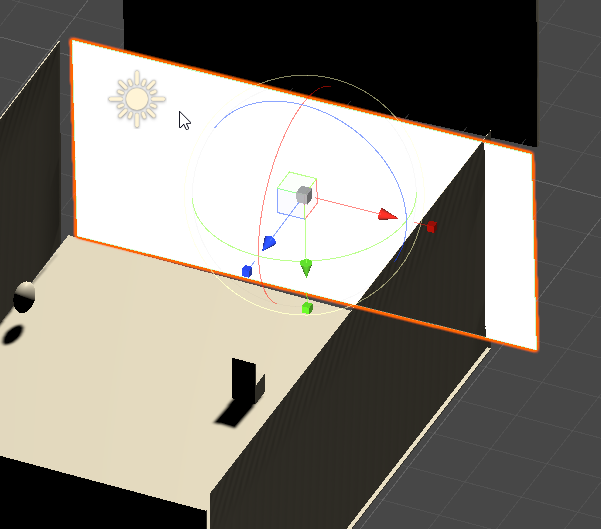
its supposed to reflect idk why it doesnt
do i need to put a cube behind it to work?
kind leaf
no whats the inspector look like?
kind leaf
if you have the mirror selected and you havent changed your layout its on the right. Tab is labeled "Inspector"
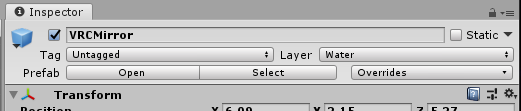 kind leaf
the whole thing 🙂
lone birch
 kind leaf
looks good, there is a reflection update bug in editor that will never be fixed by Unity because it's not important. Ied try testing it in game.
lone birch
when i build & test its just a black wall, and when i toggle it dissapears basically
kind leaf
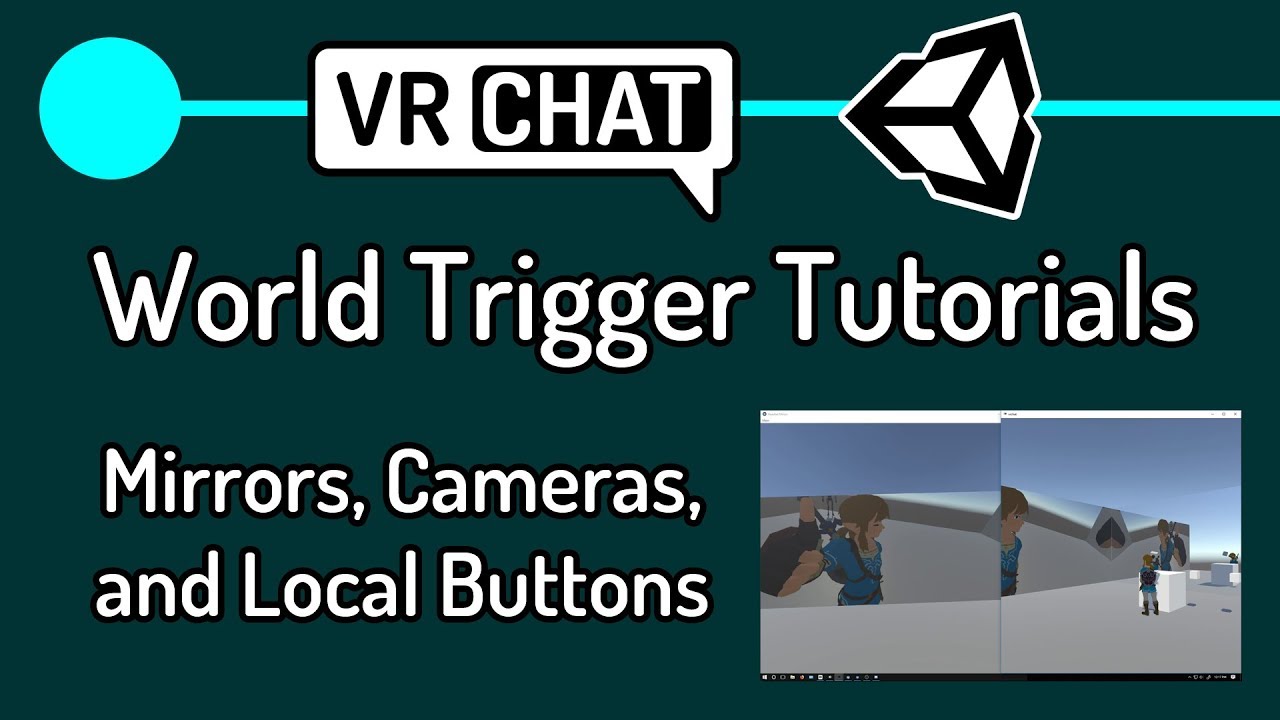
Second tutorial on VRChat world triggers. I go over how to add mirrors, cameras and screens, and how to turn GameObjects off and on locally for only you.
The intro is a little choppy. I haven't updated my CPU in 5 years and I was recording in 1080 with two instances of VRChat running.
Next tutorial: 3 - Combat System
https://youtu.be/eqFsSfXrJt...
lone birch
ty i will see this
lone birch
I want the world to be public but it looks like it's private for some reason
how do i make it public
kind leaf
When you upload there should be an option (a check box) to upload to community labs. If it is grayed out then you dont have the appropriate rank to upload publicly. No worries, just sign up for VRChat Plus and you will instantly have permission.
lone birch
i have vrc plus so i should have it
kind leaf
You do not need to continue the subscription but if a sub isn't an option you just need to spend more time in game playing and socializing and making friends
ic
yeah then just check the community labs box
dusk sapphire
uploading a world requires new user rank, but publishing to labs requires user
lone birch
i have vrc plus and known user
wait where exactly is the option
after build and publish?
lone birch
i see it thanks
 dusk sapphire
if the world is already uploaded you can publish via the website instead of going through the reupload step fyi
lone birch
too late i just deleted and reuploaded lol
kind leaf
oh you don't need to delete in the future
never need to delete unless you dont want it anymore
when you reup it replaces the old
lone birch
ok ok
My mirror still doesnt work so if i want to update its just the same step as uploading a new world?
lone birch
Tysm this helps a lot, i hope i manage to fix the mirror too. it's just a black square and when i toggle it it just dissapears completely
also why dont i have trusted user i thought uploading a world makes you rank up
kind leaf
a lot of variables adds to rank, but if uploading ranked you up alone ied be a god lol im still just user.
- i dont socialize in game 😛
lone birch
oh i socialize a shit ton so maybe thats why
anyway if you have any ideas about the mirror let me know i g2g to work now
kind leaf
have a good day 🙂
calm latch
kind leaf
https://www.youtube.com/channel/UCMLgCTDbjvOjMRsyLLbuuqw
Thank you and yes too bad that people don't wanna do new stuff but I also get it. Not everyone has the time to learn and maybe they need to change all their recent uploads when there is an update, which would be a lot of work
 tawny ermine
Hey what are the good mirror assets? I've seen some out there that don't reflect your menu and stuff
calm latch
I followed this video. Added a mirror, cube and created the nodes and did what the person said and nothing is happening when I press the buttons in the world, What did I do wrong? Is animations needed? https://www.youtube.com/watch?v=nU9dK8VU274&t=325s

Looking for a download link? Check out my Patreon.
Patreon: https://www.patreon.com/vrcakira
Part 1 of my video series for basic VRCHAT world building with the VRCSDK3 Udon kit. This series will be designed for beginners. I will try to cover every step from start to finish of each vrchat world creation tutorial. The goal of the videos is to all...


 idle jolt


 desert agate
How do people make floating dust particles in worlds on quest if particle systems don't work on quest? Or do I have that wrong?
 worthy relic
if this is not the place to ask then il move my question, but is there a way i can make my image less blur? i have no idea what i did in gimp2.0 to make it blurry

when i put it into unity i can see the blur look on it there as well
kind leaf
worthy relic
if this is not the place to ask then il move my question, but is there a way i c...
Bit odd to have made it yourself but not know how you made it. Neverless, it's a neon sign no? Emissions are lame as hell with solid lines, blur gives the emissions realistic fade. Set the image to the first albedo and then use the same image on the emission map. Make sure the quad you place it on is of an appropriate scale as to not distort the image.
worthy relic
i used a logo maker, but i put it into gimp to cleanup/sharpen the image
but the image it self has become more blurry. and i do have it on an apropreate sized quad

/\ original image
kind leaf
gimp wont un fade the edges, youll have to select alpha and shrink by 1, press delete until it looks right but you will be cutting away at the image.
original looked fine, I would have just cropped it
near escarp
Sharpen tool in Gimp
kind leaf
Sharpen doesn't always handle gradients well but cant hurt. we have ctrl z for a reason 😛
worthy relic
where would the sharpen tool be at?
 kind leaf
filters
worthy relic
ok, il give it a shot
ok sorry but im dumb, im in filters but i dont see a sharpen?
kind leaf
enhancements? im not in gimp right now
worthy relic
oh i see it sorry :<
 worthy relic
ok, i think it did something? colors are darker at the least
kind leaf
zoom in check the lines, if you arnt happy just undo
worthy relic
way better, thanks :>
 muted kiln
Is it possible to apply softbody physics to VRC using regular Unity or Udon?
worthy relic
im using sdk3 and when i try to do a test build it tells me i need a scean discriptor but i already have one?
 tawdry osprey
@worthy relic drop vrc world in it then go to the vrcsdk control panel and in the builder tab set everything up there. if that still doesnt work try removing all VRCSDK content and re-installing the SDK and start over
worthy relic
vrcworld?
errant beacon
In the VRChat SDK's prefab folder there should be a VRCWorld prefab, drag that into your scene
If there's another scene descriptor component in the world, delete it o:
otherwise, import https://github.com/oneVR/VRWorldToolkit/releases and see what it's world debugger says? o:
worthy relic
ok is there a place i can share my screen?
errant beacon
not here no, but screenshots are fine
errant beacon
Import VRWorldToolkit and see what it's world debugger says? also, check your console for errors
there should be a button to open that at the top-left of the asset browser
 errant beacon
would you mind sending a screenshot of the Unity console? o:
worthy relic
its just this

before i imported the debugs it gave me a few errors but those are gone now
near escarp
restart unity just in case
worthy relic
its restarting

im going to reinstall vrchat it self, i remember in older versions of sdk's reinstalling vrchat could fix random problems like this
ok so i tried building it after i reopend unity and it didnt work, gave me what i posted above. after reinstalling vrchat it seams to work
@near escarp @errant beacon thanks for your help
errant beacon
yw! o:
worthy relic
my only guess as to why it broke in the first place may be due to switching between locals in windows 10. some of the games i play require me to be in japan locale/time
errant beacon
If that's the issue and if it's reproduceable, you def might want to post that on the canny https://feedback.vrchat.com/sdk-bug-reports

 worthy relic
nice :U and yeah if it happens again i will @errant beacon
 worthy relic
have you logged in on the sdk?
worthy relic
errant beacon
otherwise, import <https://github.com/oneVR/VRWorldToolkit/releases> and see wha...
use this?
 gray sleet
Uhh. Its been over a week and i still cant upload my world to the labs. why
errant beacon
 vague lantern
is there a way to fix this error
vague lantern
is there a way to fix this error
When you try to build the world, does it say that "the signed in account does not have access to the blueprint associated with your VRC_Avatar(or Scene)Descriptor"?
errant beacon
Right-click the VRChat SDK in the asset browser and hit Reimport? o:
also, make sure you're using Unity 2018.4.20f1 if you're building for Live
vague lantern
errant beacon
Right-click the VRChat SDK in the asset browser and hit Reimport? o:
where
errant beacon
gray sleet
Uhh. Its been over a week and i still cant upload my world to the labs. why
might be something for VRChat support? o: http://help.vrchat.com/hc/en-us/requests/new
errant beacon
vague lantern
where
Right-click the VRChat SDK folder in the asset browser, Reimport will be an option in that menu
vague lantern
didnt work
errant beacon
to clarify, why can't you use the control panel? i.e is the option not there, etc
vague lantern
its just utilities
kind leaf
just helped a person with the same issue, they had to restart their pc. No guarantee that will work but it did for them. Of course I knew their project was setup correct from the start because I gave it to them.
 analog parcel
What does open to friends mean on a community labs world?
kind leaf
its an instance where friends can join without an invite
analog parcel
even in invite only instances?
because I log in there and they still need to send a request
So that is what confused me since it still says that no matter the type
 rain shadow
Open to friends is just the published status
Labs is incorrectly called open to friends
kind leaf
lol never noticed that haha
analog parcel
Because I saw a thread about how it was "open to friends" and the world no matter how popular it was didn't get published. So not sure if that was something bigger than it actually was.
errant beacon
vague lantern
its just utilities
bit late, but try restarting Unity and see if the console changes? otherwise I'm not too sure, sorry o:
desert agate
Heyo
I'm making an Udon script, but my public variables are greyed out in the inspector, any ideas?
 rain shadow
desert agate
I'm making an Udon script, but my public variables are greyed out in the inspect...
rain shadow
desert agate
I'm making an Udon script, but my public variables are greyed out in the inspect...
You need to have that udon script in an udon behavior component on a game object in your scene
vague lantern
how come when i build and test my world, it doesnt update
rain shadow
vague lantern
how come when i build and test my world, it doesnt update
Likely have errors in the unity console
vague lantern
rain shadow
Likely have errors in the unity console
ive cleared the errors
rain shadow
Cleared?
rain shadow
Those errors will prevent the world from building properly
Try build again and see what shows up
vague lantern
nothing happens, it just doesnt update
rain shadow
Try build the scene again so you get the errors
vague lantern
how
rain shadow
In the SDK panel build and test
vague lantern
no errors
rain shadow
Restart unity and see if the errors show up again
kind leaf
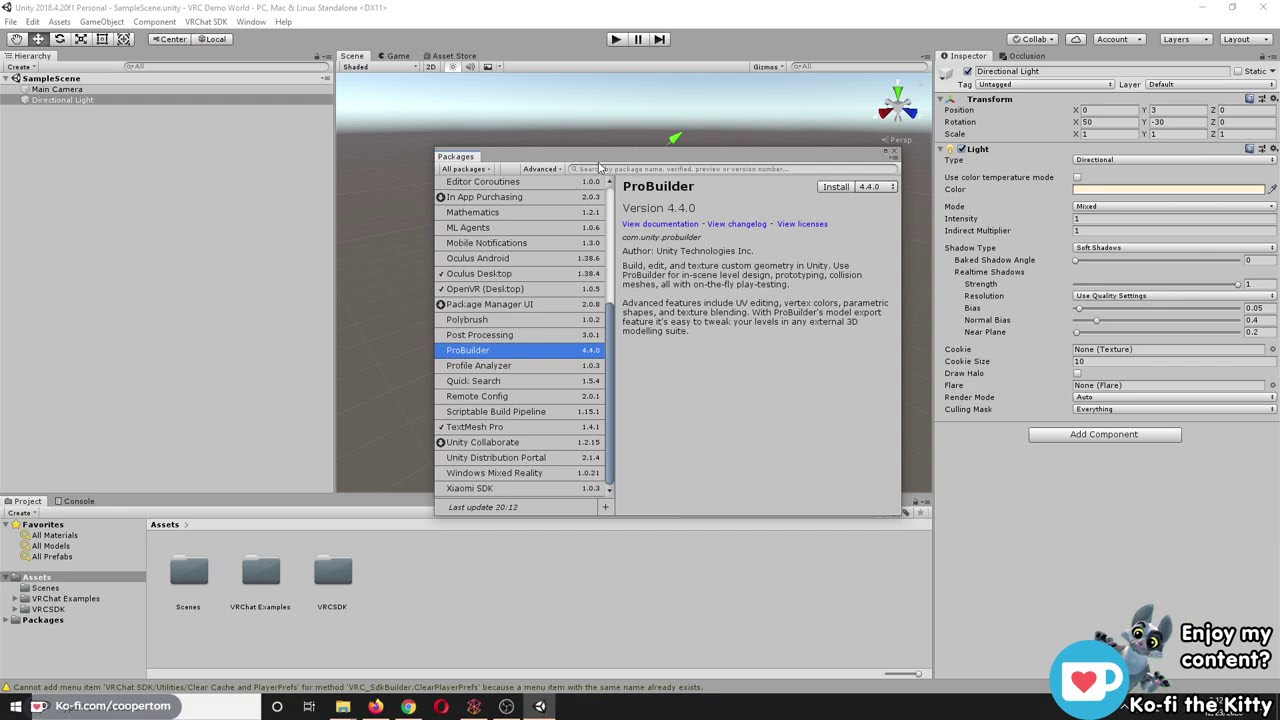
I did a Twitch stream on 12/23/20 where I showed how to create and upload a VRChat world from start to finish. I am in no way a professional 3D modeler, I am simply demonstrating the methods that I have found that work for me. I know there are probably a million other ways you could go about world building, this is just how I like to do it.
I c...
 vague lantern
could it be that im using an old sdk
rain shadow
Yes
vague lantern
the top error is for a different project
rain shadow
Get the latest SDK2 version from https://vrchat.com/home/download

VRChat lets you create, publish, and explore virtual worlds with other people from around the world.
gray sleet
not sure but i might need advanced support. I had a world removed a while ago and i redid the world, im uploading it now but it shows up as the old world and cannot be joined and has a broken image. why
kind leaf
gray sleet
not sure but i might need advanced support. I had a world removed a while ago a...
vrchat bug. had the same issue. had to submit a ticket. world is gone but it shows in content manager
gray sleet
kind leaf
vrchat bug. had the same issue. had to submit a ticket. world is gone but it sho...
content manager?
so what do i do? I submited a ticket.
kind leaf
upload the world as a new ID.
gray sleet
my old world doesnt show up in content manager.
and how do i upload it as a new ID
kind leaf
to assign a new ID you just detach the ID from the pipeline manager.
A new ID will be created when you upload
gray sleet
where is pipeline manager
kind leaf
in the scene descriptor
gray sleet
and that is were XD
kind leaf
you had to add it to upload. maybe VRCWorld
 kind leaf
well no id means you aint uploading which would be why your old world isnt updating
The ID is automatically filled in on a successful upload.
gray sleet
well whatever was uploaded was my old world and was broken.
Do i just put a name in there and call it good?
near escarp
It gets generated when clicking build and publish
kind leaf
If you old world is still in the content manager just copy the id and paste it in the pipeline manager
kind leaf
near escarp
It gets generated when clicking build and publish
thanks for the clarification 🙂
gray sleet
ok. so it was generating the same id as my old world? After that i whent into vrchat and tried to enter the world. couldnt.
And my old world isnt in the manager anymore. i deleted it.
so what do i do with the ID to make sure this does not happen
near escarp
If your world isn't in the content manager then you don't have to do anything
gray sleet
well something has to be done. Iv done this multiple times and it ends up the same
kind leaf
click build and publish?
gray sleet
yep
kind leaf
and what happens?
gray sleet
It uploads. But then in game and on the website it shows the old world desc and all that, but with a broken image
near escarp

gray sleet
you cant join it either-
near escarp
What's the world ID ?
gray sleet
there is no id
kind leaf
get it from the website after you reupload
near escarp
No, just detatch
gray sleet
the old ID when put into the website / browser. Shows up as nothing. Just a blank vrchat home website.
so is there anything else i need to do?
Great. so id love to check it out, but now, it says i have to wait another whole week. Is there someone i can talk to about that? :/
near escarp
can't you just put the id here ?
gray sleet
you want the old id?
near escarp
well, anything really, just waiting
gray sleet
oh. well i guess. here it is. useless to me. wrld_b41877d8-37cf-452d-b797-58eed4957a7c
near escarp
Ok yeah that world was deleted
gray sleet
ok. so that id was deteched so no longer exists. the id is blank now so i want to reupload again but cant XD
near escarp
Can you just delete the vrcworld prefab and create another in your hierarchy
kind leaf
you can upload a billion times a day. you can only upload to labs once a week
gray sleet
oh. ill try.
what would deleting the vrc prefab do
near escarp
Dunno, trying to find a solution as to why it's using the ID you detatched every time you try to upload
gray sleet
alright. ill try uploading now. if nothing ill do that too
near escarp
don't publish to labs, keep it private for now
gray sleet
too late for that. cant upload to labs again. for a week :/ cuz i tried to upload it earlier and found out that didnt work. then lead ot the whole ID thingy
kind leaf
gray sleet
too late for that. cant upload to labs again. for a week :/ cuz i tried to upl...
yeah in the future you shouldnt delete a world just because it was broke. You can fix it and reupload without risk. Also, dont publish to labs on a project you havent tested. save the once a week upload for a project you have confirmed to be functional.
gray sleet
yeah. will be doing that from now on.
ok so that worked! I now have a private world created
Just got to wait a week now ;-;
kind leaf
in one week go to the vrchat website under my worlds and click publish for your private world
gray sleet
yeah. lol. will do that then. now i gotta copy it and send in the quest compatable version
vague lantern
rain shadow
Get the latest SDK2 version from https://vrchat.com/home/download
well that didnt work
rain shadow
vague lantern
well that didnt work
Do you have errors now?
vague lantern
a lot more
gray sleet
Side question. Do all worlds begin with 1 report?
rain shadow
vague lantern
a lot more
What errors
gray sleet
ok. ty ❤️
vague lantern
rain shadow
What errors
a very long list
kind leaf
cryptic replies when asking for help is the same as saying you dont want the help.
rain shadow
vague lantern
a very long list
Make sure to follow this https://docs.vrchat.com/docs/updating-the-sdk
VRChat
If you need to update your SDK, it is important that you follow these steps to ensure the update proceeds properly and you don't have any old/conflicting files. Version Control If you know how to use it, you may find it beneficial to use version control software like Git to manage your project. You ...
If you follow that and still have errors go to project settings > player > other settings and make sure api compatibility is set to 4.0
vague lantern
i just figured out thaty its updating, but the player mods arent working
desert agate
When rebuilding a PC world for quest, is it recommended to make a copy of the PC project and edit that, or to change the build target on the original?
 hardy scarab
heeey Im new in world creation and I just wanna know some like. tips and tricks on making worlds in blender. all I know is loop cutting and extruding asdfhaosdhfajd so all of my worlds have squarish shapes and nothing else.
 rigid garden
Hi, I'm new to vrchat. I wanted to tell you if you could help me with this How would I have to do it to be able to create avatars?
 rigid garden
What should I do
vague lantern
just play the game
spend time in it and add friends
your rank will rank up to new user (blue)
rigid garden
at least how much time has to pass
desert agate
Nobody knows, but it isn't that long
 blissful zenith
so baiscly i need help bc my shaders for my world are just completely messed up

so baiscly
it looked like this
vague lantern
rigid garden
at least how much time has to pass
i think you have to spend 24 hours
blissful zenith
and then now it looks like this
vague lantern
vague lantern
i think you have to spend 24 hours
and add friends
desert agate
rigid garden
Thanks a lot
Sorry. Have fun!
 remote vigil
Anyone know how to fix the light leaking like this? I made sure the planes intersect and it still happens
 rain shadow
remote vigil
Anyone know how to fix the light leaking like this? I made sure the planes inter...
rain shadow
remote vigil
Anyone know how to fix the light leaking like this? I made sure the planes inter...
Either decrease the bias value on the light or add secondary geometry outside of that area to block the light
Though baking the lighting would be the best option
remote vigil
rain shadow
Though baking the lighting would be the best option
Guess its time to learn how to bake, no time like the present
green lagoon
yes because it's basically mandatory to bake lighting if you want your stuff to run any good
remote vigil
green lagoon
yes because it's basically mandatory to bake lighting if you want your stuff to ...
Have a good VRC specific tutorial for lighting?
green lagoon

VRCat: Community-Run VRChat Forums
Greetings! Over my course of playing VRChat I've noticed that most worlds, mainly the ones that have baked lighting, are done poorly, or in an...
rain shadow
remote vigil
Have a good VRC specific tutorial for lighting?
https://www.youtube.com/watch?v=dKgUJccjWRU Video tutorial for the current version

You can support me on my pateron
https://www.patreon.com/mcphersonsound
This is a longer tutorial than normal and there is a lot to cover so here are time stamps for your convivence.
00:00 what is baked lighting
00:35 setting up lights
1:23 preparing meshes to bake
2:30 generate lightmap UV
3:28 light probes
5:10 reflection probes
6:00 emissive ...
vague lantern
does anyone know why my player mods arent working
 old robin
vague lantern
does anyone know why my player mods arent working
old robin
vague lantern
does anyone know why my player mods arent working
... explain?
tawdry osprey
@worthy relic I made a tutorial today (updating my old one) on how to get started with the bare minimum for beginners. @near escarp bump this somewhere if you got the time 😉
🙏Thanks for watching my videos! If you like the content please feel free to support my channel by liking & subscribing to help me continue making these videos.
Step 5 is the longest and final step! Hope this tutorial helps out. Feel free to comment any questions for additional assistance!
CONTENTS:
00:00 Intro
00:05 Step 1 - Downloading Uni...
near escarp
I'd rather not pin the very very basic kind of tutorials, that'd be a cluttered mess
tawdry osprey
Noted! But there really aren't many up-to-date tutorials that are short and to the point 😛 I understand if you don't want to but I thought it might be helpful. Couldn't find a single tutorial made this year that wasn't all over the place or super long.. etc
Actually there's not even a tutorial for making worlds pinned 🤔 interestingggggg
worthy relic
thanks @tawdry osprey :>
worthy relic
will do :>
desert agate
Is there a limit to how many private worlds you can upload at different ranks?
separate worlds I mean
worthy relic
is there an easy way to animate a water feature?
all im seeing is for sprites and a script that moves the texture
worthy relic
you know what, ima do something different :T its late and i cant be botherd to learn how to code in udon after being awake for 25 hours now
XD
strange lava
alright i crunched my textures baked my lightmap what else can i do for optimization
?
 spring temple
Thought I’d share this in case nobody heard about it yet. https://twitter.com/varneon/status/1422210829265539073?s=21

World Creator Assistant is now available on GitHub for free: https://t.co/hfhuVFpgET #VRChat #VRCPrefabs https://t.co/U5VVhEToqo
Likes
188

 Twitter
·
Twitter
·
 olive shuttle
Anyone know where to get Bottle prefabs xD ?
 wheat prism
Hello! We are looking for VRchat word developers to join the team of one cool contemporary art Russian project. You need 3d modeling skills, a desire to add something new and creative by your own, work with textures and shaders. Create Adaptation for the quest. The work is paid. The deadlines are burning. Existing examples are waiting in a pm.
bold ibex
UdonSharp compiled 14 scripts
then nothing happens?
last build says there is no build and console I have 0 errors
strange lava
i tried streaming music into my world by using a video player but this doesnt seem to work? anyone know why?
tawdry osprey
@olive shuttle what kind of bottle do you need
desert python
strange lava
i tried streaming music into my world by using a video player but this doesnt se...
are you using avpro?
strange lava
desert python
are you using avpro?
no the unity one
i have a normal video player but i also want to use one for audio
desert python
and where are you trying to stream from?
strange lava
from youtube
desert python
livestream?
 rotund scarab
I keep falling through my terrain. It has a Terrain and a Terrain Collider component. How do I stop from falling through?
strange lava
desert python
livestream?
nope 60 minute music video
though i livestream would be better
but i already figured out that doesnt work even on my normal one
olive shuttle
tawdry osprey
<@!163628425167241217> what kind of bottle do you need
well atm im making a bar so alcohol bottles 😄
desert python
odd, is it age restricted/banned in random countries?
tawdry osprey
@olive shuttle simple one I made in like 2 minutes I had in my models folder
Lol
strange lava
one thing i did only begin with unity this weekend so like im new af
desert python
hmm. have you tried any other videoplayer? that sounds like it would work vanilla
tawdry osprey
 strange lava
nope. i use a unity one for my normal one and also planned to use a unity one for my music
bold ibex
hey guys any reason why my map is doing this weird lighting glitch
tawdry osprey
@bold ibex can you send screenshot so we can see
kind leaf
view distance on your reference camera is too low
olive shuttle
tawdry osprey
https://gyazo.com/671a968987c94f7c55b4313caf1603bb
ohh that be looking nice mate 😄
tawdry osprey
@olive shuttle if you need more I can make them for you, maybe something better lol. thats like a 60 second model so its a little low quality
olive shuttle
tawdry osprey
<@!163628425167241217> if you need more I can make them for you, maybe something...
I would love that 😄 . would love to have more models to use 😄 so if you want to.. that would be nice 😄
tawdry osprey
i have a whole library of random things I made Lol. dm me your email
kind leaf
bold ibex
is that the main camera
yes the reference camera is the main camera, but you have to make sure to add it to the scene descriptor in the camera reference location. make sure near is .001 and far should be whatever you need to render the distance you need. try 1000 for testing, if it works then make is smaller.
In most cases you shouldnt use anything higher than the minimal distance needed. Only time 1000+ is used is in flight simulators. The farther you can see, the more you have to render 🙂
bold ibex
how do you add the main to the scene discriptor sorry I have only now started seing this issue
kind leaf
your scene descriptor is in a prefab called vrcworld right?
if you select it in the hierarchy you will see a place in the inspector on the right for adding the camera
bold ibex
 kind leaf
^ make sure that near is .001
bold ibex
 kind leaf
is the clipping the same or can you see more of the building?
bold ibex
when I move in unity it does the same thing odly
kind leaf
one moment, im bringing up a project to see what my camera is set at, yours does seem different.
nope, nothing different. try boosting far to 3k. Its your perspective thats cutting out the render which is why I keep coming back to the near/far stuff.
bold ibex
okay thank you I will try this
kind leaf
you're not use a special skybox are you? like a dome you physically placed in the world?
bold ibex
just the udon skylab
I had an 8k one in but removed it
because I thought that's what caused it
kind leaf
never used skylab, i use unity's skybox settings
kind leaf
Only a physical skybox with an incorrect mesh inversion would cause that or incorrect camera settings to compensate for the mesh boundaries. Unless you need separate skyboxes for separate zones its better to use just a normal skybox and you can set it to any art/resolution you want.
bold ibex
or the skybox lol not sure will test ty so much
kind leaf
Sweet! now drop it down to the lowest you can go before it stops working
^not a priority though, but for optimization its worth the effort in the end
bold ibex
do you know why my character would move super slow in the world?
 bold ibex
mine doesnt seem to have those options Im going to drag and drop vrcworld in
kind leaf
yeah better off using the prefab, make sure you copy over the camera reference though and place it where the old one was in the world
mine is also an sdk3 descriptor so yours will look different
olive shuttle
Does anyone have a nice working door system?
kind leaf
dm = direct message, click their name and you will have the option to message direct. 😛 that way you arnt sharing your email with the world
bold ibex
damn it;s still doing this
kind leaf
bold ibex
damn it;s still doing this
slow walk or clipping?
oh in editor! I got you. just click that tree on the scene and press f
the editor camera (something you cant change the settings of) loses its perspective if you are moving around your scene a lot. You have to occasionally reset its orientation by selecting what you are trying to view and press f
pressing f will zoom you into the object and fix it
bold ibex
ty that fixed it
kind leaf
you have the same effect in blender but in blender you can adjust the editor camera view distance.
🙂
olive shuttle
kind leaf
dm = direct message, click their name and you will have the option to message di...
Thanks was half asleep xD
olive shuttle
Does anyone have a nice working door system?
kind leaf
olive shuttle
Does anyone have a nice working door system?
2 or 3? This dude has tutorials for all your sdk3 needs including doors https://www.youtube.com/channel/UCMLgCTDbjvOjMRsyLLbuuqw
YouTube
Environment and Interaction Developer for Social VR | Udon Tutorial Series Creator
olive shuttle
for 3 😄 thanks imma look into it ^^
 errant beacon
would recommend https://vrcat.club/threads/xiexes-lighting-tutorial-how-to-get-good-at-baked-lighting-101.2081/
note that Enlighten is an older lighting engine(?), wouldn't recommend using it but the rest of the article is vv good o:
 unkempt turtle
progressive is ray traced baked lighting
enlighten kinda looks wrong
or go the chad route and use Bakery
bold ibex
does anyone know why my moving speed is so slow everything is at normal and my map is not very big
my floor is just a simple 3d cube stretched out
olive shuttle
THanks for the advices 😄 ill look into it ^^
errant beacon
bold ibex
does anyone know why my moving speed is so slow everything is at normal and my m...
Make sure "isRoomPlayerMods" is ticked in the VRC_PlayerMods component? o:
bold ibex
errant beacon
Make sure "isRoomPlayerMods" is ticked in the VRC_PlayerMods component? o:
is that in the vrcworld settings?
errant beacon
yup, VRC_PlayerMods is included in the VRCWorld prefab
olive shuttle
Any were to find games for a world?
bold ibex

J.T. Controller for USharpVideo [SDK3](¥ 0), J.T. Playlist for USharpVideo Player [SDK3](¥ 0), Avatars3.0用Assetカスタムアイコン(¥ 0), VRChatワールド用Udonキーボード [SDK3](¥ 500), Qv Pen [VRChat][SDK2][SDK3](¥ 0), VRChatThumbnailer 2020 (サムネイル設定補助ツール)(¥ 0), 試作Udon鍋 [VRChat](¥ 0), ワールド用 ジグソーパズル [VRChat][SDK2](¥ 0),

@olive shuttle
olive shuttle
bold ibex
https://65536.booth.pm/
ty ^^
bold ibex
errant beacon
yup, VRC_PlayerMods is included in the VRCWorld prefab
I cant seem t find it hmmm.
errant beacon
If you click the VRCWorld gameobject, it should be listed in the inspector - would you mind sending a screenshot? o:

 errant beacon
ah kk
if increasing both walk/run speed doesn't affect it ingame, that's odd o:
might want to import https://github.com/oneVR/VRWorldToolkit/releases and see what it's world debugger says? might be something in the world that's preventing it from compiling
bold ibex
I can run fine change speeds
just run very slow
everything takes so long to get to even when it's not far away
the toolkit doesnt say anything hoenstly im stumped
errant beacon
not super sure on that, sorry o:
bold ibex
ty tho
kind leaf
you sure your not just lagging? check the fps. in the unity game mode enable stats, in vrc just press escape and its at the bottom of the ui
bold ibex
no it's not lag it's speed
i'm getting 145fps when testing
I'm just going to check my other projects
not sure never had a moment issue
kind leaf
GPU isntancing should only be used for identical objects. If you use it for everything its not helping. Not sure if it will help but it is a bad choice to have it on everything
errant beacon
Check the profiler? that can be found at Window > Analysis
there's also the Frame Debugger, which might show you unneccesary draw calls/passes
don't think GPU instancing is strictly a bad thing to have on, it just might not do anything in some situations
also note that transparency is v expensive on the Quest, so try to keep that to a minimum
kind leaf
Your world isnt using real time lights is it?
errant beacon
you should def avoid realtime lighting if you don't need it, it's very expensive o:
would vv much recommend going over this guide, though don't use Enlighten: https://vrcat.club/threads/xiexes-lighting-tutorial-how-to-get-good-at-baked-lighting-101.2081/
Either use the Progressive lightmapper, or Bakery
kind leaf
realtime lights are horrible. If you have to use them you set their occlusion to effect just your static objects ONLY. By default they effect all. one realtime light without shadows gives a 50k avatar 50k rendered verticies. 2 realtime lights means a 50k avatar is now rendering 100k verticies.
use light probes to get the baked lights to effect your scenes lighting correctly
rotund scarab
Can someone help me fix an issue where I just fall right through my terrain?
errant beacon
rotund scarab
Can someone help me fix an issue where I just fall right through my terrain?
Add a collider component
if it's Unity terrain, add a terrain collider, or otherwise use a mesh collider if the poly count is relatively low
rotund scarab
It came with its terrain and terrain collider scripts
errant beacon
would need to scroll down to see more
rotund scarab
The terrain object has no physical form other than the one that the terrain component creates
I'm still relatively new to world making
Could it be an issue involving the terrain data?
If so, how does one edit that?
errant beacon
not entirely sure, sorry o:
would recommend following the guide I linked on baked lighting though, realtime lights can get very expensive quickly
errant beacon
rotund scarab
The terrain object has no physical form other than the one that the terrain comp...
not super sure on that either, sorry!
Make sure that your spawn is above the collider? could also try using a mesh collider instead, but I'm not sure how/if that'd work on terrain
vague lantern
old robin
... explain?
i added the mods, but when i build and test, nothing happens
 desert ledge
Is there a way to print graphics onto the players viewport?
Thinking about making an RPG-esque game.
rain shadow
desert ledge
Is there a way to print graphics onto the players viewport?
Thinking about makin...
SDK2 or Udon?
desert ledge
Udon.
rain shadow
You can do GetTrackingData > head and just offset some UI in front the players viewpoint
desert ledge
I've never made anything in unity/VrChat so I guess this is where I start lol
If anyone can pass me some more tips please do!
rain shadow
desert ledge
If anyone can pass me some more tips please do!
Knowing what you currently have setup and what you want to achieve would help
desert ledge
I've spent the past few days setting up the persona 4 TV world, and a couple dungeons.
All I really want to do at the moment is figure out a basic battle system.
rain shadow
PvE or PvP?
desert ledge
PvE
PvP wouldn't work in this format.
I have a couple screen-shots of what I currently have though.


 rain shadow
Assuming you don't have any AI for your PvE this might help as a starting point https://github.com/Centauri2442/SimpleAI/releases/tag/v0.1
 strange lava
how to resize grass textures?

 viscid belfry
Quick question to see if anyone has run into this issue.
I have this function in which where I grab an object, On drop I want it to snap to a place if it found the right collider. If it doesnt find the right collider it goes back into place.
This is working flawlessly so far. The issue that I am having is that when I drop the object inside my own player collision my function fails and the item stays hovering in place instead of going back to the desired position.
For it to find the right collision its looking for a string name on the game object.
Regardless it should go back to its original position and it always does! Unless it happends to be dropped inside the player. It seems like it it ignores the function altogether.
rain shadow
@viscid belfry After dropping the object in your own player collider area does it return to normal behavior as soon as it's not within the player collider?
viscid belfry
great question btw: no the behavior seems to be completely ignored after that
rain shadow
What function are you running on drop?
viscid belfry
here is the code snippet. This is the only function running with On Drop

so i am using overlapsphere to detect collision.
If a matching string is found in a for loop. That is the new drop location
Else return to the original position.
rain shadow
OverlapSphere is likely grabbing the player collider which returns as null causing the udon behavior to crash
viscid belfry
shouldnt that be ignored if it doesnt match the string? I can only assume now that maybe the player collider name is null as well?
I have tested it against multiple colliders which makes me even more confused
For example I have tested it against this wall which also has a collider, and it still behaves as expected, how would the player collider change or break the behaviour?
 rain shadow
The players colliders avatar and menus are all protected game objects
You can't reference them so if you do hit the collider it will kind of work but just return as null
viscid belfry
oh thats crazy, ive never encountered this problem before.
so then that means in my for loop I should check for a null object as well? Perhaps that will stop it from breaking?
rain shadow
Yeah
viscid belfry
Awesome, thank you so much that make sense. I am sure you just saved me a ton of time.
I've never encountered a protection problem before or even aware of it
bold ibex
hey guys I have added a rain prefab from unity and it works fine in testing on unity/map compiles runs in vr except no rain .
near escarp
If it uses a script then it won't work
bold ibex
oh okay ty damn that was quick
any recommendations to getting rain working? I have tried the particle system but it looks kinda janky
near escarp
I'm not too sure what people use these days, there's good prefabs i'm sure but no clue where they exist, there might be something on Booth.pm for that
bold ibex
ty, I'll do some digging! @near escarp
green lagoon
I'm guessing a combination of like a rain Shader for Windows and the ground plus particle effects is the combo I've seen in Worlds
bold ibex
I'm so happy I could get these guys in the game
green lagoon

GitLab
A shader for Unity that (ab)uses some Unity features to produce glass-like glass.
near escarp
There's not a lot of good looking rain
bold ibex
 near escarp

My new Universal Splat Map shader is out! It brings you a possibility to blend 4 PBR layers in a single material based on the heightmaps, puddles, rain with cool ripples effect and more! Check it here: https://t.co/BRbROjJh86 https://t.co/Dt29Mkf8YA
 Twitter
·
bold ibex
Twitter
·
bold ibex
I have been in maybe one map that has good good rain
near escarp
Set your shadow strength to something below 0.9 !
bold ibex
thanks for the tips! time to get going with it.
near escarp
GitHub
CyanEmu is a VRChat client emulator in Unity. Includes a player controller with interact system. Works with SDK2 and SDK3. - GitHub - CyanLaser/CyanEmu: CyanEmu is a VRChat client emulator in Unity...
GitHub
Unity Editor extension for making VRChat worlds. Contribute to oneVR/VRWorldToolkit development by creating an account on GitHub.
You'll want to add those two systems to your project
will make world making much easier
green lagoon
apparently someone recently made a Unity add-on that's basically a button for automating installing all of those https://github.com/Varneon/WorldCreatorAssistant

GitHub
Unity editor extension that helps with VRChat world creation - GitHub - Varneon/WorldCreatorAssistant: Unity editor extension that helps with VRChat world creation
bold ibex
thank you I remembered to get the vrtool kit again this is my first proper attempt
near escarp
Oh yeah @near ore can you post this here so that i can pin it
green lagoon
yeah I'm surprised it hasn't already been pinned
green lagoon
of course
also that's cool how folks can make editor extensions like that for vrchat compared to like second life where you couldn't do something like that
bold ibex
is it an advantage testing in unity just saves time I guess?
green lagoon
yes a lot more time saved
bold ibex
ok i'll grab it!
green lagoon
yeah a lot quicker to use that tool and check to make sure you don't fall in the floor
near escarp
Without the youtube link pls, the embed will take too much space
Are youtube links not embedded in git repos ?
 near ore
Will be adding one soon
green lagoon
glad that got pinned
bold ibex
hello
bold ibex
for quest side how do you make a material to look like a glass window
desert python
same way you would on pc but just dont overlap windows
kind leaf
same way you would on pc would be to drop the alpha on the color scale in a standard shader, boost the smoothness and lower metallic. Quest doesnt do standard nor does it do transparency in Standard-lite.
desert python
just dont overlap transparencies/alphas
 shy sleet
anyone know the cause of this? I only have one, and it keeps giving me this error
 kind leaf
desert python
just dont overlap transparencies/alphas
kind leaf
desert python
just dont overlap transparencies/alphas
bro, what are you even talking about? how can you possibly overlap alphas on a single mesh with one material?
rain shadow
shy sleet
anyone know the cause of this? I only have one, and it keeps giving me this erro...
When does that error show up?
shy sleet
rain shadow
When does that error show up?
when I hit build and test
sudden lily
Is there some way/layer to get particles colliding with a player to show for other players in a world? Right now they seem to occur locally but just go through the player when viewed from another.
rain shadow
sudden lily
Is there some way/layer to get particles colliding with a player to show for oth...
Not without enabling combat system or attaching a collider to remote players
sudden lily
How do I enable combat?
rain shadow
Udon or SDK2?
sudden lily
Udon

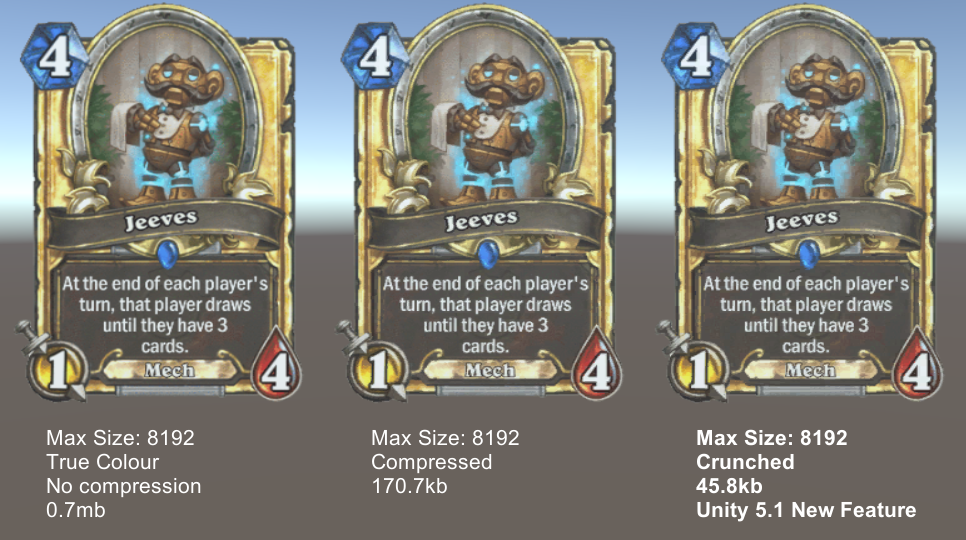
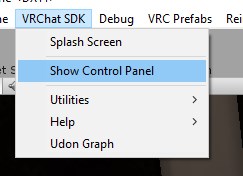
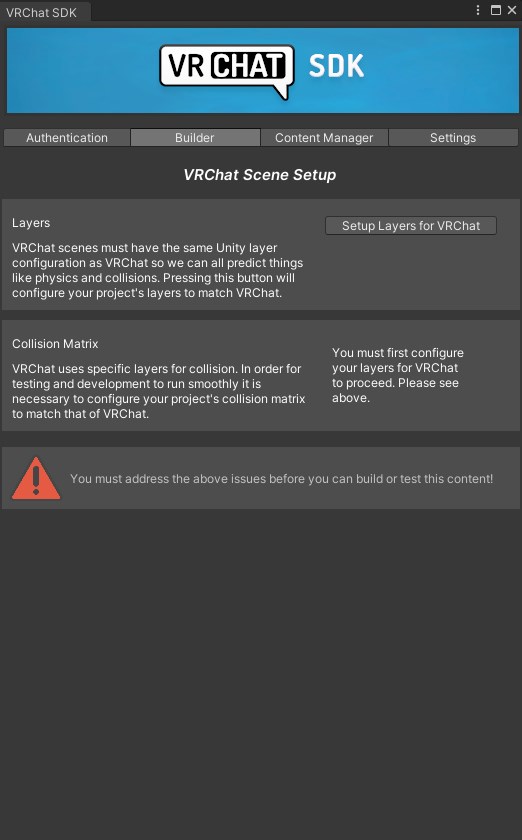


 sudden lily
Cheers!
That worked, but I seem to be loading in dead-like with the blood overlay. Am I missing something that needed to get set up properly?

 rain shadow
Oh you will need the SetDamageGraphic one too then
Can have it set as an empty game object
sudden lily
Ahh, cheers.
shy sleet
rain shadow
How old is your SDK version?
the issue was I forgot to remove the sdk2 before adding sdk3, your question helped me solve it, appreciate it
 sullen turret
I'm trying to add fog to my world but it's just not working
Nothing happens when I click the fog check box
sullen turret
Nvm. My dumb ass just figured out sprites aren't effected by fog
 fossil wolf
Can you clear reports from your world somehow?
I hate going into my world menu to see the reports saying "Environment - Malicious"
What is Malicious about my apartment world?
Quest users runs around reporting for anything so I can't actually find if anything is broken because these reports provide no actual report value for the creator
The world even has a report for "Avatars-Malicious"
The world doesn't even have any avatars in it... 🤔
sullen turret
Maybe put your world into a prefab, create a new project and import the prefab?
Then reupload
fossil wolf
Would be good if the system was changed so when someone report they have to type a line so the creator can see the reason for the report
Report 1:
You can walk thought the wall here
Report 2:
Hahaha me funny I report hahah
Report 3:
You can glitch the rubix cube by throwing it up the ceiling
Etc..
With this the report system would have an actual value to each report for the creators so we can find and fix bugs for those who don't want to join a Discord channel for every world they play in
shy sleet
okay so I'm making a world with a barracks area, but I can't seem to find out how to make a laydown for the beds, can someone explain how, or link me a asset?
shy sleet
figured out a basic ver. nvm
kind leaf
fossil wolf
Can you clear reports from your world somehow?
You can provide your discord link in the description or in the world and tell people to report issues there. The report feature is absolute garbage but if you test your worlds before uploading then you wont ever have any reports except for the first. If you don't have Quest, find a quest friend to test your stuff.
dusk sapphire
You'd be surprised how often worlds get bogus reports, and more often than not its users reporting the world for the actions of players and their avatars, which have nothing to do with the world itself.
 fallen wren
what does reporting a world do?
kind leaf
fallen wren
what does reporting a world do?
Q: How does a world fail out of Community Labs?
A: If a world is reported, it will be investigated. If a world breaks the Terms of Service, is malicious, or some other report is sent that is valid, it will be removed from Labs. The same goes for Public worlds.
fallen wren
do worlds have to go into labs first before getting to public? (I started my journey on making worlds last weekend so i know almost nothing)
kind leaf
yes, you upload to labs and when its approved it becomes public
fallen wren
thanks
so the report goes to VRChat staff and to the uploader of the world? or just to VRC?
kind leaf
🤷♂️ never had one
dusk sapphire
both presumably, world authors can see reports show up as additional tags when looking at their world page on the website
sullen turret
What happened to my mirrors
 kind leaf
sullen turret
What happened to my mirrors
kind leaf
sullen turret
What happened to my mirrors
unless you changed something with the mirror I lean towards a bug. Try restarting Unity, nogo? Tyr clearing the gi cache and then restarting. https://docs.unity3d.com/Manual/GICache.html

 polar quail
guys im trying to upload an update for my world and i keep getting error
what am i supposed to do
hello anyone plz help
hello anyone here who can help me today it failed 3 times to upload for some unknown reason

plz someone help
its been hours im trying to upload today and nothing works it keeps on failling