#development-advanced
1 messages · Page 38 of 1
 pure quest
 ruby monolith
 warm niche
Any ideas why my VRC_pickup objects are wobbling all over the place when i pick them up? It has the exact same set up at a working pickup that is in one of my worlds.
 rose hamlet
@signal linden To follow up on your button transporter.. Create a button that when pressed, enables a trigger collider for everyone, and then also activates another custom trigger to deactivate the collider shortly after. If the trigger collides with the local player, teleport the local player.
warm niche
How is this 'collapsing floor' done? I'm (assuming) its a shader, but I've had trouble even finding a similar example.
For reference, this and similar things are in "Loli's Avatar World", by Loli_Explorer.e
https://i.imgur.com/DY4FTCE.mp4
 drifting egret
It's a shader
Probably a geometry shader that "explodes" the tris after a certain distance
And then also fades out when you get further away again
warm niche
Hmm, I see. I've certainly seen and done some vertex-manipulation before, but that's a different beast to me. Thank you.
 tough sand
im trying to make a map but when i try uploading it says "world does not exist" so i make a new one and it still does it
tough sand
Fixed it ^^
 willow merlin
So I've added the LookAt script and all those other stuff that I need for a enemy to follow me and move. But at the enemy just walks straight forward, it's not Looking at me and its not following me either. Just walking straight forward. Is there anything I've missed?
I can send screenshots of the components I've added iF that makes it easier
 shadow dock
@willow merlin what do you have as the target for the look at.
willow merlin
''none''
I thought it was supposed to be set at none, so it target the players
what do I set the target for ?
@shadow dock
shadow dock
The target player is not very reliable for vrchat. A better way would be using hardlights player tracker and have the lookat target that.
willow merlin
I have the player tracker prefab in my assets
Do I just drag it into the world and then make the lookat target it ?
shadow dock
Yes, to be a little more specific i forgot the name of the object but the child of the playertracker that has the canvas component is what you want to target.
willow merlin
The child component is called ''Playerhandle'' and it has that canvas component you are talking about, but the canvas is disabled tho, do I want to click the box beside it to enable it or does it enable it self through some triggers?
and then I make the ''LookAt'' component target the ''Playerhandle'' component and that's it?
shadow dock
Keep the canvas as it is, and yes target the playerhandle. If everything else is set up correctly then that would be it.
willow merlin
Hmmm it seems like it's not working.. Is it ok If I DM some screenshots of the components Im using?
shadow dock
Sure
 open lion
whats a easy way to get the rendered image of a camera so that i can use it as a backdrop and no longer render the scene it self
warm niche
i currently have a asset i just recived from someone, i gave it Vr_pickup, added a mesh colider, and a sync to it and yet it still wont move
to get a idea of what i have on here
 proud meadow
@open lion you use a camera and if you just want a single photo/still image, disable the camera component after some time has passed so that it has rendered a frame. To apply that image as a texture, create a Render Texture asset, set the width and height as desired, put it into the target slot on the Camera component and then you can put that Render Texture into any texture slot in a material to use it. It will keep showing the static image even if the camera is disabled
open lion
but i still want to use the camera though, If i disable it it will no longer show the players
proud meadow
I thought you were asking for a static image. You're free to leave the camera enabled for a video like effect
open lion
@warm niche is it static
 brazen coral
hey guys i'm having an issue with VRC_Triggers not working as intended. I have them all set to AlwaysUnbuffered. I have a video player + 3 triggers, each trigger Clears the playlist, Adds a URL to the video and then calls a custom trigger which after 10 seconds plays the next video (gives players enough time to download the video). But if I join a session after 5 mins or so as an example, I have dozens of youtube-dl processes running which means the trigger was buffered from the previous players which is not what I want.
open lion
you cropped the top so i cant see
warm niche
no its no static
open lion
@proud meadow I want to capture a image in unity, use it as a backdrop that is gonna be a plane thats is behind the users to save on FPS
proud meadow
@brazen coral just checking but make sure you use mostly local or master triggers and keep everything unbuffered
I believe SyncVideo* have their own internal syncing so you don't want triggers to be synced or buffer as that will repeat all the events each time someone joins
 dapper mountain
@warm niche Try removing the Mesh collider, and add a box collider instead
warm niche
okay
proud meadow
You should take a look at jetdog's or alekso's video player prefabs to see what they do.
open lion
Better idea put the object inside a empty object put the box collider on that and the vrc_pickup (this will fix the grab position too), remove the mesh collider from the model
brazen coral
@proud meadow The video trigger is AlwaysUnbuffered and from @open lion 's advice I have set the 'Next' delay trigger to Local
warm niche
okay thanks ill try that on one and just a box on the other see which turns out better
open lion
They will both work but sometimes (when you scale the model) it will not grab the object normally
warm niche
about to test rn
open lion
thats why if you put it in a object with 1 scale it will act more normal
proud meadow
@open lion you will need an editor script for image capture. It's about 10 lines of c# code to generate a Texture2D and call ExportAsPNG to a file. VRCSDK comes with a nonstandard component called CameraImageCapture that they use in the avatar and world uploaders to generate a png from a camera. Using those is like 1 line of c sharp code but you will need to create an editor script and call one function on it. Search the vrcsdk for an example of that component and how it's used. I can send you a script I use tonight when I'm homr
@brazen coral try setting all your video related triggers to Local (advanced mode) and see if it works. A lot of video players use UI Buttons which are local by definition
Maybe what's happening is everyone in the world is adding a copy of all videos to the playlist
warm niche
seems to be the box colider one worked but thats it
open lion
Ok great I’m leaving work now so I’m AFK
brazen coral
@proud meadow just tested Local on the trigger and it doesn't work
open lion
Can you take a cameras output and make it transparent?
 oak pollen
I'm using an editor script for simple exporting of png from rendertexture inspector. Transparency is retained on export.
Also custom render textures(since unity 2017) seem to have native "Export" option
Those make baking textures easy btw. (for eg when using color mapping/replacement shader to make variations)
proud meadow
Oh cool about the export option. I didn't look at those to be honest but that sounds useful
Transparency should work if you set it to clear to a color with alpha set to 0 and make sure the format is ARGB32 or something with Alpha
 dark fog
I've upgraded an old script of mine for use in the editor.
I can't link files. I don't know what the consensus on posting code is, but that's what I'm doing for the moment.
Nevermind. Discord itself prevented me from sending it and gave the error message that shows in DMs. Odd.
This is a script called PerlinNoiseGenerator.cs, which is designed to be used in-editor on a terrain object.
It's relatively simple in that it generates perlin noise on your terrain objects. Nothing too fancy.
proud meadow
ooh really cool idea! might be worth considering submitting to the world prefabs database too
dark fog
This has two images in it.
idk about anyone else but it royally pisses me off that unity refuses to use the new C# standards
lol
willow merlin
So I have a combat system in my world, but I basically just want it to let players kill objects in my world , and the objects can kill them in the world. I have some swords and stuff that the players will use against the objects to kill them, but is there a way to disable that other players can hurt each others?
 stable hazel
yeah just make the weapons not deal damage to players. All the combat system does is add a health system and a die condition, you still have to do all the triggers yourself
willow merlin
I have a trigger that adds damage on my sword
but how do I know that it dosent add damage on the players?
and only objects?
stable hazel
objects aren't apart of the combat system
hol up
Your next line is, "You'll have to do damage with animators"
 summer berry
lolno
They are only if you add destructible standard, and in that case you need to drag that object into it instead of leaving it null.
You can give objects health by adding the destructible standard script* It works with the combat system
willow merlin
I have done all that
summer berry
But, as Igbar said, using animators would probably give you more control
willow merlin
I have health on the objects etc I just want to make sure that players cant kill each others
summer berry
AddDamage -> Null means damage players. If you never have this, you are good
It all depends on your setup
willow merlin
wait, so do you mean I just make the ''AddDamage'' event to have to no recivers? Right now the reciver is set at ''None'' , but if I don't click the + and dont add any recivers, then Im fine?
summer berry
If you want to damage the object itself, sure
 severe jasper
So If anyone can answer I would love it.
-
there are not many "games" on vrchat. In retrospect there really isn't anything like what I would expect the community to make, and honestly it's a little disappointing. The first question is why that is: e.g. why the only 2 true "games" I can find on the world menu are murder and disc battle (there are others but to keep my questions short I'm using those as my example).
-
I've seen small instances of it, but is there anyway to have persistent data between world's, score boards, character position, a way to make an inventory even
-
in theory, there should be a way to add GUI's into VR chat, maybe not in the traditional sense. Has anyone seen any instance of this being done successfully? Maybe not a traditional GUI in the sense of the word, but maybe an object you carry with you, a trigger that allows you to summon an object to your position.
Im gonna go through the trigger system documentation with a notebook and optimism tonight 😂😂😂
 polar oak
check out the verhack world for the gui thing
there's like a small pet that you wake up and it follows you around
severe jasper
Writing that down to my notes
 sand canyon
Primal Valley
summer berry
@severe jasper There are lots of game maps, but they get lost in the void because content discovery is terrible right now. Unless you get a following, no one will visit your world. There is also the issue that making games is difficult and most people do not understand the trigger system enough to do it.
In your example, Disc Battle is an official map, made by the developers with code. We cannot recreate it exactly. Murder was made by the community, but I haven't visited it since its release. Jar understands how to follow through with maps, but again, most people don't.
There is no way to have persistent data. If you leave the world, you cannot get information again on entering it. We can show images from the internet, but we cannot do logic based on the image other than through visuals in shaders.
3, yes easy. Go back to worlds and find the prefab database link in the pins. Using toybox and player tracker you can know where the player is and do something about it.
severe jasper
Ty <3
sand canyon
has a nice inventory GUI that is enabled once you get to the farm.
 near bronze
Also trigger documentation won't help you one bit. Better to play with it and ask questions
severe jasper
I haven't seen primal valley. This is all very reminiscent of learning how to build world's in Roblox 😂 thank you guys so much. PM me any suggestions you might have!
@near bronze thats my second step
:P I've been coding with java, python, etc for ~6 years now, I'm so used to reading documentation
near bronze
Yeah it's unfortunate, the documentation just isn't populated
At least for triggers. Animators and unity events are a lot more documented because that's a unity thing, and ultimately you'll want to use animators for real logic and triggers just for input/sometimes output.
severe jasper
Anyone wanna team up to populate the documentation?
summer berry
lol
We tried starting a wiki, but none of us had time
If you do the writing, we can explain it to you
near bronze
Too busy making stuff. If we have any downtime, it's much easier to answer questions on discord than to write wikis
summer berry
Immediate payoff instead of long term investments...
stable hazel
I've been saying over and over that I really want to get this documentation shit done but I've been putting off a video project for a year now, so I desperately need to finish it before I start documenting or else it'll never get done
summer berry
Just let us know if you are serious, Bees
severe jasper
I'm considering switching my double major from software and aerospace engineering to software and biomechanics because of the rise in VR, and the declining market in aerospace
About that serious
DM me if anyone's got any questions, comments etc, going on a date rn.
 noble folio
Um.. What layer are VRChat's menus on?
near bronze
Should be UIMenu
noble folio
You mean UI (Layer 4)?
near bronze
UIMenu is 12
you may need to use the vrc upload panel to configure your layers to match vrchat
noble folio
Weird, because I have UI and colliders culled to Layer 0 blocking access to the Escape Menu.
near bronze
wait what are you trying to do?
noble folio
My whole world is unusable. Unless your eye is lower than 1m off the ground, you can't use the escape menu at all.
near bronze
Collision matrix is for collision, not raycasts. Raycasts will be blocked by any layer except ignore raycast.
Never put players inside a collider
noble folio
Players aren't inside a collider, so that isn't the problem.
near bronze
Go to window > physics debugger which will show and allow you to click on all colliders, trigger or otherwise
noble folio
Yep, double-checked everything; players are not inside a collider; trigger or otherwise.
 next cargo
Any idea why avatar's eyes goes into the head when I switch to her? It's just the iris and pupils. She does blink but now looks like a zombie
drifting egret
@next cargo the eye and head bones have to point straight up in Blender.
Move the tips of the bones until they're above the base of the bone
 silk horizon
unrelated - anyone here know anything about making openvr overlay applications, i need someone to get me through the basics as there doesnt seem to be any sort of guides or info on where to start
next cargo
Okay, thanks @drifting egret
warm niche
My final ik is working but world particles still seem to be broken on them
as in the particles will move with the object on local but stay at the origin on a world
proud meadow
Try VRC IK Follower - this script is part of the vrc sdk not final ik
However, I don't know if it works on final ik components that are outside your main avatar skeleton
For other final ik components maybe you need the fixed joint setup
warm niche
how do i setup full body with final ik?
proud meadow
What are you trying to do? You don't need final ik just to have things work in vrchat. Trying to make a clone or character joint type thing?
warm niche
nope just applying final ik to my avatar so i can use limb ik
for joints yee
@proud meadow but yeah i have full body, but am trying to use limb ik
which as far as i know (being new to it) i need finalik on the avatar
am i doing something wrong?
im just wanting to use limb ik to make life a little easier with world particles and animations, but because i use full body tracking ive heard it can brake unless you use the full body biped
unless i dont need the final ik component at all on my avatar
near bronze
Using final IK for avatars is an advanced technique, if you're just trying to make like your first world particles you just need ik follower or unity joints, which are far simpler to use
 frozen pike
I am using a UI slider to change the Field of View on a camera BUT for this to sync with others I need to adjust it via an animation using the animation sync. Any idea how I do this?
noble folio
There's an VRC_AnimatorSync you could try attaching to sync up animators.. But the GameObject with the Animator can't be disabled or bad things happens.
See if you can pass a string and a float into Animator.SetFloat(string, float) from a slider's OnValueChanged() event. I could be spouting nonsense though. Don't think you can, but please double check (my Unity's locked for uploading)
frozen pike
I understand the only way will be with a sync animation just not much experience using animations with ui inputs. Its a strange one for me
near bronze
I don't believe it's possible to set animation parameters with UI events. Although I would love to be proven wrong
You may want to use hardlight's slider, it uses a pickup that you physically move around instead of UI, and can easily be synced
frozen pike
I am trying to keep everything UI based
near bronze
I see, that does make things difficult. The best you could do is probably pass the UI values into triggers, which set parameters in an animator, which is then synced. So the result will be synced but not the location of the slider
frozen pike
Yeah, I'll just do it the manual way for now which I know works
Was hoping I could push the slider value itself directly but doing stages works. I'll probably just do 3 stages, 0 1 2 and have the field of view set to 30, 60. 80 respectivly
 white pawn
You might try adding a VRC_Trigger script with "OnInteract" and "AlwaysBufferOne" to the UI button which uses an AnimationIntAdd or AnimationIntSubtract action to pass a value to the animator. You can then set the On Click () action of the button to itself as the game object and then VRC_Trigger.Interact for the function.
I know that works with buttons and toggles at least. Maybe it's possible to do it with a slider as well?
noble folio
Setting the video of a VRC_StreamVideoPlayer is basically passing the Value of an InputField into VRC_StreamVideoPlayer.AddURL(string) in the OnEndEdit(string) event, waiting a bit (for loading and parsing) and then calling VRC_StreamVideoPlayer.Play(), right?
shadow dock
yes i do have a finished version in my prefabs if you want to look at it. https://github.com/jetdog8808/JetDogs-Prefabs
noble folio
Oh cool, I'll take a look at your setup.
I'm just a little puzzled why VRC_StreamVideoPlayer.Play() does absolutely nothing.
shadow dock
are you calling it directly with the ui button?
shadow dock
then nothing will happen unless the owner presses the button.
shadow dock
i would suggest having the button call a vrctrigger with vrc_trigger.interact. then having the play being called with the trigger.
it also could be that the video you put in is broken.
noble folio
https://www.youtube.com/watch?v=Gv6CRPqkpuU is definitely a video :P
shadow dock
in the past vrchat has had problems with random videos on youtube so nothing will play. its very rare now but still a possibility. for trouble shooting my problems since i know my dynamic theater works if the video plays there then it might be my set up. if you have the video preset in the video player is it ok?
frozen pike
@shadow dock Any luck pushing a slider value to an animation?
shadow dock
i tried a quick test once but didn't get anything. most likely to get it to work properly you will have to manually type in the method for the slider.
shadow dock
i know triggers with ui buttons works fine
frozen pike
I saw your slider for animation speed, that works well
shadow dock
i dont remember making a slider for animation speed.
near bronze
These are the things that a slider can affect on an animator that are based on the posiition of the slider https://i.imgur.com/YHbtvJC.png. I would look through each of them and see if they do something useful you can take advantage of. Speed and playbacktime sound like the most promising, but you'll have to get creative to turn that into something you can use
frozen pike
It was a nice dream
noble folio
Actually... Why not change the camera directly?
... though it'll only be a local change.
You should be able to pass the float straight into the camera's FOV variable.
noble folio
Oh, right.
shadow dock
im feeling a little worried i cant remember making a slider for animation speed. i can remember buttons for animation speeds but not a slider.
shadow dock
oh i've completely forgotten about that... i need to relook at that
shadow dock
if it helps i when testing what i could do with cameras these where the settings i thought were important that you could control. https://media.discordapp.net/attachments/389495472584261633/512075982102986764/unknown.png
frozen pike
Its just making them sync with everyone which is the issue
proud meadow
@frozen pike I've been playing with sliders and animations. it is possible to set time, and set playback speed to 0 which should keep the animation clip in sync at a specific place
so for something like setting shader variables, this should work
For stuff that needs to be set from an animation clip (like material properties):
visible slider -> take ownership, VRC_Object Sync'ed animator Rebind()/Update() dynamic float -> Animation clip with shader parameters or whatever value=0 at time=0 and value=1 at time=1
For stuff that needs to be set from a slider (like AudioClip.time):
visible slider -> take ownership, VRC_Object Sync'ed animator Rebind()/Update() dynamic float -> animation clip to set invisible Slider.Value -> do whatever slidy things locally as it should be synced for everyone
On world load: auto clicking UI button sets animator.playback speed to 0.
And yes, if you want to set 10 different properties, that's 10 different sync'ed animators.
I'd still suggest using HardLight's synced physics/AI based slider as it's better tested.
frozen pike
@shadow dock That make any sense to you?
proud meadow
oh also, if you are ok requiring two people to be in the room and waiting for them to send it back to you, it is possible to copy parameters from one animator to another. If you want this, you add a float parameter in each of your animators which you set from the animation clip. Then, you add it to VRC Data Storage Animator / Float (make sure to spell it correctly, wasted hours on that my first time), and then you can add a trigger on the same game object On Data Changed () -> SetAnimatorFloat . Select target animator, type in the target parameter name, then select your Data Storage parameter from the dropdown. You can do this trigger on each of your data storage'd animators
The huge drawback with the data storage is it doesn't work if you are alone and have nobody to bounce your data storage off of
frozen pike
I think I'll mess with that physics one
I am sure I can make it look like a UI element
But
Its on a camera which is moveable
proud meadow
Just trying to explain the options as I know it. Yes the closest to perfect is the slider from toybox, as it is basically using object sync and feeding it back into a parameter using AI
I don't think being on a moveable camera should matter regarding sync
shadow dock
i understand a bit to fully understand i would have to try it in unity. i am currently planning on taking a brake from prefabs. to focus on making some game worlds and streaming while working. im also thinking about starting a patreon for my projects.
frozen pike
Done that myself
Currently working on a Charity event which is why I am trying to get a good functioning camera system
shadow dock
what all do you need for the camera system?
frozen pike
Basically as many of those options you linked but in sync for live shows on a stage.
Also want to build a News Room like those Japanese streamers do
shadow dock
since its a stage to keep it simple having presets for the camera would be simpler. having 8-10 cameras for different shots of the stage then buttons to change some of the settings like fov. most shows dont need fully dynamic cameras unless its an action scene where anything could happen. since its a stage you will be just fine having static cameras.
frozen pike
I'm just doing 3 moveable cameras
noble folio
@shadow dock Thanks for the prefabs, turns out I just had them buffering and culling itself.
noble folio
Though now I can't type into the Input Field. Any ideas on components that block input?
proud meadow
You are saying you have the input field selected and can click on buttons but not type?
noble folio
I can click buttons and select the input field, but can't type anything into it.
I know it's impossible to capture (as in intercept and prevent anything else from seeing it) keypresses with the default Unity APIs.
proud meadow
Are you in vr/ looking away from the input field as you use your keyboard? Happens in desktop too?
noble folio
Both happens; made no difference
warm niche
I've been working on someone else's world and i exported it into a unitypackage file. Trouble is, when i hand this file over to someone else some of the baked textures are messed up. Yet when i use the same file everything is fine. Anyone know what might cause this?
noble folio
Probably when the models get imported Unity completely redoes the lightmap UVs.
warm niche
Well she baked it again and it's still the same.
noble folio
Can you paste the baked lightmap here? Or does it look alright?
 tame dagger
anyone know of a colour ramp creator?
drifting egret
Xiexe's XSToon shader has one built in in the tools menu
It's just Unity's gradient editor that you see when editing colors for particle systems etc
But it can save it to a texture with a resolution of your choosing.
drifting egret
I think it also sets the import settings correctly when you do that, such as setting the texture mode to clamp
Which is necessary in pretty much every toon ramped shader
severe jasper
How prevelent is coding in making VRC maps?
like: i have java and very little c++ experience, idk about unity, but it shouldnt be too difficult to learn
near bronze
There is no custom coding, but there are methods for doing things you might not expect. Vrc triggers form a baseline "when this happens do this" event system with networking, and you can add onto that animators to do state machine logic like keeping track of ammo and reloading, plus unity standard asst scripts which provide functionality like setting one object to follow or look at another object, or even AI pathfinding. Then there's unity UI buttons which allow you to do lots of interesting things like reparwnting objects or manually calling methods in scripts.
stable hazel
to add to that, we can't do any scripting right now BUT VRChat is planning on releasing their own 'playmaker' equivalent which I think I heard will be based on C#?
near bronze
It's basically visual c#. You can even look up unity documentation on c# and everything will have the same names and functions
And if you know how to read c#, you can directly translate it into udon
warm niche
Nothing seems different or better with the ik follower. Am I doing it wrong? Ik follower will still wobble when moving. It's a direct child of wrist
Do I need the latest SDK or something?
drifting egret
IK Follower doesn't wobble for me at all
IK Follower object has to be a direct child of wrist, and it has to be at position and rotation 0 locally
You can put anything you need inside of it, and the stuff inside can be moved and rotated
Make sure the IK Follower object is always on
And I don't know how well it works to have something that isn't a world particle inside of IK Follower
 stone fjord
how do i make a bone follow my head without being attached to my head bone
warm niche
so im doing that exactly with the ik follower, but i have a limbik target as the child. it works but when moving its scuffed. i haven't tried it with a world particle
 sinful mural
How would I be able to remove nametags from a world? I want to make a hide and seek map, but nametags would ruin it. I've seen it done in some worlds.
 sharp burrow
The worlds that have it was part of a event VRChat did a while back. Only devs can add the required tag to remove the nameplates.
So at the moment there is no way to do it. There are hacky ways to do it but doesn’t look good
frozen pike
@shadow dock Am I missing something with your IK stuff? Was hoping to use your gun prefab to make a war hammer
shadow dock
are you using final ik or standard assets
warm niche
Possible to use the Input field in UI to send messages in a world?
proud meadow
@warm niche If you mean text messages, Sadly, no. If you mean RPC and custom triggers, you can use Dynamic String to run triggers by name and use this like a form of cheat code.
For chatting, I have a prefab in development that will replicate keypresses to everyone else in an instance, but it would need to be sent letter by letter, meaning trouble for CJK languages and won't work if you paste.
The only synced components I know that accept arbitrary strings (even pasted in at once) are VRC_SyncVideo* and you can't get the playlists from there back out to text afaik.
warm niche
Not for messaging but rather send a message to another UI. Like a live text editing or something
warm niche
iuno it doesnt work the way it should
drifting egret
Hate to say it but you're doing it wrong if emission toggles don't work for you, since the latest fix update they work fine for me. Better than rigidbodies
drifting egret
Well unless the particles are shooting out of nothing, you'll have to parent the object to your hand directly anyway
proud meadow
IK follower doesn't show correctly in the mirror for me. Seems to add the relative position from the avatar base as an extra relative transform to the ik follower, so like ik follower on head shows at double height in the mirror
drifting egret
Oh right, that's one thing some other people reported
 median raptor
i don't know where else to post this, but i'm having an error that i have no clue how to fix, theres nothing online about this.
TypeLoadException: Could not load type 'UnityEngine.VR.VRNode' from assembly 'UnityEngine, Version=0.0.0.0, Culture=neutral, PublicKeyToken=null'.
wtf is happening? why is this error here?
i can't do anything with my unity project because this error keeps me from opening any of my scenes
proud meadow
@median raptor that means you have a really old version of the SDK. Download the latest 2019 vrchat SDK and follow steps in #vrchat-support to reinstall sdk
median raptor
ah, thank you @proud meadow
warm niche
I know this has probably already been brought up, but is there any chance we will see VRC on Oculus Quest?
stable hazel
A lot of people have been guessing that they might be trying to optimize the game more so it can run on Oculus Quest, but I personally doubt. Oculus Quest has different design goals compared to normal VR hardware
summer berry
Oculus Quest is Android, so it would be like running VRC on your phone. People already complain their laptops can't handle VRC, so how would your phone?
warm niche
3
warm niche
has anyone gotten limbik scripts working in fbt ?
whenever i use fbbik and execution order in fbt, i lose head and neck tracking
including the fbbik settings and head effector didn't help
unless im doing that wrong
 calm fox
is there a way to make a mesh you drop on your head bone not be rendered invisable in vrchat?
drifting egret
Joint it to your head or put it on an IK Follower
calm fox
ik follower?
i tried joining it to the head and vrchat derenders it
i added vrc_ikfollower
to the object but theres no drop downs or anything O.o what am I ment to do?
 acoustic mantle
 daring elbow
@warm niche apparently the neck/head thing is a bug for everyone
calm fox
@drifting egret thankyou : D https://cdn.discordapp.com/attachments/546932842278420499/547667546657259540/unknown.png
calm fox
did they break the method to make stuff stay in worlds at a fixed point? everytime I try to do a rigit body world drop now it shoots off into oblivion
near bronze
fixed joints sort of broke in 2017, use configurable joints
warm niche
What setting in configuratabke joints fixes the bug? I've heard config joints don't have the same bug but I've tested it and they do
acoustic mantle
I've not run into that issue, I've got some world anchors (using fixed joints) and they seem to work fine.
Mine are currently under Avatar\Armature\Empty object category
drifting egret
Fixed joint world objects work if you put an animator on them so I never bothered switching to configurable. Another friend of mine said configurable joints still work fine for him.
acoustic mantle
oh interesting, without the animator it breaks? So then VRChat is looking for an animator on anything separated from an avatar I'd guess?
drifting egret
Well I haven't had mine shoot off
The animator thing is to prevent it from still moving with you for other people
If it shoots off you may have a collider somewhere @calm fox
warm niche
@acoustic mantle this is the issue
basically a world fixed joint will work locally, but not for others
this fixes it
any animator + apply root motion. it can't be no/"none" animator, or the component isn't active. so an empty or blank animator works
i've heard using configurable joints also works, but it must be a particular setting within config joints, because i have specifically tested for this bug on config joints and it's still there
 frank atlas
Would there be any way for the map to have the projec settings at least in the pixels light?
proud meadow
@austere sun @upper plover
"Hey, does anyone know the shader to make a 3rd person view without the use of the igame Camera ingame. PM me."
For a third person view you would need a Camera component. Since you want this for yourself, I would say you may want to use an enabled camera component so that friends and nonfriends won't be affected by it
For your own avatar, the easiest way to have a vr safe third person view is to use a feature of having no render texture and let it be used to override the main camera. (This is the thing avatars used to do maliciously that led to cameras being disabled for non friends. However due to the protection in place it is now safe to assume such cameras will only affect your own vision so it's safe)
Sorry I think I misunderstood the question. You want an additional third person view in the corner like streamers have?
 austere sun
@proud meadow if you can do it i would pay you. By interest pm me
proud meadow
@austere sun @upper plover I have this shader but only tested in the unity editor: https://gist.github.com/lyuma/deb04425a7cbf290c77937344b9bb70e
To use, you make a render texture and a camera. Set the Camera to Clear Solid Color and Select layers Nothing and then MirrorReflection, put the render texture in the target texture slot of the camera.
Then make a quad and a material with that shader on it and the render texture. The shader defaults to desktop only. there are a few settings on it to change for VR. I recommend also setting "Show inside avatar head". These settings will hide it in the unity editor so test it first.
I think you can attach the camera to your hips rotated 180 in the y axis (facing toward the avatar). You can maybe do some sort of configurable joint based third person camera setup
austere sun
Oh ok, il try it when im home after work 😃
 wide wolf
hey.
does anyone know if its possible to access and edit the animation controller that actually controls the avatar?
in short im trying to find a way to use parameters to control the flow of states.
from what i have found out so far its impossible to control self made parameters in-game without using a script (which vrc dossent allow on avatars)
and its also impossible to use parameters on another animator since as unity is right now animators an only control parameters that is part of themselves. (basically this rules out using the custom animation replacer to control parameters)
im really hoping that its possible to edit vrc's character animator and just make use of the premade parameters instead of making new ones. (thus bypassing the issue of needing scripts)
or if its not possible im hoping to convince the devs to make it possible
this kind of thing would open up a massive array of animation possibilities and at the same time make things both easier to work with and more optimised since it minimises the possible harchy issues and only needs a single animator rather than several.
near bronze
you can edit the controller if it's a generic avatar, but not a humanoid
There is a method which allows for some basic state machine logic that takes advantage of disabling the animator component vs disabling the animator's gameobject. There is a difference between the two and you can use it to store or reset states https://gfycat.com/DisloyalSlushyHorsechestnutleafminer
wide wolf
yeah that method i do know of.
it is sadly very limited by comparison to what i'd like to be able to do and is also very harchy dependant since you can only have one state cycle per object
near bronze
and then you can combine that with particle stop actions, which disables the particle's gameobject when all the particles die. Which you can use to create basic collision events https://cdn.discordapp.com/attachments/541729869264977930/541779179902074900/Desktop_2019.01.24_-_02.03.05.15.mp4
that's the best we have right now for avatars. It's very limiting, you're right. If you're really wanting to explore complex animator stuff, I would recommend worlds. They have full access to all their features
wide wolf
the collission event option does seem interesting.
hadent heard of that one before.
im not really educated in game developing or anything and i know nothing about code.
though i was certainly going to suggest making the animator editable since it would be good for not just more development freedom and ease but also for optimisation purposes.
then again... since i dont really know this stuff in and out im guessing theres some reason why its not already a thing.
near bronze
yeah, the reason why you can't is not a rules thing, it's technical. Something about the IK they use requires a specific animator
wide wolf
ah i see.
well im certainly hoping it can be a thing in the future.
if its anything like the animator found in the sdk sample assets it should be doable in theory.
near bronze
yeah it's certainly not impossible, it may happen in the future. But it's probably not a priority
wide wolf
right.
think i may try my luck and suggest it on the canny or something.
if there's even a chance its gonna be seen and acted on i would like to try at least x)
near bronze
there's already one, been around for ages
wide wolf
oh boy... well gotta go vote it up or something then
right... i will see if i can find it there.
thanks for the help reguardless
drifting egret
@wide wolf the animator in the SDK is pretty much a copy of the one found ingame
There was an exploit a while back that allowed us to use our own animator controllers, and using the one in the SDK worked pretty well, albeit with some IK and emote menu issues
wide wolf
right... thats pretty much what i suspected.
that just makes me wonder why its not a thing.
the canny request to implement this stuff has 319 votes at the moment.... although i guess it was posted back in august so maybe it just didn't get enough attention back then?
drifting egret
It got a lot of attention, trust me
I'm also disappointed that it's not a thing yet, but a dev gave a bit of an explanation a while back. It's not quite as easy as we thought.
I'm the one who made the canny around the time the exploit was fixed
wide wolf
ah yeh... well i do wish i knew why though its not exactly easy information to come by.
at this point it seems we just have to work with what we've got and hope the devs find a way to make it work in the future
 winged lintel
so, anyone know if theres a way to mirror terrain tree placement?
warm niche
there were ik and emote menu issues? 🤔
proud meadow
And those same issues still happen arbitrarily when using avatar stations to swap animator controllers, at least for me
drifting egret
@warm niche yeah, the legs bent slightly wrongly and the emote menu displayed the wrong emote names.
@proud meadow yeah, apparently they use a stack-based animator management system, so when you sit down an animator is pushed and when you get up it's popped
But for some reason one of the two operations happens too often or not often enough at times and you just T-pose or get the sitting idle animation and lower body IK
Where one foot rests on an invisible box
proud meadow
Yeah I have some funny screenshots of desktop users t-posing and doing an erotic pose half squat with both legs crossed and hips forward
 prisma void
I just updated this:
http://thegreatpug.com/vrchat-making-a-theater/
drifting egret
Sweet! I'm actually putting a video player in a world so this will be useful.
Although I don't use a dedicated screen for emission, I figured out a bit of a hacky shader workaround to get a clear Unlit Texture image, while still being able to adjust emission levels without affecting the image
Probably not worth it, considering an extra pass is still needed
 sweet crystal
Yeah, you don't need a fourth screen for emission, you can modify the shader to be extra bright only when calculating realtime GI
I'm curious about whether you could animate the material properties to bypass the need for the extra screens handling 3D content
oak pollen
You can as its just adjusting uvs based on eye index. Swapping materials is cleaner than having an animator constantly active
calm fox
do you all know if it is possible to use collisions or some method of jointing and rigidity to force an avatar with a world drop to be able to walk on that world drop and collide with it's walls? just for the player whos part of that avatar
hmm... maybe could make an avatar mover and thats has the mesh of the full ik ava on it , with a fixed height by origin offset... and the walk mesh spawns at the underside of their feet? like fake it cheap
prisma void
I don't like using animators when I don't have to. I just toggle the objects. And I also toggle things locally in some cases.
But do what ever you want with yours. This is just an overview of what I do. And it's most useful for the surround sound stuff.
 grand pendant
Question. Is it possible to induce a delay on all audio so that you can try to sync audio amd and account for latancy?
Like how Ninjam delays all the instruments so that they are synced. I think it would open up possibilies of full band performances in vr.
proud meadow
@grand pendant that's an interesting question. Specifically without extremely low ping in vrchat making it synced for everyone is impossible (fundamentally, as in laws of physics). Best way is you would have to pick an observer and try to sync things from their perspective, but band members would possibly not hear each other at the right time unless they are all onsite together.
Is the audio a live stream? Or it's predefined background music or a video? If you can avoid the sync video components, you should be able to manage the sync yourself by adding your own delays in some animators
grand pendant
Well, I did a little bit of research at Ninjam, and played a bit with some people and it was super close to almost perfectly being synced up.
I haven't dug into it, but fundamentally, from what I have found, they are inducing a set delay for everyone, and subtracting the ping, and and that accounts for it. So it's not really "Synced" to each other, just synced to the delay, so that everyone would be perceived as "playing" at the same time.
I would love to try playing around with inducing delay in a room and trying to do that calculation, and just try to sync somoene singing to someone playing guitar, and then from there, you can scale it out to a full band
I am just curious how I would go about inducing that delay on audio, if possible in VRC?
Crud, I can't post pics here. Anyways. Here is basically all I got on another server I was on, and where I am getting the base Idea to run from.
D: does anyone know how the jamming system works with zero latency?
W: It works by basically creating more latency, if that makes sense. It purposely delays all the signals
S: there's no such thing as zero latency
proud meadow
@grand pendant so if it's a unity video source or audio source component, you are basically in control of when to call play on it. So what you would do is for band members use a set of triggers set up to start playing it earlier for the band than for the listeners (or start playing at the same time but set the playback time to like hard coded 1 second to skip the first second of music for them
Now it's probably not one second -- it is probably a variable time for each band member depending on their ping
I've never seen anyone make this but you could construct a ping test using a set of AlwaysUnbuffered triggers or something between you and the listener , and an animator that starts playing when you send the first trigger and disables itself when you get the reply
grand pendant
Yeah. I figured out that timing stuff with the Youtube Panels and such. But I'm more looking for doing it on voice input, not prerecorded. Less Milli Vanilli if possible
proud meadow
Voice input of an ingame player?
grand pendant
Yeah. So, basically, if I can't induce delay on input, then the other option is to fuse all the inputs one place, that acts like a mixer, then have antoher person output it
Like, an external program like Ninjam, then have one person that is using the output to plug directly into vrc
 sand root
posting here since I'm not getting much input on worlds channel:
is it possible to attach a pickup object to avatar hand without a custom avatar? like say picking up a TV remote? at the very is it possible to keep it close to the player?
also, can I click buttons on a tv remote while it is being held?
proud meadow
Are the band in the same physical space as the singer or not?
If not, you'd need to feed the singer's audio to the band members quicker than to everyone else so you can't simply delay it
grand pendant
Ideally, no.
Technially, if they are in one place, you can do that. Like, a local band that wants to play in VR
but I'm looking for the capability for someone across the world to play a guitar and I can sing and the audience will hear it as synced
https://www.cockos.com/ninjam/
Here is Ninjam I was talking about. The way they explain it.
"Since the inherent latency of the Internet prevents true realtime synchronization of the jam2, and playing with latency is weird (and often uncomfortable), NINJAM provides a solution by making latency (and the weirdness) much longer.
Latency in NINJAM is measured in measures, and that's what makes it interesting.
The NINJAM client records and streams synchronized intervals of music between participants. Just as the interval finishes recording, it begins playing on everyone else's client. So when you play through an interval, you're playing along with the previous interval of everybody else, and they're playing along with your previous interval. If this sounds pretty bizarre, it sort of is, until you get used to it, then it becomes pretty natural. In many ways, it can be more forgiving than a normal jam, because mistakes propagate differently."
proud meadow
Doing exactly what you want requires some form of audio cue to reach the other band members before they play. That would be the voice right? I think you would end up needing to use an audio call sort of system outside of vrchat
Or take the audio output of nimjam and feed it as your mic input of vrchat
grand pendant
Yeah. That was my first thought
just doing that. I was just wondering if it would be possible to build a similar system in VRC so you wouldn't need the external tool
proud meadow
We get such limited access to audio in vrchat or unity in general... I heard something about audio listener but also it has some severe limitations and might not allow any effects to be applied and replaces all your audio or something crazy. So it's basically unusable for something like this.
grand pendant
Damn. :/
I have this huge idea about trying to form some sort of VRC music scene. that feels like my local scenes I used to be in
and I love the idea of build a space that works and it would be a DIY space for bands to play
proud meadow
Audio sources and prerecorded there are teicks. For Player audio we don't have access to the actual audio source objects and even then, not sure there is any way to add extra buffering (delay)
A lot of things in vrchat work well with a bit of external software. I wouldn't give up on the idea
Also worlds can use OSC input so you could maybe use that for some form of syncing with in world cues
grand pendant
That was one thing I was gonna dig into. I do music using Sonic Pi live coding, and it has OSC support, so I was going to start playing with that soon to see if I can send signals in from that and have it show play in VRC, so I can start doing shows like that
but I would love to have most band focused shows in the future. People come out to hear people playing guitars and singing, getting to know each other, forming VR Bands. It would be frickin' awesome
Thanks for all your help. I will probably be back with some more ideas in a week or so. haha
I have a friend who is all the way across the country that I wanna jam with and perform with in VR, and I would love to find a way for us to perform in VRC for everyone.
proud meadow
@sand root sorry for clobbering your question there. Attached to hand = have them pick it up and set it to not require holding click to keep it in hand / keeping close to player is easier. Use a player tracking prefab (empty ui canvas set to screen space will track local camera position) to keep it close you could put an inverted sphere collider and have it on a layer you don't use that does not collide with PlayerLocal
Why sad? Or use a configurable joint or other way to keep something close
grand pendant
i was laugh reacting at the "clobbering your question" haha
proud meadow
Ah haha . You don't want it tracking the camera exactly because desktop users can't ever reach over to it so it has to be fixed in place but not be allowed to get too far away
sand root
I've set autohold to true. the prefabs I'm gonna have to go check them out
proud meadow
Btw @grand pendant you could play music that allows for latency. I attended a concert once with three groups performing at different locations around the world. Each location heard a different performance. It was quite interesting
sand root
for player tracking are you talking about: VRCPrefabToybox V2.1?
what about the inverted sphere? is it included in that package?
proud meadow
Toybox has some player tracker stuff. But honestly maybe just try the screen space canvas trick. It's just one right click ui -> canvas
sand root
oh
proud meadow
No just an idea I had. Using some form of inside collider. Or maybe configurable joint is better
sand root
so root level canvas will track player? and then I just set the exact gun position from it?
proud meadow
Well it will track the camera -- that's how ui stays locked to your face
grand pendant
@proud meadow mind if I PM you a bit more about that? that sounds really interesting, and I'd love to know more?
sand root
yeah
proud meadow
Sure
sand root
what about pressing buttons while I'm holding the remote (pickup)?
grand pendant
awesome! thank you. I"m out of here for now. GL with your stuff, @sand root
sand root
thanks @grand pendant
what about using the main camera object instead of canvas? is that a bad idea?
proud meadow
The main camera doesn't track the camera. Canvas does.
sand root
ok
proud meadow
Yeah for something like this you just want it floating kind of nearby
Phasedragon or others know more about this but there are probably lots of unity standard assets or physics ways to let you keep things nearby
sand root
for rendering mode gives a warning if I use overlay? do I want that mode or camera rendering?
proud meadow
Maybe camera. Shouldn't matter much because you will keep the canvas blank.
sand root
yeah ok
I'll give that a try now
will report back
thanks for the help
yeah. thats working much better 😃
I'll tinker with that
can I press buttons on the pickup item while it is being held?
do I just move the layer to default if I want the remote to collide with players?
sand root
is there a way I can have a parent object have a tirgger (which requires rigidbody and collider) and the mesh be a child?
I have a mesh and 4 buttons bundled into a parent. the reason I'm trynig to decouple is that I want to be able to change the mesh transform without changing the buttons
sand root
@proud meadow
proud meadow
Yeah mesh filters can be purely visual (only mesh renderer) or used for colliders or both. Nothing wrong with separating the visual from the physics. @sand root
The buttons will be clickable if you are currently holding the outer object. Don't know how it works for desktop users though because they only get to use one hand
sand root
yeah, I'm on desktop so that's the issue I'm having
will have to test with headset
probably will upload and ask friends to try stuff out
acoustic mantle
Am I doing something wrong, or do the children of the IK_Follower not keep their individual offsets?
Do I have to make multiple IK_Followers positioned for the individual particle systems instead of one as a parent to multiple with different offsets?
Example: I left IK_Follower at 0,0,0 made an empty child, set its position, and placed multiple particle effects under this. Made another emtpty child of IK follower and set a different position.
Both children went back to the IK_Follower location instead of staying offset from it as they would from a rigid body setup.
Is it only game objects that do not keep offsets, but particle systems do? Are empty object positions ignored? Something else? The particle effect looked proper but was in the wrong place.
 clear lagoon
I have the same Problem:
Hand- > Empty Object with IK Follower set to 0,0,0 -> Object with Particle System, offset to be in the position I want.
But in VRC the particles are emitting from the Hand instead of from the offset.
If I offset the object that has the IK Follower will that work?
i.e.
Hand -> Object with IK Follower AND Particle System, Offset to be in the position I want
??
acoustic mantle
apparently that's what you're supposed to do.
It seems strange to need to have SEVERAL IK Followers + particle emitters directly attached to the hand. I assume they HAVE to be a direct child of the hand and not multiple children (down for sorting and clarity) based on the documentation wording too
 sterile cipher
System should be Hand -> Object with IKFollower and Particle Systems, offset to the position you want.
proud meadow
Particle systems should be on the same object as ikfollower?
drifting egret
My particles are under the IK follower
For some reason mine work fine though, although I may just not be noticing any possibly wrong positions.
Looking at how IK Follower works, it seems to get its parent and constantly reset its own position and rotation to the parent's. In that case, having it directly on the particle system seems like a bad idea, unless the particle system is at position 0 locally.
acoustic mantle
The IKFollower cannot be on any children correct? It must be directly attached to the hand?
proud meadow
It can, but might be a frame late I think. Search #open-beta-discussion for messages from hackspanner. He answered some questions about it in January
drifting egret
I have it several levels below the hand
It is indeed a frame behind because I have it on a gun that's not only in my hand but also rotated by dynamic bone
clear lagoon
huh, I tried just doing
Hand -> object with IK follower and particle system
and offsetting that object to the correct spot
but that didn't work either?
is it a problem I have a gesture that turns on the emission of the particle effects?
proud meadow
You must make sure you do not use any gestures that turn off the object with ik follower on it. That object must be always enabled
clear lagoon
the object is always enabled.
the gesture just turns on the Emission of the particle systems
drifting egret
I don't get why this is so finicky for some people then
It works fine on my end
IK Follower object under my hand, then under that is a particle system setup
clear lagoon
does the ik follower script have to be the first component on the game object perhaps?
Or is the 'offset' we apply supposed to be part of the shape module of the particle system rather than the game object itself?
 hoary meadow
I get WWW is obsolete. How do I fix?
warm niche
Post more information
 cinder oar
I already asked this in #avatars-2-general but I need some hardcore help here, been confused for the past 24hrs on this. So I was working on an avatar and I've made quite a few in the past but for some reason this one doesn't import to unity all too well. It disappears after imported, the materials show up just fine with all of the textures but the model itself is gone. Any idea on how to fix it?
The material settings on everything is just fine, there shouldn't be any issues because I'm doing all the steps i've done in the past with my working avatars but for some reason this one is having this issue
drifting egret
It may be incredibly big or incredibly small. Can you click on the mesh in the scene hierarchy and press F?
@cinder oar
cinder oar
Still nothin
drifting egret
There is a mesh next to the armature right? When expanded
cinder oar
The body correct?
Sorry although I know how to make models and do quite a bit I don't know much on this end
drifting egret
Yeah, that should be the body
If you expand the FBX in assets, there should be a mesh there with your tris and verts etc
 dark sigil
did you try applying transforms/rotations/scale in blender?
cinder oar
I can try that
 ashen canopy
Does anyone else had a problem where there video player crashes some while there loading
I only had on person crash loading in so far
But its consent every time they join
 raw moat
trying to make it to where you can type in video links to change the video playing in the world.
stable hazel
You can save yourself time and just use the one from jetdogg's prefabs https://github.com/jetdog8808/JetDogs-Prefabs
raw moat
@stable hazel who is this directed to?
stable hazel
for you, probably shoulda tagged. It has a video player with the ability to add URLs
raw moat
thank you
raw moat
well tried to reverse engineer the theater and i just can't its just to complex, o well
 night compass
https://youtu.be/3kino_s-4mo this vid might be usefull for some/most in here
 unique dust
When will Udon be available?
warm niche
Trying to get something to activate every 4 seconds. The 'repeat' button on the timer trigger ignores the 4 seconds i've set and does it every half second instead. ?
proud meadow
Might be better to use a simple animator. Just have it loop and make it 4 seconds long
(If your animator is on the object with a trigger, you can create an Animation Event to activate custom trigger
 summer grotto
Anybody know anything about the current "does not work properly in VRChat" status of Volumetric Fog & Mist?
proud meadow
Currently broken, from what I know vrchat devs are aware of the issue but that's all. I can't find the canny for it. I've seen some nice shader based replacements for fog and mist (for example https://mobile.twitter.com/1001vrchat/status/1082249455557058561 ) so that's probably the best bet... but I don't actually know if any such approach is publicly released. I would check the prefabs database first
summer grotto
I was afraid that'd be the case. TextMeshPro has been marked the same since I started playing (October 17, 2018) and is still marked broken so I don't have any hope of VRChat compatibility being fixed.
What prefab database are you speaking of? Is it the Google spreadsheet pinned in the worlds channel? That's the only one I'm aware of.
stable hazel
yeah the spreadsheet is the database
 ember knot
I found messages that mention my tool "OnUnityEditorVRCEmu". It enables VRC_Trigger working in playmode.
Download link is on support page http://vrcprog.hatenablog.jp/entry/mywork-on-editor-vrc-emulator Demo movie triggering animation by OnInteract https://twitter.com/naqtn/status/1098998009247891456 You can debug VRChat worlds with Unity editor functionality. I think it's useful if you want to make complex gimmicks of triggers and animations.
 charred lagoon
Super specific scenario, but maybe someone here has ran into it and would know a workaround:
I implemented xiexe's inventory system for a couple props that have world particles on them, everything works just fine, and I used the VRC_IK_Follower under the inv_item>ENABLE>DISABLE>object>prop>emptygamobjectscript placed on this>particle systems. I have a gesture that toggles the visibility of the particles (not the IK_Follower ofcourse.) I cannot enable the particles associated with a prop until after the prop is spawned in and this works correctly. However, once i disable the prop and use the gesture again, the particles will still emit as if they ignore the fact that inv_item>ENABLE>DISABLE>object did not just get fully disabled by the emote. Now if i spawn in another prop, using the gesture will emit both the particles of that new prop and any of the ones i've previously enabled. If it helps, nothing emits at all when i use the gesture (as intended) before a prop has been spawned in via the emote.
tl;dr does IK_Follower ignore becoming disabled by things higher up in the hierarchy? if so, can i have the particles further down the hierarchy than right under the empty game object with IK_Follower on it or does it have to be right below?
 fresh mason
Does anybody know if reflection or lighting probes are supported for avatars? I tried to upload an avatar just a bit ago using some, and the build control menu warned me they'd be removed. Or if there's a way to have a shader use realtime reflective maps that'd be great too.
proud meadow
@charred lagoon you are not allowed to disable an object with IK Follower. IK Follower should be directly inside of the bone and usually has position 0,0,0 and rotation 0,0,0
You need to modify your inventory system animations to change one object deeper to be enabled or disabled or put the whole inventory system inside the ik follower. You can press F2 to edit the path manually or add another disable to it
 manic cloud
IK Follower object is always active, even if you try to disable it
 final wigeon
@fresh mason If the world doesn't have any useful reflection probes you might be able to detect if there isn't one in the shader and instead pass your own in.
Probably a similar thing with light probes.
Honestly, any world that doesn't properly have & use ref/light probes should be shamed to hell and back for it.
drifting egret
Reflection probes in particular since they're so easy
I dunno if it's actually possible to detect a faulty or non-existent reflection probe in a shader
No reflection probes means it reflects the skybox instead
Best you can do is detect worlds like The Box and test for full blackness
But that might become incorrect in actually dark rooms
charred lagoon
Okay that makes sense, so say i have an ik follower and 3 inventory prop hierarchies under it (with particles at the deepest point), would the particles all the way down those hierarchies still listen to the ik follower?
 quick heron
later this week a bakery update should come out that will allow you to do some custom settings in the shader for modified light probe sampling. however not certain yet if this is using a form of MaterialPropertyBlock system that would work in VRchat? we shall see , still waiting for VRcaht to review my canny report to Whitelist Bakery .... https://vrchat.canny.io/feature-requests/p/whitelist-bakery-gpu-lightmapper
 ornate halo
So, can I update my Unity for this and not have the SDK bug out? https://unity3d.com/security#CVE-2019-9197
ornate halo
I'll do that then.
quick heron
Download the mitigation tool here https://download.unity3d.com/download_unity/UnityEditorMitigationTool.exe?_ga=2.39842916.677663803.1551733975-174040156.1550700991
for install info https://unity3d.com/security/mitigation
warm niche
would be really awesome if the eventual version migration is to a newer lts build
there have been some promising changelogs for the 2017 lts builds
drifting egret
Which ones? I'm out of the loop since I assumed they would wait for 2018
Oh, one of them would probably fix microphone switching
That would be sweet
grand pendant
Is there any one here that is knowledgeable about VRC's Open Sound Control (OSC) capabilities? I am starting to learn OSC, and I'm learning how to make a trigger board for vaporwave samples in Sonic Pi that I can control on my phone, and I was wondering if it would be possible to build a similar board in vrc or not.
oak pollen
You're limited to only triggers, no analog values form outside (only with other ways ingame)
Depends on what you want to achieve (how fast and how many samples playing at a time)
grand pendant
Basically, you know like an Akai Contoller where you have a 4x4 grid and knobs you can set to automate? Something like this: https://media.guitarcenter.com/is/image/MMGS7/MPX16-Sampler/J11218000000000-00-500x500.jpg
So, it sounds like it's easy enough with on/off triggers for the samples, but i'm more wondering about what kind of automation can be done to the samples?
I would have all the samples set up in functions in my code in sonic Pi. I could just trigger them with the desired effects already on, no problem, but I would want to make a knob interface to control parameters like filter while it is playing
near bronze
Just to be clear, you're talking about recreating these tools in vrchat, right? There's no way those tools will be able to interface with vrchat
Other than playing your mic
Also doing this in a world will give you many more options. An avatar would have barely anything
grand pendant
I am working with someone on that right now. I don't plan on using this to perform any time soon. It's more just for my personal test to test the limits of VR Instruments
See what I can and can't do right now, so I can start adapting things so I can perform a live show sometime
I am still working on the prototype on my phone right now, so I just want to get a feel for how limited OSC is in VRC
near bronze
Well you can do a lot with animators. I'm not familiar with what type of capabilities you would need but they can get pretty complex
Also analog knobs are possible, which you can then set up to do pitch and volume and stuff
grand pendant
Yeah. If someone is interested, I can send you the code I'm working with. There are not a lot of parameters to control, and the samples are playing one at a time
oak pollen
But not directly via osc ☝, only events
grand pendant
just a filter or two, and the ability to change from low to hi pass filter.
near bronze
No, osc isn't a thing in vrchat. It's more about animating properties and playing sounds at the right time
grand pendant
hmmm. alright. thanks for the heads up. I'll report back if I find anything cool!
oak pollen
Wdym phase, it is a thing, just very limited by not having analog control https://docs.vrchat.com/docs/vrc_oscbuttonin
near bronze
Woah ok I had no idea
What type of analog control do you need? If it's something an animator can control, then yes you could create an analog knob
open lion
Is it possible to change post processing files on the main camera with a trigger
dark sigil
If you use post processing v2 you can have different pair processing settings with different volumes
open lion
where can i get post processing v2, i have herd it mentioned but dont know where it is
warm niche
@open lion it's kinda confusing but you can find it on github, it's the official build: https://github.com/Unity-Technologies/PostProcessing
 copper acorn
or direct link to 2.1.4 https://github.com/Unity-Technologies/PostProcessing/archive/2.1.4.zip
you need to extract it into Assets folder, don't put Test folder from archive
warm niche
download the zip, and you need only to put the PostProcessing folder in your project for it to work, yes exactly, don't copy the test or documentation folders, test breaks some stuff
open lion
thanks
warm niche
instructions here https://github.com/Unity-Technologies/PostProcessing/wiki
open lion
Cant find the Window -> Package Manger part
warm niche
oh just copy the PostProcessing folder into your project and you can go straight to the quickstart part of the wiki how to turn it on
that'll install it into that project, once you click unity it will compile some scripts and you're good to go
open lion
now it appers, it wasnt showing up when i first looked but now its there
open lion
what should i know between the 2 versions?
warm niche
PPSv2 works with zones that have profiles
PPSv1 just had one profile and one 'global' zone, PPSv2 let's you add effects to different areas/zones and even crossfade between them
open lion
as in physical zones?
warm niche
yes effect volumes
open lion
do i still put them on the camea?
warm niche
it's all explained on this page https://github.com/Unity-Technologies/PostProcessing/wiki/Quick-start
you need to put a layer on the camera, yes, pretty much like pps v1
open lion
ah so how would i control the layers? by triggers
warm niche
same as before put the camera that has the pps on it in the reference camera slot of the vrc world object
open lion
tried adding bloom effect but so far not getting anything to happen
warm niche
don't forget to add it to a layer that's being used by the mask set in the Post-process Layer component you added to your camera
open lion
ah
open lion
eh i stick with v1 this is a bit to complicated for right now
warm niche
oh? if you follow the steps to make one global volume it should work fine right away 😐
worth figuring out too, it's a lot smoother and more flexible than ppsv1
open lion
it works but i cant apply settings to another camera (for photos)
proud meadow
I think you can use a different layers to affect other cameras differently? Or you want it to affect the handheld photo/stream cameras?
 rough sleet
The handheld cameras should copy the post processing settings from the main camera.
rose hamlet
I have a station that gives the avatar a custom animation, but I want to also have an object that attaches to the avatar's hand (holding it). currently I can hold the object it my VR hand, but not the hand bone of the avatar.. What could I do to get it to work properly?
stable hazel
I don't think that's possible
near bronze
The avatar would have to be designed for it
rose hamlet
dang, I was afraid of that. Thanks though
oak pollen
The player handheld stream/photo comeras do not get pp effects applied currently
 jolly turret
so i think this is the right place to ask
is there any way to make a light source not light up avatars?
and is there any way to make a light source only light up avatars without affecting anything else
dapper mountain
@jolly turret The "culling mask" option on the light component. Uncheck "Player" and "MirrorReflection" To make light not affect avatars. And check them to make them light up.
jolly turret
thank you!!!!
proud meadow
And PlayerLocal
warm niche
When is Playmaker coming Lol!
stable hazel
We're not going to be getting playmaker combability, but we will get our own special custom Udon, eventually, at some point, in the future
jolly turret
it worked for one avatar
drifting egret
It works for very old ones
jolly turret
ah
drifting egret
The "Animation" component doesn't work. You are expected to use an "Animator" component on the body now.
Just add an Animator component to the body, make a blink animation on it
And then you're pretty much done
No need to mark anything as legacy, looping should be default already
jolly turret
alright will give it a try then
i cant tell how grateful i am! Ive been struggling for so damn long
Thank YOU!
jolly turret
does anybody know what the culling mask "MirrorReflection" does on a light source?
drifting egret
MirrorReflection is the layer that your avatar's mirror copy is on.
Culling masks on lights define which layers they light up, as well as which layers can cast and receive shadows
jolly turret
how do i apply for my world to become public?
jolly turret
why is my world image just black when trying to upload the map?
warm niche
Does anyone in here happen to know how VRC_RainObject is set up? I know the script is deprecated now but I’ve been working on assembling sort of an archival documentation on old VRCSDK components and how they used to function
As I understand it, it may have required a specific version of RainAI, but I haven’t been able to quite find out which version it was
 fallen lava
so is there no way to make a working team deathmatch or is that not a thing you can do yet
stable hazel
You can but it's going to be very difficult, I honestly wouldn't recommend trying it unless you're very familiar with world creation already
 trail jacinth
Has anyone ever done a detailed tutorial on the PropController and generally how to do vehicles? (looking at you @summer berry 👀)
summer berry
👀
trail jacinth
Because the Documentation is as always...."lacking"
And I couldnt find any videos or blogs that actually explained it in more detail than "do this, do that, boom"
summer berry
PropController is legacy (if that is a real component). It can't be used. You would need to do weird ownership things like I show in my custom trigger and playertracking tutorial but using the standard asset car scripts instead of follow target. I wasn't planning to make a tutorial on it, but it is on my todo list to make an updated car prefab.
trail jacinth
So the standard asset car just works without modification or what?
The CarUserControl script uses the "CrossplatformInputManager", but I dont know how that applies to VRChat xD
Im gonna assume that it correctly takes the input from the (left) analog stick, right?
summer berry
It "works" but it won't be a great experience. You will need to make sure that
1 all car controller scripts are off at start
2 When someone enters the chair, that person owns it and only they have the car scripts enabled
3 When someone exits the chair, the scripts are turned off again.
Sound breaks right now though and I haven't had time to invest in a solution.
trail jacinth
Ahh okay right, otherwise everyone would be controlling every car at all times. xD
By the way what effects does "ownership" have on a on object again?
If I remember correctly it has to do with who is doing the physics calculations and from who the calls are made
summer berry
Object sync'ed objects have an owner. Only that person calculates physics and sends the position to everyone else. If anyone else moves it, the owner will force the position again. Taking ownership happens automatically for pickups, but if it isn't a pickup you need to manually call SendRPC TakeOwnership.
trail jacinth
So you would need to put an ObjectSync component on the car aswell?
trail jacinth
because?
summer berry
you should look at Jetdog's prefabs as he recently made an updated car. I haven't looked at it, but I should look at my old prefab again soon.
Collision transfer well transfer ownership when it hits an object owned by someone else. That means the driver might lose control of the car.
trail jacinth
Ahh makes sense
And yeah I looked at his prefab, but its very hard to understand something just by looking at it. Like the first time I tried to understand PlayerFollowers by just looking at his Prefab I was hella confused. Especially because I didnt know about the fact that an UI Canvas with scale 0 may "sit" on a Camera
summer berry
Yeah, you just need to dig into it to learn all the things. I mainly started by just reading and trying to understand everything in Toybox v1.
trail jacinth
Well normally if youre looking for something you would look into the documentation. But if the documentation is like "VRC_Trigger: Used to create interactions and events in VRChat." then ehh
And I know that it states the different trigger types further down, but theres more examples like that where that doesnt apply.
summer berry
To be honest, my advanced world mechanics usually involve avoiding triggers as much as possible.
So from that point, it's just weird unity things that people wouldn't document since they can just do it in code at that point.
trail jacinth
Well yeah thats the struggle. Juggling between Unity and VRChat quirks
Do you know by any chance if VRChat actually does a checksum or signature test or even a content comparison for the "whitelisted" scripts?
drifting egret
It doesn't upload your own scripts at all, so it doesn't need to.
The way asset bundles work is that your world contains a reference to the scripts contained in the game.
trail jacinth
Ahh. Okay.
drifting egret
So even if you edit the scripts, the game will just always use its own
trail jacinth
Yeah okay got it.
drifting egret
You could even theoretically make a new empty script, call it "DynamicBone" and it would work ingame
summer berry
That and it strips things not included on the whitelist, so no more using internal scripts.
summer berry
😢
trail jacinth
But they have like "protected" scripts only they can use? (Like in the Rock 'n' Bowl world)
summer berry
If it was uploaded by a dev, they most likely had internal scripts with the world.
Actually all the dev uploaded worlds have scripts we cannot use
trail jacinth
Yeah because why would we right....
polar oak
yeah pretty sure presentation room has a custom script on it iirc
trail jacinth
I mean I can get the whole security issues thing and something like getting peoples usernames is a no-no. But everything else?!
drifting egret
I wonder how the curtains in the skyscraper work
They jitter sometimes which makes me think there's something special going on there
Anyway, uploading your own scripts would be a security hole too big to cover.
They're making a system called Udon which is a node-based scripting system for worlds
But even with just something like an Animator and UI buttons/triggers you can do a whole lot
It's just not quite as smooth as passing variables around
trail jacinth
Well its just sad for the things that are definitely impossible
Like using a fourier transform for realtime audio/music analysation
summer berry
There are a lot of things possible but difficult to explain or teach.
drifting egret
Well you can pre-calculate something if it's based on music or sound
You just won't be able to use it in realtime for speech or anything
summer berry
Precalculate it or use shaders with video panels
trail jacinth
But thats exactly whats so disappointing. It limits the interactability of some things.
I mean VRChat is by no means meant to be an actual VR-GameEngine. Just because it uses Unity.
drifting egret
?
summer berry
Don't expect anything great until Udon. They didn't expect all of this when they made the trigger system anyway
drifting egret
Unity is very suitable for VR
trail jacinth
No what I mean with that, is that VRChat is so "User Content" based that it feels like its more of an "VR Engine" than its own game. VRChat gives you all of the Networking, while Unity gives you all of the Tools for GameDev. Ofcourse theres the casual side where Users just hang out, but you also have the "Game Worlds" like e.g. Murder.
drifting egret
Oh yeah, VRC is definitely more of a platform than a videogame IMO.
summer berry
Ron does call it a platform, but that doesn't mean we have full freedom yet.
drifting egret
I've seen some amazing things being done already with the current system but I feel the limits are pretty much pushed at this point
trail jacinth
I mean obviously everyone here that is furiously waiting for Udon, could just programm their own VR Applications without restrictions. But then you need to worry about all of the rest that comes with actually making a working VR Multiplayer Game. So VRChat gives a great platform, but its so limiting. But better safe than free...
summer berry
We are still finding new things people can do by the way.
drifting egret
Someone showed me a system that used particles to trigger animations and I was blown away lol, all that potential out of a single option that disables the object when the particle system is "done"
trail jacinth
I mean on the positive it really pushes creativity and logical thinking xD
summer berry
Constraints breed creativity
trail jacinth
Well until you hit a wall ;D
I just wish they gave us acces to maybe some more standard Unity libraries
drifting egret
Well, we do have access to a lot of the "standard assets" scripts
Like scripts to make an object face/follow another
trail jacinth
Well thats about all tho
drifting egret
As well as character controllers to make entities move around
I had a taste of playmaker and there was a lot more potential there though
Hopefully Udon will come soon and hopefully will actually surpass it
trail jacinth
Id imagine a system something similar like Virtual Machines use. Like the "Sandbox" principle, where you have a limited, walled-off space of dedicated memory.
But Im by no means an IT security expert so what do I know. If they ever make it beyond the "security problems" tho, VRChat content creation is gonna explode
summer berry
/Udon
trail jacinth
I just hope they make the documentation on that better, than on the VRC components xD
summer berry
At that point it will be mostly unity's scripting documentation
 turbid galleon
vrchat is basically what Minecraft has become it feels like. nowadays MC is just really just a base upon which mod devs build their mods to create actually good and entertaining content
lets just hope they don't actually pull a Mojang and implement a modding API "eventually (tm)"
 modest geyser
Anyone here know why an avatar's knees bend inward/incorrectly when using full body when said avatar is meant for full body tracking?
proud meadow
You should add a 1 degree bend in your knee bone in the direction you want it to bend either in blender or in the humanoid rigging interface. That will tell unity which way to make it bend. Same for elbows
If this is somebody else's avatar, you need to ask them to fix this issue
modest geyser
Its mine. Thanks for the info tho.
modest geyser
It worked! Thanks for the help @proud meadow 
warm niche
did they add the scripting feature yet
proud meadow
The Scripting Feature? You will have to be more specific what you want. Because chances are you can do most or all of what you want with what we already have (for worlds)
warm niche
Any way to change a six sided skybox by pressing a button in the world?
 chrome marlin
Okay, I hope this question deserves to be in #development-advanced, but how do VRChat's mirrors work? I mean, I would suspect it using a rendered texture fed with data from a separate camera that gets created during runtime, but I can't seem to see any pixels when looking at it from very close in-world. To me that means either render texture has an absurd resolution (which I highly doubt) or there is something going on behind the scenes which I don't yet understand.
I'm asking this question because I want to utilize this technique for a diffetent camera setup to create 'world portals' (not sure what to call them, I think they are called this in the source engine), kind of two interlinked mirrors that both show the view of the other's camera.
oak pollen
Those render textures are the same size/resolution as the main view with the mirror surface being the clip planes. Its basically a duplicate of the view just from another perspective with the mesh surface acting like a mask
chrome marlin
So the mirror camera always has the same resolution as the player's main camera? That's a neat trick
oak pollen
Simulating the 'portals' would require getting the exact view pose and manipulating other cameras based on this. Not possible with current toolset.
Either use stencils and duplicate geometry or capture to cubemaps to fake it
chrome marlin
I've seen it work in-world though o.o
I suppose there might be a way of creating a shader for it?
oak pollen
What world did you see it in then?
oak pollen
It was "Blue Police Box" by Lather, so stencils
proud meadow
Spatialgate demo is another world that had this effect
chrome marlin
Little side note: I've already basically managed to re-create it myself thanks to @oak pollen pointing me in the right direction. I'm thinking about how this could be used to make for cool mechanics in worlds 😄
(My version is still a tiny bit buggy, but that's because I'm not used to triggers yet and goofed something up in my logic, not sure what though, I'll look into it tomorrow :P)
warm niche
maybe this is a quesiton for here instead:
how do you compare animation parameter values in triggers?
like onPickUpUseDown, if animation bool == true, then do something
ohh do i use a state machine
near bronze
onpickupusedown would activate another animation bool or trigger and then in that animator, just transition to whatever you want when both of those parameters are true
near bronze
Make a custom trigger on the same gameobject as the animator. In the animation that gets transitioned to, add an animation event, set it to executecustomtrigger
near bronze
right click on the gray bar above keyframes and below the frame times
warm niche
OHH that!
gotcha!
should i make a similar animation to animation overrides? like a 2 frame long animation
or no frames at all i guess
just the event on 0:00
near bronze
without any keyframes or keyframes only at 0:00, the animation will be 1 second long. So you can leave it blank if you want. But if you need it to reset quickly,. you could add dummy keyframes that do nothing but decrease the time of the animation, like at 0:00 and 0:01
warm niche
ok, thanks 😃
open lion
So I want to write some of my world logic as a script to save my sanity and make things easier. Ignoring the learning curve of even starting to write it all. How do go about syncing my variables between users
proud meadow
You're going to have to ultimately have things in terms of ui buttons, animators and vrc triggers
Also you can't be designing worlds thinking about "syncing my variables between users" - most things should be users simulating things for themselves unless you are doing some sort of cooperative game or a trigger that everyone needs to get
However I'd suggest designing most logic in terms of state machines (animators)
open lion
its a elevator so you kinda want things to be synced
proud meadow
Animators have parameters (variables) and if you throw object sync on it, those parameters will be synced
open lion
unity state machine has failed me tomany times
proud meadow
Ok you want an animator then, with an int parameter to describe which floor you want it on and state transitions for each floor
open lion
wasted a entire day on it just jumping around the controller not following the paths
proud meadow
And an AlwaysUnbuffered trigger (i think) to change that int parameter
Ok so your problem there is you need to set all your animation clips to loop
open lion
well i have the entire thing don and it works but i need a 3rd floor and its just insane to keep using triggers to manage something like that when it should be a scrpipt
they are not set to loop
proud meadow
I need to look around for the messages explaining this but basically animation syncing causes players other than the master to move around between states at a different rate than the master due to network lag
Vrchat will them resync clients to the master periodically
You have object sync or sync animation scripts on your animator object right?
open lion
no because object sync is to jittery
there a big logic controller that handles the actions
proud meadow
In what way is it jittery?
open lion
by not moving smoothly
I really rather not use object sync
on anything
unless theres a really good reason
proud meadow
Vrc sync animation
I just mean for syncing the animator state not on every object
Well it is one way to do things that allows for transitions and makes sure the elevator will be in the same place for everyone
But another option is use a set of AlwaysBufferOne triggers that put the animator into a particular state and don't sync the animator. Then everyone will send triggers to each other like when pushing buttons to request the elevator
open lion
I really rahter move to a script
proud meadow
But basically animator parameters/state/time offset (synced via animation sync and/or object sync); object position (object sync) and vrc triggers are the only way to share data
open lion
Well there is VRC_DataStorage but there little doc
proud meadow
Well that's great but you can't write scripts that run ingame. You can (and should) write editor scripts, and those editor scripts can generate the above mentioned things
Data storage can be used to very specific operations on parameters of synced animators. That is all, and it breaks if you have only one player in the world and other issues
So you are back to using animators anyway
Udon is going to give you more scripting options but it's not going to change the fundamentals of networking and synchronization which appears to be your major concern anyway
open lion
I herd of Udon but cant find it and that would change my stance on the mess that is triggers
Like i know how to do it, it works fine, its just to complex to do in my head
so thats why its easier to think of it as a script
proud meadow
Udon is in development to be released probably within a year. Not an option for something today
Animators are a state machine so it's a good place to start
warm niche
wait you can use scripts?!
why have I been using triggers this whole time :pcpWait:
ohh NVM I kept reading
proud meadow
Editor scripts and state machines with animators and some c# functions using UI Buttons
So a good sizable chunk of what scripting could let you do but far from scripting
warm niche
gotcha
workin' on understanding the workflow of VRC triggers and animation parameters as a way of storing info
will this work? or do i need to have 1 frame
near bronze
Yep that works just fine. Without any keyframes, or a single keyframe at 0:00, the animation will be one second long
warm niche
you mean one frame?
near bronze
Technically a single keyframe at 0:00 isn't one frame. Hard to explain. Frames are really the transitions between two keyframes
warm niche
oh ok
warm niche
uh oh. not sure i get how to use this executeCustomTrigger animation event. im using the "string" one
i assumed i just type the name of the custom trigger i want triggered into the "String" box on the animation event right?
summer berry
Yes
The reason you are getting the error is because vrc_trigger components delete themselves when you press play. It will error in unity, but work in game if the names are set properly
warm niche
hmm, not quite working in gane. its as if the animation events arent even called
near bronze
Check the animator in play mode to see if it does what you expect when you change the parameters
If that's good, then check your logs Ingame to see if the triggers to change those variables are happening
proud meadow
The animator must be on the same object with the vrc trigger you are calling
warm niche
can you have two custom triggers with different names on the same obj
proud meadow
Yes try to put them in one vrc trigger component
Having two vrc trigger components on one object causes trouble in some cases. This might be one of them
 stoic tapir
I wonder, would it be possible to set up triggers and such to detect and indicate to a user if they just joined an instance of a map that was just updated, but some people in the map are in an older version of the map, and vice versa?
near bronze
Technically possible but extremely janky and not worth the effort
alternatively, you could just post a sign with the version number
summer berry
Actually, it might not be possible as new objects change ids of old objects I think. . . Or that makes it easier/weirder? ... Yeah, janky
near bronze
I was thinking of the stream thing
summer berry
Theoretically you could do it with just a custom trigger and abusing how triggers execute on other clients
When you broadcast a trigger, it finds the first object with that name in the hierarchy. If you update the name every time you could execute things only on new versions of the map and not for old. Which also means you can do the opposite.
stoic tapir
i was thinking if you could just use a player counter object, and by forcibly changing its id for the new version(renaming or making a new copy of it?) so that players on new joins cannot sync its animator state from the room master, and i imagine it'll show 0 players. But since you generally never see 0 players you could change that to indicate to the user they're in an "old" instance?
near bronze
both of those would detect whether you have loaded a different version of the map to the current room owner. Isn't that a separate issue? And isn't that mostly eliminated?
warm niche
Just wondering, i set a timer on AlwaysBufferOne and reset on enable , will the timer reset for that person who joins late or will it be the same as the people already in the world?
shadow dock
last i knew the timer reset was bugged. dont think it was fixed.
 tight loom
Hello! I have a question about how avatars are actually packed for VRchat. I had an idea where I could put something hidden on an avatar that would be activated when clicking on a seat that specifically calls for that object in an animation override
tight loom
do I actually have to put the animator component on the seat?
near bronze
no, specify a controller the same way you would specify the avatar's controller in the descriptor
the seat is not animating stuff on the avatar, it's changing the animator that the avatar uses
tight loom
I did do that... it didn't work...
drifting egret
I don't think you can do anything automatically when someone sits on a chair
Only trigger it yourself
The chair's animator can only affect stuff on the sitting person's avatar
 verbal lark
Trying to make use of the OVRLipSync to make a npc talk. Works perfectly in unity however seems to do nothing ingame. All components are whitelisted in the documentation at least.
Was wonder if anyone can spot anything obviously wrong is or is this a case of the vrchat docs being wrong.
Also seems this channel doesn't like copying and pasting of images.
https://imgur.com/bquifUa
proud meadow
@verbal lark the lipsync script is broken https://vrchat.canny.io/bug-reports/p/oculus-lipsync-scripts-not-working-in-worlds
verbal lark
Ty for the info its nice to know its not just me doing something stupid. Didn't think to check the canny will do in future.
proud meadow
What you can do is use runtime animation recorder in editor to bake an animation https://github.com/newyellow/Unity-Runtime-Animation-Recorder
Since it's a predefined audio sample
verbal lark
Will give it ago. Thanks for the tip.
warm niche
What happens when i remove a script from pro buidler? I 've got extremely slow start times in unity for a project and i think it's related to pro builder.
Will everything be reverted or will it stay?
proud meadow
I don't quite understand what you mean by remove one script.... you mean delete all probuilder stuff?
stable hazel
pretty sure that'll break the probuilder object, and also I don't think that has to do with your long start-times
warm niche
Well it takes 3 minutes to merge the faces on a simple mesh so something is up with it.
stable hazel
I'm not sure removing the individual component will fix that to be honest. You could try duplicating your probuilder object and then testing on that?
warm niche
Just seems to be one object causing problems, i'll try taking out the bits i need and then make a new one.
proud meadow
Some of the slowness there is probably due to limitations in unity, for example the accessor functions for mesh edits may require duplicating all vertices and faces in a mesh. I would expect it to be fast if your mesh is simple but maybe you have some complex bits somewhere
warm niche
It's just a square table with a few mesh lines on it, nothing complicated.
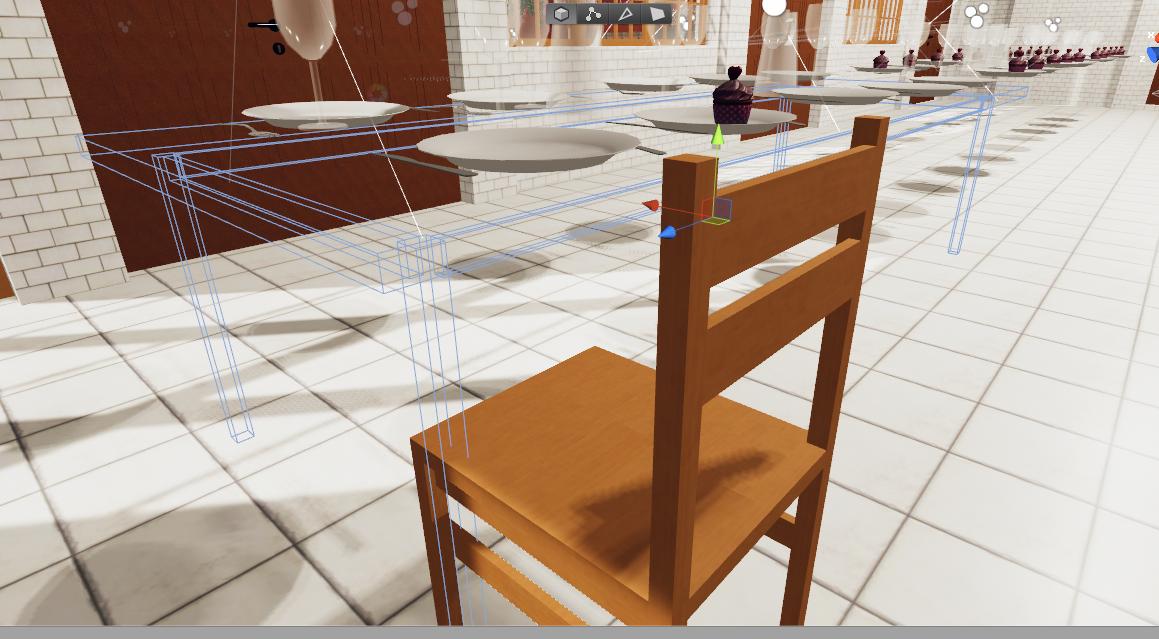
It used to have loads of chairs and tables attached to it but i separated them.
Now i've deleted most of them.
So i just have table and chair left.
warm niche
okay sorry to ask about the same concept twice, but i just cant get it to work
my goal: a stick, when a box on the end of the stick collides with a box of hotdogs, it enables the one on the stick (working now) , then when you click while holding the stick, it disables the hotdog, and enables a particle system with a lil burst of particles, then after 1 second the particle system goes away. Also, you shouldn't be able to enable to particle effect by clicking when there's no food
so, that means i need a bool animation value calls hasFood
i made a collage of most of the components used and how they're layed out
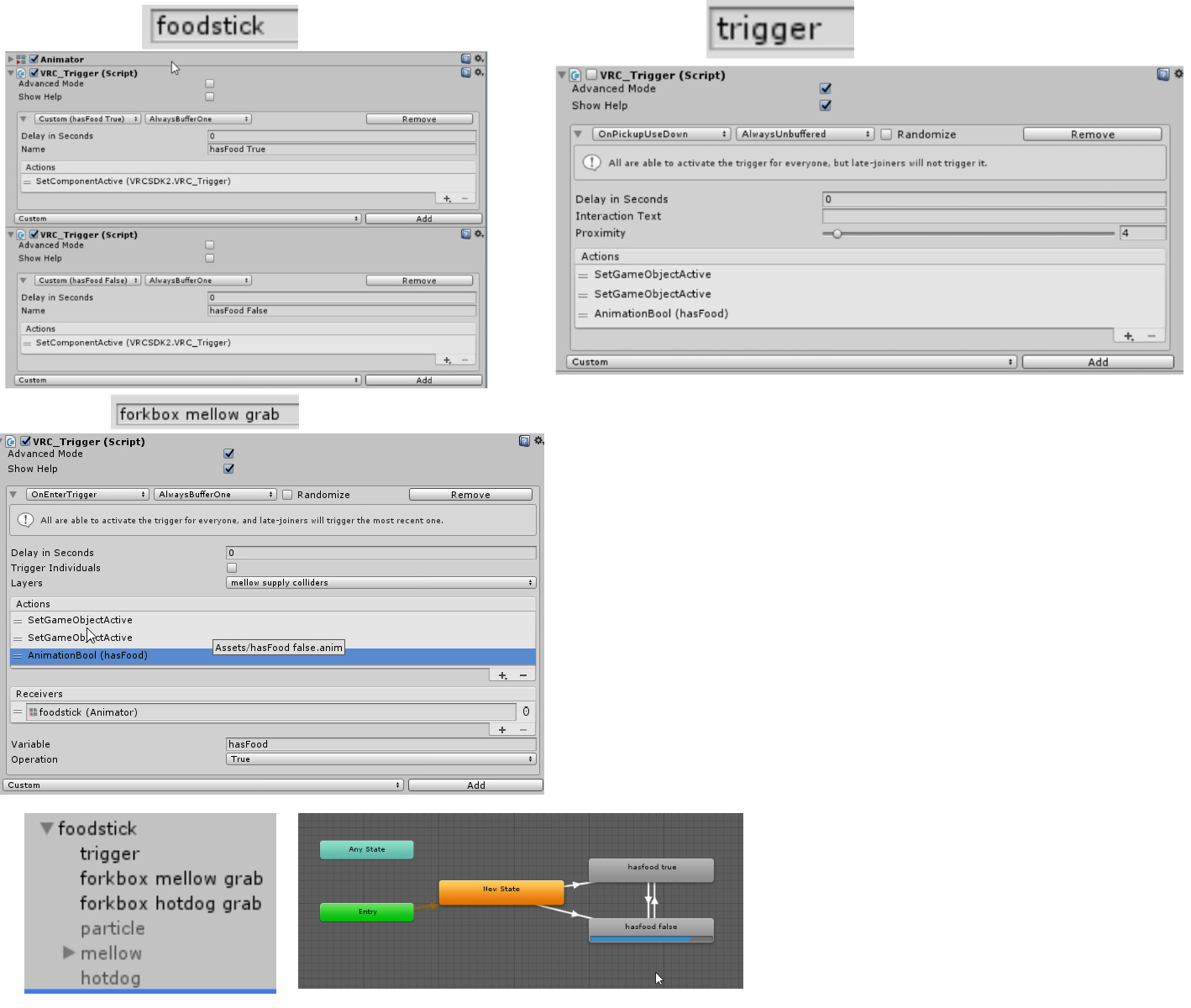
the animation state machine works as expected
in theory it works like: the hotdog can only be "eaten" when hasFood is true, because when has food is true, the trigger on the game object "trigger" is enabled every time the animation event calls it...
what currently happens is, you pick up a hotdog like normal, then nothing happens when you click
im thinking the animation events arent being called correctly (double checked spelling) , and the animator and triggers it's calling are on the same gameobject
@near bronze btw what did you mean by "check your logs in game" to see about triggers happening? how does one do that
proud meadow
!outputlog The custom triggers will show up by name in this log and you can kind of follow along with your triggers. @warm niche
 olive oxideBOT
You can find your output log at C:\Users\%Username%\AppData\LocalLow\VRChat\vrchat named output_log.txt
proud meadow
do be mindful that it's a debug log and not perfect. (I'm still confused about this so I might be wrong here) Sometimes it shows things in the order they are queued, not the order they are executed or like master triggers show up even though they run only on the master instead...but it's a thousand times better than no way to debug 😃
warm niche
absolutely
it helped i think
i just realized Onpickupusedown triggers have to be on the same object as the pickup script
i think thats what my prob was
the fact that things have to be on the same gameobject, yet you run into problems having two triggers on one gameobect, makes this so confusing
@proud meadow i got it working. thanks so much for showing me that oh my god
proud meadow
what's wrong with having two triggers on the same gameobject? Thet's fine. but please use one VRC Trigger component and add multiple triggers that way
warm niche
i think it gets troublsome when you use "set component active: trigger"
cause then, logically, it doesnt know which trigger on the gameobject right?
proud meadow
I don't usually use multiple trigger components...you can use one VRC Trigger component and put multiple triggers in it
if you are gating triggers with enables and disables and you want control over each one, I guess there's no good solution. I would try to avoid doing enable/disable gating too much and come up with other ways to do logic like animators
shadow dock
@warm niche while you can go directly to your output-log file you can also open a console debug menu in game. Menu + 3 on the keyboard. https://docs.vrchat.com/docs/keyboard-and-mouse
* Use left shift to control your left hand, use right shift to control your right hand
warm niche
wow awesome, ty!
warm niche
im assuming OnAvatarHit is called once every time a player collides with the collider, but what if i wanna call it, every "frame"
stable hazel
actually I'm pretty sure it is every frame. You can check yourself but I remember seeing a world spam the crap out of my log because I was standing on an OnAvatarHit floor. No idea what it was for but it kept going off
warm niche
oh okay
is there a way to do "else"
end goal is to set a bool to true when avatar is in box, set it to false when avatar is not in box
stable hazel
for that I'd use OnEnterTrigger, and if you can use the offset collision method. It's super late here so I can't really explain it but someone at some point in one of these development channels certainly has. Actually I think Cyan's recent tutorial covered it, so try looking there. But it prevents the issue where VR users can't interact with stuff inside triggers
warm niche
found his player tracker tutorial. super cool.
warm niche
anyone know how to have the ToyBox player tracker track only the global position and not the rotation too? the goal is to have something above the player regardless of their head rotation
copper acorn
i made that somehow (not remember) with Configurable Joints, but might be another solution, if you want i can try to find where's my project with this
warm niche
i'd really appreciate it 😃
verbal lark
wouldn't having a object that follows the playerhandler via the follow target script and track that. Follow target objects dont copy rotation.
warm niche
that's essentially what having a configurable joint does
verbal lark
I guess it depends if you want the joint or not I tend to avoid rigged body's if there not necessary. 1 sometimes the like to derp and 2 performance overhead.
warm niche
need the rigid body for collision detection anyways in my case
verbal lark
for onenter?
warm niche
yep (if im not mistaken, you need a rigid body?)
verbal lark
nope
just need a collider. not even sure if you need that to be honest
never tried
warm niche
odd, the configurable joint takes the mesh renderer with it, but not the collider
jk im just stupid and lacking sleep 😃
 lean bison
Is there any chance that, allow to offset/reposition/override of VRcam ? (HMDViewpoint)
I tried to making cutscene which support VR rotation.
Like I can see my own Avatar from Cutscene-Camera
warm niche
weird lil question that google has mixed opinions about: what audio codec will give me the smallest file size regardless of quality? mp3?
near bronze
ogg is usually recommended for unity
warm niche
note: it's a long track
im compressing it in audacity as much as possible
oh actually it seems ogg is even more compressed than mp3
thanks
when detecting collisions, the VRCtrigger can be on either of the game objects involved right?
near bronze
yes
drifting egret
Ogg is best for compression and longer tracks, I heard wav is generally better for smaller sounds (not because of the compression though, just in general)
near bronze
but if one of them is in a prefab or something, it can matter for the purposes of referencing the right thing
near bronze
but that's more of a design choice than an error the system will throw at you
near bronze
do you have a rigidbody on either of the colliders?
warm niche
yep, i took a look at the collision action matrix
and tried out a few different combinations
near bronze
Are you testing ingame? VRC triggers do not work in the editor
warm niche
yep in game
near bronze
What trigger are you using
if you're using onentercollider, use onentertrigger instead
near bronze
onentercollider only works in a few specific cases of triggers entering into colliders, any other combination of collider and trigger will be covered by onentertrigger
no need to be embarrassed, it's not exactly intuitive
warm niche
does set material trigger have to be on the same gameobject
near bronze
no, but it has other difficulties. It doesn't properly load the material so you have to have another object with that material in order to use it
You'd be better using an animator for materials
warm niche
gotcha, thanks 😃
warm niche
so, in my attempt to keep things simple by just using SetMaterial, i ran into a problem. The console said SetMaterial was called, and it changed to the correct material, but.... it didn't. nothing changed visually
any ideas?
stable hazel
setmaterial might honestly just be broken, I've heard of a similar problems people had with it
warm niche
😦
damn ok, guess ill try animator method
i think its so funny how hard it is to click on the little animation events after the first one https://imgur.com/nYCidWs
 warm niche
just checking, Transparent rendering mode doesnt work in Vrchat right?
only cutoff and opaque?
final wigeon
Transparent does work but you're likely to encounter sorting issues in some cases.
proud meadow
@warm niche additionally, if you don't use a separate shader, you will encounter a bug where vrchat puts the material on the wrong render queue. So you need a separate shader with Transparent in its name
warm niche
ah i see
drifting egret
Any transparent/fade rendering modes on a dropdown won't work, unless it's Standard or Standard Specular.
Standard Roughness and all other shaders that change render queues on the fly will not work correctly
You need a shader that is specifically made to be transparent by default
wide wolf
alright.
so i've bumped into a bit of an animation issue.
im hoping someone here who knows whats going wrong (and possibly a way to fix it)
essencially i've learned of a way to toggle avatar animations via an animation that toggles the animator component behavior.
im using it succesfully on one animator within my avatar though to get my system working i have to use a second almost identical animation on the top (so that i can activate it with custom animations)
basically my issue is that the same type of animation just dossen't activate when its in the top animator.
after experimenting i have found out that it does activate but only if the avatar isint selected.
i tested this on the same kind of system one one step down in the heirarchy and it worked fine, even with the avatar selected. the only differences (as far as i can tell anyway) are that the animator thats failing is on the top and that it has the avatar descriptor on the same object.
i did try to remove the descriptor though it seems to have had no effect.
so in summary
my animation is unable to activate but only on the top animator and only when the avatar is selected, the same type of animation works just fine at another place in my heirarchy.
and im stumped as to why it cant activate at the top.
well.. any help i can get is much appreciated
manic cloud
you're probably missing the correct path for it? it's targeting from itself to below, select the object with animators and see if the animations they have are yellow or show up correctly
if it's yellow = the path is wrong
wide wolf
yeah i did check the path.
its not yellow. i even double checked to see that its not the wrong path
manic cloud
can u make screenshot of the hierarchy how it's setup
wide wolf
sure thing
manic cloud
also can check the animator tab and see to which animation it defaults to, I've had an issue where I by accident dragged wrong animation on the object and it kept defaulting to the wrong thing and couldnt figure out the issue, until i checked animator
wide wolf
i dont seem to be allowed to send screenshots in this chat
will have to make a linkable version for it
manic cloud
imgur or tinypic
wide wolf
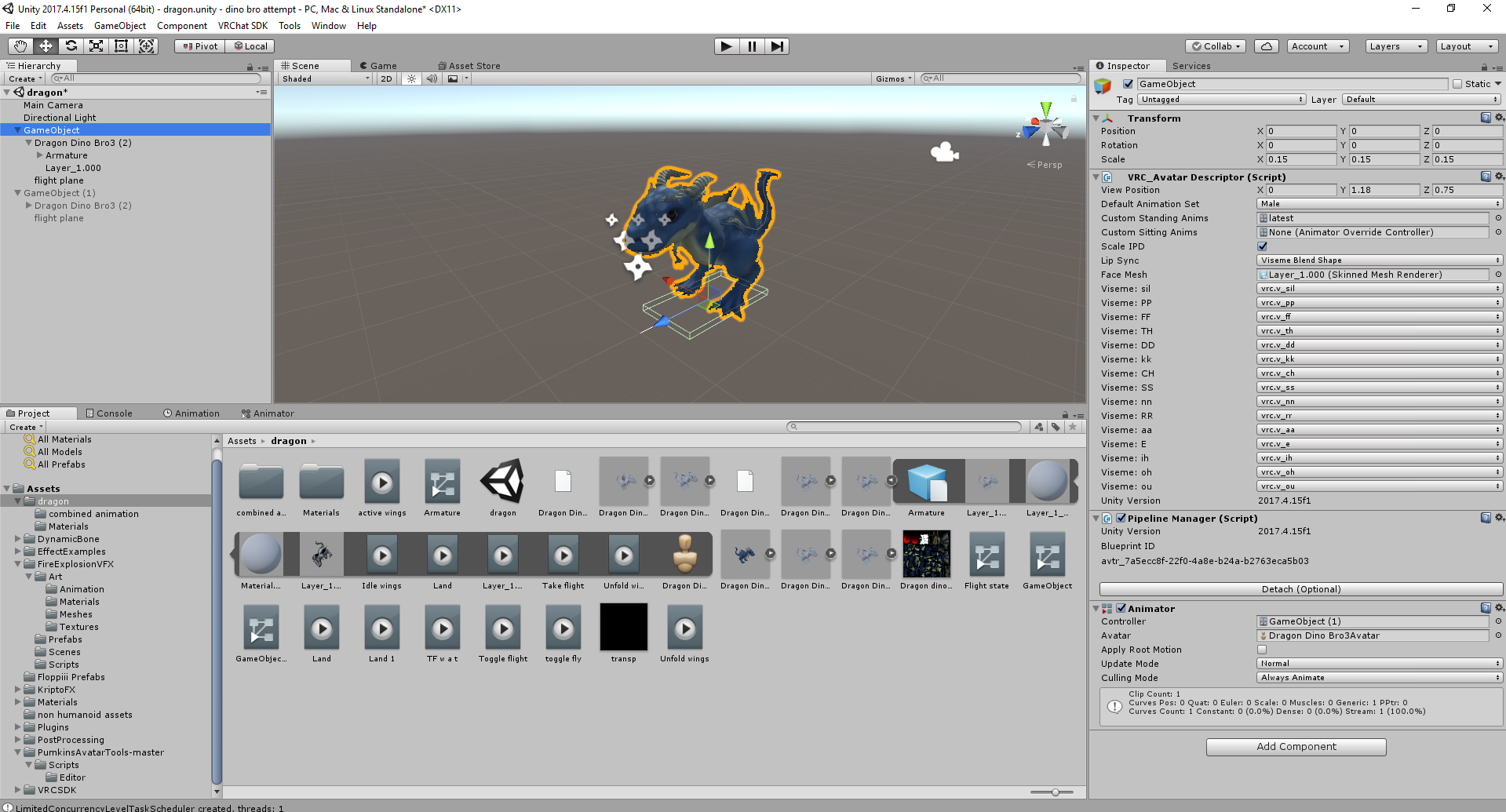


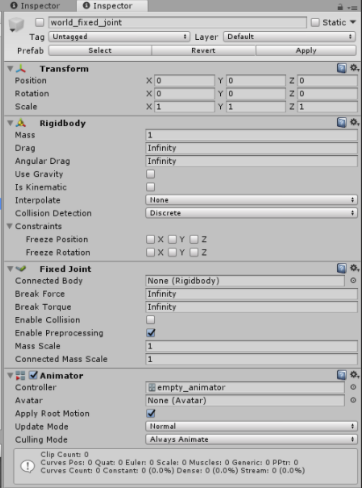

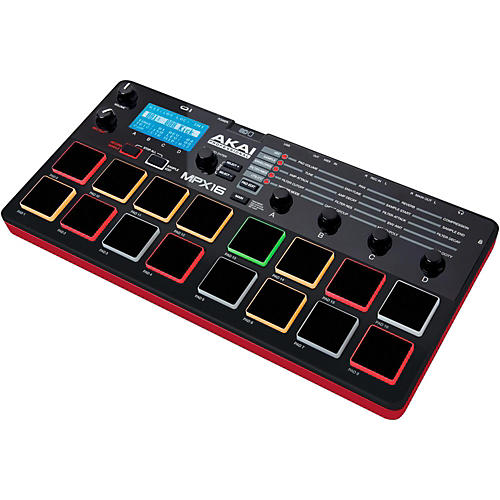

that should do it
basically the selected GameObject is the one where the animation dossent work
when i preview the animatinon the property just turns off
drifting egret
The problem is the "avatar" property I believe
In your animator
This essentially means that you can only animate stuff that is under "Dragon Dino Bro(3)"
wide wolf
ah.
that makes sense
wide wolf
the animation controller is there temporarily
drifting egret
Well you can't use controllers but that's fine
wide wolf
its basically just so i can test the animation
drifting egret
The avatar being set is a bigger issue probably, it essentially means you cannot animate anything outside of Dragon Dinobro3
wide wolf
yeah... basically i can desellect the avatar and the animation will work
however id i do that the game wont be able to tell that its humanoid and thus will treat it like a generic avatar
thats at least the warning its giving me if i try to upload without the avatar selected
i suppose if i can find a way to set the game object as the avatar it should work.
thats asuming that is possible
manic cloud
generics can't play gestures
wide wolf
yeah... that i do know
manic cloud
if you want for it to be humanoid, it needs 3 fingers on each hand - thumb, index and middle
wide wolf
basically the dinosaur works as humanoid.
i had to add the gameobject above to control the animation setup