#hardware
1 messages · Page 56 of 1
 forest cape
 wind egret
Is Lumen even performant enough to use for games on current-gen hardware? I've seen talk of 30-60 fps in sparse scenes.
wind egret
By current-gen I was mainly thinking of 3060. It would be the mainstream card if anyone could get it, and the 12gb is surely enough for lumen.
 scarlet solar

Best Buy
Shop ASUS ROG Zephyrus M15 15.6" Gaming Laptop Intel Core i7 16GB Memory NVIDIA GeForce RTX 2070 Max-Q 1TB SSD Prism Gray at Best Buy. Find low everyday prices and buy online for delivery or in-store pick-up. Price Match Guarantee.
I Found this with RTX 2070 for $1400
I originally wanted the RTX 2060 until I saw this
 devout pendant
scarlet solar
I originally wanted the RTX 2060 until I saw this
devout pendant
scarlet solar
I originally wanted the RTX 2060 until I saw this
Retailers like to bundle hardware pieces with systems that they want to clear from their inventories.
Since GPUs are the current hardware that is in most demand, they're taking advantage of the situation to push products and systems.
I'd like to see what Intel's GPU can do ... just have to get through this summer before we see any new releases.
devout pendant

All of these rumors ... show that "Wintel" is still alive and strong. 

 : "We are going to end with a final version of Windows that will just be updated instead of replaced."
 (gamers): "ok."
🖥️ (Intel): "We are releasing a new hybrid CPU architecture and need you to release a new operating system with optimized OS/CPU scheduler."
: "We will release Windows 11! Fuck these gamers!"

joking
devout pendant
If I was to get a new laptop for 3D design/render work, what should I get? I dont want to spend over 1,500. Ping me Needs to be a laptop for traveling
 shrewd shard
wind egret
Is Lumen even performant enough to use for games on current-gen hardware? I've s...
shrewd shard
wind egret
Is Lumen even performant enough to use for games on current-gen hardware? I've s...
My 1070Ti runs it...
Let's just say acceptably
I get over 30 fps at approx 1080p so that's good at least
But that's in editor
Will probs run better in a packaged game
Also I need to research the console commands to fine tune settings for quality vs performance
Oh, also I test with max settings inside the editor, so lowering some of those will probably net a better framerate with Lumen enabled
 flat glade
@tiny lily 233gb is fine for now but expect full source builds to eat that up very fast
I have one git repo that takes 200gb alone and it isn't even really full of art assets yet
long story short, you need an asston of storage
moar cores = good which also means you need a lot of ram
 tiny lily
yeah, i know about that, actually i remove old source builds before building new version, i don't lose much from it, so my UE weights only 50% of storage
flat glade
GPU hardly matters for gamedev workflows unless you are doing high end art stuff
not that you mentioned that
tiny lily
About storage, all my projects together weight around 50GB maximum, mostly because im c++ programmer and most of art things goes after me writing frame of project
after that most of work is on my other guys, not me
so storage is not a big problem in my case
And i use not that good GPU of 2019, and it's pretty enough for me too
But i want to try make games 100% alone, but even in that case i don't think i will get more than 100GB project
tiny lily
How much ram do you have?
flat glade
tiny lily
How much ram do you have?
16gb and I will get more sometime in the near future
Only 8 cpu threads
tiny lily
Im gonna have 16GB for a start, then i think i will extend to 32. Not sure if i need more
I think i can get around 48 or 64 GB actually, but i don't think it will have much sense
My setup supports up to 128GB
That's just Windows, Chrome and UE4 editor launched

So maybe i should get 32GB
flat glade
Time to switch to Firefox
tiny lily
Firefox is awesome thing, but im not sure that i can move all my data from chrome account to it
devout pendant
tiny lily
Firefox is awesome thing, but im not sure that i can move all my data from chrom...
When you log into Chrome, on a brand new computer … all your tabs/settings get restored.
tiny lily
What about passwords?
devout pendant
tiny lily
What about passwords?
I believe so … because you can copy Google-generated passwords from "passwords . google . com".
You can search your passwords, and you can copy-to-clipboard what your password is, for a specific website.
devout pendant
devout pendant

 silver nexus
For a while I've been feeling like the keys on my keyboard have been feeling a little "heavy" to type, like I need to put force into pressing it down. I thought that was just the way keyboards are and my hands were starting to get tired from typing all my life. But today I went to best buy and randomly tried typing on a keyboard there for fun and it felt like a cloud. I didn't need to put any force at all, a slight gentle touch and the key was all the way down. I've been trying to find keyboards like that online now, but I don't think I'm looking up the right term or name. Is there a name for low force or resistance keyed keyboards?
devout pendant
silver nexus
For a while I've been feeling like the keys on my keyboard have been feeling a l...
I went to a Best Buy store, and I played with a 60% Razer Huntsman Mini which was on-display.
It had linear optical switches with sound dampeners, so it was very soft and quiet.
I would buy one, if Razer made a 100% version, but Razer does have the Razer Cynosa which is a membrane keyboard.
It's soft, but it's not as quiet as the 60% Razer Huntsman Mini with sound dampeners.
 silver nexus
I see. I'll check them out, thank you
devout pendant
silver nexus
I see. I'll check them out, thank you
If you go back to one of the Best Buy stores, there should be a 60% Huntsman Mini on-display, that you can play with.
I bought a Razer Cynosa from Amazon, last year.
It's a 100% (not 60%) membrane keyboard, and it's compatible with the Razer keyboard wrist support/rest ... just a bar with fabric/gel that you can separately buy, where your wrists/palms rest on.
I used to have a Razer DeathStalker keyboard which was a membrane keyboard with chiclet keys/keycaps.
The Razer Cynosa and Razer Huntsman Mini have full-sized keys/keycaps.

(TSMC's fab, in Arizona, due in 2024)
scarlet solar
Is RTX 3060 Better than RTX 2070 Super?


 devout pendant
Hey guys, I recently purchased 16gb more of ram. However, it is a different memory speed than what I currently have. Can I use both types?
shrewd shard
Yes, but you have to set the memory speed to the slower kit
scarlet solar
I guess 3060
devout pendant
Thank you
 tacit laurel
got my 9900k recently ,while building the UE4 from source clock is around 3.5 ghz (even though it boosted to 5ghz at startup ) anyone knows if this is supposed to behave like this? (temp is around 59 )
shrewd shard
It should be sitting at 3.6 at the lowest
Hell, I believe the turbo clock should be 4.7 for all 8 cores
Check if your BIOS is limiting something
shrewd shard
scarlet solar
Is RTX 3060 Better than RTX 2070 Super?
Unless you need the VRAM, a 2070S will be better
however
A normal 2070 is weaker in all cases
 frank glade
tacit laurel
got my 9900k recently ,while building the UE4 from source clock is around 3.5 g...
frank glade
tacit laurel
got my 9900k recently ,while building the UE4 from source clock is around 3.5 g...
don't think it is. mine is at 4.7 when building and 83 degrees
 minor veldt
silver nexus
For a while I've been feeling like the keys on my keyboard have been feeling a l...
minor veldt
silver nexus
For a while I've been feeling like the keys on my keyboard have been feeling a l...
Clean you keyboard. Might fix it.
tacit laurel
frank glade
don't think it is. mine is at 4.7 when building and 83 degrees
does it reach 5 ? did some changes now it reaches 4.6 max
frank glade
I don't think so
 shrewd shard
That's an oddly specific date
 rose mauve
Credible?
I knew that there was going to be a shutdown to the OS unit or a new version
 devout pendant
rose mauve
Credible?
devout pendant
rose mauve
Credible?
None of these news sources are credible?

 novel briar
 wispy flare
https://pbs.twimg.com/media/E38IUE9XwAM28JU?format=jpg&name=4096x4096
wispy flare
https://pbs.twimg.com/media/E38IUE9XwAM28JU?format=jpg&name=4096x4096
Oh... I see a MacBar
And if you talk about the FileExplorer, seems most OSes are stuck to this pre-2000 year idea.
Sane people should just use a file manager.
wispy flare
It's not even about layout
it's still Win32 application
Microsoft just can't do full rewrite of their system UI in their favorite UI framework
oh wait
maybe because they change their favorites every year
I hope they at least modernize internals
the system was supposed to run on potato devices
novel briar
Not surprised. They didn't move up Visual Studio for the past several years.
devout pendant
If Vulkan incorporated audio into their API framework ... then we wouldn't have to talk about Microsoft and Windows 11 and DirectX API.
We could be talking about Linux or a Linux distro.
novel briar
Like just the next one would be 64-bit
Shame, lol
Tho, to be fair, never had a problem explorer be 32
 agile lodge
without livetiles windows is no more
novel briar
huh, they really removed them in 11?
The only thing I use them is for the Weather actually 🤔
agile lodge
the only thing i love on windows anymore
shrewd shard
Hardware lads in this house
I've been contemplating a risky purchase since I saw it
There's a 1070Ti sold for 100 EUR locally but it's noted as not working
"Smelled like burnt one day and the PC never turned on, the chip itself is fine and I can't bother with the PCB"
Might be a good purchase simply because I have nearly the same 1070Ti and it can serve as component replacement at the very least
Any thoughts, should I try or skip?
Actually, it's literally the same model 1070Ti now that I look at it again
novel briar
How so your card can serve as replacement? Like it must be damaged too?
shrewd shard
Nah, I mean, just in case something in mine goes haywire, I can replace the part by getting it from the "new" one
devout pendant
Finally at the front of my waitlist for the Ryzen 5950X, do you think this is still a good purchase?
(Seeing that seems to be both a Zen 3 refresh and Zen 4 coming next year)
 urban lance
I'm having trouble with UE4 on my new laptop. It's recommending me a graphics driver that is unavailable for the card I have, as in it doesn't exist on the Nvidia website. I'm also noticing an issue to where the engine black screens for a second then crashes frequently if I ignore this driver issue. This doesn't happen for Unity 3D, but I much rather use Unreal for the Blueprints system.

weirdly the driver that it recommends is from late 2019 even though the 30 series only came out in late 2020
this driver doesn't even support RTX 3060 cards according to nvidea, but I can try it
 median marsh
i doubt that it'll work, specially as the 3060 has some hardware handshake going on to make it slow for miners
 flint prism
building a system for my dad, he's currently got a 1tb drive for gaming, hdd I think. ssd for 2tb is like $150 more than hdd, worth the cost?
devout pendant
flint prism
building a system for my dad, he's currently got a 1tb drive for gaming, hdd I t...
internal?
 novel briar
I would say, it is worth. Speed is important.
devout pendant
$250 for a 2TB SATA SSD?
I would pay it.

External 2TB SSDs are around that price, too.
 flint prism
Yeah internal
I was talking with my dad about the computer yesterday, discussing options, and he said limit was $5k, but... I was hoping/aiming for more around the $1000 mark + periphials. Currently his system is sitting at $3k
me and my mom were both shocked when he said 5k
its for his 70th bday, but jeez...
devout pendant
If he can wait, there's always Black Friday 2021.
I'm sure all the retailers would love to charge full price to make-up for the losses in 2020 due to covid ... but Black Friday is a tradition ... so I expect retailers to follow the tradition of cheaper prices in order to liquidate/move their back stock and inventory.
correction: Black Friday & Cyber Monday
flint prism
hardware is already difficult to find, the chances of getting what he wants during those sales.... nill
devout pendant
@flint prism
Have you seen these articles about TSMC and Intel?
devout pendant
#1
TSMC and Intel and Samsung are building more chip factories.
(Anyone using an nVIDIA 30-series card is using a Samsung-manufactured chip.)
#2
Part of the reason for hardware shortages came from unemployed people collecting $2,000 checks from the government.
Do you see this as sustainable?
hardware shortages = temporary problem
Even the Great Depression of 1929 didn't last forever.
flint prism
my dads compy doesnt need to be built till late july, but I'd like to get my new system by the start of july
our computers are already damn old, having issues running even "last-gen" games
devout pendant
flint prism
my dads compy doesnt need to be built till late july, but I'd like to get my new...
My name is not Jesus Christ, so I can't help you.
The real people with power seem to already be looking at the issue, though.

 median marsh
i think the QVO would be good enough for holding some games
the write performance sinks after writing several GB continuous, but that's not relevant for a drive that is basically only used for reading in the long term
 lucid dawn
I'd like to buy a powerful laptop in the future to be able to eventually do some modeling, animations and game development, all to a nonprofessional level. I got ideas of what specs I want except for the GPU. What models of NVIDIA card should I use for casual game development? I'd go for some Quadro if it didn't mean waiting years of saving, and I think it's overkill in my case. I just want something with smooth performances, that doesn't hold me back or hang, while still being reasonable
(Just a note that I'm not fond of fancy displays so I'll stay to 1080p and stick with 60Hz — yes I'm weird)
devout pendant
 novel briar
What reallity? They made money. Even the normal shops scalped.
 novel wedge
devout pendant
novel wedge
devout pendant
I'm not buying it until I see [insert big tech youtuber here] talking about it
shrewd shard
I can confirm that
They're dropping from record heights to a bit below record heights
It's not much better, second hand GPUs are still being sold for more than their MSRP 4 years ago
 tribal pond
how do you stop p03 machines from randomly going into black screens, saying HDMI video signal not found.... only way to restore screen is to reboot the computer.
tribal pond
predator machine
 indigo sandal
Is this enought for Unreal engine 5 game developememt?
Processor: AMD Ryzen 7 3700X 3.6GHz
Graphics card: Gigabyte Nvidia GTX 1660
Mother board: Gigabyte X570 Aorus Elite Wifi
RAM: 16GB Kingston Fury Hyper Black
SSD: 480GB Kingston
HDD: 1TB Seagate
Power Source: Gigabyte B700H 700W
Is it good?
Bad?
Overkill?
Pure trash?
What would you change?
I would really appreciate the help 
shrewd shard
Should be decent
The GPU should be your first bottleneck I presume
Though also depends on the scale of your project
Also, one thing I noticed
For UE5 development, 8 GB GPU is pretty much the minimum
I heard people trying with a 2060 and having severe performance issues
Lumen is a memory hog
indigo sandal
Damn 🤔
shrewd shard
I can half-confirm that since having UE5 on takes up >7 GB VRAM
But I have an 8 GB 1070Ti
tribal pond
how do we solve random black screens with po3 machines?
shrewd shard
GPU prices are going down currently
Crypto profitability dropped so prices are dropping too
I can't exactly confirm anything for the moment
indigo sandal
Well the thing is in my country a communist president is most prolly about to be elected, cuz people is retarded
So i'm really worried prices go up, or importations get closed
Yes i could wait for prices to go down, but having that in consideration, i was thinking the safest bet would be to build it now...
😕
novel briar
I think the prices worldwide are still quite high. It makes sense that they will fall in the near future. Maybe don't hurry to buy something which you don't immediately need. Instead, hunt for good offers, research.
 cyan moon
When are these prices going to drop?
 timber kestrel
Once stock exceeds demand. Which probably isn't going to be for another few months.
devout pendant

 wind egret
You can buy AMD cards. They realized pretty quickly the solution to scalping is to raise MSRP to the same price. Doesn't really help the real issue: That the going rate for cards is too expensive for gaming (unless your preferred resolution is 1024x768).
 blissful solar
hey guys, i'm thinking of upgrading my system significantly. Either by going for a high end Intel CPU (likely i9) or an AMD Threadripper. I saw the Threadripper is generally speaking faster with rendering (for example in houdini).
Does anyone have experience with intel vs. amd for game dev? Perhaps something like amd or intel specific issues with certain software or tools?
lucid dawn
I'd like to buy a powerful laptop in the future to be able to eventually do some modeling, animations and game development, all to a nonprofessional level. I got ideas of what specs I want except for the GPU. What models of NVIDIA card should I use for casual game development? I'd go for some Quadro if it didn't mean waiting years of saving, and I think it's overkill in my case. I just want something with smooth performances, that doesn't hold me back or hang, while still being reasonable
For more precisions: I'm not fond of fancy displays, so it'll be a 1080p screen for me and I'll stick to 60Hz (I'm weird I know)
I saw one laptop with an RTX 2070, is it good enough or should I go for 30xx instead?
||In case you're wondering: yes, I already asked that here but didn't get an answer, I'm asking one last time out of hope because I think it's one of the only place I could get a relevant answer. Sorry if it feels like forcing, I'm just very curious, and like I said, it's the last time||
devout pendant
lucid dawn
I'd like to buy a powerful laptop in the future to be able to eventually do some...
https://virtualtilt.com/best-laptop-game-development/
I am not a game developer.
I am just a regular joe schmoe gamer/consumer, so the only tool I have is Google.
Google has a lot of answers to your questions, but I'm not a qualified game developer to say which answer is the best answer.
 frank glade
@lucid dawn quadros are good for cad work, no point in getting one if you're working on games. I would try to get a laptop with a 3080 or 3070. but keep in mind laptoo gpu performance is related to its power limit, some will be faster than others
lucid dawn
devout pendant
<https://virtualtilt.com/best-laptop-game-development/>
I am not a game develop...
I know about this marvelous tool called… DuckDuckGo in my case, but this time I preferred an authentic direct answer from peoples specifically doing more or less the same thing I'd do (implied that the game development I'd do would be on Unreal for instance)
But thank you anyway
lucid dawn
frank glade
<@418751956706787330> quadros are good for cad work, no point in getting one if ...
Thank you! I was thinking "the most high in range the best" without knowing there were categories cards would be best at. Also I didn't pay attention to the power limit, that's definitely what I'll look at now
frank glade
yup. here's a good list for you https://www.notebookcheck.net/Comprehensive-list-of-all-laptops-featuring-the-NVIDIA-GeForce-RTX-3070-Laptop-GPU-along-with-corresponding-TGPs.517805.0.html with max tgp

 lucid dawn
frank glade
yup. here's a good list for you https://www.notebookcheck.net/Comprehensive-list...
lucid dawn
frank glade
yup. here's a good list for you https://www.notebookcheck.net/Comprehensive-list...
Thanks, it helps a lot for researches. Just too bad they do not display more general specs information alongside GPU related, but I may ask too much
 candid timber
@devout pendant https://www.amazon.de/Crucial-CT1000P5SSD8-Solid-Laufwerk-2280SS/dp/B087QRVVVH?ref_=Oct_DLandingS_D_d2a1cf38_67&smid=A3JWKAKR8XB7XF&th=1
what do you think
Crucial P5 CT1000P5SSD8 1 TB Solid State Laufwerk (3D NAND, NVMe, PCIe, M.2, 2280SS) - Kostenloser Versand ab 29€. Jetzt bei Amazon.de bestellen!
devout pendant
 candid timber
this would be an alternative I suppose https://geizhals.at/western-digital-wd-blue-sn550-nvme-ssd-1tb-wds100t2b0c-a2195074.html

Geizhals.at
✔ Preisvergleich für Western Digital WD Blue SN550 NVMe SSD 1TB, M.2 (WDS100T2B0C) ✔ Bewertungen ✔ Produktinfo ⇒ Bauform: Solid State Module (SSM) • Formfaktor: M.2 2280 • Schnittstelle: M.2/M-Key (PCIe 3.0 x4) • Lesen… ✔ Solid State Drives (SSD) ✔ Testberichte ✔ Günstig kaufen
I think I'll go with the crucial tho. Seems to be the better one
Should be fine I suppose
I'll have 1.5tb SSD (NVME) storage in total
and 2 tb of HDD
If the need arises I can always put in another Sata SSD
Oh dang, I might have a problem.
My current m.2 ssd isn't nvme
and the second m.2 slot of my mobo only supports pcie as it seems
frank glade
 minor veldt
frank glade
minor veldt
frank glade
This is good news, right? Looks like good news. At least it's hinting towards good news.


 frank glade
Theyre in stock everywhere here in EU, i just dont want to pay 3x the MSRP 😩
candid timber
umm, small problem
I think I won't be able to use my current ssd
It's m.2
but not nvme
My mobo has 2 nvme slots
But I'm not sure if the second slot supports only nvme
might be, I'm not sure
As a world leading gaming brand, MSI is the most trusted name in gaming and eSports. We stand by our principles of breakthroughs in design, and roll out the amazing gaming gear like motherboards, graphics cards, laptops and desktops.
that's the one
huh
that's the 500gb one I have rn
Western Digital WDS500G2B0B WD Blue 500GB 3D NAND Internal SSD M.2 SATA - Kostenloser Versand ab 29€. Jetzt bei Amazon.de bestellen!
I fear it might not work in the second slot
because it's sata
hmm, so I should probably be fine I gues?
not much I can do anyways, either it's gonna work or it's not
I gues I'll find out on wednesday
 wind egret
AMD® B450 Chipset
• 4x SATA 6Gb/s ports
• 1x M.2 slot (M2_2, Key M)*
• Supports PCIe 2.0 x4 2242/ 2260 /2280 storage devices
AMD® CPU
• 1x M.2 slot (M2_1, Key M)**
• Supports PCIe 3.0 x4 (AMD® Ryzen 1st and 2nd
Generation/ Ryzen™ with Radeon™ Vega Graphics) or PCIe 3.0 x2 (AMD® Athlon™ with Radeon™ Vega Graphics) and SATA 6Gb/s
• Supports 2242/ 2260 /2280/ 22110 storage devices
• 2x SATA 6Gb/s ports**
* M2_2 slot will be unavailable when installing device in any one of PCI_E2,
PCI_E3, PCI_E4 and PCI_E5 slots.
** SATA5 and SATA6 ports will be unavailable when installing a M.2 device in
M2_1 slot
Seems M2_2 won't do SATA.
devout pendant
In the future, it will be nice when all these slot/port lock-ups don't happen because the CPU and motherboard chipset will support all the slots/ports/lanes being used.
wind egret
That's what you get when you purchase a better motherboard than the B450. 😄
devout pendant
wind egret
That's what you get when you purchase a better motherboard than the B450. 😄
Point made. 😆
Just save your money, girls & boys.
Just buy a better motherboard. 😆
 slate remnant
considering this for portability, not my main driver. Just cant take a desktop everywhere. https://www.amazon.com/ASUS-i7-10750H-ScreenPad-Celestial-UX581LV-XS74T/dp/B08D941WH6?ref_=Oct_DLandingS_D_bce874aa_70&smid=ATVPDKIKX0DER&th=1
Buy ASUS ZenBook Pro Duo UX581 Laptop, 15.6” 4K UHD NanoEdge Touch Display, Intel Core i7-10750H, 16GB RAM, 1TB PCIe SSD, GeForce RTX 2060, ScreenPad Plus, Windows 10 Pro, Celestial Blue, UX581LV-XS74T: Everything Else - Amazon.com ✓ FREE DELIVERY possible on eligible purchases
thoughts or considerations?
devout pendant
(a gift from the gods)

 flint prism
So went with my dad to buy our new computers. He ended up with a amd 5600X and a 6700XT vid card. I got a i5-11600k on a z590 mobo
no vid card for me, cause I wanna stick with nvidia, but they were out of stock
shrewd shard
Why'd you want Nvidia?
flint prism
always been an nvidia/intel guy
shrewd shard
Welp
I personally stick with whatever's best bang for the buck
Also AMDs have more VRAM per buck if you're doing UE a lot
With Lumen it's important
flint prism
havent been doing much UE for a while, but hopefully I get back into it
I cant afford a new gpu right now anyways. so its not like I could have bought it if I wanted to
shrewd shard

My NVMe started overheating during compiling
Damn you MSI for designing mobo like this

Need to slap heatsink on controller
Or get more RAM
novel briar
They usually put the nvme slots under the pcie slots tho?

 devout pendant
All laptop/desktop hardware requirements drop, for any game that supports FSR.
Does not change Unreal Engine's system requirements, though ... because Unreal Engine is not a game. 😆

 novel briar
lol, what is that? 2nd raster layer?
shrewd shard
Just a heatsink to hopefully add a bit more conductivity
Temps reached 70 when compiling yesterday
novel briar
How did you glued it?
shrewd shard
It has a thermoconductive adhesive at the bottom
novel briar
Did it helped? Man, talk, lol
Looks kinda small, but so and is the actual source of heat.
I think the nvmes I saw with heatsinks, spawn across the whole device.
shrewd shard
I'm still putting back all cables
And it only overheats after like half to a full hour of compiling
shrewd shard
Update
Initial startup had the temps be literally the same, so the black sticker on top has basically 0 thermal conductivity
It's extra scuffed now
 novel briar
What are the results now? 🤔
shrewd shard
Testing rn
Give me a bit to see how fast it ramps up
Crashed again but because the heatsink unsticked since I removed it twice
Gotta grab a fresh one and will try again
shrewd shard
I realized I'm a doofus
I forgot to put it the typical workload
I maxed it out as much as possible then wondered why it shut down immediately
shrewd shard
Update
Tangents on tangents
After the crash I started getting bad config BSODs
While trying to fix them I accidentally corrupted my windows flash drive
Boy am I fucking glad I have a server right now
novel briar
Dauymn, and that just because of 70 celsius
shrewd shard
I mean
When I allocate 75% threads to compiling, it crashes after like half an hour
To try the heatsink I left it at 100%
Aaaaand yeah
Tangents on tangents
Recreating the flash drive
I'm so glad I left my server as a secondary PC
novel briar
Okay, how you screwed up your drive? When trying to glue the heat sink to it?
 blazing spire
Hey guys, I'm going to be driving to the next province over this weekend to pick up a rtx 3080 ti still apparently sealed in box. I found the deal on Facebook market place but due to the amount of money, and how sketchy this market is right now I'm very skeptical. Is there anything in particular I should be looking out for?
novel briar
Well, look at whether the box is intact and your warranty is valid.
devout pendant
Tell them to boot-up a test bench with it plugged-in, then go into the BIOS/UEFI, and check for the card … then do the same in Windows.
blazing spire
novel briar
Well, look at whether the box is intact and your warranty is valid.
the box looks intact in the photo. I'm not sure about warranty but he says it comes with a receipt from the place he got it
blazing spire
devout pendant
Tell them to boot-up a test bench with it plugged-in, then go into the BIOS/UEFI...
so you're saying bring my computer and put it in there and make sure it works while I'm there? or what do you mean by "boot up a test bench "
devout pendant

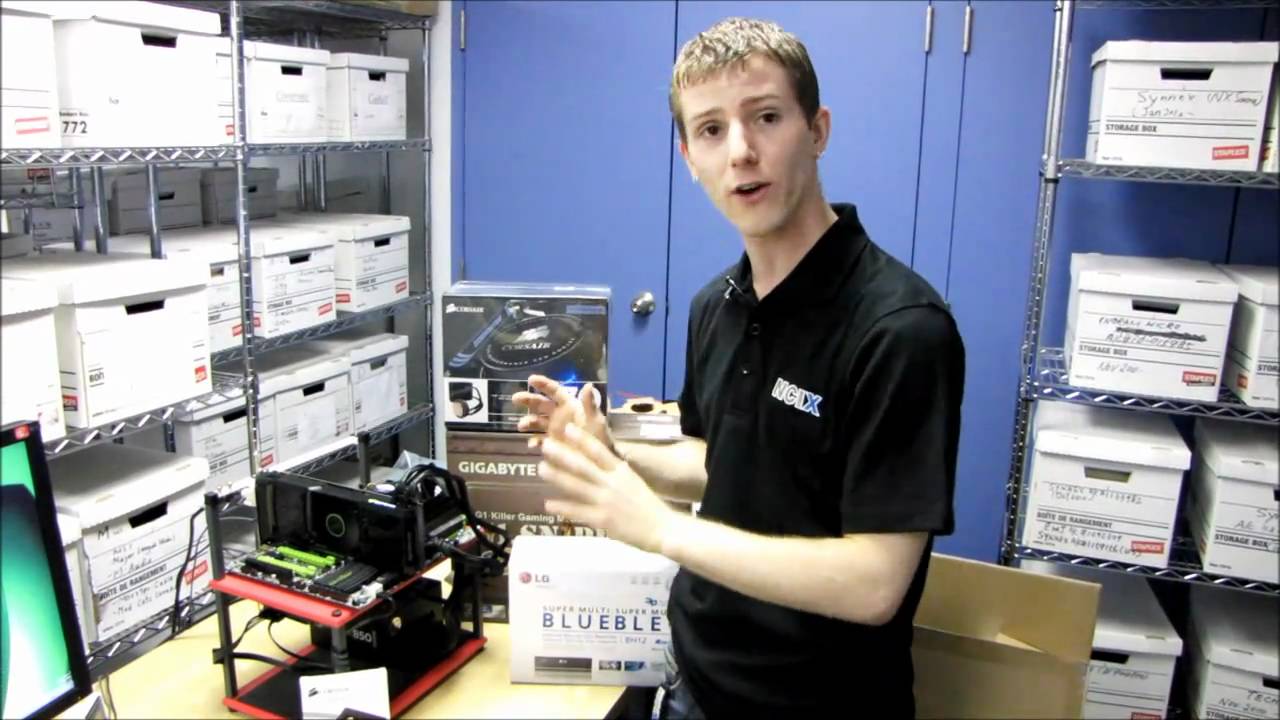
That is Linus from Linus Tech Tips … with a test bench.
Just plug a cheap $50 flat panel monitor to it.
 blazing spire
okay but i could just bring my whole case and a cheap screen instead though because i don't have a test bench!
devout pendant
Use Google Maps to find a small computer repair shop or a big-name store, and ask if you can rent one of their test benches for twenty minutes.
Maybe meet the seller at a store with a test bench, and use it to see if the card is legit.
 blazing spire
devout pendant
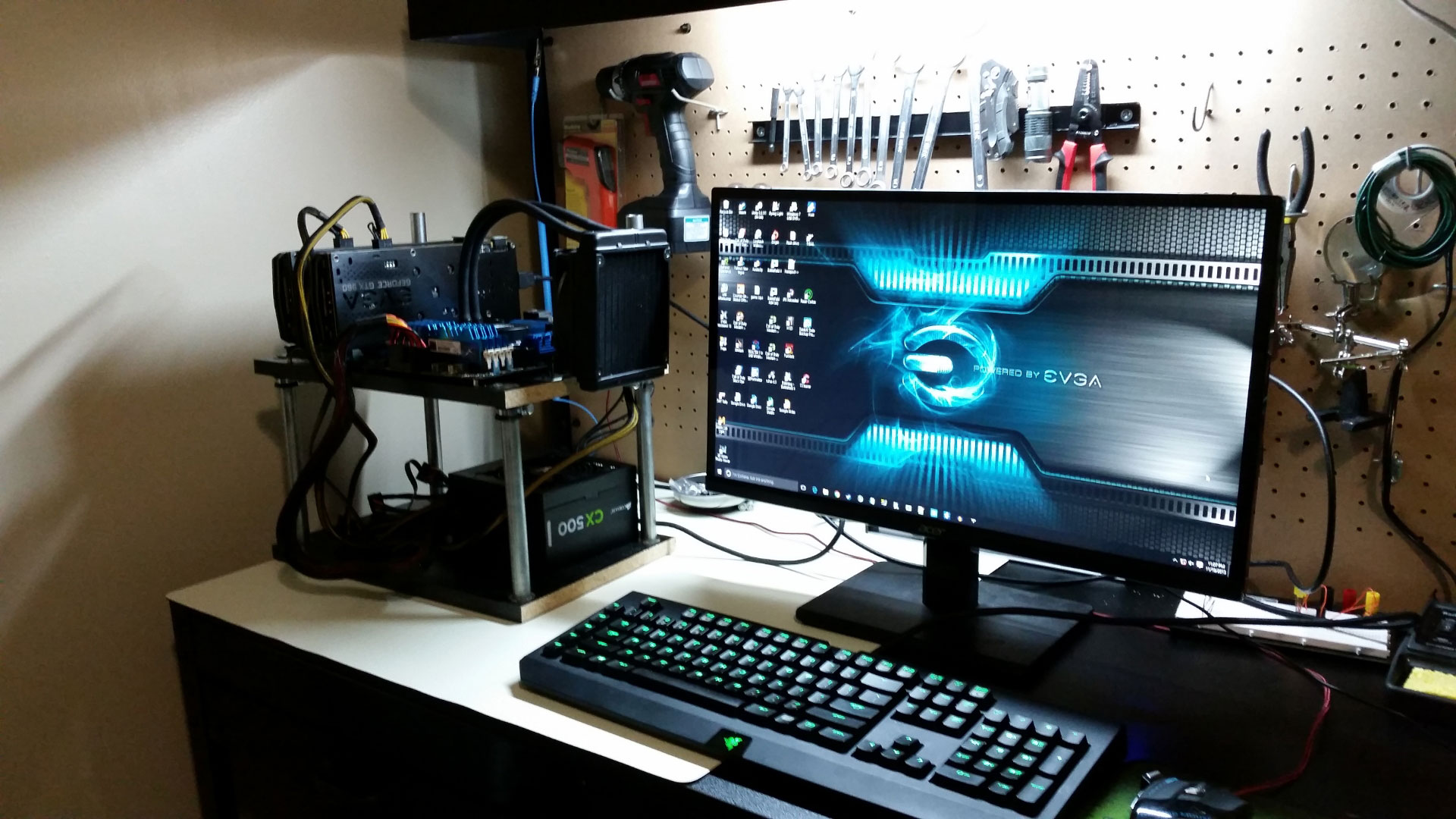
https://santini.io/perch/resources/test-bench-1.jpg
blazing spire
devout pendant
https://santini.io/perch/resources/test-bench-1.jpg
wow that photo makes me tempted to ditch the case altogether 😂
I'll see about renting one though thank you!
devout pendant
blazing spire
wow that photo makes me tempted to ditch the case altogether 😂
Lots of open cases and frames and test benches on NewEgg.

 frank glade
@blazing spire for that kind of money i'd go to a notary and draft up a legal document to transfer ownership and warranty and everything
shrewd shard
Welp
Time to reinstall windows
Can't fix the bad system config info BSOD with anything I found but all files in the SSD are perfectly readable
blazing spire
frank glade
<@!349373806059585539> for that kind of money i'd go to a notary and draft up a ...
does ownership of gpus extend beyond the guy who has the receipt?
frank glade
I think it's the guy whose name is on the receipt
blazing spire
frank glade
I think it's the guy whose name is on the receipt
fair enough, i will go to a notary, bring a computer/inverter so i can test it out. i just got the serial number from him and it's only 20 days into its 3 year warranty. any other suggestions? or is this plan foolproof? (aside from being robbed)
frank glade
it's probably fine for that kind of money. warranty in some stores is done through the user account (the one who purchased it), like he hast to submit a ticket. also you should know prices are starting to come down for 300 series on many retailers
blazing spire
frank glade
it's probably fine for that kind of money. warranty in some stores is done throu...
I'll be paying $2100CAD for it but newegg has that exact one listed (evga ftw ultra 3080ti) for $1899 (plus taxes) out of stock and the different make ones in stock are as much $3000. you uh sure it's going down because it seems to be getting worse every time i look. it is also the much newer ti rather than just the older regular 3000 series. I'm just tired of waiting. or having hotstock notify me the minute stock gets released only for them to be sold out by the time i enter my information 1 minute later.
blazing spire
frank glade
prices did come down here 10-15%
prices coming down isn't helpful if they barely put out more units though. just means when they do they sell even faster
 stone axle
Does 8 Physical Core i7-9700K run TurboBoost 2.0 on all cores at Full Load? Would love all cores to max out @4.9GHz, but simply haven't tested it, not installed yet.
stone axle
Ok so i have read that TurboBoost is 4.6GHz on 4-8 cores ,and 4.9GHz is on one core.
Anyone confirm this?
shrewd shard
Update on my SSD
It's completely dead
The controller literally unsoldered itself from the PCB
It simply fell off even tho I had 2 fans pointed at it
novel briar

RIP man... feels stupid, just for that heatsink.
So, if it unsoldered itself then it was overheating.
shrewd shard
It overheated yesterday, then overheated even faster the next time the PC turned on
Even if I max loaded it, it reached critical temps in half a minute
novel briar
You think is because of the bad glueing with the heatsink?
shrewd shard
Previously at 75% it reached critical at 30 minutes or more
I seriously doubt
Also at least before it shut down when it overheated
Now it simply unsoldered
novel briar
Well, it makes no sense then. If the heatsink was big enough and the thermal contact was good?
shrewd shard
I guess it short circuited somewhere and that's where it all started from
But genuinely no idea beyond that
novel briar
Short-circuited... needs some weird combo, like you working on it while it is powered on.
I suppose it could be instead a static discharge.
Not sure whether you were properly grounded.
shrewd shard
It should ne
novel briar
I mean, I burned an old laptop GPU just by touching it with a screwdriver once.
shrewd shard
Nothing was short circuited
I was only adding stuff to the top of thar controller
But either way after cleaning it out of everything and removing any residue it overheated simply from turning on the PC
novel briar
But you took it out from the slot to add these. In any case, it might have gotten some discharge, these are chip killers in general.
Well, then your thermal paste & sink were not good.
shrewd shard
It wasn't even into BIOS and was already burning hot with a fan pointed at it
novel briar
Anyway, rip. Hope it was not expensive.
shrewd shard
The most important stuff is on different drives so I'm saved there
But there's a bunch of files like documents and WIP stuff that I hadn't backed up
novel briar
I mean the old solidhard drives look kinda easier to salvage 🤔
shrewd shard
It's relatively new I think
But maybe if I find a donor board I can save it
Idk
Might just contact a BGA resoldering service and see if that saves it
novel briar
BGA?
shrewd shard
Ball grid array
novel briar
Hmm... these will need some special equipment. I would search especially for ppl who salvage data.
Apart from taking out the chip, you need some interfaces to it and sw to just try it talk back.
blazing spire
I'm getting some new equipment for my pc, when i put all of it in a PSU calc it comes up with 712 watts. will my 750 watt psu be enough? or do you typically want more overhead?
frank glade
Def more overhead
blazing spire
frank glade
Def more overhead
850? or higher? seems kinda weird that nvidia suggests only 750w for these cards honestly
novel briar
850w seems fine
shrewd shard
PC update
Still dead
However I got the GPU and drives and slotted them into my server so not all is lost
shrewd shard
Cleaned up the desk and it looks kinda neat at least
 stone axle
Will a Corsair 650Watt PSU Run:
i7 9700K, regular (not OC) 95W
GTX 1660 SUPER 6GB And GTX 960 4GB for PhysX,
on an ASUS Maxiumus Z370 motherboard with 8x 120mm RGB fans including CoolerMaster CPU liquid cooler
2x16GB Corsair Vengeance Pro RGB DRR4 3200,
with 2 Samsung 1TB 860 EVO SSDs and One WD Caviar Black HDD 1TB?
BluRay Disc Player/DVD DL Burner Combo
SoundBlaster Fatal1ty Champion Recon3D Sound Card w/ I/O Panel Deck?
i can ignore installing the GTX 960 4GB for PhysX if it's a problem
bu will rest of system be OK?
@shrewd shard I love large displayes, I have a 40" HDTV as my primary and has a 20" Apple cinema in Landscape as secondary on a stnd, lost power connector to 20"2monitor tho
i might get input lag from TV as monitor but i wanted big for developing graphics.
Apple display monitors are wayyy overpriced
stone axle
i got 3 yes answers from good builders for everything, but motherboard drops performance to 8x/8x with main gfx and1 physX
so no PhysX card, and all set
devout pendant
maximum power! 
 devout pendant
Not sure how accurate this is.
https://www.newegg.com/tools/power-supply-calculator/
 shrewd shard
stone axle
<@!166258390580985859> I love large displayes, I have a 40" HDTV as my primary a...
shrewd shard
stone axle
<@!166258390580985859> I love large displayes, I have a 40" HDTV as my primary a...
Mine are like 27" and 22", nothing too weird
Also it's a Dell monitor with the ability to go vertical
10/10 would buy another
And also I bought the 27" to have basically the same DPI
I use extended desktop a ton so switching left and right at the same spot on the monitors is pretty much a must
devout pendant
 stone axle
@devout pendant Whoa, didn't even know they had one of these... my recommended PSU is 368 Watts ... 650Watt will be perfectly Ok
the SLi i had with a 450 Watt PSU was 453, so i might have been underpowered with the old setup, a different shop put in a 450 to save money, same install price
devout pendant
stone axle
the SLi i had with a 450 Watt PSU was 453, so i might have been underpowered wit...
I would rather add 200 watts, and buy a larger PSU.
I figure that the power output decreases, over time, so buying a larger PSU gives you more allowance, forward into the future.
novel briar
"power output decreases" wtf?
devout pendant
novel briar
"power output decreases" wtf?
Yeah, don't they?
Don't PSU output levels decrease, over time?
... or is that scientifically incorrect
Even capacitors on a motherboard don't last forever.

 novel briar
Aye, can't fight against some pronounced internet users and that caps getting worn out is true.
However, haven't noticed really any effect anywhere where it is worth to be mentioned.
Like some PCs live for years and years w/o issues, as well any other electronic which has such caps.
Of course, they have limited time, but not sure it is worth to consider.
devout pendant
Why buy a PSU based on your rig's limit, anyway?
Just buy a larger PSU than you need, buy a UPS, then stop worrying about if your system is going to fail or not.
novel briar
I agree, PSU should be a bit above. UPS... depends on your situation, it costs.
devout pendant
Spending the money for protection is like buying insurance.
You won't know you need it until you realize you are glad you had it to begin with.
devout pendant
You can be your own insurance agent, when it comes to your own computer system.
novel briar
I have a good PSU and live in area where power outages are regular, yeah after several years I decided to go with UPS.
Did something bad happened before? No, but I prefer to have that little protection and basically be able to save my work.
However, there are tons of people which don't use and don't really need UPSes
devout pendant
At the end of the day, it's your life.
You are living your own life, so you make the best decisions for yourself.
novel briar
Aye, that what I said up. Think whether you need it really.
devout pendant
On that Reddit post, 200w for 4 hours vs 750w for 24 hours pretty much explains everything.
Load is what you should base your buying decision on.
novel briar
For my machine the normal/idle load is ~200w
flint prism
devout pendant
At the end of the day, it's your life.
You are living your own life, so you mak...
not true, I make horrible decisions.
As for PSUs, i think its better to get bigger than you need. Down the road you might get a 3090, and then you'll have to swap PSUs and all the cables. Also they run more efficiently if they're not pulling max power. I think 50% is optimal
I just finished building my dads computer. and it actually runs! so now I gotta bring it to him :/
but when I get home I get to start on my machine 😄
devout pendant
flint prism
but when I get home I get to start on my machine 😄

stone axle
me feeling inept... deduced i got a DarkForce? Liquid CPU cooler installed by my tech shop... can';t find instrctions on how to remove it to put in faster CPU anywhere on the web
devout pendant
stone axle
_me feeling inept... deduced i got a DarkForce? Liquid CPU cooler installed by m...
Reminds me of when custom builders install liquid cooling for CPU and GPU with custom hard tubing loops and custom fittings.
They expect you to send it back to them for any changes ... unless you are confident enough to do it yourself ... or just consider it a one-and-done computer and let it sit as-is ... and buy a new one from a custom-builder or from any other store or shop.
You can deliberately order a computer from any place without much cooling (if you plan on adding cooling yourself) ... or have them install air cooling instead of liquid cooling.
You can do anything, really ... real life is a giant sandbox MMORPG ... do anything you want, whenever you want.
flint prism
my stats suck and I'm constantly poor.
srs question tho. when I build my new computer, going to be installing win10 on my new m.2 drive, and I'm going to put my current win7 install as another drive, and then go to back up all the data
or will certain folders be encrypted or something?
basically, back up now, or swap hardware, back up later?
frank glade
get onedrive and backup now automatically, then when you install win10, you'll have all your stuff in your onedrive folder ready for you
devout pendant
If you use Google Chrome, and you sign-in with your Google account, I found that Google saves all your open tabs.
I lost a previous computer.
Once I opened Google Chrome in the new computer, and signed-in, Google started synchronizing, and it re-opened the tabs that I had open in the previous computer.
frank glade
syncing came a long way, I remember one time when I was using Opera, I reinstalled and it synced basically an empty browers over what I previously had
flint prism
too much data to do a bulk backup right now. I'm mostly thinking of stuff in MyDocuments and such
eh, I'll do a quick backup of some stuff now. Then while its transferring, have a shower...
devout pendant
I work 12-hour shifts, so that's when I choose to do backup.
I have an external RAID drive which is two HDDs in RAID 1, and I save most of my important files there.
Once per year, I do an exact copy of that external drive onto a 1TB external Samsung SSD that I stow-away into faraday bags to protect from electromagnetic radiation like solar flares and such.
It is overkill, but faraday bags are cheap on Amazon.
I am trying to run file-verification on that yearly SSD, to see if SSDs really do hold their data without electrical power.
I did run verification, one time, and all the files passed.
It is a low-priority concern of mine, anyway, since I do an overwrite-copy on that drive.

I was able to buy a larger CalDigit RAID drive from Amazon, but I am not sure if Amazon has any left because it is sort-of a legacy product that they are trying to inventory-liquidate.
I bought a 1TB RAID, a long time ago, from CalDigit directly.
The LCD display got screwy, and the fan stopped working, but the drives still worked ... so I have to say that CalDigit is a good brand.
They probably make newer products that do RAID, so I can't speak for their newer products.
They seem to target the demographic that works on Apple computers and graphic design/3D animation ... so we "Windows users" may not have heard much about the company.
devout pendant
how much time I can make my GPU last if I do not let apps that use it running on background?

one example is,

Speaking of backing-up on SSDs ... look at this new sale! 😆
 devout pendant
how much time I can make my GPU last if I do not let apps that use it running on...
devout pendant
devout pendant
how much time I can make my GPU last if I do not let apps that use it running on...
 devout pendant
how much time I can make my GPU last if I do not let apps that use it running on...
devout pendant
devout pendant
how much time I can make my GPU last if I do not let apps that use it running on...
NewEgg has plenty of GPUs that are exactly like your GPU.
devout pendant
I am just curious if having it off while not using affects durability!
devout pendant
By a significant amount I mean,
frank glade
probaby not? just don't mine 24/7 with it?
devout pendant
Oh no, I stopped playing Minecraft a long time ago..
devout pendant
devout pendant
Oh no, I stopped playing Minecraft a long time ago..

In response to both of you, I don't see a problem when NewEgg has that GPU in-stock.
Just use the fuck out of your GPU, then order a new one from NewEgg, if it breaks!
You will be fine.
Just use your GPU however you want.
It's not an in-demand GPU that gamers are shooting each other to obtain at the store.
 unborn pike
devout pendant
I am just curious if having it off while not using affects durability!
unborn pike
devout pendant
I am just curious if having it off while not using affects durability!
none
there is no effect
zip, nada
devout pendant
nice, thanks @unborn pike & @devout pendant 🧡
I really like getting the maximum of electronics... they are still expensive is societal terms
I mean, human workforce behind this pieces of tech
conflicted minerals etc.
I was just bothered because none of my apps use it when in background but opening the UE4 directly on the folder of my project opens the Epic Launcher (sitting in the icons) and this thing uses GPU idk why.. even with the option to close it for real and not place it on background running when X is pressed
 royal aspen
Don’t pay that much for a 1650 

Use NerdSpeak or whatever equivalent discord for your region with stock availability
Even when your getting notifications of stock at retail price.. it’s pretty impossible to obtain anything within the seconds it’s not sold out
But markups on the 1650 and 1660 seem extra evil
devout pendant
royal aspen
Don’t pay that much for a 1650 <:CRYINGG:796038903550312508>
NewEgg currently has a 48-hour sale on multiple computer components, but I didn't see any GPUs for sale.
In the medium-term future, once Intel and TSMC and Samsung take their factories online, that should drop prices for the entire semiconductor industry.

 shrewd shard
To give credit where it's due, this Xeon hasn't been above 60C despite being at 100% load for half an hour now
And the cooler is dusty
I'm quite impressed
devout pendant


 chilly jungle
Why does anyone care about W11's running Android apps? That's the least appealing feature I can think of
just found out W11 doesn't support Intel CPU's under 8th gen. Meaning your i7 7700k, which supports TPM 2.0 fine won't work :)
even though microsoft is still shipping products with 7th gen Intel cpu's?!
devout pendant
chilly jungle
Why does anyone care about W11's running Android apps? That's the least appealin...
Windows 11 is a mystery.
Can you solve the mystery?

My personal guess (so far) is that Intel and Microsoft are collaborating to close security loopholes and gaps.


I guess there are tricks to installing Windows 11 without certain requirements.

 devout lintel
chilly jungle
Why does anyone care about W11's running Android apps? That's the least appealin...
devout lintel
chilly jungle
Why does anyone care about W11's running Android apps? That's the least appealin...
Just wondering, what feature of 11 is appealing at all?
android apps are nice to have, but other ways of doing that already exist
agile lodge
nothing from w11 is appealing to me at all
 heavy patrol
microsoft also gonna update windows 10 store, so 10 and 11 will have the same store design
agile lodge
windows 10 store in there some apps got updates what are widgets
devout pendant
agile lodge
nothing from w11 is appealing to me at all
Windows 11 is not released yet.
I am just performing preliminary research.

agile lodge
the windows11 event made be super depressed
devout pendant
chilly jungle
just found out W11 doesn't support Intel CPU's under 8th gen. Meaning your i7 77...
 shrewd shard
I installed Win10 on 1st gen so they can eat my buttcheeks
Because I'm gonna do it again
Although I honestly have no reason to update beyond like
Maybe performance
devout lintel
all I'm seeing in Windows 11 is more UI changes to turn off
devout pendant
I was using Windows 7, well after support ended.
devout pendant
 minor veldt
devout lintel
Just wondering, what feature of 11 is appealing at all?
minor veldt
devout lintel
Just wondering, what feature of 11 is appealing at all?
DirectStorage. I have high hopes for that one.
devout pendant
minor veldt
DirectStorage. I have high hopes for that one.
nVIDIA also announced RTX IO, so those two are similar technologies … or similar methods of doing the same thing.
devout pendant
I'm sure nVIDIA will leverage RTX tensor cores with AI-assisted compression/decompression of computer game assets/textures.
unborn pike
doesn't matter what they do as long as their implementation works with direct storage API spec
devout pendant
unborn pike
doesn't matter what they do as long as their implementation works with direct st...
That is mentioned on their website.

With resizable B.A.R. and DirectStorage/RTXIO, I imagine that the PCIe bus will be busy.
royal aspen
Dozens ey 
devout pendant
royal aspen
Dozens ey <:doubt:581332132702584833>

(RTX IO offloads dozens of low-power Intel Atom cores' worth of work to your GeForce RTX GPU.)
Fixed it for you.


 devout pendant
shrewd shard
Why would I post pics if I have emotes
devout pendant
shrewd shard
Why would I post pics if I have emotes
I like posting screenshots of posts and website text because The Internet provides more informative answers.
shrewd shard
I tend to turn on videos basically as podcasts in the background
I'm already interested in too much, reading every article will make me lose sleep
I already don't have enough time to do half of what I'm interested in
devout pendant
devout pendant
That's why I only read headlines (like this one).
There is too much to read, out there.
… and only during downtime when I'm at work, since I'm on the clock anyway, and on the clock for twelve long hours.

Enjoy that headline.
Now, I need to run errands and drive home.
I have been awake for 15 hours.
flint prism
I've been awake for more than 2 hours, so I'm tired too
but I was at the computer shoppe for stuff for other systems, jokingly asked the guy if they had any video cards in stock, expecting a laugh and a no..... I ended up buying a 3060...
wind egret
Can't have been cheap, but congrats.
 mental timber
@flint prism How much did it cost?
flint prism
mental timber
<@!345642068527415308> How much did it cost?
about $600 cdn
shrewd shard
That's... A decent price I guess?
flint prism
definitely more than I wanted to spend, but with the way the market is right now, not much of a choice, other than waiting who knows how long
frank glade
Thats a good price, here they're at least double that
flint prism
next step up was $1000 or something? so yeah 🙂
time to shut down and install the thing 😄
 pure bison
I got really lucky and was able to get my 3060ti at base price on Newegg, kinda cheated it though because it was only available on the "business" website so I just made one up
flint prism
Hmm. Not as big of a jump in score in 3dmark Time spy benchmark as I expected...
minor veldt
What was the old card?
flint prism
1070
minor veldt
I've been waiting for the 3080 to become available to put in my gaming rig but lately started eyeing the 3060 as well since it's actually in stores here now. Upgrading from a 980. Intend to go from 1080p to 4k and don't want to lose any framerate in the transition. The 980 can still do reasonable at 1080p, and the 3060 doesn't seem to be all that great at 4k.
flint prism
horizon dawns autodetect put things at ultra, as opposed to medium like before, so i'm happy now
 steep cairn
i am about to build a new rig, currently i am trying to figure out how much RAM to put in, i do a lot of compile jobs, UE4 work, right now i have 32gb and am considering going for 64 if i am going to see some benefit, reason why i am not sure is windows tells me i am only ever using 21gb, no matter how many instances of ue4 etc i load
i wondered if there was a limit with being able to process as this machine only has 4 cores, if i had 16 will i need more ram to feed each core
minor veldt
steep cairn
i am about to build a new rig, currently i am trying to figure out how much RAM ...
My experience (though on Linux, not Windows), is that the main RAM user is highly parallel C++ compiles. A guestimate is 1.5 GB per build process, so 16 cores with hyperthreading would need about 16*2*1.5=48 GB.
tribal pond
getting out of video memory crashes happening more frequent.
steep cairn
thanks ibbles, yeah i figured i would need more ram to feed more cores
thanks for the calculation, 64gb of slightly cheaper ram will probably give me more than less faster ram
minor veldt
Having more cores wont make the editor use more RAM (except for parallel background jobs such as shader compilation or baking and such) so if you mainly do level editing or Blueprint building then I don't think it will be as important.
steep cairn
i rarely do blueprints
minor veldt
Other people may have different experiences, I'm a C++ dev so perhaps that's exactly why it to me seems like compiling C++ code is the main RAM user.
steep cairn
mostly i am trying to make sure i can package a dedicated server for linux and produce a windows and linux client
right now my laptop all cores go hot before i use all my ram
so i don't really know where the next bottleneck might be
the next thing to go hot is waiting hours for shaders to compile
i often just leave the machine running over night
tribal pond
i put in a climbing system, it works on the parent pawn his anims show when climbing, but on the child pawn the child's animations are not showing up but the boolean in the child's anim bp is showing that the child's blendspace is working.. But i dunno why the anim is not showing up in the child when climbing after I have switched pawns from parent to child..
minor veldt
tribal pond
i put in a climbing system, it works on the parent pawn his anims show when clim...
Try in #animation instead.
tribal pond
sorry, i don't understand you,I need more detail
I am not doing a C++ game, its written in blueprints
minor veldt
tribal pond
sorry, i don't understand you,I need more detail
Your are currently in the #hardware channel. Your question is about animation, which have a dedicated channel filled with people who know a lot about animation.
Click this link: #animation
tribal pond
oh ok
chilly jungle
Looking to invest in a 64gb 5950x setup
read this https://www.pcgamer.com/amd-zen-3-infinity-fabric-lottery/, not sure whether they've addressed the ram clock stuff
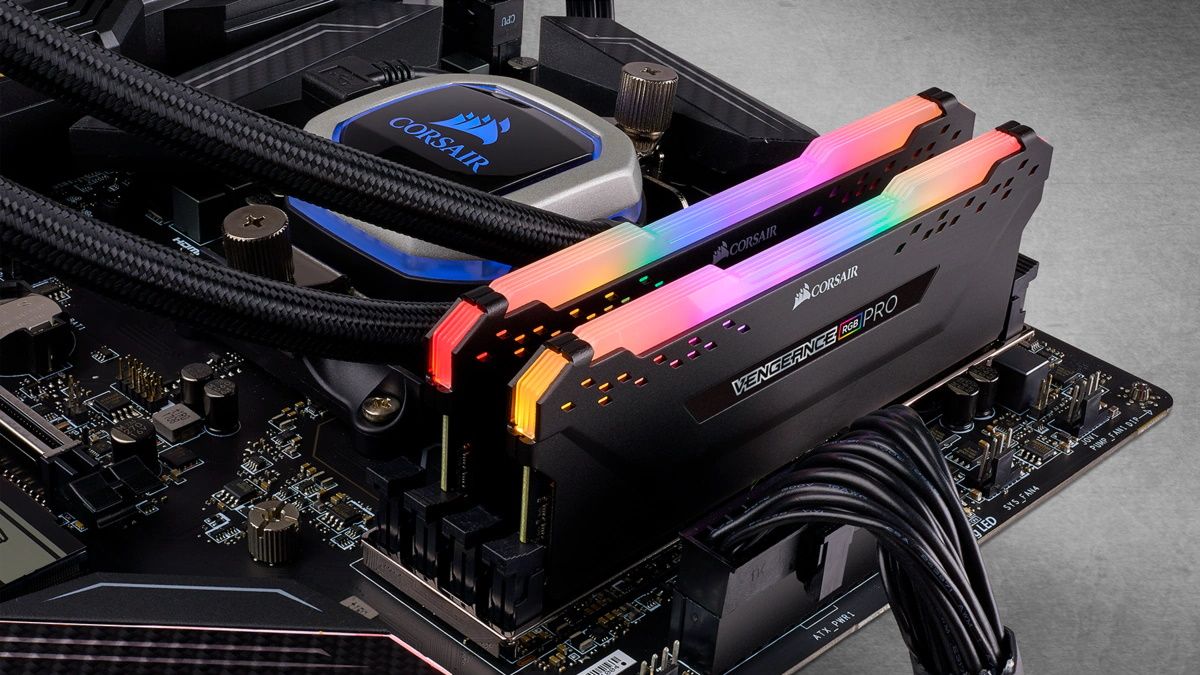
pcgamer
If you've been eyeing up 4000MHz DDR4, you probably want to wait for the BIOS updates.
should I go for 3200/3600/3800mhz?
unborn pike
I went with 3600
chilly jungle
unborn pike
I went with 3600
thanks for the input!
unborn pike
😄
I remember reading reviews about the speeds and timings and whatnot and iirc 3600 was the sweet spot
chilly jungle
unborn pike
I remember reading reviews about the speeds and timings and whatnot and iirc 360...
really? I've read a few things around but I don't whether the info is outdated
from what I got a BIOS update is a must have
no idea if they adjusted anything though
novel briar
unborn pike
I remember reading reviews about the speeds and timings and whatnot and iirc 360...
Not sure, when I checked was 3200, but maybe I looked more for stability than overclocking.
unborn pike
for gaming faster timings are mostly better, but I wanted MOAR BANDWIDTH
plus headroom for OC
 novel briar
Fortnite? That game should have min. requirements list.
 muted holly
how does that video card look
novel briar
How does Fornite's min. requirement list look?
muted holly
CPU Core i3-3225
Processor 3.2GHz
Operating System Windows 7/8/10 64Bit OR MAC OS Mojave 10 ...
RAM 4GB
Video Card intel HD-4000
novel briar
So, the task now is to see whether "Intel HD-4000" is better or worse than "NVidia Quadro P1000" 🤔
I think it should be fine.
muted holly
nice, thats a usefull website. thanks
novel briar
👍
muted holly
Would you recommend or not overclocking a laptop gpu
novel briar
I'm not knowledgeable on that. However, I wouldn't in general. At best, try some basic OC of the software which the vendors gives you.
muted holly
will try that
 wet ore
please correct me if I'm wrong but the difference between 3200/3600/3800mhz is completely marginal. You may notice a difference from 2400 to 3200, but ONLY in benchmarking, again may be marginal. the numbers you really want are the lowest CL (cas latency), which again between CL 15 and CL 16 will still be fairly marginal
unborn pike
well I wouldn't say the difference between 3200 and 3800 especially is marginal
3200 only has 84% of the frequency compared to 3800
wind egret
Games don't saturate RAM much. Other applications might, but their users won't quibble if their ram costs an extra 70%.
pure bison
Just installed a new AIO, works great
 shrewd shard

shrewd shard

For this Fool is never early, nor is it late. He arrives precisely when he doesn't mean to.
Impact Prelude Kevin MacLeod (incompetech.com)
Licensed under Creative Commons: By Attribution 3.0 License
http://creativecommons.org/licenses/by/3.0/
0:00 - Intro
1:13 - Pre-Ryzen
1:26 - Ryzen 1000
3:07 - Ryzen 2000
3:49 - Changed benchmarks
5:20 - Ry...
 solemn lichen
i love that video
but tldr: don't use UserBenchmark, they're ridiculously biased towards intel for some reason.
novel briar
Oh, thanks, I suspected it is bad, but I was not sure how much. There are tons of such comparison sites. Not really sure which ones are more reliable. In any case, the idea is get "rough" estimation.
It is good, that why, lol
solemn lichen
the site used to be great, it's probably just living off of that reputation
now it's a place you should avoid
novel briar
I mean good in seo
There was nice one for mobile gpus... As usually I forget the name, article+ game/apps benchmark and table of how it compares to other gpus. Used it before 10 years...
 wind egret
Digging through history for that one. At least it has a GPU.
shrewd shard
I just decided to look up what's available from X79/X99 platforms
This came up ready to pick up and use
novel briar
dvd 🤔
shrewd shard
Guess that's just like DVD drive
novel briar
They just have tons in the backroom and wanna sell them.
 polar sun
HI everyone, anyone tried quadro rtx 8000 for UE work ? is it worth it ?
Thanks
unborn pike
just google some benchmarks
I don't see why you'd want a quadro though, unless you have some specific reason
 obsidian jacinth
Recent, steam survey showed most popular cpu is 3.3-3.36 ghz intel/amd. my games might take some years to be ready. From this info which cpu i should be targeting ?
As for gpu gtx1060 is the most Popular so maybe there will be gtx 1070- 2060 rtx in future. . .
polar sun
Thank you guys, @unborn pike i was thinking of versatility as i plan some cinematic and movies with UE5 but also develop games as well .
obsidian jacinth
Recent survey showing 1060 being most popular gpu atm
I wonder how long it will take for hardware which are compatible with ue to be popular
shrewd shard
My guess is the 1660/Tie/Super will be the "average" in a soon time
 gray sky
i wanna get a second monitor to keep my code up on along with other tabs i open. does anyone have any recommendations?
devout pendant
gray sky
i wanna get a second monitor to keep my code up on along with other tabs i open....
do u want a specific refresh rate monitor
or just a normal 60hz
 vivid skiff
gray sky
i wanna get a second monitor to keep my code up on along with other tabs i open....
vivid skiff
gray sky
i wanna get a second monitor to keep my code up on along with other tabs i open....
1080p ViewSonic monitors are decent
gray sky
devout pendant
do u want a specific refresh rate monitor
60hz should be fine. just want it to have my code or other widgets like blueprints up, or discord while gaming lol
devout pendant
gray sky
60hz should be fine. just want it to have my code or other widgets like blueprin...
do you have any budget
gray sky
devout pendant
do you have any budget
would like to keep it under 500
devout pendant
gray sky
would like to keep it under 500
500 dollars ?
gray sky
devout pendant
500 dollars ?
yeah, usd
but like that’s just the max not the price of what i’m looking to spend XD
devout pendant
gray sky
yeah, usd
Amazon.com: AOC 27B2H 27" Full HD IPS Monitor, 3-Sided Frameless & Ultra Slim Design, HDMI and VGA inputs, Lowblue Mode, VESA compatible,Black: Computers & Accessories
gray sky
ty
shrewd shard
If it's for code, I'd recommend having it sideways
As in, with its default stand, it can be rotated
devout pendant
i want a wacom tablet for sketching and modelling does anyone has reccomendations
devout pendant
frank glade
get any intuos pro tablet
that so costly
steep cairn
what do people think to running an amd graphics card these days for ue4?
novel briar
It is ok.
 frigid heath
the whole AMD has bad drivers is just something that gets passed from generation to generation w/o any actually havin any problems with em 😛
i dare bet 50$ that 25% of the ppl that say on the internet that amd has bad driver never owned an amd card themselves
frank glade
I did have issues with one, but like 2 gens ago, especially in dcc software
frank glade
Or was it 5 gens ago? Hmmm
frank glade
steep cairn
they used to say avoid amd for ue4 in 2015
There was an article on puget this year about amd gpus and ue4, and they did not recommend it
Puget Systems
AMD's new Radeon graphics cards promise great gaming performance. But how to they stack up in Virtual Production or ArchViz workloads? And is Unreal Engine ready for these new cards?
This one
Other issues in this build have appeared as well, many materials do not display correctly, some lights didn’t show up, and I experienced several crashes. All this led me to not run the full suite at this point. It doesn’t seem like a fair comparison for AMD
Mostly for raytracing though
shrewd shard
I personally wouldn't rely on raytracing unless you need it for production, since Lumen simply does a better job in my experience without completely murdering performance
frank glade
I think there is a new brand of production software that uses it for extra speed, like toolbag 4, its bakers for example
 light mesa
If I’m gonna be running 2 3080s on a single setup how big should my power supply be? I’ve got a 850 Rn
 polar fog
1200w would be a safe bet
3080's are hungry af
could maybe squeeze it on 1000w
But you might be pushing it
Actually 1200 for sure, you always add 30% on for a safe margin
steep cairn
@light mesa my friend bought a ryzen 9 5900x with a 3080 and it shipped with a 750w, scan said he didn't need a 850
shrewd shard
850 won't be sufficient for 2x 3080
1000W is safe
The 3080s consume about 300W each
And you want a bit of leeway in case some turbo clocks get engaged
shrewd shard
Yeah, a 3090 should be better at least for the VRAM for production
steep cairn
i am only going to get 1 gpu
if i can get my hands on a 3080 for a sensible price, but two i don't think will give me anything
polar fog
Painted my back plate on my GPU white, now just gotta get rid of the Nvidia and cougar logo then 3d print some stuff and it's done
 devout pendant
yo guys i want to build a pc for unreal engine and game dev stuff
https://pcpartpicker.com/list/2tttht this are all the parts i want to get, do you guys think i should change something and what gpu to get
royal aspen
whats your budget?
there have been quite a lot of rx6900xt becoming available. a rx6800xt at msrp is really the sweet spot for savings though, still expensive.
devout pendant
well so i am just trying to make a pc that is good for unreal engine
royal aspen
then theres no ceiling
the more threads you have the faster your shaders will compile etc
devout pendant
thats 2,2k in my country thats kinda brutal ;-;
royal aspen
ah yeah
i would recommend going with a x570 board, the b550's are usually not much cheaper
devout pendant
i have a b550 right now
royal aspen
jumping up to a 5700x or greater you'd notice the speed difference significantly
snappier
availability is rough though
but they can be had if you are patient
gpu wise rx6800xt is the best deal if you can spend the 650 on it (though you have to be really patient to find one for that, and some skus of it will run 900+)
you wont get dlss like you would with nvidia though, but you'll only be wanting that when your playing raytracing titles really.
devout pendant
650$?
royal aspen
that is the MSRP of it yes
but they sell for as much as 2k with the way the market is rn
but you can track sales of it carefully to find when they come in stock at some place that will sell them for that
devout pendant
which nvidia gpu u think is good for my build
royal aspen
depends on how much you want to spend, the 3070 is not a bad choices but it makes little sense compared to having double the memory on a rx6800xt
devout pendant
damn i was thinking that, i prob should get more ram
but i saw a reddit post it said it was enough and i was fuck it
royal aspen
3070 gonna out perform in raytracing and will have dlss, but these two things are pointless imo. one requires the other and dlss is something you want for games with a camera that doesn't move.
devout pendant
yea i am still searching
yea so my plan was to use my old pc for blender and some other stuff, and the new build for unreal engine
thats why i was thinking maybe 16 is enough
but yea i should get 32
what about this Sabrent Rocket 4.0 1 TB M.2-2280 NVME Solid State Drive
is it good enough?
damn
this is my first time doing a build
what gpu do you think i should get, in the current market
wait i dont get this, what you mean in vacuum?
wow thanks man you really know a lot about this
royal aspen
been on a rx6900xt and have still yet ran into anything that requires cuda. the ray tracing performance isn't phenominal on it, and it could use the dlss to make up for it. but am not a fan of the way nvidia has been running things to put it bluntly
raytracing isnt there yet
would be curious to hear how well gpu lightmass works on amd
the cores are way faster, just less of them
eh i have a network of computers for cpu lightmass haha
i'm scared to start checking gpu lightmass code cus of the edits made to cpu lightmass etc
true yeah
am kinda curious how gen3 direct storage will be
royal aspen
devout pendant
what about this Sabrent Rocket 4.0 1 TB M.2-2280 NVME Solid State Drive
that would be a great pick for direct storage but again i dunno how relevant that is to your development experience. and you'd need win 11 it sounds like
devout pendant
yea i am just trying to make a solid build to have a better workflow in ue4-5
will ryzen 7 3700x will be enough tho
royal aspen
ye thats a really wide statement though
it depends entirely on the project you are making
royal aspen
your experience is still gonna be better developing with a 5950x and a rtx 3090 or whatever the highest of highest is
but it should be pretty snappy on a 3700x still
really should look for a 5800x if possible tho
a rx6700 would probably be the most cost effective and recent gpu viable for this
you get dxr and all that
well list prices is 480.00
going price on something like a gtx 1650 is around that too
ikr
the market is bad rn, but if you join a discord that alerts you to availability and stuff, it helps to get these things at list
royal aspen
https://twitter.com/NerdSpeakDeals/status/1414068133107699713 @devout pendant

ROG Strix GA15DK Gaming Desktop PC, AMD Ryzen 7 5800X, GeForce RTX 3070, 16GB DDR4 RAM, 512GB SSD + 1TB HDD, Wi-Fi 5, Windows 10 Home, GA15DK-AS776 by ASUS for $1,638.31
Shipped + Sold by Amazon. not a bad deal for the specs. #ad

 Twitter
·
Twitter
·
If your looking for a prebuilt that stood out to me as a good deal (some reason you must go to view all offers to see the amazon price)
 final mortar
ive got by with @last scarab @stiff kelp @violet marsh

 stiff kelp
i'm jealous
final mortar
1 NVME 1TB (860 evo), 2x SATA 3 SSDs (970 evo, not crazy expensive stuff)
final mortar
PCIx 3.0 here
final mortar
same
 violet marsh
my two M2 are 980 pro PCIe4 😓
final mortar
jeally on that
 last scarab
 final mortar
the only reason PCIe4 is compelling at this point
last scarab
first 2 are nvme
final mortar
i skipped my HDD
stiff kelp
my PC is a beast tho
 stiff kelp
i actually need to figure out why my system isn't picking up my HDD
final mortar
no loss or anything but they dead
stiff kelp
it's plugged in
final mortar
but i have another 2TB for HDD external atm
stiff kelp
but I had to move my desktop a couple times when my place flooded
violet marsh
PCIe4 be like 6GB/s, this is too fast
stiff kelp
so, probably need to reseat the cable in the PSU
my PC now sits elevated at all times
violet marsh
stiff kelp
my PC is a beast tho
hehe we have a pretty similar build
last scarab
don't have floods here, but i guess i have to worry about earthquakes 😟
violet marsh
tho I went with 64GB of ram cuz 16 cores
final mortar
@last scarab west coast?
stiff kelp
it runs faster, because gravity causes the data transfer to go faster 
final mortar
LA, CA here
stiff kelp
violet marsh
tho I went with 64GB of ram cuz 16 cores
i have 2 identical sticks of 16gb each sitting on my bookcase. I should pop them in. But i've heard of issues with UE and 64 gb
final mortar
earthquakes are normal, but we always fear and respect The Big One
last scarab
final mortar
<@!106621971705380864> west coast?
yup, bay area
stiff kelp
final mortar
LA, CA here
Escondido, CA here 
final mortar
earthquakes for the lot of us
last scarab
stiff kelp
Escondido, CA here <:pogchamp:405132397324271627>
we playing hide and seek?
final mortar
but yeah disk space is rough- i do not have a source control setup at this point, only crude copies
but that is absolute suck
ive been reassured around here that this is doable from a disk space perspective
nonetheless, i need a NAS solution
final mortar
ive been so focused on GPU that i havent dived into what to build yet
stiff kelp
outside of projects, I only really store games on my PC
final mortar
(got eeem though, 3080 ti via amazon direct sold booya)
stiff kelp
noice
i ordered my machine prebuilt in order to avoid the price gouge
was a nice tax write off too
final mortar
stiff kelp
but i'm worried about speed
yeah i dont think i would do the main working copy on NAS or anything
last scarab
final mortar
(got eeem though, 3080 ti via amazon direct sold booya)
cries in 2070
final mortar
but for storing some git repos, and a huge hunk of incremental backups locally
final mortar
last scarab
*cries in 2070*
i was at 1080ti before this
stiff kelp
I use all of these often, and they're basically all of my taken space
 final mortar
i aimed to get 3080 like everyone else last year
stiff kelp
final mortar
i was at 1080ti before this
same!
final mortar
couldnt do it
stiff kelp
my backup PC still has mine in it
violet marsh
final mortar
(got eeem though, 3080 ti via amazon direct sold booya)
nice, how much was it?
final mortar
$1400 USD, MSRP for EVGA 3080 Ti ftw3
final mortar
its expensive, for not a huge gain over 3080
violet marsh
I think it was like 1.8k€
final mortar
but it is a big gain for dev -- though a 3090 is ideal
violet marsh
so like 2k usd
final mortar
3090s are at 2/2.1k
availability is expected to get a lot better though
but prices not so much, if you are talking MSRP
if you actually want it without waiting / toiling then you are looking at 2.2x MSRP at least
and thats helping the scalpers
violet marsh

last scarab
Here's hoping the chip shortage is coming to an end
stiff kelp
🤞
final mortar
yeah
last scarab
luckily we haven't dealt with that at work, but we've dealt with the lesser known worldwide plastic shortage
final mortar
in the mean time, ive been at fixitfixitfixit, a stock alerts group that gets you to availability fast
last scarab
for whatever reason, our wafers haven't had their leadtimes extended 🤷♂️
final mortar
he does youtube streams of it
stiff kelp
last scarab
luckily we haven't dealt with that at work, but we've dealt with the lesser know...
the lumber shortage is effecting my house repairs. Shit sucks.
final mortar
everything is stretching under the weight of the "post" pandemic cycle once vaccines became available
but i think outlook is good for all of it, just sucks in the mean time
final mortar
("post" is stretching it when you look at the world as a whole but at least in the US)
last scarab
stiff kelp
I feel bad for you guys
😭
final mortar
omg it is expensive
final mortar
yeah coolio
agile lodge
hardware what i got today

 prime loom
Looks tough
agile lodge
feels tough too
final mortar
@floral nexus by lots of memory i mean 32GB at least
i mean you can do it with 16 but if you are building a machine with game dev in mind, id go 32 or at least ensure you're ready to upgrade to 32
 vale wolf
I'm using 16 gigs of ram atm but later down the line you probably want 32
 floral nexus
I have the ability to build a beast of a machine so ill go with the 32
floral nexus
Like....4ish grand
vale wolf
At that point just get a 3090 lmao
final mortar
ironically a 3090 is going to be most useful for work in DCC (3D modelling etc)
however, 30 series cards are great if you are working with static lighting
because using UE4's GPU lightmass can use the RT cores
floral nexus
Im doing my absolute best to follow all of this
final mortar
highly recommend AMD for CPU, AMD 5950x is a good value with a lot of cores/threads -- if you really want to go crazy you would get Threadripper which is wayyy more expensive but they have ones that have iirc 64 cores
for things like... building the engine from scratch, or compiling shaders, or tons of other precomputed stuff that takes a lot of time in UE, more cores the better
and the 30 series just refers to NVIDIA GeForce RTX 30 series graphics cards which are stupidly hard to get a hold of. AMD also has great options for graphics cards but their ray tracing performance isnt quite there if that matters to you
things are getting better on graphics card availability but its still rough
just dont pay more than MSRP for them if you can avoid it because it usually means you are paying a scalper
for what its worth though you can do a lot with less
my current build is intel skylake i7 6700 + 48GB of RAM- i had a 1080 Ti until a few weeks ago and now ive got a 3080 Ti. I did not need the 3080 Ti for unreal development though i certainly used it as justification it in my mind 🙂
i was comfortable in UE with 32GB of ram before i upped to 48
1080 Ti is like 3 or 4 years old at this point (but was the top of the line card then)
i dunno, let me know if you have questions 🙂
floral nexus
So i have read up on the thread rippers a little bit. Those specialize in doing multiple things at once from what i can tell right.
I really dont care about all the rbg lighting(glowing rainbow parts) stuff more about power over looks
I was using an intel i7 with 8 gigs of ram. A dell laptop my wife got for gaming several years back. Has an nvidia chip in there. I was learning ue4 on that but the program straight up wont work on it. None of my blueprints work properly, cant right click most thing either.
shrewd shard
Do keep in mind you need to scale up your RAM with the amount of threads you have available
floral nexus
That i had no clue of
shrewd shard
For 16 threads (8 core Ryzen for example) 32 GB is what I'd recommend for game dev
floral nexus
But is very good to know.
shrewd shard
I was using 16 GB for 16 threads and would be heavily bottlenecked from total RAM
floral nexus
Do i need to go all out with a ryzen 9 for ue5 when it drops next year?
shrewd shard
CPU will mostly help with shader compiling and building rather than performance
floral nexus
I will definitely be back tomorrow to converse more about all this. I have agreat deal to learn but im up for the challenge
shrewd shard
For UE4, 8 cores will be sufficient, but GPU needs to be good
floral nexus
I gotta turn in since i get up at 5am for work. Thank you for the info. Im writing down LOTS.
shrewd shard
More cores decrease downtime from shader compiling if you work a lot with materials
floral nexus
Suuuuper glad i joined this discord.
shrewd shard
Also, 8 GB is the bare minimum for a GPU if you're using Lumen, so do keep in mind
floral nexus
Thats not sarcasm im legit stoked.
shrewd shard
If you have the option between 3070Ti or RX 6800, the 6800 will be better for gamedev
Simply for the fact that it has 16 GB VRAM rather than 8 on the 70ti
If you have the budget for anything (ultra high end and such), go with whatever is best bang for the buck
Small explanation for the RAM per thread thingy is that programs will spawn an amount of processes that scales with amount of threads
Each process will take up a chunk of RAM, so if it spawns more of them, more of your RAM will be full
If you'll be going for a Ryzen 9, I'd highly recommend you try to fit in 64 GB RAM
You might be able to get away with 32 if you won't be using builds from source, but sooner or later I suspect you'll delve into it
royal aspen
shrewd shard
Simply for the fact that it has 16 GB VRAM rather than 8 on the 70ti
More vram is great, and tbh it’s been many many years since I’ve had any less than 11gb, but yea I think when you look at the 6800 it’s legit better than the 3070 performance wise in every way that isn’t reliant on dlss or raytracing. 6800 is capable of raytracing just fine but I wouldn’t even classify the 3070 as being great at dxr because dxr is fundamentally flawed. Your only getting good rt performance if you are using dlss, and if your using dlss your game is looking bad whenever the camera is moving... but yeah I will recommend the 6800 not only for memory but it’s also comparable raster performance to a 3080 and sometimes a 3090.
The 3070ti isn’t enough of a step up from the 3070 imo, they are both excellent cards but a 6800xt is easily where the bang for buck still lives
frank glade
I've really been eye-ing a 6800 too. I don't do any rendering or have use for raytracing, just want a fast gpu for dcc work, including substance painter. current 6gb of vram gets filled too fast, so 8gb or even 10gb doesnt sound that good of an upgrade in that regard
royal aspen
I've been using nvidia since the 9800 gtx, had a 9800xt before that which came with half life 2.
And upgraded recently from a 2080ti to a rx6900xt
drastically faster, the drivers are actually really nice and i don't have to make any sort of account to get automatic updates 
been very happy with it, much more than i thought i might.
novel briar
Team red 💪
I have also 6900
However, annoyingly on monitor turn on/off (away timer) it sometimes resets all windows sizes, clumps them top left.
Also not sure whether it is because of the card, but Blender gets some depth fight on unselected meshes when in edit mode. Weird.
I think their drivers/sw support is a bit unstable in general. However, happy enough. Also no Nvidia Experience app 🤦♂️
frank glade
novel briar
Also not sure whether it is because of the card, but Blender gets some depth fig...
Does everything work in blenders viewport? Like antialiasing or shadows / ao?
novel briar
Haven't noticed issues there 🤔
shrewd shard
I don't know why Novideo keeps pushing this Experience app
Why would I need something that regulates my graphics settings if I can just do it myself
Or why would I auto update if everything works just fine
novel briar
For me most annoying was it was buggy as hell GUI. On updating, the font was not scaling so all text was miniscule on my 4k 27", moreover, the buttons for some reason where out of the window area so you have to navigate with keyboard to press them.
floral nexus
So pretend im Michael Scott and i need you to explain it to me like im 5. What parts should i pick for building a pc used for game development and streaming? Ive been looking at the ryzen 9 but someone said the thread ripper series is good but another person said thread ripper would be bad for gaming and i just dont know what to pick.
I dont care about the flashy lights in the pc i just want a beast machine i wont have to upgrade for a bit. I got the funds to build pretty much anything just next to no knowledge on what to get.
frank glade
@floral nexus https://www.logicalincrements.com/
Helping you build a PC, at any budget.
Just pick something green, green is good! 💚 but red is better ♥️
floral nexus
@frank glade this is perfect for someone with as little knowledge as me. Thank you so much.
final mortar
got a 3070ti from the bestbuy drop for my girlfriend 😄 [but my wallet hurts a bit]
shrewd shard
Getting a weird 100% disk usage bug on my work project SSD
For some reason for a minute at a time it goes to 100% usage, 0 read/writes on both amount and bytes
And yes, it's a minute at a time, pretty much every time
Anything I try to do with it is pretty much completely frozen for the time being and it tilts me off my socks
Tried a restart, tried a chkdsk /c /f
Trying a chkdsk /f /r /I and hopefully it finds something
final mortar
shrewd shard
Getting a weird 100% disk usage bug on my work project SSD
you should check windows event viewer for signs of trouble
or the logs for whatever OS you are on
shrewd shard
It is Windows indeed
shrewd shard
"Reset to device, /Device/RaidPort0, was issued"
Welp
Guess it's time to backup


 shrewd shard
Update: Replaced SATA cable and it's working just fine now
Gonna try using it for a while and hopefully nothing happens
 mighty cosmos
I got a brand new faulty 5950x 😐
My god am I lucky...
novel briar
faulty?
mighty cosmos
Worked fine for 3 days, BSOD out of nowhere and its stuck in a boot loop
I can get into bios fine but when trying to boot from bios into windows it crashes before it even gets to windows, crashes at 02 progress code which is microcode loading which seems to point that it is a cpu fault
I tried everything I can, tried all of the ram sticks in all slots 1 by 1
Tried ram from the other PC
Cleared cmos
Tried without the gpu, tried without any drives connected with a boot usb
Took apart everything including the cpu and put it back together just in case something wasn't seated properly
It crashes with random errors
Most errors are related to memory, I know ram and all of the drivers are fine because I tested with ones from the other pc
Which makes me believe it might be cpu cache or something
Also tried flashing the bios
I isolated the problem to either the cpu or mb, I pretty much had it running with only the cpu and a stick of ram and still the same issue
 soft plume
r i p
 rugged wedge
don't tell anyone but I'm using the cheapest 64gb walmart oloy ram and there's like a 2% diff in speed vs. high end ram
final mortar
^^ would be a good pin tbh for anyone building a machine aimed at UE (or anything really)- the difference is demonstrably minimal for a much higher cost

Steam Deck
Steam Deck is a powerful handheld gaming PC that delivers the Steam games and features you love.
^^ i was skeptical at first, but i think i might bite. Thoughts?
agile lodge
if you want more hardware https://www.razer.com/eu-en/razerstore/live/featured

Razer
A livestream event packed with giveaways and unboxings. Catch us live on our YouTube channel on 14th July, 6.30PM PST.
royal aspen
mighty cosmos
I got a brand new faulty 5950x 😐
My god am I lucky...
Send it to amd
Or return it and try again
I had one too, zeblote had one as well
royal aspen
mighty cosmos
Worked fine for 3 days, BSOD out of nowhere and its stuck in a boot loop
I can ...
Do you have any other chip to put in?
mighty cosmos
royal aspen
Send it to amd
I returned it today, I should get a new one in 5-7 days if their diagnostics show that it is broken
mighty cosmos
royal aspen
Do you have any other chip to put in?
nope
mighty cosmos
retailer
royal aspen
Ah cool
Hopefully they’ve got stock of them
Amd was pretty fast at getting me a replacement too
I bought another once since then and it has no issues what so ever
But it does seem like that first batch had many problems
mighty cosmos
yeah, on their website (retailer) it says they have a few
I mean there is no way something is not broken with the CPU or MB
All of my other components work perfectly with the i9 which I just installed back and everything works fine
royal aspen
What board did you go with
mighty cosmos
x570 taichi
royal aspen
That’s Asrock yeah?
mighty cosmos
yeah
royal aspen
Should be okay
rose mauve
Need to upgrade for my gpu
For lumen
Can't afford quadro
But budget is 2-3k
What's the top line on that?
Also need to upgrade my ram by 16 gigs
So minus that
For ddr4
I don't wanna get a 3090 for just 10 more fps
So I think 3080 should do
But are there better and equivalents?
frank glade
rose mauve
So I think 3080 should do
3080 ti for 12gb of vram instead of 10
I don't think quadros are suited for UE and game dev work. if you're doing CAD, solidworks, etc sure
soft plume
hm
3080tis/3090s are in stock?
and you have money?
amds gpus are great
they cost a bit less
they use way less power
and the 6900xt for the price of the 3080
frank glade
soft plume
3080tis/3090s are in stock?
My 3080 ti is coming in next week haha. But ill be keeping the 1060 for testing
frank glade
I found it at an ok price in germany
soft plume
scalper?
soft plume
r i p
frank glade
Ill let @sick cedar know how much faster it is than the 3070 ti 😆
soft plume
XDDDD
 sick cedar