#virtual-production
1 messages · Page 1 of 1 (latest)
 prisma narwhal
We're trying to streamline the process and do it on a very professional level. I'm interested in seeing how much unreal could help but not sure if it's actually better than using something like brainstorm
 pulsar flame
prisma narwhal
We're trying to streamline the process and do it on a very professional level. I...
pulsar flame
prisma narwhal
We're trying to streamline the process and do it on a very professional level. I...
I see all of those make life easier. You pretty much skip alot of development time to configer create the content. Creating features. No idea how good each of them is. For me I dont like them cause you are limited and depend on them. While in Unreal you can create whatever you think is needed for your broadcast. But that takes time and a lot of testing to have everything stable
 merry mango
Do you guys optimize your scene for rendering?
 zenith cove
prisma narwhal
We're trying to streamline the process and do it on a very professional level. I...
zenith cove
prisma narwhal
We're trying to streamline the process and do it on a very professional level. I...
I suggest you just get in touch with Brainstorm and/or other providers and ask for demo or ask questions
prisma narwhal
zenith cove
I suggest you just get in touch with Brainstorm and/or other providers and ask f...
We have been but was wondering if anyone on here has some input on the topic
prisma narwhal
pulsar flame
I see all of those make life easier. You pretty much skip alot of development ti...
Yeah, we're trying to get up and running asap but are also in a country with not too many unreal devs so it's been a bit challenging finding someone who can set that up for us via just unreal
So there's Brainstorm, I've herd good things about Pixotope too.
zenith cove
There's VizRT
prisma narwhal
Really just looking for soemthign that's actually built for cinematic virtual production usage as opposed to broadcast. Ik it's mostly the same but ykwim
zenith cove
What do you define as Cinematic VP usage
I understand all those products mainly feature live broadcast examples
making it hard to gauge there usability for other aspects
prisma narwhal
A package that has tools geared specifically towards virtual production for film.
Honestly I couldn't tell you a specific use case because we haven't gotten our hands dirty that way yet but I just want to make sure that if we go for one of these things it's the best fit for us
And not a broadcast software that you can appropriate for film. You get what I mean?
zenith cove
Yep I absolutely get what you mean.
You don't per se need all that real time compositing and so on
prisma narwhal
Well we actually do because we're currently working with a green screen and not a volume but it's still something I want to think about. Leaning towards using brainstorm atm
Since I've seen the work studios like Mr factory do using it
zenith cove
Yeah but you don't need real time results right here right now, you can get away with recording and then doing the final production composite afterwards right?
prisma narwhal
Yep exactly
Finally got our ncam setup the other day so things are beginning to get real interesting in the studio
zenith cove
Are you based in Spain?
prisma narwhal
Based in India at the moment
zenith cove
Ah,m because you brought up t wo Spanish companies
prisma narwhal
They know what they're doing out there haha
There's a huge ass film industry here and basically no one does virtual production. It's crazy
zenith cove
prisma narwhal
They know what they're doing out there haha
Yeah haha. Try checking out this video giving a brief overview on a low scale low budget VP set-up https://www.youtube.com/watch?v=DQT0Qy856mA

This video is a quick overview of how we got into Virtual Production and some things we learnt along the way.
Age of Outrage is the BBC Wales comedy series we made - you can see it on BBC iPlayer in the UK:
https://www.bbc.co.uk/iplayer/episodes/m0011mct/age-of-outrage
After we finished the series, we were helped to do more research into Virtu...
prisma narwhal
zenith cove
Yeah haha. Try checking out this video giving a brief overview on a low scale lo...
OK so this is actually what makes it complicated because we're literally trying to disrupt bollywood on a massive scale here so our setup is going to be HUGE
I will give that video a watch tho
Our clients are mostly going to be big bollywood production houses
zenith cove
haha
I'm generally used to people posting questions here related to a modest set-up and budget
zenith cove
100mx80m??!!
prisma narwhal
Yeah
So we're talking to zero density and Stype and brainstorm and all the rest but outside of talking to these companies it's not like we have too many other studios or vp talent in the industry to get tips
There's really just a handful in the country
zenith cove
No I get it, and these enterprise partners more than likely just want to sell you stuff 😛
prisma narwhal
prisma narwhal
There's really just a handful in the country
And they haven't got the same funds so they aren't doing it at the same scale
zenith cove
Maybe aside these providers, it might be worth looking around for other VP studios and see if they're willing to provide consultancy
In the EU there are several
prisma narwhal
Yep we're talking to a few and that's the plan
But also trying to collect Intel in the meantime yk
zenith cove
sounds like you got all your ducks in a row
I don't think I can help you further but I wish you best of luck!
 solemn nova
Hello guys:) I have question .. how to playback Prores video for virtual production in UE? at the moment I am not able to run the player with this format
or maybe another 10bit video format supported by UE?
 onyx flume
solemn nova
Hello guys:) I have question .. how to playback Prores video for virtual produc...
onyx flume
solemn nova
Hello guys:) I have question .. how to playback Prores video for virtual produc...
There is a ProRes media plugin in the Plugins that needs to be enabled, check to see that it is ticked and then restart the engine
solemn nova
🙂 ofcourse I used this plugin .. but still media player dont recognize prores files
I wonder if this plugin is not only for high res rendering of prores but not for playback
onyx flume
I have used it no problem for both playback and rendering
solemn nova
classic media player playback prores video
I see:0 so something is wrong in my comp ... thanks for info:)
onyx flume
Yeah that is odd. I would try other prores videos to see if it's not just that specific video that isn't working. Or try playing the videos outside of Unreal to make sure it isn't the video itself that's the issue
solemn nova
I need my prores video for driving stage with 10bit depth
onyx flume
Are you using UE5?
solemn nova
yes .. i know that must be dx11:)
onyx flume
😅 I was literally typing that as my next suggestion
Ok one other option you could try is enabling the Electra Media Player in the plugins. I haven't had to do that myself but another team member mentioned using that as a workaround. Might work for you 🤷♂️
solemn nova
mp4 playback ok ... AJA, Blackmagic too .. but problem with Prores ... maybe some encode options ... anyway I have to use UE because I wrote whole system for driging stage with nDisplay under UE
but Electra is 8bit
onyx flume
Ah. I don't have much experience with nDisplay maybe there is incompatibility there with ProRes
solemn nova
I tried too ... mybe I will write my own player if will be problem
ok anyway .. thanks so much for your help:)
 copper finch
any reason why raytracing shadows would show in editor, but not in ndisplay during play mode?
merry mango
Anyone know the nodal offset for BMPCC 6K Pro + Sigma 17-40 f1.8 lens? Using the normal hot shoe on camera.
 gloomy goblet
Hello! I'm working on some Virtual Production stuff, and so far everything is fine. The problem I'm coming across the the look between the Camera, and the cg plate which is using the same camera.
How do I get cg_element1 to look like Cine CameraCamera.
The cg_element (which ive labeled BG) is what is going to be the element that's going to cover the greenscreen, I like the look on the CineCamera, both should be the same, anyone have any ideas? I'm so close lol
 gloomy goblet
Did you ever find a solution, I'm going throught he same thing and its driving me crazy!
Hi, did you ever find a solution, I can't seem to find one.
 sour rapids
gloomy goblet
Did you ever find a solution, I'm going throught he same thing and its driving m...
sour rapids
gloomy goblet
Did you ever find a solution, I'm going throught he same thing and its driving m...
Nope. There's this workflow which seems like the solution but I haven't got around to test it out https://youtu.be/yFie1nNjqME

Here is the first in the new series of BOWTI!!! This time I've delved deep in to Unreal Engine's built in compositing system - Composure. With the help of Duncan at composure X, I discovered this awesome new method for replicating exactly what's on screen or viewport an passing The OWL render target through Composure.
If you are an existing Co...
zenith cove
@gloomy goblet @sour rapids Going to link to my previous message, that newsletter from Offworld Live seems to hint that Composure uses SceneCapture2D which does not have the same features as CineCameraActor
I never got any more elaboration than that though
 zealous apex
NVIDIA Screencapture not supported on my LAptop with ue? Always says no supported GAme. Any Tip?
zenith cove
zealous apex
NVIDIA Screencapture not supported on my LAptop with ue? Always says no supporte...
Hmm, I wouldn't immediately recommend Screencapture, but what happens if you launch your project in a new editor window or as a standalone game?
If you're tryign to capture the Editor, that might not work I'm afraid
 tepid pier
Hello guys. Im having a little problem and would appreciate if anyone could help:when connecting the livelink to my metahuman it connects for about a second and the metahuman then freezes. Also, the livelink window turns yellow. im pretty sure the steps i made to connect with it are correct
gloomy goblet
zenith cove
I never got any more elaboration than that though
Thank you for sharing, but I've seen example online where yes its not as good, but it's not as bad as the results I'm getting. Maybe it's worse in Unreal Engine 5.
 safe apex
I'm trying to access my incoming timecode samples in timed data monitor and am totally lost
the output of this is a "Timed Data Monitor Channel Identifier Structure" which doesn't appear to be documented. can't print it and nothing in the context sensitive menu looks useful
 gloomy goblet
sour rapids
Nope. There's this workflow which seems like the solution but I haven't got arou...
gloomy goblet
sour rapids
Nope. There's this workflow which seems like the solution but I haven't got arou...
Hey, just wanted to message you and say thank you. So far the process that was discussed in that video is working perfectly. It totally bypasses Composure's Screencapture crappy camera, and instead uses the Camera provided by OffWorld, and uses Render Targets.
The video you sent was just the intro, but in the description of that video you sent, is a playlist on how to get it all set up.
So, thank you again. Here's a screen grab of it!

CamTest is Unreal's Camera
OffworldComp is coming from Composure, which is using the OffWorld Tool kit Camera
sour rapids
gloomy goblet
CamTest is Unreal's Camera
OffworldComp is coming from Composure, which is usin...
Awesome! Glad i was able to help. I'm about to set up the workflow and try it out myself. Can't wait!
gloomy goblet
sour rapids
Awesome! Glad i was able to help. I'm about to set up the workflow and try it ou...
Follow the tuts, and please let me know if you come across a hurdle, I may be able to help since I just did it
 valid geyser
Anybody know how to enable dlss in ndisplay? Been searching like crazy, and I know disguise found a way to set it up
zenith cove
gloomy goblet
Hey, just wanted to message you and say thank you. So far the process that was d...
Thanks for doing and sharing an A/B comparison! That issue has popped up occasionally on this channel and we were never really able to get a solution
gloomy goblet
zenith cove
Thanks for doing and sharing an A/B comparison! That issue has popped up occasio...
Truth be told, the original problem was never solved, we just found a similar workflow that's actually "better" than the original. I had a friend do the exact same test with composure, and as I thought, he's not getting those harsh color tones-my theory is that is may be video card driver related, or something with Unreal Engine Settings, or both, and there's no way of pinpointing it out, like trying to find a needle in a stack of needles.
HOWEVER, this workflow is "solution" and should be adopted for future Virtual Production workflows. You get great results, and it works as it should. So, for anyone who's having a problem with Composure and and the cg_element looking like crap, refer to this playlist I found here, it includes the intro to the new composure workflow and the tuts to get you started:
https://www.youtube.com/watch?v=yFie1nNjqME&list=PLElT6SIg9JnC8USiNddlj3f4qhggb2U-s&index=1&t=0s
Here is the first in the new series of BOWTI!!! This time I've delved deep in to Unreal Engine's built in compositing system - Composure. With the help of Duncan at composure X, I discovered this awesome new method for replicating exactly what's on screen or viewport an passing The OWL render target through Composure.
If you are an existing Co...
zenith cove
gloomy goblet
Truth be told, the original problem was never solved, we just found a similar wo...
Interesting, thanks for the information. I'm surprised it's not consistent between systems, that just complicates matters further 🤣
gloomy goblet
zenith cove
Interesting, thanks for the information. I'm surprised it's not consistent betwe...
Yes it does lol
 hybrid fern
Hello guys!!
is this chat where we can discuss about the dmx plugin in unreal and virtual shows??
or there is another exclusive chat for that
zenith cove
hybrid fern
Hello guys!!
Feel free, I don't know much about dmx though
gloomy goblet
there's a tutorial on dmx in a skillshare tutorial series

Skillshare
Unreal Engine 5
Get started with Unreal Engine 5 in this hands-on and exciting course for beginners. You’ll learn about the user interface, build realistic land...
the series is pretty good for what it is
I have a skillshare account and only play the tuts I need to watch since i know a bit more about unreal engine now
gloomy goblet
Hey, need some help.
Can anyone point me to the right direction to do some basic controller mapping to control a camera in a Level. Now that I know how to get live inputs into the scene, I need to be able to Control the Camera live when I press the "Play" button in Unreal Engine.
A point in the right direction would be great, please and thank you!
zenith cove
gloomy goblet
Hey, need some help.
Can anyone point me to the right direction to do some basi...
Maybe make a child from DefaultPawn, that pawn has built-in flying movement.
If you do want to get into movement inputs, keybindings and such, which is very useful knowledge, then this tutorial seems good https://www.youtube.com/watch?v=rLMxlSJj-nY

Remember to comment and answer the poll on the next tutorial video you'll like to see. Next tutorial's audio will be improved :).
Thank you for watching this video. I am about to begin an RPG game tutorial series which will begin shortly along with many other UE4 tutorials. I am also working on a Virtual Reality tutorial series to help those ...
hybrid fern
zenith cove
Feel free, I don't know much about dmx though
Thanks!! Im starting a youtube channel focused on how to work with that plugin in unreal and wanted to know if there were any special channel for that here, but i asi here any question ✌🏽😇
 steel mortar
Hey there, I'm trying to control some pawn movements over MIDI. I have a MIDI controller and assigned the camera spring arm rotations to some knobs. Even though I see this setup work in editor, I can not control the camera rotations in gameplay. With the same MIDI setup, I can control other actor parameters, both in editor and in game, it's just this pawn controls I'm having trouble with.
Is there some kind of pawn or gameplay setting I should check in order to fix this? Any idea is welcome and much appreciated!
solemn nova
hello:) hello I have a problem with smooth video playback in nDisplay, it jerks every time. Does anyone know how to set the engine for this?
gloomy goblet
zenith cove
If you do want to get into movement inputs, keybindings and such, which is very ...
You are awesome, thank you for your time!
gloomy goblet
@zenith cove I purchased a course in Udemy that teaches you how to build a Game, looks pretty cool, but its built entirely out of Blueprints, so hopefully the lessons are structured in a nice fashion where I can also learn Blueprints by example, and will be able to have a fundamental understanding of making my own blueprints and mapping/creating any combination I want for future virtual production stuff and filmmaking
valid geyser
Anyone have any experience getting remote web control working with UE5 in mu server? Seems totally broken for me atm
solemn nova
hello:) is this possible to use NotchLC codec in Unreal Engine?
 crystal merlin
solemn nova
hello:) is this possible to use NotchLC codec in Unreal Engine?
crystal merlin
solemn nova
hello:) is this possible to use NotchLC codec in Unreal Engine?
hi, if you try and it works, I'd love to know your experience
I'm trying to create a reusable camera rig so I don't have to recreate one from scratch and manually set each parameters how I need them every single time.. How can I create something that I will be able to re use?
I tried creating it within a BP.. but now I can't set it as a view target.. and it doesn't have the look at feature when it's in an actor BP?
zenith cove
Is there a way to get access livelink animation data content in a BP?
Like say, how could I get a specific bone transform from this

 pallid heath
@zenith cove try this
 zenith cove
pallid heath
<@259474121484795907> try this
zenith cove
pallid heath
<@259474121484795907> try this
Thank you! I've created a workaround for now but that might prove useful in the future
 sweet bay
Does anyone have any knowledge on how to play an M3U8 live stream file in engine? I tried using Electra Player but can't get it to work. It plays MP4 files fine, but not the M3U8 ones
zenith cove
sweet bay
Does anyone have any knowledge on how to play an M3U8 live stream file in engine...
M3U8 is a playlist right? You could write a parser for that
 earnest sun
Currently trying to create a composure layer with the camera stream coming in from a blackmagic camera. However, I noticed that when overlaying the inputs, the camera layer seems to become more transparent while also fading out the background layer.


 cobalt mesa
Hi! I'm trying to make ICVFX with UE5 City Sample but when i launch the ndisplay the ndisplayspawn at (0,0,0) location
I heard that it was about world partition issues. so i disable world partition at world settings.
after that my nDisplay lauched at UE City Sampl's player start point .
Is there any solution for locating nidplay at the point where I want?

 tropic mulch
Is it possible to play 2D videos Using the UE4 Switchboard ?
 shy bridge
tropic mulch
Is it possible to play 2D videos Using the UE4 Switchboard ?
shy bridge
tropic mulch
Is it possible to play 2D videos Using the UE4 Switchboard ?
You'd have to elaborate on the Switchboard use case, as there are many of them.
tropic mulch
To display on a 9K LED wall using NDisplay
I made a mistake saying switchboard, NDisplay is the right word
shy bridge
I'm no expert, but even though it should be possible, it would be tricky and I don't think it's really what nDisplay is designed to do. So I really wouldn't recommend it unless all other options aren't suitable. Such use cases should be covered by more traditional video wall software, though once again, I'm not really from this field (but I'm an nDisplay user). But I'm guessing you want your led wall to work for both 2D and 3D, in which case let's hope someone more knowledgeable might step in this conversation.
 spare owl
has anyone tried playing with the Live Link Control Rig plugin functionality at all in 5.0.3? I'm poking around with it but not what I'm trying to do was the intended use-case
 echo jungle
@wide solar UE supports video playback in game using IMG sequences best for performance to be frame accurate but will not run smoothly in ndisplay configs to walls, no matter the buffer size or resolution, you are going to need a media server to reliably play out 2d video
tropic mulch
shy bridge
I'm no expert, but even though it should be possible, it would be tricky and I d...
Thanks a lot for your help really appreciate it 👍 I think traditional 2D software will be better
tropic mulch
echo jungle
<@329415019244814336> UE supports video playback in game using IMG sequences bes...
Thank you, I was thinking the same but I was maybe wrong
Thank you taking the time to answer me 👍
 celest pasture
Hey folks, I was wondering if anyone with any level of experience in virtual production would be willing to jump in a call with me and talk about a few things regarding virtual production in unreal engine, your biggest struggles with VP, and where you think it could use some improvements. Please feel free to message or @ me, I don’t bite! Well… I usually don’t bite
prisma narwhal
celest pasture
Hey folks, I was wondering if anyone with any level of experience in virtual pro...
Sign me up too, I'd love to join if possible
Does anyone know how MR Factory did this video?

Correct me if I'm wrong but this is just image plates, right?
Welcome back to Instagram. Sign in to check out what your friends, family & interests have been capturing & sharing around the world.
^link to the full video
prisma narwhal
prisma narwhal
Does anyone know how MR Factory did this video?
Top image is an on location shoot and bottom is recreated "virtual" set
celest pasture
@prisma narwhal I sent a friend request :)
@umbral fog You pinned a discord server for Virtual Production but the link no longer works
 cloud salmon
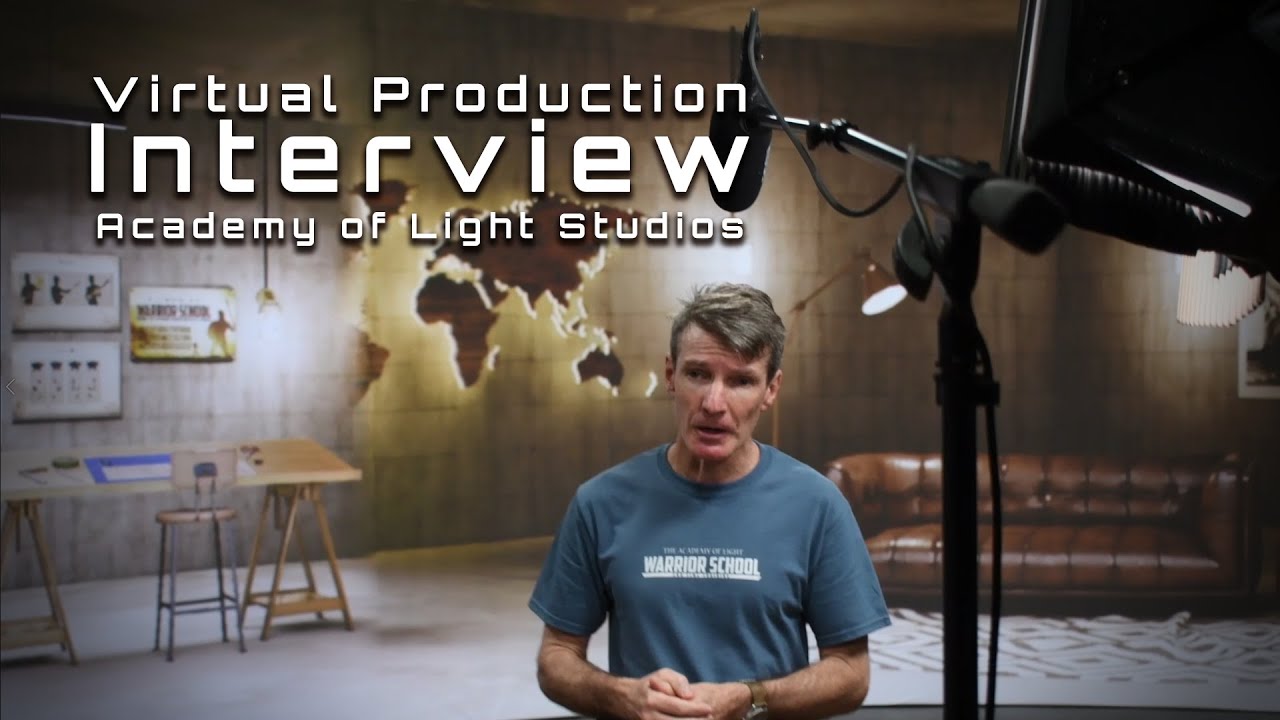
The story about a creating and running a 180 degree curved wall VP Studio, with only 2 people.
For the last 2 years we have been doing R&D for the possibility of a 2-man VP studio on a very small budget. We are proud to announce our studio is up and running and production has started!
sour rapids
Hi guys, I'm looking for a new camera tracking system. I'm working Vive right now and have some issues with it.
I've heard about Stype and Mo-sys but they are out of my price range. So the options are Antilatency, Realsense and Retracker. What do you recommend for someone with little tech background 😅 ?
 crimson idol
hi having trouble with a loss of quality when i send my UE level out as ndi output so i can use it in vmix for my live stream, any tips?
cloud salmon
crimson idol
hi having trouble with a loss of quality when i send my UE level out as ndi outp...
how are you using NDI?
On the same machine or over the network?
We use a 10GB switcher with cat6 cables over network and dont have any issues
cloud salmon
what output are you trying to achieve, what GPU you using?
how many frames you geting in editor?
I noticed loss of quality before we got the switcher, we were using green screen at the time with UE inputing NDI then outputting NDI to Zoom on a single 3090. but now we have dual 3090's and 10gb switcher and have no issues.
 queen beacon
has anyone here tried Disguise? heard about it briefly but havent seen much about it online and curious to see if people use it to replace ndisplay or use it in addition to it
hybrid fern
queen beacon
has anyone here tried Disguise? heard about it briefly but havent seen much abou...
i have used it for VP last year
its like ndisplay yes
not the same (obvious)
queen beacon
hybrid fern
i have used it for VP last year
howd it go? would you suggest trying it out? do you think its better/easier to use than ndisplay (were a team of 2 so quick and easy is important for us)
hybrid fern
from my experience
first: i have never tried ndisplay directly from unreal
so i cant tell u what is better
but to work with disguise
u will need a lot of good stuff
good camera, tracking, ledscreen....
im not sure if its a good option on a team of 2
queen beacon
we have an ursa 12k, LED wall and an vive mars tracking system
as well as a pc with a quadro graphics card
queen beacon
nope haha
hybrid fern
hahahaha
im not sure but i think the price of the server was around 80k? maybe more
and i think u need a special license to use all VP stuff from disguise server
but as i have said
i havent worked with that since last year
queen beacon
and i guess you need the server to be able to run it? I really have no clue what it is even after looking at their website but was hoping it might be useful in some way
hybrid fern
as i know the final result with disguise is much better than ndisplay
because you are using a server that is focused on that
hybrid fern
and process all the tranking signal, video sync and everything
hybrid fern
queen beacon
seems pretty sus that theres no pricing on their site
no
u need to contact eith sales
with*
hybrid fern
yes
i have worked a lot with disguise for live events and tour shows
i dont have the designer license right now but know how disguise works perfectly hahahaha
queen beacon
hybrid fern
i dont have the designer license right now but know how disguise works perfectly...
alrighty thanks for this! i might call them to hear what they have to say
 cerulean nimbus
Hi, anyone here that have been using Take Recorder ?
I need some help to get started, I cant figure it out
cloud salmon
cerulean nimbus
I need some help to get started, I cant figure it out
If you're referring to take recorder with nDisplay in UE5, there have been a lot of problems and they haven't been communicating properly, last time I checked they still weren't working together
cerulean nimbus
cloud salmon
If you're referring to take recorder with nDisplay in UE5, there have been a lot...
I just need to record my "play" into a sequence, and then convert it to .avi
never done that before.. and I cant find any good info .. the "source" I select, should that be the object I want to record. or should it be the "Camera" ?
my logic is that the source is a camera... but when I record, then do some stuff .. there is nothing
cloud salmon
I havent used take recorder in some time... Source should be the camera, you gotta make sure the camera is on the timeline of the sequence with the "shot". it looks like and old film wheel
cerulean nimbus
cloud salmon
I havent used take recorder in some time... Source should be the camera, you got...
ok thank you
 twin cedar

Hi, anyone can advice a tutorial/easy way to add a virtual green screen or maybe even better create a transparent scene for this scene?
 mental wing
hi! I'm new to UE and was wondering if I could get some help. I'm trying to learn how to control a dmx light in real life through UE5. I havent been able to find too many step by step tutorials and most of what I do find is for UE4. Anyone done this before and willing to lend a hand? Thanks! 🙂
 oak smelt
Inside of take recorder there are these recorders under the settings, does anyone know how I can create my own recorder? Is this through editing the actual engine or can I create a plugin for this?
 mental wing
Any idea on how to connect MagicQ to UE5? I see a lot of tutorials for UE4 but that doesnt seem to help me
 undone umbra
hiii
i want to make a short video to learn my little boy how to do something :p
guess then he listen but when i say it oooooohhh nooo
so i guess its beter to make it animated and he learn and speaks more xD
is there any tutorial you guys like how to start making my first short video ?
i have 6years exp in ue5 bud never did any video making
mental wing
sour rapids
can someone please tell me, what's the difference between nDisplay and ICVFX?
cloud salmon
nDisplay is how you run unreal viewports into your LEDwall/projectors.
ICVFX is how you track+Project the inner frustum (Through nDisplay) for your VP camera
you need both for virtual production - two different necessary tools
cloud salmon
sour rapids
can someone please tell me, what's the difference between nDisplay and ICVFX?
^
 timber crater
Has anyone else had Multiuser issues with ndisplay nodes in UE5? I can get unreal editor to connect to the MU through switchboard, but the nodes are attempting to connect but gets stuck. The nodes get stuck at perforce commands p4 diff and can stay there forever.
cloud salmon
timber crater
Has anyone else had Multiuser issues with ndisplay nodes in UE5? I can get unrea...
For me multi user was just a handy feature not essential.
I tried it in UE5 and was having a lot of problems getting it all to connect so I gave up.
 royal inlet
Hi All, I am looking into what may be the best tool to render out 360 (latLong) 4k+ renders from unreal. I see a few ways of doing it, e.g. "Panoramic Capture" or offworlds "360 degree cam". Looking for highquality renders of a sequence, and whichever tool crashes less lol.
timber crater
cloud salmon
For me multi user was just a handy feature not essential.
I tried it in UE5 and ...
Awww that's a bummer. I'll continue testing at least and give you a heads-up if I find a solution
timber crater
Also, is the lens file missing a interface button under lens information? I cant find "Save Lens Information"
 limber moat
royal inlet
Hi All, I am looking into what may be the best tool to render out 360 (latLong) ...
limber moat
royal inlet
Hi All, I am looking into what may be the best tool to render out 360 (latLong) ...

In this tutorial, I'll show you how to render out a 360 Panoramic Image and or Video natively inside Unreal Engine 5 with no blueprints or plugins!
My Unreal Engine for Motion Graphics course is now out!
➜ Creating the Unreal Course: http://www.mograph.com/creatingtheunreal
Buy Winbush a Coffee 😉
➜ Ko-Fi: https://ko-fi.com/winbush
------------...
 last quail
Hello, are there any ppl with experience in running OSC in Unreal Engine 5? I have a simple Blueprint both in Unreal Engine 4.27 and 5.0.3, but it only works in 4.27, not in 5.x... UE5 just gives me an error "LogOSC: Warning: OSCServer failed to bind to socket on 192.168.4.50:3333"
 timber crater
last quail
Hello, are there any ppl with experience in running OSC in Unreal Engine 5? I ha...
timber crater
last quail
Hello, are there any ppl with experience in running OSC in Unreal Engine 5? I ha...
Oh no, i also have an OSC server setup in 4.27 and now we are upgrading to 5 on the other project which is the client. Let me check if the same happens to me
@last quail
Seems like mine is working, but mine is in 4.26. No issues
last quail
@timber crater Strange... 🤔 this is my blueprint in UE5, by the way. If you notice any severe difference or error, let me know....
 timber crater
@last quail
Well the main difference between ours is the ports. Im using 6667 for the server and 6668 for the client
I cant see much other, it seems like yours fail on creating the server
Also, i dont use an actual written IP, i keep it empty
timber crater
Has anyone tried setting up a lens file in UE5? Im happening to have issue with the raw fiz input, where its a live link component to the camera and should give the fake data i've set in the variables, but its not updating in the lens file. Someone know why? It says only 0,0,0
crimson idol
im looking for a new high quality camera to use for streaming. any reccomendations of a dslr/any cam i can change the settings of easy for chroma keying for use in UE?
notably that the computer recognizes easier than the canon cameras ive got XD
 tranquil sigil
How do I get touchosc to connect to unreal? I have this node setup and cant get a response from unreal
 zenith cove
tranquil sigil
How do I get touchosc to connect to unreal? I have this node setup and cant get ...
zenith cove
tranquil sigil
How do I get touchosc to connect to unreal? I have this node setup and cant get ...
are you running it locally?
otherwise check firewalls and so on
tranquil sigil
zenith cove
are you running it locally?
yeah
sour rapids
cloud salmon
nDisplay is how you run unreal viewports into your LEDwall/projectors.
ICVFX is ...
Thank you! I'm working with 1 big LED wall and setting a viewport with camera tracking as the background (similar to Film Riot https://youtu.be/ZJzcO_eXqgI?t=684). I am quite confused... if this method works then what's the point of nDisplay? Is it just for case when I have multiple LED walls?

Use code FILMRIOT14 for up to 14 FREE MEALS + 3 Free Gifts across 5 HelloFresh boxes, plus free shipping at https://bit.ly/31DnWTC
To learn more about HTC VIVE, visit https://www.vive.com/
Where to buy LG CineBeam HU810P (Amazon) : https://geni.us/jgbpNU
More information for LG CineBeam HU85LA : https://bit.ly/313QPrV
Follow latest LG CineBeam...
 steep canyon
hi, I have a problem, I was trying to put my hand to the low budget virtual production, I connected the vive tracker and two bases, but it always gives me this message and I cannot use it on Unreal 5. translation of message waiting to put on the headset to activate the VR
on Unreal I created a blueprint with motion controller connected in get world location and in get world rotation, cine camera, event tick and everything connected to set relative location and rotation

 brisk sparrow
Hello, I've been following this tutorial that was recommended to me about a virtual production set up with nDisplay, Switchboard, and a camera tracker. https://youtu.be/0j7lJgWYmL0
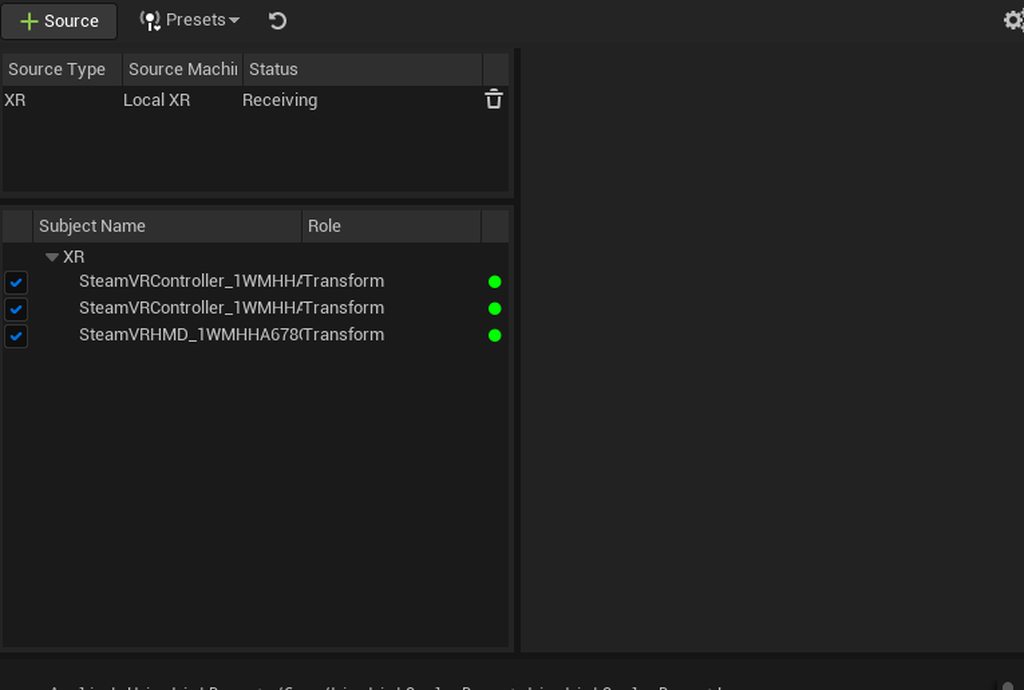
I don't understand where the LiveLink data is being sent to in his blueprint. He makes a LiveLinkComponentController variable, but it seems to go unused. When I play the scene through Switchboard there doesn't seem to be any camera control or a frustum moving around. Did he possibly leave something out?
I'm using an Oculus HMD/controller instead of a Vive tracker, which is what he says is the problem, but I know LiveLink is communicating with it through SteamVR the same way as he's doing it. I can control an object directly if I add a LiveLinkComponentController component to it, but that doesn't seem to be what I'm supposed to do in his setup.
https://imgur.com/a/2nw99iQ
I'm just using the Oculus as a DIY test before I go into my work's studio with a MARS/video wall setup to make sure this works on a small scale
Am I missing something? Does it maybe have something to do with the game mode not using the right camera?

Today we are looking at nDisplay using the HTC vive tracker and a projector.
@Film Riot Projector VP Video: https://youtu.be/ZJzcO_eXqgI
Project Download on Patreon: https://f40.gumroad.com/l/cscmoc
Get Project files, additional help and suggest tutorials on my Patreon: https://f40.gumroad.com/l/cscmoc
Join Unreal Animation Discord server: h...
 sour rapids
brisk sparrow
Hello, I've been following this tutorial that was recommended to me about a virt...
sour rapids
brisk sparrow
Hello, I've been following this tutorial that was recommended to me about a virt...
the LiveLink data is sent to the Camera Tracker then apply to the nDisplayCamera. Around 23:24 in the tutorial you can see the inner frustrum moving.
You should launch nDisplay with Switchboard, not gamemode tho... As for the Occulus I have no idea. I'm using HTC Vive and followed this tut as well and things worked fine.
brisk sparrow
Thank you, I got it working. I think there was a component for the camera I forgot to make in the blueprint. I got confused by him deleting the first part of it after testing. Thank you!
sour rapids
brisk sparrow
Thank you, I got it working. I think there was a component for the camera I forg...
No problem! I'm starting out myself so it's nice to have someone to discuss things with. I'm stuck at which Z number to enter the Default view point myself... In the tut he said to enter camera height, but in UE's tut they just leave it at 0,0,0. If you figured this out please let me know 😄
brisk sparrow
I thought the default view point was supposed to be the HMD's position, but maybe I'm getting them mixed up. My scene ended up pretty wonky because of sloppy measurements and the Oculus not really being designed for this, but I think I'll be using the MARS system at my office and let you know if I find settings that work better
brisk sparrow
https://youtu.be/Rd2yQQ9RcOQ
This was with a super diy setup and rough measurements, but I'll refine it while I play with the video wall at work
 zenith cove
steep canyon
hi, I have a problem, I was trying to put my hand to the low budget virtual prod...
zenith cove
steep canyon
hi, I have a problem, I was trying to put my hand to the low budget virtual prod...
you're going to have to activate headless mode I think if I understand the rror correctly
steep canyon
zenith cove
you're going to have to activate headless mode I think if I understand the rror ...
I followed this tutorial ( https://youtu.be/LiV8RhzvUHI ) to disable Steam VR Home, but it doesn't work on Unreal 5 because LiveLink is required. now I am left with this error Room Setup Please perform Room Setup to begin using Steam VR, but I don't have a headset so I can't do it, or does the tracker work as a headset?


In this video, you'll learn how to set up Vive Tracker without HMD to use it for virtual production.
 celest cargo
zenith cove
steep canyon
I followed this tutorial ( https://youtu.be/LiV8RhzvUHI ) to disable Steam VR Ho...
celest cargo
zenith cove
steep canyon
I followed this tutorial ( https://youtu.be/LiV8RhzvUHI ) to disable Steam VR Ho...
it should just work... Honestly I've never got it to work properly myself but it is possible
steep canyon
zenith cove
it should just work... Honestly I've never got it to work properly myself but it...
Oh Yes, it works. now i will have to study to set ndisplay and how control the real camera
cloud salmon
sour rapids
Thank you! I'm working with 1 big LED wall and setting a viewport with camera tr...
if you only have 1 projector you could get away with using the viewport as a window with just a camera actor tracked and bound as the "player" during play mode
thats how we did our initial testing but our scope was larger with 3 projectors so we needed nDisplay
You could totally bypass ndispaly for your purposes
sour rapids
cloud salmon
You could totally bypass ndispaly for your purposes
that would simplify our process a lot actually.About the nDisplay config, do you have any idea where to place the Default View Point? Should it be around camera height?
cloud salmon
its way more simple with one projector, you can literally just set playmode as "windowed" and have the tracked camera as the viewport
then just drag the window onto the projector desktop and done
if you still wanted to use nDisplay it would really just be acting as a remote play without the editor
 grim crow
Hey guys! I'm working on an enviroment for a university project i need to render out into an image sequence to import into AE/nuke but my rendered images have the incorrect lighting/exposure. I can find no supposed issue or fix to this and its doing my head in.
i'm using Unreal engine 5.0.3 on windows 10.
this is what it should look like

but my renders come out like this
 zenith cove
grim crow
Hey guys! I'm working on an enviroment for a university project i need to render...
zenith cove
grim crow
Hey guys! I'm working on an enviroment for a university project i need to render...
I've seen this before and the solution was a bit silly, but there was an object in the scene that had its visibility disabled but was not Hidden in Game, making it appear during the render
Though in your case it does seem to be something else
grim crow
zenith cove
I've seen this before and the solution was a bit silly, but there was an object ...
i dont think ive disabled anything like that but ill check
 signal compass
Hi everyone, I make my first video clip for a French Artist.
I’m a very beginner with unreal, I started learning 5 months ago.
Discover here 🙂 https://youtu.be/-2Ylpicd9MI

"BURNING SUICIDE" out 23/09/22
https://www.samcat.fr
Clip réalisé par Quentin Colus - Réalité Virtual Production
https://www.instagram.com/realite_virtualphotography/
Powered by Unreal Engine 5 & Lumen.
Musique Originale de SamCat
Tout droits réservés, Musique déposée Sacem.
COPYRIGHT ® MMXXII SAMCAT
ALL RIGHTS RESERVED
 strange ruin
Hey,
I saw a video where a guy uses Aruco Markers on the floor to determine the height of the camera. But he just notes it and does no explanation.
Any idea where I can find more info on that?
zenith cove
strange ruin
Hey,
I saw a video where a guy uses Aruco Markers on the floor to determine the ...
Here's a tutorial I followed on doing that: https://www.youtube.com/watch?v=a-bkK5apunc
In this tutorial, we look at lens distortion calibration and lens nodal offset calibration in a virtual production environment in Unreal Engine 4.27.
In particular the chapter regarding Lens Nodal Offset Calibration
strange ruin
Okay, I’ll have to rewatch that. The thing is, we are not using icvfx but plain green screen
There is a video where some just throws an aruco marker on the floor as a reference to global positioning offset of the scene
prisma narwhal
Hey Guys, I have a question regarding using depth of field in a virtual production context. Would you say its common practice to blur the bg/cg elements on purpose?
strange ruin
With in camera ICVFX you probably need to, as sharp focus would reveal the dots on the Led wall.
With onset prefix with green screen you have other issues
crystal merlin
noob here. I get this gray ball in my scene at 0,0,0 on launch.. probably some player start related thing that I'm not using since I use a cineCamera.. not sure how to hide it.
onyx flume
crystal merlin
noob here. I get this gray ball in my scene at 0,0,0 on launch.. probably some p...
It is the Player Start. You can just move the Player start actor to somewhere not visible
crystal merlin
ah I see thanks.. I don't have a player start actor in my scene so I guess this is why I can't move
i'll add one and move it away
zenith cove
strange ruin
There is a video where some just throws an aruco marker on the floor as a refere...
Are you talking about this video? https://www.youtube.com/watch?v=DQT0Qy856mA
This video is a quick overview of how we got into Virtual Production and some things we learnt along the way.
Age of Outrage is the BBC Wales comedy series we made - you can see it on BBC iPlayer in the UK:
https://www.bbc.co.uk/iplayer/episodes/m0011mct/age-of-outrage
After we finished the series, we were helped to do more research into Virtu...
Ahh my apologies, I think I linked the wrong video
I meant to share this one in regards to the Aruco markers:
https://www.youtube.com/watch?v=H5t2BwUGqkI

Get your lens distortion, find the entrance pupil and the tracker offset all in a tool built into UE 4.27! You need 2 Vive trackers, no measuring guessing required to get a good solid result! This covers some things that weren't in the unreal docs or were confusing.
You can display the calibration checkerboard on a monitor or tablet if you do...
strange ruin
@zenith cove I’ll look into it. But the BBC Comedy one was definitely the one I was talking about in regards to, I saw it there first!
 marsh pine
crystal merlin
ah I see thanks.. I don't have a player start actor in my scene so I guess this ...
marsh pine
crystal merlin
ah I see thanks.. I don't have a player start actor in my scene so I guess this ...
It’s the collision sphere for the default pawn that is spawned if you haven’t overridden it in the game mode.
crystal merlin
marsh pine
It’s the collision sphere for the default pawn that is spawned if you haven’t ov...
thnaks.. I guess understanding how to override it / disable it is why I'm asking
marsh pine
crystal merlin
thnaks.. I guess understanding how to override it / disable it is why I'm asking
Create a new blank game mode (if you don't have one) then set it in the world settings tab. Set default pawn class to None, or to any pawn of your liking. You can use a spectator pawn here if you like.
marsh pine
You set your game mode in the GameMode Override, it's not a separate thing.
 dull summit
I have animation questions regarding the IK control rigs in Meta Human and animation blueprints, should the logic still remain in AnimBP's or should it be adopted into transforms under IK Rigs? In the process of setting up LiveLinkXR with Metahuman body to leverage SteamVR hardware with iPhone face capture. Doesn't seem to be very good documentation for this process. (Cross post between #metahumans and #virtual-production )
 pallid oracle
Hey, I'm trying to do the virtual production in a quite big scene, and I'm in my room so how do I make the camera go a bit further when I'm walking and not follow me Exactly lets say maybe on one axis so everything else is accurate, but the "Forward" is a bit faster with less steps required
solemn nova
grim crow
Hey guys! I'm working on an enviroment for a university project i need to render...
Your level exposure and camera exposure values might be different, I make that mistake sometimes
crimson idol
I'm trying to bring in my camera through my elgato camlink 4k into unreal through a media player. it works fine for a few seconds and then gets really laggy. any tips to fix?
 unreal bronze
https://www.youtube.com/watch?v=JHehZZCpusA why did my location change when I set my camera in the office? I don't have spawn points or other cameras. Does anyone know why this happens?
 zenith cove
crimson idol
I'm trying to bring in my camera through my elgato camlink 4k into unreal throug...
zenith cove
crimson idol
I'm trying to bring in my camera through my elgato camlink 4k into unreal throug...
RAM full? VRAM fill? Some other cache? Does it happen with other programs such as OBS? What happens if you change resolution?
Some troubleshooting questions I could think of
timber crater
Does anyone know why a post process would affect everything in ndisplay except color grading? Have turned off the override
Does seem like only a ndisplay camera issue.. in multiuser both tracked camera + editor is reacting to changes to the color grading
 halcyon canyon
hey ppl!
I'm trying to export a cinematic camera video time-line, but when I do export, the green screen animated actor that I have in the scene gets deleted, and it's not rendered in the video.
is this a UE4 bug?
last quail
Has anyone experience in using Panasonic PTZ Cameras (UE-150 and UE-100) directly in Unreal Engine (5)? I struggle with the focal length. Via freeD, I get a range of 0...1, which I need to translate to focal length values for Unreal. However, the values doesn't follow a linear distribution, so I have no clue how to map those values... 😦
 olive wraith
Virtual Production using Mo-Sys Star-trackers
Dear Members,
My name is Rohan, I am a VFX artist, UE Environment Artist.
I work with George Brown College, Canada in the Virtual Production department and have a question for you.
We are trying to setup our wall for Virtual Production using Unreal Engine.
So far we have managed to launch environments onto the LED panels, created a static mesh for our wall in UE4, and captured Mo-Sys star tracking data to use with our Camera Rig to establish a Live-Link between the Virtual camera and Real camera.
However we are hitting a road block with NDisplay, once we set everything up and use switchboard to launch the Engine as well as NDisplay, we can see the live changes made in UE on the display using Multiuser as we are supposed to, however camera movements are seen on the Editor but not on the NDisplay/Led walls.
However if we save the file it syncs with the new camera position.
To be more clear, moving the camera affects the virtual camera but only on the editor and not on the LED walls.
Attached are the screenshots of NDisplay configuration and base project. Kindly help if you have any idea on how to approach this issue.
Our setup is as below.
UE Version 4.27.2
Mo-Sys Pro Version 4.27.2
Windows 10
AMD Threaddripper 3990x
Nvidia RTX A6000
Mo-Sys Star Tracker System
Brompton Processors for LED walls


 zenith cove
last quail
Has anyone experience in using Panasonic PTZ Cameras (UE-150 and UE-100) directl...
zenith cove
last quail
Has anyone experience in using Panasonic PTZ Cameras (UE-150 and UE-100) directl...
Hi, yeah, that's an issue with the Panasonic cameras
I eventually just mapped the values from freeD to the focal length that was shown in the PTZ's web interface
Funnily enough I heard that some other people came up with that same solution
Kinda silly from Panasonic to release and advertise their PTZ as VP ready but then never publish any of that data. Though that might have changed, it's been a couple of years since I worked on that project
zenith cove
last quail
Has anyone experience in using Panasonic PTZ Cameras (UE-150 and UE-100) directl...
DisruptAR (https://www.disruptar.com/) has a UE150 plugin for UE4 and they claim to have developed a custom lens curve for the cameras. I have not worked with that yet though so I don't know if it's good
Our team of VR experts has been working in this space for years, making us one of the most mobile, affordable, and creative virtual reality production companies out there.
 quick orchid
Anyone know how to prevent Unreal from going into sleep mode when it's not the active window?
quick orchid
Never mind I found a work around
I can add an offset and that essentially delay's it
zenith cove
quick orchid
Anyone know how to prevent Unreal from going into sleep mode when it's not the a...
Do you mean Windows sleep mode?
Ah, or do you mean Unreal using less resources when not active?
In Editor Preferences, look for the setting "Use Less CPU when in Background" and deactivate that flag
quick orchid
zenith cove
Do you mean Windows sleep mode?
Aaah, thanks man yeah that's what I was looking for
I couldn't remember for the life of me where I seen it or what it's name was
 main prawn
is there a way to take mov clips to import them for greenscreen use in unreal engine?
 candid zephyr
I've been playing around with live link face, and saw that it can save takes on the phone. This includes all the blend data. Now i'm wondering how i can import those to apply on a character rig. Live performance is not possible in our situation, so i need to rely on the recording feature, and either play that back on my end, or import the data otherwise. Any clues?
candid zephyr
"A .csv file that contains the raw animation data captured by ARKit during the recording.
This data file is not currently used by Unreal Engine or by the Live Link Face app. However, the raw data in this file may be useful for developers who want to build additional tools around the facial capture."
For future reference. crap
 coral iron
Does anyone know if it's possible to use a lens database to load the distortion settings instead of doing the calibration?
I need to mimic dozens of different lenses and it's impossible to calibrate all of them. But we do have a database for distortion correction like the ones used by Photoshop or Affinity Photo. Is it possible to use them inside Unreal somehow?
 quartz umbra
Hey so anyone know the basics of networking? Im trying to figure out how to set up live link for my phone but my pc has an IPv4 for adapter 4 and 6 one for a private network and one for a public network. Im at home so Im not entirely sure which one my pc identifies with over the ethernet so I can put it into live link
Im smooth brain and new to this if that explains the basic question to you guys who I assume are well experienvced

 ornate patio
hello, right now I´m trying to find out, why my Unreal 5 environment looks like absolute garbage, compared to what I see when in editing mode. here are some screenshots of what i´m working on right now:


Directx12, support hardware raytracing enabled etc... i just cant find what i´m missing right now D:
zenith cove
Are you using composure? It's a common complaint that it doesn't match
I think one of the work arounds is to use the Off World Live plugin: https://offworld.live/
Off World Live Limited
Unreal Engine Plugins, tools and expertise for livestreaming from virtual worlds
ornate patio
zenith cove
Are you using composure? It's a common complaint that it doesn't match
yeah I do, will check that offworld-thing out later, thank you!
zenith cove
ornate patio
yeah I do, will check that offworld-thing out later, thank you!
Though I haven't seen a case where it's as bad as yours to be honest
It's like there's no lighting built
timber crater
So im getting composed flip, even tough the ndisplay windows are in focus and are not overlayed by anything, fresh installed computers for ndisplay only.
Seems weird that the genlock is not working, but is syncsource and housesync correct? what about syncrate?
Im not sure why i have composed flip and not Hardware Composed: Independent Flip
Anyone?
I have checked that everything is
- Listener + switchboard runned as admin
*genlock is daisy chained from master to slave - No remote desktop softwares installed
*no other graphic cards or screens connected to the nodes - fullscreen on both nodes.
- Configuredriver has been run and option 11 has been activated.
*Created EDID and followed sync guides on UE forums from A to B exactly
 ornate patio
zenith cove
Though I haven't seen a case where it's as bad as yours to be honest
ornate patio
zenith cove
Though I haven't seen a case where it's as bad as yours to be honest
hahaha thanks I guess 😄
but honestly thanks. the Offworld-Thing made a massive difference. everything is a bit bright now, but that´s the smallest issue now. getting my greenscreen keyed out is the next step

ok one weird thing: after composing, the background started to look like a N64-game again D:

 round depot
Hey I’m having an issue when rendering out a scene with sequencer, particles and other elements render too fast in compared to the rest of the scene, has anyone else encountered it and fixed it?
zenith cove
ornate patio
ok one weird thing: after composing, the background started to look like a N64-g...
😦
ornate patio
zenith cove
😦
exactly my face and I'm running out of ideas
 ornate lance
i cant figure this out, i have enabled switchboard and installed its dependencies on my machine for UE5, literally just enable and install, but when i go to restart UE the icon doesnt show up in the Editor, and i cant just launch switchboard as well, it shows a cmd window doesnt show any code then just crashes, i can open the listener and all, but not the main window, tried restarting PC, restarting UE, disabling and enabling the plugin, checked my python installation and all that stuff, I cant figure it out
Whats so strange to me is that for a split second when i open a project with Switchboard enabled i can see the icon, then it immediately dissapears, ive tried a blank project as well, it works just fine on a separate machine, but ofc thats the machine that i want to port to using switchboard......
candid zephyr
Any idea how to fix bouncy/jittery physics grooms on a metahuman when rendering with a higher temporal sample count?
I saw a couple threads in the forums but no answers and I didn't find any other solutions either
oh bummer
ornate lance
ornate lance
i cant figure this out, i have enabled switchboard and installed its dependencie...
just to follow up on this, seems i had to completely uninstall and re install epic games and Unreal Engine to get it working, which was slightly frustrating but it works now is all that matters
 heavy python
Hi guys! Is there anyone that could help me with one blueprint for 3D chart for aximmetry? I have everything set up, but bars are colored from A to B, but I want to assign unique color for each bar. I can send blueprint to those that will help me.
Also I need help with the calibration of the vive trackers in aximmetry. While one tracker is behaving correctly and the studio fits the scene perfectly, the other two trackers on the remaining cameras are pointing into the ground and have a completely different point of origin. Has anyone encountered such a problem?
 tulip helm
anyone know is this a post process issue? After making an ocean if I go underwater the effects are being masked in this circle fixed to the skybox/background

 torn edge
i rendered my scene with crytomatte, but its not showing in nuke. anyone faced such issues?
zenith cove
torn edge
i rendered my scene with crytomatte, but its not showing in nuke. anyone faced s...
What's the size of the file? Large enough to accomodate those passes?
I like to use DJV (https://darbyjohnston.github.io/DJV/) to verify if the passes are in the file
torn edge
zenith cove
What's the size of the file? Large enough to accomodate those passes?
512 mb per frame
torn edge
I will check now
 ancient anchor
Does Ndisplay support multiple projector blending?
So if two projectors are hitting same point in that case adjust the brightness level
timber crater
cloud salmon
For me multi user was just a handy feature not essential.
I tried it in UE5 and ...
Well i actually found a dirty, but neat and obvious workaround 😛
cloud salmon
timber crater
Well i actually found a dirty, but neat and obvious workaround 😛
oh nice! do share
royal inlet
EXR output question. Are there specific settings we should change in our post process volume to ensure the .exr image output is getting a wider range than 0-1 (in luminance and values) as you would expect with a normal .exr render/floating point image for additional comp work?? I was able to get it, by adjusting a few things, e.g. extending gammut range and higher clamping...but I imagine there is a more definitive approach to get the full data.
timber crater
cloud salmon
oh nice! do share
Sorry for late share!
So what i did was simply first launching the project in editor on each render node, and then launching switchboard to install prerequisites that were missing.
Then this did not work, but then i added the render nodes as unreal devices! Launched them and then quit them, and launched the nodes and they joined! 🙂
Be carefull tough, adding them as editor instances did make alot of changes to my settings, suddenly renaming all workspace names to mutliuserserver3 or something 😛
 hollow birch
We are selling our IPhone HMC rig w/ accessories . Unused. Brand new. Anyone interested, DM me! Thanks!


 dusky karma
so I've been trying to cram 36,200 jpg files in 18 streams into UE 4.26.2 and 5.0.3 and the file handling is just.. really broken. Is there someone in particular who handles the ImgMediaSource plugin at Epic?
like it will eat files even, at least in 4.26.2
you can rename a uasset back and forth and get 2 different behaviors from the same file.. or misspell filenames and numbers and have it accept and somehow overwrite files
took 3 days to get all 18 streams playing from within the same project file
dusky karma
maybe I overwrote that file myself without realizing it, but some of the errors are def in the engine and arise mysteriously, yet can be replicated at will once they show up
 stark jasper
Anyone know how to use the VCAM app from a different network to unreal engine?
zenith cove
dusky karma
so I've been trying to cram 36,200 jpg files in 18 streams into UE 4.26.2 and 5....
Are you talking about 36,200 imported jpeg assets???
 sly holly
dusky karma
you can rename a uasset back and forth and get 2 different behaviors from the sa...
sly holly
dusky karma
you can rename a uasset back and forth and get 2 different behaviors from the sa...
I've experienced a similar volume of files. The key is to make sure you don't import the images into the project.
dusky karma
yeah I don't import them.. the file handling is quite screwy though
 restive crane
Guys how can i make a splash screen the covers up the first 10 seconds of each level loading screen?, when i open a new level in VR it stutters and loads the shaders for about 10-15 seconds, and i want to cover that up with a splash screen. (btw i'm developing a game for vr using oculus quest 2).
zenith cove
restive crane
Guys how can i make a splash screen the covers up the first 10 seconds of each l...
Try #virtual-reality
To try and answer your question here already, you could try spawning a widget at when the level is launched, and put logic in the widget itself to destroy itself after a certain amount of time after spawning
ornate lance
Is it normal for the ICVFX camera to look like it's dolly zooming when moving, seems that the camera isn't acting right, does anyone have any tips?
I'm using a steam vr vive cosmos elite setup
 topaz pendant
hey mate, were you ever able to come up with a solution for this? no matter what i've tried i can't get my virtual camera to follow an actor in my scene.
heya, i know this is old but i've been stuck on this issue for so long and have been digging everywhere for an answer. do you think you could explain a solid method for accomplishing this? i'm trying to do something very similar to what i've linked below (timestamped).
https://youtu.be/elMikUGFfqw?t=194
what i think makes my situation a bit difficult is that i am using the old Unreal Remote method for my virtual camera since my project is on 4.23. what this means is that the virtual camera that gets recorded only spawns in after i go into PIE. just wanted to bring this up in case it matters at all.

- Japanese Ver : http://youtu.be/QbiTJx9QKpM
MGS V GROUND ZEROES - OPENING (en)
*Notice: This game is still under development.
MGSV Official Site
http://www.konami.jp/mgs5/
 proud phoenix
Hi i want to play my render on LEd stage but not in live. I want to render my animation in unreal and after that play the video on LED wall. Is it something we can do with unreal. I need to be sure that the scene have the right size on the wall. thk you
 next pulsar
Another one! Hope you enjoy, and feel free to share the link with your friends or Star Wars fans 🙂 https://www.artstation.com/artwork/Ze1KaX

ArtStation
I was blessed to work on the Star Wars: Obi Wan Kanobi TV Series, as part of the Virtual Art Department Team at Happy Mushroom in conjunction with ILM and Lucas Film. A dream come true and a major career milestone, with industry leading talent who helped me level up my skills as a 3D Hard-surface Artist. TV/Film was an amazing, bleeding edge, ...
zenith cove
topaz pendant
heya, i know this is old but i've been stuck on this issue for so long and have ...
Sorry, was now just able to look at this
Are you doing a cut scene? Are you using Sequencer?
You could bind the camera's location to an actor in the scene, while binding the camera's rotation to something you control
 robust phoenix
Trying to render some super realistic cyberpunk scenes , would appreciate if someone could give guidance on the best possible project/rendering setup for realism. hardware isn’t an issue, planning on tons of ray bounces & samples
 tulip meteor
Hi geniuses, has anyone ever launched a game with nDisplay? or any other tools used for multiple screens?
 fair edge
Does anyone know how to use the VR editor or Virtual Scouting tools in UE5? It seems to be broken
sour rapids
Hi guys. I'm having this issue with renderstream. When I start with workload, my UE project doesn't show up on the display, and there is that no frame received from health. What do you think is wrong?

 ebon trellis
Hey. Anyone has experiences with importing chroma key'd Footage into UE? We're getting this weird dark outlines on the masked / translucent plane:
Original (DaVinci Resolve Studio)

Imported in UE.
 next pulsar
Obi Wan Kenobi, Episode III. Hope you enjoy, and feel free to share the link with your friends or Star Wars fans 🙂 https://www.artstation.com/artwork/X1o2bl

ArtStation
I was blessed to work on the Star Wars: Obi Wan Kanobi TV Series, as part of the Virtual Art Department Team at Happy Mushroom in conjunction with ILM and Lucas Film.
A dream come true and a major career milestone, with industry leading talent who helped me level up my skills as a 3D Hard-surface Artist.
TV/Film was an amazing, bleeding edge, ...
topaz pendant
hey mate @zenith cove, was able to find a solution to my issue 🙂 just parented the virtual camera pawn to my actor and it works like a charm
next pulsar
Another one! Obi Wan Kenobi, Episode IV. Hope you enjoy, and feel free to share the link with your friends or Star Wars fans 🙂 https://www.artstation.com/artwork/B3PYE8

ArtStation
I was blessed to work on the Star Wars: Obi Wan Kanobi TV Series, as part of the Virtual Art Department Team at Happy Mushroom in conjunction with ILM and Lucas Film. A dream come true and a major career milestone, with industry leading talent who helped me level up my skills as a 3D Hard-surface Artist. TV/Film was an amazing, bleeding edge, ...
next pulsar
Obi Wan Kenobi: Episode V, work. Hope you enjoy, and feel free to share the link with your friends or Star Wars fans 🙂 https://www.artstation.com/artwork/g8m4dm

ArtStation
I was blessed to work on the Star Wars: Obi Wan Kanobi TV Series, as part of the Virtual Art Department Team at Happy Mushroom in conjunction with ILM and Lucas Film. A dream come true and a major career milestone, with industry leading talent who helped me level up my skills as a 3D Hard-surface Artist. TV/Film was an amazing, bleeding edge, ...
next pulsar
Another one! Obi Wan Kenobi: Episode VI, work. Hope you enjoy, and feel free to share the link with your friends or Star Wars fans 🙂 https://www.artstation.com/artwork/G8yK23

ArtStation
I was blessed to work on the Star Wars: Obi Wan Kanobi TV Series, as part of the Virtual Art Department Team at Happy Mushroom in conjunction with ILM and Lucas Film. A dream come true and a major career milestone, with industry leading talent who helped me level up my skills as a 3D Hard-surface Artist. TV/Film was an amazing, bleeding edge, ...
ornate lance
Is there a way to use multiple Icvfx cameras in UE4 with live link, currently my setup is running through VRPN but it seems the only thing that I'd need to change is the subject representation and I cannot figure out how to change that via blueprint for the life of me
ornate lance
ornate lance
Is there a way to use multiple Icvfx cameras in UE4 with live link, currently my...
Figured this out, my solution for now is to have multiple livelinkcontroller components with separate trackers, then on a key press I disable all but one and the only one enabled takes over
timber crater
Hey im trying to create a lens file where a virtual object from live link fakes zoom iris and focus data into the lens file, but im only getting 0,0,0..
7:33 to 11:20 in the video below, i do the exact same setup, but my data is null in the lens file, somethings wrong here, anyone?
Get your lens distortion, find the entrance pupil and the tracker offset all in a tool built into UE 4.27! You need 2 Vive trackers, no measuring guessing required to get a good solid result! This covers some things that weren't in the unreal docs or were confusing.
You can display the calibration checkerboard on a monitor or tablet if you do...
 craggy olive
better for animation TV show : USD and Datasmith Scene Exporter workflow ( Blender and Maya or Both)
timber crater
The virtual objects data should be entering through livelink and into the lens file, but its not working in 4.27 or UE5
 solemn nova
Hey, is anybody here familiar with using the VIVE Mars system?
 inland pulsar
Hey, having a few issues connecting my editor with my IOS Live Cam.. Any idea why it doesnt show up when i connect them?
- My UDP Messaging IP matches the IP of my computer, aswell as the ip inputted on my phone.
- My IPhone is updated to the latest
- I have tried both Live VCam and Unreal Remote 2
 alpine python
ello, I'm trying to load an unreal scene in D3 for XR stage, but the target location for the stage in UE is not at 000 world coordinates, I wanted to try an arbitrary location in the map, I wanted to use the unreal origin offset settings, but whatever i try its not matching up, its like the units, axis or something are completely off, cant find any documentation on units / axis differences for working with UE in D3 from disguise
 vapid horizon
Would it be possible to use a live position feed from outside of UE5 rather than 3d tracking?
 hollow scarab
Does this help? https://github.com/rsc-digital-dev/UE-PSN-Plugin

GitHub
PosiStageNet Plugin for Unreal Engine. Contribute to rsc-digital-dev/UE-PSN-Plugin development by creating an account on GitHub.
vapid horizon
That looks like it'll be very helpful, thanks a lot @hollow scarab
I'm praying this'll work in UE5
automatic rebuilding isn't working and I have absolutely no clue how to do it manually
ue4 it is I suppose
 cinder aspen
Hi folks - wondering if anyone has experience using the new Canon PTZ cameras (CR-N300 or CR-N500) and how well they work for virtual production. FreeD support was apparently added in a recent firmware update for them.
 obsidian pelican
I'm messing around with UE5.1 Preview 1 and the new nDisplay Movie render Queue Feature. There is an option to render all viewports, or set a list of viewports to render. But I'm guessing I need some kind of naming token in the filename in order to get more than one Viewport rendered. Otherwise they will just overwrite each other. Something like {viewport_name}. I tried a bunch of options but none of them worked.
Sure, I could queue multiple jobs, each with a single viewport selected, but since there's an option to render all or select multiple, I'm guessing there is a correct workflow for this.
Has anyone played around with it so far?

 mighty merlin
does the output section not list the string variables you can substitute in the fle names?
 obsidian pelican
mighty merlin
obsidian pelican
mighty merlin
thats the first place I looked, but there's nothing related to nDisplay
mighty merlin
obsidian pelican
thats the first place I looked, but there's nothing related to nDisplay
how do you get that dialog up?
obsidian pelican
mighty merlin
how do you get that dialog up?
The first marked one is the one from my screenshot. and I'm guessing you'll need the second one too.
 mighty merlin
oh just realised you said preview version. sorry i can't help i don't have that 😂
cloud salmon
obsidian pelican
I'm messing around with UE5.1 Preview 1 and the new nDisplay Movie render Queue ...
have you seen any documentation for this?
And what is the use?
Looks interesting and I could have a use for this!
limber moat
fair edge
Does anyone know how to use the VR editor or Virtual Scouting tools in UE5? It ...
5.1 was supposed to address some of the VR issues.
limber moat
ebon trellis
Hey. Anyone has experiences with importing chroma key'd Footage into UE? We're g...
Is it a premult/unmult issue?
ornate lance
Has anyone had trouble with Ndsiplay not correctly moving in 3D space? I've set it to use local camera but that's not working
I'm getting a dolly zoom effect currently and it's not appealing
ornate lance
It seems like the root actor isn't following my Icvfx camera at all
I attached the entire ndisplay actor to my camera and that works properly, only problem is that I don't have the inner frustum at that point
 pale cobalt
ornate lance
It seems like the root actor isn't following my Icvfx camera at all
pale cobalt
ornate lance
It seems like the root actor isn't following my Icvfx camera at all
You have to select your inner frustum camera inside the ICVFX camera component.
ornate lance
 ornate lance
pale cobalt
You have to select your inner frustum camera inside the ICVFX camera component.
ornate lance
pale cobalt
You have to select your inner frustum camera inside the ICVFX camera component.
it is selected, in the config and the actor in the world, which shouldnt matter, it seems that the root actor isnt attaching to my camera is the issue. If you were to parent the entire ndisplay config to the camera, thats more or less how id like it to behave, but currently the camera appears to just zoom and kindve rotate a little bit
if i change the mesh projection for the Ndisplay screen to camera, that also works, however then i dont have a frustum to work with
obsidian pelican
cloud salmon
have you seen any documentation for this?
And what is the use?
Looks interesting...
No i haven't seen any documentation yet. Hopefully with the official release of 5.1.
Basically my use case for this would be to finally be able to render out scenes with off axis projection using MRQ. Scene Captures can do a projection matrix offset if you build a blueprint around it, but Cinecams can not without editing engine code (as far as I know). I was working on a hacky workaround for this until I realised this was a feature in 5.1. So I'm pretty stoked for it.
 copper warren
Hello!
Using composure in Unreal, the "SkyAtmosphere" and "VolumetricCloud" actors always appear in my foreground CG plate.
Is it a bug or am I wrong with some settings?
Thank you for your help!

 safe temple
hi there, i have a packaged project that needs to work in ndisplay, i manage to get it to work on my system and would like to send it over to someone who does not have unreal installed. whats the best approach to be able to send them this package without them having to download unreal (im using 4.27)
 fast dust
Hello everyone, so happy to find this channel... any chance someone knows how to do a Composition? Because I applied a post processing material with two nodes having the same names as the media_plate1 and cg_element with an Over node in-between and even though the background color is removed, the subject is see-through... if I put a mannequin in front of a green screen the mannequin is too transparent and it should not be, it should be a part of the virtual world. In the below image you can barely see my fingers in the composition, I am trying to see my hand but everything is transparent. Thank you.

 outer wasp
Does anyone have problems with OBS Virtual Camera not showing up as a media option in unreal?
I run both in Admin, Zoom and other applications have streaming video.
I am having trouble googling it because of the similar name.
I cant even get a webcam up streaming. So I might try to verfiy the unreal installation
 keen shell
Hello, quick question. Can the current version of Unreal V safely be used in a virtual production shoot (with LED) or is it best to use 4.27?
ornate lance
keen shell
Hello, quick question. Can the current version of Unreal V safely be used in a v...
For my use case I have to use 4.27, there are a few companies using 5 rn for LED workflows but you might have trouble with switchboard, basically if you can open switchboard and it works every time and is consistent then 5 should be fine, but 4.27 has been the most consistent for me
keen shell
Alright, thanks. Will be testing next week and give an update. Tracker used will be the vive mars camtrack
Are there any comprehensive sources of information on setting up unreal for virtual production other than the unreal documentation that you can point me to?
 sage lantern
Hello there, hope you are all ok. My name is Pablo, I'm from Chile. Filmmaker and 3D Artist and Unreal Connectors Virtual Production student at UT-HUB.com. I'm looking for Led panels suppliers. I'm trying to build an XR Stage and I need some quotes from them to apply for a grant. Thank you in advance.
cloud salmon
keen shell
Hello, quick question. Can the current version of Unreal V safely be used in a v...
I use 5 just fine with projectors, cant say for LED tho
keen shell
Cheers, that's reassuring
Hi Pablo, you can order with a supplier or importer in your region (which I don't know about) or get a quote directly from a Chinese factory through alibaba, which will be a lot cheaper but incurs the risk of having to assemble everything yourself, which requires expertise handling LED panels and cabling
timber crater
Has anyone experienced stuttering / fps drop when using sync policy 2? Can't seem to figure out why it's happening, have tried everything
pale cobalt
timber crater
Has anyone experienced stuttering / fps drop when using sync policy 2? Can't see...
I don't have a solution but I'm having the same issue. Running at 50% fps compared to Sync policy 1.
timber crater
@pale cobalt
We have tried basically everything, different screen, drivers, settings in control panel, resolutions, fps'es, new projects, new template projects, cables for CAT + BNC, moved the sync cards 2 to different slots, different sync policies, we have tried sync policy 2, 1, mosaic etc etc..
Best result we could have was same as you, sync policy 1 with mosaic
pale cobalt
timber crater
<@120672267981029376>
We have tried basically everything, different screen, dri...
I have tried a lot of that as well! Not sure who to turn to for help. So far the ethernet sync policy (policy 1) has been working for us as long as we have a stable frame rate above 24. Though if it dips below 24 then we get tearing between our viewports. This has led me to really performance optimize our levels.
timber crater
pale cobalt
I have tried a lot of that as well! Not sure who to turn to for help. So far the...
performance doesnt have anything to say for us, this happens in empty levels with nothing in it
pale cobalt
timber crater
performance doesnt have anything to say for us, this happens in empty levels wit...
Yes, I meant that having stable 24fps performance was an issue for us when using sync policy 1. Policy 2 behaves for us the same way.
timber crater
pale cobalt
Yes, I meant that having stable 24fps performance was an issue for us when usin...
Seems like this is just lucky who gets sync policy 2 to work at this point
 jolly silo
Hi, I want to create an ingame conert like fortnite does. Can anyone help me what the pipeline for that is?
solemn nova
When I try to render a quick sequence my camera is completely frozen.
I have a subsequence with tracking data from a vive rover and in the viewport I can see the CineCameraActor moving and doing it's thing, but when exporting it is completely rock solid.
Anyone got any tips on this?
 timber crater
solemn nova
When I try to render a quick sequence my camera is completely frozen.
I have a s...
timber crater
solemn nova
When I try to render a quick sequence my camera is completely frozen.
I have a s...
Move everything to a new sequencer?
 void otter
solemn nova
When I try to render a quick sequence my camera is completely frozen.
I have a s...
void otter
solemn nova
When I try to render a quick sequence my camera is completely frozen.
I have a s...
Made sure the camera is in the persistent level?
Anyone know how I can export a Live Link camera to FBX? It's been recorded with the Take Recorder, so there are no actual keyframes on the camera itself.
 tame steeple
actually i got the solution by more surfing on google and unreal forums thanks
sly holly
void otter
Anyone know how I can export a Live Link camera to FBX? It's been recorded with ...
That's interesting. It should have key frames on it if it was recorded in take recorder.
When it has key frames you can right click and export as fbx
outer wasp
Question : Is there a way to create a Livelink source through blueprints. I remember finding a reference to something like it before but cant find it.
I plan on building my game and relying on a livelink plugin for a feature.
void otter
sly holly
That's interesting. It should have key frames on it if it was recorded in take r...
It's a Live Link recording, so the keyframes are inside a sub sequence
sly holly
void otter
It's a Live Link recording, so the keyframes are inside a sub sequence
You should be able to open that subsequence and see the key frames on a spawnable instance of your camera.
You can also change your take recorder settings to record directly to the camera if you prefer that
void otter
sly holly
You should be able to open that subsequence and see the key frames on a spawnabl...
Might be because we used Ncam, but the subsequence only has this in it.

So I'll make a camera with a Live Link component to drive it, but I can't find a way to bake that into actual keyframes on the camera or something like that.
sly holly
Ok I see. I haven't used ncam so this is new.
You should be able to make a livelink component on a camera in the scene and use that to drive the position/rotation of the camera. Then in take recorder, only record the transform of the camera itself.
That way you're not getting raw ncam data--which is what this looks like--rather you're getting the result of it baked onto a camera.
void otter
ah, good idea
 wooden flume
outer wasp
Question : Is there a way to create a Livelink source through blueprints. I reme...
wooden flume
outer wasp
Question : Is there a way to create a Livelink source through blueprints. I reme...
Not a source but you can make a "Blueprint Virtual Subject" which lets you inject data from blueprint into Live Link so that it shows up as a standard subject that anything else.
You can make a new virtual subject from the new asset menu in the content browser under the Live Link category. Select the "Role" for your asset, this determines what sort of data you're sending, i.e. if you want to pretend to be a camera you select the camera role, or if you want to drive animation data select the animation role. Open the asset and then in the graph there should be an initialize and update events (I may have the names slightly off, it's been a while and I don't have Unreal open to check). In the initialize this is where you can do any setup for your subject and update is called each frame to get the new frame of data. There's functions called something like "Update Static Data" and "Update Frame Data" that you call to actually push the data to live link. Static data is the one off initialization data and Frame data is the data you send each frame
To actually use your subject, open the live link tab, add source, virtual subjects, select your new virtual subject
 molten maple
Hey everyone 🙂
I plan to make my Data Visualisation tool as an asset for a virtual production https://www.youtube.com/watch?v=lTS4jGMuCm0

If you need more help join me on discord: https://discord.gg/DgUTZwm
Support me on Patreon to get nice assets and tools: https://www.patreon.com/bartkamski
Check my UE4 marketplace assets: https://unrealengine.com/marketplace/en-US/profile/Bartosz+Kamol+Kaminski
I got a question regarding that. Is preview running in construction script necessary?
Or does it have to work in PIE mode only or does it have to be triggered from Timeline
next pulsar
Finally dropping some new hawtness, my work for the feature film Black Adam. Hope y'all enjoy! https://www.artstation.com/artwork/YKYe4P

ArtStation
I was blessed to work on the feature film Black Adam, as part of the Virtual Art Department Team at Happy Mushroom in conjunction with Warner Bros and DC Comics Universe. A dream come true and a major career milestone, with industry leading talent who helped me level up my skills as a 3D Hard-surface Artist. I was part of the early to mid prod...
 lapis cargo
Hello,
I want to record cutscenes for my game and i managed to get 3 Rokoko suits with gloves and an ipad as virtual camera to work together. But i still don't understand how to sync them and how to sync with the real world position. what the recommended way to record? Anybody have some tips how to deal with it and what the best steps to do to make it work better?
Thanks
zenith cove
lapis cargo
Hello,
I want to record cutscenes for my game and i managed to get 3 Rokoko sui...
I'm only familiar with working with a single xsens suit, but it's probably the same root issues
You'll need to adjust each suit in an almost identical manner, so their 0,0,0 position and rotation in the world is almost identical
I don't know how you do that with the iPad but that will also need to happen with that too
lapis cargo
zenith cove
I'm only familiar with working with a single xsens suit, but it's probably the s...
Like the position and orientation is not the same for the suits and the camera. Like when you move them closer in real life the go to opposite ways on unreal.
zenith cove
Yeah you're going ot have to align them all together. What workflow are you using for the iPad?
lapis cargo
zenith cove
Yeah you're going ot have to align them all together. What workflow are you usin...
Enabling the vcam, connecting with live link and than connecting on the virtual Camera app, and than entering play mode
lapis cargo
zenith cove
You'll need to adjust each suit in an almost identical manner, so their 0,0,0 po...
How can I adjust them?
zenith cove
lapis cargo
How can I adjust them?
With the xsens program, there is an option to move the character to the 0,0,0 location in the world and to reset their axis. I can only imagine there is something similar for Rokoko
So what you need to do it for each mocap actor on the same spot looking in the same direction. Of course, there will inevitably be some discrepancies
lapis cargo
zenith cove
With the xsens program, there is an option to move the character to the 0,0,0 lo...
What if 0 0 0 is not the position I need them in the unreal scene? Or you mean a separate program of xsens?
lapis cargo
zenith cove
So what you need to do it for each mocap actor on the same spot looking in the s...
There is calibration in the rokoko program but the camera is separated so the directions are off. All the actors stand in their places in a line for calibration and the camera is facing them. Should the camera be with them in the same line?
lapis cargo
zenith cove
Ahh interesting, Rokoko doesn't display them in the same scene
Rokoko display only the suits, not the ipad/virtual camera
I thought maybe I can use like the gloves of the suit and give one for the cameraman and set the transform of the virtual camera with the data from the glove
zenith cove
I'm not sure if that'll work...
But as long as each actor zero point and rotation is the same , then they'll be able to interact with other
The issue lays with the iPad, because it's using a different system
I'm not familiar with that. I've used a Vive Tracker to film a scene before
In that case, we calibrated the Vive tracking so the zero point and rotation was the same as the xsens suit
lapis cargo
zenith cove
I'm not familiar with that. I've used a Vive Tracker to film a scene before
So you use the tracker as the camera? Because using the virtual camera app and controlling the camera parameters directly should work better
zenith cove
lapis cargo
So you use the tracker as the camera? Because using the virtual camera app and c...
Yeah, it was the solution we used. But the situation is similar. We had to align the VR tracking with the motion capture tracking, as both are separate entities. You'll need to do the same.
An idea, what you could do is add logic to the virtual camera actor so when you for example press a button, it resets its position and rotation to 0,0,0.
All you need to do is then right before recording the scene, is to place the iPad at the real world zero position in the correct direction and then reset it.
It's not an elegant situation and you will probably still have an amount of offset that you'll need to deal with
 compact mist
Using the composure composting for the hdri backplate and when I use ue5 virtual shadows the shadows flicker in and out when using proxy meshes for shadow capture. If I turn it to regular shadow maps it fixes the flickering but I can’t do softer shadows. Anyone know what I’m missing with making it work for virtual shadow maps?
molten maple
Hello everyone 🙂
I am working on Data Visualization UE5 marketplace asset. Dedicated for broadcast virtual production. This is first draft. Next I will work on animations.
If there is anything you think would be nice to add, please let me know.
Thank you 🙂 https://youtu.be/Kgoe_20Wq1I

I am working on Data Visualization Unreal Engine 5 marketplace asset. Dedicated for broadcast virtual production. This is first draft.
Next I will work on animations.
If there is anything you think would be nice to add, please let me know.
If you need more help join me on discord: https://discord.gg/DgUTZwm
Support me on Patreon to get nice as...
pale cobalt
timber crater
Seems like this is just lucky who gets sync policy 2 to work at this point
I ended up getting sync policy 2 to work. Just follow this documentation to the letter. My error was that I was not using a (native) resolution in nvidia control panel.
https://docs.unrealengine.com/5.0/en-US/ndisplay-synchronization-with-nvidia-gpus-in-unreal-engine/

How to set up nDisplay Synchronization with NVIDIA GPUs for Virtual Production
timber crater
pale cobalt
I ended up getting sync policy 2 to work. Just follow this documentation to the ...
Done it a million times, but our fault was not related to the documentation, but that sync does not work on anything other than a screen or LED that can be genlocked itself. I was told other by forum, but we tried 6 different screens. You have to be able to feed the screen a genlock signal for it to work, at least for us
pale cobalt
timber crater
Done it a million times, but our fault was not related to the documentation, but...
Interesting, good to know
 ornate flare
Hi there, is anyone using level snapshots? Thoughts on stability/robustness?
I feel like I'm not wrapping my head around how to use them properly, I thought there'd be a load snapshot / unload snapshot type workflow but it seems like there's only a way to apply them, not take them off again?
ornate lance
anyone have problems with the root actor not being attached to the camera or anything for that matter when using ndisplay?
I get a weird dolly zoom effect only, ive looked at the default settings in 4.27 and there does seem to be a setting for follow camera actor but that doesnt give me the result im looking for
basically how a normal tracked cine camera moves and looks is the motion id like to achieve, but thats not the motion that appears in frustum, im not entirely sure if thats correct but it doesnt appear to be
cloud salmon
ornate lance
anyone have problems with the root actor not being attached to the camera or any...
Have you looked through your camera lens at the frustum when moving?
The frustum does look weird when getting closer and further away if your not looking through the camera.
most circumstances you don't want the root actor being tracked, just the camera. But IDK what your circumstances are and what you are trying to achieve...
the volume/display should be stationary and the camera moving within the bounds of your set (Physical and virtual)
ornate lance
cloud salmon
Have you looked through your camera lens at the frustum when moving?
The frustum...
Yea ik what you mean, the parralax technically is correct but when you move closer to an object it zooms in, it doesn't move technically, like I can have a box maybe 2ft away and a box 100ft away, but when I move forward that box in the distance gets smaller when it should be getting bigger
ornate lance
cloud salmon
most circumstances you don't want the root actor being tracked, just the camera....
Right right, I've played around with attaching the root actor as well and that's not the proper thing either, it just feels like the camera isn't working properly, lemme see if I have a video real fast
I don't have any proper videos on my phone to share right now but yea, I can see my camera moving properly in editor and everything and the actual CINE cam view looks 100% correct, but whenever I launch ndisplay or hit play it looks like the forward and backward parralax is reversed
Like irl when you move, not zoom, but physically move closer the objects get bigger, which to a degree does happen with ndisplay, but the distance meshes get smaller and look completely wrong, so idk whats up with that
cloud salmon
yeah its hard to explain without seeing it..
so you are tracking your phone and filming from the phone?
did you setup the filmback settings of the cinecam to match your phones?
ornate lance
cloud salmon
yeah its hard to explain without seeing it..
so you are tracking your phone and...
im using a vive tracking puck, im creating a BP actor to take control of a camera and some other magical things on play, but i can see it working properly in editor ofc, and if i attach a cine cam to the BP in editor it looks how it should work in play, but when hitting play, the Ndisplay actor takes over and displays the background with the frustum, the frustum is what i think is incorrect, whats odd is that its moving with my Tracker perfectly how i need it to, but its not showing the Camera view, its showing whatever the ICVFX camera is, which that might be it actually, its not just ndisplay, im using the ICVFX camera as well, because i assume thats whats needed to get the frustum going ofc
and i dont mind dm'ing you a video, they just were filmed a while ago with different intentions ofc
and its not setup rn for me to film anything quickly
cloud salmon
ornate lance
and its not setup rn for me to film anything quickly
I get that, I'm not always setup for filming..
OK so its sounds very similar to my setup..
BP controlling tacking and offset, still cinecam in editor for reference to the ICVFC in the nDisplay config and to the BP for tracking.
cloud salmon
ornate lance
and i dont mind dm'ing you a video, they just were filmed a while ago with diffe...
feel free to DM me, I dont expect produciton quality, I know the reality of setting these up, sometimes it is just raw footage for refference
 fierce hatch
hi all - i'm trying to export a cinematic that's about a minute long and a half long, the avi file being rendered is coming out at 50gigabytes though which i'm finding very confusing (1080p, 60fps, 110s long) is there a way to reduce this file size?
 vapid bane
Dont render avi? Better to use movie render queue. Enable it in the plugins. Render a 16bit exr sequence
 full hornet
fierce hatch
hi all - i'm trying to export a cinematic that's about a minute long and a half ...
full hornet
fierce hatch
hi all - i'm trying to export a cinematic that's about a minute long and a half ...
never ever render out things as a video
an .avi being that size is normal, as it's got basically zero compression too it
You should always render out an image sequence, if you go for a video and cancel the render part way, or if it crashes you lose all the progress of what was rendered
but an image sequence, you can simply resume if the render stops
plus if you find a single frame got corrupted, you can simply render out that single frame and over-write it. But if you locked your render into a video file that's a lot of annoying work to fix that one single frame
fierce hatch
full hornet
plus if you find a single frame got corrupted, you can simply render out that si...
oh wow this is incredibly helpful!! thank you so much @full hornet i’m deeply appreciative for this info!
 wise heron
hellou, does anyone know what to hook up here? this wasn't there in ue 4.26 🙂
 vapid bane
A float of your original focal length?
 cunning magnet
Is there a way to create a vehicle setup for animation where I don't need to animate the wheel rotation manually (just the steering)? I would like the wheels to turn based on the speed of the vehicle.
 fierce jungle
Hi everyone. Is using two GPUs (multi GPU) results in better performance in virtual production projects?
For example using two RTX 3090
I have a really heavy scene and I wanted to know how I can use two GPUs to get higher framerates.
Any explanation or insight would be highly appreciated
cloud salmon
fierce jungle
Hi everyone. Is using two GPUs (multi GPU) results in better performance in virt...
are you using them both with Nvlink?
fierce jungle
cloud salmon
are you using them both with Nvlink?
I haven't started....Want to know the workflow
cloud salmon
My work station for VP is dual 3090's and I dont get any boost in frame rate, but I needed two cards for the outputs. We are currently waiting on a new motherboard to come in so I can fit both with a Nvlink and I'm really hoping that will get me the frameboost
fierce jungle
cloud salmon
My work station for VP is dual 3090's and I dont get any boost in frame rate, bu...
Is there a way to force Unreal use one GPU for composure and another for the main scene??
cloud salmon
fierce jungle
Is there a way to force Unreal use one GPU for composure and another for the mai...
I don't use composure for my studio, I'm not aware of any way to force it like that though
alpine python
ello, in Project Settings > Plugins > virtual production editor section, for OSC to work, do I need to put an array entry for "OSC Listeners" for OSC messages to work? I'm trying to send osc messages from another app on same machine but it doesnt seem to be showing anything in the log, not sure how to troubleshoot the connection
ah no i dont need to
i just saw theres another projects settings plugins section "Remote Control OSC Protocol" where i saw the server port was set so a different number
it workin now
vapid bane
@fierce jungle at our studio we run dual a6000 this is needed so we can nvlink and genlock the system. Using 2 likned gpus gives you memory performance boost and slightly better framerates
Tho try to optimize your scene better
Most of the times ypu can get easy 10 to 15 fps more by loding or getting less drawcalls
 deep nova
Hey, I am trying to get my webcam working in Unreal. I have tried using a media source but both my webcams (different manufacturers) are coming back as black boxes. I have done a large amount of research and tried NDI, that doesn't see any of my webcams or monitors (not sure what that issue is). I have also tried using OBS's virtual camera and Unreal doesn't even see that. I'm not quite sure what to do anymore. I have literally been trying to get this to work in Unreal for over a month now. Does anyone have any ideas or advice?
 sick mesa
Hey everyone
I’m fairly new to UE and virtual production, so please bear with me.
I’m planning on creating a setup with a subject, green-screen and 3 static real-world cameras, using UE5 for my environment. The subject will be in a static position, but the environment (particularly the scene lighting) will be dynamic and reacting to music.
Is there a way I can get that lighting data out of UE5 and be able to control the on-set subject lighting in real-time to really help with the immersion?
cloud salmon
sick mesa
Hey everyone
I’m fairly new to UE and virtual production, so please bear with m...
look up DMX lighting tutorials, do you already have physical lighting setup?
there is a free DMX Previs Sample on the unreal marketplace which shows you the process in unreal engine, I think there is a tutorial series with it on the Unreal Learning centre
https://dev.epicgames.com/community/learning/talks-and-demos/yGB/real-time-control-of-special-effects-hardware-through-unreal-engine-unreal-fest-online-2020
This is a bit older but still relevant, good place to start

Epic Developer Community
Learn how to get started with real-time lighting control in UE. You'll also hear the ins and outs of DMX hardware and software, and how hardware control...
sick mesa
cloud salmon
https://dev.epicgames.com/community/learning/talks-and-demos/yGB/real-time-contr...
Amazing, thankyou!
 unreal rapids
not sure if thisis the right place to ask, but I need to make a stereoVR video viewer in Unreal, are there any plugins/engine resources which can do that?
also, the video needs to have interactive elements the user can point and click on, basically need to track certain objects in the video. which tools should I use for that?
ornate lance
Anyone else having issues with VRPN, I've had it working perfectly fine for over two months but recently and all of a sudden it's stopped working, in the Live Link panel I see my tracker showing up green and even re adding the address it lights up green, I can add the tracker in the livelink component for a BP, but when I hit play or even in editor, I can't see the tracking at all, which doesn't make sense considering everything else is telling me it's working
 opaque tangle
We've tried to connect Livelink on our Uni network to no avail. We suspected it was a firewall issue so we have been testing it on a closed network and still are not able to connect. We're using UE5. Anyone have any advice? We followed the guides online to a T.
 gaunt matrix
Help please: Scene suddenly all black even in Lit, I dont have lights in scene just regular Skylight and that’s it, it happened suddenly after reopening my project

 elder oxide
Hi! Is anyone trying to replicate real fixtures in DMX plugin? I try to replicate some channels like Prism, Gobo rotation (apart from gobo) but i can't achieve it...
 pastel jay
Does anyone worked with DMX on UE5? Because for me it doesn't seem to work.
elder oxide
Works fine like in UE4
and i run in to modifiy lasers to add RGB, Dimmer and Pan&Tilt
but i can't find a way to do modifications and add new functions to Moving Heads
merry mango
Where is the Lens file calibration in UE 5.1? Preview
pastel jay
elder oxide
but i can't find a way to do modifications and add new functions to Moving Heads
I'm making the DMX Library, adding moving head fixture, adding on the moving head actor the dmx library on patch ref, fixture patch the moving head. Making a sequence adding tracks for moving head I hit play, scrolling up and down on sequence but the head not moving, lighting, etc. It doesn't do anything. I tried all network interface card ip address still nothing. I even try to duplicate from the sample dmx project and they don't move. Only color and dimmer works on this duplication. On the already set moving heads the changes work. I even try the resolume arena on matrix pixel and still not working. Do you have any tutorial to try?
pallid heath
pastel jay
I'm making the DMX Library, adding moving head fixture, adding on the moving hea...
download the DMX sample project
elder oxide
@pallid heath is right, for some reason in UE5 you need to start with DMX template to all settings work correct
 hasty orbit
does anyone know how to get rtsp stream to playback in 5.0? at most i could get was the audio and black screen on wmfmedia or electra?
 trim merlin
hasty orbit
does anyone know how to get rtsp stream to playback in 5.0? at most i could get ...
trim merlin
hasty orbit
does anyone know how to get rtsp stream to playback in 5.0? at most i could get ...
I know there were a bunch of bugs about video playback in 5.0 with dx12.
 left notch
Hello there, the idea is to make the 3d character 100% real as the actor, I think Dream project is going to be amazing for virtual-production too, is stable diffusion based and it has official support from Stability AI
pastel jay
elder oxide
<@333792054863724545> is right, for some reason in UE5 you need to start with DM...
thanks for this info
 silk elm
Anyone here got experience with syncing/replicating niagara particles across machines?
fierce hatch
hi all - i want a light to follow my character as they move through a sequence - is there a way to set the light to follow the character so i only need to the the movement for one of them?
 icy scaffold
Does anyone tried MVR import from vectorworks or GMA 3?
merry mango
Help. Unreal 5.1, Live Link Component Component Controller - Camera Role is always none? Upgrade project from 5.03 which has it. But not in 5.1.
5.1, image below.

5.03, image below

I really wanted to use nanite foliage, and directX 12 for VP. Is this a bug or is it just me?
 snow ice
Does anyone know how to not record all of the different MetaHuman tracks and purely just the animation on the body when using Live Link? Is there a way to save these settings for later?
 spark shadow
My live link suddenly doesn't work and can't receive any vive device message , as well as the live link vcam from my phone. but the live link face works fine, has anyone else had this problem. I made sure I have live link and live link rig plugins installed
spark shadow
spark shadow
My live link suddenly doesn't work and can't receive any vive device message , a...
i use unreal 5.03
cloud salmon
merry mango
Help. Unreal 5.1, Live Link Component Component Controller - Camera Role is alw...
I have updated my some of my VP sets to 5.1
Only tested our main one so far, but livelink VRPN works as it should
@spark shadow
I am using vive
merry mango
cloud salmon
I have updated my some of my VP sets to 5.1
Only tested our main one so far, but...
Thanks man. Not sure what happened to mines.
merry mango
cloud salmon
I am using vive
Can you tell me which vrpn you're using?
 silent cypress
Bro.. did you able to render the game in N-display in Ue4 ???
Currently facing issues in game viewports UI isn't rendering in ndisplay while start the game eventhough the character is moving...
silent cypress
Can one the step to set up ndisplay with game viewports ???
timber crater
has anyone had the same issue with nodal offset calibration when doing the lens file?
Everything worked fine a week ago with lens file setup and calibration, but yesterday we got an error when doing the nodal offset calibration with a tracked object.
We are getting the message "At least 4 correspondence points are required" and we are not sure why this is happening. Its happening when we try to apply the nodal offset to calibration
cloud salmon
merry mango
Can you tell me which vrpn you're using?

The Academy of Light
To help others navigate Virtual Productions have made a series of videos using the Vive Trackers and Unreal Engine software. Use the links below to watch our videos and download files we mention. Videos:Episode 1 | Studio UpdateEpisode 2 | Tracking & PC hardwareEpisode 3 | Real Time 3D softwareEpisode 4 | Camera Tr
I got mine from this tutorial and they supply the VRPN
sick mesa
Great new course here on VP, this guy really has the process nailed down and his results speak for themselfs
 vapid bane
@timber crater May i ask u some questions about lens calibration in a dm?
timber crater
Go for it @vapid bane
 knotty belfry
Hello everyone. I recently acquired about the new antilatency pillar setup and it cost around $4335 with the all the devices and accessories. Do you think it's better than getting a Vive Mars which cost $5000?
vapid bane
sent @timber crater 😉
 unkempt plaza
Anyone tested the new 5.1 vcam with a current or last gen iPad? Wondering if the responsiveness is good enough now to use the iPad without additional Vive trackers or whatever
merry mango
cloud salmon
https://www.theacademy.au/pages/virtual-production
awesome, thanks man. That vrpn solved my hmd requirement.
vapid bane
5.1 testing 👏🏼
 cloud salmon
merry mango
awesome, thanks man. That vrpn solved my hmd requirement.
cloud salmon
merry mango
awesome, thanks man. That vrpn solved my hmd requirement.
You're welcome!
Yeah that hmd requirement is a pain.
Here's a tip I found with avoiding the Steam room setup every time to keep the positioning of your trackers:
Have steam loaded but not steam VR, then turn on your trackers and lighthouses and it loads the last configuration no dramas.
When I would load steam VR and then turn everything on the location was always off and really annoying
 rustic plinth
Anybody getting pixel streaming working on the Live Link VCAM app?
 tight robin
rustic plinth
Anybody getting pixel streaming working on the Live Link VCAM app?
tight robin
rustic plinth
Anybody getting pixel streaming working on the Live Link VCAM app?
I'm still using remote session since I'm on 5.0. VCAM pixel streaming requires 5.1
I'm running into an issue with Unreal not recognizing motion controller input in VR mode for virtual production / vr scouting, using an Oculus but the editor keeps rendering Vive controllers and only receiving HMD input and not controllers
tight robin
^^ fixed by changing the Open XR runtime to legacy 😬 under Project Settings > Oculus VR
 cursive sandal
Hey guys!
I'm a 3D artist and a photographer and i was wondering if there was some way to controll my IRL studiolights around my subject in real time to recreate the lighting that's in the unreal scene i want to insert them in?
 prime plaza
cursive sandal
Hey guys!
I'm a 3D artist and a photographer and i was wondering if there was so...
prime plaza
cursive sandal
Hey guys!
I'm a 3D artist and a photographer and i was wondering if there was so...

Also known as DMX pixel mapping. See how it's setup.
Get Project files: https://f40.gumroad.com/l/cscmoc
cursive sandal
👀
prime plaza
Hey Everyone, getting an error during Lens calibration consistently on the last step with Nodal offset.
Unhandled Exception: 0xe06d7363
KERNELBASE
VCRUNTIME140
opencv_world455
opencv_world455
opencv_world455
opencv_world455
opencv_world455
opencv_world455
opencv_world455
UnrealEditor_CameraCalibrationEditor
Wondering if anyone has come across it
 vernal saddle
Hey everyone. Has anyone had any issues with NDI recently? I'm streaming from my iphone camera using NDI remote. After I scan the QR code, it just seems to be blank screen or just stuck at the QR code screen.
 primal star
Ok now that constraints exist would it be possible to constrain an image plate to a null or empty actor?
 sleek idol
Hi Does anyone face any issue of video lagging/ motion while using live chroma footage on aplane in Unreal 5.1.0 for Virtual production,
Live shoot footage with cg background
im facing lagging issue on footage, and the shadows of footage is also still\
vapid bane
Can I some how share it here somewhere? @knotty bridge ?
 knotty bridge
no discord links are allowed
heavy python
Hi, does anyone know where aximmetry stores calibration files from lens calibration tool?
 civic harbor
Hey guys, I have made a media player connected to a camera, but whenever I press simulate, the feed cuts off. Is there anyway to stop that ? Am I doing something wrong ? I am using a capture card to get the feed into UE5
 upper crescent
Has anyone here had any success with the Virtual Scouting (Beta) plugin in 5.1? I've had no success (as in it runs in editor, but none of the tools / inputs work). I am on the Meta Quest Pro.
 summer heron
Does any one have experience on nDisplay's mGPU feature? I followed the instruction on UE4's official document and set 6 viewports's GPU Index to 1 (I have 3 GPU totally, I'm trying to force 1 GPU to handle all the viewports), I then successfully start the application by using Switchboard. Yet, I haven't found any particular changes on each GPU's status, they all in heavy use. I wonder if the mGPU feature is not working at all, or is there anything that I do wrong?
solemn nova
hi
is there any way to use multiple vr headset in vr template ??
just one of them will be controller the others just spectator
Device: meta guest 2
silent cypress
obsidian pelican
I'm messing around with UE5.1 Preview 1 and the new nDisplay Movie render Queue ...
can i know where is the settings so for ??
ndisplay using switchboard game is not render ???
silent cypress
I’m trying to make a project that has multiple cameras in the scene that render to different monitors for a multi-monitor set up. Is there a way to do this?
I’ve tried to use a 5.0.3 build from another version of this question but it wasn’t working at all.
silent cypress
So I am currently looking into a feature that’s required for a project, specifically, I have two separate cameras setup in my Player blueprint, and I need all two of them to render to separate views. Each of these views will be fit on a separate monitor, or projected by two separate projectors, based off client requirements.
I have been able to setup my character with two cameras (which honestly is the easiest part of the deal), but where I’m getting stuck is creating two different viewports for these two separate cameras. I tried looking into a previous thread and tried to make some sense of it, but honestly
fierce hatch
Hi all - I'm rendering a 3:12 long animation at 1080p with 16x Anti Aliasing and Path Tracing at 60FPS - it's taken about 25hrs to render 25% - is this to be expected?
 lilac trail
Today we spent 11 hours trying to make livelink work on ndisplay. Livelink works flawlessly in the editor, it's just zero live link connection to an ndisplay
Has anyone managed to get it to work?
pale cobalt
lilac trail
Today we spent 11 hours trying to make livelink work on ndisplay. Livelink works...
Yikes, have you set the Default Livelink Preset in your render node's project settings?
 topaz plover
just sent an email to StretchSense asking about their mocap gloves, because i havent seen any video or comments as to people using their gloves for capturing sign language
solemn nova
Hey guys! do you know if it's possible to connect the LiveLinkVCAM ipad to Unreal Enging running on a different network?
cloud salmon
lilac trail
Today we spent 11 hours trying to make livelink work on ndisplay. Livelink works...
what livelink, camera tracking, motion capture, facial capture?
what livelink protocol are you using? XR, VRPN, etc
solemn nova
lilac trail
Today we spent 11 hours trying to make livelink work on ndisplay. Livelink works...
do the live link work at least with your ipad?
if not, this guy show you the protocol:
https://www.youtube.com/watch?v=dr6PFj4b6BQ

This video will help if you are getting an error connecting the Vcam app in Unreal Engine 5.1. I had some trouble with this initially and eventually figured it out. Follow the steps in sequence and it should work if not leave a comment.
Also, check out Soloman Jagwe's page he goes into more settings with the vcam app
https://www.youtube.com/@...
Guys, do you know if the vcam App of the iPad allows camera mov tracking? and not only rotation
solemn nova
do you know a detailed tutorial to do a volume in unreal? from setup to connecting to external displays etc..?
lilac trail
solemn nova
Guys, do you know if the vcam App of the iPad allows camera mov tracking? and no...
We tried it and it works, when you walk around with the ipad the camera in-engine follows
lilac trail
cloud salmon
what livelink protocol are you using? XR, VRPN, etc
Thank you for answering, we found that there was an issue with the plugin we were using, it started working after switching to VRPN
solemn nova
lilac trail
We tried it and it works, when you walk around with the ipad the camera in-engin...
Awesome !!!
lilac trail
solemn nova
Awesome !!!
https://docs.unrealengine.com/5.1/en-US/using-virtual-cameras-in-unreal-engine/
We followed this doc except that it seems dated since there exists no "virtualcamera2" actor, but instead you place a Pawn and in that you put a camera component and a livelinktransformcomponent and set the pawn to auto possess player 0

The Virtual Camera Actor is a sample Virtual Camera that can be used as a starting point for your project.
Setup at least works for testing live link tracking
solemn nova
WoW thanks so much ! Will def try It out !
cloud salmon
lilac trail
Thank you for answering, we found that there was an issue with the plugin we wer...
glad to hear, VRPN is pretty reliable once setup!
 merry rivet
Italiani per un aiuto??🙏
 timid socket
hi. what component can be used for videomapping 3d geometry onto the real world ?
 odd elbow
Happy Holidays from Many Worlds Productions. We made a spoof of the holiday classic Let it Snow. Featuring our low budget virtual production set up and amazing actors and crew. Feedback would be greatly appreciated.

Our holiday music video showcasing the amazing possibilities with virtual production.
merry rivet
any help to create an animation, set it in a metahumans and create a video??? I can't get the animation to play when I export the video
odd elbow
@merry rivet do they just jump to the A-pose? I've had that happen before. The only fix I had was to make the scene again in a new project. I hope you get an answer for this because that was a real pain.
 crimson wave
Hi Piontek I'm popping up the old issue but I have the same problem Did you find any other thing so far? Thanks. I've try everything. It's working with Remote Control 2 with just camera movement, no screen on my Ipad. I tried this about 2 or 3 years ago with my IphoneSE "I don't know which version" it worked fine with Remote2. But now nothing working correctly
 red tulip
crimson wave
Hi Piontek I'm popping up the old issue but I have the same problem Did you find...
red tulip
crimson wave
Hi Piontek I'm popping up the old issue but I have the same problem Did you find...
Afaik, I just did something wrong, I had to connect within the details panel of the camera actor itself, not just via the connection window (but I'm not sure where exactly)
merry rivet
@odd elbow serious? My problem is that when I start the video the animation doesn't start and I don't know how to make the actor interact with something in the scene. do you have any tips, videos to help me?
PS I have to make a video so it's to be applied to a character in the scene.
 jaunty sinew
hey guys im doing a puppet system where i drive a head of a puppet blueprint basically a controll rigg with blend controls. What happens is when i drop in my virtual camera to do filming with my ipad, I can no longer control my puppet after that and cant make new performances because my input from my xbox controller is no longer readable. Literally nothing happens. Has anyone seen this problem? Im in 5.1 and im wondering if the new input mapping is the issue
 true elbow
Hi, has anyone tried to set genlock and timecode for unreal using a Blackmagic Decklink and a Rosendahl Nanosync HD? Why does the first one recognise genlock from the Nanosync and not a videoinput for timecode?
sour rapids
I have 1 PC that render to 1 LED screen and I could render nDisplay (both the outer and inner frustrum) to the LED, but I cannot genlock the nDisplay to my camera framerate. Do I need Nvidia quadro for this?
pale cobalt
sour rapids
I have 1 PC that render to 1 LED screen and I could render nDisplay (both the ou...
Yes. The quadro series are the only nvidia cards that can sync to an incoming genlock signal.
pale cobalt
true elbow
Hi, has anyone tried to set genlock and timecode for unreal using a Blackmagic D...
I’m pretty sure the nanosync only sends timecode as an analog signal- LTC. Decklinks don’t have an analog time code input. I think decklinks can read VITC timecode which can embedded in video from camera.
merry rivet
to start the animation, what should I put in the event graph?
merry rivet
Or for esport in .avi?
 charred cedar
Hey folks, is anyone experience Errorcode 0 via the switchboard app when launching cluster nodes?
jaunty sinew
I discovered a bug that breaks the controller Input when you use virtual camera plugin in 5.1. Submitted and reported if anyone can replicate all you have to do is have a controller plugged in turn on virtual camera and place a print string in a blueprint that will print out any controller input
If you remove the plug-in it works as intended
This bug happens on a brand new empty project
 bright pelican
Hey guys, does anyone in here know if there is a way to ignore the composure actors on the render node? Specifically the scene capture 2d components add quite a performance hit, that does not need computed by the render nodes as they just output the scene to the display backdrop.
odd elbow
merry rivet
<@829031592428699678> serious? My problem is that when I start the video the an...
Yes. I was serious. Butbitsounds like you're having a different problem and something I don't fully understand. 6 months into this and I'm no expert by any means.
Your PS...? Are you making 2 videos/renders and trying to play them...? I dont understand.
 halcyon hill
Does anyone have any experience on using a webcam inside of U5 as a Material? I have it mostly working but I'm running into issues with the MediaPlayer.
My main issue is the fact that the media player needs to be set up each time I start my program. Each time the media player is closed I have to re-select the Webcam to be used in the media player and re configure the video settings. Also the Media player needs to be opened to get the Webcam feed to the Material.
Is there anyway to prevent these issues?
Is there a way that I can have a blueprint that will activate the mediaplayer automatically on event play and also configure the Webcam automatically?
 wooden haven
Greetings all -- any RedSpy users on this channel?
 stuck widget
We had some Christmas multiplayer fun with our stereo cave, nDisplay and UE5.1 😃

Running more and more stable lately, linux cluster with 48+ nDisplay instances, shutter stereo & ART
 kind narwhal
Hey all! I'm sure there is a simple solution to this but I am so new I am just overlooking it.
I am using Unreal Engine's Hype Chamber aka Broadcast Sample.
I am trying to figure out how I can output the viewport onto another monitor/screen that I can record from using OBS Studio for streaming purposes?
I don't know if this is the most effective way to do it, but it's the only way I can think of right now as I am fairly new to UE in general.

 static ingot
kind narwhal
kind narwhal
Hey all! I'm sure there is a simple solution to this but I am so new I am just o...
static ingot
kind narwhal
kind narwhal
Hey all! I'm sure there is a simple solution to this but I am so new I am just o...
So from what I'm seeing in regards to this with the Media Profiles, I need a AJA or BlackMajic SDI Converter or something to capture video from Unreal Engine and output onto another screen.
Is that a correct assumption?
solemn nova
hi everyone! should i use switchboard to stream ndisplay to my tv connected in HDMI to my computer? is it doable?
solemn nova
Also, do You know if it’s possible to use the vcam on iPad and record video at the same time ?
 fluid peak
Hey ya'll - I'm trying to send OSC from TouchDesigner into an Unreal nDisplay setup. The OSC floats come through in the editor, but when I run Switchboard the OSC is not being received. Anyone have experience in this area and can provide some guidance?
 weary maple
vapid bane
wooden haven
Greetings all -- any RedSpy users on this channel?
weary maple
vapid bane
wooden haven
Greetings all -- any RedSpy users on this channel?
Yew🙌
vapid bane
wooden haven
Greetings all -- any RedSpy users on this channel?
Whats your question
wooden haven
vapid bane
Whats your question
Do you have a system or have you just used in the past. We've used RS 2.0 in the past have just pulled the trigger on bringing the v3.0 system full time into our studio.
We had an 44 camera optitrack set up for a while, but the results were disappointing - lots of jitter and the system requires so much maintenance/rewanding to keep calibrated.
We've found the RS has considerably better results.
Would prefer if we could use data in unreal outside of stypeland and want to look into the livelink/ FreeD options.
Any experience with that protocol?
vapid bane
We have a permanent setup with redspy 3.0!
@wooden haven
@wooden haven check ur dm's!
wooden haven
Nice. Where are you guys located. We're in LA area
 near mulch
Hello, I am working on my own project that I would like to run on multiple projectors, I'm getting a bit of frame rate drop as I move from 2 projectors to 3... Id like to do more but my laptop seems not up to it. Is N-Display applicable for a small DIY project like this?
 plucky nacelle
Anyone know why I can't get a Vive tracker to show up in the LiveLink panel after adding a source? Instead of SteamVR I now have OpenXR enabled. Is there another step required for OpenXR? I have LiveLink, Virtual Camera, and OpenXR plugins enabled. SteamVR is open and detects base stations and Vive tracker.
 low cove
Does anyone have a good solution to find the nodal offset in unreal without the need for a tracked calibrator?
Although there are multiple solutions outside of unreal it would be nice to have this within unreal.
zenith cove
plucky nacelle
Anyone know why I can't get a Vive tracker to show up in the LiveLink panel afte...
I don't have SteamVR on my computer but somewhere you have to activate OpenXR for SteamVR
 zenith cove
low cove
Does anyone have a good solution to find the nodal offset in unreal without the ...
zenith cove
low cove
Does anyone have a good solution to find the nodal offset in unreal without the ...
The lens calibration plugin can calculate the nodal offset but it's a bit of a challenge to figure out
You'll also need to print out some calibration charts
low cove
zenith cove
The lens calibration plugin can calculate the nodal offset but it's a bit of a c...
yeah done that, but there is no common way of calculating the nodal offset inside unreal if you don't have a tracked checkerboard.
We don't have an outside-in (like a vice or optitrack) where you can have your checkerboard tracked. but an inside-out (like stype redspy) tracking solution.
We've done the unreal way to lock the camera, take the tracker off and attach it to the checker or just just the redspy3 as a nodal point offset calculator, but to be honest, that defies the whole purpose as you loose accuracy by detaching and attaching the tracker
zenith cove
low cove
yeah done that, but there is no common way of calculating the nodal offset insid...
Yep, I've messed around with that but I've never figured it out
especially trying to figure out the rotational offsets did my head and sanity in
My colleague made a jig for the vive tracker and we had to make sure we had to start screwing it in at a certain angle because it only worked in that single position 😅
plucky nacelle
zenith cove
My OpenXR runtime in that window says SteamVR as well.
 unreal willow
Anyone know what might be up when trying to get Live Link VCAM to work with 4.27? No matter what, I can't get the connection to work (I've checked IP addresses, firewall settings, the works) but my device will just not show up in the available sources
I had more success with Unremote (getting it to show up in sources), but it doesn't move past the "connecting" screen on my phone
unreal willow
Same issue in UE5.1 so I assume it must be something in my network?
Got it! needed to change VCam settings to use Remote Session instead of Pixel Streaming
 novel zenith
Hey guys im currently using an AI mocap app. and is it possible to do pre-made animations (jumping, dancing etc.) while using mocap? feel free to ping me
 lyric basin
merry rivet
Italiani per un aiuto??🙏
lyric basin
merry rivet
Italiani per un aiuto??🙏
se posso ci sono
 whole ridge
sage lantern
Hello there, hope you are all ok. My name is Pablo, I'm from Chile. Filmmaker an...
whole ridge
sage lantern
Hello there, hope you are all ok. My name is Pablo, I'm from Chile. Filmmaker an...
Hi Pablo! Here you can join the UE user group in Santiago, Chile: https://communities.unrealengine.com/santiago/ Just starting out
whole ridge
Gracias por unirte @sage lantern 🤝
heavy python
Hi, is there anyone who can help me with setting up dynamic color that I can control material that I can control in Aximmetry? I have this and it doesnt work...

 sterile tulip
heavy python
Hi, is there anyone who can help me with setting up dynamic color that I can con...
sterile tulip
heavy python
Hi, is there anyone who can help me with setting up dynamic color that I can con...
are you executing in sequence? can you assure your instance node gets executed before you set the values?
sterile tulip
heavy python
Hi, is there anyone who can help me with setting up dynamic color that I can con...
you could try store your instance as variable before setting the values which should use the instance variable instead of creating a new material everytime you want to change something
 rough pawn
Hey,
We trying to use mars tracking with our two render nodes for virtual production in unreal engine. We get the tracking into Unreal with live link. Inside the Editor its all working fine. As soon as we launch nDisplay with Switchboard there is no tracking anymore.
We already tried a lot and none of the following helped/worked:
We set all IPs manually (nowhere any 127.0.0.1),
We set the UDP Message in the Project Settings,
We saved a Live Link Preset wit rebroadcast in the Project Settings, which is still there when we open Unreal again.
We entered “-messaging” in the extra cmd line args
We entered a Unicast Endpoint in switchboard for every render node.
We checked if every render node gets tracking by just manually opening the unreal project and checking live link.
We added the Live Link component to the nDisplay Blueprint and also tried adding it outside of the blueprint to a camera and object.
We don’t really know what to do anymore and I hope somebody maybe still has an Idea and can help us.
Thanks a lot in advance!
 noble ledge
I am having some issues regarding face mocap with Live Link and a metahuman. I have posted in the metahuman channel but maybe someone here is willing to take a look and help me out.
 ripe field
Hey everyone. I need some help with Composure. Anyone who knows what theyre doing that could help me with layering some CG elements onto a plate?
sterile tulip
Hi there, does anyone know whether it is possible to trigger the take recorder without triggering the pending take inside?
We have the problem unreal needs some time to start recording which causes troubles while shooting with real actors. Therefore acting becomes difficult when the recording starts later..
I think about triggering the take recorder before the directors "action", so it is recording and when the director calls for action we trigger the pending take to play. Something like that. Has anyone a hint how to achieve that, or is there maybe such kind of functionality/workflow given in Unreal?
 tall knot
I'm trying to create some actors to represent some DMX fixtures I have. Running into a problem with the moving head fixture in the fixture library. Some of the parts of it seem very customized such as the strobe, color wheel and gobos. Simplest example is the strobe component which has a material function and a table lookup for different strobe patterns. But on my lights the strobe parameter is a simple speed from 0-255. DMX passes through the strobe value to my light fine, but the moving head actor in unreal doesn't match. Does anyone know of a tutorial/example of how to customize the strobe, gobo and color-wheel functions for your own lights? So far I haven't found any tutorials where they customize these things, they seem to mostly just use the existing fixtures without changing them.
 silk basalt
Hi guys, has anyone used external (EDID )hardware between a led porseeser and a workstation?
 granite blaze
@zenith cove or others - how accurate did you find the nodal offset calibration to be? We're trying to use it ourselves and are finding that alignment starts to fall apart around the edges of the camera view and especially when the camera is picked up and moved.
zenith cove
granite blaze
<@259474121484795907> or others - how accurate did you find the nodal offset cal...
It's been a while and I'm trying to recount the experiment
I know I did it with the camera on a tripod and panning worked well
But I can't immediately remember if I moved the camera
granite blaze
Thanks for the reply. Even with just panning we're seeing the alignment start to slip when the trackers are close to the edge similar to what's seen in Greg Corson's video here: https://youtu.be/H5t2BwUGqkI?t=1565. We're using OptiTrack as well so am curious if people have any tips on increasing the accuracy of the system overall - we were expecting more 'lined up' results for sure.
Get your lens distortion, find the entrance pupil and the tracker offset all in a tool built into UE 4.27! You need 2 Vive trackers, no measuring guessing required to get a good solid result! This covers some things that weren't in the unreal docs or were confusing.
You can display the calibration checkerboard on a monitor or tablet if you do...
zenith cove
granite blaze
Thanks for the reply. Even with just panning we're seeing the alignment start to...
When you say the edge, do you mean the edge of the tracking zone?
Or frame?
If the latter I think the culprit might be not completely accurate lens distortion correction
granite blaze
Yeah, edge of frame. Distortion definitely feels like it could be the culprit though we've tried the distortion step a number of times. Any tips on getting the best lens distortion calib?
 tiny hornet
I've just started working with UE, and the Hype Chamber example project, to learn enough so I can make a control interface for doing broadcast graphics. As I don't have an UE (or c++) background I just wanted to check I've got a few things right so I don't spend too much time going the wrong direction.
If I want to be able to have changes in camera params over time, would level sequences be the best way to go about it? With the Web API I can change a cameras params but it jumps to the new value, where as sequences seem to be the right option as I could have a camera move smoothly, as one or more params change over time.
The downside I see to sequences is that I don't think I can trigger playback through the web API, so would I need to edit one of the LevelSequence .h files to expose the playback controls so that I can call them through the web API, then build UE with those changes? Or is there an easier way to expose playback controls in a way that can be triggered by the web API (or other communication protocol like websocket)?
sterile tulip
tiny hornet
I've just started working with UE, and the Hype Chamber example project, to lear...
you could create a function in unreal to smoothly interpolate the values (either as level blueprint or inside your camera). you then expose this function to the web API. This should be a lot easier than trying to go through the sequences.
copper warren
Hi!
Is there a way to crop a media texture? (to keep only video area)
Thank you for your help

 rotund heron
Does anyone know how to fix this preview shadow that's appearing on the metahuman's face? I disabled 'cast shadows' on the light which got rid of it, but if I had a wall behind the character I would've needed that on.
Also, there was what appeared to be a reflection of the metahuman's skin on the water in the distance behind the head, being produced by the metahuman's face. Not sure how to stop that from happening, but I ended up just framing the water out because I couldn't fix it.
Finally, there seems to be some vignetting on the water for some reason. Anyone know how to fix this?
Thanks!

 restive prism
https://www.youtube.com/watch?v=9rRiExTYrpE
Hey! I made a One Year progression video of all the Virtual Production/ICVFX personal projects I worked on this year (and what you can learn from them). Check it out!
Here’s How I Would Learn Unreal (If I Could Start Over)
Learn Unreal Faster with These Free Projects PDF: https://unrealforvfx.gumroad.com/l/starter-pdf
Join me on my journey of learning Unreal Engine! It's been a wild ride filled with mistakes, lessons, and victories. In this video, I'll share my experiences and tips for anyone looking to get...
crimson idol
hey! I use unreal for a live stream and I want to be able to put actions on keyboard presses (like changing what environment im in, making objects bigger or smaller etc) i know there are nodes for each key of the keybaord, but do those nodes need to be attacehd to a player character's blue print? so far when i make a blueprint with a keyboard press and then start simulating the game nothing happens when i press that key and I THINK its because theres no player character but im not really sure!
cloud salmon
rotund heron
Does anyone know how to fix this preview shadow that's appearing on the metahuma...
Make sure all your light sources are set to "Movable" not static
the "preview" you see is because static lighting requires baking and its not fully processed. Movable lights however are fully dynamic and realtime (pathtracer is an exception to realtime)
cloud salmon
rotund heron
Does anyone know how to fix this preview shadow that's appearing on the metahuma...
Ive seen those reflection anomolies before, not sure what I did to get around them and as for the vignette, it looks like raytraced reflections are off.
if raytrace isnt an option for you, make sure Lumen reflections are as boosted as possible
cloud salmon
crimson idol
hey! I use unreal for a live stream and I want to be able to put actions on keyb...
For the blueprint that you have made with the key mapped actions, is that blueprint referenced in your scene? ie have you dragged the blueprint from content browser into your scene and not just in the asset library?
crimson idol
getting weird motion blur in the camera views of my project when i hit play. for example in this video, in the editor pinnochio doesnt blur but in the pinned camera view he does. any idea why?
crimson idol
cloud salmon
For the blueprint that you have made with the key mapped actions, is that bluepr...
i ended up just having to hit the controller icon next to play and stop and the top and it worked fine!
cloud salmon
crimson idol
getting weird motion blur in the camera views of my project when i hit play. for...
depending on your system, it could be losing frames seeing as you are technically rendering two screens, otherwise make sure that your PPV settings are motion blur off and that your cameras PP settings are off
cloud salmon
crimson idol
i ended up just having to hit the controller icon next to play and stop and the ...
good to hear!
crimson idol
cloud salmon
depending on your system, it could be losing frames seeing as you are technicall...
gotcha ill check it out
what does ppv stand for lol
cloud salmon
post process volume
pp is post process
if you arn't using a PPV in your scene just turn off motion blur settings on your cinecam
but I assumed you were, I thought you were using a post process material for your stylistic scene
also, cameras usually always run at 100% screen ratio, whereas your editor may be set to something lower, which would explain a faster frame rate and smoother animation
crimson idol
ahh yes i am, sweet ty!
cloud salmon
crimson idol
ahh yes i am, sweet ty!
let me know if anything above fixes or helps or if not
crimson idol
@cloud salmon looks like it was anti-aliasing i turned it off for my project a while back to get a plug in to work with it, turned it back on and it looks a lot better
granite blaze
Am looking to chat with someone with extensive Nodal Point Offset Calibration experience - need help improving our process since we can't seem to achieve production-quality alignment even with an OptiTrack system + Cinepuck. Would likely be a (short) paid consultancy.
 round vortex
Hello! I am trying to use the nvidia maxine SDK body pose in my unreal engine project. Has anyone been able to use this or something similar? Thanks
vapid bane
granite blaze
Am looking to chat with someone with extensive Nodal Point Offset Calibration ex...
@granite blaze checkl ur dm's
 ember blade
Hi folks,
Does anyone have any experience with Assembla.
Is there other companies servicing Perforce cloud solution?
zenith cove
ember blade
Hi folks,
Does anyone have any experience with Assembla.
Is there other companie...
Try asking in #source-control, they'll probably now more about that
lapis cargo
error when playing the exe, how can i fix it?
 ember blade
zenith cove
Try asking in <#375019235853729805>, they'll probably now more about that
ember blade
zenith cove
Try asking in <#375019235853729805>, they'll probably now more about that
Good idea! Thank you @zenith cove
zenith cove
I know I've encountered this before and I knwo I've fixed it before. I'm trying to work with Lens calibration and I'm tryign to get a webcam stream. I've got a mediasource created, it's playign in a MediaPlayer but it's not appearing in the menu

That dropdown menu is empty
Ah I just bypass that and change texture in the spawned mediaplate
 sterile tulip
hi, does anyone know how you can start recording via take recorder but trigger the pending take to play separately?
vapid bane
What do you mean by pending take?
you want to record camera location rotation etc i think? and play a seperate sequence with animated values in it?
at the same time?
sterile tulip
yes, we have animated objects/3d characters in the background. Their animation is stored in a separate sequence which we drag into the pending take.
Problem is that when the director calls for action and we press record unreal needs some time to initialise the animation sequence/pending take. -> This causes problems for the real actors to play along
we record camera and mocap
to avoid this hickup, we want to start recording before and just have to play the animation sequence inside the pending take when the director calls for action
if we put the animation sequence out of the pending take then we lose the information when it was triggered and we would need to go into every recorded take and put them back inside :/
crimson idol
has anyone ever here used blueprints with the media capture window (to do things like change cameras, start/stop capture etc)
 restive sorrel
Hello,
I can't get nDisplay to work on Unreal Engine 5.1. The editor freezes after a while, even on the simple original nDisplay template.
What's really strange is that I tested it on a completely different machine and it doesn't work either.
However both machines are AMD based.
Am I the only one with this problem?
vapid bane
@sterile tulip did you set the recording start to 0 seconds delay, check ur dm's btw
vapid bane
@restive sorrel did you make a new 5.1 project and a new 5.1 ndisplay setup? And not port a old project
We have 5.1 running smoothly at even 50 fps here at the studio
And are you working with source control and Or switchboard?
vapid bane
sterile tulip
to avoid this hickup, we want to start recording before and just have to play th...
We do the same thing, tho we work from 2 different machines. We recond on one pc in a multi user session and play the sequence (if there is one for a scene) from another pc, and we disable the multi user scrolling across differebt machines
And select in the take recorder the only pc u want to record
sterile tulip
vapid bane
We do the same thing, tho we work from 2 different machines. We recond on one pc...
thanks for your feedback phil
having the animation sequence within the pending take is beneficial when you want to replay the recording because the new sequence has the animation clip nested inside. I assume this isn't the case with your approach?
i will have a look at this, but i fear our setup becomes too complex and unstable/unreliable. (i never tried using multi-user in gamemode, but i know how well unreal becomes unstable)
vapid bane
sterile tulip
thanks for your feedback phil
having the animation sequence within the pending t...
This is indeed a nice feature to have and one that I didnt knwo about.
But what delay are you facing when pressing record on the take recorder? with us its Instant.
did you check to see is if this is set to 0?
 sterile tulip
vapid bane
But what delay are you facing when pressing record on the take recorder? with us...
sterile tulip
vapid bane
But what delay are you facing when pressing record on the take recorder? with us...
Well, i guess this depends on the relative height of the sun to the Himalaya... i don't know. it can be half a sec up to 3 sec. there is a lot of initialization going on. (character blueprints with animation data, face tracking, mocap, camera tracking, etc.)
I know about the countdown and would be glad if i missed this one 😉
vapid bane
hm ah yeah i see.. thats a difficult one. havent worked with mocap before.
cloud salmon
restive sorrel
Hello,
I can't get nDisplay to work on Unreal Engine 5.1. The editor freezes af...
Works fine for us, we use Nvidia cards, all our sets were 5.0 updated and work smoothly through switchboard.
 signal lagoon
Hello! I've been deep diving into virtual production the last 3 months. My company is building a 50ft diameter, 270 degree volume. I get the job of building it on paper. No questions as of the moment. Just thought I'd say hi since I'll probably be here often. So... hello 🙂
vapid bane
Dope @signal lagoon check ur dm's
restive sorrel
Thanks @cloud salmon & @vapid bane for your feedbacks. Maybe the problem is indeed related to AMD cards... The last project I've tried is the simple nDisplay template (with switchboard) from 5.1 and that did not work either. 😦
signal lagoon
Anybody here have experience using Lockit sync devices on set?
tall knot
Trying to get a new system up and for the life of me can't get livelinkXR working with VIVE! Have installed steam/steamvr (which works), updated to the betas, created a UE5.1 project, added livelink/livelinkxr....nothing comes through when I open the livelink xr device in UE. Never had this much trouble before, has something changed recently? Any ideas what I might have missed. Been going through various tutorials for a couple hours and I seem to be doing it correctly, though most of the troubleshooting info is a year out of date.
zenith cove
tall knot
Trying to get a new system up and for the life of me can't get livelinkXR workin...
What's LiveLinkXR device are you trying to connect?
What's your set-up? I know that headless SteamVR is a pain in the ass to set up correctly
 mild spindle
Hi guys!
I ran into an issue with using Manus Live Link on nDisplay. All the real-time mocap works in play in editor (UE5.0 and UE5.1) but the data doesn't work for nDisplay and in standalone game either, so the mesh stays static there. The plugins I turned on: Live Link, Live Link over nDisplay, LiveLinkCamera. Anyone that could help please? :)
 pure heron
Please do not post unsolicited links as per rule #7
zenith cove
mild spindle
Hi guys!
I ran into an issue with using Manus Live Link on nDisplay. All the rea...
When in standalone, you'll have to trigger a console command to activate the port or something
if I remember correctly from xsens
lemme try and findi t
mild spindle
zenith cove
When in standalone, you'll have to trigger a console command to activate the por...
Manus seems to do it by itself, when I look at the logs
zenith cove
Ahh, hmm, and I was mistaken, I thought Manus was an xsens product, not a separate thing sorry!
mild spindle
Thanks for trying to help anyway! Do you maybe have other suggestions of what might cause the issue. We think it's related to the LiveLink factory, which means it can't recreate the preset on the actual external client
zenith cove
mild spindle
Thanks for trying to help anyway! Do you maybe have other suggestions of what mi...
Try restarting the computer and launch the build without testing in the editor first? Maybe the editor is squatting the port
thought that's more a TCP issue and not UDP
mild spindle
Also doesn't help the issue 😅
cloud salmon
pure heron
Please do not post unsolicited links as per rule #7
cry me a river
just trying to help a guy
pure heron
cloud salmon
just trying to help a guy
Fully understand and I appreciate the effort. Maybe you can point them to a possible solution rather than linking a Discord?
 storm crest
Not sure where is the best channel to ask this but anyone have any advice on how to render out Niagara systems into render layers in the movie render queue? I have a project that needs to go to comp, I've separated out my characters and backgrounds using stencil layers, have all my AOVs setup with post process materials, but can't seem to find a solution for the VFX. We have a few simple particle effects and a few Niagara fluid effects(mostly smoke / fog). I added them to their own stencil layer but no luck. Tried a custom depth pass as a post process material mask but alas still no FX pass. If anyone can point me in the right direction it would be much appreciated.
cloud salmon
storm crest
Not sure where is the best channel to ask this but anyone have any advice on how...
try asking in the https://discord.com/channels/187217643009212416/502768251093123073 niagara channel
litterally 3 up from VP
or the cinematics channel, or the animation channel, or the sequencer channel
storm crest
Thanks I will
zenith cove
With the Aruco code alignment (as seen here https://www.youtube.com/watch?v=fKEodO0hJW0) which part of the code does UE4 take as the origin?
 odd bramble
I received some request on how you can edit greenscreen brightness and contrast using the new EXR plugin in 5.1. Here is a tutorial. Hope you all find it useful
https://youtu.be/Oswf-wz6lUY

Unreal Engine 5.1 Greenscreen with Color Correction Tutorial
Join this channel to get access to perks:
https://www.youtube.com/channel/UCoJun_nF0I90wzXq5t4SdqA/join
Grab my new Unreal Engine 5.1 Course here! Be sure to share it with everyone!
https://www.artstation.com/a/22299532
https://jsfilmz.gumroad.com/l/lmaqam
Sign up with Artlist and g...
snow ice
How do I make nDisplay follow the in game camera/what the player sees on play?
snow ice
snow ice
How do I make nDisplay follow the in game camera/what the player sees on play?
Okay I got it working, but I have no control. Does anyone know the solution?
 primal mantle
I have project with 3 projectors using NDisplay, start with a clean level, all working god, as soon i put sublevel with Landscape all went black.... anyone had used landscape and ndisplay ?
cloud salmon
snow ice
Okay I got it working, but I have no control. Does anyone know the solution?
how have you set it up so far? just parented the nDisplay config in editor to the game controller?
nDisplay overrides features in the game mode, I havent tested it our myself but I could with the CitySample project
snow ice
cloud salmon
nDisplay overrides features in the game mode, I havent tested it our myself but ...
Thank you for your reply! I have it set up like this: First, I have the nDisplay config set to follow my local player's camera. I've then added it to the world located at the origin. On Begin Play, it indeed follows my player's camera, but I don't have the controls I would in editor anymore to control my player. For example, no keyboard or mouse events work. Any idea what I'm missing?


 alpine violet
Dumb question, does anyone know how to input the audio signal from a Elgato Camlink into unreal? I have video signal but no audio 😦
cloud salmon
snow ice
Thank you for your reply! I have it set up like this: First, I have the nDisplay...
I did some rudimentary testing, I pretty much got to the same place as you.
however, if you are doing VR or have a way of using livelink, you might be able to move it with that seeing as livelink has a plugin that can override nDisplay
I am fairly sure I did that a year or so ago in our early testing with livelink and nDisplay, if I remmeber corectly I just parented the config in the "outliner" to the tracked object
if you have a controler, add some functions to the buttons and voila (maybe)
Hang on, I am now remembering that I have had keyboard keybindings working in nDisplay before, but it required a custom blueprint in the scene, the same one I used for camera tracking at the time
cloud salmon
I've just looked through old projects and looks like I have purged all my redundant blueprints, so I don't know how I did it sorry man
sour rapids
Hello, I'm working with DMX on UE5.1.
I have a Nantlite Mixpanel set up and connect that with Pixel mapping in Unreal. I have a few colored cubes in the level to test if it's working or not.
The problem I'm having is, pixel mapping works when I point the Scene capture at the cubes, but when I point it at the sky, the color doesn't match. E.g: Sky in viewport & pixel mapping preview is blue, but the data I have from DMX console & the light is red.
The issue is around 0:18 in this video https://youtu.be/ChtH2_andPc?t=16

Light used: Nantlite Mixpanel 150, DMX mode 2
primal mantle
vapid bane
Yes, set your sublevel to always loaded
Thanks, i found out the problem, it was a deformation in real time of the landscape terrain that was causing issues, but thank you for the feedback, appreciated
snow ice
cloud salmon
I've just looked through old projects and looks like I have purged all my redund...
Thank you for looking! I'll get back to it soon and let you know how it goes.
Has anyone had these nDisplay errors before?
 snow ice
Has anyone had these nDisplay errors before?
snow ice
snow ice
Has anyone had these nDisplay errors before?
LogClass: Error: StructProperty FDisplayClusterPositionalParams::Scale is not initialized properly. Module:DisplayClusterLightCardExtender File:Public/StageActor/DisplayClusterPositionalParams.h
LogAutomationTest: Error: UObject.Class AttemptToFindUninitializedScriptStructMembers will be marked as failing due to errors being logged
LogAutomationTest: Error: LogClass: StructProperty FDisplayClusterPositionalParams::Scale is not initialized properly. Module:DisplayClusterLightCardExtender File:Public/StageActor/DisplayClusterPositionalParams.h
snow ice
snow ice
LogClass: Error: StructProperty FDisplayClusterPositionalParams::Scale is not in...
It seems to be a 5.1 issue as it also appears in the nDisplay example project. I have no knowledge prior to 5.1 using nDisplay so forgive me if I'm being naïve.
vapid bane
What are you trying to do aidan?
snow ice
vapid bane
What are you trying to do aidan?
I was getting crashes elsewhere in my project so I was trying to fix all my errors to see if they were the cause
I don't think it's nDisplay anymore
vapid bane
Ah cool👍🏻
snow ice
vapid bane
Ah cool👍🏻
Movie Render Queue basically keeps crashing on me no matter what I try
 vapid bane
Verify the engine maybe?
The MRQ is always a bitch though... Also little documentation..
It doesnt get alot of use i think
 pastel marsh
@snow ice we were having memory issues, and we got around them y opening render queue and setting it up, but before launching it, loading an empty scene. that way we cleared up a lot of precious VRAM.
snow ice
vapid bane
Verify the engine maybe?
I did verify it earlier today and no luck
snow ice
pastel marsh
<@382237171395854349> we were having memory issues, and we got around them y ope...
I just have a feeling based on the call stack that it's not a memory or graphics issue
snow ice
vapid bane
Or locally?
Locally
snow ice
vapid bane
Can u share a pic?

Sorry I have to hide what's under that box ahaha
I think I figured it out...
I was using Game Override and setting it to MoviePipelineGameMode but there were a few impure casts that I was doing that were triggering those errors (potentially)
It just worked quickly once by fixing those casts and now I'm about to try again
It works!
snow ice
snow ice
It works!
Never mind it does not
snow ice
vapid bane
Or locally?
Locallly
vapid bane
But are you rendering or trying to setup a led wall with ndisplsy
snow ice
vapid bane
But are you rendering or trying to setup a led wall with ndisplsy
I'm just trying to render a few singles images from the project
nDisplay is added to the project for other reasons, e.g. it will be shown through a stereoscopic projection at an exhibition. I think that there's some sort of logic in the project which is causing the render to fail after it starts because MRQ actual runs a PIE instance. It's just hard to tell from the call stack what it is.
snow ice
vapid bane
But are you rendering or trying to setup a led wall with ndisplsy
Regarding nDisplay, do you have experience getting input controls to work with it? For example, I currently have the nDisplay Root following my Player Pawn. However, none of my regular input events from my mouse or keyboard work with nDisplay running. Someone above said that nDisplay may override the Player Controller class. Do you have any experience with this? I imagine in VP, there’s a need to change things using the keyboard/mouse/other devices etc. Although, I’m not sure if most people are just running nDisplay in the editor in which case input events aren’t needed in the same way. Thanks 😊
vapid bane
nDisplay does not run a PIE its a mis of runtime and editor. There is no documentation on this as far as i know. So it is indeed possible that it takes over all controls. I cant see any use though in following a player pawn in vp (using ledwalls) so i wouldnt know anything about that. We do animate our ndisplay root from time to time in thr level sequencer. That works fine!
primal mantle
I'm trying to run a packaged ndisplay app, but without success, can some point me to some information how to run a packaged ndisplay application? i made a batch file with the line commands , it opens and closes immediately, and the logs don't say anything - Never mind, it's working 🙂
snow ice
vapid bane
nDisplay does not run a PIE its a mis of runtime and editor. There is no documen...
Thanks for your help! Yes, in VP it doesn't make much sense.
primal mantle
snow ice
Regarding nDisplay, do you have experience getting input controls to work with i...
I got invents from keyboard when i use Switchboard
snow ice
primal mantle
I got invents from keyboard when i use Switchboard
Where are your events? Are they in the Switchboard Event Graph or somewhere else in the project?
primal mantle
I have a BP Actor in the level which coordinate all the stuff related to the simulation, and in this BP i have the keyboard events, which work both on PIE or when i launch through the Switchboard
primal mantle
I'm trying to send UDP and OSC network messages, all works good in PIE, but when i launch using Switchboard i can't communicate, anyone has any clue how to overcome this ?
snow ice
primal mantle
I have a BP Actor in the level which coordinate all the stuff related to the sim...
Are they regular keyboard events or Enhanced Inputs?
primal mantle
snow ice
Are they regular keyboard events or Enhanced Inputs?
Regular Keyboard events
zenith cove
primal mantle
I'm trying to send UDP and OSC network messages, all works good in PIE, but when...
I should get off my ass and see if a LiveLink implementation for OSC is possible
 honest summit
odd bramble
I received some request on how you can edit greenscreen brightness and contrast ...
honest summit
odd bramble
I received some request on how you can edit greenscreen brightness and contrast ...
JS. It's CONV1CTION from your comment section. DM me here if you want to talk further. I realized it would be hard to actually DM me on Youtube.

 worldly stump
Does anyone know how I do not spawn the player and use the cinecamera in a scene in specific? in ue4
 feral junco
worldly stump
Does anyone know how I do not spawn the player and use the cinecamera in a scene...
feral junco
worldly stump
Does anyone know how I do not spawn the player and use the cinecamera in a scene...
Haven't tried it myself but https://forums.unrealengine.com/t/associate-specific-camera-with-pie-mode/487170/2 Seems like you can just swap it out from the Blueprint. As for the player, deleting it from the scene may do the trick.

Epic Developer Community Forums
primal mantle
zenith cove
I should get off my ass and see if a LiveLink implementation for OSC is possible
I tried everything with OSC, couldn't get it to work, so i'm implementing a UDP solution for controlling the oher system (Hololens), but if you got any tips on how to get OSC work with the Switcher let me know, thanks
 unkempt basin
Hi All! Hope you’ve had an amazing week!
I’m in need of some help. I’m preparing a course module for the MFA Virtual Production class to teach pr-recorded & live feed green screen footage composited into UE 5.1 virtual environment. The composure plug-in and workflow works great, however, I’m struggling to get the sequencer to playback the composure on the timeline and to render out with movie render que. Been scratching my head for 3 days 🤔🧐😅, most likely I’m missing a step somewhere and can’t recall. Does anyone of you have a tutorial or can guide me on how to use the composite with sequencer to render out the final movie please 🙏🏽. Thank you in advance!
 lethal mountain
Sharing some bts of a project where i needed to re create 3 persons on a virtual productionhttps://www.artstation.com/artwork/YKX30Y

ArtStation
After completed the Real Virtual Beauty Training by Epic Games, here are a contribution to the #RealVirtualBeauty character gallery.
Thanks to Dr. Phillippa Diedrichs, Raqi Syed and Heli Salomaa for their explanations and technic shared trough this course.
A project realized on a virtual production collaboration for Endless Form®.
Let's build yo...
 viscid idol
Hello everyone! I am working in a UE5 scene with Lumen and baking lights and it is working properly. But Lumen is making the same artifacts I found in another scenes and other tutorials. I ve tried to solve it with this parameters, but still havins this kind of wave effect in my walls...Does anyone know any kind of trick or tip for these lumen artifacts?
 primal mantle
Hi, i'm using 3 projector with NDisplay for projecting a environment, and they are connect to a PC streaming to a Hololens 2 device. Everything works correctly but i can't get more than 35 FPS from the Ndisplay, has is it possible to get 60 FPS from a 3 hosts with NDisplay ? thanks
cloud salmon
primal mantle
Hi, i'm using 3 projector with NDisplay for projecting a environment, and they a...
What cards are you using with your nodes?
I run 3 projectors from a single node and can nearly get that many frames depending on how intense the level is
primal mantle
cloud salmon
What cards are you using with your nodes?
I run 3 projectors from a single node ...
We are using RTX 3080 cards, the level is somehow heavy, i get almost the same FPS using a single node or using 3 nodes (around 35 FPS, maybe due to network latency) if i run the level in single monitor/projector i get around 110 fps the high settings
shy bridge
primal mantle
We are using RTX 3080 cards, the level is somehow heavy, i get almost the same F...
In sync policy 1, nDisplay lowers the framerate to the lowest performing output. For example, I have some 50Hz TV, and in sync policy 1, I can never get past 30Hz (because it implies Vsync). Other than that, I think network load can also impact performance, but from my limited testing, it's mainly stutter and not a framerate cap.
So maybe try sync policy 0 to see it that changes things
primal mantle
shy bridge
In sync policy 1, nDisplay lowers the framerate to the lowest performing output....
Thank you so much brifsttar, i will try right away to see if it make a difference
cloud salmon
primal mantle
We are using RTX 3080 cards, the level is somehow heavy, i get almost the same F...
ah ok, are you using freeze outer frustum? or running the whole lot live?
primal mantle
cloud salmon
ah ok, are you using freeze outer frustum? or running the whole lot live?
Hi Antx, i'm running the simulation live, we got no cameras, instead we got a few Hololens 2 (connected with OSC to other hosts that stream to Hololens) to the master Host, which the users can observe freely the scenario with augmented information overlaid over the projected scene. the problem raise because Hololens must work at 60 fps and the scenario is dynamic and take some heavy graphics.😩
primal mantle
shy bridge
In sync policy 1, nDisplay lowers the framerate to the lowest performing output....
the 3 PC's are exactly the same in hardware and also the projectors, we also tested with 144 hz monitors but the result was the same, we got a 5 to 10 FPS extra with 3 hosts comparing to using one host. using policy 0 renders very noticeable artifacts
cloud salmon
primal mantle
the 3 PC's are exactly the same in hardware and also the projectors, we also tes...
what are you using for networking? 10gb ethernet?
 eternal vector
hey fine unreal slackers.
i want to add composure elements via blueprint
but they do net get attached to my master comp, even though i set the context with my master comp.
do you know what to do?

 primal mantle
cloud salmon
what are you using for networking? 10gb ethernet?
primal mantle
cloud salmon
what are you using for networking? 10gb ethernet?
No, 1gb, maybe it's the issue
shy bridge
@primal mantle Are you sure it's not related to the Hololens? I'm not sure I understand how the Hololens is integrated within the cluster (which is a subject that interests me, btw), but do you have the same issue with only nDisplay running and no other hardware?
primal mantle
shy bridge
<@339146331513683969> Are you sure it's not related to the Hololens? I'm not sur...
yes, same issue with only the cluster. Hololens streaming PC it's connected via OSC and not frame locked to the cluster, i send messages from the cluster to the PC running the Hololens Applications, then that PC Streams to Hololens.
snow ice
Do those using nDisplay get this warning message when you PIE?
"Play In Editor is about to start or has started; Multi-User Cvar sync is suspended during PIE."
primal mantle
snow ice
Do those using nDisplay get this warning message when you PIE?
"Play In Editor ...
Yes, i have the same message
snow ice
primal mantle
Yes, i have the same message
Is it possible to fix? It's so annoying to have a log filled with that...
primal mantle
i don't know how to remove this specif message, just all messages 😦
snow ice
primal mantle
i don't know how to remove this specif message, just all messages 😦
Same...
shy bridge
snow ice
Do those using nDisplay get this warning message when you PIE?
"Play In Editor ...
I don't have it, but I'm still on 4.27 so maybe that's it. I have Multi-User disabled though, so maybe this helps.
snow ice
shy bridge
I don't have it, but I'm still on 4.27 so maybe that's it. I have Multi-User dis...
Yeah it's deff due to Multi-User but you can't disable because of nDisplay
snow ice
I can't connect VCam from my iPad to UE 5.1. I'm using the suggested Pixel Streaming workflow. I just keep getting the error, "Couldn't connect: The request timed out." Does anyone know how to fix this?
 tender salmon
How to set compositing elements relationship with python api. I want my script auto load a setup composure, final result 🌹
tender salmon
tender salmon
How to set compositing elements relationship with python api. I want my script a...
I lookup ue py api doc, it seems not have what I want. Let me know if I miss sth relevant 🌹
 thorny ridge
Does anyone have access to the Broadcasting and Live Events field guide PDF? I've applied on the epic website yesterday and still haven't received an email :V
 halcyon kraken
Hey so apparently the add yaw input works in vr, but not add pitch. Any tips
 gloomy berry
Need help in len calibration. For lens calibration, do you set the physical lens aperture to lower or higher f stop? Having issue with lens calibration for nearer focus distance as the checkerboard is too huge when bring close and too blur when place in a distance when aperture is set at f2.8.
primal mantle
Do you have sound when using NDisplay ? i can't get any sound 😦
primal mantle
I have enable sound on Master node host and i added -AudioMixer on command line, but i got no sound at all
primal mantle
ok, just got sound if is a package project 🙂
solemn nova
hello:) does anyone have experience in creating communication between an external application and the UE using a live link?
zenith cove
solemn nova
hello:) does anyone have experience in creating communication between an externa...
I don't have experience but I think a good starting point to figuring that out is the LiveLinkFreeD source code: https://github.com/EpicGames/UnrealEngine/tree/release/Engine/Plugins/VirtualProduction/LiveLinkFreeD
Since FreeD is a simple UDP message with a certain pattern, it should be easy to reverse engineer from that
 abstract vapor
Hi everyone! Does anyone know why NDisplay Viewport frustum (the one you can see enabling Preview frustum checkbox) does not match the advanced tools debugged frustum (in Scene, Show>Advanced>Camera Frustums)? I'm using 5.1

 river magnet
Hello all,
I'm trying to design a virtual production workflow for a live use using two cameras, a greenscren, UE & Composure.
One of the cameras has a livelink device (iPad Pro). The 2nd camera is on a tripod.
I am using Sony SDI cameras with a Blackmagic Design Decklink 8K card.
All configuration, materials and composure work, however I need to program the switch between the two views.
This is my Blackmagic Design Decklink 8K card configuration:
SDI 1: Sony Camera 1 input
SDI 2: Sony Camera 1 input
SDI 2: Powerpoint PC input
SDI 4: Composure SDI Output
What is the best method for switching views?
- Using 2 00x0_comps, 2 media_plates and 2 cg_elements, 2 materials and switching outputs to SDI 4 output via Blueprint
- Using 1 0010_comp, 2 media_plates and 1 cg_element, 2 materials and switching 0010_comp materials via Blueprint
- Using 1 0010_comp, 2 media_plates and 1 cg_element, 1 material and modifying the material connections via Blueprint
- Using two computers
- any other ideas?
Thanks,
Alejandro.-
cloud salmon
river magnet
Hello all,
I'm trying to design a virtual production workflow for a live use us...
This is a more expensive route rather than something internal, but we use a NDI Tricaster TC1 for all our switching and live events. I know its a completely different system to what you are using, but maybe there is an alternative program for SDI?
zenith cove
river magnet
Hello all,
I'm trying to design a virtual production workflow for a live use us...
Hmm, you'll have to look at performance because composure can quickly get performance intensive
As it renders the scene several times
I'd say your first option is the best, but is performance intensive. But it gives you the most flexibility down the line by each comp having its own pipline
 versed loom
You can target specific GPUs for CUDA or OpenGL tasks in Unreal using the nVidia control panel but is there anything within Unreal that does the same thing? ie some console command or config setting?
I’m using a mixed dual GPU setup until I can afford to upgrade both GPUs and need to target the faster one with more vram.
 frozen sky

Live with Restream
Powered by Restream https://restream.io/
Restream helps you multistream & reach your audience, wherever they are.
 glossy root
Hi! 🙂 I am working late night on a student project, wondering if anyone has any help! I need to export my cameras out of Unreal and into Nuke. Having absolutely no joy with it. Wondering if anyone has tried this workflow before. The Unreal / Nuke plugin is mad laggy so I was hoping to just pull the cam out of the scene to comp with layers. If you know a solution pls let me know, cause I am tearing my hair out and there aint that much of it in the first place 😄
halcyon hill
Anyone have any tips on I can match the position of my IRL static camera to an unreal camera?
So far I tried using FSPY and a post-processing overlay of a picture of my room to try and line things up.... not working so good.
 swift quest
Has anyone been able to render a nDisplay using movie render queue in 5.1 with it also rendering inner frustum? I can render one or the other, but not the inner frustum ontop of the outer frustum
vapid bane
Hm havent tried that but maybe this helps? https://youtu.be/cR-nInhYRsw

Using the OWL Media Output it's really simple to output your Outer Frustum/ Viewports direct to disk during a remote session.
This Render target workflow is super malleable, so you can use it to send pre-vis or takes just about anywhere!
Watch the full playlist here: https://www.youtube.com/playlist?list=PLElT6SIg9JnDEpqo3pvutf2gM20h6qtMF
𝘽𝙊𝙒...
And they have one for inner aswell @swift quest
They combine them in nuke/ae or smh
swift quest
@vapid bane Thank you! we will try this out.
ahhh, but this doesnt allow us to still achieve 3d parallax as the render for the inner frustum does not warp on the mesh, just renders a flat plate of the movement. Unfortunately that is the same issue i am currently having with being able to render them out separately but not together.
Maybe, if i give some more info might help. We are try to render out the entire nDisplay, Outer Frustum and Inner, to be able to have playback of how the nDisplay would look on the volume in real time with Parallax. Issue with rendering the inner frustum is that the prospective changes in real time to tracking data. We want this to carry through to our render, but i am unaware of a way to displace the render of the inner frustum to create that parallax... If that make sense.
snow ice
Has anyone else been getting an editor crash report after you close Unreal Engine from the Virtual Camera plugin? I'm using 5.1.1.
 raw holly
Hey, does anyone know why I am getting this error? I am using the movie renderer plugin, I have increased the poolsize for memory up to 50000, I decreased the resolution to HD rather than 4k, my scene is quite full but I am using a Nividia RTX A4500, 16GB ram, and a AMD EPYC 753P 32 core processor so there shouldn't be an issue here, I don't know what I'm missing or why this is doing this. I'd really appreciate the help.

 indigo sluice
50,000 MB > 20GB no? Do you have 50GB of VRAM?
signal lagoon
Yes, what @indigo sluice said @raw holly. You have 20 GB of VRAM, but you’re attempting to make it use 50GB (50000). Try reducing to something more reasonable and accounting for usage by other Windows elements. Maybe 16000 (16GB)
raw holly
signal lagoon
Yes, what <@114815133221388292> said <@464028592800530442>. You have 20 GB of VR...
Oh okay, I didn't realise, I'll reduce it to 16000 and see if it allows me to render it then.
raw holly
signal lagoon
Yes, what <@114815133221388292> said <@464028592800530442>. You have 20 GB of VR...
I just lowered the poolsize to 16gb and reduced the frames resolution to 1080 by 1920 but it is showing the exact same error? Any ides why this is still happening.
signal lagoon
Hmm. Then I would open the Task Manager, and go to the performance tab, select the GPU and watch to see if it’s memory is being maxed out like UE is saying.
@raw holly

 viral summit
Hi!
Quick question.
Any advice when Livelink doesn't want to work in standalone?
Nvm, got it, it was firewall xD
raw holly
signal lagoon
Hmm. Then I would open the Task Manager, and go to the performance tab, select t...
Thanks, I think I have managed to fix it, I increased the LOD from 0 to 1 reducing all textures resolutions by half and I used a lower res landscape and it seems to work okay now
zenith cove
raw holly
I just lowered the poolsize to 16gb and reduced the frames resolution to 1080 by...
Page pool size can not be used as VRAM. 20GB VRAM is all you got.
Generally 20GB is more than enough, but if you got lots of composure layers and compositions it can add up very very quickly
raw holly
Does anyone know why I'm getting this out of memory error, I am using the render movie plugin and trying to rending my 11 shot master sequence, I have worked all day on this and I can't render it now. I have tried deleting things in my scene and tried reducing texture resolutions manually but I am not sure, it's still coming up with this error which is so frustrating, please someone help? DM me if easier?
 cloud salmon
raw holly
Does anyone know why I'm getting this out of memory error, I am using the render...
cloud salmon
raw holly
Does anyone know why I'm getting this out of memory error, I am using the render...
Yeah its a texture problem, thats how I fixed it when I had this issue rendering a large animation. I actually just rendered each shot out individually and comp'd it in davinci
 formal pagoda
Hi guys, I'm a little lost in the woods here and could do with a bit of guidance. I currently do a lot of virtual events where I use VMix or OBS to stream to various platforms. However, I'm hoping to use UE5 to make a more interactive platform for these streams, however Im struggling to get UE5 to display streams, RTMP or HLS. I've had a big hunt through all sorts for days but can't seem to find a solution for getting Streams to display in UE5.
Is there a way I'm missing or am I approaching this backwards?
Any help would be greatly appreciated as I'm tearing my hair out here. Thanks!
cloud salmon
formal pagoda
Hi guys, I'm a little lost in the woods here and could do with a bit of guidance...
Check out NDI 5 Tools
NDI has lots of functions that integrate in unreal, I have pulled all sorts of live media/playback media in unreal and then sent unreal live out of NDI to stream
formal pagoda
Interesting, so how does that work? I set NDI into unreal now but then when I package and send it off then it wont be able to read my NDI inputs, I guess this method uses pixel streaming? But I thought pixel streaming still packages and stores the package on a cloud server which would also not be able to access my NDI inputs. Or have I misunderstood?
Thank you for getting back to me BTW
Just to be clear, I I wanted people to be moving around within the environment I've created and interacting with their control whilst still viewing the content being streamed.
cloud salmon
formal pagoda
Interesting, so how does that work? I set NDI into unreal now but then when I pa...
NDI has multiple ways of using media, you can have more than 1 incoming and potentially more than 1 outgoing. Just depends how you have set up all the tools
cloud salmon
formal pagoda
Just to be clear, I I wanted people to be moving around within the environment I...
on a volume or on VR headset?
formal pagoda
Not VR, just a third person 'game' essentially.
cloud salmon
so like a UI screen in game showing a stream?
formal pagoda
exactly, I've got the media players to play an MP4 stored online but I haven't got them to play an actual stream yet
cloud salmon
Okay i'm with you now, so what you want is to grab a stream off Twitch for example, and bring it into your game's HUD so you can play and watch stream
formal pagoda
exactly, I can package the game with the UI screen pointing to a stream destination, be it a twitch or youtube stream, whatever and then I just stream to that destination to show it on the screen
cloud salmon
okay, so where in the pipeline are you getting held up?
formal pagoda
I can't get a media player to display a stream, I can get them to play MP4s stored online but trying to connect one to a live stream has proven difficult so far.
for instance, I can start a live stream on youtube now but can't get that onto my UI screen
cloud salmon
ah, so I haven't used NDI for pulling someone else's stream before, I wouldn't know how to do that in a packaged "game".
It's possible to run from editor I guess, but not sure how to do directly from youtube or twitch, it would be easier to grab the raw stream from camera (whatever that may be) as an NDI source before it gets to youtube
formal pagoda
Yeh, but then it would have to be essentially prerecorded to be packaged within the game wouldn't it? Because once it's packaged and sent it wont be able to access the NDI inputs unless I'm only sending it to people on my local network right?
I send RTMPs to youtube which would be great if I could just send that direct to UE5 if I was running my own server but I don't see an option for that either.
cloud salmon
Yeah thats right, sounds like you have a more complicated quest than my skills can help with
formal pagoda
Ah, that's ok. Thank you though, I really appreciate the help and just talking through it helps
cloud salmon
there is a plugin on the marketplace for an in editor ui window for internet pages. but thats for watching tutorials while working in edit not for packaged game.
check marketplace though, there might be something like that
cloud salmon
formal pagoda
Ah, that's ok. Thank you though, I really appreciate the help and just talking t...
the pleasure is mine 🙂 sorry I couldn't be any more help 😦
formal pagoda
cloud salmon
the pleasure is mine 🙂 sorry I couldn't be any more help 😦
Not a problem at all. I've just come across this: https://nexplayersdk.com/unreal-player-sdk/
Which looks to be exactly what I'm after! lol. Looks like it's a paid product that doesn't tell you how much it costs though just a 'request a demo' I feel like this is about to get pricey lol.

NexPlayer for Unreal is a media player plugin for Unreal Engine supporting both live streams and video on demand (VOD) streams in HLS and DASH formats inside Unreal games and apps.
Looks like they're also only interested if you're a big established company for some reason.
cloud salmon
formal pagoda
Looks like they're also only interested if you're a big established company for ...
no harm in reaching out, some companies will still work with smaller individuals if it means getting their name on things
 faint saffron
With impressive timing I was just coming here to ask if UE supported DASH as it could be useful for a project I'm working on- sadly though this can't use plugins as it's meant to be embedded in other tech so I guess I'm out of luck.
If anyone does have any suggestions though I'd be happy to hear them.
We have a multicamera setup with a single audio feed and need to be able to switch between camera while avoiding audio sync issues.
Each video stream will contain a lot of composited regions so already represents a significant amount of bandwidth, combining all of the camera into a single video feed and switching between them on the Material level would be too much video bandwidth and so is not workable here.
formal pagoda
As a follow up from last night as it might be helpful in some way to NVec, NexPlayer have asked for a laughably ridiculous amount of money for a media player plugin so that's out.
I'm looking now at changing my approach to the project and using local NDI inputs, running the 'game' server locally to access those inputs and having people join the server remotely.
faint saffron
formal pagoda
As a follow up from last night as it might be helpful in some way to NVec, NexPl...
Sadly it seems that companies often price themselves out things.
The stuff I'm working on here needs to be embedded in things like Fortnite anyway (with access to custom videos, which have been used in the past for some projects) so we don't have control over the client- no plugins. Wasn't sure DASH didn't exist in UE and was just terribly documented and hidden in searches behind people making videos about how to make characters dash about.
I have built custom AV sync using WebGL before though so shall see if I can get something working.
Thanks.
vapid bane
We did a Thing! Some new Work! The clip of the dutch Eurovision entry has been shot at https://readysetstudios.nl/, all of the background exept the white room and bedroom are in VP!
https://www.youtube.com/watch?v=UOf-oKDlO6A&ab_channel=EurovisionSongContest


Subscribe and 🔔 to Eurovision 👉 https://www.youtube.com/user/eurovision?sub_confirmation=1
Mia Nicolai & Dion Cooper will represent the Netherlands at the Eurovision Song Contest 2023 in Liverpool with their song Burning Daylight.
Duncan Laurence and Jordan Garfield are part of the creative team.
https://burningdaylight.lnk.to/listen
Mia N...
true elbow
One question.. How could you connect remote control to a setup with Switchboard? It seems that just connecting to local ip of the machine at the specified port doesn't work
 safe ridge
Pier59 Studios in New York: https://vimeo.com/795655661

The biggest Virtual Production stage in the northeast is now available in the heart of Manhattan, NYC. FEATURES Our 65’ LED volume provides the largest virtual…
 trim willow
Hello, I have problem with Video memory running out when Rendering ( With legacy option) even with low resolutions, and it sometimes also crashes when using Rendered Queue. So Here's my question. I have RTX 3060 12GB, but my CPU is Ryzen 5 2600, Could That error be caused by GPU not being able to fully utilize Cause of relatively weak cpu?
But even so I don't think it would say that I'm out of memory

My scene is Highly detailed but still i don't still i should be getting this issue
Here's the level


 shell sedge
We can't record a **Spawnable **Actor with Take Recorder ?? .......
eternal vector
eternal vector
hey fine unreal slackers.
i want to add composure elements via blueprint
but th...
in case anyone needs it.
you can attach composure elements via BP this way
 wooden haven
We just did a fresh clean install for a new rtx 4090 card and unreal keeps crashing as soon as the editor loads. Anyone have this experience and did you find a solution? Thnx
 raw oak
Do you know if it is possible to save and restore the settings of a Remote Control Preset? I can set the parameters through the Remote Control Web Interface, but it would be ideal if I could save the settings.
 rich vale
anyone using a quest 2 with 5.1.1 ?
I'm having issues getting into the VR Mode to do VR placement of my scene
#virtual-reality message
vapid bane
Did you set a camera cut track?
In the level sequencer?
In the top of the level sequencer
There is a camera cut track add your cam there and render again
 frail sentinel
Anyone knows why,
my PUT http://localhost:30066/remote/preset/MyPreset/function/Test returns
"errorMessage": "Unable to resolve the preset field."
Even though GET http://localhost:30066/remote/preset/MyPreset returns ```
{
...
"DisplayName": "Test (MyRemoteFunctionLibrary)",
"ID": "EB77D2A04070C32F76AF15B4CEBB4636",
"UnderlyingFunction": {
"Name": "Test",
"Description": "",
"Arguments": []
},
...
hey does anyone know how i can pretty much grab this video of this guy walking and put it into my scene?

 snow ice
Has anyone had an issue where, when using nDisplay, a UI or HUD displays upon start up?
vapid bane
What does the hud or ui look like @snow ice ?
 hushed mason

Testing the optical occlusion option in Aximmetry, tracking camera is the optimal option but testing the optical option until I get the additional tracking sensor. Works pretty well although I don't know why the metahumans bounce when the billboard passes through them?
#realtimesgreenscreen #virtualproduction #unrealengine5 #aximmetry #retracker
snow ice
vapid bane
What does the hud or ui look like <@382237171395854349> ?
Thanks for your reply! It's just a PNG graphic that's on a Widget Blueprint which is created on Begin Play. It randomly appears at the beginning but only when launching the project through nDisplay.
 patent echo
Hey, does anyone know why is it when I key my green screen, there is this leftover green colour at the corner of the screen? It seems to happen at random..

 exotic cairn
Hello, everyone 🙂 I’m working on a virtual set that I’m going to use for Virtual Production. I’m changing some properties as color, lighting etc and I’d like to know if it’s possible to visualize this changes in real time while the nDisplay is launched on in my monitor or led volume. Does anyone know how could I achieve this?
vapid bane
If u launch through switchboard it launxhes a multi user session and then everything u do will be displayed on the wall
 upbeat karma
Hey guys, I have this issue where when I try to render my sequence the render looks absolutely destroyed

Does anyone know what causes these dithered ghosting effects? I am at a complete loss, I have been dealing with this all day
I can't even tell if it's supposed to be motion blur, it shouldn't be because I want it disabled and as far as I know it is
 vivid burrow
Hey all, we just announced our stages in Melbourne today 😁
https://if.com.au/nantstudios-builds-worlds-largest-led-volume-at-docklands/


LA-based virtual production house NantStudios has built what is believed to be the largest permanent LED volume in the world at Docklands Studios Melbourne.
shy bridge
vivid burrow
Hey all, we just announced our stages in Melbourne today 😁
https://if.com.au/na...
Jesus, that's over 1000 sqm of continuous panels. I can't imagine the overall pixel count, the computing power behind it... and the heat it produces. Truly amazing.
cloud salmon
vivid burrow
Hey all, we just announced our stages in Melbourne today 😁
https://if.com.au/na...
Do you have any open days?
I'll be near Melbourne in a couple weeks, It would be insane to see this stage in person!
 glossy abyss
anyone knows if they changed something from 5.0 to 5.1 for dmx that would make it so the moving heads ain't rotating anymore