#virtual-reality
1 messages · Page 251 of 1
 wooden chasm
 terse mulch
you should check the Tile Browser tab, to see which part of the screen took the most time to render
 mighty carbon
terse mulch
you should check the Tile Browser tab, to see which part of the screen took the ...
mighty carbon
terse mulch
you should check the Tile Browser tab, to see which part of the screen took the ...
All of them are red 😅
wooden chasm
Is there any way to test ar implementation in PIE mode? without having to launch every time?
maybe with a usb camera?
 round cliff
Hi, Is it possible to download the full body oculus avatar model?
 sturdy coral
It is fixed in ue5-main, no lumen though but you can use nanite and vsm
I didn't test with instanced stereo, so turn that off if you try it
 jade kettle
sturdy coral
It is fixed in ue5-main, no lumen though but you can use nanite and vsm
jade kettle
sturdy coral
It is fixed in ue5-main, no lumen though but you can use nanite and vsm
Thanks, I'll look for it. Man that pull request would have been worth tagging 300k people
sturdy coral
No pull request they just fixed it
At one point I think hardware rasterization from nanite worked (big triangle sections), and software rasterization was failing to go to both eyes, and then later nanite culling was wrong in one eye. Or maybe the issue was always culling, but it is all fixed now.
jade kettle
I can't immediately find it, but if it is really fixed then that'll be a gamechanger
sturdy coral
jade kettle
I can't immediately find it, but if it is really fixed then that'll be a gamecha...
cherrypick 2c4fb2a4eb654c2a9260b Fix Nanite culling being broken for the right eye (UE-151478). and it works on 5.0.2 release too
jade kettle
Alright cool, I got a VR project in 5.0.2, I'll check that out tomorrow
 tired tree
@sturdy coral lumen is supposed to work actually, just very slow
 wheat holly
Really curious if it can keep the FPS high enough though.
 marsh crystal
So it is necessary for something like quest 2?
sturdy coral
marsh crystal
So it is necessary for something like quest 2?
Yeah
 limber flame
Just started a fresh ar project for image tracking, anyone know why the green debug tracking is so small compared to the tracked image?
What setting(s) are likely to cause this?
 limber flame
Half figured it out; it looks like the depth of the detection is way lower than it should be, it detects the card but then its like 10 ft below me
 hollow heron
Random question and maybe this belongs in #mobile but… has there ever been an apples to apples comparison on the overhead of Unreal vs Unity on the Quest 2? Prototyping a concept and I’m pretty comfortable with both engines but never really considered overhead as mostly been working on titles targeting mid range gaming PCs.
All I can find is tribal articles that use Unity’s mobile market share to justify using Unity for the Quest 2. But that’s really backwards logic and I’m having a hard time finding anything to justify it’s status.
Is there really much difference in overhead?
limber flame
Any suggestions on the above problem with image tracking being like 5-10ft below the image being scanned?
I have started a new project which does it and I am at a loss at what settings I can look into at this point to attempt to fix it
 tribal lintel
hollow heron
Random question and maybe this belongs in <#221799368884355072> but… has there e...
tribal lintel
hollow heron
Random question and maybe this belongs in <#221799368884355072> but… has there e...
To test this, package up a default level in the following unreal versions
Launcher 5.0
Oculus fork 4.27
Oculus fork 5.0```
Then get the relevant versions of unity for quest 2 and package them up and use the tools like OVR metrics to compare performance.
If your worried about the overhead of a game engine, you could always check out the native MobileSDK, it's closest to the metal, but most limited
https://developer.oculus.com/documentation/native/android/book-intro/ idle patio
Hi everyone, my team has spent the last couple of weeks figuring out the VR development and packaging process for Oculus Quest on MacOS. We struggled for a while with weird things like black screens, crashing apps, SDK versioning, project settings and the like. There's a bunch we learned in the process and a ton we still don't understand. We decided to document our steps and create a starter template for future projects.
We thought others might benefit from all that we learned and want to use our template, so I am posting a link here to the public Github repository: https://github.com/sticky/unreal-vr-template
Cheers!
GitHub
A barebones, tested, and documented starter template for working in virtual reality - GitHub - sticky/unreal-vr-template: A barebones, tested, and documented starter template for working in virtual...
 idle osprey
idle patio
Hi everyone, my team has spent the last couple of weeks figuring out the VR deve...
idle osprey
idle patio
Hi everyone, my team has spent the last couple of weeks figuring out the VR deve...
Nice, I do most of my work on a Mac, too. I stumbled for a long time with UE5 & the Quest 1. Completely unrelated to the Mac, as it turns out. Maybe I missed it in glancing over the docs, but what do you do to handle the missing Oculus VR plugin settings? They're available on Windows, but we can't see them on the Mac side.
Oh, I see, you removed it completely. So you're not going to use any hand tracking? Or can you still do that with pure OpenXR? Oculus VR lets you set "both hands and controllers". I've started to use Parallels, also. It's starting to look like the best solution for me.
idle patio
idle osprey
Oh, I see, you removed it completely. So you're not going to use any hand track...
That's a good question. We're not entirely sure what features we're missing out on without the OculusVR plugin yet, but it seems like there's an effort underway to promote OpenXR as the "one plugin to rule them all." At least according to the UE5 docs...
We haven't had the chance to try out hand tracking yet, but it looks like OpenXR can do that through extensions 🧐 maybe ? https://docs.unrealengine.com/5.0/en-US/developing-for-head-mounted-experiences-with-openxr-in-unreal-engine/#extendingopenxrinunrealengine
If you find something that works, let us know!
tired tree
@idle patio the openXR hand tracking extension is already implemented in engine. Live link has a factory for it and GetMotionControllerData can supply the transforms
a runtime implementation does not exist in the native engine, though I have one for reference
limber flame
limber flame
Any suggestions on the above problem with image tracking being like 5-10ft below...
SOLVED
After a lot of debugging, it turns out it's due to there not being a camera in any new pawn I was spawning (A step I must have forgotten I did)
So this is why the scene was tracking the image 10ft + or so away from the actual marker... Now I will go home and cry myself to sleep
jade kettle
limber flame
**SOLVED**
After a lot of debugging, it turns out it's due to there not being a ...
welcome to development!
limber flame
jade kettle
welcome to development!
It hurts, I don't like it. send help.
wheat holly
😂
idle patio
tired tree
<@983804851412697169> the openXR hand tracking extension is already implemented ...
Do you know of any good tutorials that demonstrate the use of GetMotionControllerData in UE5 for hand tracking?
sturdy coral

AMD FSR 2.0 deployment reaches Unreal Engine plugin library This has been an important month for AMD super resolution technology called FidelityFX Super Resolution 2.0 (FSR). AMD FSR 2.0 deployment is probably not as fast most gamers would want, however this might be about to change thanks to the newly released Unreal Engine plugins. The […]
Hopefully that is better for vr than TSR, from benchmarks they put out a while back it should be ~1ms at upscaling 1080p to 4K or something, I can't remember the exact number
sturdy coral
Tried it out.. broken in right eye
and broken in main view in 2d too with some glowy white artifacts when turning the camera
sturdy coral
also testing in 2d, I got about double their (old) claimed numbers for 1080p->4K:
https://cdn.discordapp.com/attachments/305002093150994442/957033787382972486/unknown.png
I'm on a 2080ti though which should be roughly equiv to 6800xt, so I'm guessing they didn't optimize for nvidia 😆

 half tusk
Is anyone familiar with how to make Character Customizer (marketplace plug-in) work in VR? Basically trying to get human avatars to work in VR mode. I’ve tried but when I physically walk I step out of the skin.

 trail shale
You're going to have to manually make it track to the pawn,
trail shale
half tusk
Is anyone familiar with how to make Character Customizer (marketplace plug-in) w...
Try dragging the entire thing onto your VR pawn, make it a child (so it's attached) to your VR origin or camera
tracking the limbs will be a problem too
even Facebook doesn't bother with a lot of it
 jovial hamlet
so I've been trying to make fake lights with a modulate material on Quest
it is almost working, but I've hit a roadblock
does anyone have an idea what clamps the emissive value for modulate materials to [0,1]? Or at least where the blending is performed?
I'm using 4.27 with Android Vulkan, forward shading, mobile multi-view, disabled mobile HDR. Emission <= 1 works, but emission >1 gets clamped to 1.
I'm 100% sure it is not in the MobileBasePassPixelShader.usf, but somewhere after that (even though modulated materials go through the MobileBasePassPixelShader).
I don't see where exactly the blending is happening though, I just know it's not the BlendOp defined at the top of MobileBasePassPixelShader.usf
Using mobile HDR is not an option (and yeah it likely works with mobile HDR). I don't see any reason for it to not work in LDR, something must just be clamping it
I'd be ok with modifying the engine or the engine shaders, I just can't find what clamps the value or what does the blending
 still lion
in vr mode fps is 10, but without vr mode fps is 60fps.
what causing fps drops in vr mode?
jovial hamlet
jovial hamlet
so I've been trying to make fake lights with a modulate material on Quest
it is ...
I've tracked it down to vulkan spec:
https://www.khronos.org/registry/vulkan/specs/1.3-extensions/man/html/VkBlendOp.html
If the color attachment is fixed-point, the components of the source and destination values and blend factors are each clamped to [0,1]
so it is either on vulkan or a hardware limitation...
half tusk
trail shale
Try dragging the entire thing onto your VR pawn, make it a child (so it's attach...
thanks man... are you pretty familiar with getting human avatars to work with VR?
jade kettle
half tusk
thanks man... are you pretty familiar with getting human avatars to work with VR...
In what way?
 onyx dune
UE4.27 Valve Index question here; I'm having trouble finding any resources regarding getting finger tracking to work. According to Valve people, UE4.25+ versions have the SteamVR input plugins integrated, but I can't find any way to access these inputs. The VR template doesn't really help, I don't actually start with the VR Mannequin hands for some reason.
onyx dune
Alright I guess OpenXR doesn't support finger tracking without the plugin
jade kettle
onyx dune
Alright I guess OpenXR doesn't support finger tracking without the plugin
OpenXR, designed to be a single API to support all XR devices, until hardware developers add hardware specific features and don't expose it to OpenXR
 blissful bear
jade kettle
OpenXR, designed to be a single API to support all XR devices, until hardware de...
blissful bear
jade kettle
OpenXR, designed to be a single API to support all XR devices, until hardware de...
... and then there is Apple.
 outer flicker
Anyone used GetControllerTransformforTime? Im trying to get the controller velocity (not third hand through the physics system) and unreals docs are (as usual) tautological.
 tired tree
@onyx dune finger tracking is already implemented in engine for openXR
the "curls" aren't though
those aren't an openXR extension or concept, just the full transform
outer flicker
idle patio
Do you know of any good tutorials that demonstrate the use of `GetMotionControll...
https://youtu.be/C98Dyx8h-H0 in the interaction with controllers section

With Unreal Engine 4.27 OpenXR is now production-ready, and there’s a new VR Template designed for it! This week on Inside Unreal, we’ll explore the Blueprint framework that makes up the functionality of the template and how you can customize it for your own experiences.
ANNOUNCEMENT POST
https://forums.unrealengine.com/t/inside-unreal-explorin...
onyx dune
@tired tree Any chance you could give me some resources to read up on? I've seen finger tracking in some videos with the Knuckles. Could you elaborate on the transform?
tired tree
not personally aware of any openXR videos or tutorials for the livelink data or GetMotionControllerData
I rolled my own animation node for it
but in singleplayer the live link factory for it should work
onyx dune
alright i appreciate it
 plucky crypt
I need your help with something. I'm trying to develop a multiplayer game for the VR platform. Is there anyone working on this issue who can give me advice?
onyx dune
i don't think making a game is an issue lol, whats the problem you're having?
onyx dune
@tired tree Sorry for bothering you again, I've been tinkering with GetMotionControllerData and to be honest I have no idea what the member variables do, Epic's documentation is of literally 0 help
https://docs.unrealengine.com/4.27/en-US/BlueprintAPI/Input/XRTracking/GetMotionControllerData/
Get Motion Controller Data
The Hand Key Positions vector array has 26 elements in it? MagicLeap's gesture tracking API has only 16 hand points, so I have no idea what it even is
wheat holly
onyx dune
i don't think making a game is an issue lol, whats the problem you're having?
This ^
No one can magically guess what the problem is 🙂
tired tree
its a universal std so apis that don't actually have all of the joints should be just locking the ones they don't have to their parents orientations
onyx dune
That's lovely, thanks a lot!
wheat holly
Btw Morden. What made you one day think "lets make a VR plugin"? 😛
tired tree
collabed with someone on solving some gripping things and when their template died off I just kept going
wheat holly
Ah I see.
tired tree
vr was/is the new frontier, i was playing with voxels before it ;p
gotta have a hobby
wheat holly
Understandable 😄
I do think a lot of people using VR appreciate your hobby though haha
I kind of still want to try and see if I can make hands with collision in multiplayer that are 'mostly' server authoritative. As in that you can't clip through walls with it.
tired tree
sure, I have physical hands in multiplayer
and even just verified sweep ones would work
when ue5 is more stable a lot of that gets easier as well
jovial hamlet
jovial hamlet
so I've been trying to make fake lights with a modulate material on Quest
it is ...
so I've been able to figure out why modulate is broken, and make modulate lights kinda work without mobile hdr
requires a slight engine modification though (need to change how the blend op is defined for modulate materials)
https://twitter.com/hollowdilnik/status/1541443763834347520
 outer crystal
hi i have a problem about detect which headset running on
for example when i run on quest 2 how to detect with blueprint if its the quest 2
jovial hamlet
outer crystal
hi i have a problem about detect which headset running on
for example when i run...
OculusVR plugin has a device type enum
 outer crystal
that was fixed thx. but get device type doesnt do anything in the build inside quest
@jovial hamlet did something simple like this in the lvl bp but nothing happens
 jovial hamlet
outer crystal
<@712346258550816879> did something simple like this in the lvl bp but nothing h...
jovial hamlet
outer crystal
<@712346258550816879> did something simple like this in the lvl bp but nothing h...
Should work. Make sure the oculus vr plugin is enabled and that these nodes are getting executed. Try connecting other pins to something different to see if something else fires.
outer crystal
@jovial hamlet thx ill check connecting others
ill also try oculus subsystem plugin
 deep rune
Hi gang,
Does anyone know if UE has quest 2 controllers somewhere? We want to put new skins on the quest 2 controller and i 'm not sure how to find them?
jovial hamlet
deep rune
Hi gang,
Does anyone know if UE has quest 2 controllers somewhere? We want to p...
OpenXR plugin has some meshes, see OpenXR Content/Devices/OculusTouch_v3
 alpine sapphire
I'm currently working on a demo level using c++ and the VR template. I've created a new character based on the VRExpansion plugin character. When I load the Game preview however, my character begins flying up and away from the map at great speed (it's actually a pretty funny effect) any idea what might be going on there?
 untold knoll
So I've been trying to port a Vive project for the Oculus Quest and I am making some optimizations. So far the biggest performance drop is actually coming from Widget Components. I place an empty blueprint actor in the map and add an empty widget component to it, and that alone causes aggressive fps stuttering
Even though the blueprint is empty and the widget component itself is empty. It seems just by adding those, the Quest suffers. Any ideas?
jovial hamlet
untold knoll
Even though the blueprint is empty and the widget component itself is empty. It ...
couple of things to try:
- set it to manual redraw (redrawing widget components every frame can get expensive)
- lower widget resolution
- use a cheaper material (e.g. opaque / masked / a2c instead of translucent)
although it sounds like your scene / project settings are already pretty heavy if a single default empty widget tanks the fps
untold knoll
jovial hamlet
couple of things to try:
- set it to manual redraw (redrawing widget components ...
Thanks for this. I tried manually redraw before but it didn't help. As for 2 and 3, like I said, I am now exclusively testing on an empty widget. I will take another look at the project settings
 rocky nexus
alpine sapphire
I'm currently working on a demo level using c++ and the VR template. I've create...
rocky nexus
alpine sapphire
I'm currently working on a demo level using c++ and the VR template. I've create...
sounds like it is spawned inside floor so its pushed out
i also found widgets to be quite heavy on q1, tho it does sound sus that single empty one causes problems. is that on shipping build?
tribal lintel
In packaged unreal games, in the Engine.ini has a setting:
[Oculus.Settings]
GraphicsAdapter=0```
I can't find anything anywhere detailing what it does, anyone have an idea?In the game Obduction, I'm seeing graphical differences between using an Index and Quest2, they are both PCVR using SteamVR and the SteamVR runtime so I'm wondering what this setting is changing
outer flicker
outer flicker
Anyone used GetControllerTransformforTime? Im trying to get the controller veloc...
If anyone else ever uses GetControllerTransformForTime ... here's how I ended up using it for better throwing physics.

I'll refactor this to use cached points with linear regression, but this was how to GET the controller physics params without a thirdhand simulated rigid body. These articles also looked good: https://karllewisdesign.com/how-to-improve-throwing-physics-in-vr/ and https://dev.to/wilcoschoneveld/challenges-of-a-web-vr-throwing-game-1c66

The ability to pick up, hold, and throw virtual objects with your actual, real hands is perhaps one of the most exciting first interactions that most users have when they first enter a virtual reality experience. Throwing is one of the more commonly featured interactions throughout the library of currently available VR games, such as […]

DEV Community
TL;DR I created a VR throwing game, check it out! Code can be found here. Ever since I've first...
 wary drum
hey all, I’m trying to build a mobile AR app with Unreal. I’ve managed to package it and upload it to TestFlight (iOS), but for whatever reason when I open up the app I see a black screen instead of the camera. It works fine when in development, has anyone encountered this issue before?
 tender zodiac
Hi all! I’m wondering if anyone here has a Blender file for the Oculus Hand Component base mesh? I got the FBX file from the Oculus branch, but am not good enough at rigging to reorient the bones when they get messed up on the import 😂 thanks for reading!
jade kettle
The first thing I thought of is the classic trick of copying the scene and flipping it upside down 😛
 dreamy ivy
I have no idea who here is using or has access to the VIVE Focus 3 but I created some tutorial on getting started with it in UE4.27
Might help someone here.
https://youtube.com/playlist?list=PL93F7wARLFvpiFr0THExXDgjcAQRxWesT

YouTube
idle patio
@idle osprey I figured out how to get Oculus hand tracking to (mostly) work from UE5 on Mac thanks to suggestions from @tired tree and @outer flicker regarding GetMotionControllerData, but the main trick for me was ensure that the APK included permissions to do so.
In Project Settings > Platforms > Android > Advanced APK Packaging, under Extra Permissions, you need to add com.oculus.permission.HAND_TRACKING (I think this was automatically handled by the old OculusVR Plugin)
From there, adding a mesh to Left and Right-sourced Motion Controllers Components in a "VRPawn" will automatically follow the position of your hands. As for getting a skeletal mesh to bend with my fingers...I'm at a complete loss.
In my research on OpenXR hand tracking, I found this blueprint for "drawing debug coordinates" to be very helpful: https://docs.microsoft.com/en-us/windows/mixed-reality/develop/unreal/unreal-hand-tracking?tabs=426
half tusk
hi guys... anyone here know how to get MH or any other human avatars to work in VR mode? I have a multiplayer game and currently we are just using the default robots but i would like to use human avatars
Im willing to pay for your time to help me
outer flicker
idle patio
<@183445035696652288> I figured out how to get Oculus hand tracking to (mostly) ...
If I recall correctly. The oculus ue4 branch has a hand tracking sample where they have hand skeletal meshes. There's also this video that I recall from a while back ... https://www.youtube.com/watch?v=CKIdogPFZg8

This video cover how to use a custom Skeletal Mesh with the Oculus Quest Hand Tracking feature in Unreal Engine 4.26 and above.
☕☕☕ If you enjoy our content and want to support us you can do so with buymeacoff.ee/just2devs
You can download the project from my website: https://www.just2devs.com/tutorials
Join the discord server where we can ta...
I cant remember off the top of my head if their hand component handles all the bone assignments instead of an anim bp. I think it might be the former. (this might be horribly outdated and not at all what you need, but its what I was poking at 1.5 years ago)
idle osprey
You only need to turn it on in XR. It's in the Motion Controller bp
When hand tracking turns on, your controllers drop to your wrists. It's possible to disable the models when hand tracking becomes active.
idle patio
I've seen the UE4 and 5 videos where they simply add an OculusHand component to the MotionController and the skeletal mesh just magically works, but I've never been able to find that OculusHand. Is it only visible on Windows?

 twin belfry
Hi, my first message. Anyone can help me out where I can get info on how to go from Non-VR to VR Mode in runtime?
I found this but don't know if this still works : https://forums.unrealengine.com/t/vive-switch-between-vr-mode-and-non-vr-mode-during-gameplay/81178
Unreal Engine Forums
Hi all, I am found many answers how to do this with Oculus (with HMD mirror etc.), but is there any solution how to switch between VR mode and standard non VR mode in game play on HTC Vive? Thanks a lot for any help or link =o).
 grave wren
Hi, maybe someone can help me.
I try to export a render target on Quest 2, so far everything works, but even if i set the resolution to 2k the texture looks like this (1st image), the 2nd image is a render on windows with the same code.
someone any idea what I need to change?
thank you

 idle osprey
idle patio
I've seen the UE4 and 5 videos where they simply add an OculusHand component to ...
idle osprey
idle patio
I've seen the UE4 and 5 videos where they simply add an OculusHand component to ...
That's why I say.... parallels.
Parallels is the only VM software that'll run Windows on a Apple Silicon. And it's working great for me on intel.
idle patio
idle osprey
That's why I say.... parallels.
Agh, you're so right. Wow, it really sucks to have come this far and still ended up short, haha.
In the process, I did find that the OculusHandComponent source files are still located inside the Mac version of the Engine's Runtime Plugins directory, but they do not define a build target for Mac. So maybe one day, I can try porting it...or just wait for 5.1 and hope for the best 🙂
idle osprey
I wouldn't wait... They dropped this kind of support for Macs beginning with 4.26 and I've been struggling with it ever since. Get parallels and just run a free version of Win10. It works fine. And you don't have to re-learn Win hotkeys. cmd-q works just like alt-f4, etc.
 dry fjord
I'm getting really low res textures on oculus 2. the device profiles are maxxed out. is this the texture streaming/packaging bug I've heard discussed?
tender zodiac
Hi all! I’m wondering if anyone here has a Blender file for the Oculus Hand Component base mesh (used as default hands for Oculus VR hand-tracking)? Or knows where I might be able to get one? I have the FBX file from the Oculus branch, but am not good enough at rigging to reorient the bones when they get messed up on the import 😂 thanks for reading!

 warped mesa
Is there a reason HeadMountedDisplay isn't a default module in the vr template? Is it because the template is blueprint only?
 pulsar inlet
I'm making environments on Quest 2 where you only use your hands through hand tracking to interact with some objects around you, without the need to move. To reset the "game" to 1st environment (level), we have a small transparent square in our field of view and just need to pass one hand in it. It works fine, but player position isn't reset to player start 😦 So if a player pass the headset to another player in the room, player moves in game and can be in a wall etc. How can I reset the position like if the game was just launched ? (I don't want to quit-rerun for each people who would like to experience it). I'm using blueprints and tried reset to player start, move to location etc. and nothing works 😦
pulsar inlet
after a few tests in VR preview it works if I don't use Oculus, but if I put Oculus on, it looks like teleportation is instantely canceled and I get back to previous position 🤔
 chilly pasture
Anyone having blurry 3d widget component UI, when camera moves on UE5
 maiden willow
Yeah this seems legit ....
maiden willow
Should I have my credit card and SSN info ready when I do? /s
wheat holly
Absolutely.
 royal plume
Howdy and good morning :D
Does anyone know how to use the Rider debug tool on a Mobile Quest 2 Build (Don't know if this is possible), I can use link or just run pcvr, but as of now I'm without debug abilities on native the quest 2?
Thanks in advance!
 fresh epoch
Hello everyone! I'm trying to make a lever, but I'm unable to make it work properly. For some reason the lever starts to oscillate between min and max values 😅
Here it is the blueprint: https://blueprintue.com/blueprint/dr4_83ub/

No description provided
 analog lion
what is up with Android permissions on the Quest 2? I can get the popup for android.permission.WRITE_EXTERNAL_STORAGE but after pm grant it hangs
granting via adb works perfectly
royal plume
analog lion
what is up with Android permissions on the Quest 2? I can get the popup for `and...
What are trying to write?
analog lion
royal plume
What are trying to write?
a small file, it needs to be shared between apks so it's going in /mnt/sdcard/. I don't think this part is my issue
royal plume
analog lion
a small file, it needs to be shared between apks so it's going in `/mnt/sdcard/`...
I see, do you have the WRITE_EXTERNAL_STORAGE in your manifest?
analog lion
adb shell pm grant com.my.app android.permission.WRITE_EXTERNAL_STORAGE before opening gets me where I want to be, but using the Request Android Permissions node just gives me a pop up and endless loading after pressing
royal plume
analog lion
yes
Hmm, that is odd, I'm not sure then unfortunately
analog lion
I might have some other logic that is happening out of time with the permission grant.. thank you anyway Matt
royal plume
Yeah no problem, if the permission is returning some sort is granted bool, just print that to log to confirm you're getting it but otherwise hope it works out for you
analog lion
royal plume
Yeah no problem, if the permission is returning some sort is granted bool, just ...
Good point. Is it safe to assume that that node (or the equivalent C++) will halt all work in UE?
I'm calling it in On Init in the game instance
royal plume
analog lion
Good point. Is it safe to assume that that node (or the equivalent C++) will hal...
No, not necessarily, It very well might be trying to do it before it comes back (if it is Asynchronous)
But I'd have to check to confirm either way for sure
Actually I just checked and it looks like you do have to wait on the return value
Or rather I don't think it guarantees that it waits
analog lion
Okay cool, I saw the delegate but didn't do anything with it. I'll move my read/write attempts into that branch.
royal plume
analog lion
Okay cool, I saw the delegate but didn't do anything with it. I'll move my read/...
Alright, keep me posted lol 👍
royal plume
analog lion
Okay cool, I saw the delegate but didn't do anything with it. I'll move my read/...
This is what it should be I think

Then the event will fire off the rest of the logic 👌
analog lion
royal plume
This is what it should be I think
Hey sorry, forgot to update. I had all of this but it still wasn't working. Some inspection of the quest's logs revealed complaints about "activities". I went a bit deeper and on a whim I added a delay to the request - this resolved it.. thank you anyway.
royal plume
analog lion
Hey sorry, forgot to update. I had all of this but it still wasn't working. Some...
I see, glad to hear that you got it working! If you want / aren't a fan of the delay, I'd be willing to take a look at your code.
 wind yacht
Does anyone know why when I run a packaged build of my Oculus 2 Android game, when I look in specific directions, the entire scene goes black?
I have lights, emissive objects, etc. and I change them with no luck, it still happens.
 twin heart
Any news about NANITE annd VR? Is it working?
tribal lintel
twin heart
Any news about NANITE annd VR? Is it working?
I'm actually testing this today
jade kettle
tribal lintel
I'm actually testing this today
Lemme know how it goes, I didn't get round to testing it
I'm really curioua
 hexed plover
Hi all. I'm wondering how it might be possible to use motion controllers (from an Oculus Quest 2) to control the hands of a skeletal mesh in real time, basically as if you were controlling a puppet. Is something like this possible?
royal plume
hexed plover
Hi all. I'm wondering how it might be possible to use motion controllers (from a...
Unless you mean something different and I'm misunderstanding... do you mean like the majority of modern VR games?
If that is what you mean, you can use IK to move the arms of a rig to do that
warped mesa
I tried making a build for my quest 2 and it says:
"Error: ERROR: JAVA_HOME is set to an invalid directory: C:\Program Files\Android\Android Studio\jre"
The error is pretty clear, and I can just install android studio however I also found this: "CodeWorks for Android 1R7u1" which appears to not exist for UE5?
Why does it need such an old version of android studio though
royal plume
warped mesa
I tried making a build for my quest 2 and it says:
"Error: ERROR: JAVA_HOME is s...
The 2 ways I've seen this work for people are:
Set the Location of JAVA in Platforms - Android SDK to the java directory that is downloaded with android studio
Set the Location of JAVA in Platforms - Android SDK to the install directory of jdk version 1.8.0_77 after installing it from the archive (This worked for me)
They say not to use code works these days from what I know, but idk why they want version 4.0 of android studio, but I've tried others (when I didn't know this) and it didn't work for me lol
warped mesa
royal plume
The 2 ways I've seen this work for people are:
Set the Location of JAVA in Platf...
Oh I know how to fix it, the error is clear
I was jspecifically curious about codeworks and the version
2021.2 works fine for me
I just had to manually set the path for the jdk and install the tooling for android 10
So I was just curious if maybe the docs say "use v4" to make it work with as few hickups as possible, or if there are other reasons
royal plume
Ah, I gotcha 👌 yeah from what I know it's just a version they know works and go with the "if it ain't broke" approach lol
warped mesa
Fair enough!
Just a pita because I also need android studio for work 😄
But it works for me now, so I suppose it's fine as long as it works
I used the word "work" a lot in those two sentences, huh
 thin hearth
Hello i've just build a project to oculus quest 2 and when i start this project it comes to screen as a window not 360 degrees project.
how can i solve this issue
sturdy coral
tribal lintel
I'm actually testing this today
There was a tweet going around that seemed to show it may be working with lumen now too, but that may require full ue5-main and not just an easy cherry-pick (I couldn't get Lyra to run on ue5-main, it has diverged a good bit)


Meanwhile ue5-main, added 7 hours ago
"Allow Lumen HW RT in stereo views. "
Likes
134

 Twitter
·
tribal lintel
Twitter
·
tribal lintel
I saw that this morning, I'm currently building full ue5-main at 2d1169a to give it a whirl
 slim warren
Heyo everyone!
Trying to get a HUD on player's screen. Created a translucent material where depth test is disabled.
Created UI
Attached Widget with that UI and material to character.
In the Character's BP, it shows perfectly (1st pic), but in game there's nothing (2nd pic)
I've spent all day on this 💢 anyone knows the problem?

 limber flame
Is it a 2D UI or 3D UI?
Usually it's done from 2D and then you use "Create Widget" > "Add to Viewport"
(First node in the SS is Create Widget)

 gray karma
Hey everyone, i have a question about VR Template in UE 5.0. It's natively support with multiplayer like Third Person template ? I tried to find the answer but i didn't found it. I try to setup in multiplayer but it didn't working. Thanks for your help
wheat holly
gray karma
Hey everyone, i have a question about VR Template in UE 5.0. It's natively suppo...
The template does not have any multiplayer support.
gray karma
wheat holly
The template does not have any multiplayer support.
Thanks for speed reply 😉
wheat holly
You could look at the VRExpansion plugin if you want though. It features multiplayer support if I remember correctly.
gray karma
wheat holly
You could look at the VRExpansion plugin if you want though. It features multipl...
Thanks I will check that
 keen prawn
everything has multiplayer support
wheat holly
The built-in by default VR things such as motion controllers absolutely not. Can you do it your self yeah sure. Unreal provides a way to make everything possible your self yes but that doesn't mean it's usually worth the time to figure out an entire multiplayer setup for motion controllers, movement etc. That's why I suggested the VRExpansion plugin if they are after some kind of template.
But Unreal does not provide in anyway them selves a multiplayer setup specifically to VR.
 smoky swan
wheat holly
The built-in by default VR things such as motion controllers absolutely not. Can...
smoky swan
wheat holly
The built-in by default VR things such as motion controllers absolutely not. Can...
there is this: https://github.com/oculus-samples/Unreal-SharedSpaces

GitHub
Oculus multiplayer showcase demonstrating basic multiplayer functionality in Unreal. Including Oculus Social APIs, Oculus Platform authentication, and Photon NetDriver - GitHub - oculus-samples/Unr...

Demo of Shared Spaces, an Oculus developer sample that illustrates how you can quickly get your users together in VR.
This sample uses three layers for its networking:
- The Oculus Social Platform for destinations, group presence, invitations and deeplinking.
- The Photon SDK as the transport layer with its master server giving us a relay betwe...
forces you to use photon but it works out of the box as a nice template
Theres also this, which uses LAN but could be repurposed into online multiplayer as well

A complete, step-by-step guide to getting up and running with the Collab Viewer Template.
wheat holly
@smoky swan the problem with the Shared Spaces example from Oculus is that it requires the Oculus fork and is built upon Photon along with being extremely simplistic. I would just simply not recommend it. It doesn't feature motion controllers that are synchronised, no room scale / seated support (I believe) etc.
Besides it's also a big blueprint mess. There's barely any C++ code in the entire project whatsoever. Not saying Blueprints are bad but the amount they used it I would not recommend in a serious project for Quest.
smoky swan
replicated controllers is typically on be default if I remember right (for any default VR pawn) idk how any of that works in UE5 though
definitely wouldnt recommend it for C++ projects since it doesnt give you anything to go off of
wheat holly
You can replicate motion controllers down to clients yes, but clients still need to manually send their controller position at bare minimum to the server. Unreal doesn't do that as far as I could tell, not that this in specific is an issue whatsoever though.
If you really want a multiplayer game (that maybe is also even PCVR, that's a good possibility) I would just not use this as basics.
I'm not associated with the VRExpansion plugin btw but I think it's a much better start if you are after a template / plugin, I've seen Victor recommend it as well. But everyone is free to use whatever they want 🙂
jade kettle
Did Meta or Oculus ever expand on co-location with the Quest headsets?
 quiet swan
can we install games on oculus rift with sidequest?\
 crimson ingot
What kind of things do people want to see in VR? please reply and leave pinging on so I can collect the info tomorrow 🙂
tribal lintel
Oh you don't think shared spaces is a good template? I think it's great if you were making something mobile Quest 2 only like a standalone COD zombies VR, it's designed to make multiplayer as easy and resistance free as possible for the end player. I think it's set up with the mannequins so that your not locked into any 1 way of creating something. Depending on your game you probably need to figure out your own room scale/seated support and controller replication anyway. When I played with it there didn't seem to be much if any performance overhead so I don't think most of it being in BP is an issue. I planned on diving in further next week or two so if there is anything particularly glaring anyone has found please let us know
quiet swan
if I am using the source code for unreal how can I use the openXR plugin ? If I activate it it shows this

 narrow moth
quiet swan
can we install games on oculus rift with sidequest?\
narrow moth
quiet swan
can we install games on oculus rift with sidequest?\
Sidequest is intended for the Oculus Quest (Android headset) not for a Rift (Desktop headset)
 orchid orbit
Hello, can anyone confirm that the Vive trackers in Version 5.02 work with Steam VR. Mine stopped working recently
 dapper turtle
Hi, another dev with HP Reverb G2 issues here. every time after i play in editor my editor freezes -- i have to kill the process and restart unreal. this happens when i use windows xr runtime. when i use steam vr runtime, steam vr crashes on play. this is quite annoying. has anyone run into this issue? how did you fix it? thank you!
 sage gulch
dunno, but there is a separate engine plugin for g2 controllers and you need a steamvr controller manifest file setup properly to get it to work
 north sonnet
Howdy, I'm starting a VR project from scratch w/ UE5, and wondering if folks have any experience with packages like this https://www.unrealengine.com/marketplace/en-US/product/vr-immersive-hands ? Are there any other off the shelf things I should review/consider before going with this one? (total VR newb)

Unreal Engine
VR Immersive Hands is an optimized and easy to use system that adds immersiveness to VR applications.
round cliff
Hello, does anyone know how to put an image in the destination, from Oculus?

I thought it was the one that asked me at the destination but there it only asks me for an image that is the one above
 kind vessel
Cinematic completed. Interactive version coming up. We just need VR support for Lumen and Nanite, one can hope.
https://www.youtube.com/watch?v=ehlp-usthBw

A tribute to one of the most amazing buildings ever constructed.
Modeling in Blender 2.9x-3.1. Materials, lighting and rendering in Unreal Engine 5 using Lumen and Nanite. Textures Quixel Megascans. Statues used with permission from noe-3d.at.
Music is Discovery by Scott Buckley – www.scottbuckley.com.au
email: peter@electricloft3d.com
web: ...
north sonnet
I have been able to successfully get the VR template onto my Quest 2 as an APK but the left eye is "blanked" out for some reason. I have Mobile HDR on in Render settings and I made sure Mobile Multi-view is unchecked. Any other ideas?
terse mulch
north sonnet
I have been able to successfully get the VR template onto my Quest 2 as an APK b...
it's because Mobile HDR is on. In general you should turn it off for performance (and the black left eye)
north sonnet
weird OK, I am trying that...some tutorial said I should turn that on for Quest 2..
so much misinfo 😛
jovial hamlet
north sonnet
I have been able to successfully get the VR template onto my Quest 2 as an APK b...
in UE5 disabling MSAA fixes the black eye with mobile HDR, so switching to FXAA might fix it
in UE4 mobile HDR + MSAA should work if MMV is unchecked (it should be unchecked even if it is greyed out, which is kinda weird)
but yeah, generally mobile HDR on Quest is not something you want to do unless you really know what you are getting into
typically you want MSAA and MMV enabled, and mobile hdr disabled
north sonnet
Anyone have tips/best practices for working with megascan assets in HMD quest style projects?
Anything tips for optimizing performance for example?
tender zodiac
Hi all! I’m wondering if anyone here has a Blender file for the Oculus Hand Component base mesh (used as default hands for Oculus VR hand-tracking)? Or knows where I might be able to get one? I have the FBX file from the Oculus branch, but am not good enough at rigging to reorient the bones when they get messed up on the import 😂 thanks for reading!
tribal lintel
sturdy coral
There was a tweet going around that seemed to show it may be working with lumen ...
As of ue5-main 2d1169a, Nanite in VR kind of works, you see the mesh but you almost instantly get a dx12 device removed crash. I made a vr template project, migrated a matrix city trash can, and hit VR preview. It did render perfectly in both eyes before crashing. I'll play around some more
Lumen is designed for 60fps, I don't know the technical specifics of what that means but I imagine that any commits of it showing up on ue5-main probably won't work for us
 rugged trail
Hello, in my Project, my VR-Hands are missplased. They are 90° around me on my side. It seem like there is no problem with Steam-VR. Because if I open the menu they pop up in there right position in front of me.
Did anyone had this Problem aswell?
What did you do that helped? If you have a link to a video it would help me a lot. Because I'm still a beginner
jovial hamlet
rugged trail
Hello, in my Project, my VR-Hands are missplased. They are 90° around me on my s...
how is your pawn set up? could come from motion controllers being parented in a wrong way
are you using some kind of template?
 atomic mirage
I have run into a strange issue with Skeletal Mesh Component and VR.
Basically I have set up a a Skeletal Mesh Actor that will start a Montage Animation as soon as you hit a Start Button - and from there a camera system that takes over and follows that Skeletal Mesh Actor and allows you to move a spring arm around and all sorts of other camera functionality in Third Person Perspective as it plays through.
Because I recorded the animation in Take Recorder - I have to start my Skeletal Mesh Actor at (0,0,0) in the world - so that it will play at the actual position that I recorded it at when I made the take.
When I play back the animation in VR, the Skeletal Mesh Actor just sits there frozen - like it's not being recognized in the world at all or starting it's Montage Animation.
I have found a workaround by actually looking at (with the HMD) the position in which the Skeletal Mesh Actor is at (0,0,0) - and then suddenly the Skeletal Mesh Actor starts it's animation and everything is fine and all the code in the SKA starts running.
I figured at first that this might have something to do with Culling Distances and even adjusted and disabled some of the settings that the Mesh Component but so far have seen no change.
The workaround I have is OK but not super ideal and if there is something I am curious if this is something simple that I am just missing or a different issue entirely. Thanks!
 gloomy crown
Anyone working with oculus quest 2 and shared spaces? Second full game (last was DragonRideVR on PCVR and PSVR) so used to working out problems. , but this is my first multiplayer and while I have the shared spaces (example) working in my project , any actor replication - like a basic physics based ball is not replicating correctly, and client is not in sync. The actor in client view will jump back when server interacts. Very slow dev because need to build and deploy to two HMDs to test. I have posted questions on meta forums but no is replying or is asking how I got the basic example to work. Has anyone else done any multiplayer on quest2 here?Thanks
 hard relic
Hi Quest users, What do you do when your package build succesfully (but a bit faster that normal) and the app to not start on the helmet? It is stunck with the 3 dots moving endlessly?
Nothing important seems to have been changed in my app. So i do not understand...
quiet swan
I am trying to pack for quest 1 and I get 3 red dots blinking on my apk, does anyone have any links or tutorials for a working step by step list to pack a quest 2 game?
hard relic
hard relic
Hi Quest users, What do you do when your package build succesfully (but a bit fa...
Fixed.
I discovered that an old apk was in the package, so I removed all inside the folder Binaries/Android and the package have been terminated well.
north sonnet
quiet swan
I am trying to pack for quest 1 and I get 3 red dots blinking on my apk, does an...
https://www.youtube.com/watch?v=HgwXqRuEOo0 this is the tutorial I just used and it was mostly accurate

#oculus #virtualreality #unrealengine4 #ue4
This video covers how to configure, build, deploy, debug, and profile your UE4 project for Oculus Quest 2. This tutorial is most effective if you are familiar with PC development on UE4 and focuses on considerations to keep in mind developing a VR application for Oculus HMDs.
Links:
The Unreal Engine ...
just don't enable Mobile HDR, that was a bad idea.
 radiant wind
I did some tested in my DX11 & DX12 nanite project with VR.
I was able to get VR working by disabling nanite. That's no biggy.
But I am getting some flicker. I think it's the virtual texturing lightmaps flickering, maybe because it does occlusion queries one eye at a time, so it's unloading/reloading everything between frames. Anyone else experience this, and is there some solution to that?
outer flicker
Anyone tried to strip down Lyra to work on a Quest2? I'm just getting a bunch of this:
LogAndroid: Error: Assertion failed: Texture->Surface.Image != 0 && ImageBarrier.image == 0 [File:D:/build/++UE5/Sync/Engine/Source\Runtime/VulkanRHI/Private/VulkanBarriers.cpp] [Line: 1274]
 bronze raven
Does anyone know how to fix the web browser on quest 2 to show?
hard relic
hi there!
I am trying to understand why my Quest seems to read an old savegame. Or an old DataTable.
I checked "Use ExternalFileDir"
I added "android.permission.WRITE_EXTERNAL_STORAGE" and READ too
I'm uninstalling before install my app
i reboot my helmet device too.
But, my app seems to find datas from the twilight zone.
My savegame have the same name. i'm in the road to try with another filename...
Help.
(note: for sure all is working well on my PC.)
hard relic
■ Or maybe there is something wrong with String Lower/Upper Case with Quest?
hard relic
Definitely a problem of UpperCase strings that are detected as LowerCase by the Quest.
rocky nexus
android is certainly case sensitive
hard relic
found exactely when it occurs:
When converting a "Name" to a "String". Android switch the Case of the Text.
if you have a Case sensitive string variable, it may be necessary to force UPPER CASE (with a Text to Upper node)
 mellow tendon
Has anyone used SteamVR with UE5? Having trouble getting the teleport to work, despite the nav mesh being set.
 hidden crest
mellow tendon
Has anyone used SteamVR with UE5? Having trouble getting the teleport to work, d...
hidden crest
mellow tendon
Has anyone used SteamVR with UE5? Having trouble getting the teleport to work, d...
I've been using SteamVR without any trouble so far in UE5. I don't use the navmesh for teleport though.
sturdy coral
hard relic
if you have a Case sensitive string variable, it may be necessary to force UPPER...
fnames themselves are case insensitive; something hides it a bit in the editor builds so that variables using mixed case and stuff still show it cosmetically (not affecting compares), but it is fully insensitive in game builds:
NameTypes.h

/**
 * Do we want to support case-variants for FName?
 * This will add an extra NAME_INDEX variable to FName, but means that ToString() will return you the exact same
 * string that FName::Init was called with (which is useful if your FNames are shown to the end user)
 * Currently this is enabled for the Editor and any Programs (such as UHT), but not the Runtime
 */
#ifndef WITH_CASE_PRESERVING_NAME
    #define WITH_CASE_PRESERVING_NAME WITH_EDITORONLY_DATA
#endif
is it that android string converts to uppercase and other platforms lower?
 brittle bone
Has anyone used Launch on device with UE5? Getting errors of "Failed to launch task!" every time I try it. All it does is successfully verify + clean the old (empty) build folder and then error
EDIT: Boiled it down to a validation error of "ShippingDoesntSupportCommandlineOptionsCantUseCookOnTheFly"?
EDIT 2: For anyone else trying to figure out why, "Cooking on the fly when launching from the editor" needs disabled in project settings - Engine Cooker
mellow tendon
hidden crest
I've been using SteamVR without any trouble so far in UE5. I don't use the navme...
Interesting, what headset are you using? We are using the Vive Pro 2. UE would not let us add the steam input actions to the project, as it said that they were incompatible with UE5
hidden crest
mellow tendon
Interesting, what headset are you using? We are using the Vive Pro 2. UE would n...
I'm using the original VIVE with the wands and Index controllers. I just copied the default inputs from the UE5 VR template and it "just worked".
I'm not 100% why this works (only so many rabbit holes one can go down in one a day). I'm guessing these default mappings align with OpenXR and SteamVR plays fine with that.
round cliff
Hello, I have a concern sometimes the splash screen of my game is mixed with the home of oculus, when it should appear on a black screen. Is there a way that it always comes out on a black screen and not mixed with the oculus home screen?
radiant wind
hidden crest
I've been using SteamVR without any trouble so far in UE5. I don't use the navme...
I recommend using the openxr plugin rather than the steamvr one. It still hooks into steamVR, but it's the main focus of epic at this point.
hard relic
sturdy coral
fnames themselves are case insensitive; something hides it a bit in the editor b...
seems to be that. So it's not a bug. But they are not supposed to be used has i'm using it. ok.
it is working well on PIE. then nothing in the android packaged one.
outer flicker
Trying to get LyraGame running on quest2 (or a stripped down version) getting swapchain crashes. Anyone got any idea?
LogPlayLevel: 07-13 09:45:55.455 28137 28401 D UE      : [2022.07.13-06.45.55:455][126]LogVulkanRHI: Creating new VK swapchain with present mode 2, format 37, color space 0, num images 3
LogPlayLevel: 07-13 09:45:55.459 28137 28401 D UE : Assertion failed: Texture->Surface.Image != 0 && ImageBarrier.image == 0 [File:D:/build/++UE5/Sync/Engine/Source\Runtime/VulkanRHI/Private/VulkanBarriers.cpp] [Line: 1274]```Nevermind, I just back ported lyra into the VRTemplate, and that miraculously works. (after 5 hours of work)
analog lion
anyone had any luck with using platform services (oculus quest 2) with just the ovr + online subsystem plugins? and not the oculus github engine
 crisp wasp
Hi, I am having problems with rendering settings for Vr in Unreal engine.in the editor everything seem to work fine but when i package the game and install it to my VR Oculus Quest 2 headset left eye just goes fully black. I solved it by disabling the mobile hdr and activating the mobile multi view but then i lose some features like (Mainly my problem) post processing . My question is, is it possible to have mobile hdr (post processing) without losing an eye?
analog lion
crisp wasp
Hi, I am having problems with rendering settings for Vr in Unreal engine.in the ...
having mobile HDR enabled is strongly discouraged by oculus, so probably not possible
crisp wasp
Thx 🙂
crisp wasp
but does it also disable Exp. Fog?
rocky nexus
it will disable a lot of stuff, quest is a weak mobile device that must deal with high resolutions and framerates
crisp wasp
yea but it would be cool ok thx a lot
jovial hamlet
crisp wasp
but does it also disable Exp. Fog?
exp fog will work if you uncheck "Disable vertex fogging in mobile shaders"
 zealous root
if anyone can help me by dm i working on a project the has third person character and i can put the gun in his hand it floats in the air everytime i shoot or pull it out.
 pastel lintel
Anyone experience low fps on Oculus builds when the lighting is built?
Deploying with unlit textures and no light bake yields 70+ fps, but deploying with lit textures and a light bake yields ~20fps
hard relic
crisp wasp
but does it also disable Exp. Fog?
It will not disable Exp.Fog
Works on Quest.
 exotic mango
So I am making a game for the Oculus quest and they are rejecting it because my privacy policy does not provide information on how the user can delete collected data. Does anyone know how I can do this or what I should add to my privacy policy to get past this VRC
dreamy ivy
I keep getting messages asking how to do 360 video in UE5 for VR specifically the Quest 2. Hope it helps. https://youtu.be/l3fp9uhNc-M
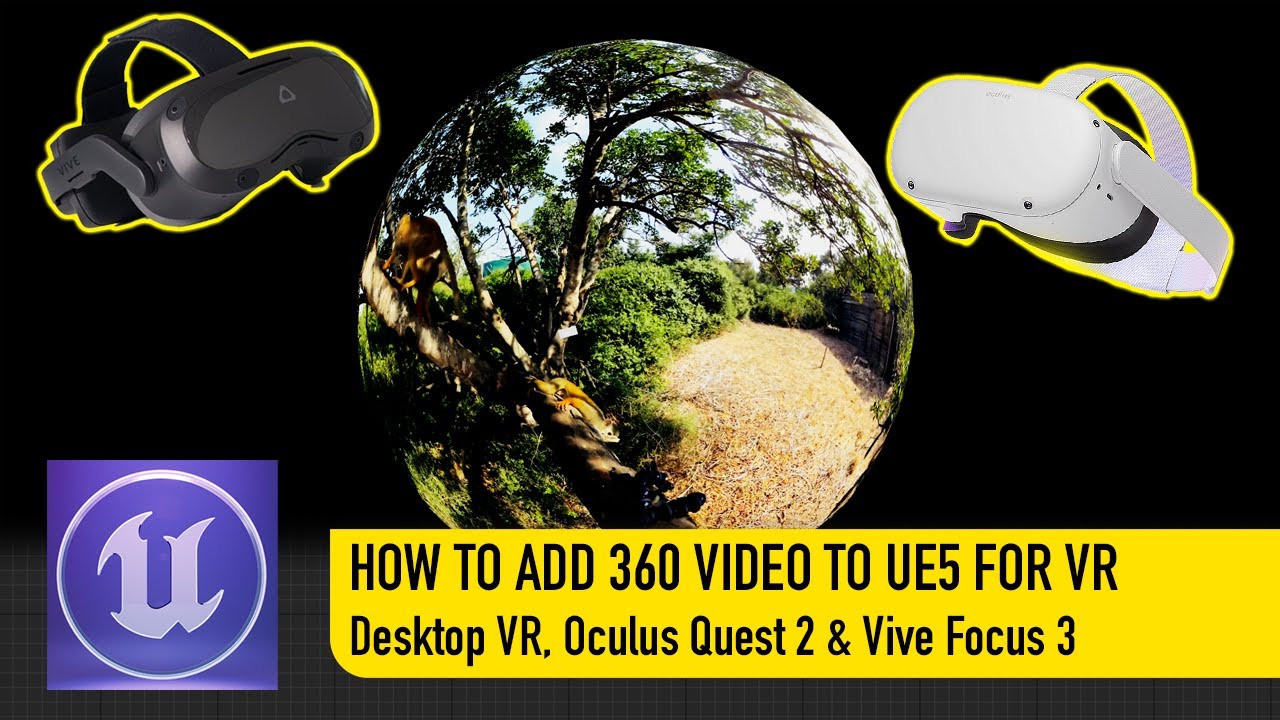
#UnrealEngine #VR #VirtualReality
► Join the Discord: https://discord.gg/xw65fg7
► Description
In this video, I go through the entire process of setting up 360 videos in UE5 as well as creating UMG buttons to view them and return to the previous level.
------------------------------------------------------------------------------------------...
 copper zenith
I'm looking at the VR template and I noticed that there are duplicate motion controller components in the VR pawn, but the differentiating part is that instead of Left/Right motion source, they are using LeftAim/RightAim motion source.
Is there documentation for what each motion source entry means and does anyone know right away what are the Aim motion sources?
 ember forum
LogHMD: Warning: OpenGL is not currently supported by the OpenXR runtime
really?
I get nothing but a blackscreen (with sound) trying to use OpenXR on my Quest2
so am I forced to use Vulkan if I want to use OpenXR on 427?
pastel lintel
So is VR just broken in UE4? Baking lighting in a simple scene causes 20fps in deployment
rocky nexus
no, thats unlikely to be root cause, unless your simple scene has many gigs of lighting data
 tropic lily
Hi! I'm fairly new to unreal and I'm trying to build a level to a oculus quest, I'm having some errors (Error: ERROR: Stage Failed. Missing receipt ... Check that this target has been built.) can someone help me?
idle osprey
pastel lintel
So is VR just broken in UE4? Baking lighting in a simple scene causes 20fps in d...
VR in UE4 is fine. Details would help. What hardware? Which UE4… etc.
limber flame
pastel lintel
So is VR just broken in UE4? Baking lighting in a simple scene causes 20fps in d...
Is it an entirely blank scene? (except a floor/basic light)
I think one of the default scenes has the really expensive dynamic sky automatically enabled in the level blueprint.
pastel lintel
limber flame
Is it an entirely blank scene? (except a floor/basic light)
I think one of the ...
Deploying with unlit textures and no light bake yields 70+ fps, but deploying with lit textures and a light bake yields ~20fps.
The scene is blank with a few starter content assets placed in, total meshes is less than 20 and total polygons is less than 20k.
All lightmaps are 64x64
pastel lintel
And the only lighting used was static point lights
keen prawn
wheat holly
You can replicate motion controllers down to clients yes, but clients still need...
bit late reply, but replicate component checkbox goes a long way, dont know much about the template u suggested. but MP usually has a bunch of logic custom to the project
so if u want to build something MP you might aswell setup the base urself cuz you need to know whats goin on anyways
start clean and copy functionality in from the template if needed is more my preferred style
if you know how to replicate stuff it doesnt take too long to setup. if you dont know that you shouldnt copy it from a template
takes a few hours to learn if you are allready competent in SP logic
wheat holly
keen prawn
bit late reply, but replicate component checkbox goes a long way, dont know much...
I'm not suggesting you shouldn't use custom logic and only use a plugin or a template, I was saying that the other template is just not that great in my eyes to use. Multiplayer always requires a bunch of custom code yes 🙂
Any game really does honestly. Regardless of being multiplayer.
keen prawn
yea, just the hands and head showing up on the other PC is just checkbox work tho
now if you want to replicate the hand animations it gets a bit harder .. but even with 0 MP knowhow you can learn it in a few hours
wheat holly
As long as you aren't making a big pvp game usually you can get away with a lot of stuff too.
If you need authoritative netcode however.. Yeah rip xD
keen prawn
yea if its not competative cheating takes a backseat
wheat holly
Just have to make sure it feels nicely in those cases yup.
tired tree
@keen prawn head and hands showing up is not a checkbox....
that would only be server down
wheat holly
Server -> Clients yes. But like I previously mentioned Client -> Server isn't.
tired tree
they are client auth tracked devices, and for that matter just letting the relative replication handle it would be super jittery and high cost
native transform replication in engine has no smoothing
wheat holly
Does it not? I've been scammed xD
keen prawn
hmm i do remember jitter from last time i did some MP stuff, it been a while tho
tired tree
and if you left it at 100htz replication you would be sending 10x the network load that you actually need to send per client
- it still looking less than ideal
wheat holly
But then again, it's not extremely difficult to just do some simple manual smoothing.
tired tree
sure, but you wouldn't be doing it with the "check box" relative replication
wheat holly
Well fair enough.
tired tree
you would manually be managing the data
keen prawn
yea, might have been wrong on the checkbox , all the more reason to look into this stuff urself 😄
if you are planning MP
i did fix the jitter when i had it
 neon geyser
Hello @sonic lake, we are actually implementing your hover vehicle in a VR multiplayer game
https://www.youtube.com/watch?v=GJ9Y9Z6Axss
With a few changes, we got it working perfectly but we had to use **reliable ** server requests and multicasts. Do you think it's safe to run the movement logic with reliable RPCs?

It was about time to revamp my old and very basic 2018's Hover Vehicle tutorial. In this new version, based on Unreal Engine 5, we add lateral stability, full movement controls, a speed boost function and the ability to flip back in case we capsize. As we go along I will also take time to explain why we do things in a certain way, so you can b...
 misty halo
neon geyser
Hello <@399916238098137098>, we are actually implementing your hover vehicle in ...
misty halo
neon geyser
Hello <@399916238098137098>, we are actually implementing your hover vehicle in ...
Note: I used hover tut from 2018 for our Atlassia implementation + movement prediction
 manic tapir
What's the best way to profile performance on quest 2?
terse mulch
manic tapir
What's the best way to profile performance on quest 2?
Renderdoc for Oculus
manic tapir
How about profiling code?
outer flicker
I use oculus developer hub perfetto to check the basics. What components eat frame time, like cmc or anims.
quiet swan
are we all suppose to turn off mobile HDR when making an occulus game?
im I suppose to check this for my lighting >?
 quiet swan
well I unckeced mobile HDR and it worked
tribal lintel
quiet swan
are we all suppose to turn off mobile HDR when making an occulus game?
Yes. It's a real YMMV thing but it's not officially supported, if you manage to get it to work it will tank your performance. Check out the quick start guide when making a quest game, all the steps are there to get it packaged and working on your headset, including turning off mobile hdr
https://developer.oculus.com/documentation/unreal/unreal-quick-start-guide-quest/
Provides instructions on how to create a Unreal Engine project for Oculus development.
quiet swan
@tribal lintel im shocked at how much lag and studdering I have on my quest... even in my lobby its not smooth, im going to look over your link and run some test. im making a mobile pc and vr game and with mobile HDR turned off I lose alot of my effects that worked fine on android...
 outer parrot
Is there any VR multiplayer templates out there?
keen prawn
@outer parrot a VR racing game would have completely diffrent setup than a VR shooter game
quiet swan
should we have support for software occlusion turned off or on ?if we are packing for occulus?
 open grove
Any one know what the most common problem would be for the descriptor file failing once deployed on andriod? My net searches have not turned up fruitful
 open trail
@warped mesa So, I've done some more testing, and I got the subpass-tonemapping to work (4.27.2, oculus branch v41) but I feel I'm kinda stuck right now.
The pc build works, no major bugs.
The quest build however, pretty ugly, strange bugs.
I'm unable to use some optimization settings, as they change the look of the scene(s) (these bugs are only present on the oculus version of the engine though).
To improve the look on the quest, I figured that changing the brightness of the scene shouldn't be done with exposure, as this doesnt work on the quest, and the subpass tonemapper doesn't use hdr, so darkening results in a overblown scene, but darker (this does work in 4.26 from the launcher though, am I missing a setting or something? )😅
In 4.27-oculus, an empty scene is already pretty lit, so something funny is going on there.
Any advice is welcome, what engine version to set with (launcher, oculus source build), what to try next..
Thanks in advance!
Sorry for the long read, but I'm kinda losing it😅
The weird thing is that mobile exposure does work (without hdr) in 4.26, not in later versions. Did they change anything regarding that?
jovial hamlet
open trail
The weird thing is that mobile exposure does work (without hdr) in 4.26, not in ...
weird, looking at the source code it seems like the manual exposure settings should work in LDR, and the pre exposure is applied in the mobile base pass pixel shader
it's like the exposure settings are just getting lost somewhere
open trail
jovial hamlet
weird, looking at the source code it seems like the manual exposure settings *sh...
Ahh allright, would replacing all shaders work?
As a quick test
Or would it be in the postprocess class?
jovial hamlet
open trail
As a quick test
an easy way to do quick tests is to mess around in MobileBasePassPixelShader.usf
so you can find the like where pre exposure is applied (OutColor.rgb *= ResolvedView.PreExposure;) and change the pre exposure there
but there must be a way to do it the right way, I just don't know how to pass the correct pre exposure there
so we probably miss a flag or something
open trail
Ahh allright, I will compare some files and see what's different. I can also try some of the console commands, Thanks!
jovial hamlet
open trail
Ahh allright, I will compare some files and see what's different. I can also try...
lmk if you figure it out!
open trail
Will do!
@jovial hamlet Before I need to cleanup 100gigs, I can alter the shaders in the launcher version right?
jovial hamlet
open trail
<@712346258550816879> Before I need to cleanup 100gigs, I can alter the shaders ...
yep
just changing the file and restarting the editor should work
open trail
Allright, thanks!
jovial hamlet
open trail
Ahh allright, I will compare some files and see what's different. I can also try...
yeah I'm looking at the diff of PostProcessEyeAdaptation.cpp between 4.26 and 4.27 and it's weird
in 4.26 they reset the exposure settings only if EngineShowFlags.EyeAdaptation was off, and since 4.27 they also do it if the feature level check fails (i.e. we are "on mobile with MobileHDR is false")
possibly a bug?
jovial hamlet
jovial hamlet
yeah I'm looking at the diff of `PostProcessEyeAdaptation.cpp` between 4.26 and ...
but judging by git blame it was intentional so 🤷♂️
open trail
Hmm, I'll try to revert it and rebuild the engine, great find!
Luckily I have the oculus version of 4.27 already compiled :p
pastel lintel
How to you smooth/change fov in the preview window for vr?
 lyric kestrel
How to set smaller value to VR teleport so that I can teleport to a small room?
open trail
jovial hamlet
but judging by git blame it was intentional so 🤷♂️
I replaced the PostProcessEyeAdaptation.cpp with the one from 4.26, no luck so far.. (tested with Vulkan, trying openGL now)
wooden chasm
is there a way to display navmesh at runtime? with some sort of grid material or something
like steam vr home does
open trail
@jovial hamlet I replaced all post-process shaders, no luck.
I manually set the exposure in MobileBasePassPixelShader.usf to OutColor.rgb *= 0.1f; and it works! So exposure does work, it just cant seem to get the right value for it..
open trail
So now for the hunt for the reason why ResolvedView.PreExposure somehow always returns 1..
terse mulch
@open trail Don't know if this will help, but I notice the exposure (Quest, 4.26) can be changed at runtime using the console command "r.DefaultFeature.AutoExposure.Bias"
jovial hamlet
terse mulch
<@450409198077870082> Don't know if this will help, but I notice the exposure (Q...
yeah, it works in 4.26 but looks like it got broken in 4.27
terse mulch
yes I have been looking into this issue too
open trail
Yess, I use the manual exposure setting in the post processing, but after upgrading to 4.27 it stopped working.
Thing is, exposure itself is working when you set the value manually in the shader, but that's not workable. It must be somewhere in the code.
So far I've replaced the PostProcessEyeAdaptation class, still the same result..
Maybe some flags are set incorrectly, so I'll set the exposure in the postprocesseye adaptation, to see if that gets used
For reference, i'm changing it on line 965:
// Mobile LDR does not support post-processing but still can apply Exposure during basepass
        if (bMobilePlatform && !IsMobileHDR())
        {
            PreExposure = 0.02f;//GetEyeAdaptationFixedExposure(View);
        }
for me it doesn't get passed to the final post process settings:
float GetAutoExposureCompensationFromSettings(const FViewInfo& View)
{
    const FPostProcessSettings& Settings = View.FinalPostProcessSettings;
    // This scales the average luminance AFTER it gets clamped, affecting the exposure value directly.
    float AutoExposureBias = Settings.AutoExposureBias;
I suspect that this will work
jovial hamlet
jovial hamlet
for me it doesn't get passed to the final post process settings:
```cpp
float Ge...
when I look at this in the debugger, the AutoExposureBias here is always 1
jovial hamlet
jovial hamlet
when I look at this in the debugger, the `AutoExposureBias` here is always 1
not sure why I was getting that, I don't think I changed anything but now the post process settings seem to be populated properly 🤷♂️
as for them getting erased later, commenting out this line did the trick for me (but it is a bit dirty): https://github.com/EpicGames/UnrealEngine/blob/1e5926084bbf386041103735ed6c2ab27bc1c1ee/Engine/Source/Runtime/Renderer/Private/PostProcess/PostProcessEyeAdaptation.cpp#L341
after this change I can change the exposure compensation in the post process volume or in the player camera, and it works both in android preview and on device
@open trail
I'm using the oculus fork but I think it should work with the epic branch as well
open trail
jovial hamlet
I'm using the oculus fork but I think it should work with the epic branch as wel...
Ahh, I'm using that one as well. Awesome! is that the only change? In other words, I can use the eyeadaptation.cpp from 4.27 again?
jovial hamlet
open trail
Ahh, I'm using that one as well. Awesome! is that the only change? In other word...
yep, all I did was comment out that one line there
open trail
Allright! I'll test it right now, fingers crossed :p
open trail
Hmm, this doesn't seem to work on my end..
It could be that i'm using r.UsePreExposure=True
I'll check with a clean project 😅
jovial hamlet
open trail
It could be that i'm using r.UsePreExposure=True
I'm using that too
let me try that on the vr template project as well
jovial hamlet
open trail
Hmm, this doesn't seem to work on my end..
so steps to reproduce that for me:
- create a VR template project
- put a post process volume into the scene
- enable android preview
- check exposure compensation in the pp volume and move the slider
the exposure in the android preview viewport is changing accordingly, but it wasn't changing before commenting out that line
building to device rn
 white gulch
When working on Wave VR (specifically 4.5.0, with Unreal 4.27), what's the best way to call the Left or Right controller, in order to set up an ability to grab a scene object?
open trail
jovial hamlet
so steps to reproduce that for me:
- create a VR template project
- put a post p...
Hmmm, are you using the Manual mode?
jovial hamlet
open trail
Hmmm, are you using the Manual mode?
it falls back to the manual mode anyway, so it doesn't matter which mode you choose
open trail
Ahh okay
I'll check it with the vr-template rn
It does work with OpenGL, but not with vulkan 😅
And if I use OpenGL, I only have a black screen :/
jovial hamlet
open trail
It does work with OpenGL, but not with vulkan 😅
hmm, I only tried it with Vulkan
but it is strange, the RHI shouldn't matter for this
open trail
I'm guessing I don't need to re-build the engine, only build should work right?
I also have this issue that the scene is overly contrasted and dark
 jovial hamlet
open trail
I'm guessing I don't need to re-build the engine, only build should work right?
jovial hamlet
open trail
I'm guessing I don't need to re-build the engine, only build should work right?
it only rebuilt a couple of files for me
open trail
jovial hamlet
hmm, I only tried it with Vulkan
Ahh right, it works now
jovial hamlet
is your lighting built?
 open trail
I think so, it's a complete clean vr-template project
Might have changed some settings though, ill remake it
jovial hamlet
open trail
Which version of the Oculus branch do you have? I'm on v41 rn
I'm on oculus-4.27.2-release-1.72.0-v40.0, but I doubt it got more broken since then
open trail
Agreed, it shouldn't make a difference
jovial hamlet
also I'm on Quest 2, don't have a Quest 1 to test
open trail
Same, but since it works in a clean project (if the darkness issue is gone then I must have some setting wrong)
jovial hamlet
jovial hamlet
so steps to reproduce that for me:
- create a VR template project
- put a post p...
yep that works on device too
open trail
but first...

Also! If I disable DBuffer Decals, the scene is as dark as the picture above, if I turn it back on again, it's as in your pic :/
Clean project
 jovial hamlet
open trail
Also! If I disable DBuffer Decals, the scene is as dark as the picture above, if...
jovial hamlet
open trail
Also! If I disable DBuffer Decals, the scene is as dark as the picture above, if...
huh?
are you on forward rendering?
open trail
yep;
[/Script/Engine.RendererSettings]
r.Mobile.DisableVertexFog=True
r.Shadow.CSM.MaxMobileCascades=2
r.MobileMSAA=4
r.Mobile.AllowDitheredLODTransition=False
r.Mobile.AllowSoftwareOcclusion=False
r.Mobile.VirtualTextures=False
r.DiscardUnusedQuality=False
r.AllowOcclusionQueries=True
r.MinScreenRadiusForLights=0.030000
r.MinScreenRadiusForDepthPrepass=0.030000
r.MinScreenRadiusForCSMDepth=0.010000
r.PrecomputedVisibilityWarning=False
r.TextureStreaming=True
Compat.UseDXT5NormalMaps=False
r.VirtualTextures=False
r.VirtualTexturedLightmaps=False
r.VT.TileSize=128
r.VT.TileBorderSize=4
r.vt.FeedbackFactor=16
r.VT.EnableCompressZlib=True
r.VT.EnableCompressCrunch=False
r.ClearCoatNormal=False
r.ReflectionCaptureResolution=128
r.Mobile.ReflectionCaptureCompression=False
r.ReflectionEnvironmentLightmapMixBasedOnRoughness=True
r.ForwardShading=True
r.VertexFoggingForOpaque=True
r.AllowStaticLighting=True
r.NormalMapsForStaticLighting=False
r.GenerateMeshDistanceFields=False
r.DistanceFieldBuild.EightBit=False
r.GenerateLandscapeGIData=False
r.DistanceFieldBuild.Compress=False
r.TessellationAdaptivePixelsPerTriangle=48.000000
r.SeparateTranslucency=False
r.TranslucentSortPolicy=0
TranslucentSortAxis=(X=0.000000,Y=-1.000000,Z=0.000000)
r.CustomDepth=1
r.CustomDepthTemporalAAJitter=True
r.PostProcessing.PropagateAlpha=0
r.DefaultFeature.Bloom=False
r.DefaultFeature.AmbientOcclusion=False
r.DefaultFeature.AmbientOcclusionStaticFraction=True
r.DefaultFeature.AutoExposure=False
r.DefaultFeature.AutoExposure.Method=0
r.DefaultFeature.AutoExposure.Bias=1.000000
r.DefaultFeature.AutoExposure.ExtendDefaultLuminanceRange=True
r.UsePreExposure=True
r.EyeAdaptation.EditorOnly=False
r.DefaultFeature.MotionBlur=False
r.DefaultFeature.LensFlare=False
r.TemporalAA.Upsampling=False
r.SSGI.Enable=False
r.DefaultFeature.AntiAliasing=3
r.DefaultFeature.LightUnits=1
r.DefaultBackBufferPixelFormat=4
r.Shadow.UnbuiltPreviewInGame=True
r.StencilForLODDither=False
r.EarlyZPass=3
r.EarlyZPassOnlyMaterialMasking=False
r.DBuffer=True
r.ClearSceneMethod=1
r.BasePassOutputsVelocity=False
r.VertexDeformationOutputsVelocity=False
r.SelectiveBasePassOutputs=False
bDefaultParticleCutouts=False
fx.GPUSimulationTextureSizeX=1024
fx.GPUSimulationTextureSizeY=1024
r.AllowGlobalClipPlane=False
r.GBufferFormat=1
r.MorphTarget.Mode=True
r.GPUCrashDebugging=False
vr.InstancedStereo=True
r.MobileHDR=False
vr.MobileMultiView=True
r.Mobile.UseHWsRGBEncoding=True
vr.RoundRobinOcclusion=False
vr.ODSCapture=False
r.MeshStreaming=False
r.WireframeCullThreshold=5.000000
r.RayTracing=False
r.RayTracing.UseTextureLod=False
r.SupportStationarySkylight=True
r.SupportLowQualityLightmaps=True
r.SupportPointLightWholeSceneShadows=True
r.SupportAtmosphericFog=True
r.SupportSkyAtmosphere=True
r.SupportSkyAtmosphereAffectsHeightFog=False
r.SkinCache.CompileShaders=False
r.SkinCache.DefaultBehavior=1
r.SkinCache.SceneMemoryLimitInMB=128.000000
r.Mobile.EnableStaticAndCSMShadowReceivers=True
r.Mobile.EnableMovableLightCSMShaderCulling=True
r.Mobile.AllowDistanceFieldShadows=True
r.Mobile.AllowMovableDirectionalLights=True
r.MobileNumDynamicPointLights=4
r.MobileDynamicPointLightsUseStaticBranch=True
r.Mobile.EnableMovableSpotlights=False
r.Mobile.EnableMovableSpotlightsShadow=False
r.GPUSkin.Support16BitBoneIndex=False
r.GPUSkin.Limit2BoneInfluences=False
r.SupportDepthOnlyIndexBuffers=True
r.SupportReversedIndexBuffers=True
r.LightPropagationVolume=False
r.Mobile.AmbientOcclusion=False
r.GPUSkin.UnlimitedBoneInfluences=False
r.GPUSkin.UnlimitedBoneInfluencesThreshold=8
r.Mobile.PlanarReflectionMode=0
bStreamSkeletalMeshLODs=(Default=False,PerPlatform=())
bDiscardSkeletalMeshOptionalLODs=(Default=False,PerPlatform=())
VisualizeCalibrationColorMaterialPath=None
VisualizeCalibrationCustomMaterialPath=None
VisualizeCalibrationGrayscaleMaterialPath=None
r.Mobile.SupportGPUScene=1
That was a longer list than I expected 😅
Even in the game, where it was fine the whole time 😅
 real needle
is vr buggy in ue5?
ive heard its annoying in ue
level design with vr and modeling possible?
sturdy coral
real needle
level design with vr and modeling possible?
I don't think so, I heard the VR editor was removed and replaced by just a viewer
real needle
sigh
 spiral marlin
Is there a way to benchmark VR performance without having to put on a VR headset?
round cliff
Hello, I have a problem with the oculus reset.
When I start my level the player starts looking where it should but if I move and then press the oculus button to reset the view, it resets it somewhere wrong. the location changes depending on where you were looking in real life when you started the level.
Could anyone help me please
 magic flicker
with unreal engine
with its VR thingo
i am trying to get a build onto my quest 2
but
it keeps failing and i have no clue why
it gives me
Installed Build Tools revision 33.0.0 is corrupted. Remove and install again using the SDK Manager.
and
Could not determine the dependencies of task ':app:compileDebugJavaWithJavac'.
ive looked at a lot of youtube tutorials and web pages but nothing seems to work
this is the full thing

also i noticed
that
these are empty


How to set up your Android development environment for Unreal 4.25 and later
i tried to follow this guild as much as possible
i am using unreal 4.27
ive got android studio 4.0
although i did at one point install 3.something and uninstalled all of that to install 4.0
this is the android project settings page thingo

if anyone could help or something that would be great
thanks
oh also this is what ive got from android studio

 magic flicker
round cliff
Hello, I have a problem with the oculus reset.
When I start my level the player ...
magic flicker
round cliff
Hello, I have a problem with the oculus reset.
When I start my level the player ...
If this is what I think it is I don't think that's a bug
Maybe
 dire citrus
@magic flicker I resolved this issue (I'm using Android API31 as SDK platform) :
Rename d8.bat and d8.jar as dx.bat and dx.jar in folders \AppData\Local\Android\Sdk\build-tools\31.0.0\ and \lib
magic flicker
dire citrus
<@479454732461801475> I resolved this issue (I'm using Android API31 as SDK plat...
i tried that
actually
some time after this post
that worked
but i got another error
but yeah thanks
idle osprey
magic flicker
also i noticed
that
these are empty
Empty is fine, those override your environment variables. So, as long as those are set, you're fine.
hard relic
Hi there, this material help me to detect VR Eye. I can mask Left or Right by this way. But this seems to be world based. I want it to be relative to the helmet. Can help?

 jovial hamlet
hard relic
Hi there, this material help me to detect VR Eye. I can mask Left or Right by th...
jovial hamlet
hard relic
Hi there, this material help me to detect VR Eye. I can mask Left or Right by th...
you can try getting the ResolvedView.StereoPassIndex in a custom node
jovial hamlet
https://www.youtube.com/watch?v=ONm3WhdHuqY
it's incredible what can be done on Quest if you are not afraid to get your hands dirty in the depths of the rendering pipeline
all kinds of amazing reflections, unlimited lights, great looking glass, proper tone mapping
such a shame none of it is public!

At Vertical Robot we believe that immersion is key. To increase the feeling of immersion, Red Matter 2 runs a heavily modified version of Unreal Engine. These are just some of the features we have implemented for Meta Quest 2 to enhance the graphics and sense of presence. Red Matter 2 launches on August 18, 2022 on Meta Quest 2 and Rift S. https...
hard relic
jovial hamlet
https://www.youtube.com/watch?v=ONm3WhdHuqY
it's incredible what can be done on ...
impressive.
Thank to point me in the right dir.
Do i have to disable instanced stereo?
jovial hamlet
hard relic
Do i have to disable instanced stereo?
in order for ResolvedView.StereoPassIndex to work? it works for me with instanced stereo and with mobile multi view
hard relic
ok thanks, don't know this command and never done a custom node, but i will go this way.
find that: https://forums.unrealengine.com/t/vr-instanced-stereo-breaks-screenposition-material-node/390990/2

Unreal Engine Forums
Hey Congaz2, So I believe this is expected due to how the Instanced Stereo Rendering works. Instead of drawing each eye sequentially (the left and then the right eye), they are drawn simultaneously (left and right at same time). Since we stretch the viewport out that technique wont work, but I do have a way to determine which eye is being rend...
that will help
aaah thanks same same
jovial hamlet
hard relic
ok thanks, don't know this command and never done a custom node, but i will go t...
custom node just lets you use any hlsl commands and available variables and not just the stuff that's exposed to the material graph
can be super handy sometimes
hard relic
great. powerful. i like script too. that will help.
 crimson sapphire
Hey Im trying to setup quest 2 for unreal development and I'm geetting this when launching the project

I also can't find the device here

but I can find it in device manager
 worthy quest
crimson sapphire
Hey Im trying to setup quest 2 for unreal development and I'm geetting this when...
worthy quest
crimson sapphire
Hey Im trying to setup quest 2 for unreal development and I'm geetting this when...
Did you check if the correct Android SDK is installed as it suggests in that error message ?
 alpine robin
Does anyone know a fix for the UE bug where the "World to Meters Scale" literally just stops working unless you close all tabs except the level blueprint? It's really weird and annoying
I'm on 4.27 btw
gray karma
Hi everyone, i looking for continue to play in VR with Windows Remote Desktop connection. When i connect the remote destkop, the session on the target PC are open by windows on my manager PC. The problem is the screen of the HMD, i have a green screen and i can't see. On the target PC the application running and informations about the position and rotation of the HMD working. I think this problem appears when the session on the PC are lock but running. Someone have an idea ? Thanks for your help

 ripe crypt
i have been able to use occlusion in AR on Android. However not able to get it working on iOS. Is it implemented? Any tips will be appreciated (using version 4.26.2, can switch to other versions if it works)