#visual-fx
1 messages · Page 37 of 1
 untold bobcat
 vast delta
Hi
I copy pasted an vfx to another project. I pasted material, static mesh and particle system. But particle system is not working. What should i do ?
How can i fix that particle system
It is not working https://i.gyazo.com/2472b55505e5dab0d370a1be1ce23651.gif

In particle system's inside, nothing happening. Writing completed but effect is not working
 normal crystal
how would one start making an effect like this? https://www.youtube.com/watch?v=dBkChTy_kHo&ab_channel=Onion

Sandstorm setup continues to improve.
 primal parrot
@normal crystal Exponential height fog, Niagara sprite particles for blowing dust and mesh particles for bouncing rocks, maybe some volumetric fog with 3d dust clouds instead if you want to go crazy 😄
 brittle remnant
@vast delta You can't copy paste UASSETS from one project to another. You have to use the Migrate feature in ue4. The reason it's not working is that all of the asset references are broken. https://docs.unrealengine.com/en-US/Engine/Content/Browser/UserGuide/Migrate/index.html
This document covers how to migrate assets into other projects within the Content Browser
 full cargo
Hello! I've created a blood particle for a mobile game, but previewing on ES3 the colors are changed. The colors are real only if I watch the particle from the top. How can I solve this?
 quasi pewter
Hello everyone! I've got this laser cutter effect where the laser leaves a line on whatever it hits which fades from orange to black, and then fades completely. The only way I've been able to figure out how to achieve this by laying down a decal every tick, which obviously tanks performance after a few seconds of sustained lasering. Can anyone point towards a better, alternate way to achieve this effect?
 left scarab
Hello there, i've got an issue with decals and i don't know what going on :V
In the same level some of my decals are "pixelated" and some not.
Those decals are made with Dynamics materials i can share my screen if someone wants help me :V thanks !
 hard forum
hey peeps, pretty new to UE4 materials and particles. Can someone show me how i can get my flip book to start from frame 1 on spawn in a system? at the moment all my particles are looping through at the same time.
untold bobcat
is Bifrost for Maya a replacement of houdini?
untold bobcat
specifically for effects tho, not the whole kitchen. I should have specified, purely for VFX.
 cold sorrel
If you are a masochist, maybe. Otherwise, no.
untold bobcat
quite colorful comparisons. got it. thanks.
cold sorrel
Howard, I can see you typing. Wanna go back to maya? 😄
primal parrot
Houdini was written from the ground up to be procedural, Maya was not, Bifrost is a nice add on, but would probably take a few years to completely cover all H can do. Hah NEVER want to go back 😛
cold sorrel
I wonder if I've ever seen anyone make the transition that way.
primal parrot
What do you mean?
cold sorrel
Someone being proficient in Houdini, deciding they had enough and switch over to Bifrost.
I've seen the opposite.
primal parrot
Hah, yeah, that would be hilarious... but again maybe if Autodesk got their thumb out, years ago... H just can not be beat. 😄
cold sorrel
I can see it happening due to licensing bullcrap. But willingly, I just don't see it happening.
primal parrot
I can only imagine the few Maya FX artists that never gave up on Maya will love BF and never feel the need to move on....reminds me of Lightwave 😛
 fresh quiver
the free
asset
all i got is in the first pic
i add to project
but nothing is shown
fresh quiver
nvm its working
 oblique thicket
Hi fam! ....could somebody explain this to me? 😑
oblique thicket
If BP_Trail is spawned by another BP, the spawner MUST have a tick event, even empty, for the anim trail to be on screen...
...
 reef summit
can a cascade particle mesh face the direction it was spawned
 devout portal
Greetings. Is it possible to set these parameters by BP? (i can only see "Set vector")
I assume this is the way:
devout portal
Greetings. I need an example of vertex rotator WITH normals rotated too. I could not find any examples.
untold bobcat
can UE do realtime cloth deformation with assets from houdini, not spawning or anthing but can I interact with say a cloth in UE and have it react?
 versed sandal
Hi anyone can help me to understand why decals not working on ios? I am making bullet holes. Working fine in editor for each angle. but doesnt works on ios/mobile.
devout portal
@versed sandal mobile support only translucent, additive and modulate decals due to forward renderer
you can try enabling MobileHDR as well
 red hamlet
I've made a pulsating ring material that starts small and expands, then dissolves. I turned it into a particle, and used particle spawn emitter to show it in the world when called. It works, but it does not play "from the start". In other words, when it's spawned, it starts from a random point in the particle's life, so it even sometimes loops to the beginning and looks off. I also tried spawning an actor with the material, to test, and the same thing happened. Is there anyway to set the time in its life to be at its beginning when called?
 dry niche
I'm wondering if anyone had any luck recreating cone overwatch effect like in Gear Tactics, Desperados or Shadow Tactics? Tag me.
red hamlet
after millions of hours and some assistance, I've finally figured it out 😩
 clear vessel
@quasi pewter You can do that with niagara
 flat sphinx
Hey everyone, indie filmmaker here. I was wondering if there's anyone here that uses Unreal for VFX, like for particles and stuff. For years I've been using AE, Red Giant Particular, but as I learn Unreal and seeing its potential with its particle system in real time. Is there a overlay setting where I can place footage in Unreal, and does Unreal Support motion blur?
devout portal
@flat sphinx it does support motion blur, but learning Niagara particles make take you quite a lot of time
about compositing:
https://docs.unrealengine.com/en-US/Engine/Composure/index.html
In Composure, a graphics utility plugin available with Unreal Engine, we've added a new set of tools to make compositing a lot easier.
 inland ibex
Has anyone had any luck trying to pan or rotate non UV space textures? (like a ue4 generated gradient)
 lone wing
@inland ibex everything works on UV, so the same idea aplies
if theres no UV input it just means its not exposed in that function
inland ibex
yea, I figured, just having a hard time understanding what kind of manipulations need to be carried out to make pan/rotate such things
so far everything I have tried tend to work wierd. For example hooking a diamond gradient into a custom rotator makes it do a weird tunnel zoom instead of the expected rotation
clear vessel
Can I somehow get how effected a pixel is from mip bias?
 graceful tangle
@clear vessel Not sure if I understood you correctly but you already can get this pixel with mip bias from the texture sample
 twin anchor
What’s the best way to go about making a gore system?
 cinder zodiac
Hi to everyone!
Does anybody knows why Niagara Sample texture module lags? It don't show color of particles until I switch it off and on manually
https://www.youtube.com/watch?v=8fBU1ZrVkos

Niagara system with Sample texture module does not show the color until you switch it off and on manually
 safe finch
Hello everybody!
I hope this is the right channel for this but I'm working on an educational project that also needs to show the airflow within pipes and valves. Unfortunately it isn't any gas or something that might be colored so I was aiming for light smoke but then it might not show the flow well enough. Also I don't know what way would be the best because I'm currently looking into sending a particle system along a spline but I was also looking into beam emitters, but I'm really unsure which solution might be the best for this usecase. If somebody could point me into the right direction, I would be really grateful. Just to make sure: this should visualize the airflow not simulate anything (which is important because it's gonna be in VR and I need to be very aware of performance already).
Thanks a lot!
 sly nest
Has anyone considered driving spline mesh deformation through world position offsets? Since a normal mesh spline component isn't instanced, this could be a nice optimization. You could gather the spline component data at runtime and pack it into a custom primitive data and just set it on the static mesh component. Basically free splines.
Or do it with render targets
 frigid burrow
I have a very obscure, non-runtime use case that I think I need shaders for -- I basically need to perform transformations on a texture which I'll feed into CustomData outputs. I'll then need to read the Custom Data from the material instance via C++ blueprints. Any of you SFX wizards know if this is possible?
More or less, I basically need a way to retrieve the final shader output (Custom Data Channel, Normal Channel, Base Color channel, etc.) on a per pixel basis from C++/Blueprints (or assign some intermediate to a parameter which I can read from BP/C++).
 indigo jolt
@frigid burrow look up RenderTargets and check out tutorials for setting those up, that might be the kind of thing you want.
graceful tangle
Hello everybody, I want to make grass interaction with objects in my scene and now I have two ideas about how to make it: first is distance fields and second is render targets. Has anybody already had experience with this? What's the pros and cons of using one of them?
frigid burrow
@indigo jolt IIRC, render targets are just Texture objects that can store output from a shader as a texture.I just pulled up the API and it doesn't look like UTextureRenderTarget or UTextureRenderTarget2D give me the ability to get vector (RGB) values on a per-pixel basis from the RenderTarget texture.
graceful tangle
@frigid burrow You can get values on a per-pixel basis, if that's what you want
frigid burrow
@graceful tangle Hmmm.... wasn't familiar with that node. That's available from BP right? Looks like exactly what I need, I'll give it a try
Yep, that's exactly what I need I think. Thanks @indigo jolt @graceful tangle!
That steps me a bit closer, but I still need to output the shader channels to the render target. Anyone know of any guides/tutorials on how I'd do that? I'm thinking it should be pretty straightforward.
 bold egret
@graceful tangle how do u get ur nodes to look liek that?
graceful tangle
@bold egret google UE4 flat style nodes, and there will be link to gumroad
bold egret
nothing came up
 onyx vector

 flint turret
Hey I've got shot in Sequencer and I'm setting up a greenscreen comp using Composure. I have everything set up and the comp is working fine but I can't figure out how to advance the frames of the sequence with the play head in Sequencer. the image is locked to the current frame in the Media Player even though the camera moves fine in the BG. Is there a track I can add to the Level Seq for that shot that can control the frame of the image seq?
 jolly stream
Anyone know how to "pre-spawn/simulate" particles that spawn over time via a spawn rate so that they are present instantly upon the emitter being spawned?
cold sorrel
Warmup. It's on the system node.
cold sorrel
Exactly what Gasty said.
It runs the system hidden for X seconds.
Then reveals the warmed up state when activated.
dry niche
Given that I have square texture, how can I map/warp it to this cone like shape? Can this be archived with UV modification in material?
 muted jolt
What are people using for hair in UR4 is it Hair Cards? I'm trying to figure out what to study for hair from ZBrush to Unreal.
 analog onyx
Varies from hair cards to unreal's hair or custom solutions.
 pure wave
any idea why this panner wouldn't pan? as in, the noise won't animate at all
 rocky sail
Hey guys, I'm using raytracing and want to use translucent sprites e.g. to generate smoke. Is there any way to do so in 4.26?
Especially for semi-transperent stuff as smoke and fog particles.
cold sorrel
Haven't tried 4.26 but in 4.25 there is no support for shadows on translucent particles in Raytracing.
rocky sail
Even if I turn off "Cast Ray Traced Shadows" I get this artifacts.
It's transperent, but not showing the particle behind it.
 boreal oxide
Hi all, I'm wanting to make a sand storm particle effect. I had one but it was 2d and the sprites would rotate with the camera and it didn't look great. I wanted to know what might be the best way to go about this. I am using ue 4.21 and I cannot use volumetric fog.
 drifting star
I would use some kind of big particle with depth fade in the material and other with velocity oriented blended all together
Anyone have any idea how to "increase" or offset the bound of a level to avoid this kind of error?
Basically I have some particle with really long value on location, and they have to be there, but it give me some weird artefact, instability plus these error
untold bobcat
Oh snap, yall better start learning Houdini. https://www.sidefx.com/community/epic-games-invests-in-sidefx

Epic Games is now a minority investor in SideFX. In Epic, SideFX gains a strong partner whose passion for the industry closely aligns with ours.
 cosmic quarry
I've been using houdini for years...I still consider myself a novice
Houdini is the K2 of vfx programs
 tight swift

How do I replicate this effect in unreal
without the temporal ramifications since I already finished those
 real bear
@ or dm if answer ok thx
cold sorrel
Photoshop
 weak jewel
Hey people does anyone know how to use particle effects in the UMG Widget ?
Is it even possible ?
 celest birch
How can I create a vfx trail as a projectile?
Do I have to first make an actor
And spawn emitters on top of the actor?
 stray flicker
i am using the Decklink Quad HDMI Recorder and have the 'no configuration found' dose anybody know why is this
pure wave
any idea how this kind of parallax scrolling material is made? I'd just buy his course, but it's only available in China
https://www.youtube.com/watch?v=6GQYWYzKcLg&ab_channel=VFXAllen

Unreal4 VFX 2020 Personal Work 08
MagesBox Link: https://www.magesbox.com/member/10122
Artstation Link: https://www.artstation.com/allenlin
 sonic anvil
Hi is anyone here experienced with Niagra Or Cascade and good at making stuff like arrow shots and weapon swings and spells?
graceful tangle
@pure wave this is possible with a reflection vector
pure wave
@graceful tangle priceless tip, thank you so much
 pulsar lodge
Is there a good tutorial on water spray effect using cascade or Niagara?
 lethal chasm
Hi guys, I am stil learning more and more about vfx (in UE4 for now) and I wanted to ask how often do you guys sketch your design for an effect? is it only for a particular type of effect you do it for? or is it always regardless what type of effect it is? Or do you only sketch your design if you dont enough good enough references and need to see what you are idk thinking?
I am pretty bad at sketching, and was wondering if i should be doing it all the time before starting to create the effect in-engine
cold sorrel
I don't think I've ever done it in production. I did it when I was a student and for a competition where it was required. That's about it.
lethal chasm
Thats quite relieving to hear. Its not something I particularly enjoy. I think for now I will focus on learning the tools [niagara] before I start doing things like sketches. Thanks 👍
 feral salmon
I'm trying to make a custom hlsl expression that can get the CameraPosition in world space for an ORTHOGRAPHIC camera. This forum post explains why the regular CameraPositionWS expression does not work for orthographic cameras because the camera's position is a plane and not a point. https://answers.unrealengine.com/questions/224154/view.html
However, my thinking is that, so long as the camera has only 90 degree increment pitch and yaw rotations, (basically, so that only ONE axis is infinitely far away and can be omitted), there's no reason you can't return a camera position in world space that is the average of the orthographic camera's four corners and the value for the omitted, infinitely far away axis is simply 0 or -1.
I have no clue how to go about creating this expression, as the farthest I've come is finding that I can have a custom expression that has:
return Parameters.WorldPosition_NoOffsets_CamRelative;
But I am unsure of where or how Parameters.WorldPosition_NoOffsets_CamRelative gets set.
If anyone can point me in the right direction, I'd be much appreciative
devout portal
it is indeed infinitely far...but doesn't mean its axis is one of xyz main axes ortho projection can be made with any camera orientation
you just treat camera position as a view vector (Camera vector)
feral salmon
@devout portal
Yessir, ortho can be made with any camera orientation. I was saying so long as the camera has pitch and yaw rotations ONLY in 90 degree increments, the axis that has the infinitely far away value WILL be one of the main xyz axes. (roll doesn't matter here because the axis that roll rotates around is the same axis as the camera "projects" forward on) 😁
If the camera does not have only 90 degree pitch and yaw rotations, the expression could return another null-like value (like 0 or -1) for all axes.
What do you mean "view vector (Camera vector)"? 🙂
devout portal
it's a node in material
one stores view vector if current ray(pixel/texel), another camera vector (in ortho they are the same afaik)
 raw ferry
So... Cascade... is it possible to switch the particles from quads to triangles to (slightly) save memory bandwidth on mobile (ex: Oculus Quest)?
I don't really know how much performance this system is taking... probably not a lot... so it's not a big deal. But yeah I'm drawing circles so there's little point in throwing performance away... I think it's a theoretical all-round win. Not entirely sure about ROP performance regarding area of triangle vs area of square.
 sage roost
i've made a volumetric material and dragged it onto a cube in my scene, but it's completely transparent, scales are ok, volumetrics plugin enabled, is there anything more that needs to be done to the cube to have it work?
graceful tangle
@sage roost You need an exponential height fog in your scene
sage roost
oh tyvm, gonna check
sage roost
hmm no dice, already had one
 marsh bobcat
hi, i am just getting started with visual effects
can i convert a downloaded video file, like an mp4 into a visual effect in UE?
or a png sequence
i literally know nothing about vfx right now
 fleet venture
Does anyone know how to get the angle of a surface relative to the view?
 stone kettle
taking the surface normal and dotting it with (camera position - world position). then convert the product to an angle by dividing by the magnitude of the 2nd vector (the surface normal is already normalized) and taking the acos? There's probably a more convenient way in the engine somewhere
sage roost
i hope some day i'd be able to spitball bp node graph solutions like that 😋
 golden umbra
crosspost sorry, but I am seeing nasty square artefacts when my large dust particle quads are intersecting close to spotlights.
I want the particles to be 'lit' so they react to the day/night cycle, but what's the best way of fixing these nasty bright squares?
golden umbra
FWIW I decided to use Unlit particle mode and set emissive param based on time of day
 devout tiger
Does anyone know how to export a groom Alembic from Houdini for use in UE4?
cold sorrel
Do you need help with the effects or what are you asking?
 still lagoon
anyone know how I can implement this blood FX into my game? Trying to spawn it on hit but im having trouble.
still lagoon
For some reason it doesnt change offset locations when I play the notify. Not sure how to fix this 😦
 wind steppe
Hey guys! What's more performance-efficient way to draw outlines around meshes? Post-processing + custom stencil, OR drawing displaced mesh on top of outlined one?
Or maybe there is some better way?
analog onyx
@wind steppe Depends on situation and numerous factors. One simple static mesh? Beyond doubt, drawing a second one on top would be faster. Two dozen of complex skeletal meshes? Quite likely that post process would be faster.
graceful tangle
How to change skylight intensity at runtime? I'm doing this but nothing changes
 abstract nexus
how can I get some color noise going?
 loud fiber
Hey yall! I got a beam particle that interacts weird what I'm assuming is transparency, but this sort of thing also happens on other levels as well. The laser is pointing straight across, and it appears to get dimmer over the frozen lake thing. Any idears?
jolly stream
@fossil swan Did you ever show how to make your radial distorter material function like the youtube video hinted at a few years past? I was trying to figure out how to make something similar ^_^
 latent rune
@loud fiber You should look at your Color module and check if the Alpha is a curve from 1 to 0. Just set it to a float instead with w/e value you want (1, presumably).
It could also be a sorting issue with that material
loud fiber
yeah I turned the transparency off on the material and it got better, but still not perfect
 fossil swan
think ive had enough of a break, 7-ish months of not doing ue4... and main i feel lost XD
cold sorrel
Nah, nothing's changed.
fossil swan
took me 5 min to find where force no precomp lighting was XD
fossil swan
yea, at some point i'll need to go over livestreams and prolly need to find someone who can give me the gist of things
i have been lurking here and there, but gotta say, not having to deal with it all was a good feeling hehe
but first, making random mat function
reef summit
is it possible to make tracer rounds with ribbons in cascade?
we tried to duplicate the trails from our rockets and just swap mats on it. the trails are coming through the back of the guns. fiddling with lifetime of particle but the numbers have to be super precise
other wise the end of the ribbon is further back than the point of spawn
fossil swan
ribbons would be too expensive imho, you could just tweak mesh/sprite length of the trails over time
reef summit
ok
normally i would just use a beam but this weapon they are using a projectile
i tried a stretched out sphere but they wanted a trail on it
 digital perch
Good day, I'm having a problem in cascade with smoke. I got two particle systems, one is emitting light (and using mesh-data) the other one is smoke. I want the smoke to cover the light, but for some reason this only works when my camera is at or below the position of the smoke as visible in this screenshot. Anyone has a tip? I got no cam-related settings on the smoke afaik
Screen alignment of smoke is PSA Square, but doesn't make a diff if I use facing camera position... :/
cold sorrel
Set the sorting priority on them.
digital perch
Via sort-mode? New to Old means new has higher priority and if smoke is newer it will cover the light?
cold sorrel
No, on the systems placed in the level
digital perch
I spawn the systems attached to my pawn, not in level :/
cold sorrel
Then you do it in the blueprint
digital perch
With translucent sort priority? Higher priority on smoke would mean it should be covering the light, correct?
Awesome thanks a lot!
cold sorrel
🙂
 queen yarrow
Hi! I'm a solo part-time gamedev working a platformer pet project (hoping steam release one day!) and seriously lack intel on designing vfx for my mechanics. (Can implement though.) Looking to chat with someone for guidance. Is this the right spot to ask?
 olive jasper
Can someone point me in the right direction to creating this fade mechanic? I'm assuming it's a combination of a material parameter being driven by logic on an actor component. But I'm not sure how the "fade circle" follows the position of the player....
https://twitter.com/i/status/1306612902263218176


We do not want show too much because a treasure is always a strong temptation. But I assure you: this is THE treasure. The treasure of treasures...
#wigmund #UE4 #pcgaming #PCGamer #gaming #gamedev #videogames #indiegames #IndieGameDev https://t.co/x22XS3SMN3
 Twitter
·
analog onyx
Twitter
·
analog onyx
@olive jasper Which mechanic ?
olive jasper
@analog onyx Where the scenery fades out around the player if it's obstructing the camera view.
analog onyx
@olive jasper Right. So you need to replace material on props, that can potentially fade, by such, that has masked blend mode. Then, assuming your character is always in the center of the scree, you transform the fragment position from world space to camera space. Now it is just a matter of checking if fragment is within axis aligned cylinder. That is obviously done by checking that magnitude of 2d vector, made from X and Y components of camera space framgent position has length less than radius of the fade cylinder, AND Z component is more than start of region where objects can fade AND Z component is less than end of regions where objects fade, which would typically be slightly less than distance from camera to the character. You can add some noise to the position, so that fade region is not circular. If the condition is satisfied, you set opacity to zero. To 1 otherwise. That is it.
olive jasper
Thank you!
analog onyx
@olive jasper I'd strongly advise you against using the effect, at least as depicted. In the context of such RPG, It is exceptionally distracting.
olive jasper
Agreed. It's the closest thing I could find to what I have in my head.
 lethal arch
I have a muzzle flash particle system, how can I attach it to a weapon, and activate that particle system at a wanted time?
 deep dagger
olive jasper
Can someone point me in the right direction to creating this fade mechanic? I'm ...
deep dagger
olive jasper
Can someone point me in the right direction to creating this fade mechanic? I'm ...
I implemented something like this before. Basically you control opacity by pixel 3D distance from a line.
@lethal arch add the particle system In the weapon bp and activate when you fire.
 vagrant canyon
To add to what Riley said:
- there is a ScreenPosition node in materials which might be useful (just SphereMask this value against (0.5;0.5) or something, depending on whether you want a hard or soft edge on the effect)
- if you want a soft edge, you might also want to pass the calculated Opacity through a Dither node, provided you use Temporal AA
lethal arch
deep dagger
<@432518846159650823> add the particle system In the weapon bp and activate when...
If I want that particle system to be triggered every 0.5 sec (because I need it for Sequencer cinematic) how could I do that?
 soft sorrel
@still lagoon try specifying a valid bone or socket name
still lagoon
soft sorrel
<@!766507952131276820> try specifying a valid bone or socket name
No luck 😦
 dry fossil
Hey all, just joined this Discord. Please redirect if this isn't the best place for this. I'm working in nDisplay and have my config and project set up. When I launch it seems like everything is working correctly EXCEPT that everything is mirrored. Tracking, screen, text all seems to be flipped 180. Any initial thoughts? It feels like its something simple. Cheers!
 fading abyss
dry fossil
Hey all, just joined this Discord. Please redirect if this isn't the best place...
fading abyss
dry fossil
Hey all, just joined this Discord. Please redirect if this isn't the best place...
https://docs.unrealengine.com/en-US/Engine/Rendering/nDisplay/Configuration/index.html
If everything is fine but it's mirrored, just flip it 180° to fix
A reference companion for all the settings available in the nDisplay configuration file.
dry fossil
fading abyss
https://docs.unrealengine.com/en-US/Engine/Rendering/nDisplay/Configuration/inde...
Thanks! Yeah, I’ve been pouring through that doc but can’t figure out the root of the issue. So I can use WASD to shift the rendered perspective and warp the screen to a “correct” gimbal orientation but I’m still trying to figure out why it launches in a skewed perspective.
 brittle pollen
https://scx2.b-cdn.net/gfx/news/hires/2017/1-meteor.jpg hi how can i achieve this kind of effect? my stars are "cut" and I need them to be more translucent and to get smaller at the end

these are my stars
 stuck valve
I'm kind of new to ue4, how did you created the stars in first place? (just for curiosity)
@brittle pollen you might need to use ribbon effect to be the trail
brittle pollen
stuck valve
<@!408872608550092800> you might need to use ribbon effect to be the trail
do you have any video?
stuck valve
let me look
brittle pollen
this is the particle
stuck valve
maybe this would help:
https://www.youtube.com/watch?v=DDWPvYFOJxU
at the beginning he shows you its a beam effect, but later he shows ribbon (he just made a mistake at the beginning)
Support me on - https://www.patreon.com/Ashif
Support me on - paypal.me/9953280644
Hi guys in this tutorial i will create ribbon emitter in unreal engine niagara.
#cghow #unrealengine #gamevfx #gamefx #ue4vfx #ue4fx #niagara #unrealengineniagara #unrealenginevfxtutorials
●Upload Your Tutorials/Work - https://cghow.com/
.........................
@brittle pollen and add light component so it will become brighter
brittle pollen
oh thanks!
 wicked badger
I was playing around with a hologram effect and came up with something that is kinda cool, but does anyone have an idea how to make it look like more of a projection?
like a volumetric projection
 remote yarrow
Hey guys, how do you change the sorting order on a Niagara Particle System?
cold sorrel
Set the sorting prio on the renderer.
remote yarrow
I'll give it a try, thanks
 mild sparrow
Hi all! I am using SpawnEmitterAtLocation, however I am aware that it doesn't replicate. How should I go about replicating emitters over the network? Cheers!
 wanton pewter
Hello, I am trying to use Niagra to create some underwater particulate in my scene, im struggling with having the particles not rendering when they are above the horizon line, or in simpler term they dont have an object behind them, idk if they are visible on the image i attached but they are being emmitted in the area that the spotlight is casting light, but they are invisible if they are above the horizon
fading abyss
wicked badger
I was playing around with a hologram effect and came up with something that is k...
looks nice! as for making it look more like a projection, you can create a niagara particle system that spawns around a circle and shoots particles to a given location, that location can be a generalized area, it can be a mesh surface, basically anything with world location you can reference, you can also add additional background "noise" particles to look like hologram static or something like a lot of holograms have. I will reference material for example

Niagara is Unreal Engine’s powerful new VFX tool for authoring sophisticated real-time particle effects. In this Unreal Engine Learning Theater session by Epic’s Chris Murphy during GDC 2019, you will see how to use this new tool in a practical example that combines Niagara with Unreal Engine's visual scripting language, Blueprint, to create a d...
 twilit tartan
Hey people! Anybody was using Neighbor Grid 3D and has any clue on how do you actually could read properties of the neighboring particles?
 weary pecan
what are these things caused by in a light module of an emitter? (those glowing spheres)
I had taken an emitter that had a good lighting effect on it's emitter and tried to replicated it on another - I copied the settings and deleted the other but it didn't match - I realized it was mainly because, (correct me If I'm wrong, I'm just not sure) the color of the light is based on the color scale of the original particle it's attached too, so you if you spawned a red particle originally, to get it blue, you'd have to multiple by much more (and use negative red values maybe? to get a true blue right? Do I have that understanding correct @analog onyx ?
devout tiger
wicked badger
@fading abyss Didn't consider particles, for some reason was trying to do it all with materials, that's probably the way to go, thanks for the idea 😎
 near jacinth
having an issue with a post processing box in split screen. Each player has their own pawn. On the pawn there is a post processing box over the camera. This is used for a temporary static effect in the game. These boxes are NOT set to "unbound" and yet when it plays on one of the pawns, it seems to affect both players.
it seems to work fine if I tap into the post processing effects on the camera itself, but not to a post processing volume that's a child of that camera.
 exotic forum
Hey everyone, do we have any opportunity freeze particle system in state what i need and control it manually?
As example make something like timeline for each particle instance?
Thank you!
 stoic zenith
Any Blueprint experts here? Can anyone tell me why an effect that works in editor (no PIE mode) when I manually drag elements does NOT work if I simply animate the same element via sequencer instead?
These 2 clips should make this clear
1 Manually dragging (works via construction script)
https://vimeo.com/484481911/45e12b3114
2 Sequencer driven animation
https://vimeo.com/484482004/c5e340aaed

This is "1_constructionScript" by art3mis on Vimeo, the home for high quality videos and the people who love them.

This is "3_sequencerPlaybackOnly" by art3mis on Vimeo, the home for high quality videos and the people who love them.
cold sorrel
Because construction scripts are not evaluated at runtime or the sequencer.
They only run once, when you start the level, or when you do something that requires a recook, like move something in the editor.
stoic zenith
Yes but is there any way to get this working without PIE mode?
I am able to trigger particle effects from my Sequencer and this effect of course also works in PIE mode.
cold sorrel
Do whatever you are doing in the construction script, on tick in the main script instead
stoic zenith
But doesn't Event onTick require you to be in PIE or SIE mode?
stoic zenith
Trying to avoid having to use PIE mode. So far everything is working for me via Sequencer playback only.
cold sorrel
Alright. I'll have to bow out as I don't understand what you are trying to do. Sorry.
stoic zenith
NP. I'm not quite sure myself 😆 I'm probably not phrasing my question correctly.
 crystal shoal
How do i add a ground breaking texture when a monster walk in a notify
Like its a giant monster and i want the ground to crack a bit under his steps
Just a texture or effect not a real displacement
analog onyx
decals
 frosty tundra
Anyone happen to know if a reason why SceneCaptureComponent2d wouldn't respect the PostProcessMaterial its assigned?
i've isolated everything down to just a scenecapturecomponent in a default level, and no postprocess material assigned to it changes its output in any way
analog onyx
@frosty tundra Most probable cause is the way you are spawning. PIE, detach from player, select scene capture component and check its settings.
frosty tundra
analog onyx
<@!191356770885697536> Most probable cause is the way you are spawning. PIE, det...
My test level has the scenecapturecomponent placed directly onto a cylinder i've placed in the level manually. But I've detached and checked and all postprocess properties i've set on it are still there
i've also discovered its not just the postprocessmaterial that the scenecapturecomponent doesnt seem to respect, it seems no postprocess setting i'm trying is changing anything. Tint and exposure compensation have both failed
looks like this is just totally bugged 😕 Even editing postprocess settings on a scenecapturecomponent2d during PIE doesn't change a thing
 trail mural
Hi, I'd like to create something like this for my sky box. Is it possible?
 alpine imp
are there specific programs that are good to create vfx? or is niagara my best bet?
cold sorrel
What is your endgoal?
alpine imp
idk, being able to create vfx that fits into any style. For example i've been thinking about making a cartoon styled game and here is an example of some great effects that i found on the ue marketplace that i really like.
https://www.unrealengine.com/marketplace/en-US/product/cartoon-water-shader-lite
https://www.unrealengine.com/marketplace/en-US/product/stylized-explosions-vfx-pack
https://www.unrealengine.com/marketplace/en-US/product/stylized-vfx-collection-fire
https://www.unrealengine.com/marketplace/en-US/product/simple-cartoon-fx-pack
additionally i like the effects in these videos:
https://youtu.be/wqPsMIwFsO4
https://youtu.be/4NioWo0B8hc
cold sorrel
Right, but you are going to use Unreal?
alpine imp
yea
cold sorrel
Niagara isn't a program so I got confused.
It's the FX system in Unreal. There is also Cascade which is older.
You could potentially use popcorn, but that's a plugin that won't help you much.
alpine imp
but don't u create the effects with niagara?
alpine imp
i dont have much knowledge or experiance with vfx like you could prob tell :P
but how i imagined it being was like modeling for example, mosly you create the models and textures in other programs like blender, maya, zbrush, substance painter etc. Then import them into unreal to use them there.
cold sorrel
Nope. Not at all
You can create textures in other software like Houdini or Maya. But all the FX creation happens inside of Unreal.
alpine imp
so every unreal game i've seen have used either niagara or cascade? for example fortnite, sea of thieves and dragon ball fighterz?
cold sorrel
Correct
alpine imp
alright thanks 🙂
cold sorrel
Fortnite started in cascade and has transitioned to Niagara. SoT and Dragon Ball are cascade.
alpine imp
ok ty, btw is it hard to learn?
cold sorrel
Some people think so. I found it very straightforward since I've worked with similar systems.
So it depends on your background
cold sorrel
What do you mean?
alpine imp
i mean like creating a "simple" fire like any of these, would it take a lot of time? (i put "simple" cus i dont know if its simple or not XD)
cold sorrel
That depends. How long is a piece of string?
alpine imp
wdym? piece of string?
cold sorrel
Those effects would take me a couple of hours. But I've been a fulltime FX artist for over a decade. But then again, I don't work in that style so someone less experienced but more familiar with the style could do it faster. Someone with no experience, learning Niagara at the same time is probably looking at a few days or so.
 teal jungle
Anyone else here signed up to Nvidia's RTXGI SDK?
 chilly onyx
depending on the vfx you want to create there are indeed usages of third party programs like blender or houdini
@alpine imp
if you want to simulate earth cracks or what not for example.
But even with those things you end up in niagara at the end
 wild fog
there is a platform that spawns blueprints from data table in a sphere
there are 2 dew things that i am to blend. This tentacle is a spline BP with niagara....
mission is simple, the spline has to start where the platform is placed( center. and finish where the spawned blueprint is
some step by step dedicated guidance i seek)
 bright panther
We were recently awarded an Epic MegaGrant for EmberGen and we are very grateful for this grant from Epic Games! The money awarded to us will allow us to expand our operations and speed up the development of EmberGen. We're excited to bring next generation real-time VFX tools to market, and we're ecstatic that Epic Games sees our potential.
VFX...
Finally got a MegaGrant 🙏
fossil swan
whoo! so happy for you man!
wild fog
@bright panther @fossil swan nice work man, i am forced to apply for it asap, can i DM some advise?
@bright panther is this somehow related to education?
fossil swan
embergen is a real-time smoke sim (among others) render system
wild fog
@fossil swan please allow me to bother disturb your personal dimension to inquire your opinion on whether the data is ready to be applied for grants. Project requires a sophisticated data planning. While attempting to visualize my thoughform, i figured out how to do it. So i can explain and display exactly what needs to be done. Only code has to be sorted and parts put together.
Master Luo
Project targets Progression and Education of Human Organism
fossil swan
< never submitted things for a grant
cold sorrel
If you need the dev grant, you are in trouble. If I'm not mistaken it took Embergen almost two years from the first application to actually get it. So not only do you have to be lucky enough to be selected, you have to be patient.
bright panther
Yeah, took me forever to get it. I applied in March 2019, got denied. Applied again in November of last year and took a full year to get approved.
I funded the project out of pocket and with sales. Grant money was just extra help 🙂
cold sorrel
I think that's the crux of grants. They are not to keep the project alive. It's to elevate it. That's what I mean with "If you need it"
fossil swan
^
wild fog
well, i appreciate blowing the fog away... @cold sorrel @fossil swan @bright panther ... it is priority for human race to develop this thought form.. any advise on where should i look for such a community?
fog is not tasty.. but looks good
since i got a piece of your attention, may be you can further advise on the matter: connect 2 points with HQvF. Atm Spline with iagara along it is used... Spline able to spawn meshes along it, so pawn can travel along those points.. I have to manually aim to locate it. What i need is to define 2 coordinates (world) in 2 different blueprints and then maka a niagara to system between those 2 points, so niagara somehow must define 2 points: start and finish and then attach to those points externally or attach those points to ..
if any1 gets inspired, or want to know what it is, let me know
 short sorrel
i'm trying to reproduce the effects of a flashbang, and besides the obvious exposure, i'd like to have the movie-effect of a frame (the last thing you saw) which is frozen and overlayed on the gradually recovering reality.
does anyone have a pointer on how this could be achieved? I could take a snapshot, load it and put it into an UMG widget, would that be a good idea? seems pretty hacky to me
analog onyx
That would be a bad idea. It should be done via plugin, by copying scene color.
In 4.26, however, this is doable with niagara.
short sorrel
it does sound like a bad idea, hence my asking 🙂 could you point me to what you mean with "copying scene color"?
analog onyx
It is a bit complicated to answer within scope of discord. You need to add extra post process pass using rendering dependency graph to make such effect.
short sorrel
ok, thanks for the pointer, will investigate
 burnt yew
pure wave
burnt yew
pure wave
any idea how to enable depth of field for the emissive/translucent material in the background? it seems to render outside of the regular pipeline
nvm i'm an idiot
 lusty current
https://gyazo.com/35fd82b42fc07b97682b92c229b59610
How do I make the particles spawn less pixely looking?
fossil swan
@onyx vector could you please read the #old-rules when you have time?
new marketplace content goes into #released and nowhere else.
thanks for understanding
lethal arch
How can I periodically trigger particle system using blueprint?
onyx vector
@onyx vector could you please read the #old-rules when you have time?
new marketplace content goes into #released and nowhere else.
thanks for understanding
@fossil swan
Ok next time i will put marketplace in Realesed. Thanks for helps
fossil swan
thank you :)
great looking back btw!
onyx vector
@fossil swan
How can I learn the material professionally?
Is there a book about the material nodes
I am not new to this work but I want to learn all the visual effects well.
fossil swan
I cant speak for others but what I did was just recreate effects I thought where cool from scratch, including the meshes and textures.
if I didnt know what a node or so did, I googled it.
also the "ue4 material compendium" is kinda my material bible for each node
Reference for all material expressions available for use in the Material Editor for creating complex node-based shader networks.
most nodes are explained and have examples of usecases
onyx vector
https://docs.unrealengine.com/en-US/Engine/Rendering/Materials/ExpressionReference/index.html
@fossil swan
Yes, I have read these before.
Reference for all material expressions available for use in the Material Editor for creating complex node-based shader networks.
Of course, from my personal point of view, your works are very beautiful. Every person must make what is going on in their mind. Well, everyone has their own thoughts
fossil swan
also professional is rather a broad thing.
compared to deathrey or glad I feel like an amateur XD
onyx vector
I've seen a lot of work before. I think the best vfx artists are Korean or Chinese. They really do amazing work. But I also say that we can be like them
 late robin
Working on Volumetric shader - developed a custom perlin noise generator with billowy effects to generate more cloud like shapes. The goal is to make beautiful and realistic Nebula, so far enjoying and loving the progress.
https://youtu.be/MibtJtUkK8I
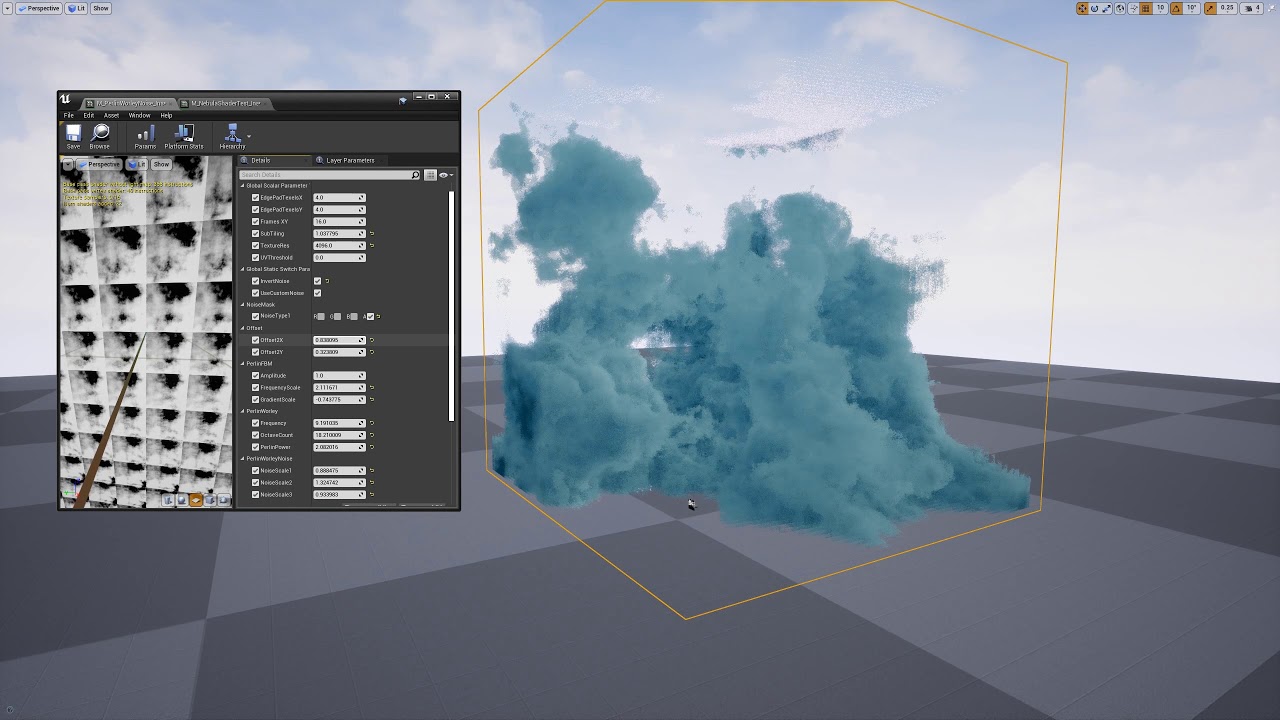
Added Billowy effect to the Custom perlie noise to get more cloud like shapes.
Photo from Sameek
The challenge at hand is to make this work with point lights. So far I got it working with directional lights.
Photo from Sameek
 plain dock
It looks neat. Feels like we're edging closer and closer to being able to use tech like this in shippable games.
stoic zenith
Definitely one of the coolest 'hidden' new features of UE4.25+. Window > Cinematics > Movie Render Queue
https://youtu.be/m2AKFJx4D9k
Needs to be enabled in Plugins.
Allowing you to export 16 bit exrs ie alpha channel!
Does anyone know if there is a way to have an HDR background which influences your actors but is NOT rendered out? Guessing there is but haven't figured it out.

In this tutorial, I'll show you where to find the new settings to allow you to render alpha channels from your cinematics using the sequencer in Unreal Engine 4.25
Shout out to @Glass Hand Studios for the tip
WINBUSH DEALS FOR YOU with my Affiliate links!
-------------------------------------------...
 knotty shell
I got a problem with that
alpha always gets set to 0
which is weird
Id expect if I got something wrong, the alpha channel would be 100% white
but no
its just pure black
doesnt matter if I use png or the uh
exr
i definitely deleted the skybox, all fogs
used all the plugins
enabled the alpha generation in engine settings
 hearty totem
Same problem, you have found a solution?
fossil swan
wording.
 fossil swan
it happens, but be awfully nice if we can keep it to a minimum hehe.
(though im a bit on a "wording" rant today)
 hardy dagger
ok
fossil swan
anyway, im moving along. im sure someone will answer soon
hardy dagger
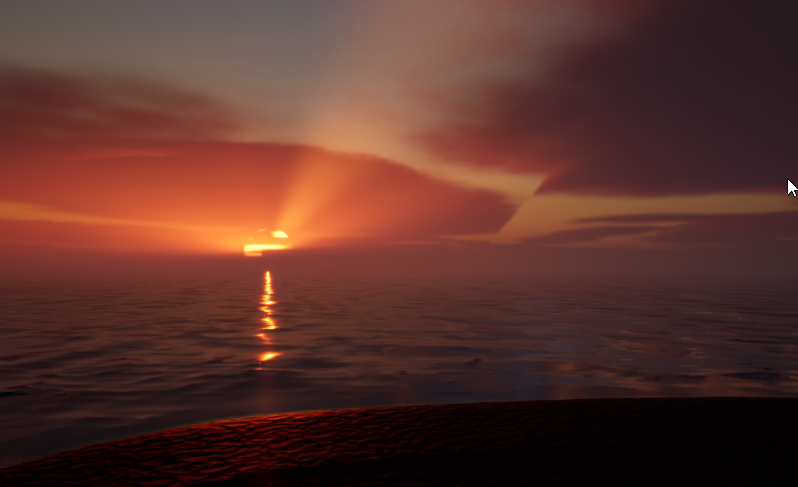
anyways context : this is 4.26 release clouds
 hollow solar
yea getting similar issue
hardy dagger
@hollow solar are you by any chance using a project, upgraded from 4.25?
hollow solar
yes
hollow solar
nope
hardy dagger
hmmm, I did
I am creating clean project
new project volumetrics just doesn't work...
AND no documentation
just unreal 😂
hardy dagger
@hollow solar I FIXED IT

use this setting
the default one is making it broken....
 thick mauve
Is there a way to figure out the size that light maps take up on a per level basis? Or is it not really a concern?
Just looking at the Dynamic vs Static lighting options, and I don't really see why static lighting wouldn't be the norm for stationary lights
For example the Quixel Apartment demo uses only dynamic lights which resulted in around 50fps with the whole scene loaded at 1100 draw calls
hollow solar
@hardy dagger didn't work on my side (though I'm still on upgraded 4.25 project)
thick mauve
When switching to static only I got 120+ fps in the same scene
None of the lights in this demo move, so I am doing any harm in making all immovable lights static?
With then lights which move being dynamic
hardy dagger
hollow solar
<@!453866625565720588> didn't work on my side (though I'm still on upgraded 4.25...
i'm still on upgraded too
let me check more
yeah, it's broken again now too
hollow solar
"fixed" it
this texture here isn't tile repeatable
I replaced it with a gaussian noise texture I got and I see no more seams
hardy dagger
OMG!!!
was just looking at that
replace this with a NOISE node!!!
changing it to Noise just froze my unreal
 fossil summit
Hello, Im having some problems with a particle emmiter, the thing is that the emitter in editor spawns particles perfectly fine but in game when playing it appears to be spawning them at a really small rate
Any clues on what might be happening here?
fossil swan
"replace this with a NOISE node!!!"
because noise is super expensive

 lone heart
which one? there’s a lot going on there. the distortion? color shift? shockwaves?
 wind lark
I saw Ryan Brucks posted this awesome painting clouds video and said it would be included as an example for 4.26, but I cant find it anywhere.. has anyone seen it? https://www.youtube.com/watch?v=R7jhuzKiAvE

Painting clouds with flowmaps. Clouds are defined using curve assets. Will be included as an example for ue 4.26.
 elfin forge
@wind lark enable volumetric pluggin, and there is some volumetric examples in the volumetric folder
tight swift
lone heart
which one? there’s a lot going on there. the distortion? color shift? shockwaves...
actually, all of them
sorry for the very late reply
 wicked shuttle
elfin forge
wicked shuttle
elfin forge
Can you actually "paint" clouds? It doesn't work for me, but maybe I haven't setup something mandatory? What I did: enable plugin, load the map, press play. I see the blue-ish brush at my cursor. Controls on bottom-right seem to work.
hardy dagger
wicked shuttle
Can you actually "paint" clouds? It doesn't work for me, but maybe I haven't set...
check the examples from the Volumetric plugin folder on your Content Browser
elfin forge
@wicked shuttle yeah same problem here : / I think you need to change channel like Ryan did in his video, but I dont find the shortcut
wicked shuttle
elfin forge
<@!409814318696366110> yeah same problem here : / I think you need to change ...
Thanks for your reply and suggestion! I'm not on my PC right now, but you can change the channel by clicking with your mouse right to the 0,pressing backspace und typing something else. Let me know when you have success!
elfin forge
@wicked shuttle yeah thank you ! work perfectly with velocity but density doesn't work -_- Density texture target is updated when I paint but nothing appear in the viewport
 final phoenix
Working on it now to see if it can be fixed 🤔
final phoenix
alright, someone with more experience than me might be able to investigate haha. the texture sample that sits in the volumetric cloud mat that houses the density data doesn't actually.. connect to anything? so i tried to connect it to a reasonable spot and got some funky looking clouds.
final phoenix
@elfin forge Looks great, did you change anything specific?
elfin forge
I follow your idea (connect the texture sample contain in volumetric cloud material), but skip connection with cloud map output nodes
final phoenix
ah yes it works!
thank you! i wonder what is going wrong with the cloud map output..
quick vid of how to set it like Radiateur, will investigate more
 somber mauve
Is there a way to increase the "density" of the texture based particle smoke from the effects pack?
wicked shuttle
final phoenix
quick vid of how to set it like Radiateur, will investigate more
amazing, thanks for sharing! will try that out tomorrow 🙂
final phoenix
@wicked shuttle Also of note, if you swap out the material on the volumetric cloud and use the one called... something like PaintClouds_SOFT (soft being the part i actually remember lol) instead of the Morning (default) one, that one seems to behave fine with the painting
wicked shuttle
cool, i'll try it! i know which you mean.
tight swift
does anyone know how to make that colour shifting in-orb effect in this gif
been having a lot of trouble trying to replicate it
wicked shuttle
disclaimer: i'm no expert and quite new to this, just some random thoughts here:
- do you mean only the colour shifting, or everything you see? i see something like colour shifting, zooming, shockwaves, twisting/curling, overlay with high-res images, something happening to the sky, maybe more. if all of it: i would divide it into different sub tasks to tackle one by one.
- regarding the color shift (or maybe even for all of it), i would try a post-process material / shader. shifting the color could be done like reading the pixel value as integer, adding a time delta with a factor or lerping to just 1 other color), and using that as emissive color
- maybe this helps you getting started: https://www.raywenderlich.com/146-unreal-engine-4-cel-shading-tutorial

raywenderlich.com
In this Unreal Engine 4 tutorial, you will learn how to use post process materials to create a cel shader.
short sorrel
i’m building a molotov, and i’m all set for sfx except for one thing: the burning cloth when the molotov is launched.
any particule i’ve used is not dense enough due to the speed of the moving origin. i’m therefore thinking of using a “fire mesh” on top of the bottle, and apply a fire material such as this one:

Support me on - https://www.patreon.com/Ashif
Support me on - paypal.me/9953280644
. In this tutorial you will learn how to create Toon Fire in unreal engine. you will learn every step for this effect texture, materials, mesh and emitters. For any concern comment below the video or create help thread in CGHOW form (discussion & help forum link b...
does this make any sense, or does anyone have a better idea?...
 serene beacon
Hi guys , I wonder if someone could point me in the right direction for have particles emitted travelling towards the camera , would carry on travelling towards the camera when you move the camera around. ?
The emitter is lock to the camera so it does emit from the right place , but the particle direction changes depending on where the camera is looking.
I’ve tried using auto manage attachment and setting auto attach rotation rules.
 clever plume
I'm trying to make a material for a floor that will look the same no matter what I scale the floor mesh to. Is this the correct way to do it? https://i.gyazo.com/a0b0bb978f1e5b9a4ba5100abe4876d2.png

 valid quail
Hi!! I'm pretty sure there is one but I'm not as versed in the material editor. What node or conjunction of nodes would mask only the black area (or the inverse)?
fossil swan
easiest way would be to have a black/white alpha channel in your texture (assuming it is a texture) and use that as the opacity mask.
lone heart
clever plume
I'm trying to make a material for a floor that will look the same no matter what...
is the floor always going to be flat? if you, you could save a fair bit of performance by using a position node and feeding its X and Y components into regular texture samplers’ coordinate inputs rather than using WorldAlignedTexture
valid quail
fossil swan
easiest way would be to have a black/white alpha channel in your texture (assumi...
Thanks!! Yeah that one I can do, but if I were to dynamically need that for any reason... I know there are a lot of magicians of the material editor and was curious
 coral ingot
Hello, all. In 4.24, it seems that Cascade particle effects are not hidden when their owning actor's Visible checkbox is set to false? Why is this the case? Is there a way to propagate that Visible state to the Cascade components without having to create a custom BP event/function?
coral ingot
I guess I'm intended to use Hidden in Game instead?
 keen yew
Spawn as a burst (rather than continuous) and set the lifespan of the particles to a fixed value. The workflow for doing that is slightly different between Cascade ( #visual-fx ) and #niagara
@civic plover I have mySpawn -> particle burst methodset asinstantyet they don't spawn instantly. Am I missing something?
 civic plover
sorry I haven't used Cascade in ages... If you're using the current version of the engine you should switch to Niagara. That said I'm looking at an old Cascade particle system I have in my project...
@keen yew in the Spawn module, Particle Burst Method is set to "Instant" and I also have an entry in the Burst List
and then I kinda don't remember how the rest of it works, lol. "Lifetime" appears to be its own module.
but maybe having something in the Burst List is what you're missing
keen yew
civic plover
sorry I haven't used Cascade in ages... If you're using the current version of t...
Never knew what Niagara is, I'll look it over. May switch to it if we can't get cascade to work
keen yew
civic plover
but maybe having something in the Burst List is what you're missing
I'll try it. Ty for trying 😄
coral ingot
Now when I use Hidden in Game, the Cascade particles don't show up at all. WTF UE4
 fickle rover
Isn't there a plugin for cascade to niagara?
somber mauve
I have copied an effect from the Infinity Effects into the MegaScansApartment project. The effects shows up fine on the Overview map, but when I paste it into the apartment scene, it does not show up.
final phoenix
Just a small update to painting with the morning clouds material- turns out you just need to swap a texture. In the morning clouds mat, swap the mat plugged into the cloud map output Flowmaps_2D node to instead pull from the RT_CloudMask_01 (or whatever render texture you use to paint your density map)- previously, it is set to the storm mask.
Oh also, be sure to change your seed density texture in the BP_Paintclouds to Black_1x1_Exr_Texture- same as used in the seed velocity texture
somber mauve
It's weird, the effect wireframe is displayed, but nothing shows up in play or sequencer..? It's not hidden in game.
primal parrot
looks like something then up with materials? lights? @somber mauve
is it transparent
 slow trellis
does any 1 have any ideas on how to represent a slowing effect with VFX?
serene beacon
@slow trellis increase the motion blur or add some trails ?
Check out prince of Persia sands of time movie for some ideas / reference.
- would anyone have a suggestion for making some static fog ? I’m trying to use it in space , I’ve tried using post processing volumes and the exponential height fog path applies is across the scene.
slow trellis
serene beacon
<@131571237154586624> increase the motion blur or add some trails ?
its a local effect to tell every one else that character is slowed
serene beacon
@slow trellis does he actually move slower to them ?
serene beacon
I’d say some slow trails of him would work. Like white jittery lines.
slow trellis
do u ahve any reference for that?
serene beacon
I can try and draw it.
slow trellis
if you have the patience haha
serene beacon
@slow trellis https://www.youtube.com/watch?v=3X3VVy6RdXY&list=PL-MMYtZnRzk0OV_wlJsExUPJ38x5Saci4&index=8

An episode all about slow motion? Definitely belongs on this channel.
You can kinda see it here
You see how you get ripples coming off their arms
Creating something like that could work.
slow trellis
ye i see what you mean
slow trellis
hahahah
serene beacon
I’m going to delete it for everyone benefit.
slow trellis
what do u mean, in 100 years its going to be a work of art
serene beacon
Only if there’s no other art.
Give me a shout if you get it working
I’d like to see the result.
slow trellis
its probably too complicated for me
serene beacon
@slow trellis I think the cascade tutorial had something similar. Attaching the emitters to the bones. It was multicoloured but you could tweak so it is b&w contrast and slow them down for a test maybe.
slow trellis
i will check it out
clever plume
@lone heart Yea it's just a flat floor. I figured If I could get the material to not stretch I could use it for the floor and for a few really long walls I have. But I'm not experienced with materials so I'm not sure how to do it.
 green ice
Hi!
I want to create vfx with beam. But this light module doesn't work. What am I doing wrong?
fossil swan
@green ice unless i am wrong, beam particles dont take the light module. since that thing can be as long and bendy as it can be.. it would either need bleeploads of lights along the beam, or put one in center and that would probably look odd light-wise.
 magic delta
hello
how to fix this
the fx of the gun shows up like this if i open it in the editor its find tho
 radiant hemlock
I have a color parameter in my material. Is there anything i need to do to use that in niagara as User Param Binding?
Or different question: how do I parameterize the material color?
or even different: how do I get dynamic color into a ribbon particle?
ok, rephrasing it like that a couple times gave me new search queries and I think I got it.
I should really get a rubber duck.
 summer shore
Hi i want my material do do not deform when i stretch my mesh so i do this but dont work
somebody know how do that
 signal nebula
Hey guys, this might be a known issue, but im making a particle system for the first time, getting these black squares
Material looks like this
and its a flip book
If I turn on the alpha I get this
I mean, I dont get anything
signal nebula
Alright, apparently the tutorial I used for this one was in way older version, where default alpha was 1 and in 4.26 its apparently 0, so I got transparent particles as a default. Same for the black squares, inverted default parameters for dynamic parameter to fade out particles
 jovial belfry
If I wanted rings that started as a dot in the center and flowed outward getting bigger, where should I start.. how do you think about this?
slow trellis
how do you handle fade in niagara with meshes as particles?
primal parrot
@slow trellis in the material, similar to this using Dynamic Parameters https://youtu.be/ERGmD0PY3Dw?t=853

Today we have a look at how mesh particles differ from sprites and some common use cases.
If you have any questions about Game Art VFX or the Unreal Engine then email me: tharlevfx@gmail.com
Or you can find more tutorials on my website: http://www.tharlevfx.com
or check out my work on the Unreal Marketplace:
https://www.unrealengine.com/mark...
slow trellis
is there a way for the particles to not follow world space
make them follow the character but still be affected by gravity?
nvm found it lol
jovial belfry
which emitter location type gets me stuff that starts in the center and goes outward like a wave
 lime yoke
Hi, I have a particle emitter that stops spawning particles and stops existing particles from moving when the player isn't looking at it. This seems to be some sort of default behaviour and I don't know how to turn it off
lusty current
where do I set the draw distance of a niagara effect?
jovial belfry
lime yoke
Hi, I have a particle emitter that stops spawning particles and stops existing p...
I've heard of this unloading optimization ue does when you aren't looking at things. You might want to do some searches on that.
fossil swan
it doesnt solve all of the issues, but changing bounds helps. @lime yoke
lethal arch
How can I delay activation/execution of my particle system
jovial belfry
see initial spawn.. i think there is a setting in there somewhere
lethal arch
jovial belfry
see initial spawn.. i think there is a setting in there somewhere
the only thing i see in the details panel is initial life span
jovial belfry
one sec
let me see if I can take a screen shot of the node
is the particle system being controlled from anything else.. or just raw particle system?
under spawn
the rate, rate scale and burst.. sorta delay things
thats how I controlled them
there is also this curve editor at the bottom I haven't touched yet
but it seems like you should be able to keep the line close to 0 on spawn through some ticks going to the right
i.e. if i click the graph to the right of spawn.. i get lines.. and if i drag that below 0.. -0.83 in this case.. i get no more things spawning
so maybe break that line up some.. and move the parts and see how it feels
lethal arch
i've found it under delay section of the details panel in particle system editor
jovial belfry
cool. I was playing more with that curve bar
and once I figure out breaks that seems like a nice ultimate control over things
 hollow plaza
Hey all, I consider this FX related, but feel free to re-direct me - at some point, the depth of field options were moved off of postprocess volumes. I'm trying to mess with my depth of field and tweak the settings to have a tight area of focus. I don't know how to do this in the editor now. Any tips? With these take off of PP volumes, it seems like there isn't a way to really do this through level editing
lone heart
hollow plaza
Hey all, I consider this FX related, but feel free to re-direct me - at some poi...
have you tried editing the settings on the camera itself? the Post Process > Lens section has both Camera and Depth of Field controls that look promising
hollow plaza
lone heart
have you tried editing the settings on the camera itself? the Post Process > Len...
Gonna look right now. I poked around at the camera but couldn't find the settings. Also, I suspect this won't let me see in realtime in the editor, which is critical. Looking now, thanks!
 round dock
Does anyone know how I'd set ColorValueToScale to be the value of SampledColor but only the RGB and not the A? I'd like to hardcode the A to 1.0
 short monolith
scratchpad -> break -> make and leave out alpha
it should be vector4?
yesterday :Y why do i bother
 ivory torrent
does any1 have any idea on how to do dynamic skeletal mesh painting
 fathom needle
hOW DO i MAKE A VOLUMETRIC TEXTURE IN hOUDINI?
 eternal fulcrum
Hello dear community,
I'm experienced dev in c++ ue4 but... absolutely garbage on material,
I'm trying to simply put a post process who contain a texture with an alpha,
The goal is to have a Gaz Mask texture on FPV.
My texture have an Alpha channel, but i didn't achieve to put transparency on my post process (The pass is "Before Transparency")
i try to put a scenetexture post process input 0 as i can read on some board, i achieve to have the correct mask but... not the texture unfortunally.
Texture :
Thest best result i achieve is this :
but still no texture 😦
 dawn walrus
can someone help me? my flamethorwer is moving in a straight line like it is not real flames, i mean it is just flames that does not move like flames, i mean when the turret rotate, the flames should not instantly move ( follow ) the turret, flames does not work like that, they should be dragged slowly even if the turret are fast.
any help would be much appreciate, since i dont even know where to start to solve this issue.
wicked shuttle
eternal fulcrum
Hello dear community,
I'm experienced dev in c++ ue4 but... absolutely garbage ...
Hi there! You could use a Lerp node like this:
eternal fulcrum
Thanks a lot @wicked shuttle !
Do you know if there is a way to take the global average ambiant color of a texture, to apply on another ?
Ex : if the texture is blue, we can hue shift the other texture to have it blue.
(or, have a lit of blue)
To explain the goal : I want to simulate a bit of the room light / ambiant on the gaz mask.
so taking the scene texture, then apply a little color texture filter to the gaz mask picture
i try with blend but it's obviously not what i want after testing.
wicked shuttle
Hm, I'm sorry, I don't have a good clue for this... I'm quite new to materials, too 🙂
Well, did you consider using an actual mesh attached to the camera with a slightly reflective material on the inside of the tube using screen space reflections? I don't know if that's a good idea, just leaving a random thought here 🙂
 dusty gate
is it possible to get a smooth fade in or out for post process volumes?
fathom needle
 mystic skiff
dawn walrus
can someone help me? my flamethorwer is moving in a straight line like it is not...
mystic skiff
dawn walrus
can someone help me? my flamethorwer is moving in a straight line like it is not...
i think you are using local space
Hey all Anyone can #helpme how to detect physical material with niagara ue4
wicked shuttle
dusty gate
is it possible to get a smooth fade in or out for post process volumes?
Hej KV!
Is that what you want?
https://docs.unrealengine.com/en-US/RenderingAndGraphics/PostProcessEffects/PostProcessMaterials/index.html#blendingbetweendifferentmaterialinstances
How to author and blend custom Post Process passes with the Material Editor.
Interesting... The hashtag gets removed by discord in the second/preview link. You need to click my written one or go to section "Blending Between Different Material Instances"
 verbal zephyr
Hiya Gang! I'm looking for potential solutions to a problem. I'm working on a cinematic and want to show a robot buried in sand in a sandstorm.
Later the robot pulls itself out of the sand once the storm is over.
For the first part I feel that the sand mounded around the robot can be modeled. What I'm struggling with here is the surface reaction, but that might be achievable with an animated noise pattern and the edges emitting particles.
If anyone has had a go at any thing similar, I'd listen and try.
What worries me more is the robot rolling out (either treads or wheels) and pushing the sand away once the storm is over.
I don't really want to go into some other package and then try to import animations or alembics or whatever if I can avoid it, as I've never used Houdini, or other package.
Brainstorming: Any thoughts, feelings or suggestions?
short monolith
depending on how good this should look ( you said cinematic ) , you wont get around making proper animations and simulating the sand or something . simply using particles with collision or w/e will require tons of fiddeling and work to make it look acceptable for a cinematic. usually someone would try to fake as much as possible there which depends alot on how you can fake it
verbal zephyr
Yeah - just wondering the best way to fake it.
I'm googling around...
I can also "cut away" from the most difficult parts.
But the more that is seen, the better it is to believe.
 sleek heart
Is there a version of the RInterpTo node in the material graph? I currently am using RInterpTo to smooth the movement of my UVs in code, but I want this to be taken care of in my material
 nimble otter
Hey everyone I was wodering if there is a way to make particles move between two points? I found a version with a beam but not with single particles anyone know if there is a way to do so?
cold sorrel
Lerp the positions instead of using velocity.
sleek heart
Yeah I see the lerp node takes in an alpha. How can I use alpha in place of InterpSpeed?
if that is possible
fresh quiver
anyone has vfx trail recommendation for thrust atk
dusty gate
wicked shuttle
Hej KV!
Is that what you want?
https://docs.unrealengine.com/en-US/RenderingAndG...
ye but i was trying to figure out how to do a smooth fade in and out when you entered or left the post process volume
I managed it tho :D
sleek heart
Why is it that when ever I make a color by entering values for the R,G,B it becomes gradient like?
I want a flat color that represents the R,G,B values i entered in
 swift magnet
@sleek heart Unreal RGB numbers go from 0 to 1(not 0 - 255), anything over is considered going into HDR and that shows up to try and represent that, if those numbers where put into emissive in a material it would be glowing. if you set the Value or the V to 1 instead of 98 like it is in the screenshot it will bring it down to LDR Ranges while keeping the rgb proportions the same
sleek heart
thx!
 runic pond
so, i tried to bind my groom from Xgen to my skeletal mesh. But because i exported the mesh from Blender and the hair from Maya i needed to do some transforms (which you can see in the groom component screengrab). you can see the result in the viewport, where the hairs are like weirdly displaced and arent really connected to the body. how can i make this work? please ping me if someone knows :)
before the binding, the groom did look excellent
latent rune
dawn walrus
can someone help me? my flamethorwer is moving in a straight line like it is not...
As mentioned, look in your emitter settings and turn off 'Local Space'. Then I would look into adding a Spawn Per Unit module and tweak values there (it'll spawn additional particles based on the distance the emitter moves/rotates, great for trailing smoke too). You'll need to tweak your velocity and spawn rate values as well to get a good look.
 hollow pine
hey guys! here I have a decal of pebbles pointing straight down on the landscape. do you think it's possible for the decal to somehow adapt to the normals of the landscape? 😅
(so that I can apply a large decal on a landscape without the normals being messed up. currently the decal is only sampling the normal direction at the center of the projection)
dawn walrus
@latent rune im not good at emiiters may u help me?
i can send u te values if u want
latent rune
dawn walrus
<@!302622674855919617> im not good at emiiters may u help me?
Are you using Cascade or Niagara?
dawn walrus
im not using anything, i just downloaded those flames
from the internet
he said some stuff about have a good looking flames
i wonder how
latent rune
Ok, well, you have downloaded some asset package that contained some particle effects, one of which is a flamethrower on a turret, right?
latent rune
So, if you click on the asset in your level, is it a Blueprint?
dawn walrus
latent rune
Or something else
dawn walrus
what now
latent rune
Ok, that's Cascade
latent rune
the 'old' particle system for UE4 (still valid for some stuff)
dawn walrus
ok
latent rune
So, one thing to try first,
dawn walrus
ok
latent rune
Is to set your emitters to make sure Local Space is not on
 naive drum
why is my particle system not dissapearing when i make it
shouldnt there be a limit for the lifetime of your particle
 rotund elm
How do we change the color of this bluish color to bright red color.🙂.....Also Direction of sparks from downwards to upwards.
fossil swan
color > color over life
movement > initial velocity/const acceleration
rotund elm
thanks
 pure shadow
Hello, do you know if we can import .dvb extention into ue4.25 ?
 prime spindle
https://www.youtube.com/watch?v=Mz8m3KpkYG0
Hey there is anyone familiar with translucency in unreals new water shader? I checked the underwater post processing but as soon as my particle goes under water it gets blown out. The particles down show up in depth buffer


 quick nacelle
sorry to bother anyone but anyone know shadermath?
rotund elm
hi there i am having some problem. i worked on a multiple particles system to activate true on triggering using blueprint.
 valid sky
Hello every one. I just want to know how we can trigger multiple particles (flares) step by step in UE4. kindly see the attached screen shot. I just trigger on these all particles.
rotund elm
valid sky
rotund elm
Guys see this attached SC.
valid sky
any idea any of you guys? I am at last stage to done my game scene.
fossil swan
@celest birch wouldnt say work with unreal, but you can export em/turn into flipbooks etc then use in ue4
@rotund elm blueprint with timeline, activating in sequence comes to mind
cold sorrel
Yes, that's a great bundle. I've used ActionVFX on several games in the past.
twin anchor
@fossil swan @celest birch I was interesting in that as well, do you think I’d be able to use a realistic muzzle flash particle from after effects and have it look good?
dawn walrus
guys this is a flames emiiter
as u can see there is 2 flames flames. the first one and the second one. i want the first one to be trasnpect blue flames. like realsitc flames like this pciture
as u can see in the white cirlce there is a blue transpenct flames.
if i change it to blue it wont change, if i change it to green it will be changed
here is a video showing the issue
@latent rune any ideas?
cold sorrel
Let me take a guess.
You are showing us the color picker from a scale color over life.
dawn walrus
idk, that why im asking for help from visuallstic people.
cold sorrel
The texture/initial color is yellow with 0 in the blue channel. So when you scale/multiply that blue channel with something, you get 0.
Am I close?
dawn walrus
idk
what do i do now?
i want blue flames
in the beginning of that emiiter. that is it
cold sorrel
First, check kahn academy for some math. You have to understand what happens when you try to scale a 0.
Then read up on how RGB can represent a color.
Finally go over the basics of cascade. It's a quick fix once you understand these things.
Good luck!
 golden hamlet
Has anyone got the volumetric clouds to move?
Ive tried different parameters in the volumetric plugin, but cant seem to get any clouds moving at all
clever plume
Is there an easy way to change one texture's color to another? I have a dark brown texture that I want to be light brown. But no matter what hue I try to change it to it never looks the right color. Here's a picture of the two textures. I'm using Paint.net too. https://i.gyazo.com/4237d36816f1caa7fe43f4c9bf317fbe.png
 wicked shuttle
The most basic approach: You can change any single color by adjusting hue, saturation and lightness/value to any other color. So for your brown tone that is lighter you also need to make it lighter/brighter. And to me it looks much less intense so maybe also reduce saturation. If you play around with those three you might get close to your result. Of course the whole images' colors will change so blacks might look too grey-ish for instance. Maybe adjusting contrast afterwards can fix this. If you need more advanced techniques you could select ceetain color ranges and adjust only those.
wicked shuttle
Btw if you are looking for advanced techniques in adjusting the appearance of images and colors you might want to read into the topic of color grading to get a broader understanding and learn to use it. It's used in movies and professional photographs.
 flint wagon
How do i set particle system duration? I am spawing the system with BP and have set auto destroy On, but when the particle system finishes it does not destroy itself. Or does it destroy just the emitter and not the particle?
I am just making a simple target laser particle system ad want it disappear and destroy itself after it's finished "Playing"
radiant hemlock
Hi! I'm trying to shoot a beam at a target but the beam always goes to the initial BeamEnd location. I have a user parameter that I set after spawn but it seems to be ignored, how do I do this correctly?
flint wagon
Set it to user set?
 lean heron
i’m aware bokehdof is now no longer an option in UE4 (absolutely criminal, by the way!) but has anyone been able to hack something together that looks similar?
perhaps a custom DOF texture?
i desperately want an anamorphic look for my cinematics
fossil swan
https://gyazo.com/b0b729977e3de8cf1b126eec42bdb701.gif
I did the unthinkable. XD
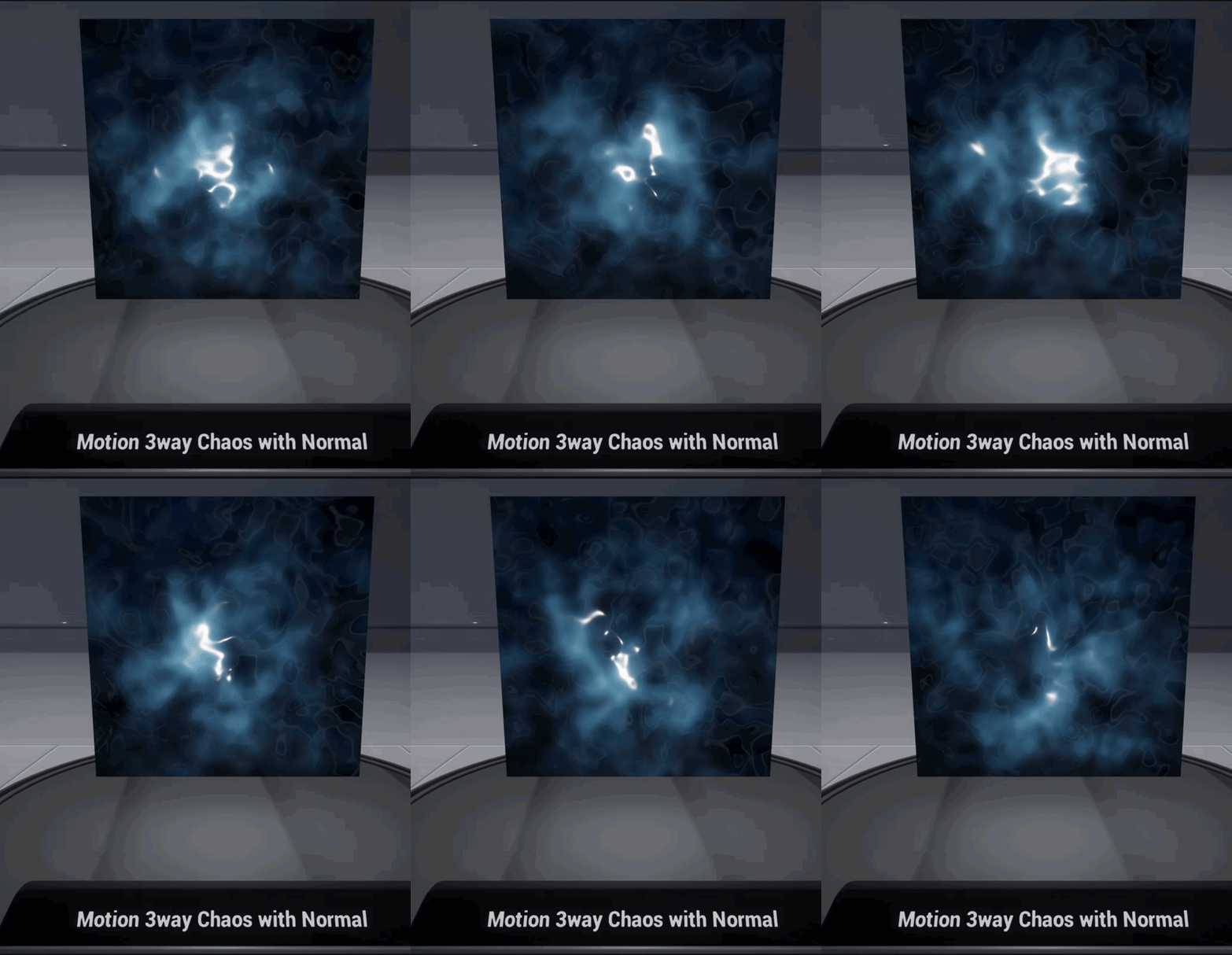
 zinc musk
Hello, I have a problem, where I want to deform the UVs so that this unwraped texture slides down on the world's Z axis. is there a way to modify the TexCoord with the AbsoluteWorldPosition?
 median spade
Is it possible somehow have an emissive material of a character get notified in an animation montage to pulse once?
 dawn dust
can someone please tell me how to use MacroUVs in niagara? i cannot find any documentation (for niagara), nor examples or nodes
fresh quiver
anyone know how to do the eff in pokemon when u hit the pokemon there is a white flashlight indicates that u hit the pokemon
 dreamy mauve
how can i scale down a whole particle system together ? i have some fire here that is too big for my scene , if i try to scale if down every component it has scales down on it's own .
dreamy mauve
:/ alright , thanks for the info
i guess i ll have to scale everything else up instead xD
cold sorrel
Think it through. If you scale the effect. What parts do you want scaled? Emitter offsets? Locations? Spritesize? Drag? Forces?
A straight up scale would only ever work on the most basic, local space effects. It will unfortunately be extremely complex for most things.
dreamy mauve
scaling everything else up worked just fine ! it's jsut a scene i need to render a one minute video of for a quick project so it's fine to do it this way
latent rune
@eager crest There are lots of tutorials on YouTube. Many diff ways to do fire!
latent rune
dawn dust
can someone please tell me how to use MacroUVs in niagara? i cannot find any doc...
What do you need to do? Animate a flipbook?
 eager crest
latent rune
<@!421779420307783701> There are lots of tutorials on YouTube. Many diff ways to...
eager crest
latent rune
<@!421779420307783701> There are lots of tutorials on YouTube. Many diff ways to...
thx
wicked shuttle
median spade
Is it possible somehow have an emissive material of a character get notified in ...
I'm no expert, but what about taking a material parameter collection to be able to adjust a single value at runtime. Use that value as alpha for a lerp that is used for emissive. And use that MPC in your sequence to change the lerp's alpha (if you mean using sequencer when talking about animation)
 misty hare
Hey guys, anyone have experienced crashes when using PopcornFX in New editor window (PIE) mode?
 pseudo jolt
Hi, everyone!
Rendering the shot with Rendering Queue manager i get my snow falling particles to freeze at ~3 seconds from the beginning.
Why is that happening and how to fix that? Could anyone help my out with this problem? Thanks!
 potent osprey
is it possible for 2 particles to collide with each other?
primal parrot
4.26 Position Based Dyanmics @potent osprey
potent osprey
@primal parrot it’s not in the latest versions?
primal parrot
cold sorrel
You'll have to implement it yourself for your specific usecase.
It's a VERY advanced feature.
In the realm of, if you don't know how to build it, you can't afford to use it. Sorta.
potent osprey
primal parrot
https://youtu.be/31GXFW-MgQk?t=2041
thanks for the video
potent osprey
cold sorrel
In the realm of, if you don't know how to build it, you can't afford to use it. ...
i see
is it easier in 4.26?
dawn dust
latent rune
What do you need to do? Animate a flipbook?
i am trying to make vapor cloud, where multiple particle sprites would "project" one texture.
basically this: (please scroll down to macro UVs), but in niagara
https://docs.unrealengine.com/en-US/RenderingAndGraphics/Materials/ExpressionReference/Particles/index.html
Expressions used for creating materials to be applied to emitters in Particle Systems.
latent rune
dawn dust
i am trying to make vapor cloud, where multiple particle sprites would "project"...
Ahh, I've never actually used that function, interesting. Well, I created a material like the one specified in the doc, and used a spherical texture sample. Then I just applied it to a niagara fountain system and got what appeared to be expected results... sorta. There's a default MacroUV material that I tried as well that seemed to work too. But you're right, there aren't controls for it in niagara that I can see. May have to create a module script to handle it. Check out that MacroUV material too for reference.
dawn dust
Thank you for the answer! i will definitely look into it
latent rune
I think you'll have to do the tiling in the material to get what you want, but it's possible there's a niagara mod script you can write that'll do it too 🙂
primal parrot
Have you tried using a Volume Texture and Niagara Sprites if its a vapor cloud?
dawn dust
Volume texture is too advanced for what i am trying to do. What i have in mind is simple MacroUV texture of smoke scrolling up, while rendered on multiple sprites to give it sense of random smoke shape.
Default MacroUV works, but is rendered in screen space (or smth, i don't understand it that well), so when camera moves, MacroUV texture moves as well. I found that MacroUV material @latent rune mentioned, but when applied to particles, it becomes jittery, but at least it is not in Screenspace.
primal parrot
too advanced to learn and use, or too advanced for the build?
cold sorrel
Macro uvs are just worldspace projected, right?
Same as the old infamous presentation
Could even run a cheap triplanar for more coherent results
latent rune
dawn dust
Volume texture is too advanced for what i am trying to do. What i have in mind i...
I was able to smooth out the jitter by making the emitter GPU and adding more spawn rate.
dawn dust
oh, i need to try that asap. thank you!
that was the last missing component to this! From the default MacroUV material you mentioned, i made this material. It solves that ScreenSpace projection problem.
Again, @latent rune, thank you!
this is obviously just bare basic, it needs panning and a bit distortion, but without the basic, it was no point to even try to add panner and stuff
latent rune
Awesome! This is good info for me as well, since I hadn't looked into how macrouvs were diff from a good ol' flipbook 🙂
dawn dust
♥️! tho, i just found it still retains screen space problem when looking at the emitter from top. i guess user needs to decide which axis' to use
latent rune
Would love to see a snap of the result if/when you can
dawn dust
will try, but do not expect much, i am just starting with niagara
dawn dust
@latent rune
so i got something
you'll see how i am fiddling with variable helpfully named 'DevTest'
that variable is hooked to lerp where i can switch between flipbook doing its normal thing, animating flipbook during life time of the sprite (when set to 0)
or when set to 1, it just randomly selects one frame from the flipbook and that is used as a mask for the sprite
and this is entire material
 twin cave
no clue why that is but I frequently see unity particle effects on my twitter timeline that, to my non-vfx eyes, just look a lot more.. detailed and grounded? Maybe more granular and sharp too? Than most of what I see by indies for Unreal. And I'm curious why that is. Just better artists, or maybe a more intuitive qualitative workflow? Like this one here https://twitter.com/Sakura_Rabbiter/status/1342142278555619328
Is there a certain keyword I'm looking for here? I don't even know where I'm going with this. Just felt curious what people with experience in vfx have to say. I once created a super basic spark in niagara but despite small particle size it just didnt feel sharp


Particle Christmas Tree~🥳🥳
#Unity #VFX #shader https://t.co/bFCvpp1Wbi
Retweets
583
Likes
4294
Twitter
·
cold sorrel
Interesting. That's the second time I've heard that. I wonder what could be behind it.
twin cave
I have a hard time formulating my thoughts because I'm not even an artist. If I were to try doing stick figures they'd turn out ugly
But it's something I noticed in different scenarios a couple times already
maybe it's the default TAA making the image blurry? But Unity also uses TAA Im guessing
cold sorrel
TAA and different default bloom settings would be my guess.
It's probably also the shear volume of indies using Unity.
twin cave
yeah perhaps. Let me see if I can find something made in unreal that captures what I mean
cold sorrel
Statistically at least a few of them would be good.
That said, FX always have a certain look for each engine. You can often tell where it was made.
twin cave
maybe this one https://twitter.com/MrPhilippe_/status/1337441388473032704
You also have tons of small particles, the effect doesn't seem amateurish (to me), but something looks off to me compared to the christmas tree


I've wanted to make a personal #StarTrek transporter for a while now, and I was triggered by @Niels_Dewitte his cool dissolve effect. SO, I've mixed them both together for this long overdue #VFXFriday !🖖✨
#UE4 #vfx #Niagara #RealTime #gamedev #UnrealEngine #beammeup https://t.co/BVBoKoA9gH
Twitter
·
cold sorrel
Well that one is obvious. It's using the default sprite texture on all of the sparks. That's a blurry mathdot so it will never look sharp.
That's an extremely common issue in unreal (and other games) and if I had my way it would be a fireable offense.
twin cave
today I learned. What is a blurry mathdot? You mean a dot with a falloff as a texture?
cold sorrel
Soft texture combined with no internal details or color gradients leads to that kind of glowy mess with a white blob in the middle.
Math dot is a forumla to make a sphere without using a texture.
There are extremely few cases when it should be used. Yet, for some reason it's the default texture in Niagara...
twin cave
if its not a texture then you mean its what is shown when you dont select any texture for it?
cold sorrel
Open any default niagra system and you'll see.
twin cave
I would, not on my work pc right now
but thats good to know anyways
how should it look like instead?
twin cave
ah ok so just no blurry falloff basically
cold sorrel
yep
And no perfect circles
As another point, from the same artist as above:
Look at the ribbons. Notice that they are a flat color with an alpha gradient.
Compare that to the christmas tree you posted.
twin cave
.. by ribbons you mean the stars shooting away?
twin cave
ah yeah
cold sorrel
The unity artist has so much more detail in there.
twin cave
yeah very true
that person is pretty slick in any case. I recommend looking at what she does 👀 the quality is astonishing
cold sorrel
Unreal artists lean way too much on mathematical gradients and skip texture work. Don't know if it's laziness or ignorance.
twin cave
interesting, I wonder what influences this kind of 'grouping'
speaking of which! I've seen so many circle or sphere based effects in the unreal marketplace (like shields), but they always look very ungrounded to me. Like they dont have any depth. Just hollow spheres essentially
and I was wondering how one could make these kind of effects with more of a 3D look to them
cold sorrel
The marketplace is full of trash.
twin cave
true but it's hard for me to find exemplary vfx made in unreal to use as a guide
for some reason
cold sorrel

Game Developer & Artist & educator
blog.naver.com/tayrielgarbs
facebook.com/tayrielgarbs

Some of the effects I worked on for Gears 5! FX working in realtime at 30fps.
Programs I used were the Unreal Engine, 3DS Max and Fumefx to create effects.
Credits:
Cinematic Director
Greg Mitchell
https://www.artstation.com/mediasig
Cinematic Lead Animator
Brian Whitmire
https://www.artstation.com/brianwhitmire
Cinematic Lead Lighter
Anne ...
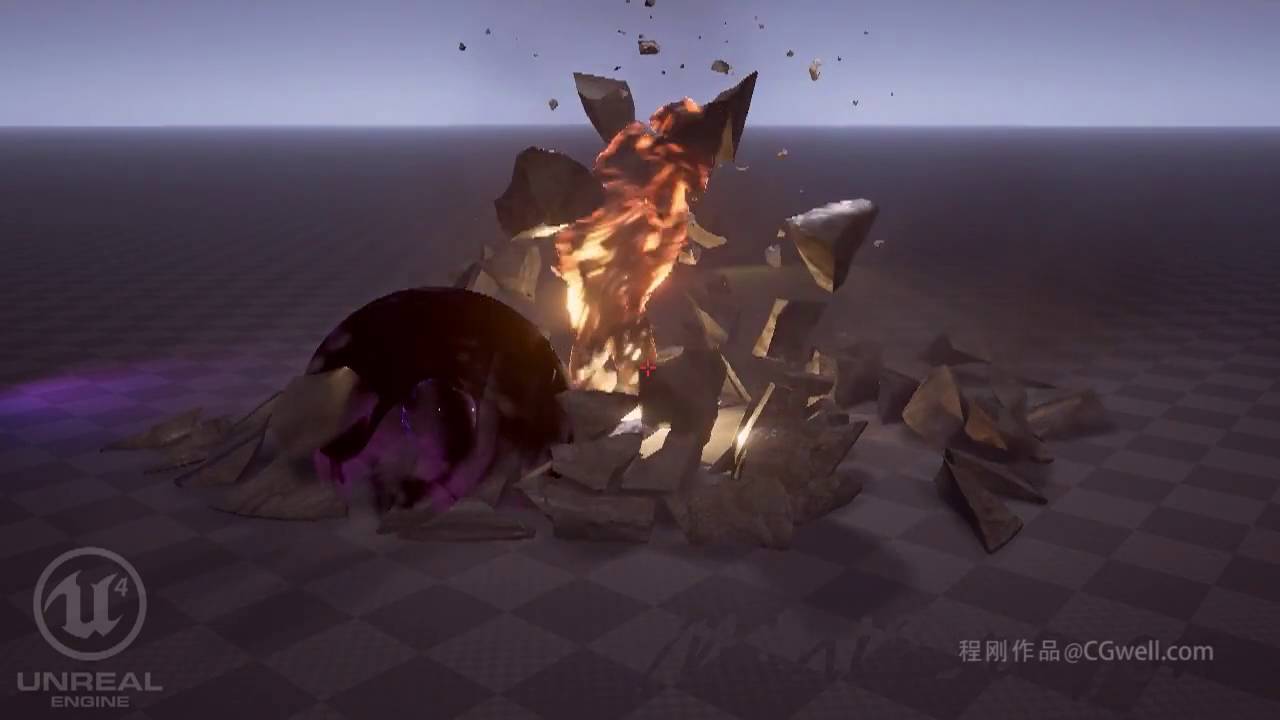

We at Tuatara had the pleasure to work alongside Counterplay Games on their newest title, Godfall, for the Playstation 5. My focus on this project was creating optimized, customizable effects for environments, and providing some support and RnD for our VFX team.
More of our work at https://tuataragames.com/ and my personal website at https://3db...

Check out this trailer for Black Myth: Wu Kong, a new action adventure RPG based on the Journey to the West mythology!
twin cave
those are pretty good. Wukong I knew about but forgot it was made in ue4. Thank you, Ill add these to a playlist
that sharpness Im talking about can be found throughout all of sakura's (the christmas tree creator) works, including environment and characters. Its a bit baffling to me how one person is doing all this
just look at this 👀 https://twitter.com/Sakura_Rabbiter/status/1335994178627518464

Add scene details🥳🥳
#unity3d #environmentart #shader https://t.co/ogugXCslue
Likes
824
Twitter
·
twin cave
it's just overall really crisp. Dont know how else to describe it. Contours, silhouettes, ground
in any case thanks for the help glad. Just the default mathdot texture being an issue is something I would have never expected
primal parrot
Is it the TAA Glad mentions, is it also that the crisp ones are crisp GIFs on Twatter and the others are crappy compressed video? And like he said, most UE4 artists use a default blurred crappy sprite (no offense :P) while the other art you show uses crisp textures to begin with.... that Xmas tree can completely be done as crisp in UE4
twin cave
its not like I dont believe you, Im looking to understand why I see far more crisp looking effects for unity than unreal; taa settings maybe being more aggressive by default in unreal, and artists often using blurry default textures might be large parts of it
or even all of it, what do I know
cold sorrel
Not all of it
The styles attract artists, which creates more of that style etc
Same reason there are wo many unity artists recreating LOL fx.
twin cave
Good point yeah
cold sorrel
I think another reason could be required effort.
In Unreal it's easy to get something that looks half decent. In unity it takes more effort. That means the Unity artists that push through that hurdle are generally more proficient.
dawn dust
perhaps, but i saw other videos from sakura, and what strikes me most is the almost hdri-like look of her work. Just look at her pinned tweet video. Particle work there is trivial, but the vibrancy of colors is very nice. I'd like to know how to achieve something like that in UE
twin cave
yeah I agree, I havent seen this kind of good looking work from a single person (or even a small team) on ue4 yet. It just all comes together better than what I see from most accomplished teams somehow, in my opinion
dawn dust
but then, there is this guy
https://www.youtube.com/watch?v=XcnfPzPPJtM

you can actually download his work from this video he posted

I shared the content in my course and the project source files for free. I blocked the part of the camera in the video. You can learn a few points.
Project file link ( Unreal 4.26 ): https://drive.google.com/file/d/1fE9WOWx0cc9plm-RgVQuefNKHqLnDQZ6/view?usp=sharing
- How to eliminate some problems caused by texture offset or high UV turbulence ...
good look of his work is in no small part achieved by post effect
when removed, it kinda pales. still very, very nice work tho
cold sorrel
It's surprising what you can pull off when you don't need to care about gameplay, performance, playercontrolled cameras, weather, time of day, timingrestrictions, platform limitations etc.
dawn dust
that's true! half of the work in my twitter feed is portfolio pieces. i can tell by not only complexity of the effects, but also duration. any magic strike longer than 3s is too long imho
primal parrot
anyone run into this when running the setup.bat?
twin cave
How does this fit into the channel @primal parrot ?
True this one is really good (only watched the first video so far, haven't seen it without pp) @dawn dust
Also found a good one just now that isn't as detailed as the Christmas tree but is much better than a lot of what I've seen https://twitter.com/RiotBloois/status/1342263140759695361?s=19


- 𝘾𝙤𝙢𝙚𝙩 𝙤𝙛 𝘾𝙧𝙚𝙖𝙩𝙞𝙤𝙣 -
Ending my VFX Sketches for the year of 2020 with a colorful, blissful, hopeful, magical explosion~!
#VFX #UE4 #madewithunreal https://t.co/YYy1ESSkUs
Likes
619
Twitter
·
dawn dust
this one is much better. A lot of details in every element, this makes it more hi-end effect (so to speak) than effects using pre-made stuff from UE
twin cave
Yup yup
dawn dust
also, i kinda mispoke about that post process volume effect, it is not THAT different. Most of these VFX are shown in dark environment by default, so the colors popup
twin cave
It's baffling to me that this doesn't appear to be an unreal thing but just lack of skill of many unreal vfx artists. I'd still like to see the Christmas tree replicated to see the differences
Gotcha
 subtle oracle
How would I get light to be 'visible' coming from a flashlight, when the light is traveling through the air? I guess the light needs to light up particles or something, I'm just not sure what to use

Something like that. Currently, my flashlight is only visible when hitting surfaces. There is nothing 'in the air' to light up.
cold sorrel
There are a few different methods and they differ based on what performance you can afford vs fidelity needed.
The first step is usually to add a lightcone to the flashlight. This is just a conemesh that you fade out in the wide end, and fade the edges with fresnel. To make it a bit more interesting, you can pan a noise texture over it as well.
Step two is the spawn some particles around the player that you can light up. This needs some fiddling in the material to work well and is not recommended unless you are used to fx work.
Step three, if you have performance to spare, use the volumetric fog with fog particles spawning around the particles.
subtle oracle
The first option probably wouldn't work, as my game is multiplayer, and if 1 player is standing inside of another player's light, I still want the particles to be visible
The third option is interesting, however, when I use a volumetric fog, it prevents my level from being pitch black when looking through lights. This allows the player to cheat, essentially
Perhaps that is a necessary evil though
cold sorrel
KISS, an acronym for keep it simple, stupid, is a design principle noted by the U.S. Navy in 1960. The KISS principle states that most systems work best if they are kept simple rather than made complicated; therefore, simplicity should be a key goal in design, and unnecessary complexity should be avoided. The phrase has been associated with airc...
😉
subtle oracle
It's interesting though. If I turn my Volumetric Scattering Intensity up high enough to be seen from the side of the light (15), then the light looks wayy to bright when looking at it head on
 thorny holly
hey everyone. Is it possible to use vertex color has a post process material. Kinda like SceneTexure:VertexColor or something like it
analog onyx
Not really.
 cinder flint
I don't know lol
 silver plover
Hi, not sure if this is exactly the right place to ask, but it seemed fitting. So I am trying to create a thermal vision weapon scope with a Post Process material and Render Target, working from several examples and tutorials, they all share one serious weakness which is relying on SceneDepth, CustomDepth and CustomStencil in the PP mat, which limit me to controlling "thermal temperature" by setting CustomDpeth Stencil Value between 0 and 255, which works, but only when the object is a uniform temperature, and does not allow for material based temperature.
I am searching for any reasonable method to use materials to define temperature, and would really appreciate any suggestions! 🙂 Below are some screen grabs of what I've tried.
The scope used is from the marketplace Advanced Thermal Scope, but I have rebuilt the PP mat to combine CustomStencil and PostProcessingInput0 and use Texture Gradients.
 brave owl
Hi everyone!
Not sure if this is the right place to ask but I'm trying to play a looping video seamlessly with no success..
Every time the video loops I get a black frame or a hitch.
Is there anything I can do about it?
I HAVE tried turning off auto-clear on the media texture, change the video codec, container and even framerate without success...
Thanks in advance for any lead 🙂
 lunar scroll
Is this place dead too? I really need some help but I'm getting nowhere on this discord. :\
fossil swan
the US people are generally off to bed, euro people either at work or sleeping, its a bit of a dull moment in time
 subtle furnace
cold sorrel
Not all of it
subtle furnace
cold sorrel
Not all of it
Valakas
cold sorrel
Huh?
cold sorrel
What did you ping me about?
 snow oracle
with realtime GI lighting enabled, how do you get Emissive materials to light a room?
celest birch
@fossil swan im from US
fossil swan
hence "generally"
 cyan charm
Anyone here have a clue why the new Water assets do not get reflected on other assets? The water itself is reflecting other assets. Is there a hidden parameter in the material that has to be enabled?
The edges seem to work so not sure what's going on here. This is a default chrome material with a sphere reflection capture.
 short cosmos
not sure if this belongs in here, but i cant seem to get my snow particles to kill upon hitting a mesh collision. is anyone able to help with this? I've tried changing the collision mode to Distance Field (and in the project settings too) but all that did was send the snow flying fast along the X axis
dawn dust
@short cosmos, Not sure if it is same problem i had, but i was getting weird behavior from colliding particles if their material was set to other than translucent. I got weird bouncing, lifetime way beyond predefined time, and also particles not getting killed on collision. perhaps it is same problem
short cosmos
dawn dust
<@!226916676187324417>, Not sure if it is same problem i had, but i was getting ...
I'll take a look when I work on it in a bit and let you know, thank you!
short cosmos
dawn dust
<@!226916676187324417>, Not sure if it is same problem i had, but i was getting ...
so the material is set to translucent
short cosmos
so i've decided to go with distance field collision but this has sent my particles flying sideways
does this affect velocity in some way or perhaps const acceleration?
 indigo compass
Anyone know how to make volcanic eruption plumes? I was thinking of using blender smoke fx but I have no clue how to import that into UE4
short cosmos
short cosmos
does this affect velocity in some way or perhaps const acceleration?
Just replying with more that i found. it seems that when i switch my response in the collision tab to stop, my particles are spawning and immediately stopping in place instead of falling. but if i disable the collision tab it seems to operate normally
for reference of my issue.
latent rune
indigo compass
Anyone know how to make volcanic eruption plumes? I was thinking of using blende...
Export your blender smoke as a flipbook, there's a few ways you can animate your flipbook in UE
indigo compass
latent rune
Export your blender smoke as a flipbook, there's a few ways you can animate your...
Awesome. Thanks I’ll look into it!
lunar scroll
Hey guys, is it possible to limit a post processing materials effect to exclude objects within a certain layer?
 bold cipher
Hi, are there any good 2d cards with dust/particles/sand/fog to buy? i've been looking for them and im not sure if im just not naming it correctly or what but i cant find anything of this sort on google
which is weird because i expect it to be something thats used a lot
 feral walrus
subtle oracle
How would I get light to be 'visible' coming from a flashlight, when the light i...
feral walrus
subtle oracle
How would I get light to be 'visible' coming from a flashlight, when the light i...
perhaps a fog? im a newbie tho but i am looking at the same thing and was thinking maybe a real translucent fog would catch they light nicely?
feral walrus
indigo compass
Anyone know how to make volcanic eruption plumes? I was thinking of using blende...
the advanced village starter pack has a smoke actor you can rescale
primal parrot
exponential height fog and volumetric lights https://www.youtube.com/watch?v=Akb4P71KL0s
In this Unreal Tips & Tricks video, we explore how to create the atmospheric sunbeams known as God rays that only occur when conditions are just right. Learn different techniques to achieve this effect, including using geometry and grayscale materials, using light shafts on directional lights, and finally using volumetric fog to create physicall...
 rare sequoia
How would i stop a bullet trail from disappearing instantly after the bullet actor is destroyed, the effect of the trail being removed is a bit harsh
 wise vigil
Interesting issue (I'm a noob so I can't answer) but couldn't you parent the trace into the root object and destroy the bullet component while leaving the trace to die with a delay?
 last coral
Using world triplanar mapping, how would I have the dirt near bottom blend in with the grass above it?
lusty current
made a post process to see thermal images through walls but they double reflect
Anyone know which option disables this? The one on the right is the correct material, and the left is like a reflection
 fathom agate
Hi folks,
Not too sure if I should put this here or in #animation so let me know if I should move this.
I've add a VX trail to my weapon (looks pretty neat 👍 ) thing is I want to make this trail changeable and editable on the fly based on in game logic. So basically change the look of the trail and also change the size of the trail i.e. how big the flames are from a fire trail.
Not too sure how to do this though :/ Haven't found any tutorials online that give you detail on how this is done :/ anyone know how to do this/where a tutorial on this is?
Thanks 🙂 and feel free to @ me when replaying 👍
fathom agate
I believe I got it up and running 🙂 here's a BP solution by using Anim Notifies for those wondering in the future
Still working on being able to change the 2nd timed particle effect. If there's a better solution out there to what I'm trying to do please hmu 🙂
 old yarrow
Hola! I'm trying to accomplish a real-time matte-shadow / shadow-catcher type effect - comp cg element over pre-rendered/photographed background plate, and comp the shadows real time - aximmetry may have a solution, but I haven't checked into it yet. Is there a way, with shaders, be able to get shadowed and unshadowed samples that can be comp'ed back together? I have a system in composure that works like the composure demo that epic released, but there are severe limitations in that approach.
 limber musk
 merry halo
does anyone know how to add a fx to a mesh ?
I made a bullet trace with niagara and I want to attach it to the projectile
 dark cipher
Looking for an expert in shaders
 fallen swift
Hi Slackers, I have a particle system that is visible in particle editor but not in level editor view (They are shown when you play it in editor) . If I migrate the element to a default project 4.24 (same as this project) It is shown perfectly. Anyone knows why this might be happen? I set Redendering settings to default but it's not solving the problem
silver plover
[Q] Anyone know of a solution for an effect (PP?) which refracts the scene based on a normal map? My use case is a first person character with a glass helmet, which could become cracked/broken and I need it to refract/warp the scene. I've seen it in other games built in UE4 pre-4.19, so I know it is possible, but have not found a solution. Any help would be greatly appreciated! 🙂
Here's an example of what I am trying to achieve, from the game Solus Project in UE 4.19
silver plover
Okay, found a good solution, which is as simple as adding a color channel to TexCoord and input UVs to SceneTexture:PostProcessInput0
Where:
Red channel = cracks
Green channel = frost
Blue channel = rain drops
Alpha channel = center mask
Only issue is I had to split the center mask into a separate texture because for some reason the alpha channel doesn't work
Result
 whole sapphire
old yarrow
Hola! I'm trying to accomplish a real-time matte-shadow / shadow-catcher type e...
whole sapphire
old yarrow
Hola! I'm trying to accomplish a real-time matte-shadow / shadow-catcher type e...
Hello FragMagnet, I have spent a long time figuring out this exact problem. If you go to the Learn tab in Unreal's marketplace, you can download an example scene, though it is extremely convoluted in my opinion. I've had minimal success, but not as easy as doing it in traditional CG software IMO
old yarrow
Thanks - yeah - I broke that scene down - the method they're using is pretty limited in usage. I wondered why it seemed so overlit too - they did that to cover up artifacts 🙂 The method they use is only going to work with flat grounds and in scenes that are at least partially lit with an overhead directional light.
I do have a much simpler example that does the same thing they were in that scene - I may put together a tutorial or youtube vid or something to explain it in a way that normal people can understand... even with it's issues 🙂
"not acceptable for VFX" is kind of my conclusion.
fathom agate
Hi folks,
I have a noob FX question 😅
I've created this expanding ring particle FX that I want to spawn at my feet and expand quickly. In the viewport it looks great but I have found that when I trigger this effect during gameplay that the ring sometimes goes underneath the landscape if the landscape is uneven.
Is there a way to clamp the ring to the landscape/mesh I'm standing on as it travels away from my feet over uneven land?
 ivory basalt
Hi there, how would I go about creating a "Heat Distortion" effect commonly seen on hot days ?
fossil swan
read up on refraction :)
fossil swan
pfff.. depends on the type of game/map/yada.
for one project we just had a big cylinder that moved with the player that had refraction on it with some variables hehe.
post processing and checking some depth stuff might work, but havent done that myself besides for rad rodgers a long time ago
ivory basalt
hmmmmmm alright, this might be more difficult than expected
the Cylinder is worth a shot
fossil swan
i dont have much open world game experience, so its more guesswork for me.
ivory basalt
is ok, thanks for the tips.Ill do some testing soon when I have some time and report back.
cold sorrel
pp/quad across screen. Use depth to mask it out whenever it's not far away.
ivory basalt
@cold sorrel Hi, what is PP/Quad ?
Post-Process ?
ah it must be 😄
not my forte but ill work on it and come back with my attempts
radiant hemlock
I've been trying to get this effect to work for an entire day now but no dice, some help please?
I want to create particles according to a mesh but not attach the system to the actor.
https://i.imgur.com/vbzXndC.png
I am setting the skeletal mesh component in blueprint:
https://i.imgur.com/tth5RE5.png
Do I maybe need to set override name?
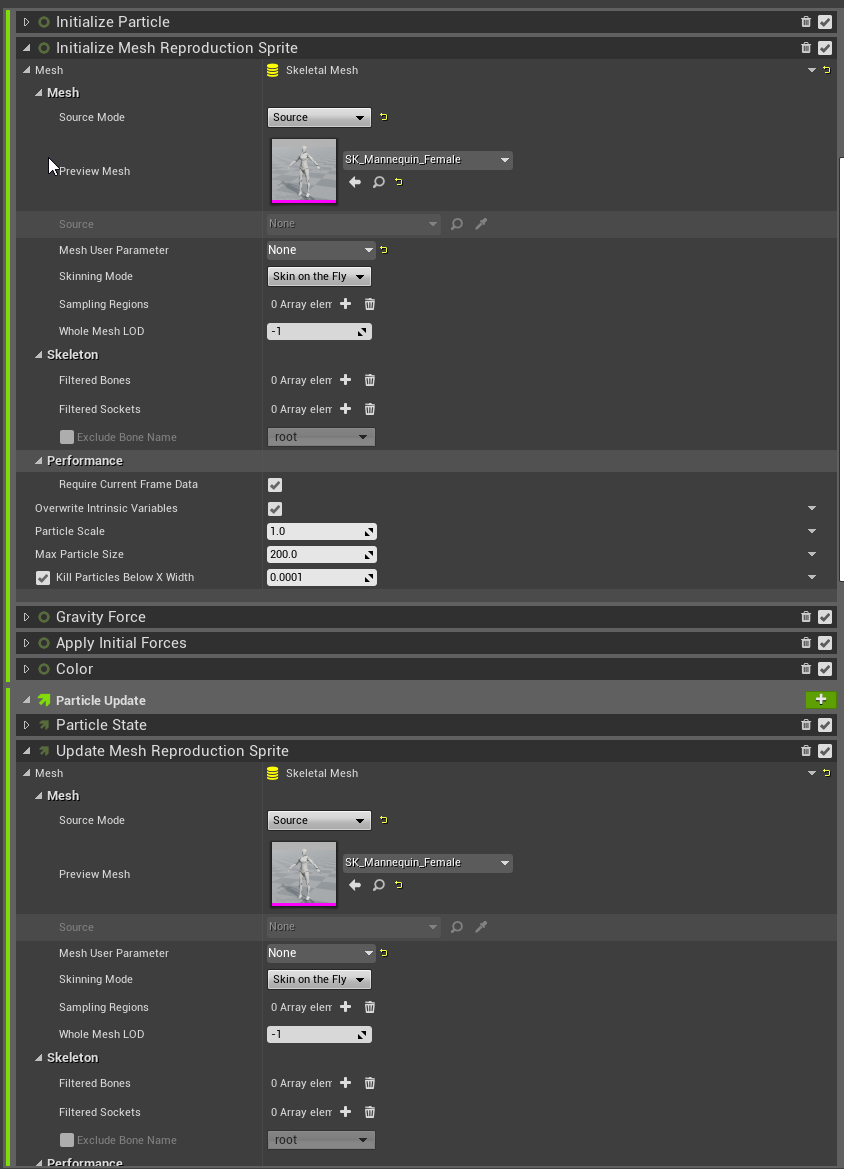
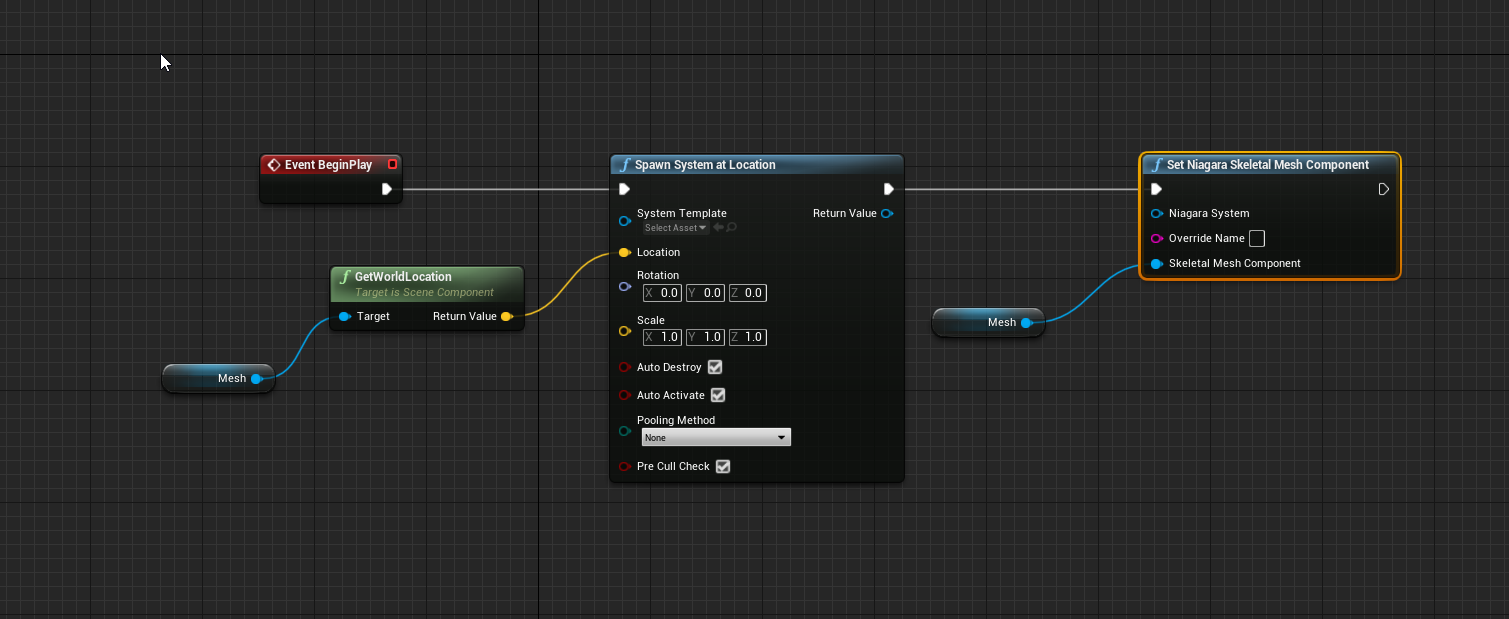
the system is not connected in the screenshot but it is so pls nvm that
I've tried everything here, even created my own module script for it to recreate that but no matter what I do, I can't get the skeletal mesh inside niagara if I don't attach it directly to the mesh
 shut geyser
how do you make a billow smoke shader from a voronoi texture?
fathom agate
fathom agate
Hi folks,
I have a noob FX question 😅
I've created this expanding ring parti...
Still looking for a solution to this 😅 I've uploaded a video here showcasing the problem https://www.youtube.com/watch?v=V3_paURzW3k&ab_channel=IrishEmerald
Feel free to @ me if you've any idea how to fix this

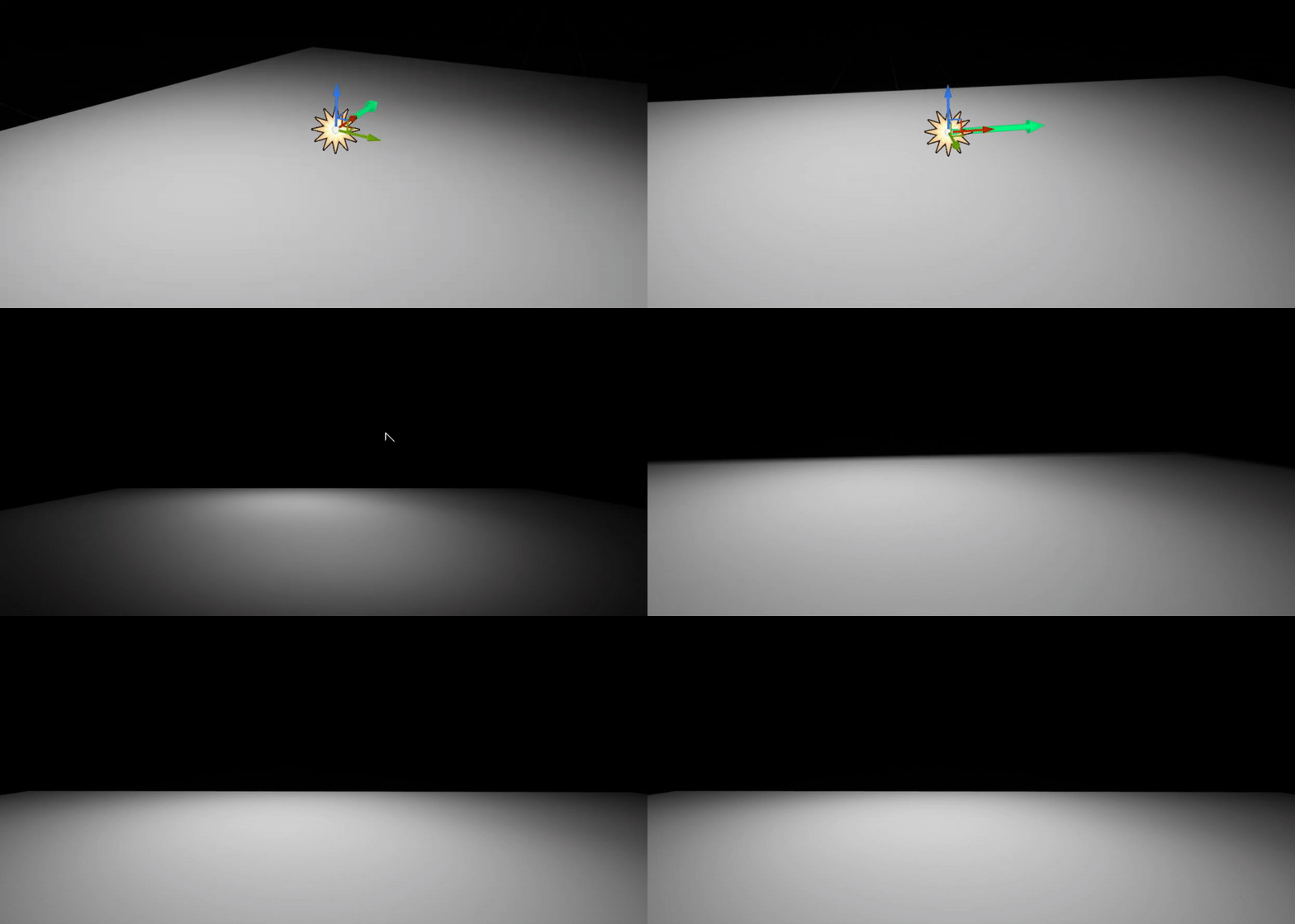
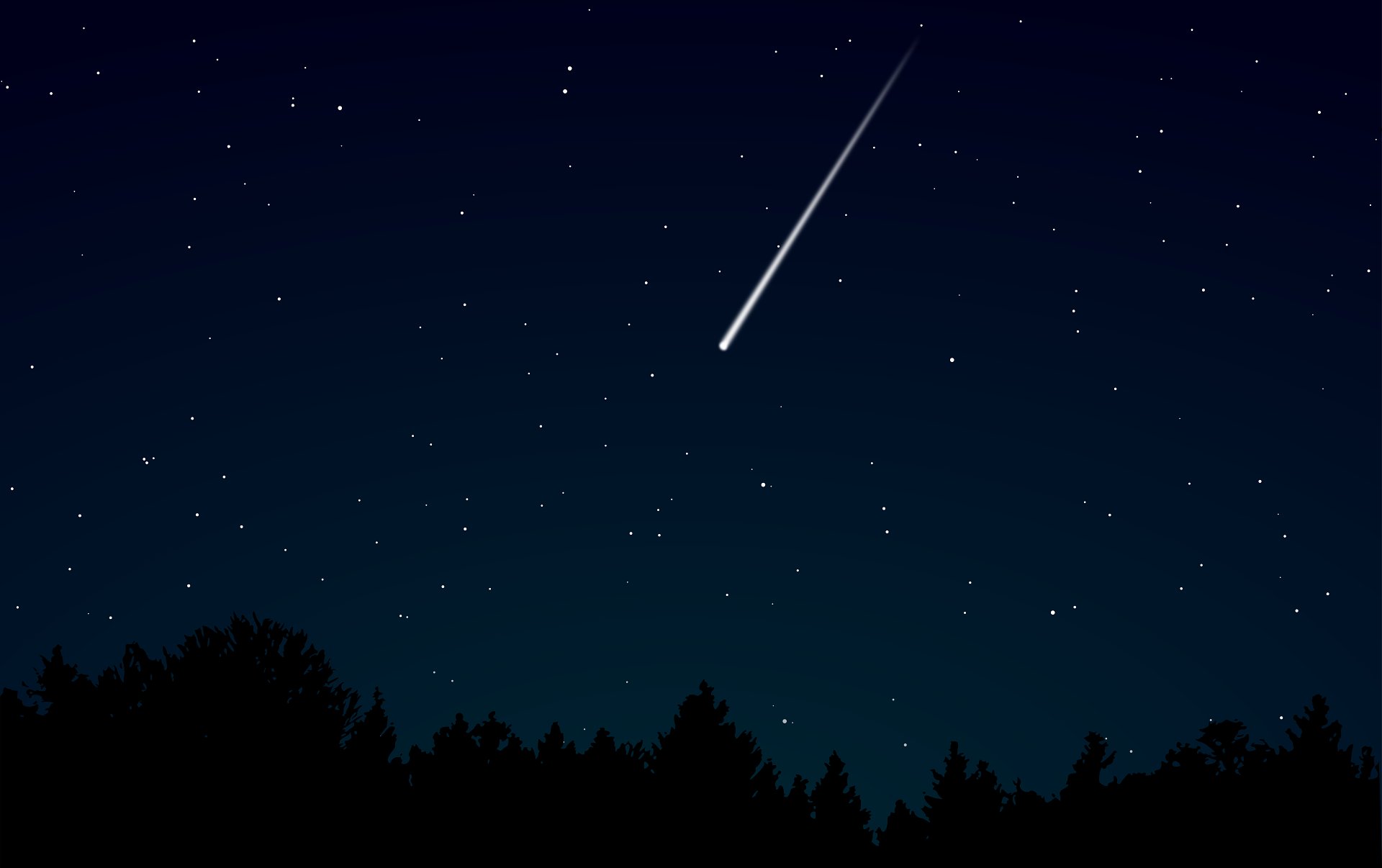


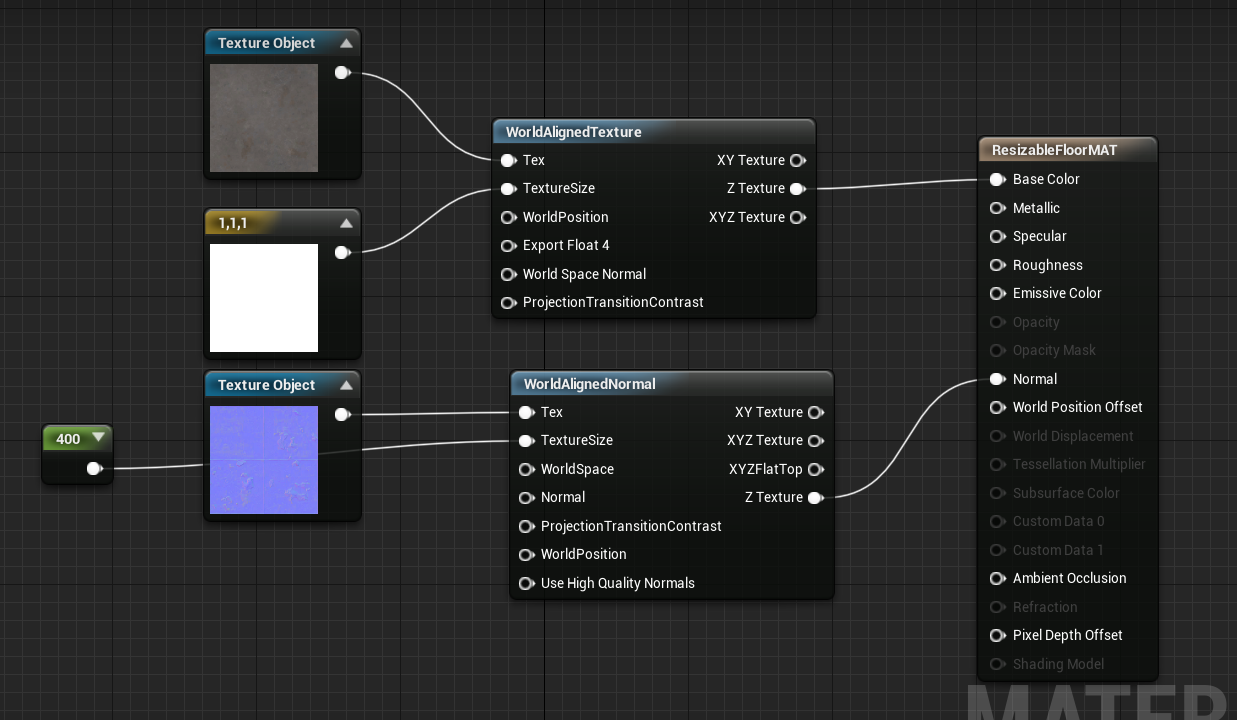


 latent rune
fathom agate
Still looking for a solution to this 😅 I've uploaded a video here showcasing t...
latent rune
fathom agate
Still looking for a solution to this 😅 I've uploaded a video here showcasing t...
Are those particles or mesh you're spawning?
And what engine vers are you using?
cold sorrel
Option A: Use a decal instead.
Option B: Give the mesh a ton of geometry, build a setup that stores height from a top down view and feed that into WPO.
Use Option A.
fathom agate
I'm spawning particles.
I tried using a decal but I somehow couldn't get the material to work correctly :/
latent rune
fathom agate
I tried using a decal but I somehow couldn't get the material to work correctly ...

Real Time VFX
Particle Decals Mini Tutorial The intention of these mini tutorials is to have easily searchable reference for implementations of some of the newer (or altered) features in Niagara. While waiting for Epic to (pretty please) implement decal renderers, I thought I’d share a little trick to creating pretty convincing decals inside of Niagara. (kin...
As far as decals go
fathom agate
I'll take a look! 🙂 thanks Kimber. Do you mind if I @ you if I don't figure this out after a week?
latent rune
Now if you're doing particles you could look at adding a Collision module to your emitter.
And if you're on 4.26 using Niagara, you could check out this module
cold sorrel
eeeeh
fathom agate
I haven't quite converted over to Niagara just yet (still very much a noob). So I'm trying to make it as easy as possible 😅
latent rune
Though to use that effectively you have to have this checked in your project settings
Gotcha
I'm sure there's smarter ways, but for Cascade check out the collision module and play with the numbers there to see if you get a better result
fathom agate
overall though a decal would be better if I managed to get that working?
or a particle system?
fathom agate
alright I can give it a try again. I had no success last time I made an attempt at a decal material 😅
latent rune
fathom agate
alright I can give it a try again. I had no success last time I made an attempt ...
Check out the tutorial I linked, and google is your friend as there are lots of resources out there that show you how to handle that stuff 🙂
fathom agate
Yea I was googling for decals last time so I'll do that if I run into trouble and I'll take a look at that tutorial for sure!
Thanks guys I was starting to hit dead ends with this 😅
 short barn
Hey, has anyone here rendered an image frame sequence with Stereo-3D out of Unreal Engine, to be then viewed with a pair of Stereo-3D glasses?
fathom agate
@latent rune @cold sorrel I got it up and running pretty nicely. Just want to say thanks for pointing me in the right direction 🙂
somber mauve
I'm trying to trigger a blueprint based explosion inside the sequencer. How do I specify the timing so it doesn't fire automatically?
 surreal marsh
Is it possible to use blueprints and do stuff with blueprints, and record the whole scene through sequencer?
I want to make an action scene and record it through sequencer not my screen recorder.
 ivory forge
surreal marsh
Is it possible to use blueprints and do stuff with blueprints, and record the wh...
ivory forge
surreal marsh
Is it possible to use blueprints and do stuff with blueprints, and record the wh...
yes, it is possible
surreal marsh
ivory forge
yes, it is possible
How?
ivory forge
there are many sequencer and blueprint tutorials to help you get started. do you have a more specific question?
 fluid dock
I believe Himanshu is asking about exporting a render of the Sequencer animations, i.e. baking it down into an exported .MOV or what-have-you.
 bitter flower
has anyone yet figured out what tweak to make to the default volumetric cloud texture to stop the weird half-tiling issue?
fossil swan
known issue, will be solved later
bitter flower
fossil swan
known issue, will be solved later
Thanks!
primal parrot
Is that not down to a non tiled VT? make one in Houdini or UE4...Asher and others show you how, google XYZ Voulmetric or Asher Clouds
bitter flower
The reason I found it weird is that it's the one from the Volumetric Cloud plugin
primal parrot
Yep not sure they shipped like that? Try to simply make your own, its not hard in UE4
bitter flower
I would, but I was mostly just looking for a cheap method of getting some half-decent looking sky. I gotta spend my time on other more pressing things 😄
Thanks though!
primal parrot
Can paint your own then now https://www.youtube.com/watch?v=R7jhuzKiAvE
Painting clouds with flowmaps. Clouds are defined using curve assets. Will be included as an example for ue 4.26.
bitter flower
His stuff is such a good watch. I love it. Hope I get time to play with it more.
cold sorrel
Cheap, and you figured the word volumetric was the best indicator? 😄
bitter flower
😄
 mystic zinc
Hello, do you know how to use the volumetric cloud with an original rebasing solution? I tried to subtract led coordinates in the material but that does not change anything .. I always teleport them to the clouds at each world shifting ..
celest birch
Hello. Have particle collide event. By this event I am spawning decal on the static meshes. How can I attach the decal to the other character (skeletal mesh) after colliding?
How can I get from the collide event the attach to component?
 still cipher
Hi, why isn't my particle collision not working? I set the actor collision to freeze but it just falls through the floor
Nvm
Set the max collision distance to 9999999999 in the performance tab of the actor collision
celest birch
I am trying to prepare a destruction system for my game. I can use Houdini, Maya and Niagara, but I have some questions about the technique used here.
I think the system works like this. When a certain number of shells hit the box, the pieces of wood are thrown as vfx and a break animation is running on the box. When more bullets are hit, the pre-prepared fragmentation animation is activated and the box is destroyed.
lean heron
hello!
bit of a weird question, but does anyone know where i can find some nice dirt mask textures that are ready to be imported straight into UE4? specifically for my cinematic cameras.
 olive sail
Does anyone know how I can change the render transform of my component?
 zealous plank
lean heron
hello!
bit of a weird question, but does anyone know where i can find some nice...
zealous plank
lean heron
hello!
bit of a weird question, but does anyone know where i can find some nice...
just search up grime texture png on google
or grunge
celest birch
Hello. Does anybody know tutorials how to apply damage decals to the character?
sleek heart
Does anyone know if there is a way to apply a custom cubemap to a certain material?
 raven summit
sleek heart
Does anyone know if there is a way to apply a custom cubemap to a certain materi...
raven summit
sleek heart
Does anyone know if there is a way to apply a custom cubemap to a certain materi...
There should be a material node called something like "reflection vector" or "View Reflection" that takes a cubemaptexture asset
Anyone have a suggestion or method for stopping a looping particle system without killing it? i.e. a character with a sustainable flamethrower? It needs to stop looping but not immediately be destroyed.
fossil swan
same
sleek heart
raven summit
There should be a material node called something like "reflection vector" or "Vi...
thx bruh just made my day xD
been stuck
 warm carbon
Hello ! In cascade, does anyone knows how to move a mesh 'over life' ? For a wave that, when spawned, would move forward a bit then die. There is nodes like 'color/size over life' but no such a thing for location. Don't know if I can do it directly in cascade or if I'll have to animate the mesh in blender then import the FBX like this. Would be less simple to modify if needeed tho 🤔
fossil swan
direct location module comes to mind
though depending on needs, might need other ways to do so.
raven summit
knotty shell
deactivate
Yeah it's just deactivate lol
 dry rose
I have a question regarding textures rendered by UE
Is there any way I can 'call' the Distance Field Ambient Occlusion map in a Material" I'd like to use this map as a mask for a Material!
 final totem
Hi, does anyone know have to make a light streak in Unreal Engine?
warm carbon
@fossil swan It worked for me, thanks 😄 !
 tame vault
@cyan charm I'm not sure of the full reason, but the new water stuff writes its own depth in a separate pass to avoid sorting issues or double transmittance when looking through waves or something, and maybe that interferes with depth in reflections or the color somehow
fossil swan
@feral elbow can you show the required module as well
 feral elbow
yup here it is