#visual-fx
1 messages · Page 2 of 1
 fossil swan
nice!
though the very big smoke plume at the end will probably be a performance hog
 gritty cloud
I'm... working on it
fossil swan
second explosion is nice
gritty cloud
Chernobyl moment
Btw it's meant to be steam
:/
but it could double as both
Well the first thing is steam I should say
fossil swan
that was clear :)
gritty cloud
fossil swan
that was clear :)
Cool
gritty cloud
fossil swan
that was clear :)
What do you think btw?
This is the rebuild I'm working on for my games map
fossil swan
looks good. I'd look into getting some refraction in there as well to make the boom a bit more kapow. so to speak XD
gritty cloud
If you mean anything to do with particle
I have no clue
Because all of them are just particles I've modified
😅
fossil swan
its a shader-rendering thingy, it causes visual distortion.
gritty cloud
Ohhh that
gritty cloud
fossil swan
its a shader-rendering thingy, it causes visual distortion.
The haze effect?
Around fire
Is that what you mean
The distorted blur thing
fossil swan
yea
gritty cloud
Funny story
I was having a literal nightmare over lumen causing weird artifacts constantly
I learned to deal with it eventually but knew players would find it annoying
and guess what
Updating to UE5.1 fixed it
I am actually really glad that the update fixed it :/
fossil swan
thats nice!
gritty cloud
I'll send a control room POV
Because why not
Deactivating auto scram...
Turning on all pumps
Raising control rods...
Preparing to AZ-5 at a really really bad time
Completed
boom
Also I know there's a weird orange flash when the second explosion happens
I'm going to fix that ASAP
gritty cloud
gritty cloud
How does it look?
 edgy lintel
Yo really dumb questions, but in UE materials is there an equivalent to method to a fragment shader? I'm trying to get the Kuwahara filter working in UE5.1 right now and it's pretty difficult to find a way to get a kernel up and running for each pixel
 analog onyx
edgy lintel
Yo really dumb questions, but in UE materials is there an equivalent to method t...
analog onyx
edgy lintel
Yo really dumb questions, but in UE materials is there an equivalent to method t...
Erghh
edgy lintel
I'm gonna need to do custom won't I
analog onyx
Material is kinda fragment shader
edgy lintel
Sorta? But I'm gonna need a way to sample each pixel's neighbors
 brazen schooner

Just a simple stylized particle effect made in Unreal Engine 4
So i found that video today and i want to replicate that blocky pixelated particle style
But i have little to none experience in making both material and particles
Is there any similar particle, either tutorial, project or asset that you know I could check out?
Or even if anybody could replicate this fire effect
 glad arch
Alright, I give it a try again right here where it looks more appropriate and most likely I can find an answer.
I'm trying to use FluidNinja VFX Tools in 5.1, which is not ready for it yet. It doesn't look like having many issues but just one that looks like very repetitive and yet hard to fix at least at my level.
Here, in the screenshot below, that bunch of errors I'm talking about... solving those {one of which ─ the absent Object Path on the Make ARFilter node ─ seems occurring many times in other BPs as well} ones I should be able to use the tool until an updated version comes out.
Any suggestion that might help me? I never did much with FXs but for someone with more experience than me that's maybe an easy fix. I really hope in yours help guys. Thanks in advance!

 quasi wolf
found a problem, decals dont react properly to subsurface materials, is there any way to fix that? its really bugging me and I cant think of a workaround without making really ugly lighting

I literally just want the most basic directional lighting across the whole map but its always been giving me such a hard time for it
 true surge
hello i just wanted to ask if anyone have watched the trailer for project perceiver, if theres a proper term for the visual effects that they used in the moving labyrinth of sort in the trailer. or just a visual effect concerning worldspace for those cool transition, i keep searching for worldspace vfx and screenspace vfx but theres i cant see any results that i want, thank youu
 timber sable
hi does anyone know how to render with an alpha channel in ue5.1?
It’s a static render and i’m using tiling mode. I watched a couple of tutorials but nothing seemed to work. The .png or .exr files always have a black background even though i activate alphas in the projectsettings and in the movie render queue.
did i do something wrong on my part or are alphas not supported in tiling mode?
 elfin meteor
How would one recommend I make visual explosion effects if Niagara fluids runs slow?
 unreal thorn
elfin meteor
How would one recommend I make visual explosion effects if Niagara fluids runs s...
unreal thorn
elfin meteor
How would one recommend I make visual explosion effects if Niagara fluids runs s...
Use the traditional method of sprites (you can make one in Houdini, Blender, or EmberGen)
elfin meteor
I don't know how to make sprites. Do you have any tutorials you recommend?
Is EmberGen the standard?
I didn't realize there was a monthly billing plan for EmberGen
elfin meteor
Well. I'm not sure what Houdini does over EmberGen
unreal thorn
elfin meteor
Well. I'm not sure what Houdini does over EmberGen
Houdini is basically de facto standard for proc-gen and VFX authoring
If you can afford it, that is.
If not, Blender is a decent alternative.
elfin meteor
Not sure if Houdini or EmberGen should be what I use. I'm not familiar with either.
I'm mostly interested in particle effects ATM
I use Blender for most 3d modeling otherwise.
unreal thorn
Houdini has more learning resources compared to EmberGen, but then you can almost do similar things in Blender (just require more trickeries)
elfin meteor
Ah.
I'm wondering which is more newcomer friendly, EmberGen does seem specialized exactly for particle effects though
elfin meteor
I'm wondering what most users here use for their particle effects in UE5 too
Houdini does seem to have great tools for particle effects...
Wow. Apparently Houdini has a free version too...
Yeah.
Houdini seems jack of all trades...
Well. I am mostly just looking for particle effects right now.
I use Blender for most of the other stuff.
Is Houdini higher fidelity?
Well. EmberGen seems better for games in that regard...
unreal thorn
Well, you're going to turn them into flipbook sprite either way.
 gray portal
How can I make the camera effect like in this game wit lens dirt etc? I searched it but cant find a proper way to make it like this

 unreal thorn
gray portal
How can I make the camera effect like in this game wit lens dirt etc? I searched...
unreal thorn
gray portal
How can I make the camera effect like in this game wit lens dirt etc? I searched...
UE has built in dirt mask functionality, and a built in texture you can try.
gray portal
unreal thorn
UE has built in dirt mask functionality, and a built in texture you can try.
thanks, is it also have a effect that make this fish-eye look? Or should I make it manually
unreal thorn
gray portal
thanks, is it also have a effect that make this fish-eye look? Or should I make ...
You have to make it with post process material.
gray portal
I understood, thanks
unreal thorn
It's not complicated, but it may break on lower resolutions
 tacit saffron
I tried to make an animation where my character smashes the ground into pieces.
I have made the destruction of the ground vessel and the animation itself in blender and baked it
But I have no idea how to put it into unreal as a character ability or how to put it into unreal at all
Any keywords for youtube?
Well at least I assume I should do it in blender/c4d then import it into unreal as it's purely vfx, not an actual destructible asset
unreal thorn
tacit saffron
I tried to make an animation where my character smashes the ground into pieces.
...
If it's a gameplay ability, you don't have to concern about the ground destruction
I don't think God of War went that length for similar ability either
Unless it's a predetermined sequence, actually bothering with the ground for the effect can cause some side effect gameplay wise and wasting on development effort.
tacit saffron
Exactly
That's why I would like it to remain graphical
Like, not renderable, purely visual fx
But I have less than zero idea on how to do that
Shader? That's how I should call it?
unreal thorn
tacit saffron
Exactly
That's why I would like it to remain graphical
Like, not renderable, pur...
Just have mesh emitter in your particle system.
tacit saffron
can't find anything on yt at the moment but I'll try to brute force myself through it in unreal
Thanks!
gray portal
The fish eye(or any other camera effects) tutorials in youtube are too confusing and I dont understand even what Im doing and why, is there any better way to do it? Also why an easy camera effect requires that much work to make it?
unreal thorn
gray portal
The fish eye(or any other camera effects) tutorials in youtube are too confusing...
The general idea is to distort the UV of the scene texture. That's what makes up like 99% of full screen distortion.
quasi wolf
how would I go about making an accurate water material, but like a cup of water rather than a flowing river? just need that nice refraction and reflectiveness, with the visible rim too, not sure how to do this

but I also want it to work on a cube, which may complicate it a bit more, since I dont know how to make nice reflections on a cube
gray portal
Should I adjust game ambience for under-high settings or for high-epic settings? Because low-med settings look too ugly when I adjust lights for high-epic? It will be a game so I need to add graphics sliders.

 unreal thorn
gray portal
Should I adjust game ambience for under-high settings or for high-epic settings?...
unreal thorn
gray portal
Should I adjust game ambience for under-high settings or for high-epic settings?...
You could add a non-shadow casting point light (with inverse square root falloff disabled) serving as ambient light.
A cool trick you might not know is that you can designate some actors to appear in certain scalability settings
gray portal
unreal thorn
You could add a non-shadow casting point light (with inverse square root falloff...
I didnt understand first one but will search about it, in second one, you mean I can use 2 different lighting setups for 2 different graphics settings?
unreal thorn
gray portal
I didnt understand first one but will search about it, in second one, you mean I...
Okay, my bad, turns out it's actually for mesh primitives, not light sources
unreal thorn
gray portal
I didnt understand first one but will search about it, in second one, you mean I...
But for the former:
 gray portal
unreal thorn
But for the former:
gray portal
unreal thorn
But for the former:
So am I need to replace my existing lights or add this as an addition, sorry if I ask too much I am still trying to learn basics
unreal thorn
unreal thorn
Okay, my bad, turns out it's actually for mesh primitives, not light sources
Or is it?
Actually I tested it and it turns out it works with light sources
unreal thorn
gray portal
So am I need to replace my existing lights or add this as an addition, sorry if ...
This would be the ambient point light
unreal thorn
unreal thorn
Okay, my bad, turns out it's actually for mesh primitives, not light sources
For once, this is actually documented in the UE docs, so what this does is allowing certain actors/components to be visible on certain detail mode or higher

The tooltip was kinda misleading, as it's not limited to meshes
gray portal
unreal thorn
For once, this is actually documented in the UE docs, so what this does is allo...
this one helped me so much, thanks
Im hiding good lights on lower graphics
unreal thorn
I don't see how r.DetailMode is tied to sg. presets, so you can reverse the order
gray portal
unreal thorn
I don't see how `r.DetailMode` is tied to `sg.` presets, so you can reverse the ...
I understand how to hide actors in lower settings, but how is it work reverse? Like hiding actor in high preset?
unreal thorn
gray portal
I understand how to hide actors in lower settings, but how is it work reverse? L...
Showing the actor only in High preset, but pretend it's the Low settings
Of course the caveat is that you'd only limited to hiding things on "higher" detail mode"
gray portal
Making a fish-eye lens post proccessing material make image a bit bigger, and as a result the final image look low resolution. How can I solve this?
 unreal thorn
gray portal
Making a fish-eye lens post proccessing material make image a bit bigger, and as...
unreal thorn
gray portal
Making a fish-eye lens post proccessing material make image a bit bigger, and as...
Try adjusting the blendable location to Before Tonemapping? It'll be applied before the AA but I doubt it'll hide the lower res effect that much, which in that case, there's no way getting around it (except maybe cranking up the screen percentage > 100%)
analog onyx
gray portal
Making a fish-eye lens post proccessing material make image a bit bigger, and as...
Enable filtered lookup
And / or do custom filtering
gray portal
analog onyx
Enable filtered lookup
will search about this, Im using an post proccessing material to do it btw

how can I enable it?
analog onyx
gray portal
how can I enable it?
It is in details of scene texture material expression
gray portal
analog onyx
It is in details of scene texture material expression
This, right?

It added a blur, I think
analog onyx
gray portal
This, right?
Yes
quasi wolf
quasi wolf
how would I go about making an accurate water material, but like a cup of water ...
ok
 frigid oak
I want to make the effect of projecting fog, smog, lighting, and laser. Can i make it using an unreal engine?
 unreal thorn
frigid oak
I want to make the effect of projecting fog, smog, lighting, and laser. Can i m...
unreal thorn
frigid oak
I want to make the effect of projecting fog, smog, lighting, and laser. Can i m...
Yes, with volumetric fog.
Though you're going to need high resolution for it, and definitely going to tank some performance.
For virtual production/live events, you're going to need a super beefy PC anyway.
frigid oak
unreal thorn
Yes, with volumetric fog.
I'm not going to use it for a live events.
I'm going to photoshop the image
 carmine charm
frigid oak
I want to make the effect of projecting fog, smog, lighting, and laser. Can i m...
carmine charm
frigid oak
I want to make the effect of projecting fog, smog, lighting, and laser. Can i m...
i dont know if it helps or not and if you knew this already, but its called a laser swamp. Commonly used in scare attractions, they are achieved by using a "line lense" on a laser pointer in order to spread the laser into a horizontal line than a single point, then applied through fog (fog machine, natural smoke, ect), it reflects off of every bit of fog in the given line while passing through, giving it a sort of "mystical swamp bog" look. https://www.youtube.com/watch?v=gS0sV7kj-8E

Here is an awesome light show effect that you can do at home with a laser pointer.
I used line lenses that I got from eBay for a couple bucks to do this effect.
Check out http://laserpointerforums.com to learn more about laser pointers, lasers, and laser pointer companies! I have been a member there for 8 years, and have received a bunch of h...
 drifting crow
HI Guys, i try to make a Beam, just added a emmisive material but its always pale in color no matter how high i set emmive. IS there a better approach?
 fossil swan
set the emissiveness lower, and rely more on a glow trough the texture it has
gray portal
Can anybody recommend me some effects for an old camera effect? I have chromatic abberration and fish eye-lens on, which other effects can I use?
unreal thorn
gray portal
Can anybody recommend me some effects for an old camera effect? I have chromatic...
Film grain, and mess with the color grading - they don't have the best color reproduction
 cunning mural
I got a really simple but very specialized question

Why is unreal turning my alembic animation into voxels when I import? How would I go about getting the smooth version?
cunning mural
I solved it. It was a mixture of turning the resolution down and correcting the frame rate to 60fps
 oblique briar
Hi Usul, I am having the same issue, any luck or solution?
 hot prairie
I am trying to built a fake window into a virtual production set. A bit like in theaters, the environment outside but with parallax...
But it has to work on a simple plane...
I was thinking about 2d capture but it might be tricky since it also depends on focal length and in the end a good environment texture would be enough.
Are there any uv tools which allow me fake this using a 360 Panorama?
 pearl fjord
How come some have the red thingy
 fossil swan
means you (or whoever made it) changed a value after the screenshot was made. nothing to worry about.
pearl fjord
fossil swan
means you (or whoever made it) changed a value after the screenshot was made. no...
oh thanks!
do you maybe also know why some of these get darker with light and others whiter?
 glass cipher
Hi all, i'm looking to make an effect where a character turns to stone gradually spreading out from where the sunlight in my scene is hitting them, for a cinematic - any ideas?
analog onyx
@glass cipher you can use niagara with raytracing. Ray query plus skeletal mesh data interface will get you there. Alternatively, you can spam random high amount of ordinary physics raycasts from mesh towards the sun, and populate render target accordingly.
glass cipher
@analog onyx yeah i was thinking a render target was the direction i needed to go - could i perhaps make one that isolates light contribution from just the sun directional light and then use that as a mask to drive the transition - but then is some kind of infection solve possible? i was thinking i should just prerender it in Houdini as a sequence in uv space and use that in the shader - because in theory i know where the sun is going to be, although obviously it would be less clunky to do it all in engine
quasi wolf
how would I make some kinda light effect like this on top of objects? here I just used two meshes, but Id love to know a proper way of doing it

 smoky nimbus
oblique briar
Hi Usul, I am having the same issue, any luck or solution?
smoky nimbus
oblique briar
Hi Usul, I am having the same issue, any luck or solution?
Once I updated to the full 5.1 non-preview version this seemed to fixed. Are you seeing different behavior?
fossil swan
hey @onyx anchor , if the reason is to get a job, please post it in one of the job-board channels instead. if its just for showcasing, #released is where its at :)
 onyx anchor
Oh okay. So this is more for in progress stuff and feedback?
fossil swan
most channels are question/problem solving ones.
#969360633386655744 is for feedback :)
onyx anchor
Gotcha. Thanks for the redirect!
fossil swan
np
 celest violet
hey guys, is is possible to remove/hide objects rendered on custom depth from the postprocess0? basically a post process that hides customdepth objects
unreal thorn
celest violet
hey guys, is is possible to remove/hide objects rendered on custom depth from th...
No. Custom depth doesn't manipulate the main buffer
quasi wolf
quasi wolf
how would I make some kinda light effect like this on top of objects? here I jus...
just need some kinda way to add decoration like this
 wheat current
quasi wolf
wheat current
quasi wolf
luos already replied
fossil swan
feels ignored
unreal thorn
inb4 one way blocking moderators for some reason
 cold bolt
Anyone have an example of rendering FString onto a mesh via some material methods? shader? anything I could start from? I have a bunch of books that are being generated procedurally and would like to open them to read the stories
being projected onto the pages
unreal thorn
cold bolt
Anyone have an example of rendering FString onto a mesh via some material method...
Depends.
Printing text to material directly is not possible, but there are many ways to tackle this.
cold bolt
gotcha, which would you suggest?
unreal thorn
I would suggest using widgets, though I have no idea on how to render that to a render target that a material can use 
quasi wolf
Ive been using the subsurface shading model for some of my materials to remove the harsh ugly shadows over models in dark environments, but it has this side effect when looking towards a light source. is there any way to fix this, or is that technically doing what its supposed to do? I either need to fix this or find a different way to remove self shadowing https://gyazo.com/8dfed1ee5b42ab105bbead632013d5bb

 tame pecan
Good afternoon everyone. Does anyone know what is causing this error when packing? I would appreciate any help.
 fossil swan
 modern girder
Hi! I'm going to learn vfx. What tutorials are good for the beginner?
 young canyon
modern girder
Hi! I'm going to learn vfx. What tutorials are good for the beginner?
young canyon
modern girder
Hi! I'm going to learn vfx. What tutorials are good for the beginner?
Would suggest the Unreal engine niagara tutorials udemy. They do a great.jov explains the basics.

This is the one that got me stated, great stuff in this. Maybe wait for it to go sale over Christmas
unreal thorn
modern girder
Hi! I'm going to learn vfx. What tutorials are good for the beginner?
Pinned message has great resources on VFX. Do think twice before you waste money on Udemy though, they're putting up fake discounts.
Also if you're on UE4.25 or newer, consider using Niagara and check the pinned message on #niagara for more learning resources
quasi wolf
unreal thorn
Pinned message has great resources on VFX. Do think twice before you waste money...
CODING YOUR OWN GAMES? ITS EASIER THAN YOU THINK
 hollow moat
Anyone got any docs on the coordinate index property for the TexCoord node? I found someone saying index 3 is the pixel size but I have no clue where they got this information.
fossil swan
first time I am hearing that
hollow moat

Epic Developer Community Forums
I’m trying to render pixel perfect UI using signed distance fields. To achieve this I need the actual pixel size of the material currently being rendered. The ViewSize property just returns the size of the viewport, not of the current rendered material. Does anyone know how I can get the actual pixel size? Maybe a additional node should be adde...
I'm trying to make a ui material, and I need to do operations based on the desired size of whatever is being rendered
So I want the UV 0-1 range to be mapped to what is actually being rendered
Which doesn't seem to be the case by default
So say I have this effect based on the uvs (just using fmod)

No matter that size it should have the same number of divisions
Currently I get this

Okay had it set to box instead of image

 atomic lantern
I'm seeing that some people are creating VFX just by creating NS, and creating a bunch of NE in there, but it seems a little bit weird to me. Isn't it better to create separated NEs, and then combine them in the NS instead?
fossil swan
depends. sometimes I set stuff up in an NS because the NE's need to work together, can always export them into separate NE's afterwards.
 vale rock
Anyone knows can you see the effects of a post processing without being in the bounds/having it on infinate bounds, I want to create a different light setup within a volume in the same scene: anyone got any ideas?
gray portal
How can I fix this artifacts that appear for a moment, when rotating camera too fast?

 sweet urchin
Hello
I am working with UE 4.25.4 to recreate this fire VFX following the tutorial video below.
I have got pretty far, although the video is vague on many details in the cascade system layout. It would be greatly appreciated if someone could help me figure out what I am missing.
I have also attached a video showing my progress.
fossil swan
@sweet urchin its best to learn niagara instead of cascade at this point as cascade is depreciated.
as for cascade, iirc you'll need to set the amount of frames somewhere in the required node.
 maiden summit
Am i in the right channel?
I want to fade in/ fade out post process materials on a global PPV.. The "main fader" I get on the PP material interface doesn't really work that way..
what's a good way to fade in fade out those effects?
Do I need to create a new parameter on each material and control it from a BP? (using like set scalar parameter value)?
bonus: what's the difference between scalar and float?
 upbeat gate
Hi! If I wanted geometry that floats around and collides but is attracted by outside forces (like a noise field) would you recommend Niagara or Physics bodies?
maiden summit
upbeat gate
Hi! If I wanted geometry that floats around and collides but is attracted by out...
yo i want to build something similar and depending how many objects you got I think physics body can work well.. I'm not very far but I intend to use physics bodies and applying forces to them
upbeat gate
How do you do things like having a turbulence field with physics bodies? Would Chaos support it?
I just started messing around with niagara while I waited for a reply
maiden summit
no idea.. sorry i'm at your stage as well
there is a 4-5 years old series of tutorial about physics
 quasi wolf
hey, I got some reflective blood decals, but how do I make it look nice at any angle? I dont necessarily need accurate reflections, just needs to look shiny (I probably didnt need the example but just in case lol)

 upbeat gate
Is there anything for it to reflect? What's behind/above the camera?
quasi wolf
I dont think it should be an actual reflection though, just should be shiny somehow, Im sure theres a way that doesnt depend on real reflections
but it also needs to not be so flat, and I cant find a way to do it with a normal map for this
unreal thorn
quasi wolf
hey, I got some reflective blood decals, but how do I make it look nice at any a...
I had a wound once, and few drops of blood on the table. Inside a dimly lit room it's not going to appear shiny due to lack of different intensity light to reflect.
quasi wolf
true, but in light it’s still not good enough, like when a light shines onto it the whole thing shines white, rather than smooth over the edges like it should
and then I think whatever I do besides a flat colour will cause horrible overlapping
 bold moat
hi, I have this bloom and lens flare in my scene and I can't find how to turn it off, and I already deleted all the lighting in my scene. Maybe this is super noob but how do i turn it off? I can't seem to find the setting
 quasi wolf
post process? idk why it’s THAT bright, but post process volumes have default settings which you can override
bold moat
I tried doing that but didn't work
bold moat
quasi wolf
post process? idk why it’s THAT bright, but post process volumes have default se...
well i was making a flat shader so it's an unlit shader with an emmisve surface so that's probably why it's blooming so hard
bold moat
quasi wolf
post process? idk why it’s THAT bright, but post process volumes have default se...
oh shit that actually fixed it, thanks!
 muted oxide
Not sure if this is the channel for this? I was wondering how to create a double exposure shader post processing effect, similar to the videos provided. https://www.youtube.com/watch?v=2DZjTC4SfEI https://youtu.be/q4PXCzf2n4U?t=82

The Outlast Trials - Main Menu (Outlast 3 Main Menu)
Discord Link: https://discord.gg/D2BJZNW
Subscribe to the narrators:
My 2nd Channel: https://www.youtube.com/channel/UC20KPG6Y6EJ11mj53XzyCGw
Nicole: https://www.youtube.com/user/NicoLetsGoGaming
Waru: https://www.youtube.com/channel/UCuMIm7qRsGshBdb-pkjS7Dw
Chantelle: https://www.youtube.com...

See how our award-winning visual effects team pulled off some of the stunning stuff in Control, winner of the 2020 Visual Effects Society Award for Outstanding Visual Effects in a Real-Time Project. This video contains a detailed breakdown of reactive environments and dynamic destruction, which are some of the key visual elements in Control.
Ge...
quasi wolf
quasi wolf
hey, I got some reflective blood decals, but how do I make it look nice at any a...
kinda got it how I wanted, but is there any way to fix the very obvious overlapping? or is that just not a thing

I know this clearly looks really awful but whats what I meant about the shiny effect
ideally Id have something like this, anyone know where to look to learn how? https://youtu.be/Vu5AhmBTEyM

UE4_Lab by Unreal Engine 4.18.3.
Github link: https://github.com/aceyan/UE4_Lab
the mask paint system thing
bold moat
quasi wolf
kinda got it how I wanted, but is there any way to fix the very obvious overlapp...
Can't you use metaballs instead of spheres?
bold moat
quasi wolf
sphere normal map
https://www.unrealengine.com/marketplace/en-US/product/realtime-rendering-of-metaballs-in-material-and-bp/questions?sessionInvalidated=true this would solve your problem

Unreal Engine
Rendering metaballs In UnrealEngine4.
There's no limit to the quantity of balls (Determined by the performance of the GPU)
Includes:
Rendering High Quality MetaBalls in RealTime
Creating Pseudo-3dTexture in BP
Sampling Pseudo-3dTexture in Mat
at the cost of performance probably haha
quasi wolf
but these are just decals
 wise rain
anyone else having troubles setting a default niagara system in a niagara component?
for me it always stays at "none" no matter what i select


i tried restarting the editor but the problem persists
 deep flint
i have a cascade anim trail particle on a bouncing projectile, when the projectile spawns within the viewport the trail works fine, but when the projectile travels out of the screen and bounces back, the anim trail stops working, is there a way to prevent that?
 wintry vale
quasi wolf
ideally Id have something like this, anyone know where to look to learn how? htt...
wintry vale
quasi wolf
ideally Id have something like this, anyone know where to look to learn how? htt...
What are you trying to do exactly?
quasi wolf
pretty much this exact system, decals won’t be great because of overlapping and performance, and wrapping around meshes badly so I’d prefer that way
wintry vale
quasi wolf
pretty much this exact system, decals won’t be great because of overlapping and ...
What exact system?
quasi wolf
in the video, you can see how it creates a mask onto the materials
wintry vale
Not really
You can do that with vertex painting or render targets
Or decals
All uniquely different with pros and cons
quasi wolf
well this way looks best for what I need
just need to know how the masks are generated
 dapper dawn
Does anyone know why my particle emitter deactivates / destroys itself after some time (I think it's like a few minutes would have to time). I want my particles to remain alive forever. It's a cloud I spawn that needs to persist forever. But I can't find how to stop it from eventually destroying itself. What could I have missed? What do I need to do to make it 100% certain it never destroys itself?
I'm guessing it happens on the first garbage collection or something as it's always a set amount of time. I'm guessing like 5 mins
 echo lotus
Hey did you solve this?
dapper dawn
I did some more testing and so the particles delete themselves after a long time, at least 10 mins+ and they even delete theirselves when looking straight at them. So it's nothing to do with visibility or view based. It seems like a hard delete after x amount of time. Perhaps some engine setting that deletes particles after an amount of time so that no particle can ever persist longer than a certain amount of time?
Also fun fact, it also happens in the edtior view. Like not while playing but in the editor viewport while working. I place the actor in the level that has the emitter and after 10+ mins of working around i see that the particles are suddenly gone.
fossil swan
not that I know the solution, but niagara or cascade emitter?
dapper dawn
Cascade
Could this be it 🤔
https://gyazo.com/35447e98ebcfd3de004fc2c0dfd0b08c
https://gyazo.com/843d9ff279abf9f52d0f76366138a34d
I wonder...


I guess it's worth a try
The particles are GPU btw (if that is any useful info)
fossil swan
one sec.
double check if lifetime is set to 0, and not a superhigh number. (sometimes used as a workaround to have access to "over life" modules, as there arent any "over time" modules.
in the required module:
disable kill on deactivate/kill on completed
Doublecheck if it has LOD's, else yes, that option you mentioned could be a thing.
if you click on the empty space next to an emitter, there is also a "seconds before inactive" option, make sure its set to 0.
there is also an "auto deactivate" option there you can try unticking.
dapper dawn
Thanks will check all these 🙂
Hmm all of these were already set as you suggest. Regarding LOD's. By default there is an entry 0 in the LOD distances array and another entry 0 in the LOD settings. Is this enough? Or do I need to add more LODS to these arrays?

These are the default settings
fossil swan
if there are no LOD's there besides 0, theres no LOD's
dapper dawn
Ah ok
dapper dawn
lol
I guess that's a last resort solution
And then in come the bad reviews from nolife players playing 24 hour + marathons 🤪
fossil swan
by then they are so tired, they wouldnt notice XD
dapper dawn
OMG game sucks clouds disappear wtf refunded.
 boreal sequoia
Hi, I wanted to know how would I go about implementing this VFX on attacks? Would it be better do do this with montage notify or spawning this as an actor?
https://www.youtube.com/watch?v=MJduQFfv3Uc
https://www.unrealengine.com/marketplace/en-US/product/stylized-vfx


Unreal Engine
Anime Stylized Visual Effects VFX for video games
 eager geyser
hi
wintry vale
Can anyone explain to me why when setting my render target to RGBA16f I get 1.0 value for Blue and R = 0.03, but when setting it to RGBA32f I get R = 1 and B = 0?
wintry vale
seems like read render target pixel is always the same color for RGBA32f...
 sudden dune
Anyone know how to achieve this volumetric turbulence fog in UE5?

 golden umbra
sudden dune
Anyone know how to achieve this volumetric turbulence fog in UE5?
golden umbra
sudden dune
Anyone know how to achieve this volumetric turbulence fog in UE5?
So, using the volumetric fog system is one way. Either by using niagara to spawn fog particles in the area, or by using a mesh with a fog volume material that samples a 3d noise texture over time.
 sullen dome
sudden dune
Anyone know how to achieve this volumetric turbulence fog in UE5?
sullen dome
sudden dune
Anyone know how to achieve this volumetric turbulence fog in UE5?
I saw a tutorial that did it with a video playing over a 2d plane:
https://www.youtube.com/watch?v=e9atAxm1Cc0
however the catch is it doesn't react to light
Hello Everyone,
Today I will show you how I create realistic smoke and fog in elements in Unreal Engine 5.
If you have any questions, please leave them in the comment section below.
0:00 Introduction
0:31 Converting MOV to JPEG
1:05 Loading in the Image Sequence
1:52 Create Media Player
3:05 Creating the smoke plane
3:37 Smoke Shader
6:14 Smo...
sudden dune
golden umbra
So, using the volumetric fog system is one way. Either by using niagara to spawn...
Yes I would prefer it was volumetric and 3D
sudden dune
sullen dome
I saw a tutorial that did it with a video playing over a 2d plane:
https://www.y...
It’s a good hack and my goto if things fail, I’ve been using this method for years but now I would like a 3D solution.
 celest birch
just starting with unreal engine am wondering if i can extract visual effects as obj or something to use them on blender or maya is that possible at all?
unreal thorn
celest birch
just starting with unreal engine am wondering if i can extract visual effects as...
No, and you better have a plausible reasoning to do so.
celest birch
unreal thorn
No, and you better have a plausible reasoning to do so.
lol i use keyshot for rendering and texturing and keyshot materials cant be extracted so whatever i do in keyshot stays in keyshot cant take them to unreal engine so i hoped i could take the effects from unreal engine and use them on my keyshot scene instead of doing it the opposite way
 twilit quartz
Hi! I'm looking for a solution to fix an issue with an "unlit" post-process mixed with Planes with Translucent/Unlit materials
Here's my scene when I work in the viewport with the Unlit mode enabled:
https://cdn.discordapp.com/attachments/1055091838412922911/1055548723461103686/what_Im_expecting.png
To render my scene as a video (through the Movie Render Queue), I created a post-process to be in Unlit mode. Here its simple config:
https://cdn.discordapp.com/attachments/1055091838412922911/1055548722810998794/post_process_unlit_before_translucency.png
However, once in my Level, my scene really is in Unlit, but I cannot see anymore my drawings (which are applied on a Plane actor, with a Material Surface > Translucent > Unlit).
https://cdn.discordapp.com/attachments/1055091838412922911/1055548723112980520/post_process_unlit_before_translucency_no_planes.png
But if I disable my post-process and display the viewport with the Lit mode enabled, I do see my Plane actors and their drawings.
https://cdn.discordapp.com/attachments/1055091838412922911/1055548723758911578/when_I_turn_lit_on_and_turn_off_postprocess.png
I also tried to change the Material of my Plane Actors to make them "Lit" (instead of Unlit), but to no avail : the issue comes from Translucent mode (I don't have it when it's in Masked mode, but obviously, I need my material to be in Translucent).
Any help / advice is welcome 🙂


 obsidian sand
Hey smart people. How would you propose going about recreating a retro looking "hazy" lens effects similar to the feel of shows like Ep. 7 - The Viewing from Cabinet of Curiosities or Blood Machines? Environmental fog? A post processing material? Combination of both?
unreal thorn
I don't even know anything about the show lol
obsidian sand
Sure. But pictures aren't really going to do it full justice. I'm not sure a picture or two is going to convey the full extent of what I'm shooting for and I don't think anyone is going to commit to watching either in order to help a stranger in a forum.


 fossil swan
a lot of this feels like good post processing, luts, and a neat lens-flare setup.
how to approach it, iunno. you might want to read froyo's lens flare stuff.

This article shows how to modify the default Unreal Engine lens-flare post-process, from code to shaders. I always wanted to chang...
unreal thorn
fossil swan
https://www.froyok.fr/blog/2021-09-ue4-custom-lens-flare/
Oh, this. I found out that it (or at least my implementation) doesn't work with UE5's DX12 SM6, so this doesn't go well with Nanite...
fossil swan
can always conversate with froyok about it :)
 wheat tinsel
Hello everyone! May I ask if I can pass some of my custom parameters form source to the emitter receive my event?

 devout portal
Can I still check HLSL for the shader graph in UE5? Cause for me it seems not generating a specific shader code. (i cant find ANY functions or variable related to it in the generated HLSL) (copy pased from #graphics )
 torn echo
i'm trying to exclude one of my actors from my post process effect but couldn't find a way yet. any suggestions?
 golden umbra
torn echo
i'm trying to exclude one of my actors from my post process effect but couldn't ...
golden umbra
torn echo
i'm trying to exclude one of my actors from my post process effect but couldn't ...
Render to custom depth stencil, and exclude from pp based on that.
This should give you some pointers: https://dev.epicgames.com/community/learning/talks-and-demos/JM/how-to-create-masks-with-the-custom-stencil-buffer-tips-and-tricks-unreal-engine

Epic Developer Community
This episode focuses on using the Custom Stencil Buffer in a Post Process Material which allows us to alter how multiple objects are rendered on the scr...
 torpid palmBOT

Unreal Slackers
Support and resources for the Unreal Engine community. Get help, share your work, discuss the latest news.
—
Members: 86,106 • 8,758 online
Boost Status: Level 3 28 Boosts •
Created: <t:1464706564> • <t:1464706564:R>
Invite: discord.gg/unreal-slackers
—
Website • Twitter • GitHub • Donate
 fickle pebble
Hi guys does anyone know how could I mask/blend this hatching shader that I have done with colors

 true flower
a lerp could work getting your original color and adding the hatching where needed
 worldly monolith
Does anyone else have an issue on 5.0.3 where your post process volume will just lock and none of the options can be changed? It's happened to me like 4 times now and it's getting annoying
 winged girder
Hi everybody! I just downloaded the infinity blade effects from epic permanent free content and i'm trying to open it on 5.0
I'm getting this even after rebuilding light

Does anyone know how I can solve it or what the problem may be?
fossil swan
check the material, see if its broken somewhere. if it is, file a bugreport.
 warm spade
Hi Everybody!, I am trying to achieve an effect where there is like a gust of dust on the ground when an object hits the floor, is there a pack or tutorial video that I can get please 🙏
fossil swan
@deep valley lookingat how the fog reacts, it could be something in the shader fading on camera depth, but could also be something in niagara system.
its my first two guesses at least.
fossil swan
@harsh crown
8. No recruiting or self promotion outside the designated channels. Use the Job Board category for recruiting (see #instructions ), and the Sharing category for self promotion. Recruiting and self promotion must be related to Unreal Engine unless otherwise specified.
 unreal lichen
hey, is material node absolute world position making different results in 4.27 compared to 4.26 ?? really buggy for me in 4.27
 sudden plinth
Hello everyone 🙂 So I am trying to create a display scene for my 3D art in Unreal 5.1. I was hoping to have the tank mid shot with the round a couple feet in front of the barrel and I nice plume of smoke and fire behind it (I realize this will block view of the tank, it wont be the only shot). I have a couple VFX bundles I have been messing round with but cant seem to get any of them to do what I am looking for. Is there a good way to pose smoke and fire without pausing the viewer, and does anyone have a good way of going about putting them in a scene? I haven't dug into VFX much and while it is on my list of things to get better with, I was hoping to get this done without having to learn an entire new part of Unreal. Thanks

 lilac obsidian
hello
i have a trail particle for my sword

but its doing strange things
the trail always has these extreme jittery parts :/
in any movement
even moving it to the right on a straight line produces these knicks
is there a way to deal with it
glass cipher
does anyone know how to approach rendering a full resolution sequence of some looping smoke and include the things that the flipbooktextures does, ie depth, normal, relighting info etc?
 left skiff
glass cipher
does anyone know how to approach rendering a full resolution sequence of some lo...
left skiff
glass cipher
does anyone know how to approach rendering a full resolution sequence of some lo...
It isn't a full answer, but the Niagara has the Baker that generates flipbooks. You could use that along with Niagara Fluids or particle sims , but there would be some extra work to generate relighting info and make it loop cleanly.
glass cipher
@left skiff thanks. I can make it loop in houdini no problem but it’s just getting it to match changes in depth of field and lighting. It’s for a cinematic so I’ll probably just use the vdb plugin
 harsh crown
fossil swan
<@191625216810549248>
8. No recruiting or self promotion outside the designated...
harsh crown
fossil swan
<@191625216810549248>
8. No recruiting or self promotion outside the designated...
Sorry, it is related to unreal engine 5 indeed ! Could you maybe help me with my project sir ? Please
fossil swan
no. post in the job related channels instead if you need paid help.
 vapid bison
I'm working on an HD2D game (think Octopath Traveler). Because the camera isn't at a 90 degree angle, I'd like to have my sprites and models face the camera. I can easily do this for my sprites by rotating them, but for 3D models I'd need to do a shear transformation.
The only thing I can find online is this recommendation to apply a vertex transformation in a shader: https://forums.unrealengine.com/t/is-there-a-way-to-apply-shearing-transformation-to-an-actor-with-static-mesh/55630
Does that seem like a good approach and if so, how would I go about it?
Epic Developer Community Forums
I even tried to compute the transformation matrix myself and used SetActorTransformation to force it to do so. However, the result still only shows rotation, scaling and translation, no matter what I have in the matrix. Did I miss something (such as toggle some attributes) or there is just no way to get around? Edit: Here is the my guess for th...
analog onyx
vapid bison
I'm working on an HD2D game (think Octopath Traveler). Because the camera isn't ...
I havent looked at the link, but there are several points to consider: 1) You can do that using world position offset. 2) You can do that by modifying shader files. The last is vastly preferred method as if you pick the first, you will create a lot of otherwise unneeded vertex shaders
vapid bison
analog onyx
I havent looked at the link, but there are several points to consider: 1) You ca...
Which shader files?
analog onyx
vapid bison
Which shader files?
Base pass vertex
vapid bison
Do you have any resources I could look at for modifying the shader files and also for persisting those changes when sharing the codebase with others?
 slender walrus
Hey, maybe I am overlooking something, but I can't get Dirt Mask working in Post Process Volume. This should be straight forward, right? I tried Textures with and without alpha channel but it just wont work.
I am using UE5.1

 oblique oar
This is for a boss arena for a 3D bullet hell game. Does anyone know how to get this effect in UE5? What plugins, tools, etc? I really like how distant things curve in this video minus the scuffed rendering. I plan on using a grid pattern on a plane like in those vaporwave images.
https://www.youtube.com/watch?v=ryLvvcNMih8&t=277s
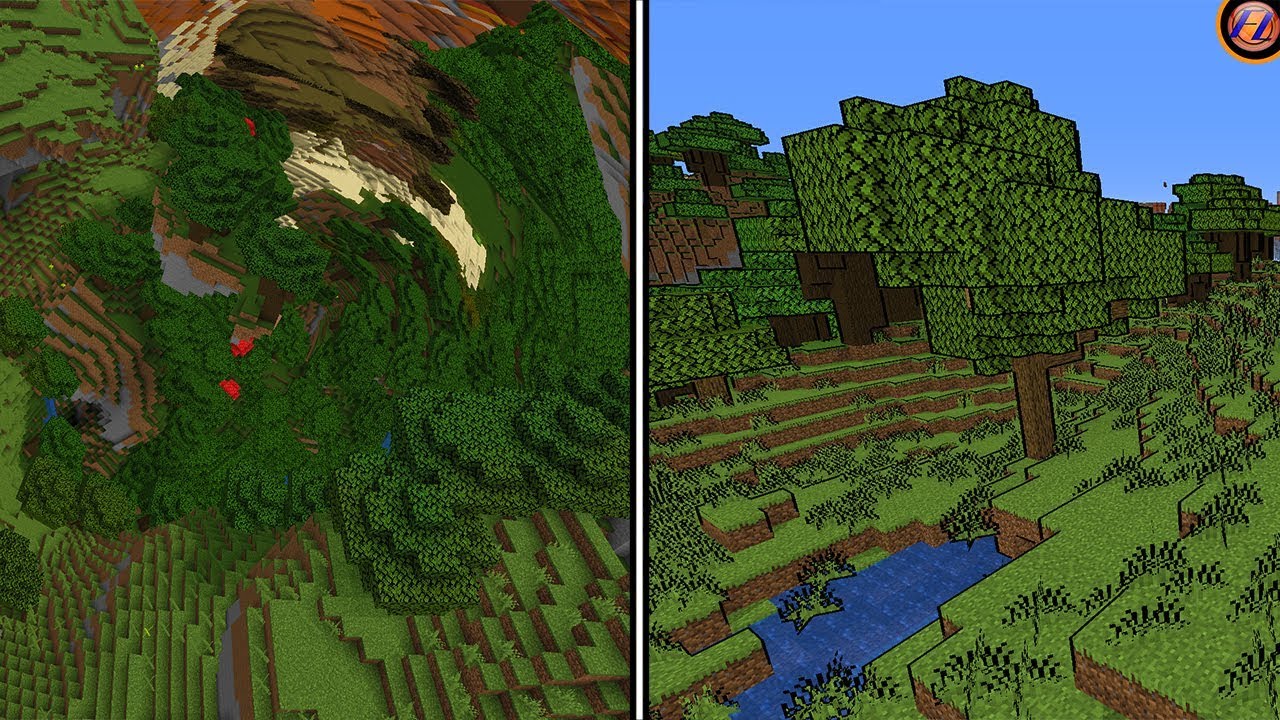
Today we look at 5 of the strangest minecraft shaders, these shader require optifine to work and make your worlds look completely strange! If you wanted to, you could use these for survival challenges or other fun things!
✅Subscribe for more: http://bit.ly/2J6WaCA
▶️GET OPTIFINE: https://optifine.net/downloads
━━━━━━━━━━━🔸SOCIAL MEDIA🔸━━━━━━━━━...
I want to make something like this, but without the mountains, different colors, and with the grid curving upwards like in the MC shader. The player should feel like they are inside a hollow sphere. This effect would probably work best if the player was stationary and when the grid is a texture that's moved by the player movement controls. A distant fog will help blend the sky and the crescent horizon instead of using mountains.

 hollow goblet
Hello ! Does anyone know if doing a water interaction system (basic fluid sim) was ever tried using runtime virtual textures ? I'm having a hard time understanding exactly their limitations
 red mauve
hey got a question, how should I go about adding gas that covers the entire city
Should I use multiple emitters throughout the game or is there another more performant way that I am not aware of?
fossil swan
i'd prolly fake it with some post processing/cylinders with fog-like effect around the player/camera. and only (maybe) spawn in some actual smoke close to the camera, as actually spawning that much gas particles would kill performance like no other
red mauve
what if we have multiple emitters that are spawned in and out through world partition
also would it be more efficient to use 1 large emitter rather than multiple
fossil swan
more emitters is more overhead, and overdraw-wise it wouldnt matter.
I'd look into fake fog tutorials and such
https://forums.unrealengine.com/t/fake-fog-volume-tutorial/84221/11 has some interesting comments about it.
red mauve
the issue is that we want the swirling effect within the gas
fossil swan
can prolly fake it in the material. else look into ninja fluid-fx on the marketplace.

Unreal Engine
Fast, responsive Fluid Simulation for Character and Environment VFX: lakes and rivers, clouds, smoke, fire, sand and foliage. Drive all dynamic systems with fluidsim.
red mauve
isn't the fluid system not performant for Realtime use, at least if u want it to look good
I'm assuming
fossil swan
still better than particles XD
but you'll have to do a lot of research and find the one performant enough for what you want
unreal thorn
red mauve
isn't the fluid system not performant for Realtime use, at least if u want it to...
It's kind of a trade off, especially since there's no (that are publicly available and I know of) lower level implementation.
Also built in Niagara fluid particles are much heavier than FluidNinja LIVE
 granite mortar
Assuming it's a large map, this definitely shouldn't be handled with emitters because they're pretty expensive. You can achieve the effect you want with good texturing and perhaps spawning emitters close to the camera for extra detail.
 oak adder
anyone know a site i cant get a fbx site to dowload things?
celest birch
(Think I posted on the wrong channel last time) Could someone help, my lightning effect looks exactly how I want it to look on "medium" editor settings but as soon I set it to "high/cinematic" it loses its glow

 celest birch
oak adder
anyone know a site i cant get a fbx site to dowload things?
celest birch
oak adder
anyone know a site i cant get a fbx site to dowload things?
Sketchfab and Polyhaven are pretty good...also the unreal marketplace💪
unreal thorn
celest birch
(Think I posted on the wrong channel last time) Could someone help, my lightning...
Why not try adding the fake bloom sprites yourself?
celest birch
unreal thorn
Why not try adding the fake bloom sprites yourself?
I could but I'm just curious why it did this, it's never happened before so was just wondering
 boreal canopy
Hello, anyone here knows how to draw a persistent runtime virtual texture without having to spawn lots of meshes?
I'm not even sure if this is the right chat to ask it
 brazen niche
boreal canopy
Hello, anyone here knows how to draw a persistent runtime virtual texture withou...
brazen niche
boreal canopy
Hello, anyone here knows how to draw a persistent runtime virtual texture withou...
Do you mean spawning just one mesh that loops seamlessly?
I'm assuming you're talking about using niagara to do that, but maybe you're doing it another way?
boreal canopy
brazen niche
Do you mean spawning just one mesh that loops seamlessly?
Yeah i guess, i'll send a print showing what i mean
boreal canopy
brazen niche
I'm assuming you're talking about using niagara to do that, but maybe you're doi...
Is that possible with Niagara??
I also thought i could took a look at the Engine source code, to see how a object is drawn on a RVT Volume, and maybe create a Blueprint Function Library to do that
It spawns these BP_InteractionPoint which is a StaticMeshActor, that draws to the RVT, their scale decrease overtime and when it reaches 0 it gets destroyed

 boreal canopy
It spawns these ``BP_InteractionPoint`` which is a ``StaticMeshActor``, that dra...
boreal canopy
boreal canopy
It spawns these ``BP_InteractionPoint`` which is a ``StaticMeshActor``, that dra...
On ground there is a material to show where it gets drawn
boreal canopy
boreal canopy
I also thought i could took a look at the Engine source code, to see how a objec...
I know this chat it's not related to C++ but i guess i found it, the only thing i don't know is how to get these inputs, what to pass to them

I opened the code with Notepad++ just to visualize it, i'll get on VS Studio to see any references to that class, see where it's used and how it's used
echo lotus
Please help! I'm just looking for a simple but elegant way to create tap water in a sink? Any suggestions?
 sacred cliff
echo lotus
Please help! I'm just looking for a simple but elegant way to create tap water i...
sacred cliff
echo lotus
Please help! I'm just looking for a simple but elegant way to create tap water i...
photoreal or stylized?
brazen niche
boreal canopy
I opened the code with Notepad++ just to visualize it, i'll get on VS Studio to ...
Sorry, Im not familiar with coding in unreal. Hope you've figured it out 😁
 main urchin
Hi, how to mix rotate and scale WPO?
 main urchin
seem like that:
 echo lotus
sacred cliff
photoreal or stylized?
echo lotus
sacred cliff
photoreal or stylized?
Photoreal is what I'm trying to go for
echo lotus
echo lotus
Photoreal is what I'm trying to go for
I was able to get pretty far using a water sim from Maya (frozen and retopologized) and a panning water Normal texture. However, I'd prefer to do something more clever and "real" than this...

 unreal thorn
echo lotus
I was able to get pretty far using a water sim from Maya (frozen and retopologiz...
unreal thorn
echo lotus
I was able to get pretty far using a water sim from Maya (frozen and retopologiz...
If performance isn't a concern, you can get close with Niagara Fluid
The thing is, physically accurate fluid sim is hard to do in real-time
echo lotus
unreal thorn
If performance isn't a concern, you can get close with Niagara Fluid
Performance is somewhat a concern but it's not a huge project so I have some affordances. I would eventually like to use Niagara's new FLIP sims but the documentation isn't far enough for me to fully understand how to make a custom one from scratch.
unreal thorn
echo lotus
Performance is somewhat a concern but it's not a huge project so I have some aff...
It's either real-time but compromising accuracy and performance, or pre-baked maintaining accuracy and performance but compromising interactivity
echo lotus
unreal thorn
It's either real-time but compromising accuracy and performance, or pre-baked ma...
Yeah makes sense! I think the Niagara 3D FLIP Water Sim would be perfect it's just there's not much documentation on it yet unfortunately...
It's basically the same as Maya's Bifrost (with crappy settings) but in real time
 hallow vale
I want to learn creating Plants environments please recommend to me youtubers who make content tutorials on this
echo lotus
Does anyone have any examples of a good running shower?
 keen moss
Is it possible to limit the amount of spawned decals that overlap on one another? I have a simple blood particle system that spawns a decal on collide with the environment. However the decals will overlap to many times creating FPS drops. I'm just unsure and trying to find an answer to if you can do this and how you would do it cause my FPS runs at a full 60 but drops to 20 when like 30 decals overlap I just need to find a way to stop that overlap.
Should I maybe go about somehow setting up a custom collision for the spawned decals or is there a setting somewhere to ser how many decals can overlap?
analog onyx
Is it possible to limit the amount of spawned decals that overlap on one another? No
Should I maybe go about somehow setting up a custom collision for the spawned decals or is there a setting somewhere to ser how many decals can overlap? Perhaps.
keen moss
@analog onyx Would setting something on the runtime of the map itself like Get all actors of class "Custom Decal" (This way I'm not de spawning anything I have set in the map by hand)
Is Valid & Branch
From True
Overlap >=10
Destory Decal 0
analog onyx
keen moss
<@212357856295518208> Would setting something on the runtime of the map itself l...
no, definitely not get all actors of class, but the direction is correct
unreal thorn
echo lotus
Does anyone have any examples of a good running shower?
Just improvise rain particle emitter.
 arctic lodge
~~Hey, I'm having trouble working on a niagara system. The idea is that when I place an actor, it has a niagara system component already within it, that has particles floating along a spline component from within this same actor. While I am perfectly able to build this system to have a selectable spline object from the world, I do not see a way to get the system as a component to use a spline component within the same actor. How do I go about this?
The Data Interface Spline has no dedicated blueprint nodes for setting its source variable unlike some other data interfaces. So I tried giving it a User Parameter from an Object parameter(ObjectSpline). But setting ObjectSpline in BP to the very spline component in the same actor does nothing. And setting it to Self, crashes the editor. What should I be doing here?~~
Edit: Its working now after an editor restart. :/

 fickle pebble
has anyone had trouble with RVTs and landscape?

it's not capturing the landscape colors

In this tutorial, I share my way of creating stylized mesh grass. First of I started form grass mesh creation in Maya, and try to form small bunches of grass. Then I import grass mesh to Unreal Engine 4 and make a master material for the grass. I talked about how to set up virtual textures in UE 4. I also talked about how to set up this materia...
the issue I'm getting is the exact same as shown at min 17:00
 stone socket
fickle pebble
the issue I'm getting is the exact same as shown at min 17:00
stone socket
fickle pebble
the issue I'm getting is the exact same as shown at min 17:00
and have you tried her fix right?
fickle pebble
I fixed it already, you gotta generate the RVT in the landscape actor aswell
thanks tho
 unreal frigate
How can i make this glitch effect? I tried making it in the material itself and just now realised it's probably a Post Process effect.

 lunar tide
just getting started w/ making vfx in Unreal. I was hoping people had vfx tutorials they could recommend. I have some experience w/ making vfx just in Unity rather than unreal
unreal thorn
lunar tide
just getting started w/ making vfx in Unreal. I was hoping people had vfx tutori...
tharlevfx has a playlist on using Niagara in UE:
https://www.youtube.com/watch?v=bEWWIVM3Vns&list=PLHjQE2fLIZu97z7Iwf-PjV2e1Y4_k2GKL&index=1
Today we start a new series focusing on Niagara, starting the with basics of the UI and changes in the workflow from Cascade.
If you want to learn more about Materials in Unreal Engine check out my new course here:
https://tharlevfx.gumroad.com/l/ue5materialspart1
If you have any questions about Game Art VFX or the Unreal Engine then email m...
 odd spruce
Hi, I was following a tutorial to do a flamethrower with fluids but it looks like in 5.1 the way to setup collisions has changed. I can't find a way to make it collide with meshes in my scene. Could somebody help me with that ? Thanks !
left skiff
odd spruce
Hi, I was following a tutorial to do a flamethrower with fluids but it looks lik...
Did you try adding the actor tag "collider"? That should work in 5.1
odd spruce
Yes I did :/
 left skiff
does it respond to the sphere if you drastically turn down the velocity or turn up the pressure iterations?
I can't remember the exact settings in 5.1 but maybe try making the sphere moveable. Also I'm assuming that is an engine sphere but in general the meshes you collider against need collision shapes setup on the static mesh. Also you should make sure mesh distance fields are enabled in your project
odd spruce
left skiff
does it respond to the sphere if you drastically turn down the velocity or turn ...
I just tired it doesn't change anything sadly.
I made it moveable too and tried with an imported mesh
I checked distance fieled and restarted and still no collisions ^^"
left skiff
I just made a Simple particle source fluid template, then added a sphere to the map, and the actor tag "collider" and got the collisions.

any errors/warnings in your log?
 craggy badger
What is the difference between PhysX and Unreal Engine Chaos?
 deft heath
Im looking to add an effect of dizziness to my FPS characters hud when he walks through a trigger. Ive created the Widget that has some effects on it such as blur and also made it a 6second animation. Im having issues linking it to the trigger, how would I go on about doing that?
 echo oyster
how do i get a niagra emitter to flow in the direction it is facing ? like how do i get it to have its origin rotate with the origin of the origin location
 warm fox
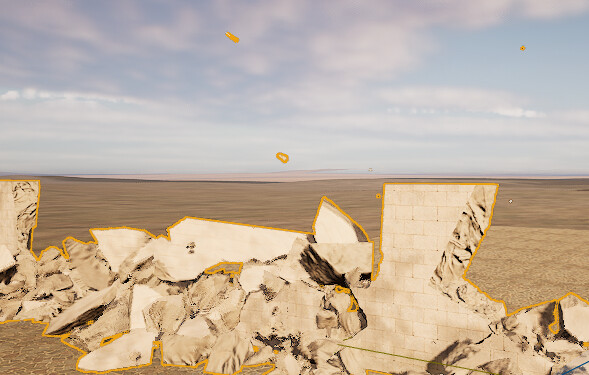
Hi, not sure where to post this so trying here! A friend of mine is having a problem with a collapsing wall, odd pieces flying off at high velocities on the playback only, he can't see it when simming, more details here https://forums.unrealengine.com/t/chaos-fracture-random-flying-pieces-turning-up-in-cache/752822 anyone here have any suggestions please?
Epic Developer Community Forums
I have fractured a wall and recording it falling down into a chaos cache which i then control in the sequencer to create a cinematic shot. It all works fine, except a few small pieces (which behave fine during the simulation and in the scene decide to fly off super fast in different directions in the cache for some reason. I have tried turning ...
celest birch
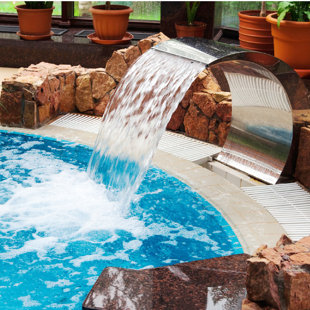
https://secure.img1-cg.wfcdn.com/im/87000599/resize-h310-w310^compr-r85/2124/212488694/Stainless+Steel+Swimming+Pool+Fountain+11.8"+Waterfall.jpg is this created using a mesh?

the water
celest birch
yes, in old times that water stream would be a sheet with animated water texture
unreal thorn
If the artificial waterfall stays on the whole time, it can still be achieved with a mesh with scrolling displacement and refraction
 inland ibex
I am trying to change the hue of a color texture, at runtime. Not randomly, I need to change it to a specific color (set by current biome). Obviously multiplying my texture with the color of the biome gives wrong results. Blend_Overlay and Blend_lighten get close, but still not 100%. Is there a better technique I am missing?
I could use a grayscale texture on the outset, this would allow me to just use the multiply approach. But a grayscale image would produce somewhat boring results as the entire texture will have a single hue
I could maybe use the RGB to HSV node to convert the biome's color, and extract its hue value. But after that I don't know of a way to have the texture be hueshifted to that particular hue value.
Perhaps anyone has tips for such a scenario?
 limpid rain
Does it possible effect can disable collision on overlapped actors? I have a black hole effect, and sometimes happens after effect that player and some other character nearby sunk through floor. I'm pretty sure it's not connected but I've already checked everything else and that stood out as last chance...

that is how effect looks
 vapid scaffold
It's not possible to make a black opaque spark that is using the additive blend mode right?
inland ibex
vapid scaffold
It's not possible to make a black opaque spark that is using the additive blend ...
Nope, you are adding a 0 to the pixels
it will be invisible
With additive you will never get anything that's darker than the background
inland ibex
inland ibex
I am trying to change the hue of a color texture, at runtime. Not randomly, I ne...
So, I ended up figuring this out, and it actually works pretty well.
You convert both your texture and your target color to HSV (RGB to HSV node) then grab the red channel from both (which is the hue), then you subtract the texture's hue from the target color's. Then make a Hueshift node, plug the resulting value into the percentage input, and the texture into the texture input. What you get is a texture that correctly shifts hues based on a target color's hue
inland ibex
limpid rain
Does it possible effect can disable collision on overlapped actors? I have a bla...
Does the black hole have any effects on the characters? any logic? does it pull?
If not then I can't imagine how those things could be related
limpid rain
inland ibex
Does the black hole have any effects on the characters? any logic? does it pull?
no there is not logic, and not on character, it's on the floor. tnx on answer
vapid scaffold
inland ibex
With additive you will never get anything that's darker than the background
Good to know thanks! Is the best option to make black particles that can still fade out the Translucent blend mode in that case?
inland ibex
You can also use modulate, since its a multiply. Then if you multiply by 0 = particle black
slowly raise that value to go from black to invisible
(at 1) if you go above 1 it will start to make whatever is behind it brighter
translucent also obviously works, but I think modulate is cheaper. So it depends on the use case 🙂
 warped galleon
Hey guys can I make vfx in blender and export it to ue5?
unreal thorn
warped galleon
Hey guys can I make vfx in blender and export it to ue5?
No, you'd have to build it in Niagara
But you can export meshes that make up the VFX, or bake volumetric effects into flipbook sprites
 surreal wave
quasi wolf
ideally Id have something like this, anyone know where to look to learn how? htt...
surreal wave
quasi wolf
ideally Id have something like this, anyone know where to look to learn how? htt...
very late to this but you would want to make blobs draw a transparent material onto a render target and overlay that render target onto your material with a color change
disadvantage of this is you can't tell when the player's colliding with it, so if you're doing ink, there's no squid form system, and if you're doing blood, you can't make separate blood footstep particles/sfx/decals
quasi wolf
thanks that sounds fine, although I thought I heard of a way to detect what part of a material mask something hits
but I still dont know the actual way the mask is generated
quasi wolf
it probably would have been something related to where you can cut holes out of a material and then trace through it somehow
 upper oar
is there any way i can lower the resolution of a particle effect?
like is there a resolution scale option?
 jade yarrow
(5.1) Hi. I am trying to modify my emitters inside my system but it tells me that they're "Parent Emitters" so I can only do limited things with them. I don't want to go back to the emitter pages all the time and I cant apply user parameters on them. How do I make those emitters children to my system instead of parents? On UE4 it worked just fine. But on UE5, when I add those independent emitters from the "Track" it locks everything. I made Niagara Emitters at first and then I made them
"This module in inherited from a parent emitter" when I hover over the modules. I can modify them completely if I make them directly from the Niagara System page but if I make an independant emitter page it doesnt work. I dont get it. 🤔

 mental harness
Sup people: I had a question. Im making a first person view game, and I wanted to know if somehow, i could make the character tear up, like water slowly rising bottom part of the screen and blurrier? Would I need to use a vignette, niagara or something like that? The blur would be from post process I know that much, but Idk how id make the tear come out as realistic and natural as possible
stone socket
mental harness
Sup people: I had a question. Im making a first person view game, and I wanted t...
would something like this help ? https://youtu.be/syVSRDQxrZU?t=626
mental harness
stone socket
would something like this help ? https://youtu.be/syVSRDQxrZU?t=626
Niagara…?
What? I’d do the particle so it lands right in the eyes of the character?
stone socket
mental harness
What? I’d do the particle so it lands right in the eyes of the character?
are you talking about a literal tear as in crying or does tear-up is the phrasal verb "to destroy/disintegrate"?
mental harness
stone socket
are you talking about a literal tear as in crying or does tear-up is the phrasal...
Literal tear
 grim frost
how are people doing these chromatic abberation / air displacement VFX? Seeing it alot these days - in Forspoken and some other games.
 analog onyx
sampling a texture 3 times ? @grim frost
inland ibex
mental harness
Sup people: I had a question. Im making a first person view game, and I wanted t...
you could animate a gradient in a post process material to slowly scroll up from the bottom of the screen, and use that as a mask to blur the image? Blurring is qute difficult and expensive, I am not sure vanilla unreal has a good solution
 candid grove
Any tips how to create animation like this? https://www.sidefx.com/tutorials/applied-houdini-rigids-iv-terrain-destruction-1/ I need to make an animation for a video where a crack appears on the ground and cuts through the ground forward while the camera runs after the crack. it seemed logical to me to use Chaos for this, but nothing like that comes out meh


In Rigids IV, we're going to use Houdini 16's new Boolean SOP to learn how to fracture and subfracture (and sub-subfracture!) a large chunk of terrain that we'll make from scratch. We'll learn how to make a powerful workflow to surround this new production studio-class fracturing tool, as just knowing how to do the fracture is not enough. We wil...
 swift crown
Hello, got a small issue with a mesh render in Niagara
I am trying to lerp color of the mesh:

the AlphaTarget parameter works well inside niagara. Meaning I can lerp between my 2 colors
but when I add this NS to an actor and try to set the parameter, only 0 and 1 works
 mental harness
grim frost
how are people doing these chromatic abberation / air displacement VFX? Seeing i...
mental harness
grim frost
how are people doing these chromatic abberation / air displacement VFX? Seeing i...
I got a blueprint for it if youd like?
swift crown
the mesh goes black
I am using a pretty standard material, opaque for testing, but transparent does the same thing
 mental harness
I got a blueprint for it if youd like?
mental harness
mental harness
I got a blueprint for it if youd like?
Scratch that, I saw it was about particles
fossil swan
dont use RGBA but RGB or A
grim frost
mental harness
I got a blueprint for it if youd like?
That'd be nice, what's the blueprint do? I think it's particles (refraction and chromatic abberation on particle trails) but not sure if there's a standard way of doing it like using EmberGen or something
mental harness
grim frost
That'd be nice, what's the blueprint do? I think it's particles (refraction and ...
well the blueprint is simply chrome abberation, ill show you how it looks like
swift crown
fossil swan
dont use RGBA but RGB or A
i am using RGB rn. It goes black as soon as the niagara system is spawned
if I don't scale it works
mental harness
swift crown
i am using RGB rn. It goes black as soon as the niagara system is spawned
I think he meant the top node is rgba
 grim frost
swift crown
i am using RGB rn. It goes black as soon as the niagara system is spawned
grim frost
swift crown
i am using RGB rn. It goes black as soon as the niagara system is spawned
use ComponentMask node to get just RGB out of the top pin
swift crown
did, still goes dark
Seems there is something going on with the scale color update particle
 mental harness
grim frost
That'd be nice, what's the blueprint do? I think it's particles (refraction and ...
mental harness
grim frost
That'd be nice, what's the blueprint do? I think it's particles (refraction and ...
i bumped up the params to show a bit more
swift crown
oh I think I found
grim frost
mental harness
ah thanks 👍
 silk steeple
QUESTION: flow maps are for creating possible dynamic weather and moving clouds?
 toxic berry
Hello. I am in need of help with my particles being visible on screen always. I currently am not able to see my particles when I rotate the camera past a certain point. They just disappear. I don't know what to look for or to have checked. Could someone please help me?
I am using cascade particles and have a blueprint.
 round fog
toxic berry
Hello. I am in need of help with my particles being visible on screen always. ...
round fog
toxic berry
Hello. I am in need of help with my particles being visible on screen always. ...
This is most likely an issue with the particle bounds. Ensure you have set a bounding box size that's large enough for the system if this is a GPU emitter, or if it's not a GPU emitter let the bounds be automatically determined
round fog
Sorry, I'm just about to head to bed. It's probably more helpful if you just post it here
toxic berry
OKay
Ill post a couple pics


first one is visible, the second one the particles disappear.
If no one comments on this, Ill try contacting you again about it tomorrow, perhaps you can help me at a better time for you.
Thanks. 🙂
silk steeple
you wouldn't happen to know how to make a black hole or quazar (that actually looks good)
silk steeple
no free ones? nowhere that are good?
round fog
toxic berry
first one is visible, the second one the particles disappear.
Yes, I assume that's the bounds issue I described. I'd set those to be big enough, and you should be fine 🙂
every object has information about how big it is - that is stored in the form of a bounding box and/or radius. The renderer uses those bounds to efficiently check if an object is on screen or not - and if not, it stops bothering to try and render it.
In Cascade, you can manually set the bounding box size for your effect. For GPU particles, it even gives you a warning in the particle system editor if you haven't set them. Make sure the bounds you define are big enough to contain the entire effect, so that the renderer doesn't cull it as soon as the pivot is off screen
 nocturne meteor
been learning how to use unreal, I was working on a twisted metal inspired game in unity before so i moved it over to unreal and have been plugging away. I finally got the VFX for 3 of the weapons i had in unity and wanted to show them off a bit here. Its nothing crazy but im proud of them.
toxic berry
Thank you Harlist for tutorial and thank you Jan Kaluza for the help. 🙂 You guys are amazing!
 lime cosmos
Any idea about how to fix DFAO ghosting? This kind of things: https://youtu.be/KwUDExNzVcs / https://youtu.be/JYk1x883pAI
r.AOUseHistory 0 removes ghosting but adds flickering. With 1 flickering is removed, but adds ghosting...
Is there any fix to this?
Culprit appears to mainly be r.AOUseHistory, set to 0 in your Engine.ini to reduce this glitch.
[/script/engine.renderersettings]
r.AOUseHistory=0
You can also remove ambient occlusion entirely if you want to fully get rid of it at the cost of flatter visuals.
[/script/engine.renderersettings]
r.AOUseHistory=0
r.AmbientOcclusionLevels=0
 leaden smelt
Hi!
Is it possible to export smoke (3D fluid) simulation from Maya to Unreal 5? I cant export the smoke/fluid simulations into alembic :/
 analog totem
Hey all.
Having a weird issue.
I have a replicated actor, that has 10 particle choices.
Only about 8 of the particles are working in my packaged game, on a dedicated server.
Works fine on singleplayer, but not dedicated. Its just a simple integer index with on rep.
Not sure if its some weird setting I'm missing or what, kinda stumped.
 hard venture
@leaden smelt you could use volume textures with a ray marchers material or a vdb plugin. Possibly useful in a cinema, unlikely to be usable for in game fx.
 inland ore
hey all, I'm a coder with very minimal art skills, I'd like to add an effect to my game where when the players health is low his peripheral vision starts to get obscured by a red blood splatter pattern that fades in / expands as his health gets lower (so you'd want the opacity to be driven by a radial gradient I guess), is there an easy way to generate a mask to use for that?
fossil swan
there are some spherical/radial gradient material functions.
leaden smelt
hard venture
<@716750969551192114> you could use volume textures with a ray marchers material...
thank you 3DY
inland ore
fossil swan
there are some spherical/radial gradient material functions.
I got something decent but it’s not as textured as I’d like it, just a radial gradient is there an easy way to add some noise or a repeated pattern or frosted glass effect or something. Also thank you for the help
golden umbra
inland ore
I got something decent but it’s not as textured as I’d like it, just a radial gr...
I'd recommend buying a couple of vfx noise texture packs to add to your library. Luos has a couple of good ones on the marketplace I've used!
Noise textures are useful for many material tasks.
fossil swan
you could also hand-author one with a painting tool like photoshop and apply it to the screen. all up to what you wanna do :)
 sonic lintel
Hey, i've got a problem with caching of Chaos-destruction:
✅ THIS is what the correct destruction looks like (and also what it looks like while recording the cache)

🚫 ..but THIS is what the Cachemanager plays back in the static-pose mode.. I can't to get it to rotate back to the correct position. It seems to have to do with the Location of the "ChaosCacheManager", but I can't seem to make any sense of it

Anyone knows what's going on, or how I should troubleshoot it?
inland ore
fossil swan
you could also hand-author one with a painting tool like photoshop and apply it ...
bought your noise pack 🙂
fossil swan
awww thanks
inland ore
fossil swan
awww thanks
so if i just want to take a radial gradient that is transparent in the middle and blood red on the edges like this, but then basically multiply that by one of the noise textures so that the player has red noise in their peripheral vision, what is right way to do that?
 fossil swan
you can make the radius of the gradient a variable you increase/decrease over time.
Instead of multiplying, you could invert the radial gradient and subtract it from the noise, which might give nice results.
additionally, you could try and give the noise texture polar coordinates, so it feels more like going inwards.
but its all up to you and what results you are okay with
its prolly going to be a bit of fiddlediddle till you get something you can live with :)
inland ore
how do you give it polar coordinates?
fossil swan
there is a node called polarcoordinates
inland ore
fossil swan
there is a node called polarcoordinates
I am pretty happy with this, but think it would look better with polar coordinates, however I can't find the node

i am probably being dumb lol
 inland ore
tried putting something like this into the "Normal Map Panner Speed (V2) but it doesn't seem to work, I'd like it to move radially inwards or outwards rather than in an x/y direction, although having it just move down very slowly doesn't look bad


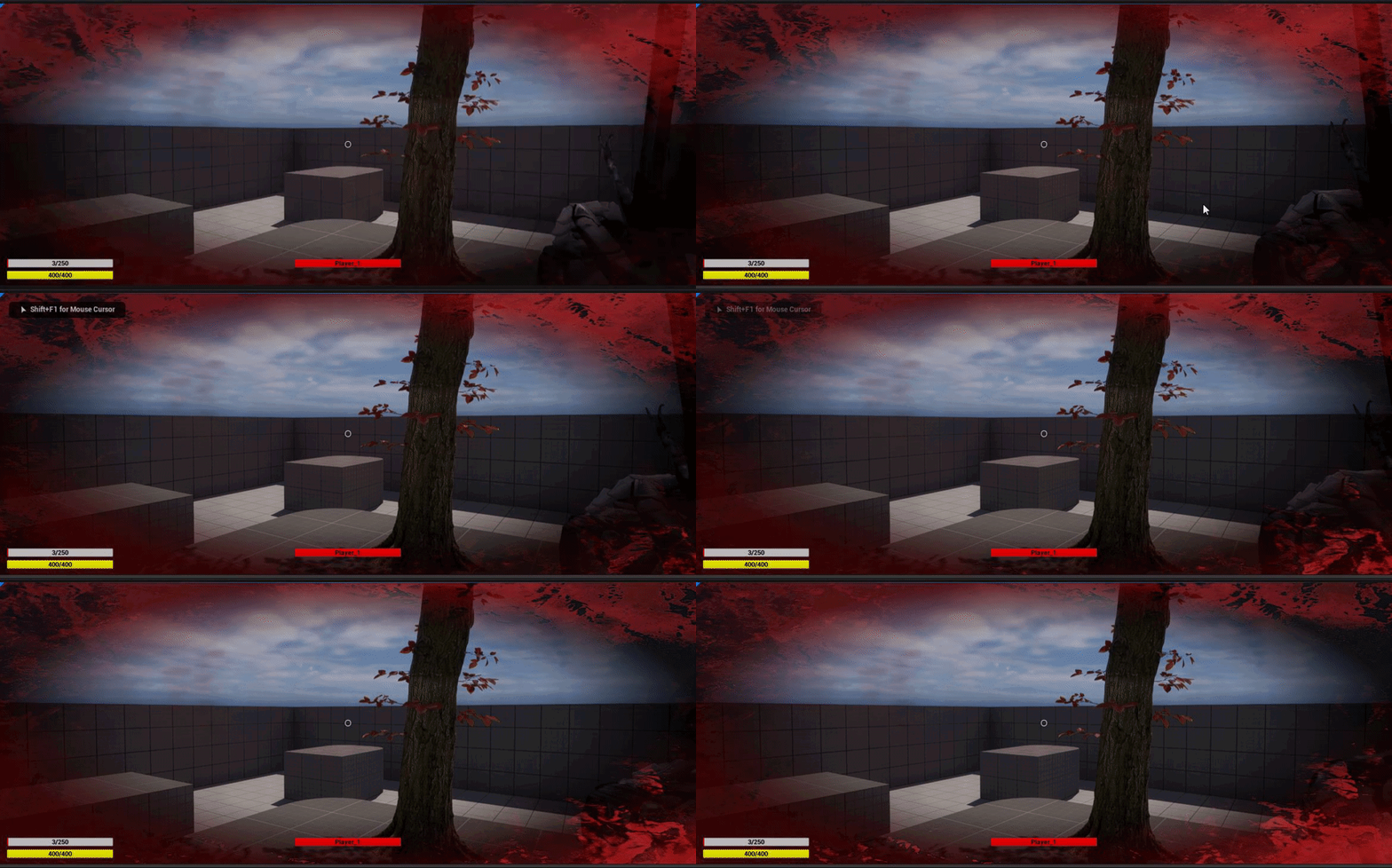 fossil swan
@inland ore at work now so no time to set something up, i'll get back to you after work
 foggy walrus
guys how I can put clouds lower ? so when I will be playing on map I can fly through them?
 opaque prawn
looking for random ideas, I have this "liquid" shape, i want to fade it away over time, using a dissolve effect in the material looks okayish but not great, i'm really trying to get a droplet feel

i can't use vertex normals * negative on this particular mesh because it just looks like the entire surface is getting thinner
i thought about doing something with the 'droplet' shapes already there, then using the vertex normal would work

but getting it to shade as one single continuous object, that would be the trick, not sure if i can disable AO on a particular mesh because that really breaks the illusion when the meshes are all stacked like this.
then there's the normals, i guess i could turn off tangent normals, and bake a world space normal based on a sphere maybe? like maybe that would work
or, mask a few verts, subtract them to the centre of the mesh and use a sphere mask to hide them as they move inwards
hmmm
fossil swan
@inland ore show me the material so far.
inland ore
fossil swan
<@839239736823513118> show me the material so far.

a bit laggy when i try to record gif, in actually looks smooth, but is like this
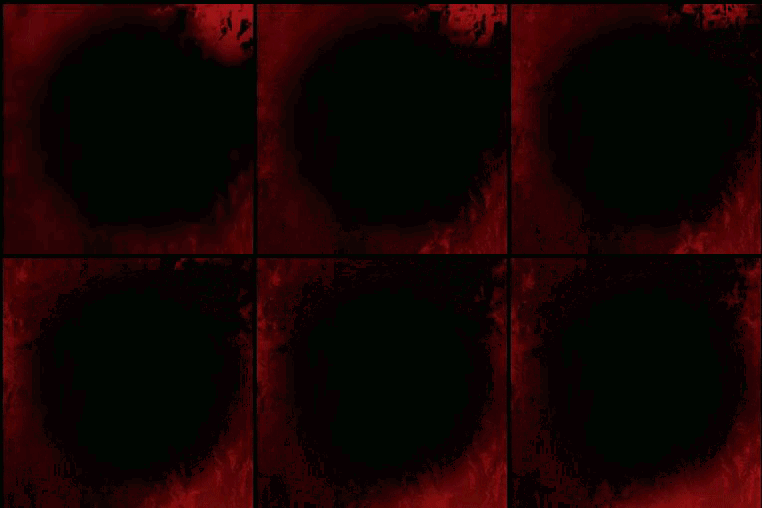 fossil swan
k, ill take a look in a bit
fossil swan
@inland ore not that it solves anything, but dont use RGBA output.
RGB or A are fine. RGBA is for a different kind of data transfer
fossil swan
https://i.gyazo.com/0c8de67cd76e67b644331d4ee46ee9f9.png
https://i.gyazo.com/22c3f411d64336b33aa0c05bb52a25c5.gif


(can use same "vectortoradialvalue" node for both, i was lazy)
though editor is smart enough to merge them anyways under the hood.
just play with the values until you get something you like / learn from it / change to your needs.
inland ore
Amazing will take a look at the code shortly, thanks so much
fossil swan
np :)
opaque prawn
opaque prawn
looking for random ideas, I have this "liquid" shape, i want to fade it away ove...
ended up using a mask to pull verts to a central location, with a sphere mask to hide the stretched polygons as they entered the "inside" of the sphere, driven by a mask with a bunch of blobs, looks fine, possible polish would be to add a normal map to accentuate the 'collapsing holes' but not needed for my use-case. this shit is spinning around so fast you'll never notice the shading isn't perfect..
 inland ore
fossil swan
np :)
inland ore
fossil swan
np :)
works and looks great, thanks again
quasi wolf
maybe a pretty specific question here, but Im having two problems and Im wondering if anyone has any idea, I have a depth of field effect on the camera, but this makes small parts of meshes such as the trees too thin or look odd
and Im using a post processing for outlines/drop shadow kinda thing, but as you can see in tight spaces like the corners, it goes too dark
 fossil swan
inland ore
works and looks great, thanks again
fossil swan
inland ore
works and looks great, thanks again
no prob :)
quasi wolf
man no ones gonna know are they 
Im at that horrible stage of game development where its all my own specific problems that no one else will know about because I caused it


 onyx steppe
anyone know how to get this light reactive dirt mask? I can get a regular dirt mask but it is always visible and doesnt change according to light

 violet badge
The jump from 5.0 to 5.1 broke cascade mesh emitters that had overriden motion blur to stay on. Now they blur unreasonably unless motion blur is turned off. Anyone know what might have caused this?


 left void
how to make Unreal Water system to leave trails behind the moving object? I had impression it was build-in, but can't find any documentation on that
 dim nexus
Hi, when a line from a material/VFX is too thin, the line flickers, what's they way to fix this issue ?
 silent plover
Do anyone have a tutorial for making a burning floor with "fluidninja vfx tools" or with out it? 🔥 💨
 bold shell
i try to put keyframe to one vfx but its not move like hpw i want

when i play w,ith stick of sequencer its moving like how i want with trace
but not when i just click to play
 drowsy lynx
I'm working on an effect for quite some time and made a little compilation of all evolution steps (WIP thread (https://realtimevfx.com/t/simon-trumpler-vfx-sketchbook/4177/314) :

Real Time VFX
Stencil Buffer Test with a small extra detail: Elements can leave the stencil area. This is done by adding everything in front of the card to the stencil mask. For this to work I store pos + front facing vector via Blueprint: In the material I then mask out the front/back area of the card with...
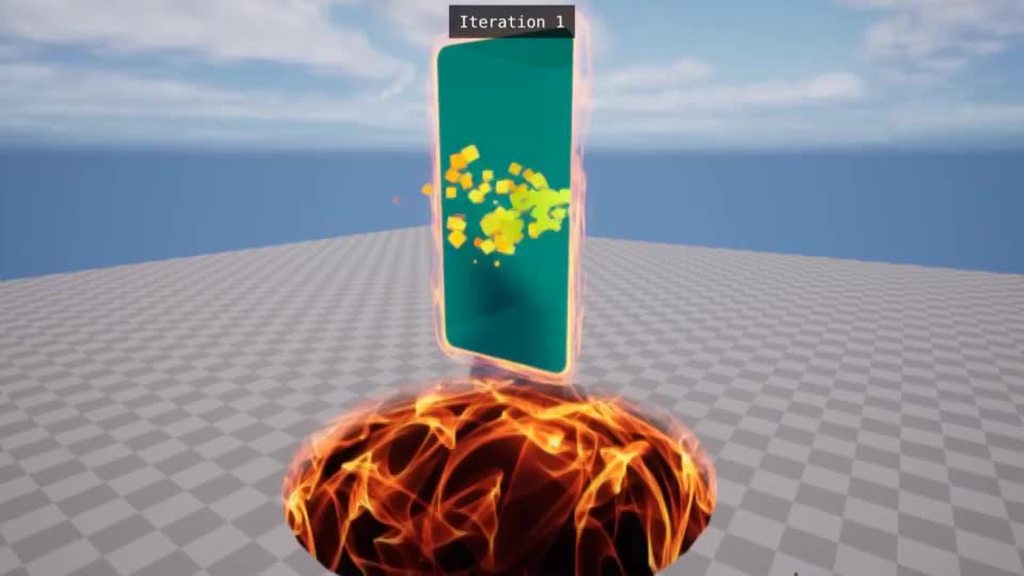
 deep crater
@drowsy lynx amazing stuff!
bold shell
how can i do that in unreal guys with whic vfx i wanna make animation with vfx on unreal like that
 left void
bold shell
how can i do that in unreal guys with whic vfx i wanna make animation with vfx o...
left void
bold shell
how can i do that in unreal guys with whic vfx i wanna make animation with vfx o...
GPU particles
bold shell
left void
GPU particles
whatr is that
fossil swan
its just tiny gpu-based sparks, which can draw tens of thousands at limited cost.

bit old, should work now for gpu me thinks. but people can correct me on it.
lime cosmos
Somebody know whats the best / easy way to exlude objects from motion blur? all i found is some material option for translucency object to uncheck "output velocity" or in 5.x "render after motion blur". But only for transluceny materials. What about opaque/masked ones? Is for a racing game, where i want exclude the player car from motion blur. ANy idea?
 reef hound
my particle seems to go invisible unless i am very close. like very very close. I need it to be visible from far. What should i look at?
fossil swan
if they are gpu particles, check bounds.
Also check the material to see if there is any distance fade/camera distance nodes going on.
If its cascade, check LOD's.
 shell topaz
does anyone know how you would achieve a particle based look like this from a texture? how is it done
https://www.youtube.com/watch?v=xWDura_GJbY&ab_channel=VFXcobaltblue

All Asset is converted as a Niagara system.
New type of Niagara butterfly particles added ( 20 particles )
Butterfly particles Overview
https://www.youtube.com/watch?v=_hq1etGqVqo
Market Place
https://www.unrealengine.com/marketplace/en-US/product/butterfly-particles
 buoyant bridge
Anyone know How I can hide the Volumetric cloud Gizmo?
 fossil swan
shell topaz
does anyone know how you would achieve a particle based look like this from a te...
fossil swan
shell topaz
does anyone know how you would achieve a particle based look like this from a te...
one of the niagara content examples shows how to sample a texture for such things.
 toxic nexus
how do i make simple water effect (for a sink/bathtub)?
stone socket
toxic nexus
how do i make simple water effect (for a sink/bathtub)?
there are a few water plugins. one is really cool and free. and uses a just a plane.
 warm sand
does anyone know why particle effects are cut off with this post process material applied


 minor flicker
hey everyone, anyone knows what causes these square/voxel shapes in my vdb in unreal?
 shell topaz
Hi, Does anyone know how i can achieve a drip effect coming off of the slime ball instead of having a different particle fake it? because it dosnt look good to me right now
 upbeat gate
My student wants to create a flock of birds that follow a character. Would you recommend BP/AI/ or Niagara for this?
analog onyx
upbeat gate
My student wants to create a flock of birds that follow a character. Would you r...
Either mesh with pre-baked animation or a particle system. Unless exceptionally elaborate behavior is desired, when you would benefit from using AI and its trees.
 oblique stag
hey guys I have a post process shader that basically takes the values in the scene and amplifies them and it works pretty well for my use case but I have a problem, the more amplified darker areas of the scene are, the more "fuzz" i get on the screen

ideally I'd like this not to be fuzzy, anyone know what I'm doing wrong?
 slate grail
Anyone have a recommended approach to creating optimized foggy environments for a horror game setting? I’m trying to make a hazy corn field, with a player using a flashlight. Using UE4
 plucky path
upbeat gate
My student wants to create a flock of birds that follow a character. Would you r...
plucky path
upbeat gate
My student wants to create a flock of birds that follow a character. Would you r...
This tutorial might be helpful:
https://80.lv/articles/tutorial-simulating-a-school-of-fish-with-niagara-unreal/?amp=1
 cobalt jay
hey how is everyone so I was wondering if this is the right channel because I need help with Environment Light Mixer in Unreal engine 5.1 and I want to add the light shaft coming through the window but there is a weird fog line thing happening inside the room
 craggy osprey
Anyone know if you can modify cascade particles during game time?
(Not via the constructor, I know that works, but I want to fade out particles via blueprint)
craggy osprey
Nvm, figured out what I needed to do.
Created material instance dynamic, reset the base material for the particle with my override material, and then just modified the material params as normal
result
 bold shell
hi guys i try to find a vfx like this or i wanna do it do u have have idea guys how can do this or do u know same vfx like this i checked amost all niagara vfx but not so realict


like in this video
and i wanna make aniamtion like this guys
 honest sable
encode the triangle origin in an extra UV channel
for example, flipping the triangles around the origin with WPO: https://www.youtube.com/watch?v=9Uj1CLY8ANo
 main urchin
honest sable
encode the triangle origin in an extra UV channel
main urchin
honest sable
encode the triangle origin in an extra UV channel
Thank you.
I’m able to make that UV.
But then, in ue, How can you move all vertices based on this new Uv?
honest sable
each vertex retrieves its UV coord and moves toward it
main urchin
honest sable
each vertex retrieves its UV coord and moves toward it
Could you please show your node setup?
honest sable
actually, looks like I use the UV coord to index a VAT which holds the pivot position

where i process the mesh with an editor util BP (to create a 2nd UV channel) and write out the texture
from there, you can use the abs world pos - pivot pos
main urchin
I'm not sure to be able to create such texture map....
isn't that a vertex animation map?
honest sable
pretty easy. can use 3rd party apps like houdini or do it yourself in-editor using
encode position: (Value/Bounds + 1.0f) * 0.5f
decode position: (Value * 2.0f - 1.0f) * Bounds
@main urchin also checkout the "pivot painter" documentation

Guide to the Pivot Painter 2.0 MAXScript, which stores model pivot and rotation data within vertices for interactive animation.
main urchin
Aah well. Thanx.
A bit overcomplicated for me for the moment.
Thx!
 tacit saddle
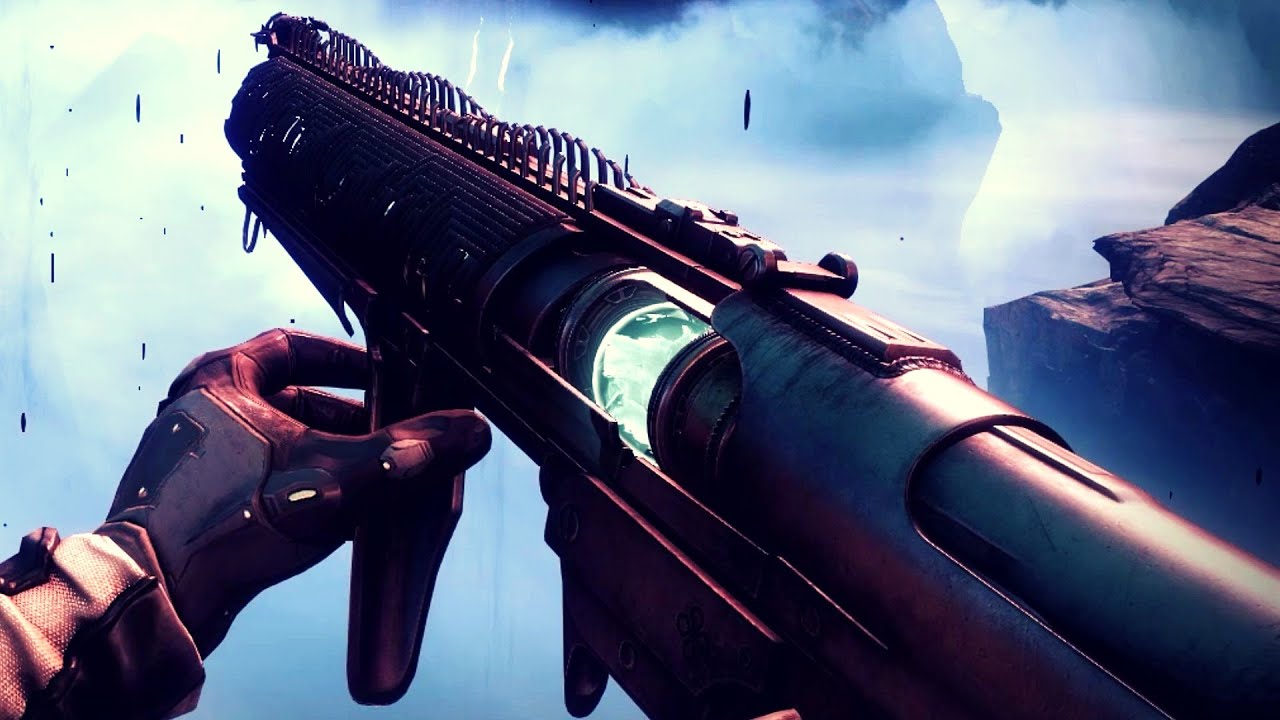
An in-depth audiovisual showcase of 'Witherhoard', an Exotic Grenade Launcher from Destiny 2. This video is all about the weapon animations, sounds and the visual effects (vfx). The animations are shown in slow-motion as well.
Witherhoard was added to Destiny 2: Shadowkeep during Year 3 (Season 11) of the game. It deals Kinetic damage and uses ...
im trying to use niagara to recreate the effect this weapon leaves on the ground, any idea how to start making such a thing? im mostly concerned about the black goo texture that the floor has
i tried making a texture and distorting it but it doesnt look right
 frigid cove
Hey guys, could anyone here help me with a ribbon problem?
harsh crown
Hi guys, how much time take to achieve 1 VFX AAA quality ? Please
fossil swan
depends on the effect.
can be an hour, can be weeks.
 fossil swan
a static frame doesnt tell me much
 molten orchid
harsh crown
Hi guys, how much time take to achieve 1 VFX AAA quality ? Please
molten orchid
harsh crown
Hi guys, how much time take to achieve 1 VFX AAA quality ? Please
There is honestly no useful answer to this question. Like, for the right person with the relevant experience, it could be done in an afternoon if everything goes well and there are no special requirements. But if you haven't created an effect like this and factor in the time to learn the techniques being used, it could take weeks or months. At this point, it's not about when, but if the effect is finished.
 fathom bobcat
harsh crown
https://tenor.com/view/mhw-mhwi-iceborne-stygian-zinogre-zinogre-gif-18193214
fathom bobcat
harsh crown
https://tenor.com/view/mhw-mhwi-iceborne-stygian-zinogre-zinogre-gif-18193214
Yeah like 10 minutes
 stable oyster
Is there a way to make a niagara particle die on collision?
I successfully generate collision/death events for another particle, but the initial one only dies when the life time is over. I want it to die on collision instead.
How can I achieve this?
 visual carbon
hi fellas, looking for a pointer to any helpful tutorials or maybe even just experience for a decent tracer effect for bullets and such, i've found everything but for this. specific version would be 5.1.1 and looking to have quite a few in scene.
 young quail
im looking to create realistic water simulation to bring into unreal, specificly a submarine breaching the water. any tips would be appreciated
 nocturne patrol

Today we're looking at an amazing property that can be accessed within materials in Unreal Engine called Distance Fields!
Distance Fields can be used to create ripples in your water, blend surfaces together and to create SLIMES! There are some limitations with distance fields and you need to be careful about what emits distance fields and what ...
@young quail This video might have some information for you
quasi wolf
does anyone know how I could blend blood decals together in some way? Id assume something with masks maybe? its only the light that causes it to look like this, but I want it to reflect a bit
 quasi wolf
also, is there a way to reduce that white light that always gets shined onto it, isnt there a way to change the colour of that too?
golden umbra
quasi wolf
also, is there a way to reduce that white light that always gets shined onto it,...
It's a bit of a hack, but usually metalness means the reflected light gets tinted by the base colour
quasi wolf
yeah I was trying metallic, but that makes it too glossy
golden umbra
turn specular down?
quasi wolf
then if affects the reflections too much
 green torrent
I have two effects (cascade i think) attached as child actors to an actor. The parent actor has a timeline that plays multiple times and the timeline makes it move, but the effects only stick to the actor the first time the timeline plays then just dissapears
fossil swan
depending on if the emitter is looped or not, you might have to restart it/enable it/respawn it. which you can do trough blueprint.
green torrent
My cascade is super makes the entire environment super bright how do i fix this
 slim steppe
hi guys ! Please help me with this problem!! I have made a fire ball in niagara system in unreal but ı dunno how to make it projectile , ı dunno how to throw it like cannon. When i call the vfx it jsut standing in air it doesnt throwing . Do you know why ?
 remote pine
Hey. I'm wondering if it's possible to get a volumetric (such as Volumetric Clouds) to be captured (scene capture 2d OR sequencer/cine camera) with a transparent bg, for compositing later in After Effects or something
Straight up, it doesn't seem possible. But perhaps there's something I can do to finagle it to work.
 fickle ravine
I have a problem with volumetric fog in a lil level I'm making, seems to be related to geometry/bsp
 shadow zenith
@remote pine do you know the steps to render with a transparent background through a level sequence and movie render queue? That part I can share if you don’t know how. But I am not sure if the volumetric fog will respect the alpha, but I don’t see why it wouldn’t.
remote pine
shadow zenith
<@350186292631437322> do you know the steps to render with a transparent backgro...
Yep.
I'm asking about the part that you're not sure of.
atmospheric fog and sky is opaque, according to the documentation.
https://docs.unrealengine.com/4.27/en-US/RenderingAndGraphics/RayTracing/MovieRenderQueue/
Once this change is applied, you will be prompted to restart the engine. To create a transparent background, you will need to hide opaque objects in your scene such as Sky and Atmospheric Fog.

A how-to guide for configuring the Unreal Engine Movie Render Queue feature to get high-quality cinematics—particularly when using ray tracing
Even though I'm able to hide the sky and fog actors (in fact all actors except "Volumetric Cloud"), giving me a black bg with just clouds, it appears to still render an opaque alpha channel.
So unless I'm missing some setting in the MRQ, I'm feeling like volumetric cloud actor is opaque too 😦
I'm going to double check now that I've set the setting the documentation talks about and try rendering again.
shadow zenith
I see. That is interesting. What’s your plan for the image after exporting it?
In the deferred rendering in the movie render queue render config, did you check the box that says accumulator alpha or whatever it says in there?
Then are you also using png?
remote pine
Let me check that config.
We're thinking we could composite the clouds in After Effects. This method would be much faster than, say, VRay rendering.
As it stands, white clouds on a black bg is OK as we can UnMult it, but you lose detail that way.
I tried exr. I supposed that png would have the same outcome./
that being, no alpha channel data
shadow zenith
remote pine
As it stands, white clouds on a black bg is OK as we can UnMult it, but you lose...
You can also add the clouds to the underlying image instead of multiplying. That’ll only keep the values above 0
remote pine
Ah true.
shadow zenith
Let me know if png is the same result. And was that box checked in the deferred rendering setting in the config as well?
I’ve gotten a lot of png transparent renders to work through Movie render queue. But I don’t know if I have had volumetrics problems or not
shadow zenith
No problem! It’s 1am here so I’ll be going to bed. So feel free to Ping me tomorrow if I don’t see your response if this doesn’t work.
remote pine
gnight then!
fickle ravine
fickle ravine
I have a problem with volumetric fog in a lil level I'm making, seems to be rela...
anybody know what could be causing this? the tunnel in that short vid should not be fully fogged out like that
remote pine
shadow zenith
No problem! It’s 1am here so I’ll be going to bed. So feel free to Ping me tomor...
ay that worked btw. thanks for the tips!
beautiful png sequence 😄
shadow zenith
fickle ravine
anybody know what could be causing this? the tunnel in that short vid should not...
Are there any lights in there? Turn volumetric scattering intensity to 0 on one’s you don’t want to impact the volumetrics. Just an initial thought of what could be causing it
 thin sand
How to adjust the size of the cubemap so it gets seamless to the scene? It was captured with scenecapturecomponentcube and I'm using reflection vector as UVs
 thin sand
Please anyone? I'm doing a project for my work, it's kinda important, I can't find anything related to this issue
 thorn pelican
hi is this where i go for shader help? i want to have a shader that uses a texture for shadows (so i can have a painterly look), does anyone know how i can acheive that look? im on ue4 btw
fickle ravine
shadow zenith
Are there any lights in there? Turn volumetric scattering intensity to 0 on one’...
I figured it out in the end, there was a hole in my geometry on the outside 😏
 analog onyx
thorn pelican
hi is this where i go for shader help? i want to have a shader that uses a textu...
analog onyx
thorn pelican
hi is this where i go for shader help? i want to have a shader that uses a textu...
By engine modification only or by using lightfunction.
 hot oxide
Anyone know if the camera shake duration is broken in 5.1.1? no matter what value I apply it acts more like a intensity scalar rather than a time duration , fade in and fade out also dont appear to do anything
I'm doing this in a blueprint
hot oxide
ah, i had it hooked to a timeline on update
 sharp pasture
Hi, I have a question about Chameleon Post Process
I want to make this scene, but I cannot get same result in UE5.1....
How can I make this?

 winged girder
Hi everybody! one question about clouds
How would you go about making some clouds like this?

for better performance i'm thinking on attach that to the character and keep it at screen size, and when move, change the material clouds based on TexCord (Clouds would be noise texture).
Is this possible? Any better idea?
winged girder
whatever your system is, check the spawn node, it's probably set to "loop infinitely" change it to "spawn once" and to avoid them dying, check "lifetime"
shadow zenith
winged girder
Hi everybody! one question about clouds
How would you go about making some clou...
So I don’t have an answer on how exactly to achieve this, but I know in Unreal I have seen some demos of using a volume texture along with particle emitters to fake a sort of volumetric cloud volume like this.
Another option I’ve been hearing about but I’m having a hard time seeing where it was mentioned, but apparently Zelda Tears of the Kingdom has developed a brand new way to render clouds in an extremely cheap way that are volumetric in nature. So that will be really interesting to investigate and see potential of future application.

Summary 『知乎中文版点这里』 Volumetric Fog small demos 体积雾小demo下载Download Making beautiful and feasible volumetric effects has been a trending topic for game development. Inspired by the Gears 5 tech talk and the good ol' Guerrilla paper on cloudspaces, I decided to do my own take and created this fluffy dry ice fog using Volumetric Fog feature that
This is the reference for using the volumetric fog for effects like this. Main problem is it can get really expensive as you have to set the grid size really low
You also need to make sure you have an exponential height fog in your scene
 drowsy vale
any tutorial to apply post process volume settings only through some silhouette ? I've looked at stencil / custom depth but found only how to apply effects on top. I want to have like a clear visor and apply VFX through it and not on the whole screen.
 lunar knot
Hey guys does anyone know if its possible to add post process effects (night vision) in VR?
winged girder
shadow zenith
So I don’t have an answer on how exactly to achieve this, but I know in Unreal I...
I'm going to check it out, thanks a lot!
Hi!
By any chance does anyone know of a tool to make an image move like this?
https://www.youtube.com/watch?v=i6ftm4adTu4

REVISITING "Immortalys" just shows how far Ivan Torrent was in 2017 😎
“Immortalys” is Ivan Torrent's second studio album. 18 tracks, where orchestral and electronic music meet again to forge a new sonic voyage, through mystical landscapes and emotional melodies performed by the amazing musicians of the GIOrquestra, and the wonderful voices of La...
shadow zenith
drowsy vale
any tutorial to apply post process volume settings only through some silhouette ...
You can mask the visor with a custom stencil and use another custom stencil to only display what you want through the visor. So visor would have its own stencil value and then anything else in the scene would have its own stencil value
drowsy vale
shadow zenith
You can mask the visor with a custom stencil and use another custom stencil to o...
I dont think it works, i have in my scene a post process volume with the settings i want, now i want to stencil out the screen as you described and apply to the entire map this post process only through that viewport created by the stencil, i've look at a few videos online but not one does what i'm looking for, many of tham just do the highlight of objects though walls or something like that
fossil swan
winged girder
Hi!
By any chance does anyone know of a tool to make an image move like this?
h...
This is basically a few flowmaps and masks.
winged girder
someone on another discord told me it's normally called "breathing effect", that one seems to do the work.
Thanks for the info!
shadow zenith
drowsy vale
I dont think it works, i have in my scene a post process volume with the setting...
You’ll basically create a lerp between what is inside of the visor and the post process 0 scene texture then use the visor stencil as a mask. You’ll have to get the values to a range that is usable, meaning the visor area will be white and outside will be black, then cut it down to 0-1 using a clamp. Then you can plug the visor stencil mask that’s been adjusted and clamped into the alpha of the lerp, post process 0 into the a value of the lerp, and whatever you want to display inside of the visor in the b value of the lerp.
drowsy vale
yeah tricky part was that my visor needs to be translucent, i've found a God forgotten thread that discuss about a bug that takes place at the 0.35 opacity margin of a translucent material and yet have a custom depth value assigned to it (if i understood ok) and managed to make it work
- https://forums.unrealengine.com/t/custom-depth-and-transparent-material/56011/6
- post process mat 1st pic that goes in the 1st slot of the post process
- visor material (semi look through / translucent) 2nd pic
- 3rd pic is in game view


Epic Developer Community Forums
Have the same question. For me somehow “Allow Custom Depth Write” flag on translucent material enables Custom Depth only in case if opacity is above 35% and if opacity goes below that it stops working on per pixel basis. That look like a bug. More interesting note that in additive material it works fine. That is in UE4.25.
margin .35+ has custom depth assigned
whatever is lower than that doesn't
@shadow zenith

 shadow zenith
drowsy vale
yeah tricky part was that my visor needs to be translucent, i've found a God for...
shadow zenith
drowsy vale
yeah tricky part was that my visor needs to be translucent, i've found a God for...
You should be able to make the material for the visor fully opaque, then disable “Render in Main Pass” on the visor mesh. Then it’ll only render into the custom depth pass and won’t occlude anything. But you can still use it for a mask
drowsy vale
oh wow didn't know about the render in main pass or just have forgotten about it as this is still a struggle for me (shaders) thanks ! i think it will be future proof as well rather than having to rely on this 0.35 thingy
gray portal
Is anybody know a way to make camera have quality like a late 2000's phone camera?
 devout bobcat
is there any good unofficial documentation for the Render Dependency Graph? all I can find is a 2 paragraph description and a powerpoint that was probably part of a talk but is missing said talk
analog onyx
devout bobcat
is there any good unofficial documentation for the Render Dependency Graph? all ...
Read engine code instead. Best documentation.
 chrome root
Hi, is it possible to export alembic FROM Ue ? i have a setup that i "rig" in UE using meshes and arrow in BP. but when exporting in fbx with the sequencer, the animation of the fbx in 3dsmax is not correctly assign. I though that alembic would be a good solution but if there is something else i can take it too ^^
devout bobcat
analog onyx
Read engine code instead. Best documentation.
if you mean the actual code, tthat's way too complicated for me to understand
if you mean comments, I don't really know where to start
 brittle remnant
I'm so confused. Why can't I access scene color in a material anymore?


Is scene color only accessible in postprocess domain now?
analog onyx
brittle remnant
I'm so confused. Why can't I access scene color in a material anymore?
works as before
brittle remnant
analog onyx
works as before
I recall being able to use the scene texture in a surface domain previously.
analog onyx
you still can
just not scene color
for that you are expected to use scene color material expression
not a scene texture
devout portal
Hello. Question, is it possible to switch Atlas Curves dynamically? I can only see a float to sample the curve.
 humble crest
Anyone knows how i can make the firing effect when shooting?
 fossil swan
look into muzzle flash tutorials
 plucky moss
fossil swan
look into muzzle flash tutorials
plucky moss
fossil swan
look into muzzle flash tutorials
Yoo, and ur chicken?
 spring surge
When two alien abductees return to earth, the inhabitants of a small town are forced to deal with the resulting havoc and chaos.


https://www.mumuniverse.com/
The first feature film installment of the MISCHIEF UPON MISCHIEF UNIVERSE franchise is coming to Theaters | Metaverse | Streaming SUMMER 2023!
The MUM UNIVERSE franchise consists of Feature Films | a Play-To-Earn Metaverse Game | Stylized Animated Series | VR & AR Experiences.
*We're an EPIC GAMES (creators of For...
devout portal
Not sure where to ask...
I have a linear gradient texture, imported as linear, set to linear, sampled in linear...but it only looks correct if i convert sRGBtoLinear when applied to Emissive. What I did wrong?

Notice, not LinearTosRGB, but sRGBtoLinear.
 mental robin
How to open a widget on screen but smoothly
 hoary yacht
Does anyone happen to know if there's any way to toon shade niagara fluids?
 shut flicker
Hello does anyone know the answer to this? https://forums.unrealengine.com/t/particle-cutout-niagara/441094/3

Epic Developer Community Forums
It’s in the sprite settings, but for me it seems like “Use Material Cutout Texture” doesn’t work, it works only when i put Texture to “Cutout Texture” slot
fossil swan
@shut flicker sprite (bottom of emitter)
scroll down to cutout.
iirc "use material cutout" texture uses the material of the sprite as a cutout. (or the texture within it)
cutout texture can either be the texture of the sprite, but can be a texture of any arbitrary shape, which is what I tend to use. I have a few shape textures like circle, half circle, square, 8 sides circle, etc and use that.
they get cooked out when packaging the game anyways (learned that recently)
BVC 4 vertices cuts it out in a way to have 4 sides.
BVC eight > eight sides.
opacity source: either uses overall brightness, or one of the RGBA channels.
alpha treshhold is just that, Im generally content with 0.01 to 0.1,
the material version not working can be due to other textures in that material, its a bit vague on that part. but tbh, I never use that one, and use a texture that gives me a specific cutout.
if you have flipbook, you can use the flipbook textures alpha/red channel/or brightness generally.
added that info to the thread as well, because why not.
 stray willow
anyone know how to cache the textures/animations permanantly between PIE sessions for Mass Crowd Characters in the City Sample? I think the VAT animations are rebuilding every time. Is there a way to cache to disk?
 heavy basin
Anyone able to shed light on why beam emitter would be lagging behind its SourcePoint?
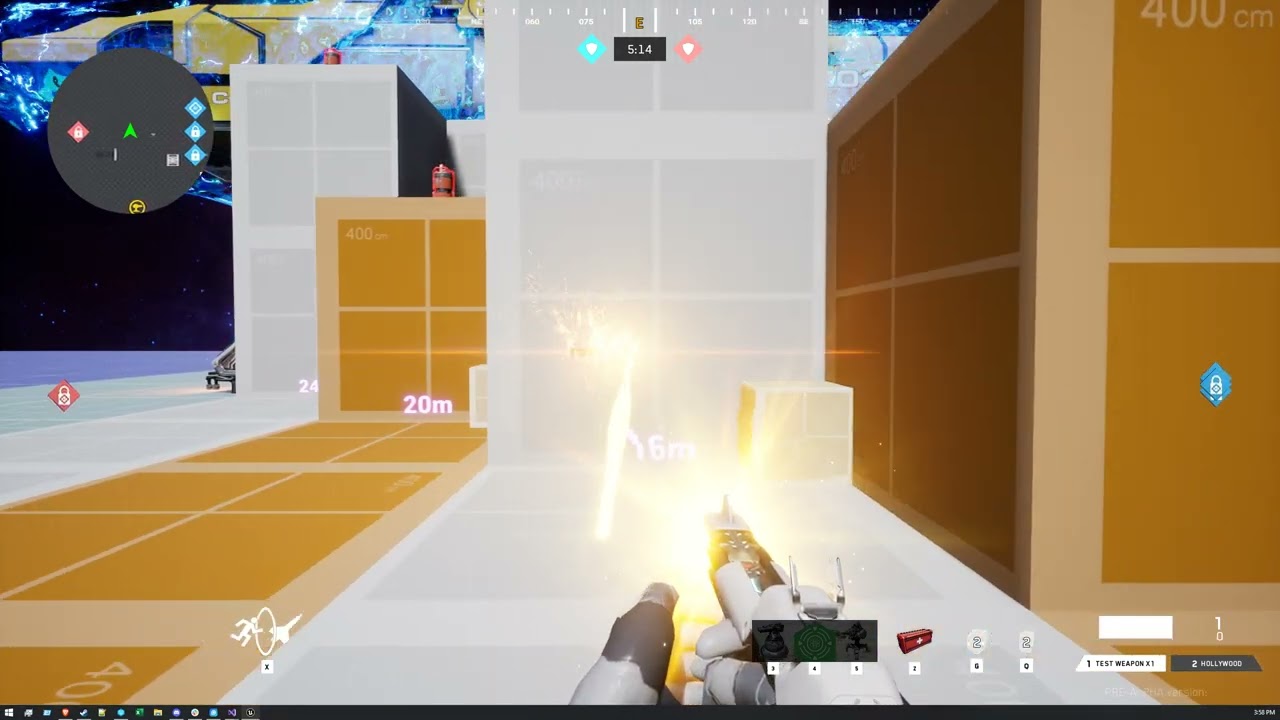
 fiery goblet
Hi everyone, if I want to start creating game fx like fire and smoke can anyone tell me where to start?
I'm especially confused on how to create the texture atlas because it seems that a simulation app like Houdini/JangaFX (Embergen) or other plugin like NinjaFluid Live is a necessary tool to have, is it true? Or there are another alternatives?
Any help would be appreciated :)
fossil swan
it can be anything, from a panning noise texture thats bright as heck, to using houdini or embergen
depends on the art style partially
the more realistic, the more you want to look at software that generates simulations
the less realistic, either trough noise-textures or further down the rabbit hole and hand-draw fire flipbooks
i'd take a look at realtimevfx.com, quite a big database of information
fiery goblet
Oh okay, thank you for your explanation
I thought maybe panning noise texture would be a great start but a little bit confused how to make it less stylized
fossil swan
one can still do that, but you'd need to get skilled at using the material editor to pull off more realistic fire trough noise textures
fiery goblet
Okay, so a combination of knowledge from using material editor and having diverse variety of noises can make a more realistic fire right?
fossil swan
to an extend, yes
fiery goblet
I see, then I guess learning more about how to create a specific material is a good start
Since by doing so I can understand how different material node works
Did you by any chance have a youtube channel called "Yoeri -Luos- Vleer"?
fossil swan
who me? nahhh
hehe
I basically started by picking an effect I liked, and recreated it from scratch over and over till it became muscle memory
fiery goblet
Hmmm :)?
fossil swan
but yea, im that luos
fiery goblet
fossil swan
I basically started by picking an effect I liked, and recreated it from scratch ...
I guess trying to recreate an effect from another is also a good training
Oh xD
I'm a long time fan of your channel
fossil swan
thanks!
sadly I dont have the time to make niagara tutorials, but we do have a lot of pinned tutorial content on this channel
fiery goblet
I've tried to do your daily fx challenge but can't keep up with it xd
fossil swan
yea, they where more speed-videos than tuts
fiery goblet
Yea I know it's pretty hard to make content like that all year around so I'm fine with it :)
fiery goblet
fossil swan
yea, they where more speed-videos than tuts
They're still really useful, I learn a lot from just a couple of minutes watching your speed-videos
fossil swan
thanks :)
fiery goblet
Thank you for your time luos, I really appreciate your direction :D
I also didn't expect to meet you in here xD
fossil swan
aww, no problem :)
and yea, I lurk/mod around :)
fossil swan
While I dont mind, I am a very busy person as of late and not sure when I can reply.
It might be best to also ask questions here, on realtimevfx.com (and their discord)
fiery goblet
Okay, I can understand that ;)
I'll try to join the discord that you mention then
Thank you luos and have a good day, see you later :D
fossil swan
good luck, have fun, and take care :)
 blissful path
Anyone used cube depth sampler? I'm trying to capture depth into a cubemap and then reconstruct the same depth from that cubemap in a particle system.. but its sort of bulging, so I assume I need to remap the depth value somehow?
thinking about it, might be due to the camera intrinsics
fossil swan
there are, just need to know where to look.
plucky moss
Fr
plucky moss
 dire forum
wish there was a lot of vfx artists
dire forum
wish there was a lot of vfx artists
why?
dire forum
cuz its hell to find expert one they are all taken or i think not that many
plucky moss
dire forum
cuz its hell to find expert one they are all taken or i think not that many
what do u want?
fossil swan
dire forum
cuz its hell to find expert one they are all taken or i think not that many
ngl, quite true though. hehe
dire forum
https://youtube.com/shorts/H_e2c3-X2JA?feature=share@plucky moss this quality and details
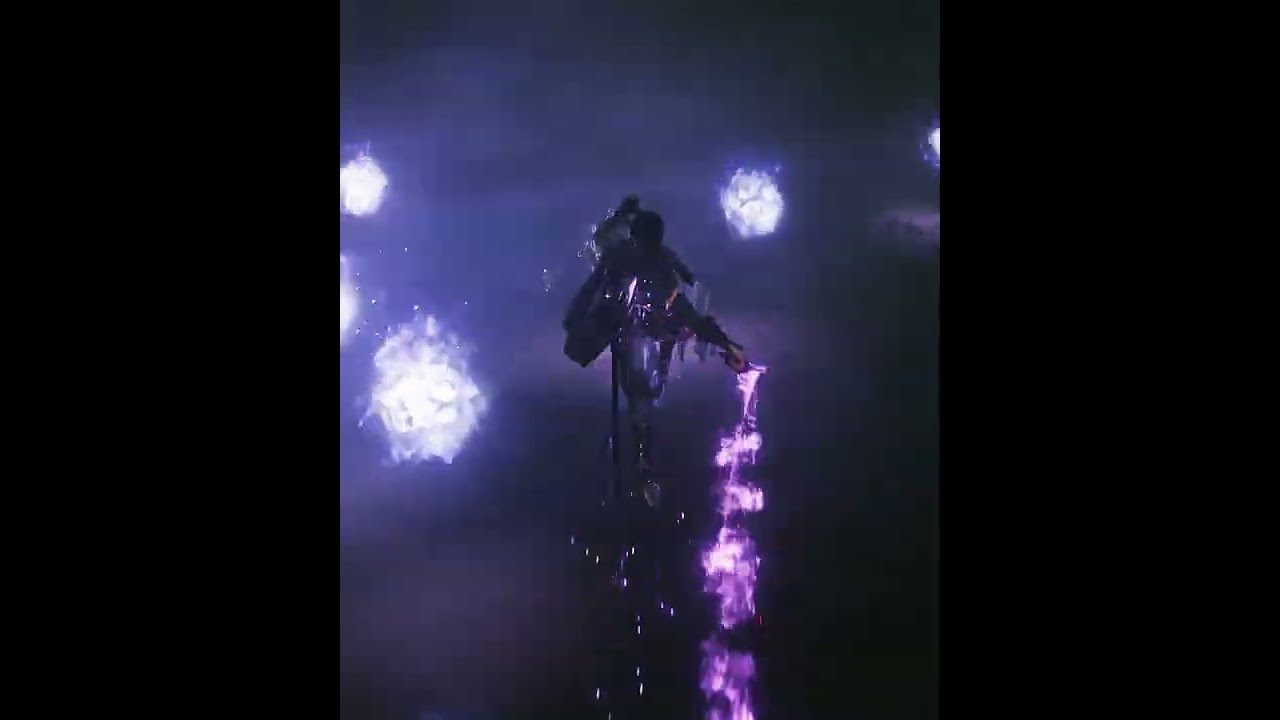
#shorts #sekiro #editing #gaming #fromsoftware #eldenring #darksouls #pc #sekiroshadowdietwic
am forced to go to studio to get this
fossil swan
thats mainly just some well times and placed ribbons and sprite particles.
plucky moss
fossil swan
thats mainly just some well times and placed ribbons and sprite particles.
Ye
dire forum
the issue is where are the artists who can do such but as freelancers and not studios
in upwork many rejected not cuz the budget but the skill saying they cant
the rest well studios
and its a one time shot i cant just go on and hire any hopping they have similar in there portfolio so i can be sure they can do it without thinking ill have to pay again and again
am not into VFX so i dont know how it works
plucky moss
Are you hiring?
dire forum
yes
fossil swan
there are job-boards on realtimevfx/their discord.
we also have the job boards on this discord.
but if you follow some photoshop and niagara (and maybe blender) tutorials for a few hours, you can do that as well.
plucky moss
fossil swan
there are job-boards on realtimevfx/their discord.
we also have the job boards ...
if he doesnt know about vfx he cant do it in hours
materials, orientations, the system, BP if he know, a lot of things
dire forum
the details is a must with the quality
plucky moss
hmm
dire forum
fossil swan
there are job-boards on realtimevfx/their discord.
we also have the job boards ...
am not looking for flame VFX but something advanced and few very complex vfx
i cant do that by studing even for months
studying *
but just using this video as a referance for the quality am looking for
or any elden ring videos
fossil swan
the quality is nice, but if you break it down, its all very basics stuff you can --if you wanted-- learn yourself.
dire forum
🥹 why not hiring
fossil swan
but yea, either that, or fiver. and have really good descriptions of what you want.
and be patient until someone has time :)
fossil swan
chicken is doing fine XD
plucky moss
zD
dire forum
@fossil swan seems you know much about vfx 👀
fossil swan
I'd hope so XD its my job
though, to quote Will, I generally have no idea what im doing
dire forum
you have time for freelancing ? @fossil swan
fossil swan
sadly, no
dire forum
fossil swan
there are job-boards on realtimevfx/their discord.
we also have the job boards ...
where can i find them
fossil swan
the tuts or the boards?
plucky moss
dire forum
is it a discord name or
realtimevfx is a comunite of vfx artist(that's a web site)
dire forum
yeah found them thank you
wintry vale
Anyone here know how to get particles in Houdini to follow the normals of the mesh?
plucky moss
wintry vale
Anyone here know how to get particles in Houdini to follow the normals of the me...
To follow the normals?
More information-
wintry vale
plucky moss
To follow the normals?
Ah sorry, I mean apply velocity in the direction of the normals for a FLIP Slover
plucky moss
wintry vale
Ah sorry, I mean apply velocity in the direction of the normals for a FLIP Slove...
use the normal node and change it to points, after u should use a vex node
v@v = normalize(v@N);
v@v *= chf("vel_control");
and in the pop network
wintry vale
My node setup right now
 plucky moss
zD
wintry vale
Which node do I put that in?
wintry vale
I have the normals in the Geometry Section?
 plucky moss
create a point wrangle
and write this = v@v = normalize(v@N);
v@v *= chf("vel_control");
and in the pop network
wintry vale
 plucky moss
dont forget change in the normal node to points
wintry vale
it is
plucky moss
yea
wintry vale
so now what do I do with the pointwrangle1?
It should be inside the Geo section right?
 wintry vale
But how does this get applied the Flip Sim?
 plucky moss
hmm
wintry vale
What is supposed to be giving the Flip Sim the ability to apply force in that direction?
the Wrangle automatically does that?
Or the code sets some sort of global velocity to houdini?
plucky moss
wintry vale
Or the code sets some sort of global velocity to houdini?
u arent doing a source for ur fluid
So, u need to do it

in the pop wrangle that u can see in my screenshot there u can put ur velocitys

 wintry vale
Some people do their dop net inside their Geo Graph and others at the object level, does it matter? I'm currently doing both to experiment
 plucky moss
are u taking it with Sop?
wintry vale
I've been following several tutorials so I'm not sure what I'm doing any more lol. They were all fluid based but each done differently...
plucky moss
haha, this is Houdini, u can do the things of differents forms "D
wintry vale
@plucky moss If you have a moment can I screen share in Programmer Palor?
I don't think its supposed to be a difficult thing to do just new and following outdated tutorials and trying to make sense of the modern ways
wintry vale
I don't mind you can text here maybe ?
I'm live in there atm
You can hear me right? @plucky moss
plucky moss
i'm writing in the channel where we are
 keen arch
is unreal 5.1 water system can used for swamp creation and can some help to achieve goal water movement , shader moiser planet water movement.
 long wolf
I don't know if this should be in #engine-source or #visual-fx, so I sent it in both.
I'm currently working on a custom shading model, and I need the GBuffer in FAreaLightIntegrateContext CreateCapsuleIntegrateContext(), which is in CapsuleLightIntegrate.ush. How can I get the GBuffer in that function?
fossil swan
@long wolf crossposting is against the #rules
I removed it from the engine source one, this channel should be fine.
 crystal vector
So im trying to make rain with Niagara FX system, but i seem to can't figure out how i can get the rain to interact with the light when the game changes from day to night
golden umbra
crystal vector
So im trying to make rain with Niagara FX system, but i seem to can't figure ou...
Make sure your material is not set to Unlit
 wintry gull
Hello! nice to meet you all.. i'm a vfx artist who's approaching for the first time the workflow with Houdini solaris to ue5, to be honest i dont really have knowledge of ue5, but im good with houdini, for first exercise i was trying to export a USD from stage and import a volume in ue5, but it seems invisible, also i cannot find a way (under the details of usd stage actor and all the imported stuff) to assign the material to the volume, i can attach screenshot of the node graph in stage if it can help..


i just used the simple fireball as test
im importing the usd through the usd stage importer and then importing in the content browser, also, when i visualize the material, it says to disable ''Used for ''skeletal mesh(somethinlikethat)'' must be disable for a volume material, but when i look for that, it's ticked, but locked and i cant untick that.
crystal vector
I fixed my issue, so something with the Foilage nanite, kept my material from rendering translucent with nanite, so i redid the nantite and it works now
 wet fable
What is I want to simulate an ocean, big waves, a boat on big waves (1st person view) an water coming over a dike (and maybe a dike breaking trough). Should I create all these in Houdini and import them into UE? Or are there better ways to create this whole in UE? It doesn’t have to be interactive just a linear render. I chose UE because I want to create skies and have a fast render engine.
 simple marsh
Fluid Ninja plugins in marketplace might be usable
 stone nacelle
Really sorry for the ping but Im doing something very similar to this but cant quite figure out the world space reprojection. Did you make a view projection matrix of the scene capture comp using FPerspectiveMatrix or did you calculate it manually using trig? My current approach is to spawn a 2D grid of particles, sample the RT at their given index mapped to UVs to get the depth info but am having trouble trying to reproject into world space. Any tips or info would be graciously appreciated.
round fog
stone nacelle
Really sorry for the ping but Im doing something very similar to this but cant q...
Hey 🙂 no worries about the ping, that's what they're for! For this thing, there's a Niagara module built in for this, called something like "reconstruct camera projection" or so. You enter the camera settings like fov etc and it reprojects the positions for you!
If you can't find it, I can look it up when I'm near my PC later
round fog
@stone nacelle did you manage to figure it out?
stone nacelle
round fog
Hey 🙂 no worries about the ping, that's what they're for! For this thing, there...
Thank you so much! I just got to my pc and will report back in an hour, thank you!
round fog
Good luck! Feel free to ping again if you can't figure it out and I'll dig out the old project, I should still have that somewhere
stone nacelle
round fog
Good luck! Feel free to ping again if you can't figure it out and I'll dig out t...
Thank you! I am having a weird issue where all the points are set to one point after applying the reprojection module. Im using the same depth and UVs that I was calculating from my grid so it should be known good. It could be something with the default directional vectors being wrong but I cant really say as this is uncharted territory for me.
Here's my HLSL for calculating my UV and Depth Value per particle:
uint ParticleIndexX = ParticleIndex % GridWidth;
uint ParticleIndexY = ParticleIndex / GridWidth;

float U = 1 - float(ParticleIndexX) / float(GridWidth - 1);
float V = 1 - float(ParticleIndexY) / float(GridHeight - 1);

float2 In_UV = float2(U, V);

float4 DepthValue;
In_Texture.SampleTexture2D(In_UV, 0, DepthValue);

float3 NewPosition = ParticlePosition;
OutDepthValue = DepthValue.r;
OutUVLocation = In_UV;
And this is my setup for the reproject module, am I missing anything?

This is how my emitter is also setup, its just a simple grid spawn, calculate the needed info per particle and reproject
 stone nacelle
Ive managed to get it to work! It was an issue with my depth information it turns out. I was normalizing the values to a near clip and far clip plane messing everything up. Thanks a ton for the help. I never wouldve solved this had you not pointed me to that node!
 stone nacelle
also, since it doesnt hurt to ask, do you have any optimization tips for spawning 10s of thousands of particles?
 gilded mesa
Hi all, was wondering if people here have experience with EmberGen from JangaFX and using it Unreal. Just finished the free trial, had a lot of fun with it and considering getting the full license. Just looking for some input from people what their take is on the software, experiences other people have, and if it would be recommended to use in the workflow
fossil swan
its being used from small indie studios up to AAA studios.
My employer purchased it for me and my team, and I dont wanna go back baking out sims.

Interested in real-time simulations? Join thousands of VFX artists who have started learning EmberGen with my Free Magic FX Crash Course: https://t.co/QE54XtIEDr

 Twitter
·
round fog
stone nacelle
Ive managed to get it to work! It was an issue with my depth information it turn...
Twitter
·
round fog
stone nacelle
Ive managed to get it to work! It was an issue with my depth information it turn...
Ah, sweet! Sorry for going afk on you there, glad you figured it out 🙂 As for optimizations... it depends. (Almost) nothing is free, but (almost) everything can be budgeted for. Definitely use GPU particles, but I think you probably already are? I'm afraid I don't have any hot tips, haven't engaged too deeply with Niagara optimization yet myself.
stone nacelle
round fog
Ah, sweet! Sorry for going afk on you there, glad you figured it out 🙂 As for o...
No worries. Thank you a ton for the help! Yeah I’ll definitely have to budget for them, luckily that’s all my scene relies on really. As for GPU particles, you’re referring to setting it to GPU compute sim correct? I am using that.
round fog
yep!
 raven lodge
Hello! I am relatively new to UE, but I've been doing Unity for a while.
I have a prototype I’m trying to recreate in Unreal that is basically a copy of Dishonored 2’s “A Crack in the Slab” level.
Basically, the level operates by having two levels render simultaneously and having the player be able to switch between them. That part is done as it is relatively easy. However, the main draw is having a sort of “mirror” or mesh to be able to “see” the other “reality”. In Unity this is relatively easy as well, the hard part is writing the correct shader so the perspective in the mirror perfectly matches that of the level layout. In Unity I actually found the shader shared in a github repo but I'm at a complete blank at trying to recreate it within Unreal. I tried using Custom HLSL nodes but I can't seem to grasp some of its functionality. Also it uses Unity's model-view-projection matrix which I also do not know the name equivalent for UE.
I assume It would be possible to recreate it entirely using nodes but without knowing the equivalents its kinda hard. The way I have it set up ere in Unreal is by having the BP_FPCharacter with two cameras, one being exactly -5000 Z local, the second camera RenderTarget texture is put into a material and that material applied to a plane, effectively showing the second camera in it.
This works for the very basic setup. However, the texture is projected into the plane entirely, not matching the player perspective. I can share the original shader code and also a quick picture of how it looks in Unity if needed but I don't want to take up much chat space out of a sudden, if anyone can help me it'd be very appreciated. I've been at it all night but didnt want to bother other people 😮💨 . Thanks in advance 🙂
golden umbra
raven lodge
Hello! I am relatively new to UE, but I've been doing Unity for a while.
I have...
You could render the hidden scene to a fullscreen render target using same camera settings as the primary (but -5000z).
Use custom stencil to blend the two in a final post pro composition pass.
Mirror mesh writes to custom stencil then read that in the post pro material to blend the hidden world texture in.
raven lodge
I'll need to look up a bunch of what that means 😅 . Thanks for your answer
https://www.youtube.com/watch?v=PiQ_JLJKi0M Would this be a good place to start?

Masking enables you to alter specific parts of your final scene without affecting everything else in it. There are several options in Unreal Engine to perform real-time masking.
In this episode of Unreal Tips & Tricks, we focus on using the Custom Stencil Buffer in a Post Process Material which allows us to alter how multiple objects are rende...
golden umbra
Yes 😁
Basically: enable custom stencil write on your mirror surface. Make a new post pro material that samples custom stencil value and lerps between scene color and render target color based on the stencil value. Then add thus material to post pro volume.
raven lodge
The mirror plane is inside the BP for the character, in that case what should I do? Can I enable the custom stencil on a bp as well?
golden umbra
You enable it per static mesh component. The video should clarify things for you. There's some decent tutorials around this too, search for Tom Looman
raven lodge
How can I get the node to grab the render target color? I presumed it was within scenetexture but unless i'm blind I cant seem to find it
golden umbra
Just a normal texture sample and set the RT as the input. You probably did this originally when you displayed it on the plane
raven lodge
Ah crap, thanks
raven lodge
It looks like its working, it is a bit bugged but I think I can figure it out. Just to clarify, every mesh that is in the secondary level should be set to 0 in the stencil so it renders the texture on top of it, and every mesh in the primary level should be 1 so its not, with the exception of the mirror plane
golden umbra
raven lodge
It looks like its working, it is a bit bugged but I think I can figure it out. J...
No... both levels render normally, except the mirror surface writes custom stencil. This generates a mask that is used in PP material to blend secondary level in.
raven lodge
I was confused about the writes stencil bit, didnt quite see the parameter just below the custom depth one >.>. Haha oh well, It looks fine through the mirror so the logic is working, I'd need to figure out whats causing that
 raven lodge
Sadly the image is still misaligned :(. I remember there was some code in the original shader to account for perspective correction. The projection is working now at the very least but I have no clue how to fix this issue
 golden umbra
raven lodge
Sadly the image is still misaligned :(. I remember there was some code in the or...
golden umbra
raven lodge
Sadly the image is still misaligned :(. I remember there was some code in the or...
There shouldn't be any perspective correction if your 2 cameras have identical settings, and your secondary level geometry is the same as the primary (just -5000z)
raven lodge
Imma double check when I get back on
raven lodge
I got it! Thanks!
Just a quick additional question: How would I go about applying a material to the mirror mesh that has the projection, so it renders on top of it? For example a random glass material. In Unity I got it looking like this

I found this, which would be ideal for my solution, as I can then just have two planes on top of each other https://medium.com/unreal-engine-material-guides/overlapping-custom-depth-stencils-a084aa763f10 . However I am not sure how would I sample the mirror material from within the post process material.

Medium
In this post I’ll assume that you are already familiar with UE4 editor basics, material basics, scene depth and post process materials. If…
raven lodge
Still iterating on the material but just wanted to share I did eventually get it working 😛
 golden umbra
Nice! Well done 👍
raven lodge
What would be the optimal way to optimize this? This is essentially rendering the whole thing twice which is abit performance heavy. Is there any way to mask the 2nd camera so it only renders whats in view of the mirror mesh?
golden umbra
Anything rendering a second scene is always going to be expensive. You might be able to add an occluding mesh surrounding the mirror in Scene2 so more objects get culled.
Not sure if there's a way to modify the camera cull frustum.
Depending on the effect you want, maybe there's a way to do it without a second scene?
e.g. a stencil masked post pro material that reveals different objects, or changes their material.
raven lodge
I was looking into a dev blog of Psychonauts 2 and they apparently used similar techniques for the portals of the game, they were able to mod the camera cull frustrum, so Looks like there is a way to do it, I'll look into that. Looks complicated but I'll give it a try
 fleet vault
Is anyone else getting instant crashes when trying to use Niagara (or even Cascade) in 5.1? It can be the simplest emitter, literally one of the defaults, and my engine completely shits out as soon as it's dropped into the level or even sometimes in the niagara/cascade editor viewport.
fossil swan
yea, ive had my share of crashes these last few week
fleet vault
I'm literally considering moving to 5.2 Preview 2 to see if it works any better 😅
quasi wolf
are decals just not really usable for a 2d game? specifically with a lot of moving parts, because the decals will just go onto everything they overlap
fleet vault
quasi wolf
are decals just not really usable for a 2d game? specifically with a lot of movi...
set which objects you want decals to be applied to. Search for "Receives Decals" in the objects properties.
quasi wolf
no but I mean if a decal spawned onto the edge of a moving object, then it will show on everything else when it moves
 eternal vapor
Hi, is there a chance I could ask a unity vfx graph question here?
I wasn't able to get any help or any of the unity related servers so I am kinda desperate.
fossil swan
@eternal vapor try the realtimevfx discord. i'll dm you the link
eternal vapor
fossil swan
<@576156118519119894> try the realtimevfx discord. i'll dm you the link
oh ok, thanks
 fossil summit
Is it possible to have a DOF post-process effect on mobile on the Deferred Shading mode? The "Mobile DOF" of the post-process volume only works on the Forward Shading mode and the usual DOF effect doesn't seem to do anything on mobile. Am I missing something? I'm using UE 5.1
 tender fiber
does anybody know of any tutorials. videos, etc on the topic of making tears or sweat droplets on a skeletal mesh?
 jade crag
Does anyone know what may be causing these weird FX artifacts? The triangles in bottom left of the screen, and then the blurry nightmare when two lasers cross. It's a pretty standard Ribbon Renderer using DefaultRibbonMaterial.
 lavish bough
Hello, I'm new to UE and I was wondering if you had any tips on how to use the nanoVDB plugin correctly as I must admit I'm having a bit of trouble understanding it.
I created a smoke simulation on houdini and imported it on Unreal but I can't find the same aspect with shadows etc.
left houdini flipbook, right Unreal.
The light is not the same but the smoke look is not the same at all.
I've already done some tests with Pyro too but I don't get a satisfactory result :/. I've already done some tests with Pyro but I don't get a good result :/ Here's hoping to find some answers to my questions 😄

 finite frigate
I want to scale a simple ring-like mesh but keep the thickness of the ring consistent as it scales, anyone able to point me in a direction ?
in niagara ofc
Update: I was able to get a desired effect with niagara sprites and Shape Location set to ring, not quite what I want but works for now
fossil swan
@finite frigate
Unscaling ring:
https://twitter.com/Luos_83/status/1446588627207790594
Unscaling donut:
https://twitter.com/Luos_83/status/1447881255610195969


Ever wanted to scale a donut but keeps its footing diameter?
Well here is how!
#ue4 #ue5 #vfx #vfxfriday
(Screenshot of the nodes in the first reply!)
Twitter
·

Ever wanted to scale a ring but keep its footing diameter? Well here is how!
#ue4 #ue5 #VFX #realtimevfx
(Screenshot of the nodes in the first reply)
(addition to this tweet about the torus/donut version: https://t.co/v5xwa8g9Cf )
cc: @Detektiv1702
Twitter
·
finite frigate
@fossil swan Perfect thanks!
 coarse cosmos
Adding water to lg terrain on ryzen 3600 Rex 6600 8 go, 16gb ram,,,always. Rashes gpa…is this expected or bad gpa maybe,,,,
finite frigate
@fossil swan Is there an easy way to point the vert normals out from the center in blender? I think I have it setup right but can't quite get it to work
 fossil swan
finite frigate
<@220596777034711040> Is there an easy way to point the vert normals out from th...
fossil swan
finite frigate
<@220596777034711040> Is there an easy way to point the vert normals out from th...
I dont do blender, so no idea
 lusty sierra
hey ho 🙂
so i have a question, is it possible to do a dissolve effect, but in reverse, so instead of getting rid of a mesh, it generates it ?
 heady jacinth
99% of the dissolve effects you find on youtube are done with materials. those are driven by parameters that you control via blueprint. so those always work both ways. Wherever in the tutorial, that you find, the blueprint controls the effect via parameters, you can simply reverse what is being fed into the material to reverse the effect. you can slow it down, you can make a slowmotion effect, you can do whatever you want. that's why shaders are so powerful.
heady jacinth
lusty sierra
hey ho 🙂
!
lusty sierra
awesome, thank you very much 😄
lusty sierra
ty 🙂
 steady moat
Im having an issue with EXR img source in a media plate. Im putting an image plane with an animated media texture, and using EXR gives me a linear gamma while a PNG gives me a "normal" gamma curve, IE how I see it in DaVinci resolve.
I just know its something silly im overlooking and exr gives a much smoother playback then PNGs. Tried to ask in the /materials section, but nada. I could swear it worked without a hitch earlier...
 edgy narwhal
hi how would you go about creating some sort of a hose putting out liquid in ue5 ? thanks a lot
 spice root
Hi everyone, I use rendertargets to mask specific deformation info (like r for landscape deformation, g for foliage etc)
I find it very hard to write to specific channel only. Every time I do this, it overwrites or somehow else affects the other channel. Is there a way to specify the channel better way? Thanks
analog onyx
spice root
Hi everyone, I use rendertargets to mask specific deformation info (like r for l...
No, you cannot write to a single channel.
Depends on blend mode.
But you might need to copy your render target and read from a copy to preserve the channels you do not want affected.
 carmine tangle
Hello guys, i am new here and i have issue with my niagara system and i don't know how to fix it, i know it something about the spawn but i don't know how i can make it fluid
(don't mind what i am saying in the video i was angry)
 glossy lintel
hello everyone 👋
does anyone know why does my translucent material render like this? (blurry?)
 lilac obsidian
Does anyone maybe have an idea on how to make a cloud tunnel with volumetric clouds?
a long cloud tunnel
like a warp tunnel but its clouds
and there is light at the end
 opal ginkgo
glossy lintel
does anyone know why does my translucent material render like this? (blurry?)
opal ginkgo
glossy lintel
does anyone know why does my translucent material render like this? (blurry?)
that looks like depth of field. By default, translucent materials dont write depth like other things so depending on a few settings they will get blurred with the depth of whatever opaque thing is behind them. you can change the material to render after DOF in its settings and then it will never get blurred. Or, if your material doesnt use depth fade or other effects that require the depth buffer, you can set the translucent material to Output Velocity, which will make it render to the depth buffer and get proper DOF. that might be the best option for your scene. good luck

 bleak gyro
In blueprints, I want to spawn a Niagara beam particle, and set it to be attached to two points. I'm able to attach it to one point by using the node SpawnSystemAttached, but how do I set it to the second point?
golden umbra
bleak gyro
In blueprints, I want to spawn a Niagara beam particle, and set it to be attache...
You have to make a user Vector parameter on the system. Use that in the beam setup module.
 golden hamlet

Empty system, works fine in the emitter editor, but once in the level it starts to lag heavily, also in play mode. This is 5.1

 heady bramble