#cinematics
1 messages · Page 7 of 1
 wintry sandal
 sonic field
its a staircase
wintry sandal
You can make life easier by not doing this in the sequencer
you can easily make a timeline and some blueprint and accomplish the same thing
without needing to worry about the sequencer
if you want to accomplish the "cutscene" feel to it.
You can have a cin camera component thats in front of it that the player would see through once the door opens or closes
sonic field
I have other things synced with it within the sequencer as well so its kinda hard if I were to do it in a timeline cause then I wont have a reference
sonic field
basically
wintry sandal
Is it possible you can join the public bool vc channel
and i can help you there
im not a fast typer
sonic field
its fine I kinda just did a work around by making it move more than it looks like in the sequencer
wintry sandal
sonic field
its fine I kinda just did a work around by making it move more than it looks lik...
Ah ok I see.
My advice for things that are stairs, doors, gates that get opened by going into a trigger space. Unless you're making a pretty straight forward cinematic where you just need the door to open in front of a camera. Without any actual action from the player. Completely fine being done in the sequencer. But, usually for the sake of avoiding headaches & to make your life easier. If a player is going to interact with it. Try to simplify your work as much as possible. You can accomplish majority of those things you might be looking for with just some simple blueprint. Better you save a headache in the future, ya know what i mean
 timid egret
how do i play a video file in ue5?, without using the media texture. media texture causes lag and fps drop any other simple way?
 lost shale
Evening, I'm facing an issue in sequencer where anytime I try to render a clip, its just spawning a random camera under the map and isnt listening to any of my sequences.
 mental spindle
Hi all. Does anyone know why....... I have selected some spline points on my RigRail...Then in CinSplinePointData I have adjusted my Focal lenght.... but nothing is happening its not zooming in/out... nothing is that due to the mode you are in Manual/Duartion/Speed... or some other option perhaps. I also have CameraTracker would that be the problem...? I'm on 5.3 latest build Thank so much
 craggy hound
Does anyone know how I can use tilt shift or 2 point perspective effect in unreal engine camera
 muted linden
Is the take recorder able to record and play back audio spawned from actors? Same with Niagara VFX 🥲
So far I am unable to get it to work.
muted linden
muted linden
Is the take recorder able to record and play back audio spawned from actors? Sam...
Omg I finally got it working after banging my head for hours.
The sequence was fine. Also, I don't need to do "spawned actors" if I'm already recording the parent actor that spawns the bullet actors.
What I had to do was just add the sequence to the level sequence actor, and then play it during a PIE session.
omg.
 steep apex
Does anyone know how to make a shadow plane???
With an alpha channel? Dammit why is it so hard to do in unreal
 last wasp
 serene grail
Hi!
Why Anti Aliasing is not supported when using tiling in MRQ?
last wasp
What is causing this issue? The depth of field is getting sharp from the object border. Can anyone help me find out the problem?

 little reef

Song Composer Programmer & Arranger: Vishnu Theerdhan M S
Lyricist: Chinnaiyan Sakthipriyan
Singer: Krishna Raj
Additional Synth Programmer: Prince Joseph
Mixing and Mastering: Daniel Samuel Charles (Heptasonic Studios)
Animation Video: Praveen Kumar S
Lyrics Animation: Yogi (Just Now Creation)
Vocals Recording: Le Music Studio
Bass Prog...
 timber tiger
https://x.com/FifthAce3/status/1743610734532010027?s=20
https://youtu.be/4OebbmbTqe0
Wanted to do just a quick test for a rig using Mixamo animations, but this turned out quite nice. Mixamo animation overdrive helped to sync the tempo with the song. I could have made the animation seam transitions smoother in Blender, but it was a bit complicated because of the rotations.
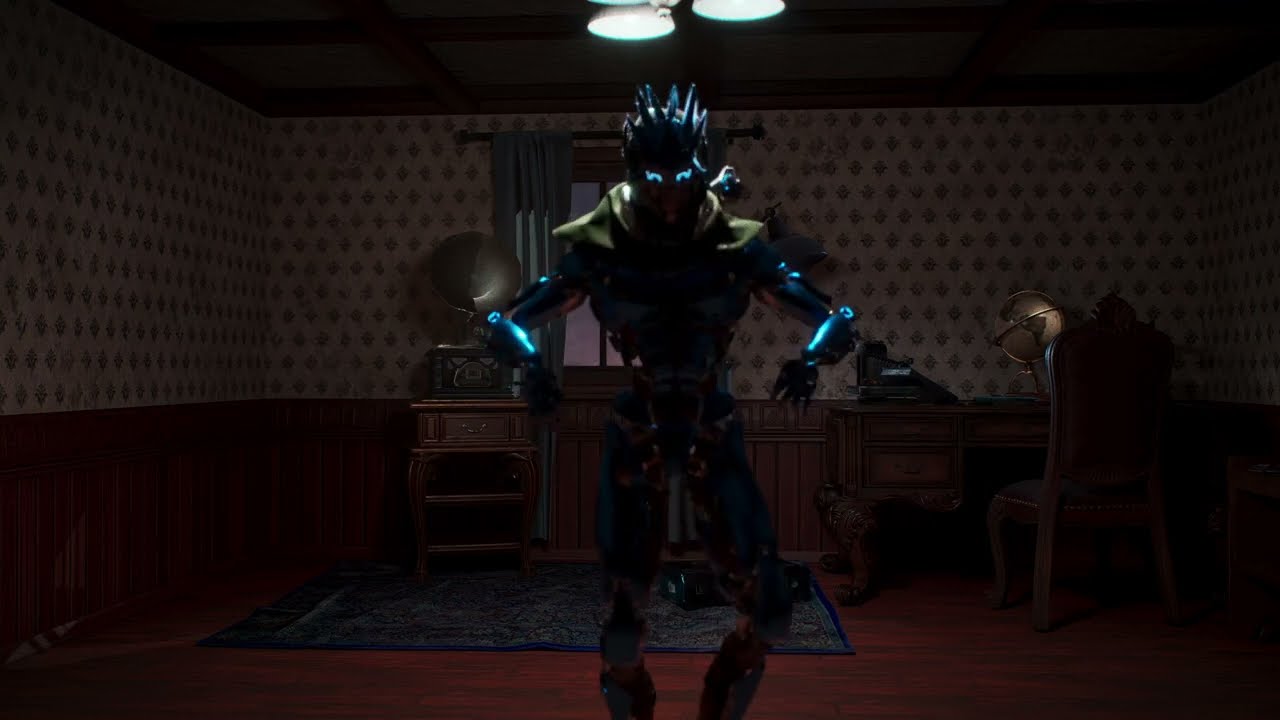
Song can be found here: Ezra Collective's bandcamp:
ezracollective.bandcamp.com/album/chapter-7
wintry sandal
lost shale
Evening, I'm facing an issue in sequencer where anytime I try to render a clip, ...
Make sure that the camera you want to use is properly bound to the sequence.
wintry sandal
timid egret
how do i play a video file in ue5?, without using the media texture. media textu...
without using a media texture, you can use the Movie Player plugin. But setting it up using the Movie Player Plugin is less of a #cinematics questions and more tailored to #materials since it inolves creating a material and using texture samples nodes & UI stuff.
just know that the movie player may have its own limits, and performance can still be affected depending on the resolution and encoding of the video you are importing.
lost shale
Thanks
wintry sandal
lost shale
Thanks
No problem
wintry sandal
steep apex
Does anyone know how to make a shadow plane???
#materials #lighting Can help out way more with this but, the jist is. As far as i understand it is.
Create that material > Apply the material to the plane in your level > tweak with the settings > and all the stuff that follows after but, idk what they are. If someone is free in those respective channels they can help you out since they are way better at that stuff than i am. I could be wrong
wintry sandal
serene grail
Hi!
Why Anti Aliasing is not supported when using tiling in MRQ?
AA relies on data from previous frames to blend pixels and reduce the pointy and jaggidy edges. ( idk how to spell jaggidy ) LMAO
When you do tiling, it splits the image into smaller sections for rendering, breaks this temporal coherence. Each tile is rendered independently, lacking information from previous frames of adjacent tiles.
There are some more things that go into why its not supported but, you can still technically do it. To an extent
You can try to do a FXAA post process filter on the camera
It'll obviously not be as good looking as TAA but, its something you can do to try to go around the issue you are facing
wintry sandal
last wasp
What is causing this issue? The depth of field is getting sharp from the object ...
Try adjusting the foreground blur strength or, decrease the max foreground radius
steep apex
wintry sandal
<#1014244767854510262> <#986930307271901204> Can help out way more with this bu...
I used a white plane rendered it out on a layer by itself then in after effects use blend mode multiply
wintry sandal
steep apex
I used a white plane rendered it out on a layer by itself then in after effects ...
Sounds like you figured it out. Gj
last wasp
wintry sandal
Try adjusting the foreground blur strength or, decrease the max foreground radiu...
Hi, thanks for your reply. I can't find any parameter called foreground blur strength or foreground radius. Could you please tell me the exact name of that setting?
 bitter slate
Does anyone have very basic tutorials or instructions on how to do in-game cutscenes? I've done level sequences for ui and pretty good at blueprints for encounters but nothing cinematic or transitioning between gameplay and cinematics seamlessly
 south dust
bitter slate
Does anyone have very basic tutorials or instructions on how to do in-game cutsc...
south dust
bitter slate
Does anyone have very basic tutorials or instructions on how to do in-game cutsc...

This video shows how you can easily blend or transition from the player character camera or game play camera to the level sequence camera or placed in scene camera. This tutorial also shows you how to capture the footage with the take recorder! Plz sub as we are trying to reach a goal.

Project Files: https://www.patreon.com/posts/67858218 .
Today I am going to show you how to achieve a seamless transition between cinematics and gameplay. So, when an in-game cutscene is played with a separate camera animation and character animations, as the cinematic or the level sequence ends, both character and camera will be seamlessly ble...
 undone geode
How would you summarize the pros, cons of sequencer spawnables vs manually placed actors and when do you use either approach?
 reef mango
Hi everybody! Does anyone have problems bringing vdb's into ue5.3 on linux platform?
 runic spoke
hi guys, I do have a mass spawner and zone shape for the crown ai (https://www.youtube.com/watch?v=WiN6C3Mi8gI&ab_channel=mcGamez2k99) and I was wondering, is it possible to add this to a cinematic? does anyone know ? I am trying but can't get it (should it be mass spawner ? )
Tutorial How to Setup City Sample Crowds (Metahuman) in Unreal Engine 5.3
Music: https://youtu.be/g_3cIWgZ5C8?feature=shared
########## links ####################
https://www.unrealengine.com/marketplace/en-US/product/city-sample-crowds
#################################
My Tutorial ist based on: https://youtu.be/2LvUB3_PAhI?feature=shared
...
 bright orchid
Hi guys! Anyone know why my renders (out of Movie Render Queue) look different than the viewport? I apologize if this is not the correct channel for this topic.

 wintry sandal
bright orchid
Hi guys! Anyone know why my renders (out of Movie Render Queue) look different t...
wintry sandal
bright orchid
Hi guys! Anyone know why my renders (out of Movie Render Queue) look different t...
Render Settings, your current cincamera settings
bright orchid
wintry sandal
Render Settings, your current cincamera settings
Which setting should I be looking at there?
wintry sandal
bright orchid
Which setting should I be looking at there?
It depends really. For simplicity sake you can just set the quality to be in cinematic in the settings in game overrides
Because I am assuming that you probalby have everything running in either epic or cinematic settings in your viewport
you can check in your engine scalability settings or whatever its called
bright orchid
wintry sandal
It depends really. For simplicity sake you can just set the quality to be in cin...
I have everything set to cinematic scalability in the viewport but I am not sure how to set that in the camera settings?
wintry sandal
bright orchid
I have everything set to cinematic scalability in the viewport but I am not sure...
mmmmm shouldn't need to at that point.
you're using a overide
the camera wouldn't influence that anymore
bright orchid
Yes, thats what I thought. I am assuming you are talking about the post processing volume, correct?
Also, if I may use my noob brain, this problem looks like foliage issue. If it was some quality setting then the whole frame would be affected equally.
wintry sandal
Oh i didnt actually see the treeline dissappearing lol
my b im blind
LMAO
i had that issue before a few times
bright orchid
partially my fault for not pointing out the issue
wintry sandal
are those foliage actors
bright orchid
yes
wintry sandal
ok, the way i fixed it which I only inisit you only use if this is just purely for cosmetic purposes. LMAO but, I believe i fixed the issue inside of the foliage actor itself.
There are settings in there can pretty much stop culling
and thats how i managed to go around the issue
wintry sandal
For me it was bothmessing around with the LOD and the settings in the foliage actor
So your render queue settings and everything should be fine. Was just an issue with the actors
bright orchid
is this what you are talking about?
 wintry sandal
Thats one of the places I am talking about
you can do it there by adjusting the end cull distance
you can also just disable LOD's
if you want to just keep this all in 1 place you can also use commands like r.Raytracing.Geometry.InstancedStaticMeshes.Culling 0 & foliage.ForceLOD 0 in the area in the MRQ where you can put in console commands. If you want to shortcut it. Try this and see if it works.
bright orchid
I turned these settings on under the foliage settings.
 bright orchid
wintry sandal
if you want to just keep this all in 1 place you can also use commands like `r.R...
bright orchid
wintry sandal
if you want to just keep this all in 1 place you can also use commands like `r.R...
Do these commands need to be set everytime I open the project?
wintry sandal
bright orchid
Do these commands need to be set everytime I open the project?
No you can just do them in the MRQ and save it as a preset
So that everytime you render you don’t have that issue
bright orchid
ah ok so like console variables in the movie render queue?
wintry sandal
bright orchid
ah ok so like console variables in the movie render queue?
Yep
bright orchid
Ok great! Thanks for the tip but those commands didnt fix the issue.
For some reason, just when I hit render, the foliage drops to lower quality in the render view as well as in the viewport.
Thanks anyways for trying. I appreciate it 🙂
wintry sandal
bright orchid
For some reason, just when I hit render, the foliage drops to lower quality in t...
I see. It’s sort of hard for me to pin point what the issue is. Variety of settings affect the problem you are having. And alot it is on the actual actor so maybe someone in #materials #nanite or related to, can help you.
wintry sandal
bright orchid
Thanks anyways for trying. I appreciate it 🙂
No problem 🙂 good luck resolving your issue!
runic spoke
runic spoke
hi guys, I do have a mass spawner and zone shape for the crown ai (https://www.y...
hey guys please how can I include this in my cinematics?
wintry sandal
runic spoke
hi guys, I do have a mass spawner and zone shape for the crown ai (https://www.y...
im trying to understand the question, are you saying you want to have this crowd effect in a cinematic you make? Yes, just place it into the world and create the cinematic. Are you trying to add this into your sequencer instead? In-which case. I've never done it with a mass spawner but, you can just drag it into your sequencer & It'll bind it to your sequencer. If that doesn't work. I'm not sure 🤷♂️
runic spoke
wintry sandal
im trying to understand the question, are you saying you want to have this crowd...
thanks for the help! yes, it is a level sequencer and the question is how can I make the actor to appear in my cinematic. I tried to include them but they are not appearing :/
but which track should you technicaly use ? ( attach? )
wintry sandal
Does the mass spawner work when you just place it into world and press play
runic spoke
yes it does
it only doesn't work in my sequencer
but for sure should be the mass spawner and not the zone shape right?
wintry sandal
I'm not sure what you are referring to when you mention zone shape, are you talking about the pathing visualization
i only glanced at the video
runic spoke
wintry sandal
I'm not sure what you are referring to when you mention zone shape, are you talk...
yes
I thought maybe it has something to do but when I include it still doesn't work
wintry sandal
not totally sure. I havent worked with mass spawners before in my cinematics.
runic spoke
ok thanks
wintry sandal
runic spoke
ok thanks
no problem, good luck resolving your issue!
runic spoke
thanks
 brisk meadow
hello. i'm hoping someone here knows cameras really well. i did the math to frame this sphere perfectly, and you can see that in the preview pane if i click my camera the viewport has been framed perfectly, but in the actual game it is ignoring my frame and zooming in by about 25%. does anybody know why? is there some kind of postprocess or something that cuts out 25% of the frame?
 brisk meadow
FYI I figured it out. The editor viewport kinda lies about the viewport is why
 tropic saddle
Hello, so I’m having this issue with some characters in the movie render queue. I’m using engine warm up frames and before the first frame renders out my character moves to a random spot with a random pose. After warm up every first frame of my new camera cut teleports my character over to the first keyed frame. This causes issues with my cloth sim. I’m not understanding why this is happening. Is there a way to make it just sit on that key framed during the warm up frames?
 chilly bone
tropic saddle
Hello, so I’m having this issue with some characters in the movie render queue. ...
chilly bone
tropic saddle
Hello, so I’m having this issue with some characters in the movie render queue. ...
If you have an animation track on your character in the sequencer, are those warmup frames going before the animation starts? You can right-click the animation track and change the settings in properties I think to keep it static on the first frame before it starts. Not sure if that's what you mean with your issue, but I had that issue giving me motion blur on the first frame and stuff
tropic saddle
chilly bone
If you have an animation track on your character in the sequencer, are those war...
I’m not seeing this static? I see a ton of options here.
Is it these pre roll and post roll frames?
chilly bone
You can use pre roll and post roll too I think, but there is a specific setting. Trying to find a picture since I don't have it open, haha, just a sec
tropic saddle
No worries and thank you
chilly bone
I think it's this setting under properties? Try setting that to "Keep State" and see if your character still pops around
 tropic saddle
Unfortunately that didn’t work. They are still starting in one place and then snapping over to the animations first frame. And it’s only happening in the movie render queue. Doesn’t show in the sequencer at all
chilly bone
Oh weird
Sorry bout that, I can take a look a little later and play around to see what I can find
 glass rose
hi, why does my cine cam have such minimal depth of field even when i pulled my aperture to 1.2
 prisma spruce
Hi all.
I've been having some issues with Niagara and MRQ.
I'm using Stencil Layers in the render settings. In this set-up, i have a niagara particle system up close.
Now, when i try to render out, the niagara particle doesn't show up. or doesnt get rendered.
is there any solve that anyone can suggest?
thanks in advanced 😦

 glass rose
hi, why does my cine cam have such minimal depth of field even when i pulled my ...
glass rose
glass rose
hi, why does my cine cam have such minimal depth of field even when i pulled my ...
this seems like such a small amount of blur with the aperture wide open

 hardy smelt
glass rose
this seems like such a small amount of blur with the aperture wide open
hardy smelt
glass rose
this seems like such a small amount of blur with the aperture wide open
Hey there,
From my understanding;
Depth of field blur/aperture is also closely related to your focal length.
So if you have a go pro like focal length of 16mm you will struggle to get any blur, but an 80mm will show blur fall off very quickly.
Also forgot the formula for it but objects closer to the camera (from your focal point) blur ^2 faster based on distance compared to things behind your focal point.
Hope this helps.
But if you wanna cheat it more, make sure in you're cine camera the min aperture is set to something tiny like .1 and then try going lower on your camera ( if your trying to force the effect)
glass rose
hardy smelt
Hey there,
From my understanding;
Depth of field blur/aperture is also closely ...
yeah but it just seems like it's such little blur even for the close distance to the subject that i have here and i can't pull a 85mm prime on every location i shoot due to limited space, but still wish to get the blur. idk how others get such huge blur with similar settings
hardy smelt
While it's all down to taste I feel like if there was more blur then what you showed already, it would feel like a miniature set ( or maybe that's the effect your looking for)
But yeah, you can forcibly crank the aperture to physically impossible settings like .1 or .01 to get the look
Oh actually, sounds like your trying to match real world shots, hmm that's out of my knowledge,
I have plate matched things in unreal and found it to replicate camera settings well, but apologies that doesn't help your situation
glass rose
it's ok, thanks regardless~
glass rose
hardy smelt
While it's all down to taste I feel like if there was more blur then what you sh...
can you? i thought 1.2 is the limit
hardy smelt
There's a min and max setting in the camera detail panel, it's min is default at 1.2 but you can lower it
Oh, that reminds me, on you tube a guy called William facher did this great tut going over depth of field,
There was a cvar that changes the dof in your viewport to what actually comes out of the movie render que vs what you see in the viewport. I vaguely remember it looks better.
Can't remember the cvar but his videos are short and really informative
 rocky escarp
glass rose
yeah but it just seems like it's such little blur even for the close distance to...
rocky escarp
glass rose
yeah but it just seems like it's such little blur even for the close distance to...
Don’t overlook the filmback/sensor size settings. This has a relationship to everything if you are trying to match a physical camera.
 shut hearth

does anyone ahve this issue before?
it looks fine in view poert and render view, but when i put it into after effect, the glass is jsut a grey box
 opal acorn
Has anyone had issues with rendering maps with level streaming in Movie Render Q? I haven't used it yet, but have read about some issues without clear solutions on how/why. Wondering before I commit to level streaming on a project.
 sturdy tartan
Can somebody take a look at this link and let me know whats going on? https://www.dropbox.com/scl/fi/54kdee0udv3iio685oef6/2024-01-16-01-59-36.mp4?rlkey=gv0botznswghopce8w85n9sjk&dl=0\

 spare juniper
Hey all, sorry if this is the wrong place for this.
I need help troubleshooting a render pass bug. I'm at my wits end.
Im going through a nightmare NDA project where its one thing after the next. ive done this all before but for some reason this just isnt working.
my project is photoreal path tracing product viz of a single product.
what im trying to do is render my subject which is 2 models on alpha. simple.
what its actually doing is only rendering the front facing faces from 1 model with the textures from both on its surface on one layer, the rest of the image on another and then rendering out the beauty layer as it should barring some blur. both my models are on the same stencil layer so i dont know why its separating them. my shader complexity for one of the meshes is in the pink because its merging an opaque material with a translucent one inside its shader. to do that im using a blend material attributes setup.
I've tried simply changing my complex material with a basic one and that seems to render fine. so its something with the material but i dont know what it could be.
any thoughts on a fix would be really helpful.
 ashen grove
@spare juniper I understand that you've been encountering some rendering challenges particularly with translucent materials and shader complexities. I've outlined some simplified steps you could take to correct those issues.
Translucent Material Rendering:
- Be mindful of depth sorting with translucent materials, as Unreal Engine may struggle with their correct order in path tracing mode.
-
Backface Culling Considerations:- Ensure backface culling is disabled if your design requires rendering both sides of the model.
-
Layer Separation and Stencil Configuration:- Double-check your stencil layer settings. It's crucial that these are correctly assigned to avoid rendering issues.
-
Material Alpha Channels:- Verify the alpha channel settings in your materials. Incorrect configurations can lead to transparency issues or parts of the model not rendering as expected.
-
Shader Complexity and Material Blending:- When combining opaque and translucent materials, consider simplifying the material setup. Creating custom material nodes might also provide better control over the blending process.
-
General Troubleshooting Techniques:- Experiment with the material quality settings in Unreal Engine to see if they influence your rendering problem.
- Utilize render layer and pass debugging tools to isolate and identify problematic elements.
- Simplify your scene to the essentials to determine if other elements are contributing to the rendering issue.
 remote yacht
Hello everyone, I´m currently working on a cinematic project and have aproblem with my translucent window material. Sometimes it looks good and sometimes it looks off. The picture with the lightning on the left is what makes the glass on the car look a little off. on the other frames it looks fine to me but i don't know what to change to accomplish the same result as in the other screenshots. any ideas?


 spare juniper
ashen grove
<@371106649055952908> I understand that you've been encountering some rendering ...
spare juniper
ashen grove
<@371106649055952908> I understand that you've been encountering some rendering ...
thanks for the reply. I feel I've done as much of that as possible. i am getting a completely fine beauty layer but the stencil layers bug out. and its somehow linked to my blended materials. no idea how to troubleshoot, what tools or what not to use. it should be working as it is. to my knowledge anyways
spare juniper
remote yacht
Hello everyone, I´m currently working on a cinematic project and have aproblem w...
depth of field perhaps?
 astral nexus
Hey! I'm experiencing some weird specular noise/behavior when using Wet Weather Effects from UDS. First loop of the video is with the wetness effect on the character + rocks, and the second loop is without. Appreciate any help 🙂

 plush mesa
Hi guys! I get this error when trying to render a still image using MRQ in UE 5.3, any idea how to fix it?

 fiery spindle
Hi Guys, I need help. I am rendering out a level sequence of a vehicle using the path tracer. My glass material has transparency, however I want the alpha channel of the glass to be non-see-through, so effectively all glass areas should be displayes as black. Any idea how I would achieve this?
 plush mesa
fiery spindle
Hi Guys, I need help. I am rendering out a level sequence of a vehicle using the...
plush mesa
fiery spindle
Hi Guys, I need help. I am rendering out a level sequence of a vehicle using the...
As a workaround I would re-render your alpha pass with an opaque material on your glass, but I know it's not feasible depending on the render time
fiery spindle
Thats exactly what i'm doing at the moment, but its such a massive increase in render time. 30% increase for alpha channel + 300% increase due to Stencil Layers. Then Double all of that for the second pass :S @plush mesa
If only I could render out ONLY the alpha on the second pass, that would be amazing..
 crystal orchid
When I compress my render my reds are turning orange??
 vivid wolf
Cinematic backgrounds: Is it still best practice, to use landscape meshes in the background? Or should we use UE5's landscape components. and if so, why would meshes be better than the native landscape component?! I'm going to be working on a very large landscape (using LiDAR data) with a 360 view from the top of a mountain. The camera will not be accessing the landscape beyond the mountain top but the horizon and its landscape will be in shot. Many thanks.
 violet spade
remote yacht
Hello everyone, I´m currently working on a cinematic project and have aproblem w...
violet spade
remote yacht
Hello everyone, I´m currently working on a cinematic project and have aproblem w...
the "cheapest" solution that I found to fix this issue is creatting a completly reflextive material with no transparency
I know is really 💩 itty, but it works for some cinematics 😅
 pearl onyx
Hello everyone! Im trying to start a cinematic when interacted with an object using a line trace. also i would like to use livelink sequences, so if anyone would be nice enough to help me that would be amazing! thanks!
 abstract sundial
For people wanting clouds above a planet in space, here is something for you: https://youtu.be/RkpVzzTAVhw

Procedural Generated Planet System: https://www.unrealengine.com/marketplace/en-US/product/fe1b9dc89d22443abdc6a4551cfdb2ec
Artstation: https://www.artstation.com/a/34163408
Gumroad: https://arghanion.gumroad.com/l/gidjx
Patreon: https://www.patreon.com/arghanionspuzzlebox
Damien Ramirez Artstation: https://www.artstation.com/damienramirez
Ultr...
 zenith bloom
anyone have an instances where animated objects in the sequence just bounce around
and curious if you've figured out a way for it to stop
 agile anchor
Hello. Can somebody explain me, why I can't see any of meshes in sequence render? I've added control rig with blank character, after that I've added hair, cloth and other stuff, but in render I can only see control rig.
spare juniper
do stencil layers work anymore in UE5?
spare juniper
spare juniper
do stencil layers work anymore in UE5?
yes they do, just not seemingly with translucent blend modes.
 wintry comet
sup guys
have anyone tried adding sinematic sequences with AirSim gamae mode? It messes up the coordinates, and the actor is moving but is on the other side of the level
undone geode
Anyone able to share GPU memory optimizing tricks?
I have 24GB VRAM but even that isn't enough often.
In particular I am using the City Scene from the Marketplace and have experienced lots of 'GPU crashed or D3D device removed' errors crashes on render.
undone geode
I need to create a realistic rain on window effect. There is a custom Rain Effects plugin in the Marketplace but over $80 Cdn.
I own Ultra Dynamic Sky and apparently does have a water drop material function but have never used yet and guessing documentation is limited.
Can any 'rain experts' share their preferred method? Thanks for any feedback!
 warm jacinth
zenith bloom
anyone have an instances where animated objects in the sequence just bounce arou...
warm jacinth
zenith bloom
anyone have an instances where animated objects in the sequence just bounce arou...
Sounds like you might have physics enabled on thoes objects. Or some other influence on those objects that is conflicting with your sequence.
warm jacinth
abstract sundial
For people wanting clouds above a planet in space, here is something for you: ht...
Very cool. Personally I have ran into a lot of issues with ultra dynamic sky honestly so I tend not to use that. But regardless, very cool effect.
abstract sundial
warm jacinth
Very cool. Personally I have ran into a lot of issues with ultra dynamic sky hon...
I'm working on my own planetary cloud solution at the moment. Will see what comes out
pearl onyx
Help anyone. This just refuses to work even tho there is nothing wrong. Error code is :
-
Blueprint Runtime Error: "Accessed None trying to read property CallFunc_CreateLevelSequencePlayer_OutActor". Node: Play Graph: EventGraph Function: Execute Ubergraph BP Doors Staff Only Blueprint: BP_DoorsStaffOnly
-
Blueprint Runtime Error: "Accessed None trying to read property CallFunc_GetSequencePlayer_ReturnValue". Node: Play Graph: EventGraph Function: Execute Ubergraph BP Doors Staff Only Blueprint: BP_DoorsStaffOnly

 autumn robin
why do particles get played in the first frame when rendering?
nvm i had autoactivate on
warm jacinth
pearl onyx
Help anyone. This just refuses to work even tho there is nothing wrong. Error co...
Looks like its mainly getting stuck when creating your level sequence. Access None essentially means it contains null information that you have plugged in. The only hunch that I have is you have not set your "Sequence Ref" to anything yet.
warm jacinth
abstract sundial
I'm working on my own planetary cloud solution at the moment. Will see what come...
Nice. Looking forward to it!
 karmic ingot
I added an actor (it is a BP) that has weapons and armor attached. However, when I setup the animation for the skeletal mesh (there are others in the bp a well - for the armor) the armor doesnt follow the animations? despite having leader pose stuff put in place.


is there anyway I can get the armor assets (skeletal mesh's as well) to follow the proper animation in cinematics? It works in game, just not here

A perfect example of this is here, the eyes are not even close to aligned to the parent mesh, its just odd

In the bp, they are children... is that a reason for the issue?
and it seems to only be happening with root motion animations 😦
interesting, if I set swap root bone to actor component... i dont get the issue
So, under the animation, I set the Use Animation Asset, instead of the BP, and then I set the swap root for the actor component, and... it seems to be working now
but... now the fun part is, it only works on 0 0 0... of world space..lmao

if I try to move it anywhere else, it wont move, and snaps back to 0 0 0
However, if I set it to swap root bone component... that seems to work
how very interesting, and odd. K... well I think I solved it (no clue how or why this works)
 static harbor
Hi everyone, I am experimenting currently with the live cam and the recorded sequence contains the track with the camera and I don't find the way to edit it and play it from till a particular frame. Any ideas?
Saludos 😊
 wooden harness
karmic ingot
I added an actor (it is a BP) that has weapons and armor attached. However, when...
wooden harness
karmic ingot
I added an actor (it is a BP) that has weapons and armor attached. However, when...
thanks for updating the issue you've been having and well done on the fix - i'm currently in a very similar situation so i appreciate this a lot!
seeing as you've got the armour assets working in-game, would you mind helping me currently in #animation please?
my armour keeps clipping so i'm not sure what the best way to fix this is 😅 if/when you have the time - thank you!
karmic ingot
Let me check in a min
 twin turtle
when adding mocap to the matahuman a strand of hair is being pulled to a location. Any help would be really appreciated

 icy kettle
is there a issue with the new ortographic orthographic cam setting in ue3.5
or do we need fix the clipping manualy
even tho it clitches all over the place
wooden harness
remote yacht
Hello everyone, I´m currently working on a cinematic project and have aproblem w...
Hey - not sure if you've figured it out yet but it's likely this.
Go to your translucent material and set the Translucency Pass to "Before DOF" instead of "After DOF" which is the default setting
 remote yacht
wooden harness
Hey - not sure if you've figured it out yet but it's likely this.
Go to your tr...
remote yacht
wooden harness
Hey - not sure if you've figured it out yet but it's likely this.
Go to your tr...
Thank you a lot my freind. that help very well and my issue is gone. by the way: do you know how to improve the quality of the unsharp depth of field? i have some artefacts on the corner of a blury forground object when the lighting strikes. im also rendering with with the legacy movie capture cause MRQ always crashes
wooden harness
Glad I could be of use!
Do the artefacts appear in realtime which then appear in the render or does it only appear in the render? If it's render only it might be the legacy movie capture. If you can, post a screenshot of it
To be honest, I'm not sure what the issue might be - I feel like it could be a result of either your camera settings or lighting, but it could be any other factor
 tight willow
How can I make my Movie Render Queue play exactly the way my level blueprint plays them?
For example, we have certain objects that become visible depending on the situation, and our level blueprint does the logic of making these objects visible, but the Movie Render Queue doesn't seem to care about running the level blueprint at all.
wooden harness
Does blueprint interact with a player? If so, the cine cam doesn't act like that so it wouldn't activate any blueprints.
The only solution I can think of personally is to manually animate the visibility of the objects in the sequencer.
Someone more experienced/knowledge might have a better solution, though.
tropic saddle
So I’ve seem to have ran into an issue with movie render queue and a baked animation onto a control rig. When I scrub through the timeline in sequencer it all looks great but when I go to render every camera cut I have set makes my character go to a specific frame and then snaps to the keyed animation frame of that cut. This is making my first few frames cloth sim violently move haha.
I’ve tried keep state on finish but my problem is that when I incorporate this on multiple characters in my timeline they eventually just stop playing their animation. If I do it on one it’s fine but multiples seem to make this issue happen. So I’m a tad lost on my solution. Is there something I’m missing with multiple characters and animated control rigs being rendered out of movie render queue?
And this doesn’t happen in the legacy render queue.
undone geode
Racking my brains trying to troubleshoot a tricky shot for a cinematic.
I am using a Camera rig rail to track a fractured object as the fractured pieces fall.
The issue is that at a certain point in the camera's travel, the fractured pieces disappear from the camera view!
It has nothing to do with my Post Process Volume (purple outline in attached). And nothing to do with Sequencer tracks as well.
And the same thing happens if I manually keyframe the camera instead of using a rail!
The green cube is for debugging.
Whats really weird is that the fractured pieces are totally visible in the viewport, but disappear from the camera.
If anyone has troubleshooting suggestions would greatly appreciate feedback!
tropic saddle
You can see the issue during the warm up frames. This causes issues with a character with cloth physics
wooden harness
undone geode
Racking my brains trying to troubleshoot a tricky shot for a cinematic.
I am usi...
This might not work at all, but maybe add a visibility component to the glass and keep it true on a constant keyframe from 0?
 ornate topaz
Hi everyone https://www.artstation.com/artwork/AlYDxq

ArtStation
 fervent turret
I am doing an ue5 render in 4k and I get this issue with stripes on most surfaces. It settles down but it's unusable. Using Lumen. In 1080p it's gone. https://gyazo.com/a505eef5789602450499a58a527d55ea
Solution: Too high lumen GI final gather values.

 hollow plaza
Hello everyone, I’m looking for a way to achieve a smooth transition from my viewport which contains my character to a picture frame 🖼️. Please let me know if there’s any guide available or any information that you think it’ll be helpful. Anything will be appreciated.
Thanks 😊
 plucky lagoon
My video card does not has rtx cores but for render video cinematics better turn on this i guess? so i could create scene, after turn on rtx and render scene, right?
 brazen shore
Hi, does anybody knows that how can ı move an object which is created from an specified actor class, this movement parameter needs to be pixel based. What ı want to do is,while using 1 cine camera (1920*1080) which is showing that object and eveytime it takes render objects moves 20 pixel.Do you have any idea ?
I tried to do with c++, i tried to use ProjectLocationToScreen() and DeprojectScreenPositionToWorld() functions, however ı have problem with movement of the object.When print the pixel based movement to the log, it looks okay but there is nearly no movement on the scene of the camera, ı guess tehre is a problem with player controller however I couldn't figure it out, does any one have idea?
undone geode
EXR compression. What are the arguments in favor of DWAA or DWAB over the default PIZ?
 steep goblet
Ok, so I've been fiddling around with this for a while and searching across the internet and can't find a solution to this issue. I've got 2 fog decals floating in the distance and any time I render they absolutely go mental. Anyone know what could be causing this, and how this could be fixed?

 slender cedar
How can I loop my level sequence smoothly? The last keyframe just switches to the first one and that looks not good enough^^
 oblique nymph
hey guys, i'm trying to render an archviz project, but i'm not satisfied with the render quality. I tried antialiasing 32x32, 32x1, 1x32; DLAA, DLSS. None of them works fine

I need a crispy image without the moire effect on the wooden parts
tried rendering in 1080p and 1440p
 warm pewter
Hi! im trying to do some renders on the city sample and this keeps happening (objects loading mid way like the lamps at the end of the street) as anyone expirience that problem and if so...any solutions? thanks!
oblique nymph
slender cedar
How can I loop my level sequence smoothly? The last keyframe just switches to th...
the first and the last should be the same values
 exotic coyote
Can someone pls send me to tutorial how to use Physics Simulation in Sequencer? I try https://www.youtube.com/watch?v=d5kEPxN-YMw but it seams not working in 5.3.2. I try very simple: ball falling down. When I hit "Play" no mater what I have selected "Selected Viewport" or "Simulate" everything looks cool. But I add sphere to track in sequencer, add static mesh component to it, and then put "Simulate Physics (Body Instance)" hit "Play" in sequencer, camera moves as expected and sphere stay in place 😦

Learn how to simulate physics interactions in the sequencer in Unreal Engine 5. The process is simple and straightforward but it needs a little magic sauce at the end to make it work (and I struggled for a week before finally getting it to work).
|| All the credits are owned by the respective artists. ||
Links:
Unreal Engine 5: https://www.u...
fervent turret
Is it possible to make multiple PostProcessVolumes affect different areas, and be visible to a cinecam? For example, landscape overview shot, left side is bright, right side is dark, by adjusting the exposure parameters for example in each of them.
Or have a ppvol attached to a character, with bloom turned way up.
exotic coyote
NVM - found it 😄 Looks like I was just too tired yesterday. Link: https://docs.unrealengine.com/5.3/en-US/recording-animation-using-take-recorder-in-unreal-engine/

Learn how to use Take Recorder to capture animation from actor manipulation, physics simulations, and gameplay.
 warm tangle
If I use Additive FK Control Rig ontop of an animation an sequencer the render comes out blurry. Is there a setting I need to adjust somewhere? Renders are tack sharp otherwise
oblique nymph
fervent turret
Is it possible to make multiple PostProcessVolumes affect different areas, and b...
You can affect different areas, but cant see multiple effects in one view. The post process volume will transition from one to the other
warm tangle
Second question,
I'm trying automate mouth movements based on Loudness NRT. This works fine on normal render, but when using AA with say 16 samples, it seems like the audio is continuing to play while the samples are being rendered, is there any way to lock the playback with the render?
undone geode
Getting a ton of noise in my Metahuman's beard on render.
Does anyone know which specific cVar I need to adjust to fix this?
 undone geode
fervent turret
Is it possible to make multiple PostProcessVolumes affect different areas, and b...
undone geode
fervent turret
Is it possible to make multiple PostProcessVolumes affect different areas, and b...
I thought this should be possible, including even nesting PPVs with different Priority values but haven't gotten it to work.
AFAIK only one PPV is visible to the camera at any given time. Please correct me if I am mistaken.
undone geode
Another render issue relating to DOF. Getting an ugly edge around my Metahuman.
Has anyone encountered this?

 heavy glen
Hey y'all has anyone figured out how to not have translucent materials show up in a stencil pass?

The fire should not be in this stencil pass, but it seems to write to the alpha unless I switch the material to opaque.
Alpha channel
 heavy glen
Okay I found if you use a default layer you can get an inverted matte pass that doesn't include the translucent material

alpha looks like this

I can combine these to remove the unwanted fire from the stencil pass
undone geode
Does anyone make use of Sub Sequences and Hierarchical Bias when using Sequencer? If so, how do you use Sub Sequences to organize your data?
 rain jungle
undone geode
Does anyone make use of Sub Sequences and Hierarchical Bias when using Sequencer...
rain jungle
undone geode
Does anyone make use of Sub Sequences and Hierarchical Bias when using Sequencer...
I do, I like being able to separate things so that I can add/remove elements as if they were layers. For instance I might put all lighting adjustments in a subsequence so that any new camera sequence I make can reuse that lighting setup. Or if I had two characters with animation tracks I can keep that in its own subsequence so that if I ever need to adjust the animations I only need to do it once, then any sequence that has the animation as a subsequence gets the update. Hope that made sense.
 exotic river
Question: I have a Camera Rig Crane in my sequencer. Every time I switch the checkbox for 'Lock Mount Yaw,' I encounter a single black or broken frame at that exact moment. It only appears briefly, and if I pause the shot or manually change the frame, I can't catch it. How can I fix this?
 undone geode
rain jungle
I do, I like being able to separate things so that I can add/remove elements as ...
undone geode
rain jungle
I do, I like being able to separate things so that I can add/remove elements as ...
Thanks. This is truly next level stuff that I think few people take advantage of. There was some mention of it in a recent UnrealFest talk.I’m trying to get my head wrapped around how it could be useful in a Team setting, combined with sub levels and layers. Not a lot of documentation or examples.
rain jungle
undone geode
Thanks. This is truly next level stuff that I think few people take advantage of...
Yes great point it's also really valuable for collaboration. One person can tackle lighting, another camera, another character motion. Then someone just puts all the subsequences together
last wasp
Why does the Unreal render appear blurry after zooming? I've used a focus actor in the cinecamera to track. It looks fine at normal view but becomes blurry when zoomed in. On the other hand, the render from Marvelous is too sharp in focus. Any ideas on how to improve and achieve sharp focus with the UE cinecamera?
undone geode
last wasp
Why does the Unreal render appear blurry after zooming? I've used a focus actor ...
Enable your debug focus plane to ensure you are at the focus plane. Also possibly a resolution issue?
last wasp
undone geode
Enable your debug focus plane to ensure you are at the focus plane. Also possibl...
The scene camera sensor has a 1:1 ratio, and the output resolution is 1080x1080. Yes, the resolution might be the issue. Another thing is that the garment object is a little far from the camera. How can I ensure that my focus plane is in the perfect position? Is there any way to zoom the viewport (only the viewport, not the camera) so that I can see its logo clearly and ensure its focus?
 sacred epoch
Hey saviors 💖, I want to record an image sequence from the perspective of a car inside the matrix city sample as i am riding the vehicle(when you drive the cars in the city sample project) , the idea that i want a various scenarios of a moving car in a city. i wish i can find someone to guide me 🙏

 swift ridge
Hi everyone! Does anyone have a knowledge of how to make a subsequence appear in the render of each individual shot?
For example, this statue in this sequence is inside the subsequence. I want him to appear in the shot001 when I am only rendering shot001. How can I do it? Thank you!


 smoky beacon
When using movie render queue it automatically sets sections to start at frame 0, so they go from this:

to this:

I don't want that behavior
This is part of a setup where I've got a sequence containing a subsequence, and both are animating the additive transform of a model. There are problems when both "parent" and "subsequence" have sections active at the same time
warm pewter
Has this happen to you and have any tips on how to fix it? (the weird yellow blup on her teeth)
 warm pewter
i notice my directional light is causing it, but not sure how to fix it with out deleating that light
 waxen ridge
Download
 violet knot
Hi! I am using the city sample crowd system and the crowd is visible from the player window but not from the camera. Does anyone know what could be happening? thank you!
 wicked scaffold
Hey Guys, Currently I'm Using DOF via CineCameraSettings, but I noticed that DOF strength is changed based on Resolution or size of the screen?
how to make it independent of resolution ?
 pearl zephyr
Hello gentlemen and ladies, please help me with the problem. For the third day I’ve been trying to add a crowd of people to a sequence, one of whom should be followed by a camera, but I haven’t found a way to make them without animating each one separately.
last wasp
Is there a way to apply easing to keyframes in Sequencer, such that the last keyframe has a slow and smooth ending?
 dreamy pulsar
last wasp
Is there a way to apply easing to keyframes in Sequencer, such that the last key...
dreamy pulsar
last wasp
Is there a way to apply easing to keyframes in Sequencer, such that the last key...
yeah, i use cubic user and then edit it with the Curve Editor

select the keys you wanna edit and then press this button in Sequencer:

 misty spindle
somoene knwo how to make this ligther with night directional light in ray tracing

and why there is many noises
 wooden harness
Anyone know why there's motion blur in the render? I didn't enable it 🤔
Nevermind I think I've found a fix
fiery spindle
Does anyone know how to change Varient Sets from the Variant Manager in the sequencer?
 glass summit
Hiya folks, I am having some difficulty exporting my quick render to png. It gives me these square artifacts on multiple frames throughout the image sequence.

Unsure as to the cause
glass summit
You can see it better here
 spare jewel
am i correct in thinking cryptomatte doesnt support depth of field?
 cursive igloo
anyone experienced with camera tracking with blender ?
camera tracking works fine in blender
imported to unreal
and it seems the match is not perfect
the feet is floating..
same framerate
 zinc echo
made this small shot for fun. used elevator scene from monkey man as a reference
 slow abyss
When i switch interpolation to user, is there a way to stop it from setting 0 degrees automatically straight up by default?

Or is that just the flaw of using user interpolation
 kindred pebble
anyone here use livelink VCAM? I'm having trouble with it as it doesnt record the animations within the scene. The models just Tpose or are standing still even tho the camera movements and angles are registering
 neon cosmos
for some reason the Camera Shake Source no longer works
 wind cloak
warm pewter
i notice my directional light is causing it, but not sure how to fix it with out...
wind cloak
warm pewter
i notice my directional light is causing it, but not sure how to fix it with out...
I turned down Indirect Lighting Intensity and that helped for me.
 fast mist
neon cosmos
for some reason the Camera Shake Source no longer works
fast mist
neon cosmos
for some reason the Camera Shake Source no longer works
I was having that issue too lol so strange I was going crazy
fast mist
neon cosmos
for some reason the Camera Shake Source no longer works
have you tried pressing the tab "allow camera shakes" in the dropdown menu?
neon cosmos
fast mist
have you tried pressing the tab "allow camera shakes" in the dropdown menu?
I decided to use something different
after seeing how the camera shake system doesn't have enough options, I switched to animating it with a bone
fast mist
Understandable, could be another bug, camera shake was actually fine the way it was, don't know how it broke
the bone method is good too
 rapid axle
I have a cine camera inside a blueprint and render a sequence with it.
That does work fine.. however the motion blur settings are ignored
Is there another way to reduce the motion blur intensity?
 tranquil zephyr
rapid axle
I have a cine camera inside a blueprint and render a sequence with it.
That doe...
tranquil zephyr
rapid axle
I have a cine camera inside a blueprint and render a sequence with it.
That doe...
In the post process and camera u can turn it down. If u have an infinite post process and apply physical camera values unticked the post process settings will override the cameras.
I have a long animation down a rig rail. Apart from manually snapping the spline points to the landscape is there a way I can make the rail snap to the landscapes surface automatically in the rig rail system? Is there a line trace in it of some kind. Much appreciated
 wintry spoke
warm pewter
Has this happen to you and have any tips on how to fix it? (the weird yellow blu...
wintry spoke
warm pewter
Has this happen to you and have any tips on how to fix it? (the weird yellow blu...
looks like you might have the material of the gums set to a gold material
the roughness might be set really high on that material
not totally sure but that would be my guess based on what I know
I'm having an issue where the coat disappears if the camera is too close


anyone know a solution?

 median dawn
hellow, can anyone explain to me how splines work between sequences? From what I can tell, they can't be shared (need a copy of a spline object for every shot)
median dawn
wintry spoke
I'm having an issue where the coat disappears if the camera is too close
You can force the nearclip on the camera, it's one of the values for the cinema camera
 white inlet
Hello everyone, I have a small problem with a translucent material while rendering my video. I use MovieRenderQueue to export an EXR file with two stencil layers, one for my foreground and another for the translucent material in question (the windshield of a car).
My problem is that when doing an export using path tracing, the layer is empty. By doing the same export in DeferredRendering I have my translucent material displayed on the layer.
Does anyone have any tips for solving this problem? Thanks in advance.
 paper dagger
 candid trellis
Hi all! I am not sure if this is the correct channel for this question, let me know where to repost it if it isn't.
I am very used to making PBR and "realistic" cinematics with Unreal but I recently got very into sylised rendering (Anime, cartoon, cell shading) and I am struggling to find good support (there are loads of tutorials, but they seem very "basic".
I would love to make a cinematic in the style of Apex Legends cinematic trailers (picture attached) but I am unsure on where to start.
Can you achieve it by just post-processing? Does it also need special materials on the characters and assets?
Also any direction to articles, youtube channels or communities would be super appreciated!


 vagrant tundra
Is it possible to not render sky atmosphere and keep it as alpha when rendering (Path Tracer) in movie render queue?
I have a scene with trees and landscape and would like to have sky as separate for color grading.
wintry spoke
median dawn
You can force the nearclip on the camera, it's one of the values for the cinema ...
already tried that
doesn't seem to make a difference
 fervent violet
Is there a way to automatically set the viewport to a sequencer camera when simulating?
 hazy swift
Hi, my name is Gherson, I'm from the most "Pura Vida" country in the world, Costa Rica. 🇨🇷🦥
I want to share with you my last environment https://www.youtube.com/watch?v=bMC7P_u3qRg hope that this is the right channel to share 😉

Este es el primero de varios proyectos que tengo en mente para crear representaciones virtuales de mi querida Costa Rica.
Para comenzar con el primero, como buen amante de la naturaleza y las montañas, quise hacer la representación virtual de una de las obras de ingeniería que más me sorprendió desde pequeño: un túnel que literalmente atraviesa...
wintry spoke
median dawn
You can force the nearclip on the camera, it's one of the values for the cinema ...
for some reason it just disappears suddenly
vagrant tundra
wintry spoke
Looks like a bounds issue
 junior basin
Has anyone ever got Orthographic rendering to work well for them? It seems point lights & Spot lights don't render, shadows get a bit unreliable & some serious ghosting.

 glossy viper
How is 'Tick when Paused' supposed to work for level sequences??? It's not playing, even though from my understanding it should be.


 maiden charm

can someone help me please?
For some reason it only stops at a certain point in the sequence when I want it to go longer
is there a way I can increase the number of frames it renders or go past the mark in the sequencer
just how do I make the sequencer longer?
junior basin
maiden charm
just how do I make the sequencer longer?
Can you show us a screenshot of your sequencer & rendering settings? It'll either be moving the red line in sequencer further or (un)setting a custom frame range
 oak rampart
Hi again guys! I fixed the stuff from last time but a very strange white footer on an Async loading screen popped up for some reason? it stays there no matter what i do. heres what it looks like:

its really weird
 somber solar
wintry spoke
somber solar
wintry spoke
Regardless of your issue, this is seriously cool. Is that a metahuman of Juice Wrld? I'd love to know your workflow for the facial mesh, and hair.
wintry spoke
somber solar
Regardless of your issue, this is seriously cool. Is that a metahuman of Juice W...
yep it is
I made all the hair in blender and transferred it over to unreal
it was definitely a pain since there isn't much out on how to do it
for the facial mesh I bought a 3d model of a statue of him and then had that scanned for the meta human
and then did manual touch ups
somber solar
wintry spoke
and then did manual touch ups
Great work dude, i always wanted to create something like this, do you use Audio2Face for the facial anims?
@wintry spoke Basically, audio2face lets you put in .wav files and output the facial anims, and it's free, great for lip sync, AI powered and accurate 🙂
I also found a tool online that gets face meshes of celebrities, i'll link it to you 🙂
somber solar
@wintry spoke For the hair, if you have any good tutorials LMK, because damn you make it accurate af.
somber solar
@wintry spoke https://hyperhuman.deemos.com/ this is the one.. I suspect your photogrammetry scan was way more accurate tho.
wintry spoke
somber solar
Great work dude, i always wanted to create something like this, do you use Audio...
I used live link which worked pretty well
the video upload method works a lot better
somber solar
wintry spoke
I used live link which worked pretty well
Cool, i always wanted to make something like that Juice Wrld and Marshmellow Bye Bye video > so the fact you're doing that is awesome.
wintry spoke
somber solar
Cool, i always wanted to make something like that Juice Wrld and Marshmellow Bye...
That’s exactly what inspired me
I’ve talked with the guy who made it a couple times
wintry spoke
working on another scene right now but I feel like it's a bit flat

especially the lighting
 delicate palm
Anyone know how to do this?
- i have a great 'jumpscare' cinematic in the level sequencer on enemy ai overlap which works fine
but i made it in the wrong level :/
so how do i get that exact thing to play exactly the same, but in another level?
somber solar
wintry spoke
I’ve talked with the guy who made it a couple times
That’s cool man. You’ve done all the hard stuff, making the environment will be easy for you! I’d love to get my hands on what you’ve created, it’s awesome.
@wintry spoke I also have a mocap suit. (For custom juice style animations/dance moves haha)
mental spindle
Hello all. I have question. I have a camera called (CineCamera_A) which I have parent to my RigCrane in my outliner. This all works fine in my sequencer. Now I have another sequencer shot which I want to use the same camera ( (CineCamera_A) but now I want to use/parent it to the RigRail btw I'm using the new RigRail in 5.3. Is this technical possible?
 regal plover
Hello everyone,
This is the first short movie we did last summer to understand the workflow of linear content within Unreal Engine. The character’s animation were done in Maya and imported as Alembic in UE.
Set dressing, layout, cameras, rendering and post processing were done in UE. Using Lumen and Nanite and zero-compositing.

Embark on a whimsical journey with CBB - Could Be Better! 🚀✨ In this 1-minute short, meet Orange 🍊, the tiny genius, Vert 🟩, the towering goof, and Princess Violette 💖, caught in a magician's lab. Think Pinky and the Brain with a splash of burlesque comedy! 🎭🤣
🎨 For the Kids:
Dive into the magical world of CBB, where goofy characters and hilari...
 quaint wraith
Using the Take Recorder to record Gameplay. My issue is that it fails tracking the Player Camera and instead the "captured" camera is always on the zero point, even though the saved Level Sequence has the transform of the Player Character's CameraComponent correctly captured.
What is wrong? Tested it within the Lyra project.
Edit: It's because of the LyraCameraComponent within the Function GetCameraView(). Fixed it by filling out default values for the FLyraCameraModeView:
void ULyraCameraComponent::GetCameraView(float DeltaTime, FMinimalViewInfo& DesiredView)
{
...
    FLyraCameraModeView CameraModeView;
    CameraModeView.Location = GetComponentLocation();
    CameraModeView.Rotation = GetComponentRotation();
    CameraModeView.ControlRotation = GetComponentRotation();
    CameraModeView.FieldOfView = FieldOfView;
...
}
When attempting the same within the ThirdPersonTemplate it works fine. The Player Camera gets captured correctly.
 kindred horizon
How do I eliminate pop-in of the trees/actors on top of the mountain?
kindred horizon
eh, gavegave up after setting everything I could to not distance cull, and just moved it all closer
 rich stag
Does anyone know of in depth tutorials on adding rotobrushed camera footage with 3d tracking data into Unreal Engine for compositing? In my case the footage can involve moving camera and moving subject (nothing crazy), and am having a heck of a time finding tutorials of my use case, especially on ensuring the geometry matches up with the camera track ground plane matching up properly in scale to a ground plane in UE. Thanks in advance.
 pulsar ravine
what is the correct way to attach a cine camera to a moving object? in this case i want to attach it to a boat, which is a bouyancy object. tried a couple of different things, but what happens is that the buyoancy object no longer moves, for some reason neither the camera nor the boat will move if the camera is added
 marsh crow
does anyone know what's causing the weird fuzziness at the start on the sniper?
it's like film grain that's frozen
glass summit
Hey guys I need some help. When I try to render out my scene I get a GPU Crash dump, however it works perfectly fine with 0 stuttering in the actual engine itself.
I dont know what to do to fix this, and I kind of need to render my film shots
marsh crow
glass summit
Hey guys I need some help. When I try to render out my scene I get a GPU Crash d...
Your GPU may be maxed out during rendering, if your output settings are too high you'll crash.
glass summit
marsh crow
Your GPU may be maxed out during rendering, if your output settings are too high...
Changing to DirectX11 in the project file worked
mental spindle
Hello all. I have question. I have a camera called (CineCamera_A) which I have parent to my RigCrane in my outliner. This all works fine in my sequencer. Now I have another sequencer shot which I want to use the same camera ( (CineCamera_A) but now I want to use/parent it to the RigRail btw I'm using the new RigRail in 5.3. Is this technical possible? Secondly.. The problem is that when I turn on (enable the Look at Tracking) my camera doesn't track it (LookAt). Has anyone experienced this with new RigRail 5.3? just wondering.
 keen skiff
Hi! could anyone please offer any insight into how to resolve the following issue. I have a camera rendering onto a plane (security monitor concept) the camera moved back and forth, however i see some really ugly ghosting / stretching. This seems to be related to AA, however the effect only reduces if i switch to a worse AA. I want to find a way to keep the AA while reducing the blur / ghosting:

current AA settings
 wintry spoke
somber solar
<@463885753991168010> I also have a mocap suit. (For custom juice style animatio...
wintry spoke
somber solar
<@463885753991168010> I also have a mocap suit. (For custom juice style animatio...
custom animations would be really cool
somber solar
wintry spoke
custom animations would be really cool
Cool LMK if i can help in any way
 gusty heath
Hello, may be I should ask here so I copy/paste my question from #sequencer
I would like to ask you a question regarding the movie render queue, at least a difference in rendering a sequence.
I have tweaked lots of parameters, lumen, distance field, light, tested raytracing, etc... I don't know why I have localized lighting variations on certain objects or groups of objects.
Do you have some clues ?
You can see a difference in the moss (from GI perhaps) about halfway through the sequence.
It becomes brighter 🤔
Which does not happen in the real time viewport.
It happens later in the sequence on antoher group of objects
I don't know how to fix that, maybe on meshes parameters ? Lights ? Postprocess? Lumen...
I double ckecked, there are no objects spawning during the sequence that could cast shadows...
It would be nice that someone gives me some clues ✨
undone geode
Has anyone done a comparison between Nvidia's DLSS and AMDs' SuperResolution?
https://www.amd.com/en/technologies/fidelityfx-super-resolution
What are the tradeoffs? Outside of viewport performance are there any advantages when rendering with either?
 grizzled citrus
Hello Everyone, I am sharing this CG commercial spotlighting the DJI Mavic 3 Pro (Cine).
https://www.behance.net/gallery/191894697/DJI-Mavic-3-Pro-(Cine)-Unreal-Engine-5-Commercial
https://www.youtube.com/watch?v=FnxXYysvtZE

DJI Mavic 3 Pro (Cine) | Unreal Engine 5 - Commercial

CG commercial spotlighting the DJI Mavic 3 Pro (Cine), artfully brought to life in Unreal Engine 5.3, invites you to witness the seamless fusion of technology and artistic vision.
This project presented us with a great deal of challenge because we chose to create a commercial that highlights the DJI Mavic 3 Pro's design while also cinematically...
 calm nova
Roof + Glass Reflections. Solutions? https://youtube.com/shorts/VY7V4YNvEic

 hushed inlet
I’m having trouble with the rim rendering in the “Car Configurator” scene in Unreal Engine using Lumen. They appear very blurry. I’ve tried adjusting various mesh and Post Process Volume settings, but haven’t achieved better results so far.
Could you suggest any solutions to improve the rim sharpness? PS: This seems ok if I render using the Pathtracer but looks blurry/wrong in lumen
 hushed inlet
Using Pathtracer looks correct

 rugged lagoon
Hi, does anyone know what I have to set with Springarm so that the collision only reacts to static objects (walls, landscape...) but faces thrue physic objektes
 undone geode
Working with FBX cameras into Unreal sequencer (from Maya) and the coordinate space is all wonky. Is there a good reference somewhere on translating Maya cams into Unreal without headaches?
 rare kayak
Anyone have any tips for adding depth to low poly world/characters in cinematics?
 real pebble
With take recorder, is there a way to get the bps in my character to record too?
For example, If i equip a gun in gameplay & record it with take recorder, in the recorded sequence the gun is not there,
theres no way to handle this?
undone geode
Any color pipeline experts?
According to the official documentation you should set 3 things in your global PPV to zero.
Blue Correction
Expand Gamut
Tone Curve Amount
Is this still required even when using the default-implicit Linear sRGB working color space?
https://dev.epicgames.com/community/learning/tutorials/KJZk/unreal-engine-color-pipeline-opencolorio

Epic Developer Community
Working with color using Unreal Engine's color pipeline and OpenColorIO for linear content creators.
undone geode
Trying to import Maya camera animations as FBX. Simple enough. But on import to my camera in sequencer nothing is imported. No keyframes!
Is there some plugin or preference that needs enabling?
 novel osprey
Has anyone here ever played Resident Evil 4? Like, the original and not the remake? When you go from area to area, a blurring transition effect occurs. How do I make this happen in UE5? Does it work in a level sequence, or can I set that up in a widget blueprint?
novel osprey
You mean make a widget with a blurring animation?
So this isn’t a standard one?
What class of widget am I looking for?
novel osprey
Assuming you’re pointing me to the first link on that result page, does this also work with UE 5?
 paper oriole
Can anyone suggest how to make the keyframes in my CineCameraRigRail apply to my CineCameraActor ? I create the keyframes for my RigRail and it does what is should in the preview but when i play my sequence the speed is not adjust like i have in the RigRail
novel osprey
paper oriole
Can anyone suggest how to make the keyframes in my CineCameraRigRail apply to my...
Did you check the FPS? You might see something that says "30 fps" or something like that. You can click on that and increase or decrease the framerate, if that's what you mean. I'd also double-check every part of the CineCameraActor, including its children. You should also right-click on each timeline strip (which is usually green), click on Properties and make sure that the state is set to "Keep State," rather than "Project Default."
Typically, you don't want a level sequence to reverse or revert, so you will need to have it keep its state.
You might also want to click on the CineCameraRigRail and move that around, but not without setting a starting keyframe. Then, when you move it and drag the line to a later frame as you move it, mark the next keyframe.
Apparently, I can't make a BackgroundBlur widget in Unreal Engine 5.3. No such option is available.
novel osprey
Where might I find this Palette tab?
Or rather, how do I find this entire option?
A User Widget?
 silk kernel
Hello guys, check this out : https://youtu.be/6Yv01KCEhCA?si=DfdPKvhVzkgy97ti
I'm excited to share my first complete artwork with Unreal Engine! Hope you enjoy it as much as I enjoyed creating it.
Crafted from inspiration drawn from a friend's sketch in 2009, this piece of art brings to life a magnificent stone-carved face. Utilizing powerful tools such as Unreal Engine, ZBrush, 3ds Max, and Substance Painter, I transformed this vision into a captivating scene, fulfilling a long-held aspiration.
Tell me what you think.

For more work and portfolio please visit my website at :
www.essam-awad.com
#UnrealEngine# GenevaDesign #3DArtist #EssamAwadDesigns #DigitalDesignGeneva #DesignProcess #3DArtPortfolio #3DVisualizationExpert #DesignInspiration #GenevaFreelancer #EssamAwadStudio #3dsMax #Lumion #...
rare kayak
looks amazing @silk kernel
silk kernel
rare kayak
looks amazing <@561575197971316749>
Thanks my friend
 delicate axle
Sharing a short I just finished: https://www.artstation.com/artwork/XgQ1Ja

ArtStation
"Unspoken sorrys" - part II is my latest short from the series. A literal and metaphorical apology for the sorrys that we never utter as we go through life until it is too late to be heard.
Taking visual inspiration from Simon Stalenhag but also from various movies I wanted to create an emotional piece that left the viewer with a sense of aband...
silk kernel
delicate axle
Sharing a short I just finished: https://www.artstation.com/artwork/XgQ1Ja
Amazing work my friend, thought you just do great stuff for the marketplace ( which I own btw ), but you are also quite an artist !!! Keep up the good work my friend !
delicate axle
silk kernel
Amazing work my friend, thought you just do great stuff for the marketplace ( wh...
Thank you for the kind comments...:)
 elder burrow
Hello all, let me know if this is the right place, I want to render different mattes, So I have created different layers, if I render without the layers options all is good, if I enable the layers, the frame comes as black. Is nanite still an issue? Do I need to disable all the nanite meshes, to be able to be able to render?
 quartz barn
Hey, posting it here as its a camera question even though I am really working on a game. What does the FOV of a camera really mean in Unreal? I thought FOV was related to the horizontal screen and I was expecting that the stuff visible in my camera on the horizontal direction would remain the same if I resize the window, with the vertical stuff changing as I resized my window. But on running with PIE and resizing the window, I see the exact opposite
But if I change the aspect ratio of the camera, it behaves as expected, i.e. higher aspect ratio cuts of vertical stuff while keeping horizontal stuff the same
undone geode
Rendering question.
When using the Deferred render pipeline with Lumen is there any way to easilly determine which lighting component is contributing to noise the most?
ie Shadow noise vs GI noise vs Reflection and or Ambient Occlusion noise?
 oblique jasper
delicate axle
Thank you for the kind comments...:)
oblique jasper
delicate axle
Thank you for the kind comments...:)
i also have bought your stuff an have made great use of it
not alot of good reusable packs but your are very good
 cinder lantern
gusty heath
Hello, may be I should ask here so I copy/paste my question from <#1014244173924...
cinder lantern
gusty heath
Hello, may be I should ask here so I copy/paste my question from <#1014244173924...
Hi @gusty heath
It could be the "Manual Focus Distance" parameter of your camera in the sequencer.
Please have a look into it and see if this parameter is animating in the timeline.
If it is, then try to delete the keys.
glass summit
Hiya folks I need some help,

For some reason my beacon will only project "God Rays" when there is something behind it, like my landscape
I need it to be able to be seen against the sky
 undone geode
What are some other causes of the ubiquitous GPU crashed or D3D device removed error?
I'm monitoring VRAM usage and its not the issue. I consistently crash at a specific frame about halfway thru my render!
 smoky egret
How do you control Motion Blur in the Movie Render Queue? I've disabled Motion Blur in Enigne Settings, I have set Amount to 0 in my camera, I have set the variable Amount to 0. Still tons of motion blur. Any advice is greatly appreciated
 opal acorn
Does anyone have any tips on getting rid of these ghosting in 5.3 renders? Motion blur is off, no aa spacial samples to 22. It just came up in renders, has not always been there when I had motion blur on and dof, but when I disable both it happens.
 real pebble
Can take recorder not record certain things,
When i record my character, All the guns etc.. .dont spawn in take recorder
is this just impossible
 mossy narwhal
opal acorn
Does anyone have any tips on getting rid of these ghosting in 5.3 renders? Motio...
mossy narwhal
opal acorn
Does anyone have any tips on getting rid of these ghosting in 5.3 renders? Motio...
Enable motion blur in camera. Change from 0.5 to 0. Uncheck the lock to display rate. If that doesn't work, turn off motion blur inside postprocess volume if you have it.
opal acorn
mossy narwhal
Enable motion blur in camera. Change from 0.5 to 0. Uncheck the lock to display ...
Thanks! So in the above image I turned the cameras post process MB to 0, mb is definitely visually gone. Is there somewhere else I should turn it off in the post process? How do I “enable mb in camera”? Just want to make sure I see what your describing, since UE has multiple places to enable/disable features. Thanks for the info!
mossy narwhal
opal acorn
Thanks! So in the above image I turned the cameras post process MB to 0, mb is d...
You should be good if post process fixed it. But it's here

You can just type motion blur after clicking camera to see it as well
mossy narwhal
Here's another huge tip for removing ghosting/motion blur:
*post process volume allows you to specify specific areas in your world to modify post processing settings, but it can also be set to cover the whole world.
camera post process = global
post process volume = local
When both are present in the scene, the engine will blend them together based on their priority and influence.
Here's a really good explanation of it here:

 sharp fern
hi guys how are you? I have a big problem with alembic importer in ue5.3 ..ue5 crash importing alembic. can anyone help me, please?
 river rapids
Any advice for someone with ZERO knowledge on ue5/blender that wants to make non profit short films?
 copper pasture
river rapids
Any advice for someone with ZERO knowledge on ue5/blender that wants to make non...
copper pasture
river rapids
Any advice for someone with ZERO knowledge on ue5/blender that wants to make non...
Can you be more specific about what you want to make, and how? Are you talking live action acting with virtual sets, realistic CGI, 2D animation, or....? Is it just you or will you have a team? How long will the films be? What's your timeframe for production? Regardless of what tool(s) you use, you'll want to have a good plan for what you want to make before you make it. 🙂
In a very broad sense, both Blender and UE are powerful tools but also nontrivial to learn. If you're working on your own, consider doing a very short test reel in each tool, using just that tool. Then figure out, based on your plans from the preceding paragraph, whether your best choice is to do all in Blender, all in UE, or combine the two -- and if combining, what parts in each tool. If you're working alone and in your spare time, don't over-complicate your life by piling on two complex learning curves at once, if you can do everything end-to-end in just one tool. Both are excellent and both are capable of making a short film end-to-end, depending on what you need to do.
copper pasture
undone geode
What are some other causes of the ubiquitous GPU crashed or D3D device removed e...
In Windows, there is a...feature...that tries to detect when the graphics device has gone out to lunch and then reset it to recover. For heavy 3D rendering work, that watchdog timer can have false-positives that reset the GPU when it wasn't broken, just really busy on a long compute task. The good news is that the official documentation has a good answer for you: https://docs.unrealengine.com/5.3/en-US/how-to-fix-a-gpu-driver-crash-when-using-unreal-engine/ In UE 5.1 (iirc, might have been 5.0) I was having the same issue, and the registry changes fixed it for me. The problem hasn't recurred for me for quite a long time.

Learn how to fix a GPU driver crash in Windows by editing your registry keys.
river rapids
copper pasture
Can you be more specific about what you want to make, and how? Are you talking l...
Thank you I appreciate that! It would be realistic CGI I’m looking to use to make short films anything between 4-12mins would be awesome to achieve I’ve made GTAV films and I know that has nothing to compare with UE5 / blender but I feel like this is a necessary step up. It feels very overwhelming to convert to. I don’t understand how I’d going about building my scenes and actually making the characters do what I want them to. It is just me I’m not fortunate enough to have any friends who have done what I’m wanting to achieve.
 rancid mauve

Thanks for visiting this video, I hope you liked it :)
★ ★ ★ Lordas discord: discord.gg/ey7guCe
★ ★ ★ Lordas video guide for Squad Editor (SDK): https://www.youtube.com/playlist?list=PL_eGwC-_IsKqKetURtdCIR1KD1myVCY2e
First cinematic vid (UE4 Squad Editor)
copper pasture
river rapids
Thank you I appreciate that! It would be realistic CGI I’m looking to use to mak...
Given this, I'd suggest you start with some of the baseline (and free) tutorials on YouTube (etc.) for cinematics in Unreal Engine and in Blender, then see if you lean toward a preference for one tool over the other. You may find that one is more aligned with how you naturally like to work. Then go deeper in learning that tool, and add the other one later if you find it necessary. Don't over-complicate your learning process. If you're just starting out, learn your way around the tool before you launch into a real project. For Unreal, there are some excellent tutorials linked from the UE web site that give you a very basic walkthrough of a simple cinematic, for example making a human character walk around in a scene. Assuming you know how to do basic level editing, the entry-level cinematic tutorials will get you making your first timeline in minutes. There is, of course, a lot more to it than just that, but you can make that your starting point to get a taste of the work, and see if you enjoy it enough to keep going.
copper pasture
rancid mauve
First cinematic vid (UE4 Squad Editor)
Congrats on your first cinematic render! The transition at about 1:20, timed with the music, is really an attention-grabber in an action video. 🙂 In the part of the sequence where you're dollying toward a bridge, there are some odd discontinuities in the dolly speed. Check the timeline around those sections and make sure you didn't accidentally record extra keyframes, or get a keyframe on a parameter you didn't really intend to key at that particular frame. (I've seen that happen plenty of times in my own work.)
rancid mauve
copper pasture
Congrats on your first cinematic render! The transition at about 1:20, timed wit...
Thanks for your opinion bro, I'll keep that in mind in the future, glad you shared your experience 👍
river rapids
copper pasture
Given this, I'd suggest you start with some of the baseline (and free) tutorials...
Thanks I’ll be taking this advice on board and hopefully you’ll be able to see me post a cinematic soon enough
 small wyvern
Hi guys 🙂 Does anyone knows what may cause those weird pixels around the blurry edges?
I got temporal to 32 and tried also adding spatial to 4 but that didnt help. Only seem to appear when the character doesn't move much. if there is motion (like more intense head movement) it seems to disappear, potentially because the motion blur covers it up.

 kind flume
How would you guys approach (on a high level) creating a cinematic similar to the image with ue5. or would i be better of doing this in houdini directly?

Would using the UE5 fluid simulation give satisfactory results?
 fierce stirrup
Hello guys ,as a part of UE5 learning process I’ve completed my cinematic sequence please share your thoughts thank you
 split jackal
kind flume
How would you guys approach (on a high level) creating a cinematic similar to th...
split jackal
kind flume
How would you guys approach (on a high level) creating a cinematic similar to th...
i'd say you could do it in unreal with good results. If you don't need water deformation from the "explosion" you could do the water with something like Cinematic ocean from the marketplace (else i'd go with simulated water probably: houdini, realflow,...), the smoke/explosion i'd say you could use embergen or houdini to simulate some vdbs, perhaps adding some niagara fx if you need more details in the fire part of the explosion
kind flume
split jackal
i'd say you could do it in unreal with good results. If you don't need water def...
Yeah, after some research i deciced to go with pure UE5. Lets see how far i can push it. thanks for the input
 coarse cargo
Hello! I have some trouble with rendering quality using a path tracer. It always looks like too much denoised even though I try to set sample perpixel variable in render console to 32 but it seems it doesn’t affect the result. I edit using a raytracing. Please help)
copper pasture
split jackal
i'd say you could do it in unreal with good results. If you don't need water def...
I wonder if the water deformation could be done by customizing the displacement function on the UE water shader, adding a large but smooth pulse with a bunch of +Z displacement at a given radius from the impact, with that radius increasing linearly with time, and maybe some -Z displacement for a trough behind the shockwave? You could use something like a Bessel function, perhaps? A lot would depend on how physically accurate that displacement needs to be, and whether you're presuming the camera to be far enough away to observe only a large swell and a few smaller ones following, rather than a cresting wave.
 terse badge
Hi, I have a question for a tip how to change an animated metahuman character in Sequencer to another metahuman character to still have asigned the same animations from previous character in the level sequence. I mean is there a smart solution for swapping characters in the level sequence?
 frosty current
terse badge
Hi, I have a question for a tip how to change an animated metahuman character i...
frosty current
terse badge
Hi, I have a question for a tip how to change an animated metahuman character i...
You can bake your animation to anim sequence and use it on another metahuman. Probably you will need to retarget animation if skeletons are different
mental spindle
I have animate button on my UI_interface which triggers my Master_sequence. In shot 5 i have RigRail..5.3 with speed set to 5.0 which is very slow. But it just runs it at normal speed, not when I preview it in sequencer it self then it goes slow. I don't understand this 😦 Does anyone know why this is happening? Thanks
split jackal
copper pasture
I wonder if the water deformation could be done by customizing the displacement ...
yeah, depending on the needs of the shot he could probably do something like that
terse badge
frosty current
You can bake your animation to anim sequence and use it on another metahuman. Pr...
So I can't just replace the model in the sequence like replacing mannequin in gameplay mode? Or maybe I can replace just a head from new metahuman?
coarse cargo
Hello! How to avoid this kind of patches with path tracer? #pathtracer


 coarse cargo
Hello! How to avoid this kind of patches with path tracer? #pathtracer
coarse cargo
coarse cargo
Hello! How to avoid this kind of patches with path tracer? #pathtracer
I see it’s an unreal known bug. Used to be black patches in previous version. Need to be fixed
frosty current
terse badge
So I can't just replace the model in the sequence like replacing mannequin in ga...
don't know how to replace it in sequencer (you can swap head in blueprint of metahuman, but you will have to fix dependencies). I would do it through baking your anim and applying it to new metahuman
undone geode
Outside of Megascans are there any really good foliage packs anyone can recommend, in the Marketplace or elsewhere? I require final pixel, photo real quality with the ability to still simulate via wind force. Collision with actors is of secondary importance.
split jackal
@undone geode i'd take a look at speedtree
 frosty pollen
Has anyone ever run into an issue where your Niagra particles look perfect in preview viewport but once you render through movie render queue only half of them render or dont render at all?
 raw bane
Hello Guys,
I have taken city sample vehicles and animated the blue print of one vehicle using take recording and manually driving the car.
I added this animation into level sequencer in which the animation is playing fine but when I render the animated vehicle is invisible
Any way to handle this?
rain jungle
raw bane
Hello Guys,
I have taken city sample vehicles and animated the blue print of on...
It's been awhile since I did something similar in Take Recorded but if I remember correctly you have to disable "Simulate Physics" on the recorded vehicle.
 keen marsh
Copying a question from #sequencer
Hey all. Is there a way for me to finish running a custom event before rendering a frame?
For example: I have two points where I want the camera to be at (point 1 and point 2) and I want to render these as two images (two frames). Problem is the camera moves so the second frame is blurry becasue the camera is trying to move from point 1 to point 2. So, I'm trying to see if it's possible for the camera to move to that point before the MRQ starts to render the frame.
 night hatch
night hatch
night hatch
night hatch
night hatch
Published my first small game yesterday
 valid schooner
Hello ! maybe it's me clicking by accident on something ( probably ) but each time i press space bar to play or make a render the timeline cursor is stuck at frame 0 ( it's not a freez since i can move it manualy ) and also the simulate button does nothing like the tick rate is 0 ( i have a bp for a lighting effect that can play only in simulate ) The thing that let me think i made some mistake in the sequencer directly is that other sequences are perfectly fine, somebody know why this happen ?
 ocean sorrel
Hi, I’m trying to make a cinematic that basically shows a changing environment of some kind. I’m more interested in buying an asset that someone has already built than doing it myself due to the time constraints this project would come under.
Is there a way to search on unreal’s stores for environments with changes and animations built into them?
Something like a changing environment. That goes from a desert to an ocean or a seasonal Timelapse in a forest could work for this project.
cinder lantern
Hello All!
Is Chaos ClothSim/Physics working with Movie Render Queue when given Temporal Samples more than 1 ?
Is there a solution for this issue ?
 empty basalt
frosty pollen
Has anyone ever run into an issue where your Niagra particles look perfect in pr...
empty basalt
frosty pollen
Has anyone ever run into an issue where your Niagra particles look perfect in pr...
Yes I have run into this issue. I've been searching for the last few days but haven't found any solution. Were you able to find a solution to this?
frosty pollen
empty basalt
Yes I have run into this issue. I've been searching for the last few days but ha...
Unfortunately not, seems like a very common problem though. Perhaps UE5 niagra system doesnt fully work with movie render queue.
 maiden patrol
can somone please help me out i think i ran into a bug. I want to put the camera into the head socket of manny but it says i cannot because it is an inherited content. I uncheck the bock and cheked it again (Editable when inherited) but it doesnt work still.
rain jungle
frosty pollen
Unfortunately not, seems like a very common problem though. Perhaps UE5 niagra s...
Have you tried adding a Niagara life cycle track in your sequence already?
 spiral mulch
Does it take forever for anyone else to render via Path Tracer? I have a sequence with around 2500 frames, 1024 temporal samples on a RTX4090 and it's taken about a week so far and is only about 50% of the way through 😢
frosty pollen
rain jungle
Have you tried adding a Niagara life cycle track in your sequence already?
Yes, tried with and without
spiral mulch
It's what I need to get frames that aren't super noisy, I refuse to use the denoiser as it takes away a ton of detail
 gentle zinc
Hey! Why do these object not blur?
Saw this online as a possible fix
"Hi, Go to your material, under Details panel > Translucency disable Enable Separate Translucency."
But I could not find that option

 amber snow
Anyone managed to get all the render passes out correctly?
Mine are always empty when viewing them in AE and PS.
Anyone able to assist me?
rain jungle
gentle zinc
Hey! Why do these object not blur?
Saw this online as a possible fix
"Hi, Go ...
Search DOF in the material details, change to before DOF
misty spindle
why the game showing Black bar when i presssed LShift?
 vernal night
Hello everyone!
I am faced with a misunderstanding of one point and can’t come to a solution.
I have a project with a total of about 2.7 million triangles for all meshes. I optimized this number manually for each mesh and I got about 600 thousand triangles in project. I decided to check how the rendering speed would change for a video with baked lighting. As a result, it turned out that the rendering speed decreased and I began to record the same video longer.
I would be glad for any help and hints as to what could have gone wrong.
Thank you!
P.S: I use MovieRenderQueue plugin
 brisk parrot
Hey guys, I'm trying to render out a simple scene (very simple) but for some reason MRQ is compiling 1 shader every single frame. When I tried looking into errors in my log just incase, I found this:
"LogShaderCompilers: Warning: Failed to compile Material /Engine/BufferVisualization/CustomDepthWorldUnits.CustomDepthWorldUnits for platform PCD3D_SM5, Default Material will be used in game."
But I cannot find this or fix it
anyone know what's goingon pls?
coarse cargo
brisk parrot
Hey guys, I'm trying to render out a simple scene (very simple) but for some rea...
Which render do you use? Path tracer or deferred? Do you set antialaising override?
brisk parrot
coarse cargo
Which render do you use? Path tracer or deferred? Do you set antialaising overri...
I'm using deferred, no path tracing, I'm using the DLSS quality setting
It's a jpg image sequence that it's rendering out
 deft forge
when I render out my cinematic its too fast. In maya its 25 seconds but unreal its 19. Does anyone know why?
deft forge
nevermind my framerate was wrong in premiere
 fading venture
Hey! Does anyone know why my water is flickering like this? I'm using the default water plugin and Ultra Dynamic Sky
gusty heath
hey, does anyone know why the grass is only loaded when the camera comes within range? (render via movie render q)
i have tried to change the
lod settings
maximum polygon count
culling distance
screen percentage
deactivation of the world partitions
warm up frames
and now I've somehow run out of ideas
copper pasture
gusty heath
hey, does anyone know why the grass is only loaded when the camera comes within ...
Which method are you using to spawn the grass in your scene? If you are using Grass Types with Landscape, there are settings in the Grass Type asset details that control the culling distances for each GT.
Does it behave the same in the editor, in PIE mode, and in MRQ renders?
 maiden condor
Literally done over the weekend: https://www.youtube.com/watch?v=BK6kqp8vh7o

Short story, inspired by Star Wars about a youngling venturing into the greatness of the galaxy.
Ninmeh, a distant descendant of Darth Maul ventures into the discovery of the force.
Credits:
Kitbash: Alex Pi.
Took the work from Alex and made a Houdini TOPs conversion of the geometries into VDBs and then polygons. (Original Kitbash lacked UVs...
 mossy drift
I've been rendering using the movie render que, cinematic quality with reflections and lumen settings cranked up pretty high, and it all looks fine except this distracting flickering on the reflections, it looks like Unreal doesn't update the reflections of the environment on the white marble counters every frame, it sort of lingers for a few frames then abruptly changes. It's very noticeable behind the coffee machine. I was wondering if anybody has encountered this or can think of a cvar I can test.
https://youtu.be/K5q4KH5UCWo

 lucid maple
Hi I'm looking to hire a freelancer hourly to simply hang out with me while I create stuff and advise me with issues I'm running into creating cinematics. Tuts have gotten me pretty far but they lack context sometimes.
Please feel free to DM me. I'm available at night after 8:00pm EST (Florida).
exotic coyote
Is there any chance someone know some tutorial/doc about how to use Physics Control in sequencer?
 wraith turret
Hello everyone
Can someone explain to me how to render BP objects? Seems like every blueprint I use is not visible in scene, when im trying to render it in MRQ


 ionic compass

By popular request, here’s the city of Markarth in Unreal Engine 5 – at a more realistic and lore-accurate scale! Part of an ongoing project to visualise a more realistic and lore accurate scale to Tamriel’s cities – now with sixteen times the detail!
If you enjoy my content and want to help support the channel, you can buy me a coffee! http...
this was nice 🙂
i've seen a few things like this, but is this just a project from a fan? or has skyrim really been overhauled in ue5? i bought this game years ago and my wife's mad at me cause i really never played it
 ember harness
ionic compass
i've seen a few things like this, but is this just a project from a fan? or has ...
ember harness
ionic compass
i've seen a few things like this, but is this just a project from a fan? or has ...
Fan made cinematic for the cool looks, no question about that. If it was an actual remake, (non bethesda overhaul would be unlikely because of the legal issues, not to mention the effort required to make it) Then it'd be announced by Bethesda, or someone ascociated with them 🤷🏻
tight willow
is there a function / node i can use to tell if I'm viewing a sequencer cinematic right now?
junior basin
Heya, in Depth of Field visualize, adjusting the aperture doesn't seem to make a difference to the layers. How do I increase the width of the focal region?

Adjusting Mobile Near Transition Region does change it, but I'm not building for mobile platforms and I don't think I have anything setup for mobile.
 gritty elbow
How do I get burn ins to work with the new movie render queue? The old legacy scene capture works fine and exposes some settings, but when I use the new movie render queue and select the burn in blueprint I get no settings and no burn in in my render
 mild forum
Hello everyone, I have a quick question. I have some UE4 rigged characters and UE5 animations. I guess it would be better to change the character than the animations, right? I only found tutorial for changing the animations but not the actual skeleton. Can someone point me in the right direction?
spiral mulch
Here is my latest Unreal Cinematic:
https://www.youtube.com/watch?v=d1MxQ2uuzsU

I always thought about "What If" the ending of Genesis Part 2 was different. So I created this short in Unreal Engine 5.3 as a test. My wife and I used my Motion Capture suit for about 30mins in our dining room to get the animation.
Follow me: https://x.com/cudacores
mild forum
Looks good but if might suggest, keep an eye on the camera axis on the next one.
 frosty hawk
how do you use custom depth buffer as an alpha in MRQ?
frosty hawk
spiral mulch
Here is my latest Unreal Cinematic:
https://www.youtube.com/watch?v=d1MxQ2uuzsU
suggested cinematography and edit change: on " while i'm still breathing": tweak the timing so we're still on him on that line then cut to an even wider shot where we see her gut reaction (shoulder), then cut cut from behind her to ECU on her as she counter argues
 quiet fog
im getting this error when rendering a movie queue with panoramic rendering in 8k...
how can achieve something related?

 dusky portal
Hi all, is anyone aware if epics will remove raytracing reflections in 5.4? Coz I don't see it in preview release and we use it a lot in rendering.
We render automotive viz videos and i'm not sure if path tracing will be fast enough in newer version.
 heavy python
dusky portal
Hi all, is anyone aware if epics will remove raytracing reflections in 5.4? Coz ...
heavy python
dusky portal
Hi all, is anyone aware if epics will remove raytracing reflections in 5.4? Coz ...
They removed it 😢
 warm rose
Hello!! Some cinematic triggering and transition and animation blocking
https://youtu.be/hLdP3n0sy20?si=OtViyMIM3_U9Mglm
 dusky portal
heavy python
They removed it 😢
dusky portal
heavy python
They removed it 😢
Seems to be I will use current version couple of years ahah
 slender axle
Does anyone know what's causing this streak/haze in my Path Tracing renders? It's driving me nuts...


 paper glacier
Hello everyone. Anamorphic Lens Calibration Solver (Experimental) was announced in road map UE 5.3. Does this technique work and how? Thanks.
copper pasture
ember harness
Fan made cinematic for the cool looks, no question about that. If it was an actu...
Yes. In general, Bethesda doesn't make a fuss about fan art, and in fact they've been known to feature some of it on their own blogs, but the fan art can't use any Bethesda assets outside of their game engine.
copper pasture
mild forum
Hello everyone, I have a quick question. I have some UE4 rigged characters and U...
Look up the Retargeting Control Rig. I just finished a project where I used that to retarget a few hundred animations (rough retargeting, without fine-tuning the results) in an afternoon. It took me a day or so to learn how to use the tools, then I was able to retarget dozens of animations in a single batch run.
Most of the results were usable as-is, but a few needed some work to adjust limb positions, especially hands. My archviz project didn't require weapons, so I haven't done that part of the process yet.
 viral merlin
Hi everyone , I have a question about play cinematics in game. I have a pre-rendered video which I'll use for my Game Intro. How can I play in Unreal Engine ? I saw a tutorial about it , for make cinematics in widget but its not playing the audio of video.
fading venture
I was using Ultra Dynamic Sky and it suddenly broke today when I opened the project (I didn't change anything), and said "your scene contains a skydome mesh with a sky material but it does not cover that part of the screen”.
I tried deleting UDS and put on the default UE5 sky and it's completely bugged (image 2)
How do I fix this?

 slender axle
gusty heath
Hello, may be I should ask here so I copy/paste my question from <#1014244173924...
slender axle
gusty heath
Hello, may be I should ask here so I copy/paste my question from <#1014244173924...
Did you find a solution?
gusty heath
slender axle
Did you find a solution?
Hello,
The only way to get rid of this was to render this shot with the path tracer. But the rendering took about 3 or 4hours instead of couple of minutes...
I didn't find what causes this light "splotch/leak" at this day
 jade belfry
anyone got any idea whats causing these artefacts in the render? it follows the camera just constantly flickering around in shadows.
is it a temporal sample issue or a lumen issue? it only appears in MRQ
 junior basin
jade belfry
anyone got any idea whats causing these artefacts in the render? it follows the ...
junior basin
jade belfry
anyone got any idea whats causing these artefacts in the render? it follows the ...
Are they static in screen space or world space?
jade belfry
junior basin
Are they static in screen space or world space?
I think its screen space, the bottom of the animation flickers like this like its chasing the camera but then occassionally other areas of the screen will flicker, like a scanline going through a tree.
junior basin
Do you have lots of motion? If the camera is still, does it still happen?
jade belfry
junior basin
Do you have lots of motion? If the camera is still, does it still happen?
sorry slow reply, was still troubleshooting. yeah its mostly camera motion. the stills dont have the same issue.
coarse cargo
paper glacier
Hello everyone. Anamorphic Lens Calibration Solver (Experimental) was announced ...
Volume light?
coarse cargo
jade belfry
anyone got any idea whats causing these artefacts in the render? it follows the ...
Noise reduction?
jade belfry
coarse cargo
Noise reduction?
could have a look at denoiser. it wasnt there originally but suddenly started showing up and cant find why. tried changing sample counts in spatial and temporal but not finding its helping anything.
I've read MRQ doesnt like large scenes, so wonder if its just bugging out. not running out of RAM or VRAM though.
If it is denoiser, then more samples should fix it or just disabling denoiser completely, right?
coarse cargo
Weird triangles. It's fine with Ray Tracing, but like this with Path Tracing. Please any ideas how to fix?
 coarse cargo
jade belfry
could have a look at denoiser. it wasnt there originally but suddenly started sh...
coarse cargo
jade belfry
could have a look at denoiser. it wasnt there originally but suddenly started sh...
Try to disable
junior basin
jade belfry
could have a look at denoiser. it wasnt there originally but suddenly started sh...
I've had very little issues with MRQ and large scenes, normally either it crashes if it runs out of VRAM or it's fine.
Try rendering a short, problematic section with different anti-ailising settings.
slender axle
gusty heath
Hello,
The only way to get rid of this was to render this shot with the **path ...
Alright, thank you!
Hi all! What could be causing my UE project to crash at the end of every Path Traced render?
gusty heath
slender axle
Hi all! What could be causing my UE project to crash at the end of every Path Tr...
Difficult to say.
Can you describe your scene ?
slender axle
gusty heath
Difficult to say.
Can you describe your scene ?
Basically this level of detail but accross 20 or so different shots/angles in different locations and also with grass (currently I'm turning that on in the MRQ settings though). It seems to crash on any Path Traced render though just at the end. I had added a CVar in there that forces Landscape Grass to be viewable in the Path Tracer and I'm trying right now without it. I think maybe that could be causing it. Any other ideas?
 slender axle
Basically this level of detail but accross 20 or so different shots/angles in di...
slender axle
slender axle
Basically this level of detail but accross 20 or so different shots/angles in di...
I can confirm that it worked when I didn't turn on r.RayTracing.Geometry.LandscapeGrass in the MRQ. I am trying to turn on that CVar via the Console Log instead and then doing the PT, and seeing if that works and doesn't crash it.
 dry saffron
Hi, may i get some help in making a blueprint activating in sequencer? I basically have this lamp post with a flickering light blueprint, but this works only when i press play. How can i make it work in the sequencer as well? I tried draggin the blueprint and playing a bit with trigger/repeater event without understanding how to make it work 🙈
slender axle
slender axle
I can confirm that it worked when I didn't turn on r.RayTracing.Geometry.Landsca...
Okay this seems to be the cause
slender axle
Why does my water look like this in the Path Tracer?

 jade belfry
slender axle
Why does my water look like this in the Path Tracer?
jade belfry
slender axle
Why does my water look like this in the Path Tracer?
a guess but maybe using metallic in your material? some materials i find dont carry well into path tracing but you can add a PT switch so it swaps the material functions based on if using it or not.
jade belfry
junior basin
I've had very little issues with MRQ and large scenes, normally either it crashe...
lowered some lumen quality settings in the end and now it seems to be rendering fine again.
slender axle
jade belfry
a guess but maybe using metallic in your material? some materials i find dont ca...
I will check. Thank you.
 silent cedar
Hi guys, I don't know if you got this issue or not. I have a pretty light vdb sequence, but it constantly drops resolution.
I have to reimport the vdb every now and then to maintain its details
If I switch to other software and then come back, it's lowres again
My other vdb in the same scene is OK
Thank you so much!
slender axle
Why does my river appear so wide and wrong when using the Path Tracer?
 last wasp
what could be the issue here? I just switched to dx11 due to the low config pc and this happened.
 last wasp
I used Temporal AA 32 and spatial 1 in movie render queue. 😢 don’t know what is happening.
 steep heron
Hello, does anyone know how to remove railing off the view while making the sequence? It's annoying that it blocks half of the screen
 bright orchid
steep heron
Hello, does anyone know how to remove railing off the view while making the sequ...
bright orchid
steep heron
Hello, does anyone know how to remove railing off the view while making the sequ...
There is an option on the rail to turn off the rail visualization.
steep heron
bright orchid
There is an option on the rail to turn off the rail visualization.
Oh, it's literally called "Show Rail Visualization", sorry, I didn't notice it. In the entire engine they usually use words "hidden" or "visibility", so I was looking for that. Thank you 😄
steep heron
How can I get level sequence actor that contains the sequence a trigger event is being called from? I made a simple event in my sequence, and I would like to call a custom dispatcher out of my own level sequence actor class
I only found GetSequence node in the Level Sequence Director, but it's not the actor
 muted moon
With Electra, we have to use OPEN URL but what is the URL for local files packaged in our project under Content/Movies?
 fierce mortar
Hey, if anyone here can help me with this problem, I will pay you. I'm on a deadline and I need to get a solution. Please message me. Problem: I have a sequence with a keyframed light, but when I render it out, the light doesn't move. Is there some special setting needed keyframed objects to get them to show up in a render?
delicate axle
Hi!
I wanted to share a little piece I just finished. Thanks!
https://www.artstation.com/artwork/39XX62

ArtStation
A little environment I put together to test some new tools. All the moss coverage was made entirely using XDecal - a triplanar decal - which allowed me to quickly cover the rock surfaces with varying sized and color decals without worrying about stretching as it projects on all facets of a mesh. I also used Extile plus to create layered material...
coarse cargo
Please help! What are these weird flashes? Help to get rid of it. Only seen in Path Tracing and absolutely random. Appears over 1000 samples

I even have flares off
bright orchid
coarse cargo
Please help! What are these weird flashes? Help to get rid of it. Only seen in P...
Looks like convolution bloom and the reflection is that of the sun.
BTW. Please give sound warning next time 🙂
coarse cargo
bright orchid
Looks like convolution bloom and the reflection is that of the sun.
BTW. Please ...
It’s not happening with Lumen. Looks like random sudden fireflies. It appears always in a different places of a shot and between 1024 and 4096 samples. No sun either. I use HDRi and the sun is behind very dim
rancid mauve

All vehicles shown in this video are not available in the SQUAD game. Just learning and trying something new, I hope you enjoy.
★ ★ ★ My discord: og_kisser
steep heron
Hello, how can I pause the sequence within itself? I don't want to finish it once it hits the last frame, but keep it as it is
bright orchid
coarse cargo
It’s not happening with Lumen. Looks like random sudden fireflies. It appears a...
Hmm. That’s strange. Sorry I don’t have any ideas here.
steep heron
steep heron
Hello, how can I pause the sequence within itself? I don't want to finish it onc...
Sequence actor has PauseAtEnd property
 modern epoch
Does anyone know what is this wierd looking aplha kind of thing on the foliages. Thank you in advance.\

Im using raytracing even if i switch to lumen its the same. When i go close to the foliage the alpha thing vanishes.
coarse cargo
modern epoch
Does anyone know what is this wierd looking aplha kind of thing on the foliages....
Back light?
 primal rock
Has anyone had error trying to import VDBs? "Failed to initialize SparseVolumeTexture"
I made sure my vdb has no dots in the name. Not sure what the issue is.
Edit: VDB had changing voxel scale and that was causing the error.
modern epoch
coarse cargo
Back light?
Thank you bro . i fixed by getting rid volumetric cloud.. when the skybox and cloud layer instersect .im getting this kind of weird thing. still not sure what the problem is fixed temporarily.
 obtuse mountain
Apologies if this has been answered elsewhere - I've taken a simple test bed scene with just a cube, dropped a camera in, made one camera move - when I render it out the exported avi/frames are choppy - almost like they're rendered out of sequence. Is there a fix for this? I tried rendering to different formats (AVI, PNG, JPG, etc.) the playback is butter smooth in Unreal, the output has weird choppy hitches. Re-rendering just moves the hitches to another part of the render. (I tried unchecking "enable transport" in the UDP / Plugins / Program settings, per a suggestion on the webs - to no effect). Also tried updating my Nvidia Drivers to see if there might be something up with those.
coarse cargo
obtuse mountain
Apologies if this has been answered elsewhere - I've taken a simple test bed sce...
See if camera and mrq has the same fps. Check the camera shutter speed - has to be 50 if you set 25fps. Use anti-aliasing in mrq and set temporial to higher than 8. And check the override anti-aliasing
obtuse mountain
ran through every setting systematically - found one that worked - > checking the box to "Use separate process" - will give your solution a try as well - thanks for the speedy reply!
 proud moat
When rendering with stencil layers and compositing in Davinci Resolve, my default layer seems to look unlit even though I rendered it with path tracer. Am I missing a setting? Or is this correct and I need to do another step after this?
 late raft
Hey guys, anyone know why the view unlocks from the Camera cut track when you turn on simulation?
seems like a really fundimental change/bug but I cant find anything about it online
 fading venture
How do I get rid of this ghosting/halo effect that's being caused by cine cam depth of field?

 quiet needle
coarse cargo
quiet needle
coarse cargo
try this Setting in the PPV 🙂
 coarse cargo
quiet needle
try this Setting in the PPV 🙂
coarse cargo
quiet needle
try this Setting in the PPV 🙂
I’ve tried. It doesn’t help. I gave up using PT. Too much limitations with bright emissive materials and lights. Seems like Lumen now is very close to PT in renders.
quiet needle
coarse cargo
I’ve tried. It doesn’t help. I gave up using PT. Too much limitations with brigh...
I'm refuse to give in to the Path Tracer "Bugs" 😅 i tend to fumble as long until it works or my project gets corrupted🏗️ Emissive is indeed a big problem for the PT. Have you tried just rendering specific layers with PT and then combine them later?
 whole cape
junior basin
Has anyone ever got Orthographic rendering to work well for them? It seems point...
whole cape
junior basin
Has anyone ever got Orthographic rendering to work well for them? It seems point...
same for me in 5.3, when I'm rendering multiple camera with one camera actor othrographic, the render time increase a lot and the lighting change !!
 marble bobcat
Dear all, i have a problem that i cannot solve and i have to deliver very soon my client.
I work with path tracing, i have a post process volume that is normally well set, but i cannot have a nice render.
please help, i am desperate afetr trying many things...
(i am thinking about using lumen instead, it might helps)
coarse cargo
quiet needle
I'm refuse to give in to the Path Tracer "Bugs" 😅 i tend to fumble as long unti...
No idea how to do it)
coarse cargo
marble bobcat
Dear all, i have a problem that i cannot solve and i have to deliver very soon m...
Set anti-aliasing to 64 and 64 in MRQ an check override box. Turn off noise reduction in Post-process volume
marble bobcat
thanks i'll try
marble bobcat
yes that solve my problem, thanks
vivid wolf
Hi, any known issue using VDBs while using a cinecam against a HDRI backdrop? When the smoke effect is against the backdrop it blurs out and I loose detail. Any idea on how to resolve this? Many thanks.
 whole cape
HI,
I'm testing render grid plug. Apparently it could allow some override at render time.
But my first test render. I can't find where the rendered image are ? (even if with MRQ, I set everythings)
does anyone have use it ?
 tropic cloak
Hey guys! I wanted to share the teaser-trailer of the upcoming short film that I have been creating and directing in Unreal Engine 5 . I hope you like it!
https://www.youtube.com/watch?v=SRuqntlaHRA&ab_channel=ScarsOfWar

“The Ranger” is returning home after spending years in the frontlines. What he will find once he gets there is yet to be discovered…
Scars Of War is an upcoming short film created in Unreal Engine 5. Coming 2024.
Created and Directed by: Salva Gómez & Álvaro Sánchez
VFX / VAD Supervisor: Salva Gómez
Unreal Engine Generalist: Álvaro Sánchez
Cha...
 dense agate
proud moat
When rendering with stencil layers and compositing in Davinci Resolve, my defaul...
dense agate
proud moat
When rendering with stencil layers and compositing in Davinci Resolve, my defaul...
Im having this same issue as well.
dense agate
@proud moat @whole cape I figured it out 😃
proud moat
dense agate
<@848718501119262720> <@1161705374869635082> I figured it out 😃
yoooo awesome, what did you do?
dense agate
So a few things:
One, use cinemacamera actors not just camera actors. Set them up with manual metering mode, set both min Max as 1.0 and enable exposure compensation
Also, with the lens settings use a custom or prime, and be mindful of the aperture
Finally...in your sequencer....ANY AND ALL lighting sources need to be added, along with the camera.
ionic compass
lol my 13 year old is like "im gonna download davinci resolve and do some editing" i warned him a bit of a learning curve
he uninstalled the next day
proud moat
I'll try all that out, thanks for the @ btw @dense agate
ionic compass
isn't there a pretty cheap plugin on the marketplace that has a lot of lenses? i think it was on the free rotation once i picked it up
 worthy maple
ionic compass
isn't there a pretty cheap plugin on the marketplace that has a lot of lenses? i...
worthy maple
ionic compass
isn't there a pretty cheap plugin on the marketplace that has a lot of lenses? i...
Look for real Lenses ue5 on YouTube it’s a free pack it’s from tiedtke replicating real lenses.
 fervent basalt
Hello everyone, I need help with rendering a cinematic video, there's some strange flickering on the building in front. For rendering, I used the anti-aliasing method TSR and the Console Variables I used are r.Lumen.Reflections.ScreenTraces 0 and r.RayTracing.Culling 0. If anyone knows how to solve this problem, I would greatly appreciate your help.
 white radish
@calm cobalt I'm stalking you in your DMs 
 keen gate
Hi guys, I have been learning filmmaking using UE for 3 months now, here below are my first 3 projects
https://www.youtube.com/watch?v=jkXWYXODLwc

Started learning #unrealengine5 a few weeks ago.
I finished the free filmmaking course given by
@BoundlessEntertainmentFilms which helped a lot and I totally suggest if you are new to UE5 for filmmaking.
Also
@WilliamFaucher is a very good source for rendering and using Davinci with UE5
Music
Royalty Free Music from Tunetank.com
T...

My second #ue5 project on my journey to learn and improve myself using #unrealengine5
UE5 beginner course from @UnrealSensei helped me to create this project and I learned a lot. I totally suggest to anyone who wants to learn #ue5

I recently finished #alanwake2 and loved it. I wanted to do a tribute video to this amazing series.
I hope you guys will like it, let me know in the comments if you will have any questions about how I created it.
Song name is "The Great Sea" by amazing musician Scott Buckley @ScottBuckley
#alanwake #unrealengine5 #ue5 #filmmaking #cinematic
keen gate
coarse cargo
It’s not happening with Lumen. Looks like random sudden fireflies. It appears a...
I had that problem when I had rect lights behind tree leaves, I just had to take the lights out of the camera view to solve but this was just putting band aid on a wound, don`t know what is causing these, let me know if you find out
coarse cargo
fervent basalt
Hello everyone, I need help with rendering a cinematic video, there's some stran...
Just try to use anti-aliasing in MRQ set like 16 and 16 and set overide
fervent basalt
coarse cargo
Just try to use anti-aliasing in MRQ set like 16 and 16 and set overide
If I don't use the TSR method, there's too much aliasing and strange flickering. I tried 16x16.
keen gate
gusty heath
hey, does anyone know why the grass is only loaded when the camera comes within ...
Do you have Game Overrides on your mrq? There are options there to keep all models in cinematic quality or LOD0
keen gate
fading venture
Hey! Does anyone know why my water is flickering like this? I'm using the defaul...
engine scalability setting is medium or high I guess, you should increase to cinematic or epic when rendering.
fading venture
keen gate
engine scalability setting is medium or high I guess, you should increase to cin...
i have everything set to cinematic :)
marble bobcat
Hello, i have a problem. I have 2 actors that i want to merge and reuse across differents levels (interior and exterior of a car) When i click on them to create a BP, nthing appears in the BP. Maybe it's not the way to do it.
Also another problem, i have cameras set up for 14 scenes in a master scene. I only want to share the cameras movement to my partner, for him to put in his scene with a different environment. Do u know how to share cameras for another project? I've tried fbx but it didn't work.
Please help. Thank you
 scenic umbra
Hey guys, I'm making a cinematic, and I want to attach an actor to a rail. I attached it within the sequencer, but I'd like it to follow the rotation of the rail. So if the rail is curving, the actor rotation should follow the curve. How do I do this?
 coarse cargo
One more question about Big City Sample. When I switch translucency to Ray Tracing all car windows disappear. How can I fix it? And is it possible to turn on leaves?
 hard hearth
How does one turn off Interchange Importer, and revert back to the traditional Import method? I am importing FBx's, and all of the sudden, Interchange method shows up, will not import mesh properly, and I can't find a way to revert. Any help?
 storm harness
scenic umbra
Hey guys, I'm making a cinematic, and I want to attach an actor to a rail. I att...
storm harness
scenic umbra
Hey guys, I'm making a cinematic, and I want to attach an actor to a rail. I att...
Aren't camera rig rails just for cameras? The camera would have a "Lock Orientation to Rail" checkbox.
https://dev.epicgames.com/documentation/en-us/unreal-engine/camera-jibs-and-dollies-in-unreal-engine?application_version=5.3

Epic Developer Community
Film with real-world techniques in Unreal Engine by using Camera Rigs.
bright orchid
scenic umbra
Hey guys, I'm making a cinematic, and I want to attach an actor to a rail. I att...
In the rail properties, there is an option called "Lock Orientation to Rail". You can use it to have the object follow the orientation of each spline point.
slender cedar
Hey,
after I played a level sequence, the positions of the camera and the rig in the next sequence are off. Restore State does not work... I'm using 4.27. Any ideas?
 fickle elbow
hey guys i have a question- so I'm trying to animate, a shot, but for some reason, it comes out like this, do u have any clue why? (image on right what it should look like, and left render)


 winged walrus
fickle elbow
hey guys i have a question- so I'm trying to animate, a shot, but for some re...
winged walrus
fickle elbow
hey guys i have a question- so I'm trying to animate, a shot, but for some re...
could be motion blur, in the camera settings
 toxic tusk
Does anyone know why props that are "Parent Constrained" in the view port or "Attached" in the Sequencer disappear? Is there a fix so props will not disappear?
 versed merlin
Does anyone know how to change the aspect ratio of the vcam? The settings are locked and I can’t input a custom aspect ratio 😦
 gaunt verge
noob questions: is it possible to configure a cinematic camera to run at client's FPS rate?
The sequence itself doesn't do anything. It would just loop.
versed merlin
How can I change the sensor size of the Virtual camera to make it vertical? It's not letting me change the values in custom
quiet needle
hey guys 🙂 i am exporting a scene with Path Tracer right now. According to Winbushs Video about Path Tracing, i set the Samples to 500 Spatial and 1 temporal. I think the noise is acceptable but i am not sure about the Rendertimes xD any thoughts? - motion blur will be added in post.


there is volumetric height fog and (as you can see) a lot of emissive materials. Indirect emissive is deactivated in the ppv.

 surreal raptor
heya guys I'm having a real annoying issue where I have an animated object in the sequencer using the 'attach' feature, but when I render in movie queue the object simply isn't there. Attached screenshots in order:
- Editor screenshot
- Movie pipeline screenshot where objects aren't visible.
I'm losing my mind over this, does anyone know what the hell is happening? I've tried disabling hlods and enabling game overrides, nothing seems to work.

 quiet needle
surreal raptor
heya guys I'm having a real annoying issue where I have an animated object in th...
quiet needle
surreal raptor
heya guys I'm having a real annoying issue where I have an animated object in th...
is it just this particular mesh that's disappearing? Have you tried to attach something else to see if that disapperas as well?
coarse cargo
Is there a way to to make camera smaller like probe lens? I have this scene where camera goes through a small cell in a grill. But now it is cutting cell as if it is topo big to go through. In a real world I would use a probe lens that can go in small spaces.

 coarse cargo
coarse cargo
coarse cargo
Found a solution. Called clipping plate. Set to 0
exotic coyote
Anyone know how the LiveLinkFaceImporter works? I enable the plugin and follow tutorial - when I drop csv file into ContentDrawer all I got is a window "Data Table Option" 😦
or this is wrong channel and I should as in metahumans?
 coarse flame
What template do you guys start with if you are looking to do some still renders?
 glass plaza
Heyo, I have a level sequence that triggers a Metasound that drives some audio reactive niagara systems. However, when using MRQ to render out the video, the metasound (which is playing some sound waves) seems to start its playback like 25% of the way through the sound waves. To me this doesn't really make sense, there's no seeking hooked up for metasounds in sequencer, and the time it takes for MRQ to spin up and start rendering is a fraction of the time that the audio is "seeked" into. To its credit, the reactive visuals are perfectly synced up with the audio being heard, but the audio's just started in the wrong spot.
Internet says to use warm up frames and set the sequence+MRQ to 60fps, none of which has worked so far
The metasound is playing from an audio component on an actor in the level, and the audio component is being activated by a sequencer event
of course after spending a bunch of time looking up threads and getting nowhere, as soon as I ask in the discord I try something new and it works immediately. For whatever reason, when triggering the event on frame 0 it exhibits the broken behavior, and triggering on frame 1 works flawlessly -- I guess it's because it sits on Frame 0 before the rendering actually begins?
bright orchid
coarse cargo
It’s not happening with Lumen. Looks like random sudden fireflies. It appears a...
Did you end up finding the solution? If not, I may have across the solution. While experimenting with path tracing I noticed a setting called max exposure. I didn’t understand what it did so I started reading the documentation and found out that it’s made for exactly the issue you are having. Even Epic is calling it a firefly effect 😂
coarse cargo
bright orchid
Did you end up finding the solution? If not, I may have across the solution. Whi...
I’ve tried it. Seems like it works only for auto exposure. I will give it another try today. Thanks
 frail fern
coarse cargo
Found a solution. Called clipping plate. Set to 0
frail fern
coarse cargo
Found a solution. Called clipping plate. Set to 0
That's a brilliant idea for a shot and I'm glad you found a solution. I wish Discord had a way to bookmark posts but I bet I'll be looking for your fix someday. If I understand now you can fly that camera through the tiny opening as if it were hand drawn animation or a flying drone camera the size of a bean?
 ebon estuary
Hey, I have upgraded my project from UE 5.3.1 to UE5.4.0 preview ver. Found there (any)water body ceased to render through Movie render que (or Movie Render Graph) suddenly after rendering 2 shots. Though it is rendering only through movie capture.
Pls help if you have any solution.😇

 umbral harness
Greetings ppl 🖖 I'm trying to render a VDB (Het Volume) ... it looks fine on viewport, everything works fine, I can animate transforms and parameters ... but it simply does not render in movie render queue. 😦 I've seen a couple tuts and they don't seem to need any extra steps. Am I missing something? Thanks in advance.
undone geode
I don't see a dedicated clothing channel so thought I'd post here. It's been half a year since I last investigated clothing options for UE5 and a lot can change in that time.
My end goal is cinematic use but the ability to support real-time chaos physics is a definite option.
Is anyone aware of a good (and recent) comparison between, Udraper, MarvelousDesigner, MetaTailor etc?
Ideally I am looking for a solution that doesn’t require baking your simulation to an alembic and either eliminates or greatly automates the whole cloth weighting process in Unreal with Chaos.
 worn wing
Hi, I'm making a render with Unreal's Movie Render Queue. I decieded to add a simple Candle simualtion. The Issue is that the sprite won't follow the Camera. How do I get over this issue. Is not as simple as other 3d software where you can just target an object or sprite to the desired camera.
What can I do to make that spicific niagara simulation face the desired camera?
 dreamy cipher
Hey I am pretty new to UE5 and I can't work out what to search to find the answer to this one. So, I hope someone here can help.
I am getting this strange noise appearing from lights on my meshes. Messing with my materials doesn't seem to fix this.
 coarse cargo
dreamy cipher
Hey I am pretty new to UE5 and I can't work out what to search to find the answe...
coarse cargo
dreamy cipher
Hey I am pretty new to UE5 and I can't work out what to search to find the answe...
Where do u get it? Editor Viewport or render? Which type of GI is it? Which type of shadows?
dreamy cipher
coarse cargo
Where do u get it? Editor Viewport or render? Which type of GI is it? Which type...
I get it in the viewport and render.
I don't know what you mean by type of GL and Shadows
coarse cargo
dreamy cipher
I get it in the viewport and render.
I don't know what you mean by type of GL a...
GI not GL. Check videos about Lumen Global Illumination and Ray Traced shadows in post processed volume. Also check the best settings for MRQ with Lumen or Path Tracing. It can improve your rendering.
 crisp horizon
I´m currently pulling my hairs out with a blueprint actor setup and how to control animation for the 300+ skeletal mesh actors in it using the same skeleton.
I´ve not made a control rig for it yet, maybe that would help.
Other than that, next thing I wanna try is a creating a blutility to simplify the setup.
If you know a bit about either subject, feel free to join the thread here:
https://discord.com/channels/187217643009212416/1228751159892774952
(hope this is not considered crossposting, as it touches on both subjects of cinematics AND blueprinting)
 calm smelt
why my rtx 3060, 32gb ram can't render simple scene but in viewport it works fine so help me

 hollow moth
Hello everyone!
When i export my 3d tracked camera from Nuke and import it into Unreal5, the 2 image not match with eac other. I made the cg layer in unreal, but when i render it and move it to Nuke, its not matching there with the recorded media. Should i upscale or do something with the camera at import to Unreal?
 noble kraken
how do I setup my camera and render settings if I want to render 8200 by 3200 at 300 dpi
hollow moth
my problem is solved by that video:
https://www.youtube.com/watch?v=DD0i8JvUiZk&ab_channel=OpaloFilms-ProducciónVirtual
He describe properly how to do this. Maybe that will help others to with the same problem

Volvemos a #nuke con este #tutorial para ver cómo emportar objetos #3d y cámaras animadas del programa líder en composición para VFX e importarlos en #unrealengine.
El proceso es, en esta ocasión, más sencillo que en el sentido contrario ya que esta vez la conversión de ejes no tiene ningún problema y la información de la cámara, incluidas sus...
 sage silo
Hello. I'm working on a 2D animation and struggle with the backgrounds, so I thought I could just make a scene in Unreal and take photos in the right angle and such.
The issue I need help with us finding the right assets. Free or otherwise. The animation is fairly short and happens at a café so I need a shot from the café on the outside and 2 from inside.
I found some low poly city packs that could somewhat fit with the drawing styles, but they're only blank outside buildings and I need an interior as well.
The style of the characters will look like this so I need something that's simple and stylized. Nothing highly detailed or photo realistic.

 dark wigeon
When rendering a cinematic through the movie render queue, there are some frames where the hair looks fine, and then the very next is completely overexposed. Then, the next frame is fine again. What is happening here and what is the problem? Can someone please give me a lead?
 amber snow
Hey guys. Any idea how to fix these voxel lines? I tried combinations of all the CVARs and nothing seems to help it
Is it something to do with the lighting?
It doesn't show up at all in the editor window
 west cairn
hi guys
my scene reflections disappear as the camera moves away unreal engine 5
Does anyone know the solution to this?
dark wigeon
west cairn
check your shadow distance
west cairn
dark wigeon
check your shadow distance
ok thx
 iron wolf
Hello, does anyone know why take recorder, record objects as if they are in 0.0.0 pos and not in world position?
iron wolf
nvm i figured it out 😛
 sick cove
any1 knows how to reduce noise in path tracing ?
 teal hearth
guys any ideas how to improve those jagged textures/shadows? the mesh is OK, and the textures are 4K but I cant manage to smooth them

tried with more anti aliasing and more shadow samples
brisk parrot
Hey all I'm kind of confused and upset about something. I remember rendering in unreal engine used to be done in a flash because it's just rendering what's there in my scene and since I can just watch it all play out in my scene instantly, the renders were just capturing frames of that and spitting out an image sequence and it would take milliseconds per frame to render
So why now all of a sudden my renders are taking 5 minutes to 10 minutes per frame to render?
when I can just watch the whole thing playback instantly in-engine
Does anyone know because at this rate my short animation is going to take maybe 14 hours to render
which is insane
coarse cargo
teal hearth
guys any ideas how to improve those jagged textures/shadows? the mesh is OK, and...
Have u tried auto smooth in blender?
 brazen magnet
is "restore pre-animated state" not working for anyone else in 5.4?
vivid wolf
Hi, I was wondering if anyone here could kindly help? - VDB not rendering at the correct place. I'm using MRQ to render out a load of EXR images. The first image I'm sharing is a "High Resolution Screenshot". The second is the same frame but is the EXR exported image. The issue is with the VDB elements. It appears that one of the "channels" renders in a different location. There are no animated features in this video, everything is static to give the impress that we are witnessing a frozen snapshot in time. It's been rendering fine for most of the project but I've had to revisit this section and now this issue has popped up. Any idea why my flames are rendering in MRQ out of sink with the Smoke in my VDB volume? Has this issue come up before? Thanks for your help.


As seen clearer in Adobe Prem..

While seeing it in the main viewport, it again looks fine. Just renders in MRQ in a different location... well the flames do..

 alpine salmon
Has anyone run into issues where the Movie Render Queue path tracer doesn't use Glass Absorption? If I run path tracing in viewport on a glass material with absorption it works fine.
keen gate
Can you guys please check? How can I make the cape touch to the ground and less stiff?
 mossy narwhal
Did they remove motion blur from atmospheric fog, etc. in UE 5.4 preview? Can't find the option 🤣
maiden charm
hey gamers
im working on a poster for my game, can I get some critique?

does it looks too confusing and if so how can I fix it?
I'm trying to emphasize how their bodies are all connected in their movements
(ignore the errors)
 carmine shore
it's cool, I would make the text more in front on the background elements.
dreamy cipher
Hey I'm working with a mesh from blender that has shape keys (morph keys).
I'm making a cinematic and need to be able to control these morph keys on the sequencer.
My problem is I can't seem to actually control them. I add the fk control rig to the track see the morph keys and when I adjust them it does nothing.
When I open up the skeletal mesh these work fine.
 azure veldt

Epic Developer Community
This is an overview of new Sequencer features that have been added to Unreal Engine 5.4. These include Outliner UX, Material Improvements, Cameras and C...
undone geode
Any alembic experts able to provide feedback?
I've exported my alembic files with animation several times but after importing in Unreal, dropping in Sequencer and adding a Geo Cache track, my animation is always missing!
Attached are my import settings. I've also enabled both GeometryCache plugins.


 sweet hawk
Question...
How can I get rid of those pesky noises in shadows?
I have disabled LUMEN in commands and yet I still experience this.

Well disabling Ray Traced Shadows DID Improve It, but the noise Is still there, less but still there.


 lilac raven
how can i switch between cameras with a button press? I mean it gonna go to next cam when i button c for example. a loop like that
 oak python
Hey, does anyone know a good way to record gameplay footage of an ue5 project then save it to my pc? I used window alt r but the quality was blurry, and the fps appeared worse than what it usually is
dreamy cipher
oak python
Hey, does anyone know a good way to record gameplay footage of an ue5 project th...
OBS is pretty kind on your hardware and is great screen capture software
oak python
Thx (:
undone geode
When importing alembic files and using TimeStep as an option, how do you know what value to use?
 narrow owl
Has anyone managed to get the adaptive sampling visualiser working with pathtracer? I have tried the console commands to turn adaptive sampling on and then set the visualiser to '2' but I just get a blue viewport. I get the feeling this isn't quite functioning as expected.
 late basin
I don't think morphs are normally exposed to sequencer. You can either create a control-rig to modify them (using 'Set Curve Value' and Float Controls) or you can control them in a Blueprint using float variables that are 'Exposed To Cinematics'.
 frozen coyote
If I have an animation asset in a BP can I make it play in the sequencer without adding an animation track? Can you make it play forever from the BP?
So that you can scrub and see it like you can in the BP editor
late basin
frozen coyote
If I have an animation asset in a BP can I make it play in the sequencer without...
Could you describe the actual scenario here? I'm not quite sure what you want to do.
frozen coyote
late basin
Could you describe the actual scenario here? I'm not quite sure what you want to...
I have a looping animation I want to always be on my character BP. I want to put character BP into a sequencer as an actor, and be able to scrub through and see that animation off the bat.
late basin
... ok but why?
You're describing a method that doesn't work, but what is your intent?
(the sequencer replaces the animbp for that mesh)
 earnest wagon
posted in General but might as well try here since folks deal with cinematics here more extensively:
I am doing some huge cinematic and I thought to get some ideas here on one implementation.. maybe someone can help..
I have a level with a stadium.. there's a ball flying, ball gets all kind of effects from niagara, but what I want to do is I want to "morph" the level I'm in visually into a different level with lava environment..
Now, I could do simple transition in After Effects or similar when to create transition as a mask however which would probably be the easiest, but for my future expeditions, is there a way to load both levels and do masking effect with post process or similar to reveal the sublevel with different environment.
Open to any suggestions. Thanks yall.
coarse cargo
https://vimeo.com/939690646/cc16da91e0 I've made this video. Please tell what you think and how I can make it look more real.


This is "Brabus Test" by Anton Zimin on Vimeo, the home for high quality videos and the people who love them.
 rain nebula
hi, I am new to unreal and I have a doubt, how to lock the lod of the foliage tree meshes in Unreal when taking a long distant exterior shot, i don't want the tree meshes to change lod based on distance instead I want to set it as static whatever distance I go, so how to do that?
coarse cargo
rain nebula
hi, I am new to unreal and I have a doubt, how to lock the lod of the foliage tr...
I guess it can be set by opening a mesh and setting number of LODs to 1
 north willow
hi, does anyone know how can i "block" the game (like a pause) while i play my cinematics? i tried the "set game pause" and the "set global time dilatation" however it stop my level sequence
proud moat
I'm making a path traced render with stencil layers. This photo is one of my default stencil layer in Davinci Resolve Fusion. As you can see, all the foliage looks flat and has a weird outline around it. This doesn't happen when I use the same foliage on a fresh project, meaning it has to be some project material setting or something like that. Anyone run into this before?

 marble vapor
Is there a way to disable the skylight from the reflections (using lumen)?
 toxic scarab
sweet hawk
Well disabling Ray Traced Shadows DID Improve It, but the noise Is still there, ...
toxic scarab
sweet hawk
Well disabling Ray Traced Shadows DID Improve It, but the noise Is still there, ...
Look at the console variables for virtual shadows. (VSM) I know there are some sampling settings there as well as adaptivity settings. You can adjust those to get less/no noise usually.
rain nebula
coarse cargo
I guess it can be set by opening a mesh and setting number of LODs to 1
enabling nanite, works best for me but thank you for your help.
 queen dawn
could anyone tell me why my character is doing this?
undone geode
Expereincing rendering artifacts on my Metahuman. Something to do with groom, shallow depth of field and back lighting.
Can anyone suggest a solution?

 frank hazel
Hello everyone!
Is it normal that the MRQ uses a lot of shared vram? When enabling path tracing in viewport (2048 samples per pixel) it's not a problem, just takes a while to render. But when I use MRQ, I can increase the spatial sample count up to about 850. Everything above that results in exceeding shared vram and a crash. I've already read in other messages that UE can go crazy in regards to vram, so mabye i just have to get a better gpu?
mild forum
Hello everyone, does someone know why the light is flickering in the output but not in the viewport?
spiral mulch
frank hazel
Hello everyone!
Is it normal that the MRQ uses a lot of shared vram? When enabli...
I wouldn't Path Trace large scenes on anything less than a 4090
frank hazel
I definitely do not have money for a 4090, sadly... But thank you for the answer
 lost knoll
Hey folks, this is my last video made for a contest https://youtu.be/OJTkw7Fht6A?si=BHT6WG5XTEE7n0de
I saw a post on Linkedin from Rodrigo de Deus's profile about this Razor Contest.
The contest was about lighting, the Razor ship asset was made available to Unreal. I made several modifications to the ship's shader, as the metallic look was difficult to achieve. With the flight and landing animation assets, I made some changes to the timing so t...
queen dawn
could anyone tell me why this is happening to my third persons camera? it's like it's rotating 90 degrees and is overly large in the take recorder
 keen gate
I am losing my mind to find a solution to this, it has never been asked anywhere before, how can I make the cloth simulation work in movie render queue? When I render it shows them stiff piece of actors, no simulation works. I added both wind and cloth to sequencer, works fine on sequencer when simulate is activated, but when I render it does not simulate


 serene magnet
Does anyone know if Niagara Ribbons are supported with Path Tracing?
 nimble valve
how can I create an object and make the camera not see it, but still have it affect the lighting?
I want to add flags to create shadows in scenes, and surely in UE i can put them wherever I want, and don't have to float them just above the frame like in real life, right???.
 jolly garden
When using the automotive materials package for rendering, I am experiencing frosted glass and excessive noise in the output renders. The noise persists even when I disable denoising, and applying denoising afterwards leads to loss of detail.
I have extensively searched forums and YouTube for solutions but have been unable to find any effective solutions.
Is there anyone who can help me on how to achieve high-quality still renders using path tracing without losing detail?
I'm also sending the settings of my latest render.


 spark magnet
Hi hi! I am working with the Sample City. I want to take a section of the freeway and hide it for one of the shots. I have no idea how to do that. There are so many components to the freeway. Does anyone know a good solution to this?
 cloud fjord
Hi all rendering question for you all
rendering out effects that run on tick - they come out really fast as the engine is running faster than it can render frames.
is there a global way to solve this, like locking the engine tick to sequencer? instead of adjusting all effects
 light otter
any idea on why this is happening after i render an image

 rain jungle
nimble valve
how can I create an object and make the camera not see it, but still have it aff...
rain jungle
nimble valve
how can I create an object and make the camera not see it, but still have it aff...
Set your object to "Hidden in Game" in the Details panel, then search for "hidden shadow" and enable it
nimble valve
rain jungle
Set your object to "Hidden in Game" in the Details panel, then search for "hidde...
thank you!
 tulip maple
Hello, I am having an issue when exporting PNG renders (from render queue or high resolution screenshot). When i view the image using windows photos the image is washed out and doesn't look anywhere near as vibrant as the viewport. However, if i open the PNG in photoshop and then immediately export it as a PNG, all the issues are resolved and the image looks identical to the viewport when viewing in photos again. What setting am i missing to fix this seemingly simple problem?
 tawny sparrow
heya, i got an explosion niagara particle effect, but it wont show in sequencer, even when i deactivate autoactivate and then make a trigger in sequencer, any ideas?
nvm found it out, i made it spawnable and keyframed not spawned at the beginning, then i spawned it when i need it.
coarse cargo
mild forum
Hello everyone, does someone know why the light is flickering in the output but ...
which render is it lumen?
coarse cargo
jolly garden
When using the automotive materials package for rendering, I am experiencing fro...
try to set samples to 2048
jolly garden
coarse cargo
try to set samples to 2048
which samples?
mild forum
coarse cargo
which render is it lumen?
yes
 neon hull
Can anyone point me in the right direction of rendering several stills?
I've been doing regular movies with a 1-frame "cut" and taking a still out of that (don't quite like it).
Is the solution filling my scene with cameras?
neon hull
Should I trust High-Res Screenshots?
cinder lantern
Hey Folks,
Heterogenous Volume VDB is getting choppy when TimeDilation is applied.
Here is a quick video capture compared beside a cloth that is interpolating well in slowMotion vs a VDB explosion that is getting choppy.
Can anyone help me with this one ? How do I get a smooth interpolation of the explosion VDB just like the cloth beside it ?
Thank You!
cinder lantern
neon hull
Can anyone point me in the right direction of rendering several stills?
I've be...
Have you tried Movie Render Queue ?
You can opt for Custom Frame in Output settings and single frames.
You can use a single camera in the same file and set up keys in sequencer for various stills that you'd like to render.
cinder lantern
tulip maple
Hello, I am having an issue when exporting PNG renders (from render queue or hig...
Are you using ColorOutput in Render Queue settings?
I had set up OCIO configuration. Using Linear SRGB to ACEScg output conversion.
light otter
any idea on how to get rid of noise like this after rendering

 cosmic hound
Does anyone know if DLAA/DLSS in movie render queue overrides the anti aliasing thats also in MRQ? is there anywhere to set samples within the plugin?
tulip maple
cinder lantern
Are you using ColorOutput in Render Queue settings?
I had set up OCIO configurat...
I tried this but it was still the same issue until saved in photoshop. I currently just want single images for screenshots so a png is all I need. When rendering for a trailer I’ll use ocio and exr and then just have to change the colour space in PP
 agile elk
is there a way to make a scene capture 2d save in a texture 2d instaed of a render target?
 torpid fossil
Hi all. (paid debugging session with a bounty. 50 euros per hour if solved.)
I'm looking for an advanced cinematic animations engineer or someone of the kind who has experience and deep understanding about Metahumans, facial animation, morph targets, level sequences and animation montages.
The issue is about handling transitions between montages and level sequences smoothly with a ton of custom animation assets that have not been built with the best game dev practices in mind.
Drop me a message if you happen to be interested.:)
 green valve
Hi everybody! Could you please help with a noob question. I don't see the anchors on the Camera Cine Rail Rig to edit the rail path. In every tutor I see them but when I create a Rail Rig there are no anchors. What checkbox I haven't pressed? )))
 green valve
Hi everybody! Could you please help with a noob question. I don't see the anchor...
green valve
green valve
Hi everybody! Could you please help with a noob question. I don't see the anchor...
I'll answer myself. The problem was that I was in Cinematic Viewport, switching to Perspective Viewport did everything as it should.
 compact saffron
Hi , i have a query , is there a way to attach an mesh or light to an alembic cache in unreal . Like as the abc moves in the scene the attched light or mesh should also move
 fiery cosmos
Hello! I have a meta quest 2 and I'm trying to get hand tracking working on a skeleton so I can record the movements
I've read meta's documentation, doesn't work. Tried other tutorials, none work
The CLOSEST I can get is either just getting floating hands I cannot reetarget as seen here
https://www.youtube.com/watch?v=empovwgouw
or this tutorial, but the plugin is broken. I've tried deleting the duplicate code but it still doesn;t work 😦
https://www.youtube.com/watch?v=k4AJcwSbPZw
If someone could help either get the first method working on a metahuman/mannequin OR help me in getting UBIK to work on unreal 5.3 that'd be lovely! Thank you!
 neon hull
cinder lantern
Have you tried Movie Render Queue ?
You can opt for Custom Frame in Output setti...
neon hull
cinder lantern
Have you tried Movie Render Queue ?
You can opt for Custom Frame in Output setti...
That's exactly what I do, the problem is that 1-frame cuts doesn't work in UE because even with Linear keyframes it will anticipate the change and make this weird transition.
So I end up with a movie and I only take 1 frame of each cut
I wish Camera Cuts was the solution, guess I'll end up with lots of cameras and that's it
 ebon quarry
is it possible to record video at runtime and export it ?
 plucky locust
Hello, does anyone here know how i can time stretch my selected keyframes whitin the ue sequencer?
not the enitre timeline
just the selected keyframes
 icy hedge
plucky locust
Hello, does anyone here know how i can time stretch my selected keyframes whitin...
icy hedge
plucky locust
Hello, does anyone here know how i can time stretch my selected keyframes whitin...
 hard ravine
This might be a weird, almsot similar question. However, using time dialation in a level sequence. Would it be possible, to have it "only" target some of the components, instead of all?
 sweet wyvern
unreal out of video memory, Get this but it shouldn't be as I have at least 10GB free while it is rendering but I still crashes any fix?
 gusty heath
Hi everyone, I'm having a frustrating problem with rendering. I am experiencing render crashes whenever I try to render a scene with automatic grass foliage (grass spawned from grass layer) on an 8 x 8km map. I can only render when I try it on a small map or when I set the grass density very very low. I've played with culling settings too and even if the culling is extremely low it still crashes on my 8x8km map.
I've tried 2 different landscape materials and three types of grass and always the same issue. I was getting warnings that there were 16 million instances which would cause everything to go wonky, even with culling in place. Those warning only stopped when I set the grass density lower.
 timid marlin
hey guys , im working on urgent client animation , im experiencing a weird bug where 1 frame the object animation glitches for just 1 frame , i made sure there are no accidental keyframes added , if anyone know how to fix it , would very much appreciated ,
fervent basalt
sweet wyvern
unreal out of video memory, Get this but it shouldn't be as I have at least 10GB...
Hi man, I think this might help you, even though it's an older video https://www.youtube.com/watch?v=CRnd513xWLk

If you've ever had your renders crashing, here are a bunch of solutions to that problem! This is an issue we've all struggled with at some point, and here I discuss a few things you can tweak to get your frames out when you need them.
Timestamps:
00:00 - Intro
00:40 - Let's begin!
05:14 - Useful Tip
06:09 - Recap
sweet wyvern
fervent basalt
Hi man, I think this might help you, even though it's an older video https://www...
Ty
 limpid stratus
Hey guys im having an issue with volumetric lighting in MRQ. Basically it seems that for some reason the MRQ console variable for r.VolumetricFog.GridPixelSize gets overridden to some other value than what i set it to...


in editor i also have it set to 3 but for some reason when MRQ starts rendering its seems to be changing to some other value
 feral stone
Hello does anyone know how to fix these jagged lines on the camera?

 full creek
fervent basalt
Hi man, I think this might help you, even though it's an older video https://www...
full creek
fervent basalt
Hi man, I think this might help you, even though it's an older video https://www...
Thanks, unfortunately it's a no go. I have cant render a scene I've described with 12gb vram, no other programs open, and a fresh project with nothing else but the landscape material.
 fresh quiver
timid marlin
hey guys , im working on urgent client animation , im experiencing a weird bug w...
fresh quiver
timid marlin
hey guys , im working on urgent client animation , im experiencing a weird bug w...
That can happens when interpolation or bad frame rate or snap to closest points (when import) happens
fresh quiver
feral stone
Hello does anyone know how to fix these jagged lines on the camera?
check near clip plane of the camera
feral stone
fresh quiver
check near clip plane of the camera
Thank you but it's not the camera, i double checked it an the clipping is tiny . I think it has something to do with the scale of the watch (it's real scale so small) or the focus point, I am using a null object for the trailing focus.
 fresh quiver
If you deactivate focus you don´t have the artifacts?¿
feral stone
fresh quiver
If you deactivate focus you don´t have the artifacts?¿
correct
feral stone
fresh quiver
If you deactivate focus you don´t have the artifacts?¿
Also if I chnage sclability to a lower setting
feral stone
fresh quiver
If you deactivate focus you don´t have the artifacts?¿
Thank you. I used the workaround of making the object 10x larger, not ideal but it works.
 torpid falcon
Does anyone know how I can convert my camera to a cine camera?
Thank you in advance <333333
I should've mentioned, my camera is from an alembic file, so I'm trying to bring that animation along with it to the cine camera 🫠
queen dawn
are you able to take a sequence for one level to another level sequence? im trying to join two for the same project but cant work it out...
fresh quiver
torpid falcon
I should've mentioned, my camera is from an alembic file, so I'm trying to bring...
You only need to import the movement of the camera, not the camera indeed
fresh quiver
queen dawn
are you able to take a sequence for one level to another level sequence? im tryi...
You can do spawnable objects and the make a ref
noble kraken
hey guys
has anyone tried rendering an object with shadows with alpha channel?
I'm trying, but I have some problems, would appreciate some help
fresh quiver
noble kraken
has anyone tried rendering an object with shadows with alpha channel?
When you render in the mrq you need to set up layers, but contact shadows into a separate channel needs to post process operations to isolate it
noble kraken
fresh quiver
When you render in the mrq you need to set up layers, but contact shadows into a...
Hi bro, can you help me in a DM? I'm also willing to pay something, It's just urgent and I have to work on other things too, will appreciate your help a lot
queen dawn
hello, could someone help me on joining two sequences in unreal? i know I can do it with another software such as Premiere Pro, but would really like to do it in Unreal if its possible.
queen dawn
fresh quiver
You can do spawnable objects and the make a ref
what do you mean by this?
fresh quiver
queen dawn
hello, could someone help me on joining two sequences in unreal? i know I can do...
You can do it and blend it using sequencer tracks
Creating a madter sequence and then loading the sequences you want one after another
fresh quiver
queen dawn
what do you mean by this?
I meant that if you want same objects but changing cameras you just need to use spawnables objects not posseable ones
queen dawn
fresh quiver
I meant that if you want same objects but changing cameras you just need to use ...
so what i mean is taking another level like how it looks visibilty wise and putting that into my first sequence which is a different level
fresh quiver
You mean using level sequence tracks?
queen dawn
fresh quiver
You mean using level sequence tracks?
yeah i guess so?
fresh quiver
I just answer you in the other channel
cosmic hound

Act 2 - Block 1 - Scene 3
Rough TAA 1x64 DLAA
tropic cloak
Hey everyone! We are a group of VFX professionals working on a short film in our free time, we are looking for a character artist to create a custom metahuman for the film. The film is called Scars Of War, you can check out the trailer here: https://www.youtube.com/watch?v=SRuqntlaHRA&ab_channel=ScarsOfWar
Please sent me a DM if you are a interested in working with us as a character artist and I'll share more details with you! The person we are looking for should know how to work with ZBrush, Maya (or Blender, 3ds Max etc.), Marvelous Designer, Substance Painter and have at least a basic knowledge of Unreal. Thank you!
“The Ranger” is returning home after spending years in the frontlines. What he will find once he gets there is yet to be discovered…
Scars Of War is an upcoming short film created in Unreal Engine 5. Coming 2024.
Created and Directed by: Salva Gómez & Álvaro Sánchez | https://www.linkedin.com/in/salvagomez90/ | https://www.linkedin.com/in/3dal...
toxic tusk
plucky locust
Hello, does anyone here know how i can time stretch my selected keyframes whitin...
How to scale keyframes in time line https://forums.unrealengine.com/t/animation-scaling-keys/1146369

Epic Developer Community Forums
Is there a way to scale animation keys towards an anchor? I would like to anchor a set of keys at frame 1323. Then scale a bunch of keys among a couple actors towards frame 1323. I tried this technique in the forum below; of making a selection and “Hold Ctrl” to scale the keys. This scaled and “pushed” all the selected beyond frame 1323.
misty spindle
why my object disappearing when use anti aliasing in movei render pipelione?
lilac raven
is that possible to make an endless camera orbit around an object? like a loop which i can switch my camera in game later?
 median gulch
anyone know if the Scene Capture component is capable of displaying a live character preview, minus the character animations?
fresh quiver
misty spindle
why my object disappearing when use anti aliasing in movei render pipelione?
Check TAA (Temporary Anti Aliass=
 rustic patrol
Hey
I'm getting this strange lined pattern in Path Tracing mode. This is the only mesh in scene I have troubles with, others with different complexity and forms work without any issues.
The mesh itself is trianguated, 1.5m polys. Nantie/non-nanite doesn't help at all. Any ideas?

 misty spindle
fresh quiver
Check TAA (Temporary Anti Aliass=
misty spindle
fresh quiver
Check TAA (Temporary Anti Aliass=
i use FXAA
 crude bloom
I a wondering, my Depth of Field setup works on my PC, however not on my expensive graphic laptop
does anyone know, why the Depht of field is behaving different ?
have local UE implemented, however, project is external HD, so for both the same
its a "sharp" edge on the Camera and looks like this

on the other PC it is smooth and feels correct.. (sorry dont have a screen shot at the moment)
what am I missing ?
toxic tusk
May I ask, is there a way of rendering animated metahuman characters from 5.4 sequencer? Are there AOV or something with an alpha background to output.
whole cape
dear all, I've try to follow the tuto, I would like to change the focal, but when I set default after the last loop, it change all camera defalut parameter instead of just the focal.
thx for any help
 whole cape
dear all, I've try to follow the tuto, I would like to change the focal, but whe...
whole cape
whole cape
dear all, I've try to follow the tuto, I would like to change the focal, but whe...
printing the channel name, none of them are corresponding to camera compenent

 silk fossil
Hello. Have you found a solution for this problem?
 plain herald
Hello everyone!
Does someone know where I can find Object ID in the Movie Render Graph or is there a different solution to render out a Cryptomatte?
silk fossil
So you firing up a blueprint from the sequencer? Can you please share how you did it?
coarse cargo
Please help! I've added an asset to a project and it doesn't open anymore. It loads everything. I see a level starting to load, but then it closes.
 heady holly
is anyone here familar with the attachment tool in sequencer? or how to tranfer one mesh to another like an object switching hands?
 stable oriole
Hi everyone! Unreal does not have any built-in functionality to record and export video at runtime right? As far as I know, Sequencer/Take Recorder functionality is only available in PIE/Editor. Am I right or I can use them also at runtime? Is there any other class that allows me to do this? I know the existance of some plugins out there, that do the job like https://unrealengine.com/marketplace/en-US/product/runtime-video-recorder, but just to be sure.
 devout stag
I'm trying to render a depth pass via the new Movie Render Graph. My issue is not MRG related as I tried this in 5.3 with the same issue. I am rendering a .png sequence in Movie Render Graph with a depth pass as post process material. The PPM is enabled and set to the SceneDepth Material. The scene depth frames are rendered fully black. What could be the cause of that?
 sudden vector
Hi guys, I am trying to hide my HUD during LevelSequence playback, using a simple BP function. I know SetVisibility to Collapsed is being called, but it's still visible during playback. Help please.

 snow latch
Hey guys i have an issue here that i need urgent help with, an assist would be nice. Whenever i add an animation to my metahuman BP in sequencer, the animation doesn't play or work.👇
https://youtu.be/d1UKy_I5U5M

 mossy wing
Hey, has anyone tried creating images of their characters without a background like this? I tried putting them in front of a "green screen" and taking a high res screenshot, but there's still an emissive green glow on the character's outline, even if I disable the green screen's emissive pin and isolating its lighting channel. I was only able to get this image by putting the character in front of a neutral background and manually cropping out the background. Does anyone know any tricks for this?
 amber snow

5.4 - any idea how to stop textures from ghosting? This duplicated line is the edge of the tag floating around. Happens even with motion blur off
amber snow
amber snow
Solved it. Seems like 16 temporal samples isn't enough sometimes 🙂
 polar wyvern
glass summit
You can see it better here
polar wyvern
glass summit
You can see it better here
Any luck to have clues about a potential fix to these square artifacts ? thanks !
split jackal
@polar wyvern looks like the artefacts have the same pattern as the lensflares, i'd try to turn off the lenflares and see if the problem persist
Reddit
Explore this post and more from the unrealengine community
that could be something like that, an invalid material that mess with the bloom
toxic tusk
Would you happen to know of a UE 5 tutorial for rendering an animation with alpha transparent backgrounds? Can the alpha render also have a clean alpha? No white pixel boarder around the characters in the render?
 modest axle
Im using a metahuman and his hair becomes part of his head in this cinematic, does anyone know how to fix it?
 karmic valve
guys pls give me some tutorials how to make my renders look more cinematic)
undone geode
In engine effects flare, bloom, etc vs adding in post Nuke, Resolve. What’s your preference and why?
fervent basalt
Hey guys! I want to share with you a car cinematic that I created in Unreal Engine 5. I hope you like it! https://www.youtube.com/watch?v=TExIUIhaPkc
Ford Mustang cinematic made with Unreal Engine.
Rendered in Lumen.
Car animation and rigging created in Blender using Launch Control.
 young kiln
Should I do my cinematics pre-rendered in Blender? The reason I ask this is because the cinematic is going to be in another level, not shown in the game
 tawny verge
I am coming from a 12 year background of video production and working with Non-Linear Editing software like Adobe Premiere or Davinci Resolve, and I am working out how Sequencer works. One thing that would be hugely helpful is to have more than one Sequence open at a time as tabs to switch between for things like motion matching etc. It seems crazy when working in a second sequence (shot) to have to go to the Content Drawer and find the first sequence (shot) I want to look at or copy something from, to then go back to Content Drawer to open the first one again to paste or try and guess if the motion matches, when having the Sequences opened as tabs would make it much faster of a workflow. Is this possible?
winged walrus
fervent basalt
Hey guys! I want to share with you a car cinematic that I created in Unreal Engi...
wow, pretty neat 👌
winged walrus
tawny verge
I am coming from a 12 year background of video production and working with Non-L...
aye, yeah I don't think its possible to have 2 sequencers open at the same time, as it will confuse the animations n that.
but you can have a master sequence though, like if you make a new sequence and call it master or something, open it up, then drag the your sequencers into that sequences in the timeline, then both will be their, then if you double click on then, it will open that sequence, without going back n forth in the drawer
and to go baxk to master one, just go to top right of sequencer and you should see this, (master > your sequence name) yoy just double click on master, and will take you back to master sequence,
nope it makes sense
 north ice
Does anyone know how to fix this? It's really annoying
 hybrid ferry
north ice
Does anyone know how to fix this? It's really annoying
hybrid ferry
north ice
Does anyone know how to fix this? It's really annoying
This looks to me like a matter of needing to get more familiar with the rig.
The FK used for the arm doesn't seem to be made with stretching in mind (or there might be some toggles hidden)
The knee flipping when you move your pole vector behind it is normal for an IK chain with pole vector, that's not really an issue.
The head probably has a space switch so you can make the head follow along with the neck and tilt with it (if you want that behaviour).
The bottommost neck control or one on top of the head is probably meant to be used when rotating it in yaw (since it definitely breaks the neck a good bit on the control you showed off 😅).
fresh quiver
tawny verge
I am coming from a 12 year background of video production and working with Non-L...
you can do a master sequence and put one after another like in resolve or premiere
 warm drum
is there a way to pick which corner the High Resolution tile uses in MRQ? It is currently targeting the bottom right as the primary render tile, and as a result, some of my niagara fluids are dissipating early in top right frame- is there a way to choose the top right frame?
 carmine jay
Hi there Kaila were you able to solve this ? ty
 fair grove
How to unposess enemies temporarily while level sequence is running (or other ways to disable spawnable controller while Im animating it)
 desert quail
Anyone got good recommended settings for rendering fur and hair using MRQ? Especially using path tracer
karmic valve
undone geode
In engine effects flare, bloom, etc vs adding in post Nuke, Resolve. What’s your...
I'm doing my project for school
 nova fern
Is there a way to turn off the text you get in lights when your lighting hasn't been baked?
Baking the lighting makes absolutely 0 difference in my use case, and it's just an annoying extra step
 acoustic relic
Mulling over what's the best method of doing a simple slideshow-esque 2D cinematic
 chrome mirage
Hey, I'm, new here. I have a problem and I hope u guys can help me, when rendering a video from the Unreal sequencer, the world's 0,0,0 point appears visible as a sphere. Does anyone know how to remove it? thx in advance
rain jungle
chrome mirage
Hey, I'm, new here. I have a problem and I hope u guys can help me, when renderi...
That's the default pawn spawning. Look in the Outliner for PlayerStart and move it somewhere else away from camera view. Or add a PlayerStart if there isn't one in the level
 night pollen
Testing some new pov walking animations
 rich rover
Hi guys, Is there a way to render with the sequencer but in package game?
Using all the render pipeline to crate a movie in exe game? I need to render a movie That would be locked to target fps exactly, but I need the option from a game
worthy maple
He you all! I'm trouble shooting a crash I have in sequencer for weeks now to no avail and was hoping if someone is willing to have a look at the crash report? Is this the right channel to ask?
 unreal hatch
devout stag
I'm trying to render a depth pass via the new Movie Render Graph. My issue is no...
unreal hatch
devout stag
I'm trying to render a depth pass via the new Movie Render Graph. My issue is no...
Hey did you still need help with that?
 edgy crown
Hey guys, I'm trying to blend my camera to the player character after a cutscene but it isn't working. Currently it just snaps straight to a camera stuck somewhere random in the map, not the player's. This is the code, any ideas of why it might not be working? Thanks for the help in advance!
 steep heron
mossy wing
Hey, has anyone tried creating images of their characters without a background l...
steep heron
mossy wing
Hey, has anyone tried creating images of their characters without a background l...
Try disabling Lumen so that you don't get the light bounces
 next ember
I'm not exactly sure where to ask this, but is there a way to render out video from inside my game?
I'm working on what is essentially a very niche animation program in Unreal and I'm wondering if there's a way people could export what they've made into a video
they could obviously record the game via external means, but that would cause slow inconsistent video on low-end devices because they'd drop a lot of frames
tawny verge
How ouwld I switch a camera from auto focus tracking to manual in the same shot? I'm following character (cam going backwards) with AF on the character, after it leaves from I want to rack focus to a secoond character across the room. I tried duplicating the camera to have one AF and one Manual focus to switch them off, but it just messed up the entire camera movement :/
toxic tusk
If I have a skinned character in a UE 5.4 sequencer and I want to export the skinned character and animation into Maya, how can I do that? All I see are bones and no mesh in Maya.
 knotty totem
Has anyone used Movie Render Graph with Ultra Dynamic Sky? I put UDS in a collection with a holdout modifier to capture the lighting in my scene whilst leaving the sky as Alpha... but my objects are slightly transparent. Why would that be happening?
 split narwhal

Hey there, welcome to my channel! My name is Musa, and I'm a game developer who loves sharing my passion with others. On this channel, you'll find a variety of game dev tutorials and dev log videos, as well as updates on my latest projects. If you're interested in game development or just love playing games, make sure to subscribe to stay up-to-...
polar wyvern
https://www.youtube.com/watch?v=WR9xXyte5II OMGGGGGG !!!

Providence VFX
Jolan Dewaele
Loïc Liénart
Florian Dubernard
Klara Randour
Denis Morar
Bastien Roland
OST by the wonderful Thanos Zampoukas
Democratic thanks to the legendary Wilbert Roget
spark magnet
Hi,
I'm not sure why I am getting these strange blotches of lights all around the map. Does anyone know how to fix or get rid of it? I increased my final gathering quality to 32 and increased the anti aliasing, but I am still running into this.
I'm on the latest UE5.4 version.
Any help would be really appreciated!
 grave horizon
not sure where to ask this.. can I set a mesh to be visible to one camera but not visible to another camera??
tawny verge
I saw it in a tutorial for Ultra Dynamic Sky for the thunder and rain sounds so they are automatically muffled when you are inside a building. I'm wondering if Unreal 5.4 has a blueprint built in that handles sound occlusion for any sound you import? I'm trying to make ambient city noise still audible but muffled when the camera goes indoors with open windows.
junior basin
mossy wing
Hey, has anyone tried creating images of their characters without a background l...
You can do this with post process materials. It surprisingly easy.
https://www.youtube.com/watch?v=JH07z9Ap1hk&ab_channel=UnrealEngine
https://dev.epicgames.com/documentation/en-us/unreal-engine/post-process-materials-in-unreal-engine
Masking is a technique used to alter specific parts of your final output without affecting the rest of the scene. Unreal Engine's renderer sends many different render targets to the GPU which are put together to create the final image in real time.
In this Unreal Tips & Tricks video, we'll discuss the Custom Depth Buffer render target used in ...
Epic Developer Community
how to author and blend custom Post Process passes with the Material Editor.
 tall tusk
Hi i encountered a wierd glich durring my render.. i have a sequence which has quite an unique resolution it supposed to be 10000*1807 i use a camera with a sensor width 100 and heigt 18 to keep the aspect ratio.. if i hit the render it does this blackening thing on the left side of the picture.. if i reduce the resolution keeping the aspect ratio for example 5000-903 it render perfectly.. what could cause such issue?

it seems like it only effected by ittem close to the camera
 stuck trail
Has anyone ever successfully rendered using the camera rig rail? I have it set to manual mode and everything looks great when i have my camera as a child to the camera rig rail, but as soon as I go to render using movie render que it is no longer attached to the rail.
SOLVED: Had to hit the plus sign on my camera component, select attach, search for your rig rail. Works fine now in MRQ.
frozen coyote
I'm stuck big time with my texture streaming / mips.
I have a udim texture so it must be virtual.
No matter how big I make the pool, say never stream, disable streaming, whatever, I still occasionally have a frame with a little bit of blurry texture. 😔
frozen coyote
frozen coyote
I'm stuck big time with my texture streaming / mips.
I have a udim texture so i...
Any ideas about this? I think I've actually read everything thread on the poolsize and texture streaming and nothing has helped. I'm on 5.3
 spare tangle
frozen coyote
Any ideas about this? I think I've actually read everything thread on the poolsi...
spare tangle
frozen coyote
Any ideas about this? I think I've actually read everything thread on the poolsi...
In a similar boat, but on 5.4 and a 4090...
frozen coyote
Same on the 4090 front. Tried on an a5000 too
 toxic oyster

Anyone know what this artifact can be? Happens in renders
Rendering 25 fps, with lumen and nanite enabled.
It happens at the same frames every time, ive tried so many different quality settings.
frozen coyote
Is it a volumetric thing?
spare tangle
toxic oyster
Anyone know what this artifact can be? Happens in renders
Rendering 25 fps, with...
Had a similar issue and found out it was the Directional Light - Light Shaft Bloom. Turning it off temporarily resolved it
 final orbit
Does anyone know if there's a way to delete an actor with tracks from a level sequence while still retaining the properties it had inside the level sequence? When I delete an actor all its properties reset to whatever they were before I brought the actor into the level sequence.
 rough jay
hey folks how do you generally upon game launch, play the unreal logo cinematic thingy before like loading the game, to a lobby or the game main menu like that
is there any guide on that
 slim heart
Hey guys what would you say is the best resource for settings info, when rendering particle heavys scenes in ue5 MRQ. Fixed delta time/by target frame rate, and 13 or so Temporal samples, no AA, super sample etc, but just wondering what other tricks are out there i might be missing? The project I'm working on has a scene with a lot of moving parts (sk meshes/anims, looping anims/ particle fx etc) and I'm just trying to do some research before digging in and filling up my drives with exrs 🙂 Any go to resources that you guys swear by?
 deep nova
I don’t know what I’m doing wrong but every time ok not every time but almost every time I’m trying to render sequence with keyed subject and camera is moving. My lighting on subject is going crazy and it either all black like on screenshot or half black.. in sequencer itself everything is good what I’m doing wrong?

In sequencer everything lit correctly
 deep nova
Ok I think I figured this out.. before render got to make sure that in simulation everything looks right.. if I’m wrong please correct me 😅
 frank ferry
Hi all,
I’m using City Sample level where I try to create a cinematic and have issues attaching objects through a sequencer.
When I drag and drop objects into a sequencer, it puts them at 0.0.0 transform in the middle of the level, and I can attach the objects without any issues. But if I want to put them in a different spot and then attach them, the attached object goes to a default location and keeps the same distance between the second object.
I’ve tried different attach options such as Preserve Current, Preserve with Bake, etc but the issue remains. I also tried to load objects using the same transform values, but the same thing happened after I attached them.
The question is how can I fix this? Can I adjust the default location of the level and change the 0.0.0 spawn location? Can I spawn the object to a specific location and change the transform with the default value?
Thanks.
frank ferry
I think the issue might be with the level itself, because if I create a new level and drop my asset at random position and then drop another asset into a sequencer and click attach, it attached right to it
 brittle river
Any idea why my shadows are misrendering?
 pearl wadi
Hey all, I am using the Glow Path blueprint (found on marketplace) and the functionality is great. It is built using a spline but the one thing I am having trouble with is that I want to rotate (transform) the overall spline once it is complete and need to use the sequencer to do so. I am quite sure this needs to be fixed in the blueprint itself, but I am not familiar enough with the depth of blueprints to know how or where to make the necessary changes. Any help would be appreciated!
 young kiln
How are cinematics made? Are they already in the world ready to trigger, or do you spawn a cine camera actor in once you trigger a cutscene?
 lean tulip
Hi guys, I have made this hair simulation in Houdini and imported it into Unreal Engine for rendering. However, in the final render, there is a lot of jittering and noise on the hairs, and they are not rendering properly. Additionally, there are weird shadows on the hairs. I have set the sample spatial to 5 and temporal to 20, with the screen percentage at 150%. Can you help me figure out how to render the hairs smoothly? Currently, they don't even look like hairs 😭.
 knotty quail
is there a way to connect 2 attributes between to objects in unreal? I have 2 cameras in my stage, and i want the F-Stop to controll the other one's F-Stop
knotty quail
lean tulip
Hi guys, I have made this hair simulation in Houdini and imported it into Unreal...
did u up the light samples?
lean tulip
knotty quail
did u up the light samples?
No
knotty quail
Try ggrabbing your lights and setting the samples to like 4 and see if that reflects good int the viewport
lean tulip
knotty quail
Try ggrabbing your lights and setting the samples to like 4 and see if that refl...
Ok thanks i'll try 😃
frank ferry
Hello,
I want to record some character ragdoll animations with take recorder but every time I click on the "simulate" button after starting the recording, it crashes. It's a brand-new project using default assets. Is there anything that I can do?
 acoustic nexus
what is happening here? why it is showing like this

 small folio
acoustic nexus
what is happening here? why it is showing like this
small folio
acoustic nexus
what is happening here? why it is showing like this
Texture corruption. Have you restarted unreal recently? Can happen after a few hours in my experience. Restarting unreal solves it
acoustic nexus
yes I did restart the unreal. Nothing happens. I also tried increasing the streaming pool size still the same issue
 keen prism
Seems like it would be hard to get the timing/audio right if I track it as a separate source, but not sure how well the 3d audio attached to the vehicle will work with the cinematic camera.
timber tiger
 keen prism
Posted this in the wrong channel. Will relocate it.
 pastel raptor
any ideas why a scene would render all its actors but not the landspace when camera is quite high in the world?
seems like having nanite enabled caused the issue
 fallen stream
camera rig rail "lock orientation to rail" is broken?? i used it a lot on unreal 4, even unreal 5.2.. but now on 5.4 it does nothing! and the rail has some odd green colors...
help plz
undone geode
Anyone aware of any advanced Movie Render Graph tutorials? I'm interested in exploring advanced features like Collections, Subgraphs, Modifiers, etc...
 limpid canopy
Is there a Way to Access camera Data of The camera which is rendered in The moviepipelinesettings? And Change for Exemple The FOV before The Render Starts?
Getting The camera over GetFirstPlayerController() doesnt Change The rendering
 twilit flower
 dapper tapir
Hello !
I'm trying to get some extremely shallow dof in my camera, but I have so many artefacts.
Is there anything I can do to help this?
You'll see the console variables I'm using in the video.
Thank you!
spare tangle
Anyone succeeded to get good result from the included 360 camera? It seems that regardless of the settings, it always looks blurry/compressed.
There's expensive 360 cameras plugins on the marketplace, are they worth it?
mossy drift
@spare tangle I ended up making a special rig for 360 renders
basically render with the camera looking front, left, right, back top bottom. Then map those to an emissive cube in Blender and render the 360 there.
the trick was getting the FOV of the camera right and the uvs on the cube lined up. In the post process volume you need to turn off screen space reflections, screen space GI, Vignette, and bloom. (bloom was added later in post)
spare tangle
mossy drift
the trick was getting the FOV of the camera right and the uvs on the cube lined ...
Might try that! Didnt think about making my own rig. Thanks! 🫡
regal plover
Hello,
We made a few changes and bug fixing as well as perforce support to the AWS Deadline’s unreal plugin. Still some todos if you want to contribute 😉

GitHub
Deadline and Unreal plugins to send Unreal jobs on Deadline. - dwarflabs/deadline-unreal
 azure aurora
Anyone knows how to consistently render cloth simulation in Sequencer without game simulation? I have just accidentally catched Unreal doing it when I'm not running it. And so far it only worked for just one character (I have the other one that has pretty much the same cloth setup). But once I run game simulation and stop it then cloth simulation in viewport without game simulation stops.
night pollen
Made a short scene
 deep quest
Hello, does anyone know how to record a vr preview with take recorder? I can get it to record the vrpawn that ive gotten from VRTemplate but the sequence it records is always static and doesnt move?
 prime cypress
I cant make a depth of field that blurs this scanned room correctly. I want to focus the Cube and everything else blurred. how?

 prime cypress
I cant make a depth of field that blurs this scanned room correctly. I want to f...
prime cypress
prime cypress
I cant make a depth of field that blurs this scanned room correctly. I want to f...
it was that I needed to set Scalability to Cinematic
 fringe ferry
The keep state doesnt seem to work on a material parameter collection track in my project. Any of you seen this before?
 left rain
Hi all,
I want to generate a dataset using Unreal Engine 5.4.
My dataset should include FullHD images with aliased artefacts and 4k iamges with anti-aliasing applied to it.
To achieve this I use the Movie Render pipeline and use the Anti-Aliasing option.
For the FullHD images I set anti-aliasing method to None and spatial/temporal count to 1.
This leads to the desired aliased images.
For the 4k images I set the anti-aliasing mehtod also to None but the spatial and/or temporal count to 8. (Setting anti-aliasing mehtod to None is recommended in the documentation of the MRQ, while using spatial and temporal count to perform anti-aliasing).
This leads to the desired aliase free images.
Unfortunately the lighting in the rendered images differ:
From Left to right:
- FULLHD image with spatial/temproal count set to 1
- 4k image with spatial/temproal count set to 1
- 4k image with spatial count set to 8
- 4k iamge with temporal count set to 8
- And at last the 4k image with spatial and temporal count set to 8
Setting any spatial or temporal count higher than 1 leads to anti-aliasing BUT changes the lighting in my image (most noticable in the top left corner of the images)!
I want to generate data which is similiar in lighting as close as possible and only difference in the resolution and the aliasing artefacts.
What would be the best way to achieve my goal here?


 tulip maple
dapper tapir
Hello !
I'm trying to get some extremely shallow dof in my camera, but I have ...
tulip maple
dapper tapir
Hello !
I'm trying to get some extremely shallow dof in my camera, but I have ...
Try lowering this to 1.2 or so instead of trying to do it with the r.dof

 primal bluff
Hey guys, can someone help me figure out why Depth of Field isnt working in UE5.4? Feel like I'm going crazy. I am using a CineCamera, and feel like I have it set up correctly, but there is zero depth of field regardless of the settings... Changing Manual Focus Setting / Aperture / etc doesn't seem to do anything to alter the DOF in my scene. Everything is always in focus. All the videos ive watched there are radical changes to the viewport when you tweak those. I get nothing...
Nothing pops up if I do Show > Visualize > Depth of Field either.
Is there some setting I need to enable somewhere I missed or disabled by accident? Or is my unreal just broken lol
 primal bluff
Alright so this is an incredibly random and stupid solution to my problem but I figured it out. I changed no settings anywhere whatsoever.
** __I opened my project from inside the Epic Launcher/Library tab. __**
(I usually open it from an Unreal Engine shortcut on my desktop that takes me right into my last opened project.)
After doing that Depth of field works as expected. Show>Visualize>Depth of Field works as well. All is good. What the hell. I am so relieved and so annoyed.
Posting this 'solution' here on the off chance some other poor soul spends 5 hours of their night searching discord and the internet to no avail like I did. 🙃
As a side note why are these different? Anyone know? Only reason I thought to try this was because Ive noticed launching Unreal from desktop vs Epic Launcher all my Favorites and Color Coded Folders in my project arent shared between the two.

 broken orbit
Hi guys, so I am doing some cinematics in UE5.3 and the Exposure compensation slider in PPV does nothing. I tried to edit the ini files without any effect, I tried the r.EyeAdaptationQuality command setting to 1 but again, this has no effect. If anybody can point me in the right direction, that would be great. Thanks!
undone geode
How is everyone organizing their shots and sequences in the Content Browser? What is your organization and naming strategy?
If you use 'subsequences' it can be confusing since typically film production is broken down to Sequences and Shots.
undone geode
Any Post Processing experts? Is there some way to combine BOTH Ray Tracing and Raster based Translucency in the same scene? Both have their advantages and would be great to somehow combine the best of both!
 harsh girder
im trying to make a cine camera actor's visual quality look intentionally worse. but i dont know where to even start. any help?
icy hedge
harsh girder
im trying to make a cine camera actor's visual quality look intentionally worse....
define worse? A post process material would be a good place to start either way.
I have a question. Let's say I have a character, and a corresponding groom. Given that I'm doing a lot of CFX in houdini, I'm wanting to use Alembic caches for my geo in sequencer. that part seems pretty straightforward. What I want to know, is there an optimal way for me to bind my groom to the posed character cache that doesn't involve generating a groom for each of the initial poses?
harsh girder
icy hedge
define worse? A post process material would be a good place to start either way.
im going for that old pixalated security camera kinda look
icy hedge
hmm. you can down-res the image through a post process material, add scanlines etc. should be plenty of tutorials online.
other option is you just output the raw image sequence and do the processing in your editing package
 graceful tundra
Can any of you Unreal Gurus help me with this one:

I have this scene, with 2 levels.
But when I play the game.. The one level disapears..

So I'm trying to render the Persistand level.. but when I do.. it disregards the other level, and renders it blank..
So it doesnt show the forest road level in the render..
 karmic token
quick question, I made a small scene with a Niagara particles in it, in take recorder particles are working and spawned fine, but when I use "Movie Render Queue" to render my sequence, the particles from frame 0 start to spawn slowly instead of being already spawned, (unlike how I see it in Take Recorder when I view my sequence) is there anyway I can fix this?
 fallen vortex
Help with the landscape problem, the path tracing looks like this, the landscape was imported from Gaea

 slate bear
fading venture
I was using Ultra Dynamic Sky and it suddenly broke today when I opened the proj...
slate bear
fading venture
I was using Ultra Dynamic Sky and it suddenly broke today when I opened the proj...
found solution to this?
slate bear
we tried deleting intermediate, ddc, saved, config, etc, and it only broke in one of our PC, (repo), 3 people has the same repo downlaoded, 2 people has everything good, and one has broken light/sky, hard to tell.
 random turtle
Hey, does anyone here want to give feedback on a preview of my teaser for my game?
 graceful tundra
Any way to BREAK a spline?? I dont want it to loop..

I want to make a break in the road..
you delete the segment.. answered my own question..
 minor sail

Short animation created in unreal engine. Rendered in Lumen,
Audio from Epidemicsound and edited in Premier.
Quick short I made
minor sail
karmic token
quick question, I made a small scene with a Niagara particles in it, in take rec...
Add a trigger in the sequencer for your Niagara particles
minor sail
broken orbit
Hi guys, so I am doing some cinematics in UE5.3 and the Exposure compensation sl...
Are you using ultimate dynamic skies or any other blue prints with a ppv in them? This tends to override any ppv you put in the scene and only way to get it to work I’ve found is to hide uds and turn it back on
 frozen pike
I filmed a small cinematic using the imax filmback, can anyone help me with the aspect ratios? I see that imax uses 1.43:1 and 1.90:1 but I honestly have no idea what each number correlates to
tawny verge
random turtle
Hey, does anyone here want to give feedback on a preview of my teaser for my gam...
Can you share a link?
spare tangle
Having an issue with my materials when I'm rendering in 8k and raytracing on a 4090. I figured out that these stripes show when, in MRQ, game override is activated AND if my material has any roughness lower than 1 (basically gets worse as I lower the roughness value). I'm on 5.4.3, but been having this issue since several versions. Anyone with a similar issue/glitch?
 undone geode
Maybe a Niagara specific question but if tasked with creating realistic tire burnout effects like in this Houdini tutorial
https://youtu.be/8DAQrB05mQA
how would you accomplish

More workshops and Project Files at DoubleJump Academy ►
https://www.doublejumpacademy.com/
This Video ►
We go through the process of using Axiom in Houdini to create some sick Tire burnouts with the batmobile.
Join our VFX & CGI community ►
https://discord.gg/Z7GPbjKbZu
Grab Axiom here ( free version as well ) ►
https://www.theoryaccelerated...
random turtle
tawny verge
Can you share a link?
Yes! Here is the version 2 currently WIP
https://www.youtube.com/watch?v=io6A5gtzaro

Preorder on Gumroad today!
https://blombergtistou.gumroad.com/l/qlgor
3D models and animation by Gold Bird Studio
https://goldbirdstudio.com/
Music by g243
https://soundcloud.com/gamyplayer-mabu/getemall-killthedevil
 trim stream
Does anybody know what stops the third person character camera (for the BP_ThirdPersonCharacter prefab) from rotating a full 360 degrees? I mean this in the sense that when I look directly up, something stops me from going all the way around. It locks at the sky. I want to make it so the camera can rotate all the way, but am unsure how. Any help would be appreciated 🙂
 frosty valve
graceful tundra
frosty valve
graceful tundra
right click on the level and select always loaded
frosty valve
graceful tundra
 frosty valve
spare tangle
Having an issue with my materials when I'm rendering in 8k and raytracing on a 4...
frosty valve
spare tangle
Having an issue with my materials when I'm rendering in 8k and raytracing on a 4...
try to put 2, not more, sometis produce artifacts if you put more

 quasi mirage
Hey all , ive never really messed with cinematics , just curious what actor or tool would be a good place to start to recreate this camera panning effect most efficiently , sure i can raw code the camera movement with BP actor but I feel UE has something for this but i dunno for sure.
rain jungle
quasi mirage
Hey all , ive never really messed with cinematics , just curious what actor or t...
Level sequence. Key frame a camera actor's transform, or attach the camera to a camera rail. Lots of tutorials out there on this
 gusty latch
Jump scare inspired by the movie "Lights Out"
gusty heath
hey, in 3d animations like ff when they show fabrics like trench coats or mufflers, do they add separate inverse kinematics on those or is their movement fully simulated?
rustic patrol
Heya, inside editor I've an ability to disable different Light Types inside Show -> Light Types and turn on/off the ones I want to. How could I disable different light types on MRQ (final render)? There's a similar functionality inside movie render graph, but it can't be used in my case. I want to use classic MRQ to do this
snow latch
Hey everyone!
I need someone to please put me through making a frosted glass material
the tutorials on youtube don't teach how to make it depth aware
i want it to it to be such that object close to the glass are more visible than those farther from it
spark magnet
knotty totem
Has anyone used Movie Render Graph with Ultra Dynamic Sky? I put UDS in a collec...
I'm having the same issue. Did you ever find a solution?
spark magnet
teal hearth
guys any ideas how to improve those jagged textures/shadows? the mesh is OK, and...
Did you scale this actor by any chance? This happened to me when I scaled a geo cache up
 potent linden
Hi
I’m using ue 5.1.1 for ArchViz in VR. I’ve been asked to render a video of a house it was originally intended for VR. I have no experience in that, so I’m just asking for where to start? What i need to learn?
The scene is ready and the lighting has been baked. I just need to know how to animate the camera movement and rendering. Also it’s good to know any other things that might help.
south dust
potent linden
Hi
I’m using ue 5.1.1 for ArchViz in VR. I’ve been asked to render a video of a ...
Probably just google/youtube search:
- How to use UE sequencer
- How to animate cine camera in UE
- How to use Movie Render Queue UE
and you're done
south dust
Question for everyone else:
Are there any resources, talks, panels, anything, on memory management when it comes to cinermatic rendering? Whenever I search for info, all I get is people reporting running out of memory.
I don't currently have this issue, but I'm working on a pipeline for a cinematic that will make very heavy use of cached sims (mesh, vdb)
This pipeline is NOT realtime and will be rendered offline using the pathtracer, if that matters.
potent linden
south dust
Probably just google/youtube search:
- How to use UE sequencer
- How to animate...
Thanks
mossy drift
@south dust for high rez/high quality renders you will need a lot of Vram, unless you use baking
south dust
mossy drift
<@672619977802514443> for high rez/high quality renders you will need a lot of V...
Is there a way to tell what will be using too much vram at render time?
mossy drift
There are several quality settings that increase vram usage. Specially Lumen scene lighting quality, Lumen scene detail and final gather quality. The number and type of lights, Amount of textres and their resolution and the final size of the render. @south dust
south dust
mossy drift
There are several quality settings that increase vram usage. Specially Lumen s...
Is there a way to estimate this usage before render time? I don't want to work on a shot across many pieces of software only to find out that I'm blowing my vram budget at the final step.
mossy drift
not that I know, 5.4 is also better than 5.3 at Vram Usage.
teal hearth
spark magnet
Did you scale this actor by any chance? This happened to me when I scaled a geo ...
Yes I scaled it, might be because of that