#aec-visualization
1 messages · Page 17 of 1
 velvet viper
 royal osprey
@velvet viper if you are on 4.25 or 4.26 take a look at the "movie render queue" system https://www.youtube.com/watch?v=KLbzNS5Oya4

In this video I will show you how to render a movie with the best quality inside Unreal Engine 4 using Sequencer.
Follow me on Twitter: https://twitter.com/MR3Dev
How to use Dynamic Real Time Lighting: https://youtu.be/RkYe876N5I0
==TimeStamps==
0:00 Intro
2:18 Setting up TdrDelay Registry
5:30 How to use Movie Render Queue
TdrDelay Documen...
 jovial nebula
I have been using SketchUp for Unreal engine, small projects like 2 or 4 bhk apartment gives good result but I don't get satisfying result when my projects are of large size. Many problems rise like light bleeding, weird uv maps, lighting quality gets very bad...these problems sometimes happen in small projects also but not most of the time they are good...
I'm thinking now is it because i use SketchUp as modeling software? And is there any other modeling software which will help be solve these problems?
Please help
Thanks
(sorry I'm still a noob to ue4, i have read documentations and watched videos about it but still I'm not clear about what uv maps are and how can i control them)
😅😅 can you tell me how to make uv maps...and what are uv maps...i have read documentations and watched videos about it... I'm very confused...i don't use 3ds max but I'll learn to use it if it solves my problem... sorry to bother you. Thanks
You can download a project ' city park' from market place and migrate it's assets. There are lots of trees, grass , bushes etc that you can use and it's free
 west cloak
jovial nebula
😅😅 can you tell me how to make uv maps...and what are uv maps...i have read do...
west cloak
jovial nebula
😅😅 can you tell me how to make uv maps...and what are uv maps...i have read do...
Hello, you should find someone who know Sketchup very well and know how to prepare UV maps in this software. I'm a begginer in UE4 but I know that every imported model should have correct UV maps. These are necessary to project textures and lighting on objects. Compare it to the protected foil on car. If you glue it correctly than car painting will look fine. If not ... imagine that.
jovial nebula
west cloak
Hello, you should find someone who know Sketchup very well and know how to prepa...
I understood your foil example. Thank you. But i want to know how to make these uv maps ☺️
 steep ridge
for box refleciton captures, should the room match the inside box or the outer one?
I'm talking about the influence distance box.
I always have horrible distortion in my reflection capture
 wispy blade
Hello guys! Not sure if it's right channel to ask, but maybe someone already seen problems like that.
I have a simple level, and a wall with static light. Basically wall is just 3 cubes to form a door entrance, and when I build lighting - a horrifying seam appears between cubes. I'm not really sure where I need to look about this thing, maybe someone can point directions? Thanks in advance!
steep ridge
@wispy blade It would be best to just use boolean operations.
but hit alt-0 and see if the resolution matches
wispy blade
yeah resolution is way off
wispy blade
well it's something like that, I can clearly spot the seam between resolutions
steep ridge
blue means it's too low also
actually if the texel size is the same I would not have expected a seam. You really should just make it one mesh.
wispy blade
thank you, will do
steep ridge
@wispy blade Keep in mind you don't want the entire room to be one mesh.
 tribal gyro
Whats this "r.RayTracing.Reflections.ExperimentalDeferred" cmd? it seems to improve FPS significantly with little to no visual impact.
steep ridge
I've got a small 2m X 1.7m bathroom that a box reflection capture seems to distort.
Google Drive
This is Forward Shading, but the materials on the back wall have high quality reflections checked. Planar Reflection in front of the sink covering the whole wall actually
tribal gyro
New GPU lighmass gives too dark and noisy results with interior scene. Anyone else noticed ?
tribal gyro
Also, lighting quality (Preview-Production) affect it at all or is it only for cpu?
 dusty mason
hey guys
anyone proficient in 3dsmax here?
im guessing so for arch vis
started making an oven to import into my interior
tried exporting untextured version into my main file and it messes with the transformations of the other objects
and its own
it effects both objects in the file with the same names
I will rename them
Is there an easier fix?
that will prevent this from happening
 unborn pebble
Hey there,
Working on a teleportation mode in our game and wondering how i could detect all levels that are currently streamed and unload them without having to include every one of them in a BP manually, does anybody have experience with that?
steep ridge
@dusty mason Xref?
 late harness
dusty mason
tried exporting untextured version into my main file and it messes with the tran...
late harness
dusty mason
tried exporting untextured version into my main file and it messes with the tran...
Is this after importing into the ue4?
You can reset the Xforms
west cloak
Hello, anyone could help with these lighmapas? How to make it correctly?
late harness
jovial nebula
I have been using SketchUp for Unreal engine, small projects like 2 or 4 bhk apa...
Are you using dynamic lights or static
jovial nebula
@late harness static lights only.
unborn pebble
west cloak
Hello, anyone could help with these lighmapas? How to make it correctly?
if you're using datasmith, unreal creates them really well on its own if you check the option.
for some things datasmith is horrible at, like clothy things, couches, bedcovers and so on, those objects you gotta UV them nice in your 3d-software and import them without checking the "create lightmap" importoption
west cloak
unborn pebble
if you're using datasmith, unreal creates them really well on its own if you che...
many thanks. I'm using Max 2013 cause I'm owner of this version. Datasmith doesn't support older than 2016.
unborn pebble
well then youll have to UV everything yourself
west cloak
there is an option "flatten mapping" in UV editor. UV channel map looks fine after using this method.
 prisma mesa
hey guys, what's the deal with 4.26 GPU lightmass? I can't get anything similar to luoshang's gpu lightmass
unborn pebble
does anybody know a way of telling unreal that lod4 is now lod0 and to delete the higher poly meshes
My current workaround is to export the asset to fbx - take the lowst lod in my 3d software and import it again as basemesh.
Some models out there on the market are just too highly detailed for a gaming engine
 velvet viper
your lighting looks really cool, what did you use for the sky?
especially the night time
 dusty gyro
 thorny mirage
this shot's lighting bothers me so much 😅
since when is earth bathed by two suns ?
 humble locust
not sure about two suns for the buildings? But looks like the people shadows in that light is opposite direction from building shadows, people lighting in general is very inconsistent, some are in front, behind etc, almost like cut and pasted?
 solemn prawn
Has anyone had an issue where the DataPrep uses an absurd about of RAM even when importing a few items in a large scene?
 vernal pecan
solemn prawn
Has anyone had an issue where the DataPrep uses an absurd about of RAM even when...
vernal pecan
solemn prawn
Has anyone had an issue where the DataPrep uses an absurd about of RAM even when...
We can have a look, can you send us the files at antoine.guillo(at)epicgames.com ?
solemn prawn
@vernal pecan Thank you for reaching back to me. Which file would you like to view? The project itself is pretty big. Would you like the datasmith file? It was generated via 3ds Max.
royal osprey
To send or archive projects use the built in zipping command, very handy, it skips non vital stuff so it makes projects quite small
thorny mirage
dusty gyro
this shot's lighting bothers me so much 😅
oh crap, didn't notice that! Definetly need to fix the lighting on people. @humble locust also thanks
thorny mirage
velvet viper
your lighting looks really cool, what did you use for the sky?
clear sky night edited in photoshop/lightroom, and moon added later.
solemn prawn
@royal osprey Thanks for the zip tip!
dusty mason
Hey, im getting into archvis and was wondering if anyone had some job advice? If you're a professional please could you take some time to message me about how you got into the industry, what programs you use etc? thanks.
 ember notch
Hey guys, I have two transparent objects in front of eachother but the one in the front disappears
solemn prawn
@ember notch I had this same problem about a year ago. I can't remember exactly how I fixed it, but I believe it had to do with "Sorting order" on a Transparent material, research this and see if it helps.
solemn prawn
Question - I need to render slot machines inside a casino that are transparent. Normally I would render out a pass from 3ds Max of the slot machines by themselves and composite them in After Effects on top of the casino's interior. But I am uncertain how this is done in UE4. Does anyone have any suggestions?
royal osprey
there is an object ID pass but not a surface ID pass in Unreal, so you could put them all in one object
tribal gyro
How can I overcome this kind of stuff in the bake?
between the walls
lightmap res is very high
royal osprey
ideally UVs should be straight and the edges should match perfectly with no overlap.
solemn prawn
I have a Level that refuses to stay hidden when rendering a Sequence. The level is a slot machines level. I have tried both Level visibility to Hidden, and a "Unload Stream Level" in the Level Blueprint. Neither seem to work.... The level was created via DataPrep. What am I missing?
solemn prawn
@royal osprey Where would I referenced the Object ID pass? Movie Render Queue?
royal osprey

In this video we will be looking at how to render Cryptomatte (Matte ID, Object ID, etc), in Unreal Engine 4. This is a brand new feature which was released in UE4 version 4.26.
00:00 - Intro
00:46 - Plugin Setup
01:35 - Sequencer & Movie Render Queue
02:41 - Adding the Object ID Render Pass, and Rendering
04:01 - Opening Cryptomatte in Pho...
solemn prawn
@royal osprey Thank you for this. Awesome!
Has anyone had an issue with the Movie Render Queue only rendering the first Sequence on the list, and freezing when it tries to start the second Sequence in the Queue? Basically I can only render one sequence at a time.
solemn prawn
@royal osprey My slot machines are blueprints, do you have any suggestion on how I could combine them so they will render as a single Object ID pass?
royal osprey
@solemn prawn Not sure really. Render passes are a complicated affair, you have to rebuild your antialias and motion blur with motion vectors etc. It's all kinda new so not much info on it. In this 3 hour long (!) talk on Movie Render Queue, at this timestamp, they start talking about render passes, maybe they'll give you some ideas. https://youtu.be/XBu0otF-CxA?t=5493

Unreal 4.26 brings several enhancements to the Movie Render Queue. With a new improved interface, it is now easier to visualize your queued camera shots, allowing you to choose which camera sequence you want included in your final outputs. This week on Inside Unreal, Matt and Andy will give you a crash course and cover advanced topics such as po...
solemn prawn
@royal osprey Thanks again buddy. You're a life saver!
 olive sparrow
Hello everbody! I want to take 360pics with ansel of my interior, but the lighting looks drastically different in standalone game version. (Autoexposure is off) Does anyone have any idea what this could be caused by?
standalone version
viewport with proper lighting
lightmaps are much lower quality, post processing is just ignored. It looks awful. But what could be the cause??
solemn prawn
@olive sparrow Are you using multiple maps? If so, a map is likely not loading properly when you click "Play".
olive sparrow
UV maps, yes, except walls and ceilings. Levels - no.
I rebuilt everything and now the game and the viewport match up. However, now they both look horrible (life is a cruel joke.. how did this happen)
solemn prawn
Can you show your uv lightmass maps? Alt+0.
solemn prawn
Does anyone know the solution to SphereReflectionCaptures causing flickering??
olive sparrow
There you go. Mind you, I have doubled the size of ebery problematic one since the last screenshot. Tho I'm still getting some awkward light bleeding
 gentle bloom
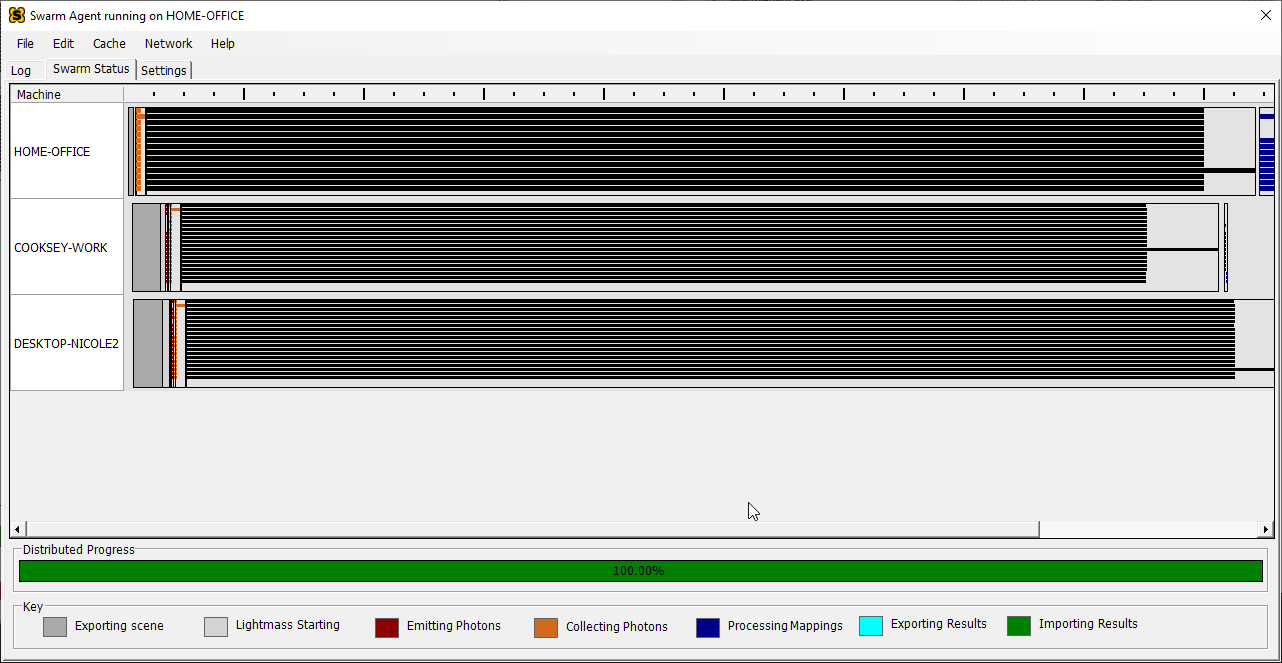
Could anybody shed a little light 😉 onto how light bakes are managed? I've started using the swarm agent and it looks like the bit before it starts counting %'s is marked as "Skylight radiosity" https://i.imgur.com/Sraeszs.png
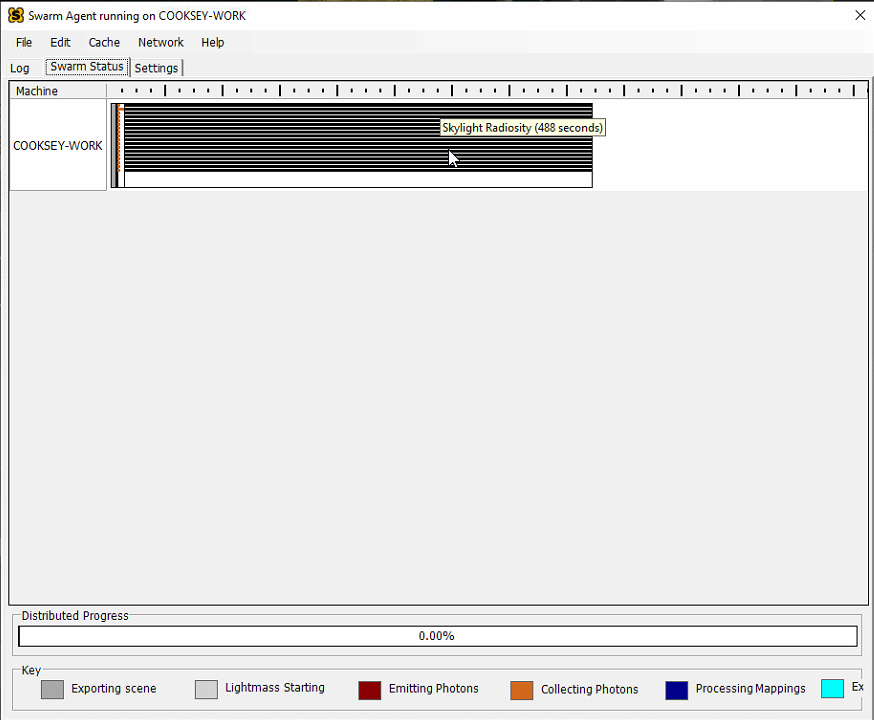
this tends to take longer than the bake itself and what's more interesting is that it doesn't seem to be affected by using multiple machines, it still takes a long time https://i.imgur.com/zS7fh6w.png
 tribal gyro
I have a two floor apartment and light keep leaking into the bottom floor as if it was fully exposed to daylight, which makes no sense! all walls are watertight and no flipped normals, with thickness all around
Been trying to fix it for days now but I just can't find the reason
I'd highly appreciate any help or direction
 worthy loom
hi guy, i need help, you have any idea what may cause this light error?
Unwrap is fine i think, material is simple white color with no other node, ue4.25, high quality bake,

world setting.

also here, somehow light bounce so much from little piece of white material to nearby wall
 velvet viper
Hey guys are lightmass world settings still relevant when using 4.26 gpu baking?
solemn prawn
@velvet viper Good question, you should do a test and see if changing their settings improve the rendering. Like start with very low settings then use higher settings. Render time changes?
Question - When using reflection spheres, I get random flickering and artifacts that only show when the camera is at a certain angle. Changing reflection sphere size or brightness doesn't solve it. But turning it off does solve it.
 royal osprey
I've had reflection spheres turn sour on me.. just deleting it and adding another one solved it! Also make sure you have one sphere that covers everything, then individual ones for different areas.
 azure vigil
Hi! Is anyone here using the Luoshuang's GPULightmass for 4.26.1? Everytime I bake static lighting I am getting these weird shadows. I've scoured the internet to search for this problem but am not sure what to search for.
 solemn prawn
@azure vigil Why not use the built in GPULightmass for 4.26? I find it to be more accurate than Luoshuang's version.
solemn prawn
@royal osprey I figured out what it was. My SkyLight was using an HDRI, and my Reflection Spheres were not, adding an HDRI to the sphere works. But I also applied a massive overall sphere as you suggested and this also helps. Thanks for your response!
 mystic lynx
didn't luoshuang actually make it as well
so naturally it would be a progression of his previous efforts

 white blade
Someone help? Whenever I import my 3dsmax model into UE4 all the coordinates seem to be scattered. Origin of all the separate parts of the house have seen set om 0,0,0 in 3dsmax, but when imported into level in UE4 none of the origins make sense. How to avoid??
 velvet viper
did you set all of the objects to 0,0,0 in unreal aswell?
 barren hazel
super weird question but how would you go about making a basic layout for an existing house. say you had dimensions and pictures. if I didnt care I would block it out in geometry brushes in engine but with those being removed, perhaps using the new geometry tools. but would it be smarter to use a real DCC program outside of it say sketchup or something similar with real tools to block it out then bring it in?
 full willow
Hey everyone, so i'm getting into unreal lately to do some arch viz and been watching tutorials. I'm currently stuck on a part where the tutor doesn't go into how he set up a hdri ambient light, would anyone know how this was done?
(I've time stamped the part of the video i'm talking about)
https://youtu.be/dQ8bqHUg5To?t=598
Any help is greatly appreciated
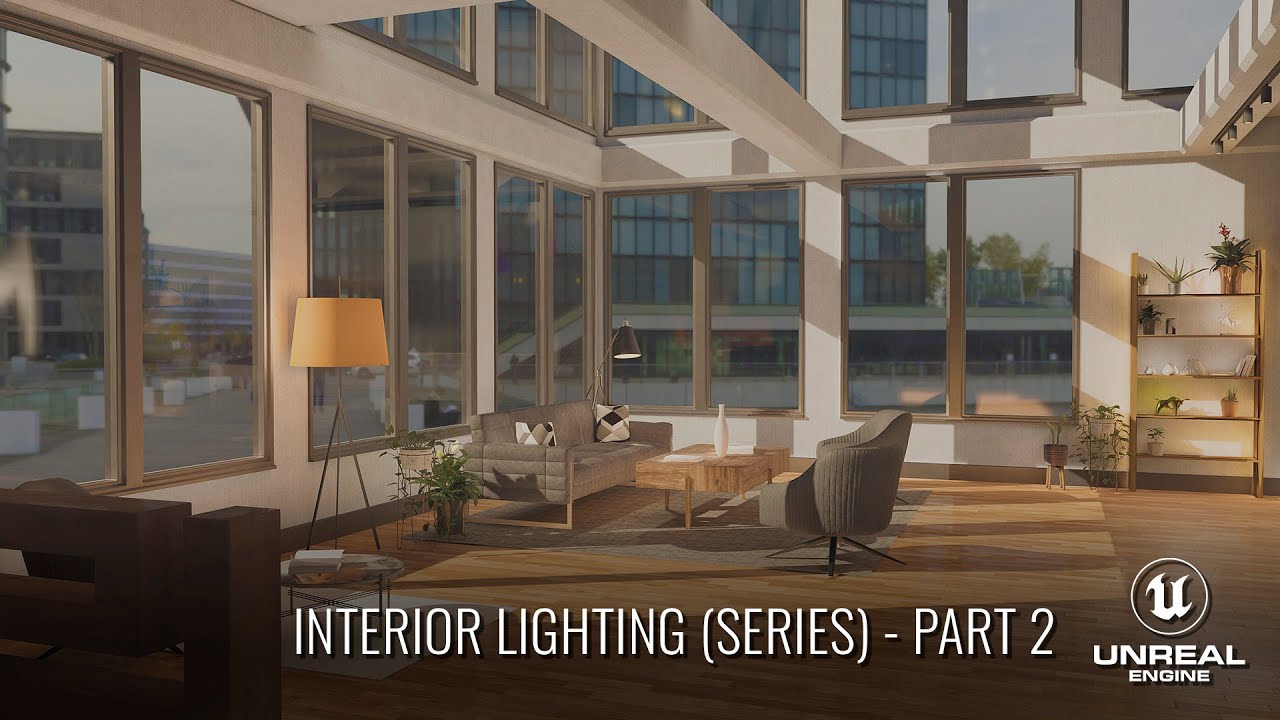
In this 4 part series, we'll cover how to light an ArchViz interior scene from start to finish. Through this series, you should gain a much deeper understanding of lighting and lighting principles when working in Unreal Engine 4. The principles taught in this series should apply to any lighting situation in UE4.
In Part 2 we cover setting up th...
 sweet nova
Hey guys, i'm having some problems with the texture while I swap meshes in unreal. I create a blueprint for swap meshes in unreal, the blueprint is working fine and the swaps are perfect. The problem is that the textures in those meshes that swaps stay emissive cause they are moveble objects that don't bake in scene like the other meshes. (In short, they dont bake cause they are inside the blueprint) So I found a way to resolve the problem but the results are not satisfactory, i used the lightmassimportacevolume to make a "false" bake of the meshes using the volumetric lightmass but the results are not so good in some cases (i'll add some photos). My question is: I'ts there any other way to create that swap of meshes and make the bake or to use the lighmassimportancevolume and make the texture look pretty?

Pretty bake with the lightmassimportancevolume

Ugly bake with the lightmassimportancevolume

 frigid flax
Has anybody ever seen an artifact like this before? cant seem to figure it out. There are no hidden objects in these spots...
 velvet viper
overlapping uvs probably
 quaint dune
yea looks like a bad lightmap
 agile laurel
Is there a better alternative for the high res screenshot tool that doesn't produce blurry pictures with TAA?
velvet viper
What is the best method to record archviz walkthroughs? I have been simply recording it with obs but that takes away some frames and i need to optimise the scene very hard to maintain the framerate
quaint dune
agile laurel
Is there a better alternative for the high res screenshot tool that doesn't prod...
You can do a level sequencer and render one frame as a png sequence
and yea same question as GLK, my OBS recordings look pretty bad
velvet viper
the quality of my recordings is really good, but i have to really watch out for the framerate, im thinking if theres a way to record a walktrough in the sequencer, as in simulating the usual human movements with camera maybe
agile laurel
Is there a way to keep bloom from material sources over bigger distance?
I am using TAA and I think it's causing the trouble
vernal pecan
velvet viper
What is the best method to record archviz walkthroughs? I have been simply recor...
As @quaint dune suggested, you can use level sequences to make your walkthrough. To export your frames I would suggest using the Movie Render Queue https://docs.unrealengine.com/en-US/RenderingAndGraphics/RayTracing/MovieRenderQueue/index.html
A how-to guide for configuring the Unreal Engine Movie Render Queue feature to get high-quality cinematics—particularly when using ray tracing
(note that it works with or without raytracing)
quaint dune
but how do you make one with the in game menus or gameplay visible?
vernal pecan
https://docs.unrealengine.com/en-US/AnimatingObjects/Sequencer/Workflow/SequenceRecorder/index.html Sequence Recorder I'd say
Overview of the Sequence Recorder tool and recording options to capture gameplay.
velvet viper
@vernal pecan yo this is exactly what i was looking for, thanks a lot
 queen kiln
Hey all, does anyone know of a good solution for setting up cameras to be accurately lined up to one another? I'm looking to render a scene from the level sequencer that is spread across multiple cameras (see example), any thoughts much appreciated!
 sweet nova
Hey guys, i just can't get it right the floor pagination with the baseboard, anyone can help? I'm using the same material in booth meshes, they are separated meshes.

 brittle sage
@barren hazel your question got old , but i think most quick way is using bim software like Revit / archicad
barren hazel
@brittle sage yeah I think I came to that conclusion as well. I tried sketchup which worked fine but having to do everything manually as I drew was annoying and adjusting walls sucked lol
brittle sage
Yeah , i can suggest archicad , as revit interface is a bit non friendly/ complex
 supple pewter
For all the archviz maniacs around here, we are building a catalog of ready-to-use Unreal Engine digital replicas of branded products.
We experienced the same daily frustration of gathering, preparing, and importing real products' assets. It's a major time-consuming process that is not part of what an architect or interior designer should do with his time.
So we decided to develop a series of services that speed up the design and review process. R3PLICA, the products' catalog, is the first building block and we are gearing up for a first testing phase later this year.
I've put together this super short form in order to gather feedback from you all. It would be really helpful for us if you could take the time (30 seconds) to fill it 🙏https://forms.gle/d6vi3SbnkFudLKyy8
DMs are also open 🙂


Google Docs
We are building a catalog of ready-to-use Unreal Engine digital replicas of branded products for architectural visualization to make you work smarter, deliver faster and spend your time on what really matters.
If you are interested in something like this, please take a few seconds to respond to the few questions in this form and leave us your c...
west cloak
supple pewter
For all the archviz maniacs around here, we are building a catalog of ready-to-u...
Hi Nazzareno. Great idea. Most of the popular furniture producers have 3ds or dwg models on their sites. However, many of them need to be improved. Will it be paid, donation basis, non-profit?
supple pewter
west cloak
Hi Nazzareno. Great idea. Most of the popular furniture producers have 3ds or dw...
Yes, there is a lot of content scattered around the web, but has you said it needs optimization and shaders... And frankly that shouldn't be an architect or designer work.
It will be paid, still discussing the pricing model, but you can bet it will be fair compared to the time gained.
west cloak
supple pewter
Yes, there is a lot of content scattered around the web, but has you said it nee...
sure. I filled in the form as interested in office furniture.
supple pewter
Thanks 😊 I will keep you posted
 dry cobalt
Hey 👋 are you using pixel steaming for archviz? Just want to know pros and cons.. share your experience 😄
 sacred cedar
Hi guys. I hope everyone is having a good friday. I have a question regarding GPU lightmass. I'm trying to use it but whenever I build the lighting I still have preview on some of my materials? It's also taking forever to build the lighting any idea why? I'm using a rtx 2080 super
 sweet fossil
agile laurel
Is there a better alternative for the high res screenshot tool that doesn't prod...
sweet fossil
agile laurel
Is there a better alternative for the high res screenshot tool that doesn't prod...
I made a plugin that automates the "render via sequencer" trick. It's acts as a general purpose camera manager too. It's something I made for myself and polished up to sell, hope it's useful.
https://www.unrealengine.com/marketplace/en-US/product/screenshot-pro

Unreal Engine
Screenshot pro allows you to quickly manage all the cameras in your scene and batch render stills at the highest possible quality.
agile laurel
sweet fossil
I made a plugin that automates the "render via sequencer" trick. It's acts as a ...
Oooh I am so getting this when I get some cash!
 neat eagle
 west cloak
is there any plugin to help you build walls and doors like in ArchiCad?
 orchid nimbus
HI all
I got the desert scene gas station from marketplace / amazing render out of the box
Raytrace is off in the option
I wanted to a perfect mirror in the scene hence swithced on the raytrace/ which changes the look of the scene 10/20 %
is there any option to just turn on raytrace for that single mirror object without turning it on for the entire scene !
any help is appriciated 🙂
velvet viper
@orchid nimbus planar reflections are perfect for a single mirror but are quite expensive nevertheless
 pastel summit
hey everyone just wanted to share a effcient configuration conept im working on 🙂

For the past few days I have been diving into #rtx inside Unreal Engine
I got inspired by David Baylis car configuration concept that he developed. I wanted to bring the same principles over to an archviz scene, and let clients quickly go through different options available for certain interior styles.
I found that 100% raytracing works perfec...
 idle mulch
Hi, I want to make a waterfall fountain. Does anybody know a good toturial or an asset I can buy?
royal osprey
@idle mulch look for Water Planes
 forest depot
@pastel summit looking awesome
full willow
hey everyone, so i've got this fireplace with a glass front on it and in front of the glass is a reflection capture. The problem is that the glass is reflecting the HDRI and not the interior of the room. I've tried this with a planar relfection capture as well and that didn't work either. Any help would be greatly appreciated 🙂
 royal osprey
planar reflection captures start to fail if you add too many, try adding a box reflection capture, right in front of the glass
royal osprey
place it almost on top of the glass and make it big enough that it covers it all
and recalculate it
full willow
will do, it crashed unreal so i'm just waiting for it boot up 😅
royal osprey
if your card supports it go raytrace and foreget about this nonsense
full willow
i have an rtx card, is there another option to enable ray tracing other than when selecting a new template?
royal osprey
you can enable it afterwards
you have to switch to dx12 first tho
An overview of Ray Tracing in Unreal Engine 4.
full willow
will do, building refelction capture now
full willow
royal osprey
and recalculate it
still nothing 😦
 royal osprey
I can't say I'm surprised, I've had a few subborn reflections before
full willow
glad i'm not the only one, i'm new to unreal and have a client deadline tomorrow, these reflections are the only things sticking out like a sore thumb 😅
velvet viper
maybe make the glass material less reflective?
full willow
should i bump up the roughness for that?
velvet viper
play with opacity and rougness a bit, till u find something that looks good
royal osprey
to make the reflections less recognizable
velvet viper
also metalness
full willow
there's a TV in the scene that's reflecting fine with a planar reflection capture that is working fine so i don't know why this part isn't
royal osprey
metalness works well on glass, specially colored glass (metalness tints reflections in a different way)
Like I said, multiple reflection captures fail
one works fine
but when you add 3 it starts to act up
full willow
is there a workaround for it or do you just have to deal with it
full willow
my unreal scene is restarting atm coz i did the real time ray tracing steps, i think it's building a skin cache
full willow
as long as it doesn't break anything
royal osprey
it should be fine, but it takes a while
velvet viper
its weird that u have problem with raytracing reflections tho, it should be consistently good
royal osprey
those are not raytracing
velvet viper
he said he tried raytracing aswell?
full willow
yeah i only just enabled ray tracing which is what i'm currently waiting on
royal osprey
he is trying now
royal osprey
glass is different in raytracing, specularity controls IOR 🤷♂️
full willow
oh interesting
royal osprey
for flat glass you should leave it off
 royal osprey
well it depends on version I think it's back to refraction on 4.26
I'd have to investigate
velvet viper
ye its refraction
royal osprey
it was in specularity in 4.25
or 4.24
anyhoo
if you have any problematic shaders let me know
royal osprey
it might look stuck, just hang in there
velvet viper
go make a coffe cuz it will take a while
full willow
if someone with a non rtx card opens this, what happens?
velvet viper
it works just very inefficient i think
royal osprey
it depends on how far back you go
full willow
like just before RTX was a thing
full willow
would it be possible to roll it back?
royal osprey
yes
full willow
ahh good
royal osprey
https://we.tl/t-VAIbosB0MY I just finished this. well client hasn't seen it so it will probably be tweaked

1 file sent via WeTransfer, the simplest way to send your files around the world
full willow
 full willow
royal osprey
https://we.tl/t-VAIbosB0MY I just finished this. well client hasn't seen it so...
full willow
royal osprey
https://we.tl/t-VAIbosB0MY I just finished this. well client hasn't seen it so...
i love that
royal osprey
thanx 🙂
its a little fast at times
I dunno, I'll let the client make the changes
they always do
full willow
just so i know, if i need to roll it back to non rtx, do i just undo the changes i made that put it to RTX? Or is there another way
royal osprey
you could have made a backup, but too late now
velvet viper
if you dont mind me asking: do you charge hourly or a fixed price for such videos?
royal osprey
I work at a studio, I have a fixed salary
velvet viper
aah thats simpler then
im trying to figure out the financial side of this industry, its always kinda the awkward part when starting out
royal osprey
yeah, when I was freelancing I would estimate the time it would take me, figure out my hourly rate, multiply them, then multiply by 3. That way I covered equipement costs and my overconfidence (I always felt it was easier than it really was) Then have a round or two of changes clearly stated in the contract, and any extra changes generate an extra charge.
velvet viper
oh wow I have been undercharging a lot then 😄
royal osprey
It's a market so you have to have perceived value to the client. They have to think you are great (somehow) then you can command a pretty penny.
velvet viper
ye im working on that currently, pretty much done with my portfolio, hopefully it will have that effect
royal osprey
just remember that for portfolios, very good is better than very many.
it's not a perfect system, we have hired guys with awesome reels, but didn't work out (they were too slow)
velvet viper
ye thanks for the insight
full willow
so it's all black now
 royal osprey
also remove refraction for flat glass
full willow
that's my glass mat atm
 full willow
velvet viper
2-3 is usually best
full willow
velvet viper
2-3 is usually best
where abouts do i adjust light bounces in unreal?
royal osprey
post processing
 royal osprey
does your glass have thickness?
full willow
yep
royal osprey
I don't think fresnel node works with raytracing
sorry to leave you hanging for now, be back in a hour.
full willow
no problem, thanks for the help!
royal osprey
I based my glass shader on twinmotion materials, get the asseet add them to your scene and use MI_Glass_ClearRT, and modify it to your liking. it might need to be doble sided or if it is, single sided 🤷♂️
full willow
atm i've had to revert to non RTX, purely coz of the client
but defos for future reference i'll be using RTX
but in a nutshell, does static, statitionary and movable lighting matter in real time ray tracing or is it all the same type of light
royal osprey
Yeah probably not the best to try something new with a looming deadline
it works the same as non rtx. Some lights can be baked, some not, the more you bake the better the performance
royal osprey
for arch viz baking is the best alternative, unless you want something to move
realtime lights in raytrace are vey high quality, but slow things down, and don't show up in global illumination calculations. I don't do realtime GI (yet)
royal osprey
yeah, but when animations get long, Uneal shines
royal osprey
2500 images at 4k in an hour.
full willow
but i don't know how well that works
royal osprey
it works, the material converter is very good
but it's still too slow for me..
once you go realtime..
full willow
ahh right
royal osprey
i also bake with GPU always
full willow
interesting
umm i tried that and it broke my unreal scene and had to verify it in the epic games launcher
royal osprey
you should do this when you think you might do something that could break your scene.
 royal osprey
yeah, it makes a zip of your project, removing unecessary stuff
full willow
brilliant
full willow
with real time ray tracing, you shouldn't use high poly assets? Such as fbx exports from cad files etc
royal osprey
well it's a balance, will the system handle it? can I spend time optimizing?
it all adds up, but geometry is sometimes not the biggest problem, you have to keep texture resolution, bake resolution and shading complexity in check
I work as usual
I don't do anything different, but I've always keep an eye on complexity
full willow
ahh good to know
i'm just comparing it to offline rendering as that also bounces rays
royal osprey
it's all kind of new so when it works is amazing, but it's not as robust as a traditional engine.
 sacred phoenix
I don't what could be wrong, each time I try packaging my project to windows *64 bit platform, it returns packaging failed.
royal osprey
hmm never had that problem
sacred phoenix
supple pewter
For all the archviz maniacs around here, we are building a catalog of ready-to-u...
This should be really nice. I can't wait for it
supple pewter
sacred phoenix
This should be really nice. I can't wait for it
Thanks for the interest! 😁 I will keep you posted!
 solemn bison
!coinflip
 quaint shuttleBOT
@solemn bison, :coin: Heads
full willow
is it possible to permanently centre the pivot on an asset in unreal?
 fluid nebula
full willow
is it possible to permanently centre the pivot on an asset in unreal?
fluid nebula
full willow
is it possible to permanently centre the pivot on an asset in unreal?
You can do this via the Merge Actors menu, but if you have many assets it's going to be painful. Otherwise, there are Marketplace plugins for that
full willow
ahh okay, yeah i have a lot of assets so i guess i'll have to scour the marketplace 😅
fluid nebula
full willow
ahh okay, yeah i have a lot of assets so i guess i'll have to scour the marketpl...
I recently bought this one, I'm happy with it: https://www.unrealengine.com/marketplace/en-US/item/1bc9b0eb0d5e4043b4ced5fbc2623859
full willow
ahh okay, thank you!
white blade
GPU LightMESS. Anyone got a solution for these "splotches" on my walls???
 full willow
given my weeks worth of experience with unreal, i think it might be a preview light build, low res lightmap or bad lightmap UVs
also another question i have, my unreal project is taking up a huge amount of storage, i think it's the derived data cache, if i delete that will the project be okay?
 hexed rover
Hello.. I have two question 🙂 if anybody can help out. Does ies profles work with Luos GPU? I beieve i saw something that it doesn't work?
Other question: Does anybody know this? I'm trouble shooting some ideas. Do you normally speaking adjust the (PostProcess exposure before or after the lightbake? I'm using Luos GPU) I also noticed for the first time 🙂 that there is a exposure in the CinematicCamera as well. What would work best? When I switch back to gamemode my scene looks darker. And brighter when i view thru the CinematicCam. Thanks
hexed rover
full willow
given my weeks worth of experience with unreal, i think it might be a preview li...
Hello ShaderSingh. I have the same problem with my SSD.. were is that derived data cache located again? I have also started doing some Archviz stuff are using Luos GPU btw?
full willow
if you check the project settings and type derived data cache you can assign a path to it so in future all the cache files will go there
 solemn hawk
so I recently switched over from the old "random" unit lighting system to the new unreal sunsky system in 4.26.
First thing I'm noticing is that the reflection captures don't seem to be working properly, is there a checkbox somewhere I need to hit for it to work properly with photometric values?

in the screenshot here notice the ball on top of the color calibrator is chrome so it's showing exactly what the reflection capture is seeing, which in this case seems to be black with only the translucent objects present.
unborn pebble
anybody ever had weird artefacts like that in their baking?
some facts to this:
Baked with Lhou Shangs GPU Baker in 4.26.1
Spotlight is hovering underneath a mesh of a spot (so no overlap) even if so, mesh of the spots + ceiling are set to cast no shadow
when i delete the spot that causes this and copy over another one, the same artefact appears elsewhere where it wasnt before, underneath a different spotlight so to speak.
i ve tweaked settings of the spots like shadow bias and shadow slope bias and deep shadow layer distribition are all maxed out.
UV Lightmaps are all done nicely and are sized big enough.
I dont use light profile nor function textures, these are purely light
 unborn pebble
hexed rover
Hello.. I have two question 🙂 if anybody can help out. Does ies profles work wi...
unborn pebble
hexed rover
Hello.. I have two question 🙂 if anybody can help out. Does ies profles work wi...
the post process does its work regardless of before or after bake and tweaking post process doesnt mean you need to bake again.
and best use of post process is either have it infinite to encompass the whole project, so no need to adjust exposure per camera.
or use multiple post process volumes. For example for inside/outside of a building to adjust for exposure or more extreme example you could see everthiny in orange as soon as you enter a spexific post process volume (Mexico-Filter :D)
hexed rover
unborn pebble
the post process does its work regardless of before or after bake and tweaking p...
Hi Ilius!! Thanks for clearing this up. good to know!! What about the exposure in the camera settings. Or is this for rendering only?
unborn pebble
hexed rover
Hi Ilius!! Thanks for clearing this up. good to know!! What about the exposure i...
if you have it unchecked in the camera, the camera will use what the post process tells it to use. otherwise it overwrites the postprocess
if your goal are still-renders it doesnt really matter where you set the exposure. as long as your scene es evenly lit. if there are darker areas, youd need an exposure per camera
hexed rover
unborn pebble
if your goal are still-renders it doesnt really matter where you set the exposur...
Right!!! Thanks so much!!
@ Ilius I'm also on 4.26.1 been playing with lights too today! I'm using Lous GPU as well. Did you try rotating the spotlights. I have been trying the IES profiles
unborn pebble
no didnt try that, dont see how that would influence my shadow problem but im desperate enough to try
hexed rover
@unborn pebble Well I had IES and strange things. Does it also happen with a point light?
unborn pebble
i really dont want to use point lights, they cost a lot more in calculation
hexed rover
@unborn pebble What about create a new box or new box with extrude and see if its the mesh you are using now is corrupt. See what happens with a new mesh!! hope it makes sence
unborn pebble
yeah it cant be the mesh because i swapped out the overly complicated 30k polygon mesh for the spot with a simple box (with a texture of a spot to fake it) because i thought maybe the mesh above the spotloght creates problem but it seems like it didnt
if it were the mesh i would also have this kind of shadowing on every mesh , is my guess
but its only here and there. and when i delete the spotlight and create a new one the problem just occurs elsewhere for another spotlight
hexed rover
@unborn pebble What about if you create a new map... place the mesh and spotlight. See if this works. To pin point the problem!!
unborn pebble
yeah guess its the only way
hexed rover
@unborn pebble. Hope it helps! Can I add you to my contact list!! Perhaps we can swap out info/ideas !! we are doing same stuff let me know!! I can show you my stuff 😉
unborn pebble
hexed rover
<@503867074355920896>. Hope it helps! Can I add you to my contact list!! Perhap...
sure why not im open to ideas
hexed rover
Cool!! let me know if it works out!
 whole bluff
Obviously you guys are already using it, so I'm sure the answers will be biased a little lol, but I'm curious just how good Unreal is for static scenes and arch-viz, compared to the usual suspects like Blender? I already use blender for making the models, and currently for scenes too, but I'd like to start learning Unreal (if only because it would then maybe lead on to being able to use it for some simple games) and was curious about the archviz advantages
brittle sage
whole bluff
Obviously you guys are already using it, so I'm sure the answers will be biased ...
i think you shouldn’t neglect blender or unreal and take most advantage of both of these free softwares at the same time , especially that node system in blender is a bit similar to unreals so bounce between both
But based on the potential of archviz , and vr capabilities of unreal id say keep the end result for unreal
royal osprey
@whole bluff The thing that makes Unreal better for rendering is the fast output. So I can render a long scene, over 2000 frames, in half an hour. My boss sees it, he doesn't like the camera movement, I tweak it in half an hour he sees the change, we send it to the client, they decide to move a few things around, change a logo on a screen and we rebake the scene using gpu, takes about 10 minutes, we export out again. and send it to the client that same day.
The downside is that the initial setup of the scene is more complicated. Materials, reflections and lighting are all harder to get to look right in Unreal than cycles.
whole bluff
royal osprey
<@!262780908275367947> The thing that makes Unreal better for rendering is the f...
That seems to sound no different than using eevee
I didn't expect materials and lighting to be harder, thought the unreal lighting ability would have had a lot of development time put into it
royal osprey
@whole bluff it's like eevee on steroids
Lighting is harder because you have to have good Uvs for baking
whole bluff
I expected the lighting to be a big improvement over eevee, though I do need to improve on my UVs I guess
royal osprey
it is an improvement over eevee
whole bluff
I thought unreal would have more real-time ray tracing tricks up its sleeve for faster ray tracing
royal osprey
reflections, depth of field, motion blur, they are all better than Eevee too
whole bluff
thats a good start
whole bluff
currently on a 2070 super, so its functional. Will be on a 3080 or 3090 at some point, as and when I manage to get one
royal osprey
it will work, you might need to reduce some settings to get it to behave while editing, then max them on export.
solemn prawn
Question. I have glass windows that are tented on a building, but the tint effect doesn't effect the lighting unless I use "Static" for my directional sunlight. But I prefer the "Moveable" light. Any solution to forcing the tinted window to darken my sunlight while keeping a moveable light?
 glacial pawn
full willow
also another question i have, my unreal project is taking up a huge amount of st...
glacial pawn
full willow
also another question i have, my unreal project is taking up a huge amount of st...
everything that is NOT green, will get generated every time you open the project, so you can safely delete saved, intermediate, DDC, builds

 slim bear
Is it normal that no light maps are generated when building with gpu in 4.26?
 full willow
glacial pawn
everything that is **NOT** green, will get generated every time you open the pro...
full willow
glacial pawn
everything that is **NOT** green, will get generated every time you open the pro...
oh wow thank you for the help!
royal osprey
@slim bear it is not normal
slim bear
@royal osprey any idea what can cause this issue? lights are clearly build in editor and i got map build data. In build tho everything is black
royal osprey
hard to tell, are your objects and lights stationary?
slim bear
static
royal osprey
did you check the UVs that will receive the lightmap?
slim bear
yes, also everything worked fine before the project moved to 4.26
exactly the same levels same meshes and same lights
royal osprey
are you using built in gpu lightmass or the forum version?
slim bear
i was using the forum version while working on 4.25.4
now using the built in from 4.26
royal osprey
you can use either on 4.26 (as long as you have the exact version number) the advantage of the forum version is there is no light limit amount
another thing you could try is using traditional ligtmap (non gpu) and see if it builds there.
slim bear
true, i will test that out but i really dont want to go back to cpu lightbuilds tho 🙂
royal osprey
I know, it's just to see if it works
do a lower settings version if your scene is complex
slim bear
did it on a simple startup env
it works
...

oke good thing is i know why i have no lights tho
tried building with cpu on another level, gave me CTD
full willow
does anyone know why when in my interior scene, that when i move me camera, reflective surfaces get weird when the get to the edge of the viewport? 🙂
velvet viper
if you are using screen space reflections, it only reflects objects that are in your viewport, thus when you move the camera it culls those objects
 fiery crane
Well, reflections is one of the things Unreal don't manage as it was offline rendering (VRay, Corono, ...), to save time and calculation it works with bad quality refletions, for a plane reflection you can use planar reflection, but you only can use 1 in your scene, you can't set more than one.
BTW, Im pretty sure many solved the issue of light bleeding walls, I did in the past for other projects, but for this one I can't get rid of it. Does anyone has a good tip to solve it. Gonna share a screenshot about it
Here you can see

Outside looks pretty good, but still there are some improvements to do

Also in the 1st floor looking good. But in the basement.........
 full willow
velvet viper
if you are using screen space reflections, it only reflects objects that are in ...
full willow
velvet viper
if you are using screen space reflections, it only reflects objects that are in ...
ahh okay so if i turn it off in the post process volume then it should rectify the issue? 🙂
velvet viper
u need to choose between screenspace reflections or raytracing reflections
full willow
ahh okay i'm not doing real time ray tracing so i think i'll have to do SSR
 dawn cave
Hi everyone! I was wondering if there are any plans in to get BSPs to work with Raytracing. Or is that just fundamentally impossible?
Because they are super handy to test out some rooms, but it's always a hassle to convert them to meshes.
royal osprey
BSPs are kind of abandoned, there is a modeling system in developement, so my bet is that attention will be focused on that.

Need help? Grab free game art resources here: https://www.artstation.com/megamaomao/store
Modeling tools tutorial for 4.26: https://youtu.be/emONUtFr8iA
Modeling tools tutorial for 4.24: https://youtu.be/7Ff0zZcHmaU
Checkout our game dev store to awesome stuff! https://tinyurl.com/y3ndr2um
You can reach out to me here:
Artstation: https:...
dawn cave
Cool, thanks!
tribal gyro
Hi yall, any recommend places for office assets for archviz except the marketplace?
royal osprey
@tribal gyro https://evermotion.org/shop/search/0/office
Evermotion – 3d models store for your projects, HDRI, textures and tutorials.
idle mulch
Hi! I have a problem and I need help
I have an object that doesnt get the material right, its like when I throw it its like washed out
and I try that on another level and its ok
so its not the object I think that has the problem but the level
do you have any idea of what might be happening ?


 cerulean charm
Looks like you haven't built reflections yet
unborn pebble
Hey,
Do any of you have any idea what kind of Safety and Warranty Guide needs to be implemented in a piece of software when its shipped out to clients?
Considering german law, is a PDF enough or does the VR-Application need a warning baked into the game itself?
the typical stuff like, epilepsy warnings and dont harm yourself because you dont have enough room for vr and so on
 terse geyser
Hi everyone, if you are interested here is a video that I made in collaboration with Giuseppe Massoni (Mcneel Italia) on the real-time connection between Rhinoceros / Grasshopper and Unreal Engine via Mindesk.
The video is in Italian but at the following link : https://aiasf.org/member-services/committees/design-technology-committee/ (scroll down on view recording) you can follow the presentation in Italian / English (here, however, the description of the Grasshopper definitions is not present)

Design Technology Committee The AIASF Design Technology Committee works to educate and advance the understanding of new trends in design technology and its impact on practice in the AEC industry. The committee helps the AIA to promote and accelerate the integration of the digital transformation of the AIA's local communities through the dialogue...

In questo video realizzato in collaborazione con Giuseppe Massoni vengono descritte le potenzialità del software Mindesk per sincronizzare in tempo reale i nostri progetti creati in Rhinoceros in Unreal Engine.
Argomenti trattati:
Link diretto Mindesk/Unreal
Assegnazione materali Unreal su geometrie di Rhino
Sincronizzazione vista Mindesk Unrea...
glacial pawn
trying to figure out raytracing, was having horrible reflection issues in my own scene that made me think that RTX was broken (but it's obviously working for everyone else) In epics ArchVis_RT example, Their scene renders perfectly for me in the same project, I ran their cinematic, and suddenly performance has dropped and quality has gone up, indicating RT has been activated or something, and my scene in another level is suddenly fixed,
In their cinematic they have these events that control certain graphic features, are these just the ray tracing console commands? not finding what these events are in the movie render queue


To my understanding, I need to set my RT console variables every time I open the project? Do you do this via the level blueprint?
 lilac hound
Hi guys, i need some help with interactive arch viz in vr. I am very new to Unreal engine. Can someone guide me to setup up the scenes properly?
lilac hound
I dont mind paying if the rates are resonable
pastel summit
hey everyone. I wanted to share my rookie entree for this years contest. learned a lot of new things and cant wait to see what amazing work will be shared this year!

The Rookies
“Look around you. Everything changes. Everything on this earth is in a continuous state of evolving, refining, improving, adapting, enhancing…changing. You were not put on this earth to remain stagnant.”
velvet viper
for some reasons the windows in my mirror are not translucent as they are normally

heres how they look outside the mirror

anyone got ideas what could be the problem here?
 mild dagger
i need help
i tried almost everything but for some reason the shadow pixelated on ES3.1 after the building the light
 full willow
hey everyone, so i've got this bright interior where the light is nice and realistic but for some reason i can't get this corner to brighten up, any help would be greatly appreciated 🙂

there's a post process volume that's adding indirect lighting and bloom as well
royal osprey
@full willow I would look for errors in the UV, flipped faces, and finally making sure the area is coverd by at least one reflecion sphere/cube
full willow
so there is a reflection capture covering it, currently doing a lighting build so i'll have to check the mesh once the build is complete

but if there were backfaces wouldn't the mesh be invisible?
build complete gonna check the mesh now
full willow
i made a new mesh with UV's as this mesh came from revit, currently building the lighting again to see if it'll rectify the issue
full willow
so mesh UV's are fine, material is okay and the problem still persists 😦

 velvet mist
@full willow for a moment I thought you posted a pic of your house and claimed it was a unreal engine render. Looks really good.
full willow
lol thanks man, it's my first real time project after using offline rendering for years, still working out the kinks 😅
full willow
wee update, so a high level build seemed to get more light on to the wood
 velvet viper
maybe increase indirect light bounces on direct ligh and or skylight
full willow
i'm using the HDRI backdrop tool, that has a skylight in it, should i use that one or add a new one in
velvet viper
the one inside hdri backdrop should be fine
full willow
no problem i'll do that, i bumped up the indirect lighting on the directional light as well
velvet viper
play around with it, it has big impact on interior lighting, depending how u light your scene you can bump it up very high, i have 50 on my directional light with neutral 1 exposure
full willow
for me it's very sensitive, anything above 5 just washes out the scene
velvet viper
ye it depends a lot on exposure and direct light intensity
also make sure normals are the correct way
full willow
it worked!

 abstract sigil
Anyone using HDRIs and raytracing together?
 alpine dagger
Does anyone know why I am getting Skylight contribution inside a room with no openings while raytracing? If I enable the pathtracer or do the same thing while baking I get no light contribution.
alpine dagger
abstract sigil
Anyone using HDRIs and raytracing together?
Yes
 tribal pike
Guys, I wanna see Emissive maps and when I switch to Path Tracing, the screen gets black?? Anybody knows how to fix it?
 sudden notch
Hi All, I am getting poor reflections in my scene, does anyone know how to increase the reflections, I get low quality reflections and they start to break up, not using raytracing.
 tropic epoch
hi everyone,
can anyone help me out here i am having a reflection issue , i need to show mirror inside mirror
thanks

 sudden notch
@tropic epoch I'm not expert as I'm asking for help too but maybe use planar reflections
tropic epoch
sudden notch
<@539430429309140994> I'm not expert as I'm asking for help too but maybe use pl...
thanks , yes planner reflection solve that issue but then i need to render 360 pano image where it won't work
sudden notch
Arh ok, sorry I'm only just starting out hopefully someone else can help:)
tropic epoch
sudden notch
Arh ok, sorry I'm only just starting out hopefully someone else can help:)
don't be sorry, what you are suggesting is right and i already , i was just looking for another solution if anyone knows,thanks
i tried this screen capture and it worked , in case anyone having same issue can try "screen capture"
thanks
 tropic epoch
sudden notch
Hi All, I am getting poor reflections in my scene, does anyone know how to incre...
tropic epoch
sudden notch
Hi All, I am getting poor reflections in my scene, does anyone know how to incre...
you can set high resolution in project setting
 sudden notch
tropic epoch
you can set high resolution in project setting
sudden notch
tropic epoch
you can set high resolution in project setting
Oh brilliant thank you very much
full willow
so sometimes when i do a light build it crashes with this prompt, it usually works again by restarting the editor but it's an inconvenience. Does anyone know a fix for this? 🙂
 terse geyser
full willow
so sometimes when i do a light build it crashes with this prompt, it usually wor...
terse geyser
full willow
so sometimes when i do a light build it crashes with this prompt, it usually wor...
You need to clear the cache in the swam
full willow
is it validate then clear or vice versa?
terse geyser
i dont understand the question, you have to go into the swarm agent options and clear the cache before starting the construction of the light
full willow
no problem, i'll do that
lilac hound
Can any guide me to fix these artifacts that are being baked onto my mesh after the GPU Lightmass has completed?

 glossy cave
You might have overlapping UVs, check your model
royal osprey
@lilac hound I once had the bake corrupt on me, only way I was able to fix it was to do a regular cpu bake then back to gpu bake (I lowered the settings so it would be fast)
velvet viper
i think u can just turn on force no precompiled lightning in world settings, bake on cpu, then its instant
then turn it back off again, continue baking with gpu
 near kiln
Anyone here use twinmotion? I have twinmotion 2020 and the 2021 gave me a download button
I don’t understand if twin 2021 is free for unreal engine and who have the 2020 version (?)
lilac hound
royal osprey
<@!702557145647808573> I once had the bake corrupt on me, only way I was able to...
I already did that
lilac hound
glossy cave
You might have overlapping UVs, check your model
I have spent hours to actually UV even the Lightmaps on each and every object
lilac hound
velvet viper
i think u can just turn on force no precompiled lightning in world settings, bak...
Ill try this out, i'll tag you guys if the issues still continues
Thank you guys
 ocean orbit
hi, I have a problem with static lights and some of my meshes.
The problem is that my mesh does not reflect the light and appears dark.
I've detailed my problem here : https://stackoverflow.com/questions/66984478/mesh-not-reflecting-light-in-unreal-engine

Stack Overflow
I'm working with a photogrametry mesh (.fbx) that I have cleaned up in blender 2.8.
In UE (4.26), when I build the light, the mesh goes dark (as on the pic).
I do have a UV generated in blender.
In...
 boreal condor
@ocean orbit does your mesh have generate light map uv checked?
 boreal condor
The mesh doesn't have light map uvs so when you bake it doesn't store any lightmap info
If you Change the lightmap uv coordinator to 0, it will use the uvs you generated but it might not give an ideal result
ocean orbit
this one?
 boreal condor
Yep
You can also read this if you want to rebake the lightmap uvs
An overview of generating your own lightmap UVs in Unreal Engine 4.
ocean orbit
hun... it works and gives a pretty good result... I need to adjust intensity tho. Cheers @boreal condor

thanks for the link, I'll check it out
boreal condor
Happy to help
ocean orbit
wanna answer the question on stack to earn a few points or not?
@boreal condor (sorry for the ping)
 half knot
hi all - anyone using Twinmotion?
Looking for a discord or a thread for specifically TM
 wise anvil
@full willow About the crash you posted earlier.
You were running out of RAM (Random Access Memory) and that is why the light build process crashed (UnrealLightmass.exe)
On windows you can increase the size of the swap buffer (called virtual memory by windows or page file) this can help but it will be slower then having more ram as the os will have to write some of the data stored on the RAM to your persistent drive to them fetch it later and remount it in your RAM.
full willow
ahh okay thank you for letting me know. That's the project sent off to the client so I think i'll probs focus on optimization next time as this is my first real project in unreal engine
full willow
Hey everyone, now that I have some free time, I want to double down on getting better at arch viz in unreal engine (I alreayd have a lot of experience with offline renderers).
Would anyone know of any full courses or tutorials where it focuses on interior rendering from materials to lighting? Any help is greatly appreciated 🙂
full willow
nvm found one 🙂
 shell jacinth
Is it possible to get a directional light to cast through glass using raytraced translucency and refraction? What I'm getting is that if I have refraction on I can't see the directional light lighting the interior through a window when looking from outside.


 fossil ice
Hello 🙂 How does someone tell epic games about a release for an aec-visualization? Since english is not my mothers tongue I am a little confused about the release form site. From the license part its the creators license right? But then how do you tell epic about your project / do you have to ? Usually the question is more about the royalties and how the project should credit unreal engine and so one so I do not find an answer specific enough for that. Thanks in advance
vernal pecan
fossil ice
Hello 🙂 How does someone tell epic games about a release for an aec-visualizati...
You are right, AEC content falls in the Creators Licencing 🙂 Means that any AEC content produced by our users (renders, videos, interactive experiences) are not subject to royalties as long as these are shipped directly to your client as the final recipient (ie. not sold on an online shop for example). See 1.(A) for the different situations in https://www.unrealengine.com/en-US/eula/creators

Unreal Engine
Unreal Engine is free to use for internal and free projects, custom applications, and linear content.
fossil ice
vernal pecan
You are right, AEC content falls in the Creators Licencing 🙂 Means that any AEC...
Thanks and is there something I need to do to confirm a release of an AEC project to Epic Games?
vernal pecan
fossil ice
Thanks and is there something I need to do to confirm a release of an AEC projec...
Unless it falls under the Publishing licencing, nope 🙂
fossil ice
Hm okay well my question was more like "but if I want to" but its great that I do not need to. I just was wondering if that would not be interesting for epic games to know. Thank you 🙂
vernal pecan
fossil ice
Hm okay well my question was more like "but if I want to" but its great that I d...
Well, you can always shoot us an email if you feel like your project is ready for a showcase, and we'll have a look at it 🙂
fossil ice
Well then I would not know how to get in contact via email because I did not see an email address on the webpage that could be used for this. As an Example I have products on the marketplace and there is a specific email address just for questions about that. Perhaps this was something I should have asked in the first place. Like is there an general email form or which form could be used for this case. Sorry I am asking that much or perhaps its silly but this is something I was thinking about for a while and just did not find my answers for this. Perhaps its very easy and I am thinking way to complicated or I am blind to it 😅 In any case, I wanted to give other developer I know a better information about this topics so I am asking on their behalf too
vernal pecan
fossil ice
Well then I would not know how to get in contact via email because I did not see...
you can reach to community@unrealengine.com for this 🙂
fossil ice
Many thanks have a great day!
 broken radish
Hi community, I wanted to share two renders. I have improved my results but i'm still far away from photo realistic renders.
How do you think I could improve it?


Any kind of help/feedback would be rly appreciated
 rugged cargo
@royal osprey @velvet viper @glossy cave hi guys, can someone help me with Packaging the file without errors in unreal?
 clear rampart
hey guys, does anybody know if real time creating of floor plans by a person x without direct acces to a software and rendering that with a preset of elements is possible via scripting? thanks in advance
full willow
i'm currently lighting an indoor scene using RTX. I'm using a post process volume for GI and using exposure and EV to make sure the interior isn't completely washed out. However when I change the exposure for the interior then the exterior sunlight and sky becomes a lot darker. Would anyone know a solution to rectify this? 🙂

nevermind, my ev and exposure settings were wrong 😅
 cyan fiber
When doing architectural design do you ever need to press the play button? I ask because I get pretty good results just in edit mode and with raytracing. So I am wondering is the play button just for game design. It seems once I hit play I am locked out from making edits to the scene.
velvet viper
if you do virtual walkthroughs you would use game mode
 pseudo imp
Hey guys, new to archviz in Ue4, just wondering If anyone had any recommendations on courses or tutorials? (best I've seen is dviz) so far
 weary tangle
does anyone know how i can get my SSS to blend in more? so its not a harsh shadow on my curtain?
 brittle sage
Oh this room is arch viz but changed name
 midnight canyon
Hi, can anyone help me out? I am having problems with twin motion crashing, and the epic games bug report forms seem to be broken, so I cant get help from them either. Every time I try to open my file it crashes. Working on Twinmotion 2021.1 on my PC. I've checked and all of the system requirements are met. Yesterday everything worked fine. Please help 😣 or direct me to where i can find help
sudden notch
does anyone know how to get a nice soft falloff from a rectangle light?
vernal pecan
Hello everyone ! We just pushed the Twinmotion to Unreal plugin to the Marketplace instead of the Box directory !

Unreal Engine
Created by Epic Games, this plugin allows you to start a project in Twinmotion and finish it in Unreal Engine. You will be able to import Twinmotion project files in the UE4 Editor the same way you can import *.udatasmith files. Some limitations apply.
Should be a lot easier and faster to grab it now
Please note that the plugin is split in two plugins, content and code. More on this in the description page linked above
 hallow oar
Hello, I would like to rebuild a project I already have in twinmotion inside unreal engine because I want to learn how to do certain things in unreal engine aswell.
I currently struggle applying textures to parts of an FBX model I was sent by a designer. When I apply my "brick" texture which I got from Megascans it looks like this

In twinmotion it is easy to fix as you can just change the option "From object UV" to "Cubic UVs"
Is it possible to do something like that in Unreal Engine aswell ?
royal osprey
@hallow oar you can use Twinmotion materials, you can open them and study how they were made. The short of it is that your UV is not correct but you can use object or world alignment for the textures
sudden notch
Is there a way to speed up frame rate when adding planar reflections, they look good but slow thr file down a lot
rugged cargo
weary tangle
does anyone know how i can get my SSS to blend in more? so its not a harsh shado...
i came on to ask the same question, guys if someone could help out with this?
clear rampart
anyone out there with experience in creating an interior design configurator?
pastel summit
Happy to announce that my ArtStation Learning course is now free to everyone for the remaining of 2021!
check it out here: https://www.artstation.com/learning/courses/l9m/creating-archviz-in-unreal-engine/chapters/Rmw/intro

ArtStation
Wessel Huizenga discusses the uses of a game engine like Unreal Engine can impact the architectural visualization industry. The course showcases his personal workflow he has developed over the years and covers the use of Blender for creating 3d assets, setting up photorealistic lighting, and his use of procedural materials to quickly make change...
full willow
pastel summit
Happy to announce that my ArtStation Learning course is now free to everyone for...
literally lighting my interior scene using this now 🙂
hallow oar
Hey I am currently added lights to me scene. I have a really big room and I build a lamp blueprint with a lamp static mesh and a pointlight. The lamp itself does it job and it looks decent enough. Problem is that if I am close to the lamp everything looks and works as intended but if I go far away it looks like the light does not bounce of the lamp static mesh anymore and shines through it. This results in the specific part of the seen looking really bright and once I come closer the light seems to start bouncing of the lamp mesh again which results in shadow flickering which does not look great
Any ideas on how to fix that ?
This is how it looks if I am close enough

This is what it looks if I am a bit more far away
 worthy loom
vernal pecan
https://www.unrealengine.com/marketplace/en-US/product/21cab2d84a794b7bab359eb1b...
worthy loom
vernal pecan
https://www.unrealengine.com/marketplace/en-US/product/21cab2d84a794b7bab359eb1b...
hi guys, i am having small problem with metahuman, i cant get shadow for the model, the over all GI is fine, but the chair that the human sitting on doesnt have shadow, same go with how character's feet contact the floor, do i need to have direct light to get realistic result ?
idle mulch
Hi, quick question. When I am in vewport the shadows inside the temple are fine. But when I have it in play mode and also when I package the game its like the shadows are missing. Do you have any idea why this might be happening?


 inner lynx
hey guys!
(since it's still in beta) are you struggling with the official GPU Lightmass in Unreal Engine 4.26?
In this video I will show you how to download and use
luoshuang's GPU Lightmass 😉
If you don't know, GPU Lightmass is the best option to achieve high-quality baked lights in your architectural projects ... it's a must for archviz!
Feedback is super welcome! ❤️
https://youtu.be/ft1a21L4dAI
If you are struggling with any bugs in lighting, this stuff will save you so many headaches. In today's video, I will show you how to install Luoshuang's GPU Lightmass on Unreal Engine 4.26.2
Download GPU Lightmass from here https://bit.ly/3f8BhGs
Masterclass and freebies on Gumroad
https://bit.ly/2Rvs3f2
--
📌Share your progress on our comm...
vernal pecan
worthy loom
hi guys, i am having small problem with metahuman, i cant get shadow for the mod...
please use #metahumans to ask about metahuman questions, this is an AEC channel...
shell jacinth
Hello. I'm having some issues with GPU Lightmass in 4.26 for an architectural interior. I'm getting this square artifacts only when I do a Full Bake. If I do Bake What You See the artifacts are not present:
 tribal gyro
We all know this- UE4 generates lightmap UVs, but stretches them out of proportion, resulting in this non uniform density. Is there a way to go around it?

 velvet viper
you can unwrap your own UV's, which is trivial for things like walls
or you could try to generate new lightmap UV's in unreal which sometimes simply fixed itself, tho I have no idea why, for me it was seemingly random
vernal pecan
Hello everyone ! We just released the Twinmotion Construction Vehicles 1 pack on the Marketplace, enjoy ! 🙂
https://www.unrealengine.com/marketplace/en-US/product/twinmotion-construction-vehicles

Unreal Engine
The Construction Vehicles pack 1 from the Twinmotion asset library has been optimized for use in Unreal Engine.
 icy gazelle
hey, does anyone know why objects in the foreground of my DOF shots have weird artefacts like this?
 worthy loom
hey guy,. i really need some help. what may caused this GPU lightmass build problem. my rig is way more than enough for the sceen i am using, so it must be something else?

 wispy vigil
is there anything I can do to fix these shadows?
 tribal gyro
When migrating a level, it goes with all other levels and all kinds of assets that aren't references and should not be there! How can I fix this?
 loud swan
question.. for v4.26.2, which is better.. luoshuang or default engine
royal osprey
You can actually have both and compare. Default engine has a 256 light limitation and your scene has to use dx12+raytracing. I avoid that when I can since it slows things down and it's still kinda buggy. The external version is a little clunkier for tweaking settings as you have to do it on a config file. Short answer I use both depending on situation.
 dusk prism
you can disable raytracing features at runtime for the engine version is that helps
 earnest temple
How Do i remove these noise and improve the lighting


I am using dynamic lighting . now there is only sunlight.
i don't want to use bake Lighting
royal osprey
that looks more like a reflection issue than a lighting issue
 tidal prairie
UE4 still can utilise 2nd CPU for lightmapping?
earnest temple
If i use area light then this is the problem i am getting

y this lines are coming?
These are using dynamics lighting'
solemn prawn
3ds Max 2022 has been out for some time now, any update on when Datasmith will support it? We desperately want to upgrade to 2022 but waiting for Datasmith support as our current projects utilize it.
 median summit
Hi guys. Looking for any good advanced tutorials on photo real material creation in UE.
 mellow crater
guys, I have some issues with GI in ue4
basically it doesn't work when I bake it (yes I am using static lights, meshes are also static)
I tried with different lights, directional, spotlight
nothing
tried raytracing, nothing
thjis is the baked lighting

this is the test room i built in

what gives?
why doesn't light bounce to meshes?
 hearty current
earnest temple
hearty current
earnest temple
Reduce the metallic value on material, it will fix the noise issue
Just completed another apartment for #OculusQuest

 short mantle
Hello there! Does anybody know about any courses focused on Archicad > 3DS Max > UE4 workflow? I would appreciate any recommendations
🙂
 frank pollen
hearty current
Just completed another apartment for #OculusQuest
frank pollen
hearty current
Just completed another apartment for #OculusQuest
did you take a picture from your house?
cuz that looks so realistic, so gooood
 kind shale
short mantle
🙂
kind shale
short mantle
🙂
Twinmotion provides a direct plugin/link to Archicad.
hearty current
frank pollen
did you take a picture from your house?
Nop, it’s Unreal 🙂
hearty current
frank pollen
cuz that looks so realistic, so gooood
Thank you
short mantle
kind shale
Twinmotion provides a direct plugin/link to Archicad.
Thanks!
 leaden ermine
so the axis decided to come in my viewport as a low poly annoying f**** lmao. What is this and how do I remove it??
 glacial pawn
leaden ermine
so the axis decided to come in my viewport as a low poly annoying f**** lmao. W...
glacial pawn
leaden ermine
so the axis decided to come in my viewport as a low poly annoying f**** lmao. W...
its the grid, either your scene is really small, or you have snapping on a large value
 leaden ermine
glacial pawn
its the grid, either your scene is really small, or you have snapping on a large...
leaden ermine
glacial pawn
its the grid, either your scene is really small, or you have snapping on a large...
Hey thanks for the reply! The scene scale is fine and this appeared after I deleted a landscape and then created a new one. I don’t get what you mean with the scaling 😦 I didn’t change any values in the upper right snaps if that’s what you mean. This literally appeared out of nowhere.
glacial pawn
leaden ermine
Hey thanks for the reply! The scene scale is fine and this appeared after I dele...
hey! thats definitely the grid mesh, try un ticking what I posted in the screen shot, take a look at this
https://answers.unrealengine.com/questions/881216/grid-in-mesh-viewer-is-huge.html
Hey all, does the blender send unreal tools work in reverse? can I link a .uasset from unreal or do I have to export and make a new copy when I send it back?
mellow crater
hello
i'm reading the documentation for reflection captures (particularly box reflection captures)
and i'm having trouble understanding what seems to be a poorly phrased description
"The box has an orange preview for the projection shape when selected. It only captures the level within Box Transition Distance outside this box. The influence of this capture fades in over the transition distance as well, inside the box."
can anyone please explain to me wtf "It only captures the level within Box Transition Distance outside this box." means?
to clarify: i understand that it captures the scene and creates a cubemap and i understand that it does some sort of blending within the transition area
mellow crater
mellow crater
_"The box has an orange preview for the projection shape when selected. It only ...
but those last two sentences here just make no sense to me
 fallow herald
Hi, I have created a basic scene. I aim to create architectural renders in future as I learn more. This is my first scene in UE 5. I need feedback on how I can make this scene look better, in lighting, if needed changing object positions, sky color, etc... I appreciate any reply and the your time. Thanks in advance 🙂 Here are a few screenies;
https://drive.google.com/drive/folders/1BKcdD4IFH8EEFD0wgSdLnYv07m-8X3wc?usp=sharing

 sweet rapids
Hi, recently I've tried bringing Twinmotion scenes to Unreal in order to add more functionality to my projects. I brought the project in unreal, placed an UltraDynamicSky Bp and a postprocess with raytracing enabled but the lighting looks way off than in Twinmotion. Tried increasing the intensity of the sky, but could not match the lighting in any way. Anybody has any post process settings or tutorial for achieving the same results(or similar) as in Twinmotion? I need to use real-time lighting so baking is not an option.

 rotund ruin
what are your exposure settings in the post process volume?
sweet rapids
rotund ruin
what are your exposure settings in the post process volume?
In that photo it's the default values. Here is a new screenshot, and my exposure settings.


can I make my shadows look darker though?
velvet viper
I think you simply have to experiment with the values a lot. Like really tweak every setting till you get what you want. Turn off auto exposure, set it to 0.1, if you use UDS, theres a setting there that overrrides the exposure. Start playing with sun intensity and skylight intensity. When u get the lighting look you like, start tweaking the grass material, especially the subsurface color and intensity to get that nice light shining through the blades
for the shadows it depends if you are using ray trayced shadows or distance fields
sweet rapids
velvet viper
I think you simply have to experiment with the values a lot. Like really tweak e...
Thanks for the info 😄 This should help me with where to start.
I am currently using raytraced shadows (or at least i think, i tried turning most of the raytracing features on)
velvet viper
click on the skylight and in details panel type 'ray' there will be a checkbox for cast ray trayced shadows
make sure its turned on for the skylight but turned off for direct light
if you want to use raytrayced shadows that is
UDS has multiple skylights, so make sure you check that on the one ure using or all of them
 hushed bridge
Hi! I have a large scale archviz project project with fully enabled RayTracing features (GI,Reflections,Translucency). The proble appears when camera move far from objects. Reflections and Translucensy just turns off in some distance... I`ve tryed recreate similar situation (large scale + raytracing) in simple project and have the same problem there... Anyone anything?
 cloud dew
Guys what is the simplest and fastest workflow between Houdini +Substence > UE5?
 signal narwhal
UDS giving bad fps is there any way to increase fps
 median summit
Calling all lightmap baking experts. Does GPU Lightmass have any other advantages other than rendering speed? ie are the resulting lightmaps in any way of better 'quality'?
velvet viper
for some people it has artifcats, otherwise quality is pretty much same i would say
brittle sage
Hows UE5 going for architects ? Huge difference from Ue4 ?
 placid mural
should be better since they work with static most of the time
nanite/lumen is a huge bonus for them
royal osprey
brittle sage
Hows UE5 going for architects ? Huge difference from Ue4 ?
I've been testing UE5 EA, and it's gonna be nice not having to worry about lightmap UVs or baking. If you have a good machine it's like having real time baking, there are still a few things to iron out but the technology is quite impressive. UE5 is not ready for production and I don't recommend you use it for anything other than testing out nanite and lumen.
brittle sage
Thanks Const and Dann for the advices and update 😊
 real niche
A building model I'm making in blender has very bad shadow results and artifacts on walls. Is there any way I can fix this? I used the smart UV option in blender.

 jolly valley
Hi guys, I have a question regarding datasmith. I have a revit model with buildings but the landscape design is purely autocad 2d lines laid over the view such as this picture

When I export this view with datasmith, all of the 2D lines are lost
as you can see from this picture in UE

to save time we use 2d landscape as a cad link to our revit views for site plans etc, we do not have any geometry demonstrating the landscape design in the model
my question is how can i import the 2D lines into UE so i can populate the vegetation/road etc accurately?
 reef pagoda
I dont believe you can do what you are trying to do, I think you would need to convert the lines into 3D geo
reef pagoda
real niche
A building model I'm making in blender has very bad shadow results and artifacts...
Increase the resolution of the lightmaps
jolly valley
reef pagoda
I dont believe you can do what you are trying to do, I think you would need to c...
Does this mean I have to at least do a basic model of the landscape in Revit before exporting to UE?
reef pagoda
jolly valley
Does this mean I have to at least do a basic model of the landscape in Revit bef...
that, or if u have access to another 3D program you can bring the splines into something like 3dsmax and it it there
reef pagoda
jolly valley
Does this mean I have to at least do a basic model of the landscape in Revit bef...
if u just want the lines as a guide, u can always import the image as a texture map on a plane as a workaround
jolly valley
reef pagoda
if u just want the lines as a guide, u can always import the image as a texture ...
OK understood. Thank you.
reef pagoda
NP
jolly valley
Hi guys, I have a question regarding Revit to UE workflow related to materials. I have done some researches on the process and it seems to me that the procedure goes like this:
-Datasmith Revit model to UE
-Re-apply UE's high quality material to imported static meshes
-Populate landscape etc.
Now, assuming my understanding is correct, I should be able to manipulate the material application exclusively via UE's interface without the help of other software such as Blender etc, correct? This is because if during the re-application process, a design change calls for a new datasmith export, and I happen to have used Blender to apply materials, the new datasmith information will overwrite the Blender import, thus work wasted.
If this is the case, then I will face a dilemma where for example, manipulating UV in UE for different faces in the same static mesh will be difficult, but it is relatively easy to do in Blender. Am I missing some key feature here in UE which allows me to completely bypass Blender for the purpose of AEC visualization?
reef pagoda
@jolly valley I am not experienced with Revit but here is what I believe. Your assumptions are correct. If you datasmith from Revit to UE, then make adjustments to the 3D geo in a different program, and reimport you will lose the original data like applied materials etc.
Adjusting UVs per face in unreal is very difficult and not something i would recommend. Is it possible to make adjustments to UVs inside of Revit?
jolly valley
reef pagoda
<@!566310562649211076> I am not experienced with Revit but here is what I believ...
Unfortunately Revit's function to adjust UV of a material is very limited. I think Blender will be the way to go then. A practical scenario is that in Revit, it is common and model a roof component which includes items such as gutter/fascia/downspout etc. If I datasmith this roof component to UE, it seems that UE considers this entire component as a single static mesh. This is problematic because the gutter may be a different material than the fascia board. In Revit this is easy to change because the material display is based on the viewport that you are looking at the model, not the model itself. So essentially, I can have a black fascia board in a draft set of drawings and a red fascia board in the working drawing. But they are the same fascia board, as in it is the same geometry in the model. If I datasmith this fascia board to UE, it will belong to the roof component, which then is one entire static mesh itself. For the time being, I am studying a bit about the UV mapping tools in UE to see how I can proceed. I had hoped that UE can have some quick and intuitive way to manipulate object UV without much trouble. But it seems that maybe I will have to borrow the power of Blender anyway.
reef pagoda
jolly valley
Unfortunately Revit's function to adjust UV of a material is very limited. I thi...
My workflow has always been to export to a 3D program like Max or Blender then Datasmith. Then if say you get a model update from the client, you bring that new piece from Revit to Blender, fix the uvs and the datasmith that back to UE
But honestly I dont use Datasmith anymore. I found it useless the longer I work In UE
reef pagoda
If you have datasmith specific questions you might have better luck on the #datasmith channel
jolly valley
reef pagoda
If you have datasmith specific questions you might have better luck on the <#623...
Thanks, I will try that. Thank you for your responses!
rotund ruin
real niche
A building model I'm making in blender has very bad shadow results and artifacts...
you need to unwrap UVs so that they have enough padding between the UV islands
and you can't have overlaps
 urban bramble
sweet rapids
urban bramble
sweet rapids
my advice would be to use a photo as a reference instead of Twin motion
velvet viper
hey, does anyone have ideas what would be the best way to achieve this kind of look dynamically if possible? In Blender I would use a boolean to 'cut' then walls and animate it for a nice effect. My idea was to lerp transparent material for walls in shader level
 reef pagoda
velvet viper
hey, does anyone have ideas what would be the best way to achieve this kind of l...
reef pagoda
velvet viper
hey, does anyone have ideas what would be the best way to achieve this kind of l...
Are you looking to do an animated effect or just just a room without a roof?
velvet viper
animated effect @reef pagoda
kind shale
velvet viper
hey, does anyone have ideas what would be the best way to achieve this kind of l...
Twinmotion or lumion are exceptionally good at those
velvet viper
id like to stick ue4 for its sweet rendering times
inner lynx
hey guys new tutorial in Archviz and Unreal Engine 5
https://www.youtube.com/watch?v=9uAWDVTyVLc&ab_channel=VRDivision

Today's tutorial is a crash course for beginners in getting you started in archviz and Unreal Engine 5.
To learn more about our Unreal Engine Community Challenge
Our Discord Community: https://discord.gg/9CDyDPb
Our Unreal Engine Masterclass
https://gum.co/uearchviz
Download free apartment project
https://www.artstation.com/artwork/lxdXYe
Ya...
 granite vine
inner lynx
hey guys new tutorial in Archviz and Unreal Engine 5
https://www.youtube.com/wa...
granite vine
inner lynx
hey guys new tutorial in Archviz and Unreal Engine 5
https://www.youtube.com/wa...
big fan
hearty current
UE4 + baked lighting
 mental acorn
 frail wave
I want to learn how to do photorealisic projects like this
https://www.youtube.com/watch?v=rzjqAgh9bN4&t=203s
Is it worth it to buy his course? ($139) or is there a better cheaper way to learn how to do this?

What's up... I would Like to share This Complete Project Pack ( R2 House ) That we just Release.
This is a Very very special Archviz Pack!! Perfect to do "Reverse engineering" and Learning a lot of things!!
This pack have Two Versions Included ( UE4 Version and UE5 Version )
This Pack Contains :
Complete Photorealistic Levels
UE4 Project / UE...
velvet viper
I have not done the course, but I bought the project for like 45$ to reverse engineer it. It is very well made, but I think everything applied there can be learned from free content. That being said the course could be a huge shortcut to achieve exactly what you see there.
 sacred ore
frail wave
I want to learn how to do photorealisic projects like this
https://www.youtube.c...
sacred ore
frail wave
I want to learn how to do photorealisic projects like this
https://www.youtube.c...
any ideas on how he produced the grass?
fiery crane
frail wave
I want to learn how to do photorealisic projects like this
https://www.youtube.c...
Really awesome
But I guess you need a powerfull machine to work with UE5
 atomic nymph
Can anyone tell me if its possible to use GPU Lightmass with the DXR enabled RX6700 Video Cards?
royal osprey
@sacred ore foliage system
inner lynx
granite vine
big fan
Thank you!
 weary mortar
General UE Arch viz question but are you guys building material libraries as you go to use over a wide variety of projects or making new ones per project?
I'm switching from Max to UE and taking the opportunity to get organised!
broken radish
Hi! I'm creating an archviz and when I use grass foliage it seems that there is some kind of virtual sphere that makes my grass look different beyond it. Where can I change the radius o unlimit it? Thanks

 amber tendon
It's the view dist or shadow cast view dist
velvet viper
Would it be possible to implement room scaling at runtime in unreal? Like setting room length, width and height parameters in UI
brittle sage
weary mortar
General UE Arch viz question but are you guys building material libraries as you...
Both , but you can start with downloading the free twinmotion materials from Market Place
pastel summit
Hey everyone! I Launched a trailer for my new brand im starting soon. you can check it out here! https://www.youtube.com/watch?v=6ezI4ymVR2U&lc=UgypQM7OVdFrpS6lwi54AaABAg

Realtime Viz is here!
I'm thrilled to announce that I am starting my own brand!
I have been working hard on making the impossible possible and extending the possibilities and boundaries of what a real-time engine can do! With this brand I will release new projects, Unreal Engine Mentoring, open up a store and many more!
STAY TUNED!
---...
 low tide
pastel summit
Hey everyone! I Launched a trailer for my new brand im starting soon. you can ch...
low tide
pastel summit
Hey everyone! I Launched a trailer for my new brand im starting soon. you can ch...
In my opinion, it looks great and harmonious. The only thing I think is that you have created incredibly perfect walls, amazing color and no flaws, and it looks incredibly fantastic. Apart from this, there are no complaints. Well done.
 ocean finch
Hi everyone
Do you know how to solve this problem in raytracing
it is ok when Raytrace is off , but when raytrace is turn on it looks like this

 hard oar
https://www.youtube.com/watch?v=V-yj-xuOc6s short showreel of the works done in the last years
 low tide
hard oar
https://www.youtube.com/watch?v=V-yj-xuOc6s short showreel of the works done in ...
low tide
hard oar
https://www.youtube.com/watch?v=V-yj-xuOc6s short showreel of the works done in ...
It's interesting, but maybe you have some strange YouTube settings. It shows me that this is the YouTube section for children, comments are disabled and you have very few views on each video, perhaps they do not fall into the recommendations for these reasons. *or you have set such settings yourself and do not want popularity 🙂 then everything is fine.
hard oar
low tide
It's interesting, but maybe you have some strange YouTube settings. It shows me ...
aww thanks! I just didn't set youtube at all. i will take a look for sure! thanks
azure vigil
Hi everyone! Does anyone know how to bake camera lag into keyframes? I am using camera lag for a walkthrough and would like to have the camera lag baked in the keyframes so it doesn't lag and take a while to settle when I scrub through the sequencer, but still have the effect of the camera lagging.
 knotty magnet
velvet viper
Would it be possible to implement room scaling at runtime in unreal? Like settin...
knotty magnet
velvet viper
Would it be possible to implement room scaling at runtime in unreal? Like settin...
That would be interesting to me too. Anyone has an idea on how to do this? I think morphmaps or blendshapes would go a long way, but fully procedural would even be better...
velvet viper
knotty magnet
That would be interesting to me too. Anyone has an idea on how to do this? I thi...
Ive managed to do it by simply scaling the 'Wall' meshes and using world aligned textures to avoid texture stretching
knotty magnet
@velvet viper Just a standard cube from UE4? Those are pretty flexible, thanks for the WA texture tip 🙂
velvet viper
Ive created a wall mesh in blender by mine specific parameters, which is 2.3m Height, .03 Width and 1m length, then I placed the pivot point on one side in the bottom middle, so I could then scale its 1m length to whatever i want
and it stays linear that way
@knotty magnet
knotty magnet
@velvet viper That is even better 🙂 You could also put it on a corner somewhere at the bottom, then you could scale it in 3 dimensions. That is what I am going to do.
glacial pawn
knotty magnet
That would be interesting to me too. Anyone has an idea on how to do this? I thi...
I once did this in BP, but I can't find my implementation 😦 I made an event that would get everything in the level, and assign it a tag like "scale globally", then using some math I found and the set world scale 3D node, I was able to scale a massive level down perfectly. Another option I would quickly try is this from the forums:
2) Press CTRL + A to select your entire level (or just select the actors you want to scaler) and then hold CTRL and Left click on your SCALER actor to de-select it.

3) In the World Outliner, right-click on any of the selected actors and choose Attach To and then pick your SCALER mesh in the list (Alternatively you can drag all of the selected objects in the world outliner onto the SCALER mesh to parent/attach.)and then deselect everything. In the World Outliner, you will see that your SCALER mesh is now at the top of the list with a grey arrow (black when selected) to the left of its name and everything else is below it and slightly indented to the right letting you know that they're all children of the SCALER mesh.

4) If you know the exact amount you want to scale everything, select your SCALER mesh and hit the lock icon to scale uniformly then type the amount in one of the axes. For example 4.0 for 4X larger or 0.25 for 4x smaller. You can also use the transform gizmo (Press R or hit Spacebar till you get to scale) to scale by eye if you're not sure of the exact amount.

5) Once everything is to the scale you want, just delete the SCALER mesh and it will unparent everything else.```Registration is closed for now, thanks to our participants ! ~~Hi everyone ! We are preparing for a Closed Beta on our reworked Datasmith 3dsMax plugin ! If you are interested to participate and give feedback, please head over to this form and register ! The number of participants is limited so be swift ! ~~https://docs.google.com/forms/d/e/1FAIpQLSejuwhwqdrREfXoB7Zbbw5v1YlgCWQGqSB4Uur7nrbw8s7BWg/viewform

Google Docs
Epic Games is collecting names and emails of users interested to try early versions of the plugin and share feedback with our dev team. Filling this form will only take 2-3 minutes of your time.
This closed beta is limited to the first 200 registered users.
 tardy flume
vernal pecan
Registration is closed for now, thanks to our participants ! ~~Hi everyone ! We ...
tardy flume
vernal pecan
Registration is closed for now, thanks to our participants ! ~~Hi everyone ! We ...
 median rivet
Is it possible to render out a spherical image to be used in spins with the newly updated PathTracer?
 brittle sage
amber tendon
https://buildmy.plantprefab.com/livinghome-10?utm_source=Google&utm_medium=SEM&u...
brittle sage
amber tendon
https://buildmy.plantprefab.com/livinghome-10?utm_source=Google&utm_medium=SEM&u...
What do u mean , it looks a mobile / web preview to me
pastel summit
Hey everyone! I have been recommended a lot to do a breakdown of some projects i have done. I did a quick rundown of one of my recent projects where i talk about the project and share some tips. I hope it can be helpfull! https://www.youtube.com/watch?v=Six556dL01A

Hey Everyone!
Many of you asked for a breakdown video on one of my projects. I made a quick rundown video where I discuss the different topics of how I created this scene, plus some bonus tips to keep in mind while creating archviz in Unreal Engine 4.
Feel free to leave any suggestion in the commands for future tutorials!
ArtStation L...
 gray nest
Does anyone here freelance/contract work using UE for AEC Visualisations? If so would you recommend it?
supple pewter
The project we envisioned for a long time is finally taking shape and almost ready for prime time!
If you are doing architectural visualization in UnrealEngine, I believe you will like this!
R3PLICA is a curated library of branded furniture digital replicas with a lot of really nice features.
Our goal is to make you spend less time preparing 3d assets and more time actually creating and designing spaces.
Stay tuned and feel free to drop me a dm for any additional info! We will open up a dedicated Discord server when the time is right.
 supple pewter
gray nest
Does anyone here freelance/contract work using UE for AEC Visualisations? If so ...
supple pewter
gray nest
Does anyone here freelance/contract work using UE for AEC Visualisations? If so ...
I am doing this since 2016 and I couldn't be happier. I sually leave traditional offline rendering jobs to other studios and focus on interactive Unreal Engine experiences. Feel free to dm me if you need more info.
gray nest
supple pewter
I am doing this since 2016 and I couldn't be happier. I sually leave traditional...
I would love to find out more - do you have a website/linked in?
supple pewter
gray nest
I would love to find out more - do you have a website/linked in?
this is our company website https://myd3sign.studio/
R3PLICA website will be up soon.
Feel free to contact me here on Discord or any other social. You can easily find me by name 🙂

myD3SIGN | Interactive, Real-time Experiences for the Digital Age
Real-time, interactive experiences that engage with your customers and deliver your message. Welcome to the digital age.
gray nest
supple pewter
this is our company website https://myd3sign.studio/
R3PLICA website will be up ...
Inspiring - I love it
supple pewter
Following my previous post,
You can now signup here to the R3PLICA waitlist and get free assets when we officially launch!
https://myd3sign.studio/r3plica

myD3SIGN | Interactive, Real-time Experiences for the Digital Age
Real-time, interactive experiences that engage with your customers and deliver your message. Welcome to the digital age.
 misty rain
how do i pull things straight in camera?
like it looks like i get a weird perspective, but FOV does nothing.

 hearty steppe
hearty current
UE4 + baked lighting
hearty steppe
hearty current
UE4 + baked lighting
nice. the 2 things that set me off were the glass table at the end as it was to reflective and the metal table in the beginning was too reflective as well. but it might just be me. insane work though
hearty current
hearty steppe
nice. the 2 things that set me off were the glass table at the end as it was to ...
Thanks man 🙏🏻 it took a lot of work, specially tweaking lightmap issues for the classical objects
 frail bane
I'm working on getting better at ue4, specifically for architectural visualizations/renders. I'm also looking at upgrading my PC. I've got an rtx 3090 on the way. What would you guys recommend for a CPU? I've been thinking about the 3970x?
royal osprey
I think it would be overkill for Unreal work, even baking is done with GPU now so I would just get something fast but not as extreme, like a Ryzen 9 5900X.
the ryzen 9 will surely give you slightly better frame rate as it has less cores but more speed per core.
brittle sage
Vray or UE5 rendering? For hyper realism
mellow crater
Hey guys this was one of my last project, I would love to have some feedback from you 🙂
Project downloadable for free
https://youtu.be/YxmxuwtS3r4

In this video I am going to show to all of you guys one of my ArchViz Project made with blender and unreal engine 4.
The project is an Real Time 3D Interactive ArchViz, and the user have a large range of decisions, which means that we can customize almost everything we see on the screen, and also interact with objects that fill the scene.
This...
velvet viper
brittle sage
Vray or UE5 rendering? For hyper realism
for interiors i think unreal
velvet viper
Do you think 4.27 path tracer workflow is better than gpu lightmass baking for highest quality results?
and efficiency
median summit
I need to create an emisive video texture to simulate some digital advertising signage.
Is there a Material sample somewhere I can reference?
 arctic light
Hello all,
I want to animate something like a material change of all my project, from all white to the real materials, there is a way to change the View Mode with blueprints, I mean or want to start at Detail Lightning or Lightning Only and change gradually to Lit Mode, at the start of the game in play mode or in Cinematics.
sudden notch
With the new path tracing do you still need to unwrap models?
vernal pecan
sudden notch
With the new path tracing do you still need to unwrap models?
Only for textures, no need for lightmap UVs
sudden notch
vernal pecan
Only for textures, no need for lightmap UVs
Brill thanks, I'll get it installed and have a play with the next personal project I look at, hopefully I won't need a super powerful GPU, wonder if it will work with a gtx 1080 for example
vernal pecan
it might be slow with a gen 10x0 GPU, but you can use the Movie Render Queue and Stills tool to do offline rendering
 thin gazelle
Hey, I just spotted a small inconsistency in the docs here: https://docs.unrealengine.com/4.27/en-US/Resources/Showcases/ArchVisInterior/

An overview of creating photo realistic architectural visualization interiors using Unreal Engine's rendering features.
First it says

Then you scroll down a little bit and u get

If someone from Epic wants to fix that, its small but thought would just let you know
vernal pecan
thin gazelle
Hey, I just spotted a small inconsistency in the docs here: https://docs.unreale...
Thanks ! I'll relay to our documentation team 🙂
signal narwhal
Need to know more about Ray trace Exterior lighting tutorials.
sudden notch
How are people lighting their scenes these days in UE, I started to learn it then left it for a while. Are we still unwrapping everything or has that done out the window now? Or is this only for good GPUs?
signal narwhal
Is there any way to convert ue4.27 file to ue4.26
royal osprey
@sudden notch There is no best way anymore. It really depends on the type of project and deadline. There are two ways now of having global illumination without having to prepare lightmap UVs One is using the path tracer. It will probably give you the best quality but that takes a long time to render-export, it is in essence a traditional render engine like Octane, Vray or Cycles. The other method of having GI without making UVs is to use Lumen, It's quite amazing but it is prone to glitches and works best if the geometry is modular. The old GPU-lightmass is still viable and so is the the new integrated GPU-lightmass. The render view feature is specially useful on the latter. They both require good lightmap UVs (either user created or auto generated) but they are more predictable than lumen and quicker to export than path tracing. Having a strong GPU is a huge advantage in all of the above.
sudden notch
royal osprey
<@!685939338865016955> There is no best way anymore. It really depends on the t...
Thank you so much for the help, that helps a lot. I think I will keep going with the unwrapping for now I can run it on a low end laptop if needed :) thanks again for the help
royal osprey
it is also known as Luoshuang's GPULightmass. It is a method where you replace the lightmass system with an external one and has been updated to the latest versions.
 cyan ether
is there any plans by epic to have sort of xref uassets
scenario: i have 5 projects, some of them use a master material i've developed. that master material is still being developed over time as i add features and fix bugs. i have to remember which project i have saved the latest master material in, and redistribute it out manually to the others if i want parity again
velvet viper
@royal osprey how does the new path tracer stack up against something like Cycles? Would rendering in Unreal still be faster than offline renderers? From what I have seen the denoiser is awful and you need a lot of samples to get good quality
With Cycles X and 1.4 OpenImage denoiser the renderings are so fast in blender nowadays
royal osprey
@velvet viper I haven't tried it, but I doubt it can really compete in speed. The value I see in it is if you already have your scene in Unreal then you can render it out in high quality without having to recreate it outside.
pastel summit
Hey everyone! I finished up a new project. Learned a lot of new things regarding colours and technical/lighting skills. check it out here: https://www.artstation.com/artwork/ykdKYx

ArtStation
I wanted to get out of my comfort zone. For that reason I decided to do something with darker colors and a change in the overall look and feel of the project. I'm really pleased with the results and can definitely say that I learned a lot while working on this project!
If anything within this project stands out. And you would like to know how i...
 grim plinth
Hello everyone, I have a question regarding imported (sketchup models for example) flowers and flora to UE4. I'm using Blender to build my scene and woud like to use flora in the scene, but as a newbie I have no idea what to do about unwrapping such complex object with tens of K's of triangles. Should I try to look for and use Megascan assets in place instead?
grim plinth
Also massive thanks to Wessel Huizenga for his tutorial on Artstation learning
royal osprey
@grim plinth there are a lot of high quality plants and flowers in the Unreal marketplace, many of them free.
 grim plinth
Thanks I'll check them out
velvet viper
pastel summit
Hey everyone! I finished up a new project. Learned a lot of new things regarding...
do you mind sharing how did you achieve the curtain look?
sudden notch
Am I right in thinking that when ue5 comes out unwrapping will be a thing of the past?
 stable breach
Not right at all
unwrapping might be worse if anything
Well, less lightmap woes if lumen works for your scene
sudden notch
So unwrap won't be used anymore?
stable breach
UVs will still be important for texturing
sudden notch
I'm just trying to understand if ue5 will take away the need for unwrapping for light maps
stable breach
Lumen will work pretty well with scenes with lots of sunlight pouring in, not as well with just artificial lights or indirect lights. GPU Lightmass exists in both UE4 4.27 and UE5 and will probably be the suggested solution for arch vis. Still needs lightmass UVs, but it's a bit less picky
sudden notch
Arh I see thats good to know thanks :)
stable breach
And Lumen still requires modeling and breaking up a scene in ways it'll work well for distance field generation
pastel summit
grim plinth
Also massive thanks to Wessel Huizenga for his tutorial on Artstation learning
Hope it helped! if you have any questions let me know!
@velvet viper I blend a colour by using a overlay with a random pattern of cloth. This will give the curtain some realism. and then i can use the overlay to slightly offset the colour if needed. The pattern is hooked up to a texture coordinate so i can tile the pattern. i got an opacity strength setup to play around with the opacity level. and then lastly a subsurface colour to give some depth to the material whenever an object happens to be in front of a light source. and i make sure to change the settings marked with arrows.

result for having blend mode on translucent

and results with full rtx having blend mode on opaque
 grim plinth
royal osprey
<@!182056761459474432> there are a lot of high quality plants and flowers in the...
grim plinth
royal osprey
<@!182056761459474432> there are a lot of high quality plants and flowers in the...
is there a way to make these compatible with 4.27?
royal osprey
@grim plinthYou could load them in project made with a previous version, then open that project with 4.27 or migrate the assets to an existing 4.27 project.
grim plinth
okay, thanks
 woven gyro
Hello. I've tried building a glass material from a tutorial, and downloaded assets from the store. Is there such a thing as glass that just works?

UE5 Lumen reflections with no reflection captures. Scene is emtpy apart from the house and furnitire geo.
grim plinth
Has anyone had any success in actually remeshing library models from 3dwarehouse etc, I tried using Zbrush Zremesher and QuadRemesher for Blender but no success, these are nightmarish to unwrap as is
earnest temple
amber tendon
https://buildmy.plantprefab.com/livinghome-10?utm_source=Google&utm_medium=SEM&u...
no its shapespark. its a software for archviz
 cosmic hinge
Trying to figure out how to solve this. I'm trying to texture blend using Virtual Textures. Normals blend just fine, it is the texture that I cannot seem to solve

If anyone to help me solve. That would be great! Thank you in advance
amber tendon
earnest temple
no its shapespark. its a software for archviz
Thank u
grim plinth
@cosmic hinge have you checked Unreal Sensei's video on virtual textures, it might have some solution
 tropic vessel
I am getting some artifacts in when building the lighting, the object has no overlaps and a big enough lightmap. what could it be the problem?
 cerulean charm
Hello. Looking for courses on building interactive archviz applications. Specifically navigation in fps, click on floor to move, and teleport via floor plan. Any tips?
sudden notch
What's the best way to get good reflections these days? I am still baking my light as don't want to slow down the scene when running it
sudden notch
tropic vessel
I am getting some artifacts in when building the lighting, the object has no ove...
Double check the UVs in ue and send a screen grab just incase
tropic vessel
Uv's are correct, it happens in an occluded area, not sure why.
sudden notch
If you move it to thr centre of the room with some other shadow cast on it is it OK?
grim plinth
did you bake with gpu or cpu lightmass, my gpu bakes are mess
royal osprey
bake does weird things like that sometimes if that surface is looking at the back of a polygon.
like a face that is pointing away
I'll give you an example. Let's say you have a wooden coffee table, you figured that the bottom face would never be seen so you delete it with the intention on saving geometry. Now the bake of the floor below it will (potentially) look strange.
 tacit socket
https://www.artstation.com/artwork/5XQazW
Hello I did a relight of the archviz scene to learn. I would love if someone could give me some feedback on how to improve my scenes.
 tropic vessel
royal osprey
bake does weird things like that sometimes if that surface is looking at the bac...
tropic vessel
royal osprey
bake does weird things like that sometimes if that surface is looking at the bac...
that is the case, any way to solve it without adding more geometry?
royal osprey
not really, if you don't want to (or can't) edit the original model add a box there.
 ocean patio
Has anyone done a project for a client in Archviz utilizing Unreal Engine recently ?
ocean patio
Just wondering if they were impressed or if they have requested services like it before but not with Unreal engine.
Just wondering how the market is with UE instead of traditional methods with v-ray/Corona
 near lichen
we still do both but went from 6 offline artists and 2,5 unreal to 10 unreal 3,5 offline.
most customers are impressed but we dont try to do only traditional renderings in unreal
ocean patio
I see , you mean you also include animation shots etc.
You think being able to do that allowed you to increase the cost a bit and validate it compared to other traditional renderings
near lichen
no animations at all. mostly webtools, panoramatours, realtime walkthroughs (desktop), VR walkthroughs, web-configurators
we try to build one project with the flat(s) and then the customer gets as much content out of that as they want/can pay for
we've done this for 5 years now though.
ocean patio
Sorry by animations I meant what you stated walkthroughs etc. By webtools do you mean the pixel streaming to allow users to access the walkthroughs online ? Or being able to change materials and stuff?
near lichen
depends.
we use pixelstreaming for previews. just to clarify as well: walktroughs means WASD and mouse/Arrowkeys and we send them/let them by a laptop that's able to run it.
online is mostly panoramatours and configurators that allow customers to configure their flat and have a price for that
ocean patio
Interesting , i was trying to see how pixel streaming work but I'm assuming you need something like an AWS server to host the packages for streaming? I'm guessing like you said it's simpler to have a laptop that can run it.
near lichen
I host ours locally. we have some serious GPUs for that though. AWS is way to expensive for that. You can use cloud if you can have fixed times with the clients so you can just turn them on 10min before and then off instantly after they're done.
my biggest blocker for that currently is the startuptime
and no rtx on linux. otherwise i'd probably host on Gcloud or AWS
ocean patio
Wow thank you so much for the insight. How would you host it locally and have a client access it? I'm assuming starting your own local server with node.js or something with those packages and remotely accessing a public IP or something?
Don't have to go too Technical just didn't know there were options other than cloud hosting
near lichen
you can start all servers locally, get a static IP, forward a Domain to that IP and then portforward the needed ports to those servers
ocean patio
Ooohh
near lichen
but please ask a professional about this. it's really easy to make this insecure 😄
ocean patio
Of course
Thank you so much you answered a lot of questions hopefully this helps someone else also
 quasi schooner
I'm new to the world of UE, Unreal Studio, and Twinmotion. I'm having a hard time understanding how they all relate to each other. I'm an architect and want to create VR content for clients, so Twinmotion looks like a good route, but I also see that you can bring a Twinmotion project into UE, and I don't understand why you'd want to do that. I've also read about Datasmith and its ability to bring Revit, Rhino, and Max files into UE.
brittle sage
quasi schooner
I'm new to the world of UE, Unreal Studio, and Twinmotion. I'm having a hard tim...
I think you would want to bring ur project ue4 to program an interactive environment and add alot of custom functionalities , and i think ue5 have some graphics advancements over twinmotion but I didn’t use twinmotion for a while so not sure if it got better now
grim plinth
Hey, is there any benefit in modeling inner walls and outer walls separate? In one of the UE courses, the house is modeled inner walls all together as one mesh, then another mesh as outerwalls... isn't it better to just model the walls with proper thickness and maybe make the walls each their own mesh ?
I'm playing around with the said meshes and there's really bad light bleeding everywhere, and a pain to get everything to match and line up together so I don't understand why this kind of workflow is used
velvet viper
grim plinth
Hey, is there any benefit in modeling inner walls and outer walls separate? In o...
I do inner walls as separate meshes with one face that is facing inwards only, and have a one big thicc blockout mesh outside that has no lightmap and is just there to prevent light bleeding. This way I can maximize the lightmap size where it matters and/or save on gpu memory.
And as far as I know working with lumen also requires you to have separate walls, since it has problems with concave meshes.
grim plinth
cant you just uv and lightmap the faces that are towards the interior
do you do the outer thiccness with UE primitives or model that too?
quasi schooner
brittle sage
I think you would want to bring ur project ue4 to program an interactive environ...
Is Unreal Studio a thing anymore, or is it called Unreal Engine now too? Would it be feasible to model and project in UE4 or 5 and port it over to a Quest 2 pretty easily?
royal osprey
they renamed the idea to Datasmith I beleive
only thing I could find on the fate of Unreal Studio is this:
"Editor's note: With the release of Unreal Engine 4.24, all Unreal Studio features have been rolled into Unreal Engine."
found more info https://aecmag.com/features/christmas-comes-early-at-epic-games/
 velvet viper
grim plinth
cant you just uv and lightmap the faces that are towards the interior
velvet viper
grim plinth
cant you just uv and lightmap the faces that are towards the interior
its just faster for me to unwrap a simple plane and blockout the outer walls, than selecting individual walls and unwrapping them accordingly
grim plinth
yeah that makes sense
grim plinth
should there be space between all the islands for good results? if so, doesn't it cause artifacting or seams if the islands arent consistently placed?
 velvet viper
you can use full uv space without problems, whats important is that it is not outside of the default uv space
grim plinth
woops I meant to ask if this matters in the lightmap
velvet viper
yes, as i said only thing that matters is that it doesnt overlapp and is not outside of uv space
 proven berry
Anybody know if the new Path Tracer in 4.27 supports rendering alpha / transparent background? Trying using the usual methods and it's giving me weird results.
sudden notch
Is there a way to get good screen space reflections for an interior, say a very reflective wood
grim plinth
I'm running out of ideas how to get rid of these light artifacts
 grim plinth
I got rid of them by simply remodeling the floor
Blender's send to unreal plugin is awesome
royal osprey
@sudden notch if it's a floor add a planar reflection, otherwise use raytracing.
sudden notch
royal osprey
<@!685939338865016955> if it's a floor add a planar reflection, otherwise use ra...
Thanks, Got it working between 120 and 65 fps, its only a very small scene but hopefully that will be enough for VR as well when I decide to do it for that as well.
royal osprey
planar reflections are not that expensive but VR is very sensitive
sudden notch
Arh cheers, I'll need to test it out once I get a normal set up done first
grim plinth
sphere reflection might not be as accurate but IIRC its easiest for performance out of the three
royal osprey
a cube reflection probe placed on a mirror can look better than SSR in many cases.
sudden notch
Thanks both :)
grim plinth
Hi, I have this idea of making a powerpoint-like presentation inside unreal, changing "player" view to a camera in front of a TV screen with a button press, then changing slides with buttons as well. Anyone got some good pointers to approaching building this kind of blueprints?
sudden notch
Does anyone have any tips for lighting a room with no windows, it has a few spot lights and some wash lights on ceiling but not enough to light it nicely. It leads into a room with a window which looks OK at the moment
velvet viper
just boost the indirect light intensity till it looks good
sudden notch
You mean the wash lights?
velvet viper
sudden notch
You mean the wash lights?
all of the lights, I would suggest basically placing light sources the same way as they would be placed in real life, and then just experimenting by tweaking indirect light intensity and source radius, inner/outer cone till you find good results.
sudden notch
velvet viper
all of the lights, I would suggest basically placing light sources the same way ...
OK cool cheers I'll have a play around with that, thanks again
 worldly delta
Hi guys, are there some good advices about LookDev for Virtual Building Project like Digital City Twins ?
 sand vortex
I imagine some complex ass state machine system
royal osprey
try asking in #animation
 limber mesa
Oh i thought this was animation my bad
grim plinth
reflection probes are insanely confusing for me... why am I getting hdri reflected through walls and ceiling

that countertop looks like it has some kind of film suddenly
what is a good/proper setup for setting up reflections for baked lighting? I have planar reflection for the floor and SSR turned to 0 in postprocess, it seems to give me best floor reflections, but how should I set the spheres?
sudden notch
grim plinth
what is a good/proper setup for setting up reflections for baked lighting? I hav...
Is your ceiling normal the wrong way round?
grim plinth
sudden notch
Is your ceiling normal the wrong way round?
hey, ceiling normals are correct
are there any Rhino3d users here? How well do the models import to UE through datasmith and are they decent to use for baked lighting?
vernal pecan
grim plinth
are there any Rhino3d users here? How well do the models import to UE through da...
should be good for baked lighting if your UVs are correctly setup 🙂
You can also use Dataprep to change the resolution of your lightmap UVs (Setup Static Lighting Operation)
grim plinth
thanks I'll be checking it out
vernal pecan
Be sure to update to the latest version of the plugin !
grim plinth
has anyone used pixel streaming to show projects to clients? if you use ray tracing in the project, would it work that your client can access it even if they don't have the hardware to run a packaged build?
rotund ruin
velvet viper
yes, as i said only thing that matters is that it doesnt overlapp and is not out...
stumbled upon this and I just wanted to add you definitely want padding between UV islands for lightmaps
velvet viper
between island yes, but if its just one island it can use full uv space
 red anvil
I'm a super noob at UE4, but is there a way to create a linear light with an IES file? My company makes LED Tape light and we were hoping to use UE4 to visualize light projects.
velvet viper
@red anvil https://docs.unrealengine.com/4.27/en-US/BuildingWorlds/LightingAndShadows/IESLightProfiles/
Using IES Light Profiles in Unreal Engine 4
vernal pecan
Hi everyone ! If you have not registered yet for tomorrow's free AEC BUILD event, now is the time ! https://www.unrealengine.com/en-US/events/build-architecture-2021

Unreal Engine
Unreal Engine is the world’s most open and advanced real-time 3D creation platform for photoreal visuals and immersive experiences.
 tribal rampart
I have a question about this weird "white shaddow" what setting in the PPV in the Raytraceing section do I have to tweak that this looks like a real shaddow. Or is it a light Tweak. Thank you
 royal osprey
@tribal rampart first thing I would check is if there are back faces there, sometimes people remove faces that will not be seen by the player, but in this case the lighting calculations need to see them.
tribal rampart
royal osprey
<@!445900081892163584> first thing I would check is if there are back faces ther...
hey @royal osprey I tried it with baked lighting and it was the same, after i removed the HDRI Backdrop it was gone somehow an issue with it can not point the finger on it but when I will update it here
royal osprey
does that mirror have a back face?
tribal rampart
royal osprey
does that mirror have a back face?
yes
royal osprey
just checking
I have had some artifacts that were impossible to remove.. so I feel your pain. But it is rare.
tribal rampart
will update the chat when I have a solution ^^ thx for your help
 silver sparrow
Hello all. Can maybe someone help me? How can I import a dwg floor plan (layout) to Unreal and try to design my house there following the house plan?
silver sparrow
I think I managed to import as texture and create material and put in a cube.. It seems fine 🙂
 fair stone
is there any info on twinmotion water shader support?
vernal pecan
fair stone
is there any info on twinmotion water shader support?
do you mean support through the Twinmotion To Unreal plugin ?
fair stone
no i mean twinmotion pathtracer currently does not render water properly and im wandering if it will be fixed soon@vernal pecan
vernal pecan
fair stone
no i mean twinmotion pathtracer currently does not render water properly and im ...
it is being looked at yes, but it probably wont be in the final release of 2022.1
fair stone
@vernal pecanoh really? damn. this makes twinmotion unsuitable for more than half of our projects
there is a twinmotion roadmap trello right?
vernal pecan
fair stone
there is a twinmotion roadmap trello right?
we moved the roadmaps to productboard 🙂 https://portal.productboard.com/epicgames/3-twinmotion-public-roadmap/tabs/6-released
Product roadmap and feature requests. Welcome to our product portal.
water works in TM2022.1 preview 1 (which is the latest version we made available last week), but it looks a tad odd right now
now this is only an issue with the Path Tracer
water still works normally on the raster render mode
silver sparrow
Where can I download free furniture for unreal? I am new to this... Whats the best way to get a bunch of good objects?
fair stone
@vernal pecan yes water works in the raster render mode, but tbh i get better results with lumion, so, path tracer is what makes twinmotion stand out (together with d5 render)
now that i think of it, d5 render doesnt have great water shader neither
vernal pecan
silver sparrow
Where can I download free furniture for unreal? I am new to this... Whats the be...
you can grab our Twinmotion To Unreal Content plugin, which has the Twinmotion asset library https://www.unrealengine.com/marketplace/en-US/product/twinmotion-content-for-unreal-engine-plugin-beta

Unreal Engine
Created by Epic Games, this plugin allows you to start a project in Twinmotion and finish it in Unreal Engine. You will be able to import Twinmotion project files in the UE4 Editor the same way you can import *.udatasmith files. Some limitations apply.
It includes all the furniture we currently have in TM
silver sparrow
Thanks!
grim plinth
Hi, how do you go around solving stuff like this? I was given project files which I import from Rhino to UE and then imported the .fbx to Blender to check out UVs and normal orientation, then there are broken meshes. I tried "sewing" the vertices together but it makes the geometry look worse.

Should I just model this chair leg from scratch?
furniture are nightmare fuel for me
 hushed crystal
How
sacred phoenix
I keep getting this error each time I try to install Datasmith for Autodesk Revit and 3ds Max.
 sudden notch
Anyone doing VR in their projects?
vernal pecan
sacred phoenix
Was the previous plugin uninstalled correctly ?
cyan ether
i've been dabbling in vr the past 3 weeks
sudden notch
cyan ether
i've been dabbling in vr the past 3 weeks
Oh great, can I ask what headset you are using? All I've managed to get done so far is walk around a scene and get the template vr teleport to work again from help from people here
sudden notch
cyan ether
openxr and new template stuff makes dev much more viable
ok great, so a stupid question, how do I get an unreal VR game(test) more like an arch viz thing to work on a quest? I only have a vive but want to send it to someone with a rift s
cyan ether
its a little difficult inputs wise cause you're working in the dark if you dont have all target devices in front of you
but i'd start with ue4.27.1, create a project from vr template, build or port your archviz into that
the vr project will have default inputs that should cover oculus hardware
gdxr discord is p good for these topics
sudden notch
cyan ether
gdxr discord is p good for these topics
Whats gdxr?
cyan ether
vr wiz with yt tutorials
sudden notch
Nice one thanks 🙂 Another random questions if that's OK, I have a room and the size is physically correct but when I go into VR my head is nearly touch the room and in real life is definitely isn't nearly touching the roof lol. Cant figure out why there would be a scaling issue
cyan ether
often calibration of the device in your physical space
sudden notch
cyan ether
often calibration of the device in your physical space
Arh ok thanks, I will google more about this. thanks for your help
cyan ether
np
sacred phoenix
vernal pecan
Was the previous plugin uninstalled correctly ?
For 3ds Max Yes, unistalled from control panel. For Revit, I mistakenly tried installing the Datasmith 4.27 on top the already existing 4.24 plugin
vernal pecan
sacred phoenix
For 3ds Max Yes, unistalled from control panel. For Revit, I mistakenly tried in...
right, what version of 4.24 was it exactly ? (ie 4.24, 4.24.1, 4.24.2 etc...).
you will need to reinstall the exact version you had before, then uninstall it properly. After this you will be able to do your 4.27.1 installation
https://unrealstudio.epicgames.com/UnrealDatasmithRevitExporter_4_2X_Y.msi use that link and replace X by the major release number (4 in your case) and Y by the hotfix number to download the matching executable
 echo snow
Perhaps asking my question in the right section would be a good idea :p
Is it feasible/recommended to create models in UE instead of importing from an external modeller such as maya, blender, sketchup,...?
I'm looking to do some relatively simple archviz stuff but don't have much experience with modellers. Since I'll need to learn one anyway, I figure I might as well do it straight in unreal engine instead of learning 2 different applications
 deft escarp
i love aec 🙂
velvet viper
echo snow
Perhaps asking my question in the right section would be a good idea :p
Is it fe...
I would definetly not recommend modelling in Unreal, theres way too many aspects that would make the workflow very slow
echo snow
velvet viper
I would definetly not recommend modelling in Unreal, theres way too many aspects...
Ok, thanks for the info. I've downloaded blender and I'll have a look at that. What would a typical or ideal workflow be?
Only do the geometry in the modeller and all texture, lighting and whatnot in UE?
velvet viper
Yes model and UV unwrap in blender, export to unreal and create materials for the models and the lighting there
99% of modelling for archviz is extremely simple and can be learned in a day or two
echo snow
Sweet. Thanks for the info!
velvet viper
can look up any archviz tutorial and you will be good, if youre not familiar with basic controls, you can take a look at blender gurus beginner tutorial
and wessel huizenga has amazing free course for whole blender-unreal workflow
echo snow
I'm watching/following along with the blender fundamentals right now. I'll put the wessel huizenga course on my to-do list, thanks!
I started with the unreal learning course for archviz (amazing system btw) but ran aground when the course landed on "Ok now take your completed 3D building model from modeller software and let's import it"
echo snow
velvet viper
and wessel huizenga has amazing free course for whole blender-unreal workflow
are you referring to this course? https://www.artstation.com/learning/courses/l9m/creating-archviz-inside-unreal-engine/chapters/Rmw/intro
ArtStation
Wessel Huizenga discusses the uses of a game engine like Unreal Engine can impact the architectural visualization industry. The course showcases his personal workflow for creating 3D assets, setting up photorealistic lighting, and using procedural materials to quickly make changes within a scene.
velvet viper
yes
echo snow
cool, thanks again! After the intro I get a popup that "Access to ArtStation Learning is free until the end of 2021", but that should be time enough 🙂
 brisk plank
Does anyone know how the collab viewer spawns players?
Are they spawned or possessed?
 karmic heron
grim plinth
Hi, how do you go around solving stuff like this? I was given project files whic...
karmic heron
grim plinth
Hi, how do you go around solving stuff like this? I was given project files whic...
Ue5 has a way of solving this.. dont work on it manually.
grim plinth
How does ue5 solve weird topology meshes
 woven skiff
I am trying to model my apartment, and was doing the doors/door frames. I noticed my doors aren't all the same width. I wanted to use the same mesh for all my door frames. I don't want to scale them because that distorts the shape of the frame. Any suggestions?
I was thinking of either slicing the frame into parts, or having a skeleton drive the shape.
 mossy kite
Hey guys , anyone tried to do 4d simulation in unreal engine ?
 oblique pendant
How would I go about modeling something in unreal? These for example
 velvet viper
oblique pendant
How would I go about modeling something in unreal? These for example
velvet viper
oblique pendant
How would I go about modeling something in unreal? These for example
you dont, use blender or other dccs
oblique pendant
Hm, I'm not that good with blender
 pastel fjord
Maybe someone will need pillows :^) https://www.youtube.com/watch?v=-CxW5dqubaY&t=7s

 polar escarp
hi guys I have created a interior walk-through animation using unreal engine 4 please have a look and share you views in comments and also here so that I can improve my future work.
https://www.youtube.com/watch?v=rwCzZSh8tcI&lc=Ugw_aXFIpibcAHJaLl94AaABAg

Small apartment's walk-through has been created with the help of Unreal engine 4 which shows you visualization of it, designed in blend of modern and minimalist style. This video can be used to show case the design to client or this can be used for promotion of residential society projects to boost up the sales. I have made the video in a month...
velvet viper
when trying to bake foliage shadows into lightmass unreal crashes with this error, are there any specifics to know when baking foliage?

 acoustic fog
Not sure if this is the right place but trying to make a photorealistic/cinematic interrogation room. Any criticism and feedback welcome.
 earnest temple
polar escarp
hi guys I have created a interior walk-through animation using unreal engine 4 p...
earnest temple
polar escarp
hi guys I have created a interior walk-through animation using unreal engine 4 p...
I think for lamps u need to add more soft shadows. Generally soft shadows are use in archviz. Correct me if I am wrong. There are other who are much more experience then me. Take there advise also.
polar escarp
earnest temple
I think for lamps u need to add more soft shadows. Generally soft shadows are us...
You are right it doesn't look realistic with sharp shadows. I appreciate you input.
 red gyro
hello friends, did someone manage to make a nice interior lighting, with a skybox that is visible through glass..? i use the "SunSky" Actor and a Skysphere with a "IsSky" Material.. the skylight is set to realtimecapture.. with default values, the interior is very dark, but the skybox looks kinda ok... if i increase the skilight intensity, the interior gets enough light, but the skybox turns white.... does anyone have a solution to this? :/
 compact coral
Hi guys, I need so much of your help please.
When I try to make a light bake I need a light map resolution very high (more than 1k).
I'm exporting a second uv to be my lightmap (I'm not automatically generating in unreal), so my prop gets very bleed and irregular light bake, like in the image below.

and the irregularities are even more visible where there are cuts from my UV
misty rain
Why cant i see the Depth of field in my cinamatic camera? like it doenst show anything blurry even with a 0.1 Aperture....
 velvet viper
red gyro
hello friends, did someone manage to make a nice interior lighting, with a skybo...
velvet viper
red gyro
hello friends, did someone manage to make a nice interior lighting, with a skybo...
I never had good result with the default sunsky actors, instead try using a skybox with your own skylight actor. Control the brightness of the skybox with Emission strength parameter, and then the strength of the skylight with its light intensity value. Make sure the skylight is casting raytraced shadows and your glass material is NOT casting shadows. That way you have full control over your outside skybox brightness and your inside light from the skylight individually. You can then bake the skylight by increasing skylight lighting bounces in world settings and skylights indirect light intensity setting.
pastel summit
Hey everyone! i'm selling one of my recent projects as a render template! https://bit.ly/3GM9w2I
This high quality scene serves as a render template for your unique models. The scene comes with high quality easy to tweak lighting, camera and material setup. Without any work you can import your assets and render them however you like! Because of the dynamic setup with the use RTX, you can make instant changes to all the assets within the scene!

ArtStation
Game Assets - Unreal Engine | Archviz Bedroom Render Template | Dark Room, USD $14.99. Unreal Engine | Archviz Bedroom Render Template | Dark RoomThis high quality scene serves as a render template for your unique...
red gyro
velvet viper
I never had good result with the default sunsky actors, instead try using a skyb...
thank you so much, the hint with the material NOT casting shadows did it for me! 🙂
 sage bay
UE5 Archviz tutorials concentrating on interactivity?
Hey there guys, before I go off and buy this tutorial https://www.dviz.com.br/courseoffer
Are there any others you have seen (preferably in English which the above link isn't, but has subtitles) that cover exporting a UE5 exe, interactivity (eg swapping furniture, changing asset colours, opening doors, changing from day to night, etc in the exe) all in one course (ie I don't want to be jumping around trying to patch different tutorials into one project)?
I just want to have the skills to produce interactive architectural visualisations that provide the best value to prospective clients.
Thanks in advance.

dviz
Over 30 hours of straightforward content, addressing the details, concepts and fundamentals (theory + technique) of realistic lighting, camera, materials,... And all the classes have English subtitles!
velvet viper
sage bay
UE5 Archviz tutorials concentrating on interactivity?
Hey there guys, before I ...
so this particular course does not have much of interactivity lessons, I think its only changing the asset materials and making a UI for it. I dont know if there is any course that focuses on interactivity, but the easiest way to learn archviz interactivity blueprints is simply quick youtube videos from my experience. All of the interactions are quite trivial blueprint programming.
This course however has some very interesting lessons for the graphical side of things
sage bay
velvet viper
so this particular course does not have much of interactivity lessons, I think i...
Thanks, he does have an extra part for interactivity here at the bottom https://www.dviz.com.br/conteúdo-curso and looks like he has a new course coming out soon just for archviz blueprints.
royal osprey
If interactivity is all you are after you could get an interactivity asset pack like this and just use/study their blueprints. @sage bay https://www.unrealengine.com/marketplace/en-US/product/archivisualizer

Unreal Engine
Looking for a powerful archviz toolkit for quickly and easily use unreal engine's powerful interactivity tools in your projects without writing a single code? This template is for you.
 vocal crane
Has anyone used the Lumen intensity in Unreal and based it on real light information?
I'm trying to use the Lumen information of a real lamp, but in Unreal it's waaaay to bright according to the real world?
Thanks
 wide frost
not sure this is the right channel, happy holidays also ;),,what is the (oss if possible) best app for UE to access CDB data ,,doing some bing'ing but not sure ,,I see arcgis by microsoft but isn't there a open source for cdb ,don't recall name....? ;_) thx!!
 strange stream
Hi ... so if I want to achieve a normal physical light led bulp , what should I use in the term of parameters , I calculated after little bit of searching that 85 lumens will do for the power but what about the real attenuation radius ?
 hearty sand
Hello Guy,I hope you're all doing well.My clients asked me for the unreal file of his project.I was wondering if there is a way to make the project assets not migratable?
near lichen
No that's not possible. But this should be handled in the contract. Ours always say something like "no assets to client". Ask the client why they need that and maybe you can give them the control they need. Otherwise a videocall where you show them stuff and change on the fly
thorny mirage
Hey there, in Twinmotion 2022 I have this weird dirtmask on my entire screen on every project. Is there a way to disable that?

 molten tusk
Hello Everyone
I have this issue on UE 4.26
i'm getting this wierd leaking on my mesh
my light source is stationary
Does this happen to anyone else ?
Thank you for your help

 simple ocean
recently I started exploring collab viewer template. i am trying to run build for windows 64.i am able to connect with other users on same LAN network but could not connect with users on internet. KINDLY GUIDE
simple ocean
simple ocean
recently I started exploring collab viewer template. i am trying to run build fo...
no one face this issue?
 pseudo sand
Hello Community,
Does anyone have a good workflow where I can bring in 2D printed arch drawings and use a transparent template with the MODEL GEO tools ? If I were in maya I would use my CAD drawings as a transparent reference in each portal view. Then I would start blocking all my GEO. Because I want to have all native in UNREAL I want to learn the MODEL tools in UNREAL.
Also, for UNREAL dev team, moving pivot point in UNREAL is super cumbersome. Please look to accommodate PIVOT in the MAYA style. And also allow us to snap to point. Its super fast when you need to rotate against unique angles and move in different vectors.
Thanks all! 🙂
 late canopy
A project I'm doing where I export archviz scene to web for interactivity on PC and mobile:
https://streamable.com/6eq6bl


 sacred phoenix
late canopy
A project I'm doing where I export archviz scene to web for interactivity on PC ...
sacred phoenix
late canopy
A project I'm doing where I export archviz scene to web for interactivity on PC ...
Awesome. How do you export to web since UE doesn't target the HTML5 platform again?
sacred phoenix
supple pewter
The project we envisioned for a long time is finally taking shape and almost rea...
Good job. When will this be ready?
supple pewter
sacred phoenix
Good job. When will this be ready?
Gearing up for a first beta phase during spring 🙂
more info soon
velvet viper
late canopy
A project I'm doing where I export archviz scene to web for interactivity on PC ...
I would be interested to know how did you package this aswell
late canopy
velvet viper
I would be interested to know how did you package this aswell
this is not package, it is running on Babylonjs. So all logic is javascript, only the scene was exported from Unreal for the lightmaps and materials
 coarse sonnet
Hi i am new in ue4 and im trying to use it in my archviz projects but i am having problem with displacement when im using megascan bridge any idea how i can solve it?

 dawn plume
Hi guys, I was wondering if anyone here could kindly help me with these "blobs" I have them everywhere and its a real issue. They go away when I turn off "Affect Distance Field Lighting" But then I get other issues when I turn that off as other elements look bad without it. Can you please advise on how to get rid of these??

Here is the same location with Distance Field Ambient Occlusion - ON.
