#ue4-general
1 messages · Page 1179 of 1
 static viper
 vocal night
checked all the comments for the same errors
but im a begginer and idk that stuff
i just need help 😢
static viper
please do tutorials.
 little star
hi guys, I am following a tutorial on Horse riding by Code Like Me, ep.3 and have run into two problems, 1: the player turns where the camera is facing, 2: the horse floats into the air and when i get off, the horse is still posessed. Any help would be much appreciated!
 oak patio
Theres not much we can help with without any code

 grim ore
so what does your UMG widget look like in the designer?
vocal night
normal
vocal night
grim ore
so what does your UMG widget look like in the designer?

this is in the disigner
grim ore
show the entire designer window
vocal night
 grim ore
ok, now click on the whatever is holding your buttons
so we can see the details for how its set up
i am guessing you have it in fixed positions, not anchored
vocal night
grim ore
ok, now click on the whatever is holding your buttons
wdym
grim ore
I am guessing your widget switcher is holding your buttons?
vocal night
ya
grim ore
click on it and show ups your details panel
vocal night
grim ore
click on it and show ups your details panel
but thanks you!

How to fix that in a textbox, the text doesn't go out but go on a new line?
grim ore
read the docs? watch the videos? look at the details panel?
all of your questions have had answers by looking and doing
vocal night
what docs
grim ore
the official unreal engine documentatation
static viper
i told you itsme
 sick crane
So any1 know how to package a plugin? I got the journeymap plugin from marketplace in my game and it will not package with it so I am askin here...
static viper
you got an error?
 frosty sparrow
hey do you guys know if apex destruction works and can be packaged in 4.27?
vocal night
Hi (i search but i cant find it) how to have multiple set active widget index, so i have a main menu, where you can click on "how to play" and that works, but now im trying to add "join" and then "host game" and "join game" but idk what to do with the widget switcher or something idk

when you click on "join" it works
but if you click on "back" you go to the "how to play" thing
IT WORRRKKKSSS
i just tried every number in the index
and tried everythime
lol
grim ore
[2022.06.18-15.18.37:706][329]UATHelper: Packaging (Windows (64-bit)): WARNING: Assuming no compilation capability.
[2022.06.18-15.18.37:706][329]PackagingResults: Warning: Error while enumerating Visual Studio toolchains```chances are you need visual studio installed and properly working for UE in order to package with that plugin
grim ore
can't really say, but that log seems to indicate it wants VS installed to package. Does the dev say anything for the item?
sick crane
grim ore
can't really say, but that log seems to indicate it wants VS installed to packag...
no
not that I see
grim ore
well you may need to install it
 neat ether
I'm rotating a character 180 degrees with an FInterp To, but the character rotates away from the camara, is there a way for me to control which direction the character rotates towards so I can make it rotate towards the camera instead?
sick crane
grim ore
well you may need to install it
so i got it so how do i package with it?
grim ore
try packaging again, it should find VS and get past that error. if it doesnt you will get another error
sick crane
ok
 dreamy zenith
my character is floating whenever i use animations, any tips?
sick crane
grim ore
try packaging again, it should find VS and get past that error. if it doesnt yo...
ye u were right I recieved this error
grim ore
yep and at the end it says .NET Framework SDK at 4.6.0 or higher.
so you can run the visual studio installer and do that
 sick crane
dreamy zenith
my character is floating whenever i use animations, any tips?
sick crane
dreamy zenith
my character is floating whenever i use animations, any tips?
did u try to retarget?
dreamy zenith
sick crane
did u try to retarget?
yep. it floated afterwards
sick crane
I found this if it helps
idk tho
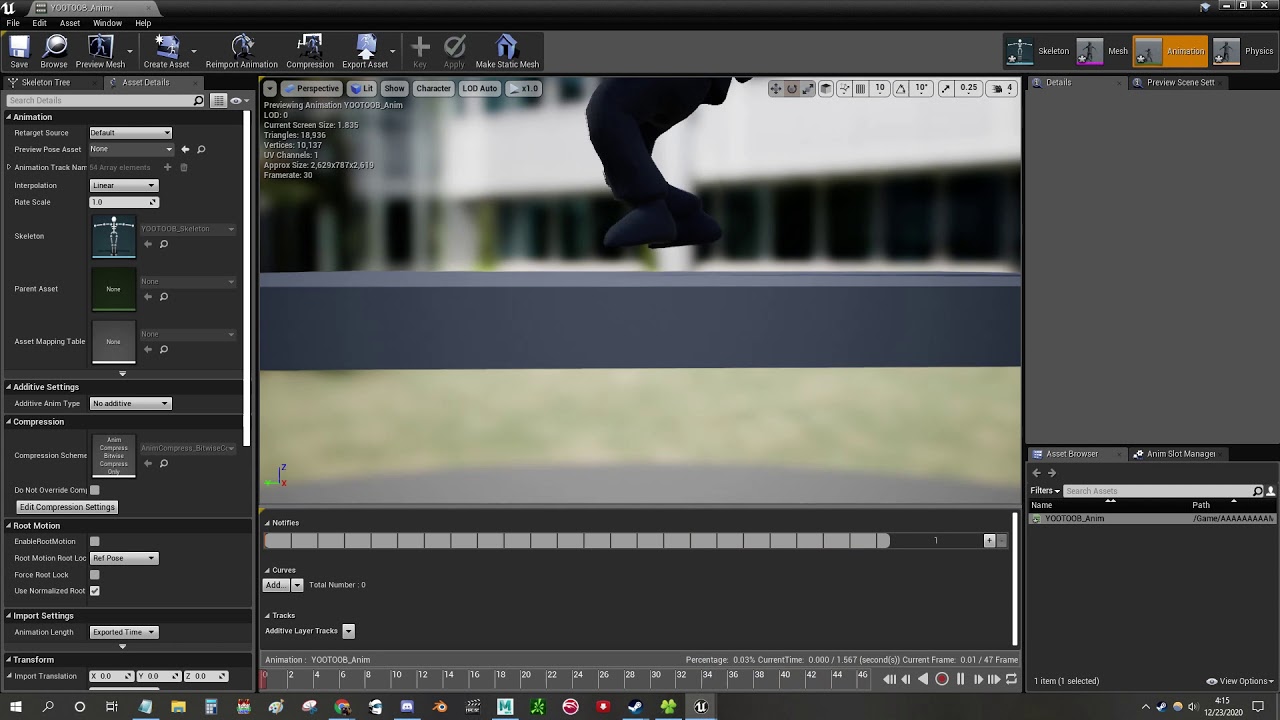
Quick video on how to fix this pesky problem lol
its 57seconds so worst case its 57 u dont get back
dreamy zenith
sick crane
its 57seconds so worst case its 57 u dont get back
57 seconds wasted
thanks for the help though
it wouldve worked but the animations are from the marketplace
 grim ore
.net framework 4.6
grim ore
there is only targeting in there
sick crane
oh... I thought for some odd reason 4.61 my bad...
still same msg
UATHelper: Packaging (Windows (64-bit)): ERROR: Could not find NetFxSDK install dir; this will prevent SwarmInterface from installing. Install a version of .NET Framework SDK at 4.6.0 or higher.
PackagingResults: Error: Could not find NetFxSDK install dir; this will prevent SwarmInterface from installing. Install a version of .NET Framework SDK at 4.6.0 or higher.
grim ore
did you restart the editor and windows between trying?
sick crane
I closed ue4 and rebooted it
grim ore
I would install the 4.8 SDK then to be safe
that should cover you on most bases
you dont have the 3.1 core runtime but I dont know if it needs that to pacakge (you will find out)
sick crane
ok
btw ty tons for helping me
idk if it will work currently downloading the other stuff
 misty wharf
Is it necessary to set bCanEverTick to true if bTickEvenWhenPaused is already set to true? I only had the latter set and it was working until today when it suddenly stopped
sick crane
seems like its working now still packaging but ty tons I mean it
 plain ferry
Hi! What could be causing one of my actors to be set to "Replicates" by default? I see "Replicates" is already true at the very beginning of BeginPlay. I checked "Component replicated" on the different actor components and it seems off everywhere. I also couldn't find any SetReplicates(true) nodes on this actor so I'm a bit confused by what could be causing this
edit: maybe VR motion controllers are replicated by default? it happens with the motion controller actor
 haughty path
sup guys
this may really be a dumb question, but why do people use ue4 if there is ue5 ?
 spice ruin
People already have projects using ue4 and don't want to convert them.
They feel ue5 either lacks polish or is too resource heavy
UE4 is a more matured engine.
Etc.
haughty path
spice ruin
Etc.
ok thanks
sick crane
haughty path
ok thanks
Lots of ue4 tutorials on utube compared to ue5
haughty path
sick crane
Lots of ue4 tutorials on utube compared to ue5
but isn't ue5 the future ? like won't ue4 become obsolete at some point ?
 true spindle
anyone know how to expose a cinema camera thats inside of a blueprint to be seen by composure?
sick crane
haughty path
but isn't ue5 the future ? like won't ue4 become obsolete at some point ?
I mean it may be the future but its also new so we have time for tutorials to pop up to make transition easier and ect.
idk if they plan on making ue4 obsolete
haughty path
ok thanks 😊
 plush yew
hello guys
i have a question
how can i make a blueprint that detect edges of a mesh?
 lament spoke
Why is setting post processes on the event graph so broken

I can't get anything out of them
 timber scroll
They say USB ports have three sides..
How many sides does a transform compose have?
 drowsy snow
haughty path
but isn't ue5 the future ? like won't ue4 become obsolete at some point ?
drowsy snow
haughty path
but isn't ue5 the future ? like won't ue4 become obsolete at some point ?
FWIW some people still use Unreal Engine 3 as last year.
 dusk nebula
I'm trying to fire an event if a character is moving, but I don't need it to fire this often. Does anyone know a better way?


as in, when I hook an event up to it I don't need it to update hundreds of times per second
 real heath
dusk nebula
I'm trying to fire an event if a character is moving, but I don't need it to fir...
real heath
dusk nebula
I'm trying to fire an event if a character is moving, but I don't need it to fir...
i'm guessing it's hooked to tick? You can change your actors tickrate, depending on what else that actor does. You can run a timer for that event. A few different things. Depends on what it's doing and how up to date you need it
dusk nebula
real heath
i'm guessing it's hooked to tick? You can change your actors tickrate, depending...
I probably don't need it to run more than 5 times per second, but I'm pretty sure I don't want to have to change the tick rate for this
real heath
then run a timer
dusk nebula
real heath
then run a timer
and just check that often to see if the character's moving?
real heath

A How To Guide for Using Timers for Gameplay in Unreal Engine 4.
real heath
the timer will fire every x seconds (including fractions of a second)
set it to whatever frequency you want
dusk nebula
I do understand how timers work, yes
real heath
well i don't understand the question
 weak cradle
 nimble atlas
hi, is there a way to extend the Cascade Shadow Maps distance beyond 1000 units?
 fierce musk
my !stream doesnt work 😦
 buoyant graniteBOT
@shy nacelle, :8ball: Cannot predict now.
fierce musk
i was on offline and than it said 2 hours and 20 min left so i found out

 fast lion
Hello.
 ruby robin
Does anybody know a way to copy asset reference without it's class and type?
When I copy reference of an asset, I get
Blueprint'/Game/Blueprints/Tools/BP_BlocksMerger.BP_BlocksMerger'
But I want
Blueprints/Tools/BP_BlocksMerger
 drifting geode
does anyone know there this clipping comes from?
ok looks like not only the ground but also the BG was set to translucent and UE did not like that...
real heath
Ahh yes. I was about to suggest bounds scale, but yeah translucency sorting is definitely problematic
If you wanted them both as translucent (please don't) I'd advise breaking up the larger some into quarters or something so sorting works better
Some = dome*
drifting geode
real heath
Ahh yes. I was about to suggest bounds scale, but yeah translucency sorting is d...
good to know, thx!
you think combining into one object with two materials would also work?
real heath
Not guaranteed, no. I think you can set materials to have a sort priority which would work.
It's all about the order in which things are drawn
Translucency is a giant hack in rasterized rendering
It has to take shortcuts to figure out how to draw things back to front. The best thing to do is make sure bounding boxes are small and sane and don't overlap in strange ways
You'll often see the one side of windows always draw over the other side windows in cars as an example.
Best thing to do is split those meshes out
vocal night
Guys pls help
i im watching a tutorial for multiplayer
and he is using a red "use LAN" thing
but idk how to find it

see?
idk how to get the "SET" in red
if i do it its blue
😦
and i also can't get the "public session" box
 lethal shadow
I just want to make a mmo rpg like no other, full of customization and raids, but got is it a bitch to make
vocal night
how to get the red stuff?
 real heath
Has he just created those variables? Looks like. You should see a variables section on the bottom left of your window
Create them there as your tutorial did
vocal night
real heath
Has he just created those variables? Looks like. You should see a variables sect...
he didnt show how to get it
he made it before the tut and just showed it 😦
real heath
The use lan one looks to just be a Boolean variable, which you can create in the dottom left of your window
Other than that you might wanna start with an intro to blueprints course
Learn.unrealengine.com has a few decent ones
vocal night
real heath
Learn.unrealengine.com has a few decent ones
i can't find the thing to change that
real heath
I don't know the data types for those other ones
vocal night
i just found this

i found how to get a string to the green thing
but idk the public connection
 void iron
how do i make a working nvg
i got the post setting
how do i add it for the goggle
and where can i get the animation for an nvg
 hollow kraken
so i used the third person template, made it first person but when i walk in any direction other than forward my camera moves a bit to the left?
 drowsy snow
lethal shadow
I just want to make a mmo rpg like no other, full of customization and raids, bu...
drowsy snow
lethal shadow
I just want to make a mmo rpg like no other, full of customization and raids, bu...
Do you worked on a major release prior? Do you have the funding for development team and servers? Do you have a solid long term plan for content?
lethal shadow
The most experience I have is writing stories and designing a card game.
I have zero funding, other than any money I put into it my self.
As for a team, its just me, there was going to be others but things didn't as planned, along with that I dont own any severs.
And for solid long term plan for content, I have the world written out in the ways I want it, im still creating the classes and races, but all of this is on paper.
I'm not a coder, my artwork basic, and I have no knowledge of 3d modeling.
And yet I still want to create this world even if its a life project, the world needs to be made.
lethal shadow
drowsy snow
Do you worked on a major release prior? Do you have the funding for development ...
Thats about it
And I've been working on this game for i think 3 or 4 years now, maybe more, who knows, I stopped keeping count, and don't get me wrong I tried building the game, but the furthest I've ever gotten is a log cabin with no door, because I couldn't figure out how to program a door to open and close
drowsy snow
lethal shadow
And I've been working on this game for i think 3 or 4 years now, maybe more, who...
Then take a step back, don't just get to MMORPG right away. Make something simpler within your capability.
Rome wasn't built in a day, and tale of a thousand Prambanan temples built in a night by one man and bunch of spirits is nothing more than a folklore. You get the point.
lethal shadow
drowsy snow
Then take a step back, don't just get to MMORPG right away. Make something simpl...
I've tried the single player route too, I dont have the skills, thats why I planned on hiring people but that will take some time
 inner bay
Hi everyone, I'm an almost architecture graduate and concept artist. Fairly new to Unreal Engine (just trying things around and trying to implement it to my work) and I'm trying to do something specific but I can't seem to find a good tutorial that covers it. I'll explain
I have this 3D model I made of a wooden door and I was trying to texture it in Unreal. Thing is I need some of the lines of my texture to go horizontally on the model and some of the lines to go vertically. Any advice on how that can be made in Unreal?
 drowsy snow
inner bay
I have this 3D model I made of a wooden door and I was trying to texture it in U...
drowsy snow
inner bay
I have this 3D model I made of a wooden door and I was trying to texture it in U...
Not in Unreal, but it depends on the UV mapping.
So the idea is to have a wood texture flowing in a straight direction, then have your UV islands aligned to your desired mapping.
inner bay
Maybe I've been unwrapping it wrong then? I had two meshes. One for the horizontal parts and one for the vertical ones. When I unwrapped each in Blender they worked but when I exported it to unreal (as an obj) it exported as one mesh. So the texture went in only one direction
Just before taking that screen cap I joined them for easier resizing and was about to separate them again... Guess I should try not being lazy and unwrapping it properly then XD
oak patio
vocal night
i found how to get a string to the green thing
Please follow the basic courses as has been said ad infinitum
It solves these extremely basic questions
 quartz ore
inner bay
Maybe I've been unwrapping it wrong then? I had two meshes. One for the horizont...
quartz ore
inner bay
Maybe I've been unwrapping it wrong then? I had two meshes. One for the horizont...
You can pull whatever texture you're using in Unreal into blender (as use the same albedo/color map for your material in both). That should make it easier to know the orientation of your UV shells, which makes the process more reliable.
inner bay
quartz ore
You can pull whatever texture you're using in Unreal into blender (as use the sa...
Ok so... this now goes way beyond what I know 😅
quartz ore
inner bay
Ok so... this now goes way beyond what I know 😅
Just assign a material to the mesh in Blender. In the material settings, set the color to 'image' and browse to your texture. It takes like 3 clicks lol.
 thick herald
Not sure if it's in UE4.x but in UE5 you can assign / create material groups to selected faces, in the Modelling Mode.
quartz ore
thick herald
Not sure if it's in UE4.x but in UE5 you can assign / create material groups to...
Does that work for imported meshes as well? I thought that only work with UE-made meshes.
thick herald
Shouldn't make a difference.
quartz ore
Interesting, I did not know that...
inner bay
Neither did I. Been working on UE4 giving UE 5 a couple more months until Epic patches a fair amount of glitches that may or may not appear.
 burnt lichen
Hey folks, do you know if it's possible to tell windows to focus a specific floating BP window to automatically move it? BP windows are titled based on the BP title.
spice ruin
burnt lichen
Hey folks, do you know if it's possible to tell windows to focus a specific floa...
Everything is possible.
burnt lichen
spice ruin
Everything is possible.
Any tips to make that happen then? I managed to get the hwnd code of the window but it still refused to move
spice ruin
google "moving a window in c++" ?!
sick crane
anyone have any clue on how to show cinematics when game began
i tried several and none worked
 calm cedar
Hello people.. I am trying to import maya rigged animation through alembic and getting the below error.
Unable to import mesh due to a face consisting of 6 vertices, expecting triangles (3) or quads (4).
Any leads to fix this is highly appreciated .
I made the copy of the same rig and imported successfully in ue4 for shader references. but now I am not able to import my animation.
drifting geode
real heath
It has to take shortcuts to figure out how to draw things back to front. The bes...
Thx for clarifying further @real heath
hollow kraken
how do i make it so like the character's eyes instantly adapt to a light because right now when i look away and then look at a light it takes time to reach its full brightness
 tiny frost
So when ever I exit play mode, my mouse cursor keeps returning to the default mouse resting place for the preview window. I have to jump to a different window to stop it, or it keeps jumping back. Any idea on a way to stop that from occuring? There is no info about it online I can find. Version: UE 4.27
 mild raptor
for some reason videos never work for me
in ue4 on widgets
they never work


like idk whats wrong
it just shows the image not playing a video
 wild breach
I've got a level with an absolute bucket of content in it; static meshes, textures, etc, and a sublevel with a scarce few BP objects, sharing a small number of meshes and textures.
The main level is 30MB.
The sublevel is 120MB.
Any obvious things I could check for this? Seems insane, but at a cursory glance I can't figure out what the deal is there.
plush yew
I have issue with physics
I want to parent physics object but this is impossible
What can I do instead
 rough knoll
??

 rough knoll
in fact this checkbox does literally nothing it doesn't even fall
i have a physics asset assigned to the skeletal mesh
alright well i fixed that but it's not too happy and completely spazzes out when i play
its as if it's colliding with itself
 brittle pine
does anyone know how to fix this all of my menus load as the viewport

 limpid folio
I'm trying to use the bulk export feature to export textures from the Squad UE4 SDK. However, the files are only being exported as .PCOPY. Only the individual export even gives me the option to select file format. Anyone know how to get them to export as .tga?
drowsy snow
limpid folio
I'm trying to use the bulk export feature to export textures from the Squad UE4 ...
Perhaps the texture is already cooked? Given that it's a mod kit, usually in game contents are already cooked and can't be easily exported.
 ruby bridge
Walls placed by foliage tool. Bullets won't go through. no problem.
But pulling the static mesh directly from the content browser, my bullets will go through it. How to solve this please?
I've tried both simple and complex collisions, not works
 ruby bridge
blockvolume can also block bullets. A collision preset with foliage set to all block can also block bullets. ...... Only static mesh can not
Help....
spice ruin
Lol
(sorry)
Have you actually enabled collision? Not just set a profile?
HAve you tried setting the profile manually?
limpid folio
@ruby bridge https://youtu.be/g0QpbcLUUYI I followed this video but his files exported just fine. I might be missing some difference but I don’t believe it should prevent me from exporting properly. Especially if the individual export allows me to export properly.
In this video, I show you how to export the Unreal assets textures out of unreal and into your animation program.
Get Your FREE Animation Guide
https://bit.ly/2Ym4uY5
My goal here on the channel is to share my animations but also show you how to use the tools available to us online to create your own animations. It’s almost common knowle...
ruby bridge
@spice ruin How to do the thing u said?
spice ruin
There's a checkbox that's literally "enable collision"

 spice ruin
That's a collision preset
spice ruin
Idk if that's correct. I'm sure there was jus ta checkbox..
Just search for 'collision' ?
ruby bridge
fine,dont say sorry, and thank you for tried to help me
calm cedar
calm cedar
Hello people.. I am trying to import maya rigged animation through alembic and g...
Hi all, Is this the right forum to discuss issues ? Just curious because didn't get any response , please let me know if there is any other forums also where people can share knowledge.
 willow locust
I have a question about collisions! is there a way to have the collision be automaticly setup on import? So I dont have to go into the asset assign the mesh itself as the complex collision and enable use complex as simple?
if that makes sense
real heath
Yeah, I think you create a second mesh called UCX_meshname in your modelling program, and then that becomes your collision mesh in unreal
@willow locust

Setting up, exporting, and importing Static Meshes using the FBX content pipeline.
 craggy sierra
how can i display what is under world tick in these empty space?
 real heath
Need to add more cycle counters in C++ for your objects that are ticking
rough knoll
why does my actor automatically delete when i go out too far in one direction (not Z, i dont think its kill zone)
 autumn flame
Bounds?
World Settings -> Enable World Bounds
Uncheck that and try
You may start encountering precision losses over that point tho
 peak bloom
is there a way to change the settings without opening UE4 up?
I just turned DBuffer Decals off and it said it needs to restarts but now it just gets stuck midway through initializing, causes my computer to make loud buzzing noises and it won't open.
I'm thinking if I can turn DBuffer Decals back on again it might fix it.
drowsy snow
peak bloom
is there a way to change the settings without opening UE4 up?
I just turned DBuf...
Check the Task Manager.
 drowsy snow
Looks like compiling shaders.
Let it do its thing, or try increasing process priorities for the ShaderCompileWorker processes to High
peak bloom
drowsy snow
Looks like compiling shaders.
Let it do its thing, or try increasing process pri...
I can increase priorities? in task manager?
drowsy snow
peak bloom
I can increase priorities? in task manager?
Yes, since Windows XP
peak bloom
drowsy snow
Yes, since Windows XP
Ahh I need to look into this thank you! :)
It just came on! Maybe I should switch DBuffer Decals back on again just in case. XD
drowsy snow
pls don't crosspost if possible
 astral heart
anyone have a good portal Blueprint they'd be willing to share?
 quartz ore
hollow kraken
quartz ore
hollow kraken
The Absolute World Position node will allow the material to display the same no matter the location or scale of the objects it's on. It will take some fiddling with to get the scale right. I believe it's also pretty performance heavy.
hollow kraken
quartz ore
The `Absolute World Position` node will allow the material to display the same n...
any other way that is more performance friendly?
quartz ore
hollow kraken
any other way that is more performance friendly?
It really depends on how you intend to use it. TexCoords with a Multiply can change the scale of a texture sample too, but that won't be as versatile.
hollow kraken
i need it for a large floor on which ill build my map
quartz ore
If this material is just for that one thing, use TexCoords, I'd say.
I'm sure someone who is better with materials can chime in, too.
hollow kraken
got it, thank you
 tender wagon
hello all! i have a question and was wondering if i could get help. is there a way to stop the fog in the back ground from clipping with the distant objects? I have a Atmossperic Fog added to the scene and when i push objects back far enouch they clip through as shown and was wondering if there is a way to scale the fog back somehow? or any settings i need to change?

 warm apex
Hi there
I have a problem about shipping a project in .aab
Can I ask for help in this channel? If no, where should I go?
thick herald
warm apex
Hi there
I have a problem about shipping a project in .aab
Can I ask for help in...
#packaging probably
warm apex
thick herald
<#402958499660955658> probably
thank you
 pearl mirage
so I just downloaded this asset pack, and when I open the demo map, everything is untextured. is there a step i skipped somewhere?

asset pack in question, if it matters
 silver swift
Is there some way to suppress these annoying popups (besides resolving the errors themselves)?

 west merlin
Whoever you are (https://dev.epicgames.com/community/profile/B85V/Fury22PL) THANK YOU SO FREAKING MUCH for your forum post.

Epic Developer Community

 swift pagoda
I have an android packaging issue and will pay someone if they can help me fix it
oak patio
silver swift
Is there some way to suppress these annoying popups (besides resolving the error...
why not just resolve the errors, yk they mean in a build it would crash right>
 static raft
Hey whats the most straightforward way of securing HTTP requests in unreal engine?
 peak oxide
After adding a default sun and sky what's a good method to add clouds? Nothing flash, I don't need volumetric or moving clouds, just something like an image - can I add that to the sun and sky simply? Cheers.
drowsy snow
peak oxide
After adding a default sun and sky what's a good method to add clouds? Nothing f...
Add a cloud dome, which is like sky dome but just the clouds.
peak oxide
drowsy snow
Add a cloud dome, which is like sky dome but just the clouds.
Easy enough thanks.
 cloud pagoda
When creating a material for vertex painting can we add more than just the color map and normal? Like roughness or metallic. Because a lerp only has 2 nodes
 glacial arch
Hey guys, what are the steps I ought to take when adding text elements to my game to prevent making work for myself later with localization? I've never touched localization before - I'll worry about it a little later but for the time being I just want to make sure I'm not screwing myself. A short few pointers is plenty enough, I don't expect a crash course 👽
drowsy snow
glacial arch
Hey guys, what are the steps I ought to take when adding text elements to my gam...
For one, only FText is picked up by the engine's localisation tools. Not FString nor FName. All FText vars are marked to be localised, but you can disable some so that it won't getting picked up.
 empty dawn
I want to make it so that Widget gets removed when I press a button

how can I do that?
glacial arch
drowsy snow
For one, only `FText` is picked up by the engine's localisation tools. Not `FStr...
Oh cool! Thanks, so basically so long as I'm using FText for bits that I want to be translated it'll be considered by the localization tools?
drowsy snow
glacial arch
Oh cool! Thanks, so basically so long as I'm using FText for bits that I want to...
Yes.
 vagrant atlas
How can I apply 2 UV maps from a mesh to the uv map connectors of the sample textures?
 drowsy snow
vagrant atlas
How can I apply 2 UV maps from a mesh to the uv map connectors of the sample tex...
drowsy snow
vagrant atlas
How can I apply 2 UV maps from a mesh to the uv map connectors of the sample tex...
Change the UV index of the sampler, or use Texture Coordinate and change its UV index.
 errant lagoon
anyone know how to create a question on answerhub portion of the forums?
I am trying to do it but it gives me this error

And what is the appropriate channel on this Discord to ask physics asset/animation questions?
drowsy snow
errant lagoon
And what is the appropriate channel on this Discord to ask physics asset/animati...
errant lagoon
@drowsy snow thank you

 fierce tulip
might help to show the difference.
 languid tapir
anyone know why when I click download asset in bridge it just doesnt do anything
oak patio
 last jasper
Someone can explain whys my game look like this when i export
last jasper
Someone can explain whys my game look like this when i export
Yeah for all we know thats what its meant to look like lol
 mint onyx
Hello guys. About organization, should the AnimBP(anim graph and event graph) be managed by programmers or by animators?
drowsy snow
mint onyx
Hello guys. About organization, should the AnimBP(anim graph and event graph) be...
Technical Animators, most of the time.
real heath
Yeah the whole point of blueprints is to stop programmers being a bottleneck.
Ofcourse programmers shouldn't be completely uninvolved in it. But it's not the sole domain of programmers
 rugged fjord
Unreal engine is fighting me rn 😂
rough knoll
so i've flown out extremely far, have no idea where i am, and the engine isn't a fan

whenever i turn, things get real jittery
is there a reason behind this
the coordinates are quite large
 static viper
that is normal
ue5 can help with it
as float precision is changed there
about 10000 times
google origin shifting
spice ruin
real heath
Yeah the whole point of blueprints is to stop programmers being a bottleneck.
Blueprints are still programming, just in a different form.
static viper
blueprint users are programmers
its not the language you code in that makes you a coder
its the understanding of the logic that does
#gatekeeping
drowsy snow
rough knoll
the coordinates are quite large
It is expected. UE4 uses single floating point for world coordinate, and on that number, it loses precision, making things jittery.
oak patio
I would say its less gatekeeping and more blueprints being used by designers then programmers in an industry sense
Yes its programming, but its used by designers a lot
drowsy snow
rough knoll
the coordinates are quite large
If you want, you can jump ship (get it) to UE5 and make use of Large World Coordinate, which is double floating point and losing precision on far larger numbers.
I swear most of my puns are spontaneous
spice ruin
oak patio
Yes its programming, but its used by designers a lot
The barrier to entry is just lower.
drowsy snow
Also could help communications between designers and programmers.
I mean, would it be painful if designer blindly insisted on something that too outlandish to implement
quartz ore
I use blueprints all day every day and would never call myself a programmer.
static viper
why not reeze
drowsy snow
static viper
why not reeze
Maybe because no constant typing
quartz ore
I'm a level designer lol. I use BP to set up level execution logic.
drowsy snow
No hackerman feel
drowsy snow
Come to think of it, BP scripting is more of electrical engineering due to cable management
static viper
yee
oak patio
Lmaooi
quartz ore
I completely lack the understanding of logic, syntax, and the specific type of problem solving that comes with being an engineer, in my opinion.
oak patio
Or even maybe being a chef, gotta make a lotta spaghetti
static viper
still reeze
you are using a low level of logic understanding to code level execution
logic
is logic
its just the question what level
real heath
spice ruin
Blueprints are still programming, just in a different form.
Yes, but undeniably they are more approachable by a wider section of the team than just "the programming department"
static viper
2 things
pure c++ coders are really valueable to have
blueprints can do ALOT and they got really gud over time.
and C
multiplayer only in C++
spice ruin
real heath
Yes, but undeniably they are more approachable by a wider section of the team th...
Nobody is saying otherwise, but if you don't know about programming, you're going to produce shit in c++ or bp.
drowsy snow
Also I think of C++ making BP superpower
real heath
Ok, I'm not sure I ever made that point when I said the point of blueprints was to stop the whole team waiting on programmers (implying the programming team) to do things for them when answering who typically owns an animbp
drowsy snow
There are few things BP does better than Unreal C++, one of them is asset referencing.
spice ruin
Animation is a whole lot easier too.
static viper
and UI...
spice ruin
But that's because of the tools that come with BP/UE, not because of BP itself.
static viper
not for ui
spice ruin
I guess it's hard to differentiate them.
spice ruin
It's really not 😛
static viper
#opinions
spice ruin
I will admit, the widget reflector is very nice.
 restive sentinel
this Datasmith for 3dsMax plugin Beta is GO is also for ue4 or only for ue5
did any one got this
Good morning/afternoon, and thanks for waiting !
We're pleased to share with you the first Beta build of our new Datasmith for 3dsMax plugin, featuring new and improved functionalities such as :
A new Ribbon and reworked workflow to match our other exporters
Direct Link and Autosync, to send your projects directly to UE5 without having to manage Datasmith scene files
Improved Corona and VRay support
Corona and VRay Proxies support
Improved RailClone and ForestPack support
New MaxScript functions
You will find an in depth guide and a binary installer for the plugin on the #external-aec-datasmith-3dsmax-user-advisory Slack channel.
We are looking forward to your feedback !
Cheers,
The Epic Games Development Team
drowsy snow
restive sentinel
this Datasmith for 3dsMax plugin Beta is GO is also for ue4 or only for ue5
Well, practically any new stuff at this point is for UE5.
 gray tundra
Hello, I have a question about the near clip plane of the editor's perspective camera in Unreal.
Does anyone know why changing the global near clip value in the project settings to 0.1 would look no different from a value of 10 despite restarting the editor?
Any advice would be appreciated.
Cheers.
grim ore
watch out setting it too low, it will mess up other parts of the editor like the icons, rendering certain things, and selecting things
gray tundra
Thanks, Mathew. My main concern is that changing it seems to have no effect at all. The camera is still clipping at the same distance.
grim ore
here is 10 clip

and in the same spot 0.1 clip

so it for me atleast appears to be good
seems to work fine in the editor as well, that was in play above
gray tundra
Thanks for taking the time to test that. 🙂 Something must be wrong in my engine. I'll keep investigating. 🔍
rugged fjord
Errors 
 grim ore
that was in a 4.27 third person project, nothing special changed just change near clip plane, restart editor, and test
rugged fjord
I'm 🤏 close to throwing something lol
grim ore
warnings, not errors
drowsy snow
rugged fjord
Errors <:RinStare:666018663249477638>
Something foliage something lightmap
Trees?
grim ore
whats the error for build lighting?


 rugged fjord
That's what I'm trying to do
grim ore
usually swarm will open up in your task manager and you can open it to look at the log
drowsy snow
Also trees usually have some WPO to signify wind sway
Which goes against the baked lighting
grim ore
I get the same warnings but my lighting still builds
so you might have something altering your lighting after building

 rugged fjord
 grim ore
yep log on the top left
rugged fjord
yeah
grim ore
if it fails or completes you can see it
drowsy snow
rugged fjord
It's still working tho
Now's the time to brew some tea or coffee.
rugged fjord
it's almost done exporting the scene
drowsy snow
Or stay hydrated, really
 grim ore
the first errors are fine, ignorable
the last ones are the actual issue
so whatever you are using for foliage is not happy, it might not be compatible
gray tundra
Mathew, the plot thickens with the clip plane.
While the value in project settings does have an effect on the regular perspective camera in a level in editor, it's when I enter a shot that the same camera in the editor stops responding to changes in the value.
Edit/Answer: There is a clip value in the sequencer that effects the camera in question.
rugged fjord
grim ore
so whatever you are using for foliage is not happy, it might not be compatible
I think
it's too much geometry

@grim ore It's working now 🎉

 fleet wing
Hello, everyone.
Does anybody know how to solve this problem?
I've having unstable fps because of this.

 still needle
fleet wing
Hello, everyone.
Does anybody know how to solve this problem?
I've having unstab...
still needle
fleet wing
Hello, everyone.
Does anybody know how to solve this problem?
I've having unstab...
it's telling you to stop it from casting dynamic shadows
fleet wing
still needle
it's telling you to stop it from casting dynamic shadows
I couldn't find the setting at first but now I got it. problem fixed for now.
 arctic verge
Is anyone familiar with sprites and flipbooks that could give me some help with an issues I am running into ?
fierce tulip
explain the issue, that way we might be able to help :)
arctic verge
Im trying to recreate the Doom status bar with the head, but Im having troubling with the function in my CharacterBP. Im trying to make a function to call a certain flipbook animation when the character health is at a certain value. Im just not sure what to call exactly off of my branch when the condition is met.
fierce tulip
your initial question made it sound like a #graphics issue, but now it sounds like a #blueprint thing.
arctic verge
ahh ok. sorry about that. Im using a flipbook animation for the status bar. I should have been more specific, sorry about that.
fierce tulip
that does not make it any clearer.
either the flipbook has issues, or the blueprint, or both :p
arctic verge
Its probably both and me lol sorry. Still new to unreal and Im just teaching myself off google and youtube.
fierce tulip
flipbook-wise --assuming its set up in a material-- should generally only need either a normalized 0-1 value or X value (where X is the amount of frames), and should get this value trough code when conditions change.
<< only does graphics, doesnt code much.
for the rest, someone smartypantser might need to look at the blueprint.
 bronze badge
Anyone that knows how to make sense of Crash reports from shipped games?
 dawn flint
One of our members is starting to learn c++ in unreal engine. Is there a good 2d platformer tutorial that uses c++ instead of blueprint
fierce tulip
always keep the same folder structure starting from: /content/ or things will break.
we do not have a dedicated channel related to UDK, its best to post on the official forums.
(it also helps explaining the issue)
pearl mirage
fierce tulip
always keep the same folder structure starting from: /content/ or things will br...
thank you! figured it out
fierce tulip
neither does this server as we do not condone unofficial modding.
 split igloo
Then disappear off the cosmos I shall.
Peace!
 quasi jetty
can someone help me!!! pls i need help😫

the cine camera is supposed to be faced forward and is facing right
 uncut sun
I'm having trouble with the FBX export option. The materials seem to be way off from the mesh asset in Unreal. If I open it there and check the materials using isolate, they're all exactly what I expect, but after exporting as FBX, they're all wrong. Random bits of vertices seem to have completely arbitrary materials assigned to them. Is there any way I can get a UE4 mesh as something I can open in a 3D modelling software with all the sub-meshes intact?
 hot anchor
<@&213101288538374145> @bronze peak is intentionally interuppting and shit in programming parlor vc
we all witnessed it in vc
he is trolling
dreamy zenith
what should ARPG enemy ai have in terms of systems??
 granite lion
uncut sun
I'm having trouble with the FBX export option. The materials seem to be _way_ of...
granite lion
uncut sun
I'm having trouble with the FBX export option. The materials seem to be _way_ of...
Try to assign the correct UV layout. It can be done in unreal engine.
uncut sun
granite lion
Try to assign the correct UV layout. It can be done in unreal engine.
I have managed to work around this issue, turns out I can export the entire Level as an FBX and it has all the materials properly aligned, then I can just remove the stuff I don't need. But I'll look in to how to do that so I know how next time.

 hexed kayak
I want to connect the UE4 with the Ethereum blockchain, I have used EtherLinker plugin in UE4 but I couldn't find a way to use it properly.
Can anyone help me with this. Any other plugin or custom repos that could help me out
granite lion
empty dawn
Simple collision is not doing anything
Your mesh does not have any collision
 sterile basin
Is it possible to compile shaders in unreal engine using GPU?
 bold mural
can someone please help me? my game isn't launching for some reason
it says launch failed
the log gives the following messages in red:
LogPlayLevel: Error: ERROR: System.ArgumentException: An item with the same key has already been added.
PackagingResults: Error: Launch failed! Unknown Error``` modern root
sterile basin
Is it possible to compile shaders in unreal engine using GPU?
modern root
sterile basin
Is it possible to compile shaders in unreal engine using GPU?
negative, that's unfortunately not how it works with the data it's generating
 red prairie
I have noticed that Apex would remove Vertex Color from meshes when fractured or on Import FBX.
Is there a way around or and am I doing something wrong?
 green lance
Question about commands you can pass to the exe like -game. Is there also a command that disables live coding? I don't wanna keep enabling/disabling it in editor before I run with -game or -server
 lusty stump
Failed to create directory "C:\Users\PC\Documents\Unreal Projects\MyProject/Content".
can anyone help
fierce tulip
the / after "my project" should probably be a \
 restive gorge
Hello! I would like to ask a question (Forgive my poor English)
Im trying to use Google API that can make input audio into text to make a shooting game in UE4(.26) with python. The scripts I used are "Python Editor Script Plugin" and "Sequencer Scripting"
the whole game content is like:
UE4
Python
Google API(So, I run google API on Python)
The question is that Somehow it seems like that Python code will use all the CPU and freeze the whole UE4. Does anyone know how to solve this problem?
Im trying to run Python via UMG from UE4 rn.
This is the Python code below
r = sr.Recognizer()
mic = sr.Microphone()
# ↑音声認識に必要なオブジェクトを作成

while True:
    print("Say something ...")

    with mic as source:
        r.adjust_for_ambient_noise(source)  # 雑音対策
        audio = r.listen(source)

    print("Now to recognize it...")

    try:
        text = r.recognize_google(audio, language='ja-JP')
        print(text)

        # "ストップ" と言ったら音声認識を止める
        if r.recognize_google(audio, language='ja-JP') == "うんこ":
            print("end")
            break

    # 以下は認識できなかったときに止まらないように。
    except sr.UnknownValueError:
        print("could not understand audio")
    except sr.RequestError as e:
        print(
            "Could not request results from Google Speech Recognition service; {0}".format(e))
Thanks working now
but now there is such a problem, it does not save
I verified from epic games for UE4 but it didn't work
drowsy snow
restive gorge
Hello! I would like to ask a question (Forgive my poor English)
Im trying to use...
Isn't Python in UE supposed to be for editor?
Also Python is slow, so if you're using your own Python VM, you have to multi thread it away from game thread
restive gorge
drowsy snow
Isn't Python in UE supposed to be for editor?
Also Python is slow, so if you're ...
Im sure that I understand the part of "Python in UE supposed to be for editor". Could U enplane more?
I dont use Python Virtual Machine.
Slow is fine. All I wantted to do is FPS game that can shoot words U saying as a bullet.
I would like to try "multi thread it away from game thread". Is there any tutorial?
restive gorge
drowsy snow
Isn't Python in UE supposed to be for editor?
Also Python is slow, so if you're ...
I appreciate your comment.
oak patio
restive gorge
Im sure that I understand the part of "Python in UE supposed to be for editor". ...
It means python is meant more for editor tasks, like automating actions, rather than performing gameplay tasks
Essentially its used for tools while developing not playing
 worn wasp
Oh god setting up unreal for android is such a pain
drowsy snow
hashtag #PCandConsoleMasterRace
 thick herald
worn wasp
Never used them maybe that's why <:dietered:982379833373900820>
thick herald
worn wasp
Never used them maybe that's why <:dietered:982379833373900820>
press ` and there ya go... 😄
worn wasp
Ahhh nice one
 grizzled hornet
is there a way, given an existing map, to replace its World Settings ?
thick herald
Sure, open world settings and change it. If you don't have a world settings tab, you can get one by looking in the Windows tab at the top.
 umbral pasture
Hello - i'm trying to get a post processing volume to start on a button input. I want it to look like this - https://gyazo.com/d478e71e1a4e24b00de3a8635889a62b
However mine looks like this https://gyazo.com/c19d01ed791cefa1de8c418c9064558d and I can't get the "target" node to appear. Anyone know where i've gone wrong here and could help please?

 sterile basin
modern root
negative, that's unfortunately not how it works with the data it's generating
sterile basin
modern root
negative, that's unfortunately not how it works with the data it's generating
Pity
 lyric flare
Hey, im new to unreal engine and i need help with something that i cant find on youtube, is there a channel for that or do i send it here?
quartz ore
lyric flare
Hey, im new to unreal engine and i need help with something that i cant find on ...
Find a channel that seems relevant to your question, then ask the question there.
lyric flare
Okay
autumn flame
Use LandscapeCoords to adjust the UV
thick herald
multiply the tex coord, if you use a scalar parameter you can use an instance of your material which lets you change the value and you see the results change before your very eyes.
inner bay
quartz ore
Just assign a material to the mesh in Blender. In the material settings, set the...
managed to fix it and work the way I wanted to. The issue was I was exporting it on OBJ and it was messing up my UVs. Exporting it in FBX did wonders for my project
 quartz ore
inner bay
managed to fix it and work the way I wanted to. The issue was I was exporting it...
quartz ore
inner bay
managed to fix it and work the way I wanted to. The issue was I was exporting it...
Hey, glad you got it! I always use FBX since I've had a lot of issues with OBJ for various reasons.
 brisk pollen
anybody have issues with ue4 projects not capturing mouse input when you alt tab back into the game? happens to me in editor and in packaged builds
i have to toggle SetInputMode to fix it
it's actually specifically when we click on the game window to focus it after alt tabbing
using alt tab to refocus does recapture the mouse
brisk pollen
okay, our ingame hud is set to visible and is capturing that mouse click, even though the input mode is set to game only
that prevents the window from recapturing mouse input
if i make our hud widget non hit testable the issue goes away..
 lucid grove
Hey fellas, im new to VFX and niagara. I just purchased VFX pack and its firing on repeat (its water splash) where should i look to make it fire once and then destroy itself?

 boreal echo
hay all, super new to unreal (4) I'm using an rtx 2070 super graphics card, and am getting video memory crashing pretty regularly. could anyone recommend me a graphic card that escapes this in their expense? thanks
 versed lion
@lucid grove Right click on the effect then select create system


and you should be fine i think ^_^
Yup you should be fine @lucid grove if you need anything else @me
versed lion
boreal echo
hay all, super new to unreal (4) I'm using an rtx 2070 super graphics card, and ...
maybe its a bug? or something? 2070 super should be fine using ue4, I used 1050ti and it ran perfect
lucid grove
versed lion
<@667566391444111380> Right click on the effect then select create system
Thanks a lot! Gonna try it when get back.
versed lion
sure thing @lucid grove
lucid grove
boreal echo
hay all, super new to unreal (4) I'm using an rtx 2070 super graphics card, and ...
I’m my experience it’s not a VRAM problem, but RAM. Got the same problem with 3070 and 12GB Ram, increasing to 24 fixed problem.
boreal echo
@lucid grove well I have 32 rn
lucid grove
boreal echo
<@667566391444111380> well I have 32 rn
Should be just fine. Any chances you working on Open World big maps?
boreal echo
it's a pretty small area, just seeing whats what so far, maybe is the 4k textures? I've got a lot of those
lucid grove
Might be. You also try increasing Virtually Memory
Try this and set it to manual and some big amount
boreal echo
ok
 muted kraken
Idk where to ask this but is there a way of Assigning a material to selected meshes in ue4?
Like, selecting the meshes then change the material, which applies to the others as well
versed lion
Yes @muted kraken as you can see in this video:
if that's what you meant
lol wait it didn't record XD
muted kraken
Yea it’s all black lmao
versed lion
yeah 1 sec mb
needed to minimize it...
so yeah if that's what you meant there you go
versed lion
np anytime 🙂
 glacial cairn
Hey guys, in trying to spawn an actor on the player when I click on that actor using the mouse in game(using the clickable interface). So far I've been able to get it to spawn but I need to remove the rotating component from the actor and scale it to fit the player after spawning
Can anyone guide me on the steps to follow? Either in C++ or blueprint
versed lion
@glacial cairn what do you mean by rotating component? the rotating movement component?
@glacial cairn You can always set the rotation rate to 0, about the scale you can change the scale in the transform option

instead of setting the rotation scale to 0 you can also do this:


the stopmoving event is in the actor it self @glacial cairn
hope it helps 🙂
 winter rain
I'm making a little game that is only made of widgets. It works fine when I test it in the editor, however when I test is in Standalone or packaged, the logic doesn't work. What's the difference between them?
 azure vault
anyone know how to flip a texture in a material?
like flip horizontally
pretty sure I just need to reverse the U or V coordinates but not sure how to do that
if I use a multiply node and multiply it by -1 it flips it vertically, but I can't figure out how to get it to do horizontally instead
is there a way to break the UVs out into two scalars and then later recombine them?
glacial cairn
versed lion
hope it helps 🙂
Thank you so much man, I appreciate you
azure vault
ah, if i use the AppendVector node and feed that two scalars I can use the multiply node and it multiplies the U and V by the different scalar values
glacial cairn
But does anyone have any idea of how to check for OnClicked from the clickable interface in C++ code?
Like what class am I supposed to have access to ?
 tender pecan
azure vault
pretty sure I just need to reverse the U or V coordinates but not sure how to do...
tender pecan
azure vault
pretty sure I just need to reverse the U or V coordinates but not sure how to do...
you could simply use a texture coordinate node, and use one minus on the U or V, or both, or you could flip it in DCC if its meant to be static
azure vault
tender pecan
you could simply use a texture coordinate node, and use one minus on the U or V,...
I see how to do it now with AppendVector2 to make a vector2, is there a way to target the U or V channel directly with a single scalar?
tender pecan
azure vault
I see how to do it now with AppendVector2 to make a vector2, is there a way to t...
not sure, i normally use those for color operations. to modify coordinates, you need to ...well.. modify the coordinates input to the texture sampler 🙂
azure vault
I keep having textures go corrupt in my UE5 project, is this a known issue or should I be worried about the drive I have it stored on?
like these black boxes, sometimes it's random RGB noise, re-importing the texture fixes it though

hmm, restarting UE5 also fixed it
gah but it broke another texture
maybe it's just because my PC sucks
azure vault
oops
drowsy snow
azure vault
maybe it's just because my PC sucks
Maybe your GPU is in the brink of death. Had similar issue before my discrete GPU passed away months after.
azure vault
drowsy snow
Maybe your GPU is in the brink of death. Had similar issue before my discrete GP...
that would be the 2nd gpu this machine has killed
checks out
 mental crow
I want to load another level but there is no recent level button anymore
 tender ember
hello I moved the floor somehow and ctrl-z doesn't work. how do I place the floor right in the middle of the scene so the transform and rotation are undone. in blender we use alt+g/r/s for this. does something like this exist in urneal?
 crisp delta
dumb question but what does this icon mean
 azure vault
IIRC, it means that other lights are too close to it and this one is being disabled for performance or something, I usually fix it by turning down the attenuation radius of nearby lights
but sometimes I get a sticky one that won't go away and I have no idea how to fix that
crisp delta
oh
 lament sonnet
how can i remove incredibuild from ue4?
 blissful trail
where is a good place to start learning how to do cross platform peer to peer multiplayer?
(i have managed this on pc but couldn't get it to work on android) also i dont know c++ very well
 onyx viper
when i fire linetrace it hit and passes through object but it also hit object behind it

 cobalt mango
hi, im trying decrease project version but i cant see some blueprints in content tab when i do it. i found few forum topics but no solution
oak patio
^^^
You can send meshes backwards if you export them from the engine but thats about it
Great if you just make environments, not so much if theres a game too
cobalt mango
:/ kinda sucks blueprints are pretty simple but just a lot, thanks for quick response
 lilac stirrup
cobalt mango
hi, im trying decrease project version but i cant see some blueprints in content...
lilac stirrup
cobalt mango
hi, im trying decrease project version but i cant see some blueprints in content...
If it's blueprint, you can probably hard copy each nodes manually and move them between the files, but it's cumbersome.
Assuming the copied features are supported in the older version
cobalt mango
yeah i got prototype that started on 5.1 but now i need to migrate it to project that is 5
thanks for the help
lilac stirrup
We did that to port some codes from 4.27 to 4.21, it depends on each case and usage more or less
 idle dragon
thanks
 worthy estuary
guys i have a problem me and my friend want to develop together but the problem is that we have different version like i have the version of ue5 5.0.2 and he have 5.0.0 and he can't update it so what should i do?
idle dragon
worthy estuary
guys i have a problem me and my friend want to develop together but the problem ...
Figure out why he can't update and fix that
developing on 5.0.0 isn't sustainable, too unpolished, you guys need to be on the 5.0.2 ver for some level of reliability
worn wasp
Wassup chat


 teal harness
 mental crow
i need help first

what is the problem here?

Check out my Unreal Engine 4 courses:
►Souls-Like Action RPG with Multiplayer: https://unrealenginemastery.teachable.com/p/souls-like-action-rpg-game-with-multiplayer
►Stealth Horror Game for Beginners: https://unrealenginemastery.teachable.com/p/unreal-engine-4-beginner-course-stealth-horror-game
►Multiplayer ...
i am using this video
lament sonnet

someone can explain me when i simulated the bone pull by gravity
in kinematic their no motion on bone i want simulate physics
spice ruin
Nobody is going to help if you have that kind of attitude.
spice ruin
mental crow
i need help first
Or this one.
mental crow
its been really long since i sent message
and no one is replying
and there are no other server of UE
the other one is dead
spice ruin
It's been less than an hour.
mental crow
yes
but i want help
and i am a new guy in unreal engine
just tell where is the problem in my blueprint
lament sonnet
is it possible to add two shape on same bone? with 1 constrain
mental crow

 echo gyro
HELP PLEASE HELP FAST!!!!!!!! SO BASICALLY I DELETED AN PARTICLE IN UNREAL ENGINE AND FOR SOME REASON THE PARTICLE DELETED AN ENTIRE FILE THAT HAD ALL THE MESHES WENT GONE AND NOW THE LEVELS ARE EMPTY!!! WHEN I GO TO SAVED FILES ONLY SOME ACTORS WERE SAVED! WHAT SHOULD I DO??
AND EVEN THE MATERIALS WENT GONE
PLEASE HELP ME WITH ANY SOLUTIONS BECAUSE THIS IS MY PRINCIPAL GAME AND I CAN'T SCREW UP LIKE THIS

 grim ore
@echo gyrodid you change the near clip plane for your project?
grim ore
if you did not change the near clip plane, and your problem is a deleted file, you need to revert to an older version of your project using your backup system
echo gyro
but how?
spice ruin
Tried your recycle bin?
grim ore
do you have a backup system set up? if not you can't
echo gyro
yes
i think disasterrecovery plugin?
can i restore the whole project?
with meshes?
grim ore
we dont know, can you? we dont know how you deleted it.
echo gyro
i basically deleted the file from unreal engine
grim ore
there is nothing built in to help you recover deleted files unless you set it up yourself
it sounds like it is gone then, you need to recreate it
lament sonnet
hello sir mathewW plz help me
lament sonnet
lament sonnet
why simulate physics make gravity issue
grim ore
physics is physics, it uses gravity as part of it. what is the issue?
yuou can disable gravity if you dont want to use it
lament sonnet
it shrink the breast shape inside ground
rather staying on its bone location
providing two shape to single bone is wrong?
lament sonnet
grim ore
yuou can disable gravity if you dont want to use it
but without gravity how can breast physics work?
grim ore
I dont know, I am not an animator. That would be a question for #animation
lament sonnet
ah thnx i will try to ask that channel
autumn flame
echo gyro
HELP PLEASE HELP FAST!!!!!!!! SO BASICALLY I DELETED AN PARTICLE IN UNREAL ENGIN...
Check the saved folder for backups of autosaves
echo gyro
autumn flame
Check the saved folder for backups of autosaves
yea i checked that aleardy but the materials and meshes are gone
autumn flame
If it was so important, why is it not under source control?
spice ruin
You assume everyone uses source control?
autumn flame
I dare to assume so for very important things :p
grim ore
when this is the comment ] Dolphinel: PLEASE HELP ME WITH ANY SOLUTIONS BECAUSE THIS IS MY PRINCIPAL GAME AND I CAN'T SCREW UP LIKE THIS then yes
or at the minimum backing it up to floppy every day
echo gyro
autumn flame
If it was so important, why is it not under source control?
because i did not knew about it
I guess I will start over
I will not let the project fall apart
Thank you anyway
autumn flame
First option is source control
Second option is a local backup
Third option would be the backup saves in the saved folder that you said you tried
Fourth option the only thing I could suggest is try to recover the sector if on a HDD and was not written over, there's tools for that
lilac stirrup
Can somebody point out the benefits of using PrimaryDataAsset over creating a child of an Object blueprint to store the data?
 fading steppe
Hi guys, im newbie in UE4 and got 2 problems.
- I got holes just in that place of the whole mesh. I checked normals and overlapping uvs and that is not the problem. Model looks good in Substance Painter and Blender. (Triangulated before export to Substance)
- got strange shaking texture just on that straight line

 lilac stirrup
grim ore
<https://www.tomlooman.com/unreal-engine-asset-manager-async-loading/> ?
lilac stirrup
grim ore
<https://www.tomlooman.com/unreal-engine-asset-manager-async-loading/> ?
Thanks, let me see if I get this correct.
Is it mostly to optimize asset loading during runtime?
So that we can do selective loading of which assets to be loaded when required?
Saw your HTF and WTF video about DataAssets, not sure whether you mention the usage in those videos already.
Maybe I should rewatch them.
spice ruin
fading steppe
Hi guys, im newbie in UE4 and got 2 problems.
1. I got holes just in that place ...
It might be that your UV maps are too low quality (bit count)
fading steppe
spice ruin
It might be that your UV maps are too low quality (bit count)
you mean while exporting from Substance Painter? I will check that when i came home
spice ruin
Yeah. Just something I've read on here with a similar issue to yours. I am in no way an artist or know anything about substance painter.
fading steppe
ok, thanks. Will check and let you know if it worked
spice ruin
How?
echo gyro
spice ruin
How?
i just downloaded a file on voidtools.com
and searched for an file named asset
and there i found my materials
the thing is that i have to remake the level
spice ruin
Well, it's a start!
echo gyro
the thing is that the objects are still in the level
but with no mesh

the objects have different names
so it will be easy
hope it will work well
 coral patio
Heyhey, guys! :] I'd have a quick question - I'm trying to create a more or less physically correct material for a holographic foil effect and for that I need the light source angle (which I'd then use with a hue shift). Fortunately there's a node for that - but how exactly does it work? What node do I have to plug into the light position? I looked through all the Coordinate nodes and couldn't find anything that'd fit. I looked for tutorials on the matter already but there doesn't really seem to be anything available, either. :<
 autumn flame
I imagine you would need to pass it through BP or so?
As a Vector Parameter
For example LightPositionParameter
In the BP create a DynamicMatInst and pass the ActorLocation into LightPositionParameter
That ofc plugs into Light Position
 merry pilot
Someone able to help me out with this material? Im trying to make the chrome be more shiny instead of matt and i cant figure it out.
DM me please
autumn flame
There's Metallic, Specular and Roughness you can modify
coral patio
autumn flame
For example LightPositionParameter
In the BP create a DynamicMatInst and pass t...
Ahhh, I didn't think of that! 😄 I'm not super familiar with blueprinting yet, mostly just with shading. I'll look into it! Thank you!
merry pilot
It seems like they lost quality and some color too
autumn flame
It should not
 sage mauve
mental crow
I need a tutorial for complete beginner in unreal engine 4
sage mauve
mental crow
I need a tutorial for complete beginner in unreal engine 4
Why dont you try Ue5
mental crow
Doesn't run well on ny system
Lags a lot and crashes
Please
Either help with my current game
Or show a good tutorial
sage mauve
mental crow
Either help with my current game
I cant help with your game as i am only on Ue5
sage mauve
mental crow
Or show a good tutorial
what tutorial do you need for
which type of game
Fps? rpg?
mental crow
Its a top down shooter
Blueprints
And there is some problems
Check out my Unreal Engine 4 courses:
►Souls-Like Action RPG with Multiplayer: https://unrealenginemastery.teachable.com/p/souls-like-action-rpg-game-with-multiplayer
►Stealth Horror Game for Beginners: https://unrealenginemastery.teachable.com/p/unreal-engine-4-beginner-course-stealth-horror-game
►Multiplayer ...
This is the tutorial i followed
If someone has used this tutorial then please help me TOMMOROW
Here its night
1 in night
 runic needle
I have a problem with uv's

This my blender models uv, it correct
and it is same with in the fbx viewer programs so nothing is wrong

but when I import it to ue4, some of my uv's parts are corrupting
what causes that, does anyone know?
autumn flame
merry pilot
Can i DM you? <@199483918842462209>
Just send them here
sage mauve
 candid horizon
Can I ask about a UE4 bug/error I am getting here?
candid horizon
Can I ask about a UE4 bug/error I am getting here?
yes you can
candid horizon
sage mauve
yes you can
I loaded my project and this is what I see for the level, all of my materials and models are there but the level itself does not show up.

it is a project from a year or so ago
sage mauve
candid horizon
I loaded my project and this is what I see for the level, all of my materials an...
are you sure you didnt delete the level?
Cause it is set to default
You most likely had deleted your project files
candid horizon
I don't think I would do that , I would have no reason to do that. I put my files on a external HDD
sage mauve
candid horizon
I don't think I would do that , I would have no reason to do that. I put my file...
Trying going to edit and checking all levels
if you only have 1 level which this
that means you have deleted the level you worked on
as this is not a bug
candid horizon
I have other areas, I don't think I would delete any project
sage mauve
Check your skyview outliner
are there object is in which is not viewable in your screen?
and check all levels
you might have created a new level
or else had switched to a new level
cause the one you have on screen is the default level provided by UE
candid horizon
hmm but I have all of my models I wouldn't highlight and delete what I have
 spring pelican
I need to know the math for this problem im having
I need to lerp from 0 to 1 (using a timeline) in x seconds
to do that, I will set the playrate to a new one
idk what to do
nvm I just figured it out lol
lilac stirrup
candid horizon
I loaded my project and this is what I see for the level, all of my materials an...
Some additional ideas for you to try.
Try filter the search to show only the levels instead of all the assets?
Do you remember the editor version you used to make the level?
Try using different editor versions to open the project?
 peak hare
Does anyone have experience with the profiler (in session frontend) who can help demistify it a little for me?
peak hare
Found out I was getting pretty thrown by all the 'cpu stall' stats rather than just looking at the game thread.
empty dawn
So I’m getting 30fps in Standalone player when I’m testing my game. Now will the performance be the same when I try demo testing it on Lower hardware or will the performance improve after packaging the game?
drowsy snow
empty dawn
So I’m getting 30fps in Standalone player when I’m testing my game. Now will the...
It's really something you should profile first hand with your project specifically.
empty dawn
drowsy snow
It's really something you should profile first hand with your project specifical...
I’m trying to use low poly assets and textures but using few things assets from bridge reduces the performance drastically even when I import lowest quality.
 hollow lodge
hello I am currently trying to make an object glow after a player enters a box collision, can someone teach me how to do that? After searching up tutorials on youtube, all I get are videos teaching me how to make materials glow which I already know how to do
 limber bobcat
if i may add a question to the pile... :o
how do i create a pak archive where the files within have a versioning control of 0?
it would need to end up like this:

where as when i attempt to package my uassets with: unrealpak.exe [path to output] -Create=[path to txt]
i get this:
 lament sonnet
how to transfer outfit weight paint on blender to ue4?
lilac stirrup
hollow lodge
hello I am currently trying to make an object glow after a player enters a box c...
Try add OnBeginOverlap event from your box collision, on the event confirm that the OtherActor input is your player, if true, change your material glow using either the SetVectorParameterValueOnMaterials or SetScalarParameterValueOnMaterials, depending on which parameter type you used to control your material glow.
 rain pebble
Would anyone happen to have any idea on how to travel from level to another in game
spice ruin
servertravel?
mental crow
i have fixed the errors myself
but there is one small issue
the bullets i made goes through everything
fading steppe
@spice ruin i managed to fix that by checking in model options - use full precision uvs

this problem still not solved
 mental crow
i have a problem
 night oar
Hi, Guys wanted to ask what servers are the best to upload my unreal game on to
mental crow
i have a small question
so i downloaded a pack which has 4 levels
and i want their everything to be ported in 1 level in which i have my player ready
oak patio
night oar
Hi, Guys wanted to ask what servers are the best to upload my unreal game on to
What do you mean exactly, are you doing dedicated server hosting for a multiplayer game, or are you looking for what platforms to release on
night oar
oak patio
What do you mean exactly, are you doing dedicated server hosting for a multiplay...
Well i am working on a battle royal game and i want a server to upload it on so that people can download and play it from
oak patio
Im not entirely understand you know how the process works
You want to make your own distrubution platform?
Because what you would generally do is use a platform like steam to sell the game, and use dedicated servers like AWS to host the servers for people to join
night oar
oak patio
Because what you would generally do is use a platform like steam to sell the gam...
no i would be pushing the game on steam or epic or some platform but i want some place to host the backend that has the game it self thats providing lobby or server to people who are joining
drowsy snow
night oar
no i would be pushing the game on steam or epic or some platform but i want some...
AWS comes to mind
Not sure about Linode, but since Linode runs Linux servers, you'd need to build dediserver for Linux.
night oar
what do you think about huawri cloud they are giving more space and higher bandwidth at a cheap price then amazon
Huawei
oak patio
Never heard of huawei servers being used
And after the scandal with them stealing data im not entirely sure id trust them
 restive prawn
Hi all!
I am using the text 3D plugin and want to put a material with texture on the front material. the problem is that the UV mapping of each letter is different and I didn't find any way to control it by each letter only in general to the entire text field. Anyone have any idea how to solve this?
lament spoke
Does anyone know a good tutorial for making randomly generated terrain
 boreal pecan
Does anyone know c++? I was given a project already compiled but when I try to edit its values in c++ it comes out with a lot of errors, any solution to it?

ty i will see the real errors
it says > can't open source file (error code "component name i guess , i think this is the real errors

Compile operation started.
1>------ Build operation skipped: project: UE4, config: BuiltWithUnrealBuildTool Win32 ------
1>Project not selected to build for this solution configuration
2>------ Compile operation started: project: DummyProject, configuration: Development_Editor x64 ------
2>Building DummyProjectEditor...
2>Using Visual Studio 2019 14.29.30139 toolchain (D:\C++\VC\Tools\MSVC\14.29.30133) and Windows 10.0.17763.0 SDK (F:\Windows Kits\10).
2>[Upgrade]
2>[Upgrade] Using backward-compatible build settings. The latest version of UE4 sets the following values by default, which may require code changes:
2>[Upgrade] bLegacyPublicIncludePaths = false => Omits subfolders from public include paths to reduce compiler command line length. (Previously: true).
2>[Upgrade] ShadowVariableWarningLevel = WarningLevel.Error => Treats shadowed variable warnings as errors. (Previously: WarningLevel.Warning).
2>[Upgrade] PCHUsage = PCHUsageMode.UseExplicitOrSharedPCHs => Set in build.cs files to enables IWYU-style PCH model. See https://docs.unrealengine.com/en-US/Programming/BuildTools/UnrealBuildTool/IWYU/index.html. (Previously: PCHUsageMode.UseSharedPCHs).
2>[Upgrade] Suppress this message by setting 'DefaultBuildSettings = BuildSettingsVersion.V2;' in DummyProjectEditor.Target.cs, and explicitly overriding settings that differ from the new defaults.
2>[Upgrade]
2>Build 5 actions with 12 processes...
2> [1/5] UE4Editor-DummyProject-0003.lib
2> Creating library F:\UnrealProjects\DummyProject_426 - copy (2)\Intermediate\Build\Win64\UE4Editor\Development\DummyProject\UE4Editor-DummyProject-0003.lib and object F:\UnrealProjects\DummyProject_426 - copy (2)\Intermediate \Build\Win64\UE4Editor\Development\DummyProject\UE4Editor-DummyProject-0003.exp
2> [2/5] UE4Editor-Garage-0003.lib
2> Creating library F:\UnrealProjects\DummyProject_426 - copy (2)\Plugins\Garage\Intermediate\Build\Win64\UE4Editor\Development\Garage\UE4Editor-Garage-0003.lib and object F:\UnrealProjects\DummyProject_426 - copy ( 2)\Plugins\Garage\Intermediate\Build\Win64\UE4Editor\Development\Garage\UE4Editor-Garage-0003.exp
2> [3/5] UE4Editor-DummyProject-0003.dll
2>LINK : fatal error LNK1104: cannot open file 'F:\UnrealProjects\DummyProject_426 - copy (2)\Binaries\Win64\UE4Editor-DummyProject-0003.dll'
2> [4/5] UE4Editor-Garage-0003.dll
2> Creating library F:\UnrealProjects\DummyProject_426 - copy (2)\Plugins\Garage\Intermediate\Build\Win64\UE4Editor\Development\Garage\UE4Editor-Garage-0003.suppressed.lib and object F:\UnrealProjects\DummyProject_426 - copy (2)\Plugins\Garage\Intermediate\Build\Win64\UE4Editor\Development\Garage\UE4Editor-Garage-0003.suppressed.exp
2>D:\C++\MSBuild\Microsoft\VC\v160\Microsoft.MakeFile.Targets(45,5): error MSB3073: The command "F:\UE4.26\UNREAL4\UE_4.26\Engine\Build\BatchFiles \Build.bat DummyProjectEditor Win64 Development -Project="F:\UnrealProjects\DummyProject_426 - copy (2)\DummyProject.uproject" -WaitMutex -FromMsBuild" exited with code 6.
2>Compilation of project "DummyProject.vcxproj" finished -- ERROR.
========== Compile: 0 success, 1 failure, 0 updated, 1 skipped ==========
this_
?
I'm trying to understand everything, I'm new to c++
Well I'm quite experimental with blueprints, but they gave me this solution code for physics, but since I would like to publish more variables, but since they have these errors I have no idea of a solution
hot reloading is? I don't remember what it is
Ok, I'm adjusting the live coding but I don't know where to start, if you mean the errors I have when making the play game? none because what I'm looking for is to make more variables public, but with those errors in c++ I can't do anything
I'm going to see, I'm adjusting the live coding first
 lapis fable
Hi, I asked this question in the vr-ar section as well, but I don't think that channel gets much traffic.
UE4.27 Valve Index question here; I'm having trouble finding any resources regarding getting finger tracking to work. According to Valve people, UE4.25+ versions have the SteamVR input plugins integrated, but I can't find any way to access these inputs. The VR template doesn't really help, I don't actually start with the VR Mannequin hands for some reason.
boreal pecan
I don't know where to start... what can I do? Do you have a link to a tutorial where to start this live coding or to be able to solve all that? and sorry to bother
ready, but when I open the .h it can't compile that option doesn't come out
the project right? .sln
Well, I'm sorry I don't understand, I already opened it, what else should I do?
ok
Compile operation started.
1>------ Build operation skipped: project: UE4, config: BuiltWithUnrealBuildTool Win32 ------
1>Project not selected to build for this solution configuration
2>------ Compile operation started: project: DummyProject, configuration: Development_Editor x64 ------
2>Target is up to date
2>Total execution time: 0.49 seconds
========== Compile: 1 successful, 0 failed, 0 updated, 1 skipped ==========
so... works/
?
2> [16/16] DummyProjectEditor.target
2>Total time in Parallel executor: 26.31 seconds
2>Total execution time: 36.36 seconds
2>Compilation of the project "DummyProject.vcxproj" finished.
========== Recompile all: 1 success, 0 failure, 1 skipping ==========
what should I do now?
I made a copy just in case, now I can open the editor again?
When I already adjust the source control, what else should I do?
it seems that everything works fine now, thank you very much laura you are incredible, very grateful, have a good day
 west spade
spice ruin
west spade
spice ruin
You shout EXPLOSION
 solar mulch
I'm having this error when I open the editor
can you help me please

 tidal shale
Would anyone know why a video would lag in game? I want to play a video on a screen and the video lags terribly and it barely plays. Anything helps please!
 orchid oyster
Is there any advantage of using UE4 over UE5 currently? Because I'm beginner and learning the Unreal Engine 5 with my old PC (12 gb ram). I don't care high end graphics at the moment. I'm thinking of installing UE4 if it offers more features with less demanding system.
For example;
- Blueprint nativization doesn't exist in UE5, does it exist in UE4?
- When I created project with C++, Visual Studio opened and started to use very high RAM. Would using UE4 help?
autumn flame
Not much changes workflow wise, but at this point you can start with UE5 since you'll end up using it anyways eventually
Just disable stuff like Lumen and VSM
orchid oyster
I did those. How about blueprint nativization?
Nevermind, probably it's too early for me to think about that.
autumn flame
Yeah, not worth
If something gets heavy, just move it to C++
Just don't worry too much about things as you are learning
 bitter valve
What would be the best way to go about creating an upgradeable parking lot (Upgrades include more spaces and a nicer looking lot) with the ability for AI to drive onto?
oak patio
could always swap put meshes with "markers" for parking spots
bitter valve
oak patio
could always swap put meshes with "markers" for parking spots
How would this work as for the start, and to make it easy, I will just have different meshes indicated each level of lot, and then have the vehicles spawn there. However, in the future I would like to have cars come from a main road, find a spot, and park. Are there any tutorials on this?
Oh, wait nevermind. I overthought this again. Ill just watch a quick tutorial I found on AI parking, then change the spots based on the current mesh level. Thanks
oak patio
there will not be any i doubt
that is a very specific need
as i said you will need to mark parking spots and generate a pth for the cars to follow
 hearty sapphire
I'm unable to check the box to enable Draw Debug Focus Plane. It's grayed on for my cine camera, anyone know why that would be?
 quick spire
Guys there's a way to install UE4 still?
spice ruin
Use the launcher.
quick spire
spice ruin
Use the launcher.
yeah sorry. Im downloading now
plush yew
Is there a console command to dump a list of registered Names?
I'm getting a crash that I've apparently exceeded the maximum number of registered names and can't track it down.
I've seen mention of a NAMECOUNT command, but it doesn't seem to work.
 meager solstice
currently i have ammo sorted n that but im hoping to get full auto weapons an explosive gun and a basic pistol semi auto then from there sheilds and health i already have stamina so the health will be fine
 heady dirge
meager solstice
currently i have ammo sorted n that but im hoping to get full auto weapons an ex...
heady dirge
meager solstice
currently i have ammo sorted n that but im hoping to get full auto weapons an ex...
Automatic should be easy just see if you want it to be projectile based or hitscan
 sterile basin
Does UE4-5 support pure C++ or does its syntax need to be changed taking into account the UE?
Thanks Laura
 grave osprey
be me. spending time to fix bug. turn out its mesh orientation fault
for 2 hours
holy
i hate find look at nodes
 fiery ice
hey! I posted in the ligthing section for a problem i'm having with a weird blue tint on the walls.
if anyone knows any fix, I would be deeply appreciated.
grave osprey
where the image ?
 bleak wraith
Hey, I was using Unreal 5 for 7-8 months to make cinematics. Now I'm interested in making a WebXR/VR experience, I was recommended unity as it still supports HTML5/WebGL.
After using Unity for 1-2 weeks I'm completely over it, guides are all out of date, the visual scripting sucks compared to Unreal ,etc etc etc.
Could anyone advise me on the pros and cons of using an older Unreal 4 version compared to an up-to-date Unity?
 cedar merlin
Is there a way to fix obj/fbx files imported from blender. When i import meshes into unreal, some parts of it look like this

And some parts are see through
It should have a mesh there
 bleak wraith
cedar merlin
Is there a way to fix obj/fbx files imported from blender. When i import meshes ...
bleak wraith
cedar merlin
Is there a way to fix obj/fbx files imported from blender. When i import meshes ...
Could be wrong but it might be your textures are getting put into the roughness & opacity maps
upon importing them
cedar merlin
Is there a way i can fix it?
bleak wraith
cedar merlin
Is there a way i can fix it?
I would go to this section in the material for that object and check to see if something is hooked up to roughness & opacity

 bleak wraith
Ooo I have no idea then!
cedar merlin
Alrighty, thanks anyways :D
bleak wraith
cedar merlin
Alrighty, thanks anyways :D
Np! Good luck 🙂
crisp delta
Can someone help me? I am trying to cook the game, i have visual studio installed it worked before but now it doesnt cook the project
Hastebin is a free web-based pastebin service for storing and sharing text and code snippets with anyone. Get started now.
 old peak
Is anyone familiar with UT4X Converter? Or the general process of converting maps from UE2 to UE4?
Long story short I have done this successfully for one project but repeating the same process for another project is giving me a recurring issue where brushes textures are not being assigned from the t3d data even though the directories are correct.
The annoying thing is I had the same problem with the previous project, but never worked out what was causing it, it literally feels like Unreal decides to load them in on some days and not on others, though it's more likely that a single line of the T3D data is off somewhere but I can't track down where.
 ashen brook
cedar merlin
Is there a way to fix obj/fbx files imported from blender. When i import meshes ...
ashen brook
cedar merlin
Is there a way to fix obj/fbx files imported from blender. When i import meshes ...
Did you triangulate before/on export? Might have some ngons in there that the engine can't deal with
Also check the vertex normal orientations - some faces might be flipped. If you can see them from the inside but not the outside, they're inverted
lapis fable
is there any way to do animation sequences without resorting to the state machine thing? The amount of connections necessary if I do that grows pretty quickly
oak patio
cedar merlin
Alrighty, thanks anyways :D
Your normals are reversed, you can try recalculating in blender or manually flip affected faves
ashen brook
lapis fable
is there any way to do animation sequences without resorting to the state machin...
that's normal and expected! Depending on how modularly you build your character animations (or whatever you're using skeletal anims for), you can also use multiple separate state machines, blended by bone or additively
lapis fable
oh didn't know you could do it additively, I've been making multiple animation states and making transitions between them for each finger in a hand
drowsy snow
old peak
Is anyone familiar with UT4X Converter? Or the general process of converting map...
You better off remaking it from the ground up.
old peak
drowsy snow
You better off remaking it from the ground up.
Not if you want a 1to1 accurate recreation.
drowsy snow
1 to 1 recreation is kinda boring tbh
old peak
drowsy snow
1 to 1 recreation is kinda boring tbh
depends on the circumstance.
 azure shore
ugh why do shapekeys/morph targets always mess around, its importing two of them but just ignoring one of them
never had much luck with this, idk why its so annoying I literally dont get why it wouldnt just import
 fallow mortar
hello, is there a place to talk about the problem and get feedback pls 0/
azure shore

 vocal edge
fallow mortar
hello, is there a place to talk about the problem and get feedback pls 0/
vocal edge
fallow mortar
hello, is there a place to talk about the problem and get feedback pls 0/
you can write here your problem or on the ue forum
fallow mortar
Ok, to make it simple I made a package and it works on old PCs but not works on new ones.
nothing else runs after this [LogPluginManager: Mounting plugin WmfMedia] 🤔
meager solstice
hi i am using the base gun blueprint (from the FPS template) and was wondering if there was a way to increase the bullet speed its a tad slow for my liking
azure shore
bruh just initial velocity in projectile settings
ugh Im sick of this, always just constantly searching on google and no help anywhere because of such random problems that shouldnt be happening
just wanna import a damn shape key
two of them import and one doesnt what could I have even done to cause that
empty dawn
I am trying to bind forward/acceleration of vehicle to a progress bar so the bar will fill when I have the accelerator pressed and starts emptying when I left go of accelerator.
azure shore

empty dawn
I was able to put this together. It works but just goes from Empty to Full. I want it to increase like its filling up as im holding the accelerator and not instantly
 empty dawn
so apparently I should've used integer instead of float as my throttle variable with a float/float divide on get forward speed
 dark jasper
I have a problem with merge Actors, haven't found a solution yet:
I have a few models that have several UV and texure sets, they import perfectly into the engine, but when I try to merge them, the result is... bad.
it exports all the texture sets (despite me enabling merge materials box)
there's also a merged material, but none of the UVs fits it
and it's weird, because it worked once previously.
 coral verge
Hello guys, I’m getting “Out of memory message” then my UE4.27.2 freezes and turn off when trying to render a video inside sequencer. I have RTX 3070 Ti with 8GB memory, is there a way to make it work without crashing?
 pallid olive
hello
can someone help me
i acciddntly removed the toolbar from editor view
how do i set this back
also if i open Blueprint it opens the vieuwport and eventgraph in a splitscreen vieuw how can i set this together for a single view
astral heart
pallid olive
hello

make sure toolbar is checked. You can seperate the screens by clicking and dragging the tab to a seperate screen
astral heart
coral verge
Hello guys, I’m getting “Out of memory message” then my UE4.27.2 freezes and tur...
You might be over capacity on your C drive. I had to change the location of my DDC because it was congesting my C drive giving me that error and crashing
coral verge
astral heart
You might be over capacity on your C drive. I had to change the location of my D...
Okay, I’ll try it. Thank you so much 😊
rough knoll
anyone know how to get rid of the fuzzy border of a UMG button?
 drowsy snow
rough knoll
anyone know how to get rid of the fuzzy border of a UMG button?
drowsy snow
rough knoll
anyone know how to get rid of the fuzzy border of a UMG button?
Is it your own texture?
rough knoll
drowsy snow
Is it your own texture?
it's just the engine default.
when you make a button, that's what comes up
oak patio
if you dont get a fuzzy button on a custom image then no issue
those are placeholders anyway
 clear isle
rough knoll
anyone know how to get rid of the fuzzy border of a UMG button?
clear isle
rough knoll
anyone know how to get rid of the fuzzy border of a UMG button?
show me the material and the texture in a plane object
hollow lodge
lilac stirrup
Try add OnBeginOverlap event from your box collision, on the event confirm that ...
how exactly do I use SetScalarParameterValueOnMaterials or SetVectorParameterValueOnMaterials to make something glow?
 sick crane
Hey so while playing my game gets a tad bit laggy like so any tips on fixing it?
Idk how to fix it
oak patio
sick crane
Hey so while playing my game gets a tad bit laggy like so any tips on fixing it?
look into profiling your game
it will help you see where you need to optimise
sick crane
mind if I ask how one profile their game?
I start with a good 30 - 40 fps then it shoots down to like 5 fps then back up
btw I know 30-40 fps is bad but its smooth enough
drowsy snow
sick crane
mind if I ask how one profile their game?
stat commands, profilegpu, Unreal Insights
sick crane
hmm I did and I didnt see any issues or anything
I know stat fps
I am willing to be in vc if it would help
 thin tendon
@sick crane What you want to do is use the different view modes in your scene. To check for things like shader complexity, Too many triangles on meshes, Lighting complexity etc
sick crane
hmm ok ill try
sick crane
thin tendon
<@263366902796124160> What you want to do is use the different view modes in you...
I dont think thats the issue or I am seeing it wrong idk
Is this what u meant?

thats an effect
thin tendon
@sick crane I'm talking about these view modes here
 sick crane
ok ye I see
sure enough the effects is whats doing the issues
any clue how to fix that?
thin tendon
Just look for ways to make them cheaper I guess mate.
sick crane
cheaper?