#ue4-general
1 messages · Page 1117 of 1
 hidden cairn
 drowsy snow
Anyway, off tangent, #lounge material here
hidden cairn
oki so I migrated the project and its ini files and all that stuff. Now to see if it will get to compile
watching a compile should not be this heart pounding...
 clear summit
Why is my camera in the wrong position underneath the 3d model? I'm using the standard FirstPersonCharacter blueprint from the first person template. (Just using a different level than the standard level). When I'm dragging the character up & down there seems to be some kind of a race condition: sometimes the camera displays correctly and sometimes not. It's not related to the 2nd VR weapon. I deleted the 2nd weapon and all VR related stuff and it's still doing the same thing.
I'm using 4.27.2
 trail kernel
Hello friends
Do epic has any branch office in india? A cpp programmer is asking me
drowsy snow
trail kernel
Do epic has any branch office in india? A cpp programmer is asking me
Nope, at least no reports about it
 primal tendon
Using geometry brush tools I can extend a side of a shape, supposedly cube without causing stretching in UV's. Why can't the same be done with Modelling tools?
 shy oak
dammit i'm hitting the same problem with the menu's not working right on UE
ahh I have to use the native nvidia colors to get around it
 zenith dust
can someone give me a brief overview of how to copy the player settings from UT editor to Unreal editor?
im trying to setup the same movements from UT editor to normal Unreal editor
 kindred depot
zenith dust
can someone give me a brief overview of how to copy the player settings from UT ...
kindred depot
zenith dust
can someone give me a brief overview of how to copy the player settings from UT ...
You cant.
As described in the License Agreement, the code and assets residing in this repository may only be used for Unreal Tournament submissions.
You could try to find a player movement that is like UT, other than that there is no other option but to build in the UT editor
zenith dust
hey atomik. thanks for your help
i just want similar movement to my chacter in Unreal
kindred depot
My recommendation would be to use the Half life movement due to the similarities.
zenith dust
similar jump etc
kindred depot
Oh that is easy.
zenith dust
theres a mantle no?
kindred depot
no
 lime garnet
 kindred depot
mantle comes with ALS.
zenith dust
i want same jump speed/heights for example
kindred depot
Then look what the default height is (for jump)and the movement speed( and ground friction) and gravity 😉
kindred depot
^
zenith dust
yeh i have these things set. still doesnt feel correct though
drowsy snow
To be fair, to some extent it's usable, and servable if you want to get a good looking locomotion quick
But it is pretty difficult to bend for more serious uses
kindred depot
until replication with bp's xD
This is why i love the meta human bone structure 🙂 so much flexibility.
drowsy snow
Sometimes it's way more wasteful to reinvent things up than just make use of ALS
Key word: sometimes
hidden cairn
todays build attempt #6
I enabled the missing plugins, deleted the broken blueprints and generally tried not to die of sadness
drowsy snow
From what I can gather, being using ALS for quite a while:
- It's great for prototyping or getting the idea across, in certain cases quick third person BP jerry rig isn't going to cut it
- It's good for referencing certain systems (e.g. foot locking)
- It's difficult to bend to project's need or custom skeleton, in particular the anim BP
- It's not replicated (though there are community repos having okay replication on BP and C++)
- Due to it being made before new built in animation features, sometimes it's worth reinventing the wheel, making use of bespoke new features
kindred depot
zenith dust
i just want similar movement to my chacter in Unreal
If you want to get real serious about it, make your own custom movement, this is a great start. https://www.youtube.com/watch?v=TMOeQTtW5g4&ab_channel=DevEnabled

UE4 C++:
This playlist covers various aspects of working with C++ inside of the Unreal Engine.
This Video:
In this video, we implement our player movement functions. This is part 2/2 of the player code class implementation.
Links:
The beginning of this playlist: http://bit.ly/CPPOverviewUE4
Download projects from any complete tutorial serie...
zenith dust
kindred depot
If you want to get real serious about it, make your own custom movement, this is...
thanks bud, ill take a look
drowsy snow
And tbh it sometimes still had issue, particularly on begin play.
The one moment where the feet goes all the way up, until it readjusts itself
shy oak
is there a function to create trapezoids?
kindred depot
I'm having an issue when i click the characters viewport to see full model, the character freezes, no animation plays and makes everything laggy, could this be a ue5 bug?

 autumn flame
Plugin installed?
 vagrant hornet
Yes
It’s not showing on the top bar though

But it says installed on the bridge
kindred depot
Have you tried the basic of turning it on and off again?
kindred depot
vagrant hornet
your plugin location is on your desktop? weird place for it
 distant siren
when the package is broken for red errors, after I fix things and reopen it, does it start all over again?
hidden cairn
ok I know what the problem is, I just do not know how to resolve it
its a build target error
so my build target is GameName
primal tendon
Using geometry brush tools I can extend a side of a shape, supposedly cube without causing stretching in UV's. Why can't the same be done with Modelling tools?
hidden cairn
however it thinkgs its UE4Game
Oki so I renamed my target in the build settings and it seems ok with that - fingers crossed
Program.Main: AutomationTool exiting with ExitCode=25 (Error_UnknownCookFailure)
sighhh
kindred depot
Not trying to say this is bad or anything but this is fairly easy to do with no replication. There is no animation syncing, no animation movement (just bots), no player spawning but this does not say multiplayer so i guess i am wrong there. All offline stuff is fairly very easy to do when you are not creating a 2 or even 3 custom events for everything 🙂
 median remnant
hi all, sorry to interrupt
i followed youtube tutorial for static mesh to follow spline.
actully this works for only static mesh, but i want to add two static mesh to follow the same spline
 kindred depot
median remnant
hi all, sorry to interrupt
i followed youtube tutorial for static mesh to follow...
kindred depot
median remnant
hi all, sorry to interrupt
i followed youtube tutorial for static mesh to follow...
never created a spline, but can you just sequence node this, and create a second object with the same line of code duped?
 buoyant graniteBOT
:no_entry_sign: ZVX#9337 was banned.
 ashen brook
Thanks!
kindred depot
np
ashen brook
Happy holidays :)
kindred depot
you too bud 🙂
median remnant
kindred depot
never created a spline, but can you just sequence node this, and create a second...
im new to UE and today just started blueprint
kindred depot
median remnant
im new to UE and today just started blueprint
this is all speculation but try right clicking typing sequence
plug that right in after construction
then copy the whole entire code and paste it again plug the first code into one and the second into 2.
change the mesh, add a delay? bam
or just create a new blueprint with the same code. change the mesh
kindred depot
you could always add the static mesh as a variable to change what static mesh goes inside the spline this is a bit more modular 😉
 dapper burrow
Hi all, I packaged development server and launched in my local machine and when I join using open 127.0.0.1 from my editor then I can join the game hosted on the local machine. However when I built the development apk and try to connect using open 127.0.0.1 or 192.168.0.1, I cannot join the server from my android. My pc and android are connected over same wifi. Why I am not able to join?
median remnant
kindred depot
you could always add the static mesh as a variable to change what static mesh go...
adding sequencer worked...thanks
 worthy estuary
Guys I need to fix this, I want to only show the mouse cursor in the main menu level when i press the start button it goes to the Gameplay level this is not the problem the problem is that when i go there i must to click left mouse button to make the mouse cursor dissapper so is there any way to make it automatic
kindred depot
try adding a 0.01 delay maybe? sounds crazy to do, but the info prob is being sent to fast
i created my own event for this

 thick herald
vagrant hornet
thick herald
vagrant hornet
Why is the plugin location not in the UE_4.27\Engine\Plugins folder?
 daring spear
Set up an anim blueprint, put in my animations, set up the blend space and such, blend space functions as it should(apparently according to the preview) but in game my character is just constantly in the idle position, any idea?
kindred depot
daring spear
Set up an anim blueprint, put in my animations, set up the blend space and such,...
look at tp animation bp for reference. You are not doing things correctly.
median remnant
How to I Promote static mesh as variable?
 drowsy snow
median remnant
How to I Promote static mesh as variable?
drowsy snow
median remnant
How to I Promote static mesh as variable?
Make a new Static Mesh Object Reference variable.
 real dirge
Ugh, there's this stupid Windows 11 bug where there's this box that shows up on your screen (wherever the box is you can't click) and there's no way to get rid of it unless you restart the PC. I tried to import a model and I cant click any of the import options, is there any way to close it through a shortcut or something?
LMAO I just pressed ESC
Silly me :)
drowsy snow
Hard to tell if it's Windows fault or user error nowadays 🙃
real dirge
I pressed ESC for the import window lolsss, the stupid box is Window's fault

You can see the outline, can't press anything there
Omg just searched it up
If it makes Windows 11 run any faster I gotta get it
 lunar citrus
How can I hide a character's bones?
 drowsy snow
lunar citrus
How can I hide a character's bones?
drowsy snow
lunar citrus
How can I hide a character's bones?
 lunar citrus
Thank you
 tulip sedge
Who uses landmass? Is it possible to change main collision level, tried to transform landscape, but seems that they are stick together.

 wooden elbow
Need some help!
Is there a way to render out an alpha that includes the shadow and the object included?
So I can output a final image that has only the object and the shadow in the alpha.
 cedar shale
HI so im haing a problem not sure why. when i start the game and press on the start menu it brings me to my main menu but not spawning me where the player start is
its been working juat fine for days and now i open it and for no apparent reason its not working
 grim ore
is this in the editor?
cedar shale
i think so im very new this is my first game
grim ore
so pressing the play button on the toolbar at the top?
cedar shale
yes
and even when i do it as a stand alone still dont work. but was working previously just fine
 split jasper
Is there a way to change where on the screen the FPS readout appears? Like the one from if you do stat fps ? It happens to be in a part of the screen that has a game element which makes it hard to read
grim ore
might need to show us the issue so we can guess. are you sure your player start is still there?
 grim ore
so when you hit play its black screen now?
cedar shale
it is putting me under the map
grim ore
check your output log then, what should it be doing?
cedar shale
when i press press play it should be spawning me where the player start is,
 grim ore
project settings, input. you have the touch controls enabled
@cedar shaletry moving your character to another spot and see if it spawns there or in the same spot as before
also see if that other spot is at the 0,0,0 location in your world.
 bright sigil
cedar shale
when i press press play it should be spawning me where the player start is,
bright sigil
cedar shale
when i press press play it should be spawning me where the player start is,
Do you have a player character placed in your level?
grim ore
if its at 0,0,0 it seems like it cant spawn in the right spot
cedar shale
bright sigil
Do you have a player character placed in your level?
no but i also dont think i did before but ill try to add one
bright sigil
Dont
grim ore
so it could be a collision issue for example
bright sigil
So that capsule in the picture, thats the player start but what is the other stuff? A camera?
grim ore
ah, changing the default pawn probably
 tiny zodiac
How do i join 2 procedural meshes and make them 1 procedural mesh?
kindred depot
all this talk about player pawns just helped me out... i was wondering why a mesh was spawning when no player was active. It was set to the base class instead of none xD
cedar shale
Glad to help 🙂
kindred depot
The worst part about game dev is animation bp >_<
Its EASY but doing things correctly takes weeks.
drowsy snow
Those screen photo clusters make me dizzy
bright sigil
kindred depot
all this talk about player pawns just helped me out... i was wondering why a mes...
Omg the most cursed time... when you dont know why your player is now a sphere
vagrant hornet
thick herald
Why is the plugin location not in the UE_4.27\Engine\Plugins folder?
I can’t find that folder
kindred depot
bright sigil
Omg the most cursed time... when you dont know why your player is now a sphere
LOL wtf!! I have been plagued with bugs. Matt encouraged me the other day to clean everything.
Now 700+ graphs 700+ components
xD
drowsy snow
vagrant hornet
I can’t find that folder
(for example, my directory. the root engine folder should be located on where you install the engine from launcher)
 bright sigil
kindred depot
Now 700+ graphs 700+ components
bright sigil
kindred depot
Now 700+ graphs 700+ components
Excellent....😈
 bright sigil
Editor? What about the freakin game?
kindred depot
Game runs at 120+ fps.
bright sigil
200fps when
kindred depot
I have done only one thing so far. work on the core mechanic of the game.
bright sigil
Thats too much
kindred depot
Much? IT MAKES YOU INSANE!
All I want to do is work on level design with these 5k in assets i bought 😦
Shroud can see 1000+
bright sigil
kindred depot
All I want to do is work on level design with these 5k in assets i bought 😦
shoulda bought a core mechanic with some of that moneys
kindred depot
bright sigil
shoulda bought a core mechanic with some of that moneys
Then i would never understand what that person did to make everything work.. I like to build. Starting with nothing and building something yourself feels great.
bright sigil
ah like art assets😏
 sonic granite
how does unreal sprite sheet ordering?
i have 0 1 2 3 4 5 6
7 8 9 10 11
12 13 14 15 16 17
is it gonna be happy with this
bright sigil
top left is where it starts, split into even grid afaik
sonic granite
conrad, ur AWQESOME!
bright sigil
probably want a power of 2 number
0-17, thats 18, so you'll end up with some empty space
16 would be better if you could, thats 4x4
assuming this is for particles as ive never worked with 2d in unreal
sonic granite
0 1 2 3 4 5 6 7
8 9 10 11 12 13 14 15
this is what i got, 8 per row
8 columns
64 frames
bright sigil
0 1 2 3
4 5 6 7
8 9 10 11
12 13 14 15
sonic granite
what do you work with in unreal conrad?
bright sigil
3d only!
sonic granite
wow nice 🙂
kindred depot
bright sigil
3d only!
map dev?
sonic granite
u seeem to have a lot of knowledge about it
bright sigil
kindred depot
map dev?
lose the map part
kindred depot
bright sigil
lose the map part
3 lane generator?
bright sigil
sonic granite
u seeem to have a lot of knowledge about it
i just look stuff up really fast and sound smart abou tit
kindred depot
xD
drowsy snow
bright sigil
i just look stuff up really fast and sound smart abou tit
that typo
bright sigil
kindred depot
3 lane generator?
current project is a roguelike dark-souls-light-combat platformer
yes, my tit knowledge
unmatched
kindred depot
Sounds fun 🙂 i hope for it to be a huge success!
sonic granite
that's amazing, i just started learning unreal, and it's TOO MUCH INFORMATION
my brain hurts every night
bright sigil
same! most features are done and after the holidays, ima focus on art push
 stiff verge
editor question. I know I can test the game in a dedicated window.. but can I make this window fullscreen on a specific monitor?
Also is there a way to change on which monitor the game opens?
bright sigil
sonic granite
that's amazing, i just started learning unreal, and it's TOO MUCH INFORMATION
lol - not my first game though 😛
drowsy snow
stiff verge
editor question. I know I can test the game in a dedicated window.. but can I ma...
Alt+Enter, maybe?
kindred depot
I wish you can change which window the sound comes from 😦
drag the PIE to the monitor and press its like f5,6 or 7, or 8?
one of those
drowsy snow
Alternatively the editor itself can be full screen
bright sigil
drowsy snow
Alternatively the editor itself can be full screen
so is your profile pic a model from your game?
concept art?
drowsy snow
bright sigil
so is your profile pic a model from your game?
No lol
It's a character from my favourite game
bright sigil
kindred depot
F11!
nah, always launch as new window
bright sigil
drowsy snow
No lol
It's a character from my favourite game
ah gotcha
always use new window so you can always see the output log
drowsy snow
I collected like 6 GB of screeenshots of the idols in my PS4, especially Makoto
But I digress
tiny zodiac
How do i join 2 procedural static meshes at run time? Is this possible? Like turn them into one.
kindred depot
tiny zodiac
How do i join 2 procedural static meshes at run time? Is this possible? Like tur...
That all depends on what ever the asset will be.
like a drawbridge?
tiny zodiac
for example 2 cubes are generated as static meshes during the game. and you want to join them into one
and delete the 2
🧐 dont know if i explain myself well
kindred depot
follow spine, then destroy actor?
drowsy snow
tiny zodiac
for example 2 cubes are generated as static meshes during the game. and you want...
Unless you're making metaballs, I don't think you need to actually join them
kindred depot
you could overlap them tho.
tiny zodiac
no not meatballs. i need to join them because i dont want so many cubes in my game so i just join them
kindred depot
metaballs is NOT = to meatballs
tiny zodiac
so lets say i have 40 cubes, i only want one giant cube out of those 40 cubes
drowsy snow
tiny zodiac
no not meatballs. i need to join them because i dont want so many cubes in my ga...
Metaballs
And no, that's not a typo
tiny zodiac
so you cant convert 40 cubes that are overlapped into one giant cube?
kindred depot
sure, why not.
drowsy snow
tiny zodiac
so you cant convert 40 cubes that are overlapped into one giant cube?
I don't see the reason why you can't just stack them together, but I suppose that's not an option if it's a metaball type of meshes
tiny zodiac
so lets say you have 10.000 cubes stacked together. Thats more impactful in performance than having one giant cube right?
or not so much?
perhaps doesnt make much of a difference?
grim ore
depends on how the meshes are created, if they use the same material, if they are instanced, etc.. etc... rabbits
tiny zodiac
so that means if they are the same material and they are instanced, it will be almost the same impact, right?
and if they are also the same size
so i guess thats the way to go
now im craving meatballs with tomato
grim ore
its wont be the same for sure, and it might not even be near, but if say its one giant mesh it would never be culled if any parts are off screen while if multiple meshes, some of them will be culled when offscreen
the only answer is to test
tiny zodiac
@grim ore thank you
so should i go for optimized instanced like in this tutorial:
https://www.youtube.com/watch?v=oMIbV2rQO4k
or should i go for a particle system?
To make a huge army of cubes
grim ore
thats an older video before they added in auto instancing
and again no way of knowing the right answer until you test
your going to need to find the solution for what you need, all of them are viable
tiny zodiac
ok thanks
stiff verge
drowsy snow
Alt+Enter, maybe?
oh yeah that helps! thanks
buoyant graniteBOT

**Unreal Slackers**
Support and resources for the Unreal Engine community. Get help, share your work, discuss the latest news.
Members
65,992
Online
6,650
Server Boost
Level 3 • 23 Boosts • NaN boosts until undefined
Created
May 31, 2016, 2:56 PM UTC
Invite
 real moth
Is it possible for me to just upload my zipped game to github and then people download it from there?
 plush yew
real moth
Is it possible for me to just upload my zipped game to github and then people do...
plush yew
real moth
Is it possible for me to just upload my zipped game to github and then people do...
I think it is
but you should try it
first
real moth
plush yew
I think it is
okay ty
 broken heath
How to remove the message , there are new plugins available when opening a project
 pallid talon
@grim ore I noticed your youtube is primarily blueprint support. Do you have any C++ and UE4 videos?
grim ore
nothing beyond a basic introduction to how similar C++ and BP are @pallid talon
pallid talon
@grim ore Oh ok. Im trying to figure out when I should use a & for memory addresses and can't find a real explanation. I learned to use * when referencing an object, but confused on &.
grim ore
yeah thats basic C++ tho, nothing UE specific.
reference, dereference, pointers, etc.. are the bane of learning C++
 gaunt abyss
I would recommend first getting familiar with regular C++ before trying to use it in UE
This is a playlist I always recommend for learning C++
https://youtu.be/18c3MTX0PK0?list=PLlrATfBNZ98dudnM48yfGUldqGD0S4FFb
grim ore
also if you like reading https://www.learncpp.com/cpp-tutorial/introduction-to-pointers/ is directly to this, but this site in general is good for a brush up
gaunt abyss
☝️
grim ore
the issue i had when trying to learn this is when using other peoples code to learn, I was always asking "why do they do it this way"
trying to learn from scratch, learning the basics and not trying to decode other peoples stuff helped for me
pallid talon
@grim ore I know, but nothing really explains why to use it. For example, I learned & will convert a variable to the memory address and * will convert it back to the original value. But nothing shows me why I would need or want to do this. For example when will I need to use &?
Thanks for that link, ill check it out.
kindred depot
grim ore
the issue i had when trying to learn this is when using other peoples code to le...
LMFAO I LAUGHED SO HARD AT THIS MORE THAN I SHOULD HAVE!!
so freaking truthful.
grim ore
thats the thing, you will know when you need to use a pointer when you need to use a pointer... its... weird lol
it also doesnt help that UE4 handles it own things as well with smart pointers
pallid talon
@plush yew cool thanks.
grim ore
which is why its recommended to learn CPP before trying to use it with UE
pallid talon
Ok
grim ore
but uh... the easiest way to think about why its used is the pointer points to the actual place in memory for the thingy, you get direct access to the thingy without doing any weird "stuff"
pallid talon
Ok, thanks.
grim ore
there is a reason other languages exist and don't directly use pointers heh
gaunt abyss
pallid talon
<@218779540359479297> I know, but nothing really explains why to use it. For ex...
Lets say you have an optional function parameter (output), you can't have a reference because it has to be bound to something so in this case you could use a pointer
void SomeFunction(float& param = 0.0f); //this won't work

void SomeFunction(float* param = nullptr) //this is fine
{
  if(param)
  {
    *Param = 20.0f;
  }
}

...
{
  float YourFloat = 0.0f;
  SomeFunction(&YourFloat);
  SomeFunction();
  //both perfectly valid function calls
}
Just an example
grim ore
this isnt a bad example https://nerivec.github.io/old-ue4-wiki/pages/entry-level-guide-to-ue4-c.html#Pointers of why pointers are helpful
kindred depot
grim ore
which is why its recommended to learn CPP *before* trying to use it with UE
I have never learned c++ in my life tbh. I know blueprinting like a second language, but when i open visual studio, all i see is the names of nodes. values, permeameters, enum names, structures being made, rotations, fvectors, xvectors... Its hard to understand for someone like me. the visual blueprint is easier for someone in my position.
pallid talon
Ok cool. Checking this now. @grim ore Also thanks for the example @pliant bridge
@gaunt abyss
bright sigil
kindred depot
I have never learned c++ in my life tbh. I know blueprinting like a second langu...
swear, i thought you coded
kindred depot
bright sigil
swear, i thought you coded
I can code, not like a c++ god... I know everything about blueprinting.
grim ore
I prefer BP as well over grandpa code. It's just more "fun" to play when developing for me
bright sigil
and press Q like its a bad itch
kindred depot
 grave pollen
u do not know everything abotu blueprints. trust me on that lol.
grave pollen
u do not know everything abotu blueprints. trust me on that lol.
When you spend your time on about 10 failed projects over the course of 4 years. you know everything about bp...
gaunt abyss
grim ore
I prefer BP as well over grandpa code. It's just more "fun" to play when develo...
I'm the exact opposite 😅
To me C++ is more readable
kindred depot
that's your opinion that's cool tho bud 🙂 i hope you have a great holiday 🙂
pallid talon
I know blueprints. Im catching up on C++ to have better communication with coders and their files.
grim ore
tell them to switch to BP, no more problems!
pallid talon
Hahaha
kindred depot
gaunt abyss
I'm the exact opposite 😅
To me C++ is more readable
This is what a OG from back in the day would say xD
 rough ember
Someone knows a good tutorial for QTE? Not a basic one but something for more advanced combos
 midnight cloak
Hi Merry Chrismast what is the folder i can delete for use less place to trasfer my game?
 grave pollen
even if you know every single definition of every blueprint, which you do not, the true mastery is learning EVERY single interaction between those blueprints, which is millions of potential links
grim ore
@midnight cloakyou can save - Config , Content, Source, and the .uproject and be fine
you can also save Saved if you clean out the backups but its not needed
midnight cloak
grim ore
<@!309792956318220288>you can save - Config , Content, Source, and the .uprojec...
thanks
kindred depot
ever want to watch 1 trillion videos of blueprinting? and thinking HTF and WTF answers? well listen to what @grim ore says and watch his content. This is no advertisement. This is the truth xD
grim ore
I dont think there is quite that many, I think around 1000
midnight cloak
grim ore
<@!309792956318220288>you can save - Config , Content, Source, and the .uprojec...
it is normal ?

30g ??
grim ore
open it up
and yes, it contains backup files
which is why I said its not needed but you can save it if you get rid of the extra stuff like auto backups
grave pollen
I delete that folder frequently, its not necessary for ur project to run, a new one is created on opening if you delete it.
grim ore
it does have some saved stuff in there but usually not a big deal
grave pollen
technically same w/ intermediate, vs, binary. Although deleting intermediate can be a bit tilting because it stores color pickers, folder preferences, etc.
I'm sure Matthew knows more on the subject lol
midnight cloak
OK thanks you everyone !!🙏
kindred depot
Depending on the time zone
grim ore
I would assume boolean, but is this for android or ios
kindred depot
cant give you a value.
grim ore
ooh... its an int and its the ue4 interface for it
kindred depot
Just got out of a family party feeling all jolly. my bad bud xD
bed time! happy holidays everyone!
distant siren
it happens to me only in specific levels where I drive motorcycles and cars that after exporting when I go against a wall the game freezes, what can it be? the game freezes when I bump into something(but inside unreal work)
 steady tree
trying to travel levels with a menu, for example map 1 => main menu => map 1, via a open level node, however, opening map1 again fails ( tried map1 => map 2 => map 3 => map 1; resulting in an error when trying to load map 1 again ) - any Ideas why the reference would get broken/open level is the wrong approach?


my level traversal component
 dusky vault
Hey, anyone knows if it's possible to have iOS Live Link face working in a built project or does it work just in editor?
Trying to make a "streaming character" environment and everything works flawlessly in editor but no face tracking shows in built or standalone.
Would really appreciate if anyone could help me out with this. 🙂
 torn blade
Trying to even follow this video as a beginner made me want to just uninstall unreal within the first 5 minutes. I've been trying to follow along for hours now
https://youtu.be/FzoY062kY1s

Wiktor Öhman demonstrates how you can create a realistic forest environment with Unreal Engine 4 and Megascans. Learn about basic layout, composition, detailing, lighting and post-processing in this 1 hour tutorial.
For more on Megascans: http://www.megascans.se
Ground Material Pastebin: https://pastebin.com/vdxBbUUs
torn blade
Really? couldn't tell
anyways, is there a blender donut equivalent for UE5?
gotcha thanks
also one thing, will I be learning how to make a donut in this tut as well?
I was just cracking a joke lol, thanks for the help
 primal creek
Hey, if I've got say a gun model with gun and magazine. Can I delete the mag? I can move the bone but can't delete part of the mesh
 grave pollen
try the hide bone node
aside from going into blender and physically deleting i think this would be the only way
dusky vault
dusky vault
Hey, anyone knows if it's possible to have iOS Live Link face working in a built...
https://i.gyazo.com/51c0466687e9890fef2acefe5eccf4b7.mp4
I'm trying to make this work in a build, not only in PIE
primal creek
grave pollen
try the hide bone node
Ah never knew you could hide bones! Thanks I'll do that!
pallid talon
@grim ore One argument I've been hearing when speaking with devs on switching to Blueprints, is that C++ classes offer faster runtime experience. Basically they would see a higher FPS when creating assets that are based off C++ instead of Blueprints. Is this accurate?
 late verge
how can i tell what the resolution of my viewport is? i want to take a high resolution 4K screenshot of it, but i'm unsure of what to set the multiplier to
 sterile tulip
Hey people
Remember to take showers
 prisma plank
Why mesh animation splits in parts in Unreal ?
cedar shale
hey curious as to if any experienced game makers would be willing to help for free on a couple small tasks and in return i can put youre name in the credits
drowsy snow
prisma plank
Why mesh animation splits in parts in Unreal ?
Because gameplay animations has to be dynamic, and you can't predict exactly what the player's going to do.
drowsy snow
late verge
how can i tell what the resolution of my viewport is? i want to take a high reso...
Why not use one frame sequencer export?
bright sigil
thats what he says, you can hear the sarcastic subtlety
very good info though
lol its later in the video, dont know the time, after he talks about bp and C++ dependencies
for sure, again, its great info
lol well i never work in cpp
and dont claim to be
 open eagle
I just found a hilarious easter egg that they added in 4.24
click the U logo in the top left of the editor window rapidly
drowsy snow
||It exits the editor||
open eagle
||oh lol it just crashes for me||
bright sigil
thats..... thats just a windows thing
lol damnnnn, only one triggered here is you it sounds like. i said its good info and i did watch it - not knocking anything. He's the one with the sarcasm, wowie touchy
regarding bp, im glad im following a lot of what he says is good practice
and i bookmarked his channel because this dude knows whats up
i doubt ill cpp but great for design architecture and engine performance
he def doesnt sell me on doing cpp either 🤪
that both have their place? and that a talk by Zac Parrish covers the same ideas? totally
this dude (Alex) is great, i dont know how else to make sure im not being an ass about it
backs away slowly
i have no shifty eye emote to react with.... >.>
but hey, im all for the revolution of removing the stigma that one is better or w/e, even if it does take more effort to describe that to the newbies
ah i see, still not over it, alright
there.... happy?
thats too far
but i get it
sorry
 timber swift
My unreal 4 crashes when i rightclick in the content browser. Can anyone suggest any solution for this one?
 limber mesa
anyone know how to trust .exe files on github
late verge
drowsy snow
Why not use one frame sequencer export?
hey friend, thanks for the response. i suppose i could create a sequence for it, i was just looking for a quick way to screenshot to share around with others 🙂
curiously though, my screenshots come out at 1919x803 instead of 1920x1080p? would you happen to have any idea why that is?
(my screen percentage is 100 and i'm on a 1080p monitor, screenshot multiplier just set to 1)
sonic granite
Hmmm, @bright sigil , you might be the best person to ask this question since you work in 3D.
When I use a full resolution geometry I don't need to use a normal/bump/displacement map right?
They are only needed when down ressing the geometry for real time UE work?
Thank you!
median remnant
the one in the back is in right scale, one in front i created with spline the scale is off, how to i fx it?
 bright sigil
sonic granite
Hmmm, <@568839944970174501> , you might be the best person to ask this question ...
bright sigil
sonic granite
Hmmm, <@568839944970174501> , you might be the best person to ask this question ...
hey ray, might need more context about it. There is such thing as low poly art, so it comes down to art style. So in either case you don't have to use textures at all
sonic granite
bright sigil
hey ray, might need more context about it. There is such thing as low poly art, ...
For example, I have a 1 million polygon rock in 3D that I brought into UE to use, it doesn't require any displacement nor bump nor normal map to work, right? Because it's got all the details modelled in.
And if I made a low poly version of the same rock, I'd need to make the displacement, bump, and normal map for it to mimick the result of using the high resolution geometry?
drowsy snow
late verge
hey friend, thanks for the response. i suppose i could create a sequence for it,...
Shift + F11 to make the editor full screen.
bright sigil
sonic granite
For example, I have a 1 million polygon rock in 3D that I brought into UE to use...
lol i mean, i hope your not doing game dev work right?
drowsy snow
sonic granite
For example, I have a 1 million polygon rock in 3D that I brought into UE to use...
I suppose, if you're using UE5's Nanite, then yeah
bright sigil
sonic granite
For example, I have a 1 million polygon rock in 3D that I brought into UE to use...
you've got the idea right, but i suppose there are some other forms
is this 1 mil rock causing some hitches in ue?
 raw harbor
are epic games servers down?
bright sigil
raw harbor
are epic games servers down?
the launcher?
drowsy snow
raw harbor
are epic games servers down?
Not on my side.
bright sigil
works for me
 bright sigil
raw harbor
bright sigil
raw harbor
trying to open your project or something else?
 drowsy snow
raw harbor
yeah it works, its just epic games doesnt work
drowsy snow
raw harbor
yeah it works, its just epic games doesnt work
If you're just want to open your project, you can open the .uproject
bright sigil
raw harbor
yeah it works, its just epic games doesnt work
ahhh
raw harbor
can i launch ue4 without being logged in to epic games?
drowsy snow
raw harbor
can i launch ue4 without being logged in to epic games?
Launch the UE4Editor.exe file
raw harbor
i tried launching the exe it gave me like 6 erros
bright sigil
scratch that, i loaded the store
drowsy snow
It's located in Engine\Binaries\Win64
bright sigil
raw harbor
can i launch ue4 without being logged in to epic games?
yes
bright sigil
raw harbor
can i launch ue4 without being logged in to epic games?
most of the time, you want to launch your project and if you know where it is on your computer, you can open the .uproject file as stated above
looks like its in your Documents folder
 drowsy snow
Help it with detail texturing
bright sigil
raw harbor
uh.... tile it more?
raw harbor
oh
drowsy snow
raw harbor
cas idk how to do that
it's as simple as adding one material function and putting another surface textures, but eh, you do you.
bright sigil
im guessing thats the big box floor from the template, so you can try tiling it from the material
drowsy snow
Just know that 8K textures take a lot more VRAM compared to couple of 2K textures
bright sigil
if you're feeling daring to learn something new, you can try to work with the BSP (Geometry) builders
 drowsy snow
raw harbor
not really better but meh
drowsy snow
raw harbor
not really better but meh

Guide for adding Detail Textures to your Materials
raw harbor
thank you
bright sigil
thats some good stuff to learn
median remnant
median remnant
the one in the back is in right scale, one in front i created with spline the sc...
hey guys, please help
bright sigil
here's tiling
 bright sigil
median remnant
hey guys, please help
bright sigil
median remnant
hey guys, please help
Hey Groot, ive never worked with splines :?
raw harbor
where do i open this bp, what do i make?
bright sigil
raw harbor
where do i open this bp, what do i make?
in the material editor
 distant siren
what should I do?
bright sigil
raw harbor
oh snap, even better, you can play with those params
drowsy snow
Oh wait, it's a megascans material instance
raw harbor
bright sigil
oh snap, even better, you can play with those params
what do i change
raw harbor
drowsy snow
Oh wait, it's a megascans material instance
yes
drowsy snow
I don't think megascans materials have detail texturing by default 🤔
bright sigil
raw harbor
what do i change
well theres lots of params, uncheck the boxes on the left and start playing
 bright sigil
raw harbor
bright sigil
raw harbor
ima guess tiling/offset, so maybe try the red channel for that param
bright sigil
raw harbor
your learning!
raw harbor
bright sigil
your learning!
i guess, making anything glossy/ metallic makes it so good
bright sigil
raw harbor
i guess, making anything glossy/ metallic makes it so good
well, i just mean you're exploring how they change the look
i think you can get some different looks from playing around more
just try each one, even if its not tiling related
distant siren
what should I do?
 drowsy snow
raw harbor
i guess, making anything glossy/ metallic makes it so good
drowsy snow
raw harbor
i guess, making anything glossy/ metallic makes it so good
Also you can make your own material, and still use the megascans textures. You should learn this:
https://www.youtube.com/watch?v=lngF4VVNER4&list=PLZlv_N0_O1gbQjgY0nDwZNYe_N8IcYWS-
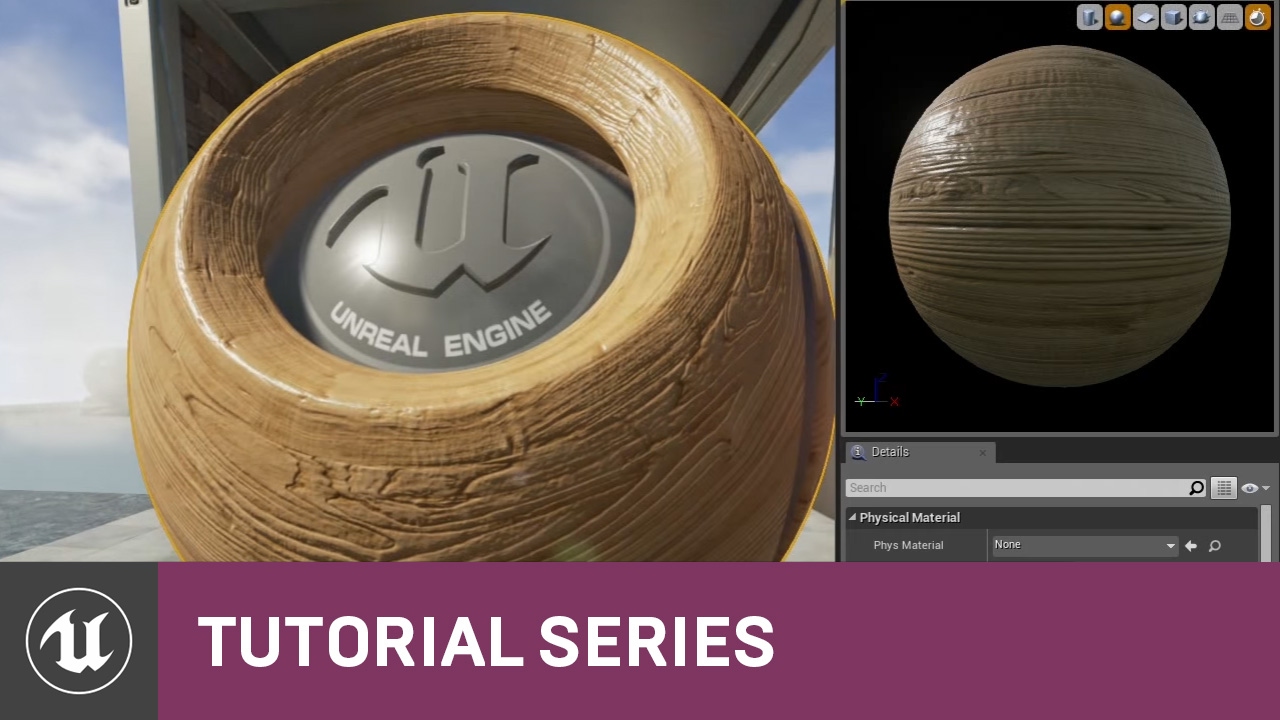
For the full tutorial playlist:
https://www.youtube.com/playlist?list=PLZlv_N0_O1gbQjgY0nDwZNYe_N8IcYWS-
(00:05) - Introduction and Materials in UE3
(04:14) - Materials in UE4
(08:56) - How Color Works Inside a Material
This high-level overview takes you through the concepts of Materials and our physically-based approach to surfaces in UE4.
A ...
bright sigil
distant siren
what should I do?
no need to post again, we saw, and i looked, and i dont know
raw harbor
bright sigil
well, i just mean you're exploring how they change the look
i changed something and there is no differnce
drowsy snow
distant siren
what should I do?
Out of RAM, I guess.
Also PLEASE don't highlight the red text, can't see stuff in it
bright sigil
raw harbor
i changed something and there is no differnce
alright
i guess it does nothing for you, maybe
raw harbor
i guess il try a differnt texture
bright sigil
if you want sure, dont worry if not all of them work
or if you see something different
just play around with it
try different textures if you desire
raw harbor
when i make a new terrain, what settings do i change to make it not stretched
also there is resolutuon, what do i change that to?
bright sigil
well, thats a bit different
drowsy snow
raw harbor
also there is resolutuon, what do i change that to?
That's governing the landscape's heightmap and face density. In other words how small/big the quads that make up the landscape are.
raw harbor

it looks whay better now but very small
infact too smal
but whatever, atleast its good
bright sigil
raw harbor
looks like you found the tiling
raw harbor
na, i just made terrain
bright sigil
lol thatll do it
bright sigil
raw harbor
na, i just made terrain
https://docs.unrealengine.com/4.27/en-US/BuildingWorlds/Landscape/Materials/ If you decide to learn more about landscape materials so you can paint different textures
bright sigil
raw harbor
but did you try the tiling below that?
raw harbor
it moves the material
bright sigil
the tiling offset, not the detail normal
raw harbor
make it rotate
oh
shit
wait
LMAO
how did i not know

when it did that it made it look like it was rotating XD
bright sigil
maybe check it out on a box or plane instead of sphere (bottom icons)
well there is a rotation param as well
 bright sigil
probably too much tiling 🙂
drowsy snow
And that's why I brought up detail texturing
distant siren
drowsy snow
Out of RAM, I guess.
Also PLEASE don't highlight the red text, can't see stuff i...
ram? and what should I do to fix?
raw harbor
whats the shortcut for snaping
raw harbor
distant siren
ram? and what should I do to fix?
how much ram do you have?
distant siren
raw harbor
how much ram do you have?
16gb
raw harbor
how big?
distant siren
and how is it resolved?
bright sigil
the hell if i know
raw harbor
bright sigil
i dunno several gbs?
yeah ig il never be able to do my car game
bright sigil
i got 16 and build just fine, but my project is not over a gb
could be some other problems, i havent a clue
distant siren
drowsy snow
<:kappa:230139910307315712>
how can I do?
raw harbor
bruh the car game was atlesat 10gb and wasnt even made yet
drowsy snow
distant siren
how can I do?
DownloadMoreRAM.com - CloudRAM 2.0
raw harbor
BRUH
bright sigil
lol
 modest trench
do they give free discord nitro too?? 
distant siren
really, what should i do?
raw harbor
distant siren
really, what should i do?
get more ram, buy more phyical ram
how big is your project
modest trench
it could also help to mess with the page file and make sure it has space
raw harbor
bright sigil
i got 16 and build just fine, but my project is not over a gb
cube sim rn is over a gb so
bright sigil
raw harbor
cube sim rn is over a gb so
might want to test build before you get any deeper
distant siren
raw harbor
how big is your project
inside unreal 140gb
raw harbor
holy
raw harbor
bright sigil
might want to test build before you get any deeper
why tho, its only a gb
how come 16 isnt enough
bright sigil
raw harbor
why tho, its only a gb
im not saying it isnt, im saying test build
distant siren
bright sigil
yeeeesh
and what should I do then?
bright sigil
thats just good to do
drowsy snow
raw harbor
why tho, its only a gb
Always test build.
bright sigil
for these kinds of problems
i would legit build a template project before doing work
who knows if there would be problems out the gate
that deep in, even if ram gets fixed, who knows if there are other problems
last night someone had some kind of plugin problems
distant siren
previously in development mode he had exported .. now I put shipping
bright sigil
he?
distant siren
yes
 distant siren
Packaging is done in development,this memory problem I don't know why it happens now that I have selected shipping
drowsy snow
distant siren
and what should I do then?
Again, download more RAM 
For real though, either buy another pair of RAM sticks, or try reducing the assets by throwing away unused assets, and excluding editor contents
raw harbor
dam, the fps in the exported is way better than ue4
raw harbor
really worried to face a problem when im done with the game
ig unity is always there for me
bright sigil
distant siren
Packaging is done in development,this memory problem I don't know why it happens...
bright sigil
raw harbor
really worried to face a problem when im done with the game
just make sure you build every so often and not when you are "done"
distant siren
drowsy snow
Again, download more RAM <:kappa:230139910307315712>
For real though, either bu...
i try reducing the assets by throwing away unused assets, and excluding editor contents? do you mean that I have to delete from the project things that I do not need in the game?
bright sigil
distant siren
i try reducing the assets by throwing away unused assets, and excluding editor c...
it may take you a few hours to make headway
distant siren
bright sigil
https://discord.com/channels/187217643009212416/225448446956404738/9241762506443...
what should i do different from what i have already done?
bright sigil
do different? i guess get a better system, i really dont know
i get that it worked in dev but not for shipping, as for why, i dont know
best i can suggest is to optimize it
distant siren
bright sigil
best i can suggest is to optimize it
this I had not done, to do this
 bright sigil
look, im not the authority on optimization for packaging, there's #packaging for most of these concerns.
I've had my share of packaging troubles so im going from those learned experiences. Each project is unique, preventative measures are all i can recommend along with troubleshooting.
 tawdry wren
How many unreal units is 1 meter? I keep getting random numbers
bright sigil
1uu = 1cm
tawdry wren
thank you
distant siren
bright sigil
look, im not the authority on optimization for packaging, there's <#402958499660...
ok
 rustic saddle
Hey I had a quick question, I just started using UE4, and want to know if it's possible to use a variable in a spawnActor node
bright sigil
rustic saddle
Hey I had a quick question, I just started using UE4, and want to know if it's p...
yeah, you can make the purple class input a variable
rustic saddle
How can I change it to variable?
drowsy snow
rustic saddle
How can I change it to variable?
Right click the pin -> Promote to variable
bright sigil
drag off the purple circle of the input, the menu will popup and you can choose promote to variable
rustic saddle
I tried promote to variable, it made a variable for the class. Do I just delete the class variable?
raw harbor
rn im working on 3d parkour 2022, i hope il be able to finish this project on my own, i will have to use however the unreal docs bec i need to do stuff like moving platform, etc
 bright sigil
rustic saddle
I tried promote to variable, it made a variable for the class. Do I just delete ...
bright sigil
rustic saddle
I tried promote to variable, it made a variable for the class. Do I just delete ...
no..... so you made one yourself from the variable section or....
rustic saddle
I have an already existing variable I want to use as an input
Oh also the variable I want to use is an object type in case that's important
drowsy snow
rustic saddle
Oh also the variable I want to use is an object type in case that's important
Get the class beforehand tho
bright sigil
rustic saddle
I have an already existing variable I want to use as an input

i made that from the pin, but you can drag your var from the side panel onto the input circle (the pin)
drowsy snow
He said the var is "object type", so it's an Object Reference var
bright sigil
yeah....
raw harbor
No importance volume found and the scene is so large that the automatically synthesized volume will not yield good results. Please add a tightly bounding lightmass importance volume to optimize your scene's quality and lighting build times.
(is there a problem?)
drowsy snow
raw harbor
No importance volume found and the scene is so large that the automatically synt...
Are you using static lighting?
bright sigil
raw harbor
No importance volume found and the scene is so large that the automatically synt...
its best to use lightmass importance volumes for building lighting
define the zone that lightmass should pay attention to
basically a big box around your level play area
 drowsy snow
I don't think static lighting's necessary in this case 🤔
bright sigil
raw harbor
lightmass is a rendering tool to calculate lighting and bake lightmaps - static lighting - importance volumes indicate where lightmass should do its rendering properly
raw harbor
well, ok, how do i fix this problem, maybe to not waste your time bec i wont understand, what do i google?
bright sigil
lightmass importance volume
#ue4-general message but as stated, you might not need any static lighting, i think you could just do with dynamic, but if you want to learn about it... then yeah
raw harbor

i added the box
Oh, this is what i had in the start, i removed it
this little box
bright sigil
ahh, right
bright sigil
yup
rustic saddle
Wait hang on, is there another way of spawning actors? All I want to do is spawn in an instance of the actor that's currently stored in the variable "EquippedItem", which I imagine is a pretty common function in games
bright sigil
EquippedItem is what type?
rustic saddle
Object
Although idk what any of the types mean so if there's a better type for storing an actors name I can change it
bright sigil
well the node is called Spawn Actor
Objects dont have a transform, they can "live" in the world space
objects are more abstract than actors, therefore actors extend from objects
rustic saddle
So what variable type is best for storing actor names? Strings?
bright sigil
with this equipped item, is there a mesh or some kind of visual already?
rustic saddle
Not yet, its just supposed to store the name of an item, which can be anything
I just started today so I might be using actor wrong lol
bright sigil
oh, i think i see where the confusion is - there is an actor class reference and an actor object reference
rustic saddle
Yeah I don't fully understand what either of those are yet
bright sigil
no worries
so you have this thing (equipped item) and its held in the hand or something, and is it just a visual thing?
does the held thing have or would have extra logic?
like a gun that shoots bullets or sometihng?
rustic saddle
I think so, but not while being held
So for example, a tomato slice that can be placed on top of a burger
But also something like a broom or something
It depends on the item
bright sigil
you probably want to use a static mesh or static mesh component depending on how you want to work with it
but if the tomato maybe has something it can do, like you can squish it or something, then you'd be making actor classes for each thing
tomato actor, broom actor, etc
if its just visual then no need for the extra layer of the actor class
a static mesh/comp works because its just a visual and you would be setting that (although you can add/make it if you prefer)
sorry if this is a lot, depending on the tutorials out there, you might find the right concept
rustic saddle
Lol its fine, the way I imagined it would work is to basically have every items logic in their own separate "object" if that's what it's called,since they're all very different
bright sigil
ah yes, what you call object, think actor instead
if you work at the actor level, you should be all good
coming from Unity?
rustic saddle
No from GMS, tried unity like 5 times couldn't understand it lol
bright sigil
lol fair enough, gotcha
havent used, but if they're calling things that you can place and move around objects, they are actors in ue
rustic saddle
So an actor is basically a non-character thingy you place in the level, right?
rustic saddle
Okay, so what's a class?
bright sigil
well actor is a class
so if you make a tomato slice (or maybe food) you would base it on the actor class, extending from it
so its an actor, but now a little more special
rustic saddle
So it's basically a child of an actor?
bright sigil
broom and tomato would both be actors, but they are different actors
exactly 🙂
child class
in fact, when you are in the bp graph editor, you can see what the parent class is in the top right
rustic saddle
Ok that I get
bright sigil
if Adriel is around, he would suggest using actor component which can be fun, but i dont know if those will be comfortable for you
bright sigil
all good, keeping it simple
rustic saddle
So every item will be a "class" of an actor called "bp_item", which is the parent actor for all items. Each item will have a variable in them called "type", which determines how they operate. The player has a variable "EquippedItem" which is the name of the actor class the player has equipped. What I want to do is spawn the actor stored inside EquippedItem
I think that's the best way to describe it
rustic saddle
Yeah bp_item is the "parent object"
bright sigil
gotcha
rustic saddle
Then items like tomato and broom are actor classes of bp_item
bright sigil
so if you already have EquippedItem, which is an actor (or could be your bp_item) then you dont need to spawn a new one
are you using fps template?
rustic saddle
Yeah, the spawn actor node is in a custom event that activates when the player interacts with an actor class of bp_item
No a blank project
bright sigil
oh ok
well, because equipped item would be an actor, you could have a ChildActor component added to your player
then all you'd be doing is setting that ChildActor to the class you'd like it to be
rustic saddle
What does a ChildActor component do?
drowsy snow
Basically containing another actor, but spawning another actor and attaching it is much safer
bright sigil
 drowsy snow
Child Actor component is wonky to use in practice
bright sigil
EquippedItem is your childactor
bright sigil
drowsy snow
Child Actor component is wonky to use in practice
there's something easier?
rustic saddle
So it basically converts EquippedItem into a class?
bright sigil
rustic saddle
So it basically converts EquippedItem into a class?
its the way you can make a different actor class a component on your player
drowsy snow
bright sigil
there's something easier?
Spawn Actor -> save the object reference to variable
bright sigil
drowsy snow
Spawn Actor -> save the object reference to variable
right, but i assume it will change and you have to attach the spawned actor
rustic saddle
Wait hang on... I'm so dumb
bright sigil
might as well just do it manually
rustic saddle
The player is picking up the item.. The item doesn't need to be spawned, it just needs to be moved to the players hand
drowsy snow
Child Actor is difficult to mess around with, compared to just attaching actors
bright sigil
rustic saddle
The player is picking up the item.. The item doesn't need to be spawned, it just...
ahhh
drowsy snow
rustic saddle
The player is picking up the item.. The item doesn't need to be spawned, it just...
That's where attaching the actor come in handy.
bright sigil
then no need to spawn or make any component 🙂
drowsy snow
No pun intended
bright sigil
yup ^
rustic saddle
Lol yeah
bright sigil
when player touches or presses input or whatever, attach that actor in the world to some specific location on the player
actually, just use a vector variable lol
rustic saddle
Yeah I just finished following a tutorial on how to make an fps character from scratch, which basically does everything I want to do, just no way of picking up items
drowsy snow
rustic saddle
Yeah I just finished following a tutorial on how to make an fps character from s...
So you're making FPS game?
rustic saddle
Basically yeah but replace the gun with other items
drowsy snow
FPS games typically fake the item grab
rustic saddle
How do they fake it?
 south meteor
So.. I'm old to programming, new to game dev... With all the awesome Megapixel stuff that is out for free - is there an auto biome generator? Where I can drop in something to my level and feed it basic stuff like: size: 500m x 500m , 100 tree, 30 puddles, 2000 rocks, 10 grass types, 50 bushes - pick from the available Meagpixel packs and it takes the megapixel goodness and just generates a map? And more ideally can that happen at runtime? 😄
bright sigil
oof, im sure you can buy something like that
not really out of the box afaik
i mean there are a couple of learning examples, but nothing to that degree
drowsy snow
south meteor
So.. I'm old to programming, new to game dev... With all the awesome Megapixel s...
Did you mean Megascans?
bright sigil
lol i read megascan
drowsy snow
I suppose that one UE5's new feature allows for point cloud placement from Houdini
Though there's no such thing in UE4
south meteor
What I'm wanting to do, is have a way for players to goto a part of the map that auto-generates a unqiue level for them to resource collect in
drowsy snow
south meteor
What I'm wanting to do, is have a way for players to goto a part of the map that...
Oh, okay. Maybe you can trick it with some line trace downward to get the elevation around a certain spherical area, and spawn the resource actors on those points
bright sigil
rustic saddle
Yeah I just finished following a tutorial on how to make an fps character from s...
pickup items can be done on an overlap event, i think thatll be simplest
south meteor
Well, it kinda sounds like it would work if used this: https://www.unrealengine.com/marketplace/en-US/product/fully-customizable-advanced-automatic-landscape-material
and this:
https://www.unrealengine.com/marketplace/en-US/product/mineable-and-interactive-rocks-with-spawning-ores-replicated
along with this - https://www.unrealengine.com/marketplace/en-US/product/ultimate-inventory-system-from-beginning-to-end
I just dont know if I know enough to be buying assets already 😄
bright sigil
you might face some troubles to integrate it all, but as a programmer i guess thats not too unusal
south meteor
cause it sounds like I drop in those 3 and my switch out the models and my game will be done 😄
rustic saddle
bright sigil
pickup items can be done on an overlap event, i think thatll be simplest
I always thought the easiest way of making items is a state change in the items themselves, and since the items, even while being held are still physical thingys in the level, i feel like simply changing their position is easiest right?
bright sigil
rustic saddle
I always thought the easiest way of making items is a state change in the items ...
your not planning on having any kind of inventory?
as for the overlap idea, you need to know when the player is near that specific item to then pick it up
rustic saddle
Not a visable one
bright sigil
okay, but you will be able to hold multiple items?
essentially some sort of array that keeps track of what has been picked up and the most recent one appears in hand?
rustic saddle
bright sigil
as for the overlap idea, you need to know when the player is near that specific ...
Isn't that what a line trace is for?
And yeah
Have you heard of the game "happy humble burger barn"? That's the best example of what I'm going for
bright sigil
rustic saddle
Isn't that what a line trace is for?
ah ok, so you have it where the player will look at the item they want to pickup and then press some button to do so via line trace
rustic saddle
Yeah
bright sigil
rustic saddle
Have you heard of the game "happy humble burger barn"? That's the best example o...
heard of, but not familiar
alright, then thats cool
im thinking more of that cooking sim game
similar right?
rustic saddle
Basically the player clicks on an item, item zooms up to the players hand. Player clicks again, slaps the item down onto the surface they're looking at
Yeah basically that
rustic saddle
So my current method should work?
bright sigil
overall sounds right.... look at item, line trace when clicking or whatever to pickup, item moves to "hold location".... is there a different button to put down?
or i guess some kind of logic to determine putting down vs picking up something else
rustic saddle
No still click. Basically another line trace to check if the player is looking at a flat surface, if yes, slap item down
bright sigil
the item move to hold location might give you some challenge, but its possible 🙂
rustic saddle
And yeah, that being if the player is holding something
bright sigil
right, makes sense
all sounds right, just some variant cases such as full inventory or looking at item/valid surface
but overall sounds like a plan
use actor classes 👍
rustic saddle
Ok I will thanks :3
 stark bronze
when i go to retarget my skeleton animation and i go to search i see nothing. what am i doing wrong?
drowsy snow
stark bronze
when i go to retarget my skeleton animation and i go to search i see nothing. wh...
Make sure both of your skeletons are assigned to the Humanoid rig, and all the retarget settings are set up properly.
stark bronze
okay, where do i begin
primal tendon
Why is light leaking from here? It's not when I go near it

 drowsy snow
primal tendon
Why is light leaking from here? It's not when I go near it
drowsy snow
primal tendon
Why is light leaking from here? It's not when I go near it
Tweak the light's contact shadows.
primal tendon
How to do that?
primal tendon
drowsy snow
Tweak the light's contact shadows.
I'm using Ultra Dynamic Sky, so how to do that?
drowsy snow
Usually that's on the directional light
primal tendon
ok
 hexed forge
what program should i use for a survival character creation ? maya or blender?
drowsy snow
hexed forge
what program should i use for a survival character creation ? maya or blender?
The one that you're comfortable with the most.
Though if you use Blender, make sure to set the Unit Scale to 0.01 to match Unreal's unit scale.
 sour tide
Is it because a blender unit is a meter and an unreal unit is a centimeter?
drowsy snow
sour tide
Is it because a blender unit is a meter and an unreal unit is a centimeter?
Correct.
 fiery basalt
sonic granite
fiery basalt
sonic granite
so i got some uassets to play around with, and i copied and pasted them into my contents folder via windows explorer, but all the blueprints there, but all the linked static meshes and materials are disconnected.
how do i fix this?! 😦
raw harbor
So I know steam takes 100 dollars to publish a game, how much does epic games take to publish?
drowsy snow
raw harbor
So I know steam takes 100 dollars to publish a game, how much does epic games ta...
Depends on the arrangement
bright sigil
better to talk about this in #industry-chat
and has been talked about there as well
drowsy snow
EGS still isn't that open compared to Steam
Which is why there's barely any shovelware in EGS, for now.
raw harbor
What’s another publishing site for games I can put it there which is also popular
raw harbor
drowsy snow
If you want to, you can just go to itch.io and publish it there
Will it even be seen
bright sigil
itch, steam, and egs afaik
dapper burrow
Hi all, I packaged development server and launched in my local machine and when I join using open 127.0.0.1 from my editor then I can join the game hosted on the local machine. However when I built the development apk and try to connect using open 127.0.0.1 or 192.168.0.1, I cannot join the server from my android. My pc and android are connected over same wifi. Why I am not able to join?
Stuck on this for more than a week
I think the issue is port forwarding? How can I do that?
Which ports I need to change and how to change?
sour tide
....did you really try to ping 10,000 people?
It sounds like you need some basic introductory tutorials? Maybe Mat Wadstein's series? He has a FPS one
I think there is definitely a hard learning period. Learning all the most important nodes, how to effectively accomplish effects you need, and knowing where the idiosyncracies are. Like knowing that dynamic materials don't have visible parameters like blueprints, you need to actually write in the parameter name you're aiming to change
autumn flame
?
drowsy snow
sour tide
....did you really try to ping 10,000 people?
The ping is disabled for those, thankfully
How long have you used Unreal Engine?
stiff verge
BP has some of the best help integration I've seen in node based programming. hovering inlets and outlets give you additional info.. The search box is super reactive, you can try stuff out and scroll the list and it gives you ideas
it's impressively good
It feels like it was design for people who have previous experience with nodes but never touched BP before
the red box outlets that are on the left side of nodes to trigger an event.. that's very unintuitive however
plush yew
Hi, i have an issue with particles not showing up on in the right lens of my oculus. I searched online and found only one link
Instanced stereo is disabled by default, and the particles still only show in the left lens
things that arent showing up are particles and exponential fog on the right lens
which makes seeing things feel weird, and out of sync
the odd thing is, that if i run test VR from ue4 without packaging, the particles and fog show up, but not after packaging
 frozen stratus
Is there any way to change distance on which virtual textures load? If I use smaller mesh, that is closer, then these load ok, but with bigger mesh that is placed farther (so that I can use longer camera lens for less distortion) I run into this problem that the virtual textures don't really load unless I go very very close. I tried things like never stream and mip maps options on texture but seems like they have no effect, maybe they only affect regular textures. This is not a landscape but just some high res regular textures on a mesh imported as VT

Even if I have "sharp" texture, and I then go closer, I only get the highest detail beyond the point on which these would be viewed, so I'm also loosing available resolution. I'd need to get these textures load earlier/farther/faster. I'm on 3090 so it's not VRAM issue
 late timber
Im thinking about switching from c4d to unreal engine. Its mostly for vfx work. Any courses or yt channels you guys would recommend for this specifically?. Cheers guys.
 fiery sluice
Hi guys, I want to study more about composition in game level designs, to make good compositions like game like The First Tree and Journey, Abzu etc, Any References to get better at those stuff?
 bitter jungle
Hey does anyone here know a few things about the debug console?
Because I was hoping there is a command that tells you what the object you're looking at is called
 viral dome
editör..

play
fps error? help me?
Trouble turning right and left
I can't solve it please help?
 stiff bane
thick herald
stiff bane
thick herald
5 days. Maybe 6.
 raw beacon
Merry Christmas ya'll. I made a Christmas special music video using unreal, starring the Elf on a Shelf. https://youtu.be/3QBnlzfXleE Cheers to all! 🎄

Elf On A Shelf is sick and tired of all this leftover Christmas food going to waste, and he's gonna do something about it!
I've spend the better part of this last month working on this video, and I wasn't sure if this video was going to be able to be released today, but I got it done in the last moments!
Merry Christmas, and enjoy this music ...
 jolly granite
How would one per-say start to learn game development and coding? Recommended recourses?
plush yew

YouTube
Speed Level Designs with Unreal Engine 4!
New video every friday!
distant siren
what should i do?

 trim steeple
Hey sorry for bothering you, one of my player have this problem and it prevents him from playing the game. Do you have it solved? If you can point me out some direction that would be very appreciated, thank you, and Merry Christmas!
kindred depot
Has anyone successfully converted Echo's slope warping control rig, using virtual bones? My feet keep overlapping when including a virtual bone as a root for the IK_root.
 plush yew
Im sorry for coming up in the middle of atomik's issue but I am getting this ue4 crash and it's been 9 times I'm trying to plug my material and apply it (not on landscape just making the material, it worked before but thanks to github source control thing it didn't saved any progress so I had to redo this 2 hour process again and now unreal is crashing with this log). Please help idk this one and I haven't seen this one.

Im sorry atomik for bringing my issue in the middle.
kindred depot
plush yew
Im sorry for coming up in the middle of atomik's issue but I am getting this ue4...
remember to save all the time. Every chance you get. Try adding -d3ddebug to your project and engine exe?
Thats what this place is for bud 🙂
who cares who is first, ask your questions man!!
plush yew
kindred depot
remember to save all the time. Every chance you get. Try adding -d3ddebug to you...
Alright 😄
plush yew
kindred depot
who cares who is first, ask your questions man!!
Thanks man but ur issue is now dug up there in chats, that;s why im sorry.
kindred depot
plush yew
Thanks man but ur issue is now dug up there in chats, that;s why im sorry.
NO need to be sorry! no ones going to reply to that xD lmfao not many people use these control rigs yet. When everyone should start doing so NOW!!!😋
type at the top d3ddebug, and look in the search
plush yew
kindred depot
NO need to be sorry! no ones going to reply to that xD lmfao not many people use...
OOF
kindred depot
there is a lot of questions and answers
plush yew
kindred depot
type at the top d3ddebug, and look in the search
Okay 😄
distant siren
What??

 lunar lark
Does anyone know how to get rid of the camera flicker of when you join a new map and it automatically sets the camera position to 0,0,0 and then spawns you in after like half a second?
 whole radish
Any ideas how to fix decal mesh clipping when camera is far away?


 pure void
jolly granite
How would one per-say start to learn game development and coding? Recommended re...
pure void
jolly granite
How would one per-say start to learn game development and coding? Recommended re...
Udemy
The gamedev.tv courses are really good
Youll still need to find out stuff for yourself and I recommend looking into the subject they discuss in more depth yourself
 weak sorrel
Hello ! I want to install Socket.IO Client plugin from the Epic Marketplace. So I click install to engine 4.27 then nothing happens and nothing is installed. Any Idea ? Thanks
 spare kernel
trim steeple
Hey sorry for bothering you, one of my player have this problem and it prevents ...
spare kernel
trim steeple
Hey sorry for bothering you, one of my player have this problem and it prevents ...
Yes we solved it
plush yew
Hiii are there any belgium / netherland people out here ? I am alone now for 6 years would be nice to found some cool people from my side
drowsy snow
lunar lark
Does anyone know how to get rid of the camera flicker of when you join a new map...
Change the default game mode, and put player start actors.
meta files
Ah yes, you're coming from Unity.
.uasset files on their own are the asset files, not just something like Unity's meta files.
You want to try importing them directly in the editor's Content Browser instead.
As for the source files, just use Windows's search function, search by *.jpg or *.png, then delete all the results
See the last line in my reply above.
Doesn't matter, just change the format file suffix
It is.
Unless you want to waste more time making a C# .NET app to do the exact same thing.
Go ahead. Using the Windows's search functionality is going to be way faster, but you do you.
bright sigil
sounds like that is what has been suggested
drowsy snow
Could've used Bridge and the Megascans plugin, but eh
bright sigil
except for size bloat and deletion, which i hope keeps everything intact
drowsy snow
And 80% inefficient
Don't call me toxic, I'm just saying the facts, even if you don't like it.
At least with Bridge and the Megascans plugin, bringing them to unreal is one Export button away
 abstract sundial
hey,does anyone know whats the max vertex count limit for a single object of a character model?(UE4)
plush yew
Game opens and you see lists of servers you go in alpha and exit then you log,out and go to beta and your profile in alpha is,also in beta with the stuff
What is it called ?
drowsy snow
abstract sundial
hey,does anyone know whats the max vertex count limit for a single object of a c...
Technically unlimited.
The performance will obviously suffer from unoptimised models (and depending on hardware, could lead to crashing), but that's not part of the equation.
abstract sundial
Hmm my mesh is 200k vertices i cant make separate parts for some reason
drowsy snow
abstract sundial
Hmm my mesh is 200k vertices i cant make separate parts for some reason
Consider optimise it, most game characters nowadays still hovers on at most around 100K mark
abstract sundial
drowsy snow
Consider optimise it, most game characters nowadays still hovers on at most arou...
thank you 🙂
pure void
plush yew
What is it called ?
Read about game state and save games
plush yew
Thanks dean
 remote roost
does anyone know how to add a custom watermark to each build of the game? for providing to early access beta testers to keep track in case they leak game?
 lucid gorge
following this: https://docs.unrealengine.com/4.27/en-US/InteractiveExperiences/Networking/HowTo/DedicatedServers/ it indicates i need to build from source to do multiplayer.... which i've done... but then it wreaks havoc with using paid plugins from the marketplace..... is the build from source just antiquated info?
How to set up and package a dedicated server for your project.
 tepid helm
Hello, I'm thinking about making a fast paced multiplayer game with NPCs, wide variety of skills (fast and slow, wide range and short range) and movement, and I came to a problem- Networking.
Game like this should have a good synchronised, deterministic and seamless gameplay and netcode.
What type of netcode shoukd I use?
A) typical ue4 RPC approach seems to not consider lag and the game can easily desync if You don't take it into account. Also sometimes replicating variables with variable replication property takes a really long time. Not to mention, people on remote machines will see other people in incorrect positions because of lag. So if someone tries to headshot someonemoving to the left , he would in reality be a bit to the left so the headshot wouldn't be counted. There's no compensation with prediction(I mean, UE4 character movement DOES have prediction built in, but it doesn't predict actual position of other players according to lag) .
B) Typical ue4 RPC approach with Client side predictions and comoensations and coverage of all problems in A would be a good option, but it seems I would have to learn and change a hefty amount of ue4 code and add another hefty bunch of stuff.
I heard about Gameplay Ability system having what I mentioned, but I am not sure, does somebody know?
C) Rollback seems to be ideal approach, but I have several questions about it:
- How much would I have to change?
Am I thinking correctly and I have to make everything from scratch?
Doesn't UE4 have something like this built in?
2.Are there any instances of rollback games on UE4 or anyone at least trying to do that and documenting everything? - How to do that? Do You have any Idea how to approach rollback? How to prepare everything? How to sync and simulate multiple frames at once to rollback etc. ?
- Is it worth it? Is client side prediction and compensation worth more and would work? Which approach needs more work?
Sorry for long question it's a wide topic lmao
ad. 4 Wouldn't rollback be ineffective for a game with AI and more than 2 players?
 smoky timber
Hey there guys! There's this question bothering me so I thought I'd ask: how would you approach a death animation if your player character doesn't have a body (FPS) and it's just a capsule and camera?
Is there a way to force the camera to fake body fall to the ground?
I've used it before in true fps attached to the head of the skeletal mesh, but now it's different
sour tide
Could you create a bunch of simple linkages under the camera and let it flop?

 bright sigil
smoky timber
Hey there guys! There's this question bothering me so I thought I'd ask: how wou...
bright sigil
smoky timber
Hey there guys! There's this question bothering me so I thought I'd ask: how wou...
https://docs.unrealengine.com/4.26/en-US/InteractiveExperiences/Framework/Camera/Animations/ ive never used, but this is a feature to check out.
 west rapids
Does anyone know how to place an image on top of a Height Map landscape (new project) and be able to trace out an outline from the image. The image is basically the outline of the map I want to make, just want to trace it out
bright sigil
trace with what?
bright sigil
so you want to put an image onto the entire landscape which does not tile so you can use it as a guide?
west rapids
Yes
bright sigil
if you make a material, it should by default map to the entire thing without tiling. I think you still need to use landscape coords
west rapids
Maybe it'll help if I find an example video from where I got the idea from, sorry lol
bright sigil
that would ^^
west rapids
https://www.youtube.com/watch?v=G7qNQWdWp0E timestamp: 3:39
bright sigil
ah, yup, should work
west rapids
So I'm going to make an outline like that for my map and wanted to do the same thing they did in the video. I got to make it a material?
west rapids
That would help a ton sorry lol. Just trying to wrap my head around it
bright sigil
here you go

looks like a little math
the divisor number comes from here

so you may have a different number to use for it
west rapids
And this is for the actual image?
bright sigil
this makes the texture the same size as the terrain (texture sampler is your image)
bright sigil
sure thing
 frail light
Hey guys, so im new to unreal engine in general should i start with unreal engine 4 or 5?
lucid gorge
fighting that same battle --- 5 is seeming pretty stable, but worried about compatability issues adding plugins
bright sigil
ue4 for games
lucid gorge
mostly for the reason i metnioned? going to run into plugin compatablitly issues?
bright sigil
i dont know, but ue5 is not considered stable
lucid gorge
well, thats a fair answer
remote roost
me and a studio im working for are developing in ue5
no real issue for the past 2 months of using it
most 4.27 plugins will compile for 5.0
lucid gorge
cool, so far, i havent found any that dont
remote roost
engine codebase isnt that different
pretty much the same engine + lumen and nanite and the other features
calling it unreal engine 5 is just marketing
 ruby quarry
Is there a way to get Unreal to load with the last map I was working on? I found where I can set the default map to load, but I tend to bounce around a lot and having it load on the last map I was working on can be helpful as a reminder for what I was doing last.
lucid gorge
cool, good to know... still trying to get the voxel plugin working quite the way i want
bright sigil
ruby quarry
Is there a way to get Unreal to load with the last map I was working on? I found...
there should be a setting in your editor preferences to remember the last map before quitting
ruby quarry
bright sigil
there should be a setting in your editor preferences to remember the last map be...
Seems like a reasonable thing to have, but I'm not finding it...Not a huge deal, would just be nice.
bright sigil
ruby quarry
Seems like a reasonable thing to have, but I'm not finding it...Not a huge deal,...
 ruby quarry
bright sigil
ruby quarry
bright sigil
haha! Was just coming to mention I'd found it! Thansk!
 surreal eagle
since tencet owns a 40% share,can they censor my game for it's anti comunist stance?
i'm highly conerned about this but i want to still have it say what i want
 old ferry
Hello folks
I'm trying to give animation to a retargeted mesh. But get these face warps in animation. The skeleton has more bones in its face than the other one from which I have the animation.
Is there a way to fix that? a ue4 doc or a tutorial?
Have a nice day
 plush yew
hello i am trying to open a pak and edit the textures but how would i know which one has which model
surreal eagle
since tencet owns a 40% share,can they censor my game for it's anti comunist stance?
 dusky drum
Will I be able to apply everything I learn in a UE4 course to UE5?
distant siren
during the packaging happens this "very slow" appears written ... I am not able to understand the problem

 fierce tulip
plush yew
hello i am trying to open a pak and edit the textures but how would i know which...
fierce tulip
plush yew
hello i am trying to open a pak and edit the textures but how would i know which...
unpacking is a no-no on this server.
 torpid vector
yall know any basic tutorials for vr game making?, oculus q2
 static plume
Is there a way of placing a volume which would disable collision between player and a wall which has collision? I want my player to be able to walk through a specific part of my static mesh, like the opposite of a blocking volume
drowsy snow
static plume
Is there a way of placing a volume which would disable collision between player ...
Make your own trigger actor setting the collisions.
 unique kraken
hmm im about to finish a character setup though.. i might use physics on my character. im just wondering if anyone knows how compatabil things will be with chaos in ue5 later on?
hmm i mean im fine with retweaking things
but im just wondering if all my constraints etc will be for nothing
when i used ue5 physics were completely broken and weirdly rolling around
 split imp
can i use 4.23/4.18 material packs in 4.27?
drowsy snow
split imp
can i use 4.23/4.18 material packs in 4.27?
Yes.
split imp
lmao thank u :)
drowsy snow
But do expect shader compilation errors.
drowsy snow
Probably not, especially if the material didn't use Custom HLSL nodes and somehow still cause shader compile error
But those that don't use Custom nodes do have way lower chance to break.
split imp
ima just play it safe
thanks for ur help
its just a low quality tile material but tbh i cbb dealing with any errors
currently no, i didnt buy it btw
kinda why i dont wanna do it cause everything is running smooth depends how likley its gonna be a waste i will get it
drowsy snow
Not hurt to try at least.
split imp
yea it hurts my bank the more i say that lmao
drowsy snow
Also with asset pack being that old, chances are that the seller got lost in Hyperwallet purge a while ago.
drowsy snow
Those that got purged have their product ceased from being sold.
In other words, you're likely unable to buy them
Just look for a sign that goes along the line of "not for sale" in the product page
split imp
theres none
 summer plume
Is it possible to have a subsurface material work with a static light?
This is using a stationary point light in the center of the cube. If I switch the point light to static and bake the lights, it won't work. Is there any good workaround to this?
 fierce tulip
you could fake the effect inside the material, that way you dont need subsurface. which is cheaper.
 idle garden
Hello
Is there any way to contribute to UE documentation or that is done in some more independent way (own website/youtube) ?
Just asking
drowsy snow
idle garden
Is there any way to contribute to UE documentation or that is done in some more ...
The latter.
 thick rover
I'm sorry I don't speak much English.Hi. Who knows how I can save the customization Keydoard when I change them and when I leave the game to save everything. I use this blueprint, but as soon as I get out nothing is saved.

 lusty carbon