#ue4-general
1 messages · Page 1112 of 1
 brazen coyote
 kindred depot
look on marketplace just type megascans
 drowsy snow
Around 2:35 mark, the cave shapeshifted entirely
I still can't figure out how do they do that, is it VAT? Chained morph targets? Camera cut tricks for the next view?
https://youtu.be/iQZobAhgayA

The Heretic is a short film created by Unity’s Demo Team, written and directed by Veselin Efremov.
The film uses every aspect of Unity’s High Definition Rendering Pipeline, features advanced effects created with the VFX Graph, and showcases Demo Team's first realistic digital human.
Read more at https://on.unity.com/36jOXHY
Check out more of ...
Haven't found any solid docs on it, been trying to replicate that effect in Unreal.
brazen coyote
ok so
the bridge plug in does not show up anymore when i open my engine and try to search it up
and there is no option to add it from my vault
i have quixel installed and stuff but its just not showing up anywhere

 bright sigil
try pressing t
 stray drift
 plush yew
maya
plush yew
maya
Posted in #ue4-general 🤔🤔
plush yew
bright sigil
try pressing t
tysm
bright sigil
stray drift
Posted in <#225448446956404738> 🤔🤔
one of the rare times its not blender 😜
stray drift
bright sigil
one of the rare times its not blender 😜
I'm now waiting for Garage Band or something to come up lol
plush yew
Can someone help me with mario kart
stray drift
plush yew
Can someone help me with mario kart
#nintendo-games-reimplementation bud, can't believe you didn't know that 🙃
drowsy snow
What if he's CryZENx in disguise
 prime willow
@drowsy snow so im trying to setup a boolean like trigger for my function
might if i pm you with where i might be screwing up x-x
im not sure where you place red boolean's and checks lol
drowsy snow
prime willow
might if i pm you with where i might be screwing up x-x
Yeah, sure.
 crystal skiff
Best way to learn?
drowsy snow
crystal skiff
Best way to learn?
Best way to learn? Experimentation and research and and trial and error
Hotel? Trivago
crystal skiff
drowsy snow
Best way to learn? Experimentation and research and and trial and error
Hotel? ...
Well, yeah I wasnt specific enough. Best way to learn UE4 Coding, and the engine itself. As in a little push, a starting path.
bright sigil
crystal skiff
Well, yeah I wasnt specific enough. Best way to learn UE4 Coding, and the engine...
bright sigil
crystal skiff
Well, yeah I wasnt specific enough. Best way to learn UE4 Coding, and the engine...
you code before?
crystal skiff
bright sigil
you code before?
HTML and css, thats it
bright sigil
crystal skiff
HTML and css, thats it
probably the same approach as how you learned those languages then - give yourself a little project like "how can i make tetris" or "can i make a snake that moves procedurally"
the smaller and simpler the better
crystal skiff
bright sigil
probably the same approach as how you learned those languages then - give yourse...
I had a class for it, someone taught me it, I was hoping there are classes for UE4/C++
bright sigil
give yourself some wins before you do something big
bright sigil
crystal skiff
I had a class for it, someone taught me it, I was hoping there are classes for U...
check the pins in the channel then
crystal skiff
oh I know to start small and push you further each time.
 plain pier
How UE4 handle touch movement events? Change to mouse movement?
crystal skiff
bright sigil
check the pins in the channel then
Oh damn thanks
bright sigil
plain pier
How UE4 handle touch movement events? Change to mouse movement?
are you working with the top down template?
plain pier
bright sigil
are you working with the top down template?
No. I'm working on a cloud game project and I need to send messages to a UE4 game
bright sigil
plain pier
How UE4 handle touch movement events? Change to mouse movement?
by touch you refer to tapping on the screen of a phone?
plain pier
bright sigil
by touch you refer to tapping on the screen of a phone?
Yes. Also touches from Windows touchable pads.
touchpad (sorry for my English)
bright sigil
plain pier
Yes. Also touches from Windows touchable pads.
you should check out the top down template then, that uses touch inputs to control the player
plain pier
Thanks for answering. I'll check it
plain pier
bright sigil
you should check out the top down template then, that uses touch inputs to contr...
BTW. Do you know what parts of the UE4 source codes handle touch events?
bright sigil
plain pier
BTW. Do you know what parts of the UE4 source codes handle touch events?
source code? no, i work in bp
plain pier
bright sigil
source code? no, i work in bp
All right. Thanks!
plush yew
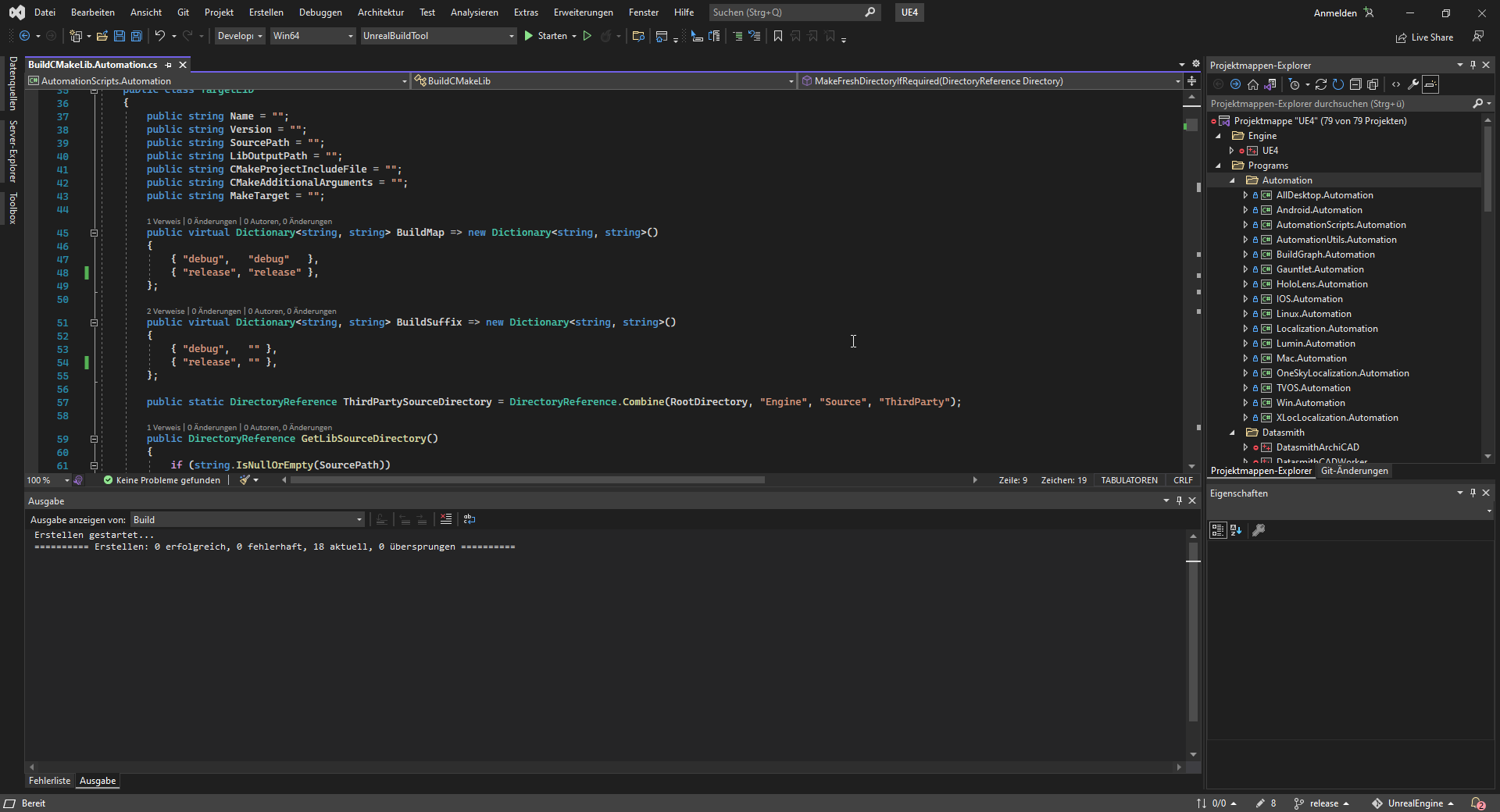
Someone can tell me what is going wrong here? The code is fine, the issues are invalide ... https://i.imgur.com/LSj48Wf.png
 warped spoke
Hey people,
I have a question about the licence.
Can i use the assets and textures from marketplace and Quixel legal for a studio production in the university.
I searched , but still nothing found to be 100 % Sure
drowsy snow
warped spoke
Hey people,
I have a question about the licence.
Can i use the assets and text...
As long as the final render is made with Unreal Engine, you can use Quixel Megascans (regardless of where you get it) for free. Otherwise, you have to pay for another licence.
As for UE Marketplace goes, any stuff that isn't made by or officially provided by Epic Games can be used outside UE. Otherwise, you can't leech them outside UE. Same goes for any Quixel stuff in marketplace or MetaHumans
https://marketplacehelp.epicgames.com/s/?language=en_US
kindred depot
does anyone know why i am receiving better results with the rotation of the camera by breaking and making a rotator, rather than just pluging it into rotation?
 plush yew
I am trying to import a 3300 frame long animation into UE4, the import result is I get like 10 animation files then every one of that includes a 0.3 second nothing. Any ideas?
okay I solved it by only ticking "Key all bones" at Blender export (under anim baking)
Now I need to fix another issue where I receive a message at the import "Imported bone transform is different from original." the result anim file is working fine but flipped over... In blender my bones are not differ from anim bones, they match positions so idk..
kindred depot
Its all trial and error with blender
most issues someone else had so there is a lot of documentation in google with people asking questions. A lot of solutions tho
plush yew
can I extrude mesh itself into wall to make a hole? for example window, door
aight I solved this with applying transforms on the armature
 slim zinc
Angelscript is great
I didn't like the idea of learning C++, but AngelScript is fine with me.
 sly coyote
I have a question that I'm not sure what section it should go in, I'm pretty well versed in unreal engine but I can't seem to figure out exactly how a certain type of projectile works. I'm talking about the projectiles from MMOs where they always hit the target and they're not really projectiles but they're like just the particle effects of a projectile. World of Warcraft or City of heroes... Where you hit a button and the projectiles fired from the character but it's not a real projectile nothing's going to get in the way of it it's going to hit its Target regardless based on a stat roll instead of an actual projectile movement component... How does that work how, do you do that? Is there a Best practices guide for that or any guide at all to that type of projectile?
slim zinc
sly coyote
I have a question that I'm not sure what section it should go in, I'm pretty wel...
I mean, you make a code for this behavior, no?
sly coyote
The closest I can come up with was a projectile with no collisions at all, that automatically adjusts its position to constantly head towards the target
slim zinc
Like, have a coroutine or something. Have it update your projectile and bring it constantly closer to the target, until it is close enough to hit it
sly coyote
That's what I did but to me it seems like all they're doing is firing off some kind of particle effect and I was wondering if that's not the case if they are actually using like a projectile movement but they have no collisions like I mentioned above

 grave nebula
@sly coyoteYou get source position and target position to particle system. Rest is handled there.
 digital anchor
Just do a timer, after [your projectile delay] the target gets damaged, use that same delay to interpolate particles and other effects, theres no need for projectiles at all
slim zinc
Is projectile - a separate entity type in UE, or something?
sly coyote
Yeah that's what I was wondering, if it is just a particle effect that plays... And the whole thing is handled by the particle. Is there a resource I can look into or read on this?
slim zinc
I still haven't really learned how UE works
sly coyote
The only reason I ask is cuz it seems like such a waste to build a fake projectile and spawn that actor just to have it show a particle effect flying through the air. When the hit and everything is based on a stat not an actual path
I can't find anything to read so I can study it a little bit and see how that is actually handled
slim zinc
If you don't like cost of spawning stuff, then implement object pooling
Also in MMOs time of projectile travel can vary
sly coyote
I'm hoping to figure out how to do it with just particle effects so I can fire it off using gameplaycues
slim zinc
Sometimes you can outrun the magic missile coming after you
kindred depot
BRO i seen a video about this last night
 wary wave
@sly coyote - there is no projectile
kindred depot
let me find it.
wary wave
the VFX is entirely client side, and it's basically just a delayed damage effect
sly coyote
Dude please, my googlefu has been failing me
wary wave
do something like draw a spline between player A and player B, and have your emitter follow that spline
kindred depot

Made with UE 4.21.1
Quick and simple method to add a trail to any particle system.
wary wave
you probably still have an actor to do this, and the spline start / end can be moved to keep the path up to date
 sly coyote
Gameplayability can handle the spline spawning....
Im glad to atleast see that my suspicions that it can be handled completely with the particle are actually correct.. it just seemed like unnecessary the way I was trying to do it
wary wave
I'd still use an actor to manage the effect tbh
there's nothing wrong with doing that and it gives you a lot of flexibility
sly coyote
Yeah it can't be worse than adding the load of replication from the particle movement component just to display a particle that's not even using it for its intended purpose 😋
 rare pulsar
If i like to have Coins / Stars / Crystals that are Persistent over the whole game, should i store them in "Game Mode" or better creating an "Save Game" and save it in a Slot? Since i was intending to use the Coins you gather later on in a Merchant to buy Equipment or Skins. And the Stars / Crystals are for opening new Doors or unlock Boss Rooms like "More then 10 Stars" unlock first Boss.
drowsy snow
rare pulsar
If i like to have Coins / Stars / Crystals that are Persistent over the whole ga...
Ever heard Game Instance?
It persists as long as the application is running, so you can use it as sort of the game's memory. Then you make save data out of it when you need to.
 mellow flame
can i export a generated lod from unreal?
drowsy snow
rare pulsar
If i like to have Coins / Stars / Crystals that are Persistent over the whole ga...
It's less hassle than to load the save data every persistent level travel.
drowsy snow
mellow flame
can i export a generated lod from unreal?
Yes.
mellow flame
how?
drowsy snow
mellow flame
how?
When you export the mesh as FBX, you have the option to export the LOD
mellow flame
i guess it will export all, right?
 rare pulsar
drowsy snow
It's less hassle than to load the save data every persistent level travel.
rare pulsar
drowsy snow
It's less hassle than to load the save data every persistent level travel.
Ah so basically you store the Coins in Game Instance as long as they play and if they click "QUIT GAME" the Coin value will be SET in the GameSlot? And when you open the game Fresh you Load on BeginPlay the Slot with the Coins from last time?
The only Problem is what if the Game Crashes or someone does Alt F4? Then all value would be lost?
drowsy snow
rare pulsar
Ah so basically you store the Coins in Game Instance as long as they play and if...
Yeah.
And yes, Game Instance got cleared the moment the game app process killed in any shape or form.
That's when your save game system come into play, basically making save data based on what Game Instance remembers.
rare pulsar
drowsy snow
Yeah.
And yes, Game Instance got cleared the moment the game app process killed...
Sounds good but i guess for Stars that unlock Doors they probably need to be Stored Instant into the Slot since if you get 10 Stars and open a Door and Crash the Game, the Stars would no longer exist.
drowsy snow
rare pulsar
Sounds good but i guess for Stars that unlock Doors they probably need to be Sto...
Gotta copy paste this again
That's when your save game system come into play, basically making save data based on what Game Instance remembers.
rare pulsar
Is a Game Instance less performance heavy then "Loading" Slots all the time? I know it could be annoying to load allways all the slots in ever new Map to join but in the end you could just Copy Paste most of the script into ever new Level Blueprint.
drowsy snow
rare pulsar
Is a Game Instance less performance heavy then "Loading" Slots all the time? I k...
Yes, it's much less heavy than loading slots from disk all the time. Game Instance survive through level change.
I hope you get the bigger picture about this workflow by now.
rare pulsar
drowsy snow
I hope you get the bigger picture about this workflow by now.
Thanks a lot for the Information.
plush yew
Hi, I've got a question.
I've got a UI widget reacting to player's input Pressed and Released - it's a bar that fills up on key pressed and on released starts to decrease. Actions for that are dynamically assigned during gameplay (different GAS abilities are sharing the same widget), so I reset the bindings with every ability activation. This works fine in PIE - both abilities fire off Input Pressed and Released events. However, when I build my project, only Pressed input is recorded - Released never fires.
Is there a known issues or something that would prevent correct Input Released UI behavior?
BP setup:


 hearty walrus
thanks
 devout quest
Hello Iam having trouble with my ue4 from blender the wheels are turing in the wrong direction its so weird.. If anyone can help me I would apprecite it 🙂
 eternal forge
according to https://www.unrealengine.com/en-US/educators
theres an Educator Discord for unreal engine, however it seems that the discord invite listed on the site is invalid, does anyone know if this discord server is still around? Have some questions that are maybe better fitted there

Unreal Engine
Prepare your students for the jobs of tomorrow by integrating Unreal Engine into your curriculum.
If not I was wondering if I need to put any legal disclaimers in for example the splash screen of a packaged unreal engine application that I give to students as part of a course.
They will not have to use the editor, (therefore wont need to use unreal engine directly) only the packaged application. I am wondering how stuff like that works legally
drowsy snow
eternal forge
If not I was wondering if I need to put any legal disclaimers in for example the...
I don't think so. You'd probably have to go through the trademark licensing process, unlike Unity.
But as far as including Unreal Engine logo in the app, it's not mandatory.
 tender ember
hello I'm trying to add a thing from marketplace to my project but I only see a few old projects instead of seeing all of them. why can't I see my other projects?

 fierce tulip
that depends on the version the pack was made in, and what versions your projects are.
tender ember
I opened my project in 4.27 but it was created in 5.0
about the asset idk I thought it's compatible with ue4
 fierce tulip
opening a project made in 5.0 in 4.27 will result in fubar.
that is why it might not show up. best to send it to a new project and migrate it to your project from there, but points at first sentence things might go wonk
kindred depot
You could always try sending it to 5.1 and going back to 4.27 because they use the same dependencies.
just did this with a plugin that was designed for 4.27. Content would not show. sent to ue 5.1 then back to 5 and it showed and worked.
fierce tulip
cold shivers go down the spine of many veteran devs after reading that
but hey, if it works, it works.
tender ember
fierce tulip
opening a project made in 5.0 in 4.27 will result in fubar.
that is why it might...
how do you send it to a new project?
fierce tulip
make a new project > open mp-pack in launcher > the usual stuff
tender ember
ok wait I found the culprit I ticked show all projects. I didn't see it the first time. sorry I'm a noob
thanks for you help💛
fierce tulip
np
plush yew
any ideas how to fix that edge glitch?

(exported from blender, removed any sharps and doubled vertices)
in blender it also happens, no idea how it got moved to unreal
In Unreal it is even more noticeable
 drowsy snow
plush yew
(exported from blender, removed any sharps and doubled vertices)
drowsy snow
plush yew
(exported from blender, removed any sharps and doubled vertices)
Check your normals.
plush yew
drowsy snow
Check your normals.
erhm

thanks xd
looks like it ye
it must happened when I removed the doubles
 toxic jolt
when a plugin is on discount sale, how long is it on discount sale? Where is the date specified?
hearty walrus
can you change the location of the popups?
because this

looks like this

due to an issue with my display
 clever axle
guys is interp FPS-dependent? Will a player with higher fps interp to a value faster than others?
clever axle
I thought so too but I get speed inconsistencies when I interpolate a velocity value
 cinder knot
so, do the noise node always follow the world possition wehn i move my object around or is it caused by world position (plugged it in since panner doesnt work)
 autumn latch
Should I create multiple controllers for different things the AI will do?

or one controller and multiple behavior tress?
 sterile barn
one controller, multiple behaviour trees normally
 fervent kernel
Where do I find what version of Visual Studio/which SDK to use for building each version of Unreal Engine off of Github?
sterile barn
autumn latch
or one controller and multiple behavior tress?
unless you have a specific use case, but one controller usually does the job. Just create different tasks for your different AI's
sterile barn
fervent kernel
Where do I find what version of Visual Studio/which SDK to use for building each...
I think 2017 can build all versions of UE4, 2019 for UE5
autumn latch
sterile barn
unless you have a specific use case, but one controller usually does the job. J...
so, one controller one behavior tree and different tasks for my different AI's
like this?
Does it make sense to create different controllers for very different characters?
drowsy snow
hearty walrus
due to an issue with my display
As in physical damage?
drowsy snow
Unfortunately you have to replace it.
Though if you aren't going to sell the old monitor, you could repurpose it into a light panel
bright sigil
autumn latch
so, one controller one behavior tree and different tasks for my different AI's
if you'll be defining very different logic, you probably want different controllers. Casting and arrays will be trickier since they are different classes though. But if one controller is meant to use AIP while another does not at all, they can be different classes, though you could also just disable/destroy AIP on the one that doesn't use it. As for BT, you assign it to the controller, so different ones can be assigned - but if you have logic in the AIC that sets bb keys, it's a safe bet to keep those redundant for each AIC.
 signal saffron
does anyone know if chaos destruction is replicated?
 primal tendon
Is this good? or anything better out there?
https://www.unrealengine.com/marketplace/en-US/product/brushify-country-roads-pack

Unreal Engine
Country road splines with textures and additional props. Includes a ready-made example environment. Also includes the Brushify landscape auto material. Use #brushify to support the project!
plush yew
Hello.. Is help section on this discord? or can I write here my problem?
bright sigil
on many sections there are help, if you look at the channels and feel one is most appropriate, try there, otherwise go ahead and you may be directed to a channel
 autumn flame
primal tendon
Is this good? or anything better out there?
https://www.unrealengine.com/marke...
autumn flame
primal tendon
Is this good? or anything better out there?
https://www.unrealengine.com/marke...
Brushify is cool, if you know how to edit materials and such you can use their shader and add your own textures too etc etc...
Does RVT support displacement? 🤔
primal tendon
I did buy natural roads from brushify some days ago, it was good
I wanted to ask the grasses created by auto material by brushify is kind of painful for eyes.... any idea how to fix that
autumn flame
I know i mixed Brushify with Infinity Weather but when I switched to use RVT it would remove the Displacement / Tassellation
Sad times
primal tendon
I was trying it on Unreal 5 btw... I imported 4.27 version on UE5
 unkempt cedar
Any idea on how I might let the player type onto an object,,, and how I would get the location of the last letter typed OR the location of the text cursor?, I want to try and make a thing where there is a hand writing what the player is typing, on paper.
plush yew
I have problem with character spawning when I press play.. I already try some solutions about game mode and still dont work.. any1 wanna help? dm me
unkempt cedar
@plush yew thank you, didn't know about them. 😁👍 now I know where to start
 astral dust
hey guys im using the dynamic weather system from marketplace, anyone know how to remove these screen raindrop effects?


 ancient lotus
any reason why the color for the text render component is so far off from what is set? its drastically darker and if i make it a tiny bit brighter it comes to white

same in all lighting

 dense knoll
Would creating save data for individual charecters be a good idea or a bad idea?
 terse zealot
dense knoll
Would creating save data for individual charecters be a good idea or a bad idea?
terse zealot
dense knoll
Would creating save data for individual charecters be a good idea or a bad idea?
really depends on the kind of game you are making
bright sigil
ancient lotus
any reason why the color for the text render component is so far off from what i...
shading model is default lit, make a duplicate change it to to until (and plug in color output to emissive for unlit)
ancient lotus
bright sigil
shading model is default lit, make a duplicate change it to to until (and plug i...
yep, just did that with the font material, thank you
dense knoll
Im using this method for every unique player charecter you can equip, so everytime you unlock a new plane, that plane gets a save file with its upgrade status and weapon unlocks
 timber lake
Hello guys fresh fresh to unreal engine should i get 4 or 5?
bright sigil
what are you doing with the engine?
timber lake
Just want to do try and fiddle with indie game development I'm just thinking of a openworld city game where I can just well roam around
bright sigil
UE4. Check out the pins at the top of this channel.
 silver badger
Hi I have a player and an object. I can cast a raycast to this object and want to push it in the direction of the ray. How can i do this?
plush yew
Why doesn’t unreal engine have anything like gdnative?
guys

how do i import this road into blender??????
im new to ue5
here?

@plush yew
got it thx

and how do i get it back @plush yew
 normal burrow
Lol
 tiny valley
Anyone can explain how i can make a digital grid like this https://youtu.be/VcH_M9lv3NA?t=84 hi fidelity similar to synthwave stuff

[WIP]World Collapse Battle System[UE4]
Game/Music : Ogami (twitter : https://twitter.com/kanata_no_hito)
#UnrealEngine4 #UE4 #gamedev #Indiedev
 lucid grove
Hey fellas. In terms of performance. What is better:
- Have 30 sphere overlap triggers
or - One multipshere trace that runs each each few seconds from player and if it find specifig object doing same trigger as sphere overlap
I have a spawners in openwrold with overlap sphere and im thinking about doing opposite - just run multisphere trace for those spawners instead of checking their own overlap.
bright sigil
lucid grove
I have a spawners in openwrold with overlap sphere and im thinking about doing o...
i think you'll still need some kind of collision for the multisphere to check for
lucid grove
I can just set them tag "Spawner" and some simple collision. Im just not sure how exactly on overlap is working
I mean - i know when i overlap it it fires
bright sigil
but you still need to check for thier collision and then also add the sphere trace, so it sounds like its simpler to just keep it as sphere colliders in the world
lucid grove
So this overlap check doesnt really doing some extra work right?
bright sigil
to put into perspective, I've got maybe 300 or 400 sphere colliders, the only time they lag is when i turn them on too see 😆
lucid grove
I was worry like this overlap check tick everything or something
bright sigil
if its just player, set the collision for the sphere to only check for pawn
the less check the better
lucid grove
Yeah, i already have it
I set specific channel for player so it only detects player character
bright sigil
sort of, but you can disable tick on the spawning actor iirc
bright sigil
i just double checked, my spawners have tick disabled
im sure there is some overhead, obviously, but using a sphere trace seems to just add and not replace
plush yew
Why doesn’t unreal engine have anything like gdnative?
 ebon palm
i want to open my project but i get a error that a module is missing but i dont can find it
 tranquil meadow
Is there a way to preconfigure import options for static meshes in Unreal 4? I'm onboarding an outsource studio to our project and we'd like them to have the import options set up ahead of time, rather than having the first time they go through those steps be when they're actually integrating content. Is this possible? Or is the only way to establish those options by importing something and configuring everything on the first dialog?
plush yew
is too much of a bad practice of not using folders for a long project?
i feel that the search tab and prefixes are all that one needs
I would organize
 pure void
When I press control+z it will kick me out of the details window of that object and I have to reselect it. Is this normal or is it a setting?
pure void
plush yew
i feel that the search tab and prefixes are all that one needs
Until you forget what you called a texture and then have to look through all texturesyou have
or static meshes
plush yew
hi
i enabled a plugin but in the video it shows the cpp folder, i dont have that cpp folder anyone know why ?
bright sigil
ur project is not cpp
bright sigil
well there's engine content and then there's plugin content
plush yew
but when iconvert it into an cpp i will get alot of strange things happening right ?
bright sigil
i dont know
plush yew
i dont wanna try haha xD
i tried it on 2.6
its my testfolder xD
gone try the 2.7 maybe
its a free content try it 😛
its kinda nice if it works i guess
 sharp crest
anyone knows how I'd add an in-game feedback box?
where u can write feedback that goes into a google form or just anything
I don't wonna make my own database and connection and stuff for it
bright sigil
plush yew
its kinda nice if it works i guess
talking about this
 plush yew
ty
going to check that
cant find that lol xD
first time i see something like that xD
nope dam thats to bad xD

 bright sigil
your only searching in content
 bright sigil
shhh, they said they got it, lets just leave
rare pulsar
Is there a way to Unbuild Light? Can i just delete the "Map_BuildData" File? Because i really like the version when it was unbuild, since i build the light it looks super ugly.
I tryed to find a away but the only post i found was a reddit post and they say "disable static lighting in world settings" but i dont even have that option at all.
the Directional Light and the Sky Light are both Movable allready.


I did that but that file is still there. even after rebuilding
I never had that file before it only appread after i build the map, what happen if i delete that map? does that file go too?
ebon palm
i get this error and when i try to rebuild it it dont work
 rare pulsar
thanks it worked i just opened other map then the file was gone.
Is it usual that sometimes UNBUILD maps look better? I feel it looked very strange after building the light even in "prodcution" qualty
I see because i wanted to improve the light for example if i use a "point light" the shadows where so hard and after reading a bit i found out if you build the light they get softer
I see thanks again i found some Lightmap stuff, but i didnt wanted to move stuff around i have no idea so i probably read more about it.

 urban prairie
hey I don't know where to put this but basically I need help making a barebones stealth game for a project all I need is detecting a.i, a win menu and a game over sequence. I'm extremely new to all this and im willing to go on call no matter your time zone
 wild wing
my pc fan goes crazy when i open my new unreal engine project with everythin installed already. i have default settings and have around 50 fps. 100%gpu und cpu usage from just my open project. i have a i7 und rx580 8gb. i dont know the issue and how to fix this
 knotty stump
Hi there, i just plugged some new studio Monitors on my workstation. Works great, but when Unreal Engine 4.27 is the active software, i hear a fair amount of white noise. It goes away when i shift to other apps.
Any cue?
 split jasper
Stupid question, I changed all my viewport settings when I was honestly a litttttle liquored and now for the life of me I can't remember where I found those settings. In particular, how do I get the sample background back?
 plush yew

I made Guards to protect the village From animal and perhaps Bad Ai.
my friend told me this looks like an asset flip 😮
it isnt right ? 😮 i put my soul into it
how do i recompile the cloud master material????????????
split jasper
wow that's a lot of question marks
plush yew
inr
ow okay, but if i give it an extra push like, an nice animal system with crafting,harvesting,questing, dungeoning and a hell of a story line in the quest section this all will be okay right ?
the push is going to be wether or not xD
split jasper
plush yew
ow okay, but if i give it an extra push like, an nice animal system with craftin...
Honestly I have no problem with how the characters and environment look just running around, if you're leaning into this cardboard motif it makes it unique at least. But where it falls apart for me is the the interface / text, and how the weapon hits feel.
But yeah normally this kind of feedback request goes in the #work-in-progress channel
 brisk pollen
what's the best way to add an option between toggling and holding a key for an input action with the enhanced input subsystem?
i thought maybe i could reach into the mapping context and swap like a ADSHold and ADSToggle input action
but i can't figure out how to get the mapping context itself from the enhanced input subsystem
 blissful harbor
Does anyone know how to scale a collision box in just one single direction along a given axis? For example, if I want to scale the box along the x-axis, is there a way to make it scale only along the positive X direction?
I've tried to scale the box and move the box by half of the scale amount but that didnt seem to work
split jasper
blissful harbor
I've tried to scale the box and move the box by half of the scale amount but tha...
That's what I was about to suggest, what happened when it didn't work?
blissful harbor
it scaled in both direction and didnt move at all
split jasper
...what happens if you JUST try to move it, no scaling?
Because if it doesn't move, then it's as simple as you did something wrong in trying to move it
blissful harbor
one sec
 tiny zodiac
There's this awesome feature that is the box subtractive option.
With this feature you can add a box and then add another box that cuts the original box.
However i'm not being able to use it inside a blueprint as a component.
How can i add a cube, and then add another cube that subtracts it, in a blueprint?
blissful harbor
split jasper
Because if it doesn't move, then it's as simple as you did something wrong in tr...
Ok so it moves
split jasper
INTERESTING.
blissful harbor
So i think the problem is that it's scaling faster than its moving
maybe
heres by BP

oh wait
oops
wrong numbers were used
but, it should still move faster than it scales and it doesnt
it scales faster than it moves
split jasper
yeah the first thing I'll say there is that scale and location numbers are NOT equivalent. Changing something's scale by +1 is NOT going to put the side of it in the same place as if you moved it by 1 unit
blissful harbor
thats what I was thinking
not sure how I would calculate the actual correct value though
oh wait....
nvm. I'm at a loss lol
i need to get the initial size of the box
then do the math
I think i got this
blissful harbor
split jasper
yeah the first thing I'll say there is that scale and location numbers are NOT e...
I got it! I needed to get the initial size of the box, multiply that times the scale factor that i'm adding to the scale and add that result to the position of the box
 marsh nebula
Hey I've got an UE question
so I accidentally deleted something and now my character's animations are gone and he just slides around in a tpose
I've tried a bunch of things but it just wont get fixed, so if I create a new pawn and copy/pase my bleprints into the new pawn, will it work?
 urban dust
Anyone else experiencing a bug in 4.27 where -
after working with blueprint graph or material graph for some time -
any type of list in ui (example, tab menu) closes right after you open it.
 wraith dirge
I don't get how unreal engine only charges 5% while the appstore charges 30% lol
 dusty river
I just imported this hair alembic file, and I have my groom plugins and such enabled, but for some reason I am missing the ability to see the area where I should be able to edit strands


anybody able to help?
wondering if the reason I cant create a binding asset right now could be related...
 subtle marten
Question, how do I make it so the project runs in portrait instead of landscape?
 uneven zenith
hello, i was hoping i could find anyone who could help me implement this mechanic i would like to include in my game.
Im very new to game dev/unreal engine and have not found any guides/forum posts regarding exactly what im looking to implement
idk where to ask either
dense knoll
how do i prevent UE fromdoing weird stuff like this with reflections?

 robust marten
Is there a UE4 equivalent to Lumen? My interiors are so dark I cant see anything and I can't just add lights because I have a time system
drowsy snow
robust marten
Is there a UE4 equivalent to Lumen? My interiors are so dark I cant see anything...
SSGI, and you may get some mileage out of LPV and decreasing its size
kindred depot
what about an immersive material?
drowsy snow
Also adding fake ambient light probes with inverse square root disabled could help
drowsy snow
kindred depot
what about an immersive material?
I'm not thinking that would be an option because of day night cycle lighting
kindred depot
ahh makes sense
 marsh swallow
You know, I never thought to look or ask this question before, but does UE have some kind of Actor ID that once it's placed in a level, it will never change?
That we could use as a string or name to save for different conditions for that actor on level load?
bright sigil
marsh swallow
You know, I never thought to look or ask this question before, but does UE have ...
like a UUID? actor tags?
 lost sparrow
How does Unreal handle compatibility with raytracing? If a non RTX supported card is used, does it simply not work? Is there a way via blueprint to check if RTX is supported with the current GPU or not? I have a workaround using the DLSS supported node, but that locks into Nvidia only GPUs, excluding AMD.
I'd like to automatically switch off raytracing effects, and grey out the RTX settings in my options menu whenever it's not supported.
bright sigil
lost sparrow
How does Unreal handle compatibility with raytracing? If a non RTX supported car...
this sounds mainly about graphics, so your best chance is in that channel and not double posting on others
lost sparrow
Wasn't sure where to post. Kinda a Blueprint/graphics/general question.
bright sigil
lost sparrow
How does Unreal handle compatibility with raytracing? If a non RTX supported car...
#lumen if its UE5 related
marsh swallow
bright sigil
like a UUID? actor tags?
Well tags would need to be manually set. I'm thinking automatic, some kind of function
So then UUID is what I am looking for?
Idk if UE4 has UUIDs tho. 🤔 come to think of it, I might have looked for those before.
 bright sigil
marsh swallow
You know, I never thought to look or ask this question before, but does UE have ...
bright sigil
marsh swallow
You know, I never thought to look or ask this question before, but does UE have ...
kind of a stab in the dark, i dont really get what you're doing
marsh swallow
Current I use actor tags or just a string and bang my head off the keyboard a few times to give each different object in the class its own unique ID.
drowsy snow
lost sparrow
How does Unreal handle compatibility with raytracing? If a non RTX supported car...
AMD doesn't have RTX.
Just for disambiguation, RTX is specifically NVIDIA's hardware accelerated realtime raytracing support. In UE4's realtime raytracing, it was implemented through DirectX 12's realtime raytracing, DXR.
Pedantry aside, Unreal Editor does have a way to check if the hardware supports DXR or not, you may want to search through the engine code about it.
bright sigil
then it does sounds more like UUIDs
marsh swallow
I was wondering if UE had something Iike UUIDs already integrated that will never change
marsh swallow
Nope. They exist at construct of level load..
bright sigil
well.... its probably not the best, but you could store display names
i believe those should be unique
plush yew
I'm using Megascans new forest library, but light build time is very long. Like even a small scene with like 10-20 trees can take up to 10 mins. Any way to decrease something to make it run smoother?
marsh swallow
I mean some things we destroy but we can't use object names because those are unique but handed out at runtime based on which object in the class loads first.
drowsy snow
plush yew
I'm using Megascans new forest library, but light build time is very long. Like ...
Better not build static lighting with foliages.
plush yew
drowsy snow
Better not build static lighting with foliages.
What to do then?
bright sigil
marsh swallow
I mean some things we destroy but we can't use object names because those are un...
looks like ue has guid
drowsy snow
plush yew
What to do then?
Exclude the foliages from static lighting (make the meshes moveable), or use dynamic lighting outright.
plush yew
ok
marsh swallow
bright sigil
looks like ue has guid
Okay I'll take a look at GUID and see what I can do there.
kindred depot
LogShaderCompilers: Display: RAM used: 36.31 MB (0.04 GB) of 3276.80 MB (3.20 GB) budget. Usage: 1.11%
how do i increase the ram usage?
i have 64 gigs.
drowsy snow
Shader compiling?
drowsy snow
kindred depot
yeah
Shader compiling uses CPU way more than RAM.
 merry girder
i had added a video loop into my game ,i was working perfectly in preview but once i package it and open in another pc i get a white screen instead of the video playing
drowsy snow
merry girder
i had added a video loop into my game ,i was working perfectly in preview but on...
Have you tried putting the video files in Content\Movies? They have to be there to be picked up by the packaging tools.
Also if you're in 4.27 or newer, you may want to look into using Bink media
merry girder
drowsy snow
Have you tried putting the video files in `Content\Movies`? They have to be ther...
yes now it is working fine after i moved it to contents
Blink media any docs available
never mind found the docs
why is this happening in packaged file on another PC works fine in preview and also the PC in which the game is made
its in VR
ebon palm
i get this error and when i try to rebuild it it dont work

How can i fix it
I click on yes and hé dont want to rebuilding
drowsy snow
ebon palm
How can i fix it
Rebuild through the Visual Studio solution (.sln file)
plush yew
asked before, but can you make mesh subtractive and make holes in wall with it? like using window or doors mesh
drowsy snow
plush yew
asked before, but can you make mesh subtractive and make holes in wall with it? ...
It's possible with BSP brushes, but not static meshes. You might get some mileage out of procedural meshes, but I'd rather model the mesh in DCC tools.
plush yew
well, I have this window and that wall

alright, blender then I guess
I saw this and thought that it would be easy
 rare pulsar
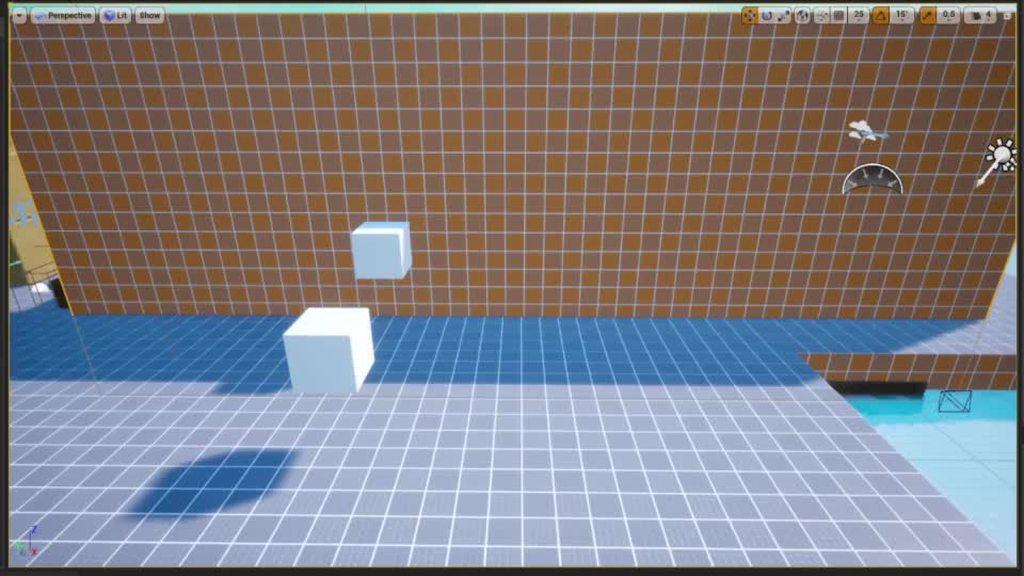
Why is it when i want to Rotate a Cube in my World with a Timeline in the "LEVEL BLUEPRINT" that it works without problem, but if i want to do the same with a Blueprint Actor, it no longer works and Jitters around like in the Video.

 plush yew
yeah, kinda get it now - using box brush and cylinder to create that window form
but no, it has rough edges lol
kindred depot
Does anyone have the documentation that explains the plugin conversion from to 4.27 to 5.0?
like for example the .Actor should be swapped to .GetActor.

makes me rethink everything i am doing 😦
LogAssetRegistry: Error: Package ../../../../../../Users/User/Documents/Project_SHAVOFixedMain/Plugins/RMPP/Content/Blueprints/LagCompensated/BP_MPPP_LagComp_Arrow.uasset has newer custom version of FortniteMain
Look what UE5 is called
 stone edge
can we get the skies from twinmotion to UE?
I still have no idea how to properly set up environmental lights in UE, the mixer should have all I need right?
 rapid sleet
Hello I want to use cesium to make a map of only one island in detail
And on what basses does one pay for the cesium services
wary wave
that sounds like something you should be asking somewhere that deals with Cesium
 trim mesa

Hi, I was trying to make an animation
and in color and opacity, instead of (opacity), i am getting (A)
How i do i fix it?
@drowsy snow
or somebody can help me
autumn flame
A is Alpha aka the one used for ya know, Opacity
 lost reef
Anyone know why my frienda pc is crashing since I updated the project from 4 26 to 4.27? I pushed it to perforce, its the exact same projwct but it is crashing his pc on load at 73% of opening the project.
autumn flame
Did he try deleting the Intermediate and Saved folders just in case?
 heady quartz
Anybody know why precomputed visibilty doesn't bake on masked materials?
ebon palm
drowsy snow
Rebuild through the Visual Studio solution (.sln file)
its working thanks
 fossil basalt
does anybody know why there is a limit to 18 trace channels but no limit to object channels?
 sour tide
Today's random creative practice. These bushes are all the same. They have their base colour, and a secret second colour (a hue shift). When the player gets close they gradually shift to their second colour, and slowly revert if the player is further away.

Now... how can I do this without using ontick?
fossil basalt
thank you ... is there a benefit to using them over the object trace method?
lost reef
autumn flame
Did he try deleting the Intermediate and Saved folders just in case?
Ill let him know, ty
Unfortunately his entire pc is crashing not just the engine and he is on the other side of the country, idk how to guide him on sending in his crash report for his pc.
 tardy hedge
How does the number of macros and functions affect performance, if I have an infinite amount of functions but only call one at a time will my fps be affected
lost reef
Im just not understanding why he could run it on 4.26 and not on 4.27
 stable path
sour tide
Now... how can I do this without using ontick?
stable path
sour tide
Now... how can I do this without using ontick?
Are you talking about checking the player distance?
In that case, maybe you can have colliders on the bushes and then use the OnOverlap event
 ebon mauve
is there a chennel for modding discussion?
drowsy snow
ebon mauve
is there a chennel for modding discussion?
No, not in this server. Particularly underground modding side of things.
ebon mauve
ah i see
drowsy snow
Though if you use Unreal Editor officially provided by the UE4 game, like ARK, you may ask some Editor specific question (but not specific to the game)
ebon mauve
ah okay thank you, its particular to the game but only because it has a nonstandard way of storing 3dmodels. i cant find where they are located
 next tangle
hey peoples how can make this sphere boom effect?
https://youtu.be/5FxSPpwOZeA?t=45
With an actor and a sphere in there?
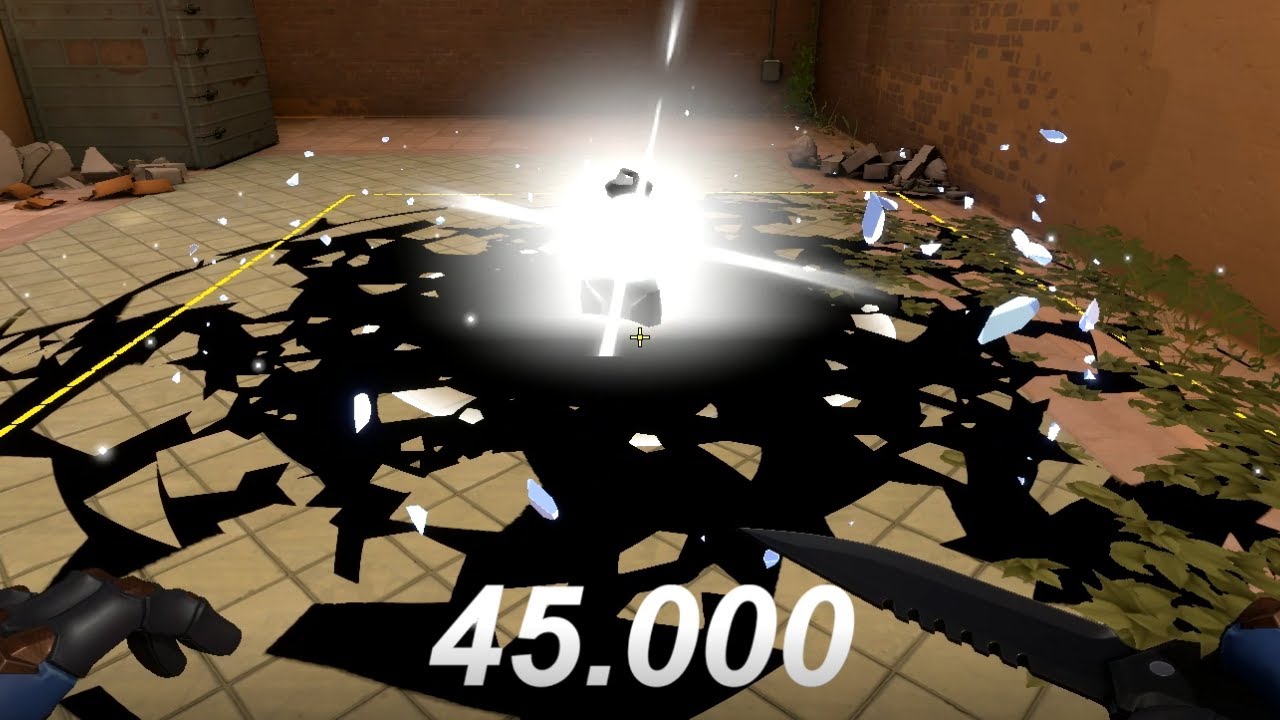
https://twitter.com/skeletody
Seems like 45 seconds until bomb detonation and 7 seconds to defuse it?
Watching the video will help learn the audio.
drowsy snow
next tangle
hey peoples how can make this sphere boom effect?
https://youtu.be/5FxSPpwOZeA?t...
Looks to be something you can achieve with simple Niagara System assembly.
next tangle
ok i test it
with a directional burst? @drowsy snow ?

here
i think that work
oh ok idk then
 proven lake
Guys can we make just a header file with unreal, no cpp just header file, currently I am trying to add a .h file from my rider and I close my editor and Generate Visual Studio files but no success, I can add .generated.h file
dusty river
anybody here use the Groom plugin? I have imported an alembic hair model and everything has worked so far with the exception of I cant change any setting like hair width, and I am unsure why.
plush yew
Is it possible to enable an actor's collision to work against my character's cloth simulated part?
dusty river
dusty river
anybody here use the Groom plugin? I have imported an alembic hair model and eve...
I also dont seem to have the ability to enable hair simulation physics.
 versed bloom
Is there a way for me to inspect BP_WoodWall119's components in the details pane? I can access it via scripting just fine, but I want to browse e.g. one of its staticmeshcomponent's material and other properties. Normally I can do this by browsing components in Details, but since it's in a child actor component (inside another child actor component), the Details tree just ends at the child actor component, and if I try to manually select WoodWall119 in the outliner, it forces the selection back to PlacedConstructible4
 dusty river
this is day 4 of me working on exporting and importing rigged character meshes, and once I get this hair stuff figured out I can get back to creating and such so if anybody could help or point me in a suitable direction that would be great!
 fervent sigil
Hey guys,
I'm doing a bit of personal research about why people choose to go to game development.
If anyone wants to share, I would love to hear why you guys chose that path, and whether it's for professional or hobby (currently and what you want).
dusty river
I am an artist aspiring to create games because I feel that fat cats and wallets are clouding peoples ability to stand up and create work they love and instead sit back idle and let our beloved passed time get ruined.
I've sat back for years letting my creativity sit stagnant so I am taking a stand in my life, and through that I hope to inspire change. I also don't think of what I do as something that is either hobby or profession, to me being creative is a natural way of life to me, its just now I am taking charge of my self and my life.
dusty river
fervent sigil
Hey guys,
I'm doing a bit of personal research about why people choose to go to ...
hope that helps. If you ever wanna prob more I got lots to say about stuff 🙂
fervent sigil
Thanks for the reply! and first let me say good luck, I really love that attitude (although every reason is a valid one imo). And yeah got a few follow up (feel free to also elaborate on that, the more the better):
- The question about hobby or profession isn't about skill level, just to clarify. It's whether you're getting paid for it, for every little part of it (even if the game it self eventually fails or "under-sale"), or whether you're taking a risk (either part-time or full-time) and making your own game, which also means taking a lot more responsibility and risk for it.
- Was there a specific moment/person that got you into that realization? or just something that little by little "slipped" into your mind until eventually you decided you had to do something about it?
dusty river
fervent sigil
Thanks for the reply! and first let me say good luck, I really love that attitud...
I have made some money, and I do offer services, I do have business cards, a portfolio and multiple social media links to my work, I aim to do this "professionally" for a few reasons, first and most important one, I do not fit into the everyday normality of a 9 to 5, and through all the jobs I have done I was a cook for over 12 years, and it was the closest thing to tolerable in my life. I spent much of my life being creative, being an artist, I play music, I act, I sing, if its art, its part of me somehow, though I had kind of of a lame hand dealt for life and I let so many things become obstacles for my self. so through my life I had artist "spurts" and through the years I was constantly mad at my self for not doing more, for not being creatively consistent. I met my best friend 6 yeas ago and she has since given me the confidence in my self to over come my self, and now for the last 8 months or so I went from drawing random stuff on paper to doing full blown digital work, and have also spent the last 5 months of that learning the art of 3d with which I feel like I have made tremendous progress, and would love to share but I don't think here is the place for that.
urban prairie
is there anywhere online I can download unreal projects
dusty river
I am also risking a lot right now as I have abandoned a normal 9 to 5 and have poured whatever free time I have into learning. its a big risk because in this time I am not creating any kind of foundation for my self really which could impact me dramatically later in life, though to me its also worth the risk cause I would honestly rather whither away in nothingness than live a life where I am forced to do anything else other than be an artist.
heady quartz
Anybody know why occlusion culling isn't working? It's not even visualizing it

 plush yew
Is it possible to enable an actor's collision to work against my character's cloth simulated part?
fervent sigil
dusty river
I have made some money, and I do offer services, I do have business cards, a por...
Amazing. I can't even begin to express how I feel a lot like you! Taking the risk to do what you love and what's good for you, even if it is a great risk, is something more people should take and a lot more often. Glad to hear you're already on the right path and improving btw, and looks like it's going to get a lot better overtime as well!
Regarding the content sharing btw: I'm not an artist my self but there is a #graphics channel which might be more appropriate for that. There is also an "OpenVFX" server I know which is a good place for that if you're using Blender, although I bet there is a server for any other program you're using as well.
That would be a great place to share what you've done, feel more proud in it and even get feedback (if that is what you want).
And thanks again for sharing all of that with me 🙂
fervent sigil
urban prairie
is there anywhere online I can download unreal projects
you can just use the epic launcher. Go to marketplace in there. There is free tag + free tab in there, and it includes some huge projects.
You can google if you want to find some specifics
dusty river
fervent sigil
Amazing. I can't even begin to express how I feel a lot like you! Taking the ris...
yeah honestly meeting more people and being able to share would be great, I dont really have any artsy/tech nerd friends so I kinda just hangout in my own bubble a lot.
would love people to just work with and nerd out on topics and creations
I do enviorment design/creation, character modeling/sculpting/rigging and now I am trying to take all those skills to unreal.
I did some unreal a few years back but it was short lived after I created a test level because I found the aquisition of the kinds of assets I wanted to be expensive or just non existent, so now I know how to make all my own stuff.
I am not the best texture artist yet either, but I can create my own custom textures as well.
 dusty river
it wasn't till a couple days ago that I wanted to test how capable I was at getting something from blender to unreal that I found its a CRAZY process.
 livid wolf
Probably many have asked this before, I just a new guy asking it again. My U4 4.27.2 engine keeps crashing with the same issue, but only if i actually use it. If i leave it idle it will go forever. My best guess is alt tabing continously for tutorials, but im open for any other ideas especially solutions. Please dm me if you got any tips not found on google.
 next sierra
does anyone have a unconventional weapon idea thats not too difficult to make? im not the most creative person in the world. ;/
make meaning code
or bluepirnt
 grim bolt
has any one shipped games using megascans? There are low poly game ready realistic assets in the marketplace, but can megascans be generally be performant and production ready like them for game design(assuming you properly set LODs for geometries and textures)? Is nanite a requirement to reach that 60 fps spot when using megascans?
 prisma plank
What I want to say. Epic is epic)

 drowsy snow
grim bolt
has any one shipped games using megascans? There are low poly game ready realist...
drowsy snow
grim bolt
has any one shipped games using megascans? There are low poly game ready realist...
No. Nanite is not required, and is usable even in UE4.
prisma plank
Lumen reflections- vs screenspace


screenspace seems cleaner
yes
very close up- it's simply test macro and not complaining about lumen)
plush yew
hi
the iddle animation and the movement animation is most of the time the same right ?
but i think that it can be bether
If standing still you beter can use an idle animation that has all sort of idles right ?
one more question 😄

searching a riverspline
or something like that
if i enable landscape editing in world detail panel of the landscape the preparing stays stuck or something
rare pulsar
I try to understand ENUMS so far i see they are just like a LIST, like some "states".
But where is the Code for it exactly stored?
Lets say the ENUM has 2 Stats "State A" and "State B"
So i can use in my Character Blueprint "State A" and "State B" for something random and in an other Blueprint i could reuse this stats for something different again?
Or do they Crossover the "Code" you attach to a State?
For example lets say, in the ENEMY, i have an ENUM STATE called "GODMODE" that makes the enemy immortal.
So if i have an attack skill in my Character and have a Branch condition of "GODMODE" is TRUE => no damage dealt, but if its FALSE => you do damage.
Does that mean "GODMODE" is a State that got cross reverenced between everything or do i misunderstand the ENUM System?
Ahh, i see, so my example would be Right? Like basically its just a "STATE" that is called between everything, so a enemy with "STATE 1" can be used in code for the character that has a attack that works with "STATE 1"
Could you not in theory make tons of "Branch Conditions" that would work the same?
Ahh i see, thanks a lot now i understand it better.
 smoky hull
does anyone know what could be causing this? I believe its because of the graphics drivers but it happens to many people
 ancient lotus
alrighty so im having an odd issue. this is using 4.27.2 source with chaos. whenever i try to play as client on a level i get a black screen and my mouse stays active. playing as server works just fine. i also noticed that if i clear the Game Default Map this error appears and again its only on the client. i tried this on the installer 4.27 build and it seems like its working just fine. any thoughts?
Edit: Fixed. its something related to EOS


 worn bison
I'm struggling to ask this question in a productive way, but I'm going to just go for it.
For an adventure/survival game, do players expect 60 fps on high/epic settings on PC?
I'm of the opinion that I'm fine with lower frame rates (30 to 60) if I get nicer resolution and a more beautiful world. I know there is much one can do to improve performance, but I feel I don't want to spend time on improving performance once I hit a sweet spot. But I know other players have different opinions, so I'm trying to seek out other opinions, especially from those who have released a game before.
next tangle
Why it looks so clean and light it’s a hdr on it? And how can make the clouds like on this screen

 charred blade
what does the suffix -can mean in japanican
I mean Ameri"can"
 neon bough
i think that whole discussion is leading nowhere
because if you target XY fps on your hardware, it won't reach that on lower hardware
it's more like, which hardware should at least provide a enjoyable gameplay
i was regarding to the whole optimization point, not to hard coded fps limits
there shouldn't be any hardcoded limit
but there should always be a fps limiter option
some people don't want their gpu go crazy for few extra fps
plush yew
guys how do i open a existing project in ue5
worn bison
Thanks for the input, I appreciate it
 grim ore
@plush yewyou open the project and choose to upgrade, import in place, or make a copy. the same way you open a project normally when upgrading
plush yew
upgrading?
grim ore
what are you trying to do...
plush yew
everytime i make something and save it the next time i wanna open it up i cant cuz its blank
 mint raptor
Did you ever figure that out
urban prairie
soooooo I was following a tutorial

And essentially it mentions late that this sequence for the bad guy to catch the player and fade to black
it needs the animation to make it work
least i think
and I botched up the animation importing and now my player manneiquin and enemy almost t pose and there is no fade to black end sequence
(I'm gonna add an end game title after this)
grim ore
@plush yewso your using UE5 and projects are not working in UE5 when you open them? that is the issue?
 tawdry wren
mint raptor
Did you ever figure that out
tawdry wren
mint raptor
Did you ever figure that out
Yeah eventually. It’s something to do with like a null object ? Or something wrong with the actor while building. It seems like certain actors in the level will cause it to break. I.e brushes but I’m still not sure.
urban prairie
 mint raptor
tawdry wren
Yeah eventually. It’s something to do with like a null object ? Or something wro...
mint raptor
tawdry wren
Yeah eventually. It’s something to do with like a null object ? Or something wro...
Does that mean you removed some actors and you were ok? Essentially if there is an actor in that map it can't stream in it says Failed to find the map?
urban prairie
do you think I could cut out the animation montage bit and just add my game over sequence
??
grim ore
you can do whatever you want... its your game
did you understand what you doing when following the tutorial? if so you should know what each part does and if you want it or not
urban prairie
Say delete these and jus add game over sequence
 grim ore
maybe, its your code I didnt follow the tutorial. If you dont want the animation to play then dont add it
urban prairie
grim ore
did you understand what you doing when following the tutorial? if so you should...
nah tbh I'm tryna learn it but im doing this for college and is due tonight basically
fair fair imma give it a go
plush yew
Any reasons why gpu sprite particles disappears at a certain angle?
I can record a video
I clicked on "Set Fixed Bounds" on a hundred times as google suggested, still bugged
Hmm looks like readding it to the scene solved it
 opal stratus
Hey guys, i'm trying to create a stained glass window and have the light shine through and show caustics, or the coloured glass refracting on the ground, does anyone know how?
hearty walrus
ight
where would the smartest place to begin be for gamedev
I've got most of the idea stage complete
but nothing in action
would it be worth asking external people for assistance?
grim ore
the best place to start would be the beginning
we have no idea where you are now or what you know or your experience so uh....
grim ore
if your trying to learn UE tho, the pinned messages have links to learning material
hearty walrus
I know /some/ unreal engine
but it's been a long time since I've used it, so my knowledge is rusty
tawdry wren
mint raptor
Does that mean you removed some actors and you were ok? Essentially if there is ...
yeah i removed a few different actors and it built properly. I haven't dug more into it since but i've just realized some actors won't correctly parse but i haven't debugged which ones yet. I just made a new level and slowly been adding things back but tis not been on my priority list but it has something to do with a defective streaming or something with an actor in a level. I know its a bug because it shouldn't be happening but its just something with a defective actor that can't stream properly or something. Thats all i've gathered when i debugged it.
urban prairie
how come this isnt killing my player character?
 grim ore
maybe setting the game paused ?
or is the issue none of this is being called?
so your adding two widgets with 2 canvas panels?
ok so then you have two complete screen covering wigets from the sound of it, are either one set to allow clicks thru them? if not then yes one could be blocking the other
it looks like when you have both on the screen, one of them is letting mouse click through?
yeah so no hit testing on the other ones
mint raptor
tawdry wren
yeah i removed a few different actors and it built properly. I haven't dug more ...
Well in my case I only have the issue on Quest 2. In editor I don't have this issue. The same code streams the level in via PC/Editor but on Quest 2 can't find the map. I have included the maps in the "List of maps to include in a packaged build".
tawdry wren
mint raptor
Well in my case I only have the issue on Quest 2. In editor I don't have this is...
I only get it when packaging the level, not in editor.
mint raptor
tawdry wren
I only get it when packaging the level, not in editor.
4.27?
tawdry wren
5.0 @mint raptor
 dusk nebula
What's the proper way to implement something like perks that trigger under specific circumstances? Placing them all in the character and then testing for all applicable perks whenever something happens doesn't seem efficient at all. Is it a component or something like that?
So if there are multiple effects that could trigger on a given event, that would be the best way to define which ones should happen without checking each?
mint raptor
tawdry wren
5.0 <@142361971264716802>
Very odd stuff. So I tried a blank map still can't find it. Nothing is inside it. Also, it says it can't find a map that it clearly has no issue loading by just having that map be the default visible map on the persistent level. This is very bizarre. I'm on 4.27 this should be working on 4.27?
dusk nebula
Guess I should learn C++, then
split jasper
So, I need a bunch of dead bodies. Just like a ton of corpses.
...What systems or resources should I be looking into, considering I'm not trying to make walking talking moving characters, but dead bodies which pretty much just have ragdoll and that's it?
But they've still gotta look decent and not be the same face / model over and over
kindred depot
you can do this with body moprhs and making a blueprint of that character, with random floats in range
split jasper
I should preface, I've never done ANYTHING with characters / NPCs so far, I know none of these things
My game largely doesn't have them. Sort of a flight sim thing.
urban prairie
hey so I made my Game Won widget how do i make it if the player touches this random sphere i spawned they get to that widget?
 kindred depot
Well you got some studying then to do 🙂 Google search how to add body morphs to UE characters and for the blueprint part ugh just add the skel mesh to the root, and call the mesh inside the graph with ragdoll physics and the morphs.. seems easy enough
 gusty apex
So, if i enable/disable raytracing from the project settings, it has to recompile EVERY shader in the project? (about 11,000 of them)
 hearty galleon
unreal freezes whenever i try to click the triangle under build
urban prairie
kindred depot
Well you got some studying then to do 🙂 Google search how to add body morphs to...
thank you so much!
kindred depot
that was for someone else lol
split jasper
kindred depot
Well you got some studying then to do 🙂 Google search how to add body morphs to...
I honestly think I need to go one level higher even than that, and start with tutorials on how to do characters in UE. But I wanted to ask in case there was some shortcut because they're, you know, dead
grim ore
@gusty apex it only has to do that once per platform or mutation
hearty galleon
i cant click the button to disable the grid placement or whatever it is
gusty apex
grim ore
<@294385191437467648> it only has to do that once per platform or mutation
define: 'mutation' please?
kindred depot
split jasper
I honestly think I need to go one level higher even than that, and start with tu...
Start with learning what Custom Events do.
grim ore
I meant more like permutation or variation
split jasper
kindred depot
Start with learning what Custom Events do.
You proooobably meant to reply to someone else?
kindred depot
mat
grim ore
So RT needs dx12 so it's likely doing those ones
kindred depot
you got a HTF custom events video
sour tide
I have to say... as far as documentation goes, this isn't very useful
 gusty apex
grim ore
So RT needs dx12 so it's likely doing those ones
gusty apex
grim ore
So RT needs dx12 so it's likely doing those ones
so, once it finishes, and i try to open my level thats now crashing the editor since migrating to 4.27
and i find it STILL crashes, i can turn raytracing back on and it wont need to recompile all the shaders AGAIN?
Im thinking thats the issue actually, im not sure my GFX card 'properly' supports DX12... i have my suspicions
sour tide
(My personal situation being, that I want to know about this event - what circumstance will cause this event to actually fire and what it is/isn't commonly appropriate for)
kindred depot
split jasper
I honestly think I need to go one level higher even than that, and start with tu...
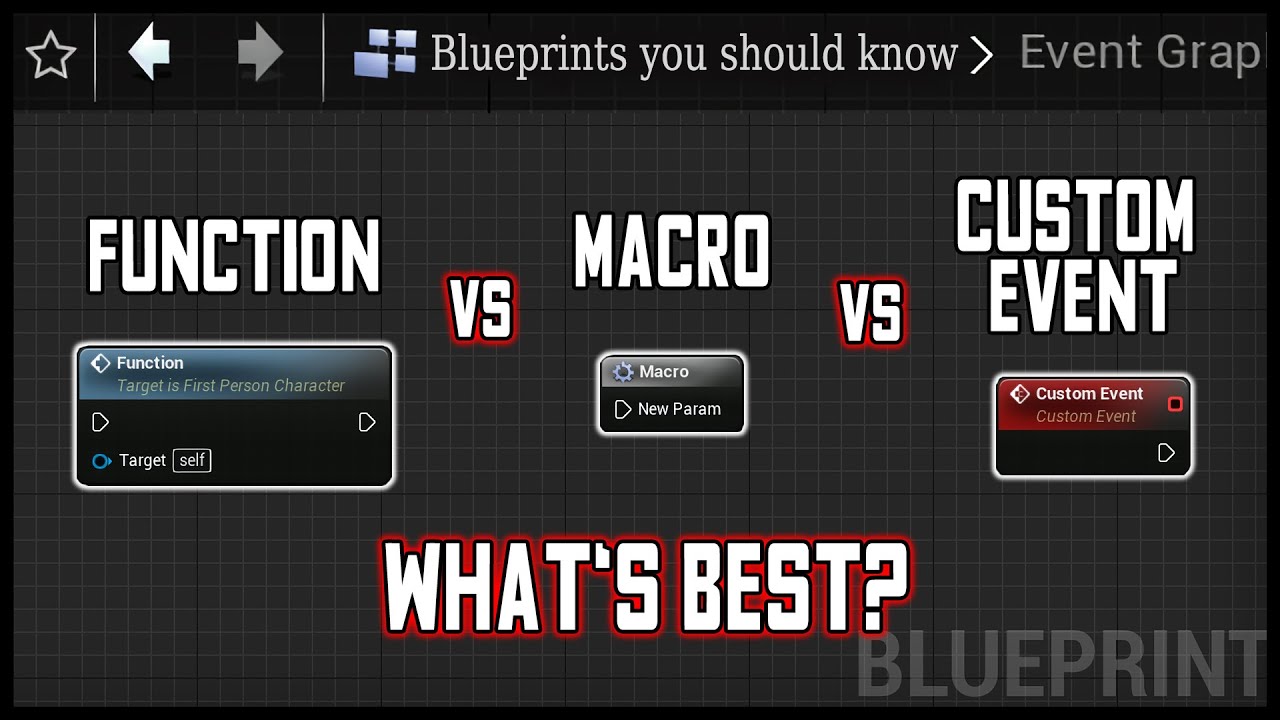
Everything you need to know about Functions, Macro and custom event in unreal engine 4.
UE4 Blueprint tutorial for beginners 2021.
00:00 Intro
00:07 Function, Macro, Custom Event Overview
01:47 Function demonstration (Deal damage based on velocity)
06:51 Macro demonstration
10:03 Custom Event demonstration
Function
- Can communicate
- is pro...
Really good knowledge you should know.
split jasper
I already know that stuff, I think you meant to reply to mat
kindred depot
good if you know that
hearty galleon
im trying to click the button that lets me move my cube in a small increment and its not working
kindred depot
then a character will be ez pz! lol
kindred depot
urban prairie
hey so I made my Game Won widget how do i make it if the player touches this ran...
You need to add a event on overlap https://www.youtube.com/watch?v=BBv4UDv58ck&ab_channel=MattAspland
split jasper
Look upon my works, ye mighty, and despair
 grim ore
@gusty apex once it compiles once yes it should be done for those basic shaders.
sour tide
kindred depot
thats the wrong video
too late, I'm going to watch it anyway
gusty apex
grim ore
<@294385191437467648> once it compiles once yes it should be done for those basi...
Well thats good news anyhow, thanks
kindred depot
LOL
grim ore
Also if your video card doesn't support DirectX 12 it definitely won't work with Ray Tracing
split jasper
sour tide
too late, I'm going to watch it anyway
Man you gotta be the easiest person in the world to rickroll
sour tide
Not quite, I know the URL on sight now
kindred depot
sour tide
too late, I'm going to watch it anyway
put the correct video for him 😉
Got to say tho, the only reason why i know all of this crap is from watching youtube videos over and over again.
especially @grim ore content lol.
grim ore
I learned all my crap from doing the same
kindred depot
LOL
like i said before, you know more about this engine than most AAA studio devs working with ue.
split jasper
I honestly just beat my head against code until it works. Videos are an absolute last resort
kindred depot
split jasper
I honestly just beat my head against code until it works. Videos are an absolute...
just cast a branch, call the function is valid, add a is valid, and cast to your node, you'll be fine 😄
sour tide
split jasper
I honestly just beat my head against code until it works. Videos are an absolute...
Beating my head against code is way too costly in energy to do all the time, I learn much more effectively from functioning examples
 odd harness
Should Blueprint actors be painted as foliage actors (with Foliage tool) or manually as the Blueprint actors in the world?
split jasper
sour tide
Beating my head against code is way too costly in energy to do all the time, I l...
It's maybe a bad habit, learned it working in big tech where there were all these internal systems and libraries with garbage documentation
odd harness
odd harness
Should Blueprint actors be painted as foliage actors (with Foliage tool) or manu...
Are there any performance gains when using one or another?
sour tide
Ah, but you had systems that actually worked to learn from? I thought you meant, like, trying to write things without any examples via trial-and-error
split jasper
sour tide
Ah, but you had systems that actually worked to learn from? I thought you meant,...
No that's literally what I meant
kindred depot
Don't be like me! BUT if you keep accessing none property of something, remember this and fix that later xD
 split jasper
kindred depot
split jasper
kindred depot
yooo how did you get your lines like that?! I didn't even know that was an option!
sour tide
Uhhhhhhh it's a plugin
odd harness
Alright, thanks.
 celest blaze
Is there any way to disable "Compiling shadders" my project is 2D, unlit, all Widgets and png's. Don't really think I need it. Not that big of a deal just annoying sometimes.lol
kindred depot
hearty galleon
whats the difference between a pawn and a character
https://docs.unrealengine.com/4.27/en-US/InteractiveExperiences/Framework/Pawn/ then right below it is character

The Pawn is the physical representation of a player within the world.
grim ore
@celest blaze no because even 2d and uses shaders. Just let them finish.
celest blaze
grim ore
<@200460023523049483> no because even 2d and uses shaders. Just let them finish.
That's what I figured just wasn't sure if there was a way to cut the fat so to speak. Thanks. Also thanks for all the videos! lol
hearty galleon
kindred depot
https://docs.unrealengine.com/4.27/en-US/InteractiveExperiences/Framework/Pawn/ ...
so If my character isnt going to see itself which do i use
kindred depot
hearty galleon
so If my character isnt going to see itself which do i use
I am not understanding what you mean
hearty galleon
kindred depot
I am not understanding what you mean
which do i use, character or pawn
kindred depot
Are you talking about Owner no see?
hearty galleon
no im confused aswell
kindred depot
Character, if the player is controlling an actor.
kindred depot
but there is the option called "Owner No See" that makes the player that is controlling that actor not see something representing that character. Example Third person and First person weapon or animations.
Load the Third person example, take a look at the code.
open the player character. look at what it is doing understand the custom events. what turn right and forward means.
sour tide
....if the player can't see themselves, do you mean a first-person view?
hearty galleon
kindred depot
Load the Third person example, take a look at the code.
thats mad work ima be real
kindred depot
hearty galleon
thats mad work ima be real
The third person example map has like 4 lines of code xD
kindred depot
sour tide
....if the player can't see themselves, do you mean a first-person view?
In my project I use a third person body that other players see and a first person body that only the player can see. The usage of Owner no see comes in handy in a scenario like this.
kindred depot
hearty galleon
oh
If you actually want to understand what you are doing. Watch this.

[[ Please watch the updated tutorial for a better player character with more functionality: https://youtu.be/w4nJ578XP48 ]]
In this Unreal Engine 4 tutorial you will learn how to set up a new playable game character from scratch, by creating a character blueprint and mapping the ability to move and jump to different keyboard keys and mouse ...
hearty galleon
ok
split jasper
Character is basically a subclass of Pawn with a ton of built-in logic for things like movement and senses
hearty galleon
valid
split jasper
For example, in my game I'm using a Pawn which isn't a character for the player. That's because I've got my own movement/control system which needed a ton of custom logic, so I'd rather start with an empty pawn than try to adapt a character
kindred depot
split jasper
For example, in my game I'm using a Pawn which *isn't* a character for the playe...
? this is what child blueprinting is for
split jasper
kindred depot
? this is what child blueprinting is for
Either way it's a child, I just chose to subclass Pawn instead of Character
kindred depot
split jasper
Either way it's a child, I just chose to subclass Pawn instead of Character
Alright 🙂 HEY everyone has there own unique system, there is no correct way of doing things in coding.
 winter gate
Is there a proper place to handle saving and loading game slots? Is it "okay" to handle this in the PlayerController? Should it only happen within the GameInstance?
wary wave
I usually have a save manager component that lives on either the GameMode or the GameState
winter gate
hmm okay I have it saving on the GameState at the moment
split jasper
Hey so I've got a line trace on a hitscan weapon, and it's going right through this turret, hitting the wall/floor behind. Is there something wrong with my collision setup for that? or something else I should look at?

The line trace just looks like this

AW SHIT ITS IGNORE VISIBILITY
I'mma go fight someone brb
gusty apex
😢 Ok, so guys... I traced the error, and its DX12 support
Looks like I'm finally gonna have to bite the bullet and upgrade my GFX hardware,
to something that actually supports DX12, not just says that it does.
Anyone got any good recommendations without breaking the bank?
Im not saying it has to be the absolute cheapest thing going - but I dont think I can really justify a Titan RTX right now either.
These days my main uses are Unreal, Art Productivity Apps (like Photoshop), 3D Modelling. (maybe some video editing, but honestly, its not a primary concern
split jasper
gusty apex
😢 Ok, so guys... I traced the error, and its DX12 support
Looks like I'm final...
FYI there's a #hardware channel for things like this I think
gusty apex
tell me about it 😦
gusty apex
split jasper
FYI there's a <#821821368017485885> channel for things like this I think
so there is, ill go poke around in there. too many damn channels...
dusk nebula
hearty galleon
whats the difference between a pawn and a character
A character is a child class of pawn. One thing specific to it is the "character movement" component. A player character is both a pawn and character because of inheritance
mint raptor
tawdry wren
5.0 <@142361971264716802>
Not home but thought of the answer I didn’t set my default map to be my persistent map
 dense wren
Hello everyone, im looking to make friends and hopefully get help, in order for me to handle a pack i bought, i cant get contact of the creator, im kinda stuck, so if anyone is willing to give a hand ill be pleased
split jasper
dense wren
Hello everyone, im looking to make friends and hopefully get help, in order for ...
I'm here to drink beer and help solve your problem, but to solve your problem we need deeeeeeets
What are you stuck on?
dense wren
split jasper
What are you stuck on?
hey, can we dm?
split jasper
naaaah better to have it out here in case someone has a better idea than me, I'm not necessarily an expert on exactly what the problem is?
split jasper
I've just run into and solved a few issues with asset imports myself so I might know the problem
dense wren
stay tuned
its blueprint the problem
im merged a rpg inv and interaction pack
with a combat system
i kinda know how most of the stuff workds
but im having a lot of trouble because of merging
and things have kinda got mixed a little
 worthy elbow
If its from the marketplace it must have documentation at least.. does it? xd
dense wren
one does
the other one doesnt
it does come with a tutorial
but it doesnt help me expecifically with my problem
split jasper
How have you "merged" them? Just imported them both to the same project, or have you cut code to make these things try and work together?
dense wren
no i first followed the doc on the rpg inv project integration
all good
then
i go to the combat system
i do the same, follow tut, this time pasting the blueprint and code in the main charac event graph
and rename some references
but
the widget and attacks doesnt work
idk how to connect the rpg inventory slots
 spark rune
Hi guys,
dense wren
with my weapon attacks of the combat system
for every weapon type, i just cant attack, after i followed the instructions
i just click and nothing
 twin prism
send help for my brain
 spark rune
I'm looking for a quality tutorial about making game (Dating Sims) (Paid tutorial or Non-Paid)
if you have one please advise me Thanks
dense wren
the rpg inv items not connecting to the weapon type that is set in the combat system
i can equip weapon on rpg inv
worthy elbow
dense wren
no widgets working
I think the blueprint have variables that is connected to the character or pawn owner that you must work on
dense wren
but the weapon has no connection to the combat system, "attack"
dense wren
worthy elbow
I think the blueprint have variables that is connected to the character or pawn ...
yea
thats what im trying to figure out
i will send screenshots
worthy elbow
What you can do it create a new project with each of the package that you bought then check how everything works first
Then implement it to your main project
bright sigil
twin prism
send help for my brain
Well ya did it. Good job. One wonders if there is an automated way to generate your widgets instead but this will work 💩
mint raptor
twin prism
send help for my brain
Oh god why
 devout whale
Hello! I have been wanting to learn unreal engine 4 for some time. From shooting to flying to surviving, with more in between.
Can you guys suggest me an idea, a game idea where I can learn while making the game. For example learing shooting could be an fps.
However i want it to be unique if possible and something not too hard to achieve but also do able if I tried and researched.
Thank you for reading this far and please could you @ me if you respond. I'm usually busy most times.
grim ore
a first person shooter where the camera is in the ammo and your character can't move while you fight ants invading from an alternate dimension. there done. now start learning from the start using the pinned messages in this channel
devout whale
That's actually pretty cool idea. I'll definitely look into it further and thanks
twin prism
bright sigil
Well ya did it. Good job. One wonders if there is an automated way to generate y...
yea lol pray for ue5
bright sigil
twin prism
yea lol pray for ue5
I was suggesting a forloop method to generate your widgets, but maybe you are placing them in unique ways 🤷
twin prism
bright sigil
I was suggesting a forloop method to generate your widgets, but maybe you are pl...
wait
thats possible?
oh wait nvm ur talking about generating widgets
bright sigil
Pretty normal for inv slots for example
twin prism
ye
bright sigil
Make sure you set array variable from the make array
On construct
Then you good to refernce that array wherever
twin prism
yes
grim ore
sometimes you cant avoid doing stuff like that, but finding the children and putting them in the array or just switching to making that group of widget dynamically so you can add them at the same time might be... something to consider, especially since now your inventory size is fixed
split jasper
twin prism
send help for my brain
Right there with you brother

I promise I didn't write that comment just now
kindred depot
I was thinking of a new way instead of adding like 20 slots to my skel. Can i just add a virtual bone to the skel, use a Weapon Position alter (basic vector) , modify bone, and then play anim from enum?
twin prism
very worth it
split jasper
What's a good word for the accrued inaccuracy from continuous firing of a weapon? I'm reserving "Recoil" for something else, and "Spread" doesn't make much sense when you see it out of context
kindred depot
split jasper
What's a good word for the accrued inaccuracy from continuous firing of a weapon...
ummmm your looking for un-predicted recoil?
bright sigil
split jasper
What's a good word for the accrued inaccuracy from continuous firing of a weapon...
Kick?
split jasper
Hmm both kinda imply weapon movement. This is like.. you know in an FPS when you hold the fire button down, the reticle spreads out to indicate you're less accurate? What would you call the amount it spreads out by?
bright sigil
split jasper
Hmm both kinda imply weapon movement. This is like.. you know in an FPS when you...
Kick: The recoil or backward momentum of a firearm when it is discharged
split jasper
The thing is, directional recoil is going to be a force applied to the pawn firing the weapon. It's being handled totally separate from spread
"AimSpread" is probably the shortest clear name I can come up with?
bright sigil
Offset?
split jasper
I think offset is one step later in the calculation, if that makes sense. Each shot takes the current spread, and from that, randomizes its own offset
bright sigil
Lol leave it
kindred depot
hahaha
Wow i just watched a whole youtube video describing actor components.. Why HAVE I NEVER!!! seen this before >_<
grim ore
you dont spend enough time on the internet?
kindred depot
Lol, i do! but this defeats the purpose of building right in the blueprint, no more mess.
bright sigil
open your eyes to OOP
kindred depot
lol you are right 🙂 thank god i learned this now than later. updating the system to this right now!
grim ore
well... now... I dont want to blow your mind but... you know the components you use right now in your blueprints?
.....
kindred depot
the only component being used is the movement component, I thought this was a c++ class and not blueprintable
split jasper
90% of cleaning up code is splitting it up into different components
And pretty much everything true about code is true about blueprints
grim ore
I think you are just now finding out that actor components can be created in BP is what is up?
kindred depot
yesir.
grim ore
that makes sense then 🙂 actor components are... well... you already use them heh
bright sigil
But not a lot of tuts talk about making your very own
grim ore
true, thats the intermediate+ level of coding and boring actual work
bright sigil
Or solve problems with them
kindred depot
It just seems so much more simple to me to write your events and such in there.
grim ore
like if i was trying to show someone how to lean UE, I wouldnt use them as its just encapsulating coding into a more confusing level when starting
bright sigil
I use em for player upgrades
grim ore
one of the common ones to start with is your health component
kindred depot
Is there a limit?
grim ore
at some point you might get super super confused due to having so many heh
bright sigil
grim ore
one of the common ones to start with is your health component
Thats very OOP, useful for putting on player, enemy, barrels, w/e
grim ore
yeppers
 bright sigil
Couple that shit with bpi
grim ore
i think its mainly theres not a ton of middle + level learning stuff out there. You dont need them when you start prototyping and how many projects when learning actually make it past that part
bright sigil
Hf debugging though 💩
kindred depot
that is 100% true.
split jasper
Rule of three ("Three strikes and you refactor") is a code refactoring rule of thumb to decide when similar pieces of code should be refactored to avoid duplication. It states that two instances of similar code do not require refactoring, but when similar code is used three times, it should be extracted into a new procedure. The rule was popular...
grim ore
even stuff like having middleware for events and functions is something I try not to show when starting as once you have to follow a trail to figure out stuff people get lost easily
split jasper
If you duplicate logic once, just duplicate it. If you need it a 3rd time, refactor
kindred depot
Ahh this makes sense why some games are buggy at launch
grim ore
nah thats just software dev lol
split jasper
Yeah, that's the deadline crunch
grim ore
but yay for learning something new 🙂
bright sigil
split jasper
https://en.wikipedia.org/wiki/Rule_of_three_(computer_programming)
WET vs DRY programming
kindred depot
Idk it just seems so much simpler to me. Child blueprint for a class base game will be much simpler. I can call to the parent, and bam. Its right there, and easier to modify.
bright sigil
3 is a good rule
split jasper
kindred depot
Idk it just seems so much simpler to me. Child blueprint for a class base game w...
Three problem is you can only have one parent class, but as many components as you want
grim ore
100 classes for a character, sounds about right 😉
kindred depot
lol
I just bought ACF, cool system but way to advanced for me.
talk about class based systems
kindred depot
lol Alright thanks for the clarification guys 🙂
grim ore
I wonder what the simplest way to introduce BP Components might be, health tends to be what I see but I wonder if there is an easier one
like... what if you dont have health lol
bright sigil
grim ore
I wonder what the simplest way to introduce BP Components might be, health tend...
The epic tut does a floating object, like a pickup
kindred depot
Wait you can just do heath as just a component too?
marsh swallow
everything can be a component
kindred depot
omg
grim ore
i mean.... you did say that earlier
bright sigil
I did?
marsh swallow
 kindred depot
doing this rn, wish me luck. time to make a back up of a back up lol
grim ore
atomik did, basically
bright sigil
Lol atomik did 🤣
marsh swallow
thats just my controller. if i could go back i would probably make a few additional components. 🤔
grim ore
so.... for the sake of... uh.... an example... that has nothing to do with anything.... say you were making a simple FPS learning thingy and say you were shooting round spheres thru targets as the primary game loop.... what might be an easy component to introduce
bright sigil
grim ore
so.... for the sake of... uh.... an example... that has nothing to do with anyth...
A trigger component, slap that on anything
grim ore
no triggers to trigger
bright sigil
Could also be done via bpi too
grim ore
yeah it uses bpi right now for reloading from an actor in the scene
like.. there is such simple systems I wonder if I could find a place to actually make a component make sense lol
bright sigil
Well i thought trigger for knowing if a ball went through the hoop
grim ore
oh thats just a simple box collision
i mean technically I could assign a health component to them to require multiple hits
bright sigil
Cant think of anything with the current info unless you just want another feature
kindred depot
TIME TO.......
grim ore
yeah its designed to be super simplistic, an intro experience, so it might be too advanced lol
 bright sigil
kindred depot
bright sigil
kindred depot
More comment boxes! Moar i say!
grim ore
doesnt look like much of a mess
kindred depot
bright sigil
More comment boxes! Moar i say!
xD I comment because I have no clue where anything is
grim ore
start color coding the comments for more fun
and atleast your using multiple event graphs so +1 for that
 limber shell
Just an opinion, do you guys would prefer having a CapsuleComponent as a RootComponent for a character, or a StaticMesh instead?
grim ore
the default character uses the capsule for performance reasons more than likely
so a collision component makes sense
kindred depot
grim ore
and atleast your using multiple event graphs so +1 for that
This is what I was doing until i found out about components before this whole convo lol
limber shell
Gotcha
grim ore
with that said like 90% of people want to use a mesh lol
bright sigil
kindred depot
This is what I was doing until i found out about components before this whole co...
I recall this discovery, i may have mentioned them to you, i forget the question that brought it up
limber shell
I'm gonna use the Capsule instead, cause if it really affects the performance then it's ok ig, I'm gonna setup custom collisions to achieve what I want to do in this moment.
grim ore
well the character class is designed around the capsule for movement and stuff even, if your doing your own custom movement code then who knows
limber shell
It's just shit about prone system
bright sigil
kindred depot
xD I comment because I have no clue where anything is
But did you know can also put emojis in comments?
kindred depot
bright sigil
I recall this discovery, i may have mentioned them to you, i forget the question...
I forget very easily and my mind tends to wonder in my project. When you notice something wrong with something, that's the first thing you try and fix then everything becomes backtracked xD
grim ore
yep the character is designed for humanoid and basics, prone is definitely not one of them 😦
limber shell
The character goes brrr when I prone, so yeah. I'd prefer using the Mesh as root, but I can setup custom collisions, even if they're CPU intensive
kindred depot
brrrrr?
bright sigil
kindred depot
I forget very easily and my mind tends to wonder in my project. When you notice ...
Thats programming
kindred depot
 grim ore
see something wrong? Add a TODO comment with some idea of the issue and go back to the other stuff!
limber shell
kindred depot
brrrrr?
Yeah, the mesh goes under the floor, when I UnProne the mesh floats, and it starts doing shit like this
kindred depot
you should be focusing on IK with that.
bright sigil
limber shell
The character goes brrr when I prone, so yeah. I'd prefer using the Mesh as root...
The template projects, which have capsule, have a crouch hook which you can call and then setup a shrink the capsule height
limber shell
grim ore
see something wrong? Add a TODO comment with some idea of the issue and go back...
Nice joke, I'm developing the Movement System tho 😏
kindred depot
PowerIK is free and owned by epic. its very good with the default manny skel.
limber shell
bright sigil
The template projects, which have capsule, have a crouch hook which you can call...
I'm not using any template, cause I want to know the code line-per-line, to avoid shit knowledge in the future
bright sigil
limber shell
I'm not using any template, cause I want to know the code line-per-line, to avoi...
Oic
kindred depot
this is prob the wrong section for this but there is no where else to put this. After successfully building a plugin RunUAT.bat BuildPlugin -plugin=" and adding it to my project folder, why does the project still tell me my modules are out of date?
drowsy snow
limber shell
I'm not using any template, cause I want to know the code line-per-line, to avoi...
Using some template could save you some time, or at least help you know what to reverse engineer, but oh well, who am I to say shit about it.
limber shell
At this point, templates would just downgrade my project, since the movement system is almost done.
I only need to setup the prone and sliding system.
About the prone, fuck the capsule, gonna use hitbox collisions kekw
drowsy snow
limber shell
About the prone, fuck the capsule, gonna use hitbox collisions kekw
You could shorten the capsule 🤷
limber shell
shorten..? Do you mean resize it?
drowsy snow
Change the capsule height.
limber shell
Ah yes, resize it.
drowsy snow
Pedantically not resize as in scaling, but whatevs
limber shell
Shit happens when I resize it tho kek
drowsy snow
You can repurpose the crouching state for prone.
 grave pollen
so I was trying to figure out why my game started lagging, turns out its almsot entirely related to a large nav mesh. Is UE5 doing anything to make nav meshes less expensive?
I tried nav mesh invokers which is simple enough, but I have so many AI to the point where it becomes kind of irrelevant, and still makes game lag a bit
or asked another way, is there absolutely any substitute for AI to move around on a map without a nav mesh?
drowsy snow
grave pollen
or asked another way, is there absolutely any substitute for AI to move around o...
Navigation Invokers.
grave pollen
right I guess my issue is if I have 70 AI on a map it ends up being a nav mesh on the entire map anyway so it doesn't save much on performance, perhaps I can tweak the invoker to be more performant though
lower radius, smaller movement distances perhaps
 rotund scroll
probably better to focus on optimizing your AI
trying to optimize navmesh is like shooting the messenger
drowsy snow
Also UE5 is going to have a dedicated crowd management.
grim ore
ue5 definitely can handle AI better tho if you want to wait and use the Mass plugin
 fair herald
Hey!
I am using the DLSS Plugin for the first time and I am getting this error,
is anyone know how to solve it?
 grim ore
update your driver?
fair herald
it is updated,
 drowsy snow
fair herald
it is updated,
drowsy snow
fair herald
it is updated,
For comparison, reported working versions. This is fron the pinned messages.

 runic fern
Goodday
How can i rotate an object connected to physics constraint ?
plush yew
Is the engine suitable / efficient for creating an mmorpg survival style game with permanent housing?
It's the idea that players can build their own housing in an expansive world environment, obtain items from chopping trees, mining rocks, etc.
I am looking for as much advice as possible as to how to go about it and am wondering how far i can take this. I would like to optimize for performance so a majority of players can run the game etc.
Also i want there to be digging involved 8^). People will be able to change the elevation of the geometry during ''runtime'' etc.
In regards to player structures we are debating wether to use prebuilt structures or prefabs so players can be creative with their environments
 median surge
If I wanted to make autogenerated islands what plug-in is best to use?
spark rune
Guys, where can i ask for some tutorials for specific subject
drowsy snow
spark rune
Guys, where can i ask for some tutorials for specific subject

Seasonal Holidays 2021 #GoogleDoodle
spark rune
drowsy snow
https://www.google.com
Do you know any paid or non-paid tutorials or course relative to Dating Sims game?
Thanks
i already search for it
drowsy snow
spark rune
Do you know any paid or non-paid tutorials or course relative to Dating Sims gam...
Here's my tip: IMPROVISE
Don't stick to one very specific tutorials. Technically, dating sim is just a matter of keeping track of numbers and flags around, and have it affected by the decisions. The real challenge with dating sims is the writing, but that's something not specific to a game engine.
Just like any branching narratives, the writing is the hard part, arguably harder than coding the gameplay. You have to cover many possibilities based on the past choices (maybe Telltale style, "Hibiki will remember that"), paths based on affection numbers, trait flags, and whatnot.
Unless there's a need for realtime 3D visuals, or porting to consoles, Ren'Py is one good engine for VNs.
Yes, but the Plus rerelease, which ported to consoles, shifted to Unity.
 distant siren
I don't have to let my character go on the water, putting blocking volume is bad, the landscape is not square, what can I do?
drowsy snow
distant siren
I don't have to let my character go on the water, putting blocking volume is bad...
Arrange blocking volumes across the shore, or instakill the player by any means necessary
distant siren
drowsy snow
Arrange blocking volumes across the shore, or instakill the player by any means ...
can the water be blocked directly? because using square block volumes on an island with different shapes is really bad
drowsy snow
distant siren
can the water be blocked directly? because using square block volumes on an isl...
At least with Valve games, you either instakilled upon drowning to ocean, or just pushed back outwards.
I don't think you need to have super accurate blocking shape for that matter, just a blocky approximation just outside the shore.
distant siren
drowsy snow
At least with Valve games, you either instakilled upon drowning to ocean, or jus...
ok,for pushed back outwards, how can I do?
drowsy snow
distant siren
ok,for pushed back outwards, how can I do?
You could replace the blocking volume with trigger volumes, and everytime player passes one, add impulse inwards the island.
distant siren
drowsy snow
You could replace the blocking volume with trigger volumes, and everytime player...
instead organizing the death of the player, I have not yet touched the water and he dies first, it should happen to the touch
prisma plank
How to make your own chromatic effects?
plush yew
Let's see how fast mods react
drowsy snow
prisma plank
How to make your own chromatic effects?
The basic is shifting R and B colour apart from each other.
prisma plank
theory i know. how to make in practice
drowsy snow
prisma plank
theory i know. how to make in practice
Depends on what kind of chromatic effect you want to achieve. Unreal has built in chromatic aberration, and it's serviceable in most part.
prisma plank
I know. but there you can't change colors
drowsy snow
prisma plank
I know. but there you can't change colors
Reference?
 frigid comet
uhhh, what do i do when im launching a unreal engine 4 game and it shows an error: Out of video memory trying to allocate rendering resource
gpu?
drowsy snow
frigid comet
gpu?
Yes, that fancy fat card thingie in your computer (if you use desktop computer)
frigid comet
drowsy snow
Yes, that fancy fat card thingie in your computer (if you use desktop computer)
i have a laptop. i have no idea whats gpu is.
i know only what video card and processor and ram i have
drowsy snow
frigid comet
i have a laptop. i have no idea whats gpu is.
GPU = Graphics Processing Unit = Video Card
frigid comet
drowsy snow
GPU = Graphics Processing Unit = Video Card
oh. its Intel HD Graphics 4000
drowsy snow
frigid comet
oh. its Intel HD Graphics 4000
Then the error is pretty much expected.
frigid comet
i tried to look in yt how to fix this error, but everyone just shows what to do in the Unreal Engine
prime willow
weird question
drowsy snow
frigid comet
i tried to look in yt how to fix this error, but everyone just shows what to do ...
Look up guides on low spec gaming for the game you're trying to play, or save up for new hardware.
prime willow
is it possible to connect players to a players game world or whatever so they can play co-op with each other without having a super deticated server
or is online and offline co-op with players only possible with servers
frigid comet
...new hardware? Dude i have a laptop...
prime willow
wait
so something like division 2
that style of co-op can be done with listne?
o.o
oh
frigid comet
drowsy snow
Look up guides on low spec gaming for the game you're trying to play, or save up...
well, the game i trying to play is Five Nights At Freddy's: Security Breach, and that game was released 3 days ago i think.
drowsy snow
frigid comet
...new hardware? Dude i have a laptop...
Buy a new one, if you can't squeeze low spec hacks in the game you're trying to play.
drowsy snow
frigid comet
well, the game i trying to play is Five Nights At Freddy's: Security Breach, and...
Though that being said, FNAF Security Breach doesn't seem to have much sophisticated UE4 modifications, you can look up for general low spec settings/config hacks for UE4 games.
Maybe that's the kind of answer you're looking for.
frigid comet
i have no idea why fnaf doesnt launch, because Poppy Playtime does launch, and fnaf doesnt...
drowsy snow
frigid comet
i have no idea why fnaf doesnt launch, because Poppy Playtime does launch, and f...
Poppy Playtime is not graphically impressive, for UE4 game.
At least FNAF SB had some more going on compared to Poppy Playtime
drowsy snow
frigid comet
i have no idea why fnaf doesnt launch, because Poppy Playtime does launch, and f...
I'm not going to poor shaming you or anything, I know how it feels dealing with lowspec hardware, but you'd better save up for buying better laptop or PC parts. Doesn't have to be top of the line RTX and multicore, it just have to be decent and affordable, able to get your favourite game running at playable framerate and moderate settings.
Also pls don't use UserBenchmark for hardware reference, for crying out loud.
frigid comet
I would have had Nvidia, but the last laptop kept rebooting and I was offered a different one. I bought this laptop and I should have not buy it... Because this laptop sucks a lot.
and now i have this laptop, and i hate it.
nvidia would have more performance.
drowsy snow
frigid comet
nvidia would have more performance.
Eh, not really.
AMD could've getting better performance with lesser price
frigid comet
drowsy snow
AMD could've getting better performance with lesser price
in my little city you cant find a normal laptop
i have a shop in my city but the half of laptops out of stock
and the other half sucks.
drowsy snow
frigid comet
in my little city you cant find a normal laptop
Unless you're moving out a lot, you might get better mileage out of building PC and save some buying price.
frigid comet
I have no idea why laptops are expensive than computers
drowsy snow
frigid comet
I have no idea why laptops are expensive than computers
Because portability and customised chips.
frigid comet
if i will buy a computer, it will just not fit in my table
i always wanted to play fnaf security breach, but as you can see, my stupid laptop doesnt allow me.
drowsy snow
Might want to wait for Steam Deck next year, if you can afford it. Not particularly cheap, but it could pack a lot of punch in the size of slightly larger than PS Vita.
Don't feel bad just because you can't play it right now, there's always days after tomorrow. It's not like Steam's going to shut down anytime soon anyway.
drowsy snow
Also smaller PC parts do exists, starting with Mini ITX and Micro ATX part
drowsy snow
frigid comet
i heard that it will be a console i think
Basically handheld gaming PC.
frigid comet
drowsy snow
Basically handheld gaming PC.
and it will have all steam games?
drowsy snow
frigid comet
and it will have all steam games?
Yeah, but you might have to wait for availability and/or shipping, that kind of stuff.
Again, if you can't play it right now, there's going to be another day you'll be able to play it. Especially once you have it in your Steam library.
frigid comet
drowsy snow
FNAF SB isn't ported to the Switch. Yet.
still, i cant play nintendo, because something with Nintendo Switch. I cant download anything!
 late verge
hey everyone, i migrated a folder with uassets over to another project but they're not showing up in the folder they should be in. the folders are showing, but not the assets they should be in. however the files are showing up in my file explorer. any way i can make them appear in my content browser?
fierce tulip
did you migrate to a content folder or a random other folder? and was the target project older/same/newer than where you migrated from?
late verge
fierce tulip
did you migrate to a content folder or a random other folder? and was the target...
yeah just realized i migrated from a different engine version... think i know what the issue is now 😅
 plain anvil
Hey, i'm curious about unreal and i wanted to learn it. But i can't even install the engine, the download time took forever to complete, 5 hours only 20%. Is there a way to download without epic launcher? i thought it was my internet connection that is slow, but i downloaded unity and it only took 1/2 hour

 toxic hound
 unique kraken