#ue4-general
1 messages · Page 1080 of 1
 plush yew
 prime willow
Sorry ive been dumb busy so i havent had time to assist people here as often as id like ^^
Are you using grooms?
if so check the sub setting under stretch and such
theres one for controlling how much it floops and another for gravity etc
also remember if your groom is made properly hairs can glitch against one another
prime willow
plush yew
i cant find triangle shapes
What do you mean by triangle shapes
plush yew
prime willow
What do you mean by triangle shapes
literal triangle geometry
prime willow
in engine or?
plush yew
like, a 3 sided shape
prime willow
i believe its in exmaple content
plush yew
yes ofc in engine
prime willow
depending on your project setup
but you can easily import them into the engine from blender
it should be under geometry
or meshes
 drowsy snow
I don't understand what's your question to begin with.
prime willow
if you cant locate it unde rsuch youre going to need to install a pack with it or import it from another engine
he wants a triangle

 manic urchin
evening guys, i want to ask about why i can play with thirdperson character on the right project but cant do that on the left project?
 prime willow
are their button inputs mapped to your systems via project settings?
are you sing keyboard or controller
manic urchin
keyboard
manic urchin
prime willow
are their button inputs mapped to your systems via project settings?
im prety sure i dont do anything with mapping button for the right one but i can see the character when i click play
but i cant see the character in the left one
prime willow
check the blueprint responible for the characters systems
and see if any input based events are setup
as well as the key bindings found under project settings than input
you may lack the proper inputs or not have them at all
esepcially if you didnt make that project yourself
plush yew
prime willow
if you cant locate it unde rsuch youre going to need to install a pack with it o...
could you link me a drive with some of the shapes that unreal doesnt have?
prime willow
blender comes with a plentiful amount
manic urchin
prime willow
esepcially if you didnt make that project yourself
i make both of them, w8 ill check it
 exotic thicket
Why don't you just make a triangle in Blender? It's not hard and it's a useful skill to have even if it's just basic shapes
drowsy snow
plush yew
i dont understand why unreal doesnt have triangles by default
Nobody else did.
A single triangle plane is so dead simple to make in any DCC tool, even as convoluted as Metasequoia.
I could make one in no time as a 7 y.o. child in 3ds max. It's that easy.
plush yew
drowsy snow
Nobody else did.
A single triangle plane is so dead simple to make in any DCC to...
its all about simplicity that makes your engine standout
plush yew
meh, if it needs to be like that then so be it
 fierce tulip
39 seconds of which is 3dsmax starting up :p
fierce tulip
?
prime willow
fierce tulip
39 seconds of which is 3dsmax starting up :p
So long term not short term
would it be better to use the daz script or fbx renamer to turn my daz models into mnneuqins
or is that a bad move a year or three down the line
fierce tulip
iunno
prime willow
im having rotation issues/bone name issues and the easy way out seems to be to use the script that changes daz to be exactly like mannequin
well not exactly but itll change the similair bones to be akin to mannequin ._.
fierce tulip
that one only caused other issues for me.
prime willow
oh
fierce tulip
i just use daz as is to import stuff
 fierce tulip
if you retarget it should work. though there are always cases where it can mess up
prime willow
yeah its moreso blueprint setups that dont seem to want to play nice due to bone names .-.
like some systems from ALS or intregrated marketplace assets etc
well that's fine more importantly did you try the rotation fix setting that they have and does it work ?
@fierce tulip https://davidvodhanel.com/daz-to-unreal-fix-bone-rotations-option/ This
wait what?
you mean sendtoue?
Even with the default daz bone name it just worked?
yeah i have that part
through the panes window
yup yup
did the ragdoll work as intended?
i know mine had face melting and ragdoll flooping issues
hmmmm
plush yew
how can i import blender shapes in unreal?
 neon bough
export them as fbx and import them in unreal
plush yew
ah right
neon bough
there's tons of tutorials about it including the export settings for blender
fierce tulip
prime willow
<@!220596777034711040> https://davidvodhanel.com/daz-to-unreal-fix-bone-rotation...
this breaks any animation made in daz sadly, and I (sadly) will need those unless I find an animator willing to work for free for the time being <_<
manic urchin
prime willow
check the blueprint responible for the characters systems
lmao i just realize theres no skeletal mesh on my character, thanks m8
prime willow
manic urchin
lmao i just realize theres no skeletal mesh on my character, thanks m8
its the least i can do ❤️
prime willow
fierce tulip
this breaks any animation made in daz sadly, and I (sadly) will need those unles...
I wish my animation skills were good enough to sell id help for free to be honest ;>_>
though its good to know that i shouldnt be touching that function which gave me so much headache
neon bough
hm, my rig looks like the later one, and my animations come in fine
but i'm using blender inbetween daz and unreal
 left arrow
Hey I need help. My Blender model has wrong face orientation in UE4. When I look at my model in Blender everything looks good...

In Blender
 fierce tulip
it looks good, but looks at all the times people have problems with it you'll need to flip them anyways.
justblenderthings
left arrow
fierce tulip
it looks good, but *looks at all the times people have problems with it* you'll ...
Thanks!
drowsy snow
left arrow
Hey I need help. My Blender model has wrong face orientation in UE4. When I look...
It's generally a good practice to enable backface culling in Blender.
neon bough
did you apply scale before exporting it? @left arrow
i think this happens when the object has negative scale
or your export settings are not optimal
never had facing problems with blender => unreal
prime willow
you ever combine code
trying to make something simple allegedly
and create a new mechanic so foreign and jank you dont know if you should save it and coin it something or completely kill it with fire >_>
plush yew

I have done it
i think

i have found the settings to use raytraced shadows and gi with pretty much 0 noise
and very little fps impact
 steady bramble
Thx
 pliant junco

 drowsy snow
prime willow
https://tenor.com/view/lalaine-dawn-lalaine-dawn-tv-lalaine-just-this-this-gif-1...
drowsy snow
prime willow
https://tenor.com/view/lalaine-dawn-lalaine-dawn-tv-lalaine-just-this-this-gif-1...
It's one of those gullible person who fall for free nitro scam.
prime willow
Yup
 peak sorrel
Lol
 rocky radish
<@&213101288538374145>
peak sorrel
So if you guys were making an fps like r6 or CSGO, what would you consider a mvp prototype?
Would it just be a solid vertical slice of gameplay?
prime willow
make titanfall 3
titanfall was soo good
i intantly bought titanfall 2
no regrets
and i sincerely dislike fps
but id instantly buy and play a titfanfall 3 for hours on end
 haughty zephyr
hey, i have a lot of experience with C++ and a bit of experience with game engines - where should i start if i wanna become good at unreal?
peak sorrel
Chill snowie
prime willow
want link
peak sorrel
You typing up a storm
prime willow
sorry
rocky radish
don't send 100 messages at once
peak sorrel
I saw what you talking about though, the parkour blueprints were legit
prime willow
i get bit messy after 48+ hours of no sleep sorry
peak sorrel
prime willow
i get bit messy after 48+ hours of no sleep sorry
Sleeeep
rocky radish
haughty zephyr
hey, i have a lot of experience with C++ and a bit of experience with game engin...
i would recommend first learning the basic of blueprints, there's a lot of resources where you can get started on the launcher and on the documentation pages
prime willow
but game design ;-;
peak sorrel
I plan on making a scifi shooter kinda like titanfall but a lil different
I just don’t want to be too derivative
prime willow
well his is a good base and the entire project is just there if youre interested xD
peak sorrel
Yes I will run through the tutorial and take his blueprints and try to convert to C++
prime willow
granted titanfall 3 is a beyond solid base for an fps, let alone if you add your own twist to it or build from there and tis not that complicated of an FPS game
manic urchin
isn't it easier to use bp?
prime willow
yes and no
peak sorrel
Initially
manic urchin
what is the minus of using bp?
peak sorrel
But I was under the impression you want to keep blueprint slimmer for replication
rocky radish
blueprints should be used along with c++ imo
prime willow
Blueprints has a learning curve just like C+ but both have their places in unreal tho you can make a game with either or and or a mix of both
drowsy snow
manic urchin
what is the minus of using bp?
BP can too high level for some scripting needs, and tanks performance easier.
prime willow
ill make some high level jiggle physics that takes extreme scripting
than re compile it to C++ and cheat the system
manic urchin
prime willow
ill make some high level jiggle physics that takes extreme scripting
damn bro, ill waitin for that
manic urchin
drowsy snow
BP can too high level for some scripting needs, and tanks performance easier.
hmmmm i see
peak sorrel
I was under the impression anything that was gonna be replicated should be converted to C++
drowsy snow
manic urchin
damn bro, ill waitin for that
Kawaii Physics exists.
prime willow
do i want to google that?
peak sorrel
Other than gamemode stuff
drowsy snow
peak sorrel
I was under the impression anything that was gonna be replicated should be conve...
It could lighten the netcode, if done properly.
manic urchin
drowsy snow
Kawaii Physics exists.
idk about that, im new in ue4 :u
prime willow
than start with the learn tab on the aluncher
or the basic tutorials on youtube by unreal engine
manic urchin
yeah, im finished a few tutorial
prime willow
hell you could start with the unreal engine in progrma tutorial
drowsy snow
manic urchin
idk about that, im new in ue4 :u
https://github.com/TheHoodieGuy02/KawaiiPhysics
(I'm currently doing some bugfixes on my fork of the plugin)

GitHub
Simple fake Physics for UnrealEngine4. Contribute to TheHoodieGuy02/KawaiiPhysics development by creating an account on GitHub.
prime willow
yeah my pc exploded so i need to setup your fork again ._.
manic urchin
prime willow
hell you could start with the unreal engine in progrma tutorial
i was looking at ue c++ but i think the c++ is a bit dofferent than what i have in school
manic urchin
drowsy snow
https://github.com/TheHoodieGuy02/KawaiiPhysics
(I'm currently doing some bugfi...
u made that?
drowsy snow
manic urchin
i was looking at ue c++ but i think the c++ is a bit dofferent than what i have ...
Eh, not much, save for some macros and stuff.
prime willow
i havent touched C++ since i used to hack sites and programs as a teenage chimera
so i cannot help you at all with that stuff im beyond rusty at java scripts and xhtml etc
._.
drowsy snow
manic urchin
u made that?
No, I just forked it to get some bugfixes on my own in it.
peak sorrel
😂
manic urchin
prime willow
i havent touched C++ since i used to hack sites and programs as a teenage chimer...
i havent touched c++ since last semester, im barely pass that class lmao
drowsy snow
There's some compilation warning in 4.27, and I haven't yet to get time dilation working with it.
manic urchin
drowsy snow
No, I just forked it to get some bugfixes on my own in it.
ohhhh okay
prime willow
thats big oof dont be dumb like me
make sure to freshen up the languages you learn or you get forgettful and rusty
drowsy snow
manic urchin
i havent touched c++ since last semester, im barely pass that class lmao
I learned C++ on my own, mainly because of modding as a kid.
manic urchin
prime willow
thats big oof dont be dumb like me
unfortunately i think im more dumb
drowsy snow
I'm still 22 years old, so still quite youngin'
prime willow
you cant be stupider than me i can barely remember div style based scripts or how to make text bold xD
manic urchin
drowsy snow
I learned C++ on my own, mainly because of modding as a kid.
damn, skyrim?
prime willow
i look at coding language and go ughhhhhhhhhhhhhhhhhhhhhh nope
manic urchin
prime willow
you cant be stupider than me i can barely remember div style based scripts or ho...
ayyy lmao 😂
manic urchin
prime willow
i look at coding language and go ughhhhhhhhhhhhhhhhhhhhhh nope
u sure? html is friendly :u
drowsy snow
manic urchin
damn, skyrim?
Doom.
manic urchin
i mean just html without php etc
prime willow
i honestly tried unreal because they said you dont have to code and i dont wanna remember how to code i get way too into it and yeah..
manic urchin
prime willow
i honestly tried unreal because they said you dont have to code and i dont wanna...
sameeeee lol
prime willow
but hear i am doing the same thing with blueprints so i guess that went right out the window
im approaching 49+ hours and Yuki wants me to get into bed ;-;
manic urchin
yuki who?
manic urchin
ohhhh i thought it was ur anime pillow XD
manic urchin
ayyyy best boi doggo
prime willow
hes good boi and gets upsset when i dont go to bed on time xD
drowsy snow
Better move the convo to #lounge lads and lasses.
prime willow
oops yeah sorry sorry
peak sorrel
So for a titanfall spiritual successor, what would you guys think parkour looks like?
manic urchin
hahahaha
prime willow
peak sorrel
So for a titanfall spiritual successor, what would you guys think parkour looks ...
zip line
wall run
air dash
boost for classes
manic urchin
wall run is a must
prime willow
dodge
like actual action like dodging
or thrusters in 8 ways idk
adds more S4 league vibes
to the gameplay
peak sorrel
S4 league?
peak sorrel
Wazzat
manic urchin
peak sorrel
So for a titanfall spiritual successor, what would you guys think parkour looks ...
u gonna make that game?
prime willow
is was pretty much anime Gunzhybrid
peak sorrel
manic urchin
u gonna make that game?
It’s the plan
manic urchin
alone?
prime willow
but more melee focused and movbility focused
manic urchin
peak sorrel
Just a hobby
good luck, hobby dont need deadline tho
prime willow
oh definitely going to need cool assassinations
peak sorrel
At this rate respawn never gonna make a sequel so I got all the time in the world
prime willow
if you can get level destrcution definitely do that
tho its messy to use unreals solution
peak sorrel
prime willow
oh definitely going to need cool assassinations
See I hate animations
manic urchin
chaos system
prime willow
everyone does
peak sorrel
Like in cod I think it breaks immersion when you get locked into an action
prime willow
no one wants to make animations everyone wants triple A animations
peak sorrel
No I dont like the way it locks you in place for most games
rocky radish
manic urchin
chaos system
chaos is really broken in its current state
prime willow
its the animation paradox xD
peak sorrel
I got no problem with making them
prime willow
well you can make it so animations dont lock you in place
peak sorrel
Add a cancel
prime willow
my sprinting to jump is fluent and pretty much instant
manic urchin
rocky radish
chaos is really broken in its current state
too bad, i saw that things can makes a good destruction
peak sorrel
I dont think I’ve seen a game where you cancel an assassination
drowsy snow
prime willow
well you can make it so animations dont lock you in place
Also the new Control Rig and Full Body IK are thing
prime willow
halo reach
peak sorrel
That would be funny actually
prime willow
tho techncially its when youre killed during assassination
prime willow
drowsy snow
Also the new Control Rig and Full Body IK are thing
wait how do i do full body IK's
drowsy snow
prime willow
wait how do i do full body IK's

The Full Body Inverse Kinematic (FBIK) feature in Unreal Engine 5 allows you to construct IK in Control Rig with a high degree of control and flexibility. In this feature video, we show you how to create a 100% procedural animated character with a highly modular setup.
manic urchin
drowsy snow
Also the new Control Rig and Full Body IK are thing
u need da special suit right?
prime willow
._.
drowsy snow
manic urchin
u need da special suit right?
lmao no
manic urchin
ohhh i thought it was something like movement base on real ppl wearing suit
peak sorrel
Pretty sure its just an animation creator suite
manic urchin
i see
prime willow
it seems like i have to use control rig for full body IKs ;-;
drowsy snow
prime willow
or is it a 4.7 and up
It's 4.27, but IIRC 4.26 has it.
prime willow
do i need control rig for it tho? >_>
drowsy snow
peak sorrel
Pretty sure its just an animation creator suite
It's an animation system, not a creator suite.

Control Rigs in Unreal Engine 4 is a scriptable rigging system that is based on Blueprint and is mainly designed for controlling properties to drive animation.
 drowsy snow
It's very OP once you harness its potentials.
prime willow
daz and control rig have restraining order lmao
okie nap time yuki keeps pawing ;-;
 peak sorrel
drowsy snow
It's an animation system, not a creator suite.
peak sorrel
drowsy snow
It's an animation system, not a creator suite.
Potato potato
I wanna work with niagara today I think
Maybe replicated niagara 😎
Maybe get some cute bullet tracers n shit
peak sorrel
drowsy snow
Also the new Control Rig and Full Body IK are thing
Whats the definition of full body IK
Because I know what IK is
For like limb placement on walls and items
But what makes it full body?
drowsy snow
peak sorrel
But what makes it full body?
FBIK isn't limited to one bone chain, and can be propagated to the entire skeleton. Hence, full body.
peak sorrel
When would this come into effect?
Im trying not to be obtuse here
But I’ve only ever seen stuff like feet placement on stairs or a hand on a wall to make a character look more grounded
 vocal flume
I’ve been wondering how to do UI particle trail animations. I’ve seen in many mobile games where score flies to the top and adds to the overall score and there is a particle trail when the score flies up. How can I do this in UE4?
drowsy snow
I was wondering how my anime materials have abnormal shadows all this time. Turns out I was using VertexNormalWS as opposed to a solid blue colour. Now things looked better already,
Still not happy with the outline, tho.
 peak sorrel
I’ll just look into the UE dragon full body IK thing after class and see what they got cookin up
drowsy snow
peak sorrel
When would this come into effect?
Basically any full body adjustments, offering more flexible interaction with various mesh sizes.
peak sorrel
vocal flume
I’ve been wondering how to do UI particle trail animations. I’ve seen in many mo...
They got a niagara UI plugin you can use
GitHub
Niagara UI Renderer | Free Plugin for Unreal Engine - GitHub - SourySK/NiagaraUIRenderer: Niagara UI Renderer | Free Plugin for Unreal Engine
vocal flume
@peak sorrel Thanks!!
manic urchin
drowsy snow
I was wondering how my anime materials have abnormal shadows all this time. Turn...
ayyy thats ur own model?
peak sorrel
drowsy snow
Basically any full body adjustments, offering more flexible interaction with var...
So something like ALS?
drowsy snow
manic urchin
ayyy thats ur own model?
No, that's Mirai Komachi / Bandai Namco's model. I used it to test the materials.
(along with some Idolmaster models that I have for R&D purposes)
manic urchin
its free?
drowsy snow
manic urchin
its free?
https://www.miraikomachi.com/download
It's primarily offered for fanmade content or R&D purposes.

DOWNLOAD | ミライ小町 Mirai Komachi Official Page
ミライ小町は、(株)バンダイナムコスタジオのゲーム開発技術や未来に向けた技術研究を紹介するために生まれたオリジナルキャラクター。技術とともに世界中の人たちを笑顔にしたいと願う未来型アイドルです。 Mirai Komachi was originally developed to showcase and demo BANDAI NAMCO Studio’s game development technology and cutting-edge technological research. Mirai Komachi is a futuristic idol aiming to bring happiness to people around the world with techn...
manic urchin
hooo thanks
drowsy snow
manic urchin
hooo thanks
There's no native Unreal Engine version, though, but you could convert the Blender version to Unreal with FBX.
manic urchin
noted, thanks for the lot of help today XD
 white ridge
Hi! Mb does anyone know how to change the shader compilation folder? I changed this in preferences, but shaders always compile on C drive
drowsy snow
white ridge
Hi! Mb does anyone know how to change the shader compilation folder? I changed t...
Change the derived data cache path in the engine's BaseEngine.ini config file.
It's under [InstalledDerivedDataBackendGraph] section
 elder locust
hello, can i ask ue4 related questions here?
drowsy snow
elder locust
hello, can i ask ue4 related questions here?
Yes.
elder locust
can anyone please help me, why is 0351 showing here? I am creating a practice level for my game so i dont wanna display best score in that level, i have dettached the nodes as i had made a duplicate of the orginal but somehow it still showing. Please help me, thank you in advance

 drowsy snow
elder locust
drowsy snow
elder locust
Have you tried setting the visibility of the high score text widget(s)?
 gilded hatch
Has anyone encountered and found a resolution for. "Fatal error: [File:D:/Build/++UE4/Sync/Engine/Source/Runtime/Windows/D3D11RHI/Private/D3D11Util.cpp] [Line: 198] Unreal Engine is exiting due to D3D device being lost. (Error: 0x887A0020 - 'INTERNAL_ERROR')"?
drowsy snow
gilded hatch
Has anyone encountered and found a resolution for. "Fatal error: [File:D:/Build/...
That has something to do with your GPU.
gilded hatch
I am running a gtx 3090 FE with a complete wipe of all drivers and a clean reinstall.
I was getting that before and after the clean wipe
It's causing ue4 to crash Alot. :/
 grim ore
a hang or lost is usually an issue with hardware like mentioned, even a wipe doesnt change the hardware. it could be running too much voltage thru it, or the card could be clocked too high
for exampe knocking down my voltage a bit and the clocks to basically "slow" it down fixed those issues for me when I had them
gilded hatch
Factory not OC
grim ore
its still overclocked (boosting)
and mine is a stock Nvidia 3080 that I had the issue with
gilded hatch
OK I will give that a try ty
grim ore
I used msi afterburner to lower the max clocks and it ended up fixed it, same with I lowered the voltage just a small amount. It feels silly but if your card is 99% stable it wont run into this issue with most games, UE4 just goes to the wall when using resources
drowsy snow
I'm sure something as strong as RTX 3090 barely have performance drop with toned down voltage and clock speed.
grim ore
^^^ yep plus it runs cooler with the lower voltage
exotic thicket
Frankly if my GPU with stock settings was crashing because of voltage issue I'd RMA it because that is not right...
grim ore
an RMA card will probably give the same issue, its annoying
exotic thicket
I don't know, it sounds like a hardware fault since a stock device definitely should not be failing because of something like that
grim ore
if its stable on 99% of uses and unstable on 1, its not really on the card but the software using it (UE4 does cause this issue is the issue)
exotic thicket
I guess it's possible, I'd definitely run some stress test tools to make sure
I've had faulty GPUs that would glitch out during a FurMark run but getting a replacement unit fixed it every time
grim ore
yep I had no issues for months but 1 project would cause the issues randomly and that was due to me having my voltage like 0.01mv too low
gilded hatch
Ue4 is the only thing that does it.... Even benchmarking tests don't push out this error lol
They run fully
drowsy snow
And I have yet to see someone reported hardware issues in UE4 with AMD cards in here.
grim ore
yep only seems to be an issue with the nvida ones
 mental helm
👀 I remember 10 years ago, any time there was viewpoint artifacts or bugs on a game dev forum, the first question would be are they using an AMD GPU, and the answer was 99% of the time yes.
drowsy snow
mental helm
👀 I remember 10 years ago, any time there was viewpoint artifacts or bugs on a ...
How the turntables.
mental helm
grim ore
it *is* a UE4 thing, but its a hardware thing so its annoying
Kinda reminds me of New World bricking 3090s, always weird when specific issues are a combo of hardware and software problems
grim ore
yeah that was a weird one
drowsy snow
See pinned message.
 real moth
I currently have a scene (third person default) and I want the player to control the guy with the camera however when I hit play it creates a new third person character at my current position, anyone know how to help?
 grim ore
click on the blueprint in the world you want to control. look for auto possess and change it to controller 0
real moth
grim ore
click on the blueprint in the world you want to control. look for auto possess ...
lovely ty !
 sweet jacinth
hello touch screen how do i get location of two fingers Finger location 1 finger location2 I always take the location of the last finger moving to two
 proper sun
So noobie question here. How do allow animation to occur in my character BP? Is it a setting? I added an animation BP and my character is still in the stiff pose.
 stone edge
anyone know what this is called and how to stop it from happening?
happens in every light reflection now
grim ore
@proper sunyou would use an animation blueprint, or directly set the animation to play on the Skeletal Mesh
if you set up your animation blueprint, did you set your skeletal mesh to use it?
proper sun
I did. As ive always done. Which is why I am confused lol I did a fresh windows install so I thought maybe it was a setting I missed with my re-install.
Maybe there is something wrong my my animBP. Ill investigate.
grim ore
when you preview it, does it work?
proper sun
rofl. ERRORs in my animBP. Looks like I found the issue.
Sorry for the trouble. Thanks for the help 🙂
 tender ember
Hello. I've been trying to download my metahuman but the downloading keeps freezing and in general it's extremely slow. I reinstalled bridge and it doesn't seem to help. does anyone know what the problem might be?
drowsy snow
tender ember
Hello. I've been trying to download my metahuman but the downloading keeps freez...
peak sorrel
Chat slowed down a lil over lunch
 buoyant graniteBOT
:triangular_flag_on_post: GameDevAndCoding#7775 received strike 2. As a result, they were muted for 1 hour.
plush yew
Guys, this is a tough one. I need to get Nreal Light AR/MR headsets, and i need to know if its possible to compile .APK's for android phone and run them through the headsets. The goal is to either see markers and 3D models on the ground, or atleast to see AR models through the glasses
The problem is i dont know if the Nreal Glasses can run unknown apps or not. And im thinking of buying them. I was suggested to get the developer kit
but i wouldnt need the developer kit, if i got the normal consumer version of the headsets
drowsy snow
plush yew
The problem is i dont know if the Nreal Glasses can run unknown apps or not. And...
#virtual-reality might know better about it.
plush yew
ill make a copy there too
stone edge
when I put path tracing on, my outside with skylight and sun light turn black
and also I'm not getting lighting needs to be rebuild messages anymore for some reason after building and moving objects
grim ore
I would assume the path tracer is realtime, so no you would not get that message
stone edge
oh i meant that one in lit mode
 dreamy cloak
Can anyone tell me what I'm doing wrong? I've been trying to extend the length of my dodges but when I edit the Animation and Enable Root Motion, it only applies the key frame I set instead of adding it to the length. If that makes sense? Any help is appreciated, have a great day!
 charred meadow
Hey everyone. I'm learning Ue4 coming in from Unity and I am trying to wrap my head around the 3rd person character controller. If I delete the original character in the scene, then drag a its blueprint back in to make a new copy, then hit play, I will possess new character as expected, but the original also comes back and stands there. Why doesn't the original character stay deleted when I hit play?
drowsy snow
charred meadow
Hey everyone. I'm learning Ue4 coming in from Unity and I am trying to wrap my h...
Sounds like you're possessing a new one spawned by the Game Mode per its default pawn class.
charred meadow
oh yeah you are right
 sick patio
anyone want to help me fix all these errors? i'll show my screen, we'll talk, you'll feel tremendously proud you helped a noob
run time errors
grim ore
anyone in here can try and help, you just need to share the issues.
plush yew
Quick question. My Friend & I are working on the same project. When loading in the project on my PC it only uses 900MB of RAM. When loading the project on his PC, it uses 13 GB & crashes cause of a lack of memory. What would be the best solution for this problem? It somehow started happening last night, after adding a wind particle.
grim ore
was the project already loaded on yours and not on his?
stone edge
huh. seems like my weird noisy living pixels was due ray tracing, turned it off and everything looks smoother and peaceful now
plush yew
grim ore
was the project already loaded on yours and not on his?
Project was loaded on both PCs before. I added an additional particle for wind ( by following a tutorial ) & saved it with Perforce. Then when he wanted to open it, he got a Memory error
my project takes 900MB to load
his takes 13 Gb
grim ore
my only thought is he is compiling shaders and thats causing the issue, he would have to see what is taking up his memory itself
theres also the log in the saved folder of the project
 sullen wraith
what's the best way to contact epic? haven't had any response to my support. I changed my email like a year ago, and I have no clue what I changed it too... trying to login to my old dev account :\
i do have all the old receipts and stuff on the old email
grim ore
so this is account support?
plush yew
grim ore
my only thought is he is compiling shaders and thats causing the issue, he would...
Can hhe stopt that process?
grim ore
if its compiling? no he needs to compile them to use the project
we dont know what changed when you added the wind particle, for all we know you changed renderer and now its trying to switch to DX12 with Raytracing
drowsy snow
Without the log, there's not much else to decipher.
grim ore
reading the log or checking task manager to see what is happening is the first start to figuring it out
charred meadow
In unity I like to implement character features as individual components for characters like a component for walking, a component for punching, a component for animating, a component for health, etc. Would the Ue4 version of that work by making "Actor Components" for each function of the character? Is this a good idea in Ue4?
neon bough
half of that isn't necessary because it's either covered by the base character class or the character movement component
and i think for stuff like punching people use Game Ability System(?)
but, beside of that, actor components are a way to add such features
 gentle carbon
Hi im using unreal engine, whenever i enable an aimoffset type, the animation distorts.

does anyone know what it could be?

 charred meadow
@neon bough What I am doing right now is I have this little red monster guy with this sphere around him. When another actor that inherits from "CharacterBase" enters the sphere, I want to be able to press E to jump on their head and control them like some kind of ratatouille mouse from hell. Does this sort of ability belong on an actor component or should it be part of that ability system you mentioned?
 neon bough
i've never used game ability system 😄
i would put in the character
it sounds like a special feature of that specific character, so you could just put it just in its BP
components are more for stuff that could be used on different things/characters
stuff like inventories for example
charred meadow
Ok so I'm trying to figure out the terminology right now. Is this place where I have the ability in this screenshot the blueprint?

Actually scratch that. I found a blueprint overview to familiarize myself with that should answer my questions.
 rich geyser
the engine keeps crashing whenever I try adding the starter content, im using v4.20 anyone know why?

I just noticed what was wrong
the drive is out of storage
I cleared up space and now the engine crashes
neon bough
why do you use 4.20?
rich geyser
idk
 tropic iron
Hello UE Community, I wanted to reach out for some help with Unreal Engine. For a while now I have been wanting to take my creativity to the next level. However If anyone can give me a helping hand with just getting started, and properly setting up UE to run at its optimal settings, etc.
 small spruce
In this group who already release games now? My fav games is (It takes two) (Little nightmares 1 and 2) ( Detroit Human Become ) (Devil may cry) (Gris) (Old Man Journey) .Share your own game name or fav games.
 wooden apex
hey so can i get some help?
 inland gyro
If I compress this game and save it to an external hard drive is there any problem??

 patent cobalt
tropic iron
Hello UE Community, I wanted to reach out for some help with Unreal Engine. For ...
patent cobalt
tropic iron
Hello UE Community, I wanted to reach out for some help with Unreal Engine. For ...
Head to learn.unrealengine.com, you will find plenty of high quality free trainings to get you started. Select preferably those that have the word introduction in their title.
The online engine documentation is also a good source. If you get stuck you can always ask here.
 dusk nebula
How do I make a projectile not roll as much when it lands on the ground?
plush yew
Can someone help me out i can not find where this is, How do i rotated the animation to face towards me, instead of being at a -90 degree angle. I know this is simple but cant find it lol

im here but elaborate?
there is transform, but that does nothing.
tropic iron
how can I import multiple assets from one level to another level ?
fierce tulip
tropic iron
how can I import multiple assets from one level to another level ?
same project?
fierce tulip
select assets > ctrl +c in one map, ctrl + v in the other.
tropic iron
Ty!
grim ore
plush yew
there is transform, but that does nothing.
The import settings are for importing. You can change the rotation then import the mesh back in and it will update.
plush yew
grim ore
The import settings are for importing. You can change the rotation then import ...
naw this is all wrong information. I added a key interval, and rotated the animation with ease.
grim ore
It's not wrong information it's just a different way of doing it. Fixing the actual mesh before importing is the correct way of doing it
plush yew
grim ore
It's not wrong information it's just a different way of doing it. Fixing the act...
not when they are paid for, the artist should have this game ready with it facing the correct direction out of the box lol its all good tho.
lmfao im glad its fixed tho.
 restive vapor
cursor does not disappear when I click in the PIE mode. It selects one of the assests in the level and my input does not work either.
 cerulean geyser
is there a way to "bake" all the stattic meshes geometry/collision of a level into a different level? because i kinda need the entire collision to be on the persistent level so i can unload and load other maps, and avoid having actors fall throught the world
 cedar wave
Working on a modular weapon system and I'm kind of stuck on how to handle the animations. The idea is a Gunsmith system, similar to Ghost Recon. I already have a plan down, that seemingly works well enough, to handle the mesh and the data side. I'm not sure how to approach the animations however.
My problem surrounds, how to author them. If the weapon is to be modular, would the animations themselves be animated the same as usual? Just use one base mesh to get the basic hand motions down and then it really doesn't matter? Part of me feels like I might be overthinking this.
peak sorrel
cedar wave
Working on a modular weapon system and I'm kind of stuck on how to handle the an...
you talking about hand positioning on the weapon?
Is there a reason you aren't using IK?
cedar wave
peak sorrel
you talking about hand positioning on the weapon?
How would I go about modifying the animation depending on the weapon?
You grab a mag differently if it is a STANAG mag, versus a drum mag
So, have the base animation and then use IK to adjust it contextually? Is that what you're saying?
peak sorrel
cedar wave
You grab a mag differently if it is a STANAG mag, versus a drum mag
something like that, I'm not an expert. you could do a series of checks for things like that.
 dark briar
whenever i edit my landscape i crash instantly but i always have this message showing up
 dusk nebula
what GameMode function handles initially spawning a player? I need to run FindPlayerStart with a tag, and can't find what I need to override
 olive herald
 solemn marten
The source version that I just built it's not on the menu to switch unreal's version
 zinc anvil
whats the attack called when both characters engage in a cutscene and they play an animation
Its like a root motion animation
and the background doesnt change
but both characters are playing a duo animated sequence
usually happens in anime games when someone lands a special attack

HEISUTEN VS ISHINOBI IN ULTIMATE NINJA STORM 4! Heisuten and IShinobi take it to the Naruto Shippudeen Ultimate Ninja Storm 4 battle fields to fight for honor, pridee, and MOST IMPORTANTLY.. ego. Who Will win? WHO WILL PREVAIL?! 😉
SPECIAL Thanks to IShinobi for the awesome fights! Check out his Naruto Guess who vid! https://www.youtube.com/wat...
this type of attack
dusk nebula
can someone tell me how I'm supposed to get a reference to this?

 mental perch
If I have a Look-Forward Vector and a Look-Up Vector, How to Find this FRotator in UE4?
sick patio
ALRIGHT, I fixed 50 errors (by removing a stupid mistake) give me cookies. I'm feeling superior right now, as a super noob.
I literally gave up yesterday
drowsy snow
zinc anvil
whats the attack called when both characters engage in a cutscene and they play ...
You could do that with Sequencer (and some trickeries)
 fleet raven
Hello all. I have a question. I am a little desperate. I try to use the plugin Water body. but it deforms my landscape. However, when I deactivate affects landscape, the water also disappears. What am I doing wrong? I would be very grateful for help, I've been experimenting for 9h and I can't find a solution
dusk nebula
can somebody please tell me how to go from a Progress Bar Object Reference to a Progress Widget Style Object Reference?

 vocal plank
I've asked in #animation a couple of times and haven't gotten a response for days 🤐 Hopefully someone here can direct me to the right way as i'm unable to find anything relevant to my problem. Might be my mistake.
I'd like to play a blend space as a montage. Is there a way to do something like this? Basically I have a various jump animations that I'd like to blend depending on the direction. I'm using a blend space right now but there doesn't seem to be a way to just reset the animations current time. Any suggestions for a solution? Using a a state machine with a timer will cause missing the jump animations occasionally
nevermind got it working 🥳
 stone edge
I have fade in from black track in my sequence shots, now the problem is even when im not locked to my cinecamera, the default viewport inherits the blackness from the sequencer
 charred ibex
i packaged my game and got an error like this, on same level every time when i go to load the next level SOMETIMES i get a ctd and error. where would i go to help research errors like this and what this means?


 wispy needle
What is the clipping setting in Unreal to prevent this when close to objects?
 vocal plank
wispy needle
What is the clipping setting in Unreal to prevent this when close to objects?
vocal plank
wispy needle
What is the clipping setting in Unreal to prevent this when close to objects?
near & far z plane in editor or project settings
this
 wispy needle
I set it to .01 and some other random values and it doesn't seem to make a difference.
Does it only work for cameras?
vocal plank
charred ibex
i packaged my game and got an error like this, on same level every time when i g...
answer hub / submit bug report to epic. It's probably caused by a component getting deleted twice for somereason. Are you sure your compontsn have different names?
plush yew

In this tutorial, we are going to make an object covered by snow.
- We support English and Korean subtitles.
MARKETPLACE:
Related Project: https://www.unrealengine.com/marketplace/en-US/product/weather-advanced-snow
Other Projects: https://www.unrealengine.com/marketplace/en-US/profile/Coreb+Games?count=20&sortBy=effectiveDate&sortDir=DESC&sta...
drowsy snow
wispy needle
What is the clipping setting in Unreal to prevent this when close to objects?
Don't make the camera too close to the object. Zoom it by adjusting the field of view instead.
Real world cameras fail at that distance anyway so don't bother physically moving it too close to the object.
 fringe jacinth
guys do u know why is this error for?
 patent cobalt
@fringe jacinthdefinitely comes from the audio portion of the engine. For more details you should click on the link to the log directory and have a look at the files in there.
Basically a function is expecting its number of input frames to be a multiple of 4 but it received a different number.
tender ember
Hello my UE stuck at initializing 39%. I can't open a project and I also can't download metahuman. I asked support but they didn't help me. Does anyone have any ideas what is going on? I've been trying to do this for days now welp😢
 warm salmon
tender ember
warm salmon
tender ember
yeah I think I'm gonna try reinstalling it coz I haven't opened it in a long time. thanks🙂
exotic thicket
Look in task manager first and see if it's using a lot of CPU
It can sometimes look like it just froze doing nothing if it's compiling shaders, so if you see a decent chunk of CPU use, that's what's going on and you just have to wait... reinstall won't change it
 somber patio
How would I go about adding a scene where an entity writes on the wall. Can I use some sort of animated decal? Is that even possible?
sweet jacinth
hello friends, is there a way to bring the jump by sliding up on the joystick?
 drowsy snow
sweet jacinth
hello friends, is there a way to bring the jump by sliding up on the joystick?
drowsy snow
sweet jacinth
hello friends, is there a way to bring the jump by sliding up on the joystick?
Why not use the input action event?
sweet jacinth
drowsy snow
Why not use the input action event?
valid for joystick
peak sorrel
hello friends
 violet yoke
How do I change the character I want to play with?
Cause Im in third person template and I imported a first person character
But at start I play as the default third person character
drowsy snow
violet yoke
But at start I play as the default third person character
Overview of the Game Mode and Game State
somber patio
How can I hide a list of actors from the player? I want these actors to only be seen by the scene capture component and planar reflection
 wary wave
there are flags like 'OnlyOwnerSee', but I suspect you can't actually do what you're trying to do
primitives either render locally, or they don't
you could try setting the components you want to render to OnlyOwnerSee and having it owned by the same actor that owns the Scene Capture, but that would not make it visible in planar reflections
 orchid heart
 opaque seal
hi everyone
my friend downloaded a tank asset from market place but asset not showing in the project
anyone knows why?
 pure sorrel
opaque seal
hi everyone
my friend downloaded a tank asset from market place but asset not s...
pure sorrel
opaque seal
hi everyone
my friend downloaded a tank asset from market place but asset not s...
you need to import it?
opaque seal
no he is downloaded from market place of epic games launcher
but
tank asset files in the ue4 empty
pure sorrel
you still need to import it
sick patio
I packaged my game up, and now realize I don't have a command to get back to the main menu, if i die in the game
I should make an esc command right? How do i do this? (I'm new, so I don't know and the internet didn't cover this, for some reason)
drowsy snow
sick patio
I packaged my game up, and now realize I don't have a command to get back to the...
If you're packaging with Development configuration, open the command console and put it OpenMap <your level name>
sick patio
put it in the level blueprint?
fleet raven
I try it again: Hello all. I have a question. I am a little desperate. I try to use the plugin Water body. but it deforms my landscape. However, when I deactivate affects landscape, the water also disappears. What am I doing wrong? I would be very grateful for help, I've been experimenting for 9h and I can't find a solution
 worldly dagger


 modest trench
you are trying to attach a non-moving (static) mesh to something else that is dynamic
plush yew
Any idea why --- when you spawn 2 players the view models look different from full screen, to a small window?

 neon cargo
noob warning, can someone tell me how to remove this line after adding a water body?

 left ridge
There used to be a website where one could post examples of blueprints, on a board that looks like what the blueprint editor in UE4 looks like - other people could then simply select all and copy the blueprints into their project - I can't seem to find that website though and have no idea what it was called...anybody know what I'm talking about?
plush yew

blueprintUE is a tool for sharing, rendering and rating blueprints for Unreal Engine 4. UE4 is a game engine which use visual scripting called blueprint.
left ridge
plush yew
https://blueprintue.com/
thank you very much 👍
 real heath
plush yew
Any idea why --- when you spawn 2 players the view models look different from fu...
real heath
plush yew
Any idea why --- when you spawn 2 players the view models look different from fu...
Are you referring to the brightness difference or the fact you see less of the hands?
plush yew
real heath
Are you referring to the brightness difference or the fact you see less of the h...
less hands
real heath
If it’s the hands, unreal uses a horizontal fov
plush yew
this has something to do with the camera settings i take it?
real heath
When you change aspect ratio you crop more or less from the top and bottom

 real heath
Yep, you can fix the aspect ratio, or try and keep reasonable aspect ratios in mind when designing your content
 shadow ravine
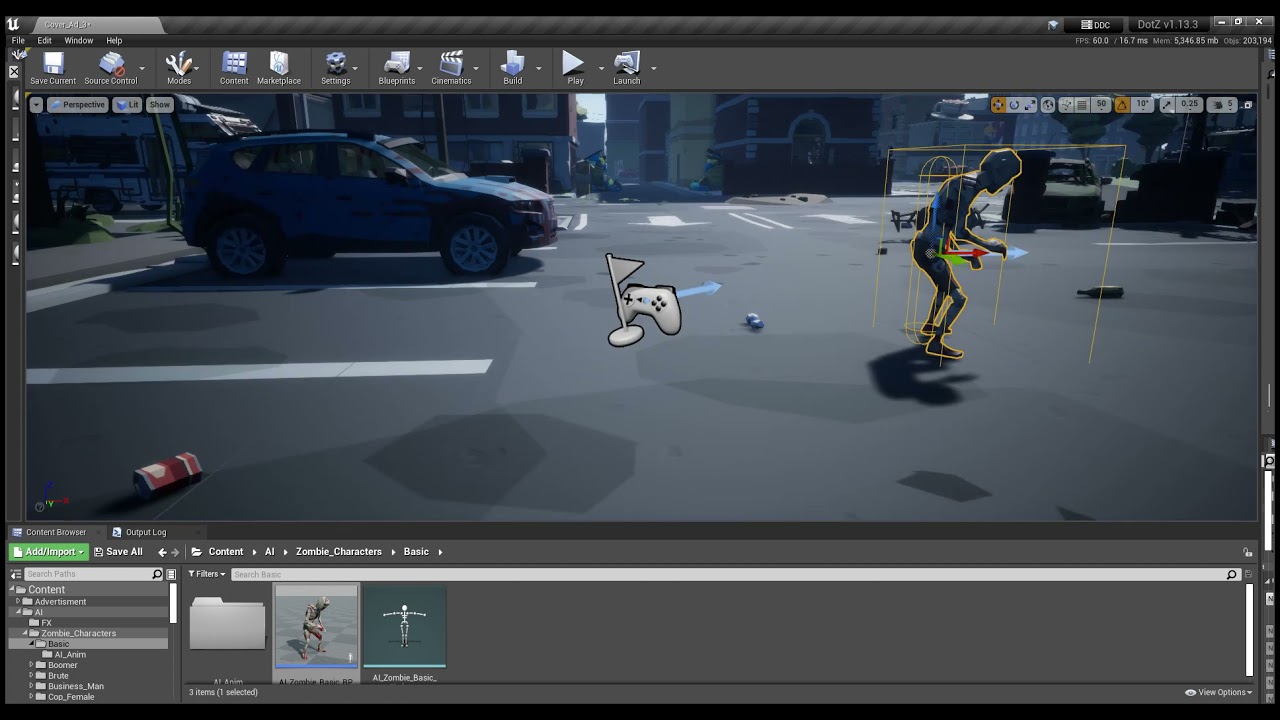
Having a weird issue when duplicating my AIs. As I want to create different types but when I do my duplicated one doesn't seem to be picking up my walk animation. Anyone know what might be causing this? https://youtu.be/dFFU-F4oCYk
 rancid lagoon
shadow ravine
Having a weird issue when duplicating my AIs. As I want to create different type...
rancid lagoon
shadow ravine
Having a weird issue when duplicating my AIs. As I want to create different type...
when you duplicate it you need to create a new blendspace or whatever it called. the one you have in the og is made for that spefic blueprint. any duplicates breaks it
at least that is what i found out idk if its right
plush yew
dont dupe. drag and drop and click generate dependencies to copy.
then move to folder.
shadow ravine
rancid lagoon
when you duplicate it you need to create a new blendspace or whatever it called....
This shouldn't be affecting it as they use the same skeleton so if I create a new blendspace it will just use the same skeleton anyway 🤷♂️
 vale grove
When i use the rope i success to attach it to my character but when i swing fast it get offset and be front or back from my character
shadow ravine
plush yew
dont dupe. drag and drop and click generate dependencies to copy.
What do you mean, if I drag and copy I don't get any options for generate dependencies
plush yew
advanced copy here
then generate dependencies
then fix up directories?
should work fine
shadow ravine
plush yew
advanced copy here
This is new to me, how do you perform an advanced copy
plush yew
drag and drop into a folder
Wait
dont do that
that will recreate all the anims and skel and everything
oops bad advice 😄
shadow ravine
Oh I see advanced copy, but I don't have the option to generate dependencies
plush yew
Right click on the actor and create a child blueprint of the actor.
you should of made a Base BP first
then created all the children to derive from it.
shadow ravine
plush yew
Right click on the actor and create a child blueprint of the actor.
Hero, that's resolved it
plush yew
😉
 worthy plaza
you are free to use the megascan's asset or u've to pay something? for a game
drowsy snow
worthy plaza
you are free to use the megascan's asset or u've to pay something? for a game
As long as the final render is with UE4, it's free.
worthy plaza
ue5 too?
drowsy snow
I forgot that UE5 existed, but should be exactly the same.
worthy plaza
Perfect, ty
charred ibex
vocal plank
answer hub / submit bug report to epic. It's probably caused by a component gett...
ok thanks ill check it out!
 hidden dew
Hi all,
When I click "Build Lighting Only", Unreal says "Exporting lighting data: 33% Done" and Swarm sits on Exporting Scene forever.
Would anyone know why?
I installed UE 4.27.1 (from launcher) only a couple of days ago, and this happens even with the demo 3rd person example.
Ie, it freezes Unreal so I have to force close.
plush yew
try going into swarm agent (task bar right), then cache (on top), validate and clean, see if that helps
hidden dew
ta
plush yew
IF not clean your swarm folder in appdata
sick patio
QUESTION: someone was trying to tell me, after packaging my game, I can make edits, and instead of repackaging, i can simply add stuff? how do i do this?
plush yew

This page describes how to create a patch for an existing project.
i believe thats the info you are looking for.
sick patio
me?
plush yew
you where looking on how to apply a patch to a game thats packed?
sick patio
yes thank you sir/maam/attackhelicopter
hidden dew
@plush yew
That gave me new errors, failed to kick off and such, so that's a good thing
I've seen such things while Googling so I can go from there, ty
 hazy horizon
can those 3d widgets work in multiplayer properly? ive been trying for a while and any hover function seems messed up
plush yew
Does anyone know the Proper way of setting this up? I am trying to rotate the Hands to a different location when Rifle is picked up when the blendpose is being updated.

would i use a rotator or transform, and would i add that to my interface, or would i just call a reference to it
sick patio
my pause menu will pop up, if i click P in the middle of playing, but not when i die? when I die I still have no way to get back to the main menue when i die
so far I can only resume when i die
(I followed a tutorial)
drowsy snow
sick patio
my pause menu will pop up, if i click P in the middle of playing, but not when i...
You should have a game over screen by now.
 blissful trail
idk if im doing this right

essentially i need it to change the mesh but it doesn't work on servers
 cinder mica
Guys is there a high poly of the UE mannequin around? I want to modify it and re-bake etc
Looked in all the usual places online but coming up with nothing
tender ember
Hello. My problem with not being able to launch a project persists. I reinstalled UE and it just stucks at random point. I've been trying to solve this issues for days please help
 grim ore
that number never goes down (3526) ?
tender ember
now it's 3.136
tender ember
I'm sorry I'm a newbie. I used to open UE without any lags in the past and idk what is happening
plush yew
Still looking for help with this 😦 When updating my blend pose I want the arms for the gun to move far right, how would i accomplish this?
drowsy snow
tender ember
I'm sorry I'm a newbie. I used to open UE without any lags in the past and idk w...
Go take some coffee, or tea, or have a meal.
grim ore
your opening the meta humans project?
plush yew
 drowsy snow
Let the engine do its thing.
grim ore
did you enable ray tracing when you created the project?
tender ember
yes. also first time doing it
drowsy snow
tender ember
yes. also first time doing it
Also it would help to increase ShaderCompileWorker process priorities via Task Manager. That'll make sure it uses all your CPU had to offer.
tender ember
I though it was a problem coz I had problem downloading my Metahuman. and it kept getting stuck at random points like 40% 11% now it's 70%.
thanks for the reassuring 🙂
drowsy snow
tender ember
thanks for the reassuring 🙂
Your safer bet will be the Task Manager. If CPU usage is high while loading, from UE4Editor processes, it's most likely compiling shaders.
sick patio
I keep messing up packaging the game or making a zip file, to upload to IO. this time I uploaded the entire launcher. I followed the tutorial, which didn't see what to zip, so I zipped it myself and .... now everyone is an unreal engine game dev
HELP
drowsy snow
drowsy snow
Your safer bet will be the Task Manager. If CPU usage is high while loading, fro...
If it hard crashes, then CrashReportClient will show increased hardware usage before it pops up.
sick patio
hoodie help a brother out
grim ore
whats the actual issue? you package it then compress that folder
drowsy snow
sick patio
hoodie help a brother out
Not clear enough for me.
grim ore
where is the disconnect
sick patio
so i go file ... zip.... and then windowsnoeditor?
grim ore
you can right click, send to, compressed zip folder
sick patio
oh
grim ore
and yes on the windows no editor folder which should contain the game
sick patio
I like turtles
tender ember
drowsy snow
Your safer bet will be the Task Manager. If CPU usage is high while loading, fro...
thank you so much dude🙂
I'm gonna wait
sick patio
didn't say anything funny
peak sorrel
What's the difference between launch actor and just applying impulse?
nvm google solved it
thought it is a little inconvenient
because I need the initial force for wallrunning but now I know that when I convert my actor to a pawn it won't work and I will have to change it
hidden dew
Using UE4.27, creating a new project with the PuzzleExampleMap, when I select "Build Lighting Only" Swarm opens up and sits on Exporting Scene forever, while UE says "Exporting Lighting Data 33% done" but stay frozen that way.
Anyone know things I could try?
I've tried Cache->Clean and Cache->Validate in Swarm, and I tried wiping the SwarmCache folder contents in AppData. That did give me a change in the error, but it instructed me to compile Lightmass. Since I only use the launcher's install of UE4, I can't do that.
So I told it to verify the install instead. All that's done is taken me back to UE freezing on "33% done" again. And this time I can't change that.
plush yew
is there a way to fix dark spots while having high exposure
 drowsy snow
hidden dew
Using UE4.27, creating a new project with the PuzzleExampleMap, when I select "B...
drowsy snow
hidden dew
Using UE4.27, creating a new project with the PuzzleExampleMap, when I select "B...
Have you checked the hardware usage in Task Manager? Certain things might stalled the process, could be either UE or Swarm worked too hard at the moment.
drowsy snow
plush yew
is there a way to fix dark spots while having high exposure
The GI, maybe? AFAIK Lumen's software RT uses mesh distance field, and skelmeshes can't have it.
plush yew
its not above middle school regulation for skirts so dont sperg over seeing some ankle lol i feel it coming
not u hoodie but u know
yeah i feel it is the fault of lumen
hidden dew
drowsy snow
Have you checked the hardware usage in Task Manager? Certain things might stalle...
SwarmAgent says 1% CPU and 81MB of memory.
I don't really know what to look for, don't know anything about Swarm
drowsy snow
plush yew
yeah i feel it is the fault of lumen
Though Lumen should've add SSGI into the mix, as it's supposed to be Lumen's last resort, but I guess the screen space information wasn't enough.
The old Light Propagation Volume actually able to remedy this to certain extent, with small scale for interiors.
 dapper hatch
Anyone knows why in my packaged file I have these in my scene lol? I don't see it in my scene.
 drowsy snow
dapper hatch
Anyone knows why in my packaged file I have these in my scene lol? I don't see i...
drowsy snow
dapper hatch
Anyone knows why in my packaged file I have these in my scene lol? I don't see i...
Check your Game Mode's default pawn class. Might be the default spectator view's.
hidden dew
Is SwarmCoordinator.exe a thing that should be running when I build a project?
drowsy snow
hidden dew
Is SwarmCoordinator.exe a thing that should be running when I build a project?
Nah, UE4Editor knows what other app to run when building a project.
plush yew
am I using this right

i want to keep my roughness map but i dont want more roughness on it
so i used a subtract node
should i change the contrast of my roughness map or is this an alright way to go about it
 silk mural
I have a general UX question, if you had a tool that would do something in unreal, would you as an user want it as a python file or a editor blueprint asset ? (Im working on a tool can be developed in both ways, just curious which one is more practical for the user)
 crimson axle
I have a question about pak files that is not devops, so I'm not sure this is the correct place (general UE) to start asking.
My use case is that I want to be able to have users download temporary, data-only hierarchies of DLC. E.g., users download DLC, use it for an hour, and then unload it, possibly downloading a new DLC right after.
.pak files seem to be the closest thing, but this specific case wouldn't involve "patching" in the .exe sense. Are there any concepts or features I should be looking into here?
I'm basically looking for the closest thing to a Unity AssetBundle I think.
drowsy snow
silk mural
I have a general UX question, if you had a tool that would do something in unrea...
Either way works, though even more advanced UnrealEd tool would be written in C++.
 candid arrow
hey, i made a check point but it doesn't work whats the issue?
grim ore
you did it wrong?
candid arrow
i followed 2 tutorials and it didn't work
dapper hatch
drowsy snow
Check your Game Mode's default pawn class. Might be the default spectator view's...
I set game mod to non and its still there :/
grim ore
okdoke, we have no idea what you did or what is wrong so we really can't help
dapper hatch
Should I just make custom pawn?
candid arrow
 drowsy snow
dapper hatch
I set game mod to non and its still there :/
drowsy snow
dapper hatch
I set game mod to non and its still there :/
Or rather make a custom game mode and set the default pawn class.
candid arrow
 plush yew
is this tacky

gta remaster was revealed to be on unreal engine
so im making enviorments i can mod into it
this one is for vice city to replace the house by the mall
i feel like snake skin makes sense for this theme but now i feel like i did something naughty
grim ore
@candid arrowso which of those 2 do not work? you need to start debugging. Does the checkpoint trigger? when it triggers does the cast work? once the cast works does it store a valid value to the variable? When the 2nd blueprint triggers, does the cast work? if so what value is it getting from the player
candid arrow
idk , im a beginner
grim ore
then you might want to watch the tutorials again and make sure yours looks like theirs, the same items in the same places with the same code
drowsy snow
candid arrow
idk , im a beginner
Also look out for the Unreal Online Learning courses (see pinned message).
grim ore
off the top of my head, your glassinfinite blueprint looks like your level bp so that would never work, what actor is being overlapped in that case?
 naive oriole
My dynamic material has a super low resolution, even though the parent material has a high resolution.
Running the game in the editor doesn't have this issue for some reason.
naive oriole
https://docs.unrealengine.com/4.27/en-US/API/Runtime/Engine/Engine/UCanvas/DrawTile/ What are the "texel" units for U and V? I tried both from 0 to 1 and 0 to texture size and neither draws the full texture at full resolution.
Draw arbitrary aligned rectangle.
 ruby robin
Guys, does anybody if it is possible to get rendering data from a "stat startfile"/"stat stopfile" profile file?
dapper hatch
drowsy snow
Or rather make a custom game mode and set the default pawn class.
It fixed, thank you
 uneven cargo
Is it possible to combine several actors into a single asset, like a prefab? All I find on the internet is merging static meshes (which is not what I want) or using child actor component, which seems to not be recommended.
mental helm
Blueprints!
drowsy snow
uneven cargo
Is it possible to combine several actors into a single asset, like a prefab? All...
Combining actors containing their own logics? Probably, by attaching spawn actors on Construction Script.
There is Child Actor component, but it's nigh unusable, so let's pretend that didn't exists.
uneven cargo
@drowsy snow Exactly, but is it possible to have them also show up in a preview to place them correctly and such, or would I have to repeatedly start the game to see where the spawned actors end up and adjust accordingly?
@mental helm But blueprints are made of components and not other actors right?
drowsy snow
uneven cargo
<@!325627930484932608> Exactly, but is it possible to have them also show up in ...
Do it in Construction Script, not on Event Graph/Event BeginPlay.
grim ore
what are these actors that you are trying to combine?
 turbid wasp
i have a question.. what is global illumination?
uneven cargo
@drowsy snow Oh I haven't used the construction script so I assumed it would behave like BeginPlay at the start of the game, since the object isn't created until then. Do I understand you correctly that if placed in the construction script, you also see a preview in the viewport?
@grim ore In this specific case it's a character with a NinjaLive (the plugin) actor, which I can't add as a component to the character. (The plugin does have a component version as well, but it lacks some functionality that I need)
drowsy snow
turbid wasp
i have a question.. what is global illumination?
Also known as bounce lighting.
Basically indirect lighting you get from lights bouncing around a surface.
uneven cargo
@drowsy snow So I looked into what you suggested and I don't think that's it. Seems like the construction script is run not only when the object is created, but also when it is transformed and who knows what else so it would be very inefficient (https://forums.unrealengine.com/t/spawn-actor-from-construction-script-loophole/20361). I found a plugin called Prefabricator that does more or less what I want, but is there really no way to do this natively? Seems like it would be a pretty common thing.
drowsy snow
uneven cargo
<@!325627930484932608> So I looked into what you suggested and I don't think tha...
I don't think it's that common, though granted I parted ways from Unity for a long time.
grim ore
components would probably be the way you would end up doing it, which is why they have a component, but the issue is that component isnt good enough for you 😦
plush yew
Hello guys I have problem with my inventory system I want to make exchange item system when you select an item and press button to exchange it with other item, it is kinda working but the problem is that it doesn't update the "thumnail " of the old item. idk how to fix it
https://blueprintue.com/blueprint/wc17rfdr/
this is the link of my all bp
I will be more than happy if someone can help me
I am fighting with this problem for 2 weeks 😦
No description provided
uneven cargo
More or less yeah xD I mean I already have the system working as it should, it's just that if I were to say make a new level it would be more convenient to just have one actor to drag into the scene than multiple ones. Anyway thanks @grim ore , @drowsy snow for your help, I might find some hacky workaround. Also your tutorials are great @grim ore 😉
plush yew
anyone have some hidden knowlage on unwrapping uvs on nanite stuff and is willing to share
when you unwrap a mesh over 100k polys either in 3dsmax maya or blender
your pc will take a loooong time with it
is there a way to unwrap high poly objects without super long delays or crashing
mental helm
My work flow has been make a mid poly model, either subdiv or a block out, do the high poly or sculpt, go back to the mid poly and UV it, subdivide it, and have it shrinkwrap to the high poly
 sage coral
Would anyone be able to point me in the right direction to get my hair physics to move all at once? Currently it works but all the hair strands move individually
And its not interacting with the collisions of the body for some reason other than thouse 2 issues the cloth sim works for the hair
drowsy snow
sage coral
Would anyone be able to point me in the right direction to get my hair physics t...
Hair strands, so Groom system?
sage coral
@drowsy snow used the curve method in blender and made the 3d model into a plane for performance
I alreasy have the 3d model itself but the cloth system is acting strangly with the hair model
drowsy snow
So basically hair cards.
sage coral
More or less
Rectangles in place of hair strands and slapping a 2d texture on top of them and them having it use ue4s cloth sim to sim the movement of the hair
drowsy snow
sage coral
Rectangles in place of hair strands and slapping a 2d texture on top of them and...
Try look into Paragon models for reference. I think they don't simulate it per hair card, but more of as a whole.
tropic iron
hey guys quick question, was having some issues with my texture streaming.

I have a 3080, Ryzen 7 5850, and 64gb ram.
5800x*
drowsy snow
tropic iron
hey guys quick question, was having some issues with my texture streaming.
r.Streaming.PoolSize x
with x being the max streaming pool size in MB.
tropic iron
what do you reccomend? 48000?
drowsy snow
tropic iron
what do you reccomend? 48000?
Depends on your VRAM.
 gloomy cosmos
i want to let players pick up blocks and lock them in place
gloomy cosmos
gloomy cosmos
i want to let players pick up blocks and lock them in place
is this possible
grim ore
@gloomy cosmosanything is possible sure
sage coral
@drowsy snow I think I found the issue I think its got somethin to do with me nit weight painting the hair to the head model.
gloomy cosmos
gloomy cosmos
i want to let players pick up blocks and lock them in place
how would i do this'
drowsy snow
gloomy cosmos
how would i do this'
Do you know how to code gameplay in Blueprints?
gloomy cosmos
drowsy snow
Do you know how to code gameplay in Blueprints?
yea
 abstract scaffold
Working on a topdown shooter. I have the camera boom angle at 80deg. instead of straight down. I'm spawning projectiles that move from my muzzle point to the cursor location. Problem is.. everything is slightly off (bullets landing higher than the cursor location on everything that isn't straight up or straight down). If i switch the boom to straight down (90 deg.) everything is PERFECT. I'm assuming there is some kind of mathematically offset I can do to account for the 10 degree camera tilt when calculating the projectile rotation, but i'm not really sure where to begin. Any ideas?
 harsh tiger
Does anyone happen to know the date that the marketplace sales are paid this month? Or is it just random?
 trim mantle
plush yew
am I using this right
trim mantle
plush yew
am I using this right
Did NO ONE comment on Gawr Gura? xD
tropic iron
another question. my spot light isnt emitting any light, and its red, what does that mean and how do i solve this?\
grim ore
a red X on it?
tropic iron
yes
grim ore
is it set to sationary for the mobility?
grim ore
oh super weird, movable shouldnt have that issue.
tropic iron
very
grim ore
usually that is only on stationary, it means too many lights are near eachother
drowsy snow
trim mantle
Did NO ONE comment on Gawr Gura? xD
I actually don't like VTubers, so I don't comment on it.
Though it may be because of my general YT preferences (I prefer videos on applied science, game tech, and speedruns), and the fact that most of well known VTubers are 2D sprites aligned with facial trackers, don't appeal to me technologically.
I wanted to see one fully 3D VTuber, preferrably rendered with Unreal Engine, not limited to face tracking - aside from CodeMiko.
tropic iron
i fixed it haha! nothing was wrong just had to bring intensity up!
trim mantle
drowsy snow
Though it may be because of my general YT preferences (I prefer videos on applie...
Guess what app am I doing for my GF

Full body tracking is a bish thou
The only solution to do that without suit for 1.5k is a 200$ kinnect
neon bough
intel realsense^
kinect is ded
nvm "In August 2021 Intel announced it is “winding down” its RealSense computer vision division to focus on its core businesses."
so ded, too 😄
dusk nebula
Just gonna brag for a minute and say that I got my parent/child blueprints for powerups working like exactly how I envisioned it working. Literally all I have to change are inherited variables for color, text etc, and add different effects to the events

 elder vortex
Hey guys ,how can i make a hitlag like in fighting games via blueprints?
plush yew
dusk nebula
Just gonna brag for a minute and say that I got my parent/child blueprints for p...
grats dude
plush yew
elder vortex
Hey guys ,how can i make a hitlag like in fighting games via blueprints?
Maybe post an example i have no idea what lag your talking about
elder vortex
like freeze game on few frames for impact
grim ore
you can change the time dilation to slow / pause the game
plush yew
elder vortex
like freeze game on few frames for impact

Logo Created By: Feinel! Get at him at Feinel#1322 on Discord!
Discord: https://discord.gg/2jyKchN
Twitch: https://www.twitch.tv/eiieo
Disclaimer: Any music used in the videos that are not my own are copyrighted and all rights are reserved to the owners.
Music Youtube Channel: https://www.youtube.com/channel/UCfPMuiIp0YQkPAoguf4CD7A?view_as=...
??
elder vortex
grim ore
you can change the time dilation to slow / pause the game
Yeah,it`s works fine in preview but works very slow in a builded project (here is the video : https://www.youtube.com/watch?v=NT-zUvbH8IU&ab_channel=СИМОН )
 grim ore
@elder vortexso the video was nice and all but its so long and we have no idea what we are supposed to be looking at. Depending on how you are doing your time dilation (if using tick for example) might be the problem
blissful trail
wow imagine sending a fake nitro link in the unreal slackers server
grim ore
its not a nitro link, its a bad naughty link
elder vortex
grim ore
<@!281114332601909248>so the video was nice and all but its so long and we have ...
in first part of the video its a editor gameplay , after 0:50 is gameplay in builded project
grim ore
ok, so how are you turning down and back up the time dilation if that is what you are using?
elder vortex
grim ore
ok, so how are you turning down and back up the time dilation if that is what yo...
 grim ore
you should consider using a timeline rather than a delay node
or if you are going to use delays, set a custom time dilation inside of this blueprint so its not affected.
pretty much the answer is to make this item not affected by the global time dilation by settings its custom time dilation to the opposite of the global
blissful trail
ok so im having trouble making it change a mesh in multiplayer. basically it changes player 1's mesh but only for player 1 & player 2's mesh does not change at all any ideas ??

i did try adding 2 meshes and changing the visibility but that didn't work at all
 atomic knot
hey would you guys recommend i use ue 4.27 atm or try to use ue5 even tho its really buggy
blissful trail
4.27
atomic knot
grim ore
add some print strings after the commands to see who is calling what
see if you can narrow down who is not calling it
 sharp shadow
<@&213101288538374145> Does it make sense to share this in #unreal-news? It is basically like Featured free content which is there regularly announced but there are only 3 days to claim it. https://www.unrealengine.com/en-US/blog/education-week-exclusive-download-your-free-marketplace-assets-until-november-1

Unreal Engine
Want to teach or learn game design with assets that do a lot of heavy lifting? See what’s available until November 1.
 maiden swift
Good catch. Sorry we missed that. Will be posted shortly.
sharp shadow
Thanks!
 loud berry
is there a help channel here?
grim ore
every channel can be help if its appropriate
loud berry
grim ore
every channel can be help if its appropriate
alright big post incoming lol
hey guys feel kinda stupid here. But it takes a bit of explaining... so around 3-4 days ago I began modeling 3 separate planks that I would then use to create a produce box/crate with variation for wood. This is my third week in blender.
I got all the textures done, then proceeded to take all those wood planks (they were all modeled, uv map'd, and textured in the same file), soft-import them into my produce box mockup, assembled the produce crate. Am pretty happy with the final result.
My problem now is when I try to import it to unreal engine it has a whole sleu of models, textures, etc. When it should only have 3 models, plus the assembled produce box, and finally about 9-12 texture maps for each plank. But in unreal it ends up being about 70 or so.
How do I finish making this model a game ready asset?
 grim ore
well I did say appropriate, this seems like less of a general question and maybe more like #graphics
loud berry
I also asked in the blender community as well but if u take a look at the blend file just let me know so i can start a thread or we can DM
it's not graphics related
grim ore
its not? "graphics - Meshes, materials, lighting, etc."
loud berry
no
grim ore
is not a mesh with materials...
loud berry
it's about importing all of those assets into unreal engine. there should only be like... maybe 20 some odd files, but theres around... 70 or so that get imported to unreal
grim ore
have you looked at the send to blender plugin? https://www.unrealengine.com/en-US/blog/download-our-new-blender-addons
loud berry
i have not but i just watched the vid and i don't think that's the issue. i believe the issue is how i assembled the model. Unreal is treating the blend model like it has 16 different models which is true but there's only 4 unique models that all have their own texture maps. I'm trying to figure out how to fix it and was hoping someone who has experience making game assets could help me figure it out
 indigo cradle
Is there easy way to make foam appear only near shoreline? I am using Custom Water Body. The shoreline has custom rock meshes and such.
loud berry
indigo cradle
Is there easy way to make foam appear only near shoreline? I am using Custom Wat...
this thread seems to go in-depth with the global distance field that you need to have enabled

Unreal Engine Forums
I presume so, if it’s not - I can probably enable it) Is it the first step to implement a foam to shores?
indigo cradle
loud berry
this thread seems to go in-depth with the global distance field that you need to...
Thanks for this. It seems UE5 doesnt have separate setting for the global distance field.
loud berry
indigo cradle
Thanks for this. It seems UE5 doesnt have separate setting for the global distan...
😫 oh nooooo it might of been moved to a different area, want me to dig for you?
indigo cradle
That's all good, but thanks. It seems this is very difficult. My assumption at this stage is that I need to get some blueprint going in order to get the foam right?
loud berry
yeah it definitely sounds procedural
indigo cradle
The demos make it look sooo easy. But there is no tutorial that would explain how to do this actually.
Even foam based on height of the waves doesnt seem to be something that can be done out of the box.
loud berry
is UE5 experimental at this point? Any particular reason you're using UE5? I'm just finding hardly anything on UE5 for what you're trying to do
indigo cradle
Yes UE5 is EA and not recommended for production.
If I downgradew to 4.27 do you think there is a chance that the water would work better?
grim ore
since water is a plugin I would be surprised if it worked better
indigo cradle
Good point
grim ore
an issue with some of these tools is they are easy if you know what you are doing, which is why those demos look so easy... but for the rest of us...
indigo cradle
Buying some kind of water from Marketplace might be the way to go
fleet raven
Hi, I have a question, if i have made a scene with some assets, and want to put them to another level.. how can i move them without merge. Cause if i merge the assets they are not editable
drowsy snow
fleet raven
Hi, I have a question, if i have made a scene with some assets, and want to put ...
Load it as sublevel in a persistent level.
fleet raven
Thank i will try 🙂
 zinc shore
dose ue4 have double precision floats for large worlds
drowsy snow
zinc shore
dose ue4 have double precision floats for large worlds
No.
zinc shore
will UE5 have it
ive heard godot may have all its math and physics be 64bit in the next version so im wondering if UE will do the same
 copper wadi
At the ultra high level, how would I do a global system? Imagine a game with multiple levels, but a consistent/persistent day/night cycle. Where does the day/night cycle live? I cant seem to figure out where I should be putting systems that run beyond the scope of a given level.
drowsy snow
copper wadi
At the ultra high level, how would I do a global system? Imagine a game with mul...
Assuming it's an open world, the sky actor should be in the root persistent level, not in the sublevels.
copper wadi
drowsy snow
Assuming it's an open world, the sky actor should be in the root persistent leve...
ahh, right. so generally speaking you would have a persistent root level, then load and unload locations as sub levels? That makes sense. I think thats my solution.
copper wadi
drowsy snow
Assuming it's an open world, the sky actor should be in the root persistent leve...
Thank you
drowsy snow
prime willow
Weird question but are any of you using Control Rig
Well, you know the answer from me ;)
dusk nebula
Does anyone have a good visual representation of how the different parameters on "apply radial damage" work?
 grim juniper
zinc shore
will UE5 have it
grim juniper
zinc shore
will UE5 have it
I believe the answer to this is yes. However, I don't think Early Access has it yet
prime willow
drowsy snow
Well, you know the answer from me ;)
O> not fair mannequin cheats
plush yew
anyone know a tutorial on how to set up colleterial damage with line trace by channel?
plush yew
plush yew
anyone know a tutorial on how to set up colleterial damage with line trace by ch...
 plush yew
plush yew
plush yew
did not know that was a thing LOL i set up the whole system, and realized its not what i wanted.
thanks
np lol
outhits is an array ugh
more coding 😦
prime willow
drowsy snow
Well, you know the answer from me ;)
can i bother you for actually 10 seconds?

its control rig related
rancid lagoon
or anyone know of any good tutouralils on it?
drowsy snow
prime willow
can i bother you for actually 10 seconds?
I'm currently taking some nanomachines vaccines atm, so yeah...
 brazen jacinth
Hi, I'm super new to Unreal and working on an environment school assignment. I'm curious the best way to go about making semi detailed land shapes as the sculpting tool seems a bit too blocky. Referencing this type of detail.
 prime willow
brazen jacinth
Hi, I'm super new to Unreal and working on an environment school assignment. I'm...
prime willow
brazen jacinth
Hi, I'm super new to Unreal and working on an environment school assignment. I'm...
pretend it s apicture youre painting and work with the tool to get your desire dlook
drowsy snow
prime willow
are you in trouble?
Just taking a COVID vaccine.
prime willow
or buy a lanscape tool click 1 button and pretend you made a level creatively
oh
be careful
;-;
brazen jacinth
Like if I flattened the lower land that juts into the rock there, it'll cut below the higher side. The land doesn't really meet right to the rock on both sides.
prime willow
drowsy snow
Just taking a COVID vaccine.
poke me when youre free and ill ask dah question
its relatively simple and silly but you have experience with control rig so id rathe rhave your assessment on this matter/trade off
prime willow
brazen jacinth
Like if I flattened the lower land that juts into the rock there, it'll cut belo...
move the rock
and place it on the landscape
the order of level design dont take my word for it is
Landscape > skin the landscape > setup watter if any > whatever comes next > lighting > place objects on the landscape
brazen jacinth
ahh okie, thank you.
prime willow
trust me if you put stuff down than landscape you get nothing but issues and reworks to do
dont go crazy with lighting
brazen jacinth
We hardly touched Unreal/Unity as I'm studying Game Art and just barely into second year
brazen jacinth
gotcha gotcha
prime willow
or use something like dynamic weather / sky so you can drag and drop your entire sky setup
brazen jacinth
I assume those are on the marketplace? :o
prime willow
landscape paint floor slap on the sun add water idk what comes next than place objects than code the objects for interactions
and yes
to all of the steps
if you have money or am lazy or uncreative
if you have time and you want something really specific youre better making it the long hard way
xD
marketplace assets are hit or miss
brazen jacinth
loool yeah, welllll this environment is due on Friday sooo maybe I'll learn sometime later haha.
prime willow
they either get what you have in mind or dont have it at all and you sip some copium
the more creative you are the worst pre made assets are
brazen jacinth
oh yeah
prime willow
the less you care the easier game design becomes you can find assets for everything tho it may lack charm and inspirations and blah blah blah
honestly just pick what you can sacerfice and what you need to be on point and work with that
prime willow
brazen jacinth
oh yeah
lastly if youre going to dive into assets a good key to remember is higher reviews past 5 or 10 mean typically really really dumb good asset and look deeply before buying something youre intersted in
 bleak vessel
UE newbie here... I have been watching a bunch of unreal tutorials and I notice a lot of them are about creating very low level functionality not directly related to gameplay... for instance.. how to do you setup a material so it can be tiled independently in the X and Y axis, how to you create parameter to offset materials and so on an so forth?
prime willow
there are an infinite amount of the same assets around lastly you have 14 days to return anything you dislike
so dont stubble your feet around if an asset sucks
quickly refund it
brazen jacinth
glad to know! thanks!
prime willow
oh and sales super important
some assets that go for 300+
can magically go down to 100
on sales which are bi monthly
brazen jacinth
oh jeez lol
brazen jacinth
oh god LOL
prime willow
and dungeon artiftech is amazing asf
another note
add stuff to wishlist
you want on sale
wait until a big one comes and snatch it :3
brazen jacinth
I did notice that!
bleak vessel
I kind of understand UE may not have those functionalities avaiable by default since it has no been targeted to indie devs in the past but... why can't I just download a blueprint collection from the market that will have all this low level funcionalty already setup for me... as oposed to re-creating all by myself from scratch?
prime willow
wishlist has 50 slots so pick the most expensive ones you want and stack them there
granted thats what you can do if you go down the asset flip route
grim ore
bleak vessel
UE newbie here... I have been watching a bunch of unreal tutorials and I notice ...
Was your question asking those questions? If so the unreal learn site has some material courses that cover those questions
prime willow
brazen jacinth
I did notice that!
sorry sorry lastly one more important thing
unreal gives away hundreds of dollars of assets a month
its in their free section
brazen jacinth
no sorries!
prime willow
so and randomly theyll add more like they just did until oct ends
bleak vessel
grim ore
Was your question asking those questions? If so the unreal learn site has some ...
Not really , I added the question later
prime willow
i just check weekly lol
brazen jacinth
also omg yeah I noticed that, and picked up all of them just seeing the usual prices. it's great to see.
prime willow
yes yes
i check on sundays and on the last and beginning of each month you never know when something you want exactly as is just goes on sale or is added for free :3
grim ore
bleak vessel
I kind of understand UE may not have those functionalities avaiable by default s...
There are free collections like mentioned as well as the learn content on the launcher with examples you can use that do stuff like this. Look at the content examples project.
bleak vessel
ah ok thank you
so there's a place where I can just copy a material that already has offset and tiling already setup as parameters for me?
grim ore
Sure
bleak vessel
ok, so I have to look around the examples and see where I can find it?
grim ore
Starting with the material samples would be a good start.

 sharp crest
@maiden swift free stuff https://www.unrealengine.com/marketplace/en-US/assets?count=20&sortBy=effectiveDate&sortDir=DESC&start=0&tag=18226

Unreal Engine
Search over 9,000 packs in the Unreal Engine Marketplace.
first time I see on the marketplace before your announcement
stone edge
If I use a cubemap hdri in my skylight, actors like sky atmosphere and skysphere become redundant, right?
plush yew
Hello guys I have problem with my inventory system I want to make exchange item system when you select an item and press button to exchange it with other item, it is kinda working but the problem is that it doesn't update the "thumnail " of the old item. idk how to fix it
https://blueprintue.com/blueprint/wc17rfdr/
this is the link of my all bp
I will be more than happy if someone can help me
I am fighting with this problem for 2 weeks 😦
No description provided
How could I stop the blocks from going through the ground and other blocks when building? I use linetrace and set world location to determinate the location currently.
brazen jacinth
@prime willow I'm the big dumb, I misunderstood the landscape resize tool before so it was like trying to work with low poly. I just resampled it to 255x255 and can actually carve the creek in the shape I want without it being too blocky. 
prime willow
brazen jacinth
<@!517804295874281474> I'm the big dumb, I misunderstood the landscape resize to...
yup
like i said take your time with the tool
and pretend youre painting a picture~
brazen jacinth
probably not the best for performance but we aren't making optimization, we're making something look pretty as our instructor said lol
yeah it's been enjoyable to tool around with!
prime willow
yush yush
if youre deticated enough you can make some pretty amazing fantasy like scenes
brazen jacinth
My fav 
prime willow
you can even use meshes probably as giant floating islands
brazen jacinth
ooooh
prime willow
outside of the landscape bounds
 sharp crest
prime willow
outside of the landscape bounds
sharp crest
prime willow
outside of the landscape bounds
lol
 knotty summit
Do you guys use NVIDIA Studio drivers or Game drivers? Which one makes more sense for game development?
sharp crest
@knotty summit just download nvidia geforce experience or somethijng like that
and it will automatically install the best drivers
knotty summit
Yeah already installed, I'm just wondering if it makes difference. 🙂
knotty summit
I mistakenly downloaded it today, I somehow switched it before and forget it
I'll revert back to game drivers but that question came to my mind
sharp shadow
maiden swift
Good catch. Sorry we missed that. Will be posted shortly.
Was it decided to not post it? For me it does not matter but I can imagine many people missed it.
 south edge
Hi, does anyone here have experience implementing a UE4 c++ leaderboard system with Playfab?
turbid wasp
I tried to download grass from the quixel library and it didn’t work. I got some file that looked weird and i couldn’t put it into unreal, does anyone know what happend?
 sleek lily
hey guys, me and my team are taking part in the spooktober jam. We really need a 2d pixel artist rn. If interested, DM me.
 languid topaz
Hi, my project runs perfectly in editor but in the build (0 errors) it crashes randomly when loading maps so often. Any tip?
 frozen stratus
I have SceneCaptureComponent2D with TAA enabled. It works perfectly when I play in editor (PIE), but as "standalone game" or when I package the project and run it, the result is jagged edges as if TAA on SceneCapture hadn't been enabled. Something seems to be causing it to default to FXAA. Any idea how to make this work?
trim mantle
languid topaz
Hi, my project runs perfectly in editor but in the build (0 errors) it crashes r...
There could be a number of things so we can’t help
languid topaz
I on it, I disabled my save/load game features and it seems that don't crashes
nah, it keeps crashing
found this

 digital rover
I created a vehicle but it doesn't interact properly with player and AI pawns. When a player runs into the vehicle, it sends it flying into the air or moves it sideways. I set the mass of the vehicle to 50,000 kg but it didn't have any effect on the physics interactions, it just slowed down the engine speed. I looked through the settings for vehicles and it doesn't look like there are any physics settings. How can I get the vehicle physics to act properly? I am going for something like the vehicles in gta 5 where they can push each other around but players have a minimal effect on vehicle movement.
and when we drive fast from road steps it will throw the vehicle into the sky like vehicle has no weight
anyone know solution for this?