#ue4-general
1 messages · Page 1073 of 1
 autumn grail

Does someone know this issue?
It dosen't appear in the outliner so i can't delete it
 plush yew
@grim ore Do you know why its so much easier to delete folders from my project from my windows explorer then actually deleteing them in the editor? Does it matter?
 drowsy snow
plush yew
<@!218779540359479297> Do you know why its so much easier to delete folders fro...
drowsy snow
plush yew
<@!218779540359479297> Do you know why its so much easier to delete folders fro...
It actually matters, because some assets outside of it might still have reference to anything inside it.
Only delete from File Explorer as a last resort / know full well what you're doing.
plush yew
I was just looking at the assests
plush yew


i know i really shouldnt be modeling with the unreal modeling tools but
why is this gap here
its just two faces
they are connected at the edge
drowsy snow
Also check for Contact Shadows settings.
 knotty heron
Can you enable rootmotion from animation blueprints?
I wanna use rootmotion as movement without montages
 fringe rivet
How do I move down the level deletion zone?
knotty heron
kill z in world settings
fringe rivet
Oh, I just found that lol
Thanks
Hm,
I’m changing the value, is it supposed to move that grid down too, or no?
 grim ore
there is no visual representation of the killz
 loud berry
Thanks to everyone who weighted in, but I did it!

 rancid lagoon
is it possible to assign multiple textures to a blender model? i want to have a roof a different materail than a wall
pls help!!
 warm hornet
Can any landscape experts explain why a default Static Mesh Foliage Type is missing the entire Procedural subsection? Should be between ‘Placement’ and ‘Instance Settings’

 manic pecan
Does anyone know if a knowledge of cpp is required to develop for PS4 or PS5?
 mellow turret

can I cook the game through teh project launcher if I don't have a source code build of UE4?
these logs are a bit scary
drowsy snow
manic pecan
Does anyone know if a knowledge of cpp is required to develop for PS4 or PS5?
Yes, because not only you do need to build the engine from source code and put in PS4 build dependencies (which only authorised developers can get hold of them), you also need lower level profiling and whatnot.
In short, don't develop for consoles if you don't know cpp, or hire a studio to port your UE4 game to consoles.
drowsy snow
That being said though, you can still develop on PC, use gamepad at all times for testing, and still making things to be console friendly in mind.
 desert verge
Anyone here use ultra dynamic sky/weather?
drowsy snow
desert verge
Anyone here use ultra dynamic sky/weather?
Not me, I coded my own weather system.
desert verge
drowsy snow
Not me, I coded my own weather system.
is it open source?
drowsy snow
desert verge
is it open source?
What, my own weather system?
drowsy snow
desert verge
yup lol
Well, no.
At least, not yet. I've yet to make decision on making it open source, as it's still tied to my game project's other codes. Might releasing it as a FOS plugin in the near future, but don't hold your breath on it.
 neon hatch
Is there some kind of automap function for levels so I can print something out to show an artist for them to draw an in-universe map?
 indigo cradle
How do I create underwater fog that is separate from sky fog? Exponential Heightfog can be only one in the scene
plush yew
ocean disappearing when approaching in viewport and in simulation? odd one
 plush yew
when I make a emissive static the light doesnt seem to each very far no matter how much i increase the intensity of the light value in emissive in the material
if i scale it big it works
but if the object is small it only reaches so far
is there a way to manually make the light radius bigger
plush yew
modern art

 wispy heart
Hey guys just wanted to find out, after I create a hill on a terrain using the sculpting tools, is there a way for me to obtain the displacement between the top of the hill and the basic ground floor? Like is there a way for me to obtain the numerical distance between the 2 surfaces?
 tender mountain
Hey Peeps
Epic Online Services. Is that just interface tools for servers? Or is it server access?
loud berry
tender mountain
Hey Peeps

I guess I'm the first :DDD
Discord Server: https://discord.gg/qwz7nW43wf
Music Credits
Song: LAKEY INSPIRED - Arcade
Music provided by Vlog No Copyright Music.
Creative Commons - Attribution-ShareAlike 3.0 Unported
Video Link: https://youtu.be/VOZc7020k2U
couldn't find the page in the video on the official site, it lists the services in that video
(i also didn't look very hard 😅 )
tender mountain
loud berry
(i also didn't look very hard 😅 )
I just watched all the vids and is says nothing about "You now have a server at Epic Games" or "You now have a server on your computer." Or "You now have everything you need to upload to your server host"
Point being, I just need to know, "Will I have to pay for the server (or use my own computer) and set that up to run a game or store data? Or does epic games store all the data and host games on their own server Epic Games server?"
I believe they don't do any server work for the devs. Where the devs need to get their own servers up and running and then just use the EOS on those servers.
manic pecan
@drowsy snow Thanks for the info. I was hoping it was more like NVIDIA where there’s a special ue4 branch with NVIDIA’s sdk integrated into it already
drowsy snow
tender mountain
I just watched all the vids and is says nothing about "You now have a server at ...
TL;DW: Epic Online Services still requires you to have your own dedicated servers.
loud berry
yeah... general rule of thumb... if it's not mentioned, it's not included. 🤷♀️
plush yew
hey I am spawning static mesh block and want to assign them an index
so I can detect which cube is been clicked
how can I do that
is there a help channel?
if so could someone please link it
 tough pagoda
plush yew
is there a help channel?
plush yew
tough pagoda
plush yew
is there a help channel?
plush yew
are those good places to ask about an issue with lighting?
tough pagoda
plush yew
are those good places to ask about an issue with lighting?
Look at channels.
 normal wasp
Hi everyone, i have a little problem on my app, when i package the project and launch it with the commandline -nohmd, the app become extremely laggy.. someone already have this issue ? (-nohmd is to launch the app without any VR plugins)
plush yew
ive been making grass with polygons and vray materials in 3dsmax, how would I convert them to foliage so i can paint them
or if theyre already in unreal engine can i convert them there
 thick herald
plush yew
thick herald
plush yew
so do i just drop the static meshes into foliage paint
plush yew
very specific request but is there a way i can get inputs from gpio pins?
 sinful willow
Hi, is their any possible way of actually downgrading a project?
plush yew
help
lol

how to remove foliage from a road
im using erase in paint
so many questions so little responses
but i feel like there is some way to use an object to sort of boolean it
ikr at this hour to be expected
anyone know a secret to removing foliage with objects
does anyone know how i can make a variable change bassed on raspberry pi gpio pins
plush yew
plush yew
help
Not sure if theres a boolean for it but just convert to mesh, export to blender and delete them by hand 🙂
good idea thanks
 burnt tinsel
hi
im using actoronclicked for my player actor
but its not working
i want it so when I click myself it prints a string
but it doesnt work
 lucid pumice
Hi guys, am new here (have only worked with Unity so far), although I am not a programmer, but PM, game designer. My question is about our next project and whether, if you use Unreal, you could really get by with just Blueprint(s)? I figured I'd post this in this channel and not there because it's really asking in general. Can you get through a project with them, or does experience tell you that there comes a point where you can't do it without C++? Thanks in advance.
 floral lion
Can the same Shared DDC be used for multiple projects or does it may cause cache conflicts?
floral lion
lucid pumice
Hi guys, am new here (have only worked with Unity so far), although I am not a p...
Yes you can do BP only projects, KINE for example was one - really depends on your needs and project size.
Some things are easier to implement in C++ though
i.e. some internal (non-exposed stuff)
MovementComponents I would do in C++, Sorting and the like is advised to do in C++ (any heavy array work basically)
drowsy snow
lucid pumice
Hi guys, am new here (have only worked with Unity so far), although I am not a p...
Using both BP and C++ is better.
BP is higher level, has more reliable asset loading, and has fast iteration times, but it hits performance quicker if you have hundreds of ticking BP, and the nodes aren't as low level.
C++ is lower level, can make functions for BPs, and can be tightly optimised. But it also has slower iteration time, because you have to close the editor if you make layout/header changes (Hot reload is a failure, and Live Coding only support cpp changes), prone to crash and weird errors, and less reliable in asset loading.
Ultimately you want C++ compliment what BP has to offer, and translate necessary BP graphs to C++ code, shall you need the performance gain.
floral lion
Also https://docs.unrealengine.com/4.27/en-US/Basics/UnrealEngineForUnityDevs/ goes into detail about that, I would say you can start with BP first get to know it as both complement each other like HoodieGuy said

Translate your Unity knowledge into UE4 so you can get up to speed quickly.
But also switching right in front of a project might be doomed from the beginning, would advise doing an internal RnD first with the team and see if it really fits, get the first dust off and have a minor idea for everyone. Maybe do a week jam or smth 🙂
drowsy snow
plush yew
does anyone know how i can make a variable change bassed on raspberry pi gpio pi...
Do YOU know about C++ programming?
wispy heart
wispy heart
Hey guys just wanted to find out, after I create a hill on a terrain using the s...
Anyone with an answer for this? 😫
plush yew
drowsy snow
Do YOU know about C++ programming?
not at all im pretty good at blueprints though
floral lion
wispy heart
Anyone with an answer for this? 😫
You can read from the height map but it takes some effort 🙂
wispy heart
floral lion
You can read from the height map but it takes some effort 🙂
Tell me how or show me where I can learn
drowsy snow
plush yew
not at all im pretty good at blueprints though
BP can't go lower level than that, so you have to make C++ code, with BP callable functions, to interface with your external device.
floral lion
wispy heart
Tell me how or show me where I can learn
Google: heightmap terrain read height ue4
wispy heart
floral lion
Google: heightmap terrain read height ue4
I googled something closer to that and got the same results with a bunch of YouTube videos
Guess I'll go through each and every one of em
 shell wadi
Is there a specific channel for asking questions?
 dark depot
this is a good one if you cant find a section that covers what your asking about
shell wadi
Okay, so im trying to build some buildings and have googled and scoured youtube, but can't find anywhere that talks about, hiding repetition in "walls, and floors" while using megascan textures, i know how to do it fairly masterfully for my terrain at this point, but trying to apply that same tactic to walls, is failing. 😛
dark depot
i personally would reccomend a few options sometimes you just need a different material but something that can help is something as simple as using vertex blending and blend between more then one wall type ie one that has more dirt and clean . from there its about adding decals and meshes to break up patterns the sample content has a fun "macro contrast" in some of the materials where it blends in a texture at a large scale so it repeats differently then the texture and you get fun contrast all goood things to look into
https://docs.unrealengine.com/4.27/en-US/BuildingWorlds/LevelEditor/Modes/MeshPaintMode/VertexColor/MaterialSetup/2Way/ blend example
This page describes how to create a material for 2-way (alpha) texture blending.
shell wadi
thank you so much, i'll give that video a watch, and hopefully finally figure this problem out, ;p nothing says shobby work like a single wall tile with the same green smear 9 times.
 tranquil roost
Hello. I'm experiencing some lag at specific areas in my scene. Trying to disable objects one at the time, but still can't figure out what's wrong. What are your methods in these situations?
plush yew
You probably have cast shadows set on something
 toxic night
is it possible to build a project with a live link? like for instance making it so that the live link face works or a motion capture suit input
 vale silo
I am running UE 4.27 built from source and when I tried enabling Mesh Editor Plugin (the one that comes with UE4), I got this:

WTH...
 still bough
it's what it says, you need to build those plugins
re-generate your project files, if you haven't already, open the solution in your IDE, and build
drowsy snow
Inb4 too much work
 hollow cairn
I have some questions about modelling, where can I ask?
vale silo
still bough
re-generate your project files, if you haven't already, open the solution in you...
I mean, that's how I built engine to begin with. There is no other way to go about building engine. There is no HairStrands plugin, nor ModelingOperators plugin.
still bough
when you build project files, only enabled plugins are included
so if you enable new ones, that weren't enabled by default, you have to compile them
plush yew
if you're too lazy to make a candle material and you already have a character in your scene you can repurpose skin if it has sub surf

idk how helpful this is halfway a meme but idk it might not be a placeholder might just keep it
ill be the guy with furniture made out of skin
drowsy snow
hollow cairn
I have some questions about modelling, where can I ask?
If it concerns about modelling in general, then OpenVFX discord server (Blender) or those specialised on your DCC tool.
If it concerns bringing meshes to Unreal Engine, then #graphics
 neon magnet
Why does the car keep coming in weird ways like this?

If I enable transform vertex absolute, then it's fine, but then I lose the pivot point of the hood
actually, I lose the pivot point anyway, every single time
only way to keep the hood pivot is if I use bake pivot, but then the hood is then on the side /facepalm

 autumn flame
<@&213101288538374145>
grim ore
nice! I always wanted 3 free months of dLscord nitro
 buoyant graniteBOT
:no_entry_sign: SpyCatLord#0587 was banned.
 harsh tiger
Any idea why my GPU is at 80ms when my scene contains 4 actors. VR pawn, widget menu, screen actor and PPV. Zero static meshes or lighting besides the inverted sphere where the 360 videos are displayed
neon magnet
So I've got things sorted. I can open and close. But only once. I can't seem to open it again. What am I missing?
 plush yew
@humble ivy
harsh tiger
neon magnet
So I've got things sorted. I can open and close. But only once. I can't seem to ...
The set in the bottom right isn't connected to anything
neon magnet
harsh tiger
The set in the bottom right isn't connected to anything
It was connected to Finished pin before, but then it wouldn't allow me to close the hood once it was open.
What should I connect that set to?
 sharp crest
guys
I think the game might have just crashed
just a hunch

just thought I'd let u all know
 dusky sparrow
This is a bit of a weird and specific question 😅 but every 2.07 seconds (exactly) my fps drops massively by as much as 100 fps. Doesn't matter if I am in game or just in editor, happens the same. Doesn't matter what level or what project.... I'm not using anything too hardware intensive. Has happened after multiple restarts. There isn't any specific reason why this might be happening right?
 dusk nebula
am I doing something wrong? it seems like my line traces are off-center every time
 dusky sparrow
dusk nebula
am I doing something wrong? it seems like my line traces are off-center every ti...
dusky sparrow
dusk nebula
am I doing something wrong? it seems like my line traces are off-center every ti...
off centre as in your crosshair in the firstperson template?
neon magnet
I've done this, and now I can open/close indefinitely, however, something isn't quite right. It takes an extra button press to get the whole thing restarted. So something is setting "too late"
 dusk nebula
yeah, the crosshair is in the middle of the screen, but the line trace happens slightly upwards and to the left
dusky sparrow
dusk nebula
yeah, the crosshair is in the middle of the screen, but the line trace happens s...
Use this:

This is because the first person template crosshair is not in the centre of the screen
it's slightly off-set
dusk nebula
screen x and y divided by 2
 dusk nebula
right so if the crosshair isn't centered, that's obviously an issue, so I'm asking how that can be
does it not center the texture or something?
dusky sparrow
its because the width and height is 16
so half of 16 is 8, offset your shot by 8 units
the centre of the crosshair will be in the middle, so at 8
dusk nebula
I'd rather just fix the reticle in that case
dusky sparrow
then do -8
dusky sparrow
dusky sparrow
This is a bit of a weird and specific question 😅 but every 2.07 seconds (exact...
Gonna be the last time I bump this, cause man it definitely sucks not being able to use UE at all.... any ideas?
 fierce tulip
bumping is not really appreciated, but I'd check the profiler and see if that shows an indication on why it happens.
If there is nothing there, something else (drivers for example) might be stalling cpu or gpu.
dusky sparrow
fierce tulip
bumping is not really appreciated, but I'd check the profiler and see if that sh...
Ah, sorry about that. I'll have to check all my drivers. Thanks for the help
 true geode
Any good method of getting the height of an object that you are in collision with?
dusk nebula
so I overrode FindPlayerStart in my game mode and am calling the node when my player tries to respawn, but it's not firing the last node, which I've put a break on, when there is an enemy with line of sight


this function that I got from the documentation doesn't seem to get called every time the character respawns

 thorn topaz
Anyone know of any issues with 4.26 and the DirectX device failing to initialize without any logs?
 vocal flume
Hi all!! I’m trying to package my game for iOS on a Mac mini. Im getting an error message saying legacy build will be deprecated and I can change this in file > workspace settings. I tried the same in Xcode and changed it to new build system in Xcode but unreal keeps building the project with the damn legacy build system. Where can I override this setting in unreal?
 acoustic tangle
I have this issue where my player start is at world space (0, 0, 0), but when i start the game, my pawn spawns at (X=210.000000,Y=160.000000,Z=190.149994). Any idea what i messed up?
 autumn latch
can someone help me pls about this problem, I want the beginning of both texts to be from that red line.
So the i want beginnings of the text be equal.
 plush yew
idk how helpful this is halfway a meme but idk it might not be a placeholder mig...
plush yew
plush yew
idk how helpful this is halfway a meme but idk it might not be a placeholder mig...
Textiles are sh!t
Lol
 grizzled axle
does anyone have any idea, how do I correctly enable v-sync in packaged build? I have made GameUserSettings.ini in my projects Config folder, but it doesn't seem to apply. I can get it enabled if I exec console command in GameInstance, but I would prefer ini file
 rotund scroll
autumn latch
can someone help me pls about this problem, I want the beginning of both texts t...
rotund scroll
autumn latch
can someone help me pls about this problem, I want the beginning of both texts t...
substring, if you're using blueprints
 frozen pond
can you scale spline mesh at point ?
plush yew
are there any plans to improve raytracing or is it depricated literally not just for UE5
 summer zealot
I need an advice. So client wants me to give him source files of the project. Well I'm ok that they make changes for particular project in future, but I don't want them fully reverse engineer project. Any good tips on that?
true geode
summer zealot
I need an advice. So client wants me to give him source files of the project. We...
get a lawyer and draw up an agreement contract
plush yew
summer zealot
I need an advice. So client wants me to give him source files of the project. We...
Just write it in a really annoying way 😛
I have no idea though id like to know if thats all you can do ^
 austere whale
Does anyone have any reccomendations on UE4 freelancers with 5+ years of experience and a heavy back handed knowledge on the PhysX engine? Struggling to find someone who is really good with Unreal physics.
austere whale
plush yew
are there any plans to improve raytracing or is it depricated literally not just...
oo u gota cute profile picture 

plush yew
 plush yew
saya3d is unironically the very first thing i saw where i decided I wanted to make 3d stuff
 prime willow
your game will have characters this pretty
prime willow
Ill gib you money
plush yew
i have settled on a pixar art style
plush yew
you can customize them
prime willow
i shall carry the torch for you
plush yew
im making hundreds of morph targets so you can probably make them realistic
prime willow
the art style does
if you cna make the characters semi realisitic
the actual grahpics wont matter most people will be satisifed
@plush yew semi realisitc art
 plush yew
well
actually maybe you can give some input on where i should middle it
you will be able to make both toon and realistic characters
but i need a middle ground you tell me which one you like best cant post them here because of the obvious
prime willow
o.o
austere whale
sonehati polygon's work has a nice in between toon realism look thats what my oc is incarnated from @plush yew

it follows all the tropes of anime style waifus. baby face, flat cheeks, oversized head compared to body, big ole eyes, but what makes it really standout is that its anime style EXCEPT she has an actual nose
cus usually its that lil button or little etch for the nose
in anime
 coarse turtle
Anybody knows how to remove one of them? Not uninstall, since they link to the same folder. https://gyazo.com/b655dc7456c998b1c5f67f3eea27e7d4
 vocal flume
Hi all!! I’m trying to package my game for iOS on a Mac mini. Im getting an error message saying legacy build will be deprecated and I can change this in file > workspace settings. I tried the same in Xcode and changed it to new build system in Xcode but unreal keeps building the project with the damn legacy build system. Where can I override this setting in unreal?
 tranquil rose
a speech synthesizer for a live broadcast of an avatar? I'm waiting for recommendations
 runic fern
hello guys why the player freezing when traveling to another map ?
 winter hollow
Maybe someone can point me in the right direction here --- I want to start working on a movement system similar to that in Death Stranding. Movement based on weight in inventory, terrain obstacles, etc. -- Not the whole balancing and falling over part, just like the movement in that game)
What are some resources I need to start digging into that will point me in the right way?
I'm thinking I might need to do some procedural anim instead of root or basic
dusk nebula
Hi, I followed this guide to create a respawn system, but I notice that the end node (step 16, but replaced with the player start select node) does not cause a break when I press F9 on it and then trigger a respawn. Presumably, the event isn't firing at all https://docs.unrealengine.com/4.27/en-US/InteractiveExperiences/HowTo/RespawnPlayer/
A how-to guide for respawning player characters in Unreal Engine.
I'm actually trying to create a system to select a player start, and in my troubleshooting I found that the final node in the sequence I linked doesn't stop when a player respawns, yet they still respawn normally
 void sierra
Does Unreal have an profiler tool similar to what Unity has?
desert verge
What resolution do you use when exporting surface materials from quixel?
should I stick with 4k?
grim ore
@void sierrait certainly has something when you google ue4 profiler https://docs.unrealengine.com/4.27/en-US/TestingAndOptimization/PerformanceAndProfiling/Profiler/
drowsy snow
void sierra
Does Unreal have an profiler tool similar to what Unity has?
Oh yes, Unreal has a LOT of optimisation tools.
drowsy snow
austere whale
Add subsurface scattering, and then we talk.
plush yew
Can you set up the particles to overlap and rotate or is it just like forward only
 plush yew
Oh i think im required to use a mesh but feel free to correct me
dusk nebula
Pretty sure particles are a sprite, so they always face the player, but you might be able to render them in world space like you can do with widgets
 muted imp
anyone know why my edited animation doesn't update in sequencer?
prime willow
oh
 tired reef
 dusk nebula
Do you mean that the gun's off center or that it's janking out when you shoot?
prime willow
does anyone know whats the standard lmit or cost for having morphs
on the model
or mesh
and how or what you would do to have that limit go into 1000 or more?
without performance costs
severe ones at least
prime willow
prime willow
severe ones at least
@drowsy snow >O>
if you have any ideas on if it is possible or how please poke me ❤️
 verbal shell
(Sorry if this is a dumb question) When you download assets from megascan does it take up space on your hard drive?
prime willow
yes
rancid lagoon
is there a program that will refine my mesh? its a photogrammetry model and its kinda messy. is there a way to make it more clean without having to do it manually? this is kinda time senstive! any help would be apricated
Please!!!!
desert verge
I'm using github to clone a project but the assets aren't downloading
how can i fix this?
hmm maybe git lfs?
".uasset" already supported
 somber prawn
Does anyone know the reason why Unreal names assets with a double name "Game/Package/my_material.my_material" ? Just curious
drowsy snow
prime willow
and how or what you would do to have that limit go into 1000 or more?
Split them across skelmeshes.
drowsy snow
desert verge
I'm using github to clone a project but the assets aren't downloading
Use GitHub Desktop.
For some bizarre reasons, GitHub's ZIP downloads have tendency to prematurely cut off the ZIP file and refuses to redownload it as a whole.
drowsy snow
rancid lagoon
is there a program that will refine my mesh? its a photogrammetry model and its ...

GitHub
Interactive field-aligned mesh generator. Contribute to wjakob/instant-meshes development by creating an account on GitHub.
desert verge
drowsy snow
Use GitHub Desktop.
For some bizarre reasons, GitHub's ZIP downloads have tende...
I was using git through the command line. Even tried git lfs clone X
plush yew

Why are my animations like this?
If I move the mesh's parts then it's fine but when the animations are playing it's all skinny
drowsy snow
desert verge
I was using git through the command line. Even tried git lfs clone X
Most of the open Unreal git projects don't use LFS 🤔
prime willow
drowsy snow
Split them across skelmeshes.
what if i put the load of the mesh on a server for example?
;-;
idk
drowsy snow
prime willow
what if i put the load of the mesh on a server for example?
That's practically the same as cloud gaming.
prime willow
._.
well i cant seem to figure out how to have alot of customization options without fluffing someones ram during runtime
its either figure something out or mass cut of content..
idk like maybe make morphs you pick stay on a mesh thats auto created, than its seperate from the meesh you play for
like a child mesh with only your baked meshes lol
as the rest of the meshes cease to exist lol
drowsy snow
Compromises have to be made.
Alternatively, using mod support, though at the risk for a lot of rules violations, and clogging load times from downloading assets. Lot of custom CSGO/Gmod servers are guilty of this.
prime willow
o.o
what about what i mentioned above is that somehow possible?
and compromises on game quality suck
drowsy snow
prime willow
what about what i mentioned above is that somehow possible?
Well, the problem with that later would be syncing the models across clients. It's far easier on the network to just download the morph targets and enum vars than downloading an entire model. It moved the load to netcodes, which is far more brittle.
Besides, not everything has to be customisable. Final Fantasy XIV doesn't go that far in terms of customisation.
prime willow
true ._.
i mean
every muscle is customziable
200+ face shapes for each piece of face
over 600+ body morphs for every limb
;O;
like actually every literal muscle group
big sads
drowsy snow
It's not necessary for every muscle part to be customisable. People won't mind if it can only go as far as overall body muscle in one slider.
drowsy snow
Welp, consider removing the individual muscle morph targets.
In general, most character customisation in games comes down to these following:
- Body height (usually around 40cm margin; actor scale + one body MT)
- Body weight (from skinny to chubby, one MT)
- Body muscle (one MT)
- Body age (one MT + material scalar param)
- Breasts size (one MT)
- Waist size (one MT)
- Hips size (one MT)
- Facial features:
- Jaw shape (slider, one or more MTs)
- Ear shape (sliders, multiple MTs)
- Nose shape (enum/sliders, multiple MTs for each nose shape)
- Eye shape (sliders, multiple MTs)
- Iris colour (enum/RGB slider, material param)
- Eyebrow shape (enum, mesh switch, following one face MT)
- Eyebrow position (slider, one MT)
- Mouth shape (sliders, multiple MTs)
- Head hairs and facial hairs (enum, mesh switch)
drowsy snow
That level of customisation, for at least 24 morph targets and skeleton level curves to control the material params
wispy heart
floral lion
Google: heightmap terrain read height ue4
So I went through some of the content there and there was a video where the guy explains how distance works in Unreal Engine. (1px = 1 meter) but after checking the output logs whilst importing a height map I still can't figure out where the values are calculated so that I can get those same values to use in my algorithm.
Hey guys just wanted to find out, after I create a hill on a terrain using the sculpting tools, is there a way for me to obtain the displacement between the top of the hill and the basic ground floor? Like is there a way for me to obtain the numerical distance between the 2 surfaces? @anyone else who can answer this please
dusk nebula
Matt W's mvpfps if you're completely new, and then just try to find a guide that's okay. I was watching another random one that was okay for like 5 videos and then it dropped off a cliff because the guy obviously didn't know the engine well enough to fix simple errors without some obscene workaround. Honestly, I came up with something that's technically playable within 2 weeks just by grinding through it one concept at a time. The next thing I'm missing is non-randomized respawns, though, and it seems like nobody who makes tutorials even considers the concept
I'm just kinda figuring it out from this point ¯\_(ツ)_/¯
Arena shooters are intentionally straightforward
Small map, well-partitioned gameplay, small sandboxes
The arena shooter genre got saturated a decade ago in the same way that BR games have been recently because there's seemingly not a lot of development needed to have a working product
Obviously design/maintenance is something major, but "arena shooter" is a format because it just works
drowsy snow
Or alternatively, build upon the Shooter Game template. It's almost all C++ though.
Then explain this.
plush yew
hello guys I have problem with my project

it crashes
the person who I am working with
he sent me the plugincs
I extract the files and put them in the plugin folder
plush yew
idk what
I have the files
I put them in the plugins folder

in the plugins folder


anyone know a good site for getting game name ideas?
 pine vessel
I have a few models in my scene and some of them are appearing colored like this, as red (when I check Lightmap density), what could be the issue here is it a problem with my UV?

 radiant fable
is there a way to make an action mapping global
i'm on foot, i have a vehicle i want to press an enter key to switch possession to get in that vehicle
i want to make portable pawns/characters that don't require node entanglements with eachother or the level blueprint
 strong schooner
Hi. will 4.27.1 come out this month or next month? Thank you
 brittle plume
I set a BP animation to the pieces of my metahumans, the problem is that when I walk, then the Walk animation starts, the animation does not sync so you see the metahumans break
Even when I stand still, so the animation goes into IDLE, you see the pieces hitting each other, but you see less
tough pagoda
It's pretty terrible, when I want to save material, it's beginning shader compiling.
How to turn off this shit?
My habit kills me, help.
 short obsidian
what is easier to work on : FPS Horror Game, ARPG or Turn-Based Combat game similar to Divinity, XCOM2
neon hatch
What kind of lighting technique is this? https://youtu.be/WTRmZ6aFEWM?t=790

First part of the segmented run of Unreal from 1998. Played at Godlike difficulty level.
00:53 - Vortex Rikers
03:43 - NyLeve's Falls
12:13 - Rrajigar Mine
drowsy snow
short obsidian
what is easier to work on : FPS Horror Game, ARPG or Turn-Based Combat game simi...
Strategy games would be the most difficult.
drowsy snow
radiant fable
is there a way to make an action mapping global
i'm on foot, i have a vehicle i ...
Input mappings are ALWAYS GLOBAL. The events can be called by any actors, and one action can correspond to multiple keys + modifiers, and vice versa.
Also, avoid using level BP to make your code more reusable.
short obsidian
so from those 3 genres i should start with FPS horror then
drowsy snow
strong schooner
Hi. will 4.27.1 come out this month or next month? Thank you
Why? Are you waiting for certain hotfixes?
brittle plume
brittle plume
I set a BP animation to the pieces of my metahumans, the problem is that when I ...
 drowsy snow
short obsidian
so from those 3 genres i should start with FPS horror then
drowsy snow
short obsidian
so from those 3 genres i should start with FPS horror then
FPS would be easy, but horror would require more delicate set pieces, and balancing act of defenselessness and fun. It's easy for horror set pieces to get cringe.
drowsy snow
brittle plume
I set a BP animation to the pieces of my metahumans, the problem is that when I ...
short obsidian
oh yeah i know about that. I was just thinking of what genre that i like would be the easiest to get started with. Really wanted to make ARPG but that's just insane amount of work, since you not only have Third Person perspective but advanced Animations, Combat , Skills etc
brittle plume
drowsy snow
<#831953010900336712>
I already did it 2 hours ago, but I did it here too so maybe even someone who is passing through and knows how to fix it can write to me
short obsidian
thanks for the info
 glacial pecan
Events like these can't be overridden by child classes?

 exotic thicket
afaik they aren't really events similar to how things like BeginPlay and such are
it's binding an event to a dispatcher on the component
Although I'd imagine you should be able to do the same in a child class and then call the parent from it if one exists
Yeah sounds like the way to do it is to create a custom event and call that from the event, then you can override the custom event in child bp's
glacial pecan
Ahh, too bad. Thanks for the info! The simplest solution for me seems to just make a new base class...
Man... my number of "base classes" is growing large 🙈
 royal magnet
Hi everyone, I am making an endless runner demo and I have a blueprint with many objects( buildings, small props, road) and it keeps spawning as the player moves along the road, and removes the tile behind. Classic way. My problem is, whenever player overlaps the box( spawns the new tile and kills the old ones) fps takes a huge hit for a second only. Is there anyway to improve this performance hit, I know object pooling is the common way to handle this but this is a small demo and I need to deliver it soon, can anyone give me any suggestion for improving the performance.
 odd harness
can i add specific functionality to some foliage types?
wispy heart
odd harness
can i add specific functionality to some foliage types?
What kind of functionality?
odd harness
collision detection etc. basically like an average blueprint
wispy heart
That can be done through the mesh I think
Play around with the mesh properties and see if you can come up with something you like
royal magnet
royal magnet
Hi everyone, I am making an endless runner demo and I have a blueprint with many...
Anyone can help me with this?
loud berry
royal magnet
Hi everyone, I am making an endless runner demo and I have a blueprint with many...
I just started blender, no knowledge but the problem I'm having might help you as well. Lemme post
can anyone tell/show me how to reduce the amount of triangles/faces I have in my object? I watched some videos and followed them but my triangles still sit at around 96k. I've also tried getting rid of edge loops but it completely disfigures my model and practically makes it unusable.
 plush yew
Hello guys, I have little silly quesiton, can I delete the vault cache and will it ruin anything?
 cyan bronze
Im learning landmass tool and in the pic
- is done with painting the rock texture
- Is grass which is the default landscape texture
- Is supposed to be same as number 1. but instead it has combined the grass and that rock texture


How do i make it so that it overrides the grass with rock texture with the set up in the last pic
https://www.youtube.com/watch?v=gbj1qgPOl3E&ab_channel=UnrealEngine
Tutorial
(4.15 min) time

In this presentation by Epic’s Paulo Souza, we use the power of Quixel Megascans to build a natural looking environment in Unreal Engine. By relying on the latest world building tools in Unreal, we're able to quickly create a terrain leveraging its new Edit Layer functionality and sculpt it very quickly with the use of Landscape Blueprint Custom...
loud berry
is the second pic the BP for your rock texture?
cyan bronze
loud berry
is the second pic the BP for your rock texture?
Second pic is material and it has all the textures and set up as the landscape material
not sure if its the right way to do the layer thing
loud berry
i believe the 3rd brush or w/e you're using is your blending material. so it's not just an abrupt end to the rock material
cyan bronze
 loud berry
if they're 3 separate materials you're using and that BP is for the rock material, I would just remove the grass and dirt texture. lemme watch the vid tho one sec
cyan bronze
In that video it didnt explain how did they set up the materials and layers and i got it from here https://www.youtube.com/watch?v=X0MN9xWr-iI&ab_channel=DevSquad
Learn how you can setup a landscape material and then paint multiple textures onto your terrain using Unreal Engine 4 in this tutorial.
♥ Subscribe for new episodes weekly! http://bit.ly/1RWCVIN
♥ Don't forget you can help support the channel on Patreon! https://www.patreon.com/VirtusEdu
♥ Join the Virtus Dev Squad Discord: https://discord.gg...
Its all 1 material with 3 different textures
 oblique drift
can I create planets with world partition? like can it handle that kinda scale?
Is World Partition even necessary with Nanite?
cyan bronze
loud berry
if they're 3 separate materials you're using and that BP is for the rock materia...
I cant do it with painting because if i move the mountain it doesnt move the paint
 loud berry
im still watching it, and yeah that's how texture painting works. Imagine the texture like the skin, and ur mountains are like the skeleton
 marble mountain
any courses for unreal engine ??
loud berry
cyan bronze
I cant do it with painting because if i move the mountain it doesnt move the pai...
based on the tutorial, you should just be able to select the material you want to paint with in the left-hand panel under target-layers

 loud berry
are you using the paint, smooth, or flatten brush?
cyan bronze
im not painting it manually
loud berry
what do you mean by manually?
at the top middle of unreal you should see a paint brush, a smooth brush, and a flatten brush
cyan bronze
Yes i know but im not using that to paint anything when im applying it from the blueprint
loud berry
try the flatten brush
 loud berry
oh i see, try messing with the texture influence?
cyan bronze
Meaby i should just make it entirely different layer in whole and then use that. Like new to that "Edit layer" list
loud berry
im not sure, the first video relies on painting and since that's the material you're using I don't know how it works with the BP method
 little breach
linux users what do you use? unreal engine installed under epic games launcher which itself runs on wine or compile the engine from source
loud berry
little breach
linux users what do you use? unreal engine installed under epic games launcher w...
does that help?
Learn how to download, build, and run UE4 on Linux.
cyan bronze
- is directly painted
- Is done with help of the video. You can clearly see the grass
 little breach
but when I let it install it, it just says that it failed
loud berry
do you have the error message?
little breach
no
but it was something like failed to find market place
I installed from aur eam
seems to not throw the error
but now it vanished, maybe it is downloaded in the background
loud berry
the error vanished?
cyan bronze
plush yew
i made this in unreal
.mp4 not .mp3
plush yew
there’s no preview
 cyan bronze
@loud berry Btw just letting you know that i had to make the grass Height Blend and that fixed it
 loud berry
cyan bronze
<@!523579085247741952> Btw just letting you know that i had to make the grass He...
loud berry
cyan bronze
<@!523579085247741952> Btw just letting you know that i had to make the grass He...
ohhhh okay i was thinking that it had to do with something in your height map but i didnt know enough about unreal to tell you how to adjust that
 dull egret
Is it better to use a complex collision mesh or is it better to approximate this mesh by a lot of box colliders? And how does unreal handle collision? Is it automatically dividing all colliders into chunks and I dont have to worry about the number of colliders or do I have to implement an efficient system myself?
 peak bloom
hey guys, i'm concerned my computer's going to conk out or something and want to back up my UE4 work.
can I do that just by copying the files to a harddrive or will that not save it properly?
 restive yarrow
who's using UIWS out here?
restive yarrow
peak bloom
hey guys, i'm concerned my computer's going to conk out or something and want to...
i didnt know this problem happens in Japan too
rancid lagoon
just installed cesium, but i cant figure out how to add my own city
im looking for san fran, but how do i add the photogrammetry?
peak bloom
what's cesium?
little breach
I'm on linux, the project couldn't be built by the engine so I just done a "make". After that this error showed up
 rancid lagoon
kinda on a time crunch......
plush yew
plush yew
i made this in unreal
My keys bro
plush yew
rancid lagoon
kinda on a time crunch......
I will install it and let you know
Cesium for Unreal Cesium for Unreal unlocks the 3D geospatial ecosystem in Unreal Engine with real-world 3D content and a high accuracy full-scale globe. Learn more.
?
The marketplace assest or the real thing
The marketplace tool is for 4.26 only
plush yew
plush yew
My keys bro
?
You can just place the video and it should show without downloading
restive yarrow
who's using UIWS out here? its causing lag for me, and i wanna know how i can optimize it
plush yew
rancid lagoon
kinda on a time crunch......

use osb to get your bounding box and add it to cords and import
easy pz

and the plugin https://github.com/vvoovv/blender-osm

GitHub
One click download and import of OpenStreetMap and terrain for Blender! Global coverage! Source code is in the branch 'release'. - GitHub - vvoovv/blender-osm: One click download an...
restive yarrow
plush yew
and the plugin https://github.com/vvoovv/blender-osm
Does this export streets and the 3d buildings with it?
and for all countries?
restive yarrow
plush yew
I tried the local farm house down my street and it didnt have a model
but the street came?
restive yarrow
plush yew
But most major cities will work
tried a european city?
plush yew
Wait lemme try all the buttons really quickly

Its not very good but it works
this one is from paris

Dont think your allowed to use it for commercial purposes tho
Need a license for anything real
restive yarrow
plush yew
Dont think your allowed to use it for commercial purposes tho
ok not bad
plush yew
i dont usually use plugins but i might keep it for fun xD
restive yarrow
plush yew
i dont usually use plugins but i might keep it for fun xD
yea XD
do you know a way to optimize it??
no but without modifying the plugin, did you try optimizing?
 errant venture
AndroidDeviceDetection```

anyone know what this means? i've tried rebuilding vscodeit is broken af! i mean it looks good-ish but why cant we move it below the default 0 z axis? so weird
little breach
how am I supposed to disable -Werror on linux?
restive yarrow
problem is my landscape is below 0,0,0 its like 0,0,-134 or something
restive yarrow
i cant , it will require me to drag all the other grouped and ungrouped actors in my level too
 nocturne tangle

hey guys when i delete the default stuff it leaves this kinda of permenant black shadow
how do i get rid of that
radiant fable
drowsy snow
Input mappings are ALWAYS GLOBAL. The events can be called by any actors, and on...
ty, i mean have an action mapping in an unpossessed vehicle's blueprint fire, even when i'm in possession of a first person character.
but i found a janky workaround. i stand inside of a collision sphere of the vehicle for 3s and then the vehicle takes player possession
peak bloom
nocturne tangle
have you rebuilt the lighting?
plush yew
nocturne tangle
build lighting
plush yew
hello guys
I have problem with my project

this appears when I open my project
how to fix it?
I tried to rename the folder to be with less symbols
 stone edge
I'm looking for tutorials on materials (blending, layering etc), I tried watching the one on Artstation but at part 3 I just can't keep up with what I'm watching
 cursive sky
Can someone help me with this problem I have. I have a main menu and when they player presses the corresponding button it runs open level by name then when they load into the level the only way to move the players camera is if the player holds down left or right click then move the mouse but I want it to be when they load into the level they can just move the mouse around to move the camera
stone edge
or unreal and quixel youtube videos, I can't handle the "this is just a very basic master material"
radiant fable
waterbody underwater post process bounding box doesn't seem to have settings i can access to change its xy size. anyone tackled this?
nvm, appears to be driven by the collision extents
 craggy sorrel

Hello, does anyone know why my lighting is glitching ? The walls and floor are static meshes, but when I compile lighting it does this weird "tiling" effect. The materials are fine, I think the problem might be lightmass ?
runic fern
Hello Guys why player freezing when join session its not taking any inputs
 pallid carbon
Does anyone know why my level keeps doing this? Im still pretty new to all this, and it does it no matter how high i put the player spawn
 high harbor
Hello, is it possible to create a simple 2D game using UE ??
plush yew
high harbor
Hello, is it possible to create a simple 2D game using UE ??
ya but im sure other engines may have more tools for it
not like you cant do it in unreal but
plush yew
pallid carbon
Does anyone know why my level keeps doing this? Im still pretty new to all this...
Your collision probably messed up
high harbor
Thank you very much 🙂
pallid carbon
plush yew
Your collision probably messed up
Dont suppose you know how i'd fix it do you?
plush yew
pallid carbon
Dont suppose you know how i'd fix it do you?
well i can show you and you can fix it yourself
pallid carbon
plush yew
well i can show you and you can fix it yourself
That'd be great
plush yew

if you look closely you can see i havnt set my stairs up right
so one of your objects may have a huge ass colision
and it knocks you off
radiant fable
in the blueprint window we have the option to 'simulate'
but focusing the window and pressing input mappings or hotkeys doesn't work. is there a way to make them work
pallid carbon
plush yew
Sadly, that's all foreign to me. Im very much a noob with all this and just starting out
plush yew
pallid carbon
Sadly, that's all foreign to me. Im very much a noob with all this and just star...
Click Show>Collision
Take a picture of your scene
 scarlet birch
Anyone using VS2022 yet and if so how is it working out for them?
pallid carbon
plush yew
Click Show>Collision
 plush yew
You checked off collision?
pallid carbon
plush yew
You checked off collision?
It's enabled
scarlet birch
You have collision on your skysphere or something else that is blocking the player from spawning
plush yew
Ya but we would be able to see the grid for every model
scarlet birch
you wouldn't see the skysphere's collision from that view
the player start says bad size because it's blocked
plush yew
That wasnt in the video xD
anyways you could do this for now until you figure it out could be your sky sphere

 late grotto
Is there a good way to prevent overlapping foliage? Nearly every rock is overlapping with a tree
 cursive sky
Can someone help me with this problem I have. I have a main menu and when they player presses the corresponding button it runs open level by name then when they load into the level the only way to move the players camera is if they play holds down left or right click then move the mouse because if not the mouse can move out of the window but I want it to be when they load into the level they can just move the mouse around to move the camera and the mouse stays in the window
runic fern
cursive sky
Can someone help me with this problem I have. I have a main menu and when they p...
On Begin Player ->Get Player Controller -> Set Input Mode Game And UI
cursive sky
runic fern
On Begin Player ->Get Player Controller -> Set Input Mode Game And UI
would i put that after the open level?
like this?
 runic fern
cursive sky
like this?
runic fern
cursive sky
like this?
You Can set it in Player Controller BP on Event Begin Play
its working for me in Player Controller BP
 cursive sky
runic fern
You Can set it in Player Controller BP on Event Begin Play
cursive sky
runic fern
You Can set it in Player Controller BP on Event Begin Play
thanks it worked
runic fern

 glossy mica
do trigger bxes work when placed inside actors?
 half thorn
not quite sure where this would go so i'll ask in here.
I'm playing around with some Material stuff for doing some calculations for Voxel Terrain on GPU and then getting that back into BPs by Rendering the material onto a Render Target. however it would seem that sometimes, in what appears to be a somewhat regular pattern, the Render Target has some stripe-y artifacts. here are two examples on how those artefacts look on the render targets

at first i thought it might be an issue in the material that im rendering to texture but no, thats just a simple noise thing with some minor math to remap the values. and it looks fine in the preview.
but as you can imagine those artefacts are rather unfavourable in a terrain generator 😅

oh yeah and with somewhat regular i mean that, as you can see in this top down view, there is a pattern. no clue where it could come from though


 ember igloo
Guys any good for tech art tutorial for unreal engine
 neon bough
 mild ruin
What u call this?
mild ruin
What u call this?
gizmo
glossy mica
Does anybody know why models are always rotated when you import them? it never works when you have a root componement that is rotated in the wrong direction
while ue4 says the x actor is forward (based on it being called roll)

and then theres blender, which indicates thhat the Y axis is the Roll

Isnt X "pitch" not roll?
drowsy snow
glossy mica
Isnt X "pitch" not roll?

Sorry y’all I was young and this coordinate system stuff was confusing https://t.co/S2tkQRfAHr
Retweets
699
Likes
2891
 Twitter
·
Twitter
·
 silk furnace
anyone know if theres something like hammUEr but for unity games?
paid or free
i just really need something to port unity levels into ue4
drowsy snow
nocturne tangle
hey guys when i delete the default stuff it leaves this kinda of permenant black...
Rebuild the lighting.
drowsy snow
silk furnace
anyone know if theres something like hammUEr but for unity games?
No.
Generally we don't support asset ripping in this server.
silk furnace
drowsy snow
No.
Generally we don't support asset ripping in this server.
bruh
silk furnace
drowsy snow
No.
Generally we don't support asset ripping in this server.
no there isnt one or no you dont support rpping?
drowsy snow
silk furnace
no there isnt one or no you dont support rpping?
I do ripping on my own, for research purposes, but I won't tell you
¯_(ツ)_/¯
silk furnace
drowsy snow
I do ripping on my own, for research purposes, but I won't tell you
¯\_(ツ)_/¯

back to ninja ripper
mild ruin
neon bough
gizmo
Thank you
 brazen crown
What could cause this flickering in front of the ball?
it is a single SetActorLocation
GetOwner()->SetActorLocation(FVector(Cell->CenterLocation.X, Cell->CenterLocation.Y, ActorLocation.Z), false);
in this video it is on timer every 0.3s. I thought that maybe it is a sync problem - tried it on tick, but result is the same.
it was defaultMaterial ball initially, same result
tried removing cast shadows
drowsy snow
brazen crown
What could cause this flickering in front of the ball?
For good measure: do you have motion blur turned on?
brazen crown
drowsy snow
For good measure: do you have motion blur turned on?
oh, that's a good one
hell, seems like it was motion blur
drowsy snow
I suspect what's happening is that the motion blur confuses the teleport as super fast motion.
drowsy snow

Kinda wild guess but hey, it works.
Usually motion blur won't be an issue for Set Location teleports that are so far away.
glossy mica
brazen crown
What could cause this flickering in front of the ball?
Maybe something to do with sweep? i know you arent using blueprints but that could maybe do something
 drowsy snow
I disagree. Motion blur can look nice in the right hands.
brazen crown
glossy mica
Maybe something to do with sweep? i know you arent using blueprints but that cou...
sweep passed as false. It was because of the default motion blur settings
drowsy snow
Hell Let Loose has some excellent per object motion blurs.
You can't change my mind.
And it's a UE4 game.
brazen crown
glossy mica
Maybe something to do with sweep? i know you arent using blueprints but that cou...
apparently, it didn't like grid-based location updates every 0.3s and was "smoothing" them
glossy mica
brazen crown
apparently, it didn't like grid-based location updates every 0.3s and was "smoot...
Ah
 void blade
anyone ever encounter the editor crashing unless you right click on a map before loading it first? the crash log just ends after the map completes loading (no errors) 😆 wtf?
drowsy snow
void blade
anyone ever encounter the editor crashing unless you right click on a map before...
Not even crash reporter say anything about it?
 drowsy snow
plush yew
i cant seem to find the multiply vector by float
drowsy snow
plush yew
i cant seem to find the multiply vector by float
search for vector * float
plush yew
drowsy snow
search for **vector \* float**
 drowsy snow
Did they change the function names in UE5?
plush yew
https://www.youtube.com/watch?v=uSTkxNbvxLE im doing this im at 8:31
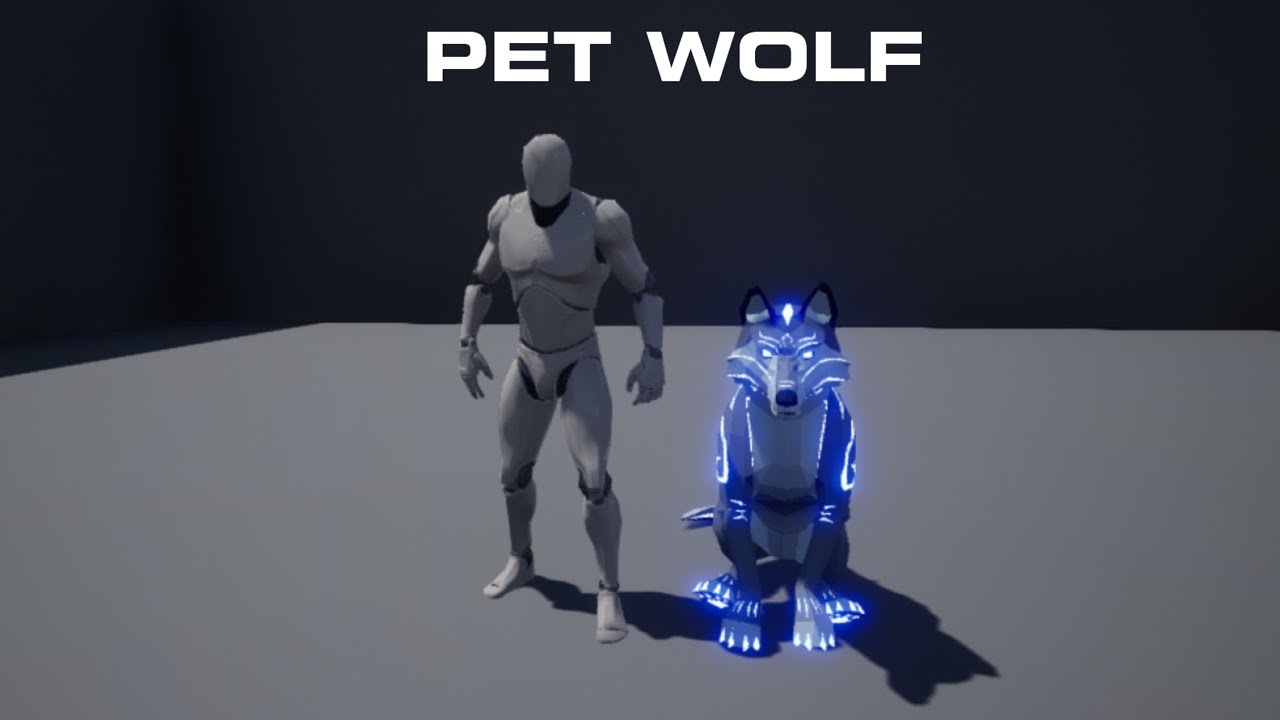
In this video I go over how to make a pet wolf which will follow the player and be commanded to sit down and not follow the player until instructed to.
Thanks for 1000 Subs :D
Pet the dog video : https://youtu.be/PRLrlP0h1wA
Check Out My Website For a FREE 3D Model and more of my content: https://www.uisco.dev/
Join My Discord Server (100+ g...
i dont know
i just want my dog to be on my side lol xD
drowsy snow
I don't know, I don't use UE5.
plush yew
ooow to bad
plush yew
plush yew
https://www.youtube.com/watch?v=uSTkxNbvxLE im doing this im at 8:31
Could just attach it to the same actor or something idk lots of ways to do it
i think its like this now

sry for same picture
i actually dont know how to animate 😄
plush yew
thanks
okaaay wel now i know how to make my own ai XD
better make it with behavior trees but this is fun
i love my wife so much that she is going to be the star of the show together with my dead dog named lana , think this wel be cool for her to play 😄
 drowsy snow
Holy smokes, that's quite sentimental.
Hope the project made it through completion.
plush yew
yeah its kinda fun
void blade
drowsy snow
Not even crash reporter say anything about it?
it didn't show up on crash, do I need to enable it like here? https://docs.sentry.io/platforms/native/guides/ue4/
haven't used ue in a while but I remember seeing this window before without doing any of that

Learn about Sentry's integration with Unreal Engine 4 (UE4).
glossy mica
when coordinites are left handed does that mean x is forward or does that just mean that the Y is flipped?
 spare hornet
hi everyone i would like to know if it is possible two use two expoonential heightfog ?? like use one for the left of my scene an the second for the left
glossy mica
glossy mica
when coordinites are left handed does that mean x is forward or does that just m...
this makes no sense, does unreal change the gizmo when importing from other programs to better fit the models or what? (the model isn't rotated)
 plush yew
glossy mica
this makes no sense, does unreal change the gizmo when importing from other prog...
plush yew
glossy mica
this makes no sense, does unreal change the gizmo when importing from other prog...
The gizmo is the world orgin of your modelling program
and the models will stay where they area
some people like to just export the entire scene and place everything at 0,0,0
fierce tulip
yuck, but yea some people do that.
glossy mica
it gets very hard to visualize rotation when using add local rotation if the models don't face Y
connecting the roll float into the Pitch float
plush yew
You could add it to an actor and track the transform to center it and have it applied on construct script but thats ALOT of work
glossy mica
i sometimes wonder why cordinites aren't just universal
plush yew
Hey
neon bough
you can switch the gizmo between world transform and local transform
plush yew
I’m new to UE4, does anyone have some tips? I want to do stylized environments for animated movies and games
glossy mica
neon bough
you can switch the gizmo between world transform and local transform
yes but none of the nodes that are location and rotation based work on them without being tinkerered with
plush yew
neon bough
you can switch the gizmo between world transform and local transform
Thats normal transform in modelling
probably anyways looks like it
drowsy snow
glossy mica
i sometimes wonder why cordinites aren't just universal
Even Tim Sweeney himself admitted it
neon bough
anyways, i think his system is the correct one for game dev
glossy mica
“Sorry y’all I was young and this coordinate system stuff was confusing” 😂
glossy mica
neon bough
anyways, i think his system is the correct one for game dev
why?
neon bough
because if you look from above you get the same coord system like you have on maps
and it's just what anyone uses for real world applications
and it's just my opinion
 grim beacon
How do i set actors to trace a certain ECC_GameTraceChannel ?
Im tracing for a gametracechannel in CPP but i cant find how to set the actors to be tracable to that channel
 grim juniper
@gleaming narwhal Do you know if we can sign up for this if we've already completed some of the courses? If so do we need to unenroll from them first? https://www.unrealengine.com/en-US/blog/become-a-blueprint-master-by-taking-this-online-learning-challenge

Unreal Engine
Master your Blueprint skills. Earn exclusive prizes. Do it all in this brand-new challenge.
drowsy snow
Speaking of swags, I wish the classic Unreal Engine swags are back on circulation.
I remember Epic Games Store back then used to sell Unreal Engine merch, before transformed into a game storefront.
plush yew
Hey, I didnt know what other channel to ask in but in here, I have a problem my normal's seem to be flipped, when I imported my character I made it had "invisible parts" but when I flipped the camera inside the character they show up, here are pictures for example.
I looked it up on google and no solution seemed to work so maybe you guys might know


here is original
 drowsy snow
plush yew
Hey, I didnt know what other channel to ask in but in here, I have a problem my ...
drowsy snow
plush yew
Hey, I didnt know what other channel to ask in but in here, I have a problem my ...
Make sure your materials have Two Sided disabled, and there's no "solidified" faces inside to begin with.
plush yew
ok ill try this right now
plush yew
drowsy snow
Make sure your materials have Two Sided disabled, and there's no "solidified" fa...
Ohhh shoot it seems that when I enable two sided it then works
should I keep it enabled now?
 west junco
yo, i'm using UE 4.27 and i had the same issue on 4.26 but sometimes sporadically the engine will go black and new windows like adding nodes disappear on opening, any idea what might be causing it? and possible solutions? the only solution i've found thus far is to close and reopen the engine
plush yew
west junco
yo, i'm using UE 4.27 and i had the same issue on 4.26 but sometimes sporadicall...
happens to me as well, especially if I'm using ue for a long time I dont have a fix for it apart from Ctrl+Shift+S Then restart
west junco
plush yew
happens to me as well, especially if I'm using ue for a long time I dont have a ...
aight, thanks, hopefully they patch it out in UE5, but who knows, it could very well be a graphics driver thing as well
drowsy snow
plush yew
Ohhh shoot it seems that when I enable two sided it then works
Not sure if you're flipping things around, but Two Sided materials rarely make performance hits.
drowsy snow
west junco
yo, i'm using UE 4.27 and i had the same issue on 4.26 but sometimes sporadicall...
Sounds like NVIDIA driver oddities to me.
plush yew
Which channel is best to seek help with packaging?
drowsy snow
plush yew
Which channel is best to seek help with packaging?
Conveniently: #packaging
 storm lake
Hello, I deleted a plugin manually from the folder, so I could reinstall it
but now it says I can't install it because it's already installed in unreal engine
is there an easy fix for this?
dusk nebula
I followed the guide in the documentation to create a function that respawns players. Can anyone tell me why the stop I've placed only fires the first time a player respawns?
 rancid lagoon
dusk nebula
I followed the guide in the documentation to create a function that respawns pla...
rancid lagoon
dusk nebula
I followed the guide in the documentation to create a function that respawns pla...
you have tlink o docs?
plush yew
is there a way to increase the sunscattering but only for reflections
 dusk nebula
rancid lagoon
you have tlink o docs?
dusk nebula
rancid lagoon
you have tlink o docs?
A how-to guide for respawning player characters in Unreal Engine.
I followed it, except in my screenshot I made it so that it runs FindPlayerStart
unrelated and basic question, but is there a simple way to make a point light that changes color or blinks periodically?
drowsy snow
dusk nebula
unrelated and basic question, but is there a simple way to make a point light th...
Yes. Just use Set Timer By Event in your light actor's BP.
 dim seal
Hi, I want to show my Trello (website) board inside my game but the Epic's Web Browser plugin is too old to show it properly.
How can I show a HTML 5 supported website in my game?
plush yew
anyone know why my vray lights look like this after a datasmith import
looks like a police car lmao
I can fix them manually in unreal but i wanna know the cause so i can import fine in the future i just dont like using the unreal engine material editor
drowsy snow
dim seal
Hi, I want to show my Trello (website) board inside my game but the Epic's Web B...
Go to the engine source code (fork and clone it from GitHub), and update the Chromium Embeded Framework yourself.
It has been kept old because most games don't need actual web browsing needs and to prevent arbitrary code executions. It's either using the browser for displaying UIs, or using the platform's web browser (i.e. opening the OS's browser)
dim seal
drowsy snow
Go to the engine source code (fork and clone it from GitHub), and update the Chr...
Sadly I'm not good enough with C++ to modify engine code
 wispy ledge
hi can anyone help me with this error:
Error: Texture format 'R32_UINT' not supported (sRGB=0).
 feral sierra
hi, I found this to apply a vertical linear gradient pointing to the top.
Problem is, I don't know how to add some control on the gradient with this method.
I played with the division and addition with no success
 plush yew
hello guys I have problem with my project

this appears when I open my project
how to fix it?
I tried to rename the folder to be with less symbols
plush yew
wdym?
I wanted to move the cache from my main disck C to otehr
and I opened the BaseEnghine.ini file and edited the cache
but I think I cinfused something and that's why I can't start the project
and idk how to return it back and that's why I am looking for help
drowsy snow
Though general rule of thumb is to NOT install Unreal Engine in C: drive.
plush yew
what?
neon bough
or use the backup that you made before editing stuff
fierce tulip
or before editing stuff, back up :p
runic fern
Hello guys when im trying to join this session from android device its just find it on Local network how can i make it public ?

 serene drift
Does anyone know how to lock UE gameplay to 60 fps? I'm working on a fighting game and am looking for a solution to have a consistent 60 fps as a base for my logic.
autumn flame
Don't base your game around FPS
drowsy snow
serene drift
Does anyone know how to lock UE gameplay to 60 fps? I'm working on a fighting ga...
Don't even think about it until you have the gameplay logic in place.
Even then, Blueprints are quite easy on performance if not much is ticking at the same time, so 120 FPS is an easy target for side scroller fighting game.
Most of the performance cost would be from the visuals, so don't go too crazy with the visual effects and don't go too much with the scene details.
serene drift
drowsy snow
Don't even think about it until you have the gameplay logic in place.
Even then,...
thanks for your reply 🙂 the reason is not for performance, but because I want to use it to create consistent frame perfect gameplay. its for a tekken-like game (2p multiplayer), not a side-scroller. I tried limiting FPS using "Set Frame Rate Limit", but It's still going above or below that number frequently with not much in the scene at all yet.
drowsy snow
serene drift
thanks for your reply 🙂 the reason is not for performance, but because I want t...
I'd say that's the bad approach.
drowsy snow
serene drift
thanks for your reply 🙂 the reason is not for performance, but because I want t...
Give tolerance to those who can't get 60 FPS and give visual advantage to those who can get up to 120 FPS.
That being said, you could set tick interval in your BPs, to be exactly 0,016667 seconds.
 icy hearth
hi guys, when i place Nav Mesh , it doesn't cover all the surface , how can i solve this problem
 drowsy snow
That'll make the tick functions to be executed every 1/60th of a second.
neon bough
icy hearth
hi guys, when i place Nav Mesh , it doesn't cover all the surface , how can i s...
scale it up
serene drift
Thanks, I'll give that a try! Yeah, I don't want to lower the fps graphically, smoother is always nicer 🙂 I am just looking for a consistent number I can use to time attacks so that they consistently give the same results for combos and such. 60fps is the standard used in the genre.
icy hearth
@neon bough the Z scale?
neon bough
if it's within a second
@icy hearth oh theres a height difference, then you have to adjust the nav agent stats for the nav area
i was only paying attention on the area outside of the nav mesh
adjusting the nav agent radius and step height may "fix" it
but they have to be values that also work for your character
icy hearth
 neon bough
doesn't help if you increase the stepheight for the nav agent when the character can't step up that high
serene drift
thanks Ben, I'll look into the delta time.
neon bough
also enable collision view in your view settings, to check if some things have too large colliders
drowsy snow
neon bough
use the delta time for stuff like that
 neon bough
tick is still frame dependent
 hollow cairn
can i edit the thirdpersoncharacter inside unreal editor?
like remove some bones and stuff?
icy hearth
@neon bough
 neon bough
well collider on the bed and sideboard could be adjusted
and a smaller nav agent radius should also yield more nav able area
however, if your character/ai is too fat, it will get stuck 😛
neon bough
serene drift
yeah, the numbers coming from that aren't consistent enough
they are, you just interpret them wrong
icy hearth
@neon bough love u
neon bough
but well, actually they aren't consistent, which is right, that's the reason you want to use delta time actually 😄
serene drift
I get it, thanks 🙂
icy hearth
@neon bough the problem was in the blooking volumes , i will try to adjust the collision , thx alot for ur help
plush yew
it is fixed, thank you
 frozen stratus
中国朋友们好... I saw UE blueprint nodes being in Chinese on UE with Chinese interface and that seemed weird... I just want to know if anyone using UE seriously in China actually uses the Chinese language version, or Chinese on nodes? I can't imagine that sitting too well in complicated pipelines, and it's not like people would write C++ in Chinese either that the blueprints sort of "emulate"
exotic thicket
I think I've seen it from people posting screenshots from time to time, also maybe some in japanese... so I would assume people are using it
personally I just use everything in english even if my native language is available because I find most tech terminology clunky in my native language, plus the localizations are usually awful anyway (even in Windows 10 it's pretty bad in places)
but I can imagine it being helpful for someone who isn't fluent
drowsy snow
exotic thicket
I think I've seen it from people posting screenshots from time to time, also may...
Even then, while the syntaxes, function/macro/var names are written in English, comments are still in Japanese (or native language).
Being an Indonesian myself, I could write stuff in my native language, since it uses latin characters. But it's just my habit that I ended up writing stuff in English, even in code comments.
Besides, writing stuff in English could save the hassle of collaboration issues, where one or more member(s) can only comprehend English text.
exotic thicket
Yeah in a team environment there are a lot of reasons to use english but I think the native language support can be useful for those who are beginners
frozen stratus
on VFX side I see Chinese using programs completely in English without them being able to speak single word... but that's maybe because there isn't localization available, or industry learned it before local versions and it would be too much hassle to relearn everything (even if it is in your own language)
exotic thicket
yeah I don't know if I'd even know all the weird finnish words for programming terminology :P
frozen stratus
so I can see someone in their bedroom who has no understanding of English whatsoever using the Chinese version, but hard to imagine in professional setting. This makes even screenshots hard to read when your "print string" says "打印...". It still found the node by English syntax but you don't see the node name in syntax you entered, not even when selecting from a list
on computers chinese is typed trough pinyin, which is latin alphabet presentation of how the characters are pronounced
so in that end Chinese also know all the Latin alphabet
 steady bramble
Hi everyone
Is there way how to controll pawn or actor by sound?
I mean change vector by pitch. Thank you
 noble apex
Hey all — I'm going through the "Unity to Unreal" course, and I've just learned about the .uasset files that UE creates for every imported asset...
but what was not explained is: does the .uasset contain the actual data of the imported object? Or is it just referencing the source file that lives elsewhere (possibly outside the project hierarchy)?
In Unity, there are .meta files for each imported file, which basically contain the import settings — but these have to live next to the source file; if you delete the source file, the .meta is automatically deleted.
So I'm not sure what to make of a directory full of .uasset files, with no source files in sight.
drowsy snow
noble apex
but what was not explained is: does the .uasset contain the actual data of the i...
.uasset can be (almost) anything, really. From textures, meshes, Blueprints, animations, materials, etc. etc.
It can also contain references to other Unreal assets within the project or the editor files.
drowsy snow
noble apex
In Unity, there are .meta files for each imported file, which basically contain ...
Unreal don't have such thing as .meta files. All import settings for importable assets and almost all of the metadata are stored right in the .uasset.
Much more elegant than having a separate .meta file.
Because .uasset files on their own can contain its own data and metadata, so to speak, that means you can delete the source files without affecting the .uasset files.
The only minor repercussion is that reimport will be disabled until you point it to a correct source file again.
drowsy snow
steady bramble
Hi everyone
Is there way how to controll pawn or actor by sound?
I mean change...
Yes, but only with audio components as part of the class, or created from Spawn Sound functions. You can't use fire and forget function such as Play Sound at Location.
steady bramble
drowsy snow
Yes, but only with ***audio components*** as part of the class, or created from ...
I would like to control the transformation with sound.
For example, changing direction, in my case to control the height of a flying object.
drowsy snow
steady bramble
I would like to control the transformation with sound.
For example, changing di...
I already pointed out what to use for you to get started on your function.
steady bramble
drowsy snow
I already pointed out what to use for you to get started on your function.
Thank you
 hallow void
Hey guys, I am here to ask a question about something that has been bothering me ever since I got my hands on UE: Is it just me or the movement of the default first person character feels janky or anyway out of place/unresponsive? Please tell me if it's just me or if it's actually like this, I googled it and people seem to be having the same issue on the 3rd person character, not the f1st person one, also, if it actually is this way, how could I fix it? thanks in advance
icy hearth
i have enabled the analog wheal , all my problem is that i cant use the mouse left button any more , before activating the joystick wheal it was working , is there something like priority or Z.order
 hallow void
I have no idea on this one :/
drowsy snow
hallow void
Hey guys, I am here to ask a question about something that has been bothering me...
Define "feels janky".
hallow void
I can't say exactly, I myself never understood what was wrong, I just felt like it wasn't as smooth as I wanted it to be, specially comparing it gto other shooters like Quake or Unreal Tournament, in those games movement feels nice and smooth, while in mine it doesn't but I can't figure out why ._.
I made it feel smoother by adding a camera shake and camera tilting while strafing, but it still feels meh, that's why I think sometimes that it's just me
drowsy snow
hallow void
I can't say exactly, I myself never understood what was wrong, I just felt like ...
Boomer shooter movement, huh.
hallow void
Yeah, I'm trying to make a boomer shooter XD
drowsy snow
hallow void
Yeah, I'm trying to make a boomer shooter XD
Unreal Engine 4's default character movement component is fine for modern gameplay, but often not suited for boomer shooters.
And then there's this - implementation of Source movement behaviours into UE4, including bhop and surf quirks.
https://projectborealis.com/movement.html
Source Engine's default movement is still close to boomer shooter, so that should fit your needs.

Project Borealis
Releasing our C++ movement code under an open source license
hallow void
I am loving you right now
Thanks a lot
C++ huh? well, I'm trying to learn C++ so it could help me
drowsy snow
hallow void
C++ huh? well, I'm trying to learn C++ so it could help me
I personally don't use it (JRPG is not a good suit for boomer movement) but it seems to be shipped as a plugin.
hallow void
Plugin... hmm, I use UE5, I might have to find a way to make it work on UE5, if it doesn't
But I am confident I will find a way, I have found some ways so far to achieve what I needed to, this minor thing won't stop me
Thanks a lot 🙂
noble apex
drowsy snow
Because .uasset files on their own can contain its own data and metadata, so to ...
OK thanks, that clears it up. Seems like in practice, we want to keep the source files in the project (and under version control) anyway, so the artists can update them as needed. But now at least I understand how it works!
nocturne tangle

Well I just used this script in Maya that created the root bone
Could be handy if anyone needs it
 sinful monolith
Hello, I would like some help if people are able to.
I am doing Unreal Sensei's tutorial in Unreal 4 and it gets to a part where he has made the landscape layers already. When I put the first layer on, the material is glow in the dark green when in the video it's a lighter green just like grass. What can I do here to make the terrain look more normal?
 plush yew
hello can someone tell me little info about event on mouse enter and leave? thanks in dvance
drowsy snow
 honest vale
> boomer shooter
say wat 😄
honest vale
> boomer shooter
say wat 😄
BOOMER SHOOTERS
honest vale
I guess I'm a boomer at 32 years old then 🤔
rancid lagoon
sinful monolith
Hello, I would like some help if people are able to.
I am doing Unreal Sensei's...
better texture???
sinful monolith
rancid lagoon
better texture???
Yeah it turns out that the texture has broken I think and the grass that should be there is replaced with the default texture broken
 knotty wren
Hello. when I open my UE4 project it says an unreal process has crahed: UE4-{My Project's name}
in which channel should i send the full crash report with more details?
rancid lagoon
knotty wren
Hello. when I open my UE4 project it says an unreal process has crahed: UE4-{My ...
you could send it here. there is no dedicated channel for that
whats your issue
knotty wren
rancid lagoon
whats your issue
(as i said) when i open my ue4 project, it says "An Unreal process has crashed: UE4-{My Project's name}
this is the crash report:
EpicAccountId:d2d04ec236ed4a318e3c02e36091ea35

Unhandled Exception: EXCEPTION_ACCESS_VIOLATION reading address 0x0000000000000375

UE4Editor_Engine
UE4Editor_LesGo_2776!AFPS_Projectile::AFPS_Projectile() [E:\UE4_Projects\LesGo\Source\LesGo\FPS_Projectile.cpp:18]
UE4Editor_CoreUObject
UE4Editor_CoreUObject
UE4Editor_CoreUObject
UE4Editor_CoreUObject
UE4Editor_Core
UE4Editor_Core
UE4Editor_Projects
UE4Editor_Projects
UE4Editor
UE4Editor
UE4Editor
UE4Editor
UE4Editor
UE4Editor
UE4Editor
kernel32
ntdll```im not sure what your problem is exactly but if you install editor debug symbols (it's in engine installation options), it will decode code addresses to points to engine code.
knotty wren
rancid lagoon
im not sure what your problem is exactly but if you install editor debug symbol...
ok thanks
 ornate forge
Is it possible to enable Chaos vehicles in 4.27 without recompiling the engine?
drowsy snow
ornate forge
Is it possible to enable Chaos vehicles in 4.27 without recompiling the engine?
No, still requires different build configs in 4.27.
ornate forge
That's a shame
drowsy snow
Chaos physics is still not ready at its current state, even in 5.0, PhysX is still used by default.
 sterile lichen
knotty wren
(as i said) when i open my ue4 project, it says "An Unreal process has crashed: ...
sterile lichen
knotty wren
(as i said) when i open my ue4 project, it says "An Unreal process has crashed: ...
first download engine symbols.
second, stop hot reloading and read pins at #cpp
ornate forge
I only need it to prepare my vehicle for 5.0
PhysX isn't actually used in 5.0 by default, at least vehicles
Maybe I should just ditch vehicles in my game
Too much pain to port them to 5.0
sterile lichen
ornate forge
Is it possible to enable Chaos vehicles in 4.27 without recompiling the engine?
there is 4.27Chaos branch
in launcher too
with chaos being enabled by defualt
noble apex
Can anyone recommend a FlappyBird-level (i.e. newbie) tutorial for UE4 based on C++ scripting?
My searching turned up a 3-part blueprints-only series, but I'm looking for something that approaches it with C++ code.
drowsy snow
noble apex
My searching turned up a 3-part blueprints-only series, but I'm looking for some...
You can follow the BP tutorial and translate the BP nodes into C++ in (almost) real time.
noble apex
Haha.... you can do that... I doubt I can.
plush yew
Hello?
drowsy snow
noble apex
Haha.... _you_ can do that... I doubt I can.
BP nodes aren't that much different from C++, apart from some convenient Kismet functions and manual component initialisation and attaching, translating BP nodes to C++ can almost be done verbatim
noble apex
I believe you; it's just that I am at the "how do I create a C++ script" level.
I'll get there, I'm sure! But I need a bit of hand-holding at first.
I found this one: https://www.youtube.com/watch?v=LsNW4FPHuZE ....and while it's not Flappy Bird, it looks like it may be the introduction I need.
noble apex
I'm sure there is, but this is not an Epic support server. This is a community server.
You should try contacting Epic customer support.
plush yew
Do you know the issue I'm having?
drowsy snow
plush yew
Do you know the issue I'm having?
 brittle plume
Android Build 🙄

 gleaming lotus
Does anyone know the name of the general game-dev mechanic of having a progress bar which decrements to a certain position over time in a second bar?
Like when you're in a boss fight and the boss takes a hit, it shows how much damage has been done then slowly decreases the main bar to that position
Just wondering what the name is so I can google some stuff/explain it to my peers. Thanks!
rotund scroll
I'm looking for a way to get a widget to spawn across the editor viewport, but I can't seem to see anything exposed for that in blutilities?
drowsy snow
gleaming lotus
Does anyone know the name of the general game-dev mechanic of having a progress ...
Health bar?
gleaming lotus
Yeah like a health bar but the trailing decrement that games sometimes have
Thanks, thats the term I was looking for 🙂
 cold phoenix
I'm having a bizarre issue with my project. I have a level that will cause the engine to crash if I so much as right click on it. Has this ever happened to anyone before and is there any possibility of salvaging the level?
 orchid lodge
Idk but it sounds a bit like a corruption
Trying too pull a file that dosent exist on right click.
loud berry
Can anyone tell me, in lamens terms, what tangents and bi-normals are when it comes to 3d models? I think I understand their effects on a physical level but having a hard time wrapping my brain around it fully so I can make better 3d models
loud berry
cold phoenix
I'm having a bizarre issue with my project. I have a level that will cause the e...
if unreal crashed there is most definitely a crash log, should be somewhere along these lines: c:\Program Files\Unreal Engine\4.0\Engine\Programs\CrashReportClient\Saved\
if you want to dm your crash report to me, i'll take a look and see if i can figure it out for you ❤️
cold phoenix
loud berry
if you want to dm your crash report to me, i'll take a look and see if i can fig...
Thanks!
fierce tulip
loud berry
Can anyone tell me, in lamens terms, what tangents and bi-normals are when it co...
the bi-normal is the cross-product of the normals and tangents.
they are basically the X/Y/Z coordinates of each vertex.
iirc UE4 only uses the normals and tangents, and does some math to generate bi-normals.
in most cases just knowing the normals is enough.
 warped trout
i was looking through the megascan library and did not find any trees. i think im just doing it wrong because of over 15,000 assets theres got to be at least one tree right?
(talking about real trees not shrubs btw)
fierce tulip
no trees. since you cant really photoscan a tree accurately.
warped trout
oh thanks
fierce tulip
(would be awfully nice if they had trees though :p)
warped trout
imma have to find some bushes to cover up this dead space then XD
fierce tulip
there are quite a few free vegetation packs on the permanently free collection on the marketplace. some of them contain trees.
 noble apex
Ugh. Has anybody else run into something like this?

☝️ happens every time I try to launch Epic Games Launcher.
Even after a fresh reboot of my machine. 😦
fierce tulip
never seen that one before. tried reinstalling?
noble apex
I guess that's the next step. All the other suggestions I've found on the interwebs have made no difference.
grizzled axle
I still can't figure where to do "bUseVSync = true" in .ini files to make it apply on default. I have tried tweaking GameUserSettings.ini and making custom GameUserSettings class and put bUseVSync=true in constructor, but still, everytime I delete old GameUserSettings, bUseVSync=false is there
 dense robin
hi.. hope someone can help.
I am having an issue where just one input key is not working sometimes..
For example the R key takes the player to the initial level (kind of a reset). it is running for me fine in my computer, but not on my clients computer, he says the letter R is not working, but everything else is.
what can cause some inputs not to work?
plush yew
you using a weird controller + character blueprint
 bitter valve
Hello, just need some ideas on what I should do.
I am creating a menu where you will be able to purchase various things. Now I would like 4 variable related to each item: Name, price, quantity, and total.
In the menu you will be able to purchase these items, so the values of the quantity and total need to be changed. I have 2 options: Use a structure variable for each item which will be easier to bind the different values on the menu.
Or use a variable map that will be able to hold all the values of all the items but will be longer to code for the bindings. Is one better?
 shadow ravine
I'm creating a cinematic for my game and ran into an issue. I've build a scene and set up my cameras and cutscenes fine while I've been previewing it in the editor, I've now gone to standalone and half of my landscape foliage in the scene isn't getting it's textures rendered. But works fine in the view port. Anyone know what might be the cause of this?
grim ore
open up the material you are using for that foliage and look at its usage. it might be on auto for example and not set up right. either force it to work with foliage or uncheck auto then recheck it and see if it works
shadow ravine
grim ore
open up the material you are using for that foliage and look at its usage. it m...
How can I force foliage, don't think it's here unless I'm missing a step
 grim ore
yeah it looks set up, thats the instanced static meshes
when you say not rendered, is it not looking right or is it the checkerboard?
shadow ravine
grim ore
yeah it looks set up, thats the instanced static meshes
So strange I unchecked Static lighting and it's resolved it
shadow ravine
grim ore
when you say not rendered, is it not looking right or is it the checkerboard?
Yeah I did
grim ore
yeah definitely weird but good if its working
shadow ravine
grim ore
yeah definitely weird but good if its working
Yeah thanks for pointing me in the right direction tho 🙌
bitter valve
bitter valve
Hello, just need some ideas on what I should do.
I am creating a menu where you...
Is it better to use one Data Structure variable with every item that causes more work with binding to widget items, or multiple structure variables for each item?
 native wharf
Hello, I was working on testing out GameFeatures, but when I created a blank one, and compiled my game, I am now missing many files in my packaged game.
Does anyone have any ideas as to why this happens? It goes back to including them when the game feature is removed btw
cursive sky
Im trying to have 2 sound classes control 1 sound cue so master volume slide and sound effects slider control the same sound. How can i do this when you can only have 1 class assigned to a sound cue
rotund scroll
so it seems that timers cannot be used in utility blueprints as they lack world context, which is necessary for all functionality in utility blueprints... can someone confirm?
this by extension would also be true for timers in any object class no?
 dense knoll
particle system spawns WAY less particles while playing than in editor


and oddly this only affects certain cascade particles
rancid lagoon
does anyone why my character falls trough my mesh? i have collisions enabled on everything and rebuilt the collision multiple time for each one, but i cant seem to fix it


 true geode
That's a big ole planet man..
637000000 cm
5,973,600,000,000,000,000,000,000 kg
rancid lagoon
 void palm
https://i.imgur.com/jhfEYRl.gifv
void palm
https://i.imgur.com/jhfEYRl.gifv
bruh.......
true geode
The only issue I have at the moment is, when I try to spawn my character atop of it, it does the black screen / no movement as if I am in the mesh or something, I am assuming this also might be from heightmap or something though
 granite harbor
hello, a quick question!
is it possible to use daz 3d renders on ue4 to continue the lighting with lumen?
neon bough
you could probably somehow export the whole scene and import it to unreal, but it requires a lot of afterwork to fix materials etc.
granite harbor
do you have any video that can help me understands better?
im just wanting to use lumen, no nanite hehe
neon bough
that would be hours of videos 😄 don't have any as there are a bunch of specific things
if you just want better lighting for still renders you may want to look into other renderers for DAZ tho
vray seems to support daz for example
and i'm pretty sure you can get good lighting out of DAZ, too
high harbor
Hello guys!
Does someone know if Epic Games have any plans for further development of Paper2D for Unreal Engine? (2D gaming tools etc)
I'm new in game development, started with Unreal and I'm loving it, for 3D games. But for 2D games, I don't know what to do... if it's ok to focus on Paper2D and try to learn it or go for another engine.
Also, I would like your sincere opinion, it's good to learn two or more game engines or should I focus on only one? also, 3D / 2D game development, is it ok to try to learn both at the same time?
 glass grove
@vague shale - Did you ever find a solution to your issue with "Could not find definition for module 'Launch'"? - you previously had this issue when trying to unzip a source build of the engine and open a test project.
dense robin
dense knoll
particle system spawns WAY less particles while playing than in editor
check for LODs on the particle systems.
plush yew
How do you recompile your entire project and find a error in one of your components without clicking through all them
I think i made a mistake migrating but its kinda hard finding the error...god damn useless ... i got it
plush yew
high harbor
Hello guys!
Does someone know if Epic Games have any plans for further developm...
Well considering the new functions theyve added that lean towards easier game control... maybe? But ... if your not interested in 3d at all I WOULD probably try something else before learning unreal
 blazing dove
I made a quick video showing off some of the new Remote API workflow with MIDI and the Monogram Creative Console.

I have been loving the Monogram Creative Console lately and wanted to show some workflows that utilize newly added MIDI support and the Remote Control API in Unreal 4.27. Enjoy!
Monogram is offering a 10% discount on the purchase of the creative console for the next 30 days! Use code UE10 at checkout to receive the discounted price.
http://ww...
plush yew
Hey, I’m super new to the engine so I’m sorry if this question is dumb (google didn’t help too much), but how do I tile a material in UE5?
plush yew
texcord node plugged into uv of texture sample
 red bison
Can someone recommend a few resources, I have past experience with game making in unity but wanting to undertake a slightly bigger project and UE4 is perfect for that. So what I was wondering is what are a couple good resources for making a mmorpg type game, like a world creator capable of making planets, and something that can handle the elements of an mmo, items, mining, stats, pets ect. On Unity there were Gaia and Atavism for this n was just wondering if UE4 had similar. Thanks for reading 🙂
neon magnet
Any idea why my event doesn't fire? I'm trying to get off tick

 flat trail
Hey, im having this really weird issue with migrating a level.
When using migrate on the level, it tries to take the whole damn project with it, without any reference to other than some sequences.
Now i checked those sequences, and when im trying to migrate them alone, they also take the WHOLE project with only reference to one cube in the level.
Anyone know what the issue is here? Engine bug??
exotic thicket
neon magnet
Any idea why my event doesn't fire? I'm trying to get off tick
Your timer most likely isn't firing, or is getting cleared. Fwiw, if you want smooth movement, doing it on tick is entirely fine, and doing it on a timer will just make it choppy (eg. the movement updates only once per second if your timer ticks once per second)
neon magnet
exotic thicket
Your timer most likely isn't firing, or is getting cleared. Fwiw, if you want sm...
but what happens when I have several doors? Wouldn't that destroy the system due to firing on tick?
exotic thicket
There's hundreds of things in most games that do things on tick
You can turn off ticking with Set Enable Actor Tick when you're not using it, that could be a good idea
Eg. only turn tick on when the player is interacting with the door, and then turn it off once done
 obsidian nimbus
you do a cast on the door BP and do nothing with the cast
exotic thicket
I'm assuming that's just a typecheck which is a valid use for it
neon magnet
exotic thicket
Eg. only turn tick on when the player is interacting with the door, and then tur...
this sounds like a good thing, I was wondering if it were possible
obsidian nimbus
ahh yea
well if ur event doesnt fire use printstrings and see how far it makes it in
like does inputaction dragdoor fire, i have no idea
neon magnet
this print string is firing

so the event is firing, but nothing happens to the door so that's strange
obsidian nimbus
print the float and see if it changes
neon magnet
actually if i'm standing in front of the door, it doesn't print, if I move away, then it starts printing
strangeee
I just did this as well and none of these print when standing next to the door or clicking but moving away it keeps firing

 astral verge
Hey guys , anyone know any good resources or tutorials to follow to create a virtual meeting room in UnrealEngine?
obsidian nimbus
doors and stuff are usually a good use of interfaces, that isnt the problem tho
exotic thicket
astral verge
Hey guys , anyone know any good resources or tutorials to follow to create a vir...
That's a very specific requirement. If you google for it and can't find anything, chances are a tutorial for that specififc thing does not exist
obsidian nimbus
its also not specific enough 😛
 glacial solar
Hello guys, are there any best practices in terms of upgrading your engine version during development? Specifically I am asking for an uograde from 4.26 to 4.27
 regal path
How to remove Fireflies on ray traced render I followed the documentation but I have remaining fireflies on my render ?
dusk nebula
the value of that health variable reads 65 when I hover over it. Can someone tell my why it's not mapping to ~1 instead of 0?

 tame marsh
is there a rhyme or reason when UE4 regenerates static mesh LODs? Seems like every time I restart UE4 starts generating LODs for previously imported static meshes
drowsy snow
glacial solar
Hello guys, are there any best practices in terms of upgrading your engine versi...
Make a copy of your project before switching engine version. (Should be prompted when you try to open it from the newer engine)
 neat pelican
Hi I wanted to ask If Anyone could help me with a dash from double tapping a movement key for example double tap W you dash forwards
neon bough
neat pelican
Hi I wanted to ask If Anyone could help me with a dash from double tapping a mov...
use a gate on your input action (and close it with a timer)
neon bough
or store the time last time the player pressed w, and then compare it on the next keypress, if the delay was short enough do the dash action, otherwise the normal input action
neon magnet
@exotic thicket is it ok to have the enable disable tick like this?
 exotic thicket
If it works the way you want, sure
neat pelican
neon bough
or store the time last time the player pressed w, and then compare it on the nex...
ok ill try
dusk nebula
can anyone tell me why this outputs a zero instead of the Health value mapped? Health is greater than zero
 exotic thicket
What is the value of Health?
dusk nebula
65 when it updates
exotic thicket
How did you determine it's returning 0?
dusk nebula
 exotic thicket
For 65 it probably should be giving like like a 1.x given those ranges
dusk nebula
also it shows 0 when I put a break
65 is pretty close to 2 3rds of 100 so it would be around 1
exotic thicket
Try also printing the health value when you're printing the output value, maybe health isn't actually what you think it is at that point
I don't really know how else it would return 0 tbh
neon magnet
exotic thicket
If it works the way you want, sure
it works but just wanting to know if it's done correctly since I'm beby in the BP world
exotic thicket
if it works it's usually correct lol
dusk nebula
I may have figured it out actually
 inland jewel
Hey guys, does anyone have a blueprint / guide or tutorial I could follow for a forward moving camera (slider) that starts slow and gets faster and faster until the level is completed? Any info / resources would Help
neon magnet
exotic thicket
if it works it's usually correct lol
I mean you know how sometimes things work but they're actually being bypassed or some funky overlooked stuff like that. To me it looks ok but another set of eyes usually picks something or the other out
exotic thicket
Sure :)
neon magnet
Thanks
has anyone tried the horror game engine that is free on the marketplace?
I was trying to find the player character in it but I can't find anything lol. I wanted to see how that smooth mouse motion was implemented
for looking around
drowsy snow
Not me, have no intention to make horror games.
I mean, one day I would, but it's in a vein of a boomer shooter.
exotic thicket
I took a glimpse at it to see if it had any interesting stuff for item handling but it didn't :P
neon magnet
@drowsy snow it's just the name of the project, I'm not making a horror game
dusk nebula
so on a timeline, will firing "set new time" also execute from that time, or do I need to fire "play" as well?
 drowsy snow
neon magnet
I was trying to find the player character in it but I can't find anything lol. I...
drowsy snow
neon magnet
I was trying to find the player character in it but I can't find anything lol. I...
Well, as for smooth (aka jerky) camera movement, maybe it's in the spring arm's rotation lag?
exotic thicket
dusk nebula
so on a timeline, will firing "set new time" also execute from that time, or do ...
You need to call play separately yes. A sequence node is what I usually use for calling them both
neon magnet
drowsy snow
Well, as for smooth (aka jerky) camera movement, maybe it's in the spring arm's ...
yea I just saw a tutorial that uses the spring arm, thanksss
dusk nebula
could somebody tell my why I can still see this health bar when it's set to "owner no see"?

it's just a widget that's supposed to not be visible to the local player
pallid carbon
Hey, can anyone tell me how to change the spawn height of my foliage? for some reason its spawning just slightly under my world
pallid carbon
Is this the one? Can't i highlight them all and change them all at once
 neon bough
yea, possible that you can highlight them all
pallid carbon
Okay, thanks
neon magnet
pallid carbon
Okay, thanks
be warned though, everytime you undo, it will reset the height, but the height in the attributes will still be the same. The link breaks. So if you had 100 as the height, you resized it to 30 (say in the viewport), then did undo, it will reset to 100, but it will still say 30. It's really annoying lol but this is how i've found it to be like unless you use it differently
pallid carbon
neon magnet
be warned though, everytime you undo, it will reset the height, but the height i...
Okay, thank you for the tip 🙂
 light thunder
Could these current settings be the reason that my packaged build, despite using level streaming events, still experiences hitching?
 drowsy snow
light thunder
Could these current settings be the reason that my packaged build, despite using...
drowsy snow
light thunder
Could these current settings be the reason that my packaged build, despite using...
Try enabling Async Loading Thread.
 wary wave
"locked out"? I'm not sure how you can be locked out?
there's nothing stopping you from opening a uproject
right, you have a hardware problem, not an Unreal problem
light thunder
drowsy snow
Try enabling Async Loading Thread.
If I use play in standalone does that give a decently accurate representation of how the streaming/unstreaming will behave? Versus doing a full package build
I know playing in the editor doesn't really do anything with it
drowsy snow
light thunder
If I use play in standalone does that give a decently accurate representation of...
Should be tested in packaged build.
wary wave
if you have a functioning SM5 graphics card (I mean most are, so you should be fine), it isn't being used - but you'll need to work out why it isn't being used and that will be something to do with your specific setup
it could be driver issues, Windows assigning the incorrect GPU
light thunder
What about those frame time limits? I have no problem increasing the time allowed for the asynchronous loading / unloading to happen - is that what those settings mean?
wary wave
I mean you have a GPU, all machines have one, the question is which device it's using
integrated GPUs are still GPUs, but that's fine - I don't suppose you're trying to use a newer version of Unreal, or have had recent OS updates?
new versions of Unreal don't support iOS at all
drowsy snow
light thunder
What about those frame time limits? I have no problem increasing the time allowe...
From my testing, that would be the max time it took in a ms and lock up some game thread.
Though be my guest for it - I'm not in front of my computer rn
wary wave
exactly what I said, the newest versions of the Unreal Engine do not support iOS
drowsy snow
Apple essentially banned Unreal Engine after the lawsuit.
wary wave
^ Epic has no developer accounts
drowsy snow
But Epic got their dev accounts for iOS retracted by Apple as a consequence, which means no iOS porting for UE.
wary wave
hmm, looks like 4.27 should still be able to run on iOS, at least it did on release time