#ue4-general
1 messages · Page 1071 of 1
 plush yew
like you can stencil a mesh
but better to do it in post processing for complexity
hes probably not needing to color particle effects like blood
so stencils is a good route
 drowsy snow
He didn't state about particles 🤔
 stray smelt
not sure I get the PP-example. If you have a global PP that desaturates, but then you would have an additional PP per object that affects specific components? How would you make unreal make that distinction/only affect those assets?
stencil could work pretty good actually, it's only for meshes in this case. I'm already using stencil for some other stuff
plush yew
this method is a all around but only worth it if youre using partciles
stencils are probably easier
but the post process volume allows you to filter colors individually and remove and add them
so if you dont care what objects your colors are applied then you can just make one pp
stray smelt
the thing is I want to highlight specific meshes regardless of what original color they might have. So that enemies appear as red on a b/w scene
stray smelt
i'll give it a try. appreciate the help!
plush yew
should i bother upping reflection capture resolution or increase samples
which one makes more sense for performance
 regal totem
people of the internet
i have a question
so i use virtual texture for a better view but upclose is just bad. can't i scale up the texture or something idk

thanks
 hot maple
I would use a struct to hold that weapons data and store it in the Slot widget. Then when you click it, just pull the data from there into your info widget.
Are all of these widgets a part of the W_Armory widget?
If they are, just make a struct on W_Armory and set it equal to the struct from the slot you clicked on. Then when you create the info widget, pull the necessary info from the struct stored on W_Armory
So on W_Armory you would have a struct called SelectedWeaponStruct or something. Then when you click on a weapon slot, you set SelectedWeaponStruct to the struct on the weapon slot. Then when you create W_WeaponInfo, have it pull the necessary information from SelectedWeaponStruct.
 bold rivet
does lightmap resolution have to be a square number always?
 broken socket
How do i randomly distribute different variables to different players in an online game? or randomly distribute tags
 chilly geyser
Any way I could Implement Apply Radial Damage to work like this?

Perhaps I could have the Actor include an Invisible, Non-Player Collidable Wall, that will be a set up with the correct Damage Prevention Channel?
 limber cradle
guys I was thinking here, does anyone know a video that shows how to create a platform that can be like, crossed from below but at the same time my character can land above it?
ive just found it hahaha, thanks anyway
the proper name seems to be "one way platforms"
 honest vale
@chilly geyser you could just check the distance to the damaged actor
and the angle to the actor in relation to the forward vector of the... mine/explosive?
broken socket
How do i randomly assign a role to players in a game im making a murder mystery type game, but i dont know how to randomly tell players if they are a Killer or an innocent. i know i can make a tags and have the tags tell the player character what to do with it. but actually giving the players the tag or variable randomly is out of my knowledge. please help
chilly geyser
honest vale
and the angle to the actor in relation to the forward vector of the... mine/expl...
Thank you, I hadnt thought of that!
hot maple
I'm assuming your W_Armory is a widget blueprint, and inside of it are your W_Slot, W_Inventory, and W_WeaponInfo (also widget blueprints). You should be able to call GetOwner() or something like that on Slot to get Armory. Or if Slot is a child of Inventory, them GetOwner()->GetOwner(). I think. But I'm assuming your hierarchy in the designer is this:
W_Armory
W_WeaponInfo
W_Inventory
W_WeaponSlot
chilly geyser
broken socket
How do i randomly assign a role to players in a game im making a murder mystery ...
Try Using a Random Integer, this could be the player IDs for example
 nova portal
Hey everyone, I am having a massivly strange issue with unreal right now, where all of my landscape has gone low poly??? I have tried looking around what could be the issue, but can't find it.

 distant totem
i've always wondered why actor tags are hidden under the advanced section of an actor in the details panel? are they not intended for general use or something?
 weary verge
Okay so inside a new blueprint I would need to drag in my original material or the instance? And the node I drag in will be on the event graph yes?
I have very surface knowledge regarding blueprints so it would be super awesome if you could just give me steps!! 🙏🏼
 dusk nebula
is my understanding of tick functions flawed, or will a delay on a tick function still fire every tick? Like, if you make a 5 second delay, your tick won't be every 5 seconds, will it? each one would only be delayed by that time?
so what would be the best way to do a check that I don't want to fire every tick?
 stuck linden
is there anyway i can make variables for a bp from a editor utility blueprint?
 main badger
Hi friends, do we have a solution for UE-124648 where building 4.27 and 5 EA fails with errors related to headlesschaos or UnrealFileServer and missing TextureResource.h? There are many threads about it but no public solution (VS2019 and all previous builds succeed without a hitch)
 grim ore
that post has a solution on it, do you need those 2 parts?
main badger
grim ore
that post has a solution on it, do you need those 2 parts?
You're right, just succeeded with that solution. I downloaded the headless chaos branch and disabled the file server. Thanks @grim ore
 hallow compass
Anyone able to give me some advise please? Pretty basic question I suppose, could unreal engine be used to create a block chain game?
 neon bough
you can add blocks and chains, so yea
neon bough
 split delta
just finished my first ever game jam
split delta
just finished my first ever game jam
for ludum dare?
split delta
yup!
neon bough
submitted already?
neon bough
tough one 😄
split delta
It's a crappy game but, i've not done game dev for long at all, under a year
neon bough
show a link please
split delta

It looks pretty Robloxy, and it's literally like a minute long, but I got in wallrunning and stuff like that so i'm happy with it
split delta
neon bough
show a link please
i'll send it in your dm!
neon bough
ok, thanks
 fervent bay
Is there a way to load defaultscalability.ini without restarting the editor. I changed some values and I want to see changes in editor without restart.
drowsy snow
hallow compass
Anyone able to give me some advise please? Pretty basic question I suppose, coul...
Just add cubes and chain, turn it to a skipper.
Problem solved.
 errant blade
I can't get rid of this error when packaging to windows

idk what to do
tried what google said, didnt help much
drowsy snow
errant blade
I can't get rid of this error when packaging to windows
Are you using source code of the engine?
errant blade
drowsy snow
Are you using source code of the engine?
Forgive me if i misunderestood the question, but I'm using the vanilla ue4 engine except for one c++ plugin. I also think it could be this since it didnt happen before i added it but idk how to fix it
drowsy snow
errant blade
Forgive me if i misunderestood the question, but I'm using the vanilla ue4 engin...
Try verifying the installation from the launcher. Might be UE4Game.exe missing by chance or something.
Though it's very unlikely that you use DebugGame configuration.
plush yew
is it possible to add easy facial expressions and mouth movement when i import my final character?
errant blade
drowsy snow
Try verifying the installation from the launcher. Might be UE4Game.exe missing b...
i already verified the ue4 installation through the launcher
however
i do get this when i press this button in Visual Studio
it's one of the things i tried to do to fix it but i must admit i barely know what i'm doing with c++ i usually stick to bp

so yeah not sure what else to try :(
dusk nebula
can someone help me figure out how to select a trace channel from an int? seems like I need an enum switch but I don't know how to set it up

 loud robin
do you guys know anything about why dropdown menus start flashing after using ue4 for 1 hour
I tried everything but cant fix
dusk nebula
loud robin
do you guys know anything about why dropdown menus start flashing after using ue...
same issue, nobody acknowledges it apparently, unless I search up the specific issue
thanks, wasn't seeing the options until I plugged it in to the line node
 autumn grail
Hello , I'm making a 2D TopDown game with tilemaps , do you guys have a good lesson (at least for map collisions , my papercharacter keep falling through the map)
loud robin
Thanks I got rt3090 but still messing with this issues....
errant blade
errant blade
I can't get rid of this error when packaging to windows
bump. Still stuck with this :(
 autumn flame
Delete the Intermediate folder
errant blade
autumn flame
Delete the Intermediate folder
is that for me? sorry idk since there's multiple convos going on
autumn flame
Yea
errant blade
thank you i'll try :)
errant blade
autumn flame
Delete the Intermediate folder
that didn't seem to do anything
I've tracked down the issue to the "SmoothSync" plugin though, that seems to be what's causing the error
no idea why though, I don't think it should?
dusk nebula
I have a dynamic material instance for the non-local mesh on my character to determine its color based on the team it occupies. I notice that the server's version is correct, as is the client on the same team as it, but the client on the second team sees all colors reversed. Did I set something up wrong when determining if the teams match?
 errant blade
I can't get rid of this error when packaging to windows
errant blade
errant blade
I can't get rid of this error when packaging to windows
so since i keep reading about compiling in visual studio to fix this i tried to do so, but I got this ( #ue4-general message) error

Discord
Discord is the easiest way to communicate over voice, video, and text. Chat, hang out, and stay close with your friends and communities.
to fix this error I read that "you have to right click the game solution from your solution explorer and select the option "Set as StartUp Project" and that should highlight the game solution. Cntrl-F5 will then work"
But the only solution in my solution explorer is UE4 none with the name of my project

so i'm completely stuck and need help
I haven't even messed with cpp at all i just added the SmoothSync plugin and it caused all this
 oak sedge
Hello. I've been playing a game that uses Unreal Engine 4. When I rotate the camera to put a location out of view and then turn the camera around to view that spot again, it causes these two results:
- Some background characters appear that weren't there before (They seem to use the "Crowd" feature of Unreal Engine 4).
- The characters that were already there who have jackets will have their jackets slightly moved, like the engine recalculated the clothing as being back in view and decided to move it again, like a gust of wind moved them, or, more likely, the clothes are up in the air during a default pose, and turning the camera toward those objects causes the clothes to restart from their default pose, even though the poses of the bodies of the characters don't have this flaw (the poses/animations of the skeletons last correctly beyond the turns of the camera).
Does anyone here know a method to trick a game to NOT evaluate Crowd Appearance and physics based on the camera's currently-viewable objects, and cause those objects to believe the camera can see all spots? I know a crazy solution would be to force a 360-degree Field-of-View, but I obviously could not play a game like that.
This page has hundreds or thousands of variables for "Engine.ini" files:
view-source:https://digilander.libero.it/ZioYuri78/
 warm quartz
Is there another name or way of visualizing "casting" . i can't quite wrap my head around it. Instead of "Cast to ....." what's another way to visualize it?
grim ore
@errant bladeif you added a C++ plugin, does that mean the plugin you added used C++ source and now you need to use a C++ project? if so have you compiled a C++ project before?
@warm quartztreat as?
hugh jackman is an actor, he can do hugh jackman stuff. hugh jackman is also wolverine and PT barnum. IF you want to make hugh jackman do claw stuff, you would probably want to take hugh jackman and "cast" him to wolverine so you can access the specific wolverine stuff like claws.
dusk nebula
warm quartz
Is there another name or way of visualizing "casting" . i can't quite wrap my h...
imagine casting it into a specific shape
like if you use "get player controller," you have a reference to a controller, but that's not compatible with something that says "fps controller object reference" because you haven't cast it into that specific shape
so here I can get a bunch of player states, but they're not my player states, so I can't use them to reference a variable that exists only in the PS_Test blueprint I've made

round thing square hole analogy kinda
casting makes the reference to an object more precise, to put it somewhat crudely
warm quartz
So your sending data to a different blueprint class?
dusk nebula
no, you're converting the reference you have to another type
I didn't get it at first either, but now it's super simple
like if you do "get player character," you can't find references to a specific character blueprint you've made, because you did not get a reference to that blueprint. Casting allows you to try to convert your generic player reference to whatever your specific reference might be, with the caveat that it has to actually be based upon it
so you can't cast a controller to an fps character, but you can use your controller to "get" your player character, and then cast that player character to an fps character, and if the character you're controlling is of that same type, you'll have a reference to it that you can use. Otherwise it will run the "cast failed" pin
warm quartz
hrmm, still not quite understanding
dusk nebula

so if you need to change a variable related to the class "firstpersoncharacter", you would need a reference to that character. You can get to that reference by getting your player controller, because there is only one controller, then you can get the pawn you control, and if you know that the pawn being controlled is an fps character, you can "cast" it into the first person character role
or if you need to run an event in your game mode, you can use "get game mode" to basically get a non-specific reference to whatever the game mode might be, and then you can use a cast node to attempt to reference that generic game mode as "FPS_GameMode" or whatever its blueprint might be called
warm quartz
so first you identify which actor you are trying to target, and you are drilling down to the very specific instance of the object?
dusk nebula
yeah, more or less
so this is my custom event in my firstpersoncharacter, let's say, and I need to trigger it from somewhere else
 plush yew
Finally figured out how to fix that shaking material problem
my god i knew itd happen eventually but dam
warm quartz
@dusk nebula like for example the lava actor is signalling your player to play the function "die" within it
plush yew
I use photoshop with nothing fancy but after you bake materials just grab the compressed textures and use them in your master
dusk nebula
dusk nebula
so this is my custom event in my firstpersoncharacter, let's say, and I need to ...
so this one will not work because it doesn't know which character to talk to
 plush yew
how easy is it to put ultra dynamic sky 4.26 into a 2.25 project would it work or would the blueprints not load
im guessing you cant go backwards?
dusk nebula
dusk nebula
so this one will not work because it doesn't know which character to talk to
I need a reference to a spawned actor of that type
dusk nebula
dusk nebula
I need a reference to a spawned actor of that type
this does not work because they aren't the same thing, even though they're both characters of some kind

 limber pebble
How do I get a pawn shaped as a sphere to roll and rotate as the player controls it?
dusk nebula
dusk nebula
this does not work because they aren't the same thing, even though they're both ...
so you have to cast your generic player character reference into a reference for your desired character type

@warm quartz you can also use the reference to that specific character to change its variables without needing to place an event in that blueprint, neccesarily

could somebody help me figure out why my characters aren't being assigned team colors correctly?
I put the team number in the top left corner of each one. I basically just want to assign all players whose teams match the local player's, including the currently invisible mesh of the local player, to blue, and all players whose colors don't match the local player to red
 warm quartz
So you are getting the "Health" variable inside the FirstPersonCharacter Blueprint, for use outside of that blueprints graph.
dusk nebula
warm quartz
So you are getting the "Health" variable inside the FirstPersonCharacter Bluepri...
yeah, like if you want to design it so your game mode periodically checks whether your fps character should be dead, you (in theory) could cast your player character to firstpersoncharacter and then get your health, do whatever math you might want, and then perform an action to the character you accessed using the reference created by the cast
I will say that casting is fairly costly, so there are some tricks to learn to minimize its impact after you've got the basics of it
you can set the variable in just the same way, so an enemy could detect when a player collides with it, and then reduce that player's health
warm quartz
i think i remember a tutorial mentioning that blueprint interfaces are a better route than casting
errant blade
grim ore
<@!249271234062188545>if you added a C++ plugin, does that mean the plugin you a...
I managed to fix it by deleting a bunch of folders off of the project and letting them re-generate
My guess is that i originally installed the plugin wrong and that broke things until i cleaned it up by doing this
thanks for the help though ^^
dusk nebula
warm quartz
i think i remember a tutorial mentioning that blueprint interfaces are a better ...
yeah, doing something like casting every tick can be pretty destructive for your performance, but casting is really powerful if used correctly
in the thing I'm doing right now, I occasionally will cast once and then promote the reference to whatever I access to a variable so I can reference it multiple times while only casting once
warm quartz
so if you wanted to trigger the function "die" on everything in the game that was a class of type "enemy" it would target all of them and run the "die" function within, regardless of what type of enemy it is.
dusk nebula
it will look like this, and it will allow me just to "get" that player state ref variable without having to cast every time I need it
 dusk nebula
warm quartz
so if you wanted to trigger the function "die" on everything in the game that wa...
dusk nebula
warm quartz
so if you wanted to trigger the function "die" on everything in the game that wa...
that's not so much a task for casting, I think, but I could be wrong
grim ore
interfaces are used to generically talk to stuff. I could tell an apple, a rock, and a fly to all run the DIE event without knowing it was an apple, a rock, or a fly. just that they all could run the DIE event
dusk nebula
^
grim ore
I would have to still get a hold of all 3 of them somehow to tell them to DIE, I just get to generically tell them instead of casting to an apple,a rock, and a fly
dusk nebula
you could have a bpi for things that can be shot, for example, so that you can run a line trace and then message that thing's version of the bpi, assuming you implemented it on that object type
dusk nebula
dusk nebula
I put the team number in the top left corner of each one. I basically just want ...
Mathew, have you seen any solutions for a system like I'm trying to do? I know it exists in most shooters, as everything friendly is blue, but I don't know how to make it work efficiently here
my issue might also be replication, as I can play the client and watch the other characters swap colors shortly after spawning
grim ore
you need to keep in mind there are multiple copies of the same thing in play
you have a copy of everything on your client, the server has a copy, the other players have copies
so if you want to change something locally only, then you need to make sure your client is changing its local copies
dusk nebula
I'm running the function to check teams and assign colors from an event that's triggered in the onrep function for each player's team variable, but the event itself isn't replicated
it's like it works for players on team 0, but it does not flip the colors for the player(s) on team 1
Should I try to put this in my playercontroller instead of my playerstate so that it doesn't replicate? I can't even figure out what I've got wrong
grim ore
client 1 at some point should be running and event that gets all of the other players in the level and changes their colors based on some value
 prime willow
@grim ore whats the names of multiplayer based internets i can use for my project
i know one was server
and i dont remember the other one ;-;
the terms i mean not necessarily how to
dusk nebula
grim ore
client 1 at some point should be running and event that gets all of the other pl...
I actually have an event in the character to run the "get color" function when it begins play
grim ore
@prime willowany more info?
dusk nebula
 prime willow
what i dont follow?

 grim ore
@dusk nebulaat some point something assigns teams to each player on the server I assume then replicates that value to the clients. Then at some point after that each client should get that data from the local characters/players/controllers/whatever and set its color LOCALLY
@prime willowI dont follow the question your asking
prime willow
oh
dusk nebula
it goes from game mode's onlogin to the PlayerState because it uses repnotify, then the character runs the event when it spawns
prime willow
The terms used for the type of replications you can setup your project under, like for example :lan conection, servers, host based
dusk nebula
the issue I have almost seems like only one version of the different configurations I'm trying to create (team 0 red + team 1 blue, vice versa) is being superimposed
dusk nebula
are you asking about server types or replication methods?
grim ore
well thats not replication, its just kinda network type. dont recall ping? but uh UE4 uses dedicated or listen for the server types
grim ore
@dusk nebulaits hard to guess without debugging and thats like 90% of networking at a certain point is just debugging what went wrong lol. maybe just debug print out what each client is seeing
limber pebble
How do I get a pawn shaped as a sphere to roll and rotate as the player controls it?
dusk nebula
you mean to convert the color to text after applying the color and go from there?
I do see that several dynamic material instances are being made when I launch, so idk
it's actually 3 from each player, one for each actor, but it happens twice
grim ore
each version of the character should have a material instance on it, but you dont need to create a new one you can just set the parameter on the current material if its got parameters (new versions create the material for you)
so yeah the server should have a color, the client 1 should have a color, and client 2 should have a color, client 3 etc etc.. one color for each character per client or server
dusk nebula
so if I've already assigned the material I need, I can just access the parameter?
grim ore
if the material is on the mesh yes
dusk nebula
okay I'll try it
grim ore
this is where multiplayer becomes a problem if you dont have 100% of the engine understood to this point 😦
dusk nebula
do I even need to use "set material," then? seems like I wouldn't
grim ore
should be able to just set the parameter on the material on the mesh
dusk nebula
I got the materials, but there are two of them and it puts them in an array. If I figure out what order they're in, they'll always be in that order, right?
grim ore
no,
prime willow

grim ore
if your asking the engine to do it, you cant guarantee it. if your doing it, then yes
prime willow
cant he cast or use some logic to pin point which players get which materials?
dusk nebula
well it's the 3rd person UE guy so it has that emblem material on the chest
I don't really care what happens to that one, so if I can just get the material that matches the dynamic one it's fine
grim ore
like this is enough code to change the default meshes color to red

there is no BodyColor parameter on the 2nd material so it doesnt matter
dusk nebula
so I can for loop it and it'll just ignore the one that doesn't match?
dusk nebula
oh that's a different node okay
 winter rain
Hi guys, I'm trying to use a Progress Bar in a widget, and when I bind the value, the widget doesn't change to it? I know the value is changing because I have a binded text next to it with the same binding that's changing. Is there more to a Progress Bar than meets the eye?
 brave stag
My first day practicing with Unreal Engine 🙂

 tulip spire
I wanna trap the player character into a big "sphere" acting as map bounds ,
is there a way to do it ? or i just go with cube blocking volumes
grim ore
ok so here are 4 clientsa ll synced to the local player

this code is not identical to what you should use, its just for testing, all I did was pick a random color from R G or B and assign it to the player on begin play so not teams
this code kinda simulates what your trying to do after log in, but its just being called on the local player

in the local player

I am just grabbing all of the third person characters in the world, looping thru them, then telling those to change their color. this is all done locally, the server has nothing to do with this (for my test, for your test I would assume the server would set the team # or whatever and replicate it out to the local versions)
@winter rainwhat is the value range you are binding to? what numbers
@tulip spireyou could use a end overlap event on the sphere, and if the player triggers that they get pushed back from where they came from so they cant escape. or you could try making a hollow sphere and setting collision on a thin shell for example
winter rain
grim ore
<@!304115696919511042>what is the value range you are binding to? what numbers
I already know what you're getting at, thank you I'll try dividing by 100
grim ore
yep, percent on the progress bar is a 0..1 range
winter rain
Worked perfectly, thank you much
tulip spire
@grim ore Thanks , you're THE BEST
dusk nebula
Matt is like the Shroud of unreal engine
 placid dirge
Hi everyone! I was wondering if there is anyone here who would be willing to help me through the SteamCMD process for uploading my UE4 app to the steam storefront? Willing to compensate if you can help me! Please DM if you can help out!
 night oar
hi everyone so i am fairly new to the unreal environment so i wanted to now that how can i set up collaboration in unreal engine as so far what i have searched unreal is recommending to set up an ec2 server with perforce but its expensive. but if i can get a local server setup (buy a pc with good system hardware to ryn as a server) of my own what shoud be the system requirement for it to run unreal engine properly throught perforce and how can i achieve that
plush yew
stupid question:
how do you deselect all in UE4?
 winter blaze
Hello, During Marketplace sales, are blueprints, anims and systems included in the sales?
I missed the most recent Sept sale.
 regal mulch
It should be whatever is set on sale. Sellers are notified and can participate by submitting a product to the sale.
 late verge
this is a longshot but would anyone happen to know of a facial capture library with animations that work on the metahuman face rig? something similar to Mixamo i suppose.
plush yew
what is the term I am missing by trying to find any tutorial to show meshes only in a certain volume?
 buoyant graniteBOT
:triangular_flag_on_post: sethithy#4464 received strike 1. As a result, they were muted for 10 minutes.
 cobalt pine

 astral verge
Hey guys , is it possible to create a collaborative environment in Unreal engine ?
Something like that https://irisvr.com , I am doing a research project about that and I need to ask unreal experts
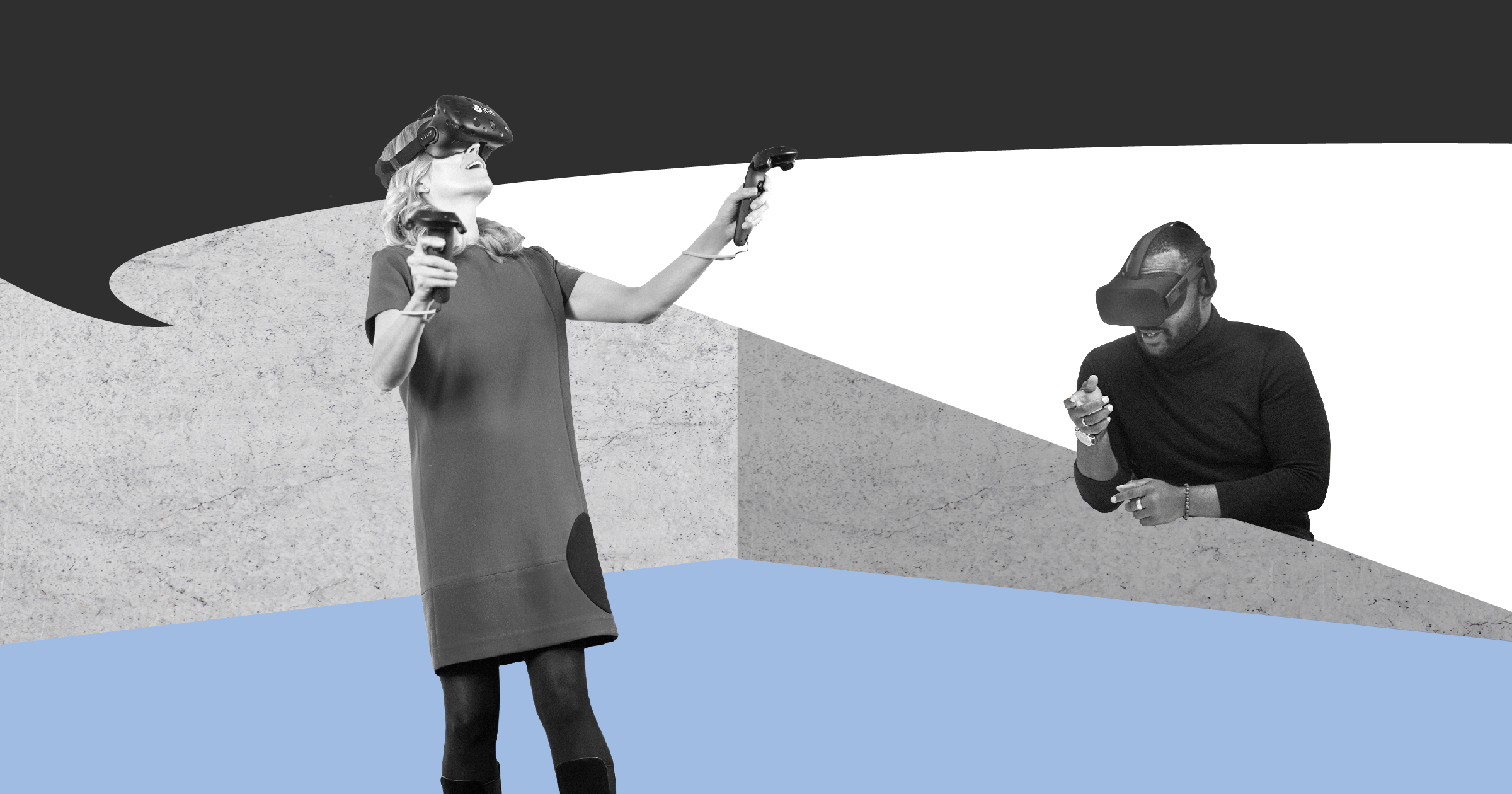
Immersive walkthroughs and VR meetings in one click. Works with SketchUp, Revit, Navisworks, Rhino files in Oculus Rift, Oculus Quest, HTC Vive, Windows MR, and more.
 burnt tinsel
hi
is there a way to use callback events inside a function
it would save me a shit ton of extra nodes
 indigo cradle
Getting this when trying to adjust Metahuman Blueprint.
Unhandled Exception: EXCEPTION_ACCESS_VIOLATION reading address 0x0000000000000000
drowsy snow
plush yew
the Marketplace button doesnt work
In the Epic Games Launcher?

 zealous magnet
Is there a feature like Level Instancing (https://docs.unrealengine.com/5.0/en-US/WorldFeatures/WorldPartition/LevelInstancing/) also available in UE4? Basically looking for a way to spawn a sublevel at a given position in the world
plush yew
take a look at the level editor manual
 plush yew
zealous magnet
Is there a feature like Level Instancing (https://docs.unrealengine.com/5.0/en-U...
plush yew
zealous magnet
Is there a feature like Level Instancing (https://docs.unrealengine.com/5.0/en-U...
level streaming?
or set an alert in a volume to do that if it should be done once, permanently
zealous magnet
I'm not looking for a streaming ability, I'm looking for a way to design, let's say the interior of a room in a sublevel (with origin 0,0,0), and then I want to place that sublevel in my main level at a specific position (so it'd offset the sublevels origin by a specific pivot location)
I know you can set a level offset per hand, but that's not visual, the level instance from UE5 is really close to what I need
plush yew
I thought once about creating a system where I do edit chunk of my open-world in parts so I do not overload my computer and I got into the conclusion that, instead of using the 'Instancing clueprint node' and having to arrange it into the editor or setting its number perfectly, I did offset it from the pivot in my modelling tool...
so my world chunks were divided in Blender but their pivot point where at 0,0,0 but the mesh itself was in the right place out of the box
it worked in Godot logic of instancing meshes / scenes, I did not tried yet in Unreal!
zealous magnet
yea but the rooms I'm talking about are not just meshes unfortunately, but also actors, etc.
plush yew
uh! so there should be heavy scripting then 😄
 merry girder
i tried to import few meshes from blender
No polygon were found on mesh 'BezierCircle'
this warning poped up what does it mean
indigo cradle
Is there a way to automatically execute console command on editor start (not meaning level start or game start)
merry girder
so whatever i have imported is not mesh??
drowsy snow
merry girder
so whatever i have imported is not mesh??
Blender curves are not meshes.
merry girder
i have imported an entire assembly , is there a way to find which part this error is coming from
oh that makes sense
thankyou
is there a way to remove the curve in unreal
or do i have to fix it in blender before i export it
drowsy snow
merry girder
or do i have to fix it in blender before i export it
This.
merry girder
ok thankyou again
 outer zephyr
does anyone know any good turturial for rootmotion with c++ for movement combos etc
i want to start to learn c++ for games but with rootmotion the games look so much cleaner
limber pebble
How do I get a pawn shaped as a sphere to roll and rotate as the player controls it?
 dry wedge
Can anyone tell me how do I make a Line trace to the center of the screen to get things on the level using ALS v4? thank you

 coral shoal
there's an option in... project settings was it? that toggles whether or not transparant/masked materials get affected by the blurs
i'd guess that's what you need
drowsy snow
outer zephyr
does anyone know any good turturial for rootmotion with c++ for movement combos ...
Can you create the system in BP, though?
 winter wedge
coral shoal
there's an option in... project settings was it? that toggles whether or not tra...
winter wedge
coral shoal
there's an option in... project settings was it? that toggles whether or not tra...
there's one in the node editor but only for transparency
plush yew
https://streamable.com/1zkmzc
Is there a way to remove ambient occlusion for specific meshes, not using a post processing volume but by mesh itself or a material that will keep it from using ao
 drowsy snow
outer zephyr
i want to start to learn c++ for games but with rootmotion the games look so muc...
drowsy snow
outer zephyr
i want to start to learn c++ for games but with rootmotion the games look so muc...
I think it's a fairly common beginner misconception that one should jump to C++ coding without getting accustomed to BP basics first.
Sure, synthetic benchmarks show that BP is slower in runtime, but if you're don't yet know what you're doing, making it in BP first will save you from splitting hair and taking too much breaks from longer C++ compile time. Besides, BP is pretty similar to C++ code.
drowsy snow
winter wedge
dof not working on masked materials
That shouldn't be happening, because masked materials are opaque in a sense, that it's either visible or not.
winter wedge
so now hwat
 hallow cradle
how do i get streaming permission?
 formal needle
Hi guys, is there any way to get last input vector of client at server? i tried google and there is question but dont have answer and i look into the code, the last input vector at character movement component doesnt replicated
 lunar bison
hey how can i make a in and out transition for my animation?
drowsy snow
hallow cradle
how do i get streaming permission?
Message @buoyant granite with !stream command.
hallow cradle
ye thx
zealous magnet
Can we nest sublevels? Instead of doing
L_MainLevel
  - L_Island_01_Light
  - L_Island_01_Sound
  - L_Island_01_Geometry
  - L_Island_02_Light
  - L_Island_02_Sound
  - L_Island_02_Geometry
I'd like to do
L_MainLevel
  - L_Island_01
    - L_Island_01_Light
    - L_Island_01_Sound
    - L_Island_01_Geometry
  - L_Island_02
    - L_Island_02_Light
    - L_Island_02_Sound
    - L_Island_02_Geometry
No. (I don't think it's possible in UE5 as well anyway)
drowsy snow
zealous magnet
Can we nest sublevels? Instead of doing
```
L_MainLevel
- L_Island_01_Light
...
That being said though, if you use World Composition in UE4, you're able to to assign sublevels into streaming distance layers. That way, you would have different streaming distances for each sublevel types (e.g. sound sublevel unloads closer to player than lighting sublevel)
 broken socket
Im using an array of enums to determine roles in a murder mystery type game. but i dont know how to randomly give the roles to each player, i also need it to only give one role to one player for the killer... Any tips?
im thinking i would randomly give the roles in the gamemode and have the player character have a branch to see if the player has the role then set to true. but idk how i would only give one player the role and not the others.
lunar bison
broken socket
im thinking i would randomly give the roles in the gamemode and have the player ...
Find a random player controller and then get their player state make a variable in the player state for what role they play in the round, then set the variable through the gamemode
 high harbor
Hello ladies and gentlemen, i have a question regarding the level load...
What could i do to avoid these annoying low poly terrain / objects and bad textures ?
This happens after i hit the play button, for a couple of seconds while the engine is loading and compiling shaders, after that all will be looking good. I wish to avoid this... maybe some "pre load" function before make everything visible ?

 feral sierra
was wondering...
C++ has better performance than Blueprint.
Does a written shader (with code) has better performance than material edited one in UE?
 humble bay
Sup peeps, anyone know how to fix this?

How am I supposed to use the bottom white texture as a mask for the noise then?
And thanks btw
 digital anchor
plus materials have two optimizations, first by UE4s translator then by the compiler
feral sierra
thanks for your answer
 valid fog
stuck linden
valid fog
stuck linden
is there anyway to change a variable from a editor utility BP?
Change/create
 narrow igloo
stuck linden
is there anyway to change a variable from a editor utility BP?
Change/create
narrow igloo
stuck linden
is there anyway to change a variable from a editor utility BP?
Change/create
Editor utility widgets can use the property inspector widget to change any variable. You cannot create new ones tho
 vagrant hornet
 formal pebble
Any ideia of why this is happening when using the scene capture component?
 plush yew
hi, which channel would be best suited for speedtree related questions?
stuck linden
narrow igloo
Editor utility widgets can use the property inspector widget to change any varia...
how do i use property inspector
 crystal mountain
CAN SOMEONE HELP ME AT BLLUEPRINTS
useless server
thats why everyone likes unity
 dusky bobcat
The DDC paths in my editor preferences are empty and UE uses AppData\Local\UnrealEngine as my DDC. If I specify a path in "Local DDC Path", will UE move the data?
 dusk widget
Hello ! I am looking for a workflow to create several patterns that will be played one after the other and that the player must dodge. I was wondering which tool to use. Is there something like the cinematic sequencer for this or do I have to do everything with delays in the level blueprint?
dusky bobcat
Thank you.
dusk widget
Does the sequencer have to affect the camera, or can I create my sequence and keep the player's camera ?
Look nice, thank you, gonna try it
dusky bobcat
@plush yew Thank you, it worked!
Was dreading having "Compiling 40,000 shaders" on reopening, ha.
Just the 40,000!
 dense robin
any idea why this black spots are follow the camera on the editor? https://gfycat.com/revolvingbeautifulantlion looks like it is coming from the reflections, but not sure what is happening.
 narrow igloo
stuck linden
how do i use property inspector
narrow igloo
stuck linden
how do i use property inspector
I am not at my pc right now but off the top of my head, it's in the umg widget panel under the editor section I think. You need to tell it the name of the property you want to edit and call the function on it that sets the target object, preferable in preconstruct if you can
dusk widget
@plush yew , look like it's working, thank you again 🙂
plush yew
i have issue
i need help
Running C:/Program Files/Epic Games/UE_4.27/Engine/Binaries/DotNET/UnrealBuildTool.exe  -projectfilesProjects/MyProjectt" -game -rocket -progress
Discovering modules, targets and source code for project...
ERROR: Windows SDK must be installed in order to build this target.
and the help needed is?
plush yew
o
so why is not it installed
F
F

i got to restart my komputer now
to intsall it
 mellow urchin
Is it possible to attach a socket to another socket on a static mesh?
Right now i'm thinking of creating some form of vehicle customisation with a variety of wheels, body, ect.
Yeah, But can you attach a socket to another socket. The problem I have is the transformation of each mesh (Wheels, Body)
Yeah but im not doing hands lmao. When i attach a vehicle element to another- they just collide into each other
 drowsy snow
 faint musk
Is there a channel to ask for help?
faint musk
Is there a channel to ask for help?
Pretty much most of the channel in this server, just make sure the question fits into its channel name.
faint musk
Does anyone know what might be the cause for UE not showing any target layers? I am trying to paint a landscape but i can't understand why they won't show there like they do in many tutorials 😬
 mellow urchin
good talk
faint musk
But how do i show them?
drowsy snow
faint musk
Does anyone know what might be the cause for UE not showing any target layers? I...
Make sure your material have proper layers assigned

 grim ore
@mellow urchinthe issue you re showing is a setup issue, your cube on top should have its pivot/origin where you want it to attach to and not the middle. Proper setup solves the issue
faint musk
All this
 drowsy snow
faint musk
All this
drowsy snow
faint musk
All this
Add Layer Blend node.
 faint musk
drowsy snow
Add Layer Blend node.
faint musk
drowsy snow
Add Layer Blend node.
Oh okay.. where should i connect this one to?
mellow urchin
grim ore
<@!390233831719829505>the issue you re showing is a setup issue, your cube on to...
First of all. Love your videos if your the real deal haha. Anyway. What about different body sizes and stuff? Is there a way to make everything fit properly (player customisation)
grim ore
yep and you can always scale and adjust at runtime if needed. your "socket" on one of the items you are trying to connect is just its root point/pivot/origin, its where its connection point is to the socket you are connecting it to. you design it around that concept
an arm doesnt have a socket that goes into an arm socket, an arm attaches to the arm socket at the correct spot on the arm
drowsy snow
mellow urchin
First of all. Love your videos if your the real deal haha. Anyway. What about di...
Though it's not one mesh fits all body sizes type of situation. Modular clothings that are compatible with one tall and slim character won't be compatible with another short and chubby character
Also reminder that characters, vehicles, weapons, and many moving objects are usually skeletal meshes as opposed to static meshes on their own.
 manic helm
UE beginner here, I'm curious about speech recognition systems. I see it's been talked about on here a bit so I won't just ask "how do I do it", but rather, how do people figure games like phasmophobia or ghost hunter corps manage it? The latter even seems to use cortana, is there some way to activate and get the results of Windows STT? come to think of it, I've even seen a mod plugin for skyrim that used some kind of STT system to input commands
drowsy snow
manic helm
UE beginner here, I'm curious about speech recognition systems. I see it's been ...
That's largely up to the third party plugin that you use to decide.
manic helm
drowsy snow
That's largely up to the third party plugin that you use to decide.
So you definitely think they're using a plug-in? That's the big part of my question: whether or not there's some internal support, like if unity supports it,
drowsy snow
manic helm
So you definitely think they're using a plug-in? That's the big part of my quest...
Unity doesn't support it out of the box, for sure.
manic helm
Haha, true
drowsy snow
Neither Unreal Engine.
So yeah, it depends on third party plugin you use to parse the text from voice in real time. Consult to the plugin's API documentation so that you can probe the results in Unreal C++.
Though Unreal Engine do have built in plugin for capturing audio input, and you can perhaps use it to send the voice input to the plugin to be interpreted by it.
manic helm
I'm even more curious now, since they seem to rely on Windows voice recognition, so there must be some way to pull what Windows is generating
Maybe that's how they're doing it? Capturing audio and sending it to cortana?
drowsy snow
manic helm
Maybe that's how they're doing it? Capturing audio and sending it to cortana?
Not Cortana, but I'm sure there's some platform agnostic open source STT parser that Unreal can use. (Just make sure the license isn't GPL)
I'm not even aware W10 Cortana is even available as API.
 tranquil pagoda
Anyone knows if there's any plugins available for web browsers? I wish to add an in game web browser but with some way to alter the output audio, which seems to be impossible with UE4's experimental web browser plugin :(
manic helm
these are awesome answers and give me a bit to work with, thanks guys!
drowsy snow
tranquil pagoda
Anyone knows if there's any plugins available for web browsers? I wish to add an...

Unreal Engine
Navigate the web in-game or in editor!
tranquil pagoda
Ooh very interesting
From what I read it wasn't possible to reroute the audio of the CEF through UE4s audio system
drowsy snow
Also it's pretty much abandoned, who knows how many engine modifications it takes to send the audio output to the new audio engine.
I mean, it's using a super ancient version of CEF, for crying out loud.
(Though for the better, as to avoid web exploits and arbitrary code executions)
tranquil pagoda
I'm not that deep into UE4's source yet so I'd rather defer source modification for the time being if at all possible anyways :)
drowsy snow
Mistakes were made with in-game browsers. It's the easiest spot for hackers to execute arbitrary codes, and screw up the end user, intentional or not.
errant blade
Aight so question
What is the best way to dynamically tear up an object (E.G, a pilotable plane when it gets shot in a wing, having the wing fall off) in UE4?
tranquil pagoda
That might be against the EULA/TOS of a lot of services though
I'm essentially just making a singleplayer tool so I'm not too worried about what people do with the browser
drowsy snow
tranquil pagoda
That might be against the EULA/TOS of a lot of services though
Dangerous Driving used Spotify because they can't afford licensed soundtrack like prior Burnout games.
tranquil pagoda
(Burnout 3: Takedown best racing game of all time)
drowsy snow
tranquil pagoda
I'm essentially just making a singleplayer tool so I'm not too worried about wha...
I'm sure people will open browsers in their phone anyway.
tranquil pagoda
It is very much something integral in this case
drowsy snow
Unless you're going to have offline HTML pages that's intended to be navigated like a browser (a la Hypnospace Outlaw, which is a Construct 2 game, which itself a HTML5 based engine)
tranquil pagoda
What inherent risk would there be in having a browser window in a singleplayer tool? Only things I can see is people misleading users into opening something harmful within the tool
 haughty bear
tranquil pagoda
What inherent risk would there be in having a browser window in a singleplayer t...
haughty bear
tranquil pagoda
What inherent risk would there be in having a browser window in a singleplayer t...
dafuq? how
errant blade
now i wanna play burnout again
tranquil pagoda
idk, I think the risk is small
errant blade
such great game
drowsy snow
tranquil pagoda
What inherent risk would there be in having a browser window in a singleplayer t...
Don't underestimate web browser vulnerabilities, especially if you want to bring it online. That's the main takeaway.
tranquil pagoda
I do as much. If there was a better alternative I'd be willing to persue it, a browser just seems the most convenient here.
For reference the idea is to have an interactive keyboard and allow users to play along with online video with some audio processing on this video. Similar to transcription software, simple things like a spectogram or whatnot.
Using the midi/synthesizer plugins (which are great)
 hot cave
there's nothing wrong with having a browser how you can abuse that wtf?
drowsy snow
tranquil pagoda
I do as much. If there was a better alternative I'd be willing to persue it, a b...
I think you'd better built a generic C++ software for that.
drowsy snow
hot cave
there's nothing wrong with having a browser how you can abuse that wtf?
Arbitrary code execution.
tranquil pagoda
In online games browsers are leaky as hell
hot cave
in single player it wont matter
tranquil pagoda
Aside from all the legal issues
hot cave
in multiplayer its only executed on local machine and the server still has the full authority
drowsy snow
tranquil pagoda
In online games browsers are leaky as hell
Most browsers in-game used OS level browsers instead.
drowsy snow
hot cave
in single player it wont matter
Oh yes, I can fuck the CEF process 🙂
tranquil pagoda
drowsy snow
I think you'd better built a generic C++ software for that.
Probably true, but I'm not sure I'm quite ready for that
hot cave
even if you did you still cant do nothing that requires authority ..
tranquil pagoda
It's very much possible in UE4 and doing it that way just makes a lot of things easier
Since it already has all these things like MIDI input, sound processing, rendering of the keyboard, UI in one place
drowsy snow
tranquil pagoda
Since it already has all these things like MIDI input, sound processing, renderi...
So you're trying to make your own DAW?
haughty bear
you tryna stream your game to a browser ? or just using a web browser in your game?
 stark zephyr
Does anyone have a good example for a design document, which includes general description of the gameplay loop and drafts for the games logic / code structure in form of UML diagrams?
tranquil pagoda
because currently trying to play along with video is an annoying. Since you can't really loop stuff easily or do audio visualisation in one place
 fierce tulip
streaming the game to a browser that is loaded in the game to see the game in the browser.
tranquil pagoda
I suppose I could write a DAW plugin as well (or some likely already exist) but I felt like just making something separate
hot cave
fart sucker berg powered services - global outage
thank god they dont own twitter and discord
drowsy snow
stark zephyr
Does anyone have a good example for a design document, which includes general de...
Generally design docs are generalised written docs/wiki and often far from representative to the final game.
drowsy snow
hot cave
fart sucker berg powered services - global outage
thank god they dont own twitt...
#lounge for OOT
stark zephyr
drowsy snow
Generally design docs are generalised written docs/wiki and often far from repre...
I know 🙂 But I think it's crucial to have one in order to track the goals of your project as well as the progress
tranquil pagoda
So if I get the spectrogram working next step is to add hotkeys for looping, playback speed etc from MIDI input combinations. :))
drowsy snow
stark zephyr
I know 🙂 But I think it's crucial to have one in order to track the goals of yo...
Then GitHub Project is all yours.
Also, I think those are roadmaps, not design docs.
fierce tulip
dundoc has some decent examples, but iirc cant see them until you are logged in, and they are quite broad. (and is a bit of a mess to work with)
drowsy snow
tranquil pagoda
I suppose I could write a DAW plugin as well (or some likely already exist) but ...
Just know that there's no one who put together documentation for putting VST into Unreal Engine. More extensive knowledge of C++ is needed, and by the time you have it, you'd think to build a generic C++ app instead of piggybacking on UE4 (and risk on huge install size)
stark zephyr
Everything is better than the wild collection of diagrams and class description I have right now xD
tranquil pagoda
drowsy snow
Just know that there's no one who put together documentation for putting VST int...
Yeah I'm aware of this, already looked into that as well. Plan was to instead just bind a soundfont or whatnot. I'm not planning on this being anything big btw, I'm almost solely making this for personal use. Might end up releasing it if it ends up useful but that's not the main goal
But I do aim to make it possible if I want to
drowsy snow
stark zephyr
Dundoc looks interesting
Outside of dundoc, some example that I refer for making design docs
Metal Gear Solid 2: https://junkerhq.net/MGS2gameplan.pdf
Deus Ex: https://www.gamedeveloper.com/design/annotated-version-of-an-original-i-deus-ex-i-design-doc-surfaces
Grand Theft Auto: https://www.gamedevs.org/uploads/grand-theft-auto.pdf
stark zephyr
very nice 🙂
tranquil pagoda
drowsy snow
Just know that there's no one who put together documentation for putting VST int...
To me it's also not so much knowledge of C++ that's holding me back but mostly just the sheer amount of work stringing together all the needed 3rd party software and APIs because of how many different domains the software covers
errant blade
Would chaos work with a skeletal mesh and only for specific parts (wings, engines, etc?)
I've literally never used anything like it, so I have no idea what to expect
stark zephyr
@fierce tulip @drowsy snow Thank you guys for your support! Going to bed now...
see you

 drowsy snow
errant blade
Would chaos work with a skeletal mesh and only for specific parts (wings, engine...
drowsy snow
errant blade
Would chaos work with a skeletal mesh and only for specific parts (wings, engine...
In general, expect lower framerate. Chaos still isn't as performance easy as PhysX / APEX, so much so that Epic cancelled the plan to outright replace the latter in 5,0
errant blade
drowsy snow
In general, expect lower framerate. Chaos still isn't as performance easy as Phy...
I'm confused whether this is quite necessary too, Like when I originally asked about "tearing up" ships i didn't mean like- disintegrating them
More like ripping off a wing, or if i wanna get fancy have it become 2-3 pieces at most
tranquil pagoda
Aw man. Lambda browser doesn't seem to have javascript execution built in like UE4's browser has.
errant blade
from what i'm seeing chaos seems a bit overkill for what I want
drowsy snow
tranquil pagoda
Aw man. Lambda browser doesn't seem to have javascript execution built in like U...
In turn, built-in UE4 web browser is a super old version of CEF.
drowsy snow
errant blade
I'm confused whether this is quite necessary too, Like when I originally asked a...
If you want to have wing got ripped, why not do it in Niagara, or presim it in Houdini or something?
tranquil pagoda
yeah true. Just a shame because it could be used to do stuff like find the HTML video element and pause/play it or even alter the time and playback speed.
Oh hold up, it might have it after all - stand by :)
errant blade
drowsy snow
If you want to have wing got ripped, why not do it in Niagara, or presim it in H...
it's not like- A scene where a wing tears off and has to look amazing
I'm looking more for a flight-simmy damage model where, as a game mechanic, parts of the vehicle can be torn off
Something like here at 1:21, or even simpler, would suffice

Airplane Crashes, Takedowns & Fails | IL-2 Sturmovik Flight Simulator Crashes
WW2 Plane Simulator
⬇Check out some freshly dropped merch⬇
https://teespring.com/stores/renzic
⬇Used Music & Use Policy⬇
Zane Alexander - XXXDrug
https://www.youtube.com/watch?v=M7h458QhQMs
⬇Check me out on Instagram!⬇
https://www.instagram.com/renzicyt/
⬇IL-2 Video C...
tranquil pagoda
tranquil pagoda
Oh hold up, it might have it after all - stand by \:)
Yeah it does work, that's really nice. Now to find out if it can actually be routed into UE4s audio somehow
Hold up - is lambda just a UI for the built in experimental web browser?
drowsy snow
errant blade
it's not like- A scene where a wing tears off and has to look amazing
I'm looki...
Oh, a plane wing.
At least in GTA 5, the damaged wings got replaced into a physics simulated static mesh, and the wing in the plane skelmesh simply got removed.
drowsy snow
tranquil pagoda
Hold up - is lambda just a UI for the built in experimental web browser?
Who knows, I didn't try it.
errant blade
drowsy snow
Oh, a plane wing.
At least in GTA 5, the damaged wings got replaced into a phys...
so each possible detachable part has its own separate model?
tranquil pagoda
does look like it (lmao)
 errant blade
i figured there'd be a way to detach the bone or something but maybe i was wrong
drowsy snow
errant blade
so each possible detachable part has its own separate model?
Yes, though in GTA V's case, it's more like hiding the intact wing and spawn the wing debris in place of it.
errant blade
What do you think would be better? doing it like GTA V or just detaching the bone?
i feel like detaching the bone might even give me a chance to add some flexibility to it for that extra "oomph" when the wing is damaged or broken off but then again, i've never done something like this so i'm not too sure if it'd work or how
plush yew
Hello
I typed in command 'stat streaming' in the console, is there anyway to close this grid of texts that came up

I just restarted the UE4 engine and it's gone my apologies guys
drowsy snow
plush yew
I just restarted the UE4 engine and it's gone my apologies guys
You can just type the command again...
 sturdy smelt
is Media Texture with Alpha Channel possible?
plush yew
drowsy snow
You can just type the command again...
Thanks
drowsy snow
errant blade
What do you think would be better? doing it like GTA V or just detaching the bon...
The latter is practically impossible.
drowsy snow
sturdy smelt
is Media Texture with Alpha Channel possible?
I'm sure it's always possible. Just that most of the times common video formats can't have alpha channel
sturdy smelt
i have Raw Image PNG with Straight Alpha
errant blade
drowsy snow
The latter is practically impossible.
Huh. I didn't know that
Do you have any tutorials for the former?
tranquil pagoda
tranquil pagoda
does look like it (lmao)
Right, so lambda really is just UI. Seems to be the case for all other browsers on the workshop as well. So no way to route audio either. I suppose I'll have to rethink things tomorrow. Thanks for thinking along anyways!
sturdy smelt
drowsy snow
I'm sure it's always possible. Just that most of the times common video formats ...
on The Media Player its working, but not on the Material, any idea why? /// https://puu.sh/Ig2He/635980b949.png

 split jungle
How can I disable plugin requirements? I want to get my project to ue5, but I get this error:

the plugin is not compatible with ue5 yet so I cant use it
dusk nebula
I could use some help creating an actor on the server and then assigning ownership to my player
I'm doing something wrong and I don't know what
drowsy snow
split jungle
the plugin is not compatible with ue5 yet so I cant use it
Or can you?
In hindsight, UE5 early access is based on UE4.26.
 quick ocean
anybody familiar with flipbooks?
split jungle
drowsy snow
Or can you?
I tried, I get this
 drowsy snow
split jungle
I tried, I get this
drowsy snow
split jungle
I tried, I get this
Try copy the plugin files from 4.26 to 5.0EA, maintaining the direction within the engine folder.
split jungle
drowsy snow
Try copy the plugin files from 4.26 to 5.0EA, maintaining the direction within t...
I didn't think about that, thanks
quick ocean
i guess i'll post my question here too
does anynone know an effecient way to check which frame the flipbook is on to do something accordingly? I was tried using a for and a while loop to check the cur frame against the frame length but this crashes the editor due to infinite looping
ping me so i can see your suggestions. Thanks!!!
Also I'm not using paper2d i'm using the 3d version and putting in sprites.
dusk nebula
a component's owner is the actor it's a part of, right? and an actor is owned by its player controller? I'm still seeing a widget component that's set to "owner no see"
 distant siren
hi dear, hello, I have created a level where the enemy chases me throughout the level, I have inserted the view where the characters look towards the screen, I should reverse the commands that currently work in reverse, can you help me?
plush yew
@drowsy snowthis is old now but how does chaos and physx compare to niagara or is niagara not a replacement for either
idk about physics but cinema4d particles import converted to niagara and i dont have to adjust anything on the side of unreal engine and thats pretty cool
dense robin
floating dark spots on the screen.
 dense knoll
VERY HELPFUL UE

is there a fix for DX12 being unstable with UE?
i cant switch to DX11 due to that just softlocking my editor
 rugged harbor
dense knoll
VERY HELPFUL UE
rugged harbor
dense knoll
VERY HELPFUL UE
Maybe check the log files?
dense knoll
capping the editor at 60 fps somehow fixs this
 latent pivot
Hi. I need to make a projectile that lands on a specific target but has an arc upwards. I can use the projectile movement component but I’m unsure how to make this aside from giving it weight and then attempting to calculate the dot product between the target vector and the upward vector. Should I just create my own projectile algorithm?
 gray cedar
Have you looked into the SuggestProjectileVelocity node?
https://docs.unrealengine.com/4.26/en-US/BlueprintAPI/Game/Components/ProjectileMovement/SuggestProjectileVelocity/
Or if using C++ its equivalent:
https://docs.unrealengine.com/4.27/en-US/API/Runtime/Engine/Kismet/UGameplayStatics/SuggestProjectileVelocity/
It accounts for gravity meaning it'll feed you an impulse that will "fire" a projectile upward and toward your target location.
Meanwhile...
I'm wondering if it's just our game or if it's an engine thing: when launching a packaged build of the game, the mouse cursor is moved to the top-left corner of the screen. This is annoying not just because it means we have to correct it with a call to SetMousePosition but also because it can confuse our hardware cursor because in windowed mode the mouse actually touches the window corner and leaves the viewport.
Anyone else have this mouse relocation happening when opening their packaged game? Maybe it's just us (which would be fine too).
plush yew
drowsy snow
In the Epic Games Launcher?
no, in UE4 itself
 lament ledge
I really like the new node that got added into ue. Its pretty handy in most cases and I found myself using it quite alot actually. I think epic is taking a step in the right direction, and I hope they add more useful stuff like it
 drowsy snow
plush yew
<@!325627930484932608>this is old now but how does chaos and physx compare to ni...
drowsy snow
plush yew
<@!325627930484932608>this is old now but how does chaos and physx compare to ni...
Niagara is replacement for Cascade instead.
 neon magnet
Hey, if I want to trigger lights to go on/off according to the day-night cycle, should I be looking to make a blueprint which reacts to said time and expose slots into which I can place any type of light? I was thinking this because going through the sound course, it was shown to be a technique to create a BP which would have a particular behaviour, so all relevant areas/sounds would just plug into a single BP which is placed throughout the world, rather than individual sound files that each need their own logic for the same thing. So does this apply here for lights as well?
Or can I just do something in the level BP to switch on/off all the lights at once/or with delay for some
plush yew
https://80.lv/articles/grandma-creating-an-ultra-realistic-portrait-in-maya-xgen-zbrush/
jesus christ

Principal Character Artist at Guerrilla Games Arno Schmitz explained how he managed to create a realistic portrait of his grandma in 3D, shared the workflow, and showed some techniques for making realistic-looking faces.
this is a goldmine of techniques and its free
grim ore
@neon magneteither works, level BP is less usable since you cant talk to it (I wouldnt use the level bp). you can also use event dispatchers where all lights register with something and that something tells them all to turn on or off. Or you could get all the lights and tell them to toggle
neon magnet
grim ore
<@!396990950842564608>either works, level BP is less usable since you cant talk ...
you mean 'get' them in the level bp or a separate controller bp?
I'm still learning the whole way BP is as an API as opposed to my traditional background in just making my own functions/classes and calling them wherever I want lol so it's a long transition. So in this case I'm unable to imagine where I'd need to talk to the level BP. So far most things I've implemented are in the BP, like walking sounds and surfaces
grim ore
well not using the level bp, since you shouldnt use it, you can use a seperate BP yes
and you can create your own functions and classes and call them anywhere, look at blueprint function libraries, if you need something like that
if your used to traditional programming then its similar to OOP where each item has its authority and respnsibilities. you wouldnt have 1 giant thing that does everything, you would break it into responsibilities and let things handle themselves
 hollow frost
Hi, I've been having an issue where my characters for my project keep moving in the idle animation, despite the anim bp and blendspaces being set up
They slide across the floor, and I've been unable to determine the cause of the issue
grim ore
is it all the time or sometimes
grim ore
ok so did you test your anim bp in the editor using the testing functions?
changing your variables in the bottom right to see if its hooked up right
The Anim Preview Editor to be exact
grim ore
so then your graphs are hooked up, your not getting valid data then
hollow frost
Correct
grim ore
which means your event graph isnt getting the data it needs to drive the animation graph
so what does your event graph look like? where is it getting the data it needs
 grim ore
well your speed is the issue right? its driving the animation?
hollow frost
so it calculates direction as well
The AI characters seems to move properly, I just have no idea
I'll adjust speeds
But yes, speed drives the animations
grim ore
you have speed and direction, you said both work in the preview. if its not going out of idle I assume speed and directions are both fed into the blend space
hollow frost
Correct
grim ore
are you not getting any errors when playing in the output log?
hollow frost
No
grim ore
welp you might need to debug it then, if the preview is working fine when you adjust the preview values then its not getting those values. hit play and go back to this blueprint and see what is running
you should see the red line running from the update and you can mouse over any of the pins to see the values.
hollow frost
Both of these are running at the same time
 hollow frost
It is, but I wasn't sure if I should do that
grim ore
well you can see th default third person anim graph here

the one state handles idle/run/walk thru the 1 blendspace
so I guess what does your code look like in the idle -> walk/run transition
hollow frost
Yeah, it was idle at the bottom and sprinting at the top

I was confused with the animation bp stuff
I got the blendspace working just fine
prime willow
@grim ore whats the term i would need to have 8 way directional walking with the camera almost always facing backwards?
like in the vampire blood game
or division 2
hollow frost
Problem was that the same issue happened twice on both setups
The one you have, and the one I have
grim ore
yes so what do your transitions look like
prime willow
o.o
prime willow
hollow frost
Yeah, it was idle at the bottom and sprinting at the top
what are you trying to do?
hollow frost
prime willow
what are you trying to do?
Trying to make sure character animations are working properly, and idle animations aren't playing while characters are moving
prime willow
do you have a transition?
its the arrow pointing to walk
its typically a not boolean or if time remaining on animation etc etc
also if you use the same blendspace for idle and movement
itll possibly cause overlap
try putting the desired idle animation in the idle state machine
than use a blendspace for the movement state machine
so both arent triggered at once
 prime willow
that would work too
your idle would be the base
movement would cause it to use othe rparts of the blendspace and jumping should trigger the state change
hollow frost
Correct, it's supposed to play when characters don't move, but it's playing regardless
prime willow
also you can use enums for state machine control to ensure by force no state machine is used at multiple times
well
if the idle is at the base
and theres a blendspace used for that state machine
it will always be playing
grim ore
transiiiiittiooooon
grim ore
what is thoughest transition
also I dropped my mouse and the left button broke... what the hell
hollow frost
oop
grim ore
I've got backups for this exact issue lol, already swapped
prime willow
lol i dont have any backups xD
grim ore
I've got like... 8?
prime willow
now im scared to drop mine
grim ore
when the old ones start to go funky I get a new one and add the old to the backup pile
prime willow
i have one of those weird multi computer mouses
xD
makes using two pc's a bit more comfortable
hollow frost
So what about the transitioning? I could use an enum?
grim ore
so in your current graph, with just the one state, its not playing?
prime willow
transitions are the pointing arrows
hollow frost
Yeah
grim ore
show the state then
prime willow
that move from state machine to state machines
enums are an entirely different setup i can give you a tutorial on it?
grim ore
show the state, or watch it when its moving. you can see here the green diamond showing me moving and the states state https://i.gyazo.com/75fb6604df7d116cc5933b06c3e7efdb.gif
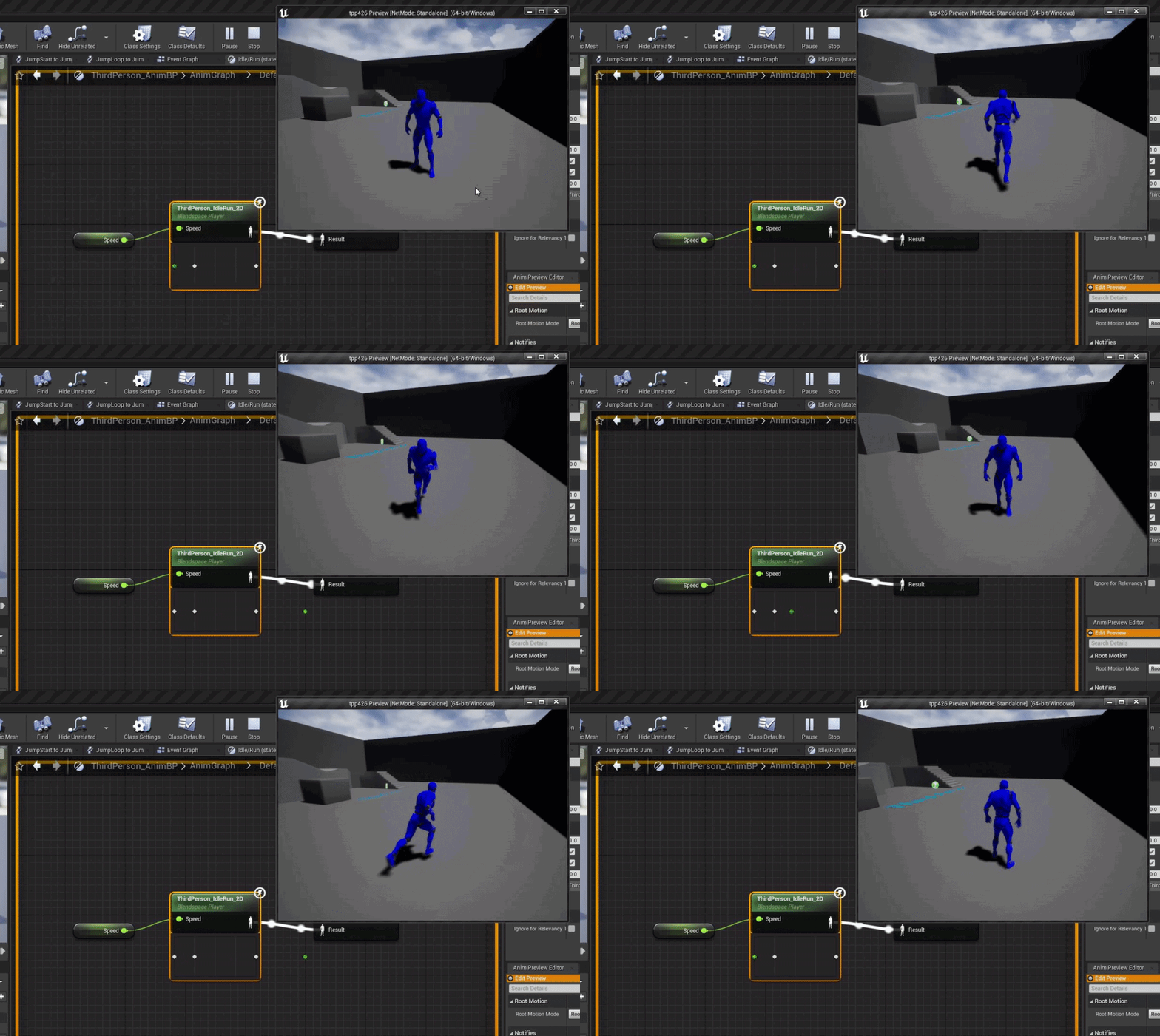
thats just a 1D but if your input is valid when playing your state should be updating when you are testing
prime willow
@hollow frost https://www.youtube.com/watch?v=094zfyog_z4&t=76s

In this tutorial, we'll look at creating an animation state machine and triggering different animations using enumerations (or enums) and blueprints.
this is a bit more advance than standard setup
dont attempt this until you have a grasp on making state machines work properly
hollow frost
I had this in the idle/run
 hollow frost
Yeah
prime willow
the very bottom one, are those idle states?
hollow frost
Correct
prime willow
actually wait have you ever done a tutorial on state machines?
or have you read documents
hollow frost
I used a tutorial on youtube
prime willow
if so i am more than sure i can send you a tutorial that completely solves your problem
for 1
you arent suppose to have multiple idle states in each slot
that fluffs up your whole process
one sec
hollow frost
Here's the one

Hey guys, in today's video, I'm going to be showing you how to set up directional movement with 8 different directions. Forwards, backwards, left, right and diagonally in each direction too. In a future episode we will set up turning in place too to make it look better.
Retargeted Animations: https://drive.google.com/file/d/1cOgaYQ24SZoTCH8g3mN...
The rest was done with this

Hey guys, in today's video, I'm going to be showing you how to set up and create an animation blueprint and blendspace for your characters in your game. In this we will set up; idle, walk, run, jump loop and a walking jump.
Sorry for the long video, I wanted to go over this in more detail then last time to help you understand it more and learn ...
hollow frost
I did, and it gave me those results I mentioned
prime willow
o.o
hollow frost
I used both a blendspace and bs1d
prime willow
perhaps im not understanding the question
hollow frost
Same stuff
prime willow
what in particular are you trying to prevent or do
hollow frost
I'm trying to make sure characters use the correct walking animation while walking, since they currently use the idle animation while walking
prime willow
so
with the blendspace
um one side is direction
and the other is speed
^ would be speed
< > would be direction
the very center at the far bottom
would be no input
could you show me the blendspace
 prime willow
but not in game
prime willow
so blendspace works as desired
hollow frost
It should
hollow frost

 hollow frost
I'm getting them all, one moment
prime willow
also
hollow frost
 prime willow
oh
wait
you dont have an idle its mixed up
ok
your animation graph
did you setup speed and directon properly
so that your animation blueprint can read your current state?
this
its like the event graph for animation blueprint
oops
im dumb
wrong one
hollow frost


 prime willow
what are the issues?
for example is the current animation blueprint attached to your sketal mesh
hollow frost
Yup, everything is rigged properly, it's just not transitioning properly
That's the issue, I should say
hollow frost
I tried various other methods of getting the transitions to work, but it keeps getting stuck in an idle state
No
There's absolutely no errors
So I'm not sure what's wrong
prime willow
if theres absolutely no errors
all variables are linked to their proper references
animation blueprint setup right and attached to mesh
nodes and everything else is purrfect and nothing works
my solution is to unfortunately start from scratch
its annoying as heck but almost always solves the problem
i have your same issue when i first started
i just restarted my editor just to be sure after saving
it didnt work so i did it again from scratch following 1 tutorials and it just worked
dunno what changed but allowed me to move forward xD
prime willow
make sure to follow 1 tutorial and learning why it worked
if you start mixing tutorails things can get messy fast
once youre more adapt you can just write up random stuff you come up with and itll work more often than not xD
hollow frost
I know why it works, I just needed a refresher
prime willow

hollow frost
prime willow
<:Kheart:408181449326329856>
The empire will remember this kindness

Bye
 errant blade
So question here
after I made sure my game works in multiplayer in the editor by testing with a fake server in standalone mode
and i package my game out
how do I host an actual server so my friends can connect to it and we can test it together?
prime willow
I agree completely :3
Also really proud of you for working through the night ❤️
it may not seem like much but it makes a world of difference long term~
plush yew
hello guys
so iam looking for a version control
what are the best version controls for ue4 c++ for a team of 20 people
which includes all arties, programmers, vfx artist, etc
 tough pagoda
This is strange to ask about, but can nvim be good for UE C++ dev?
You will say, plugins Vim for IDEs, but performance is the main reason for this question.
plush yew
there is any problem with having a .fbx file with the following name: aeronponic_station!0.fbx | aeroponic_station!1.fbx ...
 wary wave
the exclamation mark will potentially cause problems
plush yew
this one here then, blabla-1 | blabla-2
 radiant fable
https://i.imgur.com/QNxMMsa.gif
this is kinda lame. it's not exactly opt in if you're gonna force people's hand
 drowsy snow
radiant fable
https://i.imgur.com/QNxMMsa.gif
this is kinda lame. it's not exactly opt in if y...
drowsy snow
radiant fable
https://i.imgur.com/QNxMMsa.gif
this is kinda lame. it's not exactly opt in if y...
Another hurr durr epic bad post eh.
Honestly the changes are so minute you forgot you installed EOS for the launcher in few minutes.
prime willow
drowsy snow
Another hurr durr epic bad post eh.
Honestly the changes are so minute you forg...
I have a wall of text
to throw at you
so you can give me your insight on how that should be handled ._.
drowsy snow
Throw them all 😎 🧱
prime willow
1 sec
drowsy snow
It's 8 seconds xD
prime willow
okie going to pms
radiant fable
is EOS needed by someone that only develops in their engine
wasnt the case for the past 5 years
drowsy snow
radiant fable
is EOS needed by someone that only develops in their engine
wasnt the case for t...
The launcher needs it.
 spiral hemlock
Hi everyone. I have a question regarding the Bink integration in 4.27. The bink media player requires the .bnk2 format, but the RAD Video Tools only can convert media files into the .bik format. Does Unreal 4.27 have a .bnk2 encoder integrated somewhere or do I need to buy a license to be able to convert my media files into .bnk2?
plush yew
Does anyone know why?

wait
are you telling me that I require a launcher to use this software developed since 98 all for free til I get my first million of dollars?
i need to install it in the first place
drowsy snow
plush yew
are you telling me that I require a launcher to use this software developed sinc...
Not really, but you need the license to use the engine.
radiant fable
smells like tencent telemetry
plush yew
yeah China yesterday stealed my low poly plant
drowsy snow
radiant fable
smells like tencent telemetry
Feel free to cut off the license then 😛
It's not my problem that you all being weirdly paranoid.
plush yew
Discord itself does not feel the right place to do it, I feel more secure at LiberaChat under IRC
plush yew
Hello, is it ok to import my character as 4 parts mesh or should i import it as single mesh?
-hair
-body
-clothes
-weapon
drowsy snow
plush yew
Hello, is it ok to import my character as 4 parts mesh or should i import it as ...
Always keep the weapon separate, and the rest should be separate if you want to have more modular character.
plush yew
is raytracing in unreal engine supposed to be noisy in general
it seems super limited to me
drowsy snow
plush yew
is raytracing in unreal engine supposed to be noisy in general
Raytracing in general is noisy.
wary wave
raytracing is always kinda noisy
plush yew
i know raytracing works as a denoiser
drowsy snow
plush yew
i know raytracing works as a denoiser
Wrong.
plush yew
but is it possible to get the same quality of raytracing in unreal as say cyberpunk
plush yew
drowsy snow
Always keep the weapon separate, and the rest should be separate if you want to ...
Noted thank you
drowsy snow
plush yew
but is it possible to get the same quality of raytracing in unreal as say cyberp...
The way ray tracing works is tracing light rays in one pixel from the camera, until it reaches a light source.
wary wave
I suspect Cyberpunk's raytraced lighting is also very noisy
you just don't notice because the game is so damn blurry
plush yew
i've just noticed it my sky changed. it was blue morning earlier and now it's kind of sunset is it unreal itself or i just happen to click something?
plush yew
@wary wavei dont get it
you mean its noisy without the blur
because removing blur from its post process in the red engine is the first thing i did when modding the game lol
wary wave
it's a very dark game with reflections cranked up, but it's also blurry
so the noise is probably well hidden
plush yew
the sample count is pretty high and i keep the tint bright
no blur and not dark at all
in this scene I removed all blur from the near plane and added an emissive material

the sample count theyre using must be pretty high

but you can see here its not at full screen percentage
i think mine was set to 75%
you can adjust the raytracing settings using the console and ini
if i tried to get the same screen percentage and sample count in a simple scene in unreal i would be at sub 30fps lol
do materials numbers are more important than the size of their texture?
e.g. having 5 materials, each one with an 4x4 px texture is much heavier than a single one with an 20x20?
yeah, I am chatting about texture of 1kb
or since they are so small, having 1 or 5 textures does not matter?
feral sierra
Hi, this is my RVT blending I took from some tutorial here and there. How could I add a noise texture for the delimitation in order to avoid this straight line?
 prime willow
if grooms respond to collsions
cant i make something like cat ears and or horns have 0 collsions?
 jaunty lion
feral sierra
Hi, this is my RVT blending I took from some tutorial here and there. How could ...
jaunty lion
feral sierra
Hi, this is my RVT blending I took from some tutorial here and there. How could ...
Multiply the alpha mask used for the transition by 2, then subtract your noise texture from the multiplied mask.
feral sierra
jaunty lion
Multiply the alpha mask used for the transition by 2, then subtract your noise t...
thank you good sir, I'll try that
jaunty lion
np, clamp the mask at the end too between 0 to 1 so you don't get negative numbers from the subtraction
feral sierra
jaunty lion
np, clamp the mask at the end too between 0 to 1 so you don't get negative numbe...
thank you, testing this at my lunch break 🙏
plush yew
when youre exporting from substance to unreal is there a way to export in a way that is one material even if your mesh has multiple material slots

this is ridiculous lol

also metallic and roughness values dont seem to scale to unreal well
at least the metallic comes out super different
roughness is probably similar and it could be lighting
 serene birch
metallic should usually be all 0 or all 1 with very little inbetween anyway so there shouldn't be much visible scaling issues
did you make sure that the roughness/metallic/ao/other textures are NOT sRGB in the import settings?
 silver oak
i want to export my game but the file option is missing in my toolbar. how can i add it back?
plush yew
@serene birchif my monitor is srgb should i use srgb anyway
or am i misunderstanding lol
serene birch
no that's not how it works
plush yew
ok cool
ill reimport without srgb
substance has a plugin for unreal
i wonder if i should just use that lol
serene birch
the rule is that colors are sRGB (unless 16 bit textures but it's a whole another mess) an "not colors" aka masks or gradients or normal maps aren't sRGB
UE4 will autodetect normalmap textures and disable sRGB on them but it cannot do that for your roughness or metallic map
plush yew
oh i fixed it lol i didnt connect the blue to metallic
i had green on metallic instead lol
serene birch
that would also be an issue 😄
plush yew
turning on clip plane made me recompile 20k shaders
wt
f
i only have one reflecting object lol
 orchid lodge
Im being promped too get the "epic online service" or else i cant update. But I have no fucking clue where the download prompt for it is an tis not ongoogle.
sturdy smelt
plush yew
vray is pretty nice in unreal
Vray is one of the Highest Quality Offline Renderer, Good Luck for that in RT
 stray tangle
Please help, I saved the project turned off the PC later open it and open the project just to find my pawn character deleted most of my characters inherit from it is there any way of getting it back? It's in the project files but not in the content browser
astral verge
Guys in Cityskylines we can create a 3d model and import it to the game directly , can we do something like that in UnrealEngine ?
stray tangle
astral verge
Guys in Cityskylines we can create a 3d model and import it to the game directly...
You can make 3d models in blender or any 3d software and import it to the engine just drag and drop
astral verge
I mean in the game itself , when you export the project from unreal as .exe can you import 3d model from inside the exe file ?
@stray tangle
stray tangle
astral verge
I mean in the game itself , when you export the project from unreal as .exe can ...
I don't think you can do that, but I guess there are modding tools for unreal engine that allows you to do that
digital anchor
theres also plugins for that
astral verge
stray tangle
I don't think you can do that, but I guess there are modding tools for unreal en...
Sorry what is Modding tools ? Do you mean plug-ins ?
astral verge
digital anchor
theres also plugins for that
Do you know the name of it please ?
stray tangle
astral verge
Sorry what is Modding tools ? Do you mean plug-ins ?
No not engine plugins modding tools for the game itself
digital anchor
there are more than one, check the marketplace, theres one called Runtime mesh importer
i have never used them
stray tangle
There are alot of tutorials for modding unreal engine games
wary wave
he's not talking about modding
but the marketplace plugins seem like a decent starting point
stray tangle
wary wave
he's not talking about modding
He want to import a mesh in an exported project right?
wary wave
he wants to be able to import meshes from inside the game
stray tangle
wary wave
he wants to be able to import meshes from *inside the game*
Oh from his game not an already finished game
astral verge
digital anchor
there are more than one, check the marketplace, theres one called ``Runtime mesh...
Do you mean this one ?
 stray tangle
Yeah a marketplace is the best option
astral verge
stray tangle
He want to import a mesh in an exported project right?
Yes
digital anchor
this is the one i saw https://www.unrealengine.com/marketplace/en-US/product/runtimemeshimportexport
recently updated one: https://github.com/Chrizey91/RuntimeMeshLoader
(again, cant vouch about quality, never used)
astral verge
The idea is I am working on app for construction industry so we want to create this app with some features , so you can import any 3d model into it
stray tangle
digital anchor
this is the one i saw <https://www.unrealengine.com/marketplace/en-US/product/ru...
It's not for sale
digital anchor
github is on description \🤷♂️
wary wave
yup
astral verge
That’s why I am asking how to be able to import 3d model after exporting the project from unreal
 harsh tiger
Random question. Does anyone know why when you drag in something like a widget switcher for the first time. Why does it get a number like 231 and not start at 0?

 drifting rain
astral verge
Do you mean this one ?
drifting rain
astral verge
Do you mean this one ?
Would something like this help for the bones of my VROID model to work separately in Unreal?

 astral verge
drifting rain
Would something like this help for the bones of my VROID model to work separatel...
astral verge
drifting rain
Would something like this help for the bones of my VROID model to work separatel...
I don’t know I am really new in unreal and just found it in the market place
drifting rain
What channel would i ask this question in?
 novel ember
might want to try #animation
drifting rain
Thank you very much i had thought so
 hollow magnet
hi
 stone light
anyone one understand what its trying to say? im trying to open a copy of a older version(4.6) of a file and use a copy in ue5

 restive yarrow
How can i increase my landscapes triangle/vertices count without increasing its length and width?
 dim oriole
Is there some kind of trick navigating UE viewport when working with land/giant objects? The camera speed just doesn't scale with the viewport, at all, you are left with nearly immovable camera when panning or zooming.
No other 3D viewport is doing this, you always refocus and the camera speed is always good regardless of object size.
wary wave
stone light
anyone one understand what its trying to say? im trying to open a copy of a olde...
it's looking for dlls that don't exist, which probably isn't surprising if you're trying to open a 4.6 project in 5.0EA
4.6 was something like 7 years ago
 wet schooner
i'm so confused simple bp actors reduce my fps by 100 fps.. at first I thought it was because of the code or physics but no when i remove those it stills runs the same

I took away all the code and turned off the physics but it still runs horrible lol
literally just a bp with a static mesh rn that's it
Does anyone know what could cause this
fierce tulip
whats being spawned
wet schooner
those are just books
it made dynamic material instances and had physics on
so I removed that
turned off physics
yet it still eats up 100fps
made it all empty

so I don't get it
fierce tulip
check the profiler
 covert jolt
aloha my map is gone, i think it happened because i moved my folders
wet schooner
I need to find out how i use the profiler with a vr project in 5
ctrl shift isn't working rn
oh wait it was ctrl shift comma lol
wet schooner
fierce tulip
check the profiler
yeah i uh don't really understand what im looking for, what exactly did you want to see? I never used this before
 drowsy snow
wet schooner
yeah i uh don't really understand what im looking for, what exactly did you want...
drowsy snow
wet schooner
yeah i uh don't really understand what im looking for, what exactly did you want...
The easy first steps would be using stat unitgraph console command to narrow down threads that took the most frametime.


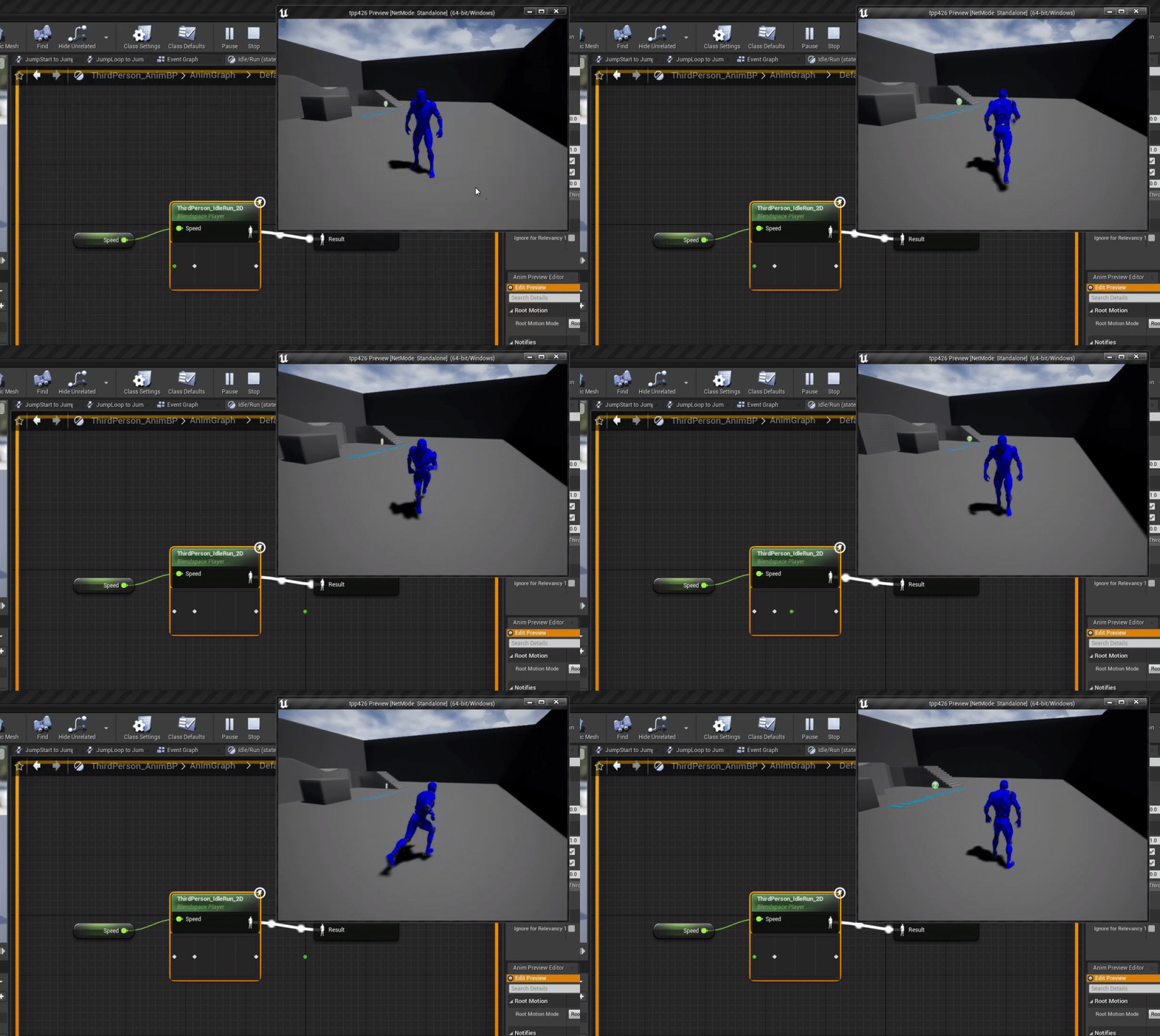
 drowsy snow
Stat unit and in extent stat unitgraph shows the frametime for the game thread, draw call thread, and GPU thread. If you're able to rule out the thread that took the most frametime, then you can narrow down your guess work.
wet schooner
Thank you yeah I don't fully understand what i'm supposed to do with this info optimally to be honest, but it helps narrow it down a little atleast and I found out how to improve this
I guess this was on me for leaving cast shadow on 🤔 I'm going to save these command lines for the future
broken socket
why doesnt this work


my actor has the tag
but when i run the game and go into the box trigger it doesnt run
grim ore
breakpoint, print string debug, do something to check
press F9 on the branch after the begin overlap, then play and wait for it to pause the game
then mouse over the Other Actor and see what it says
 marsh forge
hi guys
just wanna ask what can i install the epic online services to make the violet warning on my epic launcher go away
im just using the engine as a hobby
not looking to make online game / multiplayer game
the instruction seems to have me link the sdk or something like that to the project
is there any more layman way to install epic online service
grim ore
that EOS is part of the launcher for the launcher purposes, not for the engine purposes. you can also just ignore it
click the settings icon in the bottom left and see if it lets you install it
grim ore
its supposed to try and auto install but it sometimes doesnt
marsh forge
not say clicking in the button "more information"
broken socket
Oh i think i found the error, do tags carry over to children bps?
I fixed it, i guess they dont becase i only added the tag to the parent and not the child i was playing as
 sick parcel
Anyone knows of a way to open a blueprint via hotkey?, like in many IDEs where you input ctrl + N or something like that, enter a name, etc.
 inner wren
how to assign terrain tools to plane? or if it can't be done how can I make so that the flat terrain copys plane heights?
 toxic owl
I'm curious if anybody works with UE on a Intel Iris Xe or AMD APU laptop? If so is it possible to get a semi-serviceable framerate in the editor? (At least on previous gen intel integrated it is nearly unusable)
drowsy snow
toxic owl
I'm curious if anybody works with UE on a Intel Iris Xe or AMD APU laptop? If so...
Handy trick to improve performance on budget:
Aside from lowering some scalability settings, use temporal upsampling...
 drowsy snow
toxic owl
I'm curious if anybody works with UE on a Intel Iris Xe or AMD APU laptop? If so...
drowsy snow
toxic owl
I'm curious if anybody works with UE on a Intel Iris Xe or AMD APU laptop? If so...
and set the screen percentage value to < 100% on viewport and the engine scalability settings.
 ancient lotus
question for artists and how they setup various optics such as a holographic sight for the glass. i have the mesh with 3 planes of glass. one for the reticle and 2 for the glass. how do most people handle the glass part? im trying to avoid having 3 materials (body/glass/reticle which the glass would be transparent and the reticle would be masked) and instead leave it at 2 which would just contain the body (glass included so a transparent material) and the reticle (masked)
 coral patio
Heyhey, guys! Is there a way to render translucent materials with the custom depth pass activated (as still renders with the High Resolution SCreenshot option)? Like, if I try to render for example a Glass in an empty scene and I use the custom depth pass to try and get a cutout render of the glass, the resulting image is empty because any translucent parts are removed. Is there a way to circumvent that?
drowsy snow
toxic owl
I'm curious if anybody works with UE on a Intel Iris Xe or AMD APU laptop? If so...
It'll use temporal upsampling (which is while TAA on its own is kinda slower than FXAA, in contrast to performance gain from lower resolution, it's much cheaper) to upscale the render to native resolution, while keeping post process and UI elements at full resolution. Though make sure Anti Aliasing scalability set to High/Epic, and not using FXAA/MSAA.
Temporal upsampling also able to magically make the upscaled image more pristine compared to linear upscaling.
toxic owl
drowsy snow
It'll use temporal upsampling (which is while TAA on its own is kinda slower tha...
Thanks, I'll give it a try 👍
plush yew
If I have event A in a blueprint (specifically my player controller) and event B, and I have the following logical sequence (Event A > some irrelevant stuff > Event B), and I have another blueprint (specifically my pawn) with the following independent logic (When event A occurs in player controller, do <Logic Sequence X>) and (When event B occurs in player controller, do <Logic Sequence Y>), will the player controller blueprint wait for Logic Sequence X to finish before triggering Event B?
plush yew
what occurs in one frame?
grim ore
all of that logic. theres no delays or waiting?
grim ore
if you want to make sure its working in the order you want, swap them to functions in the pawn so they have to execute and return before continuing in your player controller
plush yew
Yes i'm doing things a different way. Thank you for clarifying my original question
 outer portal
I'm trying to post a question on the unreal engine forums, but the "+new topic" seems to be disabled. Why is that?
oh okay the button works only in the specific sections
 unreal venture
hi there can anyone help me?
I need to understand how i can work in a team with github and one proyect we have to work on
the problem i experience is the next : my team mate its try to open the proyect on his side after clone the repo to his local machine , but he cant open it coz its show up that he dont have some plugin that we use on proyect, but how we can work with the plugin all the team mates with out buy the plugins each member of the team coz i believe thats not the idea and the plugin should be able to work in a team enviroment?
how i can share this for the other github team members can work on game with out be uninstalling and installing plugin on proyect each time we want to do something? anyone? thanks
grim ore
if its a project plugin, you can put it in git with the rest and it should be fine. If its an engine plugin, your going to have to find another way to distribute it to them
unreal venture
grim ore
if its a project plugin, you can put it in git with the rest and it should be fi...
and that what would be? its the mixamo retargetering plugin that i want to keep in proyect and for we can work with it
but should i uninstall from the proyect then upload to github?
grim ore
if you need the plugin, make sure its uploaded to git with the rest of the project if its a project plugin
if its an engine plugin, you need to get it to them some other way
unreal venture
and how is that? whats the plugins folder? how i can find the files i should share?
grim ore
drowsy snow
unreal venture
and how is that? whats the plugins folder? how i can find the files i should sha...
The UE .gitignore template should take care the file filtering for you.
grim ore
if that FAQ doesnt help, you need to find the plugin in your engine plugins folder and get it to them
autumn grail
Hello , how can i assign multiple landscapes( with world composition) to the Ocean? OR is it possible to have one ocean per landscape
 runic fern
Hey Guys ..
How can i get a specific element stored in scroll box as a child
drowsy snow
runic fern
Hey Guys ..
How can i get a specific element stored in scroll box as a child
Not sure what you mean by "getting a scroll box entry as a child".
 late loom
where is the monthly free stuff??
grim ore
the same place it normally is??
drowsy snow
late loom
where is the monthly free stuff??
It's (always been) in the marketplace.
late loom
what its not shown on mine UE4 tab
drowsy snow
late loom
what its not shown on mine UE4 tab
Marketplace tab, not UE4 tab.
 desert verge
the new free assets are cool af
drowsy snow
desert verge
the new free assets are cool af
Though for me it's underwhelming, as I already have my own implementation for all of them (except decapitation - my game isn't that violent so no need for realtime decapitation)
runic fern
drowsy snow
Not sure what you mean by "getting a scroll box entry as a child".
I have missions name added to a scroll box as a child >
These missions have quests as a child
i want to add more children to a specific mission
drowsy snow
runic fern
I have missions name added to a scroll box as a child >
These missions have ques...
That largely depends on your text styling, but for starters, you could wrap each text widgets with vertical box widgets.
outer portal
Is there a way to convert a child actor component into a regular component in a bp?
alright. I just put a lamp mesh with a light on the map, and then converted that to a blueprint. But it turned the mesh and the light into child actor components, and apparently you can't duplicate the light when you do that.. So I guess i'll have to make a new light component and copy and paste the lamp child actor parameters into a component one by one
everything has a gotcha in ue..
 ornate forge
How's 4.27 right now? Not too buggy? Worth upgrading from 4.25?
drowsy snow
ornate forge
How's 4.27 right now? Not too buggy? Worth upgrading from 4.25?
More than worth it IMO
outer portal
less buggy than 4.26?
drowsy snow
If anything 4.25 failed on me more than 4.24, 4.26, and 4.27
 spiral roost
Hello to everyone!
i'm a beginner , i've some questions !
i saw that many uses blender/maya , is it necessary ?
isn't UE4 enough to create good 3d models?
drowsy snow
spiral roost
i saw that many uses blender/maya , is it necessary ?
isn't UE4 enough to create...
UE4 is not a modelling tool.
fierce tulip
passes on the answer to hoodie
 cedar wave
Is that on by default?
drowsy snow
spiral roost
i saw that many uses blender/maya , is it necessary ?
isn't UE4 enough to create...
You'd still need DCC tools like Blender/Maya to actually make 3D models and apply rig/armature on them, to be used by UE.
fierce tulip
and then other tools to make textures for said models
drowsy snow
cedar wave
Is that on by default?
Not by default, but in 4.26+ there is option to enable it in World Settings (as well, IIRC)
Also it's not explicitly named as "One File Per Actor"
spiral roost
is math really important for making games?😅
drowsy snow
spiral roost
is math really important for making games?😅
Understanding in basic high school maths is important (in life, really).
cedar wave
Has OFPA been stable in 4.27?
drowsy snow
Even then, my high school math covers general algebraic operations, trigonometries, that kind of basic stuff. Not much so of calculus, though.
drowsy snow
cedar wave
Has OFPA been stable in 4.27?
It works in 4.26.
fierce tulip
< still sucks at math, you can get by with simple math for sure, but at some point you might hit some snags.
drowsy snow
cedar wave
Has OFPA been stable in 4.27?
One minor caveat is that sublevel name in World Outliner would appear as jumbled letters, but still assigned to correct levels if it part of a sublevel.
Safe to assume landmass hates everything.
cedar wave
Is landmass their planet sized stuff?
drowsy snow
cedar wave
Is landmass their planet sized stuff?
Nope. It's more of the blueprint landscape brushes stuff.