#ue4-general
1 messages · Page 1055 of 1
 modest swan
 spark cobalt
Hello everyone! I’m looking at various VR IK body solutions available online, does anyone have any experience with these and could vouch for one in particular?
 wise trail
Anyone hear about this uservision cheat? Does it work on any unreal engine version? It just seems like shooters wont be a thing ever again.
 pliant junco
stupid question here but how can i deleate this selected boots?
 pliant junco
 stray ruin
or maybe put transparent material on it
stray ruin
or maybe put transparent material on it
That is a great idea
stray ruin

 fiery notch
pliant junco
stupid question here but how can i deleate this selected boots?
fiery notch
pliant junco
stupid question here but how can i deleate this selected boots?
clear the boot mesh in the mesh drop-down tab for the 'viewport' section. right click it and select 'clear'
should unassign the boots so you have no boots on it
pliant junco
how can i change this fire's colour? I've done colour over life but it dun change
 stray ruin
in color over life "Out val" should change the color
 shy moth
i'm having a weird problem with the landscape vis tool. its cutting out just fine, but when it does it changes the material of the landscape to something random. i'm pretty sure all the blends are set to weight and i've tried using the same material in mask mode, different materials, duped mats, etc. its driving me crazy. anyone have any ideas?
 ionic temple
I'm having the same problem on Linux as well. Have you figured it out?
 echo zealot
Should i get used to ue5?
Will ue4 be old soon?
Or can you stay on ue4 for some more years?
shy moth
ive been using five and its great. lumen and nanite are awesome
also megascan integration
 cursive hazel
Cheers! I found the part where it shows the waterfall. Could look better indeed. I'll have another look at the store 😉
 bleak zealot
i want to make a camera for a 3rd person shooter game does anyone have idea how to do it or any tutorial ?
 buoyant graniteBOT
:triangular_flag_on_post: ! Haru#0915 received strike 1. As a result, they were muted for 10 minutes.
 harsh tiger
I've bought a plugin that allows you to access local files on your pc or oculus quest 2. The problem I'm having is it can't seem to find the videos file path on the quest 2. Any ideas why? From what I can see in sidequest it should be under \sdcard

 dire coral
harsh tiger
I've bought a plugin that allows you to access local files on your pc or oculus ...
dire coral
harsh tiger
I've bought a plugin that allows you to access local files on your pc or oculus ...
idk much about this but did you try to manualy put the directory
put the path to the folder or file you want manualy
harsh tiger
From the documentation for the plugin, you add all the drives to this array and it should load them up

https://gyazo.com/4800f5c3bb274cfa66c172095ec5be5b this is all that shows in the app though once the apk has been packaged and uploaded

I do some looking around online and it seems to work on the quest 1. But it appears something has changed for quest 2, however it's not clear what it is
 zealous magnet
Here's a general question: how would you guys implement a rotation control for the mirror dish? I thought a couple of ways, like holding down a button and then translating the mouse input to the mirror, but I'd be keen to know what the anticipated way of controlling such thing would be

a mouse drag while holding down a button? Or pressing a button once to enter some sort of "rotation mode"?
it's hard to think of a good concept for this 😄
 burnt ether
Hey there! Can anyone give me a direction for doing "In-Game-Patches" ?
Like you start the game it checks for a new version and downloads it ?
 glass berry
virtual textures (UDIMs) going nuts after transferring files to another PC

do you guys know any fix for this?
 charred leaf
What have you tried so far? My first thought is to make sure all the filepaths are the same.
glass berry
when i convert it to regular texture, then again back to VT it works, but I have to send it to a client need to make sure it works well for anyone
charred leaf
hmm. I'm not sure I can be of much help. I'm a newb to unreal but my other thought is just to open up the final package on another computer and test it out.
 twin folio
Hello guys, I have a slight issue I'm facing with an unreal project. I downloaded this project from a tutorial to follow along, whenever I try to open this project it gets stuck at 45% on the loading screen and eventually crashes after sometime. The is first time this is happened to me and it's only with this one project.
Does anyone know what I can do to fix this?
 granite drum
Waiting helping
twin folio
Nope, it just crashes eventually with a crash report screen
pliant junco
twin folio
Hello guys, I have a slight issue I'm facing with an unreal project. I downloade...
most likely the tuto is not compaitable
granite drum
Show us the logs @twin folio
twin folio
granite drum
Show us the logs <@814664200864399361>
I forgot to take a screenshot of the crash report. Are they stored anywhere you can find them perhaps?
twin folio
pliant junco
most likely the tuto is not compaitable
Does it has anything to do with the version I'm currently using? When I open the project, the loading screen says it's from version 4.26.2
This is the tutorial I'm following, the teacher states that it's compatible with 4.26 in his download link https://youtu.be/3hmRN8bXMM0
In this video I will go into detail all the features of the Unreal Sensei AutoLandscape Material and how to properly use and customize the material.
https://www.unrealsensei.com/autolandscape
Signup for the Unreal Sensei Newsletter:
https://www.unrealsenseiacademy.com/signup
Link to the Unreal Masterclass:
https://www.unrealsenseiacademy.com/...
 wintry torrent
Hey how do I make it where these 2 match regardless of how much I stretch or shrink it
https://gyazo.com/89aadf203a83c0c5f1ff629de17a8e93
https://gyazo.com/9b1dacb753430d742cc6edf94935dd80


Nvm I figured it out its "Constrain Aspect Ratio"
 rich oar
Random but:
Best laptop setup for Unreal Engine ? I am working from my Home PC and want something I can take with me when I travel. I've owned some over the top gaming rigs over the years and it was more than I needed. I need something with good FPS and compilation times
Any recommendations?
 regal mulch
rich oar
regal mulch
rich oar
Didn't even realize there was a channel for it...
 forest holly
Anyone gotten a megagrant for their own game?
 glad arrow
I am unable to use Google Play login to save user's data incase a player reinstall the game and want to start from where he left. Like saving the levels unlocked , characters unlocked, player level etc.. is there any way to save the data in the player's Google Play games account ?
 clever axle
Hi!
I'm trying to create a new controller and pawn and then have the player possess that.. How do I do that?
I tried this but it's not working: https://i.imgur.com/Ex4oqNB.png
 lapis tulip
crash log
app crashes randomly during play
any idea what is the problem , i think its related to shaders but how can it figure it out its large map a lot of shaders
 wary wave
there is not enough information in that log, but it is definitely some kind of renderer issue
my best guess is a serious bug causing memory to overrun the mapped space, but this could be either an Epic or an Apple problem
 light thunder
I had some media textures that I had working fine in an editor but they did not show up in a packaged build, can anyone advise?
 manic flicker
does anyone know how to stop foot sliding while trying to animate a character
 timber minnow
Hi, does anyone here can help me with this issue :
i've created an open world in unreal using worldcompo , long story short, i spawn some foliage using the grasstype ( runtime foliage )
and in editor if i don't press build grassmap , the grass is floating in the air .
i have the same problem in build, and i can't rebuild grassmap in build
 timber minnow

 green cradle
Hello, is there a way to invert the scene pan ?
when i drag left i wanna go right
I got it, dw
 brittle plume
But the off topic chat?
pliant junco
doing the roll but this keeps happening. any fixes?
 knotty summit
Anyone using 4.27 here? I was going to ask if you can check Modular Gameplay Features has been added to the engine? Can’t check it out myself as I’m not able to access my computer.
 upper bison
With landscapes, is it for every 1k it equates to 1 km, or is it calculated in a different way?
pliant junco
u can weight it manuelly
u can pop into blender and weight paint it
excatly u can manuelly weight it to the skeleton
 thorn topaz
Is it confirmed 4.27 is last release until ue5?
 fierce tulip
unless something weird happens, yes
 prime willow
pliant junco
stupid question here but how can i deleate this selected boots?
prime willow
pliant junco
stupid question here but how can i deleate this selected boots?
if your game doesnt have the white ranger karate kicking a dinosaur ill be very upset D:
green cradle
Why does my skylight not have a gizmo?

 wet grotto
hello, does anyone know how to launch UE4 editor with DebugGame configuration outside of Visual Studio?
 plush yew
is there a way I can make a ribbon start small and get bigger?
pliant junco
prime willow
if your game doesnt have the white ranger karate kicking a dinosaur ill be very ...
 prime willow
Yasssssss
pliant junco
Its actually lord drakkon
prime willow
 make him kick lord drakkon-dino
pliant junco
does tis look like tommy to u lol?
 prime willow
sort of
like older tommy with short hair or younger tommy
yeah it does xD
just has a wider nose
pliant junco
Yea trying to fix tht in blender but undecided if i should stick with the beard or not lol
pliant junco
Ok
charred leaf
Last time I saw tommy he had long black and was clean shaven.
 runic fern
Guys im trying to Package for android i got this error

 worldly rose
I get the following crash every time I open a Blueprint, or a level that contains an instance of that Blueprint:
LogCore: Error: appError called: Assertion failed: Tag.Size == Loaded
Is there a way to fix this, or is my only option to revert from source control?
plush yew
having a weird issue with having two viewports one overhead brush/grid mode while the other is the perspective. Trying to switch between them creates a weird lighting glitch
Makes it extremely hard to work with
4.26 btw
twin folio
@granite drum @pliant junco hey guys, I got my problem resolved now : ) I had to rename the config file in my project to "config_old" to get it working
pliant junco
twin folio
<@607316808504049664> <@750897027264544798> hey guys, I got my problem resolved ...
ahh ok mate good for u 🙂
charred leaf
I'm stumped on how I can make changes to my mesh's color persistant when I go back and change the skeletal mesh. Not sure if there is a way to compare the color of the two meshes and then keep which ever option then change the skeletal mesh accordingly.
 knotty summit
No, it is not. I was having static mesh references in my datatable and switched them to soft reference variables, but it still showed up in size map. To fix that, I had to remove everything in datatable and create them again
So similar approach might solve your problem
You’re welcome 🙃
 sterile lichen
if you have a Cast or any other reference to blueprint type it will be still hard reference for linker
which is sometimes fine for blueprints that always loaded (game instance, game mode etc)
 fair summit
whats the difference between widget blueprint and editor utility widget
 honest vale
most likely the latter one only works in editor and not in a game
fair summit
honest vale
most likely the latter one only works in editor and not in a game
oh god oh no
i was using editor utility widgets for my whole game
sterile lichen
fair summit
whats the difference between widget blueprint and editor utility widget
Widget Blueprint is UMG widget,
Editor Utility Widget is an special Widget Blueprint that runs in editor and registers context menu action
fair summit
sterile lichen
Widget Blueprint is UMG widget,
Editor Utility Widget is an special Widget Blu...
will editor utility widget not work when the game is released
fair summit
sterile lichen
it is an editor extension so it will not be present in game in any way
i hate my life
fair summit
sterile lichen
that will make it regular widget
is it in class settings
sterile lichen
yes
fair summit
i cant find it
 sterile lichen
just userwidget
fair summit
still cant find it
 sterile lichen
well, rip
fair summit
is there a way to make it manually
sterile lichen
i think you can still copy the widget tree between two umg editor windows
and blueprint nodes are copyable too
fair summit
because I can find my usermade widgets

wait
i found userwidget
nvm
i hate my life
fair summit
sterile lichen
i think you can still copy the widget tree between two umg editor windows
my game is umg only
only 2d
this will take ages
sterile lichen
next time read before using 🙂
just not abuse them too much just because of blueprint casts
use native types instead
sterile lichen
fair summit
will editor utility widget not work when the game is released
nvm, you can not reparent Editor Utility Widgets. as it is a separate asset type.
if you have only one player controller bp then with 99% chance it will be always loaded
so it does not matter
fair summit
sterile lichen
nvm, you can not reparent Editor Utility Widgets. as it is a separate asset type...
well that makes it even worse knowing the answer
 dusky slate
So, can anyone explain how the Lightmal resolution works? is higher always better? what is a good number?
 tawdry oasis
A lot of big words in this discord. Make a fella feel dumb
sterile lichen
fair summit
well that makes it even worse knowing the answer
with c++ magic can create a new widget blueprint and copy Ubergraph/widgettree and do any manipulations
but has limitations
fair summit
sterile lichen
with c++ magic can create a new widget blueprint and copy Ubergraph/widgettree a...
welp
might aswell remake the whole game
or just ditch it
ill just try to package the game cause why not
fair summit
tawdry oasis
I bet your game is great
whats the point if i cant even release it
not even privately for me
tawdry oasis
fair summit
whats the point if i cant even release it
Why not?
prime willow
cant i make animations particularly for said tail and its bones regardless of morphs or not
fair summit
tawdry oasis
Why not?
i was making a 2d game for the past 2 months using editor utility widgets instead of normal widgets
prime willow
i also ask because i have no idea how to animate components onto actors or what to even search to figure that out ;-;
fair summit
and i accidentally found normal widgets
and this made me wonder whats the use for editor utility widgets
so i asked and turns out it wont work when the game is published
tawdry oasis
Damn. That's pretty rough..but....I bet you could remake in one week since you know what you are doing now
And have most the code.
fair summit
tawdry oasis
Damn. That's pretty rough..but....I bet you could remake in one week since you k...
well i did come out benefiting after all
tawdry oasis
Is a mistake..but, you learned a lot I bet
fair summit
its the longest game i have been working on im now familiar with saving, variables, casting, sounds and way more
knotty summit
Try to package your game more often, even you don’t make that kind of mistake too often, sometimes small things might not work in built projects so it’s always good to package and test your game
 south valley
Im new to Unreal Engine with no blueprinting and Scripting experince. Im trying to make a 2d game. Can you please tell me how btw I got most assets I just need help for free.
btw this isnt a copy and paste took so long to type it all
when i was with another game engine (godot) my assets would clip when animating
like a small part of the other frame will clip into the next one
 maiden sundial
What was the default interval of the GC again ?
I think it was somewhat between 30-60 seconds, but i'm not sure
 hazy lake
GC being Garbage Collector @maiden sundial ?
maiden sundial
Ye
hazy lake
It's tunable in Project Settings

 shy nebula
so I have an odd question. Not that im buying a faster SSD for UE4 but I am wondering if a much faster SSD would reduce compile times?
hazy lake
See Time Between Purging Pending Kill Objects
maiden sundial
south valley
4.27 if you want the latest
south valley
what about the best doe
south valley
wdym da memes
wary wave
shy nebula
so I have an odd question. Not that im buying a faster SSD for UE4 but I am wond...
it does, so long as your CPU etc can keep up
hazy lake
south valley
wdym da memes
It was an attempt at a joke, usually the latest version is the best
south valley
im just trying to make a 2d platformer game
south valley
hazy lake
It was an attempt at a joke, usually the latest version is the best
lol ok ill download the latest
but now
it takes so longg to dwonload
it said wiat for like 2 minutes
shy nebula
wary wave
it does, so long as your CPU etc can keep up
thanks. I have the 3950x with a Gen3 SSD. Thinking about getting a larger SSD that can saturate gen 4 specs
hazy lake
Welcome to game development
 analog tusk
dunno where else to post this, is there a way to make these dropdowns display something by default?
 shy nebula
I actually didnt know how to test that however Now that I think about it I could monitor that in windows cant I
task manager
hazy lake
I have over 12 TBs of hard drives in my current desktop, get used to running out of space
analog tusk
i'll try it ty
south valley
HAHAHAHA I REMOVED 3 GAMES FORI TT
FINALLY
14gb wtf
well im getting a gaming in maybe 2 months so by then i might do it
well im on a optiplex 5040
ill make it work xd
tawdry oasis
fair summit
its the longest game i have been working on im now familiar with saving, variabl...
Nice dude. Now i.know who to ask when I need help ;)
shy nebula
@plush yewok yeah it doesnt eat up my ssd usage. Perhaps I should learn how to use swarm and buy a compute pc
lastly anyone else having flickering issues with UE4 4.26?
Perhaps its my GPU IDK I just bought a 3080 and I THINK it has to due with that stupid ray tracing bs
IDK how to disable it yet
south valley
you need a gpu?
shy nebula
ah
OK I wasnt sure because it didnt do it with the 1080ti. At least I know my gpu isn't being fried
 dire lantern
Anyone know how to fix that?
 fair summit
tawdry oasis
Nice dude. Now i.know who to ask when I need help ;)
fair summit
tawdry oasis
Nice dude. Now i.know who to ask when I need help ;)
nah dont take my word for anything
i know how it works but im not that good at it
dire lantern
Those pixels & halo-ish effects
south valley
shy nebula
OK I wasnt sure because it didnt do it with the 1080ti. At least I know my gpu i...
give me ur fried gpu
I NEED A GAMING PCC
is a 1060 3gb good enough for unreal?
dire lantern
I have 3090
south valley
😮 ill send u my adress rn
shy nebula
NAKO do you have a post process bias
south valley
i try to make optomized 2d game
dire lantern
post process bias on the cinema actor camera?
dire lantern
yeah of course i have them
shy nebula
try to process that image without DOF
 south valley
what happened
yo thats alot of ram
does unreal engine have a watermark like unity does when you open up the game?
knotty summit
No it doesn’t have such a thing
knotty summit
You actually have to sign contract to use their logo in your game
south valley
even when i was a kid at 5 years old
im talking about the one
where you start up the game
and it says unity
then the game
knotty summit
Yes, you have to sign contract to use Unreal Engine logo
knotty summit

Unreal Engine
Unreal Engine Branding Guidelines and Trademark Usage
tawdry oasis
south valley
everytime i saw a game with a unity watermark I would delete the game
that seems wierd
tawdry oasis
unity doesnt make a bad game..people make bad games
south valley
and alot of ppl feel the same so i dont want people to t hink my game is garbo
i know
but all of the ones i saw
are bad
tawdry oasis
hearthstone is built on unity..is pretty good 😄
dusky slate
does anyone know how to use lightmap resolution? what is a good number?
south valley
im not saying they arent good games
south valley
tawdry oasis
hearthstone is built on unity..is pretty good 😄
I SAID WATERMARKK
BRUHHH
did u hear me the whollleee time?
ofc unity is good as a engine
its just something about the watermark when you load up
tawdry oasis
what you said implies that you delete games because you found oput they were made with unity..
tawdry oasis
thats even more rediculous lol
south valley
BRUHHHHH
tawdry oasis
i cant reAD all caps.. :S
tawdry oasis
yes, my child
tawdry oasis
dire lantern
thats a ncie rig
light thunder
I'm having a trouble with decals flickering in the distance, can anyone advise, can I brute force some setting?
I've confirmed it's not z fighting or anything
looks just like it though and it's distance based (i'm assuming camera distance based technically)
 primal tendon
So in unreal engine sequencer, I have many keys at a particular time (take example 005), how do I select all keys, because drag selecting all sounds like a pain to do everytime
light thunder
primal tendon
So in unreal engine sequencer, I have many keys at a particular time (take examp...
this thing what you are looking for?


someone help me destroy this graphical glitch
this appears in a packaged build and performs the same on another computer with different hardware
I ...am dying.....
 void merlin
Looks like a texture issue. Possible z-fighting. Might want to make sure that the model where the crosswalk is isn't overlapping another model
light thunder
no read above, it's not
i've deleted everything other than the mesh the decal needs to draw on top of
 feral sandal
👋
void merlin
Ah sorry, missed that. So yeah. You're right. Definitely something to do with distance, and possibly lighting
light thunder
I'm using dynamic lighting
void merlin
https://answers.unrealengine.com/questions/665473/decal-draw-distance.html
It might have to do with this. Have you messed with the set fade screen size?
light thunder
ah but yo uare right
I looked at it in unlit and it goes away, so it's a lighting problem
these decals are in the level, they are not blueprinted

 dry moon
You can't use GPUCompute Sim with Mesh Render in Niagara?
 autumn latch
what is soft?
autumn latch
autumn latch
what is soft?
can anyone explain or documantion
light thunder
autumn latch
what is soft?
It means you haven't loaded that thing into memory yet but might - you use "resolve reference" to convert it to a normal reference -
void merlin
light thunder
these decals are in the level, they are not blueprinted
https://www.youtube.com/watch?v=FZl3CNpwRUk
Apparently you can turn decals into blueprints, which allow you to change the set fade screen size, which should change when it starts to fade, which MIGHT be your issue, as there's still flickering in unlit mode.

Download link :
https://drive.google.com/file/d/0B45Kp15-PhyOQ0VQdGlqNTRXdXM/view?usp=sharing
Use for decal fade screen size
Zero means it won't disappear based on distance.
void merlin
dry moon
You can't use GPUCompute Sim with Mesh Render in Niagara?
No, sadly.
light thunder
an example would be - you want to tell a Character BP to search for the nearest treasure, but you have different levels - so at begin play, you would say, "Find the special treasure" and you have made on your character blueprint an "Instance editable" SOFT reference - this lets you pick an object on a level that doesn't exist all the time
dry moon
@void merlin Unlucky, would be nice for Fish
light thunder
void merlin
https://www.youtube.com/watch?v=FZl3CNpwRUk
Apparently you can turn decals into ...
I DON'T have flickering in unlit mode
prime willow

void merlin
light thunder
There was still a flicker in this video
light thunder
no that flickering is just drawing - before I was getting flickering even if I wasn't moving
autumn latch
light thunder
It means you haven't loaded that thing into memory yet but might - you use "reso...
Thanks, If I make Load Asset, memory is also kept. If I don't, the memory is not kept. So how does it optimize?
If I use "resolve reference", is memory kept too?
light thunder
yes, you are literally loading that asset into memory
but it ALREADY exists perse
if you load a level for example with objects you have used as soft references, they are loaded the moment the level is loaded
prime willow
so my furry race
has functioning tails now
idk how i forgot to do that for 8 months
just gotta make armor for the android gundam race
light thunder
void merlin
https://www.youtube.com/watch?v=FZl3CNpwRUk
Apparently you can turn decals into ...
I've set the decal fade screen size to zero (it's defaulted that way )
feral sandal
Good to know! Will take a read
autumn latch
light thunder
if you load a level for example with objects you have used as soft references, t...
that is great, thanks.
light thunder
@plush yew can you take a look at this - I've been stuck on this stupid problem for over an hour - determining that this is NOT z fighting (i'm deleting everything underneath the decal except for one thing)
The problem seems to go away mostly when I am unlit - but I can't figure out how lighting affects a decal
I've also set the fade scree size to 0, which should mean it never fades
prime willow
if i wanted to slap my tail on a mesh would i use skeletal mesh component for that?
light thunder
thanks anyway I appreciate it
prime willow

light thunder
prime willow
if i wanted to slap my tail on a mesh would i use skeletal mesh component for th...
Literally a tailbone is a socket
prime willow
and ill be able to add breast physiques to it right?
light thunder
sorry, NOT socket, a bone
prime willow
wait i want something called tail socket?
light thunder
no I mispoke
prime willow
o-o
yes
i want to put floppy meat powers on the tail
so when the beast race flips and floops and lunges
itll fly and whoosh around xD
would i start with skeletal mesh for that?

also if any of you guys know
you know those really amazing 3d artists who have their models wiggle and jiggle when they move, like their tummy shakes a bit their legs swish back and forth those guys
can i do that with soft body physiques in unreal to my models? o.o
light thunder
You need to also learn how the skeletal system works
prime willow
oops sorry xD
ah i see so i need to learn skeletal mesh stuff to learn how to do that to different parts of the body at runtime o.o
no no nno sorry i just wanna learn what the heck i have to search to go learn how
well my mesh runs walks ive retargeted animations and im working on state machines too atm >:3
 obsidian nimbus
most games use baked physics for jiggle
prime willow
however i still cant figure out how to add ik's to his arms in specific
i might have to add ignore bones or sumfin so it works like his legs do
okie so skeletal mesh, baked psyiques and components
thanksies guys ill go look into it

 light thunder
I don't care if you ping me, I just might not answer it but I appreciate you trying to be polite - As far as I can tell, those should do nearly the same thing, the cast is the only difference
are they behaving differently for you?
I haven't watched it but this video seems exactly what you are after - https://www.youtube.com/watch?v=K0ENnLV19Cw

This week Christian Allen will provide an overview of Hard & Soft Object references in Blueprints, why the differences are important to know about, and how you can utilize Soft Object references in your project to help with memory management.
Watch Inside Unreal live at twitch.tv/unrealengine, Thursdays @ 2PM ET
DISCUSSION THREAD
https://forum...
autumn latch
autumn latch
I am loading and using this photo in memory.
autumn latch
autumn latch
In this photo, I am using the resolve soft reference, does it also load it into memory here?
I was wondering the difference between them.
do they mean the same?
autumn latch
light thunder
I haven't watched it but this video seems exactly what you are after - https://w...
thanks for this.
light thunder
or at least fast forward and try to find where it talks about memory
autumn latch
I'll check it out now, thank you for everything.
plush yew
how do i change the size of a particle emitter so it starts small and gets bigger?
I've tried a lot
knotty summit
autumn latch
<@!273265779175194624> sorry for ping, Can you explain the difference between th...
If you cast something it will be loaded to memory anyway so if your goal is avoiding unnecessary memory usage, try not to cast any BP class or heavy objects. You can cast native classes or use blueprint interfaces instead
(Talking about second photo)
autumn latch
knotty summit
If you cast something it will be loaded to memory anyway so if your goal is avoi...
Thank you for the information, I was trying to understand the structure of soft.
prime willow

feral sandal
feral sandal
Good to know! Will take a read
I then spent this time watching a video on how compilers convert source code into an executable
Which was really cool but not helpful
Anyways. I'm going to go watch that now 😅
 crimson peak
Having a fade out error in the log, but the fade out is working still. Very odd

 cloud stone
What is wwise and what’s the purpose of it? Is there any benefit to pairing it with unreal? The website isn’t clear about this
prime willow
state machines are weird
crimson peak
Fixed
prime willow
I GET IT
that's why people have start and end animations
so they can force forge a blendspace between state machines
holy cow you nerds are insanely smart xD
oh thats cool
you can have a state machine start from any 1 and connect to as many as possible
 vocal sorrel
Hi there, is anyone familiar with exporting Twinmotion scenes into Unreal Engine 4?
plush yew
What if I use two animations at the same time? I mean if I play a reload animation via character blueprint When an animation is playing in animbp. What will happen? Will character bp ignore animbp or will they blend?
 peak ridge
guys how can i change focus range? This is not the case in the standard camera settings. I need to expand the area that is in focus without changing the aperture. I want to add parameters near focus and far focus. How to do it?
didnt find tutorial

 subtle hedge
peak ridge
guys how can i change focus range? This is not the case in the standard camera s...
subtle hedge
peak ridge
guys how can i change focus range? This is not the case in the standard camera s...
I'm only a beginner but I ran across this video and it seems like it could have some good technical info for you. At around 8 minutes he has a good breakdown of focus https://youtu.be/doUDJFKLyZs

Cinematic. That look we all want. That look that is prized and hard to get. But is it really? I'll be showing you a few things that can really give your shots a more filmic feel. It's a lot easier than you might think! You don't necessarily need any fancy #raytracing effects, or the latest RTX Graphics Cards from Nvidia to get a nice, cinematic ...
 outer phoenix
Take recorder is enabled
 rough kraken
Ok, so I have a component. If I want data from a custom class i wrote in C++ to show up in "Details" what do i do to make that info show up? I thought "UPROPERTY(BlueprintReadWrite)" was all i needed
IE I have these params

i would like them to show up under details here

im assuming its the "UClass()" part i need to modify
 unborn wolf
Hey there everyone! I've been looking all over the interwebs, and can't find any information about emissive materials working with raytracing. Does anyone have any information about that? I did find a link to this forum post: https://forums.unrealengine.com/t/working-emissive-materials-in-rtgi-with-screenshots/130840/34

Unreal Engine Forums
compilation error in 4.26… no way to use it?
rough kraken
kk lemme try... see that term made me think it would appear in ANY details window ever
which sounded like a bad idea
yeah that is what i am reading... so far no dice, but i will continue reading
 hidden sparrow
Hey, what is the best way to check if many conditions are met? For example I want the door to let me through only when i clicked all 5 button before. I could do this with booleans, but I think it is not the best way to do this?
rough kraken
got it 🙂 thanks for the help (I needed to add "EditAnywhere" to some different places... heirarchies)
manic flicker
Hey Any tips on how to stop my character sliding when moving ive set up the animations its just sometimes it moves as intended and sometimes it slides
 prime willow
If i wanted to have two different types of damage
criticallly hit and normal state hurt state or been attacked which have different animations and effects
would make them state machines be best ;-;
or just blueprint setups for the standard hurt state
actually nvm
making them a blueprint under hurt state would probably be best as the animations will blend proper from critical hit to hurt
 bronze wing
When ever i press any of my movement controls (WASD) it moves me backwards. Does anyone know whats happening?
 thick herald
Yup, you're moving backwards 😄
bronze wing
😑
bronze wing
bronze wing
When ever i press any of my movement controls (WASD) it moves me backwards. Does...
it doesn't happen when i use the starter content first person character
plush yew
bronze wing
When ever i press any of my movement controls (WASD) it moves me backwards. Does...
maybe you accidentally set all keys to do the same thing sub-consioiusly? sorry if this doesn't help/is obvious
bronze wing
unfortunately not. that would be a way easier thing to fix
stray ruin
probably check the input keys in your character blueprint
bronze wing
those are all set correctly
thick herald
If you share a screenshot of your projects input mappings, and the blueprint that's dealing with them we might be able to help more 🙂
 winter gate
prime willow
making them a blueprint under hurt state would probably be best as the animation...
winter gate
prime willow
making them a blueprint under hurt state would probably be best as the animation...
Sounds like a good usecase for the #gameplay-ability-system
 thick herald
Okays, and the input mappings in Project Settings?
bronze wing
all the same
 thick herald
Hmm, odd indeed. Have you checked to see if anything like a controller is lying on something moving a stick or that kind of thing? Looks to be set up right, if there isn't any other input perhaps restarting the project, or a bug.. I'm at a loss otherwise - sorry 🤔
bronze wing
no prob. thanks for the help

 sharp crest
naming be like
 bronze wing
@stray ruin didnt work
@stray ruin i hooked it up correctly but still no

when i shift it also locks the shift
stray ruin
something weird is going on then like you are in the wrong blueprint or its being overriding somewhere like gamemode or controller
hard 2 say
bronze wing
ok well ill look some more i guess then
rough kraken
do you know why i would have two of this class? is it because I have the C++ class and a blueprint made from it?
 sharp crest
rough kraken
do you know why i would have two of this class? is it because I have the C++ cla...
sharp crest
rough kraken
do you know why i would have two of this class? is it because I have the C++ cla...
yes, rename the blueprint one
rough kraken
ty ty
sharp crest
hey do u get on these featured screenshots/weekly spotlights?

 worn granite
I never have, but once a project who stole my work did
worn granite
Didn't matter
sharp crest
sry :/
worn granite
It's fine, work at a real studio now. Haven't been ripped off in years
sharp crest
south valley
are uhhh
blueprints easy to learn?
i dont know if to code or to blueprint
i never done either
 coarse apex
hello newbie question, I have a human character mesh with a rigged with a skeleton and another human mesh very similar to the already rigged mesh but not, is it possible to easily rig that meh to the others skeleton? Any plugins are ok (even paid idc) but either way any advice would be great, thank you!
worn granite
south valley
blueprints easy to learn?
they're okay. most of the high level concepts are basically the same
it's still OOP.
You're still using UE
south valley
yessir
im not using it though im downloading it overnight
since my pc slow af
cant wait to get my 1060 rig
worn granite
I meant BP vs C++
worn granite
I would pick up the Udemy course (I think there's actually one for C++ and one for BP) that is supposed to be good.
south valley
ok ty
worn granite
But only after exhausting Unreal Online Learning
south valley
but should i pick
bp or c++
?
i want to do both
but idk which one to start with
people say bp is 2x faster than coding
but then some people say coding is good for alot of things bp virtually cant do
worn granite
south valley
people say bp is 2x faster than coding
this is nonsense, total non-metric
south valley
like how fast u can get it done i mena
worn granite
People suggest using BP first, especially if you don't have a coding background
south valley
and wtf does it take so long for it to download
its been saying waiting for a long time now
im going to loose it
im just going to go to bed
and TY SO MUCH you dont know how much you helped me
I was getting confused on what to do and stressing out on it
like the same thing with picking engines
but i chose unreal and im sticking to it
🙂
good night :mmon
epic fail
🌝
prime willow
winter gate
Sounds like a good usecase for the <#307697678278590465>
thank you ;-;
rough kraken
anyopne know why this text is showing up as placeholder text, instead of the text i input?

wait i think i see
yeah nvm. Font family somehow became empty
 stuck scarab
https://forums.unrealengine.com/t/spawning-resources-like-ore-patches-from-factorio-alternatives-to-perlin-noise-sought/247185
Input appreciated. Looking for better ideas to spawn resource patches like in Factorio
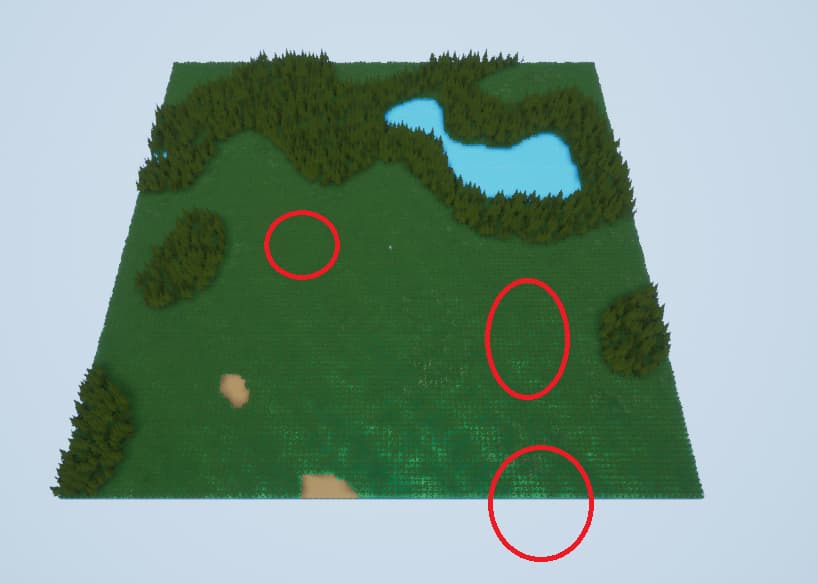
Unreal Engine Forums
Hi there, I build a 2D World Generator with Simplex Noise and I am quite happy with the result. Now I would like to add resource patches like in Factorio but I feel that Perlin/Simplex Noise isnt really suitable for that, because I need: Control over size, amount of patches, distance between them… overall just much more control. Not impossib...
prime willow
is there a possible problem with linking a state machine to 3 or more other state machines that they shuld be able to translate into via inputs or lack of inputs?
or should you only link from roots to first extensions
twin folio
hey guys, does anyone know why my gizmo is not showing for my exponential height fog?

wait a minute, as a matter of fact none of my gizmos are showing up. Weird
 chilly schooner
I've got a spline road that I want to prevent players from walking off of. I'm assuming I want to use blocking volumes around the edge everywhere, but is there a better way than adding these manually? Can I make some sort of custom physics mesh around my spline's static mesh?
 stuck linden
does anyone know why its returning false
 rough kraken
im no pro yet, but i don't think even if i was, from that pick i couldn't say XD
dumb noob question! why is this directory empty, but if i check it for references i get this

X__X

 stark gyro
the lighting is really dark and idk why

any ideas?
its light everywhere but the character is dark not light
rough kraken
not perfectly sure, but it looks like you have some light options OFF in your output window
that is from your output window right?
prime willow
im realzing that through the state machine system
i can have incredibly flexible and fluent transitions between actions if you set it up right
itll look like spghetti tho xD
 desert flume
Im brand new to unreal engine. Can you create characters in blender to use in an unreal engine project?
plush yew
Most definitely yes.
desert flume
Awesome thanks for the help
 burnt marsh
I've experienced some odd behavior in the provided top-down template. In the editor it works as expected, but in the Mobile Preview the actor, well, acts dumb.
Instead of walking around the cube he is walking against it, sliding left or right until he might be able to pass... or not. What's the issue here?
In more detail... In editor point and click can navigate a maze, however, on mobile he just bumps into a wall and gets stuck.
I am suspecting that the nav mesh differs on mobile, probably being super low res, since you can't pass passages that you could pass through in Editor when moving the cubes too close.
Not sure how to circumvent this, to have identical behavior in Editor as on mobile
 gray basalt
Is it ok to handle all links between C++/BP in assets stored in game instance ?
 azure nimbus
@stuck linden well clearly your online sub system function is returning false... add a breakpoint and step through it
 exotic plover
Hey there good people, I was wondering if someone here can give me some advice or insight on Unreal Chaos destruction. I have heard it is buggy, but when i was using it with a VR game i implemented some blueprint nodes and after every game preview in the editor it would crash my computer after i closed the game preview window, Is this related to chaos or is this a blueprint thing?
exotic plover
desert flume
Awesome thanks for the help
Consider Zbrush if you have lots of art to make, i recommend it over blender any day
Though it costs a fair bit.
prime willow
is there a node for splitting your blueprint across twice
like row one will fire as row 2 fires
like branch
pliant junco
prime willow
is there a node for splitting your blueprint across twice
sequence i believe
pliant junco
so u want 2 falses?
pliant junco
im not sure for this but i think, u can add a sequence node to true in branch. correct me if im wrong
desert flume
exotic plover
Consider Zbrush if you have lots of art to make, i recommend it over blender any...
Noted. Ill be doing my research. I appreciate it
brittle plume
Hi!!!
 fierce spade
hello! I need help! I don't know anything about blueprint, I want to know that how can I link the location of pointlight (or spotlight) in the scene to the Angle of Skylight. please help! thank you a lot!

I don't know what to do now 😭
brittle plume
fierce spade
hello! I need help! I don't know anything about blueprint, I want to know that h...
Write in #blueprint
I think it's the right chat
fierce spade
ahh thanks!
 red pond
guys, I've got two graphics cards from two manufacturers (AMD and Nvidia), how can I clearly and explicitly communicate to Unreal Engine to use only AMD card or only Nvidia card?
brittle plume
red pond
guys, I've got two graphics cards from two manufacturers (AMD and Nvidia), how c...
🤷 idk
sterile lichen
stuck linden
does anyone know why its returning false
editor works only with OSS Null, Steam and others can be loaded only in Standalone
plush yew
i keep getting this error when exporting my mesh
Imported bone transform is different from original. Please check Output Log to see detail of error.
i did do some research but nothing was helpful on it i know its probably a stupid question but how would i go about getting rid of this error? the only helpful or barely helpful thing i have found was its a error that isnt to much to worry about but i still would like to fix it just in case
i am a little knew to exporting a custom rigged mesh so i have no idea what i am doing i did try a while ago but just scrapped it because i had no idea what i was doing
 astral phoenix
Hello im having a problem when i want to do some landscape i cant seem to do anything and i have this big square marker and not the sphere one, can someone help me? 🙂
https://gyazo.com/e0e01535d2829e8e14ee4a036061736e
 honest vale
hard to say anything without seeing what tool you have enabled
but my guess is you have some landscape component specific tool enabled
astral phoenix
 green cradle
Why can i not open my project??? O.op

Its corrupt?
i see it here, but it gives me an error when i try to open it


 drifting elbow
it basically says what's the issue: you don't have an app association between uproject files and Unreal. It's a windows thing
opening from launcher should work, btw (double click the icon in the launcher)
green cradle
theone i took the screenshot of? the error comes up if i double click it
drifting elbow
do you have UE5.0EA installed?
green cradle
if i open the engine instead of the project, my recent projects are blank
Yea, ii started using it yesterday
And i saved it all before i closed it
drifting elbow
well, there are some known issues with project visibility and UE5.0
green cradle
So theres no way to retrieve my project?
 modest trench
I wonder what occurs if you open the file with Engine\Binaries\Win64\UnrealEditor.exe using Open With?
ue actually uses a list of engine installations somewhere in the registry afaik
I'm not entirely sure what the default "open this" thing for .uprojects actually is


 modest trench
if that worked try setting it as the default
hopefully it works with engine version associations for when you inevitably have 3 different engine versions ¯_(ツ)_/¯
green cradle
yep, that works perfectly, i just cant open the project through the epic launcher 😛
Thank you
 brittle sedge
how can I make a slippery/ice effect?
modest trench
green cradle
yep, that works perfectly, i just cant open the project through the epic launche...
I would at least google the error message (but assume ue4 answers are relevant to you)
the issue has a decent chance of happening to older versions and there might be a better solution
there's the real answer
green cradle
Looks like i dont have that UnrealSelector at all
modest trench
it might also be inside your engine binaries UnrealEngine\UnrealEngine\Engine\Binaries\Win64\UnrealVersionSelector.exe
burnt marsh
Why is it that in the top-down template the character can perfectly navigate a maze on his own point and click in the editor, while on mobile preview he's just running straight into a wall?
 green cradle
thank you @modest trench! Worked like a charm
burnt marsh
burnt marsh
Why is it that in the top-down template the character can perfectly navigate a m...
nvm, I found the problem... in mobile preview the procedurally generated terrain differs from the one in the editor, oddly the navmesh, however, is still as seen in the editor, which causes problems in navigation. Can someone explain how to adjust this so the navmesh is adjusting to the terrain on mobile?
 stuck linden
does anyone ahve any idea what plugin is this
 burnt marsh
since the cubes have collision, and the navmesh prohibits navigation in areas that are invisible (based on the editor's exclusion) navigating is almost impossible in mobile preview
green cradle
is it normal for my terrain sculping to stop X distance away from water?
 astral phoenix
honest vale
but my guess is you have some landscape component specific tool enabled
astral phoenix
honest vale
but my guess is you have some landscape component specific tool enabled
Could u help me with my issue?
 sacred spade
hello is theres a single tutorial on how to make the mobile game drag and pan camera for unreal engine?
 green coral
o/ waht would be best gpu for ue5? 3060/70 or amd 6700xt?
I can not find much about it other than amd still has like half of raytracing performance
south valley
I FINALLY GOT UNREAL ENGINE
FINALLY
IT TOOK OVER NIGHT
AND WHEN I WOKE UP IT SAID 50% I THOUGHT I WAS A GONER
BUT THEN.. THEN
IT RANDOMLY BECAME 100%
 cunning edge
 formal cedar
south valley
formal cedar
south valley
How do i delete a project
manic flicker
I have very basic coding experience (High school computer science lessons) Do you think I should try to learn c++ or stick with blueprints I want to know which one would be more beneficial in the future instead of trying to learn both at the same time
fierce tulip
depends on the person using them.
getting to know blueprints helps you understand the cpp part of it.
can always move to cpp once you have a better understanding of blueprints and want to expand upon them.

 queen river
any unreal engine wizards in here i need some help pls (i posted my problem in #animation )
green cradle
Hello. i started a blank project and made my world. is it possible to somehow get the car from the car demo and put it into my project?
first time unreal user
stuck linden
green cradle
Hello. i started a blank project and made my world. is it possible to somehow ge...
put it on your project content folder
 green cradle
Huh?
stuck linden
green cradle
Huh?
Right click the car blueprint and migrate to your project
green cradle
Do i have to make a project to get that? im not understanding
im brand spanking new
thick herald
Which car demo are you referring to?
green cradle
erm
gimmie a sec
this, i just want the car and the controller from it i guess

Just so i can drive around my level
thick herald
Yup, you can add that. Give me a mo and I'll screenshot the place to add it.
green cradle
Sure, thank you 🙂
south valley
I got a vertical sprite sheet and unreal thinks its horizontal
how do i fix this?
PLSSH ELLPPP
thick herald
green cradle
Sure, thank you 🙂
Ugh, it's taking too long to boot up, here's a video 🙂 https://youtu.be/wGHU_RhxV44?t=17
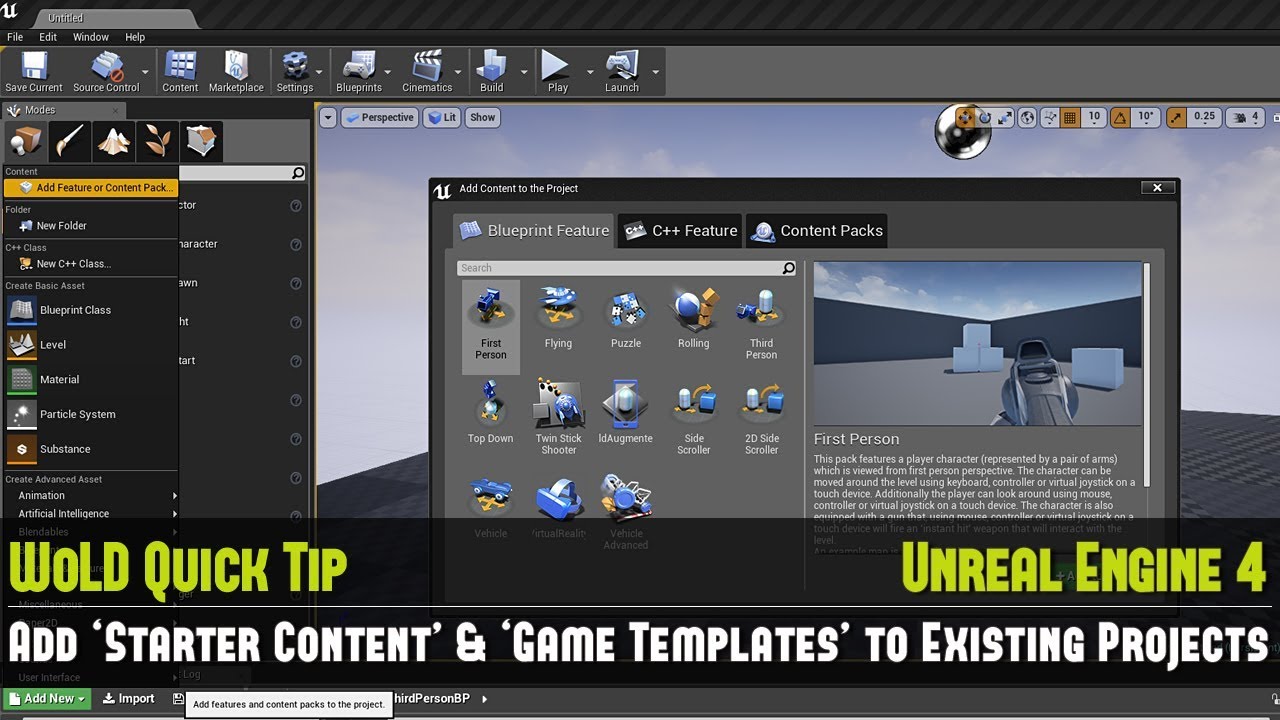
Full UE4 Quick Tip Playlist: https://www.youtube.com/playlist?list=PL_c7yiTIRI8rPQfsNytgjgJh-bssWUczX
How to add "Starter Content" or a "Game Template" into an existing project or an empty projects.
WoLD UE4 Tutorials List: https://www.worldofleveldesign.com/categories/cat-ue4.php
WoLD Twitter: https://twitter.com/GameLevelDesign
WoLD Instagr...

 spare kernel
@south valley no one here is required to help you, people help you because they want to help. Just be patient. If no one replies, reconsider the question and ask again in a few hours.
 cyan bronze
Any setting i could use to make the niagara system to update faster and earlier. The particle starts from my muzzle socket witch is on tip of my barrel. Can i make it so that i can actually SEE it start from the tip of the barrel

 south valley
spare kernel
<@!833786535492321321> no one here is required to help you, people help you beca...
south valley
spare kernel
<@!833786535492321321> no one here is required to help you, people help you beca...
Ok that was almost 10 mins ago LOL Ofcourse I know or else I wouldve went into a full argument with the mod
oh lol ur a mod
green cradle
it doesnt make sense, i change the gamemode to the ADV Vehicle controller but when i press play, it just does nothing
Could anyone assist me? 😭
south valley
I FINALLY GOT IT
THANK YOU LORD
AMEN
ALL OF YOU PRAY THAT U WOKE UP THIS MORNING
green cradle
I had a blank project, i made my gameworld. I've now imported the ADV car demo from the starter content, changed my gamemode to the car... But nothing happens
If you need a video of whats happening, i can get that gladly
 full gale
🦊 "So an In-Game Menu & an Interactive System walk into a bar..." https://www.twitch.tv/divinedevstudios/ 🦊

Twitch
DivineDevStudios streams live on Twitch! Check out their videos, sign up to chat, and join their community.
 grim ore
@green cradle"nothing happens" isnt very helpful to figure it out. And your assuming the car game mode is what is spawning in that vehicle in that template.
did you check to see what default pawn that custom game mode uses? did you check out how the sample map with the template is controlling the car?
green cradle
I have no idea what any of that means, im brand new
i've watched many tutorials
they import the asset. change gamemode in project settings, press play. and it works
Mine does not
@grim ore
 idle summit
green cradle
<@!218779540359479297>
idle summit
green cradle
<@!218779540359479297>
I'm not certain but you may need to adjust your player spawn position, it seems like it may be under the map or something from the look of it.
Greetings all!
green cradle
idle summit
I'm not certain but you may need to adjust your player spawn position, it seems ...
How would i do that?
idle summit
What template is this from by chance?
I'm still also new and learning but I would be happy to take a peek for ya
green cradle
its a blank project i made today. and i just imported the vehicle template and trying to make it work
green cradle
thick herald
Ugh, it's taking too long to boot up, here's a video 🙂 https://youtu.be/wGHU_Rh...
I followed this that MOA posted, yet his works, mine does not
idle summit
It doesn't look like there is a default pawn set in there, does it give you any options for setting that by chance?
Not sure on if this would utilize that or not being the type of game it is
green cradle
where would i find that?
 idle summit
it would be in the maps and mode settings page where you went before
right under game mode I believe
green cradle
 idle summit
anything selectable for default pawn class?
green cradle
 idle summit
Sometimes with these you just gotta fiddle around with them until you can make them work i've found lol, but I also like picking stuff apart and messing with stuff 😬
 heavy wadi
does ANYONE have a fix for the HISM crash in 4.26?
green cradle
With default pawn, im not longer inside the meshes, But still nothing really happens
grim ore
@green cradleso when you say you watched many tutorial and this is what they did? is that for THIS EXACT TEMPLATE PACK or in general? because..
green cradle
they used the 3rd person and 1st person content pack
grim ore
yep, those are not the same
green cradle
it will be the same
idle summit
ah
grim ore
the fact it says NONE for the pawn is why its not spawning in anything... its spawning in NONE
you cant assume 1:1 when programming if its not identical
green cradle
theres no vehicle pawn though..
grim ore
so I mentioned did you load up the example map and see how they are doing it?
green cradle
I'll try it now
grim ore
they are using what most of the other example templates do, a manually set up auto possessed pawn already in the level
idle summit
I'm so happy, I finally have a computer that I'm going to be able to dive into UE with again =x
If you ever want to convince your wife you need to spend the money to buy a better computer just try loading UE on a Microsoft Surface tablet 😂
green cradle
grim ore
they are using what most of the other example templates do, a manually set up au...
opened the demo project. Can't move the default car
idle summit
controls set?
grim ore
if you added the template pack, it should have added the controls. your going to have to check
green cradle
took 5 Play presses to make it work
Ah. it seems i need to install the chaos vehicle plugin
grim ore
if your using 5, its possible. You shouldnt be learning on 5
 rich oar
Don't mean to be redundant but I didn't know where this post belongs.
So I'm working on an FPS character controller from scratch and have a few questions:
For debugging, I moved the characters mesh and camera/etc back so that I could see the capsule component in game.
Question 1: is there a way to use a debug type of capsule component to show the same result instead of actually having to move the character mesh and camera back away from the capsule component ? You obviously cannot move the capsule component forward by itself because it's the root.
Question 2:
is there a way to make the adjustment of CapsuleHeightSize not affect the actual position of the child actors ? The way I am getting around this currently is by adding the difference to the body and camera spring arm. Because of this.... When I am using VInterpTo:: to smooth the crouch function, it causes it to snap... Obviously because of the setting of relative position adjustment upon reducing capsule height size...
I'd appreciate any help I can get.


 winter gale
Anyone seen this? Maybe this is old but I came to know about it right now. https://angelscript.hazelight.se/
 atomic marten
So I've made a trigger in UE but for some reason the "OnActorBeginOverlap" doesn't trigger when I use a ball I've made but it does trigger when my character walks through it. Am I missing something here?
 grand oyster
so im making a game about super speed and im not sure how to stop my character from sliding when i stop also how to i make my character always face the way my camera is facing
 autumn bluff
atomic marten
So I've made a trigger in UE but for some reason the "OnActorBeginOverlap" doesn...
autumn bluff
atomic marten
So I've made a trigger in UE but for some reason the "OnActorBeginOverlap" doesn...
Maybe the collision type of the ball
 vestal anchor
Is there anyway of seeing what assets are taking a long time to load? Or just in general see what order the engine is loading up assets, both in editor and packaged projects
runic fern
Hello Guys I'm trying to package APK with 4.26 since 3 days not working

i have this error now
grim ore
@rich oarthere are "Draw Debug" nodes that you can use to visualize an object like a capsule, or you can turn on the visualize collision option to see your actual collision.
@runic fernyour error is above that
runic fern
i will send the log
rich oar
I do have the capsule collision visible in game, it's the fact that I'm having to move the mesh and camera at an offdet to see it. That's what's messing it up. I'll look into Draw Debug
Thanks
runic fern
not this xD
ok now this is the whole log
first red error was this Mathew
java.lang.NoClassDefFoundError: Could not initialize class org.codehaus.groovy.vmplugin.v7.Java7
yep that looks like the issue and there are a few references on the internet to why
runic fern
what do i need to reinstall jdk or gradle i installed the SDK and NDK about 150 times since 3 days 😄
grim ore
you need the correct matching files. I dont know what you have or what you are using but this post has info for .26 https://answers.unrealengine.com/questions/963711/ue4250-could-not-initialize-class-orgcodehausgroov.html
runic fern
yes i found that im using the latest version of SDK and NDK so i reinstalled the android studio 3.5.3 to get the recommended version
grim ore
latest version might not be the right one is the issue
runic fern
i will check the JDK and see
grim ore
I dunno, I do know that post has version info and what they did to get it to work on .26
wintry torrent
Hey guys any recommendations for udemy course
charred leaf
@wintry torrent Do you have any experience programming?
wintry torrent
Yes
For gaming though I kinda like blueprint
it was fun when i was messing with it
@charred leaf im looking at 2 courses right now i am not sure how they are
grim ore
why not use the free courses that epic provides?
charred leaf
@wintry torrent I was trying to find a course for you on youtube that is called 1st hour with unreal engine or something to that effect that was good. Honestly if you already have programming experience you probably just need to familiarize yourself with creating 3d objects and manipulating them.
I think the one I was looking for was one that Epic made. Not sure if it still exists.
wintry torrent
Oh ok I was just wondering because they were on sale. I have been using Unreal Engine 5 pass couple days too
charred leaf
Mathew is right though, you're better off just using Epic's tutorials and then messing around with the engine.
plush yew
hello everyone I have a problem importing with an fbx file why it does not want to open on unreal because I have a bug at 80% wtf
wintry torrent
Thx @charred leaf @grim ore
 void crater
Hi everyone, so I'm having a weird specific issue with importing animations in UE4 and assigning it to different models, I made a video about it, can anyone just spare 6 minutes and give it a watch? See if anyone can help me with this?

I didn't know how else to explain this issue other than to shoot a video about it. Thanks for taking the time to watch this, if you know how to fix this please let me know.
I'm using Cascadeur for the animation itself, the assets from the UE4 Marketplace are Knight Errant and Knight Man. I forgot to showcase how it looks like with the Character...
grim ore
@plush yewso you have a problem, but we dont have enough info to help out on your problem. Was it just to complain or did you want help?
charred leaf
I'm going to hang out in the lounge if anyone is interested in chatting while they work on stuff. It would be good to meet others also doing this.
 hard pilot
hi, i need help with unreal engine, i wanted to ask a question about lighting?
what channel should i post my question in?
plush yew
the two
hard pilot
i would like viewport unlit to be the shading in my final game

how can i do so?
i know theres a way to do it with the command prompt but it's only temporary
i tried
they just become black
 sterile lichen
winter gale
Anyone seen this? Maybe this is old but I came to know about it right now. https...
sterile lichen
winter gale
Anyone seen this? Maybe this is old but I came to know about it right now. https...
saw it quite a long time ago, mixed feelings
they discovered that writing code as text is easier than writing blueprints visually. discovery of the century. but their designers now write close-to-cpp code now and boost their skill as if they all semi-cpp programmers
hard pilot
?

what should i do now ><
ohh
ok
omg perfect!
it worked!
thank you so much


runic fern
runic fern
first red error was this Mathew
```
java.lang.NoClassDefFoundError: Could not i...
Mathew now this issue solved when i downloaded JDK v.8
but this one still
UATHelper: Packaging (Android (ETC2)):   FAILURE: Build failed with an exception.
UATHelper: Packaging (Android (ETC2)):
UATHelper: Packaging (Android (ETC2)):   * What went wrong:
UATHelper: Packaging (Android (ETC2)):   Could not determine the dependencies of task ':app:compileDebugJavaWithJavac'.
UATHelper: Packaging (Android (ETC2)):   > Installed Build Tools revision 31.0.0 is corrupted. Remove and install again using the SDK Manager.
UATHelper: Packaging (Android (ETC2)):
UATHelper: Packaging (Android (ETC2)):   * Try:
UATHelper: Packaging (Android (ETC2)):   Run with --stacktrace option to get the stack trace. Run with --info or --debug option to get more log output. Run with --scan to get full insights.
UATHelper: Packaging (Android (ETC2)):
UATHelper: Packaging (Android (ETC2)):   * Get more help at https://help.gradle.org
UATHelper: Packaging (Android (ETC2)):
UATHelper: Packaging (Android (ETC2)):   BUILD FAILED in 9s
UATHelper: Packaging (Android (ETC2)):   ERROR: cmd.exe failed with args /c "D:\Ue4Project\Virtualmall\Intermediate\Android\armv7\gradle\rungradle.bat" :app:assembleDebug
PackagingResults: Error: cmd.exe failed with args /c "D:\Ue4Project\Virtualmall\Intermediate\Android\armv7\gradle\rungradle.bat" :app:assembleDebug
UATHelper: Packaging (Android (ETC2)): Took 13.7866002s to run UnrealBuildTool.exe, ExitCode=6
UATHelper: Packaging (Android (ETC2)): UnrealBuildTool failed. See log for more details. (C:\Users\abood\AppData\Roaming\Unreal Engine\AutomationTool\Logs\H+UE4+4.26+UE_4.26\UBT-Virtualmall-Android-Development.txt)
UATHelper: Packaging (Android (ETC2)): AutomationTool exiting with ExitCode=6 (6)
UATHelper: Packaging (Android (ETC2)): BUILD FAILED
PackagingResults: Error: Unknown Error
a text version of blueprints would be much nicer
not to the point of old UnrealScript
but still, blueprints are literaly hell to write anything complex. a simple game mode logic covers three screens in both directions
stuck linden
does anyone know why my buttons have this weird border around them?
 sterile lichen
button outline ?
stuck linden
sterile lichen
button outline ?
How do i remove it
grand oyster
making a game about super speed and im not sure how to stop my character from sliding when i stop also how to i make my character always face the way my camera is facing
plush yew
I need to go up on the stairs so I wanted to know how to do it thank you ^^

PLEASEEEE
runic fern
Create coillision for the stair
 shell tide
plush yew
shell tide
plush yew
Hey, looks like you just need a collision for your mesh. it's very simple to solve. you just need to model a ramp. following the proportions of the stairs. You can do it on Unreal or an external 3d package, like maya or 3ds max
plush yew
ok
shell tide
did you model the stairs at an external 3d package or did you get a pre made stairs in unreal?
winter gate
plush yew
I need to go up on the stairs so I wanted to know how to do it thank you ^^
Convert to a static mesh then add collision either by manually adding in collision volumes or by using the auto generated simple collision option.
winter gate
grand oyster
making a game about super speed and im not sure how to stop my character from sl...
You can increase the amount of ground friction for that particular character’s movement controller component.
winter gate
We’re all bots here it’s just you.
 glacial lake
lol
i have a really good question
I've been working on my character for the unreal from blender. do anybody have any tips about eyelashes
come on bots
burnt marsh
haven't had any luck today either
still sitting on an issue with "dynamic" navmesh in builds, where it generates a completely different one than my procedurally generated level.
in editor it just works like a charm, but that's it.
burnt marsh
yeah, no help from bots 😄
hidden sparrow
🤖 Beep Boop, Question too hard
grim ore
well your asking a specific question in the general channel, try #graphics since your asking about graphics
glacial lake
so nobody draw faces
grim ore
and no, nobody draws faces we all use Metahumans now
burnt marsh
Mathew, you are a legend, I watched so many tutorials of yours
Do you have any clue what this could be caused by?

the navmesh in builds, not in the editor - there it's just fine - uses a differently generated level than the shown level.
I thought the dynamic setting was supposed to be... well, dynamic
grim ore
i dont, I have not used procedural generation much. your log might point out something weird but yeah dynamic should be dynamic if the objects are correct
winter gate
I have a similar issue with the game doing funky stuff in standalone vs PIE it has something to do with the order of things being loaded is different in a build vs play in editor.
burnt marsh
I found issues regarding this for 4.23 as well on the forums, so I don't know if it's a bug
grim ore
from my testing if your floor is blank with a normal nav mesh then you introduce obstacles it should generate around them, it looks like its generating but with the wrong settings. Since this is procedural are you sure your meshes collisions are correct?
burnt marsh
yes, in the editor it works like a charm
it's just the builds, PC, Mobile, doesn't matter
hidden sparrow
Hey, I have an animation in blueprint that changes the image tint to red and then sets the opacity to 0. Is there a way so I can have only 1 animation and then change the picture that is animated? Or do I have to have animation for each image?
grim ore
maybe start introducing delays to randomly test stuff. like load your world with no generation and see if its fine. then wait a few seconds and generate 1 item and see what happens.
burnt marsh
thanks, I'll try that one
grim ore
its just weird since it has something it is using for its generation, it doesnt look like the meshes but maybe it is just offset
@hidden sparrowif your using the UMG animation system, you probably have to have 1 animation per image since those are tied into the properties on that widget. If you do it by hand, you can probably just swap in the target for those blueprint nodes in code
burnt marsh
winter gate
I have a similar issue with the game doing funky stuff in standalone vs PIE it h...
Yes, that was exactly what I was thinking...
Also, one issue I see with generated levels is the dynamic lighting for mobile, that's gonna be something to watch out for
grim ore
yep, without lightmaps your going to have fun
burnt marsh
I already had to fake ortho because there are some shadow issues, so I am feeling I am having a bad start with this kind of prototype already 😄
grim ore
sounds like picking the hardest concept to try and test 😦
burnt marsh
Guess challenges make us more experienced to work around issues in the future
So that's a good takeaway
grim ore
yep as long as your willing to keep trying and know that it might just not work right at some point its a valuable experience on the way there 🙂
 hardy cobalt
Hello there! I'm struggling with setting up VR hands on Oculus. What channel do I even go to?
grim ore
hardy cobalt
dah.. Thanks!
 gleaming hawk
where can I ask a question about UE?
 simple ember
hey guys, sorry for disturbing but I need help with 1 thing, I created a landscape from blank template and then imported the third person template but when I press "play" everytime the game launches on the point of my camera in editing mode, someone knows how to make the game always start with focusing on the thirdpersontemplate character camera?
thank you for help
 grim ore
@gleaming hawkask here if its general, or in a #channel if its specific
@simple emberdid you set up that character for use as the default pawn? did you set that character for auto possess? did you manually possess it? you need to do something to tell the engine that this is the character you want to use (what if you have 100 of them in the level?)
simple ember
well idk exactly what to do with the pawn and stuff but I know that I set up only 1 in level
grim ore
yep you need to do one of the 3 things I asked if you did
the engine needs to know what to use for the player to control
simple ember
hmm ok I understand, but i kinda don't know where to find that
would you help? please
oh no
wait
i fixed it
thank you
i changed this

thank you for helping me!
gleaming hawk
Whats happening? Bought a bunch of stuff in the marketplace and when looking in the cart, in each item it gives me a "!" saying there is no supported engine installed... I try and upgrade to 4.27 and i keep getting the message that I am running another instance of installer even though I am not. Considering a fresh install but wondering if I might lose all of my assets that are in my library. Help, please!
sterile lichen
gleaming hawk
Whats happening? Bought a bunch of stuff in the marketplace and when looking in ...
not all plugins updated to support 427 since it released only 5 days ago, check each of them
 desert verge
Anything good on sale?
grim ore
@gleaming hawkthere seems to be a bug right now with the ! mark, it does that even on compatible stuff (I think UE5 has something to do with it) so you can ignore that part, just look at the supported versions line
as for the upgrade and such, maybe something is updated (check the bottom left), if not restart the PC and launcher and see if you can add 4.27. Your vault cache (stuff you have downloaded off the launcher) and your projects are usually not stored where your engine is so removing the engine(s) wont remove them
burnt marsh
Mathew, fyi I solved the navmesh issue, was a bit unorthodox, but an execute console command rebuildnavigation after generation did the job
grim ore
that was going to be a suggestion but I didnt know how you were doing all your loading. Its weird dynamic navigation was having an issue tho
burnt marsh
yeah, not sure, maybe it's related to instanced static meshes
plush yew
how can i asign a collision complex to many objects at same time?
rough kraken
Dumb question - how can I actually add params to a object's "SpawnActor" node?
Seems like the answer is "no, just derferr spawn and call some "set" functions
grim ore
open the actor blueprint, click on the variable you want to expose, check the "Expose on Spawn" checkbox, profit? @rough kraken
 vagrant hornet
Ultra Dynamic Sky is the best sky addon correct?
rough kraken
or is that editor only?
grim ore
in C++?
rough kraken
yeah
grim ore
rough kraken
ty again :D... ill have you know while I google most of my questions your videos are coming up lol
grim ore
🙂
rough kraken
i know a lot of my noob questions are probably pretty "why would you do that?", but as I've said before most of "why" is because i am mostly focused on learning, not just finishing up whatever happens to have spawned that question
grim ore
nothing wrong with "why would you do that" when learning... its... learning lol
sterile lichen
rough kraken
Seems like the answer is "no, just derferr spawn and call some "set" functions
there should be Spawn deferred and Finish spawning bp nodes
in between you can set rest of props
rough kraken
ty 😄
sterile lichen
rough kraken
Is there a way in code to mark that?
for code meta=(ExposeOnSpawn)
 tawdry path
Hey guys, basic question. I have been trying to scale up some basic block out houses I made, cant get them to scale properly. Have been surfing google for a good hour now, so decided to try discord.
TLDR : How to make unreal scale like the house of the left.
 rough kraken
weird, it seems to be staling their location not their size
tawdry path
I think it is scaling them in a non uniform manner. but im not sure.
rough kraken
moment
when i scale my object its working as you expect

so i am not sure what you might've selected
tawdry path
its a collection of cubes rotated and scaled to make the house, not one house 3d object. if that makes a difference.
but thanks anyway
grim ore
first question is where are the pivots on the objects on the right, and are they all one "group" or just individual items?
tawdry path
this shows it ignoring the direction as well. the door clearly is scaling forwards and backwards not left right :/
 grim ore
and answering that will give you the issue
tawdry path
they are grouped. , my undertsanding is they are all using the same pivot.
but ill double check that thanks.
grim ore
its very possible the item in Unity is under a master game object and they are scaling that
tawdry path
the top example is grouped the bottom isnt
the top is the main one, but thanks for checking.
grim ore
your going to want to merge them into one asset, or parent them all under something that you scale. your individual assets are all scaling appropriately
tawdry path
ok ill try that. thanks 🙂
 vale grove
Is there any expert with widget here?
I want know how to make big widget and i can move my mouse in it and explore inside it
grim ore
do you have an example?
vale grove
If you know the game salt and sanctuary they have skill tree so big
You can check it on youtube
Showcasing SaS' skill tree and the content is just INSANE
SALT AND SANCTUARY
https://store.playstation.com/#!/en-gr/tid=CUSA04261_00
runic fern
Mathew i ve removed the build-tool for android and its downloaded again
And the issue was fixed
But can make the mobile project using shadows?
The ETC2 doesnt have shadows
plush yew
What would I need to look up to figure out term wise
Make my actor attack
in the desired 8 way direction
the stick is leaned onto based on the targetss surrounding my character, for reference Spiderman ps4's combat, sifu's combat, absolved combat.
Don't need a break down or explanation just the term(s) I can search to go figure out how to make this happen
 zinc shore
why dose the server say that my characters velocity is none despite it moving
grim ore
@vale grovethat wold be doable, but its very complex and depends on how you want to set it up. You can manually zoom in and out of widgets using things like scroll windows and canvas panels
vale grove
grim ore
<@!272730960037150721>that wold be doable, but its very complex and depends on h...
I want to atleast understand the basic of this
vale grove
grim ore
<@!272730960037150721>that wold be doable, but its very complex and depends on h...
I know it is complicated thats why i come here to ask
grim ore
well what skill level do you have?
vale grove
I am Beginner working one my first game
grim ore
you need to learn the basics then, this is not the basics. Start with the learning material from epic, including one on UMG
vale grove
I did learn alot but still so much to learn
If u can hive me tips for this skill tree system i would be thankful
prime willow
grim ore
well my tips are use the canvas panel and learn how scaling works
vale grove
grim ore
well my tips are use the canvas panel and learn how scaling works
Ok thanks will try
 tame comet
Hey everyone - I'm looking for character models for medieval npcs - guards, peasants, etc. Where would be the best place to look for this? The Unreal Marketplace is kind of dry.
prime willow
try art station and i believe theres a site for this
i cant remmeber the name something like sketchfab
fiery notch
I'd just google for free models and find some that work
If that doesn't work, get some armor and weight paint it onto a base character
Shouldn't be too difficult
Esp. since there's automatic weight painting
 nova portal
Do we have a help channel? I've got an issue where my layers when doing landscape painting look square and not smooth.
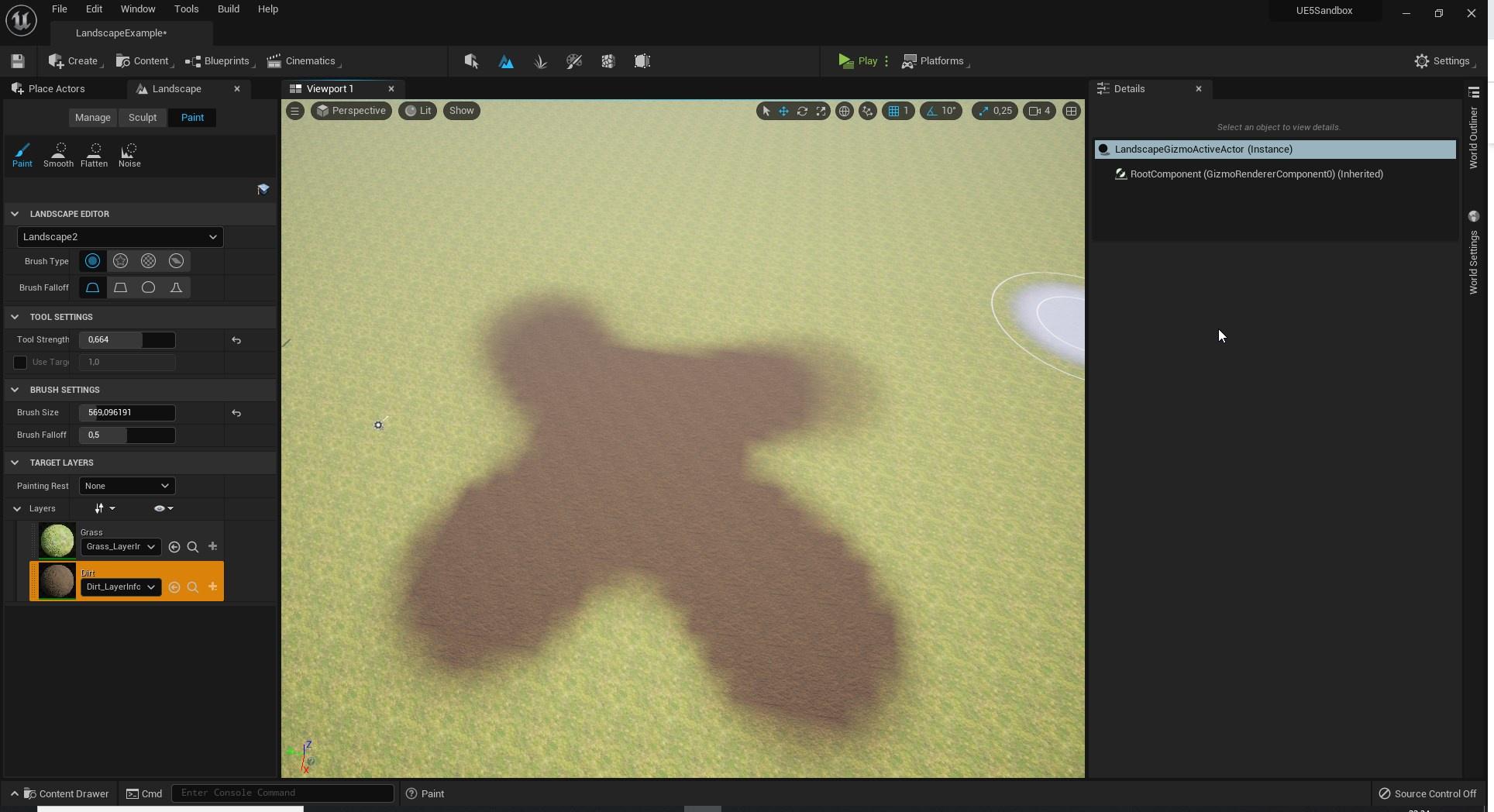

this is with brush falloff 0
tame comet
fiery notch
If that doesn't work, get some armor and weight paint it onto a base character
Can you explain this a bit more? I'm new to modelling. Even if you can tell me what to look up I can find some tutorials. Thanks!
 humble bay
Does anyone know where I could find a ready-made VR unreal game WITH the scene (not just the .exe)? I want to practice sound integration
obsidian nimbus
@humble bay robo recall mod editor?
fiery notch
tame comet
Can you explain this a bit more? I'm new to modelling. Even if you can tell me w...
Yes! So first of all, do you use blender?
I know that weight painting is around in other programs, but I’m a blender native. So i can give much better instructions if you’re using blender as well
plush yew
someone is
how to master the guismo of the axes x y z please sure the object because it is 50km lol thank you
 autumn flame
Hello everyone, wanted to ask something
With Oodle introduced in 4.27 and different compression methods
What's more important, compression ratio or decode time for games?
I know default one is Kraken method but there's Selkie who is infinitely faster in decode time and a lil better than Zlib in compression ratio too
sterile lichen
usually compression happens during cook so irrelevant for gameplay but fast decompression speed is actually useful for game
autumn flame
Was looking at this

 stoic moth
hello, just curios why do i see what looks like a double rendering of my scene when i do a ProfileGPU ? This is taken while playing in the viewport of the editor (i know it's not the best but just curios to know) PS: when playing standalone game, it has only 1 scene.
 autumn flame
Cheers Aquanox ❤️
stoic moth
also has anyone encountered a problem with AMD graphics cards, if i don't set this command r.bloom.halfresolutionfft 1 the fps halves just like that, the bloom quality doesn't seem to help as much at all as this single command
im running on a 6800m graphics card (laptop asus strix g17 advantage edition) but on the desktop with a nvidia 2070 super i never had this issue
 true ridge
What would be a clean way of having dialog mixed in with camera cues? Kinda old RPG style where there's a text box waiting for player input before changing to a new camera.
plush yew
hi, i am using the 4.26 version and i'm trying to make an ocean. I turned on the water plugin but the water seems to be invisibile
 true ridge
plush yew
hi, i am using the 4.26 version and i'm trying to make an ocean. I turned on the...
true ridge
plush yew
hi, i am using the 4.26 version and i'm trying to make an ocean. I turned on the...
Ocean plugin?

 distant totem
plush yew
uh
distant totem
plush yew
uh
there is a level in the content folder of the water plugin, copy that level (dont modify the one already there) and use that as a base
plush yew
distant totem
there is a level in the content folder of the water plugin, copy that level (don...

starter content?


