#ue4-general
1 messages · Page 1039 of 1
 sturdy trail
 regal mulch
Same engine version?
regal mulch
Hm, was the project created on that PC or dowloaded?
Maybe the Launcher isn't picking it up
Do you see the project in the Launcher in the project list?
sturdy trail
I downloaded a project with some assets that didn't let me add to project. But the one I'm migrating to is created on this PC. Just like all the other projects which are available to migrate to
I'm not sure what you mean by in the Launcher. I'm pretty new still.. do you mean the epic games page?
Launcher*
Ooh. Yea it's there
Hmm. When I go to the folder I have my protects set to save in its not there either. Outside the engine I mean. I'll try to find it. Not sure why it didn't save there
regal mulch
Not sure what could be wrong atm
sturdy trail
I think I figured out the problem. Somehow it was in a different folder. Never thought of that
regal mulch
Oki
sturdy trail
Thanks again for the reply. I'm glad there are people here to help. It makes all of us better
 fast path
Hey gang I really need some help
When I import meta human facial animation onto the sequence the program crashes
Any idea how I can fix this?
 exotic marten
@fast path check for drivers update on your video card. Helped me... little bit
 cinder scarab
Hello friends, make bp of all objects for performance and control through c++. Is nice idea or not? someone have some tip for this and perfomance
sturdy trail
Oh wow nope. Not there. I checked the download folder from epic in case I forgot that this project was downloaded and it's not there either. Computer can't find it when I search my computer. Yet I'm in the Project in Unreal. Hmm I dunno. I'll keep trying
 autumn latch


why i get this error
i can't select referance
can anyone help me for this please
 obsidian nimbus
@signal crater if you do c++ you should def install ur stuff on an SSD
check what ur pc is doin when it is compiling
if the cpu aint 100% doin something there is another problem
 midnight cloak
Somebody can tell me how build the project?
 worthy forge
Has anyone here released a game recently and if so how did you get ppl to test your game
worthy forge
midnight cloak
Somebody can tell me how build the project?

ACCESS the FULL COURSE here: https://academy.zenva.com/product/unreal-game-development-mini-degree/?zva_src=youtube-description-buildgameinunrealengine4
TRANSCRIPT
Now that you've got your game, you'll want to share it with people or post it online. Building a game basically means packaging it up in a format that doesn't require the game engin...
 feral dune
Hi Guys!
I’m not sure if this is relevant. But I’ll give a try asking this question!
I am planning to integrate Unreal Engine and ROS2 for my work. But I am not good at Programming and fairly new to Unreal Engine. It would be really great of someone help me with this or walk through if anyone of you have already tried this!
Thanks,
TK
 fluid lance
@worthy forgeWe will be releasing in Sept, we're testing now, I know what u mean, we worked hard and long, but in the end, I doubt anyone will hear/play our game as of now. If you suck at marketing (as I do), seek help, else drown like we do now, with a mere 36 wishlists on steam while probably 1/2 of them are friends 😐
worthy forge
fluid lance
<@!276871320027791360>We will be releasing in Sept, we're testing now, I know wh...
Someone unexpectedly emailed me from 'catapult' and haven't heard back from them lol but i posted about this on the Steamworks community site bcuz im releasing mine on Steam
worthy forge
fluid lance
<@!276871320027791360>We will be releasing in Sept, we're testing now, I know wh...
So far I've posted a Trailer on YouTube, 9gag, Instagram (including photos) and on some Subreddits..which i recommend to say the least if you don't have or use Twitter or Facebook. Reddit has soo many places to post
What is your game btw
fluid lance
@worthy forgei'll pm the link, here it's not ok
 regal marsh
Hi. I enabled RenderDoc plugin, but button for capturing snapshot didn't appear
 blissful zephyr
Hey everyone, trying to make an adventure capitalist like game and I am stuck on trying to figure out how to make a money counter, I understand you have to make a variable that will store the information but how would one go about taking that information and delivering it to a text box on a widget?
cinder scarab
Hello friends, make bp of all objects for performance and control through c++. Is nice idea or not? someone have some tip for this and perfomance???
blissful zephyr
Heres what I have so far, its not much and I am trying to figure out how to add just a number to the add node so it can increase by 1 whenever the button is pressed.
 regal mulch
That's a bit of a random setup
 fast path
exotic marten
<@!324189507484123137> check for drivers update on your video card. Helped me......
fast path
exotic marten
<@!324189507484123137> check for drivers update on your video card. Helped me......
Hm already tried that
blissful zephyr
What about this
regal mulch
That makes more sense
 thick herald
blissful zephyr
Hey everyone, trying to make an adventure capitalist like game and I am stuck on...
thick herald
blissful zephyr
Hey everyone, trying to make an adventure capitalist like game and I am stuck on...
Things to look up / research : blueprint communication ; casting
blissful zephyr
 thick herald
cinder scarab
Hello friends, make bp of all objects for performance and control through c++. I...
thick herald
cinder scarab
Hello friends, make bp of all objects for performance and control through c++. I...
This tells us nothing I'm afraid.
blissful zephyr
Yes! I got it to work, it goes up at a strange rate but I am sure I can figure it out, thanks for the help everyone! @thick herald I will take the time to research blueprint casting, thank you for the tip!

 frosty veldt
Very General question regarding delegates and data driven design.
Any one know of an approach to allow fast proto/iteration in this kind of scenario: I have a character who talks to various NPCs and let's say something happens in game or the player character decides to wear an accessory and i only want some NPCs react with a special message when they talk to the character.
The NPCs are essentially all of the same base class but may be instanced differently as they are different characters - different mesh, different dialog responses etc that are all data driven. In the case of the player doing something that would warrant special dialog from only select characters without some kind of "if" check (that doesn't scale well for multiple scenarios) is there some way of signalling an event or delegate that lets all subscribers now they should say a special message without specific c++ delegates? Any kind of way of matching something up in data tables that can be hot reloaded and iterated on quickly?
 unreal sonnet
frosty veldt
Very General question regarding delegates and data driven design.
Any one know o...
unreal sonnet
frosty veldt
Very General question regarding delegates and data driven design.
Any one know o...
What if one column of your data table was a list of Components they should have, so that your base Actor class can check the table to learn which components it should create for itself when it's created?
That way, you don't have to have all these subclasses of Actor everywhere
You just tell it which row of the Data Table to check and it'll load all the stuff it needs from there
frosty veldt
unreal sonnet
What if one column of your data table was a list of Components they should have,...
interesting! so, going a bit deeper, I could wrap certain delegates in a component and add those to actors in a data driven way?
unreal sonnet
Sure why not
frosty veldt
unreal sonnet
Sure why not
thanks for the inspiration 🙂
 slate vessel
Anyone have any tips for working with volumetric shadow casting lights in foggy scenes? It's being rendered out in a video but setting up shots is a bit laggy and its hard to work with. Is there a way to still visualize the volumetrics but perhaps at a lower quality to claw back some fps for setting up?
 long schooner
K couldnt find the channel for it but: i want to make a "picture" for my game and openable books and all, but I've been wondering how people do it. is it just like a a square mesh thats been squashed and have a photoshopped design for material/texture?

like so?
 pseudo belfry
RIP
 plush yew
How do I fix this? the physics asset works fine

but ingame it doesnt?
The nsfw bot triggered it so I had to censor it...
It works fine in the editor tho
no I just set it to ragdoll
simulate physics disable movement
 buoyant graniteBOT
:triangular_flag_on_post: IanH#0050 received strike 1. As a result, they were muted for 10 minutes.
plush yew
worked fine on the mannequin
 drowsy snow
Put the clothes on him next time 
 muted imp

 wary wave
...that is a question consisting of many, many different parts that nobody in here is going to have the time or patient to answer
you should probably break it down into smaller more attainable goals and work on it one small step at a time
(then ask questions when you get stuck)
blissful zephyr
Is their a way to make a function that creates a widget with specific details inside said widget like text, maybe an image or something like that?

As you can see I am trying to make multiple contracts to accept
and I would like to automate the game to make some of these widgets automatically
instead of manually making them
 prime willow
im really really stuck does anyone have time to help me out with umg gamepad navigations
my 3d widget doesnt work with controller inputs past summoning the actor
https://gyazo.com/395def3bf07342e0f1646e3560312666

the code doesnt seem broken,and everything compiles with 0 errors
yet when i try my print string for start menu close it doesnt work ._.
plush yew
Y blueprints are so complicated?
I will write 10000 lines of codes rather than using blueprint
plush yew
When playing with multiple PIE clients, is there a way to not lower the FPS of not-focused client windows?
the non-focused windows lose fps, the focused window behaves normally
 fast pendant
should i start learning ue4 or ue5?
 crude leaf
Hello everyone!
 lavish garden
hello
plush yew
 grim ore
ue4
grim ore
ue4
if i show you my widget setup would you be willing to point out where or in what ways am i lacking knowledge to complete this 3d start menu system xD
ive been at it for three days and dont get whats wrong
lavish garden
speaking of, i am watching the Engine Structure - Schematic vid. 35 mins of slightly more advanced than me.. i get the basics though, which is good.
 twin folio
Hey guys, I'm pretty new to unreal. How do I continue where I left off if UE4 suddenly crashes?
long schooner
twin folio
Hey guys, I'm pretty new to unreal. How do I continue where I left off if UE4 su...
If you didnt save, gotta do it again
 tiny trout
Is there way to allow passing a parameter to function via blueprint? without creating a variable and setting value then invoking function and getting value?
long schooner
tiny trout
Is there way to allow passing a parameter to function via blueprint? without cre...
You can’t pass a parameter if it needs some sort of value, without making it a value
But it depends of what you try to achieve
tiny trout
long schooner
You can’t pass a parameter if it needs some sort of value, without making it a v...

i am getting value of a variable which have been set before this function is invoked
which is not efficient
Possible to pass damage value to tht "Apply Damage" function?
long schooner
So you’d like a way to take damage without adding a value in a variable? If im understanding what youre saying
tiny trout
long schooner
So you’d like a way to take damage without adding a value in a variable? If im u...
yeah as a normal progamming function
long schooner
Last time I saw that, it was something similar but the value came from a box collision, so I doubt I could actually help
tiny trout
function applyDamage(damageValue)
twin folio
long schooner
If you didnt save, gotta do it again
What about autosaves? It definitely did since I left my project overnight to compile some shaders.
(Edit: guys, I really need help. I don't know where to access autosaves. I've been working on this project for hours)
tiny trout
long schooner
Last time I saw that, it was something similar but the value came from a box col...
Figured out

This is what i needed lmao i am pure JS programmer and when it comes to blueprint its killing me silently
Also i cant c++ because thats too much LOL
i see UE have python API but isnt used anywhere?
Where are these APIs used?
 hollow hatch
Hey y'all! I'm trying to add a grass object into my scene, but for some reason the opacity isn't working the way I want?

This is how it looked in the tutorial I followed, I'm sure its an easy fix ^^; https://youtu.be/AvO9C0pBjZk


Here you have the link:
https://mega.nz/#F!Jt0ygK5S!0pbP2s9Lcy8ZhzJFs_JfEw
If you have any problem with the links, write me and I'll fix that.
Don't forget to Like the video if it helped you
[TAGS]
unreal engine 4, unreal engine tutorial, grass, wind, how to make, how to build, model, material, lightning, maya, tutorial, modeling, textures, te...
long schooner
twin folio
What about autosaves? It definitely did since I left my project overnight to com...
The autosaves just save your project. When you open unreal engine the project should still be all there
twin folio
long schooner
The autosaves just save your project. When you open unreal engine the project sh...
Okay, I just opened my project and pretty much everything I made is there. Thank you
long schooner
hollow hatch
Hey y'all! I'm trying to add a grass object into my scene, but for some reason t...
If you followed a material, maybe try to backtrack see where it went wrong. Maybe that extra texture sample is what broke ut
 native wharf
Hey, I'm unsure where this would fit, so I figure the general Unreal Engine channel will suffice
I've been looking through the container flags for the I/O Dispatcher and noticed there's one for Encryption.
I've been unable to find a setting in engine or ini to enable encryption of utocs.
If someone could let me know, that would be fantastic! (Please ping as I may not be on to see when/if there's a response)
 tender pecan
hollow hatch
Hey y'all! I'm trying to add a grass object into my scene, but for some reason t...
tender pecan
hollow hatch
Hey y'all! I'm trying to add a grass object into my scene, but for some reason t...
Those 2 textures from the example and yours look much different. Perhaps the texture you are using for your grass did not export with an alpha channel. Check the asset alpha channel maybe.
 gentle charm
Is there a reason you cannot destroy components outside the owning actor? And is there a way around this?
 honest scarab
Anyone have any idea when 4.27 might release. It has a bug fix I need for an issue in 4.26 but doesn't sound like it'll be fixed in 4.26. I can of course use the previews but would rather not.
 clever axle
 woven osprey
hi can we broadcast two event dispatchers in one actor/pawn?
 slate heart
i know this is silly but any of you guys know what is the name of this node?
 wary wave
Equals
 civic pilot
Equals, the two == are cut off
slate heart
thats why thnx a lot
but how can i get the standing up there i cant seem to find the drop down...
civic pilot
That depends on the variable you're trying to check. In the case of "Stance", that's an enum
slate heart
thnx man, i was doing byte before...
plush yew
Hey, Im trying to ping pong loop a falling animation, is there any way to do it in the animation sequence? I can do it in a montage, by doin setting the same sequence playrate -1
 soft flax
Hi all im new to unreal engine im trying to create a lake but the water is not moving when i try and move it
 drowsy snow
honest scarab
Anyone have any idea when 4.27 might release. It has a bug fix I need for an iss...
drowsy snow
honest scarab
Anyone have any idea when 4.27 might release. It has a bug fix I need for an iss...
Looking at the preview phasing, it seems like it will be together with stable 5.0
drowsy snow
tiny trout
i see UE have python API but isnt used anywhere?
It's mainly for editor scripting and not actually used for gameplay.
If you want some alternative, look for Skookum Script (which has been abandoned), or Lua Machine plugin.
 runic fern
Hello guys ..
Im trying to replicate dynamic material the players changing the wall color but it seem dynamic material have trick method
 young quartz
Does having 7-10fps in perspective mode will have effect on render?
drowsy snow
young quartz
Does having 7-10fps in perspective mode will have effect on render?
No. Sequence render use fixed framerate.
 sturdy hedge
hey guys, just wondering about something. Im using unreal 4.26 but since theyve removed the html5 building option im stuck for how to do this. theres some complicated way using a plugin on github form what i can tell, but would it be easier to just install the older version of unreal rather than jumping through hoops? im very new to all this and barely know what im doing. my project is all blueprints, no custom code
 obtuse hearth
What is the recommendation spec for UE4&5 ?
drowsy snow
sturdy hedge
hey guys, just wondering about something. Im using unreal 4.26 but since theyve ...
If I were you, I'd look elsewhere for HTML5 stuff, if you don't want to go through the hoops of setting up cloud gaming servers on your own or getting in danger of large download sizes or sobbing all day long from faulty and limited Emscripten stuff.
Godot is a decent alternative for WebGL shipping and more lightweight than native UE4 code.
drowsy snow
obtuse hearth
What is the recommendation spec for UE4&5 ?
Minimum and recommended hardware specifications and necessary software for developing with Unreal Engine.
It's literally one  away
away
obtuse hearth
thx man
drowsy snow
sturdy hedge
hey guys, just wondering about something. Im using unreal 4.26 but since theyve ...
Even back then, the HTML5 stuff fails more than it actually worked, if getting it to run at all but not getting any further counts.
sturdy hedge
drowsy snow
If I were you, I'd look elsewhere for HTML5 stuff, if you don't want to go throu...
thanks for the reply matey... i have heard of godot but chose unreal instead. i moved my project over from unity once after setting up webgl, so id rather keep it in unreal if i can. The project itself isnt really intensive, basically just an interactive environment.
sturdy hedge
drowsy snow
Even back then, the HTML5 stuff fails more than it actually worked, if getting i...
hm, i see
 dusky slate
Yo, does anyone know how to change your SaveGame Location in the Packaged Build?
drowsy snow
dusky slate
Yo, does anyone know how to change your SaveGame Location in the Packaged Build?
Not without creating your own implementation or modifying the source code. It was adjusted to various platform specifications and file management.
dusky slate
okay, when i just want to change the default Windows savegame location
is that possible?
drowsy snow
sturdy hedge
hm, i see
Hence I suggest you to use another engine. If you want Unreal Engine to the max, the only viable alternative that isn't kept secret in someone's lair but bragged on Twitter, is Pixel Streaming. Which is basically setting up your own cloud gaming solution.
A working example is something like MetaHuman Creator, which streams I/O and video output to the browser.
drowsy snow
dusky slate
okay, when i just want to change the default Windows savegame location
Not that I'm aware of, no.
By default it's going to the user's AppData folder.
dusky slate
what about this ? can't i change the location here?
 sturdy hedge
drowsy snow
Hence I suggest you to use another engine. If you want Unreal Engine to the max,...
sturdy hedge
drowsy snow
Hence I suggest you to use another engine. If you want Unreal Engine to the max,...
ok cool, thanks. i think i'll look into pixel streaming then and see if i can get that to do what i want
drowsy snow
dusky slate
what about this ? can't i change the location here?
If you know what you're doing then by all means.
Though I'd might as well make my own implementation using JSON data and whatnot.
dusky slate
the problem is, i don't know what i'm doing xD thats why i'm asking if someone knows how to change the default path when packaging to the root folder of the project
drowsy snow
Making your own implementation could also save the hassle of rebuilding the entire engine, and hey, UE4 doesn't stop you from doing just that.
dusky slate
okay well, i think i'm just gonna live with the default path then xD
don't wanna break the engine
drowsy snow
dusky slate
don't wanna break the engine
Besides, it's easier to obliterate Documents folder's contents than the AppData folder's contents.
The more I read through UGC docs, the less sense it makes.
I mean, how the end-user would be able to take advantage of it? From what I've seen so far, it has been always assuming from the devs' perspective, and not the end-user modders' perspective.
wary wave
UGC is entirely for developers, not for end users
it's basically a 'best practices' plugin thingo to help you get mod support ready
 astral phoenix
Hello can some1 help me fix this error? im trying to import animation from Mixamo into my project, i have tried google and youtube but nothing seem to be working, its like mixamo is a newer update or something :/
https://gyazo.com/ba885d5582ae724d1fd92b13b47bf349
 runic fern
The root bone in mixamo different from the one in your project@astral phoenix
You should upload same character you have in project to mixamo
astral phoenix
runic fern
You should upload same character you have in project to mixamo
how do i do that? xD
i only see from mixamo to unreal not the other way around
runic fern
Export Your Character from ue4 and upload it to Mixamo
thick herald
Mixamo conversion tool - very handy. http://terribilisstudio.fr/?section=MC

Terribilis Studio make indie games and assets for developers.
 sturdy trench
I dont see swarm is running when compiling shaders and probably because of this its stuck, anyone knows how can I run swarm manually w/o source build?
 fresh geode
hey guys, I am getting these weird shadows, that are stacked into the landscape. How can that be solved?

also I am using RVT
 arctic path
this is why you watercool your cpu 🙂

 still reef
bit random, but does anyone know how i can batch convert psa animations to fbx? the blender addon only imports one psa at a time, and i cant seem to figure out how to export all of the animations at once with UDK
true, however i know basically nothing about python lol
turns out theres actually a different branch of the blender addon that lets you import multiple at a time lmao. problem solved then
 void drum
After cloth paint the hair then tried to activate wind with wind strength, but the hair doesn't move... Anyone encounter the same issue?

The gravity do work tho... but the wind strength has no effect at all
plush yew
why does this happen?

half my shit gets deleted
Blueprint could not be loaded because it derives from an invalid class. Check to make sure the parent class for this blueprint hasn't been removed! Do you want to continue (it can crash the editor)?
it leaves the child bp's but deleted the parent
doesnt make any fucking sense to me
midnight cloak
hi i try to build my prject and i have this error

what that mean and how resolve it
grim ore
"Switch" is a restricted name, rename that folder to something else (even SwitchA) and it should resolve it
 foggy shuttle
hi all , is there any way to set all points on a spline to the same height(Z axis) ? How do you get the CVs/Points coordinates?
midnight cloak
aaa thanks you so much
midnight cloak
grim ore
"Switch" is a restricted name, rename that folder to something else (even Switch...
are you the real Mathew Wadstein?
 plush salmon
Is there a way to Play in Editor with more than 4 instances running [Running Launcher Engine]
being the real Mathew Wadstein is illegal 👮 🚔
plush yew
Do you think that it is necessary to have doors already animated from blender or other to send it to unreal or may have animated the doors to unreal even if in 3d file they are not animated? thank you
plush salmon
Whenever you can, animate it from 3D software. You can use things like Timeline Location/Rotation Lerps, but World Transform Operations are much more expensive than animation updates.
If there are just a few doors in the level, it might not make too much of a difference. However, as your level grows in scale, you'll have to be more careful on where your performance budget is going
plush yew
tks bro for infos
 eager marsh
Is it possible to change root component of player class
It is set to capsule if you try to inheir from it and is there any way to change this other than making your own player class because I dont want to make my own movement component everytime
 dawn gull
What would be the best way to spawn in a bunch of enemy characters in a radius around you?
plush yew
random line trace in radius?
youd need to find a way to get a location where the enemy could even spawn
 late olive
Is it possible to make an object cast shadow while being invisible?
plush salmon
late olive
Is it possible to make an object cast shadow while being invisible?
you might have better luck in #graphics
late olive
k. I didn't know where specifically to ask
wary wave
eager marsh
Is it possible to change root component of player class
a) In native code you can have any root component you want.
b) Characters and their movement component are built around using a capsule as the root - so you'll have to either work from pawn or adapt (in any case, except to write a fair amount of code)
plush salmon
yes you can
but why would you even want to
(also, you can only change the root component in c++)
SetRootComponent(SomeComponent);
I'd suggest to only run this in the class' constructor though.
plush salmon
arctic path
this is why you watercool your cpu 🙂
Idk fam my notcua D15 (the double fan thingy) always stays below 67C even under full load for long periods of time 😛
arctic path
plush salmon
Idk fam my notcua D15 (the double fan thingy) always stays below 67C even under ...
I was using the default wrath that came with my ryzen 9 and my cpu would get to like 88 degrees. So i went out and got the corsair H115. Now my bed room does not feel like a oven lol
plush salmon
well... yeah. that's default coolers for u
ryzen wraiths aren't really meant to handle anything above the r5 X600 model
arctic path
yeah what a scam, i always wondered why my pc was freezing durring ue dev, that was the main thing. cooling issues.
 final grove
Can Unreal Engine generate landscapes during the run-time ?
generate the landscape while players in main menu for example
grim ore
out of the box? not really. with plugins or addons or skills, yes
and it also changes on what you mean by landscape.
prime willow
https://gyazo.com/395def3bf07342e0f1646e3560312666 so im trying to make this actor set widget close on pressing the start menu again and so far mouse buttons work on the widget as well as the box collusion that destroys actor when i leave the range
however setting up switch on string wont work for destroying the actor
any idea where i might be going wrong you guys ive been at this for 4 days xD
grim ore
so you want it that it only opens 1, not the 2 like near the end of the video?
prime willow
yeah the start menu button opens it but setting a string for closing it via the same button doesnt work lol
im trying to make a sort of dead space start menu ui system and its been quite the hassle xD
grim ore
im guessing all of the closing logic right now is in the widget when you spawn it?
prime willow
well i couldnt get the arrow position on spawn without setting up the menu in third person character to spawn said actor
but the close function is in the widget
grim ore
when you spawn it in, do you keep track of it (thats how you solve this issue)?
prime willow
o.o keep track of it?
grim ore
a reference, a link, store it in a variable, etc..
prime willow
oh i see what you mean
hmm
dang you might be right
idk if i set something like that up xD
 fierce tulip
we dont really allow for those kind of posts here @plush yew
you could read the #instructions so you can post something in #volunteer-projects
grim ore
its not pretty but general logic like
 prime willow
is that for the widget im talking about ^
i dont think i set up anything like that xd
gosh im so stupid
grim ore
basically. you keep track of what you spawn, technically when you destroy it later it should become invalid
whenever you go to spawn it normally, you just check to see if that reference/variable is valid, and if it is that means you have one already so you destroy the old one and spawn in the new one (then store it)
prime willow
https://gyazo.com/3f84d99ca0b49d9fe8f78423e04bdbed <- this is my current setup
 grim ore
its generally how you can easily toggle stuff and check to see if you did something already
prime willow
i dont think i have a sort of reference setup lol
grim ore
well atleast in that blueprint, I dont know what you use that for?
prime willow
i believe its for the widget lemme check again
grim ore
yeah but what widget is that heh
prime willow
thats for the start menu widget
grim ore
I think your using Spawn Actor STMenu3D which would be what you want to save a reference to
prime willow
not the actual actor the widgets in
grim ore
im assuming when you get rid of the menu now, you destroy that spawned actor?
prime willow
well that would be the idea spawn actor with menu in it and when you walk too far as shown or press start it removes widget and destroys actor
grim ore
yep then the code I pasted would work
prime willow
i see :3
grim ore
just store that return value from the spawn actor into a variable
whenever it spawns in you store it, and now its valid.
then you adjust your code so it checks if that variable is valid or not then does whatever
prime willow
o.o
grim ore
i mean technically you could get around storing it by doing a get actor of class (assuming you can only every have 1 of this actor in the world)
prime willow
well i want it to be the start menu for any player using the start menu when in lobby or so
but i think i understand im going to try and implement this now
thank you soooo much
 grim ore
this code does the same thing without storing a variable, its just normally not recommended but...

"Hey game? does this actor exist for my menu already in the world? Oh it does well lets get rid of it and spawn a new one. Oh it doesnt? well then lets spawn a new one"
grim ore
difference being "technically" the get actor of class can be slower but doing it once every so often like this should be fine. The other way uses more memory since your storing a reference but... its minimal.. both are good and bad, flip a coin lol
hell...
prime willow
ah i see
grim ore
your widget when it spawns in could check for other copies of itself and destroy them similar to above lol
prime willow
i could adjust your code iin the latter to target the player controller or controlled character right?
so it wouldnt destroy all of the players start menus or so i would hope xD
grim ore
yes you should be able to adjust it. Doing it the variable way does link the thingy that spawns it with the one they spawn so you should atleast be guaranteed that the person going "hey spawn the menu" is only going to destroy any older menu they created
prime willow
than id probably prefer the stored value method as i dont think itll be too troublesome for a slower start menu in gameplay xD
thank you
this has been eye opening
in fact i need to check some other code i made earlier to ensure their storing references as well lmao
final grove
grim ore
and it also changes on what you mean by landscape.
I am thinking of letting players put a random seed number that would generate a new landscape " play ground for the players to play on".
final grove
grim ore
out of the box? not really. with plugins or addons or skills, yes
do you have any plugins or addons on mind that could do that?
grim ore
that sounds like just normal procedural generation. UE doesnt include any easy way to generate landscape at runtime out of the box. Depending on what you need it could be meshes or voxels
final grove
yeah, a procedural generation is what I am looking for
what is the different between meshes and voxels?
grim ore
thats a general question that the internet can answer, its technical
grim ore
there are voxel plugins for UE yes, or you just use the built in tools to make something that can make levels out of normal meshes
 vestal isle
Ah, my bad. I never check pins because most servers don't use them correctly. I found that online learning portal thing. Sorry for that!
fierce tulip
no worries at all :)
hope you find what you are looking for
 minor grove
Hi all, is it possible to use LOD on (loaded) tiles in world composition? Each tile is being loaded at full detail and its causing millions of triangles to be rendered. Regular terrain without world composition gets auto-lod applied to it without no extra work on my end
to reiterate: I am not referring to lod for unloaded tiles.
only loaded tiles
prime willow
grim ore
yes you should be able to adjust it. Doing it the variable way does link the th...
so it worked the setup you showed me blended into my own setup :3
when i hit start itll destroy it and reactivate it so im assuming i need to remove the destroy actor node from spawn and attach it to standard controller or player character~
eager marsh
plush salmon
(also, you can only change the root component in c++)
`SetRootComponent(SomeCom...
that doesnt work. it makes everything subclass of the component you specify but capsule component is still the root component. I wanted to change it becuase capsules collision system is applied to mesh as well so if you disable colliison on the capsule it disables mesh collision too and you cant use the mesh for actual collision detection.
plush salmon
That's a different question altogether then
Because the collision and handling of ACharacter is handled by UCharacterMovementComponent
and for ACharacter, changing any of the hierarchy's settings will just break things
Also, not sure what you mean by "makes everything subclass of the component". That sentence doesn't make too much sense to me
in the case of ACharacter, the mesh cannot be used for collision
as the functionality is really hard wired into depending on CapsuleComponent
 heavy jasper
recently started to learn ue4
faced an issue
the door keeps shifting to the left for some reason
prime willow
is the door animated, or is it moved by blueprints/C++
 drowsy snow
heavy jasper
the door keeps shifting to the left for some reason
drowsy snow
heavy jasper
the door keeps shifting to the left for some reason
Making it an animatable skelmesh would be better.
prime willow
heavy jasper
moved by blueprints
try moving the location pin from Z to X
and see if that fixes your issue
drowsy snow
Skelmeshes can have box shaped collision in its physics assets.
prime willow
if i remember grahps properly X is > Y is ^ and Z is forward
towards the point of view
hoodies method would be most likely better tbh
prime willow
well if Z is height
and your door is going down and up
that's probably the issue xD
try X or Y
drowsy snow
heavy jasper
dont know what skelmeshes are yet
It's basically what characters are made up from, except it can also made up anything movable.
 weak nymph
i downloaded a tutorial project on unreal and it doesnt open
it gets stuck at 95 percent
is this usual?
drowsy snow
heavy jasper
Also SetRelativeLocation doesn't put into account where the component is originally located before shifting in world space
prime willow
weak nymph
i downloaded a tutorial project on unreal and it doesnt open
make sure cloud saves/one drives and apps that check your programs and such arent active when launching unreal
or make them ignore your unreal engine
weak nymph
prime willow
make sure cloud saves/one drives and apps that check your programs and such aren...
where?
drowsy snow
weak nymph
it gets stuck at 95 percent
Just wait for it.
prime willow
idk its just i had that exact problem when i first started
and it took nearly an hour for my super pc to launch at 80% - 90% ish
drowsy snow
Infiltrator demo also used to stuck at 95% for a while.
weak nymph
it opened
prime willow
if you have one drive and its attached to where your unreal projects are saved it could make things messy down the line
prime willow
its a storage program that comes with most windows computers
drowsy snow
OneDrive can be ignored if all your stuff is in another drive.
OneDrive only automatically looks for stuff in the Users folder to be backed up to the cloud.
weak nymph
all my stuff is in C disk
drowsy snow
Move it to the D disk.
weak nymph
D disk is my external harddrive
drowsy snow
weak nymph
D disk is my external harddrive
Make a partition.
prime willow
@weak nymph one drive
 heavy jasper
yeah
drowsy snow
It's not a good practice to dump everything in OS partition, because it's easier to get destroyed.
drowsy snow
weak nymph
so a partition only for unreal?
Yes.
weak nymph
so i move everythin to my D
drowsy snow
Allocate at least 120 GB for it.
drowsy snow
No need for the caps lock outburst.
Move the Unreal stuff minimal.
weak nymph
what is the unreal stuff?
 sick parcel
Anyone knows why ProjectileMovement component inside blueprint actor doesn't affect at all my Niagara system?
Legacy particle system does work though.
drowsy snow
weak nymph
what is the unreal stuff?
The Unreal Engine installation, and your Unreal project files.
drowsy snow
sick parcel
Anyone knows why ProjectileMovement component inside blueprint actor doesn't aff...
You just asked about it in #niagara. No need for crossposting again.
sick parcel
yes, but I asked it before, and google doesn't help and I've ran out of options
heavy jasper
thanks @prime willow @drowsy snow
drowsy snow
sick parcel
yes, but I asked it before, and google doesn't help and I've ran out of options
From #rules
 sick parcel
The part you missed though, is that I asked the same thing a few hours ago
fierce tulip
the part you are missing though, is that you arent allowed to crosspost the same question.
sick parcel
what if the question belongs to 2 different channels
fierce tulip
its not up for debate
sick parcel
as in, Blueprints and Niagara
 vocal sorrel
Hey everyone. Is there a way I can change my pivot inside the static mesh window? Im able to change the pivot when its in my scene but when I add that static mesh to a BP it just reverts back to the original
prime willow

fierce tulip
@vocal sorrel only really good way is to change the pivot in your dcc
vocal sorrel
what does dcc stand for @fierce tulip I tried setting the pivot to where I want in Maya but it keep reverting back to the center of my mesh
fierce tulip
digital content creator, like blender, max, etc
grim ore
the pivot once i comes into UE4 is based on in your DCC is going to be world origin or 0,0,0
vocal sorrel
Yeah no matter what I do in Maya it comes into ue4 at 0,0,0 and I need it to be set somewhere else for when I add it to my BP
grim ore
move it in maya
wherever 0,0,0 is in Maya will be the pivot on your mesh when you export it
vocal sorrel
Okay yeah ill try it again, thanks
grim ore
you can also adjust the location offset when you import it in the import dialog since you have the original mesh, or adjust it in the mesh editor (double click the mesh in UE4) and then reimport it
I guess technically you can use the new modeling tools in UE4 as well and set it, thats new
plush yew
Hey so I'm trying to recreate this scene from an old game in UE

But I'm struggling to understand how to make slight hills in UE
I understanding the landscaping tool,
prime willow
under landscaping use the button that makes bumps
plush yew
But I don't understand how to make a realistic/smooth hill
prime willow
or cheat with hill like assets on top of the landscape
grim ore
most of that looks like meshes on top of landscape
prime willow
^
plush yew
grim ore
most of that looks like meshes on top of landscape
Oh okay so I shouldn't even need to touch the landscape?
grim ore
like ground and "hill" would be landscape, mountains and mountains are meshes
fierce tulip
"Old Game"
Fallout nv.
god I feel old
prime willow
@plush yew realisitic hills are a little difficult but its definitely possible itll just be a lot harder than using hill assets
grim ore
well circle the part that is a "hill" for you?
prime willow
wait fallout nv is old now?
plush yew
prime willow
<@456226577798135808> realisitic hills are a little difficult but its definitely...
Oh I can use assets?
plush yew
prime willow
wait fallout nv is old now?
Yeah it's a decade+ old now
prime willow
you can definitely use assets lol
grim ore
yes, meshes. thats how they would have done it
plush yew
Still my favourite game
prime willow
wait than how old is vectorman ;D
plush yew
prime willow
wait than how old is vectorman ;D
26 Years old?
plush yew
I mean FNV came out before I could even read so it feels pretty old to me
but maybe not to you guys
grim ore
fallout 1 isnt even old to me... lol
prime willow
ive been playing video games since the atari so its a still a trip every now and than to see how far games have come from 5 pixels and no color lmao
plush yew
So just to be clear, the right course of action for the hill and roads would be to find some quixel assets for the hill/slope, and then make the road out of shapes and texture them?
grim ore
https://www.youtube.com/watch?v=QBAM27YbKZg @plush yew
plush yew
grim ore
<https://www.youtube.com/watch?v=QBAM27YbKZg> <@456226577798135808>
Il watch it now
grim ore
its the same basic concept, but yes what you suggested is fine. but quixel might be a bit overkill
plush yew
grim ore
its the same basic concept, but yes what you suggested is fine. but quixel migh...
I should make the meshes myself? Ahh okay
Il learn how to
grim ore
well you could find other people who made them, there are some asset packs out there. Or maybe get the lower level LOD's of the quixel stuff if you want it to look similar to that
plush yew
grim ore
well you could find other people who made them, there are some asset packs out t...
I'm not worried about performance - I just wanna recreate the image
I only got interested in UE because I saw the canyon quixel megascans while playing the game, realised it was the same location and thought maybe I could recreate some of it.
grim ore
yeah not performance the amount of polys, lowering the LOD would make it look more like that look
plush yew
grim ore
yeah not performance the amount of polys, lowering the LOD would make it look mo...
Ohh okay
 hollow lodge
hello can someone help me with the water plugin?
fierce tulip
please be patient until someone answers :)
drowsy snow
Honestly the water plugin is still difficult to work with anyway, might as well use another solutions, like UIWS.
hollow lodge
what is UIWS?
drowsy snow
hollow lodge
what is UIWS?
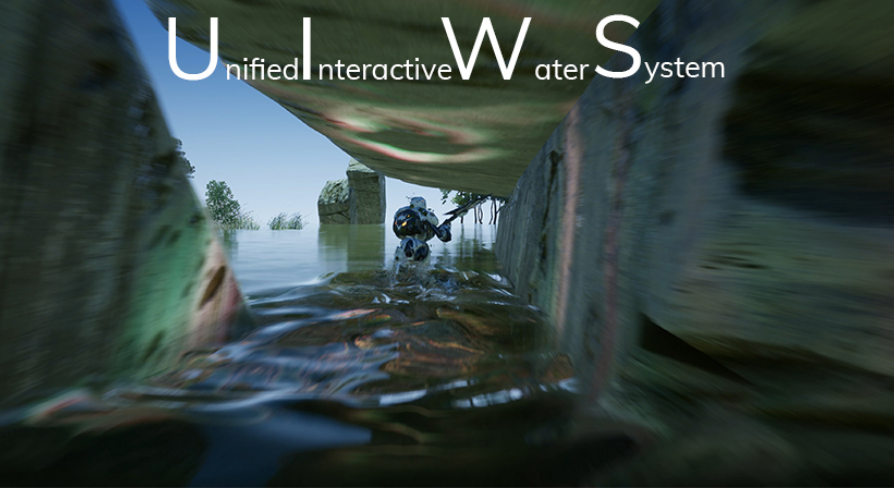
Unreal Engine
Drag and drop Interactive water bodies that simulate interactive ripples and interactive caustics. Waves interact with foliage. Works with any material.
Well, UIWS was free for a limited time
drowsy snow
I got it last year lol
hollow lodge
yea theres no way im buying that
ccan i hop into a vccc and screenshare?
it could be a very simple mistake
drowsy snow
hollow lodge
ccan i hop into a vccc and screenshare?
Message @buoyant granite with the !stream command.
drowsy snow
What?

 weary basalt
We have a restriction on Streaming for 1 week after you join the Server.
hollow lodge
for some reason the waterbody ocean isn't shaping the landscape and i end up with water under
 drowsy snow
Likely at Z = 100
hollow lodge
yes my landscape is at z 100
drowsy snow
hollow lodge
yes my landscape is at z 100
Move the landscape actor's Z position to 0.
hollow lodge
landscapeGizmoActiveActor?
that thing?
it looks slightly better

but i think it also has to shape the land which it isn't doing correctly
ah
 short tundra
Does anyone know any tutorials or some digital books on Unreal Engine that don't treat you like a baby?
hollow lodge
 short tundra
Then what can you suggest?
How did you learn
Also would Unreal be an overkill for smaller games?
hollow lodge
yes i have mountains, is that why?
short tundra
Let's just say prototyping
drowsy snow
short tundra
Let's just say prototyping
Still vague.
hollow lodge
from this picture what is likely to be the problem
 short tundra
Was Unreal written in C++ by the way?
drowsy snow
short tundra
Was Unreal written in C++ by the way?
Yes. C++14 I think
hollow lodge
what is it that I have to do?
short tundra
Oh come on C is nice
drowsy snow
short tundra
Oh come on C is nice
Screw C
drowsy snow
short tundra
In any case scenario thanks <@456226577798135808><@!325627930484932608>
Anyway
You don't really need C++ scripting if you're getting started with UE4.
short tundra
drowsy snow
Anyway
You don't really need C++ scripting if you're getting started with UE4.
Why not the whole C/C++ thing is the main reason I wanna use Unreal
drowsy snow
C++ scripting in UE4 is quite low level, compared to Unity's higher level C# scripting.
drowsy snow
But also Unreal's C++ put new conventions into the table, and having 100% C++ UE 4 project would be a herculean task.
Mainly asset loading.
short tundra
Oh no like WinAPI??
drowsy snow
Not even that.
drowsy snow
short tundra
Blueprint on paper sounds slow
Yes, if you're trying to tick a shit ton of BP actors, as in thousands of ticking BP.
That's the most extreme case.
In reality, done properly, crowded NPCs fits the 120 FPS bill easily
short tundra
Alright thanks again for helping out
drowsy snow
What about 256?
I need them tall mountains
My problems so far is that the BP brushes are misaligned in World Composition landscape.
Not sure if it has anything to do with Z scaling at all, since it worked flawlessly in a single persistent landscape level.
 dark depot
i mean they were added/designed with world comp not in mind as its getting replaced surprised it worked at all
drowsy snow
dark depot
i mean they were added/designed with world comp not in mind as its getting repl...
Well, it does worked at all, but undesirable.
I have plotted my map and it would be nice if I could follow that plot instead of bowing down to the randomly generated one.
So 6x6 km is a no go then? Dang...
I mean, I could add the details with kitbashing assets and RVT anyway, so might test with that.
Have you tried TerreSculptor?
Though I'm also feared of the memory usage imposed by super large landscape.
You wager that 6x6km is fine for memory?
Alrighty then.
My main complain about World Composition is how unoptimal it is for vertical view, and the level LOD trick doesn't blend well. It has to look good from a flying airship, because JRPG thingy
Nah, I have to stick with 4.26 even for the final product, so making my own implementation of it is the only option left.
My sublevels already follow chess board naming scheme so far.
Though I do used adjacent landscape tiling, I wonder if it broke without WC enabled
prime willow
@drowsy snow Matheww's big brain
fixed my widget
even the buttons work on input
but the animations dont show o-o
drowsy snow
prime willow
but the animations dont show o-o
If it's widget animation, it's left to the widget class that owns it.
prime willow
o.o
 scenic lance
so could someone help me with more non dev friendly language on how to make a build to release on steam?
im not a dev and my dev is busy for the next few days, wanting to get a jump on the steam game approval
yes
grim ore
yes
scenic lance
i know that much
drowsy snow
It's a different build so yes.
scenic lance
i have no clue what im doing
drowsy snow
scenic lance
so could someone help me with more non dev friendly language on how to make a bu...
Are you a project leader/director?
scenic lance
yes
im paying for everything, planning everything
just cant dev if my life depended on it
and steams docu is confusing
drowsy snow
Unfortunately #packaging is part of the DevOps, and can't be really explained in layman's terms.
scenic lance
bangs head into table
drowsy snow
There are lots of technical things to consider in the process packaging a UE4 game for shipping.
scenic lance
yeah i get this
yeah
and if theres decently step by step stuff i can follow it
 theres a GUI with easy tips on what to do
yay
drowsy snow
 desert verge
can i use the unreal skeleton on any model?
desert verge
can i use the unreal skeleton on any model?
Yes.
desert verge
drowsy snow
Yes.
even if the size of the model is half of the skeleton?
drowsy snow
desert verge
even if the size of the model is half of the skeleton?
If you have knowledge on rigging, then it shouldn't be a problem.
Increase the Z scale of the landscape.
Not really, if your material use world space dependant projection, which likely the case if you already sculpting high mountains.
 granite spire
I'm actually online, i'll be here most of the day if people have questions
might stream in chat 
got a fresh project and I'm going to make a top down car shooter with armor that you can shoot off i think
 limber cradle
Hey guys, i've just watched a tutorial about doing simple menus, it is functional, but when i did it in my game, the blueprints showed an error, i will send to you guys a photo of the bp and the error, i would really appreciate if anyone could help me
limber cradle
limber cradle
Hey guys, i've just watched a tutorial about doing simple menus, it is functiona...
this last node is a "add to viewport" but it is in my mother language (portuguese)
 limber cradle
Hey guys, i've just watched a tutorial about doing simple menus, it is functiona...
limber cradle
limber cradle
Hey guys, i've just watched a tutorial about doing simple menus, it is functiona...
this is the error
 granite spire
limber cradle
this is the error
granite spire
limber cradle
this is the error
add a 0.1s delay for me on that node
see if you get more or less errors
limber cradle
i just did and the same error appeared
granite spire
right well it's using a reference that's not assigned to, so with that in mind what are you using that on? because you would create and add to viewport on the character, not main menu
widgets are created last on the tick, if it's created last then being tried to use elsewhere on the same tick it's going to give you an error
because the reference isn't created on the time of the tick
limber cradle
huuuuuum got it
granite spire
so yes it's assigned but the order of the tick is wrong I would say, that's my guess though
limber cradle
limber cradle
huuuuuum got it
i followed this yt tutorial btw https://www.youtube.com/watch?v=K1vVbwMJCTQ

Hey guys, in today's video I'm going to be showing you how to create a main menu for you games in Unreal Engine 4, we will be going through designing it and the functionality behind it, for example going between different widgets/menus, and starting and quitting the game.
Unreal Engine 4 Tutorials Playlist: https://www.youtube.com/playlist?list...
limber cradle
granite spire
so yes it's assigned but the order of the tick is wrong I would say, that's my g...
i think u are right bro
granite spire
I take tutorials with a grain of salt
i usually disagree with a lot of things, because people were shown 1 way and saying that's how it is, but I simplify things, maybe because i'm bad or something, lol
limber cradle
Yeah, i had some bad experiences with these yt tutorials....
granite spire
I was thinking of streaming in the discord, dunno how useful it would be, might just do a record on twitch
limber cradle
bro i think that would be awesome, like, im new to the ue4 engine and someone like you posting some quality videos/lives would be great
granite spire
I was doing a weekly thing, of a night but i've been fatigued the past 2 weeks
watching me fall asleep on stream is funny and all but, not productive, lol
twitch I think removed all my videos
oh
it auto deletes
DAMN IT
well I learned a lot about twitch now
i'll have to self record and upload to youtube or something
@limber cradle i got the stream up for a bit
arctic path
try beta.brimelive.com, its a lot better 🙂 @granite spire
 hot anchor
granite spire
hot anchor
granite spire
@arctic path Thank you paper clip man
@plush yew That is your distant culling, you will have to look up about culling
granite spire
what do you mean?
plush yew
hello guys i am having a problem,i am trying to get the reference of my actor component using FindComponentByClass but its returning a null pointer but when i add that actor component using CreateDefaultSubObject it works.
granite spire
@plush yew Try here hombre #cpp
Recording the stream if people want to know how to make a car selection and some other things
 plush yew
granite spire
<@456226577798135808> Try here hombre <#221799439008923648>
plush yew
granite spire
<@456226577798135808> Try here hombre <#221799439008923648>
ok thanks
young quartz
yesterday I opened a project and it was running at 90-120fps and when today I opened same.. its not even reaching 30fps.. what went wrong?
young quartz
no i didnt change anything
drowsy snow
young quartz
yesterday I opened a project and it was running at 90-120fps and when today I op...
This question has a lot of factors that could tied to it.
I suggest do your own dilligence and eliminate possible problems first.
young quartz
I am not getting it.. no app running on gpu. just restarting the project made the fps go down
weird I deleted the project and again unzipped it.. and its working fine..

 vale abyss
Hey everyone, I have a problem with an imported animation.. The animation asset is correct but when i blend it with another animation the character faces the wrong way, does anyone know the reason for this?
also, how do I add anim notifies in 4.26? I can't figure it out...
granite spire
@vale abyss Sounds like the forward facing axis isn't ticks/is ticked on one of the meshes
vale abyss
i was blending on the wrong bone, sorry my bad
granite spire
I have to add animation notify for my gun, i'm on stream right now I can show you how
can't link me stream here, it's in the channel though
 elfin juniper
does anyone know of a youtube tutorial on how to make a settings screen, thats able to change keybinds/mouse sense
granite spire
there's quite a few around
drowsy snow
elfin juniper
does anyone know of a youtube tutorial on how to make a settings screen, thats a...
Not youtube tutorial, but there are several open projects that do just that, and you could dissect it at your own pace.
granite spire
I should maybe do a tutorial for that
elfin juniper
where could i find it
granite spire
get everyone using my style of coding
elfin juniper
cant be worse than mine 
granite spire
@drowsy snow People don't add "Input_" on their controls, and it sickens me
granite spire
 scenic fox
for multiplayer?
scenic fox
for multiplayer?
Store the teams on the game mode, then because that's server only the clients get assigned through their player states
 dire parcel
Are there any tutorials that teaches you how to implement that classic resident evil shooting system ?
granite spire
dire parcel
Are there any tutorials that teaches you how to implement that classic resident ...
Stationary camers then just move the player around, and have a visual tracker to the camera, if overlaps, swap to that camera so it takes over your current one
dire parcel
granite spire
Stationary camers then just move the player around, and have a visual tracker to...
yeah imma have that fixed camera system implemented, but the second part you said imma need a video showing me how to do that I’m still fairly new
elfin juniper
yo anyone know why my night is bright af
granite spire
dire parcel
yeah imma have that fixed camera system implemented, but the second part you sai...
Funny enough I found an AI one that detects player, you want to just to a linetrace in a cone, or maually add a collision box over
it's all line traces, or a collision box you can edit
line traces = more mathy, collision box = dirty and quick but easy
 plain token
how to bake light into a texture in unreal engine. its for a web use. nee to get the model with light on the texture.
Ant suggestions how to do it.?
granite spire
that's your emissive map
granite spire
plain token
how to bake light into a texture in unreal engine. its for a web use. nee to get...
the emissive map is a cheap lighting from a texture
plain token
granite spire
the emissive map is a cheap lighting from a texture
i have few direction lights those lights i need to get it on texture
granite spire
oh
that's more complicated but, rendertargets is what you want, there maybe an export render target to file but, I don't know, what do you need it for? perhaps there's a better solution?
 inner cloak
Can we use game assets in architectural projects and is render of higher quality?
granite spire
you mean marketplace assets?
inner cloak
yes
granite spire
in short, you cannot use them for anything other than UE4
otherwise please see the TOS https://marketplacehelp.epicgames.com/s/?language=en_US
inner cloak
i can modify the products that i purchased .. or got for free, right ?
maybe i expressed myself the wrong way
granite spire
I don't know but check TOS, all I know is you can modify them, but everything has to be used within UE4
inner cloak
well, what i want is to get better render quality which is why i asked about architectural stuff
but maybe i worry for nothing
Thanks !
granite spire
alrighty 
 strange kettle
hey does anyone know where I can discuss about building a PC for UE4, is this channel fine
strange kettle
wary wave
... <#821821368017485885>
thanks
dusky slate
Quick question, i want to have different actors that i can pick up. They all have their own Blueprint, can i somehow add all these different actors to the Variable in my Main Character and call the Function of the Actor Blueprint?
For Example, i have a Sword and i have a Rock. When i enter the colission of one of them i want it to be added to the Actor Variable in my Main Character and when i press E i want the Actor to call a Function.

like this, i want that my Actor code just activates a Function that is called Pick Up. If the function doesn't exist, it just doesn nothing. is that possible?
 inner cloak
how to pause/deactivate matinee actors ?
 flint rover
anyone good with the built in water plugin?
I am wondering if there's a way to place down ocean water without actually creating an island?
 halcyon anvil
Hi guys,I'm new here in Unreal Engine VFX,Could I ask a question ?How to make this shade in same flow ,they're in different Rythm now.Really thanks for help!!
 flint rover
lets say I want to use this, placing a water body ocean actor gives me this result:


leaving me no option to create sharp cliffs or whatever, unless I adjust the spline to be super accurate
let me check if I can get it sorted
are you talking about the blend mode under the water heightmap section?

I think its bugging out, let me check if its the same in 4.26

or I guess its bugging out because the actual island is bigger than the landscape
drowsy snow
halcyon anvil
Hi guys,I'm new here in Unreal Engine VFX,Could I ask a question ?How to make th...
Would be easier to do it in BP if you're concerned about the timing.
Not to mention, only works with Landmass.
I'd better use something else for the water solution, like UIWS or the Ocean Project (which I think was renamed to Environment Project)
 halcyon anvil
drowsy snow
Would be easier to do it in BP if you're concerned about the timing.
halcyon anvil
drowsy snow
Would be easier to do it in BP if you're concerned about the timing.
Oh ,this is an animation shader,so I need to complete it well first.
flint rover
hey that actually worked

thanks guys! this will work for now 🙂
still learning UE so spending like 300 on UIWS is out of the question
any specific reason? i havent found the 2 to be too different
yeah
i am mainly doing landscapes and environments, i have done a few small scenes in UE5 with no problems
but i will keep that in mind
lumen and nanite is so nice to work with
ahh
 mental helm
I wish there was a warning with UE5 and landscapes, I just have to assume everything is broken
drowsy snow
Don't even trust what The Coalition said - UE5 is still far from stable.
wary wave
I mean their tech demo was just the third one we've seen with a bunch of rocks and stone
it even has the same damned lighting setup and foliage, lol
Seeing it once, makes it look nice. Seeing it twice is curious, but once you see it three times you have to assume it's literally the only thing the tool can do 😄
 honest vale
inner cloak
honest vale
inner cloak
is there an easy way to make sure that my viewport will be set to HD size of 1920 x 1080 ?
drowsy snow
inner cloak
is there an easy way to make sure that my viewport will be set to HD size of 192...
Not exactly that if you're on PC, but locking aspect ratio is possible.
Though ultra wide monitor owners will hate you for it.
inner cloak
its not for a game, more for design
granite spire
if you are using UE4 and water, water is currently broken from what I tested, same with hair and foliage, as stated do not use it for your real stuff, because nothing is documentated on what is broken, you could spend weeks figuring something out
drowsy snow
Also future Steam Deck owners
drowsy snow
granite spire
if you are using UE4 and water, water is currently broken from what I tested, sa...
Foliage is fine tho.
Groom is a beast to render.
I don't even know how Blender's strand based hairs worked on Eevee.
feral dune
Hi Guys!
I’m not sure if this is relevant. But I’ll give a try asking this question!
I am planning to integrate Unreal Engine and ROS2 (Robot Operating System) for my work. But I am fairly new to Unreal Engine. It would be really great of someone help me with this or walk through if anyone of you have already tried something like this!
Thanks,
TK
drowsy snow
feral dune
Hi Guys!
I’m not sure if this is relevant. But I’ll give a try asking this que...
Not sure about ROS2, but if you have the know how on C++ and Unreal plugins, I think you could make a communication with your peripherals or external software.
Regards,
Rama "The Hoodie Guy" Alifiandy
feral dune
Unity have something like this https://youtu.be/m_iS4NMX6fo

Instead of Gazebo, Unity3D can be used as the simulation environment for a robot while using ROS2 to control and publish data.
This video is part of the Robotics Project Work course in Tampere University.
Prepared by Group 12: Eetu, Lars and Akber
 oblique loom
blueprints feel super weird if you have programming background
drowsy snow
I heard people managed to get UE4 working with external peripherals. Heck, even virtual production examples.
oblique loom
kind of hard to translate my programming logic to them
i thought itd be a good idea to start with blueprints to get a better feel of the engine
but im wondering if i should just dive into c++
drowsy snow
oblique loom
but im wondering if i should just dive into c++
If you have programming background and balls of steel, might as well go 80% C++
You still going to need BPs tho. Asset loading in particular is a bitch to work with in pure C++ scripting.
Alternatively you could bring something like Lua into the table. Though it's not officially out of the box so you have to look for the plugin on the net.
The thing with BP is that it does many of the backend hardwork for you.
And don't use the synthetic benchmarks as a hard fact.
oblique loom
in order to use both, should some thing be bp only and some code only?
is there a way to quickly mashup something with bp, have ue translate it to code, and then add more stuff to it?
 next badger
Have anyone found a way to disable EGS store web page to pop up when Launcher opens?
drowsy snow
next badger
Have anyone found a way to disable EGS store web page to pop up when Launcher op...
Wiping the web cache often works.
next badger
web cache where?
drowsy snow
next badger
web cache where?
in the AppData folders
next badger
drowsy snow
in the AppData folders
is it in launcher subfolder?
oblique loom
i think doing that course would be the best option after all
i kinda wanted to learn by messing around, but looks like thatll take a lot of time and frustration
next badger
@drowsy snow Just to confirm you understand the issue:
If ue4 project is opened while Epic Launched is not, it will run the launcher and launcher will open EGS web page in my browser (Firefox).
oblique loom
how do you mark class as abstract in bp?
flint rover
Does anyone have the ue5 tech demo? can you screenshot the rock material for me? i remember they did something with world aligned textures i wanted to try, but i have uninstalled the demo
plush yew
hello can you tell me the best settings for hlod for a medium-big size map?
-how many lod levels, best desired bound radius etc
 jolly mason
Hey lads. I am the owner of the quest 2, and am trying to make a game for it. However I cannot see unreal in the headset no matter what I do. It has a box saying that it's loading in the headset, so I left it for a few hours and it hadn't worked. The project is working fine on pc. I have tried to use vr both with oculus and steam VR. I use unreal 4.26.2
 maiden sundial
Hey, i've got there a legal question.
The marketplace provides those free Paragon characters.
I'm not quite sure if you can just use those characters in your game which you plan to sale.
And if it's not legal to use the characters, does the same count for the pure animations you'll get from it ?
plush yew
hi
 limber mesa
Great question @maiden sundial. I’m not sure, this is a ue4 hub post I found relating to that issue https://answers.unrealengine.com/questions/905178/can-i-use-the-paragon-set-in-our-game.html
maiden sundial
Actually, now when i read this again
"Licensed for use only with and under the same terms as the Unreal Engine. You may not use the trademark PARAGON to advertise or name your game"
It's super clear now. It should be legal as long as i don't use the trademark Paragon 😄
Tbh, my goal was anyways just to steal use the animations of them, but not the character itself 😄

 oblique loom
thanks!
plush yew
whats it called when you have fog that hides objects far in the distance? So I can google it 🙂
not fog of war btw.
think clouds
 narrow plaza
atmospheric fog in UE
plush yew
thats the same thing they use in old games to reduce render distance? 😛
oblique loom
afaik fog only hid the fact that stuff wasnt rendered further away
thick herald
Depending on how you do it, it can kill performance
narrow plaza
Are there practical limits to the number of files / size of our project folders in UE? I have 9GB in 6,395 files over 564 folders - seems like a lot. Is that too much?
oblique loom
is there a continous overlap event?
plush yew
I just need some kind of fog to hide the stuff, my game is on a rooftop of sky scrapers, and I want the fog to hide the cutoff point of the buildings
narrow plaza
@thick herald cool - I might have to clean up some old imports I guess (I am getting odd GPU crashes lately and was worried about any limitations)
oblique loom
i have somehow managed to create this, but for the life of me, i cant find the end event, i tried searching using a lot of different combinations, it only shows on actor begin/end
 plush yew
what?
regal mulch
Click on the Sphere in the Components list (Top Left)
Scroll down to the bottom of the Details Panel (Right)
There are green buttons that you can use to create those.
Alternative would be rightclick the SphereCollision. There should be some AddEvent menu or so
@oblique loom
 potent prism
Hello!! Good morning.
Does anyone knows why me editor is opening the epic game store on my browser?
plush yew
can I use exponential height fog to create a fog like you see on tall skyscraper buildings?
If I use it everything gets foggy
like the box the fog is in is too tall lol
potent prism
hi IanH. for simulating localised fog. like on top of skyscrapers, i would go with volumetric fog material on a particle.
plush yew
not really localised, more like a big plane of fog to hide the cutoff points of the buildings
potent prism

NOTE UE4.24 seems to set all engine scalabilty settings to medium. To make the fog appear you have to at least set the shadows to high!NOTE END
Seems that not many people know that UE4 supports not only global but also local volumetric Fog.
So I am showing in this tutorial video 1 of 3 how to create it.
PART TWO: https://www.youtube.c...
he its a example.
plush yew
oh no not like that haha
potent prism
ohhh ok;
 maiden sundial
Got there another legal question.
So you can earn now 1 million with your game and only then you have to pay Epic.
But does this mean once you reach 1 million with your first game you have to pay directly a part of your earnings with the second game ?
Or is this more like you can have 10 games and only the ones which earned you the million will have to pay ?
dusky slate
how can i make that the particles only spawn on these sockets?

 vocal herald
yes
maiden sundial
Highly recommended to use Rider for UE xD
Do you mean the End User License Agreement ?
vocal herald
Is there a way to disable certain light sources for certain cameras?
oblique loom
am i doing something wrong for spawning an object?

BP_Empty is simply an empty actor placed as a child, to mark position where to spawn the object
oblique loom
is it possible to attach it to a child of self?

looks like it wants to know the class when doing it, what if i spawn it dynamicly and then want to attach?


i imagine it should show hierarchy if it was parented to empty
 hidden sparrow
Hey, im using the Web Browser plugin and it works but can it support browser extensions?
 icy peak
Ok so I'm not crazy. I was just figuring since there was no way to parent the skeletal mesh of a character to the camera there doesn't seem to be a way to have a first person mesh rotate with the camera. Seems kinda crude, but I guess UE4's proposed method is to just set the skeletal mesh to none and make another skeletal mesh for the first person?
dawn gull
How can I take a smooth transition between two colors in a height map and then make it a straight line? Like this

 icy peak
Can't rotate the collision capsule that way
I guess you'd need to still render a third person body for shadow casting purposes anyways
dawn gull
I'm using voxel plugin noise, it is fairly similar to material nodes so it might work
grim ore
if you want shadows in first person you can just render an invisible shadow caster, no need for a full body
icy peak
Good point
Just a little silly that the character class REQUIRES a skeletal mesh that you dont even use in first person and then you just make a new one up off the camera
grim ore
well the first person template for character seems to work fine with the default setup
icy peak
Yea - they do it the way I said where they just ignore the required component. Just saying it looks a little crude like they didn't consider first person when they were writing the third person class and just jurry rigged it for demo purposes
 brave lark
plush yew
I wanna hide that cutoff point
brave lark
plush yew
I wanna hide that cutoff point
did you get an answer?
fluid lance
Idk wtf is wrong with my engine, everytime I get a struct error in blueprints while working/testing - like accessed none, cos I forgot some pins, it pops the error then crashes on stop/resume/anything really. I've got the break on bp error activated in editor settings. Anyone encountered this behavior before? Nothing in the engine error message however.
 kind mulch
@brave lark @plush yew Depending on the situation you could make a material that has a fake depth effect to it that goes straight down. I mixed such an effect with some height fog and got this as result. You can learn about it in this video from Ben Cloward, he has some amazing tutorials on materials 🙂
The idea is basically the same as how water works, which explains why I'm linking a video about how he creates a water material. All I did was take the depth effect from that series and made it have a white colour. https://www.youtube.com/watch?v=TObymSnTwV0&list=PL78XDi0TS4lGXKflD2Z5aY2sLuIln6-sD&index=2


In this video, we learn how to calculate the opacity of water. The opacity is based on both depth and viewing angle. We compute depth using the world space position, the camera postion, and the Scene Depth and Pixel Depth nodes. For viewing angle, we use the Fresnel node. And finally we add a DepthFade node to blend the edges of the water. ...
plush yew
plush yew
but the fog is everywhere lol
lol
kind mulch
All it really is in the end is a plane with a material applied to it.
 brave lark
kind mulch
<@!180197146627145729> <@456226577798135808> Depending on the situation you coul...
brave lark
kind mulch
<@!180197146627145729> <@456226577798135808> Depending on the situation you coul...
Does that solution work for you how you'd like? I was going to provide some suggestions
kind mulch
No idea if it works perfectly, that's why I said it depends on the situation. It was just a suggestion on a way to fix it 😄
brave lark
There's a lot of different ways to approach it. You can do it similarly to how you've done it there with a plane. You could build it into the building itself too
you could even do it as a post process
kind mulch
This falls apart when you go underneath it, so if that's what they want a post process effect would be needed yeah. Or you can just entirely do it with that 🤷♀️
But if it's just to cut off the bottom of the cube and you don't actually need to go underneath the plane then it should work fine.
You can also cut out the hard lines around other objects with a simple multiply with a depth fade 😄
 brave lark
https://cdn.discordapp.com/attachments/511386708135116800/700890695338295306/unknown.png
i did something more stylized a while ago. I'd like to do another pass at it for fun at some point

yeah exactly, that's a better look
instead of a plane you can make it a box and do something a bit more volumetric in appearance
kind mulch
Plenty of options yeah xD
brave lark
kind mulch
You can also cut out the hard lines around other objects with a simple multiply ...
i like that look a lot better
I'm always looking for good ways to do these kinds of tricks without post processing because I don't have mobile hdr pipeline available to me on oculus quest.
I don't have custom depth or most buffers available to me either really. I would kill for distance fields on LDR pipeline
kind mulch
This effect does require some access to certain depth buffers though. So not sure if it's a good option for you, it's also transparent obviously so it may be a bit of a performance hit for Quest, but I haven't actually tried.
 brave lark
kind mulch
This effect does require some access to certain depth buffers though. So not sur...
brave lark
kind mulch
This effect does require some access to certain depth buffers though. So not sur...
this much I do have available to me, but I have no post process so it has to be built into the object itself
I have a fake fog built into all my materials that's handled with global params. If I add in something volumetric that'd make it look better. Encompassing the scene in a translucent volume would probably hurt my draw calls though
 soft tree
fluid lance
Idk wtf is wrong with my engine, everytime I get a struct error in blueprints wh...
soft tree
fluid lance
Idk wtf is wrong with my engine, everytime I get a struct error in blueprints wh...
sounds like standard corruption due to modifying BP structs 'incorrectly'
brave lark
soft tree
sounds like standard corruption due to modifying BP structs 'incorrectly'
make all my structs and enums in c++ now to avoid that
soft tree
Here are the foolproof 6 steps to avoid this in the future
1. Save All
2. Modify Struct
3. Save ONLY the struct; DO NOT SAVE ANY OTHER FILE WHEN PROMTED
4. Close Editor
5. Make sure you DO NOT save any new changes with popup
6. Restart editor
@soft tree"incorrectly" is the only way to modify structs unless you are using cpp, so that's that 😄 It's fine, at least I know the root of the problem, I'll just avoid messing up and getting errors - thanks for the info! 🙂
@soft treeit's exactly what I'm doing
Otherwise the whole game would break, been there, done that too many times, I know the drill 😛
soft tree
I did recently go through something that was odd.
a bad redirect kept messing up my blueprints
is your project a c++ proj by any chance?
fluid lance
nope, bp only. But redirectors is another thing I learned a long time ago not to forget about. Man, these two "hidden features" costed me weeks before I learned about them 🤦♂️ 😆
soft tree
🤔 darn. hopefully someone else cam chime in then
plush yew
Any idea where I can find someone to help someone new in getting there head wrapped around all this? I understand a bunch of the basics just need help with a few things
Their*
soft tree
@plush yew You can just ask your questions in the appropriate channels like #blueprint #cpp, etc or here
plush yew
Thank you
fluid lance
@soft treeI also deleted the saved & intermediary folders after asking here, but never got the error again cos' i plugged in the function I forgot about lol. I'll come back if it happens again 🙂 thanks for the info either way!
The nicest thing is crash on saving struct, now that's a black hole, you never know what broke, if anything 😆
 river copper
where can i start learning unreal?
fluid lance
Lol, project crashed, died completely, it's just dead... Need to roll a backup 😐
kind mulch
river copper
where can i start learning unreal?
I would say it depends a bit on what you plan doing with Unreal, but a good first introduction could just be some YouTube tutorials or a livestream from Unreal on how the editor works. For example: https://www.youtube.com/watch?v=3QAHSByU74M

Unreal Engine usage is growing in leaps and bounds across a wide range of industries. This crash course by Epic Games' Global Education Evangelist Luis Cataldi provides examples of how businesses are creating stunning real-time visuals for film, television, theater, architecture, design, and manufacturing.
The session provides a high-level unde...
river copper
kind mulch
I would say it depends a bit on what you plan doing with Unreal, but a good firs...
what if want more advanced in the future
kind mulch
Then you look up on those specific topics, there are plenty of videos / documentation of the basics and a bit more advanced topics. The video I gave you goes over the general concepts of how Unreal Engine 4 works which is probably a good start.
You can also always ask questions in here if there's a specific thing you don't understand (or whatever channel fits the need for the question) 🙂
river copper
ok thanks
 dark flax
Anyone have an idea why "stat gpu" isn't showing during PIE
it shows while in the editor but the moment I hit PIE it goes away
scenic fox
does anybody know why i can't use the add node like this?
 late olive
When I am finished an Unreal VR project, does anyone know how to download the packaged program to quest?
plush yew
@kind mulchive sort of brute hacked it by making the buildings longer and somewhat further away, but ill check out those tips youve all been giving too 😄

hey i know its wrong to ask in this server, but how much time steam takes to check tax info when publish a game
wary wave
scenic fox
does anybody know why i can't use the add node like this?
Because it's inside an array of structs. Struct arrays are very particular about their behaviour.
 brave lark
plush yew
hey i know its wrong to ask in this server, but how much time steam takes to che...
brave lark
plush yew
hey i know its wrong to ask in this server, but how much time steam takes to che...
it's usually quite short, but I'd say 2 weeks MAX
 woven falcon
general question-
Does it make sense to use a bunch of layered complex materials for ordinary meshes so you don't have to spend a bunch of time unwrapping & doing custom texturing? 
or does it take too much performance?
 fallow hornet
Is there a way to only emit specular from a light?
fierce tulip
@late stag that goes in either #work-in-progress if its not finished, or #released if it is.
#rules :)
 proud belfry
Anyone know if there is a way to stop these messages from stacking infinitely? Like maybe hide them or only show 1?

 late stag
fierce tulip
<@!497181242169491466> that goes in either <#225448516376461313> if its not fini...
late stag
fierce tulip
<@!497181242169491466> that goes in either <#225448516376461313> if its not fini...
I am sorry thx for telling me
plush yew
@proud belfryget rid of the errors
 pearl mortar
hello guys, I am experiencing a big issue where all my static meshes that I bring into the scene they get really really bright and lose their original color. How do I fix this? please help!


first photo is my scene and second is how its supposed to be
the trees in the background I tried to color grade but looks too fake
 wheat sand
Hey everyone! Having an issue in the Quest 2 where the water material have this weird artifacts. Here is what it looks like in headset:

Any ideas on a fix?

 thorn edge
am I doing something wrong or does it actually take 8 hours to compile the engine from source to have a dedicated server on a high end machine?
desert verge
I'm making a driving game with unreal, should i use a terrain or meshes?
 kind dew
thorn edge
am I doing something wrong or does it actually take 8 hours to compile the engin...
kind dew
thorn edge
am I doing something wrong or does it actually take 8 hours to compile the engin...
sounds abuot right it's a huge, complicated codebase to compile
desert verge

Neon lights, palm trees, synthwave, '80s supercars speeding down an endless highway... Welcome to the world of Retrowave!Listening to Synthwave / Retrowave most people have had this feeling of nostalgia for an era they didn't know or that never existed.The Retrowave is very much inspired by the '80s, but is mostly an idealized futuristic version...
Price
$1.99
Recommendations
4994
it'll be more like this
not sure if i'd need a terrain tbh
fallow hornet
Anyone know how to view the Raytraced AO in viewport
tender pecan
thorn edge
am I doing something wrong or does it actually take 8 hours to compile the engin...
Building Unreal Engine from Source
https://docs.unrealengine.com/4.26/en-US/ProductionPipelines/DevelopmentSetup/BuildingUnrealEngine/
Read about Hardware and Software Specifications, and make sure that Microsoft Visual Studio is installed prior to building Unreal Engine from source. Also, depending on your system's specifications, it may take between 10 and 40 minutes to compile the engine.
8 hours is bonkers, it should definitely not take longer than an hour.
AAA/AA projects can take a couple of hours excluding engine source, compiling engine should not take that long at all.
Compiling Unreal Engine from source.
thorn edge
tender pecan
Building Unreal Engine from Source
https://docs.unrealengine.com/4.26/en-US/Prod...
I know thats a cap
it take 1 hour to download everything
1 hours to compile
then 3 hours to compile the project
then another 3 hours to compile the server version
on I7 7700K
16GB RAM
on SSD
and GTX 1080TI
it cant take less than 1 hour
tender pecan
thorn edge
I know thats a cap
it take 1 hour to download everything
1 hours to compile
then...
yeah, to compile the engine form source is max 1 hour , for us it takes less than 10 minutes. 🙂
to compile your project is not compiling the engine from source, and you dont need to do that every time either, and we have gigabit internet so downloads for us take a few minutes.
To compile engine source does not take 8 hours, that is complete quadrollox 🙂
Your project is a different story, if you want to know why your project takes long then start by analyzing your compile time log files, and take not of timestamps where processes take long to narrow it down.
plush yew
Hey guys, I got this piece of bp that just makes a cube go from -550 to 550 to -550 on the Y. Set it up in a loop as a sort of an obstacle.
The only issue is that itll always spawn on -550
cause thats where the timeline starts
what kind of solution can I use to make it spawn in a different location?
the only thing I can think of is either 3 different timelines with different starting locations
 grim ore
so it sounds like it should start at 0, go up 550, then back down to -550, then back to 550, then etc?

 grim ore
the correct answer is to use relative offsets and not fixed world locations so its relative to your position anywhere in the world
the ugly fix for what you want is to just have your timeline have more points
start at 0, go to 550, go down to -550, end at 0
plush yew
but woudnt it still spawn in the same location?
grim ore
when doing the above with extra points?
your start is -550 right now, if your start is 0 then.....
grim ore
0 time 0 value, 1 time 550 value, 2 time 0 value, 3 time -550 value, 4 time 0 value
that would make it go from nowhere to 500 to -500 back to nowhere over 4 seconds
right now you have 0 time -550 value, 2 time 550 value, 4 time -550 value?
plush yew
yea
hollow lodge
anyone know how to use collab within unreal engine
grim ore
also there is a movement component that would do exactly what you want out of the box without any code btw
plush yew
but im just confused cause if I just change the location, itll spawn at 0 no matter what, but if I add it to the current location, it wont match up
oh really? what component is that? haha
 inland gyro
Does anyone have any video of someone explaining the scene as the player presses "E" and the scene begins
plush yew
like a start button?
grim ore
Interp To Movement component using somthing like this would ping pong something between 550 and -550 over 4 seconds

what I was suggesting for your timeline was

that adds 0 to your starting spot so it will be.... the starting spot
inland gyro
plush yew
like a start button?
ya
grim ore
then it does what you have which is move to -550, then move back to 550, then back to 0
grim ore
well thats your issue here
your setting a location in your code so no its going to be fixed
plush yew
Yea thats my whole problem im trying to fix haha
plush yew
I guess using 3 timelines with different starting locations would work
grim ore
easiest is that component I showed, otherwise use the Add Relative Location nodes and a Lerp node
plush yew
but it seems crude
grim ore
no need for 3, that seems weird.
you just want it to move back and forth from wherever it is right?
plush yew
yea but in a random spot really,
It is possible to port a project to an older version of unreal right?
now it looks like this

@inland gyrotheres a lot of youtube videos with that topic, look for something like main menu or something
 sour galleon
hey guys anyone has experience with Unreal's Water System \
grim ore
 plush yew
It is possible to port a project to an older version of unreal right?
plush yew
plush yew
It is possible to port a project to an older version of unreal right?
I just need to know if us possible, because I was tremendous idiot and ported to a new version without making backup, and the new version doesn't run in my computer lol, I'm so screwd right now
grim ore
this would move it relative to its starting location, the timeline looks like I had above which was 0 to -550 to 500 back to 0, set to auto play and loop
@plush yewits is not without manually remaking the items
plush yew
grim ore
<@456226577798135808>its is not without manually remaking the items
Ok but, that's not hard right?
grim ore
but again, that interptomovement component is literally designed to do what you want heh
@plush yewdifficulty is based on the project, you literally have to open the new project and then remake all of those items into the older version of the engine. copy paste works on some things but not most
plush yew
ah yea, its only for actors tho, so Id have to spawn an actor in
plush yew
grim ore
<@456226577798135808>difficulty is based on the project, you literally have to ...
Alrighty, thanks mate

its not working 😩
the node aint working either
 grim ore
I dunno how yours is set up but all of my code was tested to make sure it works
plush yew
Quick question: Can I make 2D games in UE4?
I mean it moves, it just adds to the starting location
mental helm
Yes, but it's not the best 2d engine
plush yew
so if it doesnt start at 0 itll go over 550 -550
mental helm
I'd personally only us UE4 for 2d if it needed 3d graphics and 2d gameplay
hollow lodge
can you create an exe build in unreall engine 5?
grim ore
welp my code does this, so it definitely works https://i.gyazo.com/00a73c55092a47153dd4855b43332992.gif
@hollow lodgeyes you can package a project for windows in UE5
plush yew
yea mine does the same, I dont want them to do that tho
want them to stop at 550 and -550
plush yew
not add 550 -550
grim ore
@plush yew I think you need to clarify what you want in a bit more detail....
if the cube is at 0,0,0, should it bounce between 0,-550,0 and 0,550,0 ?
drowsy snow
plush yew
Quick question: Can I make 2D games in UE4?
Yes, you can.
plush yew
Do I have to make animations in Blender, or in UE4?
drowsy snow
You can even make the most mundane tool in UE4 that don't even involve viewport rendering at all, just pure UMG
plush yew
I want the cube to bounce from point A to point B. BUT Id want it to spawn somewhere in between point A and B.
grim ore
somewhere or where you place it or at 0 or ?
like if I place the cube at 200,200,200, where should it be when you hit play?
drowsy snow
plush yew
Do I have to make animations in Blender, or in UE4?
Depends on what's the most comfortable for you. Unreal Engine provide Control Rig to animate in-engine, but it's not as straightforward as keyframing a bone in Blender and call it a day.
plush yew
when it spawns in, its an endless runner so I made an obstacle that pingpongs from A to B. But it always spawns in the same location.
grim ore
so its not placed in the level but you spawn it in?
plush yew
drowsy snow
Depends on what's the most comfortable for you. Unreal Engine provide Control Ri...
For me it's like this: "How easy is it to make a plane move around"
correct
its a Tile basicly
 grim ore
ok so you want it to go from -550 to 550 no matter what, but it might spawn in at 100 or -345
drowsy snow
plush yew
For me it's like this: "How easy is it to make a plane move around"
Static Mesh and Skeletal Mesh require slightly different treatment to animate in Sequencer. That's one way to put it.
In Blender, you can keyframe any object and not give a fuck about specific treatment in the timeline.
plush yew
it always spawns in the middle, I could make it spawn somewhere else on the Y axis but then when I try and move it itll go past 550
so if its spawns in at Y 100, itll go to 650 instead
hollow lodge
what are the steps to making a window build in unreal engine 5?
plush yew
and 450
grim ore
ok so.... you want it to go from -550 to 550 no matter where it spawns between there, say 100 or -345?
plush yew
correct
drowsy snow
hollow lodge
what are the steps to making a window build in unreal engine 5?
Define "window build".
hollow lodge
64 bit
plush yew
im probably overthinking it so much lol