#ue4-general
1 messages · Page 1030 of 1
 storm venture
Regardless, the thing i mentioned earlier is a bug no matter what, because you get two entirely different behaviours depending on if you save the level manually or if you save it with the popup prompt.
 covert summit
storm venture
They do. The docs aren't that reliable. Like you said, spawned actors (during ru...
covert summit
storm venture
They do. The docs aren't that reliable. Like you said, spawned actors (during ru...
I just tested this as well, and the construction script was not run for an actor streamed in via streaming volume
storm venture
Are you using level instances?
covert summit
No
storm venture
I should have specified those, I haven't tested with old school streaming
storm venture
Yeah, and UE4
covert summit
or no i see this guy eh https://docs.unrealengine.com/4.26/en-US/BlueprintAPI/LevelStreaming/LoadLevelInstance_byName/
Load Level Instance (by Name)
OK well for that it makes sense
storm venture
I'll show you the problem in a quick video
covert summit
Think of it like level spawning
Of course all the actors in it need Construction Script run, they are effectively spawned into the world -- imagine that you have a construciton script that checks where the ground is beneath it and moves the actor there
it wouldnt know if there would be ground when loaded as a level instance
level instancing is of course intended to load multiple instances of a level in at the same time
i myself dont need that-- i have seen this feature but wondered where id use it. Curious what use case you are using it for?
storm venture
covert summit
i myself dont need that-- i have seen this feature but wondered where id use it....
For using the level instances? I sometimes need to spawn levels in new locations
But here, check this out
This is normal behaviour:
This is broken behaviour:
Only difference is that I allow the save prompt to save for me
 civic mauve
The default FPS character has its character mesh attached to the FPS camera, but why would you ever want that?
 covert summit
storm venture
Only difference is that I allow the save prompt to save for me
covert summit
storm venture
Only difference is that I allow the save prompt to save for me
the video is helpful, yeah i guess its a bug, BBB's ctor script has run already and should be fine, no need to run it again
why is this a problem may i ask? construction script will run when anything changes during editor time so you should write it to be idempotent and tolerant to being rerun
i get that they are running during level instance streaming--- but if you just do "static prep" in ctor script and "runtime prep" in beginplay it shouldnt be an issue id think
 sick parcel
when you launch server and client, their windows size and positions reset to a default one, is there a way to make EU to remember how they were positioned and resized from last run?
covert summit
yeah that has to be an import settings thing
hmmm i do not see anything about brushes in import settings actually
storm venture
covert summit
why is this a problem may i ask? construction script will run when anything chan...
Yeah it's a weird bug. I had a bunch of logic on the construction script to automate stuff for the project I'm working on, stuff that involves line traces, unique id generation, referencing other actors, etc. It was all super convenient until i started opening other levels and the actors in previous levels began to freak out during this bug
covert summit
civic mauve
The default FPS character has its character mesh attached to the FPS camera, but...
because in first person view youd want the mesh to move if the camera moves- the mesh being the arms and potentially legs of the camera
storm venture
I'm in the process of moving the construction script logic onto editor-exposed events, so i can just manually click my own pseudo-construction-script
covert summit
what sort of things do the construction scripts do in your case?
can you make a video maybe?
confused replies multiple times im on a roll
can you make a video maybe?
im still looking at this ctor script stuff
if, in fact object references are broken when the ctor script runs, it could be a pretty big deal tbh
i was able to repeat it in 4.26 though it behaved a little differently
end result was the actor from the previous load continuing to be ctor'ed on every recompile while in the second level
it could actually be a memory leak, though unreal's garbage collector might be papering over it
 dreamy lake
I am using a Scene Capture 2D component - And set it to whitelist, but - for some reason, its rendering about 3 of my actors, which are not being put into that list.. everything else, it doesn't care about.. Any ideas ?
covert summit
covert summit
it could actually be a memory leak, though unreal's garbage collector might be p...
I do know that my initial understanding that it would rerun across all levels is totally wrong, for my project that would have been thousands of print messages on each compile. it's definitely only stuff that is loaded, which I think would indicate that if you want to have it reapplied on a different level you'd need to load that level first and hit recompile, and so on for all levels but not sure, needs more testing
 rare tapir
 storm venture
covert summit
what sort of things do the construction scripts do in your case?
storm venture
covert summit
what sort of things do the construction scripts do in your case?
my most complex use case is hard to explain, but i have UObjects that store data, they get auto constructed for some actors during the construction script, and those UObjects are created stored on an specific actor in the persistent level. it's all essentially a way to conveniently add "storage" objects that correspond to some of my actors so that i can keep track of data regardless of whether the levels that the actors are in are loaded or not. there's more to it, but that's the barebones, lol. but yeah, having that construction script run out of the level ends of breaking the logic that handles all that.
 boreal moon
Hey! Are there any side effects of using shared wrap option for landscape materials? I am trying to blend 4 materials into one.
storm venture
basically, i drag an actor into the level, and i have my special "persistent" actor immediately log that new actor and keep track of it
 grave nebula
@boreal moonno
storm venture
now i just have to have a button in between dragging it into the level and having the log get created
boreal moon
grave nebula
<@!105713995658317824>no
ty
 zinc shore
how do you delete a c++ class from a project like i opend their location in my file-manager and reloaded my project but the classes are still in my content browser
 frosty wedge
Do I need like special permission to join the Unreal Hangout? or is it open to whomever? I've been struggling to get help on a few issues and I guess am trying to learn in person/ talk to people in person without spamming the wrong channels or blowing up any channel for that matter lol.
okay perfect! Yeah I don't need to stream I'd just like to watch and learn.. That said.. are you aware of people in here specifically using UE for cinematics or film stuff? I'm not using it for games at this time
All good, thank you for the info !!
 vocal sorrel
Hey everyone. How do I attach a post process volume to a camera so I can start getting depth of field results?
 drowsy snow
vocal sorrel
Hey everyone. How do I attach a post process volume to a camera so I can start g...
drowsy snow
vocal sorrel
Hey everyone. How do I attach a post process volume to a camera so I can start g...
The camera itself already have post process settings.
 plush yew
I am not able to see size map and reference viewer any idea about it
vocal sorrel
Oh okay. I'm actually trying to get my scene to be infared/thermal vision and was wondering if a post process volume could help me with that? @drowsy snow
drowsy snow
vocal sorrel
Oh okay. I'm actually trying to get my scene to be infared/thermal vision and wa...
Well, you can apply the colour map or the blendables directly to the camera's post FX settings. That way only that camera have that effect and don't effect other nearby cameras.
The post FX settings in camera actors are exactly the same as post FX volume provides.
vocal sorrel
Okay, so I would have to change the settings on my camera itself to start seeing those types of changes? That's fine because I just need a short video of my scene being in infrared.
Thanks for the help! Im going to give that a go @drowsy snow
 lucid egret
I broke my .uproject association, how do I fix this?
 vocal sorrel
@drowsy snow When I change my post process settings of my camera I dont actually getting any changes. Do I need to enable something first?
 next swift
TLDR: If anyone wants to hang in a discord call and answer newbie questions that would be awesome. Hey y'all! I've been futzing about ue4 & ue5 for a few months on and off. I'm learning but it's slow and frustrating.
Also been playing around with voxel plugin pro.
I'm trying to learn c++ again since I had exactly 1 class in high school, but so far online tutorials have been hit or miss. Online courses have been decent but it feels like they teach just the basics, then just intermediate, then advanced. They don't seem to teach how you connect the basics up the chain to the finished product.
So if anyone is just chilling like me cuz my friends arent on, and you don't my answering newbie questions I'd love to see whatever you're working on and ask some questions!
 plush rivet
Not sure if this is the right place to ask, but my hard drive just failed and all I have is a cooked version of my database that I was using, is there any way to get the information back?
 acoustic flower
This is a stupid question, but is there a way to get the Unreal to stop compiling shaders all the time? I'm working in landscape and its non stop compiling .
covert summit
plush rivet
Not sure if this is the right place to ask, but my hard drive just failed and al...
aww man im sorry to hear that. I don't think there's any way to restore the source assets from a cooked build :-(
covert summit
acoustic flower
This is a stupid question, but is there a way to get the Unreal to stop compilin...
No, the landscape components each have a set of shaders based on how many paint materials you are using within that component. Unfortunately it has to do this when you paint a new type of land into that component, as well as if you remove all paint of a certain type from that component
that being said on a good system it usually only takes a 5-20 seconds to update shaders for typical paint operations
if you customized your landscape's component settings then you might have made a lot of very small components, which has better granularity but is less performant and would cause shaders to compile more often
but if you didn't customize them, then you are at a good balance between granularity and perf so you just have to deal with it
 quick shell
what are the limitations or the reason you say no?
 grim ore
@quick shell some things are not exposed to BP, so you may need to use C++ to expose them. Some things work better in C++, large maths for example or looping stuff. You can do some general nice stuff in C++ and expose it to BP. etc. etc.
quick shell
expose?
grim ore
make function in C++, let Blueprints use it. All existing Blueprint Nodes are handled this way
 gusty stag
speaking of blueprints, I have a real dumb question. So I'm using Live Coding (the ctrl alt f11) in ue4. but i'm confused about actor event graph editing. if I edit an actor blueprint, it says it needs recompile, i know im not supposed to use the compile button anymore. yet ctrl alt f11 doesnt update the compile button in that actor... is this ok?
oh ok, just not the world-editor compile button?
 obsidian nimbus
you cant drag c++ classes into a level, so u allways need to use some bp 😛
zinc shore
I have a plug-in that add a custom character movement to the character class but I can only get the plug-in to work on windows and on Linux it acts like the plug-in docent exist why is that
obsidian nimbus
and if you use 100% bp you are using other people c++ 😛
zinc shore
grim ore
linux may not be a whitelisted platform
I added it and then it wouldn’t even show up
grim ore
is it a compiled plugin or source?
zinc shore
Like when it was white listed as win64 it would show up but once I add Linux UE stops even showing it
gusty stag
thanks @plush yew
zinc shore
I got it from the market place and updated it to a newer version of UE
grim ore
welp does it have supposed for linux? I dont know if a launcher built plug in can work in linux
zinc shore
It’s just shows windows
But I’ve gotten plug-ins in the past to work by adding them to white list
grim ore
maybe the others included support or source
covert summit
yeah if its got source and its not using windows specific APIs or something it should work
zinc shore
I can access the source and I did rebuild it with a project to a newer version of UE
I didn’t seem to se any platforms specific code cuz all it is is a custom character movement component
 meager stag
Anyone using plastic scm here? The saved folder seems impossible to ignore, I keep getting logs in changesets.
grim ore
welp if the plugin is in the folder, the source is there, linux is whitelisted, and you build the project it should find the plugin and build it
drowsy snow
meager stag
Anyone using plastic scm here? The saved folder seems impossible to ignore, I ke...
meager stag
drowsy snow
<#375019235853729805>
Oh, thanks
 vocal copper
Hey all 🙂 I'd appreciate an advice 🙂 I have a couple BP objects with widgets on level and I have to grab player's camera location, to adjust widgets facing direction. But if I try to get camera location from the camera manager of player controller on BeginPlay, it seems it's not initialized yet and returns zero location. It seems, objects on level get initialized earlier than player's camera.. Is there some sort of event I can bind my widgets rotation reset to? Or maybe there is a better and well known way to resolve such case? Thanks in advance 🙂 plx, tag on reply
witchcraft... Thanks 😄
yes, it's tps, so should suit me 🙂
 nova spruce
help
nothing is casting shadows...
I put in a static mesh
2 point lights. the objects have light/dark sides but dont cast shadows on the floor/walls
drowsy snow
nova spruce
2 point lights. the objects have light/dark sides but dont cast shadows on the ...
Are you using dynamic lights, and Shadow Quality set to Low?
Dynamic shadows practically non-existent in Low.
 quasi quest
Hi guys, how can I save screen shots of each frame while maintaining high performance? Thanks
 wary wave
you can't.
 jaunty cedar
Looking to use an SQLite database in my game for world, npc and item information. UE4 has 2 plugins built in - SQLite and SQLite Support - and both have no description or other information or documentation. What do each of these do, why are they separate, and are there any resources on them? might i just be better off implementing support myself, or are these plugins decent?
drowsy snow
quasi quest
Hi guys, how can I save screen shots of each frame while maintaining high perfor...
What's the point of saving screenshot every single frame anyway?
quasi quest
drowsy snow
What's the point of saving screenshot every single frame anyway?
I need to generate a dataset (for deep learning), blender is too slow, I was thinking to speed it up with unreal
covert summit
ahhhh
drowsy snow
quasi quest
I need to generate a dataset (for deep learning), blender is too slow, I was thi...
Dataset for what? Deep learning?
covert summit
well then it probably doesnt matter the frame rate
quasi quest
drowsy snow
Dataset for what? Deep learning?
Yeah
 amber kayak
Hello everyone, have a bit of a noob question., researched online but still not much answers. as I am getting the same result. But how do you version up a project on Unreal? everytime I do and work on something.. then go back to a previous version, I get the updated result. I literally version up the entire project, I was doing it only with the .uproject file too, but same result.
jaunty cedar
yeah i think "high performance" in this context means "doesn't take 10 goddamn hours to render a frame like blender" not realtime game performance
quasi quest
covert summit
well then it probably doesnt matter the frame rate
the scene is very simple, blender reaches 10-20 image for second
drowsy snow
quasi quest
Yeah
If you want to, you could render image sequence out of a Sequencer.
covert summit
quasi quest
the scene is very simple, blender reaches 10-20 image for second
well you could save them uncompressed, as BMPs to skip the PNG encoding
more disk space, but it would crank through faster
drowsy snow
Though just so you know that Sequencer is only editable in Editor (at least without source code modification, but that's another topic)
covert summit
yeah actually sequencer could be a good way, you could use editor scripting to build a huge sequencer timeline of all the samples etc
quasi quest
thank you very much, now I will look at how this "Sequencer" works
covert summit
look im just glad the reason wasnt something like "i want a live replay" or something. best of luck
quasi quest
covert summit
look im just glad the reason wasnt something like "i want a live replay" or some...
ahah
drowsy snow
quasi quest
thank you very much, now I will look at how this "Sequencer" works
If you want even faster render (but with a bit of motion quality setbacks), you can use Temporal Upsampling and set the render resolution < 100%.
nova spruce
drowsy snow
Are you using dynamic lights, and Shadow Quality set to Low?
Dynamic shadows pra...
yeah, I found out it was due to baked lighting and the shadow distance being so low I couldnt see the shadows
thank you 🙂
quasi quest
drowsy snow
If you want even faster render (but with a bit of motion quality setbacks), you ...
Great advice, the images must be 200x200 anyway
 hidden sparrow
How do I udpate Scene Capture2D manually with the option Capture every frame Disabled?
drowsy snow
quasi quest
Great advice, the images must be 200x200 anyway
Though 200x200 is quite small, I'm sure Blender Eevee could render stuff in that resolution in no time 
covert summit
hidden sparrow
How do I udpate Scene Capture2D manually with the option Capture every frame Dis...
 quasi quest
drowsy snow
Though 200x200 is quite small, I'm sure Blender Eevee could render stuff in that...
quasi quest
drowsy snow
Though 200x200 is quite small, I'm sure Blender Eevee could render stuff in that...
Yeah i render with eevee, but some complex meshes reduce rendering to 1 image per second
covert summit
is hotdog or no hotdog
sounds like these are built in ones
but still probably not going to be updated (bazinga)

ill go out on a limb and say i bet these two arent user facing anyway
drowsy snow
Maybe even that new spanking Cycles X
quasi quest
Yes, 0 interaction. Thanks!
covert summit
oh yeah here they are
 jaunty cedar
yeah
covert summit
has FSQLiteDatabase-- its a wrapper around SQLite. No blueprint or other unreal specific stuff afaict, yeah just use SQLite directly
 jaunty cedar
it seems like they have to be used in conjunction, no?
covert summit
i guess its nice to not have to pull in your own sqlite and manage it as part of your Solution
quasi quest
Forgive me, I don't know unreal and with FScreenshotRequest I had important slowdowns
covert summit
assuming whatever version they bundle with it is sufficient
hidden sparrow
covert summit
Thanks!
covert summit
jaunty cedar
it seems like they have to be used in conjunction, no?
well, if adding extra libraries to your UE project solution is intimidating, i cant say this a bad way to get sqlite added to your game, as you just need to add a dependency to its modules, include the files and use it like any other C++ only class in unreal
jaunty cedar
covert summit
assuming whatever version they bundle with it is sufficient
I don't need anything fancy, just using it to store information about the game world and the various items, weapons, npcs within it
covert summit
might be extra nice if it has support for unreal filesystem abstraction
jaunty cedar
yeah
i'm basically just using it in place of what some games might just use a really large save file for in essence, just for keeping track of the state of every object in the world that has specific info that needs to persist, like dropped weapons and open world NPCs (which are randomly generated at the start of each save)
 worthy flame
How is the node called that you can name types and then later select them in actor or other BP's. The dropdown menu?
covert summit
jaunty cedar
i'm basically just using it in place of what some games might just use a really ...
so sqlite isnt going to be smaller on disk than just persisting all of that using USaveGame. I also can't say it will be faster. But it would add SQL querying on top of it and if thats something useful to you then by all means
covert summit
worthy flame
How is the node called that you can name types and then later select them in act...
totally stabbing in the dark here, do you mean Enums
 peak oxide
I'm trying to clean up my project, I have a 'Failed to load' message in the Message Log.
How could I rectify this?
Failed to load /Game/icon/icon_mesh.icon_mesh Referenced by Plane.
I'm not using Plane, I don't think I added it.
 worthy flame
covert summit
totally stabbing in the dark here, do you mean Enums
worthy flame
covert summit
totally stabbing in the dark here, do you mean Enums
yes, omg whats the name
covert summit
peak oxide
I'm trying to clean up my project, I have a 'Failed to load' message in the Mess...
is it cause the file's gone?
covert summit
worthy flame
yes, omg whats the name
the name of what, Enums is the name of Enums
worthy flame
no the node thing
jaunty cedar
covert summit
so sqlite isnt going to be _smaller_ on disk than just persisting all of that us...
It won't be smaller and probably not faster, but SQL querying will be useful for what i'm doing and it's also just the method i'm used to for managing data like this, not to mention the one that makes the most sense
drowsy snow
worthy flame
no the node thing
Switch?
jaunty cedar
have to also deal with many to one/many to many relations etc
covert summit
jaunty cedar
have to also deal with many to one/many to many relations etc
yeah thats a good reason to use sql then haha
jaunty cedar
so rdbms is the way to go logically
drowsy snow
jaunty cedar
It won't be smaller and probably not faster, but SQL querying will be useful for...
USaveGame makes more sense for games, just saying.
worthy flame
yes ty
peak oxide
covert summit
is it cause the file's gone?
Can I find some reference to it that I can delete? I don't think I'm using it.
Or should I find the icon_mesh somewhere...?
jaunty cedar
drowsy snow
USaveGame makes more sense for games, just saying.
not even remotely for my use case, read above, need to deal with all sorts of relations etc that make an rdbms the most sensible method, there is no "Makes more sense for games" that applies to all games
covert summit
drowsy snow
Switch?
one 🍰 for you for correctly deciphering super vague question
jaunty cedar
how tf did you even decode that he was talking about a switch, he just described enums and nothing else
covert summit
jaunty cedar
not even remotely for my use case, read above, need to deal with all sorts of re...
playing devils advocate here, many-to-many relationships can just be handled as maps from IDs to objects, and ID references in other objects
covert summit
jaunty cedar
how tf did you even decode that he was talking about a switch, he just described...
dude it is an art you learn around here
it is not easy
jaunty cedar
covert summit
playing devils advocate here, many-to-many relationships can just be handled as ...
they can, but the most sensible thing for me as the programmer is to handle it this way, esp. with the wide variety of relationships and mappings that are doable with engine built in types and standard maps etc but make the most sense from a logic perspective to do with a database esp while handling the sheer amount of data i'm working with
 static wharf
Welp, see you in a few hours...
 covert summit
jaunty cedar
they can, but the most sensible thing for me as the programmer is to handle it t...
covert summit
jaunty cedar
they can, but the most sensible thing for me as the programmer is to handle it t...
if you end up making a blueprint ORM id love to see it
drowsy snow
jaunty cedar
not even remotely for my use case, read above, need to deal with all sorts of re...
I won't save NPCs and dropped weapon in open world. My save scenario would be just quest progressions, player stats, position/safehouse, and time of day info.
Forgetting web stuff on purpose didn't help me either :3
covert summit
static wharf
Welp, see you in a few hours...
yep, time to catch up on inside unreal (on your phone, because your computer does not have enough VRAM left over)
drowsy snow
covert summit
yep, time to catch up on inside unreal (on your phone, because your computer doe...
Or CPU load for that matter
 covert summit
drowsy snow
I won't save NPCs and dropped weapon in open world. My save scenario would be ju...
covert summit
drowsy snow
I won't save NPCs and dropped weapon in open world. My save scenario would be ju...
i mean if you are just saving the inventory, stats and locations of those characters it might not be so bad, i guess it depends on the size of the world overall
covert summit
static wharf
I am fine on GPU VRAM useage
is that a 3080ti over there?
static wharf
covert summit
is that a 3080ti over there?
RTX 3060 actually
drowsy snow
static wharf
I am fine on GPU VRAM useage
Compiling shaders involves CPU more than GPU anyway
static wharf
covert summit
didnt realize 3060 had 12GB of VRAM
The 3060 ti actually has less lol, but its GDDR6, not GDDR5 like the RTX 3060
covert summit
oh yeah i see its because of gddr6x on the 3080 which has 10
static wharf
Also helps that I got a new CPU a few days ago, this is way better then my 6700k
 jaunty cedar
i find my vram is fine on the 1080 i have, but compiling even a few shaders used to hammer my i5 6500 cpu into oblivion and could zap away almost my entire fucking work day whenever someone pushed new art, but since i upgraded to a ryzen 5800x it's like, blazing fast
drowsy snow

covert summit
jaunty cedar
i find my vram is fine on the 1080 i have, but compiling even a few shaders used...
yes cpu upgrade is next for me, im on i7-7700, no K
the thing sits at 100% for most things, and some stupid high temperature
static wharf
And if you were wondering, I am opening the Infilitrator demo in UE5
Gonna try enabling lumen on it and see how well that works
drowsy snow
Infiltrator demo aged so well tbh, considering it was made in 2012-2013
jaunty cedar
yeah, but it was a little bit bullshit
it was using lighting features that aren't actually in ue4 and were removed
static wharf
I wish there was a free system for distributed shader compiling, I have multible servers, and even one with a AMD Epyc 7302P
drowsy snow
jaunty cedar
it was using lighting features that aren't actually in ue4 and were removed
SVOGI? Are you referring to the Elemental demo?
static wharf
But incidibuild is not free for distributed mode
jaunty cedar
drowsy snow
SVOGI? Are you referring to the Elemental demo?
oh, i might be confusing it and elemental actually
static wharf
jaunty cedar
oh, i might be confusing it and elemental actually
Yeah, I think you are thinking about elemental
jaunty cedar
but yeah, svogi being in demos but cut from the engine was really stupid
static wharf
Speaking of elemetal, I know for a fact that doesnt work in UE5
peak oxide
I'm looking into the error and I see that indeed, the Plane does not have an icon.
 drowsy snow
Infiltrator demo didn't use SVOGI. Elemental demo used to be.
drowsy snow
static wharf
Speaking of elemetal, I know for a fact that doesnt work in UE5
It worked in my potato 
static wharf
drowsy snow
It worked in my potato <:ReikaLuL:808693235903102986>
It fails to open for me
jaunty cedar
crytek was pulling off svogi on the xbox 360, so it feels weird to say the least that epic had to just cut the feature from even being an option due to console performance apparently with the 8th gen consoles
covert summit
peak oxide
I'm looking into the error and I see that indeed, the Plane does not have an ico...
stick it in a scene, right click it in content browser, capture thumbnail blam
drowsy snow
Elemental demo is a little more easier on load than Infiltrator demo.
peak oxide
covert summit
stick it in a scene, right click it in content browser, capture thumbnail blam
thanks bud.
drowsy snow
jaunty cedar
crytek was pulling off svogi on the xbox 360, so it feels weird to say the least...
I don't think SVOGI in CryEngine 3 really works well even in console 
covert summit
I'm going to start using "blam" at the end of all my answers
static wharf
drowsy snow
I don't think SVOGI in CryEngine 3 really works well even in console <:HaruThonk...
It doesnt, I know someone who worked with it, it always has problems
jaunty cedar
afaik it runs fine on all modern consoles, even the switch
jaunty cedar
static wharf
It doesnt, I know someone who worked with it, it always has problems
i've worked with it and launched a game in CE5 as well as did some work in 3 a while ago
cryengine itself is a right PITA but the svogi itself tends to work super well
drowsy snow
Epic is a little bit idealistic when it comes to this IMO
Even then UE4 proper had LPV, which is an alternate take on Voxel GI. Works like a charm outdoors, but not so much indoors.
covert summit
the GI solutions in unreal are a graveyard though. Anyone remember light propagation volumes? I think it might still be there
static wharf
I have to hop on a conference call in about 20 minutes, hopefully my system can handle compiling shaders and zoom at the same time
 jaunty cedar
although CE does do some things right - their C++ api for example, while terribly undocumented and verbose, is way nicer to deal with because it's a lot closer to standard c++ than unreal's, so while it's nowhere near as good of an engine as unreal is for usage, it has some things that IMO epic should take some notes from
covert summit
static wharf
I have to hop on a conference call in about 20 minutes, hopefully my system can ...
yeahhh I dunno hopefully your not presenting
jaunty cedar
that and some of the incredible optimization they have going on nowadays with their rendering although ue5 is ahead of them on that in some areas
static wharf
covert summit
yeahhh I dunno hopefully your not presenting
I am not, thankfully
drowsy snow
covert summit
the GI solutions in unreal are a graveyard though. Anyone remember light propaga...
It still exists in 4.26, and I used it 
jaunty cedar
ce still doesn't even have a UI solution though lol, mf scaleform 3 in 2021
covert summit
umg is a pain but it works
drowsy snow
drowsy snow
It still exists in 4.26, and I used it <:ChihaDeal:808733470351818792>
Though granted, I also mix it with SSGI. LPV alone isn't reliable.
covert summit
never used scaleform but haven't heard good things
drowsy snow
Don't get @covert summit started on CEF based UI 
covert summit
lmao
jaunty cedar
covert summit
never used scaleform but haven't heard good things
it's actually really powerful and nice imo, it's my favourite way to make UIs but it's probably among the worst for implementing them
covert summit
just dont get me started on how "using CEF is totally free because your computer already has chrome running"
jaunty cedar
the workflow is like
fucked
covert summit
omg it used flash !?

Scaleform GFx is a discontinued game development middleware package, a vector graphics rendering engine used to display Adobe Flash-based user interfaces and HUDs for video games. In March 2011, Autodesk acquired Scaleform Corporation and Scaleform GFx became part of the Autodesk Gameware line of middleware. On July 12, 2018, Autodesk discontinu...
ok i take everything back
please use CEF instead
not to say that Flash's authoring tools werent really nice
drowsy snow
To be fair Flash is rather lightweight, though it might be my placebo bias.
static wharf
Didnt flash die? Dont tell me this is still supported? This looks like a security risk TBH
covert summit
well its discontinued
drowsy snow
static wharf
Didnt flash die? Dont tell me this is still supported? This looks like a securit...
No, Scaleform has long died already
covert summit
but "Autodesk Gameware" ? maybe still has some traces of it left?
covert summit
drowsy snow
To be fair Flash is rather lightweight, though it might be my placebo bias.
it would actually be a hell of a lot lighter than CEF but at least its modern technology i guess
drowsy snow
covert summit
it would actually be a hell of a lot lighter than CEF but at least its modern te...
Didn't help that I hated coding things in web.
covert summit
nowadays you can just ask github copilot to make your web app for you so
static wharf
You clearly havent done UI in another game engine, also known as Source 2, panorama is a pain
It uses CSS and HTML, but its not standard syntax
drowsy snow
static wharf
You clearly havent done UI in another game engine, also known as Source 2, panor...
Who used Source?
That engine is too 90s than the competition.
static wharf
drowsy snow
Who used Source?
Source 2, its much more modern, but still a little dated to be honest
drowsy snow
Did Valve even make proper Source 2 SDK accessible to public?
static wharf
drowsy snow
Did Valve even make proper Source 2 SDK accessible to public?
No, but I was using the Half Life Alyx Modding tools
And then theres the s&box game coming out soon-ish, its a sequel to Gmod, but in S2, and full toolset
drowsy snow
Kinda wished S&Box stayed in UE4
static wharf
In a weird way, I kinda agree, but valve did a deal, S&box will basically be the S2 SDK, so valve doesnt have to release the full SDK
drowsy snow
And Gmod being synonymous to Source doesn't help either
static wharf
S&Box is a LOT diffrent, its more of a engine of its own, it wont even have a sandbox gamemode at launch
Also, all gamemodes are more like indipendent games
No more addons, so no more sharing assets between things
Actually
@drowsy snow Its more like the game "Core" then Gmod
 steep light

super general question, how do you fix the UI when it gets stuck in this mode?
so far I haven't found a way to "cancel" that mode and the UI box remains locked until I move it somewhere else (which obviously breaks all the UI)
drowsy snow
steep light
super general question, how do you fix the UI when it gets stuck in this mode?
Just drag around a dockable tab.
 high path
im following this tutorial for a survival game and so far i got 1 part and the 2nd part is identical but it just has a different name, here is the first part

then here is the second

i dont get it
why is there nothing there: fixed*
 brave lark
is there a way to force a packaged game to run in Unlit mode only and not do any of the lit mode rendering in the background. I frankly don't need any of it
drowsy snow
brave lark
is there a way to force a packaged game to run in Unlit mode only and not do any...
Best bet would be turn all your material into Unlit and disable any post FX.
Debug viewmode aren't available in packaged builds.
Or Godot (a better alternative IMO)
Though admittedly Blueprint is quite powerful for gameplay scripting, it has its own appeal.
brave lark
drowsy snow
Best bet would be turn all your material into Unlit and disable any post FX.
D...
that's not the same as forcing unlit though. I'm already using only unlit materials, but switching between unlit and lit mode in the viewport shows obvious color changes
covert summit
i love blueprint too much, id use unreal over anything else because of it
brave lark
also, this is for oculus quest. I'm looking at godot later, but it's not quite ready for VR development
covert summit
apparently unity has a visual scripting solution built in now, no idea if its good
drowsy snow
brave lark
that's not the same as forcing unlit though. I'm already using only unlit materi...
As I said in the same line:
and disable any post FX
drowsy snow
covert summit
apparently unity has a visual scripting solution built in now, no idea if its go...
Spoiler: ||no it doesn't||
brave lark
drowsy snow
As I said in the same line:
> **and disable any post FX**
I'm on LDR, there is no post process
covert summit
isnt it... what was it called... Bolt or something?
drowsy snow
covert summit
isnt it... what was it called... Bolt or something?
It is indeed Bolt.
brave lark
covert summit
isnt it... what was it called... Bolt or something?
it's kind of third party, but adopted into it. it's not ready too
brave lark
ontop of that, fuck unity. I don't get source access. So I can't do anything in vulkan later if I wanted to
covert summit
i hear that -- i actually started my gamedev in unity years ago
i know C# extremely well so i thought it was a good fit
brave lark
me too, XNA before that lol
brave lark
well cryengine in between, but barely any time in that
drowsy snow
Don't get me started with its optimisation and over reliance on asset store
brave lark
yup
unreal has it's own set of problems. Right now for me it's dealing with low end platforms like oculus quest
I'm ready to just make a branch and tear out everything I don't need
covert summit
i mean others have shipped to oculus quest successfully with ue4 using forward shading etc
drowsy snow
Even the most integral tools have to be sourced from Asset Store
Things that Unreal Engine has out of the box.
covert summit
btw i do wish unreal had a generalized way to build state machines
i am using logic driver though, and its pretty great
drowsy snow
I don't know if Unity still banning that lightmapper plugin or not.
 covert summit
hmmm, what kind of machine are you on?
drowsy snow
Holy smokes, skydome materials are greedy as heck

 dapper hatch
covert summit
hmmm, what kind of machine are you on?
dapper hatch
covert summit
hmmm, what kind of machine are you on?
Will handle what ever 😄
drowsy snow
drowsy snow
Holy smokes, skydome materials are greedy as heck
For the record, this is the dynamic sky material that goes along with the engine. But 445 instructions... 
drowsy snow
covert summit
the atmospheric sky one?
Yeah, the Sky Atmo dome. I was expecting more optimisation from something built in...
covert summit
its totally gorgeous, something that nice is bound to be heavy
drowsy snow
covert summit
its totally gorgeous, something that nice is bound to be heavy
I think this HLSL node is the main offender. Heard that HLSL nodes weren't put into account for cutting down instructions.

Though his tuts are more towards cine rendering and less of a game ready one.
drowsy snow
That was M_SkyTimeOfDay, doesn't even involve VCs.
covert summit
drowsy snow
That was `M_SkyTimeOfDay`, doesn't even involve VCs.
your games are more stylized yeah? does the hyper realistic sky material fit art direction wise?
 abstract veldt
Does the game have to utilize Vulkan in order to easily work on the 3 computer platforms?
PC, Mac, and Linux?
 arctic drum
trying to create a playstation 1 kinda vibe so im trying to lower the bitrate of my sound effects, how can I do this? I tried editing the quality level of sounds and changing sample rate quality but those settings seem to now be affecting anything. :\
 thorny patrol

 covert summit
abstract veldt
Does the game have to utilize Vulkan in order to easily work on the 3 computer p...
covert summit
abstract veldt
Does the game have to utilize Vulkan in order to easily work on the 3 computer p...
unreal supports multiple RHIs (Rendering Hardware Interfaces), so this is abstracted from you unless you are doing something where the differences matter
covert summit
arctic drum
trying to create a playstation 1 kinda vibe so im trying to lower the bitrate of...
highly recommend authoring your sound assets the way you want and letting unreal remain in it's regular bitrate / sample frequency. Also, check out #audio tons of very smart audio folks in there who are very active
also, resolution scaling to 1% does wonders to get that PS1 vibe lol
found that out while implementing resolution scaling options UI 🤣
and to be clear, I mean doing your bitrate destruction and other preprocessing out of the engine. But the #audio guys might disagree!
arctic drum
yeah already on that, some other guys from a different server were recommending the same
and yeah I have a pixelation shader im using to lower resolutions
covert summit
nice
arctic drum
was going to try and do the whole polygon warping effect too but that is really hard to implement and I dont want to have to work on this project for another week since i was already trying to finish it in a few days and that was 2 weeks ago
 idle mantle
Hey sorry noob question, I need the UE 4.26 but I dont have the option here:


I uninstalled the previous one and now I can install the 4.26 😄
brave lark
nope
brave lark
covert summit
i mean others have shipped to oculus quest successfully with ue4 using forward s...
yes, but I can't bake lights for my needs so I'm building an art pipeline
covert summit
arctic drum
was going to try and do the whole polygon warping effect too but that is really ...
scope creep, number one shared interest of unreal-slackers patrons
 pallid talon
What is the difference between "Play Sound At Location" and "Spawn Sound At Location" ?
Is that pretty much the same thing?
brave lark
pallid talon
What is the difference between "Play Sound At Location" and "Spawn Sound At Loca...
first one is fire and forget, second one continues to exist until destroyed
covert summit
right, especially useful for looping sounds
brave lark
easier on the cpu and memory to handle things that way. Keep some sounds always present and start stop at correct times instead of spamming create and destroy functions.
 light thunder
How can I check if an object is a CHILD of something? I have like 15 cars and I want to be able to fire an overlap event if anyone of them crosses (without making a custom collision channel) - this is something that should work

I don't just want to cast to everything going through this volume, only IF the colliding object is one of these cars
@brave lark
brave lark
@light thunder you could do that, I think there's a node to check if an object is a child class of something. Or you could just do "implements interface" or a tag
 sand bay
Hi, I have a few questions about Control_Rig(ing). Can I ask them here? or should I go to another channel? (SUPER new to unreal engine as a whole btw)
 kindred iris
Is there a way to transform the progression bar in a widget to look something like this?

wait

 fleet sparrow
How to check collision of a spawn object at runtime with static mesh
plush yew
Trying to replicate this mechanic in side scroller, but stuck at this part of the video (https://youtu.be/MLINAJt3lbs?t=733) because my character won't cling to the wall, someone plz help
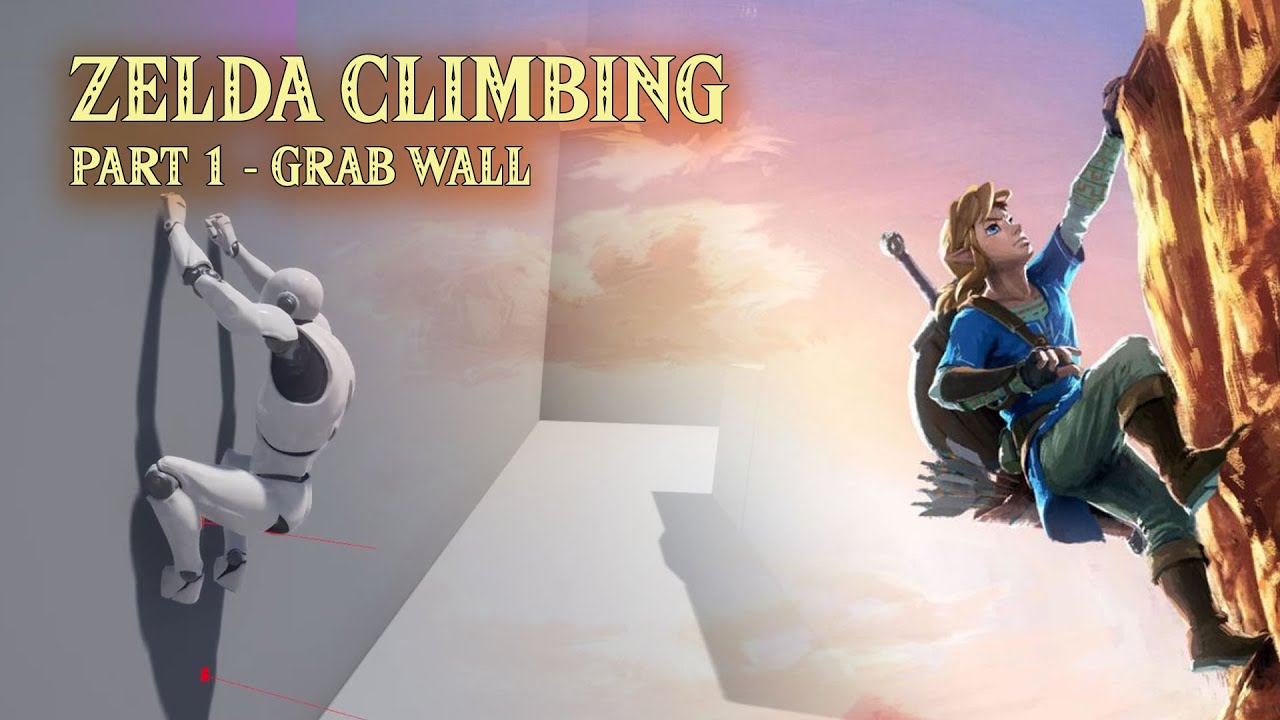
Project Files : https://www.patreon.com/posts/52828728
This is the first episode of the tutorial series I am doing on "Legend Of Zelda - Breath of the Wild" like climbing system in unreal engine. Here, we will look into how to detect the wall in front of the player character and hang on the wall when the jump button is pressed. If player press t...
drowsy snow
abstract veldt
Does the game have to utilize Vulkan in order to easily work on the 3 computer p...
Mac uses Metal.
 cyan bronze
I have a question... I have just created a player character in blender. Is making animations in blender better than in unreal engine 5
drowsy snow
cyan bronze
I have a question... I have just created a player character in blender. Is makin...
It's not the matter of "which is better", but which tool you find comfortable with.
also Control Rig and in editor animating is a thing in UE4.26
sand bay
i tried learning Blender’s animation tools like 6 separate times. it was always “what does this do again?” first time i use UE’s control rig? I make a half walk, quarter turn, and pose for the camera all in 5 hours.
got to say i like UE’s animation options
blender Probably has more control though, if you learn it
cyan bronze
Ok ty
 paper ginkgo
so i just got the free NeoCity pack through KitBash3D, i downloaded and then exported it but when i tried to open it in Unreal engine 4.26, the unreal editor loading screen pops up, gets to 75% and then closes with nothing happening after. possible reason for it?
worthy flame
can someone tell me what object does it need to be. Its a actor. Whatever I attach there is a warning

the cast always fails and it doesnt give me access to variables
drowsy snow
worthy flame
can someone tell me what object does it need to be. Its a actor. Whatever I atta...
The cast node's class has to have direct inheritance with the object reference you want to cast as.
If your NA Region class doesn't have any direct inheritance with Pawn, it'll fail everytime.
If you want to communicate with other BPs with no direct inheritance, consider using Event Dispatchers or Blueprint Interfaces instead
worthy flame
drowsy snow
The cast node's class has to have direct inheritance with the object reference y...
its a HUD function with the actor being a child. is that possible?
 rich spoke
Uh.. I remove these move/scale/rotate icons by accident. Anyone know how to return 'em?
 kindred iris
rich spoke
Uh.. I remove these move/scale/rotate icons by accident. Anyone know how to retu...
kindred iris
rich spoke
Uh.. I remove these move/scale/rotate icons by accident. Anyone know how to retu...
Have you tried resetting the layout?


 short prawn
is there a way to set a blueprint to be readonly in the editor so it can't be modified at all?
 knotty summit
Hello, I saved my project and closed Unreal Engine, but right after that my computer shut down due for some reason (not relevant), after I open the project again, engine crashed. I also not able to open other projects too, and it looks like something wrong with materials.
If I don't open any maps, it doesn't crash.
What should I do? Do you need more info? (I removed saved and Intermediate folders, didn't help)
knotty summit
I guess opening blueprints also cause crashes
wary wave
if you don't already have debugging symbols installed, install them
then the callstack might actually give you more information
otherwise you're just going to have to attach a debugger and see what struct it is that's crashing
knotty summit
Thanks, if I can't solve the problem today I'll download debugging symbols. I remember it was requiring a big space
drowsy snow
knotty summit
Thanks, if I can't solve the problem today I'll download debugging symbols. I re...
It takes up quite a lot, but it could save you a lot of hassle.
 zinc flume
Guys is it hard to learn like visual scripting?
I mean no code scripting?
I want to make a single/multi player action game like broforce
drowsy snow
zinc flume
Guys is it hard to learn like visual scripting?
The thing that goes in your way from learning BP is your willing to learn at all.
Also google-fu capabilities.
wary wave
no such thing as no code scripting
visual code is still code and all the practices are still more or less the same
drowsy snow
wary wave
no such thing as no code scripting
Well, pedantic aside, he's likely referring to "no writing line of code"
wary wave
most people ask about it because they have been misled to believe that visual scripting magically means they don't need to learn to program
which has a long tail in Epic's marketing for Kismet
and of course is not true
well, it's a scripting language, but that's pedantry again
you absolutely want programming fundamentals to be able to work with it
 buoyant graniteBOT
:triangular_flag_on_post: fananrufas#1731 received strike 2. As a result, they were muted for 1 hour.
 sinful mesa
Is there any tool built in into UE for impostors ?
https://www.youtube.com/watch?v=6qy4xSv84xQ like this one

Recorded using an early BETA version, be sure to check the official wiki for the latest information regarding general workflow and UI.
Official WIKI: https://goo.gl/8HkViY
Learn more at the Asset Store: https://tinyurl.com/yxhygdv3
In this video we show you how to create your first impostor, be sure to check Part 2 where we demonstrate how you ...
plush yew
ive been trying to figure this out forever but i cant seem to put my head around it, i was wondering if anyone knows how to make a simple apply button? ive tried everything i could but for some detail i make a character selection menu in the main menu changing a sprite i have in the character bp it works but when i open a knew level it changes back to default, i may be getting it wrong but ive never done it before so im a little confused
 stray ruin
plush yew
ive been trying to figure this out forever but i cant seem to put my head around...
stray ruin
plush yew
ive been trying to figure this out forever but i cant seem to put my head around...
if you dont save it it will reset when you open new level
plush yew
@stray ruin yeah ive been trying to figure that out but ive tried to make a save system and it doesnt work ive make pleanty actually so is there a more simple way of doing it?
stray ruin
plush yew
<@!150852277261828096> yeah ive been trying to figure that out but ive tried to ...
Ive only used save systems dunno if any other way sry
plush yew
okay thank you
idle mantle
hey is that possible to go back from 4.26.2 to 4.26 ?
 fierce tulip
@sinful mesa should have asked that on google :p
result: https://docs.unrealengine.com/4.26/en-US/RenderingAndGraphics/RenderToTextureTools/3/
idle mantle
because when I launch a project my friend gave me:


(I press yes for all windows) and my friend told me I need 4.26
fierce tulip
you dont need to recompile for going back a subversion. (4.4.1 to 4.4.0)
just means you are missing some stuff he did not submit
 proud dome
Im planning to make a universal card game (for example, blackjack, poker, spades all in one game), but confused on how to start it off by.
The idea of the actual game is that there will be a seemingly looking 3d environment (a table, and some props on top of it), but since it'll be like an 2d card game, do i need to make the table like an actual 3d object, or just like an image?
idle mantle
fierce tulip
you dont need to recompile for going back a subversion. (4.4.1 to 4.4.0)
mmmm ok will tell him he need to submit stuff
Sorry what do you mean by submit?
File missing in the project folder he gave me?
drowsy snow
I've been stuck in 4.26.0, for the record 😛
fierce tulip
version control or however he send it to you.
I dont know the exact word for it as I dont compile a lot of stuff myself.
@drowsy snow whats the stuff/files called if you compile plugins code?
drowsy snow
fierce tulip
<@!325627930484932608> whats the stuff/files called if you compile plugins code?
Modules?
proud dome
also also, are there any free assets, or tutorials? i literally cannot find a single playing card tutorial on unreal, if i do, they are all in 3d (for like poker and such)
drowsy snow
I don't think plugins deal with prerequisites 🤔
fierce tulip
maybe because ue4 is generally 3d.
there is a card-game in the learning tab, and there are a few cheap examples on the marketplace.
drowsy snow
idle mantle
Try compiling from the .sln / Visual Studio, and see what errors it give.
idle mantle
I'm an artist very noob with this kind of stuff, will ask him that thanks!
drowsy snow
Usually that happens because something that's required for the plugin is missing, like dependencies (which sometimes went ignored in the .gitignore file)
fierce tulip
dependencies was the word i was looking for
knotty summit
drowsy snow
It takes up quite a lot, but it could save you a lot of hassle.
I looked at the crash logs and saw a BP actor name there, replaced it with the backup file, removed all shader files and my problem is solved thankfully. There was not much space for that big files. 🙂
sinful mesa
wow complicated is that impostor thing 😛
high path
help where did my components go

my screen looked exactly like this earlier i had all my components but now they are gone but they still function in game?
 zinc flume
Does anyone here have like finished game lol I wanna try it
Like some of pro devs herr
drowsy snow
zinc flume
Does anyone here have like finished game lol I wanna try it
There's already a lot of UE4 games on Epic Store, GOG, itch.io, and many more.
fierce tulip
nothing free at least
 digital anchor
fortnite
zinc flume
It's ok
 violet goblet
"Documentation": Substance Painter->Unreal
once substance painter had neat documentation on how to import textures from SP to unreal (and how to connect textures to create material)
is that page gone??
 fresh yarrow
how do I fix cache/deriveddatacache not being saved? I tried finding the settings in the project settings and defaultengine.ini but there is nothing
plush yew
one last question to the one i had about 2 is hours ago, when changing a sprite in the widget for the character can i use the game instance to save it in other levels besides it selecting it and it works then when opening another level it sets the sprite to the default, also sorry for asking its a little bit of a stupid question and also sorry for the bad grammer lmao
fierce tulip
@oblique tangle could you please read the #rules
please dont post the same question in multiple channels.
also, i think #blueprint would be the best place to ask, not #graphics so perhaps delete the two you already made, and ask there.
 iron hull
Hello! which is the best channel for beginner help?
wary wave
whichever one is relevant to your specific questions
drowsy snow

I was today years old that I found out Unreal Engine 4 has a class called FScrollyZoomy #ue4

 Twitter
·
Twitter
·
Cheek in tongue naming at best 
light thunder
Is there anyway to put a decal to go mimic a landscape spline? (I can't swap out the static mesh involved easily

 wild tendon
I have a question, in a video for making grass, they use a thing called Landscape Grass Type in the misscelaneous tab, but when i try to add that to my content folder it is nowhere to be found, is it moved somewhere else or do i have to enable it somewhere or does that not exist anymore???
light thunder
It is probably an addon/plugin you haven't enabled or a newer version of the editor maybe
wild tendon
ok i will look into it, i was already thinking that but i have no idea what it would be called
No, i am not able to find it in there, any other fixes?
wild tendon
thanks alot 😁
 tiny coyote
is there something like a physics speed value? Because I want to play the physics a bit faster
plush yew
Why does it take hrs to install
fierce tulip
depends on your hardware and a few other things
tiny coyote
@plush yew thanks! I will try it out
@plush yew It speeds up the physics but it also speeds up other stuff. Can I limit this only to physics or only to a specific actor?
Never mind. Set Custom Time Dilation is what I need. Thanks!
 blissful atlas
Hi guys, im having little problem of output: The render target size doesnt match with the requested size. SceneViewport: 1910, 1006. Media output: 1920, 1080
Anyone knows how to change to match 1920x1080?
Ive tried to change in editor preferences, but when i hit play the resolution back to 1910 x 1006
 late trench
Hey,
I wanna make a dancefloor that chages colors at random or with a pattern.
This is my result so far but there's plenty taht isn't working for me. I would like to animate the transition between colors with a fade. I would like to have some squares turned off. And I would like to have a fixed color palette.
this is the material that I applied to a plane in an actor BP which I repeated to make the dancefloor

this BP

I feel like I should be looking into a single material or a particle system but I don't know how to do it. Can someone point me a tutorial whith techniques similar to what I need?
 cedar snow

Animated this traffic light system with only the two keyframes offsetting the UV data in a mapping node :D Each light gets its own column in the control texture, which feeds the strength of an emission material. The countdown was overkill but I had to. #blender https://t.co/yt6UAnDIyk
Retweets
1260
Likes
8307
 Twitter
·
Twitter
·
 tight ember
Can anyone help me figure out this d3d device loss error. I keep crashing while using the content browser and cascade modules. I went threw everything I could find on Google. So please I accept all forms of help
 worn copper
Getting this error on standalone launch: Fatal error: [File:D:/Build/++UE4/Sync/Engine/Source/Runtime/RenderCore/Private/ShaderCore.cpp] [Line: 379] Shader requested a global uniform buffer of type 'SceneTexturesStruct' at static slot '[Name: SceneTextures, Slot: 0]', but it was null. The uniform buffer should be bound using RHICmdList.SetGlobalUniformBuffers() or passed into an RDG pass using SHADER_PARAMETER_STRUCT_REF() or SHADER_PARAMETER_RDG_UNIFORM_BUFFER().
sinful mesa
Question about occlusion culling. It doesnt seem to work on trees and foliage spawned by procedural tool nor manually painted by foliage tool. Is it normal ? I am speaking about hardware occluding
 cloud grove
Hey all very new to UE, seeking help. Need to rotate an object around the world origin, world space (0,0,0),
when I press spacebar. Has this question been asked or can anyone help. Appreciated
 rancid lagoon
cloud grove
Hey all very new to UE, seeking help. Need to rotate an object around the worl...
rancid lagoon
cloud grove
Hey all very new to UE, seeking help. Need to rotate an object around the worl...
you can put a ball that is hidden in game and make whatever needs to spin as a child of it. then in blueprints make the spacebar input stuff. https://www.youtube.com/watch?v=dAJo3VpLAoI i know this looks different, but in the video the guy talks about what you need. I hope this helps
cloud grove
Thank you @rancid lagoon
rancid lagoon
Are there any Epic employees here?
rancid lagoon
cloud grove
Thank you <@!572079810411757568>
np
fierce tulip
@rancid lagoon yes, why do you ask?
rancid lagoon
just curoius
grim ore
randomly people from all places randomly show up in this discord, so randomly there might be Epic employees. everything is possible!
 grave pollen
Well that was random
tight ember
@fierce tulip you able to help me? You might have better knowledge about d3d errors.
grim ore
if its lost or hang, its a hardware issue 90% of the time
grim ore
overclocked card, overvolted card, etc
hell bad PSU causes it. like he said, could be anything
 drowsy cobalt
Idk if you're the real Matthew, but boy are those tutorials useful.
fierce tulip
best bet is always, house build on an ancient burial site
grim ore
call the Poltergeisterer!
 loud knoll
if need help with your hardware link the specs it will help its a bad idea to overclock anything on a dev pc if it decreases stability even .1 % for me anyway.
@fierce tulip You going to be streaming anytime soon? I miss your streams
vocal sorrel
Hey everyone, is anyone familiar with trying to create an infrared camera or giving objects a certain temperature through blueprints?
loud knoll
couldnt you do that with the em channel on the material, and change per object so the bloom would make it look like increased temp?
create a float var named temp and hook it to the em mat channel then you can boost it in the construction script
vocal sorrel
I can give that a go thanks! I have a big freight ship in the water and have it pick up the various different temperatures. Would that just make the whole boat black/white?
tight ember
fierce tulip
best bet is always, house build on an ancient burial site
Dang I don't Even know where to start.
@grim ore I sure hope it isn't hardware I have a new 3090.
loud knoll
well you would have to set it up so the game play elements were hotter to show up over the background so the player knew to go for them
I would start with the boat and set up a base temp so it looks cool then boost the objects based on importance
so the player can see the priority
grim ore
@tight emberdownload something like msi afterburner and downclock the card in memory, core, and vcore. see if it helps.
your 3090 might be factory overclocked and just this side of unstable
tight ember
grim ore
your 3090 might be factory overclocked and just this side of unstable
See this is what I have been doing. haven't underclocked it yet.
loud knoll
oh 3090? yeah check the temp's those things run hot get HWmonitor as well so you can see what the temps are for the CPU
vocal sorrel
Thank you for all this info @loud knoll it sucks I am not comfortable/experienced enough to make this but I'll give it a go. I am imagining it in my head what you are saying but I don't know how to actually create it in the blueprints
loud knoll
What temp is it @tight ember
tight ember
I have 2 custom fans around it. 13 total i case, ,3090 doesn't ever break 58
grim ore
I know my 3080 was stable in everyything but 1 UE4 project when loading it would crash with d3d hang and lost. This was due to me undervolting it 1 step too much. Everything else ran fine it was just that one random project
loud knoll
@vocal sorrel well thats the fun part of game development, taking what is in your head and figuring out how to do it mang we all struggle with it
tight ember
Wait CPU temp or gpu
loud knoll
@tight ember both I monitor both when I am having troubles
vocal sorrel
@loud knoll True yeah. Is there any tutorial or something you could refer me to that is something like you talked about?
tight ember
I have a led that show temp based on color. It's always green so less than 50 for cpu
loud knoll
@vocal sorrel go through the learning tab of the Launcher and start at the getting started tab, in a few weeks you will be able to create this idea
tight ember
grim ore
I know my 3080 was stable in everyything but *1* UE4 project when loading it wou...
Is it possible a absolutely terrible mesh I scaled up to 5000 is causing this issue? Maybe bad material on top of that?
This didn't really start until a few weeks ago after I added a water material to this bad mesh
grim ore
anything could cause it, hang or lost is when your trying to do something and something goes wrong. its really generic but too much pressure on the GPU tends to be a cause
like pushing the GPU past the limit of how much power it needs to do the operation, or doing an operation that takes too long on the GPU and it thinks it is hung
loud knoll
@tight ember does it happen with a template project?
tight ember
Hmm ill have to see if removing it helps
tight ember
loud knoll
<@!511031561529851926> does it happen with a template project?
Idk actually
loud knoll
and create simple spawner that spawns spheres until you see your memory hitting like 20 GIGS
or what ever something to stress test your machine
random colors etc
if you use a template project then you know its your machine
because those projects have nothing but clean perfect bp runnings them or good enough that they dont break anyones machines just report errors on builds on one case
tight ember
Ill give this a shot when I get home.
vocal sorrel
@loud knoll Thank you so much! yeah this is for a job to gather real data so its a little time-sensitive so Im just gonna put my head down and get to it!
tight ember
And seriously @grim ore and @loud knoll for helping me find a road to try.
loud knoll
@tight ember please tell me this isn't with UE5 because if it is that then well all bets are off
if you are using UE5 then just tell yourself you are a tester working with unstable code and really that is all you can do right now unless you want to fix the bugs they are fixing.
tight ember
No it's ue4
I just absolutely can not believe it's a faulty GPU. It's has to be something else. Like sloppy work on my end
loud knoll
well since you aren't at the machine its sort of useless to help right now when you cant do anything to fix it
tight ember
Right. I feel that. I just can't focus at work. This problem is eating my attention
Especially when google had helped me zeto
loud knoll
Well since GPU are in such high demand I wouldnt be surprised if a larger % are used and or returned and resold but if you are sure it was new that should give you hope, but I got GPU's directly from Nvidia and they had issues so it can happen.
tight ember
So thank you. Ill probably return in 3 hours let you know what is happening
loud knoll
I am getting my 3080TI from NVIDIA directly and still am waiting for it, so I am sad
tight ember
I wonder how much of a headache it would be to use my warranty.
loud knoll
none in stock for even employees
tight ember
See that's my fear of even sending it in.
loud knoll
well I would do a real test on it outside of unreal
tight ember
Like I probably won't get one back for like a year.
loud knoll
test it with other games and sample projects
its unlikely broken it might need the BIOS updated and settings tuned but you can do that
first thing I do is stress test new hardware
so I can tuned it and not worry about crashing
tight ember
I have with game, it ran Skyrim and GTA 4 at max settings no problem. I also use microdose vr. And that is a ue4 game, witch also has zero issues
loud knoll
try and do some GPU rendering
grim ore
just take the pressure off the card and see what happens, there is a good chance UE4 is just pushing it past its limits. make it run slower basically and see what happens
loud knoll
something that hits it hard with the stress test softwares out there
tight ember
Does video renders in adobe count?
idle mantle
Hey what visual studio do I need for UE4? my friend told me I need to install VS
im a noob
loud knoll
they have it listed on the install page @idle mantle
with a link
they have community version
 pallid cove
Hi, guys. I keep getting this PISS-POOR message when I try to run and debug my game. I need some help here!
Any volunteers?
 loud knoll
its free and works fine, you can use 2019
idle mantle
I will install VS 2019 then thanks! 🙂
grim ore
dont use vscode, use VS or Xcode @pallid cove
grim ore
VS 2019 Community is Free
loud knoll
very free
idle mantle
ahhh thanks a lot! btw its not for me it's for opening my friend's project lol
im an artist ^^'
grim ore
are you sure you need it to open their project?
pallid cove
grim ore
dont use vscode, use VS or Xcode <@!773668464953917510>
I tried for VS, but I hear that it's not compatible with UE4 from my pal Shawnthebro.
As for XCode, here's a picture of what's happened.
 idle mantle
Oh ok 😮 but if I don't need the editor is that a problem for me?
the project give me error message if I don't have it I think
will test..
grim ore
I can say VS and Xcode work in macOS , with Xcode being the actual recommended. tryin to make Code work isnt going to help your issue
idle mantle
I have windows10
grim ore
@idle mantlewe dont know what your friend gave your for their project, or what they used when making it. I was just asking are you sure you need visual studio to open it?
pallid cove
grim ore
I can say VS and Xcode work in macOS , with Xcode being the actual recommended. ...
Oh, really?! THEN WHY IS THIS HAPPENING?! HOW DO I FIX IT?!
EXPLAIN THAT TO ME!
idle mantle
grim ore
<@!265192454792151040>we dont know what your friend gave your for their project,...
I will test if it fix my error message
grim ore
did you generate your xcode solution files from your .uproject? @pallid cove
pallid cove
grim ore
did you generate your xcode solution files from your .uproject? <@!7736684649539...
???
grim ore
right click the project, services, generate xcode
pallid cove
grim ore
right click the project, services, generate xcode
Did that. Still nothing for the xcworkspace.
You guys REALLY NEED to join Shawnthebro's discord.
grim ore
do we?
pallid cove
grim ore
do we?
You don't seem to have certain knowledge that he has. You guys haven't figured out this problem much yet.
 dark depot
HAHAHAHAHAHA
pallid cove
grim ore
he hasnt figured it out yet has he?
He's trying harder to help me than YOU GUYS have, even if he doesn't have a Mac.
I already tried your suggestion of generate XCode Project, and it went nowhere.
dark depot
then go there for help. there isnt a requirement for people to help you here mathew is taking his time to try and help no need to basically insult people becuase you can get your project to work
pallid cove
dark depot
then go there for help. there isnt a requirement for people to help you here mat...
I've just gone mental because I haven't gotten progress in figuring out this problem.
 median kettle
does anyone know why shadows are wacky after building light

 upper mortar
Just a question: I have about 2 weeks (most days) of unity experience and according to everyone unity is easier to learn than unreal. But I can't do shit with all the unity tutorials. For example, I tried making a character movement script that works properly and got somewhat better result than all the tutorials I saw but it still wasn't as good as an actual game like half life. Then I tried making landscapes but as much as I tried I couldn't even get close to something like eevee on blender and I can't find anything about urp or hdrp, hoping it would look better.
So is it worth at my stage trying to ditch unity to learn unreal instead or is unreal gonna be even more of a pain?
grim ore
you have 2 weeks into learning
give it a couple months if not years
and since 2 weeks is enough for you to learn the engine, spend 2 weeks with Unreal and then you can make a better decision https://www.unrealengine.com/en-US/onlinelearning-courses
 steady siren
Guys how can I make these shadows a bit more nicer?

I have deep shadowsn on
a dynamic light single light source in the scene
disntance field on for the light and the static mesh
but this groom doesn't have a nice shadow
 ember geode
upper mortar
Just a question: I have about 2 weeks (most days) of unity experience and accord...
ember geode
upper mortar
Just a question: I have about 2 weeks (most days) of unity experience and accord...
Ue5 will be worth the learning curve.
steady siren
I have increased the resolution of distance fields
and lightmaps
don't really know what else to do
 tepid granite
Hello, is there any way how to import virtual cameras output to vmix?
 limpid gulch
Is it possible to make a wireframe mtl for objects in Unreal?
drowsy snow
limpid gulch
Is it possible to make a wireframe mtl for objects in Unreal?
Yes, it's possible.
limpid gulch
How do I do it?
blissful atlas
Guys please how i restore my plane? I cutted and now is cutted forever

Everytime Ill make a plane, now come like this
 charred temple
Can anyone tell me how to add jumping to a VR project?
steady siren
@distant totem does this work for static meshes too?
 frozen pond
how to change level position on persistent level ?

 steady siren
change the collision to overlap all? @uneven hemlock
 uneven hemlock
Didnt work
steady siren
make sure the parent is not passing down any collision settings
fierce tulip
get a newer device
grim ore
 distant totem
steady siren
<@!702271954245124127> does this work for static meshes too?
distant totem
steady siren
<@!702271954245124127> does this work for static meshes too?
not sure, I think it's only for skeletal meshes. Have you tried playing with lightmass settings under the world settings? Mostly Num Indirect Lighting, Indirect Lighting Quality, and Smoothness?
distant totem
steady siren
<@!702271954245124127> does this work for static meshes too?
I think this is the same feature as the one found in skeletal meshes
https://docs.unrealengine.com/4.26/en-US/BuildingWorlds/LightingAndShadows/MeshDistanceFields/HowTo/DFHT_4/
How to setup and use Distance Field Indirect Shadows.
steady siren
I have used distance fields and they did the trick on the static mesh really nicely @distant totem
But on the groom hat, the shadows aren't crisp
like I sent the screenshot
And there is not distance field setting for the groom actor
plush yew
hey guys im new to ue4 how do i make ui?
like a hotbar sort of thing
i know nothing about this stuff
steady siren
@plush yew The deep shadow option is already enabled
And I have tried the hairstands commands. They don't do much
I can try the hair shadow density thing
plush yew
thanks
also is it possible to import character animations from another game such as fortnite?
steady siren
Tried these set of commands. Didn't do much
 cedar snow
there are free character animations from another epic game on the market place
search for paragon
plush yew
ok
limpid gulch
Is it possible to hide the triangulation if my model is all quads b4 I imported it into unreal?
 celest viper

what is this
i understand the Roughness part
its called a scaler i think but how do i create it
 thick herald
default is hold down S and left click
celest viper
thank you
thick herald
🙂
 normal lantern
Hello Everyone, yes Yet another newbie...:(
haha back when i was in school we had YAST (Yet another system tool) in linux... guess i could be YAN(Yet another newb)
I'm running into a problem trying to run stinking faceware on my own model.. I'm following this god awful tutorial by faceware
but right at about 3:08 he talks about dragging in a asset pose (that we have been using) well i hate to tell you "We never have been using it!" i checked all their vids
So i have a model with animation sequences, and it has all of the facial identifiers for "eyeblink" and such
but when i create an asset pose it gives me Pose_1500 all over again, but they are all tied to the full animations... not the individual eyeBlink curves
If anyone is willing to pass a newb some help anything would be appreciated
I'll be hanging in Artist Alley for a bit
steady siren
maybe its a naming thing?
normal lantern
I have no clue, but i've been racking my brain for 2 days now trying to get that one part figured out
i've tried creating the asset from the blueprint
i've tried creating it from the actual animation
i've tried creating it from the skeletal base
still comes out screwy
The metahuman is cool, but i don't really want to play with the metahuman, want to play with my own designs
Looking at the (Face Mesh) it has all thre morph targets, but anytime i create anything based on the mesh it doesnt carry forward the targets
steady siren
I don't have anything to advise you except if you know something to be working, I always try to reverse engineer it
and then follow the same pipeline
 wet schooner
This may be a dumb question but is there any way to make the axis transform control thing straight

it's super annoying to try and make accurate dupes
If I have to that's one thing but i'm wondering now if i'm just being dumb and there's a better way to do it haha
stray ruin
wet schooner
This may be a dumb question but is there any way to make the axis transform cont...
maybe change gizmo to local or world space
one of the buttons on top right viewport
wet schooner
stray ruin
one of the buttons on top right viewport
oh my god you're a livesaver, thank you
this will help save a lot of time haha
stray ruin
lol np
 old dune
hey guys, been on U4 for about 2 weeks. So far in self learning im just working on simple things like a basic map with a racetrack and simple vehicles. I have the map making down pretty well minus a good understanding of how layers work. I got roads from splines down but whenever i adjust them i need to manually update to the terrain which causes the landscape to overlap sections (plus when i place a vehicle it tends to slip through the spline mesh itself) If im in the wrong group let me know its literally my time posting
stray ruin
old dune
hey guys, been on U4 for about 2 weeks. So far in self learning im just working ...
are you using a normal spline bp or the spline landscape layer thing
Hello guys, in this video we will create a simple road spline using the new landscape layer tools from Unreal Engine 4.24 We will create from scratch a simple road mesh and apply a Quixel Megascans texture to it. You can follow this tutorial to create any road, or path for your landscape. Just note you must be using Unreal Engine 4.24 or higher!...
should update terrain by itself
old dune
stray ruin
https://www.youtube.com/watch?v=8WIWuybAKj4
ive been using spline mesh from landscape. the tutorial looks immensely helpful ive found several but none that explained the specifics. thanks!
stray ruin
gl
 fair herald
Does anyone know what the XRVisualization plugin is, a good documentation link much appreciated.
I was looking for it on the net but I couldn't find anything interesting information, not even an introduction, all I find is a doc page with some function list.
I like to know what it is and what it do.
 open gorge
❤️
 misty gazelle
I am making a game where the player builds a car from the ground up, similar to Robocraft and Crossout. Of course, due to the nature of how the tires are applied, I can't just use a vehicle movement component or vehicle wheel component. I have ventured into raycast hover components that I can attempt to modify into wheels. However, I don't know how to implement this so that the wheels have an effect on the system as a whole. What should I do in order for the wheels to be able to move an entire assembled vehicle, similar to Robocraft and Crossout? Thanks in advance!
loud knoll
@misty gazelle I never played those games or did much with the vehicle component but it seems it would be easier to extend this component by adding the ability to remove the tires so they can be swapped with what ever the player does which I would assume would be putting different types of tires with slightly different capabilities, you might be able to just hide the default tires when they are swapped the properties change to give them the right properties. In a sense the car would always have tires but they wouldn't be visible to the player until they locked in the build or placed the different version on to the car.
to add to this if you want to have a hover craft with no tires to be a "legal" build then swap to your other movement method if the player creates this type. So this way you get the benefit of the tires if they build that or no tires if they build that.
paper ginkgo
so im trying to drag and drop a .uasset in to my project but getting an error that its an unknown extension but both my project and the .uasset should be for 4.26 so idk why im gettting it
 kind dew
I'm trying to migrate animations from one project to another. But when I do, the folders in the destination project are just empty.
 icy egret
Hi I have a question
Can I use "Set master pose component" with some AnimBP setting?
I want to use same skeletal mesh for 1st and 3rd person mesh, then I have to make 1st person mesh head disappear, but I don't want 3rd person mesh head to disappear
so I should set 3rd person mesh animation not to disappear
 upbeat fjord
How can I make my tree foliage collidable. I added a collider to my tree trunk but my character just goes through it still
 ashen frost
any knowledge on how to edit when the jump animation plays?

my character just kinda looks stupid when it starts jumping because its 2 inches off the ground lol
 brazen mirage
my app always crashes here is the log file
Fatal error: [File:D:/Build/++UE4/Sync/Engine/Source/Runtime/Windows/D3D11RHI/Private/D3D11Util.cpp] [Line: 198] Unreal Engine is exiting due to D3D device being lost. (Error: 0x887A0020 - 'INTERNAL_ERROR')
UE4Editor_D3D11RHI
UE4Editor_D3D11RHI
UE4Editor_D3D11RHI
UE4Editor_D3D11RHI
UE4Editor_RHI
UE4Editor_RHI
UE4Editor_RHI
UE4Editor_RHI
UE4Editor_RHI
UE4Editor_SlateRHIRenderer
UE4Editor_SlateRHIRenderer
UE4Editor_SlateRHIRenderer
UE4Editor_Core
UE4Editor_Core
UE4Editor_RenderCore
UE4Editor_RenderCore
UE4Editor_Core
UE4Editor_Core
kernel32
ntdll
PLS HELP
 heavy fulcrum
ashen frost
any knowledge on how to edit when the jump animation plays?
heavy fulcrum
ashen frost
any knowledge on how to edit when the jump animation plays?
I recommend checking the third person template state machine
as a template
Im new to EU4 but I copied the same logic and got my jumps working
 young quartz
anyone expert in megascans? How to fix the pattern ground material? Any specific tutorials on megascans?
ashen frost
heavy fulcrum
I recommend checking the third person template state machine
Thanks for the feedback mate, will look into that
heavy fulcrum
The third person template in general is a fantastic starting template
I came from Unity recently and UE4 has built in components worth like $60+ in unitys marketplace
amazed me
ashen frost
young quartz
anyone expert in megascans? How to fix the pattern ground material? Any specific...
I see, idk if it’s a magascan problem tho
I think if you reduce the size of the tile enough, it becomes hard to notice the pattern, I only remember following a tutorial a long time ago; I don’t mess with works editing a lot but hope it kinda helps
ashen frost
heavy fulcrum
I came from Unity recently and UE4 has built in components worth like $60+ in un...
Lol yea, unreal tries to go for things like that in their engine but unity recently added a third person template to i believe
heavy fulcrum
While I find animation for movement to be much easier in UE I am struggling with how to implement actions
such as attacking
Does Unreal have something similar to Unities Animation trigger system?
plush yew
Where can I find a roadmap for planned features in Unreal?
idle mantle
Hey please, ho0w canj I reupload a project?
I clicked by error on ''not now'' button
I guess... and now I can't "update" anymore
plush yew
idle mantle
Hey please, ho0w canj I reupload a project?
Are you using Git?
idle mantle
@plush yew Yes hum I downloaded the project with GIT yes
but I don't use it otherwise
plush yew
idle mantle
but I don't use it otherwise
I'm assuming that you didn't clone it then?
For your case, maybe try restarting the editor?
 drifting elbow
we have a large character which is also part of the game mode. The skeletal mesh is fine, but the animation blueprint references lots of animations. So basically when I try to open the playercontroller, UE loads the whole character with all mesh data, animations and more, which takes a long time. how would I fix this?
 woven whale
hey anybody interested in making a survival game with me?
im currently just thinking of some ideas, but if you're interested; DM me.
brazen mirage
how do i turn unreal engine game into exe
 vagrant trench
Is it possible to package the unreal editor
brazen mirage
vagrant trench
Package project
thx
wary wave
vagrant trench
Is it possible to package the unreal editor
no, and also it is against the license terms
vagrant trench
At compiling
vagrant trench
wary wave
no, and also it is against the license terms
Oh ok
I tought is it possible to make a software like substance or blender
With the tools inside
 zealous shard
is Unreal source build supposed to take up almost 200gb? the epic launcher version barely took up 20gb
 neon magnet
Quick question - should I rig a door with bones or do the usual way of using the pivot and setting up its rotation animation blueprint?
zealous shard
Not sure what would be more performance-friendly, but probably easier to just do it through blueprint with a timeline. That way you can tweak it more easily as well if needed.
neon magnet
I'm debating on what type of interaction I want as well. I'm leaning more towards an Amnesia-type interaction where you click-drag open a door
because I'm not sure how I'd deal with the collision with the player in the regular "press button to open door" animation, especially since I need to keep the doors opening one way like in real life
zealous shard
makes sense
in the past, for doors and elevators in various projects, i typically lean towards controlling them manually rather than through animations, since I have much more control over the actual movement (and for things like you are saying, to click and drag open a door, etc)
neon magnet
zealous shard
in the past, for doors and elevators in various projects, i typically lean towar...
so bones it is?
 shrewd moth
Hey All, I am doing a tutorial where I spawn a cube with a button.... I am having a hard time figuring out what the heck to do! Can Anyone help?
stray ruin
maybe if you give more info
zealous shard
shrewd moth
Hey All, I am doing a tutorial where I spawn a cube with a button.... I am havin...
extremely high level, but essentially you could set up your button to call a function that casts to your custom game instance class, which then calls a function to spawn the cube actor from there
 charred siren
Has anyone ever seen the problem where UE4Editor.exe completely freezes and is unkillable (via task manager, procmon, taskkill etc) without a reboot? It happens randomly to us on 2 different machines, after either building lighting (which completes successfully), or when just loading new lighting data someone else built in the editor. A few seconds passes and then boom, complete freeze. ☹️
Can’t attach a debugger, that freezes too. Seems like a driver interaction, have updated to the latest of everything though (both machines are AMD GPUs but different models)
zealous shard
ya GPU driver issue would be my guess as well
charred siren
Any ideas how to diagnose further? I haven’t had this issue before but it started happening randomly when we began to block out larger levels
It’s kind of a productivity killer when it’s a coin toss whether you’ll have to reboot your machine to continue working
neon magnet
charred siren
Any ideas how to diagnose further? I haven’t had this issue before but it starte...
I dunno if it helps, but there is a small tool called "what's locking this file". I've found it pretty useful over time because if I have no idea what is keeping something running, it tells which process is hooked into it that's stopping it from terminating. You'd just need to right-click on the UE4 executable to get a hint hopefully.
oh and as a bonus it allows you to kill both processes that are deadlocked essentially
or you can just do it yourself once you figure out what is really behind it
charred siren
neon magnet
I dunno if it helps, but there is a small tool called "what's locking this file"...
Thanks, I’ve used sysinternals to query this & found nothing but haven’t tried this one. I’ve been aggressively terminating every user process but the editor refuses to die, which is what makes me think it’s blocked on a kernel/ driver call
neon magnet
Right. I also use Process Lasso which I find far more powerful and useful than the standard task manager or even sysinternals' tools sometimes. The logging of process lasso is very very handy and useful.
 hidden cairn
heya. There a mod about? Wanted to check something before I ask in channel?
 granite spire
@vestal tinsel Depends when you want to do that
set visibility and then destroy actor is what you want
 vestal tinsel
well, after it reaches target point
 astral dust
guys what do i need to add in blueprint to make the player eject from the character he is controlling and can freely move his camera (basically photomode)
granite spire
@hidden cairn eh, just ask me, i'm here, I was going to stream some UE4 stuff but i'm playing DSP instead cause, I took a nap now I'm all sleepy.
vestal tinsel
so far i have managed to get the actor to target point but then it just stays there
hidden cairn
Thanks @granite spire - I need to do the EPic trainers assessment - was supposed to do it last year but have been non stop training since Aug lol. Anyway I have tow do two 1 hour training sessions today for the basics and blueprints and record them using Zoom - wondered if anyone wanted to help by being in class? The videos will be private and just for Epic
granite spire
@vestal tinsel then when you hit it's target point you want to call destroy actor, it will disappear and move to garbage collection, how you do that is up to you.
vestal tinsel
can i post picture here?
granite spire
@hidden cairn Oh that's pretty neat, not sure what you would do about that? is it an event? I generally just stream and record it and then act as a help desk.
granite spire
vestal tinsel
can i post picture here?
Yeah go for it
hidden cairn
Well Im going to do a private session on zoom about 1pm my time (bst) so anyone who wants to pick up some skills is welcome - however obviously understand that I will need people to enable webcam and audio and its two pretty basic lessons compared to what I normally teach 🙂
I have six slots but three are taken now
granite spire
@hidden cairn Maybe post in #share-your-stream I don't know if people check this
granite spire
and then post in #events perhaps? I'm not too sure.
I feel it's a good mod question, but I'm a big dumb dumb
vestal tinsel
something like this?
 hidden cairn
will do
granite spire
@vestal tinsel Yep, that should destroy it, but that's only self being AI controller, you will have to get reference to your character
vestal tinsel
and how do i do it?
granite spire
there's a node I don't remember for it
hidden cairn
Thanks for the help there JuicyBear
granite spire
hidden cairn
Thanks for the help there JuicyBear
no worries
hidden cairn
you trying to kill an actor on event ?
granite spire
in his AI, I don't think you can just run destroy actor
hidden cairn
probably not - what you could do however is just cheat
set your actor scale to 0.0001
then hide it
granite spire
nah set a boolean flag, that is "pending kill" then add a checker on your main ai char, but then you'd have to get main ai char anyway defeating the purpose
hidden cairn
oh good one
granite spire
you just have to call the AI controllers parent
this is all going off memory though
hidden cairn
AI Moveto is a remarkably useful node
granite spire
oh
why don't you setup a killbox @vestal tinsel just use a move to command of the kill box
and teleport the actor there
that would be ultra clean solution
loud knoll
lifespan is another way to remove actors
granite spire
yeah but he wants it when they move to a location
wonder if it's get parent pawn or something
loud knoll
yeah I use lifespan of .02 all the time
granite spire
i feel he's doing it a bit wrong, if it's a location, a killbox should be set at that location that does the removal of that ai, not detecting from the ai controller, that's how i'd do the logic for it
vestal tinsel
so can i use kill z volume?
loud knoll
nah
granite spire
that's if you want to kill something if it goes low enough but that's bad
vestal tinsel
i see
granite spire
usually you setup a killbox BP and place it around your map that anything that overlaps dies
loud knoll
dont use a killz make a box and give the AI damage once they enter it with begin overlap
granite spire
so then you're not hard coding coordinates in the AI itself, so that it can just do it's AI thing
2 of us have the same idea so it's correct 😛
loud knoll
also if you want the ai to play animation after it dies you might have to spawn another copy of it if you wan the body to remain
vestal tinsel
so i should create box and make it that any actor that touches it will be destroyed?
loud knoll
event destroyed will trigger after the actor dies
well if you want that you can do that or you can test to make sure it is your AI
== actor class
granite spire
loud knoll
also if you want the ai to play animation after it dies you might have to spawn ...
or set a death timer, but that's event ticks, but also you don't need to spawn so, 
granite spire
vestal tinsel
so i should create box and make it that any actor that touches it will be destro...
yes
vestal tinsel
i see
granite spire
I hope that gives you information
vestal tinsel
sort of
loud knoll
they have a basic tutorial where you create a grenade and blow up an AI
or bomb what ever
did you go through that?
fierce tulip
loud knoll
<@!220596777034711040> You going to be streaming anytime soon? I miss your strea...
My mic broke and havent received my replacement yet.
vestal tinsel
@loud knoll no, where is it?
loud knoll
@fierce tulip ah thats cool mang, my mic broke the head phone disintegrated in the heat so I took off the ear pads and wear it around my neck because I am too cheap to replace my 15 dollar mic
fierce tulip
hehe
loud knoll
@vestal tinsel google is your buddy should be on the epic site thats how I learned almost everything then MattewW has a great set of single node tutorails.
granite spire
I got sick of my astero a50's mic and splashed out because people like my voice so it's a bit of an investment
hidden cairn
I got the Samson pro - Im streaming most days and its a great mic
granite spire
i spent 6 hours educating myself on mics, lol
then found one that doesn't pickup keyboard typing
hidden cairn
Most of the time Im training architects / AEC types so its serious business faces 🙂 Its nice to stream some gamedev now and again
loud knoll
I try to never show my face on stream it only scares the kiddies to see such an old man working on a game
granite spire
lol
hidden cairn
I have three people lined up for teaching now so hopefuly that will be enough for Epic
granite spire
I didn't but then I did and my stream got raided so, I mustn't be too bad to look at 😂
hidden cairn
gah my ugly mug is all over the streams sadly
granite spire
I wouldn't mind being a teacher
loud knoll
yeah my days of being a hot dude are long gone now just a fat bald man its good and bad
hidden cairn
lol we are all bald fat men
granite spire
but streaming helpdesk is giving me a bit of a purpose, I'm enjoying it
hidden cairn
this is the way
granite spire
lol
i'm chubby and still got hair, been receding for years though I think my hair just gave up and was like "you know what? this is far enough"
hidden cairn
looks like I need a "pro" background for this damn stream
granite spire
I haven't been stumped on questions around here really, but I still feel like I know nothing
hidden cairn
usually its my gaudy living room
granite spire
I also don't know how to use twitch properly lol
hidden cairn
I cheat and used streamlabs
granite spire
yeah I was told last night to use that
dunno what it does but I'll check it out when laziness goes away I kind of just stream because why not
loud knoll
streamlabs is good I use it parts of it but made my own theme like 6 years ago before the sold them and it is really simple
hidden cairn
its pretty good - its basically a click and go solution
and if you pay the premium version you get hosting, a domain and stuff that automatically fills with your stream and data
www.cgpirates.com - thats my one that I very rarely update as an example
loud knoll
yeah I aint paying anyone to stream anything last thing I want to do is try to make money streaming game development
hidden cairn
same here. I bought it because I liked the hosting package though
Im a full time trainer so Twitch aint my income stream
not enough people watch the streams to make fat bank anyway
granite spire
yeah
loud knoll
you would have to use metahumans and create a hot avatar in a hottub then you can really pull in the viewers and $$$.
hidden cairn
no public free training tends to make fortunes - learned that eventually
granite spire
I can talk to myself for 12 hours straight, so, I have that type of streamer personality, lol
hidden cairn
yeah thats about the only way#
lol same here JB
when I used to make tutorials for my old site 3d-palace some of my training sets were like 100 hours long
mostly because I just talk a lot
granite spire
good voice + mic + soothing chill stream, I got it made
hidden cairn
lol - well my voice is easy to understand and neutral/friendly so I get to teach a lot of Euros where english is a second language
loud knoll
alright we are going to get in trouble for spamming bs in this channel
granite spire
it's worse when you are passionate about something
loud knoll
we need to help folks
granite spire
ahh yeah that's right no worries
hidden cairn
I used to get so damn excited moving verts around
loud knoll
one last thing you can stream to help people in this discord now - just use the !stream command on the mannybot
granite spire
you have to stream to discord though yeah?
loud knoll
anyone test DLSS plugin using volumetric fog to see if you get an FPS increase?
plush yew
guys do you develop apps on mobile? and if yes what ads implementation do you use?
tried researching and most sources point out that i should be using unity for mobile app development just because the ease of ads implementation
 hot beacon
anyone know how to fix unreal crashing
"d3d device lost"
i have tried so much and yet nothing is fixing it
wary wave
if you're on a laptop, it's probably because Windows is switching between GPUs
if you're not, the best you can do is change drivers
wary wave
depends on what you're running, but you should be able to specify to only use the dedicated GPU when running Unreal
wary wave
it's an Unreal problem that has persisted for a long time
there's really not much you can do
 sage dove
for me it went away when i updated graphics drivers
hot beacon
oo ill try that
hot beacon
it didnt work
any other things you know that might fix it
i did something got to do with latency ill see if that made a difference
spoiler alert it didn't
 hardy nacelle
I have problem with BlueprintImplementableEvent
I have declared function as this
void DoSmth();
And defined it in BP derived from that class (BP -> Functions -> Override)
I am calling it in C++ by DoSmth(); By it doesn't call function defined in BP
hot beacon
ook yeah im desperate now anyone know anything that will stop unreal from crashing with this bloody d3d error bs
vestal tinsel
so i still have problem with making killbox
 dapper oak
ive just tried compiling after some editing and now im getting this error 0>C:\Program Files\Epic Games\UE_4.26\Engine\Source\Runtime\Engine\Classes\Components\PrimitiveComponent.h(2423): Error C4430 : missing type specifier - int assumed. Note: C++ does not support default-int but all that is there is a GENERATED_BODY(). What do I do?
hardy nacelle
I am trying to use EditorApplySpline in C++ but I get error unresolved external symbol [...] EditorApplySpline [...]
 obsidian mist
Hi, i am looking for advice on how to make this projectile sphere from First Person Example, to be movable upon player colliding with it?

 thin tendon
@obsidian mist Enable simulate physics. Then set it to collide with the player.
An Ai perception stimulus source has to be an Ai controlled source?
When I add a stimulus source component to a building part and not an enemy my AI don't get triggered by the building part they ignore it.
worn copper
Do anyone have story Game concept?
 stuck linden
Does anyone know how to make my 3P mesh not collidable with my own character ?
 fallow hornet
is there a way to rebind an actor in the variant manager?
nvm answered my own question by right clicking
thin tendon
@stuck linden 3p?
buoyant graniteBOT
:no_entry_sign: dev mac#2593 was banned.
obsidian mist
thin tendon
<@!289840102035685376> Enable simulate physics. Then set it to collide with the ...
thanks it works, now i think the only thing i should make it more realistic is to make more friction, because the sphere takes a lot of time to deaccelerate
 iron frigate
hey guys! id like to share a project of mine made in UE for the quest, but im not sure how to upload it on sidequest, any leads?
stuck linden
thin tendon
<@!220688976527360000> 3p?
third person
thin tendon
@stuck linden One way would be to create a custom collision channel for your player and then set the third person mesh to ignore that channel. Or you could set the third person mesh to ignore the pawn channel.
obsidian mist
i also wanted before to try dig into jump function in the template but i couldn't, is it maybe because i downloaded unreal engine without the source element?
light thunder
I'm using a skeletal mesh/actor class map to spawn a certain actor - the skeletal meshes are simply shown in the construction script so I can see which actor will be spawned and place it accordingly, due to size variations - but I also want to override the construction script so I can just tell it to spawn a certain actor (versus randomly picking one during construction - only problem is, when I select the instance I want spawned, the construction script never shows anything after I choose an instance class to spawn, if I do that it goes invisible (even though the actor spawns fine)

This should be easier than it is - I just want to spawn a certain class and depending on what class is selected to spawn, display that mesh of the actor (before runtime, hence the construction script)
 lost sleet
Anyone know if there's a way to disable the axis ui element in an object preview tab?
I know in the regular editor you can just press G, doesn't seem to be a way to do it here though
light thunder
lost sleet
Anyone know if there's a way to disable the axis ui element in an object preview...
Might be able to do a workaround by toggling on the collision view and selecting that
then just zoom in onto the object, hopefully it will offset that axis UI element to the collision box's origin - not a perfect solution but could work
lost sleet
I'll give that a go, cheers ✌️
light thunder
I think at this point I should know what this is or how to stop it, but I can't figure out how (right clicking doesn't seem to reveal anything)
 wooden echo
Does someone know why my exposed properties still don't appear in the details panel of my class' defaults? Shouldn't there be a "Components" section? Or am I doing something wrong?


 whole abyss
I'm using an edited version of the movement component for my player, and i'll probably do the same with the enemies. But how should i approach player and enemy interacting? Like punching an enemy, or jumping on one, or for me i'd like to a thing where you can swoop between their legs
How should i deal with collissions then?
 cosmic matrix
Hello,
I m starting using the replay feature but i can t find the way to exit replay mode after calling playreplay().
Anyone know how to achieve this?
I can t find lots of doc on this feature.
light thunder
whole abyss
I'm using an edited version of the movement component for my player, and i'll pr...
I'd follow one of the youtube examples, but you can have collision volumes on sockets of the skeletons, and then fire interface events on overlap events - so if a box collision on someone's hand overlaps something, it can check if the thing it hit implements that interface, and activate that interface call on that actor
nice thing about this is that you can make it do something different for each item that implements the interface
whole abyss
light thunder
I'd follow one of the youtube examples, but you can have collision volumes on so...
Would i be able to make 2 specific character's collission capsules not interact momentarily?
If so i could probably do some fancy animations, but still make sure both instances don't suddenly go into a wall or through the ceiling
light thunder
whole abyss
Would i be able to make 2 specific character's collission capsules not interact ...
You could toggle off collision on one of them but that will trigger any "END OVERLAP" function tied to it - it's not the best way to go about it, the optimal path is using custom collision channels
light thunder
whole abyss
If so i could probably do some fancy animations, but still make sure both instan...
I'd worry less about that - those animations will be tied to the character mesh and if they can't go through something, you just have to make sure the collision capsule is positioned correctly
whole abyss
For instance, one tiny character, going through anothers legs for some move. If there's a wall on the other side, i'd want them both to just get scooted a little bit so there's space
light thunder
But you can also make an event notify from the animation (like when the hand box collision is furthest out) and make things happen then
light thunder
whole abyss
For instance, one tiny character, going through anothers legs for some move. If ...
That's a bit more involved and I'm probably not qualified to give you the best advice on it
obsidian mist
how should i decrement or increment variable? i see that there is macro but it does -1 or +1, i need to change it inside this macro or somehow duplicate it?
light thunder
seems like if that was the case, he'd hit his head on the wall and the enemy would play a 'grab failed leg dive to punish player" animation
light thunder
obsidian mist
how should i decrement or increment variable? i see that there is macro but it d...
Just get the previous value of it and add whatever # to it you want
whole abyss
light thunder
seems like if that was the case, he'd hit his head on the wall and the enemy wou...
didn't think of that. i was just thinking gamey stuff, like say arkham games, like even if you're doin some fancy move all characters still stay within bounds
if you understand what i mean
obsidian mist
light thunder
Just get the previous value of it and add whatever # to it you want
using which node?
light thunder
whole abyss
didn't think of that. i was just thinking gamey stuff, like say arkham games, li...
there's root motion but you're going to do some more research on that
whole abyss
definetely
obsidian mist
i think i need to replicate this kind of set
 light thunder
but if I remember arkham correctly, I think they simply moved both actors to a different location but they rotated the player camera maybe so it wasn't as obvious

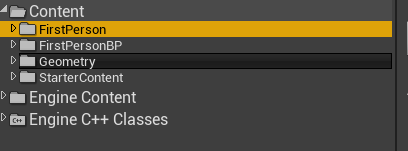


 whole abyss
That might be the best solution. Still then i somehow have to check for collissions beforehand. I was wondering if there maybe was some way, with 2 seperate collission capsules interacting, they just stay within bounds, but also still interlocked
Like when you run into a wall, the capsule just stops on the wall
It's a bit complicated to wrap ones head around maybe
light thunder
whole abyss
That might be the best solution. Still then i somehow have to check for collissi...
You are going to need to watch some Youtube videos or maybe take a course -
and abandon all attempts to do anything until you've watched those videos and setup those systems
whole abyss
right right sure, i'll do some more research