#ue4-general
1 messages · Page 1022 of 1
 drowsy snow
 fallow hornet
Is there a way to add a spline point on a camera rail say in the middle of it?
without having to alt drag the last point?
 frozen stratus
drowsy snow
Layered, as in anisotropy?
frozen stratus
drowsy snow
Layered, as in anisotropy?
I don't know the technical terms, but these materials look like car materials and can be customized within that domain... when they are coperative
 plush yew
anyone able to help me with my issue? lol
plush yew
oh. ok
 hearty walrus
What's the optimal size for an icon?
(in-game, full-screen ui)
I usually make them at 1000px for previewing, would 512px be too big
 grim ore
the optimal would be based on your platform and target resolution
hearty walrus
the ui was designed w/ 1920x1080 artboards
and the actual build is being tested on a 1920x1080 screen
grim ore
yep and in that design what size was the icons for the default scale of the ui?
i mean if you go larger, you scale them down, and if you go smaller, you scale them up. Unless you dont care about having them be 1:1 ratio to the design at the default screen size and scale
hearty walrus
this was the prototype design

(ignore the one misaligned square, idk how to fix it)
grim ore
yep so in that design if that is what you want them to look like on screen, what size are they
drowsy snow
hearty walrus
I usually make them at 1000px for previewing, would 512px be too big
One thing to note that 8K is still super rare in practice, and the largest practical displays so far are 4K, so the best bet would be making it twice the size of the 1080p design.
hearty walrus
I'll probably settle with either 256 or 512
grim ore
welp if its 256 you can fit 4 of the icons top to bottom on your screen
yes obviously you can and probably will scale it, but that will remove information from the image so keep that in mind
hearty walrus
They're all pictographs, so I won't be losing out on much
 grim ore
yep then just make sure they are power of 2 and you should be fine
most of the icons in UE5 are 256x256 for the UI, for reference
drowsy snow
grim ore
most of the icons in UE5 are 256x256 for the UI, for reference
The actor icons, right?
grim ore
yeah most of the icons used in the engine actually, you can find them in the engine content
it does look like they swapped to SVG for the latest stuff tho which is smart, no issue with size since it scales uniformly
drowsy snow
grim ore
yeah most of the icons used in the engine actually, you can find them in the eng...
The ones that are used for actor billboards are still in texture form.
Though indeed most of UE5's Starship UI is using SVG icons, which makes porting to UE4 isn't as straightforward as I initially thought. There are some leftovers from UE4 still visible throughout.
 glacial pecan
Question: Can all/most/some "install to engine" plugins be copied to a project folder instead and just work?
 wary wave
I believe practically all of them can be copied to a project folder
 hidden tendon
I'm trying to trigger a camera shake when a niagara particle is emitted... how would I do this?
The niagara system simply spawns explosions and their sounds (Play Sound) and I want the shake to go off at the same time
grim ore
how are you starting/spawning the system?
glacial pecan
wary wave
I believe practically all of them can be copied to a project folder
Huh... never knew. I have to try this. Thanks!
 rare tapir
Anyone know why increasing the resolution of my render in unreal engine makes it so shadows arnt visible in the render queue?
hidden tendon
grim ore
how are you starting/spawning the system?
I just dropped the system into the scene. It's a variation of the "hanging particles" preset which is spawning midair explosions
drowsy snow
hidden tendon
I just dropped the system into the scene. It's a variation of the "hanging part...
Why not spawning it within a blueprint?
grim ore
^^ you might need to hook up some code to have it do the shake then so when it fires off it can trigger a screen shake
hidden tendon
drowsy snow
Why not spawning it within a blueprint?
I could spawn it in the scene for sure
This is what I was just trying but no luck.

That's in the bp the emitter is contained within
I thought I could just trigger the loop and the shake at once
drowsy snow
hidden tendon
This is what I was just trying but no luck.
I think the Epicenter value being 0,0,0 is the problem.
Haven't tested it much, but perhaps the vector is in world space.
Also both the inner and outer radius being 0 won't be significant enough to have a coverage.
 trim trail
hey, does anyone know how long "remember device" is supposed to last when logging using Epic's account? I have feeling it forgets about my pc just after few days, not sure if it's intended
 worn peak
any ideia on why 'move component to' node is stopping my code flow ?
worn peak
@grim ore do u know any situation where 'move component to' wouldnt work ?
grim ore
well if its not set up right it would fail
worn peak
this node doesnt work inside for loops, right ?
grim ore
well it can be triggered by one sure
it would basically be triggered as many times as you loop and once the loop is done it would continue running
so its pointless in a loop unless you are moving multiple components
plush yew



grim ore
well how is your code set up, and yes that seems like it would be correct if you call the same node again its going to just restart basically since the loop happens instantly
plush yew
Can anyone recommend any good FPS assets that are free
worn peak
even if its for different actors ?
grim ore
it should be fine if its for different actors, are you sure it is?
 steady owl
Does anyone notice nvidia shadowplay sometimes stops recording by itself when fullscreen in UE games? Any tips to avoid?
grim ore
like this code works as expected, it loops 4 times and all 4 items move

its silly code but for testing it worked as expected
worn peak
i create a code like this yours on other level and worked
but this one its not working

the 'finished' its printed, the hello isnt
worn peak
maybe a problem with the pawn ref or the location that Im passing ?
 plush salmon
hey guys, when I set the Resolution to be X amount (say my full resolution, 4k), I'm having issues when my text scaling at the windows level is other than 100%. I'm currently at 150%, and it's making the application bleed into the monitor to the right. How do I fix this?
grim ore
debug it, breakpoint on the move component to and find out what is inside the array you pas into the for each loop
show us
 grim ore
shrug your going to have to debug
worn peak
sorry i have no ideia how to breakpoint/debug -.-'
grim ore
use breakpoints and look at the data
worn peak
where can i learn
grim ore
press F9 while the move component to node is highlighted and it will get a red dot
then run the game, it will pause when that node runs. then you can mouse over the arrays and see what they say
 unreal venture
any unreal front end developer that want to chat with me about some work i need another front end developer as good as me or more that have free time and be looking for some work?
grim ore
unreal venture
$job
unreal venture
@grim ore i dont understand that instructions thing m8 i have put $job nothing happend :S
grim ore
debug is for playing in the editor yes
you need to do that in the #instructions channel
unreal venture
i cant, it dont let me post there any message
grim ore
or read the message
If you're hiring for permanent or contract-based employment, message Manny with the $job command to get started.
soo.....
worn peak
'will pause' do you mean like press the button 'pause simulation'
if yes, it didnt pause
grim ore
then that node isnt running
and yes it would literally stop running and you can go to the editor
worn peak
btw 'u can mouse over the array' hover over the variable directly inside my pawn bp ?
grim ore
is there a red dot on that node and is that blueprint compiled?
this is when it hits the breakpoint
 worn peak
its like this, its pause cause i did manually
 grim ore
and this is mousing over the array
 worn peak
no no, didnt show this bigger red thing in here
let me try again
i tried in the other level i said I used same code, worked like yours
stopped imediatly
but in that other level no
i will restart ue4 and pc to see
hidden tendon
drowsy snow
I think the Epicenter value being 0,0,0 is the problem.
Haven't tested it much, ...
I changed the setup and increased those radii like you suggested and it did the trick, thanks!
This was with single explosion, not sure how to do it every time a particle is emitted in a system the emits more than one

I was able to call the niagara system and the shake at once
 pliant copper
does a game instance stay consistent between maps? and if so what variables should i store in it?
grim ore
@worn peakif it never stops then it never runs, if it never runs that means its not getting there. that means your array is probably empty
hidden tendon
Is there a way to get some sort of notify from a Niagara system each time a particle is emitted? I guess I would need the location of each particle as well... not sure if it's worth it but it would be nice to know if it's possible.
 upper bison
Is there any given thing that can be done to stop a memory leak in editor? I'm experiencing it all the time...
worn peak
@grim ore but if it was empty, it shouldnt be printing anything, no ?

its printing the 'hello', 'before' and 'finished'
grim ore
well does the first one stop? the first print string that says hello
worn peak
btw i put breakpoints even in the node right after the 'event' that trigger the whole code, a on click event
no, that one doesnt stop too
let me restart the pc btw who knows
grim ore
so at the top you have a drop down that shows the current blueprint that is being debugged
so you need to make sure its the one that is running and needs to be debugged
worn peak
circle is empty after pc reboot
 grim ore
yes hit compile or save and it will go back to solid
worn peak
-.-'
guess i know what it is
i have a destroy for this object inside its own blueprint
i chaged the 'destroy' node to a 'set location' to far way from camera view
and now its doing the last iterarion
i will check if it will do for every object inside the array using a manual loop with branch nodes
 mystic island
So I have a quick question.
I just got a publisher, and they want a localization file with all the words in the game.
I used the localization tool to get a .PO. Are they able to translate it completely, and I can reimport the .PO in each language they translate to?
I've never messed with any localization stuff before
worn peak
@grim ore worked with this

 slim ivy
Did someone experienced the same problem, that if you have more SkyAtmosphere at the same time but in different lvl only 1 gets showen but not 2 at the same time?
worn peak
after I replace destroy node by anything else, if I go back its stop works again : T

@grim ore do u remember if your objects was moving simultaneously or one after another
grim ore
same time, the loop executes all at once which means each one will get started in the same frame
worn peak
using the for loop doesnt work for me, only manual loop with branch
like trying to use 'delay' inside 'for'
grim ore
you cant use a delay in a loop
loops run all at once in the same frame
and you saw my code, it worked fine
worn peak
i will try with a new project
have no ideia why but its only doing properly the last iteration
its something inside the bp
i had no ideia that by destroyin it, could harm the rest of the code inside
better move to a 'cemetery of cards' array instead of destroy it
 cyan trellis
Is it possible to render an animation with a transparent background?
wary wave
no
 forest phoenix
Hi! I could use some help. I'm on a project that uses feature level ES3_1, and I need to know if there's any way to easily bump up the dismal joint limit of 75. It's a project for VR headsets, not for phone hardware from 2014, so that limit is a serious issue.
grim ore
according to the code 3_1 should be 256
ES2 was 75
but there is a link to the code that handles this in this answer hub post, you could try modifying it and seeing if that works https://answers.unrealengine.com/questions/93756/how-can-i-increase-the-bone-limit-on-mobile.html

 lime gull
So how do I get the percentage of a value, do I do it through division?
grim ore
or multiplications, what are you trying to do
lime gull
For my specific example, Im trying to subtract a certain percentage of damage from attacks based on character stats
grim ore
well percent is 0..1 , where 0.5 would be 50 percent
so multiply number by 0.5 gives 50 percent of that number
lime gull
alright thank you! I figured I was using the node wrong
grim ore
yep % or modulo or modulus or mod gives you a remainder
 radiant sun
I've double checked all my settings and this crap is still happening... It was fine yesterday, but for some reason it won't work today.
 pliant copper
i made spline mesh actor but when i press alt and move one of the points to extent/extrude it, it doesnt do anything :(
forest phoenix
@grim ore Thank you! Will forward this info. Sadly I'm not a programmer but an animator, so I will have to just wait, but it came as a shock to me that the joint limit could be that low in 2021 - even for mobile!
@grim ore Sadly that link leads to a 404. You think I can find it anywhere else?
radiant sun
Oh, it seemed to be a problem with my skeleton... Why in the world did that suddenly change? :/
 hazy galleon
Does anyone know whats going on, i have a firefly particle system in my project and in the viewport and when i play my sequence the fireflys are working the way they are supposed to, but when i render out with movie render quene, the fireflys move for the first few frames then stop for the rest of the animation.
pliant copper
when i ragdoll my mesh it gets seperated from the capsule collider and so when i reattach it and reset its loc and rot it looks like its teleporting back to where ever the ragdoll started, how can i make the capsule collider follow the mesh so that it doesnt look like its teleporting baclk
 light thunder
So, this editor utility crashes the SECOND time I run it - can anyone guess why? AFAIK this crashing happens even if I undo the effects of the first iteration - it never crashes the first time -
the objective it to spawn AI characters onto a nav mesh before runtime
BlueprintUE
pliant copper
whats the error?
light thunder
looks like Behavior tree
 runic fern
hello guys are there anyway to get the authentication data from the website to the pixelstreaming app
 jaunty wharf
Hey there, I have a small question. How do game studios or teams working on unreal work on the same project at once? Me and my team at university are trying to do such a thing but both github and that integrated coop system in ue4 work like crap and require plenty more effort than would be reasonable. Is there a simple solution?
 ember geode
Nope. Perforce but you'll need your own server, or go with assembla which cost money. Pretty much any source control. But as everything it takes a bit to setup after that it works pretty good.
 hidden meteor
ember geode
hidden meteor
ember geode
If there is a question, there's an answer.
But might not be the answer your looking for.
pliant copper
PackagingResults: Error: Missing UE4Game binary.You may have to build the UE4 project with your IDE. Alternatively, build using UnrealBuildTool with the commandline:UE4Game <Platform> <Configuration>
UATHelper: Packaging (Windows (64-bit)): ERROR: Stage Failed. Missing receipt 'C:\Unreal Engine\Projects\MyGame\Binaries\Win64\MyGame.target'. Check that this target has been built.
what am i supposed to do?
 sharp ermine
(screenshot from a video) i cant find the keyboard events folder (im on version 4.26.2)


is this named something differently?
 vagrant hornet
I’m using speedtree to make trees but when I import them to UE4 they look trash
What are you peoples recommendations for making trees?
Is the issue with speedtree just the lighting?
grim ore
@forest phoenixif you mean the github link in the post, you need to link your epic account with github so they can add you to the source but again it should not be an issue for es 3.1 on device
light thunder
How is this vector math wrong like this? What did I miss? It should literally be only different in the z axis = LogEditor: Attempting to add actor of class 'StaticMeshActor' to level at 3331.07,10313.50,180.54 LogBlueprintUserMessages: [MainLevelRefactored] true LogEditor: Attempting to add actor of class 'BP_Clock_C' to level at 3151.73,4237.03,0.52

if it is line tracing DOWN there should be no variance even in the impact point , not on x/y axis
light thunder
grim ore
<@!222461950720868362>if you mean the github link in the post, you need to link ...
You think there would be an easy way to randomly spawn an AI onto an existing navmesh (but randomly) but I haven't found one
plush yew
How much fps ya all get on UE5?
light thunder
why is this look at function making them lean back??? I'm only targeting neck01 bone

weird - why would their spawning not adjust their rotation - they are all like rotating 16 degrees on y axis? thoughts
 next ivy
Lighting looks fine when the skeletal mesh is unanimated but as it moves some really weird lighting occurs. The sun is actually pointing in the direction I'm looking so I shouldnt even be getting shadows from this side of the mesh....ideas? https://streamable.com/lidxgz
 next ivy
To contrast, it looks fine in the skeleton mesh menu. The directional lighting in both cases is pretty much coming from the same place but obviously having issues ingame. https://streamable.com/ys0rgk
 ember geode
light thunder
You think there would be an easy way to randomly spawn an AI onto an existing na...
ember geode
light thunder
You think there would be an easy way to randomly spawn an AI onto an existing na...
What you mean? Get a random position in reachable point bode?
Node.

What is the Get Random Reachable Point In Radius Node in Unreal Engine 4
Source Files: https://github.com/MWadstein/UnrealEngineProjects/tree/WTF-Examples
Note: You will need to be logged into your Epic approved GitHub account to access these examples files. https://github.com/EpicGames/Signup

What is the Get Random Point In Navigable Radius Node in Unreal Engine 4
Source Files: https://github.com/MWadstein/UnrealEngineProjects/tree/WTF-Examples
Note: You will need to be logged into your Epic approved GitHub account to access these examples files. https://github.com/EpicGames/Signup
 lunar aurora
Hi, I'm trying to pack my project in Unreal 4.23 and looking in the log file comes out without errors! But when you run the packaging file it doesn't happen, it doesn't run the game... what can it be? What would be the solution?
plush yew
Is there any tutorial that shows how to make multiplayer fps game like valorant / CSGO?
next ivy
@plush yew The first person shooter template pretty much does all that for you....
 open eagle
how

bruh how can UHT fuck up an engine file like what
I just tried to compile from editor, and then VS and got the same result
 open eagle
 open eagle
 weary basalt
Also seems like the line above is missing a `;`
weary basalt
Also seems like the line above is missing a `;`
its an engine file
I don't even understand why it's trying to compile an engine file in the first place
I'm using a launcher build
weary basalt
Oh you probably messed up a Macro or something then.
weary basalt
Please dont use Hot Reload. If you make changes to C++ files, always close the Editor and recompile from VS.
weary basalt
Check whatever the last file you were playing with i guess?
Close the Editor
Compiling from VS with the Editor open is the same as pressing the Hot Reload button in the Editor.
open eagle
should I delete my project's intermediate and binary folder?
open eagle
weary basalt
Compiling from VS with the Editor open is the same as pressing the Hot Reload bu...
oh
weary basalt
open eagle
should I delete my project's intermediate and binary folder?
Sure, see how that goes.
open eagle
weary basalt
Compiling from VS with the Editor open is the same as pressing the Hot Reload bu...
Same issue
closed the editor and I get the same errors
weary basalt
Im not saying that will fix it, its just bad practice to use HR because it can introduce arbitrary changes in behavior.
open eagle
I'm deleting all the VS generated stuff and binaries from my project folder
gonna regenerate the sln from the uproject
next ivy
Have you tried just looking to see if you accidentally modified the cpp file? If you click on the error in the engine console it should be rather clear.
Also if you never used hot reload you would never get anything done. But yea when you have an error you cant figure out always start with that - pretty much the only thing Unity still does better than UE...
open eagle
next ivy
Have you tried just looking to see if you accidentally modified the cpp file? I...
I just verified the engine lol
still does the same thing
aghhh I just regenerated the entire project source again and it still does it

I have no clue what I did to cause this
I do not remember modifying any cpp files after I initially had it compile properly
next ivy
It wouldnt let you modify them anyways unless you have source control
 latent sonnet
Does anyone know a way to save the best time in a level?
I have a timer function already I just need to get the best time to save for each level.
open eagle
still completely in the dark here
 desert verge
anyone have a good tutorial on interior level design?
open eagle
why would it be trying to compile an engine header
plush yew
next ivy
<@456226577798135808> The first person shooter template pretty much does all tha...
I mean, valorant and csgo hand model is separate from the character right?
drowsy snow
plush yew
I mean, valorant and csgo hand model is separate from the character right?
Look at the Shooter Game template from the Launcher's Learn tab.
 paper ginkgo
when creating a c++ class is there a diff between the class name starting with a U vs an A?
drowsy snow
paper ginkgo
when creating a c++ class is there a diff between the class name starting with a...
U prefix is generally for Object things.
A prefix is generally for Actor things.
AActor is inherited from UObject, but only AActor classes can be placed in the level.
paper ginkgo
hmmm gothca, did figure out my issue too, accidentally made an Actor instead of an Actor Component lol
 dreamy zenith
does anyone know of good low poly feudal japan asset packs?
drowsy snow
dreamy zenith
does anyone know of good low poly feudal japan asset packs?
Sketchfab and Turbosquid should have few of them.
dreamy zenith
thanks
plush yew
I have uploaded my 2 games in playstore
Can anyone tell how to get it further from here
 dark depot
@willow quarry by default the post process volume has a vignette of like 0.4 set check the settings in your post process
nvm i see you also asked this is in other channels and got it answered
 wise pelican
anyone know if theres a plugin or something to make discord show as a status the project and/or file your working on currently in unreal?
i could only find stuff that implement discord api into ur game to show the game being played rather than the engine
 icy egret
does anyone know good tutorial about AI in Udemy?
forest phoenix
@grim ore It's very strange. The feedback I'm getting is that UE4 throws an error message about joint count exceeding 75 (it's a measly 107 joint count for a character with sleeves, skirt and facerig, so it's not like I didn't optimize it). Is there anything we can do about it without changing the source code?
drowsy snow
forest phoenix
<@!218779540359479297> It's very strange. The feedback I'm getting is that UE4 t...
Try checking 16 bit bone index support in project settings
 radiant sun
jaunty wharf
Hey there, I have a small question. How do game studios or teams working on unre...
radiant sun
jaunty wharf
Hey there, I have a small question. How do game studios or teams working on unre...
There is a somewhat simple solution that requires a lot of communication. As mentioned, one way is to have all the files on a server, that way they are easily accessible by all team members. The other way, is you lay out a plan of who does what, and carefully handout specific tasks. That way you can just migrate certain mechanics into a final project, after that it's just really fixing the project settings, and then making sure all the files are being referenced correctly.
Also for more answers to this, checkout this thread on the forums https://forums.unrealengine.com/t/how-teams-work-on-large-games-in-ue4/79138/10. It's a common question for any game engine, so don't be too specific when researching.
Make use of sites such as Trello for tracking of tasks, have weekly meetings, and for uploads, well you shouldn't need that much space. Try only upload necessary changes and keep the old files locally. Or you could ask your uni if they have OneDrive or something, often they have a crap ton of storage for student accounts.
drowsy snow
wise pelican
anyone know if theres a plugin or something to make discord show as a status the...

itch.io
Discord Rich Presence Plugin for Unreal Editor 4.22.
wise pelican
drowsy snow
https://dn2.itch.io/editor-discord-rich-presence
Thank you very much kind stranger
 magic heron
Whats up you Unreal Wizards.
We are recently getting more and more into making product configurators and want to have a look into Unreal for these applications. I mostly understand the concept behind making it in Unreal and the templates helping. My huge question now is how to implement it into a website. I was watching some configurators from the likes of Porsche and such, it seems they dont render the images on the client side, but more likely rendering the image on a server and send it to the client.
Are there any documentations about this topic? I only find stuff for a configuartor within Unreal but nothing on how to actually implement it on a website. Help would be very appreciated
drowsy snow
magic heron
Whats up you Unreal Wizards.
We are recently getting more and more into making ...
You're looking for Pixel Streaming.
https://docs.unrealengine.com/4.26/en-US/SharingAndReleasing/PixelStreaming/
Run your Unreal Engine application on a server in the cloud, and stream its rendered frames and audio to browsers and mobile devices over WebRTC.
magic heron
drowsy snow
You're looking for **Pixel Streaming**.
https://docs.unrealengine.com/4.26/en-US...
That is what I was looking for. Thank you very much
plush yew
learning on top of your project that you intend to release is bad practice?
 lusty kite
I tried drag and drop with "Overview" but still cant put the map in my game.
 drowsy snow
plush yew
learning on top of your project that you intend to release is bad practice?
drowsy snow
plush yew
learning on top of your project that you intend to release is bad practice?
Eh, many developers learn along the way as they making games that they're going to release.
plush yew
ah, so no bugs around deleting, updating assets e changing configurations in blueprints
lusty kite
lusty kite
I tried drag and drop with "Overview" but still cant put the map in my game.
Help
@drowsy snow can u help please?
Or @plush yew ?
drowsy snow
lusty kite
I tried drag and drop with "Overview" but still cant put the map in my game.
In the Levels tab (Window -> Levels):
 lusty kite
Thx
drowsy snow
lusty kite
<@!325627930484932608> can u help please?
Also please be patient when asking for help. #rules #2:
- Be patient when asking for help. This isn't an official Epic Games support channel so we can't guarantee a response. Don't ping people unless you're replying to them. If someone can help, they will. If not, come back in a few hours and consider rephrasing your question or adding more details.
lusty kite
Ok
plush yew
how deactivate this information box?
 drowsy snow
plush yew
how deactivate this information box?
drowsy snow
plush yew
how deactivate this information box?
This?

 regal mulch
Was there a function on the Character or CMC to test of a Character fits Standing and Crouching?
I know about EncroachingBlockingGeometry(..), but that doesn't take crouching into account.
plush yew
drowsy snow
This?
disabling the two checks on Visual Style did not affected the tip box
 forest phoenix
@drowsy snow No luck, sadly. Oculus used to run ES2, and it's very hard to find out if it's actually running ES3. There's got to be some setting somewhere that fixes this.
drowsy snow
forest phoenix
<@!325627930484932608> No luck, sadly. Oculus used to run ES2, and it's very har...
Oh wait, you're dealing with VR specific issues?
Honestly I only dabble with SM5+, not ES3 (let alone ES2).
plush yew
To use OnKeyDown I need to click on override?

I am following a tutorial about creating a Terminal System (link: https://80.lv/articles/how-to-create-a-terminal-system-in-ue4/) and this is the image I am trying to reproduce. However I noticed some changes.

this is mine, probably with the updated version of UE, |
V

can someone try to explain what is the difference between a green box and a blue one? 🙂
😄
I am far away from understanding
How can I drag it to the blueprint graph?

if I do not override and create a new one, I can
forest phoenix
@drowsy snow Yeah, it's VR, but it was mentioned that the 75 joint limit is not correct. There was some info that Epic has reintroduced the joint limit of 75 because of a potential crash, but that it should be possible to put it back. Should have been a checkbox in project settings with a warning, because a joint limit of 75 is crippling.
drowsy snow
I never touched VR before (nor able to develop for it) 
But I think 75 joint limit is also a mobile thing (and I'm also not developing for mobile)
plush yew
is that right to be called on gameMode blueprint? I am not being able to see my print string...
 drowsy snow
 vernal dock
i just read ue4 is supported on the switch!?
vernal dock
i just read ue4 is supported on the switch!?
Always have been, since day one of the Switch.
vernal dock
thats awesome
i assumed it was unity only because of the 3ds
thats amazing thank god now i dont have to learn unity
plush yew
plush yew
is that right to be called on gameMode blueprint? I am not being able to see my ...
OK! It is being called actually, I test a Hello World textbox. However this OnKeyDown modified function is not showing.

the event graph,
 drowsy snow
vernal dock
thats awesome
drowsy snow
vernal dock
thats awesome
Also, it's not the same as mobile port - it's fully fledged UE4 with SM5 compatible rendering.
vernal dock
epic thank you!
drowsy snow
Also(!) there are plenty of UE4 games on Switch already, including but not limited to, Shin Megami Tensei 5, Rogue Company, and even Nintendo's own Yoshi's Crafted World. Heck, even Fortnite.
 stark zephyr
Hi, has there any progress been made with the performance/fps drops introduced in 4.26? Switching to 4.26 resulted in a 20 fps drop for me. Using the GPU stat monitor I saw that VisibilityCommands is eating up 5ms frametime o.O In pre 4.26 this stat doesnt even appear on the monitor. https://forums.unrealengine.com/t/4-26-performance/154610/115

Unreal Engine Forums
What results you getting? Can you share GPU stat and GPU profile from both versions? Is it same bad?
 granite spire
Alrighty i'm here for 2 hours-ish gonna steam some help desk in 5
just having some food
@stark zephyr That's a hard one, have you tried to migrate to a fresh project?
stark zephyr
@granite spire The people on the forum did with the same result.
granite spire
could be direct X or something
you ask a hard question let me see if I can have a look
stark zephyr
There were a lot of bug reports filed regarding the performance drop. Epic rolled out a hotfix in 4.26.2 for the VisibilityCommands issue, but it did nothing for me xD https://github.com/EpicGames/UnrealEngine/commit/d69ec2eb90d7d6be4683abbc9a9d9841c36dabed
granite spire
I don't have anything installed other than 4.26.2 anymore since I nuked me HDD
stark zephyr
🙂
granite spire
it could be anything really, a lot of stuff changed in 4.26.2
new water, new clouds
it could even be something in the backend
also a performance dip of 10FPS to be more stable in the long run might be a thing too
@lusty kiteI see you got everything to work, good job, what did you have to do?
sharp ermine
how can i replace the Mannequin with a custom model?
lusty kite
granite spire
<@!789059230618877952>I see you got everything to work, good job, what did you h...
I just put in a map but i keep falling thru it
granite spire
@lusty kiteIt also looks like your map isn't even spawning, so I'm not sure how you've done that
@sharp ermine https://www.youtube.com/watch?v=4TrLiekYABY Through the act of retargeting

Quck tutorial on retargeting animations in UE4.
Uses the third person animations (third person template), Futuristic Soldier from the marketplace, and Animation Starter Pack (free on UE4 marketplace)
@lusty kite That wasn't what I was talking about, but anyway, the map doesn't even look like it loaded, are you using level streaming?
lusty kite
drowsy snow
In the Levels tab (Window -> Levels):
Like this
granite spire
looks like it doesn't even load, i reckon you're level streaming but don't know it
yeah you're level streaming
you're not loading the level, at all
lusty kite
And how do I do that?
granite spire
https://docs.unrealengine.com/4.26/en-US/BuildingWorlds/LevelStreaming/ @lusty kiteRead all of this
Asynchronously loading and unloading levels during play to decrease memory usage and create seamless worlds.
granite spire
when you're done go through this tutorial, in a fresh project https://www.youtube.com/watch?v=XE2x4TZHxHg
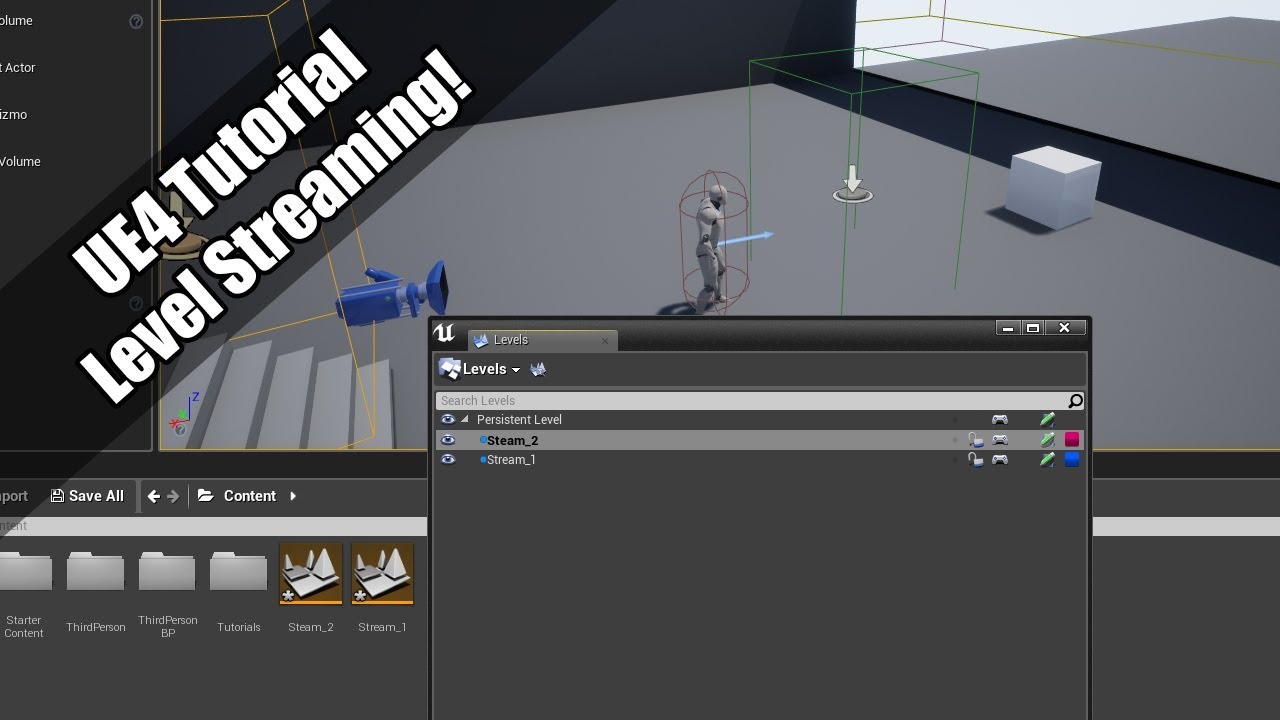
https://www.youtube.com/watch?v=PyMMgWKd5QM then this one
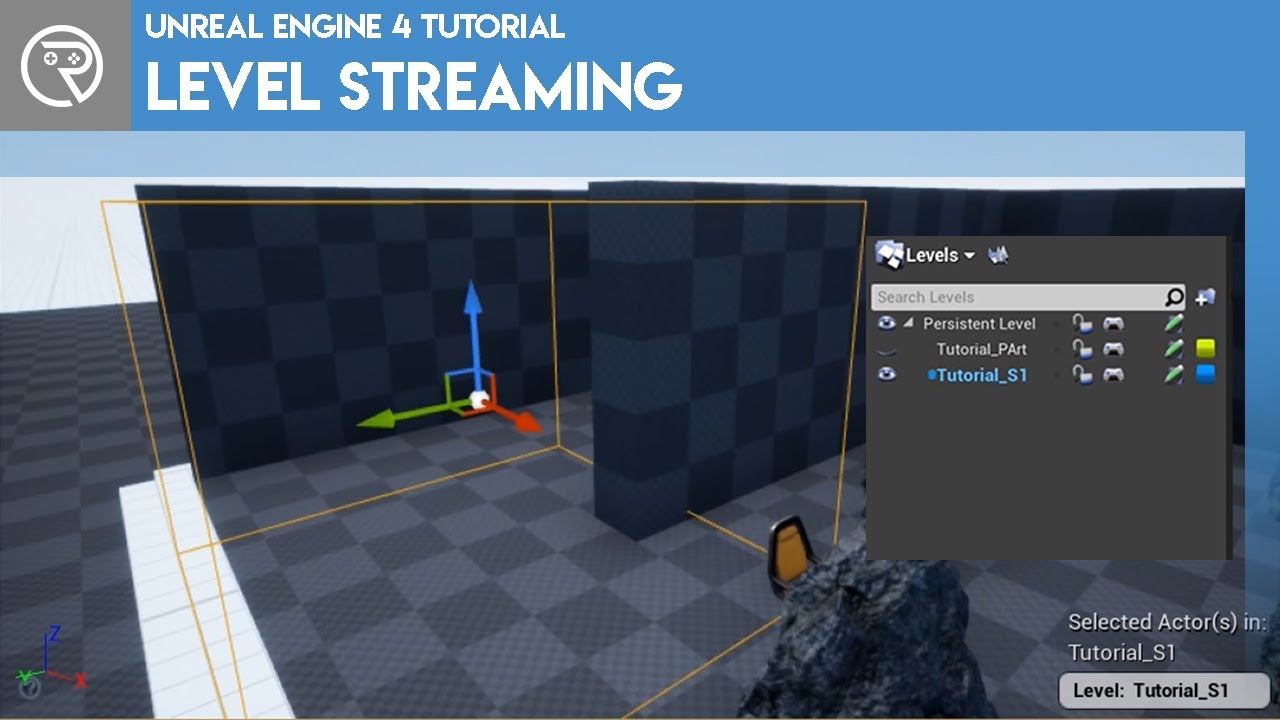
This video was the voted for video by my Patrons and YouTube Members. Show your support at patreon.com/ryanlaley at Silver Tier and you can cast your vote for next month's video.
In this video I explain how level streaming works and how you can use it for both collaboration and for optimisation. This is a technique used in many games and is one...
then you will be a level instancing champion
lusty kite
K
plush yew
OK, I tried but did not get any result. I noticed that "GetKey" is green and in the post is blue, is this causing the Print String malfunctioning?
In the link you send, they recommended setting a delay but is not possible inside a function, not even setting a macro...
granite spire
UI input mode is to disable game controls
so they could disable keyboards, I haven't had the chance to test this though, but I imagine that's how they work
only allow clicking of the UI
plush yew
sad as a rotten watermelon lying on some farm
granite spire
what are you trying to do exactly?
plush yew
a Terminal, you press a hotkey in-game, it appears and you control stuff from there
plush yew
I am thinking about setting key shortcuts (actually it was on my mind, I just wanted to gave the player a chance to type the whole command, instead of using "prediction mode")
granite spire
Hit Console > F_DisableGameInput
your game input function should disable the controls of all your player
so you will need a check before each player action, so a boolean to check if you have console activated
plush yew
🤔 I will save this piece of chat for later, however I think about make all the pawns controls with UI systems...
like Fallout 1 moving on the map system...
granite spire
I made my own unconventional action bar
and it's fully modular, it has 0 keypresses for UI and no bind events 😉
because they use ticks
and i'm anal about my ticks
plush yew
you are speaking some type of futuristic Indian language to me, I hope I catch on with the tribe 😄
 regal ravine
🙂 i need a help in UE4. I am a beginneer in this field.
granite spire
@regal ravine don't say you need help just say what you need
 vocal herald
I'm using Procedural Foliage Volume but it doesnt spawn on seams between landscape tiles. How to fix this?
 granite spire
@vocal herald You need some type of overlap, but I've never bothered with UE4's one
the bounds of that foliage actor must have -10 around the sides to prevent the randomness overflowing
@plush yewGood to know
let me bring up my thing
yeah so gamemode you don't want handling any commands like that

I know it's not network
but you have to view your stuff as a client
always have in mind all of these as a client/server
Gamemodes are only for mode rules, so rules of your game
that's it
or anything a server needs to feed to a client about your game
game instance is your "global variables"
if you need me to help i'm on stream at the moment just doing random stuff, i'm like a mini-helpdesk
cause i'm trying to improve my skills
@vocal herald These redboxes are my procedural generation, which dump down blueprints, so I can farm trees and rocks, you could even go as to get the surface type if you're doing that

 clever axle
Hi! I have a general question: I want to have several maps that the user can play on. My idea is to have a map select level where I load and unload the maps(levels) with loading screens in between?
Is this a bad idea or is there a better way to do something like this?
drowsy snow
clever axle
Hi! I have a general question: I want to have several maps that the user can pla...
It's not a bad idea.
granite spire
@clever axle If you are not using level streaming, which I don't recommend because it's convoluted and a headache, then you would just do that, swap out the level but load your stuff into the game instance that you wanted to keep
clever axle
hm.. so basically open map level -> show splash screen -> OpenLevel("somemap") -> hide splash screen?
Is there any way to grab a progress on the OpenLevel?
drowsy snow
Though keep in mind that all game threads are frozen when you're hard switching levels, so you'd implement the loading screen in C++
(I forgot how do I put it in my source code tho)
clever axle
clever axle
hm.. so basically open map level -> show splash screen -> OpenLevel("somemap") -...
So basically this but in C++ then
drowsy snow
clever axle
So basically this but in C++ then
More like:
Open level -> show loading screen slate while loading -> Remove the slate when the level loading is flushed.
clever axle
drowsy snow
More like:
Open level -> show loading screen slate while loading -> Remove the s...
Pretty much, yes
drowsy snow
This method requires async level streaming for the widget to be animating
clever axle
But the question still stands: is there a way to grab the load progress?
Cause if not, I don't need an animation
drowsy snow
clever axle
But the question still stands: is there a way to grab the load progress?
Not that I'm aware of, no.
But you should at least give an animated throbber to let players know that the game isn't crashing.
granite spire
clever axle
Is there any way to grab a progress on the OpenLevel?
Before you swap levels, you load what you want to keep in the game instance, the game instance is there to hold your variables, it does not change perlevel, so stats and what not should be there.
clever axle
Well that's true I guess
granite spire
drowsy snow
Though keep in mind that all game threads are frozen when you're hard switching ...
I pretty much don't use C++ for loading, you can preload before a load screen to "fake it" in BP's
drowsy snow
granite spire
Before you swap levels, you load what you want to keep in the game instance, the...
He's referring to the loading progress, not carrying over vars across level
clever axle
I mean.. The coolest solution of all would be to load the level inside the overview map and then zoom into it
granite spire
yeah so save and load locally then
drowsy snow
granite spire
I pretty much don't use C++ for loading, you can preload before a load screen to...
Though, again, Unreal would freeze the game when loading a map until it's done.
granite spire
@drowsy snow I've done it with my main game, I've preloaded everything and the spinning progress bar works too
drowsy snow
granite spire
<@!325627930484932608> I've done it with my main game, I've preloaded everything...
using Async Level Loading?
granite spire
nah I don't remember it was a while ago
but if you load a widget and then load a level the widge will play/freeze, then when you finish loading the level after a 2nd tick or what ever, then you can disable to widget
that's what I did and it looks good
and while it loads the little spinning thing freezes and moves then freezes
drowsy snow
I knew it.
My point is to have the loading screen to stay animated while loading, not hiding the fact that it's freezing.
granite spire
yeah
you would have to multi thread that
so some C++ action
but I've never had a case where I've needed loading
I love all streamless stuff
so block on level just freezes things
or something
can't say i'm experienced with dealing with level loading, I love 0 loading
clever axle
Ye.. I should probably just wait for UE5 on all of this and go crazy with an overview map and Nanite
 full lodge
Hi Guys! What kind of engine is a base of Unreal Engine????
granite spire
@full lodge Unreal engine.
@plush yew put in a fake delay, that's what I had to do for aesthetics
full lodge
There is no other base? E.g. open gl vulkan?
granite spire
Maybe fake it with a FMV
full lodge
@granite spire
granite spire
@full lodge unreal engine is based off C++, it's their own engine
drowsy snow
full lodge
There is no other base? E.g. open gl vulkan?
You're referring to RHI (Rendering Hardware Interface).
Which in this case, Unreal Engine is its own engine, but do utilise many range of RHI, from DX11, OpenGL (mobile only), DX12, Vulkan, Apple's Metal, and PlayStation's RHI.
If you're going to make your own game engine, start with programming graphics in either DX11, OpenGL, or entirely in software.
The first version of Unreal Engine was started as a software renderer. (so does id Tech 2 until John Carmack drooling over OpenGL)
 plush yew
cpu locked on 0.78 ghz
plush yew
plush yew
cpu locked on 0.78 ghz
i was trying to fix it from 2 hours and do u know that i just pulled the charger adapter out of my laptop and it fixed
full lodge
drowsy snow
If you're going to make your own game engine, start with programming graphics in...
no no, I just need that knowledge for drivers compatibility like OpenGL, Vulcan,
between Unreal Engine and OpenGL, Vulcan etc.
plush yew
why after some time with the editor opened, the Windows start to freeze?
restarting it, at the same Windows session, resolves...
 bronze tapir
Is anyone using Pixel Streaming in production or a live demo or something? I can't really find anything online.
 clear hornet
I am looking for advanced help with control rigging, anyone available to take some questions?
lusty kite
granite spire
https://docs.unrealengine.com/4.26/en-US/BuildingWorlds/LevelStreaming/ <@!78905...
Idk which part of that I need, can you guide me through it please?
plush yew
Is the .h file the header file ??
lusty kite
?
 loud crater
I'm getting blank windows when opening new assets, PhysicalMaterial or SoundReverb. Anyone experienced this?
lusty kite
My new landscape wont load how do I fix that?
drowsy snow
plush yew
Is the .h file the header file ??
Yes.
plush yew
I was programming the cpp file after sometime my windows crashed and a window appears that end process can make it work so I clicked then black screen appears and it was not working so I clicked and holder the power button so it can shut down but when I on my laptop my laptop is not oning any idea what can I do
loud crater
loud crater
I'm getting blank windows when opening new assets, PhysicalMaterial or SoundReve...
Like this
 plush yew
I was programming the cpp file after sometime my windows crashed and a window ap...
plush yew
plush yew
I was programming the cpp file after sometime my windows crashed and a window ap...
I will now get nice slaps 😭😭😭
loud crater
loud crater
Like this
So sorry for this stupid question. Windows/Details was unticked. Solved
 stray smelt
Any idea what might cause my environment to be so much brighter/washed out in-game? It looks good in-editor, but changes once i play. I have ruled out auto-exposure

It happens once I save the level. It's fine up until that
 chrome beacon
Hello everybody. I just installed an SSD to replace the old HDD as disk D and manually moved the installation folders from the old to the new one keeping the same exact path. I ran the Launcher then but it seems the launcher does not detect the folders { UE_4.26 and UE_5.0EA } . What have I done wrong. Should have I used a specific other procedure instead? I hope somebody can help me sorting things out Thanks.
I found this guide https://nerivec.github.io/old-ue4-wiki/pages/installing-ue4-to-a-different-hard-drive.html but I'm not ure how valid that is
 lucid grove
Why mesh from megascans have this black places in it?
 chrome beacon
lucid grove
Why mesh from megascans have this black places in it?
chrome beacon
lucid grove
Why mesh from megascans have this black places in it?
Aren't they just more intensely shadowed areas!?
 forest holly
Looks like... normal issues or lightmap?
If you switch to lighting mode are they there?
granite spire
@lusty kite You read all of what's on that website, then you follow the 2 videos that have visual step by step instructions, if you have done all of that and still don't know then you need to learn how to google, because that's 3 lots of resources that are very easy to follow, and if you need a tutor I think there's people that do that, which sounds to me like what you need, I don't tutor I just link videos and answer questions, which I've given you plenty of easy to follow examples, the best thing with videos is you can stop and start them.
lucid grove
chrome beacon
Aren't they just more intensely shadowed areas!?
Yeah, seems like they are. Disabling shadows fix problem. Kinda, cause i need those shadows 😄
lusty kite
granite spire
<@!789059230618877952> You read all of what's on that website, then you follow t...
Is there a free tutor?
drowsy snow
lucid grove
Yeah, seems like they are. Disabling shadows fix problem. Kinda, cause i need th...
Look for Global Illumination.
granite spire
@lusty kiteAlso asking why something won't work, and you don't have basic understanding on streaming levels is really bad.
The free tutor is the epic website content, which I linked, and youtube, if you can't follow youtube then you have to pay for it, because it's not something I can sit here for 2 hours explaining to you, I just don't have that time, and if you're not willing to go through the helpful content then you can't be helped because you're not helping yourself, that's a large part of gamedev, you get pointed in the right direction and figure it out, if you need someone to sit down for hours with you, you gotta pay, because people have their own stuff to deal with, we're lucky people give up some time to help people here.
lusty kite
You're welcome for being kept entertained!
granite spire
I'm hoping I don't come off mean, that's not my intent.
I'm aware I've come off mean a few times, and it's not been my intent 😂
I just have a lot to say, and try to not be so elaborate
granite spire
@clear hornet try #animation
granite spire
plush yew
Your PC is probably "throttling" might have huge temps or your cooling isn't efficient, but that's more PC help than UE help
granite spire
plush yew
why after some time with the editor opened, the Windows start to freeze?
Magic, maybe you flushed out some data in your RAM or pagefile
@bronze tapir Pixel streaming on a material? or what?
granite spire
plush yew
Is the .h file the header file ??
Yes, I do believe so.
granite spire
plush yew
I was programming the cpp file after sometime my windows crashed and a window ap...
Your laptop died? sounds like the cooling's gone on it, as I said before it probably overheated, just give it like 30 mins
@stray smelt do you have that auto exposure crap on?
granite spire
chrome beacon
Hello everybody. I just installed an SSD to replace the old HDD as disk D and ma...
Yeah you can't manually do anything with UE4, I swapped my HDD's around and UE4 hated it, so I just redownloaded it
 cosmic axle
Hey! So, I've been reading the documentation for the save/load system and the cooking/patching features (of which both I still don't really understand).
But my question is: if I don't make changes to the saving system (of which I have the cpp component implemented along with the code), and I release a patch to my game, theoretically the saves from previous version won't be compromised right?
granite spire
lucid grove
Why mesh from megascans have this black places in it?
That's Global Illumination shadows, welcome to issues that are annoying, wait till you get patterns
 lucid grove
granite spire
That's Global Illumination shadows, welcome to issues that are annoying, wait ti...
lucid grove
granite spire
That's Global Illumination shadows, welcome to issues that are annoying, wait ti...
Im happy i just have one mesh that having this problem
forest holly
@granite spire I think you are being a bit condescending... You're also being helpful but you could be a bit kinder about it.
It's not what you're saying but how you're saying it
granite spire
cosmic axle
Hey! So, I've been reading the documentation for the save/load system and the co...
Good question, I'm not too sure with C++ but if you don't mess with the saving output, it shouldn't mess with those saves, because it's just variable reading.
chrome beacon
granite spire
Yeah you can't manually do anything with UE4, I swapped my HDD's around and UE4 ...
The guides I found have a procedure for that but they are moving the whole thing, I just need to move exclusively the two engine versions only so i dunno if the same procedures are still effective. I really would like to avoid downoading it all again
cosmic axle
granite spire
Good question, I'm not too sure with C++ but if you don't mess with the saving o...
By saving output you mean both the variable value and implementation?
granite spire
@forest holly I'm not really sure how to be, I avoid using emotes, and any characteristic as it was taken negatively before because people misinterpreted it, I can't really win so I just speak like a robot.
I'm a robotic bear.
bronze tapir
granite spire
<@!298410340159586304> Pixel streaming on a material? or what?
No, I mean this: https://docs.unrealengine.com/4.26/en-US/SharingAndReleasing/PixelStreaming/
It looks awesome!
Run your Unreal Engine application on a server in the cloud, and stream its rendered frames and audio to browsers and mobile devices over WebRTC.
forest holly
I don't know... just try to remember what it was like when you were new to something and needed help I guess.
But I don't think being a robot is something to be proud of.
Being (a compassinate) human is!
granite spire
cosmic axle
By saving output you mean both the variable value and implementation?
Yeah those things, I think if you don't mess with what you're saving and loading it should be fine I would imagine, I would be interested to know though, I haven't had to do saving yet really, I messed with it before but that was like a year ago, was a pain in the butt because I didn't have a grasp on the engine well.
cosmic axle
Welp that definetly compromises if I need to fix a bug in a said level which the saving system is active for example...
granite spire
chrome beacon
The guides I found have a procedure for that but they are moving the whole thing...
I'm not sure if there's like a tool for that, perhaps a registry edit maybe, let me have a squiz at my install
cosmic axle
But thx anyway! I'll see what I can do
granite spire
@cosmic axle Mmmm if you have the same variables in and out it should be fine, I would've though UE4 export-dumps what you want to a file, but I think it has obfuscation I imagine it has some type of hash tag, and wouldn't be surprised if it auto compares game versions too.
@chrome beacon https://nerivec.github.io/old-ue4-wiki/pages/installing-ue4-to-a-different-hard-drive.html This looks like something for you.
I'm not paying attention a great deal i'm spam answering questions before bed
Gotta answer fast 
plush yew
I like robots.
granite spire
@lucid grove It's plagued in mine, and it's to do with AO and GI, I have a screenshot somewhere where's it's full disaster city, let me see if I can find it
lucid grove
granite spire
<@!667566391444111380> It's plagued in mine, and it's to do with AO and GI, I ha...
Im using both, so yeah, its probably it
granite spire
I want to show this off, 1 tick it'll be awesome because it'll burn everyone's eyes
cosmic axle
granite spire
<@!374333510057459713> Mmmm if you have the same variables in and out it should ...
Guess the only way to be sure is testing. But that will be a hell of a problem if all the players suddenly lose their saves on a random patch I release... There must be a way to an awnser to this, it's such a huge deal!
granite spire
@cosmic axle yeah give it a test, tag me with your findings, because I need to know too
 whole abyss
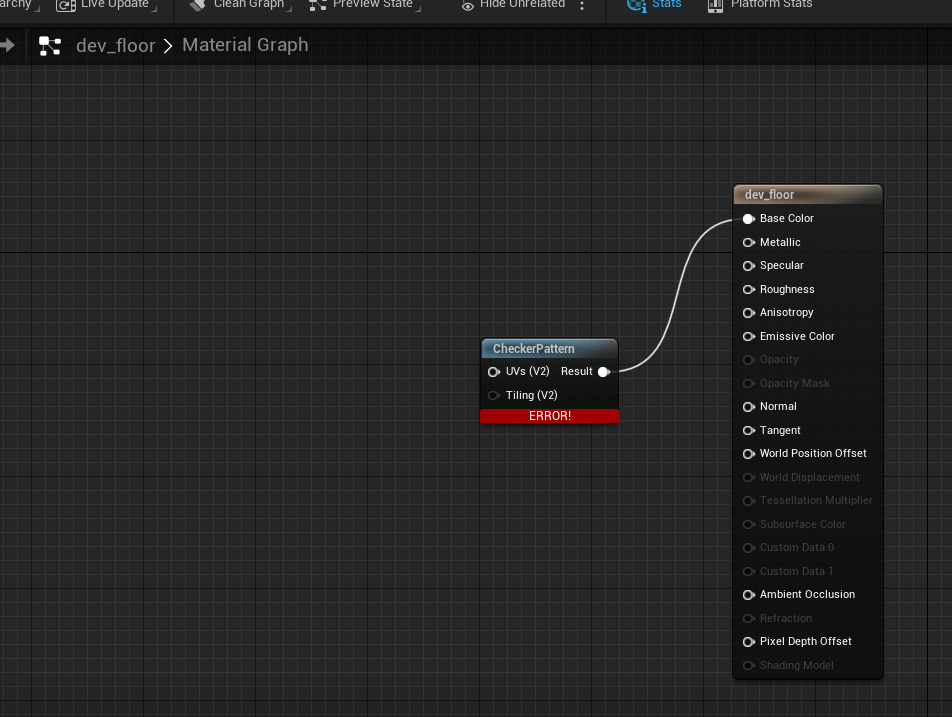
hey, i'm very new with unreal, and i'm trying to create a simple checker texture to use on BSP Brushes. Need a lil help with it
granite spire
I would have an answer if I was like a year ahead of where I want to be right now 
 granite spire
You bois and grills ready to see this cancer?
 cosmic axle
granite spire
<@!374333510057459713> yeah give it a test, tag me with your findings, because I...
cosmic axle
granite spire
<@!374333510057459713> yeah give it a test, tag me with your findings, because I...
Sure! If I remember I will tell you... I just wouldn't count on it cuz I'm only gonna work on it next week and I'm forgetfull ;-;
whole abyss
i figured it out, by looking at another material haha, i just needed a texture coordinate node
granite spire
Oh wait I only got light bleed RIP

Dunno why landscapes don't block light, it's really annoying
granite spire
cosmic axle
Sure! If I remember I will tell you... I just wouldn't count on it cuz I'm only ...
It's alright
 flat crater
when i have two actors of the same class that tick, can i be absolutely certain that one of them will never tick twice without the other one ticking once in between?
(or in another way: does unreal ever skip a tick on an actor while not on another?)
it's what i would think, just wanna be sure
granite spire
A tick will always play it's frame dependent
you don't get half a ticks
from what I know anyway
unless you're doing multi-threading then yeah I think you can play and hold 1 thread while another plays I'm pretty sure too
chrome beacon
granite spire
<@!387599937061519360> https://nerivec.github.io/old-ue4-wiki/pages/installing-u...
I already read that one but they assume I'm moving the engines from drive C but I actually have them installed in the old HDD which is now used as external usb drive so I dunno how exactly I should proceed in this case. I'm just afraid of making mistakes
flat crater
thanks, juicybear
 sturdy pebble
Should I use blue prints or C++?
wary wave
yes
flat crater
yes
granite spire
@chrome beacon well so lets break this down so you understand it:
mklink /j 4.8 D:\Unreal\4.8
pretty much the only important thing there I think
cd "C:\Program Files\Epic Games\"
Only gets command prompt to that directory, because the directory was already made mklink must edit one of the registry files or something /j is the command 4.8 looks to be a version number tag then D:\Unreal\4.8 is the precreated directory.
So if it's on your external drive so you want to type cd "X:\Epic Games\" X being your directory, then it'll dump the rest of the files in the D directory
also, that looked less spammy with me typing that out
@sturdy pebbleI've used BP for ages, there's legit no reason not to start with em, I'll be moving to C++ soon because of the project requirements for instancing and performance.
sturdy pebble
Ok so it doesnt matter which one I choose?
I've just heard that the C++ docs are very barren compared to the BP docs.
flat crater
sturdy pebble
Ok so it doesnt matter which one I choose?
ideally you use both and choose by use case. but that needs experience and knowledge
granite spire
@sturdy pebble have you done any coding before?
flat crater
well the c++ docs do not matter that much, because you can read the complete c++ source code of unreal
drowsy snow
sturdy pebble
Ok so it doesnt matter which one I choose?
Also, take my word for it:
Using Blueprints in Unreal Engine is not an embarrassment.
granite spire
BP is the sanic mode of UE4
sturdy pebble
ok
granite spire
but when compiled he over ate the code and runs 10% slower
flat crater
blueprints are completely valid to use even when you are fluent in c++. it just depends on the use case.
drowsy snow
Don't feel ashamed just because you use BP at all.
sturdy pebble
and yes i've done c# and written code in cpp but not that much
chrome beacon
granite spire
<@!387599937061519360> well so lets break this down so you understand it:
```mk...
Sorry but didn't help... my old installation was on a very different directory. i did follow that 'procedure but despite the cmd prompt told me the link was created the launcher keeps on trying to install the engine
 kindred viper
true story. Every C++ coder uses blueprints. Anyone who says otherwise is stubborn or a liar 😄
granite spire
I use BP to prototype loads of stuff, I'm experienced, but I like to actually get stuff done (and nod off on stream)
drowsy snow
I assume you're coming from Unity, in which case:
Blueprint is the higher level scripting
C++ is the lower level scripting, and can be used to beef up BPs
sturdy pebble
so use blue prints and cpp
granite spire
@chrome beacon Maybe the newer versions can't be tricked, why are you wanting an old version?
flat crater
there is a lot of code in games that is not run every frame and not hard on performance. in those case BP often make development way faster
chrome beacon
I had only the latest 4.26 and the 5.0 early access installed
flat crater
i often end up prototyping something in BP before translating it into cpp because it's just faster for me to try out stuff real quick and translate later than start with cpp directly
chrome beacon
I need to keep on using 4.26 until my assets aren't updated tor 5.0
sturdy pebble
Im gonna start with c++ and if things ghet hairy ill use BP
flat crater
if you are completely new to unreal: start with bp
sturdy pebble
ok
flat crater
because it's just faster to prototype and learn the engine
granite spire
@sturdy pebble Unless performance, always BP, they're not that far off performance wise, think C++ as a performance polish
sturdy pebble
sure but I dont want to rely too much on visual scripting
granite spire
learning the engine is only one thing, making a game is already a challenge then finishing it is another thing, which a lot of people fail at, like myself and my demos
flat crater
i agree with that bear, but would add that there are rare cases where a thing really just can't be done in BP, not because of performance
but that is pretty advanced stuff
chrome beacon
Oh wait... it started installing then very quickly started cleaning it up and a new download of 7.7GB started which I guess is an update of these days
flat crater
sturdy pebble
sure but I dont want to rely too much on visual scripting
you don't have to, you can always add c++ to your project later, but first you should get an idea of how stuff works in the editor
chrome beacon
what didn't work at all was creating the link for the 5.0, the cmd prompt failed with that one
flat crater
and you will have faster successes that make it fun to learn
granite spire
@sturdy pebble #Storytime
I have actually been coding in BP for years, I come from C# monogame/xna background and wanted to do my own engine mentality too (Yes I'm one of those annoying people ), blueprints taught me quite a bit, allowed me to get to the important part of game dev, if you're stuck for years leaning code you eventually find out that that's not even the thing you're supposed to be learning, you realized coming up with systems and engaging gameplay is #1, so you put your "engine fetish" on hold till you become a dev master.
But then you realize that you don't know anything, buy you help people with vast knowledge, but then you still feel new because you're making systems that are complicated and have no documentation because they haven't been done before.
Then you tell your team "you realize adding multiplayer has cost us 2 years?" which then you will curse UE4's multiplayer system and thank the Lord that you didn't develop your own engine even though you replace half of UE4's stuff.
Then you realize it's taken you 6 years of solid work, research to finally get a contract for work, but then you realize you're the most experienced and start training the team up, struggling to learn things, but then you learn how to help people and get a good feeling for it.
 midnight bolt
Is it possible to convert decal into static mesh, with all the deforms?
flat crater
@granite spire haha i wish players without dev experience knew just how much more work mp actually means for a game
sturdy pebble
BP it is
flat crater
it's really insane when you experience it yourself for the first time
plush yew
I know that Axis goes from -1 to 1... can I double the same command to someone who does not have a mouse wheel, split it into two buttons?
 granite spire
@flat crater We had a game near feature complete, until multiplayer caused use to remake it from the ground up, which added 2 years, I wonder if people experience the same stuff I have, because I'm rarely stumped on a question here, which I think is a good gauge of skill, I've been trying to up skill myself and finding that hard to do at the moment.
@plush yew not unless it's different names, as "Mouse Wheel Axis" with +1 and -1 will just do nothing
flat crater
i am pretty sure you were not the first nor will you be the last dev team that underestimated networking
granite spire
so you would have to in code do a < or > for up and down
flat crater
i think every game dev that does networking for the first time will underestimate it
at least it was the case for me too
flat crater
yup 😄
granite spire
networking is like walking through the flames of hell
"Oh this thing doesn't work, but it works in SP?, Good luck"
plush yew
@granite spire I mean, I just repeated the "Mouse Wheel Axis" and it works fine... so I would turn one of them empty but add in configurations key mappings later on. Does it cause any bug?
granite spire
then you find out it's a replication issue, but then you find out it's how replication is done and you messed up the order of that replication because widgets are drawn last, so things stop working /don't exist
 worn granite
sturdy pebble
sure but I dont want to rely too much on visual scripting
worn granite
sturdy pebble
sure but I dont want to rely too much on visual scripting
a good compromise is to define your core structs and enums in code. You dip your toes into C++ land, but it's not too difficult to set up.
The reason I suggest doing so is that you'll have to move these types into code if you later want to leverage C++, and by doing it early you won't have to worry about how to redirect them.
flat crater
but on the plus side: you can laugh at streamers raging in FPS games when they play with like 120fps but a 60ms ping screaming NO REG! NO REG! FIX THIS SHIT DEVS!!!! at their screen
granite spire
@plush yew a singular mouse wheel will work, but having another will confuse it, I don't even think you can reuse that either you probably want to have 2 separate named buttons for that, as those names are just for what buttons but don't have specifics on what they do, they're either movement or button down, if you have 2 movements on the 1 control for + and - it's going to trigger those at the same time, if you have another category with another name it will be fine because you're not adding 2 commands to the 1 button, if that makes sense
sturdy pebble
worn granite
a good compromise is to define your core structs and enums in code. You dip your...
ok
granite spire
worn granite
a good compromise is to define your core structs and enums in code. You dip your...
That is good advice, as they're not too heavy and a good mindset, same with creating your own functions
plush yew
granite spire
<@456226577798135808> a singular mouse wheel will work, but having another will ...
ok, I like mouse commands so much that unfortunately (till now) I will need to advice that you need a mouse with a wheel to play.
serious, mouse stuff is awesome
X and Y
3 different buttons
worn granite
Yeah a Types.h and a Helpers.h/.cpp would be a great start - wouldn't need much at first but since you already have some C++ it helps you justify doing a bit of heavy lifting if you need it
plush yew
I remember back in my kids day a software that counted how many kilometres you mouse slid on the screen, they even had a leader-board 😄
and comparison stuff like, "you did climb Everest once"
 tough perch
How to optimize and debug playing in editor. When I press play in editor it takes about 10 min to start but fps is around 80. This doesn't happen in packaged.😐
 cedar wave
While I was learning networking, the more I learned about networking, the more I learned that to do networking the best, you don't do networking as much as possible.
granite spire
@plush yew Do this, and add "Input_" so you can trim it later on and use that as your display name, and yes, that's my "invention"

@tough perch Try new editor window
chrome beacon
I dunno what the hell is going on now... the launcher was like frozen and had to close the window to reopen it from the toolbar but looks still frozen in the same screen
 granite spire
@chrome beacon It's loading
blue bar is always loading, but why it takes 10 years is because I herd the epic launcher is written with UMG's
chrome beacon
the bar below is not frozen, it keeps on going but it's several minutes like that already... it takes only a few seconds usually
flat crater
it sucks so much. i really appreciate epic and their investment decisions, but this abomination is the exception
chrome beacon
internet is going pretty well, must be something else despite the task Manager gives no bad sign and both CPU and GPU are going smoothly
granite spire
they have billions, but no sense to fix their crap
chrome beacon
the UE_4.26 folder reached a 36GB size... the original one was 12-13GB... something seems really wrong
granite spire
@flat craterhttps://www.youtube.com/watch?v=iEAGmBRC1dc replace mac with epic launcher

The Original Designer Of This Video Can Be Found Here:
Hunter Cressall
YouTube Channel: Vexxarr (http://www.youtube.com/user/Vexxarr)
http://www.huntercressall.com
https://www.facebook.com/hunter.cressall
An original anti-mac advertisement that caused many laughs.
flat crater
😆
granite spire
"No you can't do anything, you have to wait for the all mighty launcher"
don't get me wrong, I like epic
but this launcher has to go
hidden tendon
Does anyone know if physical materials work with skeletal meshes?
chrome beacon
I'm going crazy... I have no idea what I should do now
 untold merlin
Hey guys. I want to recreate something like max payne 3's controls/animation. Anyone have a tutorial recommendation? I have Advance locomotion implemented already.
granite spire
@chrome beacon reboot it, and reboot your modem, imo, mine took like 20secs to load, could be epic servers
chrome beacon
the taskbar icon looks like that now... it was 1/3 several minutes ago now is 2/3... probably I should let it do its thing...
 worn granite
@untold merlin go on YouTube, search "UE4 BP Max Payne" and if you find nothing it doesn't exist
untold merlin
Thanks
worn granite
Then you can break down individual portions of what you want to do and ask about them here. I never played MP3
untold merlin
Found the one
granite spire
@chrome beacon she be updating
chrome beacon
untold merlin
Hey guys. I want to recreate something like max payne 3's controls/animation. An...
The closest thing I saw to Max Payne, the 1st, is this https://www.unrealengine.com/marketplace/en-US/product/close-combat-fighter

Unreal Engine
The package contains: a combat system, a fully animated character in hand-to-hand combat, a move system (walk, run, jump), and a system for increasing the level of the character.
The video is pretty dope... MaxPayne vibes all over the place... I simply love it! https://www.youtube.com/watch?v=20RYQ0upKPU

Project - https://www.unrealengine.com/marketplace/close-combat-fighter
The Project Close Combat: Fighter is created to provide developers with a template for games of different genres: action games, RPG’s, slashers or fighting games. The template includes a combat system, a system for character movement, a system for managing character’s level...
Did I mention the John Wick vibes either? Well I did now, didn't I. Alright... I'll stop feeding you my obsession! 😅
Launcher almost done... no idea what exactly but that's like it seems right now
 drowsy gull
Hey bros I am working with UE5 and tried to create a volumetric clouds.But whatever I do, the result would always be that nothing appeared , or to be better , I can see black clouds floating ,but they were always black , even the materials also black.However , nothing appeared though, my laptop's fans ran crazily.And UE told me he was compiling shaders .Could anyone help me?
regal ravine
Is there any good tutorail for Andriod game making in UE4?
I was trying to make several touch button (like hayday, pubg have) for different operations. but i am not getting the idea how to go ahead and clickable operation in blueprint.
chrome beacon
drowsy gull
Hey bros I am working with UE5 and tried to create a volumetric clouds.But whate...
let it do that, takes a while but all is gonna be fine
if the clouds are black it should mean the shaders aren't compiled yet
drowsy gull
My computer is not bad , and more important is that the shader compiling was finished , when there was still no clouds.
chrome beacon
I dunno then
my suspect is that without a very good RTX and overhaul rig working with UE 5 won't be an easy task at all
granite spire
@drowsy gull #ue5-general Try there, also UE5 is unfinished, that's the problem with it, you might have found something broken and will never know due to lack of documentation.
@regal ravine You're best to break down what you need to learn, like "UMG touch controls for android" then adapt them to your project.
regal ravine
Ok Thanks for keyword
drowsy gull
But on Artstation there's already some artworks of volumetric clouds with UE5
There must be something else wrong
chrome beacon
In the meanwhile... the launcher still frozen in the black screen "doing something we cannot know"...

Murphy definitely has a law for "buying an SSD to speed work 3"whatever" times up and ending up slowing it 3"whatever" times down"...
granite spire
drowsy gull
But on Artstation there's already some artworks of volumetric clouds with UE5
Yeah that's the problem with it though, it could also be your GPU if it doesn't support a certain thing, but check with the ppl in UE5 chat
granite spire
chrome beacon
Murphy definitely has a law for "buying an SSD to speed work 3"whatever" times u...
Just gotta wait it out I guess, looks like it's doing something
drowsy gull
Things went stranger. I checked Show Sky Dome , then the whole scene turned grey
If I remove the light , then it went dark
plush yew
left and right scale parameters have some default? like right always being positive or something?
 chrome beacon
granite spire
Just gotta wait it out I guess, looks like it's doing something
chrome beacon
granite spire
Just gotta wait it out I guess, looks like it's doing something
it's definitely downloading the installation... UE_4.26 now reached 53GB from 39 it was... I really don't get this... it's downloading things which were supposed to be there already
might be that link-thing I did with cmd prompt that messed things up badly!??
drowsy gull
Not my hardware' problem I can see. If my hardwares are to weak, the fans won't stop because GPU was keeping working. But the fact is that after shader compiling's finish , the fans slowed down , which means all the works it has to do have been done
plush yew
mine just start freezing my PC from time to time, then I need to restart
so annoying but the engine is so epic
granite spire
drowsy gull
Not my hardware' problem I can see. If my hardwares are to weak, the fans won't ...
what's your GPU?
drowsy gull
rtx3060
 inland flicker
Is it possible to remove megascans from my Epic Launcher vault list?
chrome beacon
my GTX1070 8GB is now hiding in shame...
inland flicker
I know adding them through Bridge individually avoids this, but I didn't realize this until after I'd downloaded a few sets through Epic

 drowsy gull
😂
regal ravine
When I click play 😮 it does not show like exactly 😮
granite spire
@drowsy gull That should be fine to render those clouds.
regal ravine
I am trying to build andriod game in ue4. So i play with "Mobile Preview"
granite spire
@regal ravine Try checking out some mobile shader tutorials
grim ore
@regal ravinewell it says compiling in the top left, let it finish
drowsy gull
granite spire
<@!781876690619727882> That should be fine to render those clouds.
Yep. I think I can try it in UE's own scene to see what is going wrong
 storm shard
My output is saying this ever .5 seconds while the editor is open. Sometimes it's SlateUI instead of Unaccounted. Anybody know why?

It's really filling up the logs with junk
 buoyant isle
hi guys I got a problem with my animation tab I cant even see the frames that I add on the timeline maybe its just an option to toggle ?
 regal ravine
grim ore
<@!847052980770963486>well it says compiling in the top left, let it finish
regal ravine
grim ore
<@!847052980770963486>well it says compiling in the top left, let it finish
Not get it bro! Can you say where ?
grim ore
this means wait

 cursive sky
Hey, How can i make a default UE4 progress bar have lines and as i change the percentage of the progress bar the lines appear and dissapera
you know what i mean?
 calm pollen
my app an android crashes after about 17 seconds on multiple devices, does anyone know any possible reasons why?
grim ore
check the adb log
calm pollen
how do i do that?
grim ore
its an android thing, look it up
calm pollen
it works fine in the editor
chrome beacon
from 5:43 to 6:13 the UE_4.26 folder is stuck at 53,1GB {40GB more than it was before changing drive!} and the launcher looks like still working and Task manager doesn't report any frozen status... what hell am I supposed to do now!? I'm really going nuts!
grim ore
you connect to the device and run the adb log comands and you can view the logs running on the device
cursive sky
cursive sky
Hey, How can i make a default UE4 progress bar have lines and as i change the pe...
like this
 calm pollen
oh ok thanks
grim ore
@cursive skydepends on how accurate you want it, you could just have an image in the front that is the black borders and then put the progress bar behind it, otherwise some custom material shader code or multiple progress bars that you sync up
grim ore
well you could try in #graphics or google, I am sure someone else has this issue or there might even be a marketplace asset
look up for like segmented progress bar
drowsy snow
cursive sky
like this
"split" the progress bar by chaining multiple progress bars
cursive sky
the image i sent has it synced up so i could just use it bit i cant bind the progres percent for some reason
cause its not a normal progress bar
cursive sky
drowsy snow
"split" the progress bar by chaining multiple progress bars
how do i link multiple together?
grim ore
maths
drowsy snow
Maths, and clamping tricks
chrome beacon
the lack of real time technical support by the way is so annoying, I'd say... how am I supposed to act now... I have no idea what the launcher is doing
drowsy snow
It's fairly simple if you know how:
Every progress bar is 1/10th of the entire percentage.
grim ore
actually why not just use that image as the image on the progress bar?
similar to this https://youtu.be/Zho3dWwas9A?t=127
drowsy snow
chrome beacon
the lack of real time technical support by the way is so annoying, I'd say... ho...
Restart the launcher and clear the web cache.
chrome beacon
Should I force it down and restart it? if I do so I run the risk it has to restart the installation all over again... it's a nightmare, is freaking me out
drowsy snow
chrome beacon
Should I force it down and restart it? if I do so I run the risk it has to resta...
If you close it with Task Manager, it should continue where you left off.
For me it works everytime I have to turn off my computer while downloading upgrades for the binary launcher (I keep at least 3 separate copy of UE)
cursive sky
grim ore
similar to this <https://youtu.be/Zho3dWwas9A?t=127>
do these have the option to bind to progress percent?
chrome beacon
alright... I'll trust on you. All this goes beyond any reasonable logic by the way... copying the installed version using a perfectly identical directory/path should work like for any other program... the fact UE needs to be reinstalled from scratch makes no sense
grim ore
@cursive skyI have no idea, but if its a progress bar then yes. otherwise you just do it yourself. also you should never bind.
cursive sky
why?
grim ore
binding wastes resources unless your information changes every frame, will it change every frame?
cursive sky
I use it with hunger and stamina so yea it does change very fast
drowsy snow
chrome beacon
alright... I'll trust on you. All this goes beyond any reasonable logic by the w...
Well, you have gone quite far, isn't it.
I was about to tell you that you can trick the launcher by four steps, without reinstall from scratch...
cursive sky
so Mathew what should i do instead?
grim ore
you would do it manually when things change. Your health changes, updated whatever needs to change. Or you can use event dispatchers on the item. I am just saying binding is a waste of resources if you are not updating every frame. If you are its fine, and you can still bind its just.. again... not something that should be done
cursive sky
alright
 narrow mauve
Trying to get these branches to spawn at the arrow components. They never get added in the right positions. Not sure what to do?


ah nm I got it
 merry bison
I want to show the level number at the beginning of every level. I have this code in my GameMode, where I also have the variable of level number. How can I set this variable depending on which level is currently playing? Can it be set from the level BP?
 grim ore
well what is in current level number right now?
merry bison
1... its default value is 1
grim ore
ok... so the issue is ?
or the issue is you somehow want to get the level number from somewhere and put that?
merry bison
grim ore
ok... so the issue is ?
Let's say I'm on level 3, but the text and variable still shows 1... I have nothing that updates it
yes
grim ore
so how do you know what level you are on?
merry bison
that's part of the question
how can i update that Level Number variable which resides in GameMode, depending on which level i'm currently at
merry bison
Level_01, Level_02 etc.
grim ore
so honestly the easiest way to do this is to use the game instance, or to use the level blueprint
merry bison
i tried having the code in level BP's and there it works, but i'd have to have the same code in every level BP
grim ore
I dont like the 2nd way but it would work, your levels each have a unique blueprint (level blueprint) and on loading the level you could have it set that variable in the game mode
 grave radish
I couldn't find anything online about this, but why would the gamemode override be blocked out?
 grim ore
so yes you would have to have that code in every level
merry bison
gaah, that's the only way to do it?
grim ore
the other way it to use the game instance, its an object that stays alive between level loads and you can store the "current level" variable in there before you load the next level
merry bison
if i need to change a detail then i'd have to change it in 100 BP's if i have 100 levels
hmm, game instance..?
grim ore
You could use the Get Current Level Name node and strip out the "Level_" part @merry bison
merry bison
yeah, that would be a way to do it... it doesn't feel clean though
grim ore
well what doesnt feel clean?
your literally asking how to get the name of the level you are on
merry bison
compared to using a variable with the value in it, using the level name and strip out letters from it doesn't feel like the right approach, it'd work but it's not optimal
grim ore
well you can use the variable but the variable would just be the level you are on isnt it?
merry bison
variable is in game mode right now
grim ore
but what I mean is the variable is just supposed to hold the level #
merry bison
yes
grim ore
ok so there are alot of ways of doing it but..
unless your level/map names are not going to be the same as the order they are in there is no easier way
merry bison
is there a way that i can update a variable in gamemode from a level bp?
grim ore
if they arent, then you need to associate # with level/map name in an array or list
yes you can update it, just update it
but how would you be updating it?
like how are you going to get that number
grim ore
no i mean you want to set the variable in the game mode from the level blueprint, using what info?
merry bison
okay listen
on every level bp i have a variable with the level #
currentlevelnumber = 3
for example
grim ore
ok if you want to do that then you get the game mode, cast it to the class, and set your variable in it
that is the same way you would talk to any other class and set any variable
merry bison
tried that, didn't work.. but let me try again
grim ore
well it should work, thats how it works
merry bison
doesn't work
grim ore
show your code
merry bison
code from level bp here:
 grim ore
so the node that is not hooked up doesnt work for some reason.................
I wonder why
light thunder
A question regarding overlaps/collision - is it costing a calculation every time you overlap an item that falls within the same collision channel, (in this case, visibility) - so if you are trying to be as efficient as possible, you'd only go after a specific collision channels?
**are there less calculations when searching for a specific collision channel, because no decisions have to be made regarding "is this colliding" when those other channels aren't being queried? **
grim ore
also your projects game mode is called BP_Level_01_GameMode ?
merry bison
yeah it was connected before i did something to it...
never mind the gamemode name, it's changed now
that's old stuff that i haven't changed.
grim ore
welp the code you pasted wont work and I have no idea what you are using now but what I suggested is how you would do it
merry bison

I'm guessing that this may be set after the gamemode already started to show the widget.... which could explain why it doesn't seem to work
grim ore
that would be the next thing to check yes, the order of operations
your game mode can be changed so it doesnt do the widget automatically, its in its own event say called "created whatever widget" that the level blueprint calls
so level bp -> talk to game mode -> create the widget
merry bison
good idea, let me try that
light thunder
@grim ore Can you offer guidance on that collision question?
grim ore
the only real answer is always "profile it", but beyond that someone in #legacy-physics might have the real math. I dont think checking against multiple channels is a large enough cost to matter as more than likely its a bit mask check so its super efficient
merry bison
solved!
that was IT.... the level code was run AFTER the gamemode code
thanks man, sometimes it helps just to talk back and forth to someone @grim ore
 still breach
hey guys kinda confused as to why this material appears lit in an unlit environment. I set the material to unlit but it still shows up as lit :( any suggestions?
 grim ore
emissive material?
 worthy oyster
hey there guys im new to unreal and went ahead with a beginners tutorial from "make games with katie" but the door tutorial didnt quite worked out for me https://www.youtube.com/watch?v=3NpM8v-ukEY

In this video, we'll learn a few fundamentals like:
- What is a Blueprint Class?
- What is a class in software development?
- What is inheritance?
You'll then learn how to build a door in Blueprint scripting using a timeline and trigger volume.
As mentioned in the video, if you want to learn more about fundamental object oriented programming ...
grim ore
what does the door look like right now in your viewport in the blueprint?
 plush yew
worthy oyster
hey there guys im new to unreal and went ahead with a beginners tutorial from "m...
plush yew
worthy oyster
hey there guys im new to unreal and went ahead with a beginners tutorial from "m...
is that a garage door?
worthy oyster
plush yew
is that a garage door?
just a tutorial for a simple sliding door
grim ore
what if you set your Z scale back to 1 and try it again
 dire parcel
I have been looking through the #hire-a-freelancer but can't seemed to find anyone with retro experience,
grim ore
i mean its a really weird way of doing it but I can see it would work, just more prone to issues
dire parcel
does anyone know somebody who can do PSX/PS1 modules for characters?
still breach
grim ore
emissive material?
thanks man
worthy oyster
grim ore
what if you set your Z scale back to 1 and try it again
from the blue piece to 1? then i need to set it into the multiply node or dont i? mine is on 26,19.... and i typed that into this node she had 50 and she typed that into the node
grim ore
well that is the Z value so I think that is fine for yours, just change the Z scale to 1 (yours is .52 right now) and try it again just to see what happens
worthy oyster
?
 worthy oyster
grim ore
well that is the Z value so I think that is fine for yours, just change the Z sc...
worthy oyster
grim ore
well that is the Z value so I think that is fine for yours, just change the Z sc...
but...i dont want it like that?
grim ore
ok but, we are trying to figure out what the problem might be
its just to see if the scale is causing it to change the location incorrectly
worthy oyster
still glitching down and still not closing up after it was activated and it needs way too long to close it up as hers i think it was at 39:48?
grim ore
so set the scale back and what does your timeline look like?
worthy oyster
 grim ore
so hers goes from 1 to -1, it looks like yours goes from 0 to -1
but I cant tell since I cant see your left axis
worthy oyster
you mean like that?
 grim ore
that looks like the video yes
 wanton bloom
Hey guys, i made a camera system(top-down) i can move camera but its going to forever how can i block camera border of map
grim ore
physically put in borders, or when you move the camera check the current locations and stop it if its out of your "border" numbers
worthy oyster
grim ore
that looks like the video yes
that boy is fixed now but it doesnt go back up and can i somehow turn the colision for projectiles from the trigger volume off?
grim ore
well... how many timelines do you have?
and how many did you fix
and yes you would figure out what collision channel the projectile is on, and then turn off that channel in the collision box in the door
worthy oyster
i have only one iisnt it the same on both nodes?
 worthy oyster
ooohh i thought "new tack 0" would be the timeline
grim ore
that is the track on the timeline
worthy oyster
do i need to make 2 seperate or can i just reuse them for multiple nodes?
grim ore
you could use 1, but you want 2
also the projectile should not be opening it, its checking for the character
worthy oyster
its now on both of those but its still not closing it up
 grim ore
if you want to learn how to do it with 1 timeline, you can see which nodes are basically the same between open and close and take a try at making it
well I dont know what your code looks like right now, but it works for open so it should work for close if you start it from the end
it might also be an issue with the fact its set to 5 seconds long and your animation is 1 second
worthy oyster
ok no i was just stupid its working now with sometimes just glitching down at once but how to fix this delay of returning back up?
worthy oyster
my...timelineis 5? isnt it 1 on time?
grim ore
open the timeline
worthy oyster
jep
 grim ore
the timeline is 5 seconds long, just because you are only setting 2 keys at 0 seconds and 1 second does not mean the entire thing is not 5 seconds long
so when it reverses from the end it has 4 seconds of the door open, then 1 second where it goes from open to close
worthy oyster
grim ore
so when it reverses from the end it has 4 seconds of the door open, then 1 secon...
its still really weird
plush yew
slow down the speed
grim ore
well first
its working like it should be
your moving in and out of the door...
so open from the top, then close from the bottom, then open from the top, then close from the bottom
worthy oyster
grim ore
so open from the top, then close from the bottom, then open from the top, then c...
what do you want to tell me with this? 😄
grim ore
the "technical" way to do it would be to play it back forward and reverse
its just you need to actually start thinking about how you want it and code it how it should work, its not a perfect solution that was a tutorial on how stuff works and you can make things happen
worthy oyster
grim ore
the "technical" way to do it would be to play it back forward and reverse
then you cant be standing in the doorway for too long or it stays open a while
grim ore
change it to play and reverse instead of play from start and reverse from end and see what happens
yep if you need the door to auto close when your in it, thats another thing
so how is the door supposed to work and change your code to make it work
worthy oyster
grim ore
change it to play and reverse instead of play from start and reverse from end an...
you sure about that reverse thing?
grim ore
ok so the issue comes from the fact you are using 2 different timelines now
after the end overlap, after the cast to first person, hook up that wire to the reverse on the first timeline (the one on the top)
so now the bottom timeline -> code after it is not hooked up
your thought of "cant I use 1 timeline' was the right direction to end up in
again this was just a "learn how to do something" tutorial, it cant answer all the questions or problems or cases
this is also a super weird way of handling it so it might still end up with issues.. heh, yay programming
worthy oyster
grim ore
after the end overlap, after the cast to first person, hook up that wire to the ...
you are frying my brain right now so you want me to do this?
 grim ore

so now you are using 1 timeline and 1 set of stuff to happen on the timeline for open and close, play and reverse, begin and end overlap
grim ore
why cant you hook it up like I just pasted?
grim ore
when your in the area or when you leave?
 grim ore
show what it all looks like now
worthy oyster
grim ore
the bottom you changed it, its in component now (the end overlap) it should be other actor
 warm plume
Hi im new here. Hope its ok to start with a question: I try to run a Startup Movie in the Project Settings Movie. Its mp4 h.264 codec 1920*1080 resolution 23 fps but it doesnt show up . Has Anyone an idea what the problem could be or where i can find a proper documentiation how the video has to be done to show up?
worthy oyster
grim ore
the bottom you changed it, its in component now (the end overlap) it should be o...
thanks thats a whole lot smoother and its even working 😄
grim ore
for your code the cleanest way is going to be like this

obviously edited to your numbers for the door, mine was 50
worthy oyster
grim ore
and yes you would figure out what collision channel the projectile is on, and th...
back to this question to what should i set it to?
 grim ore
well the projectile should not be opening it, its checking your character on the overlap
so verify it is
worthy oyster
character mesh?
grim ore
your saying the projectile is opening the door right?
 worthy oyster
ik but the projectile is hitting it but overall it works so i set it now to character mesh and it works also but doesnt it means that lets say enemies could trigger that part too or its this covered by the other actor part?
 neon grove
anyone knows how are voxel plugins made?
right now im using the procedural mesh component but it seems to be a bit slow
idk if they use some other type of code or what is used for those plugins
grim ore
@warm plumeThis thread seems to have some ideas, https://forums.unrealengine.com/t/startup-movie-help/54860 , I can say I tried the sample movie that Tim posted in there and it worked for me in my test project in the editor in standalone mode
@worthy oysterchange the box to overlap all dynamic like I showed and it should stop the box from blocking
and the part where "Start Overlap -> Cast to First Person" covers what can trigger the door to open or close
worthy oyster
grim ore
<@!346698210107981835>change the box to overlap all dynamic like I showed and it...
still projectiles hitting it
grim ore
what is it hitting?
warm plume
grim ore
<@!779644766073520128>This thread seems to have some ideas, <https://forums.unre...
Thanks ok i will try to figure it
grim ore
oh wait ok I can see it hitting in mine, sec
worthy oyster
grim ore
oh ok
so the default profile settings for projectile is set to block... why epic.. why
so this is stupid but its th way it works, you need to go fix these. sec
Project settings -> Collision then open the Presets
double click on the ones that say overlap, like this

and change the bottom checkmark for projecile to overlap or click the top checkmark that says overlap
you would have to do that to all of the ones that say overlap, like OverlapAll and OverlapAllDynamic and OverlapOnlyPawn
worthy oyster
grim ore
double click on the ones that say overlap, like this
where he fuck are you there
 worthy oyster
?

 worthy oyster
like that?
 grim ore
no
that is for the projectile, the projectile was fine
your Overlap Presets are wrong.
OverlapAll, OverlapAllDynamic, OverlapOnlyPawn
those are not all set to Overlap only
worthy oyster
grim ore
OverlapAll, OverlapAllDynamic, OverlapOnlyPawn
so on those 3 add projectiles?
grim ore
double click on them, click Overlap at the top, hit save
repeat 3 times
if you open them you will see they say overlap for all but the projectile, that means it will overlap everything but the projectile and it will block it which is not what you want.
its just the way epic set up the template 😦
worthy oyster
so on a complete empty one i dont need to do that?
grim ore
empty what?
worthy oyster
like wihtout anything in the scene
grim ore
well this is for the project, you just do this once to fix the issue with the template is all
the template has an issue, this fixes it
 grim ore
I just mean this project, you are not fixing the actual template
you cant fix the template so if you ever use the first person template again, the project you create with it will have this issue as well
and its just the projectile and first person with this issue
worthy oyster
ok so i need to do those overlap settings on every new project or is it normal on the blank one
grim ore
its JUST an issue with the projectile and the first person template
so if you make a new project using the blank template, you are fine
if you use the vehicle, you are fine
heck if you use the first person feature pack it wont have the issues since it doesnt have the projectile lol
worthy oyster
ok thanks for all the help and effort you put into here right now you helped me really out and the door is working fine 😄
grim ore
yay


 shell compass
@light thunder I think it's because you're passing in GetWorldLocation (which is absolute) into Relative Transform Location
Try just removing that node
 manic fiber
Is there a shortcut to compile and save when working on something? I can't seem to find anything
merry bison
The engine is weird and funny sometimes.. it seems to be impossible to animate outlines in widgets.
 sharp crest
mods pls delete my post #freelance-jobs message
light thunder
shell compass
<@!273265779175194624> I think it's because you're passing in GetWorldLocation (...
That helps - is there a trick I can do to get the "ground" of that box?
And it changes if I start the game
 still moat
light thunder
What am I missing here? why are they spawned so far away?
still moat
light thunder
What am I missing here? why are they spawned so far away?
You should actually use the relative location instead.
light thunder
still moat
You should actually use the relative location instead.
Still having troubleing
 paper crest
is it true that behavior tree better than bp? performance wise i mean
 autumn elbow
Hey yoooo..... quick question... What is the Y axis on the graph here? Distance from Zero ?

If so, then the graph is saying I moved 73.8 cm.
but when I could the grid spaces, it doesn't seem so.
paper crest
dat bone Y rotation?
autumn elbow
that's the total amount of frames

