#ue4-general
1 messages · Page 980 of 1
 royal stirrup
 rose tiger
but also if i put 1000 1000 1000 it doesn't change
 potent bridge
Question, can quixel megascan assets be used in games / is there a way to make those assets game-ready?
 buoyant graniteBOT
:triangular_flag_on_post: Xlyoid#8692 received strike 1. As a result, they were muted for 10 minutes.
 rigid belfry
potent bridge
Question, can quixel megascan assets be used in games / is there a way to make t...
rigid belfry
potent bridge
Question, can quixel megascan assets be used in games / is there a way to make t...
of course they are
 broken heath
Wuts with strikes today
 fierce tulip
people not behaving/following the rules
 graceful zephyr
anyone ever had a problem with PIE crashing the 2nd time you play it?
 spare kernel
@graceful zephyr no, but if you have crash report maybe that can shed some light
graceful zephyr
Unhandled Exception: EXCEPTION_ACCESS_VIOLATION reading address 0xffffffffffffffff
followed by a bunch of UE4Editor_SlateCore
works fine outside the editor and the first time i play it with PIE
spare kernel
best bet is to download the debug symbols for the editor, and when it crashes you will have more information
graceful zephyr
ahh thanks i never knew about that
 fierce tulip
after so many years i still feel 32gb for editor symbols is a bleepload hehe
fierce tulip
(then again, i just downloaded gtaV today after 5 years of not playing it, and after 5 minutes I was "right, thats why i didnt play anymore" and uninstalled it)
spare kernel
heh
graceful zephyr
damn 32gb
 narrow mauve
Hope someone can help me out here but. I saw there is a render target volume, so I wanted to try experimenting drawing volumes to it..however there is no such thing. So I don't understand how it could be utilized. You can create them but you can't draw to them..so how are they possibly useful?
Is there a way to draw to a render target from the material itself without using blueprints? then I could see it making sense
I also can't find a single piece of information on it that is in anyway useful to its utilization
 cosmic matrix
hi, Do you know where in the engine source i can get the class/method how manage rendering.
i mean something like iterate over all actors looking for cull distance etc etc?
 honest sand
Hey, i have been struggling with a problem for about 2 days and really not sure what i have done wrong, im trying to create an rpg to help me understand how unreal engine works. Im still very new. But the problem is when my character turns around and runs, he faces a weird angle for a second then goes to normal, same applies when going left and right. Id really appreciate it if someone can help. Ill send screenshots if someone wants to try and help
 upper tinsel
@honest sand interesting
@honest sand I'm guessing u've started with a starter project, and maybe added some sort of component to ur Actor?
@honest sand I don't wanna give u any sort of solution, but guide u in that direction, u have mouse input, and keyboard input, if u want to control ur character right?
honest sand
upper tinsel
<@!450387904909410305> I'm guessing u've started with a starter project, and may...
So i started with a starter project but have my own character that i imported, with some mixamo animations. I added a blendspace and also added some stuff in the animation blueprint to get the velocity and actor rotation and set the speed and direction. I created an healing ability with an animation as well dont know if thats what cause it. Cause when i first updated the anim blueprint it worked correctly so dont know where it went wrong
honest sand
upper tinsel
<@!450387904909410305> I don't wanna give u any sort of solution, but guide u in...
Id appreciate any help, thanks
honest sand
upper tinsel
<@!450387904909410305> I don't wanna give u any sort of solution, but guide u in...
Yes
i only started learning unreal engine like 5 days ago so sorry if i sound dumb lol

 bitter valve
Hello, Im trying to make a level with floating islands, however I would want the islands to not be just grey cubes. So I would like to model them that texture them, does anyone know of a video, from modeling, to making the texture and applying that?
upper tinsel
oh lol yeah
honest sand
honest sand
This is in the anim blueprint.
When i dont connect the return value of the calculate direction to set the direction. The running animation is fixed. But that will probably cause other issues along the way. So it has to be there where i did something wrong right?
 pallid talon
Anyone know why when I now open my level, all of my foilage on the landscape is gone and the system wants to save the file, as if I've made changes? But I didn't get rid of the foilage.
 vale grove
Hello
I am only getting wireframe images on Unreal all of a sudden
I'd like to view my real image once again
 honest sand
upper tinsel
can u check the execution pins
honest sand
upper tinsel
can u check the execution pins
Sorry, i might be dumb. But what do you mean check the execution pins and play the editor? Im really new at this so not to sure what you mean by check the execution pins
 twilit pivot
vale grove
I'd like to view my real image once again
twilit pivot
vale grove
I'd like to view my real image once again
F1 to F4 should change the view
fierce tulip
where it says "top" change that to perspective
vale grove
Nope 😦
twilit pivot
https://docs.unrealengine.com/en-US/BuildingWorlds/LevelEditor/Viewports/ViewModes/index.html This might help for future reference
Also apparently it is Alt+4?
vale grove
fierce tulip
where it says "top" change that to perspective
Worked!
Thank you so much all!
twilit pivot
Is anyone else on the current Dev Insider for Win10? Because I've tried to enable Raytracing and while it worked before, it doesn't do anything now.
The options are set and it is starting under DX12. Console also responds that r.Raytracing is set to 1
narrow mauve
bitter valve
Hello, Im trying to make a level with floating islands, however I would want the...
If you've never modeled and textured before you will find it quite complicated (at first) It's a whole other set of problems. Being able to model and texture yourself is a great skill to have. Use the program Blender. It's completely free. Learn how to Model basic shapes, then how to UV map (UV mapping will likely give you headaches for a while until you get the gist of it) There are free texturing programs like Armor paint. However if you want serious control try Substance Painters 30 day trial
twilit pivot
My only guess is that it might be Insider Build related.
 nova kernel
Anyone try the new ocean?
I imported, and rendered like 4k shaders, but no water haha
narrow mauve
Does anyone know anything on Render Target Volumes
twilit pivot
nova kernel
Anyone try the new ocean?
I imported, and rendered like 4k shaders, but no wat...
The new ocean requires landscape edit layers iirc but it is a bit hard to setup right (the new ocean that is)
nova kernel
twilit pivot
The new ocean requires landscape edit layers iirc but it is a bit hard to setup ...
Im working with World Comp, and enabled Layers checkbox,
though i noticed, i also have a new issue
 narrow mauve
Doesnt fornite use the ocean system
nova kernel
narrow mauve
Doesnt fornite use the ocean system
yes
bitter valve
narrow mauve
If you've never modeled and textured before you will find it quite complicated (...
Nonono. Sorry. I should have stated, I have used Blender multiple times and have seen videos on texturing, but just needed one that explained on making textures for the models, then properly getting them into UE
narrow mauve
bitter valve
Nonono. Sorry. I should have stated, I have used Blender multiple times and hav...
Try substance painter then. Plenty of tutorials on YouTube ..amazing program
nova kernel
also, might be a stupid question, and not sure where to post, but how can i align this? The Orange Box is not even centered,
 bitter valve
narrow mauve
Try substance painter then. Plenty of tutorials on YouTube ..amazing program
bitter valve
narrow mauve
Try substance painter then. Plenty of tutorials on YouTube ..amazing program
Alrighty, thanks.
 daring crypt
Hello!, I just joined, Is this the room where i can ask for the solution to a small problem?
narrow mauve
nova kernel
also, might be a stupid question, and not sure where to post, but how can i alig...
You can move each tile in the world compiste view
I'm working with hundreds of tiles in my game..and world composite is kind of a pain in the ass
I read somewhere the world composition is being replaced by something else for ue5
I can't f**king wait for whatever it may be
I find it odd that Rider came out with support for UE5 over a month ago ....and we still haven't gotten any word from epic. However the update leads me to believe it is right around the corner
Otherwise it would still just be kept for internal testing
fierce tulip
meh, many games have been announced using ue5, and obviously software related to ue4 will be made ue5-ready. nothing spectacular there
narrow mauve
I have high hopes...I think there is good reason. Otherwise why not just say its 4.27
UE5 has a new generation of tools that will push it ahead of UE4 in many ways.
 prime willow
if i were to export my mesh from unreal to blender and back
narrow mauve
Why would you want to do tihs Snowie?
prime willow
would i lose my morph targets and skeleton setup
narrow mauve
oh I woudnt know about that.
prime willow
because i fixed my meshes hair groom issue and such
narrow mauve
Just make a backup and see what happens
prime willow
but i forgot to setup a skincap on the head for hair ;-;
narrow mauve
I always back anything up if I know trying something might break it
prime willow
so if groom moves too much it doesnt seem noticable
;O;
idk if you can just add that in lol
narrow mauve
Did you try yelling at it
narrow mauve
slap it harder!
narrow mauve
I am useless here. soarey
fierce tulip
please keep this chat nice and on-topic. thanks
narrow mauve
I'm about to get yelled at...yes that
prime willow
Sorry forgives pls
narrow mauve
pl0x f0rgiv m3 lord of unreal-engine topic
prime willow
Well does anyone know if doing such would cause severe issue
i dont wanna break my bootiful boi
 inland orchid
twilit pivot
inland orchid
twilit pivot
Okay, for some reason the Nvidia 4.26 UE4 works with raytracing, but not the other ones? I wonder what is different
narrow mauve
Anyone know why my volumetric clouds are super grainy
Stupid question without showing material. Retracts
 dusk portal
Hi there folks
Is UE 5 lost somewhere?
Cuz I thought "early 2021" means first 3 months of the year
spare kernel
it said preview, and it was never set in stone. You will know once everyone else knows.
twilit pivot
Wasn't that time frame also announced before this pandemic started? So delays might have happened because of home office and such.
 pure jacinth
It was announced well into the pandemic, I'm sure they are still on track
twilit pivot
Ah, then I was just misremembering. Everything kind of flows together, so it gets hard to tell apart.
daring crypt
i have a little question:

is it normal that lightmaps dont work in these?
it bakes the whole lightmap, doesnt matter if i have a project with or without RTX enabled
but after baking it just doesnt show
when i try this in regular ue4 (for games) it just bakes it correctly
but in this archvis template, it somehow doesnt show up
 prime willow
if my groom doesnt have a mateiral
how would one add a material to said grooms
if i do it in blender
will it be good to go in unreal or?
 crude current
Hi, don't know if it belongs here but I just want to quickly ask:
Is it better (more performant) to use line or other shape traces, or is it better to use collision spheres for
detecting pickup items in the direction I am looking and certain distance? Or is there another more efficient way?
 latent mango
Can someone tell me how to remove those black lines?

 drowsy snow
 worldly leaf
<#222730877505896458> for people who want to make asset flips
worldly leaf
<#222730877505896458> for people who want to make asset flips
Give the marketplace users some slack.
 tender parcel
Hello everybody ! With an "AttachActorToComponent" i have a big offset which is .. a big problem ! Basically here is my setup :
I spawn an actor to a location and i want to parent an entity on it WITHOUT Modifying the location
 drowsy snow
crude current
Hi, don't know if it belongs here but I just want to quickly ask:
Is it better (...
drowsy snow
crude current
Hi, don't know if it belongs here but I just want to quickly ask:
Is it better (...
Collision sphere is fine.
At least you don't need to hitscan every single frame just to check for specific item
tender parcel

 lone pebble
hey guys, i have always problem to export animations from blender to unreal. any suggestions?
drowsy snow
lone pebble
hey guys, i have always problem to export animations from blender to unreal. an...
Specify the problem.
lone pebble
drowsy snow
Specify the problem.
i cant export any animations
i mean i can't export correctly any animations. they dont run in unreal
drowsy snow
drowsy snow
Collision sphere is fine.
At least you don't need to hitscan every single frame ...
I mean, (classic) Doom handles item pickups by checking distance between player and the item, effectively not a hitscan thing.
In fact, Doom should be studied for Gameplay Programming 101
drowsy snow
lone pebble
i mean i can't export correctly any animations. they dont run in unreal
Have you setup your NLA properly? Do you have the correct unit and scaling? (It has to be 0.01 metric)
lone pebble
drowsy snow
Have you setup your NLA properly? Do you have the correct unit and scaling? (It ...
wait i must set up NLA?
and where i should change scale?
 gaunt abyss
Distance checking could easily end up being more expensive with enough items in the scene
Line tracing is not expensive
drowsy snow
lone pebble
wait i must set up NLA?
Yes
 lone pebble
drowsy snow
Yes
lone pebble
drowsy snow
Yes
what else?
drowsy snow
lone pebble
and where i should change scale?
 lone pebble
yup i did
lone pebble
lone pebble
which setting to export here?
and this? @drowsy snow
 abstract frigate
Hello
I'm downloading version 4.26.2 and sometimes i get the MD DL error, and today i was getting this error everytime i try to continue the download
Is there a fix for it?
 pulsar badge
narrow mauve
pulsar badge
narrow mauve
Hm. How can I clamp a volume texture? I don't want it tiled.
I can't find an option for it anywhere
oh nevermind
I got it
nevermind again I don't got it lol.
I clamped the source texture but it still doesnt work..it tiles
 winged notch
how do i fix this
[SM5] Function Landscape_Layer : (Node PixelDepth) Invalid node used in hull/domain shader input !
this is a error cums up wen i enable GPU Tessellation it dos it when i use (PN Triangles) or (Flat)
and (Landscape_Layer) is a Material Function i made

 warm stirrup
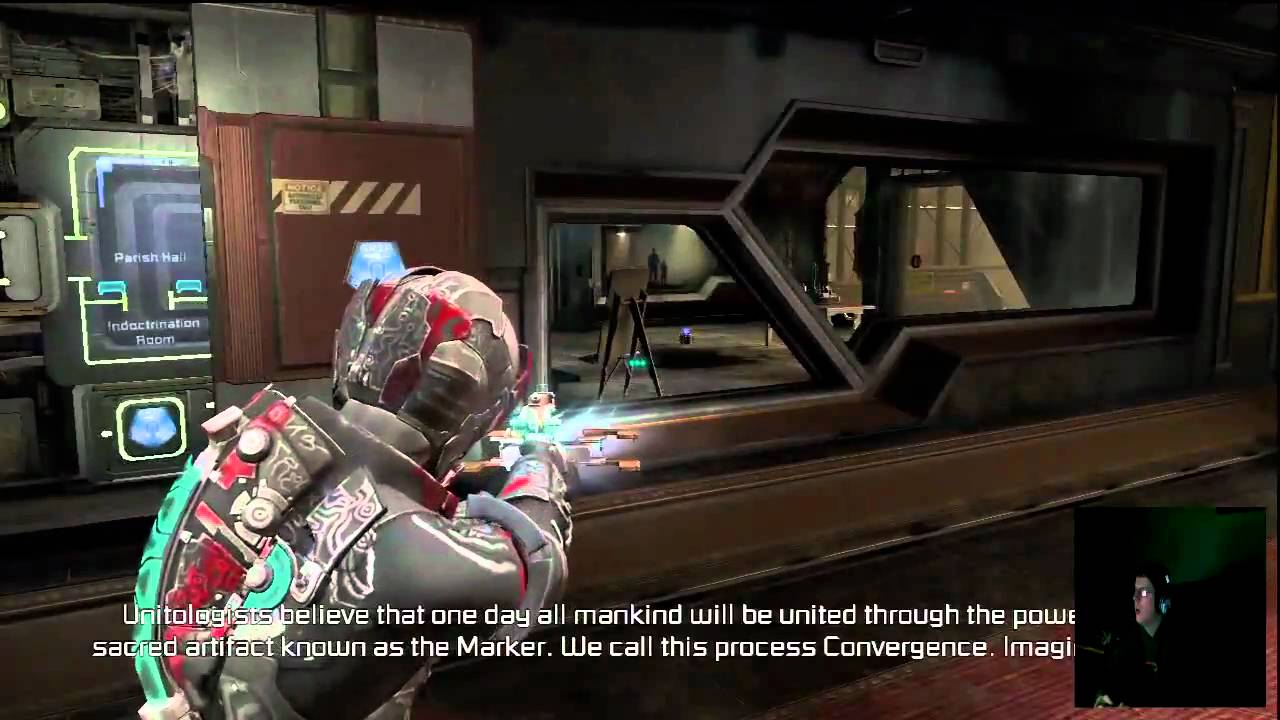
Hey all, trying to find a way to replicate this move/snap-to-wall feature like in Dead Space 2, but in 1st person.
https://www.youtube.com/watch?v=c5QyrCBUh2U
Around 10:20 you can see it slide/snap into position and I'm trying to figure out how to do that. I was suspecting sockets are at work but can't find anything that says about using them in real time like this.
Leave a like on the video, it really helps me out :D
www.videogames.fyi
www.twitch.tv/GleasonRyan
 digital anchor
@warm stirrup Yea, one easy way would be having a sphere collision on your "plug", when overlapping, just snap to the socket (with attach to component)
 deep viper
How would one approach storing substantial volumes of text assets for ue4 for say a story centric game? (and being able to easily reference the correct text)
It doesn't seem like ue4 has many tools for handling large quantities of one-time text and runtime generated text. Would it all just be hard coded?
 crystal swallow
deep viper
How would one approach storing substantial volumes of text assets for ue4 for sa...
prime willow
crystal swallow
deep viper
How would one approach storing substantial volumes of text assets for ue4 for sa...
prime willow
okie so sincerely how would i make my groom material become visible
the color and material shows in third person blueprint as well las groom asset
just not in editor

 uncut zodiac
Hi Everyone! Is there anyway to get rid of un used asset in UE4 project? For example i download a big asset pack but i only use half of the asset then i want to clean my project to make it not as heavy as it is?
prime willow

Marvel Master's Video: https://www.youtube.com/watch?v=o5mrMIXhxSQ
This export method only works with Blender 2.9+
Twitter: https://twitter.com/ryanscottdev
Get my game assets: https://gumroad.com/ryanscottdev
0:00 - Start
0:07 - New Project
0:13 - Enable Groom Plugins
0:21 - Export Mannequin (UE4)
0:31 - Import Mannequin ...
that should set you up pretty well
leave the physics on default and itll turn out like this

Did a speed test with UE4.25-3 in 2 hours , Groom is getting better & better.
Only mirror doesn't work.
i messed with physics and it got jank fast
however you might want to tweak it if it doesnt turn out proper
this tech is new so using proper will be nice as youll be the very smart few with it in their game :3
if you figure out how to fix the materials send help okkk
 neon bough
it should, it even worked with a 1660 if the scene wasn't too complex
also depends on amount of characters with hair in the scene and the overall complexity
 nimble warren
For some reason after my AI loses me, if i walk near it, it randomly sees me again without even looking at me, anyone know how to fix?
 cobalt shadow
prime willow
if you figure out how to fix the materials send help okkk
cobalt shadow
prime willow
if you figure out how to fix the materials send help okkk
show me your material
prime willow
im trying a new method by master marvel if it doesnt work ill take your help, i wouldnt want to waste your time ^^;
cobalt shadow
don't worry i'm having my morning coffee haha, I'd be happy to help
tag me if needed
prime willow
yay will do, thank you so much ❤️
 potent cypress
Hey guys! Iam having this issue with UE4. It's saying Insufficent video memory everytime I hit render in ue4's sequencer.
My Rig :-
ASUS GTX 1050TI OC EDITION
8GB RAM
I3-9100F
Iv'e made more complex renders that the project Iam currently doing now
cobalt shadow
use virtual textures to go out of core
your vram seems to be full
and stop rendering in ue4 sequencer, you should use the Movie render queue
potent cypress
I'll try it out. Iam new to UE4. Thanks for the help!
cobalt shadow
sure, no pb !
 lime linden
I wanted to do some research on adaptive meshing for skeletal meshes. I'd like to find out what's actually possible or theoretically possible in 2021, if anyone could refer any reading or video on the subject that they know of? Really appreciate any help. 🙂
cobalt shadow
You should check out the Niagara doc, I believe I've some possibilities for adaptive meshing using niagara
lime linden
thanks, I'll start there!
 honest vale
@potent cypress well you don't have much of memory
cobalt shadow
Not 100% sure about what i'm saying tho. Maybe you should ask in the Niagara channel down there
 coarse jetty
Does somebody know how can i automate migrate assets (dataprep, bluetilites, python) anything? Thanks
 slim badger
uncut zodiac
Hi Everyone! Is there anyway to get rid of un used asset in UE4 project? For exa...
slim badger
uncut zodiac
Hi Everyone! Is there anyway to get rid of un used asset in UE4 project? For exa...
Do you want to remove the unused ones at building?
 pastel ginkgo
I paid someone on Fiverr to list the most reviewed products on the Unreal Engine marketplace. Enjoy! https://drive.google.com/file/d/1NIfhSH6pCwHejLcGEs7WZFhfLGsQtUok/view?usp=sharing

Google Docs
 kindred viper
@uncut zodiac there is a plugin for it on the marketplace.
prime willow
@cobalt shadow i'm really sorry but if youre still willing i kind of need your assistance..
 worn copper
Is there any way to MoCap for android metahuman
prime willow
the method i tried did not work at all x-x
 dusky cypress
what node is this in unreal?
 coarse jetty
Constant3vector in material
dusky cypress
thank you
cobalt shadow
prime willow
<@!301362546869272576> i'm really sorry but if youre still willing i kind of nee...
come in vocal chat Feedback and support
so you can show me your screen
prime willow
um is it ok if we start in 10 minutes or less
prime willow
thanksies ❤️ ❤️ ❤️
prime willow
im streaming avatar for my friends x,.,x
the episode is near ending
thx thx ill be free in a tiny itty bitty bit ❤️
dusky cypress
sorry but... where are my bones in the fisiks asset?
 cobalt shadow
prime willow
im streaming avatar for my friends x,.,x
cobalt shadow
prime willow
im streaming avatar for my friends x,.,x
haha, can't argue with that
prime willow
its guud show im glad their enjoying it after it got its second run C:
cobalt shadow
dusky cypress
sorry but... where are my bones in the fisiks asset?
show your skeleton
the blue asset
dusky cypress
 cobalt shadow
seems like you just got your groups, not your bones, you must have messed up your import
Try to export / reimport properly
dusky cypress
I have bones... is this good?
 cobalt shadow
ooh
I thought it was your groups due to your naming
yeah
seems good
The problem might be your skeletal mesh doesn't have the proper skeleton binded
kindred viper
isn't it x-forward for wheels?
kindred viper
thats not x-forward tho
dusky cypress
 kindred viper
look at the gizmo. its got y-forward

 kindred viper
it might not have it's transform reset in blender. Also, wheels are meant to link to the root bone of the vehicle
kindred viper
perhaps the automatic bone orientation messed it up or something then.
dusky cypress
I only have the body phisics asset. not the wheels
dusky cypress
kindred viper
perhaps the automatic bone orientation messed it up or something then.
maybe
kindred viper
Ive not exported a vehicle from blender before, only 3dsmax so Im just guessing really. I must do one sometime.
dusky cypress
oh
prime willow
says i cant stream in this channel @cobalt shadow
kindred viper
@prime willow you need to head down to the voice chat channel and msg Manny from there
cobalt shadow
yeah no worries, we got to a private call, thanks bud
 loud scarab
Please help me 🙏
 uncut zodiac
slim badger
Do you want to remove the unused ones at building?
uncut zodiac
slim badger
Do you want to remove the unused ones at building?
Like in my project i have 1000 mesh and when i have done build my environment i actually only use 500 mesh :)) i want to get rid of the unuse other 500 one so my project size could be smaller
slim badger
uncut zodiac
Like in my project i have 1000 mesh and when i have done build my environment i ...
Suggest you to give this tutorial a check :)
 cosmic nexus
does anyone know if there is official unreal engine merch like clothing apparel etc?
slim badger
 modest trench
I believe that is a thing
modest trench
I believe that is a thing
same
cosmic nexus
sheeeit lol
modest trench
I always wanted a Tshirt...
cosmic nexus
there's some on redbubble but that's fan made and not from epic themselves
 surreal vector
hello i have a question, i have a tree but the material for the leaves only appear from the top, the bottom is transparent, do you know how to fix that
 modest trench
You could make the material double sided I suppose
surreal vector
i tried but it doesnt work 😦
neon bough
so you checked "two sided" in the material of the leafs? because that should certainly fix your issue
otherwise, the geometry is too flat and you are just watching from an angle where you wont see much of it
surreal vector
it works now i just forgot to check it lol sorry
honest sand
I kinda need help with a third person rpg im trying to make. Theres a problem with the character. whenever i look in one direction then turn to the opposite it stays in a weird side ways angle for a second then returns to normal. Dont know if that makes sense but yeah. Dont know if theres something wrong with my anim blueprint.
Does anyone know if the bottom part of this blueprint is correct?

Id appreciate any sort of help. There was a guy that said he would help and that theres an easy fix. But he might have forgotten about me for a while and i kinda wanna get this fixed as soon as possible
prime willow
is there a set of nodes to stop post process effects from effecting materials >O>
honest sand
I just started using unreal engine like 5 days ago so not to sure 😅
prime willow

honest sand
Do you know if theres maybe a tutorial on that somewhere so i can maybe do that and see if it works?
prime willow
im not really sure what youre trying to do x3
honest sand
Oh lol, well basically when my characters facing like forwards for example, and i turn around and run. The character faces a weird angle for a second\
then returns to normal
I want to stop him from facing that weird angle
prime willow
oh i definitely have no idea how to help with that xD
honest sand
Sorry if my explanation doesnt make sense
prime willow
im not even sure how to setup head looking stuff but i need to eventually x-x
 regal mulch
A video of the issue would help whoever can help with this (not me)
honest sand
prime willow
oh i definitely have no idea how to help with that xD
Oh haha, thanks for trying tho
prime willow
sorry >.<
honest sand
Its okay, im sure ill get it figured out sometime. Maybe that guy that said its an easy fix replies today
prime willow
my best advice to you is to search google, youutube and forums
most of the time if you look hard enough the fix and be found by combing painfully through tons of sites and pages x-x
honest sand
Ive went through so many sites and youtube videos and then found absolutly noting haha, and gound this discord and thought maybe somebody had the same problem before. But ill continue my search thanks
dusky cypress
why are those settings grayed out?
 kindred viper
are you using something that interpolates the turn and limits it based on the angle? It might be hitting the angle, but the forced rotation then flips it to the new position
dusky cypress
oh fixed it im stupid
kindred viper
was it something to do with inheriting from a base class or not having the right component as the defaultsubcomponent perhaps? Kinda interested for future reference. ReadOnly perhaps?
honest sand
kindred viper
are you using something that interpolates the turn and limits it based on the an...
The only thing that i used to calculate the direction is in the screenshot i sent of the blueprint. Sorry im really kinda new to unreal engine and blueprints so i might sound dumb
kindred viper
it's ok I sound dumb most of the time and I'm a pro.
the reason I ask is I recall the head turning to a max turn point and then when the angle of the turn reaches enough to turn the body it turns with it, but if you turn really fast it can flip the head to face the other way where you are rotating too. There might be a delay there sometimes if you are using animation to hard turn it
or I might be talking out of my posterior because its been a while since I did character work :p
honest sand
Oh okay, ill look further into that.
Also i have another question
Is it possible that a animation i added for an ability may be causing this as well?
Cause i remember that at the very start everything worked. Then dont know when it started doing this
kindred viper
it could be its impossible for me to say without knowing more about it.
honest sand
Oh okay, thanks for the help anyway
kindred viper
no worries. Welcome to Unreal. Enjoy the ride 🙂
honest sand
Thanks😅
I need to get used to the blueprints tho, or should i consider learning c++?
 upbeat tendon
@honest sand learn both
honest sand
Do i try to learn them at the same time?
 tranquil kestrel
honest sand
tranquil kestrel
honest sand
Okay then ill get a course on c++ and see how far i can get with that
upbeat tendon
there are good c++ primers out there, also look at the example projects
honest sand
Cool, ill look at them as well. Thanks
How hard is c++ to learn on a scale from 1-10 in your opinion?
Just curious
upbeat tendon
can you code in another language?
kindred viper
@tranquil kestrel pretty much exactly the same way except inside a function or in an event.
honest sand
Ive been doing web development for the last year so i dont know any game programming langueges lol. Ive had an interest in game development for a few years now tho, so im trying it out
upbeat tendon
do you know javascript?
kindred viper
@honest sand start with blueprints. C++ with Unreal is a templated system so it's not exactly your regular C++. If you have time though, learning C++ is one of the best things you can learn.
honest sand
upbeat tendon
do you know javascript?
Yes
upbeat tendon
then you shouldn't find a ue4 c++ primer too difficult
honest sand
kindred viper
<@!450387904909410305> start with blueprints. C++ with Unreal is a templated sys...
Oh okay, then ill finish this tutorial on blueprints im working on, then after thats finished ill learn c++ while still getting the hang of blueprints tho
honest sand
upbeat tendon
then you shouldn't find a ue4 c++ primer too difficult
Oh really, ill look into that then
 undone pelican
I'm using a decal to get a circle underneath my units just like an RTS where you select units, the problem is I have some units that are constantly rotating so that completely messes up the decal. Any idea what I could in that case?
kindred viper
I found starting with a blueprint function library was a good way to practice making static functions in C++ to use in blueprints. Then you get the idea of how to make a new node in C++ and make it appear in blueprints. Just remember they are static.
honest sand
kindred viper
I found starting with a blueprint function library was a good way to practice ma...
Oh, i see. Ill keep this in mind thanks
upbeat tendon
i think the difficult thing to do is understand how to structure things
kindred viper
any run of the mill primer will deal with that. Tom Looman's was a good source for me
upbeat tendon
right now ive got a problem, i've got a hud and a umg menu for selecting a character, should i add it to the view port, or add it to the hud?
kindred viper
viewport
the HUD is actually a relic of the old canvas system but the class remains because some reason.
upbeat tendon
if i do that then i get weird conflicts
the hud seems to mask the umg added to the view port
kindred viper
yeah it's probably a depth in front. I can't say I've used the HUD class since UE4 though so im not sure of the fix. Unless it shares z-depth with widgets
 steep steeple
Quick question, does anyone know how to scale up the underwater post process on the 4.26 water? I can't find any scale option
 drowsy snow
Lads
Is it a good idea to do "special" sun lens flare in widget?
I'm still splitting my hairs with Niagara, as they don't give the system sample for what's shown in UE5 demo
I looked at one GZDoom mod for lens flares, said that they do it with HUD trickeries
kindred viper
there is a plugin on the marketplace that lets you use particles in UMG but I think it's Cascade (not that it should matter as Cascade is still powerful). You could do all kinds of tricks for it though. From flipbooks to using the renderer's usual way of doing it. Many ways to skin this cat.
drowsy snow
kindred viper
there is a plugin on the marketplace that lets you use particles in UMG but I th...
Yeah, I looked at that mod, and thought, would it be easier if I do the whole screen positioning in widget and do line trace trickeries for occlusion, and set the Z-order down to negative something so to not overlap the other widgets
 kindred viper
I'd fake the hell out of it tbh. You could do it with a couple of images overlayed and parallax scrolled I guess, perhaps interpolated towards a direction or using a focal point etc. if you know what I mean
 viral fractal
does anyone know if its possible to get HABLE tonemapping in unreal instead of ACES ?
kindred viper
@dusky cypress you need to ensure your wheels are x-forward. I don't mean to re-iterate this as you already know, but Vehicles requires an exact method that aligns with the documentation. One wrong step and the entire vehicle gets whacky.
viral fractal
without a huge effort since its just a personal spare time art project
dusky cypress
kindred viper
<@!726057623438360689> you need to ensure your wheels are x-forward. I don't me...
they are rolling on like a ball (in the phisics component)
is that a axis issue?
kindred viper
it could be a number of things from not being linked to the root bone, or an incorrect wheel setup, or an incorrect physics asset setup or not being x-forward (although that one usually makes the wheels sink into the ground)
dusky cypress
so the bones are not linked correctly?
kindred viper
I can't specifically tell from Unreal. I'd have to see the setup in the DCC
dusky cypress
is this good?
 kindred viper
yeah that looks ok. Not sure where the bone is linking to, presumably the root bone right?
Ok, time I asked a question because why not. I rarely do.
Does anyone know if it's possible to export a Groom for editing ?
dusky cypress
kindred viper
yeah that looks ok. Not sure where the bone is linking to, presumably the root b...
yes
dusky cypress
both are great options
kindred viper
@plush yew you are in the blender discord, I think you already know 😉

 drowsy snow
honest vale
looks like we're getting 4.28 version before UE 5
drowsy snow
honest vale
looks like we're getting 4.28 version before UE 5
UE4 is still good 
Also I'm still sticking with 4.26
I have gone through lots of calories passively burned just to get the necessary engine modifications up and running
dusky cypress
oh fixed it
drowsy snow
Unreal Engine IV lives on 🥳
 mild phoenix
Hello guys who can help?
Now I working in project and it has some bugs or something like this
 ocean pumice
hi anyone ever had that problem with perforce ?

havent connected in a few days, was working perfectly before that$
"If you get the "host unknown" error, speak to your administrator." who is my admin lol
kindred viper
it might be your token expired. I'd try manually logging into the P4V client and seeing if it works. Otherwise make sure your P4V server hasn't been borked somehow. Perhaps make sure the service is running.
ocean pumice
thanks a lot i'll try that how do you manually log in ? with console ?
kindred viper
I guess you can do it via command line but I don't personally. I use the windows P4V client
kindred viper
admin is for the accounting. Client is for logging in and seeing your workspace
ocean pumice
yeah ok that's what i thought but i can't access the client sadly.. i get the error message when trying to acessing the client
thanks again for your help btw
 rancid lynx
if I put a wifi6 PCI card into my PC, can my Oculus Quest 2 connect to that PCI Wifi ? or can the pci wifi only wirelessly connect to another router ? anyone know ?
 plush yew
Does anyone know why Unreal Engine requires Xcode in MAC
rigid belfry
do you guys know any good retro 8-16 bit arcadey games? kinda like asteroids and similiars
rigid belfry
 bleak viper
*game Height map
bleak viper
*game Height map

Unreal Engine Forums
Hi All, I will be continually adding FREE full resolution (8129px) heightmaps and material coverage maps I make with World Machine Pro for the community. You can use however you want. I want to share my height maps with the community since I never get around to actually completing a map mod, and I thought the height maps could be useful to so...
12seconds in, still no actual video. bad trailer
spare kernel
@pastel gulch #work-in-progress
rigid belfry
@pastel gulch https://www.youtube.com/watch?v=4CSYA9R70R8&t=606s

Making a strong trailer for your game can be a huge challenge, so I’ve collected a bunch of tips and best practices from the industry’s top trailer makers. More resources can be found in the description, below.
Support Game Maker's Toolkit on Patreon - https://www.patreon.com/GameMakersToolkit
Have Mark talk at your studio, university, or even...
 pastel gulch
rigid belfry
12seconds in, still no actual video. bad trailer
pastel gulch
rigid belfry
12seconds in, still no actual video. bad trailer
Yep sorry i dint think about it
that is why i am here to take your advice guys
pastel gulch
spare kernel
<@!592446850611544095> <#225448516376461313>
yep I am just testing
spare kernel
well test in the right channel.
rigid belfry
remember that we're all devs here, so there is almost no point(personally) in trying to advertise a game here
 earnest wigeon
dusky cypress
help
earnest wigeon
dusky cypress
help
toe out gang?
dusky cypress
earnest wigeon
toe out gang?
forgot to turn on kinematic
spare kernel
drift setup or is that toe in for drifting? 😄
spare kernel
sure its toe-out for drifting 😄
dusky cypress
oh fixed it
earnest wigeon
i wonder how bad it would be if i tied the camera to the orientation of the front wheels
dusky cypress
oh no
dusky cypress
fisiks
 earnest wigeon
oh
dusky cypress
help
earnest wigeon
i havent done anything in ue4 so far other than make sum mountains
and a cavity for a river
 bleak viper
Thanks @rigid belfry
spare kernel
@dusky cypress please don't keep spamming help.
dusky cypress
do I 😟
spare kernel
ask your question in #legacy-physics might get more responses than here.
 magic trout
i wanted to do unreal editor 4.25 the version but this happens send help
 dusky cypress
spare kernel
ask your question in <#221799426820276226> might get more responses than here.
dusky cypress
spare kernel
ask your question in <#221799426820276226> might get more responses than here.
oh yes thank you
spare kernel
@magic trout what graphics card you have? latest drivers?
magic trout
yes
spare kernel
yes to what?
spare kernel
how old is the laptop/computer?
could try reinstalling DirectX
https://www.google.com/url?sa=t&rct=j&q=&esrc=s&source=web&cd=&cad=rja&uact=8&ved=2ahUKEwizvYiV9IzwAhXmhP0HHe6tBmQQFjAAegQIBBAD&url=https%3A%2F%2Fwww.microsoft.com%2Fen-gb%2Fdownload%2Fdetails.aspx%3Fid%3D35&usg=AOvVaw3mnoCaPVR5anrx4WvAiZip https://www.google.com/url?sa=t&rct=j&q=&esrc=s&source=web&cd=&cad=rja&uact=8&ved=2ahUKEwizvYiV9IzwAhXmhP0HHe6tBmQQFjABegQIBRAD&url=https%3A%2F%2Fwww.microsoft.com%2Fen-gb%2Fdownload%2Fdetails.aspx%3Fid%3D8109&usg=AOvVaw1-zLplR87HfX0fqZjL0Omu
magic trout
3-4 years
earnest wigeon
magic trout
i wanted to do unreal editor 4.25 the version but this happens send help
better than mine. epic wont even load because it tells me my graphics card isnt supported
even though i have used epic for a year no issues
magic trout
still says dx11 feature level 10.0 required
plush yew
great 😦 when i set up sun with 75.000 lux and lit view mode looks good, path tracing looks like shit.
cant compare now path tracing to rtxgi lit. path tracing doesnt like 75.000 lux and camera ev?
 dense shadow
How can I make a character have a shadow that doesn't look like their mesh? For example
 rigid belfry
dense shadow
How can I make a character have a shadow that doesn't look like their mesh? For ...
rigid belfry
dense shadow
How can I make a character have a shadow that doesn't look like their mesh? For ...
i mean. it doesnt actually have to be a shadow
could be a decal, a sprite
another character
just because it looks like a shadow, doesnt mean it is
rigid belfry
plush yew
doing the math is
math?
plush yew
that the decal or whatever reacts to all light sources
or can collision box make shadows? oO
drowsy snow
plush yew
that the decal or whatever reacts to all light sources
Yes, using capsule components in your physics assets
 merry bison
So I move my pawn back and forth. But when I yaw the camera to another angle the backward and forward "becomes" visually left and right, even though I press back and forward. Example here: https://imgur.com/a/iTdaKoE - How do I change it to become relative to the camera position?
 plush yew
drowsy snow
Yes, using capsule components in your physics assets
plush yew
drowsy snow
Yes, using capsule components in your physics assets
champ
drowsy snow
plush yew
or can collision box make shadows? oO
This was primarily used to make cheap soft shadow over distance, since skeletal meshes can't have distance fields
An overview of using Capsule Shadows for indirect and direct shadowing using a Physics Asset.
drowsy snow
dense shadow
How can I make a character have a shadow that doesn't look like their mesh? For ...
Using capsule shadows
I put the link in the previous post
dense shadow
drowsy snow
Using capsule shadows
I put the link in the previous post
thanks
drowsy snow
merry bison
So I move my pawn back and forth. But when I yaw the camera to another angle the...
My cancelled game jam project faced this issue.
Basically what you want to do is working around the vectors and whatnot, translating world transform to relative and vice versa
rigid belfry
merry bison
So I move my pawn back and forth. But when I yaw the camera to another angle the...
because player input is related to the Controller. you are rotating the controller, not the pawn
magic trout
is it possible to change hello mod kit version?
rigid belfry
rigid belfry
because player input is related to the Controller. you are rotating the controll...
you could turn on "use controller rotation"- on the character,that is
plush yew
this doesnt look right or?
 drowsy snow
My cancelled game jam project faced this issue.
Basically what you want to do is...
drowsy snow
drowsy snow
My cancelled game jam project faced this issue.
Basically what you want to do is...
Almost forgot, I used torque instead of normal TPS pawn
rigid belfry
yeah. torque and ue4 just dont work
making a simple rolling character is actually impossible
compared to unity, which takes literally 2 minutes
earnest wigeon
rigid belfry
yeah. torque and ue4 just dont work
so cars wont be good?
or different kind of torque
rigid belfry
you could fake a rolling effect with animation
drowsy snow
plush yew
this doesnt look right or?
Try using Light Propagation Volume
It's an overlooked feature, but still works like a charm
plush yew
im using rtxgi
rigid belfry
i am strictly talking about a rolling ball character here. no idea how that would work with cars...but i know its somewhat of a challenge to get it right, although possible
drowsy snow
plush yew
im using rtxgi
Oh, nevermind me then
I'm 100% raster gang lol
plush yew
drowsy snow
Oh, nevermind me then
I'm 100% raster gang lol
rtxgi works even on lame 1060
and amd too
earnest wigeon
rigid belfry
i am strictly talking about a rolling ball character here. no idea how that woul...
i just noticed you said torque and i was trying to figure out what kind of torque. i didnt have the whole picture
rigid belfry
earnest wigeon
i just noticed you said torque and i was trying to figure out what kind of torqu...
both the car tires and the sphere character in the rolling ball template use torque to move
drowsy snow
plush yew
rtxgi works even on lame 1060
The performance won't be good for lower end hardwares, and I'm not spoiling the high end gang
plush yew
drowsy snow
The performance won't be good for lower end hardwares, and I'm not spoiling the ...
60 fps on 1060 tho
this is good
lpv only makes ugly dark artefacts on faces 😄
merry bison
rigid belfry
you could turn on "use controller rotation"- on the character,that is
Sorry, I didn't understand your response. I'm very new to UE, I should add.
plush yew
@drowsy snow and lets not start with lpv is only for exterior
 next dome
hey guys, im having issue with folige paint tool, when i try to paint lets say pebbles on a static mesh, nothing paints, any ideas why?
 hard quarry
is it possible to see all sockets in the world viewport?

 cinder bloom
Hello guys, how can I add the rtx mode to the graphics settings for other players to use as well.

This is episode 42 of my unreal engine 4 beginner tutorial series, in today's episode we show you a quick introduction to creating AI inside of the engine, having said that you'll be able to create an additional character that can sense the pawn and follow it accordingly!
This is all done through blueprints, I explain how to create an AI class,...
 runic iron
you need a AAA budget first
honest sand
Is there a way to show my capsule collider for my character while testing/running the game?
plush yew
how do i open one server and one client window? My current setup is
Number of Players: 2
Net Mode: "Play as Listen Server"
Click on Play "In New Editor Window"
yet it still opens 2 client windows

 runic iron
honest sand
Is there a way to show my capsule collider for my character while testing/runnin...
runic iron
honest sand
Is there a way to show my capsule collider for my character while testing/runnin...
yeah, in your bp select your capsule then untick the hidden option
 honest sand
runic iron
yeah, in your bp select your capsule then untick the hidden option
honest sand
runic iron
yeah, in your bp select your capsule then untick the hidden option
Cool, thanks
 warped wasp
 runic iron
start by making simple enemies and then build on that
 midnight wren
how do I add collision to objects?
 fresh geode
hey guys i have an object that can be pushed. after i played a level sequence and push that certain object, it disappears. any ideas?
 grim ore
@midnight wren double click the mesh to open it up in the mesh window then go to collision at the top and start adding stuff
 frosty bloom
Anyone have any ideas to https://answers.unrealengine.com/questions/1024560/view.html ? Changing language to Arabic causes permanent lag
I'm about a day or two away from just removing all support for Arabic at this point
midnight wren
grim ore
<@!492870367313002515> double click the mesh to open it up in the mesh window th...
When I went on the mesh window, and I selected simple collision from the collision drop down, and I clicked save, the object still did not have collision. And then when I went back on the mesh window, it was like I didn't even select the simple collision option.
grim ore
cant really comment as I cant see what you are doing. Adding collision should work assuming your mesh is set to use that collision
did you use the show collision button, or add actual collision from the drop down menu at the top?
merry bison
Didn't realize simple stuff such as controls and camera could be so.... hard to configure the way you want, in UE.
 timber birch
Does ayone know if we can disable Volumetric clouds in Render Target only?
using VC with RT causes a 100 fps drop 😬
midnight wren
grim ore
did you use the show collision button, or add actual collision from the drop dow...
I clicked show collision
but where is add collision, then?
grim ore
the collision menu at the top
midnight wren
thats show collision for me
grim ore

 native marten
So guys i have a question. If I have some knowledge in C# will it be easier to Learn C++?
grim ore
yes, any knowledge is knowledge
native marten
are they different a lot?
grim ore
yes
the basics of any language is the same, variables functions methods etc etc.
how you use it is quite different
 static arch
Just get to work already @native marten
grim ore
well not quite, you could cheat and never use a pointer but.... its c++ lol
native marten
grim ore
well not quite, you could cheat and never use a pointer but.... its c++ lol
ok thank you
static arch
Pointers are quite nice to deal with in UE code in my opinion tho :)
 shy aspen
any level designers present?
static arch
shy aspen
any level designers present?
Irrelevant to #level-design ?
drowsy snow
Try create something like Doom's AI
Doom's AI is primitive but elegant in combat. It covers most of the basics of creating AI in games
You don't even have to know robotics to know Doom's inner working.
I know jack shit about robotics stuff, but still learning from a 1993 game.
static arch
Df 😂
drowsy snow
And you thought hiring someone without having any basic idea of how things work would be a good idea. smh
static arch
@drowsy snow You are appreciated, your time is not wasted :]
I'm curious as to how robotics and DOOM's AI would even be related to be honest
 crude robin
has anyone try cg master academy i seem to have trouble teaching my self the correct way to put level design in to good use with unreal i think being force to finish a project thru classes would put me on a right track but dont want to spend the money if the courses are trash
rigid belfry
merry bison
Didn't realize simple stuff such as controls and camera could be so.... hard to ...
i couldn't reply as i was asleep. it looks like you come from a unity background, so i recommend this https://docs.unrealengine.com/en-US/Basics/UnrealEngineForUnityDevs/index.html. essentially your logic right now is made to work only on the character, whereas unreal works with different classes that come by default inside all your project. you can see these classes if you open up the world settings window.(from the top left of the editor, go Window->WorldSettings). every character comes with a Player controller by default. all Player Inputs communicates directly to the Player Controller, which then sends to the possession Pawn Information.
crude robin
aagain i have blender it not that modeling is hard it that building shit in unreal is where i lose focus
rigid belfry
merry bison
Didn't realize simple stuff such as controls and camera could be so.... hard to ...
in your case, you are indeed moving the pawn but rotating the Player Controller, hence the Pawn's Axis remain the same. inside your Character(BP_Player), if you select the main root(the Actor itself) you'll find a list of option on the right. one of these is called "use controller rotation"
crude robin
i need like something to keep me focus on it cause when i get in to level design it all looks horrible even using quixel and then i just quit trying.
 lusty siren
why does unreal take like 2 hours to download T&T
*T^T
literally 1% per minute lool
rigid belfry
merry bison
Didn't realize simple stuff such as controls and camera could be so.... hard to ...
also i saw the PickUpActor. something i could say right now is that UE has a "rotating component" set up by default, which speeds up a lot of things. also, it is fair to point out that you cant simply "enable" and "disable" an actor in UE4. you'd have to turn the collision off and hide it manually
drowsy snow
lusty siren
why does unreal take like 2 hours to download T&T
You don't know how long it is to build from source code lol
static arch
I was surprised how fast it was since last week tbh
~ 1 hour with Ryzen 7 2700X
Before I thought that the docs are definitely outdated regarding that point
drowsy snow
static arch
I'm curious as to how robotics and DOOM's AI would even be related to be honest
My point I was trying to give is Doom's AI is easy to understand, someone new to game AI in 3D space should refer to it to learn the basics
static arch
drowsy snow
My point I was trying to give is Doom's AI is easy to understand, someone new to...
I gotcha I gotcha, no worries Rama, just no idea where he picked that robotics part up from lol
 past basin
Hello, I am coding an aim assist system for my top down game in c++. I sweep for game object a capsule in the aiming direction. And it is set to only hit pawns. It works as intended but it can also pass through walls. I want to sweep another capsule for world static objects but I want the capsule to be able to pass through objects with holes like prison bars. In other words, I want the capsule to stop if every point is hit, not stop if only a small part of the capsule hit something. Is it possible to sweep like this?
drowsy snow
static arch
I gotcha I gotcha, no worries Rama, just no idea where he picked that robotics p...
yeah, that robotics part came out of nowhere lol
static arch
past basin
Hello, I am coding an aim assist system for my top down game in c++. I sweep for...
You might wanna look into custom collision groups
merry bison
rigid belfry
in your case, you are indeed moving the pawn but rotating the Player Controller,...
Thanks for replying. A "use controller rotation" isn't available in my BP_Player (which itself contains the following).
 grim ore
is your "player" a pawn or character?
bleak viper
anybody knows how to import to unreal from blender
static arch
grim ore
is your "player" a pawn or character?
Seems like a Pawn to me (tab icon)
merry bison
@rigid belfry I do have this though in my SpringArm
 static arch
merry bison
<@!386223315146244097> I do have this though in my SpringArm
static arch
merry bison
<@!386223315146244097> I do have this though in my SpringArm
Not 100% sure, but there's that setting in class defaults too, considering it would be the correct class (you can click class defaults at the top)
static arch
bleak viper
anybody knows how to import to unreal from blender
Does regular FBX export not suffice?
drowsy snow
bleak viper
anybody knows how to import to unreal from blender
Just drag in your FBX to Unreal's Content Browser.
(although there are few prerequisites you have to do when exporting from Blender...)
rigid belfry
merry bison
<@!386223315146244097> I do have this though in my SpringArm
let me show you some actual screenshot. setting up a simple shaped character requires quite literally 2 minutes worth of work
static arch
There was some Blender2Unreal stuff introduced recently though I believe
rigid belfry
keep Pawn Control Rotation on. can you show me your movement code?
merry bison
rigid belfry
^
 drowsy snow
Also, Blender users:
You can create Groom hair with Blender by exporting as alembic
static arch
I hope it works better than XGen :P
rigid belfry
merry bison
and your camera movement code?
merry bison
rigid belfry
and your camera movement code?
Here you go
 lusty siren
93% 😮
lusty siren
ok
static arch
Thank you
drowsy snow
static arch
I hope it works better than XGen :P
This was my very early attempt on bringing Blender hair to UE4, way back before MetaHuman is a thing. I could've even the distribution and whatnot, but it crashed before going any further.
 static arch
drowsy snow
This was my very early attempt on bringing Blender hair to UE4, way back before ...
static arch
drowsy snow
This was my very early attempt on bringing Blender hair to UE4, way back before ...
UE4 Anime hair, love it
upbeat tendon
i was wondering what people's experiences were with this ultrawide monitors, are they any good for ue development work?
rigid belfry
merry bison
Here you go
right so i was experimenting a bit regarding impulse based movement but couldn't find much. right now this set up won't exactly work, since you're only adding impulse to the sphere while the character cannot receive impulse reliably. if you only push the sphere, nothing happens, while turning on Physics on the capsule component(root) will result in a very funny scenario.
 drowsy snow
upbeat tendon
i was wondering what people's experiences were with this ultrawide monitors, are...
drowsy snow
upbeat tendon
i was wondering what people's experiences were with this ultrawide monitors, are...
Depends on what kind of stuff you're working on tbh
I'm still doing fine with standard 16:9 display.
rigid belfry
something that comes to mind right now is have an empy actor and then make the sphere the root component. i will try right now and report
merry bison
rigid belfry
right so i was experimenting a bit regarding impulse based movement but couldn't...
I will try this out, but I'm new so I'm not even sure that Impulse is the best way to move a pawn.
merry bison
rigid belfry
something that comes to mind right now is have an empy actor and then make the s...
ok
rigid belfry
merry bison
I will try this out, but I'm new so I'm not even sure that Impulse is the best w...
this is how you would normally move a character
 static arch
upbeat tendon
i was wondering what people's experiences were with this ultrawide monitors, are...
static arch
upbeat tendon
i was wondering what people's experiences were with this ultrawide monitors, are...
I personally love having one monitor in portrait just for code & docs
merry bison
rigid belfry
this is how you would normally move a character
Okay, shall I try it out? Can that code move a pawn?
upbeat tendon
what monitor do you have and how on earth do you put it in portrait mode?
drowsy snow
upbeat tendon
what monitor do you have and how on earth do you put it in portrait mode?
Ctrl+Alt+arrow keys
upbeat tendon
i don't mean 16:9 ratio like those crazy wide aspect ratio monitors, does your neck also go into portrait mode?
drowsy snow
Intel iGPUs support display rotation
upbeat tendon

Ebuyer.com
Get a great deal on a ASUS ROG STRIX XG43VQ 43" Curved Ultra-Wide VA 120Hz Gaming Monitor as well as thousands of products at Ebuyer!
i mean something like this
rigid belfry
merry bison
Okay, shall I try it out? Can that code move a pawn?
yes, that code will indeed move any~~thing ~~ pawn
rigid belfry
upbeat tendon
https://www.ebuyer.com/950715-asus-rog-strix-xg43vq-43-curved-ultra-wide-va-120h...
merry bison
rigid belfry
yes, that code will indeed move any~~thing ~~ pawn
the ball doesn't move now with the new code
upbeat tendon
sorry that was just trying to share what i meant by ultrawide monitor and how do work with ue with one? portrait mode on something like that blew my tiny little mind
rigid belfry
merry bison
the ball doesn't move now with the new code
try disabling physics real quick?
drowsy snow
upbeat tendon
sorry that was just trying to share what i meant by ultrawide monitor and how do...
UE4 editor window is highly customisable, so that's that.
flashback of rigid editor layout of UDK
Actually I still have UDK installed in my HD lol
merry bison
rigid belfry
try disabling physics real quick?
only thing that made was that the sphere doesn't drop to the ground - still no movement
past basin
After updating my gpu drivers I started to expreience stuttering in drop down menus of ue4. Every other program is fine. How can I fix it?
merry bison
past basin
After updating my gpu drivers I started to expreience stuttering in drop down me...
restart UE - I had the same issue
past basin
I do need to restart once an hour
merry bison
past basin
I do need to restart once an hour
Does it happen that often? To me it happens now and then when I switch windows (have two screens) in combination with some keypresses - more specific than that I can't explain right now until I figure out what makes UE bug like this. But yes, I do have the same issue and it happens maybe 1-2 times a day.
past basin
Is it about unreal or nvidia
rigid belfry
merry bison
only thing that made was that the sphere doesn't drop to the ground - still no m...
i can guarantee you the code i posted works just fine. maybe theres some setting you've changed somewhere. also, i got the impulse based movement to work, give me 1s
drowsy snow
drowsy snow
Actually I still have UDK installed in my HD lol
Yep, there she is.
 merry bison
rigid belfry
i can guarantee you the code i posted works just fine. maybe theres some setting...
merry bison
rigid belfry
i can guarantee you the code i posted works just fine. maybe theres some setting...
Wow, nice. That's what I'm looking for. Yeah I've been fiddling with this like for 2-3 days now and maybe I've unchecked/checked some setting somewhere.... I have no clue why it's not working for me.
rigid belfry
merry bison
Wow, nice. That's what I'm looking for. Yeah I've been fiddling with this like f...
simply copy and paste this code inside a Pawn Actor class. not Character. the reason being you can make the sphere a Root Component inside a Pawn, but not a character
i've also added some comments
plush yew
where is the issues github page in ue4 and nvidia rtxgi ue4 branch??
rigid belfry
turn on pawn control rotation for the springArm and simulate physics for the sphere

make sure in your gamemode to select the proper Pawn
merry bison
rigid belfry
simply copy and paste this code inside a **Pawn** Actor class. not Character. th...
I don't know where to put that code. But let me restart my machine, it just got updated... And I'll be back shortly.
rigid belfry
merry bison
I don't know where to put that code. But let me restart my machine, it just got ...
"simply copy and paste this code inside a Pawn Actor class. not Character. the reason being you can make the sphere a Root Component inside a Pawn, but not a character"
you need to download it, i think. might not be complete as it is over 2k characters long
 eternal dagger
per team
 wispy knoll
hey, wanted to check here to make sure I'm not planning on implementing this in a dumb way;
I'm working on a socket-based building system for VR. The current plan is to define the sockets on each staticmesh building block, then fetch those when the game loads or the user places a new piece. Then those socket locations are added to a SocketManager actor which spawns SphereCollision for each socket and replicates to clients. Then those clients can use physics overlaps to check if a piece should be snapped to a socket.
Any issues with attaching hundreds of spherecollision components to a single global actor? Worried that'll become a problem somehow.
merry bison
rigid belfry
"simply copy and paste this code inside a Pawn Actor class. not Character. the r...
I have never seen any code in UE so I don't know where that code goes.
drowsy snow
wispy knoll
hey, wanted to check here to make sure I'm not planning on implementing this in ...
wispy knoll
drowsy snow
<#221799478364078081>
it's not a VR question
just wondering if replicating a lot of sphere colliders for each socket is a good idea or will run into performance problems
drowsy snow
merry bison
I have never seen any code in UE so I don't know where that code goes.
It's going to the Event Graph
Paste the entire thing into Event Graph and Unreal will treat it as a cluster of BP nodes
rigid belfry
merry bison
I have never seen any code in UE so I don't know where that code goes.
download the txt file, ctrl+a, inside the event graph press ctrl+v
merry bison
rigid belfry
download the txt file, ctrl+a, inside the event graph press ctrl+v
will it overwrite my existing scripts on that page?
drowsy snow
merry bison
will it overwrite my existing scripts on that page?
No, it won't.
Just make sure you paste it on somewhere empty, a bit far from your nodes, so that it won't overlap on each other
rigid belfry
merry bison
will it overwrite my existing scripts on that page?
if you only copy and paste no
 proud orchid
rigid belfry
merry bison
will it overwrite my existing scripts on that page?
proud orchid
rigid belfry
merry bison
will it overwrite my existing scripts on that page?
all good?
 cunning notch
howdy, is it ok to ask for help with something here or is there another channel? it's related to lighting, i think haha
cunning notch
good call. i'll head over there
 candid falcon
anyone know how to fix this?
 grim ore
fix which part? you need to use a chaos branch of the engine or remove chaos support from that project/plugin
 sly vine
hey guys is something odd with my project once i open level its take him like hmmm 10 min to open it
i wonder what can do this any idea?
grim ore
watch your task manager, see if its higher?
sly vine
nope but but its become not responding for 10 min after that the level open from low fps to high fps
rigid belfry
well what do you have in the level?
candid falcon
grim ore
fix which part? you need to use a chaos branch of the engine or remove chaos su...
so I'm working with other people and this is a already existing project I just pulled my copy from source control
so Chaos exist the engine know there is chaos but for some reason its not enabled but as it is I am unable to enable it without opening the project
I don't know where to look cause there is no way to manage plugins for this version so I'm lost
 grim ore
if you launch the chaos editor, then open the project from there, does it open?
literally hit launch on the right and wait for it to open then browse to open it in that version
candid falcon
sorry for the trouble some how I got another engine involved and that was causing problems cause that engine didn't have it.... I feel stupid
 reef silo
big oof
candid falcon
ay your the one who pushed it
 copper linden
Under project settings.. Level Streaming there are these settings.. Anyone has deeper info than what you find here? Like.. Examples of what setting a high value or a low value in either of these would do?
 plush yew
Can someone help me with this? I'm trying to despawn actors with the desired draw distance, but no matter which settings, nothing changes. I had it working before, but now, even on newly created projects, it does not work anymore.
 drowsy snow
 sterile tulip
where can you backup your UE4 projects online?
sterile tulip
where can you backup your UE4 projects online?
GitHub is one option
Others include SVN (maybe Perforce too)
 silver mulch
hey guys, for the past few weeks ive been battling an issue with constant UE4 crashes. keeps " losing D3D device " every 15 minutes or so. Today tested by just whiteboxing a whole area with no issues. But the moment I jumped into a blueprint editor it crashed within the next few minutes. So it is something to do with the secondary editor screen causing the crashing. I've done everything I have found online as to proposed fixes but nothing has worked. Anyone have any ideas?
maybe something i could do in the preferences or something to test out
sterile tulip
You can upload your blueprint based projects of all sizes (50gb,100gb etc) on Github for free? @drowsy snow
drowsy snow
silver mulch
hey guys, for the past few weeks ive been battling an issue with constant UE4 cr...
Try checking your GPU driver. Consider clean uninstall it with DDU and download the latest driver (or the last working version)
silver mulch
should i direct download the driver via online or just do the auto install via Geforce Experience screen?
drowsy snow
sterile tulip
You can upload your blueprint based projects of all sizes (50gb,100gb etc) on Gi...
Yeah, GitHub not too long ago allows free private repos, with large capacity.
It's way better than GitLab, that has 10 GB hard limit
silver mulch
ive just been doing auto updates so far via nvidias stuff
drowsy snow
silver mulch
should i direct download the driver via online or just do the auto install via G...
I'd recommend download it online via NVIDIA website, so you can see which version is working best.
sterile tulip
Thank you very much 👍 @drowsy snow
silver mulch
ok will do, thanks. This did start after one of the more recent driver updates i grabbed from the experience page
drowsy snow
Yeah, I heard many people having issues with the latest NVIDIA drivers...
merry bison
rigid belfry
all good?
I started a whole new project from the UE template "The Rolling Ball" . And it still doesn't work the same way you showed in your video... dunno what I'm missing.
EDIT: Now it works! Thank you so much 😄
fierce tulip

Unreal Engine
As a new part of our Permanently Free Collection, download the high-quality photogrammetry environment pack that was featured in the spectacular "Memories of Australia" video short.
rigid belfry
merry bison
I started a whole new project from the UE template "The Rolling Ball" . And it s...
👍
 smoky junco
Im having an issue here in that when my player collides with one of the teleporter actors for a second time it crashes.blueprint here:
https://blueprintue.com/blueprint/f7z3sdrk/

BlueprintUE
 tropic jasper
Is there any Perforce source control people out there? i wanna set one up via Ubuntu, but dont have a clue how it all works
 winged crypt
Anyone know if it's possible to have a constraint limit be a range from 0 to 45, instead of -45 to 45?
And if not, is it possible to save a constraint's orientation in a constraint profile?
 wet berry
Is there a way to disable the autohide/autominimize behavior on the launcher?
It hides itself really often at really annoying times
and I am fully capable of clicking the minimize button if/when I want it minimized
nova kernel
hey everyone,
Question,
When using World Comp and larger Worlds, is it better to have smaller tiles or larger tiles?
So for say a 8km x 8km, would you say to have just 1 tile, or 2x2 4km tiles, or have 8x8 1km tiles?
 orchid lodge
Wheres the best palce too ask for in engine issue
Where im not sure the specific problem?
static arch
smoky junco
Im having an issue here in that when my player collides with one of the teleport...
That's only the warning, Output Log should spit out more
Does the Character class have an " on purpose?
static arch
tropic jasper
Is there any Perforce source control people out there? i wanna set one up via Ub...
You should start with the P4D docs
https://www.perforce.com/manuals/p4sag/Content/P4SAG/appendix.p4d.html
If you need knowledge on the client side as well, just the normal P4 docs will suffice
static arch
orchid lodge
Where im not sure the specific problem?
In engine as in #engine-source ? If not, try here :]
orchid lodge
Its just
A box collision turns into an ifninite portal when its interacting with the middle
As soon as it interacts with the same x as the middle of my level
It just soars upwards
And im tearing my skin off over it
Ive asked my classmates no one get sit
pain
static arch
Lazy classmates :P Screenshots/BP of the class that's doing it?
And is there anything on X=0.0 in your level?
orchid lodge
Ill show you screenshots if you like
 candid steeple
Do any of you guys know a good YouTube channel that goes over unreal tutorials, I specifically am working on 2d enemies and I haven’t found anything yet
static arch
Just Fetch Origin at the top -> Pull Origin -> Recompile
In case it won't show freshest commits, you might need to re-log
Branch can stay release except you want a special build
Appears afterwards (if new commits are available for pull)
If not you're up to date (newest 4.26.2 commit should show up in History as well) or you need to re-log
digital anchor
iirc for a fork you may need to use cmd and call git fetch upstream (theres a while since i dont use git so i may be wrong)
github client is kinda simple tbh, but maybe there is
static arch
There's Git GUI, but you're already using the fancy version of it :p
 hearty walrus
static arch
There's Git GUI, but you're already using the fancy version of it :p
hearty walrus
static arch
There's Git GUI, but you're already using the fancy version of it :p
please don't use git gui
static arch
hearty walrus
please don't use git gui
Woah woah! I never said I did; Perforce all the way bun :p
hearty walrus
like this looks like someone's first windows forms app

personally I use desktop or github cli
static arch
Because maybe it was :D
hearty walrus
god bless powershell
Also design problem
I'm working on a game that essentially takes place in someone's coma
And, an experimental system is used to communicate within them
How would something being brought into memory look like
no lol

Like in short
The game takes place inside your memory
And the main gimmick is how things break
Areas that you don't remember quite well have broken parts and interference with other memories
Like going into a small room takes you into a large lobby for example
I'm planning on doing streaming fuckery for the effect
hearty walrus
Also I still need to write this entire game and oh boy
I already have a few scenes that qualify for a content warning at the beginning
Like it's nothing greusome, it just focuses on pretty dark stuff
Like PTSD
static arch
 sterile yew
Someone do this in UE pls
sterile yew
Someone do this in UE pls
If you want something done, you ought to do it yourself :p
static arch
Time to run UE4 shaderless :p
 warm delta
Hello, is there release date for UE 5 / preview? I want to see it already 🤩
 weary basalt
warm delta
weary basalt
warm delta
and MetaPeople will be free?
 stuck scarab
playing around with grid and noise to create this island shape. I now would like to detect and change the lakes into green. Any logic Idea how I could detect if blue is a "lake" and not "ocean" ?
 modest trench
warm delta
Hello, is there release date for UE 5 / preview? I want to see it already 🤩
modest trench
warm delta
Hello, is there release date for UE 5 / preview? I want to see it already 🤩
There might be an update in mid may if that helps but besides that I would not hold my breath
Hope i'm wrong lol
 tiny sonnet
https://gyazo.com/4d5f89257f41dbcbab1fc222d21908b7 Is there a way to connect the capsule to the head, I can use attach to component in begin play, but is there another way
 modest trench
Set the bone the component is attached to
tiny sonnet
modest trench
Set the bone the component is attached to
bruh, i searched for this for an hour and now see its litterally the second option 💀
 regal sparrow
Having issues with this the last few days please help.
https://www.reddit.com/r/unrealengine/comments/mtpwgd/whats_causing_this/?utm_medium=android_app&utm_source=share
buoyant graniteBOT
:triangular_flag_on_post: elliot.#0873 received strike 1. As a result, they were muted for 10 minutes.
 marsh swallow
So, has anyone else ever had WHEA UNCORRECTABLE error BSOD's due to OC and/or Turbo enabled? I found a number of articles that in general UE4 does not like OC and also some boards dont handle the voltage change for Turbo quick enough for UE4's demands.
I never had this issue for years and then about 6 months ago this all started. The temps are all very normal and running nice and cool
its only when the map loads as well. If i am just working in UE4 normally without any map opened, i tend not to crash.
i9-9900K, 32GB, Z370 board, 2080
and the CPU is running 20 degrees cooler now at 30c. 
 fallow hornet
foliage keeps disappearing on my auto landscape material anyone know how to keep that from happening
or at least how to get it back without having to re-save the material instance?
????
narrow mauve
Is there not away to move these points at run time?
 narrow mauve
I know tehre is a way in c++
spare kernel
you can make your own runtime curve
spare kernel
but C++ only
narrow mauve
cpp it is then
plush yew
I've got a rotator that goes between -35 to positive 215. -35 is the min. Problem is that if I input a goal rotation of 215 then the item rotates the "wrong" way to reach that rotation. Is there a way to force the direction or am I going to have to write some sort of function to get it to got the way I need it to
-180 and 180 are the same, so logically its faster to rotate -155 rather than positive 215 but I can't have that
 west cedar
Hi all, if 4.26.2 doesn't show up as a launcher option for download is there an alternate way of grabbing it?
Reinstalled the Epic Games launcher and logged in/out and it still hasn't shown up.
Nevermind update button appeared on the third reboot
cunning notch
evening friends, got an issue with setting the default pawn for the basic gamemode in the thirdperson template. I've got the character down but despite my assigning it as the new default pawn in the project preferences, I still am put into the original character when hit play. When I delete that default character, it just puts me in a separate camera, not even in the other character. What am I forgetting? sorry if it's a silly question, I'm still picking it all up as i go
 ancient fiber
hey all, trying to help a friend install ue4 so we can work on a project, but 4.25.3 isn't showing up in the launcher to download, is there a way to get this version?
 kind dew
so if I have a simple pawn that uses Add Movement Input to do forward and backward movement. How do I make it so that the pawn doesn't instantly stop and start going the other direction when the player reverses directions. (Eg pressing W to go forward then pressing S will instantly stop pawn and start going backward. I want a smooth deceleration)
 ivory hearth
Anybody know how to upgrade to 4.26.2.
I don't have that option in epic launcher
drowsy snow
ivory hearth
Anybody know how to upgrade to 4.26.2.
I don't have that option in epic launcher
not upgrading is fine, unless you need specific hotfix
In any case, try closing any Unreal Engine process and restarting the launcher.
ivory hearth
drowsy snow
not upgrading is fine, unless you need specific hotfix
In any case, try closing ...
I tried that
I upgraded the plugin now it's impossible to work on my 4.26 project.. is there a way I can go back to the old version of plugin
I have a plugin called advanced vehicle system. It was working on 4.26.. then there was a update to the plugin..I updated it..but the plugin requires 4.26.2 to work else it will fail
I can't find the 4.26.2 engine version in launcher...so am stuck
 vocal flume
Anyone here released a game in play store with this engine? We’re you able to get the in app purchases to work?
plush yew
Hello, unreal engine is giving me crashes at the time of entering, it never happened to me, I only use the program to animate, here are the lines of calls that come out in the crash
 fringe jetty
unreal is pretty lit
plush yew
forget it, I just lost all my project
drowsy snow
Reminder to use source control even for the most mundane projects
drowsy snow
fringe jetty
unreal is pretty lit
sets the viewport shading to Unlit
 mental solar
Hello there.
I am quite familiar with unity, but unity is less and less supported, has lots of bugs and I always had some trouble with it.
I was thinking of switching to unreal, but I am not sure if its free, or how much revenue I can get, or if I can.
I also heared unreal has some more advanced features too.
What are the pros and cons of it?
 scarlet birch
Anyone encountered odd bugs in 4.26.2 with pawns being unable to spawn due to a false error of a blocking collision? It seems like the pawn attempting to spawn is actually blocking itself from being able to spawn. It's odd, and occurs even in an entirely empty level under specific circumstances.
plush yew
Is there a way that I can call a method of an actor on a specific frame of an animation? Lets say i want to call a method on frame 12 of my attack animation. is that possible?
scarlet birch
Anim notifies, but they aren't 100% guaranteed to fire everytime.
plush yew
Alright. Thanks! Im just gonna check it out
 hasty hill
Is it normal that enabling the Water plugin requires UE to compile more than 3000 shaders by default? (noob here)
 mossy nymph
when my tech artist tweaks the base materials i get 80k to chew through
3000 is nothing
hasty hill
I see. I'll make lunch in the meanwhile. Thanks Zlo
drowsy snow
hasty hill
Is it normal that enabling the Water plugin requires UE to compile more than 300...
Compiling 6000+ shaders is the norm here
 obsidian nimbus
can allways try and compile em by hand 🧠
mental solar
is unreal free?
drowsy snow
mental solar
is unreal free?
100% free to use
Only pay royalty if your total gross profit on a game you commercialised surpassed 1 million USD
drowsy snow
5% after the first 10K USD/quarter
You can see the details in the FAQ page in UE website
mental solar
ok thank you
 glacial dawn
It's so easy to reach that profit?? I see a lot of people asking about it, in my head it's a lot of money, for a publisher maybe not so much but for any indie developer it seems easy to reach
mental solar
it doesnt seem easy, but I always think about: what would happen, if...
imagine reaching that profit and then having to pay half of it to epic 😂
drowsy snow
$1M is practically a high bar to reach for indie devs.
Again, the details and example cases are mentioned in the FAQ
drowsy snow
drowsy snow
You can see the details in the FAQ page in UE website
Sorry, I mean FAQ, not EULA
 true falcon
Spent three hours trying to get foot IK to work with a combination of parameters, plugins or whatnot, nothing working. Cursed the plugin developers, Unreal, and my mom (that unstrategically called). Then realized I'd changed the skeletal mesh so the post process IK anim blueprint wasn't running at all 😫
 exotic otter
does anyone have an idea how I could make a small popup warning window in c++?
plush yew
mental solar
it doesnt seem easy, but I always think about: what would happen, if...
imagine ...
half? its 5%
 old nimbus
uhm.... hi
plush yew
bug? If i migrate quixel megascan content from vanilla ue4 into ue4 nvidia branch, rtxgi doesnt work anymore. if i import my own models rtxgi works.
 drowsy turtle
how to run an event at a certain real life time?
plush yew
I'm quite confused, after adding a widget to a widget switcher I can no longer add things to do in the editor?
"This widget cannot have children"
old nimbus
How long does it usually take to get used to Unreal Engine?
I mean like, I started it out today
Lol
I mean like.... If I'm dedicated to learn, and devote around 2 hours daily to Unreal
mental solar
plush yew
half? its 5%
I know, I just asked because you can never know 😏
I'm new to unreal
 lucid grove
Yo, we fixed fps in 4.26.
Anyone had this problem?

ShowFlag.Translucency 0
Im not sure, i was using optimised foliage from project nature
But since i didnt changed anything between 4.25 - 4.26 this command restored fps
Same scene: 30 fps difference
With this command i have restored almost all of it
 sharp cloud
Does anyone know if it's possible to set default 0,0,0 origin coordinates in a level to someplace else in the map?
lucid grove
Hmm, seems like you are right.
My grass not using it, but seems like water and stuff do
Its strange since i dont have a lot of it but it still completly kills fps
Maybe there is some translucency quality settings
I have translucency only on few surfaceds
Which shouldnt kill fps THAT MUCH
Any ideas about this?

Something from same character on the left darken out even other characters
 drowsy snow
sharp cloud
Does anyone know if it's possible to set default 0,0,0 origin coordinates in a l...
drowsy snow
sharp cloud
Does anyone know if it's possible to set default 0,0,0 origin coordinates in a l...
World Settings -> Enable world origin rebasing
It'll shift the dead zero coordinates to the camera if it's far enough, if you want that. Although it requires World Composition to be enabled.
true falcon
There's a special place in heck for the programmer that made bone names case-sensitive. What's the use-case, to april fools your colleagues? 🙂
plush yew
that and skeletal jokes
true falcon
animation programmers are hilarious
 unique kraken
i wonder... how many bones are to many bones?
true falcon
Well, forcing everyone on the planet to bid my whims is already on my todolist so I think I'm covered
unique kraken
CASE SENSETIVE
lol i think u just saved my day
but srsly, anyone knows how bones impact performence (im not going over 4 weights per vertex)
true falcon
"Decree Nr 1: NO UPPERCASE"
unique kraken
well default mannequin uses Root
while i almost named my stuff root
true falcon
yeah, Pelvis - pelvis is common too
unique kraken
nah most naming is done automatically for me, just the root
true falcon
heck, could even be an project setting to treat everything as lowercase
unique kraken
i still would like to hear how bones impact perfomence
true falcon
it does impact performance, thats why you dont have massive face-cap skeletons always
drowsy snow
unique kraken
i still would like to hear how bones impact perfomence
The less vertex in bulk by bone weights, the more performance it took
unique kraken
i will also need to add some empty bones
true falcon
you could always have a face-skeleton mesh using master-bone and switch it out when necessary, probably how metahumans does it or something
unique kraken
i get that, thats why i dont go over 4 weights per vertex.
but i already have a facial setup and will need to add additional bone to get the right bone pos later
drowsy snow
I prefer doing it with shape keys, but even the metahuman rig have quite a few small bones
unique kraken
thing is, shapekeys just seem to unconvenient to me, i will set up some adnvanced ctrl rigs and animate in engine
thats why im trying to work out a good facial solution
drowsy snow
Look at the metahuman sample.
sharp cloud
drowsy snow
World Settings -> Enable world origin rebasing
It'll shift the dead zero coordi...
Thx!
drowsy snow
It's on the marketplace and Learn tab, free.
unique kraken
 drowsy snow
If not, you can just downlod ome metahuman from Quixel Bridge, there are 50 or so samples to choose from
drowsy snow
unique kraken
That's it
unique kraken
hmmm meta human is just a bit overkill for me in my case but it might be a good refrence.
but is metahuman actually intended to like work in runtime?
like, intended for games?
drowsy snow
Well yes, the only thing that makes it heavy is the 8K textures and the groom hair asset
true falcon
there's a combonent called like "LODSynchronization" which manages Lod, and different skeleton meshes can be "drivers" or "passives"
unique kraken
i see, guess i just gotta dowload with my amazingly fast new internet, not
true falcon
and you can set like Force LOD to 3, 4 or whatever for performance
When you make your own metahumans they need not be 8k like the quixel ones
 proud dome
Guys help me out here im new. If i were to make a multiplayer game, BUT you cannot change perspectives (you'll be stuck in first person), and the animations between both perspectives are completely different, what is the first steps to come by it?
drowsy snow
proud dome
Guys help me out here im new. If i were to make a multiplayer game, BUT you cann...
Maybe look at the Shooter Game example, because it's exactly what you want.
Although it's a C++ only project, so here's the basic: you want the FP animation to be happened in client only, while you send the player movement to the server, so that the third person animation can match up with the movement
proud dome
drowsy snow
Maybe look at the Shooter Game example, because it's exactly what you want.
Alt...
Alright, do i have to download a some kind of pack for starters?
so i can learn this more efficiently?
drowsy snow
proud dome
Alright, do i have to download a some kind of pack for starters?
There are many example project in the Learn tab inside your Unreal Engine launcher.
proud dome
Ok, so... do i create a first person template or third person? XD
drowsy snow
First person is fine, but I'd recommend creating a shooting system from scratch.
Maybe try copy the provided template BP and improvise it yourself.
buoyant graniteBOT
:no_entry_sign: constཊ was banned.
spare kernel
@dusk echo don't post in a channel then ask in other channels for help.
 dusk echo
sorry but no one responded so I asked here hoping to get some answers
 gaunt spoke
Had a question about how you would go about handling moving a pawn/character to a precise location before playing an animation. Consider this scenario, I want a character to navigate to an exact location and then play an animation to enter a vehicle. If the avatar is even slightly off, the animation will cause them to clip through part of the vehicle. Using Move To and Rotate Towards tasks in the BT get them close, however due to tolerance it still could be slightly off. Results wont be consistent. I've seen some solutions that teleport or move the character to the correct spot from inside the character BP, but this just causes them to jump/snap to that location, not navigate to it. I imagine some kind of creative solution is needed for this and was just curious what other people do.
spare kernel
@gaunt spoke if you look at mostly any game, you will always see clipping, you can't be 100 percent, specially when using Vectors which are floating point. You can minimize, but it won't be perfect. Only way to make perfect is 100 percent fully scripted, not relying on move to and making sure all points are 100 percent fixed. It is really not trivial to do for most cases.
Some games will move to within X distance, then use a bit of snap, (can see this in games like Watchdogs)
 polar barn
has anyone managed to get an html5 export working in 4.25?
gaunt spoke
@spare kernel Thanks for the reply. Yeah I mean I have it really close. Probably 9/10 times it looks great. Just once in a while they are slightly off when they start the animation and they clip. Yeah I tried to study some other games to see how they are doing it and they seem to either snap the character to the correct location first, or hide the whole thing via camera swaps. Neither is really a solution for me. Sounds like I might be at the point where its as good as its going to get then?
spare kernel
i mean 9 times out of 10 is pretty solid
Players are not going to care about a slight clipping
gaunt spoke
Players probably won't, but upper management has lol
spare kernel
I have seen lots of weird clipping in triple A games, and it just becomes the norm
You just need to minimize, we have executions from monsters in our game
9 times out of 10 they are fine, odd time they can be slightly off, but its fine
gaunt spoke
Well thanks for the information @spare kernel, I appreciate you giving me your input on this.
spare kernel
It's just one of those things, a lot of games like you said, hide it with some smoke and mirror system (camera swaps, quick snap, etc)
Players won't really care, design team maybe, players not.
merry bison
So I have this mouse zoom in/out on the player.. But currently you can zoom out indefinitely. I want to limit the range...
 robust marten
merry bison
So I have this mouse zoom in/out on the player.. But currently you can zoom out ...
robust marten
merry bison
So I have this mouse zoom in/out on the player.. But currently you can zoom out ...
Clamp the range
merry bison
that was my initial thought, but have no clue on how to implement it... and i've searched on UE forum, there's no documentation on clamp
so i dont know how it works as well
I'm here now
 robust marten
Try Lerp instead
gaunt spoke
@merry bison How are you controlling the zoom in/out? If you are feeding it a float it should be simple to clamp.
merry bison
gaunt spoke
<@!471359345242669068> How are you controlling the zoom in/out? If you are feedi...
screenshot above
robust marten
merry bison
screenshot above
I'll send you my simple BP I'm using to zoom in and out in your messages
merry bison
robust marten
I'll send you my simple BP I'm using to zoom in and out in your messages
cool ty
drowsy snow
merry bison
I'm here now
Maybe do a check on the value.
A single branch won't hurt
merry bison
drowsy snow
Maybe do a check on the value.
A single branch won't hurt
That's also a good idea
 dusky yacht
whats the right channel to ask about performance issues?
 fervent bay
When I hold left mouse button and Ctrl and move the mouse, selected objects move. How can I disable this feature?
Its very annoying when using Ctrl+Click to select multiple objects and accidentally move objects slightly and cause built data to be lost. some times I don't even notice I moved things slightly.
gaunt spoke
dusky yacht
whats the right channel to ask about performance issues?
not sure about what channel to ask in, but what issue are you having?
dusky yacht
just wondering about all those stats, what they mean so what is taking all my cycles...


 plush yew
woah ^
gaunt spoke
dusky yacht
just wondering about all those stats, what they mean so what is taking all my c...
You probably want to use the session frontend tool to get a more detailed breakdown to what is actually contributing to this. Here are some resources to check out. https://unrealartoptimization.github.io/book/
https://gpuopen.com/unreal-engine-performance-guide/
https://docs.unrealengine.com/en-US/TestingAndOptimization/PerformanceAndProfiling/index.html

GPUOpen
Our one-stop guide to performance with Unreal Engine.
How to identify performance problems and fix them.
@dusky yacht if you check out UE4's specific sections on GPU and CPU profiling it will cover what can contribute to some of these stats, along with ways to reduce them.
dusky yacht
thanks
fervent bay
dusky yacht
type in stat SceneRendering and see how much draw calls you have got there.
dusky yacht
"if it looks too good to be real it probably is" 🙂
right time to learn about optimization (learning UE the hard way is fun)
 light thunder
Where can I find the actual listed controls for the editor built-in Spectator Pawn?
dusky yacht
tho i expected to see more load on GPU on those stats,
 buoyant oar
Hello, I use version 4.26 and an RTX3080, when I activate ray tracing, everything starts to jerk .... does anyone know why, or do you also have the problem?
 manic bloom
Hello! Does anyone know how to give the full input to the character after the node: (Switch View Target With Blend)

 sturdy gorge
plz help
plush yew
Does anyone know of any good tutorials on ListView and TileView Widgets, I'm really struggling to find anything
light thunder
Well this is confusing AF - how do I have instances when the game is not running at all?
 gaunt spoke
light thunder
Well this is confusing AF - how do I have instances when the game is not running...
gaunt spoke
light thunder
Well this is confusing AF - how do I have instances when the game is not running...
Couldn't explain the "why" but I have this issue quite often with bps. Sometimes they keep instances in the debug dropdown from previous runs. You could try playing in editor and seeing if it gets updated.
 grave shadow
How does the "Selection in Property Matrix" feature in details panel work?
rigid belfry
merry bison
I'm here now
rigid belfry
🤷♂️
dusky yacht
hmm shadercomplexityview seems not to work at all(?)
grim ore
@plush yew what does the repo look like in the web version, not in the client? does it actually show the files?
plush yew
dude I hate my brain, I have so many video game ideas I really want to create, but I don't know which one to stick to because usually I change my mind halfway through the project lol
 autumn flame
You can always create mini prototypes of them and see what inspires you the most, it'll just help you get better no matter what
merry bison
rigid belfry
what's this?
Edit: Wow, thank you man. Exactly what I wanted. 🙂
grim ore
no it doesnt what? it certainly shows up on the website

and it should function just like a normal fork or repo
this one just isnt updated for the past few months, I dont know what you are expecting of it
and why would you be using this fork?
 tawdry narwhal
Can someone walk me through how a shared DDC works? Suppose I have two computers on my LAN and I want one to be building all the shaders without having to use something like fastbuild - would setting up a shared DDC be the way to go?
right
grim ore
assuming that one is opening the project first to build them sure. It's just one place for the files rather than 2 (each machine)
tawdry narwhal
problem is I've tried setting a shared DDC up but the slow machine had kept trying to compile its own shaders
does it have to be a writable network path?
grim ore
did you set it up on the editor level or project level?
tawdry narwhal
does it have to be a mapped drive or does a simple share work?
 woven falcon
https://i.imgur.com/W5ub0lw.png
I wanna edit animations inside of unreal - is there a way to put this rotation into world instead of local? 
 tawdry narwhal
alright do I share the DerivedDataCache folder in the engine or the game?...
grim ore
@woven falcon coordinate space is in the top viewport, the globe/square icon


 candid cypress
Anyone have the issue of after using sequencer or piloting a camera that your viewport widgets disappear even when not possessing a camera ? The widgets do appear when I hit play and disappear when the sequence stops playing.
So far only solution to get them back is close the editor and relaunch.
 tawdry narwhal
sure