#ue4-general
1 messages · Page 973 of 1
 exotic otter
they have likie FThumbnailPreviewScene but setting data to use etc aint that straightforward
the reason I want to spawn a scene actor to capture is so the design team can make a bp with like background meshes, lights, etc etc
so there is no hard coding of layouts
and so we can click 1 button, select a range of settings and assets and it will generate the in game thumbnails for it
 exotic thicket
yeah I was kinda wondering about this as well
my game will have a building menu type of deal so it might be nice to be able to display pictures of the things without needing to manually create them
although since I can do it at runtime it might be simpler, maybe can just spawn each item somewhere outside the world and render into a texture
haven't really looked at it yet :)
exotic otter
yah but the previews you cant create as a bp in editor
which is what I want
so design can set the layout of how to capture
exotic thicket
I wonder if the editor generated thumbnails are accessible somehow
because those would be entirely adequate for my use at least for time being :D
 spare kernel
we make our own custom ones
 hexed eagle
what are your guys thoughts on pickups and collision listeners? If my player walks into a pickup, should the pickup trigger the OverlapBegin and add the weapon to the players inventory, or should the Player class trigger the AddToInventory method when it runs over a pickup?
exotic otter
imagine I want to create a thumbnail of a ball with like a background plane and two point lights
 exotic otter
I wanna click the ball asset in editor, right click, custom asset type action(this all works) then it needs to spawn the scene used for the rendering thats defined by art. art defines lighting, the backgrounds etc in that scene, extra objects tom place. then i need to capture that scene actor from a certain camera position with a certian fov
exotic otter
then save that thumbnail as a UTexture2D so I can use it in game
yah I am looking at that code, but indeed a lot is hard coded and just doesnt exactly do what is needed
thats just automatic set thumbnail generation
but not with custom scenery set etc
or custom cam fov and perspectives
its for in game yah
design needs to be able to set stuff like camera position, fov, export format, lighting, backgrounds, etc etc
 thin tendon
If its for in game why does it need to capture inside the editor?
exotic otter
FPreviewScene is what I been looking at all day, but Im not sure it does what I want. it seems severely limited
cause I want to be able top just batch generate the thumbnails in the editor? not in game?
ease of use for design team
1 button click basically
and then just set some data
thin tendon
Do scene captures and that even allow you to save the picture to file?
exotic otter
scene captures do
it doesnt need to be a file
just UTexture2D
and that gets saved in editor
as an asset
thats what is needed
but scene capture just shows black render if I use it outside of game
the layout of the capture scene is just an Actor so art can define it
but to spawn actors you need UWorld, and for UWorld in editor I made a FPreviewScene to get it from that. and then I got a scene capture from the spawned actor bp and did a capture
but nothing
if i put the same actor in a l;evel and run the game then it does show something when capturing
idk how i can explain it better without breaking my NDA
thin tendon
Here is an example from somewhere else that came to mind. But this is a render target not a 2d texture

This one is all done inside a blueprint without even being placed into the scene
 quick kelp
can i get Screen capture 2D to capture UI with the image?
thin tendon
This particular example is one I found in one of the store assets. It captures what you see there inside the editor. But at runtime uses a live preview of the moving model. TO the player looks like a video in the UI
exotic otter
what does it use for capture
cause I really dont see how capture components work in editor time
wait wtf that works in editor??
 vagrant hornet
will ue5 be out before summer?

 hard quarry
I was looking for some information about pricing with the unreal engine.
As far as I know it is free to use if your product your revenue is not over 1 million. But what are the costs if your revenue is?
I couldnt find anything helpful on the unreal page
 frank knot
can I ask for help somewhere 😆
exotic otter
thin tendon
Sorry reposted it so you could get a better look
yah I checked but idk what specifically makes it able to render correctly
while if i use scene capture it just renders black
is there another way to have a UWorld in editor besides making a FPreviewScene?
cause the scene that has the capture component is an actor, and can only be spawned with a valid UWorld
is it cause i spawn the actor with the scene capture in a FPreviewWorld it doesnt work?
basically i have an editor button
thin tendon
What is interesting about this particular set up. Is that it uses 2 components for some reason. It saves textures for 1 and 2. But only the parent is visible when opened
exotic otter
that i want to have use this actor when i click that button
so click generation button -> Spawn the blueprint with the capture component -> capture the bp scene
thats what i want basivally
and that bp does it
1 difference
its done directly in the bl;ueprint hmm
thin tendon
Have you tried using the construction script. This fires when creating the components
exotic otter
the construction script of?
thin tendon
the parent blueprint
thin tendon
You create a blueprint to put the components into
exotic otter
it creates an FPreviewScene
and that preview scene i take the world from
that UWorld i use to spawn my CaptureSceneActor
and that capture scene actor has a scene capture and some meshes and lights
and then i call the CaptureScene on that scenecapture
the blueprint actor is spawned by the FPreviewScene
i dont do any code in bp
avoiding that
thin tendon
Without using code I am not sure how to help mate.
exotic otter
np!
 harsh tiger
Do any of you wizards here happen to know what this "Gradle" issue could be? Making a build for this project used to work, and I can package other games in other projects just fine

 terse jewel
@hard quarry https://www.unrealengine.com/en-US/download
5% royalty
harsh tiger
harsh tiger
Do any of you wizards here happen to know what this "Gradle" issue could be? Mak...
Restarting my computer fixed it
 ocean grove
Is there a way to auto align/distribute objects?
harsh tiger
ocean grove
Is there a way to auto align/distribute objects?
I've released an asset on marketplace which is a level design editor utility widget. One of the tools is an align and distribute tool. I can DM you the link if your interested?
ocean grove
Sure! That would be awesome
frank knot
does anyone have any idea why my steam works when I launch from the project and doesn't work when I package?
:'|
hard quarry
Is it possible to show all sockets in the viewport?
exotic otter
is there a way to get a UWorld in the editor? GEngine->GetWorld returns nullptr
 dusky folio
Hello, would someone help me please? i tried add my character to blank world, but when i press play he is spawned outside the map


 knotty heron
click on the ground then the static mesh on the right and change collision complexity
 echo lily
Do people actually buy much things on the asset store?
 gilded lichen
Hello, I'm trying to make a audio setting screen (where you can change the audio volumes) but the node 'Set Sound Mix Class Override' doesnt seem to work? Am I doing some wrong?
dusky folio
knotty heron
click on the ground then the static mesh on the right and change collision compl...
i cant find the static mesh
 crystal musk
Hey, does anyone know how to fix this, or what could be causing it?
the "Visual studio code 2017 needs to be installed" bit is incorrect, as I've not only got it installed, but I've also just updated it to the most recent version.
any ideas?

 harsh saffron
Guys, I'm doing a voice push to talk chat using a VoIP talker and I need to change the talker settings at runtime. But the settings can be applied only after chat reactivation...
Are there any ways to force the settings to be applied? How to apply settings at the moment of talking?
 scenic moon
the forums are driving me crazy, i can't log into another account no matter what i do, already deleted cookies for that site and not feeling like deleting ALL my cookies because it keeps detecting my login (i got personal account and work account and i need to swap)
exotic thicket
Not sure what'd be causing that but have you tried using incognito mode just to see if it helps?
scenic moon
yeah i usually do that when i can't change, the thing is that it's really annoying to do that everytime when you got two factor auth
i wouldn't complain if the "sign out" option did exactly that...full sign out
instead if temporary signs you out, as soon as you re-click login it takes the last sign in account (bruh)
why would you want to do sign out but keep your auto login info? it seems.....unreal
 cosmic axle
For some reason I am moving extremely slow on the editor... And I am not pressing shift since when I do it gets even worse. Does anyone know a way to fix this?
 icy cargo
When is UE5 dropping lol?
cosmic axle
cosmic axle
For some reason I am moving extremely slow on the editor... And I am not pressin...
nvm just fixed it
 upbeat tendon
Hi, i was wondering what people do for micro payments on windows platform?
 topaz gulch
does anyone know how I can make mt third person character jump a little faster? He seems to be slow jumping up and coming back down?
 sullen cloud
Hi is it possible to cook and publish a Game with a Preview Version from unreal? Besides the Danger for Bugs?
 nimble palm
@thin tendon hey there, I managed to find a workaround that might actually work.
Instead of limiting myself to 4 point lights that would need to move throughout the level as the player plays, I added a single sky light in a completely empty level with no sky sphere etc. The result is as shown below:

I'm still having a few issues with this light but I'm guessing I just need to tweak the settings in it to find the sweet spot
 wind gate
Hey everyone! A quick question!! In one of my levels the emissive materials are not... emitting anything! I created another map just to check if the material is fine and it worked... its the selected one, so in the preview it works too. Please, I would appreciate any help or advice! Thanks!

*the material is applied on the yellow strip
wind gate
yeah i saw that online, but i dont have any post process volume on, where should i check it elsewhere?
@digital anchor
 digital anchor
place one and turn it on, theres also default values on project settings
wind gate
thing is that since i started using unreal a couple of years ago i never had to create a post process volume for my emmisives to work.... am I missing smth?
thx for your help btw, even turning it on on pp doesnt do anything on this level... it works prefeclty on newly created levels
digital anchor
 wind gate
even on a completely new completely blank level they work
 wind gate
digital anchor
https://gyazo.com/e30b1f03d0d6fc4f1bff8fbcf03100c9
wind gate
digital anchor
https://gyazo.com/e30b1f03d0d6fc4f1bff8fbcf03100c9
i thiink there's smth wrong in the screenshot, cant see anything only a cropped image
digital anchor
so its something on the map, the volumes, one of your blueprints, the sequencer, you have a lot of stuff going on on that map
 sweet acorn
when i open unreal i get this message is there a way to fix it instead freeing space? My c drive space is limited. I installed unreal and i save my projects in my e drive though
 digital anchor
cinematic cameras also has independent postprocess
so you had on C and moved to E? possibly some saved/ddc stuff from before, try deleting those folders (they take a while to be generated again)
 grim ore
@sweet acorn look at setting these options in your editor, see if it helps.

 grim ore
no, do the screenshots looks the same?
sweet acorn
oh sorry
grim ore
vault cache is your downloads from the launcher, derived data cache is the compiled files like shaders that it stores
change the DDC folders, shut down the editor, nuke those folders in your appdata, and hope for the best
sweet acorn
what do you mean ddc?
grim ore
the screenshot, Derived Data Cache
wind gate
digital anchor
cinematic cameras also has independent postprocess
so smth weird is happening. I copied only geometry on a new blank level, emmisive worked went on another level to bring my sun and when i returned on the black before I paste or do antythin the emmisive wasnt working... when I save the level they dont work, or at least the exposure gets fucked up cause the brightest one i have it kinda give a bit of bloom, very very tiny.... does anyone have any idea what is this??
 grim ore
you can yep, dont need to delete the launcher just the unreal engine one
digital anchor
wind gate
so smth weird is happening. I copied only geometry on a new blank level, emmisiv...
looks like youre describing automatic exposure
another post process setting
wind gate
the level is blanker than space... i dont get why it works and on save it doesnt... never had a similar problem. ever.
grim ore
@sweet acorn yep it might be the common folder then causing the issue (shared across engine versions)
this is the page for more info, but I dont know if you can move the common one https://docs.unrealengine.com/en-US/ProductionPipelines/DerivedDataCache/index.html your next idea might have to be setting up symlinks if you cant free up any space on C
but beyond that, its just a warning. My local folders are only like 13MB for common and 80mb for 4.26 after a fresh clear
sweet acorn
it's not just a warning, i lose parts of my projects xD
grim ore
you shouldnt lose any of your project, the appdata stuff is the cache files and it remakes them as needed. 2gb free space on C should be fine
 lost sparrow
Anyone else see "The wait is over, folks." under the forums announcement? My heart stopped beating for a second until I saw it was about the forums and not UE5.
Cruel 😛
sweet acorn
i don't even see my projects now @grim ore
 spare kernel
browse to the folder
grim ore
the cache was removed so thats normal, go into the folder and open them
sweet acorn
i still get the same message though
oh wait
my project was black when i opened it
it wasn't black because of that message right?
it was black because i didn't save the level?
 wheat inlet
Can anyone give some advise on this I made a minimap but i cant seem to get it to work with multiplayer its like it is using the same rendertarget for both players. https://youtu.be/0zZ2ypxs6NE

 calm pollen
does anyone know a way to get back deleted game modes, my engine crashed and my game mode is just gone lol i kinda need that
 mystic robin
I choice different characters but when I click start both player get same character in my multiplayer game.
grim ore
you might have better luck in #multiplayer @mystic robin and your going to have to show code since.. you know... we have no idea what you are doing
@calm pollen unless you are using source control or your own backup there is only the AutoSaves folder in the Saved folder in your project, it might be in there.
mystic robin


In lobby I can select character and it's spawn but when I go to other level every player get same character
grim ore
so your selecting a character in one level, then loading a new one?
upbeat tendon
@mystic robin i think you might like to introduce yourself to the snip and sketch
Windows key + shift + s 🙂
 mental oyster
How bad of an idea would it be to have projectiles play a loud crack the moment they exceed 343 m/s
 round quiver
I'm trying to use a timer in C++ for my hunger system but am consistently crashing the system
void ASurvivalCharacter::SetupHunger()
{
    CurrentHunger = 100.0f;
    HungerRemovalAmount = 1.0f;
    HungerRemovalTime = 10.0f;
    GetWorldTimerManager().SetTimer(HungerTimerHandle, this, &ASurvivalCharacter::RemoveHunger, HungerRemovalTime, !IsHungerZero);
}```is this the wrong way to do it? engine crashes whenever I try to run in editor
calm pollen
grim ore
<@!682289272518213632> unless you are using source control or your own backup th...
ok im in the autosaves, and there is a file around the time it crashed, how do i actually recover it if that makes sense
grim ore
it would have the name, you copy it out of autosaves and put i where it should be in the project then rename it so its correct (the auto saved one probably has _Auto at the end of it)
calm pollen
grim ore
it would have the name, you copy it out of autosaves and put i where it should b...
got it, thanks!
 lunar depot

The most significant leaps in game development often arrive on the back of new tech.
Discover the hardware innovations redefining the next-gen player experience: https://t.co/SH9bFVlXff
@AMDGaming | @Alienware | @IntelGaming | @NVIDIAGeForce | @LogitechG | #UE4
 Twitter
·
Twitter
·
 surreal gyro
How do most games handle the camera and the player's model in First Person Shooters
grim ore
just depends on how they want it to be handled. realistic, fixed and fast, etc.
if you want to see a fully realistic person they can put one on the player and you can view it
otherwise just hands and guns
 cedar wave
Can you add a new panel in the BP editor? Like next to the details tab for example? Or is it only for the level editor tab?
cedar wave
I tried using the EUW last night, but when I would shift from the level editor, it would go away.
grim ore
so opening a blueprint?
cedar wave
Or anywhere else
grim ore
weird. it should stay if you dock it
 grim ore
then you need C++ if you want it inside of a blueprint
cedar wave
It's something small - but I'd like to just make a simple todo checklist for individal BP's - saved with the BP themselves (I know there are plenty of tools out there for this like trello, hack n' plan, etc...), I just want things to be centralized in the project.
 scarlet current
I just started a blank project but when I press play I can move around....is that an unreal engine thing?
grim ore
Its a good idea but yeah it would need some C++ code and you could make a plugin. Off the top of my head I would just say use a new event graph with some comments to do it out of the box @cedar wave
@scarlet current yes there are default "stuff" and one of them is the default pawn which is basically a flying ghost
cedar wave
Yeah - that's kind of what I'm doing now. Have a comment like TODO: blah blah blah
My thought process would be to go to say...your BP_Player and check the to do list in there. So it's already organized for the individual BPs. Less context switching.
grim ore
yep there is a generic todo plugin that just goes into the main window, or you can create something C++ wise for blueprints, or use comments in a TODO graph
cedar wave
Yeah - I saw the todo plugin, didn't fit the way I wanted it thing to work.
grim ore
yep yep
surreal gyro
grim ore
if you want to see a fully realistic person they can put one on the player and y...
What do you mean?
grim ore
stuff is searchable thru blueprints so just using a dedicated graph per blueprint could work
@surreal gyro are you talking about a FPS camera that can see the players mesh? if so you just add a mesh to the player
cedar wave
grim ore
stuff is searchable thru blueprints so just using a dedicated graph per blueprin...
Yeah - it does work, but it just looks messy to me.
grim ore
get cracking with the C++ 🙂
cedar wave
Yup yup 👍
surreal gyro
grim ore
<@!306232493231833089> are you talking about a FPS camera that can see the playe...
What I mean is, basically, this is the player model in 3rd person:

But the hands look like THIS in first person
 grim ore
yep you can have 2 meshes
you go into first person and hide the third person mesh and show the first person mesh
i mean you can have multiple meshes if you want
surreal gyro
How would that work in multiplayer?
grim ore
you have multiplayer options, and what you see on your screen is not the same as what other people see. each client has access to their own "content"
so when the "player" spawns in, if its locally controlled I can see whatever depending on what mode I am in. If the character is not localy controlled, have it show the 3rd person model and hide the first person
 elder escarp
Hey everyone! I am using Unreal 4.26 and Blender 2.9 with the Send To Unreal plugin. I noticed that in the newer versions of the plugin, it is NOT recommended to set Blender unit scale to 0.01. Is Unreal now compatible with the default Blender scale?
Hmm, I just exported the default cube as an fbx and it exported it correctly as 2m^3
 plush yew
Can someone help me? My particles move back behind my torch when I run

I want it to stay on the torch at all times
elder escarp
I think you can set it to be "local space"
Don't remember exactly where that setting is
elder escarp
😄
 unique kraken
okey srsly anyone knows why the wheel collisons are at the origin?
i exported like 50 different times rn trying to figure out whats going on.
i googled around for ages apperently this is a pretty well known issue but noone seemed to have solved it.
https://gyazo.com/bf7356fc3a65e05250c005d1c6bbc092
 proven aspen
I stole this image from the unity forums.
When making your own character controller, is there any good solution for this situation, where the character moves over a slope too quickly and misses its "grounded" trace?
The best thing that comes to mind is extending the ground trace length based on speed, but it seems a little... inelegant?
 plush yew
@proven aspen What's wrong with extending line trace?
proven aspen
I suppose nothing. It just makes things a bit more complicated when determining what's a slope to keep grounded on and what's a ramp that's meant to get you airborne, aside from an arbitrary height threshold.
Mainly just looking to see if anyone had insight into how it's usually done. If even there is a "usual" way.
plush yew
It sounds simple to extend the line trace to me, but of course I don't know what you're working with. I don't know how many "usual" ways exist, I just assume we're all winging it — except for guidelines set by Epic and their game framework.
Sebastian Lague has a pretty popular series (albeit for Unity) that goes through all the math to create a 2D character controller from scratch. And I know he covers slopes.
proven aspen
I'm coming straight from Unity, so that would be great ref for me, thanks!
 wide lark
Might be a weird question but... would asking if anyone would be willing to be a kind of.. mentor fall under unpaid gig or is that more of a general thing...? Like.. I know pretty much what I want to do, know mostly how the flowcharts would be, but I just need to know... what I need to know to put it together.
 coral patio
Hey guys! I'm currently trying to create an amber-like shader and I want to include translucency. Does anybody know how to get rid of these artifacts caused by translucency? I tried googling it but everybody I found asking the same question has been ignored so far.. It seems like the sorting order gets messed up in some way or so but I can't really think of a way to solve that. :/
 surreal gyro
Would a weapon be part of the character's mesh or something else?
 brisk prawn
coral patio
Hey guys! I'm currently trying to create an amber-like shader and I want to incl...
brisk prawn
coral patio
Hey guys! I'm currently trying to create an amber-like shader and I want to incl...
What are the artifacts exactly?
 random pagoda
Hello all! Could you guys point me in the right direction for learning how to profile my game, like as a beginner. Im allocating over 6gb of memory on start up and I want to find out if thats normal or if I have a leak.. Please tag me if or reply to this if you have any links so I'm guaranteed to see it.
unique kraken
okey srsly, are vehicals are broken in general in ue4? i do not understand how anyone can make this work.
i legit exported stuff like 50 times, built a simple vehical just to test stuff but i keep getting the same broken result.
iv set up a simple physics asset, created a vehical bp, set up inputs for throttle and steer, ez, created a wheel settings bp, set up the bone names properly
there is no reasonable explanation why my wheel collisions are in the center

rotated the bones around like a dozends time to see if it effects anything
idk anymore
 ebon garnet
good day guys, i can't find any tutorial on enemy health when spawned, there health are linked after spawn, any thoughts ?
random pagoda
ebon garnet
good day guys, i can't find any tutorial on enemy health when spawned, there hea...
You could expose their health variable on spawn.. Make it instance editable and in the details tick the box that says "Expose On Spawn" Then in your Spawn Actor node for this specific actor you will be able to set that variable in that node..
ebon garnet
@random pagoda tanks to set me on a new journey i appreciate it !!!
 sullen drift
i need an opinion on this; do you think its too big or just right?

 rancid lynx
get all actors with tag is probably much much faster than get all actors of class right ? surely UE4 keeps track of tags in a list somewhere, as opposed to "checking every actor for a tag" each time get with tag is called , correct ? does anyone know if Get all actors with tag is much more effecient or just as bad as the GetAllActorsOfClass node?

fino, it looks pretty good to me. if you plan on driving. if not, a little smaller would be fine also.
 signal owl
I keep getting "Can't detect import type. No mesh is found or animation track. " any time I try to import an FBX from maya, any ideas why?
sullen drift
rancid lynx
fino, it looks pretty good to me. if you plan on driving. if not, a little sma...
yes i made it smaller it looks better
rancid lynx
rancid lynx
signal owl
I keep getting "Can't detect import type. No mesh is found or animation track. "...

Hi and welcome to the community! I was able to get this into Unreal but you have to do a few steps I'll post below! The steps are: 1. Select all the objects in Maya 2. Go to Modify-Convert Selection-> Convert NURBS to Polygons 3. Export to Unreal Another step you could ta...
may not be the answer. but the search sure looked like it
 storm burrow
i heard rumors for mid-may announcement regarding U5
signal owl
rancid lynx
https://forums.autodesk.com/t5/maya-forum/fbx-export-from-maya-to-unrealengine-f...
I saw that, but Ive already got polygons. For some reason its only exporting the skeleton and not the actual model it seems :L
rancid lynx
sorry. i use blender
signal owl
i appreciate you tho!!!
 cobalt copper
Hi, I'm not sure if there's a better channel to ask about this, but I've been trying to teach myself unreal engine using online research and youtube videos. I've started trying to build a basic 2d fighting game to teach myself how everything works, but I'm struggling with the collision boxes. Mainly the way I've been trying to get it to work all day is that I made a box that stays in front of the character and it does damage when an attack is thrown and the other character is standing within the box. But the boolean only turns true if I overlap the character from one side.
calm pollen
so im trying to make a local multiplayer system where it spawns 1-4 characters (players choice), everything is set us except this, here is where it decides which of the 2dcharacter actors get spawned. When there is only one selected on the "spawnactorfromclass" node, it connects fine, but when I add the "select" node it doesnt connect since its not compatible with the pawn to possess.

does anyone know a workaround to this?
cobalt copper
I'm trying to build a 2d fighting game and I have this to spawn in player 2, not sure if this would help you

If anyone can help me with my issue, I've found that what I've set up works perfectly with player 2. But player 1, who is set up exactly the same, doesn't work.
player 2s box registers overlap on player one from both sides, but player 1s box only registers overlap on one side of player 2.
Here's the test game with all boxes being shown.
 signal owl
hey any ideas why when I copy a skeleton for retargeting, it wont let me select any kind of preview mesh?
unique kraken
i dont think u copy skeleton ?
 wispy wren
Guys is there a solution for being overlap not triggering when actor is spawned?
cobalt copper
Do you have the actors collision set as pawn?
wispy wren
@cobalt copper yes
cobalt copper
Do you have the collision for the floor set up?
random pagoda
@wispy wren Do you have "Generate Overlap Events" For the collision you want the actor to overlap?
 fallow hornet
Anyone run into the landscape brush just disappearing in 4.26.1
 deep viper
I noticed that lighting seems to abruptly change at a certain threshold. e.g. 300 intensity, 600 Attenuation radius goes completely black. e.g. #2, the room is lit properly when facing the light, but becomes pitch black when changing the direction of the camera to face a little away from the light.
I imagine that the behavior is a limitation of how lighting is implemented in the engine, though I am unsure how it works exactly.
It seems that the feature I am struggling with is eye adaptation, I can't predict when it will turn on/off my lights.
fallow hornet
One thing I do for eye adaptation in the post process volume force the exposure min and max to 1
The auto exposure always seems to screw with things
deep viper
Thanks Th0rr0n. I kept trying to work around it by making my lights stronger with a bigger radius, I feel silly.
fallow hornet
np
deep viper
Some google search claimed setting min and max to 1 still didn't completely disable EyeAdaptation (though I did not bother verifying), so I disabled Eye adaptation under Project Settings->Rendering->Default->EyeAdaptation.
Just what I needed.
 tight needle
am i in the right channel for asking for help
deep viper
@tight needle You are in the right channel. Sometimes the channle may have slow traffic, sometimes the problem is just something no one is familiar with, but you've got it right.
deep viper
I recommend you keep checking for online resources through google while you wait for someone knowledgeable on the problem to show up. Though I imagine you've already met a few dead ends.
cobalt copper
same
tight needle
for some reason
it didnt wor
*wor
*work
i modified the ini files
and i put in the stuff
deep viper
If no one shows up, there's always mornings. There's more people here online during the morning (~12 hrs from now)
Edit: Cool, salutations from America.
tight needle
its noon for me
im australian
keybind

Voip setup


why wont it work
engine files


WTF
WHY ISNT THIS SHIT WORING
*WORKING
deep viper
The engine sure is painful. 😦
tight needle
ye
spare kernel
Please calm down with the caps and language @tight needle
Things can be frustrating but try to keep that away from the discussion :)
 restive eagle
if you are doing voice chat without proximity, you will be much better using teamspeak (it does have proximity but its a bit more work and not a lot of documentation)
i tried the built in one before as well, but oh boy it was dodgy
anyone who had a higher ping couldnt use it normally
fallow hornet
anyone have experience with the landscape brushes disappearing
suddenly on the level i'm working on none of the elements for the landscape show up. I can still sculpt and paint the layers just the viewport brush is gone
tight needle
sottu
tight needle
spare kernel
Please calm down with the caps and language <@340731012008902657>
*sorry
how do you get teamspeak
restive eagle
it was a while since i touched it, but it should be this https://github.com/TeamSpeak-Systems/ts3_sdk_unreal_engine4

GitHub
TeamSpeak 3 SDK for Unreal 4 source. Contribute to TeamSpeak-Systems/ts3_sdk_unreal_engine4 development by creating an account on GitHub.
restive eagle
dont think so, its just a plugin
tight needle
ok
restive eagle
you will need to build it for you engine version
restive eagle
the same way you build all plugins
tight needle
idk how tho
restive eagle
google it 🙂
tight needle
ok
restive eagle
it's really easy, it will teach you how to build your project from source as well
which will be needed sooner or later
 prime willow
 tight needle
lol
restive eagle
technically it should auto-build when you launch your project, but this approach not always works
sullen drift
lmao
 prime willow
play some monster hunter rise while you wait
 icy mulch

Hey is there away to chane the ui nodes like how they where in 4.23
I don't like the new layout
restive eagle
if i had to guess i would say its possible, but definitely not worth the effort
icy mulch
I remember that there was a way in 4.25 but if forgot how to change it
restive eagle
if there was a way maybe they had an option, check under editor preferences
@icy mulch

try this
havent tested but it seems this is the one
icy mulch
Okay I'll try that later im still working on a project in 4.23 cause the ui and layout is so easy to use
restive eagle
but it might get removed later on, since theres really no point in supporting two systems
 winter rain
So I had a normal looking 3rd person template map with a normal looking gun before I saved and quit. Then I come back to this? Anybody know what this is about?

My character viewport is all sorts of screwed up looking

 cunning hatch
any compile errors?
winter rain
This is what it looked like right after I opened up my project, no compile errors
I closed and reopened UE and now it looks like this, made no changes

Did again, and now this (sorry for a ton of screenshots just hoping this information will help)
 calm pollen
@winter rain what version of Unreal are you using?
winter rain
4.26.1
calm pollen
oh hmm, mine used to do that in 4.25, to fix it I just created a new level and manually fixed anything else
from what i tried there's really no fix, just little workarounds
prime willow
https://gyazo.com/18ecb0c6af0a7cd55dbf2b33154d7952
so this happens when i simulate physics
is this suppose to happen
winter rain
@calm pollen Just created a whole new project and migrated over my main folder I was editing and it's good again. Weird
calm pollen
winter rain
<@!682289272518213632> Just created a whole new project and migrated over my mai...
i guess the first one was in a bad mood lol
 wooden stream
hi i have a quick question can somone help me get started with unreal engine 4?
 dire fjord
is there a file you can manually delete/edit to reset the game user settings (scalability stuff, including window type/resolution) in a built game?
 olive rose
dire fjord
is there a file you can manually delete/edit to reset the game user settings (sc...
olive rose
dire fjord
is there a file you can manually delete/edit to reset the game user settings (sc...
not that i know of but i might be being dum here
restive eagle
dire fjord
is there a file you can manually delete/edit to reset the game user settings (sc...
i think its in appdata-local-gameName-saved-config
dire fjord
GameUserSettings.ini might be it. I just had someone with a wide screen monitor do something weird and set an unsupported resolution or something and now it just throws an error when they start.
The resolution list is built from "get supported full screen resolutions" but it might be wacky with wide screen stuff
restive eagle
so delete that file and it should generate a new one
hexed eagle
Morning guys
I have a cpp class, WeaponPickup. In this class, is a
TSubclassOf<AWeaponBase> PickupWeapon;
Then I create a blueprint off the WeaponPickup.h class. When I drop the BP in the world, I need to assign the PickupWeapon
do I select the BP_Rifle, or the Rifle.h class?
The Rifle weapon, is a child of WeaponBase

logic tells me, to select the BP_Weapon_Rifle, as this will have FireRate and Ammo, etc setup on it, right?
then, why does this return null
                AWeaponBase* Weapon = Cast<AWeaponBase>(PickupWeapon);
}```PickupWeapon is set, but Weapon is null
should I cast, or GetDefaultObject()?
sooooooooooo confused
nevermind, just figured it out
AWeaponBase* Weapon = Cast<AWeaponBase>(PickupWeapon->GetDefaultObject());
Thanks for all the help
 tidal warren
Because PickupWeapon is a class type, you need to spawn it if you want to have a AWeaponBase
 next badger
New forums are painful to watch. Well, many websites now use Discourse, but not having custom avatars is...meh -_-
And all the Web Links are broken. Again...
 forest tree
next badger
New forums are painful to watch. Well, many websites now use Discourse, but not ...
forest tree
next badger
New forums are painful to watch. Well, many websites now use Discourse, but not ...

 meager holly

Unreal Engine Forums
Oh my! I can’t believe this bug still exists, I call it a bug because it leaves the whole point of animating useless.
I'm experiencing this 4 years old bug which still has no solution
Start position doesn't work with Cached Poses in Animation
Is there any expert here who can help? My project is at the death bed currently
 hot arch
Any lighting artists in the house?
 shy glacier
anybody has any idea how To do a blood sword trail when i hit the AI and when i am not hitting the AI,player should do normal sword trail.
 restive eagle
call it a feature
 final raven
No. Lol 😛
restive eagle
but if being serious you could try asking in #graphics , i dont know much about modeling. sorry 😦
final raven
Oh sorry mate
restive eagle
i've only experienced an issue with a character model, where some of the body parts went inside the body
but from your picture i cant tell if its deformed or just a bad material
 faint juniper
Any idea when I import a FBX from MAYA it is missing IK_Hand_R....everything else seems to import fine but that is missing, yet is present in MAYA
plush yew
do you guys apply materials directly in blender or Unreal engine after importing it from blender?
 zinc mist
hey guys,
how would one raycast relative to a Actors postion not the camera.
Currently i am doing this
GetWorld()->GetFirstPlayerController()->GetPlayerViewPoint(OUT PlayerViewPointLocation, OUT PlayerViewPointRotation);
PlayerViewPointLocation.X += 400;
PlayerViewPointLocation.Z -= 100;
return PlayerViewPointLocation;```
however as its a third person game its very broken and doesnt rotate, and isnt in correct spot kind mulch
I think you may be looking for this: https://docs.unrealengine.com/en-US/API/Runtime/Engine/Engine/UWorld/LineTraceSingleByChannel/index.html
Trace a ray against the world using a specific channel and return the first blocking hit
zinc mist
kind mulch
I think you may be looking for this: https://docs.unrealengine.com/en-US/API/Run...
i am currently using LineTraceSingleByObjectType
    GetWorld()->LineTraceSingleByObjectType(
        OUT HitResult,
        GetReachLineStart(),
        GetReachLineEnd(),
        FCollisionObjectQueryParams(ECollisionChannel::ECC_WorldStatic),
        TraceParameters
    );
FVector UClimbing::GetReachLineStart()
{
    FVector PlayerViewPointLocation;
    FRotator PlayerViewPointRotation;
    GetWorld()->GetFirstPlayerController()->GetPlayerViewPoint(OUT PlayerViewPointLocation, OUT PlayerViewPointRotation);
    PlayerViewPointLocation.X += 400;
    PlayerViewPointLocation.Z -= 100;
    return PlayerViewPointLocation;
}

FVector UClimbing::GetReachLineEnd()
{
    FVector PlayerViewPointLocation;
    FRotator PlayerViewPointRotation;

    GetWorld()->GetFirstPlayerController()->GetPlayerViewPoint(OUT PlayerViewPointLocation, OUT PlayerViewPointRotation);
    PlayerViewPointLocation.X += 400;
    PlayerViewPointLocation.Z -= 100;
    return PlayerViewPointLocation + PlayerViewPointRotation.Vector() * Reach;
}
Have you tried visually representing where the trace goes? Personally I think the offset you have is too large, but it should at least do something.
 kind mulch
Oh like that.
zinc mist
ye
here is a gif of it.. 2 secs
above the LineTrace i have
DrawDebugLine(GetWorld(), GetReachLineStart(), GetReachLineEnd(), FColor(255,0,0), false, -1, 0, 15);
kind mulch
Is it a regular actor or a pawn?
zinc mist
ah
Pretty sure Pawn as its the default ThirdPersonalCharacter
ye so the issue is bc its not rotating with Character
kind mulch
If you want it to start for example from the pawn you can get the pawn's location, use that as a beginning point then offset it to wherever you want it to offset and you can use https://docs.unrealengine.com/en-US/API/Runtime/Engine/GameFramework/AActor/GetActorForwardVector/index.html to get the forward direction 🙂
Get the forward (X) vector (length 1.0) from this Actor, in world space.
zinc mist
hmm cheers
man the ue docs are so shit compared to unity
doesnt show u how to use it or anything
hmmm ngl confused on how to use it
bc im getting this
 upbeat tendon
is it possible to stop pie4 from compiling everytime i add a new class?
zinc mist
@kind mulch i couldnt find a way to return AActor from GetFirstPlayerController
kind mulch
Returns the player pawn at the specified player index
zinc mist
would
GetWorld()->GetFirstPlayerController()->GetPawn()->GetActorForwardVector();```also any tips on navigating the ue4 docs
they really arent that helpful when ur new to ue4
 autumn flame
You can always search tutorials or video explanations on the topic, there are plenty around
zinc mist
ye but one would think a simple ray cast from the player would be easy @autumn flame
but ere i am trying to figure out how to convert this code to read off GetActorForwardVector
#ue4-general message
autumn flame
You can send it there and ask for help, best place for it, so we don't flood this chat :p
 barren python
Hey there I could use some tips regarding my editor - everything in this project takes more than a second to execute. Things like clicking the Compile/Save button, moving assets using lmb drag, deleting objects from my world - they all take a second or more to execute, freezing my editor in the process and making it unusable. I've tried moving the project to several different drives, including an SSD. Still the same thing. Any ideas what's going on here? I appreciate any and all guidance with this 🙏
autumn flame
It's hard to say like that, always had the problem? In that case it may be hardware related
 neon bough
or is it doing stuff in the background? (e.g. shader compiling)
barren python
Last time I used Unreal was maybe a year ago and I haven't had that problem then. Same hardware setup as before, for the most part.
barren python
neon bough
or is it doing stuff in the background? (e.g. shader compiling)
There aren't any indicators that it's doing background stuff atm
 stable nova
Hi guys. I'm new at unreal and I need help. I added a socket to arm and I clicked to socket but I can't see the Socket Parameters tab. How can I see it?
 neon bough
click on window in the main menu and enable the details panel
stable nova
How can I do it
neon bough
read what i wrote and execute those steps
stable nova
Oh sorry I got it thanks
barren python
@autumn flame @neon bough Sorry for the ping but here's a gif of me deleting something and then compiling the blueprint - saving actually seems to work fine. https://gfycat.com/VigorousInsecureBighornedsheep

 knotty slate
how do i solve this crashing issue. I have 8gb or vram btw
 autumn flame
barren python
<@!199483918842462209> <@!280376753363353600> Sorry for the ping but here's a gi...
autumn flame
barren python
<@!199483918842462209> <@!280376753363353600> Sorry for the ping but here's a gi...
Does it act the same with a new project?
barren python
autumn flame
Does it act the same with a new project?
Give me a bit to test that
barren python
autumn flame
Does it act the same with a new project?
With a freshly installed template it seems to run much smoother. What does that mean for me?
autumn flame
Have you tried on the problematic project creating a new level and see if it acts the same?
If it does it's the project
if it doesn't it's the level
vagrant hornet
when eu5
neon bough
 plush yew
hello, im trying to import some meshes/map from Blender to unreal, cant seem to make it work without it looking bad

 drowsy summit
When I save a game, in what file exactly the game is being saved?
I want to delete that file to let the engine to generate a new empty save file.
neon bough
ProjectDirectory/Saved/SaveGames for editor
drowsy summit
Thanks! 😄
 simple meadow
Morning/Afternoon/Evening Slackers, When building a character and animations for first person (I'm using a modular character with the head hidden for the player) is their a way to blend existing animations in a way that keeps the head bone where the camera should be? AKA if I have a run animation that leans forward a lot can I blend it so that the head/upper body doesn't lean forward? Or would I want to approach it by adjusting the camera to lean with the animations?
plush yew
Why is my faces on mesh still distorted when importing from blender?

As you can see Its normal in blender, faces/nomrals are facing the right way
 simple meadow
Did you apply the scale/rotation/transform in blender to the object before export?
Getting rid of the cap and using a bevel with geometry would be even better than adding edge loops too
 compact patio
Hey all.
Im working on a free run game and ive got vaulting to work.
But there are certain Areas/Obstacles I do not want my character to vault on
and don't really know how to solve that.
Anyone that can help me or put me on the right directions, like a link or something?
Many thanks in advance
exotic thicket
compact patio
Hey all.
Im working on a free run game and ive got vaulting to work.
But there ...
This depends entirely on how you've implemented vaulting. I'm assuming you're using a linetrace or something to detect obstacles, so one thing you could do is use tags or something to mark unvaultable obstacles as such, and check it in your vaulting logic
simple meadow
@plush yew Depending on how you set up your edge geometry you'll get different amounts of control on the bevel the edge has. The 'cap' you are using is the wrong way to approach it!
 plush yew
simple meadow
<@456226577798135808> Depending on how you set up your edge geometry you'll get...
plush yew
simple meadow
<@456226577798135808> Depending on how you set up your edge geometry you'll get...
thanks will try it!
compact patio
@exotic thicket yess i use linetrace indeed, so i would make a tag on the obstacle blueprint right?
or would i be able to make a box ?
exotic thicket
A box?
I mean you could use anything that you can pick up on the linetrace
As long as you can detect it with the linetrace (or any other method), you can then just do some logic based on it
 mossy nymph
or you could use separate object type for collisions on vaultable meshes
that way you don't get to repair bugs like "Someone forgot to tag this one" forever
exotic thicket
Wouldn't that just move it from "someone forgot to tag this" into "someone forgot to set the object type" :D
mossy nymph
those are less insidious
and syntax is simpler
you just rrace for object type
trace*
exotic thicket
Yeah true
compact patio
yeah srry i meant somethin like a invisable box ,that if im inside that i wouldnt be abke to vault at al
compact patio
but thnks i thnk i can work with what u said
mossy nymph
guess what happened when something exploded in its vicinity?
exotic otter
does anyone know why scenecapture doesnt work if I call its capture function outside of game time
 novel mauve
What maybe causing this issue ?
- I'm using the sunsky with 4.26
and using Mesh distant fields ?

could the mesh distance fields the one responsible for this issue ?
here's another image representing the issue without materials on the object

 covert moss
Does anyone know what is causing this flickering shadow?
novel mauve
This is what happening when importing fbx from 3ds max

 azure reef
Guys, I've make up my mind to make some updates to my game, and I've done an option to change the weapon skins. Right now I have a structure with all the weapons. In the structure I only have the weapon class. How can I use this class to cast to the weapon so I can change the skeletal mesh material? I don't have any clues.

 grim ore
you would cast to the parent blueprint and then set the material on the skeletal mesh assuming they are all children. you wouldnt change it on the class, you would change it on the weapon in the world.
so your code above doesnt really do anything
azure reef
Well, I know how to do it, but how can I use the weapon class to cast to the weapon parent blueprint
Because inside the weapon class I don't see the weapon sk, where I can change the material
grim ore
ok you need to clarify what you are trying to do
azure reef
Well, I can only cast to weapon blueprint, if the variable is object referenced , no?
grim ore
yes when casting you are treating one object like another, a class is not an object
so... clarify what you are trying to do
simple meadow
Anyone have any thoughts/experience with UEFY vs Mr Mann for Blender > UE4?
azure reef
I've tried to use the weapon class to change the sk mesh. I thought it will work
Without adding the WeaponBlueprint object into the structure and use that as a reference
grim ore
yep thats where the confusion is coming from. when are you trying to change this?
azure reef
When? What do you mean?
grim ore
like during the game you have a gun and you want to change its material?
azure reef
It outside gameplay, In the build weapons area
grim ore
but... its in the game right?
grim ore
like your playing the game, this is not design time
yep then you would get the weapon, and get its mesh, and change the material on the mesh
it would have nothing to do with a class
where do you store the skins for the weapon?
azure reef
Ok. This I know how to do, I just thought I can use the class without adding new variables to my weapons structure.
grim ore
I think one thing to keep in mind is a class is a design time concept, you cant change it at runtime
azure reef
Inside a structure, please check above the image. There is a child structure called Info, and there
I understand
So then another question. If you check the image above, I have Weapon -> BP Weapon Parent Class
Now I want to add WeaponBP as -> ObjectReferenced
In my blueprint, the variable WeaponBP is not visible
Why? It's a conflict with the BP Weapon Parent Class?
grim ore
you might need to show more info, I see a structure with some data in it but I dont see this weaponBP
and i dont see a conflict since theres no context
your structure just holds data somewhere when you use it
 grim ore
its an instance of an object I assume? you cant set those in defaults because this item doesnt exist in the world
grim ore
if you are trying to store the actual item that exists in the actual world, you have to do that at runtime.
this "weapon bp" reference cant exist at design time to set it, it has not been created yet
 sleek spear
so, if i move some assets and other assets that need them cant find them, is there something like a "search for missing assets" solution?
azure reef
I understand, thank you
dusky folio
hello, when i add my character anywhere he is spawning on same place under the map, would someone help me please?
 grim ore
is the character in the world, the one I can see, set to be controlled?
 thick nebula
Whenever i change the springarm location attributes, nothing changed when i hit "play". it also spawns a new character. am i missing something?
dusky folio
its blank but i set it in world settings and in project settings to tp mode
grim ore
yep, so the one in the world is it set to be controlled? if its not then its going to spawn in the default one at the default location(s)
this applies to both of you I would guess
the engine has a game mode, that game mode has a default pawn. Just dropping in a character/pawn into the world does not override this.
so either set the charactrer/pawn you want as the default and use a player start, or set the character/pawn in your world to auto possess for controller 0
thick nebula
@grim ore thank you... is there a way to set the springarm attibutes for the character that gets dropped in?
grim ore
yes set them then set that character to be auto possessed
or adjust the defaults on the character that gets spawned in by default
thick nebula
whenever i change the defaults of the one that spawns in.. it resets the camera entirely inside of the characters head, and then it doesnt save the settings when i drop back in
grim ore
you are changing them before spawn or at runtime? if at runtime that is just a change to that instance(copy) in the world
 winged crypt
bit of a noob question here but, does game instance beginplay only fire off once when a packaged game is launched, and never again?
mossy nymph
GI doesn't have BeginPlay
winged crypt
event init or something like that
winged crypt
okay cool, ty
thick nebula
@grim ore honestly i'm not sure of all the lingo but thank you for trying. i assume play means at runtime. when i would switch it after i hit play it glitches out. I found the attributes available in the blueprint so i am assuming that's really what i needed.
grim ore
@thick nebula yes runtime is when it is running/playing. If you are hitting play then editing it, you are editing a copy and none of that will be saved. If you want to change the defaults, you edit the blueprint in your project. If you want to drop in a copy of that blueprint at design time/not playing, then edit it, then use that as the one you control (set it to auto possess for controller 0), then that would work as well
thick nebula
yeah i am still learning the basic navigation of the layout but the blueprint system is so easy to learn with/navigate. I am really enjoying unreal editor. i figured it would not be persistent, i don't know why i didn't think to look in the blueprint for the attribute.
thank you though i appreciate the help. in general the forums and the community have been very helpful so far
 robust marten
What node is this?

 fringe wigeon
heyo! so i've set up a physics car, thats drivable, all set uo in a blueprint using vehicle mesh and movement etc - all good! but now am trying to get an airfreshener to swing in the car from the rearview mirror as i drive. I've managed to set up a seperate blueprint (with just the mirror and airfreshener) to get the desired physics effect, but it will not work within the Vehicle blueprint. I think i need to set up custom collision so the airfreshener has physics but doesnt collide with the solid mesh of the car. any advice?
*I cant work out how to set up the custom collision either so if thats the answer, then help towards that would be amazing thank you so much!

 rigid belfry
robust marten
What node is this?
rigid belfry
robust marten
What node is this?
vector 3
press 3 on your keyboard and click with your left click to create one
novel mauve
Does anyone know why the sky Atmosphere does this with the shadows ?
 rigid belfry
novel mauve
Does anyone know why the sky Atmosphere does this with the shadows ?
rigid belfry
novel mauve
Does anyone know why the sky Atmosphere does this with the shadows ?
does it do that with all your actors in the level?
rigid belfry
is it the default sky atmosphere component?
novel mauve
yup
rigid belfry
what happens if you delete it and add it again
novel mauve
the one with the sun position plugin
rigid belfry
novel mauve
the one with the sun position plugin
whats your dynamic shadow distance variable set to?
novel mauve
rigid belfry
what happens if you delete it and add it again
actually It did resolve the problem, but let me check closely 😄
novel mauve
rigid belfry
whats your dynamic shadow distance variable set to?
where can i find that ? is it in the same Sunsky BP?
the dynamic shadow distance movablelight = 30000.0
vagrant hornet
when painting landscape this happens
 rigid belfry
#work-in-progress
rigid belfry
vagrant hornet
when painting landscape this happens
while not really a solution, i can personally say that i was having problems having multiple different materials on one landscape tile
i think it happens when you try to add more than 3 materials
maybe someone with more experience could explain why
rigid belfry
yeah but i mean. if you only paint 1 material it works right? and it keeps working up untill you try to paint more than 3 materials on one tile of the landscape
vagrant hornet
ill try in a new landscape
vagrant hornet
rigid belfry
yeah but i mean. if you only paint 1 material it works right? and it keeps worki...
i thought this was a troubleshoot question

it might be because of this
 raven belfry
This might be the wrong place to ask but I'd rather have an organic conversation . Are there any VFX Tech artists around that are familiar with the ins and outs of creating clouds or "nebula's" with volumetric ray-marching? And how one could possibly combine that with fluid simulations?
vagrant hornet
rigid belfry
yeah but i mean. if you only paint 1 material it works right? and it keeps worki...
yes it does
This fixes it
"In your material, select all the textures, in the details, change sampler source from 'asset' to 'shared: wrap'. "
ran out of texture memory.
 slow leaf
I am making a multiplayer game using Unreal’s built in replication features, and am hosting my own server
How can I host multiple sessions on the same server?
I want to be able to run simultaneous games on 1 server
rigid belfry
i am very new to multiplayer, but as far as i understand one server can only have one session. what you can do thought is have different server instances, each running their session
 idle stump
For animation driven gameplay would you have the AnimBP call functions on your character? For example, a throwing animation where the object needs to get released at the right time:
Character:
Receive input
Trigger event "OnThrow"
AnimBP:
Subscribe to Character.OnThrow
Callback: Play Throw Montage (with anim notify for "ReleasePoint")
OnNotify "ReleasePoint", call function Character.Throw() ?
Just feels a bit weird to have the AnimBP be in charge of gameplay. But i guess that's the way to do it right?
 north snow
If i wanted to ask general questions on this server where should I do that? I'm very new.
rigid belfry
north snow
If i wanted to ask general questions on this server where should I do that? I'm ...
here
north snow
Oh cool! Thanks.
plush yew
why is a 100mb file taking forever and slowing my pc to a halt importing ffrom blender? is this normal, the meshes are really just basic
 faint juniper
is a 330 MB character FBX considered a large file? This has no clothing or other assets. Just my character mesh and several blendshapes. Does that sound ok? 30K poly
 sonic gust
Hey - does anyone have any experience with custom url schemes & unreal? I have some possibly longer questions 😄
grim ore
im sure there is, you might need to give more info. . and considering that screenshot is from UE4.... thats a weird question
 coral shoal
There any well known plugins for runtime procedural face generation? Total shot in the dark, not even sure i need this, curious what exists though. Say, if every character in a game (say you just need a headshot) can have a unique model generated based on some randomized params as characters are created and deleted.
idle stump
@winged notch I don't know how that effect was achieved specifically but you can do similar things entirely within materials. If you are referring to the glowing yellow ball inside the helmet - it may not even be a separate object that is 'masked' by the material, but instead a total illusion, where there is no ball at all.
I am a beginner myself so I can't really explain how but check out this video: https://www.youtube.com/watch?v=mig6EF17mR8

Curious on how to create shaders and materials in UE4? Alan Willard returns to the Unreal Engine studio to demonstrate the creation of a sample shader, reminiscent of a Palantir. He's also ready for some serious Q&A, so if you've got questions for him, drop them in the comments below and we'll try to answer them on the stream!
[00:00:04] News
[...
 winged notch
idle stump
<@!691875120783949895> I don't know how that effect was achieved specifically bu...
winged notch
idle stump
<@!691875120783949895> I don't know how that effect was achieved specifically bu...
yes that is what i need thanks
 weary willow
Does anyone have experience with the buoyancy component? I just can't seem to get my surfboard not to flip over even after following tutorials, any tips?
 winged notch
weary willow
Does anyone have experience with the buoyancy component? I just can't seem to ge...
winged notch
weary willow
Does anyone have experience with the buoyancy component? I just can't seem to ge...

In this video we'll use UE4.26's new buoyancy component to float a boat.
The video below shows how to create water suitable for this buoyancy. :)
https://www.youtube.com/watch?v=l2SY_K1ZhJs&feature=youtu.be
but i have had a hard time with Buoyancy in UE4
weary willow
Yeah I have watched that one but it just flips on a dime and sways a ton
The surfboard looks like its having a stroke lol
winged notch
just follow it and do it step by step and see of it works
 real moth
Hey guys! Just a quick question for you programmers, so I have been doing programming for a little while now in unity and I have noticed that I find it hard to stay motivated to code when there is bad art for the game or I am just using very basic objects, does anyone else have this problem? or maybe would I be more suited to an artistic part of game dev?
 finite chasm
Anybody have an idea how I would calculate g-force while flying and performing maneuvers?
exotic thicket
Wikipedia probably has an explanation on what causes g-forces and possibly formulas on how you can calculate it
 mortal cedar
whats a good way to make enemies have a dash attack that doesnt launch the player? the launch character function? or try doing it with the navmesh somehow?
upbeat tendon
 plush yew
thanks
I need to create clouds like these, but since I'm a newbie I don't know how to do them, can you give me a hand?
upbeat tendon
i suck at art
plush yew
😦
grim ore
you can buy them if you cant make them, thats why they are on the marketplace
plush yew
I have no money, and I want to learn to do things on my own
grim ore
if not look at some of the examples on the learn tab or from epic, they might have stylized clouds like that
grim ore
bummer
plush yew
i´m newbie
grim ore
then you can start learning, or you can buy what you need.
what type of clouds are those? they look similar to the ones in the new sky system
plush yew
grim ore
then you can start learning, or you can buy what you need.
They are those, but I don't know how to get a good result
grim ore
practice. over and over. and over.. or again pay someone else to do it.
upbeat tendon
@plush yew sadly game development isn't easy and you probably want to start with something else
I've watched tons of vids by @grim ore on you tube, at least i am pretty sure its him
plush yew
I am not developing a game, rather a cinematic to export
grim ore
cinematic development isn't easy and you probably want to start with something else
fringe wigeon
if you're doing it for cinematics is ue4 your best option?
upbeat tendon
maybe blender?
fringe wigeon
if you want volumetric clouds you can do something like that in blender
upbeat tendon
but blender has a learning curve
grim ore
well I mean volumetric clouds exist in UE4 and work great right now... you just.. you know.. actually have to do it
upbeat tendon
it won't be something quick
plush yew
see those clouds? they are horrible
 plush yew
fringe wigeon
if you're doing it for cinematics is ue4 your best option?
plush yew
fringe wigeon
if you're doing it for cinematics is ue4 your best option?
no, but is realistic
grim ore
the top left one looks similar https://docs.unrealengine.com/Images/BuildingWorlds/LightingAndShadows/VolumetricClouds/VT_CloudExamples.webp
 upbeat tendon
i picked up ultra dynamic clouds, its got weather effects too now,
fringe wigeon
ultra dynamic clouds is my best purchase ever
plush yew
grim ore
the top left one looks similar https://docs.unrealengine.com/Images/BuildingWorl...
yes, i need that
how can i make it?
grim ore
welp it was created using the built in cloud system by someone who just tinkered with it and learned it
upbeat tendon
i mixed that up with the brushify landscape material and some nice stuff i generated with world machine, i put it as my background and someone at work wanted to know where it was
grim ore
https://docs.unrealengine.com/en-US/BuildingWorlds/LightingAndShadows/VolumetricClouds/index.html it also says for that picture the material that was used to create it
plush yew
oh, fine
Thanks a lot
It happens that I speak Spanish and there are not many tutorials in that language
grim ore
Learn how the tools work and make some for people who speak that language
plush yew
Yes, my project is for the Latino community in general
upbeat tendon
what is your project?
plush yew
gta sa unreal engine
upbeat tendon
what does that mean?
plush yew
but it is not a game, but an engine to create kinematics more easily
gta sa is old and its quality has aged very badly
grim ore
my 4.26 install is 60GB on disk, so it depends on how many options you use @vocal aspen
fringe wigeon
how long do you guys keep old verions of ue4 around for btw?
upbeat tendon
i build from source
fringe wigeon
like i've still got 4.22 and 4.24 installed as well as 4.26
because hella projects which i know a clients gonna come knocking asking for something about it the second i uninstall
and worried about stuff going south if i convert them into 4.26
upbeat tendon
seems my .26 build is taking 128gb 😦 i think i might have a debug, development and shipping build for windows and linux
soon be time to upgrade this poor laptop is struggling these days
fringe wigeon
Ooooooooh @upbeat tendon you heared about nvidia enabling passthrough for linux with windows VM (or something like that i cant remember the terminoligy)
upbeat tendon
i was just cross compiling a dedicated server
mortal cedar
fringe wigeon
how long do you guys keep old verions of ue4 around for btw?
If I'm upgrading my project, once I find it works I delete the old one. Its not the end of the world to download old engine versions overnight
upbeat tendon
i can't believe someone thought this was a real place
 fringe wigeon
you know what - as embarrassing as this sounds i legit never thought about just downloading the old engine versions again ahaha
upbeat tendon
when i first started playing with ue4, i was told that games companies don't upgrade the engine version, they back port bug fixes
grim ore
they do that and they upgrade and they dont do that or upgrade lol
upbeat tendon
it was stated that back porting was the way as upgrading was too expensive
grim ore
just depends on the company and the project
Fortnite is a good example of going forward
ARK is a good example of.... well... not lol
upbeat tendon
right now it is late and i am writing APIs, i have to say having config loaded in from a remote service on startup is awesome
i think once i get round to it i will write a small service that accepts client analytics telemetry and lands it into elastic search
 flint dagger
Not sure where to put this, but if it's not meant to be here - please let me know mods.
I'm putting out a bounty to gain the Codekitten Username, it's not been used in 10 years. Or ever for that matter.
But there are no contact details. (appreciate an RT)
https://twitter.com/codekittah/status/1380652894727385090

To whoever owns Codekitten username on Github.
#programming #github #cpp #webdev whoever.
Please give me your account. You don't use it.
I want the username. I'll pay you.
 Twitter
·
Twitter
·
 vocal plank
I would like to scale a mesh actor programmatically similar to the example video in this reddit post.
https://www.reddit.com/r/unrealengine/comments/bazdj6/is_there_a_way_to_scale_a_cube_from_one_side_in/
Anyone knows how to create something similar? I'm quite lost with how to scale it properly so the actor fits a desired size
reddit
1 vote and 4 comments so far on Reddit
Basically i want to scale an actor along an axis or single face, not sure how to call such feature or behavior
I imagine i'd have to adjust the position of the actor and the scale to get the desired effect, but not sure how to go about calculating it
any help appriciated 🙏
 wintry ravine
vocal plank
Basically i want to scale an actor along an axis or single face, not sure how to...
wintry ravine
vocal plank
Basically i want to scale an actor along an axis or single face, not sure how to...
Im not sure if this is the craziest coincidence ever or what but after hours of searching I came to this discord looking for help to basically do the same thing.
wintry ravine
It's meant to be a simple high paced fps but I'm intending to try and reverse engineer some of my favorite features from certain games
I'm fairly new to unreal/game development in general and thought the best way to learn would be to just pick an end and to jump in
 dawn gull
vocal plank
I would like to scale a mesh actor programmatically similar to the example video...
dawn gull
vocal plank
I would like to scale a mesh actor programmatically similar to the example video...
you could try making the cube with a procedural mesh component and then modify the size of whatever sides you need to stretch
vocal plank
I want to use any mesh, not neccessearly a cube
dawn gull
you could do basically the same thing, but it requires a lot of math
vocal plank
Tbh it should work with any actor, that may have children attached etc
wintry ravine
Some more info into my case, I want to be able to create a line between two world points and shrink it down towards one of the points(so one side stays anchored). But I also wan't to be able to use a Material on it.
dawn gull
wan't lol
wintry ravine
yeah sorry long day
vocal plank
dawn gull
you could do basically the same thing, but it requires a lot of math
Yeah, the question is more math question, i assume i have to reposition the actor and adjust the scale based on various calculations
vocal plank
but not sure what those calculations should be 🤔
vocal plank
dawn gull
but why cant you just scale it to the side regularly?
because if you scale an actor, it scaled 2 ways, i'd like to scale it one way only, like in the video on the posted reddit post above
wintry ravine
dawn gull
but why cant you just scale it to the side regularly?
So say i wanted the material to be between two walls, if i scaled it to the side it would poke through one of the sides
I was thinking maybe scale it down while moving it proportionally
dawn gull
vocal plank
because if you scale an actor, it scaled 2 ways, i'd like to scale it one way on...
oh, just change the scale and move it back/forward
vocal plank
Yeah, let's say i want to move one side, 1 units, how much should it scale if the size of the actor is X? Where X can be any number. I should get the size of the object first 🤔
dawn gull
i think its the same for scale and position if you do it for the actor and not world position
vocal plank
If i wanted to move it 1 units, and the size of the actor is also 1, then just move 0.5 and increase scale 1.25 i guess, but then it changes proportionally and my brain is tired on figuring this math out
wintry ravine
dawn gull
oh, just change the scale and move it back/forward
While I still have you, how would i go about spawning a mesh with a dynamic size. Say i got the distance between two vectors and wanted that to be the length of my mesh.
dawn gull
wintry ravine
While I still have you, how would i go about spawning a mesh with a dynamic size...
spawn actor node, theres a transform pin and you can split it then just set the "scale" to whatever you want if im understanding correctly
vocal plank
wintry ravine
While I still have you, how would i go about spawning a mesh with a dynamic size...
i believe we're asking the same questions lol
 sullen forge
So I forked the source and added some plugins I wrote and I want my friends to be able to use my version of the engine. How would I go about doing that? I thought I could just add them as contributors on github but that doesnt work as the fork is private and I cant change it to public
wintry ravine
vocal plank
i believe we're asking the same questions lol
pretty much
vocal plank
sullen forge
So I forked the source and added some plugins I wrote and I want my friends to b...
Your friends must be part of the epic organization to access the epic repositories
dawn gull
@vocal plank i drew a thing for visualizing it
 sullen forge
@vocal plank okay thank you
vocal plank
dawn gull
<@!723456925336862720> i drew a thing for visualizing it
Yep, that's my logic too, but calculating the scale doesn't seem to be that simple
as the actor's size can be dynamic
dawn gull
hmm, yeah you gotta do some math.
vocal plank
yeah my question is more about the math part haha
dawn gull
its too late for me to do any critical thinking so i would say your best bet is to wait for someone else to come along
vocal plank
also rotation may affect the translation so getting the actor's bounds doesn't give the expected result 🤔
dawn gull
wintry ravine
While I still have you, how would i go about spawning a mesh with a dynamic size...
also you casn use the "Distance" math function to get the float you want the size to be
alright im going bye
wintry ravine
Thanks!
vocal plank
wintry ravine
Thanks!
do you know the size of your mesh?
wintry ravine
vocal plank
do you know the size of your mesh?
hmm, the size is meant to be equal to the distance between the two points
Im mostly doing things in c++ so my blueprint is pretty bad
it'll take some hours or days
but i think i can figure it out
vocal plank
If i understand correctly you want to spawn an actor with a specific size, but you not sure how to get the scale to feed for spawn transform right?
wintry ravine
im only worried about performance
wintry ravine
vocal plank
If i understand correctly you want to spawn an actor with a specific size, but y...
Hmm not specifically. Right now im just trying to find my way around manipulating the mesh and getting the resize with an anchor effect
like the video you sent
I initially had the idea The Rat shared
but i thought it was too much for such a simple repetitive thikn like bullet tracers
vocal plank
could call like this to set the scale FVector Scale = (1.0f / ActorSize) * TheSizeYouWant; and then just adjust the position as needed, however i have no clue how to get the ActorSize reliably
maybe im being tired
wintry ravine
actor size as in the current transform?
vocal plank
If you want to spawn a cube that is 100x100x100 unreal units then your ActorSize is FVector(100,100, 100);
wintry ravine
Mhm
vocal plank
If you want to define the size in unreal units, instead of scale multiplier you can calculate it as above simply
So you can spawn a cube that is 1x1x1 and you can feed 1x1x1 instead of 0.01 for your scale
1x1x1 is in unreal units
wintry ravine
yeah makes sense
vocal plank
However i fail to figure out how big my actor is
as it may have children, and rotation applied, so the GetActorBounds doesn't work
wintry ravine
Im still super early and haven't reached that point yet so I can't fully follow you atm
but when I do , I'll let you know if I figure it out. Ill also come back to bug you if i get stuck lol
but yeah, pretty cool coincidence. Good luck!
 plain vapor
Hi, I'm trying to create a destructible mesh, but every instruction I look at says it should be near the top of this list. This is a static mesh with collision (I can't find it on any other mesh I try, either). I'm in 4.26.1. Any ideas? Thank you.
 vocal plank
wintry ravine
but yeah, pretty cool coincidence. Good luck!
vocal plank
wintry ravine
but yeah, pretty cool coincidence. Good luck!
yeah, i'll get back to this later after i have slept
restive eagle
plain vapor
Hi, I'm trying to create a destructible mesh, but every instruction I look at sa...
go to plugins and look for destructible
apex destruction
plain vapor
Thank you!
plush yew

I have a series of labels that I need to add to my description. How can I add multiple names to this variable and also insert new paragraphs?
So instead of - Defender Taunt
It would say -
Defender
Taunt
 opal gust
do yall know of a way to disable gravity (zero g) of a block with a ray-cast
plush yew
@opal gust Make a function on your block that diables gravity. You can search gravity in its properties to find that variable. If it doesn't have the exact effect you want you'll have to look up a guide on zero g.
In terms of the raycast when you hit the actor take the actor, cast to your block, and run the function you made
opal gust
ok i will try that out thankyou
@plush yew wai quick question am i able to transfer the gravity function to my player so i can enable and disable with it
restive eagle
@plush yew use a struct with an array variable

i would also use an enum instead of text for easier modifications
like so (actually struct is not even needed, just an enum array)
 plush yew
@restive eagle I have an enum array, I'm attempting to reflect the values of this array on player UI

something like this
Which is why I have the large select node because if you convert an enum to a text name or string it has a large amount of characters that are irrelevant to the user
 quiet goblet
Hello guys! I am a new beginner and having trouble with the errors D:\Build++UE4\Sync\Engine\Source\Runtime\Windows\D3D11RHI\Private\D3D11Viewport.cpp:361 with error 8876017C
Can someone help me fix this? T_T
opal gust
does anyone know how to use a ray-cast to alter the gravity of linear velocity of an actor with physics
plush yew

Welcome to Episode 1 of the Space Simulator game creation tutorial series! In this Episode we will dive right in to our project by creating the functionality for our gravity and oxygen systems.
Leave a like and comment below if you found this helpful! Subscribe to stay updated with all of my latest videos! Thanks for watching!
just watch that @opal gust
i need execute a comand, how can i make this
opal gust
doesnt that just show basicaly how to hit the turn of gravity button
eh if u think it will help i will check it out
thx
signal owl
pain
spare kernel
@signal owl if no one answers please be patient, or maybe ask in a more appropriate channel like #legacy-physics (remove original question from here first though).
signal owl
spare kernel
<@!725404163592159253> if no one answers please be patient, or maybe ask in a mo...
Oh I'm being patient for sure! I just put that because this is being such a weird thing to solve lol
spare kernel
yeah np, just pointing out there is a physics channel 😄
signal owl
I do appreciate that a ton!!


 lavish lake
hey guys, quick question. For some reason my character started falling through the landscape. What did I unintentionally break?
opal gust
can someone Please walk me through this system i am trying to create i have spent way to much time trying to do this
 kind dew
is it possible to modify the shape of volumetric clouds at runtime? I am hoping to be able to dissipate a hole in clouds at runtim
robust marten
lavish lake
hey guys, quick question. For some reason my character started falling through t...
Collision?
lavish lake

oh gosh
not sure how it changed, but i set mip level to 1 and it's fixed. I don't remember changing it to 0 though.
oh well
thanks!
robust marten
Anyone else feel conceptually bankrupt?
plush yew
This is pissing me off now.
https://answers.unrealengine.com/questions/1007438/unreal-editor-menus-turn-black.html
Seems Epic Games and NVIDIA have a habit of breaking stability with newer releases. I never had this problem until 4.26.1 and updating my graphics card.
It has drastically slowed down production on my game because of this lingering issue, and according to this ticket, I am not the only one with such predicament. I hope either companies fix this soon.
I will try rolling back updates to the video card for now, until this is resolved. Goodbye DLSS (for now).
 astral ravine
https://imgur.com/a/zqjPedA
In the editor preferences there's a performance setting for Node-Template Cache Cap which seems to help the responsiveness of the blueprint panels, but it does nothing for the same panels in the viewport editor windows. This goes for the in blueprint and main viewport versions.
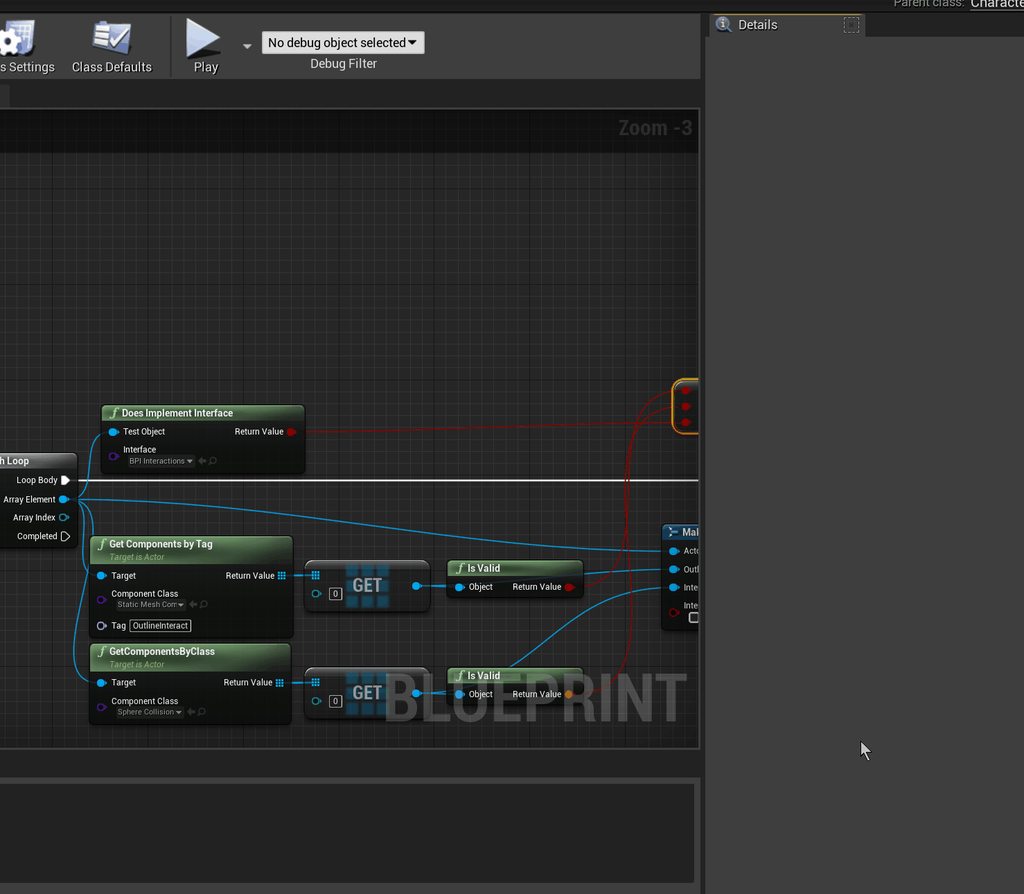
 true falcon
plush yew
This is pissing me off now.
https://answers.unrealengine.com/questions/1007438/u...
true falcon
plush yew
This is pissing me off now.
https://answers.unrealengine.com/questions/1007438/u...
Maybe try the Darker plugin, it has an option to refresh ui elements
plush yew

this seems to set the pivot point of my widgets to the center of the screen. I need my widgets to rotate based around their own center, not the screens, how do I do that
well even that's wrong
it looks like when I "add widget" the widget is considered the size of my screen and not the size of the image
no that can't be it since when I "get size" they're returning the size that they're supposed to be
sullen forge
How would i go about fixing this

 worn copper
Can I move Unreal Engine Installation to other Drive as it is?
I brought new SSD because i thought Ue working slower on HDD. So now i want to move UE on new SSD can i Do this without Downloading new...
astral ravine
worn copper
Can I move Unreal Engine Installation to other Drive as it is?
I brought new SS...
U could always just add an installation folder though and duplicate the project to the new location....
Im sure theres more ways though
worn copper
astral ravine
U could always just add an installation folder though and duplicate the project ...
I already moved my project on new SSD. But i've Noticed that in Task bar Performance it using HDD 100% where UE installed.
astral ravine
You could always uninstall and re-install
worn copper
I think if I move it on SSD then it can increase speed Performance
astral ravine
definately
worn copper
astral ravine
You could always uninstall and re-install
Can I Install using Existing files. Because it can save my day
astral ravine
like existing project files?
astral ravine
if you got a new hard drive it would likely be worth it in the end to just set that as the windows installation drive and get the most of its performance in all ways
since i went to solid state i havent even used my old drives the performance boost is incredible
worn copper
astral ravine
since i went to solid state i havent even used my old drives the performance boo...
Okk
 primal tendon
is there something like package in marketplace where all basic meshes are there...
 rocky epoch
worn copper
I already moved my project on new SSD. But i've Noticed that in Task bar Perform...
rocky epoch
worn copper
I already moved my project on new SSD. But i've Noticed that in Task bar Perform...
By default the cache is on the system drive. Move the Derived Data Cache folder to the SSD as well
https://docs.unrealengine.com/en-US/ProductionPipelines/DerivedDataCache/index.html
Overview of the Derived Data Cache and the storage of assets in formats used by UE4 and its target platforms
rigid belfry
hey guys i was just wondering, how do people with full time jobs manage to join gamejams?
 regal mulch
Game jams are usually over the weekend. So take Friday off i guess
Generally by taking time off 😋
 regal abyss
anyone know how to solve an issue with MRQ? the viewport has shadows in it but when i run mrq, the shadow disappears. this is in ray tracing
 proper lintel
I have a "RInterp To" moving the rotation of the characters controller, It works as intended in the editor, but when I build it and transferred it to a second PC the "RInterp To"is substantially slower, I have then tried a third PC and it works fine. Any Ideas what could cause this?
north snow
Is there an existing way to get an objects spawn location or do I need to set that up?
rigid belfry
is it possible to have cutom snap sizes for the move tool?

 modest trench
allegedly you can set Editor Preferences > Viewports > Grid Snapping
rigid belfry
north snow
Is there an existing way to get an objects spawn location or do I need to set th...
actors are a generic Class that have 3D transforms(translation, rotation, and scale) and they hold that information by default
the GetActorLocation pure function in blueprint would give you the location of the target actor
rigid belfry
north snow
Would this apply for each instance of a copied blueprint?
yes, each instance hold its own information
if you have cube1 on 0,0,0 location and cube2 on 10,10,10. by running Begin play-> GetActorLocation->print, you'd have 2 prints(since each instance runs the code) with the 2 different values
north snow
Thank. would you mind telling me what I've done wrong quickly for the blueprint?
rigid belfry
is it something you posted already? i cant see any recent messages
 rigid belfry
do you have prior programming knowledge?
north snow
Nothing notable*
rigid belfry
ok. i recommend checking the pinned messages for some great, great sources if you want to learn more about ue4/blueprint. also on learn.unrealengine.com you'll find tons of good stuff. especially recommend the gamedev.tv courses, as they'll get you with 3 games running in no time.
returning to the topic, what do you want your code to do?
north snow
Thank you very much I will check it out.
Basically I wanted an object that has physics applied when coming into contact with a specific other actor to teleport back to it's origin point.
rigid belfry
and where are you running this logic?
 rigid belfry
i dont have enough information, so i'll come up with an example. i have some logic on my player character that lets me shot 1 cube on left click. if the traveling cube collides with an actor, i want to teleport to the cube location. would something like this help with your current problem?
north snow
Most likely!
rigid belfry
so you want a cube actor blueprint first, with a projectile component, that way you can actually shot something. after that, a simple LeftClick Input event on your character/controller. in your character, add a sceneComponent Called "FireOffset" that way you dont spawn stuff inside yourself. to spawn projectile ->SpawnActor and feed its transform to GetActorLocation as target FireOffset. make transform with your newly ActorLocation and with that you can finally Spawn actor->FallingRock.
the rock needs to have its collision to either block, overlap or ignore stuff depending on what you need it to do. for this example lets say the rock blocks everything.
 sudden ferry
hi i took a big asset pack and tried to migrate it to another project, but in another project a lot of the materials are showing as black (and in the map all assets are black), anyone have any idea what could cause this?
rigid belfry
north snow
Most likely!
inside your rock graph, you can say on Event Hit->print string, feed it the "Other" Pin to get the other actor who triggered the event.
 north snow
wow I don't know half of those but I'll try it out thanks!
rigid belfry
i am not done, i just created a first person template since i had a blank template and i think its easier for me to show proper results this way
north snow
Thank you very much.
rigid belfry
north snow
Thank you very much.
sorry i had some IRL stuff to take care of. so anyway, inside your projectile you simply do something like this.

its not something too complicated. basically when the actor collides with something, you get the pawn location and and set its location to the Hit Location. NOTE: you do not need to cast for this to work, but i suppose if you need to get variables inside your Character, you'd need to cast in that case
if you only want a teleporting rock, remove the cast
i was going off on my own and i think it got a bit too complicated for a beginner, but anyway this teleports you just well
rigid belfry
the sequence i had to put it there because i have a Do Once node. since this is the First Person Template, the Projectile bounces a bit and i didnt want the player to teleport every bounce
so i only teleport once, then do whatever the other logic is
you dont need it if you only have a teleporting rock
north snow
oh tangent. What is the support vc for?
rigid belfry
what do you mean?
north snow
I assume it's for server help?
rigid belfry
oh voice chat
i honestly don't know
never used voice chat me personally, but i know sometimes people stream stuff in general
north snow
Gotcha.
upbeat tendon
I wonder if anyone has any advice on writing rest api's for unreal engine
I've created a few now, some for loading data into a datatable and some for loading state into a structure


 fair niche
would this be the proper channel for basic questions ?
north snow
Apparently yeah.
fair niche
so i started tonight and this may sound dumb but is there a way to get ride of the ball from the blueprint scene root? cant seem to figure it out now i have a giant ball floating 5 feet behind my door
rigid belfry
the root component cant affect collision and only its location can be adjusted
 deft raven
I was using kite demo, exist a way to delete trees one by one?
hot arch
Do you guys know how to get self shadowing parallax in UE4.25?
 timid frost
hi
i made a line trace node but when i go in the game it don't show line trace lines

anyone can help me please
???
 calm bough
Aye everyone, can I make custom Object Type for collision? because there is only 7 types it isn't enough and I can not even rename them
worn copper
worn copper
And make it 2 separate spline
Yes we can Just click midle segment and say no to join them and they will be 2
vocal plank
I have a math question, could someone chime in? 😄
I am trying to scale an actor only one side, meaning when scaled the actor is only translated and scaled in one direction while the other side of the mesh stays where it is
I believe i have to get the actor's size somehow, but i'm not sure which functions would be suitable for that
 drowsy cape
@vocal plank isn't that just set world scale? (& in blueprint spit the struct pin?)
If nothing is scaled u know the size of the object. preferably "1"(100%)
vocal plank
That's the scale
I am talking about the size, which is not the same as the scale
this gives you the space a static mesh occupies

was told to check back later, maybe have better chances getting help from someone who's good at math 😄
 split tundra
Is there any way to hide some columns in a DataTable for a given struct?
Removing the properties themselves from the struct is a no-go as I'd still need to access them.
vocal plank
wintry ravine
Hmm not specifically. Right now im just trying to find my way around manipulatin...
this works to set the actor's size in unreal units, the only thing left is the anchoring part
 vocal plank
I think i have to define the bounding box faces as vectors 🤔
vocal plank
wintry ravine
Looking forward to seeing your results!
above allows to set a mesh size like 100 and it will update the scale to fit the box extent
wintry ravine
Is there a way to directly access/set the box size? Because with scale the initial box size would be needed and if I wanted to spawn it I wouldn't have a box size to manipulate the scale with
I'm praying there's a way and I just don't know it. Or maybe I haven't read/looked through your BP close enough
vocal plank
You should adjust the scale after spawn
I'm setting the box size as a variable in unreal units

it adjusts the scale
 wintry ravine
vocal plank
I'm setting the box size as a variable in unreal units
wintry ravine
vocal plank
I'm setting the box size as a variable in unreal units
Would that be noticeable? If it flickered into size
vocal plank
If you do it during initialization no
wintry ravine
OK nice
vocal plank
It would even execute the first draw call if you call in begin play if i'm correct
So you can do it in begin play i guess
I'm really not sure how to define the anchors, should i define the faces, top, bottom, left, right, front back as vectors? 🤔
rigid belfry
is there a way to see if a component is overlapping with another component?
say i have some logic on a SceneComponent, i wanna make sure that i dont overlap with the same SceneComponent but on another actor
vocal plank
wintry ravine
OK nice
basically that fits a mesh in a box extent, centered to the origin

