#ue4-general
1 messages · Page 952 of 1
 plush yew
oh
I see it now
Thank you @raven island it worked
but idk how to take away part of that mesh
like just have it where there's a doorway floor
I don't need the whole floor part, just the floor for the doorway
 raven island
neither do i. not that good with geometry
 fickle plinth
Anyway to get around SDF shadows not being available on stationary lights? I wanted the soft shadows on dynamic objects whilst being able to bake indirect lighting.
 vapid karma
did anybody tried to install houdini and how to deal with licence ???
plush yew
Hello guys I have problem with my movement input
it is runner game


this code I got it from dev squad for the mobile runner game
it works when I move only with the arrows
I want to make it the user to plays with w a s d and the arrows
how I can do it
 timber nymph

@plush yew do you have anything like that?
and does it work if you play outside the editor?

 frank pumice
I get it, do you maybe know how I can fix the problem
like what do I have to do now
I am still learning you know xD
 sudden glen
you dont need to cast
timber nymph
 sudden glen
you can directly set the walk speed
timber nymph
oooooooh
I set bEditable to false in a constructor and the actor is gone
but it's still in the world
lol crap
 rancid lynx
if I add 10 instances to this instance component. how do i access instance number 5?

hmm X_x, i guess i could manually add each return value to another array X_x. nm, after 20 minutes of thinking, it suddently hit me after i asked. i guess thatll work
ffffl X_x finally
timber nymph
isn't the instance id just 4?
rancid lynx
i want to savegame, and save those instances.
how do i save that? i understand how to save and load variables, but i dont understand what you just said murphy, acesssors ids
this doesnt take ids via accessors correct ?
 timber nymph
I don't know what that is
timber nymph

if you want to access the instances you have to use the id
so you can save the IDs like you said
rancid lynx
id I can understand but.
timber nymph
but there aren't like, object references in the component for you to serialize out
it doesn't use a data structure like that
it's probably just an array of transforms
you have to manage saving that yourself I think, and recreate it on load
that's what I'm doing anyway
 timber nymph
yea that id you need is the return value from addinstance
I just have them in a map
why do you need to get the instances back out of the component though?
if you're adding them then you probably already have the transforms to save?
 vivid totem
IDK if it's right to post here, so sorry in advance:
Anybody here owns a 3080 OC colorful GPU? https://www.youtube.com/watch?v=_B95YqkMwcA&ab_channel=GnishInfotech

Visit https://www.Gishop.in to buy Computer Parts.
If you like the Video like and subscribe to our channel for more interesting videos .
┉┉┉┉┉┉┉┉┉┉┉┉┉┉┉┉┉┉┉┉┉┉┉┉┉┉┉┉┉┉┉┉┉
Follow Us On Social Media :-
∎Instagram - https://www.instagram.com/Gnishinfotech
∎Facebook - https://www.facebook.com/Gnishinfotech
┉┉┉┉┉┉┉┉┉┉┉┉┉┉┉┉┉┉┉┉┉┉┉┉┉┉┉┉┉┉┉┉┉
if yo...
vivid totem
tnx for the channel link
 lunar timber
anyone ever run into the problemo of having to call up your ingame pause menu during a level sequence?
Im finding that the level sequence will not pause
 short geyser
Hello. Is there a way to import a flipbook in Unreal Engine by importing multiple textures? Apparently there was an option to do that in UDK but can't find anything for UE4. Thanks
plush yew
timber nymph
<@456226577798135808> do you have anything like that?
like what? I saw that I have this problem only on my key A, it goins on right, the D key is working good, hmm
the scale is the opposite of D, hmm
timber nymph
well A and D are mapped to moveleft and moveright and you have opposite signs in the blueprint too
so you're inverting the sign twice
also you're handling A and D in both of those blocks
 little oyster
I have 2 PC's running Source Builds of UE4, yet one of them adds UnrealLaunchDaemon to it's .sln file and the other PC doesn't when I Generate Visual Studio files, just curious what determines if this is added or not
 next badger
@upper heart yeah, i understand that. but this request been there for several years
 thin sluice
Where can i have technical support, cause i have a crash problem with my script, but it dont crash every time i run it and im trying to find the problem but i can't?
next badger
@thin sluice define "script"
thin sluice
?
 fallen raven
I'm making it possible for the player to change textures on walls runtime. Anyone know if it's better to have multiple materials on the wall (one for each side of wall, borders etc), or only use one material where multiple textures can be swapped? Any difference in performance? I think I would need 4-5 materials for a wall piece.
thin sluice
@next badger ?
next badger
thin sluice
Where can i have technical support, cause i have a crash problem with my script,...
crash problem with my script
ue4 has no scripting language
next badger
@thin sluice well, if it's a bp #blueprint
 tough perch
Hi I have a problem. I'm creating third person game and enemy collisions ignore camera and thats okay but when they die I set collision type to ragdoll and camera no longer ignore them. How to set camera boom ignore ragdoll collisions? Or make radoll collision type ignore camera?
 primal oasis
thin sluice
Where can i have technical support, cause i have a crash problem with my script,...
primal oasis
thin sluice
Where can i have technical support, cause i have a crash problem with my script,...
You can post your question here.
primal oasis
thin sluice
How can i find the problem if the game crash?
Error msg?
thin sluice
no
primal oasis
thin sluice
How can i find the problem if the game crash?
Is it crashing only when its built, or also when played in the editor?
primal oasis
And Unreal crashes entirely? The app closes? Or it hangs, or what?
Turn on the Output Log
and see for anything there
Also check log file after the crash maybe
next badger
hang != crash
thin sluice
where are the log?
next badger
-Project-\Saved\Logs
thin sluice
]LogPhysics: Warning: UWorld::FindTeleportSpot called with an actor that is intersecting geometry. Failed to find new location likely due to actor's root component not being a collider component.
that one thing
i think
28/30 of the log it my print thing
?
ping me
primal oasis
thin sluice
]LogPhysics: Warning: UWorld::FindTeleportSpot called with an actor that is inte...
Surely that gives you a clue to investigate the problem?
 fierce tulip
thin sluice
fierce tulip
thin sluice
not really
thin sluice
im still here
primal oasis
can you give us some context?
thin sluice
i start the play the game and it sometime crasg
primal oasis
yes, but the teleport bit
thin sluice
it to spawn obstacle
thin sluice
it raycast to find the ground then spawn the obstacle at the hit point
what is that6
non-colliding location
primal oasis
a location without a collider object
thin sluice
a collision?
thin sluice
no
it not supposed to do that
i mean it spawn the obstacle a the impact point
where the line hit and object
primal oasis
what is it spawning?
primal oasis
maybe write something to find a point close to the insersect
but not directly on top of it
thin sluice
?
primal oasis
you wont be able to spawn it on top of an object with collision
primal oasis
Try to find an acceptable non-colliding location to place TestActor as close to possible to PlaceLocation.
it doesnt work because its giving u an error
primal oasis
if it works then you're all set to go
primal oasis
write some logic to check what FindTeleportSpot is returning
thin sluice
but
thin sluice
is it an node
primal oasis
debug it bascially
primal oasis
you have a Teleport node presumably?
thin sluice
it an set location
primal oasis
no dont screenshare sorry im in the middle of a game
what node is triggering the teleport action?
thin sluice

that the part that spawn the object
that the one that choose

but right now there only 3 thing that spawn
but i dont see any teleport
primal oasis
its gonna be SpawnActor probably
the collion override is what will be trying to place the object
what are the options in that dropdown?
thin sluice
 primal oasis
see what happens when you switch to ignore collisions
primal oasis
ok
 true falcon
Uff, what's a good name for an Enum that can only be left or right?
Direction2D? 🙂
LateralDirection
but what then would you call back and forward
AxialDirection perhaps
primal oasis
thin sluice
you may have to just write some logic to determine a position that doesnt collide yourself
true falcon
I used to think I was a cunning linguist
thin sluice
Yourself?
primal oasis
i mean if Spawn Actor isnt handling the position change for you well enough
(hence the crash)
thin sluice
I still dont understand
primal oasis
ok so you're trying to spawn an object at the insersect of something and your line trace yes?
primal oasis
ok and if the spawned object collides with another object its crashing
thin sluice
idk maybe
primal oasis
well its the last thing in your log before it dies so i presume so
primal oasis
hmm
thin sluice
but sometime it crash
primal oasis
yes
next badger
tough perch
Hi I have a problem. I'm creating third person game and enemy collisions ignore ...
have you set the proper collision profile after setting one to simulate physics?
primal oasis
so sometimes its not placing it in a non-collding place
thin sluice
it placing it where the ray hit it
primal oasis
yes but the dropdown option 'try to adjust location' option is meant to find somewhere that it wont collide
thin sluice
it put it ignore collision
and it still crash some time
and 2 sometime the thing dont spawn
primal oasis
i think maybe someone else can offer some advice, its beyond my experience sorry
next badger
@true falcon i like the LateralDirection it speaks more
*tells?
it provides more info on what it is
true falcon
next badger
<@!708128504562188378> i like the `LateralDirection` it speaks more
Yeah, CardinalDirection, LateralDirection, and AxialDirection seems nice, albeit engineery 🙂
thin sluice
btw i need to go bye, and thank for the help (:
primal oasis
np, good luck
next badger
true falcon
Yeah, CardinalDirection, LateralDirection, and AxialDirection seems nice, albeit...
AxialDirection is forward backward?
true falcon
primal oasis
np, good luck
yup
had to google that one 🙂
I mean I guess you could use longitudinal and latitudinal, but that kinda implies geo stuff
next badger
 true falcon
next badger
<@!708128504562188378> https://upload.wikimedia.org/wikipedia/commons/thumb/2/27...
true falcon
next badger
<@!708128504562188378> https://upload.wikimedia.org/wikipedia/commons/thumb/2/27...
Ahhh, interesting!
Transverse Axis... that's a handy term
or I guess you could use Perpendicular
"In Todays Episode of Linguistics for Programmers" ... :))
tough perch
@next badger I did it like this

 weak cypress
is there a way to install UE4 on linux without taking a billion years?
true falcon
I hear NASA is working on an optical computer
 tough pagoda
Hello, I have problem. When I migrated files to my current project from another project and moved files to pre-made by me folder, Editor can't find materials. Exactly materials. With other type of files Editor work good and find them.
Anybody can help me with that?
next badger
@tough pagoda all .uasset must stay at same places relative to Content root
 cosmic nexus
Hey everyone, so i'm getting into unreal lately to do some arch viz and been watching tutorials. I'm currently stuck on a part where the tutor doesn't go into how he set up a hdri ambient light, would anyone know how this was done?
(I've time stamped the part of the video i'm talking about)
https://youtu.be/dQ8bqHUg5To?t=598
Any help is greatly appreciated 🙂
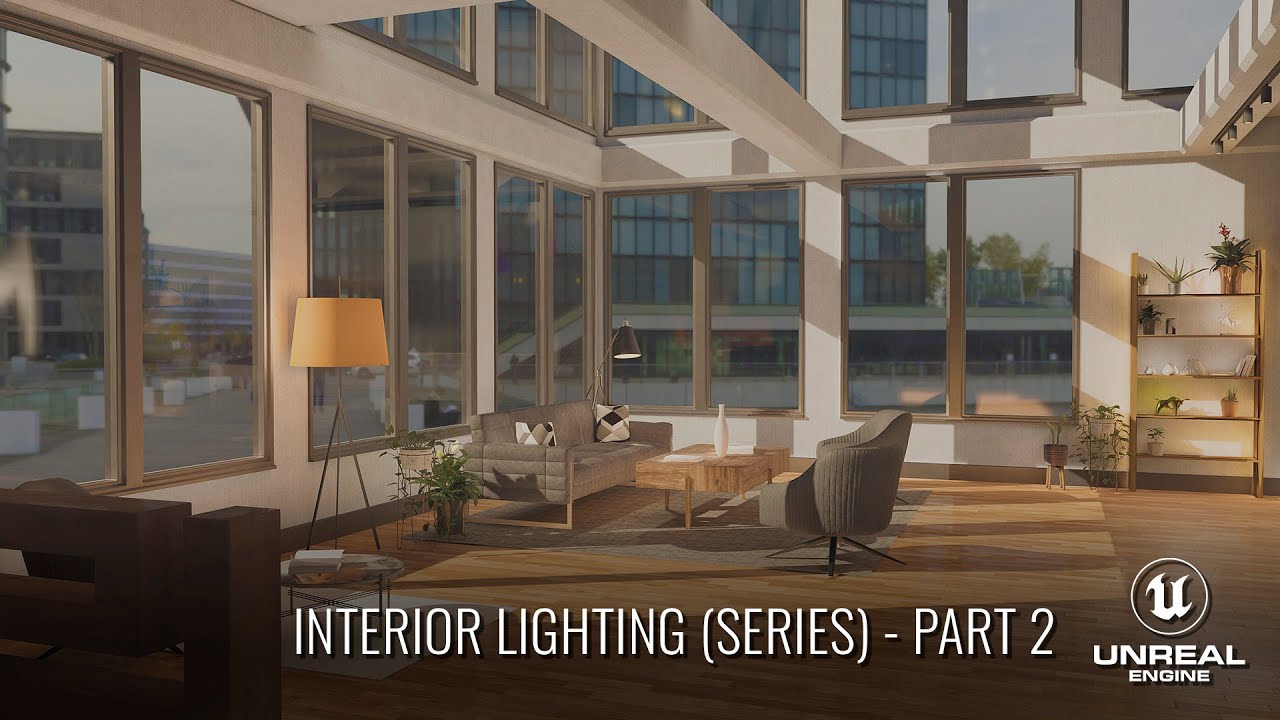
In this 4 part series, we'll cover how to light an ArchViz interior scene from start to finish. Through this series, you should gain a much deeper understanding of lighting and lighting principles when working in Unreal Engine 4. The principles taught in this series should apply to any lighting situation in UE4.
In Part 2 we cover setting up th...
next badger
cosmic nexus
Hey everyone, so i'm getting into unreal lately to do some arch viz and been wat...
cosmic nexus
oh sorry my bad
next badger
it's ok, but there you'll get your answer faster
cosmic nexus
Thanks again, just in the tutorial i think he's using an emissive material on a sphere but it doesn't quite seem to work for me
next badger
@cosmic nexus well, he uses SLS capture it seems
skylight can be either SLS capture or specific HRDI
the skydome it just emissive material
cosmic nexus
The sky box object he has is just an emissive material on a sphere?
next badger
@cosmic nexus yes, and sphere should be set to static, if it's not explained in the tutorial - watch another
tough pagoda
next badger
<@!282513929920446465> all .uasset must stay at same places relative to Content ...
I can't move to another folder? Subfolder of Content?
next badger
@tough pagoda no, only inside ue4
tough pagoda
Man, I understand.
next badger
@tough pagoda each file stores a reference by path
tough pagoda
I can't create folder in Content and move files to this folder.
Even this folder was made in Content folder?
next badger
you should move files axactly as they were placed before
tough pagoda
I don't understand.
cosmic nexus
next badger
<@!134758814607081473> yes, and sphere should be set to static, if it's not expl...
thank you for clarifying, i'll be sure to watch another if it doesn't work 🙂
 buoyant graniteBOT
:triangular_flag_on_post: Hamdy#4399 received strike 1. As a result, they were muted for 10 minutes.
 kind hinge
Hi guys, is there a way to prevent the sound from overlapping when I press a button? as it keeps firing multi sounds during the action, even with do-once.

 regal path
I'm using 4.26
and i got this error when packing my game
Cannot create SoftObjectPath with short package name 'False'
https://answers.unrealengine.com/questions/1003582/cannot-create-softobjectpath-with-short-package-na-2.html I got the same error as this one
it seems to be 4.26 related
primal oasis
kind hinge
Hi guys, is there a way to prevent the sound from overlapping when I press a but...
You have it set to reset immediately
primal oasis
kind hinge
Hi guys, is there a way to prevent the sound from overlapping when I press a but...
What were you trying to achieve with plugging in the reset like that?
 frozen pond
hi, when i'm setting actor rotation my camera doing werid stuff, like some kind of flickering ?
 tame lion
Hello Guys! I am trying to set up a good Camera for a third person shooter so i attached the springarm to a socket on the shoulder of the skeletal mesh but now it is shaking like crazy when running. Is there an easy way for the camera to ignore the player character's animation ?
plush yew
hey umm dont really know whats going on but in my unreal project for a game when im trying to add a key press even on my player it wont show up in the search area for that key, it will show in my map blueprints but not in my player blueprints anyone know why ?using the unreal engine 4.25.4
 calm pollen
next badger
<@!682289272518213632> <#221799368884355072>
calm pollen
next badger
<@!682289272518213632> <#221799368884355072>
oh ok sorry
next badger
@calm pollen also #packaging
plush yew
next badger
<@456226577798135808> make sure you're not in construction tab
yea that was the problem thanks 😭
kind hinge
primal oasis
What were you trying to achieve with plugging in the reset like that?
I want the player to press it and hear the sound again not only once I thought its a part of the solution, what should I do then?
 worn wasp
Can anyone suggest a multiplayer friendly way of making a jetpack in ue4 fr the third person character?
I am using add force but it is working differently for host and the client
next badger
@worn wasp BP/C++ ?
worn wasp
Bp
calm pollen
is there a way to change the dimensions of the play window? i have a portrait-screen mobile game but when i test it the game is in 1920x1080 so everything looks weird
next badger
@worn wasp you can try to look a swim mode, not sure it works with bp only
next badger
@calm pollen project settings
 plush yew
anyone familiar with matrix struct? it says on documentation '4x4 matrix of float values' but when I break it it gives me this kinda geometric interpretation? how can I set the float values inside the matrix
 plush yew
i guess doesnt matter each 'plane' breaks into 4 floats
 fluid bronze
Does anyone know the name of that website where you can make an event graph and stuff like that?
calm pollen
next badger
<@!682289272518213632> project settings
appreciate it 😁
next badger
fluid bronze
Does anyone know the name of that website where you can make an event graph and ...
BlueprintUE
BlueprintUE.com is a tool for sharing, rendering and rating blueprints for Unreal Engine 4. UE4 is a game engine which use visual scripting called blueprint.
fluid bronze
next badger
https://blueprintue.com/
Thanks!
 frank oar
Hey,
Does anyone know of a course for making or taking a character mesh from blender and retargeting it to work with the unreal mannequin animations ?
I would really like something to follow along and Im happy to purchase it.
next badger
@frank oar rigged blender character?
 slim atlas
Does anyone know what i'm doing wrong, I'm trying to install games but I don't have options like you are supposed to?

 magic fern
 frank oar
Well @next badger Im unsure of the process so I dont know wether it is better to rig and retarget or just to retarget the new mesh to the unreal skeleton if thats possible ?
I would really like to follow along with something just to learn the process.
next badger
@frank oar you can not retarget unskinned mesh, it should have a skeleton in a first place
frozen pond
how could i do capsule trace but in desired rotation?
frank oar
Thats why I would like to follow along with something from start to finish @next badger so I get a good understanding of the process.
slim atlas
Found it ya'll!
 obsidian nimbus
@slim atlas how did u remove the store from the launcher? 🙂
slim atlas
There is a setting that was on for me by default 😕
 obsidian nimbus
ahh cool
 timber steeple
Hey Guys,
I make trees in blender, with sapling add on and I have the fbx for it which I export from blender.....
What is the best way of importing the fbx and apply materials to it....
When i export the fbx and leaves a child of the tree, it shows as two different meshes in unreal
but if I join the tree and the leaves into one mesh, then how can i apply materials
 fair veldt
Hey guys, does anyone have experience with World Composition, or UE4 landscapes in General?
I'm trying to create multiple landscape maps in World Composition, and create a constant downwards angle over multiple landscape terrains, I'm using Landscapes and using splines to map a road into a mountain, which I want to be able to travel down for a fair distance, the problem is that eventually I hit the -Z limit, and for this implementation I need to not be limited by that amount.
Does anyone know if there is a way to tile landscapes together over a longer Z distance? I've tried adjusting the Z scale on landscapes, however then I'll be limited by floating point precision at some point, so I wanted to see if there was a way of doing it in World Composition and tiling it similar to how landscapes can be tiled in the X and Y directions?
Any help would be awesome, feel free to @ me 🙂
 indigo spindle
I got this weird error when creating new c++ project

I have visual studio 2019 installed
But I don't know why it needs visual studio 2017 to generate project
 wanton lotus
indigo spindle
I got this weird error when creating new c++ project
wanton lotus
indigo spindle
I got this weird error when creating new c++ project
If it says it needs 2017, then install 2017. That is just how prerequisites work.
indigo spindle
I have done this 2019 before
And it worked then
This is first time I am seeing this
wanton lotus
indigo spindle
This is first time I am seeing this
Even so, if installing 2017 gets you past the error, then do so. If a game required vcredist 2008 and threw an error even though you had vcredist 2019 installed, you'd still install 2008 version, right?
indigo spindle
I get your point but I had previously created project when I didn't had visual studio 2017
I only had 2019
And it worked then
wanton lotus
Not sure, something must have changed since then.
Either in the engine or on your machine.
 pale token
Uuuh, this sounds dumb. What would I search for if I wanted to make animations for a texture- so like an oscilloscope animation on a computer screen, how would I go about trying to find out how to animate that? xD
wanton lotus
pale token
Uuuh, this sounds dumb. What would I search for if I wanted to make animations f...
#graphics channel would be your best bet. Seems like you will want to make some material with adjustable parameters. Personally, I know nothing about that stuff, haha.
pale token
Ah okaayy ;; thank you
plush yew
anybody here ? :/
 deep viper
@plush yew I believe this server is significantly slower than usual on Sundays. Just my personal guess though.
plush yew
i see :/
deep viper
I know your pain. I'm also trying to figure something out with no success atm.
plush yew
@deep viper u should post , someone will eventually help
 topaz eagle
Is anyone here particularly skilled with sidescrolling or isometric views?
frank oar
@next badger btw I am wanting to learn because recently I have had so much trouble trying to swap the mesh of the male manequin to that of the new female on in my project, I have been unsucsessful after days of trying to work it out.
 covert moss
Does anyone know how to fix this displacement bug without messing with the r.Raytracing.NormalBias since it just ruins all the other shadows in ur scene? I've had this issue for so long now i'd appreciate it alot if someone could help me, Thanks! 🙂
 rigid belfry
is there a way to have the text render component mirror both ways?
 rigid belfry
covert moss
Does anyone know how to fix this displacement bug without messing with the r.Ray...
rigid belfry
covert moss
Does anyone know how to fix this displacement bug without messing with the r.Ray...
landscape LOD?
covert moss
rigid belfry
landscape LOD?
im pretty sure it has nothing to do with that
 rustic pewter
does someone know what could be the reason that i dont get intellisense in visual studio
covert moss
rigid belfry
because landscape does that
yeah ive messed with the landscape lods for like 5 minutes now and the landscape displacement changes but it doesnt remove the bug
 flat dirge
anyone know how you get an unreal engine license attached to your epic account? for some reason i can't get quixel to let me access the unreal engine tier of megascans
apparently the epic account i'm using to run unreal doesn't doesn't have an unreal license lol
rigid belfry
is there a way to get a random name from inside a dataTable?

 grim ore
random row name? put the row names in an array ahead of time and then get an random from that array and feed it into the row name
next badger
@frank oar https://www.youtube.com/watch?v=mg75kSkKkug

A tutorial on how to use Uefy 2.0 to rig characters that already have a skeleton for Unreal Engine 4 marketplace animations.
In this video we take a prebuilt mixamo character that already has a skeleton. The original skeleton is missing several bones we need in the engine. Such as the root bone required for root moti...
frank oar
I will check this out now tyvm @next badger for your time!
rigid belfry
this should work
 next badger
@frank oar I highly recommend to switch to 4.26 and learn Control Rig
as for animation it's a tool that has no alternative
frank oar
I will absolutely check it out tyvm @next badger
next badger
@frank oar 2 videos on it

Control Rig is a scriptable rigging system that is based on Blueprint and is mainly designed for controlling properties to drive animation. This week on Inside Unreal Helge and Jeremiah will break down the Mannequin Control Rig example from the Marketplace, show how to use Control Rig with Sequencer to animate a character, give tips on how to de...

Let's explore the latest animation features available in Control Rig for Unreal Engine 4.26! The team will cover updates to the Control Rig Mannequin Sample that's available on the Marketplace, rig sharing with Control Rig Components and Setup Graphs, attaching multiple Control Rigs for animation authoring, Slope Warping breakdown with post-proc...
rigid belfry
for some reason the color is not being updated to what i've set up. i have 3 possible colors. r,g,b. the master material has a v3 parameter(which is black) and on begin play all the actors are black, which means this initialization is not working

wait
am stupid
forgot to type in the Parameter Name
frank oar
saved thank you @next badger looks like I have some studying to do!
next badger
frank oar
saved thank you <@!156903532346212352> looks like I have some studying to do!
with UE4(5) it's neverending study
frank oar
Looks that way!
frank oar
@next badger sorry to pester.
I am following the tutorial for Rigging you posted.
do you happen to know if Uefy is free or not ? there is a link in the video but its not clear where to buy it if I have to...
 little warren
Anyone know how I can make something like the default UE4 grid floor?
 frank oar
as a floor for you environment @little warren ?
little warren
frank oar
as a floor for you environment <@!178903507447971840> ?
yes
frank oar
Do you have blender ?
little warren
yes but I'm not a 3D modeler, I only have it because I think unity needed it
 dawn gull
Is there a way to see if a coordinate is in a spherical radius around another coordinate?
frank oar
@little warren I have used blender to make all the environments for my projects and I can tell you that you do not have to be a 3D modeler to make what you want to (I certainly am not).
I would personally have a plane or box as the floor
then create a grid using mesh
 exotic thicket
@dawn gull isn't that just a regular distance check?
 obtuse siren
Hello guys, I need a little advice. This code is to display game over text, however I want it to only appear if the game over boolean is true. Any ideas? 🙂
 dawn gull
I did it and it does it in a cube @exotic thicket
frank oar
its not as good as creating an actually and using it but its certainly easier.

 exotic thicket
Something else must be going on with it.... distance is the right way to check if something is within a certain radius of something else
little warren
@frank oar I tried making a plane and applying a grid texture on it, but I am getting a warning that it will be bad on performance since I made it huge to be pretty much infinite like the UE one
exotic thicket
@little warren you can draw it as a post process material probably... it might be a bit trickier to do. Google for infinite grid shader or something like that
dawn gull
@exotic thicket the xyz are the same for the distance and placing the actor, its placing everything perfectly. this is all the code there is for the radius stuff

the frequency float is unrelated
frank oar
@little warren as far as I know you'll want to have sections so that it is not ALL being rendered when its not needed, but will look infinite to the player
little warren
@exotic thicket I might give it a try, although I'm wondering if I can just use the UE one since it's already there
exotic thicket
@dawn gull this should pass for all points <15 units away from 0,0,0... if it's not happening then the points you're comparing it to are probably not right
little warren
@frank oar yeh that sounds like the easiest way
frank oar
@little warren I do not TOTALLY understand how it all works myself yet but I also had problems initially when I tried making my floor as big as my whole map, breaking it into sections helped a lot.
dawn gull
exotic thicket
<@!307936066546040842> this should pass for all points <15 units away from 0,0,0...
it gets the coordinates from a for loop going from 0-20 and it just chooses if it'll place there or not by the noise, so I know it's getting placed around 0, 0
rigid belfry
obtuse siren
Hello guys, I need a little advice. This code is to display game over text, howe...
are you using the floor function on a bool? how does that evne work?
doesnt the floor function round numbers down? what are you rounding in a bool??
 signal beacon
Hello everyone
I have just start to learn UE4, however, I don't know should I create my first project or wait for UE5
I afraid of everything will change after UE5 giving out
 frail sail
Guys is this CharacterMovementComponent can be multithreaded?
signal beacon
Well, I actually lack of the knowledge in C++
But I have some experience in C and C#
dawn gull
Oh, then C++ will be relatively easy to learn
frail sail
frail sail
Guys is this CharacterMovementComponent can be multithreaded?
or is the threadsafe?
signal beacon
Yep, maybe. However I think that I can use Blueprint in UE4 so I change from unity to UE4
It is earlier for our designer to know what is going on in visible way
obtuse siren
rigid belfry
are you using the floor function on a bool? how does that evne work?
I see your point, should I try and replace it with a branch
I'm looking to only display the test provided the gameover boolean is true
rigid belfry
obtuse siren
I see your point, should I try and replace it with a branch
i just dont understand why youre doing it like that
obtuse siren
text*
rigid belfry
where are you storing your "game over" variable?
obtuse siren
Yea I'm quite new to unreal still
signal beacon
May I know that is it easy to make an online game though UE4? For example: MMORPG
rigid belfry
signal beacon
May I know that is it easy to make an online game though UE4? For example: MMORP...
not for new people
signal beacon
Is it's default API powerful?
obtuse siren
rigid belfry
where are you storing your "game over" variable?
In another blueprint 🙂
signal beacon
rigid belfry
not for new people
Thank you very much
rigid belfry
obtuse siren
In another blueprint 🙂
how does the game end?
obtuse siren
I have not added that yet, for now I'm trying just to change the game over test appear and disappear whether the boolean is true or false
text*
rigid belfry
lets say for example you are coding a platformer
when cube falls, there is a trigger box below him
now, in your game mode, you have a custom event called "game over"
this custom events can create new widgets, reset the player, respawn, do all sorta stuff
when the cube falls off the map, the trigger box is triggered, then this triggerbox casts to game mode, and from there you call the game over event
thats just one example
and thats ignoring the fact that "casting" in general is not a good idea
rigid belfry
you dont really want to have any heavy logic inside widgets
because they run off of tick i believe
either widgets, or the bind functions
i dont remember
even better than casting would be having a game instance that holds all your events
that way you dont evne have to cast
but its not really necessary
rigid belfry
signal beacon
Thank you very much
there are courses online on learn.unrealengine.com for people with prior experience with unity
signal beacon
Let me see, thank you very much
obtuse siren
rigid belfry
https://www.unrealengine.com/en-US/onlinelearning-courses/making-the-switch-from...
I need this! Thank you, I'm so used to coding; blueprint seems like a language thats hard at first until you understand it. I will look at this
 gleaming creek
rigid belfry
either widgets, or the bind functions
gleaming creek
rigid belfry
either widgets, or the bind functions
Think it's the bind function that runs every tick
rigid belfry
gleaming creek
Think it's the bind function that runs every tick
yeah
i usually set most function manually
gleaming creek
Exactly, more efficient and you normally only want to change the values based on events anyway
rigid belfry
anybody experience with creating loot drop tables?
next badger
@frank oar yep, UEFY is not free
epic made a free addon for blender:
https://epicgames.github.io/BlenderTools/

Blender Tools Documentation
Blender addons developed by Epic Games that improve the game development workflow between Blender and Unreal.
 kind dew
@rigid belfry yep you start check each item via it's drop rate in ascending order.
So lets say you have a loot box of 3 different possibilities: A legendary item: ~1% chance. A rare item: 40% chance. And a common item 60% chance. what you do is you get a random number in range 0-100. First check for legendary, so if that number is less than one then give the legendary item to the player. If not, then you check the second most rare item. So in our case the 40% chance item. If that random number is less than 40, give them that rare item. If that number was higher than 40, then check if it is less than the common item. If so, give them the common item, if not then go to the next rarest over and over. If you get to the bottom and somehow no item was given, then just start over.
How would one go about making a vehicle creation system. Similiar to scrap mechanic
frank oar
Thank you @next badger will that do the job Uefy does ? I'm going to look into the link you posted and learn to use it
rigid belfry
kind dew
<@!386223315146244097> yep you start check each item via it's drop rate in ascen...
oh i see. that makes sense. i've got this little project set up right now and i am already using a data table to determine what the cube values are. its just the % thats confusing me i guess

ideally i want to make cubes spawn based on a %. after i make that work, i'll try to implement a way of slowly increasing the chance of higher rarity cubes to spawn.
 copper wind
Is there a way to set the max FPS when opening the editor? During development I don't need it running at 100 fps while my desktop PC fans whir away like crazy. I open the console and set "t.MaxFPS 20", but it'd great if there was a way to make that happen automatically.
 naive kindle
I have a pawn and a player controller. For my game mode, I set the character as the pawn and player controller as the player controller in the settings
After, I added axis mappings for mouse x and mouse y
I put this code in the player controller

wait
I'll be back
for my character i have a spring arm with a camera attached
and nothing in the event graph
I think I need something in the event graph but I'm not sure
ok is olved it

had to check these
next badger
@frank oar UEFY better at some places, but no need to buy it as you're just starting
but, blender -> ue4 is a pain if you not following the rules. free to ask at #animation
 stone dock
does anyone know how code miko gets the twitch alert to create events in unreal?

is really that easy for her lmao
Credit to these streamers:
https://www.twitch.tv/codemiko
https://www.twitch.tv/Mizkif
 silver basin
Anyone else been having a problem with random blueprints failing to compile and corrupting every once in a while when opening the project for the firs time that day?
 static folio
silver basin
Anyone else been having a problem with random blueprints failing to compile and ...
static folio
silver basin
Anyone else been having a problem with random blueprints failing to compile and ...
Never
silver basin

Had this happen probably 4 times now
i'll work on something the night before, before I go to bed compile everything, save it all, make sure its all working
open the next day and it will literally delete the blueprint
I've noticed it's mostly happening to widgets.
static folio
Have you checked your storage for bad sectors
Should also copy your project to another drive if you have one
Makeshift backups if you don’t have any running
silver basin
yeah i've been making multiple backups a day because i had one massive corruption happen during an auto save and had to start my entire project over from scratch. lost like 150 hours of work. even with the backups though, it's still very frustrating. having to do some tedious thing like setting up widgets is not fun.
static folio
Well start a bad block scan in the background just in case
 orchid lodge
Do widgets work differently with custom events?

The text continue comes from a left mouse click
 main lotus
Hi, not sure what the correct channel is for this.. I tried looking
Has anyone tried integrating any form of analytics in Unreal?
I want to record events such as "player bought item X". "Player upgraded weapon to level X at time Y"
timber nymph
silver basin
yeah i've been making multiple backups a day because i had one massive corruptio...
just put your project in a git repo
rancid lynx
Im trying to SaveGame LoadGame the instances added to this component. but im not sure how to do it. its not as simple as a for each loop.

ive saved all the component return values to an array.
but how do i repopulate the instances inside that reference element
 supple creek
can someone help, total noob question ..where can i find documentation on imported packages
i am so lost.. migrating from unity
timber nymph
rancid lynx
but how do i repopulate the instances inside that reference element
that's what I was asking last night, why do you want to get the instances in the first place? you made them so you already have what you need to make them again, right?
you have the mesh and the transforms, save those
rancid lynx
thanks. if i save the game, close the game, and load the game. im not sure how to put the instances back into the game.
timber nymph
the same way you made them the first time
rancid lynx
i do that during gameplay with a hammer
1 at a time. its not an automated thing
i convert actors to instances during gameplay.
timber nymph
oh ok so you just aren't storing the transforms anywhere else
1sec let me open the editor

 rancid lynx
i use blueprints only.
timber nymph
so there's a member PerInstanceSMData and the elements have transforms you can save
rancid lynx
transforms yea, that was my idea
but i dont know how to access "all " instances from the component
so i can For Each Loop save transforms
i cant "length" check a component
supple creek
🤣 guys , pros, please, is there such a thing as package documentation for every package downloaded from epic library
rancid lynx
i dont know mel
supple creek
so you never seen it
rancid lynx
feel free to come back every 20-30 minutes and check again. but tbh 80 percent of the time i end up googling it faster.
timber nymph
 supple creek
thank you
timber nymph
supple creek
🤣 guys , pros, please, is there such a thing as package documentation for ever...
generally I think there isn't much documentation for most stuff
 timber nymph
sweet is that working for you?
rancid lynx
i searched the get's, but i missed tha tone
timber nymph
that's why I'm looking at the source lol
rancid lynx
well, it might, ill try. ty
 rancid lynx
i was just looking at that now. im not sure how to for all loop this yet
for each wants an array, not the int return value from the get instance count.
 supple cove
Hi I have a newbie question
I want to import a character into my game for a prop and I only found a 3D printer model of the character
Can I import a that into the project?
rancid lynx
yes, but it will need "bones" "armature" if you want it to move at all. you can import to blender and manually add armature and "Rig" it, if you want animations.
you can probably convet what ever file type the 3d model is to fbx. with blender also.
maybe this is much easier than im making it. maybe i can just add a new comp using the comp list arrray. ill try that fire.
first
timber nymph
@rancid lynx https://blueprintue.com/blueprint/n760kq83/
BlueprintUE
I haven't tested it but that should work
idk if getpathname is the right name for the mesh
rancid lynx
thanks ! ill check this !
timber nymph

yeah that should work, that's what I'm using
oh sorry I left something out
if you want to map from mesh name to an array of transforms you need to create a struct with the array
probably just change that map to an array and keep track of the mesh name separately
rancid lynx
probably kinda what im doing. i dont understand struct map nodes yet, so i just did it manually with 2 array variables
frail sail
Multithreaded rendering+Multithreaded BP, Tick optimizations, async ticking, Baking light build, mesh combination&instanced static meshes, forward rendering = 450FPS in ultra graphic settings yikes
 rancid lynx
i can save the components to an array, but im not sure the saved components contain all the transforms.
timber nymph
frail sail
Multithreaded rendering+Multithreaded BP, Tick optimizations, async ticking, Bak...
get optimizing
 frail sail
timber nymph
get optimizing
frail sail
timber nymph
get optimizing
Well thats my limit i guess xD
supple cove
@rancid lynx were you replying to me? So I can import the model but have to rig it up for movements?
rancid lynx
supple cove
<@199858455312465920> were you replying to me? So I can import the model but hav...
yea, 3d scan print models probably dont have animations. if you want to animate it, like walking, youll need to learn blender, and rigging. its almost easy. just start with a super basic 2 bone rig youtube tutorial, then learn about vertex weights or automatic weighting. almost easy.
supple cove
great thank you! I have heard that Adobe premiere has rigging. is that different? That’s 2d right?
timber nymph
premiere? the video editor?
supple cove
Yeah I think it’s 2d
timber nymph
no it's a video editor
it's for cutting clips together not animating
you want blender for 3d models
you probably found an STL right? you can import that in blender and export as fbx
but you'll have to UV map it too
supple cove
haven’t checked the file format but probably is the standard
timber nymph
I'm sure it's easier to find something premade for your purposes?
supple cove
Ultra violet ?
timber nymph
texture mapping
the UV map tells textures where to go on the model, STL doesn't have those
timber nymph
you won't be able to use them until you UV map the model
it's not easy at all
your time is 100% better spent finding a model that's ready and moving on with your project
supple cove
ok you’re right. I just checked the STL and it prints in pieces and you snap the pieces together after it’s all printed . That won’t work for an in game character
timber nymph
lol you can make it work but it'll be a nightmare
there are thousands of really excellent free game-ready models
supple cove
I’ll keep looking and drop a note into the other channel if I can’t find it
 supple cove
no
timber nymph
fully skinned rigged and animated
supple cove
that looks like Alloy on the left maybe they’re have look alikes for my character
timber nymph
what kinda thing are you doing?
supple cove
some mad max like characters
Oh btw it wasn’t Adobe premier it was after effects
I think that has some basic rigging. Prolly not 3D tho
supple cove
ok
 dry latch
can any kind angel help me set up a smoothing curve for my recoil ? that would be super appreciated since i'm struggeling a lot x)
timber nymph
@supple cove https://www.turbosquid.com/3d-model/free/low-poly/character
https://www.cgtrader.com/free-3d-models/character?polygons=lt_5k
Free low poly Characters 3D models for download, files in 3ds, max, c4d, maya, blend, obj, fbx with royalty-free license and extended usage rights.
Download 594 Character free 3D models, available in MAX, OBJ, FBX, 3DS, C4D file formats, ready for VR / AR, animation, games and other 3D projects.
plush yew
there is a better (performant) way to set a movement by a switch-button like?

 sharp crest
is it possible to have multiple atmosphere actors in a level? when I put more than 1, only one of them is visible..
plush yew
plush yew
there is a better (performant) way to set a movement by a switch-button like?
I killed that FlipFlop and put the pressed directly on Toggle, still I did not find a way to get rid of the Tick event
static folio
Seems ok to me udas
plush yew
(y)
if I am not mistaken I read somewhere that tick events are bad
but it was the only solution I found over the internet
static folio
People can misuse tick, but eventually you need to work with it
 candid yarrow
Using tick for the player pawn and player controller is absolutely okay. How many players do you have on the one machine at most? You should watch out for blueprint tick on objects that get placed a bunch through your level, and can toggle off tick for actors that aren’t relevant right now, but don’t try to stop using it ever
 light thunder
Why won't the editor just leave me alone?
 naive kindle
If I have a spring arm on my pawn and I control player input in my player controller, how do I change the length of the spring arm from the player controller
I tried something stupid with interface but I don't really know how interfaces work

the error is "accessed none" which im not surprised at because I don't know how interfaces work
grim ore
so you just need to talk to the thingy and tell it what to do, so 2 steps. so our first step is to find the thingy
first stop is where are we calling this from? is it the a thingy that has the thingy or a thingy that wants to talk to something else that has the thingy
based on what you are saying its the second, so we have to get a reference to the other thingy
naive kindle
ye
grim ore
we know that we are in the player controller, and we know the pawn has the thingy we want.
assuming its the controlled pawn, the easiest way is to just get the default pawn or default character (depending on what you controlling)
that gets a reference to the other thing that has the thingy we want ( the spring arm )
now we need to determine is that other thingy (the spring arm) always on the other thing (the pawn/character) or not?
presumably no, pawns and characters do not have spring arms or cameras on them by default (inherited from the parent class)
so we need to either go "hey do you have a spring arm" and go with that, or if we know a certain class has a spring arm (you designed a custom class with the spring arm yes? if so we can treat that pawn as that class (by casting to it)
so we are on that step. We need to either get the spring arm component generically, or we need to cast to the specific class that your pawn is. which one will we do?
naive kindle
I think I want to get the spring arm component generically
so do I do an is valid thing when trying to get the spring arm component from the reference
grim ore
so then we want to drag off the get controlled pawn and look for the get something component node
naive kindle
ok
grim ore
something being the name I cant remember lol, loading up unreal now
naive kindle
there's get component by class
grim ore
is valid is ok, but nothing we need to worry about right now and you will see why in a sec
get component by class, sounds good? we know we want the spring arm class yes?
 grim ore
sounds like it might be it. now it returns nothing or a valid spring arm if there is one
so now we would do a valid check because we only want to talk to that spring arm if it exists yes?
naive kindle
yep
 naive kindle
yes it works!
grim ore
we take some assumptions here, that there will be only one spring arm for example
but the process we did is the same process you use when you are doing stuff like this, just walk it thru and answer the questions
and only one way to do this, you could use generic interfaces, You could cast to your specific pawn instead of get component, you could have your pawn tell the player controller about its spring arm when it starts up, etc.
grim ore
yep you should, its useful. Its basically treating something like something else
a dog and a cat are animals, you might have an animal in the world that is either a dog or a cat. The dog can bark and the cat can meow. If you get that animal and cast it to a dog, its now a dog and you can do dog stuff. If you get the animal and cast it to a cast, its now a cat and can do cat stuff. If its an animal that is really a dog and you cast it to a cat, it will fail since a dog is not a cat.
in your case if you got the pawn (pawn is generic), and cast it to your specific pawn class (lets call it MyPawn) then it would be treated as your custom class and it would know what was on it (spring arm, camera, hit points? etc) which is all stuff that is not on the generic Pawn but specific to your custom class
none of that part matter tho unless you do the first part which is actually getting the reference to the item you want to work with first (Get Controlled Pawn) which is why casting confuses people
naive kindle
sounds pretty interesting
grim ore
its a basic concept in programming, can be referred to as inheritence
to put it into a grand perspective, almost EVERYTHING in the world that exists is an Actor at the top level
your custom Pawn can also be treated as a generic Pawn (the parent) and that generic Pawn can be treated as an Actor (its parent)
and one level down a Character is just a custom Pawn lol
naive kindle
yea lol
grim ore
but in the end, super powerful once you learn it and how you can make simple stuff do awesome stuff
supple cove
timber nymph
<@!467103139733045261> https://www.turbosquid.com/3d-model/free/low-poly/charact...
Can I post a summary of this on a forum with credit?
plush yew
Question, is it okay to not make your geometry perfect? Take for instance a house, floor poking out of the exterior if you're not gonna see them anyway?
 gusty epoch
hahah hey!! @grim ore I love your tutorials!! they've practically saved my game jam game lol
btw where would i ask a question pertaining to audio assets made for 4.24
cuz my issue is a have some assets i bought for 4.24 and they havent been updated to 4.26 yet. theyre only audio though so i figured there must be some way to adapt them to 4.26. crazy specific issue but i cant find any forums for it
 broken heath
I have 4 unreal versions installed and when i want to install the fifth it says Install location error you do not have permission to install too ...
topaz eagle
Is anyone here experienced in programming sidescrolling rpgs?
grim ore
@gusty epoch if from the marketplace you can probably just add them right to your project. If the raw .uassets you can install 4.24, open the assets, and migrate them up to your 4.26 project.
gusty epoch
grim ore
<@233726782187110400> if from the marketplace you can probably just add them rig...
oh awesome! thanks for the help :)
timber nymph
supple cove
Can I post a summary of this on a forum with credit?
what do you mean?
supple cove
timber nymph
what do you mean?
I asked a similar question on a forum but it’s not answered yet. So can I summarize what you said and post it there?
timber nymph
oh of course
supple cove
a gift for you https://youtube.com/watch?v=-Ny-p-CHNyM&feature=share

❤️ Check out Weights & Biases and sign up for a free demo here: https://www.wandb.com/papers
❤️ Their mentioned post is available here: https://wandb.ai/jxmorris12/huggingface-demo/reports/A-Step-by-Step-Guide-to-Tracking-Hugging-Face-Model-Performance--VmlldzoxMDE2MTU
📝 The paper "Monster Mash: A Single-View Approach to Casual 3D Modeling and...
broken heath
Can unreal install more than 4 versions?
supple cove
Automatically create 3D models and with animation and rigging from your sketches
❤️ Check out Weights & Biases and sign up for a free demo here: https://www.wandb.com/papers
❤️ Their mentioned post is available here: https://wandb.ai/jxmorris12/huggingface-demo/reports/A-Step-by-Step-Guide-to-Tracking-Hugging-Face-Model-Performance--VmlldzoxMDE2MTU
📝 The paper "Monster Mash: A Single-View Approach to Casual 3D Modeling and...
FYI I didn’t make it. But it appeared on my notifications
 steady bronze
incase u guys have artstation
theres a promo code going on that lets u have pro
2 free months of artstation pro
https://www.artstation.com/promo
code : IRIS
 winter gale

Quick #UE4 Tip number 114.
Modifying Max Search Nodes for finding path to large distance.
https://t.co/y0oXK7l03C
#unrealtips #unrealdev #indiegamedev #gamedev #indiedev #screenshotsaturday #UnrealEngine

 Twitter
·
Twitter
·
 vernal matrix
When loading levels, by doors, like going into dungeons, how do you tell the engine to place you back at the door or set location when entering and leaving
 narrow plaza
vernal matrix
When loading levels, by doors, like going into dungeons, how do you tell the eng...
narrow plaza
vernal matrix
When loading levels, by doors, like going into dungeons, how do you tell the eng...
You can save your location or enter point in a variable in the Game Mode or Game instance. Game Instance works well
 idle merlin
Where can I report an issue to epic games?
Found a bug with Physics Constraints... Setting 2 objects to movable, the bottom object to simulate physics as a default setup. Then if I move the top object during runtime by sliding on the transform values, it work as intended... Until I let go. Then object 2 forgets about the constraint and just falls.
Can reproduce issue in 4.25 and 4.26, and 4.26Chaos
 bronze vault
@idle merlin I hope this helps https://www.unrealengine.com/en-US/support/report-a-bug

Unreal Engine
Unreal Engine is the world’s most open and advanced real-time 3D creation platform for photoreal visuals and immersive experiences.
 mental kettle
Hi, can anyone help me figure out how to create custom windows in Python in Unreal, if that's even possible. Thanks
idle merlin
Thanks @bronze vault
 hearty dagger
Is there a way to combine an upper and lower body animation in the sequencer?
idle merlin
Does anyone know how to "reel" in an object using a Linear Constraint? Linear Motor seems to do nothing, am I doing something wrong?
bronze vault
@hearty dagger If nobody gets back to you here, try #animation someone there may have an idea.
hearty dagger
Thanks didnt see that
idle merlin
jp being a legend and actually helping people 😆
I see so many questions just thrown into the void 😆
narrow plaza
mental kettle
Hi, can anyone help me figure out how to create custom windows in Python in Unre...
do you mean Windows in a house on a map, or Widgets for user interface? Either way I believe Python can only be used in the Editor, not at runtime
 short onyx

smug programmers be like 'theres a better way of doing this 😏' that also takes 500 times longer
Twitter
·
timber nymph

me when I realized how much time I wasted doing everything in c++ instead of just the critical stuff
 gloomy ginkgo
how can I update my old version of ue4 instead of downloading the new version?
 idle garden
You cannot. You will need always to download the newest version and remove the old one
 regal marsh
Can i use UnrealPak.exe separate from UE4 itself?
 cloud comet
Is there any detailed tutorial for multiplayer using blueprint?
idle merlin
Guys... I'm really struggling here... How can I use a linear motor on a physics constraint to pull the sphere towards the cube? Sphere is set to simulate physics, both objects have mobility set to moveable. And the physics constraint has it's motor enabled, with the following settings (next pic coming)... But nothing happens. What am I doing wrong?

 idle merlin
Insert awkward cricket noises
 sly wagon
I would help you but I also have cricket noises inside my head
aka I have no idea how to help and its 5am and I should sleep
light thunder
What does this mean " meshes in "mapname" are out of date compared to landscape splines in "mapname" rebuild landscape splines - WTF

 dire lantern
AI Movement works perfectly fine in Editor but it doesn't work in Packaged Shipping Game
Could anyone help me out with this one I'll sincerely appreciate it
Giving this in exchange of help - https://gum.co/gVVRk
 spare kernel
 potent bridge
Question because I'm curious, how would armour sets work in Unreal 4? Would I need to make a model that contains the torso + armour peice each time? Can I just attack it to a bone? (This presents issues since it could easily go through the model), how would it be done?
spare kernel
yeah i updated my pin, with some known good versions
 covert pollen
can billboards have a z-index?
dawn gull
oh ok, nice
 lusty carbon
How can I add a custom rotator to a world aligned texture shader?
lusty carbon
Unreal Engine Forums
This is the place to show, share, and link to your stuff!
 paper axle
Is anyone else having issues where their controller is no longer working in Unreal unless it's plugged in on boot up?
Edge cases are that it's an Astro C40 controller. It used to work just fine but now I have to reboot my pc to get Unreal to recognise it. I've tried restarting Unreal after plugging it in and just nothing.
dawn gull
How do I see if a coordinate is in a certain radius of another coordinate?
wanton lotus
dawn gull
How do I see if a coordinate is in a certain radius of another coordinate?
Use the distance function
dawn gull
I'm already using the distance node, it makes a cube when I loop over
I have a cave system that works by spawning cubes and I used a distance function and it just cut of the edges, I want to turn it spherical
next badger
well, it seems some issue in your logic, distance is omnidirectional
2d is circle, 3d is sphere

 exotic thicket
like I said yesterday the distance check is likely not the problem here... you could try increasing it past 15 to see if it affects it. It's possible the edges just are a little bit too far and thus don't get created
it also depends on where the center of the block is because I'm assuming this is based on get actor location or something since it isn't visible in any of the pics you shared
so if the block is generated around the center, or if the block is generated so that the center of the actor is infact in a corner, that would also affect it
dawn gull
It spawns around 0, 0
and this is 16

15 and 16 look the same
i did 20 and it also looks the same
exotic thicket
how big is an individual cube?
dawn gull
.01 units
exotic thicket
Oh that's tiny, it looked way bigger lol
dawn gull
yeah its just what fit in the grid
whats the pastebin for nodes? i can send the code there
I would just send a screenshot but it’s super messy and spread apart
covert pollen
paper axle
Edge cases are that it's an Astro C40 controller. It used to work just fine but ...
I have an Astro C40 myself, I kept having to manually load the driver as Xbox 360 Controller or something to get it to work in general
You can manually select this as the driver I think, helped me a lot
 wanton lotus
dawn gull
.01 units
wanton lotus
dawn gull
.01 units
At 0.01cm your generated sphere of cubes should have a ton more edges with a radius of 15cm. You completely positive it isn't spawning these cubes a different size than you intend them to be?
dawn gull
yes, its a set variable
also this is the least efficient code, but here it is
https://blueprintue.com/blueprint/1sl8d4q7/
BlueprintUE
potent bridge
Repost since it got buried:
"Question because I'm curious, how would armour sets work in Unreal 4? Would I need to make a model that contains the torso + armour peice each time? Can I just attack it to a bone? (This presents issues since it could easily go through the model), how would it be done?"
 covert pollen
potent bridge
Repost since it got buried:
"Question because I'm curious, how would armour sets...
covert pollen
potent bridge
Repost since it got buried:
"Question because I'm curious, how would armour sets...
https://www.unrealengine.com/marketplace/en-US/product/mesh-morpher you can use something like this to mold the armor if it wasnt made to fit

Unreal Engine
Mesh Morpher allows you to create/remove/modify morph targets easily from within the UE4 Editor.
potent bridge
Interesting. Yeah I could do, and the armour will be to scale, it just needs to bend with the body, especially with something like a torso.
dry latch
PLEASE, Im looking to add a timeline curve for smoothing my recoil, can I stream someone to help me ? I can't make it to work !!
 steep timber
hi has someone a idea why my icon is dark grey while "color and opacity" is set to white ?
 dry latch
it only reference opacity
check in the blueprint graph see if you have a value to change
potent bridge
@covert pollen So normally you'd want to use a skeletal mesh for armour right?
covert pollen
potent bridge
<@!320292869258870795> So normally you'd want to use a skeletal mesh for armour ...
if you want it to share animations yes
for things like helmets you might not need it to be
potent bridge
Yeah thats basically what I meant, that makes sense. Wonder if my brother knows how to.
covert pollen
as it only covers one bone
covert pollen
dry latch
PLEASE, Im looking to add a timeline curve for smoothing my recoil, can I stream...
doesnt the camereshake blueprint cover interpollation by default already?
dry latch
I don't think so
 flint dagger
steep timber
flint dagger
steep timber
Have fun understanding UMG's bullshit. You want to tint the image. 😛
 steep timber
flint dagger
Have fun understanding UMG's bullshit. You want to tint the image. 😛
steep timber
flint dagger
Have fun understanding UMG's bullshit. You want to tint the image. 😛
oooo wow i didnt saw it cause it has same color like the appearence menu -__-
flint dagger
Welcome to UMG, home of the 'none of this makes sense.' :3
Honestly, Slate in C++ isn't much better.
 robust marten
What do you guys suggest is the best way to go about sorting the inventory with tabs similar to Oblivion? (Weapons tab, armor tab, consumables tab, Misc tab, etc)
 covert pollen
robust marten
What do you guys suggest is the best way to go about sorting the inventory with ...
covert pollen
robust marten
What do you guys suggest is the best way to go about sorting the inventory with ...
anything in particular you're unsure about?
robust marten
Currently mine just displays ALL the items on one tab
robust marten
covert pollen
anything in particular you're unsure about?
Well, I haven't tried sorting before, so I'm curious if I can go about this via blueprints or if I have to create a whole seperate wodget for each tab
widget*
covert pollen
depends on how you're adding them to the view i guess, you can just loop over all of them and if they meet a certain category only then add them?
flint dagger
Sounds just like a data table.. Or if your items are already in different classes, weapon, armor, consumable, then just filter by that.
robust marten
flint dagger
Sounds just like a data table.. Or if your items are already in different classe...
yep, they have their own category already
flint dagger
So depending on the tab, loop over the object list and only add items that are of the category selection type?
 uncut pebble
hello, since iu have the 4.26.1 i have strange bug
after a moment of use (maybe 30 min ou 1H), when i did i right click, the contectual menu show and disapears
I must restart UE4.
robust marten
flint dagger
So depending on the tab, loop over the object list and only add items that are o...
I wont have to create a new widget for each tab?
flint dagger
I mean, assuming your widget for the menu itself is dynamically populating an 'item' widget that you can customize the text of,
then just regenerate the widgets in the list.
paper axle
@covert pollen I'll give that a try, thanks
 mighty badge
how to setup collision for skeletal mesh to give bone names back im taring to parent arrow to a bone
covert pollen
paper axle
<@!320292869258870795> I'll give that a try, thanks
https://www.reddit.com/r/AstroGaming/comments/hwq212/c40_controller_w10_2004_workaround_fix/ this might help as well, not sure if its still required, some windows 10 update broke the drivers at some point so i ended up having to use this workaround
dry latch
still can't figure out how to smooth recoil..
dawn gull
@dry latch literally the first result on google

High-precision weapons are a big deal, not everybody can use them because you need to be accurate. In today's video we'll create one of those weapons, a revolver this time, with 2 firing modes!
Hey guys! I hope that you enjoyed this video! Don't forget to let me know what you though about it!
In most FPS games such as Overwatch, Counter Strike...
 dawn gull
i know how smooth recoil works
dry latch
but I can't figure out where to put a curve/timeline
dawn gull
all you have to do is add the smooth recoil code from the video to your own code
it shows you how to do that
dry latch
even for an AR ?
steep timber
i made a inventory and want to open and close it on "b" but every time i close the inventory all my items inside it get deleted. is it possible that "remove from parent" completle destroys the inventory and if y exists a panel to just make it invisible ?
 dawn gull
dry latch
even for an AR ?
dawn gull
dry latch
even for an AR ?
that wouldnt change anything
dry latch
I did check out the tutorial
but it is not what i'm looking for
check timestamps

Marketplace Link:
https://www.unrealengine.com/marketplace/fps-starter-kit
Tutorials:
https://sb1985ue4.wordpress.com/
Discord:
https://discord.gg/V4HDm25
Playable Demo:
https://onedrive.live.com/?id=EA5107192A0A502F!1107&cid=EA5107192A0A502F
UE4 Forum Link:
https://forums.unrealengine.com/unreal-engine/marketplace/1402713-fps-starter-kit
when aimed
 cursive estuary
Hey, Im trying to generate vs project files but i get this error
Running C:/Program Files/Epic Games/UE4/UE_4.26/Engine/Binaries/DotNET/UnrealBuildTool.exe -projectfiles -project="D:/ARC/UE4_CPP/Zenithal/Zenithal/Zenithal.uproject" -game -rocket -progress -log="D:\ARC\UE4_CPP\Zenithal\Zenithal/Saved/Logs/UnrealVersionSelector-2021.02.28-20.18.41.log"
Discovering modules, targets and source code for project...
While compiling C:\Program Files\Epic Games\UE4\UE_4.26\Engine\Intermediate\Build\BuildRules\UE4Rules.dll:
error CS0042: Unexpected error creating debug information file 'c:\Program Files\Epic Games\UE4\UE_4.26\Engine\Intermediate\Build\BuildRules\UE4Rules.PDB' -- 'c:\Program Files\Epic Games\UE4\UE_4.26\Engine\Intermediate\Build\BuildRules\UE4Rules.pdb: Access is denied.
ERROR: Unable to compile source files.
dry latch
i'm looking for this kind of follow up
dawn gull
yeah just add a really small camera shake
flint dagger
cursive estuary
Hey, Im trying to generate vs project files but i get this error
Running C:/Pr...
Is your engine open?
Alternatively, you should have your Intermediate and Saved Folders added to your .gitignore or .p4ignore files.
These folders should not be on source control.
cursive estuary
flint dagger
Is your engine open?
Yes
cursive estuary
flint dagger
Alternatively, you should have your Intermediate and Saved Folders added to your...
They are
I also tried to make it always run as administrator
But it didn't work
frozen pond
hi, i have werid problem with plugins, i'm trying to add UIWIS to my project but every time i add it and restart unreal i'm getting
Failed to load /Script/UIWS.UIWSInteractorComponent Referenced by SCS_Node_17
and component removes itself
 worn copper
I have problem with unreal engine new water system not working properly on large landscape of 8196x8196 (8x8Km). Have any one tried it with large landscape.
Because water system working perfectly on small landscape.
frozen pond
worn copper
I have problem with unreal engine new water system not working properly on large...
i tried it on tied map like 20 minutes ago - and did not work too
tiled*
8x8km too, still wont render any water
worn copper
It is working perfectly on small landscape
frozen pond
yeah, but i wanted to make it work on world composition and nothing happens 😦
timber steeple
Hey Guys, I was testing out some things.... You see the tree in middle is not getting shadows, while the smaller tree is giving shadows.
What wrong am I doing in the cascaded shadows section? I have also turned on distance shadows...
 worn copper
If water not rendering completely then. Increase size of watermesh Components. It will render...
But still my river floating in air. And also it is not interacting with ground
- Landmass Enabled
- water plugin enabled
worn copper
frozen pond
i tried it on tied map like 20 minutes ago - and did not work too
It doesn't need world composition on...
frozen pond
worn copper
If water not rendering completely then. Increase size of watermesh Components. I...
it suposed to work, but it don't on world composition, on normal maps yes
just readed that, you make me sad 😦
worn copper
frozen pond
just readed that, you make me sad 😦
Is your river and ocean working if world composition is off
frozen pond
yeah it works fine on normal landscapes but as @plush yew says - it wont work on world composition so i either i just make big 8x8 landscape, or i will look for other solution :/
 willow marsh
Random question: Anyone know of any good brawler blueprint tutorials?
worn copper
frozen pond
yeah it works fine on normal landscapes but as <@456226577798135808> says - it w...
Please try single 8x8km landscape and enable landmass and water and try. Let me know is it working for you or not...
uncut pebble
hello, since iu have the 4.26.1 i have strange bug
after a moment of use (maybe 30 min ou 1H), when i did i right click, the contectual menu show and disapears
I must restart UE4.
light thunder
If you have an actor with a 4k Texture, and that is on a streamed in level, and you delete that actor, that 4k DOES get freed up from memory right?
plush yew
why doesn't the landscape lod manager give me great automatic lods? it's very bad at preserving the form of the landscape
covert pollen
plush yew
why doesn't the landscape lod manager give me great automatic lods? it's very ba...
doesnt this just mean you have it set too aggresively? it can only work with the amount of points that are left over
plush yew
its hard to undrestand that landscape lod system in general
covert pollen
no i mean its just not gonna happen, you cant really make a sphere out of 4 points, because there arent enough points to make the shape lol
so if you are aggresively LODing the landscape its going to have to sacrifice its shape
plush yew
im not doing that i gues
frozen pond
worn copper
Please try single 8x8km landscape and enable landmass and water and try. Let me ...
sadly my pc is dying on this

 mystic apex
 flint dagger
cursive estuary
Yes
flint dagger
cursive estuary
Yes
Your engine should be closed when compiling.
 solid hull
I’ve been making a map for an online game. Is it possible to load up the whole game world in unreal engine and export it to a large image? Or simply browse through the ingame world using the unreal engine program? I have been able to extract all of the game files from the .pkgs. but I don’t know the next steps to take. I do have lots of experience with autocad, revit, and 3dstudio. I am in need of a mentor.
 mild pulsar
Going through a course. Teacher has this PawnInputComponent0 after he presses Play button:

But I'm not getting it:
 light thunder
mild pulsar
Going through a course. Teacher has this PawnInputComponent0 after he presses Pl...
light thunder
mild pulsar
Going through a course. Teacher has this PawnInputComponent0 after he presses Pl...
You probably have your level or your game mode having a different pawn used instead of the one the teacher is using
mild pulsar
He copied DefaultPawn and named it DefaultPawn_PB, I did the same
light thunder
you are correct so open up that BP, I was wrong earlier because you at least have the same NAME but not the same components, so open up that BP and see what components you have
cursive estuary
cursive estuary
Hey, Im trying to generate vs project files but i get this error
Running C:/Pr...
could someone help me with this
light thunder
cursive estuary
Hey, Im trying to generate vs project files but i get this error
Running C:/Pr...
windows is set READ-ONLY status to your project folder, happens a lot in Program Files stuff - that's why I never install anything related to Unreal if I can avoid it
mild pulsar
I'll go check which components he had when he created the pawn and compare it to mine, brb
light thunder
cursive estuary
could someone help me with this
If you check that folder and rightclick on it in windows it probably says read only
Access Denies is not a very good error message - you probably would have figured it out if it had said, "Unable to write to file"
mild pulsar
Well, a few videos ago he copied DefaultPawn from the Blueprints menu like this:

And added Grabber component there, which I did as well(this is his DefaultPawn when he added it):

And set that new DefaultPawn_BP as a new default pawn in the game mode, I did that as well. Next one below is my DefaultPawn_BP when I'm supposed to get the InputComponent in UE4:
 grim ore
well pawn input component seems like a custom component that is being added, not one built in. especially since it has the 0 on the end of it it sounds like it is being spawned
your class does have support forums you might want to check out, I know that there are issues with those courses from time to time over age
mild pulsar
Thanks, I'll go read it now.
cursive estuary
light thunder
If you check that folder and rightclick on it in windows it probably says read o...
Still the same error
 glacial pecan
When I use the "Send To Unreal" Blender plugin, nothing gets added to my map. I just get imported meshes... is there a settings to add all imports to the map, in the same positions as in the Blender scene?
mild pulsar
cursive estuary
Hey, Im trying to generate vs project files but i get this error
Running C:/Pr...
From just a few lessons before, I did this and successfully restored my UE4 solution:

You only need to leave Config, Content, Source folders and .uproject file, you can safely delete everything else, like .vs and Intermediate folders.
For whatever reason, it can't write to your UE4Rules.pdb file to update the debugging symbols, so delete that whole Intermediate folder as well as all other folders you don't need to regenerate the project.
cursive estuary
I tried to open the editor with admin then from the project browser opened my project
Seems to be working now
Weird error tho cos generating project files did not work even tho ive given the unreal editor always open as admin permission
rigid belfry
how do i make this event fire for each int i have in array without causing an infinite loop?
 grim ore
you loop thru the array
 somber rover
What's the best way to keep players from falling thru the landscape before the level loads?
grim ore
@somber rover dont spawn them in until it loads?
light thunder
cursive estuary
Still the same error
When you check that folder now, it doesn't have a check in read only still, right? windows is notorious about doing that
light thunder
glacial pecan
When I use the "Send To Unreal" Blender plugin, nothing gets added to my map. I ...
There is a way to do this but it's a bit more involved - you have to first make sure you have them in the orientation you want in blender - then you import the scene, make sure they are all in the MESHES container in blender - when you bring them into unreal you will have like multiple separate static-meshes for each one of your objects in Blender - you need to then add those to a blueprint and it SHOULD keep the exact same locations relative to each other
Problem is, you can't take advantage of certain optimizations, like using them as static meshes only, so they can't be in HLOD's (the LOD system SHOULD work though)
cursive estuary
light thunder
When you check that folder now, it doesn't have a check in read only still, righ...
Yes thanks alot
light thunder
@glacial pecan You can make an editor utility (blutility) that lets you basically make a blueprint function that runs in the editor - make one that takes an actor as an input, and from that, make a "get all components" or "get all children" - then for each child, you get it's relative location, then spawn actor from class into the world, (in this case, a static mesh - then set that static mesh to the same as the child components (you probably will have to get static mesh from them, it probably won't let you do it from just a child node ) - then you spawn to whatever location (or you can use get editor selection and you can right click anywhere in the world to run the script and it will take basically the location of wherever you right clicked) spawn it there and just "add relative offset" to that new static mesh's location
Hopefully that gives you an idea, I can walk you through it later- while you are protoyping you can just make this a blueprint actor and run it at runtime/simulate because the editor utilities, it's not easy to step through to debug (you have to just console output)
Long story short - You basically drag and drop all of the static meshes into blender, onto a blueprint actor, where it should be in the right positions. Then you use editor utility blueprint to get those relative locations and spawn them in the world
You actually might be able to just drag and drop them from the blueprint this way too - but only for very simple arrangements
@glacial pecan he is right about this and it's fine for checking how they look and everything but ultimately you don't want them to be in your world like this, because you will always have problems manipulating them if their origins are off - My understanding is that if you bring them in together they will have a different LOCATION but each mesh should still have the same origin @plush yew can you confirm this for me so I'm not giving bad advice - I remember bringing things into a blueprint and them going immediately to the right relative location INSIDE the blueprint, but they still had their correct origins so I could manipulate them easily/natively
Snap origin point but it's a temp fix
rigid belfry
is there a way of adding one individual element to an array? right now i am just adding 1 element

normally i'd just say something like
Function SpawnActor(Repeat)
but i have no idea how to write it in blueprints
 ebon geode
set array element?
rigid belfry
this is printing 0 so it means there are no elements in the array

 coarse turtle
What after 8129x8129 in Recommended Landscape Sizes?
 floral bear
I got a question, I'm setting up Steamworks redistributables on the SteamAppID i'm using for my UE4 project, and I'm wondering, what does the UE4PrereqSetup_x64 in the extras folder install?
glacial pecan
light thunder
<@!149623011199156225> You can make an editor utility (blutility) that lets you ...
Thanks for the information... but honestly, I think I'll just export it to an FBX, and import it as a scene instead, and then just use the Send To Unreal for the materials... 😕
rigid belfry
insert seems to be adding a new element into the array. now, how do i tell the engine to add X amount of elements

insert doesnt let me add a set amount of elements, it just does it once
ebon geode
rigid belfry
this is printing 0 so it means there are no elements in the array
you need to check size to fit, else it won't add a value that doesn't exist 😉
light thunder
rigid belfry
insert seems to be adding a new element into the array. now, how do i tell the e...
You know about using f9 on any node in the graph that gets executed (has a white line) will put a break on it right, you know about that, so you can step through and read things as they happen?
Otherwise you'll always have to guess what happens and it makes learning how unreal operates much harder
 autumn flame
coarse turtle
What after 8129x8129 in Recommended Landscape Sizes?
autumn flame
coarse turtle
What after 8129x8129 in Recommended Landscape Sizes?
If you wanna follow the pattern and use it for tiling
16136x16136
32768x32768
rigid belfry
this is the setup i have right now. when cubes spawn, the get assigned random values based on a data table. i am writing a spawner actor that lets me control if and how many cubes i need to spawn
rigid belfry
ebon geode
you need to check size to fit, else it won't add a value that doesn't exist 😉
set size to fit to true and now i added 1 element to the array. question is, is there a way to set a certain amount of elements at once?
how do i make a custom event loop based on a number of times
i am actually considering just writing it in cpp
glacial pecan
light thunder
Long story short - You basically drag and drop all of the static meshes into ble...
Oh, my god. I just noticed this now. What a WEIRD workflow!
And thanks, btw! 🙂
rigid belfry
The Resize node takes in an array and an integer for the new size of the array. If the resized array is smaller than the original, all elements that do not fit in the resized array are dropped. If the resized array is larger than the original, empty elements are added to the end of the array.```
maybe thisthis works 👌

 quartz grotto


 distant totem
glacial pecan
When I use the "Send To Unreal" Blender plugin, nothing gets added to my map. I ...
distant totem
glacial pecan
When I use the "Send To Unreal" Blender plugin, nothing gets added to my map. I ...
in blender, send to unreal -> in unreal, drag the mesh into the world -> now, ANY updates you make in blender, when you press send to unreal again, the changes in blender will show up instantly in the level, this also applies if you put the mesh in a blueprint
glacial pecan
distant totem
in blender, send to unreal -> in unreal, drag the mesh into the world -> now, AN...
But the entire hierarchy is already ruined, so why bother?
But yeah, it's not the first time that Epic has signalled that a clean level hierarchy doesn't matter. 😄
 narrow mauve
Let's say I wanted to utilize the available engine limit of 20x20km in a tiled landscape..but I wanted more..i wanted double..would it be 'silly' or actually a good idea to scale all the objects and players to 0.5 their normal scale. So if the landscape itself is 20x20km..but everything in the world is half its scale..its almost the same as having a landscape that is 40x40km
distant totem
glacial pecan
But the entire hierarchy is already ruined, so why bother?
not sure what you mean, I have never had a problem with blender to unreal, it saves me ages of time
distant totem
narrow mauve
Let's say I wanted to utilize the available engine limit of 20x20km in a tiled l...
change the world origin then you can just move that 20x20 area around a 40x40 map
https://forums.unrealengine.com/development-discussion/blueprint-visual-scripting/1371926-set-world-origin-for-an-endless-runner-game
Unreal Engine Forums
I'm doing an endless driving game and recently found that there was a limit on how large the level could be (I only noticed because physics simulations stopped
 kindred viper
it does translate fine
well it does on bones at least. now I think about it... pretty sure it does on meshes but hmm
narrow mauve
distant totem
change the world origin then you can just move that 20x20 area around a 40x40 ma...
I heard this doesnt work for multiplayer
?
kindred viper
the export/import shuffle offers the option for merging meshes but I can't remember what STU did as I don't use it 😮
light thunder
As far as I understand you should build walls in blender, but assemble in unreal - if you have a consistent workflow for making sure your world origins are matching up with your mesh sizes and distances, then you can easily assemble components in the editor by setting your snap distance to a factor of you meshes distance (if distance is 1000 cm, you can set snap distance to 100, and 10 times will move them together l
light thunder
kindred viper
the export/import shuffle offers the option for merging meshes but I can't remem...
Stu?
kindred viper
send to unreal
i remember it had the specific folder structure for mesh/skel/other
glacial pecan
I'm exporting a house 😛
kindred viper
collection rather
glacial pecan
it's pretty clear what the Send To Unreal plugin was made for... and a house is not it
glacial pecan
it does that, but it doesn't send the hierarchy
glacial pecan
I'm sticking to this:
https://github.com/0xafbf/blender-datasmith-export

GitHub
Blender addon to export UE4 Datasmith format. Contribute to 0xafbf/blender-datasmith-export development by creating an account on GitHub.
Even paid for it... works great
distant totem
only the top mesh in the hierarchy. yeah for arch viz stuff datasmith is essential. also make sure you learn how to use the dataprep recipes
will save you years of importing issues
glacial pecan
Going to head over to his Discord now, because unfortunately, I got some errors on my model on that plugin 😦
distant totem
your going from blender to unreal with this scene? or is it coming from a CAD software?
glacial pecan
CAD orginally... textured in Blender, and now on its way to Unreal
distant totem
if I were you, I would take what you have in blender, get it into 3DS max, and use their datasmith exporter, I guarantee your scene will come over perfectly
what kind of drawing file is it? dwg?
glacial pecan
I've used that at work, but I don't have licenses at home.
glacial pecan
I exported an FBX from Rhino for what I'm currently trying, actually
distant totem
pretty sure Rhino has a live link now for unreal
glacial pecan
(And I'm wondering if that's why I get this in Lightmass...)

(That's with Send To Unreal, btw...)
distant totem
yeah you will have to change the resolution on meshes after importing them. In my case some of our drawings had 75k+ meshes. Use dataprep to set the light resolution and anything else on import timne
it will get all meshes and apply any settings you would change in the static mesh editor
glacial pecan
@distant totem I don't think Dataprep can set a lightmap pixel size yet, can it? only a "coarse" or "fine" setting or something? I haven't tried it since last year, but I remember bugging @abstract valve about it earlier 🙂
 green prairie
Hi Guys... I have a question I've been battling for years now, and now I give up..
Question:
How do I make my enemy not interrupting himself while he is doing an attack animation? I of course have made the Bool "IsAttacking" That I turn it ON when he starts the attack, and turn it OFF when he is done. And then set in branches everywhere, making sure he is NOT doing anything else while he is attacking..
But yet, he is often interrupting him self when attacking, and starts doing something else, like walking, or turning or whatever..
Is there something I can do to absolutely make sure that his AI is not deciding anything new while he is attacking?
grim ore
yes, dont run any other AI commands when attacking
like, if using a behaviour tree use a selector that chooses if he is attacking or not, and if attacking nothing else is under that tree but the attacking stuff. and dont have it finish until the attack is complete
green prairie
I'm using blueprints straight, no behavior trees (too complex for me at this point
grim ore
welp your running into the issue with doing it by hand, so much code all over the place touching 😦
time to re iterate and think it over again see if you can figure out another way
but your logic was sound, if you always check if they are attacking and abort the action if attacking it should work. The fact it's not means something is not checking or obeying so start debugging and watching when it happens and trace thru the code
green prairie
Yeah.. Thinking about it, I realize I just have to redo the AI, cause it's kind of messy right now, and I have learned since I made the AI 🙂
plush yew
lol i have an asset called fourplayer xd
 blazing pagoda
Hi, I have been having a lot of trouble figuring out how to optimize a map for VR on the quest 2. If using the link cable i can get perfect frame rates but when i package on the quest i drop down to 45-60 fps in certain spots of the map. if i look out the edges where almost nothing is anymore it goes up to 72 fps. I've done almost every recommendation in project setting that i could find from researching. Ive only gotten to 50-72 fps because of getting rid of majority of the map. I cant really get rid of anything else though. Using the OVR Metrics Tool shows me that when it drops to around 50 fps my stale gets up to around 40-50, App T gets up to around 20k, and GPU is around 96. What more can i do to get my fps up higher? Im using static lights, nothing is casting shadow, ive tried getting rid of all the transparent glass material.
 granite hound
Hi, why can Ark publish the Mod Creator on EpicGamesStore and not in the GitHub Repo as we are told in FAQ? Do they have some extra agreement?
wanton lotus
green prairie
Yeah.. Thinking about it, I realize I just have to redo the AI, cause it's kind ...
You can try playing montage instead. Do this by creating montages of your attack animations or using the "play slot animation as dynamic montage" node. You can then even go a step further and add "layered blend per bone" so that movement only moves the legs while the attack montage moves the upper body. There are plenty of options to work with.
 naive glacier
Hello everyone ! I am creating a poll to learn more about the issues you're facing while learning or working in the 3D industry. I will be forever thankful If you can help me with 2 minutes of your time. The link is below. Thank you!
Qualtrics makes sophisticated research simple and empowers users to capture customer, product, brand & employee experience insights in one place.
 midnight bolt
with "END" key you can drop actors to floor. is there a reverse to it, stick actors to ceiling?
grim ore
no but you can create an editor utility widget to duplicate that or a generic actor Blueprint with the contruction script set to do that. neither are as simple a a built in hotkey tho 😦
 prime willow
@grim ore With the bluerpint nodes you can just turn a mesh's skin blue right
or should i import it with a blue skin texture o-o
i know ive turned other textures different colors lol
grim ore
if the mesh is set up to do that yep
your material would be white for example for the base color stuff you need, it would be hard to make a red person blue for example but tinting white to blue is fine
plush yew
I was thinking I could mess with the material shader and add blue or red tints to it
So it looks like a mutated to red sort of look o-o
I've done so with objects materials so I think it shouldn't be all that crazy to make it work for human skin
grim ore
yep the material stuff isnt too hard to do things like that, its more prep work than anything to set up what should and shouldnt be changed
plush yew
Yup yup
That's the goal :>
I also gotta figure out how to make transparent materials so you can see right through objects like glass for example xD
It shouldn't be hard I think so ill give it a googling soon
grim ore
well you just change it to translucent then tell it how much each pixel is translucent and done lol
grim ore
the trick is making it look like glass, in engine. its the material that does it
plush yew
I know how to do that in blender
Yush yush I need to severe my races arm and give it that transparent look :D
grim ore
theres some decent glass tutorials out there plus some glass in the learning content to look at
grim ore
but if you just want it to be transparent its just setting it to 0 for opacity on that pixel and its not there lol
plush yew
Even better
That's the goal lol
The arm is suppose to have a sort of floating hovering effect
So that works perfectly xD
I can apply that to the material right?
Just opacity to 0
grim ore
that is part of the material yes
plush yew
:DDDD
 misty wharf
Does anyone know if it is possible, using an animation state machine, to have multiple entry points? Right now my entry point is just the Idle animation, but there are some scenarios where I would like the character to begin on a different animation on level load.
grim ore
i dont beleive so but if your entry is not idle but a selector, that then goes into whatever, you could just set that selector on load and it would give a similar effect?
 rare wagon
Please point me in the correct direction if this isn't the correct channel. I am looking for some assistance in solving a crash issue with light-map encoding when building my lighting. Here's the error code:
Unhandled Exception: EXCEPTION_ACCESS_VIOLATION writing address 0x0000000000000000
VCRUNTIME140
nvtt_64
UE4Editor_TextureFormatDXT
UE4Editor_TextureFormatDXT
UE4Editor_TextureFormatDXT
UE4Editor_TextureCompressor
UE4Editor_TextureCompressor
UE4Editor_Core
UE4Editor_Core
UE4Editor_Core
kernel32
ntdll
Working on a personal project, trying to build the lightmap. I keep returning these errors. I tried to Run as Administrator and update Unreal Engine (now 4.26.1).
I have a suspicion this is getting caused by me putting compression on some foliage actor textures (pulled in at 4k, too big to handle, so I set Max-res to 2k and compression quality to medium). Though, it's been quite a while since I have built the lightmap so I'm not 100% when the problem actually started.
Any help would be appreciated, I haven't had any luck on the forums.
grim ore
that crash wont help anyone, you need to install the debug symbols and crash it again for the real location of the problem