#ue4-general
1 messages · Page 928 of 1
 grim ore
 modest agate
@grim ore whats the issue with lighting?
 astral sundial
@grim ore I increased the amount of garbage collection passes wouldnt that take care of clearing out destroyed actors?
grim ore
the seams between tiles cause shadows if you are using static lighting
modest agate
oh i see, is there a workaround?
grim ore
@astral sundial that means it takes longer for stuff to get removed so them more stuff takes up memory so then more leaks so less performance. You would want more GC in that case but then that could cause hitching. Using pooling is the correct answer for this issue
@modest agate decorate the seams with doodads, use dynamic lighting, use tiles that are large enough to not cause the issue. Most levels are bashed together from parts so this is normal
modest agate
@grim ore ok thanks
 sterile tulip
To lower the texture resolution ingame
grim ore
that would lower it in game after you save it yep
sterile tulip
I wrote in 1024 but the texture is still making my project lag
are you sure this lowered it from 8000 px to 1024 px
grim ore
well it says its 1k at the top so it would be 1k in game. Chances are the texture size wouldnt cause the lag
thats just more gpu memory basically
sterile tulip
if I lower the max resolution size, is it still gonna use the full 8000 px in my vram?
or will it use 1024 in my vram
grim ore
no look at the top of the screenshot
sterile tulip
oh the resource size is what gets stored in vram?
grim ore
no the max in game is the resolution of that texture when in game
sterile tulip
well its still laggy, maybe my current pc cant handle textures
grim ore
if the project is lagging open the profiler and see what is causing the issues
sterile tulip
how do I do that
grim ore
try in the console "stat scenerendering"
sterile tulip
How do I type in the console xd
 plush yew
@grim ore could always make 2 or more collection points on the obj I guess?
grim ore
tilde key (~)
@plush yew well if your just moving to the general location no. if you added something called like collection points? yes
plush yew
Oh that could work to! haha
grim ore
if you also type "stat rhi" you will get all the info that might help like this
so you can see GPU memory use, and what part of rendering is taking what time
if its a larger area normally shadows are the big frame rate killer
grim ore
ugh non us keyboard
uh on the US keyboard its the top left, with the ` key
I know non US always has an issue loading the console 😦
sterile tulip
How do I press this on a EU keyboard
sterile tulip
How do I open the output log
grim ore
window menu -> developer
sterile tulip
 forest tree
sterile tulip
<@!232215194984644611> like this or do I need to check anything else?
forest tree
sterile tulip
<@!232215194984644611> like this or do I need to check anything else?
That should be it 😉
forest tree
sterile tulip
I had to change a hotkey in the past for the AI debug tool as well, wouldn't work on my keyboard
Remember that in case you have issues with it at some point 😛
grim ore
ok thats 5 million triangles
if you look at say the sky or somewhere else where that triangles goes down does the fps go up?
sterile tulip
If Iook in the sky the fps goes up yes
grim ore
and that triangle number goes down to ?
grim ore
yeah you will notice the memory didnt really change. its not a texture issue its a "drawing too much crap" issue
did you mess with any occlusion settings? or is this just one giant terrain
sterile tulip
It started lagging after I applied the material on my landscape
Also my gpu has 2gb of vram
grim ore
well the material might be using world offsets, which would add more details and triangles to draw
a good check would be to remove the material from the landscape and see what it shows for triangles then apply the material and see what it shows
 gentle trout
Hey, Anyone can tell me how can i use ue4 with a friend?
 fresh sleet
Cant sculp on both landscapes at once? its a tiled landscape. why doesn't work?
grim ore
4m triangles seems a bit much for your landscape
sterile tulip
Render target memory 2d went down by 200mb
 dull lake
ANyone here good with quixel bridge. I cant find the option to export to unreal at 1k resolution?
gentle trout
Hey, Anyone can tell me how can i use ue4 with a friend?****
grim ore
people told you yesterday but you keep ignoring them
sterile tulip
I will try download a lower res texture, and if that doesnt fix it my current pc just prob cant handle it
grim ore
its not really the texture
modest agate
@grim ore do you do all in cpp or do you use bp too?
grim ore
@sterile tulip based on the link I sent and your biggest number on the first screenshot your culling might be having an issue so its trying to draw too much
gentle trout
Hey, Anyone can tell me how can i use ue4 with a friend?
grim ore
and your that many triangles your gpu/cpu might definitely be having an issue
@modest agate I use BP whenever I can, CPP only if I have to
 hot iris
I've been trying to sort this out and am at a loss, I assume it's something easy but I've never encountered it before. How do I turn off these circles (and what are they?)
grim ore
@hot iris mobile input
you might have always show touch interface on, or are testing for a mobile platform/preview
sterile tulip
how do I close the stats window from my screen
hot iris
grim ore
<@!373112195267035146> mobile input
Bless you. I picked a project preset and it came enabled I guess
grim ore
type the same command to remove the stats
hot iris
Thank you 👍
dull lake
so i can look at the mesh at 1k, but there is no export setting for 1k? Any ideas>
grim ore
it doesnt have a 1k option. you can limit it in the engine if you need it at 1k
sterile tulip
I have added the ocean plugin into my landscape
And there is a post process volume which comes with the ocean plugin
its under the landscape as you can see
but the problem is, its too small
How do I make this bigger?
hot iris
You should be able to just select it and either scale it with the TRS scale tools, or change settings in the right inspector when it's selected
sterile tulip
its inside the waterbodyocean plugin and only visible when I have this selected
its not a separate volume
gentle trout
Why i dont have multi user plugin???
grim ore
@gentle trout because you dont listen to anyone
gentle trout
u just said this
modest agate
@grim ore why do you prefer BP, if i may ask? i would have rather expected the oposite?
grim ore
more fun to work with, quicker to iterate
modest agate
true its really fun 🙂
fresh sleet
fresh sleet
Cant sculp on both landscapes at once? its a tiled landscape. why doesn't work?
...
please
forest tree
modest agate
<@!218779540359479297> why do you prefer BP, if i may ask? i would have rather e...
CPP is fantastic for performance, but it's also trickier to work with.
And like Mathew mentioned, it takes longer to iterate. Live coding is great, but doesn't cover all cases of your development workflow so you end up having to exit editor, recompile, restart editor, etc.
 buoyant graniteBOT
:triangular_flag_on_post: Itz_Fl0wy#4481 received strike 1. As a result, they were muted for 10 minutes.
 raw forum
 fierce tulip
@fresh sleet you might wanna read the #old-rules :)
itll help you further down the road!
fresh sleet
fierce tulip
<@!452177991808581632> you might wanna read the <#435394527965085706> :)
itll he...
Do you mean i spammed or :/
 calm pollen
I keep getting this error message when i launch my game, anyone know how to fix it? PackagingResults: Error: Launch failed! Missing UE4Game binary.
You may have to build the UE4 project with your IDE. Alternatively, build using UnrealBuildTool with the commandline:
UE4Game <Platform> <Configuration>
Im pretty new to this so sorry if that is a dumb question
 warm totem
I'm assuming I'll plop my question and request for input on hardware for UE5 here?
shoot me some no-nos and suggestions for hardware, ganna build a nice PC soon
Nanite specifically
grim ore
@calm pollen are you trying to use the launch button? if so that is not what you should be doing. Are you trying to test it in the editor? use the play options. Are you trying to test it like it was a real project, you need to package it.
@warm totem no one knows or will know outside of epic until later this year. The hardware for UE4 should be compatible with UE5 as projects are intended to move over.
plush yew
Can someone help me?? When ever I press left ctrl, my fps character wont crouch.
calm pollen
grim ore
<@!682289272518213632> are you trying to use the launch button? if so that is n...
yea im trying to use the launch button, so i should not be using the launch button to test things?
grim ore
@calm pollen you should not be using the launch button. That would be for other platforms like VR or Mobile
@plush yew do you know what the Crouch node does?
calm pollen
grim ore
<@!682289272518213632> you should not be using the launch button. That would be...
mine is a mobile game, not sure if that changes anything
plush yew
grim ore
<@456226577798135808> do you know what the Crouch node does?
No
Im just new to ue4
grim ore
@calm pollen it doesnt change anything unless you are trying to launch it directly to the device that is plugged in
@plush yew crouch changes the way the character is inside the world, but it wont animate if that is what you are expecting
calm pollen
grim ore
<@!682289272518213632> it doesnt change anything unless you are trying to launch...
ohhhh i didnt know that lol thank you. But will the error still be there if i try to launch it on the device?
grim ore
@calm pollen if you launch to the device the error should not show up
calm pollen
grim ore
<@!682289272518213632> if you launch to the device the error should not show up
alright thanks so much
plush yew
Do I have to make an animation @grim ore
grim ore
@plush yew you will have to if you want it to animate. more than likely you didnt check the can crouch option in the character to enable it
 celest creek
Hey all, I'm having issues with my sphere reflection capture (set to 'specified cubemap') seemingly not rendering at all once I hit play...?
It is reeeeaally obvious in the editor as I've cranked it to 500 just for debuggin
plush yew
grim ore
<@456226577798135808> you will have to if you want it to animate. more than lik...
Ok! Thanks!
celest creek
ok super weird... I changed the sphere reflection capture res from 128 to 256 then it started to render all of a sudden
then when I changed it back down to 128 it also now works. These HDRI systems are buggy, not the first time.
plush yew
guys i have a problem, when i make a cinematic with camera, when rendering, it loses the camera tracking and turns stopped in the start, how to fix it?
i was seeing it and at a point of tracking is where it happens
help pls
 eternal swift
Hello mates. Not sure if I'm asking in the right channel,but for the past days, I have an issue with Unreal. I've tried different versions,clean install everything. After I use it for about 5 minutes it freezes,if I try to close the Unreal Engine via task Manager,my whole PC freezes ( but I can still hear the sound of a video that is playing or music it continues normally ) and I have to force restart it. Any Ideas on what might be causing it ?
 topaz hamlet
eternal swift
Hello mates. Not sure if I'm asking in the right channel,but for the past days, ...
topaz hamlet
eternal swift
Hello mates. Not sure if I'm asking in the right channel,but for the past days, ...
Last time Unreal started acting freaky with me updating all my drivers helped. Cant say it will help you but I guess its worth a shot?
eternal swift
@topaz hamlet Thanks mate for the tip. It seems that all my drivers are up to date. GPU at least were updated yesterday. Also forgot to mention that while I used the 1080 i didn't have any issues but it was a month ago. Took a break from Unreal and now a month later, I'm using an 3060Ti... I hope that the GPU is not the issue,did anyone else have any issue with an 3060Ti?
 fringe bane
why does unpossessing and possessing my character disable all input?
 lucid grove
Hello fellas
Anyone had experience with using cloud meshes instead of volumetric?
Volumetric kinda hot in terms of fps
grim ore
@fringe bane chances are it's not but your character is the only one that is handling input and when you unpossess you not longer have anything handling input
 cursive coral
sterile tulip
I added the ocean plugin and now I have white empty spots
cursive coral
sterile tulip
I added the ocean plugin and now I have white empty spots
Water is kinda broken at the moment in my experience
fringe bane
@grim ore sorry I'm dump, so even if I possess it again it still will not move?
dumb*
 half bay
any ideas how i could attach the clothes? they dont follow the character when she's animated
 plush shoal
Hey anyone would be willing to help me with udk editor 3?
grim ore
@fringe bane it should start working again if you possess it. Where are all of your input handled at? in the Player Controller or the character?
plush yew
guys i have a problem, when i make a cinematic with camera, when rendering, it loses the camera tracking and turns stopped in the start, how to fix it?
i was seeing it and at a point of tracking is where it happens
help pls
 floral cliff
Got a weird crash when navigate in UE editor with camera (FVector::Distance(Initializer.ViewRotationMatrix.GetScaleVector(), FVector::OneVector) < (1.e-4f)) with right click, someone already face it ?
fringe bane
@grim ore character
 naive reef
grim ore
naive reef
grim ore
@fringe bane then that makes sense, the character is not possessed which means the player controller now has nothing to send the input to. When you repossess it the controller can now tell the character to take input
fringe bane
@grim ore but how do I tell it to take input again?
grim ore
posess it again
fringe bane
i did
thats the question
I unpossess the character, then possess it again, and it still doesn't move
grim ore
are you sure its possessed again? the same one as before?
fringe bane
yes, it's just 2 blueprint nodes, unless I am missing something
astral sundial
@grim ore I am sorry i am new to this concept let me know if i am right when you destroy an object it stays in the memory of the game hindering performance aka "memory leak". However when you call for a garbage collection it removes the memory leaked actors and increases performance. after research i understand pooling is a better means to acomplish this task. However I am wonder is that the cause of my performance issue to begin with. At the end of my level when all the enemies are destroyed i call for a GC to clear all the memory. However the fps is still bad. I checked the profiler and it says the "CPU stall - wait for event" is drawing all the ms increase in time. Is this cause of a long blueprint function that has a lot of delays in between each enemy spawn? Or is The profiler saying FFile TransferRunnable {0x2440} meaning 2440 actors? than what does GC do if it doesnt delete the destoyed actors from memory stopping memory loss?
fringe bane
@grim ore nevermind, I'm an idiot
@grim ore it was not the same character lol. Thank you!
getplayercharacter doesn't work if the controlles doesn't possess anything
grim ore
@astral sundial you would have to drill down in the profiler and it would tell you the exact reason for the cpu stall and why your frame rate is going down. delays shouldnt cause any issues with FPS as its just delaying code. FPS is going to be related to too much stuff on the screen or too much "stuff" actually happening in the code behind the scenes (the stats would tell you which is your issues)
@fringe bane yep that's where I was going to go next
"Stalling means it's waiting for something; usually the GPU, but that may also be the HDD for example. The time your GPU takes compared to the time the CPU takes to render a frame, is very long. Therefore, it sounds logical that yes, the bottleneck is that big. I'm surprised UE4 even runs on an integrated graphics card."
thats someones post on the high CPU stall. Perhaps you just have too many things on the screen (your actors) for your machine to handle it. I thought you said it was fine if you just started at the high wave so your machine should be able to handle that many actors at once
plush shoal
Does anyone have any udk3 room files that he could share? .udk file
astral sundial
@grim ore Q1 am i right in understanding How GC works and that if i call for GC it should remove the leaked memory of deleted actors? Q2 How could i dig deeper in to the issue, I dont know where to click to see what function/actor is causing this? I dont think its GPU / render issue as i have had more stuff and actors going on in the level at once with 100fps. I even spawned the last 5 waves at the start to see if it was that issue of too many enemies and towers and i got good fps.
grim ore
use stat unit and play the game, see which of the 2 (cpu or gpu) starts having the issue. this gets you something to start looking into
cursive coral
cursive coral
Hello, I am wondering if anyone can help me with a foliage on terrain issue*
anyone have any ideas, since I am currently stopped on my project due to it for 3 weeks
grim ore
based on that screenshot https://www.reddit.com/r/unrealengine/comments/6ltvir/how_to_properly_analyze_androids_profiler_file/ it looks like your biggest ones are just "stuff waiting" on something else to happen
cursive coral
cursive coral
anyone have any ideas, since I am currently stopped on my project due to it for ...
I can attach screenshots if it helps
grim ore
@cursive coral foliage might fit better in #level-design or #graphics but you can try in here and people can try and help but no guarantees anyone even knows about your issue
cursive coral
ok, thanks. Shall post in here but then move it to there
grim ore
@astral sundial keep in mind GC and Pooling and all that might not be the cause of your issue, I was just pointing out doing it the way you are can lead to problems and there is a better way with pooling. The fact it degrades over time generally feels like something is running, and continues to run and adds up over time
plush yew
Any good name for my zombie survival game??
 fiery fiber
I have a purchased asset that I imported into UE after some tweaks in Maya, and I'm getting some UV seams between materials on a contiguous mesh. Any tips?
cursive coral
Basically, I am using an imported landscape and I can place foliage onto static meshes but it will not place on the terrain
The landscape has a collision mesh and the brush icon appears but nothing helps
works
thanks
plush shoal
Does anyone know how to use udk3 and has some time to help?
plush yew
Any good name for my survival zombie game??
cursive coral
plush yew
Any good name for my survival zombie game??
Patient Zero
astral sundial
@astral sundial Just for my learning and peace of mind i am understanding how GC works right?, and thank you for the help an patience
cursive coral
plush yew
Any good name for my survival zombie game??
From that day
plush yew
cursive coral
Patient Zero
Ima go with this one. Thanks
cursive coral
plush yew
Ima go with this one. Thanks
no worries, hope its a success. You started it yet?
plush yew
Yes
plush shoal
From that day also sounds nice
grim ore
@cursive coral have you tried making a new map, making a new landscape, going directly in and painting the foliage? seeing if its your map or landscape and not the foliage actor?
cursive coral
Yep, this is the 4th time at attempting to solve it. It works on the default terrain but my imported landscape does not. Thanks for the suggestion
 ashen frost
Hi, i was wondering if anyone had any ideas to stop actor from auto destroying?
 wary wave
actors don't auto destroy?
ashen frost
wary wave
actors don't auto destroy?
yea your right, i figured out my mistake lol, silly me
 meager stag
Anyone knows what causes this jitter on the side of the mesh? 🤔
grim ore
@astral sundial pretty much you do stuff and stuff happens and it starts taking up memory. Creating objects, like actors is one of those. If I was to say put an actor in the world then that world keeps track of it so it stays alive and in memory. If I was to remove that item from the world and nothing else cared about it (no references) it would still just stay in memory till the garbage collector went thru and removed all things that no one cared about. The act of creating and destroying memory over and over can lead to issues, as well as if you for example create an actor, save a reference to it, then destroy it there is a chance it could still stick in memory since you have a reference to it so the garbage collector never gets rid of it and it just sticks around
 spare kernel
@cursive coral please don't post in multiple channels
grim ore
@cursive coral so how do you know the imported terrain has proper collision?
cursive coral
spare kernel
<@!729073263191392358> please don't post in multiple channels
sorry, it was suggested to post in the level design as well
cursive coral
grim ore
<@!729073263191392358> so how do you know the imported terrain has proper collis...
I can run on it haha
spare kernel
ah ok 🙂 np
grim ore
@cursive coral I can run on it when its on the wrong setting and not paint on it, block all dynamic for example does this.
the object needs to be set to world static for painting to work from the looks of it (the landscape collision object type)
modest agate
got it thanks
cursive coral
grim ore
the object needs to be set to world static for painting to work from the looks o...
is this done from the details window?
grim ore
yep the collision object type on the landscape
not saying thats the issue but thats the trace channel the paint tool uses to determine if it can paint
cursive coral
ok, where do I go for this sorry
grim ore
thats it. the main thing is if the object type is set to world static
did you scale the landscape?
astral sundial
@grim ore thanks for the explination i will see what i can do. Dont you think Epic would be smart enough to understand this is a problem and make it so that when you delete an actor it removes any refrence to it so that it always gets caught by GC. I mean You are destroying it for a reason as you dont want it anymore.
grim ore
you might be destroying it but still want to keep it in memory, or keep that memory for some reason
they wont assume for you, just try their best.
cursive coral
grim ore
thats it. the main thing is if the object type is set to world static
where do you set world static? sorry I am fairly new
grim ore
the object type in that screenshot, below block all, just make sure it shows world static
as long as these 3 things say what they say it should receive traces and collision
cursive coral
It says I can paint on it but when I click to paint or place a single foliage nothing actually happens
grim ore
beyond that not much idea 😦 your player is on it so some form of collision must be there, the paint tool just traces against the world static object channel and paints
cursive coral
thanks for all your help anyway
plush shoal
Does anyone have any udk3 rooms to share?
meager stag
https://i.gyazo.com/959e90a8f780fb5b5da3ca24696e90c4.mp4
Does anyone know how I managed to fubar my movable directional light? I was trying to figure out how to have dynamic shadows visible from further way, which I managed as in video, but I can't figure out how and reproduce it.
And now cascading shadows and distance fields shadows settings are broken in entire project and cause no effect whatsoever in the scene (build mesh distance fields is enabled).
grim ore
0% to a billion based on what you are doing
modest agate
ok
i like bp more and more, its fast to work with, compiles fast
bit hard to overlook maybe
 dawn gull
Are there any plugins already made that can take the values from a height map and turn it into a float array? I've been looking for a couple days and can't find any
 reef sleet
hey folks, i'm a bit of a newbie when it comes to unreal, so forgive me if this question is either ridiculously simple or if i'm just not understanding something fundamental here. I'm trying to figure out how to draw a line over a landscape. Basically, animate a path drawing on. I followed a tutorial that showed how to use blueprint to use spline mesh components to create the line (shown in the photo), but for the life of me cannot figure out how to animate it drawing on
meager stag
Should it be visual or physical? If a visual only effect you can probably handle that in material by animating opacity from top to bottom 🤔
reef sleet
@meager stag I tried exactly that, but the problem there is that each spline mesh component is treated separately, so really it winds up being a collection of meshes that all have the same material, and so if animated each one is drawn on individually rather than the line as a whole
meager stag
Hmm.. in theory you could generate a material instance for each of those meshes, and fade them out one by one, timing it so that once first mesh fades out, second mesh material starts fading out from same point
But would be really tricky to time
reef sleet
yep, that was exactly my thinking, and then i started thinking maybe there was some mathematical way to derive it, but that seems really complicated since each piece would be a different length
my current method is to generate the line then export that mesh to C4D, redraw it in C4D, bring THAT back into EU, and THEN the opacity animation works since the whole mesh is now one
but that's kind bonkers and makes tweaking things nearly impossible
meager stag
There's a bunch of functions related to spline points so you could probably calculate it. You can get number of points, and distance between them.
reef sleet
Thanks, I'll look into that approach, it may be a little advanced for my UE level, but can't hurt to try!
plush yew
Is there any like a wait function??
meager stag
there's a delay
plush yew
Hello guys, im completely new to unreal engine, started 2 days ago. However, i noticed that during prolonged sessions in the editor, weird visual glitches occur. Most prominantly, within the editor itself, any drop down menus show up for about half a second then close by themselves making them pretty much unusable. The second issue being, when that the drop down menu issue happens and i switch tabs to chrome, depending on where i move my mouse or scroll it can cause a sudden black screen flicker. Both ofc causing any work to be done near impossible. The issue fixes itself after closing and reopening Unreal Engine but eventually comes back after prolonged used. Any one have the slightest idea of what could be causing this?
 stark marsh
i really should design the layout of my level first before making textures for it
i want to make a sort of temple dungeon area that the game will start in
fierce tulip
@plush yew it could be that animated tabs/menu's or whatever its called in editor configuration is enabled, though i think Cedric (he's afk atm) also had a problem similar to it.
plush yew
o thank you for the reply, im very new. Does that mean when i launch the editor, i need to go into the settings and try and locate Animated tabs/menus and make sure its disabled?
fierce tulip
oooone second
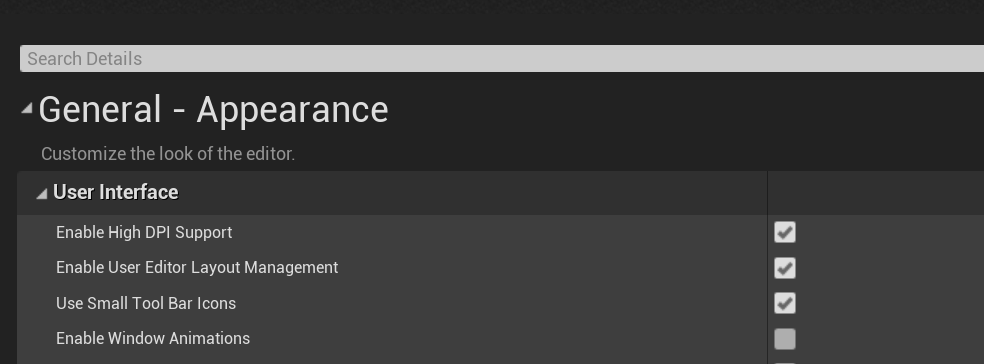
Edit > Editor Preferences > enable window animations (4th option) if thats already disabled it might be something else.

(in the editor yea)
plush shoal
Does anyone have any udk3 rooms that he could share?
fierce tulip
@plush shoal there is only UDK, not udk3 :p and rooms? as in discord channels or something else?
 gaunt abyss
Since you mentioned black screen flickering it might be a GPU driver issue, try updating the drivers @plush yew
Doubt it's a hardware problem if it doesn't happen with other programs and games
plush yew
I tried to uninstall the latest Nvidia driver and reinstall the newest one from Geforce Experience, but unfortunately it doesnt seem to have fixed the issue
plush shoal
fierce tulip
<@!157961097465298945> there is only UDK, not udk3 :p and rooms? as in discord c...
ye my bad
 runic fern
goodday guys how can i save info for host migration when main host leaves switching automatically to 2nd client?
fierce tulip
^^ sounds like same issue
gaunt abyss
yeah, no clue then what it might be
plush shoal
Not discord rooms more like level rooms inside unreal development kit
runic fern
runic fern
goodday guys how can i save info for host migration when main host leaves switch...
im using playfab for registering the game also
plush yew
fierce tulip
^^ sounds like same issue
ill try read through the messages see if theres anything i could try
fierce tulip
sorry cant help you there Emiya.
wary wave
it was there once upon a time, but the engine was superceded a decade ago
modest agate
whats the best data format for ue?
wary wave
so a lot of information has been lost to the aether
modest agate
csv, json, ?
stark marsh
can i get nice looking textures that are handpainted but also have pbr
lucid grove
When i import texture inside material it looks like this
modest agate
is there a pathfinder in ue included, that also postprocesses the path and can be used for doors and so on?
lucid grove
plush yew
How to I make an AI follow then hurt the player??
 narrow mauve
No one probably knows the answer to this..but was it stated somewhere that UE5's Nanite only works on static (non deformable) geometry? ..So world displacement wouldn't be able to benefit from nanite
grim ore
@modest agate the navmesh system can be dynamic or static, and can account for doors if its set to dynamic
 forest phoenix
Hey, is there any way to get different fog for different rooms in a map, for example one for the indoor environment and one for the outdoor? With exponential height fog I can only get one uniform fog going.
While on that topic, there's also the post process volumes. If I'm standing in one volume indoor, but I can see the outdoor, is there a way to make the outdoor unaffected by the volume?
modest agate
thanks for that info @grim ore so i will have a look at it before i write my own pathfinder, which does not make sense then
@grim ore what do you take for data import, some json lib on the cpp backend?
grim ore
@modest agate depends on what I need to do with the data. if its just bringing in data, data tables work fine, and you can import json or csv natively.
modest agate
ah very good, thats what i wanted to know, thanks again, yeah just need to import it, thats ok
lucid grove
forest phoenix
Hey, is there any way to get different fog for different rooms in a map, for exa...
-
You can change any variables of fog with blueprint. For example place one with overlap and change fog density.
-
Post Process change take effect on whole screen. Look at it as you wear pink glasses. Whole world is pink now.
buoyant graniteBOT
:triangular_flag_on_post: Rhys 8)#7381 received strike 1. As a result, they were muted for 10 minutes.
 celest spire
~~I'm having a total brain fart moment..I'm trying to install houdini engine for unreal, but I can't find the folder to place my "HoudiniEngine" folder...~
I'm looking for the "engine folder" referenced here
I'm a dummy! I forgot I installed it on another drive
 burnt hull
Does anyone know if Sky Atmosphere is planned to work with android in the future?
 bronze mango
My character is always facing one way while using wasd
 light thunder
How do I do a quick and dirty hardcoded movement to an object to send it flying? It's mobility is set to movable, and I'm turning on simulate physics right before I apply the force - neither impulse or force seem to work, unless my values are too low ...
they mention tick but I just want to fire and forget
 flint torrent
Hey Guys, I'm trying to find Unreal Engine course at EdX and it seems to have expired in Devember
forest phoenix
lucid grove
1. You can change any variables of fog with blueprint. For example place one wit...
You mean I can use exponential height fog in separate volumes? Is that correct?
fierce tulip
@flint torrent dont mulipost same question thanks, also just pay for the course.
lucid grove
forest phoenix
You mean I can use exponential height fog in separate volumes? Is that correct?
I mean you can change almost every settings of it in runtime
For example you have 0,01 fog density
stark marsh
i've made this handpainted texture for a temple level, i think it will do for now
lucid grove
You want to make fog density inside house even lower - 0,0001
So you place some actor inside that house which have collision box and on begin overlap you place node with set fog density 0,0001 and on end overlap back to 0,01
You can make it smooth with timeline or reinterp
But, if you talking about fog that goes inside house when you stay outside the house for example - then no, it will stay inside it. If you want to achieve that you need to create your own fog material i guess
light thunder
Why isn't my static mesh moving when I apply radial force to it? it's simulate physics is on, and it's mobility is set to movable - what am I missing here?
lucid grove
lucid grove
But, if you talking about fog that goes inside house when you stay outside the h...
Particle have blocking volumes btw, for volumetric fog should work just great
forest phoenix
@lucid grove Alright, it's start. My biggest issue is being able to see two areas at the same time, which are supposed to have different fog values, but because the fog is uniform, it will change in both areas depending on which collision box you triggered. I just started looking at ways to make custom fog materials, maybe that will do the trick.
lucid grove
forest phoenix
<@!667566391444111380> Alright, it's start. My biggest issue is being able to se...
That the way to block fog in particle
https://answers.unrealengine.com/questions/873588/block-volumetric-fog-in-a-area.html
gentle trout
Hey anyone can tell me how can i give a project copy to my friend?
 regal mulch
plush yew
Hello guys, im completely new to unreal engine, started 2 days ago. However, i n...
regal mulch
plush yew
Hello guys, im completely new to unreal engine, started 2 days ago. However, i n...
Only way to fix that for me was to restart my pc. Mine is usually on for multiple days as it's in the office and available 24/7
plush yew
hmm, i see, im running the Studio Nvidia Drivers rn and so far it seems to have fixed the issue to my suprise. Previous were the Game Ready ones.
anyways, thank you everyone for your help :D
stark marsh
im working on a temple scene inspired by this i found
im just blocking it in right now with quick textures and simple pieces
i'll probably replace the textures for everything several time before i'm happy with it
it's so tempting to create a finished texture though when right now i should be experimenting with lot's of ideas
fierce tulip
you might wanna post that in #work-in-progress instead
stark marsh
oh yeah
plush yew
can anyone tell me any course or tutorial that helped you learn unreal
look in pinned messages on this channel
 rancid lynx
holy shit flomp, your quick blockouts look initely better than my day long mesh biulds X_x
is there a way to change the default behavior of this terrible fkn 'ShowBubble' ? and font size? i found default color options in editor pref's, but no size or moron bubble. ive unchecked this box a million gd times over the years.
 drifting quest
Could anyone help me with attaching a mesh (hat) to a Dynamic mesh (Soldier) and parent it to its head?
When I make it a blueprint and add the hat in there I lose the animation and timing
rancid lynx
you could make a custom event called 'attach hat' and use the "attach to" node , i think. , it has a socket name, you could manually add a socket in the mesh
im self taught terrible, so i barely understood the question.
drifting quest
Thanks that worked!
light thunder
I have a BP actor from an asset pack and I want to merge the actor into one thing - but right now, it's a BP - so I need to get all of the components out of it - I know blulities can do this but I could use a little help -
basically I need to get each one of those static meshes out of there and spawn it in the editor world with the same relative location but I can't remember how to get those components as a references so I can spawn a static mesh and set it to the same static mesh as in that array
(if that's even the correct array)
grim ore
I would think you can just walk thru the hierarchy in the blueprint and do that? getting each child basically
plush yew
@plush yew thanks
grim ore
@light thunder I was able to merge all the SM's inside a blueprint without an issue
 prime sandal
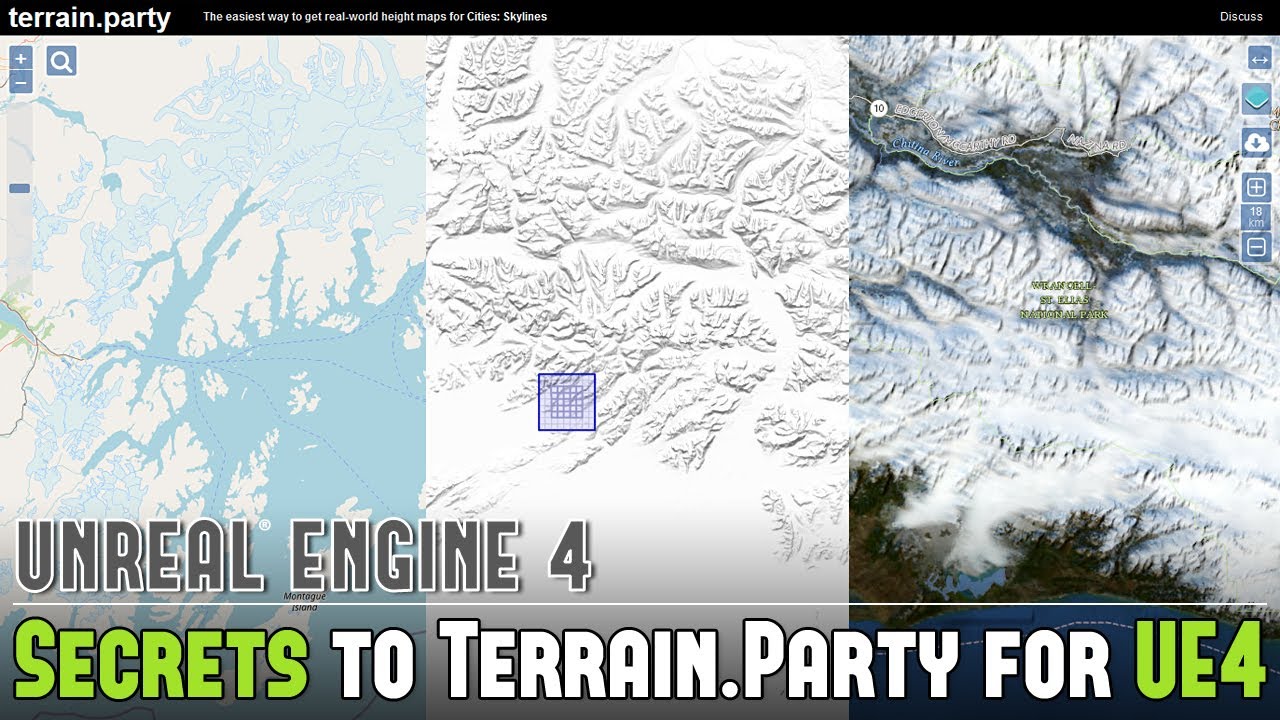
Blog Post: https://www.worldofleveldesign.com/categories/ue4/landscape-heightmap-terrain-party.php
How do I create landscapes in UE4 based on real-world locations? Where do I get this heightmap data? Use Terrain.Party. Here are my secrets to using Terrain.Party to create landscapes for UE4...
11 Secrets for Level Design & Game Environment Ide...
 timid spade
should i switch from a camera built into my character class to a playercameramanager?
 crimson lake
hey guys, quick small question
timid spade
ping me if you have the answer
crimson lake
does having textures in power by 2 really matter if we're using pixel art?
grim ore
the player camera manager is what is managing automatically whatever is the active camera
@crimson lake only if you want mip maps
grim ore
mip maps are always there regardless of filtering if you want them, they just make the texture more efficient when farther away. If your using 2d say on a side scrolling chances are you won't be using them anyways
so no x2 for textures isnt needed, its just in general more efficient
plush yew
am I right that level blueprints are not the way to store variables that dont really have an actor?
crimson lake
aw shet, It's a 2d char in a 3d world though
plush yew
Do I use gamestates?
grim ore
level blueprint should be set on fire and never used
crimson lake
lmfao what would you use for cinematics then? 😆
grim ore
and you would store it wherever it makes sense, game state/instance/mode are common places for "global" variables
what do you have to use the level BP for, for cinematics?
crimson lake
quick ref to the cam
plush yew
oh not me, Just for global variables
crimson lake
do stuff then bring back to nice char
plush yew
wich one do you recommend? Or do they all have their uses?
grim ore
you would spawn the camera in the level sequence if you needed it for some reason, other wise its easy to get anything from anywhere if you set it up
@plush yew they all have their uses, if it doesnt matter to you then it doesnt matter to them. Nothing even wrong with making an actor that you can reference to hold stuff as well if it makes sense
crimson lake
I mean it's ticking regardless so might aswell use it for some small stuffo out of convenience
plush yew
@grim ore haha thanks man appreciate it 😄
crimson lake
also, your videos are the only thing keeping me away from uninstalling thank you ❤️
grim ore
it doesnt tick if you tell it not to, and you cant talk to the level BP is the issue
crimson lake
grim ore
it doesnt tick if you tell it not to, and you cant talk to the level BP is the i...
true level bp's a twat
grim ore
say the level BP had a camera reference and another blueprint wanted it, it cant get it
crimson lake
yepyep
this is why I make it do cinematics tbh
switch cam
disable input
switch back
enable input
grim ore
I just keep that all inside the sequencer since blueprints can now be inside the sequence itself
crimson lake
I shall avoid sequencer until I'm forced to use it
I have been surviving on anim notifies so far
huzzah
grim ore
ah
crimson lake
a man of culture
crimson lake
yep
timid spade
also how would i bind a particle velocity and transform to an actor
because i have bullet ejections but they only work properly in one direction and vertical rotation
the rest theyre either backwards or go through the gun
 vague scaffold
Does anyone know how to make the lighting in the viewport render the same way in the sequencer?
I have literally deleted all lights in the scene, but it still renders bright.
grim ore
is auto exposure enabled in the project?
 toxic hatch
Hi I've been making big vehicles with interiors and everytime I change the vehicle I have to redo a custom collision mesh and bring it in to ue4. its really annoying because I'm just testing the vehicles with different interiors and getting a collision mesh to work correctly takes a bit of time. I can't use complex collision because the vehicle won't move. I can't generate collision in unreal because it will not have an inside to the vehicle. Does anyone have any ideas or do is making it myself the only way?
grim ore
@timid spade you probably need to author the particle so its in the +X direction(forward) and working correctly then when you spawn the particle you rotate it so that +X is the forward direction for it to be ejecting so its rotated correctly when it spawns and plays out. #visual-fx might have more info
@timid spade you could also attach it to the item if its supposed to be following an item (the actor you want to bind it to) just make sure its in local space for the particle coordinates and it should move with the item its attached to
vague scaffold
Thank you , Mathew. Auto exposure was off, but the exposure compensation on the sequencer camera was set too high.
 nimble warren
everytime i use Set movement mode (none), AI move to automatically goes to failed, anyone know a fix?
grim ore
so you are setting the movement mode to none and want it to still move?
nimble warren
no, basically if its doing a move to and then has to stop walking for any reason the ai move to fails, is there any way to like pause it and continue when it can move?
grim ore
that sounds about right. you can keep track of when it fails and then restart it when it can move again
otherwise look into use behavior trees that will do this for you
narrow mauve
Is tehre a way to save the window layout in the editor
everytime I reopen I have to move everything around again
grim ore
 uneven hemlock
spare kernel
uneven hemlock
spare kernel
np
spare kernel
?
spare kernel
missing include in your cpp file
spare kernel
#include "GameFramework/ProjectileMovementComponent.h"
spare kernel
np have fun 🙂
calm pollen
Anyone know how to add animations to a project? I need some help and it seems really simple.
Well not really adding animations, but making them have functions if that makes sense lol
plush yew
blend space and a anim bp in animations when you right click in the content browser
calm pollen
yeah ik that, I made an endless runner game and im trying to make it so that certain animations play when certain things happen. For instance, when the player swipes left to move to the left lane, the left animation plays.
if that makes sense
plush yew
cast to the character bp inside the anim bp and make that function
calm pollen
how would it account for the touchscreen though? I think i know how to bind it to buttons, but this is a mobile game
plush yew
its still basically casting and getting references to those
calm pollen
damn😆
plush yew
theres a lot of ways about going about it tho so no true wrong answer
calm pollen
heres the touch screen code, how would i get a specific reference to a certain direction of swipe
plush yew
migrated a vehicle blueprint over from the advanced vehicle template and got this error, might need to manually make the value but not sure how
well you could create a custom event or some sort of reference like using a boolean etc and go from there
@calm pollen
grim ore
@calm pollen it looks like you already grabbed the code from the example on the forums, the outputs on the right are the directions
 wanton lotus
plush yew
migrated a vehicle blueprint over from the advanced vehicle template and got thi...
wanton lotus
plush yew
migrated a vehicle blueprint over from the advanced vehicle template and got thi...
You need to also include the project input settings from the advanced vehicle template.
You can either export them from advanced vehicle and import into your project (it will overwrite any existing input mappings though, iirc), or just manually copy it in your project.
plush yew
i see
calm pollen
grim ore
<@!682289272518213632> it looks like you already grabbed the code from the examp...
yeah,its from a tutorial i think, so after the print strings, would making a boolean saying "Swiped (Direction) be able to be used in the animation?
im new to animating btw sorry if these are dumb questions
plush yew
hmm, @wanton lotus then is it wise to import and overwrite? will i lose any meaningful settings?
grim ore
it depends on how you are doing your animation. if you are using an anim bp you could do that, or you could just play the animations directly on your skeletal mesh with the play animation or play montage nodes @calm pollen
"player swiped left" -> Do whatever you want to do if they swipe left
wanton lotus
plush yew
hmm, <@!291620720243376129> then is it wise to import and overwrite? will i lose...
Depends, you setup and use any current input mappings? If not, you can export/import. If you do, just open advanced vehicle and screenshot the input settings (or open both projects). Better to do the latter, just in case.
calm pollen
grim ore
it depends on how you are doing your animation. if you are using an anim bp you...
which method do you think would be the most effective?
grim ore
no real way to answer that, it depends on your project and setup. If its simple where you really only have a few animation states (left, right, run, jump) for example then playing it directly from the action in the player is simple
also depends on how you are moving them for example
calm pollen
grim ore
no real way to answer that, it depends on your project and setup. If its simple...
yeah there is only a jump, run, left hop, and right hop animation, it is a game similiar to Subway Surfers where the character is always running
calm pollen
grim ore
no real way to answer that, it depends on your project and setup. If its simple...
the only real issue is that idk if the animations are going to flow well if it is just doing the animation whenever it is played
grim ore
yep your going to have to play with your project and see what works for the way you have it set up
there is a endless runner example from epic thats very old on the youtube channel
but i dont think it uses lanes
calm pollen
grim ore
but i dont think it uses lanes
yeah ive seen that, it tells a lot of useful information but i dont think it covers animations
grim ore
well it uses the basics for animation, when the character moves its plays the animation, but since i dont think it uses lanes it just uses the normal movement animation set
you are just going to have to take your movement system you have now and try and see how animations would work best for it
you have a ton of other stuff to take into account like do you have them bump into walls or just not be able to go, what happens when they hit something how do you play that animation, etc.
and that all needs to be adjust based on if your using input to move the player character and the animation is based on them moving or just moving them and having the animation play
plush yew
@wanton lotus Thanks, that worked exactly
 left tulip
I see people typing here so ima shoot my shot. Anyone want to help me out with an issue im suffering with atm?
Its to do with setting up my animegraph. Any help would be amazing
plush yew
manually replaced the input references
calm pollen
grim ore
and that all needs to be adjust based on if your using input to move the player ...
ohh gotcha thanks so much i appreciate everything
grim ore
@left tulip no one can help you if you dont give them any info
so ask in here or another appropriate channel like #animation
left tulip
its not just the animations its like both bps and animations. May I show u?
grim ore
you can ask in here or in #animation like I mentioned depending on the subject, no way to know if anyone can help you
left tulip
i just said its not just to do with animations. Its blue prints mainly that are stopping me from doing more animations
wanton lotus
left tulip
i just said its not just to do with animations. Its blue prints mainly that are ...
I'm assuming you are working in an animation blueprint which has an anim graph and event graph. Have you looked at the ThirdPersonCharacter examples?
grim ore
well then #blueprints might work or in here or wherever it feels more appropriate
left tulip
wanton lotus
I'm assuming you are working in an animation blueprint which has an anim graph a...
yeah, it just ive made a bunch of animations and bps but in the event graph i have bp for pushing an object and bp for crouching however i dont know how to connect them to work together if that makes any sense.
wanton lotus
left tulip
yeah, it just ive made a bunch of animations and bps but in the event graph i ha...
I'll respond in #animation to your question there. Definitely animation topic.
left tulip
ok thanks
plush yew
How to I make an AI follow a player? Because I am working on a zombie survival game and I cant get to program the "AI move to" blueprint in the AI controller. And my zombie only has damage
grim ore
look at the pinned messages in the #gameplay-ai channel for tutorials
 idle moat
hello? can any one tell me how can i profile the Unreal Editor. I am using Landmass and some performance issue here.
grim ore
did you look at the documentation for the profiler?
idle moat
i am looking now. thx
 blazing pumice
so i tried to do a little searching and figure out how to make a camera move with the player, but looking at the preset Unreal provides didn't help
Basically whenever the player presses the left or right key I want the camera to move the same way. Seems very basic, but i can't find anything. Any thoughts?
grim ore
if the camera is part of the player it will move with them
blazing pumice
It isn't
grim ore
any reason it isnt?
blazing pumice
So I have the camera view set up through level blueprint. It's not attached to the character, it's just in the world
grim ore
yup so.. any reason its not part of the character?
blazing pumice
Slow the sarcasm 😂 I'm new to unreal broski. What do you mean a part of the character??
go easy on the booty cheeks here
grim ore
no sarcasm, I was asking any reason why its not part of the camera. perhaps you have a reason
the default templates with characters have the camera as part of the character
grim ore
the character class, generally what you are using to represent your player, has a camera component as part of it. have you looked at any of the templates?
blazing pumice
hmm let me load it up real quick and check. I looked at the 2d scroller template but it looked confusing af. i didn't really know how to dissect it
grim ore
maybe check out some of the basics of the engine and how to build a basic level or setup. to answer your direct question tho if your camera was separate your camera would have to on tick be moved with the player. Generally i assume it would be following the character so its X,Y, and Z would be moved relative to the player every tick. IE: If the player is at 200,200,200 in the world the camera would be at 200,200,1000 in the world and if the player moves then the next frame the camera would change to its position relative to the player.
the 2d scroller uses a camera as part of the player/character, its just a camera on a long stick following it basically
blazing pumice
that makes sense. so if it is seperate (which I'm pretty sure it is) how would the blueprint look? I can't change it using velocity like I do with the character because the camera doesn't have a movement and when I tried to add one it did nothing
grim ore
the camera has a position in the world, it would make its position relative to the player every frame. Tick -> Get player character -> get actor location -> set camera transform relative to that actor location
blazing pumice
ooooooo let me look at that
grim ore
but unless there is a specific reason it needs to be separate, like say in a classic resident evil or you need a 2d camera setup that has a border, then it should be part of the player
blazing pumice
and how would I go about attaching it to the player
I have it open now
ok so It does have a camera component, do I just set the drop down to whatever the world one is?
grim ore
it would be a camera component as part of the character/player blueprint
you wouldnt have one in the world, it would use the one attached to the player
blazing pumice
alright let me try this then
grim ore
you can look up tutorials on like a 2d camera with a deadzone if you need it separate, otherwise the side scrolls or the third person should fit most needs
blazing pumice
Alright so in level blueprint I have it to Set View Target with Blend, and then dragged in a camera for the new view target. I can't seem to drag in the player camera?
grim ore
You don’t need to set the camera if it’s in the player. The engine does it for you.
A possessed pawn/player/character will automatically use any camera inside of it
 winged ridge
They're so many nodes to do with widget index's but I dont know how to some how link that to the create save blueprint I have
Can anyone help?
I am super newwwwww to Unreal btw
Im basically trying to instead of loading onto a widget with my load button, im trying to load onto a widget index as my widget as multiple indexs
grim ore
Can you clarify that more?
 silk sleet
so did epic add OnMouseButtonDoubleClick recently?
either way, I'm having a problem where OnMouseButtonDown misses every other click because, I'm guessing, it's buffering for a double click
how do I disable that?
winged ridge
grim ore
Can you clarify that more?
So my game is based on just widgets. I thought Id clean it up a bit and use widget switchers. I have a "a load button" that opens my save game made. The save game made in the screen shot is usually just linked to a self get class node which saves the widget its on. I want the create save game to save a widget index instead of just the widget. So when im going through, opening the next widget index, it may save with the blueprint I previously had. But loading it will just open index 0 of that widget.
grim ore
Why not just save the index number since that is what you want right?
winged ridge
Yeah I just dont know how to blueprint wise connect that command. Im super nooby.
I thought maybe the blueprint I had up in the screen shot would work based on winging on it.
But gave an error
grim ore
Grab the widget switcher which it looks like you have then get the current index or something like that?
Then save just that int variable to your save game object.
And on load set the current index on the widget switcher to that int variable.
Assume you have 1 switcher and just a bunch of indexes.
winged ridge
So I need to make a savegame variable an int instead of the type User Widget as im saving the index as an "int' then loading it.
Cuz rn im using the var type user widget as i was loading onto a widget
grim ore
Yep just make an int called index since that’s the type and why not for the name
Since the goal is you want to save the current index of the switcher and load it back up yes?
winged ridge
Yeah
Do I need to put a target for the get active widget index?
Should I get the widget switcher itself?
Im thinking so
Does that look right @grim ore ?
grim ore
That should get the switcher. Get it’s index that’s being used and save it in the save game yep
winged ridge
Wait its already getting the index isnt it with the get active widget index?
Or do I need to manually tell it
 runic hawk
Hi there! I would like to know if there is someone who knows how to make ai zombies, inventory, weapons system, health bars, water and food, and everything necessary for a Survival, I am doing a survival as realistic as possible open world, we plan to mount it on steam if it we finish and win something, we do all this as a hobby so anyone? by the way we already have all the necessary assets to make the game.
spare kernel
@runic hawk check the job board
grim ore
@winged ridge what you have there is right for getting the index and saving it. I was just being clear on what it did.
spare kernel
All instructions are in #instructions
winged ridge
grim ore
<@279749701207588864> what you have there is right for getting the index and sav...
Oh okay awesome awesome. So I have no idea how to open the save game index. Let me send screen shot.
runic hawk
@spare kernel Although we do not pay, we only do it as a hobby, although if there is a profit in the end it is distributed among those who helped.
spare kernel
Does not matter, the job board is the place for looking for people. You can specify if its paid/non paid, etc.
runic hawk
Thanks bro!
winged ridge
@grim ore So thats my load blueprint for when it was just opening the last widget
This is me trying to see how to open the last widget index lol
I dont what to connect etc
Do you have any ideas if your not busy>
plush yew
Hey when using the foilage tool to place grass, the grass disappears when looking at a specific position, why is that?
Is it to do with density?
grim ore
Well before you created it but now it’s already created right? If so just the opposite of the saving. Set the index on the widget switcher once you load it.
winged ridge
grim ore
Well before you created it but now it’s already created right? If so just the ...
But what node loads an widget index? Or do I just load the widget like normal and it should auto load to the index
 tidal sail
 lilac wren
How do I make a scene. Im new and I cant find the button
plush yew
does unreal have the equivalent of a foliage alpha mask? so I can change how the foliage brush spawns the billboards?
hi i have 2 issues with my ue4 game
BombActor
ShrapnelActor
i configured my bomb actor to shoot out 4 shrapnel cones when it explodes
when the bomb explodes the shrapnel cones just fall where the bomb was
instead of flying
i think i misconfigured my physics settings
if i disable physics on my collision box for shrapnel theyre flying but not registering collisions when interacting with other objects
 velvet magnet
Maybe I’m an asshole for asking this, but shouldn’t there be like a help channel or something
plush yew
Hello guys... I’ve created a bunker and I teleport to access it.... the problem is that when I teleport the input is disabled.... I tried the enable input but it doesn’t work...
 frank oar
Hi Guys.
Is it possible to apply a decal to an object which it using a glass material ?
I am having trouble finding a work around.
 shell compass
I realize this is something that largely depends on the game and personal taste, but how do you guys deal with main menus? Say for a "regular" game, with a main menu in a separate map with a list of buttons and options etc.
You've gotta make a separate GameMode just for the menu in order to not spawn in the default Pawn there, but do you also make a separate GameState, PlayerState, PlayerController? Or perhaps use the UE4 default ones and not do any logic in those for the main menu map?
It's always been one of those organizational things where over the course of like 6 years, I've never been sure what the "Unreal" approach is.
modest agate
@grim ore hi! do you have maybe a hint for me about "the best way of implementing multiplayer, like matchmaking and so on"?
just like which service makes most sense, or to go with the API, i will google the rest
 tough pagoda
plush yew
tough pagoda
plush yew
@tough pagoda eww
 quiet kraken
Hello, can someone help me?
why HISM occlusion bounds not showing?
or showing for olny one HISM mesh on level 😦
 cosmic ginkgo
I launched ue4 and I got this
the landscape has a 0.9 roughness and it was really good
but I turned off my pc and when I came back I got that mess
it should be the starter Sandstone texture
how can I get rid of this mess with the lighting
 gilded lichen
Hello, I'm trying to make a mechanic that rotates components depending on the mouse's position. But I have a component that needs a negative value to work correctly, so I thought I would just times by -1 to make it a negative value. But it doesn't work, it just goes to the maximum amount on the clamp set instead of slowly increase depending on the mouse's position. How can I fit this?

 crimson panther
Is there a way to control how fast your character falls? My guy has a move where he grabs a balloon and floats, but the problem is, he starts off floating slow and then start to fall kind of fast. Any way to keep this fall rate steady?
gilded lichen
@crimson panther Change the gravity scale on the character movement?
crimson panther
I did but he falls slow and then it still picks up momentum
so after falling like that for like 2 seconds, he picks up speed
and even with a slower rate he will go quicker over time
im trying to make it steady
gilded lichen
change max acceleration in the character movement?
crimson panther
makes sense, thanks @gilded lichen
gilded lichen
np
cosmic ginkgo
I fixed my issue thanks for the help
plush yew
Can you create a 2d but graphics are 3d or realastic RPG game in UE4??
Because thats what I have all in mind rn
gilded lichen
@plush yew You can, just lock the cameras position so the player cant move it and just use 3d assets
so I would create an empty project, import the 3d assets and make a basic player blueprint. And have no controls for the camera so it cant be moved
 fallen marten
@gilded lichen try a timeline
gilded lichen
@fallen marten I would like it to be based on the mouse's position
fallen marten
So why is it going straight to max -1 then? Must be a reason
Or whatever the clamp value is?
 native pivot
Has someone here played around with the chaos destruction system for landscape?
gilded lichen
I dont know why it is maxing out, but the clamp's min is 0 and the max is -100
its not going back to 0 ever
fallen marten
Without trawling your shit, it's a tough one to say either way
The other door looks like it works good tho
fallen marten
Can you flip it and have it work like the good door?
gilded lichen
it will still need a negative value
 kind mulch
I think your problem is that the max is -100, in C++ the clamp code works like this:
T Clamp( const T X, const T Min, const T Max )
    {
        return X<Min ? Min : X<Max ? X : Max;
}```Meaning that if your value is anywhere above your "min" value in this case it will always return the max. So if you clamp like `Clamp(value, 0, -100);` and `value` is above the min it will never work. It seems like you need to have a max number that's bigger than your min amount to make this work. Which makes sense to be fair.so if I changed the min and max around. For example (min = 0 and max = -100) to (min = -100 and max = 0). Would that work?
kind mulch
That should in theory work, because -150 is smaller than -100, so it would become -100 and 50 would for example be 0 because it's bigger than 0.
And -50 would just stay -50. Just to give some examples.
kind mulch
👍
gilded lichen
@kind mulch @fallen marten Thank you both for your help. It works brilliantly!
plush yew
 kind mulch
It's a bit slow, but it works for me.
 mighty copper
@everyone Is there a chat area in here that would be able to assist in help with Epic Games Launcher issues specifically?
modest agate
i cant manage to import a simple json to a data table, is it even possible, like array of numbers, it seems there are predefined types only?
spare kernel
modest agate
i see there is stuff on the marketplace
mighty copper
@spare kernel I've tried everything on that list and am currently already awaiting to hear back from the Epic Games Launcher Dev Team as nothing has worked and my issue seems to be caused by an update to the Launcher it self kind of issue...
Was just looking for more sources of help... Been dealing with this for a while now and have sent over 40+ emails back and forth by now...
lilac wren
how do I make a scene
sterile tulip
Create a new level

In part 3 of my Unreal Engine Beginners tutorial I'll show you how to create and save a new level, as well as how to organise it into the project using the content browser.
To view this whole tutorial series in one video click here - https://youtu.be/a0qNO6_xPx0
Click here for more information on how to download the assets required for this tu...
@lilac wren
lilac wren
not a level a scene
blazing pumice
@lilac wren I believe the scene you're referring to is a level. if not you need to be more specific with your words.
 torn breach
Does anyone know how to stop the Open Level blueprint from freezing when opening levels?
 civic charm
hey guys i need a little bit help on playing audio component
grim ore
@torn breach that is the way it works. You would need to use level streaming to avoid that.
torn breach
Ah ok, thanks for that.
 sonic quest
Hey, how long does to take get a response for an issue submitted via the online form?
sonic quest
wary wave
between 48 hours and 48 weeks, usually...
ha ha. 48 weeks 😄
lilac wren
How do I change the fact that my twinstick goes througt everything
 near pine
what do i set the object as
 kindred viper
whichever object holds the variable Score.
near pine
the actor?
kindred viper
you tell me 🙂
kindred viper
then I suggest you learn about blueprint communication first. You will save a lot of time.
near pine
ok
kindred viper
This is one of those core basics that once you get it, you will have an easier time
lilac wren
how do I make my twinstick not go througt blocks
fierce tulip
@sterile tulip please dont post offtopic stuff. thanks.
civic charm
hey guys i am trying to play audio from different time but its not working
its did't play
buoyant graniteBOT
:triangular_flag_on_post: Ankit#0767 received strike 1. As a result, they were muted for 10 minutes.
wary wave
order doesn't matter, it uses the names
dawn gull
So, how can I speed up a procedural mesh component even more after converting all my code to C++?
sterile tulip
But my 4 wheels collide in the middle
At the bottom of the car
I dont know why
@wary wave
wary wave
I don't know either
it's not like you've provided a lot of information to go on, but it uses the names
 ebon steeple
hey, i'm not sure where to put this ... In Visual studio code you can select a few lines and then use the selection button to add a cursor to all of them, how do i do something like that in VS community?
 granite pasture
Haha, I had to restart the Engine after pasting some text color 😅
light thunder
Building in Unreal - I need to destroy part of it, so I import to blender - make change minor changes - and this happens - it's using an instance, I exported texture based on image to blender - didn't counsciously touch UV mapping - when I isolate the image, I'm missing triangles out of it but in blender you can see the preview mateiral
Non-isolated, you can see none of the other textures screwed up -
grim ore
@granite pasture IF that happens again you can normally just force save the loaded map and it will fix it as well
 harsh tiger
any idea why when i try to change the material of the spline components in this array. i get the default ue4 material look?
grim ore
is the array of Spline Meshes the Spline Mesh Component, or the static mesh that is part of that component?
harsh tiger
the array type is spline mesh component
grim ore
does the spline mesh component have the material, or is it the static mesh component on the component that has the material?
harsh tiger
i believe its the static mesh component
grim ore
soo.....
grim ore
I gotcha. your loop is trying to set the material on the spline mesh component isnt it?
grim ore
have you tried on your for each loop getting the static mesh component from the spline mesh and setting the material on that directly to eliminate that as the issue?
I guess the other options is are you sure you actually have a valid material you are trying to set? disconnect the variables going into the set material nodes and set them manually in there
harsh tiger
harsh tiger
i've tried a couple materials but all of them turn to the default material. an the material i want to use is being used in other parts of the project. something is up with my foreach loop and the array, just not 100% sure what
light thunder
I have an image named compact under a material - where does it get plugged in the material settings? searching for compact textures only gives me optimization stuff
grim ore
the texture is named "compact" and you want to put it in a material?

 light thunder
@grim ore
Trying to remake it but the material material doesn't show that stuff ...
grim ore
so it looks like changing the material instance? checking the base color checkbox then using the drop down?
light thunder
this is all I see on material material the two parents of that material instance where built on -
I don't know where to plug in Compact, when I am trying to recreate this a new material
grim ore
@light thunder ah, well those are material functions you would have to double click on them to go to the actual function and see what part has that
sterile tulip
with or without the _end
light thunder
grim ore
<@!273265779175194624> ah, well those are material functions you would have to d...
ah thank you, a whole new world has opened up yet again
the rabbit hole goes deeper
harsh tiger
@grim ore i done a break point on the set material node. an the "get" in the for each loop has an error
light thunder
yikes, this is currently beyond me
harsh tiger
when logging the material. it shows "worldgridmaterial" and not the one i'm assigning to it which is weird
sterile tulip
help
all 4 wheels collide at the bottom middle of the car
they are not where they are suppposed to be, at the wheels position
 calm cedar
Hello guys I am new to unreal community and loving it already. I just have a issues with my SSD space because of unreal.
Can anyone please guide me how to fix this space issue.
this is almost 8GB here
C:\Users\veerk\AppData\Local\UnrealEngine\Common
and main files in C drive took nearly 38GB already
C:\Program Files\Epic Games
Can someonde guide me on this please . I can not afford a new SSD and format right now
stark marsh
hmm
idk whether i should really plan my game out first
or just start experimenting with stuff
fierce tulip
@calm cedar
https://www.unrealengine.com/marketplace/en-US/product/ddc-settings-tool this tool allows you to move around content.

Unreal Engine
This tool allows developers to easily configure the Local DDC Settings, and the Shared DDC Settings, for their UE4 project.
(id give more advice, but need to be afk)
harsh tiger
@grim ore i'm stupid, i forgot to tick the "used with splines" inside the material
harsh tiger
yuppp haha. always something staring you in the face 😂 cheers for the help though 👍
 torpid shadow
Got a question here, working on my game and I had a VERY sudden drop in fps, the game ran very smoothly and I wanted to add something, I added a new asset and it compiled the new shaders and everything but I changed my mind and removed it. So I have already removed what I changed but now all of a sudden Im at 15 fps and cant seem to fix it, I have done nothing else to change it and have no idea why I cant get it to go back up, any help would be great!
 fierce summit
Has anyone worked with high speed characters before? Im running some tests and it seems my character speed cant get over 13680ish despite the speed limit being set well over that
stark marsh
how do i make it so if i press left and a button i dash left
and right and a button i dash right
and so on
but if i just press the key by its self with no direction i by defualt dash backwards
fierce summit
stark marsh
how do i make it so if i press left and a button i dash left
when the button is pressed activate a bool like "dashpressed" and deactivate it when it is release, then test that bool when left or right is pressed
stark marsh
how would i do the actually dashing part
by animation or by some sort of physics thing
im not good at root motion too
grim ore
look up dashing on the googles. There is a simple launch character and a teleport node depending on what you want
lilac wren
can someone help me im trying to get a zombie to pathfind to me and im getting a blueprint runtime error saying accessed none trying to read property
stark marsh
oh and how can i set is so when im attacking in mid air a fall slowly
or slower than not attacking
fierce tulip
you might want to just follow along tutorials and guides until you are more well versed in blueprints
instead of using us as your personal tutors
calm cedar
fierce tulip
<@!692803850402529280>
https://www.unrealengine.com/marketplace/en-US/product/d...
@fierce tulip .. Thank you. This one looks like DDC settings. I will check this
I have a doubt on main data location too.. this one
main files in C drive took nearly 38GB already
C:\Program Files\Epic Games
Is it normal ? or it will increase with the time .
Please share more when you are available .
I would really appreciate.
fierce tulip
"C:\Program Files\Epic Games"
i think those are the regular engine installs, you'd need to uninstall them and install them on another drive
grim ore
@lilac wren that means something you are trying to use isnt actually something but nothing. So click on that code and look it over and see why its nothing. beyond that we cant give details becase you didnt.
fierce tulip
protip to get some storage back btw
Start menu > write "Disc cleanup"
rightmouseclick on it > "Run as administrator"
itll add a few additional options to content you can remove from your drive, sometimes giving you back dozens of gb's
< afk again
lilac wren
grim ore
<@!533682943374262294> that means something you are trying to use isnt actually ...
okay thanks 🙂
when I look it over it says that there is something wrong with the speed of the zombie but I set the dafualt speed to 15
calm cedar
fierce tulip
protip to get some storage back btw
Start menu > write "Disc cleanup"
rightmouse...
It only helped for 281mb, since i have cleaned temp and recyclebin and download, document folder manually. I will reinstall this in other drive. If there is anything usefl i should know please share when you are available.
grim ore
@lilac wren paste the error if you want more help, but an access none wont have anything to do with a basic variable like speed but more with talking to something like the actual zombie itself
lilac wren
Blueprint Runtime Error: "Accessed None trying to read property CallFunc_TryGetPawnOwner_ReturnValue". Blueprint: anamation_zombie Function: Execute Ubergraph Anamation Zombie Graph: EventGraph Node: Set speed
grim ore
"TryGetPawnOwner" This node is not valid when you are trying to use it on the node Set Speed
if this is an anim bp, you need to make sure it has a valid check as the anim bp is not valid in the editor at design time (it has no owner when testing it). The default templates have this set up
lilac wren
so what should I do
grim ore
look at how the default templates have it set up for an example, or use an is valid check (which is what the templates do) in the beginning of the blueprint
 drowsy gull
Help.
I don't want my forest to be culled when it's far from me (otherwise a lot of blank will be left), and also I don't want to use Exponential Height Fog to do buffer culling .
So how can I gain a perfect forest view with high performance?Both instancing and LOD don't help much.
lilac wren
Im really new so I dont know how to change that
Just look at this blueprint and tell me what to fix
light thunder
I have an FBX that appears to have the same scale, location and rotation, but it comes in off in Unreal...when I check blender, I just reimported the original and they have the same world origin -...what am I missing here? (i'm replacing one with the other so it has the same world transform too)
grim ore
why cant you make your blueprint look like that example above with the is valid node?
its literally telling you what to fix
light thunder
@grim ore Okay - found the issue - I merged that blueprint like you suggested and that's actually the problem - not the changes I made to the merge actor - obviously the blueprint is going to have a different world origin but I wish I could reconcile the changes
lilac wren
ok pog hes running now but not chasing me
light thunder
so basically if this is the default root of the blueprint, I need to make sure that in my blender fbx merged thing is the same world origin then
grim ore
@light thunder I beleive when merging there was an option to use world origin as the root so you could move that BP to where it should be relative to the origin and when merging it should put that point as the origin on the new SM
light thunder
problem is, I used cell fracture to break this building (still on 4.25) in blender, which means I need to be able to paste in the same location of the pieces to correspond to the same location the original mesh I pulled them from is located - meaning I don't want to change the world origin of the original mesh to match the blueprint I merged it from - basically I just want to position the merge building is the same exact spot -
lucid grove
Hello @grim ore guess you best who can help me with a problem. Im using PipeRift Save Manager which saves vars and load them and button press.
I have this simple node:
When i save New Var 0 and load its still continue from the current place like no var was loaded.
But if i wait untill timer ends - its showing me that New Var 0 is correct like it was loaded
light thunder
here's the deviation from where my world origin is, to where the actual origin is of the Blueprint - how do I use this to manually set the location of the merged actor so it's physically in the same spot - I know it's location/rotation will be different but is there a way in blulity to do that
lucid grove
The problem with my logic here or problem with plugin itself?
light thunder
basically a world origin offset so I can put it "visually" in the same spot - I know the world location will be based on world origin, but I have a lot of other actors I want this to line up with that are already positioned in the world
grim ore
@lucid grove My assumption is due to the fact its set to auto play and your setting the time after its already playing is the issue. You should set the time then tell it to play and see what happens
@light thunder if you put the blueprint at the origin in the world (set its location to 0) and do the merge and tell it to use world origin when merging where is the origin on the new SM compared to where you want it to be?
lucid grove
grim ore
<@!667566391444111380> My assumption is due to the fact its set to auto play and...
You mean this way?
grim ore
after you load the game and set the new time you should call play on the timeline
light thunder
grim ore
<@!273265779175194624> if you put the blueprint at the origin in the world (set ...
Originally I merged from inside the BP actor
shouldn't the change how it is done? then it matters which component I clicked on last correct?
grim ore
I honestly dont know, I never tried merging inside a bp I always did it from the level
the merge thingy says its the first component it chooses for the origin or world depending on what you check
light thunder
hmmm...in this case, I guess world is the default scene root, which you merge from inside the BP actor
grim ore
if you did that and merge using world origin does it set the top of it as the new origin in the SM?
lilac wren
Matthew the zombie is running now but not chasing my character. there is also no error code now which is pog
lucid grove
grim ore
after you load the game and set the new time you should call play on the timelin...
Doesn't work
lucid grove
If timer finished - all is ok
Its showing correct variable
but on the run - it doesn't change
light thunder
this is the BP actor --
grim ore
@lucid grove are you running the timeline before you call the set time on it?
light thunder
I feel like if I use this, it will put every static mesh at 0,0,0 - am I interpreting it incorrectly? @grim ore
lucid grove
Well, yes. On begin play it just starts. On save game it saves var, on load game Set New Time > Play
grim ore
yes if its playing the set new time will not change the current time.
light thunder
so this isn't the default scene root but it's origin appears to be the same as the default scene root - when I tried that pivot zero thing, it just made the building wayyyyy offset
lucid grove
grim ore
yes if its playing the set new time will not change the current time.
Hold on, but
I have set this - it sets New Var 0 to 1 and then Set New Time on BP
 daring sequoia
So like i wanna make a vr game but when i go to Program Files(×86) > Epic games > launcher then i dont see the extra's folder?
lucid grove
all works great
grim ore
correction, depending on how you are playing it it might not change it immediately. Perhaps the issue is with your loading then
@light thunder my only thought is to do the world origin with the item in the world so you can position the root where you want it before merging (right click the meshes and merge from that menu)
@daring sequoia what is the extras folder?
@lucid grove what is calling that LoadGame node inside of the blueprint with the Timeline? is it actually being called
daring sequoia
grim ore
<@!530014962299699210> what is the extras folder?
In the tutorial i follow i had to configure andriod studios and ue but it says at his that you have to enter a extras folder
grim ore
@daring sequoia its in the engine folder, not the launcher, and depending on how old the video is that has changed.
lucid grove
grim ore
<@!667566391444111380> what is calling that LoadGame node inside of the blueprin...
Yes it is.
grim ore
@daring sequoia
@lucid grove are you setting the variable after you set it? if so that might be the issue?
your calling load game, which is trying to set the new time on the timeline (which might not take effect till the next frame) but also setting the variable on each tick of the timeline
daring sequoia
When i go to engine it only says Binaries, Config, Conent, Plugins, Programs, Shaders
grim ore
so your new var 0 is being set every tick of the timeline to the current time of the timeline
lucid grove
grim ore
<@!667566391444111380> are you setting the variable after you set it? if so tha...
Nothing like that
I have same timeline that works great
Cant find difference between them
grim ore
if you dont set the variable during the update what happens?
lilac wren
@grim ore The zombie is running but its not chasing me
grim ore
@lilac wren that sounds like an #gameplay-ai problem and without any code we have no idea what is going on
@lucid grove at this point since it's unique to loading it must be the load game system 😦
daring sequoia
When i go to engine it only says Binaries, Config, Conent, Plugins, Programs, Shaders
@grim ore
lucid grove
If not var updated - it loads the default 0 var
Moreover - if i change var manually (from player character to 1 for example) it works as it should be
loading timeline with 1 from the start
grim ore
@daring sequoia it sounds like your either not in the engine install folder, or it never installed correctly
lucid grove
I cant understand why it works perfect on other places, but not here
grim ore
and based on those folders your still in the launcher folder
@lucid grove do the other versions use the save/load system?
lucid grove
grim ore
<@!667566391444111380> do the other versions use the save/load system?
I have only this one. It stoped worked just now. Nothing was changed or something.
daring sequoia
grim ore
and based on those folders your still in the launcher folder
Yes bc when i open the epic games folder i can only choose from "launcher" "Epic online serverices" "DirectXredisf"
grim ore
well where did you install your engine then?
daring sequoia
In epicgames
 wispy wren
Guys how do you make if you hold Left mouse button it keeps attacking until you release? Should I use axis input instead of action input?
grim ore
then it should be there
daring sequoia
Maby i choose a wrong download file or smthng
 hollow ridge
is there a way to set an objects transparency? I want to create a system, where the camera doesn't clip, and when it would clip, the object causing it to clip would just become transparent (I also don't want to have to create 2 versions of every asset that the camera could clip on)
grim ore
folder
@wispy wren press button -> do attack -> delay -> loop back to where you pressed the button.
daring sequoia
Huh when i press create shortcut it doesnt create shortcuf
grim ore
@hollow ridge you would adjust the material to do that properly. look up things like sphere traces and translucency in materials. Epic themselves has a video on how to do this (making obstructions to the player transparent/dithered)
hollow ridge
grim ore
<@!460772029780721664> you would adjust the material to do that properly. look u...
most of my assets r 2d tho, im not using materials.
well im using a mix
grim ore
so your not using textures on anything?
because if your using textures your using a material
daring sequoia
Oh okay i found the map
hollow ridge
.... Im using sprites and paper 2d stuff....
can u adjust material properties for sprites? I didn't think you could.
grim ore
so the normal sprite? like this
lucid grove
@grim ore well, i found a way around. If i set delay 0.1 after update - it works ok.
grim ore
I can't say how well it would work since sprites are weird but the concept might still work 😦
fierce summit
Hey there, so i'm experimenting with really high speed character but it seems my fly speed is caped to something like 13680ish despite the fact that the fly speed limit is set to a higher number. Anyone can help?
grim ore
@lucid grove try delay of 0, 1 frame, see if it works?
lucid grove
grim ore
<@!667566391444111380> try delay of 0, 1 frame, see if it works?
that just what i messaged you 🙂
its a way around yes. still doesnt give me clue why it works on some timeline and not on some others
grim ore
yep weird
lucid grove
Thank you anyway, probably should wait answer from developers
lilac wren
@grim ore can You look at this and see if I need to fix anything becuase the zombie is just running in place
grim ore
that doesnt do anything to move the zombie, where is the code to move the zombie? all that would do is set a speed variable based on the speed the pawn is moving, more than likely for a blend space to set an animation
grim ore
nope none of that tells it to move the player, that looks like it tries to set the player as a target to use in a behaviour tree
@raw forum use the delay node
grim ore
that looks like it yep, are your blackboard keys actually set. If you play and open the behaviour tree are the lines pulsing. in the bottom right is your aistate and your ai target ever changing?
grim ore
one common problem is your "Key" variable in your task , the one that sets blackboard value, tends to not be set as people forget to set it. You need to make sure this ai target is actually set in the task
thats in the blackboard, not in the task
that AI Target key has to be set to aitarget in the details panel
same with the aistate variable in there
lilac wren
where do I find that and how do I do that
grim ore
click on that Aitarget variable in that screenshot above, what does it show in the details panel
lilac wren
grim ore
yep and what does it say at the bottom?
lilac wren
ai target but the dropdown menu dosent have anything
 misty cargo
when u want to make a random generator custamizable but to lazy to not use the infinte pulse
grim ore
ok so now when you run it @lilac wren what does the graph look like? what nodes are lighting up
grim ore
do you have an object selector at the top? a drop down
lilac wren
No i dont think so
grim ore
lilac wren
grim ore
and at the top there is no debug drop down?
grim ore
yep that means your AI is not using that behaviour tree, did you tell your AI to use it?
lilac wren
where would I find that
grim ore
well it would be inside your AI blueprint, you would tell it to use the behaviour tree
lilac wren
yea I dont think I did
 native tulip
@grim ore HOLY SHIT ARE YOU THE "tomatoes" GUY?!
NOOOO WAY THANKS ALOT FOR YOUR TUTORIALS MAN ❤️
spare kernel
Shoosh, his head won't fit in this room lol 😛 jk
spare kernel
i think a lot of people have seen his tutorials (myself included)
native tulip
idk it was just a surprise to see him here... shouldntve been tbh xD
wait lemme guess
fringe bane
So when using DoesImplementInterface node, my C++ interface is not listed, is that normal?
native tulip
can you tell me some of them? im really really interested
kindred viper
I lost track of the people I consider legends in here 😄
kindred viper
Not all of them tho. Divivor has been rocking the scene recently 🙂
 dark briar
anyone know where to get a 3d model of a dogecoin to put in my game? lol
kindred viper
noticed your stuff on twitter so yeah 🙂
native tulip
because they are going up in price @dark briar ?
dark briar
@native tulip yes dad
dark briar
hahahaha my $25 investment is now worth 1k
native tulip
aww thats nice, will play your game eventually
grim ore
most of them are actually working lol
wary wave
there are no cool kids in this server
native tulip
i wont ping them or anything, just stare at them in awe, just like i am rn at you mathew xD
kindred viper
I was gonna say that. Like I should be but everyone in the house is in my room right now. It's loud
 gritty spoke
Do macro in the actor work as separate instance, so they can run parallel or it is overwrited by new variables every time it is called?
narrow mauve
Do you think there is some way to 'merge' vertices of meshes in real time
I mean at runtime
like take two meshes that are moving..and when their vertices intersect to 'merge'
dynamically
kindred viper
technically yes but its a convoluted process
narrow mauve
I can imagine
kindred viper
better to replace the mesh with another "combined mesh" if you can. If it's too dynamic a situation, you can get into the procedural mesh stuff but like I say, it might not be ideal.
narrow mauve
The reason I ask is.... Here are my clouds. Made up of multiple meshes. Some base clouds, some higher structures etc;...if there was a way to 'merge' their vertices at run time to create a truly dynamically evolving structure
also when too many of them overlap (they are opaque materials btw) they tank performance
I also wondered if there was a way to instead of using MESHES..to procedurally generate these structures at run time as well