#ue4-general
1 messages · Page 925 of 1
 dire lantern
 turbid halo
@pulsar badge yup I was just overthinking things, my bad
 full fulcrum
Pls someone replty
 buoyant graniteBOT
:triangular_flag_on_post: Dr Mango#3409 received strike 1. As a result, they were muted for 10 minutes.
 lucid grove
Heya
I'm trying to optimise things and know its landscape time. I did what i could with material, now i'm trying to optimise LODs and cant figure out what this does.
I did read the description but probably lost in translation
As far as i see i have same amount of triangles on distance and near camera
 plush yew
You need to make the materials in UE4.
 dawn gull
lucid grove
As far as i see i have same amount of triangles on distance and near camera
dawn gull
lucid grove
As far as i see i have same amount of triangles on distance and near camera
Is it all one model?
(The terrain)
lucid grove
dawn gull
Is it all one model?
Yeah, its a single landscape
dawn gull
Yeah, The default engine LODs aren’t quadtree, it just gets the distance to the player and changes the model
I wish quadtree was that easy to set up though
lucid grove
Whats the purpose then? That didn't impact performance right?
dawn gull
The purpose is for small objects or characters
They character is high poly when close but then they switch a cheaple model
It’s not meant for terrain or planets
 silk pumice
Is there a limit on how many terrain material layers you can have per terrain "section"? Seems like as soon as I go over 5 everything turns gray
lucid grove
dawn gull
They character is high poly when close but then they switch a cheaple model
i know about lods in general, but dont understand whats the purpose for that in landscapes if its basicly not reducing anything
dawn gull
lucid grove
i know about lods in general, but dont understand whats the purpose for that in ...
...you can sculpt it?
That's the point of it
 fierce tulip
@silk pumice set your textures to "shared wrap" in material editor.
you are probably hitting the texture limitation
dawn gull
Is there a way that I can randomly place objects using a seed so I can get rid of them, then add them back later in the same spots?
lucid grove
fierce tulip
<@!279586348703285248> set your textures to "shared wrap" in material editor.
y...
I just faced same problem. Setting all textures to shared wrap didn't helped.
fierce tulip
i dont think your problem is the same
lucid grove
well, it is. when i place 5 layer on landscape it turns gray.
*on single landscape component
this mostly happens with big landscapes
lucid grove
silk pumice
Is there a limit on how many terrain material layers you can have per terrain "s...
any chances you using big landscape?
fierce tulip
ahh, you are hitting SRV cap
DX 12 limitation prolly
@grave aspen might be able to explain better
lucid grove
Gonna read about it, thank you
 grave aspen
if you pack your textures, it'll help, but only marginally
you'll get like another material or two at best
DX11 can have like 128 SRVs but in 4.26 they made it 65
64*
something to do with DX12 cross compability
it's in the notes in the ShaderCompilerWorker.exe 's code
with a fuller explanaition
it runs a check to see if you're using more than 64 and craps out if you use more
why DX12 has less, i don't entirely know yet
I'm having the same problem, but with material blend layers on a static mesh
with masks instead of vertex painting
definitely ping me if you have a better explanation, understanding or solution ^_^
@lucid grove
lucid grove
Thanks @grave aspen at some point i had only 2 layers max so i optimised it as much as i could i know at least can have 4 of them. I remember that all that happen when i started to use parallax mapping.
grave aspen
i was aiming for 11
crapped out at 4.5
after doing some custom packing and creating a custom unpacking solution in unreal
i was able to squeeze out 6
but that was still far from my target of 11
Also, make sure each of your texture samplers are set to sharing: wrap or clamp, instead of the default
(can't remember the exact name) this won't help with the SRV issue, but it'll help if you hit the texture sampler limit of 16
 loud crystal
Hello all, have read rules and I should not be in violation - but my question is not about development but just about the engine.ini file
I am trying to compare changes in a game (Hell Let Loose) and want same pic comparisons from my tweaks
Is it possible to not have to restart game and see effects when editing engine.ini?
also are the settings case sensitive? (coz I've seen variations in mipmaplodbias)
 knotty heron
@dawn gull Thanks man
plush yew
Hello guys, am I the only one who is having trouble with 4.26, I have a 3090 and im getting less than 24 fps in top,left,right, view mode
does anyone know what could the problem be?
 jolly mason
sup lads, for some reason when i run the open level command it reopens the same level its in (even though it has a diffrent name in it) and then if you repeat it it will crasha and comes up with travel error invaild url, any ideas?
 wanton lotus
jolly mason
sup lads, for some reason when i run the open level command it reopens the same ...
wanton lotus
jolly mason
sup lads, for some reason when i run the open level command it reopens the same ...
The level name you are using is an existing level with that exact name?
wanton lotus
What coincidence, I just setup the same thing for a test using the same key, hehe.
jolly mason
i have set up q as an input im just clueless
jolly mason
wanton lotus
What coincidence, I just setup the same thing for a test using the same key, heh...
pog
wanton lotus
I even tested by making a new level and not even saving it, hehe. Still loaded it up, no crash.
Can you load any of the other levels?
jolly mason
yeah, but there using a delay based load
as in they load automatically after a set time
wanton lotus
Gotcha, test in a brand new level, just need to see for sure if it is specific to SpaceShip2.
wanton lotus
Save everything and restart editor. You'd be surprised how often that fixes weird issues.
jolly mason
yeah ok, whats the worst that can happen
i think it worked, i guess modern problems require modern solutions lol
thanks
 daring umbra
Hello, is there a way to add any type of gizmo (Like a player start icon gizmo) to a scene component in the blueprint editor window. I have a few scene components which moves every time any property is changed. It would be nice if I could visualize where those components end up, hence the gizmos.
 kindred viper
@daring umbra If you have a vector variable (such as a location), you can enable Show 3D Widget on it's properties. That will show a typical x,y,z gizmo
 rotund jacinth
The default volumetric clouds have a big rectangular gap in them. Is there an easy fix for this?
daring umbra
kindred viper
<@!469098539905974310> If you have a vector variable (such as a location), you c...
I see. Well I'll have to see how to work that out. Thanks Marc! Cheers.👍
 elder moat
I'm trying to upload a character model but it uploads with every single body part as a separate one, I want them to be one model, I have tried clicking combine mesh but the problem is I also need a skeleton to attach animations to the model.
 lusty carbon
Stuff that's gone is sub-levels but they're all "Always loaded" and should be there. this bug happened out of the blue
 honest vale
rotund jacinth
The default volumetric clouds have a big rectangular gap in them. Is there an ea...
honest vale
rotund jacinth
The default volumetric clouds have a big rectangular gap in them. Is there an ea...
if you check the material of the clouds you can see that the texture that gives the shape is like that
 harsh tiger
i'm using a texture atlas for my low poly environment. an the issue im having is everything looks flat. is there anything i can add to the material to add more depth or just something to break it up?
note: this is for oculus quest 2
 spare kernel
is it possible to run insights for PIE?
 stray smelt
i suddenly cant do more foliage painting on a mesh? just certain areas. If I copy-paste the mesh then it works?
Works when I set it from blockalldynamic to blockall. Weird, as I haven't changed any collision setup
 fallen flower
@spare kernel, you can can, but the docs say not to. The editor overhead would be misleading.
The docs reccomend not even running insights on the same device.
plush yew
does anyone know or go through the daz 3d studio mesh glitches where the arm and body glitches and looks fuzzy as heck when importing?
 potent bridge
So I have a bit of an issue, when I try to import a roll animation for the UE4 default character, it becomes very weird. Is this because its missing a root bone?
 orchid prairie
hey guys, is there anyone who is good at unreal engine 4?
plush yew
Can I make a custom event like ''event begin play'' or ''event tick'' from a behaviour tree task?
 soft imp
How do I do that if I can’t go into the project?
soft imp
orchid prairie
hey guys, is there anyone who is good at unreal engine 4?
Not me
When I try to load my game it is stuck at 39%
But that is because I accidentally put rtx on a non support rtx gpu
Does anyone know how I can get back into it?
harsh tiger
https://gyazo.com/a6a42954dfddcb9ffa7a988e7d4c2ee1 any idea why my scene is so dark when the sky light is set to static when i build lighting, but goes perfect when set to movable?

 fluid wagon
Hey everyone, I went and got a hard drive to put all my UE4 stuff on, and just want to make sure im doing what i need to do...
I open the c drive and go to program files then I can just drag it to the HD right?
I try to ask when i mess with anything cause i really screwed up a comp one time and had to have it system restored 😉
fierce tulip
i'd reinstall the engine on the new drive instead.
projects you can move around however you want, but engine itself (while in theory it should work) id reinstall
soft imp
Can anyone help me?
fierce tulip
you might wanna read the #old-rules
fluid wagon
@fierce tulip yeah thats what I was thinking... havent really been able to do much anyway cause im on a laptop and not much space. I appreciate the answer
 mental oyster
What would be the best way to create the magazine for a gun if every cartridge persists as an individual thing in the world?
fierce tulip
@soft imp try this:
Go to the project folder, go to the config folder there, and open defaultengine.ini. Search for "r.RayTracing" and set its value to "False". Then save the file and open the project.
 crude tulip
One message removed from a suspended account.
One message removed from a suspended account.
fierce tulip
@crude tulip thats not culling, thats flipped normals
need to flip the normals back in your 3d authoring tool
crude tulip
fierce tulip
need to flip the normals back in your 3d authoring tool
One message removed from a suspended account.
fierce tulip
(also please dont cross-post the same question next time :) points to #old-rules )
soft imp
fierce tulip
<@!498270027628281856> try this:
Go to the project folder, go to the config fold...
I was thinking that also, but I didn’t know how to do it. Thankyou!
 indigo bloom
Hey. I've got a weird problem. I try to port maps from. CSGO to Pavlov Shack and I get this. Same texture on other buildings look fine.
That's my work flow. Bspsrc (decompile bsp CS:GO map with custom materials etc.) > Import into Blender using io_import_vmf plugin > Merge meshes, clean up map in blender > Export into fbx ( Path mode - Copy , Geometry Smoothing - Face , Scale - 2.38) > Import textures using Hammuer (easier than making 100+ instances of shack materials) > Collision settings etc > Build map and play .
Nominals look fine in blender
harsh tiger
my sun and sky light being in the persistant level was causing terrible lighting issues. so i added a unique sky light and directional light to each sub level. but not my lighting build time has gone from 10 minutes to close to over an hour.
any ideas for tips on this? thank you
 blazing pumice
Just looking for help on maybe how to side scroll a camera in a 2d game
should be simple, just want to move it whenever the character moves. No deadzones
harsh tiger
blazing pumice
should be simple, just want to move it whenever the character moves. No deadzone...
can you not just attach a camera to your character?
harsh tiger
i'm pretty sure it's set up by default in the side scroller template. have you had a look at that?
blazing pumice
I hav enot
harsh tiger
i'd recommend creating a side scroller project and looking at how epic have set up that project. it should give you more of an idea of whats happening
plush yew
hey guys do you know how to add an element like a text to a scroll box using blueprints (so automaticaly) ?
 broken heath
Can i set rotation movement to ignore specific component
fluid wagon
ok so got a question about downloading UE4 since i uninstalled it and im redownloading it
it ask to make changes to the computer, i guess the C drive. However I am installing it on an external hard drive. So is this also saving in the C drive as well? I am just trying to store as much as I can on the external cause I cant do it all on the laptop
 sterile tulip
I imported the car into UE4, the blue material got created automatically aswell but why do I not see it on my car
 tall pilot
how is unreals's gltf importer these days?
 sullen sable
yo is this against the rules? this is the only server we got in common
<@&213101288538374145>
 maiden swift
Yes it is. We discourage unsolicited DMs.
tall pilot
discord has a block feature
tall pilot
lol
maiden swift
sullen sable
so u finna ban this guy
No, it's not an instant ban. I'll take care of it. And yes, block the user if you don't want to hear from them again.
sullen sable
aight 🆗
fierce tulip
if only discord removed that annoying "x blocked messages - show message" crap
tall pilot
clings to IRC
 narrow mauve
Is there any tutorials for dedicated servers that actually go beyond 'how to setup a dedicated server'...I mean setting up a server just to have it is one thing..actually using it for a game is a totally whole other beast
and IMO if you don't know how to setup a dedicated server you would never be able to make a networked game utilizing it..so that defeats the purpose of the endless 'how to setup a dedicated server' videos..and then nothing after the fact
 drifting kayak
Hey all; so I'm looking for help to try and figure out a way to uncheck this little box here that says 'enabled' for the Python Editor Script Plugin -
The thing is, I cannot just open up my project file and navigate to the plugins tab.
 meager stag
Anyone knows how to reset the engine (not the project settings) to default ones?
fierce tulip
@drifting kayak is it not shown in the uproject file itself? (open with notepad++ or so)
drifting kayak
fierce tulip
<@!153367625483812864> is it not shown in the uproject file itself? (open with n...
heyyy! thank you! I didnt know I could do that!
that worked!
Now, to make matters worse 😦 I actually need Python Editor Script Plugin to work, but every time I enable it, I'm getting that error message that it might not be properly installed. Not sure where to even begin with that.
fierce tulip
its a beta feature, it might not even work atm, but i dont have experience with it myself. we dont have a channel for it either so it might be worth it to search on the forums and/or ask there.
@meager stag im sure there is a better way, but first thing that comes to mind is to delete the ini files in the config folder and reverify the engine trough launcher. (if you cant load it afterwards)
but its a long shot, so dont take my word for it :p
meager stag
Yeah I am trying it atm
 royal stirrup
good night, guys! Is it possible to play animations on mesh with physics applied?
 hidden sparrow
Hey guys, do you know how do I get back to my first person camera later? What should I use?
 rain crypt
rotund jacinth
The default volumetric clouds have a big rectangular gap in them. Is there an ea...
rain crypt
rotund jacinth
The default volumetric clouds have a big rectangular gap in them. Is there an ea...
Try this - https://youtu.be/M2rOitk_I9g

As a beginner and novice, I'll explore the new Volumetric Cloud system in Unreal Engine 4.26
Timestamps:
10:33 The VolumetricCloud actor
15:22 Explore the Cloud Material Instance
19:30 Cloud Material parent and graph
Guerilla Games...
fluid wagon
wait I just caught up... what does that mean about "we dont allow unsolicited dms" ??
 raw forum
Hello. please tell me how to fix it?
plush yew
how do I make a game like octopath traveller?
I have no idea how to make 2D/2.5D games
fierce tulip
protip: perhaps google questions.
(not meant as mean, it often works)
https://www.unrealengine.com/en-US/spotlights/octopath-traveler-s-hd-2d-art-style-and-story-make-for-a-jrpg-dream-come-true?sessionInvalidated=true

Unreal Engine
How Square Enix and Acquire crafted Octopath Traveler using UE4.
 fluid wagon
Luos could you elaborate for me about what was said earlier?
fierce tulip
basically we dont like it when people send other people random/unwanted/unrequested dm's
fierce tulip
yea, lets keep it at that
fluid wagon
nah im just tryin to make sure im sticking within the rules. Im learning and all and sometimes its easier to ask a question then dm that person and not take up a lot of discord space..
plush yew
Its an extremely interesting video, but it doesnt help programming wise
fierce tulip
generally we'd prefer it if questions are asked in public so others can learn from it too :)
fluid wagon
ok.. just saying.. imagine putting a PC in front of a caveman..... ok now you got me in mind. But, i am trying to learn. At least as much as I can over the next 6 years
fierce tulip
to be honest, I honestly think if you dont know how to set it up programatically from that video... you might be better off learning more of the basics and intermediate programming stuff. so why not spend some time trying to achieve smaller steps first?
if you look up a lot of info about 2.5d, and things related to it.. eventually things fall into place and then you'll be ready :)
plush yew
Will do
I just had a dream once, about a game
But I first have to learn more, before I make my true vision come to life
fluid wagon
ok so im a bit confused about 2.5D. Is that like drawing a 3D object on a 2D item? or using 2D objects in a space that has a 3D field?
fierce tulip
think littlebigplanet, or dragonballfighterZ
plush yew
Its 2d characters
fierce tulip
3d, but only 2d plane. (generally)
plush yew
moving in a 3d environment
fierce tulip
new super mario world is also 2.5d
plush yew
Really?
fluid wagon
ok so 3D character... 2D field.. like street fighter?
fierce tulip
yes
plush yew
I think 2d Character, 3d environment
fierce tulip
nah that could still be anything
if you have a 2d char in a breath of the wild world, its not 2.5d
plush yew
But I think that 3d characters in 2d environments still counts as 2.5D
fierce tulip

The two-and-a-half-dimensional (2.5D, alternatively three-quarter and pseudo-3D) perspective refers to one of two things:
Gameplay in a video game that is restricted to a two-dimensional plane (2D) with little to no access to the third dimension in an environment that otherwise appears to be three-dimensional2D graphical projections and similar...
fierce tulip
could be, but generally for video games we mean:
Gameplay in a video game that is restricted to a two-dimensional plane (2D) with little to no access to the third dimension in an environment that otherwise appears to be three-dimensional
plush yew
Hmmm?
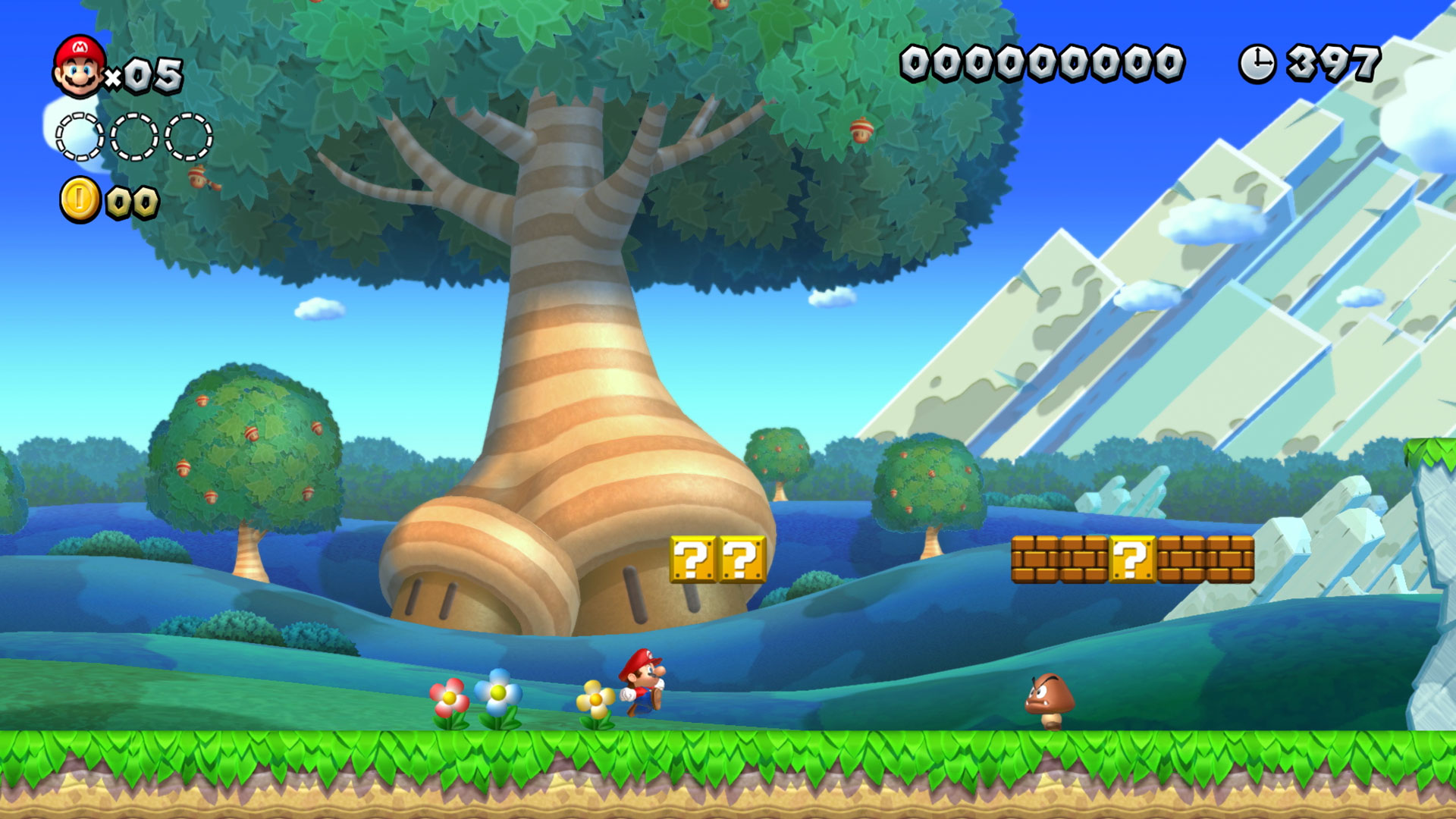 fierce tulip
and in octopath's case, they prefer it to be named "HD-2d" for some reason
plush yew
I dont get it either
HD refers to resolution, right?
Also, can I post trap memes here?
plush yew
Wait, you a mod
 frosty plover
 plush yew
?
 clear delta
In case using the TargetPerceptionUpdated event to detect using the AI Perception component. How can I know which sense was triggered?
Like whether it was triggered by Sight or Hearing etc. ?
 karmic ermine
plush yew
Wait, you a mod
karmic ermine
plush yew
Wait, you a mod
yeah, he is.
elder moat
I'm trying to upload a character model but it uploads with every single body part as a separate one, I want them to be one model, I have tried clicking combine mesh but the problem is I also need a skeleton to attach animations to the model.
my original thing I made in blender is one model
 random forum
Is everyone else still having this issue?
https://forums.unrealengine.com/unreal-engine/feedback-for-epic/1827558-stop-the-unwanted-friends-requests-in-the-launcher
Unreal Engine Forums
Ever since the new 4.25.5 update, I get an unwanted friends request from the user "JGLEASY". And it pops up again EVERY time I start the Launcher, even though I click "ignore" each time.
This really needs to be fixed. I am not even using the game library, I only use the Launcher for unreal engine. It's
I'm getting unwanted friend requests, and I can't figure out how to turn it off.
This is an IDE for me, not a social network for rando Fornite player's mistyping or; spamming friend request names
fluid wagon
yeah, well idk about the name. Just seems every day i get 5-6 friend request though
and i know im not that popular
 timid spade
Hey all
 median hound
hi
fluid wagon
hello back
 distant totem
Is anyone else having issues with the UI bugging out in 4.26?
wow so weird, I just noticed but in the gif, the menu windows stay shown! On my screen, the instant I open a drop down of ANY kind, it instantly flickers and disappears
 latent sonnet
Another day, another error.
It's supposed to see if the attack distance is less than or equal to the player. If it's not then chase the player until it is. This causes the infinite loop, which, I thought, I wanted.
 vale silo
does anyone know if direction light is broken with RTX in 4.26 ?
narrow mauve
I'm feeling really stupid right now. I've never had an issue with this before. When play testing my character would spawn at the player start that I have set..okay fine but for some reason it just isn't working anymore and I can't figure out why. The game mode has the character set and the controller set and the override is the same in the world details...
distant totem
vale silo
does anyone know if direction light is broken with RTX in 4.26 ?
try project settings > search RHI > default RHI direct X 11. I always have problems with RTX on dx12
narrow mauve
It's always spawning as the default floating pawn ....I cant figure out why
distant totem
narrow mauve
It's always spawning as the default floating pawn ....I cant figure out why
try opening the game mode BP and changing the default pawn in there
narrow mauve
it is
distant totem
in world override, the game mode is set? also go to project settings > maps and modes > set the default game mode in there
distant totem
try setting the pawn possession in the details manually
narrow mauve
ive gone over it so many times and I cant find anything wrong
distant totem
then check camera activation
somethings not catching that you want to posses your pawn on spawn, so it will spawn the default one
on begin get your player controller and posses the pawn
 clever axle
from what I can gather.. For a good landscape material you need to take care of tiling and layer them in a way to make it possible to paint. You should also have some kind of auto that takes care of inclines
Did I forget anything? And anybody know of a good how to on this?
All I find has one of these components missing and I can't seem to put them together, I always end up with something not working right
vale silo
distant totem
try project settings > search RHI > default RHI direct X 11. I always have probl...
Yeah, I have that checked. RTX is working with all lights, except directional.
distant totem
narrow mauve
I am an idiot
curious, what was it?
distant totem
vale silo
Yeah, I have that checked. RTX is working with all lights, except directional.
not just the check box, make sure to select the drop down and select dx11, and probably restart PC, that fixed a RTX UI bug for me after changing the settings
vale silo
@distant totem why DX11? Docs say RTX requires DX12
I have checkbox on DX11/12 and from the dropdown I selected DX12 as default RHI
then I restarted UE4
I am saying RTX works with skylight, point light, rect light, but directional light doesn't work
distant totem
No, you want to select DX11 from the dropdown. I'm not sure why, but thats where all my RTX issues came from, and how they got fixed. I just launched an RTX scene to check, raytracing works with RHI set to dx11 from the dropdown.
I know it's just the directional light, but thats what worked for me. Another thing to try would be to increase the light resolution on your meshes
distant totem
weird, sorry about that then, I've seen from searching on the forums that with RTX, all the settings effects each device differently for the editor. The last time I couldn't get RTX spotlights to show up on my scene, it was of those settings IIRC, but maybe not remembering right. But the one thing that I know for sure I needed to do, was change the lightmap resolution. If your mesh is massive, your going to have problems getting lights to show up on it
vale silo
@distant totem https://www.youtube.com/watch?v=SWqGLUSCZl4
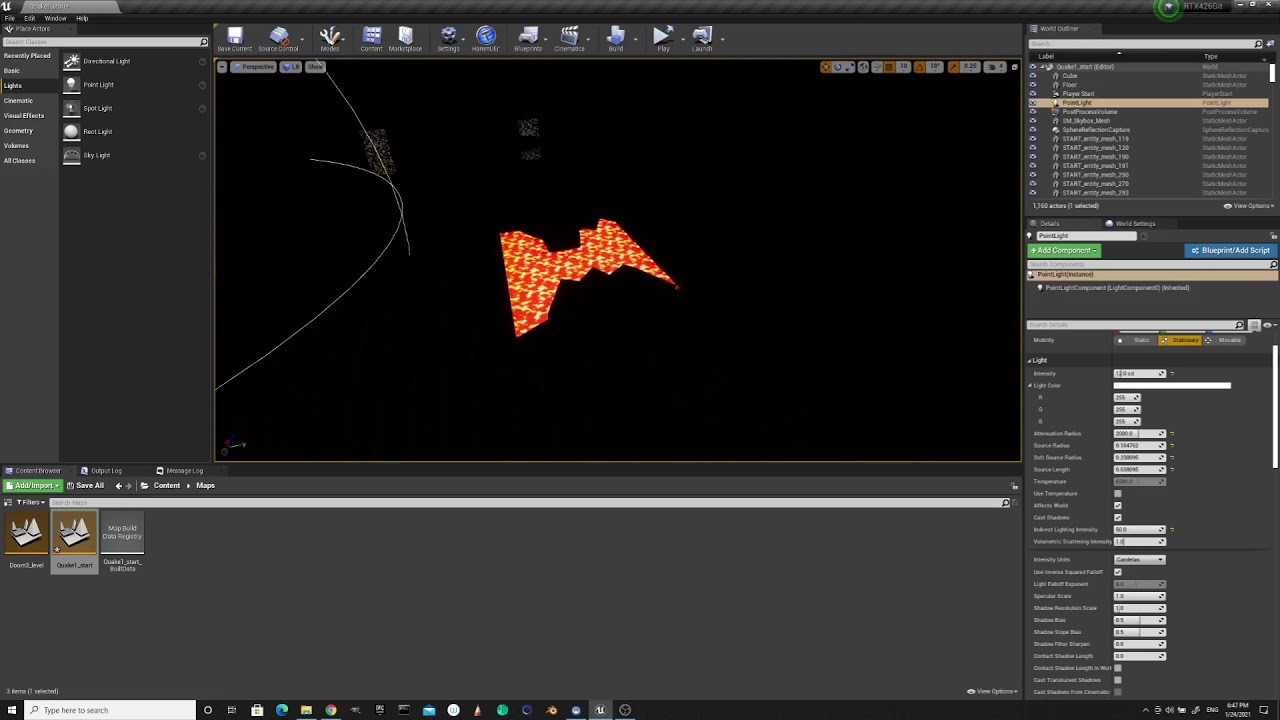
I have "force no precomputed lighting" checkbox checked in the World Settings
distant totem
vale silo
<@!702271954245124127> https://www.youtube.com/watch?v=SWqGLUSCZl4
try changing directional light to movable, then press the build arrow > lighting quality > medium > then build the lighting
vale silo
no lightmaps, it's all realtime
distant totem
oh, damn man I'm sorry I don't know
vale silo
I am not talking about DXR Lightmass btw, I am talking about RTXGI
np
I'll file bug report
distant totem
have you tried the new GPU lightmass?
vale silo
nah, it's not complete
it's literally no use because it doesn't have all features of CPU Lightmass implemented
it's one of those Epic's features for a bullet point in their PR
"hey, we got GPU Lightmass now!" which is basically alpha-beta and can't even be used in production.
I am willing to bet it won't materialize until UE5.x
wanton lotus
Give it time
median hound
karmic ermine
so
its compiling shaders check task mgr
vale silo
lol, so I made a simple scene from scratch (made New Level) - directional light works now, but skylight doesn't 🥱 🤦♂️
narrow mauve
This is mind boggling. I still can't get it to spawn on the player start...I have to manually possess everytime
 fading pond
Can I get some help with this? Whenever I try to build lighting, ue4 will just crash on "starting up Swarm Client" (or something along those lines). This has been happening for around a year but it didn't bother me because at the time I was just learning the engine. Now that I actually want to make something this is kinda frustrating.
 latent flume
General question. Is the cooking process in unreal GPU or CPU based?
wanton lotus
narrow mauve
This is mind boggling. I still can't get it to spawn on the player start...I hav...
What engine version you using?
lucid grove
Heya is it possible to disable roughness on distance inside material?
The best i could found is set normal map intensity to 0, but it still show roughness effect
 mighty cipher
latent flume
General question. Is the cooking process in unreal GPU or CPU based?
mighty cipher
latent flume
General question. Is the cooking process in unreal GPU or CPU based?
CPU probably. Because cooking is essentially compilation afaik.
@latent flume if you're wondering whether to buy a better GPU vs. a better CPU then here's a quick quote from a forum post
The main bottleneck when working with UE4 is compiletime. Therefore I would take the stronger processor to boost up my workflow, since faster processor, packed with a decent ssd should mean faster compilation which means faster iteration on your code.
I have a general question for everyone working with Unreal Engine and who tend to create a lot of projects.
I've noticed that I want to change my project name often but don't do it because I'm lazy.
I'm thinking of writing a small tool to help rename projects with just one click of a button. Support for C++ projects is also on the roadmap.
Would this be something you guys would be interested in? It'll be free and open-source (MIT)
fading pond
yeah that would be cool
Can someone help me with this? Im trying to cast to a game instance I made but its not showing up when I do this.
mighty cipher
@fading pond you don't cast to your game instance. You set it up under Maps and Modes.
 ancient fiber
yo, not sure what channel to post in, but i'm trying to capture footage from an external program. I thought i could do this by making a virtual webcam with obs but that isn't getting picked up. does anyone have any ideas of how one could get this to work lol?
this is solely for a personal project so it can be set up kind of jank if needed
median hound
screen record u mean?
ancient fiber
er, yeah kinda. i want to get a capture of an external game window to be displayed on a mesh / player in my scene
median hound
would action work for you?
ancient fiber
im not sure what youre referring to
median hound

Action! is the best screen recorder. Download the most advanced screen recording and gameplay recording software for PC. Try now for free!
ancient fiber
ah, is that another type of video encoder? is it able to be detected as a webcam/live video source by unreal?
median hound
is it able to detect ue4 as a program and screen record that only u mean?
ancient fiber
oh i think you misunderstand, i am not trying to capture UE4, im trying to get UE4 to capture something
median hound
oh i see like a facecam
median hound
is this like face recon?
ancient fiber
nah, its for something incredibly stupid. im trying to make an interactive gameshow kind of stream where part of the show is having a game running
im making a 3d 'set' for the show and id like to be able to capture the game im emulating so i can put it in the scene under other objects without having to do a ton of work in obs/slobs to get elements to behave properly
ok after some more digging it seems this kinda already exists? https://docs.unrealengine.com/en-US/Resources/Showcases/VirtualStudio/index.html but only for certain graphics cards? can anyone confirm if this limitation is removed (because this article is from 4.20) or if theres another way i'm unaware of to get live video into a scene?
The Virtual Studio showcases Unreal Engine's ability to exchange video feeds with professional grade SDI cards and devices.
timid spade
Whats the simplest and best way to ads in an fps game
should i make an animation or can i get away with modifying bones?
orchid prairie
is anyone here good at unreal engine?
 thick nebula
Hello guys, I'm new, and devastated pretty much, I had a great project in unity, bu there were too many shortcomings with the engine, and I've read up online, everyone was praising unreal, I just quit unity today and came to Unreal, will it be a hard transition, and will it be hard for me to rebuild the project I had going on in Unity?(RPG)
median hound
do u have any vids on the old unity project? 🙂
thick nebula
I can record some gameplay
 candid grove
Why does my pawn movement replicate when I have replicate movement unchecked?
 drowsy gull
Anyone knows whether high density fog can cull the invisible object or not?
Just that ******* fog which can be found in engine preset .(I don't know the name )
plush yew
Should I use Blender over UE4 for interior design?
Like walls and stuff? Doorways, etc
thick nebula
Guys, how bad is the C++ documentation for this engine?
just please be blunt, I want the reality, I'm still moving over anyway
 waxen raven
I find it liveable.
thick nebula
I've heard it's garbage compared to uynity's C# docs
waxen raven
It used to be fairly terrible, and new stuff is highly subject to be iffy.
thick nebula
I see
waxen raven
But they are working on it, I know some of the guys moved to the documentation team, and I'd just suggest picking a few topics and seeing
thick nebula
As soon as I'm done installing it
waxen raven
If you have something in mind you want to check, maybe I can give you the Unreal terminology equivalent, assuming Unity
thick nebula
I'm starting to rebuild my unity project
waxen raven
Alright, any base comments you're worried about getting through? I honestly recommend their Youtube significantly, it's usually well done.
waxen raven
Also WTF is here (Matthew Wadstein I believe) has good stuff to help with basics.
thick nebula
I actually have 1 worry
thick nebula
My models and everything from unity, were textured for unity HDRP, that means mask, normals, and albedo, is it going to look bad in unreal? or will it keep the... everything?
waxen raven
Albedo has a different name, but Unreal has a similar texturing feature I believe. Not too familiar with Unity's, but if you know Blender, I feel like Unreal has an upgraded material/shader setup from that.
You can definitely get the same quality if not better imo, but I can't fully explain why so it may be ignorance on my part.
waxen raven
Well I've done modeling a bit etc.
thick nebula
I gotta ask this some1 who has been through Unity - blender - unreal
waxen raven
and full courses on shaders, just not much in Unity.
thick nebula
it's three
waxen raven
Applying noise masks, textures over etc is all easy, node driven
thick nebula
I haven't really used nodes, I pretty much hate the concept and the workflow
waxen raven
If you know the math you're applying, Unreal will let you use multiple material slots, see uvs etc, and do the math on your own shaders.
Well that will make Unreal suck more, it can be done in C++, but some things I feel work better in nodes/bp
thick nebula
I can adapt
waxen raven
I find it's workable in shaders/and UI, animation bps.
thick nebula
I don't mean I can't use them or I WANT to avoid them I meant that I've always had a better solution that made me not use them
waxen raven
That makes sense, I'm sure it can be done, but I honestly feel like it just works, but I learned to work through them so it may just be that.
But yeah, there are channels here that are usually active and will help.
thick nebula
perhaps
That's great
Also have a friend that made games like me
for as long as me
in unreal
I used unity
waxen raven
How long you been at this?
waxen raven
I'll be around, but there are definitely people who are more masters lol.
Only about 3-4 for me, only last few straight.
thick nebula
I'm not a master myself, not even close, had work, school, and a dream :D
waxen raven
I feel that. Work, kids, and a damn idea that led me down this road. Now it's an addiction.
thick nebula
true
waxen raven
Sunk so much time in, but I feel like I could make most stuff with a bit of thought.
thick nebula
exactly
waxen raven
I do say I feel Unreal moving into special effects and so many fields opens a lot more doors knowing it.
do* will lol
architecture etc, a lot of really strong moves.
fluid wagon
When creating a project can i start with C++ and do blueprints also? or if i start with blueprints can i add c++?
Or is it one or the other?
waxen raven
You can do C++ base and use bp
It's actually a lot better to do so if you want to use c++ ever.
BP is just derived from C++. So it'll establish base classes etc then for some things. You of course have to tell it others.
clever axle
I see it a lot in games that there is a lot of foliage.. Like a LOT of grass blades, trees, etc. Is this gonna kill my performance if I have a kind of top down view? https://i.imgur.com/LWzlcl5.png
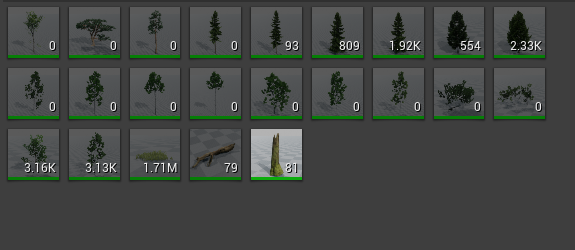 plush yew
clever axle
I see it a lot in games that there is a lot of foliage.. Like a LOT of grass bla...
plush yew
clever axle
I see it a lot in games that there is a lot of foliage.. Like a LOT of grass bla...
No.
Its better at first and third person
 wary wave
Foliage doesn't occlusion cull very well (if at all), so camera perspective is largely irrelevant.
thick nebula
Guys I can't build my first Unreal project
help please
Running D:/Unreal Engine/UE_4.26/Engine/Binaries/DotNET/UnrealBuildTool.exe Development Win64 -Project="F:/Unreal Projects/Snowmire/Snowmire.uproject" -TargetType=Editor -Progress -NoEngineChanges -NoHotReloadFromIDE
Creating makefile for SnowmireEditor (no existing makefile)
@progress push 5%
Parsing headers for SnowmireEditor
  Running UnrealHeaderTool "F:\Unreal Projects\Snowmire\Snowmire.uproject" "F:\Unreal Projects\Snowmire\Intermediate\Build\Win64\SnowmireEditor\Development\SnowmireEditor.uhtmanifest" -LogCmds="loginit warning, logexit warning, logdatabase error" -Unattended -WarningsAsErrors -abslog="C:\Users\Andrei\AppData\Local\UnrealBuildTool\Log_UHT.txt" -installed
Reflection code generated for SnowmireEditor in 133.5387049 seconds
@progress pop
Building SnowmireEditor...
Using Visual Studio 2019 14.24.28316 toolchain (C:\Program Files (x86)\Microsoft Visual Studio\2019\Community\VC\Tools\MSVC\14.24.28314) and Windows 10.0.18362.0 SDK (C:\Program Files (x86)\Windows Kits\10).
Building 11 actions with 4 processes...
  @progress 'Compiling C++ source code...' 0%
  @progress 'Compiling C++ source code...' 9%
  [1/11] ERROR: Unable to create child process
  @progress 'Compiling C++ source code...' 18%
  [2/11] Default.rc2
 faint tide
Is it possible to press a button in an Unreal Engine game, despite not having the game open and it will still play a sound through your computer?
I wan't to make a soundboard in UE4
honest vale
clever axle
I see it a lot in games that there is a lot of foliage.. Like a LOT of grass bla...
you could use landscape grass for the grass instead of the foliage system
not sure if there's any difference performance wise, but it would save you from painting grass everywhere
 true falcon
hey, really stupid question, but is there a blueprint enum for axis, (like x,y,z) EAxis is c++ only I think
I'm a little surprised there doesn't seem to be one as a lot of functions could be streamlined by passing enum(s) of axises, and something like component mask in materials...
Maybe there's some functions I dont know 🙂
wary wave
there's nothing stopping you from creating an enum
 gloomy ginkgo
Hey guys, can I change my game instance to be advanced friends game instance while maintaining my og game instance's code?
I want to implement steam invite system but I need advanced friends instance
But i jave normal game instance and it has tons of code in it
meager stag
Anyone has any idea what happened in unreal 4.21 that my FPS dropped from 120 to 30 in new empty scene when updating from 4.20?
 forest tree


A little thing for LDs/Environmental Artists that makes a huge difference in workflow: Alt + Middle Mouse temporarily moves an actors pivot in Unreal Engine so that you can rotate an object from any position on the mesh! #UETips https://t.co/MdoGzKRnq6
Likes
140
 Twitter
·
Twitter
·
🤯
true falcon
I learned today that you can right click an output pin on an material and chose to directly connect it to roughness, base color etc. That blew my mind 🙂
 desert cliff
Hi people, mainly i joined to this server beacuse i wanted to hop in into the UE4 world.
But sadly, when i tried ti install it, it gives me an error.
P.S. I installed it via Epic Games, if there is any other way please tell me.
wary wave
you can download it from Github
but you'd be better off working out how to fix your error
 ebon marlin
anyone excited about UE5 
 left mist
I have build my exe file and now it asks for the .uproject file..... What did I do wrong? Okay, it didn't build correctly, fixed.
honest vale
@desert cliff what sort of error?
plush yew
Is it possible to record with the sequencer character’s movements, interactions with objects and etc and spawn a new character and set it to play the record and walking around him? Like I went to the past.
desert cliff
honest vale
<@!228622939216412672> what sort of error?
It just says "error while installing"
It is usually when installing finishes
honest vale
you need to find some sort of logfile that tells more
plush yew
@desert cliff I have the same error where it tells me it doesnt have enough privilage to download to /programfiles
Running as admin doesnt solve it
 ancient tangle
Is there a way to change the scene/level used for the static meshes thumbnails?
 valid trail
does anyone here know if it is possible to add a content browser to my ue4 game
it is a parkour game and i think it would be cool for users to be able to open there own levels within the game
left mist
@valid trail How will they make their own levels?
valid trail
i am using blueprints
valid trail
left mist
<@!632996191336136714> How will they make their own levels?
upload the map files from ue4
it is also for paid content aswell
left mist
@valid trail Would it not be better to have a sandbox-editor in game somewhere? Where they can place game-specific things? Like buttons, weapons and such?
valid trail
that would be cool
gona speak to the rest of my team brb
ok i just ping my team to ask
valid trail
left mist
<@!632996191336136714> Would it not be better to have a sandbox-editor in game s...
how would i set that up tho
this is our first project
and our other developers pc broke rn
left mist
@valid trail No idea, but it is a better idea then importing maps that can have all kind of errors that are unfixable... Players would get angry and would destroy your game in reviews...
valid trail
left mist
<@!632996191336136714> No idea, but it is a better idea then importing maps that...
there is probably a plugin for it or somthing
this is hard for our team cuz we have litteraly done no programing before lmao
 gleaming moon
does someone have some tutorials for party games?
i mean some games like wii party
k
so i have to find various tutorials?
where i can find these learning material?
thx
where i go?
plush yew
@plush yew I would think it's possible. You'd have to juggle the cameras.
clever axle
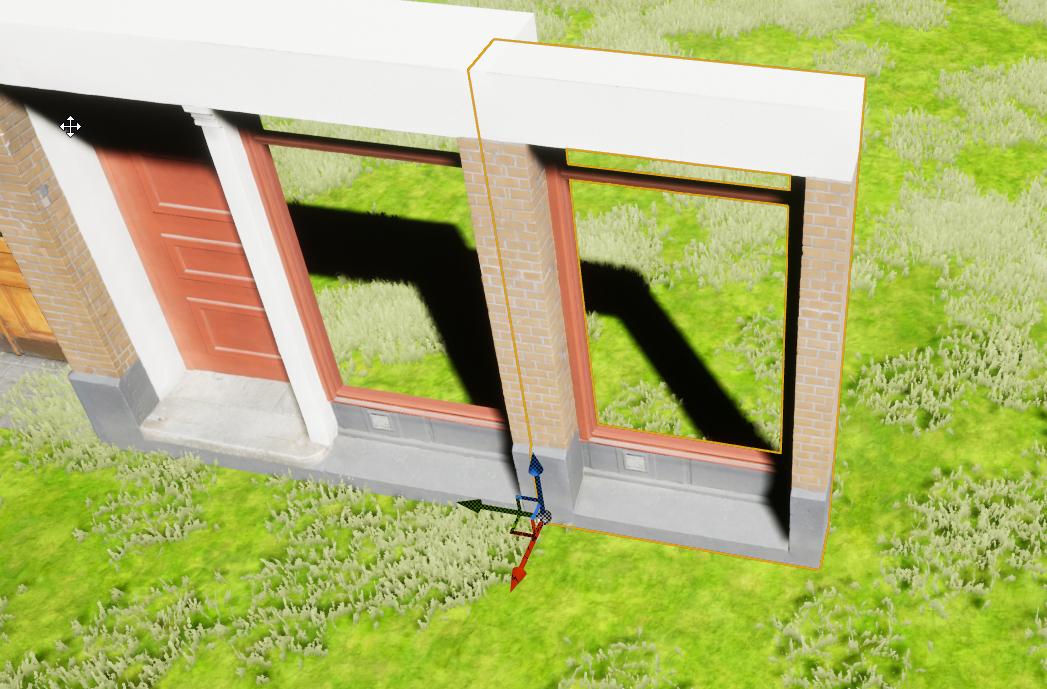
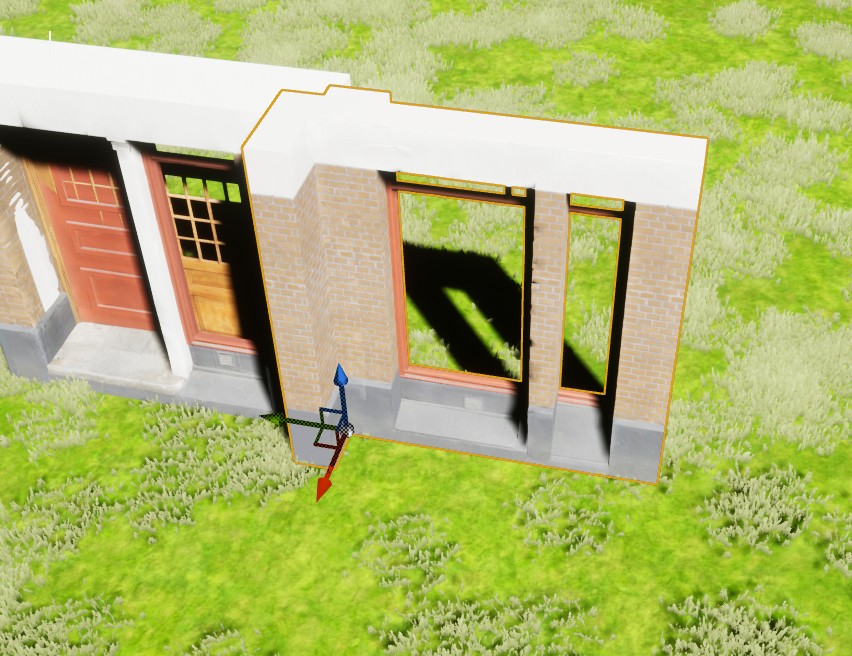
anybody used the modular building on the Quixel?
I don't understand how you're supposed to get it looking right without any elements without windows/doors..
besides.. what's with the LOD?
https://i.imgur.com/QYGsuAh.jpg
https://i.imgur.com/eAcKWix.png
 deft haven
lucid grove
deft haven
lucid grove
Heya, is it possible to make roughness effect on material fade on distance?
How do i do that? The best i could disable normal maps
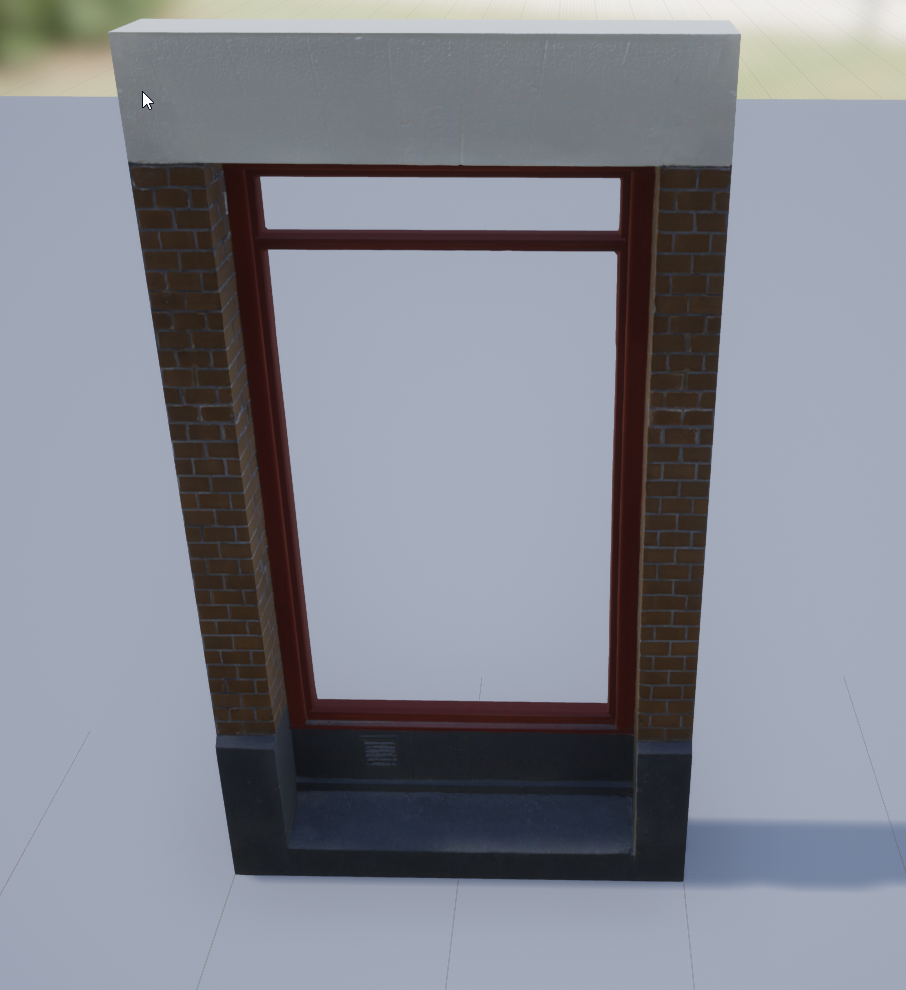
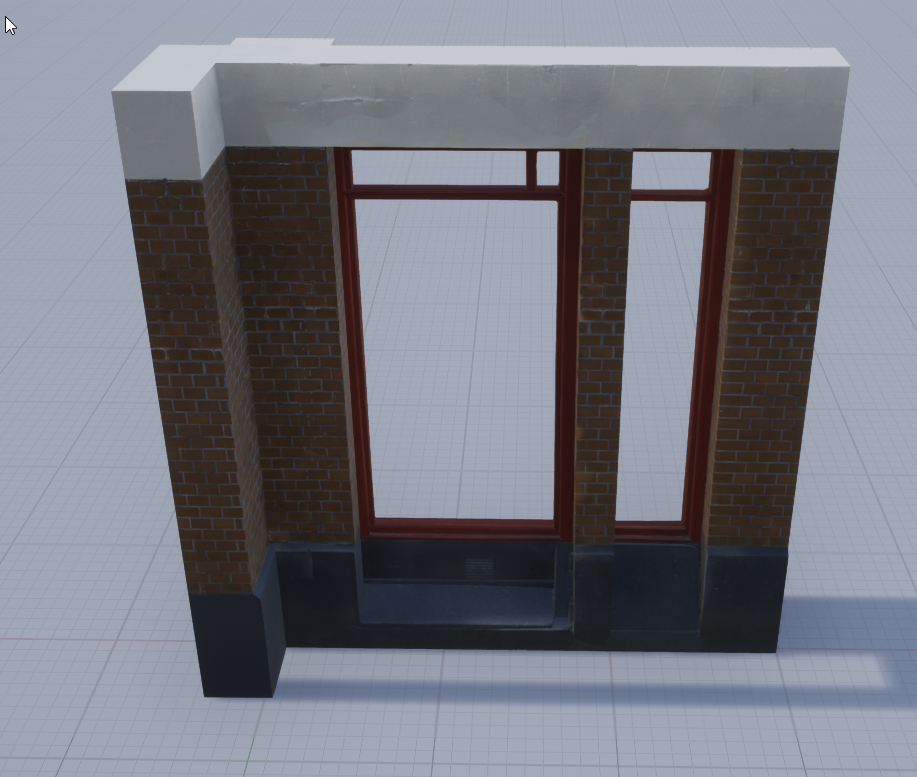
clever axle
https://i.imgur.com/Q2U9sZW.png
https://i.imgur.com/Oubvvkp.png
is this intentional? what's going on here? this is supposedly the same mesh
 late meadow
Does anyone know if the program world machine is any good?
wary wave
it's functional, but there are numerous better alternatives
 torn breach
When you need to do a lighting build and you just go on your phone because you know it will take a while lol
 mossy nymph
pawn with the camera
wary wave
well, it's not empty, it's the camera
mossy nymph
it eventually stops being empty, but yes
wary wave
it probably has panning controls etc
it used to be quite easy to do a game without a pawn at all and just use the controller, but this takes a bit of a rewrite now for some reason

 rough finch
is there any reason why a controller would be messing with the layout of menus?
mossy nymph
no
dawn gull
So in blender my model is one single mesh, but when i import it it separates into like 50, why
plush yew
hey there !
im in a wiered position where i like c++ a lot, but want to make 2d games. Ive tried SDL but i feel like im not ready / not skilled enough to make my own engine now. Is unreal suitable for 2d?
(or should i just be a normal person and use unity / monogame or something?)
plush yew
plush yew
im in a wiered position where i like c++ a lot, but want to make 2d games. Ive t...
Use unity, unity is more for 2d then unreal
dm me if you could help me come up with ideas for a game
Unreal is mostly used for 3d and super high graphics and major open worlds
yah maybe i should use unity now + do some c++ stuff also
I think you can import a unity level etc to unreal also
ive never heared of that before. Ill look into it soon.
Also keep in mind I thin unity uses C# im not sure if it has C++ @plush yew
it doesnt have c++. just c#
Ok
 crimson lake
Hey guys, I'm trying to get values out of a rotator's Y rotation (pitch)
and the values I get are from -90 to 90
is there a way to get 180?
buoyant graniteBOT
:triangular_flag_on_post: Void#9047 received strike 1. As a result, they were muted for 10 minutes.
 misty folio
hey any one know where can i find a course for learning making scene and assets like Last of Us 2 type
i know how to use substance painter and 3dsmax and basic stuff
 sonic quest
Guys, need some help about landscapes & mobile. (I'm adding mobile support for OpenLand)
It seems like Landscape layers & not available on mobile.
Is this normal?
If so, is there any workaround on layer painting for mobile landscapes.
sonic quest
 honest lily
for some reason sea has some edges
honest lily
for some reason sea has some edges
Ocean is a static mesh right?
clever axle
@honest lily I would think that's your water material there
sonic quest
Try to add Fresnel to the material for edge blending.
May be it doesn't work in this case.
Try this: https://forums.unrealengine.com/development-discussion/rendering/118374-gradient-fading-at-edges?p=991777#post991777
Unreal Engine Forums
For discussions about Materials, Textures, Lighting, Particle Systems, and Post Process Effects.
honest lily
sonic quest
Ocean is a static mesh right?
yes
honest lily
clever axle
<@!280685104127541249> I would think that's your water material there
so what should i do
clever axle
@honest lily I'm not sure, I'm new to this myself but I use the water feature out of 4.26
honest lily
wait do you have any picture of your water?
plush yew
honest lily
wait do you have any picture of your water?
build lighting
its a lot simpler then you think, each time you scuplt on the landscape it shows the grid edges right? then the build lighting appears
also shift+s i think to deselect the landscape just to note cause you selected the landscape while sculpting and its driving me crazy
@honest lily
plush yew
on the top of the screen theres a build button
sorta on the right ish side
@honest lily it might take a little as well but eh better to build early on besides having to compile like 10k shaders
plush yew
that might be cause of the post processing volume
honest lily
can i fix that?
plush yew
yes just give me a sec cause i forgot......
honest lily
yes of course
plush yew
its easy just forgot names
honest lily
take your time
plush yew
ok in the post process volume under lens there should be exposure on the bottom when you click the little arrow theres min and max brightness, check both and on min change to 2 or 3 whatever you feel is right then to speed it up so theres no eye addaption or whatever check the speed down and change it to 20 thennnn after that scroll down till you see infinite extant or just search it and check that so it effects the whole world
honest lily
just wait
plush yew
also to get the post process on the left panel theres visual effects click it and it should be the top one @honest lily
sterile tulip
what component of my hardware is causing it to load slow
if I do it in blender it also updates in realtime, why does it take like a minute in UE4?
plush yew
@sterile tulip it might be because unreal needs an update or it could be your graphics card but also might just be unreal being buggy
you could always try saving everything and reopen unreal or restart your pc and see if it keeps happening
also troubleshooting, sorry for spam by the way
gloomy ginkgo
how can I download json from url?
honest lily
plush yew
ok in the post process volume under lens there should be exposure on the bottom ...
well
i did all these things
but if i press "Play" it doesnt apply the changes of the post processing and it looks very bright
and also when i press the "Play" button it says that lights need to be rebuilt
 grim ore
have you rebuilt lighting or are you trying to move a static item?
grim ore
and it doesnt show rebuild until you hit play?
honest lily
look
when i hit play it says again Rebuilt and also it is not as dark as the editing
grim ore
for that first one, you dont actually have auto exposure adjusted from the defaults ( the first checkbox)
and if you want auto exposure disabled in the entire project, you can adjust it in the project settings instead of the post process volume
grim ore
warnings not errors, and that mainly means your lighting that you built will not be accurate. do you plan on using static lighting?
honest lily
what do you mean exactly? cuz im a bit new
grim ore
static is if you need performance and the shadows/lights never move. movable if you want them to look more accurate and shadows/lights should move
honest lily
yes i want movable
elder moat
I'm trying to upload a character model but it uploads with every single body part as a separate one, I want them to be one model, I have tried clicking combine mesh but the problem is I also need a skeleton to attach animations to the model.
plush yew
honest lily
the error says the uv are overlapping which you can fix in either changing the channel of the uv layout in the object or in a software when exporting it you need to select what normals etc im not sure where you got the assets tho so
plush yew
ohh also that i think you can do something in the material to make it look better or use the water plugin just keep in mind its a new plugin so it has some bugs
plush yew
yes
honest lily
well i want the water to go to the land i mean the waves so it can become more realistic
plush yew
that again has to be done in materials i havent really done water in a while but im sure there are tutorials out there that could help
plush yew
i think in the settings somewhere i dont really remember to be honest, but it shouldnt be to hard to find but when you do it should be on the buttom of the plugins list
plush yew
elder moat
I'm trying to upload a character model but it uploads with every single body par...
what causes that in my opinion is mostly the software your using and the exporting options you picked
elder moat
Hmm ok
 regal narwhal
Hello. Someone else know this problem and the solution for it?
Idk why instantly closing the menu which i opened. If i restart unreal engine everything is fine, but i get this bug more times a day...
PS: I see now, that in the video not even is visible the problem. For me after clicking on material selection/nodesuggestions, instantly close it the engine.
plush yew
@honest lily just the normal water
 lofty sail
Guys, help pls.
I want to use data assets, but some shit stuff going on. I've added BlueprintType and Blueprintable to my cpp data asset base. I've added path to BP childs of DAs in Asset managerfsettings, I've tried to implement GetPrimaryAssetId() and inherit from primary data asset instead of data asset. But whatever I do I can't assign a data asset variable in any BP (it's editable and read/writable). What am I missing?
fallen flower
So, is it normal for reflection capture to be locked independent of view in Forward Rendering?
 serene birch
considering it's the same behavior in deferred, yes?
reflection captures are captured at map build time no?
 mental horizon
sqlite
honest lily
plush yew
<@!280685104127541249> just the normal water
i installed it
whats its usefulness?
fallen flower
@serene birch, thanks, I'll look into it more.
plush yew
if I have 2 or more of the same actor, how do I specify wich bp to fire? I already have the actor I wanna use, But how do I add it to the bp?
 cosmic nymph
heyo guys, I've been working in UE for quite a few years, but I've never seen this happening. My skeletal mesh simulates physics when Im changing a value in the Persona Editor. Anyone got a clue where this comes from?
plush yew
lmao
cosmic nymph
It fixes itself whenever I reopen the tab, but its extremely tedious when you are constantly reimporting animations
 uneven mica
Is there a way to get like a animal that attacks you and everything as a template
elder moat
plush yew
what causes that in my opinion is mostly the software your using and the exporti...
hi u may be off and sorry im msging u after 2 hours but like I used blender and I did make it all into 1 model there (with ctrl J) but it's the same issue
 vivid stratus
Is the scene used in the video
https://www.youtube.com/watch?v=d5Ft7UaYayM
on the marketpalce?
Exploring the amazing new water capabilities introduced in Unreal Engine 4.26, Epic Games’ Sjoerd de Jong talks you through the basics of setting up an ocean, a lake, and a river. Then, he dives into more advanced features and possibilities that showcase how you can tap into the water rendering through other parts of the engine by making objects...
latent sonnet
latent sonnet
Another day, another error.
Still having trouble with this if anyone can assist.
 thick herald
uneven mica
Is there a way to get like a animal that attacks you and everything as a templat...
thick herald
uneven mica
Is there a way to get like a animal that attacks you and everything as a templat...

Unreal Engine
The Animal Behavior Kit Pro provides animal AI to create a fully-functional ecosystem for your game while keeping performance and flexibility in mind.
wanton lotus
uneven mica
Is there a way to get like a animal that attacks you and everything as a templat...
A few of the animal character packs, even the ones that are or have been free in the past, contain animation blueprints and AI, making them ready to drag and drop into your project.
 hasty wharf
hey all. i have a debug in my game somewhere and i cant remember which BP its in, is there an easy way to locate it
uneven mica
wanton lotus
A few of the animal character packs, even the ones that are or have been free in...
Okay thx
fierce tulip
@versed forge what is your question?
plush yew
elder moat
hi u may be off and sorry im msging u after 2 hours but like I used blender and ...
the rig also has to have one root bone in blender
elder moat
plush yew
the rig also has to have one root bone in blender
Hm, okay as I'm quite new to blender I'll try find out what that is lol
grim ore
@hasty wharf a print string node? you can use the find in blueprints window and search all blueprints
plush yew
its the lines or whatever when you duplicate it, it shows the bone its parented to, unparent it and the ones you need parented parent them to that bone or create another bone and make the ones you need parented parent to that one
@elder moat
elder moat
Oh I see
 upper heart
Is there a native way to copy all property values between 2 components of the same type in editor?
 mellow turret
anyone having issues launching epic games launcher?
hasty wharf
found it. ty
hidden sparrow
Hey, when I use Move Component To and I move my character, it moves in a round path instead of a straight path. How do I fix that?
 worn peak
its possible to add on a array of actors, actors from the content browser or just actors that are placed on the level ?
upper heart
Okay, yeah I'm converting blueprint components to c++
 azure reef
Guys, when I'm using Google Play Services, my game on my Android device it's crashing on level change. Do you know about this issue or it's only on my side?
 whole quarry
you'll have to debug, could be 100's of different causes
 median kettle
may someone join the support vc? i have a problem with lighting that i can figure out
lucid grove
Hello @grim ore i one of your videos you showed how to use Material Distance, i tried to use it for Roughness, but got this "edge" effect on landscape
Basically i avoid that by increasing distance
clever axle
Can someone explain to me how to work these things?
https://i.imgur.com/cKhQz95.png
https://i.imgur.com/4vt2l4Z.png
Supposedly same mesh but completely different at different LOD
 lucid grove
Oh, i forgot to thank you for this solution, fall asleep 🙂 Thanks for that link!
Worked like a charm, thank you
 devout estuary
im having this bug where, i recieve a loop of already connected players and if they havent already been spawned i spawn them, this is generating a weird duplicate however, could someone look at my macro which checks if the player already exists and see if it should work as expected
lucid grove
Just a little question, im getting this shader complexity everytime im using automaterial
With single layer - all great, simple blend - red zone
 sick escarp
I'm getting an error "messages failed to load" in #cpp, is that on my end or discord's?
devout estuary
this is the structure of the player
 lapis bronze
devout estuary
lapis bronze
devout estuary
@devout estuary it breaks before it ever does the second part of the sequence, you'll never get "Already Exists"
devout estuary
doesnt it only break the loop if the id is the same as the checked item?
lapis bronze
it stops anything running in the loop at all
its for performance
This should be a function instead of a macro
Then the output should be a boolean
local variable that is false by default
devout estuary
the passed in id is the one i want to check is already created, surely it only breaks the loop when the id i want to check is the same as the id in the array?
ah wait i understand now
 supple shell
Is anyone experienced with Linetracing?
devout estuary
so calling the break completely stops the macro?
lapis bronze
no, it stops anything connected to the "loop body" exec line
lapis bronze
what you want to do can be easily done, in a function
and should be
you need a local variable
supple shell
Pan you good with line trace?
devout estuary
supple shell
Is anyone experienced with Linetracing?
i am
supple shell
Could you explain something to me
I am using Multi Linetrace by Channel and I wanna store multiple Location inputs in different Vectors how does one go about that
supple shell
How do I loop through each hit tho? and by Array of Vectors what do you mean?
devout estuary
So for each hit, you add its location to a list of hit locations
an array means its a list, not just one item
supple shell
Yeah I follow so far, now how do i split them?
devout estuary
what do you mean by split them, do you want to do like a hit effect at each location?
timid spade
hey guys i need help with an animation https://streamable.com/i7505p
Basically, for some reason when crouching, the animations between moving and idle do not interpolate at all. Instead, they wait a second and then teleport, even though i have interpolation set to 1. How can i fix this? Ive tried setting interpolation to 0.5 and 2 but it hasnt helped
 supple shell
Basically what I'm trying to accomplish is It takes each of those locations and teleports the player there
and stores each in these
devout estuary
with multiline trace you get all hit locations at once, so are you trying to teleport the player to each location after a delay?
devout estuary
basically if you want to spawn these things as soon as the shots fired you could add them to the array, then after the node to add them just do a spawn actor node and input the location, im assuming you want to access the array later for something else
lucid grove
Found it, its my specular map. Can i use your trick with roughness for Paralax?
supple shell
Is it possible to store the Vectors in individual values so i can use them later on in the ability
For example in these
devout estuary
you could use the get command on an array to get a specific item
basically it gets the item at the specified index starting at 0
supple shell
Yeah I figured it out, is this what you meant? @devout estuary
 worn mirage
I've managed to get to this point with static instance foliage.. BUT I can't seem to get the physics right... any ideas? I mean that shooting off in a random direction from the base isn't right 🙂 https://gyazo.com/3fd2c92201a732ab0f73aeb4a2f14774
silk pumice
Is there a way to set a max texture resolution of all of the textures you have in content files?
 vernal compass
anyone here know how to design a very large open world?
lucid grove
silk pumice
Is there a way to set a max texture resolution of all of the textures you have i...
worn mirage
vernal compass
anyone here know how to design a very large open world?
That's a big topic... pun intended
 shadow estuary
When making a game do you generally need to end up forsaking the default movement component or do a lot of you end up using it? Seems like you need to do a lot to end up getting it smooth and feeling good
lucid grove
lucid grove
whoops, little bit lower - device profile
You can set max texture size for all devices
from pc to consoloes\mobile
silk pumice
thanks
worn mirage
I've tried moving the pivot point but doesn't seem help too much. I'm not sure what is causing the inertial force at the base
@vernal compass what issue in particular are you having
 eager radish
hello, I'm having trouble to use this function that I suppose it's meant to change the color of a light, but when I try to chage its color with the trigger it does nothing, when I change the color manually it works but when I do it inside the game through this function it doesn't. Thanks and sorry for long explanation
worn mirage
eager radish
hello, I'm having trouble to use this function that I suppose it's meant to chan...
Are you sure an event is fired when pressing F
plush yew
Can I put a function in a function?
eager radish
worn mirage
Are you sure an event is fired when pressing F
how do i make sure?
vernal compass
@worn mirage i need to know how to start to create a world like in microsoft flight simulator
what should i do first?
plush yew
eager radish
how do i make sure?
Print string
eager radish
i think its bc its in the firstpersonprojectile
instead of the firstpersoncharacter
plush yew
eager radish
i think its bc its in the firstpersonprojectile
Do it in the level BP
 rigid marsh
it needs access to the player controller to make that F press happen
so find a bp with access to Player Controller 0 typically
eager radish
plush yew
Do it in the level BP
i'll try it
plush yew
Actually how did u created a reference to the light in the projectile? Is that an actor or a component?
eager radish
rigid marsh
it needs access to the player controller to make that F press happen
i'll try boolean solution first, give me a sec and if it doesnt work ill try yours
worn mirage
vernal compass
what should i do first?
I'd recommend buying World Simulator and practice importing a large terrain. It's perfectly possible, it's just going to take a decent dev box and some time.
eager radish
plush yew
Actually how did u created a reference to the light in the projectile? Is that a...
its the firstpersonprojectile from the template
plush yew
I mean... the light is placed in the world or in a actor?
eager radish
in an actor
plush yew
Ok then you need to get the player controller
eager radish
plush yew
rigid marsh
it needs access to the player controller to make that F press happen
This should work
eager radish
it gives me this
vernal compass
@worn mirage cant find a world simulator on google
plush yew
eager radish
You don’t need to get player controller in the cast of the player
worn mirage
vernal compass
<@!188068531311476736> cant find a world simulator on google
World Machine... I totally wrecked the name sorry
rigid marsh
Is that BP have any controller attach to it? Is that the Projectile BP?
plush yew
Could you explain me what you want to achieve? Why would you need a point light in the projectile
eager radish
so
median kettle
why does my spotlight look like this
eager radish
the thing is that i inserted a moving point light into the default projectile that is shooted in the first person example of unreal, trying to archieve a laser bullet effect that looks realy cool when the bullet enters into corridors or closed areas, now I want to make each projectile show a color depending of the player thats shoots it, i've made a bunch of material but i cant get it to wirk that way, so i'm trying to make it this way
plush yew
median kettle
why does my spotlight look like this
Do you have decals where the light is missing?
median kettle
plush yew
Do you have decals where the light is missing?
meaning?
rigid marsh
You could try doing the key trigger in the FirstPerson BP and call a ref to the ProjectileBP->Pointlight and then do Set Color in the First Person BP
But also, you can try a material with Emissive instead? Like a sphere with 1.0 Emission
eager radish
eager radish
the thing is that i inserted a moving point light into the default projectile th...
rigid marsh
Using pointlight on lots of moving projectiles could be expensive potentially
eager radish
rigid marsh
You could try doing the key trigger in the FirstPerson BP and call a ref to the ...
u mean in performance?
 frigid urchin
Hey, how performant is it to use the volumetric clouds and sky atmosphere systems?
rigid marsh
Yes, cpu cost and all.. developers' bane
try emissive sphere for a start and see if you like the base look
eager radish
and there is a function to change material i imagine?
rigid marsh
Yep for sure
you can tweak any params you set in the material
and I don't know how performant the Volumetric clouds is ....
eager radish
thanks for the help, im going to try it
rigid marsh
sky box is very cheap that much i know
frigid urchin
@rigid marsh okay thanks :)
rigid marsh
@eager radish No prob, come any time lool
eager radish
🙂
 ripe heath
Hello! Is there a reason why when i select 3 meshes and convert them to a blueprint, i can't seem to move them anymore in the scene. They seem to be just stuck at the world origin. I can move the individual pieces when im in the blueprint, but when im just selecting the blueprint as a whole, it doesn't want to follow any transformation i give it.
eager radish
what should i put in the object node?
buoyant graniteBOT
:no_entry_sign: Mazell#0001 was banned.
rigid marsh
so a few checklist:
- Make sure the sphere has 'New Material'
- In the Material, create a Vec4 (color) param for Emissive, connect it to Emissive, and name it, then copy the name
- Back in the BP you can just call [Mesh -> Set Vector Parameter Value On Materials] paste of the name param here, then set whatever color you want
/@ripe heath Make sure they're NOT marked as 'Static' in the bp
 inland gyro
Hi guys, I’m an architect and I’ve been using Unreal for a short time and I was wondering if you can change the unit of measure
ripe heath
Thank you so kindly!
eager radish
rigid marsh
try emissive sphere for a start and see if you like the base look
its cool but the results are not even close
if there is a way to make it with lights I prefer that way
grim ore
your projectile can have a variable that holds the "color" the light is supposed to be. in the construction event it can set the light color inside of itself to that color. you then expose that variable to spawn. Then when you spawn this projectile in the world you can assign it's color at that point
eager radish
and can i assing a color per player
rigid marsh
Pretty much what MatthewW said ^
But if you need to key press the colour you have to go with what you had before, but just try to do the key press event in your FirstPerson or which ever bp that has the access to PlayerControl
grim ore
you assign the color when it spawns, assuming the player spawns it you would be able to get that players color and assign it yes
eager radish
i think it can be possible
the thing that i want is that when there are four player for example, the first shoot blue balls, the second green ones and so on
rigid marsh
Oh just store the colours as variables then, no need to do key press
eager radish
yeah, the key press is only for troubleshooting
and how I assing the colours to the players as they spawn?
and array?
grim ore
thats up to you and how your game is set up
plush yew
any new ue5 footage?
 wary ferry
I pressed the button and now unreal froze xD anyone knows what this is for? 😄 like specifically. didnt find documentation about it yet
wary ferry
honest lily
most likely because you have environment settings on (auto exposure in editor)
honest lily
how can i turn this off
shadow estuary
having an issue where my default sprite anim is having a weird material applied that I cant delete, all other anims play fine and flipbook looks fine but the default one i set is lit all weird
wanton lotus
honest lily
It is also a camera setting. Check your camera details.
 naive reef
Guys i need a free realistic trees, where can i find them?
eager radish
has you looked into the marketplace?
plush yew
Bye bye
eager radish
I don't know if modelheaven would have something like that
grim ore
how hard have you looked in the marketplace for something realistic?
vivid stratus
quick question, how to access this page? 
grim ore
open a niagara system
vivid stratus
a new actor?
 grim flame
@eager radish this are some pack that include trees I've gotten from the marketplace
pinged the wrong person
eager radish
XD dont worry
grim ore
are you looking for that EXACT particle system or just how to open a niagara particle system or make a new niagara system or ?
vivid stratus
yeah, cause I can't find the niagara system in the actors to place
wait... it could be that this projec tdoes not have the plugin enabled
ah no, it does
vivid stratus
I don't find the "niagara system" in the "advanced actor" menu
grim ore
its not an actor is why
eager radish
Sorry for interrupting, but is there any way to pass a key press from one actor to another one with custom events?
grim ore
Content can exist in your content browser and not be an actor, such as a niagara emitter and system
passing random keys, or I pressed a key and this blueprint heard me press it so now I want to tell somebody something?
both basically the same, using custom events in the 2nd blueprint that the first would call. If you need the exact key you can pass in the key pressed, if not you can just call something specific based on what happened in the first
eager radish
like , the key is registered in the main character and the press event is send to another actor
grim ore
if you want a key to fire in more than one use the input event in both and make sure neither of them consume the input
eager radish
i want the projectile to receive the key press, but it seems to just not be working
grim ore
does it have the input event? the key press event
eager radish
like, i press the key and doesnt print anything on the screen
grim ore
is this same event used somewhere else?
grim ore
but you wanted the player to pass it to the item, so how was the player going to get the input?
eager radish
i mean
I want to register a keypress or any event that can trigger the color change
F key is for debugging
grim ore
your actor needs to it can accept input, in the details panel on the actor is "Auto Receive Input" that will be disabled by default, change it to the player that it should listen to input from
or again have the key input in your player then just tell the item to do something
 midnight wren
can sole developers publish on epic games?
eager radish
grim ore
or again have the key input in your player then just tell the item to do somethi...
yeah, it will work for one player, but when im online there will be another controllers
grim ore
you also won't be debugging at that point so the question seems invalid
and if this is a multiplayer game there is a TON more work that needs to be done to get stuff like this to work
eager radish
yeah this is true
grim ore
also the same code would work in multiplayer if set up right, each player is unique on the server and could talk to whatever it wanted
eager radish
im working im little things just to learn and have fun with friends
grim ore
so player A pressing F would work differently than player B pressing F
@midnight wren Anyone should be able to publish provided their content is accepted
eager radish
even if both are setted up in controller 0?
midnight wren
grim ore
<@!492870367313002515> Anyone should be able to publish provided their content i...
Thanks!
grim ore
again depends on how it's set up. if this is online the server would have different player controllers but each machine locally would be it's own player 0
worn mirage
Bump: #ue4-general message - I'll award 1 billion points to the person who helps me 🙂
spare kernel
@upper heart now i think about it, you could make a editor utility
upper heart
yeah, I thought about doing that. Was just making sure there wasn't a native way first.
spare kernel
yeah i remember looking a few months back to save me time, ended up doing it with editor utility
was a bit of setup though 😦
i saw that utility and was like, that was how i did it 😄
upper heart
Blog post idea?
 echo zealot
Why can i size down my project folder from 6GB to 600MB with deleting the intermediate, binaries and saved folders? What data can be so big but still so useless? And why? 🤣 Can someone explain me this, sorry im new to how code, files and stuff works..
crude tulip
One message removed from a suspended account.
One message removed from a suspended account.
grim ore
@echo zealot intermediate are temp files, files used when compiling and packaging and such. binaries are similar. saved can get large with autosaves.
@crude tulip not stupid, learn blueprint communication.
also going "hey destroy myself" and...... then.... im gonna have myself do something else.... is bad
plush yew
Do you think UE5 would support any other languages? not just C++?
worn mirage
crude tulip
One message removed from a suspended account.
Agree with @grim ore also learn the difference between object reference and class reference. You're on the right path.
grim ore
@plush yew we can think it will support them all, but announced so far? none that I know of
plush yew
I am hoping for Java
grim ore
@vivid stratus a map is a variable, that node gets variables from a map variable, so yes it would be normal those will not be there if that variable does not have those properties
echo zealot
grim ore
<@!414737660587016193> intermediate are temp files, files used when compiling an...
But why are those such giant files? Is this needed to make them quickly readable/in a fast format?
plush yew
But I dought it...
grim ore
less about quickly and more about the step in between
vivid stratus
I can't find this function either
echo zealot
grim ore
less about quickly and more about the step in between
If you say saved can get big with autosaves does that mean every time i save it doesn’t override the asset but add a new version to it? 😳
grim ore
no those are automatic backups when you are working and have not saved, when you save it replaces the source asset. autosaves are just backups for when you are not saving and something might go wrong
echo zealot
Ah okay thanks!
grim ore
@vivid stratus that color node is a function script, so it's custom code in whatever you are looking at
vivid stratus
ah damn
echo zealot
@grim ore How did you get all of this knowledge?
grim ore
just using the engine over and over
 devout shard
hi, anyone know why when I fall to a certain height in my level I lose control of my character and can't move or do anything? There's no collision blocking and my gun dissapears and stuff
devout shard
i had even narrowed it down to about -1000 units t oo
echo zealot
Let’s be honest, fuck the kill z volume
devout shard
coincidentally i was loading a new level at about that height so thought it was something to do with the level load
(elevator)
echo zealot
Ok
devout shard
argh, thanks again
 viral veldt
Is there a way to view animation curves for translate/rotate on joints?
echo zealot
First you smoke the joints and then you view the animation curves.. (sry, no idk)
It was a bad joke but i couldn’t resist
 calm timber
hey, im new to unreal engine and i cant seem to open c++ projects. It gives a big error saying that it couldnt compile and asking whether i would like to run it in visual studio. does anyone know how to fix this?
kindred viper
you need visual studio for compiling source builds. Visual Studio Community is good enough. There are other compilers and editors that you can use too, like Rider, but I suggest starting with VS community. Just for tutorial's sake. With the VS installer, you can install all the pre-requisites like C++ and .NET files. I'd also check the official documentation for this process as there is a page dedicated to it.
vivid stratus
damn If I've not rusted enough in this months away...
how to set the inputMin/Max to a certain value?
plush yew
hi guys
normally in unreal engine
one touch : one shoot
but i want to make
pressed
grim ore
what is pressed?
vivid stratus
wait... I'm right click on B
why does it not say "Convert Numeric to"?
 grim beacon
grim ore
grim beacon
grim ore
it is overkill for it but it can work. your app will be much larger than just using Android Studio or another IDE to make a normal Android app
 severe gorge
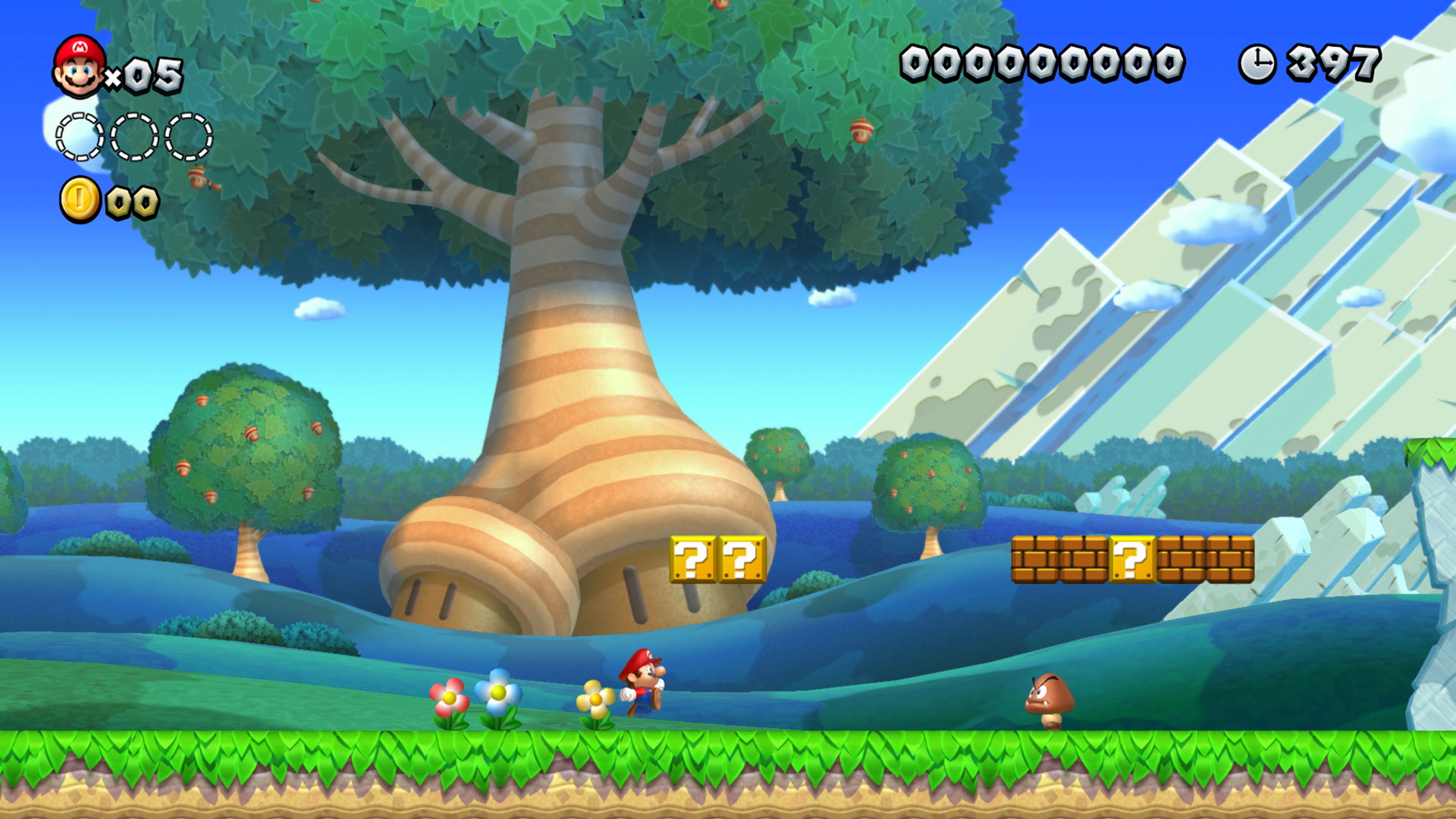


 plush yew
grim ore
what is pressed?
plush yew
grim ore
what is pressed?
i mean
while it's pressed
shoot forever
i wanna *** my english
@grim ore can u help me
grim ore
you would do it the same way as you would shoot one, but after you shoot the one you would set a timer to call the shoot again. When you release you would clear the timer so it stops shooting
wary ferry
looking for anyone who has a clue what this tool is supposed to do apart from freezing out the engine entirely :3
 low wasp
Where can I report someone giving away cracked assets?
Found this dude giving away some of my friends marketplace assets for free and many others.
grim ore
to wherever they are being hosted
low wasp
Ok
 slate vessel
quick question, does culling remove said assets from memory ie; unload textures? or is the asset still loaded just not drawn by the GPU?
plush yew
grim ore
you would do it the same way as you would shoot one, but after you shoot the one...
how can i do it
this is blueprint
i made something but
its only shoots one
grim ore
what makes it shoot again?
plush yew
grim ore
what makes it shoot again?
idk
grim ore
you need to add something to make it shoot again, like a timer
grim ore
that is what the documentation and tutorials are for
plush yew
repeater
plush yew
grim ore
that is what the documentation and tutorials are for
i made it myself
grim ore
look at documentation and tutorials on Timers
grim ore
ok so dont look up timers and try and make a countdown
 pallid crystal
I'm having this wierd thing happen, I'm making a monster blow up, and spawning some skeletal mesh gibs, if I spawn more then 6 of them, they all delete as soon as they're spawned Has anyone had anything happen like this?
dawn gull
Is there a way I can warp some noise with a seed? the noise is in float format
 ember lark
My editor crashes immediately on startup due to preview of ES3.1 being on
Where in the configs can I disable that?
 stiff sail
i was going to type a question but i figured it out as soon i as i started typing.
plush yew
Guys dm me if you know you're quite good with coming up game ideas, Thank you.
 weary basalt
No worries.
timid spade
is there a function that checks if a key is pressed?
plush yew
ofc
plush yew
ok ill tell you
weary basalt
IsKeyPressed?
plush yew
I'm a very big beginner myself but i think if you type the letter you want to tap
type "esc"
then theres a node you can drag called pressed?
then it will show there.
type any number or letter then scroll then find
weary basalt
APlayerController::WasInputKeyJustPressed
knotty heron
@timid spade just press your key and it will be there
plush yew
timid spade
i dont want an event
timid spade
i want a function that checks if its pressed
plush yew
hmm idk
plush yew
timid spade
i want a function that checks if its pressed
Then create a function.
timid spade
i thought it was built in
weary basalt
APlayerController::WasInputKeyJustPressed
timid spade
alright ill do that
knotty heron
or just set a variable maybe
timid spade
wait
plush yew
I'm a beginner these guys look way better than be so they will have to help you.