#ue4-general
1 messages · Page 890 of 1
 plush yew
so should you at least have base proper assets before you start building the functions and such of your game
like does it make a real difference at all to use starter assets or actual ones ;-;
i just dont want to have to restart building from scratch because base stuff didnt get the detail or quality right when changing assets
 hexed valley
Just wanted to say for people doing Unreal Dev to watch out for fake tutorials.
Someone brought this udemy course to our attention which is blatant rip off of our Virtus/Devsquad tutorials

Udemy
Learn Design Principles and Techniques of level design so you too, can build video game levels like the pros.
 digital anchor
@shell surge happened to me once, i deleted saved and intermediate, it fixed for me
 dense hatch
When I try to "Goto Definition (Alt-G)" on a Blueprint node, I am getting a Access violation reading location error
This is on a fresh install and build of UE 4.26 with a new empty project, any advice?
plush yew
@fleet juniper can you explain a little more?
 shell surge
digital anchor
shell surge
digital anchor
\🤷 then dont
also never seen someone placing their content under temporary folders
 fleet juniper
@plush yew when I drag the uasset file into the area to import it i get that error
plush yew
whats the file type
fleet juniper
Uasset
hexed valley
I would imagine putting content under temp folders could: 1) delete the those files or 2) will prevent other things that should be deleted or changed from updating
 haughty snow
hey real quick question
how do i use the Ctrl+L gizmo?
like i press the keys and then i cannot interact with it
 maiden kindle
Epic should acquire this before Adobe or Unity does https://www.deepmotion.com/animate-3d 🤔
 zinc shore
is it possible i can have 2 builds of my game share save data so players can switch between Vulkan and DX12 if they chose to
 worthy fox
Show off the stuff you’ve been creating with UE4.26 so far. I want to see!!! 😁
plush yew
o.o
 regal zephyr
Any idea how to render a cinematic properly in Unreal? it keeps giving me renders with glitches
 amber tree
I really like the Neo City Tokyo assets. Anyone else planning on using it?
 faint mesa
UE4.26 keeps on not responding
 light thunder
is there any performance issues whatsoever, game time, for having every single actor added to a group? @grim ore Mainly I'm doing it to basically "lock" my static meshes from being moved when I'm finished with the map, because I have to disable HLOD validation checks because they are invaliding the wrong things...but if I move something, it won't tell me so this is my idea to have a certain level of locking on the map
 bleak copper
So... uh... what's going on with physics in UE 4.26. They say that it's PhysX for now, even though the Beta was supposed to be Chaos by default.
But they'll switch it to Chaos soon... but it's unclear if they mean a new build, or if a hotfix for 4.26 will swap PhysX out.
I ask because I'm doing a VR title for Oculus Quest, and Chaos beta was a hassle. Don't want to be in a situation where I upgrade, then get PhysX pulled out from under me and I get stuck.
 clever axle
hey.. how do you get the camera from within the possessed pawn or the player controller?
light thunder
get player controller, get player camera manager I think
something like that, play with it
bleak copper
Looks like C++ has a property on APlayerController too https://docs.unrealengine.com/en-US/API/Runtime/Engine/GameFramework/APlayerController/PlayerCameraManager/index.html
clever axle
ok.. if I have the player camera manager, how do I get the camer from them? or how do I rotate/move that camera?
and can I get the camera manager from the controller somehow without the index?
bleak copper
There's different ways based on what you did. For example, for Check It! (which was C++) I didn't use PlayerCameraManager at all. I just had a camera on a boom associated with my Pawn.
 vocal wraith
I have ported my project to the 4.26 version, and have noticed that the performance are worse, like 10 fps less. Any reason for this?
clever axle
@bleak copper I had that too but ran into trouble with the automatically spawned camera so I'm trying to use that one now but I don't even now how to get a reference to it.
light thunder
why isn't my landscape have a material on it...when it does (all those info layers are good)
the shaders aren't compiling either
bleak copper
Is Rock_01 good?
light thunder
it's not but that's not what texture should be there
and painting doesn't work either
I'll swap it out to make it recompile, I just remember the engine crashed while It was compiling stuff, never it never finished and forgot to compile
dense hatch
Hello, when I try to "Goto Definition (Alt-G)" on a Blueprint node, I am getting a Access violation reading location error and _com_error in VS
This is on a fresh install and build of UE 4.26 with a new empty project
 left elk
Has anyone followed this guide for setting up a VPN-aided multi-user session, and still not been able to see the session? If so, any fixes? https://cdn2.unrealengine.com/unreal-engine-remote-multi-user-editing-guide-404332864.pdf
 ivory vortex
Out of curiousity, would it be possible to simulate an town with like 1000 npcs. they would interact with eachother eat sleep and be generally dynamic. would i have issues pathfinding wise or something
light thunder
sounds like the biggest bottleneck would be rendering requirements @ivory vortex
you could keep track of a lot of the "activities" without having them be physically present on the map
ivory vortex
@light thunder since its a town i would render npcs just as box if they are not seen
light thunder
or just toggle their visibility
ivory vortex
@light thunder yea thats what ive thought, like an ghost map with coordinates, and when u get close to em they generate and when u too far away they dissapear
light thunder
thought they are still taking up memory
there are better, more optimized ways to do it though, but they take time to setup
you can stream them out in level volumes
ivory vortex
well im still a beginner in ue and thats my goal
light thunder
let's say you had a routine where they would cook food, then eat, then clean up, then watch tv, blah blah blah - you could just save the state of where they were at in that routine when you unloaded that area level
then you could figure out what current time it is, and basically 'skip ahead' or to their current routine
ivory vortex
tbh i wanted to have them all in one level
ivory vortex
light thunder
then you could figure out what current time it is, and basically 'skip ahead' or...
yea thats likely the main way to solve it
light thunder
but you have to also setup more, depending on the sophisication - like if you skipped ahead because they weren't loaded, you'd also have to make sure you removed from their kitchen inventory, if they had made a meal, because if you have a system where they go to the store when they reach X amount of food left
learn about streaming volumes
seriously
if you are a beginner, I'd watch in this order - Unreal engine - blueprint communication first
ivory vortex
thanks, i will learn it!
light thunder
Then level streaming
ivory vortex
notes stuff down
plush yew
I found this BP : https://i.imgur.com/VUlCp3W.png
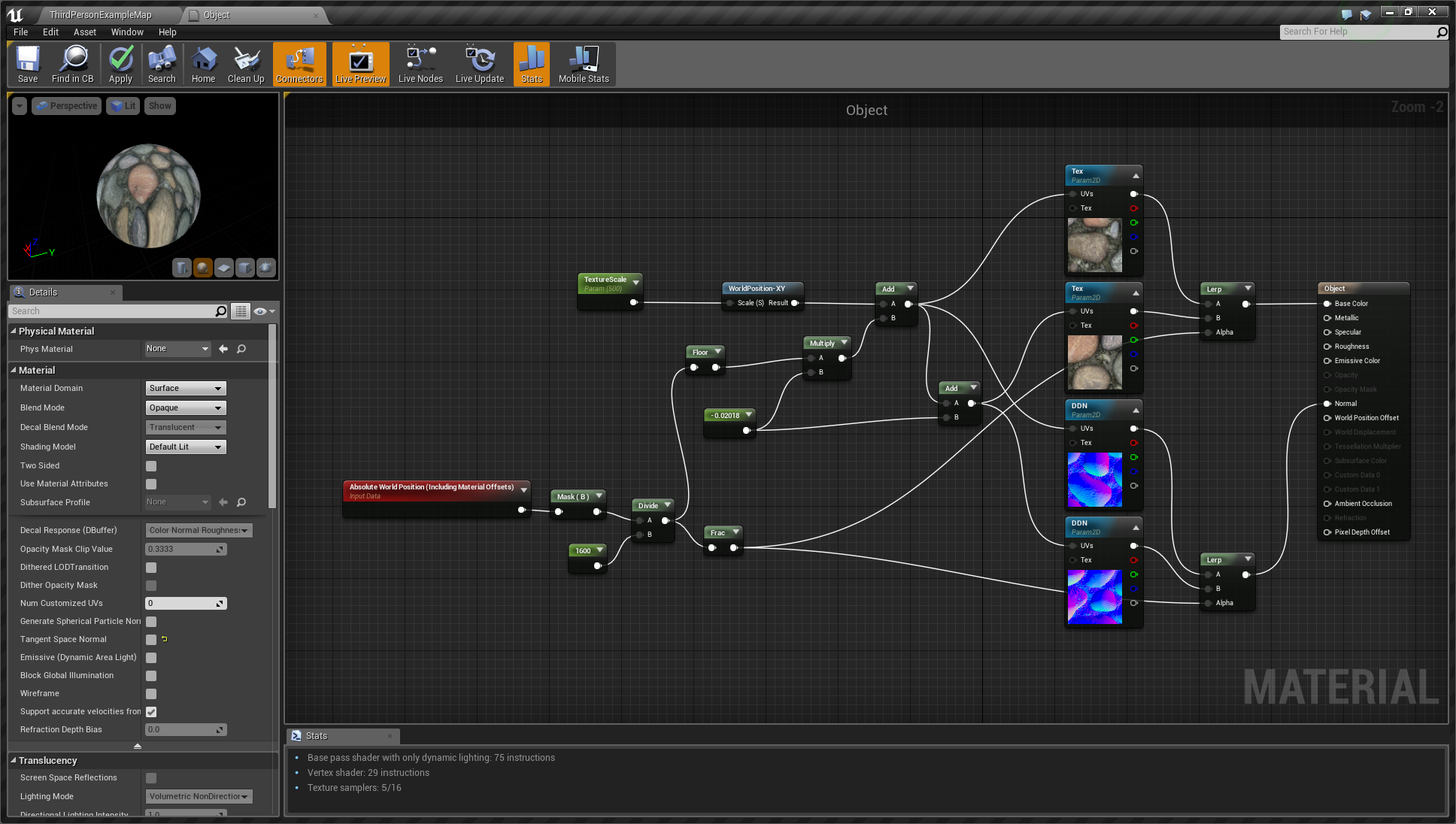
... then recreated it in my editor. This is the result :
It's a texture which align on the world + a setting on the normal so the sharp edges disappear
Though, I'd like to try without the world alignment. I disconnected and reconnected some nodes but I just broke my BP 😆 Someone could help please ?
 earnest pawn
hey, I can't seem to install electronic nodes plugin to engine
I'm on 4.26 and the plugins has been updated already but when I install, nothing happens and it doesn't show up in the editor
anyone having this issue? I can't seem to install any other plugins either
 heady quartz
Why is everyone trying to make AAA open world RPGs and nothing simple? I can’t find someone with a reasonable project to work with 😓
 cinder minnow
earnest pawn
hey, I can't seem to install electronic nodes plugin to engine
cinder minnow
earnest pawn
hey, I can't seem to install electronic nodes plugin to engine
Yes, I updated it but there has been a problem when Epic processed it... I sent an update, it should be accepted soon I hope 😉
earnest pawn
@cinder minnow thanks, although I'm having issues with other content as well, nothing seems to be downloading
cinder minnow
@earnest pawn Okayyy, it just got accepted 🥳 ! Restart the Epic Games launcher and it should be good 😉
 frigid moon
@earnest pawn just so you don't feel so bad... i have a couple plugins that I know have been updated and a couple other people have successfully downloaded but when i click to install to 4.26 it just blinks back to the library when i'm done.
i've also tried it from store pages...
i was able to install prefabricator and Root Motion Extractor so far
earnest pawn
I think there might be something wrong with my launcher, it's not just the plugins, can't seem download anything
 pure hollow
heady quartz
Why is everyone trying to make AAA open world RPGs and nothing simple? I can’t f...
pure hollow
heady quartz
Why is everyone trying to make AAA open world RPGs and nothing simple? I can’t f...
what kind of project are you looking for and what are you looking to do?
 tiny eagle
i still have a project, but if you're looking for RPG and simple, i don't have one. It's Third Person Action/ Noire
need all positions filled too
 neon bough
is there an way to view .sav files in the editor?
plush yew
How do you get the PhysicsThruster entity to work
I parented it to a dynamic object
Ticked Auto Activate, but it does nothing
light thunder
I have a project opened in the same engine version. I migrate it over to the other one and the landscape doesn't compile. It looks fine in the other version. What should I pay attention too, in case I missed something?
 deep basin
Anyone know if there's a way to rotate multiple selected actors by some specified value about a common pivot?
I found "Delta Transform" under the right click context menu, which sounds exactly what I need, but it's sadly only for position
 dark stag
possibly dumb question:
why dont my normal tags work when i throw a mat on these?
seems the phong angle is like super low or something
 celest vapor
@dark stag did you import them with normals amd tangents? Ive had instances where I needed to import with tangents
dark stag
lemme try w/ tangents
 keen cloak
smoothing groups
 tranquil falcon
Why does 4.26 no longer let me import assets?
Anyone else seeing this issue?
It's like permissions are gone.
plush yew
in 4.26 i'm receiving this: gpu lightmass requires ray tracing support which is disabled
but ray tracing is enabled in my project settings
is there a fix for this
dark stag
sorry problem solved... wasnt my phong tag / smoove group... was an issue with directlighting
plush yew
how can I parent a phys object to something else
attaching them in the World Outliner doesn't seem to do it
E.g.
Attaching that to the above bag
Then when I load in, it's fell off and through the map
celest vapor
@plush yew if the child (cylinder5) is simulating physics and the parent is not then it will move. but if you want all of it to simulate physics but move as one, then only set the parent to simulate physics
celest vapor
if you want them to simulate as a whole object the children should not set to simulate phyiscs
plush yew
I misread it, yea thank you
celest vapor
of course
celest vapor
Of course. no problem
 azure shale
@unkempt delta I had the same issue, any fix?
 unkempt delta
Nope
 stiff beacon
Does anyone know how to move multiple models at the same time? I accidentally made my entire project like 20 times larger than it should so now even 4k textures look awful
 grim ore
@vestal goblet it might be spawned in by your game mode. project preferences -> maps and game modes -> default game mode
 vestal goblet
So if i set the "default pawn class" to none it should get rid of it?
 barren flume
Is there a way to stop ue4 from making the windows sound everytime it finishes compiling in the material editor?
 sharp flax
barren flume
Is there a way to stop ue4 from making the windows sound everytime it finishes c...
sharp flax
barren flume
Is there a way to stop ue4 from making the windows sound everytime it finishes c...
Pretty sure the only way is to remove it from Windows sound options
barren flume
Tried to but it still play's
 broken heath
barren flume
Tried to but it still play's
broken heath
barren flume
Tried to but it still play's
You’re annoyed of it’s sound?
barren flume
Yeah since it's every time
 mental path
Hi all, I have a general question. My user name in Unreal is something but there is a different one in Unreal Online Learning. I am currently doing the Unreal Online Challenge. The one in Unreal Online Learning is a bunch of alphabets. Is it a common thing having different user names for UOL and the usual Unreal website ?
If I submit my UOL challenge with a different username in Twitter, will it affect my submission, because, my usual user name in UE website is a different one. Thanks.
 gaunt tide
I have a vehicle editor I’m attempting to make similar to how Stormworks, Crossout, and similar games are and was wondering would it be better to use a pawn with a camera to move around in the scene when editing the vehicle or should I just use another character actor and a camera? The base level I started with was the Thirdperson template. I’m guessing it’s probably just my preference but I figured I’d ask anyways.
 prisma seal
why can I not set custom water body splines to closed loop?
#graphics @lyric sundial
 lyric sundial
sorry, i will remove
prisma seal
np
 tender granite
Anyone savvy on the new water knows what would be the reason for the river actor not to render when placed in a level?
prisma seal
@tender granite I haven't tested out the river yet but I know that in the ocean, if you untick affect landscape the water disappears. Not sure if that helps
tender granite
Yeah, it actually does. Might point that its something to do with my landscape actors probably.
Im using world composition, I have the feeling it has something to do with that too. I was hoping I could just "parent" an water actor to an specific landscape actor but i cant figure out if that is possible yet.
 jolly jungle
does 4.26 have chaos
or do you still need to enable it in the source and build it yourself
prisma seal
I think it's still source for now
jolly jungle
aw
 blissful spire
hey, could anyone help me with the problem in this video? Thanks!
the base damage is a little messed up. The max health is 100
I've also printed the health to make sure the bar displays the accurate health and it does
I'm sure its a quick simple mistake
 median hound
try 0.1
 true falcon
So imported height maps does work with the new water system, you just have to make sure it has the correct height offset for the height map
Create an ocean first to serve as a baseline, than add another layer on top of it and export your height map into that, if the imported landscape is below the ocean you have to increase the heightmap "levels"
gaunt tide
^^^thank you!!^^^
 honest scarab
Anyone else having issues installing plugins?
true falcon
kinda vague there Matlauk 🙂
honest scarab
Anyone else having issues installing plugins in 4.26?
median hound
no
true falcon
You can't install plugins from marketplace before the authors have updated them, which will take some time, you can recompile them manually if you add them to your project and compile them in VS/Rider
honest scarab
That's not an answer to my question.
Nothing happens when I click install.
Which brings me right back to is anyone else having issues installing plugins in 4.26?
I am trying to assertain if it's an issue on my end or not.
true falcon
are you using Linux or something, the install is probably greyed out and you can't install to 4.26 through the marketplace
you need to manually copy your plugin from your 4.25 engine folder into your project and compile
honest scarab
ok. can we quit trying to create a problem that I do not have. The plugin has already been updated for 4.26. If you look at the image, it's obviously not greyed out.
true falcon
that's because of your theme or whatever, there's literally no 4.26 plugins released yet 🙂
honest scarab
true falcon
oh wow, jesus christ, normally takes week(s) for them to accept updates. Don't know what to say, if other plugins are grayed out for you. Might be some bug?
honest scarab
I'm reinstalling 4.26. Hoping that fixes it.
true falcon
I see that there are some assets that do seeem to say to support 4.26 already, that's surprising
The logics of the epic update process keep baffling me 🙂
Hi btw, thanks for awesome assets 🙂
honest scarab
Well that is incredibly frustrating.
true falcon
I know a plugin author that's been waiting four weeks or something, either he's delusional or I don't know what's going on
I can imagine pure art assets going through the pipeline quicker tho
median hound
how do i save this skeletal mesh how it is rn? when i exported this the clip was out so i put it back in and idk how 2 save
true falcon
You can't, need to export it to blender and back
median hound
fuck
 pseudo herald
So, I have an ARPG asset that uses Epic Skeleton. But I retargeted the skeleton to the Polygon Dungeon Skeleton. The Epic mannequin based skeletons have sockets for holding weapons. But now the characters hold the weapons in the wrong direction.
I changed the rotation angles of the socket, but am never able to guess the angles right.
So, is there a way to visualize the combined direction of the angles. I think it is called the forward vector, but not sure. That is visualize which direction the weapons will be held in the skeleton preview. Or better yet visualize the skeleton holding the weapon in preview?
true falcon
 primal topaz
you could try running the visual studio community installer separately
true falcon
pseudo herald
So, I have an ARPG asset that uses Epic Skeleton. But I retargeted the skeleton ...
you can add a preview asset to a socket in the skeleton
primal topaz
Ok
 junior sedge
What is this error.
error MSB3073: The command "E:\Platforms\UE_4.25\Engine\Build\BatchFiles\Build.bat ProjectEditor Win64 Development -Project="E:\gd\Anihilated\anihilated\Project.uproject" -WaitMutex -FromMsBuild" exited with code 6.
pseudo herald
true falcon
you can add a preview asset to a socket in the skeleton
Can you tell me which button I have to press to add that?
true falcon
junior sedge
What is this error.
` error MSB3073: The command "E:\Platforms\UE_4.25\Engine\Bu...
That's just what it alwaus says, the real error is usually a few lines up
true falcon
pseudo herald
Can you tell me which button I have to press to add that?
go to the socket in the skeleton tab, right click, add preview asset
pseudo herald
Thanks!
true falcon
np 🙂
true falcon
It looks like you have a version system that merged files and put comments in it
junior sedge
Not able to understand
true falcon
are you using git or something
true falcon
look in defaultengine.ini, github probably put merge stuff in there
junior sedge
Why would it do that
true falcon
it does when it's a conflict in changes
true falcon
if you open up the ini file you can probably spot the problem
look for the >>>>>> lines 🙂
worst case just copy a defaultengine.ini from another project
true falcon
yeah
true falcon
yeah 🙂
junior sedge
deleted
now compiling
Now this error is coming
E:\gd\Anihilated\anihilated\Source\Project\AI\ZombiePlayerController.cpp(14) : error C3861: 'RunBehaviorTree': identifier not found
I have included this file
#include "AIController.h"
too
Then why
true falcon
you might have to include some module in build.target.cs or whatever its called
junior sedge
ok
true falcon
junior sedge
`// Fill out your copyright notice in the Description page of Project Settings.
using UnrealBuildTool;
using System.Collections.Generic;
public class ProjectTarget : TargetRules
{
public ProjectTarget(TargetInfo Target) : base(Target)
{
Type = TargetType.Game;
DefaultBuildSettings = BuildSettingsVersion.V2;
    ExtraModuleNames.AddRange( new string[] { "Project" } );
}
}`
My build.cs looks like this
true falcon
try adding "AIModule" to extra module names
junior sedge
ok
showed you the wrong file
adding it
That was target.cs
`// Fill out your copyright notice in the Description page of Project Settings.
using UnrealBuildTool;
public class Project : ModuleRules
{
public Project(ReadOnlyTargetRules Target) : base(Target)
{
PCHUsage = PCHUsageMode.UseExplicitOrSharedPCHs;
    PublicDependencyModuleNames.AddRange(new string[] { "Core", "CoreUObject", "Engine", "InputCore", , });

    PrivateDependencyModuleNames.AddRange(new string[] {  });

    // Uncomment if you are using Slate UI
    // PrivateDependencyModuleNames.AddRange(new string[] { "Slate", "SlateCore" });

    // Uncomment if you are using online features
    // PrivateDependencyModuleNames.Add("OnlineSubsystem");

    // To include OnlineSubsystemSteam, add it to the plugins section in your uproject file with the Enabled attribute set to true
}
}
`
Still the same error after adding the word
true falcon
yeah, should probably add it under private dependency modules
junior sedge
ok
Still the same
error
looks like this
`// Fill out your copyright notice in the Description page of Project Settings.
using UnrealBuildTool;
public class Project : ModuleRules
{
public Project(ReadOnlyTargetRules Target) : base(Target)
{
PCHUsage = PCHUsageMode.UseExplicitOrSharedPCHs;
    PublicDependencyModuleNames.AddRange(new string[] { "Core", "CoreUObject", "Engine", "InputCore" });

    PrivateDependencyModuleNames.AddRange(new string[] { "AIModule" });

    // Uncomment if you are using Slate UI
    // PrivateDependencyModuleNames.AddRange(new string[] { "Slate", "SlateCore" });

    // Uncomment if you are using online features
    // PrivateDependencyModuleNames.Add("OnlineSubsystem");

    // To include OnlineSubsystemSteam, add it to the plugins section in your uproject file with the Enabled attribute set to true
}
}
`
true falcon
well, it's something to do with that I bet, try public dependencies etc 🙂
sorry, c++ is not my strong suit
junior sedge
I have done that too.....
 coral bear
Hi guys - i'm a new visitor here and also new to the Unreal Engine in general. I'm not trying to achieve anything too lofty and just using it for hobby reasons; I am a little stuck though and could use an assist. I'm trying to make a short cutscene for my tabletop RPG group - and I need some stormtroopers. I've used umodel to export them from Jedi Fallen Order, added the textures in blender following a youtube tutorial. That's about where I get stuck. I can't manage to upload to mixamo -i tried four different ways, and only one worked (the obj version) but that came out grey (when I tried to bundle the obj and textures/mtl file in a zip it failed) - the fbx files also failed on mixamo.
I manage to import the Stormtrooper FBX file directly from blender to UE but then I can't apply a skeletal rig too it because I don't have one.
I don't suppose anyone just happens to have already done this or have a stormtrooper model/rig I can use for this little project?
true falcon
I wouldn't expect easy access to one of the most commercial franchises on the planet 🙂
junior sedge
Nothing working.... I even rebuild the project
coral bear
I figure anything commercial is just going to get the hammer of death from above. But there must be plenty of little hobbists who've played around with things before.
true falcon
There's some stuff like https://www.cgtrader.com/free-3d-models/stormtrooper, of varying quality
1,047,202 3D models, available for download in MAX, OBJ, FBX, MB and other file formats, ready for VR / AR, animation, games and other 3D projects.
junior sedge
I have read a lot of documentation
coral bear
Hmm, i grabbed a stormtrooper from that site Jippmokk (paid for one as it was slightly nicer) - but now mixamo won't upload that one either 😄 I'll try putting it straight into unreal...
true falcon
coral bear
Hmm, i grabbed a stormtrooper from that site Jippmokk (paid for one as it was sl...
why would you upload it to Mixamo? Of course they're not going to accept potentially copyrighted assets
coral bear
So I could get it rigged with some basic idle animations
true falcon
Just bring into Unreal and retarget
coral bear
Sorry - retarget?
true falcon
google it, there's plenty of tutorials on youtube 🙂 But basically you convert animations between different skeletons
coral bear
So there is 🙂 I wouldn't have known to search for that - so thank you for putting in me in the right direction. The fbx did import directly into Unreal - so that helps, it's untextured but I do have the textures files from cgtrader to go with it - just have to figure out how to apply those 😄
true falcon
well, retargeting is a tricky subject, so have patience and watch a lot of videos
The only advice I can give you is to make sure the skeletons are in the same reference pose, usually T-pose, or A-pose, when you convert. Probably doesn't make much sense but enough to google about 🙂
coral bear
Thanks 🙂 I'll dig into it a bit later when the spawn aren't harrasing me 😛
plush yew

After popular request, here's how Tom creates 3D UI from scratch! We hope this is the in-depth info you were all seeking. Any requests, comments or thought, let us know below!
Find our game here! ➡️ http://store.steampowered.com/app/117...
Talk to us! ➡️ https://discord.gg/UTE3YJn
Awesome tunes! ➡️ https://open.spotify.com/artist/0GOjN...
0...
 ember prawn
Wasn't entirely sure what channel to put this in. This is more an open ended question. My camera speed seems completely different depending what I use (PIE, standalone, vs actually packaging). The desired speed I want works in the actual packaged build. Should I be concerned that it doesn't line up in the editor?
 grim hawk
Hi i want to make my bullet damage can be work in multyplayer game becuase when cilent shoot the server the sever geting damaged but the cilent when shoot cilent or the server when shoot cilent the cilen not geting damiged anyone can help?
 fathom rapids
Hello everyone, I have been introducing basic animation in my game, and now I'm working on weapons. But I got a big problem : when I take the weapon in my hand, it's not in the place it should be. I have add a socket, on my right hand, and the weapon is correctly setup there. But when I start the game, it's attached to the movement of my hand, but not at the place given. Can someone help me?
I don't want to flood, but I can provide screen in private message if you want
 hybrid scroll
Is the editor supper laggy for anyone in 4.26? I get 30 fps in a default level with just a skybox, but when I F11 to fullscreen it goes up to normal (over 100).
 finite hamlet
Is anyone else having issues with the new clouds? It looks weird no matter what I do
There are squares that are just missing the clouds no matter what
 green venture
Same for me @finite hamlet couldnt get them to look decent
finite hamlet
I even downloaded a sample someone had made that looked great, but it seems the tiling is messed up for some reason
 crisp thicket
Music: Noisia - Seven Stitches
 grim juniper
finite hamlet
Is anyone else having issues with the new clouds? It looks weird no matter what ...
grim juniper
finite hamlet
Is anyone else having issues with the new clouds? It looks weird no matter what ...
It's not an issue, the example material just doesn't tile seamlessly
finite hamlet
I wasn't using the example one, I used another one that worked just fine in the preview versions
grim juniper
¯_(ツ)_/¯
 gusty dune
Hey guys, so I'm trying to script a short mission for a TPS that has enemies spawning but I'm stumped on how. Could anyone recommend any videos or guides on mission/event scripting?
 fluid lance
@gusty dune like a quest?
gusty dune
pretty much, yeah, that could handle some simple objectives and enemy spawns based on certain conditions
fluid lance
It depends a lot on wether you want to have a system on which you may want to build in the future, or just a one-thing
Since a quest "system" is a fairly complex thing to tackle, while having a "single quest" to test stuff/see how it feels can be done in a simple and straight-forward way - it just involves a lot of testing which is annoying (at least for me, testing stuff always is).
Either way, for a quest system, this could give you an idea of how you could approach things:
https://www.youtube.com/watch?v=k2zC9pg6Eno&list=PL4G2bSPE_8umJfOuXxut28OQyIliW2Pfp

Welcome to the first episode in a new series creating a quest system. This video gives an introduction the series and what kind of functionality you can expect, plus the thinking behind some of its design.
Watch the next episode where we begin creating our quest system over at Patreon for as little as $1.
Support me on Patreon and get access t...
It's a whole series with 13 or 14 vids on a quest system
gusty dune
This looks great, thanks so much @fluid lance
fluid lance
@gusty dune Ryan Laley also has a discord server, checkout his youtube channel and go onto his discord if you like, maybe you will find people there helpful (idk, I'm not personally on that channel but I know about it).
 thick herald
His discord is linked in his YouTube 'about' tab.
 viral fractal
4.26 needs forever to boot up, while 4.25 was way faster... is that a common thing or am i cursed again ?
 honest vale
let me guess, you're starting up for the first time? 🤔
viral fractal
no
everytime i open the editor, it takes up to 3min
4.25 finally only required a few seconds
might just reinstall 4.26 again, or go straight to build from source 
plush yew
Hello guys, I need to create an animation that makes my spheres hoover, do someone know ho to do so?
I would really8 apreciate any form of help
 strong schooner
Guess i have to wait for 4.26.1 hehe
plush yew
When I try to delete a folder in unreal engine it dosen´t go away I have restarted and even deleted the folder in file explorer but it still wont go away
 glacial pecan
@plush yew right click on it or its parent folder and select "clean up redirectors" or whatever it's called and see if that helps
plush yew
@glacial pecan Yes it worked thanks!
glacial pecan
@finite hamlet yeah, default settings in 4.26 are borked... use this guy's stuff instead https://www.youtube.com/watch?v=oWE_vYiQMoE

Grab the source files on Michael's Artstation:
https://www.artstation.com/marketplace/p/KzYA/dinusty-volumetric-clouds-in-ue4-tutorial-content
Sources from the video:
http://killzone.dl.playstation.net/killzone/horizonzerodawn/presentations/Siggraph15_Schneider_Real-Time_Volumetric_Cloudsca...
waiting for someone to do similar settings for the ultra fake default water too 😆
glacial pecan
yes
finite hamlet
No weird tiling?
glacial pecan
nope
finite hamlet
Huh
finite hamlet
I mean, I literally just loaded in his level, and it wasn't working properly
glacial pecan
ok... his level looked fine to me (though a bit dark)
glacial pecan
I brightened it up and reduced the clouds a bit, but I still have a slight dark spot in the zenith of the sky, but that's not from the clouds I think
no change to project settings
glacial pecan
but only tested in new architectural template project
glacial pecan
it only looks like that when I use the default settings, not when I switch to his settings
finite hamlet
I mean that's his level so I'm assuming it's using his own stuff right?
Wait...it's not
wtf
So you used the volume material in the demo>materials folder right?
glacial pecan
yes... V2 I think? or did I create the V2... can't remember
@finite hamlet wait, yes you're right... his stuff does look like that for me now as well... weird... I don't remember it doing that
that's what it looks like after a bit of tweaking, though
finite hamlet
I mean that looks fine to me
The issue is that very obvious line in my image
Yours seems fine
finite hamlet
Trying to but all the textures are missing and I'm trying to figure out what goes where xD
glacial pecan
well that's your problem then... I don't think anything was missing for me...
finite hamlet
Really? did it just work when you plugged it?
glacial pecan
today his example level does look like yours... but yesterday I made a new level and plugged his mi v2 into a new cloud actor and then it looked fine after moving some sliders around
 still schooner
does gen5 temp aa is enabled by default or we should change it?
light thunder
I'm getting this weird hitching like every other seconds - but it's not drawcalls as far as I can tell - you can see here when I load a different level, it goes completely smooth - the only thing I can think of is I'm using a large HLOD actor but if that's the case it should show up in my memory usage - and it's like only 2 GB used in this scene I think, according to stat rhi
finite hamlet
That used to happen to me in the editor in 4.25. Never understood why, but restarting the engine usually made it go away
 wooden delta
Is it good to stick with unreal 4.25 or go to 4.26?
zinc shore
how do i set the draw distance of a instance static mesh for each individual mesh instead of the whole thing
thick herald
finite hamlet
Can you do me a favor and tell me what texture is plugged in here
Put one of the volume textures in there.
@glacial pecan you didn't have any missing textures or color curve settings?
 mellow flame
does anyone know where to find the "control rig sequence", i don't have it on menu
finite hamlet
thick herald
<@!149623011199156225> you didn't have any missing textures or color curve setti...
Yeah it's also not letting me add the curve. I can only add the atlas for some reason
thick herald
finite hamlet
Yeah it's also not letting me add the curve. I can only add the atlas for some r...
Same here.
 chilly skiff
deadmau
finite hamlet
thick herald
Same here.
figured out what you need to do. Go to the atlas, and add the curve to it under gradient curves. after that you'll be able to add it to the node
Still don't know about the other things because uh
This doesn't look right to me xD
honest vale
they're just dark auroras
finite hamlet
True, it's not a bug, it's a feature
zinc shore
why docent the instance static mesh cull distance work if i set the max cull distance it docent do any thing
viral fractal
as high as possible
so... who has the glorious idea... to do THIS ?
what the fuck man
"we already have the worst UI in the industry that takes up a ton of space for uneccessary MS Paint based icons, what can we do ?"... "make it bigger"

fluid lance
@viral fractal lol wtf is that? xD
viral fractal
ocean volume
fluid lance
😂 😆 🤦♂️
viral fractal
the new icons are all equally made by a 9 year old in ms paint and massively oversized
i mean honestlky, i have always hated how the unreal editor UI looks, but THIS is truly next gen
fluid lance
well, i'm fine with UE's UI honestly, I don't care for fancy looking icons, but that size is just something else. I'm assuming you can change it since it's just a scene component - right?
fluid lance
but the ocean itself is a blueprint, isn't it?
plush yew
how can i make the shoes following body animations?
fluid lance
@viral fractal nah man...take it easy, don't act like that if u don't know how to work with it. First, it requires a landscape...Watch this first, then complain lol
https://www.youtube.com/watch?v=d5Ft7UaYayM
Exploring the amazing new water capabilities introduced in Unreal Engine 4.26, Epic Games’ Sjoerd de Jong talks you through the basics of setting up an ocean, a lake, and a river. Then, he dives into more advanced features and possibilities that showcase how you can tap into the water rendering through other parts of the engine by making objects...
viral fractal
i finally want UE to look somewhat clean and professional....
 analog sigil
@plush yew Master Pose Component
viral fractal
i know how it "works" it doesnt nearly hold what was promised tho
fluid lance
@viral fractal just...watch the video lol wtf
plush yew
analog sigil
<@456226577798135808> Master Pose Component
ty!
vocal wraith
Has anyone noticed worse performance with the 4.26 version. I have like 10 fps less in the same map, compared to 4.25 version.
zinc shore
ok I'm having a weird issue so if i have a heretical instance static mesh with no instances and i create them all in BP when i play using Vulkan it crashes but if i just add one instance in the editor than it works fine
 shrewd steppe
Is anyone else have connection trouble with the epic launcher?
I'm trying to get 4.26 and the launcher just doesn't want to online at all
looks like the website works but pinging just times out
I dont even use the launcher for anything
is there any way to manually download 4.26?
zinc shore
hmm works fine for me just a bit slow though
light thunder
Where are the position of the editor tabs saved? It's not project specific but it doesn't "save" the layout (the location of tabs up top, like project settings, editor settings, etc) it's super annoying and it won't stay the way I put it if I restart the editor, regardless of project
 undone bough
4.26 : just like every editor version thats ever come out, filled with bugs, and incomplete features. Welcome to beta testing.
 gray kindle
hey lads does anyone know what is that noise in volumetric clouds? looks like some grain jitter
 rotund jackal
Hi there. Super Basic question here... When starting a new Blueprint project, I never know how to answer the option of raytracing. Its disabled by default, but when would I enable it? For now I'm learning (obviously), so I don't need any fancy lighting.
 rain knot
Hey guys, I need some advice on picking a game engine
I'm building a mobile game but am looking to know the differences between what Unreal and Unity has to offer (especially things like speed of dev, graphics fidelity etc)
 fierce tulip
it will be hard to get unbiased answers in an unreal discord.
while general consensus would be that unity is better suited for mobile devices, any paid unity feature is free on unreal engine.
and if you know your way around ue4 and how to optimize your content, making mobile games isnt that much different.
in the end its what you enjoy using more.
rain knot
Can I have a rundown of why Unity is better for mobile?
For context, I'm building a 3d game that needs decent graphics (more on the stylized side)
fierce tulip
i havent used unity myself (unless you want to count 1 week of me hating on its particle editor :p)
so i wouldnt be the one who can give you good insights on that.
have worked on ue4 mobile games though, and --again-- if you know what you are doing its all good
rain knot
can you tell me a bit about yourself using unreal for mobile?
fierce tulip
i'd download both and see which you think feels better
i would, but i need to go now :/ sorry
rain knot
apart from the regular dev stuff, how was shipping to production?
ads, analytics etc?
fierce tulip
(also, i was just hired to be the vfx/material/environment optimization guy)
rain knot
ok ok
hybrid scroll
Is anyone else getting terrible performance in 4.26? I have 30-50 fps in an empty level, not even PIE and it gets to less than 20 with any window open.
How can I profile the editor itself? 🙂
rain knot
If anyone here could tell me what Unity offers for mobile over Unreal, that would be great. (Specifically for 3d games)
Points I've collected so far:
- UE4 apk sizes are bigger
- UE4 does volumetric fog + better particle editor + better networking (UNet deprecated)
- Ads, analytics (??)
- UE4 build sizes are huge, so is code compilation, and packaging time
rotund jackal
its pretty quiet right now
undone bough
is there a simpler way to do this? its basically a movement mode check for the player, it checks if they are running, sprinting, or walking, but if they are out of stamina it will default to walking / idel mode. i donno if im over complicating it...
hybrid scroll
Do it step by step.
if (!input) return IDLE;
if (sprinting && stamina > 0) return SPRINT;
return WALK;
@undone bough
undone bough
hybrid scroll
Do it step by step.
if (!input) return IDLE;
if (sprinting && stamina > 0) ret...
t player state is basically the input thats used in other sections of the player control, (walking, running, sprinting, crouching, swimming) and a couple other sections for the player stats (food, water, stamina, mental) use that to do their calculations. so i'd still be setting the state off a return node.
the step how it goes now is:
if (running & stam) return running
if (sprinting & stam) return sprinting
else return idle
 covert hedge
hello fellas, any good resources for UMG and design? I find the documentation pretty basic
@undone bough couldn't you use GetVelocity instead of checking forward and right component?
hybrid scroll
btw. there is a blueprints channel.
Input and velocity are two different things, depending on a situation.
 sand spear
Hello guys,
Any idea where i can find a tutorial for the physical animation used in the bullet train demo after AI characters taking damages from the player gun?
https://www.youtube.com/watch?v=vVQ49XrdpJo

Check out the latest VR experience from Epic Games featured on the Oculus Connect 2.
Add us on YouTube Gaming!
http://gaming.youtube.com/gamespot
Visit all of our channels:
Features & Reviews - http://www.youtube.com/GameSpot
Gameplay & Guides - http://www.youtube.com/GameSpotGameplay
Trailers - http://www.youtube.com/GameSpotTrailers
Mobile G...
hybrid scroll
Standing on a moving platform gives you velocity, while the character is idle
@sand spear, you mean the ragdoll? You can enable physics on a skeletal mesh and it will take care of the rest
ofc in the most basic version
covert hedge
ah yes you are right
sand spear
@hybrid scroll not the ragdoll, the hit animation after bullet damage
undone bough
@covert hedge umg design isn't too difficult, you just need to figure out your layout for it, and go from there, knowing what you want for your end result will help you get the end result you want:
covert hedge
yup, but for styling i reckon it's mostly image your render, rather than trying to come up with native component from UMG ?
hybrid scroll
@covert hedge UMG doesn't have any "images" on its own. You use you own textures. Those elements are there to maintain hierarchy, relative positions, scaling, etc.
but they dont have any graphics.
undone bough
covert hedge
yup, but for styling i reckon it's mostly image your render, rather than trying ...
even with basic graphic objects (some button images) you can still make a nice looking UMG
this was my first layout before the previous one i showed.
most of the elements in that are all basic simple color styles, except for the buttons and status icons.
@covert hedge someone in #design-chat may be able to point you to some tutorials however on optimizing umg design for better performance
 teal charm
does anyone know about the UGC plugin, who can answer some questions?
 urban tartan
Hi guys, what is equivalent of BP 's class reference in cpp ?
vocal wraith
@hybrid scroll I have worse performance in the 4.26 version, compared to 4.25. It's the same map and i lose 10 fps in 4.26. More info here: https://forums.unrealengine.com/development-discussion/rendering/1839511-4-26-performance
Unreal Engine Forums
Has anyone noticed worse performance with the 4.26 version. I have like 10 fps less in the same map, compared to 4.25 version.
urban tartan
teal charm
this IIRC <@!491666633572614164>
if i have an array of subclassof characters and i want to pass it as input to function in cpp. will it make a copy or just point to the array , because i am unable to do this
function(Tarray<Tsubclassof<character>> X);
where to add * sign so it becomes a pointer ?
covert hedge
@hybrid scroll i meant by using a textures you created from a nice photoshop design for instance
i'll check design chat indeed; thanks mates
 lament star
IMO UE4 needs a website for features requested by the users, this way people could like/dislike features asked by others and the most important ones would rise to the top. Discord did this very well and many good ideas came from the community
 cedar wave
Discord is still sucks though
lament star
like it or not but the community suggestions were useful
 pulsar badge
Does anyone know how to change the port for a svn using subversion
 deep viper
I tried out a new 4.26 project, and right off the bat it tried to compile 4k shaders upon adding a water body (without any non-movable lights in the level). That is some heavy amoung of compiling.
EDIT: Seems like a one time compiling cost to have beautiful water bodies in the project ;p
 arctic compass
I have a character that can shoot a constant particle beam at enemies. I'm noticing that the easiest way to have the beam deactivate when the enemy dies is to actually have the particle beam attached to the enemy (and just deactivate as part of the death cycle). But that means all enemies will have a particle beam component. As a noob game dev, this seems odd (gameplay suggests it is the player shooting the beam that owns it) but maybe this is a perfectly normal solution. I just wanted some confirmation on the design or advice if another solution makes more sense.
 plain valve
Any professional level designer will be able to replicate this level as much detail as possible and be able to move around the level, i will pledge 100$ to him/her
 wary wave
a) #freelance-jobs
b) that is a hilariously small amount of money for what you're asking for
plain valve
I know, cause i only have a 100 bucks to pledge
But an extra benefit, you can add it to your portfolio 🙂
plush yew
Does anyone have walking sideways and backwards animation for the default mannequin
I'm gonna try and retarget animations from another skeleton but idk if it will work
 copper plaza
@undone bough I thought I was looking at Arks UI for a second there lol
@wary wave Would the landscape even amount to 100?
deep viper
Anyone know the hotkey for adding a new spline node? I am using a landscape brush manager.
EDIT: I hate splines so much. Where on earth is the basic spline manipulation documentation? It's taking me so much time to learn how to create a new spline node (I'd expect this information to be in every nook and cranny of the internet, I was too hopeful)
wary wave
copper plaza
<@99264143659401216> Would the landscape even amount to 100?
Maybe, wouldn't be too hard to auto generate a of that, but the rest is never gonna happen
deep viper
I tried right clicking the spline node and I found all the hotkeys I need under the dropdown list. Turns out it was 'C' to duplicate. yay
covert hedge
hi, i'm trying to use some content pack, namely the default startercontent one, howerver when i add it to project, it refuses to do so and the log looks like sthis
LogPackFactory: Error: Unable to copy file "../../../Samples/StarterContent/Content/StarterContent/Architecture/Floor_400x400.uasset" to "D:/UnrealProjects/MegaJam/Content/StarterContent/Architecture/Floor_400x400.uasset".
LogPackFactory: Error: Unable to copy file "../../../Samples/StarterContent/Content/StarterContent/Architecture/Pillar_50x500.uasset" to "D:/UnrealProjects/MegaJam/Content/StarterContent/Architecture/Pillar_50x500.uasset".
LogPackFactory: Error: Unable to copy file "../../../Samples/StarterContent/Content/StarterContent/Architecture/SM_AssetPlatform.uasset" to "D:/UnrealProjects/MegaJam/Content/StarterContent/Architecture/SM_AssetPlatform.uasset".
LogPackFactory: Error: Unable to copy file "../../../Samples/StarterContent/Content/StarterContent/Architecture/Wall_400x200.uasset" to "D:/UnrealProjects/MegaJam/Content/StarterContent/Architecture/Wall_400x200.uasset".
LogPackFactory: Error: Unable to copy file "../../../Samples/StarterContent/Content/StarterContent/Architecture/Wall_400x300.uasset" to "D:/UnrealProjects/MegaJam/Content/StarterContent/Architecture/Wall_400x300.uasset".
LogPackFactory: Error: Unable to copy file "../../../Samples/StarterContent/Content/StarterContent/Architecture/Wall_400x400.uasset" to "D:/UnrealProjects/MegaJam/Content/StarterContent/Architecture/Wall_400x400.uasset".
LogPackFactory: Error: Unable to copy file "../../../Samples/StarterContent/Content/StarterContent/Architecture/Wall_500x500.uasset" to "D:/UnrealProjects/MegaJam/Content/StarterContent/Architecture/Wall_500x500.uasset".
[...]
anyone would know how to fix this?
 zinc cave
What do you guys think is the most important thing to work with when trying to veer away from an Unreal PBR look, and achieve a more photoreal look? Texturing, Lighting or Postprocessing? Cheers!
thick herald
PBR if done correctly should look photoreal that's the whole idea of physics based rendering.
zinc cave
It does with complex node chains ya? But basic channel stuff exported from SP tend to look game-y still, no? Like archviz or virtual production stuff...that tends to look real. Is it just the megascans that are creating the more realistic look?
 winter gale

Quick #UE4 Tip number 59.
Want to make sure you are casting to the right type? Use this C++ code snippet which will fail to compile if you cast incorrect type.
#unreal #unrealtips #unrealdev #indiegamedev #gamedev #indiedev #screenshotsaturday #UnrealEngine

 Twitter
·
plush yew
Twitter
·
plush yew
 tight prawn
why is setting the Scene component to visible/hidden doesn't change the visibility of its children ?
plush yew
anyone know what this means?
tight prawn
I'm setting Weapon's Visible to False, and yet in the game the skeletal mesh is visible
 naive bronze
Where can I go for help?
 worldly cloud
my bad, are you familiar with?
 rocky radish
no
naive bronze
can someone help me? I am trying to import a minecraft character into unreal engine but the areas where it's suppose to be transparent are black, and the textures are upscaled which made them blurry.
hybrid scroll
@naive bronze There is a setting in the texture asset called Filter. Set it to "Nearest" to have a pixelated texture.
As for opacity: You need to make sure that the texture has a proper alpha channel and that you are connecting that channel to opacity
in the material
naive bronze
where would texture asset be?
hybrid scroll
texture is the red one
green is the material
and cyan is the mesh
(the colored bar under the image, above the name)
naive bronze
oh
plush yew
is it possible to simulate proper clothing movement on a character but than add a belt on top of the clothing layer in any angle on the body and still have the clothing simulate properly
so is layering belts impossible with proper clothing simulation
naive bronze
so, where is filter located exactly?
plush yew
;-;
naive bronze
never mind I found it
plush yew
just need a yes and or no not really an expliantion
 lucid prairie
Hello, I'm having a problem with learning ue4. I did the whole "Your First Hour with Unreal Engine" but I just can't for now. What should I learn before blueprints that'll help me learn ue4 smoothly?
gaunt tide
What do you want to do with Ue4 is the first question I’d ask myself.
plush yew
o.o
naive bronze
yuki, i would help you
but I started unreal on wednesday and know literally nothing
median hound
just learn shit u need 2 know
gaunt tide
naive bronze
but I started unreal on wednesday and know literally nothing
You just gotta keep at it. Watch tutorials, try some things out on your own, etc
 dark depot
^
median hound
some ppl dont learn that way do what you think its good, watching 1hr long vids or straight to the point vids
naive bronze
I have another question about the skin thing
why is my minecraft character missing the white in his eyes
gaunt tide
I watch the tutorial and do what’s in the tutorial until I understand how to do it on my own. I’ve watched the same “Baking Textured and Exporting assets from blender” video by Quixel idk how many times
This has been my process so far for creating things in UE: * Workbench: Player interacts with workbench -> Vehicle Editor level is than loaded with a specific size restraints box volume based on which build zone the player is at(sea vehicle, air vehicle, ground vehicle, train, etc) -> One .25m cube is spawned into the center of the box volume after the editor level is loaded(if the player accidentally deletes the first spawned block than the editor level is exited and the previous level is opened) -> the player can than choose from a list of blocks to add to the first spawned block in order to create and form their ship(the player has the ability to rotate the currently chosen block using the i,j,k, and el keys).
Just think about what you want to do one step at a time and look at tutorials or write it one step at a time. It’s not gonna be an instant process
hybrid scroll
@naive bronze open the texture, in top left you have 4 icons for 4 channels (RGBA). Make sure that those eyes are rly there.
hybrid scroll
They might be on a different texture, or use opacity in some way, depending on what tool you are using to import / export
ok, open the material
(green file) 🙂
naive bronze
hold on a sec, I am using my newer skin lmao
ok I opened it
and yes the white is still missing
@hybrid scroll
plush yew
ok i know this is weeb ish as heck but lets say i wanted to simulate something like the below could you do so but add a belt on top at her hips or chest or torso etc and still have clothing and hair simulate properly
https://www.youtube.com/watch?v=mHk4nYfa7AI
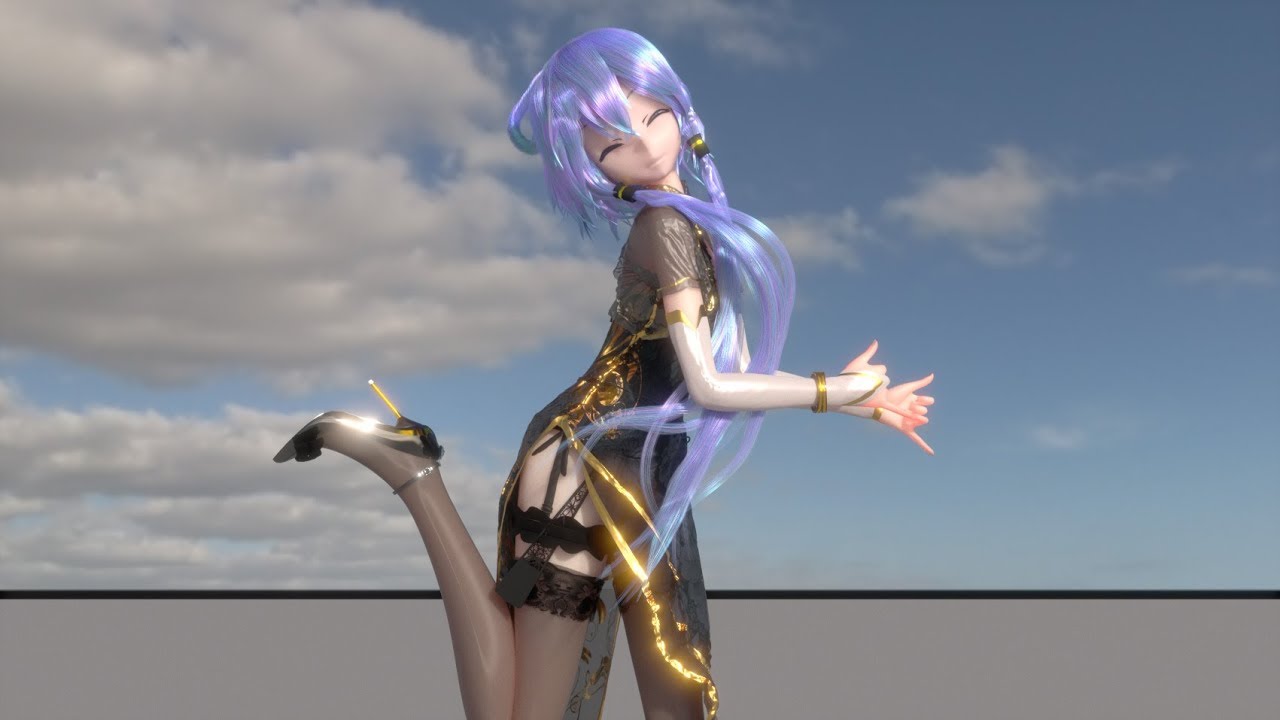
motion:株式会社三洋物産
model:机动战士牛肉
camera:Future S
BGM:deep blue town
Use houdini to do cloth simulation, maya for hair and breast simulation, redshift for final render.
Please LIKE and SUBSCRIBE if you like this video.I'll do more MMD with professional software.
gaunt tide
I’ve been using UE for a little over 2yrs now(strictly BPs and 3D modeling in Blender)and still learning new things everyday. Just gotta keep at it. You’ve had 3 days of Ue4 so just keep pushing.
lucid prairie
gaunt tide
What do you want to do with Ue4 is the first question I’d ask myself.
I want to make a horror game (that's my main goal) but for now I just want to understand the basics
But when I moved straight to bps
plush yew
;------------------------;
lucid prairie
I got stuck
naive bronze
can someone help poor yuki?
gaunt tide
What did you get stuck on?
naive bronze
he or she is suffering
plush yew
i just wanna know if its possible dont really need an explianation atm ;o:
gaunt tide
plush yew
i just wanna know if its possible dont really need an explianation atm ;o:
If what is possible
plush yew
i can go figure it out the hard way just dont wanna burn endless hours into fantasy concepts
naive bronze
plush yew
is it possible to simulate proper clothing movement on a character but than add ...
this
hybrid scroll
I would say no.
If the belt interacts with clothing
then it has to be simulated
otherwise it will clip through
plush yew
o.o
so if you have straps or belts like 90's animes in places like breast/chest/ or hips/legs or arms
the rest of the outfit wont be able to whip and woosh around
hybrid scroll
Well, video games are magic. Belt that clings to the body might as well be a texture.. but that wont be over clothing.
plush yew
in other words you cant layer clothing on top, and make them have different levels of simulation in a sense o-o
like putting a sling bag on for example
gaunt tide
Anything is possible if you set your mind to it
hybrid scroll
think of it this way:
hybrid scroll
Anything that clothing touches has to be a part of the simulation
otherwise, how would it know how to simulate?
gaunt tide
I forgot which game it was but the backpack moved independently of the straps that were holding it on while you ran
plush yew
^ thats what i wanna do
and have different movement levels for the straps and clothing as well as jiggle physics <:
gaunt tide
The straps would have to be static and the backpack simulated with animation maybe
plush yew
so it feels more believable
ah
so enough smoke and mirrors and you can emulate it
just gonna be tricky to pull off
lucid prairie
gaunt tide
What did you get stuck on?
I don't know what nodes should I use for the thing that I want to make, I don't know what the colored outputs are for and it's also hard for me to understand some terminology because English is not my native language
plush yew
where can i find Diffuse Interreflection for light mass? I cant find it in the world settings :c
hmm
okie i think i get it unless im missing sumfin, im glad i wont have to cut out content from my project x3
gaunt tide
lucid prairie
I don't know what nodes should I use for the thing that I want to make, I don't ...
You should probably look up in google “Getting Started with Ue4”, “Making my first game in Ue4” etc so you can learn the basics of it because if you have no clue what each node color means or what the difference between a Integer and a Float is than you may have problems
naive bronze
ok my wifi is back lmao
naive bronze
also I somehow fixed my skin problem with the eyes
all I did was reimport the texture lmao
lament star
is it possible to modify the templates that you start a new project with?
naive bronze
Now I can shoot my own minecraft skin :D
still schooner
is there any date info for ray tracing works on instanced meshes?
gaunt tide
Like for me rn I’m trying to make a building game similar to Stormworks, Crossout, KSP, etc and I’ll admit it is a journey just getting the first component working as my previous game wasn’t nearly as complex. lol
lucid prairie
gaunt tide
You should probably look up in google “Getting Started with Ue4”, “Making my fir...
I know what int and float is but that's not the point. The point is that I don't know if I should learn blueprints just after the interface/sculpting tool or should I learn something before it and if yes then what
lament star
lament star
is it possible to modify the templates that you start a new project with?
Every time I make a new project I have to tweak the postprocess volumes so it would make sense to just modify the template and have that change be the new default. Is it possible to do this?
gaunt tide
lucid prairie
I know what int and float is but that's not the point. The point is that I don't...
It’s honestly up to you and what your goals are. I started learning BPs right off the bat when I got UE and would throw in Landscape Modeling from World Machine , 3D modeling in Blender when I got stuck on getting a BP to work just so I’d be doing something productive for my game
 knotty summit
Does UE4 4.26 have cloud painting support? I was thinking about creating local volumetric fogs using clouds but I'm not sure if it's a good idea or it's even possible
coral bear
Could someone explain why my retargeting model is up in the air? I'm at a loss (i'm also a noob)
 pine glade
Hey everyone I have a problem. I dont have installed UE4Editor.exe. I reinstalled whole Epic Games Laucher and still cant see it. Can someone tell me how do I install it please?
lucid prairie
gaunt tide
It’s honestly up to you and what your goals are. I started learning BPs right of...
Alright, thank you very much. I think I'll just do something else for now and get back to bps in some time and try again
gaunt tide
lucid prairie
Alright, thank you very much. I think I'll just do something else for now and ge...
You’re welcome
 edgy talon
Hi! Does someone use Chaos? In 4.26 release Fracture Mode not appear in Modes, but all plugins switched on.
plush yew
How can I build rivers and seas with the new water tool without the spline affecting the landscape?
Is there a written guide for unreal engine like a blog post for the engine or something by the official creators
That explains engine functions and stuff
plush yew
Okie o.o
gaunt tide
Sorry that’s just such a vague question.
 astral marsh

any fix on this?
my destructible mesh just shows fractured already when i apply the fracture effect (or the window doesnt even fracture if i dont apply that)
this has been a big problem since a long time
and i am quite lost on how to fix this
plush yew
Ah well I'm just noticing that I have lots of questions and that every answer is in a 30 - 2 hours video
And I feel like they don't cover percisely what I'm looking for and that a huge engine map or whatever put into text would be easier like an update blog or something of that nature like wiki for example xX
x,.,x
gaunt tide
Well how else do you think we all learned I mean I’ve watched the same tutorials over and over many times probably hundreds if not thousands of hours
There is a wiki page for UE
plush yew
Yeah I've been watching tons of videos and having to flip back for them but I feel workflow wise a billion words would be easier xD
Wait unreal has a wiki
Thanksies ill go find it <3
gaunt tide
Workflow is also dependent on what you yourself are capable of as well as your goals.
plush yew
yesh x3
gaunt tide
What are your current goals?
Like rn my current goal is to connect two blocks together in my vehicle editor
plush yew
o.o
gaunt tide
So I’m focusing on looking at tutorials similar to this concept. They don’t exactly give me what I want but they give me a general idea of what I need to do to accomplish my goal
azure shale
Is there a section here for 4.26 bugs/issues? I noticed grass procedurals assigned to a material no longer work in world composition levels
plush yew
well at the moment im still mapping out the scope and after finding out 6 - of many features arent possible yet ive just been trying to figure out the limitations in a sense so i dont burn many many hours into a fantasy concept yet to be realised
hence why i just wanna look some sort of wiki that can map out what the engine can do overall xD
nontheless my goal is to make something action based with many features ive yet to see in gaming for over 10 years and some never seen before as weird as that sounds
i know the engine and gaming is mostly smoke and mirror so doing the concept isnt important as long as you can create the illusion of the concept being real and functional
gaunt tide
Well do you know exactly what those features you want are?
plush yew
i do know what those features aesthetic touches are as well as how i want them to meld into one another
there's a shit ton tbh
like i believe 800+ words documentations of carefully detailed stuff
gaunt tide
Well stop coming up with new things and just think about getting one thing working
plush yew
yes yes its just alot of the system tie into each other so thats where most of my questions come from the parts in a sense im not so sure about x3
for the most part some of it seems to be a few clicks in engine whilsts other will take sneaky messing about so im content i guess so far
gaunt tide
Yeah but if you can’t even make 1 of these systems work how you want it to and just keep overwhelming yourself with more systems than you’ll never get
plush yew
yeah i know i know im trying to take it one step at a time but this is so darn exciting ; O;
gaunt tide
Rn it seems your overwhelmed by the scope of your project when you need to just take 1 thing and focus on it for now or else you’ll be stuck in a constant loop of not actually getting anything done
Trust me I’ve been there many times and after focusing and reducing the scope of what I need to get done I’ve been more productive
gaunt tide
No problemo
astral marsh
any solution for the above problem ?
thick herald
That picture tells us nothing, and just saying it's a problem doesn't really explain what you are trying to do or what the problem is.
astral marsh
uhh
i told that the mesh was spawned fractured when it was not supposed to ?
it like shows fractured already
when it is not supposed to, until the object is thrown at it
but it spawns fractured already in the mesh for some weird reason
gaunt tide
So it spawns in and falls apart?
 vague vapor
All the static meshes in my project (including starter content stuff like the chair, and the landscape as well) have this weird square grid pattern after building lighting in the NEW 4.26 UPDATE. Everything was fine in 4.25, please help
 scarlet birch
@astral marsh It's probably fracturing from forces when it spawns. You could zero the forces, wait until physics first sleeps to enable damage to it, or increase the minimum force required to fracture. The last one is likely the easiest to do.
Nvm, it looks like you're not actually using a destructible mesh.
 jade hawk
Is the Add C++ class missing in 4.26 for anyone else? Has it maybe been moved somewhere else?
I used to just be able to click Add / Import and the got to Add C++ Class.
 fringe vortex
Guys i am new to unreal and i need some help
(just started a week ago)
i wanted to know how i can add a background image in my project. I wanted to add an image besides my 3 lanes (I was making the endless runner by referring to devsquads videos)
 signal bone
Hello
fringe vortex
hi
 edgy egret
Hi I am new here and already have a question, is there any way to change the skeletal mesh when you active a ability that plays a montage?
pulsar badge
Hey can someone help me :>
gray kindle
hey lads do any of u have this weird noise in volumetric clouds? looks like grain jitter
anyone know how to fix it?
astral marsh
scarlet birch
Nvm, it looks like you're not actually using a destructible mesh.
I actually am, it's a destructible mesh
Thanks for the tip, i'll give it a try
median hound
dawid tweak the material
shrewd steppe
Is there any way to disable the epic launcher automatic update?
gray kindle
i tried, it never goes away, its always there in thinner cloud layers no matter what i do
shrewd steppe
The new update breaks it so it can't sign in anymore
gray kindle
i thought everyone has it
shrewd steppe
I tried to set it to read only by it just ignores it
 soft fiber
Does any know why the F KEY is zooming so far away from the selected object? Using 4.26.
 small wave
@soft fiber you probably have some other object linked to the character actor which is very far off and it is trying to fit both in the frame.
 crystal lily
Hello. I have a question about replication. I'm trying to run an event from the server to a specific client but nothing is happening. Am I missing something?
 frozen pond
hello, what type of lightning i should use for cave environment ? sky light only or ?
small wave
@frozen pond depends what you want
 tardy depot
does anyone have a way where you could import real world roads into ue4?
frozen pond
scene will be dark so as i seen if theres no sky light everything becomes juz black
small wave
@frozen pond Maybe add a dim skylight and some point lights within the cave as lanterns or something of that sort?
@tardy depot Do you mean the overall road structure from maps or the style/look of the road?
tardy depot
just a road structure
teal charm
@urban tartan i guess before the variable name
but it might lead for some compile errors
so might need to typedef
but what do you wanna achieve btw?
like typedef Tarray<Tsubclassof<character>> subClassArray;
and funtype funname(subClassArray* X);
prisma seal
Anyone know any reasons I'm getting this crash? I notice that when I was moving a river spline point down to merge with the ocean, my monitor would lose connection and turn off and then turn on a few seconds later and I would get this crash upon the monitor turning on. I have to get off for something so just ping me any questions or answers that I can look at tomorrow. Thanks
teal charm
but if you wanna leave it as c++ code i think you might just wanna use constant reference instead of pointers
like
and funtype funname(const subClassArray& X);
urban tartan
teal charm
like typedef Tarray<Tsubclassof<character>> subClassArray;
and funtype funname(...
o nice, thanks i will try it but i found a workaround by adding element to array in blueprint and then just using that array in function parameter . i am experimenting rn but this typedef will come in handy thanks.
soft fiber
@small wave If I click on the mesh component, its works correctly. All the other components, it zooms way out.
 tawdry lodge
guys, let me know, please. I did a short animation in Niagara, how can I record that as a video file?
soft fiber
prisma seal
Anyone know any reasons I'm getting this crash? I notice that when I was moving ...
I was getting this crashes. I started using 4.26 and uninstalled and reinstalled the NVIDEA driver and all NVIDEA software and it seems to be working. Crossing my fingers.
prisma seal
I've got AMD
prisma seal
yup
soft fiber
Oh, well try uninstalling the drivers and reinstall.
prisma seal
Ok thanks
soft fiber
Update Windows 10.
grim juniper
gray kindle
hey lads do any of u have this weird noise in volumetric clouds? looks like grai...
You mean like this?
 tropic beacon
could someone help me with somthing? i'm trying to make multiple buttons in my game (some instances of others, others are their own button)
but the input action i've tried to set up (e for use) only works on the most recently created trigger
soft fiber
Oh, and you can run verify on your version on UE4.
prisma seal
I'll do all of that once I get back, I don't have enough time rn
soft fiber
Start the verify before you go... it takes a while... lol
prisma seal
K
tropic beacon
would i have to put the actual input action in the level blueprint and somehow call that to the trigger class?
 terse sandal
 plush yew
i searched far and wide and tried to retarget animations for long time
so i just made my own animation

soft fiber
plush yew
i searched far and wide and tried to retarget animations for long time
There's lots of videos on that?
plush yew
i retarged animations from another skeleton and the head was sideways
small wave
Make your skeleton match the bone structure and orientation in your 3D software and retargets should work.
soft fiber
You have to use an Epic compatible skeleton.
plush yew
i shouldn't have tried to retarget animations
I wanted the mannequin to run left with nothing in their hands
this is sounding really stupid
I already had an animation of the mannequin of the running left with rifle in hand
soft fiber
If you have $40 (I think) look into Auto Rig Pro.
For Blender, I assumed your using that?
soft fiber
Ok, your just using the EPIC Man.
plush yew
yes
soft fiber
So, what's the issue?
I remember this video working for me. https://www.youtube.com/watch?v=4TrLiekYABY

Quck tutorial on retargeting animations in UE4.
Uses the third person animations (third person template), Futuristic Soldier from the marketplace, and Animation Starter Pack (free on UE4 marketplace)
coral bear
I followed that tutorial but i'm having the following problem - if anyone can help; my model is stuck floating in the air?
grim ore
the model looks like it's on the floor, the right one is much larger than the left
soft fiber
The pose has to be an EPIC A Pose and the character size has to be about the same.
coral bear
So i need to double click in content browser to the skeleton (?) for my model and resize it? Even when i put it in a map - i notice the erm... orb thing? around it is below it's feet
Like in here - it looks fine (aside from the textures obv)
fluid lance
@coral bear from my experience, size doesn't really matter. There are two things you must do though if you want the anim to look good.
- Make a pose asset and fix the pose in the A pose of the mannequin (look from left and right too, the hands are not straight, they bend a little upwards from the elbow, and the wrist is also a bit rotated upwards)
- Do this for all bones except root boe (if it has no explicit root, then the first bone in the hirarchy and any IKs you have, those must be on animation/animation scaled, not skeleton)
or better yet, just watch this & the next in this series:
https://www.youtube.com/watch?v=xy9aLbZLdeA

In this video we take a look at how we can share animations between two Skeletal Meshes that are using different Skeleton assets. We go through the setup and retargeting process and pass an animation between two different Skeleton assets.
(00:05) - Recap
(01:14) - Creating & Animating a Rig
(07:21) - Changing the Character's Pose
so yea, size doesn't matter, you need the root bone on animation scaled in retargeting options to make it work
coral bear
I'll give those videos a try 🙂
fluid lance
that's best 🙂
coral bear
Thanks for the help 🙂
fluid lance
so you will properly understand what's going on 🙂 np, gl! 😄
coral bear
All i wanted was a stormtrooper to animate for a 30 second cutscene for a TTRPG group, this turned into more work than I expected 😛
 nova portal

If you want to know how to get started making video games; this series is the right one for you! Get to know Unreal Engine 4 and develop a whole game for your first project. This project is aimed for beginners; to teach you how to develop video games.
Download the assets required for the project from here: https://1drv.ms/u/s!AvfMAVHw1KCipd0S9_...
I am following Laley's tutorial, and at this step marked, he says that the sphere component needs to be root or because it is a projectile, but doesn't explain further. Does anyone here know why it has to be a root exactly, and can't just be attached?
soft fiber
coral bear
All i wanted was a stormtrooper to animate for a 30 second cutscene for a TTRPG ...
Ever time I do this, I forget about the last setting.
coral bear
last setting?
soft fiber
gaunt tide
That part huh
 strange bay
hi
 open wadi
My media player used to play sound fine - now, I checked it again after a few weeks of development and it no longer plays audio. I cannot determine why - I'm wondering if it had something to do with upgrading from 4.23.x to 4.25.4. Here is my "Add Media Sound Component" settings, which is placed in the main level.
Anyone know if any changes to audio from 4.23.x to 4.25.x? Or does anyone see anything wrong with my add media sound component settings?
strange bay
I am having trouble with this . I can open and close door once , but after that it is stuck
 median vortex
is there a console command to see the tickrate?
want to see if it is stable
looking for a command similar to source games when you type net_graph 4 in console
grim ore
the wording was basically ue5 will be able to open ue4 projects, that going forward will be possible
no exact details or difficulty
probably will be more specific on if you use any features that will be removed
gaunt tide
Ig we will just have to see what is required once it’s released
fluid lance
it's far away, idk why everyone is so hyped about it. From what I remember, they said first beta is eta on Q3/4 2021 - that's almost a year, for the beta...
gaunt tide
Idk either and yeah it is awhile away.
fluid lance
i know most went crazy upon seing nanite - "we won't have to bake nm anymore" - yes you will unless you want your indie game to weigh 200gb/level if you are using 4m poly meshes for random rocks lol. So idk what to say ab it tbh xD
gaunt tide
Yeah it’s still gonna require processing power anyways lol
fluid lance
8k textures and crapload of hq quixel stuff...It's just far away, even from a technical pov imho, but I'm no expert, I may be wrong 😛
gaunt tide
^^^
fluid lance
and i mean just sheer project size will be a problem for most users w/o access to monster machines. VT or no VT, 100 8k textures weigh as much as the first ssd models lol 😄
fluid lance
anyway, we'll see i guess 🙂
gaunt tide
Your computer is gonna be the bottle neck either way
fluid lance
yea xD
gaunt tide
UE4 or UE5 won’t matter something’s gotta handle all the calculations
fluid lance
i mean, even now, on larger projects (20-30gb), my computer coughs constantly and gets sluggish often, and I use 1k texes and optimized meshes
gaunt tide
Now just upgrade them to 8k textures lmao
fluid lance
edutainment game rpg with instantiated tactical battles, top-down blah blah
gaunt tide
Gonna have to go apply at McDonalds
fluid lance
not...quite 😛 I'm a university lecturer so no 😅
gaunt tide
Ohhh I see so atleast there is something
fluid lance
well, I'd like to quit that and do this tbh
gaunt tide
So what makes you think it won’t take off?
analog sigil
Anyone know what a HID is in UE4?
analog sigil
its what Epic uses with Fortnite and can replace a character with a icon hero type thing inside the editor for testing poses out
wary wave
nope, I have no idea what you're referring to
analog sigil
Shows it in this video
https://youtu.be/nkFaHyqvK4w?t=787, selects a character by a HID and it changes it in the editor
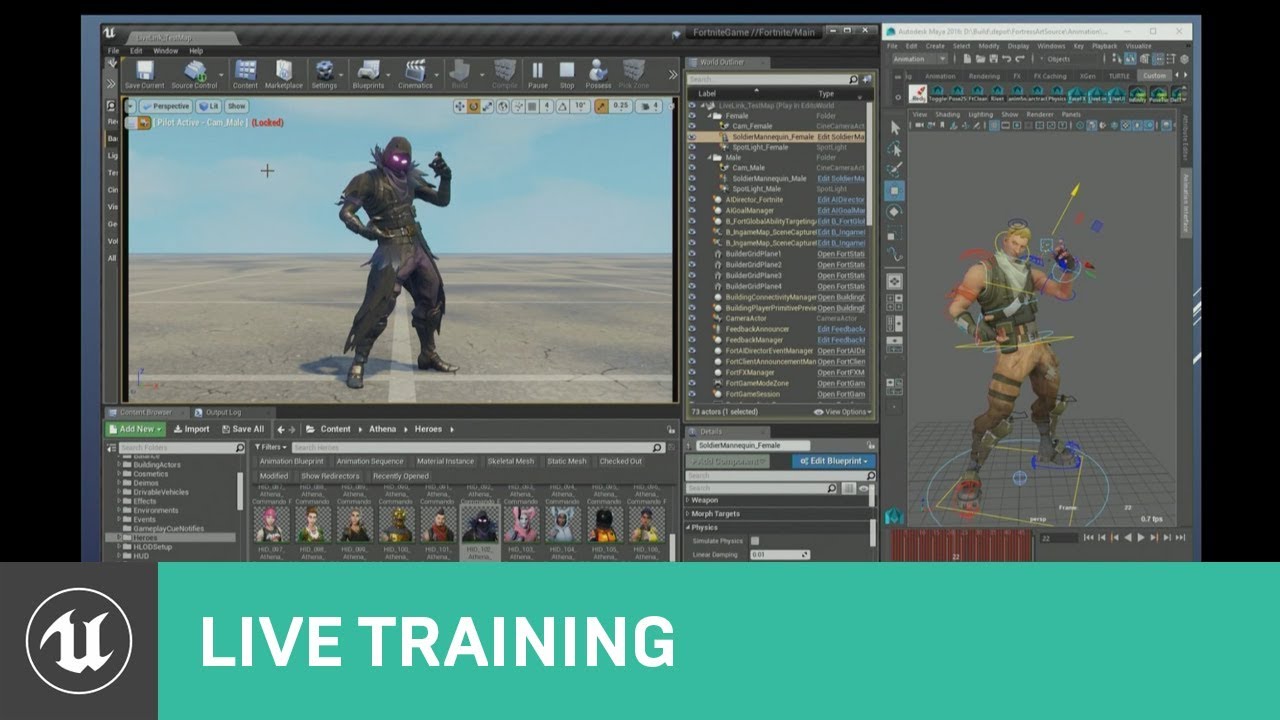
This talk provides an overview of the latest animation tools in UE4. Topics include the Live Link and Control Rig plugins, and the Animation Retargeting feature.
Learn more at http://www.unrealengine.com
its like a preset for characters of some sort
wary wave
right
that's not an asset type
it says, in the video, it's a 'FortItemDefinition', so it's clearly a Fortnite specific thing
an "HID" is not a thing, it's just the file name
I guess it stands for 'Hero Item Definition'
analog sigil
Yeah I think it does
wary wave
grim juniper
Probably stands for Hero ID or something
analog sigil
wanted to setup something similar just for a personal project, switch out some characters would be handy to have, but have no idea how they set it up lol
wary wave
probably a chonky bit of C++
analog sigil
thats what I was afraid of lol
 daring gazelle
Can I ask a serious question?
plush yew
anyone know an exact date when UE 5 is supposed to come out?
daring gazelle
Do I give up on game development?
 frail ether
Is it possible to place a live stream from vimeo into a layer in an unreal engine environment?
 limber mesa
question, whenever i delete something ue4 crashes, anyone know why
plush yew
@limber mesa it might be a software problem or eu4 might be having problems
limber mesa
never happened before until i made another project
sad because i have some progress done and dont want to make a new project
plush yew
then it might have something to do with your drivers, are they up to date?
plush yew
that might be it but im not sure, it also might have something to do where the projects folder is
limber mesa
same folder as my other games
plush yew
you could reinstall ue4 im pretty sure your projects will save
limber mesa
they will but is it necessary
plush yew
it depends really, but i think you should check your drivers or maybe if you need a software update
limber mesa
ok let me check
 hot anchor
can someone please clarify how to do that answer on this forum thread im having a problem rn : https://answers.unrealengine.com/questions/929534/view.html
 harsh ivy
Anyone eles noticing lightmap taking for ever after going from 4.25 to 4.26?
limber mesa
@plush yew looking at my drivers and i see this unknown device, dont know what is is, should i delete it?
plush yew
it could be many things but mainly the unknown device is probably either a driver you have but windows cant figure out what it is or its something thats not supposed to be there
limber mesa
i disabled it and tried to delete an item, still crashes
plush yew
it could be something you need but im not totally sure
limber mesa
there was a optional windows quality update and i installed it
plush yew
you could always look into the documents of ue4 as well for it crashing
limber mesa
do you think it can be wifi related?
plush yew
did you install anything that was sketchy?
plush yew
i know i meant on your pc, also if it is wifi it would have to have a lot of control over your system and if it is have your tried disconnecting from the wifi and trying?
plush yew
ok, but again it might also be unreals fault it does have a lot of bugs i mean its pretty rare to run into one but that also might be the problem
plush yew
i think you can export everything from that project to another, ive never done it but people have apparently done it
limber mesa
ill look into it. Im updating my drivers and installing new ones, if that doesnt work then ill give it a go, thanks
plush yew
your welcome, i hope for the best
jolly jungle
i stopped keeping up with the apple v epic battle but did we get ios and mac support back?
soft fiber
Does that light look right for that direction light? I'm not sure why its like that?
harsh ivy
soft fiber
Does that light look right for that direction light? I'm not sure why its like ...
Yes it does. The basic setup for a directional light is to be used as the sun. So infinitesimal distance away from the scene pretty much.
Not sure if there is settings to change that or not in the details panel.
soft fiber
I was expecting the light on the floor to be closer to the shape of the window given the sun position.
More like this. When I build the lighting it shifts.
grim juniper
lightmap resolution
soft fiber
Lightmap res is 128.
It looks right close up. But if I back up a little it changes to the other shape?
soft fiber
Its the cascading shadow map distance. If was set to 200.
Weird because the default is 0. Which looks like crap all the time.
 dusky crest
just realize third person template has new female mannequin, but sadly there's no twist
 open gorge
...
tender granite
Anyone knows if the project from this webnar is avaliable somewhere for download?
 pale magnet
Question, I'm following the "Building Your First Level" tutorial. I'm at the part where they add a Volumetric Fog and a Directional Light, then enable a Atmosphere / Sun Fog Light setting. I don't see this setting anywhere in the details for the directional light. I also attempted to follow the steps in the "Enabling the Sky Atmosphere Component" of https://docs.unrealengine.com/en-US/BuildingWorlds/FogEffects/SkyAtmosphere/index.html, but still don't see that option anywhere. Is there something I'm missing that I need to do?
Picture for reference. I do have the Atmosphere Sun Light, but wasn't sure if there was a different one for Fog.
 ebon tangle
Does anyone know what happened ? how to fix it ?
 gloomy gull
@ebon tangle first off, ur making an actor preceded by bp with cpp
Also there’s a compile error
So you would have to fix the errors and build the project
I think u were trying to make a bp actor tho
Devaddict? I see u using his techniques
ebon tangle
yes i followed the devaddict tutorial
gloomy gull
You probably made a cpp class in a bp only project, so generated files are missing
Hmm, I think if u delete the source folder in ur project everything should revert back?
Try setting up source control tho @ebon tangle just in case that wrecks the project 😉
gloomy gull
@ebon tangle right click in the ue4 editor content browser and select create blueprint class
Devaddict does those steps, no?
ebon tangle
i think devaddict create a door from there, am i worng ? 😆
 cyan orbit
hello, i am facing an obstacle here, my main problem is i am trying to create a lightning strike but the bolt is actually a material so what i am trying to do is i am applying it on an object but now i want that object to appear and hide in an instance because without it , it just looks like a continous lightning, could anyone tell me how to do this
one other way could be changing the size of the object so that it increases its size and then decreases it in an instance
To show it more clearly
sorry for the bad quality
i want it to be more of a strike than an angry zeus
gloomy gull
@ebon tangle no clue man, never followed the tutorial but I wish I could be of more help
I doubt he used that, maybe u saw it wrong?
Good luck and feel free to ask any more questions 🙂
@cyan orbit turn it into a bp class, add a delay at begin play or put a timer on tick
U can manipulate everything from there 😉
gloomy gull
np 😉
cyan orbit
👍
ebon tangle
yes i saw it wrong lol, he create blueprint class like you said @gloomy gull
thankyou 😀
gloomy gull
np 😉
pseudo herald
I found that there is a pretty easy and free way to record UE4 game play.
Click the down arrow beside the Play button and select New Editor Window
And then once you play, press Win+G. This opens the windows Gamebar and then click the record button under Capture section.
reddit
5 votes and 4 comments so far on Reddit
reddit
5 votes and 4 comments so far on Reddit
@plush yew
crystal lily
 astral bluff
Hey, Im using Daz to unreal bridge for models
And i designed this in daz
But when I'm exporting to unreal
It becomes this
I know its funny 🤣
But please help
 hot beacon
bro over here lookin like a lizzard
plush yew
Mmh idk
plush yew
Hello, my question is how you can create seas and rivers with the new water tool without the spline affecting the landscape. I want to use the ocean and the new rivers on an old map, I set Blend Mode to Max so that the landscape doesn't disappear behind the spline, but when I add a lake, the landscape is cut off up to the spline.
Can someone help me?
Pictures: https://drive.google.com/drive/folders/1K6zeLYm18Ej6UHBYLiWxpmyBeDUwUJKZ?usp=sharing
Please no answers that I should look in the guide!
 mental oyster
Third random DM I’ve gotten
Imagine being so desperate that you have to send unsolicited DMs advertising your content
 uncut vigil
@mental oyster report them in #server-feedback
 lusty carbon
Looking for UE4+Perforce expert for (paid) help.
coral bear
Hey guys - after some real beating trial and error. I finally managed to get retarget animations to work on my stormtrooper - I can now set him to Custom Animations and have him running in sequencer. My next question - is it possible to put a weapon in the hand of my Stormtrooper?
 hoary holly
What’s the largest size landscape I could realistically use in ue4 using world composition?
 marsh forge
how the performance of ue 4.26 so far guys ? im thinking of upgrading in the next week
tight prawn
Why is spawned actor is undefined ?
just to clarify, it is actually spawned in the scene
however I can't access it after spawn
 signal flower
how do I open all new editor tabs in 1 window? it's pretty annoying to always drag them into main one
tight prawn
signal flower
how do I open all new editor tabs in 1 window? it's pretty annoying to always dr...
Edit->Editor Preferences, then follow the screenshot i sent
use the button Set as Default to have this option set by default on ALL projects
signal flower
thanks
 brittle tundra
marsh forge
how the performance of ue 4.26 so far guys ? im thinking of upgrading in the nex...
brittle tundra
marsh forge
how the performance of ue 4.26 so far guys ? im thinking of upgrading in the nex...
I have the same question... lot's of fixes that would help my project...
 normal forge
Guys, how to learn C++ for Unreal? Its so hard. its much harder than console c++. Does any one know how to learn it? (ping me)
 dusty gull
Hi! Just enabled the water in 4.26. Is there a way to make it react to player movements?
 scenic trail
Hello
anyone know how can i smooth image edges?
clever axle
my UE folder is 125 GB. Is there any way to clear out all the junk?
 old mortar
Hi guys, anyone know light calculation algorythms? Why at the time if calculating the CPU load is much higher than GPU load?
or are there any articleor are there any articles about this
fierce tulip
@scenic trail in an image editing tool.
@clever axle project folder? unreal engine folder? cache folder?
@old mortar because baking light is done on cpu, not gpu. (unless beta-gpu lightmass stuff, but if you knew how to enable that... i dont think you'd be asking that question)
clever axle
@fierce tulip the unreal engine folder
fierce tulip
remove unreal engines you are no longer using?
clever axle
I'm using it though
wait.. maybe I'm doing it wrong. I have one unreal engine I've built from source and I'm using it for different projects
only one project really but I also loaded some of the example projects on it
@fierce tulip
coral bear
I've followed a tutorial to add a socket to my skeletal mesh - but whenever I put something in the socket - it doesn't show in the preview and just turns the entire preview window black?
 meager frigate
Hey guys, I was curious if you guys had any hints or knew of any tutorials as to how I can make a mesh fade as it enters a volume. I'm using depthfade in my material in this example(only way I could think to show an example) but It doesn't work on things that are invisible and it looks nice going into the side of the my bag but it just comes out the other side of it.. the white box is supposed to be the volume and I want the mesh to fade out the same way, as it enters the volume. I just don't know as much about materials as everything else and don't know where to look if someone can point me in a direction! I was thinking about changing the opacity as it leaves its origin position but that changes the whole mesh's opacity at the same time so it doesn't look like its fading as it hits the wall.
 void barn


 dim arch
anyone have experience connecting to an unreal editor listen server over WAN?
 cold bone
Hello, I have some problems and crashes in UE 4.24 and upper versions(4.25,4.26...) when creating a new project and start-up that, sometimes when I want to navigate in 3d scene and sometimes after ctrl+z in the scene UE4 crashes. I have no problem in 4.23 but in upper versions see this error:
Assertion failed: GD3D11RHI->GetQueryData(Query->Resource, &Query->Result, sizeof(Query->Result), Query->QueryType, true, false) [File:D:/Build/++UE4/Sync/Engine/Source/Runtime/Windows/D3D11RHI/Private/D3D11Query.cpp] [Line: 45]
 dusky drift
With the new Unreal 4.26 water components, is building a waterfall possible?
for an animated movie
scenic trail
fierce tulip
<@!273344218695467010> in an image editing tool.
<@!526469115372634122> project ...
Excuse me please
is there any docs for image editing ?
gusty dune
Can anyone recommend a cover system for a third person shooter please? I've been following a 4 year old tutorial but it's quite outdated
coral bear
really hoping someone can tell me what i'm doing wrong - hopefully it's something simple... i've put together an animation in sequencer, it plays wonderfully in the unreal editor - but when rendered, the models twitch and jank around.
gusty dune
@coral bear could you post a short video of the issue?
coral bear
Yup ill get on it Josh ! Give me a little bit :)
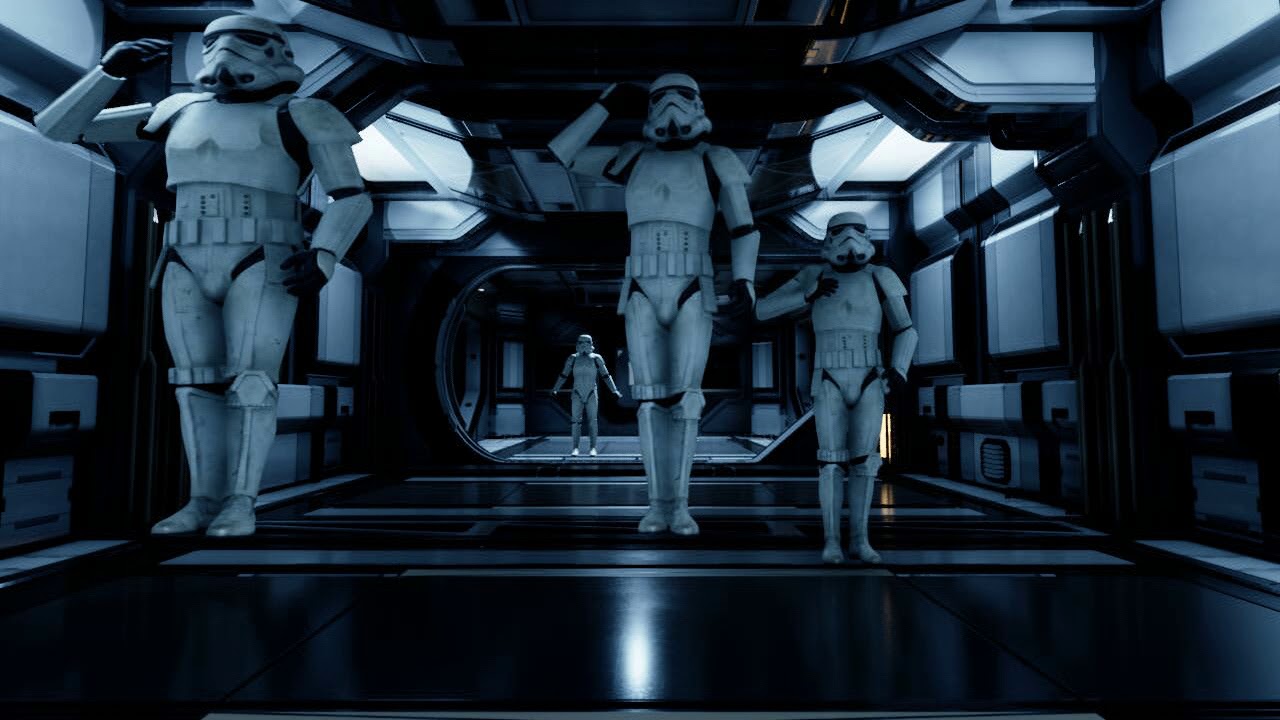
Trying to figure out why the models are twitching and teleporting.
@gusty dune - You can see here they jump and teleport
that doesn't happen in the cinematic viewport or sequencer.
plush yew
I need help
I'm incapable of downloading unreal Engine
It says it's already running somewhere and that I need to close it but I can't see it running anywhere I tried restarting and shutting down my computer but it didn't work
 topaz crow
hello @everyone my unreal projects level (umap) is missing... how can i fix it? i don't have backup files 😢 pls someone help me
coral bear
Ooof... pinging 12000 people....
coral bear
That's a relief 😄
plush yew
But yeah don't do that
gusty dune
That's a real puzzler! Are they AI controlled? Or actors playing anim montages?
plush yew
?
coral bear
Those are just empty character with custom animations from the retargetted default.
Then all set up in sequencer.
I just can't understand why it plays flawlessly in engine but then does that on render
gusty dune
I'm afraid sequencer isn't my area, I'm sorry I can't help out on this >_< Have you tried the animation channel?