#ue4-general
1 messages · Page 888 of 1
 floral mesa
@plush yew the black could possibly be an error with the blend. One of the texture may need to be set to alpha in the blend. And i say that because i know that was something that i had to do when i was setting up weightblending for landscape painting earlier this year
So as usual i am probably wrong but worth looking at whats going on in the blend node
 plush yew
Mh indeed I do have an alpha here :
but there is no texture in it so I don't know...
( it's supposed to set the height of the blend... I believe... )
Though I think that the Runtime Virtual Texture Sample, the node in the very left low corner, is just like a texture because (again if I get the thing well) it receives the textures of the other material, those of the landscape (it is sent through the Runtime Virtual Texture Output of the rock material)
and this material is all black too so... maybe... I don't know...
 spice canopy
@crisp thicket might need to click the eyeball on the bottom corner of the ue4 editor content browser and turn on engine content then use the search bar to find it
 crisp thicket
@spice canopy what folder would it be in
spice canopy
I dont remember but that is why I said to try the search bar at the top of the content browser.
After unhiding engine content that is
 glacial arch
Is there a comfortable "average FPS" function I can retrieve somewhere? I can get it from delta seconds but it fluctuates rapidly and I was gonna write a smoothing function but like I'd rather see if theres already a nice display value i can access 😄
crisp thicket
the search bar doesnt want to find it for me
 grim juniper
Show engine content, then click the engine content folder and search in the content browser
floral mesa
i did figure out how to add substance plugin to the source engine. i just had to move the plugin over and build engine again
 stone stump
i made a thirdperson character a fp character i want it to walk slowly not run how can i do that?
there is no tutorial what so ever
if anyone can help me much appreciated
iam new
floral mesa
You can go in the statemachine and limit the blend to never go past the speed you want
floral mesa
Not to do that specifically. There is a turorial to set up blendspaces for character movement
And if you learn to do that youll know how to limit it as well
floral mesa

Here we introduce ourselves to using an animation blendspace inside of Unreal Engine 4 and how they can be used to blend between animations based on axis data..
♥ Subscribe for new episodes weekly! http://bit.ly/1RWCVIN
♥ Don't forget you can help support the channel on Patreon! https://www.patreon.com/VirtusEdu
♥ Join the Virtus Dev Squad Di...
There are alot of good ones on youtube
stone stump
thx
floral mesa
If that doesnt suit you so thpe in ue4 blendspace
stone stump
i just want to make it walk really slow
floral mesa
Whenever you want to find i fo regarding anything focus on keywords people use. I used blendspaces and statemachine
stone stump
ok
floral mesa
Things like that. Focus on those keywords and research to expand understanding. I wish someone had told me to do that
stone stump
thx man
floral mesa
But im glad i could help. Im sure youll get it down fast
Np
Another thing is, ue4 documentation is way helpful for self learners
Blend Spaces are assets that allow any number of animations to be blended between based on the values of multiple inputs.
I always study the actual documentaion and read it very very thoroughly. I absorb that info and apply it to things taught by tutorials. Having that foundation helps a ton and the tutorials help to expand upon what i read. Im then able to do more creative things with what ive learned
 grim ore
@stone stump so did you change the third person character into first person?
stone stump
yes
grim ore
The character movement component in a character has a max walk speed property. That is what controls the max speed.
Since your not really asking how to change the animation but limit the max speed.
stone stump
the manny is running i want to make it walk and walk slowly if you know what i mean
grim ore
Yes the max walk speed sets the..... max speed when you move.
So lower it to like 50 and see what happens.
stone stump
blendspace right
grim ore
No in the character.
stone stump
yeah the problem is where can i find the component so i can adjust
ok wait you mean to open the character
grim ore
The left side on the top has all of the components in a blueprint so yes.
grim ore
Yep on the left click on character movement.
Then on the right in the details find the max walk speed.
grim ore
It’s 600 and too fast. Try 50 and go from there.
spice canopy
@crisp thicket did you unhide engine content?
crisp thicket
ya @spice canopy
spice canopy
You may have to click on the engine content folder in the content browser to select it first so the search bar knows you want to search in that place insteadnof the usual content folder.
 ashen owl
Hey! what's up guys! Just saying hello!
I'm a professional software developer who has recently picked up unreal engine as a spare time hobbie. Been on and off at hit for a little bit.
Learning a lot more C++/Blue print stuff.
Nice to meet you all.
spice canopy
Hiyo
ashen owl
So i have been learning lots. Took a few courses and have been prototyping small projects. Like farm sim
 median hound
thats nice
 kindred patio
So I'm a little embarrassed that I had no idea UDIM's were supported in unreal until recently. And since there wasn't much info about it, I made a video:
https://www.youtube.com/watch?v=t-eG2TDU048

In this video we will be looking at how to set up UE4 to support UDIMs, and how to import your textures for them to be displayed correctly on your models.
Follow me on Instagram and Artstation!
Instagram: @william_faucher
Artstation: https://www.artstation.com/will_faucher
I'm two years behind 😛
 open wadi
Is it possible to delete an element of a widget dynamically, like a button?
Not the entire widget, just an element of a widget.
And not just hide the element via set visibility, but make it go away entirely (or shrink down to nothing / next to nothing) so it no longer impacts the structure of the widget
 meager epoch
Hey everyone, I’m new here and I’ve never tried Unreal Engine before, I might start learning about how to use it soon
open wadi
Well keep us posted SackCrown.
median hound
will this carry the capsule component with it or will it just move the cube and the capsule will stay put
so if you use the capsule as a collision and move the mesh will the capsule stay on the mesh or will they be seperate away
 kindred dagger
It looks like the cube is a child of the capsule, so if the capsule moves the cube should move with it I think? correct me if I'm wrong someone, I'm not that good either lol
meager epoch
Also question,
Is Unreal Engine hard to make games with?
kindred dagger
@meager epoch welcome to Unreal Engine!! it's not too tough to make a game, but that's more of an opinion and depends on how you define the 'completion' of a game. To get it to a playable alpha state? Not too tough. It depends on complexity and how much time you put into it. You have to understand that most games anyone plays online are developed by teams, so you're going to need to learn quite a bit about all the different roles before you complete a game.
Things like platformers or first person shooters are easy to make when you refer to the basic core mechanics (like moving, aiming down sights, shooting and dealing damage) and there are so many tutorials on YouTube to refer to and follow along with to get it done in a reasonable amount of time. Just make sure you remember that frustration is part of learning and not understanding something will indeed be frustrating.
Ask questions, a lot of them, and be as patient as you can be. The first steps are learning to navigate the Engine. After that, it's all about understanding why things work, one thing at a time.
 worthy fox
Anyone who has an idea when UE4.26 will be released as Stable?
meager epoch
kindred dagger
<@!481944925647405066> welcome to Unreal Engine!! it's not too tough to make a g...
Thanks a bunch, really appreciate it (:
 unique kraken
anyone knows why it works in the right but not in the left?
 winter gale

Quick #UE4 Tip number 57.
You want your 4.26 (or above) project to support Win32? You can by enabling Target 32bit option from Project Settings -> Windows.
#unreal #unrealtips #unrealdev #indiegamedev #gamedev #indiedev #screenshotsaturday

 Twitter
·
Twitter
·
 ripe plaza
unique kraken
anyone knows why it works in the right but not in the left?
ripe plaza
unique kraken
anyone knows why it works in the right but not in the left?
The left operator applies to actors, not scenecomponents
SetActorRelativeRotation and SetRelativeRotation are different things
 ivory frost
hello im new
ripe plaza
hello
unique kraken
anyone knows why this isnt working out as i want it to?
 proven oxide
Say guys, I've got some assets that are supposed to have LOD levels that bring down their triangle count. However, how do I actually configure LOD levels? More specifically, how do I force it down a level by default?
 light thunder
I just spent 5 hours and my lighting build finished but it "failed to save" - I don't have two editor instances open - I checked source control and the file is checked out - but it says locked - I set it to unlock and I checked windows explorer and the file was still read only. How can I save this so I don't lose that rendering session forever?
proven oxide
Can you change the filename you're saving it as?
light thunder
I dare not
this is tied to like 7 other sublevels whose lighting I've built
I was able to get it to save but I had to manually toggle off readonly in windows explorer and I have no idea why, when the file was checked out already
 lusty carbon
 hot beacon
hey super smort people any of you have a good tutorials on how to make trippy effects because one of the levels on my game i want to mess with your brain
ripe plaza
How would I go about switching between two different persistent levels with a loading screen? It makes sense for this game to have regular level switches as well as persistent levels, however most of the ways of creating loading screens require level streaming which kinda eliminates the point here
wait, nevermind, most of my concern comes from light baking since I don't want to have all the levels bake at once, but if I just make sort of groups of sublevels I can only bake one group at a time even if I do a level streaming-based loading screen
so it doesn't really matter
 shell surge
hi,any idea why when I choose any focus method, it looks perfectly focused and fine in viewport, but when rendered the whole video is blurry and bad looking ?
 rigid belfry
can i use a gif instead of a static picture for my menu? if not, what other options do i have?
 honest vale
can you use a material with a flipbook animation?
plush yew
rigid belfry
honest vale
can you use a material with a flipbook animation?
i'd need to have still images of each frame. that might work for a picture with 4 loops but not for a gif i think
anyway, i am very new to UMG and i was just wondering why this happens? i also anchored the button to the right side
 unborn quartz
rigid belfry
anyway, i am very new to UMG and i was just wondering why this happens? i also a...
unborn quartz
rigid belfry
anyway, i am very new to UMG and i was just wondering why this happens? i also a...
Try asking in #umg
unborn quartz
plush yew
Looks like it might be mip mapping in the texture settings? Can you quickly turn off mip maps for that texture and see if it fixes the issue?
unborn quartz
I'm thinking take your political shit posts else where, fucko.
crisp thicket
im going to make it a render target
but I need to figure out how to make an alpha out of it
anybody know how?
im using GIMP btw
 rose cloud
Does anyone know how to test in C++ if a widget variable has been filled in? I have a Texture2D variable that I can set in my blueprint, but when I test in C++ if it's been set, it always is, like an empty texture or something.
unborn quartz
<@&213101288538374145>
 exotic otter
Maybe someone knows this: When I create a USkeletalMesh using another one to construct it from, the SkeletalMeshRenderData doesnt get passed over. Is there a way to regenerate this?
plush yew
unborn quartz
Looks like it might be mip mapping in the texture settings? Can you quickly turn...
that didnt fix it... its a masked surface shader sitting on top of a deferred decal.
maybe you cant do that or something
unborn quartz
Humour me and show me the settings for the texture?
 timber minnow
Hi, the foliage from grasstype doesn't seems to work when i play in scene or build . does anyone has any idea how to fix this ? ( i use world compo )
rigid belfry
unborn quartz
Try asking in <#221799467689574410>
i will thought it seems like that channel doesn't get a lot fo traffic
unborn quartz
That's true. But your post will very likely get lost in here. I know that sucks either way but posting there can't hurt.
Btw, are those inkarnate sprites?
rigid belfry
yes
unborn quartz
Are you affiliated with those guys?
rigid belfry
no
unborn quartz
Do you have permission from them to use their art assets for whatever it is you're doing here?
rigid belfry
i am not going to publish anything
unborn quartz
Okay, just be careful I guess. Its super distinctive.
rigid belfry
https://docs.unrealengine.com/en-US/Engine/UMG/UserGuide/Anchors/index.html reading this and it seems to be a resolution problem
Using Anchors to keep UI Widgets in fixed locations based on different aspect ratios.
plush yew
so thats the bottom decal
it just puts normals on the mesh
thats the top decal.... thats the one that keeps blinking out
they arnt Z fighting either... they are kinda far apart.
unborn quartz
Ah, I mean, open the actual texture in the content browser
Change the mopping settings there to no mipmaps
Mipping
 left arrow
Hey guys, when I open my U4 viking village level I always get "first person template" level. Then I need to click on "Open level" to open my level again. Is there a way I can just delete the "First person template" level? So when I click on my viking village level it opens the viking village level
unborn quartz
If you go to your project settings, then maps and modes, then you can set a default level
unborn quartz
@fierce tulip did you guys see the @ for moderation above?
 fierce tulip
didnt see anything wrong so thought it was moderated already? what did I miss
unborn quartz
The thinly veiled Biden shit post pretending to be asking for help about a texture.
fierce tulip
i mean, its not the best idea to talk politics here but if he is inclined to make something that imho is rather.. silly... yea he can do that.
unborn quartz
I'm truly truly sceptical that was a good faith ask for help
It's just a way for him to post that in here and use the rules against themselves.
He's a troll.
unborn quartz
What do you want it for?
 plain pagoda
is this HDRI?
plain pagoda
unborn quartz
What do you want it for?

Unreal Engine
Five Skyboxes for space scenes
saw this here
unborn quartz
Background? Something you can more in and out of?
left arrow
@unborn quartz @fierce tulip Thanks it works!
unborn quartz
You don't need to make it part of a sky box per se. You can just make a bunch of nebula alpha cards and make them huge and far away.
That's how I'd do it anyways.
fierce tulip
might be better to make it part of the starry texture though if you can, less transparency is better for overdraw.
but it depends on need
anyways, ill keep an eye out @unborn quartz
unborn quartz
Okay, thanks bud. ❤️
plain pagoda
unborn quartz
You don't need to make it part of a sky box per se. You can just make a bunch of...
alpha cards? You mean normal texture on planes?
sorry, I'm pretty much a noob when it comes to materials and effects
unborn quartz
Luos is right about overdraw. Although if you make the transparency additive then it's at least cheap overdraw. Depends what else is going on. Is this for an effects heavy space game?
Yeah, normal textures on planes.
fierce tulip
afaik additive isnt any cheaper than regular transparency when it comes to overdraw
unborn quartz
Don't worry, if you're a noob this is the right place to ask questions ❤️
plain pagoda
do you know where can I get textures like that?
unborn quartz
I thought additive was less instructions and overdraw cost was overdraw count * shader cost
Well, for a start you could Google image search for some pictures of nebula.
fierce tulip
Unreal Engine Forums
Hello,
is the additive blend mode cheaper than the translucent blend mode?
Thank you,
Thilo
unborn quartz
How you do the transparency is... Well there are many ways to skin a cat. But if you just paint in a black areas around the edges and use additive you'll be most of the way there.
timber minnow
Hi, the foliage from grasstype doesn't seems to work when i play in build . does anyone has any idea how to fix this ? ( i use world compo )
unborn quartz
Doesn't work how?
Be more descriptive pls
@fierce tulip interesting! Thanks for the link.
fierce tulip
though its a little old, not sure how things have changed since then, and cant be arsed to do an in-depth performance test XD
unborn quartz
I think the answer could be summarised as "it's complicated and in some cases additive might be a little cheaper and it might make no difference at all"
I would add that if there's no visual difference, additive won't hurt.
rigid belfry
is there a way to scale down the button hitbox without scaling down the image inside of it?
plush yew
unborn quartz
Ah, I mean, open the actual texture in the content browser
it already is. i just think its something to do with the layering of those types of shaders maybe
 mental crown
Anyone knows a tutorial for creating a main menu with a camera as background?
All I found was with a photo as background, and not an actual real time camera
Hmm... Thanks!
 fading lance
Hi, well, we are 2 friends who are trying to program with unreal engine but when we open it, it goes quite badly, we have a good quality pc and it was in case someone can help.
pls
we have 2 computers the first one a gtx 1650, processor intel i5 9th gen and 8gb ram
and the other is a bit shit is a i3 with simple grahpics and 10gb ram
@tidal hawk
plush yew
how to fix this ?
 wary wave
you may want to be more specific about what 'this' is that needs to be fixed
wary wave
just looks like your lighting is very bright to me
light thunder
I think you can play with specular/roughness on the rock 's material (make sure you make a material instance so you don't change all the other assets that use that same material
 quick cloak
wary wave
quick cloak
wary wave
source control repositories, if you are using Assembla
 woven badger
im having a problem that my widget doesnt remove itself
https://gyazo.com/dfbb8a32763293863ee00ff0b3abc08e
and this is code
wary wave
the input to is valid will never be valid
I'm not sure that function makes a lot of sense
the branching behaviour is odd
woven badger
Im checking with a linetrace to see if im in range of an Pickable object, and if im i want the widget to show, and if not it should disapear
everything works except the remove part on half the text, since the actors name removes when i walk away
wary wave
well you've got a function that either adds a widget or does nothing at the moment
neither case seems like what you want?
you probably want two different functions and you should really be saving that widget into a variable
 winged crypt
What are these random shadow blobs? They only appeared recently, they weren't there in light builds in the past. I added some new static meshes in the scene and built lighting, and they appeared on this mesh (and other instances of it)
Static lighting, figured it's not lightmap issue since the shadows didn't appear in the past
 teal tulip
 frozen pond
hello, i got werid problem, when i'm trying to save game unreal engine stops rsponding
and it wont do anything more
plain pagoda
mental crown
Anyone knows a tutorial for creating a main menu with a camera as background?
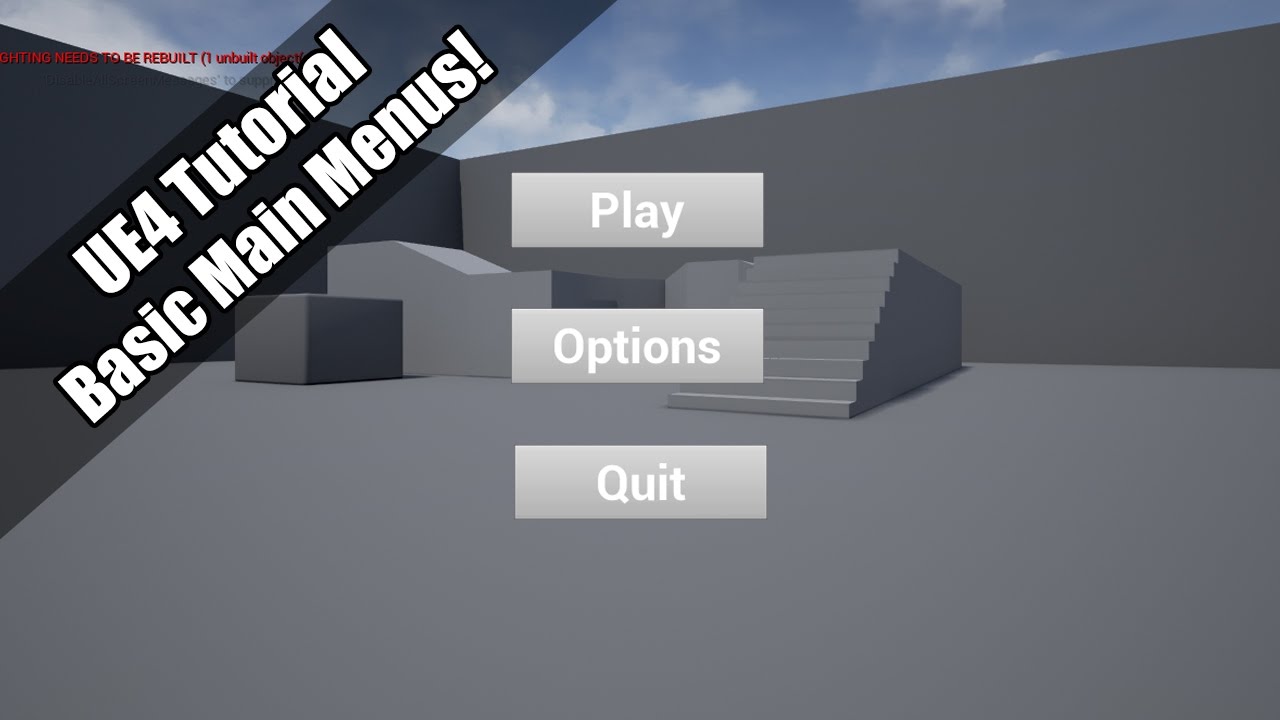
A quick tutorial into basic main menus! Uploading on a train! Such dedication! Lol.
plain pagoda
frozen pond
and it wont do anything more
don't have backup?
mental crown
plain pagoda
https://www.youtube.com/watch?v=h1YPFOnvroc
Thanks, Dutch!
frozen pond
somehow pc restart fixed problem o.O
 wanton lotus
Tech support number 1 solution right there
wanton lotus
It can be done, but ue4 mainly focuses on 3D.
 wintry herald
ok, what engine would you recomend for 2d then?
wanton lotus
There are marketplace assets that supplement the 2D aspect of ue4.
wintry herald
ok
wanton lotus
Not sure what engine would be best for 2D.
 thick herald
Hasn't GODOT made some moves in 2d land recently?
wary wave
I was under the impression it was already a popular choice for 2d
Unity is as well
being fairly lightweight and all
 forest tree
4.26 folks
Unreal Engine Forums
Unreal Engine 4.26 released!
With the release of Unreal Engine 4.26, you can create environments, characters, and creatures of unparalleled realism and design your entire production pipeline around Unreal Engine.
The production-ready Hair, Fur, and Feathers system enables you to design the most believable humans and animals.
grim juniper

wary wave
Is it not enabled by default in 4.26?
 harsh tiger
i've been working on a project in 4.23 for 6 months now. its a game for oculus quest 2. is it worth me updating to 4.25 and if so, should i expect any issues with codeworks etc
thick herald
wary wave
Is it not enabled by default in 4.26?
It got push back from production ready until early next year
wary wave
fair - it was definitely not ready for prime time
doubt it will be for 4.27 either tbh
forest tree
AFAIK there won't be a 4.27
4.26 -> UE5
doubt it will be for 4.27 either tbh
So technically, this is correct 😛
plush yew
Any idea about why my RVT renders black ? https://gyazo.com/293e3300a0a9827c93186274115b4ffb
grim juniper
 I CAN TYPE IN ALL CAPS TOO
thick herald
4.27 is probably a dev build
 deep viper
Is anyone here familiar with how a person would add a "static mesh attachment [socket] " in blender for importing the static mesh along with all its sockets to UE4?
I would like to attach meshes to sockets on my parent mesh. (Based on my google results, I believe blender doesn't have anything called a "socket" so maybe they have a different name.
Thanks Moa.
thick herald
Add an empty in blender, rename it SOCKET_[insert your naming convention here]
grim juniper
Check the release notes. Bet it tells ya https://docs.unrealengine.com/en-US/WhatsNew/Builds/ReleaseNotes/4_26/index.html
Overview of new and updated features in Unreal Engine 4.26
thick herald
Note you can only get the location via Blenders empties, they don't store rotation, you'll need to adjust that in UE
frozen pond
can you create game animations for characters using sequencer ?
or whatever that new tool is ?
plush yew
grim juniper
Check the release notes. Bet it tells ya https://docs.unrealengine.com/en-US/Wha...
Thanks
thick herald
You mean the Control Rig? Yes, but you're still better using an external program at the moment. imo
deep viper
@thick herald So I would be able to add/tweak rotation after importing these inside UE4? (since I cant import socket's rotation)
frozen pond
@thick herald i suck too much at doing anything at blender lol
exotic otter
Does anyone have an idea why FSkeletalMeshMergeData does not get copied over from one skeletal mesh to another when using NewObject<USkeletalMesh(Package,..,.., other skeletal mesh);
deep viper
@exotic otter I believe you would normally use DuplicateObject instead fo NewObject in order to create a copy of a UObject. Unless I missed something specific to these classes.
 gusty dune
Hey folks, does anyone know of a tutorial or guide on how to implement this sort of vaulting system? https://youtu.be/caohJww08LA?t=51
 finite hamlet
How well does Chaos run on say, a 1070 Ti?
thick herald
deep viper
<@!347136582224183298> So I would be able to add/tweak rotation after importing ...
Yup, easily done inside the BP in UE4 🙂
finite hamlet
Not for anything extreme of course
Basically I'm wondering if it's worth it to get Source for Chaos, or if I should just get it from Epic Launcher
harsh tiger
a texture atlas is being used for these meshes. an everytime i build i get these messages. it's okay for me to ignore them isn't it?
light thunder
Why does the engine want me to save the WidgetPassThrough3D Material? Why does it think it changed? (or how did it?)
 supple totem
must build from source still
 summer verge
hmm so guessing they didn't finish it in time to be turned on by default
 ionic oxide
In preview 5 they said that chaos will be released next year as default physics
Unreal Engine Forums
PREVIEW!
Preview 1 of the upcoming 4.26 release is available now on the Launcher and GitHub. We are making this Preview available so that our developer community can try our new features and help us catch issues before the final release. As fixes are implemented, we will release updated previews throughout the development
"Please read:
After reviewing feedback from custom licensees and the community at large, we made the call to ship a 4.26 preview build with functionality that is closer to what you will be able to expect with the full release. Chaos will ship as the default physics and destruction system early next year.
Stability is a top priority and we will continue to review all feedback on Chaos as folks test it in a range of environments. Again, thank you to everyone who has provided feedback so far. We’d love for you to keep it coming!"
 rotund scroll
🙏
 scarlet birch
This update is a beast.
rotund scroll
stability is sexy


 scarlet birch
There's a channel for that.
 tiny sonnet
bruh, i updated to 4.25 yesterday, and now thi BRUHHHHH
 bleak remnant
@tiny sonnet hahahahahah
 stone tide
looks like they finally took some devs off of fortnite
bleak remnant
me toooooooooooo
 silent hornet
so next version is UE5?
stone tide
doubt it
 sturdy trench
No new movement component? fu...
stone tide
they havent taken that many devs away from fortnite
tiny sonnet
bleak remnant
me toooooooooooo
i wish they had release dates bruh
 river silo
I just recompiled my 4.25 bruh
bleak remnant
@river silo welcome to the club
 past pilot
im waiting for ue5... and find the .0 variants are always severely broken somewhere
 young raft
So should I not upgrade mid project?
 ruby wadi
finally a good tag in the news section
young raft
is it going to break everything?
stone tide
probably
tiny sonnet
backup first then
young raft
fk
 static bane
whooooo man... just finished a project involving 90% ocean, and now this... DAMN
tiny sonnet
it rarely breaks shit for me
bleak remnant
I've never had it break anything cuz I dont make engine changes
young raft
fair enough
ruby wadi
even opening the patch notes crashed my browser
stone tide
i mean if you use CPP and not blueprints thisis your worst nightmare
young raft
time to commit
bleak remnant
Btw 4.26 should have the Atmosphere Component improvements!
stone tide
be prepaired for some sleepless nights
static bane

tiny sonnet
static bane
whooooo man... just finished a project involving 90% ocean, and now this... DAMN
now this is a pain, that i will feel when i will update my map from 4.23, since i have my mechanics in a different project
median hound
when does 4.26 update in epic store?
bleak remnant
~atmosphere component~
 potent parcel
GPU Lightmass 
 outer minnow
median hound
when does 4.26 update in epic store?
outer minnow
median hound
when does 4.26 update in epic store?
it keeps displaying 4.26 preview 7 for me also
ruby wadi
yeah preview 7.. but wasn't I on preview 7 already? I'm confuzzle now
potent parcel
median hound
when does 4.26 update in epic store?
Already got it downloaded here. I clicked the plus sign next to engine versions and there it was.
 foggy spindle
dose anyone know the topic of this years game jam
also i need a team otherwise i might have to do it solo
bleak remnant
static bane
whooooo man... just finished a project involving 90% ocean, and now this... DAMN
FeelsBadMan
potent parcel
median hound
do i download it and remove 4.25.4?
If you're already working on a project in 4.25, you could probably download 4.26 and keep 4.25 just to be on the safe side.
median hound
oh no im just recreating new projects on daily 2 learn concepts im uninstlling 4.25
 karmic mason
Cannot wait to install 4.26 😄
bleak remnant
btw Fortnites the greatest thing that ever happened to Unreal Engine
We get these features because of Fortnite
karmic mason
Definitely looking forward to improve and work on water stuff.
bleak remnant
despite how much hate the game gets
outer minnow
sturdy trench
Anyone knows the size of 4.26?
don't download platforms that you don't need
karmic mason
@bleak remnant yeah well they made billions with it 😄
median hound
it mostly gets hate from community and because of tryhards
karmic mason
I never touched Fortnite, tbh
median hound
when they mention prime fortnite they talk about how trash the players were
 thin remnant
All those reactions swarming
median hound
fortnite also didnt have a hand collision before or idk if now too
 calm sphinx
So, is 4.26 stable? 🤔
median hound
i remember shooting someone with a sniper wondering it didnt hit and went into the replay system and saw he reloaded his gun and it hit his hand
karmic mason
calm sphinx
So, is 4.26 stable? 🤔
that's something we know in weeks and months of using it 😛
bleak remnant
alright.....time to spend the whole day compiling 4.26 from source.
 lusty pine
this is the last update before UE5 right?
grim ore
I would guess .27 comes out with how long 5.0 is going to be
median hound
y do ppl compile is there additional stuff they can do?
potent parcel
lusty pine
this is the last update before UE5 right?
Probably not. UE5 isn't expected to go stable until late 2021.
 rain knot
is there anyone here who's built mobile games with both Unity and UE4?
 woeful zinc
median hound
y do ppl compile is there additional stuff they can do?
woeful zinc
median hound
y do ppl compile is there additional stuff they can do?
debug inside engine code
bleak remnant
@median hound dedicated servers for one
woeful zinc
woeful zinc
debug inside engine code
you can't do that with the launcher version
plush yew
@potent parcel But there is a beta for early 2021 I think 🙂
woeful zinc
also console support 😛
bleak remnant
if you want to run a dedicated server for your game that players can join u need source, that's really the #1 reason i compile.
The other reasons are if u want to modify engine code, get latest changes straight from github
potent parcel
plush yew
<@!315557727902629889> But there is a beta for early 2021 I think 🙂
Indeed. But I think they'll keep updating UE4 alongside the UE5 beta until the stable release.
plush yew
Yeah probably 🙂
grim ore
UE3 is still being used in house by a few larger companies, UE4 wont be gone for a while
finite hamlet
Can anyone share a link or something regarding how to compile 4.26 to get Chaos?
grim ore
look at the chaos docs
grim ore
we have ~3 ue4 releases a year. 5.0 is expected out of preview in later 2021
that gives us potentially 3 more 4.x releases. if I had to guess we will get 1 more maybe 2
potent parcel
plush yew
UE3 lol
I believe Rocket League continues to use UE3 to this day.
finite hamlet
Mortal Kombat 11 is modified UE 3
grim ore
At some point they will lock down the 4 code base and just commit specific fixes for the community and then special fixes for their licensees
 drifting geode
hello :)
can anyone provide any good resources on connecting an unreal app online with other instances? (I already have it up and running on my local network...)
I found some tutorials where they use steam, but I am trying to avoid that and i am also not sure if it would work for android devices...
forest tree
Seems like 4.26 has some odd references missing 🤔
 maiden kindle
Got an email about 4.26 but after updating in launcher it just says preview 7, no stable release?
 upper heart
@maiden kindle Restart your launcher
 reef granite
No way we can use it in game jam then? 😅
maiden kindle
Looks like it was a glitch, just restarted and noticed 🙂
median hound
Chaos Destruction is enabled by default with Unreal Engine version 4.26 available on the Epic Launcher. is it built in or is it a plugin i will need or marketplace
bleak remnant
I change my mind I'm going to start compile at night when I'm asleep, going to continue working on 4.25 while I'm awake
scarlet birch
 smoky sonnet
yea i wrote manually 10 in
because its currently at 15
even if i change it to 1 or smth it doesnt change
dk why
 sterile idol
Hey there, I'm interested in using multiple SkyAtmospheres in the same level. Is that at all possible, or should I start writing a shader to overcome the limitation?
 prisma seal
Is 4.26 not out yet on the launcher?
upper heart
Restart your launcher
prisma seal
Thanks
median hound
 97%
97%
prisma seal
lol
sturdy trench
Is it safe to use Ocean for production? since its still experimental?
thick herald
Have a guess
median hound
shell surge
Hi, anyone familiar with camera settings? I have a few qeustions..
 lament star
Now with more insights
 spring crown
does anyone know id quixel bridge has updated to new version yet
 stray umbra
Hey guys please help me. How do I replicate an animation montage over network?
 tender granite
median hound
tender granite
median hound
geez
 dim merlin
Hhm 77+ gb :o
dim merlin
That doesnt sounds right
stray umbra
Please people, help
tender granite
Something is odd... Anyone else please check.
median hound
tender granite
stray umbra
Please people, help
Ill pm you a network pdf I got, but Im not really good in replication. Isnt it a replication channel somewhere here?
stray umbra
Thank you a lot man! God Bless you!
median hound
robert do u have plugins or projects in?
plush yew
is control rig out of beta now?
tender granite
median hound
robert do u have plugins or projects in?
No plugins, and my project is on another drive. Thats only 4.26.
Im trying to figure out what the hell is going on.
median hound
could you look through the folder?
 oak drift
How to travel to new map if im using seamless travel and connected to steam? (ServerTravel not work and just do nothing)
median hound
median hound
geez, go in the engine folder
tender granite
I think ill just blast it and download it again.
median hound
this what mine looks like yeah probably
median hound
mines around 7gb
 harsh ivy
tender granite
harsh ivy
tender granite
Binaries another 27
wanton lotus
@smoky sonnet You are trying to edit a variable inside a struct so you will need to use the set members in struct node instead. Check out here for usage: https://docs.unrealengine.com/en-US/ProgrammingAndScripting/Blueprints/UserGuide/Variables/Structs/index.html#settingmembersinstructs
Blueprint struct variables allow you to store different data types that contain related information together.
median hound
my binary is 12gb
tender granite
Well, thats it. Ill blat it and download again. Cant have 50 gb vanish like that
 maiden swift
Is the Chaos build still Github exclusive? Wasn't clear to me in the release notes. It just says "If you opt into the 4.26_ChaosBuild..."
maiden swift
Bummer. Yeah I knew it went back to beta, but I didn't know it still wouldn't be available in the launcher.
And the release notes were not really clear about that. It just says "opt in" not "opt in on GitHub".
I guess they figured it's in the docs they link to.
 neon grove
when is unreal engine 5 coming?
grim ore
next year
maiden swift
neon grove
when is unreal engine 5 coming?
Preview early next year, release late next year.
 dark depot
most guesses would be gdc
maiden swift
That's probably a safe bet for the preview release.
neon grove
should i wait for unreal 5 or can i move my unreal 4 projects into 5?
maiden swift
We've been told that UE4 projects will open in UE5.
neon grove
oh thats nice
maiden swift
Many will require updating to take advantage of what UE5 has to offer, of course, but they should be compatible. It's not a hard break.
dark depot
even if they didnt i think it would always be best to start now rather then later
 rugged fjord
Can you activate a trigger volume with the "bullets" that the gun in the first person template fires (and how can you do it? I've been stuck with this for a while now)
maiden swift
@dark depot Counterpoint, though: GDC next year is in July, much later than usual. That's in the second half of 2021.
grim ore
GDC is not the same time next year btw
dark depot
ohh i didnt realize it moved that much later hahaha
maiden swift
grim ore
GDC is not the same time next year btw
That's what I was just saying.
grim ore
yep what he said, normal GDC is earlier
spring crown
did quixel bridge update yet to 4.6
dark depot
everything going on in the world haha
i mean when they announced i imagine they had it planned for gdc time but with it moved they could just host their own event like they did for unrealfest this year
maiden swift
Yeah for sure.
grim ore
well we have 365 days to expect the preview and release so who knows lol
 wooden delta
Just Yes or No as answer.
Can we run files made in newer version in older version?
 brittle adder
no
 digital anchor
yesnt
wooden delta
Umm what?
dark depot
imagine your using the simple noise or whatever its called that one yeah is gross @buoyant iron
goto the volumetric plugins folder and you can find some more
 buoyant iron
dark depot
imagine your using the simple noise or whatever its called that one yeah is gros...
buoyant iron
dark depot
imagine your using the simple noise or whatever its called that one yeah is gros...
thank you
thick herald
wooden delta
Just Yes or No as answer.
Can we run files made in newer version in older versio...
project files are not backward compatible. Not to say it's impossible but..
dark depot
buoyant iron
thank you
there is even a cloud painter in there unless they broke it 😄
wooden delta
Sad😢
thick herald
I played it with it for about 5 mins. Didn't seem to do anything...
 exotic lion
So just updated. Looks like Chaos build is still Github source only?
dark depot
yep
exotic lion
Jesus...
neon grove
what is the unreal 5 preview?
a video showcasing features or a beta version of the engine?
exotic lion
Probably beta, since the beta comes out in a few months, and full release at the end of 2021.
dark depot
i mean there are videos showing that but if you mean what we were talking about up there thats the beta
^
median hound
did this just come out, anyone know how 2 use yet
median hound
any vids on it ok
exotic lion
I just wanna use Chaos without doing the github again.
deep viper
I am trying to get the mesh attached to my socket to be rotated 90 degrees on the Z axis, but it seems that the mesh does not rotate no matter how much I rotate the socket itself, does socket rotation not affect the mesh/actor attached to the socket?
EDIT: I can include the socket screenshot, but it only shows the rotation values.
 midnight jetty
ive been learning ue4 for a month now. do u think im wasting my time considering ue5 is coming out next year? like am i wasting my time learning something that will be made obsolete very soon? or will my knowledge that im gaining now translate over?
dark depot
ue5 is just an upgrade for ue4
midnight jetty
i thought its basically an entirely new engine?
dark depot
the things that change will be easy enough to learn with docs and such
that isnt how engines work
deep viper
@midnight jetty It will be nearly identical to UE4 when it comes to how you interact with it. UE5 will improve things "behind the scenes" you will never see, or add additional tools besides the ones already existing in UE4
dark depot
things are getting replaced but it will be mostly the same user wise
midnight jetty
ohh ok that makes me happy. good to know 🙂
dark depot
at least for the start
thick herald
@deep viper you can take the transform of the socket and use that for your mesh
deep viper
@thick herald So the mesh attached to the socket does not inherit the rotation [out of the box] ?
 clear shard
@buoyant iron so they haven't changed that from the last few updates, even for this final one? That ugly square was present both in test 6 and 7
maiden swift
midnight jetty
i thought its basically an entirely new engine?
No, it's not a hard break like UE3 → UE4 was.
dark depot
just use a different cloud material
thick herald
deep viper
<@!347136582224183298> So the mesh attached to the socket does not inherit the r...
Not by default, as far as I know. Just grab the transform and set your mesh to it and you should be good. 🙂
buoyant iron
yeah, its looking good now
for some reason my sun sky is slightly broken, cant move it around with my mouse using ctrl-L
Did they change the short cut? the little diagram pops up but when i move my mouse it starts to quiver lol.
deep viper
@thick herald Thanks. I guess socket rotation does not automatically rotate the Static mesh attached to it (but now that I think about it, if the socket's rotation does nothing, does the rotation of a socket serve any function? It seems like socket rotation is completely useless )
clear shard
check if you are using actual sun position data regarding geo location
you can't move sun in that case, you have to change values for the time of day etc
 frail river
Are the real time RTX caustics in the 4.26 engine or are those pushed back entirely?
buoyant iron
@clear shard i see, is that a new option they added. can i turn it off? Im looking for it in the details tab. This wasnt a problem in 4.25
thick herald
@deep viper It's only in Blender that the empties there don't store it. In UE your sockets will have full transforms, you can adjust them manually or do something fancy in BPs. 🙂
deep viper
I understand the socket has a rotation component inside UE4. But it seems that this rotation component has no role. I originally thought it would adjust the rotation of anything attached to said socket (a relative rotation, similar to how meshes have a rotation relative to the root component)
EDIT: IF I were to use an analogy, the socket has a water gun, l but it can't shoot water. (why does it have a water gun to begin with? A socket isn't renderable.)
dark depot
frail river
Are the real time RTX caustics in the 4.26 engine or are those pushed back entir...
RTX specific things are in the nvidia branch of ue
frail river
Ah ... I was hoping that I woudn't have to learn how to compile my own Unreal code but okay
thick herald
Yeah, you'll have to manually pull the info from them @deep viper
clear shard
@buoyant iron I am sure there is a way to set the sun "free", just haven't played much with that to know exact "how to"
 normal jetty
dark depot
normal jetty
dark depot
only DXR is in the engine by epic they try not to do platform specfic things @frail river
dim merlin
Anyone else had this when installing a new engine version?
frail river
Okay thanks!
dim merlin
well a restart seems to fixed the error, i had it with previous versions to.. hm
unique kraken
guys is chaos actually in 4.26. everywhere it says it is but like.... either its invisible to more or im blind
median hound
is this the real chaos?
dark depot
you need to compile the editor from source to enable it
its disabled in the binary builds
dark depot
its disabled in 4.26
unique kraken
and it says everywhere it enabled by default
median hound
same
unique kraken
wud? why does all the docs say its enabled by default
dark depot
they dont
unique kraken
they do
dark depot
read them again
median hound
median hound
lol
dark depot
no they mean physX will be deprecated in the future
unique kraken
where, how
lament star
wonder what do they mean by lightweight, how is this lightweight compared to what we always had?
unique kraken
its new, its optimized, probably better and more lightweight. just how it is
still
i dont see the full img, how would i get accsess to chaos lol
lament star
unique kraken
its new, its optimized, probably better and more lightweight. just how it is
afaik chaos is heavier rn
dark depot
on git
plush yew
Some very interesting thing here on our project in 4.26... everything is suddenly running slow motion as if time dilation was on (it's not) - delta seconds is correct as well. Works perfectly in 4.25. Also we are running at 200fps+.
median hound
is it worth to build chaos from source or just use it in ue4 built
dark depot
i mean if you want choas you need to build it
summer verge
@plush yew about to try my project at 240hz. Will let you know if I run into the same issue
plush yew
summer verge
<@456226577798135808> about to try my project at 240hz. Will let you know if I r...
Thanks, really weird stuff.
summer verge
@median hound if you have to build it from source then it's probably not production ready
Unless you are having serious constraints with PhysX, you shouldn't switch to a still-under-development Chaos
dark depot
yeah they pulled it for a reason it was breaking quiet a bit still not just phyics releated but like level/project related
 drifting nest
frozen pond
drifting nest
frozen pond
what is proper way of spawning enemies? i added them like 300 and my fps went from 100 to 30 lol
median hound
ai crowd control?
summer verge
Oh I see. Yeah optimize the AI tick
dark depot
there is also tools to share animations and other stuff you can combine
if you look up the ue4 streams on youtube they covered spawning AI like a year or 2 ago
frozen pond
could i just make sphere overlap to disable/enable tick ?
summer verge
@frozen pond you could, not sure that is a good solution unless you only want enemies performing logic when the player is close to them
@dapper frost no real porting should be required. Just download 4.26 and launch your project from that version.
 dapper frost
summer verge
<@!642727567782051854> no real porting should be required. Just download 4.26 an...
dapper frost
summer verge
<@!642727567782051854> no real porting should be required. Just download 4.26 an...
oh I have 4.26 downloaded. Thanks
smoky sonnet
hey i am using a linetrace inside of my bp and i want try to cast to my own blueprint
because i need to know if the user looks at the blueprint mesh but my cast doesnt work also if i display the name it gives me the name of the mesh behind any ideas?
digital anchor
seems like you have ignore self on
smoky sonnet
yea i deactivated it but it didnt work either
digital anchor
then make sure the collisions are correct
plush yew
Any idea of what is this violet color ? https://gyazo.com/afe8f66ba715a4a82a38ef59105c6d73
 smoky sonnet
@digital anchor activated anything that has the name collision
😄
but didnt work either
plush yew
I think it is reliate to this part of the shader (with the Blend Power) but I don't know why it does this...
digital anchor
have you tried adding a saturate before the alpha?
 full stump
Hmm, 4.26 isn't just like a update? I have to download it separately?
digital anchor
where
plush yew
Here :
@digital anchor But maybe you tell me to add another one just before the alpha ?
digital anchor
yes
plush yew
ok I try
Oh man, you're awesome ! https://gyazo.com/177e6fdeb8cbc4a100a567a92ed4ba37
May you explain a bit the reason of this please ? I don't understand the thing @digital anchor
forest tree
This is either a 4.26 bug, or behaviour has changed. This setting below regarding Auto Possess AI now blocks the player controller from receiving the possession event.
Confirmed it with at least 1 other person as well 🤔
sterile idol
sterile idol
Hey there, I'm interested in using multiple SkyAtmospheres in the same level. Is...
Anyone?))
fierce tulip
@shy dawn please read the #old-rules and dont spam the same question on multiple channels. thanks.
digital anchor
@plush yew saturate maintains the value between 0 and 1
 shy dawn
Sorry but I got a response
digital anchor
plugging a value over 1 in the alpha, will make the color extrapolate
fierce tulip
fine, just dont do it again.
shy dawn
Yea mb just sceptic rn'
 still moat
mhmm
 normal fiber
How do I get access to the job board channels?
I'm looking to hire a freelance animator
fierce tulip
normal fiber
cool, thanks
 dry moon
Hmm it seems Httprequest is different now
 dim kelp
4.26 is out now. Am I correct that the control rig, water, and volumetric clouds content is still in beta or experimental ?
dry moon
FHttpModule::Get().CreateRequest(); is no longer thread safe?
 rocky radish
dim kelp
4.26 is out now. Am I correct that the control rig, water, and volumetric clouds...
rocky radish
dim kelp
4.26 is out now. Am I correct that the control rig, water, and volumetric clouds...
if im not mistaken, the volumetric clouds arent on beta
 arctic wigeon
In 4.26, ARCore still seems to be at 1.16, is it just me since I've updated from the preview version or is that a bug?
dim kelp
thanks @rocky radish
rocky radish
np
 feral epoch
I want to make my objects collide similarly to in this video: https://www.youtube.com/watch?v=okWQNOQoOEw
But i cant find the "grab method" default value in BP_PickupCube like in the video. Can anyone help please

This is just a short demo of what i mean by the item collision that i've also worked on. I will hopefully be able to finish this soon and show how i did it. But it's mainly a matter of switching between using AttachTo and a PhysicsHandle based on collision.
dim kelp
How stable is the beta sequencer/control rig stuff? Is it problematic to work with at the moment, or is the workflow smooth?
plush yew
digital anchor
<@456226577798135808> saturate maintains the value between 0 and 1
Ok, thank you very much
prisma seal
I've been stuck on verifying for longer than it took to download 😦
prisma seal
yup
median hound
bigo how long
plush yew
Aw shucks I just built 4.25 yesterday xD
prisma seal
It's been going for over an hour
plush yew
No problemo, I'll download the source again xD
median hound
do u have ssd?
median hound
doesnt verifying n stuff use hardware instead of internet
 brazen gale
anyone tried the water system, can't seem to get it to work
median hound
im gonna try it
dim kelp
water is still experimental
 autumn flame
Water system is pretty neat
brazen gale
not seeing any water, just seeing a spline icon when I drag into the scene
prisma seal
Doesn't fortnite use the water system or do they have access to a more complete version?
rocky radish
water system seems to be stable enough depending on what you're doing
prisma seal
I'm just making an open world map, what cases would it not be stable?
autumn flame
Seems to be picky with World Comp a little, but nothing major
prisma seal
Considering I don't know what World Comp is, I should be good
autumn flame
Of course
 slate vessel
Am I the only one who wishes with the new environment light mixer the allowed you to add the exponential height fog too?? I would love that
median hound
4k shadrs
brazen gale
@autumn flame how do I do that?
 ebon marlin
Tried moving to 4.26 (perhaps a little too fast), when being prompted to re-install the project's plugins it said that this plugin is already installed for all engines. Do I have to wait for the plugin to support 4.26 to use it again?
prisma seal
My download just finished, has anyone had any problems with stuff breaking from when switching from 4.25 to 4.26?
brazen gale
yep done that, then what?
median hound
compiling shaders, what hardware does it use, cpu?
prisma seal
Is calling the layer Water a naming convention or is it just for clarity?
brazen gale
once its assigned, I just drag in the water and should work? @autumn flame
autumn flame
yea
brazen gale
hmm ok
autumn flame
 cedar wave
This is some really good news. Been avoiding doing anything Python related in UE due to it being in the 2.x series.
autumn flame
Be sure to have the Landmass plugin activated
brazen gale
its enabled
autumn flame
wait
i'm stupid
you need to assign Landscape_WaterBrushManager to it
To the layer
 vital cosmos
how do you get the sky light real time capture to work, I checked the real time capture under the sky light properties and the sky light is gone
autumn flame
like, it does in automatic when you drag water into the level with the Water layer selected
brazen gale
@autumn flame no worries, thanks man it's working now
autumn flame
Aye!
fierce tulip
maybe there was a folder called "fall guys" and one of your files came from that folder.
but generally #fab for those kinda things.
 clever arch
no its very strange as I haven't used the name at all and im blind sorry about that I will post over there
thanks 🙂
 stark marsh
help i'm making a 2.5d platformer so the character can only move on two axis but the actual levels are in 3d
but i havae a dash ability that sends my character to the direction im facing in
but since it's in 3d space if my character faces towards me it tries to dash forwards towards me, rather than to the left or right
 trim trail
hey, I'm looking for some app/script that converts video or frames into flipbook texture (for animated fog/smoke). Any suggestions, I'd appreciate
prisma seal
@stark marsh Don't let the player dash if looking forward? Only dash of looking left or right?
stark marsh
but then if the player is slightly facing forwards it just wouldn't work at all
 meager frigate
alright guys lets pump out more pirate games
prisma seal
So the player's rotation is not restricted to 90, 0, -90?
stark marsh
no
prisma seal
hmm, well if movement is restricted to left or right and the player is able to look forward. Even if you figured out how to not have the player dash forward, how would you decide wether to dash left or right?
Probably not the best solution but maybe only allow dashing if the player is moving? @stark marsh
meager frigate
yeah, it makes since that if your looking toward the screen and dash toward the screen that he would dash toward the screen...
stark marsh
yeah i know it makes sense
but i just want it to only be able to go left or right dashing, and i can't get it to work
prisma seal
Look at what I wrote above where I pinged you
grim ore
maths time. You have your vector that defines left and one that defines right. Get the current vector of the player for its forward and see if its closer to left or right and then have them go that way instead of "forward" on the player. You can even make sure its within a certain percentage of the left or right vector so they have to be mainly facing that way
meager frigate
IF the character is facing a certain direction when you hit the dash THEN dash
prisma seal
One question, whats the point of letting the player look at 45 or 60 degrees when they can only move when at 90 or -90?
meager frigate
if its a 3d platformer that slides 2d you can still go forward and backwards to get around stuff
plush yew
is there someone here who's really comfortable with using unreal engine i just wanna ask a silly but simple question
prisma seal
It's a 2.5d platformer where the player can only move left or right
@plush yew Ask the question instead of asking to ask
plush yew
it seems a bit overwhelming to start using unreal engine which is similar to how i felt when i first started moding
but the application options and what they do
meager frigate
if you cant move towards and away from the camera then you should just restrict the movement
plush yew
seem pretty simple to get use to using like a set of actions in a card game or rpg if that makes sense
does that seem to be the case when you know what the terms for the program mean
with what node in material i can use to control with param the white and black color ?
stuff like event(insertwords) looks complicated but when i read the sub options in the box it seems pretty straight forward
does using the program get become easy when you understand the terms for the boxes and options presented or does it stay complicated even after xD
sorry if its a dumb question jsut want to gauge what im diving head over heels into
meager frigate
@plush yew if your just using blueprints its all about just learning what nodes do, best thing to do is just start doing tutorials.
grim ore
@plush yew like everything the more you use something the easier it will be
plush yew
o.o
okie so its just learning the song and dance it seems
im ok with coding not a pro but its like speaking a langauge so it came easy to me when i started messing with div_style c+ stuff and java when i was a teenager
prisma seal
Most important thing is to start, the rest will come naturally
plush yew
okie :>
oh wait
super smart amazing helper mathewW is here!
i has one question before i moozy off
i just need a yes or no not really an explanation atm can you make it so you can do the attack input for example and itll use logics to check if the enemy is there and attack it or whatever but have that same input become something else when the target moves outside of the close up range
so the action performed and logics for animations on both target and caster changes based on range of the target o-o
for a dumb example like in avatar punching people is punching but if someone backs up they punch and shoot a fireball from there fist
prisma seal
Yes, if enemy is in x range do y attack, else do z thing
prisma seal
A lot is possible, you just have to figure out how to do it
plush yew
i know i know the more i learn the more excited i get
because all of the snazziest stuff ive always wanted in gaming but almost never seen seem to be such simple constructs for the unreal engine
and i know how silly it sounds but its so unreal >O<
 maiden iris
can someone please tell me how to correctly export pivot painter textures and how to "rig" the vegetation to deform correctly with pivot painter 2.0 ?
prisma seal
@stark marsh If it's not important, the player doesn't need to look forward. Having the player look either left or right makes it easy to tell which direction the player is going to dash. All the area marked in green is the direction the player doesn't need to look in. So you only need the player to be able to rotate at -90 or 90
meager frigate
I was thinking it was like castle crashers where you can move up(into the background) and down into the foreground but if your going just left and right theres no reason to look at the screen
prisma seal
See you in a few weeks
honest vale
?
it has always been like that for major releases
only minor releases are applied on top of the old one
prisma seal
^
 empty dagger
hi there! has anyone tried the new paintable clouds example already? i can see the clouds and adjust parameters, but painting itself doesn't add clouds for me in "play" mode. any success?
 steel shell
what is a recommended tile size for a tiled landscape? i have a heightmap of around 100.000x100.000 for a terrain of 6x6km. What tiles sizes do i choose to split up the heightmap?
brittle adder
@vital cosmos #ue4-general message
 wet laurel
I have found this here.. BP_Planet_test. 😉
 dense knoll
any way to add a screen effet?
that makes it look like your viewing from a camera/hologram
or looking at a Display/monitr
plush yew
Using post process?
dense knoll
yea
plush yew
Well u could just put the ‘image’/‘effect’ in a widget blueprint
I think it’s possible
dense knoll
ok
 cinder minnow
@dense knoll If you find how to add post-process on widgets, please tell me 😅 ! I can't find any good solution other than using a retainer box with a material...
dense knoll
k
widget efects are lagging out when i make them animated, its not very effective, im just going to do something else
 still island
So is 4.26 using Chaos as default physics engine then? I could not find proper info about it, just some one-line mention in documentation.
grim ore
4.26 is using physx
 zinc shore
why dose resizing editor windows in 4.26 cause the editor to freeze so much wile in 4.25 this is not a problem
like its kind of imposable to resize the windows or view ports because of the freezing
plush yew
How do i add a simple circle/blob shadow to my character?
still island
@grim ore
grim ore
yep and scroll down to the chaos section
just because its in the engine doesnt mean its on for the launcher build
you can enable it in the engine source build, or wait for .26chaos preview on the launcher
 haughty snow
testing the new hair stuff
stark marsh
furry 😳
haughty snow
(i didnt really have a model to use for it on so i just grabbed a random one)
median hound
thats sick
wet laurel
I'm testing Planet BP right now, but I'm not getting anywhere. Do I still have to convert it somehow to be able to use it? Has anyone of you already looked at it?
stark marsh
i can't help but i just want to know, is it for ark survival?
grim ore
if its included with the engine, no
median hound
quixel doesnt support 4.26 yet?
zinc shore
just give it a week or so and a lot of stuff will be updated to 4.26
wet laurel
No, it's about my own game that I have started to develop. Or maybe I am still at the beginning and I am still testing a lot.
thick herald
No, it actually takes time
median hound
alr
stark marsh
ok
plush yew
Lol
median hound
hm
plush yew
Nah its not possible I think
median hound
so no button that says use more gpu ok
still island
grim ore
you can enable it in the engine source build, or wait for .26chaos preview on th...
Thanks, you're right. Are you sure that it's going to be 4.26 chaos preview? Not like 4.27 or any other future release?
thick herald
If you meant can you pass off CPU stuff to the GPU? Naa.
plush yew
Like Vulkan for video games?
median hound
my cpu is ok my gpu is better
like on games if i put my graphics up my fps increases
if i put graphics down it decreases
plush yew
4.26 is out now and ur already talking about 4.27
median hound
how long does it usually take to compile 4k or 5k shaders anyone?
thick herald
2.3 parsecs
thick herald
5k isn't many
median hound
were talking about 5,000 compiling shaders right?
thick herald
I guess we are, 5,000 is a tiny amount
thick herald
2.3 parsecs yup.. and I'm not bad at avoiding any Imperial troubles too
median hound
specs?
thick herald
I get the feeling you've never watched Star Wars
median hound
para sec is like 0.1 of a second rite
wet laurel
the Next is UE 5 next Year
thick herald
No, a parsec is a distance.
median hound
oh
 proper hedge
How can I lower the first person character's position over a certain amount of time? I implemented wallrunning but he doesn't move down over time.
thick herald
Star Wars cocked up when they used it, as it sounded cool.
median hound
so about 2.3 miles
thick herald
lol no
median hound
jolly decreases ur Z location?
proper hedge
median hound
jolly decreases ur Z location?
mhm
 vernal compass
hello. im new here. any game developer here?
median hound
i made a basic floating thing doing that up down orb
 ornate forge

December 3rd is the International Day of Persons with Disabilities and on Inside Unreal this week we'll show you how to use features built into Unreal to create more accessible games. Using a base game template, we'll go through and add accessibility features to make the game more user friendly and enjoyable for more people. Covering gameplay, a...
grim ore
@still island yes if you read the release notes and the docs they specifically state "A special build with the Chaos solver on by default will be available in the near future." and "If you are using the UE_4.26Chaos build, feel free to skip this section because Chaos is enabled by default."
 dark kraken
this splines its amazing i need to learn it
 stuck garnet
Hi all, I am trying to render a video with a custom aspect ratio of 0.8 out of Sequencer. In my render settings (in the high quality media export menu) I chose an output resolution of 2160 pixels by 2700 (also an 0.8 aspect ratio). The rendered frames do indeed have the correct resolution and aspect ratio, but the images appear zoomed in when compared with my camera in sequencer. Does anyone know why? Thank you for your time.
wet laurel
dark kraken
this splines its amazing i need to learn it
its not a spline. its Paintable clouds
dark kraken
i mean lightning
 lucid jetty
Guys.. I really need big help here. 4.26 is really unplayable for me.
I don't know what the "cache uniform expressions" is D:
dark kraken
have this function but i dont know who to use it
prisma seal
@stuck garnet #cinematics for sequencer stuff
dark kraken
the shader material its really complex
stuck garnet
@prisma seal Ah thanks, I didn't know.
zinc shore
anyone else having a problem with window and view port and sliders resizing freezing the editor in 4.26
prisma seal
np
wet laurel
the 4.26 its awesome.
median hound
why is this keep getting stuck when i put a new plugin
zinc shore
like in 4.25 it was fine but in 4.26 if i resize a window the editor freezes
or use sliders
plush yew
Quixel bridge not working in 4.26
zinc shore
they all probably have to update to 4.26
prisma seal
What is this weird border that shows up?
grim ore
shaders compiling
prisma seal
oh
grim ore
probably your post process
median hound
yeaaaahhhh
 last halo
Does anyone have experience in making 2.5D game in UE?
 latent sphinx
Where would u put the Inventory in a Multiplayer Survival Game ? 0.o
Into the Pawn ? 0.o
zinc shore
i would store the inventory in the players pawn
brittle adder
Actor Component
latent sphinx
Okay thanks ^^
just needed some confirmation 👌🏻
plush yew
2.5D? Wot?
left arrow
How can I add this node?
 thick knoll
@left arrow that's a constant node
plush yew
Ctrl+ 0 I think
thick knoll
if you press 1 and click it's the shortcut
plush yew
I don’t remember
left arrow
thanks!
thick knoll
it's just a static value you can right click and turn it into a parameter! 🙂
thick knoll
haha no idea, lets find out
thick herald
1,2,3,4 and click to get constants with those amounts of elements
thick knoll
nothing!
thick knoll
I had to press right ctrl + 0 to test it xD
plush yew
Guys can anyone help me? I’ll need to dm
light thunder
I know there is way to do this - I've selected a large group of actors and I want to be able to numerically rotate them, basically 90 degrees in the world around a central axis (see image) I've got a blutility script setup but it just jacks things up, what am I forgetting here?
grim ore
@zinc shore do you have an example of this happening?
plush yew
@light thunder if u only have to rotate click the rotation tool
plush yew
Oh with blueprint
thick herald
Nope all working smoothly here
plush yew
Idk, I’ve never done this stuff, probably a ‘make rotator’? Idk I am noob with this stuff
thick knoll
I know the default time of day scene in 4.25 has an event tick linked to a recapture in the level BP, which tanks framerate
plush yew
Guys can anyone help?
plush yew
I can’t here I have to ask in #graphics
Probably
Its a problem with a quixel snow material tutorial
median hound
how do i get lighting spline?
thick knoll
I havnt seen a need for the real time capture yet
it must just be for high end visuals on cinematics
plush yew
Guys, is it real that blueprint makes the game do less FPS than c++ ?
thick knoll
I am looking to make some trimming for my room, ideally I would like to instance mesh this and just repeat a mesh but just playing with ideas
I am trying to come up with a way of having a spline based system that is marked by the room (time saving) is there any best practices of making this work efficiency?
 stuck scarab
@plush yew blueprints are not as effecient as c++
dont quote me on that but I heard about 10-15% less effectivness..if one could even measure it like that
plush yew
Oh wow that’s why AAA games only use C or C++
thick knoll
blueprints are an integeral part of UE4, even if you are C#, you will always be using them to some degree
zinc shore
@grim ore here is what happens if i resize the window or if i use sliders
thick knoll
C# can get more efficient in the right hands, but BP's can be incredibly efficient too, it depends on the scope of your project
median hound
anomaly it doesnt happen 2 me btw
zinc shore
hmm i winder why this wasn't the case in 4.25
also i cant even use sliders because the whole engine goes unresponsive IDK why this is happening
 true falcon
OMG OMG OMG 4.26 released
thick knoll
@true falcon upgraded to 4.26 for one my projects now 😄
grim ore
@zinc shore yep 0 issues here. do you have any overlay software running like nvidia shadowplay or msi afterburner?
plush yew
Idk why but... 4.26 is more stable than 4.25 and 4.24... idk why
thick herald
Nope not yet.
wet laurel
I will now also only work with 4.26.
grim ore
@zinc shore simply looking at your ping icon (the blue hat with the green ring) it's not smooth soo..... something is definitely off with your pc and the install
zinc shore
im also doing a driver update as well so that could help as well
plush yew
Guys umm... is a landscape deformation BP easy to create?
median hound
where are ppl getting bp test planet from?
worthy fox
So 4.26 was released today and I don’t have time to sit down by the computer until next Friday.... 😭😭😭😭 Are the volumetric clouds as easy as drag-and-drop? 😱😍
wet laurel
I'll check again.
plush yew
If u just drag and drop they are pretty bad
worthy fox
I’ll call in sick 😂 Can’t fcking wait!
wet laurel
😂
median hound
dk is it suppose to be like the bp sky sphere? built in
plush yew
What is mega jams
wet laurel
its not a skysphere, its a Planet 😄
median hound
how did you figure it out? did you just download the engine and go straight to exploring the folders in ue4
this it?
wet laurel
Yeah, I found it by accident. There are a lot of blueprints to find :D.
no.. wait. i search
I have to do shader compiles right now so I can't look it up.
plush yew
@light lintel you can leave them as they are, they are good. I was using the wrong cloud
median hound
dk do u know what the folder is called
plush yew
📁
mental crown
Hi guys!
Is there a way to change the Derived Data Cache folder without messing with the .ini files?
 next badger
@gleaming narwhal someone forgot to fix redirectors? =)))))) #ue4-general message
next badger
@plush yew no one said they will be
plush yew
they?
next badger
lumine and nanite
plush yew
yes. that's why sad
grim ore
lumen and nanite are ue5
mental crown
mental crown
Hi guys!
Is there a way to change the Derived Data Cache folder without messing ...
It's really clogging up my C
zinc shore
With my editor freezing I’ve noticed it only happens on windows were a 3D view port is visible
plush yew
with what way can i create the most realistic desert mesh? i tried wc2 but it's a fail
 marsh swallow
I am having a lot of fun with the new water!
next badger
@zinc shore make sure you're using discrete gpu on that monitor