#ue4-general
1 messages · Page 881 of 1
 mortal cedar
 nova portal
I've got a bug where I need to compile my c++ code often two times before the game actually uses the new code. Does anyone know why that could be?
 thorn mountain
nova portal
I've got a bug where I need to compile my c++ code often two times before the ga...
thorn mountain
nova portal
I've got a bug where I need to compile my c++ code often two times before the ga...
I think that's a usual thing I've seen that happen so much with some other ppl too
nova portal
thorn mountain
I think that's a usual thing I've seen that happen so much with some other ppl t...
Oh right, my instructor said he also encountered the issue but doesn't know why.
thorn mountain
nova portal
Oh right, my instructor said he also encountered the issue but doesn't know why.
Yea, afaik there's no solving for that yet
 honest vale
odd that the reply to function quotes the post you're replying to even if it's one row above the reply, like above

 rain ridge
someone know how to fix that?
 plush yew
can you use your pc or rasberry pi to create a multiplayer game?
 plush thicket

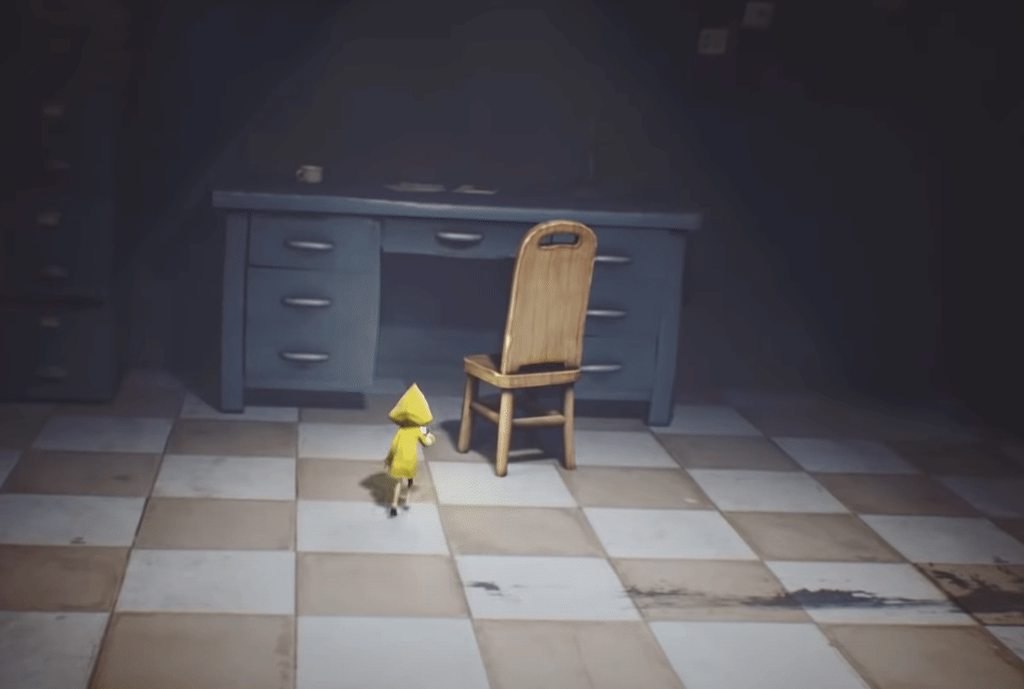
LITTLE NIGHTMARES Walkthrough Part 1 and until the last part will include the full LITTLE NIGHTMARES Gameplay on PS4 PRO. This LITTLE NIGHTMARES Gameplay is recorded in 1080p HD on the PS4 PRO and will include the full Campaign and all the boss fights.
Enjoy!
If you liked the video please remember to leave a Like & Comment, I appreciate it a l...
what would be the best way to do this sort of push/pull system in ue4?
 foggy spindle
if any of you are doing the game jam im looking for a team if ur intrested
plush yew
hello everyone im gonna start using als i have learned some of als v4 bp and i want to start make games should i use als v3 its less code but does not good at als v4 but als v4 its harder and more much code which one should i use please write your review it will be very helpfull 🙂 thx
plush yew
rain ridge
someone know how to fix that?
hey you are in color operation restart your editor it will be gone 🙂
plush yew
can anyone send me a link for a multiplayer setup like with servers etc if that makes sense i want it to be the player can make a server and the other player can join it, i've never made multiplayer before so i don't know what I'm doing
or like being able to join my official servers
How to add offset to grid. Watch that video so you understand where i need it.
 fluid lance
I've also asked this in the niagara channel, but it's usually slow(er), so i'll ask this here too:
Is there any way of adding sound to the timeline in niagara - similar to "play sound" in anim sequences? Or any other way to add sound inherent to the emitter/system itself?
Context: I have the same system with several exposed parameters playing in tens of different places, sometimes combined with others. I need to have it play a certain SFX every time, so adding sound components and going that route would transform the emitter into a child actor and I don't want that.
 lusty carbon
Is there a way to make a BP or something that deletes all meshes that exist inside a volume?
fluid lance
@lusty carbon At runtime or design time?
yes, in both cases, but it's fairly complicated
@lusty carbon The core idea is this:
https://www.youtube.com/watch?v=ukahMNGEEDw&t=1204s
From here, you need to take the core concept of the math, and adapt it to fit your needs
part two of this tut is exactly what you are looking for
lusty carbon
Thanks, ill look into it
Can anyone explain to me what is the difference between Other Actor and Other Comp once and for all?>
 smoky sonnet
hey does anybody know how i can do this easily : i am building an pc with different meshes/blueprints . now i put them all together to see if everything fits. at the end is it possible to get, idk the offset by each mesh to the case? - so that i can for example if one mesh is on a table, a bit far away to my case , can use a timeline to move the mesh to the offset i saved before i moved it away from the case?
fluid lance
@lusty carbon An actor is made out of components e.g. Character actor has physics capsule component, SKM component, movement component etc.
lusty carbon
So if I wanna get a static mesh in the scene would that be a comp or an actor?
fluid lance
component
 dense gate
If you drag a static mesh from the content browser into the level, that's an actor
If you add a static mesh to an actor, the comp will be the SM and the actor will be, well, the actor
dense gate
Though if you want to see what mesh the SM is using, drag out of Other Comp and cast to SM
lusty carbon
now you got me confused
 tardy sapphire
Does anybody know if it's possible to raise "reparam steps per segment" higher than 100? This is for splines, 100 is max, can't raise it further or through script.
dense gate
If you want to see which asset the mesh is using, you need to cast Other Comp to static mesh component first
lusty carbon
I see
Thanks
So they're the same idea of a physical representation of any model, but different context I guess
dense gate
And also be mindful of collisions
Yeah, pretty much
A static mesh actor is an actor that has a default static mesh component
You can add such components to other actors too
It's tough at first but you'll get the hang of it
lusty carbon
I fully see it now. Thanks
 ruby wasp
Can anyone help me fix a bug please
 chrome hedge
Hi,
Is there to search/filter by category in executable actions ? e.g. I only want to see all nodes in category "Class" ? I couldn't find anything on it online
visual example: I want to see all nodes in the category "Class" , but I don't want all the red highlighted stuff
fluid lance
@chrome hedge just right-click and don't type anything in search, go to the class category. As for a query/search algo for that, not that I'm aware of.
chrome hedge
too bad, I was hoping to be able to do something like XXXX | clear
so in category XXXX find function called clear
thanks for the response @fluid lance
 wanton lotus
@plush yew ALSv3 only works on 4.23 and lower. So if you plan to use the latest version of the engine, you will need to use ALSv4.
plush yew
Can someone tell me why ue4 crashes frequently with ray tracing? It doesn't crash so much that i cant get work done but it does crash often. I have a Ryzen 3 3200G, RTX 2060, and 16GB RAM
whats the difference between a host server and dedicated server ?
 exotic thicket
a host or listen server means a player is also playing on that server
a dedicated server doesn't have a local player
in this context, "local" means local to the process, since you could run a dedicated server + client game on the same physical machine
 dire ingot
guys is it normal that my game when i run it in mobile view, it run with out textures
is that normal?
just asking, iwont solve it now, since im not at this part
of the development
 fierce tulip
depends on what shading model your mobile supports and whats inside the materials.
fierce tulip
that did nothing to answer my question, i dont know if that runs on mobile devices, and it also depends on what your mobile device supports shading-model wise.
dire ingot
so what if i want my game to support many devices? that going to not be an easy task i guess?
is it normal thing or im misunderstanding something here?
and im not runing it on android device
im runing it
in the mobile view
is that too much diffrent?
and why the defualt mobile viewer not showing the texture?
@fierce tulip
fierce tulip
im a bit rusty atm,
it depends on your mobile preview settings.
 rough knoll
how do i change the socket a staticmeshcomponent is attached to on my mesh?
 runic fern
Hey guys if i want to Import an Animated UI Background Which Type should i use ?
i've tried GIF its not working
AVI or what type should work ?
dire ingot
how to pawn igonore other pawns ue4?
wanton lotus
@dire ingot need a bit more context. Ignore overlaps, hits, perception, etc.?
dire ingot
oh
there is 5 pawns
and there is a robot
that grab them
so when the robot want to grab the second pawn
it should ignore the first pawn
and move to the robot
wanton lotus
You doing this logic in a behavior tree?
Screenshots of what you currently have would be helpful.
I can continue to help you out in #gameplay-ai so this channel isn't flooded too much.
dire ingot
ok
 zinc shore
how di i make a material that visible though walls
 stark marsh
i want to make a 3d paltformer game but i need a good character
i can't think of an iconic character
wanton lotus
@zinc shore probably best with a post-process effect. I'm sure there are other ways to do this too, but I am not too knowledgeable when it comes to materials.
#graphics may know more.
zinc shore
yeah I've watch like three tutorial's but UE has changed something since all of those videos so they don't work
 timber fern
Where is invite of this server?
 wary wave
in #more-resources, funnily enough
wanton lotus
@timber fern also here:
 dapper frost
I am making a first-person shooter using blueprints and am designing a killfeed. I want to have a black background image with text fade in and out. I have the basic fade set for the image, but I can't find the text pieces in the 'Track' section for the animation. I looked up a tutorial and found one from 2017. That one had an 'Add' button instead of the 'Track' button and when the dude pressed that, he had the text pieces pop up. Can you still animate the text? I'm using 4.25.4 BTW.
timber fern
wanton lotus
<@!728183506953437185> also here:
:/
timber fern
wary wave
in <#217006346598350848>, funnily enough
thanks
wanton lotus
timber fern
:/
Ah, I guess the mobile version doesn't like letting people easily send invites, hehe. I'm on desktop version.
timber fern
Yeah I’m on phone rn
stark marsh
yeah
dapper frost
dapper frost
I am making a first-person shooter using blueprints and am designing a killfeed....
can someone help me?
wanton lotus
@stark marsh not too sure how the community will help you with that, hehe. More details on the game might help.
stark marsh
i've decided i want some sort of animal
i think like a bird
like the rito off of botw but cute version
i'll start designing him
 earnest pawn
hey, does anyone know how to do a search assets in the editor using something like bla_*_bla, which would match anything like bla_a_bla or bla_b_bla
 solemn mesa
@earnest pawn ctrl+shift+f opens an explorer window where it searches all your content.
 median hound
can you print arrays or how would you print the list?
wanton lotus
@median hound with a foreach loop.
median hound
oh cool
wanton lotus
You can then keep appending to a string to keep the results on a single line, or just have it print each one by one.
earnest pawn
@solemn mesa ctrl+shift+f doesn't seem to do anything, and I want to use the asset browser in ue4 and not windows explorer
 runic salmon
help
plush yew
Hello everyone, for those using DECALmachine for Blender, I created an easy to use UE Shader - It's FREE... Get it on https://gum.co/UNAVQq

Gumroad
Free to use and change/improve as you please.Included 3 different Master Shaders with the same naming convention as DecalMachine decals.1 - DM_INFO_DECALS_MASTER_SHADER.uasset - to use with Info Decals2 - DM_SIMPLE_DECALS_MASTER_SHADER.uasset - to use with Simple Decals3 - DM_SUBSET_DECALS_MASTER_SHADER.uasset - to use with Subset DecalsI have a...
 normal jetty
 bleak widget
now I'm a rainbow pony... Hi there!
 prisma plank
How much is optimal for nowadays face/ veticles for trees?
fierce tulip
as many as you need + lod's
lusty carbon
SpeedTree trees appear to crash my ue4 packaged project with a Fatal Error .. is this known issue here?
 dense knoll
Is it possible to get Ray Tracing working on a low eng GPU, or at least make a software ray tracing that is low on Performance Drops?
lusty carbon
"Trying to build an enterprise target but the enterprise directory is missing. Falling back on engine components only." warning when packaging. what is this?
 robust spoke
Hiho for what is the Third person character good ?
I have created my Movement, my Hotkeys and Health, Mana, Stamina in the Parent_Character_BP my Third person character is an empty file without any infos ^^
 lament barn
https://media.discordapp.net/attachments/221798862938046464/780151782612533268/unknown.png
https://media.discordapp.net/attachments/221798862938046464/780151857272062022/unknown.png
https://media.discordapp.net/attachments/221798862938046464/780151921850712084/unknown.png


Why won't it go forward?
When I do Print from InputAxis it says I'm holding W even though I'm not
So what's happening, ping me if anyone can help. Thank you!
 atomic forge
does unreal have a controller select system
like in fighting games player 1 presses start on controller 1 and player 2 presses start on controller 2, and so on?
 calm pollen
does anyone have any experience in making an item shop sort of system? Where you can purchase customization items with the game's currency. If you can help me please DM. Thanks
 flat pewter
Is it possible to change the relative space of AddControllerYawInput? I want to rotate my character but that doesnt work if he's already rotate (I got custom gravity in my project)
runic fern
Nice EBR btw xD
nova portal
Oh wait, I think I found it. Had an extra #include
 fierce ferry
Hey, I'm new to UE (but not C++), so I've got a silly question. I've created a new (C++) project of type TopDownExample, and when I click on the ground, the character moves to it. I can't seem to find the code/blueprints for that behavior inside the Content folder. I can see the navmesh, but not the code/bp for "on click, go to that point." Where would I change it to, say, "go 100cm to the left of the point I clicked" instead?
There's a material blueprint for the cursor and a data-only blueprint for the TopDownCharacter.
 ashen frost
i was wondering, what does it mean when it says like unreal engine 4.26 PREVIEW
Like what does the preview mean, should i be worried and not download it?
 grim ore
@ashen frost https://forums.unrealengine.com/unreal-engine/announcements-and-releases/1814986-unreal-engine-4-26-preview ```Preview 1 of the upcoming 4.26 release is available now on the Launcher and GitHub. We are making this Preview available so that our developer community can try our new features and help us catch issues before the final release. As fixes are implemented, we will release updated previews throughout the development cycle.
Please be aware that preview releases are not fully quality tested, that they are still under heavy active development, and that they should be considered as unstable until the final release. Developers should not convert their projects for active development on preview releases. Please test on copies of your project instead.```
ashen frost
flat pewter
means that its still not a stable version
ooohhh okay
@grim ore thanks men, that clears a lot of things up
fierce ferry
Ahh, found it under Solution/Games/topdown/Source/topdown
 earnest violet
It says NDK r10e not supported when exporting my game to android but I'm using NDK 21. Anyone got any ideas what's wrong
Can u some provide a link where I get the NDK files for android packaging for UE4 4.25? Pretty please! 🙂
Anyone?
 wind night
Hello 🙂 I have a small problem with timelines and events. I have that event. And what I want is to launch this event for 2 seperatly plates simultaions. And I have no idea how to handle it, because in this case, it translates only the last plate
 sleek spear
i have a couple of animations. can i place them one after the other and blend between them in a timeline style?
wanton lotus
@sleek spear make an animation montage that includes all the animations you want.
 stuck scarab
@wind night maybe just give the event an additional input (so you have plate 1 and 2) and use two "setlocation"
plush yew
is someone from germany here who can explain to me how to publish a game on steam and what i have to consider?
sleek spear
cool, will try it now
wind night
stuck scarab
<@!440892192995803147> maybe just give the event an additional input (so you hav...
Yeah 😦 this could be a option, but I have no idea when second location will invoke 😭
 river sierra
hey does anyone know how to get trees swaying with simple grass wind? should I vertex paint?
stuck scarab
@wind night with just this little information you cant expect to receive proper help
sleek spear
@wanton lotus could you help with that?
wanton lotus
@sleek spear Montages are pretty basic. I suggest you read the docs: https://docs.unrealengine.com/en-US/Engine/Animation/AnimMontage/Creation/index.html
Overview of creating an Animation Montage for use within Blueprints and Animation Blueprints.
sleek spear
yes im looking at the docs now, but is it what i am looking for? can i place multiple animations in an animation montage?
wanton lotus
Yeah, once you choose the correct skeleton, then open up the montage, you will see all the available animations at the bottom-right. You can simply drag them into the montage.
Outlines how you can edit and set up the parameters that drive your Animation Montage asset.
 acoustic wraith
Is it known whether Lumen in UE5 uses ray tracing?
*Will RTX be required for Lumen to work? I'm planning out my maps currently and am wondering whether to spend any effort on good lighting, or to just wait.
sleek spear
@wanton lotus looks diferent. maybe because im using 4.26? but thanks for pointing me towards the right direction
wanton lotus
Yeah, the docs are old, but still pretty close.
grim ore
@acoustic wraith seeing as how its a base engine feature and intended to be for dynamic GI I doubt it will be a DXR feature
acoustic wraith
grim ore
<@!457540796657303553> seeing as how its a base engine feature and intended to b...
I have been graced by His presence! Haha thanks. I'm working on a VR game, so sadly DXR won't be an option for me.
grim ore
it still might be too resource intensive for VR. It might be targeting 30fps on console hardware for example
acoustic wraith
Ohh, is it safe to assume that baked lighting will still be available?
grim ore
yep
atleast I would otherwise the effort into gpu lightmass being added in 4.26 seems odd plus most mobile devices would still want baked
rough knoll
why can't i overlap with an actor that's simulating physics?
by overlap i mean trigger this event
plush yew
i know blueprinting your game will have benefits when making the game but can you possibly go overboard with blueprinting details and such of the game and essetionally lose productivity or value by doing such xD
acoustic wraith
@static lintel There are games done 100% in blueprints.
plush yew
no i mean like blueprinting it like a roadmap before making the actual game in engine
o.o
plush thicket
i think RiME was done fully in blueprints
acoustic wraith
@static lintel Oh, I learned that jumping right in can be nice as long as you document everything you do really well.
plush yew
so i should just start making the game and than blueprint it as i go o.o
because atm i have detailed over 700 pages of word documents on all of the smaller and bigger details i want to make sure i havee just right when making the game and im not even half way done xD
dense knoll
what is with UE4 saving things but after packaging it reverts t0 a autosave from 5 minutes ago, also how do i revert a UE4 project from D3D12 to D3D11?
plush yew
@grim ore unreal daddy! gimme dah insights on how stupid i am being maybeee
 acoustic wraith
https://www.youtube.com/watch?v=mVIU8zECm-U
Seems like a good start.

Please support my new gaming channel: https://www.youtube.com/channel/UCeZd389vxj7gRnRjUD7q2Lw
Patreon: https://www.patreon.com/deanashford
Twitter: https://twitter.com/Play_Ruff
Discord: https://discord.gg/gPnr339
plush thicket
@acoustic wraith this is not it at all
this dude is using physics to push, and this works to push, but not to pull
what I'm more trying to ask is how to go about pulling objects towards you
wanton lotus
@plush thicket it is the same thing essentially, just uses a different animation.
plush thicket
@wanton lotus in this tutorial he's just physically pushing the object away from him
but it wouldn't work to push objects towards him
 karmic thistle
hi guys, I`m packaging on 4.25, do you know If I can use opengl ES3.0 instead of 3.1?
plush thicket
I followed this tutorial already, been done seen it
wanton lotus
@plush thicket the tutorial may be bad for your situation, but look up other pushing tutorials too. You just need to basically set a reference to the object you just triggered to push/pull and have it move accordingly. You can attach hands to the object too, if you desire.
plush thicket
Would a physics handle work best?
 static lintel
@acoustic wraith you pinged wrong yuki xD
wanton lotus
@plush thicket not sure, but you can try asking in #legacy-physics for specifics.
acoustic wraith
Whoops
earnest violet
Sorry for the basic question but here goes... I am making a game 4 android and the left virtual stick controls the player moving left, right, forward and backwards. What input do I need to choose to aim up and down with the right virtual stick? Thx 🙂
I tried using up and down and that didnt work! =/
Anyone???
 gusty dune
I've made a third person character, it animates but doesn't move at all. Any idea what would cause this?
Print string to check for movement input shows it's working
earnest violet
Aww c'mon someone gotta know the answer to this basic question???
SOMEONE plz help before I lose yet another porject
@static lintel Can u plz help mE?
I figured u know what ur doing
 merry canopy
Hey, I get these colored fireflies in the UE4 viewport.
In some cases UE4 will crash, sometimes it just goes away.
Anyone knows about the spots?
earnest violet
Dont expect help
grim ore
how would you lose a project just because someone doesnt answer your questions?
 cosmic matrix
is it possible to move actor from a thread?
Currently i m using setactorlocation() but i got a crash i don t find doc to know if there is something special to do to achieve this
Any suggestion?
 safe sentinel
hey, what is the node that has target on one pin and mesh on the other?
grim ore
it could be a get mesh from a skeletal mesh?
fierce tulip
@earnest violet please be patient and drop the rude act please.
If someone is around that knows how to solve it you'd surely get a reply.
 plush yew
I don't destroy any actors and I'm still special ed
median hound
he senses and does everything perfect until a cube is destroyed and he just stops am i suppose to remove the item from the array or does destroying the actor already do that im probably destroying the actor wrongly, yep thats the problem
plush yew
I think I helped
plush yew
@median hound u still in grc  ?
?
median hound
whats grc
 median hound
oh my
median hound
yeah that disc got banned
plush yew
srsly? lmao
median hound
what brought u here
plush yew
median hound
what brought u here
i wanted to get into opengl and shit but im too sped to do that shit so i just went to ue4 because it's ez and prebuilt but im still a fucking idiot so i need help so im here to ask questions
I'm prolly gonna learn webgl instead of opengl cause im kinda interested in Rust and wasm and that kind of stuff
median hound
y u tryingg 2 make ur own game engine isnt that crazy hard
plush yew
nah im not trying to make my own game engine
im tryna make a game in ue4 because it's not too hard and gamedev is cool
and maybe ill learn webgl on the side to do opengl in the browser with Rust and webassembly
kinda hard to do programming cuz i got lots of schoolwork and stuff
but I can make time
idek how i joined grc
im not even interested in that stuff
median hound
yep i quit that modding stuff 2 hard barely tuts on it not trying to learn c++ api i struggle with ue4 and disintegrate with mods
plush yew
I felt like it doesn't help anyone and the community isn't too good
there's people at the top who think they're superior to everyone else and then there's 12 year old kids pasting sources and tryna piece shit together
acoustic wraith
Oh...I'm 22 and still copying and pasting junk together...am I doing this wrong?
plush yew

I guess you can paste some minimal functions but not your whole code
hello everyone how to make the AI stop waliking im trying to make the AI follow us it work but not realy the AI is als v4 is walking but i want he just following me no walking do you know how to make them stop walkng ?
My Coding Project
- made by 22 people on stack overflow
 weak echo
Is there someone who understands the shooter example project? I am trying to understand how they have a server running in the editor When the PIE setting is set to offline.
acoustic wraith
How expensive is it to make and use a new collision profile?
 halcyon garden
@velvet loom
 velvet loom
Yes?
halcyon garden
look at dm's
velvet loom
Oh yup got it
 dark rune
My frame rate drops AFTER i build the lighting for some reason
It is a very simple scene, everything is made of of basic geometry
Any possible causes?
when I look away from this direction frame rate is normal again
there are 3 point lights
 jaunty cedar
How do I make a constant sound? Rather than just playing a sound effect once. I have a rail grinding mechanic and I want to tie a grinding sound to it, that just plays constantly until the player jumps off.
And a wind rushing sound I want to play constantly depending on the player's speed.
grim ore
you can check the loop checkbox in the sound wav asset
median hound
is their any difference between behavior trees than just putting the stuff all in an ai with no tree
jaunty cedar
grim ore
you can check the loop checkbox in the sound wav asset
i'm blind lol thanks
 light thunder
if I switch my skylight to "SLS captured scene" it makes everything white - but not all my levels, just one in particular - why?
 fluid sage
Hey guys does anyone know why small micro movements with the mouse would be jagged in the built version of a game but totally smooth in the editors viewport
 crystal swallow
When making arrays of structs with arrays of structs with arrays of structs, does the UE4 save game system perform better than exporting to CSV?
 coral shoal
@fluid sage is it depending on framerate?
fluid sage
@coral shoal seems like the sensitivity scaling is affecting it. when i turn the input scaling down to like .1 on project settings and keep it at 1 and -1 in player controller its smooth
 vapid narwhal
Anyone know if there is going to be a black friday sale this week? Hopefully so 🤞
median hound
basically gets the location goes to it kills it then drops that error i fix the error add more actors for it to kill then the error occurs again like what the fuck
 opaque flint
In unreal engine the character's body does not move but in Mixamo it moves correctly. Even in not in place animations it is stuck in a static position. The body does not move but other parts move according to the animation. I tried it in Unity if there is a problem with the skeleton but in unity it works perfectly. Any solutions?
 warped urchin
I want to animate the camera rotating around the object, but the axis is out of alignment after the animation.
What should I do?
 kindred dagger
Okay... this one should be easy for someone I'm sure. I'm learning how to lightmap my own models and this picture shows order from left to right my progress!
- No UV Unrwapping at all, lightmap auto generated
- No UV Unwrapping at all, lightmap NOT auto generated
- UV Unwrapped, lightmap auto generated
- UV Unwrapped, Lightmap UV also unwrapped on separate channel, no auto generated lightmap (and specified to the engine to use MY lightmap).
The last one Looks the best by a landslide but I'm still running into (minor) issues which are sort of bothering me. Does anyone know why this is still happening to me?
All 4 attempts --> https://gyazo.com/d89f4d8c4c7659899ad140dfbb5113bb
4th attempt problems --> https://gyazo.com/4744ab4b90f3dd91e36d5771c45c44b8 & https://gyazo.com/21d51d06d6cbc95d4d14cb2c617a9fbc
 rough finch
so I'm stoopid. Also, dumb. Also, new to UE4
So: Landscapes. I tried reading the UE4 tutorial for this 'type' of thing but either I'm too thick and dull to see it, or it's not really there?
I've been wanting to create a heightmap from these settings:
and I've been reading about height maps from https://docs.unrealengine.com/en-US/Engine/Landscape/TechnicalGuide/index.html#recommendedlandscapesizes
Technical Settings for Landscape.
yet I can't seem to find the rough pixel-dimensions required to make a proper heightmap.
 lapis vine
rough finch
I've been wanting to create a heightmap from these settings:
lapis vine
rough finch
I've been wanting to create a heightmap from these settings:
That you missed before, lol. If it says 1009x1009 then that so big must be your hmap.
Make a 16 bit PNG file with that size.
lapis vine
Don't worry. Still, what I said up about that this resolution is coming from formula stays.
rough finch
Thank you though
By the way, is there a program you would recommend to create the gradients seen within a heightmap?
Or would I be better off just to use a transparent paint brush?
rough knoll
my code keeps working on the first try and i think i'm living in an alternate universe
opaque flint
In unreal engine the character's body does not move but in Mixamo it moves correctly. Even in not in place animations it is stuck in a static position. The body does not move but other parts move according to the animation. I tried it in Unity if there is a problem with the skeleton but in unity it works perfectly. Any solutions?
exotic thicket
It sounds like the bones aren't mapped correctly if some of them move but not all
Not really an expert on animations though so not sure
 echo zealot
The Vehicle Advanced Template is hella outdated and broken, it should definitely be updated or removed! Can a <@&213101288538374145> maybe give that feedback to the responsible people?
lapis vine
@rough finch I can't recommend you a free heightmap creation software. However, I think you can just use what UE4 can offer you as heightmap building - you can adjust heights, stamp templates upon it and etc. These are recent features and will help you do good work. Look also at the Marketplace for free plugins which might help you to understand. Check out the Epic channels on YouTube or Twitch for videos on that topic. As a side not, don't use 2d paint program to do something sophisticated as heightmap building.
 snow crown
we dont really have any additional connections
but, i did see some mention of template work on github
so I assume they haven't forgotten
echo zealot
ok
lapis vine
@echo zealot This is not official server, less for support requests. They have issue tracking system, GitHub tracking and etc where you can report.
echo zealot
Unreal Slackers is not official form Epic?
 median wigeon
@echo zealot Hey Dehrk. I did work for them as a contractor. Created an online course for them 🙂 This server is community run.
echo zealot
ok
rough finch
ah ok then thank you yet again @lapis vine
 rough lagoon
Hello there, can anyone tell me if raytracing features are useable with an AMD GPU at all? I know it wasnt the case so far but i've heard that was subject to change maybe
 sturdy lantern
hello im new here
exotic thicket
You're not sure if you're new here or not?
lapis vine
These days you can never be sure.
sturdy lantern
oops question mark
im actually trying to create a game
and im a begginer at UE4
plush thicket
what's the best way to line trace for ONE specific object?
like only one unique, individual object
kindred dagger
Been trying to fix this lightmap issue for hours... don't know what I'm doing wrong to get these wonky looking lightmaps
 lusty carbon
What could be causing this wall to bake like that? Its lightmap UVs are fine and its using the right UV channel
stuck scarab
A question regarding casting in generel.
1: I cast from A to B to receive value XY from B.
2: Now value XY from B changes.
3: Does the value in A change as well even without casting again? Or do I have do cast again and again to receive the update from the value XY?
plush yew
So games>third person and all I can see is the base screen without any settings in the right part of the screen
I am new at this still watching videos about how it works
 digital anchor
@stuck scarab yes, because a IS b
 thick knoll
I have a large roof to a warehouse, is it best to split it up into smaller planes for a better lightmass bake, or is there a way I can keep it at one and have a good bake for lightmass?
wary wave
plush yew
So games>third person and all I can see is the base screen without any settings ...
screenshot? I still have no idea what you're talking about, it's too vague
halcyon garden
If anyone has some of dekogons work please pm me on discord as I am having some mesh issues, much thanks
plush yew
 fierce forge
hello, i have a gtx 1060 6gb, is there a way to activate the RTX for ue4 ?
 wooden aurora
digital anchor
stuck scarab
wooden aurora
digital anchor
stuck scarab
@digital anchor So I only ever need to cast once, then "the reference exists and gets updated as the original value gets updates" ?
digital anchor
ye they point to the same object
 supple crag
Hey everyone, I have a button that changes it's enabled state from time to time. Now here is the problem: The button is currently disabled, I hover over the button with my mouse, now the button becomes enabled while I'm still hovering it. I can click on the button but the button doesn't work. Is there a way to fix this behavior?
plush thicket
using a physics handle push/pull system
how could i get the girl to teleport to the box instead of the box teleporting to the girl?
 regal mulch
What is up with the Moderator pings lately :D We are not personal support.
We only moderate the Server. Please don't ping us for UE4 questions.
 uneven wharf
who can help me?
regal mulch
Whoever finds the time here to answer you. Post and wait
uneven wharf
ok
uneven wharf
@plush thicket MY BLUEPRINT to add Functions
uneven wharf
this bar isn't in my engine
i need this bar
and it doesn't appear
@plush thicket it should be on the right under COMPONENTS
rough finch
Hi uhhh
so I was here earlier
this is on a different thing
but still
so... I can't manage to figure out what the hell is going on with Displacement textures. As in, sure there's the ambient occlusion/sub-surface scattering faking the 3D effect minimally, but I can't process why there is no genuine 3D nature of the material to a Mesh.
Yes there is Displacement textures. :I
I'm just stumped as to why there is no displacement option or ability to modify it
 ashen brook
@uneven wharf check the Window menu.
uneven wharf
@ashen brook this is my windows menu
rough finch
if anyone could tell me where I dun goofed for displacement textures I'd gladly be on my way
ashen brook
the one in the blueprint window, not the main editor. All the different palettes should be toggleable there
uneven wharf
@ashen brook this?
opaque flint
Guys I imported an animation but the root bar is unchecked and it is just moves like if it is checked. Any solutions
ashen brook
@uneven wharf
 rocky radish
you need to go in the window tab while you're in your blueprint @uneven wharf
and then enable the 'My Blueprint' option on the window tab
uneven wharf
ok i will try
 shut glen
is there any way of doing speech recognition ?
i want my player to shoot when i say shoot
for ue4.25?
stuck scarab
Sphinx-UE4 is a speech recognition plugin for Unreal Engine 4
rough finch
Hey uhh
so I think I might have nailed it further down
I can't get to the Blueprint type coding of a material instance
whenever I open a material instance it just opens this:
stuck scarab
it opens a material instance 😮 surprise
rough finch
And I'm unsure of how to open the Blueprint layout that allows the modification of Displacement, roughness, normal, albedo
basically
I just want to get to here:
stuck scarab
then you need to open the original
stuck scarab
if you have no idea at all learn how materials work first
rough finch
I partially know how materials work...
I know I need to do a bunch of bunny hopping from node to node and then eventually link it up to create a displacement section
stuck scarab
An overview of the Material Nodes example level, example 1.11: World Displacement.
rough finch
Nevermind
Apparently
I needed to mess with Megascans plugin
I've now wasted 2 hours of my life
It was easy as turn on displacement and reimport the friggin megascans
I'm gonna jump off a cliff
stuck scarab
well, you learned something 😄
rough finch
I will now remember to reimport + mess with megascans forever
plush yew
😫 pLeaSe HelP
rough finch
@plush yew
I'll try to help
oh right
this is pretty common

This should be pretty helpful
Tell me if it works
if it does, then happy days
plush yew
really thanks for the vid
but i fixed the problem!
i followed this video

Unreal Engine 4, Quixel Bridge - could not export assets FIX
Solution how fix the problem, "could not export assets. please check log for details" with export assets from Quixel Bridge to Unreal Engine 4
Unreal Engine 4 - https://www.unrealengine.com/
Quixel Bridge - https://quixel.com/bridge/
Music: YouTube Libery
was a life saver
 glacial arch
Hey guys! Any clue if UE4 has a hardware accelerated method to feed webcams to textures?
dense knoll
None that i have heard of, you may have to code the plugin yourself gemmi a sec
dense knoll
@glacial arch it is possible, this may be similar to what your looking for
Unreal Engine Forums
Talk about Level Design, Static Meshes, Physics, and more.
Go to the material
inside the material editor
click two sided
 left arrow
You guys are heros! Thanks
 inland condor
Hi ! 🙂 I have one small problem with my scan from Reality Capture in UE4 : After export mesh from RC into 3ds max my mesh and texture it's ok but after import this to UE4 i have very strange effect - bad texture. My UV it's ok I checked with checkers.
merry canopy
Hi. 🙂 Is it actually possible to drag & drop an asset into the viewport and translation is automaticly on 0,0,0 instead somewhere random in space?
inland condor
merry canopy
Hi. 🙂 Is it actually possible to drag & drop an asset into the viewport and tr...
Yes, I can drop in viewport and it is where I drop it.
merry canopy
sry @inland condor I asked a new question, didnt answer you 😄
inland condor
merry canopy
sry <@!346578257422057473> I asked a new question, didnt answer you 😄
😂
merry canopy
and the UVs in UE4?
inland condor
merry canopy
and the UVs in UE4?
I can't show UV in UE4 because this model have UDIM
glacial arch
@dense knoll I'm specifically interested in have a real video feed from a USB cam streaming to a texture ingame
dense knoll
hmmm
glacial arch
the example you provided talks about using ingame cameras
dense knoll
one sec
i think this is what you want?

Lockdown means I've been playing with these tools for family quiz/work meetings. A fair bit of it seems undocumented and someone requested a tutorial, so hopefully this helps someone!
I speed through the NDI bit, but most of their examples are well documented.
The example project gets installed with the SDK, for example mine was at: C:\Program F...
glacial arch
ooh this looks very interesting
im gonna check this out and see if its hardware accelerated
thanks a lot!
 void barn
if i bought the asset from epic marketplace
or maybe 3d cg website
if i publish my game on steam
do i need to pay the asset creator
like some % of my sales
or i take all
shut glen
i cant open the settings
or press the file or edit button
in ue4.12
i just installed it
to check a speech recognition
plug im
in*
i wanna make a game with
speech recognition
but the only plug in that i found is only for 4.11 and 4.12
yes
but there are no speech recognition plug ins for ue4.25
how tf
i dint see that
stuck scarab
yes that should be true
 rotund scroll
if the turret spawned the bullet, you can use GetOwner
the whole instigator business I think is vestigial from UE3
 candid root
I'm trying to make it so my blend material (grass) doesnt just cut off on the size i want a bit of gradual fall off so its not so sharp on the edges, i cant seem to figure it out.. any ideas or tutorials anyone could guide me too please?
rotund scroll
@light lintel can you show the code for where you spawn the bullet
@light lintel you have owner and instigator pins on that spawn node
both of them are not hooked up
@light lintel you need to connect the actor itself. use the self node
yeah if you follow the component hierarchy back to the component you want
wary wave
cast the owner to the turret's class, then you can grab it
not sure why you would want to though
also #blueprint is where you want to be for questions like these
the correct facing should be given to the projectile when it is spawned
it shouldn't actually ever need to know anything about the turret
 plain pagoda
any solo devs here?
Did you manage to learn niagara or did you use pre-made assets?
 tame parrot
In terms of optimization, does it matter if landscape or a static mesh is used for a larger scene, (same vert count) Im kind of torn between landscape blend materials and vertex painting
wary wave
@light lintel - is there any reason you're not using the inbuilt projectile stuff? But even if not, you can expose properties in actors 'on spawn' which allows you to pass in variables values when you spawn it, and use that in initialisation
even if you didn't use the existing projectile stuff in UE4, or expose properties on spawn, you could also have had a function inside the projectile that the turret can call immediately after spawning it
all of these mean there's not much need for the projectile to know anything about the turret 😉
in the projectile, any variable can be set to 'Expose on Spawn' and you can use that in it's construction script to initialise it as appropriate
rotund scroll
@light lintel look up documentation on projectiles
plush yew
Hi, i got a little problem. How do i get rid of the gui interface of the cinecamera? It has focus control etc but i just want a clean image
When i hit the play button i get that
plush yew
Its the virtual camera gui
shut glen
anyone can help me setup the SPHINX SPEECH RECOGNITION plug in cause i cant understand the documentation?
rough knoll
can i somehow make this border fit the ring?
grim ore
chances are the ring has padding if its an image so remove the padding
 lunar scarab
Hey everyone, has anyone managed to add external integrations into Pixel Streaming? I want to try integrate video/voice call feature functionality
stuck scarab
@shut glen no offense but from what you wrote the whole time you want to create a game with speech reccognition without any knowlege, probably not even made a small other game before, so as soon as you hit a roadblock you call for help.
So if you really want to learn how to create such thing, learn UE4 or any other game engine, learn coding and/or blueprints. Learn how a system like speech recognition works at least on a fundamental level. You currently imagine a plugandplay system which a few sliders and magically your game appears. Thats not gonna happen
rotund scroll
you could try typing that into google and see what it gives you
earnest violet
I'm making a zombie game for android. Yeah I know [Another One]. My question is how do I make it so that if the level has 20 zombies and that the player must kill let's say 15 zombies to trigger end of level when entering a box trigger? Thank you kindly! 🙂
Ok m8 what node is that? Do i simply type "Check"?
shut glen
stuck scarab
<@!649954758890881034> no offense but from what you wrote the whole time you wan...
u r right
earnest violet
Can anyone else help me with question above?
stuck scarab
@earnest violet another of those big questions.
When you spawn zombies add them to a counter so you know how many zombies you have in the level. When you kill, substract them.
When the player runs into the box make math again to see if he killed enough
plush yew
Just have a counter yeah
 inner cloak
and your counter should be integer type
plush yew
Obviously. This is as simple as coding ever gets
stuck scarab
he will ask how to do that stuff because people here like to ask, how to mak a game 🤔
plush yew
Before you make games just try to learn basic coding or something at least
plush yew
👋
stuck scarab
👋
 summer turret
Lmaooo tf
inner cloak
Is there a quick way to see the path of my project ? on top right it only show the name of the project
stuck scarab
mh, default would be: Documents -> Unreal Projects -> MyProject
rotund scroll
I'm sure there's an ini file pointing to the location somewhere
where is anyone's guess
stuck scarab
you can see it here as well if you hover over one of your projects
stuck scarab
🤷♂️ sry dont know, once you know it you never ever search again for that 😄
rough knoll
i can't do this connection. how can i get an object from a class in order to cast to that blueprint?
i would just use normal actor in the struct but i can't define that before the game starts, so i'm forced to use class
and it works for things like spawning the actor when dropping the item (which was the original intention), but not this
stuck scarab
Mh I only worked with datatables so far and I heard that you cant have objects in them, so "everything that actually physically exists in the level cant be set in the datatable".
Maybe thats true for your database as well.
Please correct me if I am wrong
rough knoll
it is, thats why i have to use classes instead of objects
and that was an ok compromise because originally all i wanted to do was spawn the item when dropped, and spawn actor from class exists
but now i need to access master_item and can't due to that being a class
stuck scarab
mh.. a cast is looking for a specific object, which a class cant offer I believe. So you probably need even more workaround.
 vale silo
I feel that 4.26 is about to be released
stuck scarab
If I want to spawn something for example from this list I'd ask, Is Item ID = 1, then spawn XY.
rough knoll
this is what that function does
stuck scarab
I was actually having a hard time with something similar, and I believe I still have 😄 So if you have a nice solution for this please let me know 😆
Have you ever heard of blueprint interfaces? @rough knoll
rough knoll
i know what they are but i haven't used them before
stuck scarab
jeah me too, everyone says its a great alternative for casting. I dont know what you are trying to archive but maybe this would actually help you there
 glacial pecan
Does any blueprint function execute everything guaranteed in the same frame?
inner cloak
As long as you dont defer things, it should
glacial pecan
Defer?
median hound
postpone or diff int ERRR ATE
 supple wyvern
 north badger
Anyone knows why when i hit play mi lights get this like fade out effect, slowly getting bigger ?
(They´re all static)
glacial pecan
@north badger auto exposure? Unreal is very exposure adjustment happy... and it's difficult to fully turn off...
north badger
I turned it off in the post process volume
is there any other place where this is set up ?
glacial pecan
I think there's several places in the post process thing alone... but sorry, not an expert on it, I'm just guessing
north badger
damn thanks @glacial pecan
glacial pecan
there's at least one in the project settings too
median hound
is this normal, colliding once and showing 2 hits, begin overlap i used should i use another, not trying to create issues later id rather fix it rn if its 2 serious
grim ore
yep disable it completely in the project settings (for auto exposure / eye adaption)
if you use 1 begin overlap event it should show 1 event. pause it and see what it is hitting, or since you are printing print out the hit actor so you can see what is triggering
stuck scarab
overlapping or hitting? @median hound
with hits I had the same issue a couple of days ago, I actually did "do once" or something similar 😄 dont know if thats a good way tho 😄
median hound
the problem was the cube hit its side and it overlapped the other side of the box collision too
it was on begin overlap and the cube kept hitting the front and side so it showed it hitting twice so i reduced the side size and it worked
 misty cargo
if anyone can provide a video on dynamicaly removing symbols from string variables that be nice >-> i dont want to talk about this mess
rotund scroll
@misty cargo dynamically how? there is the wildcard
that you can possibly reflect on
median hound
i fixed the issues im good sorta now i just need to figure out how to properly destroy the actor without access errors cuz i need its location and everything
misty cargo
@rotund scroll dynamicaly remove one symbol till there is none in the provided array of items it can look for per symble
rotund scroll
@misty cargo I can't make anything out of that. maybe use the wildcard node and split on wildcards if you want separate string entries
misty cargo
@rotund scroll no this has nothing to do with wild card variables
rotund scroll
there is a string wildcard operator. ah nevermind
misty cargo
i am taking and item with 2 zero a 1 then a zero then 4 A's i want to remove the A's and first two zeros
this will need to adapt to how many zeros
and the alpahbet
in the end i want to turn that into an intenger and the A's into a text
u know what make it simple have a dot between the two and boom use a parse into array
im done playing around with dynamicaly seperating it
misty cargo
i dont know why u saying that
misty cargo
that would need an exact match on 8 symbols which means i have to make an array of 201,042 items
rotund scroll
then I don't know what you want
if you just want to do something once, do it manually
it's going to be the easiest way
misty cargo
read how many entrys id need in the array
u really expect me to do an extra 201,042 entrys in a map
im not even sure a map can handle that many
@rotund scroll im sorry but that method is overly done in that case
rotund scroll
then kill it
misty cargo
wtf
rotund scroll
if something's not working then why have it
glacial pecan
@misty cargo https://forums.unrealengine.com/unreal-engine/marketplace/1713476-plugin-regular-expression-blueprints ?
Unreal Engine Forums
Regular Expressions are the 10mm socket in the toolkit of string handling. Much like the 10mm socket, they have been missing from blueprints. Of course I'm joking, Regular Expressions are actually a form of dark wizardry.
In addition to exposing regular expressions to blueprints, this toolkit includes a pattern-builder,
misty cargo
if it aint free and not avaliable for 4.21.4 that wont help either
rotund scroll
well I can't make out what you want so I can help you
misty cargo
well im asking in as simple as i can
doesnt mater anyways
im going to just do
u know what make it simple have a dot between the two and boom use a parse into array
and get over it
 spare osprey
anyone here got ue 4.19 installed?
plush yew
I use 4.23
spare osprey
ok. Just needed someone who could export those textures from my old project of 4.19. Those uasset files not working in 4.24 lol
kindred dagger
I cant seem to fix this https://gyazo.com/e7dbb88b44b9f28303fc7415525de161
The window on the furthest right is the most recent lightmap I've edited and it still looks bad
Followed every tutorial I could find..
 stiff forge
Hey so Im using particle system to create an effect.
UGameplayStatics::SpawnEmitterAtLocation(GetWorld(), particle, location, FRotator::ZeroRotator, true);
how to I call in code to turn the effect off
stark marsh
how would i get mario movement controlls
where if i crouch but then press a i jump high
kindred dagger
@stark marsh you would need to set a boolean (a condition to be met) for something like 'IsCrouching' when you press A and if true then set the value of your jump height variable to whatever you want it to be, and if false then set it to the regular jump height ( to avoid bugs, just for good measure ) and then execute jump
stark marsh
but then set it so my max walk speed is slower whilst holding down crouch
kindred dagger
@stark marsh yeah if you already have a conditional statement to lower the walk speed then in that same place you can add a 'set' to the jump height variable when crouched
you can do the set jump height to high if crouch = true
and if false then set to regular
stark marsh
thanks, i'm making a 3d platformer so the first thing i want to do is get the movement right
kindred dagger
be mindful of your collision and good luck 🙂
earnest pawn
hey does anyone know how to stop actors ticking while in the editor?
fierce forge
is there a way to detect when a part of a destructible mesh is destroyed ?
 signal flower
fierce forge
is there a way to detect when a part of a destructible mesh is destroyed ?
signal flower
fierce forge
is there a way to detect when a part of a destructible mesh is destroyed ?
"is valid" node
 remote mist
Wondering if anyone might be able to isolate why the cave I've created isn't constricting the amount of light entering
earnest violet
Hi there! If you see the video you can see my dilema. The Ui is being a pain! Is it the ZOrder at fault?
I'm using weapon component
Anyone care to help?
Please help?
If you have a look at the video u can see the ui from the weapon component system. How to eliminate that???
Can anyone help me figure out what's wrong plz? 😦
fierce forge
@signal flower i'm talking about an event like : On Cell Destroyed, or something like that
signal flower
fierce forge
<@!247300200849342465> i'm talking about an event like : On Cell Destroyed, or s...
then when your thing is destroyed you can call function with actios you want to do
stark marsh
how do i make it so when i tap jump i jump a small ammount but when i hold it down it jumps higher
signal flower
(or I just cant understand what you want)
 hearty walrus
holy fuck
earnest violet
@signal flower Can u help me plz bro?
fierce forge
@signal flower like i destroy a part of a destructible mesh and then a event to be triggered
signal flower
earnest violet
<@!247300200849342465> Can u help me plz bro?
with what?
earnest violet
The video above 🙂
 rich jay
What's this an active Unreal Community?
earnest violet
sure is bro
rich jay
Sweet, been looking for one
 viral fractal

 dull trench
Very active
earnest violet
this is prolly the best one
rich jay
I see that, yeah tons of peeps
earnest violet
people on here are so helpful usually
signal flower
fierce forge
<@!247300200849342465> like i destroy a part of a destructible mesh and then a e...
I'll give you an example. imagine left node is your destruction action and then you call for function with content you want to perform after destruction
earnest violet
With ue4 4 being a pain in the ass u can count on it
earnest violet
😉
Hi there! If you see the video you can see my dilema. The Ui is being a pain! Is it the ZOrder at fault?
I'm using weapon component
Anyone care to help?
@signal flower this is my problem
 coarse wigeon
Congrats on the mega grant!
signal flower
earnest violet
Hi there! If you see the video you can see my dilema. The Ui is being a pain! Is...
I think the problem is in it's resetting for some reason
but I cant say anything without seeing your BPs
earnest violet
which bp do u need to see m8?
signal flower
earnest violet
which bp do u need to see m8?
the ones creating your UIs
earnest violet
ok hang on
 normal temple
4.26 when
fierce forge
@signal flower idk if you understand, but every time a cell of a destructible mesh is destroyed, and it become a simple mesh like here :
it to trigger an event
plush yew
epic
signal flower
yes
I understand
do like I said earlier
 inland shore
Hey everyone
earnest violet
hey
 distant totem
@normal temple #ue4-general message
inland shore
Will Unreal remake a Scooby Doo game?
normal temple
nice
inland shore
Since they do own a Scooby Doo game
distant totem
inland shore
Since they do own a Scooby Doo game
source?
 lime nexus
@maiden swift how long did it take to get the grant?
fierce forge
signal flower
I'll give you an example. imagine left node is your destruction action and then ...
i don't understand
like if i attack a cube it can destroy like 4 or 8 a time
i want for each part to know
to calculate a score
signal flower
earnest violet
<@!247300200849342465> My ui
Ok
I can see nothing wrong
but maybe you can go to #blueprint chat and ask there. These people are very helpful
earnest violet
ok m8 thx for your help! +)
 maiden swift
lime nexus
<@84183781501571072> how long did it take to get the grant?
maiden swift
lime nexus
<@84183781501571072> how long did it take to get the grant?
1 year
maiden swift
I don't know. They're pretty slammed with applications, but I have no inside knowledge. Could be either one.
lime nexus
Ah
signal flower
fierce forge
like if i attack a cube it can destroy like 4 or 8 a time
I got it
you can call a function for every destructed element (with events like "on collision enter" and set other actor as your hammer)
shut glen
how can i measure the mic input in ue4?
fierce forge
@signal flower and for a grenade ?
 brave lark
 misty cargo
@shut glen i would love to lean how to measure sound or base in visual effects xD I can then implement that for every song
shut glen
misty cargo
<@649954758890881034> i would love to lean how to measure sound or base in visu...
i just wanna have it so when you shout its shoots in the game
misty cargo
Oh? So not a game about singing?
If u doing that it would automatically implement shouting for online stuff ....
shut glen
?
misty cargo
Any input of sound is equal for ingame
 fathom walrus
When does ue Black Friday usually start? Or am I blind and missing it haha
misty cargo
@fathom walrus actually it isn't black friday ... Anything electronic is on cyber Monday
rough knoll
how do i use this opacity texture properly? i've tried everything i know (using opacity mask, changing shading model to subsurface, etc)
shut glen
misty cargo
Any input of sound is equal for ingame
so there is no way of measuring ?
stuck scarab
what do you mean by measuring?
misty cargo
@rough knoll u need to switch the material to opacity based
fathom walrus
@misty cargo I mean I understand cyber monday, but usually there is a Black Friday event?
shut glen
like if its low its 0 and if its like shouting 1
stuck scarab
@rough knoll you need to change the material type
misty cargo
Jay let me give u an image
rough knoll
okay
stuck scarab
@shut glen so you want additional level of noise? whispering, normal speaking and shouting?
If not, input = 1
so any sound = 1
misty cargo
@rough knoll
shut glen
stuck scarab
<@!649954758890881034> so you want additional level of noise? whispering, normal...
yes
stuck scarab
not everything is compatible with each other Jay @rough knoll
with "Masked" you have an additional option
misty cargo
Unfortunately unreal engine has limitations to realisms it's in the name
shut glen
like chicken scream thats exactly what i need
misty cargo
Let me do a quick test with an and gate I need to see if my unreal engine is broken
stuck scarab
that kind of stuff wasnt supported in blueprints for a long time. they added a lot in 4.25, maybe what you looking for was added as well.
you might need to check this long ass video https://www.youtube.com/watch?v=wux2TZHwmck @shut glen

You may have heard that we have several new exciting audio features coming in 4.25, and this week we thought we’d take a look at them!
To kick things off, the audio team will give a quick update on the Audio Mixer. From there we will shift to discussions and demos of the Native Convolution Reverb, Native Ambisonics Decoding and Encoding Support...
shut glen
ono
 urban tartan
I am making a multiplayer turn based game (pvp) game with cpp . I have made games in unity but this year its unreal . If you guys could point me to some good resources regarding the networking and how should I structure the architecture to work with a dedicated server I willbe grateful. I am a beginner to unreal engine but not to game programming
stuck scarab
https://docs.unrealengine.com/en-US/Gameplay/Networking/index.html
Maybe begin here
Setting up networked games for multiplayer.
shut glen
stuck scarab
that kind of stuff wasnt supported in blueprints for a long time. they added a l...
no luck with this one. there is one comment witch has time stamps for everything and its mostly talking about synthesia
 echo falcon
@rough knoll under the tab shading model you can find some options that enable these inputs. these are fairly heavy tho so use with caution. i dont know the name from the top of by head but it should be something with volumetric
by default it should be set to default lit.
if you cant find it try the translucent material
 tulip rampart
Yeet this server has an Epic MegaGrant
misty cargo
yep my unreal engine is broken
the bottom 3 are the 3 inputs into an and gate and the top one is the out put of the and as u can see my and gat thinks its false when it should be true
 waxen quiver
Is there a way I can find out what my minimum and recommended system requirements are without multiple machines?
urban tartan
stuck scarab
https://docs.unrealengine.com/en-US/Gameplay/Networking/index.html
Maybe begin ...
I have a Start level where both players selects their characters (3 for each player) then when i server travel to battle level I want that data to spawn actors in the arena , where should I keep that data to make it persistent during level transition.
Also I have two spawnBox actors opposite to each other in the battle level how can check if the spawn box is empty to spawn the specific player's characters because it checks locally , I want server to track of spawn box/spots.
stuck scarab
Never done that stuff, just send you the documentation so you have a little guide @urban tartan
urban tartan
Ok thanks I have read the overview but there is a demo i am reading which is with cpp which is nice, never knew that . 👍
urban tartan
urban tartan
I have a Start level where both players selects their characters (3 for each pla...
anyone who has answer that will be great , thanks.
is game state persistent , i am a beginner but i have seen every level has its own gamestate , I may be wrong or is there a way ?
Thanks!
waxen quiver
Is there a way I can find out what my minimum and recommended system requirements are without multiple machines?
fierce tulip
the scoobiddoo one?
only epic themselves know
fierce tulip
if there is no public information about it, they wont tell anybody until the are ready
stuck scarab
seems to be very important for you 🙂 Interesting
robust spoke
Hiho for what is the sequencer, is it only for a better optic in bigger Blueprints?
or if something should happen at the same time?
 grim juniper
It runs in sequence. It executes Then 0 until it hits an end and then runs Then 1
fierce tulip
answer: magic leap
not sure if its the hand gesture one, or glasses version.
im not someone who packages stuff, but... that should not happen O_o
might wanna ask in #packaging ?
 grave nebula
unlikely
 weak cypress
So my pc?
 exotic cave
How much content do you actually have in it, and what are your specs?
stuck scarab
@weak cypress arent you the one with the old crappy pc? 😄
exotic cave
I have an i9/2080RTX and I still can't open the City Park pack that Epic put out a month or two ago because I don't have 32GB of RAM 😄
Now now Sven, be kind
weak cypress
I mean
exotic cave
Unless you came from a wealthy family, most of us remember our first potato fondly 😄
weak cypress
Its kinda old ye
exotic cave
🥔
Not everyone can have a $2000-$5000 machine all the time
Anyway, no, that's Unreal working exactly as intended, and yeah, your machine might be aging out for modern UE work :/
I wish I had better news for ya
You could try upgrading to an SSD if your machine can take it
Relatively inexpensive upgrade and can really make a difference on loading
weak cypress
It does have an ssd
stuck scarab
Kostaxr couldnt even run Unreal a couple of days ago If I remember correctly. Thats why its kinda funny asking now why it takes so long 😄
exotic cave
Probably things like shader compiles and geometry loading then
In which case, there is no fix
Either make a really small mobile game or work on upgrading machine
Christmas is coming up 😉
weak cypress
Like
exotic cave
Tell everyone on your list to get you EXACTLY ONE PC COMPONENT 😄
weak cypress
Even a new project is running extremely slow
exotic cave
I kid
Yea your specs are below what I'd consider the minimum for UE as we head into 2021 😦
 hallow aurora
What if you have noone on your list 😢
weak cypress
Its a dual core cpu
hallow aurora
That said, when I started a new project that was taking forever to compile shaders, turned out it was because I had chosen RTX on
exotic cave
UE prefers 4-8 cores these days
In my experience anyway
It actually does a lot of multithreaded stuff in-engine
stuck scarab
@weak cypress I dont know but I assume that Unity has less requirements. If you really want to create a game with your laptop maybe check other engines beside Unreal.
exotic cave
I would expect anything less than i7/1070 is going to feel kinda bad to develop for UE on as 2021 approaches
Yeah, Unity will go faster for you 🙂
The irony is that the stuff you make with UE can actually run on potatoes way better
But the system you develop on itself kinda usually wants a bit of juice
grim ore
with the latest changes to the rendering pipeline and prefab workflow unity is not as light as it used to be for real dev work
hallow aurora
Unreal 4.22 min reqs are as follows
Processor: Quad-core Intel or AMD, 2.5 GHz or faster
Memory: 8 GB RAM
Graphics: DirectX 11 or DirectX 12 compatible graphics card
and worth noting that'll be bare minimum
stuck scarab
have you considered to buy used hardware kostaxr?
Maybe that will open new possibilities for you
exotic cave
My homie got a fly used gaming system for about $600
median hound
anyone know what it means each time i press play it either gives an error or doesnt like a 50/50
 hidden knoll
Why does Apple make it so difficult to test a game on your phone
 tough fulcrum
its apple
 icy egret
someone please help me
I want to make night scene and I want to make building's roof bright, but it doesn't work
how to work?
exotic cave
Does it work in ordinary light conditions?
What does it look like if you turn back up your directional light?
I can't tell if that's a lighting issue or a materials issue, could be either
icy egret
@exotic cave Thx to reply
whenI make directional light vertically and rebuild it, lighting becomes like this
grim ore
if you move that directional light to the top of the building and max out the intensity does it show the light?
grim ore
oh this is a directional light yes?
you might be wanting to try a spot light instead if you dont want the ground to be lit up
 sweet relic
@icy egret that is a spotlight not a directional light, the surface is at the edge of the attenuation radius so the power will be quite low
try turning up the attenuation radius (or use an actual directional light)
grim ore
the last picture shows them using a directional light
sweet relic
also, for night scenes especially, exposure plays a huge role in ligting
ah i see it now
hmm perhaps their material is set to unlit mode?
the bloom looks like it is coming from the sky/fog
grim ore
that was a thought
icy egret
you mean, directional light is spot light?
 scarlet birch
Is the option to show the toolbar in a different place in the editor on mac?
other than the window menu
 open wadi
Quick question: I have a UE project built in 4.25.4 on Windows 10 - previously I was able to open it on MacOS (10.15.6) - I've done some more work on the Windows side, I went again to open it on Mac OS, and I get the following errors:
- Missing Modules - The following modules are missing or built with a different engine version: MyProject - Would you like to rebuild them now?
...Then, if I click rebuild, it works for a bit ("starting build", then I get:
- Error: MyProject could not be compiled. Try rebuilding from source manually.
The UE version on Windows and Mac is the same - 4.25.4.
And it worked previously, I was able to open and run it on Mac fine.
Any idea why this might suddenly start occurring? All relevant plugins are installed and enabled.
grim ore
you would have to see the actual error in the log
open wadi
MathewW: Typical MyProject.log in /Saved/Logs?
grim ore
yeah should be the latest or try and read the log when its trying to compile in that output screen
open wadi
Oh, duh, it has a "show log" option when building.
That of course vanishes upon error, lol
That output is confirmed not being written to the typical Saved/Logs/MyProject.log
No idea where these logs are being written to.
 full leaf
My character is teleporting in the world whenever I press jump. I am using the standard mannequin in my project. This problem happened after I tested some cinematic sequence features. I have narrowed the problem down as much as I can and it seems like the landscape is the cause.
open wadi
Looks like no one knows where the relevant log file is on MacOS: https://forums.unrealengine.com/development-discussion/ios-development/1602916-location-of-the-full-log-failed-build
Unreal Engine Forums
Hello,
Unfortunately I'm no more able to cook my app on the 4.22. I want to read the log, but impossible to find it on my Mac.
The folder Unreal Engine do not
It vanishes a split second after the error so you don't have time to grab it, maybe I can quickly screenshot it.
full leaf
This is the map I am using. I have tried it on different machines and all of them would show the teleport problem. If I make a new landscape, the mannequin can jump on it as usual. Has anyone encountered this?
open wadi
Got it by taking rapid-fire screenshots - the build error is:
/Path/To/My/Project/Public/CPP_BP_FL.h(18): Error: Missing '<' in 'tarray'
Looks like one of my custom CPP libraries has a syntax error.
grim ore
did you scale the landscape at all? have you looked at its collision settings or collision mesh?
full leaf
I scaled it when I first created the landscape, but it was working fine before the cinematic sequence test. As far as the collision go, it is set as "BlockAll"
Update Overlaps Method During Level Streaming is "Use Config Default" and Relevant for Level Bounds is checked.
 sharp idol
has UE 4.26 released?
 daring gazelle
no zombie assets free on unreal
grim ore
full leaf
I scaled it when I first created the landscape, but it was working fine before t...
I would guess it's the scaling, you shouldn't scale a landscape it tends to cause collision issues
safe sentinel
seem to inconsistently get this crash error, have tried so much, occasionally it happens occasionally it doesnt, I have read the forums and their soulutions dont apply to me
I am trying to cook content to windows
 supple python
Hi, i updated 4.25.3 to 4.25.4 and now i cant open projects from 4.25.3. when i try to load it stuck at 70%. Does anybody know how to fix this?
@plush yew thanks but when i open my taskmanager it doesnt do anything., should i still wait?
about 2 %
doesnt do anything
full leaf
grim ore
I would guess it's the scaling, you shouldn't scale a landscape it tends to caus...
The original scale is x=100, y=100, z=100. I changed all of them to 50, and the teleport is still happening. I am sorry for not able to let this go, but I hate the feeling of me messing something up and not knowing why. 😫
supple python
what do you mean with VS?
open wadi
Let me state for the record that working on Unreal, even with a new, $4000 MacBook Pro, absolutely nukes your battery like nothing I have ever seen.
You might as well be jumping a car with your laptop
Respect
No, 2019
I assure you it's plenty cool
And looks quite nice next to my new $5K Alienware R11 with 64 GB overclocked ram and a liquid cooled 5.3 GHz overclocked i9
And I am stating
for the record
That UE 4 absolutely destroys this battery
And should be entered into a contest for such
I'm going to get my business partner's MBP, which is virtually identical
And I'm going to hook it up to my ex wife's honda civic
And I'm going to see whether jumping her civic or unreal exhausts the battery first
My money's on Unreal
grim ore
well its not like the battery is very large on a macbook in the first place
open wadi
Right, Chrome + Signal + Terminal + Postman + DBeaver + various other things, Anki, background processes, what have you
Lasts about 2-3 hours? Normally?
Unreal, I've got about 30 minutes
grim ore
thats a bummer 😦
open wadi
All good brother, how often are you on battery and develop,ing, lol
I've just never tried to dev remotely before like this
At a bar trying to get some work done because I'm losing my mind sitting at my house due to corona
grim ore
well when I do it on my laptop I drop the cpu wattage to a reasonable level. basically power sipping mode and I get a few hours
but I dont know if you can do that with a mac
grim ore
like i have a 4800h laptop which is normally ~65watts on the cpu but I limit it to 15 when I want to sip battery. It still "good enough" for away from the wall work
open wadi
Very nice, noted
rotund scroll
which channel would be the best to discuss the blender tools for UE4 in?
ah nevermind, I resolved it
... but perhaps, for future reference?
icy egret
thx to help, I solved lighting issue by placing other object
I think it's material problem...
BTW, I want to make wall of fog
I saw it can make with fog sheet blueprints, but I can't find it
Can I do it only with exponential height fog?
 cerulean cobalt
in the unreal physics asset, I only have one bone. as an example, the unreal thirdperson manequin has multiple but the VR hand mannequin only has one
does anyone know why this is? I cant find any info on it
 distant jewel
@rotund scroll please let me know if you get a response I am curious as well
light thunder
Can I use an exponential height fog to fog a single square room, (so you can't see into the room) or is the volumetric fog not able to be confined to a certain size/radius?
bottom line - volumetric fog/exponential height is more or less a global thing, not something easily constrain (like a collision volume is)
needs to be a bit more animated (which I know you can do with mats but I prob lack the skill/time to do effectively)
but I appreciate the concept, I'll hold onto it for sure
I'm going to just have to make a cheap emitter
it's looking through a window
they won't be entering either so I have that
I'm assuming this is a bug in cascade and editor needs good ol' restart - when I select "particle parameter" it sets it to "None" and you can't set it to anything, anywhere....
Nope, this appears jacked, wtf, why can't I change it
@plush yew you seen this before?
light thunder
Are there any best practices for the merge Actor Tool? I'd love to know the specifics about when to use/not use, when is it not worth it (like you don't merge an entire city for example)
 stray axle
I'm trying to migrate a project over to 4.26 and everything seems to come over fine except for only a couple of the Level Sequences are coming over. When I try to migrate those specifically, it says they are already there but they aren't showing up in the Content Browser. Anyone else experience this?
robust spoke
Hiho here is a Link to a german Unreal Engine Discord.
https://discord.gg/HeJ5EZtqyb
 weary basalt
I approved this.
median hound
why everytime i restart ue4 i gotta redo these nodes
light thunder
can I disregard these - lighting regarding LOD actors
ashen frost
@weary basalt i was wondering if maybe you knew why they removed chaos from the latest updates?
ashen frost
fair enough indeed'
 winged crypt
Is custom depth / stencil not supported on Android?
 novel summit
Why is mr bot down?
weary basalt
@novel summit #unreal-news
 lean crater
How to change the viewport resolution in ue4
 thin tendon
When I resize terrain the level streaming breaks? I can't seem to add each landscape tile back to a sub-level.
All I wanted to do was resample the landscape increasing the resolution. But it breaks everything else
thin tendon
Resizing breaks anything to do with level streaming. All the landscape splines all the trees and grass. Everything gets moved to the persistent level.
 hollow atlas


 steady bronze
itried the hdr backdrop but it brightens the scene
 brave hemlock
@ashen frost they removed chaos because it’s still unusable. There are too many issues with it.
steady bronze
 oblique grotto
Any beginner UE guide that you guys can suggest to Unity Guy ?