#ue4-general
1 messages · Page 807 of 1
 open gorge
and base it on your custom game isntance
sec i'm mid build
i'll take a screenshot in a sec
 alpine laurel
i am trying to use steam advanced sessions and that requires a blueprint game instance, but my game instance is c++
thanks
 lucid socket
Why would it require a BP?
alpine laurel
the tutorials i have found have all been in bp so
 rough knoll
my unreal is still freezing my pc when i package
open gorge
advanced sessions and steam advanced sessions are blueprint only function libraries @lucid socket
through the use of proxies
rough knoll
i have no idea what to do at this point
lucid socket
Sure, but it'll be implemented in C / C++.
rough knoll
the only option i see is buyin more ram and then i wont be able to package it for a few mor days
lucid socket
So you should be able to just call those functions.
open gorge
@rough knoll ?
is it a specific error?
or just freezing?
how are you packaging?
in editor?
rough knoll
@open gorge when i package my game halfway through shader compiling the whole pc freezes
yes
it uses 99% of my ram and i assume thats why
it doesnt freeze my pc until it gets to atleast 97%
open gorge
what are your specs?
rough knoll
i7-4790k, 12gb ram, rx 570
 distant totem
@rough knoll this community has helped me out immensely, if you want, and your comfortable, you can send me the project and I'll send you a packaged version back, you can even see if you can find a free NDA template if you want
open gorge
I was just going to send him a command to run in cmd to package that way
distant totem
try his solution though for sure
open gorge
since that's all packaging does
rough knoll
ill definitely try it
open gorge
@lucid socket if you're working in C++ then you should just call sessions normally.
Advanced Sessions was designed purely for BP
rough knoll
if it doesnt work im cool with that @distant totem, all it is is an alpha i want to give to my friends to playtest and find bugs
open gorge
and the functions aren't callable in C++ directly
@alpine laurel 3 Steps:
1. Right Click in Editor and Select Create Asset -> Blueprint
2. Click the drop down for all classes and type the name of your Game Instance c++ class in that field.
3. Select it and click ok.```i'm using my test controller as an example
lucid socket
OK.
alpine laurel
how does that apply to my game instance though?
open gorge
Blueprints are just child classes of C++ ones
or other BP's
which are children of C++ classes
etc
it's all inheritance
alpine laurel
oh ok
alpine laurel
would i just copy paste the other gameinstance code into the c++ .h file of my new instance?
still not clear on that aspect
open gorge
What other game instance code?
alpine laurel
okay so my main game instance is in c++, but for my steam advanced sessions to work i need to have a game instance in blueprints. i am trying to figure out how to get the blueprint gameinstance to also have my c++ code from the other gameinstance
open gorge
what is this other game instance?
that doesn't make any sense
also make sure you set your project to use your custom game instance, in Project Settings-Maps & Modes (at the bottom)
alpine laurel
yeah im doing that
see i have the c++ clas instance and there is the blueprint one i have open in the second image
open gorge
yup
what's the issue?
you see on the top right of your BP
how it says Parent Class?
alpine laurel
yeah i already figured it out
open gorge
😄
alpine laurel
im too tired to be working on this. im going to bed. thanks for putting up with my stupidity
 solemn siren
Hey Everyone! 'm not sure where this question goes, so posting it in this channel. Has anybody worked with pype or Avalon for UE? I've seen their documentation and all but didn't understand much. It would be really helpful if someone can just tell it to me in simple terms what they do and what are they used for.
1. Pype connects asset database, project management and time tracking into a single modular system.
2. Avalon with Pype provides a safe and stable technical backbone for your studio, without the worry of a vendor lock.
I've used UE4 for a while but still consider myself a beginner.
solemn siren
Just trying out things. I don't intend on using them yet.
open gorge
right, but what's your end goal?
solemn siren
Learning, I guess. I'm just discovering different tools. No end goal as such
afaik, Avalon isn't a programming knowledge
https://getavalon.github.io/2.0/
A global production pipeline for film and games
open gorge
The Avalon Programming Language is a statically typed language based on algebraic data types. It features type inference for variable declaration when the compiler can deduce the complete type. With extended overloading, it gives users the ability to create more powerful functions that are intuitive to users.```lol
it is
solemn siren
oh
open gorge
but that particular tool is mainly python
I've never heard of it before
Pype should have given it away
I thought it was just a weird term for Pipe
solemn siren
I think both Avalons are different
open gorge
they are
but from what it looks like, Avalon is just a tool that helps organize file structures and asset formatting for artists.
Mainly with Maya
that's the gist I can get from browsing a bit
solemn siren
Okay,
Global production pipelineWhat's that supposed to mean?
solemn siren
lol okay XD
open gorge
Production Pipeline makes sense
that's how an asset goes from concept -> in game
or publish
Global might mean a standard in this case
¯_(ツ)_/¯
solemn siren
But isn't pipeline just an idea of how we're supposed to progress? Why do we need a software for that?
open gorge
pipeline isn't a software
pipeline is the standard of how you get from A->B
There are several studies into standardization and the benefits of it
 plush yew
i mean most software is used to realize pipelines.. so
plush yew
i have hundreds of mini pipelines on google docs. just a series of notes and paradigms for tasks. usually i have them assigned to common tools like unreal or blender etc.
otherwise there's no way to proceed really
open gorge
i keep mine mentally, but yeah same things
it's like using a tracking board like trello for tracking tasks has proven to be worth the time it takes to do it
plush yew
imo the common pipelines for foss software works best
open gorge
and improves productivity
plush yew
i have a trello. pretty broad strokes though.
in any case i'm glad unreal 5 will be easily compatible with the current ue versions 🙂 such a relief it's not some totally new tool
talk about pipeline integration.. there you go
solemn siren
So pype and Avalon are something that helps keep track of assets, deadlines, etc? Just to keep the whole team together I guess. 😬
open gorge
Avalon uses Pype, which is a python tool or library
at least as far as I read about it
but, Avalon's goal is to standardize file structures and asset formatting
it says that in it's first post
back in Jan
solemn siren
Understood, ig, Thanks!
 sudden oriole
How do I get motivation for making a game? I really want to make games but I never get the motivation to do so. Maybe it is because of my lack of knowledge? I don't know.
 dire fjord
So if I have engine plugins that i need to share with the team, I need to move those to the project plugin folder so that they're included in the repo right?
solemn siren
@dire fjord aren't they already there? If you made the Plugin, then yes.
 balmy tide
Bullets not appearing to spawn at muzzle, even though I spawn them there
what could be the reason?
dire fjord
@solemn siren I didn't make the plugin, but I'm thinking of things like DON's AI pathfinding plugin, I believe it installs as an engine plugin and not directly into the project folder
Plus we have a company account that bought a license for Allright Rig, but not everyone runs the engine on the company account (we're all working remotely) that also installs as an engine plugin, so I think it needs to be moved to the project and transferred as part of the repo.
solemn siren
You can give it a try if it doesn't hurt, haven't tried that
dire fjord
I know it's not here in the test project i made to test those two plugins, despite being enabled there is no plugin folder, so I'm pretty sure they're just in the engine. I'll do a little googling on how to properly move those.
solemn siren
@sudden oriole I don't think anybody can give motivation. As a college student, I prefer taking up projects under profs so that keeps me going. Might help in your case 😉
balmy tide
can anyone please look into my problem if they have time? 🙂
sudden oriole
@solemn siren I only use Udemy to teach me
The courses are really good though, very informative
solemn siren
@balmy tide try reducing the size of the bullets maybe? It's really hard to point the problem without looking at your BPs, if you're using BP. You can try adjusting some values randomly to find where the issue originates.
balmy tide
I think frame rate maybe the problem
the bullet travels ahead before frame loads?
I printed out spawn point location and muzzle location, both were same
 celest vapor
If I use a soft object reference and load it using this node, is there a way to unload the class?
solemn siren
Frame rate doesn't seem to be the issue, everything else looks fine. Did you try reducing bullet size? Collision might be in play.
@sudden oriole well if you enjoy it then try completing the courses I guess. That should be motivation enough. After having ample knowledge, you can work on your game idea and look up on youtube for specific problems.
sudden oriole
@solemn siren Yeah guess you are right. I guess it is just hard to get started game dev. I had the same problem when I first started 3D modelling. I HATED it but now it is one of my favourite activities
solemn siren
Lol I'm facing similar problems with 3D modelling. It's always hard learning something new for me.
sudden oriole
Yeah, guess that is the same with anything new you are looking at getting in to. I use Blender and I am still learning new things to this day.
That is my own fault though, I never look into modifiers and sculpting until far later into my time with Blender. I just kept to subdivision surface modifier and poly modelling
 brazen crow
hey sorry to interrupt but i have a very simple question, will the circled multiplication node receive a different number compared to the circled Y pin, or will it give both of them the same number? in other words, is the random float node getting used twice, one per output, or just once, and giving them both the same number?
 radiant jasper
can someone tell me how to update unreal engine
brazen crow
sudden oriole
think you gotta just download the new version, idk if updating from one to another even works
radiant jasper
source
Describes how to update your fork of the Unreal Engine source code to get the latest fixes and new features.
sudden oriole
basically it is telling you to go to the Unreal Engine versions tab and then download the new version
you can't update it, you gotta download an entirely new version
radiant jasper
there's no way to update it?
then that tutorial wouldnt exist
why does it say to make a pull request or whatever
and what do I choose as the base and the head
sudden oriole
pull request? what are you even looking at?
sudden oriole
oh? I have never used github for Unreal Engine
 grim ore
@brazen crow a pure node, a node without an execute wire (the white one) is ran every time is is needed (eevery wire connecting to it). In this case your pure node returns a random value every time it is called so yes it will be 2 different numbers (1 for each outgoing green wire)
grim ore
get random -> store in variable -> use variable
radiant jasper
wait so how do i update
what do i set as the base and the head
the tutorial doesnt really explain that part
brazen crow
lol
grim ore
you are using a source (github) version of the engine and wnt to update it?
radiant jasper
correct
grim ore
how did you get it in the first place
radiant jasper
just cloned it
brazen crow
oml mathewW knows everything 🥺
grim ore
which branch did you clone?
radiant jasper
just the entire unrealengine
grim ore
yeah thats not how it works tho, I would assume Master or Release then. hell it could be promoted
radiant jasper
uh how do I check
brazen crow
MATHEW UR THE ONE WITH THE "WTF IS" VIDEOS
grim ore
well how did you clone it?
brazen crow
NO WAY
radiant jasper
i just cloned the whole thing
grim ore
so you went to the command prompt and typed "clone unreal engine" ?
grim ore
or... did you use github desktop, or sourcetree or fork or
basically you would go to your program you used to clone and open up that tab for the repository. It would probably show a bunch of lines with the commit messages and dates.
grim ore
ah ok so then yeah that is not cloning, that is just downloading a .zip
brazen crow
xD
radiant jasper
cuz the name of the folder is release
grim ore
in that case you have no actual repo software installed so your best bet is to just do the same
download the latest release zip, unzip it over your old release, open up VS and clean the project then rebuild it
radiant jasper
that wont fuck anything up?
grim ore
depending on the last time you download it, you might not need to update
radiant jasper
my version is 4.25.1
grim ore
if its the release branch, it should not. If it's an actual engine version tag then 99% it should not. if it's master, hope you have fire insurance
yes release is currently "UnrealBot Merging final 4.25.3 release
df84cb4
yesterday
Git stats
171,084 commits"
so if you download the latest release, overwrite your existing source, and rebuild it you should be fine
radiant jasper
i edited the source code slightly to fix a bug with packaging for iOS
will that effect anything
grim ore
then you will lose that change
radiant jasper
pretty sure they fixed it in 4.25.2 tho
or atleast thats what some worker at Epic told me
grim ore
you could go into that file, make a copy of it somewhere, then overwrite all the older stuff with the new
then you can go in and check to see if that fix is in the new file you just updated, and if not you have your old code to put back into place
radiant jasper
is there any real reason to update then
grim ore
only if you need something that was fixed or updated in the new code
thats kinda the only reason to update ever lol
radiant jasper
i mean xcode 12 support sounds nice but prob not worth the hassle and risk of fucking everything up lol
grim ore
yep yep
technically you could download 4.25.3 into a new folder and compile it there and see what happens. at the worst if it breaks stuff you can just go back to the older version of the project
radiant jasper
and does updating fuck up projects
grim ore
major versions, yes. minor versions, it should be fine
again at the worst, make a copy and open the copy
radiant jasper
Ok, so like when 4.26 comes out i wont be able to update my current projects?
grim ore
sorry. what i meant was you cant go back if you have a problem.
 quick plover
How do I possess an imported third person char? I'm working on a blank level and can't make to control the character lol
grim ore
@quick plover click on it, find the auto possess section in the details panel, and set it to player 0
radiant jasper
wait mathew whats ur yt
grim ore
updating a project from .25 to .26 should be no problem unless something major happens you just cant go from .26 to .25 if you run into issues (again what backups/source control is for)
quick plover
oh man thank you, i was doing some blueprints things lol
grim ore
https://www.youtube.com/MathewWadsteinTutorials @radiant jasper
quick plover
now, is there a way to make the character invisible to the camera?
I parented the camera so it looks like first person, but i dont want the arms to show up
grim ore
in the mesh details there is an owner no see checkbox
quick plover
thanks!
balmy tide
Frame rate doesn't seem to be the issue, everything else looks fine. Did you try reducing bullet size? Collision might be in play.
@solemn siren I have turned off the collision, still the same
alpine laurel
LoginId:xxx
EpicAccountId:xxx
Unhandled Exception: EXCEPTION_ACCESS_VIOLATION writing address 0x000003f4
UE4Editor_ShooterGame!AShooterWeapon::UseAmmo() [D:\Build++UE4\Sync\LocalBuilds\ShooterGame\Windows\Source\ShooterGame\Private\Weapons\ShooterWeapon.cpp:408]
UE4Editor_ShooterGame!AShooterWeapon::HandleFiring() [D:\Build++UE4\Sync\LocalBuilds\ShooterGame\Windows\Source\ShooterGame\Private\Weapons\ShooterWeapon.cpp:445]
UE4Editor_ShooterGame!AShooterWeapon::OnBurstStarted() [D:\Build++UE4\Sync\LocalBuilds\ShooterGame\Windows\Source\ShooterGame\Private\Weapons\ShooterWeapon.cpp:603]
UE4Editor_ShooterGame!AShooterWeapon::DetermineWeaponState() [D:\Build++UE4\Sync\LocalBuilds\ShooterGame\Windows\Source\ShooterGame\Private\Weapons\ShooterWeapon.cpp:588]
UE4Editor_ShooterGame!AShooterCharacter::OnStartFire() [D:\Build++UE4\Sync\LocalBuilds\ShooterGame\Windows\Source\ShooterGame\Private\Player\ShooterCharacter.cpp:941]
UE4Editor_Engine
UE4Editor_Engine
UE4Editor_Engine
UE4Editor_Engine
UE4Editor_Engine
UE4Editor_Engine
UE4Editor_ShooterGame!AShooterPlayerController::TickActor() [D:\Build++UE4\Sync\LocalBuilds\ShooterGame\Windows\Source\ShooterGame\Private\Player\ShooterPlayerController.cpp:116]
UE4Editor_Engine
UE4Editor_Engine
UE4Editor_Engine
UE4Editor_Core
UE4Editor_Core
UE4Editor_Core
UE4Editor_Engine
UE4Editor_Engine
UE4Editor_Engine
UE4Editor_Engine
UE4Editor_UnrealEd
UE4Editor_UnrealEd
UE4Editor
UE4Editor
UE4Editor
UE4Editor
UE4Editor
kernel32
ntdll
I adjusted the location of the players arms and hit play again then this started happening
grim ore
since it's a C++ project run it in visual studio and when it crashes it will show you where
but its pointing to the UseAmmo function and a line with the error
rough knoll
well my shit is still freezing. idk man
reinstalled ue on a main internal drive and no help
i probably just need more ram.
i dont get it though because people package shit on like 8gb of ram
grim ore
have you tried just cooking content without packaging
open gorge
how much of a hassle would it be to reinstall windows?
 tiny axle
are there any intro vids for complete beginners?
open gorge
Several
tiny axle
which one is the best? most detailed or easiest to understand?
open gorge
that, i'm not sure about. I just dived in a figured things out as I went.
rough knoll
@grim ore wdym
@open gorge i bought a couple of 8 gig dimms. if those dont fix it then ill reinstall windows but im not resetting my pc for no reason
open gorge
fair enough
rough knoll
i'd also have to move my projects i assume
open gorge
a reinstall of windows would cause a need for that yes
but at least you have your external
grim ore
if the project is crashing on package you can try to just cook before packaging to see if it helps. It's in the file menu.
rough knoll
not rly the project its my entire pc because it gets to 99% mem usage
grim ore
@tiny axle read the pinned message in here for links to suggested tutorials.
grim ore
Try cooking first. If it fails out of memory reinstalling isn't going to help
tiny axle
ok ty
rough knoll
everythings worth a shot, imho
plus it wouldnt be too much harm as i dont rly have too many important files
and what are important i can put on the external
plush yew
@rough knoll did you check the logs? they might give you some insight into why the system stalls or has an issue. check Unreal Engine 4 Documentation > Engine Features > Directory Structure for the locations of the .log files
rough knoll
i know why it stalls lul
its because it hits 100% ram usage
it only struggles when it gets to the building textures part
which is where the ram usage gets to 100 and the comp dies
 exotic thicket
if RAM hits 100% then it's probably gonna be swapping pretty hard so yeah that'll take a while
 north stream
what's the best way to start a crowd-funded campaign for an Unreal Engine game ?
i would prefer to give backers a copy of the game, if possible
exotic thicket
Depends on your longer term plans after the crowdfunding I guess
For example, if you plan to release on Steam, you could probably give the backers codes to redeem it on Steam
north stream
what about epic launcher ?
my original question, is on which platform ? (Kickstarter, Fig or some alternative)
distant totem
@rough knoll you dont have incredibuild installed with visual studio do you?
 stuck linden
So my character is walking fine to the left and backwards but when he's walking forwards it's weird it looks like something is blocking it
what should i do

here's video of it happening
just figured that when i crouch everything is correct again so weird
 idle hearth
How to record a video in runtime
 dense hatch
@idle hearth there's two plugins that I know of, one called FrameCapture and one called UEVideoRecorder
 worldly rose
get random -> store in variable -> use variable
@grim ore @brazen crow WouldRandom→+ 0→<multiple output wires>work? To avoid extra variables. Is there a better "do nothing" node one can use?
 bronze vault
Sorry if I missed it. But what is the color code in the looking-for-talent section?
plush yew
@bronze vault compensation type: unpaid, paid, royalty
bronze vault
@plush yew Ah. I see it now. Thank you very much.
 glacial pecan
this feels weird...
 tender pecan
careful with using a foreach and a remove by index. it can have unexpected results, where after a remove the indices shift. can use a reverse loop should work better.
glacial pecan
@tender pecan thanks! I used a set before and then remove items, but this time it's in a macro which means I can't use a local variable 😛
tender pecan
no need for any extra variables, simply iterate from length to 0. 🙂 although your remove will work, it may cause issues if you say keep references to these indices somewhere, otherwise it may not be an issue at all.
glacial pecan
I'm not, I'm just clearing out indexes that doesn't have a specific flag set (and always use for loops when dealing with that array)
(it's interesting that you can have local variables of most things in macros, but not sets, btw)
 glossy lynx
I'm a Unity guy and I wanna port my old Unity project to Unreal Engine. What steps should I do to make the switch?
Prefer C++ btw
Didn't touch Unreal much
 serene birch
scope of the question is too big, it depends a lot on what your old projet does
glossy lynx
Not sure starting tutorial/guides would be good idea
serene birch
try finding a UE4 tutorial for the same "genre" than your old project first I guess
glossy lynx
Old project was just simple Third Person Shooting
glacial pecan
@glossy lynx search for Unreal for Unity users... Epic has an official tutorial series on their website for you
but also prepare for some steep learning curves... I too came from Unity where you're free to do things the way you want, but in Unreal, it's Epic's way or the highway 🙂
btw video:

Unreal Engine
This course teaches Unity users how to transfer their skills to Unreal Engine. Learn about setting up, asset importing, lighting, Materials, scripting, packaging, and visual scripting.
text:
Translate your Unity knowledge into UE4 so you can get up to speed quickly.
plush yew
@glossy lynx UE has a third person shooter starter template as well and some stuff on the marketplace and you can probably begin by porting over the assets manually one by one over the base template with what you had in unity
 viral rivet
can someone help me find the problem when i bake the light i get this weird GI? i have like 10 indirect bounces and 8 skylight bounces and it still looks like i got not even 1 bounce
plush yew
@viral rivet looks like the sun is hitting the roof, might need to make it one sided material or remove some of the faces, try moving the roof
viral rivet
i had it single sided before but then i had the problem that the wall on the other side (with the sun in the back) was completly lit and i read somewhere that single sided geo can sometimes cause some problems so i figured i would make everything with a thickness
shouldn't the lightmap be calculated differently on the inside ?
that was my problem with the single sided variant
normals seems fine, no overlapping uvs and the garage is modelled in one piece
plush yew
@viral rivet you may need to place the light origination points inside the structure, or have translucency on the top materials. if the goal is to have the light shining inside the windows then ensure they have the proper translucency. sorry for delay in replying.
 hexed surge
Hey there, are there tutorial for making a team-based FPS ala Battlefield style?
 true isle
plush yew
true isle
plush yew
oh
 ember raven
is it possible to have realistic voice chat- with this function?

New to Unreal Engine in version 4.25, we’ve added Convolution Reverb and support for Ambisonic Soundfield rendering. Both features allow for the importation and use of audio samples captured from real world spaces to enhance your Unreal project's environmental sound. With thes...
viral rivet
is that a result of a too low lightmap density?
 lunar scarab
Hey guys, I have an issue.
Two of my submaps doesn't inherit lights from persistent level, and after rebuild they always appear dark. During build light it showed warning that two submaps (that are dark) share same build data GUID.
Can someone please tell me what the hell I'm facing?
I'm out of clues
 dense axle
hi, i have a problem, i created a C++ class for player controller but i also made a BP class with it, is it possible to connect them ?
i have quite a lot in BP and don't want to do it again
 kindred vapor
guys any idea why would my music speed up itself in the build
in the editor it plays normally
celest vapor
@glacial pecan I noticed your for each loop remoing an index. when you remove an index it shifts the rest of them sometimes skipping an index. You should use a reverse for each loop
That should prevent it skipping and potentially removing the wrong indexes
 gray heron
does multi user editing work over the inernet or nah
 gusty dune
Hi folks, does anyone know how to smoothly transition to an interaction animation on a fixed object?
 supple totem
play montage
gusty dune
And that won't just snap to the animation?
 dark wagon
A simple problem has me losing my mind: I can't seem to get my projectiles to ignore the pawn that fired it. I have the mesh component of the projectile (with the collision) ignoring the pawn, and the pawn's mesh component that has collision is ignoring the projectile actor. I am printing the display name of both. However in-game they still collide. What could be missing?
If I fire a projectile of the parent class here (straight projectile) it ignores correctly, but when I fire a projectile of a derived class (with no modifications) it collides.
normal console log
when I fire the derived class...
Why?
 jolly jungle
If I do save game to slot with a custom save game class, will the save still be there if the game gets closed and reopened?
glacial pecan
@celest vapor yes, thank you. someone else also mentioned the same and I took the advice!
celest vapor
alright, glad to see you got it fixed
dark wagon
Whoops just realized I posted this outside the blueprint channel- sorry dudes/dudettes
 unreal plume
hello guys im having issues with this lighting
i get this weird yellow box of light
what is this ?
 hot pine
Unrealbot update soon? 👀
 glad pelican
does anyone know why when i try to import an FBX scene into unreal the materials come up all white ?
 merry gazelle
Anyone think it's possible to run Unreal Engine on Raspberry Pi? Not a fancy game, just some UI widgets created in the editor
plush yew
hello guys I have question, is there docs or page or something that I can check normal amount of tris about every mesh, like how many tris is normal for cars, windmill, tress, whatever
celest vapor
is there a way to execute an event whenever a variable is changed without it being set to repnotify?
plush yew
for normal pc, not AAA
 whole quarry
@merry gazelle if you just want to make a user interface, ue4 isnt the right tool for that
@plush yew define normal pc
Pentium 4 is a normal pc yet wouldnt run ue4 at all
plush yew
no no
I mean normal pc for running ue 4
like for i5 350 and gtx 1050ti
for this system
whole quarry
@glad pelican fbx from blender is reversed engineered and is not properly supported, only diffuse comes trough
plush yew
for 8gb ram
whole quarry
Can be 100k per mesh, tho using LODs is always a good idea
plush yew
I need to know cus my level has so many tris and I need my artist to optimize so many meshes cus the amount is so big
whole quarry
Optimizing to the max is also a good thing
glad pelican
@whole quarry how do i export as diffuse? sorry i never heard this term before
plush yew
yeah but idk how I can optimise, now I open every mesh and set the log group and hope to raise some fps-xD
glad pelican
i am not aware of which step in the export pipeline we're at remco
whole quarry
Its easier to remake the material in ue4 than in blender
glad pelican
ok
plush yew
Diffuse is basically the texture without any depth whatsoever
 high stump
@plush yew there is actually a document that lists the tris counts of most asset types for current gen
high stump
I'll see if I can dig it out
plush yew
Id like to know that too @high stump
glad pelican
i'll redo all my materials i think. thank you 🙂 any suggestions for free materials websites? i got a month of substance and was using sbsars but that is limited to 30
whole quarry
No point in having mesh with 100k tris if only 4 pixels is visable from a large distance
plush yew
Obv
yeah I try but the problem is that the meshes are not our and I didn't do the level, the level designer did the level and now is problem that I can't create lods cus i need to reimport them but I can't cus I don't have them
Characters Id guess are around 25k tris for current gen
whole quarry
Thats why most devs make their own meshes
high stump
https://polycount.com/discussion/141061/polycounts-in-next-gen-games-thread
This is a little messy, I've seen a spreadsheet that took this info and made it really tidy
plush yew
yeah but I can't make every mesh, the idea of the packages is to help you to get the meshes and put them in the level not to go to optimize them
whole quarry
Be aware that next gen is aimed at the most latest hardware
Might run shit on the avarahe computer
See the steam hardware survey to find the current avarage hardware config
plush yew
this is for games not for meshes like tree or windmill or whatever @high stump
whole quarry
A polygon is a face of a mesh
plush yew
man, I don't have money to buy latest software, also the games are made for as many as possible players with normal pc-s not for latest gpu and cpu....
high stump
This is the spreadsheet for anyone that's interested. It's a little dated, but still a useful reference
https://docs.google.com/spreadsheets/d/1xJmSuBZbdMOlIcdXmO9hu46GJ7-wIiWCclJwimIOJa4/edit#gid=0
plush yew
Boly moly, some games are fine at around 20k per character, then you got ones with 150k tris per char lol
Every heard of normal map, jeesh
whole quarry
Normal maps cant make curves
high stump
depends on the genre, how close you get to things etc
whole quarry
So if you dont want blocky outlining, youre bound with higher vertices
whole quarry
If you want to optimize: make your own meshes and make LODs
whole quarry
Yes
plush yew
Cool
whole quarry
It can generate LODs for you
plush yew
Thats cool
whole quarry
The but in there is: its automated so you dont have much control
high stump
@plush yew polycount isn't the only thing to influence framerates: draw calls are your number one enemy
whole quarry
But also: even dark souls 3 uses automated LODs
celest vapor
I have a quick question, you said i can generate LODs for you, when it does that does it just generate them from one model you imported or does it create its own genreation asstet persay
it*
grim ore
@plush yew you can have UE4 auto generate LOD's from meshes in the engine.
high stump
also LODs can sometimes be a bad idea, because they add to draw calls
whole quarry
@plush yew how long have you been using ue4?
plush yew
2018
but not everyday
Merge all foliage into a single object
when i have time, motivation and yeah
whole quarry
Once a month?
whole quarry
If you have such an time window to dev, i dont think a survival game is in your scope
grim ore
whole quarry
Those kind of projects have usualy a team of people working on it dedicated for years
plush yew
Is merging all grass into one object a feasible idea for performance?
whole quarry
No
plush yew
Strange
whole quarry
It will dramaticly increase loading times
plush yew
Thats how we did it in the ol modding days for morrowind
How do you handle foliage then?
In a performant fashion
high stump
instances
whole quarry
By using the foliage painter or from a material
plush yew
I mean
whole quarry
Which adds them into ISM chunks
whole quarry
That gives you the most control
whole quarry
Np
plush yew
Am currently learning how to use cpp with unreal and oh boy
Not a cakewalk
Even assigning meshes to stuff is... Challenging
whole quarry
Aye, C++ has already a learnung curve, ue4 cpp even bigger
plush yew
I didnt find learning c++ hard since my base was Pascal
But the amount of shit to memorise in unreal is obsene
But I guess I gotta invest some hard time into it
I have so big interest and inspiration in survival games that's why I work on this
You gotta have enough time
is there a docs or something for learning cpp for ue 4 cus I use bp now but I have so big interest to work with cpp?
You gotta learn cpp first
I am learning and working with bp for 2 years
Then I found a lot of stuff online but its seems like a hell of a curve
whole quarry
If you have to learn cpp prior your project to avoid bp, expect a delay of at least a year
If time is sparse even longer
plush yew
Not sure if a year is what you need? But I guess the more practice the better yeah
and some people told me that from bp to cpp is easier than directly in cpp
whole quarry
Depends on your programming knowledge in general
plush yew
Probably because you know the names of nodes and stuff
I worked with cpp, c# and python 2017 but stopped cus it was boring for me
then I started unreal engine
thats it
 sick estuary
Morning. I'm probably going to get flak for this but I couldn't find an answer online after looking... Are things created in UE4, work in UE3 as well? Probably not but asking anyway.
whole quarry
@sick estuary no
sick estuary
Thought so. Thanks
 neat forge
Does anyone have any optimization tips for things like particle effects for fire? I have a lot of fire particles
 vestal ferry
hey, for some reason, i have a cliff in my scene, and when i get close enough to the border the simulation just stops and i can't control my character anymore...

to illustrate my problem
solemn siren
@neat forge yeah, the lesser you use particles, the better it is. You can try searching for workarounds. E.g. using a flipbook animation of fire on a plane which rotates depending upon where the user is. And so on
neat forge
Thats a good idea
plush yew
Animated sprite
neat forge
Im making fire propagation, I have done almost as much as I acn for optimization in blueprints but Id like to make the particle better too
Thanks I will look into those
 shadow jewel
I need help with my project
I can't make a chat box for users to use
I am using Unreal Engine 4.24.3
I think
solemn siren
@vestal ferry did you add any logic for what should happen when your player goes near the cliff?
shadow jewel
Does anyone know who could help me with my game?
vestal ferry
@solemn siren no, it's just a landscape with a height map and sculpted
solemn siren
@shadow jewel you can look up in the net if you want to make a chat box from the beginning. Otherwise, you need to be specific about your problem.
shadow jewel
@shadow jewel you can look up in the net if you want to make a chat box from the beginning. Otherwise, you need to be specific about your problem.
@solemn siren I have
And I can't do it
I follow what they do as well
I have a page where people can enter a Username, and then When I want to try to pass the variable through, I am unable to
"When I want to try to pass a variable through I can't", through different files I meant
solemn siren
@solemn siren no, it's just a landscape with a height map and sculpted
@vestal ferry when you say you're stuck, do you mean you lose all controls or the character seems to get stuck but other inputs work? You can try to add logic to print something during a particular key press.
solemn siren
@shadow jewel try asking it in the multiplayer channel with more specifics. People there might be able to help
shadow jewel
ok
solemn siren
I'm not sure though
vestal ferry
@solemn siren i lose all control of the character. the game still runs, but i have no controls as if it was removed from the scene. i had an earlier version of the project with a 1st person gun, and it would disappear
 misty creek
Check your z kill height
solemn siren
Moreover, how big is your map? There might be issues if you walk too far away from spawn point
 rocky radish
check the z kill height as Tate said
vestal ferry
yeah will check the Z Kill height, my map is'nt that big
yeah that was that ! thanks !
plush yew
Uhh I need to edit multiple static mesh values but I cannot find the property matrix 🤔 Any help?
jolly jungle
Someone shud try to make a 2d game with the widget system
grim ore
@plush yew it is under asset actions
plush yew
Ah I didn't see that, Thank you very much!
 normal plover
I know this seems like a very stupid question, but is it possible to export a build from minecraft using the 3D export option in a structure block, over to Unreal Engine?
exotic thicket
It probably depends on what format it exports in
 untold swallow
Hey Which website shall I use for my mobile game ads? Is admob good ?
 opaque crystal
@normal plover you could get it in as a mesh/model, but it won't have block functionality as I'm assuming you're aware
 civic dust
Hello I need help. Yesterday I was doing game in Unreal Engine 4 and after that I saved it. Today I tried to complete my project but UE 4 was lagging ( about 1 frame per 15 seconds ) After that I turn off UE 4 and I started playing Grand Theft Auto 5. Surprisingly game was working smooth. After 2 hours I wanted to play Fortnite but game is lagging like Unreal Engine 4 ( about 1 frame per 15 seconds ) Other programs are going without any lags only Fortnite and UE 4 aren't going smooth. Someone know what can I do?
normal plover
@normal plover you could get it in as a mesh/model, but it won't have block functionality as I'm assuming you're aware
@opaque crystal do I export it as a .obj file to do that?
opaque crystal
If you can export it as an obj it should be easy for unreal to load it in as a 3d model, yes
normal plover
Ok cool, ty
opaque crystal
.obj is a file format loved by a lot of things. Could also export it to a 3d editor like blender
 vocal beacon
I just downloaded the megascan plugin and now I can't compile. I get these errors but I'm still kind of confused as to how to fix them
vocal beacon
@plush yew The launcher is so broken it won't update
rocky radish
@onyx hazel dont send this on multiple channels
vocal beacon
Huh
plush yew
odd problem here guys, my textures/materials are showing up torn and smeared/joined at angles, no clue what is causing this but it seems to take place with every texture
@civic dust might be your system or ram spec - check Unreal Engine 4 Documentation > Get Started with UE4 > Hardware and Software Specifications and make sure your computer meets that spec. then consider opening task manager and getting rid of any processes that take up a lot of CPU or RAM utilization.
grim ore
@plush yew open up the texture in UE4 and look at it's compression and texture type
those are probably causing the issues. Also if it's not power of 2 it might cause issues with the mip maps
 somber quail
Looks like padding due to alpha. Make sure to apply your alpha to opacity and check results then
and/or change tiling method to clamp
plush yew
alright sec
👍
it was the clamp yeah
see i dont even remember touching those settings or if that was the default to
bizarre
somber quail
default is wrap
somber quail
in what sense?
somber quail
It'll do that with thumbnails
as long as it looks good in viewport does it matter? 😉
 pale token
Which is the best channel to ask for help in?
plush yew
yeah it doesnt matter i guess, just weird compression
somber quail
Whichever one is most applicable to your situation
plush yew
just had to make sure it worked for other material blends modes, which it does seem to
pale token
Uuuhh.. I guess visual fx if its for lighting? 😂
somber quail
I guess #graphics or #aec-visualization
 gentle crypt
where are the landscape and vertex painting modes gone?
 fluid swift
If I assign anything a translucent material I cannot select it :/
Any tips on this?
There's a box infront of that one
plush yew
@gentle crypt To the right on the tool bar you should see a paint icon you can click that
fluid swift
Fix is pressing "T"
 restive zinc
does anyone how to make one ai alert others that there is a player thats been spotted i want to do do this in the blueprint not in a behavior tree I've tried it before but its just a pain in the ass I'm more familiar with blueprint
ive tried asking this in ai but no one is active in that channel
 quartz grotto
Hello everyone
 lost reef
@restive zinc have that ai trigger an event in the rest of them
restive zinc
so a custom event
lost reef
@restive zinc that would be one way to do it, other ways as well, so just a suggestion
restive zinc
@lost reef how can i have one event activate for all the ai
@lost reef custom event >>>will get all actors of class>>>ai move to
lost reef
A simple way would be to get all actors of class and when its triggered for ai "x" it gets the rest of the ai and triggers their custom event
Or you could have them listening for when its triggered in eaxhother
Like i said, numerous avenues for you to explore that idea, good luck!
restive zinc
@\
plush yew
if one AI triggers multiple others in a chain reaction, can't there be a mass AI trigger for only a small localized event (if an ai is 1,000,000 Meters away from the player, as long as there is a chain to the ai it will still trigger)? it's easier to just use perception / EQS / line trace to get the AI to "detect" players and maybe a bit more traditional.
if you do it that way though by event triggering, then maybe you should limit the radius distance from the player @restive zinc
restive zinc
@plush yew get all actors of class is not working what im trying to do is that when an ai sees an player with pawn sensing call event get all actors of class and ai move to is not working?
plush yew
maybe add a tag to the player and get all actors with tag instead? i usually don't use get all actors though. just trigger it manually via an interface.
restive zinc
how do i add a tag to player? @plush yew
plush yew
select the player and add a tag in the details. Unreal Engine 4 Documentation > Gameplay Guide > Gameplay Tags
vocal beacon
I got a problem where one action mapping doesn't respond at all, no matter what key I choose or if i delete it and re-add. Everything else works fine. Why?
plush yew
@restive zinc can you maybe work on the issue for a little while like an hour or two and get back to me or someone else in #gameplay-ai for more info on it please?
restive zinc
ok
civic dust
@civic dust might be your system or ram spec - check
Unreal Engine 4 Documentation > Get Started with UE4 > Hardware and Software Specificationsand make sure your computer meets that spec. then consider opening task manager and getting rid of any processes that take up a lot of CPU or RAM utilization.
@plush yew Yesterday everything was going smooth. But today it is lagging idk why. My computer meets UE4 specification ofcourse. (Fortnite is lagging too but other games are going on 60 FPS)
plush yew
@civic dust UE Is highly optimized. I would only suggest doing the following:
- try restarting.
- try updating your graphics drivers using nvidia geforce experience or the latest AMD drivers.
- make sure to run the latest version of windows update
- make sure no other apps are live while you run unreal or other games.
i usually experience almost zero CPU lag any time I'm doing my work, but then again I have high RAM. try checking your ram utilization in task manager i attached a picture of my current ram utilization (my CPU utilization hovers around 10% most of the time too). To use task manager effectively: go to windows start -> run -> taskmgr and then look in Task Manager -> Details. Sort by CPU. any high CPU utilization apps that are not marked as SYSTEM can be safely killed usually.
 solemn orbit
hello
i have a weird animation error
i downloaded animations from mixamo
and in unreal engine 4 for example the walk or run animation they like walk forward, so when i play my game with these animations, the character gets moved back
plush yew
did you check Unreal Engine 4 Documentation > Engine Features > Skeletal Mesh Animation System > Using Mixamo Content?
solemn orbit
no where can i find this
plush yew
the string i pasted above is from the unreal documentation.. so
you would google the string and it shows up in results.
i don't typically paste links here in UE slackers 🙂
solemn orbit
okay i am right now reading the documentation but still dont know how to fix it
plush yew
@solemn orbit from what i remember about this, the character has to be rigged / scaled to the epic skeleton to make it snap in by default. can you please consider asking in #animation ? i can try to help there a bit later if it's okay.
plush yew
ah fixed it?
solemn orbit
plush yew
there you go. i remember in place being an option i had to use before in my animation work
if you don't use that it can wander off the origin, right?
solemn orbit
yes it walks forward
plush yew
cool. i had this issue before too.
solemn orbit
but you cant set that option for an pack
 thorn lichen
Any game artists have an idea how to achieve these kind of effects?
I was thinking of a texture on a flat plane mesh but not sure how to get stylized smoke
solemn orbit
for smoke, you could use a cube or a sphere/cylinder
plush yew
a flipbook plane with the correct opacity settings for transparency would be the way to go for planes with animated textures i believe.
maybe a warped mesh that animates over time with keyframes (could accomplish this by either manually warping the vertices of the mesh in blender or a similar tool, or applying mesh displacement to a 3d object like a sphere or plane and changing the displacement value over time to be higher in the Z value)? if that doesn't work try #niagara or #visual-fx cascade particles of puffy smoke billowing upwards and scaling down as they go higher.
jolly jungle
Do I have to do any legal stuff to put the powered by unreal thing in my game even if its going for free on itch.io? I don’t have a game yet but I’m just curious
plush yew
@jolly jungle not needed. only thing that is needed is the royalty payment as necessary https://www.unrealengine.com/en-US/faq

Unreal Engine
Unreal Engine is the world’s most open and advanced real-time 3D creation platform for photoreal visuals and immersive experiences.
plush yew
@jolly jungle no, if you add the logo as a splash screen you're helping epic by mentioning their tools were used in making your game.
jolly jungle
Ah
I’m on vacation for the next few days but after I’m gonna try to make a sidescrolling shoot em up game
I have tried to make first person games in the past, but I just overcomplicate them until it is something that i will never be able to do
plush yew
@jolly jungle to start out it's a really good idea to use #fab products and get those into your game or even make an entire game template from them. i did that a few times and after i extended the base classes enough it worked well and most of my games are published on google play or steam.
i recommend template extension for sure. if at least to get inspiration and a good foot forward
exotic thicket
I'm always amazed by people who can just take assets and use them in their stuff... I get too annoyed by the fact they don't look the way I want them to or they don't fit with the other assets :D
maybe I'm just bad at choosing assets that match
jolly jungle
Ok, I’ll look into that, I have been screwing around in the engine for a long time and I understand how it works, but I have just never made anything bc I can’t motivate myself
plush yew
haha well the marketplace policy is luckily pretty fair. anything is fair game as long as it's in the ue marketplace umbrella
jolly jungle
I’m the kind of person who cranks out infinite ideas but then never does them
plush yew
@jolly jungle you should put your ideas in google docs or some text file and then sort by highest precedent. i have this issue too.
60+ pages of ideas, i sort by most important or interesting and accomplish one by one
jolly jungle
I’m also gonna use mega scans cuz I can’t do art
plush yew
that way productivity is still accomplished despite high volume of ideas
yeah the marketplace megascans are great. free too.
jolly jungle
I alredy have bridge and mixer installed too
plush yew
nice
jolly jungle
And I have a friend who’s good at blender so he can make models
Wer gonna try the real time collaboration thingy
How well does that work
plush yew
I really love blender for sure. i generally advocate FOSS software for creative. i actually recently purged all adobe / autodesk tools from my pipeline
exotic thicket
that's pretty tough because substance and photoshop are pretty great
plush yew
you can always do live streaming or discord calls / screen sharing to collab live.
jolly jungle
Yeah well adobes a jerk
plush yew
substance painter is great true
 hearty walrus
how do I make a wall go semi-transparent if the camera is in the way>
jolly jungle
Quixel mixer is starting to become a more and more viable alternative to substance
plush yew
@hearty walrus line trace from the camera to the player, if the wall hits the line trace, set the opacity of the wall material in your material blueprints.
hearty walrus
...what?
plush yew
Unreal Engine 4 Documentation > Engine Features > Physics Simulation > Traces with Raycasts > Traces How to Guides > Using a Single Line Trace (Raycast) by Object
vocal beacon
So I never really got an answer to my issue so where can I find the project config file?
plush yew
they are in ProjectRoot/Config/DefaultEditor.ini etc.
are you talking about engine config or game project config?
hearty walrus
@plush yew how efficient is this?
plush yew
check https://docs.unrealengine.com/en-US/Programming/Basics/ConfigurationFiles/index.html
DefaultInput.ini is for input @vocal beacon
Text files containing property settings for configuring gameplay or engine behavior.
jolly jungle
Can the player class be a pawn or does it have to be a character
plush yew
@hearty walrus if you do the line trace on a timer say once a half second it's way better than using tick.
if you want to "fade" the opacity then you might have to do it at a higher frequency
vocal beacon
Thanks
hearty walrus
there's only 4 walls, and the camera is clamped so you can't go too low
and it shouldn't fade, just snap to something like 0.3 opacity
plush yew
have the timer trigger once a half-second then, it's quite fine for blueprint tick time and they will still be able to always see the player at all times.
 ember star
Can someone advise on the right way to design this? I have an enum of professions. I want to associate a row of data with each enum, call it 'profession bonuses'. Where would I define and store this?
I have a struct to define the one row of bonuses. Should I create a class of 'Profession Bonuses' and define them all as defaults?
hearty walrus
@plush yew
here's what it's got so far - what's causing this bug, and how do I make it change the wall to be translucent? This blueprint is on the ThirdPersonCharacter template
plush yew
@hearty walrus use https://docs.unrealengine.com/en-US/BlueprintAPI/Utilities/Time/SetTimerbyFunctionName/index.html set timer by function name, make a custom event with the same name, and in that custom event you can set the opacity, etc.
Set Timer by Function Name
have to go for a moment but i will be back later
ember star
@hearty walrus mouse over the 'error' for more details. probably need to set the event node
i think you uneed to 'create custom event' then wire it to that
 exotic cave
@rough knoll : Can be several things: Check the settings on your scene's directional light(s), your skylight, and then your materials.
If the entire scene is way too bright, your directional light or skylight are probably set too high.
 opal totem
I'm drawing a blank on how to make a float only a factor of another number like say 50 and if the float is 35 it'll return as 50
exotic cave
K, what's the setting for the intensity on your directional?
exotic cave
That isn't high. Turn off your eye adaptation just as a hint as well.
rough knoll
wheres that
exotic cave
Google is your friend...but I'll go get the setting for you this time.
Show->Post Processing->Eye Adaptation
rough knoll
ok that fixes the overly bright problem but my tree leaves are still the same green
isnt the color supposed to change based on the sky
exotic cave
I mean, to a certain extent.
Your materials will change with your skysphere mostly according to how reflective they are, as best I am aware.
What are you trying to do? Have a low-light scene?
rough knoll
yeah, nighttime
the trees are the same color they would be in the day
same with the ground
exotic cave
The trees and the landscape material you didn't make? 😉
rough knoll
well yes but ive seen them change color before
exotic cave
How? When?
rough knoll
i pointed the directional light upwards and they changed color. same with when i moved it around and made shadows
some parts were darker and some lighter
exotic cave
Absolutely. That's how directional lights work.
rough knoll
so then why cant this directional light lower the brightness of assets
exotic cave
Because you don't understand what you're doing, friend.
You need to learn how materials work in UE, I'd say.
Everything in your scene has an associated material. If that material isn't set up to automatically adjust to lowlight conditions, then it won't automatically go dark when you turn the lights off.
I'm going to go out on a limb and guess that the assets you're using were made for daylight scenes, and possibly don't automatically adjust to low-light conditions very well.
I would suggest reading through this, at minimum: https://www.raywenderlich.com/504-unreal-engine-4-materials-tutorial

raywenderlich.com
In this Unreal Engine 4 materials tutorial, you will learn how to modify textures in the material editor, create material instances and update material instances during gameplay.
 thorn scarab
+1
exotic cave
It's a great notion that all materials in Unreal Engine ought to automatically adjust to every possible lighting condition. 😄 That's also more or less completely impossible as things currently stand.
If you want materials that adjust well to different lighting conditions, then those materials generally have to be engineered to a high degree of technical proficiency.
So, your next steps will rather depend on whether or not this scene is permanently low-light or if it has an adjustable day-night cycle or etc.
exotic cave
If there's no dynamic lighting changes required, you'll have to find your leaf material and tweak it a bit.
It's not too hard, but you do need to learn about materials and how they work. (And every UE user needs to learn that, so try not to feel too burdened about it all.)
plush yew
i think my ue4 files are corrupt i cant build in ANY PROJECT anyone experienced that?
thorn scarab
but if you're lazy you can delete direct light, skylight, fog, then add direct light first, see if you're happy with the intensity. then skylight same action, then fog
exotic cave
He says he's only got a single directional light so far, I'm assuming he's gonna have to go darken his leaf material a bit by hand.
plush yew
@rough knoll check https://docs.unrealengine.com/en-US/Engine/Rendering/Materials/MaterialProperties/index.html you can set the lighting intensity there or in the individual lights you have in your scene. light intensity set too high might cause blowouts, including not building the lighting when you see lighting needs to be rebuilt
An introductory document on UE4 Materials and how they work.
rough knoll
so i should rebuild the lighting first of all
thorn scarab
@exotic cave i see unless he did some manipulations in camera exp or post process
plush yew
@rough knoll i thought you rebuilt the lighting a while ago actually.. not sure why you didn't yet? do that now.
plush yew
are you seeing ?
rough knoll
not rn
rough knoll
kk
hearty walrus
 thorn scarab
coffee break blueprint
hearty walrus
ooh
 lofty wave
Could someone please help me with a problem I have?
Whenever a level is opened through a BP Unreal Engine just crashes...
I didnt change anything in the BP for the last few weeks and it also happens with new BPs
thorn scarab
delete, re-download, re-install and see if it helps @lofty wave
lofty wave
My projects will remain right?
plush yew
@lofty wave https://answers.unrealengine.com/questions/26701/view.html (Where are UE4 crash log files stored?) check the crash log first. based on the log, you can act appropriately.
plush yew
after a crash or project failure (such as packaging failure) the log is always the first go-to
 obtuse pendant
quick question, how do yall save your raw assets, like PSDs, blender files, etc.?
right now I just have a seperate folder in my projects root folder
lofty wave
same
hearty walrus
How do I make rooms correctly?
Most of the time they end up having parts sticking out
thanks
stuck linden
i'm having a very weird problem that no one on the internet had it yet apparently my character can only walk forward/to the right normally crouched
https://streamable.com/yss6dd

 stuck linden
i reached to experts and no one figured it out
rough knoll
yet i can get like 60fps on all high in assassins creed odyssey
on epic i get like 20fps if that
vocal beacon
I'm going to try again to ask about my problem. I now have two action bindings that never calls my functions, ever. One of the functions is purely made to print out some text but the console never displays anything. Why?
rough knoll
are there any settings in project settings>rendering that can improve performance with less quality drop
exotic cave
@thorn scarab : Is that a fractal blueprint?
I have a client who might be very interested in that tech. You open to connecting?
@rough knoll : System specs?
rough knoll
i7-4790k, rx 570, 12gb of ram
stuck linden
there's no way no one knows a solution to my problem 😦
rough knoll
its not great but i mean it should be running this better
exotic cave
Not if you have a bunch of overlap on your foliage that you don't know about. 😄
I believe it's Alt-8 that will show you the shader complexity of your scene?
You might want to try that, and show us the screenshot.
rough knoll
exotic cave
K, and with it off? What am I looking at with regard to that red there?
rough knoll
water
exotic cave
Ah, understandable then.
stuck linden
Is anyone here good at debuggin/collision problems? if there is can i PM?
rough knoll
exotic cave
Poly count?
rough knoll
how do i see that
 smoky crescent
What about a #Rider channel?
exotic cave
Please can you at least take a basic UE class man, this is killing me
You go to the little arrow in the upper left of your viewport
Go to "Stat"
rough knoll
mhm
exotic cave
Then there are various options you can use to see the polycount
I recommend Advanced->RHI
Though there's an easier one I can't seem to recall offhand
exotic cave
Mhmmmm
You have 17m active triangles
That's a boatload
I have an i9/2080 and even I wouldn't dare go above 10m
Whatever assets you're using, they're very high-poly and not high-performance.
rough knoll
oop hold on
i think i know my issue here
or the thing behind the problem
yep
its the absolute abundance of grass on my ground texture
exotic cave
Yes, grass that is not well behaved will absolutely choke you.
rough knoll
smoky crescent
You can use aggressive LODing with grass.
exotic cave
He doesn't even know how all these assets work yet though
plush yew
@rough knoll you can use instanced static meshes for grass. or LODs like ponkkis said to lower poly counts at high distance from view.
https://docs.unrealengine.com/en-US/Engine/Content/Types/StaticMeshes/HowTo/LODs/index.html
when you have a question about an item in unreal and someone types it here you can google the term, he said LOD you can google the term and find more info on it by typing Unreal LOD
How To Create and Use LODs.
exotic cave
What pack is this that you're using?
UE Marketplace free assets are kinda notorious for these beautiful scenes that are absolutely impractical for actual game levels at least in my opinion
rough knoll
nah its not the packs fault its my stupidity thats at fault here. the grass mesh had a density of 1000
when on my grass mat
rough knoll
turning it down to around 100 has good performance its very splotchy and ugly
exotic cave
For what it's worth, this is part of every UE project. I have a little MOBA side project level going right now that I've audited a ton of assets for that I have to throw out, because they're beautiful and high-maintenance
rough knoll
exotic cave
I would suggest going and finding yourself possibly some better behaved grass assets.
That grass is lush and lovely and clearly only meant for closeups 🙂
rough knoll
alright
exotic cave
Good grass is not easy, I've been through several revs on my upcoming Marketplace pack and will likely have to do more revs.

Game Ready dynamic optimized Grass Foliage Pack
Epic bought Project Nature awhile back, they have lovely grass though it is pretty high-performance and might not work any better for you
It is per-blade rendering so tri counts are high however the author has a technique that really vastly decreases the amount of complexity per tri (basically nearly eliminating transparent overdraw)
rough knoll
do you think that grass density could have been the reason behind my 100% memory usage while packaging?
exotic cave
Sure
rough knoll
resulting in my pc crashing
 untold hollow
hi everyone
finally trying some unreal engine, and I opened up the advanced vehicle project
exotic cave
When you have a scene that's probably several hundred million polys or higher in its entirety (remember, building lighting builds offscreen stuff too) then your computer will have teh terrors building
untold hollow
and when I press play it's constantly moving backward and turning
I tried unplugging all gamepads
any ideas?
exotic cave
@untold hollow : I mean, I was going to suggest unplugging all gamepads 😄
It sounds like it's picking up an input somewhere that it shouldn't be, certainly.
plush yew
recalibrate gamepads
and ensure the axis inputs are set properly and not reversed in the blueprint code if you made any modifications to it
untold hollow
no changes
 autumn elbow
For the OnDrop function, How do I specify which item is the target widget to drop on ??
rough knoll
oh yeah
untold hollow
just opened up the vehicle starter thing
rough knoll
minor issue that i had when duplicating projects
i assume my look stuff got messed up
it removed my input bindings so i assume thats the problem
and i cannot look around
nor walk
exotic cave
That could certainly be it
untold hollow
aha!
I just closed unreal and restarted with the gamepad already unplugged
that fixed it
thanks guys!
time to dive in
exotic cave
Yes, you can't just unplug it when the system is active
It grabs a lotta stuff at startup in my experience
exotic cave
Now you all have to help me painstakingly reorganize my Marketplace pack to remove every single duplicated mesh I have 😄
It's only fair
sobs
untold hollow
k
exotic cave
I kid
untold hollow
ask me again later
exotic cave
This is my cross to bear
untold hollow
i guess I have one more thingy
my gamepad isn't messed up or anything
when I open gamepad settings in windows
everything is fine
rough knoll
how is 1.9-2m triangles
exotic cave
Acceptable
untold hollow
i just tried replugging it back in after starting and same thing
exotic cave
1-5m should be fine for most systems. It will always depend on the tris though.
untold hollow
is there a way to recalibrate within unreal?
exotic cave
@untold hollow : "Fine" is unfortunately very relative when it comes to most gamepads
untold hollow
right
exotic cave
1-5m tris is usually okay, 5-10m is getting towards the higher end of acceptable @rough knoll - however, it depends on the triangles so you can never just go by numbers alone
rough knoll
i assume it will get over 5m by the time i finish my environment
exotic cave
I had some 3k tri trees that literally were 20-30fps slower than the current 15k-30k trees, because I was modeling the trees per-branch instead of per-leaf, and it turns out that having large transparent areas in your triangles will choke your system like Darth Vader
exotic cave
You won't really have to deal with this stuff unless you start making your own assets 😄
Just be aware that giant triangles with transparency can be super pokey even if you only have a few of them.
rough knoll
ill try to get some low-poly grass
exotic cave
Ehhhhh shoot for "well-behaved"
The pack I gave you a link to is the most optimized Project Nature grass asset
You might try that
untold hollow
oh weird, something really strange is happening, if I press left, it's stops moving. If i press forward it stops turning
rough knoll
yeah i tried using one of the grasses there
untold hollow
it's like the gamepad is mapped all weird
rough knoll
i downloaded it and added
exotic cave
Still slow?
rough knoll
with 100 density (out of 1000) its 9m polys
exotic cave
I mean, how's FPS though?
rough knoll
30ish on epic
exotic cave
Yeah, not great
exotic cave
Yeah I know 😄
I have an i9/2080 and I consider anything under 60fps on my system to be the kiss of death
Because I know that's 15-30 on someone else's potato
Keep looking around, I suppose. Epic loves to put out these lovely screenshots of the grass system but real, actual, workable grass for levels be hard
Lots of the stuff they use for screenies just will smoosh actual lower-end gamer PC's
exotic cave
Yeah
rough knoll
however it was animated
exotic cave
I wish my pack were released so I could point you in the direction of my grass 😄
However, Epic no likey the way I duplicated a bunch of my static meshes rather than properly swapping materials, so no luck on that
rough knoll
rip, this low poly grass i found was literally just rectangles and idk if i did something wrong or what but it looked terrible
exotic cave
No, most low poly grass looks absolutely awful 😄
Hey I know! Use Megascans grass!
It's free and you'll easily get FIVE fps with that grass
rough knoll
in the screenshot
it looks like that
it does NOT look like that on my project
very confused
exotic cave
Mhmmm, something clearly misconfigured
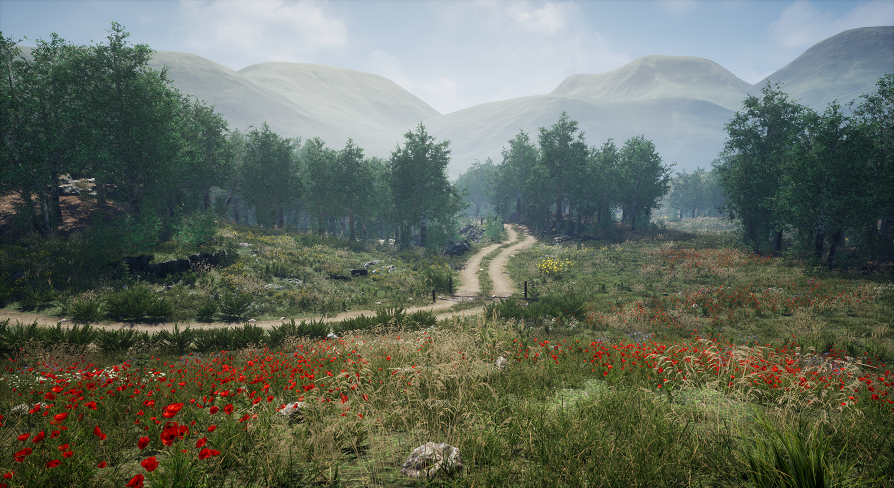
100% scanned and carefully optimized big foliage library. Perfect for meadow, forest and wet lands. In pack you will find grass, rocks, cliffs, trees, trunks, landscape textures, bushes, flowers, swamp water, and fence.
Go get this while it's free, last day free 😄
Could work!
exotic cave
Try the grass from that
Or did you already?
And that's what was choking?
Here's my grass
plush yew
Is github a good way to backup saves on UE4?
exotic cave
You can't have it because Epic no likey my project organization yet 😄
 dim kelp
cat walked on my keyboard and now my editor looks like this:
rough knoll
no i had a different grass
dim kelp
what setting do i need to undo?
rough knoll
90
somber quail
just press z or x
dim kelp
z/x didn't do anything
somber quail
hmm that's the shortcut for fov adjust
exotic cave
Yup, might be something else in that case, possibly the viewport itself has a FOV override
It's probably on your viewport: https://docs.unrealengine.com/en-US/Engine/UI/LevelEditor/Viewports/ViewportOptions/index.html
Explanations of the various options available within the editor viewports.
rough knoll
heres the low poly gras i downloaded
exotic cave
exotic cave
I mean, it is a rectangle
dim kelp
oh that's weird
exotic cave
All you'll get are rows of that
dim kelp
when i set it back to 90, it zooms back to 170
exotic cave
Will look fine when dead on, terrible from any other angle 😄
rough knoll
but like
why does it render as rectangles and not the grass thats shown there
should it not be transparent
exotic cave
@dim kelp : Cat magic 🐱 ✨
It should indeed at least render the transparency, sounds like a materials problem
rough knoll
is there a setting when importing an fbx that changes transparency?
exotic cave
Nope, that's your material
I mean, if all you're doing is importing the FBX and then using the default material that's created...
Then yeah, you're likely to have bugs
rough knoll
dim kelp
it resets the fov to 170 gradually, like zooming, even with keyboard unplugged
rough knoll
yeah thats what i did lmao