#ue4-general
1 messages · Page 748 of 1
 signal jetty
 regal mulch
It's a melting pot when users don't know where else to post.
regal mulch
Thanks!
 open wadi
@regal mulch Thanks again for the great advice.
regal mulch
There is #more-resources and soon a user welcome dialog, given by discord.
signal jetty
Ahh I see
regal mulch
But feel free to suggest changes in #server-feedback
signal jetty
That’s nice
I’ll Get back to work now I forgot How to add Custom collision
Ahhh so tried
Cya
 heady moon
Why does Unreal force you to send the logs so that you can restart when there is a crash lol
 lime gull
How can I completely disable the mouse? I need the player to be in UI mode to use the keyboard to navigate the widgets, but I dont want them to be able to click anything ith the mouse
 tiny loom
disable hit tests on all widgets?
 serene grove
Any tips or recommended resources / tutorials to get started on Unreal Engine for someone with a programming background?
signal jetty
Unreal glitches
 kindred viper
Hi, I have an issue getting a standard armature into UE4. The graphic shows I setup the clavicle_l to spine_01 but when I get to UE4, the connection is made at the base of the spine_01 bone rather than the head of the bone. Also the neck has issues. I created the bones by selecting the parent and extruding (E). Is this the wrong method? Been rebuilding armatures with this method and it always does it. Any ideas would be appreciated thanks.
 plush yew
are their any free world creator softwares that are free?
 lapis ferry
in the shooter game example, where's the actual button to start the game
literally can't find it
can't really find the source code for it either
 little falcon
I had bad habit to use box mapping so that i dont need to unwrap UV in Blender... but seems it wont work in UE4, and i need to make every mesh UV Unwrap
 slim horizon
If i've got a material setup for Interior Mapping, can i download HDRIs and use those as the texture?
I'm just using cubemaps atm but just grabbing a load of HDRIs of bedrooms etc would be way easier
Idk how to google a question like that so havent really tried anything of a solution for it yet 🙂
 heady quartz
Can i completely remove bones from a skeleton? I've got "Leaf" bones that i don't need and i think i could save performance by deleting them?
 past pilot
So how is release 25.0? do i need to wait for 25.2 because it is bugged to heck and back or is it pretty smooth?
 light goblet
it's... fine
lapis ferry
run epic launcher in admin mode
light goblet
or install to a folder on C: root (or another drive)
lapis ferry
usually when you don't have permission to do something it's just a matter of getting the permission
kindred viper
You think thats bad, I installed Xbox game pass for windows, tried to get to move the folder and it wouldn't let me in. It had full superuser rights and I had to go full stack network engineer to get rid of the permissions. But it is mine now.... allll mineeeeeee
light goblet
based windows (this is epic)
lapis ferry
why does it take a second to load a level in the editor but a minute for it to load ingame
and apparently the menu system won't work otherwise in the shootergame example
this is uh
not good workflow
light goblet
sounds awfully assertive 😉
if it doesn't work still then epic games launcher is not very epic at all
lapis ferry
@plush yew what kind of system do you have
uh, ubuntu is a linux distribution
but yea
light goblet
one would think it obvious 😳
though I suppose you can probably install linux on ntfs drive
(assumign that's what displays drives as letters)
 brave pebble
Hey, does anyone knows what's tutorial name of this part of the video on official UE channel? https://www.youtube.com/watch?v=tMPwXotnl5I&feature=youtu.be&t=316

With the release of 4.25, Niagara is finally out of early access! This week, our Technical Art Director for VFX, Wyeth Johnson, will cover UI/UX improvements, changes to scalability and inheritance, and show off new features like the camera data interface and spatial hash.
DI...
 hoary inlet
going to scream, can someone help me with a simple question?
i have a spheretrace here that i want to ignore the character creating it, in this case the player-controlled character
what do i attach to make it ignore him?
nevermind, it's hitting the floor and registering that , i thought it was hitting my character
i'll scream anyway
 placid yarrow
My game is on version 4.22. I'm thinking about migrating it to 4.23, and maybe even 4.24. It's a lot of code (for me, at least). Anything that I should be aware of before migrating? I'm planning to copy my files over to a separate directory and testing in the copied files. But I would like to maximize the chances that this works.
plush yew
Hi. I've worked with UE4 far more than Unity. I just need to know if this type of game should be made in which engine. So the idea is that a female bio chemistry CEO trys to become a god, and she makes a chemical that gets into her mind via toxin and turns her COMPLETELY evil. Can i do this in ue4?
placid yarrow
You can do anything in UE4. There's a learning curve, but it's a very powerful engine.
plush yew
ok by anything you literally mean ANYTHING?
placid yarrow
I haven't figured out how to get it to do my dishes and take out the trash. 😉 To be more precise, UE4 can do pretty much anything video games today are capable of doing.
plush yew
ok cool so this should fit my project
placid yarrow
Yes.
open wadi
I have a general question that I believe is best-suited for this channel (please correct if wrong) - I'm interested in building, for experimentation purposes, a pre-game main menu with top and bottom nav, akin to the pre-game menu from Dota 2 - the project is going to allow users to select and view prerecorded views.
I have a background in C++ - when creating a new UE4 project, what parameters are best for a new project?
For the "New Project Category", which option is best - "Games", "Film, Television, and Live Events", "Architecture, Engineering, and Construction", or "Automotive, Product Design, and Manufacturing"?
And if "Game", should the template be "First Person", "Flying", "Puzzle", "Rolling", Third Person", etc?
 exotic cave
@open wadi : I'm not sure any of those templates qualify, since you're basically doing what sounds like a pregame client?
Your project goes in "Games", but you may need an empty template or to see if Epic has any UI-specific templates
open wadi
Right, basically it's not a game - it's a user interface for playing videos and what not, but I want to use an engine like UE4 for the built-in functionality, particularly as it relates to graphics and networking
open wadi
Perhaps just start with a blank slate?
exotic cave
I would say the blank template, yeah.
exotic cave
And then go hunt up some tutorials on UI
Sure, shouldn't be a problem
But you'll need to learn Widgets probably either way, since it'll be what connects your editor elements to your code
exotic cave
It rarely hurts
open wadi
Won't add unnecessary bloat to execution or anything?
Alright, I'll add it.
Thank you @exotic cave
exotic cave
It just takes up hard drive space. If you don't USE any of the content, there's no performance hit at all on execution.
And, if you do use it, you probably have a reason for wanting it. 😄
I'm trying to find you a UI tutorial for UE that really shows what it's capable of and doesn't suck
Sadly, the pickings seem to be slim at least relative to what the engine is capable of
Since you like C++, UMG may be the way to go: https://docs.unrealengine.com/en-US/Programming/Tutorials/UMG/index.html
Create a simple menu system using UMG.
open wadi
Absolutely, UMG seems to be what everyone's pointing at.
Sorry, just spilled a beer, that was an ordeal to clean up.
Ok, so Starter Content just takes up HD space, it doesn't get auto-compiled and take up resources on execution, thank you.
@exotic cave Would there be any point, in a case like this, to enable real-time raytracing? I assume not, correct?
Oh, and another thing, in the Udemy tutorials they had me switch from Visual Studio to Visual Studio Code, so that's what I'm using by default, is that fine in general?
Would there be any real reason to leverage Visual Studio proper?
 blissful trail
any idea why this aint workin ??
open wadi
Perhaps your user icon.
@exotic cave Working through this tutorial right now, thank you much!
 crisp sleet
Having slight issues with animations, how do i get a variable from my character event graph into my animation blueprint?
plush yew
looking for a programmer guys
 grim ore
@crisp sleet look at the anim bp in the third person blueprint template. Basically you can have the character get the anim instance on the mesh and set the variable from the character, or you can get the character in the animation update in the anim blueprint and get it from there.
crisp sleet
Ah yeah thanks i figured it out :)
grim ore
@plush yew go to #looking-for-talent and read the pinned post
plush yew
Ok
 remote tide
Unable to open 4.25, get the error "LS-0019-IS-0001" anybody know of a fix? The epic site doesn't seem to recognize it.
open wadi
Question: Any reason NOT to use Visual Studio Code instead of Visual Studio Proper?
Right now I'm using Code for editing C++, but if there's a reason to use full on Studio that's fine, just need to know if there's actually a reason.
Question 2: I'm using this tutorial: https://docs.unrealengine.com/en-US/Programming/Tutorials/UMG/index.html - but I suppose it's a bit dated, as 2.1 has you examining HowTo_UMGGameMode.h, which does not exist in my codebase.
Create a simple menu system using UMG.
The project generated "HowTo_UMGGameModeBase.h', but not "HowTo_UMGGameMode.h"
and it doesn't look like what they expect, per the tutorial.
 patent vortex
@open wadi visual studio has a lot more debugging features and you can actually compile within the ide, with vsc you need to load some interesting modules to even compile it (if memory serves) I would suggest using visual studio.
open wadi
@patent vortex Thank you. I'm using studio code now and to compile I click over to UE4 and hit compile, is there something better in Visual Studio proper you're saying?
And visual studio has nicer debugging.
 pulsar badge
👀
 midnight root
case in point: you can create a 'c++' template , to start out with , vs anything else
C++ project
midnight root
I think c# is on its way if not here already, not a adept programmer so I dont' know for sure
no idea on any others
pulsar badge
ah
midnight root
I have my hands full with BPs as it is ;0-0, BUT I'm starting with c++, bc I Know soon enough, I'll need it
open wadi
Question: I've been coding for decades but I'm relatively new to UE4. I'm using UE4 to build not a game per se, but a personal experiment - a menu system with top nav / bottom nav that allows a user to select certain assets (like songs) and play them with a visual interface. I have a C++ background so I planned to use C++ with UMG, but this Reddit post indicates that C++ with UMG can be problematic: https://old.reddit.com/r/unrealengine/comments/goxtp8/how_can_we_make_c_a_first_class_citizen_again_in/
Is this true? I'd rather not code in "Blueprints", I'd rather code in C++ proper. Can this be done, do these Reddit users not know what they're talking about? Or is there validity to their point?
reddit
5 votes and 7 comments so far on Reddit
midnight root
https://www.bing.com/videos/search?q=ue4+c%23&docid=608010873150901218&mid=A184C47F373F1320C67DA184C47F373F1320C67D&view=detail&FORM=VIRE only thing I can find on first search not sure what quality is so...
open wadi
People use C# with UE4?
midnight root
Create a simple menu system using UMG.
not sure if that helps, but there it is
If you are new to Unreal Engine 4, you might want to read our Programming Quick Start tutorial first. For this tutorial, we will assume you are familiar with creating a project, adding C++ code to it, and compiling your code.
I know I read something about c# months ago, but maybe it didn't take off, having a hard time finding info about it
I mean it, and ue4
sides disagree but I suspect c++ will always interface best as ue4 was written FOR it, tho as I'm told ue4 has its own ish version
open wadi
Hi @midnight root - Yes, I'm working through that tutorial as we speak, but I hit a snag at section 2.1 - They tell you to reference "HowTo_UMGGameMode.h", but I don't see that in the Source directory - I have simply "HowTo_UMGGameMoodeBase.h"
Perhaps that tutorial is a bit dated? Or am I missing something?
midnight root
Dare I suggest you're missing something, my c++ is YET to be evaluated :)_))
but its recent, the version at top of page is noted as for 4.25
open wadi
haha, no worries. Just wondering.
Hmm, strange, wonder why simply GameMode.h isn't present in Source.
midnight root
wish I knew
I've been so busy with sculpting, designing and modeling my head spins but I love it all
but ,,now that I feel my project is mostly kinda where I want it , I'm spreading out to other things I've put off
ist a LOT for a solo dem, but somebody has to do it LOL
..........................dev
anyway if you are stuck, I suspect you'd find solid help in #cpp
this time of time dunno but anyway ya , and other venues
time of night ,,see what I mean haa
 whole quarry
I doubt c# will ever come to ue4
midnight root
Prob. if people don't like c++ BP's are easy enough to satisfy most I suspect
Many programmers even like/use BP's if I recall correctly
 signal shale
For some reason when I paint my Ground Texture onto my Landscape it turns out really bright, can anyone help me with fixing it?
And Grainy
plush yew
I have tried to make this sun texture rotate with light direction for two hours now. How do i do it..?
well just tell me how can i rotate that sun there in 360 degrees
signal shale
Can someone help me?
plush yew
Can someone help me?
plush yew
Hey, does someone know, why I can't access https://jira.it.epicgames.net?
 sudden agate
i assume you are not supposed to access it
midnight root
@plush yew #blueprint for starters may yeild better results
@signal shale #graphics for you
crap
pulsar badge
Do you guys prefer using blueprints or C++?
midnight root
https://docs.unrealengine.com/en-US/Resources/SampleGames/ARPG/BalancingBlueprintAndCPP/index.html prob. not a bad start
Describe how to make a combination Blueprint/C++ game, and decisions you might make along the way.
plush yew
Hii
midnight root
I don't know is all, my knowledge in both is far too young
hi
but ya I know much MORE about BP's atm
plush yew
I have confusion in normal c++ and unreal engine 4 c++
I am new in unreal engine 4
Help me to understand unreal engine 4 c++
midnight root
I won't be your best answer , not usingc++ YET , so having said that this is interesting https://www.quora.com/Is-C++-in-UE4-pure-C++-or-a-scripting-language-very-similar-to-C++
 junior iris
I can't handle c++ c# python or any other text based programming, visual scripting is all I can do so Blueprint for me
 modern sinew
So a tutorial I'm following, they got this:
But for me, only GetListItemObject shows up; what's going on?
plush yew
What's up ya'll. So i bought an animation pack from the unreal store, and I'm wondering how to set up multiple animations for my jump. This is what I currently have. I followed a tutorial on Youtube for the idle/running, and it's working great. But I can't seem to find a video explaining what I'm trying to do. If ANY of you could direct me to a website, a video, or just help me directly, it'd be much appreciated. Thanks ❤️
plush yew
Is it possible to get bounding box of actors to screen
So that i can draw squares around them?
plush yew
How to rotate unlit two sided texture (skysphere)
This is my material
in skysphere
sphere is turning. but material isnt
How to make material rotate too?
 fallen marten
@plush yew what do you want to add to your jump?
plush yew
lol im really new to unreal engine so sorry if i sound dumb, but i dont really want to add anything, i just want to assign all the animations i got from the pack to the mannequin. @fallen marten
modern sinew
How do you get the current key that the user is pressing?
plush yew
@modern sinew Any key or specific?
Like do you want to do something when for example E is pressed or just see what is pressed
modern sinew
I want to get the key that the user is pressing at that moment
Context, I'm in a Widget BP
plush yew
@modern sinew i dont think that it is possible to register current key as a text, but you can do stuff when any key is pressed
@modern sinew i found way to do it so wait i send blueprint
whole quarry
@plush yew take a look at the Sky Sphere blueprint and its material
fallen marten
@plush yew that's easy - just go the animation state, click the animation plugged into the result, and on the right in the details, you can swap the animation to the one you want by clicking the little dropdown box thing with the animation name and selecting the one from the asset pack
plush yew
There is how to get key name
modern sinew
@plush yew I would have done that, but Any Key doesn't show up when I'm in widgets and I don't really want to constantly be changing a variabe
 restive vale
 gilded eagle
why unreal is tied to fbx? isn't there another format that has nothing to do with autodesk? will USD be a replacement anytime soon?
plush yew
why isnt this material spinning with mesh
 dim merlin
is it possible and or common to merge foliage like trees somehow to optimize drawcalls?
plush yew
Gosh this server has became just question place without answers
modern sinew
"become"
 silver crown
@dim merlin use instancing for foliage
plush yew
Omg is my rotating material so hard problem that i cant get answer is 5 hours
whole quarry
You got a awnser
@plush yew take a look at the Sky Sphere blueprint and its material
plush yew
I didnt find anything from it @whole quarry
whole quarry
It has a rotating sun depending on the Directional Light rotation and updates the material accordingly
plush yew
@whole quarry ye, but i just want to rotate material with mesh
whole quarry
Cant do that with a skysphere material
plush yew
@whole quarry but i dont even get how to rotate that texture there
rotation values dont make any sense
 golden niche
@junior iris UE is not as complicated dw
dim merlin
@phy i use instancing for foliage :), just actually tried to use merge actors when i select the foliage, but that run out of memory 😐
actually i need thousands of trees, and also as background map it would be better
not that i use field distance shadows for all trees
 split tundra
Is there any way to remove "Row Name" from a DataTable?
 potent veldt
Hi, I want to change the mass of my pawn "ball"
to make it heavier and that it doesn't fly off at the slightest obstacle. Do you know how to do that?
 surreal laurel
whats the best way to delete a bunch of assets from a project? I just tried to delete a folder full of grass assets that I got from the marketplace and I think UE just crashed
 fierce forge
hi , if i want to setupandroid i'm getting this error , how i can resolve it ?
plush yew
can someone help me with ue? i am working on a open world game like gta but tiny. but i dont know where to start can someone help me? (pm me)
 void sinew
Anyone has Custom Render Pass problems in 4.25.0?
I want to export Ambient Occlusion pass and it only exports first 3 frames.
 wheat hare
@surreal laurel it's not crashed, it's compiling shaders. Check what processes are running and all will be revealed.
exotic cave
@plush yew : We are all busy here. I don't think you can just wedge the Skybox node into a non-skybox and make it work.
You need to actually learn Unreal Engine. If you want your material to move on meshes, you need to learn how to actually adjust your UV's yourself.
But coming in here, not taking the time to learn, jamming nodes where they're not supposed to go, then blaming all of us because we won't write your code for you, not the best way.
plush yew
Nobody was busy back in the good days of this server
exotic cave
And when was that?
plush yew
2019
exotic cave
Okay
You still have to take some responsibility for making your own project work.
@plush yew : About to get to you.
plush yew
I have tried all ways and searched for hours so i came here
exotic cave
No you haven't 😄
plush yew
This server is always my last place to come ask stuff.
exotic cave

In this tutorial we make an animated panel material in UE4, similar to what you would see in a lot of racing games.
NOTE - The files below are not the exact same ones as I use in the video because I accidentally deleted those files and had to recreate them!
Chevron Texture -...
You need to learn techniques like that, is what I'd guess.
You need to learn how UV's work, and how you can adjust them to create animated materials.
fierce forge
hi , how i can change a project version from ue 4.25 to 4.24 without losing anything ?
plush yew
@fierce forge I dont think that you can go back in versions and be 100% sure that you lose nothing. There is changes at versions and new stuff and they will disappear if you go back.
You can try to open older version of Unreal Engine and then find your project there and open it
 real rain
hey hopefully simple problem, how can i make an object pop up out of the ground when i place it in a level?
The character seems to do it by default, but I made a crate with origin at the centre, and it spawns half way in the ground.
I'd like the origin to be in the centre for position reasons.
 errant magnet
I'm following this tutorial : https://www.youtube.com/watch?v=-h4-h8zyVzE
and Unreal Ungine (last version) is crashing each time I connect a material function to a BreakMaterialAttribute. Is it a bug or I am doing something wrong ?

In this tutorial you will learn how to make a Landscape Auto-Material which is a shader that will procedurally generate how your landscape will look so you don't have to do all that manual labor of painting it yourself, but you can still paint on this shader if you're so incli...
Vidéo timecode : 11:52
whole quarry
@fierce forge migrate the assets (right click on them and them choose Migrate), fix what gets broken/missing
@real rain "End" key
 fading fractal
how beginner friendly is unreal? i know my way around blender but im looking to give unreal a try because it says its super good for architecture and stuff
 spiral shell
Hey folks,
I'm attempting to create a third person shoot camera setup wherein the mouse is used exclusively for looking, and WASD exclusively for movement.
Messing around with the Third person preset, and tweaking the CameraBoom + Camera setup yields nothing.
I'm having a hard time grasping how this should be done, and would love some input!
whole quarry
@fading fractal depends on your programming knowledge, imho the learning curve depends on your starting projects
fading fractal
if you mean programming as in typing code i have absolutely 0 clue
whole quarry
@fading fractal start with some basic tutorials and check out the starter templates
fierce forge
is there a way to resolve this ?
whole quarry
Nope
real rain
@whole quarry ah thanks, that places them on the ground which is definitely useful, but doesn't do anything if they're in the ground already. I have to place a lot of objects so being able to make them pop up by default would speed up my workflow alot
errant magnet
https://discordapp.com/channels/187217643009212416/225448446956404738/713740625219944558
After further testing, this happend only when I connect a material function attribute Child that I made using this button in my parent material function
Thanks in advance for your answers
wheat hare
@fading fractal I'm also a beginner and in terms of actually being able to get the results you want with a minimum of unnecessary steps, Unreal is way way easier to get around in and do stuff in than blender, twinmotion is similar for archviz and I don't think the renders are garbage on that either. If you already know basic automation programming or anything like structured text or ladder programming, you already know 90% of what you need to know to start a successful project in blender that compiles and looks good and does stuff you want. The learning curve just isn't there like it is for unity. Others may have more advanced opinions having used the software for a longer time tho...
fading fractal
im a little confused, is there actual programming in unreal?
in blender i just model stuff with the tools then animate the camera to move around
wheat hare
Yeah you can use c++ if you want
fading fractal
i have never programmed before
wheat hare
I did the same in blender
UE4 4.25 uses sequences for cinematics which is almost the exact same thing as blender.
fading fractal
whoa was this made in unreal? https://www.youtube.com/watch?v=qPVoYIvFsRY
 wheat hare
Nah that's blender
fading fractal
ah
wheat hare
And it's super de duper old, check out http://instagram.centralgoiania.com.br for the final ^ ^
Welcome back to Instagram. Sign in to check out what your friends, family & interests have been capturing & sharing around the world.
fading fractal
i gotta learn how to make those curves 😂
like youve got curved paths i have no clue how to do that 😛
fading fractal
this vr thing is amazing
wheat hare
Yeah and it's wonky as hell, there's functions for all that and the way I implemented the locomotion sucks
But you can download the source at http://basilica.centralgoiania.com.br
 fading fractal
thanks! 😄
wheat hare
Np mane.. My first ue4 project that I'm going to do "for real" is a see-and-say for kids ^ ^
Gonna learn blueprints
real rain
Okay I've got a different angle to my question: The default character has an origin in the centre, but when placed in the map automatically moves upwards to stand on the ground. Can anyone tell me where this is done so I can duplicate it in one of my own objects?
wheat hare
That happens to me when I zone in too close to the floor and the floor has a collider, it pops me up on top of the collider.
Because to my knowledge you can't walk around inside a collision matrix when you also have a collider on your character
real rain
Right, yeah during gameplay I can pop things out of the ground. I'm wondering how to have it happen when I place an object in the editor.
wheat hare
You want to snap objects to the floor? I also want to know this.
real rain
The End key will drop objects downwards until they contact if they are above the floor, if that's what you're looking for.
I'm specifically looking for it to happen by default when placing an object
fading fractal
FOR GODS SAKE!!! its being updating fortnite this whole time when i thought it was downloading unreal 😭
wheat hare
Yeet
fading fractal
50% done ooooooooooooooooooof
 deft owl
Hi guys, does anyone have any good documentation or reading material on implementing neural nets and/or genetic algorithms in UE4?
 dire sentinel
https://cdn.discordapp.com/attachments/371739852758319114/713739589919047801/unknown.png
[SM5] (Node LinearInterpolate) Coercion failed: Local4.rgb: float3 -> float
Anyone know why i get this error on a lerp when i use a function input on it?
 fierce forge
hi , i exported my game to android , this is the file i need to install on my phone ?
fading fractal
my thing has been stuck on verifying for like 30 minutes does this usually happen for anyone else?
 zenith pewter
Hello, how can i break tree model with speedtree?
 deft nebula
hi , i exported my game to android , this is the file i need to install on my phone ?
@fierce forge i belive so .apk is for android
zenith pewter
Like this
 unique timber
What is Input Mode?
deft nebula
Like to know that too about speedtree
How do get the time the current playing song is at so i can check if it is for examplr 1 minute 50 seconds and only then switch a other song
errant magnet
I'm folowing this tutorial : https://www.youtube.com/watch?v=-h4-h8zyVzE (timecode : 26:50) and I'm acctualy making the ability to paint over my material that adapt to terrain to put ston or grass.
But the thing is that when I paint I get a very ugly result over the region I have painted :
Any idea where it can come from
Thanks in advance
Denis
fading fractal
oh lord its 33 gigs
 frozen pond
can some1 tell me why my landscape is bugging like this? i'm paiting in one place, and paint also appears in diffrent location and looks like this ?
fading fractal
should i enable or disable real time ray tracing?
 half hemlock
anyone using unreal 4.25? Mask material only in early Z-pass seems to be disabled (greyed out). Is there another setting that is causing it to be greyed out or is this something that 4.25 is enforcing ?
 radiant fox
anyone know what's going on here? https://gyazo.com/47beded05850efd8971d3e0c34eb7de8
plush yew
Guys, I can't sign in to epic games launcher to download unreal engine. Any help? Pic related is error but no answers for it on google
Been facing bugs since the last 6 hours on trying to get unreal engine, this is the one i'm facing now and i'm really frustrated on how to fix it...
potent veldt
Hello, I have a problem with my landscape, When I put a texture, I have this circle witch don't want to disappear... Anyone know how to solve this ?
@errant magnet for me ?
errant magnet
I re-upload my own question
potent veldt
ah
 tropic moss
I'd suggest to get a course from Udemy/alike
I can even suggest a course, but not sure if it's legal in this topic)
 worn peak
do u know if theres only paid courses
tropic moss
those couple, which I started from, were just 10$
worn peak
anything about ytb ?
tropic moss
sorry, don't know any youtube channel, that was well structured and contained such a dense program
fierce forge
hi , how i can resolve this problem ? , when i'm trying to run setupandroid from the engine files
exotic cave
@zenith pewter : SpeedTree does not support destructible tree meshes by default.
In fact, it doesn't really support them at all. You can open a 3d modeler or editor and break the mesh apart into several sections, however, and piece them into a mesh that uses collision and physics to allow tree destruction.
But you can't do it by clicking a button or two. 🤪 Very hard stuff. I'm sure there are people here who can help walk you through the process, but it'll require professional 3d editing software (Blender etc.), it will require you to add additional geometry and textures at the stumps/break sections, and it'll require you to program the physics interactions.
zenith pewter
@exotic cave thanks for your reply.
errant magnet
Up : #ue4-general message
potent veldt
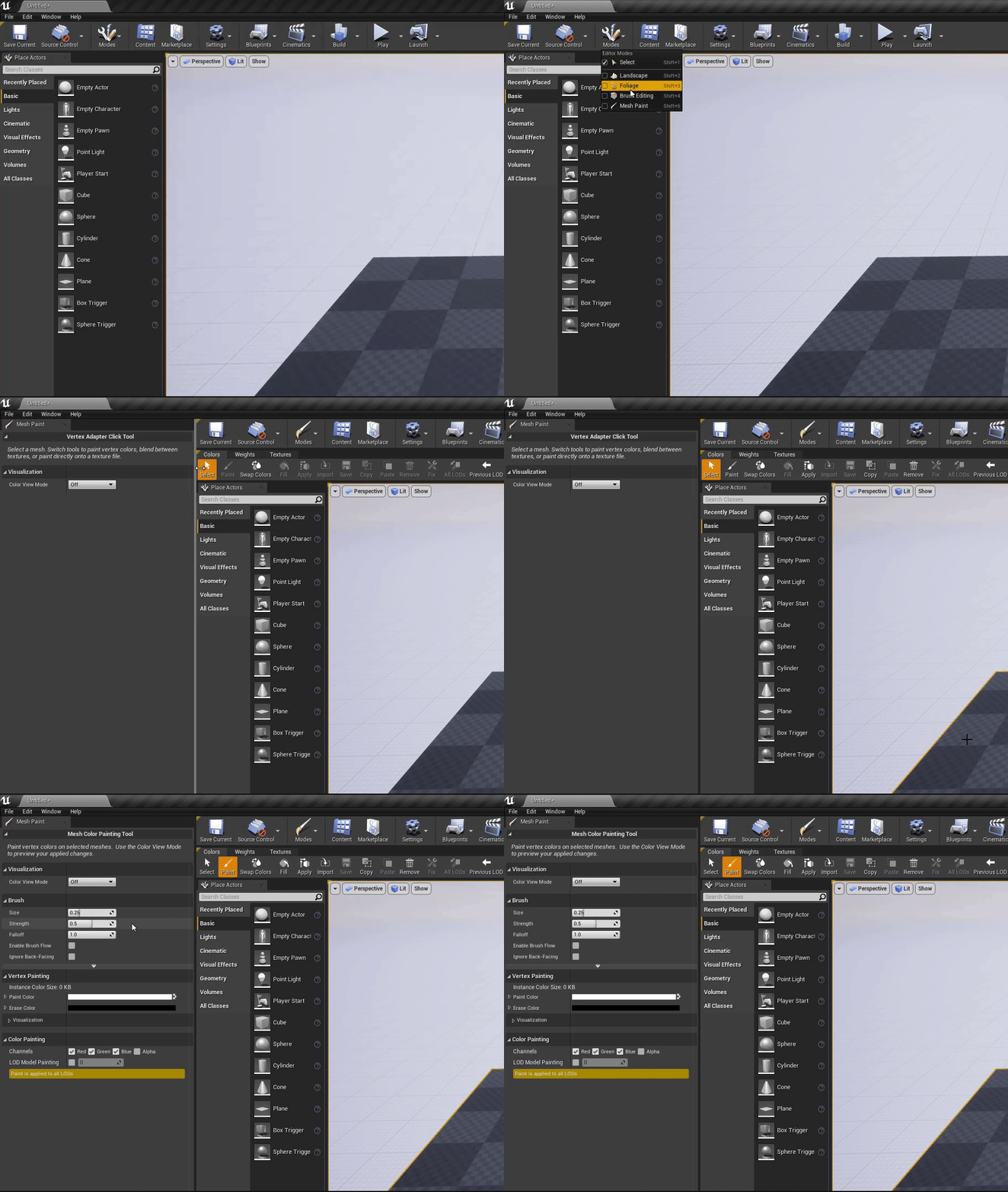
So, I have an other problem, I can't found a solution. I can't paint on my mesh with an other texture. Check it, I haven't any settings... Anyone know this problem ?
grim ore
did you select the mesh then select select in the paint bar then paint?
potent veldt
yep
grim ore
well I mean that picture doesnt show you having it selected
potent veldt
but when I select my mesh, and I go on this tab, it's automaticly unselected..
 reef torrent
sorry if this is a stupid question but is the Marketplace button in the editor (not launcher) supposed to work?
it never seems to work for me
grim ore
weird. This works for me. Choose mesh paint, choose select, click on my mesh, click on paint, it works - https://i.gyazo.com/baa3a702f3d57dfc26bf737091e26bd5.gif
 potent veldt
 near monolith
ok i need help. I Was working with UE4.23. when i decided to download and install the latest version (which for some reason showed up as 4.25). Installing it, Epic launcher crashes and re-starts. The only available engine showing rihgt now is 4.22.
grim ore
@reef torrent I think it stopped working at some point yes, doesnt seem to do anything recently
reef torrent
haha okay i see, glad its not just me then, thanks
grim ore
@near monolith the latest is 4.25 so that is correct. Restart your PC and see if it fixes the issue
near monolith
@grim ore Hey mate, tried everything, the launcher won't even let me uninstall stuff.
and i always have to log in (often close the Epic launcher and restart it to get it to work).
Tried, re-installing everything. but not working
uninstalling again. Seeing if it works.
Another question, can one export a project done in 4.23 to 4.25 ?
grim ore
you would be able to open an older project in a new version of the engine yes
 next badger
FU**...damn UE4 error about out of GPU memory
near monolith
cant uninstall shite.
grim ore
remove the engines directly from your drive, uninstall the launcher, then reinstall it
near monolith
was about to write that.
Funny thing, in my directory it says that 4.24 and 4.25 are installed But they are not available.
this keeps on going and going and i have to close it and start it to make it "work" anybody else with that issue?
every start.
grim ore
it sounds like a connection issue between your machine and epic
dire sentinel
https://www.youtube.com/watch?v=NAJhppttJgI
Tis guy has a Height output on his material function for height blend, but I don't maybe I have done something wrong, but I just watched the tutorial again, and I didn't spot anything I did wrong. Is it some depreciated workflow or something?
https://cdn.discordapp.com/attachments/371739852758319114/713799609000001587/unknown.png
His
https://cdn.discordapp.com/attachments/371739852758319114/713799752612839474/unknown.png
Mine

In this two part Tutorial Series we are going to create a Landscape Material that features advanced heightmap blends, tessellation and procedural puddles.
This first part focuses on the setup of the material layers and blending based on the height map.


 frank oar
Is it possible to give a widget border a material ?
I ask because I would like my buttons to look like they are sitting on a glass pannel...
while I am asking.... Can buttons also be given a material, with the next being its own material ?
frozen pond
WTF IS THAT ?
 lavish perch
for Multi-User Editing do you need to host your own vpn to do it?
frozen pond
you need to be in same network
lavish perch
it also says you can use a vpn
grim ore
@dire sentinel https://youtu.be/NAJhppttJgI?t=1540 he has 2 outputs, one is the height (look at the bottom)
frozen pond
@lavish perch VPN does that
dire sentinel
I tried to do that as well but it gave me 3 errors, sec, lemme undo
@grim ore :/
grim ore
well I dont know how yours is set up but no issues here
fierce forge
with what android method i need to export my game ?
 vocal topaz
Hi, İ want to make bots using cars in ue4 like in gta5 if you know a tutorial about this or something plz dm me.
 pine tide
It Unreal Tournament 4 dead or will be pre alpha version for a long time ?
grim ore
well the output height in the example video is a single channel and it looks like you are putting in more than 1 channel
dire sentinel
that's why i have component mask
grim ore
is the error in this material function or in the material that uses it?
@fierce forge the texture compression format will depend on your target devices, you have to look that up
plush yew
Guys, I can't sign in to epic games launcher to download unreal engine. Any help? Pic related is error but no answers for it on google
Been facing bugs since the last 6 hours on trying to get unreal engine, this is the one i'm facing now and i'm really frustrated on how to fix it...
grim ore
thats the launcher, you might need to contact support directly That could be an issual locally for you.
plush yew
I did, no response
Is there any other way to download unreal engine without using epic games launcher?
grim ore
it might take longer. beyond that its a tech support issue nothing to do with the engine directly
you can download it from the github and compile it
 lapis bronze
you can always build the engine from source haha
would not recommend
plush yew
why not recommend?
lapis bronze
takes a very long time
plush yew
less than 6 hours?
dire sentinel
@grim ore material that uses it
grim ore
its dependent on your machine, its about an hour round trip for me from download to finish compile
 viscid vine
Hey, sorry to disturb the flow of the current conversation. I am having issues trying to light an set I made up and was wondering if anyone had any good tips or video tutorials for indoor lighting? Im not the best yet with unreal engine and I do get lost and confused easily, thanks for any help, or just reading this. Thankyou.
grim ore
@dire sentinel I think you are just going to have to follow the tutorial again. the texture coords in the tutoral go in to the texture samples nodes like expected but that small screenshot of yours doesnt seem to look like that
frozen pond
how to handle foliage shadows to don't have huge fps drops ?
dire sentinel
im using texture object instead of texture sample since i want to use texture bombing
so i cant use only one channel
so i used component mask
grim ore
texture object might not be supported for what you want to do
@viscid vine look at 80.lvl, they have a few lighting blogs and posts for UE4. There are also some courses on the online learning portal for UE4
dire sentinel
Ah yes perfect, i can't use texture samples for texture booming, since it only works with texture object, but i cant use texture object with height blending
fucking amazing
anyone know a work arround?
viscid vine
@grim ore Thankyou, I shall go and have a look, see what I can learn.
 red raven
Have you tried a parameter 2d @dire sentinel
dire sentinel
para what?
red raven
Instead of an object or sample, convert that to a parameter 2d
red raven
Right click your sample, press convert to parameter
exotic cave
Please don't swear at the channel, @dire sentinel. Game development is a frustrating process by its nature. It's really important to have patience.
red raven
It's good to keep things in parameters for quick changes anyway which I'm sure you'll learn in the near future
exotic cave
Everything you want to do is possible in the Material Editor. But you need to genuinely put in the time to learn it.
red raven
Yes
exotic cave
That's a Texture Parameter, yes
You are going to want your texture inputs to be those anyway as a general rule, unless the texture absolutely isn't going to ever change in any circumstance (something internal to the material)
exotic cave
Texture Parameters can be changed in Material Instances. Hard-coded textures can't.
dire sentinel
and it will never change
red raven
T2d in that situation probably has to be a texture object @dire sentinel
dire sentinel
it is
red raven
So try to work around the other error you're getting
dire sentinel
but then it doesnt work in the landscape material
red raven
What's the error
exotic cave
So define it twice
red raven
Not that one
dire sentinel
exotic cave
If it's not going to change, have a Texture Object that goes into the bomber, and a Texture Parameter that goes into your height blender...what are you trying to do here?
Are you trying to do stochastic texturing?
For a landscape material?
dire sentinel
i dont know what the fuck that evne is xD
ha?
In this two part Tutorial Series we are going to create a Landscape Material that features advanced heightmap blends, tessellation and procedural puddles.
This first part focuses on the setup of the material layers and blending based on the height map.
exotic cave
Swear one more time and I'm out dude
dire sentinel
im just trying to do this but use texture booming xD
dire sentinel

This tutorial shows Unreal Engine Texture Randomization with the Texture Bombing feature.
exotic cave
It's not a "just". That's...I mean, at least moderately advanced materials work.
dire sentinel
texture bombing*
exotic cave
I know what it is, friend.
dire sentinel
eh
 misty owl
I love Unreal Engine ❤️
exotic cave
It's not. It's a great concept. There's work being done on it, I've explored the concept myself
It's not "if it doesn't work in a half hour, come in and drop a lot of f-bombs", though
exotic cave
Because it's unprofessional, it's angry, and it sets an improper tone for a professional channel.
 tiny imp
Can you rename multiple selections in world outliner?
dire sentinel
i mean it was sarcastically but okay
misty owl
...penis.
dire sentinel
and most people i worked with swared xD
then again i worked mostly with men
fair point
exotic cave
I do have the right to refuse to help you if you want to swear at me. 😄 Enjoy your landscape material efforts.
dire sentinel
om eastern european xD
tiny imp
Can you rename multiple selections in world outliner?
So, noone knows if it's possible?
dire sentinel
i mean i didn't sware at you 😄
midnight root
thats 2. No NSFW (Not Safe For Work) content of any kind, period.
This one should be pretty self explanatory, anything you don't want your boss (or your mother) to see you looking at is certainly not fit for this community either.
reef torrent
for Add Actor Local Offset's Sweep, does it have to be a Block for it to stop the actor from moving?
or is overlap enough
you know what i'll find it out myself sorry haha
plush yew
@reef torrent I believe block only
reef torrent
ah okay thanks ^^"
dire sentinel
also in teb beginning teh guy enabled use with landscapes
but i dont have that
is there anything i need to do in the newer versions?
grim ore
@tiny imp What do you mean rename multiple selections? If you rename multiple items to the same name that would not be allowed
@plush yew If that is the only camera in your character and that is the currently possessed character then that should be the camera that is being used for your viewport
tiny imp
First of all, it is allowed @grim ore, at least for 4.25.0. Secondly, I had some floor meshes named like floor1, floor2, etc and I wanted to use the same meshes for the ceiling, just copying upwards, and I wanted them to be named ceiling1, ceiling2, ...
That's why I asked
grim ore
so you can have the same name for 2 different items in the world outliner?
tiny imp
Yes.
grim ore
well internally thats not the name, thats just the display name. You can use a editor utility widget to automate that if you want.
you cannot directly select and rename multiple items in the world outliner, no
tiny imp
Of course internally it's not the same 😄
My purpose is ease of use. Say, you want to change the height of all ceilings, just search for that word and select everything and adjust
grim ore
you could pretty easily make a widget to do that. Grab selected actors, take the input string you put in the widget, loop thru the array of selected actors and name them input string + index
dire sentinel
Why in teh name of god and everything else that's holy do you need to create your own hecking landscape material
exotic cave
Because different developers have different needs for their landscape materials
grim ore
Could always steal the landscape material from the boy and his kite example
dire sentinel
landscape material just wont work with material functions no matter what I do?
and i dont want to have a blend for each texture
if i wanted spagheti i'd go to a restaurant
 silk finch
Hi, any chance to change weapon material in hit attack?
grim ore
@plush yew I must have missed the editor part, you really cant. You can put it in the level like you did and pin the camera then have the blueprint and the viewport open at the same time
im guessing due to there only really being 1 viewport at a time and the camera manager handling that camera once.
viscid vine
Sorry me again, I have my set, but all the examples I am finding start with the set in pure darkness. I removed all the lights but still the set is lit up. Would anyone know where Ive gone wrong?
grim ore
Perhaps the items materials are set to unlit? perhaps your viewport is set to unlit?
exotic cave
@viscid vine : Are those your materials or someone else's?
@grim ore : I do believe I see a capital "L" on the "Lit" over on the left
viscid vine
The materials were put together in substance painter
exotic cave
So you didn't make them?
grim ore
yeah I am not in the engine so I cant remember what the default lighting is called lol
viscid vine
Not the wooden textures no.
exotic cave
Did you actually open the Material Editor
Do you know how to use the Material Editor
To me, it looks like it's possible that all your materials have a very high emissive component
viscid vine
The material editor is where you put togehter the maps into the materials, right?
exotic cave
Mhmmm
I have to leave momentarily, but you can try to show me your material graph if you can
viscid vine
Currently looks like this.
exotic cave
And that's what...automatic export from Substance Painter?
viscid vine
Well i exported the maps from substance painter and then hocked them up to the corresponding dot places.
viscid vine
I assume im doing something majorly wrong.
exotic cave
The one with your Roughness/AO/Metallic all baked
Cause if that's off, particularly on the AO, in my experience it could easily cause that
Lemme see what the scene looks like with that disconnected. You can leave the node itself
viscid vine
It should have affected the bench in the middle there
exotic cave
Is that with it disconnected?
viscid vine
With the Middle maps disconnected, yes
grim ore
If you have no lights there is a very good chance eye adaption / auto exposure is doing that
exotic cave
That's what I would say too
You can hook up your R/A/M map again, my apologies, just wanted to rule it out
viscid vine
Its all good, ive been trail and erroring it for a while now
exotic cave
I think @grim ore is very possibly right. UE has default postprocessing settings.
Those default postprocessing settings contain auto exposure and eye adaptation
The default settings on that drive a lot of people nuts, myself included 😄
viscid vine
Where would one find those?
exotic cave
Easiest way to change it is just add a Postprocessing Volume to your scene
And I'll go grab you some settings that effectively turn the eye adaptation to nearly nil
grim ore
well the easiest is to shut it off in project settings, second easiest is to uncheck the box in the viewport, third is post process 😛
exotic cave
Husha your mouf 😄
viscid vine
Thats done it
exotic cave
Mathew knows his stuff 😄
viscid vine
Thankyou both for helping out there. Unreal is something I still haven't got my head around
exotic cave
It takes years to master it
( By the way, you may eventually want an actual Postprocessing Volume in your scene, and if you do, here are the settings I use to keep autoexposure to a minimum 🙂 )
viscid vine
Ah cool, thankyou for that
exotic cave
Season to taste, but generally speaking if you shut down the interval between Max and Min Brightness it'll keep things relatively consistent in my experience
It's in Lens->Exposure if you actually make a volume. 😄 Good luck!
viscid vine
Thanks again
fierce forge
hi , how i can make my game support opengl 2.0 for mobile ?
midnight root
ive seen before, running out of memory , engine wants you to add that volume to address it
plush yew
What would be the way to fix it you think?
midnight root
thats whats its indicating anyway,,can't be sure but its highly likely yes
is your rig up to buliding lighting in genreal ?
general
plush yew
Currently I'm just trying to build the landscape and a simple block
midnight root
right
plush yew
But it is importet from worldmachine
plush yew
The resolution is 8,129 x 8,192 with 255 x 255 in component resolution
 digital badger
cursed layout
midnight root
but then mine are too LOL
lavish perch
me and my friend both connected to the same vpn but we cant connect to a multi-user session how can i fix this?
plush yew
I use no material so it's weird how it find a problem with it
Even with 32 ram it should work to progress, Unsure how to find a solution to make it build it
lavish perch
the ip it gave us was 69.10.63.243
plush yew
It build the data but not the lightning
 lime girder
@grim ore I hear your voice every day lol. Sorry just realied im like 200 into your playlist of 600 videos atm 😄 😮
fierce forge
is there a way to make ue4 4.25 support 3.0+ not 3.1+ ?
lavish perch
hamichi did not work for us what are the ports number for it though?
frank oar
Any idea how I could make this translucent ?
It is totally opaque and I would really like to see through it ( just a little)...
here are some more settings
plush yew
how do i give a room i modeled collision?
grim ore
Model the collision in your 3d program and bring it in, or open the mesh in the static mesh editor and use the collision menu to add
plush yew
does sketchup work well as a 3d program btw?
grim ore
it certainly works but its very limited in what you can do with it in the end
plush yew
ok
ill be using blender for non-room models
could someone show me how to actually add the collision when i add a model for it?
grim ore
@frank oar for something like that you need to set the parent container to partially opaque for it's content probably
plush yew
like there is auto generated collision for the room model, how would i add that collision?
grim ore
what do you mean?
plush yew
when i tell it to show complex collision it shows very accurate collision for the room
how would i enable that if i were to use it?
grim ore
correct, that is complex collision it uses the geometry for collision
scroll down to the details and set it to use complex as simple
plush yew
ok
frank oar
here @grim ore ?
Also, do you know if a widget can be curved ? I am making it for VR
 tacit moon
How big a deference would an amd 3950x vs a 3700x be for game dev? Will the extra cores be noticeable?
 dawn kelp
I set my UE Editor preferences to animated window, and I cant change it back as every window jumps around like crazy. What can I do?=
Jumps up and down like crazy (these are 2 pics and that 2 views switch like every frame. So I basically see them all at once but with jitter
Windows are unclickable
grim ore
@frank oar if the widget is in 3d space, using a widget component, you can set it to curve yes
frank oar
brilliant! thank you!
grim ore
@dawn kelp edit your .ini file back to false
dawn kelp
Thanks man
I haven't thought about that. And thanks for searching up how the property was called
Am I the only one where this bugs out ? (v. 2.25)
grim ore
@tacit moon lightmass, shader compiling, engine compiling all use as many cores and threads as you have. IF this is something you do very often then yes it will be noticeable. Its a pretty linear curve as you add cores and threads
@dawn kelp no you arent, it seems to happen to people with windows scaling turned on or higher dpi monitors
tacit moon
@grim ore thanks for that , helps a lot.
grim ore
@tacit moon im actually watching this video as I am trying to decide on going from a 2700x to a 3950x or a more core threadripper https://youtu.be/VQa6r6Ci1jg
fierce forge
i need to enable OpenGL 2.0 or 3.0 on UE4 4.25 do somebody know how i can do this ??
for mobile
dawn kelp
@grim ore Where did you find that ini? can only find the default one
(Found it. Windows search function thanks.)=
grim ore
@fierce forge chances are you cannot
fierce forge
the how i can test it ?
then*
my phone have 3.0 , bluestacks have 3.0 , nox have 2.x
 serene birch
mobile doesn't use "normal" OpenGL
it's OpenGL ES 2 or OpenGL ES 3
UE 4.25 dropped OpenGL ES 2 support though if I'm not wrong
serene birch
so it seems you require 3.1
fierce forge
i tried 3 methods but i can't get it
serene birch
Device compatibility for developing with Android.
serene birch
I'd say for 2.0, downgrade the engine version
grim ore
if you want 2.0 you have to use an older version or re write the renderer for mobile
grim ore
lots of hard work. 4.24 was the last supported engine with es 2 support
serene birch
OpenGL ES 3.1 added compute shaders
something minor in that it's probably just an issue of updating your drivers but major in that not having them changes a LOT
grim ore
"Prior to Unreal Engine 4.23, OpenGL ES2 was Unreal Engine's default feature level for Android projects. However, with the release of 4.23, the new default for Android became ES3.1. With Unreal Engine 4.25, we will remove ES2 completely."
serene birch
yeah
fierce forge
and what the hack i can do ?
serene birch
your best bet I think really is to try to downgrade your project back to 4.24
grim ore
if you want es2 in .25 you will have to pull the entire rendering pipeline for mobile out of .24 and put it into .25
serene birch
UE4 isn't friendly with downgrades :/
grim ore
did you start this project on an earlier version and it suddenly stopped working?
fierce forge
no , but if i wanted to open anything it said i can't load it
grim ore
.25 is fairly new so I am confused. Is this a new project?
fierce forge
anything like blueprints , widgets , static meshes and more
grim ore
or is this an older project you have upgraded and now it wont work on your device?
fierce forge
i created this project on ue4 4.25
grim ore
then if you want to use es2 you will have to recreate it on .24 or earlier, you will not be able to use earlier than es 3.1 on .25
fierce forge
i already did some devlogs with it 😦
grim ore
it is what it is
fierce forge
?
grim ore
it is what it is. If you want es2 you need .24 or earlier there is no real way around it.
supporting es2 seems like a weird option tho, that is very old at this point for devices
serene birch
well it's still useful but for projects that aren't really "UE4" scale
UE4 feels like a weak choice for an es2 level app
fierce forge
how i can open it , emulators have under 3.1 and my phone have under 3.1 ?
no if it is 2d
grim ore
well you are technically asking for something that is just not common right now. UE4 has moved on, if you want to use es2 you need to use an older engine version.
according to the internets there are android emulators that support es 3.0 and later
grim ore
well the official android emulator does for starters
grim ore
the official one with android studio, it supports it as of 2017 https://android-developers.googleblog.com/2017/05/android-studio-3-0-canary1.html
and I've found others just googling opengl 3.0 android emulator
 unborn folio
hey can anyone help me with flickering objects i dont know whats wrong
serene birch
3.0 lacks too many important features for UE4 yeah, you want 3.1
fierce forge
for ue4 mobile you need 3.1
serene birch
any emulator that reroutes draw calls to the host OpenGL stack should be able to deal with OpenGL ES 3.1 though
most OpenGL drivers can be set in OpenGL ES modes
fierce forge
nope
serene birch

MEMU supports two graphic render modes, DirectX and OpenGL. DirectX mode is default and you can switch to OpenGL mode. It’s recommended to switch them if have issue to play a... Read more »
 urban kettle
need some urgent help with a project for a design test
had to recover part of the project
seems that most things were ok but now the project crashes on load :
LoginId:59e440ae48def768152f47a802d0ccfd
EpicAccountId:f7e740f6124c40219fa97e8fa818fec8
Fatal error: [File:D:/Build/++UE4+Licensee/Sync/Engine/Source/Runtime/AssetRegistry/Private/PackageReader.cpp] [Line: 470] Bad name index 1720805763/130
UE4Editor_AssetRegistry
UE4Editor_Core
UE4Editor_CoreUObject
UE4Editor_CoreUObject
UE4Editor_AssetRegistry
UE4Editor_AssetRegistry
UE4Editor_AssetRegistry
UE4Editor_Core
UE4Editor_Core
kernel32
ntdll
is there any way to repair this?
will straight make or break a vital deadline
serene birch
define "recover"?
did you crash? did you have a corrupted dusk and had to recover missing files somehow?
urban kettle
it got deleted due to a misclick
had to use recuva to un delete the majority of the files
everything seems to be there but its crashing with this error now
small short term project so i didn't set up source control
loads for a second, then crashes on asset discovery
grim ore
delete intermediate folder just to be safe but I dont think that is it. You might need to try and figure out which file is bad by testing them all
urban kettle
its a kit bash so there are, a lot
 somber otter
grim ore
somber otter
grim ore
welp install the debug symbols and get it to crash again and it might show you the file. Connect it to VS debugger and when it crashes read the stack to see what files are being read.
urban kettle
still crashed
@grim ore not sure how to step through this trouble shooting
i'm an LD that spent the past 3 years in custom tech
how do i attach the debugger before loading the project?
grim ore
its not esay at this point. Move folder outs of the project until it loads and narrow down the file(s) that are bad. Look up how to connect the VS debugger so you can see the actual crash stack when it fails
you dont, you start up the project then attach the debugger as it is loaded or set the debugger to auto attach
serene birch
you could try making a new project and importing the uassets one after the other
until you get one that causes a crash, then you skip it
grim ore
that could work as well as long as it's the same version yep
viscid vine
Your going to get sick of me... I got another question about Unreal. Can it render out with transparncy like how unity can do with png and tifs?
serene birch
UE4 likes it when you use TGAs for transparency more than PNGs
(mostly because a lot of tools that produce PNGs with transparency mess things up)
grim ore
argh.. the .25 android install docs are totally fubared 😦 booourns
errant magnet
What would you use to get terrain data from a small area (max 1km) so with a big resolution to get a detailed map?
fierce forge
😦
viscid vine
@serene birch But those can render out with transparncy allowing me to slap that render image onto other images?
serene birch
you can render translucency in UE4
standard translucency caveats apply as for all the other 3D engines
viscid vine
Okay thankyou, good to know
 gray mesa
hey all, super simple problem : how do I contain an actor with a rotating movement component within a sphere collision mesh for physics simulation. I have a coin that I want to remain upright, spinning, but I want it to have basic bouncy ball style phyiscs on top. :> thank you
fierce forge
hi , i migrated some materials from ue4 4.25 to ue4 4.24 but i don't see them , what i can do ?
grim ore
@fierce forge you cant go backwards so that is why you dont see them
gray mesa
thank you @plush yew I'll check it out later!
 ashen ermine
Can someone pls take a little time to clarify the difference between interface call and message? (It's purely theoretical). Or point me to some post/topic? Whatever I read so far wasn't clear at all, almost like those trying to explain didn't understand themselves. Thanks! 🙂
unborn folio
anyone know how to fix this
open wadi
General question - I'm using Visual Studio Code with UE4 and because I'm used to writing in vi, I installed the vi/vim plugin for Code, which I've been using. I'm aware it overrides certain native VS Code functionality - does anyone use the vi plugins with Visual Studio or Visual Studio Code on a professional level?
grim ore
@ashen ermine using blueprint interfaces, using event dispatchers, using c++ ?
ashen ermine
@grim ore BPI
grim ore
@ashen ermine for the most part the interface call can be ignored, you would never use it as you would never directly have anything in the interface itself. The message call is when you target the thingy that has the interface and you want to call the event/function on.
ashen ermine
@grim ore That's all well and good but am I missing some convenient functionality by not ever using the interface call? I'm familiar with the whole BP communication system and I still can't see any difference between the message and the call (not even in functionality, tested both in various contexts), except for the pin - lol.
@plush yew like dynEQ?
grim ore
the pin is the difference and the way its executed under the hood. Use a message and an interface call in the blueprint that the actual event you want to call is in (the implemented interface event). You will notice the interface call works (as it is calling it on self) while the message will not as it needs an actual object to call the event on
so no, you do not lose anything not using the interface call and I would say you would also never use it as the intent is to call the message version from another blueprint talking to the target that implemented the event itself
ashen ermine
@grim ore I see. Well, it really seems it's pretty useless in most scenarios. Well, tyvm for the clarification 🙂
@plush yew idk with the "new" sound/niagara relationship, didn't get the time to play with the system. However, you could try with a curve asset, a timer and an EQ...Maybe
grim ore
it is pretty useless but its something it does automatically so you can "call" it from the same blueprint mainly. just one of those automatic things it does
there is alot of stuff that gets done on the back end stuff that is just the way it works that we never use lol
ashen ermine
I've used it "by mistake" in a whole project w/o knowing it, content sensitivity made the message disappear, and used call instead - worked like a charm 😛
junior iris
uhh... I downloaded the examples project a few days ago, messed around with it for a bit, and now that I'm trying to load it again UE just hangs D: first at 45% now at 39%, I've been waiting for a good 5 minutes now nothing's happening
grim ore
keep waiting?
those are the shader compile/cache creation steps. Check your task manager
junior iris
well.. I redownloaded the entire thing and it loaded in like 15 seconds..
 flint trench
Anybody here use DXR in UE4? Is it worth it right now?
open wadi
General question: I'm using this tutorial: https://docs.unrealengine.com/en-US/Programming/Tutorials/UMG/index.html - and in 2.1 it says to edit "HowTo_UMGGmaeMode.h", but I don't have that in my source - the project only seems to have generated "HowTo_UMGGameModeBase.h". Is this normal? Do new projects now not generate a "GameMode.h" in /Source and only generate a GameModeBase.h?
Create a simple menu system using UMG.
grim ore
yes the GameMode had extra stuff that was genre specific so there is now a GameModeBase that is a parent for it
open wadi
@grim ore Thank you, so this is normal - so I assume I can follow the guide as normal, but just add the specified public / protected functions to GameModeBase.h?
grim ore
yep, the older one just has networking and multiplayer stuff which they decided was not needed in all game modes so created game mode base instead and made that the default
if you get bored you could click the feedback button in the bottom right and post the issue on the forums so they could fix it 🙂
open wadi
haha, well I'm in no position to judge, just trying to figure out how it works.
Thank you much for the help.
 torpid surge
Anyone know the name for this style building?
plush yew
hey guys. so ive ran into a problem in my project. my character is able to roll and then jump while he's still in the rolling animation. and for some reason theres an extra jump at the end, and i didnt press anything. any help is appreciated ❤️
sorry, the second-to-last jump was the bug, not the very last one
whole quarry
do you have a check for jumping?
 ruby folio
@unborn folio You dont have an input set up for the crouch event
Go to editor settings >> Input
 near ibex
https://gyazo.com/f7b494aa3af4e07ed74a082dca9b02de
Is there something wrong with this? When I change the color it changes all the colors.

 hoary silo
You need to change the name of the parameters (your color values) and give them each a unique name by pressing F2 and typing in a new name
you can also right click on them and select "covert to constant"
@near ibex
fierce forge
hi , i exported my game to mobile , i opened it and i see this from 5 minutes ago , why is it blocked ?
near ibex
ok i tried converting to constant
hoary silo
do it to all of them
near ibex
do i need to?
hoary silo
yes
ruby folio
@near ibex The problem is that the parameter name is not unique
Changing to constant doesnt allow you to edit them in a material instance. So not a solution.
Change the param names to "Layer1 Overlay Intensity" or something. But each one must be unique. Unless you want them to contain the same value.
@fierce forge What are you showing us exactly?
fierce forge
@ruby folio i exported my game on android , i opened it and it is stuck in splash-screen
near ibex
Alright works thx gois @ruby folio @hoary silo
ruby folio
@fierce forge #packaging
fierce forge
i don't think that's a packaging problem
near ibex
https://gyazo.com/99daf76a70551d087e5ca06934569b6d
😐 How is this possible




The bruh moment is the texture not being the same color
near ibex
I'm gunna recompile and see if it fixes it, the stone changed back to the default color when i painted over another square
mb its fixed lmao
hoary silo
Does anyone know how to replicate projectile movement?
ruby folio
Unreal Engine Forums
For gameplay programmers writing C++ code.
hoary silo
thanks ill take a look
unborn folio
@unborn folio You dont have an input set up for the crouch event
Go to editor settings >> Input
@ruby folio thanx sorted now thank you
hoary silo
any way to replicate it only using BP?
 weak gale
So im trying to set up a directional dodge system using root motion, but the movement that I have on the animations is waaay to short. Is there a way to just multiply the length of the root movement?
 feral folio
I wish contracts were easier to read. Trying to read any contract is like pulling my brains out
 mossy cedar
I'm starting up vertical microgreen farm and this includes doing some research on how to optimize lighting for plant growth. Whilst drinking my 217'th coffee I had the sudden realization that game engines is using the same physics and i could potentially save weeks of work and get better data with UE. So, can it be done?
exotic cave
Yes, you can absolutely use UE for things like that; however you need data to seed UE with. You are in charge of all the variables in any UE foliage simulation; if they don't correspond well to real-world measurement your simulation will not help you design real-world apparati either.
However, if you already have a certain amount of data that can be translated to UE - growth rates for various species regarding lumens per square inch etc., water amounts and growth rates - you can absolutely use UE then for CAD-like purposes as far as designing the most efficient and optimal farm.
mossy cedar
sweet, i've already got the data!
 glacial pulsar
Hello, i have a general question. Is it possible to install and run UE from a removable hard drive?
exotic cave
You will have to find a foliage system that allows for growing plants. 😄 That will likely be the biggest challenge.
Most UE plants don't support growth at present.
@glacial pulsar : Theoretically maybe, but I would absolutely not do it if you can help it.
mossy cedar
@exotic cave Nah, i just need the basic lighting data based on real-world physics, so that I can optimize the growth chambers physical properties in terms of lighting
exotic cave
I'd say that if you can get ahold of some models that closely match your expected plant types, it would certainly be beneficial to set up a UE simulation to design your growrooms.
You can do some experimentation to find UE spotlights that match your growlights, though this may be challenging for non-conical lights.
One of the more difficult things will probably be actually figuring out how much light is hitting your plants, if you want to do simulation-over-time, in programmatic terms instead of just "I see the lighting"
But, there are ways for the dedicated and clever 😄
I mean, I would just say try it. It's always more work to set up a good UE scene than you think; you will quickly become aware of your challenges.
It does sound like the kind of thing that might merit applying for a MegaGrant for eventually, though, especially if you're growing things like food plants.
mossy cedar
getting grant money regardless <3 norway <3
exotic cave
Haha maybe you should teach me your ways then 😄
That's really awesome. I'd be thrilled to help consult with you on this. I do a fair amount of foliage, though nothing suitable for your needs at present as they're not growing plants yet.
mossy cedar
That would make me moister than an oyster!
 proven shuttle
Unreal - Unity
Unreal -- Unity
reality
exotic cave
I can think of a few ways to cleverly leverage shaders to get you values for the amount of lighting falling on your plants 🙂
I would say that if you're interested in this, the best way to proceed is to start researching which foliage systems support growing plants instead of just static models
I'll message you privately though so we don't spam the channel
mossy cedar
sweet! just call me up!
 eternal rain
Newbie question here: can I make brushes invisible? I did the 'build your first level' thing, and my guy walked right off the platform I made and fell forever; I thought I might prevent that by putting an invisible wall around my stage, unless there's another way?
weak gale
@eternal rain you could use blocking volumes to create invisible walls
eternal rain
ok I'll try that out
 oblique sorrel
Just spent an hour trying to debug why my virtual textures don't work, watching tutorials on how people have it set up, the whole shebang.
I just noticed I didn't have virtual texture support enabled in the project...
 rigid viper
Can any one tell me is it possible to BP code is implement what in vr is in TPS or FPS .
open wadi
If one had a coding background (C++), had the basics down of UE4, but was a UMG noob, what is the single best guide / tutorial you might recommend?
For UMG?
open wadi
General question: If you set up a project using C++, can you still use Blueprints?
oblique sorrel
Yes, you can use BP in a C++ project
 hard ruin
why does gameDev take so long? I see some indie game talks and developers talk about their game and they mention these crazy time frames like 1 or 2 years and the game is like some simple thing, sometimes not even 3D
why is this?
Im new to game dev, have years behind me in web dev
I just dont see what can take so long to make a simple indie game
is it because very little time monthly is allocated for it? is it because some of these devs are not hyper focused when working? what is it?
why does it take few years to make what really seems like a simple game
there is not many moving parts
this really puzzles me
modern sinew
There's a lot more to game dev than coding
It's also stuff like assets, music, level design, testing/feedback, concepts, possibly even voice acting, etc, etc
hard ruin
how does that take people few years of full time work
in 1 year you have 2080 hours if you only work 40h/week
thats a lot of hours
for 2D thingy game
modern sinew
I mean, a lot of people, especially Indie devs, can't put full time into it
hard ruin
my mind is really puzzled by the final outcome and time invested
modern sinew
most Indie devs rely on day jobs, for instance
hard ruin
aah, I assumed that is the main factor
just cant process the 2-3 years dev cycle for simple game\
plush yew
When will UE5 be in our hands?
 gaunt abyss
next year
plush yew
so i got a question
ive been making a game in my spare time for the past 3-4 years and i'm only just now starting to take all the little bits and pieces and make a proof of concept and was starting to make the biggest island i could and started using worldmap and quixel assets and was thinking like
should i start now or wait till UE5 because i'll have to port everything or start over wont i
modern sinew
I heard UE5 will be only as different from UE4 as a standard update
(in terms of coding/blueprints/layout)
designed to be as similar as possible to use
plush yew
the new triangle thing will look like it will break everything though
like you might have a good map port it to UE5 then suddenly its like delta force where the world has millions of little jagged bumps everywhere
and have assets floating above the ground
like i know making photo realistic maps is easier now days than it ever was but you still need to hand craft every square meter and i got a 8km2 demo world i don't want to have to end up redoing all of that
modern sinew
So I was looking through the Apex Legends settings and I found this, is it possible to do something like this with Unreal?
plush yew
yes ive had several unreal engine games change my RGB keyboard lighting to match whats going on in the game
i don't think its the engine so much as the software like Logitech G hub cause since i installed that it seems every recent game seems to use the lighting
modern sinew
Anyone know how?
plush yew
to be honest it seems like something the keyboard companies do not the game devs
or they collab
@modern sinew
yeah its the keyboard software not the game
https://www.logitechg.com/en-us/innovation/lightsync-rgb.html

Logitech G LIGHTSYNC is next-gen RGB lighting driven by games and powered Logitech Gaming Software (LGS). Sync with gaming keyboards, speakers, and mice.
you could probably make a downloadable profile or something
 trail grotto
Hello friends.
Not sure if this belongs here, but what is the best youtube channel to learn about blueprints? Closest thing to ELI5 stuff possible.
plush yew
there wouldn't be any and we were just talking about that the blueprints are going to be the same as UE4
trail grotto
UE5 and UE4 will have same blueprints?
modern sinew
@plush yew But Apex has it in it's settings, so I think that's game-side
gaunt abyss
probably will be the same
plush yew
i got no idea then brother @modern sinew
 mild charm
Quick question about ue4, can you drag in .blend files like you can in Unity? Or is it the ol’ fbx importing stuff only
plush yew
iirc its fbx only
i got another question actually is it possible to have a river or stream travelling down a hill or incline or do you have to do the water fall thing where if you want the water to flow down you need to have the water on a flat plain then put a waterfall there and have another lot of water on the plain/level bellow it
trail grotto
If anyone has any tutorial or anything when it comes to blueprints, please let me know. It would mean a lot.
urban kettle
uhhh
so i've just run into a massive issue twice in a row
deleting projects to clear up space
and multiple got deleted
litereally one that i just spent all day repairing from it happening yesterday
is there a way to file a bug report?!
deleted a 4.4 scifi hallway that i had imported
and it took another 4.25 project with it
just lost another days worth of work on a really tight deadline
hard ruin
I dont really know where to put this one. sorry in advance mods, admins.
What is the best starting point for someone interested in making robots, drones, even small prototype vehicles (not in blender, like a real physical thing 😄 )
starting point = website, yt channel etc..
to understand the basics etc
I have googled already, found many interesting things, but I know we are all nerdy here, looking for someone who is already into this type of stuff if you can give the newbie some exp guidance
 novel hinge
hey guy i've got the problem with the Simple move to location
if i for instance click to move my bloke to the center of the G there he stops short
novel hinge
@storm terrace the perspective?
 storm terrace
yes, is it changeable?
novel hinge
top left of the editor
storm terrace
I mean directionals
the Perspective is for easy 2D manipulation
I would like to make it so if I am looking down at the ground, Y = UP and X = Right
is that possible?
novel hinge
are you trying to make a top down sort of thing?
storm terrace
yes
 rancid lynx
how do i increase terrain resolution. typing 100 500 1000 in the resolution box doesnt increase vertex per area, it just increases canvas size. that isnt resolution.
sorry to spam pics. but. the pixels per area didnt increase (resolution....) the canvas size increased.
frank oar
Anyone able to help me please ?
I though it would be easy...
I am trying to set a translucent material to a border in my widget but no matter what I do
It is either fully opaque or totally transparent...
frank oar
well, there are several areas with those options and I have tried them all I believe, its becoming really exhausting XD
rancid lynx
you can .5 is 50 percent clear
frank oar
I have done .5
frank oar
tried all the decimals between 0 and 1
 hallow shell
did you try with scalar parameters and a material instance?
frank oar
ill show you mine
hallow shell
instead of constants
rancid lynx
press 1 and left click to get it
frank oar
hallow shell
maybe you have to use a texture for widget in png which has transparency. not sure about user interface mats
try to look for A for "Alpha"
surreal laurel
Is Parallax Occlusion Mapping a good solution for environments (Grass, rocks, etc.) or is it too costly? I'm under the impression that it's cheaper than Displacement, and grass foliage assets have been causing performance issues
rancid lynx
for non VR, its probably fine. its easy to plug and unplug to check. but ive never tried to test it. i make vr.
reef torrent
hi there, in UE4 can you make Animation Blueprints without a skeleton?
in unity i would use an animation to animate something like an object's color, for example when an enemy gets hit and he flashes red
is that possible in UE4?
im probably missing something haha
rancid lynx
well you can make a cube move from place to place, without a skeleton - armature.
but i dont know how to make a pole bend to specific ways without an animation., other than simple scales
reef torrent
damn alright
rancid lynx
but im also terrible. actually.
reef torrent
googling doesn't turn up anything x.x
reef torrent
i want to animate a color
rancid lynx
thats probbaly simple.
reef torrent
yeah, but i have no idea how to achieve it haha
i only know about ABPs, which need skeletons
rancid lynx
you want to make a cube slowly change from blue to green?? what do you want to do.
reef torrent
kind of. i want to make an object flash red when it's hit
rancid lynx
lerp and timeline are both super powerful.
reef torrent
hmm yeah i can just use lerp i guess
rancid lynx
you can "set materials" also. using delays or lerps or timelines
reef torrent
you mean sequencer, for timeline?
rancid lynx
timelines have alot more control, much less bug prone. very very simple and easy. youtube search "wtf is timeline ue4"
4m video. so easy
reef torrent
@rancid lynx DAMN this is amazing
you can create timelines from within blueprints?!
i love it
surreal laurel
for non VR, its probably fine. its easy to plug and unplug to check. but ive never tried to test it. i make vr.
@rancid lynx thanks for the reply
I'd like to add animation based on proximity to things, for instance the players hand sticking out to reach for the doorknob as they get close to it. Is there a name for that type of thing? I just need to be pointed in the right direction
 waxen raven
Cast to variables?
surreal laurel
@snow reef Look up blueprint communication, there's lots of ways to accomplish this
 snow reef
I mean to reference other variables from different blueprints.
surreal laurel
direct casting, function interfaces, event dispatchers, etc
waxen raven
Best I've seen is interface, pass in reference to self from the bp you need.
Keeps it more friendly. Event dispatcher works too, but direct casting can have memory overhead issues if done at multiple steps.
fierce forge
after i exported my game to android i need to do something with these ?
 desert flare
Hey, anyone have any idea how to fix this issue?
Working with a team through P4V and after we upgraded to 4.24 only I get this error when trying to start the project file. Tried to delete auto-created folders, and also tried to switch from DX12 to DX11 in the .ini file.
Pls any suggestions are very welcome!
EDIT: I found the solution for our project, it was to install the vcredist for visual studio 2019. My computer was not able to read the latest executables.