#ue4-general
1 messages · Page 730 of 1
 barren flume
I have this in the player controller
I noticed when you press escape again it creates another widget over it
 grim ore
90% sure that is the correct one, but I do know the one you are talking about. It has spider webs I steal lol
barren flume
How can I get it to not open again when it's already opened
grim ore
drag off the "create" node, the return value, and store that. That is now a reference to that widget that exists.
go from there. is valid check dont recreate it, if its valid just hide or show it after creating once, etc.
grim ore
then you are not doing it right?
grim ore
ohh.. I bet they removed Elemental Demo since it used Matinee and that is now gone
barren flume
or i can get it so when you press escape again the widget is removed
 shrewd thunder
Hello, has anyone been using Rider from jetbrains?
 honest mango
someone know how can i import an asset that is 4.24 to 4.23 please ? content is emptyu when importing
grim ore
@plush yew lol ok I think the map was literally called "Particle Effects". The elemental demo used parts of it but I found a Particle Effects item in my library which I think is what we were thinking of
@honest mango you cannot go backwards, all you could try to do is export out the item to its source format then import it back in
honest mango
hmm ill try that, have to download 10GB with 200ko/s :/
grim ore
@barren flume save a reference to the widget after you create it. Whenever you want to create a new version see if that reference is valid/not null. If its valid/not null you already have one so no reason to make one again just show it. The other option is to remove that referenced widget from the parent when you hit escape again if its valid and set the reference to nothing/null
poop. I think epic cleaned house with a few of the demo learn assets when they removed matinee
grim ore
drag off the return value and save it as a varaible. That variable is now a reference/it references/it points to the widget you just created
kinda bummed that some of these assets are gone now,the particle one is still in the docs
grim ore
Maybe check out the First hour with UMG course on the online learning portal. It has an entire video dedicated to just this issue.
 oblique void
does this page on the doco site load for anyone
https://docs.unrealengine.com/en-US/Programming/Plugins/index.html
 manic pawn
goes to the index page
oblique void
ok yeah same for me, im getting that with a couple pages now
i think the doco site is kinda messed up atm
 plush yew
somebody please answer right or wrong?
If it is wrong, where is it wrong?
 abstract relic
Yes
 honest vale
for workflow purposes I recommend using material functions to encapsulate a single layer, less wires going about that way
plush yew
@honest vale is there a video how can i do with less overlay
honest vale
https://docs.unrealengine.com/en-US/Engine/Rendering/Materials/Functions/Overview/index.html
https://docs.unrealengine.com/en-US/Engine/Rendering/Materials/Functions/index.html
An overview of how material functions work and some critical concepts for their use.
Snippets of material graphs that can be saved in packages and reused across multiple materials.
https://docs.unrealengine.com/en-US/Engine/Rendering/Materials/Functions/Creating/index.html
https://docs.unrealengine.com/en-US/Engine/Rendering/Materials/Functions/Using/index.html
A guide to the creation process for material functions.
How to use material functions within your materials.
then in the material function you should output material attributes so it's just a single output pin
barren flume
I fixed it
honest vale
well it really depends on how you paint them in the end
but I mean, it looks like you a ton of layers
most levels I've seen have something like 4-6 layers
 sly coyote
@polar fossil improved sequencer
The 2 were already capable of doing very similar things, they just added most(if not all) of the things sequencer couldnt do to sequencer...
Which made matinee useless
 polar fossil
@sly coyote thanks for bringing me up to speed about this
has there been any discussions about ue4's performance on the nintendo switch? last time I heard of it, it was back around 4.14 and it wasn't that great
i think maybe the new pokemon games are made with unreal?
did things got better?
 normal burrow
@plush yew is it a landscape material or something?
 ocean geode
Hey! I'm new to UnrealEngine and was thinking how the "pay 5% when your product succeeds"
 swift spindle
Anyone else having problems with LOD visualisation no longer working / crashing engine on 4.25 ?
 charred shoal
should I enable save on compile?
 still moat
Yes
 fast berry
when i import a fbx character from mixamo, the eyes and face dont load. anyway to fix this?
 split tundra
While launching the game, none of my actors appear in the newly loaded stream level, neither those spawned in the editor nor those spawned in BP.
It works fine in PIE, what could be causing this?
They're simple Actors that only contain Sprite and GameplaySystem components, their Simulate Physics is unticked and I'm also printing their position, it doesn't change at all, so I doubt they're falling off the world.
 frail sail
so guys i see lot of bugs on 4.25 than 4.24. steam doesnt work, some crashes, visualization still dead etc.. when we will get stable version ? on 4.30 or what?
 earnest violet
Hey All!
I have a problem where whatever transformation tools I choose e.g move, rotate or scale it will only let me transform in one direction with "CTRL" button held down and that's if I select a static mesh or something from the world outliner. If I do not select from world outliner and try to select an object from 3d viewport it won't actually select the chosen item. Can anyone please help as this has literally given me a headache and now feel like I cannot trust the UE4 not to keep giving stupid problems! Thanks in advance!
 vestal schooner
Hey all....
Quick Q.... when i run the console 'stat memory' I am seeing 225MB allocation for Navigation Memory. As I don't have any characters or AI (or anything moving for that matter), is there a way of disabling the Navigation System? I've had a look at the Navigation settings within World Settings but nothing seems to remove that 225mb.
 keen moss
is it possible to export a model from unreal that includes textures and lighting info?
earnest violet
How come no one gets any answers here! Is this just shit or what!!!
abstract relic
You can export textures yes. Model doesn't include textures however. You'll need to export it separately. No idea for lighting info.
normal burrow
Yea imbedded textures in FBX is not something unreal has ever offered @vestal schooner
for tis' not in beta
4.25 it is no longer experimental
historically niagara dominates cascade with large particle count simulations in terms of performance. cascade has in the past out performed niagara in small particle count simulations but the team has stated they look to improve this in niagara. regardless though, the control niagara offers you makes it a clear winner in my opinion
you want to attach it to the player?
is your player the mannequin?
ideally: you attach the weapon to the ik_hand_gun bone then
but you'll likely encounter animations that don't animate this bone, so you'd want to use a copy bone node on the anim graph to get ik_hand_gun to transform to hand_r's transform in component space.
ideally you position it in the animation when you can though.
earnest violet
Fuck this community!!! I'm gone!!!!
fast berry
@earnest violet ok cool
@earnest violet im still trying to find where we asked 👁️ 👄 👁️
normal burrow
<@&213101288538374145>
 snow crown
?
earnest violet
Look above mate
fast berry
where u said why does no one help
this is just chat about unreal engine
go to the certain chat
and be patient
earnest violet
I didn't mean to be so rude it's only that I see a lot of questions and not many answers
snow crown
yes, this is a community discord and nobody here is required to answer questions
people will answer if they know and have time to help
earnest violet
i got a basic problem and no one can answer it then what's the point of this channel. I feel more love coming from Ue4 forums. Now that's an insult!
abstract relic
Send me an invoice and I'll answer all your question promptly 😛
or be polite and patient
normal burrow
@plush yew you don't retarget. you attach
earnest violet
ha ha YOU'RE ABOUT AS FUNNY AS DYING FROM AIDS WITH TOOTHACHE FOR COMPANY
snow crown
be nice @earnest violet
earnest violet
i was polite initial! I seem to get a fucking pointless response when I'm offensive, yet ignord when being polite! So what's your point exactly???
abstract relic
Fast way to get blacklisted
snow crown
i mean, if you don't want to be nice, you don't have to be on this server
your call
you've been here for under an hour
earnest violet
If I seem a bit curt with u lot it's because UE4 has riled me up with making a bloody problem solver time and time again. Sorry for what it's worht
That's my point the UE4 forums are pointless no one ever answers no matter how nice u are
snow crown
nobody is obligated to help you
earnest violet
I know that
fast berry
wtf is he, a first grader trying to roast someone
earnest violet
And you don't have to bite
 grave nebula
I think that color of your icon is key factor to getting your questions answered.
From observation, green is just unlucky and does not get noticed.
earnest violet
Look at all these comments I'm getting since I was rude and not one when I was nice it seems to me you're the first grader
normal burrow
@plush yew 1) use the attach node to put the weapon actor on the "ik_hand_gun" bone or 2) add another skeletal mesh component to your blueprint under the skeletal mesh component for your character on socket "ik_hand_gun". with option 1 you can attach and detach the weapon, it is its own actor. with option 2, it is a part of the same actor
earnest violet
don't bother
 frozen pond
hi, so there is spline static mesh (i do this often), but it's adding mesh only in straigh line, what if i would "draw" rectangle of my static meshes? i mean using my floor 3d model draw whole floor using spline do calculate size ?
abstract relic
As in, the mesh isn't spawning along the spline?
abstract relic
Just show us your code. You probably forgot a step Ver.
frozen pond
dont have any code yet, i thinking more about how-to
normal burrow
arrow does not help me 82
does your sword skeletal mesh have all the bones of the mannequin?
frozen pond
82 on mesh section you change character mesh, not attached assets
normal burrow
i can't find a matheww video on attaching actors to components 
your inventory system. what happens when the sword is equipped?
 bold lintel
need a clarification -
UFUNCTION(Client, Reliable, WithValidation)
This function specifier should mean the function only runs on the owning client, right?
So I wanted to test this out and made a function with just a Debug Message. Started 3 instances in PIE and whenever I trigger the function on any one instance it prints the message on all 3? why ?
 mint sequoia
@earnest violet none of the comments you're getting since getting angry have anything to do with your question so don't use that to justify your comments. Like Roy said, if people know the answer and have time you'll get the answer. Also it's not unreals fault you're running into issues, the only one to get angry at is yourself (or better yet, approach it calmly). No one owes anyone anything.
barren flume
so I just got my first ever ssd
I don't know wether to use it for unreal engine or for windows
mint sequoia
I find even SSD too slow for unreal engine especially working in c++. You're hurting yourself by not at least having one for unreal 😉
It'll make your editor load times way faster
mint sequoia
I have 3TB NVMe storage which still keeps getting low but I have many different UE4 engines and work on some large projects
keen moss
can someone link me to what i would need at AWS to do pixel streaming?
 fierce tulip

 paper kernel
only took me like 2 days to get it compiled
plush yew
any1 seen this while trying to update to 4.25 + android studio 3.5.3? i have 3.5.3 installed but I get this error running androidsetup.bat
honest mango
hmm how can i test to my project
abstract relic
Set up source control. You can roll back your project safely.
frozen pond
how to extract position value ? i see tangens etc. but no position?
nvm found it, its dual block
 gilded plinth
Hey All, quick urgent if if anyone happens to know. When I enable Atmosphere / Fog Sun Light in a Direction Light it creates a sun in my level which is great
But when i put a skybox in the level it hides that sun
how do I get the sun to keep showing?
 raven narwhal
Hello, maybe anyone had this problem? 🙂 updated from 4.24 to 4.25. Previously was working fine
abstract relic
Please install debugging symbols
You’ll find it next to the engine version within your library
honest mango
hello again, i have an error after upgrading from 4.23 to 4.24 :
Blueprint Runtime Error: "Accessed None trying to read property mygameinst". Blueprint: ServerMenu Function: Execute Ubergraph Server Menu Graph: EventGraph Node: Create Lobby

the error says problem is here : https://gyazo.com/b5078cb3f1ec92ecd70bc3dfc5e3f8da

but i have set it here :
https://gyazo.com/b107f59f5726caff3e9729cfe3f0e7c1
 frozen pond
i think you should connect get game instance to mygameinstance variable
honest mango
i can't connect them : /
abstract relic
Throw a print string. See what get game instance is outputing
frozen pond
not sure but i think you saving nothing from casting
frozen pond
i think problem is that you are saving not game instance ref but empty reference from casting, still i'm not sure
abstract relic
I’m thinking that it doesn’t exist in the session, thus has nothing to ref.
frozen pond
do print string on cast failed and see if it output anything
abstract relic
There you go
honest mango
what should i do then 😦
frozen pond

How do I use the GameInstance Object in Unreal Engine 4?
Source Files: https://github.com/MWadstein/wtf-hdi-files
 vernal quiver
hey, im trying to make my first map but i'm having a bit of a problem. I cannot find a way to open this window (screenshot below). anyone know a fix?
abstract relic
If using .25, there has been a ui overhaul
vernal quiver
i see. then i got it now. thanks!
plush yew
I've been learning lots from tutorials. Currently have a frankenstein project to flex my UE4 skills
abstract relic
No. Unreal has been lacking in the auto node organization front compared to houdini or even blender. I recall they were working on it however.
 long thicket
shit
okay another question
does anyone know how to generate c++ code from blueprint shader??
hlsl**
fierce tulip
window > shader code
 teal tulip
A shader don't generate c++ code
teal tulip
You will need to look there for your actual code, it includes a lot of base
long thicket
😹
long thicket
i need your help once again guys
[SM5] Function ObjectScale: (Node Transform) Local space is only supported for vertex, compute or pixel shader
im getting this error, searched around the internet and couldnt find a solution
basically im trying to create scale independent UVs
and then plugged that into a displacement map after adding tiling, cropping, and rotation features
This is without the tiling or cropping or anything
just the scale independent UV's
 blissful trail
when i reverse my gravity scale it does this... any way to possible fix it ?
https://gyazo.com/045b77d9e961d8868ae89f938bed5a32
 cloud wasp
anyone else having issues with vertex painting in ue 4.25?
i crash everytime i select an object to pain
t
 deep citrus
I recently shared a bug here where motion blur was being affected by time dilation in my project after upgrading to 4.25. I was able to reproduce the same bug in a much simpler project based on the FPS template.
Can anyone test this for me in their own Unreal 4.25 Projects?
- Make sure that you have motion blur enabled (in your project settings and camera - it should be on by default)
- Press Play
- Move the camera around slowly and see that everything looks normal
- Open the command line with ` and type
Slomo 0.01(any value lower than 1 also works, but the lower the value, the more noticeable the glitch) - Move the camera around again and see how everything is extremely blurry.
Here's a video of me testing this in Unreal 4.25:
https://www.youtube.com/watch?v=xEecnjgy3h0

And the same test in Unreal 4.24:
https://www.youtube.com/watch?v=S9G6Nb58Q-Y

@ripe saffron You might want to see this. 
I've already submitted a bug report to Epic, but I would like to know if other developers are also experiencing this, or if perhaps it is exclusive to my setup.
 ripe saffron
I am using time dilation and want to upgrade to 4.25 as they've fixed some gpu issues I was having in Niagara ... I think I will wait 😬
 molten herald
Out of curiosity, what is the accuracy in significant figures of the game time variable? Does the accuracy vary?
honest mango
someone can help me please, i can't launch the .exe of my packaged project i click but it doesnt show up, also if i go in win64 and launch it from here,i got this error https://gyazo.com/c68702e064213274ad9bd4b5dff4681a

i have no erros when building the package
 ruby folio
@grim ore You mentioned the other day about a regular crash I am having, that I might need to install editor debug symbols. I have since done that.
https://pastebin.com/B6hyWx5K
Here is the error message I received just now

 lone verge
Okay I know this question has probably been asked a lot, but I have been looking for a while and I'm not sure.
I am brand new to game making. Ever since I was a kid, I have been thinking about making a game. However, I always casted it aside. Now that it's summer for me have decided that I should check unreal out and see what I can do before I start my next semester at my college.
I eventually do want to monetize my games when I become more skilled.
To get on with what I want to ask...
If I pick one creators license, can I switch to professional once I become more skilled, or should I pick professional off the back?
(If I asked this question in the wrong channel, sorry about that I will delete this and move it to the correct channel.)
 winged crypt
Why do these gaps appear in my (landscape) navmesh?
ruby folio
This is just due to the resolution of the navmesh preview. Ai should walk across it just fine.
abstract relic
Professional if you’re monetizing. The difference between the two is mainly billing report.
ruby folio
abstract relic
Refer to this @lone verge
Publishing:
https://www.unrealengine.com/eula/publishing

Unreal Engine 4 is a suite of integrated tools for game developers to design and build games, simulations, and visualizations.
Create stunning real-time visuals for architecture, product design and manufacturing. Unreal Studio drastically reduces iteration time through efficient transfer of CAD and 3ds Max data into Unreal Engine.
Unreal Engine is the world’s most open and advanced real-time 3D creation platform for photoreal visuals and immersive experiences.
lone verge
@abstract relic Thanks!
winged crypt
@plush yew UE creates a dummy root on skeletons when exporting, you need to remove it before you re-import into UE
In 3ds max the dummy root is an outlined cube
 uncut vigil
is anyone else getting a lag when resizing comments in BP?
 lime quartz
why do all the assets i bought say preview on them?
winged crypt
@ruby folio I thought so too but my MoveTo doesn't walk in a straight line, it tries to avoid something that isn't there
uncut vigil
@lime quartz you need to bake lighting
lime quartz
how do I do that?
uncut vigil
Using Lighting and shadowing geometry, using Global Illumination, and setting up reflections.
lime quartz
so I can continue building? when I add light all the "preview" words everywhere will disapear?
uncut vigil
yeah
lime quartz
ok thanks!@
ruby folio
Unless you want to create a dynamically lit environment
lime quartz
and what is that?
ruby folio
A dynamically lit environment.
@plush yew Screenshot?
More info. "Fails Immediately" doesnt tell us much
What export options?
No. What are your ecport options set to in blender
 timid carbon
who has the Digital Human? Is it just set models or can you make your own humans?
 marsh swallow
How might one use a controller to scroll in a widget? lol
ruby folio
@plush yew I think you need to do a bit of research on the basics of exporting skeletons to unreal.
 dim arch
does anyone know of a marketplace asset pack which has a rigged swordsman character with attack animations? such as slash, jump, block (with pfx)
 midnight bolt
is there any way to make hotkey for this button?
ruby folio
@dim arch There is yeah. One was free a while back.
My internet is crapping out on me. But search swordsman on the marketplace
"Close Combat: Swordsman"
 hidden knoll
How do I make a Rich Text Block scroll up like a Command Prompt?
I can't find anything on Youtube about it
 distant totem
When trying to generate the html console file (4.24.3) it says it is saved into my project's saved folder, but when I go there, it's not there, or anywhere, is it because I created this project on a secondary hard drive? I didn't move it, specified the second hard drive using the project wizard
(if anyone has the time to try and generate one of these, I would really appreciate it, cant get it from any of my 4.24 projects, or a brand new one)
normal burrow
Build/package it again
plush yew
so how did modern game engines come to be? anyone know where i can read up on the history?
there seem to be common tropes in engines like unity and unreal
you manipulate objects in similar ways
who invented these ideas?
for example, there's this idea of an object's transform, and you can manipulate it according to its transform position
if you trace it back, someone must have come up with that on their own
abstract relic
Going off the vaguest of vague memories. Replay: A History of Video Games by Tristan Donovan was decent.
But what you’re looking for is on the high level programming side. Which doesn’t originate from video games. We steal from brilliant old and dead mathematicians 😜
plush yew
i am afraid i might not have clearly communicated what i'm curious about
to be fair, i'm curious about a lot of things in this field
but what you're saying corroborates how someone else answered that same question
that it all comes from physics, etc.
i guess i'm just wondering who the first engine programmer that decided to wrap it up in a function with a bow on top was
a transform function is integral nowadays
you just expect it to be there
at some point, it must have become a standard
but i'm not just talking about transform functions... unity and ue4 seem pretty similar in a lot of ways... i mean, most 3d engines do
without tracing it back to an apple falling on isaac newton's head, i just wonder who is responsible for sort of standardizing this stuff
like... surely unity and unreal are modeling their functions and such off of a tradition that must've started somewhere
sorry for the lack of clarity... communication isn't my strong suit
gilded plinth
Evening all. is it possible to scale a static mesh and then "freeze" that new scale back to 1?
I'm tired of exporting static meshes to my DCC to scale and bring them back in
normal burrow
@plush yew carmack
plush yew
that was my suspicion
so the structure of modern 3d engines all stems from quake, huh?
it wouldn't surprise me
normal burrow
He’s at least the most popular person to wrangle things into how we understand it.
normal burrow
@plush yew is not a creation more than a discovery imo
 honest rune
would you put Romero with him?
I don't know which of the two was the real foundation
normal burrow
Romero was with him at the time so yeah. But carmack can be credited for a lot more than games he’s made.
honest rune
yeah, romero seems more of a design guy and carmack the tech innovator
normal burrow
The idea of game engines like unity catering to the developer so they don’t have to type a few things extra lines of code is hopefully something they didn’t expect
honest rune
Definitely. In those early days, a prepackaged engine was a pipedream. They had to do so much low-level voodoo back then
Real knowledge of the hardware it'd be running on
I think that's what helped make Carmack as innovative as he is today. He really had to know his stuff
normal burrow
To clarify though: I agree with HighTide. Carmack was good at identifying work of brilliant and dead mathematicians. He was the first to apply things in simulation, simulate further to apply further, etc (does help that the computers they used were years ahead of the platforms they developed for)
To overlook that preexisting work would be a mistake
I go sleep though, goodnight
honest rune
night 🙂
plush yew
modern engines are great but i wanna learn more about lower level stuff too
and the history of it all
i'll have to look into carmack's development of the quake engine more
anyone know anything about this d3d11 rhi crash?
its extremely frustrating and keeps happening every 5 -10 minutes
plush yew
the hamster running inside of your computer is dehydrated
he's taking a rest and needs more water
 quiet pivot
its extremely frustrating and keeps happening every 5 -10 minutes
@plush yew
Make sure your graphics card drivers are up to date, but I don't know if that will fix it.
plush yew
they are
quiet pivot
Post the crash log? Probably not here (bit spammy) but maybe pastebin or sonething?
plush yew
ive literally had hundreds of these now
target line varies a bit, but the bulk stays the same always a rhi d3d11 error
this one is happening while importing from megscans bridge
 regal mulch
One would need you to install editor symbols to know what exaxctly fails
RHI is the Hardware interface that communicates with your graphicscard iirc
Which on windows is d3d11
plush yew
alright, dloading editor symbols now
it would be truly amazing to fix this, i cant live like this lol
oh and its aka UE-4228 Crash due to D3D device being lost. (Error: 0x887A0006 - 'HUNG')
ive tried the -dx12 thing, tried forward renderer (fails to launch editor), and dont know how to do the grhi= 11 thing
regal mulch
Working on a Desktop or Laptop?
Also, in your image that you posted, could you select all that info and paste it instead of making an image?
Makes it easier to use the info
plush yew
heavy duty desktop replacement laptop, gtx 1080
barren flume
I keep getting this message trying to install
i already have 4.8 installed
oh wait nevermind
forgot that's regular .net
 gilded eagle
hey hello
i'd like to know how things are initialized in unreal regarding player controller, spawning.. game mode...
what's the order in which they are taken into account?
is there a place where i can see this?
regal mulch
Mostly in the source code
gilded eagle
isnt this stuff explained anywhere else?
i should go hardcore and read all the c++ code that makes up unreal?
i'm a beginner
i'd like to know how things are executed so i can understand where i could set the player movement for example
can i do that in the level blueprint? in the character actor? in the gamemode?
does one overrides the other?
can i set basic movement in one place, and extend it in another place?
barren flume
okay now it's compiling
 icy bone
Hi all, anyone know about any plugin that can handle instanced skeletal mesh? I know theres animation sharing but it does not instance the skinned mesh themselves right
barren flume
I still haven't been able to get my issue fixed
with getting it so an ai will possess the player that leaves instead of the character disappearing
quiet pivot
can i set basic movement in one place, and extend it in another place?
@gilded eagle
Best to look for a tutorial that covers the part you care about, e.g. a first person shooter tutorial or a 3d person game tutorial... I don't know one off the top of my head because I learnt by looking through source code :/
 brittle gulch
Why most of the depth of field settings has been removed?
quiet pivot
Or find an existing repo / template, look at the classes they made and what they inherited from
 mild crystal
Anyone ever had an issue where directional lights just stop working? I can get it to work if I turn shadows off on it. Super odd
still moat
Man this stuff is crazy, but what I Struggle to understand is how exactly are you supposed to make a planet? It can't be a landscape since you can't to spherical ones.
 serene birch
if you look at : https://www.youtube.com/watch?v=SeNM9zBPLCA

This hands-on presentation by Epic's Sjoerd De Jong explores the Sky Atmosphere system in Unreal Engine. Starting off with the basics, viewers learn how to render a beautiful and fully dynamic sky within seconds. From there, the session showcases how to create alien, dusty, o...
I think he uses a landscape with that Spherical Shader that distorts the landscape at render time to make it feel like it's a sphere
but really, only a small part of the planet is playable
rest is just a big sphere mesh I'd say
you can try to look at how stuff like Planetary Annihilation or Elite Dangerous works else, but I don't think you have the "tools" needed for that in the base engine really
split tundra
I've got a PersistentLevel containing only the PlayerStart and 2 stream levels.
On one of these levels there're a few actors that do show up whenever I load the level and everything works fine, but only in PIE. As soon as I launch the game, the actors do not appear at all.
I've tried spawning them through BP and the same thing happens.
Does anyone know why?
 thin tendon
How are you handling your sub levels? With trigger boxes?
split tundra
Apparently something's wrong with those actors' sprites, because I tried to make a new Actor with a different sprite and it does show up, then I tried to change my previous Actors' sprites to this other one and they now show up too, what's wrong? lol
plush yew
@quiet pivot
 charred stirrup
Hello! I'm trying to set up Physics Asset, but my character is bending backwards, is this normal? How can I make it bend forward?
quiet pivot
@quiet pivot
@plush yew
So based on the log it seems that your graphics driver is disconnecting / card is disconnecting / UE4 is losing contact with your graphics card (hence the UE4Editor_D3D11RHI!TerminateOnDeviceRemoved() function call, causing a static assertion failure and ultimately a crash). I'm assuming that the "device" is the card or driver, but my low level hardware knowledge is more to do with MCUs than desktops, so I may be wrong there.
Unfortunately I don't know so much about the low level side of graphics drivers etc., I've only written as low as OpenGL code level stuff in the past, so I can't help you further 🙁.
plush yew
Thanks for the hint, yeah in that moment it shows a gpu spike in task manager
quiet pivot
Yeah that sems to confirm it then - is it possible that you're trying to do too much and it's overheating and then restarting?
normal burrow
Power supply
quiet pivot
Yeah that's the other option, it's drawing too much power and restarting. Much more likely than overheating actually
normal burrow
Underpowered
quiet pivot
As in, it needs more power than the power supply can provide is what I meant 😛
normal burrow
You will fry it this way mayart, would make sure it’s fully powered
Make sure your on two rails if it’s a two plug card
Happened to allar
 polar hawk

From Season 7 Episode 24: Homerpalooza
distant totem
I can also vouch for two rails on a two plug card, DO IT
 rich rose
I have a fairly general question about Unreal Versions. Is there any risk of 'upgrading' the Unreal Version of your project? Atm I am using 4.24. I started a new project about 1 week ago. I'd like to make the upgrade but I scared it might damage the project. Is this a risk? I haven't done it before so I'm a little hesitant
Its a cpp project
 pulsar badge
Is it possible to add another height map into ue4
Even if I have one loaded already
Then merge them has 1 big landscape
distant totem
Yes, everything could break, or nothing at all! It's up to you to pull the trigger, for your cpp, UProperty has been refactored to be FProperty 👍
ruby folio
@light lintel Dont ask to ask for help just ask.
distant totem
Definitely make sure you have backups, and if you haven't yet, set up some local source control of somekind, doesn't need to be on a server
rich rose
Oh god. really? FProperty. I'm still fairly new to cpp so I just replace All UPropertys to FProperty ?
I'll have to do more research into it and make a back up! : P thanks for the info @distant totem
ruby folio
@pulsar badge Are you using world composition?
ruby folio
How are you streaming in and out levels?
pulsar badge
It’s just one map I open the level
And open another one if I need it
I’m not streaming anything
You think I should do the world composition? Even in a battle Royale type game?
ruby folio
You dont need to use world composition really. You could just stream different parts in and out without.
pulsar badge
With islands but add on to it with height maps
ruby folio
You can use the landscape tool to add components.
pulsar badge
Ya, but it’s ugly if I do by hand
Lol
I want to bring in a new height map and merge it into the one I have now
So at first I’ll have 2 landscapes
ruby folio
it haz
gilded eagle
when i posses a pawn or char, it changes right?
pulsar badge
🙈
ruby folio
@pulsar badge I think you are gonna struggle. You will have to line your heightmap up and try and join them.
Or, using the current landscape, under manage, click add, add another square tile.
Then duplicate the landscape and delete the other half. Use the new half when importing a heightmap
honest vale
@gilded eagle yes but by default it doesn't move as far as I know
ruby folio
Or plan ahead
ruby folio
@alpine elm #multiplayer
@pulsar badge I would use the landscape manage page to add the new landscape tiles. Then choose sent to new level. And set up world composition or level streaming
That seems the easiest option without having to fight with landscape seams.
gilded eagle
get player character, is returning the character possessed by specified player index?
player index is zero if i'm single player?
player index and player controller are 2 separate things?
pulsar badge
Ok
gilded eagle
how do i disable gravity on a character?
i have player controller controlling a char. player controller is getting keyboard inputs and i'm using set movement input, set yaw input etc.. on a character, i'm using the get player character, i guess it's the one i'm possessing.
i am getting forward vector from player controller. and using it as input of the add movement input of the character
if i point up, it seems the get forward vector gives me only the horizontal component of where im lookng at with the camera
 frozen mural
helllo anyone can approve me in ue4? have been applied for 5days
gilded eagle
i mean i don't actually move up.
maybe it's the movement inpt that works like that?
i should perhaps use another way to move the character?
i understand that those functions "add ... input" are in someway communicating with the the character actor's movement component
so it probably has its set of rules
can anyone help me out with these doubts please?
 fossil ore
Does anyone know how to permanently change screen percentage in viewport window ?
Each time you open UE4, It goes back to "100"
abstract relic
Perhaps in the .ini
charred stirrup
Does anybody know any tutorial, or something where I can learn how to create really good Physics Asset for character? I don't get how I can make the right physics. whatever I do, I get a bad result, everything bends to the wrong place. Any tips or tricks?
 supple totem
hey all, does the engine have built in stuff for variable controller sensitivity. Meaning like cam turns exponentially faster at edge of joystick travel compared to small adjustments?
not hard to code myself - but if Epic's solved it I'd use their methods
honest vale
sounds like something you'd need to implement yourself
supple totem
👍
 pure pollen
hi y'all, hope you people have a great time. May i ask for some help? Basically i have a 3D aspect problem in the materials i get from quixel bridge to unreal engine
let me explain myself better: when i go in the bridge app and i see a material i like, i export it to unreal engine 4.25, but it's flat... no 3D
any idea how i can fix this? i tried exporting the material with all optional texture (specular, gloss, cavity ecc...) but no 3D aswell... my material is just flat
pure pollen
i have no problem at all with the gpu (i got an rtx 2080 ti, so i think i'll have 0 problem at all)
but in the texture list there's no tesselation option
do i need to create it myself? if so, any hint on how i can do that?
supple totem
its been a while since I've done it, theres tons on youtube tho
plush yew
hi !
i'm having a weird issue that i dont understand yet
i use a directionnal light with mesh distance fields
and now i'm having acne, lined up with the sphere reflection capture
i thought that was with self shadowing saw that the issue is with the reflection capture
what could i try ?
 loud knoll
@light lintel I don't know anything about Chaos I wont start using it until it is on by default with no code compiling and they have a path way to convert old emitters to the new system at this point in my project I don't want to recreate 150 emitters.
plush yew
this is a clear coat material btw, not having issue with diffuse materials
 fallen marten
@charred stirrup just try to copy the settings from the default mannequin, and try to make sure your joint constraints are rotated properly so the joint can only bend in the direction it should. That's the first point of call
You can adjust from there
plush yew
also it seems it only happens with objects simulating physics
on the right is the same actor set to static
honest mango
someone can help me please, i can't launch the .exe of my packaged project i click but it doesnt show up, also if i go in win64 and launch it from here,i got this error https://gyazo.com/c68702e064213274ad9bd4b5dff4681a
i have no erros when building the package
split tundra
Let's say I have an overworld map where you're only allowed to walk and interact with stuff and a battle map where the gameplay is totally different, what would be the correct way to handle the different modes and inputs? I'm reading about GameModes and stuff but I'm still confused on some things, should I make 2 different GameModes with different PlayerControllers and whatnot?
 floral lion
Might be a quick one
does the Print key does screenshots for UE4 packaged games by default? They aren't in the games AppData/Local folder :/ and it seems that this key cannot be bound using the Input Project Settings?
Mmh ok seems not built in, ok
Let's say I have an overworld map where you're only allowed to walk and interact with stuff and a battle map where the gameplay is totally different, what would be the correct way to handle the different modes and inputs? I'm reading about GameModes and stuff but I'm still confused on some things, should I make 2 different GameModes with different PlayerControllers and whatnot?
@split tundra I would consider it a different game mode though a different game mode may have the same characters behind the scenes
Do you have any interaction between those game modes? Like carrying over inventory or stuff?
Otherwise implementing different controllers is a way to go there, and use them and the same characters for different input
split tundra
@floral lion Thanks for replying! Yes, inventory and the characters' stats must be carried over.
How would I handle that? I'm reading on GameInstance, GameMode, GameState and so on but I'm kinda getting confused ahah, I do understand some do persist for the whole game, some are able to carry over stuff from a level to another, but I'm kinda lost since as far as I've read, some of these stuff are mostly important for multiplayer games and I could handle stuff differently, since my game is single player
floral lion
PlayerState may be handy here but not sure
Most times, i just saved the inventory pre-level switch and loaded it afterwards
split tundra
Saved as in, GameSave?
floral lion
GameInstance is like your Application, so mostly the game itself as a whole
GameMode is something you want, different kind of modes a player can play - tbh yours do not sound like explicit modes - i would say a Lobby and a Match are two modes
GameState, overall state of the game but mostly something for multiplayer, so it is like game mode but for every connected client
split tundra
I was thinking about placing all these permanent stuff (the ones that must be carried over) in GameInstance as that stays up as long as the game is running, so I was thinking on NewGame, the player would have the default basic stats and blank inventory, on Load, I would actually check if the player has a savegame and load the characters' stats and inventory and then keep track of them in GameInstance
floral lion
Saved as in SaveSlot yea
this kind of stuff really depends on the game and ease you can get away with
split tundra
Well, I was thinking about making a different GameMode since, well, at least conceptually, the overworld and battle phase are different modes, gameplay wise, but I'd need to look into UE4's GameMode concept a little more, I guess
floral lion
Yeah sounds reasonable (the loading and newgame stuff)
Only downside is that you cannot "launch" in any level, that is from a dev standpoint kind of nasty
split tundra
this kind of stuff really depends on the game and ease you can get away with
@floral lion Yeah, this is the thing, I guess. For MP related stuff, one would be more inclined to do stuff in a different manner, whereas for SP games, you aren't forced to
floral lion
Also depends if you actually "load" a different level for the overworld
split tundra
What do you mean by the launching stuff?
floral lion
GameModes can only be changed during real "Open Level"
split tundra
I'm streaming them
floral lion
from my knowledge
yeah you cannot change the game mode then anyway
I would just add a "State" flag to game instance or your playercontroller in which state you are and determine the inputs from there
split tundra
If GameModes change only on OpenLevel, would that mean, unless I give up streaming the battle map, I should plan everything into GameState?
IIRC, one GameMode has a GameState
floral lion
from my knowledge yes
as the streamed level is still part of the first level - thus it's game mode is still active
split tundra
Yeah, I did think about the State thing you mentioned, but wanted to look more into "UE4's way of doing things", if you get what I mean
True, that makes sense, I tried changing the streaming level's GameMode and they all seem to share the same one, so you're correct on that
Changing one changes the others'
floral lion
honestly UEs way is not that always imo - it is a very specific case for lobby like game loop with game modes and so on
where you actually load a new map, which will be unloaded / transitioned back to lobby once it is done
Some stuff purely exists because it makes sense for Unreal Tournament, it can be useful for different kind of games - but typically UT does not stream any level
split tundra
Now that I think about it, that makes total sense, I kinda forgot most of these things stem from their games, older or newer, that is
I'll see what I can do and come up with something that works for me, thank you very much, appreciated it 🙂
floral lion
Good luck 🙂 make it till you break it 😄
split tundra
Likewise!
plush yew
Is there aaaaaa way to put importance on sockets for meshes? Like always appear on top of other sockets or meshes?
Having a scabbard or sheath always appear on top of armor?
 mint umbra
What could be the reason that updating from 4.23 to 4.24.2 make my project drop from 120 FPS to 40 FPS every 3-4 second? Conversion of blueprint assets from the marketplace maybe? Or something wrong with the install of 4.24? If it was up to me I'd stay on 4.23 until 4.26 is out, but a BP asset I really want from the marketplace is only available to 4.24.
Hmm, the fps drop occures in a fresh template aswell. Got two plugins installed, but deactivated: DragonIK and Multiplayer Projectile Physics (they're up to date)
 swift sedge
Hey everyone! Just got Unreal Engine, a small team and I are making a fighting game, just want to ask for examples of 2D fighting games (not 3D models, but 2D sprites) made here? And also, would it be done with sprite sheets for making characters? Thank you!
ruby folio
@swift sedge Take a look on the launcher. A few examples on the learning tab for 2d stuff.
You can use single animated sprites or afaik you can use rigged sprites
swift sedge
Alright, thank you!
 digital badger
Is there anyway to make variables public based on context? For example I have an blueprint actor which has a Bool variable called "bEnableExtraOptions", which is always public and visible from the editor. When the user/designer enables this Boolean, I would like extra variables to be come visible, such as more Booleans, Strings, Ints, and Actor References.
Has anyone implemented such a feature before, and could provide implement tips?
If this is a C++ only feature, I don't mind suggestions requiring a C++ parent class.
serene birch
on UPROPERTY you can use EditCondition="BooleanPropertyName" kinda
doesn't hide, it disables instead
digital badger
That also works, thanks! :)
serene birch
you can put any C++ code that returns a bool too it seems
digital badger
It's shame that you can't assign an editcondition directly in blueprints, without editing Kismet code.
 upper heart
Has anyone seen an issue where pak files think they are new when they aren't? It's only happening to some of our users. And it is causing boot time to greatly increase.
They are seeing the following in their logs
LogPakFile: New pak file ../../../Foo/Content/Paks/pakchunk0-WindowsNoEditor.pak added to pak precacher.
manic pawn
you mean more than once? it's expected to show once at the very start
upper heart
Once every start?
upper heart
ah okay
We are running into an issue where all of a sudden a lot of players are taking a very long time to load our main menu
Without us pushing an update
manic pawn

upper heart
yeah it's very strange
manic pawn
no way to reproduce locally?
thin tendon
There is a blueprint node called "MakePointerEvent" Does anyone know of a use for it? I can't seem to find a way to set the values for its settings. And it always returns an empty effecting key.
upper heart
not yet
manic pawn
would be interesting to profile one of those slow starts with insights and -filetrace -loadtimetrace
upper heart
yeah agreed, that's what I am planning on doing. Just have to get them on an environment that I can profile on.
manic pawn
maybe anti virus is interfering with loading the file for [unknown reason]? that would explain why it suddenly magically affects lots of people with no other changes
upper heart
Yeah, I was thinking a 3rd party update as well
At first I thought it was a nvidia update. But we are also seeing it on amd cards. I'll check antivirus
One thing we haven't done is setup GameOpenOrder, but I don't see how that could cause this issue to pop up all of a sudden
manic pawn
yeah if that was the problem it would just always be slow
 midnight root
with my terrain setup, sandrock texture built in and sun & sky thats all, having hard time getting rid of these 'white patches', than show up in triangle like form initiallly as I cross, and if I slow down/stop, I get multicored flashing <notondrugs> btw ;0-0
😉
litearlly not
i can send pic if needed
the flashing is under 3rd person character, and the colors reflect onto character as Istand there
 grave radish
Does anyone know if you can add ray tracing to a UE4 project, without RTX hardware?
I have a 1080
ruby folio
@raw rock Open the foliage type asset, under collision, set the collision type you want
ruby folio
Check your character collision flags. Or set it to block all
Do they have collision?
Are they using simplified collision or complex?
gilded eagle
i'm not havim much luck today asking question here
let's try again, is there a way to disable nodes instead of disconnecting them from the flow?
ruby folio
No
Other than using a branch and a bool set to editable that you toggle on and off
Or temporarily placing a reroute node
gilded eagle
cool
thank you
i have 2 ways of setting character rotation it seems
one is setting from the player controller directly
and one is setting in the character itself
this lead me to think that the character always get the rotation that is set to the player controlloer
am i right?
ruby folio
Sounds right yeah
The controller is essentially the brain for the pawn. AI controller or player controller. Its all the same
gilded eagle
i can set the position of the character only in the char itself, i can't reallt specift the positoin of the player controller
ruby folio
You shouldnt need to get a reference to self in that case. It already is itself
gilded eagle
yeah, i was playing around trying different things
player controller does not have a position itself, it seems.
well i think it does because i've seen an option somewhere..
 high glacier
Hey guys, I was wondering if someone might be able to help point me in the right direction please? I have a "VR button" blueprint which detects when a player has fully pressed the button. Once they've pressed the button, I need to get the "ID" of that button and cross-reference it with an array etc.
I'm just struggling to work out how I can assign each button actor a unique ID - Is the best way to do this through something such as component tags, or create a function within the button blueprint which sets it's own ID and call that for all 9 buttons in the construction script?
Any help would be very appreciated, been googling for quite a while now and not really sure what i'm searching for!
ruby folio
 pulsar haven
How to make Gun Sounds
 proven zodiac
Hi, is it impossible to use decals on meshes with translucent materials?
 hasty horizon
what is a "0" node in materials bp ? does anyone know?
@light lintel It's a constant node
1 + lmb
 clever arch
Hi Everyone! Hope this is in the right place :)
Can Unreal create procedural assets? I currently use houdini to create Proc Assets and then use their engine inside unreal but am finding the back and forth slows me down and that the reliance on another companies engine could cause issues along the way.
I have seen people create whole rooms procedurally but can you do it with assets like for instance I want to create a wall but able to control say the window type, light type, plugs etc etc is this possible?
My assumption is that if you can do a complete room you should be able to do general assets? is this correct? sorry if im coming across stupid!
hasty horizon
Yeah! They're called blueprint construction scripts. It's not as in-depth as Houdini but if you need to make some general procedurality it's perfect
clever arch
Ok thanks 🙂 Do you know how the houdini engines impact on unreal is? or is like anything good optimization is the key? I basically want to create game assets as fast as i can with a procedural base and then add key elements and detail so it doesn't look crazy but also doesn't use huge amounts of time to create a level as I'm only 1 person doing it if that makes any sense? Thanks again 🙂
hasty horizon
Sorry, I haven't got into Houdini so I'm not sure how big the impact on UE is but I'd say the right path is a mix of Houdini and UE
clever arch
ok thank you for your help 🙂
icy bone
1 + lmb
@hasty horizon its a constant with value = 0
 heady aurora
Hello, can someone help me figure out if i understand this correctly? I'm profiling and i'm trying to figure out some slow downs , one of the most reoccurring things are cpu stalls - wait for event , can these also come about from delay nodes as well? Or what kind of nodes should i be looking at exactly , i'm kinda stumped
abstract relic
@clever arch there’s a houdini plugin. It’s a bit strange initially but it works well enough
 raw rock
Please help procediual foliage assets doesnt have collision
clever arch
@abstract relic thanks for the reply! Yeh I’ve used their plugin I but found it fairly laggy and was wondering if that would have an impact on a game later down the line 🙂
abstract relic
Best to ask @normal burrow .
raw rock
i tried putting blockalldynamics and everything but my players keeps passing through it
normal burrow
It’s as laggy as your graph
Here’s what we’ve done with it https://youtu.be/LWygqqJxB6s

Blades over the Horizon is an upcoming action-adventure game set in the vast and ever mysterious blue sea.
Interested in learning more about this game's development? Come join our community!
https://discord.gg/BotH
The canyon about 2m. To generate but it “mostly” lets you keep using the editor
The graph in Houdini mostly determines the lagginess @clever arch
More here on H plugin: https://bubblepony.com/2020/03/dev-update-both005/
 frosty swallow
hi, sorry to interrupt but where do i go for like not help? but advice on a certain problem with UE4? 
not like the software
 ancient lotus
do you have an example?
abstract relic
Is there a difference between help and advice?
frosty swallow
okay let me rephrase im dumb 
okay so, i want to have dialog in a level of mine, but how would I do that, ive tried an event tick trigger box with the dialog but it keeps repeating every time the player walks in that trigger box
it also overlaps the audio
ancient lotus
create control variables. what i would do is make an actor for this, create a box volume and overlap event in that actor, create a boolean (lets call it bHasBeenTriggered), when the player enters the volume check if bHasBeenTriggered is true, if it is simply return to stop the rest of the event from running, if its false set bHasBeenTriggered to true and play your dialog stuff
abstract relic
Or use a Do Once node
ancient lotus
or better yet actually disable the event to use less resources since its not needed again
normal burrow
Don can be nice too
 scarlet birch
@ruby folio @gilded eagle "let's try again, is there a way to disable nodes instead of disconnecting them from the flow?" Yes. Yes there is.
frosty swallow
 I study game design at uni, i do mostly the modelling and level structure but for my final project i have to do more the technical side
so my head is gonna explode
and cos of covid my teachers have set slots for us to talk to them
so i would ask them but theyre busy with other students
ancient lotus
well i literally did the exact same thing to help a group in a similar situation setup their game so consider me your master for awhile
frosty swallow
but, i kinda dont know what any of that means
create control variables. what i would do is make an actor for this, create a box volume and overlap event in that actor, create a boolean (lets call it bHasBeenTriggered), when the player enters the volume check if bHasBeenTriggered is true, if it is simply return to stop the rest of the event from running, if its false set bHasBeenTriggered to true and play your dialog stuff
@ancient lotus
omg sorry didnt mean for it to @ u
ancient lotus
im going to assume your using blueprints?
frosty swallow
yes
abstract relic
Nodes that allow for controlling the flow of execution based on conditions.
 rancid lynx
is it possible to get a sharp edge between the green and brown like this, in UE4 terrain, without cranking the vertex - polygon count up ? how can i get nice clean edges like this? my edges always end up zig zaging left and right between terrain vertecies.
normal burrow
If you can edit the material, rounding the layer selection could be done
rancid lynx
im not sure what rounding layer selection means.
gilded eagle
@scarlet birch thanks
mint umbra
I'll ask again :)
What could be the reason that updating from 4.23 to 4.24.2 make my project drop from 120 FPS to 40 FPS every 3-4 second? Conversion of blueprint assets from the marketplace maybe? Or something wrong with the install of 4.24? If it was up to me I'd stay on 4.23 until 4.26 is out, but a BP asset I really want from the marketplace is only available to 4.24.
Hmm, the fps drop occures in a fresh template aswell. Got two plugins installed, but deactivated: DragonIK and Multiplayer Projectile Physics (they're up to date)
https://gyazo.com/f880f511c5f207a79371df04d99d3367
Edit: I get the same FPS drops in 4.25 in a clean template.
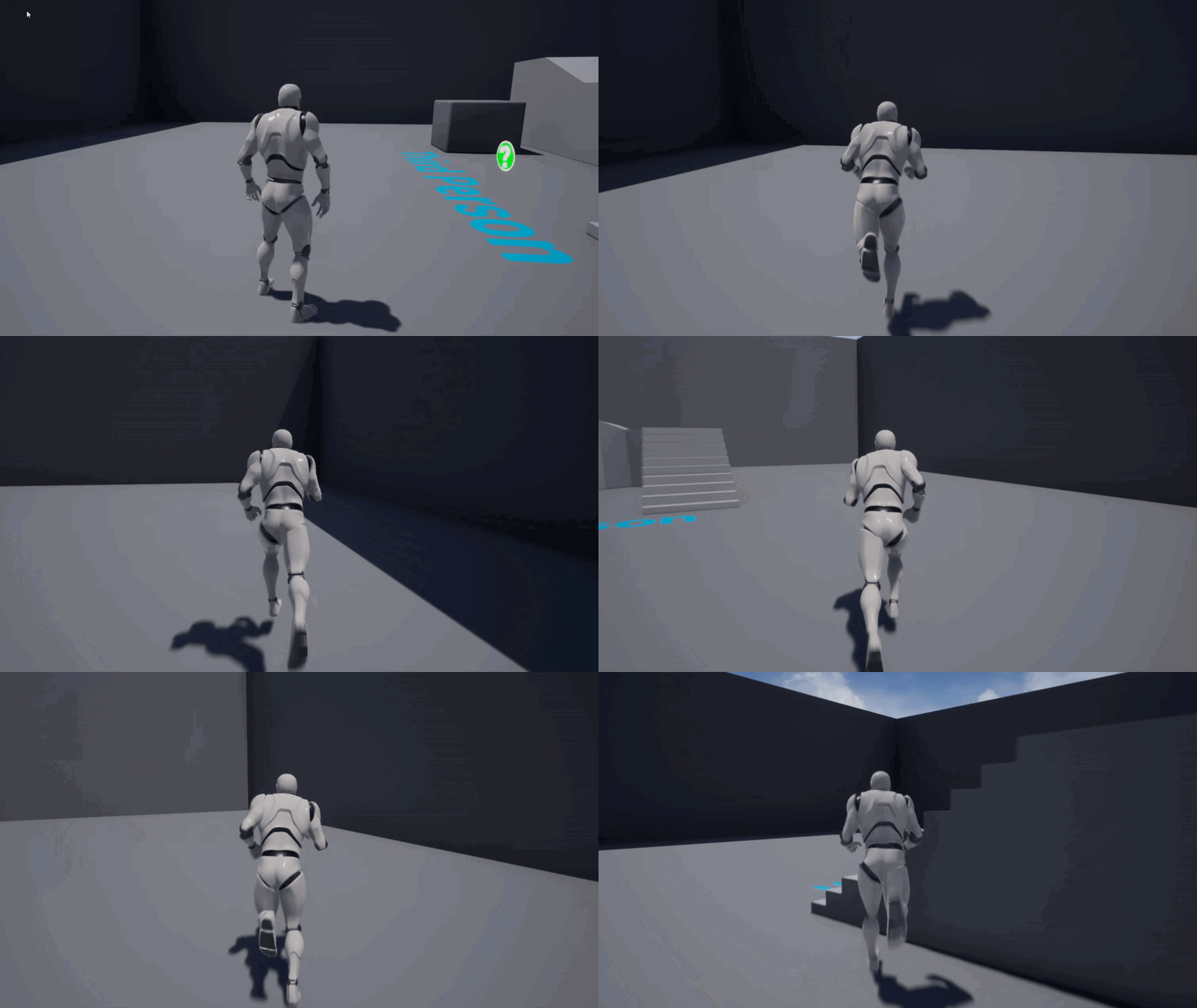 manic pawn
use insights to profile it
normal burrow
How does gpu profiling work btw
 nimble comet
hey guys do you have any idea how did he create this kind of animation?
ldid he use materials or Blueprint?
manic pawn
use sequencer to move the camera and a material to do the spinny thing
nimble comet

Commissioned work for Clocked Gaming for their upcoming game, Defense Corp. - Earth.
If you want to check more previews of this map, here's the link to my artstation profile.
https://www.artstation.com/shuallorente
Steam: https://store.steampowered.com/app/922640/Defense_cor...
Heres the video link btw
Oh so its a material? to create the spinny thing
manic pawn
you can tell how it's a material by how TAA is not working correctly on it 
nimble comet
Thanks! I thought it was a Blueprint
manic pawn
you just need a cylinder with uvs to put the texture on it and then use panner node to move it to the left
nimble comet
Finally! Thank you so much! Sir Zeblote
 split zinc
You guys are so talented haha
I h e always wanted to make a game I have had as a dream but never can seem to pick up coding lol. How do you guys get so good at it
plush yew
Does anyone know how I’d go about implementing super large planetary scale storms that look like this
....anyone?
😭
nimble comet
I think this one can be created on what I have asked recently
use sequencer to move the camera and a material to do the spinny thing
@manic pawn
creating a Storm-like material? not sure
 pastel cipher
Can anyone help me with a few questions regarding modular character models I'm trying to set up?
 lime girder
Got a weird bug. My niagara systems are previewing grey... am i missing something?
 timber river
hey guys, so I added some content packs, most notably the modern building pack thats free now, and whenever I try to open one of the example levels to have a look at it, my engine freezes at 75%.. v4.24, any idea whats up with that?
I have a intel i7 3770, 5 gb of storage on my main drive, 20 gb on my secondary which is where unreal is installed, and a nvidia gt 740 gpu
or possibly unreal is on my tertiary drive, which has like 1.2 terrabytes free in it
gilded eagle
is there a way to bring up the right click menu in blueprints using TAB key?
i'm so used to houdini nuke maya...
 latent peak
does anyone have any resources/tips for moving around in a moving ship?
on a theoretical level i know about the "move the world rather than the ship" idea but I dont understand the practical aspect of that
or about creating a separate physics grid inside the ship
 misty creek
@timber river Sounds like it's just compiling shaders
 lament saddle
@plush yew maybe ask #visual-fx
gilded eagle
need help
im trying to assign a command to a button widget
i can go on the button and add event on clicked
and also i tried to drag the button in the bp and type on clicked.. and it build me that thing
i don't know what is happening here
first method works.
second doesnt
 spiral totem
Guys, I import an object in UE4 with AO map. But when I set my light as movable the AO map seems of very low intensity which is not what it should be, when switching to static light and bake, it becomes normal. So i'm wondering is that movable light can't present AO well or just I'm doing in a wrong way. Please give some help, thanks.
honest mango
hey how can i add a timer condition to branch , like if linetrace hit more than 5 second then true
 steep verge
anyone have and idea on how to integrate als v4 with the paragon models ? i retarget the bones and hit sve and my editor crashes .... it is quite annoying
lime girder
Does anyone here know how to disable UE4 cooked builds from asking for anonymous analytics?
clever arch
@normal burrow thanks a lot for the advice! 🙂
 bold rune
How did I live without Blueprint Assist before?
In actual questions: can anyone recommend a good marketplace plugin that adds useful behaviour tree tasks/decorators etc? Most of the AI plugins seem intent on replacing Behaviour Tree entirely.
 frail sun
Could we get auto save to not happen while we're naming something please? Shit's annoying
bold lintel
This project was compiling fine yesterday and when I opened it today, I'm getting these errors in engine files. any ideas why?
abstract relic
You can adjust auto save in project settings
 clever trail
Yo may i ask should i go all in c++ for wanting to create a multiplayer game, or is it possible to make a good one with blueprints and c++, If it's the first option i'd be willing to learn it xd
 misty owl
If I'm making a custom character mesh and want to use the UE4 skeleton/animations, do I have to make the custom mesh with similar dimensions to the UE4 mannequin?
Say the mannequin is 6 feet tall, and I want to create a character that's around 3-4 feet tall. Will that shorter mesh work with the UE4 skeleton?
All the resources I can find on using custom mesh with the UE4 skeleton use a mesh that looks to be the same dimensions as the UE4 mannequin
Right on. I'll give it a shot. Worse case scenario I'll just have to learn how to make my own skeleton and animations!
 signal shale
Can someone help me with a problem im having with an animation
grim ore
@misty owl look at the animation example map in content examples learn project, it shows the same animations running on 3 differernt skeletons of differing sizes
signal shale
I have a camera that uses a fade in before turning on and i added a delay of 5 secs to the camera to prevent spam but the fade animation still plays
is there a way i can add one
 junior shard
i downloaded unreal engine 4.25 and deleted 4.24 beacuse of space problem on hd i imported my game in the new version but the light got weird artifacts and flikering problems
am i the only one? is there any know solution? i tried deleting evry light source and replace it and building light again but to no use...
normal burrow
@clever trail no disadvantage
plush yew
hi im setting up a create acc login interface, i got hard time settiing it up, i even cant put the button were i want
can anyone tell me what i do wrong or help me please?
normal burrow
the only disadvantage to having BP and C++ is that you have to install visual studio and compile code @clever trail. You'll have to install visuals tudio to package though, so: meh.
misty owl
Right on. Thanks for the advice. @plush yew @grim ore
clever trail
@normal burrow If i may ask does that mean i am possible of having full multiplayer compatibility while using blueprints for all the non animations
grim ore
@plush yew You need to learn how the widgets work in UMG. The parent controls the way the child is layed out, in your case you have a grid which means all children will fit on a grid. If you are trying to put someone in an exact location/position then you want a canvas panel
plush yew
hhmm @grim ore im going to send a youtube link if thats okay in this chat and i show u what i need to do
normal burrow
@clever trail yes, doesn't matter
signal shale
Can someone help me?
clever trail
Nice one pat
plush yew
https://www.youtube.com/watch?v=nZv5_N9_8WU
on 42:54 the little indroduction from the interface starts its les then a minute
@grim ore

Create a AAA quality multiplayer and matchmaking system without C++, saving thousands of hours. Using blueprints you can deploy and scale your multiplayer game faster and easier, with free test servers for up to a year!
im so bad ad this XD almost done though xD
grim ore
Don't know what the video has to do with your problem
plush yew
i need to make that the interface but its so hard he doesnt say how xD
grim ore
@signal shale you didnt really show any code, all you said is something doesnt work. WE can try and help but we have no idea what is wrong without seeing anything.
signal shale
Alright I will post sorry
grim ore
you need to learn how UMG works then, there are plenty of tutorials out there.
plush yew
okay , umg tutorials thanks, going to check that one
plush yew
oommmggg
plush yew
you are mathew wadstein !? @grim ore
signal shale
These are the Nodes for Nightvision on My Camera
And then this is the Fade for my Camera turning on
I tried to add a gate-customevents already for The animation but that doesnt work
grim ore
well that will play the animation when the widget is contructed, this is not what you want?
signal shale
I want a cooldown after turning off the camera so its not spammable
junior shard
i relized it has to do with the smooth texture that i put into the roughness node
signal shale
but the camera goes through a 5sec cooldown and the fade does not
junior shard
grim ore
so you dont want this animation to play every time the widget is constructed?
grim ore
so dont put it on construct then, have it called in a custom event that you call when you want to
junior shard
because when i unlpug it it doesn't have any flikering but also the material get uniformely reflective and i want it to use the roughness map
grim ore
so when you turn on the camera, call this event
signal shale
so get rid of the event construct
grim ore
if you dont want it called every time the widget is created, yes. that is what event construct does
grim ore
pretty much whenever you enable your camera you can call that to call the animation to play the fade, that is what you want right?
signal shale
Yea
sorry if this is sounding redundant at all this is my first time using unreal since like 3 years ago
back when i used it the base playermodel was blue
 worldly dust
Hey guys, I'm trying to download UE4's source code build form https://github.com/EpicGames/UnrealEngine/ , but for me it 404s. I already linked my Epic Games account to my Github account and I'm logged in with both...
nevermind, I had to join the organization on github. lol

 worthy flame
does anyone know how to make a spline using 2-3 meshes. And to randomize them?
 brisk urchin
Is there a way for the screenshot tool in the engine to not also capture any light or blueprint icons when going for level beauty shots??
 ashen ermine
Hey all, should I upgrade project to 4.25? as in, is it stable or buggy? 4.24 was/is a pretty nasty experience for me 😐 and i'd like not to repeat my mistake...
@brisk urchin press "G" on keyboard
thats "game mode"
and maybe F11 too for full screen
ashen ermine
@brisk urchin glad I could hlp 🙂
brisk urchin
Where is the game mode selection usually stored at?
I'm trying to get some beauty shots of my level for my portfolio.
@plush yew
ashen ermine
@brisk urchin I'm kinda ignorant to changing default things, i'd rather learn them as they are, so idk, engine settings has a hotkey section - if that's your question
brisk urchin
Just found it. It's in the down arrow to the left of perspective selection.
@claudiuschwartz 🙂
ashen ermine
well, didn't know that 😂 gl 🙂
@worthy flame https://www.youtube.com/watch?v=wR0fH6O9jD8 maybe you'll find some in-depth, helpful info here
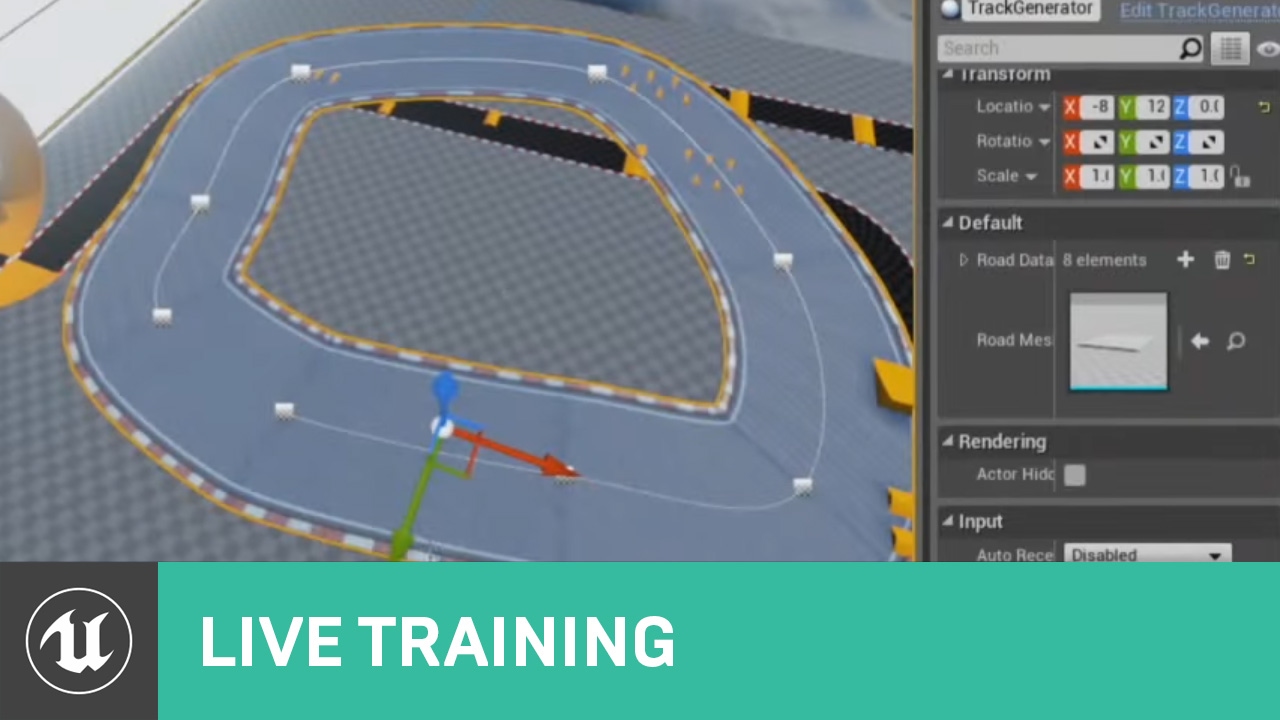
In this Livestream Tutorial we'll show how to use both Spline and Spline Mesh Components to construct an easy-to-use racetrack generator tool in UE4. Viewers will learn about custom structs, functions with local variables, using for loops, and much more!
[00:00:45] - Google D...
worthy flame
will take a look thanks
ashen ermine
@worthy flame It's from Zak, very much to my taste as an educator, so far I understood everything this guy explained. Definitely the best educator at epic in my opinion so yea 😛
normal burrow
did you install ueredist?
normal burrow
@manic pawn https://forums.unrealengine.com/unreal-engine/feedback-for-epic/6073-required-dependencies-for-ue4-games your first search result for things a lot.
its out of date kill
but, the launcher should install this stuff for you
are you using the launcher?
i'm actually not sure what even uses qt in unreal
distant totem
Have you tried to move unreal folders around in file explorer? That can cause lots of issues, it would probably be best to restart your epic launcher and reinstall ue
manic pawn
wtf how did you find an ancient post from half a decade ago
that looks like an error with whatever vrmonitor is
unreal does not depend on qt
normal burrow
"unreal engine 4 redistributable package" 


 topaz stratus
When I load a new level, custom variables in the game instance get reset to their default, is this expected behavior?
frozen pond
@normal burrow yesterday i added this: https://cdn.discordapp.com/attachments/225448446956404738/708406227515867196/unknown.png

and here is result: https://www.youtube.com/watch?v=CJ8meaE_00s&feature=youtu.be

loop in loop + some math
 vocal flume
Does anyone know how much of a performance hit I’ll get my binding a variable from my player character to UI? I have a scoring system that increases every frame/second.. I need a constantly running number on the UI
 mossy nymph
it accumulates fast
vocal flume
I achieved this by binding a score variable in my player character blueprint to the UI widget. It works correctly but reading up on it I realize this may not be a good idea
mossy nymph
a UI adequate for a MOBA game done only with bindings will take 7ms on game thread
vocal flume
@mossy nymph wow!
mossy nymph
refactored to event driven, it will be ~2ms, tops
vocal flume
Is there a proper way to do it?
Event driven? An event that fires every frame to update score?
mossy nymph
event dispatchers, bind event to them from the UI, have it update the text only when the dispatcher is called
vocal flume
Im sure i sound stupid but my scoring system updates every frame. It’s like you’re score keeps going up every second you’re alive.
brisk urchin
On a blueprint with a shelf with many boxes on it, does it render it all as one mesh? Or does it render each item separately?
plush yew
why is blueprints so ubiquitous
you'd think a triple a engine would encourage coding your own stuff
i don't really get it
i'm half considering making the switch from unity to ue4 but the drag and drop coding style really doesn't appeal to me at all
am i missing something or what
gilded plinth
Anyone else use Plastic SCM? Is their whole system down?
: /
ok looks like it just came back up : /
plush yew
i wasn't asking that question
ashen ermine
Im sure i sound stupid but my scoring system updates every frame. It’s like you’re score keeps going up every second you’re alive.
@vocal flume if every second, just make sure you call that update once every second - set timer by event/function or 2, 3, 5 times a second. It's still better than running it on tick
plush yew
ur right
 karmic basalt
Coming here since #gameplay-ai is dead, is anyone able to open the AI Debugger in 4.24? Been having trouble with it for a few versions.
ashen ermine
@plush yew https://www.youtube.com/watch?v=flEtQBPtBTc
@plush yew I didn't know that existed! It's amazing ROFL 😂 GG!

How to determine whether or not you should be using Blueprints or C++.
ashen ermine
@plush yew man, if ur a programmer, it is weird, all progs say that until they get a taste of doing (some) things waaay faster in BP, especially trying things out 😉
plush yew
i'll have to look into it i guess
vocal flume
@ashen ermine it is not running on tick currently. It’s connected to event begin play. Connected to a set timer by function that loops every second increasing the score variable. But that score variable is still bound to a text element in widget blueprint. I read that binding costs performance
ashen ermine
@plush yew and about the "slower" part, if you keep ur bp script clean, w/o unnecessary/sloppy algos which involve complex math or excessive iterations, the overhead is negligible.
vocal flume
Im getting a 30 FPS average on a real mobile device and trying to get more.
karmic basalt
@ashen ermine My only complaint with using BP is that you have so much liberty, some people don't realize how much they are dragging the game down by doing stupid things in BP rather than asking for a programmer to have a look at the situation.
ashen ermine
@vocal flume if you have a timer that updates the score every second, make an interface call and call that on the same timer. That way, every time ur score changes, values in widget change
@karmic basalt Well, you can be a bad coder or a good one, the language/script in this case is just perspective. It all comes down to logic and how deeply you know/understand the language - it's my point of view. That's ofc, not to say some things are impossible to do in BP
karmic basalt
You are right, claudius, I'm not saying the opposite, my point mostly stand on when you are working with some designers with too much ego.
Timer = 0.0 is Clear Timer
Put at least 0.0001 if you want it to fire right away.
But there's no point in it at that point, just call the event directly
karmic basalt
(Unless you use that event elsewhere. (Timers can only exist once as the same handle))
ashen ermine
and you just setup your timer
barren flume
I'm trying to attach these weapons to the player's back but when I do I'm not able to move
vocal flume
@ashen ermine by far the best thing anyone has done for me this year.. thank you so much!!!
karmic basalt
@barren flume Does the weapon have collision by any chance?
ashen ermine
@vocal flume np man, glad I could hlp 🙂
@light lintel end point?
get the bool to see if it hits first, then go from there
then collision setup is wrong
make sure you have visibility collision set to block (if you want it to block the ray)
on the mesh/surface you are trying to trace
in ur ss, the trace channel is set to visibility, so it will ignore all objects which do not block the visibility channel - so, those w/o collision, or those with collision set to ignore the visibility channel
ashen ermine
@light lintel
Check it out this way to see if it's green
if it's not, your collision isn't properly set (somehow, idk)
is the box in the middle you want to find with the trace?
are you sure that the box is between the trace start and 000 which is your trace end?
barren flume
@karmic basalt nope even with collision removed i still can't move
sorry if it's hard to read
ashen ermine
...but you will get no results if you trace from xyz to xyz - that trace woudl have 0 length...
@light lintel https://www.youtube.com/watch?v=yo9VrxFgUJY Take a look at how tracing actually works and you'll figure it out 🙂

What is the Line Trace By Channel Node in Unreal Engine 4
Source Files: https://github.com/MWadstein/wtf-hdi-files
look at the video man 🙂
mint umbra
@manic pawn Hey, so I've run an insight profiling on a default template, but not really sure how to proceed to find out what's causing the hitches
Watching a talk on it right now

Getting 145ms jumps in a default template
ashen ermine
@mint umbra I see a bunch of "failed to load" idk what's going on there
those shouldn't exist 😛
"failed to load" in UE is no good, never 🙂
barren flume
nevermind i fixed it
mint umbra
@ashen ermine It's a fresh reinstall of the 4.24.2 engine version in a fresh template
manic pawn
you need to enable more stats
barren flume
it just seems begin play just makes my character stuck
mint umbra
Yeah, it's really not what I expected
mint umbra
using the console in the projecti tself?
ashen ermine
@mint umbra try upgrading to 4.24.3? 😄 maybe it'll fix it
manic pawn
to the editor executable
mint umbra
not very well versed with the tool yet :p hehe
@ashen ermine same problem with 4.25 even
manic pawn
make a shortcut to UE4Editor.exe then add arguments "path/to/project.uproject" -cpuprofilertrace -statnamedevents
ashen ermine
@light lintel gz! 🙂
mint umbra
oh wow, got no idea how to do that..
barren flume
now I have another issue
the more I move the more lag i get
and does this when i move
it just creates more and more of these
mint umbra
@ashen ermine Oh, was using 4.24.3 btw, mb 🙂
ashen ermine
@mint umbra Yea, sry, I have no idea, that's why I went back to work 😛 idk what to say is wrong there. 😐
@barren flume Do you have your attach in the event tick? 😂
when exactly do you attach that?
mint umbra
@manic pawn So I added -cpuprofilertrace -statnamedevents to the advanced settings of UE4 editor, in the "Additional launch parameters" tab
Cant really see anything else in the profiler though

 ashen ermine
and this goes away if you don't attach the weapon?
barren flume
no
i can move if i use event tick
then that issue i had starts
and yeah
if i don't attach the weapon i can move
even with just event begin play i can't move

 barren flume
mint umbra
barren flume
mint umbra
Lots of warnings
mint umbra
Some say to update nvidia drivers... I'll give that a shot
ashen ermine
@barren flume Sry I just don't have enough info on ur situation...Idk what you have in your beginplay or how your situation is structured...
barren flume
there is nothing in the event begin play
even just having the event begin play node makes my character unable to move
this is how i'm attaching the weapon to the socket
 lavish garden
4th failure.. i gotta figure this crap out.
but first, a break so i don't break my kybd. 8D
(world machine to ue4)
ashen ermine
@barren flume If you're using a plugin or some marketplace content, maybe there's something in there which makes ur char behave like that. Cos that makes no sense.
Maybe animBP is bugged
ashen ermine
idk man, sry...Makes no sense to me 😐
 dry wedge
https://www.youtube.com/watch?v=byhO6MG_Y0A good night, guys i posted this video some time ago and i didn't get any answer from anyone who could help me what i want to know is how to set up the animation so that it works perfectly. do I have to add any extra bones to the skeleton? or just with a blueprint I can do it.
If anyone knows of a tutorial on this, could you please pass it on to me. Thank you ! Sorry for the bad english
 mint umbra
Someone else is struggling with the same FPS drops as me in version 4.24-4.25: https://forums.unrealengine.com/unreal-engine/feedback-for-epic/1701837-4-24-performance
Unreal Engine Forums
Hello,
I just updated to 4.24 from 4.22 and noticed a drop in performance. On a very basic level (the default one) FPS drops regularly. For me the FPS drops lower than 100. And this is a default level. No objects.
Here, take a look at the screenshots:
This is 4.22 - UnitGrap...
Seems like its an issue Epic doesnt want to fix - updated my graphics card and still no go. 4.23 works perfectly fine.
Wait. One guy wrote there to disable UDP Messaging. That actually solved it. What does UDP messaging actually do, is it fine disabling it?
manic pawn
do you use a vpn?
mint umbra
Nope
manic pawn
the udp messaging plugins sometimes causes this problem when you disable a vpn
mint umbra
Never used a VPN with UE4 so that's strange 🙂
 unique steppe
which channel can I get help from about building the project?
brisk urchin
I have a ladder that a character can climb up. The default fps shooter pawn climbs it fine but when I replace the pawn with a new one it gets stuck at the top of the ladder. What would be the issue?
still moat
😢 Its so beautiful!
abstract relic
Ah didn’t notice the night mask for a moment there. Nice. Put it in #work-in-progress
Sparkles ☑️
 undone sinew
Has anyone had any issues with Windows 10 with either DirectX9 or 12?
Was just doing benchmarking, and noticed that I only get full performance with DX10 and 11.
9 and 12 for my card are below expectation, especially 9.
Using an RTX 2080 Super.
brisk urchin
Here's a video of my issue.
Would this be caused by the pawns blueprint or the ladder one?
abstract relic
The best phone recording of a monitor yet. No sarcasm
abstract relic
Are you holding it in your mouth or something? There’s hardly a wobble 😜
And show code. There’s several approaches to ladders
normal burrow
gotta have sparkles
brisk urchin
I've tried resizing the player capsule and that didn't help.
abstract relic
Phone shot of the collision in the scene too please
normal burrow
in before phone shot post processing
latent peak
is there a way to move a sublevel inside a persistent level?
normal burrow
as if it were a root component cybran?
brisk urchin
abstract relic
Alright, you’re doing the half life method
abstract relic
So. I’m assuming you got a volume box somewhe- there we go lol