#ue4-general
1 messages · Page 472 of 1
 dim plover
 radiant fable
wonder if a gpu lightmass engine will go mainstream anytime soon
 grim ore
@dim plover I get 2 collision capsules calling the on begin overlap event when one overlaps the other
dim plover
Thank you, Mathew. I also get the same results.
I always thought that they wouldn't call BeginOverlap for components on the same actor.
grim ore
I think the issue is just the character with the capsule as the root that this is an issue for
 shut viper
Hi guys....Is there a way to make a hemlet effect in my character's head such like this video
https://youtu.be/bKpRkw-pUXw
 grim ore
do you mean play back an animation? if so yes.
 azure shore
hey, if I have a particle effect attached to a moving object, how do I stop it from sort of trailing along? so sort of keep the particles relative location
guess its local space but then the effect looks ugly
local space off (trails really badly with movement)
local space on
(for some context its a sorta mist from a drink can btw)
so any help?
grim ore
#visual-fx is the better channel, but is what you want reasonable? you want it to be attached to the can all the time but not trail when it moves?
azure shore
yeah, I want it to still look like the first screenshot
oh, is it world space in initial velocity?
Ill try it
nah nvm that didnt work
grim ore
so you want it more like a mist surrounding the top of the can at all times so when the can moves the items move with it?
azure shore
pretty much yeah
grim ore
well local space is the correct way, it moves with the can now right? if so you just need to adjust it so its correct now that it's in local space
azure shore
yeah but in the screenshot I showed with local space the particles just dont move
so is it not possible to replicate the first screenshot with local space?
grim ore
I would assume it is, it looks like your local space is just defined as too small
azure shore
oh...
oh that was it, thanks lol, somehow I didnt consider it could be size 🤦
ok next question, if I wanted to be able to shake the can, how would I go about a way to detect speed of mouse movement? so like, to shake it, literally shake your mouse
 bitter iris
how can things fail to save, i cant save nothing at all..
 plush yew
Is that a double negative or UK slang way of saying u can't save anything
 dry merlin
Wondering if anyone in here is willing to help in doing a terrain generator with Unreal. I got the models, art, iClone, I can do all that, just the programming for a terrain and world generator little complex with 4k to 256 texture qualities, blending materials already done. All procedural then stored data wise. Want to hook in to DEM data from SRTM topography as well. Just message me if interested.
Already created the procedural texture standard to. Just having to do plant life now. This tree is a real problem in that I have 30 LOD but it's 300000 polygons optimized. Can't get it any lower and needle textures look like crap. So I am thinking spacing these and using a mix of stripped down dead or diseased pines and lush variations are in order. Interested in suggestions.
 ripe plaza
sorry for doin this, if its not allowed but couldnt find anywhere to better ask this, i have a problem with my particle system.. still pretty new to unreal, it works on other projects but not on the one iam using atm.. i post some pictures and a GIF to explain the problem better


 midnight bolt
is it possible to FLIP UV of the static mesh from within UE4?
 wary wave
300k polygons 😐
plush yew
does visual code work with ue4?
 hidden aurora
@plush yew visual studio code works with unreal I also suggest downloading some addons search in YouTube UE4 visual studio code
 mint raptor
@plush yew Like build releases?
plush yew
like i used to develop games on unity and now im switching to unreal since linux support isnt great on unity. And in unity i would do something and stuff would randomly break it was rare but it happened (like all of the textures dissapearing from objects) i wonder if stuff like this happens in unreal too?
mint raptor
Well your millage may vary. Having used both but using unreal a lot more the past 2-3 years I'm more nervous about updates breaking something in Unreal. If you look at my video for example there is one odd issue. This project has been updated from 4.19 to 4.21 and just about each update has broken something for me or given some odd headache to deal with.
But the risk is there in Unity too. I wouldn't look at it from a stability point both try really hard to make their builds as stable as possible fixing things as quickly as they can.
At least In Unreal you can look at source and try to patch something yourself
mint raptor
Not that you shouldn't update but you should update cautiously. Maybe wait it out a bit to see reports or wait for a hotfix.
ex. 4.20 and 4.21 gave me AI issues but 4.21.2 fixed the AI issue
plush yew
basically update when i've finished a project?
azure shore
hi, how would I detect current mouse speed?
I want to make a way to shake a can that the players holding
is it input mouse delta?
mint raptor
delta should be the change in mouse position every tick
azure shore
so whats this actually doing then...
mint raptor
Checking if the change in mouse position is more than 10 in a tick?
for either X or Y
 restive mirage
Hey, bit of a newbie question. How do I remove keyframes from a blendspace?
mint raptor
highlight and hit delete key?
restive mirage
Already tried that, but doesn't seem to go away
Besides changing colours due to the highlight, there's nothing more to it
 restive mirage
How do you get it to be expanded that way?
mint raptor
Expand?
restive mirage
Yeah, you have 4 keyframes on each column
restive mirage
I see, so that's outside of the 1D
restive mirage
Well, not a clue why this isn't getting deleted then
mint raptor
looks like in 1D you can't
mint raptor
You can only change the number of divisions
Look at axis settings
What is your number of divisions
no wait...
mint raptor
Why do you want to delete?
mint raptor
SS your Blend Samples
restive mirage
It's the usual 2 that are actually in and the empty samples
But I don't see any option to get rid of the No Animation ones
mint raptor
wait a minute you can delete
restive mirage
How?
mint raptor
Yeah I just selected my key and deleted it
like I showed you in the gif
I'll make a new one
 restive mirage
Highlighting and pressing the return key?
mint raptor
Make sure you move the green dot out of the way
So that you are not selecting the green dot
restive mirage
It is the key above enter, isn't it?
mint raptor
the delete key?
restive mirage
Yeah, what you're pressing
restive mirage
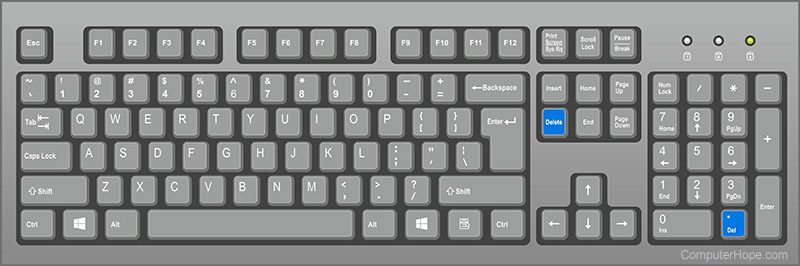
Where's that 🤔
 restive mirage
I see the issue then, don't have the delete key
restive mirage
Perhaps with the numeric pad
mint raptor
mhmm
restive mirage
Well yeah, not working either
mint raptor
Then open up On Screen Keyboard
Or see if Unreal has a way to rebind keys in the editor
restive mirage
Oh dope
Okay, got it. It's a language issue
It isn't called Del on my keyboard
It's called Supr
But anyways thanks, got it deleted now
azure shore
hey how do I simply add scale to something
every time I do something I want something to get bigger each time
but none of the obvious methods seem to do anything
well, some work but adding 0.00001 makes it huge
restive mirage
Try this
azure shore
nvm it seems to work but either its being weird or Im an idiot
restive mirage
I can see your issue could be either an almost infinite function due to the lack of a delay or a do once
Or well, actually like this. Else you're resetting the location&rotation
If you could screenshot what you have it'd be tasty
azure shore
it seems world scale doesnt relate to scale that you set in the viewport
restive mirage
World scale is part of the object's transform that separates from their parents
Relative scale is in relation with the parent it is attached
You can use a print string to see what both values mean
restive mirage
Dope
 amber marlin
sozz
 latent fable
Why won't it let me change my skeleton on my skeletal mesh?
plush yew
how do i use vscodium with ue4?
ive installed all the plugins
and went to general > source and changed it to vscode
but when i try to open something it doesnt
is there a way i can use vscodium instead of vscode?
 copper charm
hey whats the best way to make fire propagation
right now i have a blue print with my grass mesh and i have a collision box that propagates nicely, issue is that it takes a lot of ms off my VR
I just placed the grass mesh blueprint manually
i think there must be an easier way
or at least a more efficient way
midnight bolt
how can i scale up the UV mapping for this static mesh terrain?
 vale silo
Is there any way to get volume from mic realtime on Android?
 distant loom
hey guys i want to use unreal engine and learn C++ bc i only know C# right now but i cant find a single c++ unreal engine tutorial thats good, only blueprint ones, i already know bp
 glossy scaffold
Hey guys, im trying to use rootbone motion. For some reason, the animation gets scaled down. Im using Blender and ive tried renaming the armatures, setting object scales to 1, changing the blender world units etc...
and no results
the model gets back to its normal size but the rootbone just wont move properly
well, the animations play properly, its just the rootmotion that acts as if the model was smaller
and moves at 1 milimeter per hour lol
 warped hornet
all these channels but no memes
 weary basalt
@warped hornet This is not a Discord for memes, if you want that you can go somewhere else. Posting about memes in #ue4-general is offtopic, move to #lounge if you want that nonsense.
 cursive dirge
@distant loom start from https://docs.unrealengine.com/en-US/Programming/index.html
Information for programmers developing with Unreal Engine.
IMO the most important thing to learn about UE4 is how the c++ macros are used, and where, and what are UE4's own property types
if you fail to apply macros right, you just get some nonsense compiler error about other compilation error (05) etc which doesn't tell a new user much
there isn't a single c++ programming tutorials for UE4 that would be up-to-date because it's practically impossible to keep any such tutorial up-to-date
UE4's API keeps changing things altho it's been more stable recently for the gameplay code (you still see minor changes here and there so if you follow any older tutorial, you may still see different looking files that work)
unreal's c++ setup isn't stupidly hard, when you get used to it, it's not much more complicated to work with than say, C# with Unity, you just have to work to get past the initial entry barrier and understand Unreals systems, including the gameplay framework itself
what I tend to do myself if something doesn't work same from version to another is that I just create a new template project using the newest ue4 and compare the change to one on older version. templates are great for showing the bare bones setup on the cpp and h files and if you see something basic changing there, these templates got the change as well
copper charm
Het quick question, how do I have a collision sphere that changes a material but only at that point
right now it changfes the whole material
plush yew
I've run into every artists favorite problem with UE4 again: "Why in all that is holy is the "forward" direction not consistent between all systems?!?"
cursive dirge
most complain about the up vector
plush yew
I've hit that before too
cursive dirge
and few actually educated artists complain about just about the different coordinate system
as it can be also right or left handed
plush yew
Right now I'm trying to shoot a line trace "forward" from an actor and it's currently shooting off at a 90 degree angle because 'tee hee when you import a mesh you have to rotate it 90 degrees, silly'
cursive dirge
plush yew
Z has always been up for me I never learned it another way
cursive dirge
probably used blender then :p
plush yew
Yeah but I started in school with MAX and I was always taught Z up in school during math classes
cursive dirge
well, I was never tought Z to be up on math classes
 tall pendant
Maya isn't locked to Y-up. In fact pretty much the first thing you do is change it to Z-up for game dev stuff. 😄
plush yew
Gotta love the official UE4 guide telling you to rotate your mesh 90 degrees on import
cursive dirge
but everyone is taught early on at schools that on 2D coordinate setup, you get Y on vertical axis, which is easy to image being upwards
plush yew
Yeah that makes sense when you look at in on the board. but on your paper on the desk z is up, thats how I always thought of it
cursive dirge
either way, you shouldn't focus on the coordinate systems that much, just think what is up and forward on your tools and get used to them
you only once setup the export parameters and then call it a day
most tools exports import right way in ue4 anyway
just don't try to match the axis
plush yew
Well no I'm talking about the blueprint editing
When you assign a skeletal mesh you have to rotate it 90 degrees, or it won't face forward
cursive dirge
that sounds like your skeletal mesh is not imported in right way then
plush yew
I've tried a number of different ways and the UE4 guides also say to rotate 90 degrees
cursive dirge
the basis here is that people bring the models in so that they show up right in UE4
plush yew
I mean that'd be ideal and I'd have to look it up again but the last few times I ran into this problem the answer wasn't related to that
cursive dirge
if you have to fix the orientation on the gameplay code, you are doing things wrong
of course you can still do that but it adds extra complexity
for placeholders and such, I just add extra sceneobject to the actor and rotate the object with it
like, put sceneobject in between the root and mesh
but, it's hacky
plush yew
I'm talking about the very first step after you assign a skeletal mesh to a character BP.
Here we will set up our character and create some assets that we will need later in this guide.

that image specifically highlights what I'm talking about
All the time I've ever worked in UE4 I have not been able to find a workaround, is there one? Unless they changed it in the newest update my import settings don't seem to have any effect
cursive dirge
that sounds like something specific to the current mannequin (and not something you have to do for all skeletal assets), the tutorial is bad in not explaining why they did this though
plush yew
I don't use mannequins
 sudden agate
Z up X Forward. The only true coordinate setup
plush yew
I'm used to Z up Y forward
sudden agate
in school i learned that Y is up for 2D and Z is up for 3D
plush yew
Yeah anyway that mandatory 90 degree turn screws up situations where you need the forward vector but the mesh is rotated
cursive dirge
my school actually taught first about the different handiness on coordinate systems
sudden agate
@plush yew But you dont need to turn it 90 degrees?
plush yew
the mesh on a character?
sudden agate
its fine when you import with X forward
sudden agate
sudden agate
#deep
plush yew
holy shit rail thank you
idk what I was doing before, its been so long
but I just assigned the 90 degree turn on import
sudden agate
the default mannequin points Y forward, thats why there is a lot of confusion
plush yew
Whatever I was trying in the past didn't work and sicne the UE4 documentation tells you to do the rotation I just assumed that's how it works
oh yeah that's what it is. The export settings on blender don't seem to have any effect. It looks like import settings in UE4 is where I need to make the change
 craggy trellis
@plush yew message me if you're still working on this in 6 months
then I'd be interested in joining
plush yew
Shoudn't he be banned? He's going around PMing people his dumbass project that he wants everyone else to make him then calling people "useless" or "retards" when they decline to do this vague job with no pay or goal led by a barely literate jackass
He was taken aback when I asked him if there was a prototype for his "zombie game where you build a base." A prototype that he could legit have put together in a weekend if he tried since that outline is so vague
 fossil grove
hello
😛
before I actually make myself try to learn how to make a game, I am curious typically how long does it take to create a game (cause yes I am a noob)
plush yew
It takes a while @fossil grove. Start small, do a basic platformer or an FPS
 soft crescent
The reason why unreal is using Z axis for up is really routed back to how maps work, like google maps is looking down and locations are defined by X and Y coords
plush yew
I teach really primitive 3d platforming design to middle schoolers so you should be safe if you start with one of those
soft crescent
its height above the map is defined by Z coordinates
fossil grove
so what use a different program to make 3D stuff?
fossil grove
oh god I tried using it before 😂
plush yew
that's what the kids I teach use. We use cubes and then they can use the assets I've made or if there's enough time they can model their own stuff in blender
fossil grove
the only issue I have with unreal rn is everytime I try to like resize the cubes, it resizes it on both sides and not in one direction if that makes sense, idk if thats intentional or if im doing something wrong
soft crescent
Use the geometry editing mode to select faces/quads
plush yew
Art is commonly one of the latter steps in my experience so you dont' need to worry about that for a while
weary basalt
Unreal is not a modeling program, if you want complex shapes, you need to use an external application
soft crescent
extrude em
be warned though
The cubes you find under Geometry tab are very costly
performance wise
fossil grove
so use another program and what, make it into an OBJ file and transfer it?
soft crescent
FBX
plush yew
FBX
fossil grove
FBX?
soft crescent
maya and max have import into unreal options i think
plush yew
But again I'd ask why you're working on assets before designing the actual game. Unless the game is directly tied to the quality of the assets, like a melee fighter or something
soft crescent
I mean im a designer and I use max and maya to build level sometimes
i use static meshes or geometry
fossil grove
tbh cause I have no coding experience, I wanted to make all the places first. Typically I thought about making a hockey game but then I thought of trying to make a tennis game and try to make the stadiums/courts first before worrying about coding
soft crescent
i mean you should do mechanics
plush yew
My main project heavily relies on animations and it's pretty draining to have to stop dev to animate every few days
fossil grove
but tbh I never actually TRIED to make a game so idk what order I should try to go into
soft crescent
and figure out metrics firstly
plush yew
my side projects are done entirely with rectangular prisms
plush yew
I have coding experience but I despise it. Visual programming is so nice
soft crescent
@fossil grove you're gonna want to learn how to code
fossil grove
so learn how to code first?
plush yew
No I do it all on my own. I'm fine with everything, even animating, but there's just so much animation
fossil grove
thats what I plan on doing
soft crescent
or learn a language because a lot of the concepts of variables, functions etc carry over
plush yew
I'd start with blueprint tbh but that's just because I'm a visual person
fossil grove
but I feel like I should at least have something built first (such as a tennis court/starting arena) before actually try anything involving coding or gameplay
plush yew
Gameplay first in my experience
My current map is a large featureless plain with cube rocks and rectangle guns
soft crescent
theress a lot of physics involved with sports games
although in a lot of team cases you are building out spaces without mechanics fully implemented
but for oyur case
fossil grove
so for a road map on what to do and learn, would be : Gameplay, Coding, Testing, Building?
plush yew
Yeah swapping out the blocked out portions of map for fully modeled bits is one of the most satisfying parts fo me
I mean if you want to get really basic you should start with a basic design document
soft crescent
no more like Gameplay to a playable state, then building a blocked out map, then iterating and improving both
plush yew
Yeah what game do you want to make fisk?
fossil grove
a Tennis game
plush yew
That's pretty cool, something realistic or something like mario aces? Or something simpler like a few levels above pong?
yeah dos is right pong is even a good starting spot
fossil grove
pretty much Mario Aces without the gameplay that does not include zone shots
at least camera angle and controls wise
soft crescent
Get pong working first
because mario aces is a game developed over multiple years by a large team with years of development experience
fossil grove
I know, its gonna be practically impossible unless I pull a Scott Cawthon and solo this to make a high quality game
but even then I just want a GAME to play myself
soft crescent
scott cawthon's games werent as complex as what you're planning either
plus he had many games before
but i get what you mean
fossil grove
well I mean popularity wise
soft crescent
just start small, pong then breakout
plush yew
Yeah I've got that urge for a basic networked multiplayer game but I don't feel like breaking into that territory atm.
fossil grove
I found something I want the speed and look to feel like too tbh
soft crescent
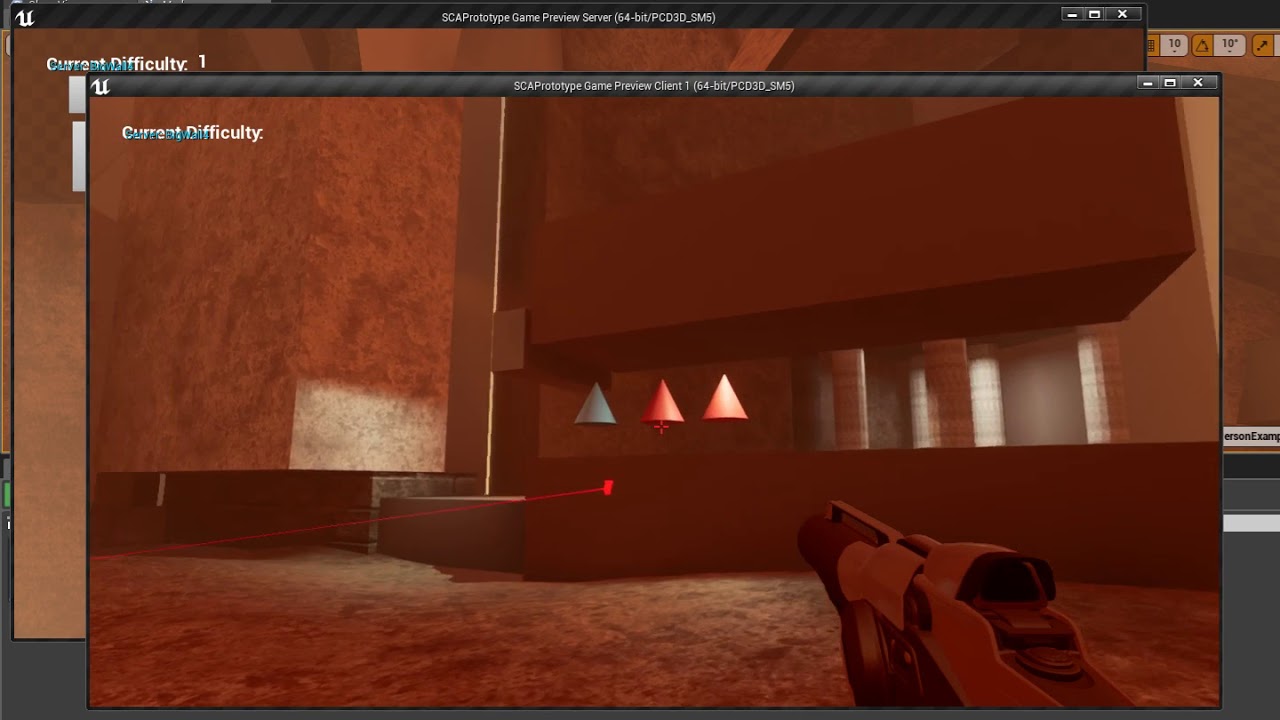
https://youtu.be/RuJRT_2zM8A this took me about 3-4 days and i had to learn how to do networking as well
 fossil grove
a simple game but fast paced
plush yew
did you do the official epic games networking walkthrough on youtube?
fossil grove
don't u have to pay for the networking for servers?
plush yew
You can pay to rent servers but for what I want to do with my friends I can just run it off my own computer
soft crescent
it runs locally off my pc
 warm bluff
Hey guys! Does anyone know any software/website for automatic facial morphs/shapes creation? Please, I've currently got 2 jobs and it's really hard for me to get some proper free time to do everything manually.. I would just like to experiment around with my own characters and learn..
Thanks everyone!
soft crescent
granted ive tested with people connected from other locations and it works fine
plush yew
yeah that's what I'm longing for atm
but it's significantly faster for me to just learn newer smaller features day by day
procrastination is too powerful
fossil grove
alright well im gonna TRY to make pong
plush yew
well theres tons of tutorials on that so have fun with it!
fossil grove
but wait if my games gonna be 3rd person, should I try to start with 2D pong or try to make a 3rd person pong?
radiant fable
tomatoes?
plush yew
idk you could probably do a third person version
plush yew
thanks!
 dire sentinel
I made a simple grass material, and made it sway in the wind with the wind node. But now the whole thing jitters. I want the root of the stem, where it touches the ground to be static, and then make the grass move more and more the further away from the ground it gets. How would one go arround doing that? So parts of the grass move more than others.
if you have an answer, please @ me with a responce so its easeer for me to find
 idle garden
Hi, someone knows how I can check if a process is running when I click on Game.exe?
Like, I want to have P1.exe running to run Game.exe but not Game.exe without P1.exe
shut viper
@idle garden i think this will help you
https://forums.unrealengine.com/community/community-content-tools-and-tutorials/13724-free-launchpad-a-free-open-source-ue4-compatible-game-launcher
Unreal Engine Forums
Hi everyone!
A few years ago, I decided to make a proper launcher for my game. Instead, well... I got a tad carried away.
We've come a long way since that first
Hi guys.I'm working on action game so the map of my game contain safe zones..How can i force the player to not shoot the Ai in the safe zone
Tnx
idle garden
Nop, I already saw that
I'm looking now for C++ functions to put on code when the game starts before starts the level
 deep yoke
How would you check if a WC sublevel is loaded before doing an action?
For example if I wanted to make sure a WC sublevel was fully loaded before spawning the player.
idle garden
Load and Unload Stream Level? That can help?
deep yoke
Does that work for World Composition levels?
 tardy sapphire
Is it possible to spawn a particle system using a landscape spline?
 flat idol
i think you can retarget your skelly mesh to another skeleton from the content browser right click there might be an option for that
dont remember exactly
it may only work for compatible skeletons, obviously, otherwise you'd just get a messed up thing
latent fable
ah, thanks
idle garden
FGenericPlatformProcess::IsApplicationRunning not implemented on this platform
ah.. help?
 dim merlin
Hi, is it common to switch to Forward Rendering and why issnt it the default?
 upbeat tendon
i am trying to create a teleporter, my code looks like FVector Rotation = PortalStructure->RemotePortals->GetActorForwardVector(); SetActorRotation(Rotation.Rotation());
the location code works just can't get the rotation of the character to work
 plain plank
@dim merlin
Not my area of expertise, so hopefully someone more qualified can answer your question better than I can:
Forward Rendering has different pros / cons from Deferred.
I'd suggest that it isn't and should not be default because:
- The Deferred Renderer is more mature and featured
- The pros/cons of a deferred renderer tend to suit a majority of projects
- Deferred rendering tends to look nicer.
It's reasonably common to switch to the Forward renderer for VR projects, or projects that have some technical reason for doing so. Beyond that, it seems ill-advised.
plush yew
how can i set vscodium to be the default ide?
dim merlin
@plain plank like a city builder might want Forward ?
upbeat tendon
damn, i can't rotate my character,
SetActorLocationAndRotation(Location, Rotation.Rotation(), false, 0, ETeleportType::None); well the location works, but not the rotation
dim merlin
@upbeat tendon its resetting from movement component ?
upbeat tendon
ah so i am setting it in the wrong place
@dim merlin basically the rotation seems to have no impact on the character,
 lusty carbon
Hi I have a teleport based VR experience and I need ideas for markers on the floor to catch the eye and be clear that it's a place you need to go to
This is what I have now for reference. I want to get rid of the blue ring and do something nicer
soft crescent
anyone here remember tappy chicken
hinking back if the way that project was built how i remember, it was pretty gnarly blueprint wise lol
vale silo
How can I get mic audio volume values realtime in Blueprint on Android?
 next badger
@soft crescent you still can get tappy chicken if you need it https://epicgames.ent.box.com/s/iy2xl8zap9laobqy0xq9hoahr15e7fd6
soft crescent
yeah but they no longer update it for new engine veresons
 pine warren
Hi i am working on a gameready character i am always confuse shouldi make different UV shell for face and body(skin) if i do so their is always slight differece incolortone help plz
 ocean wind
well, I've been trying for 2 days now
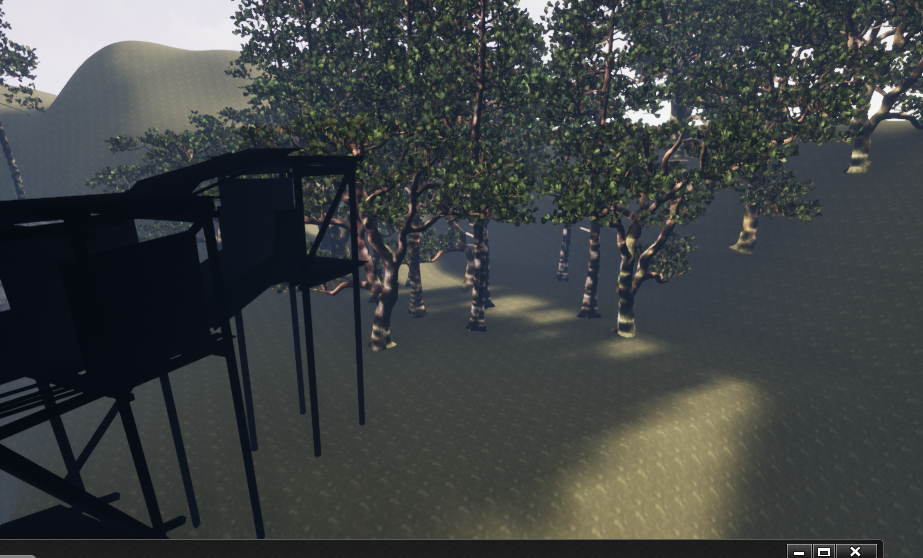
I really don't understand what's giving me this weird lighting
Meshes are on static
skylight and lightsource on static aswel
upbeat tendon
weird my ReplicatedUsing isn't working, i am setting a UPROPERTY(Transient, ReplicatedUsing = OnRep_Teleport)
uint32 bPortalActive : 1; on the server from true to false and back again
plush yew
@plush yew https://www.udemy.com/unrealcourse/ this is the best to learn also unreal.
this one comes second I would say ( still very good) : https://www.udemy.com/unreal-engine-the-ultimate-game-developer-course/
and this one would be for multiplayer which the 2 other don't cover extensively: https://www.udemy.com/course/unrealmultiplayer/ its pure gold like the first one
hope I could help you! pm me If you want more infos
Udemy
Learn C++ from basics. Make your first 4 video games in Unreal engine, the engine behind Fortnite. Interactive tutorial.

Udemy
Learn how to develop, code and package a complete video game in Unreal Engine

Udemy
Use Epic's Unreal Engine for online game development in C++. Covers LAN, VPN, Steam, and more.
im poor asf
 visual belfry
they're like $10 🤷
plush yew
thats like 120 hours ++ worh of content for ~35 bucks. You really can't get better. A professional demands like 20 bucks/hour ( and that people are professionals but theyre like 94% off from there original prices)
its really worth it
 daring osprey

Quick show of hands, in #UE4 do you opt for the default metric grid system or do you switch to Power of 2? #gamedev
 Twitter
upbeat tendon
Twitter
upbeat tendon
an hour of messing around because i forgot to set bReplicates = true; doh!
 frank escarp
why would you run power of two wtf
 honest vale
@daring osprey isn't it "metric" even with power of two grid 😛
plush yew
@plush yew is that beginners or intermediate?
@plush yew its for absolute bloody true beginners and it builds up to intermediate
I would recommend doing them in order I putted them in
Kinda need more intermediate stuff
Oh stuff like steam I don't know about also no c++ so could use that one :)
Didn't read ergazias post
 urban meadow
anyone having problems updating engine? trying to update 4.22 and it keeps triggering plugin updates and they all stall out
tried uninstalling 4.22 and it does the same thing, queues up the plugins then it all stalls
 tawdry raptor
Hey windows just updated and I think it broke unreal
I think windows broke something can we get a confirmation?
I was just working on my project and windows updated now I get this
If I try to open it from the desktop icon and browse I get this
Anyone?
 peak acorn
i want to set a condition that if 10 objects are spawned by the spawner the level fails
how do i do that?
 primal prairie
Hey guys, i had uploaded a backup of a project to google drive, all files etc. When i have downloaded it on another PC it opens in unreal engine, but all of the assets are missing, only the folders remain?
also was the same with git
urban meadow
@primal prairie do the assets exist in the folders in windows explorer? was it opened in the correct version on the target end?
primal prairie
Yeah and yeah..
we just did the validate all assets, and it ran through them all, but nothing appeared in the folder in the end
peak acorn
how do i make level reset to occur at collision of 2 actors?
i mean what function
peak acorn
i am new
primal prairie
google things for answers before asking others, its just polite
and good practice
urban meadow
also #blueprint might be a better channel to ask
peak acorn
i tried but couldnt find anything on google or youtube
primal prairie
man we are totally stumped
peak acorn
meaning?
primal prairie
meaning we dont know how to fix our issue
but i know you can find things on google
because i looked for level loading before on google
and found the answer
peak acorn
ok,
i am 14 and english isnt my prime sorry
 ocean hemlock
the artv1 plug in for animation, i made a animation and it looks fine in maya but when exporting it to a game engine (Unreal) It breaks
primal prairie
forums down 😦
 native creek
Found it thanks
 modern sinew
If I'm making a second controllable character (an overview camera for a building mode), should it be a Character or Parent Controller?
 scarlet charm
hey, anyone mind helping me with a project? it's a VR project.
 regal mulch
@modern sinew Just a Pawn, but technically you can also not use the Pawn at all
And just modify the camera via PlayerCameraManager
modern sinew
ok? I want them to be independant of eachother; Although I guess I could use the same character by saving the player's location, making them invisible, changing the controls, and teleporting them; while probably not the easiest option it's currently the one I know how to do, so ¯_(ツ)_/¯
 potent pebble
Hey guys, I'm trying to spawn some actors using the SpawnActor method with blueprints, but they arent appearing on the scene or world outliner, eventho the number of actors are increasing on the scene (according to world outliner), what am i doing wrong ?
modern sinew
uhh, so sometimes the stock 3rd-personm controller will turn left instead of right? and mouse control is gone, i didn't touch it
plush yew
i dont suppose anybody knows how i can make a projectile do random movements on its way to its target
its a homing projectile
 left citrus
Is it safe to use a CineCamera as a player camera? ie not used through the sequencer, but for actual gameplay? Or is this a big doodoo idea?
plush yew
@left citrus yeah dont do that, bad idea
left citrus
@plush yew Damn, I'm making a project with really deep depth of field and the settings on the typical "Camera" seem really limited/non lens based.. Was really nice to have access to actual focal lengths and aperture etc.. You aware of any usual work arounds for this? Or is the Camera component flexible enough and I'm just an idiot?
plush yew
you can set it however you want
copper charm
how does one get the material of a specific instanced static mesh at runtime
all i can get it the index
 tall ridge
doese anyone know how to create blendshapes? i have a 3d model character and my next step i s
to create blenshapes for the character. anyone have a tutorial for me=?
next badger
@tall ridge it depends on app
next badger
@tall ridge in Blender they are called Shape Keys
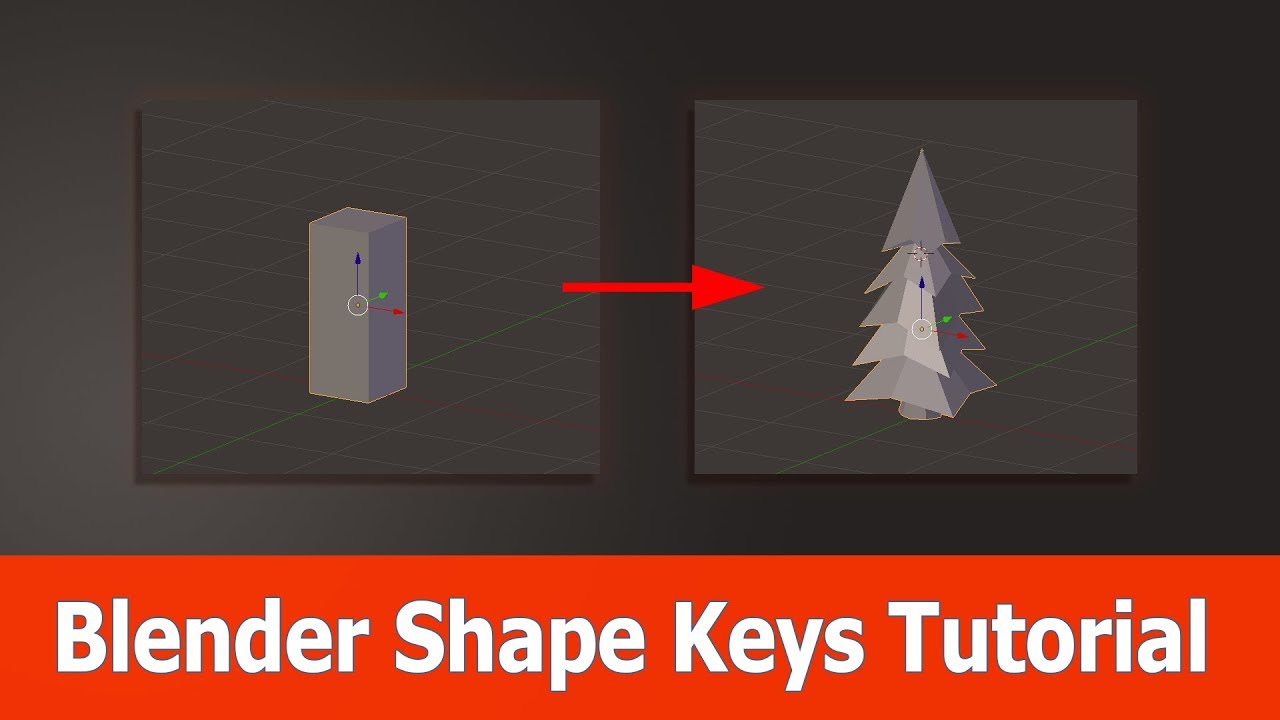
In this Blender tutorial about shape keys I show you by a simple example on how to use this feature. I start with a simple cube and turn it into a tree using...
tall ridge
thx i will check it out
 smoky torrent
AutomationTool What is this?
weary basalt

A guide to using the Automation System for Running Tests.
smoky torrent
@weary basalt thx
 verbal ridge
My community would like to start a Project. Is a nice person would be available to show how to use the program to the members?
 pure owl
@verbal ridge By "the program" do you mean unreal engine? If so I think you are better off looking into online courses to get your feet wet in Unreal. Here's a free guide that I've read before to get you started - https://www.raywenderlich.com/771-unreal-engine-4-tutorial-for-beginners-getting-started

raywenderlich.com
In this Unreal Engine tutorial, you will be guided through installing the engine, navigating the interface and creating your first game object.
I'd recommend jumping in and building something ASAP. It can be frustrating experience learning UE4 but stick with it.
 lime girder
Any Quest developers here?
plain plank
@Mich#9686
Why? What advantage are you hoping to gain, or which disadvantage are you attempting to mitigate?
plush yew
@verbal ridge Matthew wadstein YouTube series is very good for beginners :)
dim plover
Does anyone know of any software that can generate landscapes/heightmaps like the Landscape Tool in Unreal by manually sculpting?
I can't find any non-procedural terrain genereation tools.
*Just discovered World Creator 2. For some reason, didn't really see this through Google/YouTube searches. Don't think many people mentioned this either.
visual belfry
houdini as well
dim plover
Thanks. Didn't really know about Houdini. Looks pretty good.
visual belfry
"pretty good" 🤣
dim plover
It looks... complicated.
next badger
@visual belfry I've heard he did street magic
visual belfry
it's definitely more work up front to get used to, but it can do so much more than just building landscapes (and then it can merge those things into your built landscapes even 😮 )
this is dumb but I love it https://imgur.com/a/YuMY3rT
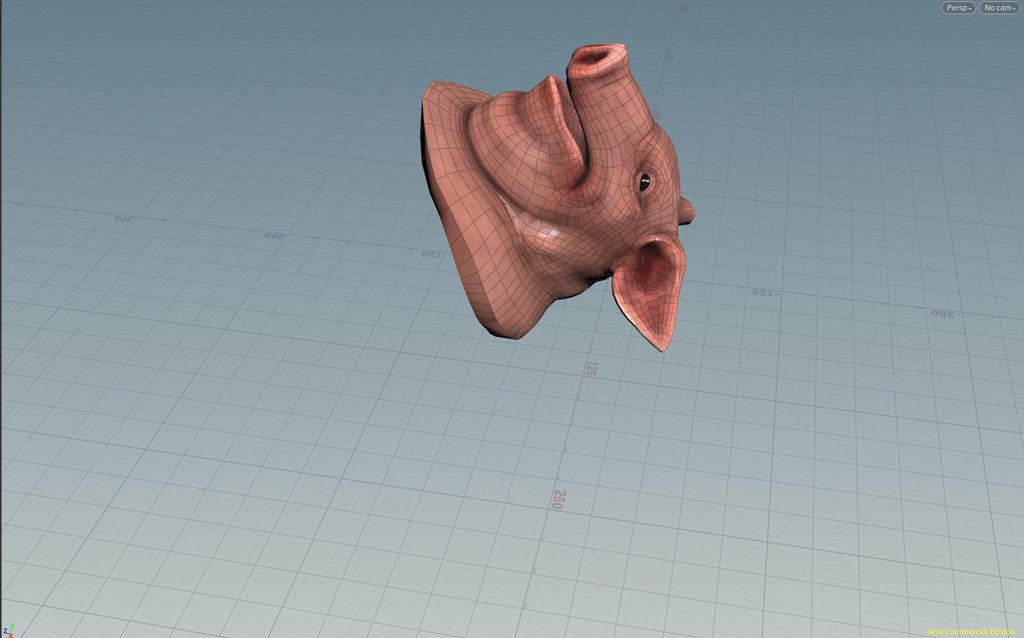
a shame it ended up eroding so un-piggy by the time it got to unreal
copper charm
How does this guy achieve the dynamic fire propagation in this asset?!

Easily add dynamic behavior to any grass mesh. Use it with UE foliage tool or spawn it dynamically in game. Shockwaves, deforming, burning + fire propagation, cutting, growing, ground blending and more effects included by default.
next badger
@visual belfry at first i thought you linked this https://www.youtube.com/watch?v=fVU3QcxfawY
 visual belfry
that pig gets around
 remote mason
trying to dynamically add more images inside of a blueprint widget, can't use drawtexture. Wish this was easier
remote mason
found a strange work-around by creating an array of widgets that just have one image. then dynamically set the opacity off or on when I need to 'see' the images
 upbeat crane
Hi, I am trying to find a method for level switching in VR so that it won't go out of the game to loading screen (Vive)/blackout (Oculus).
I've tried load async and load package async but they were of no use. I am now trying PrepareMapChange CommitMapChange.
If you guys have some idea about how to switch with my own loading environment and definitely not hindering user experience feel free to help me out.
 cloud cobalt
Seamless travel ?
wary wave
streaming
everything gets streamed from the persistent level
streaming in a lightweight loading level to encapsulate the player, stream out the old level, stream in the new one
modern sinew
Anyone know how I can stop motion in one direction, while allowing motion in one directions? For my "overview" camera I just teleported the player up, but now they don't have any friction. I tried "stop all motion immediately", but that was rather awkward when you were moving in two directions
 inner mountain
dim plover
inner mountain
dim plover
huh
wary wave
someone though they were funny
upbeat crane
@cloud cobalt that is for networked games if I am not mistaken. How do I use that in a single player game?
upbeat crane
@wary wave streaming is also taking the player to blackout/loading screen.
cloud cobalt
Shouldnt ?
wary wave
I don't think you'll get "instant" transition from one level to another
upbeat crane
So I should give seamless travel a try in my case?
Streaming is not happening on main thread but after loading screen it comes to the level.
Most probably because I am loading it late?
dim plover
Wouldn't seamless travel still give a black screen?
wary wave
^
streaming is the only way you'll avoid a black screen of some sort
but you do need to be careful about how you use it
traditionally you'd stream in well in advance so it's all loaded and ready before you need to actually use it
in VR that might not be an option, I'd expect the loading to potentially cause hitching
wary wave
I would suspect so
upbeat crane
Have you tried prepareMap and CommitMapChange? It loads the map asynchronously.
Ohh!
dim plover
?
upbeat crane
https://api.unrealengine.com/INT/API/Runtime/Engine/Engine/UWorld/PrepareMapChange/index.html
This one
Asynchronously loads the given levels in preparation for a streaming map transition.
 gloomy acorn
hey guys, did anything related to UMG change in 4.22?
after i've upgraded my project from 4.21 to 4.22, when i press Tab while in Game only mode, a textbox gets focused.
that wasn't the case in the old version
 calm widget
Anyone know if it's possible to rearrange the input order of material function?
 grave nebula
Yeah, inputs have sort priorities.
calm widget
Oh, didn't know that was for.. that. Thanks
regal mulch
UMG focusing stuff on TAB has always been the case
gloomy acorn
even when in Game Only Mode?
it's weird why it's not doing that in 4.21..
is there any workaround for it?
 night basalt
 spare sun
activate windows when
cloud cobalt
Insane is the word for MMORPGs
 mossy mauve
Hi! Im really new to unreal and having this problem. Im not sure whether its antialiasing or LODs, but i have been trying to find a solution for multiple days with no luck. Any help or suggestions are appreciated. Thanks in advance guys 😃
honest vale
solution for what?
 thorn topaz
So I'm trying to handle gamepad input along side keyboard mouse in the UI. For keyboard mouse, I'm handling it through the OnKeyDown event in the widgets which means the widget requires focus. If I have a gamepad connected, I want to hide the mouse but it doesn't seem that it's possible for a widget to be focused as well as have the mouse be hidden. Is it possible to do what I'm attempting or should I use the player controller and just forward the input from there?
mossy mauve
@honest vale To get rid of the AA error or whatever error it is.
Can you see the foliage going nuts when the camera is almost static?
cloud cobalt
Gonna need more information. Are you running 100% screen percentage ? Which AA method is used ?
mossy mauve
@cloud cobalt I dont know what screen percentage is, but going to look into it now. As for AA methods i exported with every single one of 3 (FXAA, TemporalAA and MSAA) - all look really weird, just some are more extreme and others a bit softer.
 neat ruin
Hey Guys, I'm doing architectural course on UE, I downloaded their GI Project but after opening the textures are not loaded and my viewport looks like wireframe mode - am I doing sth wrong or they did not update their project to UE 2.22.2?
mossy mauve
@cloud cobalt Its at 100 in my postprocessvolume
cloud cobalt
@mossy mauve Is that in editor ? Check that you have scalability settings set to epic
mossy mauve
@cloud cobalt No this is sequencer export, editor doesnt get anywhere close to being as heavy as the one you see. Engine Scalability Setting is at Epic.
Setting it to Cinematic virtually shows no difference either 😦
cloud cobalt
So does it only happen with sequencer ?
mossy mauve
Yes and only with this scene/project.
cloud cobalt
Looks a lot like it's being rendered with a camera that has terrible default settings
Or the capture resolution is wrong
mossy mauve
Ill look into camera render settings and capture resolution. Thanks for suggestions!
 graceful sky
Abit random, but is there a way to make the Epic launcher "find" existing engine installs ?
just formated my C drive, and got all engines installed on F drive..
mossy mauve
Any sources where i could get better settings @cloud cobalt? At the moment only finding aperture and focal length - nothing that actually improves export quality.
cloud cobalt
Have you looked there https://docs.unrealengine.com/en-US/Engine/Sequencer/Workflow/RenderMovieSettings/index.html ?
Describes the options available to you when rendering out your cinematic sequences.
i'm afraid I know next to zero on Sequencer
mossy mauve
Oh yeah i have when i was learning about Sequencer. Will give it another look - maybe i missed something out.
cloud cobalt
In any case, my two leads would be 1) resolution and 2) camera capture actors default to shitty quality (parts of the rendering pipeline are disabled)
 mossy trail
Out of curiosity, is UE expected to hog 20 - 30 gb of RAM after 10 h~ of pure blueprinting? or am I doing something wrong over here? 😃
wary wave
probably some kind of memory leak
if you close and restart it'll disappear
every time you open an asset in UE4 it puts it in memory
so if you're running for 10h, well
mossy trail
I see well thats an easy fix, and makes sense, thanks for clarifying!
 manic pawn
the most curious part here is that your editor hasn't crashed in 10 hours of working
mossy trail
haha I have been using it for 10 hours daily for years without any crash, maybe im just lucky 😃
tawdry raptor
I cant update unreal it says queued for hours how di I fix it
wary wave
check available disk space
 regal path
Hello is it possible to create local UPACK we are working on enhancing our workflow and we would like to create Upack just like starter content for our models I see someone on github : https://github.com/NelsonBilber/ue4.basictemplate who made an Upack how can we create an Upack without pushing to the marketplace ?

GitHub
This is a *.upack file which can be import to your unreal project - NelsonBilber/ue4.basictemplate
tawdry raptor
I cant even uninstall the older versions
mossy trail
I had this happen a while ago when one of my HDDs died and for some reason changed the drive letter for the drive UE was installed on, all I had to do was rename the drive letter to the original one and it installed / uninstalled fine. probably not your issue but wont hurt to check the drive letter.
wary wave
@regal path - I'm not sure the UPack setup is supposed to be used any more
it's probably only really there for legacy reasons
wary wave
took a quick look at my vault cache, and no local content is in that format
if you're making plugins, they should strictly use the plugin format anyway
(and wouldn't be able to use the UPack format)
plush yew
hey, does anyone know if a custom CheatManager should work for Multiplayer / Dedicated Server enabled? As far as i know it should only be disabled for Shipping builds right?
plush yew
interesting, currently for me it just works with dedicated server disabled, maybe something set up incorrectly, idk
 queen canyon
Heya! Simple question: is it ok that xyz in world directions aren't same for decal size?
plush yew
Yeah for shipped builds, but it should work for a debug build where deteicated server is enabled
ok just wanted to make sure, probably just something set up incorrectly with the exec functions / custom cheatmanager
cloud cobalt
@plush yew Cheat & console should be compiled out in shipping regardless
 ancient magnet
can someone help xD
wary wave
limiting what people can do with the console is more the thing
plush yew
CheatManager is compiled, it just doesnt create a object when ran in shipping build, what i've seen in the code
cloud cobalt
No, I mean, IIRC shipping compiles it out, in the engine
Might be wrong if DrSlei is right
 pseudo swift
hello guys, i have a really unfortunate problem. I have 5 img sequences playing as videos in my map, i noticed after playing more than 3 at the same time during export they all freeze. So from my understanding I can not render out more than 3 videos at the same time. Anybody know if I can fix this somehow so I can render out 5 videos placed on objects in a scene?
 latent moth
is it expected that a player controller without pawn does not get input events triggered?
regal mulch
No
latent moth
ok so what could prevent a simple thing like this NOT being triggered? This is on BP_OSA_PlayerController_Online_Lobby
pseudo swift
@wary wave im doing cinematics not games
latent moth
NVM
 gusty dune
Good afternoon Unreal devs 😄
latent moth
howdy
sudden agate
feels like the bug submission form is now dead.
Haven't received an answer for weeks now
 fringe pivot
Anyone good with audio? I'm trying to figure how to stack sounds.
Not sure if I need multiple AudioComponents or just one, tried both, the first case almost work, the second audio file is played over the already playing one, but the sound is totally distorted.
fringe pivot
@night basalt how does it help me to know if the AudioComponent is playing or not?
I wan't to play the second cue anyways, regardless there is another one playing or not
night basalt
from vareiable play and get from the vareiable is playing
gusty dune
Is there any chance I could get some assistance on a weapon collision issue I'm having please?
night basalt
its easy
fringe pivot
thanks man but you don't seem to understand my question
night basalt
wew
create sound
down button
ther is destroy
unbind
weapon collision in the colision mesh make bake out material ther is collision for mesh
@fringe pivot Work ?
fringe pivot
@night basalt let it go, you don't understand my question, thanks
gusty dune
This is my melee weapon blueprint, when attached to the player character the owner is set to the character. However, when it overlaps the player when it is equipped, it still collides with it despite having ignore parent
night basalt
wew
t
unbind
to more play time
read what i send
to second play time
@gusty dune try add collision box for weapon
gusty dune
Got one on it
night basalt
and tipe to damage
gusty dune
At the moment there is no damage, just a print string on overlap
But it shouldn't even recognise the player character as it's set to ignore owner
gusty dune
Of the weapon or character?
night basalt
all
gusty dune
Ah okay
Weapon mesh is set to no collision, weapon collision box is set to overlap all, player collision box is set to overlap all
So the weapon mesh doesn't do anything here
night basalt
than go mesh file
in top bake out material
create file
the file create new collision
or just in the physic create new collision
night basalt
you have teamvewer ?
gusty dune
I don't sorry
tardy sapphire
Hmm guys I have grass on my invisible landscape layer.. I tried grass flush cache but it still appears.. floating grass on invisible layer
Thanks 😃
plush yew
@plush yew
'"correct
otherwise how are you going to do any perf monitoring and such"
I've tested the CheatManager Exec commands on the ShooterGame now with Dedicated Server Enabled and multiple clients, and I can't run any of the cheats on any of the clients, but those should work?
is the default cheatmanager enabled by setting no manager at all?
did you try this witch dedicated server enabled?
for me when i enable it it seems like it doesn'T recognize the commands
"Command not recognized:"
i've tried this in the ShooterGame Template btw and used the default cheatmanager , with command "Teleport" for example
not sure if thsi is just a local dedicated server thing, or it doesn't work for server & client at all
non cheatmanager commands work fine, like suicide
which would mean the cheatmanager is only working for local testing without multiplayer
but the thing is, the shootergame etc has RPC in the cheat functions, so the intention was for it to work
but then maybe it works on real server client
I'll try it on a real server, hopefully it works 😛
I initially wanted to create a custom cheat system, but since there is the cheatmanager available i wanted to try it out xD
an other option would be to simple create exec functions on the playercontroller and only enable them for non shipping builds
"i use unreal strictly as a client, and using a custom server i just give it data"
oh lol :o, does the ue4 rpc etc. still work then?
interesting
oh so totally custom
true 😛
 fallow crest
I made a simple box-like room (with inverted normals) in blender, but I struggle to import it to UE: my character either falls through the floor or stands on top of the room. I attempted adding a 'UCX_' box in blender to act as the floor collision, but that doesn't seem to change anything
grim ore
so you have 6 planes representing your box visually, what does your collision look like?
you might be overthinking this too much and should probably either make an actual hollow box with walls, or make 6 wall brushes and make them into a box.
plush yew
it ramps up the difficulty quite a lot
grim ore
make something in blueprints since all the code is "clean" for you in there. recreate the same thing in C++ using the same functions that the Blueprint uses.
 ashen steppe
I imported this fbx as skeletal mesh, once in the editor I got it splitted in different pieces, how I am supposed to join them to get the assembled model?
grim ore
@ashen steppe what does it look like in the editor? there are options for combining meshes when you import as well
ashen steppe
@grim ore I get every single part as a single skeletal mesh, it's a plant, I get a SM for the flower, another for the sten, the leafs and so on
Maybe I am importing it wrongly
grim ore
try combining it on import, https://docs.unrealengine.com/Images/Engine/Content/FBX/ImportOptions/StaticMeshImportOptions.jpg the drop down has access to it in the import dialog
ashen steppe
mmm it seems the "Combine meshes" checkbox is missing
ahh it appears if I unckeck "Skeletal Mesh", I'm not sure what should I do
yeah that did it, thanks @grim ore
sudden agate
After three weeks omg
plush yew
@plush yew but he says in the post, that he was able to use it with rpc & multiplayer
I've tried it with local seperate client & server and it seems like it doesn't work, idk . Feels like the CheatManager is a little bit too restricted
 ember notch
I can not change the direction please help
grim ore
the direction of what?
grim ore
what does your movement code look like?
 timber birch
https://i.gyazo.com/755b06173b08d98e1c1de31fe275d7b2.gif hmm does anyone know what this annoying block of shadow is? 🤔

nvm
its POM self shadowing, thankssssssssss Kashaar 😄
plush yew
@plush yew if thats the solution, it might a really stupid mistake xD, it could be possible that for multiplayer / rpc you need to enter EnableCheats first, at least it seems like it suddenly accepts all the commands, maybe they are on by default when server is disabled lol 😮 after entering EnableCheats creates a CheatManager on the fly, but seems like it still has issues on the ShooterGame at least
radiant fable
I've turned on emissive for static lighting on objects with an emissive material in a slot, but don't get the effects in my level when lightbaking
are there any other gotchas anyone can think of? i tried boosting to 50x
grim ore
try a much much larger value, like 1000
radiant fable
thanks, trying 5000 now :v
grim ore
I can say in a blank scene with a single color emissive material I do get lighting built with 50 and 1000 multipliers on the emissive channel
 upper heart
Has anyone had issues with steam taking ungodly long to preallocate updates for users? Even small updates
Our paks are not compressed, so I don't see what could be causing this 😕
flat idol
Updating a pak file require the file system to create a new copy of that, so the issue could be the huge pak file itself
upper heart
So we should use chunks?
flat idol
Btw i've been looking into the way paks are compressed (/o encrypted), and it is happening in an asset basis, the pak will use padding with 00's to distinguish between the assets
upper heart
Our pak file is 20 GB
flat idol
I think yes, the smaller the chunk the better results you will get. Tho i'd just unpack the whole thing and forget about paks in general.
That's huge
With compression you could make it smaller it doesnt really change on the pak structure itself, but you get smaller packs of contents in it (with padding)
flat idol
Compression is not applied to the whole pak in one shot, but on per asset basis, individually
So you essentially get the same pak with compressed contents in it
upper heart
Unreal Engine Forums
General discussion about the game industry and the Unreal Engine community.
cloud cobalt
I thought the same but was told yesterday this is no longer valid
Check both options and see if a small update w/ compression results in a large download
upper heart
Told by valve?
upper heart
ahh okay, yeah our preallocate times are stupid long right now
cloud cobalt
Valve tells you "no compression" because generally, compression is dumb for Steam
A zip file would result in horrible diffs
But apparently UE4 compresses file by file in the pack
 polar hawk
if the zip is deterministic however, like what paks are supposed to be
it can then be sliced into 1mb chunks
but
any time ue4 says its deterministic
flat idol
Check this Erebel. Here i compared the PAKs of two where i changed a mesh (added one LOD to the content, then repacked the game) you can see only a tiny bit of the PAK will change not the whole thing. The compression happens on per asset basis and the padding will indicate the individual assets in the pak.
polar hawk
it feels like 99% deterministic
and that 1% is problematic
i believe static mesh cooking was said to be fully deterministic now
flat idol
The forum post you mention is true but it will affect these chunks in tiny portions i'd expect. They just have to update the entire asset and not portion of the asset's binary content, thats is.
This example is with compression, just to clarify that image.
upper heart
Okay awesome, I'll do some experimenting with compression then. I guess the normal way to chunk things yourself is per map?
flat idol
I'd distribute unpaked game, it would not change on the size of your current distribution. But it's up to your decisions obviously.
Just because you encrypt / compress a pak it would not make it less vulnerable to attackers fidling with
They just figure it out anyways
upper heart
Right, yeah it at least keeps noobs out tho I guess 😛
cloud cobalt
Best you can do anyway
flat idol
Would be actually cool to implement compression for assets with unpak'ed games, that would be the best option for distribution i think
Since the pak is already unpacking them on per file basis it wouldnt even change a bit on the performance either
Ah no it's probably more involved than you think. Serialization is being used by the editor too, and it would mess up all projects etc. It has to beimplemented very carefully avoiding interfering with all serializations etc
i was thinking about a 'fake pak' class wouldprobably be easier to begin with, that is treating a folder as a pak, instead of a file.
So that would make it compatible with everything else
upper heart
Fortnite uses paks, so I will likely keep following suit. They ship with some chunks tho. It looks like their biggest paks are around 4 GB
flat idol
erebel, and are you sure they are actually updating any of the pak's or just keep distributing updates which makes the game content size grows bigger / overwriting entire pak files?
upper heart
I'm not sure, Fortnite's update sizes are always stupid huge tho
So I guess it's not the best example
And they don't use steam
flat idol
i'm still holding on to my original recommendation, just unpak your game and it should be fine
later you can think about a compressed and unpaked distribution that i outlined above :)
cloud cobalt
@upper heart Any statically lit game will have huge updates
flat idol
Not to mention 4k texture sizes makes up 80% of the content if more
upper heart
True. I guess I can chunk our game per map for now and see how that helps.
flat idol
Yes if you can chkunk out hot content that changes a lot, that's could be a good strategy too
cloud cobalt
I plan on chunking separate levels, common content, and gameplay stuff
What does that mean ? Paks are content
flat idol
sukebi you mount additional paks, and the game can access both contents from one place using the asset registry for example
you will go insane doing that but good luck man
i'd pak contents on per content basis, eg a character with all bells and whistles in one file
fallow crest
@grim ore I just made a cube in blender, stretched it out into a rectangle, and inverted the face normals
gusty dune
Anyone got a moment? I'm trying to calculate the direction of the player character in UE4, but the tutorial I'm using doesn't seem to work
flat idol
Stranger, you can't patch PAK files without overwriting the entire thing. Even if you do it from memory it is just a huge waste of time for the patcher rolling the entire pak as a single file. You most definitely want to slice it up, or unpak the contents.
flat idol
Guess it largerly depends on the affected areas. If the last 1% is changed of the pak file, that might be easy for the patcher to just append. But if you change somewhere in the middle, then 50% of tha pak has to be rewritten to disk (with offset etc). Also yes, offset may or may happens depends on the nature of the change.
cloud cobalt
I'm sure it's inefficient, but it also worked perfectly fine across 30 or so updates
flat idol
Since there is padding in paks you may get away a change of a number or something that is tiny. But if it goes above the padded area, the patcher will go crazy hdd ops
cloud cobalt
It's also fine on any PC to patch a 2GB pak in my experience, regardless of changes. But it's true that chunking might make it faster for players to get your updates.
grim ore
@fallow crest yeah that won't work well then as all you would end up with is a cube collision on the entire thing or no collision. You would need to create it correctly.
flat idol
Steam also uses chkunking, the problem is with the huge pak files going to burn your disk and a waste of time to my opinion. IT can be avoided by sepping the files and only update the affected files while leaving the rest untouched. You can't really do that with paks.
ember notch
How to make a enter car system?
fallow crest
@grim ore Would I need to split the walls/floor/ceiling into separate planes then or?
ember notch
Thanks
flat idol
Can you do it without possessing the car?
Like for instance someone takes a shot at your old pawn, he dies, but you can remain in control of the car. That would be funny.
ember notch
@plush yew What blueprint class I need to use?
fallow crest
@grim ore Or perhaps I could separate the roof, to end up with an 'open box'?
grim ore
@fallow crest the problem is collision is generally a box or other 3d shape, not a plane like you are trying for
fallow crest
@grim ore I tried adding a collision box right below the floor plane and calling it UCX_, but that didn't help at all
grim ore
that would be for importing your own collision, you can create your collision in UE4 itself if that is not working
fallow crest
@plush yew As fbx, and I did untick 'automatically generate collisions'
Blender
But I wanna know how to fix it myself, too
There's no smoothing groups option - only edges, or faces, or normals
How do I set it up, then?
manic pawn
backlogged in 3... 2... 1...
sudden agate
i hope not. i wonder why no one had the need of Post Process tracks yet
manic pawn
dunno, never used sequencer so no idea what that is
fallow crest
@plush yew What exactly do you mean by the 'complex as simple' collision preset? Quite new to UE so I lack some general knowledge
Also, when you said my collision is not set up, did you mean for this model specifically, or perhaps for the whole project?
flat idol
Raildex some bugs go unnoticed that's why
fallow crest
My character, as well as everything but this room, comes from the 'shooter game' project preset
It worked!
What does this setting do, exactly?
Ah, so in this case I do not need ucx_..., yes?
Also, for some reason my wall texture is not loaded (gets replaced by some default texture from the project), and I can't drag it into the materials list
 open locust
https://gyazo.com/0c2abe1340a90f6f7973aafecf37b69c
what is going on with my alpha texture?
 fallow crest
@plush yew This model uses multiple textures, and all of them have loaded except for the walls
Yes
Why can't I do this?
gusty dune
Right click and create material from that
I'm going mad here trying to get a projectile to ignore the character that fires it
It's set to ignore parent, and when the projectile is spawned I set parent to character, but it still affects the parent
grim ore
collision channels
make a custom collision channel for the projectile and set it to ignore the player
gusty dune
Oh gosh, would that be in project settings?
 urban gyro
Is there a shortcut to remove a BP node without killing the execution flow? IE: A->B->C, delete B in a way that leaves A->C instead of A | C
cloud cobalt
That a question ?
fallow crest
Yes: why would the model sink into the wall in UE?
cloud cobalt
Are both part of the same model ?
fallow crest
Yes
gusty dune
Gnome are you using simple or complex collision on that?
urban gyro
seems like coord or scale problem
fallow crest
@gusty dune Complex as simple
cloud cobalt
@fallow crest What's the scale like here ? How large is the object in UE4 ?
The mesh viewer tells you the approx size
urban gyro
ive had this happen upon axis flipping on export instead of working in Z UP
so could be that too
fallow crest
@cloud cobalt 4.7
cloud cobalt
4.7 what ?
open locust
why can't I select my alpha texture? https://gyazo.com/0c2abe1340a90f6f7973aafecf37b69c
fallow crest
@cloud cobalt How do I change the scale when reimporting?
I selected the import as one mesh option when importing
Btw, must I use fbx, or is obj ok?
I see
 gilded igloo
Guys, Im trying to solve a problem for like a week now and its driving me nuts. I might have a rage one day and quit ue, anyone has a helpful trick to solve problems and / or not get frustrated by ue4?
Man, you are doing gods work here
You make ppls days
Anyway, Im trying to pack some nodes into their own function but for some reason the function doesn't work the same way.
Im working with while loops which makes the system break every second time I launch
 real bobcat
how do i import assets for an older ue4 version into a 4.22 project? they're basic low poly assets
fallow crest
@plush yew When I clear any of the parameters, the scene gets destroyed
I have these options
gilded igloo
@plush yew its quite complex :/
fallow crest
Strangely, I did not have to rotate the model when I imported it, and the 'ups' aligned
gilded igloo
If u dont mind looking at a mess...
fallow crest
I exported with -Y forward and Z up and reimported, but the door is still in the wall
ember notch
My enter car system is good xD
but how i make animations? that he sit no open door animation only sit animation
calm widget
Anyone got a clue why landscape is not updating paint layers when i add another layer to the layer blend?
plush yew
Can I package my project without internet
cloud cobalt
Sure
plush yew
Idk maybe it will say fatal error access denied shutting down
 abstract relic
...why would the internet have anything to do with that
ashen steppe
player keeps colliding with this mesh, I'm trying to set it in a way that cause no physical collisions but still able to get ray casted. what I am doing wrong?
plush yew
Is it okay to tweak my project during package, I'm guessing the packaging is not real time and only affects stuff up to the point I click 'package'
 digital anchor
plush yew
digital anchor
plush yew
I thought that was the point of it running in background
wary wave
don't touch it whilst it's packaging
plush yew
Ok
I saw in a video that collapsing nodes to graphs can cause packaging fails, is that still true?
flat idol
Once again, the packaged game runs on about 60% (slowmo) i must restart the pc. Something is seriously wrong with this gpu driver or my 1070. Odd.
Have anybody seen similar issue before? Game runs in slow motion.
fallow crest
@plush yew I tried reimporting this same model as obj, and now it seems to not work anymore - what is causing this?
The collision parameter is still set
Ah, nvm: it seems, it was an issue of player model size
The door is fixed, though
ember notch
@plush yew How i make that my enter car works in multiplayer?
ancient magnet
can someone explain how to import or download maps to Unreal?!
cloud cobalt
From where would you be importing ?
ancient magnet
I downloaded something and the file came in Winrar but i wont load in
cloud cobalt
Did you download an UE4 level made specifically for your UE4 version ?
cloud cobalt
I don't know ? I don't usually download levels from the Web
grim ore
if you downloaded it from the web, it should have instructions. If not what file format is the level in? .uasset, .umap, etc.?
ember notch
How i make that my enter car works in multiplayer?
ancient magnet
@cloud cobalt can u send me that link pls
ember notch
Can someone help me? How i make that this work in multiplayer?
grim ore
Do you know how RPC and replication works in UE4?
grim ore
http://cedric-neukirchen.net/Downloads/Compendium/UE4_Network_Compendium_by_Cedric_eXi_Neukirchen.pdf we can't just help, networking is very complicated
there are tutorials on the Learn tab that you can break apart and there are a few networking videos on the official channel
ember notch
ok thanks do you know how to use cast in multiplayer?
grim ore
#multiplayer might be of more help as well once you get into it
cast doesn't care if it's single or multiplayer
plush yew
Y this piece of wank project take 4 hour to back up
flat idol
dont copy everyting but the important pieces only
ember notch
It's now working with multiplayer my enter car
 young saffron
I hope you guys can help in some way, because I'm stumped. I've been having this issue with UE3 and the terrain tool where the terrain setup layers/heightmap aren't visible in the window (rising storm 2 SDK, but also had it with UT3 editor a long time ago)
upbeat tendon
is it possible to get the player state from the player controller?
 minor solar
Hey, anyone know a solution for making the player follow the ground while sliding from plain ground to a slope (So that the character doesn't leave the ground when it sorta "hits the edge" between where the slope starts and the plain ground ends)?
alright, thank you I'll give that a shot!
oh
wtf
I just unchecked "Maintain Horizontal Ground Velocity"
and it worked
lol
oh wait
nvm
😅
 crisp arrow
Anyone have any experience with the localization system? Are there any common reasons as to why a piece of text wouldn't get localized, even though it shows up in the translation, and similar strings are all translated successfully?
minor solar
ok I think I explained the problem pretty bad. So I have this mechanic when that makes you slide (like in COD or Warframe) whenever you crouch while sprinting. It works by launching the character with a certain amount of force (I'll send a picture). The problem that I'm having is that if I use this and the jump halfway through or just do it of a ledge, the friction is basically almost 0 since I'm in the air so I get launched a quite long distance (which you're not supposed to do).
the Jump Force is 0 and the Launch Force is 2000
yeah yeah
working on it 😄
wait
what does "falling latteral friction" do?
and what does that mean xD?
so air friction??
btw the thing you suggested didnt work :/
Oh ok i know what the problem is
I gotta change the air resistance or whatever
so that that is higher
yes
exactly
it maintains the velocity if its in the air since then it doesnt get affected by the ground friction
oh
yeah
thats true
yeah just thought of that
or
I have one already
xD
but what is the variable for air friction tho?
ok so I have Jump ZVelocity and Air Control Boost Velocity Threshold
the first one just controls the jump force right?
mhm
I must have use it whenever I'm in the air tho
because its not just when I jump
I get launched even if I just slide of an edge
yes
ofc
so
if my velocity > (amount)
then just subtract
pog
ok I'll try
brb
plush yew
What is the relationship between cooking and packaging https://images.app.goo.gl/mZd3bPBv9mqoMZvj8
Google Images. The most comprehensive image search on the web.
 placid arrow
when i package my game in shipping mode, defaultengine.ini isn't copied into the game
is there a reason why, how can i fix this please? it contains all the config for onlinesubsystem, so without it...
plush yew
I have a question
my toolbar where all the stuff is gone, like the geometry, player, etc to drag into the viewport
how can i show it again?
 zealous cloak
You could go to the view menu and hit modes
plush yew
Thank ye
zealous cloak
There is also a lot of actors in the content browser that you can drag in
radiant fable
emissive materials contributing to lightbuilds now - the solution? i remade a supremely basic emissive master material, ran instances from that then boosted all by a power of 10
https://gph.is/g/Z21Dbnv

 unreal sonnet
Do you guys ever look at a game sometimes and be like "Man I know exactly how to do that, I could totally..." and then remember that you don't have the endurance to see it all the way through nor the marketing skill to get people to play it even if you did make it so you just kind of get a little jaded and burned out? I feel that way a lot these days.
weary basalt
Making games isnt easy. Even moreso by yourself.
manic pawn
"I know exactly how to make this simple thing!"
100 hours later..
plush yew
can I make a wall visible only from one side?
manic pawn
put geometry only for one side
plush yew
where can i do it?
manic pawn
in the program you used to model the wall
 wet berry
Can the Unreal engine launcher folks revert whatever change they put in that tries to figure out when to automatically pop up/minimize the launcher?
Because it's kinda obnoxious
bitter iris
How would I create stats that go clock like, instead of like this using widget bp.
 worn cape
so ... i try to find sth...
https://youtu.be/j8gjvKyaQuU?t=25
i try to find this highlight material, but it isn't in the content examples any longer, as it looks like
anybody with a good hint ?
i don't need more than that ...
i find the shiny_highlighted as is, and some more, but this one is missing

Email: tesladev2323@gmail.com A quick and easy way to get a basic outline for an object, ready for interaction.
so if i don't find it, i need to find out, what it is, huh ?
let's see
grim ore
@bitter iris look for a radial progress bar tutorial to handle how to do that in umg.

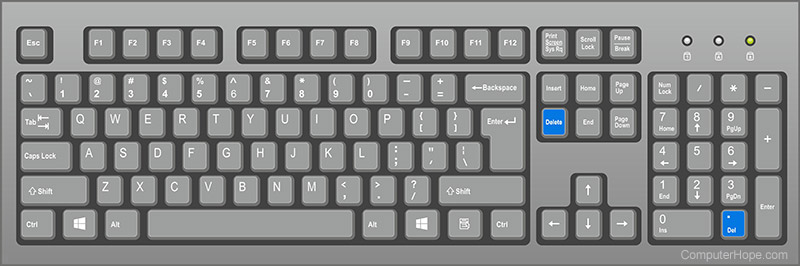


 grim ore
what breaks?
bitter iris
its no longer radial
grim ore
well that looks like a normal vertical wipe not a radial wipe, it works when its not 1.0?
remote mason
can you detect if two images overlap in a HUD?
grim ore
not easily