#blueprint
402296 messages · Page 948 of 403
 tight schooner
 trail sierra
sweet that worked perfectly, thank you.
Helps me learn in tutorials if I can go in and turn off what I entered and see what happens
 safe iron
I found out it's a problem with the struct because it works with an standalone array, I have no idea why tho!
Solved it! Needed a get ref
tight schooner
@still rain Here's a working example of making your own blueprint spline-mesh actor: https://youtu.be/RLc20gcc804?t=157
safe iron
tight schooner
<@411349534875320320> Here's a working example of making your own blueprint spli...
Tisca tusca
I'm saving this videusca
 still rain
tight schooner
<@411349534875320320> Here's a working example of making your own blueprint spli...
still rain
tight schooner
<@411349534875320320> Here's a working example of making your own blueprint spli...
thanks, but its using spline, rather than spline mesh actor/component
the only assets i can access for now is spline mesh actors
so the method in videos may not apply to my situtation
tight schooner
welp. I'm not sure what you're up to. But you could maybe make some sort of editor utility widget BP (or editor function) that basically does the same thing with a spline
but instead of creating spline mesh components on a custom BP actor, it spawns spline mesh actors
and then you can have your multi-spline-mesh thing with several points
still rain
emm, little confused. here my situtation.
i get a curve made with spline mesh component. all i need is to access all the points of that "curve"
the curve is made with a bunch of spline mesh actors/component

i can get the spline mesh component list, but then i cannot get things like each point on it
tight schooner
don't think the array will be in any particular order, but otherwise it should work. Drag out the "Spline Mesh Component" pin on your screenshot and uh
"Get Start [...]" and "Get End [...]" functions should be available
 gentle urchin
Sounds like going the wrong way about it
Surely they are deformed by a regular spline initially?
tight schooner
Yeah getting spline points from a series of spline meshes is backward but I didn't question it...

 next carbon
how do I remove a slice from an array?
this is the closest I could find, other than making a for loop

 native willow
in bp you probably do a for loop, in cpp can remove a slice easily
 bright nest

this would delete last index but you can change the green int with the index you want to remove
native willow
it doesnt answer the question tho
they want to remove a slice
like from index 2 to 5
bright nest
oh a slice means more than one? Gotcha!
bright nest
next carbon
this is the closest I could find, other than making a for loop
this seems the easiest way if you don't want to make a loop
native willow
but it still doesnt remove a slice, it does something completely different
 wary tinsel
Hey guys, I have my pawn spawning a particle system and I moved this function over to c++. Can someone tell me why I get this warning? The particle is working normally
GetVectorParameterValue called on ....... with invalid ParameterName 'None'. This is likely due to a Blueprint error.
native willow
next carbon
How would I do it in C++? I'll just make a bp callable
TArray::RemoveAt
 undone sequoia
is get platform user name showing name of machine used ? or can I also get name from epic game launcher via I am logged in
?
 fluid reef
Okay, in an AI Blueprint Task I get some data, specifically a "Transform" and "Vector". I want to set two variables in another Blueprint with these new values. What's the best way to communicate?
 limber parcel
blackboard
limber parcel
undone sequoia
is get platform user name showing name of machine used ? or can I also get name ...
if you use NULL subsystem it shows machine name, if you use epic subsystem it will show epic name i guess
undone sequoia
limber parcel
if you use NULL subsystem it shows machine name, if you use epic subsystem it wi...
i am using epic and its showing name of my machine
😄
imrich
limber parcel
if you are testing locally in editor it will show name of machine
undone sequoia
limber parcel
if you are testing locally in editor it will show name of machine
how to test it then ?
limber parcel
by running standalone version i guess
undone sequoia
limber parcel
by running standalone version i guess
same
limber parcel
have u actually enabled the epic subsystem?
undone sequoia
yea I am also logged and see overlay and friends
😄
and its printing my machine name
limber parcel
thats weird then
undone sequoia
on google i just found platfom user name is just name of os,win,android,linux
so then I have to try it other way
fck
limber parcel
you could add UI for entering username at start
undone sequoia
Why I just start game login via epic because I am using eos and then I Wanna print nick in the corner
nick from epic launcher
limber parcel
undone sequoia
nick from epic launcher

Interface to obtain information about the user, such as display name or country, and map display names to account identifiers.
maybe this helps
 last charm
what's wrong? When i click R nothing happens


 tawdry surge
Toggle physics animation isn't connected maybe
last charm
ah yes im stupid
thanks
nope still doesnt simulate
do i have to have a specific mesh to do it?
 shrewd briar
hello everyone i hope you are doing great ! I'm kinda lost as to how i can trace a line from the screen(Camera) in the cursor's position to anything that would hit behind it
I would appreciate any help even if it's little
tawdry surge
Theres a node, Hit under cursor or something like that
@last charm no, any skeletal mesh works fine
shrewd briar
tawdry surge
Theres a node, Hit under cursor or something like that
ow , thanks mate much appreciated ❤️
last charm
tawdry surge
Theres a node, Hit under cursor or something like that
is it because the tutorial is in ue4?
tawdry surge
Unlikely. At best the ui may have changed
Are you following the live stream from epic?
 cedar sparrow
Hey, is it possible to put the multicast and server call into a function library? Or does it only work in the actual bp that needs to run it?
 still plume
hello everyone i need a solution to save the sound wave that the player create IN GAME. I found this BP node, but i don't understood wich reference it need
 cedar sparrow
@solar sequoia never mind
 dry condor
still plume
hello everyone i need a solution to save the sound wave that the player create I...
dry condor
still plume
hello everyone i need a solution to save the sound wave that the player create I...
the target would have to be of the type "Ground Truth Data" whatever that is
i dont think this is what your are looking for
last charm
tawdry surge
Unlikely. At best the ui may have changed
Are you following the live stream from...
No, mi following a video from prismatica dev
gentle urchin
dry condor
the target would have to be of the type "Ground Truth Data" whatever that is
i d...
Its the truth !
still plume
@dry condor i have found SaveLoadedAsset node, but i don't see in my project. It can be a part of a plugin? You think can this be what I'm looking for
dry condor
im not sure what you want to do ?
you are allready saving it as "as sound wave"
ah i think i understand, you want to save it as a new file ?
last charm
I couldnt follow the unreal live because the ui si completely different and i
last charm
tawdry surge
Unlikely. At best the ui may have changed
Are you following the live stream from...
Should i follow that one?
still plume
dry condor
im not sure what you want to do ?
you are allready saving it as "as sound wave"
I save in sound wave but until i don't press the save button i can't see the sound wave that i make from code.
 timid rock
How can I get my "Get control rotation" node to look like this? right now, on the right it only has a "return value" output

 fallen glade
right click, split
timid rock
Thank you
tawdry surge
@last charm they have a couple but yeah. That's what I used to learn how to use the physics animation component
last charm
tawdry surge
<@615828281387909136> they have a couple but yeah. That's what I used to learn h...
Thank you
 faint pasture
cedar sparrow
Hey, is it possible to put the multicast and server call into a function library...
faint pasture
cedar sparrow
Hey, is it possible to put the multicast and server call into a function library...
Those gotta be events in an actor
 coarse skiff
Im a total noob, I'm in 3rd person game, I know the camera is in the BP_ThirdPersonCharacter, but if I make my own camera in the level, how do I have the game run on that one instead?
fallen glade
coarse skiff
Im a total noob, I'm in 3rd person game, I know the camera is in the BP_ThirdPer...
You need to make your own game instance... game mode? anyway, make everything custom and you can plug in your pawn/camera
sorry but I forget every time I need to do it haha
You can also possess a camera but I don't think you mean that
coarse skiff
ok that sounds way harder than i thought. i just right-click place camera, position it, then i wanted the game to use it when i hit play. i guess i will look up "game instance"
fallen glade
I'm not the best but I can help I think, I've done it a few times. Drop me a message I think this would clutter the chat
gentle urchin
coarse skiff
ok that sounds way harder than i thought. i just right-click place camera, posi...
SetViewTargetWithBlend , target is playercontroller. This can be done in e.g. level blueprint or some global getter
The cameraActor being the target
coarse skiff
gentle urchin
SetViewTargetWithBlend , target is playercontroller. This can be done in e.g. le...
If there are multiple camera, the one in the player, and the one in the level. How does the game know which camera to start with?
gentle urchin
coarse skiff
If there are multiple camera, the one in the player, and the one in the level. ...
It usually starts with your pawn
Setting viewtarget would update this
So thats how itnwould know.. youd tell it
coarse skiff
In my level blue print, I make a reference to CameraActor, I drag out a pin I dont see View Target. The closest I see is "Find Camera Component When View Target"
gentle urchin
Get player controller -> set view target with blend

 tawdry surge
Your camera isn't attached to the springarm btw
 zealous moth
Is there a way to clamp the spring arm rotation?
tawdry surge
Camera manager let's you clamp control rotation
timid rock
tawdry surge
Your camera isn't attached to the springarm btw
I've attached it and I still cant
I can only rotate my character itself now, not the camera. Definitely some dumb mistake im making
limber parcel
why did u even trap ur character in a cylinder lol
timid rock
There is no mesh, cylinder is a placeholder
 timid rock
its not that big of a deal
 proven loom
where can i add a timeline? i'm trying to add a timeline to a gameplay cue but i can't. i also tried adding a timeline to a function. can't either. at this point i have to make an event in cpp and expose it to blueprint and then make a timeline off of that. is there another way?
 maiden wadi
proven loom
where can i add a timeline? i'm trying to add a timeline to a gameplay cue but i...
maiden wadi
proven loom
where can i add a timeline? i'm trying to add a timeline to a gameplay cue but i...
Not sure what a GameplayCue is. Sounds like a UObject. Timelines are ActorComponents. They're just a small component that ticks and runs callback delegates that the actor's graph can bind to. So the only place you can add them is an Actor. You can get the same functionality with a curve and a tick event.
tawdry surge
@timid rock try checking the use control rotation box
proven loom
maiden wadi
Not sure what a GameplayCue is. Sounds like a UObject. Timelines are ActorCompon...
oh wow, this is super useful to know. thank you!
yes, it's a UObject
 neat stream
Hey there can I Use DataLayers with Standard map on ue5?
tawdry surge
Think you'd just use sub-levels
neat stream
arg !
 mossy perch
@fallow sleet
Unsure where to go for reports on stuff.
But within the Lyra Project on the assets listed below
AnimBlueprint'/Game/Characters/Heroes/Mannequin/Animations/Locomotion/Unarmed/ABP_UnarmedAnimLayers.ABP_UnarmedAnimLayers'
AnimBlueprint'/Game/Characters/Heroes/Mannequin/Animations/Locomotion/Unarmed/ABP_UnarmedAnimLayers_Feminine.ABP_UnarmedAnimLayers_Feminine'
The Anim Sequence of Jump Fall Land is set preset to
AnimSequence'/Game/Characters/Heroes/Mannequin/Animations/Locomotion/Unarmed/MM_Unarmed_Jump_Fall_Land.MM_Unarmed_Jump_Fall_Loop'
While it should be.
AnimSequence'/Game/Characters/Heroes/Mannequin/Animations/Locomotion/Unarmed/MM_Unarmed_Jump_Fall_Land.MM_Unarmed_Jump_Fall_Land'
 crimson jolt
When using Event Hit in an actor with a skeletal mesh + physics asset, how do I get the specific body/bone (of the skeletal mesh) that generated the hit?
 rotund heath
I've been up all night and haven't been able to figure out a fix for my crouch. It works single-player, but once i try to connect with a client I get no crouch action at all, no logs, but my print string still appears after the crouch has been called.
Has anyone else had a similar thinghappen
tawdry surge
Are you calling it on both client and server?
rotund heath

I'm pretty new. I have a light understanding of replication but idk how to answer your question than to show you I tried to call it via server
tawdry surge
You only have crouch on the server event
maiden wadi
Isn't crouch already replicated? I swear it was.
 hybrid ether
I have multiplayer game first person with model. I set head owner cant see because it was clipping front of camera sometimes. But Shadows also doesn't have head rn. What could be good way to make head disabled but shadows still render?
 maiden wadi
I need to double check that, but memory thought you only had to call Crouch on client.
rotund heath
AFAIK, the Character Movement Component is out of the box replicated as long as you check your little boxes.
tawdry surge
Movement is replicated but the settings on the Movement component still need set on both client and server to prevent cheating
rotund heath
From what I've been reading the crouch commands should be replicated. @tawdry surge How would I call it on client side, another custom event just not replicoated?
mossy perch
 tawdry surge
Same as changing max walk speed for sprinting
maiden wadi
CMC doesn't replicate ever if memory serves, it uses it's actor to do that. It was created before networking was extended to components.
rotund heath
Thank you all for setting me straight. I can finally crouch..
neat stream
So on a normal map I can assign actor to a datalayer but the datalayer is invalid in runtime ... that's weird
 maiden wadi
rotund heath
I've been up all night and haven't been able to figure out a fix for my crouch. ...
maiden wadi
rotund heath
I've been up all night and haven't been able to figure out a fix for my crouch. ...
I also just double checked. You don't need to call this on both server and client either. This just needs to be called locally on a client directly from inputs.
rotund heath
It's working.. but at what cost..

So the thing to do here is get rid of all custom events for crouching and just call the action input?
maiden wadi
You can simplify that immensely.

Unreal's implementation of crouch handles the networking for you already. You just have to call the Crouch/Uncrouch on the owning client.
timid rock
noob question: is "Control Rotation" of a pawn different to its rotation transform?
rotund heath
maiden wadi
You can simplify that immensely.
You're the best bro.
maiden wadi
timid rock
noob question: is "Control Rotation" of a pawn different to its rotation transfo...
ControlRotation is the controller's desired view. Rotation on it's transform is the literal direction the pawn actor is facing. These can differ in cases where the camera can rotate around a pawn, but the pawn doesn't rotate until movement happens.
timid rock
maiden wadi
ControlRotation is the controller's desired view. Rotation on it's transform is ...
Thank you. I was asking this question to create the exact thing you said at the end
 cursive ermine
Hey Quick question. How do I remove from a Float e.g 12,589 the first digits? So that I have only 0,589 at the End
fallen glade
Is there any way to tweak the Skylight shadow/occlusion distance?
 thin panther
cursive ermine
Hey Quick question. How do I remove from a Float e.g 12,589 the first digits? So...
thin panther
cursive ermine
Hey Quick question. How do I remove from a Float e.g 12,589 the first digits? So...
If you truncate the float so its just the whole number and subtract the two
cursive ermine
thin panther
If you truncate the float so its just the whole number and subtract the two
Thank youuu!
thin panther
Npnp
 desert juniper
cursive ermine
Hey Quick question. How do I remove from a Float e.g 12,589 the first digits? So...
desert juniper
cursive ermine
Hey Quick question. How do I remove from a Float e.g 12,589 the first digits? So...
mod
Assuming you mean 12**.**589 (unreal uses points to define decimals, not commas)
then it's just 12.589%1 = 0.589
gentle urchin
Mod is easily forgotten but awesome
For floats there is also a division and remainder
Which does the both mod and division
 humble vine
Looking for a method to check network card mac address in published game? Doing something that after publishing should only run on single computer and need a way to lock it
As in, if UE can check the mac address being the same as the one saved on some blueprint variable, otherwise game won't run
desert juniper
doesn't your mac address change when PC components are swapped out?
and won't it change on some computers if they're on a different network?
humble vine
well the network adapter mac address should remain the same as far as i know, and i can always update new version if part breaks and is returned to me
cursive ermine
desert juniper
mod
Ah thanks!
humble vine
if not mac address, i need something that can be saved inside each published game that can be checked from hardware to lock it to work on single computer. Network cards are cheap so locking it to mac address if it stays the same would be easy way to do it. Someone buys license and gets both the executable and network card to unlock it. If their comp breaks, they can just move the card and license to another computer but can't run two systems same time
humble vine
this is specialized use case for venue based solution, so it will only need to run on singe computer
desert juniper
ah okay, that's good to know
MAC addresses can be spoofed though.
Why not just look for some standard DRM plugins?
If their comp breaks, they can just move the card and license to another computer but can't run two systems same time
This is a surefire way to piss off your potential customers and get bad publicity/reviews
humble vine
no it won't be, this is special case licensing
desert juniper
ah. missed that
humble vine
i found before there CPP way to check it but seems like it would be deprecated.. (and i don't know cpp)
desert juniper
Google doesn't really show a way either
If it's for a simple enough use-case, then just learn the required code

looks like this is what it was replaced with
@humble vine
 humble vine
desert juniper
looks like this is what it was replaced with
<@783001390578532444>
humble vine
desert juniper
looks like this is what it was replaced with
<@783001390578532444>
Thanks I'll go googling more info on this device ID thingy
 cursive grove
Getting assets by path does not work on a packaged project, How can I solve this?

 silk hinge
hello guys
I'm having an issue to access a post process material make a Dynamic material instance out of it and tweak the values of the post process material.
Here is what I came out with, but it dosent seems to do anything, but I checked with a print strings and break points, the cast dosent fail, the material name that comes with the each loop is the real PPM (post process material) set up into the pawn, so I'm out of ideas, maybe just a known bug ? I'm on UE4.26


This looks like a bug to me, but I'm not too familiar with this type of material work especially with post process
cursive grove
silk hinge
hello guys
I'm having an issue to access a post process material make a Dynamic...

this is how I did it

and on your function use this

 silk hinge
So your having a plane or something to display you post process ?
cursive grove
I have a blueprint component that takes the owner and making them transparent
so wherever I place the component, it changes the material
 faint badge
silk hinge
https://prnt.sc/UYi9d3kuLzx_
faint badge
silk hinge
https://prnt.sc/UYi9d3kuLzx_
You're making a new material instance dynamic but you're not actually assigning it to anything. You're effectively making a new thing, modifying it and then throwing it away. You need to actually do something with the new thing you've made
In your case probably just assign it back to your post process settings array
silk hinge
oh okay so the missing part of the code is to re apply the new options set up to the old post process used, correct ?
faint badge
Correct, you need to take the return value of your create material instance node and feed it back into your settings
tawdry surge
If you use the mesh component as the target to create the dynamic material instance it assigns automatically
silk hinge
There is no mesh component in my case, it's directly a post process component into the pawn class
I dont see why you cant just access the post process material assign to the post process component without going trough all the structur options.
Cause now I'm having a super hard time to transform my instance back into a post process settings struct so I can re-apply the new settings to the post process component xD
 plain helm
What is the point of putting PlayerStart in the level instead of putting BP Player?
Does the same thing: spawns player at that location
silk hinge
you mean placing the player manually ? or spawning the player directly ?
tawdry surge
Player start is connected to the gamemode and provides a spot to respawn after death or spawn point for teams.
If you use a character BP and auto possess it'll work, but you'll have to handle respawn another way
 night bear
Is anything wrong with this since i can only change my settings once and when i try to chaneg settings again it fails

 solar sequoia
plain helm
What is the point of putting PlayerStart in the level instead of putting BP Play...
solar sequoia
plain helm
What is the point of putting PlayerStart in the level instead of putting BP Play...
Player starts are an actor that mainly exists to hold a location for the GameMode to spawn the default pawn class at. If you haven't overridden any GameMode functions yet, it's just default support for respawning or random spawns
night bear
night bear
Is anything wrong with this since i can only change my settings once and when i ...
Example of one of my resolutions Set Settings thingy
 plain helm
silk hinge
you mean placing the player manually ? or spawning the player directly ?
plain helm
silk hinge
you mean placing the player manually ? or spawning the player directly ?
Yes, placing manualy
silk hinge
Yes so, this is gonna be a huge issue incase of respawn, multiplayer games etc...
Cause the spawn Is able to grab any pawn that has a player controller assigned and spawn it at the player start
 keen anchor
After watching the very excellent Blueprints In-depth videos from Unreal I realised why opening my player BP takes so long. (blueprints loads as assets, everything they reference is loaded as well)
I looked in reference viewer and the player BP references enemies that can be spawned, all possible textures (char customization), a bunch of items etc.
How would I go about moving these references (that are needed) so they won't be loaded as a consequence of loading my player BP?
Datatables? Components? Not sure if components offset the problem as they are referenced so I assume everything they point to are loaded up as well.
night bear
night bear
Is anything wrong with this since i can only change my settings once and when i ...
@solar sequoia u said ping so you see so here u go
gentle urchin
humble vine
Thanks I'll go googling more info on this device ID thingy
You can also read some unique key from the motherboard iirc
solar sequoia
silk hinge
Yes so, this is gonna be a huge issue incase of respawn, multiplayer games etc.....
I believe the override for the GameMode's "Find Player Start" literally says that all games should override it. By default it's either random or always does one start, can't remember, but you also might want to override the one that chooses your pawn class, depending on your use case
solar sequoia
night bear
<@306937398200369153> u said ping so you see so here u go
That means if you're replying to me... I don't know the answer to your question
night bear
solar sequoia
That means if you're replying to me... I don't know the answer to your question
Ok
 dawn gazelle
keen anchor
After watching the very excellent Blueprints In-depth videos from Unreal I reali...
dawn gazelle
keen anchor
After watching the very excellent Blueprints In-depth videos from Unreal I reali...
You can try moving a lot of that to soft references and then only loading them when necessary.
silk hinge
@faint badge sorry for tagging you, my last question would be, how to transform the material instance, back to a post process material, even tho it's parent is a post process material, it's considered has a dynamic material instance, and casting does not allow me to make it a post process material.
So I cannot Apply this instance, to the post process material and use it has a setting, those are not compatible, I tryed many nodes and struct but nithing seems to let me transform my material instance to a post process material, even tho my instance is a post process material at the begin xD
Thats a huge mess to my brain xD

 tight schooner
keen anchor
After watching the very excellent Blueprints In-depth videos from Unreal I reali...
tight schooner
keen anchor
After watching the very excellent Blueprints In-depth videos from Unreal I reali...
Any cast node or class specific object reference will load that whole class, creating a dependency web. You could instead cast to thin parent classes in a class hierarchy as a way to communicate with the children. Or use components as an interface. Or use a Blueprint Interface. Look all of those approaches up.
And yeah, soft refs for assets... Epic has a good YT explainer for those
 versed spruce
What variable should i use to specific a single item? Between inventory transfers and actor deletion and recreation. I basically need to assign a unique number to a actor i can use to reference its data even if the actor is deleted
Is its actor variable unique or can another item take its number after the old one is deleted?
dawn gazelle
silk hinge
<@324964355471048714> sorry for tagging you, my last question would be, how to ...
Try dragging off from the post process settings input and type in make. There may be more to that structure than just a weighted blendable.

 main lake
I want to have multiple levels of speed for my player, what should I use please ? Like people will be able to train to get a higher tier for their speed
I need to see the values for each speed tier
Please ping me if any answer 🙂
solar sequoia
main lake
I want to have multiple levels of speed for my player, what should I use please ...
you would just change the character's max walk speed to whatever value and create events to support that. The part where you actually change the speed is very easy
you can drag off of the cmc and set max walk speed directly
silk hinge
@dawn gazelle I freaking love you bro
@faint badge you too :p
Thaaaaats a damm mess https://prnt.sc/jFRUeOiwBmZy
But it's working so I can now edit the post process at run time to make it more or less blury etc... might be expensive on resources but for this project it dosent matter
 main lake
solar sequoia
you would just change the character's max walk speed to whatever value and creat...
main lake
solar sequoia
you would just change the character's max walk speed to whatever value and creat...
Yeah that part is easy but I'm struggling more on the part where I can set values for each tier, like I'm thinking about having a data table but I'm not sure how to do that and not sure if it's the right way to do something like this
 livid furnace
I'm losing my mind here, i'm trying to figure out what side of a cube's pointing upwards by using get world rotation and it's for some reason spitting out random numbers if 2 of the 6 sides of the cube are facing up, i'm just getting the rotation of the cube, sending it through a break rotator, rounding it, and then printing it.
 dry condor
hi slackers, soo i built a spawner tool for spawning child actors and setting their class, how could i get the mesh of the childs ?
dawn gazelle
main lake
Yeah that part is easy but I'm struggling more on the part where I can set value...
You could use a map type variable that has a "level" integer key and and a "max speed" float value. You look up the value using a "Find" and the "level" value and then you can get the "max speed" value out of it.
faint pasture
keen anchor
After watching the very excellent Blueprints In-depth videos from Unreal I reali...
You using a lot of casting?
solar sequoia
main lake
Yeah that part is easy but I'm struggling more on the part where I can set value...
you can do it any number of ways. A map is probably best, however
faint pasture
main lake
I want to have multiple levels of speed for my player, what should I use please ...
Curves or data tables
Or just math
solar sequoia
you can hard code it, even. Not sure how many levels you want
main lake
faint pasture
Curves or data tables
Do you have any tutorial showing how to do that with curves please ? 🙂
faint pasture
main lake
Do you have any tutorial showing how to do that with curves please ? 🙂
Just read up on what a curve is and do it
keen anchor
faint pasture
You using a lot of casting?
No mainly interfaces. It is mainly something i havent been aware of so i have arrays of possible customization options, enemy types etc. Which is equally bad in this case
faint pasture
keen anchor
No mainly interfaces. It is mainly something i havent been aware of so i have ar...
On your character?
main lake
solar sequoia
you can hard code it, even. Not sure how many levels you want
I don't want to hard code it, I need something to have all of my stats somewhere as I will have other stuff
faint pasture
You probably want that stuff in data tables as soft refs.
DataTable_Monsters for example
main lake
faint pasture
Just read up on what a curve is and do it
I need a tutorial to understand I don't see how to use a curve to do this
faint pasture
main lake
I need a tutorial to understand I don't see how to use a curve to do this

What are Curves in Unreal Engine 4.
Source Files: https://github.com/MWadstein/wtf-hdi-files
Take some initiative tho
keen anchor
faint pasture
You probably want that stuff in data tables as soft refs.
DataTable_Monsters for...
Alright, i will start working on that, thank you! 🙂
dry condor
how can i connect these? which node am i missing ?

the target doesnt match with the array elements and i cant find out how to get the mesh of that array element
main lake
faint pasture
https://youtu.be/HrHFpAxnBZQ
If i'm not mistaking this video shows how to do stuff over time, in my case it's not really about doing stuff over time but more precise values 🤔 I don't take initiatives until I learn the thing.
main lake
dry condor
how can i connect these? which node am i missing ?
Hover your mouse over the pins to see what type it's waiting for, and I think the node missing is "GetMaterial" or something in those lines
solar sequoia
dry condor
how can i connect these? which node am i missing ?
why's that one so different from the one I see in the docs?

this is what I have in my editor, even
 dawn gazelle
dry condor
how can i connect these? which node am i missing ?
dawn gazelle
dry condor
how can i connect these? which node am i missing ?
Child Actors aren't primitive components. If you're wanting to modify the primitives within the child actors, then you also need to do a "get child actor" off of your Array Element on your loop and get the primitive component within.
dry condor
dawn gazelle
Child Actors aren't primitive components. If you're wanting to modify the primi...
thank you so much, i didnt know that they arent primitive components
 brittle osprey
so I have a question: Im "fairly" new to UE and im trying to program a point pool that, when pieces are placed on a board, the value of said piece is subtracted from the max point pool. Honestly, I have no idea where to even begin or where to ask for help....
dry condor
dawn gazelle
Child Actors aren't primitive components. If you're wanting to modify the primi...
im still a little confused as to how to get the primitives
brittle osprey
think of it like placing a chess piece on a board
dawn gazelle
brittle osprey
so I have a question: Im "fairly" new to UE and im trying to program a point poo...
Well, whatever your piece is should contain it's point value for how much it is worth. Your pool should know when the piece is placed, and then read the value from the piece and subtract it from the pool. If the piece is subsequently removed from the pool, then you'd add the value of the piece back to the pool.
 rocky ore
hmm im having a problem, lets say im at Level1, from there i can go to Level2 and safe go back to Level1, but if i try to go to Level2 again it crashes, any reason for that?
i can also do the otherway and it crashes
brittle osprey
it exists before hand and you place it on the board.
 brittle osprey
@toxic jay so this is what i think might work? idk ive never really used UE all that much outside of rendering stuff
 dry condor
dawn gazelle
dry condor
dawn gazelle
thanks again, works like a charm! 👍


 meager vessel
Hey, so i got a question about item/loot systems. I'm using a data table and a blueprint class itempickup master that i can spawn and give a mesh to look like the item i want to spawn. So at this point I have an actor that is spawned in my world. It's kind of inspired by path of exile where the base item can come with different modifiers. Now i want to pick this item up and save it in an inventory. What is a good way to make an inventory system for this? Even if its a generic base item it has unique stats to it so i cant just save the row name for the basic data table entry. An actor is spawned in the world and after pickup i have to destroy the actor. So i would probably lose the info when i just make an array of those actors. Should i just use a struct that holds the generic item identifier and the unique modifier stats? Or are there better ways/datatypes to use?
I just need a pointer in a direction to look up
brittle osprey
okay so id want the pieces to "call" on the game mode then the game mode subtracts the piece value from the max?
rocky ore
huh i figured out how to solve it but now im curious
why by name works infinitely and by reference crashes when returning to a level i was before 

is it a bug
meager vessel
So a struct is the way to go i guess. You mean i should create the struct in c++ instead of creating it in the unreal editor? @toxic jay
brittle osprey
another question: where exactly do i put certain code at? everything has an event graph so how do i know where to put things?
meager vessel
Thank you very much @toxic jay
 fiery swallow
anybody know of an efficient way to organize an array of integers from least to greatest?
cursive grove
fiery swallow
anybody know of an efficient way to organize an array of integers from least to ...
set to array element, then use < or > functions?
Guys I want to save an array of numbers with an editor utility blueprint and with that, set another blueprint's array. How can I send the variable from Editor utility blueprint to e.g. Game Mode's editor script?
 sand flame
Quick question, If I add "Movement input" component to make my character move, does it scale with world delta seconds automatically or do I have to multiply it with it? To avoid movement speed being different with different framerate
fiery swallow
cursive grove
set to array element, then use < or > functions?
That wouldn't necessarily work, I'd have to compare each entry to eachother. In instances where the array is huge It'd likely cause problems inside of a function 🤔
WE HAVE THE TECHNOLOGY

this node actually sorts floats for you
thanks for the help though!
timid rock
How can I make a 3rd person character controller that makes the character NOT change direction at all when I look around, unless the character is moving (Essentially the exact same as the default 3p character controller)
I'm trying to learn ue5 and blueprints, I've looked at the default controller and (to my noob eyes) the bps are functionally identical, but my controller will always face the way the camera is facing. Thanks for help
tawdry surge
Anyone know how to change the origin point of a sub level?
I have an existing level I want to use as a sub-level, but I need it to not be centered on the persistent level
brittle osprey
anyone know how to start a minigame sequence with a button? Ive got the button set up it just doesnt start the game mode
timid rock
I see "use controller rotation pitch/roll/yaw" but not anything to do with movement
ah, I see it under the CharMoveComp, thank you very much!
brittle osprey
alright i think i got the point subtraction down now

that is on a playable piece so theoretically, once the piece is placed, it accesses the game mode and the game mode does maths
btw thanks @toxic jay for the help!\
fak
no its not. the idea was once the piece is placed, it talks to the game mode
aparently i executed that wrong theo
though*
hmmmm. then im misunderstanding what casting is. Based on what i read, i thought casting was using (in this case) the game mode to access its math function
i think i understand what you mean, but could you clarify?
so when setting a target for a function, would you want the target to be itself? like this for example

the way im understanding this, is that after the melee unit is placed and casts to the gamemode, the game mode access the math function and calculates its variables. Idk if im understanding this right and i do apologize for the constant questions/verification
zealous moth
@tawdry surge how do you get or use a camera manager? Separate actor?
tawdry surge
camera manager is owned by the controller
 snow summit
Hey all, I was hoping some of you wonderful people could help. Anyone have any advice on making a quiz with data tables and widgets?
I’m making a lab simulation game for virtual biology instruction, where after the player runs a lab test they need to go to a computer and answer questions about the random lab test result that spawns, which is scored at the end. The player can go to a computer actor in the level and interact with it, kinda like in fallout, and a widget is added to the viewport.
I’ve been trying to use a data table and struct to populate the widget with multiple choice questions to set the text, but I’m having some issues getting it to work. There are 10 possible lab test results that can spawn for the player to read, and 5 questions with 4 possible multiple choice answers that can be selected for each lab test result.
If you guys have any advice I would super appreciate it!
snow summit
The spawn of the lab test results are random, but the questions are not random and have to go with the particular lab test result that spawns.
Ooo I have not tried MAP variables yet, thank you! I'll give it a go
 flat raft
Sounds like datatables is the way to go though
 dim tapir
Team, I'm trying to make a very basic dodge roll for my game. I don't need any animations yet. Is there some kind of "forced move forward at x speed" function I can call? All youtube tutorials are super advanced with animations
 gentle prawn
This feels like a dumb question, but I can't get my character to crouch. "Can Crouch" is checked, I can see "crouch" getting called in my blueprints, and yet, the capsule doesn't change at all. I've checked the capsule's half height and the crouch half height, and they're different. i can't seem to change it at runtime with "set capsule half height" either. What am I overlooking? Thanks!
I've made characters crouch before in ue4 and never had an issue :/ But in ue5, it's just not happening
flat raft
dim tapir
Team, I'm trying to make a **very** basic dodge roll for my game. I don't need a...
Try add impulse ?
flat raft
snow summit
The spawn of the lab test results are random, but the questions are not random a...
Trying to think of the best way to approach this that's not hacky
dim tapir
flat raft
Try add impulse ?
I can now make it move forward, thanks. Any idea how to make it move forward my mouse instead of always forward?
flat raft
dim tapir
I can now make it move forward, thanks. Any idea how to make it move forward my ...
Are you just trying to make your character move? or impulse left and right
dim tapir
I'm just trying to make my character move at an increased speed for a very limited time forwards my mouse location
I'm testing out some abilities and before I take the time to do something advanced I just want to see if the idea works. It can be very scuffed
flat raft
@dim tapir ok for that , try multiplying the movement input by some number. And then use a timer to kill the effect
gentle prawn
dim tapir
I'm just trying to make my character move at an increased speed for a very limit...
Have you tried using launch character?
dry condor
you could do something like a linetrace in direction of mouse position
snow summit
flat raft
Sounds like datatables is the way to go though
Yeah, that is what I had thought originally. I'm a biomedical artist, so a total coding noob. It could very well be that I've just missed something important in my code! I thought the issue was originally a communication issue between the spawner blueprint and the computer actor blueprint and widget but the blueprints in theory should be talking to each other fine. At least I know I'm on the right track using data tables and structs! If you think of anything else I should try let me know! (:
 reef crypt
@gentle urchin @faint pasture thanks for the help the last few days appreciate it, got it working 
dim tapir
flat raft
<@150563997840703493> ok for that , try multiplying the movement input by some ...
Great idea, and to get the dodge roll effect I just use a disable movement (so I can't change directions mid roll) and then enable it. However I can't find a "Enable movement". Any idea what it's called?
dim tapir
flat raft
<@150563997840703493> ok for that , try multiplying the movement input by some ...
Is there a function to "kill the effect" or do I have to do the workaround way like attached image?

 ocean meadow
Hello! whenever anyone has the time, I could use a little bit of help concerning my inventory I just created.
Whenever I have my inventory open, and when I attempt to pick up an item, the inventory does not refresh with the current item I have picked up, unless I close and reopen it again.
This also may have an affect with my drag and drop operation as well, where my inventory just multiplies the current item when dragging it over to an open slot unless I close and reopen it.
I am not sure whether the problem is associated with my refresh slot function, or if it is something else, any help is appreciated! ^^
dim tapir
gentle prawn
Have you tried using launch character?
Yeah that seems to do the trick as well. However I would like to determine how long the roll should be (0.2 for example). Also, same as before, I'm not able to determine what direction it should throw me it only throws me forward
gentle prawn
If you're trying to aim it with your mouse, you might want to use "convert mouse location to world space" and do some math on it to find the direction between your character and it, and then use that to determine what to set the launch vector to.
Otherwise, there's some tutorials on Youtube (I've seen it under projectile path) that can tell you how to calculate a direction based on your camera's rotation/angle.
tawdry surge
"Hit under cursor" will do that for you
tight schooner
@ocean meadow sounds like you need a function to update the inventory UI with the latest data so you can call it whenever there's a change
 karmic tapir
Does anyone ever use the built in LastHitBy from the damage system? I can't get it to work despite setting the instigator correctly
ocean meadow
tight schooner
<@251934048417611786> sounds like you need a function to update the inventory UI...
Hi! thank you for responding! do you know any sources in getting this function set up? the inventory I am using is based off of Ryan Laley's inventory tutorial.
ocean meadow
tight schooner
<@251934048417611786> sounds like you need a function to update the inventory UI...
I think I may have found a video associated with my issue! I will check back with you when I am finished and hopefully will be able to fix the situation!
faint pasture
main lake
If i'm not mistaking this video shows how to do stuff over time, in my case it's...
The same concept applies. Put number in, get number out.
 cedar crypt
how can i prevent this from happening? bp in the second video of that link
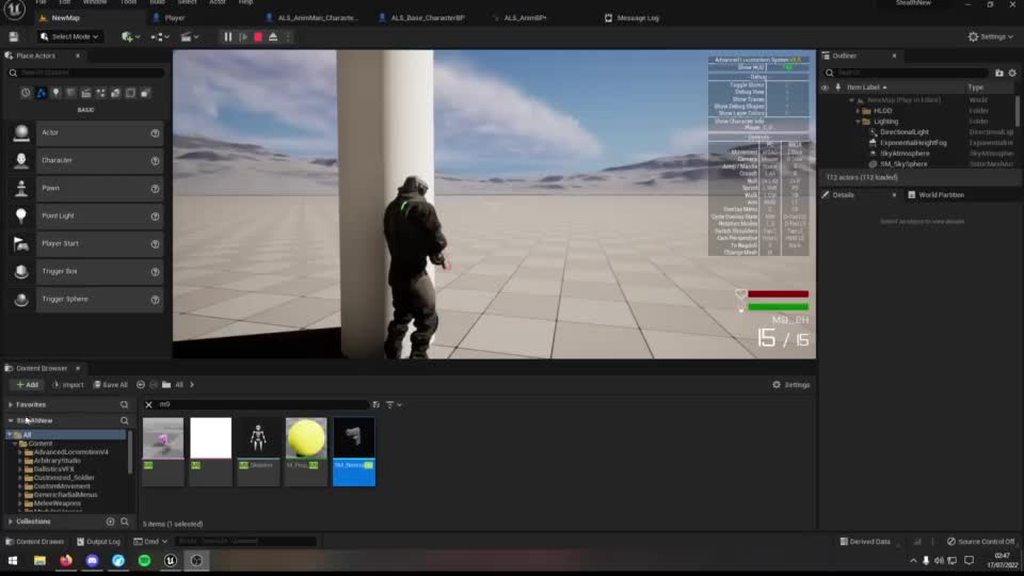
this is the blueprint

No description provided
 foggy escarp
cedar crypt
how can i prevent this from happening? bp in the second video of that link
foggy escarp
cedar crypt
how can i prevent this from happening? bp in the second video of that link
Looks like the check for collision is attached to the gun or skeleton. So the animation is causing the rapid movements
ocean meadow
tight schooner
<@251934048417611786> sounds like you need a function to update the inventory UI...
Hello again! unfortunately I am still unable to resolve my issue, but thanks for helping anyway! It seems to be a bit more difficult that I thought.
 junior hedge
ocean meadow
Hello! whenever anyone has the time, I could use a little bit of help concerning...
junior hedge
ocean meadow
Hello! whenever anyone has the time, I could use a little bit of help concerning...
maybe set a timer to update the inventory while it's open?
dawn gazelle
ocean meadow
Hello again! unfortunately I am still unable to resolve my issue, but thanks for...
You should likely have an event dispatcher for your inventory that you call whenever your inventory is modified. Your UI can then bind to that dispatcher and refresh the contents.
 pulsar lantern
Is there an efficient way to concat strings and variables in blueprints?
I'm debugging values I'm shoving in a map and I want to print out the name and value of each member in the map to console when they change.
dawn gazelle
pulsar lantern
Is there an efficient way to concat strings and variables in blueprints?
I'm de...
For strings, append.
pulsar lantern
Mmmmmmmm
dawn gazelle
You can also use a format text node. Then you can use {variables} and format it how you want, and input the values into the node.
pulsar lantern
So a List is going to be the way?
ocean meadow
dawn gazelle
You should likely have an event dispatcher for your inventory that you call when...
Thank you ^^ I know that I may sound uneducated in UE4, but please pardon me for my limited knowledge in blueprint coding!
My inventory is called inventory_window with the Key Down function, should I set up an event dispatcher there, and then call my refresh slot function whenever I hit the key that will open the inventory?
Thanks
 tranquil gorge
hello im trying to use the print string function but it seems to only update on launch and not change value after even though i have it on the same line as event tick. Ive tried this on more than one blueprint. any ideas as to whats wrong?
 dawn gazelle
ocean meadow
Thank you ^^ I know that I may sound uneducated in UE4, but please pardon me for...
dawn gazelle
ocean meadow
Thank you ^^ I know that I may sound uneducated in UE4, but please pardon me for...
That's one place, but your inventory should not be stored within the widgets if that is what you're doing. Personally I use an actor component to house all the logic of the inventory and then my UI reads the values from that to display what the inventory contains. Using an actor component also makes it reusable with other actors, so you can have a chest that has an inventory without having to put all the code into the chest again.
Whatever you may be doing, the idea is that whenever you're updating your inventory, whether it be through picking up something, using something, spending something, you should have some sort of function or event dispatcher that gets called that refreshes the UI that represents your inventory.
maiden wadi
pulsar lantern
What is this even for? C++ wouldn't be a ton better here.
 quasi relic
Hi, is there a BP function that can get all the bones in a hierarchy? ex: all the bones, including, 'upperarm_l'?
 pulsar lantern
maiden wadi
What is this even for? C++ wouldn't be a ton better here.
pulsar lantern
maiden wadi
What is this even for? C++ wouldn't be a ton better here.
I'm just debugging my random number generator that seems to be favoring heavily on one number.
junior hedge
quasi relic
Hi, is there a BP function that can get all the bones in a hierarchy? ex: all th...
create array maybe
pulsar lantern
This is my practice project for learning UE5 so I'm implimenting things myself in C++ and pulling things into blueprints
quasi relic
junior hedge
create array maybe
I was thinking something like that but I didn't want to type out all the bone names
tight schooner
pulsar lantern
Not everything in a Format Text node needs to be an input. You can write e.g.
One: {1} | Two: {2} etc. I like format text a lot for debug
ocean meadow
dawn gazelle
That's one place, but your inventory should not be stored within the widgets if ...
Sorry! I do have an inventory component that houses all of the logic in my inventory, I just only stated that I had the UI version of the inventory in which it shows whenever I hit a certain key function.
pulsar lantern
tight schooner
Not everything in a Format Text node needs to be an input. You can write e.g.
``...
Yea I think I'm just going to write this string in a C++ function and just call that and plug in the class in blueprints
dawn gazelle
ocean meadow
Sorry! I do have an inventory component that houses all of the logic in my inven...
Ok so then you're on a good path. 🙂 Within your component create the event dispatcher and call it whenever you're changing your inventory. Have the UI then bind to that dispatcher and the function that executes from that bind should make the UI read the inventory component's values and update what the UI should be displaying.
dawn gazelle
pulsar lantern
I mean, if you're just going to do something like that...

That should output something like:
0: 35
1: 86
2: 42
etc if you're printing out numbers between 1-100
pulsar lantern
dawn gazelle
I mean, if you're just going to do something like that...
Thank you for this! I'm forcing myself to use blueprints for prototyping instead of C++ to get used to them, so making a For loop for that didn't occur to me.

Sanity check, is this incrementing on key correctly?
dawn gazelle
pulsar lantern
I think you want the bottom inputs flipped.

Top one is key, bottom is value.
pulsar lantern
No, the number generated (supposed to be 1-2, so 50%) is they key. When that key is hit I want to increment the value of that key by 1
I'm testing 0-3 to see if those are being hit as well as testing distribution
dawn gazelle
Yeah that should be right then.
pulsar lantern
Thanks all I'm getting the feedback I was looking for 🙂
0-2 was getting hit instead of just 1-2
ocean meadow
dawn gazelle
Ok so then you're on a good path. 🙂 Within your component create the event dis...
This is where I have the event dispatcher called at right now. This is the function where the inventory is toggled and the widget is created, I just want to make sure if this is correct, but how do I create an event where I can bind to the event dispatcher?
Thank you so much for the help, I know how tedious this question is.
 dawn gazelle
ocean meadow
This is where I have the event dispatcher called at right now. This is the funct...
dawn gazelle
ocean meadow
This is where I have the event dispatcher called at right now. This is the funct...
You don't need to bind the dispatcher in the component, only within the UI.

 ocean meadow
Thank you I accidentally set that as bind rather than call, I also set a bind event to my UI window if that makes sense.
 dawn gazelle
You don't need to constantly rebind it. One bind on construct would suffice. Your refresh can just call your loop that you have there.
ocean meadow
Thank you, When I followed the steps prior to Ryan Laley's inventory tutorial, he placed his refresh_slot in the Inventory Slot UI, instead of Inventory_Window, so when I chose the "create matching function" option, I don't have the refresh option there
I apologize for the inconvenience T_T
OH
I THINK I GOT IT!!!
flat raft
@snow summit
has the working datatable and shows up in the ui
compare to what you have and see what you missed
ignore everthing else in the scene, just look at this. Open DTQnA (datatable) and see the structure. Change Q1 to something like " What is 1 + 1 ?" and hit play. it will update the widget. You can also change the possible answers and see them update. F key while playing to bring up widget. I didn't style anything. 😄 WBP_Quiz, in the graph section, is where the datatable is read into the widget. A different test, Test02, can be selected here also with a different set of questions you set in the data table. You can create as much tests as you like from the datatable.
 ocean meadow
dawn gazelle
You don't need to constantly rebind it. One bind on construct would suffice. Y...
ocean meadow
dawn gazelle
You don't need to constantly rebind it. One bind on construct would suffice. Y...
After rearranging the event dispatcher and the bind in order, I am able to collect my items with the inventory open! Thank you so much!!!
 jaunty stirrup
I have an issue with " find text in localisation table" node. It no longer find the table in editor play mode
It returns an empty string
maiden wadi
jaunty stirrup
I have an issue with " find text in localisation table" node. It no longer find ...
What is your use case for using this? Generally speaking that is a fairly rarely used function.
I ask mostly because using that function is usually the same as just using a MakeLiteralText node.
jaunty stirrup
I want to store all my character's dialogues in tables , is it right?
 icy dragon
jaunty stirrup
I want to store all my character's dialogues in tables , is it right?
icy dragon
jaunty stirrup
I want to store all my character's dialogues in tables , is it right?
Data Table is one way to do it, but optimally you want to make a proper dialogue system with custom assets and all
 royal trellis
Is there a way to do a drag and drop operation(widgets)\ that checks for conditions on the object we are dropping it into? I wanna use this to combine inventory items
jaunty stirrup
Data table dosen't accept strings or text as i see
maiden wadi
jaunty stirrup
I want to store all my character's dialogues in tables , is it right?
I would make a datatable out of it. But this requires making a struct. The struct can be something as simple as a single text property, or any other properties related to the line of text, like a speaker's name, portraits, audio, etc. When you input the Text field for the dialog line, you link that to your StringTable entry. You keep your stringtables in a single place(can use subfolders of this) for easy localization export.
The Datatable is used for your code runtime lookup. It's your own way to handle your dialog data. You can have one or sixty datatables for organization.
The stringtables are just for localization export. You use them so you don't double up on things. For instance if you have a dialog that is played multiple times, you only create it once in the stringtable and use that line multiple times in the datatable or elsewhere, which saves on localization costs.
jaunty stirrup
ok thx
flat raft
there are a few tuts on YT on character dialogue
junior hedge
guys i have a question
lets say i have 500 actors in a level and i destroy them all. would the next actor start at 0 when getting or 500?
karmic tapir
How would I go about calculating the X and Y for a given Z, using an origin point and a direction? Line tracing seems to only support hitting things? I need it to work with the Z having air too.
 flat raft
use line trace
 civic badge
I can't seem to figure out why this isn't growing, I had it working earlier slightly different

it just doesn't grow
flat raft
begin play
jaunty stirrup
The problem is i can't read the string table
junior hedge
flat raft
begin play
i just plugged it in to return value forgot I could do that
maiden wadi
jaunty stirrup
The problem is i can't read the string table
Where do you need to read it? You just specify the stringtable line in the datatable.
 civic badge
I can't seem to figure out why this isn't growing, I had it working earlier slig...
civic badge
civic badge
I can't seem to figure out why this isn't growing, I had it working earlier slig...
this is an event being called on event tick on a condition that is being met
jaunty stirrup
I am making a dialogue BP component reusable for NPCs and others
It needs to read the datatable to purt the text in a Widget
 jade coral
Can someone explain to me why this loops infinitely/crashes me?
https://blueprintue.com/blueprint/i6anloev/
[link to blueprint online]
No description provided
flat raft
@jaunty stirrup look at the project i posted above for bex. it has a working datatable. see if thats what u need
 manic viper
whats the best way to approach this?
I have my character throwing dice. It hits then stores a variable inside the dice ( a rand int between 1-6) then after 2 seconds destroys itself.
Currently Im doing the hit , rand, and destroy on the die itself.
want i "want" out of it.. is that I can access the last number, have to do something in the world based on the number and also have a UI element that shows the number.
Is the dice the wrong blueprint to be running this in, should I be doing this in the level blueprint so that I can access those variables easier ?
maiden wadi
jade coral
Can someone explain to me why this loops infinitely/crashes me?
https://blueprin...
Your WhileLoop starts.
CurrentTime == 0
TimeEndVar == 0+15
While 0<15 StartATimerForNextTick
To better explain. Your code never changes your values until next tick, the while loop continues going.
jade coral
maiden wadi
Your WhileLoop starts.
CurrentTime == 0
TimeEndVar == 0+15
While 0<15 StartATim...
wait nvm im a moron lmao i didnt know how delta tick worked
I just realized it wasnt the time lmao
civic badge
civic badge
this is an event being called on event tick on a condition that is being met
ah my problem was condition was key press so I would effectively have to spam they key the way I had it set up
jade coral
sorry my bbb ty for answering tho
tight schooner
manic viper
whats the best way to approach this?
I have my character throwing dice. It hit...
Other BPs needing that rolled number suggests you want to store it in an easily accessible manager class, whether that's in one of the provided game mode/state/instance classes, or a custom manager-style actor class, or maybe some other form of data storage (savegame file?)
Obv. you don't want to store it in the dice because it dies. Generally bad practice to store it in the widget too, cuz widgets are ephemeral; they're meant to read data and display it rather than store it.
Sorry for the non-straightforward answer, but it's hard to say what's best when it comes to structural questions without having a deep understanding of the game design
junior hedge
how do I call an event from ui bp to level bp using binds? or am i thinking incorrectly
gentle urchin
Youd let the level bp bind to the widget delegates via whichever actor created the UI
junior hedge
gentle urchin
Youd let the level bp bind to the widget delegates via whichever actor created ...
HUD gamemode bp created the ui
manic viper
tight schooner
Other BPs needing that rolled number suggests you want to store it in an easily ...
that's great info either way, thank you so much
junior hedge
can you explain in further detail? I dont really get what you mean
gentle urchin
For example if you create the widget in the hud class.
So in levelbp it would be something like:
BeginPlay -> GetPlayerController()->GetHUD()->CastTo<MyHudClass>->GetMyWidget()->BindToMyDelegate
junior hedge
GetMyWidget()?
gentle urchin
Whatever you named your widget variable
junior hedge
wait so am I casting something?
 gentle urchin
Perfect
Now from UIRef, assuming you have created the event dispatchers, you can search for "Bind", and they should show up
junior hedge
gentle urchin
Now from UIRef, assuming you have created the event dispatchers, you can search ...
thats the part idk how to do
not sure how to make an event dispatcher
gentle urchin
Ah
Go to the Widget BP
Below where you create macros theres a section for event dispatchers
 gentle urchin
Simply add a new one, name it, and consider if there's any information you want to pass along to whoever listens to this event
junior hedge
i try searching for it in level bp but cannot find it
junior hedge
gentle urchin
Simply add a new one, name it, and consider if there's any information you want ...
not really needed rn, but interested how I would pass that information
gentle urchin
When the new dispatcher is selected, in the detailspanel you can add new inputs to it
Or even copy a signature from another
 junior hedge
i wasnt selecting with my uiref that was the problem
i didnt mean to select beginplay btw
gentle urchin
Youd usually either:
- Create a new custom event
- Create a function which you can find by reverse-dragging from the event pin and search for "Create event"
For the function to be selectable in the "Create Event" nodes drop down list the signature (inputs) must match
And that would be it
Whenever something calls the delegate, the levelbp's corresponding event will fire
junior hedge
how would I have the bind disabled at the start?
gentle urchin
Not sure what you mean
You can unbind from it whenever youd like
If you wanted to block someone from reseting for some "Cooldown period" you could handle that with a bool in the levelBP or by disabling the button in the UI for a given time
gentle urchin
Binds are blind messages
They dont care who recieves it
Or even if someone recieves it
junior hedge
 gentle urchin
UiRef is not updated yet
This is why i prefer to create Get functions for things that hit race conditions
Or generally things tbh
junior hedge
get functions?
dawn gazelle
Like this, but in a function!
 junior hedge
how would this make it access the bind successfully?
gentle urchin
It would make thenwidget exist
Regardless of when you ask for it
Your accessed none comes because level beginplay runs before the hud class' beginplay
junior hedge
right
gentle urchin
Allowing whoever Gets the widget first to create it, means you're good either way
Just a small pure function
junior hedge
i think im starting to get now
gentle urchin
Very usefull imo
junior hedge
how would I fire this function though?
gentle urchin
You'd just use it in the levelbp
Instead of the Uiref variable directly
Youd grab the function instead
Call it GetUiRef
Id also suggest marking UIRef as "private" in the hud class, this should iirc hide it from external bp's , forcing you to use the function and not directly accessing the variable
Which is good practice in general
 gentle urchin
Just like how you grabbed the UIRef variable
 gentle urchin
The function should be in your HUD class
junior hedge
oh LOL
how would I make it private?
nvm
so would I cast to newhud the same way?
gentle urchin
Depends on the cintect you have
When searching for it, did you drag from playercontroller?
If not, you're searching in the context of the levelBP
junior hedge
ahh
gentle urchin
Which cannot access HUD directly
 gentle urchin
So ditch the UIRef,
And replace it with the new function
Also, in the LevelBP you dont need the GetAllActorsOfClass
LevelBP can access any actor in the level
Placed at editor time
junior hedge
gentle urchin
And replace it with the new function
how do I call the function?
even without context I cannot find it
gentle urchin
Whats the function called ? Did you mark the function private aswell? 😅
And did you compile the hud bp?
 gentle urchin
(You can also mark the getter as 'pure')
You probably need to change some more code
junior hedge
you mean the get actors?
junior hedge
also about getting the actors in the level

how exactly would I?
all i have is get (a copy)
gentle urchin
Not sure if theres many ways to do it, but the one way i know is :
Head to the world outliner/viewport
Select the actor in the level
Return to the levelBP while the actor is still selected
Right click -> add reference to SelectedActor
 gentle urchin
Probably because you're adding the widget from the initial method
So the next thing you want to do
Is chevknin the HUD class where you add the widget to the viewport
BeginPlay would be my guess
Make sure you use the very same Getter function

 bleak swift
Is there any easy built-in method either UE4 or UE5 for making procedural generated worlds
junior hedge
 gentle urchin
bleak swift
Is there any easy built-in method either UE4 or UE5 for making procedural genera...
gentle urchin
bleak swift
Is there any easy built-in method either UE4 or UE5 for making procedural genera...
No
gentle urchin
junior hedge
Ah, this is missing a step. First check if the widget is valid. You only wanna create a new one if its not already valod
So you're basically creating a new widget every time the function is called currently
 junior hedge
done
yeah that fixed it
thanks
i really appreciate it
learned so much about level bps td
gentle urchin
They can be usefull in some scenarios
I prefer not using it, especially since its partly deprecated by the new world partitioning
junior hedge
wdym by that
gentle urchin
In ue5 theres a new system for handling big worlds
Which sorta conflicts with some usecases with the levelBP due to how it's set up, and what can be accessed feom where
junior hedge
ic
gentle urchin
For something like a global reset event, that may aswell live in one of the other globally accessible classes like GameMode, which youd usually want to inform about the reset anyways
Then each "Bird" or whatever BP this applies to could access gamemode on beginplay and bind to its Reset dispatcher
junior hedge
alright
gentle urchin
But if it works, it works 👍 It could be that the world system does not conflict with your case so may aswell stick with whats working ^^
junior hedge
also, have you tried setting up a project for multiple pcs? is it any hard?
junior hedge
developing
gentle urchin
Using a sourcecontrol system should keep things under control atleast
 gentle urchin
Havnt had to much use for it myself, so sure others can share better insight
Yes exactly
icy dragon
gentle urchin
I prefer not using it, especially since its partly deprecated by the new world ...
Also Level BP is hard to reference around to begin with
 jaunty summit
Is there other ways to reference it other than Event Dispatchers/Interfaces?
junior hedge
@icy dragon
jaunty summit
Probably through a C++ BPFL?
Somehow get the LevelScriptActor and cast it to the BP one?
ocean meadow
Hello!
I have a little tiny problem with my inventory drag and drop function,
Before, I used to have a refreshing problem when collecting an item with the inventory open.
Since that is fixed, I have only one problem where the items I drag and drop duplicate when I don't want them to.
Below is an image of the current problem, and my On Drop Blueprint.

 icy dragon
junior hedge
<@325627930484932608>
icy dragon
junior hedge
<@325627930484932608>
何?
livid furnace
livid furnace
I'm losing my mind here, i'm trying to figure out what side of a cube's pointing...
Anyone have any idea? I still haven't been able to fix this
junior hedge
icy dragon
何?
he was asking you a question i think
tight schooner
livid furnace
Anyone have any idea? I still haven't been able to fix this
It's gimbal lock. When pitch hits +/- 90 degrees you get gimbal lock issues; it's an inherent problem with euler (3D) rotation. I don't have an off-the-shelf elegant idea for determining which side of the die is facing upward; maybe you can google that. (I have an inelegant idea involving multiple dot product comparisons on the die's forward/right/up vectors, but there's likely a better way...)
jaunty stirrup
Hello , How to use "Inverse transform Rotation" node to use with " Move component to" node?
I want to place my character to the ladder rotation
but this sh** move component to node is in relative rotation
I simply want to move my character's capsule rotation to the ladder rotation using Move component to node
foggy escarp
tight schooner
It's gimbal lock. When pitch hits +/- 90 degrees you get gimbal lock issues; it'...
This seems like the go to way, I don't really consider it inelegant. Just seems like the only way to do it.
 foggy escarp
jaunty stirrup
I 'll try this
foggy escarp
jaunty stirrup
I 'll try this
The root of the component is the same as just moving the actor location, which is likely what you want.
livid furnace
tight schooner
It's gimbal lock. When pitch hits +/- 90 degrees you get gimbal lock issues; it'...
Thanks for the reply, i ended up googling this exact use case and the video showed this method of doing it, thanks again
 thick orchid
Using CharacterMovementComponent - adding input value 1, but no velocity is getting added. It's been working fine for.. well since the start, but I've been playing with a blend space not related to movement and it's suddenly not working.
junior hedge

wont even print string
(I tried replacing string with hello didnt work either)
collisions are on blockalldynamic and all actor location sets are on sweep
my actors go through eachother
maybe its because they both have defaultsceneroot?
junior hedge
thick orchid
<@239955398231195648> still struggling mate?
Yeah
I got off after asking that
thick orchid
Happy to help you if I can
 hollow schooner
Good day guys & gals
junior hedge
thick orchid
Happy to help you if I can
I'd appreciate it
hollow schooner
I am currentyl working on my UI and was wanting to add a "Restart" and "close application" button. Do I add thaat functionality into a new BP or do I add it to one of my existing ones?
I'm still very new to Unreal Engine in general
These are my current main scene BP's
 thick orchid
@hollow schooner Up to you, tbh. Do you use that function in many places?
hollow schooner
No. I am working on a car configurator, and want the user to be able to restart or close the app when he is done
thick orchid
I'd probably run that back to your PC; I'd imagine there might be a number of steps involved when closing or restarting a game?
App, as in the actual game itself?
 thick orchid
yep yep.
hollow schooner
thick orchid
I'd probably run that back to your PC; I'd imagine there might be a number of st...
What do you mean by "run it back to the pc"?
thick orchid
Player Controller.
hollow schooner
aaah
thick orchid
PC->HUD->UserWidget.
hollow schooner
The thing is, the car comes driving into the scene
so that would need to be reset too
Do I need specify all of tehse things, or is there a global "reset" button?
junior hedge
I think you could literally just reload the level
hollow schooner
That sounds like what I need
Is there literally a "Reload level" node that I add to the scene? if so, do I do that in a new "reset level" BP?
junior hedge
I'm not sure
hollow schooner
okay, I'll do some research, cheers
junior hedge
@thick orchid anyway I can fix it without removing the scene root? Because I'd have to basically remake my entire project
thick orchid
@hollow schooner there'll be a few functions on the PC about closing and restarting the application I think - maybe on the GameMode.
@junior hedge take me through what you're trying to do.
junior hedge
Flappy bird
Not using sprites though
Bird has gravity and "jump" nodes pipes have scroll nodes
When the pipe touches the bird no event hit is considered, and they go through eachother
thick orchid
right
So, let's cover some territory you've probably been over a few times by now
What's the collision settings for your pipe & your bird?
junior hedge
Block all dynamic
junior hedge
Sure
thick orchid
The collision settings. Thanks.
junior hedge
thick orchid
You simulating physics?
Idk what you mean by that
thick orchid
Screen shot.
junior hedge
one sec
thick orchid
thanks.

 thick orchid
You using a custom mesh or just the default cube for now?
thick orchid
Can I see a SS of your mesh and scene root hierarchy too ?

 thick orchid
Any particular reason you're using the scene component for the root of your actors ?
junior hedge
thick orchid
Any particular reason you're using the scene component for the root of your acto...
i can transform in viewport
its fine if i need to delete it its just test program anyways I just need to know how to do it and avoid things like this
thick orchid
You can just drag and drop the static mesh into place of the scene component?
Alternatively, you could also setup a trigger or box collider that acts as your collision and use that as the basis for any collisions.
junior hedge
thick orchid
You can just drag and drop the static mesh into place of the scene component?

now theres 2 cubes
thick orchid
Delete one maybe?
junior hedge
thick orchid
Alternatively, you could also setup a trigger or box collider that acts as your ...
thats the mesh
wrong repl;y
thick orchid
Yeah cool.
 junior hedge
huh
thick orchid
I think what you want to look into is an overlap, not necessarily a hit.
junior hedge
how would I get which component was hit though?
thick orchid
And yeah, your scene root is gonna be a no-go.
Which is fine,because you probably don't need to manipulate your mesh via the editor there.
junior hedge
if I can use overlap then I can keep the sceneroot
but I cannot get components with overlap
junior hedge
pipes has 2 cubes
thick orchid
And your cubes are just passing into each other, yeah?
Which implies it's not so much an event hit, but your actually actors aren't blocking properly.
junior hedge
right
thick orchid
So, I'd look to your scene root for your pipes OR make the root itself a collider .
Which you probably don't want, cause you have two static meshes under the one actor.
Forget scene root as a root component.
junior hedge
I am able to do overlap
if I can get the components from the actor I can fix this problem but idk how
nvm I found it i didnt realize there was a component overlap event
safe iron
Hey there, very brief question
I am using a for each loop to cycle through various elements in the player's inventory and check their availability, it checks through like 10 arrays, each being expected to contain between 1 or 3 elements, most of the cases it will be one
And I am worried about its possible impact on performance
So, do you know if a for each loop checking around 50 elements would cause a noticeable FPS drop? Please advise
 copper steppe
safe iron
Hey there, very brief question
I am using a for each loop to cycle through vario...
copper steppe
safe iron
Hey there, very brief question
I am using a for each loop to cycle through vario...
I guess that depends on when you are running the loop? Once a tick, once a frame, or just once everytime a player opens the inventory?
50 elements is not that many imo, so I probably wouldn't worry
safe iron
copper steppe
I guess that depends on when you are running the loop? Once a tick, once a frame...
Once everytime the player scrolls the wheel, it's meant to check through 10 slots to see if anything is available
But it stops once it finds something that can be equipped
To be precise, each slot is one array, it runs a for each to check if a slot is empty and if it's not it check all the elements in the array (slot), if none can be equipped, it checks the next array, and so on...
copper steppe
Uhhhh, why not just scroll once->Equip next slot
If they try to use something in the equipped slot -> Check availability
safe iron
It would be kind of awkward in a fight situation (it's a weapon inventory), having to scroll through 6 depleted guns before finding the one you can use, would hinder gameplay
copper steppe
What kind of weapons?
Personally I've just created a variable for storing the ammo in the weapon, and ammo on the player, to check if it's usable, seems like a better way depending on the use case(?)
I can't think of a better way to do it, problem with the foreach loop, would probably be if they do 10 scrolls, then you'd have a lot of loops going to do checks
dry condor
add a do once node so it doesnt fire 10 times
but make sure to plug in something to reset ^^
safe iron
copper steppe
What kind of weapons?
Personally I've just created a variable for storing the am...
Guns using ammo, I have made a struct holding all the variables, the clip ammo is dictated by the gun, the stock ammo is stored on the player
It does check depending on these is the weapon is useable, there are really two cases in which you cannot use anything in the array, one if it's empty, and the other if all guns in it have no ammo (clip + stock = 0)
copper steppe
Why not let them find a usable weapon themselves then though, as long as they have a ammo UI for the weapon, I see no issue in not checking for them, that's what happens in most games
safe iron
dry condor
add a do once node so it doesnt fire 10 times
Oh yeah, I guess I could use that, thanks a lot
safe iron
copper steppe
Why not let them find a usable weapon themselves then though, as long as they ha...
Cause, again, it would hinder pretty much the pace of the gameplay and be frustrating, trust me, I felt that
It would be like this
"Oh crap, I depleted the ammo, let's check the others, shotgun, no ammo, super shotgun, no ammo, machinegun, no ammo, double machinegun, rocket launcher, aaaaaa, please give me something, sniper no ammoooooo! ahh yes, found it, pistol! 1 bullet!"
It might seem passive aggressive but it's not, I was laughing while writing this
copper steppe
sure sure, you probably know that project better, just thinking aloud haha
safe iron
Yeah, no worries, I appreciate the hints
anyways I gotta go now, thanks a lot for the help 😄
icy dragon
safe iron
Cause, again, it would hinder pretty much the pace of the gameplay and be frustr...
Basically weapon carousel?
gentle urchin
icy dragon
Also Level BP is hard to reference around to begin with
Very true. I generally stay away from it :p Theres almost always an equally good way to do it
cursive grove
How can I set those meshes to ignore character? I don't want them to move when the character bumps onto them
gentle urchin
Not bound to levelbp..
 soft wharf
Hi all, I'm working on an inventory system and I have a couple of issues with loading. My item structure contains a soft class reference of the item bp. When the game starts, I dont load the items in the inventory, opting instead in async loading items when they would be used (a weapon being equipped for example). I use the async load node, then use that asset to properly spawn and equip a weapon. The issue is that the first time this loads, I get terrible stutter and low fps! Shouldn't async load avoid these issues? Should I perhaps load all items on begin play?
soft wharf
Doesn't that create stutter too though?
gentle urchin
Test it and let me know :p
Makes me wonder how large your weapon asset is , if it creates stuttering
 lyric rapids
is a line trace by channel just a raycast
tawdry surge
People use the terms interchangeably. Rays don't have a defined ending point tho, and lines do.
 dense thicket
Can someone help me here?
I have "kinda" made my first bounce when my char hits an object, i need him to bounce back, or in another direction.
It kiiiiinda works, all though it only works sometimes, when my char is in the air ....
As you can see in the image, it register the collision, but dont launch the char..
Can someone tell me why that is?


 trim matrix
does anyone know the difference between async and normal save/load?
tawdry surge
One is asynchronous
trim matrix
elaborate
tawdry surge
@dense thicket if the character bumps into anything it will stop the launch in its tracks.
@trim matrix feels googleable, but asynchronous tasks occur independently.
Synchronous tasks happen in "sync" with other tasks.
trim matrix
tawdry surge
<@456226577798135808> feels googleable, but asynchronous tasks occur independent...
so if i do async load all the relevant variables load at the same time as eachother and if i do sync load they load seperately?
tawdry surge
Basically..
trim matrix
i see
 fleet cedar
Anyone know why my script is working in the blueprint viewport but not in the level viewport?
dense thicket
tawdry surge
<@81503980487712768> if the character bumps into anything it will stop the launc...
im not sure i understand what you mean?
fleet cedar
Feels like nothing's working today... no preview here
 river pine
Questio, those spheres are from cue in the bp which are not playig, but stored.. are they creatign any overlaps or are more heave on performance in any case`?
 limber parcel
river pine
Questio, those spheres are from cue in the bp which are not playig, but stored.....
limber parcel
river pine
Questio, those spheres are from cue in the bp which are not playig, but stored.....
do you have any specific reason that makes u think they do?
and why do i see UE4 UI 🤮
fleet cedar
Possible to "set view target" with a cine camera?
limber parcel
fleet cedar
Possible to "set view target" with a cine camera?
why are u using a cine camera?
limber parcel
do you need them?
fleet cedar
The look at tracking feature would def be nice
Is that in the normal one?
Post processing
limber parcel
i dont know but if you attach a normal camera to your character it will track him anyways
fleet cedar
I'm using it for sort of cutscenes but automated ones
It tracks him positionally but not rotationally
limber parcel
the camera rotates with the player or not?
fleet cedar
yes, but that's not what tracking is for
limber parcel
you can always make ur own tracking
 limber parcel
well the cine camera has no preview like the normal one, u would have to make ur own there
 terse bridge
hi, i'm new to unreal and i'm wondering what i can't do with blueprints and what are the cons of it?
limber parcel
terse bridge
hi, i'm new to unreal and i'm wondering what i can't do with blueprints and what...
terse bridge
limber parcel
https://www.youtube.com/watch?v=VMZftEVDuCE
https://www.youtube.com/watch?v=IaU2...
Thanks
dim tapir
Team, my attack hits the target multiple times. I tried a "Do Once" but I'm not sure how to reset it.
 limber parcel
 dim tapir
Yeah I get that, but if I just take the "apply damage" to reset it still hits multiple times
limber parcel
add wait until next tick at the end
dim tapir
limber parcel
add wait until next tick at the end
"Delay until next tick" did not help
limber parcel
its weird because that code should trigger only once anyways
dim tapir
It's probably because my animation is a weapon swing and it deals damage on the "backswing" etc
dim tapir
The tutorial i was following made a boolean with a delay, which I'd rather try to avoid so I can control with attack speed
dim tapir
limber parcel
and reset that bool when ur attack ends
On my character BP input action
 limber parcel
that code never gets executed
whats the base class of Weapon_Sword?
you are literally trying to make ur character into a sword lol
dim tapir
Haha
 dim tapir
I'm new to UE so I'm trying to follow youtube tutorials. However I'm trying to avoid the super scuffed workarounds as I'm trying to make something a bit more complicated than pong. Usually I manage to find a solution in a couple of hours but for some reason I can't get this shit to work
dim tapir
limber parcel
the sword should be a component of ur character
Is this what you mean?
 limber parcel
it seems like u misunderstood an integral part of the tutorial, better try again from start
and follow it exactly and make whatever changes after ure done
limber parcel
dim tapir
Is this what you mean?
this also seems a weird way to do this
spawning an actor as ur sword
and then attaching it to player
instead of just feeding data to a custom weapon component in ur character
maybe actually try with a different tutorial
dim tapir
That's what I mean the tutorials I have been following is basic (which is nice) but I don't think it's great to learn to do it this way. What usually happends is that I follow a tutorial then a couple of days later I find a better tutorial and redo everything
 winter frigate
Hello
How do you cast to a VR character?
 acoustic wing
anyone know how to make a glide for a character with blue prints
limber parcel
winter frigate
Hello
How do you cast to a VR character?
i wasnt aware that vr characters differ from normal characters
dim tapir
limber parcel
this also seems a weird way to do this
Like this, is there a function to remove the before code instead of copy/paste and revert the numbers?
 limber parcel
acoustic wing
anyone know how to make a glide for a character with blue prints
limber parcel
acoustic wing
anyone know how to make a glide for a character with blue prints
make screenshot, print it out and fold paper plane 😄
limber parcel
dim tapir
Like this, is there a function to remove the before code instead of copy/paste a...
you could make a custom function
acoustic wing
 winter frigate
Im sorry I shouldve been more specific
I am making a trigger box which automatically open a sliding door, I followed Matt Aspland tutorial but I cant really work on the blueprint since its a VR
 limber parcel
winter frigate
Im sorry I shouldve been more specific
I am making a trigger box which automat...
limber parcel
winter frigate
Im sorry I shouldve been more specific
I am making a trigger box which automat...
i dont understand whats the issue
winter frigate
I want to make a door that automatically open when vr player get close by.
In the Matt Aspland tutorial, the cast was to a third person character.
If I am going to make that in VR, to what should I cast to?
 quasi steppe
I am using linetracebychannel and I will run the code I want according to the enum value of the actor, but according to which actor I am looking at, I could not find how to get the enum value. can you help me?
limber parcel
winter frigate
I want to make a door that automatically open when vr player get close by.
In t...
just to your player character
basically u dont have to cast at all
you can just add an empty component
and check if that component is present on the actor

you can also use any existing component that will only ever be attached to the player
limber parcel
winter frigate
Im sorry I shouldve been more specific
I am making a trigger box which automat...
 winter frigate
How about trigger box?
limber parcel
what about it?

just make a new component
and add it to ur character

in general u should avoid casting whenever u can
hollow schooner
Hi guys. Do you guys have any idea how to disable user input until e.g. 5 seconds after the application has started?
I'm working on a car configurator and when the application starts, the Active Pawn camera does a zoom to the centre of the scene, after which the user cna orbit the scene. I'd like the user input to be disabled, before the camera reached the centre of the scene. Any idea how to do this? I've tried gates and delays, but nothing works as intended :/
Here are the nodes for the camera setup (they end up in functions that deal with the min and max positions etc)


Here a preview of the current state. The issue at the moment, is that I can already start rotating/orbiting around the scene before/while it zooms in
 lime fulcrum
Hi!
Anybody aware of why Unload Streaming level is not unloading the level? 😕
safe iron
icy dragon
Basically weapon carousel?
Probably
dawn gazelle
ocean meadow
Hello!
I have a little tiny problem with my inventory drag and drop function,
...
Ideally you wouldn't be performing the logic in the UI as all logic pertaining to your inventory would happen within your inventory component. This means you should create a "Slot Swap" function in your inventory component
If you don't swap the slots, your next issue is going to be that when you drop an item on to another item, one of the items disappear.
The slot swap just needs to take both the source slot index and target slot index as input, temporarily store the content at the target slot index in a local variable, read the content of the source slot index and store it in the target slot index. Then you change the source slot index to contain the contents of the local variable. This will swap the contents of the slots. And again, you need to call your refresh event dispatcher we set up in your inventory component whenever you make any changes to your inventory.
soft wharf
gentle urchin
Makes me wonder how large your weapon asset is , if it creates stuttering
It takes about 2 seconds to load when loading blocked. Not great :/ how can I assess the impact of an asset in loading? And how can I optimize it?
 spark steppe
lime fulcrum
Hi!
Anybody aware of why Unload Streaming level is not unloading the level? 😕
spark steppe
lime fulcrum
Hi!
Anybody aware of why Unload Streaming level is not unloading the level? 😕
are you trying to unload multiple at once?
lime fulcrum
no, just one
spark steppe
🤷 anything in the logs?
lime fulcrum
Trying to access log but it freezes UE wtf
@spark steppe Nothing special in the logs
It does print "LEVEL UNLOADED" but if I press F1 (wireframe mode) I can still see the level being there
 spark steppe
well, i would check the level details panel
when they are loaded the name is bold, otherwise regular
spark steppe
that's independent
lime fulcrum
what ya mean?
spark steppe
you can still use the level details panel
main menue => window => levels
shows you an overview of all sublevels
lime fulcrum
I do have that
spark steppe
and it's not switching from bold to regular if you unload it?
 sage fulcrum
hey i have a big problem here : I tried to code a cool door which would slide open but the problem is that is wont close right i did everything like in the tutorial but i wont work so i thought i post it here.....
oh and here is the code
 spark steppe
your overlap event is most likely fired multiple times
and since you don't use any reference value, it'll be offset and slide further down than it should
nvm
your relative location of the door has by default an offset
so when you open the blueprint and check the z position of the door, it probably isn't at z: 0
limber parcel
sage fulcrum
hey i have a big problem here : I tried to code a cool door which would slide o...
seems to behave like ur average garage door
spark steppe
xD
fleet cedar
Anyone know if I can split a text string at line break in BP?
dawn gazelle
sage fulcrum
hey i have a big problem here : I tried to code a cool door which would slide o...
Just use a single timeline and don't use the "play from start" and "reverse from end" - just use "play" and "reverse".
spark steppe
no, his problem is pretty sure the offset isn't 0 when he plays the timeline
you can see the door "teleport" at the beginning
when it jumps to relative offset z:0
but beside of that, you are right and he should use those nodes none the less
dawn gazelle
The "Play from start" and "reverse from end" makes it jump to a specific position. using two timelines also messes up that position as he's using set relative location, so it's always in terms of where it currently is.
spark steppe
yes, but thats not his initial problem
gentle urchin
It fits nicely in my current project
spark steppe
i also had it on my list, but some free of the month asset added an okayish one
spark steppe
ModularHouses
gentle urchin
Is it single door or like multiple sections ?
spark steppe
wait i'm sure i had a good one
gentle urchin
Id just do ism and animate procedurally i guess
spark steppe
this has one
it's also SKM based, tho
but also pretty nice otherwise, even has an garage motor and the necessary rails modeled
spark steppe
i mean, i'd love to do one myself, but i know i'm gonna spend 1-2hours 😄
gentle urchin
So i dont think i get around making one myself
spark steppe
so i'll go with the premade one for now
gentle urchin
I can share it when its done 😏
spark steppe
and as you said, you can totally do that with spline and static meshs
gentle urchin
Doing everything with ism atm
spark steppe
yea, the one i like is also 5k verts in the SKM, not sure if that was necessary
at least 3/4 of it could be static
hollow schooner
hollow schooner
Hi guys. Do you guys have any idea how to disable user input until e.g. 5 second...
bump
pulsar lantern
hollow schooner
bump
I think there's a literal 'Disable Input' node in blueprints for player controller input components
hollow schooner
Right, but how would I time that? It doesnt allow for me to use a delay or anything
needs a boolean condition
 pulsar lantern
I mean I'd put it on BeginPlay, and then enable it when you want it
spark steppe
you need to make it an event if you want to use delay node
 static pilot
hollow schooner
Right, but how would I time that? It doesnt allow for me to use a delay or anyth...
static pilot
hollow schooner
Right, but how would I time that? It doesnt allow for me to use a delay or anyth...
You can't use delay inside a function. Put that in event graph
pulsar lantern
static pilot
You can't use delay inside a function. Put that in event graph
This is news to me o.O
 cobalt bluff
Hi, is there a way to get the path of the project from blueprints?
cobalt bluff
thanks
lime fulcrum
@spark steppe I was using the wrong node to load the level 😄
maiden wadi
pulsar lantern
This is news to me o.O
Functions in Blueprint act similar to C++. They're instant, cannot have callbacks inside of them, so no access to latent nodes.
Also worth the random note that there is an insanely small difference in the performance of an event versus a function. You can testcase it by adding thousands of actors to a level that tick, and profiling tick as an Event and then again as a Function. Function tick is slightly faster then Event.
junior hedge
hollow schooner
needs a boolean condition
You can't use delays in functions
Because they are instant
hollow schooner
I figured out a workaround that solved my issue
junior hedge
Nice
hollow schooner
I start the game, disable user input, let the camera zoom in, give it a delay, and after x seconds I turn on player input again

I've also synched the UI to animate on (opacity) so that the user gets visual feedback when "the game has Started"
What channel should I post in to get help on Frame Rendering times? I tried the "graphics" channel but am not getting any response. I have an issue that when I open the doors of my car and zoom towards the interior, the render times increase from 20 to 80ms which is insane.
The weirdest thing is that when I disable the visibility of the car while "in game" the car is still visible and the render times drop back down to 20ms
gentle urchin
Sounds very odd
hollow schooner
Yup. Here's a quick showcase of the scene and my issue
I doubt that it has to do with the geometry on the interior as its not much denser than the exterior. The entire mesh of the car has 5mio polys and is imported as a single Skeletal Mesh that consists of 11 sub meshes (body, 2 doors, 4wheels 4 brakes) so it shouldnt be a matter of drawcalls or polygons IMO.
spark steppe
is it using LODs or nanite?
hollow schooner
neither
spark steppe
you are sure that it doesn't have any LODs?
hollow schooner
Does UE5 generate LODs automatically?
spark steppe
no
hollow schooner
I deffinitely didnt add any
spark steppe
well, it can still be the polycount....
most interior stuff is culled away when the door is in it's way
5 million polys + dynamic light... that's what you end up with
hollow schooner
the GPU render times say that its an issue with lighting though which I dont understand
Okay IÄll try using nanite
although i dont think nanite is a good idea on car pannels
spark steppe
because it has to calculate lighting for all the interior geometry
which is usually culled away, so it doesn't have that big impact all the time
i think you don't understand nanite fully
hollow schooner
okay thats interesting.
spark steppe
it's pretty much seamless geometry streaming
hollow schooner
So it culls polygons taht are not visible as well? my worry is that it brakes the shading of the visible geometry
How do I make the mesh a Nanite Mesh though. Its a skeletal mesh so I dont have the option "make nanite" when I right click it
spark steppe
because nanite only works on static meshs
using a skeletal mesh for cars is nonsense either ways
hollow schooner
How so? I need the bones of the wheels, brakes, doors etc for animation + Chaos sim purposes
spark steppe
look at the city sample vehicle package from the marketplace
there you have an reference how to make cars which utilize nanite
and how to handle transparency and such, as nanite doesn't support that either
they also have chaos physics sim, and such
so you get the full experience of wheels vanishing in the ground 😛
hollow schooner
Alright thanks, I'll check it out
 sinful moth
what happens if I try to get the value of a variable that is nil? does it output nothing or the variable name?
spark steppe
it'll most likely throw an error