#blueprint
402296 messages · Page 929 of 403
 solar sequoia
 marsh sedge
Yeah so that what I did, but it takes the parent default value when I call it in my image above
solar sequoia
marsh sedge
Yeah so that what I did, but it takes the parent default value when I call it in...
You're calling 2 different variables.
"Health" belongs to whatever BP this is a screenshot of. "Health Value" belongs to the consumable that you cast to
marsh sedge
wait, I realised I had to variables in soda BP, im surprised it let me do that
thank you for the help
Im dumb
solar sequoia
Yeah np
So just remember that if you're inheriting a variable, you don't need to create it again
 dapper marsh
Has anything changed about line traces since UE4? I'm following this tutorial https://www.youtube.com/watch?v=kRW-xNArxlQ&list=PL4G2bSPE_8ul0VWqaxhv7gm2oXTVFC3as&index=7, and units always get the coordinate origin as target location. This is my current blueprint: https://blueprintue.com/blueprint/54e3fp5j/

Assets Available from here: https://marketplace-website-node-launcher-prod.ol.epicgames.com/ue/marketplace/en-US/profile/PolygonBlacksmith?count=20&sortBy=effectiveDate&sortDir=DESC&start=0
In this series we are creating the common mechanics found in RTS games, everything from unit selection, AI combat, and base building.
In Part 6 we get our ...

No description provided
Key part of the tutorial is arround minute 8
marsh sedge
solar sequoia
So just remember that if you're inheriting a variable, you don't need to create ...
Yeah, so i understand, it like has that 'inherited variable' that cant be removed unless it removed from the parent, and that can be accessed by accessing the class
solar sequoia
marsh sedge
Yeah, so i understand, it like has that 'inherited variable' that cant be remove...
That's because it's the parent BP's variable, basically. If you intent to inherit a variable you shouldn't make another version of that same variable in the child BP
marsh sedge
Yeah Im surprised it let me make a variable of the same name
solar sequoia
marsh sedge
Yeah Im surprised it let me make a variable of the same name
Technically it's because the way variables work in C++ is that you can more or less say AParentCharacter::Health and AChildCharacter::Health and they're different variables. The child version can be shortened to just "Health" because the beginning part is implied. That variable node that has "Target" at the beginning of it is sort of the long version of the variable name because it's not the BP it belongs to
 unkempt hound
Question: I'm getting this error in editor and not sure when this started  but is there a way to track this down? I've done a project wide search for any vector/float divisions but couldn't locate the source of this issue.
 solar sequoia
unkempt hound
Question: I'm getting this error in editor and not sure when this started <:KEK:...
solar sequoia
unkempt hound
Question: I'm getting this error in editor and not sure when this started <:KEK:...
I'm bad about it, but you should basically always use safe divide if the denominator could be zero
solar sequoia
Np
I know it doesn't help you find your error, but for future reference it's basically the same thing
unkempt hound
Will see if it works, just basically do a safe divide on all Vector/Float divides in the project?
there's like 10 so it's not that bad.
solar sequoia
unkempt hound
Will see if it works, just basically do a safe divide on all Vector/Float divide...
There isn't a reason not to use safe divide over regular, so I'd say so
AFAIK it's not even less efficient or anything. All it does is check for denominator = zero and outputs 0 in that case
solar sequoia
Now that you mention it, that may be the case
I think divide by zero isn't an issue in UE? It's a yellow error, I've seen mean that it won't crash
 solar sequoia
Ideally you wouldn't have any warnings, but I come from modding minecraft a lot and most packs have like 85 errors every launch
 tawdry surge
it won't crash, but you should find where it's happening and skip the math if the divisor is 0
unkempt hound
yeah having a difficult time locating it.
i went ahead and disconnected all my vector/float divides and it still kept giving the same error 💀
I'm curious if it is one of the C++ functions i have, but it doesn't even give me where the error is happening.
Is there a way to expand the output log to contain more information about error lines?
I'll try to run the engine on debug mode maybe that'll give a clue.
 hidden stump
I am new to UE, and I was messing with Silent Hill-like camera placement. I was able to switch the view between static camera actors placed on the map, but how would I switch back to this camera (which is the third person camera ofc)?
 unkempt hound
@hidden stump Player Controller's Set View Target with Blend! https://docs.unrealengine.com/5.0/en-US/BlueprintAPI/Game/Player/SetViewTargetwithBlend/

Set View Target with Blend
Nifty node, helps with that type of specific design really well.
Just make sure to plug your Pawn back to the "New View Target" when you want.
unkempt hound
tawdry surge
it won't crash, but you should find where it's happening and skip the math if th...
i did find a division where my character's Z is calculated and it's 0 most of the time when the character is on the floor level Relatively....
hidden stump
unkempt hound
<@976600481960955944> Player Controller's Set View Target with Blend! https:/...
Thanks a lot !
unkempt hound
hidden stump
Thanks a lot !
Anyway I can help!
hidden stump
Ah yeah I was using that thing to switch between the static cameras
my problem was calling the player cam itself
unkempt hound
hidden stump
my problem was calling the player cam itself
Yeah it takes in Actors. So it will look at the first active camera it finds within the actor you've given it, and since you have one camera on the pawn, and it's the only active one, it should just blend to that once you plug your pawn in to the new view target.
hidden stump
Ah fair enough
Thanks, ill try to screw around with it a bit
Nice to see that the community is helpful, very appreciated!
unkempt hound
You're very welcome!
unkempt hound

 pine junco
So I want to get started with learning Blueprints... I understand the logic just fine, my issue is the syntaxis
How can I learn better?
 serene pike
When I flick my switches, which moves the highlighted bars down, it does move the bars but the collision seems to stay. Is there a way to move the collision too? Someone said it might be the BP hierarchy so I've included it

 versed sun
https://www.youtube.com/c/MathewWadsteinTutorials/videos for learning how to use most nodes

YouTube
This channel is dedicated to exploring Unreal Engine 4 and the Blueprint programming language that it uses. You can think of it as a companion to the API documentation as I try to cover the how and why for what things are used for when using the Blueprint system.
The master project for these tutorials can be found at https://github.com/MWadste...
pine junco
Keep this in mind, I know how logic works
I am just, completely and perfectly, unable to understand how the most basic things need to be done in Unreal
Like, I can't make a character controller to save my life
 wide jay
anyone able to help me fix an issue in this blueprint section? towards the end the material setup i did for blood splatter and wall splatter for some reason its only utilizing the wall hit material and the target being shot at doesnt get affected by damage anymore not sure what im doing wrong with it
 wide jay
better shot here this is the section im having an issue on

 snow summit
Anyone ever use brushify and get this error when using levels? I've added a menu to my persistent level via levels (window->levels) and it happens after accessing the menu when playing. Have any ideas how to fix this?
Blueprint Runtime Error: "Accessed None trying to read property CallFunc_GetPlayerCharacter_ReturnValue". Node: Set Vector Parameter Value Graph: EventGraph Function: Execute Ubergraph Natural Roads Blueprint: NaturalRoads
Blueprint Runtime Error: "Accessed None". Node: Set Vector Parameter Value Graph: EventGraph Function: Execute Ubergraph Natural Roads Blueprint: NaturalRoads
Blueprint Runtime Error: "Accessed None trying to read property CallFunc_GetPlayerCharacter_ReturnValue". Node: Branch Graph: EventGraph Function: Execute Ubergraph Natural Roads Blueprint: NaturalRoads


 twilit heath
your natural roads starts ticking before the character is spawned and possessed
just pull the IsValid ? node from the Character pin and plug it in
wide jay
wide jay
better shot here this is the section im having an issue on
still needing help on this
solar sequoia
pine junco
So I want to get started with learning Blueprints... I understand the logic just...
The neat thing about blueprint is that there kind of isn't syntax to speak of. If you haven't done the Matt Wadstein intro to UE tutorial, you should, as it starts from booting the editor for the first time, and covers a little bit of everything to get you started. I can't recommend enough that you should find a good learning project, like maybe you want to make an fps, so you follow a tutorial on that and just try new things with the concepts you're learning
pine junco
solar sequoia
The neat thing about blueprint is that there kind of isn't syntax to speak of. I...
What's a learning project for 3RD person? Any type, be it shooter or top down
A good* project sorry
solar sequoia
pine junco
What's a learning project for 3RD person? Any type, be it shooter or top down
just find something tbh. Most of the popular tutorials are good enough, and if they're not or it's not for you, just find something different ¯\_(ツ)_/¯
For 3rd person, try a TPS tutorial, or maybe one for an rpg. They're really open-ended
I would recommend not learning multiplayer at first though. Some of the concepts are a little counterintuitive, and it might be a little much if you're not confident with BP yet
Do whatever you want, of course, because ultimately I'm just someone who watched a bunch of tutorials, but imo you can get a good start with something like that
tawdry surge
If you've never done anything in unreal b4 start super simple and work up. The templates have alot of work done for you already which is great, unless you don't understand it. Thats how people fall into tutorial hell.
Make rock paper scissors or tic tac toe or pong first
 blissful grail
How can I rotate my actor so that it's local up vector points to a specific vector?
tawdry surge
Use up vector and the location of the other actor to get the look at rotation
blissful grail
Find Look At Rotation - doesn't seem to work. I've tried it already and doesn't always guarantee the up vector points to the vector
solar sequoia
tawdry surge
If you've never done anything in unreal b4 start super simple and work up. The t...
I hear "it's in the player BP" on a daily basis because people get in over their head too soon
blissful grail
blissful grail
`Find Look At Rotation` - doesn't seem to work. I've tried it already and doesn'...
This is the result with using Find Look At Rotation in some angles. Trying to get the player's up to always point towards the cube (Attached to Actor in the BP screenshot). In the top screenshot, the coordinate system is showing the local coordinate system.

 tawdry surge
Ugh.. Im too tired for the math behind that. Are you good with algebra and geometry?
blissful grail
Algebra, generally fine. Geometry, not really.
tawdry surge
This has the formula for calculating the look at in 3d
It's not too crazy, but pry be messy in BP so I'd make a function
 junior hedge
Another way to do if statements besides branching and selecting?
junior hedge
can you use it for floats?
 foggy escarp
Select node
Using select nodes allows you to have a bit of branch less programming and is from what I here a bit better for performance if you plan on have a lot of them.
tawdry surge
Switch on int is one of them, so yes
 remote meteor
foggy escarp
Using select nodes allows you to have a bit of branch less programming and is fr...
remote meteor
foggy escarp
Using select nodes allows you to have a bit of branch less programming and is fr...
it depends on what you hook to the select nodes, if they are pure functions, all of them will get executed.
tawdry surge
Branchless or functional programming is more performant generally because the compiler tries to guess which branch you'll take ahead of time to help speed things up. If it guesses wrong then it has to stop and go back. Idk how much benefit it has in BP
 zealous moth
@junior hedge compare floats
tawdry surge
Append
junior hedge
thx
 bold phoenix
Hi ! I have a HUB for my pawn but somehow the 'Event Possessed' node is launched on begin play. Is this normal ?

The blueprint is n a character i can posses by hitting E
But here the HUB appears straight away even though I posses another character that don't have this function
 limber parcel
how the hell do behavior trees execute code without triggering a break point?

the FinishInvestigate has code that sets Is Investigating? to false, which it does, but it never activates the break point
this is confusing the shit out of me
like none of the breakpoints are triggered

added one inside the function now too
junior hedge
how can i make a double variable?
limber parcel
u mean a double precision float?
 swift hornet
Should I create a custom BP function and set the scale for each gun?
limber parcel
limber parcel
how the hell do behavior trees execute code without triggering a break point?
any ideas? none of the breakpoints trigger but it obviously executes the code
solar sequoia
bold phoenix
Hi ! I have a HUB for my pawn but somehow the 'Event Possessed' node is launched...
Yes. The controller possesses the pawn on begin play
bold phoenix
solar sequoia
Yes. The controller possesses the pawn on begin play
Okay, thank you !
 radiant silo
UE doesn't have an integral function, right? need to calculate character stop distance with non-constant deceleration, so summing the distance under a curve / timeline given remaining time
I guess I can build one but I've gotta be overlooking something, right?
 tight schooner
serene pike
When I flick my switches, which moves the highlighted bars down, it does move th...
tight schooner
serene pike
When I flick my switches, which moves the highlighted bars down, it does move th...
Depends where the collision is coming from and how it's moved. If it's part of the mesh, and you're moving the mesh directly with BP, then the collision should follow. Same if it's a collision component attached to the mesh component. If the door is animated via some material or otherwise GPU effect, then as far as the CPU is concerned, the door isn't actually moving.
snow summit
twilit heath
just pull the IsValid ? node from the Character pin and plug it in
Omg thank you!
serene pike
tight schooner
Depends where the collision is coming from and how it's moved. If it's part of t...
It's using complex as simple collision and is just the bars, looking at complex/simple in asset editor doesn't show any other collisions around it, and I'm simply using a move component to on the bars to make them just go downwards. (part of the same blueprint)
tight schooner
@serene pike dunno. If you run out of ideas, maybe disable collision when it opens
But by description I don't see what's going wrong
serene pike
There's a way to do that for an asset itself inside a blueprint?
Well, I have one blueprint, has switches and 'opens' the door. Flick the switches and it'll move the door, which is in the same blueprint, down. It does move it, but the collision stays
tight schooner
If the collidable mesh is the "move door" component, put that component on your event graph, and I think you can use an enable collision node
serene pike
Not particularly technical so that'd be the best description I can give
serene pike
(demonstration of whats going on)
Also a separate issue, I have a bunch of 'accessed none trying to read' for add to viewport nodes but as far as I know they should still be able to read them, so I'm assuming its because of previous compression and migration what sort of change do I need to make for all the errors to realise they still have it?
 tawdry surge
#1 don't make and remove widgets on tick. Just no..
#2 what does your components tab look like for the bars BP?
 cyan bone
How do i use a procedural mesh as my instanced static mesh?
 hollow bronze
Not sure if it's the right place, but i'm trying to make some custom collision object channel so that my player projectile ignore my player, i managed and know how to set up the channel, but i'm not sure how to give my player the "player" object type i created?
tight schooner
@serene pike oh I didn't know it was some multiplayer thing. Can't help with those. Do the client and server agree about the door being there and collidable?
serene pike
tight schooner
<@319884095242895360> oh I didn't know it was some multiplayer thing. Can't help...
Ah I have no idea about the server/client thing, its a group project and it was one of the many bugs that appeared once I got the game back to me.
serene pike
tawdry surge
#1 don't make and remove widgets on tick. Just no..
#2 what does your components...
 tawdry surge
@hollow bronze you set it in the details panel of the capsule and/or mesh component in the collision section
hollow bronze
Yeah thanks i think i just found it as you answer me, thanks for the confirmation tho
junior hedge
this script keeps event 3 times when I click mouse down and idk why
I have a copy paste of this script and it doesnt do that

(functions are also the same)
junior hedge
(I had 3 of them spawned on the map)
also is there a way to pause a sequence, or stop it?
tight schooner
Each spawned instance of that BP is listening for your left mouse button then executing your code. So yeah. Why are you processing inputs for your player pawn outside of the player pawn (or player controller)? Esp on a BP you're spawning multiple of, thus causing this issue?
I gotta zzz right now so that's a rhetorical question for you
junior hedge
tight schooner
Each spawned instance of that BP is listening for your left mouse button then ex...
I couldn't cast to the bp so I had to make a function in the character and just call to it so the variables can be shared but it's fine I already fixed it
 undone surge
in simple oop terms what does cast do. bcuz sometimes i see it being used when i feel its not imp but i feel i should know
only used when we want to convert variable type ?
 dawn gazelle
undone surge
in simple oop terms what does cast do. bcuz sometimes i see it being used when i...
dawn gazelle
undone surge
in simple oop terms what does cast do. bcuz sometimes i see it being used when i...
Casting is a means of making a less specific object reference more specific so that you can access the functions and variables that are accessible to that specific class. Casting will only succeed if the input object is of, or inherits from, the defined casted class.
undone surge
got it
 trim matrix
Hello. unreal engine 4 where is save game folder location , after I build the project ?
twilit heath
can be 3 different places
Project/Save/Cooked
install folder/save
or where you told it to save manually
depending on if its installed and how you ran it
 jagged stone
I have a DataTable filled with "Team" custom struct. When a player joins I pull a "Team" from the DataTable and pull it into a "Team" variable on the player. The problem is that it appears to Copy the Struct when setting the variable, as opposed to setting it as a reference. So if 2 players have the same Team set, updating one players team struct will not update the other, as both players have a separate copy. How should I handle this?
Would I have to store the Teams in a map on the gamestate instead; and then just store a key reference on the players instead?
 tribal plume
When I am spawning a projectile the size is not of the Blueprint, and its of the actor size from which it was spawned from. I am unsure of how to modify the scale of the spawned actor, but this is what I have for the spawning. The Spawn Arrow variable is just an arrow component
 jagged stone
tribal plume
When I am spawning a projectile the size is not of the Blueprint, and its of the...
jagged stone
tribal plume
When I am spawning a projectile the size is not of the Blueprint, and its of the...
If you right click the Spawn Transform pin and split it you can set the scale in there
 maiden wadi
jagged stone
I have a DataTable filled with "Team" custom struct. When a player joins I pull...
maiden wadi
jagged stone
I have a DataTable filled with "Team" custom struct. When a player joins I pull...
I would recommend a replicated actor similar to a PlayerState, that is always relevant to only it's team members. That requires a C++ approach though.
tribal plume
jagged stone
If you right click the Spawn Transform pin and split it you can set the scale in...
Thank you! It worked
 fair magnet
btw what's the shortcut for NOT since everytime I search for not it gives me the not equalwhich absolutely annoys me
trim matrix
@twilit heath ok . Thanks for the answer
 neat lava
some one help can't add Timeline to Gameplay Ability why
fair magnet
neat lava
some one help can't add Timeline to Gameplay Ability why
People in #gameplay-ability-system may know more about this
neat lava
okok
versed sun
if you check this favorite star the node you want should be default when searching

 opaque acorn
Hello guys is there any function which returns true when two actors are coming closer??
I need to make a device which will look light up if the receiver is coming closer
jagged stone
Get Distance To gives you the distance between two actors
Or you would make the device an AI pawn, and then add a pawn sensor (so that when it "sees" an actor in a certain range it does something
Or you could make a collision box and wait for overlap
versed sun
opaque acorn
Hello guys is there any function which returns true when two actors are coming c...
I would start with something like this

and save New Distance as a Float and plug it into Old Distance every time you use function
maiden wadi
opaque acorn
Hello guys is there any function which returns true when two actors are coming c...
You just need velocity and target location. If velocity is pointing towards target location. Actor is headed towards the other actor.
 uneven geode
where should i control which pawn spawn when level opening? player controller?
 elfin wolf
versed sun
if you check this favorite star the node you want should be default when searchi...
elfin wolf
versed sun
if you check this favorite star the node you want should be default when searchi...
thanks, ive been typing "not b" every single time lol
opaque acorn
I would start with something like this
@versed sun
Thank you
Or you would make the device an AI pawn, and then add a pawn sensor (so that when it "sees" an actor in a certain range it does something
@jagged stone
No it has to strictly work when distance is getting closer
Its like a bomb detection thing or radiation detection as you get closer the deep and light on off gets intense and more frequent
 sullen horizon
So I noticed after messing around with navigating that there is no (Can navigate to location) function inside of unreal. Is there a way that I can choose that from scratch?
opaque acorn
So I noticed after messing around with navigating that there is no (Can navigate to location) function inside of unreal. Is there a way that I can choose that from scratch?
@sullen horizon
Wat u want to do?
tawdry surge
Ai move to has successful and failed pins
 jolly cairn
hi i have an actor that represents a tool and when the player selects the tool, i want it to spawn and attach to the camera. the player does not have a mesh and will never have a mesh so can't do this with sockets. Is this doable?
 gentle urchin
elfin wolf
thanks, ive been typing "not b" every single time lol
gentle urchin
elfin wolf
thanks, ive been typing "not b" every single time lol
Same lol. Annoying how that changed in ue5
tawdry surge
@jolly cairn scene component
jolly cairn
tawdry surge
<@930210079368704031> scene component

like, this is a tool that the player uses
saying scene component isn't very helpful...
tawdry surge
Use a scene component in the player BP to mark the relative transform where you would like the tool to attach to
jolly cairn
found a way with sockets now
ye no not working now
ok so scene component, where i want it to spawn

spawn the actor on it and attach to camera component, right?
tawdry surge
Nah attach it to the scene component.
As long as the component is parented to the camera it'll hold it's offset
jolly cairn
ty got it now
junior hedge
is there a way I can make an empty attachment in ui? (For easy visibility settings)
serene pike
If my print nodes suddenly have “client” or “server” before them when playing in editor, does that indicate it’s trying to do something online? Or has some box been ticked somewhere
tawdry surge
It indicates you are probably playing as listen server with more then on player in the session.
Beside the play button there is a drop down menu.
Set players to 1 and net mode as standalone if you want single player
 plucky yoke
Is it possible to enable and disable nodes with an action? In this case I have a component with couple of different functionalities. Instead of going through multiple branches I though I could just disable or enable some of the nodes during begin event.
 errant snow
plucky yoke
Is it possible to enable and disable nodes with an action? In this case I have a...
errant snow
plucky yoke
Is it possible to enable and disable nodes with an action? In this case I have a...
No, that's not a thing. If you don't want something to happen you'll have to branch around it.
plucky yoke
Ok, though so too. I guess optimization is then looots of copypasta, if I ever feel like it 😂
trim matrix
hEy sweEtiEs
- is there a way to get the body volume of complex meshes ?
- aka not primitives because their volume can be calculated via actor bounds which is not the case with complex meshes
- this would need to work on dynamic or static meshes runtime
any thoughts ? merci in advance
 chrome fractal
Hey, I am working on a project in which I have some save game files which are perfectly working for pc but not for android. Can anyone help me with this issue.?
 astral epoch
"Working" in what sense, Karan?
My first guess here is that you're saving/loading from a location that exists on PC but not on Android. Can you do a check first to make sure the file is valid and print out whatever data you need from it before trying to use it?
@chrome fractal
junior hedge
for sequence mode is there any way to make the movements not smooth? just instant transform switches?
 night tartan
Having placed 4 instances of the same actor in the level, how can I get a ref from a specific instance from "Get all actors of class"?
astral epoch
night tartan
Having placed 4 instances of the same actor in the level, how can I get a ref fr...
"Get all actors of class" should return an array right?
You can use the "get" function on that with an index value to get a specific instance.
Problem here is you need to know which instance you're wanting and, honestly, I don't know how it determines the order the array is populated.
4 instances shouldn't be that hard to go through and find differences (assuming this is like characters with names or something) but try to avoid it if you're doing say 100s of instances.
junior hedge
junior hedge
for sequence mode is there any way to make the movements not smooth? just instan...
no way?
tawdry surge
@junior hedgeif you mean in sequencer, you just key frame the location and then next frame mark the new location
astral epoch
night tartan
Having placed 4 instances of the same actor in the level, how can I get a ref fr...
Also depending on what exactly you're getting the instances for, it might be a good idea to store a reference to the individuals as variables instead.
junior hedge
tawdry surge
<@239955398231195648>if you mean in sequencer, you just key frame the location a...
the transitions are smooth though I want it to seem like it's blinking I guess you could say?
tawdry surge
If it happens in one frame then it will be a blink
junior hedge
oh ic
so do I just need to copy the keys every frame?
or is there a less tedious way
astral epoch
Animations work by smoothing between each keyframe like a lerp.
I've not tried it but I imagine if you have a keyframe the frame before you want to blink that is equal to the last frame?
tawdry surge
Any time you want an instant snap from one spot to another you'll have to mark the keys frames
However there is a record button that makes it pretty quick
astral epoch
Anyways question:
How can I stop a camera attached to a pawn from rotating with the pawn?
I want to be able to orbit around the squad but every time it turns a corner the entire camera shifts with it.
tawdry surge
On the pawn turn off use control rotation yaw
astral epoch
It is turned off.
For context, camera is on the pawn, the controller is using Set View Target to it.
tawdry surge
Is the spring arm using control rotation?
junior hedge
the reason I couldnt copy and paste was because you cant do it with 2 objects at once (even though they are in the same sequence)
astral epoch
No but it is inheriting yaw.
tawdry surge
Ok.
And the pawn capsule/meshes aren't correct?
astral epoch
The pawn itself has no capsule/mesh. Its an invisible marker that the camera focuses on.
Think like an RTS camera?
 polar wing
Hi, can anyone help with this Lyra Project issue im having? I have so far managed to get the hit effect to play on my target and stops when the damage = 100f by adding the ability system component.
But i have a hard time finding a way to apply the death ability that this post mentions. So either removing the actor once shot or once the health is drained which would activate the death ability.
https://forums.unrealengine.com/t/trying-to-work-with-lyra-unable-to-do-simplest-thing-create-a-cube-that-can-be-damaged/572512/2
Unreal Engine Forums
So i think essentially the crucial information i was missing was: it is a fools errand to try an implement gameplay ability system in blueprints. Doing basically what i did in blueprints, but instead doing it in a c++ class and i was able to create a LyraHealthSet in addition to my LyraHealthComponent and LyraAbilitySystemComponent and with all...
tawdry surge
Ok, so are you attaching it to the units?
astral epoch
Right, think that but the camera "snaps" to the currently selected squad.
Way its handled in the controller is you have an array of your useable squads and a reference to the currently focused one.
Like I said, "set view target" to look at the current one.
And yes I know its jank and miles off what Unreal was intended for
 neat stream
How can I get the "Play from here" position in the GameMode?
tawdry surge
Ok, so set view target is possessing a new camera on the currently focused unit?
astral epoch
Yes
tawdry surge
Ok, so that camera/spring arm settings are the ones you need to be looking at
astral epoch
Yup
Though now I'm thinking about it, I might have a different solution.
Just possessing a pawn that moves to the squad itself instead? Decoupled from the actual units though.
tawdry surge
Is that spring arm inheriting yaw as well?
astral epoch
It is
Yeah I think just having a separate pawn for the camera alone that follows the focused squad's position (but not rotation) might work better
tawdry surge
I think hitting that check box might help you out here
But attaching the player pawn to the active unit works too
astral epoch
On the springarm, what's the different between the socket and target offsets?
They seem to be giving the same results to changes.
tawdry surge
I think they refer to the origin and ending point of the line
I usually only mess with the target offset
astral epoch
Right, just didn't seem like there was a difference. I imagine changing the start would change the end too.
night tartan
astral epoch
4 instances shouldn't be that hard to go through and find differences (assuming ...
Thanks for the answer, you are right, I get the array, have tested the length and returns me the correct number of actors placed, and yeah... It would be 100s of instances. I've add a public int variable to the actor so I can change it in the editor, and it works if I "get actor of class" it returns me the highest number of all public ids, but at least changing that ID shows the correct row from the datatable. Visualize 100 different markets with their own goods to trade, different names, cultures ( this may be shared between markets), etc.
astral epoch
night tartan
Thanks for the answer, you are right, I get the array, have tested the length an...
So from what I understand, each market will have an ID associated with it?
You might want to make your own array because, like I said, the "get all actors" might not populate it in the right order.
night tartan
astral epoch
So from what I understand, each market will have an ID associated with it?
You m...
Correct
tawdry surge
Well if you give each market an int as an ID either in the level or on spawn it'd be better to have them register themselves with the manager. This way they can populate a map using the store id as the key and a soft object reference as the value
Faster lookups and you don't have every market always loaded like you do for a hard object reference array, like the one from get all actors of class
 versed spruce
Ive reached a point where im ready to ask for help. I am trying to make a fluent power grid. All the devices tell one blueprint how much power they are consuming and the blueprint updates them every second at what % speed that are allowed to operate at. So for example if the grid has 20W of power and it has two 20 watt lights connected. They would both run at 10W or 50% power and the brightness would be reflected in that. I cant figure out how to make the blueprints talk in a smart way
tawdry surge
For that I'd probably do an event dispatcher or two
radiant silo
UE doesn't have an integral function, right? need to calculate character stop distance with non-constant deceleration, so summing the distance under a curve / timeline given remaining time
versed spruce
tawdry surge
For that I'd probably do an event dispatcher or two
They problem i found with that is the light bulb need to inform the power manager how much power it is using. Event dispatchers dont send data with them
tawdry surge
You 100% can add inputs to a dispatcher and pass them to the listener
tawdry surge
@radiant silo FIntegralCurve?
radiant silo
you know, I saw that but honestly didn't understand how it worked - that's a curve itself
the docs are kind of sparse https://docs.unrealengine.com/5.0/en-US/API/Runtime/Engine/Curves/FIntegralCurve/
I'd have expected a function that took in a curve and a timestamp and returned the sum, I guess?
tawdry surge
I mean thats a timeline essentially. You can assign an external curve asset and update returns the current value.
I think you'd have to get the time and the value at that time yourself otherwise
radiant silo
wouldn't the timeline just return the value at a point in time though, rather than the sum?
radiant silo
I guess that's the part that shocks me, haha
integrals feel pretty integral (lol) to doing any math with curves, shrug
I guess I'll homebrew an integral function
tawdry surge
Vector has a calcIntegral function but thats all I can see
radiant silo
hm yeah, I saw that but the description said "over the surface of a sphere"
tawdry surge
Yeah
radiant silo
I guess I could maybe drop / zero out the third axis
 faint pasture
radiant silo
UE doesn't have an integral function, right? need to calculate character stop di...
faint pasture
radiant silo
UE doesn't have an integral function, right? need to calculate character stop di...
You could formulate your curves as distance instead of speed.
radiant silo
that hurts my brain
versed spruce
How do i make one event call all the listeners without having to tell the caller every instance that is listening?
radiant silo
will think a little more, thanks guys
faint pasture
radiant silo
that hurts my brain
Instead of plotting speed over time, plot distance.
radiant silo
yeah, I get what you meant haha
the implications are kind of complicated
@versed spruce shouldn't that happen implicitly if the listeners are subscribing to the event?
faint pasture
versed spruce
How do i make one event call all the listeners without having to tell the caller...
Dispatcher
When a dispatcher is called, it calls all things bound to it
versed spruce
All the event dispatchers ask me to select a target for what to call

Then the bind also asks for a target
radiant silo
if you're trying to make a bunch of objects on the floor react when a player jumps, for instance:
- objects that need to react need to bind to an "on jump" event on the pawn
- the controller calls the "jump" function on the pawn when you hit the spacebar
- the "jump" function on the pawn dispatches an "on jump" event (plus makes the actor jump etc)
- objects will automatically fire their bound handlers for "on jump"
so the pawn has an "on jump" event dispatcher, plus a "jump" function that runs your logic + dispatches the event
versed spruce
omg it worked
My brain is so fried. Ive been doing this for 12 hours straight
Thanks for the help, gonna take a break now
 compact scarab
hi i want to convert byte array to string (utf-8) but that feature in low entry plugin doesn’t seem to work for me in ios but it works for other platforms'
how do i implement that without the use of that plugin
radiant silo
@versed spruce haha I know that feel, rest up
faint pasture
compact scarab
hi i want to convert byte array to string (utf-8) but that feature in low entry ...
Look at the code, do something similar
 warm glacier
Does anyone know why Line traces by channel don't work when the actor has physics simulation?
The only way I can pickup and drop the log is by not using physics at all.
I attach the log to a socket because I want to use animations in the future.
faint pasture
warm glacier
Does anyone know why Line traces by channel don't work when the actor has physic...
What makes you think the line trace doesn't work?
warm glacier


 warm glacier
faint pasture
What makes you think the line trace doesn't work?
warm glacier
faint pasture
What makes you think the line trace doesn't work?
The fact that when simulating physics is enabled it simply doesn't work
faint pasture
warm glacier
The fact that when simulating physics is enabled it simply doesn't work
Are you 100% sure it's blocking the Camera channel when simulating physics?
warm glacier
Is there another way I can check beside just activating and deactivating simulating physics?
faint pasture
warm glacier
Is there another way I can check beside just activating and deactivating simulat...
Are you sure that's ALL you're doing. You aren't changing anything else about the collision profile?
Show your setup for the actor, maybe you're simulating physics on the mesh but tracing vs some other collider
 faint pasture
Are you sure it's the trace that's the problem? How are you doing the pickup when it's simulating physic?
 slate ruin
Hi all, quick little vector math challenge. I have the Z height and the angle of the projecting line, but I'm trying to find X length. Any help appreciated.
 faint pasture
You are probably just attaching the actor which only attaches the defaultsceneroot and leaves the mesh to continue simulating along
faint pasture
slate ruin
Hi all, quick little vector math challenge. I have the Z height and the angle of...
Sin(angle) x Z
warm glacier
that's how I do it with simulation 🤣
faint pasture
@warm glacierI think this is your problem

That'll grab the root component
which is great and all, but does nothing
add another mesh with NO collision and not simulating physics just so you can see if it snaps to your hand
I bet it does
slate ruin
faint pasture
Sin(angle) x Z
oo ok, let me try to play with that, might need clarification, but will try now
warm glacier
faint pasture
add another mesh with NO collision and not simulating physics just so you can se...
Check the last video; it snaps indeed. but what's the alternative then?
I replace the rootcomponent with the mesh?
faint pasture
warm glacier
Check the last video; it snaps indeed. but what's the alternative then?
Grab the mesh instead of the root component, or just lose the root scene component
warm glacier
alright I'll try right now.
faint pasture
I've used a tiny root cube for when I want a static or skeletal mesh on subclasses of the same thing
the base class had a cube collider as root
warm glacier
Yeah it works, thanks. Now, I imagine I disable physics when carrying it right?
 timid thunder
Would Anyone Know How To Fix The Spinning Issue?
slate ruin
faint pasture
Sin(angle) x Z
Like this?
 faint pasture
slate ruin
Like this?
faint pasture
slate ruin
Like this?
Have you tried it?
slate ruin
yeah, it doesn't give me what I'm after
faint pasture
slate ruin
yeah, it doesn't give me what I'm after
What are your input numbers?
and output number, is your angle in degrees?
slate ruin
ok
slate ruin
faint pasture
Just print one set of them
ok, I tried a few and figured if I set the angle to 45 degrees then the X value should be identical to to the Z value (as the angle is perfectly between them). Like this (values shown on variables).

except it's not, it returns 70, so no, it doesn't work
so at 45 the two distances should be equal, like this. Then as Z increases, X decreases and vice versa. Makes sense?
 faint pasture
slate ruin
except it's not, it returns 70, so no, it doesn't work
faint pasture
slate ruin
except it's not, it returns 70, so no, it doesn't work
oh whoops yeah it should be tangent
tan
slate ruin
ah ok, will try
faint pasture
read up on your trig functions
it might be tan(90-angle) but just check
yeah tan(45) is 1, tan(0) is 0, so it should be it
slate ruin
I was, just struggling to find someone tackling this general issue, all examples seems to assume you knew two side's length
faint pasture
slate ruin
I was, just struggling to find someone tackling this general issue, all examples...
That's the vector approach. trig is all about angles
slate ruin
Yeah, I ultimately need a vector location
faint pasture
slate ruin
Yeah, I ultimately need a vector location
What exactly are you trying to do? There might be a simpler method.
where is this angle coming from
slate ruin
It was tan as you said, and I had to minus the angle from 90 as well. Thanks a bunch!
faint pasture
 slate ruin
So I'm building a set of tools using geoscript in UE5. I'm working on a roof builder right now and I'm just tidying up some of the finer details. A bit hard to explain, but I need to make sure the inner walls of the loft stay at a consistent height though the angle of the roof will be adjusted
In a real house, the side walls of lofts don't just taper away into the angle of the roof, they're usually boxed off, to create a more square room, I hope that makes sense
faint pasture
slate ruin
In a real house, the side walls of lofts don't just taper away into the angle of...
Yeah these right?
 slate ruin
That's it! a 'knee wall' didn't know they were called that
faint pasture
I'm building one at my house right now, finishing the attic
slate ruin
nice!
faint pasture
Do you know, is it possible to use Lumen with geoscript stuff?
slate ruin
Looks like this right now, bit hard to show the tool off in a picture, but it just let's me dynamically create roofs, it's part of a bigger set that does walls / floors etc then bakes out to nanite geo.
 slate ruin
faint pasture
Do you know, is it possible to use Lumen with geoscript stuff?
slate ruin
faint pasture
Do you know, is it possible to use Lumen with geoscript stuff?
Yes, def, that's what I'm doing
faint pasture
slate ruin
Looks like this right now, bit hard to show the tool off in a picture, but it ju...
Can Lumen/Nanite be used with stuff made at runtime?
slate ruin
faint pasture
Can Lumen/Nanite be used with stuff made at runtime?
Runtime is a challenge, you can't bake to nanite at runtime as far as I'm aware. You can only use dynamic meshes (which are not nanite). Also DMs do not use Lumen fully, though they might in the future
Everything I'm doing is in editor, then baked out to nanite static
junior hedge
anyway I can get good shadows without having to use raytracing?
was using Lumen and was getting 70 frames with like 2 light sources
slate ruin
junior hedge
anyway I can get good shadows without having to use raytracing?
I know we were just talking about Lumen, but you should really post your question over in #lumen
junior hedge
yeah yeah mb
slate ruin
I can answer it there
junior hedge
can you just tag me
slate ruin
yeah
 hybrid ether
How to I get angle between 3 vectors? I have location of sun/player/center of earth
 serene pike
tawdry surge
It indicates you are probably playing as listen server with more then on player ...
serene pike
tawdry surge
It indicates you are probably playing as listen server with more then on player ...
Thanks ever so much friend, I definitely wasn't going to find the answer alone any time soon with what I was searching for. Also sorted a few other problems
faint pasture
hybrid ether
How to I get angle between 3 vectors? I have location of sun/player/center of ea...
That's the angle between TWO vectors, A-B and A-C
This should get you started

 hybrid ether
Okay thanks!
faint pasture
Angle = acos(dot(A, B)/(Length(A)*Length(B)))
 blazing kite
It might also work by converting both vectors to rotators, then doing the subtraction, then using the "Euler" node to get the angle
 amber hill
Where is the best place to run events for a widget switcher.
For example I have 3 different types of units, with sub units. I wish to change the UI when each type of unit is selected. This info is stored in an array in an interface in the game mode, Any ideas would be appreciated?
blazing kite
amber hill
Where is the best place to run events for a widget switcher.
For example I hav...
I'm not sure to understand but you can have a button in your widget that switch the unit, meaning, "OnClicked" you change the var and update the UI
amber hill
blazing kite
I'm not sure to understand but you can have a button in your widget that switch ...
Yeah, I looked down that route which is clearly the easiest but I do not wish to do it that way as it involves the player clicking a button. I'd like to have the player select a type of unit and the UI automatically change.
blazing kite
How does he select a type of unit ?
amber hill
blazing kite
How does he select a type of unit ?
Mouse button and Marquee that pushes through to a custom event on the interface labelled Unit selected
faint pasture
blazing kite
~~It might also work by converting both vectors to rotators, then doing the subt...
ew no
don't
blazing kite
amber hill
Mouse button and Marquee that pushes through to a custom event on the interface ...
can't you just update the UI on this custom event?
You can then call "update" functions on the widgets that needs it.
Or if all widgets are childs of a main widget, call an event on that main widget which then calls update events on child widgets.
You can also use an event dispatcher, and bind in the widgets that needs to be updated and perform your update here
 wet shore
Hey so I am trying to bind text in the widget blueprint it doesn't appear in game. the text isn't disabled either and appears when not binded
blazing kite
faint pasture
ew no
Because it might not be the same rotator if doing R1 - R2 or R2 - R1 ? That's right lol
blazing kite
wet shore
Hey so I am trying to bind text in the widget blueprint it doesn't appear in gam...
If it appear when not binded it probably means that your text variable is empty, try to print it
sullen horizon
opaque acorn
> So I noticed after messing around with navigating that there is no (Can naviga...
Basically i want to make it that if i have a follower and they can't navigate to the player then they will teleport to their location
amber hill
blazing kite
can't you just update the UI on this custom event?
You can then call "update" fu...
I will try that let you know
 bold sedge
 hidden stump
Yo! I was experimenting with metahumans


UE5 TUTORIAL
Use a MetaHuman in the ThirdPerson Template.
[Contains a fix for feet sticking to the ground]
Fix foot IK:-
https://youtu.be/6-Adk6JPQ8Y
Chapters:-
00:00 Intro
01:22 Obtain a MetaHuman
03:00 MetaHuman IK Bones
04:55 Assign a Skeleton to parts of your MetaHuman
08:08 Setup ThirdPersonBP
11:55 Master Pose setup
14:22 Node setup i...
followed that tutorial exactly till 10:10 about
and like
it doesnt look right
the body parts should kinda like snap there

tf
I fixed it a bit but the hands are still looking really wrong


ok bro wtf
amber hill
Any idea what an object a parent actor would use when being casted to from a HUD Class?
hidden stump
fixed my stuff nvm
 analog canopy
Im trying to make a snake movement like this https://youtu.be/D9lunzyn5yo and there's no tutorials for it. Anyone know how to make bones follow eachother like that?

Tried to do snake physics in UE4. Similar to the one I did in Unity a few years ago. The theory is the same, then a whole lot of tweaking and fiddling with different parameters, etc.
blazing kite
faint pasture
ew no
After some calculations :
R1 = (20, -50, 70)
R2 = (-30, -90, 50)
R3 = R1-R2 = (50, 40, 20)
R4 = R2-R1 = (-50, -40, -20)
Didn't tested with the Euler node but the Angle of R3 and R4 should be the same right? And this should be the angle between R1 and R2
I might be missing something
blazing kite
analog canopy
Im trying to make a snake movement like this https://youtu.be/D9lunzyn5yo and th...
You might want to store all bones locations in an array, then on every movement of the head, move all the bones in the direction of it's predecessor in a for loop (didn't tested but this is how I would try it)
blazing kite
analog canopy
i'll try that
But in the video you linked, it says it is using physics so the method i told you is different I think
And it might be weird if the snake is falling like at 1:15, the tail will stay in the air if the snake stops
analog canopy
Im trying to make a Chinese Dragon game so my dragon wont have gravity and it has legs so its not that important
faint pasture
blazing kite
After some calculations :
R1 = (20, -50, 70)
R2 = (-30, -90, 50)
R3 = R1-R2 = (...
You have 3 points, and 2 direction vectors (they share the middle point, that's the one you want the angle at).
blazing kite
faint pasture
You have 3 points, and 2 direction vectors (they share the middle point, that's ...
R1 and R2 are the vectors from the middle point to the two others points, converted to rotators
faint pasture
Yeah just don't do that, it's gross. You can get the delta, but now you need the angle between them from that rotator. Unless you get super lucky and the rotator is only in yaw or whatever, you're back to where you started.
cyan bone
Can hierarchical instanced static meshes perform worse than instanced static meshes?
I set HISM up with LODs and im getting less 40 fps when compared to the same static mesh that uses only one LOD 0 of the former.
Is this because a HISM has to check for distance constantly? I thought an HISM was just an ISM with extra LODs?
faint pasture
Unless we have a magnitude of rotator node, dunno if we do
blazing kite
There is that : https://docs.unrealengine.com/4.27/en-US/API/Runtime/Core/Math/FRotator/Euler/ But I don't know if it's exposed to blueprint
faint pasture
You'll end up with a delta like (30,-22.4,0), and then now what? You still don't know the angle between them in the plane they're in.
converting stuff to euler just makes a rat's nest out of it.
blazing kite
Oh you're right, it doesn't return a float
wet shore
blazing kite
If it appear when not binded it probably means that your text variable is empty,...
i got it to show up now but the integer that I have it binded to isnt updating
 river pine
GENERAL Question 🙋🏻 Is it affecting the speed of response in Game if the code is long? Should it be chunked in parts or does it not matter? Like a on overlap Scenario do this and that…
faint pasture
river pine
GENERAL Question 🙋🏻 Is it affecting the speed of response in Game if the code ...
No, not really.
I mean, more code can cost more than less code, but if you need the same amount of code, just broken up, there's not much of a difference. Don't worry about it.
river pine
Ok, i was thinking about to speed things up. I make a game where a ggostwomen runs at you and the player needs to press a key to prevent the attack. So works mostly but unfortunately not always @faint pasture
radiant silo
it's more about what you're doing than the length of the code
wet shore
blazing kite
If it appear when not binded it probably means that your text variable is empty,...
here is what I want it to do btw but it just wont update
 river pine
radiant silo
it's more about _what_ you're doing than the length of the code
river pine
radiant silo
it's more about _what_ you're doing than the length of the code
I check if the player has a weapon equipped- branch true - cast to anim bp of the ai
And much more but sometimes it doesn’t even cast to the anim bp
radiant silo
doesn't sound like a performance issue, you probably just need to check validity of the player / weapon / etc
try the "is valid" node
blazing kite
wet shore
here is what I want it to do btw but it just wont update
Your nodes looks right, maybe "AddCoinScores" is not called ?
river pine
So is valid is faster than boolean/branch/true? @radiant silo
radiant silo
you don't have to worry about performance of either of those nodes
river pine
Its just 0.5 seconds time frame. 😅
radiant silo
boolean checks are essentially free
if casting is failing, you're probably calling it on an invalid reference
and if you're trying to troubleshoot performance, it's probably related to the actual logic on the branch nodes, not the branch itself
river pine
Yes, mh i wonder what could cause the unreliability
Its literally…. On overlap
Probably overlap is the bottle neck?
wet shore
blazing kite
Your nodes looks right, maybe "AddCoinScores" is not called ?
i called it but it wont update which i don't understand
blazing kite
river pine
Probably overlap is the bottle neck?
Post a screen of your nodes, it will be easier to help
blazing kite
wet shore
i called it but it wont update which i don't understand
If you place "PrintString" in "AddCoinScores", does it get printed when it needs to ?
faint pasture
river pine
So is valid is faster than boolean/branch/true? <@158095653715705856>
It literally doesn't matter.
faint pasture
river pine
Is on overlap maybe the bottleneck?
What makes you think you have a bottleneck? Have you profiled it?
Your bottleneck is probably VSync lol
wet shore
blazing kite
If you place "PrintString" in "AddCoinScores", does it get printed when it needs...
no string prints. also here is where I called it
 river pine
No, unfortunately i has a similar problem where i tried to catch projectils on overlap. After a certain speed it was not responding
faint pasture
river pine
No, unfortunately i has a similar problem where i tried to catch projectils on o...
That's from the collision being missed, turn on CCD
wet shore
wet shore
no string prints. also here is where I called it
I know the player is hitting the coin to because I have a sound play when the player collects it and the actor disappears. the score just doesnt change
river pine
Or do i need ccd on the ai and the player?
Probably not , the ai should get it with ccd
faint pasture
Give a video of your problem if you can
river pine
Ok its late here, may i send you tomorrow the code and a 5 sec example video?
faint pasture
sure
warm glacier
here we go again. This worked PERFECTLY one hour ago, I'm starting to hate this sled. Anyone with ideas?
wet shore
blazing kite
If you place "PrintString" in "AddCoinScores", does it get printed when it needs...
WAIT nvm i figured it out 😅
blazing kite
wet shore
WAIT nvm i figured it out 😅
wrong character reference ? ^^
blazing kite
That happens ^^
wet shore
blazing kite
That happens ^^
only took me a day to figure it out
 late tusk
Say I want to use the same eventgraph initialize animation in multiple animinstances and dont want to copy past, I tried makeing child ABP's but then the parent ABP initialize animation dont run and I cant find a way to call partent eventgraph functions, does anyone know how to do this ?
 fiery swallow
river pine
So is valid is faster than boolean/branch/true? <@158095653715705856>
fiery swallow
river pine
So is valid is faster than boolean/branch/true? <@158095653715705856>
the isvalid bool is inside of the isvalid macro... lol
blazing kite
late tusk
Say I want to use the same eventgraph initialize animation in multiple animinsta...
To call a parent event, you can right click the event and click on "add call to parent function"
late tusk
blazing kite
To call a parent event, you can right click the event and click on "add call to ...
Omg thanks 😄
trim matrix
how can i detect the edges of a mesh in blueprint?
faint pasture
trim matrix
how can i detect the edges of a mesh in blueprint?
You can't really, but you can get its bounding box
Unless there's some new stuff with UE5
 plucky plank
Hey, I'm having a strange issue with the Get Velocity node. When I read the velocity of my pawn, The X and Y component of the velocity seem to always be zero no matter what I do. Any idea why this could be occuring?
I feel stupid, I've used this node before several times and never once had an issue
faint pasture
trim matrix
how can i detect the edges of a mesh in blueprint?
What would the "edges of a mesh" even be?
You mean the literal edges, the thousands of them?
trim matrix
faint pasture
What would the "edges of a mesh" even be?
im trying to get something like this
where some sphere are placed in the mesh corners
 late tusk
trim matrix
im trying to get something like this
where some sphere are placed in the mesh co...
late tusk
trim matrix
im trying to get something like this
where some sphere are placed in the mesh co...
in 4 corners or in all 9 ?
late tusk
trim matrix
im trying to get something like this
where some sphere are placed in the mesh co...
I guess you dont use a spline ?
trim matrix
late tusk
I guess you dont use a spline ?
this is different it's from unity
faint pasture
trim matrix
im trying to get something like this
where some sphere are placed in the mesh co...
That's gonna be kinda tough, what are you trying to accomplish?
trim matrix
faint pasture
That's gonna be kinda tough, what are you trying to accomplish?
a 2d to 3d mechanic like mario odyssey
faint pasture
You'd probably want to author those points in there in winding order, with sockets.
late tusk
trim matrix
a 2d to 3d mechanic like mario odyssey
so you use a spline ?
faint pasture
late tusk
so you use a spline ?
Still need the points, just calculating them from the raw geometry of the mesh will be hard.
and probably impossible in BP
I'd use sockets
trim matrix
im sorry ain't using splines
faint pasture
Yeah that's gonna be damn hard, bad enough just getting the perimeter, but mapping a 2d area to it? good luck.
Doable tho
trim matrix
ye looks like im gonna use c++
late tusk
trim matrix
im sorry ain't using splines
how do you make the 2d ?
faint pasture
@trim matrixHow many distinct meshes are you expecting this to be used on?
trim matrix
late tusk
how do you make the 2d ?
i think of making another character 'sprite' and switching it with a trigger
trim matrix
faint pasture
<@456226577798135808>How many distinct meshes are you expecting this to be used ...
i think square or circular meshes would be enough
faint pasture
You might not need the corners at all, use UV mapping to do it.
trim matrix
late tusk
how do you make the 2d ?
or maybe a decal seems better
trim matrix
faint pasture
You might not need the corners at all, use UV mapping to do it.
yikes the thing i always don't want to deal with
faint pasture
You are severely underestimating how hard this mechanic is.
You're talking like this right?
https://youtu.be/bGwAtbQIC_8?t=56

Coming to PC, Nintendo Switch, PlayStation 5 & Xbox Series in 2023!
Wishlist Now: http://thepluckysquire.com
The Plucky Squire follows the magical adventures of Jot and his friends - storybook characters who discover a three-dimensional world outside the pages of their book. When the malevolent Humgrump realizes he's the villain of the book -...
faint pasture
Start with being able to move a dot on a cylinder. You'll want to be comfy with UVs, and probably have to have a seperate scene that is then rendered to a render target and applied to the cylinder
The 3d surface is basically the "display" that you are playing a seperate scene on.
You don't need to get the corners of anything for this.
trim matrix
faint pasture
Start with being able to move a dot on a cylinder. You'll want to be comfy with...
sorry for not replying soon there was a connection problem
anyways doesn't that just apply to circular meshes only?
faint pasture
trim matrix
sorry for not replying soon there was a connection problem
anyways doesn't that ...
You set up your UVs right and it'll apply to any shape mesh
trim matrix
faint pasture
You set up your UVs right and it'll apply to any shape mesh
the problem is
I NEVER TOUCHED OR LEANRED UVS
 mental trellis
UVS are pretty simple. Top-Left is 0,0. Bottom right is 1,1. Each triangle on your mesh sits in that space somewhere
trim matrix
mental trellis
UVS are pretty simple. Top-Left is 0,0. Bottom right is 1,1. Each triangle on yo...
idk maybe
faint pasture
trim matrix
the problem is
I NEVER TOUCHED OR LEANRED UVS
Then you need to learn.
trim matrix
and how will be i able to set like sprites on a cube
mental trellis
A very bad box uv wrap.
faint pasture
That's the least difficult part of doing this
mental trellis
Fixed*
 trim matrix
any channel that can teach me uvs?
faint pasture
 tight schooner
Yeah you'll need to learn how to make custom UVs cuz that determines how the 2D world maps onto the 3D surface. As far as learning goes that's more specific to the 3D modeling software you use and not UE?
faint pasture
trim matrix
any channel that can teach me uvs?

Enjoy this free chapter from our FlippedNormals Exclusive - UV Mapping for Games https://flippednormals.com/downloads/uv-mapping-for-games/
Early Bird Special - Get the full course at 25% OFF until November 6th
▶ SUBSCRIBE | http://www.youtube.com/channel/UCvd6HxqYVWvfvfaF2Ereb9Q?sub_confirmation=1
▶ MARKETPLACE | https://flippednormals.com/
...
Learn about it, then you'll get a better picture of how hard this is.
trim matrix
faint pasture
https://www.youtube.com/watch?v=Yx2JNbv8Kpg
thank you for the help
 warm summit
In my BP, I am messing with different ways of setting the location of things. Lots of contingencies etc... Im working through options. But there does not seem to be a resource, in the online documentation, to know all the ways. Set world location, add local offset , add world offset.
[2:37 PM]
so my question is, is there an online list of ALL the nodes. The Bluprint API ref is hard to navigate.
SO Alternately..., if I just R-Click in the middle of a graph and make sure "Context Sensitive" is off. Will I find ALL the nodes under the "Transform" group? I believe i see most I have encountered so far there. I don't see a "Location" group.
Is that actually my best reference? seems like it is but I just want to make sure. Thanks!
tight schooner
@warm summit in the BP editor node graph, there might be a sidebar called something like Library or Palette (going from memory here)
If not, see if you can reveal it with the menu — "window" category
warm summit
@tight schoonerAwesome found it, THANK YOU!!!
 long whale
hello, I'm building some level design blueprint classes. Every time after editor restart, the array variables lose all stored values. Is there a solution for that?
For example this contains 4 object references to other objects in the world before I closed the editor

 smoky rivet
trying to make minecraft like world gen, how come when i try to generate chunks automatically upon runtime the engine says infinite loop detected, but if i drag a chunk actor into the editior window the chunk will generate just fine? i dont see what different this makes as the actor is being spawned in regardless
 worthy tendon
long whale
hello, I'm building some level design blueprint classes. Every time after editor...
worthy tendon
long whale
hello, I'm building some level design blueprint classes. Every time after editor...
is this custom blueprint?
long whale
yes
worthy tendon
is it a soft ref? also make sure it's not transient by accident
 reef marsh
I have my player camera at the end of a SpringArm and I have it offset (TPS perspective) to the right of the character. We'll be adding a toggle to swap the camera from left to right offset (sort of over-the-shoulder). However, when you rotate the character (like strafing side to side), the camera does a weird bob of kinda coming in then going out. I moved the camera with the SocketOffset parameter. Should I be handling it differently?
worthy tendon
long whale
yes
go in the blueprint and make sure Roads is not marked as transient
long whale
worthy tendon
is it a soft ref? also make sure it's not transient by accident
I'm not sure. The array is defined like this
worthy tendon

 worthy tendon
thats weird


 long whale
worthy tendon
thats weird
long whale
worthy tendon
thats weird
An update. The array elements are added by blueprint call in editor functions. I tried to manually add the values in editor by actor picker, and the values seem to be kept.
but my objective of creating this blueprint classes is to automatically create objects link information.
 spark steppe
 faint pasture
 quartz pawn
https://gyazo.com/31fd595805b97151d2c6f36ac7c5c42d
Why does my boat do this?
quartz pawn
https://gyazo.com/31fd595805b97151d2c6f36ac7c5c42d
Why does my boat do this?
What does it do if you do it nowhere near the shore? Is it falling to the seabed?
 onyx token
idk if this fits into #animation since i'm using it for blueprint-
Is there a way to "get" what point an animation is at right now?
like from 0-1
there's a start-position
but is there a current-position?
quartz pawn
faint pasture
What does it do if you do it nowhere near the shore? Is it falling to the seabe...
it depends, like it will just fall a bit and stop falling, when it moves again, it falls a bit more and stops
it's like there isn't gravity
or maybe thats just me
worthy tendon
long whale
An update. The array elements are added by blueprint call in editor functions. I...
Oh I think I know how to fix your problem
sorry for late reply, you there?
smoky rivet
trying to make minecraft world generation, i have chunk actors that generates blocks then builds meshes (only visible faces).
When i drag it into the editor normally, the chunk generates fine and everything works. When i try to generate this same chunk during runtime (spawn it in after my character spawns in) i get infinite loop detected.
how to fix and what difference do the 2 make?
 long whale
worthy tendon
sorry for late reply, you there?
long whale
worthy tendon
sorry for late reply, you there?
ye, I'm here
Think it's not a problem with array, but variables modified by call in editor BP functions. Tried to change a single integer property. not saved at all
I didn't touch them in construction script.
 worthy tendon
long whale
I didn't touch them in construction script.
worthy tendon
long whale
I didn't touch them in construction script.
yeah make sure it's not being emptied in construction script
long whale
worthy tendon
let me check this
tawdry surge
@smoky rivet if are you spawning more then 1000 or so at a time, it will trip the infinite loop error. To get around this do it in batches of 1000 or less, or use a loop with a delay
smoky rivet
ive tried only spawning in one, same error always
loop with delay shoots same error as well
worthy tendon
long whale
let me check this
woops, missed this part
 tawdry surge
Show your code
long whale
worthy tendon
woops, missed this part
Worked like a charm! Thank you so much!
It works without the transact object node.
worthy tendon
yeah, this is what you should do for every editor button. it also gives ability to Undo/Redo these actions.
worthy tendon
probably, I haven't tested it like that
but if i remember correctly, without Transact Object it wouldn't be able to undo some changes.
smoky rivet
editor keeps telling me that the branch nodes after the for loops are what caused it


but that confuses me because thats the easiest instruction
long whale
Thanks a lot. I wouldn't be able to continue building those BP without being able to save changes in editor functions.
worthy tendon
you're welcome. glad it helped 😉
worthy tendon
long whale
Thanks a lot. I wouldn't be able to continue building those BP without being abl...
one more thing, make sure to do Transact Object for other objects that you change as well. for example if you change a property of a component, then you gotta pass that component into Transact Object as well.
long whale
worthy tendon
one more thing, make sure to do `Transact Object` for other objects that you cha...
ok
tawdry surge
That's the one that's called the most but if it works when placed but not at runtime it might be a timeout issue maybe.. BP loops are terribly slow and you're nesting a few
smoky rivet
should i rewrite the entire bp in c++?
tawdry surge
I mean you should eventually anyway simply for performance
worthy tendon
smoky rivet
should i rewrite the entire bp in c++?
why not if you can
smoky rivet
i was going to, but new to conversion so it will take abit before i get the hang of what i need to do to transfer everything over
from what it seems like everything has an extra step because the header file
worthy tendon
smoky rivet
editor keeps telling me that the branch nodes after the for loops are what cause...
I dont mean to be rude, but these nodes you've shown in first image, It's just very confusing.
tawdry surge
There is a great bp to c++ conversion course on unrealengine.com
Its my preferred workflow
smoky rivet
will do thanks boys
tawdry surge
Then you're goofy
smoky rivet
i cant think of another way to do it tbh
tawdry surge
Thats what its for
faint pasture
smoky rivet
editor keeps telling me that the branch nodes after the for loops are what cause...
bRUH
that's unreadable
ballpark, what's your total loop count?
Make some functions with local variables and it'll cut down on the spaghet
smoky rivet
lmao 5
faint pasture
I mean total
smoky rivet
in the entire script
faint pasture
5 layers?
 faint pasture
What i'm getting at is there's a max loop count where it shits the bed and says "infinite loop"
smoky rivet
do you guys have a better way of generating voxel worlds?
faint pasture
That's absolutely unreadable, break it up into functions
faint pasture
smoky rivet
do you guys have a better way of generating voxel worlds?
Don't try to do it in one tick in BP lol
worthy tendon
smoky rivet
i cant think of another way to do it tbh
its up to you but it will take you more time to refactor and debug the mess it's going to generate. I would say you will save your self a lot of time by doing it from scratch. you can look at blueprints while writing the code of course.
faint pasture
That's like asking a gameboy to compile Unreal Engine in one frame.
faint pasture
smoky rivet
do you guys have a better way of generating voxel worlds?
Doing it in BP is fine but typically procgen has HUGE loop counts so that's what's killing you, assuming you have no bugs.
Break it up
What algorithm are you using?
smoky rivet
simplex noise
worthy tendon
smoky rivet
do you really trust there is no bug in this mess 😄
smoky rivet
well
it works fine before runtime
but i get the point
il try rewriting it tonight
faint pasture
smoky rivet
it works fine before runtime
What do you mean before runtime
trim matrix
I mean if that is unreadable you don't wanna see the bps in my test projects
faint pasture
smoky rivet
i can drag it in
How big a stutter?
trim matrix
Sometimes I wonder myself what I was smoking when I coded them
faint pasture
Try just turn up the max BP loops
Somewhere in project settings
but this is C++ territory for sure.
Prototyping in BP is fine tho
smoky rivet
i tried spawning in 16 of them at once (4 render distance) and it took 140 seconds for the engine to realize it was infinite loop
faint pasture
I prototyped wavefunction collapse in BP, don't ask how slow that was
smoky rivet
so i think im going to c++
faint pasture
smoky rivet
i tried spawning in 16 of them at once (4 render distance) and it took 140 secon...
holy fuck
yeah nah bruh you need threading or some sort of way to break the work up
faint pasture
It's not the render, it's the cpu time
trim matrix
I recreated the pong angle calculation logic in bp... that was beyond spaghetti
faint pasture
the game can't do shit until it's done making your minecraft universe
smoky rivet
if unreal even suited for voxel style worlds?
faint pasture
smoky rivet
if unreal even suited for voxel style worlds?
Sure
faint pasture
trim matrix
I recreated the pong angle calculation logic in bp... that was beyond spaghetti
Isn't that like 3 nodes tho
smoky rivet
or should i just use opengl and try to make my own complete rendering engine
faint pasture
smoky rivet
or should i just use opengl and try to make my own complete rendering engine
Yeah go ahead and do that, see you in 10 years lmao
smoky rivet
good point
trim matrix
faint pasture
Isn't that like 3 nodes tho
You wish
faint pasture
The engine can do anything you want
You're asking it to do all that procgen in ONE TICK
faint pasture
trim matrix
You wish
What's the general algorithm?
trim matrix
One tick is all it takes
smoky rivet
minecraft does it in one tick
smoky rivet
yeah thats what im doing
trim matrix
Minecraft has 16x16 textures and a custom 3d engine designed for that
faint pasture
The rendering has nothing to do with it
trim matrix
As well as a height limit and falloff distance
faint pasture
trim matrix
You wish
Wouldn't it be something like
BallVelocity = Reflect(BallVelocity, PaddleNormal) + PaddleVelocity x Friction
smoky rivet
are there any extra things that might be eating performance that i may never use in ue?
faint pasture
using vectors instead of gross trig
trim matrix
faint pasture
Wouldn't it be something like
BallVelocity = Reflect(BallVelocity, PaddleNormal...
Nope, in pong the ball gains a custom angle relative to where it has hit the paddle
- velocity as well
Also my paddle was procedural (don't even ask) and could change on the spot so the calculation had to be done relative to a dozen different things
faint pasture
So then that's 1 more function. No reason to be spaghet tho.
I made an entire drivetrain simulation and Pacejka tire model in BP, it's still in BP actually, and it runs just fine and doesn't look that spaghet.
trim matrix
ew functions
faint pasture
BP can be very organized if you don't drag pins all over the goddamn place.
 trim matrix
I like having the bigger picture on one blueprint panel 
faint pasture
That's an entire static friction tire model
 peak plaza
Minecraft I'm fairly sure doesn't and was highly flawed early on. It loads x chunks around you and has huge loading screens first.
That's time to build a world.
trim matrix
Oh yeah also fuck referencing variables, I just drag them from the same one because lazy
faint pasture
trim matrix
Oh yeah also fuck referencing variables, I just drag them from the same one beca...
That makes it look ugly and unreadable. The only pins i like going any sort of distance is execution
smoky rivet
are chunks considered actors in minecraft or just raw data
trim matrix
It makes it look hackerman though
Also it's way more fun to debug later
(I'm trolling in case you didn't realize)
faint pasture
smoky rivet
are chunks considered actors in minecraft or just raw data
IDK, read up on its implementation. I guarantee they don't just crank the entire map out in one update though.
smoky rivet
cant find good documentation on minecraft worldgen, if you have any sources id appreciate it
faint pasture
You can break your work up and process X iterations per tick or whatever.
smoky rivet
tried searching up 50 different things and got a bunch of stupid minecraft videos and some wiki info
 tame pecan
smoky rivet
are chunks considered actors in minecraft or just raw data
tame pecan
smoky rivet
are chunks considered actors in minecraft or just raw data
It’s probablt a procedural mesh component
faint pasture
or just do it in C++ and fire off a task to do it and report back when it's done.
peak plaza
Chunks are data in a way, only visible faces (aka exposed to air) are rendered
smoky rivet
yep my chunk actor renders the same way, only visible faces
peak plaza
There is a dude with an old tutorial for minecraft in blueprints
faint pasture
As far as I know it's some sort of complex noise function and diffs from it. So an untouched chunk costs no memory other than the visible parts.
trim matrix
Might I ask why you're making yet another mc-like clone? @smoky rivet
smoky rivet
i saw those videos
i just need to learn how to program the worldgen
trying to make different game
not really minecraft related
trim matrix
okay
smoky rivet
just same world and artstyle
faint pasture
It's like sampling noise. THe noise isn't taking up memory, it's just algorithmically "there", you sample it to make stuff visible.
smoky rivet
1/4 size of minecraft voxels, adventure based and procedural
been stuck for a few days on tackling very basic worldgen xD
faint pasture
Good luck, you're gonna need it.
smoky rivet
yeah ik
trim matrix
procedural is fascinating
faint pasture
I'm doing map generation by wavefunction collapse on a 1k grid and it's heavy AF
peak plaza
Lol done a bit, if you're good enough you can translate udemy courses by penny de byl from unity over
Not a simple challenge for sure
faint pasture
Just learn enough to know what you're doing and implement the algorithm yourself, you learn much faster by just struggling and doing vs copying
peak plaza
And I certainly wouldn't want blueprint for it, too many loops
smoky rivet
yeah i wasnt planning on sticking with blueprints
do i need to include all the uproperty bs in my c++ files or can i just write a normal class file then have ue run that? from what ive learned all the stuff in the header file is for blueprint to show it
faint pasture
You need to start by making a BP function library and making one function in it
get that working
peak plaza
I'd use Unreal for memory management
faint pasture
then work your way up
peak plaza
Unless you like handling memory
trim matrix
Everyone has 32gb ram anyways
smoky rivet
16gb gang
trim matrix
12 gb ddr3 gang
faint pasture
64gb with a Ryzen 5 1600, like a fiat with a huge gas tank
peak plaza
Pfft, I'm 16 and crying as the rest of my pc is beef, gotta do up the motherboard so I can get to 64g
trim matrix
I've been meaning to ask, aside from timers and tick and loops what are other ways to handle time in bp? Like, having a variable change over time and do something with it
smoky rivet
im a little confused though, does the "generating world building terrain" in minecraft actually do all the math for the procgen and then while actually in the game it just reads a datafile on what to render?
faint pasture
@smoky rivethttps://github.com/devdad/SimplexNoise
btw
GitHub
- This is a clean, fast, modern and free Perlin Simplex noise function.All Public Functions are BlueprintCallable so they can be used in every blueprint. From DevDad and Dedicated to you and Unreal...
smoky rivet
i use fastnoise
faint pasture
smoky rivet
im a little confused though, does the "generating world building terrain" in min...
Not all of it, but pregens around you
smoky rivet
alright will take all of this and come back in 5 years, hopefully id have been able to render 1 chunk by then
enjoy boys
faint pasture
smoky rivet
i use fastnoise
You can probably just make a function library to expose Fastnoise
smoky rivet
one more question, header file does what exactly?
i understand i need to include all my properties and stuff for ue to recognize in blueprints, but is that required?
 last walrus
can you guys explain me what is "world context" for? I created my function library and if I use this function inside of other library function then it has this pin (I didnt add it myself ofc)
 peak plaza
You can do event dispatching, things like that instead of tick for sure.
last walrus
peak plaza
You can do event dispatching, things like that instead of tick for sure.
are you talking to me?
peak plaza
Yeah minecraft generates chunks around the player ahead of time.
Nah that was at soldier earlier
worthy tendon
trim matrix
I like having the bigger picture on one blueprint panel <:kappaross:230139932314...
I have one
trim matrix
peak plaza
You can do event dispatching, things like that instead of tick for sure.
like multicast stuff?
peak plaza
Um, that's more for replication offhand afaik, but basically anything you can call and listen for allows handling stuff when finished, async stuff might be worth a look too, but in world generation in cpp, leaving the blueprint side to handle rendering I haven't had much trouble.
worthy tendon
last walrus
can you guys explain me what is "world context" for? I created my function libra...
You can ignore that. WorldContext is automatically assigned with self node. for function libraries this is used to access the world. (used for functions like line trace)
last walrus
worthy tendon
You can ignore that. WorldContext is automatically assigned with `self` node. fo...
thanks but... why the hell do I need world context for function like this?

(same function from above)
worthy tendon
last walrus
thanks but... why the hell do I need world context for function like this?
yeah, i think it does that with all function libraries that are placed inside another function library.
last walrus
weird
thanks again
worthy tendon
2/3 AND is a function of a function library right?
last walrus
worthy tendon
`2/3 AND` is a function of a function library right?
yep
 worthy tendon
right, no worries
last walrus
👌
gonna do my weird stuff again
 desert folio
is there a way to detect for trackpad gestures and movement on a laptop the way you can detect mouse wheel down?
 swift hornet
Should I create a custom BP function and set the scale for each gun?
swift hornet
swift hornet
Should I create a custom BP function and set the scale for each gun?
I have a parent class for all of my weapons with child classes for various types of guns. Should I change the scale and rotation for each gun in the parent class or each child class?
worthy tendon
swift hornet
I have a parent class for all of my weapons with child classes for various types...
its easier to do it on parent so it applies to every child. but if scale is different for each child. then you have to adjust for each child.
swift hornet
worthy tendon
its easier to do it on parent so it applies to every child. but if scale is diff...
Ok. How do I set the scale? I tried "World Scale 3D" and "World Scale" when using attach to actor but the scales don't change.
worthy tendon
swift hornet
Ok. How do I set the scale? I tried "World Scale 3D" and "World Scale" when usin...
weird, Set World Scale 3D should work.
swift hornet
worthy tendon
weird, Set World Scale 3D should work.
I tried it on my AK47 but it didn't work. The gun's at a normal scale before I pick it up. Then, it's massive when I pick it up. I'm following this tutorial series: https://www.youtube.com/watch?v=ajUN9Qe1XKU&list=PLl5i300DoPxeHtoK45l1MxEy-15ZseSyT&index=4

In this tutorial we will continue where we left. We will discuss the algorithm of the weapon equipment, And then we will create the holsters and attach one weapon in the holster. We will finish the whole system in the next tutorial.
Thank you so much for watching
Like and Subscribe
Then some of my other guns shrink when I pick them up.
 jaunty crow
I'm currently using a on component overlap to get the physics material of the object my sword hit but it always returns empty and says theres no physics mat even though i've added one. this doesnt work for blueprints or just static meshes

 fiery glen
jaunty crow
I'm currently using a on component overlap to get the physics material of the ob...
fiery glen
jaunty crow
I'm currently using a on component overlap to get the physics material of the ob...
not all collisions return physical materials
you might have to manually trace
I avoid overlaps like the plague though so I have no great ideas here
serene pike
Is there a node for replacing an in-blueprint static mesh with another? Got a switch that I can't just rotate, hoping there's a magic node to solve it
zealous moth
@serene pike get static mesh and pull out of it and then set static mesh
@serene pike why can you not rotate?
serene pike
zealous moth
<@319884095242895360> get static mesh and pull out of it and then set static mes...
texture
zealous moth
Uh.... wut?
 hybrid horizon
swift hornet
I tried it on my AK47 but it didn't work. The gun's at a normal scale before I p...
hybrid horizon
swift hornet
I tried it on my AK47 but it didn't work. The gun's at a normal scale before I p...
Where'd you get the weapons from? I got a pack off the market and the skeletons on the mesh's had way oversized bones that did to me what you're experiencing. I fixed it by exporting them to blender and re-rigging them to another weapon skeleton we already had that had proper size bones
serene pike
zealous moth
Uh.... wut?
Unfortunately I didn't contribute in the making of the switch, but its this sort
 zealous moth
Oh I see. It is 1 compone t not 2
serene pike
So my groupmates ended up doing it wrong, but the texture and all is already set
Yes, sorry
zealous moth
You can fix that in blender or maya
serene pike
Luckily the lever was a separate object so I've just rotated it down, so is there a way to replace this switch with the flipped one in a blueprint?
hybrid horizon
Just rotate the lever in the bp
zealous moth
Lol
serene pike
That would visibly show the texture flipping too
hybrid horizon
But yeah, you can swap the meshes with an event
zealous moth
Like I said get the mesh component and just set static mesh
hybrid horizon
Why would the texture "flip"?
If it didn't "flip" when you "rotated" it down, there's not reason it would if you rotate in bp
Unless your material is using a world position, it should stay the same no matter how it's rotated
serene pike
 serene pike
hybrid horizon
Why would the texture "flip"?
serene pike
hybrid horizon
Why would the texture "flip"?
Its all one object
hybrid horizon
You said the "Luckily the lever was a different object so I just rotated it down" which led me to think you meant the actual lever and the backplate were separate pieces but now see that you meant the lever and backplate is separate from another mesh. MB
serene pike
I'll have to reflect on what I just said 🤨
hybrid horizon
Isnt the flipped mesh your going to swap out also going to have the texture upside down also?
serene pike
Oh, I meant in the modelling software, sorry
hybrid horizon
If you're in blender or whatever, just export it as 2 differnt parts and make sure the origin of the moving part is on the hinge and then you can rotate just the actual handle
serene pike
Meant I'd flipped it like this and other than the rotation no changes were needed, so I dont have to worry about the texture
 serene pike
hybrid horizon
If you're in blender or whatever, just export it as 2 differnt parts and make su...
serene pike
hybrid horizon
If you're in blender or whatever, just export it as 2 differnt parts and make su...
I'll do this, thanks. I never considered separating and using the same texture
hybrid horizon
Yeah the material will work fine as long as you don't edit any vertices or anything. Detaching parts of a mesh won't affect the texturing
serene pike
I was hesitant to step on any work the others had done as I'd landed in trouble before for backtracking their work, should be fine if its just a reexport
hybrid horizon
Totally understandable
But yeah, that's your best bet. Then if you want, you can use a timeline or similar to rotate over a short time so it's not instantaneously flipped
chrome fractal
astral epoch
<@742508311043244093>
Hey @astral epoch , it's the issue with api levels. Save game is not working in 29+ api. That means Android 10+ having issues in saving and loading file.
astral epoch
what
 trim pollen
trim matrix
ew functions
trim pollen
trim matrix
ew functions
???
 humble flume
My fps arms montages are not playing i have used the slot default slot then also no animation is playing evrything is fine animation are also correct but not playing any solution
Can we use anim montages for first person arms
gentle urchin
You probably just want a new state in your locomotion
Or perhaps layered locomotion
 prisma tree
Pls help a math challanged person: I want to find out the difference from one number to another, ie
5->6 = +1
6->5 = -1
5->15 = +10
5->-5 = -10
Any ideas?
prisma tree
Omg so simple thanks so much! 🙂
gentle urchin
If you dont care if its positive or negative you can simply do abs on it
prisma tree
Oh but I wanted the negative so this is perfect 🙂
gentle urchin
Cool :)
 burnt citrus
Hey I have a question
I want to play anim montage, but it won't play
I set slot and correct montage, and even though it is actually active when I use "Print String" for "Get Current Active Montage"
but Animation won't play, strange
Any idea?
 copper bison
Has the IOS IAP flow changed in UE4 to UE5?
 nimble lichen
so you have default slot set in your anim bp directly before your output node in anim graph? @burnt citrus
and if so, i think from a tutorial i saw a while back that theres 2 play montage nodes in character's bp may want to try the one you are not currently using
burnt citrus
nimble lichen
so you have default slot set in your anim bp directly before your output node in...

I don't play animmontage twice at the same time
nimble lichen
no im saying that theres 2 different play montage nodes
burnt citrus
nimble lichen
no im saying that theres 2 different play montage nodes
I use "Play Montage" of the actor BP
As you can see, montage is actually active, but animation won't play

 nimble lichen
 burnt citrus
nimble lichen
burnt citrus
nimble lichen
I use Play Montage
Because it's not character, but Gun
Anyone any idea?
Solved! I set back "Optimization setting" of Skeletal mesh to default and correctly play montages!
 civic sand
Hi guys , anyone have any luck getting values from get control rotation ? I’m using both the pawn and controller types and getting zeros across the board.
 icy dragon
So is there a way to partially load save game files to read minimal variable from them, without loading them all wholesale? Is having separate save game file containing the slot index and stats the way to go?
maiden wadi
icy dragon
So is there a way to partially load save game files to read minimal variable fro...
As far as I'm aware, there's no way to pull only specific data from a SaveGame.
 earnest tangle
Not in blueprint definitely. Might be possible in C++, if everything else fails at least using a custom file format
 mental swallow
My via Blueprint constructed Object (Outer is AIController) seems to be garbage collected. Here is my setup.

How does Blueprint handle constructed Object not being garbage collected?
 white goblet
Hi there, as many of you guys I looked in the Lyra example and see that the naming convention has changed. What can be seen is that the blueprint classes are now called B_ instead of BP_. Is this the new epic convention and how do you find it?
tawdry surge
Idk but your convention should be different from there's so it's easily identifiable what you made and what is from epic
white goblet
Identification is not the problem but if everyone is now changing to this new convention which I thought of as a standart to stick to epics conventions as much as possible
tawdry surge
@limber inlet there should be a comment about how to calculate direction in newer versions
 limber inlet
sorry my bad
I watched the video in the comments but it is also outdated, but i didnt look at the comments on that video
tawdry surge
Identification is not the problem today. Anything you did more then 6 weeks ago might as well have been done by someone else, and if you ever work on it in a team setting it's important to make sure everyone is clear about what was made for the project and what wasn't.
Personally I put my convention at the end so that it organizes by the object name not the type, and it's enough to differentiate
limber inlet
I'll dig into that! I've literally spent hours searching!
limber inlet
tawdry surge
<@336942512604446722> there should be a comment about how to calculate direction...
Thanks!
 wraith cave
I wrote a blueprint code that is suppose to reduce my character health by 1 when it's attacked by the chicken but i'm getting this error any idea why?

 tawdry surge
The ref to your 3rd person character is null
white goblet
@wraith cave It is because once the chicken is dead maybe the function is still trying to access it but already being destroyed (null) and you still want to reduce health from it
wraith cave
tawdry surge
The ref to your 3rd person character is null
what does it mean
white goblet
@wraith cave try branching or casting if he has more than 0 health and is not null
wraith cave
white goblet
<@386409378174992394> It is because once the chicken is dead maybe the function ...
aah but i tried the same for my other game and it worked but there i had my own player pawn and here i used the ue5 thirdperson character
tawdry surge
Where is the reference to the 3rd person character being set?
It's telling you it's empty
wraith cave
im casting it when the chicken collision overlaps my player
 tawdry surge
Is that the same line as the first screen shot?
white goblet
@tawdry surge maybe I wasnt clear enough before, what I mean with the naming conventions is in tutorials and and even in epics example projects everyone called Blueprint classes a BP and wrote it like this BP_MyClass. Now we see in Lyra that the blueprint classes are called just B_MyClass. And my question is if all developers switch to the new convention now.
wraith cave
white goblet
<@386409378174992394> try branching or casting if he has more than 0 health and ...
like this?
 wraith cave
tawdry surge
Is that the same line as the first screen shot?
wraith cave
tawdry surge
Is that the same line as the first screen shot?
yep
if this is visible


 tawdry surge
Hmm.. that should be fine
white goblet
@wraith cave but you dont destroy the player but the triggeractor itself dont you?
wraith cave
Yep i destroy the actor (chicken) and -1 health of the player
wraith cave
tawdry surge
Hmm.. that should be fine
lemme try
tawdry surge
Are there multiple chickens?
 tawdry surge
Any chance the player is dying between the overlap and the end of the .2 second delay?
wraith cave
Nopee it's not
tawdry surge
@white goblet I'm not dropping the p on my bp unless they made a new asset that fits it better, but I doubt it
wraith cave
wraith cave
I wrote a blueprint code that is suppose to reduce my character health by 1 when...
just realised it doesn't even reduce my character health
tawdry surge
Well no it's saying it doesn't know what character
Can't hurt you if it doesn't know who you are
wraith cave
Aah but why doesn't it know why is it so dumb xD
Lemme try casting it again
ok what the hell dude just adding a new cast near the new event works

Moral : don't be lazy and use the same character cast
thank you @tawdry surge @white goblet
tawdry surge
Just promote the return from the first one to a variable if it was timing out some how
Casting is more expensive then saving the variable, plus it's easier to re-use later
 jolly island
Hello, I have split my level into multiple streaming levels but I have problem where NPCs reset their variables etc when the level they are in gets loaded in and out. Is there a way to save the NPCs states or do they have to be in the persistent level?
tawdry surge
You can save the npc states to the game state and have the npc grab its data on spawn. Game instance also works, or save game object if you want it to persist between play sessions
 blazing pollen
guys how to tell the transition to go to the next state when animation end
 tawdry surge
Time remaining(ratio) <0.1
night tartan
From here how can I select a specific array element from a public var int ( ID ) inside all actors of class in the level?
 jolly island
tawdry surge
You can save the npc states to the game state and have the npc grab its data on ...
jolly island
tawdry surge
You can save the npc states to the game state and have the npc grab its data on ...
Thank you 🙂
tawdry surge
Pull off the array element pin -> get "ID"-> == ID you want-> branch
versed sun

 vapid grotto
how can i control depth of field for my character BP camera in BP, similar effect as the middle image

what parameter should be needed for foreground and background blur in-camera post process ? i found it cine camera easly by epic tutorial on DOF but not for normal player camera.
 quaint dagger
Hoping someone is able to help solve this, probably something simple. I'm trying to attach a stationary actor to a another actor that moves via interaction. I've tried the below code but with no luck, any ideas where I'm going wrong?

 dreamy yacht
guys
I have some small problem - making an arcade racer
but on the top left corner I have total race timer feature


and when there is less than 2 digits after coma
the blank space is visible
so for example: when the race lasts less than 1 minute, the engine displays 0 :26:13 instead of 00:26:13
when race duration breaks the 1 minute, then everything displays fine like: 01:26:13 or so
I think there is some option in widget settings, but I cannot find it
tawdry surge
On the node where you convert the values to text
There is an arrow for advanced options
Set minimum places to 2
@quaint dagger In a vacuum that should work. Are the two objects blocking each other or simulating physics?
quaint dagger
Neither are simulating physics, stationary objects are the elevator keys and the moving (interactable) is the elevator
tawdry surge
Oh, are the keys set to movable?
quaint dagger
Yeah they are all set to movable
tawdry surge
And the collision between their object types isn't set to blocking?
Last thing I can think is, are you sure the elevator up event is firing?
quaint dagger
Both events work, I have another elevator which does the same thing but with stationary buttons on either end.
 ornate dragon
Hi. During EventAnyDamage I'm trying to cast Instigated By to PlayerController Blueprint and execute PC event. Issue arise during cast to PC_BP, it just fails. What could be the reason why the cast fails?
 tawdry surge
The controller didn't instigate the damage. The pawn, character, or weapon most likely did
dreamy yacht
tawdry surge
On the node where you convert the values to text
I use integer direclty

directly
I think you mean integer to float ( int -> float )
?
tawdry surge
@quaint dagger that's weird.. I'm not sure why else it wouldn't attach
quaint dagger
Ok no worries, thanks for trying anyway 👍
tawdry surge
@dreamy yacht nah where you put it on the screen
dreamy yacht
you mean widget ?
tawdry surge
Yeah
dreamy yacht
 tawdry surge
Event graph
ornate dragon
tawdry surge
The controller didn't instigate the damage. The pawn, character, or weapon most ...
Why does it shows Controller Object Reference?
 tawdry surge
Or did you bind it?
dreamy yacht
yeah, I did
tawdry surge
Ok is there a binding function
@ornate dragon ah, then are you sure it's controlled by that controller class? And are you passing an input to the instigator pin on the apply damage event?
ornate dragon
Yeah the second part, I'm not passing it to ApplyDamage. Missed it completely. Thanks a lot.
tawdry surge
@dreamy yacht basically you need to find the code where you are setting the text on the count down text box so we can define the format
Idk if you can do it in the details of the box itself. Never tried
dreamy yacht
each value has it's own function as miliseconds / seconds / and minutes

but I don't know which node in settings is corresponding for visible number amount
maiden wadi
dreamy yacht
Just set this selected text's justification to right.

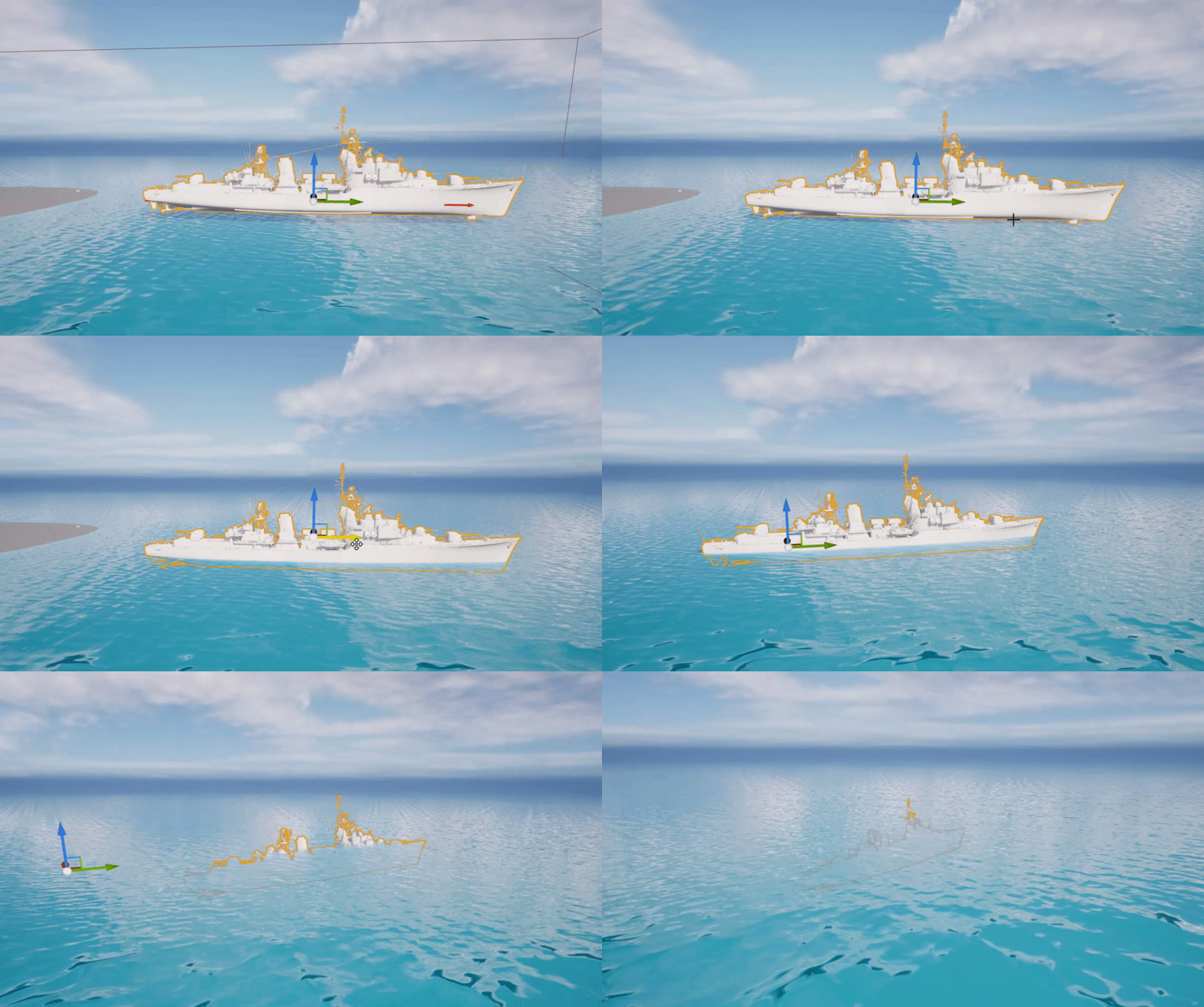
 maiden wadi
Unless you actually want the 00.
 lofty hound
How do I get the move component to blueprint to move an actor backwards relative to the actors rotation ?
solar sequoia
lofty hound
How do I get the move component to blueprint to move an actor backwards relative...
not totally sure what you mean, but if you're trying to move an actor backwards, you can get its forward vector, multiply that by (-1), and that's its back vector
or maybe you're asking how to get the character movement component? if it's a character, you can just "get" it in the event graph
dreamy yacht
setting the justification for all three didn't solve the problem
solar sequoia
dreamy yacht
setting the justification for all three didn't solve the problem
you should look at a horizontal box, or alternatively use a date time struct as input into one text box, rather than having multiple boxes
with the right settings, a horizontal box will remove excess space and move everything to whichever side you'd want it at
 rancid sorrel
Hello, sorry to cut into the conversation but I have this issue that I was hoping somebody here could help me with. Currently my 'Was Input Key Just Pressed' node keeps returning false no matter what I do. Does somebody here know why this is happening?
 tawdry surge
@dreamy yacht the "text to(integer)" in the above screen shot
Click the arrow at the bottom of the node and open the advanced settings
Set minimum places to 2
limber parcel
im having a little issue here, i got this tree but the generated collision mesh isnt useful for what im trying to do, so i added a cylinder attached to the mesh for collision purposes

problem is that the tree mesh and cylinder move independently
i tried adding a socket to the tree and attaching the cylinder but that changed nothing
solar sequoia
First I'd ask why not generate collision data for the tree mesh, and then modify that however you'd like
limber parcel
because i dont know how to do that and i basically only want to simulate the stem so it can fall over
but i dont want the branches to have collision
solar sequoia
right click on mesh -> generate collision. Pretty self-explanatory after that
limber parcel
so i just added a cylinder
solar sequoia
you can form it exactly how you'd want in collision data
limber parcel
solar sequoia
you can form it exactly how you'd want in collision data
how would i go about that?
do i just delete the shapes i dont want?
dreamy yacht
tawdry surge
Set minimum places to 2
Great! That helped ! 🙂
 solar sequoia
limber parcel
how would i go about that?
solar sequoia
limber parcel
how would i go about that?
once you generate it's pretty self-evident. You just form the collision volumes in the editor
dreamy yacht
Thanks so much!
solar sequoia
limber parcel
do i just delete the shapes i dont want?
yeah, pretty much
limber parcel
solar sequoia
yeah, pretty much
ok thx ill play around with that
astral epoch
So question on performance
How bad will it be to use "On See Pawn" and casting from it?
The thing I want to "see" is a squad pawn but will have a large number of characters attached to it that would also trigger the event.
solar sequoia
astral epoch
So question on performance
How bad will it be to use "On See Pawn" and casting f...
blueprint interface?