#blueprint
402296 messages · Page 928 of 403
 junior hedge
what to GET if I am casting blueprint UI?
junior hedge
I meant the object
 thin panther
Yes
 fallen glade
Is this the best way to take a snapshot of a material and store it?

 thin panther
Basically saying, is this reference what i want it to be before i try to do X on it
Thats what a cast is
When you create the widgey
You need to store its reference in a variable
 quaint geyser
junior hedge
quaint geyser
junior hedge
You don’t need to store them as a variable
thin panther
You can also get actor of class
quaint geyser
You can use getplayercharacter
thin panther
quaint geyser
You can use getplayercharacter
Not for a ui...
junior hedge
warning when compiling
quaint geyser
I mean the character variable
thin panther
That still doesnt work
quaint geyser
It does for me
thin panther
The character has nothing to do witht a widget
 thin panther
Ok so you got a ui ref
quaint geyser
thin panther
The character has nothing to do witht a widget
The character variable in the widget
Is what i mean
thin panther
quaint geyser
The character variable in the widget
You also apparantly have no idea how that works
quaint geyser
thin panther
You also apparantly have no idea how that works
What you mean?
thin panther
The character is not, and will never be the object to cast to for the ui
If i cast to the ui, i need a reference to it
Not the olayer
quaint geyser
What are you on about?
quaint geyser
I said the variable in the UI
junior hedge
:)
thin panther
quaint geyser
I said the variable in the UI
And you are going to get that how exactly, without casting to the ui
thin panther
Right
quaint geyser
thin panther
And you are going to get that how exactly, without casting to the ui
You get the player character right in the widget class
thin panther
Noooo
quaint geyser
I’ve done it multiple times in my game
junior hedge
it says warning though
thin panther
But it doesnt help at all
thin panther
junior hedge
it says warning though
Ignore futureize
Ok?
Yes
Ignore you
Because youre trying to use the player var to cast to a UI
Omg
quaint geyser
thin panther
Because youre trying to use the player var to cast to a UI
Do you know how to read?
I never said that
thin panther
Yes you did
quaint geyser
No, I didn’t
thin panther
You said get player character
quaint geyser
Scroll up and read through my posts
thin panther
In the ui
quaint geyser
Cast a player to the ui?
thin panther
That needs a reference to the ui
quaint geyser
When did I ever say that?
thin panther
It was implied
As they were asking about casting to the ui, and what to use as the object, you replied with get player character
quaint geyser
I said his multiple variables in the ui are unneeded.
quaint geyser
Bruh I never said that
thin panther
Thats my bad i thought you were trying to help
quaint geyser
That I replied to
quaint geyser
I was
thin panther
To answer the question
junior hedge
thin panther
Ignore futureize
and listen to who
you guys want to start an argument when I ask a question
thin panther
You need to get that ui ref you have saved to cast to the ui
quaint geyser
What is your question?
quaint geyser
I made a remark on you saving multiple unneeded variables in the ui
quaint geyser
thin panther
Ui is handled in a hud class
Wrong
thin panther
So you can get hud -> get all the ui refs you need
thin panther
quaint geyser
Wrong
Its quite common
thin panther
Hud is deprecated definitely, but using it as a non persistent medium with easy getter/setters does help
The actual hud specific uses are ehhh
junior hedge
thin panther
You need to get that ui ref you have saved to cast to the ui
so I cast to NEWHUD to get the CAMERABAR variable?
quaint geyser
Sure, but what if you need certain UI on certain pawns
thin panther
But its a good container class
quaint geyser
Easier to store references on controllers/pawns
And usually what I’ve seen in games
junior hedge
Ok I will restate my question
thin panther
It all depends really
junior hedge
I have a variable from a BLUEPRINT UI
I want to get the variable
from the blueprint UI
quaint geyser
But store a UI reference in the player controller
thin panther
In some form
junior hedge
can I have an example
quaint geyser
GetWidgetUI.AddToViewport
From anywhere
Using the class with that reference
Then to get variables from the ui, cast the player character to your character
thin panther
Accessing the variable needs an actor ref, in a class you can already cast to, then you can get the ref, cast to the ui and do whatever shenanigans you want
Again a cast is nothing more than a type check
It just wants to see if the reference you have is of the type it wants
junior hedge
I tried casting to newhud and didnt work
thin panther
No no you missunderstnad
The ui
You have created
That reference
You save
In a var called ui ref
junior hedge
right
thin panther
You need that as your object to cast to WhateverYourUIIsCalled
So you need to access it somehow
You can store it whereever you want as long as its easily accessible
junior hedge
then what
thin panther
I like mine in the hud if its for stuff like main menus of single player games
We have given you a step by step
If you cannot follow that then it may be tike to take some beginner learn.unrealengine.com courses
quaint geyser
I would suggest looking into some more documentation on blueprints and the actor types
quaint geyser
So retrieve that from wherever needed
Using Get (variable name) on the actor it’s in
And then do whatever you need with it
thin panther
I swear they need to start paying me for that advertisement 😅
Do be warned with the documentation tho
Its iffy in places
 quaint geyser
No
thin panther
Not like that
quaint geyser
Then get the ref from there
Then set the variable on that object
No cast needed after that
thin panther
I apologize for how things got a tad heated back there Futurize, it was a misunderstanding blown a tad out of proportion
quaint geyser
No problem
junior hedge
quaint geyser
Get HUD
get hud when casting to newhud? its not an option
thin panther
Also make sure newhud is the hud class defined in your game mode
quaint geyser
I store mine in player controller
thin panther
I think it is get hid ye
I lile mine in hud personally however that falls apart a bit for more multi use elements like enemy heakth bars etc.
junior hedge
it is
thin panther
I only use my hud class for doing main menu, and player HUD type things
So if its an enemy health bar, specific to each enemy
 thin panther
Also needs a player controller hooking up there
junior hedge
 thin panther
Now you can use that ui ref to cast to the ui
junior hedge
ok I think I got it now
thin panther
Ok
Now if you ever need to move that elsewhere, all you need to do is change where you get that UI ref from
 icy dragon
The ball might be simulating physics on its own
thin panther
Now that sounds like a great chaotic game idea
icy dragon
Personally I would've just fake it
junior hedge

like this right?
ok it works now thanks
appreciate it
oh yeah I promoted to variable
I will change it
thx
also everytime I press save all it makes me name a level idk why
thin panther
You only need to save the vars once really, anything else is a precious waste of bytes
If you press save all and it does that then it means you have a new level that hasnt actuakky been saved into content browser
Sort of like an untitled word doc
junior hedge
im not creating new levels tho
idk why its doing that
they're just dupes
of my level
just checkd
checked
thin panther
Thats odd
junior hedge
yeah I just backed them up and deleted
thin panther
Dont think ive heard of that one before
junior hedge
maybe ue5 bug
or somehow my fault
how can I set a level to boot up when I load a project
when I moved my level to my content folder now it starts with no level
thin panther
Priject settings > maps and modes
junior hedge
thanks
thin panther
Theres an option for edotor startup level
junior hedge

it says its not here how can I get it back without having to remake entire sequence
nvm ill just copy and paste
 desert juniper
Is possible to disable input on a character, but still have it enabled for one of the actor component?
 real notch
Is there a better way to invert a vector than this:

In c++ I can just -vector. So this feels weird :p
 faint badge
real notch
Is there a better way to invert a vector than this:
faint badge
real notch
Is there a better way to invert a vector than this:
Negate Vector
real notch
Thank you
 lapis ridge
My skeletal mesh flies away whenever my character moves! Does anyone know what could be causing this? It seems to magnify the input (when my character moves a little it flies off)
 timid thunder
would anyone know how to fix the player spinning issue?
desert juniper
What is the Flip Flop Node in Unreal Engine 4 Blueprints?
Source Files: https://github.com/MWadstein/wtf-hdi-files
Matthew has made one of these for almost every node in unreal
junior hedge
idk why i had that in my node wtf
 runic moss
im trying to rotate the root bone in my animation blueprint for this character, but instead of rotating laterally, it rotates into the air. is there a way to force the rotation to happen on a certain axis (i think thats whats going wrong). i have the aim offset yaw set for the rotation.


 spark steppe
trace?
icy dragon
runic moss
im trying to rotate the root bone in my animation blueprint for this character, ...
I bet this is Mixamo Rig.
 sick condor
hey I need someone help xD I made an openable chest for my fps game but it won't open can anyone maybe take a look at it I've looked through it but I cant quite find the point where it went wrong (msg me for the code its very messy and long)
 oak owl
Hi everyone, I've managed to get my virtual camera working in unreal. Is there a way to map a vive controller to a cameras zoom focus etc using blueprints?
 jade zinc
Hi, why does MultiLineTraceByChannel actually stops on the first hit?
And so MultiLineTraceForObjects returns two, but still not all hits???
 tawdry surge
If it hits something that is set to block either the channel or object type it will not trace behind it
If you want it to return everything make sure your collisions are set to overlap for the trace channel or object you are using
 exotic warren
faint badge
https://docs.unrealengine.com/4.26/en-US/BlueprintAPI/Math/Vector/NegateVector/
exotic warren
faint badge
https://docs.unrealengine.com/4.26/en-US/BlueprintAPI/Math/Vector/NegateVector/
Interesting that this negate node is pure, I noticed lots of the other ones like negate float aren’t
runic moss
icy dragon
I bet this is Mixamo Rig.
seeing as youre right, yk how to fix it?
 drifting steeple
Hi guys I trying to make a sliding blueprint for my character that triggers when I press the walk, the sprint, and the crouch key at once Can anyone tell me how I could do that? I would be very important to know
 broken night
Hi, I'm having some troubles using my "Interaction" interface. The interface has a function (Interact), which receives a PlayerController as an argument. (pic 1)
When I then try to implement this function in a class implementing this interface, I get this (pic 2). However, I can't seem to understand what the error is there. Can someone please point out?


Oh and this is the error
 runic moss
icy dragon
I bet this is Mixamo Rig.
runic moss
icy dragon
I bet this is Mixamo Rig.
nvm, i hooked the aim offset yaw value to the rotate root bone "pitch" input. works like a charm lmfaooo
tawdry surge
@broken night what does it look like on the parent class?
 high ocean
Oh no! I'm retarded again... I need some math help with something so simple I'm ashamed lol. I want a variable that would set playback speed of an animation "in seconds". If my var = 0.5, the playback speed (which is always 1 second for all anims) is 2. If the var is .25, then playback speed is 4... Oh man, being dumb is so hard, I swear!
 trim matrix
high ocean
Oh no! I'm retarded again... I need some math help with something so simple I'm ...
trim matrix
high ocean
Oh no! I'm retarded again... I need some math help with something so simple I'm ...
1/seconds = playback speed
high ocean
@trim matrixThank you! *somehow feel like crying not smiling now tho
trim matrix

 naive stag
How can i find the vector from the centre point?

I want to create 4 walls around the square
in runtime
 slim grove
i made this death BP to respawn the player when it falls too far down im just wondering if it is efficent or if there is somthing very wrong with it
 tawdry surge
Unreal has a kill z built into the level by default
Set it in the world settings tab
The way you should respawn is in the controller you bind a delegate to the on death event of the player, unpossess, spawn a new character at the respawn point, and possess it
slim grove
how could i do that and what is a delegate
 zealous moth
@icy dragon I am considering it but at the same time, i really want this to work somehow...
here's the issue
ignoring the fact the ball is always visible, it just rolls off and i can control it
hm lemme upload it instead
naive stag
naive stag
How can i find the vector from the centre point?
can anyone please help me?
zealous moth
 zealous moth
naive stag
can anyone please help me?
zealous moth
naive stag
can anyone please help me?
what is it you want to do?
tawdry surge
@slim grove inside the player controller event on possess-> "get controlled pawn"-> assign on destroyed
That will make you a delegate event.
Off there do what I described above
naive stag
zealous moth
what is it you want to do?
Place an actor (wall) on 4 sides of the square based on the centre point location
zealous moth
get actor location. This is your central point. Get forward vector -> you can use that direction and offset it by X in front and back. Get right vector -> same but for the sides
tawdry surge
Get bounds of the square
It will return the origin and extents.
Use them to place the walls
broken night
tawdry surge
<@207537338975387649> what does it look like on the parent class?
Looks like the error was because I didn't save (not compile) the parent class after editing the blueprint it was implementing. The children had the right signature from the inherited interface, but not from its parent. Not exactly sure this is it, but that looks like it
naive stag
zealous moth
get actor location. This is your central point. Get forward vector -> you can us...
Do i multiply forward vector on centre point vector?
tawdry surge
Just get the bounds. They give you the extents and the origin
Add to the x extent to the origin for the front, subtract for the back
Repeat on y for left and right
naive stag
tawdry surge
Add to the x extent to the origin for the front, subtract for the back
Repeat on...
thats not the result I want to have
tawdry surge
You want to place a wall along each side of a square
naive stag
First of all, one wall per square
desert juniper
Is possible to disable input on a character, but still have it enabled for one of the actor component?
naive stag
and it has to be a random direction out of 4
tawdry surge
Ok so you want one wall per square and you want it to be totally random which side it spawns the wall?
naive stag
tawdry surge
Ok so you want one wall per square and you want it to be totally random which si...
One actor (square) contains 5x5 square grid within it. I want inside of the grid to be what you said. And for the outside face of the actor to be always closed.
Do u understand what i mean?
tawdry surge
Ok. Did you spawn the grid in the construction script or place it in the BP viewport tab by hand?
naive stag
tawdry surge
Ok. Did you spawn the grid in the construction script or place it in the BP view...
BP viewport. It has 25 panels
I later on inside of the blueprint made an array that connects all of those panels together
tawdry surge
So in this instance it'd have been easier to do it procedurally.
However you can loop through each tile in the array get the forward and right vectors, invert them to get back and left. Do the 4 line traces to determine if there is anything along the sides and use those results to place the walls
zealous moth
well then, i made it work! @icy dragon
https://youtu.be/TtfEM8KEebI
The only tweak left is the excessive sliding
 tawdry surge
Still need the bounds to place them on the selected edge(s)
Assuming corners have 2
naive stag
I only have problem with getting walls vector
tawdry surge
What do you mean?
naive stag
tawdry surge
What do you mean?
getting the vector of where the wall should be placed
tawdry surge
Maybe I wasn't clear. When you "get bounds" of the tile it will return the origin and a vector for the extents.
The origin is the location vector for the origin point of that tile.
The extents are the distance from that point that the tile extends.
If you split it and add the x value to the x value of the origin point you have the edge along positive x.
If you subtract the x value from the x value of origin point you have the edge position along negative x.
Same thing applies for Y.
 proven loom
hello. is there a way to save all of my blueprints with all of the latest class redirects so i can remove them all from my DefaultEngine.ini?
maybe like a commandlet?
 manic geode
Erm... somehow Ctrl+W does not work in UE5... I cant duplicate the collision box.
 spark steppe
CTRL + D
idk why the HECK they changed it
CTRL + W now closes windows, which is so fricking annoying xD
proven loom
ctrl+w is used everywhere now
spark steppe
yes
proven loom
it'll take a bit to get used to for sure
spark steppe
but if your mind is trained to use it to duplicate in UE you'll have a hard time
i honestly even manage to hit CTRL + W, open the blueprint which i closed and just do it again 😄
 wheat aurora
Always thought you can't duplicate them up until ue5 cuz I always used ctrl + d 🗿
 quasi folio
is there a way to arrange an array? Say I have 2+ players, and I want to identify Player 1 and 2 respectively.
or is that not possible?
 gentle urchin
You can sort it however you like ofc
quasi folio
Yes, but how would I go about it? I'm using get all actors of class to get all my players.
gentle urchin
You can make a function with insert if the players may enter at different times yet beeing pre-destined to a specific player numero
Youd usually add them to the array when they join the game
gentle urchin
Assuming multiplayer
Ah
Then on their beginplay Register them to your AI Manager or whatever 😄
quasi folio
Have you played the Xenoblade series for example? You can order your players, and they all have their health in the respective order at the side.
gentle urchin
No i havnt
Hmm
Isnt that just representation
So their bg array would be the same
Just the index references differ
quasi folio
Wouldn't this clear it up? Basically I want the controlled character to be in position 1.

@gentle urchin I was hoping for it to be possible to sort the array by a variable perhaps?
 mental trellis
There's no real advacned sorting methods in bp, are there?
quasi folio
Not that I know, and its annoying.
mental trellis
Somebody wrote one in here a week or two ago if you can find it!
gentle urchin
Ive shared some sorting before
But i dont think you need it here really
You know which pawn the player controls
And which pawns are in the group
quasi folio
Yeah, I use auto possess.
mental trellis

Whether it works or not, I have no idea.
The get node and the < operator in the middle is where the comparison is
manic geode
Its somehow in Simulating mode and I cant add a new function

The button is grey
ah
got it
I have a problem. I hit 'play' but My dummy character does not appear and vurtually nothing changes. Im an still not there. What do?

 glass stump
my gosh making a save system has to be the most complicated thing in blueprints. 
glass stump
manic geode
I have a problem. I hit 'play' but My dummy character does not appear and vurtua...
is this a new project?
wait nvm looks like you have history i won't interfere.
manic geode
no
glass stump
not sure the history of the project so not sure what you want so probably i shouldn't say anything.
manic geode
Im already several days in it
I had my character running in it before, now I dont
And the play button has some extra 'gears' in it

weird
spark steppe
press the 3 dot button next to the eject button
and check if play in current viewport is selected
wheat aurora
Yeah, the "gears" indicate that you are playing in "simulation" mode
Gotta go to PIE (Play in Editor)
mental trellis
Simulation is basically just physics sims, not proper gameplay.
zealous moth
So here's what I did.
I set up the BP ball to work as you would want it to do (minus all damping logic) so it rolls and doesn't overslide.
I added that same ball into a character, did some set up to change the camera to the ball when needed and to move the actor with the physics object.
However there is something wrong in the character setup where the ball inexplicable slides too much or spins too much.
Any ideas?
bp ball:

character ball:

literally everything is the same
i thought maybe the char movement comp is the issue so i set the tick to nothing and it didn't do much
spark steppe
probably gimbal lock
zealous moth
a what?!
spark steppe
how do you set the rotation?
zealous moth
this is for the char

and this is for the ball in char

this is for ball

the manip in the ball is so that if i move my camera, the direction is updated
roll torque amount is the same for both
the accel change bool did nothing
spark steppe
print the torque on screen every frame?
maybe you just need a cap for the torque
i haven't worked with torque yet, so it's just an assumption of mine
 fallen glade
Is there a better way to store material values then this?
 spark steppe
yea probably because you keep adding torque
so limit that somehow (idk if theres an option in the physics settings, or if you have to limit it by comparing the actual torque to some limit before you add more)
zealous moth
i just compared, the torque amount is fine
 tight schooner
fallen glade
Is there a better way to store material values then this?
tight schooner
fallen glade
Is there a better way to store material values then this?
Maybe as a full blown dynamic material instance?? Dunno
zealous moth
huh actually weird behaviour
if i start and make it go forward, for char i get torque in Y for max amount and X for some reason
but for ball i get only Y
actually nvm
same behaviour
fallen glade
tight schooner
Maybe as a full blown dynamic material instance?? Dunno
Ah.... mmm ... I think i need to get myself checked. thank you.
zealous moth
gonna ask in physics
 wraith eagle
Is it normal to get this many landscape "parts" when making a landscape??
 spark steppe
zealous moth
gonna ask in physics
spark steppe
zealous moth
gonna ask in physics
have you tried limiting the torque?!....
also if your ball is ON the character, it may inherit the torque?
zealous moth
spark steppe
have you tried limiting the torque?!....
but the torque amount is the same
zealous moth
no no, it is limited to the roll torque i set and when compared to the regular ball it is the same
spark steppe
the values you showed are insanely high
zealous moth
again, same as the template
 limber parcel
i couldnt find an offtopic channel so i will just ask this here:
anyone know how to disable the ukraine flag emoji on a discord server? im getting tired of seeing this political shit all over the place
🚮
fallen glade
I don't think you can stop people using emojis, I've never seen anything political here, only people helping each other
spark steppe
from all the places this is the wrongest to ask this
my advice: pick your discord servers wisely 😄
 marsh sedge
Hi, I was wondering if anybody could explain why my character doesn't rotate copying the code from the unreal documentation on top down character movement:

they seem to be able to have a character rotate and move with this, but my character doesn rotate, I added additional blueprint to have them rotate, but now when they finish the movement, they snap back to their default rotation
 versed sun
I have a Parent class , and many children.
I bind a few events to a custom event on the Parent, but don't need/use them on most of the children.
If I want to use the bound custom event, I Call it and add code after
What can an interface do that a Parent/Child cannot ?
anything special ?
spark steppe
it can exist while not existing
and you dont have to fully implement it for every class
versed sun
ok
spark steppe
i think his case is exactly the opposite
the parent uses things which some childs dont
?
maybe you should rather do that special case in a child then
versed sun
its empty on parent, if a child uses it , I add code
yes, Basic question is, does an event with nothing in it cost anything ?
so, if I have 100 actors that DON'T use the event , and 5 that do, I should remove that event from the parent and add it just to the 5
ok
learning C++ is on my to-do list, hoping to make some income with blueprint projects first
desert juniper
versed sun
yes, Basic question is, does an event with nothing in it cost anything ?
here's a cool perspective I like to use

 versed sun
unit ?
desert juniper
Top is control
Bottom is 500 line traces on tick
you should only worry about performance when it becomes a problem
 desert juniper
🤷♂️ they're concerned with performance of a single event not being used. here we're showing that tick called to perform a linetrace 500 times/tick has almost no performance hit
spark steppe
yea, in a scene with like 10 collision primitives 😄
 let me try a more complex scene.
versed sun
let me try a more complex scene.
versed sun
3k child actors all doing something at same time, but not on tick

 spark steppe
hah
 spark steppe
more fps, so yall better do as many line traces as possible
so from 12ms to 17ms game thread time
which is almost an 50% increase
desert juniper
you got a point there.
spark steppe
yea capturing a single moment isn't cutting it
the graph could tell more, if you had it for both, scaled to the same values
versed sun
stat unitgraph
spark steppe
or maybe allow toggling it on and off, and enable the line traces for half the graph time
desert juniper
versed sun
stat unitgraph
lower left shows the graph 😄
desert juniper
spark steppe
or maybe allow toggling it on and off, and enable the line traces for half the g...

yup there it is
desert juniper
yeah, just hiding there
spark steppe
yea, its not 50%, but it still has an noticeable impact
desert juniper
unreal did a cool demo a while back where they were able to get thousands of traces without a performance hit, but can't find that video now
desert juniper
it was lol, but they had something like 25k traces
spark steppe
e.g. if you trace on a specific channel with only a few objects on it, it is obviously cheaper
desert juniper
very very true
versed sun
I Don't see a performance hit between this and empty code
 desert juniper
and you never will
versed sun
cool, that solves that, starting question was:
Does an event with nothing after it cost anything ?
versed sun
nothing much tho
desert juniper
the only ones that don't are the ones that are semi grayed out
like beginplay and tick before you do anything with them
 versed sun
yup
desert juniper
IIRC those have no overhead.
spark steppe
keep in mind that the code from the parent will execute on all childs, too
unless you override the event in each child
versed sun
yes
drifting steeple
hi guys can anyone tell me how I can trigger an event by pressing multible keys at once like shift and sprint for slide etc?
 warm glacier
I do not understand how to configure the physics asset. Why the sled is not touching the ground?
 fickle dune
Hello I'm trying to access my shop using the Interact Interfact that I have, it was created using Ryan Laleys new inventory system for UE5
Basically I used to just walk on my trigger box and open up the shop UI but I want to be on the Trigger box then press E so I can open my ShopUI to avoid overlap issues of the shop opening upon exiting the shop.
My question is how do I do that? I can't seem to get it done
spark steppe
warm glacier
I do not understand how to configure the physics asset. Why the sled is not touc...
why do you use a skeletal mesh in the first place?
fickle dune
I'm sure I'm missing something simple
warm glacier
spark steppe
why do you use a skeletal mesh in the first place?
I want it to be a pawn. and I want the character to possess the pawn. And I thought of snapping the character to a socket on the sled.
You have another idea?
spark steppe
all of this also works with a static mesh
you only want a skeletal mesh if it has moving parts
warm glacier
attach actor to actor doesn't work with a static mesh
spark steppe
neither with skeletal mesh
 hybrid horizon
Attach to component
spark steppe
attach actor to component^
warm glacier
and what component?
spark steppe
the static mesh component
warm glacier
and I just simply add a relative transform on the forward axis so the character can stand behind?
spark steppe
you create a socket in the static mesh "editor"
and that name you can use in the attach actor to component call
it works pretty much exactly like with the skeletal mesh
 hybrid horizon
yep
 astral mural
Can I just 🤮 at my code real quick? I don't know what I was drinking, or what that execution wire was drinking.

 fading raptor
For some reason, my landscape material wont save when I do edits to the material itsself. I want to change it to masked and add a landscape visibility node so i can edit the visibility, but whenever I save, it fails to save
Any help would be greatly appreicated
limber parcel
fallen glade
I don't think you can stop people using emojis, I've never seen anything politic...
other discords are full of ukraine flag cancer, they litter every post with it
so i guess we actually have to make a bot that removes them, and maybe even puts people on timeout
like if we post a model in showcase, nobody wants to see a shitty ukraine flag on it lol
same for russian or any other flags
wheat aurora
POV: you got offended/angry by an emoji
marsh sedge
🇺🇦
limber parcel
we just dont need any political hype stuff in our community
🇦🇹
my country flag resembles a stop sign lol
wheat aurora
I don't see the Ukraine posts often anymore, I rarely see it
limber parcel
depends on the server i guess
wheat aurora
Maybe your server is full of Ukrainians
spark steppe
now you brought that convo here, for what?
limber parcel
i dont want to ban all ukraine supporters so i would rather just disable that emojis
wheat aurora
Do that and you gonna lose your community
limber parcel
i dont really care tbh, someone who has nothing better to say than posting ukraine flags isnt exactly credit to the community
wheat aurora
Also, #lounge is as close as offtopic you can get, not #blueprint
limber parcel
but yeah i just wanted to know if there is an easy way to disable them, sorry for the offtopic i couldnt find a correct channel
zealous moth
@spark steppe
So if I use the ball BP, works fine
Ball inside character BP, slides
Ball spawned by character BP and possessed, works fine.
I disabled the movement comp. No effect.
I disabled collision with capsule. No effect.
I disabled mesh collision. No effect.
I have no idea what is causing this...
@spark steppe oh! My! God!
Begin playing scale 0 bug....
Physics applied are inconsistent
Starting scale must be non 0

 pulsar path
Nvm i found a better way to do interactable detection that returns the value i need as well
is there a way to change the output pin of 'get overlapping actors' to have the same type as the one its searching for? i need my array (Overlapping Interactables Array) to be an array of Interactable Object Reference but the get overlapping actors returns Actor Object Reference Array which i cant append to a Interactable Object Reference Array
 zealous moth
@spark steppe yup. And I knew this. You must use near zero values. Physics uses coefficients so when you scale 0 you are way too near 0 and your physics are messed when you scale out
 zealous moth
@junior hedge what is the timeline looking like?
junior hedge
zealous moth
<@239955398231195648> what is the timeline looking like?
(0,0) (3,1)
zealous moth
Show me
 junior hedge
so (0,0) (3,3)?
pulsar path
 junior hedge
I changed it to 3
junior hedge
zealous moth
What are you doing?
im just making an animation that slides a door downwards
the timeline is saying it's paused
could that be the reason?
zealous moth
What is the initial vector?
junior hedge
before it starts the animation?
159.465613 254.878637 332.826019
I know the issue I think
ok it works with autoplay but the script wont execute
normally
i think its my bind

idk why this isnt working though
(Action Mapping)
yeah my binds wont work idk why
i changed to J, U, even tried making a new bind
my old ones work tho so idk
 faint pasture
zealous moth
<@280376753363353600> yup. And I knew this. You must use near zero values. Physi...
faint pasture
zealous moth
<@280376753363353600> yup. And I knew this. You must use near zero values. Physi...
Dude made the gamedev equivelent of a black hole.
junior hedge

binds that are X out won't work and idk why

if anyone was wondering you need this
is there a node to stop all timelines?
nvm
wraith eagle
anyone got a few min to help a noob, Im stuck
tawdry surge
Just ask your question. If someone knows they'll chime in
wraith eagle
Imma send a few screens, this is the normal way to move the camera in game

But Im making a game where you cant move camera normally, but I want it to be possible at some locations
here I made a new camera for this area

but I also want to enable camera movement here
everything is in third person blueprint btw
tawdry surge
Easy fix is to use a bool and branch to only allow the input to reach the add controller yaw if it's active
quaint geyser
I wouldn’t run that in eventtick
tawdry surge
The axis input event is already running every frame also, so you could leverage that instead of having a tick too
quaint geyser
Just set a boolean to false in certain areas and create a branch with that boolean in inputaxis turn
wraith eagle
gimme a sec
quaint geyser
Using an actor overlap event in that area
wraith eagle
inputaxis event must be in thirdperson blueprint?
Am I suppose to be able to connect these somehow?

This is just giving me errors

Blueprint Runtime Error: "Accessed None trying to read property CallFunc_Array_Get_Item_1". Node: Branch Graph: EventGraph Function: Execute Ubergraph BP Third Person Character Blueprint: BP_ThirdPersonCharacter
I understand you guys dont have time, sorry 😦 Im noob
 hallow night
What are you even trying to achieve
wraith eagle
When I enter a room, I want to be able to move the camera with my mouse
lite you normally can, in a third person game template
but only inside, not outsie
hallow night
Just have a boolean variable that changes to true when the player enters the room using an overlap box or something
 odd creek
Hi does anyone know how do I get the foliage instance of the grid where my character is currently standing? (I am using world partition)
 faint pasture
wraith eagle
lite you normally can, in a third person game template
faint pasture
wraith eagle
lite you normally can, in a third person game template
Then build that camera control functionality into your pawn, with a simple ChangeCameraMode event that you can call. Once that's working, just detect entering of a room and trigger the camera style change.
Break things down into logical parts.
faint pasture
wraith eagle
Whyyyy dont this fuucking work :((((
What actor are you doing that on?
Show the error. It tells you what's the problem.
wraith eagle
I dont even remember, I tried everything
 blissful grail
How can I make my character's up vector always point towards another actor? I've tried using Find Look At Rotation, Make Rot from Z, Make Rot from Y, Make Rot from XZ some googling and all that.
Scenario is - I'm trying to have my character's head point towards a grapple point. Sometimes it works, sometimes it doesn't. This beautiful illustration is what I want. But depending on the angle, sometimes, it will do it completely upside down. Like, if I attach to the Grapple Point from the side, the character ends up completely upside down, when it should be the other direction.
 hybrid horizon
wraith eagle
hybrid horizon
wraith eagle
You will NEVER get a true from "Camerakebab". Your "for each loop with break" is effectively doing absolutely nothing
naive stag
How can I optimise this so that I wouldnt have to check for every chunk
 trim matrix
what is the usecase of this node?
 mental trellis
It's for teaching you how to take screenshots without using a phone camera
 slender sky
trim matrix
what is the usecase of this node?
slender sky
trim matrix
what is the usecase of this node?
You can play normal animation in a slot, without using a montage
Seen this happening more than once, does nobody use the printscreen button anymore?
mental trellis
Shift+Windows+S is the best way.
hybrid horizon
naive stag
How can I optimise this so that I wouldnt have to check for every chunk
A for each loop is going to check every index in the array regardless. If you are looking for the first index in that array that meets a certain criteria, you need a for each loop with break. Once the criteria is met, add your variables or whatever needs to be done with met criteria and feed a line back into the "Break" input on the loop and that stops it from searching the rest of the array. Something like this.

If you know the specific index you need, you can forgo the loops and just use a "get" node on the array and tell it what index to get.
junior hedge
how to break away from your in game camera
zealous moth
mental trellis
Shift+Windows+S is the best way.
did you see my explanation pn physics earlier?
naive stag
mental trellis
Shift+Windows+S is the best way.
Isn’t that for windows 11 only? Or windows 10 had that keybind all this time…
 white elbow
How do I organise my variables into different "folders"? I have like 30 already and it's becoming a concern
faint badge
white elbow
How do I organise my variables into different "folders"? I have like 30 already ...
You can assign them a category in the details panel for the variable. Variables in the same category will be grouped together and can be minimized. You need to type the category name the first time to create it but then afterwards you can find it in a dropdown list.
If you want subcategories you can use the | symbol, for example Character|Input would make a category called Character with a subcategory called Input within it:
 white elbow
Thanks!
 icy dragon
naive stag
Isn’t that for windows 11 only? Or windows 10 had that keybind all this time…
icy dragon
naive stag
Isn’t that for windows 11 only? Or windows 10 had that keybind all this time…
Windows 10 since around Creators Update has it all the time
It's basically Windows's new Snipping Tool, but you don't have to have it open all the time and just works.
mental trellis
zealous moth
did you see my explanation pn physics earlier?
No?
mental trellis
naive stag
Isn’t that for windows 11 only? Or windows 10 had that keybind all this time…
I use it all the time in 10...
zealous moth
@mental trellis if you begin play and your mesh is at scale 0 all physics get messed up if you scale back to 1 later
junior hedge
anyone know?
tawdry surge
Your cast is probably failing.
What BP are you inside and what's it's relationship with L_Door?
junior hedge
tawdry surge
Your cast is probably failing.
What BP are you inside and what's it's relationsh...
L_door is an actor blueprint, I am inside the playercharacter
tawdry surge
Casting is changing the level of classification of a variable. The player character is also an object, actor, and pawn. varying information applies to each of these classifications.
hybrid horizon
junior hedge
L_door is an actor blueprint, I am inside the playercharacter
Print strings are your friend when trying to troubleshoot.
tawdry surge
What you're doing is never going to work
junior hedge
hybrid horizon
Print strings are your friend when trying to troubleshoot.
already did that, everything else works except for the event
tawdry surge
You are asking is the parent actor of the player an L_Door
The answer is no, so cast failed
junior hedge
what should I get then
hybrid horizon
Well if you had print strings on the cast failed you'd know that's why its not firing the event
junior hedge
hybrid horizon
Well if you had print strings on the cast failed you'd know that's why its not f...
I know that already
I said thats the only part of the script that is wrong
tawdry surge
You need a reference to the door to call one of its functions
How best to get that depends on what you are doing
junior hedge
I dont know what to reference
hybrid horizon
Then why ask why the event isn't firing if you already knew the cast failed?
tawdry surge
The door you want to shut
junior hedge
hybrid horizon
Then why ask why the event isn't firing if you already knew the cast failed?
I only sent a snippet of the event anyways

idk what i can get
 faint pasture
 livid marlin
how to add self object reference to array
livid marlin
how to add self object reference to array
Just add it. Have an array of the same type as whatever self is, or a parent class of self, and add it.
faint pasture
livid marlin
Are you only ever gonna ignore self or potentially others?
faint pasture
livid marlin
if i add it it becomes integer
No it doesn't.
livid marlin
faint pasture
Are you only ever gonna ignore self or potentially others?
the one in array and self

like this then i need to plug it to the array in linetrace but how
faint pasture
livid marlin
the one in array and self
 livid marlin
thx
faint pasture
Depends on what you're trying to do. What else is meant to be inside of Actors To Ignore?
livid marlin
the self and the on in array alr
faint pasture
livid marlin
the self and the on in array alr
Which one is that? In plain english, what should be ignored by your trace?
"I want to ignore self and allies" or "I want to ignore self and children" or whatever
junior hedge
so is there nothing I can grab to cast?
faint pasture
junior hedge
so is there nothing I can grab to cast?
What are you trying to do
you can cast anything to anything, but it sounds like you don't know what casting does
junior hedge
I know what casting does
I just dont know what to grab from L_Door

I dont need an explanation
faint pasture
You need to get at the door in some way
line trace, saved ref, get actor of class, however you want
You only need to cast if you only have an actor and you want to CHECK if it's the door
if you KNOW it's the door, you can just do door stuff to it.
What are you trying to do, shut whatever door is in front of the player or shut a specific door no matter the situation or what?
junior hedge
the script I am doing just plays a timeline animation
and the script thats connected to the cast is a mouse hitscan
faint pasture
OK so the hitscan will return an actor. THat's the one you cast to your door class to see if it's a door
break the hit result
junior hedge
so I need to cast the button im hitscanning aswell?
faint pasture
No, that's not what casting is.
You do the line trace. The line trace returns a hit result. The hit result contains the actor that was hit. You cast THAT reference to your door (to check if it's a door), and then do the door specific stuff.
Is your trace hitting a button or a door? Is the button meant to control the door?
 faint pasture
junior hedge
the button is meant to control the door
faint pasture
junior hedge
the button is meant to control the door
Are they seperate actors or one actor with a button and door inside it?
junior hedge
seperate actors
faint pasture
K so the button should have some ref to the door it is hooked up to. The flow would go like this
Line trace -> Cast hit actor to Button -> call event
and then in the button
Event -> get MyDoor -> open door
The button would have a door actor variable MyDoor, which you would set when you place the button in the level or whatever.
junior hedge
like this?
 faint pasture
junior hedge
like this?
faint pasture
junior hedge
like this?
You should have MyDoor be of type DoorActor, not just Actor, but that'd work too
Then you wouldn't have to do any casting
It depends on what your plans are. If you plan on having buttons be able to activate lots of things you'll want to look into interfaces but I'd get this working first.
 junior hedge
@faint pasture
hybrid horizon
junior hedge
Just setting a variable to a specific type is not all you have you to do. Even though that variable is "L_Door", it still needs to know what "L_Door" instance to reference.
You can use your hit result to set the MyDoor variable to the hit actor if it is the correct actor
junior hedge
I've already modified it
hybrid horizon
Does it work?
junior hedge
I did it a different way
I made a function in player character and called it from the door
junior hedge
is there a way I can make 2 different input events? (same keybind)
hybrid horizon
junior hedge
is there a way I can make 2 different input events? (same keybind)
You talking about adding to the input section of the project settings/enhanced input? Or using 1 key to trigger 2 different events?
junior hedge
hybrid horizon
You talking about adding to the input section of the project settings/enhanced i...
1 key to trigger 2 events from different scripts
by key I mean mouse click
 hybrid horizon
Unless I'm misunderstanding you, you would just need to create a check to make sure the correct event is fired if the conditions of your check are met


 elfin wolf
junior hedge
only script 2 will execute
elfin wolf
junior hedge
only script 2 will execute
you have to use the enable input node on the object if it's not a player
junior hedge
hybrid horizon
Use a sequence
they're in different scripts
junior hedge
elfin wolf
you have to use the enable input node on the object if it's not a player
already added
hybrid horizon
different bp's you mean?
junior hedge
if I remove script 2 then script 1 works
junior hedge
hybrid horizon
different bp's you mean?
yes
elfin wolf
junior hedge
already added
click on both the input action nodes and turn off consume input
hybrid horizon
Ok, then click the input node and there are some options on it for allowing the same key to be used more than once. Its been awhile since I've used the normal inputs but it's something like allow use in children or something along those lines
Thats it^^ what paranoid said
junior hedge
elfin wolf
click on both the input action nodes and turn off consume input
that worked thx
both of you
 swift hornet
I'm following this tutorial series for holding multiple guns. Particularly I'm working on equipping and unequipping different types of guns (rifles, hand guns): https://www.youtube.com/watch?v=-_ss4Cnyb5I&list=PLl5i300DoPxeHtoK45l1MxEy-15ZseSyT&index=6
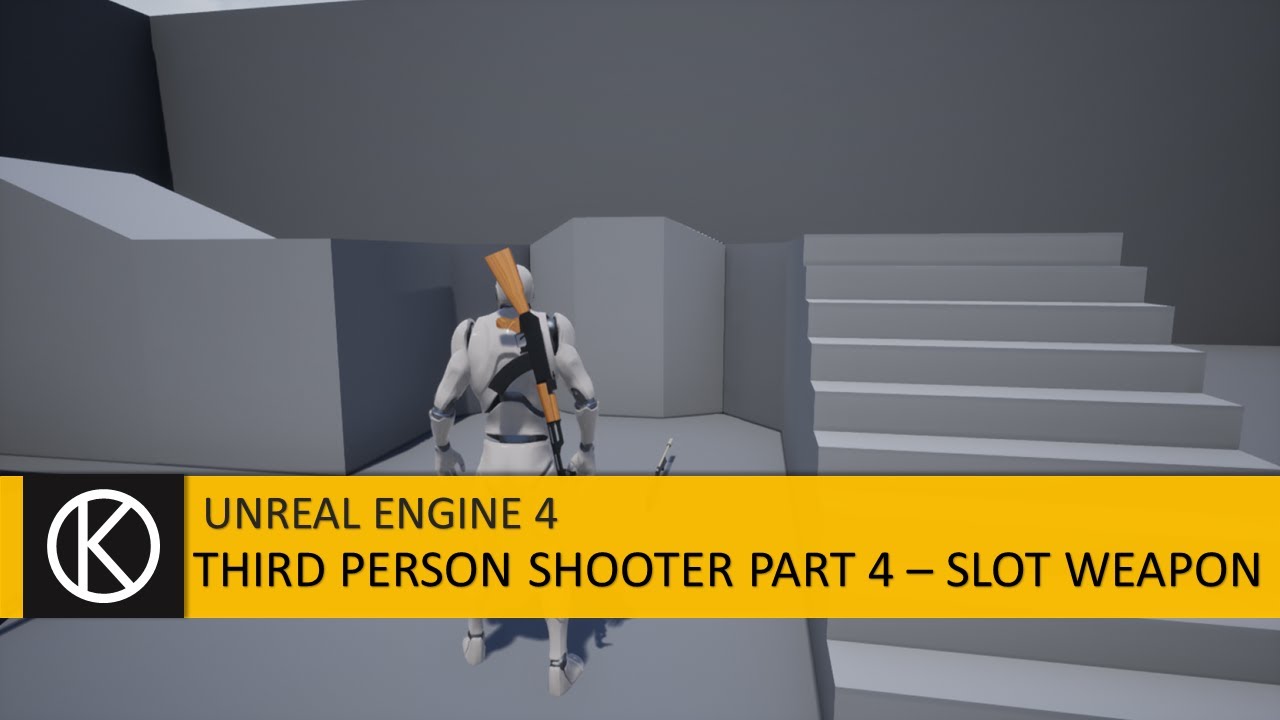
We will complete the all weapon attachment and equipping system in this tutorial. After this you will see a complete AAA grade weapon system with any errors or bugs.
We will continue blending animations and gun mechanism in further tutorials.
Thank you so much for watching
Like and Subscribe
Right now, I'm getting an infinite loop error for my pistol holster. I think it has something to do with the way the YouTuber is coding the pistol holster slots.


By holster slots, I'm talking about the sockets I added to my character.
 swift hornet
Also, how could I rescale my gun meshes without changing the scale of the sockets?
faint pasture
junior hedge
didnt work
When you place the door and button in the level, set MyDoor
make it public and exposed on spawn
junior hedge
I'll look into it tmr
swift hornet
swift hornet
Right now, I'm getting an infinite loop error for my pistol holster. I think it ...
Karan fixes the infinite loop issue in the Part 4 video: https://www.youtube.com/watch?v=-_ss4Cnyb5I&list=PLl5i300DoPxeHtoK45l1MxEy-15ZseSyT&index=6
We will complete the all weapon attachment and equipping system in this tutorial. After this you will see a complete AAA grade weapon system with any errors or bugs.
We will continue blending animations and gun mechanism in further tutorials.
Thank you so much for watching
Like and Subscribe
 prisma snow
Hi, I am working on a game but I have a problem with the camera, how can fix this problem? I want to have a smooth and nice camera like battlefront 2 heroes vs villains
swift hornet
swift hornet
Also, how could I rescale my gun meshes without changing the scale of the socket...
For the scaling, the guns look fine until I pick them up in game.

 prisma snow
is there any fast way to fix it ? since it is just for a demo showcase, do I need to work on all objects collision channels in the environment as well?
swift hornet
I tried setting the world scale for each weapon in BluePrints but the gun still changes size when I attach it to the player.
Should I use "Attach To" instead of World Scale 3D? The "Attach Weapon to Player" is a custom function.

I tried both snap to target and "world scale" but it doesn't affect my guns.
 mental trellis
Persistent between what?
spark steppe
i guess editor only works for me, but apparently i cant really use the GUID without c++
i went with an random int64 for now as unique id :>
fingers crossed that it will be random enough for the amount of use cases it has 😄
 midnight wedge
So I have a pretty standard aim setup that when triggered toggles between a free circle cam and aiming, but I when aiming is toggled the characters rotation instantly snaps. What would be the best way to smooth out this rotation? I have a rotation lerp system already that I use for smoothing out dodgerolls, but the best I can do is get it to lerp to the value fed in at the start which if the camera is moved during the lerp time a hitch still occurs

My first thought is to somehow use a float to create a weight influence between the two modes (0 means that rotation is only influenced by movement, 1 means that rotation is only influenced by camera, making .5 a 50/50 average between the two for z rotation as I could just plug that into the same alpha output I use for smooth camera zoom in)
(I also just realized I set the target arm length in the bp above which was redundant given my use of a timeline, so ive already fixed that)
TLDR is there a way I can use these bools as two ends of a scale from 0 to 1
midnight wedge
Ok I figured it out and this is what I have

All I did here was clean up the error from earlier and remove the use control rotation setup from aiming as it is controlled by the timeline. The reason I check the alpha value and use that to enable controller rotation yaw is that it makes the transition between modes seamless, while you get a bit of a camera hitch if you check on finish while in slomo (Apologies for posting all this I'm admittedly proud of this solution and want to share)

Missed and error and fixed it with this. Still a little hitch in slomo so theres still improvements to be made
 odd creek
Hi,
I am currently playing around with instanced foliage in combination with world partition.
The first issue I had was to find a way how to get the foliage instance from the current position of my character.
I found a way going through all foliage instances of the world partition and picking the one which is has the closest distance to my character position.
But I have found another issue which maybe some of you can help me with.
I want to spawn a instanced foliage on the position of my character via blueprint.
The issue is to use AddInstance I need the HierachicalInstancedStaticMeshComp from my foliage type so I can add another foliage of the type to.
In case of using World partition there is no HierachicalInstancedStaticMeshComp in case there are no foliage placed in the grid with the editor.
Means I can only add foliage if there is already a foliage in the grid placed with editor.
Does anyone know how I can add a HierachicalInstancedStaticMeshComp on my own or maybe some other idea what I can do?
slim grove
when i added a camera to my player i cant look up or down anymore and without the camera it clips through the mesh is there a way to fix this in the BP or is it an unrelated issue.
tawdry surge
They have a course on unrealengine.com in the learning section on making a character from scratch. It covers how the camera and controller work together as well
slim grove
tawdry surge
They have a course on unrealengine.com in the learning section on making a chara...
im just asking for a simple soulution and i cant find what your saying is there
tawdry surge

Epic Developer Community
Using the "Stack-O-Bot" project to build a third-person character that includes movement, cameras, animations, and a jetpack.
slim grove
its first person so this wouldnt work
tawdry surge
Thats almost entirely irrelevant
slim grove
ok
tawdry surge
Your only difference is gonna be final placement and weather you have the pawn rotate with it
 wicked osprey
Guys, I've never asked a question, but I would like to understand what is the difference between the visibility trace and the camera channel?
tawdry surge
They are different types of traces.
You can set them to be ignored, overlapped, or blocked
You can also make your own custom channels
Its just a way for you to organize what things are relevant to a particular trace
slim grove
tawdry surge
Your only difference is gonna be final placement and weather you have the pawn r...
ok i got the camera to look up and down but when i move left/right/backwards it all shakes violantly
 hybrid latch
Can someone please explain to me why this is not working? I have checked that the owner is the actual player

I can still see the damn thing 😅
 solar sequoia
hybrid latch
Can someone please explain to me why this is not working? I have checked that th...
solar sequoia
hybrid latch
Can someone please explain to me why this is not working? I have checked that th...
Is "self" the player character or the controller?
Actually, I know it's your character. The one who does the "seeing" is the player controller, meaning they need to be the owner of that actor
hybrid latch
solar sequoia
Is "self" the player character or the controller?
Character
solar sequoia
hybrid latch
Character
Yeah, so the "player character" shouldn't be considered the player. That's the purpose of a player controller
That's to say that the controller is the one who actually possesses the pawn and sees through the camera. You need a reference to the controller to make it the owner
hybrid latch
Okey will correct it and try again. Thx for the input 🙂
solar sequoia
hybrid latch
Okey will correct it and try again. Thx for the input 🙂
On that mesh you can set it to "Owner No See" before runtime btw
gentle urchin
spark steppe
fingers crossed that it will be random enough for the amount of use cases it has...
If not you can always track the used numbers in some container and check for it :p
spark steppe
i should make a subsystem for that 😛
 bold phoenix
Hi ! For a character inventory, is it better to create multiple blueprint, or one blueprint and change the skeletal mesh/default values on construct ?
tawdry surge
Your inventory has a skeleton?
bold phoenix
no sorry
I'm selecting a character in the inventory
Let me explain it better :
So I have an inventory and the player can select a character to place it in the level
But when selecting the character, is it better to obtain a 'actor class reference' or a 'skeletal mesh' + default variables values
tawdry surge
Ok the placed characters do not have to be different classes
It depends on how different there overall logic and behaviors are
bold phoenix
No it doesn't need to
Just the animations, default variables, skeletal mesh are changing
tawdry surge
If they are essentially gonna do the same stuff then I'd just have an enum or something to determine in the construction script which sk mesh, animation BP, and default values to use on spawn
limber parcel
why are all the tutorials out there keep using casting? isnt it much smarter to add a component or interface?
are they just eejits or did that stuff not exist in UE4?
or is there actually something behind it?
spark steppe
because 90% of tutorials are made by noobs or are for the sake of the tutorial simplified
limber parcel
our code is littered with castings which doesnt only make systems incompatible with eachother but also costs alot more resources
because other team members actually adopt that shit
thin panther
It really depends what you are doing to be honest
In some places casting is relevant
limber parcel
yeah like here

but my friend made interaction system that literally casts everything to some base class instead of just using actor
thin panther
Oh yeah interaction is better suited to an interface or even a component, but im just saying casting isnt always bad
limber parcel
yeah sometimes u cant avoid it, but in general its really bad practice
solar sequoia
limber parcel
How did I never know about "Find nearest Actor"? I could've used that half a dozen times by now but I've done some janky line traces instead
limber parcel
 spark steppe
yea but dont use it like that....
limber parcel
what would be a better way to make this?
limber parcel
good thinking
solar sequoia
Limiting the scope at all is always better, yeah
faint pasture
limber parcel
That cast is redundant there. You already know it's a patrol point actor
limber parcel
faint pasture
That cast is redundant there. You already know it's a patrol point actor
it outputs an actor though

weird but ok
faint pasture
limber parcel
it outputs an actor though
Oh yeah, I didn't notice that. So you get an array of patrol points, then go back down to actor lol
limber parcel
guess it saves u some casting in other cases
so yeah thats one of the rare cases that i found where u actually need casting
faint pasture
You need it in a lot of places, just not all of them
tawdry surge
If you made it just change the return value. If you are taking in a patrol points array, then I don't see a benefit to dropping down to actor ref
 remote meteor
i dont like how pure node with multiple output in bp would get called multiple times if you lined off multiple of them, give me an unpure version of it 😥
faint pasture
I've seen some dumb shit like
Get MyCustomActor -> cast to MyCustom Actor
faint pasture
remote meteor
i dont like how pure node with multiple output in bp would get called multiple t...
Or just cache the results
remote meteor
like in the case above
it would been called twice
since you linked off both distance and return value
the function gets executed all over again when the value is taken
faint pasture
remote meteor
the function gets executed all over again when the value is taken
I'm not 100% sure it does. If you saved both outputs to variables, would it still run twice?
faint pasture
I'd think it'd be called per usage of the main return value but idk, BP can get weird
remote meteor
the function i tested was this https://docs.unrealengine.com/4.26/en-US/BlueprintAPI/Game/Player/GetHitResultUnderCursorbyChannel/
Get Hit Result Under Cursor by Channel
broken night
Anyone has an idea why my Axis Value is ALWAYS equal to 0? The binding in the project settings is correct, and I'm able to move my camera. It's only this part which doesn't work for some reason
 remote meteor
luckily the return value is exactly the same within the hit result -> blockinghit, so i went and use that instead
faint pasture
remote meteor
luckily the return value is exactly the same within the hit result -> blockinghi...
I mean the BP node might execute twice but not actually trace twice, there might be some caching somewhere.
faint pasture
broken night
Anyone has an idea why my Axis Value is ALWAYS equal to 0? The binding in the pr...
You're saying it all works, just not the debugging?
remote meteor
faint pasture
I mean the BP node might execute twice but not actually trace twice, there might...
possibly, no idea how to check that though, frontend did mention multiple calling so i changed them 😅
faint pasture
faint pasture
I mean the BP node might execute twice but not actually trace twice, there might...
For testing, maybe make a pure bp function that generates a random and sends it to both outputs. Then call it and print them. If it's different it got called twice.
broken night
faint pasture
You're saying it all works, just not the debugging?
Sorry, that's not what I mean. I'm using BP_FirstPersonCharacter as my playercontroller, and I'm trying to make a replicated grabbable door. I need to lock the cam/movement while grabbing, which works, and now I need to pass the angle of my actual X axis so the door can move. I'm unable to get a working Axis Value in here
faint pasture
broken night
Sorry, that's not what I mean. I'm using BP_FirstPersonCharacter as my playercon...
Character isn't a playercontroller
broken night
faint pasture
Character isn't a playercontroller
Does this means that it's normal that I can't get Axis Value when calling the event from BP_FirstPlayerController?
And if so, why does this works?
 tawdry surge
You need to put a player pawn reference in the target pin
broken night
tawdry surge
You need to put a player pawn reference in the target pin
What do you mean?
remote meteor
yups, i even tried using the same randomfloat node, same thing

 tawdry surge
Nvm. Misread your question.
Is your axis event called anywhere else?
broken night
No, it's the only place it's called on this BP
tawdry surge
What does the binding look like in project settings?
 desert relic
why does my animation bp stop working when i add a state
broken night
tawdry surge
What does the binding look like in project settings?
It looks like this, nothing special
 spark steppe
desert relic
why does my animation bp stop working when i add a state
spark steppe
desert relic
why does my animation bp stop working when i add a state
idk
broken night
 tawdry surge
Hmm
Looks ok to me
 tawdry surge
I mean disabling input would stop it from receiving the axis value
broken night
Well even without this the axis is still 0
tawdry surge
Are you disabling input to the player anywhere else?
broken night
No, that's the only place
But I'm just disabling Look input
I'm enabling input back right after
tawdry surge
Try it without that
remote meteor
can it be this? 😆
 broken night
without the two last blocks?
Still nothing, and even with the "Overrider parent binding" which makes sense as I have not override anything :p
solar sequoia
broken night
Still nothing, and even with the "Overrider parent binding" which makes sense as...
Is this in the controller or the pawn?
I could imagine that the controller would be consuming the input before the character gets it in some cases
tawdry surge
Only if the axis event is called on both
solar sequoia
tawdry surge
Only if the axis event is called on both
That's what I was going to ask about next
broken night
solar sequoia
Is this in the controller or the pawn?
I just tried it in another BP and it's not working either. I also tried the Get LookRight accessor and it returns 0 too, value never changes
tawdry surge
Try with a different controller class
limber parcel
i have set up a key to play a sound but for some reason the sound isnt playing, any ideas?

the sound works when i call it from this
 tawdry surge
You know play sound isn't connected
limber parcel
i added breakpoint but it doesnt seems to trigger the input action
 limber parcel
tawdry surge
You know play sound isn't connected
limber parcel
tawdry surge
You know play sound isn't connected
second screenshot doesnt matter
tawdry surge
Ok
limber parcel

i have set the distract action to C key, it just doesnt seem to actually trigger
maybe its conflicting with something else
ok yeah changing the key worked
broken night
tawdry surge
Try with a different controller class
What would that change? 🤔
tawdry surge
It was probably used by another input and consumed
tawdry surge
If you mean what would using a blank controller class change. It's just process of elimination. Switch out everything one by one to pin point what is causing the issue and then you can focus on figuring out why it's causing the problem
 drowsy pumice
What was that MoveTo-equivalent node that has an 'on arrival' execution pin?
tawdry surge
AiMoveTo?
 summer jetty
Not sure how to phrase this question, but my textboxes are 'jumping' into where they should be positioned after my menu widget is already loaded/visible. I thought it was just my slow pc, but realised it's an issue with the game itself. What causes this and is there a way to stop it happening? Or does anyone know what I'm referring to so at least I can know what to search for on Google? I haven't been able to find anything so far.
solar sequoia
summer jetty
Not sure how to phrase this question, but my textboxes are 'jumping' into where ...
Can you upload a recording?
 serene pike
How do I get a single instance of a blueprint I've used multiple times as done in this image?
 solar sequoia
serene pike
How do I get a single instance of a blueprint I've used multiple times as done i...
solar sequoia
serene pike
How do I get a single instance of a blueprint I've used multiple times as done i...
When it's in the level you can select it, open the level BP, and in the right click menu it should appear
hybrid latch
solar sequoia
Yeah, so the "player character" shouldn't be considered the player. That's the p...
Did not work for some reason. Got referance to player controller, and set that to owner. Mesh is still rendered
solar sequoia
hybrid latch
Did not work for some reason. Got referance to player controller, and set that t...
Send another screenshot please
hybrid latch
 solar sequoia
hybrid latch
solar sequoia
hybrid latch
How about when you spawn it without attaching? You'll probably need to put it near the player character atm to be able to test that
solar sequoia
It's definitely redundant to set it at runtime, then
hybrid latch
Cannot spawn actors in constructionscript and set no see there
All other mesh that is predefined the no see works fine and are set in constructionscript
solar sequoia
Are they actors that you're attaching to the character, though?
It's likely that the issue relates to ownership rather than "owner no see" not working
hybrid latch
Yes, NVG ref is an actor that is attached to the chars helmet mount. I have double checked ownership with printstring, and from what I can tell, no issues there
Tried no see before attaching. No difference
solar sequoia
hybrid latch
Tried no see before attaching. No difference
Dumb question, but you're referencing the correct mesh, right?
hybrid latch
For sure
solar sequoia
I can hardly guess what the issue would be in this case

 solar sequoia
wraith eagle
Guys, can you see a reson why I cant move this arrow?...
solar sequoia
wraith eagle
Guys, can you see a reson why I cant move this arrow?...
I think that's an arrow component like they use on the template characters. AFAIK it anchors to the scene root and always points +x, as that's its main purpose. Never used it, so I may be incorrect
hybrid latch
solar sequoia
I can hardly guess what the issue would be in this case
Also checked the mesh with printstring. Is correct
wraith eagle
hmm, got it to work like 5 min ago
solar sequoia
hybrid latch
Also checked the mesh with printstring. Is correct
On the other actors that it works for, I'd say to look for literally anything that's different between them
hybrid latch
Thing that is different is that they are components added in the BP manually and not spawned in
But I`ll search some more and see if there is something that I am not seeing atm 🙂
solar sequoia
I can't remember if I ever got owned actors to work like you're doing but I was having issues with it a while back
That was different, however, because it was a widget component in screen space
serene pike
If I push a button and a door in the same blueprint moves down in response, does it not move down the door's collision too?
 modern mountain
hi all, I'm trying to create a circle of line traces (for now) around a point defined in front of the player. Having issues figuring out how I can generate the axis for the 'Rotate Vector Around Axis' block as it will always be different.
tldr need a way to get the axis between 2 vectors or help rethinking this approach
 spark steppe
why do you do that? @modern mountain
solar sequoia
My first thought would be, why not do a sphere trace or something similar?
trim matrix
My ball when bouncing off of something is calling the "onhit" event more than once on contact. is there any way I can only make it call once? no matter the angles I try it seems to call the event more than once.
marsh sedge
If I have two blueprint objects with variable "Health Value" and want to call those in another blueprint, how do I refer to that variable? Whenever i refer to that variable I get a specific variable reference to just one of the two blueprint object classes, Ex: get Healthvalue from class Cake_BP
modern mountain
solar sequoia
My first thought would be, why not do a sphere trace or something similar?
Trying to essentially get a '2d' circle of points against a surface, but having it as points means some can miss the surface or hit other surfaces further back. This is what I get when setting a defined axis, but trying to get it dynamic to where the player is looking
 solar sequoia
modern mountain
Trying to essentially get a '2d' circle of points against a surface, but having ...
solar sequoia
modern mountain
Trying to essentially get a '2d' circle of points against a surface, but having ...
I already saw it, didn't respond because I don't really know. Can your specific use case not be filled through another method, like a sphere trace or maybe an inrange?
modern mountain
solar sequoia
I already saw it, didn't respond because I don't really know. Can your specific ...
Sphere trace doesn't provide multiple points, but might look at the inrange route. Potentially just going the wrong way with it. Appreciate the thoughts 🙂
solar sequoia
modern mountain
Sphere trace doesn't provide multiple points, but might look at the inrange rout...
It sounds like, if anything, you'd want to get the forward vector from multiple different rotators and multiply the vectors and translate them to the starting position
marsh sedge
trim matrix
My ball when bouncing off of something is calling the "onhit" event more than on...
can add a small delay to whatever is on the reading of the onhit, or whatever is delaying it
 robust edge
I'm currently trying to make a laser maze inspired game but the lasers only render for a frame
solar sequoia
robust edge
I'm currently trying to make a laser maze inspired game but the lasers only rend...
Context clues lead me to believe that you're not using a mesh for the lasers. What are they?
robust edge
solar sequoia
Context clues lead me to believe that you're not using a mesh for the lasers. Wh...
raycasts im rendering them using line trace
solar sequoia
robust edge
raycasts im rendering them using line trace
Like a line trace debug?
robust edge
solar sequoia
Like a line trace debug?
line trace
solar sequoia
Couple things. 1. Your duration is set to a single frame 2. I'm like 90% sure that the debug line is editor-only
Or dev-only maybe, but you can't ship with it
robust edge
solar sequoia
Couple things. 1. Your duration is set to a single frame 2. I'm like 90% sure th...
yea I'm just using it before I use a niagra particle
solar sequoia
robust edge
yea I'm just using it before I use a niagra particle
Fair enough. There's an enum on the line trace node that lets you set the draw type. None, single frame, duration, persistent
robust edge
solar sequoia
Fair enough. There's an enum on the line trace node that lets you set the draw t...
oh that worked I have know Idea how I didn't think that
 dapper marsh
I'm following a tutorial on how to tell some units to move to the mouse position on screen, but they always get [0,0,0] as destination from the "get cursor position by channel" node. Ground collision is set to block all, and the trace is using a custom channel. How do I make them go to the trace hit location against the ground instead of the coordinate origin?
Also this is the tutorial: https://www.youtube.com/watch?v=kRW-xNArxlQ&list=PL4G2bSPE_8ul0VWqaxhv7gm2oXTVFC3as&index=7

Assets Available from here: https://marketplace-website-node-launcher-prod.ol.epicgames.com/ue/marketplace/en-US/profile/PolygonBlacksmith?count=20&sortBy=effectiveDate&sortDir=DESC&start=0
In this series we are creating the common mechanics found in RTS games, everything from unit selection, AI combat, and base building.
In Part 6 we get our ...

No description provided
 sour tundra
is there a node to restart the game as if it was just opened?
marsh sedge
marsh sedge
If I have two blueprint objects with variable "Health Value" and want to call th...
So I tried to solve this making a parent BP class, and then making all consumables children of that class, with different values for "Health Value", but I don't know how to retrieve the currently held items health value. when, I just keep getting the parent health value
 solar sequoia
marsh sedge
solar sequoia
marsh sedge
You need to drag off of the cast node's output pin to actually use the reference. Casting is meant to take an input object and give you an output object of class if it inherits
marsh sedge
solar sequoia
You need to drag off of the cast node's output pin to actually use the reference...
I understand that its just disconnected right now, but if I connect it, it just gets the Consumbale_BP Health Value, instead of the child Soda_BP health value
 teal gull
its casting to consumable
solar sequoia
marsh sedge
I understand that its just disconnected right now, but if I connect it, it just ...
Are you sure you're getting the correct object? Referencing the variable stored on the parent does work
marsh sedge
but I dont want to cast to the child Soda_BP because I want it to be able to take any child of Consumable_BP's health value
solar sequoia
You also might have made a health variable in both the parent and child. That would be redundant
solar sequoia
marsh sedge
but I dont want to cast to the child Soda_BP because I want it to be able to tak...
Object != object reference in this case
Casting an object doesn't change what it is; it changes what the engine interprets it as. Casting contextualizes a generic reference to make it usable in a specific context
marsh sedge
So how can I generically retrieve a variable from different objects of the same parent class?
solar sequoia
marsh sedge
So how can I generically retrieve a variable from different objects of the same ...
Either one can reference the variables they inherit from their parent
 smoky rivet
hi, trying to make a voxel world that generates similar to minecraft.
For some reason, whenever i walk right or left my test chunks wont generate, but only front and back.


 solar sequoia
@smoky rivet start by checking your vector math. You're probably only using 2 dimensions in something
 undone stag
Boys Can I ask for helP?
solar sequoia
marsh sedge
I understand that its just disconnected right now, but if I connect it, it just ...
Just to double check: did you create a variable in both of these BPs?
marsh sedge
Yeah I have a variable in both, but if I delete it in the parent then I can't refrence it
I cant make this
 solar sequoia
marsh sedge
Yeah I have a variable in both, but if I delete it in the parent then I can't re...
solar sequoia
marsh sedge
Yeah I have a variable in both, but if I delete it in the parent then I can't re...
Yes, so only use the parent version
smoky rivet
solar sequoia
<@224690365452517377> start by checking your vector math. You're probably only u...
im not using z dimension so all vectors regarding z are set to 0.
marsh sedge
solar sequoia
Yes, so only use the parent version
So how do I get that to have a different health values for different objects
smoky rivet
does ue5 have a chunking system?
i tried using open world map but not sure if thats a chunking system or if i should make one myself
cant find documentation on it
solar sequoia
marsh sedge
So how do I get that to have a different health values for different objects
They will have different health values because they're different objects. If you mean you want to change them before runtime, you can change the value on a spawned actor, or on the child you can change the default value of the inherited variable
marsh sedge
solar sequoia
They will have different health values because they're different objects. If you...
I still don't understand, since I'm using the parent in the call for the variable, its going to use the parent variable. Even though the object im pointing to may have a different variable value

so like held item is a child of consumable BP
undone stag
Can someone say me why my actor won't move along sprite
 solar sequoia
marsh sedge
I still don't understand, since I'm using the parent in the call for the variabl...
solar sequoia
marsh sedge
I still don't understand, since I'm using the parent in the call for the variabl...
So the parent has its value, and the child inherits it. In the child's blueprint outline page, you can show inherited variables. You can modify the default value from there