#blueprint
402296 messages · Page 922 of 403
 tight schooner
 novel haven
anyone knows why I cant click on this button its a widget component on actor

 stable inlet
ahhh ok i found it. Pretty cool
 fair oak
novel haven
anyone knows why I cant click on this button its a widget component on actor
fair oak
novel haven
anyone knows why I cant click on this button its a widget component on actor
maybe take a look at raycasting
 trim matrix
novel haven
anyone knows why I cant click on this button its a widget component on actor
trim matrix
novel haven
anyone knows why I cant click on this button its a widget component on actor
are you using a 3d widget interaction component on your character?
novel haven
trim matrix
are you using a 3d widget interaction component on your character?
no just widget component
trim matrix
oh so it isn't in world space? Kind of hard to see my bad XD
novel haven
you mean its in the world not ui right?
if so yes its floating in air
i have no problem using buttons in viewport
 tawdry surge
You need a 3d widget interaction component on your pawn/character in order to interact with 3d widgets
novel haven
is it only by linetracing because my camera is fixed
stable inlet
found this one in lyra 🤣
 tawdry surge
I believe so
 icy dragon
stable inlet
found this one in lyra 🤣
icy dragon
stable inlet
found this one in lyra 🤣
Then 1 flowing way down, indeed it's dirty as f||ri||ck
 fallow sinew
I have a variable in a UI Blueprint which I've marked as Config. The default value of the variable is true and I set it to false after a later event. I thought this would save the new value to the config but it doesn't seem to work. Is there something I'm missing?
trim matrix
novel haven
is it only by linetracing because my camera is fixed
You can dynamically set the end and start points of an interaction component. Maybe get the mouse location, project screen to world normalise vector, multiply by a large number and set that as the rotation for the interaction component. Or something along those lines. There might be a simpler solution though
novel haven
trim matrix
You can dynamically set the end and start points of an interaction component. Ma...
I will try, thank you for your effort
trim matrix
I'm trying to learn networking, how do I actually talk to a client as a server?
I want to issue a command where I print his display name
 hot lotus
trim matrix
I'm trying to learn networking, how do I actually talk to a client as a server?
hot lotus
trim matrix
I'm trying to learn networking, how do I actually talk to a client as a server?
#multiplayer but it is called an RPC, a custom event. You can send to owning client or Multicast.
 dawn gazelle
When you have an input action of some kind selected, you'll have the option of defining whether or not it should be executed when the game is paused.
 trim matrix
hey guys, I've made a game instance via c++ and made a blueprint derived from that class for easy access. I'm trying to keep a sound playing through all levels but for some reason, when the level switches, the sound stops. Any ideas?
I have changed the game instance in project settings btw
 sleek kite
Hey, thinking about "baking" AO into my textures in my master material using multiply where A is Albedo and B is Ambient Occlusion. Would this be something reasonable to, and would it have larger impact on performance?
Noticed it makes a fairly decent difference.
 hoary rose
anyone know anythin about setting Enums during runtime (preferably from arrays or a datatable)
dawn gazelle
hoary rose
anyone know anythin about setting Enums during runtime (preferably from arrays o...
You mean like creating the definition of an enumerator at runtime?
hoary rose
I think so yes.
I'm using the enum as a dropdown menu to choose from a list of names. But theres 1000+ names divided by teams.
 faint pasture
trim matrix
hey guys, I've made a game instance via c++ and made a blueprint derived from th...
faint pasture
trim matrix
hey guys, I've made a game instance via c++ and made a blueprint derived from th...
I'm not 100% sure but I think sound is in a world context.
You want to have a persistent level then swap out sublevels.
hoary rose
so I was hoping to pull from the datatable, make an array from the individual team rosters and then populate enum from that roster
I am not sure if this is even possible, but it definitely seems like a pita
dawn gazelle
Well, enums can only be defined up to 32 values, so you can't use them in that regard.
faint pasture
hoary rose
I think so yes.
I'm using the enum as a dropdown menu to choose from a list of ...
Why not just use name or text or string instead of enum. Enum is a poor choice for this
sleek kite
hoary rose
I think so yes.
I'm using the enum as a dropdown menu to choose from a list of ...
I would make a struct, export the struct to sheets, add all the names to a data table easily in sheets... export as json or CSV.. import as data table to UE4 and use "get data table rows names > for each loop > get row and add to list. Would probably use a list to generate them all
 elfin wolf
sleek kite
Hey, thinking about "baking" AO into my textures in my master material using mul...
elfin wolf
sleek kite
Hey, thinking about "baking" AO into my textures in my master material using mul...
sounds like it will increase the shader complexity of the material which will decrease performance, https://www.youtube.com/watch?v=dCXX137OevI this video might be of help, goes into actually baking AO into the material all inside of ue5
hoary rose
I didn't know about the 32 value limit
main reason for the enum usage was that it shows up as a nice clean dropdown menu in external UE control program (for virtual production)
sleek kite
elfin wolf
sounds like it will increase the shader complexity of the material which will de...
yeah I was thinking it might be an issue, my reasoning was - only one extra multiply can't hurt 😄
sleek kite
hoary rose
main reason for the enum usage was that it shows up as a nice clean dropdown men...
you can
use list view
hoary rose
ooooo
sleek kite
get data from data table, create widget, add child
trim matrix
faint pasture
You want to have a persistent level then swap out sublevels.
wdym?
how would I be able to do that?
hoary rose
thx
trim matrix
I'm not doing level streaming btw
elfin wolf
sleek kite
yeah I was thinking it might be an issue, my reasoning was - only one extra mult...
if its alot easier than fully baking it tbh just do it, cant be THAT bad right 
sleek kite
elfin wolf
if its alot easier than fully baking it tbh just do it, cant be THAT bad right <...
it's just Albedo * AO R channel = Base Color
😄 can't be that bAd
sleek kite
hoary rose
thx
create new widget class via this

in the widget class click on class settings
remove the default interface and change it to this
faint pasture
trim matrix
I'm not doing level streaming btw
Maybe ask in audio but I'm pretty sure that audio exists within a level context. If you go from one level to the next without a persistent level above them that is always loaded, you are going to lose the audio.
sleek kite

user object list entry
now, to set names and get the data you will need to use the interface function and cast to your class

like this
whatever you setting within the widget class must be editable and exposed
 trim matrix
faint pasture
Maybe ask in audio but I'm pretty sure that audio exists within a level context....
trim matrix
faint pasture
Maybe ask in audio but I'm pretty sure that audio exists within a level context....
I fixed it! I was supposed to tick the persistent level box hidden within the node's settings
but yea you're right
sleek kite
the for each loop is where "get data table row names goes

get csv data is where "get data table row goes**
so if you have two sections you can add a var in your struc/dt whether it's SIDE A or SIDE B.. then on than var (bool, int or whatever) you can branch and either add to a different list or don't add at all
hope that helps
literally struggled with this stuff the other day, at least it can help someone else too
my biggest issue was the interface stuff, was having difficulties setting all the data on "for each loop"
another issue, button won't work properly, at least it didn't work for me
hoary rose
yea I spent a while yesterday to get close
 sleek kite
it has it's own function

so clicking the class itself will kinda act like clicking the button
I use it for generating weapon parts for weapon customization
hoary rose
ahh very cool
sleek kite
the part type is list view, the bottom one is tile view
hoary rose
will take me a little while to wrap my head around it... am mostly just a designer/animator 😅
 hoary rose
thanks so much
sleek kite
hoary rose
yea I spent a while yesterday to get close
I wouldn't set the array element row name
just straight from each loop to DT
what is this for if you don't mind me asking?
sleek kite
how many different teams is there?
sleek kite
might want to use JSON or CSV to build your database tbh, it's a dirty easy way.
There is a plugin on the marketplace, you export your DT to sheets, then all the edits you make can be done in sheets and it will propagate in game. Kinda like a rudimentary database
but if your data won't change much, it might be a bit of a overkill
hoary rose
yea thats how I setup the data table, imported a csv with all the names/stats
setup a little struct for it
i'll check for that plugin tho
sleek kite
for testing, I have a spreadsheet for all my weapon stats

and every time I press play it updates the data from Google Sheets to Unreal and makes array of all my data
hoary rose
ohhh fuck you're talking about GOOGLE sheets
sleek kite
yes 😄
hoary rose
ok that makes more sense now. I am pretty familar w that. Will actually solve another issue i think
sleek kite
 hoary rose
damn thats so cool
sleek kite
it's like 20 bucks
lemme check the name
it has more functionality for 4.27 and 5.0, let's you write to sheets too
still stuck on 4.26
@hoary rose
hoary rose
thank you sir
sleek kite
I made a function in a blueprint library to grab data by row name

you could plug the is valid straight to return node bool, but it was 5AM and my brain was tired
if you looking to outsource some stuff feel free to let me know 😄
the plugin has fairly extensive documentation, sorta
hoary rose
sleek kite
if you looking to outsource some stuff feel free to let me know 😄
careful I might take you up on that at some point 💪🏻
sleek kite
hoary rose
careful I might take you up on that at some point 💪🏻
wouldn't mind 👀 I'm also more of a "making things look fancy" guy.. texturing, level design.. but circumstances and people's unreliability kinda pushed me to get into more "programming" side of Unreal
hoary rose
yea thats pretty similar to where I'm at. Have been digging deeper and deeper into this side of things to pick up the slack
 glass stump
How do I do this but make it so the collision is with a component from the Player Actor as opposed to the Player Actor itself.
 fair oak
dawn gazelle
When you have an input action of some kind selected, you'll have the option of d...
fair oak
dawn gazelle
When you have an input action of some kind selected, you'll have the option of d...
tysm
but wait now when i want to open the pause menu again ingame it doesnt work anymore but every other key does but only when i use the key to exit not when i use the resume button

wow nevermind consume input was selected by default
 lime yoke
Is there a better way to do this?
 fair oak
lol had the same problem and just made a comment that i hate my blueprints
lime yoke
I was thinking about converting the integer (number of hits) to string and using a Switch on String.
But I feel like that could present some serious bugs on the future.
elfin wolf
glass stump
How do I do this but make it so the collision is with a component from the Playe...

cube is a component on the player
glass stump
elfin wolf
THANK YOU SO MUCH!! Been trying to figure this out, I knew there had to be a simple solution!! :D Thank you!!!! :D
icy dragon
lime yoke
Is there a better way to do this?
Not really
I mean, you can consolidate it into macro or even a C++ function (which will end up in else if chain anyway)
elfin wolf
glass stump
THANK YOU SO MUCH!! Been trying to figure this out, I knew there had to be a sim...
gotta replace the line from overlapped component with one from "other comp" oops now it works
glass stump
elfin wolf
gotta replace the line from overlapped component with one from "other comp" oops...
Ah, thank you! :D
 rotund kraken
Hi, I need help with blueprints, so I used this tutorial to create spatial inventory system: https://www.youtube.com/watch?v=4CjpBoKl6s8&t=1s , however, I cannot figure it out how to define each item I pick up to my inventory

Support the channel through donations. Crypto accepted!
PayPal: https://paypal.me/reidschannel?locale.x=en_US
Patreon: https://www.patreon.com/reidschannel
Bitcoin: 1JFwWHr4X6uAeoZadukzqKjzFBj3Qjy7Sk
Ethereum: 0x2B2Bc108F1Cc0fF899959dEF3226637787d8C3dE
Dogecoin: DNQ33YnhpWoTBokBNVkZP5ub8KTLkpyjpv
Join our community discord!
Discord: https://dis...
 crude isle
rotund kraken
Hi, I need help with blueprints, so I used this tutorial to create spatial inven...
crude isle
rotund kraken
Hi, I need help with blueprints, so I used this tutorial to create spatial inven...
Wdym define?
rotund kraken
Like, hmmm, wait let me think how to formulate sentence correctly
So whenever I pick up the item (for example: a key card) I want to give a player ability to open the door therefore. So I created a function and attached it to the inventory component (add item function). However, when I pick up any item, the player gains this ability to open the door even so he did not pick up the key card. So I do not know how to check what item player picks up to do certain function.
does it make sense? 😬
crude isle
Not at all
rotund kraken
ahaha fcuk..
crude isle
Oh
That’s because you added it to the inventory component
What you could do is loop through your inventory slots to see if one of them contains the keycard, if it does then you can unlock the door
rotund kraken
Yeah, but how this loop would understand that the item is a keycard?
crude isle
You could create a function to get the item data at the index of your slot
rotund kraken
Hm, ok ill try thx
faint pasture
rotund kraken
So whenever I pick up the item (for example: a key card) I want to give a player...
When you try to open the door, you check if you have the key
crude isle
faint pasture
When you try to open the door, you check if you have the key
That’s exactly what I said lol
faint pasture
crude isle
That’s exactly what I said lol
I don't read I just scan and reply
crude isle
I see
rotund kraken
faint pasture
When you try to open the door, you check if you have the key
Yeah I know, the thing that i had no idea how to do so
crude isle
Do you use an array for your slot indexes?
faint pasture
rotund kraken
Yeah I know, the thing that i had no idea how to do so
Make the code to open the door take a boolean for whether it should open or not. Then make the bit of code to check if you have the key or not and return a boolean. Then just hook them together.
rotund kraken
crude isle
Do you use an array for your slot indexes?
That would be an "Item Object", correct?
 faint pasture
crude isle
I didnt watch that tutorial
faint pasture
crude isle
I didnt watch that tutorial
Good boy
rotund kraken
faint pasture
Good boy
lmao
faint pasture
Following along with tutorials past the point where you understand exactly what is happening is a recipe for failure. You don't get your learners permit then immediately jump into a race car, you work your way up and make sure you understand what's going on.
crude isle
faint pasture
Good boy
I watched a different one
 blissful grail
 crude isle
rotund kraken
That would be an "Item Object", correct?
crude isle
rotund kraken
That would be an "Item Object", correct?
You have a function for that
GetItemDataAtIndex
rotund kraken
faint pasture
Following along with tutorials past the point where you understand exactly what ...
 crude isle
It will input an index, and will return the item data
rotund kraken
I am setting it up, let me check it
 undone surge
can any1 tell me a simple and good way to create a system in which there is a marker infront of my character that i use to place a turret for example so i can point it in a specific direction
crude isle
Now when you’re trying to open your door, use For each with break, loop through all the indexes and use GetItemDataAtIndex, if your item name is the same as your keycard name, you break the loop and unlock the door
That’s just one way to do it
faint pasture
undone surge
can any1 tell me a simple and good way to create a system in which there is a ma...
Can you rotate the turret or does it just point away from the character?
undone surge
yea like the player needs to be able to decide the rotation too
so it points in a certain direction
faint pasture
undone surge
yea like the player needs to be able to decide the rotation too
OK so how do they do that? What's the actual usage look like?
Press Q and E to rotate, or what?
undone surge
faint pasture
Press Q and E to rotate, or what?
my character rotates in place by aiming and moving mouse left and right
faint pasture
I'm talking about rotating the projection of the turret
undone surge
so i was hoping that i could rotate that way and decide which direction to place turret
faint pasture
You need to be precise, when placing a turret, can the character themselves rotate? Can they strafe? What are the controls in turret placement mode vs in normal mode?
undone surge
faint pasture
You need to be precise, when placing a turret, can the character themselves rota...
so basically i was thinking of doing a system like call of duty where when the turret deployment mode is on its stuck to the character and the character stops and drops it its facing right infront of the character.

 cyan bone
https://www.youtube.com/watch?v=ZlsjPPakXho
Im following this tutorial to make different types of terrain on my floor. However i cant find any layer_info. And my landscape looks also different i dont seem to be able to set up different terrains.

Hey guys, in today's video, I'm going to be showing you how to put more then one physics material into one one landscape material so that your footstep SFX still work between layers.
Footsteps: https://youtu.be/1TTey8wUUvU
Footprints (part 1): https://youtu.be/VJstjFMVbZw
Footstep VFX: https://youtu.be/AypFpbUxAJE
#Ue4 #UnrealEngine4 #Ue4Tutor...
undone surge
faint pasture
You need to be precise, when placing a turret, can the character themselves rota...
they can rotate and strafe . the turret placing marker will be stuck to the front of the player and when the player has rotated or moved into position then dropping the turret will just point it in the same direction of the player
faint pasture
undone surge
they can rotate and strafe . the turret placing marker will be stuck to the fron...
K so do that. It's just
Turretlocation = CharacterLocation + SomeNumber*Character.Forward
TurretRotation = CharacterRotation
```ez pz
 limber wing
Hey all, sorry to interrupt the current convo, don't let me derail you... Not in any hurry
I am trying to simulate draft (slipstream) in my multiplayer racing game - this is the code I currently have setup, but it applies the downforce and engine torque changes to every vehicle in the server
Essentially, if a car overlaps a hitbox on the car ahead of them, I want their power and downforce coefficients to be changed (for that car only)
 undone surge
faint pasture
K so do that. It's just
````
Turretlocation = CharacterLocation + SomeNumber*Ch...
undone surge
faint pasture
K so do that. It's just
````
Turretlocation = CharacterLocation + SomeNumber*Ch...
also how would i get that marker on the ground that will show where the turret lands when the character drops it in front of them
do i use a mesh ? or like how would i create like a layer on the ground
faint pasture
undone surge
also how would i get that marker on the ground that will show where the turret l...
However you want
undone surge
incase the ground is bumpy
faint pasture
limber wing
Hey all, sorry to interrupt the current convo, don't let me derail you... Not in...
What exactly is that In Slipstream? boolean doing?
You're doing nothing with it there
You are setting it to be whatever it already is
limber wing
The boolean is whether or not they have overlapped the hitbox trailing the car
faint pasture
limber wing
The boolean is whether or not they have overlapped the hitbox trailing the car
Why are you doing
InSlipstream? = InSlipstream?
?
That's doing nothing.
You want to do
Event Overlap -> Cast to car (check if it's another car) -> InSlipstream = true
limber wing
Oh, sorry... again I am a complete and utter noob. But thank you, I'll try that!
faint pasture
You still need to detect leaving the slipstream.
limber wing
Correct
faint pasture
I would do it with a line trace myself. Just trace out of the front bumper for some distance, and check if you hit another car.
limber wing
I assume that would be better for performance?
faint pasture
Perf ain't the problem, it's detecting the leaving of the slipstream.
limber wing
Gotcha
faint pasture
You can keep your entering slipstream as is, and then just
EndOverlap -> Get Overlapping actors -> check if any are car -> if none are, you left the slipstream
You need to check because you can overlap more than 1 thing at a time, you don't wanna exit slipstream if one of the 2 cars ends overlap
But I would do it by a line trace myself
limber wing
I see, I've never done a line trace before, but I'll do some research
faint pasture
A multiplayer racing game is like the hardest thing I can think of for a newbie, good luck! I'm working on something related (not racing but vehicular combat), it's hard as hell.
 shell flower
hi guys I have this master actor that has children and want to cast to all its children to affect some variables in all of them - this screenshot allow me to change variables in all actors of the master class but doesnt affect children aswell - anyone knows how to have children influenced aswell ?
 faint pasture
shell flower
hi guys I have this master actor that has children and want to cast to all its c...
faint pasture
shell flower
hi guys I have this master actor that has children and want to cast to all its c...
Hold on, back up. When you say it has children, do you mean you're using Child Actor Components?
shell flower
it has child blueprint classes, not sure what the difference would be ?
trim matrix
My goal is to set the Start Timer of a Blend Space depending on what animation is currently played. This depends on "Movement Offset Yaw". My solution should work, however I have a feeling that there should be a better way to accomplish this. Any ideas?:
 shell flower
the predator-basic is the master and it has several children actors on the map aswell but that dont get affected
the child actors are created by right clicking in editor on actor and selecting create child blueprint class and are then placed in the level
faint pasture
shell flower
hi guys I have this master actor that has children and want to cast to all its c...
You aren't doing anything in that loop body
What are you trying to do, set some variable on ALL actors in the world who are subclasses of Predator-Basic?
faint pasture
shell flower
yeah I know I removed what it had
Show what you had
shell flower
its just variables from that actor which are affected nothing special
 elfin wolf
trim matrix
My goal is to set the Start Timer of a Blend Space depending on what animation i...
elfin wolf
trim matrix
My goal is to set the Start Timer of a Blend Space depending on what animation i...
are the start run start times all the same?
shell flower
any idea how to affect all children ?
faint pasture
shell flower
any idea how to affect all children ?
What's the problem here? Just do something to all results of that GetAllActorsOfClass
You have 2 branches you are passing the execution through, are you sure that's not filtering everything out?
trim matrix
@elfin wolf no, the 5 seconds is to be changed
shell flower
faint pasture
You have 2 branches you are passing the execution through, are you sure that's n...
its not
so you are saying my setup should affect all children ?
and not just the master class as it does ?
faint pasture
shell flower
so you are saying my setup should affect all children ?
Start with printing the display name of all results from that GetAllActorsOfClass
shell flower
oh wait you are right it seems to affect the child now I removed those restrictions as you said
I must have forgot to unpin them
cause this system is supposed to affect children aswell right ?
seems to be working now
elfin wolf
trim matrix
<@704956731108753508> no, the 5 seconds is to be changed
theres probably a good way to apply the modulus/modulo node but idk
trim matrix
hmm. My problem is basically, that I want to adjust my animation (start and end) but without trimming the animation itself
because I want to play around with it I dont want to copy the original animation everytime i want to change something
Only solution that comes to mind is to set the start time via code
Seems kinda wrong the way I do it though 😄
or lets say inefficient
 fallow venture
Hey mates, I've run into this issue where I add a node from a plugin (OnlineSubsystemBlueprints), save, reopen, and the node gets corrupt, or misses references or something - has anyone else run into this issue before ?
 blissful grail
fallow venture
Hey mates, I've run into this issue where I add a node from a plugin (OnlineSubs...
blissful grail
fallow venture
Hey mates, I've run into this issue where I add a node from a plugin (OnlineSubs...
It'd be better to ask in their discord.
fallow venture
blissful grail
It'd be better to ask in their discord.
asking multiple places, but thanks 😄 , had it happen to a couple plugins before, but after engine reinstall, seemed to work fine
 raw karma
I'm not sure where to ask optimization questions, so forgive me if this is the wrong thread. I am looking for a tutorial or walkthrough on how to setup the BPs that use cameras to scan performance. I see Epic Games demoing it in their optimization videos. I'm trying to learn how to optimize and that BP seems like a treasure trove of information to help with this. Any videos or articles on how to setup this up, would be sincerely appreciated!!!! Thank you
 solemn musk
Im making a game that relies on the mouse cursor but when I click on the window, the mouse disappears until I unclick. Is there a blueprint node or something that can just let the cursor show up no matter what?
raw karma
solemn musk
Im making a game that relies on the mouse cursor but when I click on the window,...
Set show mouse cursor node?
solemn musk
ive tried that and it didnt work
raw karma
solemn musk
ive tried that and it didnt work
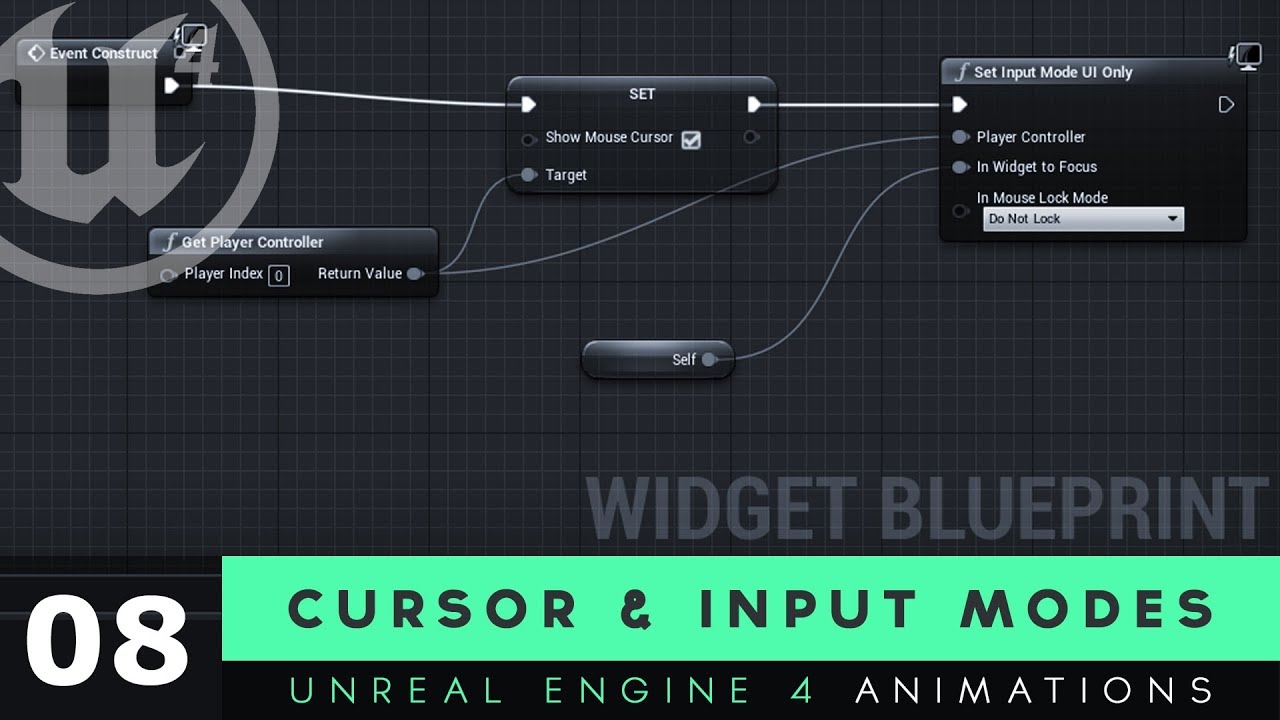
Here we take a look at how we can get our mouse cursor displayed on the screen as part of our user interface widget.
We also cover how we can use input modes to limit what the player can do with their mouse, so they can't interact with their game while they're trying to interact with their UI.
UI Resources: https://drive.google.com/file/d/1ORh...
Does this help at all?
fallow venture
solemn musk
Im making a game that relies on the mouse cursor but when I click on the window,...
need to set the inp--
that link above 
solemn musk
ill try that, thanks
raw karma
let us know dude
solemn musk
doesnt seem to work
 maiden wadi
solemn musk
Im making a game that relies on the mouse cursor but when I click on the window,...
maiden wadi
solemn musk
Im making a game that relies on the mouse cursor but when I click on the window,...
You have called SetInputMode somewhere with HideCursorDuringCapture set to true.
solemn musk
Oh I do!
tawdry surge
The base pawn class doesn't automatically apply "add movement input". It says you need to apply on tick yourself. Doesn't seem to be an apply node tho.
Does anyone know if they mean that the "add movement input" node flat doesn't work for base pawns, and I need to make my own movement function from scratch?
 timid thunder
would anyone know how to make a character stop mid air and stop falling?
timid thunder
oh
maiden wadi
tawdry surge
The base pawn class doesn't automatically apply "add movement input". It says yo...
I can look in a few. But I'm 95% sure that this can't be done in BP. Basically AddMovementInput should try to run on the pawn's MovementComponent if I'm not mistaken, and failing that it has one it adds the desired movement to a directional vector that isn't BP exposed.
blissful grail
tawdry surge
The base pawn class doesn't automatically apply "add movement input". It says yo...
AddMovementInput first checks if the pawn has a movement component. If it does, it uses the MovementComponent's AddInputVector to move. If it doesn't have a MovementComponent, it calls an internal movement input, which simply adds the the WorldAccel vector (so the vector you pass to AddMovementInput node) to the ControlInputVector
 plucky plank
Is there any good information out there on how one should I accomplish a procedural walk? I watched a video about procedural animation but every video from unreal kinda skims over how I should accomplish the blueprint behind the foot placement itself. Is there any resources besides the control rig tutorials I've gone through that could explain how I should accomplish this?
https://www.youtube.com/watch?v=y2WzNvJZk0E
This video skims over the foot placement logic and so do the others I've seen. I just don't know where to turn in terms of making this.

Until recently, creating character motion was the domain of expensive third party DCC apps. With the release of 4.26, Unreal Engine introduces further refinements to Control Rig: our suite of in editor rigging and animation tools. Whether you are authoring traditional style animation assets via keyframes or driving characters procedurally at run...
 candid geyser
Okay, so I kinda wanna do a sphere trace that occurs just above the players head. Any quick suggestions before I give this a shot and most likely butcher it?
tawdry surge
@blissful grail so for just a base pawn class you're saying I should use control input vector instead of add movement input?
candid geyser
Nevermind, I got it haha
undone surge
in widgets when u do remove from parent, what is the parent in that case
 worthy tendon
null i guess
dawn gazelle
undone surge
in widgets when u do remove from parent, what is the parent in that case
Whatever that widget was parented to. Eg. The widget could be a child of a vertical box, so its parent would be that vertical box.
 gentle urchin
Or if added to viewport its a child of some viewport canvas iirc
 molten roost
how do i make this editable if i even can?
 elfin wolf
molten roost
how do i make this editable if i even can?
elfin wolf
molten roost
how do i make this editable if i even can?
you cant, why do you need to?
molten roost
elfin wolf
you cant, why do you need to?
just wondering if i can pass thru like actor or something
tight schooner
molten roost
how do i make this editable if i even can?
you have to implement it on a BP class first, and then override the functions... The BPI itself can't have BP code in it
molten roost
tight schooner
you have to implement it on a BP class first, and then override the functions......
aight
tight schooner
if you want an interface that has code, it's possible to use BP components as sort-of interfaces
elfin wolf
you can click on the input node and itll give you options for more inputs on the right side
molten roost
oh i see
 sinful gust
Unreal likes to mess with me 🙂
Why a variable set to Repnotify doesn't replicate at all sv to client?
limber wing
Anyone know why my line trace is always pointing towards 0,0,0 in the map from my car?

 tight schooner
@limber wing The forward vector isn't a location... You have to add the World Location to it. Like... (Forward vector * 1000) + world location = end
 grave relic
Is there any way to get control over the camera while the sequence is playing " like turning the camera around character and etc. "?
tight schooner
plucky plank
https://www.youtube.com/watch?v=y2WzNvJZk0E
This video skims over the foot place...
That miiiiiight be a better #animation question? The video you linked to shows off the rig graph at 24:00
and while it is a node graph, it isn't blueprint per se
sinful gust
sinful gust
Why a variable set to Repnotify doesn't replicate at all sv to client?
Anyone? 🙃
It doesn't matter to set it as replicates either
plucky plank
I thought that the footsteps were done with blueprint and then the control rig was what animated the character
that's at least what I'd seen seanny
I may be incorrect about that
tight schooner
idk jack about control rig, but in his control rig asset graph, he has comment boxes for the foot traces
is this project available on the UE marketplace or somewhere?
 plucky plank
What time in the video is that, I'll have another look
tight schooner
24:40
sinful gust
Can an array of UObjects be replicated?
 zealous meteor
Guys what template is better to use to make side scroller movement but 3d too? Like in little nightmares where you can move near or far from the camera
The side scroller or the third person template?
grave relic
zealous meteor
Guys what template is better to use to make side scroller movement but 3d too? L...
third person template
 sacred elm
how would one add impulse to another actor of a specific tag?
zealous meteor
grave relic
third person template
thx
candid geyser
Alright, I have everything working. But, I do need to know, is there a way I can make a trace pick the highest point it hit, instead of the first point?
Oh wait multi trace
undone surge
is there a way to customize ingame cursor ? for navigating widgets?
sacred elm
maybe using a sprite that follows the location of your mouse
sacred elm
sacred elm
how would one add impulse to another actor of a specific tag?
Would it be like a cast to actors of a certain class
 hexed jungle
Sorry to have to ask in here but I am not getting any answer in Cinematics. I have several light blueprints that I wish to control using the sequencer. I have the variables for light intensity set to expose in cinematics however when I set keyframes, there is no change to the light at all. I have got this to work before but can't remember what I did. Is there any other settings inside the blueprint I need to check?
grave relic
grave relic
Is there any way to get control over the camera while the sequence is playing " ...
anyone pleaseeee save my life about this 😄
 high ocean
Fkin widgets again, and this time, some noob shit: references....
I have a child widget I want to use in two different widgets. I'll have to call functions on the parent widgets from within the child ones. Since the functions/events i'll be calling are 90% the same ones, I need to somehow have the child widget call functions on the appropriate parent.
If I expose the parent on spawn as user widget, I need to cast to have access to its functions, so that won't do.
Question is: how do I do it? Intefraces?
I just want to avoid having duplicate child widgets just because parents are slightly different.
 wraith cave
I am working on an endless game and i have a player which i move not by physics but by changing it's world location and i can't make the player stop going past those collisions
 crude isle
wraith cave
I am working on an endless game and i have a player which i move not by physics ...
crude isle
wraith cave
I am working on an endless game and i have a player which i move not by physics ...
obviously because your changing the world location
if you set the world location to inside a collider, then it will go inside the collider
no idea why you're doing it that way tho
faint pasture
wraith cave
I am working on an endless game and i have a player which i move not by physics ...
That's fine since you're using sweep but you're framerate dependent
 hybrid ether
I need some help. This is map (its sphere)
 faint pasture
You need to multiply the input x speed x delta seconds
hybrid ether
this is plane and arrow pointer rotation how I want it to rotate
and this is what i did ( not work)

locations are real locations for example (new york)
faint pasture
hybrid ether
and this is what i did ( not work)
Yeah because look at rotation returns a WORLD rotation, not a relative one
hybrid ether
how could I do that then?
faint pasture
Set world rotation or whatever
hybrid ether
then it doesnt rotate only z axis because map is sphere
faint pasture
Find Look At Rotation is also going to point straight at the location, not respecting the curvature of the of the earth. It'll point straight through the earth
Yeah, stuff on a sphere is hard.
hybrid ether
yeah math is hard to me 😄
 spark steppe
anyone aware of a function that converts bytecount to a human readable string?
e.g. (int) 1024 => "1 kb"
 manic knot
Is it possible to Set View Target with a specific Camera?? Doing this simply sets the view inside the killer character lol. I'm trying to create a "Kill Cam" that would view the Killer from a camera I have setup on the Character

 twilit lion
Hi. I'm trying to limit the mouse cursor in a specific area on the screen. I tried to set mouse position if the x and y values is greater or lesser than the area, but that has some latency, even when I set it with the Mouse XY 2D-Axis node, which results in that whenever the cursor exceeds the limits, it'll manage to move out a bit more before it's set back to where it's "allowed"..
I also tried Lock Mouse, which makes the cursor stay in the viewport, which is the behaviour I like it to have, but within a custom area instead.
Has anyone in here any experience with this?
My goal is that I'd like the cursor to stop a bit before the edge of the viewport edges, so there's some room left.
Like they've done in Star Citizen, if you're familiar with that game.
Thank you in advance. 🙂
manic knot
manic knot
Is it possible to Set View Target with a specific Camera?? Doing this simply set...
Ive also just tried to Activate the desired camera before and after the blend
manic knot
twilit lion
Hi. I'm trying to limit the mouse cursor in a specific area on the screen. I tri...
I believe you would need to do it a bit more manually via a timer or tick: 1 detect if mouse is out of bounds 2 set correct mouse location on screen
 minor wolf
twilit lion
Hi. I'm trying to limit the mouse cursor in a specific area on the screen. I tri...
minor wolf
twilit lion
Hi. I'm trying to limit the mouse cursor in a specific area on the screen. I tri...
just an FYI, any game (or other program) that takes direct control of the mouse is horrible from the UX point of view. what happens if i tab out of the game and its still ticking away setting my mouse position? its going to lock my mouse to a specific point/region and make me not able to use the rest of my computer without closing the game
you might be better off creating some sort of fake mouse cursor for the game and using that instead so that the real mouse can do whatever the user wants
spark steppe
manic knot
Is it possible to Set View Target with a specific Camera?? Doing this simply set...
theres a checkbox which allows you to auto search for attached camera when becoming view target in the character class, have you tried that?
minor wolf
spark steppe
theres a checkbox which allows you to auto search for attached camera when becom...
thats this right? https://docs.unrealengine.com/4.27/en-US/API/Runtime/Engine/GameFramework/APlayerController/bAutoManageActiveCameraTarget/
True to allow this player controller to manage the camera target for you, typically by using the possessed pawn as the camera target.
spark steppe
no
search that in your npc character

then you should be able to just set the killer as view target on your player controller
and it should use it's cam
manic knot
I have it checked already weird
 spark steppe
is there more than one camera attached to the actor?
manic knot
Here is the way I am trying it. Currently the AI only has this one Camera.


(I was trying to see if activating before or after made a difference)
spark steppe
but you shouldn't connect both for the test, the reset might mess things up?!
manic knot
spark steppe
but you shouldn't connect both for the test, the reset might mess things up?!
Ok on trying one node only and disabling Reset does not seem to change anything
spark steppe
does it work if you get the camera component from the NPC and use that as view target?
 steady elk
is there anyway to access error in bp?
i keep getting this:
Assertion failed: UploadInfo.InstanceCustomDataCount * InstanceCount == UploadInfo.InstanceCustomData.Num() [File:D:\build\++UE5\Sync\Engine\Source\Runtime\Renderer\Private\GPUScene.cpp] [Line: 343]
which i can't seem where it is coming from because idk what line 343 is supposed to be
seems to be related to an array/set/collection somewhere but not much info on where exactly....
 zealous moth
Does this exist in BP? https://docs.unrealengine.com/4.27/en-US/API/Runtime/Core/Math/FVector/PointPlaneDist/
Calculate the signed distance (in the direction of the normal) between a point and a plane.
steady elk
I have narrowed it down to the "Num Custom Data Floats" in my instanced static mesh component. I'm using 3 floats in my material. When I set the num custom data floats to 3, it crashes... any ideas?

 wraith cave
crude isle
no idea why you're doing it that way tho
wraith cave
crude isle
no idea why you're doing it that way tho
cause that's way easier to do that than making a whole physic system
and i also found the solution
everytime i touch the trigger i get pushed by -10

 outer sandal
Any better way to bind a health bar to the health without casting?
 odd kiln
Hi all
In my BP Viewport I don't have the render of my camera
(I'm on UE5)
Do you know how can I display it please ?
outer sandal
Window->Viewport
odd kiln
Thank you!
tawdry surge
Make a function or custom event in the widget for updating the health and call it when the health changes
You should already have a reference to the widget from when you made it
 cobalt gulch
How do I ignore an actor while moving on a weapon which is held in the players hand?
I need this because the grenade collides with the weapon when thrown
zealous moth
@outer sandal bpi messages
@cobalt gulch collision presets. Set them to ignore each other
cobalt gulch
I have but something is wrong
It still moves my player back
When throwing a grenade
nvm fixed it
zealous moth
@cobalt gulch I knew you could do it! Believe!
 unique turret
Okay, so event tick. I am working on a physics based door. I want physics to stop simulating when the door hits the closed position (like a door latch). The only way I can think to do this is to keep checking the rotation with an event tick. If I use a gate, and close the gate once the door closes, will the event tick basically stop using memory?
faint pasture
zealous moth
Does this exist in BP? https://docs.unrealengine.com/4.27/en-US/API/Runtime/Core...
If not you can just use inverse transform location using the plane coordinates and break out the Z
faint pasture
unique turret
Okay, so event tick. I am working on a physics based door. I want physics to sto...
Memory ain't the problem, it's CPU time, but that's nothing anyway. You can turn tick on and off at will too.
unique turret
faint pasture
Memory ain't the problem, it's CPU time, but that's nothing anyway. You can turn...
Thanks for the reply! Glad to know I can turn tick on and off. I'm an artist working on some marketplace content - don't want to sell things that aren't optimized. Is temporarily using a tick to check position acceptable practice?
faint pasture
unique turret
Thanks for the reply! Glad to know I can turn tick on and off. I'm an artist wor...
Something's gotta do the checking. Nobody who's that nuts about perf is gonna use your BP ticking system anyway, I wouldn't worry about it.
You could also try event hit to detect the door closing.
unique turret
faint pasture
Something's gotta do the checking. Nobody who's that nuts about perf is gonna us...
Haha, that does sound like a better idea! Thanks again!
cobalt gulch
Is there a way to destroy all actors with a tag/collision type
faint pasture
cobalt gulch
Is there a way to destroy all actors with a tag/collision type
Can you get all actors with tag?
cobalt gulch
faint pasture
Can you get all actors with tag?
Yes sir
faint pasture
cobalt gulch
Yes sir
K then you're halfway there. Just loop and destroy them
 teal nexus
folks, any idea why static point lights that are inside a BP actor don't work (after baking lighting, BP actor with lights has no lighting from those light - only from the lights placed on the level) ?
 lost heart
are there any "good" examples of best practices for setting up easy to use patterns with delegates in blueprint? I'm trying to set up a callback pattern on a bunch of async functionality (it does some I/O and calls the function after the result is ready), but I'm torn between using DECLARE_DYNAMIC_DELGATE to simply give the function a callback pin, DECLARE_DYNAMIC_MULTICAST_DELEGATE to make bindable callbacks on the object itself and writing a custom blueprint node (extending UBlueprintAsyncActionBase) with execution pins for when a response is ready (which I feel like might be the best, but feels like it will be both verbose and potentially brittle).
odd kiln
Can someone help me ? I'm trying to make a "Minimap" with a texture instead of SceneCapture2D
I tried a function but the problem is that my minimap points at the wrong place
I'm making it with "Parameter collection" (X,Y) and set it to the UV of the texture (picture of my landscape from above) and doing some calculations with "TexCoord"
 wet shore
does anyone know a possible way to reference a character object from a level into a widget blueprint?
 faint badge
lost heart
are there any "good" examples of best practices for setting up easy to use patte...
faint badge
lost heart
are there any "good" examples of best practices for setting up easy to use patte...
Depending on what you're doing you could use FPendingLatentAction which may be simpler for you, it gives you an execution pin on your function that'll be called whenever you action has finished. This is what nodes like Delay and StreamLevel work. They're pretty straightforward to implement and feel pretty nice to use in blueprints. Check out UKismetSystemLibrary::Delay and FDelayAction
 forest timber
You cant pay me enough money to like UE. Second time on the same project where gamemodes and gamestates stopped working outright. Joining sessions also stopped working. It's insane and I have no idea why it keeps happening
Loading backups only goes so far
maiden wadi
wet shore
does anyone know a possible way to reference a character object from a level int...
You either need the character to register itself somewhere global or use a GetActorOfClass or Tag or something similar.
lost heart
MrHibbits, thanks I'll take a look at that as well.
Rephrasing my question, how would people "like" to interact with an asynchronous library from blueprint?
 grim meadow
Hi, i have an issue where a line trace is being blocked on a child actor when its not supposed to. I think its catching on a collider on the child actor even when i set that collider as no collision for testing. Any idea why this might be happening?
maiden wadi
grim meadow
Hi, i have an issue where a line trace is being blocked on a child actor when it...
What part are you setting to have no collision?
wet shore
maiden wadi
You either need the character to register itself somewhere global or use a GetAc...
how would i make it register itself somewhere global?
grim meadow
In general i have two casual colliders on a child actor, they are supposed to be set to overlap all in the collision settings. But in game a line trace is hit/stopping on that collider it seems even when i set it to no collision for testing.
trim matrix
whenever I do the client/network play I cannot take control over any pawn on any of the windows. What could be the reason?
maiden wadi
wet shore
how would i make it register itself somewhere global?
Generally this is call creating framework. Start with something basic. Make a Character Object type pointer in your GameState. In the Character's Beginplay GetGameState, Set Self to this pointer. Then your Widget can get that pointer via GetGameState then Get MyCharacterPointer.
maiden wadi
grim meadow
In general i have two casual colliders on a child actor, they are supposed to be...
Not sure then. Something has to be set to blocking on the channel that the trace is running on or it wouldn't hit.
grim meadow
hmm, i will do more digging. I will check the actor thats casting that line trace.
could it be a mesh blocking? or is there a setting for the actor that changes its child actors collision?
maiden wadi
Not sure about ChildActors. At least I'm assuming you mean ChildActorComponent's Actors when you say that. I generally avoid using that component. Not sure if there's a call in the component for it. An Actor itself should be able to disable all collision on it's components.
grim meadow
it is a ChildActorComponent. As for the line trace itself i dont see anything that could be changed to effect anything. just a simple line trace by channel.
maiden wadi
Could maybe try something like this for testing. Running this loop before the trace. Not sure what you're doing at the moment. If this doesn't work, I don't know.

If it does work. Something isn't being set right on the child component's actor's components.
Might also print whatever component is being hit along with it's owning actor. Might lead you to the cause.
Alternatively. I'm semi sure you could pass this array into the trace parameters for actors to avoid hitting.
grim meadow
Ok so i tried that set all child actors collision off just now. It did not work.
I also already tired printing what the component line trace hits and its not returning anything, odd.
maiden wadi
If it's not hitting anything, how are you testing that something has stopped it?
grim meadow
I have a ribbon particle effect that covers the span of the line trace, and plays another effect on hit.
maiden wadi
What about the debug draw for the trace?
grim meadow
i can try that.
ohh I am just being dumb. It was working fine, I just didn't have the line trace cast far enough. I thought it was colliding but it was just an optical illusion with the angle in the scene. Ok, anyways there was another actual problem with its collision having to do with projectiles, but I fixed that first (that's what initially prompted my exploration). @maiden wadi Thanks for the patience and help. 😀
maiden wadi
Happens. 😄 More so after 24 hours awake and refusal to stop fixing stuff.
 mystic vigil
Anyone Knows why my spawned slime is not moving?
however if i drag the slime to screen it works fine


 sudden nimbus
mystic vigil
Anyone Knows why my spawned slime is not moving?
however if i drag the slime to ...
sudden nimbus
mystic vigil
Anyone Knows why my spawned slime is not moving?
however if i drag the slime to ...
the slimes have Can Ever Affect Navigation set to true, which means they are blocking navmesh generation underneath them. Thus the navigation system cannot find pathing for them
when you move them during simulation, i assume you do not have dynamic navmesh generation enabled, so they suddenly can move since the navmesh does not update while simulating
you shouldnt see a hole under them if you want them to be able to move from that spot
 mystic vigil
but it allready set to false
how do i fix this?
 sudden nimbus
hmmm interesting
also testing over here, i guess it cant just be Can Ever Affect Navigation, as that will introduce an obstacle, not a hole in the mesh:
 mystic vigil
also to clear things up the slimes that i put directly to the level walks perfectly fine
but the ones that spawned on runtime doesnt
sudden nimbus
Oh yeah I guess I misunderstood --- still the navmesh shouldn't be broken on those editor-placed ones
mystic vigil
so do you have a solution or...
odd kiln
Does anyone have a tutorial for making Minimap (like radar) without SceneCapture2D but with texture (picture of the map, like most games)
?
or some links to help me please
 fiery swallow
what's inside of the collapsed node?
sudden nimbus
mystic vigil
so do you have a solution or...
none that i can think of atm
mystic vigil
oh it allready worked
i add the SpawnDefaultController function
mystic vigil
sudden nimbus
none that i can think of atm
but thanks
 winged nova
Does anyone know a alternative to the character movement component? I have a crowd AI system I’m working on and the character movement component is eating my world tick time when I have 100s of AI running
 bronze hill
if get object reference by interface, it's automatically keep updated based on their memory address later on? or i need to re-interface when i need it?
i think it will be keep refreshed, so if i saved it as variable. i don't need to re-interface. and can use it anytime. is it right?
i need to track mouse cursor linetrace and logic is in playercontroller, so i need to bring result reference through interface, it may keep change their values so i worried.
i learn by videos but not sure it's right way
 burnt citrus
hi I have a question
is there way to get owner's looking location?
I want to make a gun what doesn't depend on owner's camera
bronze hill
you mean actor's eye or something?
in that case i saw similar video provided by epic
undone surge
how do u set the outline color of a button in a widget ?
icy dragon
undone surge
how do u set the outline color of a button in a widget ?
Depends on how you set up the outline.
undone surge
icy dragon
Depends on how you set up the outline.
where is the option tho i cant find it
 twilit lion
manic knot
I believe you would need to do it a bit more manually via a timer or tick: 1 det...
twilit lion
manic knot
I believe you would need to do it a bit more manually via a timer or tick: 1 det...
Using tick or a timer for it is a bad idea, since there'll be even more latency. Thanks for the tip though 🙂
twilit lion
minor wolf
just an FYI, any game (or other program) that takes direct control of the mouse ...
It won't if done by the mouse event, and not by tick or timer. Cause if minimised, then it won't pick up any values from the mouse.
However, I did something a bit similar to what you're suggesting as well. I made a widget with a cursor texture, and then set it's position according to the mouse position but with a linear formula to scale down the area. There's still a bit of latency but I guess it'll work for now.
Thank you for your time 🙂
 vocal elm
I'm basically looking to add child blueprints after a game has already been packaged. Should I be looking at UGC or Game Features? I have a grid menu with tiles, each child blueprint registers a tile, I want to be able to add and remove these tiles as DLC packs. Not sure if Game Features can have any pre existing dependencies? That would probably defeat the self-contained purpose
 fallen glade
Is there any way to have this return a minimum location distance? A is how it is, B is what I need

 elfin wolf
fallen glade
Is there any way to have this return a minimum location distance? A is how it i...
elfin wolf
fallen glade
Is there any way to have this return a minimum location distance? A is how it i...
nah, guess youre gonna have to manually check if the point is close to the centre and redo the getrandom again if it was
 fallen glade
elfin wolf
nah, guess youre gonna have to manually check if the point is close to the centr...
fallen glade
elfin wolf
nah, guess youre gonna have to manually check if the point is close to the centr...
seems like not the best for performance but then again i'm using BPs so I can't complain, thanks!
 cursive grove
I'm having an issue with a BP Component. I have it attached to a static mesh (turned it into actor blueprint) but the cast to- functions return NULL


Any ideas how to get the static mesh from the owner and set it into a property/variable?
 sacred leaf
HELLLP
i can’t find “LOOP” In blueprint
elfin wolf
sacred leaf
HELLLP
i can’t find “LOOP” In blueprint
theres no such thing as loop?
sacred leaf
elfin wolf
theres no such thing as loop?
I can’t find fhe loop in blueprint
It’s just “each loop” and for loop
Unlike others
They can find the “loop” in blueprint search
elfin wolf
sacred leaf
They can find the “loop” in blueprint search
do you have a picture of the "loop" node?
sacred leaf
elfin wolf
do you have a picture of the "loop" node?

I just stole the pic on social media
Youtube tutorial
elfin wolf
thats not loop thats lerp

 gentle urchin
cursive grove
Any ideas how to get the static mesh from the owner and set it into a property/v...
gentle urchin
cursive grove
Any ideas how to get the static mesh from the owner and set it into a property/v...
Casting it to wall test doesnt work? You can print the display name of the owner to verify what it is without guessing
 shrewd oar
Question when I tick simulate physics on the AI capsule, after spawn they are freezing in the air. what can I do to make them walk and do the animation?(Im trying to make their ragdoll to get the impulse node )
tight schooner
bronze hill
if get object reference by interface, it's automatically keep updated based on t...
If it's an object reference, then it's a pointer to a spawned thing in the world. If you're talking about a tangible piece of data like a float or int or whatever, you can pass those "by reference" so that the code on the other end can "set by ref"; the UI differentiates data that was passed by reference with a diamond-shaped pin (rather than the usual circular one)
I'm not exactly clear on what you're asking though
If you have a reference to the player controller and you save it, the reference will keep working until the player controller is destroyed
Should be true for anything spawned into the world. If you call destroy, or load a new level, the references will be invalidated
trim matrix
is there a "and" node?
tight schooner
for booleans? Yeah
trim matrix
like i wanna code a explosive barrel
and i wanna make a code that a sfx plays when it goes kaboom
tight schooner
You can chain a bunch of nodes together in series and unless they are "latent nodes" (denoted by a clock icon), it'll all happen in the same frame
So if you spawn particle effects with one node and plug that into a node that plays a sound, it'll happen in-game simultaneously
Spawning stuff like vfx & sfx into the world doesn't take in-game time
 flint mulch
and i dont know how to fix it
ummm someone can help me, Player 2 cant use button to shoot bullet like Player 1
and when i change defult pawn class in gamemode "player 1"to "player2VER2",player 2 can shoot but player 1 cant
 cyan heart
Hi, how can I delete used instances of the static mesh in the blueprint viewport?
 jagged stone
Is it possible to get a result from a custom event? So you call a custom event and then do something when it returns (such as success/failed etc...)
bronze hill
tight schooner
I'm not exactly clear on what you're asking though
thank you for reply, PlayerController tracing actors and stored actors(targeted Actor) and i want that hit results (PlayerController's Actor Reference variables)

i tried through interface but it return nothing i can't print out actor's name
so i think that i understand wrong way
sudden nimbus
looking at your original question: no if the memory address changes on a pointer, the variable does not get updated for you to reflect that
but the only time that will happen is when you destroy the actor and recreate it
unreal's GC is not compacting as far as I know
bronze hill
What I received through the interface is Pointer's Pointer?
sudden nimbus
once you cast a UObject to an interface, the pointer to that interface object should remain valid for the life time of the UObject
bronze hill
i understand that point
sudden nimbus
that's because UObject memory locations do not change
if you destroy the actor though, that pointer will be stale. If that's a concern, be sure to use an Is Valid check to be sure it's not destroyed or pending destroy
this is true in both blueprint and c++ in unreal
bronze hill
Thank you for your kind explanation. This is what I thought.
If the Traced Actor of the Controller is refreshed, I expected that the Interface Traced Actor that points to it will also be refreshed.

My Player Controller Always Trace Something and store it's result as variables so i think it that i referencing Player Controller's Stored Variable and automatically get new value along PlayerController set Stored Variables
i will try other way thank you
 lethal pollen
Hi!
Can I use AddActorLocalRotation on Blueprint using a Quaternion? I'm newbie, and I don't know if I need it. I'm looking for if this code FQuat QuatRotation = FRotator(PitchValue, YawValue, RollValue).Quaternion(); AddActorLocalRotation(QuatRotation, false, 0, ETeleportType::None); exists on Blueprint.
Thanks
Thanks. So, how can I rotate an actor using quaternions on blueprints?
 fluid vale
Hi, how could I make objects to follow a path that is changing? I would like to make a snake game and make the body follow the path, but dunno how to make the body follows it
sudden nimbus
lethal pollen
Thanks. So, how can I rotate an actor using quaternions on blueprints?
pretty sure the point was that you don't need it, just use the rotators unless you have a good reason to use quaternions
lethal pollen
Thanks. That's what I wanted to know. I need a plugin to use quaternions.
 near fjord
im super noob, interface bp confusing me, i have added a variable to an actor, that gives an integer (ID) i created an interface that gets that ID returns it when line trace hits, can i make this value availbe in a differnt blueprint?
lethal pollen
Thanks a lot!
tawdry surge
Implement the interface on another BP class, right click your interface in the variables section of the BP editor, click Implement event
near fjord
tawdry surge
Implement the interface on another BP class, right click your interface in the v...
doest work
tawdry surge
You'll have share screen shots
near fjord
this prints the right value, but in another blueprint it never receives anything
 tawdry surge
You don't cast interfaces. Interfaces replace casting @last ice
 last ice
tawdry surge
You don't cast interfaces. Interfaces replace casting <@313771946787602442>
last ice
tawdry surge
You don't cast interfaces. Interfaces replace casting <@313771946787602442>
how i handle them in blueprints?
tawdry surge
@near fjord so in the hit actor BP you implemented the interface?
last ice
if i go through a loop of actors and want to check if they implement a specific interface... how can i do this?
tawdry surge
"Has interface" iirc
But you don't need to worry about it.
Make the interface call and if the target has it great, if not great
near fjord
tawdry surge
<@309741142377889794> so in the hit actor BP you implemented the interface?
in first person cotnroll, i do line trace, check if valid, that works and sends the actor to interface "get id" this retunrs the correct value in controller bp
tawdry surge
Cool.
So you implemented the interface on the hit actor's BP class?
near fjord
i have master bp that has a static mesh (cube), i added bp interface here, and get the variable of ID, which sends back to controller bp with the correct id from each instance
tawdry surge
Ok.
So you're sending the interface call, it's received, and returns the ID
Sounds like it works
You said in another blueprint nothing happens. What is supposed to happen and what does that BP look like
near fjord
yes i want to use taht number in another bp
so i have another actor, "mesh container", in here i want to use the id number to change an array
tawdry surge
Ok. So you need a reference to it in order to pass it a variable. Is the mesh container placed or spawned?
trim matrix
@desert juniper it’s me Beast but I lost my old account, add me here
near fjord
mesh container is an actor, placed in scene, inside is an array of meshes and i want to use the id to pick the number from the array
tawdry surge
So you can either get all actors of class, make an instance editable variable and assign the mesh container reference directly, or make an event dispatcher and have your mesh container listen for it
near fjord
ok, what way is better?
tawdry surge
Dispatcher probably. That way you don't need to explicitly assign it to characters and if you have multiple containers it'll be easier to mass communicate
 sturdy verge
Is there a way to access the Float Curve directly from an Anim Sequence, so before its plugged into an AnimBP
icy dragon
sturdy verge
Is there a way to access the Float Curve directly from an Anim Sequence, so befo...
What's the context? This is an XY problem.
sturdy verge
XY problem?
I want to access the Anim Sequence the added Curve "Distance" at Frame 0
 crimson depot
Don't have an example right now because I'm not at home but what's a good way to handle the jump from 179 to -179 when you're trying to code some behavior based on rotation. Like the actor is turning toward 179 at like 5 degrees a second and then the direction suddenly changes because you pass 179 and jump to -179 and the difference is suddenly 360 degrees but really it's just a few degrees.
sturdy verge
crimson depot
Don't have an example right now because I'm not at home but what's a good way to...
Its the "gimbal lock" problem. Use Rotators instead of Vectors to compare (UE4 handles it internally)
near fjord
tawdry surge
Dispatcher probably. That way you don't need to explicitly assign it to characte...
it works! thanks for your help! super cool!
sudden nimbus
sturdy verge
Its the "gimbal lock" problem. Use Rotators instead of Vectors to compare (UE4 h...
ultimately gimbal lock is going to remain a problem in many cases unless you use quaternions which was exactly what the "only if you need it" part of elric's earlier question was
but if you are somehow using vectors to represent rotation instead of rotators, then yeah using rotators might just handle your use case 🙂
 keen pelican
Hi there! I try to create anim blueprint for FPS. I have a problem starting the game. When I start the game, the character is cast (1 screenshot) and it is used when updating the animation (2 screenshot), but I get such errors (3 screenshot). Apparently this is due to the fact that the animation starts to be updated even before BeginPlay. Can I somehow check the validity of the variable inside the state or before updating the animation? (Or maybe I'm doing something wrong)


 cursive grove
I've stumbled on a wall here.
In my level, I have Static Mesh actors with a BP_Component attached. My char can 'hit' those meshes. My char sets those meshes as Hidden, and my Meshes get a toggle function "hide mesh"
My problem is that My char's function can draw the static mesh, but it cannot send it to the toggle "hide mesh" function to set it as hidden

 last ice
The asset '/Game/MonsterTag/UI/General/WBP_ControlPanel' (WBP_ControlPanel.uasset) failed to save.
Cancel: Stop saving all assets and return to the editor.
Retry: Attempt to save the asset again.
Continue: Skip saving this asset only.
any ideas? i am out of ideas... would like to throw unreal against the wall
 versed sun
do you have 2 copies of your project running ?
last ice
nope
did some reorganizing today
but this is the only file i have problems with now it seems
 proven chasm
Hi All! I just had a question about widgets. I have two characters that can battle each other, and When the battle starts, I want the widget to get the characters attacks and do the calculation. Is this the proper way to do something like this? Do I just cast to that widget and make a battle event that inputs both moves?
proven chasm
cursive grove
I've stumbled on a wall here.
In my level, I have Static Mesh actors with a BP_C...
Can you have a hide event on the wall class and when the char hits it, it just sends the event to that instance? Maybe im not understanding the question but maybe using events will help you?
dawn gazelle
keen pelican
Your issue is mostly in this screen. You don't want to directly reference the character in the animgraph. Instead, on your update animation path, you should access the enum from the player and grab the value and store it in your anim BP much like you're doing already with speed.
keen pelican
proven chasm
Hi All! I just had a question about widgets. I have two characters that can batt...
Usually, inside the widgets, no calculations are made directly related to the gameplay, they only transmit information necessary for the player (for example, his health).
keen pelican
dawn gazelle
Your issue is mostly in this screen. You don't want to directly reference the c...
But I need the animations to happen depending on the change in my variables stored inside the character or its components. What's the best way to do it?
 true folio
Hey guys I was working with splines and I want to make a character randomly choose between 2 splines and take one of the paths do you guys know how this can be done?
 little orchid
fiery swallow
what's inside of the collapsed node?
little orchid
fiery swallow
what's inside of the collapsed node?
where you see it says "error" the two comment boxes were in the colapsed node..

 cunning silo
I am getting RTX 3080 for $850
And RX 6800 XT for $800
Which one to buy ?
little orchid
rtx 3080
dawn gazelle
As I just said. Your "Update Animation" path is reading your character value. Create an enum variable of that same type that you're trying to access on the character in your animation blueprint and set it on the update animation path. Then update your animgraph to reference that newly created variable instead.


 hard sigil
if i wanted to make an endless spaceship shooter
would i use a character or pawn bp base?
little orchid
pawn
keen pelican
dawn gazelle
As I just said. Your "Update Animation" path is reading your character value. ...
Hmm, not sure if this will solve my problem, but I'll try. Thank you)
elfin wolf
cunning silo
***I am getting RTX 3080 for $850
And RX 6800 XT for $800
__Which one to buy__ ...
100% 3080
icy dragon
cunning silo
***I am getting RTX 3080 for $850
And RX 6800 XT for $800
__Which one to buy__ ...
unique turret
Can someone explain relative rotation to me - and why it never seems to work they way my brain expects? Tried to link it out above. Basically, door is parented to a scene component "hinge". The parent (hinge) doesn't move, but when I run relative rotation in an event, the door seems to reset to a world rotation (despite using set relative rotation)
 dawn gazelle
unique turret
Can someone explain relative rotation to me - and why it never seems to work the...
dawn gazelle
unique turret
Can someone explain relative rotation to me - and why it never seems to work the...
Relative rotation is in regards to the parented object. Usually when rotating a door, I'd rotate the whole actor in world rotation, meanwhile, having the actual mesh of the door offset where it needs to be so that the hinge is in the right spot.
Your issue of the entire door spinning in place is because your mesh origin isn't in one of the corners of the mesh, it's probably at 0,0,0.
Looking a bit more at your set up (it's a bit small of an image and missing some of your blueprint details), I think your hinge should be the thing rotating, not necessarily each of the components that are parented to the hinge (your collision, mesh and door latch)
 naive stag
I’m trying to start working on a procedurally generated map, where should the blueprint be located at for that?
unique turret
dawn gazelle
Your issue of the entire door spinning in place is because your mesh origin isn'...
You're right, the way I have it set up will be rotation from the center. But I am still confused as to why it seems to be setting the door to a world rotation...both door above have been "closed" (ie relative rotation set to 000), but the rotation doesn't seem relative, but in world space
 dawn gazelle
naive stag
I’m trying to start working on a procedurally generated map, where should the bl...
dawn gazelle
naive stag
I’m trying to start working on a procedurally generated map, where should the bl...
Either an actor or an actor component.
With an actor you'd need to place it within the world space, but then that also gives you the option of defining where the map starts spawning from, using its own location as the basis.
With an actor component you can attach it to your game mode or game state, and then let it do whatever you want from there.
naive stag
dawn gazelle
Either an actor or an actor component.
With an actor you'd need to place it with...
Will I be able to see actor component in the explorer tab?
cobalt gulch
Whats the best way to store which character is selected?
I tried strings but its not the best
icy dragon
cobalt gulch
Whats the best way to store which character is selected?
[context needed]
cobalt gulch
icy dragon
[context needed]
Each character has different abilities
Idk not really much more context tbh
sleek kite
Hey, any idea on how to use tree view? Been working with list and tile view, just trying to figure out how to add children/dropdown options to the tree
dawn gazelle
naive stag
Will I be able to see actor component in the explorer tab?
Explorer tab? Not sure what you mean.
icy dragon
cobalt gulch
Idk not really much more context tbh
Is it mid-gameplay switching (ala GTA 5, Dragon Age Inquisiton, FF7R) or character selection before gameplay?
If it's the latter, I think soft object pointer will do
sleek kite
cobalt gulch
Whats the best way to store which character is selected?
probably in game instance? If you have your chars in data table you could either store active char by name or by index
limber wing
How do I get only the instigator of a line trace hit? Right now, the "set drag coefficient" node is casted to all Sports Car Pawns in the session in this blueprint. The "Get Instigator" node didn't work
 sleek kite
unless you mean literal character, as in bp ref
limber wing
Sorry for the duplicate post
naive stag
dawn gazelle
Explorer tab? Not sure what you mean.
In map view, by default on the right. Usually along details tab
dawn gazelle
naive stag
In map view, by default on the right. Usually along details tab
Then no, it wouldn't.
naive stag
dawn gazelle
Then no, it wouldn't.
I just want to make variables public in order for me to be able to play around with them
dawn gazelle
limber wing
How do I get only the instigator of a line trace hit? Right now, the "set drag c...
Based on the code you're showing, saying "the set drag coefficient node is casted to all sports car pawns in the session" doesn't make any sense. Your code right now is getting a single hit result, so that would be a single actor which you're then casting to and setting the drag coefficient on.
dawn gazelle
naive stag
I just want to make variables public in order for me to be able to play around w...
So yea, use an actor then.
 hexed barn
Hi, I have a question, is there a way to make a basic AI moving from point A to point B, but the point A and point B are something on the blueprint so each time I place an AI it's easier to adjust the movement
limber wing
dawn gazelle
Based on the code you're showing, saying "the set drag coefficient node is caste...
It's weird because the print string is showing the drag coefficient set for all clients when I simulate it with 3 clients in netmode
 hoary hare
hello, i called Enable Input in the BeginPlay event of my HUD blueprint. The next step was to add a key event (like press Enter key), but I can't find it
dawn gazelle
hexed barn
Hi, I have a question, is there a way to make a basic AI moving from point A to ...
Here's one way:
Create a "waypoint" actor that you then use as the "point" to move to. These can be placed in the level wherever you like.
In your AI's actor, you can then have an exposed "waypoint" variable array. This will define which waypoints the actor should be moving between.
Code your AI so it loops through each available waypoint in the array and moves to them sequentially. Maybe use an exposed boolean to determine if it should go backwards through the waypoints, or when it reaches the last it goes to the first waypoint again.
When you place your AI in the level, you can then define what waypoints you want it to navigate between by adding the waypoints to the exposed variable set up on it.
dawn gazelle
limber wing
It's weird because the print string is showing the drag coefficient set for all ...
That's probably because each of them are calling this segment of code. It's not that single line trace doing it on all of them.
hexed barn
dawn gazelle
Here's one way:
Create a "waypoint" actor that you then use as the "point" to mo...
Thanks, I am not gonna lie I am a beginner so I am gonna try to make that so I can learn these kind of stuff and I am sure it will be useful, for now I was using a character and the node AI move to
dawn gazelle
hoary hare
hello, i called Enable Input in the BeginPlay event of my HUD blueprint. The nex...
If you're working within a blueprint that is a child of HUD, the input events don't appear to be available, but it looks like you can copy and paste them from other blueprints where they are available - not sure if it'll actually work, but worth a try.
hexed barn
@dawn gazelle I found a tutorial, didn't know about waypoint it make my whole thing a lot more easier thanks a lot
hoary hare
dawn gazelle
If you're working within a blueprint that is a child of HUD, the input events do...
yes it works thanks, it's a big wtf though
limber wing
dawn gazelle
That's probably because each of them are calling this segment of code. It's not...
I am a noob, so thank you for that explanation. Another noob question, would storing this code in the My Player Controller work better?
dawn gazelle
limber wing
I am a noob, so thank you for that explanation. Another noob question, would sto...
Generally speaking, the player controller should only contain code that isn't specific to what your controller is possessing but is still specific to that player - eg. you would probably want any kind of menu controls in your player controller, but you wouldn't want your player controller having all the controls for whatever pawn they may be possessing as that may vary from pawn to pawn. Player Controller in multiplayer is also typically where you'd route UI RPCs through.
naive stag
In actor components, what do I add so that I will have a 2d picture that can be hidden or shown
odd kiln
Does anyone have a tutorial for making Minimap (like radar) without SceneCapture2D but with texture (picture of the map, like most games) or some links to help me please ?
I made it but I have a problem
I tried a function but the problem is that my minimap points at the wrong place
cobalt gulch
sleek kite
probably in game instance? If you have your chars in data table you could either...
Is there a way to check if a player is playing a character in the data table?
 barren sonnet
Is there a way to add specific blueprints to the Place Actors panel for quick access?
cobalt gulch
Like is there a drop down selection for determining if a character is being played
Sort of like a boolean but holds many
 left carbon
Does anybody know, why Render Target Texture clears when I switch level? I render this texture and store a pointer in subsystem (which exists between levels).
Pointers get invalidated after level switch, eventhough I store them
unique turret
Looking for the best way to code this with BPs: if velocity of x+y is below 90, play this sound; between 90 and 150, this sound; etc. I could use a list of branches, but is there a better way?
sinful gust
Is there any "easy" way to replicate an array of UObjects for an inventory in Blueprints?
blissful grail
sinful gust
Is there any "easy" way to replicate an array of UObjects for an inventory in Bl...
sinful gust
blissful grail
https://jambax.co.uk/replicating-uobjects/
Yeah, I've seen that, but afaik it doesn't apply to Blueprints :/
blissful grail
This means that any object that needs to be created/destroyed via the network must piggyback off of an existing Actor and it’s channel
This is the key information here.
fallen glade
Basic question, how can a delayed action be triggered for as many input pressed? Inputs are lost on both delays if they are already running
 sinful gust
blissful grail
> This means that any object that needs to be created/destroyed via the network ...
sinful gust
blissful grail
> This means that any object that needs to be created/destroyed via the network ...
The fact is - I already tried to have an inventory consisting in objects whose class derived from UObject, and their owner was the PlayerCharacter actor, still didn't replicate 😦
little orchid
just an update, i figured out a way to make the sky load in , although its rough right now BUT it works!! however, there is NO "unload level instance (by name)" node or at least i dont know what to type to find it... Any help ??
 sinful gust
Other implementation I've tried was DataAssets which were perfect... except for the fact that their info is shared across all instances...
fallen glade
I'm really confused, how do you delay an action multiple times?
maiden wadi
fallen glade
Basic question, how can a delayed action be triggered for as many input pressed?...
OnButtonPress: Set a timer if timer is not already started, increment an integer.
OnTimerFinished: Decrement Integer, do delayed logic, check if integer is >0. If true, restart timer
fallen glade
maiden wadi
OnButtonPress: Set a timer if timer is not already started, increment an integer...
Wouldn't that work only with standard delays? I'm finding it very difficult to articulate myself. I mean, wouldn't that setup only give me evenly spaced out triggers?
I appreciate the help!
naive stag
In actor components, what do I add in order to have a 2d image that can be hidden and shown through a blueprint
I want to have a cube with 6 faces that can be hidden and showns each separately
fallen glade
maiden wadi
OnButtonPress: Set a timer if timer is not already started, increment an integer...
I see. Something like this? I can't find anything to restart the timer.... also wouldn't these all trigger rhythmically and not depending on when triggered? Like wait 0.5 go wait 0.5 go wait 0.5 go ?
 maiden wadi
fallen glade
I see. Something like this? I can't find anything to restart the timer.... also ...
maiden wadi
fallen glade
I see. Something like this? I can't find anything to restart the timer.... also ...
They would. Are you looking for more of a specific queueing logic? Like the event runs 1 time for each button press exactly 0.5 second after each button press?
And to restart the timer you just call SetTimerByEvent again.
unique turret
Not sure how to code this: basically, I need to change a int value being fed into a sound cue based on how forcefully a door was shut. I could use a string of branches, but is there a cleaner way?
 maiden wadi
unique turret
Not sure how to code this: basically, I need to change a int value being fed int...
maiden wadi
unique turret
Not sure how to code this: basically, I need to change a int value being fed int...
Select Int is what you're looking for I believe.
sinful gust
Fuck it, imma use structs with JSON fields for variable data
maiden wadi
sinful gust
Fuck it, imma use structs with JSON fields for variable data
Still on inventory Items?
sinful gust
Yep
maiden wadi
Much easier with C++. You can replicate UObjects through an Actor or ActorComponent pretty easily.
sinful gust
I've not been able to get UObjects to replicate after two days, I cannot waste more time on this xdd
sinful gust
maiden wadi
Much easier with C++. You can replicate UObjects through an Actor or ActorCompon...
I've implemented a UObject class with IsSupportedForNetworking and all of that implemented, and when trying to replicate the objects (they are in an array inside of an ActorComponent), they simply don't
Server adds them to the inventory, but client doesn't
maiden wadi
Did you override ReplicateSubobjects in the ActorComponent?
faint pasture
I like FStructs for items but that's just me being data oriented.
sinful gust
maiden wadi
Did you override ReplicateSubobjects in the ActorComponent?
Can I do that in Blueprints?
maiden wadi
Nope. Like I said, much easier with C++. 😄
sinful gust
The InventoryComponent (an ActorComponent) is already fully implemented, with all its functions, and I don't wanna have to redo it again in C++ 😅
maiden wadi
Not sure you'd have to redo it all. Maybe some BP fixups. But you should mostly be able to just replace the array of objects, implement the ReplicateSubobjects override, and subclass both the Object and InventoryComponent.
All together. I think it's two classes, three overrides, and some array replacements in BP.
faint pasture
Why do people do inventory as UObjects and not FStructs?
sinful gust
faint pasture
Why do people do inventory as UObjects and not FStructs?
Simply, inheritance
My current inventory is working with Structs, but when it comes to do some more complex stuff, I simply can't (I think)
maiden wadi
Can't speak for others. But it's easier for me. I have multiple differing item types. Items that correlate with an actor, Items that are just basic data. Items that are complex data. I don't want to replicate a ton of useless info in a massive struct when I can selectively subclass my UObject and only replicate what is needed.
sinful gust
For example, for crossbows (and only crossbows), I'd like to store whether it is reloaded or not
But a sword shouldn't have a reloaded property, as it can't be reloaded
sinful gust
maiden wadi
Can't speak for others. But it's easier for me. I have multiple differing item t...
That's exactly what I'm struggling to do 😆
naive stag
naive stag
I want to have a cube with 6 faces that can be hidden and showns each separately
Please help
sinful gust
That's why I thought about JSON, to store that specific info in a field
sinful gust
naive stag
Please help
I'm no expert, but what I did in some old project was having a "different" material for each section, and there's some function to hide certain material channels
faint pasture
We're doing the struct/actor split when the thing is a struct until it's instantiated into the world, then it's an actor (carrying it's own struct) until it's stored again.
faint pasture
naive stag
I want to have a cube with 6 faces that can be hidden and showns each separately
6 planes, cube with 6 material slots, cube with 1 material slot and a fancy material, however you wanna do it
6 planes would be easiest
sinful gust
naive stag
Please help
 sinful gust
faint pasture
We're doing the struct/actor split when the thing is a struct until it's instant...
sinful gust
faint pasture
We're doing the struct/actor split when the thing is a struct until it's instant...
Yeah, but that still doesn't fix my issue to store data only relevant to that class
sinful gust
sinful gust
But a sword shouldn't have a *reloaded* property, as it can't be reloaded
This one
faint pasture
sinful gust
Yeah, but that still doesn't fix my issue to store data only relevant to that cl...
In a different project I did that with CustomData fields but it's an architectural choice really. I just like the plain old data approach.
naive stag
faint pasture
6 planes, cube with 6 material slots, cube with 1 material slot and a fancy mate...
Thanks a lot
faint pasture
sinful gust
But a sword shouldn't have a *reloaded* property, as it can't be reloaded
A sword is a weapon with ammo size 1 and ammo cost 0
crossbow has ammo size 1 and ammo cost 1
revolver has ammo size 6 and ammo cost 1
etc
sinful gust
But then, a let's say mug isn't a weapon at all
maiden wadi
In my case, a Sword in inventory is nothing but a pointer.
 mental trellis
A pointy pointer.
faint pasture
We're doing GUIDs for items though as they are persistent and unique. Kinda a weird setup
maiden wadi
Actor class can hold whatever the UI needs to display, Item doesn't have to care. It just has to know it exists so the UI can be displayed.
sinful gust
And when the game starts growing, there would be a shitton of data, not relevant for most items
faint pasture
but it lets you talk about a specific item, not just the class. The game has detective elements so boots are leaving their GUID as footprints and guns imprint their GUID on victims etc.
 dense thicket
Okay, ive been trying to get this fixed for about a month now, and im starting to think its not possible.. i could really need some help here with some camera settings.
i have a main menu scene with a Cine Camera.
When i place the Cine Camera where it should be for the menu, its shown as it should in the "thumbnail" (first image)
But when starting the game, its all zoomed out or is using another setting then the one i selected.. (second image)
ive been trying to set the camera setting in BP, but it just dont work - maybe im doing it wrong( very possible ) or its overruled somewhere in some settings??
Can someone PLEEEEASE help me here? 😫
How do i fix the camera, so its being shown as in first picture ??


 maiden wadi
This looks like screen resolution differences?
dense thicket
it does..
ive been trying the diffrent filmback presets, and it looks like its using IMAX preset. But i have selected the 16:9 Digital Film preset in the setting of the camera
sinful gust
maiden wadi
Not sure you'd have to redo it all. Maybe some BP fixups. But you should mostly ...
Speaking about this, could it be possible to create a child class of ActorComponent just with that override, and then retarget the parent of my inventorycomponent to that class
?
I think that could solve that problem without having to redo all the inventory (which is quite a lot of functions)
maiden wadi
sinful gust
Speaking about this, could it be possible to create a child class of ActorCompon...
It should. But you would need more than just the override. you need two overrides in the component. ReplicateSubobjects and GetLifetimeReplicatedProps as well as specifying your array of UObjects as a TArray so that ReplicateSubobjects has access to the array.
dense thicket
maiden wadi
This looks like screen resolution differences?
This is the setting of the Cine Camera
 sinful gust
If there only could exist a kind of DataAsset that doesn't share data across all its instances, life would be a lot easier
maiden wadi
dense thicket
Okay, ive been trying to get this fixed for about a month now, and im starting t...
This part is confusing. You already have the cinecamera actor. What is this part here creating a new camera component and setting that struct for?
dense thicket
maiden wadi
This part is confusing. You already have the cinecamera actor. What is this part...
i was just trying to see if i could somehow override the actor with the new settings
but im not that good an UE BP yet, sooo im just trying my best
maiden wadi
What happens if you just use the Cine camera actor without creating the new component? Same thing?
dense thicket
yep, no change
this the original.. and with the setting i shared above.. still not showing the correct view
 maiden wadi
sinful gust
If there only could exist a kind of DataAsset that doesn't share data across all...
maiden wadi
sinful gust
If there only could exist a kind of DataAsset that doesn't share data across all...
To replicate an array of UObjects, this is all you need for C++. Recommended to also subclass a base UObject for the UInventoryItem. But you might be able to skip that.
.h
UCLASS( ClassGroup=(Custom), meta=(BlueprintSpawnableComponent) )
class MYPROJECTMODULE_API UInventoryComponent : public UActorComponent
{
    GENERATED_BODY()

public:
    UInventoryComponent();

    UPROPERTY(Replicated, BlueprintReadOnly)
    TArray<UInventoryItem*> InventoryItems;

    virtual bool ReplicateSubobjects(UActorChannel* Channel, FOutBunch* Bunch, FReplicationFlags* RepFlags) override;

    virtual void GetLifetimeReplicatedProps(TArray<FLifetimeProperty>& OutLifetimeProps) const override;
};
CPP
bool UInventoryComponent::ReplicateSubobjects(UActorChannel* Channel, FOutBunch* Bunch, FReplicationFlags* RepFlags)
{
    bool WroteSomething = Super::ReplicateSubobjects(Channel, Bunch, RepFlags);

    for (auto& Item : InventoryItems)
    {
        WroteSomething |= Channel->ReplicateSubobject(Item, *Bunch, *RepFlags);
    }

    return WroteSomething;
}

void UInventoryComponent::GetLifetimeReplicatedProps(TArray<FLifetimeProperty>& OutLifetimeProps) const
{
    Super::GetLifetimeReplicatedProps(OutLifetimeProps);

    DOREPLIFETIME(ThisClass, InventoryItems);
}
Woah, thank you very much! I already had a child class of UObject implemented (which was the one I was trying to replicate), so it shouldn't be a problem 😛
I'm going to try this right now, wish me luck 😆
lost heart
is there a (builtin) way to control which log (from UE_LOG Message/Warning/Error) as print debug string node or something similar outputs to?
maiden wadi
dense thicket
this the original.. and with the setting i shared above.. still not showing the ...
I really feel like this is an FOV issue. Might be related to the screen resolution. I know this kind of zooming out is common when dealing with widescreens. Annoying to deal with.
fallen glade
maiden wadi
They would. Are you looking for more of a specific queueing logic? Like the even...
I'm looking for this kind of setup, where the action is simply delayed, am I overthinking it or is something complicated to do?
 dense thicket
maiden wadi
I really feel like this is an FOV issue. Might be related to the screen resoluti...
dense thicket
maiden wadi
I really feel like this is an FOV issue. Might be related to the screen resoluti...
Yeaaaah maybe, i dont know.. is there a way i can set it in BP ?
maiden wadi
fallen glade
I'm looking for this kind of setup, where the action is simply delayed, am I ove...
Hmm. Could do it with timers. Personally since this is control based and only likely in one actor, I'd just tick an array. Click adds an entry to an array of floats at 1.0. Tick lowers each entry by deltatime then checks the entries. If they're <= 0 then remove them and play the logic. Not sure if there's a cleaner way to do that. I have a personal task system set up that I'd probably use for it, which basically instantiates and ticks through UObjects which can have complex logic of their own. I'd probably end up using that, but only because I've already made it. In the end the logic is largely the same. Have an array of state and tick over it to decide if it needs to do your logic.
fallen glade
mmm I think I can do a lot with that. Thank you very much have a blessed day!
cyan bone
I have my army blueprint. When i create it i assign a specific texture that belongs to the type of army using Create Dynamic Material and changing the texture (this way i dont have to create a material for each different type). Each army has 3 different textures, side view, front view, and back view textures.
How do i connect the textures with the name of the army, so that when i spawn it knows all the 3 textures? Instead of having to specify all textures and the weapon and etc? Is this something to do with data management?
 faint pasture
cyan bone
I have my army blueprint. When i create it i assign a specific texture that belo...
faint pasture
cyan bone
I have my army blueprint. When i create it i assign a specific texture that belo...
How many armies do you have?
How many different texture sets
 naive quest
Pretty "noob" question. But how exactly do i get my hands on a "Set" which handles my decal like in the example blueprint.
Been trying to figure it out, but have failed.
 faint pasture
naive quest
Pretty "noob" question. But how exactly do i get my hands on a "Set" which handl...
faint pasture
naive quest
Pretty "noob" question. But how exactly do i get my hands on a "Set" which handl...
That's a variable called Decal Material
just make a variable
dense thicket
maiden wadi
I really feel like this is an FOV issue. Might be related to the screen resoluti...
Did you know how to det the FOV in BP? or maybe the sensor width ?
faint pasture
then you can set it and get it
naive quest
Not really sure what kind of variable that would be though?
sinful gust
maiden wadi
To replicate an array of UObjects, this is all you need for C++. Recommended to ...
For now, it gives me the error "Type 'UActorChannel' is incomplete", any clue on why?
maiden wadi
dense thicket
Did you know how to det the FOV in BP? or maybe the sensor width ?
There should be a setting function for it. SetFieldOfView. Probably need the CineCameraComponent out of the actor.
sinful gust
It's like my first time using C++ sorry 😅
faint pasture
naive quest
Not really sure what kind of variable that would be though?
A material instance object reference.
dense thicket
maiden wadi
There should be a setting function for it. SetFieldOfView. Probably need the Cin...
okay, ill try, thanks 🙂
faint pasture
But you can just drag off of any pin and hit Promote to Variable and it'll create a varaible of teh correct type
maiden wadi
sinful gust
For now, it gives me the error "Type 'UActorChannel' is incomplete", any clue on...
Missing includes most likely. .cpp file needs both of these.
#include "Engine/ActorChannel.h"
#include "Net/UnrealNetwork.h"
naive quest
I have learned something 🙂 Thank you very much @faint pasture
sinful gust
maiden wadi
Missing includes most likely. .cpp file needs both of these.
#include "Engine/Ac...
Oh yep, that works, thanks!
little orchid
Hi everyone, I understand that with World Partition everything chopped into cells... how do you tell the engine to load all cells for a specific level at runtime, instead of it loading individual cells based on distance ??
naive stag
While game is running. How can I destroy and actor component and then place it back at the same place like nothing happened?
naive quest
Before i go fully bald from ripping my hair out at this random texture being displayed under my character, which should have been the dynamic blob shadow. Anyone feeling generous in attempting to help 😄 I have narrowed it down to the "blob shadow decal" doing it, by ticking off visible or not.
Trying to follow a guide i found for projecting the character shadow on a 2d capture which is placed where a springarm component detects the ground(i would link guide, not sure links are allowed).

 desert juniper
naive stag
While game is running. How can I destroy and actor component and then place it b...
desert juniper
naive stag
While game is running. How can I destroy and actor component and then place it b...
do you actually need it destroyed, or can you just turn off visibility for a while, then turn it back on later?
naive quest
Ill be hanging in support channel if someone would want to see what i am working with.
 flat coral
Anyone here know why are the pins on this addition BP grey, but this other ones are green? What does that indicate? This is for sure new with UE5

 maiden wadi
I'd be surprised if it meant anything.
blissful grail
Maybe the float precision
maiden wadi
It is like that for every type. Ints, floats, strructs, etc. Some designer probably just got $2000 to make it look like an old wire board with wires wrapping the pin.
flat coral
The mystery deepens

 maiden wadi
Changable pins maybe?
flat coral
This is fascinating, why does one have this option and the other doesnt?


My bet: UE5 silently replaced a lot of the math nodes to enable new functionality, BUT they kept the old ones to ensure legacy blueprints would keep working
So when I make a new addition node, I've got these options, but in my legacy code I don't
That's just a guess tho
maiden wadi
Heh. You can do Vector+Vector = Float. Curious if that just outputs X+X
unique turret
Relative vs world transform still doing my head in 🙃 Out of curiosity, why do these setworldlocation/rotation and setrelativelocation/rotation produce the exact same results?
 maiden wadi
unique turret
Relative vs world transform still doing my head in 🙃 Out of curiosity, why do ...
maiden wadi
unique turret
Relative vs world transform still doing my head in 🙃 Out of curiosity, why do ...
World is always relative to 0,0,0.
Relative is always relative to the component's attach parent.
If the AttachParent is at 0,0,0, those will do the identical thing.
 sinful isle
How to save/transfer variables between level in multiplayer game?
maiden wadi
sinful isle
How to save/transfer variables between level in multiplayer game?
Player's values can be copied using the PlayerState. Most other things should be stored in a savegame or someplace like GameInstance that isn't torn down during level transition.
There are several other more involved methods as well. Depends on what needs saved.
unique turret
maiden wadi
World is always relative to 0,0,0.
Relative is always relative to the component'...
That's definitely what I though...is my setup causing an issue? Door collision is parented to a scene component. The BP actor is far from world origin, but either set location node sets my "door collision" to world space 000
 sinful isle
maiden wadi
Player's values can be copied using the PlayerState. Most other things should be...
sinful isle
maiden wadi
Player's values can be copied using the PlayerState. Most other things should be...
Thank you
maiden wadi
unique turret
That's definitely what I though...is my setup causing an issue? Door collision i...
That is odd. Relative should definitely never set it there without some inverse math. Your hierarchy looks fine. Nothing is ever calling Detach on the components?
unique turret
maiden wadi
That is odd. Relative should definitely never set it there without some inverse ...
Nope, no detach. At least I know my confusion is well-founded.
maiden wadi
unique turret
That's definitely what I though...is my setup causing an issue? Door collision i...
Do you have any zero scales here for anything?
barren sonnet
Anyone know how I can get viewport location and forward vector? Im trying to line trace to spawn objects in the viewport wherever the line trace hits the ground in the editor but I cant figure out how the heck you can get the viewport and forward vector.
unique turret
maiden wadi
Do you have any zero scales here for anything?
Nope, scales are 1,1,1. Gonna try rebuilding the blueprint and see what happens (or where it falls apart).
maiden wadi
barren sonnet
Anyone know how I can get viewport location and forward vector? Im trying to lin...
You are asking for the editor viewport, not the in game while playing as a player viewport?
barren sonnet
yeah in the editor viewport. Im trying to make a widget that spawn an actor
closest I got was using the Get Cursor World Ray and using that to cast the line trace but it puts the starting position of the cast where the cursor is.
 cyan bone
faint pasture
How many armies do you have?
cyan bone
faint pasture
How many armies do you have?
I will have many types of armies. Like swordsmen, pikemen, knights, archers, etc...
So should i organize this as some kind of data? And then when battle starts it spawns from the data. Like, for example, i have 3 armies of pikemen, and 2 of swordsmen, and 4 cavalry. Then when spawning each one of these armies, it should load an army with the specific textures, and weapon, and characteristics. So this is a data issue, right?
maiden wadi
@barren sonnet Took some reading, but I think this is what you're after.
 faint pasture
cyan bone
I will have many types of armies. Like swordsmen, pikemen, knights, archers, etc...
faint pasture
cyan bone
I will have many types of armies. Like swordsmen, pikemen, knights, archers, etc...
I would make a data table with the army names, stats, textures, and whatever
each row is an army type
barren sonnet
@maiden wadi Omg thank you! Yeah that was it.
faint pasture
but you can either have a master material you make dynamic, OR have a master material and make a MaterialInstance per army type. Depends on how many you're gonna have and how crazy you wanna get with it. I'd go with one material instance per army type unless you got hundreds
barren sonnet
 faint pasture
You'd have M_Army_Master and then MI_Army_Pikemen and MI_Army_Militia etc
cyan bone
faint pasture
but you can either have a master material you make dynamic, OR have a master mat...
I have only 3 materials. Front, Side and back. Then i just change the texture if the army is different.
cyan bone
faint pasture
You'd have M_Army_Master and then MI_Army_Pikemen and MI_Army_Militia etc
ok so, data tables. thank you.
unique turret
maiden wadi
Do you have any zero scales here for anything?
So, it seems that toggling physics on the door was causing it to detach from its parent? Does that make any sense?
maiden wadi
It does. Any sort of physics simulation calls detach. So that kinematic movement won't affect the component during it's physics stuff.
This specifically here gets called.
 cyan bone
Is it possible to set a texture using a string? How do i convert the string name into the name of the texture?

 foggy escarp
cyan bone
Is it possible to set a texture using a string? How do i convert the string name...
foggy escarp
cyan bone
Is it possible to set a texture using a string? How do i convert the string name...
Maybe from a select node for textures as output.
But the better way to do it might be to use an enum if your going to have a handful of textures.
unique turret
maiden wadi
This specifically here gets called.
Awesome! Thanks - good to know. Is simply using an attachToComponent node after physics gets turned off the best way around it?
cyan bone
foggy escarp
Maybe from a select node for textures as output.
thank you although that would be a hell a lot of select node pins though
foggy escarp
There may be a way to get the object name of the texture and sort through an array. If the string matches the object name, output.
Idk though, it's common to have lots of select nodes working with data though.
maiden wadi
unique turret
Awesome! Thanks - good to know. Is simply using an attachToComponent node after ...
That should work find I think.
flat coral
I'm trying to add an OnComponentHit event to a static mesh that's dynamically generated. Unfortunately, the assignment and generation of this component are not something I can change, this isn't entirely my code.
However, by all accounts the thing I'm hitting is the thing that has this event bound, and yet, the breakpoint on this event never triggers.
(Ignore the specifics in the first image, the point is just to demonstrate that my actor IS hitting this component)


Point being, first breakpoint shows I AM hitting this object, but the on hit event bound to it never fires. Why?
 dawn gazelle
cyan bone
Is it possible to set a texture using a string? How do i convert the string name...
dawn gazelle
cyan bone
Is it possible to set a texture using a string? How do i convert the string name...
Is there a particular reason you need to use a string to try and reference a texture object?
cyan bone
dawn gazelle
Is there a particular reason you need to use a string to try and reference a tex...
actually no. i was just trying to test it by spawning using a string of the name of the unit, then get all textures by just adding a string to the name of the unit. So back texture would be pikemen_militia_back
but it seems the right way to do this is by just having data tables structures
 crimson saddle
I have a list of items I want users to be able to drag and drop to order however they would like. Currently I store the list of items in an array but I'm not sure how to go about letting users "sort" the array in whatever order they choose. What's the best way to tackle this?
flat coral
flat coral
I'm trying to add an OnComponentHit event to a static mesh that's dynamically ge...
I've gotten more clarity on this, but not a solution.
The problem is that the dynamically spawned components have physics enabled but do NOT generate hit events. But for the life of me I cannot figure out how to enable "Simulation generates hit events" in a blueprint!
dawn gazelle
Maybe it's just a case of changing the collision profile of the component in question?
 unreal wing
Hey guys! I have a problem I hope one of you talented people could help me fix. My problem is that I have this image above to reset my characters rotation mesh when jumping. To explain, on slopes and ramps, the character mesh will rotate to the ramp, however when jumping the character mesh will jump at that rotation, instead to resetting the mesh. Above was my solution, which does work, however on the x and y it gets all messed up, ill send a video to show my problem.
 flat coral
dawn gazelle
Maybe it's just a case of changing the collision profile of the component in que...
flat coral
dawn gazelle
Maybe it's just a case of changing the collision profile of the component in que...
Oh shit I haven't confirmed this works yet but I THINK that variable's ACTUAL name is "Notify Rigid Body Collision"


Yup
maiden wadi
crimson saddle
I have a list of items I want users to be able to drag and drop to order however...
This really depends on a lot of factors. Normally you could just swap the array slots and refresh the data in the widgets. If you don't want to reorder the array, you can add a slot value to the array's structs. Alternatively, some UI sorts it's lists on its own regardless of the array order. I do this in my inventory because the slots are all just a UObject pointer. Users select alphabetical, types, size count, quality level, etc and it'll just order the items whenever displaying the inventory.
maiden wadi
unreal wing
Hey guys! I have a problem I hope one of you talented people could help me fix. ...
If I'm not mistaken. When jumping, there is no MoveForward or MoveRight axis inputs. So it's zero. Which leads the other vectors to zero out. Likely causing the yaw to always output at zero?
 scarlet hedge
Anyone have suggestions/tutorials for making a procedural building, with Quixel assets for example.
crimson saddle
maiden wadi
This really depends on a lot of factors. Normally you could just swap the array ...
in this case I would want to modify the array itself. Is there a method to swap array slots or put array items in between other items?
unreal wing
maiden wadi
If I'm not mistaken. When jumping, there is no MoveForward or MoveRight axis inp...
yah thats possible, im just not sure why the characetr mesh rototion is broken when landin / resetting, any ideas?
maiden wadi
crimson saddle
in this case I would want to modify the array itself. Is there a method to swap ...
I think Swap called on an array reference will get what you want. Takes two indexes as an input.
 pale blade
How exactly does Animation Notify work?
I have an Anim Notify State called AN_Deal_Damage. Basically I add it to the Animation Montage when an enemy attacks.
Then for AN_Deal_Damage, in Received Notify Tick, it does a Multi Sphere Trace By Channel and does damage to the actor hit results. It also adds the hit results to an array called ActorsAlreadyHit, so it only does one damage per notify.
Also in Received Notify Begin and Received Notify End, I clear everything in the ActorsAlreadyHit array.
The issue is when I have two of these exact enemies and they attack the player at the same exact time with the same attack animation montage. The player only gets damaged once, when it should be twice.
Basically, I just want it so that the AN_Deal_Damage deals damage once per AnimMontage.
 crimson saddle
maiden wadi
I think Swap called on an array reference will get what you want. Takes two inde...
crimson saddle
maiden wadi
I think Swap called on an array reference will get what you want. Takes two inde...
do you know if a ListView offers special functions that might help here?
maiden wadi
Dunno. The issue with doing that in the UI is that you end up with lost state when reloading. If that's not an issue, then sure, just swap UI locations.
flat coral
If I implement an event in a child that is implemented in the parent, will it override that event? And follow up question, how do I add a call to the parent if that's the case?
 maiden wadi
flat coral
If I implement an event in a child that is implemented in the parent, will it ov...
maiden wadi
flat coral
If I implement an event in a child that is implemented in the parent, will it ov...
In this case, it should run both events, as you're binding events in different classes even though it's the same instance. Because this is not actually a virtual event implemented in the parent, it's not actually inherited in the child, so no overriding behavior. So both events should run.
fluid vale
Hello. I'm currently using splines to move objects to a fixed path, but this path is changing (in this case, fixed is to go from A to B, then A and B changes). Since it depends on the number of objects, I'm adding splines for each one, but I'm having some problems when trying to update their points. Is it the best way to do it?
faint pasture
cyan bone
Is it possible to set a texture using a string? How do i convert the string name...
Why are you doing that
Put the textures or material instance in the data table row representing that army type
MilitiaRow
Name = "Militia"
FlavorText = "Well-regulated"
Speed = 32
Range = 5
OnSelectedSound = tenhut.wav
Material = MI_Army_Militia
OR
MilitiaRow
Name = "Militia"
FlavorText = "Well-regulated"
Speed = 32
Range = 5
OnSelectedSound = tenhut.wav
TexturesArray = (Militia1.png, Milita2.png, Militia3.png)
pale blade
Are Anim Notify State persistent?
Like if I were to save a variable in it, then every time an actor uses an anim montage that has that Anim Notify State (like attacking), then the variable is still persistent?
 fickle dune
Hello! So I recently upgraded my project to UE5 and right now I only have one issue and that is my HUD health bind
What is wrong here? did UE change it to a float? I tried to change the output to integer but it wont compile still so I'm out of ideas lol

 cinder comet
would anyone know why a function in my game logic wont output anything when called from outside of the game logic even with proper references etc?

 golden frigate
how can you avoid gimbal lock in bloom? maybe rotator->quaternion (mess with it) -> rotator?
 mental trellis
Don't use rotators at all
golden frigate
random yaw + pitch does this aka gimbal lock
mental trellis
That looks more like your code is failing than a gimbal lock
mental trellis
And.. why is that shotgun firing down?
golden frigate
but just yaw + random and pitch + random has this gimbal lock
because the user can look up and down?
mental trellis
Fair.
mental trellis
It looks like you were getting weird results from a single shot.
golden frigate
no
mental trellis
Hence the question.
golden frigate
i shot twice
just took a pic to not have to post 2 pics but its 2 shots

current just pitch + rand and yaw + rand
i could try to do vectors maybe
mental trellis
Or calculate the offset from {1,0,0} and then rotate it to the player's view direction
golden frigate
i dont think that would work
mental trellis
Working in my head!
golden frigate
i would need to use a different coordinate space
roll yaw pitch will just always have this issue
mental trellis
Nothing wrong with using a different coordinate space.
And then translating it afterwards.
golden frigate
well consider i cant do that
its a line trace by channel so start and end must be vectors
so all the math has to apply to those 2 things
mental trellis
You can generate your shot spread, translate it to the player's space and then do the trace.
golden frigate
the problem will still exist when u translate it
unless u specifically fix it
because if u simply rotate it to the player space the same will happen
u need to solve the gimbal lock problem either way, with translation or not
mental trellis
The problem being that if you looked, say, 90 degrees upwards, yaw would just make it spin on the spot, rather than go side to side?
golden frigate
fixed it
not far from what u were suggesting but the pieces inbetween r important

needed get rotation x vector
then to rotate the randomized spread rotation vector to the player cam

 shadow root
Hi I am pretty new here and pretty new to unreal engine in general but I am trying to make a pretty big game and was wondering if any one on discord could help I found out about this discord server from a guy on redit so if any one can help pls tell me (^_^)
mental trellis
golden frigate
Assuming the purple line is the player look rotation, that is exactly what I said.
golden frigate
yeah sort of, the thing on left is just combining the 2 random generated values, then using rotate
probably just didnt get what u meant
shadow root
Could any of you help me create a 3d drag and drop system for an inventory
mental trellis
mental trellis
Or calculate the offset from {1,0,0} and then rotate it to the player's view dir...
This is the Get Rotation From X ({1,0,0} is +1 in the x direction)... I guess?
fickle dune
Can anyone help me with this??
Thanks!
 golden frigate
eh its more like make a vector from a rotator with (0,rand,rand)
shadow root
Thanks
mental trellis
Yes
This is what I mocked up in cpp ```cpp
FVector Forwards = {100.f, 0.f, 0.f};
float RotRand = 10.f;
FRotator PlayerLookDirection = FRotator(90.f, 0.f, 0.f);
for (int32 i = 0; i < 10; ++i)
{
    float YawOffset = FMath::RandRange(-RotRand, RotRand);
    float PitchOffset = FMath::RandRange(-RotRand, RotRand);

    FVector PelletDirection = FRotator(PitchOffset, YawOffset, 0.f).RotateVector(Forwards);
    PelletDirection = PlayerLookDirection.RotateVector(PelletDirection);
}```
can you arbitrarily add a impulse to something?
though it might be nice just temporarily to have the linetrace push the boxes on the demo map
mental trellis
Sure, if it's being simulated by physics.
golden frigate
but impulse usually wants a specific actor
mental trellis
A box on a map will be an actor.
golden frigate
the demo has some physics enabled static mesh boxes
foggy escarp
U will need to get the mesh from the hit actor
golden frigate
yeah the blueprint doesnt want to accept the hit actor to add an impulse
foggy escarp
It will be in the hit results
mental trellis
Click on the box, there will be a "static" "stationary" and "moveable" options under the transform
golden frigate
i think thats just directed at me cause i hit the wall a few times
 quartz parrot
hi, im getting this weird issue with a Draw Bow string animation and it becoming smaller, its an external attached actor, however if its an skeletal mesh component belonging to my character it doesnt happen 😦 https://imgur.com/a/vMLcmqE

any clues about what could be the issue? if i use the release string anim in the montage it comes back to it's original scale/size
 trim pollen
I have an object behind another object. I want to switch between hiding these objects so that only one is visible at a time. When i simply toggle them using "set hidden in game", there will be a slight delay and the transition is not seamless. What is the best way around this? I'd be okay with adding some delay after the key is pressed
maiden wadi
There shouldn't be any delay with SetHiddenInGame?
trim pollen
maiden wadi
There shouldn't be any delay with SetHiddenInGame?
Ah okay, I was simplifying a bit .. one of the things I'm hiding is not with SetHiddenInGame, i'm manually removing some points from a mesh I'm generating dynamically in c++
I just tested with two regular objects and you're right, there's no delay
maiden wadi
I mean. Technically there is a delay I believe. You have to wait for the render thread to process the queue that the gamethread sets. But it shouldn't be able to be noticed in gameplay.
trim pollen
sure, that's not the problem though
spark steppe
you probably want to force an mesh update to the GPU somehow
it might have the old geometry in video memory and it doesn't get updated in the current frame
 thin quiver
I want my construct script to use noise to see if object transform is in a area within a set threshold and if it isn't then it sets the visibility of one part of itself to false. all I could find about noise are the material side of things. I could just make the material and make it so its not visible but I assume that would cause lag if theres enough of them even if theyre not visible. any ideas?
pale blade
I'm trying to understand this, Anim Notify State
This means, the custom Anim Notify State you make, for example: AN_Deal_Damage only has one instance per Animation
Meaning if you have 10 instances of EnemyA and they all are playing Attack_001 animation (which uses AN_Deal_Damage) at the same time, all 10 of those instances are currently referencing the same AN_Deal_Damage object, right?


Unreal Engine
Blueprint notifies are a way to trigger some custom logic defined in a blueprint at specified times in an animation sequence or montage. The concept is similar to the animation notifies in UE3/UDK but with a much smoother workflow and zero code involved. To create a new animation notify, create a new blueprint and choose AnimNotify as the class ...
dawn gazelle
pale blade
I'm trying to understand this, **Anim Notify State**
This means, the custom Anim...
I believe what you're saying is correct, but you should be able to get to the actual animation instance and the actor that triggers the notify from the provided pins.

 brittle lance
Howdy unreal fam - Has anyone been able to use Python to populate a blueprint full of static mesh objects?
I'm have a json file that contains transform data for a bunch of objects and I need to re-create an environment based on those values
 opaque acorn
How to reorder custom event in a event graph??
trim matrix
opaque acorn
How to reorder custom event in a event graph??
Not sure what you mean by reorder.
opaque acorn
I want to move an custm event above another in the component window jist like variable
I click onn a variable lets say S drag it over and between variable g and h , and it moved , but i try doing same in the event graph list and it did not happen
 brittle wedge
opaque acorn
I click onn a variable lets say S drag it over and between variable g and h , an...
brittle wedge
opaque acorn
I click onn a variable lets say S drag it over and between variable g and h , an...
you cant
opaque acorn
🤨
Now i done prototyping lol and i cant , are you sure if there is any text filw i can edit to.make.things look good?
Lol while this feature is missing
some Unrealy weirdness i bet. .
brittle wedge
just organize the graph with comment boxes and reroute nodes, not really much else you can do unless you want to convert the events into functions and categorize/reorder them in that tree menu, if your code can be a function
opaque acorn
But is there really reason why we cn move variable to order them but we cant do that for custom event? I dont seek categorised but at least moving them
Anway i ll go with whatever is possible atm
brittle wedge
idk thats just the way it is, same with interface functions, itd be nice to be able to organize them from implemented BP's but you cant, you have to do it in the interface.
tight schooner
opaque acorn
But is there really reason why we cn move variable to order them but we cant do ...
You can create multiple event graphs, so that's a way to categorize events
trim matrix
@tight schooner could u help me make the blueprint for the explosive barrel? bc i dont know which one is for when the player collides with it. I also forgot what u said to use
opaque acorn
You can create multiple event graphs, so that's a way to categorize events
@tight schooner
Yes bit i tried i cant move the event graphs too
tight schooner
Cut and paste works for me
foggy escarp
brittle lance
Howdy unreal fam - Has anyone been able to use Python to populate a blueprint fu...
I'm interested in how you get this to work.
Im needing to do something similar for save objects in blueprints. My specific use case has to do with saving prefabs of multiple welded actors and modified states through.
I have a feeling that I will need to be making a cpp BP function library for working with json though.
opaque acorn
Cut and paste works for me
@tight schooner
Lol
sleek kite
anyone been using HQUI buttons from the marketplace? Been using them for a while and they seemed to have destroyed editor performance... wondering if it's because of the reliance on pre-construct event..
with that being said, didn't expect to end up spending the night making my own multipurpose settings buttons.. you know.. when UE4 take you down a weird rabbit hole..
https://cdn.discordapp.com/attachments/843613583224078417/985074983413903390/unknown.png
 tight schooner
opaque acorn
> Cut and paste works for me
<@183028535563255808>
Lol
tight schooner
opaque acorn
> Cut and paste works for me
<@183028535563255808>
Lol
Oh I thought you meant from graph to graph. Manually arranging events in the sidebar... Idk. Use more functions or stop worrying about it. Make a sensible class inheritance hierarchy and/or break stuff up into reusable BP components
so that you avoid the situation where you have some giga BP that has a hundred functions/events in it
keen pelican
Hi there! I want to make an animation blueprint for a weapon, but I can't get the owner of the animation (Try get pawn owner doesn't work because the weapon is not a pawn). My version doesn't work, does anyone know how to do it correctly?

 shadow holly
Does anyone know if there's a way to find a variable dynamically rather than hard coding stuff in? I've got a lot of stats in my game and currently to change one I just pass in an enum with the name and it goes through a massive switch statement to find the right variable, just wondering if there's a better way of doing things? Cheers
naive stag
How can I add a component to an actor and then delete that component while game is running. And after that add that component back in the same game?
sleek kite
keen pelican
Hi there! I want to make an animation blueprint for a weapon, but I can't get th...

try the "try get pawn owner"
keen pelican
Try get pawn owner doesn't work because the weapon is not a pawn
sleek kite
would still declare pawn and then drag off pawn to get "current weapon".. if he is the owner.. but not sure how your system works
 sleek kite
shadow holly
Does anyone know if there's a way to find a variable dynamically rather than har...
sleek kite
shadow holly
Does anyone know if there's a way to find a variable dynamically rather than har...
use data tables
sleek kite
keen pelican
Try get pawn owner doesn't work because the weapon is not a pawn
nvm
do get owning actor and cast to weapon
keen pelican
Since the animation is attached specifically to the weapon, it will not know anything about the character. Or am I misunderstanding how this system works?


 shadow holly
sleek kite
use data tables
shadow holly
sleek kite
use data tables
Thanks but aren't data tables read-only when used in game?
 candid whale
shadow holly
Thanks but aren't data tables read-only when used in game?
candid whale
shadow holly
Thanks but aren't data tables read-only when used in game?
read the entire data table into an array in the gameinstance or gamestate (or gamemode for server only)
that'll make them modifiable at runtime without breaking your actual data 😉
keen pelican
sleek kite
just skip the "get owner"
This doesn't work either
candid whale
do blueprints have something similar to #define ?
sleek kite
keen pelican
This doesn't work either
did you plug it to update anim or left it on begin play
keen pelican
On begin play
sleek kite
maybe using just a struct for your stats either stored in character or game instance? Generated on begin play from DT, if you wanna amend the data you can make changes to the struct stored in instance @shadow holly
keen pelican
I don't quite understand what Get owning actor stores

In theory, it should store a pointer to the object to which this blueprint is connected
candid whale
keen pelican
I don't quite understand what Get owning actor stores
have you tried using print string?
sleek kite
Is your weapon spawned on your character?
As in, do you spawn actor from class to "equip the weapon" @keen pelican
candid whale
@sleek kite since you seem to know what you're doing.. do you know of a #define in blueprints??
keen pelican
through the print string, it displays the name of my weapon, that is, everything is correct, but for some reason does not cast on it
candid whale
print its GetClass and see if it matches?
sleek kite
His issue is that he's not actually casting to the gun itself, if he spawns it on character he needs to get character, cast to character, get weapon ref and go from there. If I'm correctly assuming he spawns the actor from class in character.
sleek kite
candid whale
<@194975420146253825> since you seem to know what you're doing.. do you know of ...
I do not, don't think blueprints let you create a constant like that. I'm not too experienced in C++. @candid whale
sleek kite
sleek kite
His issue is that he's not actually casting to the gun itself, if he spawns it o...
@keen pelican does this work? ☺️
candid whale
sleek kite
I do not, don't think blueprints let you create a constant like that. I'm not to...
yeah, I know how to solve my issue in C++ but it'd require making a dll file that then gets linked into my project. Not quite where I'd like to go ;p If I can get a blueprint node to be excluded from cooking, I've got my solution. But got a feeling that's not possible
keen pelican
sleek kite
His issue is that he's not actually casting to the gun itself, if he spawns it o...
But I have attached an animation blueprint to the weapon itself, which I create in the character component. I don't understand how can I get a character?
sleek kite
candid whale
yeah, I know how to solve my issue in C++ but it'd require making a dll file tha...
do you spawn your weapon on the character?
as in, do you spawn the weapon actor attached to the character
naive stag
What can I add to an actor that will keep it in the world when all components are deleted?
sleek kite
candid whale
yeah, I know how to solve my issue in C++ but it'd require making a dll file tha...
To be completely honest, that's completely out of my depth. What is it you are trying to achieve?
keen pelican
yes, inside a component in a character
candid whale
naive stag
What can I add to an actor that will keep it in the world when all components ar...
pretty much nothing. GameInstance is the only thing that's kept when you switch levels / delete everything in-game
sleek kite
keen pelican
yes, inside a component in a character
Alright, then you should be able to declare the spawned weapon as a variable.
In AnimBP you can now cast to your character, from the character you can get your weapon ref, set is as var in the AnimBP and you should be good to go
keen pelican
I tried to display the owner pawn class and there is nothing there, as I expected

 naive stag
candid whale
pretty much nothing. GameInstance is the only thing that's kept when you switch ...
naive stag
candid whale
pretty much nothing. GameInstance is the only thing that's kept when you switch ...
My blueprint deletes all components of an actor. After all those components are deleted my actor automatically deletes itself instead of being stored.
candid whale
sleek kite
To be completely honest, that's completely out of my depth. What is it you are t...
the C++ part isn't out of my depths, so no need to worry about that part ^^ It's just a ****ton of work and it requires separate compilation for every target platform.
Backstory: I have a plugin that I want to distribute to my social circle but I want to disable packaging the project until they come back to me and confirm that they've completed their prototype. Currently have the issue that nobody responds once I send it to them, and I want to avoid them taking advantages in a way that'd be detrimental to myself without any benefit
What I'm trying to achieve is: So I'm trying to disable the packaging of the project when the plugin is enabled. I already have private blueprint files, and a node that fails compilation when outside of my own project. If I can toggle that node OFF when someone wants to package with my permission, problem solved
candid whale
naive stag
My blueprint deletes all components of an actor. After all those components are ...
then disable that code?? I'm not sure why you wanna delete the actor without deleting it?
shadow holly
sleek kite
maybe using just a struct for your stats either stored in character or game inst...
Thanks for the help, yea I think I'll just put everything in a struct and overwrite that as needed
keen pelican
sleek kite
Alright, then you should be able to declare the spawned weapon as a variable.
I...
I think you misunderstood me. I'm working inside an animation blueprint of a weapon, not a character. He is based on the skeleton of the weapon and knows nothing about the character
sleek kite
candid whale
the C++ part isn't out of my depths, so no need to worry about that part ^^ It's...
while reading it I was literally thinking about ways of making it not compile lol, then I read you doing that.
naive stag
candid whale
then disable that code?? I'm not sure why you wanna delete the actor without del...
I want to delete specific components, but still keep an actor. My question is that what can I add to an actor that will still keep it after those components are deleted