#blueprint
402296 messages · Page 900 of 403
 wary tinsel
 trim matrix
https://www.youtube.com/watch?v=YmHNJBT_f5k
I have been following this tutorial and it works perfectly but when i try it on an external network it fails to join the session (Altough it can find one)
It works perfectly with unreal engine project.
Credits:
Background Music:
Wanderers City by YouFulca
Remotest Liblary by YouFulca
The Oath by YouFulca

what does this node do?
 long schooner
hey, anyone had a problem with widgets after build? I can't see my the widget after I build the projectg
trim matrix
trim matrix
it unrotates a vector duhh 🙄 /s
 drifting fjord
dose anyone know how to just disable a keyboard input?
like E
or smt
i dont wanna fully disable all inputs
 icy dragon
drifting fjord
dose anyone know how to just disable a keyboard input?
icy dragon
drifting fjord
dose anyone know how to just disable a keyboard input?
Do a branch right after the input action event
 distant rampart
Is there some tutorial for building mechanics, I mean not like survival game but where you design it on "paper" and then be able to see it in 3d ?
 cyan bone
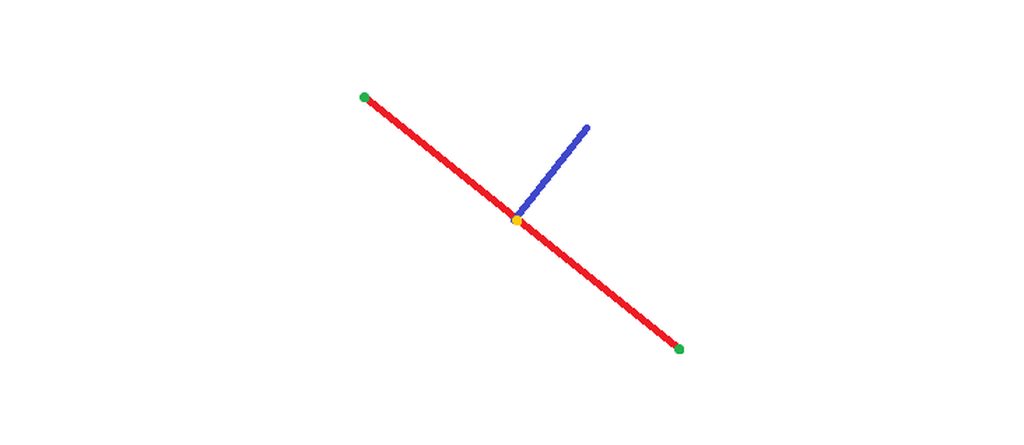
I have a line between 2 actors. And i get the middle point between them by subtracting and dividing by 2. How do i make a line perpendicular to this line between 2 actors coming out of this middle point?
https://blueprintue.com/blueprint/scyb5dm7/
https://imgur.com/a/xjsTm2K

No description provided
 torpid mulch
Is there any way to avoid this error? I feel like I did convert float to integer before and had no errors 🤔
 long schooner
hey anyone could help me with a widget problem?
 gentle urchin
torpid mulch
Is there any way to avoid this error? I feel like I did convert float to integer...
gentle urchin
torpid mulch
Is there any way to avoid this error? I feel like I did convert float to integer...
Double precision float. Try single ?
 spice imp
cyan bone
I have a line between 2 actors. And i get the middle point between them by subtr...
spice imp
cyan bone
I have a line between 2 actors. And i get the middle point between them by subtr...
In 2D or 3D? If 3D, there are infinite perpendiculars revolving around the line, and you need to pick a direction.. If 2D, like say from overhead, lose the Z component, swap X with Y, and negate one of those. Which one you negate determines which side of the original line.
 light pilot
Hi there I'm trying to workout a problem I'm having with a endless runner I'm making. I have 2 lanes which my character can switch between, both lanes spawn a obstacle at random times sometimes this obstacle is spawned at both lanes at the same time which makes it impossible to proceed. How can I make it so it is impossible for both obstacles to spawn at the same time?
The tutorial I'm following: https://www.youtube.com/watch?v=FRh_ulfmoiw&list=PLL0cLF8gjBpoTwM62rvhgmsk_Xp1_G1Vn&index=11


 tawdry surge
Save the last spawn location and if it tries to spawn too close add an offset
gentle urchin
Just interlock it, so that a total block can never occur
light pilot
uhh, I'm very new to this so could you enlighten me with a bit more detail how to set this up?😅
cyan bone
spice imp
In 2D or 3D? If 3D, there are infinite perpendiculars revolving around the line,...
Sorry. Im so confused. Yes 2D. Swap X with Y? What do you mean negate?
gentle urchin
light pilot
uhh, I'm very new to this so could you enlighten me with a bit more detail how t...
Basically make sure that when an obstacle spawned on either sidez the other side cant spawn one within a given amount of time/distance
light pilot
Yes understand your intend but I have no idea on how to set that up in a blueprint. Maybe you could lead me to a thread online with a comparable example or some screen shots on how you would set it up in the engine, if that's not asking to much?
gentle urchin
Busy atm so cant. But basically you need a random for picking a side to try and spawn (so its not always the same winning side), and then if it spawns, then dont call the tryspawn on the other side
Whenever one is succesfully spawned you want to start some timer or distance check to reset the check(and call the spawn event again)
light pilot
Alright I will try to find some reference for this online, thank you.
torpid mulch
Guys, I have two components on the same actor, but I can't find on the documentation how to reference each other on their blueprints, can someone tell me how?
spice imp
cyan bone
Sorry. Im so confused. Yes 2D. Swap X with Y? What do you mean negate?
take the value after the minus in you graph. The output of the minus, not the divide. That gives you a 2D vector (x, y). Your perpendicular vector is (-y, x) or (y, -x).
gentle urchin
Usually you dont cross components
cyan bone
spice imp
take the value after the minus in you graph. The output of the minus, not the di...
That simple? What? Im watching videos that look like intercontinental balistics.
spice imp
haha. It’s simple in 2D
torpid mulch
gentle urchin
Usually you dont cross components
In this current situation the component is inside the player character and I want to reference its location, but I can't because I don't know how to acquire it
cyan bone
spice imp
take the value after the minus in you graph. The output of the minus, not the di...
Ok i will try that. Thats the vector. The direction right? Then i have to add in offset in that direction, right?
gentle urchin
torpid mulch
In this current situation the component is inside the player character and I wan...
What component is this
spice imp
depends. how do you plan to use this perpendicular direction?
cyan bone
spice imp
depends. how do you plan to use this perpendicular direction?
Im making a spline at run time. So i have 2 points, i get the middle point, then make a perpendicular line of like 500 from that point. Then that gives me a nice curve that i can control.
torpid mulch
gentle urchin
What component is this
Attributes And States, so for example when the player get dizzy/stunned, I want to get the character movement component and block movement
cyan bone
spice imp
depends. how do you plan to use this perpendicular direction?
Am i doing this right?
 remote meteor
usually you dont want components to reference other component
that would literally nullify the purpose of components
gentle urchin
Kinda breaks the premise of the component in the first place
remote meteor
you can ask the status component to have a event dispatcher that says, OnStatusChanged or something
then your player character will receive that and disables the movement component etc
spice imp
yes so you want to take your perpendicular vector. normalize it (make it unit length, or length 1). multiply that by 500 to get a vector with same direction, magnitude 500. add THIS to your middle point (the result of your divide in your blueprint)
gentle urchin
Stunlogic sounds like something that would belong in the character anyways
Or states, for that matter
spice imp
that gives you what you asked for. i'm not sure it will help you with your spline 🙂
torpid mulch
remote meteor
then your player character will receive that and disables the movement component...
I see, my bad, a friend told me that components would be like different scripts on Unity, which I see is not.
torpid mulch
gentle urchin
Stunlogic sounds like something that would belong in the character anyways
I'm aiming on doing separated from the character because enemies also have it.
remote meteor
technically you can do component reference
nothing fatally wrong
just need to be mindful of the reference
movement component may still seems fine, since its a component that all character has
in return your "status component" now can only work on a character
gentle urchin
torpid mulch
I'm aiming on doing separated from the character because enemies also have it.
Almost sounds like a common parent class is easier.
With a set of applicable effects
Or just use GAS 😄
remote meteor
the idea of component is to have code as universal as it can get
 wicked osprey
wicked osprey
wicked osprey
I made an overlap collision for the object and when I spawn it inside my Persian, it falls very slowly, and I would like it to fall immediately
gentle urchin
remote meteor
the idea of component is to have code as universal as it can get
Well cmc kinda broke that didnt they
gentle urchin
Well
remote meteor
only works on a character
torpid mulch
I'm still a bit lost on how blueprints and components work on Unreal, I'm very new tbh, I didn't even know you could have a parent class lol
gentle urchin
Ye
remote meteor
still fair enough i think
remote meteor
yeah
cyan bone
spice imp
that gives you what you asked for. i'm not sure it will help you with your splin...
@spice imp So something like this:
Or im doing something wrong? I feel that normalizing the 3d vector might be an issue?
https://blueprintue.com/blueprint/9vbtgm9t/
Thanks so much
No description provided
remote meteor
@torpid mulch if you need, you can always access your owners component by
GetOwner()->GetComponentByClass<>()
but for that way you always want to do valid checks
since your owner doesnt guarantee to have the component
torpid mulch
Hm I see, to be honest now that you guys said, I probably have to study a better method to do what I want
Get to understand components and actors a little better
remote meteor
mostly you have 3 options
components
interface
and class hierachy
when doing stuff
gentle urchin
In your instance id consider parent class tbh
remote meteor
if you are up to it you can kinda think which ways suit it most
torpid mulch
Can I ask you how class hierarchy works on Unreal?
torpid mulch
That's good to know, less scary xD
spice imp
cyan bone
<@204976405950365696> So something like this:
Or im doing something wrong? I fee...
the math looks right. as long as you ensure that the Z components coming from Origin and Destiny are zero, the operations will work like 2D vectors.
torpid mulch
I'll take a look around, thank you so much Asaka and Squize
spice imp
cyan bone
<@204976405950365696> So something like this:
Or im doing something wrong? I fee...
alternatively, use actual 2D vectors and operations
remote meteor
you can always convert a 3d vector to 2d, do the operation and back to 3d (if needed) if you dont need the Z value 😆 if its easier to understand
a little overhead wont hurt
talking about where to do game logic
its definitely a good idea to have your code segmented nicely instead of all in a single actor
especially in a teamwork scenario
since you will be checking out the uasset until you finish
less conflicts
cyan bone
@spice imp dude you are a legend thanks so much
 spice imp
cyan bone
<@204976405950365696> dude you are a legend thanks so much
spice imp
cyan bone
<@204976405950365696> dude you are a legend thanks so much
ha! always nice to see the visual. no prob
just for completeness, another way is to use GetRotated2D or the 3D equivalent with an angle of 90 or -90. in place of the swap-and-multiply
cyan bone
spice imp
just for completeness, another way is to use GetRotated2D or the 3D equivalent w...
I thought about that. "what if i just rotate the angle."
spice imp
the swap is probably slightly faster, not that it matters. also it's numerically exact
cyan bone
but swap is simpler yes
But could rotate 3d be useful in case im trying to do it in 3d ?
because in 3d the swap will not work maybe?
in 3d i will have to consider the mountains and buildings around. will be hard to create a curve path
remote meteor
can make use of AI Navigation, i guess, to get path points
spice imp
cyan bone
because in 3d the swap will not work maybe?
well in 3d you need an axis to rotate around. and in this case, that axis has to be perpendicular to start with. so i would still start with the 2D solution (lose the Z, or zero it). that gives you one of infinite perpendiculars. then, you can rotate that around the axis of your original vector (the one that points from start point to end point) to get the angle you desire.
cyan bone
spice imp
well in 3d you need an axis to rotate around. and in this case, that axis has to...
i see. then i could just adjust the Z by line and hit result when vinterping
 mild jacinth
question, when using 'play sound2d' node there is a tick for 'Is UISound' but i can't see the same boolean when using 'create sound2d' node. is there any way to get that boolean somehow for the 'create sound2d'?
 astral fiber
If I define an event inside a plugin. Is it possible to have actors who listen to this event whenever it gets called?
How would I bind to it? I would to have to dispatch it somehow i guess?
trim matrix
Hi everyone, does anyone knows how to convert a json file into a Data readable by Unreal in a BP (construction script)
remote meteor
you have to do your own logic on that
using a switch
you can "convert" int to enum since enum is essentially a collection of byte
why not save the Player Role in enum?
 waxen trench
Hey all 👋 how do you disable sets of variables when a setting is checked? For example, like in the Spring Arm component:
 remote meteor
you can only do that in c++
it consist of UProperty Specifiers

Keywords used when declaring UProperties to specify how the property behaves with various aspects of the Engine and Editor.
waxen trench
Gotcha, thanks 🙏
remote meteor
mild jacinth
question, when using 'play sound2d' node there is a tick for 'Is UISound' but i ...
if you still need, you can set SetIsUISound(true) on the audio component it returns
mild jacinth
remote meteor
if you still need, you can set `SetIsUISound(true)` on the audio component it re...
thank you!
 cobalt gulch
Hi I don't know if anyone can help in this channel but whenever I install market place content into my project it only installs the folders and not the actual content. The market place content does actually download which is weird..
 plain helm
God this error again.
Failed to open descriptor file on android
I solved it month ago. But forgot how I did it
Who knows how to solve this error?
 fair oak
I cant find the notify event for my footsteps in my animation everything is setup but i just cant find the node i'm on UE5 but all tutorials are on UE4

 tight schooner
fair oak
I cant find the notify event for my footsteps in my animation everything is setu...
tight schooner
fair oak
I cant find the notify event for my footsteps in my animation everything is setu...
I've only dipped my toe into animation (UE4), but I'll say that I have a reference to my AnimBP in my actor blueprint's event graph, and from that I can bind to its notify events. Maybe that helps; maybe that doesn't.

#animation exists
trim matrix
Does anyone know how to set up random movement and player chasing in a procedurally generated ground/terrain?
fair oak
oh ok thanks
trim matrix
I can't use a pre set nav mesh cause the ground/enviroment is procedural
fair oak
problem is still not solved btw but i reposted it in #animation its kinda both topics
trim matrix
Hi everyone! do you know if it's possible to merge meshes in the BP? basically i'm reading 100 glTF which has many geo in it, some only 1, and i would like to automitize..

 ornate hatch
Hey guys can someone tell me how can I make realistic predictable Sniper bullet physics system with blueprints?
 formal parcel
Can someone help me with what I think is basic math that I just cant figure out

3x3x3 grid, if I say position 20 ... whats the calc to know its Z=2, Y=0, X=2
my brain just wont cooperate on this :/
 obtuse herald
icy dragon
Please do not crosspost unless redirected, see <#809148428922781737>
obtuse herald
icy dragon
Please do not crosspost unless redirected, see <#809148428922781737>
Did you just deleted yor answer to write this? xd
icy dragon
obtuse herald
Did you just deleted yor answer to write this? xd
Yes, I moved it to #animation
trim matrix
guys i need to process many object scale..
and make sure they all fit in a 10 units sphere
i guess i need to use the BBox of each object, but then not sure what to do .. may someone help me?
Anyone have 5 mins to help me with some Collision logic? it's an Enemy AI that needs to stop moving when it collides with my PlayerCharacter
but i can't get them to collide
gentle urchin
formal parcel
3x3x3 grid, if I say position 20 ... whats the calc to know its Z=2, Y=0, X=2
Modulo modulo division
This
 faint pasture
trim matrix
guys i need to process many object scale..
and make sure they all fit in a 10 un...
faint pasture
trim matrix
guys i need to process many object scale..
and make sure they all fit in a 10 un...
Calculate bounding box diagonal length.
That's your sphere diameter
Scale by 10/BBDiagonalLength
trim matrix
Thanks @faint pasture ! Trying right away !
trim matrix
faint pasture
Calculate bounding box diagonal length.
i did it like this.. is that correct?

used box extend to calculate bb diagonal lenght
tight schooner
there's a node, like Get Bounding Box
and it has a radius float output
or yeah, it's in your screenshot lol
sphere radius?
probably saves you from doing pythagorean theorem in 3D lol
tight schooner
Get Component Bounds is what I was thinking of... You're already using it
trim matrix
tight schooner
Get Component Bounds is what I was thinking of... You're already using it
so at the end i have this

but not sure about the "Scale by 10/BBDiagonalLength"
 brisk wolf
hello, is there any way to get array of all animations binded to a specific skeleton?
 late storm
Is there a way with Blueprints to convert a char code (from a byte) to it's actual character
the Kismet Byte to String, just shows a visual representation of the byte value, not converts
 ruby ore
ok just wanted to pop in here and say if anyone is getting a weird situation where they are opening a blueprint widget in UE5 and noticing some control flow nodes missing, keep that widget BP open, then go to your project and create another non widget BP like actor. the missing flow control nodes will suddenly appear again.
 sick plume
I inserted a frame in my animation and now the montage stopped working. It just doesn't play even though the anim is fine. I tried removing the extra frame but the result is the same. Does nayone know what happened or how I can reverse the effects of this?
trim matrix
guys, anyone already tried to merge/combine static mesh in a construction script?
and if it's even possible?
faint pasture
trim matrix
but not sure about the "Scale by 10/BBDiagonalLength"
You want it to fit in size 10. So scale = 10/size
If it was size 20, scale would be 10/20 or 0.5
trim matrix
yes 🙂 it is working great! thank you very much for your help 🙂
end up having to work 🙂
faint pasture
sick plume
I inserted a frame in my animation and now the montage stopped working. It just ...
Maybe recreate montage?
trim matrix
Hey, if I wanted to have hybrid 1st-person, 3rd-person camera in a multiplayer environment, do I need to have different meshes for 1st/3rd person and toggle between them for the local player that sees through the camera?
or just putting the camera in the right location would do the trick?
I can modify a material to hide the rest of the mesh and only show the arms when it's in first person, but doesn't the mesh needs to be attached to the camera? if I do that wouldn't it ruin the way it looks for the players that are looking at it from 3rd person?
 mellow folio
hiding parts of it with material opacity might work for first person.....but the "standard" approach is to just have a second mesh for first person
I suppose you'd also have to consider the impact of reflections in game for that too
trim matrix
that means everything attached to arms need to have a duplicate for first person,
but does sharing animations between 1st/3rd person work?
mellow folio
yeah that should be one of the easiest parts
it's possible for multiple skeletal meshes to share a "Master Pose Component" i believe it's called, which means they all receive animation data from that one skeletal mesh
for instance, I've seen the legs as the Master Pose component
but the skeleton driving it's animation has animations for every body part
so you attach arms to the legs, and the arms sort of inherit their movement from the legs
I'm not an animator so my nomenclature is a bit off
 surreal peak
I do think that 1st person animations are slightly different than 3rd person
So splitting it into 2 meshes might be needed. But yeah, also not an Animator
trim matrix
Well I'm using the Lyra as my base project, it has a lot of things setup, including sharing animation between different meshes, thanks for the help.
icy dragon
trim matrix
Hey, if I wanted to have hybrid 1st-person, 3rd-person camera in a multiplayer e...
Yes and no, you need different meshes if it's more of a dedicated FPS game where the player never enter third person view in gameplay, through normal means. Otherwise you can use the same mesh.
However, first person animations should be different than the third person counterparts (but with same timing), and it should be applied locally (not propagating to other player's POV)
 marble ingot
Anyone know why this is happing? I've used select nodes a ton, but in this instance I only get the input options if I connect the wildcard to an empty name variable first.
 trim matrix
I'm trying to make a stamina resource that drains when my character runs, but my widget progress bar shows no drain until it suddenly shoots to empty. Could someone help me?

sadly my timeline node didn't want to reset. a normal timeline hooked up to a keypress, and the timeline stuck on the end value.
sick plume
faint pasture
Maybe recreate montage?
Unfortunately I tried that and it still is just still in the montage. The notifies still work but the animation doesn't play.
Also if I take the montage and add a backed up version of the anim it works fine. It has to have something to do with me adding the frame in the animation that's like corrupted it now.
 haughty axle
question: i have camera following spline, is there any simple way to constraint camera to follow point? so camera would always looking to obj.
 supple bane
anyone know what this 'success' node is called?
 trim matrix
supple bane
anyone know what this 'success' node is called?
trim matrix
supple bane
anyone know what this 'success' node is called?
=
supple bane
yea didnt see that
trim matrix
trim matrix
I'm trying to make a stamina resource that drains when my character runs, but my...
The screenshot does not provide us with any confirmation on how the progress bar is actually updating. I assume you have a binding on your progress bar that gets the ResStamina variable from the player? Either way, I could see why you are having issues with your stamina... there is a few problems with the code in your screenshot. The approch you are taking to handle stamina regeneration/drain is not a good way of doing it at all. Sadly I would recommend scraping all of that code and starting over. Look into how Timers work. Im talking about SetTimerByFunctionName kind of timers. You should create a single timer that is responsible for stamina regen and drain.
trim matrix
haughty axle
question: i have camera following spline, is there any simple way to constraint ...
You can easily program that yourself. Use the FindLookAtRotation node to then apply that rotation to your camera.
Thank you for the direction. I'm just following youtube tutorials so I don't know about the good practices yet
trim matrix
trim matrix
Thank you for the direction. I'm just following youtube tutorials so I don't kno...
A tutorial told you to code that?

Exactly
What xD
Oh, I mean exactly re: the worry frog
There is a common thing that people will tell you
its that tutorials are bad
 rich jungle
the people who know what they're doing are too busy getting paid to make tutorials >>
my personal theory
trim matrix
I dont even know what to say whoever made that tutorial
trim matrix
trim matrix
Oh, I mean exactly re: the worry frog
Well anyways, maybe find a new source of tutorials. Or even better, just throw your head against the wall until you can understand how to do this all yourself.
supple bane
is there a way to SET the sound of a Loudness NRT through blueprint?
im only able to find how to get it.
 icy dragon
trim matrix
Thank you for the direction. I'm just following youtube tutorials so I don't kno...
icy dragon
trim matrix
Thank you for the direction. I'm just following youtube tutorials so I don't kno...
You never know what's right with yootoob tootorels. Lots of videos promoting bad practices and have terrible explaining
trim matrix
@trim matrix I have another question. Can I ask?
yea just ask.
What's the difference between a float and an integer?
Can they be used interchangeably?
Floats can have decimals
intigers are whole numbers
Ah, okay.
icy dragon
trim matrix
What's the difference between a float and an integer?
Float: numbers with decimals
Int: numbers without decimals
trim matrix
Thank you both
 dawn gazelle
trim matrix
What's the difference between a float and an integer?
dawn gazelle
trim matrix
What's the difference between a float and an integer?
More mathematical info:
A 32-bit integer (what a standard integer is in UE) can hold whole numbers between approximately -2.1 billion and 2.1 billion.
A 32-bit float (what a standard float is in UE) can hold much larger numbers, but are subject to accuracy issues based upon how big the whole number is and how many decimal places are contained in the number. ( 1.175494351 E - 38 3.402823466 E + 38 are the min and max values). An example, you can try and use20000.5246 in a float, but you may not necessarily receive this exact number due to how floats are able to store such numbers (see example in image)
A double float (not sure what it's called in UE5, real?) is 64-bits, thus it can be much more accurate when dealing with larger numbers or decimal lengths.
 trim matrix
Oh, so it has math issues?
torpid mulch
Hey guys, I would heavily appreciate help with this. I'm creating this circular array of lines, which works fine, but I wish the lines would rotate with my character, and for this so I made this blueprint trying to achieve it, I can get the X axis to keep the original position and rotate with the character, but the Y lines I can't. :(

This is what I got for now, the X lines are on their position and rotating, but the Y lines are on the middle on the wrong position and probably not rotating.

This is how it should look. (or what I wanted to look like lol)

This last screenshot is just location, without rotation to character direction
trim matrix
Is the unreal forums a good place to go for direction?
...oh boy, clamp?
"minus stamina decay from stamina and clamp"? That creates a drain? Edit: omf that was just what I was doing without the clamp
😵💫
 limpid lotus
torpid mulch
Hey guys, I would heavily appreciate help with this. I'm creating this circular ...
limpid lotus
torpid mulch
Hey guys, I would heavily appreciate help with this. I'm creating this circular ...
Use transform position with the actors transform, this will convert the relative spots (which will stay in the same place) into the world's positions which account for rotation and translation
So rather than adding the components location, you would use the transform position math
Realized I said actor, you can use the components transform. See which ones for what you're looking for
 onyx token
question
this

works
i can send an interface on overlap to another actor
but this

doesn't work

(this is code inside my sword)
(with which i bonk the enemy)
limpid lotus
You need a damage type class
It's dumb, I'm glad Epic is phasing out that damage stuff
limpid lotus
Honestly better to go with interface
Combine it with a damage interface component and then you can just go through the component
onyx token
damage interface component? 
limpid lotus
Make an actor component class that's your damage component and then you just run calls to the actor if it has that component
onyx token
that is...
smart 
i'll do that.
I haven't been playing around with components too much yet
limpid lotus
Yeah components help with keeping the functionality contained and easy to manage so all the actor has to do is manipulate what the component does
Plus if you build it right, you have components work together(optionally, not recommended to hard code that sort of stuff)
onyx token
ok wait-
But how can i influence my character using a component tho?
like if i have a "damage recieved" inside my component -
Can i get that signal out?

or do i have to use a float inside my component and just work with that?
trim matrix
Hm... I'm still having this problem where my stamina drain doesn't show up until the bar is empty...
 onyx token
oh nvm, i figured it out, it's apparently better to just do the entire health management inside the component
 mossy mist
Hey my ai controller is always returning invalid


yet i turned on placed in world or spawned
the pawn is placed in the level
what is going on?
onyx token
limpid lotus
Combine it with a damage interface component and then you can just go through th...
hang on
So if i have my health on a component, and the interface is part of the component-
How do i use the interface?
my sword only has that, i can't cast....

do i need to implement the interface onto my character aswell - and then shove the signal over to my component?
mossy mist
mossy mist
bruh nvm i fixed it i had to pass in a "self"
 pine trellis
how can we change oine node without changing all the strings>? like replace?
trim matrix
I took a video of the problem I'm having with the stamina bar
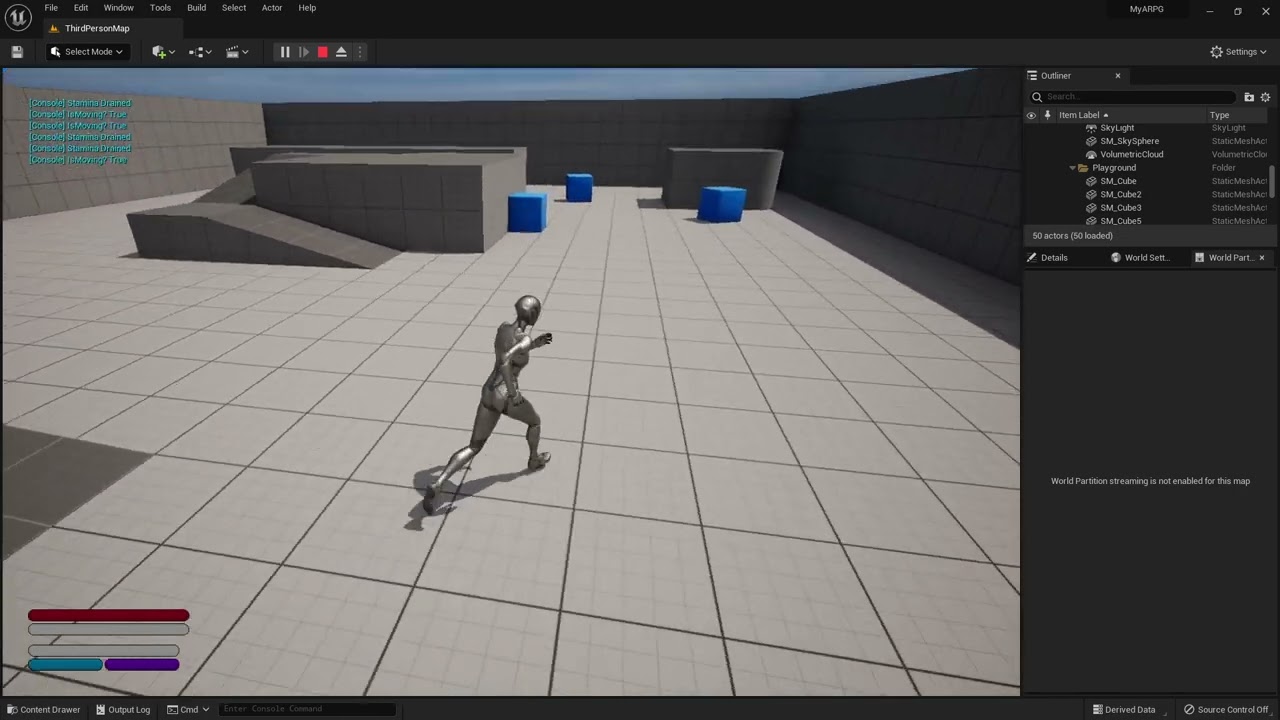
I moved to a timer by function name and followed what it said in that blueprint book but it's still doing it haha
😅
limpid lotus
onyx token
How do i use the interface?
Sorry was taking a phone call, you would instead "Get Component" from the actor and if it's valid then do stuff with the component
onyx token
hmm
this doesn't seem clean tho...

aren't you supposed to try and never cast?
like when i get damage, i'd like to get stunned, but that needs to somehow get into the animation blueprint of my character
So i have a character superclass, which all NPCs and the player are a part of
so i guess casting here isn't bad and it works...
But idk 
if i didn't use a component, i wouldn't have to cast here
limpid lotus
Casting isnt that expensive. It's how many times your casting...
onyx token
sure, but it feels a little... hardcodey - like now only my character parent can ever get stunned
limpid lotus
Yeah it's fine to use the component, it's really just a different architecture of how you want to build things
Not really because the component is handling the generally shared functionality and you can get the component by class
onyx token
sure, but the component will always cast to my character parent
when i want to have like a Box that gets destroyed once it gets damage - it wouldn't work with this component
limpid lotus
Ok that means your not understanding the architecture, the component wouldn't be casting up to its owner
limpid lotus
In this case the stun effect is something you want on the character when damaged?
onyx token
sure, or let's not call it stun effect, let's just call it "damage signal"
so i can do with it whatever i want in whatever gets damaged
like play a "box gets destroyed" animation
i guess i could use an event dispatcher to get the signal to my owner?
limpid lotus
Ok good, also what you would do is essentially in the component use the interface to talk to the owner without casting.
So:
Component - Takes Damage and then gets the owning actor(which is just an actor and all components can call stuff to their owner) and calls the interface function: Taken Damage.
Interface - has functions like Taken Damage and other optional functions that the component can call.
Actor - Implements interface, has the damage component, and overrides Taken Damage and does any other specific functionality like being stunned or whatever, this would also be the point where maybe taking damage calls to a "Health Component" and tells it to subtract 15 units or something.
torpid mulch
limpid lotus
Use transform position with the actors transform, this will convert the relative...
Sorry for the late reply, I'll give it a try right now!
onyx token
limpid lotus
Ok good, also what you would do is essentially in the component use the interfac...
okay (thanks for helping me btw, you're awesome!  )
)
But if i implement a damage interface onto my character anyways-
And i also implement one onto my component to get the initial signal-
Couldn't i just put all of that code into a function and not bother with a component?
Like this i need the interface twice
and i need 2 different interface operations
limpid lotus
@onyx token So the architecture for this is that the actor is just a combination of the elements that allow for damage to occur, BUT using the component for initially receiving it allows for a much cleaner and easier design. Because all its going to do is agnostically use the interface without knowing anything about its owner. And the owner only needs the information that the interface provides
onyx token
yea
the component recieves the damage directly from the sword via interface
and then i use another interface to send it to the character to do stuff?
Why not just send it to the character from the start?
limpid lotus
You wouldn't implement the interface on the component, the component can just call those functions
onyx token
wait- it can?
limpid lotus
Yup
onyx token
But how? I don't know which interfaces my owner has as the component...
limpid lotus
The component is just so you can quickly throw it ontu other actors and expect something to happen(if the actor is setup for it) and you can add/remove them at runtime basically avoiding things from breaking
onyx token
hm i see
so can a component just access any interface as an event in my entire project?
no... i can only message like in any other bp
i can't implement the interface event without adding it to the class defaults
limpid lotus
Yeah so to call to an interface you don't need it to be implemented, BUT you do need it implemented if you want it to do something on the receiving end.
Actor - needs the interface, maybe the damage comp
Component - doesn't need the interface
 onyx token
context sensitive
limpid lotus
Yeah that
onyx token
i can't implement the event tho
limpid lotus
Not in the component
onyx token
wait, so i add a custom event into my component-
And my character gets the interface, and sends it into the component via custom event-
And then the component calls another Interface function and sends it back to the character?

limpid lotus
No your still trying to route everything through the character first
The character should be the last step
onyx token
wait but till now i routed it from component to character tho...
now i thought it's character > component > character
so it's not?
and it's component > character?
So it's
Weapon > Interface > component > interface > character?
limpid lotus
So first the sword checks "Do you have this component?" If yes, then call the function "Receive damage or something" you don't need the actor's class because you can use GetComponentByClass on any actor.
onyx token
ooooh you mean do the getcomponent on the sword
and call a custom function on my component

ok that makes more sense
limpid lotus
YES Just to double check show the BP? Just so a step isn't lost haha
 limpid lotus
Yes, but valid check the component before calling the function on it
onyx token
i had a brainlag
limpid lotus
Yes

 limpid lotus
Because then you could build out lets say a barrel or crate and just add the interface to that actor and then say play a break animation when it gets damage, then add the component to the barrel/crate and it will just work
torpid mulch
limpid lotus
Use transform position with the actors transform, this will convert the relative...
Just to make sure I understood, you recommended I draw the lines setting offset on the relative transform of my player character, so on rotation the lines will rotate as well, is that correct? (I'm still learning)
limpid lotus
torpid mulch
Just to make sure I understood, you recommended I draw the lines setting offset ...
All good, honestly looking back on it, you could just use the offsets in relative space and then inverse transform the position
Might have it backwards, there's inverse and regular transform position, one of those converts world to local and the other is local to world. But the idea is that transforming the position from local to world will keep the rotation as you expect in a relative space
One sec, on computer. Booting up test project to show an example 😄
torpid mulch
Thank you so much for taking your time to help me with it :D
 tropic pecan
Hey there, can I ask anybody on how to setup an overlapped collision in a way for if your in this collision, it ignores the other unless your in a part of the collision that is not overlapped with the other?
 limpid lotus
tropic pecan
Hey there, can I ask anybody on how to setup an overlapped collision in a way f...
limpid lotus
tropic pecan
Hey there, can I ask anybody on how to setup an overlapped collision in a way f...
Are you saying if a component overlaps the collision, that its ignored if another component in the same actor already overlaps it?
tropic pecan
limpid lotus
Are you saying if a component overlaps the collision, that its ignored if anothe...
Well, my plan is to create an battle trigger by their ambush behind or neutral battle hit with is the collusion surrounding the character. It seems the overlap of two collusions interferes and I'm trying to add up into a way where when you are behind the character on the collusion behind the character, it ignores the more surrounding collusion unless your only on the surrounding collision. Does that make sense in any way?
limpid lotus
No it does not...
tropic pecan
limpid lotus
No it does not...
Let me see if I can show more details, give me a bit of time to do so.
You see that theirs a collision that fully surrounds it and there's a collusion that's just behind it? The one behind it is the ambush trigger. You noticed they are overlapped, since when your behind the character, the ambush trigger allowance should only be on and the other trigger shouldn't be allowed unless it's on the surrounding trigger instead without on the behind trigger. It's really hard to describe on text.


 limpid lotus
Ok I think I understand, Im gonna repeat back let me know if it makes sense.
When going into ambush trigger you want the middle trigger to turn off?
But when you go into the middle trigger the ambush trigger should turn off?
tropic pecan
limpid lotus
Ok I think I understand, Im gonna repeat back let me know if it makes sense.
Whe...
Yes, when you are in the behind trigger, it should't be able to trigger the surrounding trigger. But if your inside of the surrounding trigger without being in the behind collision, it should be able to trigger that instead. Something like if your in the collision, this one will not trigger such as like branch true or false.
 strong halo
So you have 3 states: ambush, middle trigger, neutral - right?
limpid lotus
OK I can tell you how to do this(its not in the settings it with actual code BTW), as a heads up. You want to use the least amount of context words like ambush trigger and neutral battle hit and such as least as possible when describing this sort of stuff in Unreal Slackers because it helps with figuring out how to help
tropic pecan
strong halo
So you have 3 states: ambush, middle trigger, neutral - right?
Just ambush or neutral, enemy ambush is when enemy hits you which I'll do later.
limpid lotus
You can set the collision enabled value when one is overlapped to No Collision and then when they exit the collision turn the other back on to Query Only
tropic pecan
limpid lotus
You can set the collision enabled value when one is overlapped to `No Collision`...
I'll need to take some time analyzing it then. I'll text you again when I'm done. Thank you for some of the advice, I do appreciate it.
strong halo
if it's for stealth - you could do it with angles, not collisions
depending on the context
limpid lotus
Yeah angles would be better than using sphere collisions
@torpid mulch BTW this is what I was talking about(in a simple way of showing it) also it was transform location so I apologize about the incorrect words

Sorry was literally waiting for the editor to startup on my computer... it did not wanna open even an empty project lol
torpid mulch
limpid lotus
<@342852647922958337> BTW this is what I was talking about(in a simple way of sh...
I'm sorry I don't quite get it. I have to get my Line Location transform and set it to be the same as the Relative Transform Location as the player transform? I'm sorry that I'm so confused over this.
 strong halo
And I have a question:
Basically I have 2 player states with different controls: One is first person, the other is more of RTS-y mouse controls. In both modes you can interact with objects. In one case - by looking at them and pressing "interact", in the other - selecting with the mouse.
How should I tackle that architecturally? 2 parallel interaction system or force the mouse cursor into the middle of the screen for the FPS state?
limpid lotus
(Reposting so I don't have to scroll back up for it) So the return value in this picture is the line position in the world right?

@torpid mulch ? ^
limpid lotus
strong halo
And I have a question:
Basically I have 2 player states with different controls:...
I assume your possessing two different types of pawns for that so the inputs for "Interact" would be different for either pawn...
torpid mulch
limpid lotus
(Reposting so I don't have to scroll back up for it) So the return value in this...
This is the macro I did to get the direction the player model is looking, the reason I was using it for this as well is because I was thinking that as the direction rotates correctly, the lines would as well, but wasn't the case.
Just re-explaining, If I set the draw lines to be on the lines location without any changes, they create the circle on 0,0,0 of the world, so I want to center them on player and want them to rotate with the player direction.

 limpid lotus
torpid mulch
This is the macro I did to get the direction the player model is looking, the re...
limpid lotus
torpid mulch
This is the macro I did to get the direction the player model is looking, the re...
Yup thats because you're using only one rotational axis which is annoying to deal with.
Ok so your trying to figure out the direction, OK great! There is a Transform Direction node that you can use instead. So you can give it a direction in relative space and it will handle the rotations with it. BTW You are not saving the transform, you are getting the result using the actor's transform
torpid mulch
(I'm sorry if I take some time to reply, my PC is dying lol)
limpid lotus
torpid mulch
Just re-explaining, If I set the draw lines to be on the lines location without ...
No you would use the actor's transform for T and the line's offsets into Location
strong halo
limpid lotus
I assume your possessing two different types of pawns for that so the inputs for...
Inputs - yes, but the interactable objects? Currently I have the logic for receiving interaction on them, as an "onClicked" event.
Should I actually replace the onClick with a linetrace from the mouse , which would work the exact same way as the linetrace from the camera in FPS?
torpid mulch
limpid lotus
No you would use the actor's transform for `T` and the line's offsets into `Loca...
As the offsets are they initial position, I just need to stick them to the player actor transform?
limpid lotus
torpid mulch
As the offsets are they initial position, I just need to stick them to the playe...
Yes so the offsets will be in relative space, so when you run it through the Transform Location node, it will add the player's rotation with it so it matches. So you don't have to worry about rotation, and just worry about positioning it where you want
limpid lotus
strong halo
Inputs - yes, but the interactable objects? Currently I have the logic for recei...
Yeah I mean you're doing a line trace for both. Maybe making the receiving interaction part a bit more agnostic so you don't even have to worry about the different input types?
limpid lotus
strong halo
Inputs - yes, but the interactable objects? Currently I have the logic for recei...
Unless the interaction results are suppose to be different between RTS and FPS? If so then you'll have to just branch the code path from the beginning where it only calls to FPS_Interact and RTS_Interact
strong halo
limpid lotus
Unless the interaction results are suppose to be different between RTS and FPS? ...
Yes, those are differend. If I'm unifying the code for receiving interactions, I guess that can be solved with an interface method for interactables that would receive the interacting pawn reference, and from that - know what mode the interacting player is in
limpid lotus
strong halo
Yes, those are differend. If I'm unifying the code for receiving interactions, I...
Yeah I mean. It would be good to use the interface and basically have two interface functions per mode so on the RTS pawn when interacting with the mouse it first checks Can Interact RTS and if so then Interact RTS is called. And vise versa.
So all the actor has to do is implement it for those code paths via the interface(and probably just override the Can Interact X and set it to true/false.
strong halo
limpid lotus
Yeah I mean. It would be good to use the interface and basically have two interf...
I'm not sure why would I need 2 finctions, not just one
waxen trench
Hey all 👋 , sorry for double posting. I'm not entirely confident this is strictly a #plugin-dev issue or also involves some blueprint issues. 😅
I'm working on building out a plugin that provides (hopefully) quick and easy camera functionality for an RTS game. I'm planning on releasing it for free on the asset store, however, I tested importing the plugin into a new project and none of the inputs are triggering for some reason 😓 I'm pretty new with Unreal and the plugin depends on the Enhanced Input Plugin. Any thoughts on why the inputs might not be firing? The main blueprint is the AC_OpenRTSCamera component https://github.com/HeyZoos/OpenRTSCamera
Here's an example input action, I feel as though it's a configuration issue of some kind, I can hook a print up that event and nothing gets printed at all. But it works just fine in the original project the plugin was developed in 🤔
 tropic pecan
limpid lotus
Yeah angles would be better than using sphere collisions
tropic pecan
limpid lotus
Yeah angles would be better than using sphere collisions
Okay, I've look into the disable/enable collision helped with just trigger the back collision though wouldn't re-enable the neutral after outside of the back collision which I already guessed what to do to fix that but I'll do that later. For the angles you've said, I'll look into it later as well cause I'm pretty tired to researching. I don't know how angles would work so I'll have to work on finding out that as well just like the level streaming. Again, thank you.
icy dragon
waxen trench
Hey all 👋 , sorry for double posting. I'm not entirely confident this is strict...
Btw cossposting without redirect is against the #rules, as it may cause confusion on people who frequent on multiple channels.
waxen trench
ah gotcha, I'll delete the original then, sorry about that
 wise tide
Is there a console command or something to show hitboxes for my capsule overlap actors?
wise tide
hrm, doesnt seem to be one
 royal trellis
hello. if i use a landscape layered blend node for the materials...how can i set a different phys mat for each one?(to have different sounds)
if everything was a different material is easy..but using landscape blending , not sure
torpid mulch
limpid lotus
No you would use the actor's transform for `T` and the line's offsets into `Loca...
Thank you so much, you saved me hours of headache, it works perfectly now! :D
I didn't knew the transform nodes had so many nice shortcuts, thank you for showing me
royal trellis
i figured it out
 fading oyster
Hey, so recently I wanted to clean some of my code. I decided to use this function to get the player character using a pure function on a function libary yet it seems it never returns the character.
Trying this code else where works fine but in a function libary it does not, and I have no clue why and Im trying to understand please let me know if you can explain why this issue would maybe occur?
This is the code I used to get it

 silk cosmos
Uh you can use get player character instead of get player pawn and you don't need world context plugged in
fading oyster
Yeah still returns invalid for some reason 🤔
I am also using this function in a macro libary, maybe this is the reason?
silk cosmos
Um maybe. I've never used them in a macro library.
fading oyster
fading oyster
I am also using this function in a macro libary, maybe this is the reason?
Doesn't seem like it since it doesn't return valid on actor too
fading oyster
silk cosmos
Um maybe. I've never used them in a macro library.
Yeah me neither 😂 Thats why I thought it was the reason turns out it isn't
trim matrix
fading oyster
This is the code I used to get it
I would recommend against creating function library's for this purpose. It really is not hard to manually cast to the correct character class when needed. If you include this inside of a function library, you are basicly saying that your BaseCharacter class always has to be loaded.
silk cosmos
You can use an interface and that should avoid the always loaded part
trim matrix
In this case it may not be that big of a deal, but if you start relying on these kinds of librarys. Your project can become a mess of hard references loading various things in.
fading oyster
Yeah, I just wanted to keep it very simple node to node, because I am using a macro that just calls a montage and I can't think of a way of getting the player on the macro without plugging in it
fading oyster
trim matrix
In this case it may not be that big of a deal, but if you start relying on these...
Yeah I don't really use FL's just wanted to do this since it doesn't work on a macro directly
I can do it in the macro too, but it still somehow returns invalid
silk cosmos
Generally you shouldnt use cast. But interfaces are the workout for that.
fading oyster
silk cosmos
Generally you shouldnt use cast. But interfaces are the workout for that.
Yeah I've heard they aren't that optimized
But I have them like everywhere 💀
trim matrix
Casting is perfectly ok.
You just have to understand the totality of what will be loaded when you cast.
fading oyster
trim matrix
You just have to understand the totality of what will be loaded when you cast.
I dont sadly 😂
silk cosmos
It's okay, but not ideal. There's better solutions most of the time
Though interfacew can also get confusing if you have them everywhere
fading oyster
silk cosmos
Generally you shouldnt use cast. But interfaces are the workout for that.
Yeah but my macro libary cannot really use it
So I tried to use a function libary, but somehow get player character returns invalid on macro and function libaries
meanwhile it returns valid on actors
It does not actually
silk cosmos
I've used it before in FL with an interface setup
Are you casting to the correct actor?
Try using a print string and checking what's happening and what's getting grabbed
fading oyster
I think I know why I got it,
Thanks for all the info & help guys
(The reason was because the actor this macro was called on was not the character, its a different pawn that the player possesed)
So the player character isn't the base character but the possesed one 💀
 solar bison
Why does this not work as intended. It opens and closes the widget once btu doesn't work after that

Do I have to remove the ref to TradeBlockWidget to get it to work?
 tiny bay
is there a way to make an object orient towards what the player is looking at?
trim matrix
tiny bay
is there a way to make an object orient towards what the player is looking at?
On the event tick of the object you wish to rotate, you can use the function FindLookAtRotation to find the rotation.
tiny bay
oh sick, I'll try that, thanks
solar bison
Can someone tell me if I'm laying out my UMG correctly? I'm having analysis paralysis
It's a card game...I have the cards shown on a widget called GameUI.
But I need to use the same cards in a trade operation, but ideally I wouldn't like to keep it on the gameUI widget
so I created a widget called "Trade", but it needs to use the cards from the gameUI widget
How do I architect this...can someone help
 tawdry mural
if card was a separate widget you could just spawn them in Trade with same information as GameUI
solar bison
I can already do that
but I don't know what feels "right"
think of like...solitaire. but you can trade cards with other players
Would you have your own hand shown to you in the main UI widget, or as part of a trade widget so it makes it easier to initiate trades?
tawdry mural
completely your choise 😄
trim matrix
solar bison
think of like...solitaire. but you can trade cards with other players
Would you...
Your creating the card game in a widget? Wouldn't each card be an actor in the world?
with the camera positioned above?
solar bison
trim matrix
Your creating the card game in a widget? Wouldn't each card be an actor in the w...
not in the case of my game, it's not exactly solitaire
the cards don't do anything, they're just resources
solar bison
tawdry mural
completely your choise 😄
correct...I'm trying to think about
- cleaner code/architecture with a separate trade widget
- cram everything into Widget_GameUI but no issues with accessing stuff
tawdry mural
separate in that case
solar bison
why?
but the problem is my hand, the cards I have, technicaly belong to Widget_GameUI
don't you think?
 sage shale
Where are some tutorials for things like explanations about things that aren't complete basics like how to use the content browser but more on things like event dispatchers and mid level ish things like that? All of the tuts I can find are either a super general basic beginner tutorial and all of the more advanced things are all individual so I don't know what all I'm missing or not ;-;
ornate hatch
hey guys! anyone have time to talk a bit
gentle urchin
sage shale
Where are some tutorials for things like explanations about things that aren't c...
During my tutorial period a few years ago there was no such thing as mid level tutorials , perhaps it has changed but i wouldnt be surprised if it has not
Many people here has tried to explain dispatchers tho. Is it those you're wondering about specifically ?
solar bison
Does clearing a Map remove all of its keys?
gentle urchin
Yes
solar bison
so I have to manually add all the keys back with values 0 again?
solar bison
gentle urchin
Grab all keys, foreach, set value for key
that's teh thing, I don't have key
the key doesn't exist if I clear the map right?
trim matrix
solar bison
the key doesn't exist if I clear the map right?
He is saying, don't clear the map. Instead create your own function that just sets the map values to zero. Use that instead.
 rotund marlin
can you make an actor ignore world partision? so it loads no matter what cell is loading
trim matrix
If you want to plug the map into the function, then operate on it, yes.
 trim matrix
rotund marlin
can you make an actor ignore world partision? so it loads no matter what cell is...
trim matrix
rotund marlin
can you make an actor ignore world partision? so it loads no matter what cell is...
Place the actor in the shared level.
or persistent level its called?
yea. there
rotund marlin
Oh rappy? Where do one find that
cus thinking for actors like the things handling sun, foilage etc, so they load even if player aint within it
solar bison
solar bison
this is good I think
trim matrix
rotund marlin
Oh rappy? Where do one find that
Are you on UE4?
rotund marlin
nop ue5
trim matrix
I am not sure then. They most likely moved and changed it.
gentle urchin
solar bison
this is good I think
May I ask why keep the keys if the values are 0?
solar bison
gentle urchin
May I ask why keep the keys if the values are 0?
Because I still need to show 0 on my UI to the client
in case the client owns 0 of a particular card
gentle urchin
If card key doesnt exist, then value = 0
solar bison
what?
gentle urchin
So when updating ui
You simply do "does key exist?" If not then return 0, else reutnr its value
solar bison
ok does it matter though?
gentle urchin
Nah
solar bison
there are multiple ways to do this right
gentle urchin
Was just curious
solar bison
yeah I don't want to deal with null refs
in case I accidentally try to get a value but key doesn't exist
so I find it safer to always have the keys present
even if value is 0
gentle urchin
Is the key a ref ?
solar bison
ref meaning?
gentle urchin
You said null refs
solar bison
it's not, it's just an enum
gentle urchin
So ref being a ref to an object/actor
solar bison
if the key doesn't exist then doesn't matter if it's a ref or not, won't I still get a "Keynotfound error"
?
sorry i meant key not found, not a nullref
solar bison
yeah my bad
i've done a lot of programming before .other languages i've written generally don't return a bool like that
they just throw an exception if it isn't found
so w/e, doesn't matter
solar bison
gentle urchin
Anyhow, doesnt matter
actually I'm probably gonna do this...because Unreal looks like it's very tailored to operations with the bool
makes it easy
 marble tusk
I don't know if this matters for your situation, but something to note is the For Each Loop gets a copy of the array element and not a reference to it
solar bison
marble tusk
I don't know if this matters for your situation, but something to note is the Fo...
yeah that's fine
I'm assuming this won't work now since the keys are not present right
 trim matrix
solar bison
I'm assuming this won't work now since the keys are not present right
trim matrix
solar bison
I'm assuming this won't work now since the keys are not present right
When you use the ADD node for maps. If the key does not exist, it will be created and the value will be set. If the key does exist, the value will change.
so it will work.
solar bison
dude that's so good.
So based on no. of resources, I can expect it to be the right value?
damn
i don't think any other language/programming env supports this, where Add() actually adds something if key isn't present
solar bison
trim matrix
When you use the `ADD` node for maps. If the key does not exist, it will be crea...
Does it know that it has to start from 0 though? Since I haven't specified
trim matrix
The number of resources may be incorrect.
yea im not sure.
I would assume it would work since the defualt for ints is 0.
solar bison
trim matrix
The number of resources may be incorrect.
What, what do you mean?
solar bison
trim matrix
I would assume it would work since the defualt for ints is 0.
Let's hope so. Gonna test in a moment
trim matrix
solar bison
What, what do you mean?
same thing you were talking about, the does it start from 0 thing.
solar bison
ok
trim matrix
solar bison
ok
Yes, find will return 0.
solar bison
trim matrix
Yes, find will return 0.
You checked?
trim matrix
yes
solar bison
Damn, unreal is p intuitive that way
Do you know how I can bind visibility of a UMG item to 1 function instead of 5 separate ones?
But pass a diff arg?
I have 5 differente elements in a horizontal box that are all bound to different listeners, that do the same thing except take in a different value
trim matrix
you want to hide all 5 elements with one function?
solar bison
no
I mean yes. I want to hide them selectively
There are 4 elements: earth, fire, water, air cards
They are hidden based on card count. So if it's 0, don't show them. If > 0, show them
Right now I have 4 cards, and 4 different functions bound to the visibility
Was curious if I could use just 1 instead, to prevent bloat in my BPs
trim matrix
oh you mean binding like this?
 trim matrix
solar bison
Was curious if I could use just 1 instead, to prevent bloat in my BPs
trim matrix
solar bison
Was curious if I could use just 1 instead, to prevent bloat in my BPs
Each element has its own binding?
solar bison
yep
trim matrix
solar bison
yep
Definitly DO NOT use bindings in this way.
Each binding gets re-evaluated on tick.
Meaning each of those functions gets re-ran every frame.
There is no reason to recalculate the visability every frame for every card.
trim matrix
Relying on widget bindings is generaly the last thing you want to do.
solar bison
lol I get conflicting answers, just 2 days ago somebody told me it's ok
unless there's like a lot of computation going on every frame
gentle urchin
It is, untill its not
trim matrix
I mean yes, its OK. its not going to crash your game imedietly. But it is the worst practice imagineable.
solar bison
it's fine, I don't want to prematurely optimize. I had this exact discussion like 2 days ago
gentle urchin
Like, you can check a branch on tick aswell
Even tho you have the overlap event.
Doesnt mean you want to do it , when there are better ways
solar bison
what's the better way?
gentle urchin
Event driven
solar bison
why does unreal even provide this binding if nobody uses it?
gentle urchin
You only want to update it if theres a reasn for it to have changed
solar bison
mmm, event driven means I'll have store refs to all the cards and stuff
I'll have to change literally everything
trim matrix
You dont have a way to get the cards reference?
You definitly should make a way then.
gentle urchin
Not really and you can batch update your entire ui if you want to, whenever a card is aquired
trim matrix
yea.
solar bison
and i ask again, why does unreal provide this binding if nobody uses it
and why is it not even driven
unity has the exact same thing but it's event driven
I'm sure unrela has a reason
trim matrix
It is useful in certian situations. Sometimes its good to have a UI element update on tick.
It is also usefull for newcomers.
who just need an easy way to make a ui update.
solar bison
trim matrix
It is useful in certian situations. Sometimes its good to have a UI element upda...
hmm, like health? or...? progress bar? or something similar?
solar bison
trim matrix
who just need an easy way to make a ui update.
ok I'll refactor in sometime ig
gentle urchin
But only for a while 😄
trim matrix
gentle urchin
But only for a while 😄
yep
gentle urchin
Id personally just call the update on tick anyways 🤣
And handle my flow control accordingly
solar bison
whatever
i don't think it matters
it's 1 widget
and they're bindings on like 10 elements max
I will refactor after checking profiler
icy dragon
Or go one step further with C++
solar bison
icy dragon
Or go one step further with C++
i want to ship my game..i'm new to unreal
i will take forever otherwise
solar bison
icy dragon
Or go one step further with C++
and btw, I'd still rather do UMG/widgets stuff in BP
icy dragon
It's a shame UMG timeline can't work with variables like BP Timelines
gentle urchin
icy dragon
It's a shame UMG timeline can't work with variables like BP Timelines
Huh
icy dragon
solar bison
and btw, I'd still rather do UMG/widgets stuff in BP
I do UMG/widgets in both BP and C++
Want to at least make my UI more stand out on interaction and animation
solar bison
Can someone explain to me why my button is not clickable?
It's enabled..it's visible etc etc
Is it a z-ordering issue?
trim matrix
solar bison
Is it a z-ordering issue?
99% of the time, there is something in front of it
icy dragon
gentle urchin
Huh
Yea, without some weird workarounds, animating vars in UMG Timeline seem to be not possible.
Which is necessary for me to make dynamic UI animation
Though at least for Final Fantasy style hand cursor, I can just sideload the Timeline to HUD class
solar bison
trim matrix
99% of the time, there is something in front of it
go on
gentle urchin
That sounds really strange 😅
I like the sideloading method, showing the engine that we can despite it saying no 🤔🧐
solar bison
trim matrix
99% of the time, there is something in front of it
what do you suggest I do to do check what's going on?
icy dragon
solar bison
what do you suggest I do to do check what's going on?
See if Widget Reflector detects something consuming the click
solar bison
icy dragon
See if Widget Reflector detects something consuming the click
Checked, it's not
gentle urchin
And make sure you dont override on mouse button down in the widge parent
Those dont play nice with UButtons
solar bison
It's weird cause there's another widget I have on the level where a button works just fine
ooof, it was setting state to not hit testable
That's why!
 gentle urchin
Ue5?
 nimble talon
yes
icy dragon
I think there should be a pinned message explaining that, in UE5, math operators are made universal and have wildcard input pins.
gentle urchin
Its weird that its throwing so many people off imo
But it was weird being specific in the first place i guess
solar bison
@gentle urchin so..how do you suggest I handle bindings instead of tick? I want to move away from tick now cause I have like 20 buttons. Yep, exactly 20 buttons where and 10 text elements where visibility needs to be controlled
Don't want to update 20 buttons visibility + 10 text elements text on tick
The state changes when I click a button, should I just create a variable for each button/text, and set text/visibility there when state changes?
icy dragon
solar bison
The state changes when I click a button, should I just create a variable for eac...
How does events like On Clicked won't work in this case?
solar bison
That's what I'm asking you, should I use OnClick?
OnClick -> Call a function -> Function does operation, SetsText, UpdatesVisibilityOfOtherButtons()
icy dragon
If it's just running everytime you click on it, yea
trim matrix
solar bison
or should I use event dispatchers to keep it cleaner?
Do all the buttons need to be hidden/shown at the same time? or does each have its own unique visabity?
trim matrix
solar bison
or should I use event dispatchers to keep it cleaner?
and no, dont worry about dispatchers.
solar bison
trim matrix
Do all the buttons need to be hidden/shown at the same time? or does each have i...
each have its own unique visibility
i.e if the count of somehing is > 0, then I show the button
Remember, cards. If I have more than 0 water cards, then I show the water card button
If I have 0 or less water cards, then I don't show it
trim matrix
Yea
Just get the whatever box that holds all these cards. get all its children evaluate eachs visability on the button press.
Or like you said, promote each to its own variable.
solar bison
is that really more efficient than tick
trim matrix
yes very
solar bison
even if tick is not doing anything?
it's not repeatedly setting the var, there is a branch
only if the condition is satisfied, then it does something
even then?
trim matrix
from 20 calls every tick -> 20 calls every button press.
if you press the button every 3 seconds
solar bison
does 20 calls every tick translate to heavy operations, if it's just checking an if condition??
trim matrix
even event ticks that do absolutly nothing have an impact.
solar bison
solar bison
does 20 calls every tick translate to heavy operations, if it's just checking an...
well it probably does, since I'm not actually using a branch to update the text
trim matrix
3,600 -> 20
solar bison
ok ok got it
trim matrix
lol
trim matrix
yes way better
 pearl moth
What's up, i'm trying to do a climbing system. I except that it draws stuff once JumpAction is triggered, but it doesn't show nothing when I jump.
Here is the blueprints:


 rotund marlin
How do you attach a blueprint to a foilage instance?
or im guessing that not possible and gotta put each Harvestable Tree/Rock by hand 0.0
 mental trellis
Alternatively: make a custom "foliage" system that places things automatically for you.
pearl moth
mental trellis
Alternatively: make a custom "foliage" system that places things automatically f...
Hi
Are you experienced with unodes?
/ blueprints?
rotund marlin
Hmm.. not clue about unodes
pearl moth
mental trellis
UNodes?
unreal nodes
rotund marlin
Oh yeah, i'm aware of how to use blueprints fine, but wasent sure if it there was a way to attach BP into a foilage instance just, to avoid having to do it the hard-way
pearl moth
rotund marlin
Oh yeah, i'm aware of how to use blueprints fine, but wasent sure if it there wa...
um idk
rotund marlin
Ah well guess i'll do it the other way of making a cube BP that traces ground to place the Tree BP's down and make a semi-fake foliage but works :p
marble tusk
rotund marlin
How do you attach a blueprint to a foilage instance?
Mode for rendering Static Mesh or Actor Foliage on the surfaces of other geometry for use as ground cover effects.
rotund marlin
Oh wow cheers fox, made me feel stupid 😄 how did i miss that
icy dragon
pearl moth
Are you experienced with unodes?
Did you mean Kismet 2?
pearl moth
unreal nodes
/ blueprints
whatever
So
I am excepting that it draws something
But it doesn't
Tutorial i'm following here https://www.youtube.com/watch?v=xgTusTOMa88&list=PLFwDYuS6Far1TD-EiPqvq2SVW3Q5U14bK&index=2
Timestamp 8:25
BP screenshots: #blueprint message
gentle urchin
What sets is on ledge true
pearl moth
gentle urchin
Wdym it doesnt draw anything
um
gentle urchin
Thus i draw the weak conclusion that your branch is blocking it
pearl moth
goto 8:25 and u know what i mean
gentle urchin
What it says ans what you do is two different things
Doesnt help me to look at what the tut does.
pearl moth
gentle urchin
I assume you mean the code is not firing
Firing in what way
i mean
wdym
oh
Yeah
it doesn't activate
gentle urchin
Tried printing some strings?
pearl moth
yeah, nothing
i'm not quite sure if I should debug it
cause i 99% sure i've followed the tutorial correctly
pearl moth
I have fixed it.
mild jacinth
hi, when using scene capture 2D, there is an option for 'capture every frame', which I assume captures using something similar to event tick.
if I untick it, how am I able to capture only when player is in the view? or when specific blocks/objects move? scenecapture2D tends to take a really huge performance hit, and I was wondering if manually capturing would help?
 rose gull
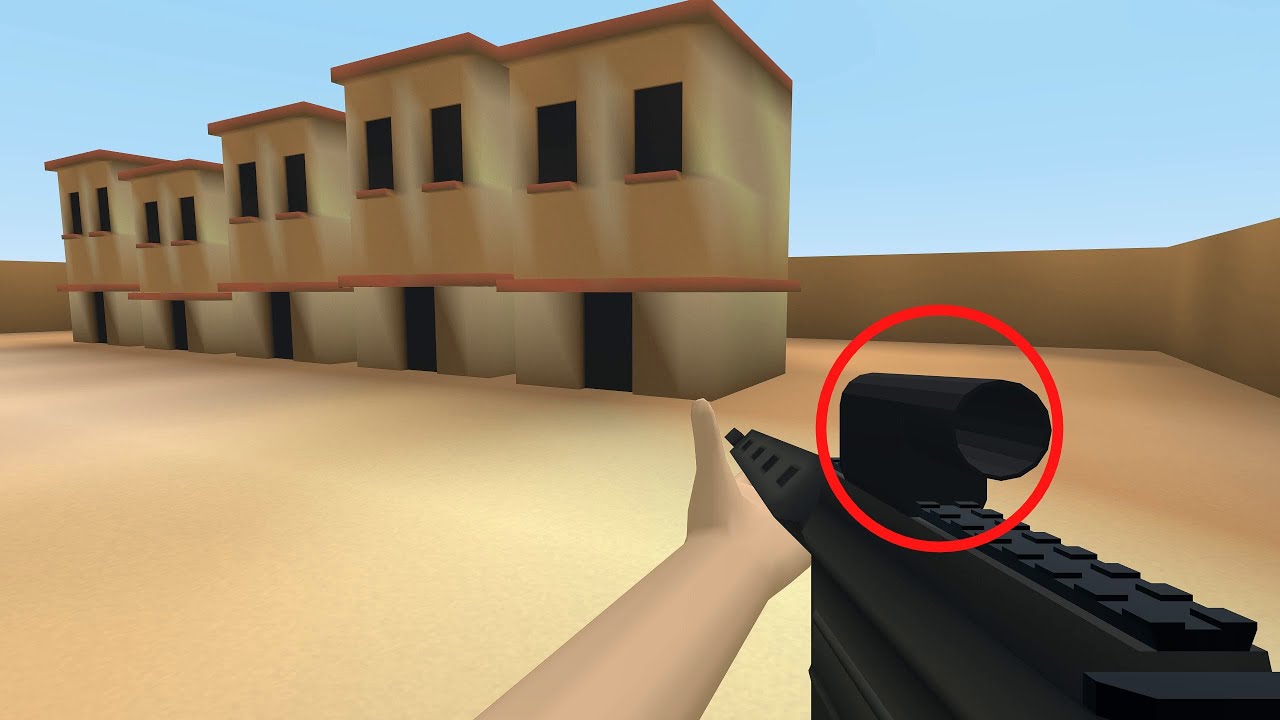
Mysterious Purple Cat's video: https://youtu.be/BUzLAXZmFbE
2nd Channel: https://www.youtube.com/c/GarbajGaming
Twitch: https://www.twitch.tv/garbajcan
Twitter: https://twitter.com/Garbaj2
Discord: https://discord.gg/GFZKKUdEwb
does anyone know how to implement this?
using materials changing fov for certain objects
 swift pewter
How can I get a reference to the player character in an animbp that doesn't belong to the player?
 spark steppe
theres a get player method which takes the controller id as input
swift pewter
I tried using that and casting to the player but the reference is not valid
Also tried getting the animbp's owning actor and getting its owner, which would be the player, but that doesn't seem to work either
Actually nvm
spark steppe
but that should work
swift pewter
The cast only failed on InitializeAnimation, so I'm doing it on UpdateAnimation instead
spark steppe
are you attaching that childactor manually?
swift pewter
I use SpawnActor
spark steppe
and you spawn it as child or do you attach it after spawning it?
swift pewter
I attach it to the player mesh after spawning it
spark steppe
then initialize animation might run before it is attached
maybe you make an event in your AnimBP like onAttached, which you call after attaching
that event could store the casted player reference if you need it more than once
to avoid casting every tick
swift pewter
Yup, will probably end up doing that
 royal iron
Hey guys! I have this actor as a "fake" projectile to go from the barrel to the end of the trace, but I can't make it to always look forward. Sometimes its sideways if I turn to a different angle. Could you help me explain what to do to make it always face forward? :T

 vague sequoia
Someone who knows why I can't find the "execute python script" node in an Editor Utility Blueprint? I can find the execute python command node. (image is from a video)
 rotund marlin
most likely missing a plugin jeroen
royal iron
Using InterpToMovement :t

Even the VFX is sideways as the projectile when I change angle
spark steppe
the order of combine rotator might matter
have you tried swapping that?
first the 90 deg correction, then your world rotation
royal iron
Hm, not but gonna try
Sorry broken keyboard 😂
Nope still poopoo
its just sideways when I shoot in front of me or back but forward when I shoot left or right xd
royal iron
👀 to be honest not sure. I was following a guide but the guy's hint for fixing the rotation was "Make the projectile small so they don't see its not rotated"
😂
so I'm trying to figure out what to do
 royal iron
Oooh never did something like that. Also new to UE
solar bison
I'm trying to move away from using bindings for my text elements, (to avoid ticks), what's the easiest way to configure this in my BP?
tawdry surge
I just use custom events. no reason to get complicated
solar bison
@tawdry surge yes but it looks like this rn

There are like 6 text items, I have to switch through multiple items to SetText
Am I making a mistake by having 6 different child items for the horizontal box in the widget? Should I just create a separate widget?
tawdry surge
Depends if you're going to swap or re-use any of them.
Modularity is usually better practice in general
solar bison
tawdry surge
Depends if you're going to swap or re-use any of them.
Modularity is usually bet...
I'm never going to swap/re-use them
So does it make sense to just cram them all into the Horizontal box as constant elements?
Lot of variables though, that's the only thing
I'd also like to keep it modular and have an individual widget for this, and pass data to that child widget.
But then it gets a bit complicated: that child widget has to call a function when clicked, which fires an event, which the parent listens to, and then the parent state updates, which changes some other widget in the hierarchy
 unkempt terrace
Yo guys, any way to expose arrays or maps to the sequencer ?
rotund marlin
so i noticed me trying to do foilage actor ended up in a catastrohpe xd
 ocean arch
Hey guys, I got this massive spherical overlap zone encompassing my map that is shrinking constantly on a timeline with begin overlap and end overlap events (a bit like a battle royale), but this seems to halve my FPS so apparently its very costly. Is there a better way to do this?
I know its the overlap zone alone, because when I take it out of the BP and only shrink the other stuff in the hierarchy the fps is maxing out
 rotund marlin
no density option if its an actor my 2x 1080ti's did not like that many trees
fair oak
How can i get my animation notifier blueprint event the notifier exists but the event doesn't show up
fair oak
this is missing in that documentation https://docs.unrealengine.com/5.0/en-US/animation-notifies-in-unreal-engine/
 silk cosmos
They only show up in anim blueprints
 silk cosmos
Per the documentation, did you create a skeleton anim notify
fair oak
yes i'm asking both #animation and #blueprint btw because idk wich topic this is lol
the other skeleton notifies also don't show up
solar bison
Can I not add an item in BP to an array in the same BP? (In the editor istelf, instead of construct script/begin play)
 gusty axle
solar bison
Can I not add an item in BP to an array in the same BP? (In the editor istelf, i...
gusty axle
solar bison
Can I not add an item in BP to an array in the same BP? (In the editor istelf, i...
If you mean "item" is an object or an actor - i dont think so, it should "exist" or be created
icy dragon
fair oak
yes i'm asking both <#221798806713401345> and <#221798862938046464> btw because ...
See #rules, crossposting is frowned upon, for good reason.
fair oak
ok yeah
i think #animation is a better channel for this since its a animation blueprint
icy dragon
I can't stress it enough, stick to one channel until you're explicitly redirected by someone to more fitting channel.
I have been confused many times because of questions getting crossposted without someone else redirecting.
gusty axle
Can anyone help me with Procedural Mesh component collision? I generate the mesh in BeginPlay event, i set Create Collision and Complex Collision flags on but still the mesh have no collision
If i put the generate function in Construct script it does work but if the actor was already on the level, if i spawn another actor with Procedural Mesh it will have no collision
solar bison
gusty axle
If you mean "item" is an object or an actor - i dont think so, it should "exist"...
I mean for example, I have an array of Texts as a BP property
I also have individual texts, each as BP properties (because of widgets)
Can I add them in anyway?
Without doing something like this
 mental trellis
make array?
gusty axle
Yeah theres "make array" node if you mean that
gusty axle
gusty axle
Can anyone help me with Procedural Mesh component collision? I generate the mesh...
engine version 4.25 oof
Is that a bug or im missing something?
icy dragon
4.26 reign supreme (if free Oodle/Bink is retroactive to that version)
solar bison
Make array?
And then I can jsut plug in my elements from the editor?
Hmmm, wasn't aware. Closed the editor for now. Will try later
gusty axle
Yeah if you need to make an array out of items without giant "add to array" nodes chain use Make Array
 willow gate
Hey dudes. Quick (hopefully) question: I have an array in my BP that acts as an inventory. I have added a finite number of elements to the array in the variable (not in the bp or at runtime) because I want this array to only ever be 8 elements large. I am trying to use a for each loop to find the first "empty" index so that I can insert a child object into that index. I'm using remove/insert because I want to preserve the structure of the array when adding/removing objects as I know that arrays elements will move up in order when things are removed. Valid Index and IsValid aren't working obviously because the array has 8 elements by default. I'm basically trying to find the first available slot that is just the parent class and not a child class so that I can insert a new child there. Wow I guess this isn't quick and probably a very confusing question.
gusty axle
gusty axle
Is that a "struct" array?
If it is a struct array you can use "find" array node and make the input pin empty, it will search for "default" struct item
spark steppe
do yourself a favor and use a map
with integer as key for the slot index
a.) you don't need to init dummy items
willow gate
gusty axle
Is that a "struct" array?
It's not a struct array. It's an array of actors.
spark steppe
b.) you can check kind of easy for the first free slot
c.) stuff doesn't get shuffled around from using array methods
gusty axle
willow gate
It's not a struct array. It's an array of actors.
Oof idk how ppl use actors as a base for inventory h
willow gate
spark steppe
do yourself a favor and use a map
I was trying maps at first but I didn't understand it well enough to access individual indexes. My system is supposed to be simple where you have only 8 objects in this "inventory" of things you can build. I want the player to be able to walk up to a new item and when they interact with it, it checks the "inventory" to see if there are empty slots, if there are, it inserts the object into the first empty slot. If there are no empty slots, it just swaps out the object in the currently selected slot. I can swap fine using remove and insert. But you're saying with a map I could use int as a key. I guess from what I was reading, I was thinking that the keys were generally used as values like ammo count or number of items but I guess if I hard-set those keys to a set value, I could use them as indexes. Is that what you're suggesting?
willow gate
gusty axle
Oof idk how ppl use actors as a base for inventory h
Yeah, I haven't done it this way very often. I have another inventory system in another project where I use a struct/data table setup, but for this usage, that's alot of setup for something that doesn't need to be that complex
gusty axle
spark steppe
with integer as key for the slot index
Isn't it the same as a regular array?
willow gate
It's not open world or anything where I need to keep track of hundreds or thousands of items.
gusty axle
willow gate
Yeah, I haven't done it this way very often. I have another inventory system in...
I think struct based system is easier hh
willow gate
gusty axle
I think struct based system is easier hh
Yeah... perhaps you're right.
gusty axle
You basically store the string as an item name and string array as a property and just get the data from data table like texture, mesh etc
Two arrays: static item struct that has all static data like textures and default variables, and dynamic item struct that has a string as name and string array as properties
I setup this stuff in half an hour lol, have 3 projects with this system and its very easy to work with, just data
And you can easily save the inventory
willow gate
gusty axle
You basically store the string as an item name and string array as a property an...
I think you're right. The irony is that I was trying to simplify the system I normally use and it's overcomplicated instead. lol
gusty axle
And empty items in the array aren't that bad h
 safe iron
Heyyy
I have been playing around with the shooting in my game and there is something that doesn't seem right about it
It's about the aiming and stuff, that feels unprecise, not really unresponsive, but it's like I can't aim at the target as I can easily do in other games, which also makes it feel less fluid
This is the blueprint I made in the character blueprint, can you tell me if everything is right or it's because of something I didn't put here?
Does it happen with you as well?
Might it be that the Sensitivity is too high?
 gusty axle
It might be sensitivity and/or smoothed camera movement idk
safe iron
smoothed camera movement?
You mean, the fact that it might be on or off?
Never heard of that
gusty axle
I know that you can attach the camera to Spring Arm, set to not check for collision and set the distance to zero, and tweak the "rotation lag" that smoothes the camera movement
But idk if theres an easier and more simple way that works as good as this one
safe iron
oh, ok, I'll try that out, thanks a lot
willow gate
gusty axle
And empty items in the array aren't that bad h
Thanks BTW. I'll get to work on a struct/map system
royal iron
Hello everyone! So I want to be able to drop the weapon when I input G, but so far every detach I tried failed and nothing happens. (Yes I turn off event generation for the duration of a drop so the player wont pick it up again instantly) any idea how could I solve this?
 gusty axle
I would use "spawn actor" for this
Have an attached mesh component that changes its mesh depends on item player is holding
Btw theres "detach from" nodes
royal iron
Basically this is the FPS template from Unreal, I just want to be able to drop the weapon because in UE5 it became a "pick up" item. It was in previous versions parented to the FPS controller
Yeah I tried them all nothing happens
gusty axle
Does the mesh have collision on?
royal iron
Of course not
royal iron
I mean its on when you pick it up
I dont understand where you're going with this now 😂
gusty axle
Do you enable collision before detaching it?
royal iron
No. When its on the ground, player walks through picks it up disables overlap events, when I press G i want it to detach and gets dropped to the ground because of physics and after 2 sec it gets its overlapping events turned on so it can be picked up again
Everything works as a charm just I cant drop it with G
gusty axle
After you press G you have to enable physics collision and simulate physics on, then you detach the component/actor
royal iron
I have collisions and physics enabled when G is pressed and when I try to detach nothing happens still in hand.
That's why I tried all the detach nodes and nothing worked
gusty axle
What is your full graph on key G event?
 silent pilot
Im not sure I understand the difference between world rotation and local rotation, can someone explain?
Im simply trying to make my camera movable using the mouse
mental trellis
Location rotation is relative to the attachment parent.
gusty axle
silent pilot
Im not sure I understand the difference between world rotation and local rotatio...
World rotation is an absolute rotation, like the real rotation in space
silent pilot
silent pilot
Im simply trying to make my camera movable using the mouse
So in this case, mouseX should rotate locally and in the world space?
gusty axle
Local is relative to its parent
silent pilot
I see
royal iron
Don't mind the detach node I was trying to figure it out
 gusty axle
silent pilot
So in this case, mouseX should rotate locally and in the world space?
gusty axle
silent pilot
So in this case, mouseX should rotate locally and in the world space?
It rotates the controller, control rotation is world space
silent pilot
 gusty axle
Oof use add yaw/pitch nodes
silent pilot
This does that
 gusty axle
And enable "use control rotation" in spring arm component
silent pilot
It's pretty fucked up XD
gusty axle
silent pilot
It's pretty fucked up XD
Because you rotate the camera by X axis
X axis is a "forward" vector
silent pilot
Yeah I was testing, I used yaw as well
gusty axle
Rotate mouseX to yaw and mouseY to pitch
gusty axle
royal iron
Don't mind the detach node I was trying to figure it out
Youre trying to detach the "FP character reference"
U think you need to detach the mesh itself
silent pilot
gusty axle
And enable "use control rotation" in spring arm component
It doesn't do anything anymore now :(
royal iron
Told you dont look at the detach node it was just my last attempt xD
rich jungle
did you enable controller input?
gusty axle
silent pilot
It doesn't do anything anymore now :(
Because it uses control rotation
silent pilot
rich jungle
did you enable controller input?
Haven't touched that, what is it, and where do I enable/disable it?
gusty axle
To rotate the controller use "add yaw" and "add pitch" nodes
rich jungle
silent pilot
Haven't touched that, what is it, and where do I enable/disable it?
setting on the spring arm, it's what lets controller yaw/pitch whatever actually work
actually
gusty axle
royal iron
Told you dont look at the detach node it was just my last attempt xD
Oof lmao
 royal iron
So I tried it like this now and still nothing happens when G is pressed
 gusty axle
So when you pickup the item you disable the collisions (not overlap events, physics collisions), disable simulate physics and attach the mesh to bone?
 royal iron
gusty axle
So when you pickup the item you disable the collisions (not overlap events, phys...
royal iron
gusty axle
So when you pickup the item you disable the collisions (not overlap events, phys...
I only disable simulate physics and overlap events
silent pilot
Im using UE4
silent pilot
np
gusty axle
royal iron
I only disable simulate physics and overlap events
Do mesh have physics collisions and simulate physics on before you pick it up?
royal iron
Indeed. It has a capsule collision and as soon as the player walks through it attaches
royal iron
Nope stays in the hand 😄
gusty axle
Put "print string" node after detach
royal iron
Doesnt even jiggle or drop or smth. And in hierarchy I see it still attached
silent pilot
gusty axle
World rotation is an absolute rotation, like the real rotation in space
This still doesn't make sense to me. How is it possible to rotate something in the world without rotating it relatively to the parent component? And vice versa
gusty axle
Check if it executes the branch
gusty axle
silent pilot
This still doesn't make sense to me. How is it possible to rotate something in t...
Well that's how it works, you can rotate in world space or relative space
royal iron
I added print to as soon as I press the G and NO PRINT . Like is G something editor doesnt recognize or what?
gusty axle
royal iron
I added print to as soon as I press the G and NO PRINT . Like is G something edi...
Yeah your action doesn't work
rich jungle
silent pilot
This still doesn't make sense to me. How is it possible to rotate something in t...
I think it's like: rotation 0 = world rotation zero vs local rotation 0 (which inherits the attached parent's direction)
when you use world rotation, it figures out what the rotation relative to your parent is for you
gusty axle
gusty axle
Yeah your action doesn't work
Check the inputs
royal iron
gusty axle
Yeah your action doesn't work
Okay I HAVE AN IDEA
silent pilot
So world rotation = local rotation + parent world rotation?
mental trellis
not really?
rich jungle
 mental trellis
It'd be parent world location + (parent rotation * local location)
rich jungle
up is world rotation 0
red = parent's rotation
if you use world rotation, for a child object of an actor facing towards the red arrow
you'll see the thing looking straight up
because the engine calculates what "world rotation" means in local space for you
if you use local rotation 0 it ignores the world and just makes it face towards the red arrow
world rotation is like a compas
the needle always points to real north
no matter which way you rotate the compas
silent pilot
hmmm yeah ig I see what it means
rich jungle
:)
gusty axle
World location of a child = parent world location+ child local location
silent pilot
But I still see no difference between "add local rotation" and "add world rotation"
gusty axle
Rotation is more complicated
silent pilot
silent pilot
So world rotation = local rotation + parent world rotation?
That's exactly what I said here @gusty axle :(
Wait
tight schooner
Ultimately it's a thing attached to a thing. A bus driver in a bus. A missile on the wing of a jet fighter. A child on a merry go round. As the parent rotates, all the other stuff attached to it can move relative to world space too.
silent pilot
Edited it
gusty axle
silent pilot
That's exactly what I said here <@525900190117527583> :(
You used rotation in location oof
silent pilot
Yeah my head is exploding sorry meant to say rotation everywhere
gusty axle
Add world rotation rotates the object by world global axis like straight up for example
gusty axle
Local rotates around parent's axis for example
silent pilot
Ez
gusty axle
Np
 solemn crescent
BP is working,
but I’m struggling to incorporate it into my project.
Keyboard key that positions a 2D card according to a camera.
I tried making the cam a BP-actor,
and the 2Dcard as a shape inside the Actor.
Making the CineCam an actor prevents it from parenting under the nDisplay.
I’ve heard I can make an empty pawn to capture the keyboard events and the transmit them to the objects in the level.
How do I go about that?
 gusty axle
Id draw it but im on the phone lil
gusty axle
Lmao yeah that happens
gusty axle
solemn crescent
BP is working,
but I’m struggling to incorporate it into my project.
Keyboard ...
So you want to make it like, if you press the button the other objects receive that input?
solemn crescent
Yes exactly.
 runic urchin
Is this the correct way to set up a camera going in and out of a trigger zone