#blueprint
402296 messages · Page 863 of 403


 lapis inlet
This?

OH WAIT
Shit is moving!
Just erm one issue
Its going up
Hmm bizarre
Ok so stuff CAN move
But its bizarre that everything only wants to go up
No wonder I didn't notice, I locked everything to the Z plane
BC I want everything to remain on the same field
 grand valve
When you add the box, pull out from the reference that gets created and promote it to variable, Then when you click on that variable, you have the same green + event buttons in the details panel like overlap, etc
lapis inlet
Ok now
I need to troubleshoot my current gravity simulating blueprint
I used a tutorial on it, but it's for Unreal Engine 5 and not 4.62 that I am using

Can anyone pitch me some help on this?
It's used in a "Gamemode" blueprint, I'm not sure If I managed to apply it correctly to the level

 waxen rose
in the 8 min in this tut he have a CharcterRef in actor class i havn't , i follow this series and some body in comments have same prob ! https://www.youtube.com/watch?v=MF-MxQz76PU&list=PLMCnTPAjnxO_Sg8h7kQ47yB67XIM97vJ2&index=16
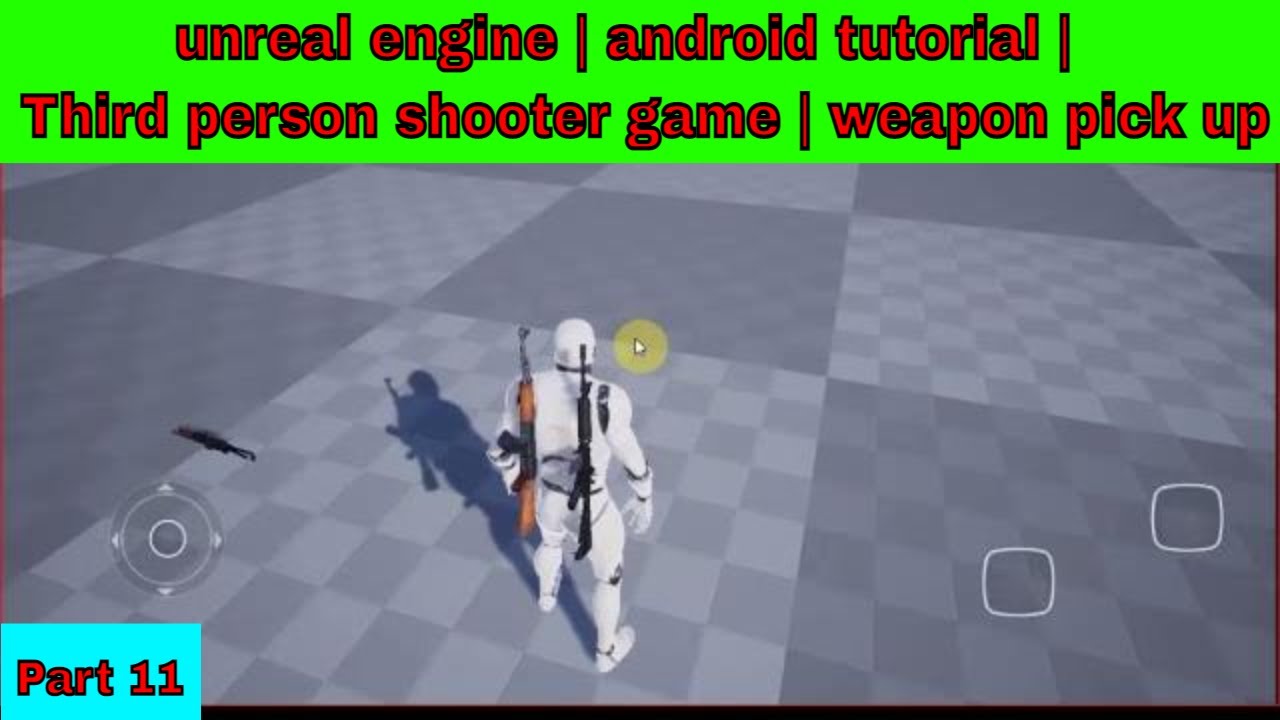
unreal engine | android tutorial | Third person shooter game | weapon pick up
और भी बहुत से विडियो को देखने के लिए प्लीज मेरे चैनल को subscribe करना न भूले
by #GdyTech
join our telegram channel -
https://telegram.me/gdytech
 maiden wadi
waxen rose
in the 8 min in this tut he have a CharcterRef in actor class i havn't , i follo...
maiden wadi
waxen rose
in the 8 min in this tut he have a CharcterRef in actor class i havn't , i follo...
Did you follow the other eleven videos before this one?
waxen rose
maiden wadi
Did you follow the other eleven videos before this one?
YUP else zombies videos i follow step by step all worked with me to video in part eleven he have this option if u watch part 10 he havn't the char ref in actor class too but he make some thing didn't explain it
 odd ember
well that's the danger of following tutorials like these
waxen rose
odd ember
well that's the danger of following tutorials like these
i c that i think it must ads for his patreon plans
odd ember
I don't think it's just that particular tutorial
but tutorials in general
take them with a grain of salt
instead of following them like gospel
lapis inlet
God im worried I might have changed a parameter by accident that is screwing everything up
My sanity is slipping from my exhaustion
 dreamy yacht
I think it's easier to just adjust center of mass actually. Setting lower center of mass won't prevent car from flipping over during extreme situations
 fair magnet
How can I load game user presets?
I've made a system that works like profiles and I want each profile to have their own game user settings saved in it :o but I can't promote them to a variable... what do I do now?
I guess I'd need to save every single option (like Resolution and graphic settings) in my savegame right? then and apply on startup
 earnest tangle
Sounds likely yeah
 sacred current
Hi Folks, I'm facing an issue I need to get the linear physic velocity of a character mesh, but the vector return is always 0, even when char is moving. also, I have an old version of the project with the same logic and it works just fine, it has something to do with project settings of mesh collision preset? {solution: check in your mesh physic asset, In my case it was not set}
 gentle urchin
dreamy yacht
I think it's easier to just adjust center of mass actually. Setting lower center...
gentle urchin
dreamy yacht
I think it's easier to just adjust center of mass actually. Setting lower center...
You wanna block it entirely?
 slow pewter
fair magnet
I guess I'd need to save every single option (like Resolution and graphic settin...
slow pewter
fair magnet
I guess I'd need to save every single option (like Resolution and graphic settin...
Yeah thats the Savegame Workflow from Ue
 stoic palm
One message removed from a suspended account.
 south merlin
Is Enum to Name broken? I have my Enum var set to public, but it only ever shows the default value when I print it's value.
oh dang, Enum to Name returns not at all what I would expect
I'll have to do Enum to String to Name
maiden wadi
Enum to name will also break in packaged builds. Don't rely on it for programming. Only debugging.
 hushed topaz
stoic palm
One message removed from a suspended account.
hushed topaz
stoic palm
One message removed from a suspended account.
Not sure if its possible. Try and find what BP functions are exposed, but if not, you'll have to write out your own C++ PPV subclass
south merlin
maiden wadi
Enum to name will also break in packaged builds. Don't rely on it for programmin...
Lovely.
hushed topaz
stoic palm
One message removed from a suspended account.
Or have multiple PPVs and swap between them, depending on your usecase
maiden wadi
south merlin
Lovely.
Out of curiosity, what are you doing?
hushed topaz
stoic palm
One message removed from a suspended account.
I think there are also some camera effects you can apply, depending what you're going for
south merlin
I have what I'm calling a "Weapon Vending Machine" that when the player interacts with will give the player that weapon. Sort of like a weapon pickup, but set in the world.
so I want to have 1 vending machine that I can change via the Enum drop down to any of the weapons in the game.
I use a Tag to see what teh palyer is looking at to determine what string to display "Swap Gun X with Gun Y" for example.
so I want to change the tag of the BP, only when the player is in a collision box (due to it's visual shape) so they can't pickup the gun early.
I have a data table for all the vars
so changing the data table row based on the Enum will change what weapon is display and picked up

sort of "Metroid-y" in design.
maiden wadi
Yeah, sort of sounds like a traditional Enum To Name TMap. I personally tend to go out of my way to avoid using Enums most times. There's not much I can't solve with FNames or GameplayTags better.
hushed topaz
Doing some Character stuff (modular character using set master pose and an invisible base mesh that drives the animations), and noticed to make the animations work, I have to use 'Always Tick Pose'. However, this is causing performance issues on the client even when the player is far away and character is out of sight. Are there any standard performance tricks I can use to not ask the invisible base mesh to tick when not relevant for any player on a client?
 stoic palm
hushed topaz
I think there are also some camera effects you can apply, depending what you're ...
stoic palm
hushed topaz
I think there are also some camera effects you can apply, depending what you're ...
One message removed from a suspended account.
hushed topaz
south merlin
what's FNames?
grand valve
@stoic palm Not the easiest thing to find but this should do it 🙂

 round dock
nope. I think I either 1. used a dummy 'normal' camera, or 2. made the view matrixes myself
I can go look at my old solution rq if you need more
maiden wadi
south merlin
what's FNames?
Pink variable called Name.
You use them as Datatable Row names
south merlin
Oh yeah, that's what I'm using
stoic palm
grand valve
<@!272529165771735040> Not the easiest thing to find but this should do it 🙂
One message removed from a suspended account.
south merlin
I really just wanted the dropdown list that Enums give when you make it public
grand valve
did you try using data table row handle as a public variable? It creates a combo box like that but populated only with the rows in your specified data table
south merlin
when I used it as a public variable, it was a text box to me

on top is the Enum
on bottom is the Name var
I'd just like to not have to type it in
 molten crane
grand valve
When you add the box, pull out from the reference that gets created and promote ...
molten crane
grand valve
When you add the box, pull out from the reference that gets created and promote ...
Thank you bro you saved my time 🙏 b
grand valve
i just tried it, it works pretty flawless, are you specifying your row name variable as Data Table Row Handle
needs to be exactly that type
then you just tell it the data table you want, and then it populates the row name enum with your data table rows
south merlin
no, I just called it "Row Name"

 south merlin
nailed it

when I promoted it to variable, it just made it of type Name
thank you
grand valve
yea, i was using it the way you are for a looong time 🙂
this was a game changer for me
south merlin
are gameplay tags different than tags?
I use tags in a "What is the player looking at" function.
(it's specifically for weapons and items)
 dawn gazelle
south merlin
are gameplay tags different than tags?
dawn gazelle
south merlin
are gameplay tags different than tags?
Yes. Tags are just FNames. GameplayTags can have a hierarchy that you can validate against (eg. You could have a tags like Enemy.Alien vs Enemy.Soldier and then check if either of them are at least Enemy). GameplayTags also have a container object that is similar to an array but you can easily find matches in vs. having to loop through an array of tags. Gameplay Tags are also nice as once you have your tag hierarchy set up, it's less likely you'll make a typo.
 trim matrix
How can I add a new column to a string table?
 south merlin
Where do you go to set gameplay tags? searching only brings up Component Tags like I'm used to
 blissful grail
south merlin
are gameplay tags different than tags?
blissful grail
south merlin
are gameplay tags different than tags?

Use GameplayTags in Unreal Engine to break up hard references and avoid casting. Easily mark up your content while managing complexity.
south merlin
thanks
oh ok, it's what I'm using for Damage Type, I think
o_O
I"m discovering so much
 deft mist
Hi folks. I am trying to assign a physical material for each different main material in a blend material that created with megascan for static mesh painting purposes, so I can play different footsteps for different surfaces. but since the layer system in the landscape material is not in here, this method does’t work. So, how can I identify the surfaces on a vertex painted static mesh on the blueprint(or cpp) side?
 grand valve
the only way is to do this https://forums.unrealengine.com/t/physical-material-masks/156605

Unreal Engine Forums
So I’m trying to add multiple physical materials to a single mesh, using a single material and an (of course) Physical Material Mask asset. Unfortunately, the only documentation I could find about this was from UDK (UDK | PhysicalMaterialMask)- which says to use 1 bit bmp’s. Okay. So, I created one, tried to import it, but apparently it’s an uns...
that I know of anyways
but thats kind means you gotta have a separate texture which youll need to create after you are done painting, its not ideal but
i think thats the only support for multiple physical materials on non landscape materials
deft mist
grand valve
the only way is to do this https://forums.unrealengine.com/t/physical-material-m...
Thanks for the info, I'll try that.
gentle urchin
Is it really easier to start over than refactor existing code?^^
odd ember
can you refactor in BP?
 twin robin
UMG input issue:
- Press W to run forward
- Press TAB, create widget, add it to screen, set input mode to GameAndUI with the widget as "WidgetToFocus"
- Character stops. Have to press W again to make him run.
 random plaza
i'm trying to make a dynamic NPC position saving system that automatically adds new NPCs as they come into the map
for instance, NPC A is spawned into the level from the viewport when the level is being made, how would i make it delete NPC A and spawn a clone of NPC A after loading it from the NPC array?
i always end up with a clone
actually i think ive got it, just gotta have it check the NPC array when placed into the world
 hollow gorge
Hi, I'm currently trying to figure out how to handle empty inventory slots properly. My current approach is a placeholder item as a default entry within my item struct but I'm sure there are better methods to approach this... any suggestions?
stoic palm
grand valve
<@!272529165771735040> Not the easiest thing to find but this should do it 🙂
One message removed from a suspended account.
earnest tangle
hollow gorge
Hi, I'm currently trying to figure out how to handle empty inventory slots prope...
Why not just set it to None?
grand valve
@stoic palm its a bit difficult since its such a nested structure, but this MIGHT work

In this case we are operating directly on structure references so the idea is we can set elements on them directly
so you find your settinsg, break those, get the materials break those, then make sure you are getting a reference to the index you want, not a copy
So then we edit the weighted blendable in that specific index with our new object (you dont actually have to cast to a material here, since it accepts object)
Then you set the members in the post process setting to be that modified array we just edited
 hexed glade
Is there anyway to locate a print string in blueprints in addition to find results. Have one that triggers, but I can't seem to find it anywhere.
grand valve
Window > Developer > Output log, i think should tell you which class is printing it
hexed glade
Thanks
stoic palm
grand valve
<@!272529165771735040> its a bit difficult since its such a nested structure, bu...
One message removed from a suspended account.
grand valve
awesome! Np!
earnest tangle
Hrms, did they change how camera shakes work at some point because I vaguely remember being able to just trigger a camera shake on a particular camera and now I can't find that functionality 🤔
This sounds like an issue with how you're saving them. Also strings can't be null, so not quite sure what that would be :)
maiden wadi
earnest tangle
Hrms, did they change how camera shakes work at some point because I vaguely rem...
Not sure about before. But I know that the PlayerCameraManager handles that for the most part.
Sounds like you're saving one. Then going to save a new save and overwriting the first and saving the second. But it's all wild speculation without logic.
maiden wadi
It's all wild speculation without logic.
It's cause you didn't connect the thing to the thing, or because the other thing is connected to the thing in the wrong order and the thing is supposed to go into the other thing with the thing. 🤷♂️
odd ember
maiden wadi
It's cause you didn't connect the thing to the thing, or because the other thing...
well duh, you never connect the thing to the thing, only connect the thing to the other thing 
 frozen ledge
i connected the wrong thing to the thing, now it works
thanks fellow things connected to things
maiden wadi
Message deleting is so creepy. 😦 Makes me feel awkward.
Like, do I just leave my random text sitting there now or?
odd ember
you can see there's a reply to a deleted message, so it's all in context
random plaza
how do you exclude yourself from get all actors of class?
 faint pasture
south merlin
I have what I'm calling a "Weapon Vending Machine" that when the player interact...
faint pasture
south merlin
I have what I'm calling a "Weapon Vending Machine" that when the player interact...
This should all be modular and generic. That is, the vending machine should have an inventory component the same as a treasure chest or your enemies or yourself. It's just an actor with an inventory component and it observes its inventory to generate the view etc.
random plaza
im trying to test for duplicate NPCs by seeing if the names are equal and it keeps detecting the testing blueprint
 mild crystal
how can i do for when i get this random to not be equal as the last one
 random plaza
if you're doing it in a function, crate a new local variable and set it every time you roll. then call that variable and see if it's equal next roll.
odd ember
random plaza
how do you exclude yourself from get all actors of class?
you use a solution not relying on GetAllActorsOfClass
what are you intending to do?
random plaza
check the name of the NPC calling it, then check for a npc with a duplicate name and destroy it
mild crystal
like this?
 mild crystal
random plaza
if you're doing it in a function, crate a new local variable and set it every ti...
mild crystal
random plaza
if you're doing it in a function, crate a new local variable and set it every ti...
.
random plaza
set it as -1 by default
maiden wadi
mild crystal
how can i do for when i get this random to not be equal as the last one
Answer requires context to what this is used for.
If you're wanting six random numbers, you sort an array. If you just want two random but not the same, just While loop it and make the condition != first roll
mild crystal
maiden wadi
Answer requires context to what this is used for.
so i use this random integer to see which animation i will play. But i dont want to use the same animation twice in a row
 brave oasis
Guys, how can I have more precise than 6 points of precision floats in blueprints?
after any float calculation my result is always no more than 6 points of precision, like 0.362946 and no more after that
maiden wadi
Sounds more like a printing issue. What are you doing that requires even more precision than that though?
brave oasis
maiden wadi
Sounds more like a printing issue. What are you doing that requires even more pr...
Neural networks.
No suggestions that blueprints is not the place to do them, please. I made up my mind.
 dry laurel
brave oasis
Guys, how can I have more precise than 6 points of precision floats in blueprint...
dry laurel
brave oasis
Guys, how can I have more precise than 6 points of precision floats in blueprint...
float (4 bytes) has usually precision of about 7 decimal digits. To get better precision for decimal digits you would have to use double. UE5 has support for double in blueprint, but as for UE4 I reckon c++ or some kind of blueprint wrapper would be needed.
brave oasis
dry laurel
float (4 bytes) has usually precision of about 7 decimal digits. To get better p...
thank you, I guess switching to ue5 will do the job. or I'm thinking maybe using integers + normalize them around the "max int32(or64)/2" point. treat the middle as zero.
 sinful creek
I want to create an Android online multiplayer game.
Is it necessary to use paid dedicated servers?!
Can one mobile host and others can join through internet?!.I want this type.
Is there any tutorial for this?!I prefer blueprint tutorials.
 dusk dust
round dock
I can go look at my old solution rq if you need more
dusk dust
round dock
I can go look at my old solution rq if you need more
if you can do that I would greatly appreciate it, thanks
For me I created a minimalviewinfo struct and extracted the view projection matrix from that but Im curious to see your method
 icy dragon
sinful creek
I want to create an Android online multiplayer game.
Is it necessary to use paid...
icy dragon
sinful creek
I want to create an Android online multiplayer game.
Is it necessary to use paid...
If you want to do internet MP, you can have one client serve as listen server in P2P fashion
Of course it goes without saying it's not suited for MMO kind of game, but for round based MP games like CSGO, it's perfectly fine.
sinful creek
icy dragon
If you want to do internet MP, you can have one client serve as listen server in...
Any tutorial suggestion?! Please..
 grizzled peak
@zenith pond that place distance setting worked! thanks! I was going crazy.
 stoic zenith
hey guys!
why does using default functions works properly on multiple clients on picture 1 and getting my component and calling its function from cpp doesn't work on any of the clients if i click play as client on picture 2

 maiden wadi
stoic zenith
hey guys!
why does using default functions works properly on multiple clients o...
maiden wadi
stoic zenith
hey guys!
why does using default functions works properly on multiple clients o...
Need more context for this. Not sure what the issue is?
stoic zenith
maiden wadi
Need more context for this. Not sure what the issue is?
first widget works properly on both clients if i run Play as client for 2 players while second widget doesn't work properly for any of the clients
both widgets are part of one hud --- first is text box and second is progress bar
maiden wadi
Does the second widget work correctly ever?
stoic zenith
maiden wadi
Does the second widget work correctly ever?
in single player it works well
maiden wadi
Initial assumption is that the component isn't replicated.
 barren sonnet
Hey guys does anyone know how to have meshes overlap each other when using a spline mesh component ? I tried adding to the start/end tangent but that didn't seem to work.
 maiden wadi
Your cooldown at least doesn't have a replicated property marker. And I don't know what the function does. But chances are if it works in singleplayer, but not as a client, it's a replication issue either in the component or the properties.
 zenith scarab
barren sonnet
Hey guys does anyone know how to have meshes overlap each other when using a spl...
zenith scarab
barren sonnet
Hey guys does anyone know how to have meshes overlap each other when using a spl...
You would have to get the according distance along the spline of the locations the points should be at end then just add an offset to the distance float (using minus at the start point and plus on the end point) so you manually change the distance the point should be at. But be careful that you clamp the values between 0 and the spline length
 wicked osprey
Guys, I have such a question. Is it possible to create a variable in which all rows of a certain Data Table will be stored at once? The same as the Data Table Row Handle structure, but so that in Instance I could only select RowName from the drop-down list and did not have to enter it manually
stoic zenith
maiden wadi
Your cooldown at least doesn't have a replicated property marker. And I don't kn...
thanks, property wasn't replicated, now i replicate it and it still doesn't work properly on any of the clients (also component is now SetIsReplicated(true))
zenith scarab
wicked osprey
Guys, I have such a question. Is it possible to create a variable in which all r...
There is a get all row names you can use on a data table reference
wicked osprey
I want to have only a drop-down list of rows visible in Instance, and already select data table inside the class. But due to the fact that the Data Table Row Handle is a structure, I can't choose
zenith scarab
What you can do is have a variable in a parent blueprint and set the data table there, you can then select the row handle you wanna use on the childs. Or should at least be able to if i remember correctly
But its not possible to populate a engine variable inside the engine using a data table.
Another more costful option would be setting up a variable inside the data table struct using an actor class array u add the needed actors and then inside the parent blueprint look for each row if the current actor is inside thats rows actor array and then populate a structure variable using the reuslt of the search
 long whale
Hi guys, is there a way to determine whether a character can be swept to a target location without hitting something? The character should be moving on un flat landscape.
set actor location with sweep ticked does not work well
grizzled peak
Quick general question. When building out game levels. Do all the elements have to be placed inside the level editor, or can they be placed inside a folder and then link to the folder. For instance, I have a spline mesh component for a road and it's duplicating a mesh all over the place, but it requires that I put the original mesh inside the level. Instead of having some random mesh in the game level, can you link to an asset folder where the mesh resides? and if so, what type of node is that?
zenith scarab
long whale
Hi guys, is there a way to determine whether a character can be swept to a targe...
A trace from one location to anther, if it hits sth then there is sth in the way
long whale
I also tried line tracing from center of capsule
can get into trouble with complicated architecture
zenith scarab
There are other traces aswell, not only line trace
long whale
yeah I know
maiden wadi
wicked osprey
Guys, I have such a question. Is it possible to create a variable in which all r...
Nope. Not without your own custom editor implementation.
long whale
just wonder is there a tracing method to actually simulate the movement of a character along the floor
zenith scarab
What you can also try is adding a nav mesh bounds volume and check if a point is reachable, how that works with a player character i dont know by heart but it should work for AI
maiden wadi
stoic zenith
thanks, property wasn't replicated, now i replicate it and it still doesn't work...
Odd. Sounds like a networking issue. It depends on what sets these values from where on what machine. It clearly isn't local because then it would work on client already.
long whale
zenith scarab
What you can also try is adding a nav mesh bounds volume and check if a point is...
that's a good point. Thanks I'll give it a try.
stoic zenith
maiden wadi
Odd. Sounds like a networking issue. It depends on what sets these values from w...
value in numerator is being set by getting GetWorld().GetTimerRemaining(MYHANDLE) (by handle), value in denominator is just a variable, both MYHANDLE and variable are replicated
 maiden wadi
Which machine is the timer ran on?
long whale
zenith scarab
What you can also try is adding a nav mesh bounds volume and check if a point is...
I'm implementing a networked skill with super fast character movement. Messing around with the movement component. The best way I found is to precompute the destination location before the actual move happens. Other approaches like built in root motion source has rubber band issue with poor network conditions.
zenith scarab
A workaround for a character would be to simply have a dummy character and spawn that with an AI controller and have that check if it can reach sth or not and give it back to the player requesting a move
But the issue with that is how the nav mesh is setted up. It will check if the AI can somehow at all reach that point, on any way on that nav mesh
long whale
zenith scarab
But the issue with that is how the nav mesh is setted up. It will check if the A...
I'll look into it.
stoic zenith
maiden wadi
Which machine is the timer ran on?
good question 🙂 i honestly dont know, i just call GetWorld()>GetTimerManager().GetTimerRemaining(DashHandle); and thats all
maiden wadi
Sounds like it was done on server. Timer handles don't replicate though. Would need to replicate a float for your display.
stoic zenith
maiden wadi
Sounds like it was done on server. Timer handles don't replicate though. Would n...
yea, i replicated both
maiden wadi
As a general note, I'd advise to avoid timers for ability cooldowns. Floats are much more network friendly and also easier to maintain. All you have to do is set them to the current game time at use, and make functions that check the cooldown duration and currently set cooldown time against current game time. Then all you have to do is replicate the float.
stoic zenith
maiden wadi
As a general note, I'd advise to avoid timers for ability cooldowns. Floats are ...
thanks, i will put it into tick component then
maiden wadi
You don't need tick for it.
The trick is that your cooldown never changes except when used. The only thing that needs ticked is your UI, which you already have in a ticked binding.
gentle urchin
Would you even replicate the float?
Wouldn't a single bool be just as good?
Clientside cooldown 'visuals'
maiden wadi
Boolean can't display how long til the time is up.
maiden wadi
You don't need the boolean. It just complicates the code. All you need is a cooldown time, and the last time the ability was used. Cooldown time can be static on client unless you have other code that can change it or client can infer it from other data. Then you just replicate the last time used and let client UI display from it.
LastTimeUsed + CooldownTime - GetGameTime = CooldownAmountLeft
CooldownAmountLeft / CooldownTime = PercentageLeft
If CooldownAmountLeft > 0 = AbilityOnCooldown
Server authoritive code as well as client can use this data. And better yet, it's a single replication when the ability is used. Never needs resent after that.
gentle urchin
Dunno, if it saves me 15 bit of net code i can spend on something else i'd probably take it 😂 then again i do lots of useless optimizations , as they say, "do as i say(dont optimize before its needed), not as i do"
 gentle urchin
Sure he's dead?
 spark steppe
might be the wrong node
try to call this from a hotkey or something, probably neither working
also for the purpose of having stuff clean, make an onDeath event which you call, there you can play your montage
makes the code a bit more organized
 spark steppe
search for increment
 jaunty summit
Increment
mild crystal
thx
long whale
zenith scarab
But the issue with that is how the nav mesh is setted up. It will check if the A...
I think there's a more intuitive way to do this than nav mesh, by doing a procedurally capsule trace.
Trace a capsule of the exact size of the character's capsule component forward. If it hit a shallow landscape slop, find the floor at the hit location and try placing the character there(without really moving the character). If successful, use the new location as the start trace location and continue, untill destination XY is reached or the new location‘s XY offset distance is too small, like hitting a wall
dawn gazelle
++ also works
jaunty summit
 hushed gazelle
https://gyazo.com/9dfb3105e44e1293ad97ea9ddd519aba
hushed gazelle
https://gyazo.com/9dfb3105e44e1293ad97ea9ddd519aba
Probably because you are playing the anim montage on server. This Should probably be a multicast?
dawn gazelle
A Do Once node too, just to prevent the multicast and montage from playing over and over again.
hushed gazelle
dawn gazelle
A Do Once node too, just to prevent the multicast and montage from playing over...
tried this
jaunty summit
You tried calling(from the event AnyDamage) a multicast RPC that plays the anim montage?
zenith scarab
long whale
I think there's a more intuitive way to do this than nav mesh, by doing a proced...
That should work aswell, what you can also do is have a multi capsule trace but the z size of the capsule fairly big and then check using a for each loop with break if there was sth hit that a cast to landscape using the hitactor fails, so there is sth hit that is not the landscape
long whale
yeah
hushed gazelle
nevermind, i just ragdolled him instead
dusk dust
hello
im trying to use an orthographic scene capture and this happens at large distances

this is the full scene

its getting cut off and im not sure how to change the extent of what it can see
here is an eveen further out shot

basically its only capturing a small slice of a large scene
how can I fix this?
 rigid storm
I can't figure out which channel to use for a material editor question, so I guess this is adjacent?
What's the node for plugging values to create a vector4? I'm going to multiply a value by a 4x4 matrix, so I need a 4x1 matrix to plug these 3 values into
oh! I found it
in the misc functions. makeFloat4
wait, shit... how do you even get the transformation matrix of a vertex in the material editor?
dusk dust
@rigid stormgraphics is for material related stuff. to create a vector4, the node is make float 4
rigid storm
okay, gotcha! thanks!
spark steppe
@dusk dust check the far clip plane setting in your project settings
may also be available in the camera, but not sure
also orthographic camera may have it's own distance setting
but keep in mind that changing that globally in your project will most likely increase rendercost for every scene, as it would also consider things from far away for rendering
 charred berry
why can't I find 'interact' under right click, is it under something else...I also tried input action, inputaction, nothing.
ty
dawn gazelle
charred berry
why can't I find 'interact' under right click, is it under something else...I al...
You created an input action with the name Interact? if so, only certain blueprints can accept inputs - where are you trying to put it?
faint pasture
charred berry
why can't I find 'interact' under right click, is it under something else...I al...
If there's an input action Interact it's because it's added as an action input in the project settings
dawn gazelle
You created the input action in the current project as well?
 odd ember
Interact is an InputAction
you'll have to remake that in your project settings for your new project
Project Settings > Input
charred berry
yup already done, still can't even find it under right click context
I got a different mesh for trigger, and that is where things went south, I prob didn't change i t properly
o_0
so , what is it actually under in right click menu ?
odd ember
charred berry
yup already done, still can't even find it under right click context
you're looking in the level blueprint
I don't think you can setup interaction in level blueprints like that
charred berry
I'm wondering, but it is working in the other, mirror project on a different drive, thats where I got the prtscn from
so confusing ;0-0
well ,,,its technically in a 'sub-level'\
according to menu under blueprints
odd ember
yeah it's the same. all levels are technically sublevels
charred berry
so why did it work in one,and not the other
it all started when I changed out the 'mesh' the trigger, was under, for another mesh from megascans
a real mesh
not basic one from ue4
odd ember
double check if it was truly in the level blueprint and that you didn't put it in another blueprint
odd ember
I meant in the old project
charred berry
alright
ya the other project where I have interact node and it all compiles fine, is under sub-level, uinder blueprints menu

I'm new to triggers but having good success, till now ;))
trim matrix
I have a projectile that works like Cappy from Mario Odyssey, but I'm trying to add ability where the projectile can suck up objects/items like Kirby when held in place. Similar to how the player attracts pickups to themselves, I'm not sure what Im doing wrong here if anyone could help me figure this out I'd appreciate it kindly. Heres a video to demonstrate what I mean.
And a piece of the Blueprint if this helps

Im bascially trying to have every item overlapping with the sphere collision while holding the projectile in place, should be moved towards the projectile.
 unique yoke
If I have a parent class with a function, what's the best way to supplement functionality to it on a child class similar to a Super call?
Nevermind i'm a dummy. Completely brain farted on just using the override of the function and calling it that way.
dawn gazelle
trim matrix
And a piece of the Blueprint if this helps
This is the overlap events in the "cap" or in the items?
trim matrix
dawn gazelle
This is the overlap events in the "cap" or in the items?
in the cap
dawn gazelle
trim matrix
in the cap
Ok, so then the issue is that each time something is overlapping, it's overwriting the "S Item" variable, and the timeline will only be grabbing at a single item at a time. Whatever set up you have on your player is probably what you want set up for your cap if you want multiple items to be collected at once.
odd ember
is the cap an actor or a component?
trim matrix
odd ember
is the cap an actor or a component?
cap is an actor
odd ember
if you already having projectile movement on your items, you can have the cap activate homing with itself as target when it overlaps items
(or alternatively add a projectile movement component to them and activate homing)
not sure how cheap that is
trim matrix
Thank you both, I'll consider these methods and let you know if they work
 distant grotto
how can i rotate a character in the direction of movement
oreint rotation to movement isnt working for me
I actually just want to rotate the mesh, not the character component, its just a cosmetic rotation
odd ember
distant grotto
I actually just want to rotate the mesh, not the character component, its just a...
more of an #animation thing
distant grotto
odd ember
more of an <#221798806713401345> thing
is it? Its not an animated mesh, not using blendspaces or anything, is it not possible to rotate it with blurprints?
odd ember
distant grotto
is it? Its not an animated mesh, not using blendspaces or anything, is it not po...
if it's cosmetic you'd probably have a better time getting it to look right through animations. but yes you can rotate the mesh in BP
I dunno if it counts but I used to have a setup where the I routed a select node to a timer delegate based on an enum for some weird state machine action
I cut it after moving that logic to BTs. I think I had the timer be variable based on the same enum
it would run itself like a state machine, so every time a state would change it would go through that execution
it was most definitely unholy
round dock
dusk dust
if you can do that I would greatly appreciate it, thanks
npnp. I'll get that to you in a few hours
distant grotto
odd ember
if it's cosmetic you'd probably have a better time getting it to look right thro...
could i get some hint on how to do it in the BP?
odd ember
distant grotto
could i get some hint on how to do it in the BP?
well depends on what you want
if you want to rotate instantly on input, just set rotation on the actor you want to rotate on input
if you want it done over time you can consider timelines or timers
but anything that's not instant will likely give you more problems than its worth compared to what could be done through animations
distant grotto
youre right, animations it is
 jovial dirge
https://media.discordapp.net/attachments/225448446956404738/956007237355175966/unknown.png
I'm trying to get the SENS Slider variable from my settings widget, what is the object I would cast from?
 odd ember
you probably need the GetInputSettings node if it exists
jovial dirge
I'm trying to get the Sens variable I don't need GetInputsettings
odd ember
well okay good luck then
dawn gazelle
jovial dirge
https://media.discordapp.net/attachments/225448446956404738/956007237355175966/u...
What is UI_InputSettings? A widget?
 devout bane
I am trying to set skeletal mesh and animation blueprint at runtime but animation is not playing.

 drowsy folio
Hey guys, im trying to set up a meta human to take over the mannequin, i have my anim_BP, my blendspace, and the thirdpersoncharacter set up to use the meta human, when i use the blendspace everything looks good i can move it around and it will move according to speed/direction. but when i go to hit play he stays with the idle animation and slides around on the ground in that state, for some reason i cant get it to change to the next state as you increase speed/change direction
is this correct?
 devout bane
drowsy folio
is this correct?
devout bane
drowsy folio
is this correct?
So I have not used blend-spaces in long time and have my own system so I forget exactly how to set up the inputs but its based on camera direction and movement direction. See if this helps.

Hey guys, in today's video, I'm going to be showing you how to set up directional movement with 8 different directions. Forwards, backwards, left, right and diagonally in each direction too. In a future episode we will set up turning in place too to make it look better.
Retargeted Animations: https://drive.google.com/file/d/1cOgaYQ24SZoTCH8g3mN...
 rare gale
Did they change where save games go in UE5? My game is clearly saving, but the usual spot does not have the save file. Previously, it was here: D:\P4_Local\UE4_Projects<ProjectName>\Saved\SaveGames\
trim matrix
so, I have a dumb question. Let's say I need multiple objects and instead of just alt clicking and having it copied like that, I just make new ones each time. Is it bad in terms of anything else besides wasting time making new ones rather than alt clicking?
I am not good with sentences so yeah
grizzled peak
is there a way to move a static mesh after it has been set? I can't for the life of me figure out how to move it within the structure script of a "spline mesh component". I've tried transform and offset and other things... and can't get it to target the static mesh.
round dock
@dusk dust lmao

if you wanna take a look at the rest of the function this is in:
well. this at least is the bit that deals with projection
it then goes off to do line traces, mouse shit, etc.
dusk dust
@round docklmao thanks
round dock
this bit might be helpful to you idk what you're up to specifically though
 dusk dust
ah I was trying to pass in a matrix to a material for shadowmapping

like this
ended up doing it a different way but yeah its very limited
 undone surge
how do i get these options in ue5
 round dock
wow, that looks like a neat way to do that, actually
dusk dust
wish it worked though, I may have messed up the order somewhere when reconstructing the matrix in the material, i have no clue
round dock
def not 'neater' than just fucking let GetCameraView work w a SceneCapture, but, neat
dusk dust
lol yeah
round dock
undone surge
how do i get these options in ue5
elaborate please?
round dock
dusk dust
wish it worked though, I may have messed up the order somewhere when reconstruct...
projection matrixes in unreal follow their own, unique standard
idk if that's tripping you up, if you're like, splitting the matrixes or smn
undone surge
i am watching a ue4 tutorial of guy doing this thing where he mutliplies vector and puts the * but when i do it in ue5 i get the 3 coordinates
he gets one value to multiply with
round dock
can you ss what you're getting ue5?
 round dock
what does that node look like when you bring it out?
 dusk dust
round dock
idk if that's tripping you up, if you're like, splitting the matrixes or smn
dusk dust
round dock
idk if that's tripping you up, if you're like, splitting the matrixes or smn
ah okay, thats possibly it
undone surge
this
round dock
I haven't played w the newest UE5 - maybe they wrapped all the multiply functions
round dock
dusk dust
ah okay, thats possibly it
iirc the w component is 1 when it should be -1, or vice versa. can't remember. I can go find the article that explained it if you want
undone surge
this is what the guy got in vid
 round dock
undone surge
round dock
undone surge
aaah
undone surge
should i just put the same vals in all ?
round dock
try typing either * float, vector * float, or scale
I'll go boot UE5 see if I can help you
but yeah, filling all three values w the same number is functionally identical to scaling by a scalar
undone surge
ok thnx ill see if the 3 things u said work
it doesnt giv me any of the 3 options in the list
undone surge
round dock
but yeah, filling all three values w the same number is functionally identical t...
ill do this then ig ? unless u find it
round dock
try right clicking the graph (instead of dragging the yellow pin) and searching for all three again
round dock
making a new project rn, one sec
undone surge
it only given mulitply by pi and compose transform
and the usual multiply which if i connect goes to the same 3 inputs
wicked osprey
Hello everyone. Can you tell me how best to assign information about a row in a DataTable to a particular PickUp item? I only know two methods
The 1st is to create an FName variable and enter the name of the corresponding string into it.
The 2nd is to create a DataTableRowHandle in which you can select a table and a row.
But the fact is that the first method does not quite suit me, since there can be a lot of subjects and entering a line into each subject is also not a quick lesson in itself.
And the second method is also not quite suitable, since you need to select the appropriate DataTable in it. But there is a chance that PickupFlashlight just accidentally selects DataTableWeapon.
Is there any other way to assign information about a row in a DataTable to a subject?
round dock
@undone surge looks like new ue5 syntactic sugar

get that weird 'multiply' node out, right click the lower input, convert pin, float
that'll get you r3>r3 scaling w a float
round dock
I bet that pin auto-converts if you just go to drag a float into it but I haven't tried
hey, it does
that's neet
round dock
dw, you've got much bigger, dumber problems in your future
@dusk dust still looking btw
undone surge
thanks now i am full of confidence xD
dusk dust
round dock
<@!332168706752774164> still looking btw
thanks, no rush, get it to me anytime you want
gentle urchin
round dock
<@!168627036070346753> looks like new ue5 syntactic sugar
expected them to auto convert , and not having to manually convert them. such a let down 😛
round dock
wicked osprey
Hello everyone. Can you tell me how best to assign information about a row in a ...
for this sort of thing, in the past, I've used FGameplayTags. basically, fill a DT with rows (with arbitrary row names), make each row take a gameplay tag "ItemID" along w your other data. at start-up, read that entire DT into a Map<FGameplayTag, ItemInfoStruct> or similar
this is, admittedly, a shitty way to do things. I'd prolly need to know more ab what you're up to to make a better suggestion. fwiw gameplay tags are basically just a wrapper around FName
round dock
gentle urchin
expected them to auto convert , and not having to manually convert them. such a ...
auto-convert seemed to work for me just now? maybe its new new
undone surge
@round dock how do u duplicate using ctrl w ? do u click on the node u want to duplicate and then press it and it just pops up in the graph?
round dock
idk I never duplicate nodes with ctrl+w, I just ctrl+c ctrl+v. I think maybe like alt+drag works too idk
I use ctrl+w to duplicate things like variables in a list, functions in a list, assets, etc.
undone surge
how do u do that
just press ctrl w ?
and it makes a new one?
oru have to press mouse too
round dock
yeah just click on a variable in your 'Variables' list, ctrl+w, and it should make a duplicate named "..._1" iirc
undone surge
ok thnx
round dock
also, you can click on those and copy paste them into other BPs if you want
undone surge
alrigth thnx ill try that
 round dock
uhhheeeeee it's somewhere in the project settings
maybe description, maybe somewhere in packaging
I forgit
gentle urchin
isnt it this?
 icy dragon
gentle urchin
isnt it this?
icy dragon
gentle urchin
isnt it this?
That's for thumbnails in project list
 plain helm
gentle urchin
isnt it this?
plain helm
gentle urchin
isnt it this?
no its not
gentle urchin
Got it
wicked osprey
round dock
for this sort of thing, in the past, I've used `FGameplayTag`s. basically, fill ...
I just have PickUpWeapons, PickUpKeys, PickUpAmmo classes and others. And in each of them you need to store a link to their category of items, that is, to their DataTable. So that once again I can't, for example, PickUpWeapon instead of DataTableWeapon randomly select DataTableFlashlight.
icy dragon
plain helm
Where in the engine I can change this Application.ico icon?
Project Settings -> Platform -> Windows
gentle urchin
Ah yes, there it was! I knew there were more to it 😄
hushed topaz
Morning all! Looking to replace hard-references from & to key blueprints (Widgets -> Character, Gameplay Ability -> Character etc.). I was thinking of implementing blueprint interfaces (BPIs) to solve this, but are there any other smart methods?
 grizzled peak
how do you change the pivot point of a static mesh inside of a blueprint node?
Set Pivot Offset doesn't work
hushed topaz
grizzled peak
how do you change the pivot point of a static mesh inside of a blueprint node?
Not sure you can, I think you need to change the pivot of the base static mesh itself
grizzled peak
ok then how do I just move the static mesh inside of a blueprint?
hushed topaz
Just click and drag
grizzled peak
inside of a construction script
hushed topaz
Transform component (or something similarly named)
grizzled peak
I'm setting up a procedural tool but none of the nodes seem to work for what I'm doing.
I tired using that but I get an error saying "In Element Handle" is invalid. but I can't find any documentation on what that means.
and promoting that to a variable does nothing
hushed topaz
Never heard of either of those, could you explain?
hushed topaz
grizzled peak
I tired using that but I get an error saying "In Element Handle" is invalid. bu...
Not sure what your use case is, but if you try messing around with begin play first, which is generally safer to use. There are lots of limitations with the constructionscript
Yes pretty much

(There are others like referencing the object as a variable but yaddah)
Are they these things?

That's a really helpful explanation, thanks. So is a 'soft object reference' the same as a normal object reference, except it only loads when it's called?
So I could theoretically replace every one of my references with a 'soft' reference and the game would still work?
gentle urchin
Is there anything generic for events triggered from a sequencer? So that it can be reused ?
Like in animations there's Event Notify and notify states..
earnest tangle
Everything where you haven't explicitly turned it off tends to tick by default
 tight pollen
for example?
icy dragon
tight pollen
hi, how can I find what still Ticking in BP
Try using Unreal Insight.
tight pollen
ok
 late dragon
Is it possible that "OnComponentBeginOverlap" on the spawned actor is called before the follow up function is activated?
 wicked osprey
Guys, how I can to create a DataTableRowHandle in C++?
 twilit heath
FDataTableRowHandle MyHandle; UPROPERTY if required
icy dragon
twilit heath
FDataTableRowHandle MyHandle; UPROPERTY if required
Heresy.
tight pollen
icy dragon
Try using Unreal Insight.
it doesn't show the exact location, I still don't know how to find out what else affects Blueprint Time
where should I start with Timing Insights enabled
USkeletalMeshComponent_CompleteParallelAnimationEvoluation takes the most
i don't know how i could optimize it

sometimes there are such lags
 torpid hound
tight pollen
hi, how can I find what still Ticking in BP
torpid hound
tight pollen
hi, how can I find what still Ticking in BP
Profiling is your best bet. Go to session frontend, profiler and click "Data Preview". Then you'll want to dig into the results in the various tick groups (see image). Gonna take a little while to process through this if you haven't used the profiler before but it's definitely worth it
 torpid hound
earnest tangle
Everything where you haven't explicitly turned it off tends to tick by default
torpid hound
earnest tangle
Everything where you haven't explicitly turned it off tends to tick by default
I've actually been looking at this this morning and it turns out BPs only tick if they have an enabled tick event in them (and are set to tick obvs). Those disabled tick events that get spawned won't cause the BP to tick and it won't tick if there's no tick event
earnest tangle
Huh, that's interesting
I make it a point to uncheck the tick option on all my BP actors and make all my C++ actors always disable it by default unless necessary :P
torpid hound
It's a good practice, though apparently not essential. Saying that, my investigation has not been extensive 🙂
gentle urchin
You can also turn it of globally for the project
tight pollen
torpid hound
Profiling is your best bet. Go to session frontend, profiler and click "Data Pre...
and you can tell me why sometimes for rendering one frame it jumps to 114 ms
gentle urchin
then you explicitly enable tick, instead of disabling
torpid hound
tight pollen
and you can tell me why sometimes for rendering one frame it jumps to 114 ms
The profiler will tell you that 🙂
 earnest tangle
Unless I'm mistaken that looks like a GC stall
torpid hound
Yep
tight pollen
what is this?
 celest sierra
Is it possible to make a random name generator? Like fantasy names? I’m using unreal 5 and I can’t find ANYTHING on this subject. I only found people who are selling a list of first and last names, and the MUTK Name Generator thing for ue4.
Please someone let me know how they think it should work or any ideas on it
earnest tangle
celest sierra
Is it possible to make a random name generator? Like fantasy names? I’m using un...
this depends on how you want it to work... my game has name lists and it picks from them at random to generate names for example
celest sierra
Yeah, I mean genuinely generating random names
earnest tangle
You need to come up with the rules for your "name grammar"
for example you could perhaps use syllables or something and combine them in different ways
celest sierra
Mmm
torpid hound
tight pollen
what is this?
Garbage Collection - Unreal is managing memory. This is one where you're probably going to need to profile in a test build to see what it really happening. Apparently there is a command line option for disabling GC verify (-NoVerifyGC Otherwise expect massive hitching in Release builds at least every 30 seconds or so) that might be useful. Probably worth just jumping into a Shipping build and seeing if the performance spikes are really there though, or if they are just an effect of running in editor
earnest tangle
Yeah testing in Shipping is probably a good idea. If the issue persists, one common reason for this to happen is if you create a lot of actors or other objects, and also destroy a lot of them
If you create and destroy them in smaller quantities, or do it over larger periods of time, the GC usually won't take so much time for it to be noticeable like this
tight pollen
I only tested it on an empty map, the Cube itself and the character
nothing else on the map was beyond the cube and character
the character only creates a Sphere Trace By Channel every 1 sec, to pick up items from the ground
and that's all
earnest tangle
Weird, it seems like that shouldn't happen with such a trivial map
 median wagon
Can anyone suggest a function that could randomly select from multiple cases?
I have a strong feeling that I saw it, but I just can't find it
earnest tangle
You would probably need to generate a random number and use that to select or something along those lines
 dire storm
UMG UI Tutorial
I was doing this tutorial project and can't find the event that teacher made "Event UseAction" event tho I've been following him like a little kid(Step by step).
I created this Interface "IAction" -> 2 Functions "UseAction" and "DropAction" I've added both of these functions in the Action Category rather then in default and I'm trying to access them in a Pickup Class. I can't find this Event for "UseAction".
 median wagon
earnest tangle
You would probably need to generate a random number and use that to select or so...
median wagon
earnest tangle
You would probably need to generate a random number and use that to select or so...
This may be an option, but I have a strong feeling that there is already a ready-made function for this.
In order not to create a variable once again
earnest tangle
Yes, it's called random number in range which you can then switch based on :)
But it kinda depends on what exactly you're trying to select at random
dire storm
dire storm
UMG UI Tutorial
I was doing this tutorial project and can't find the event that...
IDK why this happens but I found it in the same panel but after unchecking the "Context Sensitive" it worked for the guy in the Tutorial without unchecking. Anyways it's solved now. IDK y this is weird.
 median wagon
I just wanted to find this function because I wanted to make an object make one of several sounds
Nothing complicated
earnest tangle
dire storm
IDK why this happens but I found it in the same panel but after unchecking the "...
Odd, if you have added the interface to your actor, they definitely should be showing up without unchecking context sensitive
earnest tangle
median wagon
I just wanted to find this function because I wanted to make an object make one ...
Easy way to do that would be to create an array of all the sounds you want, and then use "Random From Array" or whatever it was called
median wagon
earnest tangle
Easy way to do that would be to create an array of all the sounds you want, and ...
By the way, that's a good idea.
Instead of piling up a bunch of playsound, I'll just put it in an array
earnest tangle
Yeah, makes it much easier to edit it
median wagon
earnest tangle
Yeah, makes it much easier to edit it
Thank you very much my friend
 keen hedge
Hi, what do box/cylinder/sphere collision volumes inherit from? I.e. how to cast to a collision volume scene component?
torpid hound
keen hedge
Hi, what do box/cylinder/sphere collision volumes inherit from? I.e. how to cast...
ShapeComponent, though that will only work for Box, Capsule and Sphere, not for any other kind of collision
odd ember
torpid hound
ShapeComponent, though that will only work for Box, Capsule and Sphere, not for ...
well those are all primitive components anyway
torpid hound
odd ember
well those are all primitive components anyway
Yep, but a LOT of things are primitive components - seemed like they wanted Shapes?
Sanity check: Blueprints get recompiled during cooking, right?
odd ember
torpid hound
Yep, but a LOT of things are primitive components - seemed like they wanted Sha...
my point was rather that primitives govern basic shapes. complex shapes are excluded
which perhaps is a moot point because complex collision is per poly collision in UE
 peak flicker
I know this is a bit late, but storing them all in seperate classes would not be an efficient way of doing it. You are fine to store their base stats ect in a datatable, and have a seperate struct for all of the current data that you can update.
I store all battle logic inside of a battle proxy actor that communicates with players during battle.
odd ember
peak flicker
I know this is a bit late, but storing them all in seperate classes would not be...
that's fine if you can get away with it, but at a certain point you're bound by the logic necessary for UE to function. if you're using characters that each have different skeletons, that has be accounted for
peak flicker
That is all visual, and still can be pulled from datatables. Doing seperate classes on a game that is mostly datadriven is not an efficient way to manage things
odd ember
peak flicker
That is all visual, and still can be pulled from datatables. Doing seperate clas...
but it's not. each skeleton would have a different rig, and thus a different animation blueprint for instance
and that would likewise need to connect to the character's movement
you'd need different basic collision shapes as well
etc.
peak flicker
I was speaking more on the actual core mechanics rather than the visual representation
odd ember
it's not a visual representation though
peak flicker
It is
gentle urchin
I think we're mixing games here 😄
odd ember
no it's the presence in the game world
that's not visual
collision would have to be accounted for
that's not visual
gentle urchin
there's no collision
peak flicker
gentle urchin
I think we're mixing games here 😄
Yes lol
odd ember
a sprite needs collision too
gentle urchin
the collision exist in the game world
as a "spawn field"
when it decides that its time to battle, it "summons" you and an opponent to a battlefield
odd ember
I mean we discussed this previously
if you don't need collision then yeah you can use pure data
and a single class
but as soon as you have a world that needs to work as well you need a different approach
peak flicker
@gentle urchin if you ever need any help feel free to ask. I have a vr pokemon mmo project that has most of the core mechanics implemented.
gentle urchin
No worries, I'm not makeing any pokemon related games xD It was another person, we just ended up talking about it
Thanks tho 🙂
peak flicker
Ah gotcha
odd ember
helps to read the thread 👍
peak flicker
Lol ok
@gentle urchin ah I see it was @quiet stag now, you had just suggested the data asset then ce chimed in with poor advice
odd ember
the advice depends on whether you have a world or not
peak flicker
It doesnt but ok
odd ember
well if you don't think it matters to have things setup properly then that's up to you
 whole anchor
My keyboard isn't working on 3d widget text box, i can click on button but i can't click on text box! any idea?
odd ember
I might be wrong but it's likely that you have to manually set focus?
whole anchor
yeah but i wanna click on it and start typing, when hover on text box my mouse cursor doesn't detect text box
odd ember
whole anchor
yeah but i wanna click on it and start typing, when hover on text box my mouse c...
set focus on click?
whole anchor
odd ember
set focus on click?
I didn't try that!
odd ember
I'm not sure if that's possible for 3D widgets but I guess it's worth a try
whole anchor
odd ember
I'm not sure if that's possible for 3D widgets but I guess it's worth a try
ok i'm gonna try it.
dire storm
earnest tangle
Odd, if you have added the interface to your actor, they definitely should be sh...
exactly IDK y this happens even tho I've added interface in my class settings
slow pewter
So guys, Im feeling trolled by the Engine, my Array have "Keyword", at Index 1 , When i check that Array with an For Each Loop and equal String, still gives me False, i never got this, is there something im missing?
dire storm
BTW I just read the news about UE5 being the new goto Game Engine for CDPR for new Witcher and all other upcoming titles from them.
slow pewter
dire storm
BTW I just read the news about UE5 being the new goto Game Engine for CDPR for n...
Well , thats something im Not Surprised about, just looked onto , Cyberpunk Launch Fail , and there Whole Crunch, and Now they doesnt need that much Engine Work, and got Something Good Working, means, they doesnt need spend that Money on that anymore, but i guess they just see more Profit for less Work.
dire storm
slow pewter
Well , thats something im Not Surprised about, just looked onto , Cyberpunk Laun...
in all honesty we all know game could've been much better if it was released in 2022 xD they just pushed their luck way too much and time and maintenance is as you say definetly a huge factor
slow pewter
dire storm
in all honesty we all know game could've been much better if it was released in ...
I'm Pretty sure we dont will see Increased Quality in the Games they are now Creating with Unreal Engine , im pretty sure.
mild crystal
so i made this

this will count
how many times
i press F
and now i want to generate a random number
to play a certain animation
like this

but i dont wanto to play two times the same animation
in a row
how can i check if the animation that i played is not equal as i want to play
 mellow folio
Get Random Int in range, if Random int = previous int, try again
Switch On Int - Play Animation
do it all with integers
mild crystal
mellow folio
Get Random Int in range, if Random int = previous int, try again
Switch On Int ...
how do i do previous int?
mellow folio
make a variable
ideally, do this work within a function so you can have some local variables available
Get a random int, and set it to a variable (local variable is best)
Then do the work (if random int does not equal AnimationInt, Set AnimationInt to [randomint])
then, at the end, do a SWITCHONINT node to choose which animation to do
 quick marsh
How do you get it so a vector variable in an actor doesn't move with the actor and stays in the same world location?
 errant snow
quick marsh
How do you get it so a vector variable in an actor doesn't move with the actor a...
errant snow
quick marsh
How do you get it so a vector variable in an actor doesn't move with the actor a...
That should be entirely up to you and how you use the variable. If you store a world location (as opposed to a relative offset) it shouldn't change unless you decide to change it.
quick marsh
errant snow
That should be entirely up to you and how you use the variable. If you store a w...
so how do you change it so it uses world location as opposed to reletive?
errant snow
When you use the variable, you don't add your own location to it...
Are you talking about a vector variable that you've added somewhere? or some vector that you're getting from someplace else?
gentle urchin
Sounds like you want an origin vector
errant snow
gentle urchin
Sounds like you want an origin vector
A what? Do you mean a position?
gentle urchin
Yes, it sounded like luko wanted the origin position of an actor, stored for some reason
 teal inlet
Hi, I am trying to automate level creation process. I want to add component on multiple Actors via Blueprint Widget.
I can add via "Add Component By Class" but the component becomes "inherited" and it gets destroyed when editor is restarted. I want it to be the same component, as when added via Green Button in editor "Add Component".
Pictures show one component added by the Blueprint script and other added by hand.
Many people ask about this on the web, but nobody brings a solution.
P.s. there is a bug that might be possible to exploit somehow. If I duplicate this component on that actor, it becomes to a normal component, and the ones added by the script get's destroyed automatically. In this case I get the result I want. However, there is no class to duplicate selected component.

 earnest tangle
Why not just have a version of the blueprint which has the desired component in it?
This way you could have it applied to all the ones you want in the level
 wet adder
does anyone know how to find out if all actors of a class is not valid?
drowsy folio
devout bane
So I have not used blend-spaces in long time and have my own system so I forget ...
Didnt work but i did (kind of) fix it. its going from idle to run now but no strafing etc and the characters running faster than my mesh and looping back around even though i have enable root motion enabled on the animations
 keen schooner
Howdy folks! I'm creating an inventory, and have run into a problem. I'm trying to fill a vertical box with buttons from an array of premade Button Widgets by looping through it and creating a User Widget for each element in the array, and then adding that widget to a vbox as a child. That's working fine so far, but I can't seem to find an efficient way to pass an index value into the newly created Button Widgets. I've got it working through a series of cast-fail-cast-fails, casting to each different type of button in succession and trying to set the variable in each case. It DOES work eventually, but I'm sure there's a more efficient way to retrieve and set a variable from a user widget after it's been created? I hope I'm explaining that alright.
gentle urchin
keen schooner
Howdy folks! I'm creating an inventory, and have run into a problem. I'm tryin...
Parent widget with index input parameter?
keen schooner
Hmmm...I think I see what you mean; store the index as a var in the vertical box, and grab it from there when needed...that may work, actually.
That would require a little rework in the functionality of the buttons themselves, as at the moment they've been written to reference a variable they themselves originally stored on creation.
gentle urchin
Cant they have both?
charred berry
Hi, I have a sub-level blueprint to take key input and move a rock . The node I was using in a different project, isn't working/can't seem to find it anymore which is , actioninput interact. How do I find it via right click in blueprint ?
thx
dawn gazelle
charred berry
Hi, I have a sub-level blueprint to take key input and move a rock . The node I ...
You're trying to do this in the level blueprint like your old project?
 short pawn
charred berry
Hi, I have a sub-level blueprint to take key input and move a rock . The node I ...
short pawn
charred berry
Hi, I have a sub-level blueprint to take key input and move a rock . The node I ...
Do you have an input action named interact in project settings?
keen schooner
gentle urchin
Cant they have both?
The problem I'm running into is that Create User Widget doesn't seem to expose the variables of whatever widget class you plug in, even from the Return Value pin. I need to access a variable on a widget that's been premade and stored in an array, and then created when that array is looped through.
dawn gazelle
charred berry
datura , yes
Then you likely have not created the Input Action called Interact in this project. Go to Project Settings > Input and create it.
short pawn
Input action is an action in the inputs of your project settings. You have to add it again to the new project and set it up again @charred berry
charred berry
I highlighted trigger in old project and added 'u' in keyboard input, but while I did that in current project i'm not able to find interact node anymore
HM
ouch OK TY!!!
I guess I forgot that step from tut
keen schooner
(If it helps, this setup actually works so far, I just know there has to be a better way than cast/fail/cast/fail till it hits the right class. Please ignore my noodle-y mess, I'm still very much learning)
 earnest tangle
If all of your widget types inherit from the same base class, which contains the exposed on spawn variable, cast the class before you create
Cast to MyWidgetBaseClass --> Create Widget
this should make the pin show up
keen schooner
earnest tangle
If all of your widget types inherit from the same base class, which contains the...
I'd tried something similar to no avail, thinking that was sensible. Let me see if I can get that to work, I must have done it incorrectly.
As they DO inherit from the same Item Options Button Base class
gentle urchin
But have you got thenindex there?
And set it as expose on spawn, instnace editable?
Ignore typos.
keen schooner
PERFECT, that's exactly what I needed!
I did have that set up, yes.
It was simple matter that I, like a moron, was trying to cast to the Item Options Button Base, and not the Item Options Button Base Class. Var is exposed, all is well, and a million thanks to you both for putting up with me! ❤️
gentle urchin
You dont need to cast
If its exposed on spawn
It shows up as a pin on the create widget node
earnest tangle
He does need to cast the class if the variable is not the right type
Eg. if it's a User Widget Class Reference, then it needs to be cast into the more specific one
mild crystal
can i remove a specific input key while im playing a animation
?
for exemple a press F for attack but only can attack again when other end
blissful grail
Just have a bool that you flip that you check for at the start. Only process the input if the bool is true
tight pollen
hi, do i need to have it turned on? when turned off, the character can still interact with Actors
and it probably affects performance, a bit 🙂

so I guess it's better to turn it off?
mild crystal


(anim notify)

isnt this suposed to only play animation when it pass this anim notify?
 ocean bluff
Hello! I'm trying to make my timer for my game mode but it doesn't count down. I'm confused about what I'm missing to cause this issue. many thanks
Widget blueprint

Funcion library

Blueprint Interface

Game mode blueprint

 feral ice
can you use customdepth on landscape foliage?
maiden wadi
ocean bluff
Hello! I'm trying to make my timer for my game mode but it doesn't count down. I...
This is all incredibly indirect and confusing. I'm not even sure how you're expecting that last image's UpdateTimer to call on the UI when you passed the controller to it. First general rule, do not use interfaces to avoid casting. You're only going to make things harder on yourself. All of this should be nothing but a TimerHandle in a base game mode class that all of your game modes inherit from. GameMode can start the timer, and your UI can tick to update itself via GetGameMode->CastToMyGameModeBase->GetTimerHandle
 valid hill
Heya, I'm trying to figure out setup a blueprint to check if camera is pointing more to the left or right side of the pawn. I tried getting a bunch of different Rotations from SpringArm and Camera to print them out but none is what I exactly need, is there some specific blueprint I can use or do I have to subtract two rotations?
faint pasture
valid hill
Heya, I'm trying to figure out setup a blueprint to check if camera is pointing ...
Dot product between camera forward vector and pawn right vector, check the sign
It'll be positive when camera is looking towards right, negative when looking towards left, and 0 when completely perfectly orthogonal
valid hill
faint pasture
Dot product between camera forward vector and pawn right vector, check the sign
Thank you so much! That worked
 solar pawn
heyo, could someone tell me what I'm doing wrong here?


as far as I can tell the Interactor on the InteractWith component should accept the player as an input but it's just not working :(
jaunty summit
You should do a Cast to your Character BP
maiden wadi
Interactee should be a UObject type. Anything that uses it should try to cast it for personal use.
jaunty summit
solar pawn
heyo, could someone tell me what I'm doing wrong here?
Also your doing a GetPlayerCharacter(0) on server, which will always target the first player
solar pawn
jaunty summit
Also your doing a GetPlayerCharacter(0) on server, which will always target the ...
Yeah I've been meaning to get around to changing all of these but still kind of noob with network stuff (and everything else)
speaking of which; which object input should I put into the third person cast?
 maiden wadi
Interactee really should be a UObject type, and you are most likely trying to pass Self.
jaunty summit
solar pawn
Yeah I've been meaning to get around to changing all of these but still kind of ...
Probably Self
 grave apex
Can someone help me try to achieve this?
Im trying to smoothly increase this float whenever this event is called, preferably using a curve to have control over how, but im not sure how to do it.
I also made a lil representation of what I want my madness value to do whenever its called


doing something like this doesnt seem to work because it adds the entire madness value to itself every update
 solar pawn
maiden wadi
Interactee really should be a UObject type, and you are most likely trying to pa...
solar pawn
maiden wadi
Interactee really should be a UObject type, and you are most likely trying to pa...
err, can you link some documentation not really sure what this is
ocean bluff
maiden wadi
This is all incredibly indirect and confusing. I'm not even sure how you're expe...
Ah alright, thank you very much for this feedback. You're absolutely right, I'm making it more difficult using interface for something simple. Thank you again
jaunty summit
grave apex
doing something like this doesnt seem to work because it adds the entire madness...
So you want to only add the delta and not the entire value?
grave apex
yeah
jaunty summit
Then try using Increase instead of Effect
grave apex
(i actually meant to get rid of that one)

I want to use effect
though
increase has the same problem
maiden wadi
solar pawn
err, can you link some documentation not really sure what this is
Sorry, used to C++ naming. UObject is Object. Instead of passing a ThirdPersonCharacter type, you can pass the character as a Object type, and cast it to third person character where you use the other side of the interact function.
jaunty summit
grave apex
increase has the same problem
FSR I thought that was from engine
Ok what you can do is save the current value, and wait for the new update and do a: Delta = CurrentValue - Effect
 unique cloud
BPI question
If I make a simple function in BPI, I insert that BPI on the player and the controller.
I created the event on the player and set in the controller "if KEY is press do the function", what I'm I doing wrong?
odd ember
show code
unique cloud

 odd ember
same BP?
unique cloud
first picture is on the character, the second is on the controller
solar pawn
maiden wadi
Sorry, used to C++ naming. UObject is Object. Instead of passing a ThirdPersonCh...
Ok so I've set up in my InteractionInterface that the input interactor is an Object and have that casted in my ThirdPersonBP, the issue is my InteractWith function can't parse who is interacting anymore, not sure how to fix this. Thankyou both for the help so far!


 unique cloud
I basically want to set all the logic on the character and run any bind key on the controller since some of the logic require Mesh ref
odd ember
unique cloud
first picture is on the character, the second is on the controller
you still need to call it on the character then? not on the controller?
jaunty summit
solar pawn
Ok so I've set up in my InteractionInterface that the input interactor is an Obj...
You need to cast Interactor to your Character BP and then get the inventory component
unique cloud
I could set it all up in character which is what I was doing until I decided to integrate an interface into the logic but the Show Mouse Cursor isn't working on the character apparently
odd ember
unique cloud
I could set it all up in character which is what I was doing until I decided to ...
you need the character's variable
you can try using GetControlledPawn
unique cloud
thank you its working!
jaunty summit
unique cloud
Are you sure your Character BP implements the interface?
Also have you tried debugging your code to see if Event Recall is being executed?
solar pawn
jaunty summit
You need to cast `Interactor` to your Character BP and then get the inventory co...
omg I understand casting now
thankyou aha
unique cloud
jaunty summit
Are you sure your Character BP implements the interface?
yes I switched Self for Get Controlled Pawn and it's working. Except one of the function now give an infinite loop error 😆
 stoic palm
One message removed from a suspended account.
One message removed from a suspended account.
odd ember
convert base 10 to base 12
you can probably google the formula
then you can use the frame time to count up based on how fast it is
1 frame = 1/60th of a second
gentle urchin
isnt there a time variable that handles this already ?
odd ember
oh yeah maybe
solar pawn
can anyone see why my trace isn't working anymore? :(


 trim matrix
i get this error when attempting to join game from other client in unreal engine 4 , LogSpawn: Warning: SpawnActor failed because no class was specified
jaunty summit
stoic palm
One message removed from a suspended account.
Hour = Number > 1200 ? (Floor(Number/100) - 12) : Floor(Number/100)
Minute = Clamp(Number%100, 0, 60)```I'm not sure if there is a modulo function in bp though
odd ember
there is
jaunty summit
Cool
gentle urchin
stoic palm
One message removed from a suspended account.
would this work

Tick doesnt go into minutes, i just did it for testing, it'd normally go in miliseconds if you wanted ~ 1:1 real life second
jaunty summit
solar pawn
can anyone see why my trace isn't working anymore? :(
You don't need to cast if you're already in the BP you're casting to(He's telling you to note to that)
That's not related to the line trace though
Also debug your code(insert breakpoints and stuff) to see what's being executed and what's not and watch the values of your variable
No one here would help you better than the debugger

Pause execution using Breakpoints to inspect graphs and the values of variables.
solar pawn
jaunty summit
https://docs.unrealengine.com/4.27/en-US/ProgrammingAndScripting/Blueprints/User...
okei thankyou :)
 sonic crescent
Hi there, anyway to get a the device ID of my Quest? or something useful that can be used for licensing etc...?
■ Get Devices ID node return no value...
■ Get Platform User Name return "Generic User"...
I'm using UE4.27
 daring dove
Hello all! I am having some issues with a new feature. I am trying to add the ability to upgrade turrets in a Tower Defense game. Currently my Upgrade function works, but it is not targeting the correct tower, instead it is upgrading all towers that are currently spawned. Can anyone point my in the right direction for how to specifically target the turret that had called the upgrade widget? I am pretty sure I am doing something wrong with my loops / array. Pic below. Any input is appreciated 😄

I could also be going about this all wrong and would love to know it lol
 dark crow
If you loop all ofc all of them will upgrade
And in the end it depends how you wanna upgrade the turret, for example in RTS you use the mouse for selections which would return the reference for it
maiden wadi
daring dove
Hello all! I am having some issues with a new feature. I am trying to add the ab...
You shouldn't have the widget doing this. Your Widget should have a reference to the tower set as InstanceEditable and ExposeOnSpawn. TowerOnClick should spawn this widget with Self passed into that exposed variable. Tower should also have an "Upgrade" function. Widget's OnClick should use the passed in pointer to call Upgrade on the tower itself. Widgets should never hold gameplay code. Only display data and call methods on gameplay actors. The only complex code they should ever have should be regarding styling.
dark crow
If multiple things can be upgraded and the selection can be of multiple different units, an Interface would be good too that calls the Upgrade Interface on the Actor
This only if you intend to have something like upgrade turret and upgrade tank for example
Different classes than can be upgraded
daring dove
Thank you both for such detailed responses! This explains why I have been having such issues with this specific function 😄
solar pawn
jaunty summit
No one here would help you better than the debugger
I've been trying for like 40 minutes and gotten absolutely nowhere do you think you can give me a hint lol
jaunty summit
Is your InteractTrace function being executed? Or more specifically when it's being executed?
solar pawn
yes; the breakpoint pauses my game and takes me to the InputAction Interact
I have a feeling it's because I'm trying to reference something dumb when trying to draw the tracer from out of the player model

but idk what else to reference, I was using the player camera before but that won't work for multiple clients
charred berry
can trigger volumes be invisible, if not, what would be used in place, looking for trigger just like volume just not visible at all
 hexed parrot
I want to retrieve Data from a Database and paste them in a blueprint and make them technically the new class default, based on the Input and wanted Data row.
How can i fill in the data and see them in the editor as class defaults WITHOUT spawning the object and initializing it via a constructor?
I want to get the class defaults data from other blueprints, but that won't work out without spawning the object which is not a good solution.
Appreciate any help/suggestions!
jaunty summit
solar pawn
I have a feeling it's because I'm trying to reference something dumb when trying...
So execution gets to this function?
maiden wadi
charred berry
can trigger volumes be invisible, if not, what would be used in place, looking ...
TriggerVolumes aren't visible by default.
jaunty summit
charred berry
can trigger volumes be invisible, if not, what would be used in place, looking ...
Trigger volumes are invisible in game, wdym?
maiden wadi
hexed parrot
I want to retrieve Data from a Database and paste them in a blueprint and make t...
Need clarification. Do you actually want to change the ClassDefaults. Or are you looking to set default values from a database at spawn?
jaunty summit
hexed parrot
I want to retrieve Data from a Database and paste them in a blueprint and make t...
Get Class Defaults
Get Class Defaults
hexed parrot
maiden wadi
Need clarification. Do you actually want to change the ClassDefaults. Or are you...
I've got children BPs that read their stats out from a database in their constructor.
I can't ask these children what stats they have WITHOUT actually spawning and initializing them (because the constructor fills in the data)
I would love to know, if i can automatically read the DB for these children without having to spawn them.
An example: another blueprint won't know what Item XY their class defaults stats have, since they'll only get initialized when being spawned into the world
maiden wadi
Constructor or ConstructionScript? Have to ask, since BP. 😄
hexed parrot
maiden wadi
Constructor or ConstructionScript? Have to ask, since BP. 😄
Construction Script
maiden wadi
Then generally no. Instead to avoid spawning them, you would need to read the same data they're pulling from your database.
hexed parrot
maiden wadi
Then generally no. Instead to avoid spawning them, you would need to read the sa...
okay thank you very much! I'll go ahead and construct objects in the Background and reference them then 😄
maiden wadi
Definitely feels like something a DataAsset would be good for.
faint pasture
solar pawn
I have a feeling it's because I'm trying to reference something dumb when trying...
In that clip you're tracing from the world origin to actorlocation + 600 x ActorForward
What are you trying to do?
If you're just trying to trace in front of the actor, trace from ActorLocation to ActorLocation + 600 x ActorForward
faint pasture
hexed parrot
I've got children BPs that read their stats out from a database in their constru...
What's the key into the database? Are you actually using a database or a datatable?
solar pawn
jaunty summit
So execution gets to this function?
Upon further inspection, no aha
Execution reaches this GET
 solar pawn
faint pasture
In that clip you're tracing from the world origin to actorlocation + 600 x Actor...
solar pawn
faint pasture
In that clip you're tracing from the world origin to actorlocation + 600 x Actor...
thanks for the tip I've just implemented that
 zealous orbit
anyone has good example of an AI following spline, I try to make one but the character moves a bit jittery at different points of the spline
hexed parrot
faint pasture
What's the key into the database? Are you actually using a database or a datata...
Sorry! meant the Data Table
jaunty summit
solar pawn
Upon further inspection, no aha
Execution reaches this GET
So LookAtActor isn't valid. Probably you are not setting it right
faint pasture
K so presumably the child BPs will have some sort of key they use in their constructor, you can use that from elsewhere to pull the same data from the data table
jaunty summit
Where you are setting LookAtActor?
faint pasture
@solar pawnAre you trying to do a general "Interact with nearby object you're aiming closest to"?
jaunty summit
zealous orbit
anyone has good example of an AI following spline, I try to make one but the cha...
zealous orbit
jaunty summit
<#221798778208780288>
thanks!
solar pawn
jaunty summit
So LookAtActor isn't valid. Probably you are not setting it right
the LookAtActor is being set after the line trace in the InteractTrace function
 faint pasture
@solar pawnCan you spell out what mechanic you're trying to implement? This looks like a mess TBH
solar pawn
trying to build a system for player interaction that also is able to detect when the player is looking at something interactable
faint pasture
solar pawn
trying to build a system for player interaction that also is able to detect when...
do they need to have line of sight on the interactable or just be looking in its direction?
solar pawn
faint pasture
do they need to have line of sight on the interactable or just be looking in its...
line of sight
faint pasture
If it must be super accurate and not sticky / close enough targeting, just do a trace on tick and if it hits an interactable, set TargetActorRef
Then when you press the interact button you check if TargetActorRef is valid. If it is, call Interact on it, if not, do nothing.
That is if you need to know all the time if they're aiming at an interactable.
solar pawn
it was like that before but having it trace line of sight for every tick is going to be very harsh on server performance, want it to only perform the check when requested by the player
maiden wadi
You don't need to do the trace on the server.
Do the trace on the client. If the server needs to know the ref before interaction, like to let other players see what someone is looking at, RPC it to server to set it. Otherwise, just keep it all local on clients until interaction.
faint pasture
solar pawn
it was like that before but having it trace line of sight for every tick is goin...
That's up to you, IDK what your general system is like. But you definetly don't need anything as convoluted as what you have.
and tracing on tick is dirt cheap, I do 1800 per tick lol. In c++ tho.
but if it's modal and you DON'T always have to be highlighting interactables when aimed at then yes gate it in some way
maiden wadi
Yeah. You're going to end up with other performance issues long before tracing.
 mint magnet
Does anyone know how to get look at rotation working in the construction script? I need this to work in the editor, thus the construction script.

 spare patio
how do i quickly add a group of items to an array without having to connect each pin by hand?
jaunty summit
solar pawn
the LookAtActor is being set after the line trace in the InteractTrace function
I feel like you have race conditions here. Also I'm not sure when InteractInterface is being called in your code. Listen to what the guys told you and simplify your code 🙂
There are also a ton of videos on youtube that make such stuff
solar pawn
jaunty summit
There are also a ton of videos on youtube that make such stuff
exactly what I'm doing
https://www.youtube.com/watch?v=aSoSZkcjBmU

We are revisiting one of my first series on the channel; the inventory system series, this time with different implementations, improvements, and now in Unreal Engine 5.
In Part 2 we develop our interaction system to allow us to look at and interact with objects.
SUPPORT ME
Patreon I https://www.patreon.com/ryanlaley
Buy Me a Coffee I buymeac...
just trying to get it to work for multiplayer
 river herald
is there a way to turn on/off collision components on an actor
 high fractal
Set collision
river herald
i have a collision box around my character and i only want it to be active for a short duration
jaunty summit
SetCollisionEnabled/Disabled
river herald
thanks
maiden wadi
spare patio
how do i quickly add a group of items to an array without having to connect each...
Depends on what the group of items is?
jaunty summit
solar pawn
just trying to get it to work for multiplayer
You need to think what needs to be replicated and what's not. Also where to use RPCs and stuff
jaunty summit
spare patio
how do i quickly add a group of items to an array without having to connect each...
If they are several discrete items, I don't think there is any faster way
spare patio
jaunty summit
If they are several discrete items, I don't think there is any faster way
79 and counting...
spare patio
static mesh objects
jaunty summit
spare patio
79 and counting...
How are they adding up?
spare patio
what do you mean?
jaunty summit
You said 79 and counting. What makes them increase? Are you spawning them?
faint pasture
@spare patioWhat exactly are you trying to do
spare patio
 faint pasture
goodness gracious
jaunty summit
:rip:
spare patio
i wanted to grab them and then click add
faint pasture
bruh
solar pawn
mother of god
spare patio
not attach them by hand
river herald
lol
mellow folio
spare patio
You can probably just get all static Mesh components by class
faint pasture
spare patio
i wanted to grab them and then click add
what are you trying to do here, gameplay wise.
spare patio
its top secret 🤣
mellow folio
But this looks ill advised to have so many
faint pasture
Trust me nobody wants to copy what you're doing lol
jaunty summit
jaunty summit
A screenshot would help here
I'm sorry
spare patio
ppl dont have big arrays?
faint pasture
They do but they don't populate them like this lol
That's why I'm asking what you're trying to do.
jaunty summit
spare patio
What's the event in red there?
faint pasture
cuz you're doing it wrong, whatever it is
spare patio
they are keys on a keyboard
spare patio
its an actor
mellow folio
Just getallcomponents by class And save it as a variable at begin play
Use static mesh child classes, or use tags to exclude the ones you don’t want in the array
spare patio
mellow folio
Just getallcomponents by class And save it as a variable at begin play
get all components you say
faint pasture
spare patio
they are keys on a keyboard
So you type and you see the key meshes move? music keyboard or typing keyboard?
spare patio
hmm
i already connected the nodes. im leaving it. but is see how to not do this in the future. Thanks. 🤣
faint pasture
If it's a music keyboard, you can just spawn them all at runtime in a 88x loop, placing them and setting their color (black/white) and adding to an array.
If it's a typing keyboard, you can do the same thing but i'd use a Map of Characters to StaticMeshComponents so you can plug in "X" for example and get the component.
mellow folio
faint pasture
If it's a music keyboard, you can just spawn them all at runtime in a 88x loop, ...
 river herald
is a boolean in a character bp shared by all controllers?
faint pasture
river herald
is a boolean in a character bp shared by all controllers?
No. I mean, depends on what you mean by shared? It'll have nothing to do with a controller tho.
odd ember
spare patio
#blueprintsFromHell
faint pasture
That question doesn't make a lot of sense. If you have a boolean IsDead on your character bp, every INSTANCE of that character will have that variable and it'll be fully independent.
just like they have seperate positions and seperate HP etc.
river herald
i have a powerup that makes me giant like mario mushroom, and when i run over someone i want them to get small. I have a boolean to check if im giant or small already before it happens so it doesnt happen twice, but now it doesnt happen at all since it thinks they're all big when one is im guessing
odd ember
river herald
i have a powerup that makes me giant like mario mushroom, and when i run over so...
if you make an enum with all your states (normal, big, small, etc.) it'll be easier for you to deal with
faint pasture
When you run over someone, you want to check YOUR state to determine whether to shrink them, then check THEIR state to determine whether to shrink them.
Or just check your state, then on their end, they check their own state to determine whether to actually shrink or if they're already small.
river herald
faint pasture
When you run over someone, you want to check YOUR state to determine whether to ...
so i should put the boolean in the player state?
faint pasture
river herald
so i should put the boolean in the player state?
No, in the character.
Are all your characters the same or do you have PlayerCharacter and EnemyCharacter?
river herald
im confused on how to check the state of a specific player, all my players are the same character
odd ember
river herald
so i should put the boolean in the player state?
you don't need a boolean
faint pasture
river herald
im confused on how to check the state of a specific player, all my players are t...
PlayerState would hold stuff like the player's name, do this in Character (their pawn)
odd ember
you need an enumeration
river herald
odd ember
you need an enumeration
let me google that real quick
odd ember
playerstate is something different
faint pasture
@river heraldHow many states total can a Character be in, Big/Small or Big/Normal/Small?
odd ember
even if it's just 2 states now
river herald
big normal small
faint pasture
Ye you want an enum then. Read about Enums and use a Switch on Enum to determine whether to TRY to shrink someone and, on the recieving end, whether to shrink or not.
river herald
👍
faint pasture
If you're familiar with a boolean, an enum can be thought of as an extension of the same idea, just with a bunch of named states
Instead of bIsBig = true, it'd be EMySize = Big
 void roost
Well, hopefully this is the place to ask these types of questions. But does someone know how to fix the error "Collision Cylinder has to be movable"?
Pardon if this might have a simple solution, im just pretty new to UE
faint pasture
void roost
Well, hopefully this is the place to ask these types of questions. But does some...
Scene components and Actors have a mobility setting. Different things behave differently depending on it. You probably have an Actor trying to move with a Collision Cylinder component that's not set to Movable.
just set it to Movable.
void roost
Thank you, but where do i do that?
 solar pawn
will pay $5 paypal if someone can come on call and help me figure out this tracer issue I've been stuck on for two and a half hours
$10
faint pasture
Didn't we already go over it with you in Multiplayer?
Go through it bit by bit and figure out where it's failing.
solar pawn
I know where it's failing I jsut don't understand why
void roost
faint pasture
Didn't we already go over it with you in Multiplayer?
You sir, are a legend. Thank you very much and have a beautiful rest of your day. You saved me an hour or more of trouble
 gray geyser
Hey all, hope someone can help cause I'm at my wits end. Trying to combine a lockpicking BP with a door BP that already has a lock + key system, I actually got it to work but it only works the first time. Doesn't work again after that or when I press play again, doesn't work again until I disconnect and then reconnect the nodes. Any help would be appreciated, thanks.

 drowsy folio
anyone willing to help me figure out this movement thing? ive been stuck on it for like 2 days
i just got my blendspace to work but now its making my character run faster than my mesh so it loops back to where im at when it gets too far
i have enable root motion checked
i can hop in voice and screenshare also
river herald
faint pasture
If you're familiar with a boolean, an enum can be thought of as an extension of ...
I have an enum now, (these are in the same character bp) but i don't know how to make it player specific. When the enums changed in the first picture it changes for all my players

 odd ember
river herald
I have an enum now, (these are in the same character bp) but i don't know how to...
odd ember
river herald
I have an enum now, (these are in the same character bp) but i don't know how to...
something something replication, might be worth asking in #multiplayer how to fix that
 steel sequoia
I've entered all of my weapons stats into a data table, how can i input the weapon id and output its stats?

Can I use a blueprint that lets me input the id of the currently equipped gun and then it outputs the damage, fire rate etc.?
faint pasture
river herald
I have an enum now, (these are in the same character bp) but i don't know how to...
Make an event UpdateSize that passes over the enum.
UpdateSize sets MySize to be the passed over enum then does all the size updating based on the current MySize.
Er actually since it's multiplayer you can just use an onrep
RepNotify MySize, then in that onrep do all the stuff that changing size entails
Then, when you hit the pickup, you change MySize and it'll replicate and apply.
When you run into someone, do the size comparison logic, then the loser changes MySize and it'll replicate and apply
Start with just getting the pickup to work though. Don't get ahead of yourself.
odd ember
steel sequoia
I've entered all of my weapons stats into a data table, how can i input the weap...
row name is the ID
or if you're talking about the datatable itself, GetDataTableRow
steel sequoia
That forces me to pick a specific item
I'd like to be able to input the weapon ID and for the data table to output the stats associated with that ID
Thank you thou
 fast viper
how can I rebase a blueprint parent class? the current parent class has already been refactored
faint pasture
steel sequoia
I'd like to be able to input the weapon ID and for the data table to output the ...
Row name should be the weapon ID
Row should be a struct containing all the stats
steel sequoia
Thanks I'll have a look
faint pasture
fast viper
how can I rebase a blueprint parent class? the current parent class has already ...
What are you asking, how to rebase a BP classes parent or rebase the class to a new parent?
You can modify a classes parent all you want, the editor will yell at you if you break anything in child classes
fast viper
so I have my cpp class, and a bp child class
I messed with the cpp, refactored a bunch of stuff including the class name
now the bp is broken, how do I point it to the new parent class name
I mean, I've already given up and created a new bp class from scratch but it would be useful to know this
this seems like it should be a simple right click option but I wasnt able to find it anywhere
faint pasture
fast viper
this seems like it should be a simple right click option but I wasnt able to fin...
Top/right of BP editor
fast viper
I could not open the editor because the parent class is gone
 fast viper
yeah I was hoping that was outdated 😅
faint pasture
You could probably do some version control magic to end up with both C++ classes and a working BP at the same time, then reparent the BP
you ARE using version control, right?
fast viper
yea
faint pasture
I'd try that if the BP is big enough, but if it's small and ez to remake it might not be worth the risk of bricking down the line
 sand wasp
anyone know why this isnt working

tried doing the same thing in the owning blueprint and it still doesnt work'
all variables are assigned properly
and the branch returns true
mellow folio
Your get from the map it doesn’t make sense
Use a FIND node
Off of the map
Not that messy array logic
sand wasp
mellow folio
Use a FIND node
this doesnt work either
 mellow folio
Now get rid of that last node.
 inner igloo
Trying to make my floor rinterp from it's current position to 5 pitch back when I press W. I'm not sure how I'm supposed to get the Delta Time from event tick to go into the rinterp function so that it can fire when I press W.
 mellow folio
You need to add in a new entry into the map
sand wasp
mellow folio
You need to add in a new entry into the map
but i want to edit one entry, not add an entirely new one
mellow folio
inner igloo
Trying to make my floor rinterp from it's current position to 5 pitch back when ...
Get Worlddeltaseconds
mellow folio
sand wasp
but i want to edit one entry, not add an entirely new one
That is the only way to edit entries in a map. You re-add them
Using the same key as before
 modest gulch
Hello, is there any tutorial for using canvas? All I find on internet is DrawMaterialToRenderTarget and I need to render multiple stuff into render target.
mellow folio
With the new value
sand wasp
mellow folio
With the new value
do I need to delete the old entry first?
mellow folio
No it overwrites it
sand wasp
mellow folio
No it overwrites it
alright I'mma test that out really quick
inner igloo

Still doesn't seem to be working
If I remove the Delta Time value and just set it to 1, it jumps to the new rotation immediately instead of easing into it
But if I have it plugged in like this it doesn't do anything
sand wasp
mellow folio
No it overwrites it
works! thanks a lot
 torpid mulch
Hey guys, sorry to bother, I'm coming from another game engine and still need to better understand blueprints. I'm making the player character and the player camera separated objects for better management on networking. As the camera receive mouse input for rotation, does it need to be a pawn? And if it is another blueprint/actor separated from the Player, can it follow and aim to the player?
inner igloo
Wait I think I get it, it's not detecting me holding the key? Only pressing it?
mellow folio
inner igloo
Wait I think I get it, it's not detecting me holding the key? Only pressing it?
Yeah, you might need to create a loop that gets turned on when you press the button and turned off when you release it
inner igloo
Oh ok
 orchid geode
Hi!
Is it safe to assume that calling this node will trigger a delegate event when DestroyActor is triggered?
Also, since such actor is destroyed, and no longer accessible on an array; do I need to Unbind such Event?
 mellow folio
torpid mulch
Hey guys, sorry to bother, I'm coming from another game engine and still need to...
mellow folio
torpid mulch
Hey guys, sorry to bother, I'm coming from another game engine and still need to...
You seem to be working with some big misunderstandings. Just put the camera on the character. In unreal, you can’t have a character and a pawn, Characters are pawns and the engine only allows you to have one
Figure out some of the performance issues later when you have a better understanding of what is working for you
trim matrix
Thanks everyone for the help yesterday I figured something out I can work with.
torpid mulch
mellow folio
You seem to be working with some big misunderstandings. Just put the camera on t...
My character is a ball, it is like a Super Monkey Ball game, so I think in this situation I should have the camera and the sphere on the same pawn, but without the camera being child of the sphere, correct?
mellow folio
Doesn’t the camera always follow the ball? The camera will just be a component on your pawn
torpid mulch
mellow folio
Doesn’t the camera always follow the ball? The camera will just be a component o...
I'm sorry I explained everything badly. As the game is physics-based, the camera was rotating with the ball if parented to it, so is it okay if I create a "scene" object, which from what I understood, it is an empty transform, and then leave the two components inside? Then I can make the camera follow the ball on blueprint. I'm still trying to flee the Unity hierarchy idea. 🤔
 hushed gazelle
hi, so i have a problem where my character would lock onto nothing i thought it was a minor thing, i sorted that out. but then i made a compass with some objectives, you can see the objective on the right but the compass is showing the exact same area as what i used to lock on to. Ive looked at this area and there is nothing there on the map. If anyone could help me i would appreciate this and let me know if you dont understand this, i cant really explain it well. https://gyazo.com/f6295ef3a480d52efb4dd77e66cbd940

 inner igloo
Apprently I also don't know how loops work

It's just crashing no matter what I do
Saying there's an infinite loop but I should be closing it with the compare float function right?
mellow folio
torpid mulch
I'm sorry I explained everything badly. As the game is physics-based, the camera...
That sounds ok I think
torpid mulch
I'll do it then!!! Tysm for your help :)
inner igloo
Really all I'm trying to do is:
if (keyDown("W")) {
rinterp(restingRotation, targetRotation);
} else {
rinterp(targetRotation, restingRotation);
}
grizzled peak
is there a way to place a referenced actor blueprint with a mesh on to a spline mesh component within in a construction script of a different blueprint? I accidentally swapped the images on the attached image
 inner igloo
For some reason I can't seem to translate this to blueprints
mellow folio
inner igloo
For some reason I can't seem to translate this to blueprints
If you do a while loop with a static TRUE plugged in, It will run an infinite number of times immediately
You’re looking for a sloppy implementation to get a loop going
To do that, run your rotation event, then put in a delay for .01 seconds, then check to see if the button is still down, if it is, run the rotation event again
inner igloo
Ok
I'm having trouble getting the boolean value of a key press

Is this the idea?
mellow folio
Sort of
Now set the Boolean to be false when W is released
Don’t use any while loops
They run instantaneously and infinitely they don’t wait for the next frame
inner igloo
Oh